#🥽┃virtual-reality
1 messages · Page 53 of 1
 manic furnace
 iron flame
howdy
I've finally figured out how to play my first Unity scene with Oculus Quest 2
however, I noticed that the frame rate is very low and the scene is projected more as a screen infront of me while everything else is black
Has anyone encountered this issue?
 pine bison
Are you following a tutorial @iron flame?
iron flame
Yes
pine bison
Which one
iron flame

You're interested in making VR games! In this video you'll learn how to start a VR project and get up and running with your Oculus Quest 2.
Hey guys! Congratulations on deciding to start VR development! It's a SUPER fun journey and arguably one of the most future-proof skills on the market right now. The VR industry is booming, so why not throw...
pine bison
What you describe usually has to do with your VR settings being wrong in Unity
can you show your XR plugin management settings for android?


 spice ice
Is there a way to change the direction the ray is pointing for the action-based XR rigs?
 scarlet tree
You'd need to take a closer look at the XR Ray Interactor
spice ice
Yea here's the problem I'm having
 iron flame
Interesting
 tiny niche
@spice ice they can be a bit off, but that's way more than normal
unless the controllers are being detected as vive wands or something silly like that
 weary lance
I'm trying to create hands in Unity. I'm trying to put a box collider on the hand model as a new GameObject but I can't see the box colliders outline or the game objects outling. Did I somehow turn it off or something?
nevermind I just figured it out. I had to press the gizmos button
 pale elbow
How come when I pick something up it stops colliding with other objects.like before I pick it up a can slap it around with my hand and other objects but after I pick it up I can't anymore?
manic furnace
Can anyone please answer my question already
 buoyant jolt
pale elbow
How come when I pick something up it stops colliding with other objects.like bef...
buoyant jolt
pale elbow
How come when I pick something up it stops colliding with other objects.like bef...
It depends on the framework. Some mess with the rigid body states.
buoyant jolt
manic furnace
Can anyone please answer my question already

Failing that, I’d install manually, check your AV isn’t blocking it etc, https://forum.unity.com/threads/unable-to-install-open-jdk-with-unity-hub.881464/

Unity Forum
i tried installing Open JDK with unity Hub several times in Unity 2019.3.10f1 but its always available to download even after download and Installing...
Java is actually perceived as pretty dangerous these days, as a lot of ransom ware relies on it. So a lot of AVs will try and block the install.
 north path
YOOO
Kinda hyped that OpenXR now supports the Oculus Quest platform!
1 step closer to easy cross platform!
manic furnace
buoyant jolt
Java is actually perceived as pretty dangerous these days, as a lot of ransom wa...
if it dangers is there a differnt way to make a vr game
tiny niche
@north path your work is going to be based on unity xr, so whether you run unity xr on top of open xr or something else doesn't really matter
the big win of open xr is for unity and device manufacturers
north path
tiny niche
<@!512275182228865024> your work is going to be based on unity xr, so whether yo...
Yeah, but having 1 system for it is pretty nice imo
tiny niche
it's 1 system from your perspective regardless
north path
Like if there is better support then you don't need to code in platform specific things etc
tiny niche
open xr is just another unity xr plugin, the thing that removes platform specific things for you is the unity xr part
but for everyone involved in bringing the unity xr stack to you, it's a pretty big deal
 harsh orchid
Hey! So I am totally new to this feild and have been following this tutorial: https://www.youtube.com/watch?v=DxKWq7z4Xao&list=WL&index=5&t=562s. I'm at 15:30 in the video and am having trouble with the C# used. He says to add the XR Toolkit to the Intelesence but I have no clue how. Anyone know how?

What's the best way to animate VR hands using Unity's XR plugin and the new input system? Find out in this video!
Hey guys! If you're like me at all, my hands are the first things I look at when starting a VR game. The model and animations are core to the immersion I feel. They really connect me to the game, you know? So I figured it's the next...
 safe fern
Is it possible to use openxr but have some steamvr functionality in the background? using openxr makes OpenVR Advanced Settings and stuff like XS Overlay / OVR Toolkit not work anymore
tiny niche
@harsh orchid you don't add things to intellisense, intellisense talks to the compiler and generates suggestions based on the abstract syntax tree
@safe fern no, since you're swapping out the openvr runtime for the openxr one
safe fern
shit
 storm ether
can anyone help me rig a character in blender for vr?
pale elbow
I made a "game" for the oculus quest using oculus integration but how do I make it also available for my friend with pcvr to use it also, or will it work without doing anything extra
storm ether
i am new to making vr how do i go into my vr game with my headset btw i use a oculus quest
pale elbow
storm ether
i am new to making vr how do i go into my vr game with my headset btw i use a oc...
I would suggest watching some of valem's tutorials in YouTube
storm ether
thanks
pale elbow
I made a "game" for the oculus quest using oculus integration but how do I make it also available for my friend with pcvr to use it also, or will it work without doing anything extra
 torpid aspen
hello, when i build my vr game it does not show up in the headset and shows a black screen on my pc, yet i hear the game's sound still
im using dx12 with hdrp
its more of a tech demo im making for fun but i was wondering how to fix this
just to be clear, it works in playmode in the editor
storm ether
Has anyone done the VR course on unity learn here?
tiny niche
@pale elbow ideally you'd swap out the oculus parts for unity xr, but the oculus integration does support being run on top of openvr
pine bison
you can also a use ReVive to run Oculus programs on steamvr
 next atlas
anyone have an ideas why the OpenVR XR Management plugin sometimes randomly stops working entirely? Like when I run in editor it won't connect to SteamVR
suspect it has something to do with the editor app key not being registered in steamvr or something
but it seems to affect every project I have with the plugin
weary lance
I created a animation for a hand in VR ....I have it working well except when the hand animation hits the last frame it loops back to the beginning. I want the animation to stop when it hits the last frame. How do I make it stop on the last frame?
storm ether
'Enable Input Tracking' is enabled, but Position and/or Rotation Action is disabled. The pose of the controller will not be updated correctly until the Input Actions are enabled. Input Actions in an Input Action Asset must be explicitly enabled to read the current value of the action. The Input Action Manager behavior can be added to a GameObject in a Scene and used to enable all Input Actions in a referenced Input Action Asset.
UnityEngine.XR.Interaction.Toolkit.XRBaseController:Update () (at Library/PackageCache/com.unity.xr.interaction.toolkit@1.0.0-pre.4/Runtime/Interaction/Controllers/XRBaseController.cs:298)
I keep getting this issue. I'm confused where do i enable position/rotation action
ok figured it out
 keen mulch
I'm having some troubles with collisions in VR, I'm pretty new to using unity and VR development. https://streamable.com/wu1sab

Racket collider is a box collider

Shuttlecock is a mesh collider but atm I get the warning that it's a partial mesh because it's more than 256

I show in the video that the collisions seem to work find with the workbench with it not phasing through it, but when I try to hit it with the racket is can go straight through at higher speeds
 native quest
keen mulch
Shuttlecock is a mesh collider but atm I get the warning that it's a partial mes...
native quest
keen mulch
Shuttlecock is a mesh collider but atm I get the warning that it's a partial mes...
I guess the first question is does it work fine if the collider is, say, a sphere?
you also might wanna fiddle with the collision detection type on the rigidbody - continuous dynamic may work better for this case but continuous speculative is cheaper if that works. https://docs.unity3d.com/ScriptReference/CollisionDetectionMode.html
keen mulch
Thanks I'll try your suggestions now
keen mulch
@native quest The sphere collider had the same affect so I think the shuttlecock mesh is fine. I also didn't notice much difference changing to continuous dynamic. I tried making the box collider on the racket much thicker which did help with higher speed collisions but it's not a great solution if I want to be able to hit the shuttlecock on both sides of the racket
native quest
Did you change the collision type on both rigidbodys?
oh wait the racket isn't a rigidbody, nvm 🙃
 slender quarry
storm ether
ok figured it out
slender quarry
storm ether
ok figured it out
bruh
you gotta put the solution here so that when someone like me tries to figure out the answer i dont get left hanging
 native quest
but it's fine
he figured it out
🙃
so question, is going from 120fps to 20fps with openxr and unity's inbuilt terrain the norm?
or am I doing something spectacularly dumb?
 urban cloak
Unity Forum
I am using Unity Terrain to create some basic landscape but I have the impression that the performance impact is significant (or at least, way more...
In short, terrain is very expensive. Remember, you're also rendering what is an already expensive operation, twice.
native quest
good lord that's expensive - 3ms left after an empty low resolution terrain with baked lighting, huge pixel error and no shadows? 😬
I'm thankfully not targetting quest 2 but even on a 1080 I get unplayable FPS with openxr and terrain 😐
 white remnant
is there a compiled list of things to avoid/bad practices for performance on the quest 2? im looking to start a new project targeting the quest 2, just dabbling and getting some practice but its my first time making anything for VR
native quest
So I use a floating origin fix (the world is quite large) and when it ticks over and resets the ship to 0,0,0 and offsets the world, this thing appears for just one frame. I managed to pause and hide the pause menu, what on earth is this?
it doesn't appear in the hierarchy or the editor view
native quest
Super weird it's like a flicker of a single eye's buffer
Doesn't matter which orientation the xrRig is, it's always in front and to the right for one frame 🙃
native quest
OH it appears it's always at 0,0,0 and I just moved the ship at start
fun
this only appears to happen on single pass (instanced), not multi pass
storm ether
does exists any plugin, asset or any method to cut / seam meshes in vr like that??
 storm ether
slender quarry
you gotta put the solution here so that when someone like me tries to figure out...
storm ether
slender quarry
you gotta put the solution here so that when someone like me tries to figure out...
Lmao my bad bro. I thought it was just me being stupid not being able to get it.
Do you still need the solution?
I’m always down for VR buddies if anyone wants to message me. We can help each other 🙂
white remnant
Maybe a dumb question but can you develop for PCVR if you only own a Quest 2? Who is your target audience if you end up finishing the project? I don't have the other devices to ensure compatibility
slender quarry
storm ether
Lmao my bad bro. I thought it was just me being stupid not being able to get it....
Yes
slender quarry
For anyone else wondering: add an Input Action Manager script to your xr rig
 granite nymph
white remnant
Maybe a dumb question but can you develop for PCVR if you only own a Quest 2? Wh...
granite nymph
white remnant
Maybe a dumb question but can you develop for PCVR if you only own a Quest 2? Wh...
Yes, you can. When you're using Link, your Quest is emulating a Rift, which is PCVR. The touch controls for a Rift and Rift S are identical to the Quest/Quest2 from the API level. As for supporting other headsets, such as the Vive or Cosmos, etc...well, that's another story. But it's usually only a case of keymapping, not normally something ground-shakeingly different
tiny niche
@storm ether you have to modify the mesh at runtime, duplicate the grabbed vertex and adjust the indices on the edges connecting to it
storm ether
tiny niche
<@456226577798135808> you have to modify the mesh at runtime, duplicate the grab...
and what about cutting?
tiny niche
the movement can be done with a distance falloff

you don't need to cut if you duplicate the vertex
the hole forms on its own when you adjust the indices on each side of the "cut"
the example shown might be more complex though. i think they're not modifying the mesh and instead paint alpha clipping on the texture
it's viable if you only need limited movement on the edges of the cut
if you need something more in depth, you're gonna have to optimize the mesh around the cut and do a cloth sim on it
weary lance

I'm trying to run an animation when the trigger is pulled and then released....I have the trigger working well but I can't figure out how to run the two separate
animations ...one for trigger pull and one for release.
native quest
Is there anything special needs to be done to enable post processing on both eyes?
(using regular multi-pass rendering, not single pass instanced)

AHA figured it out, turns out the XR Rig copied the params from my base camera which included camera stacking for UI elements which isn't supported in multi pass. removing the UI camera from the stack resolves post processing in the right eye. Leaving that here for others 🥳

(also woop woop 11.1ms frame time  )
)
 vernal hollow
Is it possible to develop in unity 2020 or 2021 without a VR headset? I am having trouble getting the XR device simulator to work in anything other than 2019
vernal hollow
OK, I have it working somewhat in 2020.3.9f1, however I can't rotate the head with the XR device simulator. I can hold down control and rotate the hands, but not the head. Has anyone else had this problem? Not even sure how to begin to troubleshoot.
white remnant
How does the free Animation Rigging from Unity compare to something like Final IK which I think is $90? Just looking to make the player have a body and accurate IK movements for a VR game
 cobalt granite
I just got into Quest 2 development and all seems good, but it's a bit annoying while testing: I can't see the debug log while doing so, is there any way to get that still visible in Unity perhaps? been pulling my hair out just to figure out that I hadn't linked a component.
next atlas
cobalt granite
I just got into Quest 2 development and all seems good, but it's a bit annoying ...
there's a package called Android Logcat that does just that, available in the package manager
cobalt granite
next atlas
there's a package called Android Logcat that does just that, available in the pa...
Thanks! I’ll look at it.
white remnant
I setup a model with Animation Rigging and am trying to use the AutoHand asset to make the model's hand be able to grab/pick up stuff. I'm having an issue where the left hand (The only one I've worked on so far), is for some reason far from the player/body of the model. Any suggestions on what I'm doing wrong? Here's a video of what it looks like.
And this is a script on the model itself from a Youtube video I found


 placid nacelle
regarding Oculus Quest hand tracking, does anyone know what "OVRHand.HandFinger.Max" is for? Can't find it in the Oculus documentation, and also tried closing to a fist thinking it may mean "all fingers" but no that's not it either.
storm ether
@white remnant So I had the issue a while back. Have you checked that the prefab you've saved as your hands , are in the same transform position as your XR rig
& did you also check that your input action manager script is on your VR Rig and not your XR Interaction Manager
white remnant
The hands are part of the model, so should I move the whole model to be in the same position as the xr rig? and when you say input action manager script, is that this?

@storm ether
weary lance
z if forward...put the model right in front of the camera with the hands pointing in the z direction
I'll make you a screen shot of some hands
white remnant
Thanks
weary lance

notice the compass
hold alt and click the mouse to pan around
click the center mouse button and drag to move left and right
I don't know if you will be able to make heads or tails of these notes but here is the whole process that I use to animate hands
6)xrbindings script must go on object to get access to its variables,values,and parameters must inherit.
/***
7) To have a animation that opens the hand and a seperate animation to close the hand is a little complex. (animation controller) Entry>>>>>empty state>>>>open hand>>param is "greater than 3">> param is
"less than 3">>>close hand.>>>>>>(C# Script)On trigger pull "send 4.0f" to animation controller >>>>> on trigger release "send 1.0f" to animation controller.
...the sent values must be unique and not conflict with each other>>>>lastly loop back to empty state with a trigger value of greater than 0
(C# Script) The C# trigger script continously checks for its value so I made a oneTime/toggle "cntrl if/else statement" so that the
values being sent to the animation controller are sent 1 time for each trigger state where each state is pull and release respectively.
***/
8)To create the two animations one for closing the hand and one for opening the hand. I first record the intial postions and rotation of the model in notepad.
I then begin recording the close hand animation and move the fingers to their close position using the gizmos, position, and rotation tools.
I then record the closed positions of the model.
I then record the open hand animation manually placing the recored values for the open/intial position.
The two animations are then complete and I begin configuring and coding the animation controller ("Note 7)")
*/
Here take this script to get a handle on the hands........drag an instance of the script onto the hands in the window thing
Pastebin
Pastebin.com is the number one paste tool since 2002. Pastebin is a website where you can store text online for a set period of time.
That script will save you in processor and headache
Unfortunately animating hands isn't easy......I just got this to work today
here is a screen shot of the animation controller

good luck and stick with it .... took me 3 days to learn to animate the left hand
white remnant
Thanks, this is only my 2nd day or so playing around with VR in unity. I would describe it as funstrating
weary lance
left hand animation
 long torrent
does the xr rig use 2 seperate cameras?
long torrent
i did
long torrent
im trying to use scripts for a working portal system but it isnt made for vr so i didnt know if it would work if it was 2 cameras
yeah
weary lance
it will work in VR or as a windows game or whatever platform
long torrent
it works in the game on my computer but on the quest its all screwed up and when looking at it i only get about 10fps
weary lance
ouch
long torrent
not quite sure how to figure out whats making it so slow lol
weary lance
the xr bindings script that I posted above constantly checks for changes
white remnant
are you maximizing the window when you play? i get low fps if i dont
weary lance
it can slow it down
long torrent
its only on pc it only lags really bad on the quest
weary lance
using high poly graphics is probably the problem
long torrent
that was terrible wording sorry lmao it is good on my computer but bad on the quest
how should i use the lod models if i already have them?
i have ones for lod1, 2 and 3
weary lance
I haven't dived into graphic optimization yet
I've been using Unity for about 3 weeks total
I'm just building the basic tools
I do know from unreal though that you want to use low poly graphics
watch out for those packages they sell as " VR ready" my experience has been they don't give a damn about what framerate their package generates
long torrent
im using models extracted from a source game so it already has everything
weary lance
a vr source game or a console/pc game?
weary lance
well there is your problem
you are trying to use a game that uses the power of a pc graphics card ..... Oculus Quest VR can't utilize those graphics
long torrent
even if its from 2007?
weary lance
Oculus Quest is awesome but has the power of a cell phone pretty much
even if its from 2007
long torrent
well shit
weary lance
yeah
long torrent
if i use the lower quality models all the time would it help?
weary lance
absolutely
long torrent
right now theyre all at lod0
weary lance
you are looking for low poly graphics
I only know a tiny bit about it.....I do know you have to use low poly graphics
long torrent
okay, i will extract them and try it, thanks
weary lance
no problem
storm ether
Hey guys so I have a bit of a problem understanding Sockets/Attachments I'm so confused on the aspect of Local And Global. For example. I'm trying to make my hand hold the tennis racket in the correct position. I'm also trying to get the Tennis Racket to slot into it's socket when I put it back. But I just can't I seem to always be messing up the XYZ & in the end the Racket is in some other random position. can anyone give me some insight? I feel like this is pretty easy but I've never been good with geometry
keen mulch
storm ether
Hey guys so I have a bit of a problem understanding Sockets/Attachments I'm so c...
Sorry I can’t answer your question but I’m making a badminton game which is pretty similar and am struggling with the collisions. Have you got the collision between the racket and the ball working yet?
white remnant
what pipeline is recommended to use for pcvr development?
some googling says urp but the comments are a year+ old, is that still correct?
 weak terrace
If you don't know how to write/edit shaders just stick with built-in
white remnant
this is built in, right?
 weak terrace
most likely
urban cloak
If you're not specifying the pipeline, then it's built in.
torpid aspen
does anybody know why i cant run my xr interaction toolkit vr game via virtual desktop on steamvr?
i have openvr and oculus loaders enabled in the legacy xr sdk lists
 frozen roost
Anyone else get a black screen while entering play mode with Oculus Quest 2 on link? It used to work a few days ago, but suddenly stopped working today. Not sure if it's related to some package upgrade
frozen roost
frozen roost
Anyone else get a black screen while entering play mode with Oculus Quest 2 on l...
Restarted everything and it worked 😛
 plucky nebula
my hands stopped working in unity
oculus tracks my controllers but unity doesn't. they're just stuck in the floor
i have all the components to let them move they just... don't
they did before, but they stopped working now, i'm not getting any error messages either
 minor saffron
Hey is there a best interface for integrating VR for Unity?
So far I've used Oculus Integration and XR Interaction Toolkit, which have their advantages but also quite annoying disadvantages.
For example is SteamVR better?
tiny niche
@minor saffron steamvr is a dead end, so you're gonna be using unity xr and the only real question is if you add the oculus sdk on top or not
white remnant
Having a noobie problem, when I hit play on Unity I'm just seeing black, I can see in Unity Scene tab that I can move around, hands are being tracked, buttons work. But it's just a black screen both in game and on Unity's Game tab. It was working fine last night and I haven't changed anything since
I restarted my PC and it's working now, just some Unity bug I guess?
minor saffron
tiny niche
<@!252836409596051456> steamvr is a dead end, so you're gonna be using unity xr ...
Thanks!
 frosty parcel
yea if your game is going on quest or the oculus store, then steamvr is a dead end
but if its only going on pcvr steam then its a viable option due to it already working with valves input system and finger tracking and the such
 exotic badge
I have some very nooby questions if that's ok
I'm trying to use this tutorial https://www.raywenderlich.com/9189-htc-vive-tutorial-for-unity and I'm running into issues at the point where I'm assigning pose actions for the controllers. I do not see the \actions\default\in\SkeletonLeftHand field in the pose action selection menu
The dropdown menu has "none" and "add", when I select "add" I can click on SkeletonLeftHand and see that the 'full action path' is "actions/default/in/SkeletonLeftHand" but cannot see any button here which lets me assign it to the left hand pose action
Not sure if that's clear, let me know if there's other clarification necessary
tiny niche
@frosty parcel the old vr api is removed from the current unity versions, so the steamvr package has essentially hit it's end of life date
frosty parcel
it has the option to use the new one...
ya think valve would give up the opportunity for there stuff to be used lol

this
 orchid valley
Anyone here use VRIK and have any idea how to auto scale the player model to match the players height?
white remnant
i tried setting up VR in an existing non vr project i had laying around, its mostly working, but im noticing the fps is capping at 45 for some reason, which stands out since its half of 90hz my oculus is set to. im reasonable sure its not hardware limitation as i have a good pc and the scene isnt too busy
 warm whale
Can't get oculus audio to work. I have added the ONSP Audio Source to my audio source, but there is no sound in-game. There is sound in the editor though.
torpid aspen
btw does anybody know why steamvr plugin only works in editor but wont show up in headset even though it tracks?
 novel ferry
Hey guys. I use characterController.center to avoid going through walls if you walk in real life around. This works well. I get pushed back. But sometimes it doesn't. Example this image. The table does not push me back but the chair does it. I cannot find out why. Both are using mesh collider.

 hidden moss
Hey guys ! i'm trying to send a impulse on my controllerbut i dont know how to call them in my script so i can use the function that send the impulse
Anyone have some information about that?
urban cloak
hidden moss
Anyone have some information about that?
There's a whole docs on it:
https://docs.unity3d.com/Manual/xr_input.html
hidden moss
urban cloak
There's a whole docs on it:
https://docs.unity3d.com/Manual/xr_input.html
Argument 2: cannot convert from 'System.Collections.Generic.List<UnityEngine.InputSystem.InputDevice>' to 'System.Collections.Generic.List<UnityEngine.XR.InputDevice>' Assembly-CSharp C:\Users\gind.I6289\New Unity Project\Assets\Scripts\Vibration.cs 23 Active
I have this error. Do you know where it could come from please?
storm ether
hey guys! i'm trying to make this vr game without having a vr yet, i used driver4vr to simulate vr controllers using joycons, and they are working perfectly with unity games but not with my small project.. Anyone have any information about that?
white remnant
I followed a tutorial to track hand gestures in VR, and based on the gesture it would enable a specific object for 3 seconds then disable the object again. Everything was working perfectly in one project of mine, but I tried to set this up in another existing project and ran into an odd issue. When I do a gesture, the object (With a Canvas and Image) enables and I can see the image as expected, after 3 seconds the object disables as I can verify in Unity..again as expected, but the image is still visible, not expected. Even if I go into Unity and delete the object while it's running I can still see the image.
While running the project, if I manually enable/disable the object in Unity the image appears/disappears as it should. I'm kind of stumped, I've never heard of images persisting even when deleted in Unity. I'm using a Screen Space camera since it's VR if that matters, the image stays center visible in the headset.
I'm not sure if this is a VR problem exactly, I don't think it's a code issue since it was working fine in the first project. The image is just there following around the headset. Don't really know what to do.
This is the code, I tried changing it to disable/enable the canvas instead of the whole game object and that made no difference at all. https://pastebin.com/RjDwjYff
Pastebin
Pastebin.com is the number one paste tool since 2002. Pastebin is a website where you can store text online for a set period of time.
tiny niche
@storm ether i suspect the driver is for openvr, so you'd need to use that in unity
storm ether
Henlo, I needa lil help here
 long torrent
is there a list of all available buttons for the oculus quest in the input manager im trying to assign stuff and i dont know the names lol
long torrent
storm ether
Henlo, I needa lil help here
looks like you deleted a script that was in a prefab, see what script it was
 rose grail
Hello! We're currently developing a unity VR game using VRIF. our game functions fine using either SteamVR or XR depending on if "STEAM_VR_SDK" is in "Define Scripting Symbols."
what is the process of getting a game to launch either using STEAM_VR_SDK or not, depending on user choice?
Similar to "Gorilla Tag's" launch options

 wary sandal
anyone with applab experience here?
 shell kayak
rose grail
Hello! We're currently developing a unity VR game using VRIF. our game functions...
shell kayak
rose grail
Hello! We're currently developing a unity VR game using VRIF. our game functions...
This is not possible without making two separate builds. That Steam dialog is most likely just adding a command line argument which is then being read in the build.
 shut glacier
rose grail
Hello! We're currently developing a unity VR game using VRIF. our game functions...
shut glacier
rose grail
Hello! We're currently developing a unity VR game using VRIF. our game functions...
you should use something like VRTK - Zinnia/Tilia packages - they have a runtime check for the Currently Running SDK Rig - you can ask guys about it on the official discord channel
buoyant jolt
Leantween & angle from watch face to head
buoyant jolt
rose grail
Hello! We're currently developing a unity VR game using VRIF. our game functions...
You can just use command line arguments. I do this for adding non vr modes too
 patent yacht
hmm, anyone familiar with using MRTK with quest 2?
 white remnant
i have a UI object i want to be able to pick up, but not necessarily knock around. if i put it to kinematic its not picking up correctly, if its not kinematic the pick up works fine but my hand could bump into it and knock it away. any suggestions for what im trying to do?
i tried changing the layer of the model to UI (and all its children), and then changed the physics where Hand/UI dont interact but i can still smack it away.
 neat hill
Did you ever figure out how to fix your issue? I'm having the same problem too
storm ether
neat hill
Did you ever figure out how to fix your issue? I'm having the same problem too
Yes I simply used a different version of unity because the one I was using would have the error pop up
rose grail
buoyant jolt
You can just use command line arguments. I do this for adding non vr modes too
after many hours of testing, we got it to work using command arguments! thank you!
 rocky whale
Hello guys. Today I download vr tutorial and follow steps. But, When I go play mode I can move hands and selected objects but I Can't pick-up or move in the scene ¿Any idea?
 potent escarp
Hey, we're having XR creator meetup at 7pm CET in Zen Republic HQ, together with a VR evangelist and artist XaoS! We are going to be talking social VR, metaverses and crypto! Hope to see you there soon!
More info and register at: https://eventbrite.com/e/pioneers-xr-creator-meetups-tickets-151179920211

Eventbrite
Pioneers is a weekly virtual event, during which a VR/AR/XR/NFT creator shares their world view in a format of an open discussion
 viral wraith
Does anyone knows where in manifest I can find the following before I publish my app to app lab?
- android.permission.RECORD_AUDIO
- android.permission.WRITE_EXTERNAL_STORAGE
- android.permission.READ_EXTERNAL_STORAGE
- android.permission.ACCESS_MEDIA_LOCATION
My android manifest doesn't seem to have these but still I am getting a warning at the store that my app might be rejected.
viral wraith
Thank you all. I had to add those permission in the manifest manually.
 normal moss
Hello, does anyone know if it's possible to use a VR pointer to interact with world-space UI while still being able to click with the mouse on screen-space overlay UI at the same time ? So far i haven't managed to do both at the same time, looks like Unity doesn't allow VRUISystem and the Standalone Input Module to both do their thing simultaneously.
My screen space UI is displayed on screen, not in the VR headset. I'm doing this so an 'admin' can change what the VR user is seeing by clicking on his screen space UI, but the VR scene has world space UI that the VR user must interact with using a raycast pointer. The latter and the mouse raycast are conflicting.
white remnant
Does anyone know why sometimes when I pick up an object it works okay and other times it launches away from me? I recorded it, the first few times I pick up it's fine but around 0:25 I go to pick it up and it launched away from me

 brisk mulch
What is your approach to preventing trigger teleportation locomotion from showing/teleporting while interacting with UI/objects that also have trigger interaction?
 quartz slate
anyone know how i can render an in game camera on my PC while in playmode (a game tab) without affecting my HMD cameras?
if i have two game tabs open, only one of them chooses to load, despite supposedly targeting different displays
the HMD apparently grabs whatever camera is currently active
quartz slate
nvm i found a solution

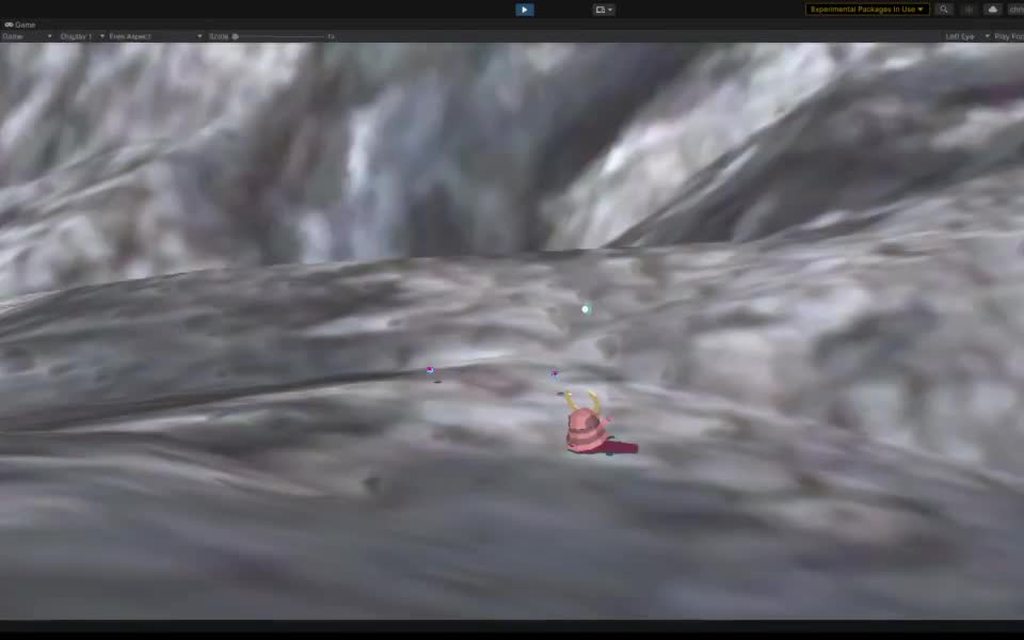
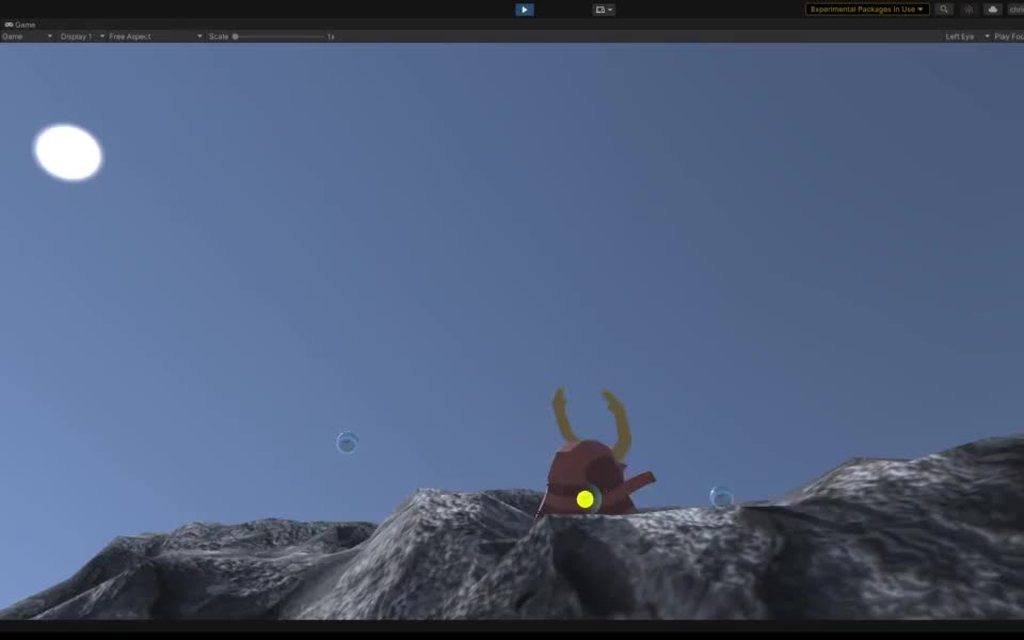
got my physics controller working well-ish with a spherical gravity space
 quartz slate
 gray estuary
rocky whale
Hello guys. Today I download vr tutorial and follow steps. But, When I go play m...
gray estuary
rocky whale
Hello guys. Today I download vr tutorial and follow steps. But, When I go play m...
Hello, just to be sure, which tutorial did you follow ?
rocky whale

Unity Learn
In this project, you will: Review basic navigation with your VR controller Explore a basic VR prototyping environment Add teleporters, interactable objects and sound effects to the prototyping environment using the XR Interaction Toolkit Review how to set up Unity to add UI elements in VR Explore and evaluate the Escape Room, a fully realised VR...
gray estuary
rocky whale
https://learn.unity.com/project/vr-beginner-the-escape-room <@322120169319301121...
oh I see, when you press the joystick/pad (depend your headset), do you have any lasers or not ?
rocky whale
when i push the joystick don't show laser, but yes when i stand up the hand. (Sorry for my english)
gray estuary
rocky whale
when i push the joystick don't show laser, but yes when i stand up the hand. (So...
Did you do anything else other than this tutorial that could block the path of the laser ?
rocky whale
Only follow the tutorial. could it be why i use lenovo explorer?
gray estuary
Oh right, I misread, you don't have any inputs, just the tracking. I was focus on the teleportation, but you also can't grab objects ^^
In that case, it's a problem on the input registration, I don't have mixed reality headset to test the process :/
Are you using OpenXR plugin or the mixed reality one ?
rocky whale
I put mixed reality and work thanks
 rapid pike
white remnant
Does anyone know why sometimes when I pick up an object it works okay and other ...
rapid pike
white remnant
Does anyone know why sometimes when I pick up an object it works okay and other ...
Disable the object rigidbody when you are in the grabbing and while its lerping towards your hand
Make it kinematic or handle however you prefer
storm ether
I don't know if it's the correct place to write... but could you take a look to this problem? https://forum.unity.com/threads/i-would-like-particle-effects-to-be-rendered-above-the-transparent-layer.1120030/#post-7202503
Unity Forum
Hello folks,
I have a panel (figure below) where I attached a transparent texture and when I point it with a 3D laser the particle effects at the end...
white remnant
how do you go about making it so the user cant peek their head where they shouldnt be able to, like through objects and stuff? do you add a collider to the head? im not really sure how to size it appropriately if thats the solution
quartz slate
@white remnant you should think of another solution vecasue locking the HMD position can lead to disorientation or discomfort
some effects or other kind of layer that blocks player vision when they are inside objects might work
buoyant jolt
I second that recommendation
Ideally, we add a trigger collider. When breaking through, we fade to black and show information on how to get back to the play zone
If it is an FPS style arena game, separate the body from the avatar and try to move the body to the aliases. This way, when that happens, your body remains in the play space and vulnerable while trying to break through a wall. Stops cheating.
 past island
How much more difficult is it to make a VR game?
than a normal 3d game
rapid pike
Mmm you just have to think in VR space, comfort of the user and other aspects but it's not much diferent.
Even though, debugging can be hell
If you don't create a simple system to debug in your desktop computer, having to put on the VR headset everytime you have to test something is pure hell, in my experience.
white remnant
i have this beam that kinda looks weird in vr, and then i realized its only rendering is one eye and not the other. why is that and how can i fix it?
 pine bison
Probably a shader not supporting single pass instanced @white remnant
white remnant
yeah switching render mode to multi pass fixed it, but im pretty new at this and dont fully understand what that means. should i want to be on single or multi?
buoyant jolt
Single = faster, less processing
Multi = can behave differently in different headsets too
buoyant jolt
past island
How much more difficult is it to make a VR game?
than a normal 3d game
VR is just an input method (controllers) and display method (screen).
Typically you need 90fps vs a 30 or 60fps desktop or mobile game. It needs to render both eyes (twice the rendering effort). Unlike traditional games, you can’t lock their view or camera shake (or they will throw up). You need stereoscopic viewing or they will get dizzy. Try and cater to all 3 learning types (hands on, visual and audible learners). Keep your poly counts low (below 5m tris ideally), your batch calls really low (below 100) which means avoiding real time lights at all cost. Use texture atlases for 3d models (or you will increase batch calls). After all that, remember many players still need a cable - so try and keep interactions limited to the 180 degrees in front of them. Remember play spaces vary in size, so you need teleportation methods (fade to black, move player, fade in) to prevent nausea when moving. Make it safe spaces Othey need to be able to keep things they don’t like away from the, like other players that could be sleazy). Avoid letting them ‘walk through walls’ to cheat, but remember if you ‘lock’ their head when they try to peer through a wall they will get sick. So fade to black and block their game play. Keep the avatar separate from the VR rig, so when they do that. The avatar stays exposed in 3D, so they can’t cheat by fading into a wall. Remember players get dizzy looking down without feet. Don’t lock UI items to the screen, they need to all be world space and movable (otherwise it is like placing post it’s on your face). Remember text translates poorly on most headsets, so don’t rely on reading. You need to remain colour aware as well, due to colour blind players. Uh. What else... yes, plug-ins work for only specific unity versions. Don’t use a single framework (I.e. SteamVR, now outdated, or Oculus) or you will be locked to a specific headset that might go out of fashion tomorrow. Get working sample scenes before building the actual game.
Oh, snd multiplayer. Keep the VR and the rig separate. You can only have one VR camera stack in a scene, so you need to keep that separate from the player for instantiation
tiny niche
past island
How much more difficult is it to make a VR game?
than a normal 3d game
there are a lot more unknowns in vr, you don't have well established interaction models with a long history of success to lean on
and it's a lot more math-heavy
north path
tiny niche
and it's a lot more math-heavy
This depends on what you make and which assets you use tho
But in general these messages are a quite good summary
storm ether
"Android SDK Build-tools component is not found. Make sure all tools are installed in the SDK manager." I'm using a mac and "openjdk version "14.0.1" 2020-04-14"

 hazy jay
Hi guys! Im following a VR tutorial and its creating some variables based on the hardware on void start. The only problem is is that it cant find the hardware before the first frame meaning non of the variables are set. If i run the code in Update() (which is bad for performance) it works fine, but it doesn't work the way they implemented it in the video. Anyone know why that is?
 cold crane
i have a concept that i want to test, how can i make it so only certain materials can be seen by each eye?
tiny niche
you'd have to add a render feature to the pipeline you're using i think @cold crane
urban cloak
@storm ether Stop crossposting
storm ether
Sorry, I just don't know which area is appropriate for this discussion
Do you have a room you could recommend for this issue
 torpid ginkgo
storm ether
Do you have a room you could recommend for this issue
torpid ginkgo
storm ether
Do you have a room you could recommend for this issue
I am already answering you in #📱┃mobile
 humble sinew
Hi, does anyone know how to always show the hover mesh of a xr socket interactor
 lavish flume
Does anyone have a water asset that is good to use for vr? The ones that I've tried so far are all causing frame drops.
tiny niche
@lavish flume is impossible to make water without performance impact
 daring pecan
I have a problem with the controls in my project. When I use the oculus controller the input mapped to the gamepad also gets triggered (for example I press A on the right oculus controller, the A button on my xbox controller gets triggered), which is not good for my local two player project. I'm using the oculus rift cv1 , unity 2019 and the old input system. Any help how to solve this issue?
 fiery night
OpenXR confuses me. Is it also for the quest 2? and if so, should I use that instead of just selecting "oculus" in the android tab in XR plug-in management?
shell kayak
fiery night
OpenXR confuses me. Is it also for the quest 2? and if so, should I use that ins...
OpenXR is supposed to be the OpenGL equivalent for XR runtimes. Instead of games having to use multiple SDKs (Oculus, SteamVR, WMR, etc...), they can target just OpenXR and it will work on every device that has bindings for it. But OpenXR is still young, and support is mostly experimental. Oculus Quest 1 & 2 do support OpenXR, but Unity currently only supports OpenXR on desktop platforms.
fiery night
Thanks for not just answering but also giving some context.
fiery night
Any tips for creating a HUD in VR? I want to be wearing a helmet in VR but it has to look like I'm wearing a helmet, too.
In my experience having something fixed in VR sucks.
So it'd have to sort of smoothly trail behind if you look around, I think?
tiny niche
@fiery night make it an astronaut helmet, then you can move your head around inside
fiery night
I did think of that. Like Titan fall. But then if the hud stays fixed it'll feel weird I think
tiny niche
yea you do not want a fixed hud
fiery night
But I just discovered I have bigger issues. Like how to aim if the arms aren't your arms
tiny niche
attach it to the visor instead
fiery night
It's hard to point if the actual pointing happens elsewhere
I don't know what a visor is I think. Isn't that still attached to your head? Meaning it would still be fixed?
tiny niche
visor is the clear "window" on a helmet
fiery night
Aah yes. But those are still fixed right? I can try and see if that feels weird
Good idea
Now all I have to do is figure out the aiming part
tiny niche
yea they're fixed relative to the helmet, but if your helmet is attached to your shoulders instead of your head, then it's not an issue
fiery night
Yeah. Like a window with stuff projected on it
That could work. My car has something similar
tiny niche
yea
fiery night
How would a mech work in real life
Like shooting someone. How do you aim the arms like those Gundam things
Iron man I get. It's just still your own limbs
tiny niche
you'd use beams to aim or you'd have to decide on an effective targeting distance
fiery night
I thought about a laser sight
But that'd become a guessing/approximation game I think
shell kayak
fiery night
Like shooting someone. How do you aim the arms like those Gundam things
There are machines that let you control a larger mechanical arm using your own arm with 1:1 mapping to movements. You see this in Avatar's mechs.
tiny niche
its no different from aiming a gun, it's just that your eyes are further than usual from the barrel
fiery night
So your perspective becomes the mech perspective?
shell kayak
They track the movement of your arm, usually using some kind of exoskeleton, and then apply those movements to the mech arm
tiny niche
its basically like aiming in a third person shooter
you could also have a targeting lock system and auto-aim
fiery night
But third person doesn't really work in vr
Unless it's like... What 's the name
Moss
But then it's not really mech and more like rc
fiery night
shell kayak
There are machines that let you control a larger mechanical arm using your own a...
I'm trying to visualize it. But I can't. I can imagine the movement just not the ability to aim.
shell kayak
fiery night
I'm trying to visualize it. But I can't. I can imagine the movement just not the...
Sure, there probably needs to be some assistance in aiming than just regular iron sights
I think you'd probably want to fire from the hip most of the time, because it's probably difficult to move the mech arm so close to the body
You can do some AR reticles/crosshairs to help the operator aim
Similar to what you see in fighter jets
shell kayak
Yes, similar thing
fiery night
The primary guns will probably be guided... I'll give the AR idea a go as well. See if it feels nice
shell kayak
It will certainly give you a futuristic look, if that's what you're going for
fiery night
And then maybe the whole view should be like titanfall
I do want that. I want it to feel like you're actually piloting the mech
shell kayak
If the mech looks anything like in Avatar, then you can display some HUD elements on the window
It's fixed, but not to the person's head, so it's not uncomfortable
And it's already at a readable distance away from the user
fiery night
So like a dome on top of the mech maybe
So you can rotate freely
And the dome shows the info in AR
Like the reticles
The dome being some sort of glass, I mean. You'll be able to fly, because thrusters. Also no mech can be built and be called a mech if it doesn't have thrusters 😄
So maybe a dome would be annoying because looking down will become hard. Also it's not really rotating the body then.
I talk too much.
I just looked up avatar because I thought you meant the blue creatures lol. I didn't know I just found out that is what you meant. I just didn't remember the movie.
https://www.youtube.com/watch?v=F6ttDZFmGqg This has some "physical" stuff like punching and grabbing. I can't imagine what that would feel like to pilot
fiery night
Is it possible to run a game on the quest 2 without building it first? I remember it used to be possible with a link cable but it didn't work on my mac
Update: apparently not.
exotic badge
is anyone here familiar with the HTC Vive SRWorks SDK for developing AR applications ?
exotic badge
bump
 dusk sky
im using XR and i want to use grip for a push and pull type movement so how can i make it so that holding the trigger grabs the object not the grip button.
ive looked through the direct interactor code but cant see when the input is
fiery night
@dusk sky Are you using the new input system?
And then also using XR interaction toolkit? Then you can change the input actions on the controllers.
 daring pecan
Still having issues with the controls in my project. The oculus rift (cv1) buttons trigger gamepad inputs in unity 2019.4 with the old input system. What I find weird it seems nobody has ever had this issue before? There must have been other projects where there's a vr player and a pc player with a gamepad facing a similar situation..🤔
dusk sky
fiery night
And then also using XR interaction toolkit? Then you can change the input action...
thank you
 torpid star
Hi friends! I have managed to link models to occ controllers with XR Interaction plugin.
Does anyone know how to link animations to trigger inputs?
Should i be looking into unitys "input" system?
dusk sky
torpid star
Hi friends! I have managed to link models to occ controllers with XR Interaction...
you can take the float of the trigger or grip button with unity's input system that u can link to the animation
torpid star
Thank You! Looking forward to getting this working soonish! I will keep u posted!
 surreal kettle
Hi guys! I'm new to VR development but was hoping to make a realistic-looking VR game on my own. Would it be better to use Unity or Unreal for this? (The platform I'm aiming for is Oculus)
 onyx chasm
Depends on what you're doing
a majority of the time is doesn't matter, you should just pick one and stick with it for a bit. each have their own benefits
 verbal cedar
So I have an idea for 360 full body tracking only requiring a kinect and a phone, but I would like some outside opinions on it
Basically, I was wondering if it would be achievable to use something like deca move to link your body's position into two states. Facing forward or away. This way the game would know which way you are facing at all times with your lower body
surreal kettle
Okay, that's cool, I was hoping to have fluid simulations in the game though, would there be a difference between them? I also heard unreal might be faster cause of the c++ programming instead of c#?
onyx chasm
are you planning to have the simulations prebaked or realtime
@verbal cedar Most likely you could, I don't have experience with the deca move however assuming it can give you it's rotation you should have no issues translating that in your game. What are you trying to do exactly?
verbal cedar
onyx chasm
<@!644600592739598376> Most likely you could, I don't have experience with the d...
I was thinking about full body tracking for applications like vr chat
Sadly, it would be an uphill battle, seeing as I don't have any coding experience lol
Just some stuff I did in computer science
HS
It's mainly just an idea I wanted to explore
I feel like the biggest hurdle with the idea would be to find out how to smooth out the transition from one state to the other
And also getting all of the parts working together
onyx chasm
verbal cedar
Sadly, it would be an uphill battle, seeing as I don't have any coding experienc...
I feel you lol, by all means do whatever you want but as someone who has issues with scope its very important to not go to big at first or you'll end up unhappy. if you don't have much experience i would recommend doing something else before vr as it can be a little complex at times. i dont know how much you know though so thats up to you. just a suggestion :)
regarding the general concept youve described are you trying to track the players body for the gameplay or to have a more accurate player model?
verbal cedar
onyx chasm
I feel you lol, by all means do whatever you want but as someone who has issues ...
To serve a similar purpose to the Vive tracking pucks for full body usage
So for the player model
Ig
onyx chasm
i dont think you'll have a problem then
surreal kettle
Hi hixo, so i was hoping to do them realtime?
onyx chasm
surreal kettle
Hi hixo, so i was hoping to do them realtime?
from what i've heard unreal has some good simulation demos out there however im sure both engines are capable. what are you planning to do with it exactly?
surreal kettle
its basically just a pot with water in it but i want the user to be able to swish their hand around in it
onyx chasm
This may be a little overkill for a pot of water but I found this asset that does fluid simulation for unity.
https://assetstore.unity.com/packages/tools/physics/obi-fluid-63067

Get the Obi Fluid package from Virtual Method and speed up your game development process. Find this & other Physics options on the Unity Asset Store.
surreal kettle
yeah, that seems to work, thanks 🙂
onyx chasm
np
buoyant jolt
Just move cautiously, ObiFluid uses a lot of processing, and is challenging to get workign well in a complex scene (for VR)
surreal kettle
Thanks, I'll keep a note of that 🙂
dusk sky
fiery night
And then also using XR interaction toolkit? Then you can change the input action...
im trying to do this but i dont see anything that says trigger input. is it ui press or what is trigger?
 muted laurel
do someone knows what exactly does the "XR Simulated Controllers" ? because they behave weird if I want to bind them inside the new input system, because the joystick have no X or Y Vectors...
 dusk sky
im trying to do this but i dont see anything that says trigger input. is it ui p...
dusk sky
dusk sky
im trying to do this but i dont see anything that says trigger input. is it ui p...
nvm i figured it out
fiery night
dusk sky
nvm i figured it out
Good because I only had the screenshot 😄
torpid star
Anyone have experience targetting quest 2? Would be interested in hearing some reccomended settings 🤔
 nova swift
im trying to make an avatar for vrchat and give it a gesture animation, just a simple rotation to the key on the back, but when i animate the rotation it goes way off the axis .. apologies if this may not make sense im trying to figure out how to explain ahah . im just not sure what im doing thats making it go so out of line
 buoyant jolt
torpid star
Anyone have experience targetting quest 2? Would be interested in hearing some r...
buoyant jolt
torpid star
Anyone have experience targetting quest 2? Would be interested in hearing some r...
Yes - not sure what you mean on settings per say though
Just optimize the heck out of it and dont rely on quality textures >3 meters
Comparatively speaking
lavish flume
Anyone have any tips on dense vegetation performance? I've seen a few games where there was a scene with moderate vegetation including buildings, and I was getting 90fps. Whenever I try using trees and grass combined with buildings my fps tanks to 45, any tips?
Or asset recommendations
storm ether
45 fps with a lot vegetation is good. Especially in VR.
fiery night
I'm not a pro but I don't think 45fps is good
72 FPS for Oculus Quest 1 (required by Oculus)
And that's for the quest 1. 45 fps means something can probably be improved. But it's a very broad question. A lot of things can be suboptimal.
lavish flume
there are frame drops that cause some stuttering and also distortion in what the player sees at times.
In my opinion (keep in mind I play on an index), for a scene to be considered quality / stable, fps should at the bare minimum be at 75-80 fps
 winter hedge
Hi guys, i have a question, is there a way to bypass the system gestures with oculus integration hand trackin? I'm making a pinch behaviour but when i use the right hand and do the gesture it opens the system menu...
i think maybe to change the finger that alllow the grabbing instead of using the index
white remnant
is there a way to get post processing effects with the new unity xr in built in pipeline? im getting a gray screen when pp layer is on, and according to google that seems to just be an issue
storm ether
I just upraged to 2020.3.11 and I am now getting this error -
Library\PackageCache\com.unity.xr.windowsmr@2.2.0\Runtime\Session\WindowsMRSessionSubsystem.cs(59,34): error CS0115: 'WindowsMRSessionSubsystem.Provider.Resume()': no suitable method found to override - I don't know how to fix it or what to do
 slate obsidian
Hi all, we have a project almost finished and we run on the Quest 2 - the problem is we sometimes get audio bugs when we start the scene.. the audio was setup in an audio timeline etc. the glitches can happen at the start and are 2 types.. one is a loud screeching. and one is audio clipping/stutter (you can only hear the first half second of any sound) we have tried to debug this but maybe you guys have a clue for me to follow? thanks
Its not consistent at all. we can run it over 100 time and never happens but then on 101 maybe
 vernal smelt
any idea why controller tracking would not work? using steamvr, openxr toolkit, oculus quest 2
steamVR shows both controllers as connected
white remnant
does anyone know why i get a bunch of errors when i go from one scene to another? the first scene there are no errors, the second scene the errors begin but all XR movement and buttons work 100% as expected. its not the same object if that matters, theres one xr rig setup in the first scene and another almost identical one in the 2nd
 fiery night
I'm trying to set my own action with the input system. I want to do something when the button on the quest 2 controller gets pressed. I know I can use callbacks and such, but I don't know what the best way is. The ActionBasedController uses referrences to actions directly. Is that the way to do it?
fiery night
white remnant
does anyone know why i get a bunch of errors when i go from one scene to another...
Looks like something isn't being cleaned up properly. "Performed" seems to be an InputSystem callback that's still registered even though the object has been destroyed.
So when the gameobject gets destroyed I think you need to remove the callbacks.
fiery night
I don't understand your question. You want a vector towards the selected interactable?
fiery night
fiery night
I'm trying to set my own action with the input system. I want to do something wh...
After a lot of trying stuff and just checking out what intellisense tells me I found InputActionReference. This works pretty decent. I can set an action in the unity editor and I can attach callbacks. Is this a good approach?
0 to 2? You mean you want to set a max distance?
Where did scale come from haha
Maybe I'm just stupid but I have no idea what you really want
Can you try explaining it a bit? What do you want to achieve, and why.
Okay but that's just gameobject.transform.localPosition
Aaaah, I see. I'm not sure. I think you'll end up with something like (myUIElement.position - raycastPosition) and then take the local x to get the offset. But maybe there's an easier way.
I do think you can ask this in #archived-code-general as well. It's not specific to ray interactor
It would be the same solution with a mouse/gamepad. Shoot a ray from your pointer to the ui element and get the matching position
I don't know if the ray interactor has something for this, sorry
fiery night
Why is the hand's transform.forward not the same as the line rendered by the ray interactor
fiery night
Ah yeah ignore that, the issue was something else. PEBKAC
 edgy schooner
Hello, I'm trying to add heatmaps to my 360 video project but I'm stuck on configuration. Has anyone else tried this before? https://github.com/Unity-Technologies/360-Video-Heatmaps#collect-heatmap-analytics-data

GitHub
Heatmaps for 360 Video. Contribute to Unity-Technologies/360-Video-Heatmaps development by creating an account on GitHub.
I can't find this in my analytics dashboard, there are remote settings and standard events only

I also can't complete the integration here, when I click the play button it doesn't change anything, I still have this message to "play to complete integration" when I go to analytics

 vague birch
Can someone help me with this... I dont know how to write it. It says the API has been marked as obsolete
 torpid star
If I am using XR interaction plugin, Can I still access oculus controller inputs via script?
Figuring out how to script a trigger or grip press to play a sound effect would make everything make sense to me.
Bit frustrated with figuring out inputs with the multiple systems and would just like to script things,
 tranquil anvil
Hey guys, I'm trying to use WorldToScreenPoint to move a UI object over the top of an object in 3d space in VR. The setup I have is an overlay UI displayed on the "mirror" screen (so not in vr), and I want to display a UI object over an object that is in VR. The UI object seems to track above the canvas but I can't work out the relationship exactly. any ideas?
I've seen a few threads regarding the screen size reflecting the game view not the vr view, but the game view is exactly what I want it to be correct on so they didn't seem terribly relevant
There's only one camera in the scene, the VR camera
 hearty crag
Hi, complete beginner here, following the tutorial of "Get started with VR Beginner: The Escape Room".
If i wanted to use steamvr to test the game, but using Oculus Quest 2 + Virtual Desktop, what package should i import to get the controls working?
Currently i have imported the SteamVR Plugin, and the camera is working.
The hand/controller motion is being tracked as well.
But none of the buttons work.
What package am i missing?
white remnant
How do you make a pause screen in VR? Is it the same process as setting timescale to 0 or does that end up freezing the players controllers/hands as well?
 brisk violet
lavish flume
In my opinion (keep in mind I play on an index), for a scene to be considered qu...
brisk violet
lavish flume
In my opinion (keep in mind I play on an index), for a scene to be considered qu...
agreed
lavish flume
By the way referring to my previous message: My fps is completely fine, about 90% of the time at max when running the built version outside of unity.
Editor just tanks fps i guess
white remnant
my left hand kinda spazzes out when my right hand is near it, even though the left isnt moving at all. is this something to do with the sensors getting crossed and its mixing up left/right for a second or something? thats kinda what it seems like
 dusk sky
so im trying to get started with a grab and pull movement can someone tell me where to start like what input to look into further?
in assuming check if the grip is pulled then use a rb.addforce but where do i get the impulse numbers from?
fiery night
You mean like pulling a rope?
 tacit spade
I've been trying to get two projects for VR to work via the Quest 2 with an Oculus Link, but for some reason on both projects when in play mode it just says that Unity is loading and never loads. Is this a common problem and is there any known solutions?
 flat saddle
white remnant
https://streamable.com/5258w4
my left hand kinda spazzes out when my right hand...
flat saddle
white remnant
https://streamable.com/5258w4
my left hand kinda spazzes out when my right hand...
I would think so
white remnant
flat saddle
I would think so
Is there anything I can do about that? Or do I just need to be more careful about how I lay things out that if one hand has to cross another?
flat saddle
I’m not sure, are the rigs as tight as they can be?
Sometimes the rigs cross over and interfere
dusk sky
fiery night
You mean like pulling a rope?
yes but the rope is everywhere
fiery night
That's deep
dusk sky
no thats exactly what is like cause you can pull your self to anywhere in the map
dusk sky
i have a script that used XRcontroller to take input and when i try to add the XR controller scripts it wont let me add it to the other script
dusk sky
and if i try to use get component to find it it returns a null
buoyant jolt
No idea, I use the VRTK so i dont have to worry about the UnityXR compatibility issues
But id the getcomponent is null then somethings definitely wrong. Id pause during play time and verify your script locations versus component heiarchy
dusk sky
buoyant jolt
But id the getcomponent is null then somethings definitely wrong. Id pause duri...
ok thanks
vernal smelt
Pastebin
Pastebin.com is the number one paste tool since 2002. Pastebin is a website where you can store text online for a set period of time.
any idea why this wouldn't be getting devices and adding them to the list?
literally any help would be appreciated
quartz slate
is there any advantage to using the InputTracking system (in XR) as opposed to using the common usage methods to track device positions and rotation?
dusk sky
right now im using Get Component to get an XRController for input but its not working is there a better way to get an input device or am i trying to get it off the wrong object. im using get component on the controller game objects in the XRRig.
tiny niche
@dusk sky why is your code perusing the hierarchy looking for a controller? you could just assign it in the editor
storm ether
hey guys, i made this prototype on Android where you hold a gun and can look around a virtual world with your mobile gyroscope, would that be considered VR?
dusk sky
tiny niche
<@!618966661550047262> why is your code perusing the hierarchy looking for a con...
I tried too it wouldn’t let me add the controller as an XRcontroller
 modern wind
hi guys... anyone with experience using oculus OVR Lipsync knows how to get and audioclip/lipsync asseta playing at runtime which can be changed on the fly? the documentation is basically inexistent with regards to playing the clips on events/runtime. Thanks
 spark onyx
Who can link a tutorial for a VR Quest 2 game in a Apk format?
tiny niche
@spark onyx oculus manual has instructions on it
dusk sky
how do i get an input device for controllers?
vernal smelt
having issues with direct interactor just straight up not working
have to default to ray interactors
dusk sky
vernal smelt
having issues with direct interactor just straight up not working
What issues?
vernal smelt
well i can't interact with anything
for example grabbing grab interactors
i can only do it with ray interactors
dusk sky
vernal smelt
well i can't interact with anything
We’re there any errors?
vernal smelt
nope, otherwise i would have posted them alongside my original message
and i have a debugger set up (for input logging); it's not an issue of inputs not being registered
 pliant shard
anybody have any advice for using character models with the new unity XR toolkit?
because I am having all sorts of problems with bones being set up with weird axis that cause the character model to fold itself up
due to the bones/joints not being oriented right
pliant shard
Ik
quartz slate
could be a problem with hierarchy, but it's hard to say
if you over rotate some stuff you will get in-folding
pliant shard
Ya and it'd be foolish of me to assume that everyone models things wrong so I'm thinking it's something to do with the new xr toolkit
quartz slate
if you're importing random blender models, then there are bound to be rotation issues due to default space of blender vs unity
it's very tedious to export a blender file into an fbx that will correctly generate scale and rotation when imported into unity
lavish flume
Does anyone know why my texture is appearing blurry in one eye and fine in the other? It happens with a few of them. What I see in game has the same distortion as watching a 3d movie without the glasses if that helps lol
im using the rock texture from the terrain tools package
Edit - In one eye the texture appears brighter than the other
hidden moss
Someone know a good tutorial to do a radial menu with XR pls?
 woven breach
urban cloak
woven breach
urban cloak
There's lots of beginner tutorials on YouTube, check them out.
 glossy lagoon
I made this custom Skybox shader for URP, but it doesn't work with VR - right is Scene view and Left is view with VR

Anyone know what causes this?
hidden moss
I need some help : I made a script to activate and desactivate my XRRig and when I Reactivate it, my camera is set as it should but my controller are no longer working
Someone know why it happen pls ?
white remnant
is this all there is to making a pcvr game cross platform or are there more things you need to change to ensure compatibility?

 tall sparrow
@glossy lagoon , I think maybe duplicating the camera and the position to take effect on that?
glossy lagoon
tall sparrow
<@181813848683184128> , I think maybe duplicating the camera and the position to...
Oh? Could you elaborate?
tall sparrow
Like setting a camera to use as a certain view in one video feed
(basically left and right eye)
glossy lagoon
tall sparrow
(basically left and right eye)
You basically mean to render the shader to only one eye? I see! I've really not worked with VR much yet, do you have any tips on how to achieve this?
white remnant
what shader am i supposed to use with TMP to get it working in single pass? the default one its on doesnt seem to work with single
Edit: reimporting the TMP essentials seems to have fixed the issue
 frank mesa
Is there something I'm missing? I dragged in the player prefab given by Steam, and the game isn't displaying in my headset
I tried all of the target display options in the VR camera and all of the target eye options
It's just a black screen
 bold ridge
hi im trying to implement multiplayer to at vr project i have and im using steamworks but there are no tutorials on how to use it in vr anyone able to help.
white remnant
how do you add pause to a vr game? when i change the timescale to 0 i cant move my hands anymore
urban cloak
The same way you're supposed to add it to any game, by using some sort of state manager that handles whether or not the game is paused. Elements that are pausable in the game use that state to determine if they should take action.
Using timescale is a Youtuber hack. If it was meant for pausing, it wouldn't have been called timescale.
shell kayak
urban cloak
Using timescale is a Youtuber hack. If it was meant for pausing, it wouldn't hav...
If you didn't use timeScale, you'd have to create scripts that pause physics, particle systems, animation and a bunch of other Unity built-in things. timeScale handles all those cases. I don't know of any downsides to using timeScale except some things break because they weren't implemented with it in mind, usually user code.
urban cloak
@twin sapphire Job postings should go on the Unity forums in the job posting section. You can find the links to it pinned in #💻┃unity-talk.
rose grail
anyone have experience optimizing games for Quest 2? we can't think of any other way to downgrade our game, but certain maps still run very poorly. Not to mention it looks really bad already.
pine bison
More info needed. What does the profiler look like?
rose grail
Trying our best to figure this out.
Here's our profiler. There are some pretty intense spikes, but "EditorLoop" seem to be the cause
 pine bison
Can you show more of the rendering section? Seems like you have upwards of 200 batches
rose grail
pine bison
Can you show more of the rendering section? Seems like you have upwards of 200 b...
Starting to figure this out! That seems to be correct

We're working on making more things static now
pine bison
If you're not familiar with reading the profiler there are good videos on youtube on it
Also, when debugging draw calls, look at the frame debugger. It tells you exactly why a draw call wasn't batched with the previous one
frank mesa
Anyone else unable to see anything in their Rift S when you enter play mode? It's just a black screen for me.
tacit spade
I'm having that issue kind of but it's with a Quest 2 via Link
dusk sky
frank mesa
Anyone else unable to see anything in their Rift S when you enter play mode? It'...
Do you have the right XR packages installed? That could be it
frank mesa
dusk sky
Do you have the right XR packages installed? That could be it
Yeah. Oculus and OpenXR are selected
storm ether
can i use oculus quest 2 on air link for unity?
 dawn crane
storm ether
can i use oculus quest 2 on air link for unity?
dawn crane
storm ether
can i use oculus quest 2 on air link for unity?
Yes but its buggy
 fiery patrol
Need Help for VRTK controller
I had setup all thing as per document, I am using unity 2018.4.3f1 , Oculus integration 25 and VRTK 3.3v
I am using demo scene of VRTK , remove all SDK add OVRCamera rig in Oculus and try to run ,
I am able to build but controller not working.
any idea >
pine bison
Did you remove the VRTK Oculus SDK Setup @fiery patrol?
fiery patrol
Yes , old one remove and added new one
pine bison
But the new one is just the one from the Oculus Integration?
fiery patrol
yes , i had just added OVR Camera rig and on parent VRTK sdk setup script
Here is Screenshot
 fiery patrol
I am using MacBook for development , do you think that can be issue ?
pine bison
No. You can't just rip out part of the plugin and put something else in its place. You will need to set up the OVR sdk the same way the old one was made
I haven't used v3 in ages so I can't tell you much about it
fiery patrol
i had check document and they give same instruction what i did !! just remove all SDKs add Oculus and CameraRig in child and setup VRTK SDK setup script on parent
pine bison
So what is happening exactly? Your head works as expected but you do not see your hands moving? Do you see the hands models at all?
fiery patrol
My OVR Ring camera working perfectly , but Control not working like Locomotion , grab etc !!
and i am not able to see hand model if i remove localAvatar setup
pine bison
Guess you'd need to to a side by side comparison with the old OVR SDK setup
If you're new to VRTK I would recommend looking into VRTK4 / Tilia. It's completely different but more customisable and works quite well
fiery patrol
Okey , i will try that. thank you
pine bison
I recommend this tutorial @fiery patrol https://github.com/ExtendRealityLtd/VRTK.Tutorials.VRBowling
 torn parrot
Hey guys, im making a standalone game for the ocules quest, but its super laggy. I understand that the polygon count and textures have to do with this(And particles ect.) But what would you guys say to really focus on while optimising your game?
pine bison
torn parrot
Hey guys, im making a standalone game for the ocules quest, but its super laggy....
torn parrot
Thanks!
pine bison
in general, you should limit your vertex count to a few hundred thousands, and your batch count should be as low as possible. Optimizing the batches and the lighting will often have the biggest impact
But using the profiling tools in unity is key to figuring out exactly what is eating the ms
torn parrot
oh hehe
 worthy steppe
so i'm trying to detect if the controller's wrist is facing the camera, the fact that the controller XR object is a sibling of the Main Camera XR object shouldnt affect spherecasting right?
 radiant galleon
Hi! I’m a beginner of creating XR games on Unity. I’m setting up my scene following a YouTube tutorial. However, I don’t have a working headset with me now. Is there any way to run the play test just in Unity, with keyboard and mouse as input?
winter hedge
Hi guys iis there a way to show a realtime reflection probes in unity using oculus integration ppackage?
shell kayak
quartz slate
what's the quickest way to sideload an apk onto quest 1
Oculus Developer Hub is the quickest transfer I've managed. Somehow a lot faster than the regular adb install
quartz slate
thanks @shell kayak worked perfectly
fiery night
Should I use InputActionProperty or InputActionReference to set InputSystem actions on monobehaviours?
fiery night
I'll just use InputActionProperty. It works the way I want it to
 wanton wyvern
How do I get a controller's rotation offset in OpenXR? Like, the Index controller is rotated a different way than the Vive so the same pose produces a different worldspace result.

lavish flume
Does anyone know why in one eye my texture appears brighter than in my left? Most new textures added into my terrain appear blurry around the edges and cause almost a 3d movie (without the glasses) effect. Can't progress my project until it's solved, any ideas?
fiery night
lavish flume
Does anyone know why in one eye my texture appears brighter than in my left? Mos...
I remember something about multipass/singlepass and how shaders work. I remember getting help from @shell kayak but I forgot the details.
lavish flume
I have Aura in the scene for fog, I have a feeling it may be related, but at the same time when I disable the components, it still continues. I have tested the textures in a different scene and they worked perfectly fine, but when I dragged my entirety of my main scene over as a gameobject, it started happening again.
I assume it has to be something in the scene doing this
Currently I have multi pass on, as when I put single pass I can only see in one eye lol
storm ether
is it posible to build a game directly to an oculus quest 2 with air link?
 red carbon
if you use virtual desktop maybe you could build wirelessly via steamvr @storm ether
red carbon
you don't need a fancy cable you should be able to survive with normal usb c cable
though i bought something a bit fancier but still cheaper than the official one and it worked well
tacit spade
They might not have a USB-C port on their mobo or front panel
storm ether
anyone know how to code a movement system similar to gorilla tag
 azure geyser
thats a big ask @storm ether , id just start on it and ask for help with smaller things as you go
 karmic lark
Any Unity VR developers based in Melbourne Australia?
lavish flume
Going back to my previous issue, i added a different terrain and applied 5 layers of textures, anything above 3 layers like the original terrain, it bugs with eyes
Any ideas?
 arctic dew
Is there a generally recommended method for scripting movement and rotation of the XRRig?
I'm developing a VR experience that will be largely passive. I'd like to disable locomotive input by the player and instead script the rig to move based on timing, prompts, allowing cutscenes to take place at particular times etc.
I have started this using Timeline but so far I find that the headset is overriding the timeline animator
hidden moss
Is there a command to tell to the script that an object is grabbed with XR?
I want to trigger vibration only when my object is grabbed
fiery night
@hidden moss Yes there's a way but it depends on what you're using. If it's XR Interactable Toolkit then any XRBaseInteractable can for example use OnSelectEntered.
fiery night
 past mist
is GearVR available in the oculus integration or not?
past mist
is GearVR available in the oculus integration or not?
I don't see it in the list of XR Plug-In management but maybe it's openXR then?
hidden moss
fiery night
<@!328222355753271299> Yes there's a way but it depends on what you're using. If...
And it return me a bolean ?
fiery night
@hidden moss No it's a lifecycle callback. There's also OnSelectExited
hidden moss
Because I want to know precisely if yes or not my object is grabbed
How can i get this information
?
fiery night
I just told you. If your object is an interactable you can use those two methods to maintain a value
I do recommend watching some videos about this. XR Interactable Toolkit makes this quite simple and lots of tutorials show you how it works
hidden moss
Ok ok thank you i'm gonna take a look at it
fiery night
hidden moss
Ok ok thank you i'm gonna take a look at it
This shows you how to not only know when the object is selected, but also how to work with manipulation based on velocity.
hidden moss
fiery night
This shows you how to not only know when the object is selected, but also how to...
Thank you it work well but to use the OnSelectEntered i have to set my script class from monoBehaviour to XRGrabInteractable but then my XR Grab interactable link to my game object do not work anymore
My object is not moving
pine bison
past mist
is GearVR available in the oculus integration or not?
It was removed with version 20 of the integration or something like that
pine bison
You can still download that version of the integration through the oculus website
fiery night
Would using something like this make sense in VR on a Quest2? https://assetstore.unity.com/packages/vfx/particles/vfx-explosion-texture-pack-100134#description I feel like a 4k texture might be a bit heavy? Or am I underestimating the power of the thing?

Add depth to your next project with VFX Explosion Texture Pack from Rob Lloyd. Find this & more VFX Particles on the Unity Asset Store.
hidden moss
fiery night
Would using something like this make sense in VR on a Quest2? https://assetstore...
Depending on how you connect it. If you use the Air link this is possible that it would be enough but if you use The oculus link you can handle some large project
fiery night
I mean standalone. On the quest2.
I guess I could resize them myself. Plus I can set the max size in unity, on the texture inspector. I assume this also resizes
storm ether
Heya 
Quick introduction, I’ve got an Oculus Quest and I’m looking to do some stuff with Unity :3
Not 100% sure that my project got the libraries I need, but I hope so 🤞
gray estuary
storm ether
Quick introduction, I’ve got an Oculus Quest and I’m looking to do some stuff wi...
Hi and welcome in the XR community ^^
Then do you need anything so far ?
storm ether
Yes I need something that allows me to manipulate lisp/clojure code at runtime within the application
There is Arcadia (https://arcadia-unity.github.io/) but I’m not sure about the "at runtime" part when outside the Unity editor
Arcadia is the integration of the Clojure programing language and the Unity3D game engine.
and effort is made to port Arcadia to use MAGIC (https://github.com/nasser/magic) but yet again I’m not sure if it can be bootstrapped into an Unity application

GitHub
Morgan And Grand Iron Clojure. Contribute to nasser/magic development by creating an account on GitHub.
basically I want to make an in-vr environment to mess around code and stuff
Lisp/Clojure are a good candidate because their properties allow for interactive development while code is running live, but I don’t think I’m good enough to bootstrap anything all by myself
They have a gitter so I shouldn’t be 100% clueless if I hit dead ends
gray estuary
I'm not friendly with this stuff, I won't be able to help you on this :/
storm ether
No worries!
as said I’m already familiar with one or two people in this project I’m not hopeless
 tiny copper
hi! i hope i'm in the right place to ask for some help with a vr avatar
storm ether
I guess so but I'm new here so I can't really tell
tiny copper
well i asked in the beginner code channel and i guess i got a no but they didn't tell me the correct channel so...
i really just need help with exporting an avatar as a .vrm so i can use it with a program.
fiery night
Audio in vr is hard.
storm ether
@tiny copper could you tell me what software you’re using ?
tiny copper
LIV
storm ether
fiery night
Audio in vr is hard.
what part are you struggling with? I’m used to loudness/mixing I may be able to help you
tiny copper
Well, I'm using unity and trying to export it as a vrm to use with LIV
fiery night
A lot actually. Deciding on the right rolloff is one. But engineering the audio itself is also tough. I'm used to for example including the rolloff of a rocket launching sound but that doesn't work if other players are involved (multiplayer). It's either too loud or too quiet 😄
Trying to figure out a nice combination of gameplay audio and music... I'll get there. It's just not easy
tiny copper
Liv accepts .avatar and .vrm I tried to dl univrm to export it that way but for some reason it isn't letting me load it in to use it. I have no idea how to get a unity package on blender either. I've been told it exports as vrm.
storm ether
fiery night
A lot actually. Deciding on the right rolloff is one. But engineering the audio ...
Yeah involving other players/listeners is rough. So you’re trying to deal with filters but you don’t know what steepness its rolloff should be?
It’s running late where I am but feel free to ping me another day if you’re still struggling. I’ll leave you this video about some part of the sound engine from Mario Kart. It has a part that explains how it deals with multiple players/listeners. I can’t tell you that it’s similar to your case, but I think it should give you food for thoughts https://www.youtube.com/watch?v=lz5yiVBtPvs
{ You can support me on Patreon:
https://www.patreon.com/scruffymusic
{ Hear my music on BandCamp:
https://scruffymusic.bandcamp.com/
{ And follow me on Twitter for more updates!
https://twitter.com/Scruffy_Tweets
Thanks to my friend jesterzon for help with the concept of this video and help with the What I Love jingle arrangement at the end, a...
Also don’t hesitate to ask #🔊┃audio
fiery night
Oh sweet, thank you! I'll watch that right away 🙂
quartz slate
@fiery night if you're using to use bleeding edge unity versions, then I think mostly everything should work well in a URP build for the quest
i recently switched to URP and decided to try out VFX, which is currently released in the alpha build of unity for mobile platforms
haven't quite figured out explosions yet, but it was very easy to deploy some of the basic demo effects https://i.imgur.com/1QUBDnK.mp4
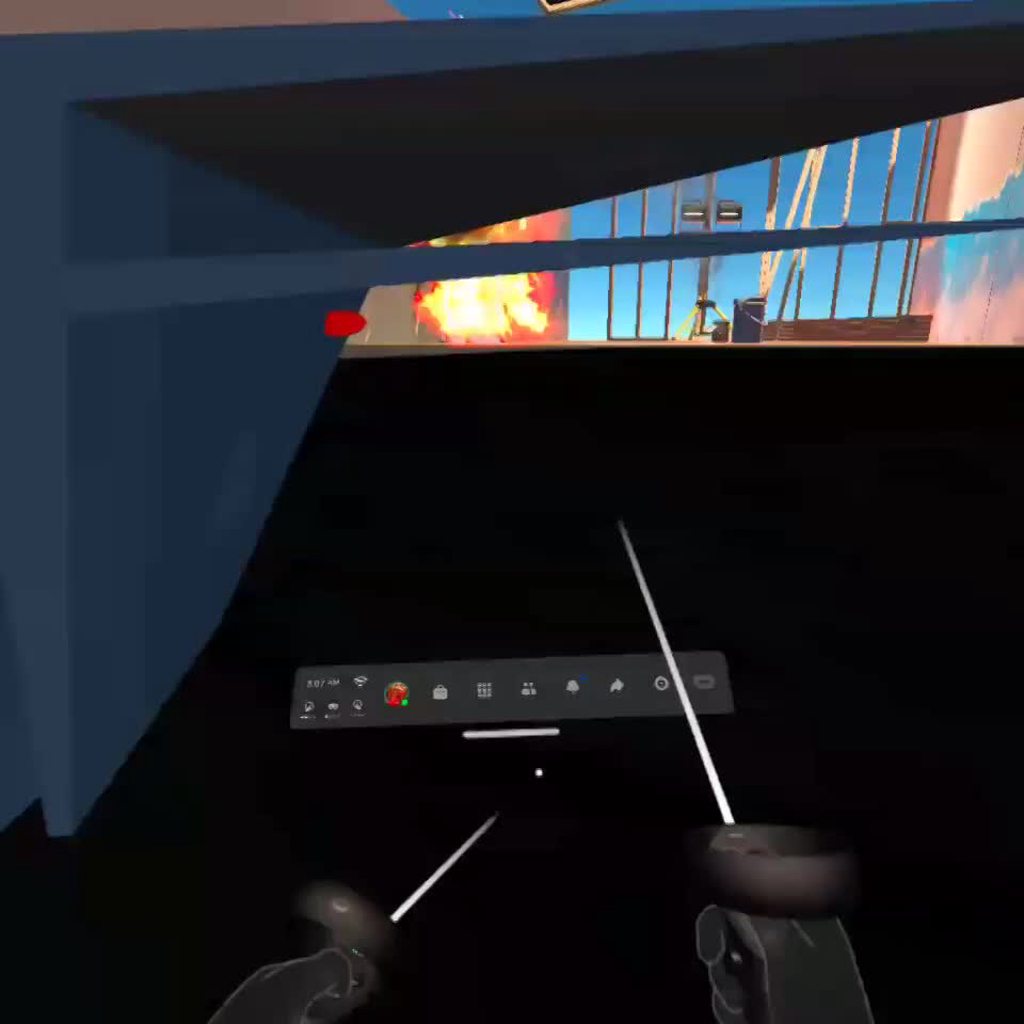 storm ether
lol hi guys
white remnant
https://streamable.com/79i831 does anyone know why my flamethrower effect doesnt look right when i shoot it to the left/right?

it seems like the particles are always facing the headsets direction no matter what
nvm got it, had to change the render alignment to Facing
fiery night
Shadows look bad in build and all the edges are jagged. Also it feels like it's stuttering but I think that could have something to do with movement?
minor saffron
Does somebody know a good source for getting stretching/scaling in VR to work for Unity?
Something like this:
https://youtu.be/O3RIKlUDKuc?t=119

A series of introductory tutorials to the Neos VR metaverse engine by the excellent Ryan Roye.
Patreon: https://www.patreon.com/neosvr
Steam: http://store.steampowered.com/app/740250
Discord: https://discord.gg/NeosVR
Ryan Roye's channel: https://www.youtube.com/user/tndStudios/videos
tiny copper
gonna try here again. i'm having trouble getting an avatar to save as either a .avatar or .vrm to use in a program. i've gotten it to save as a vrm but now can't figure out the springbones because the folder in the tutorials is not popping up in mine. i'm 100% new to unity since all my art is 2d (serious respect for yall 3d wizards. holy crap) is anyone willing to help?
dusk sky
i don't want to rewrite the question so I'm just going to post a forum link but could someone help me out with this? https://forum.unity.com/threads/grab-and-pull-movement-always-active.1131313/
Unity Forum
I'm making a game and I want a grab and pull movement system kind of like climbing. My left hand never moves my character and the right hand is always...
 acoustic lodge
dusk sky
i don't want to rewrite the question so I'm just going to post a forum link but ...
acoustic lodge
dusk sky
i don't want to rewrite the question so I'm just going to post a forum link but ...
I haven't used the XRNode api much, but I would expect TryGetFeatureValue(CommonUsages.gripButton, ...) to return true if the device has a grip button, regardless of whether it's pressed. So the first if will always be true, and because of the else the second if will never be entered. You should be branching on the LGrip and RGrip out values instead.
edit: Well, I guess ideally "as well" rather than "instead", but if the controllers don't have grip buttons you probably need to worry about that at a higher level than this code.
dusk sky
oh ok. thank you
dusk sky
acoustic lodge
I haven't used the XRNode api much, but I would expect `TryGetFeatureValue(Commo...
it worked and you fixed my 2nd question thank you so much
dusk sky
Ok i have a 3rd question cause I'm stupid. Its moving based on world position and rotation i need it to move based on player position and rotation. How do i set that up?
 gritty pebble
Anyone know how to use shader graph for a VR skybox?
I've made one, and it looks fine in scene view and game view until I hit play
Then it acts like there is no skybox, rendering the same as if I set the camera render background to none
 lofty tangle
dusk sky
Ok i have a 3rd question cause I'm stupid. Its moving based on world position an...
lofty tangle
dusk sky
Ok i have a 3rd question cause I'm stupid. Its moving based on world position an...
Quaternion * moveVector
(The quaternion being the rotation of the object you want movement to be relative to)
dusk sky
ok thank you
dusk sky
lofty tangle
Quaternion * moveVector
(The quaternion being the rotation of the object you wan...
i did this and now i have no movement at all
InputDevices.GetDeviceAtXRNode(RHandNode).TryGetFeatureValue(CommonUsages.deviceVelocity, out Vector3 Rvelocity);
            Rvelocity = controller.transform.rotation * Rvelocity;
            controller.Move(-Rvelocity * Time.fixedDeltaTime);
Why is it negative?
dusk sky
cause it should be moving opposite of the way the hand is moving
lofty tangle
Oh you’re climbing? Okay then instead just do transform.rotation * -velocity in the controller.move thing
Don’t have the middle bit
dusk sky
ok
dusk sky
lofty tangle
Oh you’re climbing? Okay then instead just do transform.rotation * -velocity in ...
it works now thank you
lofty tangle
No problem
quartz slate
Bout to try throwing in sound effects for an oculus quest build. Anyone have recommendations for best practices, or tips in general?
dusk sky
dont make it blow your ears out
gritty pebble
Anyone know how to use shader graph for a VR skybox?
 solemn sundial
Im using OpenXr and I have a weird issue.
I have an oculus rift cv1. If SteamVR is booted on my pc the oculus put an overlay controller model on my screen. (Not in my unity scene) if steamvr isn’t booted. When I launch the app it’s booting steamvr and the oculus overlay isn’t there .
If I use my HTC vive, there’s never an overlay.
Any idea where that oculus overlay come from and how to prevent it ? Or make it appear for HTC vive too ?
dusk sky
so i edited the xr input so grabbing could be done with the trigger and now only my right hand can grab. they are both set up the same. no errors are coming. i cant tell whats wrong. can someone try to help me
im so stupid never mind i never even put an intoractor script on the hand
red carbon
solemn sundial
Im using OpenXr and I have a weird issue.
I have an oculus rift cv1. If SteamVR ...
if you go to player settings, open xr, you're going to want to change this
 quartz slate
Do oculus triggers not have touch sensors?
quartz slate
apparently none do
 tight geode
quartz slate
Do oculus triggers not have touch sensors?
tight geode
quartz slate
Do oculus triggers not have touch sensors?
wdym by touch sensors
it isnt forced 100% it does go from 0-100 depending on how much your pushing the trigger
and there is like a sensor when your finger is just touching but not pushing the trigger
quartz slate
tight geode
and there is like a sensor when your finger is just touching but not pushing the...
this is the one i want, but i cant seem to locate it in common usages
tight geode
well it is a thing for sure you just might wanna look around for it
acoustic lodge
quartz slate
Do oculus triggers not have touch sensors?
The primary/index finger trigger does, the second trigger doesn't.
quartz slate
@acoustic lodge i see...
Has anyone managed to get hand tracking in editor working without using the ovr rig?
trying to do it directly with unityEngine.XR stuff but it's not so easy to get working...
tight geode
acoustic lodge
The primary/index finger trigger does, the second trigger doesn't.
yep the primary one is the trigger and the "second trigger" is called the "Grip"
Also i wanna try out making a VR game with unity later on, is it difficult to set it all up?
acoustic lodge
Headset tracking is pretty easy for all the SDKs I've used, but getting hand controllers to work right tends to be more challenging and varies a lot more between SDKs. Still not super difficult, though.
 vestal flicker
quartz slate
Has anyone managed to get hand tracking in editor working without using the ovr ...
vestal flicker
quartz slate
Has anyone managed to get hand tracking in editor working without using the ovr ...
It used to work on older versions of OVR with the legacy input pose components, then at some point in the last few months it changed. Probably need to continue using OVR for quest hand tracking.
lofty tangle
quartz slate
Do oculus triggers not have touch sensors?
No but the buttons do.
tight geode
lofty tangle
No but the buttons do.
they do have touch sensors
quartz slate
at least in commonUsages, the touch components of the triggers are not exposed

this is my WIP hand. it uses the two triggers for the finger control, and it uses buttons for the thumb
also a random tractor beam cause that's the only gif i have of it right now
i would have used the touch sensors to differentiate between fully open and in some useful resting position, but it still works fairly well without it
vestal flicker
        private readonly InputFeatureUsage<bool> indexTouch = new InputFeatureUsage<bool>("IndexTouch");
        private static InputFeatureUsage<float> legacyIndexTouch = new InputFeatureUsage<float>("IndexTouch");

#if USING_XR_MANAGEMENT
                    Device.TryGetFeatureValue(indexTouch, out  TriggerTouch);
#else
                    Device.TryGetFeatureValue(legacyIndexTouch, out var temp);

                    TriggerTouch = temp > 0f;
#endif
@quartz slate you have to create usages with the correct name based on legacy vr vs xr plugin
quartz slate
I'll give this a shot! thanks!
 vocal basin
Hey guys, quick question: how do I determine whether to use OBB file expansion files or Required Assets files when uploading my asset bundles? Like what are the pros and cons? Not sure if I'm even asking the right questions.
I get that required assets allow for any types of files but I'm curious as to what nuances each approach carries.
 ember swallow
hello, how can I make the tool not detach from the hand? (in this gif, I turned on the hand model to see where the hand is)
 storm ether
@ember swallow in the grab interactor
check what kind of movement ure using
i think
is it possible to check in code if an XR socket interactor is currently empty?
storm ether
 storm ether
How Can i get a reference to the object im grabing
and leting go
please help
i want to make a ball that teleports back to its socket after some time after being tronw, i tried using the grab interactable events

but this gets triggerd when i grab the object from a socket
so i want to make it so the timer for the respawns starts only when my hands lets go of the ball, and restart and stop if i grab it again
is there maybe a way to check what is grabing the ball? or what is my hand

just made another funcion that gets called when its grabed or goes into a socket and is working
but thats not good right? is like calling both thing at the same time?
potent escarp
hey guys
is unity 2020+ still very slow?
i want to implement openxr
but i really dont want to get back to that slow mess
 soft geode
Hey everyone. Does anyone know how could I write files to quest 2? I have all the permissions set up correctly. It works when I use application.persistantPath (I'm using unity btw) but it doesn't when I try to create a folder or write to /storage/emulated/0/ or /mnt/sdcard. Does anyone have an idea why this might be happening?
The permissions include the READ_EXTERNAL and WRITE_EXTERNAL perms on the android manifest located in the Plugins/Android folder and also does a check for Permissions using permissions class for android.
quartz slate
a cool concept im gonna use for fingers
I want a robot hand that can switch between different types of physics variants (like a gun, a sword, and a hand, etc...)
this is my solution for elegantly retractable fingers
 velvet jacinth
Heya everyone, so Im currently working on a scene in VR and i have set up Post Processing via the ppstack and for some reason when i press play the ambient occlusion vanishes from the game and the scene view has anyone of you ever run into a simular problem or might have any idea why that is happaning? bloom and colorgrading work great its just the ambient occlusion! (I hope this is the right channel for this)
quartz slate
 wicked dagger
I'm going to be doing vr research and I'm using unity 🙂
 sly lotus
Anyone recently added steamVR into their project for the first time, in the latest LTS 2020?

O
I'm getting crazy shit like this
done this like 20 times already and this is the first time this is going on, tried reimporting all, deleting and reimporting
nada
searched on google to see if any of these were posted in last year
just all around dead-ends
God should I even be using SteamVR anymore, looks like they haven't updated it for 2020 yet
last commit on their "beta" branch for integration with XR was 6 months ago lol
shame, I liked their interaction system
sly lotus

GitHub
This release will auto-install the OpenVR Unity XR package on Unity 2020.1+ from the included tarball. This is a different installation method than was previously used (npm). If you want to use Uni...
Found it finally
uses OpenXR which is a good sign i guess
Really annoying process of having to find this
 digital oar
Hi! Is there any way to have non-platform dependent hand tracking in Unity?
The usage UnityEngine.XR.Hand does not seem to work at all. I've tested with Quest, Quest with Link and Valve Knuckles, and I've never been able to obtain a hand tracking capability or any hand data.
pine bison
I'm not aware of such a framework
lofty tangle
Yeah I don’t think so? The current ones as far as I know are required for handing the devices inputs including tracking. But you can do everything else yourself. I only use xr stuff for input and tracking an all other stuff I use my own code.
 cobalt pike
Hi hi guys, i'm trying to start working in VR dev and i have a few questions, there's many options and idk which one to work with, the vids i see all speak about OpenXR or even Oculus XR (i own a oculus rift s, tho i don't want to target oculus only). I normaly play games that use SteamVR or OpenVR (not the same?) so yeah im kinda confused what should i install and start working with?
lofty tangle
I would only use the oculus one if I am specifically targeting only oculus. Since your are not. I’d suggest looking at unity xr. Valem has some good guys on how it’s set up
storm ether
hello pelase im having a wierd issue where my ray interactors work correctly with everything but seem to just ignore UI
i have layer and all set correctly i think but i cant figure out whats wrong
anyone knows what could be happening?
i can click ui with the mouse
and with the ray i can interact with objects and teleport but i aim it at a ui button with raycast target and on the right layer and the ray does nothing
storm ether
hi,
what is the best solution to make VR interactable soft bodies?? [like as soft balloon that interacts with oculus hands]
urban cloak
The best solution is probably the one that has someone else solving it for your. Obi Softbody supports VR according to their FAQ.
https://assetstore.unity.com/packages/tools/physics/obi-softbody-130029
Also don't crosspost.
Get the Obi Softbody package from Virtual Method and speed up your game development process. Find this & other Physics options on the Unity Asset Store.
quartz slate
i got my physics hands working almost flawlessly except for extreme oblong inertia edge caes
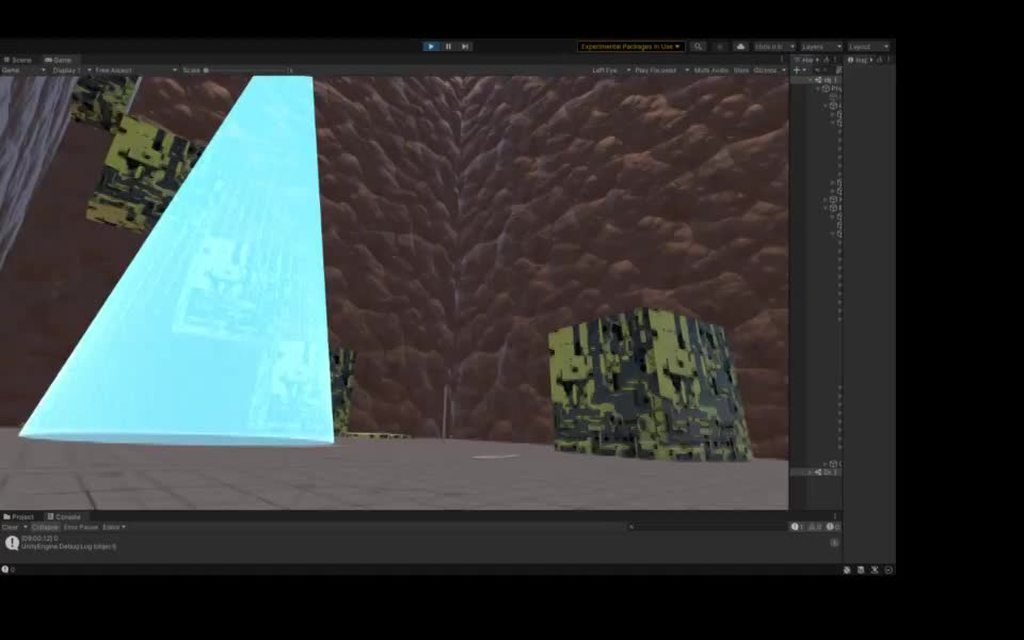
when grabbing the board from one of its sides and swinging it around, the strangest shit happens with collisions...
The board is being linked to the palm, which is all one rigidbody (the same one that lifts and twists the hand, anchored to the body) by a run-time created configurable joint...
the problem comes from the fingers though
they rest against the plank collider, under some pressure if the fingers are being squeezed, and then fast motion comes, anomalous collisions are generated in a way that screws the solver
iron flame
I want to create a hybrid weapon where it starts off as a rifle, but then when you press a button such as X or A on the controller, a sword comes out at the end of the barrel. Is there a way for me to do this, or has anyone created something like this before?
I am currently using Hurricane VR for this project
 sullen holly
does anyone know where to start with vr development for unity
i'm not asking to be spoonfed btw 😁
sullen holly
thanks
iron flame
sullen holly
does anyone know where to start with vr development for unity
I'm assuming you already have your Oculus Quest ready?
sullen holly
iron flame
I'm assuming you already have your Oculus Quest ready?
yeah I can run steamvr on it
iron flame
Here's where I got my help from https://www.youtube.com/watch?v=1VC3ZOxn2Lo
How to start a Virtual Reality Game in 2021 that actually works! A beginner's guide to Unity's XR Plugin and how to start that VR game in 2021.
Hey guys! So I know many of you are home from work, have lost your jobs, are now doing school online, and are bored with how much time you have at home. I can't be the only one who has started a new hob...
sullen holly
thanks
 obsidian marsh
hello

I have this setting for oculus quest 2
after build in my VR headset I only see 3 dots loading screen
can someone help me with this?
obsidian marsh
I turned on low overhead mode and now it is ok
obsidian marsh
 quartz slate
thanks!
quartz slate


got them highly functional with pure physics alone; just debugged a few things, so now i can tweak them (make them a bit faster and therefore more useful...). I'm looking forward to making a pair of these that use actual hand tracking data. The method I use as a pose system for these hands is basically superior to anything else, and ought to be simply amazing with real hand data (this system can easily smooth everything out and deal with noise, it can transition between hand poses in a highly realistic way, it can deal with external forces restisting/acting on the finger muscles, and integrates that directly into the pose system, and it can also be used to handle cases where hand tracking data is lost)
 narrow nest
quartz slate
https://i.imgur.com/43jAhaD.mp4
narrow nest
quartz slate
https://i.imgur.com/43jAhaD.mp4
thats kinda cool
quartz slate
thanks 🙂 with hand tracking it ought to be many times more effective, and much more real looking. It's definitely going to happen but I need to find the time to crack open the hand tracking workflow, and to build an anatomically correct hand from joints
urban cloak
@storm ether Don't be weird. This is for development discussion as well.
 warped socket
quartz slate
https://i.imgur.com/43jAhaD.mp4
warped socket
quartz slate
https://i.imgur.com/43jAhaD.mp4
That looks amazing
sullen holly
quartz slate
https://i.imgur.com/NwizvAr.mp4
did you run that on the andriod running the oculus software
sullen holly
quartz slate
yep! that's where the recordings are from
how did you download it to the quest
sullen holly
cool I might try that
warped socket
sullen holly
how did you download it to the quest
you could also use Sidequest to sideload the built APK
sullen holly
warped socket
you could also use Sidequest to sideload the built APK
once I get my usb cable I was going to connect to my pc and run my vr games like that
idk if it's a good idea tho
warped socket
sullen holly
idk if it's a good idea tho
Why wouldn't it be a good idea?
sullen holly
warped socket
Why wouldn't it be a good idea?
idk if testing the game in unity would work with it
warped socket
sullen holly
idk if testing the game in unity would work with it
It does.
It's what I do
sullen holly
oh cool
 fast prairie
Hey guys i'm brand new to vr development
and I'm having issues with playmode, where the game won't even show up on my Valve Index?
Could someone help me trouble shoot this?
All the configurations are suppose to be correct I believe
warped socket
You have OpenXR or whatever set up to support the Index?

 storm ether
Can Someone Help Me make this, i don't understand the hand grabbing stuff to much yet

i got an object that follows the player position and it has a child with an offset to one side
when i grab the object i want to make it rotate around the body by rotating the parent on Y axis
the track position and rotation on the xr grab interactor dindt work
any ideas?
please
lofty tangle
Not quite sure what you mean, but could you not just Parent it to the hand?
storm ether
well no
imagine there is an Empty Object with the same transform.position as the player all the time, not a child of the player, that object has a Child object with like a Rack model Where im gonna put a bunch of sockets for pickable objects.
What i want is to be able to grab the rack
but keep it static
in every axis
i only want the parent object that shares the transfrom wih the player body to rotate around The y axis
wich make the rack rotate around the player
is pretty easy to do with ui
but i want to be able to use the hands

😆

?

Unity Forum
I've got text in my scene and it seems to keep creating boxes around the text, like so:[ATTACH]
Im using Unity version 2019.1, and the newest text...
lofty tangle
storm ether
Like RotateAround()?
 weak garnet
I'm trying to play a few H264 videos on the Oculus Quest and I'm having some weird issues with it. In-editor, the videos look good with a black background, but on a Quest build, the video backgrounds are all more of a light grey and there's some artifacty weirdness to them. They're just Video Players using Material Override on standard Unlit\Texture materials. Anyone have any ideas? Maybe a codec thing with the actual video files?
 sonic bear
Hi what is the best way to move an object relative to its parent?
and how can i sort of freeze an object in position, i have a steering wheel in an airplane that i want to keep in one position
But still moving with the airplane
weak garnet
For that, have it as a child and use local Rotation/eulerAngles. But a lot of VR frameworks will already have simple interactions like wheels, dials, buttons, levers, etc. already setup as prefabs if you're using something like that
 sonic herald
Alright so what I'm gonna try to do is make a VR program where you can make and edit soundfonts for the open-source ProffieOS based lightsabers and swing around said saber with the effects you make in-game. Thing is though, I would assume that means I have to emulate ProffieOS within Unity. It seems possible, seeing that ProffieOS is written in C++, but it's definitely not something I'm experienced enough to know how to do. Would anyone be willing to help me out?
urban cloak
You can't modify the engine code without an Enterprise License.
sonic herald
urban cloak
You can't modify the engine code without an Enterprise License.
is there a way to get it to read C++ without changing the engine code?
urban cloak
Hm, no. Could see if there's some sort of plugin for the software in Unity.
shell kayak
sonic herald
is there a way to get it to read C++ without changing the engine code?
Yes, Unity supports C/C++ native plugins/dlls
tiny niche
sonic herald
is there a way to get it to read C++ without changing the engine code?
sure, you just reference a c++11 project
sonic herald
tiny niche
sure, you just reference a c++11 project
Wym by that?
tiny niche
sonic herald
Wym by that?
write your code in a modern c++ project, build it and reference the binary from unity and use the exposed functionality in c# scripts
sonic herald
Does anyone here know how to set up VRTK? I'm struggling lol
storm ether
lofty tangle
Like RotateAround()?
i tried that before doesnt work, im just keeping the rack on one side of the player and updating its position with the player rotation now, u cant move it but at least it stays on that position and its easy to reach, ill have to add a second position and some kind of setting for left handed and right handed
thanks for the help anyway
im making a basketball game as my project for the create with vr course on unity learn, im new to vr
i cant get a good detach setting for the basket balls and there is nothing on gooogle to guide me, can anyone share their settings for the xr grab interactable or a guide to make a beter way
sonic herald
https://github.com/ExtendRealityLtd/VRTK.Tutorials.VRBowling/blob/master/Documentation/Tutorials/ConvertingToUnity2020/README.md On step 9 of this, I don't see the interactor settings under Interactor Facade (Script), just the Interactor Events
GitHub
A simple virtual reality bowling game made in the Unity software with VRTK v4 - ExtendRealityLtd/VRTK.Tutorials.VRBowling
pale elbow
Is oculus integration the best to use for making vr games on oculus quest
buoyant jolt
If you want to never use it on any other headset, and you don’t mind dealing with not so great code, and you never want to update your project - then yes it is
Just for clarity @pale elbow - it is being deprecated for UnityXR and isn’t really being maintained.
I had a long talk with their devs about bad/incomplete code last year at Oculus - they literally have functions commented out because they couldn’t figure out the bug to fix it (such as their fading script) which was a trivial unity exercise. I tore their code to shreds. We rewrote it internally for early quest stuff because the performance and reliability was pretty horrid.
Finally, there are many headset manufacturers, quest is popular now but the vive was the top headset a few short years ago. It isn’t the smartest idea if you want to remain platform and headset independent.
buoyant jolt
sonic herald
https://github.com/ExtendRealityLtd/VRTK.Tutorials.VRBowling/blob/master/Documen...
Screenshot of the facade and where did you install the VRTK from? Basically, what version
 main nymph
Can someone dm me and help me with vr stuff? I’ve never used unity, so it would help
urban cloak
You can ask your question in this discord.
buoyant jolt
main nymph
Can someone dm me and help me with vr stuff? I’ve never used unity, so it would ...
Take tutorials
sonic bear
weak garnet
For that, have it as a child and use local Rotation/eulerAngles. But a lot of V...
how can i do this, because when i grab it it works, but when i release it it shoots away
 terse urchin
Can any one help with a bug in unity vr game
Its made with Google cardboard xr plugin
The problem is the pointer doesn't work when looking at object but works around it in a random point
pale elbow
I want to make village houses for a vr game, what should I use to make them?
 deft hawk
Thoughts on my latest GIF? I'm not great at marketing, but I added a Smooth Follow Camera to even out the shakes in VR, and kept it short to highlight the update and combat.
sonic herald
How do I make a held object collide with the environment without making it's movements all laggy?
because having the object be kinematic makes it too easy to clip it through the floor and having it use velocity tracking makes it stuttery
 left iron
Hello people, i am here wondering if anyone needs modeling for vr, scince i just figured it out
 plain comet
Is it possible or is there any example how to achieve UI slider drag with VR hand? using IPointerDownHandler or IBeginDrag maybe?
 glacial sonnet
Has anyone here used the "Split application binary" option to reduce the size of an apk for Quest? When try to use AssetBundle.LoadFromFile(path) or the async version I get "Failed to read the data from AssetBundle <Name.obb>. I've got the console porting out to a visible UI in the first scene to show me this error. I also run a check to see if I can see the OBB file using System.File.Exits(path) and can confirm it exists (can also see the obb file in the correct location if I plug in my quest to my pc). Anyone have any clue why I can see the file but the LoadFile method fails?
left iron
Im pretty sure
warped socket
deft hawk
Thoughts on my latest GIF? I'm not great at marketing, but I added a Smooth Foll...
Woah, that is awesome
pale elbow
I just tried downloading a unity project to my quest and it didn't show up in my unknown sources?
plain comet
plain comet
Is it possible or is there any example how to achieve UI slider drag with VR han...
Anyone?
pine bison
plain comet
Anyone?
What kind of slider? Point and click or grab and pull?
 cinder drum
Im using normcore for learning some basics about multiplayer games in vr
normcore has already a voice-chat setted up, but is spatializing, so if someone talk is 3D Sounded.
What I want to know if there's any possible way how to eliminate the 3D Sound only for Voice-Chat
plain comet
pine bison
What kind of slider? Point and click or grab and pull?
Grab and pull, i'm using unity UI canvas with leapmotion hand tracking. Leapmotion have built in 3d UI solutions but that doesn't fit my goal.
pine bison
What's wrong with the leapmotion one?
plain comet
It's not very suitable for my intentions, for example VR tablet, would look better if using unity canvas. Leapmotion UI is using 3d cubes etc.
pine bison
Swap the cube out with a sprite and leave a big collider?
 polar shuttle
i have a UI game, but i want it to be like if you look around (on vr) there will be a museum atmosphere. How can I do this?
 cinder smelt
How important is choosing the correct Render pipeline in creating for Quest 2? Ive seen recomendations to use the LWRP as oppposed to unity's and the URP. Will it provide that much of an impact?
 unkempt prairie
Hey just doing some basic code here but the tutorial im watching is telling me to shoot from the camera so the line of code says "public Camera fpsCam;" how do i change it to shoot from my gun model
i want bullets to shoot from my model "SciFiHandGun" attached to the right controller anchor
 vapid perch
How can I check with OpenXR if a VR device is connected when the game starts? I would like to instantiate the XRRig and XRControllers only when a headset is there, otherwise just add a normal camera for PC/flat mode.
 olive rose
cinder smelt
How important is choosing the correct Render pipeline in creating for Quest 2? I...
olive rose
cinder smelt
How important is choosing the correct Render pipeline in creating for Quest 2? I...
i’d say use urp, much better performance and the added benefit of shader graph
there aren’t many benefits to using lwrp
 wanton jacinth
Hey, I am planing to start development on a Gundam vr game and was wondering If anyone had any tips?
 thorny nova
wanton jacinth
Hey, I am planing to start development on a Gundam vr game and was wondering If ...
thorny nova
wanton jacinth
Hey, I am planing to start development on a Gundam vr game and was wondering If ...
While the world can always use more giant robot vr games, you might wanna check this guy out. He has a discord as well and im sure you could get some valuable advice. https://www.youtube.com/watch?v=czKfO-gjOqE&ab_channel=MADNUG-RealMSCombat!

(still WIP but getting there)
To be in the loop more often check out the FB Page, or Discord Server Below!
https://discord.gg/663jvxKcu9
https://www.facebook.com/madnuggame
torpid aspen
im using the oculus integration, is there a way to use virtual desktop for testing with it or do i have to use airlink/wired link?
because airlink freezes a ton
and i have those 2 settings set to 0 for sure
nothing works
quartz slate
not trying to hate, but making a gundam simulator, advertising it as such, and calling it "madnug" is not enough to make it legally distinct from the Gundam intellectual property
unless you just want to make a personal experimental/learning toy that will never be shared, I recommend finding a way to be unique
 fair olive
Hi, I hope you all are doing well. I have a question, how to make a UI canvas or Image following smoothly & with some delay the movement of the VR-Camera / Headset - just like the Unity build in Splashscreen does when we open the Unity VR app? I've attached a video example. Thank you 🙏 👍

Download and try for yourself - New surgeries are coming soon for the Oculus Quest 2. Visit: https://ghostproductions.com/medical-vr-virtual-reality/
Ghost Productions releases the first public demonstration of Wraith VR Surgical Simulator featuring OmniBotics robotic assisted total knee surgical technique. Creative Medical Director, Nic Wieder...
pine bison
Usual solution would be to use a lerp to decide how fast it moves. So with A set to current position and B set to new position, different values of T between 0-1 would give you different follow speeds
fiery night
Is it smart to use terrain in VR? I'm mainly curious in terms of performance.
fair olive
pine bison
Usual solution would be to use a lerp to decide how fast it moves. So with A set...
Thanks for the reply 🙏👍
pine bison
fiery night
Is it smart to use terrain in VR? I'm mainly curious in terms of performance.
Pcvr should be doable, mobile probably not
fiery night
Yeah I'm working on mobile. I'm having a hard time figuring out how to make nice environments that don't suck in terms of performance
lofty tangle
this is a bit of a ui and vr question. how would you change the ui input module input for scrolling a scroll rect, to something custom with the XRTK like if ray is on ui then scroll with the vertical value of rightHandDevice.TryGetFeatureValue(CommonUsages.primary2DAxis, out rightAxis2D); ?
 stray violet
I’m using URP and I have a blit material pass. In my material’s shader when I reference _MainTex it seems to display fine in the editor but once I run the game it just comes out blank. Does unity have a different address for the VR camera?
I tried using Blit() in my render feature to blit to a temporary render texture and then pass that to my material’s mainTexture property but when I do that both eyes render as the left eye
 gray radish
Has anyone else had the issue with URP in VR where the meshes sometimes have white flickers? It occurs regardless of MSAA setting and is not related to the edges on the meshes like an anti aliasing artifact, it appears to be something else
I should add it primarily only seems noticeable on meshes with a black base color, I'm testing on an Oculus Quest 2
Fixed by disabling multiview rendering
quartz slate
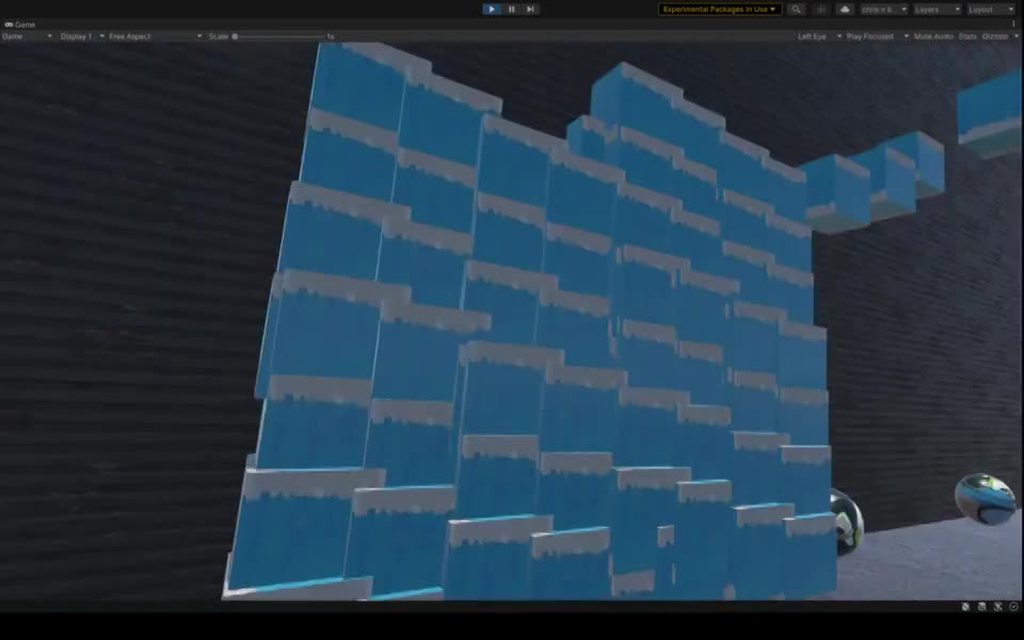
 manic peak
I'm trying to make a VR physics game and I want to add a sword.
But I can't find out how to make stabbing.
How to make the sword stab / penetrate some objects?
 ionic sandal
manic peak
I'm trying to make a VR physics game and I want to add a sword.
ionic sandal
manic peak
I'm trying to make a VR physics game and I want to add a sword.
can check out HurricaneVR on asset store, physics tools and has stabbing
manic peak
Yes, I know about it, but I can't afford it so I'm trying to do it myself or at least find it out.
thorny nova
manic peak
Yes, I know about it, but I can't afford it so I'm trying to do it myself or at ...
It's all done through configurable joints. It was wayyyyy to complicated for me to figure out so I went the Hurricane VR route.
manic peak
Well, then let's recollect money.
thorny nova
You might find something useful from this video: https://www.youtube.com/watch?v=6FSd9og3MVE&t=453s&ab_channel=SharkJets
If you're making Oculus Quest 2 with Unity 2020 and VRIF, this video will show you how to setup the VRIF knife prefab for throwing.
--Notes:--
Get VRIF:
https://tinyurl.com/vrframework
VRIF Discord:
https://discord.gg/mZ3cBrEcmE
Become a patreon member! http://www.patreon.com/sharkjets
Join my Discord server and lets chat!
https://discord....
He does it differently, but it does work his way too
Acutally, I remembered someone on one of the forums mentioned the following:
Get all the colliders that make up your stabbed enemy and all colliders that make up your weapon, and doing Physics.Ignore immediately upon creating the “stab”. Create a go-between object that acts as a stab connector, and make two configurable joints. One connecting it to the weapon, the other to the enemy collider.
On one of the joints connected to the stab connector, you’ll want a Break Force and torque less than infinity. You’ll probably need to tweak this. Make the initial break force multiplied by a large amount so if the player stabs very hard it doesn’t slip right out. Then over a second or two lower it to “normal” amounts. Add in stuff for sending the joint break info back to the stabber to clean up.
Side tip: for figuring out when to create the stab, I’d check out using a dot product comparison and having a minimum velocity on the stabbing weapons rigid body
storm ether
Guys I am very new to VR game development, I started because I felt there wasn’t a grapple gun game I loved enough so I decided to make my own. And lord it’s hard, does any one have ideas or a tutorial about how to make a grapple gun??!
manic peak
thorny nova
Acutally, I remembered someone on one of the forums mentioned the following:
Ge...
Thank you.
thorny nova
There are a couple grapple gun type games. Windlands being my favorite and best IMO, but as far as tools for building your own, I believe the VRIF and HURRICANEVR assets both have versions of the grapple gun you could easily expand upon.
quartz slate
the correct way to implement stabbing is with configurable joints, assuming physics is being used
but it requires some existing understanding of how joints work
 left acorn
hey guys im new to VR Unity and tried to import some hand models that I made. I put oin my headset and they were there but the wrong scale. They were really small. I tried other models aswell and the same thing heppened. I tried scaling it manually but I would like the correct scale the first time. Any solutions?
vestal flicker
Asking people to share licensed code in unity discord is a good idea 👍
 manic peak
I meant I need to (I don't know the english word) get sufficent money to buy the asset.
Google Translate: save money to buy the asset
(Bad memory)
 wary onyx
Hey guys I had a question, in terms of making environments for Oculus quest, do you guys have any tips for me? I want to see the far of horizon in the game (like the home on quest 2), I was thinking of using a skybox and blending it with the actual level.
any tips or suggestions would be appreciated.
tight geode
Does anyone here use the Asset "Autohand" it seems really good and uses procedural grabbing which im interested in
tiny niche
storm ether
Guys I am very new to VR game development, I started because I felt there wasn’t...
have you tried Windlands 2? it has a nice and simple grapple mechanic
tight geode
storm ether
Guys I am very new to VR game development, I started because I felt there wasn’t...
have u tried "To The Top"?
storm ether
I haven’t tried either I’ll look into them both. I am now quite keen on making my own and have made some good progress. @tight geode @tiny niche
 grave wing
hello 👋🏽
tight geode
grave wing
hello 👋🏽
nice profile pic