#🥽┃virtual-reality
1 messages · Page 51 of 1
 solar lagoon
Never mind I find a way to get the input
Vector3 v3move = new Vector3(-movement.y, 0, movement.x);
            transform.Translate(v3move * 10 * Time.deltaTime);
movement is the vector2 that I get from InputSystem
        inputActions = new InputActions();
        inputActions.RightHand.Primary2DAxis.performed += ctx => MoveBroom(ctx.ReadValue<Vector2>());
@brazen tundra
 brazen tundra
Thanks @solar lagoon !
solar lagoon
not sure it's the same context. I am using OpenXR.
as SteamVR is not supported on Unity 2020.+
brazen tundra
solar lagoon
as SteamVR is not supported on Unity 2020.+
Yeah... It really sux
brazen tundra
solar lagoon
So x and y
Mine is only getting the X
solar lagoon
What’s your code?
brazen tundra

Something weird too
There isn't an option for Y axis
I can't find the option I want
 scarlet tree
pull it in as a joystick
brazen tundra
I got it boys...

RotateAnchor is for X Axis
TranslateAnchor is for Y Axis

So you would have to do this
brazen tundra
How can I add more button options?
Such as the top menu button for HTC VIve, or the A and B button for Oculus/Index?
 buoyant jolt
I use the VRTK, can’t help on that
 weak laurel
So interesting problem, I've got an unity xr project that works but head/camera tracking stops as soon as the proximity sensor on the headset is activated (I put on the headset). Not sure where to look since I have a brand new project with the xr plugin and default xr rig. Using this with the windows mr option checked (and a lenovo explorer if it matters). Any suggestions?
 lone knoll
 quaint moss
@lone knoll nice, is that a custom framework?
lone knoll
yes , based on open-xr
solar lagoon
brazen tundra
Such as the top menu button for HTC VIve, or the A and B button for Oculus/Index...
Don’t get what you mean
brazen tundra
weak laurel
So interesting problem, I've got an unity xr project that works but head/camera ...
How is the helmet tracking if the sensor is deactivated?
scarlet tree
A and B button are Primary/SecondaryButton on the Right controller
top button would be the Menu button on the vive controller I believe?
scarlet tree
tbh I friggin hate the vive controllers lol
brazen tundra
Hahaha
I hate XR more

I think this is what I was looking for
It's just crazy that I can't find proper tutorials about this
 velvet hemlock
Hey is anyone here a VR programmer and VR developer? I have an idea for a game that i cant fully do by myself so if anyone would like to help me make a game that would be awesome!, if youre interested DM me and we can go over what everything will be about and all the details.
And im willing to work with many of people on this project, so if youre good at vr development or vr programming, then DM me!
 north path
What does this do btw?
It confuses me

 quick skiff
Hi all, our VR fps camera is jittering when standing still, the glitch goes away when moving around the space but then always returns here's a short video: https://drive.google.com/file/d/1NZdxDqlqhzafyIZ95QVYw2vKls2W0SC1/view?usp=sharing Any thoughts would be greatly appreciated!
Unity 2019.4.23, XR Interaction Toolkit 1.0.0-pre.3.
Also tried downgrading XR Interaction Toolkit and had slightly less glitching at 0.9.0 but still there
 north path
quick skiff
Hi all, our VR fps camera is jittering when standing still, the glitch goes away...
north path
quick skiff
Hi all, our VR fps camera is jittering when standing still, the glitch goes away...
Dont mention @ everyone...
quick skiff
north path
Dont mention @ everyone...
oh, I'm really sorry about that
ok i just removed it
brazen tundra
How do I add the primary or secondary button if in the script there are only 3 buttons?

 tiny compass
I'm going to start a project (a turn-based multiplayer game) using 2020 LTS, OpenXR and URP. Main target is the Quest but I want to leave it open for adding other platforms. Any suggestion on the Unity template to use? Is the VR template actually helpful, or does it put in enough gunk that I'd be better off just using the 3D one and adding what I want?
quick skiff
tiny compass
I'm going to start a project (a turn-based multiplayer game) using 2020 LTS, Ope...
Maybe start with this kind of thing https://learn.unity.com/project/vr-beginner-the-escape-room

Unity Learn
In this project, you will: Review basic navigation with your VR controller Explore a basic VR prototyping environment Add teleporters, interactable objects and sound effects to the prototyping environment using the XR Interaction Toolkit Review how to set up Unity to add UI elements in VR Explore and evaluate the Escape Room, a fully realised VR...
you might be way beyond this
but it seems the XR/VR stuff is tricky and varies widely based on delivery platform
tiny compass
oh, and if it helps, I've been programming for a couple decades, and have been doing unity/vr stuff for about a year now. I've got it pretty well down, though I have been using native Oculus SDK and not OpenXR, and we haven't converted to URP yet
quick skiff
steam vr, xr interaction toolkit, so many choices
tiny compass
I've been doing a lot of stuff like locomotion and grab/throwing, but, again, not using OpenXR
quick skiff
for cross platform. but if you're going for one specific platform that will probably be more straightforward
tiny compass
apparently, both Oculus and Steam are telling people to build in OpenXR now
tiny compass
not sure of their motivations, exactly. it's possible they realize they need to grow the VR market and standardization is a good idea. Oculus has even said certain features might only come to OpenXR and not their native sdk!
quick skiff
doesn't compute: it only delivers to hololens and wmr the page says, not oculus
that would be fantastic, a single compatibility layer for most HMDs, not the confusing pastiche out there now
tiny compass
nah, OpenXR is supported for the Quest in Unity: https://developer.oculus.com/documentation/unity/unity-openxr/
This guide describes steps to activate the Oculus utilities plugin using OpenXR.
they(the openxr page) say "At this time, deploying directly to Oculus Quest/Quest 2 is not supported." Maybe it's just because they need the middleware of Oculus' XR middleware
of course, unity's docs are always out of date. Even that link I sent only talks about 2019.
but my main question was about the templates. just how much useful/annoying junk they include in the templates
quick skiff
tiny compass
nah, OpenXR is supported for the Quest in Unity: https://developer.oculus.com/do...
Oh cool, thank you
quick skiff
tiny compass
but my main question was about the templates. just how much useful/annoying junk...
I don't know, sorry
tiny compass
no worries. I guess I'll find out! 😄
brazen tundra
Anyone has a tutorial on how to write custom XR action based setups?
I just want to add primary and secondary buttons
buoyant jolt
tiny compass
I'm going to start a project (a turn-based multiplayer game) using 2020 LTS, Ope...
I recommend the VRTK. Platform SDKs change constantly, even OpenXR changes every other week.
It supports OpenXR anyway and has a lot more working tools and samples. It also works with fringe headsets like Pico, etc.
tiny compass
buoyant jolt
I recommend the VRTK. Platform SDKs change constantly, even OpenXR changes ever...
hah, I just came back to ask about VRTK thoughts. It seems like it's a bit of a beast
have you used it with the Quest?
(though in theory, it doesn't matter what device you use it with its supposed to be all the same)
buoyant jolt
Yup
We work on 8 to 10 projects a month with VRTK 3 & 4
We’ve used both for the Quest
But I do agree it is a lot to learn. The frameworks are overly thick
tiny compass
I've read a lot of comments that the docs are crap (though that applies to just about everything, unfortunately). Would you say that's the case? How about the learning curve? I've been doing Oculus VR sdk stuff for the last year+, so I'm wondering if I'm inviting a lot of yak-shaving switching to VRTK
buoyant jolt
VRTK 4 does not have reliable documentation
My advice is either OpenXR or VRTK
With VRTK it also works on OpenXR
 coarse notch
Can someone please help me figure out how to set up the hand using Hurricane VR? Using custom poses makes it look like this
 tiny compass
I was looking into OpenXR. It sounds like it still can't produce native apk builds? Did I read that right?
buoyant jolt
I’m not sure, I use VRTK > Oculus Plug-in (for the Quest). It abstracts away all the third party frameworks, so you don’t have to worry about that part of the stuff.
tiny compass
buoyant jolt
I’m not sure, I use VRTK > Oculus Plug-in (for the Quest). It abstracts away al...
okay, thanks for your thoughts. My coworker is also contemplating VRTK, after pulling his hair out over Oculus' teleport sample and its numerous frustrating limitations
but this is a fairly large, established project, so adding VRTK at this point didn't appeal
buoyant jolt
Yeah, VRTK is fantastic... once you’ve mastered it :). Until then it’s hair pulling
When I last used the raw Oculus Plugin, I had to modify the teleport examples as they weren’t complete, and some functions were literally empty and stubbed out
I wrote a blog post somewhere about how bad their sample code was. They had entire features commented out that just says the devs disabled it because they couldn’t figure out the bug. The bug was a 1 line fix. It’s a bit sad. Hopefully it’s been long fixed since then.
tiny compass
any thoughts on XR Interaction Toolkit?
buoyant jolt
I haven’t used that one much I’m afraid
We have ~20 people on VR full time for a variety of headsets, and we pretty much only work with the VRTK now.
We are getting slow to adapt 😦
tiny compass
hah. well, developers aren't lacking for introducing a staggering array of different toolkits. that's the one thing developers are the best at doing. 😆
we're doing all our stuff on Quest right now (we have a pico - actually two I think, because the first one was shoddy). we're a pretty small startup so we're mainly trying to focus
buoyant jolt
Yeah, we use Pico for our health stuff (all plastic, no cloth). Quest for teaching (post secondaries) and consumer titles. Vive/rift for PC gamers. Vive for industrial clients (some of them need trackers). Quest with hands only for our in hospital stroke work (controller free). It changes a lot per client...
tiny compass
I can definitely see how something very geared towards cross platform would be a must
brazen tundra
Anyone please
Just a simple request
How to make primary and secondary buttons work for XR
 wanton fossil
If I recall correctly, you're just trying to open a UI, right? So, you don't technically need it to go through the controller. You can just hook up the action directly to whatever gameObject you want to toggle.
You can either look into some more generic Input System tutorials, or if your somewhat familiar with the system. Do something like this.
https://github.com/C-Through/XR-OpenXR/blob/main/Assets/_OpenXR/Scripts/AssetInputExample.cs

GitHub
Template project for OpenXR Beta video. . Contribute to C-Through/XR-OpenXR development by creating an account on GitHub.
Then, it would look something like.
   private void DoPressedThing(InputAction.CallbackContext context)
    {
      bool isActive = !canvasObject.activeSelf;
      canvasObject.SetActive(isActive);
    }
 teal perch
hey everyone, I learning unity and how to build vr games, I've started project to build bowling game and I'm looking materials to learn about physics in unity to properly implement throwing, spinning and object interactions. Maybe someone knows good materials to learn from on that subject?
solar lagoon
brazen tundra
I will just go back to Unity 2019.3 and continue using SteamVR
That’s an error im my opinion 😉 steamvr is going to be discontinued ,OpenXr is the technology
 slow marlin
Hey guys I'm new to making virtual reality games, is the OVRPlayerController still working?
Also I'm on the quest
 quick steeple
Hey guys anyone here does unity dev VR tutoring/mentorship/courses? I’m very new to the whole unity universe but i’d like to jumpstart into learning VR and 3D asset creation. Not totally new to 3D btw
brazen tundra
solar lagoon
That’s an error im my opinion 😉 steamvr is going to be discontinued ,OpenXr is ...
There isn't even a tutorial to add the primary or secondary button
I will keep Unity2019 until something that actually works comes up
teal perch
quick steeple
Hey guys anyone here does unity dev VR tutoring/mentorship/courses? I’m very new...
hey @quick steeple today I found this course on learn.unity https://learn.unity.com/course/oculus-vr?uv=2018.4 maybe will be useful for you as well

Unity Learn
In this comprehensive course from Oculus and Unity, you’ll learn how to build an immersive VR game step by step. Designed for people who have an intermediate knowledge of Unity, the goal of this course is to teach you how to design, develop, and deploy a VR application. You’ll learn an extensive range of principles and best practices: from locom...
buoyant jolt
quick steeple
Hey guys anyone here does unity dev VR tutoring/mentorship/courses? I’m very new...
I think there are a few VR things in the latest training humble bundle pack
That said, I'm also teaching a VR cert. at SAIT. But it might be better to take a small course first and see if you like it
quick steeple
Nice Thank you @teal perch That's definitely useful!
@buoyant jolt didn't find anything related. I saw only a game dev design & graphics bundle. Also, that's good news, I'll take a look on your course!
buoyant jolt
quick steeple
<@!229302061840203786> didn't find anything related. I saw only a game dev desig...
So yes I'd probably start with this:
https://www.humblebundle.com/software/intro-to-code-2021-software
And the top tier has a Make Micro VR game course.

Humble Bundle
Pay what you want for awesome courses and support a charity of your choice!
You can also check out udemy they have fantastic stuff and coupon codes come out every few months to knock all courses to $5
quick steeple
buoyant jolt
So yes I'd probably start with this:
https://www.humblebundle.com/software/intro...
Oh that one! Cool! This is definitely something i could use! thank you very much!
solar lagoon
Hey Guys, I am trying to make a flying broom experience in VR.
How would you setup the controller for this?
we would need to move forward turn and change altitude
I have a Valve Index Controller.
buoyant jolt
I’d tread cautiously, forced motion is not pleasant
Its what causes motion sickness ...
 heady grotto
What he's referring to is that you will still move the player's camera through the world as it "flies"... Which for many people is a vom machine
scarlet tree
@brazen tundra I told you already, it's literally PrimaryButton and SecondaryButton
brazen tundra
scarlet tree
<@!178941228967133195> I told you already, it's literally `PrimaryButton` and `S...
I know, and I tried setting it with your tips, but unfortunately it didn't work
But it's ok now, I'm already back to 2019.3
Thanks for trying hehe
 brazen tundra
Hahahahahahahaa
 sinful delta
@brazen tundra use xr interaction toolkit man. Its super simple.
brazen tundra
scarlet tree
https://gyazo.com/956ada24274e9c18ce4f9bd16f991f5e
I did exactly that
I had issues setting up the code
Even wrote a custom script
The trigger and grip button were the only things working
But now it's ok though
I was happy with SteamVR 😁
scarlet tree
I'm reasonably sure the issue could be worked out simply and in a few minutes without requiring you to completely rip apart your project a second time, but you do you, I guess
brazen tundra
scarlet tree
I'm reasonably sure the issue could be worked out simply and in a few minutes wi...
I was having issues with XR for 1 whole week, I just got tired of it
it caused me so many issues
sinful delta
idk how bro. Its like easiest thing they ever released lol
brazen tundra
sinful delta
idk how bro. Its like easiest thing they ever released lol
Could you point me a tutorial that explain how to set up the primary and secondary buttons? I wanna save it if I decide to try again in the future
I spent hours looking for one, but couldn't find it
 vestal flicker
OpenXR examples already includes a full input action map with most of the buttons
brazen tundra
sinful delta
i think valem has some but i mean its literally drag and drop
I watched it, and he did explain how to set up the trigger and grip button, but for other buttons it didn't work
brazen tundra
vestal flicker
OpenXR examples already includes a full input action map with most of the button...
Not really, there weren't the primary and secondary buttons
brazen tundra
sinful delta
what headset you on?
HTC Vive
sinful delta
did you look at the xr interaction toolkit docs?
It has a list of what everything is called
as far as buttons
vestal flicker
Hmm, I use them because they're there but, ok 😛
brazen tundra
sinful delta
did you look at the xr interaction toolkit docs?
I did, but how to set them
There is no where that explains step by step
 brazen tundra
I know that
I played with that window for hours and hours
How do would you set the code for the primary and secondary button
I'm talking about the code
sinful delta
did you import the xr toolkit sample inputs? it has it also
brazen tundra
I did

Here per example, that's a script that I couldn't modify
There were only 3 buttons
And I only managed to make 2 of them work
Then I tried to write my own script, also did not work
sinful delta
what you want it t be?
it looks like the primary button is mapped to teleport select
 brazen tundra
Once again
sinful delta
 sinful delta
what dont you uderstand
brazen tundra
What would you write if you had to use the teleport function, per example
I could only use activateAction, selectAction and uiAction
sinful delta
just add a new binding
brazen tundra
Once again
sinful delta
uncheck use reference and add the bvinding you want
brazen tundra
I understand that window
I don't need help with that window
I'm talking about the code
brazen tundra
Let's say I need to use the teleport button
sinful delta
if you want to pick something up, what button you want to use?
brazen tundra
How would you write the code?
sinful delta
you trying to teleport or interact?
wanton fossil
Are you using the Vive controllers as well? Are you trying to use the touchpad?
Also, I commented on your issue earlier. You don't need to go through the controller.
If you're trying to use the touchpad press, you'd need Primary Axis press, or Touchpad press if you're on OpenXR.
brazen tundra
sinful delta
you trying to teleport or interact?
Neither
buoyant jolt
This is exactly why I love using the VRTK
sinful delta
i hate vrtk lol i implemented the same things it does in one day with the xrit
to do something?
buoyant jolt
You just need to apply yourself better 😄
It should have taken 5 seconds
Drag/drop/tweak/go
sinful delta
buoyant jolt
You just need to apply yourself better 😄
true, i shamed myself for a week for being inferior
brazen tundra

This example
I can only use selectAction, activateAction and uiAction
And I couldn't make uiAction work
But let's say I want to add the Menu button (The top button for HTC)
How would I do that if I only have 3 options?
wanton fossil
wanton fossil
If I recall correctly, you're just trying to open a UI, right? So, you don't tec...
Input example
wanton fossil
wanton fossil
Then, it would look something like.
```
private void DoPressedThing(InputActi...
Implementation example
brazen tundra
Would I be able to choose any button from this list

Using this?
public InputActionReference testReference = null;
wanton fossil
Yes, you can drop the input asset in, or define it in the Inspector.
brazen tundra
But, why VR Andrew or Valem showed that?
wanton fossil
I am Andrew.
brazen tundra
VR with Andrew?
wanton fossil
Yes.
brazen tundra
I watched your video, and there wasn't this example with the code 😅
Love your videos by the way hahaha
wanton fossil
Ahaha, it's from the OpenXR video. Checkout the template, it'll have all that setup. But, you have me an idea for a future video. :)
brazen tundra
wanton fossil
Ahaha, it's from the OpenXR video. Checkout the template, it'll have all that se...
Awesome
Thanks Andrew
This is funny
wanton fossil
We'll, hope you get it figured out! Vive controllers are just a bit iffy. So, try grip or trigger to make sure it works.
sinful delta
@brazen tundra you can use this to get your head wrapped around it also. https://github.com/Unity-Technologies/XR-Interaction-Toolkit-Examples

GitHub
This repository contains various examples to use with the XR Interaction Toolkit - Unity-Technologies/XR-Interaction-Toolkit-Examples
brazen tundra
wanton fossil
We'll, hope you get it figured out! Vive controllers are just a bit iffy. So, tr...
Thanks! I'm team VR Andrew now all the way
Valem is trash, he sux...
Joking
You both are awesome
I learn a bunch with you both of your videos

An immersive multiplayer VR RPG filled with adventure and heart pounding action. A dynamic experience in an apocalyptic realm.
Will you enter The Maze to defend humanity?
www.initiativevr.com
For more info
Join our Discord channel!
https://discord.gg/xzBjDHR
A lot of what you see here I learnt from you guys
brazen tundra
sinful delta
<@!178941228967133195> you can use this to get your head wrapped around it also....
Thank you Big!
wanton fossil
We do what we can. 🙂
scarlet tree
Welp. I just hopefully implemented Steam achievments for the OpenXR port
now I need to test if they even work
solar lagoon
What is welp.
Hey Guys still on my question about the flying broom :p
What would be the best mapping.
Using the primary2D axis like in a plane for up and down. Or something else
north path
solar lagoon
Using the primary2D axis like in a plane for up and down. Or something else
Why not get the direction from around crouch level to a controller and move towards that?
solar lagoon
north path
Why not get the direction from around crouch level to a controller and move towa...
Hey, not sure what you mean by around crouch level
north path
solar lagoon
Hey, not sure what you mean by around crouch level
crotch level, sorry
solar lagoon
Lol. That ‘s worst . Dunno this word
Never mind I checked 😉 but since I am parenting the rig to the broom I would like to get the direction from it. Not sure how to rotate based a left right joystick.
I tried Transform.lookAt
solar lagoon
Someone else to help maybe?
brazen tundra
solar lagoon
Never mind I checked 😉 but since I am parenting the rig to the broom I would li...
I don't quite understand what you are trying to do
Could you send as some images?
solar lagoon
yup.
brazen tundra
Draw in paint or something
solar lagoon
 brazen tundra
From what I understand, if you rotate the broom, the camera rig will rorate as well
solar lagoon
this is my broom, I want to orientate the broom based on the Primary2D axis.
I am getting the direction in 3D space like this.
brazen tundra
And what does Primary2D axis mean?
solar lagoon
   Vector3 v3move = new Vector3(-movement.y, 0, movement.x);
            Debug.DrawRay(transform.position, v3move,Color.magenta);
            if(v3move.)
Is it the X value from the touchpad/joystick?
solar lagoon
its a vector2 value based on the thumbstick of the valve index controller.
brazen tundra
I see
solar lagoon
so I am converting in a 3D vector3
and the DrawRay is good and is showing the proper direction.
how to apply this v3move to the broom to match the rotation.
brazen tundra
transform.RotateAround(broom.position, Vector3.up, rotateSpeedValue * Time.deltaTime);
Something like this maybe?
solar lagoon
let me try.
brazen tundra
Oh wait
solar lagoon
?
 solar lagoon
try again the link.
brazen tundra
I believe if you try my code,it will work
And it's just broom.position instead of broomSpeed
solar lagoon
its working thanks.
I thought about a different ways.
not to rotation but more use this magenda ray as the direction.
if you understand
like in a plane.
but that is a good start thanks.
brazen tundra
Hope it work 😁
solar lagoon
but more as a general question. how to rotate from a source to the direction of a vector
like this drawed ray is the direction I want to apply to the broom
I am good.
I used yours it's working fine.
just need to check how to gain altitude..

 silk lava
Does someone know how I can create a XRGrabinteractable that's stuck in one place?
I tried to just make the rigidbody kinematic but I can still grab the Interactable and it glitches (creates weird shapes, like all polygons are pulled towards their original places).
I want to make grabables that lift up the player(character controller) instead to realise a climbing mechanic, but I've no idea how to implement it (or if there's an easier way)
 wary junco
on the XR Grab Interactable did you "Freeze Rotation & Position"?
silk lava
no
wary junco
One way that I could think to do it would be to parent the rig to the controller, and parent the controller to the item. Not sure how expensive that would be
silk lava
My Rig already is parent of the controllers and camera
 silk lava
wary junco
on the XR Grab Interactable did you "Freeze Rotation & Position"?
silk lava
wary junco
on the XR Grab Interactable did you "Freeze Rotation & Position"?
How can I freeze it?

deactivate track position and rotation I assume?
wary junco
yes. Although in my mind it is different, one sec
 modest pier
how do you reference the gameobject a user is holding in script
silk lava
modest pier
how do you reference the gameobject a user is holding in script
public class ClimbInteractable : XRGrabInteractable
{
    protected override void OnSelectEntered(SelectEnterEventArgs args)
    {
        base.OnSelectEntered(args);
        Debug.Log("Knob grabbed");
        if(args.interactor is XRDirectInteractor)
        {
            Climber.climbingHand = args.interactor.GetComponent<XRController>();
            Debug.Log("Interactor found");
        }

    }

    protected override void OnSelectExited(SelectExitEventArgs args)
    {
        base.OnSelectExited(args);
        Debug.Log("Knob lost");
        if (args.interactor is XRDirectInteractor)
        {
            if(Climber.climbingHand)
            {
                Climber.climbingHand = null;
            }
        }
    }
}
thank you
silk lava
My Hand is just grabbing it
silk lava
modest pier
how do you reference the gameobject a user is holding in script
Got a climber script on the player that gets the current hand from the interactable and tracks the velocity of the hand
void climb()
    {

        InputDevices.GetDeviceAtXRNode(climbingHand.controllerNode).TryGetFeatureValue(UnityEngine.XR.CommonUsages.deviceVelocity, out Vector3 velocity);
        character.Move(transform.rotation * -velocity * Time.fixedDeltaTime);
    }
https://www.youtube.com/watch?v=vIrgCMNsE3s&t=254s
btw LevelUp did a video on something semi similar just yesterday. But he did explain the locks.
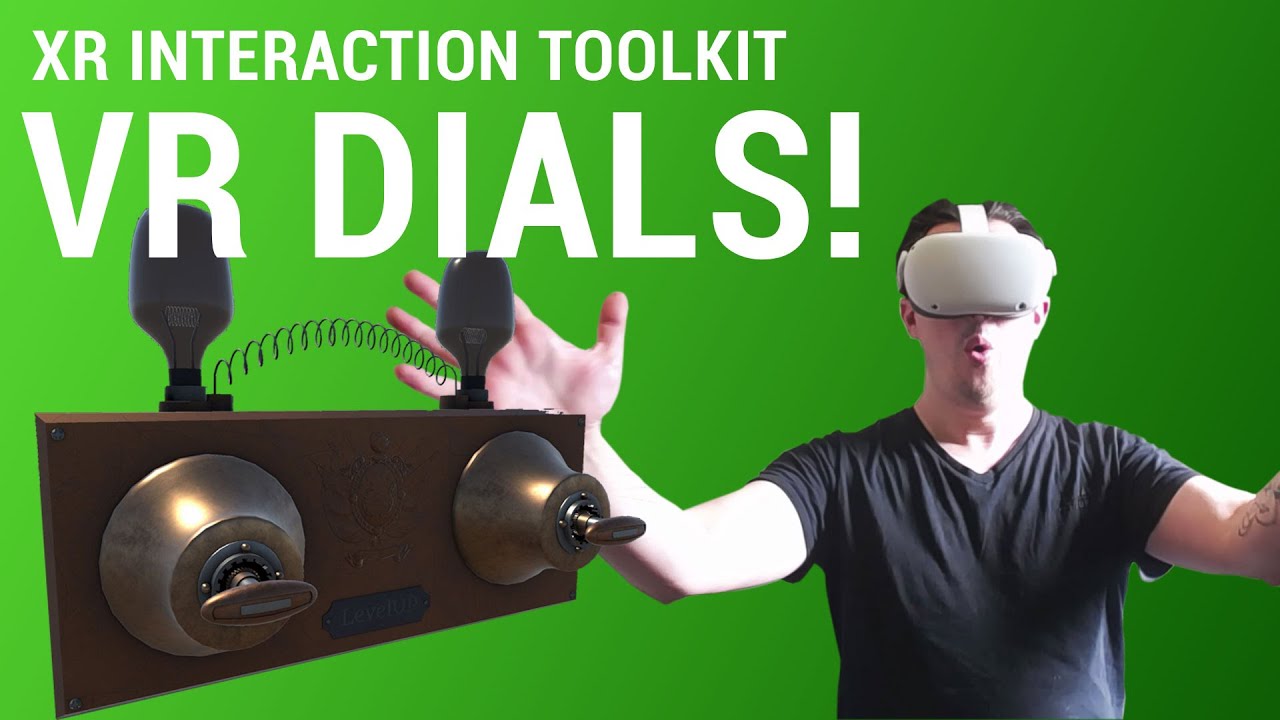
Hello! in this new XR interaction toolkit for unity tutorial we take a look at how to create some dials\switches that you can use in your game to create interesting interactions or puzzles.
LINK TO SCRIPT AND SWITCH
https://drive.google.com/drive/folders/17FAsBEF-c-MgENDJqdxUJRsk0KuRLe3L?usp=sharing
Patreon: https://www.patreon.com/LevelUp202...
silk lava
wary junco
https://www.youtube.com/watch?v=vIrgCMNsE3s&t=254s
btw LevelUp did a video on s...
Sounds interesting, guess this will help implement my lockpicking feature :3
Did you recall how I can freeze its position and rotation?
modest pier
silk lava
Got a climber script on the player that gets the current hand from the interacta...
aight thanks
wary junco
tbh, I was going to recommend coding something completely outside of XRGrab Interactable. but you would def want to turn off all of the booleans in that editor. The grab actually puts the object to the controller, you want the opposite
silk lava
modest pier
aight thanks
You have to make the climbinghand static for this to work
modest pier
yeah
silk lava
wary junco
tbh, I was going to recommend coding something completely outside of XRGrab Inte...
Hmm, will try the deactivate those two tomorrow, maybe this helps.
Bit late here in germany, need to go to sleep but wanted to have a (possible) solution, otherwise I couldn't sleep well xD

Thanks for the video and the hint, hope this is useful 😄
wary junco
np, was writing a quick script of what I meant. Ill tag you in it here in a sec.
silk lava
Ah thanks
wary junco
btw - did you watch valems? https://www.youtube.com/watch?v=mHHYI7hzZ6M

▶ Get access to the source code: https://www.patreon.com/ValemVR
▶ Join the Discord channel: https://discord.gg/5uhRegs
We learned to move smoothly, to teleport and today I will show you how to climb with the Unity XR Toolkit.
Download the wall : https://drive.google.com/file/d/1gwLXOBAx5IqPFIDcJJIyJSVAgR9GifKX/view?usp=sharing
#vr #vrdev #ma...
silk lava
Yeah, tried it like this as well, as most of my code looks like his
Guess in an old XRToolkit this works well
But Unity is constantly throwing rocks in my way, so this is nothing new to me 😄
Had to rewrite my stuff 3x since the beginning because of huge Framework changes
wary junco
Ive been watching DOTs tutorials today. Thinking about converting everything over (the mathmatics at least) to help VR cope. BUT every 3 months when I mess with it, the code changes a good bit. Thats why Im just going to stick with 2019 for a little bit longer, and switch once more stuff is out of beta
preview*
silk lava
wary junco
Ive been watching DOTs tutorials today. Thinking about converting everything ov...
I just have to implement two more things into my prototype to test all gameplay features for now, hope Unity doesn't kick me in the balls with the final 1.0 release xD
Anyway, have to go, girlfriend is waiting 😄
wary junco
ok, cheers m8. xD
wary junco
@silk lava https://codeshare.io/2BEXD9
way too long to post here actually. Only 150 lines though :-s
Some of those positions should be local when they go back to XR.Rig.
Its also untested as we are about to do dinner. Ill have to modify it once I work out the kinks. Not entirely sure that the Rig has to be parented to controller. but you can move the rig around the object when grabbed since technically pulling is just that. The other way is creating a game object called "World" and putting everything inside of that and have the XR Rig with no parent, then you could parent the world to Controller, and it will look the same. (this is the method I use since "normal" locomotion is not used in my project). It allows you to do scaling as well to get a "TiltBrush" feel
Im sure their implementation is better. I also saw Andrew did a tut on it. I need to look at that one.
Edit: The code above is broken lol, I am missing something, but dont detach the controllers from Rig otherwise it perma offsets controllers. The other method I use that puts everything in a "world" game object works, but you have to control the restrictions on axis' so Andrews/Valems/Levelups work better
 marble wolf
I'm teleporting a person to a new location in my scene. What's a good simple way to fade the camera out/in? I'm using Oculus Integrations, VRTK for the Quest. Using only baked lighting as well.
Looks like I'll be trying OVRScreenFade
 warm whale
marble wolf
I'm teleporting a person to a new location in my scene. What's a good simple wa...
warm whale
marble wolf
I'm teleporting a person to a new location in my scene. What's a good simple wa...
It's kind of a bad solution but I'm lerping the alpha of a sphere around the player's head
For the fade effect
.
Does the xr toolkit have collision for continuous movement?
wary junco
warm whale
.
Does the xr toolkit have collision for continuous movement?
dont think so. was watching valems "Continuous Movement" video, he made his own for a solution. Figured I would check his out, since everyone seems to mention them. Im surprised that there arent more videos on DIY systems that dont use XR, but tap into the open XR stuff.
wary junco
https://wirewhiz.com/vr-climbing-tutorial-unity-steamvr/ this is an interesting solution if you want to do some minimal conversions from steamvr to xr.
wanton fossil
warm whale
.
Does the xr toolkit have collision for continuous movement?
Yes, it's setup at the end of this video using the Character Controller Driver Component.
https://youtu.be/4WiMogkep1U
There are also ways of creating your own locomotion providers, if you want a custom solution.
https://youtu.be/6N__0jeg6k0

Support my work, and get access to source code!
https://www.patreon.com/VRwithAndrew
In this video, we're going to be taking a look at the new Continuous Movement features in Unity's XR Toolkit.

Hello there! Today, we're going to start a project for moving in VR.
Github:
https://github.com/C-Through/VR-XRToolkitLocomotion
If you would like to support me or have access to the completed project files, feel free to check out my Patreon.
https://www.patreon.com/VRwithAndrew
wanton fossil
silk lava
```cs
public class ClimbInteractable : XRGrabInteractable
{
protected overri...
Probably a bit late on this one, but you can inherit from the XRBaseInteractable rather than the GrabInteractable if you don't want the object to follow the controller.
warm whale
Thanks guys I'll take a look
scarlet tree
Hey all, does anyone have experience with optimisation and profiler analysis? I know just enough about the profiler to figure out that something's causing the frame to get Overshot, but I can't figure out what it actually is.
buoyant jolt
Profilers great for code issues. For models and such though it's renderdoc or looking at batch calls etc.
If it's code related though, profiler will show you the function causing a slow down
scarlet tree
I'm aware. Essentially, what's happenning is that we've got a CPU time of about 6ms, and a GPU of about 9ms.. but then there's a big fat 40ms Semaphore.waitforsignal in the middle
which is causing the GPU stuff to overshoot the frame, and voila, consistent horrible frame times
Can I throw you a saved profiler capture? maybe you can make more sense of it than I
silk lava
wanton fossil
Probably a bit late on this one, but you can inherit from the XRBaseInteractable...
Also a good idea to try, thanks a lot!
 echo marsh
Hi, i want to make a jump button using XR toolkit similar to the one in rec room but i don't know how to capture the button being pressed, been on google and there is nothing that breaks it down so i can understand, can someone help?
solar lagoon
echo marsh
Hi, i want to make a jump button using XR toolkit similar to the one in rec room...
You need a script that will register event on button press and that will trigger a method which will add force upward to player rigidbody
echo marsh
solar lagoon
You need a script that will register event on button press and that will trigger...
Yeah i know that, but i don't know how to make a script that will register an event on a button press.
solar lagoon
You start by adding the assembly at the top
Lol sorry dont know how to make back tick with my phone
Using Unity.InputSystem;
echo marsh
Ok, these are all my assemblies i have now:
using System.Collections.Generic;
using UnityEngine;
using UnityEngine.XR;
using UnityEngine.XR.Interaction.Toolkit;
using Unity.InputSystem;
Yup you are good
echo marsh
What now?
solar lagoon

Unity Learn
In this tutorial we will be taking a more streamlined approach to scripting device inputs via the Input System Scripting API.
You need to register to the inputaction in awake function
You can use the tutorial more or less
echo marsh
I don't understand, what is inputaction? and isn't this tutorial for just normal controller or keyboard input?
echo marsh
solar lagoon
You can use the tutorial more or less
I see nothing that references XR
solar lagoon
Nope but the logic is the same. Sorry i have to leave
echo marsh
Ok :/
scarlet tree
.......What a fool
echo marsh
what?
scarlet tree
the spammer
echo marsh
oh is it a scam?
scarlet tree
<@&502884371011731486> yo points up
solar lagoon
Lol
 scarlet tree
@echo marsh
1: Make sure your XR rig is an Action based one
2: Go to the Package Manager, find the XR interaction Toolkit entry, click "Samples" and Import the "Default Input Actions" sample.
3: Put an "Input Action manager" component on your XR Rig
4: Point the Input action Manager at your Default Input Actions asset
5: https://youtu.be/d2gEEQeu1b4?t=194 to set up your Default interaction actions
6: Open the Default input Actions asset
7: Select the controller you want the jump button on in "Action maps"
8: In "Actions", Right Click>Create, Call the new action "Jump"
9: Right click the new action>Add Binding
10: In "Properties", under "Binding", click the "Path" dropdown, and navigate tot he button you want to assign. I recommend you make it something like "primaryButtonPressed"(A/X)
11: https://hatebin.com/kqmgeoqjkt
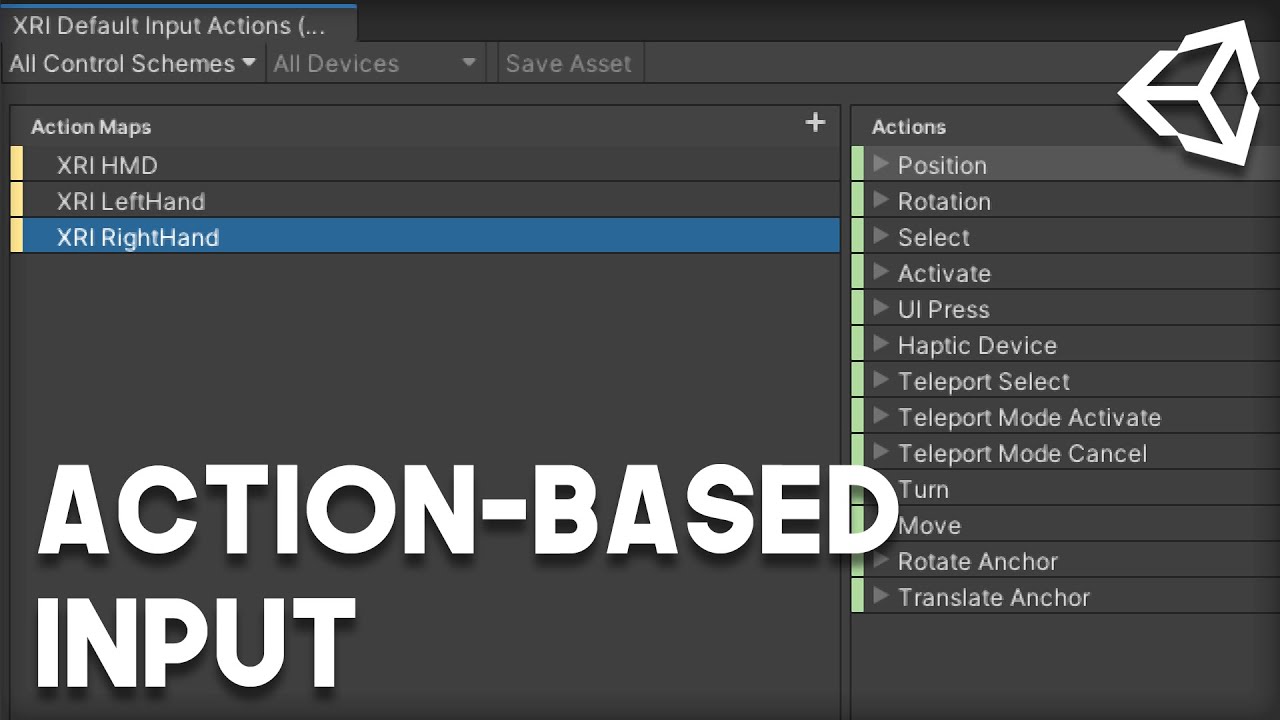
Support my work, and get access to source code!
https://www.patreon.com/VRwithAndrew
In this video, we're going to be setting up the new Action-Based Input for Unity's XR Toolkit.
it's a bit of a slog, but you need to only do most of it once 🙂
echo marsh
scarlet tree
<@!300031576430084098>
1: Make sure your XR rig is an Action based one
2: Go to...
i remember seeing action based stuff on xr 0.10, im on 0.9.4 would it still be on there
scarlet tree
yes
I'm on 1.0.0-pre-1 (I probably should go to pre-3 but I'm gonna just wait for 1.0 official)
echo marsh
scarlet tree
yes
i see no action based xr rig though
brazen tundra
echo marsh
i see no action based xr rig though

It could be that the toolkit is missing

Then it should appear

 echo marsh
I will try updating once i have backed up all my code and files
brazen tundra
How can I access the Menu button for the HTC VIVE 1?


I already tried all these buttons, but none get the Menu button

I need to get the input for that button
wanton fossil
Just checked this, looks like an issue with OpenXR? Doesn't get a reading in the Input Debugger. It should just be the "menu [HTC Vive...]".
brazen tundra
wanton fossil
Just checked this, looks like an issue with OpenXR? Doesn't get a reading in the...
Thanks again Andrew
And yeah, it doesn't seem to be reading that button
Any tips on what I should do?
wanton fossil
Not sure, really
brazen tundra
wanton fossil
Not sure, really
Thanks
solar lagoon
If there is no reference of it, you cannot grab the value
brazen tundra
Should I report this bug to Unity?
solar lagoon
So when you put in listen mode and push it, there is no answer?
brazen tundra
solar lagoon
So when you put in listen mode and push it, there is no answer?
Yeah
All the other buttons work
Except the Menu one
solar lagoon
Weird because its a common button on Valve index controller
But you used the vive controller input package?
wanton fossil
brazen tundra
Should I report this bug to Unity?
Yeah, I'd ask about it. Like, it should work under the Vive Menu button. If I recall correctly, it was also under the XR Generic Primary button as well. It was Pre-OpenXR I believe.
 brazen tundra
solar lagoon
But you used the vive controller input package?
brazen tundra
solar lagoon
But you used the vive controller input package?
What is that?
brazen tundra
wanton fossil
Yeah, I'd ask about it. Like, it should work under the Vive Menu button. If I re...
According to the document, it's called primaryButton, but also did not work
solar lagoon
You have the openxr tookit and you have input specific for each controller
You are enabling them
On project setting /XR something
brazen tundra
solar lagoon
You are enabling them
Oh I know what you mean, and yes I think I enabled it
Let me check

I also tried all these buttons

And this is also checked
solar lagoon
Yeah so all good there
And when you are looking to the inputactions asset?
Maybe its wrongnamed
brazen tundra
solar lagoon
And when you are looking to the inputactions asset?
What is that?
solar lagoon
The file that is mapping each key to an action
brazen tundra
solar lagoon
The file that is mapping each key to an action
Where can I find that file?
solar lagoon
It should be with the package. Mine is called InputActions
 sullen dirge
How could I get an output from a socket interactor?
Basically I want to have a cube's color fade from red to green while it's in a socket interactor
sullen dirge
I think I found something?

Support my Work - https://www.patreon.com/VRwithAndrew
Github for Template - https://github.com/C-Through/VR-XRBowAndArrow
Welcome back to the final video of our Bow and Arrow series for Unity's XR Toolkit. We're going to creating the functionality for the Arrow and Notch.
It might be something similar to the script at the beginning of this video?
Yeah I think I can modify some of the code from this video, just waiting on laptop to charge
wanton fossil
You want to do it on the Select Enter/Exit. Or, ProcessInteractable. There's a more similar example here.
https://youtu.be/JmaAHyNvA98

Greetings! You ever need more places to store things in VR? You're in the right place. Today we're going to be recreating the Wrist Pockets from Half-Life: Alyx using Unity's XR Interaction Toolkit.
GitHub:
https://github.com/C-Through/XR-WristPockets
Support my work, and get access to source code!
https://www.patreon.com/VRwithAndrew
 dusk sky
How can I make it so if I press a button on the controller that’s holding an object it drop something from a socket interactor. I’m using the XR toolkit.
 meager egret
Any one else having this issue? it happens with continuous motion too
meager egret
solar lagoon
Is it your teleport cursor ?
it is the sample unity provided, no collider there, it also happens with smooth locomotion
solar lagoon
Weird. I dunno I am using a custom one from valem tutorials
brazen tundra
Why do I see this when I'm with my helmet

But in the editor or not using XR it appears correctly

The health bar
I'm using Unity 2021 single pass
marble wolf
brazen tundra
Why do I see this when I'm with my helmet
Are you building for the same platform and single pass for both cases?
Similar situation as above, I'm building for the Quest, and get what you see below where my skybox and Ocean are black when looking through this skinned mesh renderer

I'm using multiview/multipass so I know that's not the issue in this case, but it must be shader related.
brazen tundra
When I set it to multi pass, one eye will process shadows and the other won't
Only when I use XR...
brazen tundra
marble wolf
Are you building for the same platform and single pass for both cases?
Building for VIVE, Rift, WMR and HP
marble wolf
brazen tundra
Only when I use XR...
Can't help you there unfortunately as my project is using 2019.4 with Oculus SDK for the Quest
marble wolf
marble wolf
Similar situation as above, I'm building for the Quest, and get what you see bel...
This also only happens on the Quest. if I run in editor/PC build, I can see the water and skybox through the net.
quick skiff
Hi Folks, has anyone seen this kind of bug where movements and interactions are glitch/jittery, especially when rotating or moving backward? https://drive.google.com/file/d/1NZdxDqlqhzafyIZ95QVYw2vKls2W0SC1/view?usp=sharing
solar lagoon
Hey Guys ! still on my flying broom experience.
I configured the trigger of my valve index controller to be the thruster for the broom but the thing is after the trigger is completely press, my broom stop. because there is no more callback generated.
any ideas how I could get constant trust while I am leaving the trigger on
 hushed spruce
(Not really great with VR) When are the callbacks generated, on a pressure change?
Could you just store the most recent trigger value every time you get the callback?
Do you maybe also need to register with some sort of OnRelease callback to track when it's being let go?
solar lagoon
yeah the thing is I am keeping the trust as long as the callback is on the even performed.
since it's relying on new input system, maybe I can create a an new inputionaction for trigger hold or something.
 tiny niche
@solar lagoon you can also just poll the action for it's state
 wary girder
Hi, Im having some issues with VR + Post Process Resources, when I tried VR Support Single Pass Instanced, Multi Pass and 360 Stereo support the output is:
 buoyant jolt
Not all post processing works on VR, and if you use it, be very sparing because the bugs change per headset and are expensive calculation costs
wary girder
buoyant jolt
Not all post processing works on VR, and if you use it, be very sparing because ...
thanks for the heads up, in this instance it just had the layer enabled which is why i found it weird
 novel cape
I started getting this error last night after everything was working fine, and nothing I do seems to help. I've restarted Unity, SteamVR, and rebooted, and its still giving me the error...
UnityEngine.GUIUtility:ProcessEvent (int,intptr,bool&)```I've also tried disabling post processing, which is what I was playing with when it all went south, but that doesn't help either. And while the error will go away if I switch to multi-pass rendering, in one eye I get an image which is too bright and in the other I get one which is too dark, so I think post processing is only getting applied to one eye for some reason. I'm using SteamVR through the HurricaneVR Unity plugin, and it's been working fine till last night when I added post processing to my scene.
 short heron
Was GetStereoProjectionMatrix silently deprecated in Unity 2020.3? Camera.main.GetStereoProjectionMatrix(Camera.StereoscopicEye.Left) returns the correct projection matrix in 2019.4 but only an identity matrix in 2020.3. I can still find the projection matrix using the XRDisplaySubsystem but it's a lot more cumbersome...
 leaden flame
short heron
Was GetStereoProjectionMatrix silently deprecated in Unity 2020.3? Camera.main.G...
leaden flame
short heron
Was GetStereoProjectionMatrix silently deprecated in Unity 2020.3? Camera.main.G...
Are you doing a Camera.SetStereoProjectionMatrix() before calling get?
short heron
leaden flame
Are you doing a ```Camera.SetStereoProjectionMatrix()``` before calling get?
Nope. Just getting.
leaden flame
The docs say The projection matrix will be provided by the VR SDK unless Camera.SetStereoProjectionMatrix or Camera.SetStereoProjectionMatrices have been used, in which case this method will return the value given to those methods. so yeah maybe not deprecated but maybe changed a bit? https://docs.unity3d.com/ScriptReference/Camera.GetStereoProjectionMatrix.html
 novel cape
Well, I've discovered removing the post processing layer from the main camera entirely causes the above error to go away, but not having any post processing means no HDR, and no auto exposure, which is unacceptable. And I know post processing works with VR and the standard renderer, which is what I'm using, because VRChat allows the use of it. But I don't know if they're using multi-pass rendering to make it work, and I'm using HurricaneVR to interface with SteamVR and Oculus, so I have a single API to deal with (plus it provides a lot of cool physics stuff like Boneworks) but that only uses one camera set to "both" and when I try to put post processing on that, I get a dark image in my right eye, and post processing in my left.
short heron
leaden flame
The docs say ```The projection matrix will be provided by the VR SDK unless Came...
Yes, but I think that's the way it always worked. I've been trying to change the underlying XR provider between OpenVR/Mixed Reality/OpenXR but they all give me identity matrices in 2020.3.
leaden flame
I see, I can follow up internally but yeah I think the XR SDK / XR display system is probably the way to go
short heron
leaden flame
I see, I can follow up internally but yeah I think the XR SDK / XR display syste...
Nevermind. I'm unable to reproduce this issue with a fresh project. I'll keep digging. Thanks anyway! 🙂
brazen tundra
novel cape
Well, I've discovered removing the post processing layer from the main camera en...
Try updating and downgrading the version of your postprocess through package manager
novel cape
I was on 3.0.3 which is the latest, but I'll try some older versions.
brazen tundra
It could work
Maybe also Help > Reset packages to default
Or if you are using a custom shader
Try this
Try to use single pass
Multi is too expensive
@marble wolf Hey man
Found the solution I think
To make your VR work with single pass and not have the shader issues
brazen tundra
brazen tundra
https://docs.unity3d.com/Manual/SinglePassInstancing.html
Try this
novel cape
3.0.1 doesn't work... And 2.3.0 which is the only other version doesn't give the error, but also doesn't work either rendering a gray screen like the others.
I'm using single pass at the moment. I tried multi-pass only to try to get it working, but that just rendered post processing in one eye only.
"Maybe also Help > Reset packages to default" ... Do I want to do that? Is that going to completely screw up my project? I have a lot of different packages installed...
I'm not using any custom shaders. At least none that I know of. Just standard.
brazen tundra
novel cape
"Maybe also Help > Reset packages to default" ... Do I want to do that? Is that ...
Maybe make a copy first and try it on the copy
I don't use multi because of the same issue that you are having and also because it's too heavy
novel cape
I'm not using multi pass.
brazen tundra
Oh good
novel cape
If Reset Packages to Defaults is going to erase every other package I installed then its going to take hours to set everything up again just to get back to where I am at which point I'll probably have the same issue. If it does not erase all my packages then it's poorly named and I can't find any documentation on it or what it's suppossed to actually do....
Is there any way to see what shaders are currently in use in a project? I don't know if there are some rogue shaders in there that might be causing issues.
novel cape
Unity Forum
Tried on an empty projected and imported everything required.
The moment I turn on Post processing, screen goes gray.
Will this be fixed? Or do I need...
brazen tundra
novel cape
https://forum.unity.com/threads/srp-unityxr-mixedreality-postprocessing-null-gre...
What does that mean? That they are fixing the bug?
Everything was perfect before XR came...
novel cape
This is about it not working with UnityXR. Someone said it worked with SteamVR in that thread, but that's what I'm using and it's not working with that either. I've found several threads referencing a similar issue. As for what it means, they didn't say they're fixing it and I have yet to find any bug report on it but I don't recall where to look to find the Unity bug reports to search it, I've just been googling and searching the forum.
brazen tundra
They had SteamVR + XR
Because if you remove XR completely, that anoying message keeps popping up
If you go back to 2019.3, you are not gonna have these issues
novel cape
I don't really understand, as this whole UnityXR SteamVR OpenXR ecosystem is a mess, but the Hurricane VR dev had recommended using 2019 but support for that LTS ends in a year and 2020 LTS will continue two two years so I thought it prudent to use 2020 but if going back to 2019 will get this to work, then I guess I have no choice. So I'll try that later, but I'm skeptical it's gonna fix it. I saw a lot of people using 2019 versions that were also having a variety of issues in my searches.
brazen tundra
novel cape
I don't really understand, as this whole UnityXR SteamVR OpenXR ecosystem is a m...
I don't understand either, I can't go back to 2019 because some things I did on 2020 don't work for the previous version, and now I'm stuck
 vernal hollow
Trying to access VR controller values through code, can't get it to work for the life of me. I can tell the VR rig works by looking at the XR Interaction Debugger. No idea what I'm doing wrong.
brazen tundra
vernal hollow
Trying to access VR controller values through code, can't get it to work for the...
GitHub
Template project for OpenXR Beta video. . Contribute to C-Through/XR-OpenXR development by creating an account on GitHub.
Try these examples
vernal hollow
@brazen tundra Not sure what to do with this ...? I am just trying to read data from controller through code (e.g. 2d coordinates from joystick, etc) and print it to the console right now
Putting AssetInputEample on the XR Rig or one of the hands doesn't seem to do anything
brazen tundra
vernal hollow
<@!178941228967133195> Not sure what to do with this ...? I am just trying to re...
It's an example of another way of doing it
I tried the way you were doing before, and it did not work for me
brazen tundra
vernal hollow
Putting AssetInputEample on the XR Rig or one of the hands doesn't seem to do an...
I didn't have to put AssetInputExample
Follow this
Support my work, and get access to source code!
https://www.patreon.com/VRwithAndrew
In this video, we're going to be setting up the new Action-Based Input for Unity's XR Toolkit.
And then try the examples fom the code
The only thing that I did the same as you, was getting the dpad value
 meager egret
Anyone else having issues with valve index default hand orientation with the XR Interaction Toolkit?
 valid cloud
a quick update on my previous question
i figured out that my reticle pointer wasnt detecting any interactable objects
when i built a new scene and did a basic setup i got to know that it works this way

and after that i moved to my previous scene to do some changes but still there's no detection of any project why is that so???

can anyone help me with the fix??
 marsh hearth
what unity version do you use?
 winged frost
Hi everyone!
how is everyone doing? I was wondering. what do some of
you use as physics project settings when working on vr games?
I am starting to think I can get some performance increase by toning down accuracy
marsh hearth
omg what if like in vr cardboard you use a system that does this : when you look at a cube like 5 seconds you grab it and if you leave the cube stand right there now like 2.5 seconds it falls.
short heron
leaden flame
I see, I can follow up internally but yeah I think the XR SDK / XR display syste...
After some isolation work I actually managed to find a way to repro this in a fresh 2020.3.2f1 project and the bug seems to be using Solid Color as Background Type for camera in URP (could not reproduce when using standard pipeline):
Create a new 3D project
Install XR Management package
Install Mixed Reality package
Configure Mixed Reality as active XR plugin
Install URP 10.4
Create new scene
Convert main camera to XR Rig
Put a script somewhere in the scene that prints Camera.main.GetStereoProjectionMatrix(Camera.StereoscopicEye.Left)
Run scene: See that projection matrix is correctly set
Change camera Background Type from Skybox to Solid Color
Run scene again: projection matrix is always identity
solar lagoon
Hey guys is someone already used Tree from Terrain in VR? I have a weird thing. When i am moving my head ( xrrig) the leaves of the tree are moving synchronously....
buoyant jolt
solar lagoon
Hey guys is someone already used Tree from Terrain in VR? I have a weird thing. ...
Do you mean a billboard effect?
solar lagoon
Not sure what billboard effect is but basically the tree leave is orienting based on my sight
hushed spruce
Sounds like a billboard effect yeah. A plane with a texture is used to simulate a more 3d object by always rotating it to face you
Think of grass and bushes in old 3d games
Making leaves billboard isn't too uncommon. Can you check the material or shader on the leaves?
Not quite sure what "Tree from Terrain" is exactly though
buoyant jolt
Yeah VR is funny because billboarding has a negative impact. A lot of the terrain tools billboard and aren't s good fit for VR
For trees I use actual tree models instead
solar lagoon
Oh so not terrain but directly the prefab?
I will try to show a video of the issue later
Its old apparently
Unity Forum
What is going on with the Tree Billboard Bug, any fixes???
I find it ridiculous that Unity has not fixed this issue. For those who are not aware of...
Oh I will try a different shader. Maybe there is one for vr
 pliant meadow
Yeah I think the only solution is to use tree models.
hushed spruce
Yeah billboards in VR... I haven't experienced but I can only imagine they do not work nearly as well as a flat-screen-game
Maybe for super distance objects
valid cloud
marsh hearth
what unity version do you use?
i use 2019 LTS version
valid cloud
valid cloud
and after that i moved to my previous scene to do some changes but still there's...
and guys i fixed my issue well didnt fixedd it i found a other way around
well in this scene there was a earth model which i wanted to make interactable
but when i replaced it with a cube the problem stayed
valid cloud
valid cloud
a quick update on my previous question
i figured out that my reticle pointer was...
and here when i put in the earth model it didnt recognized as a interactable object
but when i took a sphere and applied the earth texture on it the sphere was interactable
valid cloud
valid cloud
and after that i moved to my previous scene to do some changes but still there's...
still i dont know why my cube didnt had any effect in here
valid cloud
marsh hearth
but very strange
yeah thats what i am thinking what goin wrong 🤔
marsh hearth
btw thanks for the info bc im using google's vr system and if i have this problem now i have the solution 😋
valid cloud
no well we can say
the problem fixed and didnt fix lol
did u get what i explained here
the messages before i replied to yours
well i would like to know about the lighting setting in GVR??
can u help me out in that???
marsh hearth
i'm litterally 1 year unity experience
im dumb with all idk what to do with the error, in summary im learning how unity works
valid cloud
same goes for me dont worry
solar lagoon
Same after 5 years ! :p
 slender vine
Hey guys, whats the current recommended pipeline for VR development, specifically for the quest 2 (android)?
I've previously just gone with the standard 3d because there were just a lot of compatibility and stability issues last time I checked
Also using 2020.3 is this "VR" template a good starting point? What pipeline does it use?
 tiny niche
@slender vine you need to use the legacy pipeline if you want to support Oculus avatars. Otherwise i'd suggest URP
i prefer to use the URP template or start with an empty project though. The VR template had too much stuff going on imo.
slender vine
Aah thanks for the info, Im tempted to stick with the standard pipeline for compatability but URP does seem to have some nice visual improvements.
 pine bison
URP is still contained to experiments for me 😅 It's a lot better than it was already, but still feels a bit unstable
solar lagoon
is someone know nice free tree asset that work in URP and also in VR.
so no use of billboard?
 tribal ibex
Does anyone have experience using an 8k or higher video in VR with HDRP?
 wraith shale
I do wonder what kind of hardware you have if you can actually decode higher than 8k as current high end gpu's barely do 8k @ 24Hz
hardware capability aside, I wouldn't expect that to work any differently than lower resolution video (code / setup wise)
tribal ibex
I have a 3080, the video is recorded with a 360 degrees camera
we thought about using h265 but it has major issues on windows, another approach would be to split the video in 4 videos with 2k resolution and attach it together in Unity
Not sure about how this would work
 hard carbon
Hey all 🙂 So, im used to using the Oculus Integration Package, but was going to follow a tutorial (posted a month ago) to learn XR Toolkit. Pulled the guys code into my project, it looks like it cant find the Interaction namespace within Unity.XR
Anyone know where im going wrong here? Projects activated for XR and all that. Cant find XR Toolkit in the unity registry, so im assuming its included in the normal XR Plugin Manager
oof nevermind, i wasnt showing preview packages (fresh version of unity wiped my setting)
wary junco
novel cape
I don't really understand, as this whole UnityXR SteamVR OpenXR ecosystem is a m...
Does LTS mean limited time support? Thought it meant Long Term Support. There are a lot of devs still using 2018 because of how stable it is.
novel cape
wary junco
Does LTS mean limited time support? Thought it meant Long Term Support. There ...
LTS means long term support but according to the blog post I found about it LTS means two years of support from the release of the LTS version, with frequent and big updates the first year and then less frequent bug fixes only the second. So using 2018 LTS now two years later isn't ideal unless it does everything you need and has no major bugs. I ended up going with 2019 LTS for my new project because Post Processing doesn't work with VR in 2020 standard renderer and I didn't want to switch to URP because there's not that much out there for it yet and I have a lot of standard renderer shaders.
tiny niche
@hard carbon did you reference the correct packages?
 mossy ridge
Does anyone have an idea of why I would't be able to see my controlers? They are being tracked and it knows when I move/ grab things but I can't see them.
would this be like a build settings problem or like a camera settings?
tiny niche
@mossy ridge have you added models to them?
 leaden patio
i uploaded a file from blender and now my teleport isn't working? as far as i can see there's no reason that a purely made pistol would break previously working stuff and yet it does. there is now areas i can't and shouldn't be able to teleport to, that still it shows up acting as if they can and areas that i should be able to teleport to that act like i can teleport to them but they still don't teleport. i'm not sure what's happening. all i've done since is bring that file in. anyone know what's happening and why it's happening?
it's even broken after i've deleted the file and redone the teleportation.
literally anywhere there's ground it registers as teleportable even though it can't teleport anywhere
 fierce forge
 mossy ridge
@tiny niche I was asking for @fierce forge while he was waiting to be whitelisted
 nova vessel
Anyone know how to set a vector deadzone on the loaded action set in SteamVR?
Implementing my own deadzone isn't viable, it appears to be a lower level issue SteamVR's deadzone handles, need to be able to set it at runtime
Quest 2 link bindings uses Touch
So does the CV1, so setting a deadzone for it will apply to the CV1, would like to be able to set in the code based on the HDM
nova vessel
Nvm, figured it out
valid cloud
its a simple question but i want to know can we increase the range(distance from the camera to interactable object) of our raycast???
winged frost
hi there!
does anyone know a volumetric lighting method that works in single pass VR?
not single pass instanced but simple single pass?
I tried the kronnect one but that one advertises as being able to..yet sofar it has artifacts in single pass
wraith shale
anyone know any sample for using this? https://github.com/shiena/OpenXRRuntimeSelector

GitHub
Runtime Json Selector for Unity OpenXR. Contribute to shiena/OpenXRRuntimeSelector development by creating an account on GitHub.
I know that repo has small snippet but basically the sample is missing how you should config the xr management system initialization with this
wraith shale
actually nevermind, I think I got the order of things down, had to figure out the right way to init xr management itself first
why can't unity just put a snippet on docs for this?
in past the manual init was like 1-2 lines of code and it was dead simple
lone knoll
unity doesn't love updating its docs
wraith shale
but I guess this goes along with unity complicating everything..
the thing is, actual doc page HAS the info, it's just scattered around and misleading
my initial assumption after reading this:

was that you just implement that
but since the init is coroutine, you can't just naively do that
lone knoll
its a case of auto auto generated docs where there should be none - like instead of a 10 pages with property descriptive info it would be better to have 1 with an example
wraith shale
yeah, I really loved the old docs format
lone knoll
wraith shale
but since the init is coroutine, you can't just naively do that
oh man i remember this one - i used to try tens of different methods without any docs to try and get it working in code before
wraith shale
final code isn't even complicated, but would have appreciated some sample snippet
lone knoll
u can see the commended attempts i left there for reference
wraith shale
thanks, I got it initialized already though 🙂
my current init / deinit class is like 35 lines but this is just bare bones
also turned out I don't even need that runtime selector thing to make quest 2 run on oculus mode anymore
I wonder what happened because in past it really wanted to run only on openvr
lone knoll
that repo u linked above looks like it won't be backwards compatible if stuff change in the future ... not sure if its will ever be the case tho 🤔
wraith shale
in fact, currently it doesn't even run openxr in steamvr mode at ll
lone knoll
 wraith shale
yeah that looked sketchy alright 😄
lone knoll
wraith shale
also turned out I don't even need that runtime selector thing to make quest 2 ru...
you don't
wraith shale
I mean, I get it's supposed to be automatic
lone knoll
i mean i think u don't - my quest 2 is about to be delivered to me in a day or two 😅
didn't try it out yet
yes auto
you just leave it as the only option and auto init xr
after all its a unique APK build for the quest 1 / 2
wraith shale
basically what happened to me before was that both oculus link and virtual desktop only saw the quest 2 as openvr with openxr in actual build
which does kinda suck as oculus runtime performs tad better on quest
I'm still trying to figure out what happened here because now I can't get this to run in steamvr at all (which isn't huge deal but would be nice for testing)
oh I don't really try to do this for native quest
this is for pcvr
wraith shale
basically either using usb cable or wifi with virtual desktop
unitys openxr package doesn't even support quest natively so if you deploy to device, you have to use OculusXR
like, if you need native quest apk, oculusxr is your only option today with the new xr management system
lone knoll
openxr package doesn't even support quest natively - i thought it did , last time i seen an open xr option in android for the build options
wraith shale
it shows up there but docs state it doesn't work
I've never tested this as I can't even see any reason to even do this
 lone knoll
they will be moving away from thier API similar to what steam vr plugin is aiming for
wraith shale
or if the official openxr package docs are still trailing behind
wraith shale
either way, if you mainly target quest, I don't really see why you'd pick openxr over oculusxr for it today
you are just losing some device specific api by doing that and not gaining anything
lone knoll
wdym by oculusxr ?
wraith shale
xr package for oculus
lone knoll
both should be fairly similar , no ?
steam is using xr inputs now with its newest version of the plugin
wraith shale
I haven't checked openxr api but can you for example set 90Hz on quest 2 with it? or Fixed Foveated Rendering?
lone knoll
i will find out soon enough
wraith shale
it's possible it's there but I haven't checked, I know oculus plugin does those 🙂
lone knoll
i hope so
wraith shale
I don't really care much of the native quest side though, I'm mainly doing that on my free time to explore it, pc vr is only thing that really matters for me
lone knoll
those docs above were updated on 23 March 2021 ( in the footer ) ?
if so then it looks still in active development
lone knoll
wraith shale
I don't really care much of the native quest side though, I'm mainly doing that ...
not for long lol
ARM revolution is near wahaahha
wraith shale
oculusxr package has been in active development all along
only thing that really got left behind was openvr
lone knoll
yea that's a bit sad
wraith shale
basically unity never supported it on the new xr management setup, and now they brought openxr that supports it
even valve seem to have put the openvr package they maintained on themselves into some kind of maintenance mode as they now focus on openxr
lone knoll
wait is this an open-xr feature u can select the one u linked above or are you talking about the recent UnityXr package that is part of the xr managment thing
wraith shale
I haven't checked if things have changed but in past that valve's openvr xr plugin didn't support DX12 on windows, new OpenXR package from Unity does support it
lone knoll
valve been updating the inputs api for unity xr
wraith shale
I meant the oculus option above openxr here

that's disabled because openxr overrides it
wraith shale
valve's openvr option would show up there too if you installed the integration manually
lone knoll
 wraith shale
but yeah, this is kinda messy right now
also if you need steamvr package, easiest is to just grab it from asset store
lone knoll
last time i checked it does still works without issues
wraith shale
did work when I tried it week or so ago
lone knoll
which is odd given how much changed unity made to vr overall
any recommendation for the quest-2 ?
wraith shale
I'd just use the oculusxr package today
lone knoll
yea seems for the best since its packed with bunch of goodies
i been using the open-xr desktop on for a while now without much issues as well but that's for the rift-s
wraith shale
in theory, you don't even need oculus integration set from asset store, only the oculusxr package. but I also had some trouble getting the 90Hz mode initialized while using the stock package despite the api was there for it
it could have been some user error too
lone knoll
you can check how they do it in the official asset
and implement it urself
instead of having alot of unnecessary default assets
wraith shale
only way I got the 90Hz to work was to get the experimental openxr plugin from official oculus asset, it was a really weird combo
it's still oculus plugin and not to be confused with the openxr package from unity
current state of vr dev in Unity is very messy IMO
lone knoll
yea lol
wraith shale
there seems to be some workarounds required for everything I try on it
at least we don't have to put double cameras for each eye anymore like in Unity 4 days :p
lone knoll
everyone is stepping on each other's toes
wraith shale
but other than that, it's not gotten any simpler since that
lone knoll
wraith shale
at least we don't have to put double cameras for each eye anymore like in Unity ...
i never been there lol
my journey began with the purchase of the rift-s
wraith shale
yeah, that was how you did it on DK1, probably DK2 days too
lone knoll
what convinced me was the tower less set up
wraith shale
this is really wonky... I found out how I got the openxr running on oculus runtime before
basically if I use editors "Built and Run", it launches the thing in runtime set for editor on OpenXR settings..

it says editor instance only but it does apply also for the standalone instance it launches via editor on "built and run"
if I just launch the exe directly myself, it's always using steamvr, even when I'm connected with oculus link cable
if I swap that openxr runtime (editor instance only) to use system default, it will launch the standalone app on steamvr regardless how I launch it so it's definitely using that setting to toggle it somewhere
also... I tried OpenXR on DX12 now... it works only with oculus runtime, with steamvr I just get black screen
wraith shale
well... I did solve why the editor instance only thing worked
I looked what happens on openxr package code for this.. basically they do different type vr runtime detection in editor and then set XR_RUNTIME_JSON system environment variable based on this
basically since they set this for editor, when editor launches the standalone exe, it's still in scope for the temporary environment variable as well... when I launch the standalone exe myself, it's out of scope for the editor's env. var. setter
this is actually the same thing https://github.com/shiena/OpenXRRuntimeSelector tries to do
now that I know what's going on, I can check why that didn't work for me when I tried it... I just implemented the oculus runtime check like OpenXR package does in the editor and it definitely works in runtime now too
wraith shale
I know this is a wall of text already but... I wonder if OpenXR package sets OculusLoader to be incompatible because it just implements the runtime itself?
I ask because if remove the oculusloader removal from cs public string[] IncompatibleLoaders => new string[] { "UnityEngine.XR.WindowsMR.WindowsMRLoader", "Unity.XR.Oculus.OculusLoader", };
it appears to use OpenXR for steamvr and OculusXR for oculus now just fine if I build standalone app with both oculusxr and openxr enabled
I also wonder why the OpenXR doesn't use oculus runtime on standalone by default, it just feels wrong
wraith shale
while looking into why DX12 doesn't work on OpenXR's OpenVR mode I came across this log entry: [XR] [32492] [16:56:26.221][Info ] ==== OpenXR Support Details ==== [XR] [32492] [16:56:26.221][Info ] OpenXR Runtime: [XR] [32492] [16:56:26.221][Info ] Valve, which is not a Unity supported partner
they even highlight on the player logs that Valve is not Unity's supported partner
this is file that gets generated on our clients computers too
like, why would they even print that there, some things must have gone really badly sideways with Unity and Valve
also few lines later: [XR] [32492] [16:56:26.221][Info ] Unity Support: [XR] [32492] [16:56:26.221][Info ] Unity doesn't support some aspects of the runtime and Unity OpenXR Features above. Please attempt to reproduce the issue with only Unity supported aspects before submitting an issue to Unity.
tiny niche
that just says you're attempting to use a feature that's not implemented
 vast thorn
Hey, has anyone used google VR recently? I'm having a problem with UI mask component not working correctly on Unity 2019.4.6 using the XR Plugin Management


the mask simply doesn't work
there are some topics about this, and even potential fixes
And set that to 24-bit depth | 8-bit stencil.```

But there is no such option anymore when using XR Plugin Management@wraith shale trying to follow the thread a bit and seeing if there's any specific feedback or confusion with the OpenXR integration, it looks like you're trying to create a single project that can select / use multiple platform integrations via a custom loader? Let me know if there's some specific feature or feedback you want to pass along and I can try and raise it internally.
wraith shale
@leaden flame there's basically few separate issues here atm:
- OpenXR only working on DX12 while running in Oculus runtime. In OpenVR/SteamVR it just gives black screen and noninformative error on logs about Valve not being supported partner.
- OpenXR always defaulting to OpenVR on standalone builds (I can force it to use Oculus runtime by setting the env. variable for JSON file like OpenXR does in editor)
- Previous manual forcing with env. var actually happens accidentally while using "Build and Run" in editor since the env. var is set by editor instance and it's in scope for the standalone windows build as well if the editor itself launches it
- OpenXR's Oculus mode doesn't work with Quest 2 + Virtual Desktop combo while trying to run PCVR wireless - this is expected as VD doesn't support Oculus runtime in OpenXR but since OculusXR instead works with Virtual Desktop, it would be nice to allow OculusXR and OpenXR at the same time. I tried removing the OculusXR loader from automatically removed list on OpenXR and it did seem to work but I'm not sure what kind of negative side effects this will have (other than Oculus runtime using OculusXR now instead of OpenXR). I'm curious what I should expect if I go this route.
this all is with Quest 2 with Oculus Link cable - except in the last point where it's being used wireless via Virtual Desktop's PCVR streaming
I get that the last part is totally out of scope of what Unity would support as frankly it's a hack but it's very popular option that many devs do want to support still
And yeah basically I do want to be able to force Oculus runtime to be used on Oculus devices - and preferrably let user override the runtime selection via command line variable like in old Unity VR setup (-vrmode oculus etc). Currently OpenXR just defaults to SteamVR on standalone builds despite me running it via Oculus Link on Quest 2.
While SteamVR/OpenVR works on OpenXR with Quest 2, Oculus runtime is tad smoother and it has more consistent delta times (for reasons I don't know but I can clearly see the difference when I log these values)
 storm ether
When i launch my game in oculas why cant i look around and its just a screen of where my store will be i need help please
wraith shale
@leaden flame re: DX12 support in Unity's VR. Valve couldn't add support on their OpenVR plugin because some limitation from Unity's side: https://github.com/ValveSoftware/unity-xr-plugin/issues/68

and now OpenXR doesn't support DX12 on OpenVR either. it's just very far from ideal when engine users have to suffer from whatever is going between Valve and Unity atm.
solar lagoon
Hey Guys
any ideas why this wouldn't work? no script issue or anything but the animation is not updated. that is the first time I am trying to poll the instant value of a controller
 if (inputActions.LeftHand.Trigger.phase == UnityEngine.InputSystem.InputActionPhase.Performed)
        {
            Debug.Log("Trigger touched");
            float trigger = inputActions.LeftHand.Trigger.ReadValue<float>();
            handAnim.SetFloat("Trigger", trigger);
}```in order to listen to controller inputaction
is having this in awake is enough
    public InputActions inputActions;

    private Animator handAnim;


    private void Awake()
    {
        inputActions = new InputActions();
    }
    private void OnEnable()
    {
        inputActions.RightHand.Enable();
        inputActions.LeftHand.Enable();

    }
and this to enable the actions
brazen tundra
wraith shale
and now OpenXR doesn't support DX12 on OpenVR either. it's just very far from id...
Agree 100%
wraith shale
as extra note, DX12 worked just fine on the old VR system on Unity 2019. It's just broken on 2020+ where you have to use the new XR management system
solar lagoon
solar lagoon
```
private void OnEnable()
{
inputActions.RightHand.Enable();
...
Personne ? 😄 allez je designe. @abstract isle , pourrais-tu m aider? comme tant de fois ces dernieres semaines
 abstract isle
Do you need inputActions.Enable(); too?
leaden flame
wraith shale
<@!265675269891686410> re: DX12 support in Unity's VR. Valve couldn't add suppor...
It's the weekend now but I will follow up on Monday and pass this feedback along to the team. FWIW I'm about 80% confident that DX12 support isn't related to Unity and Valve's relationship at all it's more of a priority and limited resources with the XR team at Unity. We've added support for DX12 for HoloLens 2 I believe but there's work required to enable it on PC and for all supported VR platforms on PC.
This task is actually related as ray tracing in only supported in DX12 so if that's a big priority or issue I encourage you to mark this topic and maybe submit a separate one as well. https://portal.productboard.com/brs5gbymuktquzeomnargn2u/c/573-raytracing-support?utm_medium=social&utm_source=portal_share
This feedback goes directly to the XR product team.
Support of raytracing to enable photorealistic rendering on PC VR compatible platforms.
wraith shale
@leaden flame yeah DXR is actually the only reason I even try to make DX12 work atm 🙂 it doesn't make sense to support it if it's only working on oculus runtime as it's leaving a ton of windows vr headsets behind then
DXR/raytracing has been working on HDRP VR from a quite while already. It worked on the previous VR setup on 2019.4 for example. In fact when I tested DX12 with OpenXR, I had raytraced reflections enabled and it did work on Oculus runtime part, just not on SteamVR/OpenVR. But there are still for sure some issues with it.
for any of the raytracing to be truly feasible to use in VR, we'd need DLSS support though but that's another topic and I know Unity is also working on that too (no idea if DLSS will be implemented for VR though but would expect it to as Unreal already supports it there)
 low axle
so basically im having this issue
the vr headset fov ( not fov problematic i cant tell u that ) is zooming in every 1-3 seconds after launch
and it just keeps on zooming like bop…. bop ….. boo
OVR btw
@upbeat coral
tiny niche
@low axle does it do this in an empty project? cause there's nothing in the default tracking rig that's normally capable of doing that
solar lagoon
abstract isle
Do you need `inputActions.Enable();` too?
I think so, i used similar code for the flying broom. The difference is that I used the .performed+= ctx read value blah
 normal gyro
How can I get the username of the oculus player?
tiny niche
i doubt you can, since they're going away with the facebook logins
 elfin shuttle
anyone having issues with Single Pass Instanced mode with MockHMD/Oculus Quest via XR Management? whenever i have it enabled i get the left eye gray and the right eye black, even with no post effects enabled

like that's just a plain scene and it's broken :/
using URP 10 and MockHMD 1.3-preview
 torpid aspen
does anybody know why the continous movement script isnt there for some reason despite having all of my xr plugins installed?
I
*i
*i'm trying to setup my locomtion system
low axle
tiny niche
<@!494048155286110208> does it do this in an empty project? cause there's nothin...
Sometimes it happens and sometimes not.. its weird
 tiny niche
@normal gyro what you're seeing there is a complex type, meaning it's a class that might have the property you're after
normal gyro
Yeah, I got it
@tiny niche I successfully got my own username, but I sent it to one of my friends, but they didn't get a name
I did the app requesting things on the oculus dashboard
tiny niche
i'm guessing you did the dev part of it, so i think they'd have to do it too in order to hook it up to the ovr services on their machine
 placid spruce
can someone help me out, i am currently trying to run a build and a test in the editor at the same time in VR, but it will close one or the other and wont let me run both. anyway to stop this from happening?
normal gyro
tiny niche
i'm guessing you did the dev part of it, so i think they'd have to do it too in ...
So what should I do about it? Submit to app lab?
I'm really confused
Oculus is pretty uncool
tiny niche
unless your app comes from the store, i don't think ovr exposes anything account related
normal gyro
Makes sense
tiny niche
your own machine being an exception though, since to did the dev mode setup for your app and pc
normal gyro
Hmm
I'm wondering what I should do
I don't want to make the users enter their own names
tiny niche
i would implement a fallback that lets the thing work as intended without the account info. since you'd normally want to release on more than just oculus' store
tiny niche
and why do you need their names anyways?
tiny niche
and you don't think people would want a guest system for that? so they could compete with their friends, run a local tournament, etc.
 stray meadow
has anyone faced a problem where the apk build takes several minutes to load on the Oculus quest 2then the screen just appears blank? I have noticed if i take my head set off and back on i can see a frame of my actual game then it continues to go blank
normal gyro
you use oculus plugin?
torpid aspen
does anybody know how I can do a non vr camera for people watching in the real world? (its for a vr game)
tiny niche
@torpid aspen there's some docs on how to do it. i think it's referred to as the mirror
 hardy sand
XR Toolkit: is it possible to use EventTrigger to activate stuff by only using the trigger?
torpid aspen
@tiny niche an you send me those docs? I can’t find them anywhere?
And I was thinking an external camera not a first person camera
tiny niche
@torpid aspen https://docs.unity3d.com/2020.1/Documentation/ScriptReference/XR.XRDisplaySubsystem.SetPreferredMirrorBlitMode.html
 hearty berry
Hey! I'm new to XR and i've been struggling with simply adding an eject button for a gun
Preety much i just want the primary button on the controller you're holding the gun with to eject the magazine
I know you need to use InputDevice.TryGetFeatureValue() but i dont know how to decide what InputDevice should be
how do i check what inputDevice is the one you're holding the gun with?
Should i put this kinda functionality in the HandPresence (the script where i initialize the hand models and update animators, where i have the InputDevice) or the gun?
tiny niche
@hearty berry you have the gun check what's holding it
novel cape
Has anyone experimented with adjusting the IPD in Unity? In VRChat, which uses Unity, when you change into a smaller avatar, the world around you gets larger. I'm pretty sure this effect is a direct result of altering the IPD, because simply making you shorter would not make the world seem comparatively larger, and would just make you feel like you'd ducked or your feet suddenly sank into the ground. Of course when I search for how to change the IPD, all I find are references saying that changing it on the camera won't work because the headset provides it, and a Unity dev saying changing it is a bad idea because it makes people sick, but that's clearly not the case because people do it constantly in VRChat. Maybe he meant changing it slowly might make people sick, but again, I've experienced that effect in VRChat with a world that grows around you, which should look identical to changing the IPD, so I think that guy was just wrong and being way to cautious.
Anyway, I'm wondering how to acheive this. I think I could set up two cameras and make them children of my main camera object and then set each one to render to one eye, though I don't know if that will be compatible with the single pass rendering I'm currently doing. It'd be a shame to lose the performance gains I got with that, but if this is the only way I can change the IPD in Unity to get this effect then I guess I'd have to resort to multi pass rendering.
novel cape
Hm, I just read about that bug with Post Processing halving the resolution in single pass mode, and I thought now was a good time to test multi pass rendering to see how big the performance hit is (not big on my 3080, in fact I can't even see a difference in fps) and I found an unpleasant bug in the auto exposure... Rather than calculate a single value that's used for both eyes, in multi-pass rendering, it calculates exposure per eye, so if I'm looking into a dark room and one eye can see a bright pillar in front of the window but the other eye cannot, then the eye with the pillar will render the room much darker, and the effect is annoying. I'm using 2019.4 btw.
novel cape
What's up with these light pixels around the edges of the handles? I'm getting some aliasing but as far as I can tell I should be running at 8x MSAA...


 ripe badger
Hello, anyone try to use VREditor with quest 2 with unity 2021? A have a lot problem with this, starting from missing "XR setting" in the Project setting-> Player
dusk sky
how can i take input from the controller thats grabbing an object.
elfin shuttle
figured out something else with my Single Pass Instanced issues. seems the Camera Opaque Color pass breaks

still no leads on how to fix it though, any ideas?
 simple tartan
What is the recommended frameworks/setup for for VR dev with latest unity?
hearty berry
simple tartan
What is the recommended frameworks/setup for for VR dev with latest unity?
unity xr
simple tartan
Are there any open source toolkits that build on top that should be used?
hearty berry
it uses openVR it's open source
it runs on oculus headsets and steamvr headsets, wmr too i think.
simple tartan
URP or Legacy render pipeline?
hearty berry
both work, i used to work on SRP for a bit, i've switched to URP for the VFX pipeline
but i think URP performs worse
it's up to you, it depends on what assets you will use
simple tartan
hm ok
tiny niche
@simple tartan urp just has too many advantages to pass up on. the only reason you might want to go for the legacy pipeline is oculus avatar compatibility
simple tartan
Oculus Avatar?
pine bison
There is VRTK4 / Tilia which is an open source project for VR interactions. It has things like locomotion, teleportation, grabbing and climbing, and recently added support for the XR toolkit and the new input system
simple tartan
Oh that vr in-person avatar thing
Meh 😄
This is VRTK right: https://github.com/ExtendRealityLtd/VRTK ?
GitHub
Beta - An example of how to use the Deprecated VRTK.Prefabs package. This will be updated in the future to use the new Tilia packages. - ExtendRealityLtd/VRTK
pine bison
Yes, an older version of v4
simple tartan
ah i found the site
VRTK is a toolkit to rapidly build VR solutions.
and package list
pine bison
Here's the most up to date tutorial https://github.com/ExtendRealityLtd/VRTK.Tutorials.VRBowling
simple tartan
is this stuff recommended to use?
pine bison
It's just an alternative
simple tartan
If you were to start a fairly complex VR game today and needed a lot of custom functionality
Would you go with VRTK/Tilia or do it based on unitys latest XR?
pine bison
XR interaction toolkit is pretty barebones so you'd have to do a lot of stuff yourself or find assets that do things like doors, drawers etc
simple tartan
I mean I can program very well myself, so that's not a problem
tiny niche
vrtk might be suitable if you want to make a quick prototype. but personally i think it's too complicated to be worth investing in for a shipping project, where you want to spend time polishing the interactions
simple tartan
@tiny niche Okey, thanks that's exactly the feedback I wanted to hear.
pine bison
Hehe we use it in a shipped product so I guess it depends
tiny niche
i did add a caveat at the end
 pliant tangle
plz help i have mangaged with steamvr 2.7 to pickup my gun but i cant get it to fire a bullet im not a coder any help would be appreciated
public SteamVR_Action_Boolean FireAction = SteamVR_Input.GetAction<SteamVR_Action_Boolean>("gun", "FireAction");
tiny niche
@pliant tangle https://docs.microsoft.com/en-us/dotnet/csharp/tour-of-csharp/tutorials/ you may not be a coder today, but you'll still need to know a thing or 2 about programming to put a game together

Learn C# in your browser, and get started with your own development environment
 unique charm
hello people... any tips on how to tackle the lagging of line renderer when the character moves? I have tried the Application.OnBeforeRender method but it does not make any difference. Is it a problem with the continuous locomotion system? 😕
Unity is the ultimate game development platform. Use Unity to build high-quality 3D and 2D games, deploy them across mobile, desktop, VR/AR, consoles or the Web, and connect with loyal and enthusiastic players and customers.
torpid aspen
is it possible to use urp with xr toolkit?
wraith shale
yes, xr interaction toolkit samples are even setup to use URP by default
GitHub
This repository contains various examples to use with the XR Interaction Toolkit - Unity-Technologies/XR-Interaction-Toolkit-Examples
@torpid aspen ^

 pine bison
How many vertices?
scarlet tree
Here's the timeline. What in the seven hells is going on here?!

it's in the image, Sub-100K Tris
pine bison
And do you have Vsync disabled?
scarlet tree
Doesn't the Quest handle VSync automatically?
But yes, Vsync is off in the player settings

I can try doing a build with it on, but I don't see how that'd help
pine bison
It shouldn’t, no
scarlet tree
There's a bunch of other problems running in multiview, too, like my skybox and any UI objects just not rendering
brazen tundra
scarlet tree
There's a bunch of other problems running in multiview, too, like my skybox and ...
Happens to me too, like shadows will only work with one eye
Can you use single pass?
scarlet tree
Multiview is single pass
Multipass renders as intended, but the performance issues still remain
brazen tundra
scarlet tree
Multiview *is* single pass
Ohhh got it
Have you tried this?
It worked for most shaders
scarlet tree
all of my shaders are either URP standard simple Lit, or based on Shadergraph
brazen tundra
But why all these issues happen with XR but not with Unity 2019.3 using SteamVR?
scarlet tree
On PC, everything renders as intended, perfectly well
in multiview i'm actually getting better performance lol
55-60FPS
eh. I give up. I'm gonna come back to quest later. Hopefully with Money from our PC early access launch.
y'know, so I can pay someone who knows what the fuck they're doing (unlike me) to figure this out XD
north path
scarlet tree
y'know, so I can pay someone who knows what the fuck they're doing (unlike me) t...
From what I see online it could be that Vsync is enabled somewhere and forced to a lower fps.
Also what oculus plugin version are you running?
slender vine
Hey guys, has anyone done and networking using photon products in combination with VR?
Trying to decide between PUN 2 and Bolt, if anyone has any experience / recommendations?
scarlet tree
@north path But where? AFAIK Oculus set Vsync internally? The XR Plugin is 1.9.0
north path
I have no idea where exactly 😅
Maybe test it with a new project
scarlet tree
test what?
Honestly I still think it's something in the scene maybe
cause performance is quite variable depending on where I turn my head
But I'm like completely stumped, the worst thing the scene is looking at is a big honking Skinned mesh character that dominates most of the scene
.....
Oh, I frickin' swear if this is all because of the damned NPC... hides character, rebuilds
north path
Testing performance in a other scene could verify that. Just disabling some objects that could cause it can also help
north path
scarlet tree
Oh, I frickin' *swear* if this is all because of the damned NPC... *hides charac...
Damn those NPCs lol
scarlet tree
I need some way to just, like, disable objects while in vr
like, in a quest build I mean
or better yet, VR Bluestacks, a Quest Virtual machine 🙂
yeah, not the NPC
 whole lichen
slender vine
Hey guys, has anyone done and networking using photon products in combination wi...
whole lichen
slender vine
Hey guys, has anyone done and networking using photon products in combination wi...
Hey, I made a project for an internship last year. It was for Oculus Quest with PUN2. I did something basic with the Unity XR Toolkit. It was working well for what I needed to do (continuous movement, interaction with object through raycast for the scale, layer, material, audio, animations ...). It was not that hard to put in place for my first VR project thanks to numerous tutorials. 😄
However I do not have any experience with Bolt.
slender vine
Thanks for the input 🙂 So far that's pointing me toward PUN then haha, I'm mainly asking in case anyone knows of any glaring reasons to use one over the other so even just that is a great endorsement 😁
 sonic violet
Quick question
When staring a new project for oculus quest should the build target be set to android
scarlet tree
preferably, yes, but you can switch between things just fine
sonic violet
Ok thank you @scarlet tree
leaden flame
@wraith shale I passed your feedback along and started some discussion internally. I did want to provide a bit more clarity on some issues and as you're aware some things are out of our (Unity's) control with things like Virtual desktop and some things in Open XR.
First when 'building and running' with OpenXR. When you do a build and run your computer treats that like an additional process from the Unity editor. Because of this whatever runtime you have set in your OpenXR settings will still be set in this 'build and run' build. If you close the build and relaunch the application it will use the system setting for whichever OpenXR runtime you have set there. We're discussing this internally now and might end up using the system wide setting regardless of that dropdown during a 'build and run'.
For things like a smart default of selecting the right runtime or a launch parameter for OpenXR that's a bit out of our hands and something that could end up in OpenXR in the future but really lies with the working group.
I'm still following up on DX12 support in SteamVR and will let you know when I hear back about that. I hope this clears up some of the issues and confusion.
A final note (I saw you discussing this a bit) I use this powershell script for easily setting / changing the different OpenXR runtimes https://github.com/maluoi/StereoKit/blob/develop/Set-OXR-Runtime.ps1
warm whale
Help please
I can't hear sounds from audio sources on oculus quest
I can hear them in the editor
scarlet tree
@warm whale
1: Check that you have the oculus Spatializer updated.
2: Make sure it is installed in your unity project settings under Audio: https://developer.oculus.com/documentation/unity/audio-osp-unity-req-setup/
3: Every Audio Source in your game needs an ONSP Audio Source Component, regardless of wether you're wanting spatialized audio or not
4: Use the Oculus Audio Profiler app to diagnose any other issues, it's available through the Oculus Dev Tools: https://developer.oculus.com/documentation/tools/odh/
Describes the prerequisites and how to set up the Oculus Spatializer for Unity.
This guide contains information about using the Oculus Developer Hub tool.
5: err.. Make sure that your volume controls are turned up on the quest? 🙂
warm whale
@scarlet tree I've got all that set up still not working
scarlet tree
check your logs through Android LogCat
wraith shale
@leaden flame thanks for the info. Any chance to get some info on why openxr marks oculusxr incompatible when openxr is enabled? I'm mainly asking as I'd want to force oculusxr loader in case user wants it (this is needed mainly for virtual desktop pcvr streaming). I'm assuming openxr disables oculusxr because openxr handles oculus runtime normally..
leaden flame
wraith shale
<@265675269891686410> thanks for the info. Any chance to get some info on why op...
I think that assumption is correct but I'll double check with the team.
 vast jasper
hey everyone. i have a question about Unity shaders in Oculus VR. Im trying to get the Unity HDRP/lit shader show normal map depth, but nothing is working. what should i do to get the normals working in VR?
wraith shale
@vast jasper is that only issue in VR?
vast jasper
wraith shale
<@!554793592766464023> is that only issue in VR?
yes sir. ive checked around and it is a common problem that most shaders only show flat surfaces. but there is a way to get it to work. but i dont know how to implement the code into a shader. im not that shader savvy.
vast jasper
wraith shale
<@!554793592766464023> is that only issue in VR?
Unity Forum
After fiddling around for a while with already existing Outline shaders I had to realize that many of them don't work in VR, no matter if you use...
vast jasper
wraith shale
that's not... normal
lol
wraith shale
but to serious, that's not related to that thread's issue. regular normal mapping should work out of the box VR or not
vast jasper
wraith shale
but to serious, that's not related to that thread's issue. regular normal mappin...
well it doesnt sadly. its just plain old flat. even if i crank up the normals to max in the editor. it wont show anything in the VR headset
wraith shale
normal maps don't put in height, they just affect how light reflects from the material. cube with normal map will look like cube regardless how much normal map intensity you apply for it
it's just more obvious in VR when you see things in 3D
vast jasper
but i dont get any reaction to lighting is VR. just in the editor when i pan around. absolutly nothing in VR.
not even a flicker of hope. just a plain flat image.
wraith shale
also I'd reconsider HDRP for VR if possible, it's quite heavy for VR purposes 🙂
vast jasper
my hardware can handle it 🙂 i just recently got 4000FPS from 400 draw calls and 1.3m triss. and 0.25ms. in built and run dev mode
im optimizing everything so im all set to handle HDRP. i just want it to do what i want. 🙂
but lets not get side tracked now 🙂 normal maps working on HDRP VR. what could be the culprit?
im generating lightmaps before every run. im using HDRP/lit.
the editor windows show a heightened surface as it should, but in the vr it isnt showing.
wraith shale
@vast jasper which HDRP and Unity version?
also have you run HDRP + VR on HDRP wizard so it's all green?
vast jasper
HDRP 10.4.0, Unity 2020.3.2f1
vast jasper
wraith shale
also have you run HDRP + VR on HDRP wizard so it's all green?
yes boss. all green
ill see if i can get another effect with using heightmap instead. just need to export some heightmaps from substance painter.
wraith shale
you dont need heightmap to display normals..
you only need it if you want to use POM, PM, vertex displacement or want to do height based texture blending
vast jasper
oh well. will have to restart to try it out. unity crashed on me
wraith shale
for what's it's worth, normal maps work just fine for me on HDRP 10.4 and 2020.3 in VR with Oculus runtime
just tested there's no weird regression/bug
vast jasper
there might have been something wierd going on in substance painter. might not have given me the right normal maps. ill find out after this light generating.