#🥽┃virtual-reality
1 messages · Page 50 of 1
 novel cape
 vestal flicker
SteamVR can take you a long way then on it's own.
If you don't care about non PC
You would have to rewrite your inputs if you ever decided to go to quest
novel cape
Ah, well Hurricane is something I saw someone mention and I was looking at the videos for it earlier but I wasn't sure if I needed what it provides. Like, I didn't plan to have stabby mechanics. And I could only find one video of the grapple hook which seemed a bit lacking... I've played some grapple gun maps in VRchat where you can actually swing and maybe you can with yours but the physics seemed uh.... sluggish? Too linear? It doesn't speed you up when you swing it seems to be made for keeping people from getting sick? But that's less fun. The zipline seemed neat, though again I think you didn't have any acceleration there? Anyway I only just took a look at it for a bit, and those are minor complaints it has so much more than just that obviously, but you seemed to be suggesting this like... would handle inputs from multiple APIs for me? Is that correct?
vestal flicker
That's not Hurricane, that's Hexabody, my recreation of the Boneworks player controller.
The grapple hook was just something I put in for fun to show off the physics player.
novel cape
Ah I looked at both I forgot which was wich.
vestal flicker
Hurricane is the interaction frameworks, I use generic input wrappers that read inputs from the various sources. SteamVR, OVR(oculus), XRInput, and OpenXR (input system)
I need to do that so I can support people who use various devices and versions of Unity.
novel cape
So this is like a wrapper for those other APIs kind of like how OpenXR is? Except you also have a bunch of extra stuff like the OpenXR Interaction Toolkit, to make interactions easy to set up? Is that right?
vestal flicker
No I don't use the XRTK, HVR is my own interaction framework.
I don't like floaty hands games, so I focus on physic based stuff. (Alyx, boneworks, blade and sorcery etc.)
novel cape
I wasn't saying you use XRTK. I was asking if you provide similar helper functions to it for like, teleportation, free look, pickups... etc.
vestal flicker
But it handles inputs etc so that my users don't have to, which is the hardest part for beginners getting into VR, as you have noticed.
Yes, I have all of these, there's demo on my itch page you can always try.
But XRTK can do all of these basic things for you as well. You're just locked into their input system (unless you modify it) and poor physics tracking.
And you have to build in your own hand animations and posing if you want that
 winged ferry
Hey, question I am building a game for VR and seems that each builds That I am doing will run around 30 - 40 fps or lower and I have read the oculus and unity guide about optimization but every change that I am doing nothing change :/ even in splash screen I have fps drops and there are only one cube and video player, I am using URP and lights are back, shadow is hard shadow and not everything has a shadow and there is only one rigid body and all the models are on simple lit, what should I do? nothing works 😦
 placid spruce
Looking for people to come help me out with a VR Game. No experience required, just be serious and happy to talk to the team 🙂
vestal flicker
How much are you paying ? 😄
placid spruce
Commission based 🙂 if you interested we can talk more about it in dm
novel cape
vestal flicker
And you have to build in your own hand animations and posing if you want that
But to get that hand posing and such, I have to use SteamVR, right? I mean I'm not against using SteamVR at all. I just was steered towards OpenXR and I was confused about how to get SteamVR up and running and the OpenXR Toolkit was appealing because I didn't want to have to code snap turn and smooth locomotion. As for hand tracking, well, I have a couple different ideas for games I want to make. One would require systems like you've made and would be great for, and the other, well, you'd essentially be a robot with guns for arms, so finger tracking is not a priority there. 🙂
vestal flicker
There is no simple solution, SteamVR has a hand posing system, but you have to use their hand structure and you're locked into using the SteamVR framework. If you use XRTK, you're writing your own poser.
placid spruce
You seem to know what your doing @vestal flicker
vestal flicker
Not really, fake it til you make it.
placid spruce
Gg 😂
vestal flicker
Dont' expect Unity to add to much for free, they make money off publishers like me instead.
The ultimate solution, - write your own framework, wrap inputs, you have control of everything, you can build to any device. 6 months later maybe you're working on your prototype 😄
TDLR, you can try OpenXR and XRTK, it's making good progress, but dont' expect them to add alot of features.
novel cape
Another reason why I avoided SteamVR was because they didn't provide any smooth locomotion options and their teleportation system was garbage too compared to what I was used to in VRChat before I got over motion sickness.
vestal flicker
SteamVR is stable, has a interaction framework, hand posing. Many games made with it, can't go wrong there either.
novel cape
But lets say I wanted to go back to Steam VR which I assume will just work with Oculus and other headsets so long as I only want to sell through Steam...
vestal flicker
Adding those onto it shouldn't be to hard, ample tutorials on the subject
and you have the code from XRTK to lean on
novel cape
Is this all I need to install, plus your Hurricane toolkit if I wanna use that? https://assetstore.unity.com/packages/tools/integration/steamvr-plugin-32647

Use the SteamVR Plugin from Valve Corporation on your next project. Find this integration tool & more on the Unity Asset Store.
vestal flicker
I don't recommend my framework if you're this new, I wouldn't have time to help support (unless it's framework related)
SteamVR doesn't come with it's own smooth locomotion?
novel cape
I'm new to VR development, but I'm not new to Unity, or game development in general, I've got like 25 years under my belt there... It's just figuring out this whole confusing fast changing VR ecosystem which is giving me headaches.
It didn't the last time I installed it a year ago.
and Alyx didn't even have it on launch.
vestal flicker
Ah yeah I remember that, Valve is all about comfort I guess.
novel cape
I'm just trying to save myself a lot of work. Like you said, you can code all this yourself for six months... But why would I want to? 😄
I always shake my head at devs that choose to code their own game engines from scratch. I have a friend who used to develop games until he decided to work on tools to make his next game instead and just got stuck in that black hole of development for ten years. I just want to get up and running quickly and focus on gameplay.
vestal flicker
Someone has to do it first lol
I was in the same boat, looked at the offerings, decided I needed full control for my game. but now I have no game, and a framework to support 🤦♂️
novel cape
Sure, but I'm talking about stuff that others have already done. Like Double Fine went and wrote their own game engine completely from scratch to make Broken Age, a simple 3d-ish adventure game which could have been just as easily made in Unity and it would have saved them a year and $3M probably....
VR's a whole new frontier so yeah we do need new tools developed for that.
vestal flicker
Anyways, good luck, need to get to work. Just be sure to try my demos before you buy, so you know what you're getting into. At the end of the day it's just what kind of game you're trying to make, should decide what framework you're going to use. If you don't roll your own.
 winged light
When i use the new input system and assign a small cube to my controllers the cubes get set to its original size (1,1,1)
 tiny niche
@winged light parent the cubes to an empty object
its not efficient, but its just the way it has to be
 mystic saffron
Having a weird problem with 'Tracked Pose Driver'.
I'm trying to track the left/right eye directly - are they bugged atm? The rotation is correct, but not the position (they do not move as I expect, and they are also flipped!)

All of the rotations are correct, but you would assume the eyes to rotate around the centre point?
green sphere is tracking left eye - red sphere is tracking right eye.
which is also definitely the wrong way around
tiny niche
the center eye is the nose position pretty much, i'd expect the eyes to rotate around the local center or the middle of the head
mystic saffron
That's the expectation, but they don't appear to
tiny niche
looks to me like local rotation, but its impossible to tell for sure without seeing it in motion with headset tracking
 winged light
tiny niche
<@!344558775480614913> parent the cubes to an empty object
winged light
tiny niche
<@!344558775480614913> parent the cubes to an empty object
I tried it already it does not work
winged light
thanks, the scale of the empty gameobject was lowered instead of the cube
mystic saffron
https://github.com/ValveSoftware/unity-xr-plugin/issues/86
Seems I'm not the only one with my issue!
 vernal mantle
Hey, guys. I'm trying to make a balloon keepy-uppy style mini game as a beginner level VR project, using Unity XR. I have a basic cube on the right hand for now for the balloon to bounce off, if the hand is still, the balloon bounces fine. If I go to "punch" the balloon, the balloon kinda sticks to the cube-hand. I've tried adding my "Bouncy" material to both objects and tweaking friction combine and bounce combine; always seems to stick to the cube-hand when it's moving, but bounces off it fine if it's stationary. Any ideas?
 solar lagoon
Can’t you use a script to do a Addforce on the Rb to the balloon when you collide with the cube
vernal mantle
Good shout. That should work. It shouldn't collide all funny like that though and I'd ideally like to find a fix within the physics/material/collider settings if possible...
In games like Zero hour, you can use your gun to smack another gun off the table for example. It feels super natural and as if it's just using the physics engine. But I suppose there could be some script behind the scenes. 🤔
solar lagoon
Maybe you could check by changing the collision parameter like Discrete
Not sure of the name I am not in front of Unity
Collision detection
vernal mantle
Yeah, tried playing with different settings there too. Thanks for the help. Gonna keep playing and probably give up. 😅
vestal flicker
If your hands aren't rigidbodies it's not going to work.'
Are you just putting a collider on your tracked transform and trying to hit it ?
 vestal flicker
you can't just transform move rigidbodies
you are teleporting them if you do that
vernal mantle
Hmm... Okay. So I have to use script, as @solar lagoon suggested?
Me "punching" the balloon is just teleporting the cube slightly into it, each frame? Hence the sticky effect?
vestal flicker
yes
vernal mantle
That makes sense.
vestal flicker
Making the colliders overlap
vernal mantle
Script it is then! Thanks for the help. ❤️
Could probably set the starting point of the "cube-hand" rb to the transform of the player's hand, then have it move using physics to keep it permanently in line with the current transform position. See how that works...
solar lagoon
No dont touch the transform if you are doing physics
And do your code in FixedUpdate
novel cape
@vestal flicker Does your Hurricane system just automatically fit the hand to any mesh collider it comes into contact with? And what if that mesh collider is being animated kinematically, for example... could you grab an enemy's arm if the enemy's arm had an invisible non-skinned mesh collider attached to the bone, but the enemy was being animated?
vernal mantle
I mean, it won't be attached to the transform. It'll be a separate GO with fixed updates to keep it "in line" with the player hand transform, hence feeling like it's just moving the transform, but kind of an illusion. It might take a lot of force to keep it in line permanently though so I'll probably have to add some dampening to stop it from smacking the balloon even if it's a little movement.... Thinking about it, the Addforce is probably a better idea. 😂
vestal flicker
novel cape
<@!391439045726568458> Does your Hurricane system just automatically fit the han...
It does try to fit, it's not perfect, hand might end up in some strange orientation depending on where you grab things.
you wouldn't add grabbable components to the invisible colliders, so they can't be grabbed unless you decided
novel cape
@vestal flicker I realize that if the enemy isn't like, ragdolling that you wouldn't actually be able to stop that arm by grabbing it. I'm thinking if like, the arm is only moving slightly. I was just curious if kinematic animation would not work at all for collisions or if it would kinda work so long as it doesn't move too fast while being gripped.
vestal flicker
The kinematic object would take precedence and move your hand around
novel cape
Well when I say "grab" I don't mean physically grippable to move it around, I just mean the fingers stopping when they come into contact with the surface if you close your hand.
Okay well that's what I was hoping for I mean that's the best you can hope for with a kinematic animated object. Obviously I'd have to make it move with physics like a ragdoll to get something more realistic...
vestal flicker
https://twitter.com/RJdoesVR most of the recent things posted on this feed are using hurricane + hexabody + puppetmaster - warning alot of stabbing and dismemberment lol
novel cape
Cool I'll check it out. Oh by the way.... The sounds you have in your demo are incredibly loud. I had to turn my volume way down on my Index!
vestal flicker
Oh, i'll check that out. All sounds or just a few in particular?
novel cape
Even that video they just posted that WHANG noise... I currently have my VoiceMeter turned down to -14db (roughly 1/4th volume) but that noise is still pretty loud even on my monitor with its crappy speakers. 🙂 I don't recall specific sounds from the demo that were too loud aside from grabbing the ball at the start which was when I turned it down.
 ionic sandal
oh yea the distance grab is pretty loud i think
i got the asset last week
you might want to turn that down 😉
vestal flicker
Breaking everyone's eardums! My bad 😆. I usually don't put my headset on for testing, just leave it on the desk.
solar lagoon
What is your projects/ proto guys? Personnaly I am working on a Wizard/harry potter vr thing. Like you could throw spell and go on your broom for a ride :p
 ancient bolt
@solar lagoon You may be interested in this: https://www.youtube.com/watch?v=JeFHgAblEAk&t=3s
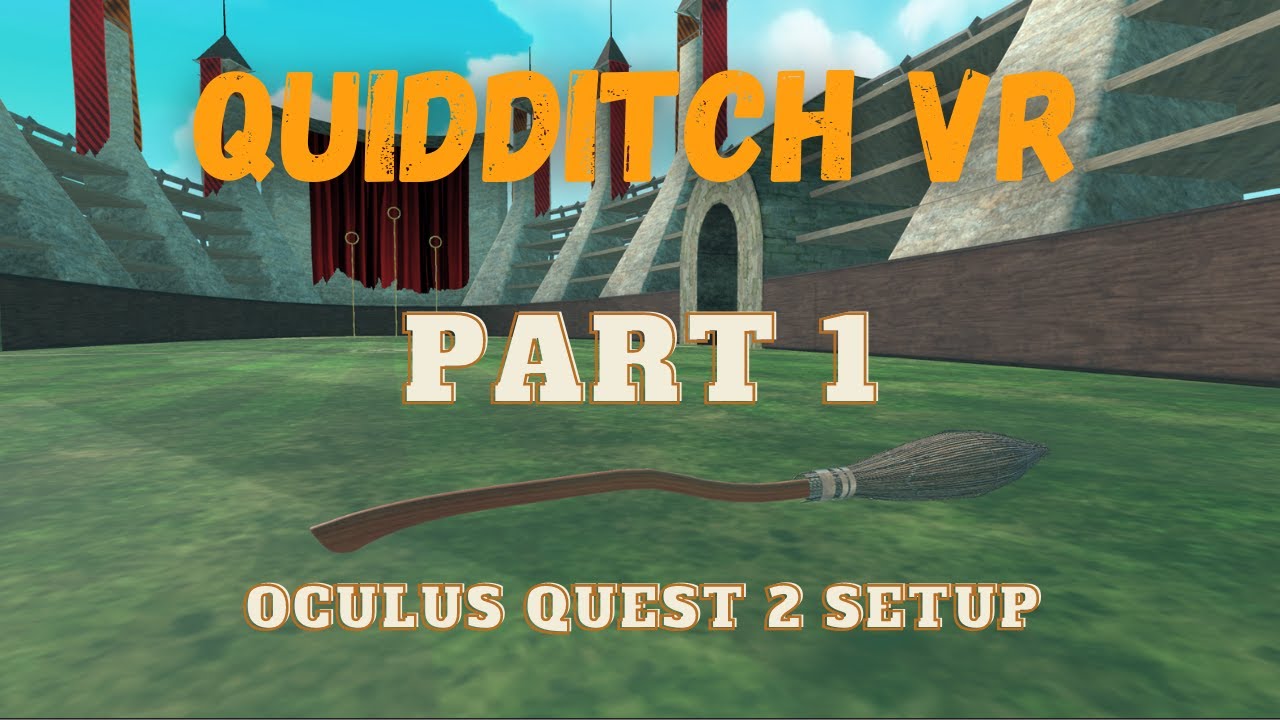
Oculus Quest 2 Development is not that hard. In fact, it is fun. HOW?
Because we will learn VR Development by building a Quidditch VR Game from scratch. So, with this video, you will learn how to set up a VR project for Oculus Quest/Quest 2 with Unity's XR Interaction Toolkit.
Game Assets: https://1drv.ms/u/s!At2Y2Np4SXyvhelxeZpkcmeyfuop0w?e=B...
solar lagoon
Thanks for the link I will watch it out
 naive shard
What's the closest I can get to out of the box desktop VR support that will work for Vive, Index, and Rift?
Preferably a setup that I can trust works with hardware that I don't own.
 formal bough
In Unity 2021 with OpenXR, do I still need OpenVR loader to support Vive/Index? WMR and Oculus seems to work just fine, don't have Vive to test atm.
 warm whale
I need some help with xr toolkit
It's not stable
It was just working now but now it's not working. The teleportation
My raycast is hitting the teleport area but it doesn't see it as a valid surface
ancient bolt
@warm whale Double-check that the Interaction Layer Mask (in your XR Interactor) includes the layer that your TeleportationArea is in.
vernal mantle
@vestal flicker and @solar lagoon, I figured out a simple workaround to avoid scripting and give the exact physics I was looking for. Added a kinematic rb to an empty game object on the hand, so it follows the hand's transform. then a separate cube GO with rb, attached via a max-strength Fixed Joint. It means that the empty GO is "teleporting" as your put it, but the cube is following it with physics. Punching the balloon works perfectly now! 🙂
vestal flicker
Works as long as you don't care about the insane amount of force that will put out
vernal mantle
It feels really good in game, the punch feels as if I'm punching a balloon IRL, and isn't causing any problems or slowdowns.
Thought it might treat it like it's punching the balloon like a bazooka, as the fixed joint is effectively moving the cube as fast as possible to the transform. But Unity joints have a weird dampening thing, which can cause problems when you're trying to make a rope or chain, I've had weird stretchy ones before. But works well for this purpose. 😄
warm whale
@ancient bolt my interaction layer mask includes Everything
ancient bolt
@warm whale Make sure that your teleportation raycast is indeed colliding with the TeleportationArea and not something else (perhaps something invisible that's over the teleportation area?) I've had this happen to me before.
warm whale
@ancient bolt I tried this and that's not the case. I created a new scene to test it with no object other than the teleport area
I'm thinking it's from the empty variables (set during runtime if not found). But I don't know, I'm filling them manually rn
ancient bolt
@warm whale Huh, ok I'm out of ideas other than checking for some obvious things... Locomotion System is there, TeleportationProvider is there... I can't think of anything else, especially if you started from scratch in a new scene
If it helps, my XR Rig relevant components are set up like this.

My RightHand Controller's XR Ray Interactor component is like this.
 warm whale
Thank you, I'll continue tomorrow
 sonic oyster
What is 'pointer position' in OpenXR input? controllers seem to have them but to me they look the same as just the controller position
Is it only relevant for some devices?
Honestly can't find anything on the internet about it
Welp, figured it out. Some devices that use hand tracking instead of controllers try and simulate pointer positions in OpenXR. Apparently hand rig data should be added in the future. Anyhow, I don't need it which answers my question!
Correction* Unity does that, OpenXR doesn't provide that out of the box it seems
tiny niche
@sonic oyster most of the tracking related things you want to get from the xr rig instead of the action system
since to need to match up closely with the visuals and those are handled under the hood by it
sonic oyster
tiny niche
<@!642070026131603466> most of the tracking related things you want to get from ...
What do you mean? OpenXR has tracked pose drivers on their example rig. You mean those? In the tracked pose drivers I can set CursorPosition and Rotation as input
tiny niche
ah, never noticed that, i assumed you where trying to use it somewhere downstream, like on a gun you're holding
sonic oyster
Nowhere near that step yet lol
Any idea what these scripts do? @tiny niche

The ISX scripts in general I mean
tiny niche
no clue, i normally use the standard action-based xr rig
it should be compatible with openxr by default
but i'm guessing this is related to handtracking, letting you actively manage poses losing tracking
i assume it works for controllers too though
 vapid pawn
 warm whale
XR toolkit
How can I make it so that when the player lets go of the stick, they teleport?
 surreal gorge
Does anyone know how to setup the Vive Trackers with UnityXR? I tried adding an XRI Tracker action map and it has a binding for a vive tracker. I tried adding an XR Controller component and/or a tracked pose driver component to a tracker game component but it doesn't work. The tracker does not show up in the XR Interaction debugger. Thanks.
 sullen ridge
hi , someone know how can i make my headset able to play a game 2 time at the same time the unity and the build
 lone knoll
right now the first game will capture your headset , one thing you could do is to use one with disabled vr and an a input emulator if you have one set up
sullen ridge
howi do that
it's because i work with photon and i want to simulate the second player
in the tutorial i watch , it work for the person , he can run and controll the two game at the same time
but don't work for me @lone knoll
lone knoll
depends on what framework you are using - i think there should be one for unity xr toolkit if im not wrong , but making your own simulator shouldn't be to difficult - just make 2 buttons on the main menu to select VR or Keyboard input and only enable vr if user selects so , you can map the mouse to the camera rotation like any normal fps game and right mouse to move the camera around [ i would make a quick keypress to switch the target transform - head / left-hand / right-hand - to not over complicate things for a simple emulator ]
 wraith shale
@strange patrol urp?
with openxr?
that it is then
there's a fix but I dunno when it landed or if it has even landed on all versions
yes, I reported this like month ago
it's a really stupid thing
Unity made some quest framerate fix but applied it to all XR platforms, but it used some getter that doesn't return anything on OpenXR so it then set the application framerate on OpenXR to 0
which caused OpenXR to run at 1/3 of the real target
it's not doing there anything but waiting
let me double check the PR
this is the 2021.1 backport of the fix https://github.com/Unity-Technologies/Graphics/pull/3733

GitHub
Purpose of this PR
This PR is the 21.1 backport of #3708
Fogbugz case: https://fogbugz.unity3d.com/f/cases/1312513/
Testing status
ABV
QA
Comments to reviewers
Notes for the reviewers you hav...
it's merged 9 days ago
so it's probably going to be in future 2021.1 releases
fix is simple though: https://github.com/Unity-Technologies/Graphics/pull/3733/files
you can do that locally too if you just move URP package out of packages/packagecache to your packages folder and to that edit there
I'm not fond of the way they patched it now either... I really hate magic numbers like 300 they put there now as you don't even need any of this on desktop VR
I actually made a PR that just did that on android as that was the reason any of this exists but Unity wanted to fix it this way
but I guess we are not going to see consumer VR headsets with over 300Hz update rate any time soon so it's not immediately an issue...
just feels silly
also... cs float frameRate = 300.0f; Application.targetFrameRate = Mathf.CeilToInt(frameRate);
they kept the CeilToInt there when they could just fed 300 integer to that directly now 🙂
it's a minor thing but people looking at this in the future may scratch their heads a bit
lone knoll
wraith shale
you can do that locally too if you just move URP package out of packages/package...
seems like im not the only one using this method, will they ever allow unlocking of the package catch i wonder
wraith shale
Unity actually had package manager version in some alpha/beta earlier where it would do exactly this (move the packages local copy into packages folder) if user pressed some button on PM but they quickly removed it
I guess they felt users would screw things up so they kept it as manual process to avoid that
that feature only existed for very short period of time
lone knoll
i see how it would complicate upgrading the package version and other related packaged who may need that as a dependency ... but that this method is just so dirty rn
wraith shale
well, you can't even manually upgrade many packages anymore as they moved things to core now
lone knoll
does it mean its became* close source now ?
wraith shale
but having things on package folder DOES override everything, so that's a huge concern for less experienced users
no, source is still there
it just means SRPs and bunch of other packages now just ship with Unity editor and are not user upgradable from Package Manager
lone knoll
that's fair , stuff like TMPro should already be part of the core but is still not
wraith shale
they are working on merging TMP tech to new UI setup now
wraith shale
alternatively, if you can use some other XR package than OpenXR it wouldn't have this issue on 2021
but the fix really is simple
tiny niche
@wraith shale why can't you just take the source and make your own local package with a newer version? the package manager should let you reference that
wraith shale
that's what I just suggested here: #🥽┃virtual-reality message
you dont even have to adjust the manifest if you put the package in that folder
tiny niche
i meant put it in your own internal feed, not hack the package inside the project
wraith shale
unity will not alter it there and it will automatically use your local packages there even if there's different version on manifest
well, you can do that too
I personally use folder refs that point to place where I have my graphics repo forked
everyone could have their own setup of course, just suggesting the packagecache move package approach here as it's dead simple and doesn't require much effort if you only want to fix the thing for one specific unity version
tiny niche
i make sure everything is just clone+build on my repos
wraith shale
this is a thing that is already fixed so it only needs temporary workaround until next Unity version comes out
or version after that, depending how long it takes to traverse there
tiny niche
its just a package, shouldn't need a unity release to get out there
wraith shale
well, not anymore because Unity wanted to make this more painful for experienced users
they don't let you upgrade SRP packages anymore via PM for 2021+
they only provide new fixes through new Unity versions
so if you have a URP bug in just released 2021.1.0f1, to get any URP fix on that you have to install 2021.1.1 or newer
SRP packages are now only distributed through Unity core (along with the editor)
of course you can still manually use github versions but they really want people to just use the shipped versions now
in fact, to make it even more silly, they don't even update the SRP minor version number anymore on 2021 cycle
every SRP package is just 11.0 or 12.0 (depending if you use 2021.1 or 2021.2)
you can guess my opinion out of these comments but I do really understand why they did this
I just dislike how they make more experienced users suffer to make the experience easier for new users
or... let Unity Hub just upgrade major releases to latest minor version with a button click, instead of having to uninstall, pick same components and install manually, click few agree buttons along the way every time you want to upgrade
anyway, I'll stop this rant here 😄
wraith shale
you applied the PR fix?
nice
here's the issue tracker btw: https://issuetracker.unity3d.com/issues/xr-sdk-urp-performance-regression-when-using-urp-11-plus
Reproduction steps: - Open the reproduction project 1312513Repro.zip (attached in a comment below) - Open the "TestScene" scene - En...
it doesn't really give any info where it's fixed though
it basically broke on 2021.1.0a10 when they did that fix for quest
(so 2020.3 and earlier are unaffected unless Unity backported that fix)
yeah it wasn't broken when I was figuring this one out
well, 2020.2 at that point but yeah
 coarse notch
Hello quick question, My Game supports both VR and Desktop and i want to know how if i have a build of my game how can i force it to run in VR? Ive tried using custom exe property such as -vrmode but no luck. On steam you have the option to launch the game in VR or Desktop on some games but my game isnt on steam yet.. Any ideas how to do this on just a normal unity build?
 golden glade
i wish i had a vr headset to make vr games
tiny niche
@coarse notch leave the initializer on and it should try to launch in vr if it can
 silent mist
solar lagoon
A quest 2 is not that expensive
silent mist
solar lagoon
A quest 2 is not that expensive
That's not that nice too say you don't know how much money he has
tiny niche
its still not that expensive when you compare against valve index, etc.
 brittle echo
hey i got a question about game testing
how do test my game in vr? a tutorial or a link to a video would be awesome!
i just couldnt find a video on it :/
coarse notch
@tiny niche but what if they decide they want to play in desktop mode?
tiny niche
@coarse notch then you control it with a command line argument like any other app
coarse notch
which command line argument should i use to initialize XR on startup
I havent been able to find it
tiny niche
-vrmode oculus or -vrmode steamvr
 near jasper
Hi everyone I'm a Digital Arts and Sciences senior and am taking an Entrepreneurship class and need a couple people to fill out a very quick 8 question survey about a VR application. I would really appreciate it if some of you could help me out. Thank you.
https://forms.gle/1GPU1Gisqfist23HA

Google Docs
Please answer a few questions to help our product, so that we may aid you in the future.
 teal perch
hi guys, was wondering if anyone can help solve the issue. I have oculus quest 2, and was about to work on next project, I've created new project in unity, installed xr toolkit, and created new xr rig with room scale. when I hit play and put headset everything is 'attached' to camera view including controllers (I can see rays from controllers point straight, and they're not reacting to any controller movement, also when I added simple cube in the scene, in headset it's moving wherever I'm looking
it's very weird and I see this for the first time
coarse notch
Depending on if XR is enabled to begin with is how i spawn the VR player/ Vr related things though. Ive tried -vrmode oculus and -vrmode None With no luck
 tiny niche
near jasper
Hi everyone I'm a Digital Arts and Sciences senior and am taking an Entrepreneur...
tiny niche
near jasper
Hi everyone I'm a Digital Arts and Sciences senior and am taking an Entrepreneur...
what exactly are you trying to answer with that questionare? and how come you never included anything about the important issues, like not being able to see food, wearing a headset while waiting for delivery, not being able to see people eat, etc.?
tiny niche
teal perch
hi guys, was wondering if anyone can help solve the issue. I have oculus quest 2...
if you have an action-based rig, you need an action manager and hook up the actions to it
brittle echo
near jasper
Hi everyone I'm a Digital Arts and Sciences senior and am taking an Entrepreneur...
I filled it out:)
 latent carbon
hey guys, I'm trying to make a VR game that uses AR Foundation (ARCore) to track the user's position, however, having ARCore selected disables VR view

I'm using Unity 2020.3.1f1 and Google Cardboard for Unity
teal perch
tiny niche
if you have an action-based rig, you need an action manager and hook up the acti...
In the end looks like latest version of xr toolkit is broken. I've installed 0.9.4 and it works normally
tiny niche
i just used the latest on 2021 and it was fine too
 late salmon
Does anyone here have some experience using the "windows virtual reality toolkit" in unity?
You would be an angel send from heaven
 finite nebula
When I test my game with keyboard and mouse, and I click with the mouse on an object the object code starts running. But i cant seem to find how I do this with the vr controllers
 limber scaffold
Hi! So, as a new member of Unity, I am trying to develop my first immersive VR prototype with spatial sound and a 360 background of nebula space. Do you have any tips on how to do them?
Here is a 3D scene prototype I made in Cinema 4D.

Also, if you like me to add a particle system into the experience, feel free to tell me how to do them.
limber scaffold
UPDATE: I have purchased a skybox that generates nebulas. But as a new user, how do I program a skybox in a 360 immersion?
 pine bison
If you bought a skybox generator you would assign a skybox material to the Skybox Material under Window>Rendering>Lighting Settings
If you are new to Unity I would recommend to spend some time on some tutorials on general Unity things so you get used to the program
Then there are quite a few tutorials out there on XR but VR with Andrew is a pretty good channel for getting started
limber scaffold
Thanks, @pine bison. I'll give that one a shot.
 urban cloak
Have you tried charging your battery since asking this question three times in the last 12 hours?
solar lagoon
anyone got a free asset for VR hands? like rigged etc..
warm whale
See SteamVR gloves
solar lagoon
@warm whale On asset store you mean?
warm whale
@solar lagoon Yes, steamVr has a nice glove asset
wraith shale
oculus integration package from asset store has some rigged hands too but it's more like placeholder
solar lagoon
warm whale
<@303242775577624577> Yes, steamVr has a nice glove asset
Oh okay. Will try to import it in another project then. Dont want to break my openxr
I have a Valve Index.
 polar kernel
I can't believe that I have been a part of this group for so long but not using it this place is amazing
 cinder smelt
Does anyone Understand this error or how I might go about fixing it? I can grab the object with Grabbable, but it doesn't effect the objects transform until i let go of the object.

and here is the script it is referring too

 leaden flame
cinder smelt
Does anyone Understand this error or how I might go about fixing it? I can grab...
leaden flame
cinder smelt
Does anyone Understand this error or how I might go about fixing it? I can grab...
you can read that that error as follows:
Null Reference Exception: This is basically saying "you're trying to do something with an object but I don't have a reference to that object"
This is usually means that you're trying to do something with a gameobject or a reference to one but it's not properly assigned or linked up.
The next part of that error is the ending that says OVRGrabber.cs333 which means the exception is being thrown from line 333 in the script OVRGrabber.cs
From there and looking at your script you can see line 333 is grabbedRigidbody.transform.position = grabbablePosition;
So that line is taking a reference to a rigidbody, gettings it's transform.position and setting it to a new value grabbablePosition.
If you look at line 327 you're declaring a new rigidbody object grabbedRigidbody and setting it equal to m_grabbedObj.grabbedRigidbody
If i had to guess I'd say that whatever m_grabbedObj is the grabbedRigidbody component on that is not properly set. Potentially the grabbablePosition is not properly calculated as the m-GrabbedObjectPosOff is also not properly set.
cinder smelt
leaden flame
you can read that that error as follows:
*Null Reference Exception*: This is ba...
Thank you for your insight and break down of it. Its actually pretty cool to get a unity staff response for help, makes me happy you guys are active.
A second ago I managed to fix the problem, at least from what i could tell from this code. (highlighted)
 wraith shale
No idea. Is 16k supported in desktop even?
 north path
Is there a way to build to Quest with OpenXR (it is possible with oculus integration according to oculus documentation) without all the extra bloat from oculus integration.
Once I import oculus integration the build size goes up with 10-40MB :/
 meager falcon
Hey guys. Has someone experience using custom hands with steamVR?
 static blade
north path
Is there a way to build to Quest with OpenXR (it is possible with oculus integra...
static blade
north path
Is there a way to build to Quest with OpenXR (it is possible with oculus integra...
Been looking into this too. I’m a little confused, but from what I understand, OpenXR works with PC Oculus but Quest/Quest 2 compatibility is arriving later this year? If anyone can answer this confidently, please chime in!
north path
https://developer.oculus.com/documentation/unity/unity-openxr/
This contradicts the unity post @static blade
I will ask on the forums later today
This guide describes steps to activate the Oculus utilities plugin using OpenXR.
novel cape
What are the samples you can install wit the OpenXR plugin? "Meshing Subsystem" "Controller" and "Intercept Feature"? The "Controller" one seems like the most obvious but the others I have no idea what they're for. Maybe the first one is for building meshes of your environment for AR? I have no idea what Intercept Feature could be.
wraith shale
@north path OpenXR plugin itself makes it very clear that Quest is not supported yet
I mean the one from Unity
north path
Yes and the oculus page says their plugin enables support

It says OpenXR support for quest in the menu also
wraith shale
anyway, you really don't need the whole oculus integration from asset store to use that plugin
just include the plugin alone on your build, it's contained in single file if I remember right
solar lagoon
Find this site with really nice tutorial ( i recommend the Valem one)

GameDev Academy
Unity's new XR Interaction Toolkit allows developers to implement interactivity into their AR and VR experiences without needing to code. The toolkit is available for Unity 2019.3 and can be down
leaden flame
Oculus has an OpenXR runtime and is supported on their side. On the Unity side we haven't implemented the OpenXR runtime on the Android platform so that's why Oculus quest is not supported. The latest package docs say Deploying directly to Oculus Quest/Quest 2 will be released at a later date.
https://docs.unity3d.com/Packages/com.unity.xr.openxr@1.0/manual/index.html
 glass bay
How do i fix this error? for xr Universal RP
 static blade
leaden flame
Oculus has an OpenXR runtime and is supported on their side. On the Unity side w...
static blade
leaden flame
Oculus has an OpenXR runtime and is supported on their side. On the Unity side w...
Thanks for the clarification!
brittle echo
anyone know the difference

 cerulean portal
anyone know where these errors are coming from? ( i'm with HTC VIVE )

 upper basin
I'm trying to get 360 photo spheres exported to altspaceVR, but for some reason I'm unable to flip the texture from outside to inside. Anyone have idea how to make photospheres visible from inside and not as default outside? : )
leaden flame
brittle echo
anyone know the difference
movementType
Specifies how this object is moved when selected, either through setting the velocity of the Rigidbody, moving the kinematic Rigidbody during Fixed Update, or by directly updating the Transform.
brittle echo
ty!
 storm ether
Is there a way to get the IPD from Quest 2, and the XR Interaction Toolkit? I'm experiencing scale disparity and there seems to be no good solution to matching real world scale explicitly.
upper basin
Have anyone got unintended transparency error? I've photo sphere which hides behind all objects/is transparent unintentionally. Anyone have idea how to make this sphere not transparent?
novel cape
What are the best tools available for motion capture? Specifically, motion capture using the Index finger tracking and Vive body trackers.
glass bay
Please Help How do i fix this error? for xr Universal RP
 novel cape
glass bay
Please Help How do i fix this error? for xr Universal RP
novel cape
glass bay
Please Help How do i fix this error? for xr Universal RP
I believe if you go to Project Settings and OpenXR config there's a button in there to fix that.
glass bay
thank you so much
brittle echo
Anyone know how to rotate the hand models? Any help would be awesome!

The pale hands (from the rift) are in the orientation that I’m trying to mimic:)
tiny niche
@brittle echo depends on how you hooked the tracking up to the models
brittle echo
tiny niche
<@!736102875566178404> depends on how you hooked the tracking up to the models
I think I got it figured out:) i just started working on it
ty though
north path
leaden flame
Oculus has an OpenXR runtime and is supported on their side. On the Unity side w...
Thanks for the clarification.
solar lagoon
Just a little info, for people developping in SteamVR, in installation folder you have a ready to use model of all the VR Controller
 lofty iris
Hi, I was wondering if anyone could help me. I just started using the kinect v2 and I followed a tutorial on it. I now have two hands on the screen and i want to move the camera to the right and for the hands to follow the camera. I tried cinemachine but the hands still stay in the same spot. Thanks in advanced.
solar lagoon
HEy Guys , question. how to re-assign the teleport to not be the action on the controller?
in OpenXR.
basically I want to teleport with trigger, but I want the grab to be grip. or both are using Input named "Action" on the controller.
 scarlet tree
@solar lagoon you're using Action bsed input, I assume?
solar lagoon
Yes , based action controller are the only one working
@scarlet tree
Oups bad tagg
 odd vortex
Hey guys i got a beginner question, i have a nibiru VR device called V30-5G with Nibiru SDK, after building apk folder using their demo scene, i install it to the vr but when i run it the scene moves with the camera, anyone experienced in this? or can guide me to articles because i have read all their documentation and nothing worked so far.
solar lagoon
odd vortex
Hey guys i got a beginner question, i have a nibiru VR device called V30-5G with...
Dunno this device but have you checked in XR Input Debugger is the position of tje headset is properly tracked
Is all the scene a children of the headset or something ?
 wary sandal
Hey uhh, I'm having an issue where grabbable objects are moving out my hand when I use the joysticks on my controllers?
I feel like it's a feature of the XR Grab Interactible but I can't seem to see how to turn it off
odd vortex
The scene is a demo from the headset sdk and I don't know how to check if xr input debugger 😅
scarlet tree
@solar lagoon You basically just need to change the teleport action to a different input in the Action Manager
Speaking of Action based input, Anyone know how "userPresence" works? Trying to get Oculus Input VRCs 1, 2, and 7 handled, but I can't quite figure out how to pause the game when the user takes off the HMD.
pine bison
Usually this would happen because VR is not enabled in the project settings @odd vortex
solar lagoon
scarlet tree
<@!303242775577624577> You basically just need to change the teleport action to ...
you mean the ActionManager script?
scarlet tree
No, the actual input actions
solar lagoon
There is no input action for Teleport.

since it's just tighted to physical button.
scarlet tree
so what button do you want for the teleport
change the action that it's assigned to in your teleport component 🙂
I'm not sure what kind of teleportation script you're using, but you'll essentially just need to change what action event you're registering to perform it
solar lagoon
that is the thing. there is no mapping in teleport component. it's automatically assigned to the input called "Action" on the controller. I am using Action-based controller.
wary sandal
wary sandal
Hey uhh, I'm having an issue where grabbable objects are moving out my hand when...
nvm I fixed it
scarlet tree
screenshot?
I've not use the teleport component, so I'd need to see it first
@solar lagoon ?
solar lagoon
yes?
basically you have this on the Rig

and on the other side. you have a teleport area or a teleport anchor to define where you can go. That's it.
scarlet tree
what do you have your Select and Activate actions set to on the action based controller you want to teleport with? see what happens when you swap them
solar lagoon
It will swap the teleport button to whatever Select is. But how to grab something with the same controller?
odd vortex
@pine bison how do I enable vr in the project? I have enabled XR manager
pine bison
You'll need to enable the XR plugin for your headset, but I'm not familiar with the one you're using
scarlet tree
wait hold on
@solar lagoon Let's go over this again. Explain exactly what you want to do for me?
odd vortex
@pine bison this is what am i getting in project
 brittle echo
could someone with a vr headset test an .apk file for me please? it doesn't work on my quest 2, but it does work when i have it plugged into my pc as a rift:/
odd vortex
i can test it @brittle echo on my vr headset
brittle echo
Cool, what headset do you have?
odd vortex
its called Nibiru V30-5G standalone vr
brittle echo
Ok
The controls may not work for it since I just started making it
I’ll dm u the google drive link
odd vortex
no worries tell me what are u testing for ?
pine bison
if it doesn't load on your quest why would it on someone elses?
brittle echo
They don’t have a quest
pine bison
There's probably something wrong with your android settings
brittle echo
Maybe, It works when I plug it in to my pc and pretend it’s a rift
pine bison
I would recommend setting up a new project and following a guide to build to quest. Once you have that working you can cross check with your other project
scarlet tree
@brittle echo what plugin are you using?
odd vortex
guys before testing out i should check my SDK/NDK then player setting -> XR Setting -> enable virtual reality supported
since im a standalone vr i should enable daydream or oculus quest
pine bison
That's with the old VR system. Are you using that or XR plugin?
odd vortex
because the version of unity did not work and Nibiru SDK said 2018 is recommended version i switched to it but i have used the latest one but did not work
brittle echo
pine bison
That's with the old VR system. Are you using that or XR plugin?
I am
odd vortex
in short i used both and none of them worked
brittle echo
Hm ok
odd vortex
Ole i used Nibiru camera should i use another camera?
brittle echo
I’ll continue working on it when I get on my pc
pine bison
Like I said I have never used this headset or SDK so I can not tell you anything about it
odd vortex
i get a package with my vr headset and i used their prefabs camera should i be using another one?
brittle echo
Ty so much guys!
pine bison
If they recommend 2018 with legacy XR management I would go for that
And I would probably stick to their camera rig yes
odd vortex
hmmm
solar lagoon
scarlet tree
<@!303242775577624577> Let's go over this again. Explain exactly what you want t...
Ok. So I have a controller, I would like to have a Direct Interactor to grab object with it and also a Ray Interactor for teleportation. I would like to have both on the same hands. Or since the Select input is the default for teleport and grab, I cannot have different input for each of them. Like Grab and Trigger
 last basin
I need help with setting up a character rig in unity with IK any help?
solar lagoon
solar lagoon
Ok. So I have a controller, I would like to have a Direct Interactor to grab obj...
I found this, it can probably fit my need

 hushed spindle
I everyone, how do I enable XR? Apparently its disabled since XRSettings.eyetextureWidth/Height return0. The thing is i have a set of cameras working correctly, so I dont know what I´m doing wrong
Thanks in advance
scarlet tree
@hushed spindle how exactly are you trying to set up your cameras? What version of Unity?
 jade jacinth
Hey, I'm on part 3, 5:01 of Valem's VR Gun tutorial. I've followed everything to a T, yet the slider does not slide properly. Here is what is happening.

I am using a Configurable Joint, with all motions locked minus the X Motion, yet it still bugs around when I grab it
jade jacinth
Somebody please help. I have tried everything I can think of
finite nebula
So I'm developing a game, and when I test it without the vr setup it is possible to click on an object with my mouse and interact with it, but it does not seem to be possible to do this with the vr setup. is there a way to solve this ?
scarlet tree
do you actually want this functionality in your finished title?
finite nebula
The game is made to be played in VR so yeah
solar lagoon
So you need a headset 🙂
finite nebula
Yeah but I have one
but the it is just for a school project
but still I cant find how to make the click work with a joystick and headset
solar lagoon
Yeah it should work because the way we interact in vr is just based on collider and raycast so
Maybe some tweak in the code to make it work and send a raycast at the mouse position
finite nebula
thanks
solar lagoon
Never done it though. The other thing is the Controller recorder
 inner canyon
finite nebula
So I'm developing a game, and when I test it without the vr setup it is possible...
inner canyon
finite nebula
So I'm developing a game, and when I test it without the vr setup it is possible...
I think you need to create XR rig and XR controllers. For me I used unity XR plugins to select the devices I want to support and used XR Interaction Toolkit to create the XR Rig and controls
finite nebula
inner canyon
I think you need to create XR rig and XR controllers. For me I used unity XR plu...
thx
 calm nacelle
Anyone uses UI toolkit in worldspace for vr?
If yes how do I interact with the elements as I do with normal ugui
calm nacelle
No work around for it?
Like taking raycasts and stuff?
I have found a way to rendering it in world space by specifying a render texture and putting that render texture on a raw image
But now that's just a texture
pine bison
I'm not aware of any workaround
hushed spindle
scarlet tree
<@!266571471541764098> how exactly are you trying to set up your cameras? What v...
Im currently using Unity 2020.x.0f1, and my camera system looks like this

I need it to be that way because i need separate cameras for each eye to use a "portal effect"

Like that?
Aight, thank you
With that out of the way, it works just fine, but apparently i havent initiated XR?
yeah
Sure, ty for helping
The problem is, with it working on the headsets, i render the portal when i look at it for efficiency reasons, and when I call XRSettings.eyeTextureWidth/Height it returns 0
Take your time
Yes
I have it just like that
You mean the device?
I am using a quest 2, connected via oculus link
Yes

Yes, its been happening for a while now
XRSettings.Enabled returns true tho
But XRSettings.eyeTexture returns 0
Thats what drives me crazy
On the XR gameobject??
The only script attached is this one on the XR Rig https://gyazo.com/1aeadc2b8b1ed61d94ad5f16b3804c6f

Ah

This is the main camera
It lacks the script
No, or at least i didn´t think so
hahah
Swap it for the script that yours have?
I need it for teleporting each camera separately
Ill try to swap it, that might be it
idk
hmm I see
No idea on why i cannot get the texture dimensions then right? Hahah
Its so weird
If you do it, do u get a number?
In a Debug.Log command
Ah yeah sure, sorry
I get texture from the eyes just like this

I just noticed that in start function its 0, but in update function it returns 2096, which is the correct value
 slender vine
Hello !
does anyone know the name of the quest 2 controllers ?
(the name in the xr plugin)
?
hushed spindle
Ahh I see
Let me try that out
Thank you so much for the help
@slender vine Sorry I have no clue
slender vine
ah okay
I have a list of prefab
and I search the headset controller name
and if it match a prefab name
then it show this controller as my hands

I'm unsure of the quest 2 controller name
other should work
nope I only own a quest 1
would be easier if I had a quest 2 x)
It works for the quest 1 so I suppose it's the same but with "quest 2"
I mean the name should be about the same but with a "2" added
also, nothing to do with that
but any idea why virtual studio is retarded from time to time ?

sometime it just do stuff like that, even tho it works in unity it tell me there is an error (even if it was perfectly fine one hour ago)
it's not mine, I'm following a tutorial but here it is :
void Start()
    {

        List<InputDevice> devices = new List<InputDevice>();
        InputDevices.GetDevicesWithCharacteristics(controllerCharacteristics, devices);

        foreach (var item in devices)
        {
            Debug.Log(item.name + item.characteristics);
        }

        if(devices.Count > 0)
        {
            targetDevice = devices[0];
            GameObject prefab = controllerPrefabs.Find(controller => controller.name == targetDevice.name);
            if(prefab)
            {
                spawnedController = Instantiate(prefab, transform);
            }
            else
            {
                Debug.LogError("Did Not Find Controller");
                spawnedController = Instantiate(controllerPrefabs[0],transform);
            }

            spawnedHandModel = Instantiate(handModelPrefab, transform);
            handAnimator = spawnedHandModel.GetComponent<Animator>();
        }
Sorryt to interrupt, I can´t use the OpenXRDevice, since I can´t import the class for some reason
Ah alright haha
Trying to make it work still
@wary junco I finally get the values I wanted, still have to do more changes, but that was the main issue I had
Thank you very much for your help
slender vine
@wary junco sorry I was eating
nope
but this script works
I just need the oculus quest 2 controller name
wraith shale
@slender vine you could have just given the whole script instead of part of it
I have Q2 here but I will not fix your script to find what you are looking for. Give me code that prints whatever you need from the controller and I can paste it here 🙂
slender vine
ok
using System.Collections;
using System.Collections.Generic;
using UnityEngine;
using UnityEngine.XR;
public class scriptname : MonoBehaviour {
  private InputDevice targetDevice;
  public InputDeviceCharacteristics controllerCharacteristics;
  void Start()
      {
      List<InputDevice> devices = new List<InputDevice>();
      InputDevices.GetDevicesWithCharacteristics(controllerCharacteristics, devices);
      foreach (var item in devices)
        {
            Debug.Log(item.name + item.characteristics);
        }
      targetDevice = devices[0];
      Debug.Log(targetDevice.name);
      }
}
I'm unsure
but if you choose right controller in the unity editor
it should print the name of your controller I think
the whole script I use to choose which controller to display is this one :
it's also used to display a hand model instead of a controller
yeah
Yeah only need the name of the quest 2 controllers
I just made a quick standalone script without testing it
I'm quite a beginner to programming
wraith shale
yeah that will not work
slender vine
you need to specify that in unity

2020.03.0f1
I'm using the new xr action based input system
slender vine
wraith shale
yeah that will not work
what will not work ?
The only thing I'm asking here is what is the name of the oculus quest 2 controller
my script does works
(well not really my script, I mean the script I'm using)
wraith shale
that script
it doesn't print anything as is
anyway, this is what input debugger reports via OculusXR (connected via Oculus Link):

same thing via OpenXR:

afaik you can't differentiate the Quest 1 and 2 controllers via input system atm but I could me mistaken
slender vine
wraith shale
it doesn't print anything as is
Im curious why ?
wraith shale
I know oculus integration from asset store itself does detect the q2 controllers proper but I always assumed they detected the device through different api
oculusXR does return something

 wraith shale
you see what's happening on my computer? 😄
this is what OpenXR "prints"

it actually breaks because there's nothing to print
slender vine
 wraith shale
@slender vine #🥽┃virtual-reality message
wraith shale
I don't get it
 wraith shale
you want to run this on PC with Quest, your options are either link or VD
I don't really get what you are trying to achieve here
slender vine
no I want the name of the quest 2 controller
because I want this to run on pc and quest 1&2
wraith shale
yes but there's only so many ways you can connect this to PC
link or virtual desktop
slender vine
or I can just run it on quest
wraith shale
and OculusXR, OpenXR and OpenVR
I've tried first two
well, if you run it on quest, you already know it's quest...
no need to detect the controllers 😄
I mean, you'd only need to know which one
and there's api for that
slender vine
yes that's why I have a list which choose the right controller
Yup
so I can make it work for virtually any headset
any platform
wraith shale
you really need the target device if you plan on developing for it though
at least if you do native quest 2 app
well, the person just used argument on it working natively on quest so that was response for that
anyway, good luck 🙂
slender vine
you know the only thing I need is just the controller name to make it works on quest 2 and have the right controller displayed ?
yeah
wraith shale
that wouldn't work on all devices
slender vine
@wary junco question, how can I make a line visual Reticle disappear when it's disabled ?

the XR Interactor Line Visual
okay
the idea is that I use this script to show the teleport ray interactor when I'm pushing the thumb stick toward me
and then I click to tp
using System.Collections;
using System.Collections.Generic;
using UnityEngine;
using UnityEngine.XR;
using UnityEngine.XR.Interaction.Toolkit;


public class teleportationToggle : MonoBehaviour
{
    public XRNode inputSource;
    [SerializeField] private XRRayInteractor _teleportRayInteractor;
    [SerializeField] private Vector2 stickposition;
    [SerializeField] private XRInteractorLineVisual _teleportLineVisual;
    // Start is called before the first frame update
    void Start()
    {

        _teleportRayInteractor = GetComponent<XRRayInteractor>();
        _teleportLineVisual = GetComponent<XRInteractorLineVisual>();
    }

    // Update is called once per frame
    void Update()
    {
        InputDevice device = InputDevices.GetDeviceAtXRNode(inputSource);
        device.TryGetFeatureValue(CommonUsages.primary2DAxis, out stickposition);
        if(stickposition.y <= -0.5f)
        {
            _teleportRayInteractor.enabled = true;
            _teleportLineVisual.enabled = true;
        }
        else
        {
            _teleportRayInteractor.enabled = false;
            _teleportLineVisual.enabled = false;
        }


    }
}
guess I'll just have to disable the reticle game object ?
add "cs" for c sharp just after the ```
like this :
```cs
code code code
```
issue is that the gameobject stay where it was after the line renderer disapear
I'm guessing I just have to disable the gameobject / enable it

this is the reticle
wouldn't just disabling it when not pushing the thumbstick toward me work ? (I only enable tp when the thumbstick is pushed toward me)
that's what I do

ah yeah
it's not that efficient here
because it's in "update()"
I'm super noob so idk how to do it better x)
ok
because the only thing I see about input is that :

not really useful
Yeah like would be cool to have a "OnThumbstickValue" or idk
something that trigger whenever a button reach a threshold
yeah so fun changing input system every 6 months
and not giving good documentation
quick question
what's an enum ?
i'm super beginner
and never needed one for now
are enums like a list ?
because like it assign value to word
a bit like where is the word in a list ?
yeah I understand that
and you can assign whatever value you want
be it a boolean, a byte, a float, an int, etc ?
so can i use it like if the value is between 0-20 it's left, if the value is between 20-30 it's right etc ?
I'm watching the unity tutorial
you can asign it not only to ints
oky
okay
what do you do when you have a long list of "if" and "elif"
xd
sound complicated
yeah
Lots of stuff to learn
like I never remember how do I find a gameobject in my scene x)
I made one game before
and it's ugly to say the least
what is a manager ?
ah thx
unity didn't show anything
hushed spindle
Idk if this helps but ill throw it right in https://gyazo.com/421080db1ed8f3a678d72097278b6186
 slender vine
can you make an exemple ? Like instead of "gameObjectName = GameObject.FindGameObjectWithTag("GameObjectTag");
what would it look like with a singleton ?
okay
I have a hard time understanding how this script works, sorry x)
but thanks anyway, I'll try to learn it from now on !
ok wow
i'm dropping 7 fps
when pushing the thumbstick
oh thanks
yeah that's smart
question : I have only two thing checking if my thumbstick is under 0.5f on the y axis
and when I move my thumb stick
(even left right)
i drop 7 fps
gonna check it
it's worse without my script that enable / disable ray caster
are they that performance hungry ?
ray casters
okay that's quite weird
my cpu is at 10% but it's the bottleneck
and also
when I disable things
I get worse performances
probleme solved
it's just the editor ?
idk the name
when I'm on a gameobject with lots of moving value
it lower my fps
it's
fucking
dumb
like seriously, showing me a transform value is lowering by half my fps ???
(while not even using my cpu more)
(and with a ryzen 7 3700x at 4.3ghz)
yeah
but it take time and I do so much test that it's not worth it
but in the future, I will if I want to do a performance check
yeah
although it's noticeable in vr
scarlet tree
1: please don't use findObjectWithTag unless you absolutely have to...
2: consider doing a short course in Unity. The 2D and 3D courses on Udemy are quite good. I'll be perfectly honest, you want to have a good grasp on making games in general before jumping into VR Dev.
 rugged spade
Hi All! Has anyone else experienced installing the OpenXR package and then having the package manager get stuck continuously "Resolving Packages" over and over?
This is happening on both my desktop and laptop. I have disabled Malwarebytes and the VPN and nada. Tried deleting the .json files and the problem persists.
rugged spade
ok trying that now. Thank you
That seems to have done the trick. Thank you again. I can get back to being productive now. Have a good one!
jade jacinth
Hey, I'm on part 3, 5:01 of Valem's VR Gun tutorial. I've followed everything to a T, yet the slider does not slide properly. Here is what is happening.
https://www.youtube.com/watch?v=669edfbktyM&ab_channel=MikeAlcer
I am using a Configurable Joint, with all motions locked minus the X Motion, yet it still bugs around when I grab it
 olive rose
ive been having these annoying performance problems on an oculus quest 2 project
its really strange because theres almost nothing even in the scene
im getting well below 60fps, my logcat tells me this:
FPS=52/72,Prd=48ms,Tear=0,Early=0,Stale=61,VSnc=1,Lat=1,Fov=0,CPU4/GPU=4/3,1478/490MHz,OC=FF,TA=0/0/0,SP=N/N/N,Mem=1353MHz,Free=3234MB,PLS=0,Temp=33.5C/0.0C,TW=1.76ms,App=19.44ms,GD=0.00ms,CPU&GPU=32.07ms,LCnt=1,GPU%=1.00,CPU%=0.16(W0.23),DSF=1.00
which seems like the cpu and gpu isnt being used at all???? so if anyone has any suggestions please let me know, ive been trying to fix this all day
this is basically all thats in my scene, only around 2k tris and 6k verts
 jade jacinth
Have you tried making a new scene and importing the basic elements?
olive rose
well thats probably a smart idea
ill try that
lol
yeah im getting 38fps on a TOTALLY empty scene

theres literally nothing here
 jade jacinth
Are you using a link cable? Or VRDesktop?
olive rose
multiple times
jade jacinth
have you tried making a new project?
pine bison
What render pipeline are you using @olive rose?
pine bison
A library purge is always an option in those cases
meager falcon
Hey Guys, does anyone here work with SteamVR and did a custom Hand?
Im running into this and cant find a solution to fix this...
 meager falcon
@solar lagoon - within steam vr?
Dont now what makes the hand so weird looking.. when draging the hand into the scene, everything is fine. Only after SteamVR adds the hand to the prefab, it looks like that.
 odd hare
Are the bones attached badly and pulling it wrong?
solar lagoon
meager falcon
<@!303242775577624577> - within steam vr?
No I am using OpenXr. Steamvr plugin is not compatible with Unity 2020
meager falcon
@odd hare - No, not really. When i grab the model into the scene and rotate the bones manually, everything works great
solar lagoon
It’s not that complex to get value. You find the inputAction you need and create a variable for it. From there you can read it with method called Read<T>.
Or you register to the callback with .performed method
scarlet tree
or started. or canceled.
don't forget those two, they're important
expecially for low level stuff like getting the HMD status
odd vortex
I need help, if anyone had an interaction with NibiruXR i would much appreciate the help as i have tried everything to make it work.
scarlet tree
meanwhile, i've learned that waving something large in front of the player's face tanks the framerate on quest.
which is just wonderful, because one of the core components of this game is waving around a pair of oversized novelty axes
solar lagoon
The public is not the same.. quest is cheap but not powerful
So a lot of optimization is required
The vive/index required a powerful graphic card so you have that horse power for your game :p
odd hare
meager falcon
<@!459578788024680451> - No, not really. When i grab the model into the scene an...
But when it looks bad, is that because the bones have shifted? Check if the bones are still in the same place, or if they have moved - and if they've moved, try manually moving them back to the "right" position and see if that fixes the hand. That way you'll know if it's a bone/skinning issue, or a model geometry issue. Even if the rigging is right, the way the VR system moves the bones to create the different gestures might not be set up correctly - problems can be two or more "steps away" from their symptoms.
meager falcon
@odd hare - The original steamvr Gloves bone transform is 0/0/0.. mine have a rotation, but i dont know how i can get rid of the rotation. i already applied rotation in Blender 😂
odd hare
hmm. If you've changed the bones rotation in Blender and applied that, you've hit the limits of my suggestions, because they're now in new positions so you need a new avatar/mapping to know how to position and animate them. You can't reuse poses and animations if the bones aren't set up exactly the same (if they're named the same you can sometimes retarget them) and I'm not expert enough to know what the right settings or setup process is, sorry!
meager falcon
Maybe i just import the original bones to blender and map them to the mesh again.
odd hare
All I can suggest is to try importing the gloves to blender, then exporting without any changes - get that working, then start making changes until it breaks. That might help narrow down where the issue is.
Yeah, if you can use the original bones, do that.
Don't change the bones ever, unless you need a new rig.
odd hare
Good luck!
vestal flicker
FYI, SteamVR poser does not actually mirror bone quaternions when pose mirroring (if that's causing your problem). In their hand prefabs they neg scaled the model for the other hand instead. Even though they included both hand models in the package they only used one of them.
olive rose
question, does switching to IL2CPP change anything for me? or is it more of a background thing

like, will it affect how i code or my current code, i dont really know what it is
 wild sphinx
Does anyone know if there's a way to speed up assett importing from the store ? I feel like i spend most of my time on the loading screen ....?
 worthy kindle
Im trying to start making VR games, so i started watching a YouTube tutorial by Valem, and on the second part he talks about hand/controller prefabs, but once i changed my code from working for only the right hand to working for both i couldnt see my hands prefabs. (this could definitely be an easy fix, but i just started using unity so im obviously not very good)
scarlet tree
@worthy kindle Valem also has their own discord where you can ask questions specific to their videos
worthy kindle
scarlet tree
<@!511590803412615172> Valem also has their own discord where you can ask questi...
I did, Its just not very active
olive rose
wow thank you for such a comprehensive response! i really appreciate it
also i’m having the same problem again, my quest game is running at a frame rate that seems locked to around 60. it fluctuates between 59-62 but for the most part it doesn’t stray too far from that. this is a totally brand new project that i created yesterday just because i was having major performance issues on a scene that was also basically empty
any suggestions? is there a way for me to force 90hz through code?
 marble wolf
olive rose
also i’m having the same problem again, my quest game is running at a frame rate...
marble wolf
olive rose
also i’m having the same problem again, my quest game is running at a frame rate...
This seems like a helpful thread https://forum.unity.com/threads/90hz-for-quest-2.1006934/

Unity Forum
Hi. I just got the Oculus v23 update which should allow 90hz. Could someone explain what I need to do to upgrade my Unity project to use 90hz? I found...
olive rose
i’ll try it out! thanks
marble wolf
Not sure how you are getting your framerate numbers
Are you doing an Android build or a PC platform build?
scarlet tree
...so... how do we do that wihtout OVRManager
Cause i'm pretty sure that OVRManager and the XR Interaction Toolkit are mutually exclusive
@olive rose if you're building for Quest, use the OVRMetricsTool! 🙂
 valid cloud
so i am making this using GVR SDK in unity and i want to enable and disble the image file when i click on the earth but i m not able to do it as i m beginner can anyone help meout???

this is my code
using System.Collections;
using System.Collections.Generic;
using UnityEngine;
using UnityEngine.UI;

public class EarthScript : MonoBehaviour
{
    public Image uiImage;
    // Start is called before the first frame update
    void Start()
    {

    }

    // Update is called once per frame
    void Update()
    {
        transform.Rotate(0f, 8f * Time.deltaTime, 0f);


    }
    public void ToggleImage()
    {
        if(uiImage.enabled == true)
        {
            uiImage.enabled = false;
        }
        else
        {
            uiImage.enabled = true;
        }
    }
}
```cyou need a collider on your globe @valid cloud
But even then I'm not sure the event trigger would work with a collider, you can try though
valid cloud
is there anything wrong with my code
see what i want to do is when i click on the earth i want the image to be enabled or we can say visible to the player
pine bison
The issue isn't your code but registering the click
valid cloud
okay okay
i think i getting what u r making me understand
hmm lets me do some stuff
naah still not working
scarlet tree
you need a UI raycaster that supports your XR system
valid cloud
will these work with google vr cardboard???
i thought XR system works with a VR headset
🙄
pine bison
You can use a gaze ray instead of a controller
but you haven't specified what you mean by 'click'
valid cloud
pine bison
but you haven't specified what you mean by 'click'
i m srry for that
lol i thought stating GVR will do the work
valid cloud
pine bison
You can use a gaze ray instead of a controller
thats what i am doin
solar lagoon
How would collect and amplify the rotation of the headset . I want to drive a Broom with my head but it’s too slow to rotate
I am collecting the Hmd.rotation . I tried to look at processors on inputsystem but there is not for Quaternion
late salmon
Hello, does anyone know ow to work with very basic texture mapping? These things:

I can't seem to get the textures right, they always look a bit off. I'm not sure which texture map to put in which spot.
late salmon
I'm sorry this was in the wrong channel. Well it is a VR project, but yeah
north path
late salmon
Hello, does anyone know ow to work with very basic texture mapping? These things...
In what is the 3d model made and what tool for the textures?
late salmon
north path
In what is the 3d model made and what tool for the textures?
I'm just using poliigon and other similar sites to get my 3D models. It's a project for school and we're not supposed to make our own models. So I download the model that includes all of the textures.
This is for example a model of a rock with its textures I downloaded.

But I can't get the textures right in unity, it looks way off.
solar lagoon
solar lagoon
I am collecting the Hmd.rotation . I tried to look at processors on inputsystem ...
Someone ? 😛
olive rose
scarlet tree
<@!315992630557147136> if you're building for Quest, use the OVRMetricsTool! 🙂
good idea, thank you!
okay so i’ve managed to fix the frame rate problem, but now, it seems that my controllers are really jittery. i know it’s not the frame rate,cause ovrmetrics says i’m getting locked 90fps
 placid nacelle
Hope someone might be able to help. Ran into an Oculus Quest build issue, I have a camera with output target into a texture (for a scope), it looks fine and as intended in the editor, but when it is in the Quest build, the image looks very washed out, as if someone increased the brightness 2x. I've decreased the base map colour to temporarily fix it but it ends up being kinda just darkened and washed out, any idea how to retain original image like it does in the editor? Thanks.
scarlet tree
Screenshot of the render texture?

 olive rose
okay so i’ve managed to fix the frame rate problem, but now, it seems that my co...
olive rose
olive rose
okay so i’ve managed to fix the frame rate problem, but now, it seems that my co...
i cant even record a video of this because when i open the oculus "record video" tool my application framerate drops to around 30
why is it so hard to achieve a smooth experience on the quest (2) ;( theres literally nothing even in my scene
olive rose
okay so it seems like the OVRMetricsTool is lying to me lol
03-31 11:35:10.334 7651 10247 I VrApi : FPS=44/90,Prd=41ms,Tear=0,Early=0,Stale=90,VSnc=1,Lat=1,Fov=0,CPU4/GPU=2/3,1171/490MHz,OC=FF,TA=0/0/0,SP=N/N/N,Mem=1353MHz,Free=3273MB,PLS=0,Temp=28.2C/0.0C,TW=4.20ms,App=23.00ms,GD=1.08ms,CPU&GPU=40.17ms,LCnt=1,GPU%=0.99,CPU%=0.12(W0.15),DSF=1.00
this is what logcat is telling me at the same time ovrmetrics is telling me that i have 90fps no stale frames
if my GPU% is at 0.99 does that mean 100% usage???
 brazen tundra
I'm using unity version 2020.1.17, and I don't wanna use XR, instead I wanna continue using SteamVR, but everytime I have to compile a code, this anoying msg pops up. How do I get rid of this?
 brazen tundra
I tried, but still doesn;t work
Thanks for you reply by the way 🙂
In the version 2020.1, it doesn't have that option in Player settings
The problem is that it tries to reimport a bunch of things
And it takes about 20 seconds to do that
solar lagoon
Hey Guys, was wondering.. the green box created on the XRrig object in OpenXR. What is this ?
My headset is not centered in it.
solar lagoon
Yes that is the right way to do
wraith shale
@brazen tundra you can't use old Unity's VR system on 2020 anymore because it's removed from it. You have to use new XR management setup
recent SteamVR package from asset store DOES work with the new XR management system
but this means you have to reconfig your project to work with the current workflow
brazen tundra
@wary junco @wraith shale THanks for the reply
The problem I can't seem to make XR work either
It's really frustating
I tried updating my unity to a 2021 version, however there were some issues with the cameras from the headset
Such as UIs not working, and some shadows only working on one side of the camera
Gonna try to remove SteamVR from my current version, and make the XR system work
 torpid ginkgo
@wary junco Don't post off-topic media, please. You can find forum links where to post collaboration requests pinned in #archived-code-general #💻┃unity-talk pins.
marble wolf
olive rose
this is what logcat is telling me at the same time ovrmetrics is telling me that...
you are using the Unity recommended settings for the quest right? https://developer.oculus.com/documentation/unity/unity-conf-settings/
Configure Unity settings to get started with Oculus app development.
marble wolf
What version of Unity are you running?
olive rose
turns out that OVR Metrics was reporting perfect performance until i opened and closed Dash
2020.1
then it told me i was getting 45 fps lol
marble wolf
so still framerate issues?
olive rose
yep, so i turned on the gpu profiler and turns out SSAO and Post Processing were using the most gpu
so i turned those off and my performance is much better
but i do want to use PP, is there any way to use it without so much of a perf impact
marble wolf
Well you should be hitting 90 no problem in an empty scene on the quest 2 first off
I personally use only baked lighting and the the Oculus recommended settings for the quest
olive rose
yeah for some reason in my old project i was getting 30fps on an empty scene
no clue why
marble wolf
Are you using single or multipass rendering?
 marble wolf
Okay, multipass isn't recommended for mobile. Actually, Oculus will say that to pass their review for their store you need to be in single-pass. At least for the Quest 1 that was the case
Also, you'll either be at 45 or 90 locked.
due to async-spacewarp
marble wolf
when you rotate your head, you'll not get judder due to the sync, but your hands will be laggy like you mentioned before
olive rose
oh i was at 45 on 72fps
so i dont think it was asw
how do i switch to singlepass?
i only see multipass or multiview
marble wolf
So, I may not be able to help there since I'm using 2019.4, and I'm using the Oculus SDK Plugin instead of the new XR system.
olive rose
oh
but how would you do it on 2019?
i might be able to figure it out
i think i have both oculus integration and the xr system installed
marble wolf
Actually, looks like I did a demo project using the new system on 2019.4, here's what it looks like

but this setting is probably the most impactful for VR performance
olive rose
oh im developing for quest
marble wolf
my bad
olive rose
i see that option for the pc setting but not for android
sorry for not clarifying
is single pass not available on quest?
marble wolf
Ahhhhh okay
They call Single Pass Stereo rendering, "Multiview" in the XR system
so if you are multiview, you are using single pass
olive rose
OH
marble wolf
An overview about using Single Pass Stereo and Single Pass Instanced rendering.
marble wolf
yeah, but I still can't understand your perf issues. Clean project, using project settings from Oculus. Shouldn't be any performance problems there.
olive rose
it seems to be working fine on my new project, ill try turning on post processing and see if that affects performance
marble wolf
cool, I'm working on a VR project for my school, so I've been working with Quest 2 and using VRTK for my interactions and other systems.
 paper barn
@regal raft the people here probably can help with your VRkeys issues, just saying 
scarlet tree
Anyone know their way around the Unity Profiler? 🙂
I have enough knowledge to know that something is causing a frame overshoot, but I know not what
solar lagoon
You can review the Call in the profiler and go down to the script level and method.
There is a good lesson on how to use it on Unity Learn. Its a gold mine
Everyone should use it. 😄
scarlet tree
well, I decided to try and optimize a bit more by switching to Multiview/Single pass instanced on quest, but Now I'm just getting a black screen
@marble wolf you had some words abotu that earlier, got any ideas?
marble wolf
You probably have a shader that is using a depth buffer. When you are in multi view , the Quest strips the depth buffer information so that may be why it’s not being rendered. I have a water asset that becomes invisible when I use multi view
scarlet tree
but that'd just not render one shader, not everything
marble wolf
Oh I see. I think I know what you mean now
I’ve had this problem. So, it’s like your scene never loads
scarlet tree
the scene loads, I can hear the audio
 minor patrol
i need MLAPI help where do I go?
marble wolf
Is this a quest or pc build?
solar lagoon
Thanks for making me look at what was mlapi.. 😉 wasn’t aware it was the new network component they had
scarlet tree
Quest build
solar lagoon
Btw there is discord for that

Discord
Check out the MLAPI by Unity community on Discord - hang out with 2,054 other members and enjoy free voice and text chat.
marble wolf
So PC, single pass/multi view doesn’t have this issue right?
scarlet tree
not as far as I know
marble wolf
Well if you hit play button and you can see everything fine then yeah
Unity version?
And see if you have multi view enabled in settings for PC, not just android.
And see if the behavior is the same
 marble wolf
You only started getting that after switching to multi view?
marble wolf
For PC?
scarlet tree
on quest
marble wolf
So, when you run on PC,
Single and multi pass work fine then?
marble wolf
You@don’t need to switch platforms to do a PC run though
Hitting play is the same as PC behavior
scarlet tree
but yes, in the editor on PC, everything runs fine
with both stereo rendering modes
marble wolf
Okay, so it’s Quest specific. Does your scene use baked lighting
scarlet tree
gonna quickly reboot my headset and unity
yes
non-directional, as recommended
i'll do a quick test in my empty scene too
marble wolf
Ok, and when you do that, also delete the actual APK file on the Quest under Unknown Sources. It’s possible the Quest is not replacing it with the latest build from Unity. This could be due to app signing security feature
I found this out when debugging with ADB
And if that doesn’t work, then I’d check package manager, and ensure you have the latest version of XR
scarlet tree
checking renderdoc.
marble wolf
The reason why it works for PC in both single/multi is because the depth buffer optimization stripping doesn’t happen for PC, only quest. And I think when you tried to revert back to mutipass first the quest, your latest build didn’t deploy, so deleting the APK may give you a working scene again after you revert
scarlet tree
nnnope
marble wolf
So it works neither in multi or single pass on Quest, but works fine for PC on both?
scarlet tree
honestly, I probably just screwed up the whole thing. I'm reverting all my changes
marble wolf
Gotcha. Probably shader related
scarlet tree
thing is it was working yesterday in multi pass (just at like, 50fps on quest)
marble wolf
Yeah my project uses multi pass as well, since one of my assets uses a shader with a depth buffer. Performance gains are significant though with single pass if you can get it in though. Luckily my scene is low object count and all my assets are low poly
scarlet tree
you're gonna have to modify that shader
afaik, you have to go multiview to get on quest store?
aaand I'm still getting a black screen.
marble wolf
For the Quest 1 I think multi view was a hard requirement. Not sure now. There’s a page with Oculus Store app criteria requirements somewhere
Another thing you can try is making another scene and just drag over things one by one till you find the culprit. If it black screens before you start transferring stuff, then it’s project settings related
Instead of scene related
brazen tundra
How do I enable Input Actions like the msg is asking me to do?

I followed Valem's XR tutorial, but not sure what is happening here
scarlet tree
Screenshot of your XR Base Controller commponent?

 brazen tundra
 brazen tundra
scarlet tree
is that properly set on both controllers?
brazen tundra
scarlet tree
is that properly set on both controllers?
Not sure
scarlet tree
you need to add an Input Action Manager component to your base XR Rig 🙂
I freaking swear, why it's not automatically added on a default Action based XR rig I'll never know
 scarlet tree
I did say "Input Action manager". 🙂
scarlet tree
all good
olive rose
posted this in #archived-code-general but its also a vr problem
hi! im making a vr tennis game, and im having trouble finding a way to move the racket. I tried parenting the racket to the controller but since its not controlled by the physics engine it goes right through physics objects. Rigidbody.MovePosition and rotation works sort of, but its very innacurate and it always hits the ball REALLY hard even when you hit it lightly (it also jitters a lot, dont know why). I tried to use a fixed joint, which actually works pretty well as i can edit the mass scale which lets me hit the ball much softer than the moveposition function does, but on most of the hits it goes right through the object as well. how should i go about doing this?
solar lagoon
Parenting is the right way IMO. but you should have a mesh collider + rigibbody on your racket obviously.
I have another question. I am trying to move with the primary 2D axis o the controller which is a vector2 .
but is there a way of converting this vector to actually representation direction? forward , backward; left right?
leaden flame
olive rose
posted this in <#763495187787677697> but its also a vr problem
hi! im making a ...
I'd consider trying different rigidbody collision detection modes and also potentially adjusting some of the physics settings with things like contact offsets but that can be a bit tricky.
Depending on what type of game or app you're making the 'best' experience from a 'this feels good' would probably be to calculate the ball force yourself when you collide with the ball, basically using unity's physics to detect collision but manually calculating how the ball should react with code.
brazen tundra
solar lagoon
but is there a way of converting this vector to actually representation directio...
I also have the same question
leaden flame
Can you describe what you're trying to do with the joystick? If you're moving a character for example and your input looks like (0.5, 1.0) you could move a character in X and Z so something like...
Vector2 joyStickInput = GetJoyStickInput();
Vector3 moveVector = new Vector3(joystickInput.x, 0, joystickInput.y);

Character.Translate(moveVector);```In my case I wanna be able to get the dpad value and also check if the touchpad button north/south/etc are being pressed

I can see there is a code for that
But I cannot find how to setup the code
leaden flame
brazen tundra
Did you modify those actions? Just want to make sure I understand what you're trying to do. You want to read the dpad (joystick?) value and also see if the joystick or touchpad is being pressed? what controllers are you building for?
brazen tundra
leaden flame
Did you modify those actions? Just want to make sure I understand what you're tr...
The "Rotate Anchor" was already there
And yes, I want to read the dpad/joystick/touchpad value and also check if they are being pressed
leaden flame
Yeah I see one but I only have a single action Primary2DAxis [LeftHand Xr Controller]
brazen tundra
I'm building for all devices, vive, oculus, wmr etc
brazen tundra
leaden flame
Yeah I see one but I only have a single action `Primary2DAxis [LeftHand Xr Contr...
That's how it was
I can modify it, it seems
The problem is the code
if (leftController.activateAction.action.ReadValue<float>() > 0)
This is for the trigger
It works
But for the touchpad/joystick, I can't figure it out
I get stuck here
if (leftController.rotateAnchorAction
leaden flame
does this work?
Vector2 joystickValue = leftController.rotateAnchor.action.ReadValue<Vector2>();
brazen tundra
Let me check
leaden flame
The input system has a lot of complexity but the default input actions from XRI should be used more like actions. I think if you want to just read the value setting up something this would be better. Adding additional actions you can link into that have the exactly value you're looking for.

so the code here would be something like
if (leftController.JoystickClick.action.ReadValue<bool>())
{
      Vector2 joystickValue = leftController.JoystickValue.action.ReadValue<Vector2>();
      // do something with joystick value
}```So, I tried to do that
Per example, I made a custom button called Dpad North
But how do I make it appear in the code leftController.DpadNorth
So it would look like this
if (leftController.DpadNorth.action.ReadValue<bool>())
 leaden flame
what's the binding for DpadNorth?
first thing I see is that the binding is a Vector2 since it's the primary axis so reading the value into a bool probably won't work or what you're looking for.
brazen tundra
Makes sense
leaden flame
Are you trying to determine if the joystick is pushed up as in, leanining towards the top half of the joystick area?
brazen tundra
Yes
leaden flame
is that what you mean by north?
leaden flame
so then to do that you'd query the 2D vector and check if it's about the half way point in the x value
I can't remember if the value is 1 to -1, if that's the case you could check if the x value is greater than something like 0.1 and assume it's in the 'north' position
might need to do a little more to make sure it's not in the deadzone or not being pressed, but yeah