#🥽┃virtual-reality
1 messages · Page 49 of 1
 tiny niche
 glass furnace
i guess open xr covers all AR VR stuff in one thing
thanks for the information i will search some docs about it
 gusty umbra
hi, i'm using cardboard-xr-plugin, and i want to put 2 cameras, but the target eyes doesn't work properly, it only shows me 1

 undone stone
unity does not recognize VR headset tracking at all for me. I have the XR plugins installed. Is there anything else I need? The game does show up in the headset but there is 0 tracking. Does anyone know a fix? Not talking about the controllers, just the headset in general
focussing towards pcvr, so flat screen and vr support for my game
tiny niche
@undone stone did you add an xr rig to the scene?
undone stone
tiny niche
<@!297777621129756672> did you add an xr rig to the scene?
I don't think so, what's that?
tiny niche
the thing that tracks the headset and controllers
its a prefab you can add from the new object menu
undone stone
okay thanks I will take a look at it in a few minutes
undone stone
tiny niche
its a prefab you can add from the new object menu
thanks found it. Do you happen to know an easy way of having flat screen and vr support in the same game? I used to have a cinemachine camera for the normal player, but the vr player now has a different camera...
tiny niche
i would do the "player object" completely separately
undone stone
already got that. I managed to attach a cinemachine cam to the vr rig, so now the vr rig also works with flat screen. The only issue I'm currently having is when you are in vr the camera is not attached to the playerbody
tiny niche
there's very little you can share between regular game and a vr game
just swap out the whole thing
have 1 player for the flat screen scenario and another player for the vr scenario
undone stone
tiny niche
have 1 player for the flat screen scenario and another player for the vr scenari...
i will, but currently my player prefab doesn't have a camera, it uses the camera from the hierarchy
tiny niche
you also have to consider the other interactions. a vr player may need to be able to climb a ladder freely, while a non-vr player essentially walks up a ladder for example
undone stone
yea, I'll have to divide/create a different script for vr
tiny niche
so make 1 player prefab for vr and another for non-vr
no point overcomplicating it by trying to merge the vr and non-vr parts
undone stone
tiny niche
no point overcomplicating it by trying to merge the vr and non-vr parts
i know, I'll get to the second prefab later. Currently my problem is that my main camera is not attached to the player's body. Instead It's inside the hierarchy
 tiny niche
why is that an issue? just put the rig as a child of the player
undone stone
tiny niche
why is that an issue? just put the rig as a child of the player
i'm afraid i'll be having multiplayer issues if i do that. will test that rn when the game is built
tiny niche
well in multiplayer the other players aren't going to have cameras nor xr rigs
they'll need simplified setups that only sync whats important for the object
undone stone
o yea of course they all have their own 'hierarchy', right?
tiny niche
yea
but the xr tracking needs support objects and scripts that a different client can do without
the other client needs buffering and interpolation logic to deal with lag on the other hand
undone stone
ok got it, thanks. I just tried with a build and vr, flat screen and multiplayer all seem to work correctly now
 spiral oxide
i'm trying to import the unity xr plugin for google cardboard and when i import it from the git url, i cant find the package. can anyone help?
 daring temple
thanks
 opal willow
Guys did anyone before try add a drawing system
to Unity VR
for Mobile Vr
like for example using this remote

drawing system like a whitebored
or any thing like that
 modest pier
I don't see how that would work considering that controller is just 3-dof and you couldnt interact with the whitebooard?
My issue on the other hand is im using the xr ray interact component and im not sure how to get a reference to the object the ray hits in a script. Probably something dumb I've missed
 zealous wigeon
so im trying to connect unity to microsoft visual studio but i cant add it as a project
tiny niche
@zealous wigeon set visual studio as the preferred editor and unity is going to generate a solution on the fly
daring temple
i am making a quest 2 game
it runs on android
should i use the xr rig
or the ovr rig
i want whatever will run smoothly
i am a beginner
 ashen valley
XR
Unless... you want to play around with Oculus specific stuff like controllerless hand tracking stuff.
 low creek
Is there anyway to align an object to a physical controller for steamVR? Like if one player had a vive wand and another had an oculus touch, is there a way to make it so that my object aligns correctly with them?
glass furnace
Is there any Open XR documentation or tutorial in web ? I can't find a good one for the begin develop some stuff.
 left hill
Has anyone here used the Steam VR_Behaviour_Skeleton before?
I have added it to the standard steam hands for testing purposes and set it up like this:

However when hitting play it starts spamming out of bounds errors for what I assume are the bones, it's been doing my head in for some time now as I can't figure this one out, any ideas?
 spiral oxide
i'm trying to import the unity xr plugin for google cardboard and when i import it from the git url, i cant find the package. can anyone help?
 astral ravine
@glass furnace re "Is there any Open XR documentation or tutorial in web ?"
Try to find the most up-to-date because these things are moving fast:
- "VR with Andrew" series - he recently updated them for the newest Unity packages, you will find them easily on YouTube.
- Some other material I found helpful at
https://snapandplug.com/xr-input-toolkit-2020-faq/. - The Unity Learn project "VR Escape Room" was helpful to me early on
https://learn.unity.com/project/vr-beginner-the-escape-room
But I still get confused between the variations of Open VR / Open XR etc and would be interested if anyone posts better links here.
astral ravine
Did you get this fixed? Make sure your box collider is set to Is Trigger because you're using **OnTriggerEnter **in your code, also make sure the Player is correctly **tagged **(although unlikely for that to be wrong) including the box collider itself or at least the game object it is on.
 digital oar
Hi folks! Using SteamVR Unity integration, how do you create bindings for controller your don't own? in SteamVR binding UI, I can switch to some other controllers but some are missing, like Cosmos or WMR ones. is there a way to make them show up?

my users are able to setup the bindings on their own, but I would prefer to ship a default binding if possible
 frosty parcel
I mean as a work around, you can just have those users make bindings then send the jsons to you
and from there you can sorta change them to your liking, might require looking up the ids of each button and such tho
 hearty iron
@digital oar you have to manually edit the json files that are generated
digital oar
@frosty parcel @hearty iron Thanks folks, kind of a shame but thanks anyway for your help ^^
 vestal sphinx
does anyone know why if i launch my game from the unity editor the VR mode works fine (using openXR preview) but if i make a build and run the game the VR mode isn't working? it doesn't register any VR input - i guess cos it's not being run via steamVR but how can i run/launch it via steamVR if it's not an official steam app?
nevermind, got it working, just add the .exe as a non-steam game and it will launch via steam
 gaunt cedar
Anyone know how the best way to set up a simple overlap detection (between hand/object) using the XR Interaction Toolkit?
Trying to avoid recreating the wheel if they have something that would be the "right" way to set this up already.
I just need to know if something is being touched by the hand.
tiny niche
@gaunt cedar there's colliders for the hand, you just need to respond to the collisionstay events
gaunt cedar
Ahh
tiny niche
the xr toolkit has a selection thing, but that seems to refer to if an object is being held or not
gaunt cedar
Yeah I need to implement a toggle switch interaction, so really just need the usual trigger enter/exit
Any chance you know where in the hierarchy of the hand those colliders are?
tiny niche
might want to go full physics for those, so you can tweak a spring to fine tune the interaction
tiny niche
you'd put the script on the switch anyways, so it doesn't really matter where the collider is
daring temple
i have been following valem tutorials
he said to modify the ovr distance grab script
parts of the script in his video didnt exist
i followed the rest of his tutorial and now the first object i pickup is the only one i can pick up
even if it is out of range
its the only oen
 warm whale
How can I automatically build the game and send it to my quest to test it?
daring temple
warm whale
How can I automatically build the game and send it to my quest to test it?
build settings
sidequest
if you have a vr ready pc
and a link
warm whale
I have a link cable but it never works correctly and disconnects after I try to open an application
daring temple
then press play
daring temple
warm whale
I have a link cable but it never works correctly and disconnects after I try to ...
try virtual desktop
warm whale
Do I need sidequest for virtual desktop?
 north path
Once you grab the ball disable the collider/rigidbody of it and once thrown reablenit
That's what I'd do
 normal gyro
hmm
I'm new to unity
@north path I'll see what I can do
Is there anything I can do with its settings?
north path
Which settings?
https://answers.unity.com/questions/686915/how-do-i-get-some-objects-to-ignore-collision-with.html
You can also do this, but then the hand will never influence the ball

Unity is the ultimate game development platform. Use Unity to build high-quality 3D and 2D games, deploy them across mobile, desktop, VR/AR, consoles or the Web, and connect with loyal and enthusiastic players and customers.
Otherwise just when you execute the code to grab disable the rigidbody and collider components of it
 wooden aurora
nvm im an idiot
gusty umbra
hi, i'm using cardboard-xr-plugin, and i want to put 2 cameras, but the target eyes doesn't work properly, it only shows me 1

 solid aurora
Is it possible to implement an overlay camera meant for rendering HUD UI in HDRP?
Actual term is camera stacking
normal gyro
I'm just going to put this here. I'm completely new to unity. Haven't bothered to learn c# yet. (unavoidable, will soon though)
I just want to know if there was some sort of node? that is an area and emits a signal when something has entered. (I'm coming from godot, they have this thing called an Area2D.)
It's a VR bowling game.
I'm just looking for a way to keep score or something.
 pine bison
If you build and run it should install automatically on the device @warm whale
You're looking for a collider set to trigger, a rigidbody set to kinematic, and a script with a function called OnTriggerEnter @normal gyro
 frank lion
normal gyro
I'm just going to put this here. I'm completely new to unity. Haven't bothered t...
frank lion
normal gyro
I'm just going to put this here. I'm completely new to unity. Haven't bothered t...
You can try using Bolt. (Unity's visual scripting tool) if you don't want to go into C# straight away.
Any collider can be used as a trigger (area that you can pass through and get outputs).
So what you want to do is create an object, put a box collider on it, resize it to your needs and check the Is Trigger. Then you need to make a "script" that reacts on the event OnTriggerEnter. I haven't tried Bolt yet but I think there is tons of official tutorials to help you out. 🙂
normal gyro
@frank lion I've used programming languages before, and ones specific to game dev, so I just think I'll go the C# route. As I can see that Bolt could be useful at the beginning, C# would allow me to do much more.
 cursive quail
any advice how to fix this?

ive never gotten this error before
i use rift cv1 btw
i have this enabled
 tiny niche
@normal gyro i would recommend learning c# through http://programmingisfun.com/learn/c-sharp-adventure-game/c_sharp_01_setup/ that way you can focus on learning c# as opposed to dealing with all the weird stuff unity does to it
An Integrated Development Environment (IDE) like Visual Studio is helpful for programmers. Download your IDE and get it setup, or learn about alternatives.
cursive quail
now im running into another issue

The positions and rotations work fine
0 - Grip value is always zero
True - always true
""
(Oculus Touch Controller - Left) or (Oculus Touch Controller - Right)
UnityEngine.XR.XRInputSubsystem
true
true - but no haptic impluse sent
wait
disregard
it doesnt get inputs if the HMD isnt on your head
i was looking through the unity game view without putting on the headset
 heavy star
Hello Guys, i am currently new here and doing a Bootcamp for the next 5 months but with the focus Java. My Goal is to go c# after the Bootcamp anyways and i did already basics and have a understanding of the basics concepts. i would like to ask here if there is any experienced nice guy here who would like to help me out here and there i dont want finished code or anything specific i want to realize a side project to keep my motivation high next to the bootcamp and i would like to start out in unity and couple my mobile phones "sensors" basically to the camera in unity so i can create a 3d scene and move arround in it basically but i would like to have my monitor as 3d environment. is somebody so nice and could have a chat here and there for the next time to point me in the right direction.
i have researched that i probably need to use ARCore and Android packages for this
wooden aurora
Anybody has oculus quest 2 and OpenXR input running?
it recognizes my grip, thumbstick and hover actions fine, but trigger or the other 2 buttons do not change in the XR input debug window
i ensured that the headset is on (proximity sensor triggered) when starting steamVr and hitting play
spiral oxide
i'm trying to import the unity xr plugin for google cardboard and when i import it from the git url, i cant find the package. can anyone help?
 fickle terrace
Anyone know where I can find a decent tutorial on working with the Oculus platform multiplayer?
warm whale
Requirements:
-Oculus quest / quest 2
-Teleportation
- Interaction
I want to start my project using a VR plugin such as VRTK or newtonVR. I don't need anything complex, I just need to teleport and interact with objects and UI.
What free plugin would you recommend for me?
tiny niche
@warm whale interact with objects could mean anything, what kind of interactions?
 sinful delta
@warm whale just use xr interaction toolkit
warm whale
The oculus integration plugin seems to have what i need already
Has anyone worked with the OVR plugin? I got the teleport to show up but when I release the button the teleportation doesnt happen
sinful delta
@warm whale the only problem with OVR is that if you want it to run on other headsets, you will have to add a lot of additional stuff to make it work. If you only worried about oculus, then you should be ok.
 hardy sand
Does anyone have any resources on how to spawn the system keyboard in a mobile Quest 2 app?
I really don't wanna use OVR, I'm using Unity's XR Interaction Toolkit
hardy sand
nvm, solved it: you must add
<uses-feature android:name="oculus.software.overlay_keyboard" android:required="false"/> to the AndroidManifest.xml
 quaint moss
Hey guys, anybody had an issue with Oculus CustomHands not animating?
I'm using it with VRTK and faced exact same issue as this one: https://forums.oculusvr.com/t5/Oculus-Rift-S-and-Rift/CustomHands-Animation-not-Working/td-p/848079
I have followed the Unity Learn VR series tutorial (Design Develop and Deploy for VR) , which uses VRTK. Although the Custom Hands seem to work and follow well , the animations does not work. They are stuck to flex position. Any idea ?
@warm whale VRTK is pretty good, it also has a decent documentation
 nova vessel
hey my dudes, what should I use to detect VR input from all types of devices?
XR plugin doesn't work.
New input system doesn't work.
SteamVR works, but not for WMR.
Legit confused as hell here.
sinful delta
@nova vessel maybe doing something wrong? XR interaction toolkit and the new input system work fine for me.
nova vessel
I'm on 2019.4
I heard 2020 does something with it
XR doesn't pick up any input period
Okay so
SteamVR does seem to work, my tester was not being specific
However, I recall this same issue in 2019
Only WMR was having the problem, it turned out to be a deadzone issue
I'll apply the fix and post back here if that indeed fixed it.
If anyone else is wondering how I'm editing WMR through SteamVR while not owning WMR, Install the Mixed Reality Portal with the drivers and it will show up for you.
 winged light
the lever i made grabs above the hand
its not that my sphere collider is too high because when i grab a object it snaps to the middle of my hand
 meager egret
Anyone knows when haptics are coming to the OpenXR and new input system? 🙂
 strong star
Is there any way to detect oculus quest controller inputs other than OVRInput?
Nevermind, I guess I just don't know how rb.AddForce works
sinful delta
Anyone use the XRSocketInteractor? I have a Grab Interactor (Mag) and also a plain cube. When i put the mag on the weapon and grab with two hands the mag does not stay attached. The cube does. The grab interactor on the cube and mag are the same. Only difference is the mesh. See video for example. Any ideas? https://youtu.be/M5Nn87RRtlU
 strong star
Pretty sure the problem is a cross between FixedUpdate, Update, and the fixed timescale (I think that's what it's called"
tiny niche
@sinful delta you're working with an incorrect offset on the mag
so fix the origin on the mesh or parent it to an empty gameobject
 high sphinx
Anyone else here running a Macbook Pro? I just got Windows installed and configured via Bootcamp so I can use Oculus Link with my Quest v1. It's moaning that I need a better USB cable and my system (macbook pro 16,1) doesn't meet the minimum specs. Can't say I'm too surprised. Will a better USB3 cable make much difference? I'm using the Oculus supplied charger cable rn..
pine bison
A better cable than the charging cable will definitely be an improvement, there are videos out there with recommendations. But even then I couldn't tell you how well it would work
high sphinx
Thx. Just wondered if anyone here was using the same setup and could confirm the cable makes a difference. Will check some vids
ultimately I guess there's not too many Macbook devs here? I plan to target Quest for my experience so I'm only likely to use Link for the dev workflow
pine bison
I use a macbook pro but I only build and run
 late salmon
Hello, does anyone know how I make a gameobject follow my camera? I'm moving around in my game with the camera using the Mixed Reality Toolkit. But I want a gameobject thats "attached" to my camera, its position constantly updating to my camera position
So can use that game object as a player object that can trigger events.
hardy sand
Cursed question: how do I get the raw accelerometer/gyroscope data from an Oculus Quest 2? Input.gyro doesn't seem to work, am I forced to use OVRManager or is there a new binding into the XRIT?
sinful delta
@tiny niche I’ll try that. I thought I had already but maybe not.
tiny niche
@sinful delta make sure it's not re-parenting some child in the hierarchy as you grab/attach it
 modern tangle
late salmon
Hello, does anyone know how I make a gameobject follow my camera? I'm moving aro...
modern tangle
late salmon
Hello, does anyone know how I make a gameobject follow my camera? I'm moving aro...
You can always attach you object to the camera object in the hierarchy. I don't know the Mixed Reality Toolkit though
late salmon
modern tangle
You can always attach you object to the camera object in the hierarchy. I don't ...
Wont that mess with my camera and cause other issues?
Also I tried doing that and my object just dissapeared when I pressed play. It seemed to be gone, not sure if I was missing something or did something wrong
modern tangle
if the camera object is the parent then your gameobject won't mess with that as it's just a child.
Maybe the Mixed Reality Toolkit does some fancy stuff with objects and the XRRig though
 twin harbor
Hi all, I'm trying to use the TouchScreenKeyboard API on Quest 2 and finding that the text property does not update until after the keyboard is no longer displayed/visible. All online Unity docs/examples I find show the text property query-able even while "typing" (This even includes an example found in MRTK)
How do you query what's being entered by a user via the TouchScreenKeyboard API? Does anyone have experience with the above?
sinful delta
@tiny niche it only gets parented to the gun. I have custom socket script that extends from xrsocket interactable. The only thing it’s doing though is setting the parent.
twin harbor
Please ignore the question above as I self-solved. This was user-error on my part; The example I was testing on top of in a nested dependency was disabling the gameObject when focus was lost to the keyboard itself, so the update handler was not pumping.
Apologies for the noise and I hope everybody's having a good Friday Eve! 😀
high sphinx
Sounds like a good time for a keyboard break Steve. You can always take a rest until Friday eve 😉
twin harbor
🙂 Ideally I'd break until Friday-eve turned into Friday
high sphinx
groundhog day
twin harbor
where all your uncommitted/unstashed code resets itself at midnight
high sphinx
ooh you just gave me an actual spine chill!
I mean, obvs I commit every 33 seconds so wouldn't get caught out
 velvet hemlock
Hey can anyone help me with setting the hand position to when you grab an object in vr
im using Unity 2019.4.81
And using Oculus integration
 daring badge
How do I make a render texture work with VR?
 zealous rover
Hi everyone, I'm working on a new game using HDRP and VR (PC VR / OpenVR) and looking for all insights on how to make VR smooth and assets to look good. Has anyone completed a project under this restraints? Tks!
sinful delta
@daring badge Whats not working? It works as normal
daring badge
@sinful delta The render texture is different for both eyes
sinful delta
hmm strange.
daring badge
Works completely fine in flatscreen though
sinful delta
post a picture if you can
 prisma sentinel
is unity the best engine for vr atm?
pine bison
It's certainly an engine for VR, but 'best' is subjective. Depends on the needs of your project
normal gyro
@prisma sentinel options are limited
I'd say unity is the most progressed, but unreal works as well
Does anyone know a good VR button tutorial?
prisma sentinel
pine bison
It's certainly an engine for VR, but 'best' is subjective. Depends on the needs ...
how about this, would Boneworks have been better if it was made in unreal?
pine bison
?? boneworks is good because it was made by some of the best VR developers in the world
normal gyro
engine matters until a specific point
if you're good with c#, unity is good for you
it all just comes to preference
unity and unreal are developed programs
prisma sentinel
pine bison
?? boneworks is good because it was made by some of the best VR developers in th...
yeah but the point of the question was if they were to make it in unreal would be better
pine bison
No. Any program is as good as the developer behind it
tiny niche
@prisma sentinel there's just no way to know
and it's an irrelevant question unless you plan on hiring the same team to try making a boneworks again after a memory wipe
but unity was superior back when boneworks development began. not that this matters today
saying it's just personal preference is not really true though. you just need to be more specific about what you need from the engine in order to compare them
 sonic oyster
https://docs.unity3d.com/Packages/com.unity.xr.legacyinputhelpers@2.1/manual/ArmModels.html#arm-models has anyone ever used this? Or anything from unity.xr.legacyinputhelpers at all? I'm trying to decide whether I should write my own code or use this package. Arguably this package should be 'better', but for the life of me I can't get it to work and the documentation is limited and outdated in places...
those arm models just seem to bug out my hand position, and for some reason my hands move when my head moves without moving the controllers at all...
prisma sentinel
pine bison
No. Any program is as good as the developer behind it
notepad
 slender vine
Hello !
I'm trying to make a simple vr game for a school project
I'm on quest
however after installing xr interaction toolkit and everything that is needed
when I hit play, I only see a fixed view and nothing's moving
I'm using the new XR action-based input
can anyone help me ?
thanks !
the device base rig work tho
(our project is to make our own "forcetube")
spiral oxide
i'm trying to import the unity xr plugin for google cardboard and when i import it from the git url, i cant find the package. can anyone help?
slender vine
Btw for my issue, it seems unity is not getting any input :/
I found out the issue :
The new input systeme wasn't activated
 leaden flame
spiral oxide
i'm trying to import the unity xr plugin for google cardboard and when i import ...
leaden flame
spiral oxide
i'm trying to import the unity xr plugin for google cardboard and when i import ...
what do you mean by 'cant find the package'?
leaden flame
spiral oxide
in the package manager
make sure after you add the package via the gitURL you hit the refresh button at the bottom of the package manager list (on the bottom left side). Then navigate to the 'In Project' view of the packages (on the top left side). You should see an 'Other' section with Google Cardboard XR Plugin for Unity
 indigo valley
Okay so I've only used Unity one time ever, but because UE4 has terrible Quest 2 capabilities, I switched over for this project. Is there any way I can make it show up on my computer screen while I'm testing it? I want to show my brother (who's a professional developer) some of the stuff I'm working on so he can help me out with bugfixes
sonic oyster
I'm very confused. I've just tried to use XR Legacy Input Helpers (2.1.7) which is a package used by OpenXR Plugin and XR Plugin Management. OpenXR Plugin itself also uses the new Input System package. But, XR Legacy Input Helpers seems to be entirely build upon the old input system. What does Unity want me to use? I'm super confused. I'm trying to use the tools Unity is giving me, under the assumption that they must be better than whatever input system or VR rig I can write up myself.
XR Legacy Input Helpers has a useful button that seeds XR input bindings into the regular old Input Manager, which would be fine. But now my project has two input managers, Unity is quite sure that it needs both for OpenXR to work and I'm sitting here like, what do you want me to do?
Should I stick with using the old input manager even though Unity 'needs' the new input system for OpenXR to work? Should I ignore the whole XR Legacy Input Helpers package even though Unity also needs that for OpenXR to work? Unity is forcing me to ignore one or the other...
sonic oyster
indigo valley
Okay so I've only used Unity one time ever, but because UE4 has terrible Quest 2...
There is a game view window, do you mean that?
 inner canyon
slender vine
Hello !
I'm trying to make a simple vr game for a school project
I'm on quest
ho...
inner canyon
slender vine
Hello !
I'm trying to make a simple vr game for a school project
I'm on quest
ho...
I think this Youtube video will help you https://www.youtube.com/watch?v=d2gEEQeu1b4
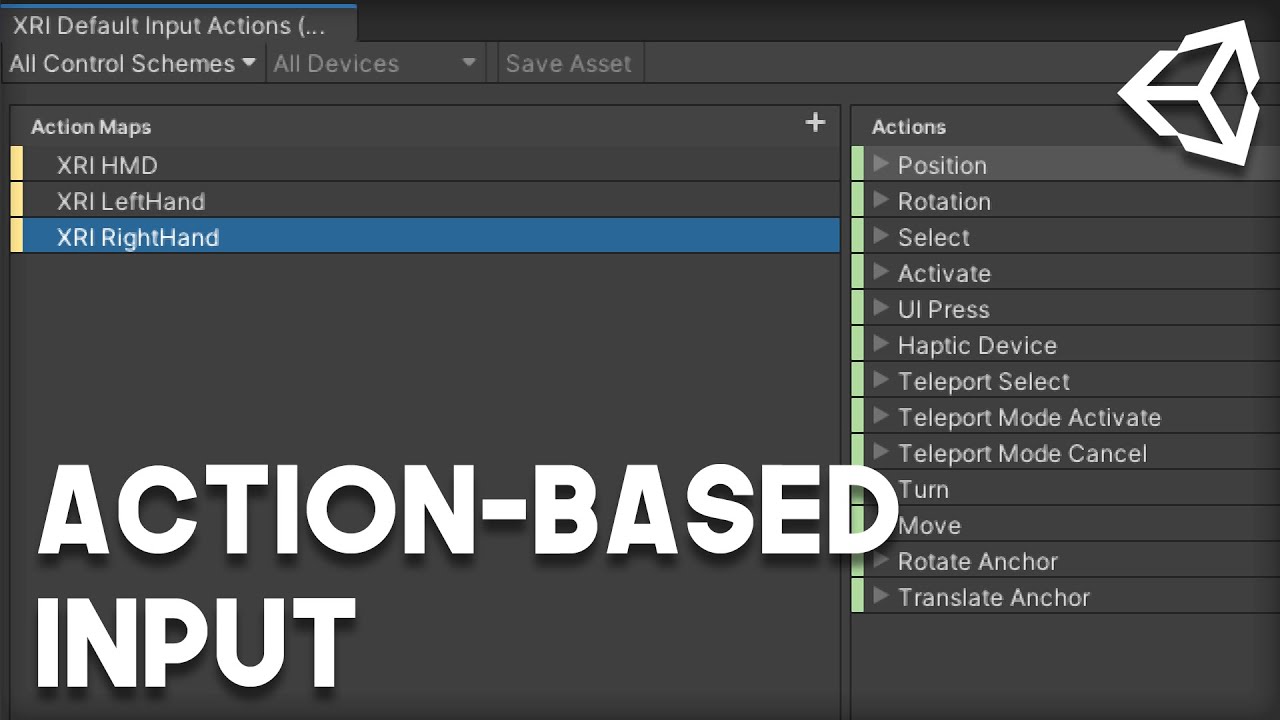
Support my work, and get access to source code!
https://www.patreon.com/VRwithAndrew
In this video, we're going to be setting up the new Action-Based Input for Unity's XR Toolkit.
normal gyro
Does anyone know what the difference between action-based controllers and device based controllers?
I'm trying to decide whether I should change my device-based to action-based because of a tutorial
nevermind -_- the tutorial above explains...
slender vine
inner canyon
I think this Youtube video will help you https://www.youtube.com/watch?v=d2gEEQe...
I was setting it up properly, but because the new input system wasn't on it didn't work at all (unity getting no input)
 ionic sandal
vrif is meh, much better on the store than that one
ionic sandal
sonic oyster
I'm very confused. I've just tried to use XR Legacy Input Helpers (2.1.7) which ...
you don't need that package for OpenXR, there are new input system based tracked pose drivers that work with OpenXR
normal gyro
@ionic sandal what do you mean?
ionic sandal
I prefer hurricanevr and hexabody, better physics, but for me I prefer to create a physics based game like boneworks or blades and sorcery, depends what you're looking for I guess
if you like simply floaty hands games, vrif is ok for that
normal gyro
@ionic sandal bowling game?
 tiny kiln
Inputs in VR. Oh well. It used to work find with the deprecated VR, old input system, same code for Oculus and Vive. But... Due to a nasty bug involving particle system stalling the performance, I have to move to the new XR system on 2019.4. Works great with Oculus, but no inputs on Vive. Awesome... I see there is a hack involving the steamvr plugin. Can anyone confirm that this would work ?
This is all giving me headaches
tiny kiln
What I’m trying to achieve: have a project that I can easily build for oculus home and steam without going through too many hoops for the VR device inputs, on 2019.4
sonic oyster
ionic sandal
you don't need that package for OpenXR, there are new input system based tracked...
OpenXR is dependant on the new input manager. Installing OpenXR installs both thr new input manager and the legacy XR helpers... I decided to just stick to the OpenXR docs and ignore the legacy stuff unless mentioned somewhere else
That legacy thig doesn't work properly and is documented poorly anyway
 mossy ridge
Hello I was wondering if anyone could help me figure out why my build is failing. The error message I get is Starting a Gradle Daemon, 1 incompatible and 3 stopped Daemons could not be reused. Im not really certain what a daemon is. If someone could at least explain that i would be very thankful!
Is this a problem with daemon versions?
I am going to create a new project to see if that will fix my issue
slender vine
hello
I'm trying to make a vr game for a school project
I'm super nweebie
I have an issue : where I'm supposed to grabe the object is not where it's grabbed

the yellow spike is supposed to be the center of the object
it work for the hand (the red thing)
but not for the gun
sinful delta
@slender vine yeah i ran into that before but i bypass all that now. Now i extend the xrgrabinteractable and parent it to the hand.
Before i started doing that i was just making different transforms for when i needed instantaneous.
slender vine
what do you mean ?
slender vine
sinful delta
<@!177072652719095808> yeah i ran into that before but i bypass all that now. No...
Can you explain with simple words how you fixed it ? I'm not english and I'm quite dumb too x)
sinful delta
slender vine
Can you explain with simple words how you fixed it ? I'm not english and I'm qui...
extend the xrgrabinteractable and parent it to the hand
slender vine
I don't understand the extend
sinful delta
Actually i mean inherit sorry. Make a new script and inherit from xrgrabinteractable instead of monobehaviour. Then override the functions you need to put your custom logic in
slender vine
Okay I kinda see
but It's kinda too advanced for me for now
I'm like ultra beginner x)
sinful delta
then id say just make different transforms that will work for the instantaneous option that you are using
slender vine
okay
kinda dumb the "attach transform" only work in kinematic
do you have a fix for kniematic being "laggy" ?
sinful delta
not by default. thats why i parent it to the hand
slender vine
ah ok I understand
sinful delta
you could try setting the fixed timestep to the refresh rate of your headset and enable the smoothing option on the interactable. That helps some
slender vine
so you make a script, that when the object is grabbed, the object "grab center" get moved to the player hand center, by putting the object under the player hand game object
it's smart
under in the hierarchy I mean, as a child
sinful delta
basically what i do is use kinematic so that the grab attaches where i want. a timer starts that is equal to the transition time. then i parent to the hand/controller.
slender vine
aaah
why not use continuous and make an auto offset ? like when you grab something, it calculate the distance between the grab point you want and the hand grab point and just put an offset according to that ?
sinful delta
if you read through the xr interaction toolkit docs it talks about extending the toolkit by inheriting. Also kind of a gotcha i had to work through. XR interaction toolkit uses custom editor scripts so when you inherit, any new variables you want to expose to the editor wont show up. The way around it is to make a custom editor script to show the new variable you create.
sinful delta
slender vine
why not use continuous and make an auto offset ? like when you grab something, i...
You could probably do that. For the functionality im going for i had to do it custom as it would not work for what i needed by default
 ionic jasper
Wondering if anyone can help me... I'm trying to make something pretty simple in Unity3d for the Quest 2, I'm about there but I'm stuck on one thing.
I have a cube set up with a trigger to on collision play a video on a wall. That works fine, it's got a cube collider and a rigidbody and with other gameobjects colliding I can get the video to trigger.
But what I actually want is to be able to trigger it on collission with the oculus VR hands, basically like tapping on the box, which I can't seem to do despite feeling like I've tried everything and read everything. It doesn't seem to matter whether I place the colliders on the OVRHandPrefab, or the LeftHandAnchor, whether I make an entire collider encircle the LocalAvatar and walk into an expanded floor-to-ceiling collider of the trigger object. I can only get the trigger to work in Unity3D play mode by using other objects like cube colliders, but the moment I build and try to touch or walk through the trigger collider, nothing. Nothing is working and I'm out of ideas
I also can't get OVRGrabber/Grabbable to work either, I don't know if that's related.
sinful delta
@ionic jasper all you should need is a collider on the controller with a collider on the object you are interacting with. Then on the object you are interacting with a script with something like ``` private void OnCollisionEnter(Collision collision)
{
if (collision.gameObject.tag == "Head")
{
LensMesh.SetActive(true);
cam.enabled = true;
}
}
private void OnCollisionExit(Collision collision)
{
    LensMesh.SetActive(false);
    cam.enabled = false;
}```Im using tags for checks but you dont have to do that.
pretty sure the object you have the script on also needs a rigidbody also
ionic jasper
@sinful delta right, you'd think so. When you say controller, do you mean the Controler/Hands, since I'm using Hands Only, so it's hand tracking rendered hands and attaching colliders to them, which I've made huge just so I'm not messing around. I've tried adding it to hand anchors as well as the actual hand prefabs, but nada. I know the script works because other objects I create that aren't part of the player hierarchy collide and trigger my script fine
    public int timeToStop;

    void Start() {
        videoPlayer.SetActive(false);
    }

    void OnTriggerEnter(Collider other)
    {
        videoPlayer.SetActive(true);
    }
}```my script could barely be any simpler
sinful delta
is the collider on the hands set to trigger?
ionic jasper
yes, I tried while trying to get OVRGrabber to work, but generally the trigger flag is set on the trigger object with the videoplayer script
I can't get grabbing objects to work either so I'm wondering if it's a bigger issue I've got with interactivity with VR hands rather than just some missing flag on a box collider
sinful delta
forshits and giggles add an oncollisionenter function and put a debug log to see if it fires.
for grabbing, i cant help you on that one. im using xr toolkit and not doing anything with hand tracking
ionic jasper
the cube I have set up can collide with the box collider of my trigger cube, but my entire playercontroller/ovrcamerarig/trackingspace/handacnhor hierarchy triggers nothing
I collided UnityEngine.Debug:Log (object) logme:OnTriggerEnter (UnityEngine.Collider) (at Assets/Scripts/logme.cs:10)
when I try with anything related to the player its just sadness and silence.
sinful delta
do you by chance have them set to not collide based on their layers in the collision matrix?
ionic jasper
not that I can see, all layers are assigned to interact with all other layers in the matrix, and both the trigger cube, the testing cube, and the player hierarchy are on the same layer
sinful delta
thats a strange one for sure. Are you too far in to just delete the rig and re-add it?
ionic jasper
I just added the customhands prefab and that collides... so I've no idea why my original arent
but then when I build and actually try to collide in VR and not just with the log in the editor, nada.
So it has to be something like the colliders aren't moving with me or the hand objects, that's why it works if I just drag the entire string through the collider in the editor, but not when I have to actually walk through it in a build
is there a way I can make sure everything tracks the camera?
sinful delta
you have a rigidbody on it?
ionic jasper
think I did, tried it with and without
honestly im not even sure my builds are working correctly. I completely changed out the hands, yet I still have the same ones, even though custom hands have different textures. So maybe my last 10 builds were all the same.
I save, build and run... yet its not updated.
sinful delta
if you did did you have gravity disabled?
ionic jasper
yea i learned quickly that with gravity i'd lose stuff through walls at scene start 😄
sinful delta
at this point id say just make a brand new project. with default rig and hands. add some colliders and a script with debug log and see if it works. then you know your project is screwed or not
ionic jasper
well i just realised my last 10-15 builds where i've been getting up to go test have been of an old scene since it doesn't automatically add the current scene in build+run if you've since saved a new version.
So I think its time for a break haha
sinful delta
lol the fun stuff
ionic jasper
unity donkey punching me daily
sinful delta
ionic jasper
unity donkey punching me daily
"Better than the punches i was getting from UE4 lol"
yea I thought about UE4 but.... even without knowing anything about it I get the sense it would break me
sinful delta
Dont get me wrong, If you are making an FPS with multiplayer, there is no better option; but, for me, everything VR was a fight. VR implementation is much better in unity.
 weak quail
I've been learning how to do vr stuff with unity and I'm just confused what the VR Rig's playspace is there for
Can I just move objects out of it?
weak quail
Yeah
sinful delta
it does not do anything.
why do you not want it
its just a gizmo. probably so its easy in a large world to see where the rig is at
weak quail
Could I make an object that's a child of the Vr Rig green box with my rigidbody and all my movement control and have the camera and hands be children of that object?
sinful delta
the green box is just a gizmo. You cant make anything a child of it.
 sinful delta
yeah its just a game object. everything will work same as normal
if it has physics you may need to make some layers and disable physics between them
weak quail
Yeah that sounds good thanks
weak quail
Is there a way I can easily transform the vr camera? If I have a camera offset object that's a parent of the vr camera, that'd work for position, but if I move myself in the real world and then rotate the camera offset, the vr camera would be orbiting the camera offset rather than just rotating. I can't directly change the transform values of the vr camera because they keep getting updated by the VR Rig. Is there maybe a way I could get around this?
I was thinking about making the vr camera the VR Rig updates not the actual camera and having the actual camera use a script that looks at the VR Rig's camera and copies that transform and then I can apply the offset through code but that seems really bad to have two cameras like this.
If you got any suggestions please lemme know
ionic jasper
@sinful delta still at it... if I just attach a simple playercontroller/movement script to my hands in the unity editor and move them into the collider box of the trigger object, the trigger goes off and I get the debug.log alert that it triggered, great.
Then I build and run, and try to touch the collider box with my rendered hands, no trigger. I don't even know wtf to do at this point.
high sphinx
ionic jasper
<@!322528942500085760> still at it... if I just attach a simple playercontroller...
Are you confident the latest code is actually being run on device? It’s early days for me but I’ve already found I’ve had to hard delete the app off my Quest in a few occasions to pick up latest changes after a build and run. I’m now previewing via Link which seems to be better..
ionic jasper
@high sphinx yea I'm sure, I actually add a random cube somewhere in the scene just for visual confirmation that I'm on the latest build after my snafu with old scenes being run
high sphinx
Haha, once bitten
Did you try a new scene / project? Soz, I prob can’t help much other than rubber ducking
ionic jasper
I'm trying, right now I'm trying to get the preview/play in Unity3d to work over virtual desktop because jesus christ I'm sick of plugging it in, enabling debug, building, unplugging, going to my playspace, testing, coming back, plugging in...
high sphinx
Are you on a Mac? It was exactly this that forced me to boot camp win10 at the start of last week
I just can’t dev that way with feedback being so slow
ionic jasper
im on win10
I cant figure it out though, once I load into VD i just see the Unity3d app with no interaction from my headset movement etc.
high sphinx
What headset?
ionic jasper
q2
high sphinx
and running via Link doesn’t help you?
ionic jasper
doesnt seem to
ionic jasper
you mean 3d doesnt exist or VR?
I just cant get on with unity. Even in the provided sample scenes, hand grabbing doesn't work, half the sample scenes with hands have their gravity turned on so they disappear into the ground on load if you just load into a sample scene assuming it's set up properly. Which starts to make me think something is bugged and that's why my hands aren't colliding with triggers in my custom project after build.
It makes no sense that in preview they collide but in use with a build they don't
sinful delta
have you tried xr interaction toolkit?
tiny niche
@ionic jasper start out with the vr starter kit thing in unity learn, that way you'll have less to screw up during setup
 storm ether
ionic jasper
doesnt seem to
storm ether
ionic jasper
doesnt seem to
your wanting to dev a game in unity for q2
your gunna want to use version 2019.4 lts and make sure the build is set to android then in edit>project settings you wnat to have the xr plug-in management set to oculus for the windows and android ver

you can choose to use the xr assets or download oculus v25 sdk from assets store

 ionic jasper
Yea I've got all of that
storm ether
if you have your q2 connected with oculus link. you want link enabled then when you want to test your enviroment you press play and it jumps you into your enviroment
or you can compile it and send it to headset if you have dev mode enabled for your hmd. and install the spk with sq or oculus dev hub app
i use this since it has a prefab for q2 and rift for locomotion all set
 ionic jasper
That's what I'm using too, although no link and I can't get play to work through VD. The problem is the prefabs, e.g. prefabs for hand grabbing, once built and loaded up on the quest, hand grabbing doesn't work, neither do colliders on hands work with triggers, even though testing with a player-controller scripts within the editor play preview, the collissions are detected and triggers go off. Just doesn't seem to work in actual use.
e.g. prefab hands set up correctly, colliders added to finger bones, set to collide with another gameobject that has a trigger script to do X OnTriggerEnter. In preview I can test to move the hand prefab into the trigger collider, collission is detected and printed in debug.log, trigger script works and something happens.
-> Build and run the latest scene, use hand tracking to try to collide with the trigger object collider box, nothing.
Same thing with grabber/grabbable hand prefabs, though obviously I can't test those in play preview without link.
storm ether
yeah vd wont work without being linked to steamvr. if you want to test your game build it as an apk then install it with sidequest if you have a usbc port on your pc
using the original cable you charge your hmd with
ionic jasper
Testing it on the headset isn't a problem, it's connected through VD/Sidequest, and I can build and run it. Just cant preview it using the headset inside Unity.
ionic jasper
right, I know
but thats not really my problem
itd be easier if I had link to test, but I can just test it the long way, it's the fact my tests fail
storm ether
your confusing me. you cant preview whats happening
when you press play in unity what happens@?
ionic jasper
The scene plays. Unless I have a playercontroller script to be able to WASD control a player/camerarig/whatever I have it attached to, nothing.
So I'm not testing in that.
I connect with VD and Sidequest wirelessly, I build and run the scene. I unplug my quest, I load my build, I play it, and test collission/object grabbing, and no bueno.
storm ether
do you have the oculus sdk asset?
ionic jasper
yep
ionic jasper
yep, ovrplayercontroller prefab, or just ovrcamerarig prefab, tried both
 ionic jasper
yep
I'm using OVRHandPrefabs, I've tried OVRHandPrefabs and both sets of custom hands set up with bones
storm ether
i have mine like that and i can use controllers for smooth loco
ionic jasper
and player/camerarig is set to use Hands only
storm ether
can i call you so i can show you my setup with unity and q2
why use hands only
you cant move unless you have a script that allows you to use teleport with hands like waltz of the wisards game does it
ionic jasper
Because my project is just hands only, it's an emulated play space of my apartment meant to see how far I can push immersion, controllers kind of kill that, and I just want to be able to get actual hand interaction to work, I spent so much time getting every measurement and scaling perfect that it's a kick in the balls now to switch to controllers
I've tried hands and controllers, using one controller for movement to get close enough to the collider object and that didn't work either, so from then I've just assumed continuing to test with hands only is fine
I'm on mobile, if you're around in a few hours I can
storm ether
you will need a script to allow teleporting with hand gestures like wotw. where you have your palm up and one finger out

with that sort of gesture to activate teleporting
unless you plan to have vivetrackers on your feet to simulate walking
ionic jasper
but say scene starts at position X, collider object is at position Y. Hands only project.
Cant you enter the build, WALK to position Y in the scene, and collide, since the hands are anchored to LeftHandAnchor/RightHandAnchor, which are in turn anchored to OVRCameraRig or OVRPlayerController
storm ether
yes providing you have hands using grabber and the object in the scene with ovr grabbable
and set the grab volume on each hand to hand l and r per hand
it may help
ionic jasper
right, and I've tried that, but I shouldn't necessarily even need grabber/grabbable for what I'm doing. All I'm trying to do is collide my hands with a rigidbody, that rigidbody then starts a script, I don't NEED to pick it up, just for the collider sphere on my index bone to collide with the box collider of another game object, which shouldn't require grab right?
The grabber/grabbable is just another one of my pains learning Unity but not necessarily something I'm sweating for this project
storm ether
do your ahds have colliders?
any object being picked or knocked needs collision. and any thing that is picking up obj. needs colliders
ionic jasper
Yes, on the OVRHandPrefabs that don't have bones I tried box colliders, on the customhands with bones simulated I added box colliders to individual finger bones.
I know they're there and working, because if in unity I just apply a playercontroller script to the whole rig and then Play, then WASD the rig into a collider, I can see the collission in debug.log. So you'd think right, collissions are happening, both objects have colliders, one is a rigidbody, we're set.
Then I build and run it on the quest 2, move to object, move my hand into the object, expecting a collission detection and trigger script to run, and nada
and that's where I'm absolutely baffd
storm ether
hmmm something istn working after it builds if it works in debugging then it should show
ionic jasper
yea, but how do I troubleshoot that 😄 Feel like I'm going mad
storm ether
im not sure. id say join sidequest discord and ask to join their sq dev area they help alot as 90% of them are active q2 unity devs
set you a dm
ionic jasper
gotcha, thanks alot 🙂
storm ether
i cant seem to make anything grabbable i think ovr grabbable and grabber is fucked
storm ether
@ionic jasper the ovr grabbable and ovr grabber dont work regardless of what you do with collisions and setting up controllers and or hands. the ovr oculus dev kit is beyond fucked. tested 13 different ways and with different scripts and none work. collisions dont work.
ionic jasper
i feel vindicated. I dont know how people are making working shit with this stuff short of entirely scripting everything themselves
 winged frost
hi there! anyone here still using steamvr 1.0? I am having trouble with knuckle controllers..obviously. I am concidering migrating to XR now that Steam supports it. Not sure though. Anyone got knuckles working properly with steamvr 1.0?
tiny niche
@winged frost you're gonna have issues either way, but the closest you'll get to a workable solution is unity xr with open xr
the other option is unity vr with steamvr, but that's deprecated
winged frost
yeah so that last one is what I am using
I use it for a whole now in my game: https://store.steampowered.com/app/587930/Under_a_Desert_Sun/

Find yourself in the middle of the adventures you know so well from the movies of old. Be the reluctant hero during world war 2 who has to save the world. Fight the evil nazi’s and a magical force awoken from her ancient desert slumber. Under a Desert Sun is a unique VR experience with realistic weapon handling and fully realised environmental i...
Price
$4.99
and the lack of proper usage of the knuckle controllers
makes it playable but less enjoyable on index
so for example there's no code to get to the a button on knuckles in steamvr 1.0
and I don't want to migrate to steamvr 2.0 either..if I migrate i'd rather go to XR
@tiny niche what are the downsides of going ot unity xr with openvr?
tiny niche
no force feedback
and its openxr not openvr
the openvr plugin doesn't support controllers anymore
@winged frost openxr is in preview though, so force feedback is comming "soon"
winged frost
ah and the forcefeedback issue is the only one?
tiny niche
its the one i know of, there might be more
winged frost
so openXR works well now on all platforms? I heared Steam platform had issues before
tiny niche
but that one was a dealbreaker for me
winged frost
well my guns all have force feedback so it would definitly be an issue now
but once that's cleared
ok other question
is there a way you can already use the XR button references perhaps? while still using steamvr plugin?
tiny niche
yea force feedback is pretty much essential for all vr apps/games
winged frost
that way I could use SteamVR but slowly migrate towards the general button mapping
winged frost
hmm
so this is a bit of a pickle
xr is not ready
steamvr 1.0 knuckles problems
anyone still use steamvr 1.0 and got around those issues?
basically the problem is that there's a lack of proper references to the weird buttons and proximity stuff for knuckles
tiny niche
stepping up to 2.0 is probably the only viable solution to have stuff working today
winged frost
hmm it seems so
tiny niche
but you still gotta prep for action maps or you can expect to do a rewrite in a year or 2
winged frost
yeah but if I do that I want to do it in 1 week of making a proper new setup
i've already seperated all my code from actions
so what I am hoping is that I can hang it on a new XR Rig and start connecting the dots
so i've tried to sortof seperate my game code from the actuall button reference actions hoping they tear apart neatly
tiny niche
actions replaces your controller->gameplay abstraction layer
winged frost
exactly
 wraith shale
@tiny niche I do get vibrations through OpenXR with oculus touch controllers, is there something broken on index controllers specifically?
altho how vibrations work is kinda mixed bag in Unity right now
 whole kernel
Hi guys!
Does anybody know why objects that are being 'grabbed' temporarily lose their colliders? Specifically for the XR Grab Interactable stuff
I'm trying to have the collider always active but it seems to only be active when I drop it ^^;
Oh, I didn't set it to continuous - lemme see if that works
Nope, it did not work :(
tiny niche
@wraith shale according to unity the vibration api is not hooked up for the openxr preview package? or are you referring to the openvr one?
whole kernel
I fixed it!
In the XR Grab Interactable, if you don't change the Movement Type to Velocity Tracking over kinematic, it loses it's collider for some reason
The more you know /shrug
tiny niche
@wraith shale from the docs: "Haptics is currently not supported. It will be added in a later version of the OpenXR plug-in."
wraith shale
@tiny niche openxr is no longer in preview and I do get haptics with oculus
(1.0.2 release is out)
tiny niche
the release version has the same addendum
tiny niche
so either they just fixed it or they're even worse at maintaining their docs than i imagined
wraith shale
but haptics in general is kinda hit and miss
I don't really see change in haptics on PCVR between OculusXR and OpenXR but if I deploy to Quest natively, OculusXR doesn't provide it, have to use interaction toolkit that uses new input system for it
tiny niche
not to mention the solenoid, i hope that's exposed in the openxr api, since it makes a huge difference in haptics quality
wraith shale
Is there a way to get native Quest 2 app use Oculus.XR api properly with XR management setup? Only way I can get Unity.XR.Oculus.Performance.TrySetDisplayRefreshRate to work is by using experimental OpenXR version of OVRPlugin.aar from Oculus Integration package from asset store, instead of the version shipped on OculusXR package
but if I use the experimental plugin for this, it breaks Unity.XR.Oculus.Performance.TryGetAvailableDisplayRefreshRates which I'd ideally use with the previously mentioned setter
so basically, refresh rate getter works on regular OculusXR package but setter doesn't. and if I use version from asset store and it's experimental plugin, getter doesn't work but setter does
sometimes I feel like nobody tests these things..
tiny niche
@wraith shale are you even supposed to set the refresh rate yourself? i assumed the quest would pick the higher one on it's own
wraith shale
@tiny niche it defaults quest 2 to 72Hz unless you specifically ask it to go 90Hz
There's no harm trying to set 90hz even if drvice doesnt support it though but would be nice to actually detect the supported modes via API
tiny niche
then oculus should have some official guidelines for enabling it in their docs
storm ether
you can set a game to run at 90hz in sidequest
wraith shale
I can also set it via the oculus api..it just doesnt work on stock package
storm ether
ahhh fairs
wraith shale
There is no real issue here, just ranting about how broken everything is by default
Have to workaround everything
storm ether
yeah i feel that. i have all the ovr grabber and grabbable set but i still cant pick up any of the obj's frustrating. atleast i have the bowling score cards set and working
tiny niche
you call using the official api a workaround?
storm ether
well as far as i know
tiny niche
i mean i also don't like how broken things are, but having to use the oculus api to set the refresh rate on an oculus device is not one of them
wraith shale
@tiny niche I call having to swap plugin for the official oculusxr package to make it work a workaround
Same api, same command
Swapping to experimental version enables the refresh rate setter and breaks getter
And stock version has functional getter and broken setter
I'm not complaining about having to use oculus api
daring temple
ovr or xr toolkit
storm ether
is there a way to group objs in the hierachy. without affecting their purpose
tiny niche
no
 verbal tree
storm ether
is there a way to group objs in the hierachy. without affecting their purpose
verbal tree
storm ether
is there a way to group objs in the hierachy. without affecting their purpose
what do you mean by this? because you can make objects childs of an empty, and they become solidly grouped and rotate and scale like a single shape
warm whale
storm ether
is there a way to group objs in the hierachy. without affecting their purpose
Create empty object and drag your group into that empty object
Idk if that would work for you but ive been doing that and it works fine for me
ionic jasper
Anyone have an issue loading Unity play mode in quest 2? I'm stuck on perma Unity "loading" on the headset, but Oculus is enabled on VR/Desktop in XR project settings
 warm wraith
Why is this happening, that my right eye cannot see custom shaders?
 pine bison
Are you using single pass instanced rendering @warm wraith?
warm wraith
You're a life saver, thank you!
pine bison
Shader stuff covered here https://docs.unity3d.com/Manual/SinglePassInstancing.html
 long torrent
anybody know why both of my controllers are stuck at 0 0 0 on my oculus quest when using the new xr rig? the 6dof works perfect on the headset, and i can see the ray from the controller below me but moving the controller/ pressing buttons has no effect
already tried the androidmanifest.xml fix to change it from a go app to a quest app
if it helps im on verstion 2020.3.0f1
 drowsy tusk
📚 Resources
Tutorials:
- VR development pathway
- Setting up a project
- Using interactors and interactables
- Locomotion and teleportation
- Best practices for UI
- Escape room project
3rd party: - Introduction to VR by @ValemVR
- Unity XR Toolkit by @VRwithAndrew
Examples
Mixed Reality Example for Meta-OpenXR
💬 Forums
🗺️ Roadmap
drowsy tusk
drowsy tusk
## 📚 Resources
### Tutorials:
- [VR development pathway](https://learn.unity.co...
storm ether
hey guys i really need some help
im working with a VR scene

im trying to make the text box pop out when the user looks at it
i have no idea on how to do this
please help me
 broken glade
can anyone recommend a tutorial to get started with vr in unity? the one at https://learn.unity.com/project/vr-beginner-the-escape-room doesn't work with either my vive or index controllers
normal gyro
does anyone have an issue where the game on oculus quest lags like crazy?
spiral oxide
ok, i know that since there is a phone inside a cardboard vr, it can be connected to almost any bluetooth vr controller, but is it possible to make the game recognize some sort of code and bring it into the vr game without any buttons on the controllers? the controllers are the ones with the codes on them..
tiny niche
@spiral oxide what do you mean bring it into the game?
and what kind of codes are you talking about?
and what's the purpose of a controller without buttons?
wraith shale
@normal gyro do you use URP?
normal gyro
@wraith shale nope
wraith shale
well, it's not that then.. there used to be some issue on older URP versions that made quest run 30fps
normal gyro
I turned antialiasing off
wraith shale
have you checked the perf with oculus debug tool on quest?
wraith shale
ah yes
normal gyro
it's ~10 I think
wraith shale
not debug tool, that's the desktop version 🙂
I'd check the perf on blank scene first, just to make sure you get even that running properly
normal gyro
I think it might be my models
it was all good before
i'm going to check my poly count real quickly
wraith shale
also make sure your draw calls are low
there are bunch of quest optimization articles around
normal gyro
hmmm. draw calls?
what are those?
I'm new to unity, so
there's this:

There are four of these objects
And I have around ~80 of these objects:

@wraith shale now that I look at it, the 2nd one seems like too much
pine bison
are you saying you have 80 objects with 400,000 vertices each
spiral oxide
tiny niche
<@!708106840596021259> what do you mean bring it into the game?
i mean like
the way the controllers are in the real world, and the game
tiny niche
@strange patrol explicitly setting the position in late update, but that's going to do the same thing as parenting
@spiral oxide that's not explaining anything. but i'm guessing you want controller tracking, which is just not going to happen. you could make a 3d model of your controller to bring it in the game though, but it's just going to sit there
 novel cape
I'm looking at developing a VR game in Unity, and I was looking for some guidance on the best way to go about it. I want to support both smooth locomotion and teleportation and from what I understand Unity's XR toolkit now supports smooth locomotion natively, but what about teleportation? And what's the deal with all these plugins, and which one should I use? I believe SteamVR is compatible with almost everything? I'm not sure if Oculus is compatible with anything except Oculus. And I don't know what ARKit and ARCore are. https://docs.unity3d.com/2021.1/Documentation/Manual/XR.html
I assume if I wanted to sell in the Oculus store I'd have to compile a version using their plugin, and vice versa for Steam? Or maybe Steam is more forgiving in that regard but again I don't even know if the Oculus API will work with the Index, which is what I currently own, or support finger tracking on it.
I'm also curious why Oculus is officially supported, but OpenVR is not. Is there something I should know about that?
 signal plinth
ARKit and ARCore are iOS and Android AR libraries.
OpenXR support, I believe, is in 2020.3 and above.
XR Interaction Toolkit has teleportation support
novel cape
What is XR Interaction Toolkit? Is that the name of Unity's new plugin based architecture? What's OpenXR? Is that SteamVR? Is it something else that's supported by everything?
I see this page refers to XR Interaction toolkit: https://docs.unity3d.com/Packages/com.unity.xr.interaction.toolkit@0.9/manual/index.html
But this one doesn't refer to it by that name. So are these two different things, or the same thing? https://docs.unity3d.com/2021.1/Documentation/Manual/XR.html
And is XR Interaction toolkit the latest and greatest? Because that page I linked does not seem to have been updated since Jan 2020.
Actually is that an old version of the page? When I googled it it was the first result, but this was the second: https://docs.unity3d.com/Packages/com.unity.xr.interaction.toolkit@1.0/manual/index.html
However when I click the dropdown on either page, that version there isn't even shown, so I don't even know if that's the latest page or a different version numbering scheme or what.
Based on the revision history at the bottom though it was last updated in December, so it is newer than the other one at least.
Also is this page just super old? Cause it says the latest release of XR Interaction Toolkit is v0.10, while it's now on v1.0.... https://resources.unity.com/unity-engine-roadmap/ar-vr#roadmap

Learn more about the tools we're building to help you create great AR/VR experiences.
This is just so confusing cause like... There's XR Interaction Toolkit... And then this page says: "Unity has developed a new plug-in framework called XR SDK" and that's like the latest version of the docs, so...
https://docs.unity3d.com/2021.1/Documentation/Manual/XR.html
But then again later on down the page it says:
"The AR overview page details how to get started with creating an AR application, lists the packages you need to download, and offers related links to additional documentation. Unity recommends downloading the AR Foundation and XR Management packages to create your application for Unity’s supported handheld and wearable AR devices."
"The VR overview page details how to get started creating a VR application, lists the packages you need to download, and offers related links to additional documentation. To start, Unity recommends downloading the XR Management and XR Interaction Toolkit (Preview) packages to create your application for Unity’s supported VR devices."
So they do mention XR Interaction Toolkit... but isn't XR supposed to be both AR and VR?
And if so, why do they recommend downloading XRIT for VR, but ARD and XRM for AR development?
I'm only interested in VR so I guess I'll follow the instructions for that, but...
 upbeat hatch
Hey, I could really use some help here.
I'm using the XR Interaction toolkit, latest version on 2019.4.21f1 but I'm having severe problems with namespaces and assemblies when I try to extend XRGrabInteractable.
using UnityEngine;
using UnityEngine.XR;
using UnityEngine.XR.Interaction.Toolkit;

public class XROffsetGrabInteractable : XRGrabInteractable
Error CS0234 The type or namespace name 'Interaction' does not exist in the namespace 'UnityEngine.XR' (are you missing an assembly reference?)
Google yields nothing but one vague reference to someone fixing something my adding to an .asmdef file.
 finite nebula
So im making a vr game in unity and I would need some help with a couple of things, is there someone who would be available to help me?
 urban cloak
@finite nebula Post your question, if someone can help with it, they'll respond.
spiral oxide
tiny niche
<@!708106840596021259> that's not explaining anything. but i'm guessing you want...
oh, that's a bummer. and yes, i was talking about controller tracking.
is there hand tracking though?
tiny niche
@spiral oxide hand tracking is like controller tracking but harder, so that's not going to happen either
or you could technically do it, but you'd barely be able to reach the sweetspot in front of the phone
and you would lose headset tracking while doing it
spiral oxide
oh ok
i will have to use controls where the player looks at something and then waits for a second or two, then they can interact with the game object
wraith shale
@novel cape current state of Unity's VR is confusing alright. What you want depends a bit on your target too. But Interaction toolkit is supposed to be like bunch of ready made things you can then use to build your VR game with. It hooks up the new input system and gives you various VR mechanics you can play with. OculusXR, OpenXR etc however are API's you can interface the VR devices with. OpenXR is supposed to cover all devices eventually, it kinda works today but there's bunch of things that still need more polish
novel cape
I've been using the Standard rendering pipeline for a long time. What am I going to lose if I switch to URP? Should I use URP for VR? Is there a reason not to use HDRP? Brackeys had a video about it, but it's kinda old, and he confusingly talked about how with HDRP you'd have to create all these metallic maps and such... But URP supports that too, and you don't have to add them to your materials in HDRP I assume if you don't need them for particular objects...
wraith shale
definitely avoid HDRP for VR, it has a lot more overhead which you'd better use for other things on VR game. As for URP vs built-in... that's more tricky and you'd have to evaluate that yourself
Brackeys comparison is straight out bad IMHO
he makes HDRP sound like you really need dozens of maps... when in fact the bare minimum of textures is same as on built-in and URP
novel cape
wraith shale
definitely avoid HDRP for VR, it has a lot more overhead which you'd better use ...
Well isn't URP supposed to be more realistic looking than the built in shader, and being newer, wouldn't it be more likely to be supported by asset creators in the store going forward?
wraith shale
just to have option to have more doesn't mean you have to use everything
URP has bit more accurate shading but your assets probably make more difference
tiny niche
@novel cape you'd use hdrp to do volumetric lighting and stuff, so you're better off with urp for vr
novel cape
wraith shale
he makes HDRP sound like you really need dozens of maps... when in fact the bare...
I feel like he was trying to suggest that you should only us HDRP if you want amazing visuals, and to get those amazing visuals you need all those maps. But at the same time he made me worried I would not be able to use PBR materials from models I buy in URP, but that does not seem to be a concern, URP supports PBR materials just like the old setup.
wraith shale
even built-in is PBR
tiny niche
the legacy pipeline can look as good as urp, but it doesn't support shader graph and it's going to have worse performance in general
novel cape
I did see something about shadows in URP not supporting uh... like... blending them into lightmaps in the distance? Is that correct? Cause that's bad if I want to render a whole forest but I want realtime shadows up close.
novel cape
Oh jeez. I keep getting hit with Unity's docs getting linked to old pages by google, so I don't get the latest info. I was on this page: https://docs.unity3d.com/Packages/com.unity.render-pipelines.universal@7.1/manual/universalrp-builtin-feature-comparison.html
tiny niche
and there are ways to tweak subtractive shadows to blend nicely with lightmaps too. it's just more work
yea there's no reason to stay on the legacy pipeline now unless you want to use oculus' avatars
or if you want to sell assets to people using the legacy pipeline
novel cape
What do you mean by "Oculus avatars"? Are you referring to those abominations that they let you create within Oculus Home that I never saw anything use when I had a Rift CV1?
Also what's "stacking" and "color texture" in the camera section? The first I'm guessing refers to rendering a second camera view directly on top of the first? If you can't do that, how would you do stencil portals? And the second... I have no idea what that means in a camera context and the googles do nothing.
Oh wait I was on an old HDRP page that said stacking is unsupported.
Though apparently it is still unsupported in HDRP.
Does Unity have built in texture splatting yet? (I've been using 2018.4 because I develop stuff for VRChat)
 fringe rivet
Does anyone here have experience with showing the Oculus Quest controllers + hands using OculusVR. I have already gotten them to display, but I can't get the hands to properly align to the controllers and I feel like there has to be some default way of doing this (instead of writing my own hand code)
upbeat hatch
@wraith shale @novel cape
I'm using HDRP for VR.. 👀
But there's certainly things to keep in mind while at it
wraith shale
@upbeat hatch there are few exceptions when you'd want to use it... but for majority of VR games you'd just avoid it
(mainly because a lot higher perf cost)
upbeat hatch
Yeah agreed
novel cape
Hm... I've been doing some more research and for the most part URP seems adequate, but it doesn't support realtime shadows from point lights... That's a pretty big limitation if you're doing any sort of game where you want to have atmospheric lighting. Like I have a campground world I made for VRChat where it's a meadow with groups of trees, and I have baked shadows for the trees in the distance, which is necessary or they just look bad being on top of brightly lit terrain in the distance, and I have real time shadows up close, so they're detailed and you can see shadows from players and from sources like flashlights and campfires. Flashlights would work okay I suppose since URP does support realtime shadows from spotlights. But campfires would have to have static shadows, with maybe a point light of a third the brightness moving around to kinda simulate the light changing. And if you're making a game that's indoors, then you're limited to spotlights I guess if you want dynamic shadows from anything. Not the end of the world I suppose but it kinda sucks and it feels like we're going backwards in graphical fidelity.
wraith shale
@novel cape realtime point light shadows should be there on 2021 cycle
they probably are in 2021.1 betas already
(2021.1 will release in month or so)
tiny niche
is there any way to keep tracking the hmd while the inspector has focus? so its less disorientating to make quick tweaks while running
 solar lagoon
Hey Guys, I have a Game idea in VR. A jousting game. So you would against someone else and with your big stick you try to hit him
tiny niche
might be cool if you get the lance handling just right, but just jousting against another player on horseback would be really repetitive after 5min
spiral oxide
tiny niche
<@!708106840596021259> hand tracking is like controller tracking but harder, so ...
is it possible to add a regular game controller only for the controls, not tracking
on the google cardboard
solar lagoon
Hey Guys, is it true that Unity 2020 XR plugin doesn't support SteamVR?
how can we make App that could run on the Index then?
leaden flame
solar lagoon
how can we make App that could run on the Index then?
you can use the OpenXR Plugin with the Valve Index Controller extension https://docs.unity3d.com/Packages/com.unity.xr.openxr@0.1/manual/index.html
solar lagoon
oh ? have you done it?
so the headset is the camera and the controller appears on the string like with the old steamvr plugin
leaden flame
Yes, I have imported OpenXR plugin and tested it with Index controllers. I'm not sure what you mean by 'appears on the string'.
leaden flame
I definitely recommend importing the input samples from the OpenXR package as those have a couple good sample scenes for querying input via the new input system
leaden flame
ahhh yes and no, and things have changed a bit on the SteamVR package side. I think this is the latest with some documentation for getting started. https://github.com/ValveSoftware/steamvr_unity_plugin

GitHub
SteamVR Unity Plugin - Documentation at: https://valvesoftware.github.io/steamvr_unity_plugin/ - ValveSoftware/steamvr_unity_plugin
novel cape
How do I get the sample scene with the contruction site to appear? It showed up when I created a URP project, but not when I made a standard one to compare with, and I tried going back to earlier versions of Unity and I still can't get it to appear when creating a new Unity project. Nor can I like, find many references to it existing at all with my google searches. Someone mentioned it being on a "templates pulldown" but I have no idea what they're talking about since the templates for starting a new project aren't a pulldown and there is no pulldown on that menu.
novel cape
Actually, I found an old sample scene and adjusted the settings for the lighting and post processing the match the newer one to see how URP and Standard look side by side:

The directional light settings are exactly the same, and it's using the default ACES post processing settings for both. And the bloom on both is set to 1.0 but even bumping up the bloom on the 2018 version doesn't give as nice a result. It seems as if it was being linearly blurred before but its exponentially blurred now. I also note that the light, in spite of using the same color settings, looks more yellow in the 2018 version. Btw the wider shadows on the right are not due to different positioning or angle of the spotlight, it's just something to do with a change in how the spotlights are rendered I guess.
tiny niche
@novel cape i think it's just the light intensity that ends up different in the light calc and that causes the color distortion through the vignette

the models also differ between the scenes, so there might be more changes that are not immediately noticeable
hell, the camera is not an exact match either, since you have different window sizes
novel cape
I'm not talking about anything to do with the vignette. Like the whole floor looks slighly yellow in the standard renderer with this scene. One could of course adjust the color of the light to compensate but that might make the light less yellow period. In other words, I'm wondering if there's some kinda white balance thing going on here where highlights are less saturated.
tiny niche
there's a bunch of post processing going on in the sample
the different vignette values just show that your lights are not equal
novel cape
Sure the camera size is slightly off but that's not affecting the color. I'm just trying my best to show the differences. They're slight. And yeah there are some material and model differences. But it's good enough to see there's not a huge difference. But there do seem to be some differences, and I like the look of the 2020 one better even if it's only slightly better. The bloom is the most obvious change though. It's seems lot better.
Oh and removing the vignette hardly changes anything:
 tiny niche
remove the tonemapping and you'll see more of a change
the vignette was just an indicator that something is off
novel cape
I'm having some serious issues getting XR working...

So I enabled XR...

Then I followed the instructions here which led me to Valve's github: https://docs.unity3d.com/2020.3/Documentation/Manual/VROverview.html
GitHub
OpenVR plugin for Unity's XR API. Contribute to ValveSoftware/unity-xr-plugin development by creating an account on GitHub.
And I installed the package here: https://github.com/ValveSoftware/steamvr_unity_plugin/releases/tag/2.6.0b4
GitHub
This is a RELEASE CANDIDATE. Please report any bugs immediately so we can fix them. We recommend you do not release applications with this version of the plugin.
This beta will auto-install the bet...
And everything just broke. It's literally a brand new project which only has that demo scene loaded.
It seems like all the directories were set to read only so I tried turning that off and restarting Unity but it didn't do anything.
Well I tried to anyway. Seems that disabling read only on the parent directories didn't do it to all files and directories under them like I thought it would? Why would they be set to read only in the first place?
I guess I'll just create a new project and see what happens with the directories...
Okay so new project and all the directories are once again set to read only...
Maybe I have to set Unity to run as admin? I thought I did that for the hub a while back but the new Unity seems to open it's own window with a new icon so maybe it needs to be set that way as well.
Well it seems other older projects also have those directories set to read only so maybe that's not the issue but the errors seem to indicate its a problem.
tiny niche
@novel cape you're better off going openxr than openvr with unityxr
novel cape
I don't understand.
There is no "openxr" option and the docs are incredibly confusing.
 tiny niche
its a preview package, openxr is the new spec
novel cape
I see no mention of a preview package here: https://docs.unity3d.com/2020.3/Documentation/Manual/XR.html
tiny niche
you're looking at the unity xr docs, openxr is a separate thing
novel cape
How do they expect me to know that? Ugh.
tiny niche
its a mess, you kinda have to dig through their roadmaps to figure out whats going on
novel cape
This is so frustrating because there's so much documentation that's old and conflicting and outdated and there's no way to know what is actually the latest version of anything.
tiny niche
yea 90% of what you find online is obsolete
novel cape
So am I supposed to enable that thing in project settings or not? There doesn't seem to be a disable button now that I enabled it...
tiny niche
this is about the only thing that's up to date enough for your case https://www.youtube.com/watch?v=u6Rlr2021vw&ab_channel=Valem

The two big changes coming in 2021 for Unity XR Toolkit : The New Input System and OpenXR support.
▶ Get access to the source code: https://www.patreon.com/ValemVR
▶ Join the Discord channel: https://discord.gg/5uhRegs
Unity 2020.2 Support Blog Post : https://forum.unity.com/threads/unity-support-for-openxr-in-preview.1023613/
novel cape
Oh wait I see I can remove it in plugin manager but I don't know if I'm supposed to have it on if I install that OpenXR thing.
tiny niche
you need the unity xr package, but you should not have the steamvr one
novel cape

I enabled preview packages but I still see no OpenXR or Unity XR package there
I need which Unity xr package?
tiny niche
cause you're looking at the installed package list
the plugin management one
gotta look at the list of packages not in the project
 novel cape
Okay but I don't need any of those "plug in providers" checked?
novel cape
So you're saying if I have OpenXR I don't need any of those ones for specific hardware.
That's why I was trying to install the Valve one, it worked with the widest range of hardware I thought.
tiny niche
if you have an oculus device i would recommend adding the oculus plugin too, since its better than the openxr equivalent
tiny niche
"works" with a wide range of hardware in massive quotes, since you'd lose a bunch of features that are essential for making a quality experience beyond the vive and index
novel cape
Such as?
tiny niche
still, valve doesn't really support using steamvr with unity xr, since they removed the controller features
such as solenoid haptics on oculus devices for example
wmr devices also has issues, but i don't know the specifics
novel cape
I'm not a big dev with a huge budget, so as long as I can trigger regular old vibration feedback when the player fires, that's probably all I need. Custom haptic feedback for controllers I no longer even own is not really on the roadmap.
But anyway I'm getting confused again...
Does OpenXR solve these issues, or am I still stuck coding for a bunch of different APIs?
tiny niche
you code for the same api regardless
since you're using unity xr
but openxr is the future and the vr parts of steamvr are going away
novel cape
Is OpenXR like some kinda universal driver then, that sits between Unity and the individual device drivers, rather than an API, and Unity XR is the API itself?
tiny niche
 novel cape
That tells me nothing. "OpenXR is a royalty-free, open standard that provides high-performance access to Augmented Reality (AR) and Virtual Reality (VR)—collectively known as XR—platforms and devices."
It sounds like OpenGL. Which is an API. But you're telling me I'm using Unity XR as my API not OpenXR.
novel cape
So it sits between Unity XR and the device driver, like I said.
novel cape
So which controller profile should I use? I'm guessing if I pick the Index profile it will not map to the Oculus or Vive wands... So I'd have to handle those separaely manually.. But I see there's a Kronos simple controller profile... But it seems TOO simple here? Like I see "menu" and "select" which I assume would map to menu and top trigger? But no support for any other buttons or sticks, which basically makes it useless for almost any game? https://www.khronos.org/registry/OpenXR/specs/1.0/html/xrspec.html#_khronos_simple_controller_profile
wraith shale
@novel cape you should just enable as many controller profiles as you can support
since you are still figuring this out, maybe better to just use the index mappings first and figure the other VR support later
have you tried this? https://github.com/Unity-Technologies/XR-Interaction-Toolkit-Examples

GitHub
This repository contains various examples to use with the XR Interaction Toolkit - Unity-Technologies/XR-Interaction-Toolkit-Examples
it doesn't use openxr by default but you can just add that package to the example project and do the few clicks to setup it there
I know it doesn't make it any better but... VR support in Unity has always been sketchy... I remember things being super sketchy on Unity 4 and Oculus DK1... and it still is a similar mess where you have to find right components to get everything working
I had some hopes when Unity announced new XR management system but so far it's only made things harder to use...
meanwhile the competing engine has always had trivial VR setup..
tiny niche
@wraith shale that's not really true, unreal has just as many issues when you go beyond just making it run. Getting it good enough to pass oculus cert, which is like the bare minimum for a commercially viable product things get a lot harder
wraith shale
yeah I dunno about oculus store (never had interest on that), it's just everything I've done with VR there has just worked where with Unity I constantly fight every step for bare basics
Unity OpenXR is not in preview anymore btw
(just a random note about earlier discussion)
tiny niche
ah right, it's "stable" now
 scenic sphinx
Anyone can help me with Google Cardboard?
I want to use the Cardboard API's rotation but without stereoscopic view.
novel cape
wraith shale
since you are still figuring this out, maybe better to just use the index mappin...
So I was watching this video and around 5:00 in he shows how to rebind an action to another input on a vive wand. Is that what these controller profiles are all about? Are they just there if I need them, to allow me to bind to different inputs? I wasn't sure if the profiles were for like.... the editor, or if they were like... absolutely necessary to get input from any of those input devices at all. But now I'm thinking they're not, but they're good to have if I need them because a default binding doesn't work well for a particular input. https://www.youtube.com/watch?v=d2gEEQeu1b4
Support my work, and get access to source code!
https://www.patreon.com/VRwithAndrew
In this video, we're going to be setting up the new Action-Based Input for Unity's XR Toolkit.
But that being said, if I've got that right... Are all the APIs you can check in the XR setup the same way? Do they just enable some additional options somewhere? Cause the guy checks like Windows and Oculus and though they at first appeared to get unchecked when he enabled OpenXR they were also greyed out, so I'm not sure if they're defaults or something and he never needed to check them anyway or what they provide. I'm just sitting here wondering why you need the Oculus one, but not like, a Steam one.
wraith shale
I didn't watch that but new input system has general purpose binds which translate between different controllers
but it can also bind to specific controllers
like to give example on non-VR context, you can map gamepad buttons and axis with it in generic way, or map to specifically to Xbox or PS controller buttons
so if you bind to PS controller, it won't work on xbox controller, but generic mapping would work on both
(and you can of course give multiple binds to cover multiple controllers too)
but this is more of a topic on #🖱️┃input-system I guess
novel cape
What's "depth submission mode"? The docs mention reprojection. What will enabling that do? Allow reprojection? I wasn't aware that was even something an app could choose to support or not. Is there any reason not to enable it? I would assume my cameras are going to have a depth buffer either way, since its kinda necessary to render stuff in the right order and with transparency... Unless this is a different depth buffer?
And should I have enabled support for this? Is this how I would support desktop play if I choose to do so, or is this only for in-editor? https://docs.unity3d.com/Packages/com.unity.xr.mock-hmd@1.0/manual/index.html
spiral oxide
is it possible to add a regular game controller only for the controls, not tracking (on google cardboard) because if it can be connected to any third-party bluetooth vr controller, then it probably should have an input available for regular controllers (such as xbox one, dualshock4)
tiny niche
@novel cape it has to do with the menus that you can bring up while wearing the headset and playing the game
basically tells the overlay if you're going to play nice with the depth buffer or not
@spiral oxide its still a phone, so ofc. it can do whatever phones do
spiral oxide
tiny niche
<@!708106840596021259> its still a phone, so ofc. it can do whatever phones do
is there a plugin that i can use to map the buttons on the controllers and make an input for them in the game?
tiny niche
...its a phone, you're using the same api as all other phone games
spiral oxide
oh
tiny niche
so yes, ofc. you can
tiny niche
there are lots of plugins, the action plugin probably supports android
you should just make a project and test it
spiral oxide
ok
tiny niche
but you're gonna need to do a lot of programming, so i would focus on learning that
wraith shale
novel cape
What's "depth submission mode"? The docs mention reprojection. What will enablin...
you need to pass the depth data if you want things like oculus spacewarp to function properly
I assume it's same thing with steamvr's motion smoothing (ASW equivalent on steamvr) but I'm not 100% certain of it, ASW definitely wants it
novel cape
I was looking for info on whether to select 16 or 24 bit and I found this which pertains to HoloLens:
https://docs.microsoft.com/en-us/windows/mixed-reality/develop/unity/recommended-settings-for-unity
It suggests using a 16bit buffer to save bandwidth, but also indicates there may be z-fighting issues with a 16 bit buffer and that Unity will not have a stencil buffer unless you use a 24bit buffer. I'm not sure if the bandwidth they refer to here is actually a concern for PC VR, which is what I'm developing for. So I may just set it to 24bit so I don't have issues down the road if I need stencils and I forget I have this setting on.

Learn about Unity's performance and publishing behaviors specific to mixed reality apps that can be toggled through project settings.
tiny niche
vram bandwidth is always a concern
solar lagoon
for the one who need it the link for the openXR plugin Valve Index is here : https://docs.unity3d.com/Packages/com.unity.xr.openxr@0.1/manual/index.html
but you need unity 2020.2
I am going to try tonight to make it work. Especially the controller.
solar lagoon
@leaden flame hey Dan. I installed the openxr and imported the sample for Vive Controllers but from now? Do I still need to import steamvr or ? I was used to have camerarig prefab and just drag and drop it on the scene.
leaden flame
solar lagoon
<@!265675269891686410> hey Dan. I installed the openxr and imported the sample...
Try right clicking in the scene hierarchy, there should be a 'create XR rig' that will create a basic transform hierarchy of what works well. You don't need to import SteamVR and I'm not 100% sure it works with the lastest OpenXR stuff.
daring badge
How do I split my vr views into 2 different cameras?
leaden flame
daring badge
How do I split my vr views into 2 different cameras?
I think you can just make two cameras and configure them for either eye in one of the camera drop down or via script using https://docs.unity3d.com/ScriptReference/Camera-stereoTargetEye.html
solar lagoon
leaden flame
Try right clicking in the scene hierarchy, there should be a 'create XR rig' tha...
Oh okay I didn’t think there could be a contextual menu for this. I will try, thanks
warm whale
WHere can I find the XR toolkit scripts?
strong star
Can someone explain the basics of how the new input system works to a smol brain who's looked at the documentation and is still confused
strong star
warm whale
WHere can I find the XR toolkit scripts?
Under "Packages"
novel cape
Where is this guy getting these prefabs from @1:00 in? https://www.youtube.com/watch?v=gwWizL0Wo40
XR Toolkit now comes with continuous movement, continuous turning, character controller, and ability to toggle to snap vs continuous options within the locomotion scheme manager.
Today we will look at:
- How to create a brand new XR scene, adding XRRigDemo prefab, adding environment, and continuous providers.
- How to setup the input action ma...
I have enabled XR Plugin Management, installed the OpenXR Plugin, and installed the XR Interaction Toolkit and the default bindings for it. But I don't see any prefabs, and when I create a room scale XRRig in my scene, I don't see anything about locomotion in it, and if I add locomotion to the scene, I only see Snap Turn on it by default. I added continuous motion here just as a test but I wasn't sure if it was okay to have both scripts on it or even what this locomotion thing is supposed to be exactly. I think it's an object with locomotion scripts on it that I have to link to the XRRig to make it move? Why not just put those scripts on the XRRig itself though?

It seems like maybe he got those prefabs here? But where is this referenced? Is it linked to in the docs somewhere? Why is it not in the package manager? https://github.com/Unity-Technologies/XR-Interaction-Toolkit-Examples
GitHub
This repository contains various examples to use with the XR Interaction Toolkit - Unity-Technologies/XR-Interaction-Toolkit-Examples
solar lagoon
there is a scene called ControllerSample
novel cape
Floor    XRInputSubsystem tracks all InputDevices in reference to a point on the floor when set to TrackingOriginModeFlags.Floor.
TrackingReference    XRInputSubsystem tracks all InputDevices in reference to an InputDevice with the InputDeviceCharacteristics.TrackingReference flag set when set to TrackingOriginModeFlags.TrackingReference.
Unbounded XRInputSubsystem tracks all InputDevices in relation to a world anchor. This world anchor can change at any time, and is chosen by the runtime.```Can someone explain when I would want to use these? What does it mean "track in reference"? Is that like local space? Like how an object's transform is in relation to its parent? And if so, how does that apply here?
Like, don't even know how you get the position of the player's hands yet. I see a left and a right hand on the XRRigDemo prefab. But do these get moved by the scripts so all I have to do is look at their transforms to determine where the hands are? And if so, what purpose do any of the above settings serve? Is the XRRig not automatically moved around in world space? Or are those just telling it where to initially position the player based on where they're standing in their playspace?
I get that when you drop a player into VR, they may or may not be standing in the center of their playspace facing forwards, so you have to decide what direction forwards is... ie, if it's the forward direction of their playspace, or the direction they were initially facing when the game began. But these options don't really sound like they're for dealing with that, aside from the mention of floor, but it says "a point on the floor" not "the center of the playspace and its orientation"
It seems like an older tutorial recommends "floor" but the XR Toolkit Examples prefab uses Device and has a user height parameter you can set? Speaking of which, how does one adjust the IPD if you're adjusting the height of the avatar in game? For example if you change from a very large avatar into a very small one, the IPD has to change or else the scale of the world won't feel correct.
 paper ocean
Working as intended
tiny niche
@novel cape i think that's just a fallback for if you where to use eye level tracking instead of roomscale tracking
 icy kindle
for my current project, i'd like to get where steamvr wants the camera to be, then totally disregard that and render from my camera, where i want it to be, which is based on, but does not equal where steamvr wants it to be.
in a nutshell, how do i stop steamvr moving the active camera and also get where steamvr wants the active camera to be?
solar lagoon
You need to stop the inputaction for HMD/position, unmap
Since everything is controlled with new input system
icy kindle
i'm not sure i understand. to my knowledge, it's not a script changing the position, there isn't any scripts on my camera and steamvr still moves it. if you were talking about oculus i'm using a vive with knuckles controllers. if you were talking about disabling the input in steamvr input, that would mean i wouldn't get the position at all, which also wouldn't work.
actually, in steamvr input, to my knowledge there isn't an input for headset position
wait, what new input system?
okay. done some googling, i can assure you that i am not using anything close to this system you are talking about. i hadn't even heard of it until now and i'm using a version of the steamvr plugin that's too old to work with it.
i've just reloaded my project and noticed that there was a message telling me, in a nutshell: "we've broken your project because it's old. update to the new stuff or give up"
forgive my salt but come on
i'm being forced to update to a system that breaks my entire project
and doesn't even work
after reading more it seems like unity is telling me to update when my unity version and project doesn't support it, so i'm being forced to abandon my project and unity version to use vr again.
why?
solar lagoon
Hello.
so. the steamvr plugin is NOT compatible on Unity 2020
they stopped supported it so you need to keep 2019 to use it OR you install the OpenXR plugin
and its not a script that is moving the position
its the input system
I don't know about the steamvr one but I started to play with the openXR yesterday and Its using the New Input System.
icy kindle
how strange.
https://docs.unity3d.com/Manual/VROverview.html points me to https://github.com/ValveSoftware/unity-xr-plugin which points me back to the steamvr plugin.
GitHub
OpenVR plugin for Unity's XR API. Contribute to ValveSoftware/unity-xr-plugin development by creating an account on GitHub.
icy kindle
right, what should i even be using then??? none of this is clear and everything contradicts. unity says it only supports oculus and wmr, but then also has openxr support???
icy kindle
well then i'm screwed
icy kindle
if they only support the index out of steamvr then i'm screwed
i'm basically being told: "too old, go away"
solar lagoon
yes steamvr plugin is dead in some ways but the LTS unity is still 2019
icy kindle
solar lagoon
you need to install Unity 2020.2
i've got 2020.3.0f1 lts installing now
solar lagoon
so you are good for a few years probably if you are ok to NOT have the latest feature in Unity
I would recommand using the OpenXR though :p
icy kindle
well due to what i'd like to do it seems like i'm forced to update
solar lagoon
yeah
but all the script you had like teleport and interaction
need to be changed.
icy kindle
nah, i'm making a new project
i don't want to break it so i'm moving what i can to a new project
pine bison
If you have a project that you've completed why can't you just stick with 2019 LTS?
icy kindle
it was never on 2019
solar lagoon
oh? so it never worked then?
solar lagoon
yeah probably..
icy kindle
ah well, happens
icy kindle
i honestly didn't have too much in the project anyhow, it was only a spare time thing
solar lagoon
a game? an experience?
icy kindle
a system.
solar lagoon
Oh okay same for me.. I was so happy to be able to teleport in the DEMO URP scene lol
icy kindle
a vr physics thing, similar to how boneworks did it
solar lagoon
oh yeah. I heard recently that boneworks has been built with Unity.
I loved Boneworks..
icy kindle
yeah, i want that to become the standard for vr
icy kindle
i was gonna do things today but now i really can't be bothered because of all that.
solar lagoon
btw
there are Tutorial on OpenXR on Unity Learn
how to get teleport ,etc.. working
slender vine
hello !
I want to change the button to teleport on area and anchor
so I can grab stuff and teleport
(I want to teleport when clicking on the thumbstick)
how can I do that ?
solar lagoon
You need to change the ActionInput Mapping on the controller
Probably lol.. not sure
ionic sandal
icy kindle
a vr physics thing, similar to how boneworks did it
already exists ^
icy kindle
ok?
i wanted to recreate it
also those are $60 each
there's nothing for free that's good for vr
there should be as this should be the standard
ionic sandal
You will not getting anything good that is free.....
You can try making yourself though
icy kindle
ionic sandal
You will not getting anything good that is free.....
so i couldn't make something, spend plenty time on it and make it well, and then put it on asset store for free?
ionic sandal
you will spend 1 years of your life to make something similar? doubt you would make it free then
icy kindle
i'm not saying "why do things that people have spend great deals of effort on have to cost money! people don't have to eat"
icy kindle
ionic sandal
you will spend 1 years of your life to make something similar? doubt you would m...
i would?
ionic sandal
good luck!
icy kindle
i'm nowhere near professional, game dev is a spare time thing i do
i'm not here to make money
maybe i don't speak for you but oh well
when i was young free, decent games were incredible because i couldn't buy games, and you shouldn't be restricted to shit stuff just because of your budget. i want there to at least be decently good stuff, for free, for both games and game tools. unity has a free option, and that had a lot of work put into it, why shouldn't that follow with it's tools?
ionic sandal
those free for you, but someone is paying creators a wage
icy kindle
if i can improve the quality of someones game, even if it's just one, then i'm happy.
icy kindle
ionic sandal
those free for you, but someone is paying creators a wage
they're still free to the end user
ionic sandal
either you pay with money, or you pay with time, nothing is free
slender vine
solar lagoon
You need to change the ActionInput Mapping on the controller
i used a second raycaster that only interact with stuff with the "teleport" tag and assigned it the thumbstick click
icy kindle
ionic sandal
either you pay with money, or you pay with time, nothing is free
why can't i make something that is free? there are absolutely free things on the asset store
just because i don't want money for that doesn't make me wrong
which is how i'm reading what you're saying
ionic sandal
i did not say you can't , I even wish you good luck...
icy kindle
not everybody is out for a profit, for a decent few people it's a hobby at most
slender vine
you know you can just make some stuff free because and like ask people if they want to support you
if opengameart.org exist it's because people do make free stuff
icy kindle
ionic sandal
either you pay with money, or you pay with time, nothing is free
the thousands of hours of educational, high quality content on youtube?
devassets.com not the wrong url
ionic sandal
why are you still even arguing this
slender vine
you "pay" with your data when watching youtube
ionic sandal
i saw you guys talking about physics so I just made a suggestion
icy kindle
ionic sandal
i saw you guys talking about physics so I just made a suggestion
you said "dude, already exists" i wouldn't call that a suggestion
slender vine
and btw, good luck using a physic engine if you didn't make it
icy kindle
"you will spend 1 years of your life to make something similar? doubt you would make it free then"
"either you pay with money, or you pay with time, nothing is free"
it kinda sounded like you were the one wanting to argue because i didn't want to make a profit
slender vine
icy kindle
"you will spend 1 years of your life to make something similar? doubt you would ...
leave it there, it's not worth anyone time
winged light
When i use the new input system and assign a small cube to my controllers the cubes het sets to its original size (1,1,1)
 fervent geyser
Hi everyone. I need some help with my Oculus Quest project, I'm kinda stuck on implementing far interactions using hand tracking.
I'm trying to use the far interaction, as it is, of the train demo of the Oculus SDK (HandsInteractionTrainScene). I copied every VR asset and even the the windmills for my scene, but It doesn't seem to work.
Seems like I'm missing something stupid simple... Idk what to do anymore.
Near interactions are working fine with the FingerTipPokeTool tho.
Thanks in advance
 atomic wren
Check out open xr or vr extension plugins
I lose motion controller material in packaged game. Im using display device model to get the controller
Any thoughts?
novel cape
So how do I get this working with my Index headset? I've done all of the following, but when I click play the game does not show up in my headset:
1. Create a new project. Select URP.
2. Go to project settings -> XR Plugin Management, and click Install XR plugin management.
3. Open Package manager, find the gear in the top right, go to project manager settings, enable preview packages.
4. Install OpenXR Plugin
5. Go back to project settings for XR Plugin, and select OpenXR Plugin, and other plug-in providers if you need specific support for special headset features. Oculus and Windows will be enabled automatically when you check OpenXR, but you may also want Mock HMD for desktop users.
6. Also set the depth submission mode to 24bit, which will allow the headset to use reprojection and allow unity to create a stencil buffer. A 16bit depth buffer would disable stencils but might be good for Quest development to save bandwidth?

https://www.youtube.com/watch?v=d2gEEQeu1b4

7. Install XR Interaction Toolkit and update it to the latest version.
8. When installing, there’s a section with examples which you should install to get default controller bindings.
9.Under project settings XR Plugin Features, check all the controllers you might need to remap controls for if the defaults aren’t suitable. I’ve checked HTC Vive, Oculus, Valve Index, Microsoft, and Mock Runtime.
10. In the assets folder, find the default controller bindings you imported, and select each of them and then click the “add to default binding” button in the top of the inspector.
Those are my own notes taken as I followed the tutorials.
 solar lagoon
Hey Man, I have an Index too
You need to enable the auto launch of steamvr when you click ply
Play*
novel cape
solar lagoon
Hey Man, I have an Index too
Where? If you mean here, I already have it enabled, though I'd expect it to be the default on my system since I don't have any other headsets installed. I even tried making a standalone build just now and it doesn't work even with that.

Initialize XR on startup is also checked:
 novel cape
Well I thought I'd give installing the Steam XR plugin another try even though the last time I tried to install it I got tons of errors and people had indicated it shouldn't be used. But maybe those posts were old or for a Steam VR plugin or something, cause after installing the package here: https://github.com/ValveSoftware/unity-xr-plugin/releases it sort of works? I enabled OpenVRLoader in the XR Plugin Management window, which appeared after loading that tarball in the plugin manager. The first time I pressed play, Unity just locked up. But then I remembered I had an issue with another VR game not liking it if SteamVR was already open when it launched. So I closed SteamVR and the play button worked sort of, but Unity crashed again. I tried a third time and now it's running the app in the headset, but the view doesn't move with my head at all.
GitHub
OpenVR plugin for Unity's XR API. Contribute to ValveSoftware/unity-xr-plugin development by creating an account on GitHub.
 solar lagoon
The inputAction on the controller/ headset is not mapped. Everything is linked to new Input System
novel cape

I deleted that XRRig demo thing and I tried following this tutorial here: https://www.youtube.com/watch?v=d2gEEQeu1b4
Support my work, and get access to source code!
https://www.patreon.com/VRwithAndrew
In this video, we're going to be setting up the new Action-Based Input for Unity's XR Toolkit.
But I still get a scene where my headset does not track.

 novel cape
Okay I started fresh with a new project. And this time I did not try to install the Steam XR plugin from that Valve repository. Instead I followed this example: https://www.youtube.com/watch?v=DQAwRnGAHoU
Greetings! Today, we're going to be looking at implementing the OpenXR Beta plugin with Unity 2020.2. This package will enable us to have both Vive and Index input support in our project!
GitHub:
https://github.com/C-Through/XR-OpenXR
Forum Post:
https://forum.unity.com/threads/unity-support-for-openxr-in-preview.1023613/
Action-Based Input:
...
And the example project they provided there just worked, without installing the Steam XR plugin, once I opened the project settings and fixed the warnings there.
I still don't know why it would not work before though. I didn't have Steam XR installed initially. I only did it and checked that Open VR box in the project settings because it wasn't even displaying the game in my headset when I tried to run it.
 vestal flicker
This is an "OR" thing, you use SteamVR + OpenVR XR Plugin OR OpenXR, not both
OpenXR does not have haptics or index controller finger tracking yet. Doesn't seem to be a timeline on that yet either.
novel cape
I can live without full finger tracking so long as I can detect grip and the trigger.
I can detect grip on the Index with OpenXR, right?
vestal flicker
It would be terribly useless if you couldn't :p
novel cape
Well it is in alpha, so...
vestal flicker
I avoid OpenXR, its not ready
SteamVR is stable and works
Treat these simply as methods of getting Input
But if you're not going to write your own interaction framework, or buy one from the store. You're stuck with what's available for free. SteamVr + it's framework | OpenXR + XR toolkit.
novel cape
I'd be fine with buying something from the store, but I'm new to this, and people indicated this was the way I should go.
vestal flicker
At the end of the day it's what you're comfortable with, what devices you are targeting, and what kind of game you're trying to make.
novel cape
And all the documentation is terribly confusing. I have no idea where to even begin if I wanted to use SteamVR because there's a dozen different sources of info most of them outdated.
vestal flicker
If you consider Boneworks and Blade and sorcery, they're made on 2019 or earlier versions of Unity. That doesn't matter.
You don't need the latest stuff to make good games.
novel cape
You say this is either-or for example. So if I can't use SteamVR with OpenXR does that also mean I can't use Oculus's stuff with SteamVR? And if so, what do I do have two seperate projects with only the one api loaded in each?
vestal flicker
Their interaction frameworks use their own input system.
Just like XRTK is built to use the new Unity input system
You would have to rip out the inputs and use the other
novel cape
I'm not suggesting I need the latest and greatest. I'm saying I don't know what information is out of date. There's like two different Steam githubs, one mentioning XR and one Steam VR and even you said SteamVR + OpenVR XR Plugin... And what does that even mean? I thought it was SteamVR. So why's XR in the name if it's not using OpenXR?
vestal flicker
Hahahahah
it is confusing yes
With enough time and effort you'll master it
That's why most people in here just tell you to use OpenXR
It's the direction Unity is taking, but it's not there yet 100%
But probably if you have a game worth selling, by the time you're done the framework might be complete enough for that part not to matter.
novel cape
Well, aside from not having full finger tracking or haptics... Is there anything else major that OpenXR is missing?
vestal flicker
I follow the forums alot, because I'm one of the framework publishers.
They have bugs every now and then for inputs. And you can't build for Quest yet
Gamers with Index controllers expect every game to have finger tracking. They paid $300 for those controllers, so. They need to have it fixed eventually.
novel cape
Also you seemed to suggest there are solutions on the Unity asset store... I'm perfectly willing to spend some money to have a fully working solution and save myself months of work on the boring parts of making basic interactions work. That's part of what attracted me to OpenXR. It seemed easiest to implement, and it supports both snap turn / teleport and free movement, which I need.