#🥽┃virtual-reality
1 messages · Page 48 of 1
 abstract isle
 buoyant horizon
Thank you for the help!
 mental sentinel
Can I just import Oculus Integration from the Asset Store or something? Will that work? I just want this thing
 vale mountain
Is there any reason why this wouldnt work in OpenVR and Steam VR? It says it works in live view, but I cant get the state in scripts
a_press = input.stateDown;
 storm ether
I tryd on every of the free unity versions on 2 different dell laptops and fowlowd a video step by step and I used the quest 2 and I used the cable you get with your quest but in the oculus app it said that wasn’t a usb 3 cable(what I needed) but it did conect my quest to the leptop(sorry for bad spelling)
 leaden flame
storm ether
I tryd on every of the free unity versions on 2 different dell laptops and fowlo...
leaden flame
storm ether
I tryd on every of the free unity versions on 2 different dell laptops and fowlo...
Sounds like you're having issues with your Oculus setup not necessarily Unity. So you have a Quest 2 and are trying to connect it to your PC to use the Oculus link feature. Have you read the documentation here? https://support.oculus.com/444256562873335/ are you able to see the Oculus desktop home environment through your oculus plugged into the PC?
storm ether
No
leaden flame
Alright so then you won't be able to 'hit play' in Unity and test your content on the device but you should be able to make Android builds (if you've setup and configured android) to build a standalone app to your quest.
storm ether
Do you mean I make a android app and then download it with my quest
leaden flame
correct, except you wouldn't download it. You would install it on your quest.
storm ether
How do I install it?
leaden flame
You can use 'build and run' or you can install the .apk via ADB. There's some documentation here https://developer.oculus.com/documentation/unity/unity-build/
Build Oculus apps in Unity.
mental sentinel
Attach Transform works perfectly in Kinematic but not INstantaneous
Nevermind... known bug
vale mountain
How do you stop audio from coming from speakers rather than the VR headset?
 low sedge
click the audio icon in the corner of the bottom bar and click on the audio icon, select which you're wanting from the options
*of main windows
vale mountain
low sedge
click the audio icon in the corner of the bottom bar and click on the audio icon...
Not sure where you mean exactly
low sedge
On the windows task bar. This has nothing to do with unity, it's a windows issue
vale mountain
Ah
well, yes and no
I think it may have to do with steamVR
since this only happens with SteamVR and openVR
low sedge
I get the exact same issue on my pc with vrchat
vale mountain
didn't happen with the previous VR method I used
Also, other question I have for you or anyone else;
Is there any way to use multi pass with HDRP?
it throws errors if I try
Nvm, says it's required with oculus
vale mountain
Is there a reason why the FPS seems to drop when the camera is near a model/geometry in VR?
It also seems like certain lights are being enabled/disabled by the view when they shouldnt be
 wet wren
I'm reading an article on VR optimizations and it mentions something about not using Temporary Buffers - which it appears that I am (as shown in RenderDoc) - how do I fix this?
 fickle terrace
XR Interaction Toolkit: is there any reason you shouldn't be able to create and set an attachTransform in the OnSelectEntered() event? I'm creating one and it's being assigned properly, but doesn't seem to be doing anything.
/edit: nevermind. I hadn't noticed that OnSelectEntering() existed. That's where it needs to happen, since it has to take place before XRGrabInteractable's Grab(), I think.
 viral blaze
XR Interaction Toolkit using WebXR Export
https://twitter.com/marcel_wiessler/status/1356376306968109068


Unity WebXR by @DePanther is supporting XR Interaction Toolkit soon ✨
@NeedleTools #WebXR @unity3d #madewithunity https://t.co/aWOSEfeFWO
 Twitter
·
Twitter
·
 cunning plover
hey i got a weird question, im using the old xr input system but my right controller is missing the "Right" property so my script isnt working
InputDeviceCharacteristics.Left works fine, but i cant do InputDeviceCharacteristics.Right
its also missing RightHeldInHand
not sure why though
 slender vine
Do you guys have any recommendations for android compatible networking solutions? (Quest specifically)
I've been thinking of experimenting with photon bolt for VR as I've used it before, what are your thoughts?
 warm whale
I'm having problems getting my oculus quest to run the project
I have the oculus software open, link cable connected
But the game doesn't play on the oculus
I have an and gpu
 ionic wadi
Does anyone have a c# script for when tracked hands collide with a game object, the hands change colour? I am trying to simulate putting gloves on i.e there are a pair of blue surgical gloves and when you touch them your hands change to blue to appear as though the gloves have been put on.
 livid oar
ionic wadi
Does anyone have a c# script for when tracked hands collide with a game object, ...
livid oar
ionic wadi
Does anyone have a c# script for when tracked hands collide with a game object, ...
Have you tried Instantiating a Mesh change on trigger enter?
That way you just set-active whenever the collision is detected, and de-activate the original mesh/model for hands.
 jagged flax
Hi all
I would like to ask you how you'd manage this situation:
I have an IOS/Android application which loads a 360 panoramic image / video in VR (thought for Cardboard vr compatible devices). The scene also has an UI canvas with some controls which the user can interact with.
I would like to give users the ability to choose between VR mode and non-VR mode so they can use the application even if they don't have a Cardboard viewer or they don't want to use it in these moment.
The scene in Non-VR mode must have the same functionality that in VR mode with the only difference that device screen should not render in stereoscopic.
I was wondering what options do I have to achieve this.
First I thought there was some way to use the same scene with the same XRRig but using monoscopic rendering. I have been looking for information but I didn't find anything.
Then I thought about using AR foundation and create an AR scene for the non-VR mode. I didn't try it yet so I don't know if it's possible and if it won't be overkilling. Also I guess I'll lost compatibility with some older devices (although this is not my main concern if it's the best/only option).
Last option and the simplest one would be to attach a script to the camera parent object and control the camera rotation using gyroscope input. Which would be the same way I'm controlling the camera rotation in the editor using the mouse move.
What do you think? (Sorry for the wall of text).
 weary hamlet
i have a problem with a simple drawer. When i grab it attach point isn't a handle, but a center of the entire drawer. And i can't fix it, setting the attach transform didn't helped
leaden flame
jagged flax
Hi all
I would like to ask you how you'd manage this situation:
I have an IOS/...
I don't have much experience with cardboard but know there are some limitations there (which it seems like you're aware of). Personally I think your last solution might be the easiest, move the camera based on gyro input and render the video to the screen normally (non-stereo).
 pine bison
Yeah I agree, my advice would be to not over engineer a solution, and your other alternatives sound like that to me haha. If you don't need anything more than gyroscope it will keep things more unified between VR/non-VR as well
 viral gale
How can I go about turning my dynamic lighting into baked lighting in my entire scene at once?
leaden flame
viral gale
How can I go about turning my dynamic lighting into baked lighting in my entire ...
maybe t:Light in your scene hierarchy search window, multi-select all the lights, change mode from mixed / realtime to baked. Window -> rendering -> Lighting and click generate light at the bottom
 frail cliff
Hey guys. Looking for people who who like to help us build community created maps for the VR FPS Alvo. Ping me if you are interested. Thanks!
pine bison
You shouldn't spam or you'll get kicked @frail cliff
frail cliff
Not sure where everyone hangs out. Where they might see my message.
Any other way I should go about getting my message out here @pine bison ?
pine bison
If you're assembling a team then this discord isn't the place for it
It's being migrated into the forums right now, after Unity Connect is shutting down. There was an email about it
frail cliff
Familiar with unity connect shut down. Your saying to assemble team/find talent to use the forums?
jagged flax
hey Dan & Ole, thank you. Yesterday I forgot to thank you for your answer. I'll try with the gyro input option 🙂
 slow wolf
would I be able to add vr support using steam vr(or any other vr thing that can be used for multiple brands of headsets) to an existing game without making it vr only? so it's optional, if you don't have a vr headset you just play like normal, but if you have a vr headset it will use that.
leaden flame
slow wolf
would I be able to add vr support using steam vr(or any other vr thing that can ...
Yes, you can manually initialize VR for the user. You can also make separate builds of your application, one that supports VR and one that doesn't. A handful of steam games have this option by launching the application with different command line arguments or potentially giving users two different exe's
slow wolf
leaden flame
Yes, you can manually initialize VR for the user. You can also make separate bui...
great! how would I toggle ingame from normal to vr?
leaden flame
slow wolf
great! how would I toggle ingame from normal to vr?
You can see an example of this in the docs https://docs.unity3d.com/Packages/com.unity.xr.management@3.2/manual/EndUser.html
slow wolf
oh thx
 delicate glade
hey
im using oculus intergration kit
i need to make an object snap into position and direction when i grab it
ive got it to snap
but dk how to reset the position
 tiny niche
it should snap to the anchor when you grab by default
 vague birch
Hi. I need some help with my VR character controller. I'm moving my character with IK ( inverse Kinematics ) and somehow i made it so far that i can rotate and move the character arms according to my VR controller position, rotation. Now i need to move the character with my headset and rotate the head and i don't know how to do this. -_-
Here is my code :
delicate glade
tiny niche
it should snap to the anchor when you grab by default
can you help pls
the ancor apparently changes every time you grab it
and when you grab it it grabs and puts itself like 20 metres away
tiny niche
check the docs, normally it dhould always snap to the pivot on the object
delicate glade
can we go on a call? if thats asking too much
i just tested it agtain for a longer period. if it doesnt go to that ancor spot in time before i press grab. when i press it again it moves a tiny bit further up
it changes alm every time
my hand remains still
@storm ether
ok
so it doubles the hight of it every time you grab
delicate glade
@tiny niche
tiny niche
it sounds like you're parenting a different object from the one with the collision shape
 modern tangle
Hey everyone. Anyone having CardboardVR up and running with 2019.LTS? I'm trying to upgrade a long running project to the new plugin system and Cardboard keeps crashing (either on startup or when I start VR myself at a later point). Just tried getting the official sample up and running and even that crashes? Looks like a bug that is supposedly fixed in the 1.4.0 cardboard lib, current is 1.4.1, but I can't find anyone else having the problem.
 dawn iris
Hello. I'm looking for a Unity Teacher  english speaker for 2-3 month full time remote.
"strong and generalist XR experience".
Please contact me in PM if interested.
modern tangle
(interested, but not enough free time)
delicate glade
modern tangle
Hey everyone. Anyone having CardboardVR up and running with 2019.LTS? I'm trying...
turn ur computer on and off
XD
modern tangle
delicate glade
turn ur computer on and off
I doubt that this would help somehow
delicate glade
i was joking i have no idea how to help XD im stuck with an object flying off in the distance when i grab it LMAOO
modern tangle
My first guess would be a problem in the code that makes your hand transform the parent of the grabbed object, maybe a localposition vs. worldposition thing.
 wraith shale
@modern tangle you should be able to use the old VR plugin still with 2019.4 LTS
modern tangle
That's not an option, as the old plugin fails more and more often on iOS devices, usually experienced as a wildly spinning camera, which can only be fixed by the user by rebooting the device, hoping that it works again for a while (sometimes stops as early as 30minutes after the reboot). Only the new plugin system does make sure that newer devices work...
wraith shale
anyway... if you crash on startup, you could just wipe your library folder and then start editor
modern tangle
I just spent the time to install the latest 2020 version, set up a clean project, only adding the cardboard XRplugin, scene with a capsule, and testing with that
it crashes, reliably so, either on startup (if "Initialize XR on startup" is checked) or as soon as I activate it at runtime
wraith shale
pretty sure I had cardboard running on 2019.4 and new XR system on one test project but it was for Android
modern tangle
the crashes I experience are on android, but the project I want to update supports every VR platform out there except for PSVR
so, the problems on iOS are forcing me to update the project
I guess my only option right now is to file an issue with crashlog and all at the cardboard plugins github page and call it a day...
I can fire up my macmini on monday and see if things run better on iOS....
 prisma sentinel
so i thought up a way to proper disorient my players when they get hit/shot in the head
basically if you get shot and the bullet ricochets off your helmet, your head will bounce back from the direction the bullet was fired and recover over half a second
like if you were shot in the right side of your head, your head would tilt left really fast and then come back
abstract isle
prisma sentinel
so i thought up a way to proper disorient my players when they get hit/shot in t...
I'm just going to say that any time you move the player's head/camera in VR without them doing it themselves, you're liable to cause a lot of nausea
abstract isle
🤮 good luck 😄
prisma sentinel
and it's only for a split second
yeah i want to simulate what it's like to get shot and not die
disorienting and painful
but yeah, im having trouble figuring out how to implement this, i use vr plugins and i dont know how to modify the camera so that it doesn't always follow your head
modern tangle
You can move the XR-Rig root object.
If you don't have that, make your "main camera" (or whatever object that is tracking head motion) a child object to a root object
That's the one you would move in your locomotion solution
prisma sentinel
ooh okay
so like the camera being parented to an object
the object rotates and recoils based on what direction it's hit
@modern tangle ?
 steep geyser
How does movement work with the continues move provider and do I use device based or action based?
modern tangle
Yes @prisma sentinel
modern tangle
yw
mental sentinel
Question: How do I test Unity on my Quest without putting the headset on since I have a huge headache right now but really feel sadistic and want to test code.
What do I put in front of sensor
leaden flame
mental sentinel
What do I put in front of sensor
The sensor is fairly basic, you could hold your finger there or put a sticky note and it should detect it being 'worn'
mental sentinel
leaden flame
The sensor is fairly basic, you could hold your finger there or put a sticky not...
thx, I'll try... I just couldn't keep it high enough
The sticky note idea is dope
I will go get one
mental sentinel
When I use XR Grab Interactable and pick up an object, it seems to disable my oncollisionenter script that is on that object or somehow not trigger it. How do I best fix this?
Do I need to, like, put the script on the player?
 granite nymph
Disables it for all objects or just your hand? Because when you pick it up, doesn't it get parented to your hand? It's been some time since I looked at that, so I'm not quite sure what you're encountering.
mental sentinel
The script that's on my Sword isn't triggering when it hits my Skeleton dude, except for when I throw the sword or when the Skele walks into it
So whenever I hold it in my hand, this isn't triggering:
granite nymph
You should put a Debug.Log() statement as the first line of your OnCollisionEnter() and print out the tag of what you've collided with. You'll know first off if it's firing and second, if the tag is actually "Skeleton" or a typo.
mental sentinel
I'll try that. But it's not an issue when I throw it. The moment I throw the sword it does dmg
Or when it's on the table
granite nymph
hmm, that does imply something's changing, yeah...still, would be good to know if it's firing or just not matching.
 vestal flicker
Read this in it's entirety to make sure you understand which object will get the events fired : https://docs.unity3d.com/Manual/CollidersOverview.html
 mental sentinel
vestal flicker
Read this in it's entirety to make sure you understand which object will get the...
mental sentinel
vestal flicker
Read this in it's entirety to make sure you understand which object will get the...
I'm sorry, I don't understand why that would help me, what am I missing? 'Cause as soon as I let go of the Sword, the OnCollisionEnter triggers because it's inside the skeleton
vestal flicker
Exactly the reason to read it.
You must have something with your hierarchy that changes the object that event would fire on when you're holding it.
But it fires on that object when you are not holding it.
mental sentinel
ah
Wait... that's not making sense, either.
Unless you're implying that it's already triggering and I'm ignoring it
But just because it triggers once doesn't mean it won't trigger again
I'm lost
granite nymph
No, when you grab something, there's several different behaviors that your grabbed object might change to. I can't recall what they are. Kinematic is one.
granite nymph
If it's a sword, I'm assuming you'd want it to be a trigger and not a blocking collision.
hard to slice something if it blocks it.
mental sentinel
thx, that makes sense
But also, right now, the XR is bugged
So you can't do instantaneous
Because it will ignore the pivot
granite nymph
The charts that Cloudwalker pointed you at will show how the collisions are going to work.
mental sentinel
I feel that there's something that can be explained in one sentence but I'm gonna have to figure out after re-reading all of that for the nth time 😛
storm ether
OH Yeah
mental sentinel
vestal flicker
But it fires on that object when you are not holding it.
You know, I have not found a single thing in that list of how colliders work that would tell me what XRGrabInteractable did to it to make it change state 😛
vestal flicker
Problem is you're using a crappy interaction framework in the first place 😉
mental sentinel
XR Interaction Toolkit is the default, though
I mean, Unity's Default
But yeah, it seems buggy af
It's weird because the swords still collide with stuff and cause physics interactions when grabbed
mental sentinel
vestal flicker
Problem is you're using a crappy interaction framework in the first place 😉
Yeah... so I discovered with this piece of shit XR Toolkit, if I use Instaneous Movement type then the colliders work perfectly, but because it's currently bugged it won't use my pivot point. If I put it to kinematic, the pivot point is perfect but the colliders don't work on the weapon anymore since it passes through the object and realistically I need a trigger
I don't even know if a separate collider with a trigger is just going to work, either
mental sentinel
So I tried to do this workaround https://forum.unity.com/threads/attachpoint-wrong-when-using-instantaneous-movement-type-in-xrgrabinteractable.1028836/#post-6704872 but as soon as I create a new script and copy the entire code over, with no modifications even, I get errors: Assets\Scripts\XRGrabInteractable2.cs(546,42): error CS0507: 'XRGrabInteractable.OnSelectExiting(SelectExitEventArgs)': cannot change access modifiers when overriding 'protected internal' inherited member 'XRBaseInteractable.OnSelectExiting(SelectExitEventArgs)'
Unity Forum
In the XRToolkit example WorldInteractionDemo scene, I changed the movement type of the Jigsaw to "Instantaneous" instead of "Kinematic".
It seems...
I'm guessing no games actually USE XR toolkit
tiny niche
last i tried, the pivot worked as expected. but maybe you're getting the wrong object parented
mental sentinel
If the movement type is Kinematic the pivot works great
Not Instantaneous though
Also, in the thread posted above Unity acknowledged the bug and gave no ETA for the fix.
I ended up fixing it by editing the code directly into it, though. It's weirdly a bit off, but whatever. I adjusted some values and it works.
 hard pecan
When I used XR Toolkit, you can see there are “peephole” edge on screen. I’m using unity 2020 version. Any fix?
 fiery night
I created a new project using 2020.2.2 and imported some synty stuff (simple trees and some rocks). Building and playing on the headset looks... Bad. The resolution seems low and stuff is fuzzy.
I remember a while back I got some tips on how to improve the quality but I forgot.. Any tips on how to make a brand new unity project look good on a quest 2? As in, some settings I need to always set when starting a new project for example.
I also (vaguely) remember something about a texture scale setting something...
vale mountain
For some reason when I press save here, nothing happens. Any reason?
https://i.gyazo.com/e96ed4f3b7e1c1c448f2802de0b129d4.png
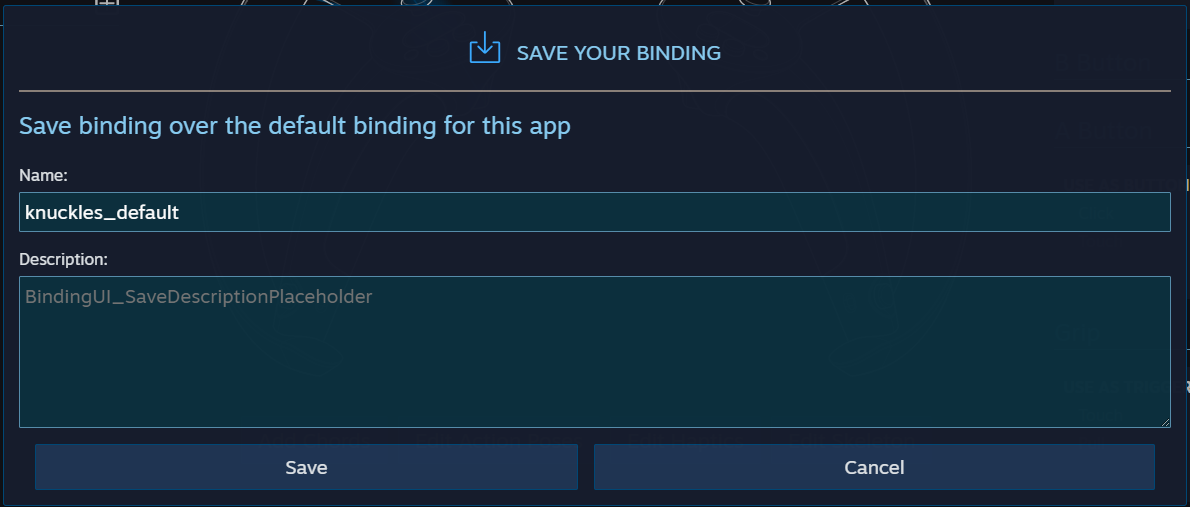
 stuck pivot
Ive been looking everywhere on how to mirror my pc screen onto a screen inside my game. Does anybody know how to do this, and if you do please send the code, Ive been looking for 2 days
 stone lily
Hi! Ive been tryong to start doing some protorypes in vr but dont really know what im doing im following tutorials but everything is buggy or out dated or work only half of the time, could you guys recomend an updated tutorial for making protoypes in vr im not a profesional programer by any means im a 3d artist actually so anything that has already made scripts the better for me
leaden flame
hard pecan
When I used XR Toolkit, you can see there are “peephole” edge on screen. I’m usi...
This is a known issue with OpenXR with Oculus https://docs.unity3d.com/Packages/com.unity.xr.openxr@0.1/manual/index.html#known-issues
hard pecan
leaden flame
This is a known issue with OpenXR with Oculus https://docs.unity3d.com/Packages/...
Thank!
storm ether
Does anyone know why this UI pointer is flickering?
Im using Oculus Integration
Sorry for bad compression
 humble quarry
Oculus
 fast copper
is there any tutorial on how to make a music player for vr to I was going to try and implement one into my tilt brush open source thing that plays public domain classical music as you make art
 regal herald
can you make a vr game without a vr headest
pine bison
With the necessary experience: yes. Without: it's probably not gonna work very well
 safe basalt
i just finished first game but my head movement doesnt controll the camera?
only shows force perspective its rather uncomfortable
im gonna try to make pc game before vr now
nvm i forgot to make the main camera a vr one. i am back baby
 ashen valley
regal herald
can you make a vr game without a vr headest
ashen valley
regal herald
can you make a vr game without a vr headest
No, not realistically.
warm whale
Steam vr initialized. Oculus link is working. When I start to play my headset doesnt show the game.
Moving my headset doesnt seem to effect anything at all
Nvm restarting SteamVR worked
safe basalt
@regal herald you shouldnt stress over vr right now. you should get good at unity before you try and tackle vr.
regal herald
I am good at unity
over a
year and a half
I am decent
that was a joke btw asking for a vr headset lol
that was a joke btw asking for a vr headset lol
mental sentinel
Which toolkit are you guys using for VR? I'm having so much issues. Ran into the grabbale pivot transform bug in XR Toolkit and then gave up on it, bought a $60 toolkit asset that turned out to be absolute trash, and now I might go try to use VRTK but the v3 Getting Started video was made in 2017 and I don't know how compatible it is with modern Oculus Iintegration.
Or should I somehow try VRTK v4?
vestal flicker
Always best to create your own, then you have full control and knowledge of everything. You won't find a toolkit that meets your needs completely.
leaden flame
mental sentinel
Which toolkit are you guys using for VR? I'm having so much issues. Ran into t...
it also might be helpful to understand what kind of experience you are trying to make and for what platform / platforms
mental sentinel
leaden flame
it also might be helpful to understand what kind of experience you are trying to...
I'm pretty new to VR and Unity and only touch it on and off as a hobbyist once in a while. I'm trying to make a hero-shooter prototype with lots of different interactions that I'd be glad to code myself, but I would want to start with as much of the easy stuff written as possible.
leaden flame
makes sense, what VR platform are you developing on and what do you want to target?
leaden flame
Have you tried the oculus utilities?
mental sentinel
I haven't tried them by themselves, no. Most tutorials use something else that extends it somehow.
Oculus Utilities = Oculus Integration Package yes?
leaden flame

Use the Oculus Integration from Oculus on your next project. Find this integration tool & more on the Unity Asset Store.
mental sentinel
Hmm... Oculus Utilities only has Grabbable? It doesn't have things like Smooth Locomotion and Teleport, etc?
leaden flame
but yeah for your use case I'd start by making sure you have a clear idea on a couple different aspects of the game.
- What is the main mechanic (sounds like it's shooting)
- What's the main locomotion
- What other types of object interaction might you need
- What other types of UI / menu interaction might you need
leaden flame
mental sentinel
Hmm... Oculus Utilities only has Grabbable? It doesn't have things like Smooth ...
there is some locomotion and things like distance grabbles
but yeah after answering those questions one toolkit might standout above others.
I'm also curious about the bug you ran into with XRI, was it something other users ran into too?
mental sentinel
leaden flame
there is some locomotion and things like distance grabbles
- Main Mechanics include shooting, tossed projectiles, custom projectiles / weapons (think iron man weapons)
- Smooth Loco and some Teleport
- I actually don't need much physics. Only need collision. Mechanically it'll play out more like a moba / hero shooter
- I'm sure UI can be figured out afterwards with any toolkit.
mental sentinel
leaden flame
I'm also curious about the bug you ran into with XRI, was it something other use...
https://forum.unity.com/threads/attachpoint-wrong-when-using-instantaneous-movement-type-in-xrgrabinteractable.1028836/ This was the bug I ran into. There's even a workaround but I couldn't get it to work... sort of... I mean, I did, but then it was janky
Unity Forum
In the XRToolkit example WorldInteractionDemo scene, I changed the movement type of the Jigsaw to "Instantaneous" instead of "Kinematic".
It seems...
XR Toolkit was honestly working like a dream other than the grabbable bugs
I think a related bug to this was found when I tried to use Kinematic movement type on the grabblable instead of Instantaneous, but then the colliders were disabled or something on the grabbed object
leaden flame
ahhh interesting, yeah I just wanted to make sure it was a recent bug and wasn't something that's been fixed with the latest release.
mental sentinel
Yeah, on Jan 13th Unity said it was looking at it, it seems
I guess I could just use XR Toolkit...
I mean, they will eventually fix it... and I do have something of a workaroundish
leaden flame
yeah I was going to say XRI should cover those use cases. I think VRTK and other toolkits would as well.
Are you using XRI 1.0.0-pre.2?
leaden flame
yeah, I think maybe sticking with XRI and using the workout they mentioned or structuring your object / interactables a bit differently for the time being could be a solution for the short term.
mental sentinel
leaden flame
yeah, I think maybe sticking with XRI and using the workout they mentioned or st...
Thanks. Man, I wish I could get a refund on that VRIF Asset I bought. What a waste of $60. It felt so unpolished. I thought that for $60 it would be, like an easier VRTK or something.
leaden flame
mental sentinel
Thanks. Man, I wish I could get a refund on that VRIF Asset I bought. What a w...
Yeah I'm not 100% sure of the refund policy for the asset store. Bummer is wasn't quite what you were looking for.
mental sentinel
Yeah it's pretty much a no-refund situation. I mean, I don't think the asset is "broken". Just not quality, etc.
wraith shale
@mental sentinel only two ways you can get refund from UAS are: product doesn't work like advertised (broken/misleading marketing) or asset publisher is willing to give you the refund. In your case I'd just contact the asset publisher, tell that product didn't meet your quality standards etc and ask if you could get refund (just word it nicer than I did here).
fast copper
so i dl this https://assetstore.unity.com/packages/audio/music/professional-music-player-90589 but i have no ider how to implement it into my tilt brush vr project

Layer in the sounds of Professional Music Player from Hajiyev Elnur for your next project. Browse all audio options on the Unity Asset Store.
so you can open and use it from the vr menu
 turbid ember
I dont find VRIF to be bad at all - the dev is active at improving things IMHO and the community around it has been kind. There's far more unpolished game kits IMHO but ymmv of course
 quiet talon
I have an issue with VFX graph where the decals are not rendering in VR but are rendering fine in the scene view. I am on unity 2019, does anyone know if unity 2020 fixes this VR rendering issue?
mental sentinel
turbid ember
I dont find VRIF to be bad at all - the dev is active at improving things IMHO a...
My biggest gripe with it was just that you end up paying $60 and it feels less polished than XR Interaction Toolkit. All the "bonus" things are nice, but it all feels like very experimental stuff, a bit janky. For example, even in the demo prefabs, you have 2 handed objects that can be picked up, but when you release one hand the whole thing falls and your other hand's grip is ignored. It's just a bit hokey. For the fact that it's a priced product, one expects the $60 paid out to make it on par with the 2 other major toolkits (XR and VRTK) that are free.
I mean, I went to buy VRIF because XR Toolkit had two bugs with the pivot points, but ended up going back to XR Toolkit and working around its bugs because VRIF just didn't feel right for what I need.
 ionic sandal
vrif has a problem, quantity > quality
mental sentinel
ionic sandal
vrif has a problem, quantity > quality
Exactly! I really can't justify the $60 price tag on that. I mean, I can, but, I can't really justify trying to use it in anything more than a hobby project.
 obsidian schooner
Hello guys! I have a simple question and I can’t find the answer on google.. I’m using the XR interaction toolkit. I have a gameobject (with an interactable component) in my scene and I want to check if this gameobject is currently being held by an interactor (a hand)
Is there something that returns a bool value like say, interactable.isHeld() or something like that?
leaden flame
obsidian schooner
Hello guys! I have a simple question and I can’t find the answer on google.. I’m...
I don't think there's actually a bool for this but that's good feedback to make things a little easier to maintain / keep track of. The supported way for this is to subscribe into the XRInteractable events such as selectEntered and maintain a 'grab' state from there. You could store this as a global property or just modify things on the Interactable itself when it becomes grabbed.
obsidian schooner
leaden flame
I don't think there's actually a bool for this but that's good feedback to make ...
I just found the answer. It does exists, it’s “XRGrabInteractable.isSelected”. You have to be using UnityEngine.XR.Interaction.Toolkit
That you for the help though, it’s appreciated.
mental sentinel
obsidian schooner
I just found the answer. It does exists, it’s “XRGrabInteractable.isSelected”. Y...
Where do you find that since XRToolkit lacks a full featured documentation set?
obsidian schooner
obsidian schooner
So simple once you know it. Thanks you guys.
mental sentinel
obsidian schooner
Here: https://docs.unity3d.com/Packages/com.unity.xr.interaction.toolkit@1.0/api...
Oh wow! Thank you! I didn't know there was this whole part of the scripting API docs that is so much more detailed!
obsidian schooner
Glab my pulled hairs helped someone else
 sullen shard
Hello fellas ! Can anyone explain me where is the 3D layout option gone ? I need it to use a 360 video as a skybox, with the over under layout (new xr pipeline, 2019 LTS)
sullen shard
ok, the cause seems to be the fact that I am using the XR pipeline
ok, nevermind :
Hi everyone!

There is indeed a unintentional disabling of this control due to the XR plugin management not having been retrofitted in the panoramic shader UI. We'll repair this ASAP and backport to all versions where the discrepancy appears (2019.4, presumably).

Thanks a lot for the head up!

Dominique Leroux
A/V developer at Unity
on the 13rd of january
mental sentinel
I'm sure this is a very stupid and basic question, but if I want to make a "holster" where I can use the grab button to summon and attach a gun to my hand, kind of like Robo Recall's infinite gun holsters, would it make sense to just override everything in the holster's XRGrabInteractable to do nothing on attach except summon and trigger the gun model's OnSelect()?
Or, rather, can I have an item that's not really grabbable but responds to OnSelectEnter ?
leaden flame
mental sentinel
I'm sure this is a very stupid and basic question, but if I want to make a "hols...
hmmmm def a couple different ways to do it. I might take an approach of doing a distance check between the users hand / controllers and an object and then query the grab button, on the frame the grab button is active you instantiate the gun object at the users controller position and maybe the same grip event would auto 'grab' that gun that had an XR Grab interactable. 🤔
mental sentinel
leaden flame
hmmmm def a couple different ways to do it. I might take an approach of doing a ...
I mean, instead of a distance check there is an OnHover between XRDirectInteractor and XRGrabInteractable so I could use that. I guess the "issue" is when you hit the Grab button while hovering over an XRGrabInteractable is that it will trigger the .Grab() on the "Holster" object and all that jazz. I could override the OnSelectEnter() to make it instantiate the Gun prefab and then trigger the Gun's OnSelectEnter() I guess which would then let the Gun's XRGrabInteractable do the rest? I think that would be the theory?
Like... kind of like I would be doing a switcharoo between the holster and the instantiated "gun"
I'm just worried that doing those overrides ont he Holster would have unintended effects
I guess I should just test it
I just don't know enough about XRBaseInteractable and stuff... and I JUST figured out that XRDirectInteractor actually doesn't do anything, and it's ALL in the XRGrabInteractable (I think).
Like... the XRDirectInteractor seems to have no understanding of what it's grabbing, only that it will trigger the GrabInteractable to go "Ok, Imma attach now!"
I'm still worried about the chain of events that happens to the XRGrabInteractable on the "Holster" object that might do weirdness
leaden flame
yeah that all makes sense to me, and yeah I'd dive in a just try out a couple different setups to see what works 🙂
vestal flicker
How do you correctly detect if a WMR controller has a trackpad using OpenVR ?
- OpenVR Legacy incorrectly reports the G2 having a track pad when it does not.
- OpenVR XR Plugin only reports the features of position and rotation, nothing about the buttons
- Unity needs to make a damn list of all device names so we can just use that instead.
mental sentinel
leaden flame
yeah that all makes sense to me, and yeah I'd dive in a just try out a couple di...
Thanks! I will try it out.
leaden flame
vestal flicker
How do you correctly detect if a WMR controller has a trackpad using OpenVR ?
1....
Are you using the features extension for the windows MR controller? i see trackpad and thumbstick listed in the available controls. https://docs.unity3d.com/Packages/com.unity.xr.openxr@0.1/manual/features/microsoftmotioncontrollerprofile.html
vestal flicker
Not interested in openxr at the moment. Need this for all unity versions.
tiny niche
leaden flame
Are you using the features extension for the windows MR controller? i see trackp...
that's odd, since there's a distinct lack of trackpads on the controllers https://roadtovrlive-5ea0.kxcdn.com/wp-content/uploads/2020/06/reverb-g2-5.jpg
 wraith shale
Reproduction steps: 1. Open the attached project ("1312513Repro.zip") 2. Open the "TestScene" scene 3. Enter Play mode 4. In the Gam...
basically: URP VR perf is dropping to unusable level on URP 11+ when using OpenXR at least
I didn't see similar drop when using OpenXR, 2021.1b and built-in or HDRP, it seems to be isolated to URP with 2021.1+
leaden flame
vestal flicker
Not interested in openxr at the moment. Need this for all unity versions.
oops, I misread and got confused with OpenVR XR plugin. That plugin is maintained by valve so that would be an issue you could raise on their github repo. AFAIK you have to use this plugin https://github.com/ValveSoftware/steamvr_unity_plugin and generate SteamVR input bindings like mentioned here https://valvesoftware.github.io/steamvr_unity_plugin/articles/Quickstart.html

GitHub
SteamVR Unity Plugin - Documentation at: https://valvesoftware.github.io/steamvr_unity_plugin/ - ValveSoftware/steamvr_unity_plugin
leaden flame
tiny niche
that's odd, since there's a distinct lack of trackpads on the controllers https:...
There are a few different windows MR controllers that have been released by various partners / OEMs for example these controllers do have trackpads https://docs.microsoft.com/en-us/windows/mixed-reality/design/motion-controllers

Learn how to set up, pair, and manager input interactions using Mixed Reality motion controllers in your applications.
vestal flicker
Unity should provide information on the device names, especially for 2019 as those plugins are maintained by them. It's hard to believe the VR staff at Unity do not have various devices available to make this kind of information known for developers.
leaden flame
vestal flicker
Unity should provide information on the device names, especially for 2019 as tho...
ahhh I think I understand what you're asking about now. Let me follow up and see if I can find more info.
vestal flicker
Thanks, the reverb just poses the issue since it's new and doesn't have the trackpad. I have other devices to get their names but this one is difficult to get because nobody has them yet.
I don't trust that steam will fix the issue, the reverb binds to the oculus....
 glossy thistle
Is there a way to develop vr games for the quest 2 using virtual desktop streamer app with unity? (So I can test my game without needing a usb-c cable)
 wraith loom
glossy thistle
Is there a way to develop vr games for the quest 2 using virtual desktop streame...
wraith loom
glossy thistle
Is there a way to develop vr games for the quest 2 using virtual desktop streame...
I never found a solution. Are you trying to make a game which will go on steam or be on the oculus store/side quest
glossy thistle
I'm not planing on releasing a game.
wraith loom
oh okay
do you want it to run standalone or tethered?
standalone requires no cable DURING gameplay but tends to have much lower quality while tethered requires a cable during gameplay and can yield much better FPS and quality
glossy thistle
wraith loom
do you want it to run standalone or tethered?
Yeah.
wraith loom
what
wraith loom
for standalone you would need to build it, sideload it, and then run it by itself which i did and yes it's tedious but it's the only way I found and on the plus side you get a more realistic feedback on how it will perform
but it'll automatically build and run it for you
so it's not THAT bad
just a bit tedious
glossy thistle
Oh ok.
ashen valley
glossy thistle
Is there a way to develop vr games for the quest 2 using virtual desktop streame...
Tevfik's Udemy class, he does that in. I find it easier to just use a cable.
But yes, you should run it as a Quest app if you're developing for a Quest. You'll get yourself in to a pickle if you only use Link.
There's stuff a rift can do that a quest can't.
By that, I mean the PC's video card vs mobile VR.
wraith shale
glossy thistle
Is there a way to develop vr games for the quest 2 using virtual desktop streame...
You can definitely run Unity projects straight from editors play mode via sideloaded VD patch on Quest 2. But you are then using it on SteamVR mode. This is fine if you are building pc vr game. If you want to build native quest app you would still want to deploy native android app to it (I havent tested this on q2 yet but I'd assume the workflow would be similar to nonVR android apps regarding the native app builds)
glossy thistle
wraith shale
You can definitely run Unity projects straight from editors play mode via sidelo...
Oke thanks!
 odd hare
Use a cable, and get those retractable cables so that it keeps them out of your way.
Because it's pulling upwards it makes the headset lighter and less likely to fall if it's balanced on your head while you program or sitting on your desk.
Almost all the advantages of no cable, plus a few more advantages :)
 silk lava
Hey guys, anyone familiar with the seperation of OnSelectEnter/Exit into OnSelectEntering/Entered/Exiting/Exited?
Is there a particular order in which I have to call those functions to bind/release grabables from sockets?
I've got a problem with my bow and arrow, if I don't call it like
private void ForceDeselect()
{
        currentArrow.OnSelectExiting(this);
        currentArrow.OnSelectExited(this);
        base.OnSelectExiting(currentArrow);
        base.OnSelectExited(currentArrow);
}
My arrow drops after some frames in midair
And is there a way to format code properly on this channel? 😄
 noble vapor
Hey I started now with Unity VR Development and I got a question. I'm using XR from unity to build a Basic VR Rig currently. Camera is working is fine but I got a problem with my Controllers. There model is not on my hand and I can move my controllers with my Had. I'm a bit confused maybe someone of you has a idea. c:
silk lava
Try to use the new Action-based version of it, because the device-based gets deprecated
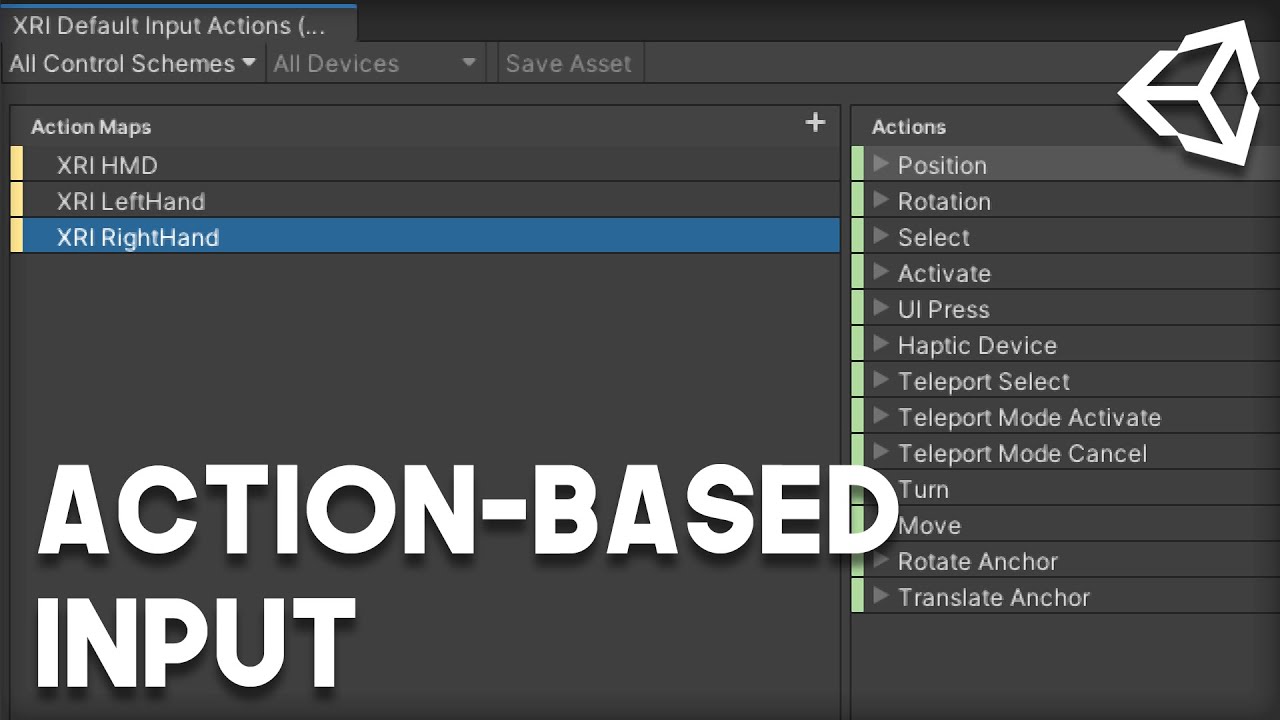
Support my work, and get access to source code!
https://www.patreon.com/VRwithAndrew
In this video, we're going to be setting up the new Action-Based Input for Unity's XR Toolkit.
Maybe this will already solve your problem
And you don't have a floor in your Scene, guess your character will fall infinite?
noble vapor
Okay thank you.
silk lava
Kein Problem 😄
 pliant shard
Hey I'm going to be working on multiplayer stuff pretty soon. Would any of you guys be willing to help me test it? I only know like 3 dudes IRL with vr and they're all in my city.
leaden flame
Are you asking why you're getting false or why you're getting HeadMounted input device? it would also be helpful to know what platform you're running on and how you're testing. For example, I would expect that result from a windows MR headset or probably even a quest connected via Link.
and you're testing if on device, NOT connected to a PC correct?
the way oculus link works afaik is it emulates running a rift S, so that would have different results even if running on quest.
does the try get value work for the controllers?
just not from the HMD?
have you tried https://docs.unity3d.com/ScriptReference/SystemInfo-batteryLevel.html for the HMD?
could be a bug, but I have a feeling when the battery level API was first made standalone headsets might not have been a thing so only controller battery data is being piped through 🤔
@wicked gate just to follow up, can you tell me what version of unity you are using and what version of the oculus package?
 proven wasp
Hello !! I'm brand new here, so not sure the usages and habits - I'm trying to run unity 2018.4.20f1 on a debian buster machine, with the hope to create vrchat content, but unfortunately unity won't even start , and doesn't give much clue about why in the logs- any linux folks did manage to do that ?
 signal thistle
I need to switch from normal camera to Vr camera. How can I do it
 dreamy trail
Started trying out the new unity xr stuff, can't get my vive wands to track at all, heads fine tho >.> :\
dreamy trail
yeah i fixed my problem, Someone told me wrongly that there would be a model attached by default
there wasnt
surprisingly few free rigged hand models floating around
yeah
I think im too smooth brained for this, Maybe i should just stick to playing vr games rather than creating them 😛
dreamy trail
Thanks! and lol that's ok, Right now im just trying to learn how the new XR standard works, and learn to make some cool vr games with unity. But it turns out im pretty dumb 😛
I know your right but i still feel dumb 😛
Simple engine things trip me up more than the codeing does
i had the same problem with blender >.>
 regal raft
Hello! I have been encountering an issue when I tried using a controller model with the Action / Device Based Controller scripts. I apply my controller model prefab to it, and the controller instantly goes from:
X = 0.05
Y = 0.05
Z = 0.51172
to:
X = 1
Y = 1
Z = 1
I already asked in #🔀┃art-asset-workflow but the kind person helping me, wasn't that familiar with the Unity XR System! Any help is appreciated!
 viscid dew
anyone know how to fix the inputs for oculus quest 2 in VRTK 4
 lone knoll
anyone knows how to extend input-actions ? i want to add Knuckles finger cap senses
generated C# class from the input asset will have something like this
       asset = InputActionAsset.FromJson(@"{
    ""name"": ""InputActions"",
    ""maps"": [
        {
            ""name"": ""LeftHand"",
            ""id"": ""272f6d14-89ba-496f-b7ff-215263d3219f"",
            ""actions"": [
                {
                    ""name"": ""TriggerPress"",
                    ""type"": ""Button"",
                    ""id"": ""578a0cd6-f388-4fa3-92f3-c09338bdf6fc"",
                    ""expectedControlType"": ""Button"",
                    ""processors"": """",
                    ""interactions"": """"
                },
...
and open-vr docs have the strings for the knuckles but im not sure where to add those and what to do about the Id field ( https://docs.unity3d.com/2018.3/Documentation/Manual/OpenVRControllers.html )
 safe dragon
https://gyazo.com/9c50e3159c06016a9e97b7b51e72a4dc
Hello I guess my jittering is a camera problem.
Does anyone has an idea why it could happens ? Using VRTK + HDRP at 60 fps constant.
 shell kayak
safe dragon
https://gyazo.com/9c50e3159c06016a9e97b7b51e72a4dc
Hello I guess my jittering is...
shell kayak
safe dragon
https://gyazo.com/9c50e3159c06016a9e97b7b51e72a4dc
Hello I guess my jittering is...
Is that with the headset on your head?
safe dragon
Yup
shell kayak
Does it look jittery in the headset?
safe dragon
Yes
shell kayak
What headset are you using?
safe dragon
Oculus rift
I can run vrgame fine, and managed to use my headset in HDRP fine too on another project
Just there it jitter and I dunno why I have a lot of scripts everywhere since this project use VRTK and steamVR
shell kayak
Well, it's normal to see some jitter because our heads jitter without us noticing it since our brain and eyes are stabilizing it
But you shouldn't be noticing it inside the headset
So that sounds more like tracking jitter
safe dragon
Seem to me too. I'm trying to make a build and experiment outside of the editor
Perhaps the editor is just laggy
Nah even when I build I have this problem 😦
dreamy trail
^_^
now im getting about 10,000 errors a second though
InvalidOperationException: You are trying to read Input using the UnityEngine.Input class, but you have switched active Input handling to Input System package in Player Settings.
but switching to both in active input handling stops tracking my headset at all, which is what people told me to do 😛
dreamy trail
I don't understand why they make it confusing like this. Any idea how to fix the issue of selecting both nukeing my tracking/launching into headset
figure ill ask you before i go dumpster diving on the internet for answers
dreamy trail
i got it
dreamy trail
thanks for the tip
sorry i missed your last ping, must have been in the shower
if i dont physicly see it pop up in the corner of my screen its gone forever
😛
im in way too many channels
Folders ftw
its really not the greatest design for people like us
folders 😛
its just crypto spam lol
the one in the middle is worlds adrift, its a dead game now
they could never iron out the physics bugs
it was badly built
fun as hell tho
which one is that
asset store really is like being a kid in a candy store
yeah i was looking at that
i was looking at maybe buying this as well

Humble Bundle
Kickstart your game development career. Get software like Complete Unity Developer 2D & Complete Unity Developer 3D. Plus, pay what you want & support charity!
looks like a decent bundle
ah well looks like some of the stuff is missing now
the biggest one im interested in is Unity Multiplayer Coding & Networking
i feel like its probably already outdated tho
😛
yeah its really a good bundle
this is the only one i really need tho 😉
I think the problem with the vr scene right now is it keeps changing
it changes way too damn much
its pretty scary
ofc
I heard they had released the source for that
my favorit language
freeeeeeeeeeeee
reusable 😛
I think that's a bit over my head atm 😛 so unmanaged library apis?
seems like it would be easier to deal with
sorry i really am an idiot, im still learning. My favorit game engine is godot

Ok yeah im following you
the more i talk to people the more i realize i have a long path ahead of me 😛
Theirs literally too much 😛
thats when i first started trying to get into vr
imagin my nightmare
i gave up pretty quick
and yeah, little bits every day and ill get it eventualy. The biggest thing right now for me is learning the engine itself
coming from something like godot to unity is scary
Codeing itself has never really been an issue for me, know 2-3 languages you know them all
i get stuck on the simple shit like remembering where an option is 😛
well it wouldn't be codeing if you werent smashing your head on your desk by the end of the day right
i can't do 3D models at all, i tried, im terrible
minecraft is probably more my speed 😛
voxel shit
Im going to look that up, it sounds interesting
I gota get my kid to bed, Good chatting with yeah, thanks for the tips
thanks ^_^ you too
lone knoll
warning CS0618: 'CameraData.isStereoEnabled' is obsolete: 'Please use xr.enabled instead.'
xr.enabled is that just a worded expression for when vr is On* or off ?
don't remember where to check if xr is currently is on so that's what i got so far
bool isOn_1 = UnityEngine.XR.Management.XRGeneralSettings.Instance.Manager.automaticRunning;
bool isOn_2 = UnityEngine.XR.Management.XRGeneralSettings.Instance.InitManagerOnStart;
bool isOn_3 = UnityEngine.XR.Management.XRGeneralSettings.Instance.Manager.activeLoader != null;
bool isOn_4 = UnityEngine.XR.XRSettings.enabled;
bool xr_is_on = isOn_1 && isOn_2 && isOn_3 && isOn_4;
 zenith junco
Hey guys can someone help me with exporting an ar project to native android
and then running it
Currently the screen blinks and exits without any error
 north path
What do you mean with native android? @zenith junco
(And what does the app do since this is 'VR'
 fair loom
Heyo, how can I change the fov of the desktop game view camera while in VR? It's very low and makes video capture frustrating
shell kayak
@fair loom By default, the desktop view is just a copy of one of the eyes of the VR view, but cropped so the edges of the view aren't visible.
For higher FOV, you need to make a separate camera that has the stereo target eye property set to None
Then it will render as a normal camera onto the main display and you can choose whatever FOV you want
But you also need to attach this camera to the head of player if you want it to follow it.
fair loom
Ah okay thanks, I wasn't sure if it was a separate camera :)
 tiny kiln
Hey VR friends, I’m trying to port my game to Quest 2, using Unity 2019.4/legacy VR support/built in forward renderer. I get zfight in the build, so I’m assuming the depth buffer is only 16bits. Can’t find that toggle that used to enable 32bits depth in older unity versions. Does anyone have an idea ?
wraith loom
why does steamvr not work with Oculus Link unity?
wraith loom
nvm figured it out lol
storm ether
tilt brush source code is on github?
Thank you this is a great learning resource I didn't know this is here
If I see it in here I will ping you. Yeah is really well refined.

GitHub
Contribute to patkellydesigns/tilt-brush development by creating an account on GitHub.
Scaling tool functionality appears to be part of the base tool.
storm ether
Just repetition honestly. You could clone any repository and then use your IDE also. Basically I scanned through found scaling method and command clicked it to search for implementation and references
an incredible learning resource and ever since I've discovered that I spend a lot of time there copying other people ha ha ha
abstract isle
OnTriggerEnter has a Collider parameter. That tells you which collider you are colliding with
OnTriggerEnter happens if either collider is a trigger
and is called on both objects
storm ether
Can someone help me with a probleme I am trying to go in vr on unity i used virtual desktop but it diden’t work and on screen mode it did work so dus anyone know if I am doing something wrong(gen. 2020.2 - dell laptop strong enough for vr)
storm ether
Thanks
 plain nacelle
I'm having avatar movement issues where the avatar mesh lags behind when the player rig uses the smooth locomotion. So it would be possible to have your head be inside the avatar mesh. I used a YouTube tutorial that uses the Animation Rigging package from Unity.
The controller input is checked in Update() while the actual move is done in FixedUpdate() within the same script to move the rig's rigidbody. In a different script, the avatar movement is also done in FixedUpdate to allow smooth movement since Update or LateUpdate results in the movement to be extremely jittery.
I parented the avatar to the player rig and that solved the lag issue but then there are issues with the player calibration to match the player's height with the avatar's even after inverse scaling the avatar to compensate for the altered scale of the player rig. I know VRChat is awesome with avatar movement but not sure how they relate the avatar to the player rig.
delicate glade
ovr distance grabbable script
i need help
can someone help so i can start making a game
its so hard to usee
regal raft
what's the problem?
regal raft
You mean you are unable to grab anything, correct?
delicate glade
i got it to grab something and then that was wrong
regal raft
Wrong Rotation?
delicate glade
yeh and it kept moving up and changing position too
so i followed another tutorial and it made it not work atall
regal raft
Did you try following a tutorial from Valem?
regal raft
What Unity Version are you using?
regal raft
2021.1 I suppose?
delicate glade
yh
regal raft
hm.
regal raft
okay
delicate glade
thats the most recent one i have
regal raft
That's okay. I work with that one too
So, your problem is that objects kept on being rotated wrong when you picked them up? And them moving without you moving your controllers?
regal raft
Have you tried adding a pivot in your object model?
regal raft
I do not call, sorry.
delicate glade
oof
regal raft
Well, a pivot is very useful if your object is rotated wrong
plain nacelle
Which part of the game loop (Update, FixedUpdate, LateUpdate, etc) does the HMD and controller tracking take place?
shell kayak
@plain nacelle After all of those. The Application.onBeforeRender event was made for applying XR tracking right before render.
plain nacelle
@shell kayak If I want my VR avatar to move in sync with the smooth locomotion (controller) of the player rig, where should I put the avatar movement/IK code?
storm ether
How would I make the XR Rig static in one location and actually able to place it where I need without placing it, test the scene only to find its miles in the wrong direction?
north path
storm ether
How would I make the XR Rig static in one location and actually able to place it...
What?
storm ether
How would I make the XR Rig stay in one spot and not move around
when I place it down then enter the scene in vr it shifts
north path
Is the place it needs to be in maybe a certain spot in your room? Like you can walk around in VR
There also is an option on the xr rig for tracking, only forgot which it is
storm ether
Nope, here's a reference
Literally need the player to be stuck in one location but still able to look around and move arms to touch buttons
 north path
And where do you spawn?
storm ether
the red line is my vision
 north path
Hmm, do you have some offset selected on thr xr rig? (Maybe camera holder)
And maybe post a screenshot of your inspector of the xr rig?
storm ether
oh...
Maybe?
Maybe because this is my XR rig

And this is the child of the Rig?

no it cant be
000 is all the way over to the animals
north path
It starts at the parent GO
Maybe change the tracking origin mode?
And did you change any scripts/components?
Maybe make a new MainCamera and transform it to a nee XR Rig
storm ether
Device tracking seems to work
Ill walk across my room and see if it works as intended
it starts in the same spot which is amazing, however still allows me to walk about, I seem to remember seeing an option which just enables rotation but not movement which might work
nope nope nope
it stops moving but the scene moves with me
north path
I don't recommend to not move the player if you walk in real life
That will feel very bad/buggy/nauseating
Otherwise just put the position to the start position each frame using code
north path
No
north path
I can look at if if you remind me in 5 hours😅
storm ether
Dont worry about it, I appreciate your help this far regardless
regal raft
Can somebody help me make this script work with VR? (I am using the offical XR System from Unity)
regal raft
 sinful delta
@regal raft why isnt it working? It should work fine.
regal raft
I need some help setting it up to work with the XR Controller
sinful delta
Its pretty straight forward. What part exactly you need help with?
regal raft
The part where I make the trigger be able to shoot the gun I set up
It currently only plays with Keyboard Controls
But I am trying to make a controller based VR Game
With e.g. Valve Index Controllers, Oculus Touch Controllers, WMR and such
sinful delta
Just drag the script onto the xr grab intractable activate event and call what function you want. You may need to inherit from the grab intractable class to customize exactly how you want but that should let you at least shoot it.
regal raft
So I don't need any extra set up to make them work with the XR Controlls?
sinful delta
i mean if you just want to shoot then probably not. You can call the function you need from the grab interactable script
sinful delta
you would probably need extra logic for that
you should check out youtube. There are plenty tutorials how to do what im talking about.
sinful delta
np
sinful delta
no prob
delicate glade
n
guys im dumb
how do i use XR rig with oculus and wire
it plays and stuff but doesnt go on the headset
sinful delta
do you have it selected here?
 storm ether
can somebody explain to me, why i need openxr installed in a project unity2020. to get my quest 2 working with link cable. i had to tick the openxr box in xr pluging provider. then it fixes some things. untick the openxr box and tick the oculus box again to get it to work. i dont understand this way of working... its like you want to paint a wall in blue, but you also need red paint that youre not using... if that makes any sense
leaden flame
storm ether
can somebody explain to me, why i need openxr installed in a project unity2020. ...
Sounds like a bug? if you've added XR Plugin management you should be able to then select which runtime you want, both oculus and openXR are options that are supported on Oculus desktop (or Quest with link).
odd hare
storm ether
can somebody explain to me, why i need openxr installed in a project unity2020. ...
It might be changing some other setting. Sometimes selecting an option will automatically change settings that need to be set to specific values, maybe openXR is setting something that Oculus also needs but doesn't automatically set.
(Personally I find that annoying. I want to be able to unset settings and know the project is in the same state as before I set them.)
lone knoll
use oculus as a feature insead

so once u have oculus touch controller in the list of features - this button will be disabled ^
@storm ether
lone knoll
lone knoll
```
warning CS0618: 'CameraData.isStereoEnabled' is obsolete: 'Please use xr.ena...
have anyone seen this one before
storm ether
odd hare
It might be changing some other setting. Sometimes selecting an option will auto...
i guess this is the reason aswell, when installing openxr it fixes some things and restarts the editor, wich probally fixes something related to oculus and xr interaction manager. just dont understand that way of working... that is like really unefficient. it doesnt make it easier to troubleshoot something. As a beginner in this vr unity thing... i have to say its a mess. not really beginner friendly.
odd hare
Agreed, it's trying to be helpful, but it actually just hides what changes we need to do.
It'd be better if it gave a checklist and showed what was already set and what still needs to be changed, and maybe a button to change it automatically. Then we'd know what the different settings we need are.
 terse ingot
about to get started on a project with the quest 2. what do the iteration time look like usually? having to sideload and all that I'm concerned it might be a little tedious in testing.
odd hare
@terse ingot I don't have a quest 2, so I can't answer your actual question. But in general I unit test the **** out of my code, and design enough separation of concerns so that I can build/test most things with a simulator. Like if I'm writing targetting code I'll literally just put a friendly unit to my right, an enemy to my left, and a pillar with an enemy half behind it, so all I need to do is spin to put the cursor over the different types of possible targets. I'll still test with the headset, but I won't have to keep going back and forth with it.
tiny niche
odd hare
Agreed, it's trying to be helpful, but it actually just hides what changes we ne...
just do a commit before you install it and you'll be able to see what it did
odd hare
True. Smart. I usually do my initial commit after its set up and I've imported the packages I know I'll use and blocked in the basic architecture. But that's a good trick to remember.
noble vapor
I'm still able to use with the new Input system the TryGetGeatureValue function?
 brazen tundra
Hi everyone,
Has it ever happened to anyone that uses SteamVR that the buttons will work on your computer, but on another computer, the buttons will not work?
 ancient wagon
I’m trying to make a vr Shooter how do I make guns go bang bang and how do I reload then and stuff
 daring temple
running off android for quest 2
the boxes have the following components
box collider
rigidbody
ovr grabbable

i have been trying over and over for hours
someone please help me
 grand vapor
Hey everyone, incredibly new to the server and also Unity as a whole - where would be the best place to ask for VRChat exporting help - tldr, I've re-textured and a model I like and hitting errors when trying to build and publish my changes to the model
storm ether
if i am creating just some vr stuff for my own, with quest 2 or rift. am i better of using Ovr plugin or xr interaction?
@daring temple u want to shoot guns or what?
pine bison
I think there is a dedicated VRC discord server which would be the best place to ask @grand vapor
@daring temple you can’t have your boxes parented under the table, since it’s scaled non-uniformly
Ovr still seems to have a few more features than XR from what I can tell, so if you’re just working with quest I’d personally work with OVR
@storm ether
tiny niche
@storm ether the oculus integration can be used together with the xr toolkit too
storm ether
@tiny niche do u have an example, when or why u do it this way?
tiny niche
you'd only do this if you're unsure of which one to go with
storm ether
kinda lost here on what to do, i mean there are tons of tutorials... openxr, xr interaction. oculus integration, or not. just dont know what to follow
unity 2019 or 2020
its getting kinda messy...
tiny niche
it's pretty straightforward. go with 2020 if you're starting on a new project or plan on doing vr for the years to come
brazen tundra
Hi guys
I'm having a problem that people that play my game after I upload it to Steam cannot press a few buttons or the buttons are wrong
So I found this option

Do you think this will fix it?
storm ether
can anyone give me a tutorial on how to build a vr game
brazen tundra
@storm ether I would suggest this channel

YouTube
Short tutorials and lessons on Unity, Virtual Reality, SteamVR, and Oculus.
If you're looking for help, head to the Discord. The email address is for serious business inquiries only.

This one too
 slate portal
Hi folks! I'm in need of implementing a slider for VR. The XRRayInteractor works with the UI components out of the box... I wanted to piggyback on the Slider functionality and implement one that would work with a XRDirectInteractor, is there a good way I should go about this or would I be better off implementing a XRInteractable to mimic the Slider behaviour? Thanks 🙂
tiny niche
@slate portal check the sample, there's a drawer in it you could use
slate portal
tiny niche
<@!253510652583346177> check the sample, there's a drawer in it you could use
I think I'm missing it, is it in the main WorldInteractionDemo.scene ?
vale mountain
How can you have an object appear above all others? Aka ignore depth?
I can do this with custom pass in HDRP, but not VR
 solid aurora
Is there a way to port an Oculus Quest app with Hand Tracking to PC?
pine bison
No
It's still standalone only
Although actually when you say port, it might be possible to use something like Leap Motion to get the same effect
solid aurora
Any other alternate plugins to fulfill the same feature as Oculus Quest's Hand tracking while using Oculus Quest?
pine bison
The Quest's hand tracking is only available in standalone mode
 paper barn
@regal raft there's probably people in this channel that can help u
solid aurora
Has anyone tried developing applications or games with VIVE Cosmos and SteamVR plugin? Such controllers do not appear in any of my scene here... Must I use other external plugins or assets to make the VIVE Cosmos controllers appear inside a scene?
 main delta
Is the stereo separation hiding somewhere for the camera on XR Rig? I'm getting nauseating distortion with head rotation. Using CV1, 2020.2.5, XR package.
Changing the OpenXR Runtime (Editor Instance Only) to Oculus fixed the camera stereo issue, however now play mode runs at about 2 frames per second. Is this common?
 winged light
How can i make an object snap to a grid in vr, i dont know how to get started
tiny niche
@winged light look up how to do it outside vr. then just do the exact same thing in a vr scene
winged light
okay
winged light
alright thanks
slate portal
I see, thanks! I'll end up making something similar. Cheers 🙂
tiny niche
@wary junco that's the type of problem a co-routine is designed to solve. but you could also have a variable with the last release timestamp and measure the time between every new and old release as they happen
that's only half the double-click problem though. since every time you click in a new context, you need to reset the variable
what i suggested would not need a coroutine
it's basically OnRelease(){ if(time-preivous_time < max_delay) doubleclick(); previous_time=time;}
would be more efficient than a co-routine, but if you run into performance issues because of double-clicks then you should see a doctor
burst is not a silver bullet that makes everything faster automatically
and realistically speaking, there's going to be a limit of 1 vr rig per machine and it's very unlikely that it's ever going to involve more than 10 trackers
optimize the stuff that's using the 32gb ram then, multithreading the vr controls isn't going to do anything compared to that
i bet that even if you turn off the input handling completely, your framerate is going to be unaffected
safe dragon
Hello there, I have a probleme with HDRP and VR. The planar reflection prob are bugged for me. Any idea of a way to fix it ?

The right and left eye doesn't reflect properly
tiny niche
@safe dragon looks to me like you rendered the reflection once using the center camera. what you need to do is render the reflection once per eye
safe dragon
The problem is i'm not rendering anything it's a unity made in reflection prob with hidden code :/
tiny niche
gonna have to make your own shader then
safe dragon
Shadergraph doesn't support stereoscopic keywords in custom nodes 
mental sentinel
So I have an XRDirectInteractor and an object derived from XRGrabInteractable or XRBaseInteractable and I would like to replace the object that is getting grabbed while it's in the player's hand. How do I do that since SelectTarget.set() is protected
Basically I want to make a "holster" that gives me a new grenade or sword every time I reach for it.
warm whale
I'm starting on a new project using steamVR, should I use legacy or Unity XR?

Is there any important differences between the two?
tiny niche
legacy is deprecated
 unreal crystal
Does anybody have tips on how to rapidly test VR multiplayer networking? I'm using Bolt. Things that I wish I could do to speed things up:
- Connect 2 VR headsets to my PC and test there, without having to send a build over to my laptop.
- Have a non VR player(s) in game or something like that, so you don't have to switch between two headsets.
I don't know what else I could do. It's a pain to either ask somebody for help every time or juggle two headsets.
sinful delta
@unreal crystal you could build and run build and editor on same machine. Add in some logic to select regular player/ simulated xr or vr player. That is how i do it anyways.
unreal crystal
sinful delta
<@!213424287883853827> you could build and run build and editor on same machine....
how do you simulate a vr player? Do you set up a player type with WASD + mouse or something?
sinful delta
xr toolkit has xr simulated built in.
unreal crystal
nice i didnt know that. I'll check it out then
tiny niche
@unreal crystal you could try running it off a unc path. then you'd only need to produce a build on one machine
and if you want to simulate a vr player, you could simplify things by just replicating the package transmissions
no need to simulate the device itself if you just want to observe it on the other machine
and a third alternative would be to take the incomming signals from one client and send them back as a different client id and on a different position. then you can observe yourself after a roundtrip to the server
unreal crystal
tiny niche
<@!213424287883853827> you could try running it off a unc path. then you'd only ...
Nice, good suggestions. I don't know how to do any of that yet lol, but there's always google 🙂
tiny niche
surely your server has some code where it recieves messages from 1 client and then broadcasts it to everyone else?
all you'd need to do is recieve the message, swap the id and then broadcast
unreal crystal
well I'm using Bolt which is high level API. Not sure if I can do that with them
tiny niche
yea might need to read some docs then. they probably have some calls for testing purposes
unreal crystal
yeah I'll check it out.
 sinful delta
@winged light you have "using UnityEngine" ? ANd is it inheriting from monobehaviour?
 sinful delta
yeah thats weird. Is it VSCode? Or Visual Studio?

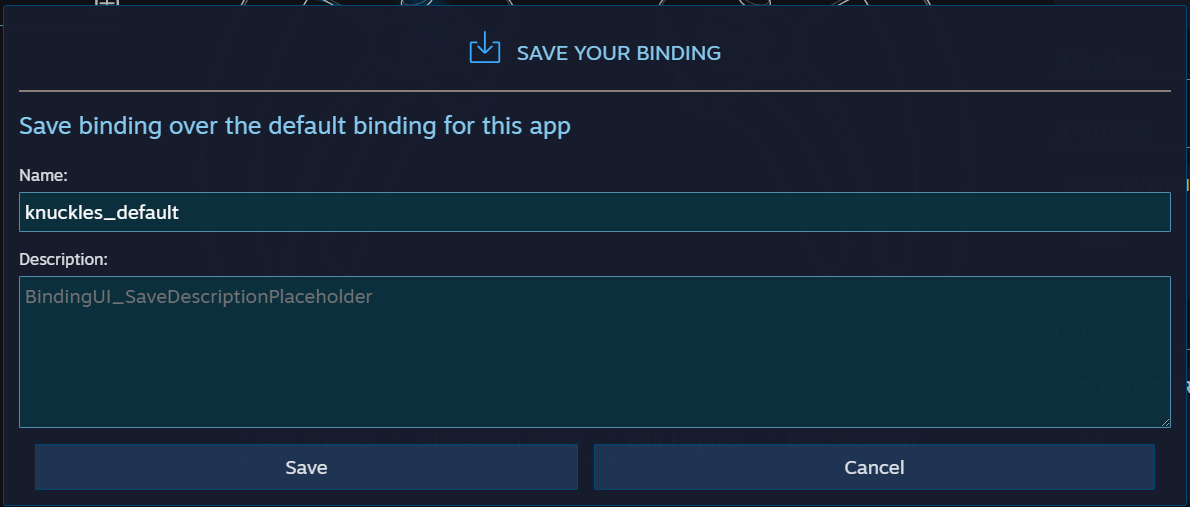
 sinful delta
Weird. Try delete and add again maybe??
winged light
from the scene?
sinful delta
no the script
winged light
it recognizes it in the default script but as soon as i paste it in it becomes wierd again
but iill try and copy and paste some lines individually
its probably an coding mistake
sinful delta
Yeah i had an issue like that before pasting it. Then i had to just delete the Update and rewrite it.
IDK why though
Also had that issue one time and then realized it was because i had the game object the script on disabled lol
winged light
it works now thanks
 solemn oar
Anyone here had a go at VR and networking? Thinking about giving Mirror and VRTK a try, but interested if anyone has had any experience with it.
 quick skiff
@here Have any of y'all had an issue where you can teleport through a wall that has a collider?
MRTK Window Mixed Reality, Unity 2019.4.20
mental sentinel
Does it work better if I name my XRInteractionManager karen ?
Or is karen supposed to be the interactable?
And then they will always get the manager?
How come I have a GameObject declared here but it's not showing up on the editor?

 tiny niche
@mental sentinel make sure it compiles and restart unity
mental sentinel
It seems to have no problem
Weirdly I just made a new clean script and put in a field and it showed up
mental sentinel
tiny niche
<@!229023217417846785> make sure it compiles and restart unity
The field shows up when I use Monobehaviour as a parent, but as soon as I : XRBaseInteractable it doesn't show up anymore
tiny niche
in that case the XRBaseInteractable is not a monobehavior
or it does something funky and you need to read the docs on how to use it
mental sentinel
It's not a Monobehaviour, but XRGrabInteractable can inherit from it and still show things in inspector

I tried putting [SerializeField]
Didn't work
winged light
my quest controllers are named touch controllers
do i need to identify the headset then and get the corresponding controllers?
or is there a quick fix?
warm whale
Does steamVR have an interaction/grab script?
 sage ravine
Not sure, theres lots of options for a grab script but not sure in steamVR (that I know of)
 mossy ridge
Hello I am a student currently in my first immersive media development class. I am developing on my Quest V1. Our next project we have to implement special types of movement. One of the choices I was interested in implementing was tapping in place (by tracking feet). I tried a couple of google searches to get started but what I had found was for the vive though using it's lighthouses. I was was Wondering if there is a way to track feet movement with the quest v1. And if so does anyone have a link to a resource that could help me get started?
Also if Im asking this in the wrong channel please let me know
tiny niche
@mossy ridge everyone doing feet tracking is using vive trackers and a lighthouse setup
mossy ridge
@tiny niche I was afraid so. Thank you though for your quick response.
tiny niche
you could potentially hook something like a kinect up and implement full body tracking that way, but you're not gonna be able to do it if the quest is stand-alone
mossy ridge
I will probably just implement the portal option. But, Just spit balling Do you think i could implement a form of movement by tracking hand and or controller by have the user swing their arms like they are walking in place
or would that kinda be useless because they really couldn't do anything else
tiny niche
doing that is quite cumbersome and people prefer stick movement
the only game i know of where people do it for longer periods of time and enjoy it is sprint vector
mossy ridge
Thank you. You have no idea how much time you have saved me! @tiny niche
tiny niche
@mossy ridge here's a pretty good tech demo you should check out https://store.steampowered.com/app/584170/Freedom_Locomotion_VR/

Walk, jog, run, climb and crawl across a range of locations and terrains in the Freedom Locomotion VR demo. This game showcases the revolutionary Freedom Locomotion System that provides you with a wide range of options, which will allow you to find the most immersive fit regardless of how motion sickness sensitive you might be.
should give you a better idea of how to make it work and how the movement types handle in practice
storm ether
does anyone know if you can use Bolt with either Oculus integration or steamVR?
tiny niche
@storm ether why wouldn't you? bolt has nothing to do with rendering or input
but doing the math normally needed for vr in bolt sounds like a nightmare
 swift gull
I've always been wondering how to get SteamVR support when the XR plugin is deprecated and all that. What's the correct way to add VR Support in the lastest version of Unity?
tiny niche
@swift gull use the xr plugin with an openxr driver. it's not feature-complete yet though
but it's the way its going to be done regardless of device in the future
storm ether
tiny niche
but doing the math normally needed for vr in bolt sounds like a nightmare
Hm not quite sure what math you mean
tiny niche
there's quite a bit of linear algebra that goes into most vr games
storm ether
Ah
Well I’m more so planning to make just a physics playground or whatever
Also @tiny niche is it possible to use bolt scripts and c# scripts at the same time?
swift gull
tiny niche
<@!267697601984331776> use the xr plugin with an openxr driver. it's not feature...
Ok, thanks.
 astral ravine
@swift gull , @tiny niche have any of the contributing teams posted a pre-configured unity project folder we can just drop in and build on? (Would that even work?) Seems like it would be really helpful. We've got the SteamVR guys, the Oculus guys and the OpenXR guys and so many little details, it feels like there should be a coherent sample project out there; obviously would need to be something without commercial content.
tiny niche
@astral ravine there's https://www.youtube.com/watch?v=RkGHadlkjZQ&ab_channel=Unity

This VR Beginner project introduces users to exploring a VR environment and working with assets in a prototype scene. Create your own VR environment with this fun, “Escape Room” themed project made by Unity. This project is compatible with HTC Vive, Oculus Rift, Rift S, and Quest.
Check it out on the Unity Learn platform: https://on.unity.com/...
astral ravine
@tiny niche ... Last time I looked that was totally broken when trying to pull in SteamVR - has it been fixed? Not asking you to test it, I'll try later.
astral ravine
Ah sorry I'm 2020.2 now, foolishly trying to use Unity features less than a year old ... 😆 . I did just publish something inspired by that example but it's 2020.1 and only builds for Quest. Just trying to import SteamVR results in an infinite loop. But I agree that's our best hope. Thanks.
storm ether
Could you possibly send me that example?
tiny niche
i prefer the 2020 version myself, but i use a rift for development and just accept that i wont be able to support haptics in steamvr until later this year
storm ether
I’m attempting to build for quest but have nothing to work off of lmao
tiny niche
@storm ether you can find it in the unity launcher under the learn tab
storm ether
Ah ok
Thanks
I just got 2019.4 LTS installed as well as bolt - should i attempt using oculus integration or VRTK?
astral ravine
@storm ether you can download the project for sure, but beware, it's brittle
https://assetstore.unity.com/packages/essentials/tutorial-projects/vr-beginner-the-escape-room-163264

Get the VR Beginner: The Escape Room package from Unity Technologies and speed up your game development process. Find this & other Tutorial Projects options on the Unity Asset Store.
storm ether
Got it 👍
tiny niche
if you use vrtk, you'd still have the oculus integration installed
personally i'd avoid vrtk, since it's losing relevance with the new xr toolkit package
storm ether
Makes sense
When i was initially doing research to see if i could use bolt and unity i saw something that said it would work with VRTK in the next update
But that update still hasn’t happened afaik
tiny niche
vrtk and bolt should work fine together, you probably just have to hook it up yourself
storm ether
Ya thats what i mean
astral ravine
Looking at the Unity Learn page for that project (Escape Room) I saw 2020.2 on the drop-down menu and it says "last updated Feb 28" - I got excited - but of course that's last year. Still can't quite get used to 2021.
tiny niche
and i wouldn't hold my breath for new vrtk updates
storm ether
So i’ve done this in the past, but i don’t quite remember how to get unity ready to build for quest
Is it just going into build settings and switching the platform to android?
Oh and you need to change build os to KitKat or something
tiny niche
that and setting up the manifest
storm ether
Not quite sure what you mean by that
tiny niche
the manifest tells android what type of app it is, what it's called, who made it and what permissions it needs, etc.
storm ether
Right, and that would be in player settings under build settings?
Or am I miss remembering
storm ether
Lol idk why i didn’t think of that
Thanks for the help I’m setting up my development environment rn
Interesting, oculus changed in their docs setting the minimum API level from 4.4 KitKat (where it was last time i tried this) to 6.0 marshmallow now
main delta
I'm using a CV1 only, but my OpenXR project is using the SteamVR runtime by default every time, even in builds of the project. It's causing the inputs for the controllers to be completely wrong. Is there a way around this?
 sly hill
Hi! Idk if this is the right place to ask about this, but for some reason I'm having vr sdk issues where the avatar I'm trying to upload isn't showing up in the builder tab. I haven't had any issues with doing this with my other avatars just this one in particular.
 mental sentinel
When I throw an XRGrabInteractable while using ContinuousMoveProvider for Smooth Locmotion, the object's throw velocity takes into account the velocity and direction of the smooth loco movement. As in, if I'm strafing left, my throw will go left. Is there an easy way for me to negate this in my throws without writing a whole new XRGrabInteractable.Drop()?
 umbral kraken
Does someone know why I can't fin the OpenXR plugin in the package manager?
 tacit spade
Let's say I wanted to have an if() statement where if I had an oculus controller it would set the variables and what not, is it possible to do that with the UnityXR system?
sinful delta
umbral kraken
Does someone know why I can't fin the OpenXR plugin in the package manager?
Do you have show experimental checked?
sinful delta
tacit spade
Let's say I wanted to have an if() statement where if I had an oculus controller...
Sure you could
tacit spade
How would I go upon doing that?
sinful delta
tacit spade
How would I go upon doing that?
get the device name and check if it is what you are looking for?
sinful delta
mental sentinel
When I throw an XRGrabInteractable while using ContinuousMoveProvider for Smooth...
You prob will need to inherit from XRGrabInteractable and add the logic you want.
tacit spade
Could you go into a bit more depth since I'm just starting?
sinful delta
i mean that's a bit much to get into here. Google is your friend my friend. Youtube has tutorials also. Unity has some code snippets on the XRToolkit in their docs. Dont be afraid to do the work my friend.
tacit spade
I tried but I guess I didn't try hard enough, I'll go search some more
umbral kraken
sinful delta
Do you have show experimental checked?
Yeah I really can't find it
it's supposed to be under oculus xr right
sinful delta
tacit spade
I tried but I guess I didn't try hard enough, I'll go search some more
Ill post a link to what you should need. One sec.
sinful delta
umbral kraken
Yeah I really can't find it
Sorry I misread. You looking for what? OculusVR, OpenVR, or XR toolkit?
umbral kraken

The two big changes coming in 2021 for Unity XR Toolkit : The New Input System and OpenXR support.
▶ Get access to the source code: https://www.patreon.com/ValemVR
▶ Join the Discord channel: https://discord.gg/5uhRegs
Unity 2020.2 Support Blog Post : https://forum.unity.com/threads/unity-support-for-openxr-in-preview.1023613/
the new openxr plugin in this video
I put a timestamp
sinful delta
umbral kraken
https://youtu.be/u6Rlr2021vw?t=186
what version of unity are you using?
umbral kraken
I downloaded the latest one possible
umbral kraken
Oh wait I think I did somehting stupid
I downloaded the latest version but I didn't even upgrade my project
bruh
sinful delta
ah ok. yeah thats prob it
tacit spade
It might just be me not understanding it or me giving the wrong example but what I was trying to ask was is there a way for me to set variables based on if I had an Oculus controller to where if I didn't it would set the variables to something else.
sinful delta
tacit spade
It might just be me not understanding it or me giving the wrong example but what...
I mean you would use the info in the link that i posted to figure out how to get the device name. then create your variable and logic to set it to what you want based on the device name.
if you have some code that you have that is not working then post a snippet of it and maybe someone can help.
tacit spade
I've got the controller name but I'm still stuck on how to implement that into the if() statement.
 wild sphinx
Hey, quick question ...
Is anyone here using the Oculus Quest 1/2 on OSX / Linux (Ubuntu/Pop) ?
Curious if its possible or if Vive is the only way ?
sinful delta
tacit spade
I've got the controller name but I'm still stuck on how to implement that into t...
what do you mean? Post how you are trying to do it.
tacit spade
something like
if (using OculusController)
{
  SetVarible;
}
else
{
  SetOtherVariable;
}
Is that exactly like you have it? "using OculusController"? Cause that wont work if so.
tacit spade
No, those are just placeholders
sinful delta
well what do you have and whats not working?
tacit spade
I don't know what you mean by that, I have an "Oculus Touch Controller" and here is actually what I'm trying to do
if (_)
{
  CheckOculusGrip();
  CheckOculusTrigger();
  CheckTriggerTouch();
  CheckThumbTouch();
}
else
{
  CheckGrip();
  CheckTrigger();
}
I mean all you have to do is check if the device you have is equal to the device you want. Im not quite sure where you are hung up at
my left touch controller for instance comes up as "Oculus Touch Controller - Left" so i would check if the left device name was equal to that
then if so set the variable etc
Does that make sense?
tacit spade
I get it but I don't know how to check if the device name is equal to what it is supposed to be
sinful delta
are you getting the name?
tacit spade
yes
sinful delta
so then save that into a variable and just compare to the name you want
post the code you actually have and i can see where you are going wrong
tacit spade
The code for what?
sinful delta
the code in the script that you are working with
tacit spade
I used this to detect the names for the devices
var inputDevices = new List<UnityEngine.XR.InputDevice>();
        UnityEngine.XR.InputDevices.GetDevices(inputDevices);

        foreach (var device in inputDevices)
        {
            Debug.Log(string.Format("Device found with name '{0}' and role '{1}'", device.name, device.role.ToString()));
        }
do you need to differentiate between left and right hands or no?
tacit spade
No I'm just trying to detect if the user is using an Oculus controller or not
sinful delta
so i think the oculus hmd comes up first in list every time right?
tacit spade
What?
tacit spade
In the console?
sinful delta
yeah
tacit spade
This is what comes up,
 sinful delta
so id make a new variable like and do like this
You only really need the head right? You just trying to see if its oculus or not?
tacit spade
if checking the head is the only way i guess so
tacit spade
controller
sinful delta
This should work for you

Then you can use the bool for your other if statement you want to use
tacit spade
I would've told you if that solved my problem but I can't right now cause when I try playing the game an hourglass appears and won't go away (this occured randomly)
So I'll test it tomorrow
vale mountain
Is there a good way to completely remove all steam VR stuff?
Even when I remove everything related to VR and reinstall it, it doesnt seem to work right anymore
and when I reinstall steamVR stuff it seems to remember controller input stuff, even though I delete those folders
 cursive axle
vale mountain
Is there a good way to completely remove all steam VR stuff?
cursive axle
vale mountain
Is there a good way to completely remove all steam VR stuff?
Are you talking about steamvr plugin? Whats wrong with it? I just downloaded... if only i could get my character to walk around. I noob.
 arctic gazelle
why the heck has Oculus not developed any external trackers for feet or other
tiny niche
@arctic gazelle because they're aiming to reach a mainstream audience with their headsets
storm ether
could anyone help me with vr? im trying to make a vr game and so far it works, except that it only renders to the left eye, despite the fact that the pose source in my camera is set to center eye
storm ether
please someone help me im getting impatient
storm ether
ok nvm i fixed it
 late salmon
I want to test my VR project, but when I press the play button it just starts windows mixed reality instead of my Project..
How do you change that
This is what it is supposed to show
 sinful delta
Project Settings -> XR PLugin Management
vague birch
So. I have a problem. If i play my game some textures (in my vr Headset) are only displayed on my left eye and on my right eye all textures are kinda invisible. Anyone a idea how to fix it?
warm whale
Can I use HDRP VR with steamVR?
 serene cobalt
I made some custom sabers and it has an animated object that spins very simple and a bolt of lightning. Its probably very simple but i have zero experience but how do i export the sabers with this animations working on them
for beat saber btw
storm ether
@serene cobalt i would suggest the qosmetics server. Can i DM you the link? Posting it here gets it automatically deleted lol
 vital spoke
Hey! I'm working on a room scale VR game using the Oculus Quest. We're preparing the room currently to improve trackability. Is there any tool to properly test how good visual markers work?
odd hare
Other than testing them directly to find out?
I don't know of any tools to give an objective measurement. And it also depends on lighting and how easily it can already track without markers.
vital spoke
There's such a perforated plate wall in the room, I'm hugely afraid of it. This is the test-stickers they've send me. Problem is a hen/egg one. I can't have them prepare the whole room because it's immensely expensive (like 20k Euros expensive... special type of tape, super durable so people can walk on it) but they kinda need my okay that this work out to properly start :/
 vital spoke
Just digged through the SDK. There's no option for the Quest to display the spatial point cloud as there is for the Rift, correct?
odd hare
I don't know, I don't have a quest. But I've read that it has a harder time with flat colour and repeating patterns.
So maybe you could try something like kids wallpaper, or large matte posters or something so the walls have different patterns. Might be just as easy for the headset to track, less expensive, and give you cooler decoration options.
And you can still use tracking stickers if they're better, but might not need as many as if they're the only thing for it to track.
I have a Persian carpet pattern, and a round Spider-Man mat (so you can feel the centre) and my phone has a really easy time tracking for AR.
My headset is reverb G2, I don't know how to test the tracking quality, but I've marked areas then covered over 50% of the view and the floor with white cardboard, and it still was able to keep the room boundaries in the same place. But I don't know how much of that is tracking, or whether it was falling back on accelerometers.
vital spoke
would love to do that but the customers design team wants it to be a monocolor pattern :/ Thanks though!
modern tangle
IIRC the cameras on the quest capture in monochrome anyway, so keep that in mind maybe.
so, monocolor should be no problem, it's more about the patterns. Maybe check to make sure that contrast is good in greyscale
When in doubt, reach out to Oculus
vital spoke
Yeah figured contrast is most important, as well as a unregular pattern.
This is what Oculus answered
Thank you so much for reaching out to Oculus for Business support.
There are no tools or debug test options in this case.
The best test in this case is use.
 west mantle
I need help. What does mean the pose source for the generic xr device.
For example left eye or right eye

And i get this also weird error
modern tangle
The warning tells you, the camera should track the head, net a specific eye
west mantle
Ohh i see so it means you can place a gameobject to track a specific place on the headset by changing the tracking pose?
 true shale
okay goodness
how do I get the mock HMD up and running?
I can't for the life of me figure it out
so I install the XR management package, I presume
and then I should find some settings in the Project Settings
should look like this according to the docs

looks like this in my settings

and I can't seem to find com.unity.xr.management in the package manager
;-;
oh maybe I have to add it manually in the manifest json
so I have to add
"com.unity.xr.management":"<full version number>"
without knowing what versions even exist
 gusty umbra
hi, i'm using google xr sdk for carboard, but when trying to make a different camera for the right and left eye it doesn't work

what I do is change the target eye

and have 2 cameras one for the right eye and one for the left
mossy ridge
I am currently trying to add a portal into my game. This is a script I got from Brackeys Youtube tutorial but when I walk into my box collider nothing happens. If anyone might have another turorial or thread on how to implement portals I would be thankful. Or if anyone sees a blatant error in my script plz let me know!

I assigned Player to my PlayerControler prefab and the Receiver to the other portal.
tacit spade
When I try to play test my game with my Oculus Quest 2 using a Link cable, it loads the game but then proceeds to freeze and then give me a loading hourglass symbol. Is there anyway to fix this?
wraith shale
@tacit spade have you tried the workflow on some empty scene first? like just have empty project with some XR rig there. if that works, you can try to figure out step by step which thing breaks it
is there any easy way to measure (in your Unity code) the time it takes from unity Update() to display the frame on VR displays?
I'm thinking of some latency compensation here, but would need to be aware of the ballpark the current delay is
in ideal case, would be also nice to get some latency figures from the input
modern tangle
might be the wrong channel for that
serene cobalt
alright my bad nvm
viral gale
I'm setting up a simple scene using oculus integration. It's working fine except the screen often goes black seemingly out of nowhere, until I move my head.
I think it has to do with the coding that turns the screen black when you try to put your head into a wall, except it seems to be bugging.
Can I just disable that bit somehow?
 drowsy skiff
Been using LUX essential for an upcoming VR project and while using the glass shader, it appears to render differently in each eye. I'm using Multi Pass with a Rift S. Anyone know what might be the issue?
 storm ether
Which one is it supposed to look like?
drowsy skiff
@storm ether The left one
drowsy skiff
Indeed, it's a very trippy effect when playing
odd hare
wraith shale
is there any easy way to measure (in your Unity code) the time it takes from uni...
How would that work?
Unity sends the video output, but only receives input the headset sends. So the headset would need to calculate it and tell Unity. Some actually do it, and rotate the image to take into account the movement you've made during the delay between sending position and displaying the image. But it has to be done on the headset, so we can't really add that ourselves in Unity.
tiny niche
wraith shale
is there any easy way to measure (in your Unity code) the time it takes from uni...
that's something you fundamentally can't measure with software alone
a high-speed camera looking into the headset could do it though
wraith shale
yeah I was wondering if that is one of those things that is really difficult or if it's just something you have API already. The debug tools for VR API's have some of this info already but I guess they just don't pass it to client software
gusty umbra
hi, does anyone know how to put 2 independent cameras (right, left), using google cardboard sdk xr-plugin?
wraith shale
I did also see there are things on Oculus API specifically that could be used but things I tested with mainly just didn't return any values on native Quest build
just to be clear, I'm not really saying I'd want to track the actual display refresh IRL but the time it takes for the software to reach the end hardware
had one that data, it would be somewhat trivial to take latency into account on hand controllers for throwing things etc
@true shale did you figure the mock thing out already?
I haven't done anything with it myself but if I were looking into that, I'd first look into https://github.com/Unity-Technologies/Graphics/tree/master/com.unity.testing.xr and https://github.com/Unity-Technologies/Graphics/tree/master/TestProjects/UniversalGraphicsTest as they use MockXR thing there for internal testing
true shale
wraith shale
<@!185109046607609856> did you figure the mock thing out already?
it looks like I might just be on a too low unity version? I was on 2018.4
haven't tested it in 2019 yet I started doing other code
wraith shale
yeah that's very possible, I think the new XR management setup was only getting more traction around 2019
 shell pumice
Hi, i dissabled tracking and bounding system in quest, because im not using it in my app (position tracking on OVRCameraRig is dissabled), but when i try to run my app quest want to enable tracking. How can i prevent my app to demand tracking enabled?
 modest spindle
I am using a water shader in Quest , and Between the ground and the ocean I am getting jittering and a strange deformation. It is not visible on editor , only on VR , but it happens in this area

 graceful cosmos
Hello @everyone,
Has anyone work on integrating Dialogflow ES with unity before? I need help please
storm ether
Did you really try and ping everyone?
wraith shale
there's a good reason why pinging 51 000 people at once isn't enabled on this server
let that figure sink in 😄
 spiral oxide
is there a way to make those mobile vr games?
like the ones where you put a phone into a pair of vr goggles?
with unity of course
cricket noises
wraith shale
spiral oxide
is there a way to make those mobile vr games?
like the ones where you put a phon...
that would be cardboard vr
pretty sure most of the games made for it are made with Unity so it would be yes, you can do that 🙂

GitHub
Google Cardboard XR Plugin for Unity. Contribute to googlevr/cardboard-xr-plugin development by creating an account on GitHub.
there's some SDK for older Unity versions too if you don't want to use the current XR layer
storm ether
I’m using the oculus SDK to build to quest, but any canvas/Text i make won’t show up on-device. It does show up in play mode in the editor though. Any ideas?
I’m thinking it may be because it’s rendering to the central camera instead of the left/right camera but I’m unsure
spiral oxide
wraith shale
https://github.com/googlevr/cardboard-xr-plugin
ok, thanks!
daring temple
i have heard of people who have managed to install a settings app on teh oculus quest 2
if anyone knows anything about this pls dm me
cursive axle
How you make an obj so you cant walk into it or fall through it?
storm ether
daring temple
i have heard of people who have managed to install a settings app on teh oculus ...
it doesn't work anymore also that isn't a unity thing whatsoever
cursive axle
Nvm i could have googled this one 
daring temple
storm ether
it doesn't work anymore also that isn't a unity thing whatsoever
i was putting the message in all the vr related servers i know trying to find out more info
warm whale
Can I put all the steamVR folders in one folder?
It just generates new folders when I do that
 cinder smelt
anyone know how i can test my Oculus Quest 2 game without having to build it each time in unity?
sinful delta
cinder smelt
anyone know how i can test my Oculus Quest 2 game without having to build it eac...
link cable and set build target to android
wraith shale
Or use virtual desktop from quest store to play wireless (it uses steamvr).
Cable could be more convenient
wraith loom
I have a problem with SteamVR. My editor runtime works good, no errors, all good. However, in my build it doesn't work right. It keeps saying that it can't find "OculusXRPlugin.DLL" and the only thing that comes close to fixing it is adding the Oculus checkbox in the XR Plugin Management settings
However, doing this makes my screen black and it doesn't work and nothing is right since it's not openVR i assume
so how come it works in the editor but not in the build? Is there any solution to this?
spiral oxide
so there is an sdk for cardboard vr.. is there any way i can make a custom controller for the google cardboard where the camera scans a code on the controller and it senses its motion?
sort of like the paperstick or realcontrol?
tiny niche
@spiral oxide its a phone, you can connect any bluetooth controller to it
just need to build one with inside out tracking
but if you want the phone to track it, you're only gonna get relative positions and be limited to roughly a 20x20x20 cm space directly in front of the phone camera
and autofocus is going to kill the tracking while it moves
daring temple
does the wireless virtual desktop app support unity?
wraith loom
fixed, just uninstalled the Oculus XR plugin
daring temple
i am working on a quest 2 standalone game
do i use xr plugins or ovr plugins
i see tons of tutorials with conflicting info
leaden flame
Depends a bit on which version of Unity you're using but XR Plugin management and the com.unity.xr.oculus package is what enables building for the Oculus platform (desktop and rift). The asset store oculus integration https://assetstore.unity.com/packages/tools/integration/oculus-integration-82022 enables oculus specific functionality like Avatars, Oculus Input, Audio Spatializer.
Since you're just targeting a quest 2 app you'll want to enable the xr package in Unity and grab the asset store integration
Use the Oculus Integration from Oculus on your next project. Find this integration tool & more on the Unity Asset Store.
 glass furnace
Hey guys i have a question about Unity XR , in XR once i have created a application or game i can configure the systems for all VR Headset right ? And also XR is supporting HTC vive ?
tiny niche
@glass furnace unity xr has lots of plugins for different headsets, but there's an open xr plugin preview for it that's pretty much a universal one