#🥽┃virtual-reality
1 messages · Page 47 of 1
 hardy kayak
hardy kayak
hardy kayak
It's recommended
 gray estuary
I had the same problem with my index, my controllers were tracked but no input detected, I surrended to use the OpenVR plugin with Xr toolkit and upgraded to unity 2020.2 to have the OpenXR, just selected any controller I wanted and it works well. (tested with oculus rift, quest and valve index)
For my case it's ok, but if you really need OpenVR to works, I'm also interested for a solution to make it works
hardy kayak
I can't
Can't change it from open vr
There's too much progress
Actually I can try on a backup project
gray estuary
hardy kayak
Actually I can try on a backup project
If it can helps and break the obstacle, but as you have already some progress on the project, I agree it would be better to stay on it.
just for information, if you upgrade your project for test, just think to delete OpenVR from the project, otherwise there is some issue (autoOpenVR make it come back and it can cause low framerate) but normally for inputs it doesn't change anything as you still use XR toolkit. But I can't garantee anything for the rest of the project as you upgrade to a new version
 left osprey
For Vr Android use which version of unity is best ? I am currently using unity version 2020.2.1f1,running Android as platform. And I'm having trouble enabling vr support/ the option is not there
left osprey
 violet dome
Hi, I have a question regarding development of quest2 game on mac using unity. Every time I need to see something in game while development, I have to build the game and run . Is there a way where I can run the game in unity and see it in quest without build ? (like on PC with link quest )?
 leaden flame
left osprey
For Vr Android use which version of unity is best ? I am currently using unity v...
leaden flame
left osprey
For Vr Android use which version of unity is best ? I am currently using unity v...
The VR integration is now a part of the XR Plugin management package and has been removed from the Player settings. Click the XR Plugin Management tab in the project settings, select the android platform and you can enable Oculus package (for oculus quest). More info here https://docs.unity3d.com/Manual/configuring-project-for-xr.html
 leaden flame
violet dome
Hi, I have a question regarding development of quest2 game on mac using unity. E...
leaden flame
violet dome
Hi, I have a question regarding development of quest2 game on mac using unity. E...
No, there is no officially supported path for this on Mac.
I'm not sure I'd say it's recommended but HDRP is supported for VR. Be aware there are some feature limitations and it requires a high end PC to run smoothly at 90 FPS.
violet dome
ok, thanks.
XT plugin management is also the way in which you build then see in the quest.
leaden flame
Correct. XR Plugin management is the path in which all XR platforms are integrated into unity. It must be properly configured in order to build to any AR or VR platforms.
violet dome
so is there any un-official way of doing that (my question)?
leaden flame
I'm not sure, maybe someone else in the community has had success. I have bootcamped a mac and been able to run VR from it in the past.
violet dome
yes, it was another way but got some errors in HD so had to leave
but i will keep on looking and let people know if there is something comes up
 nimble vigil
So, whenever I first load a project, everything is normal. But when I try to run my game in VR everything turns pink and I get an error saying "screen position outside of view frustum (screen position 0.000000 0.000000 1000.000000) (camera rect 0 0 0 0)"
 slender girder
I'm thinking of making a vr game and i'm wondering, should start with 3D, or Universal Render Pipeline?
 brazen gull
Anyone know if the XRGrabInteractable can do relative rotation -- it just snaps to my controller movement, I want to keep the original rotation and just keep rotating it with the controller.
leaden flame
nimble vigil
So, whenever I first load a project, everything is normal. But when I try to run...
try refreshing your editor layout in the upper right. That can fix the issue sometimes.
 spare pumice
Hi Guys just wondering, i am trying to when i press X put a pool que in my hands and fix them at that positon any idea?
nimble vigil
leaden flame
try refreshing your editor layout in the upper right. That can fix the issue som...
I'll try that. Thanks for the suggestion
 sleek salmon
episode 1 of VR development in Unity
works for all headsets

This is the first video in the series of VR development with unity.
I will show you the basics all the way up to pro-development with unity for VR.
 opaque kiln
Hi! I'm having a weird issue with my teleportation system messing with my player collider and hoping someone can help.
When I enter the scene in VR and move using the joysticks, my collider works fine and I cannot move through walls, tables, etc anything with a collider.
However, once I teleport, then suddenly my player collider does not work anymore and I'll go right through the walls, ramps, tables, etc.
How can I fix this? Will include pics of my player controller and XR rig setup/ components
Here is my movement script, I don't think it's related to this but including anyways (or maybe I'll need to add something here to fix the issue?) https://paste.mod.gg/tirevoyuri.cs
And my Locomotion Controller (from Valem's tutorial) https://paste.mod.gg/ayuqobivev.cs
 tiny niche
check the relative position of the collider. you're probably teleporting wrong and ending up with it offset
 timid rampart
Having an issue where occlusion culling is not working in VR, but it works when the Target Eye is set to none.
Using Universal Render Pipeline 10.2.2 & Unity 2020.2.1f1.
timid rampart
This happens in a fresh project aswell with just UVRP and the Oculus XR Plugin
 midnight knot
Hi, I am trying to use xr for the quest 2 but when I swith the platform to android I get this error message.
Android SDK Build-tools component is not found. Make sure all tools are installed in the SDK manager.
UnityEngine.GUIUtility:ProcessEvent (int,intptr,bool&)
Any ides on how to fix this
timid rampart
midnight knot
Hi, I am trying to use xr for the quest 2 but when I swith the platform to andro...
Check where the Android SDK tools are installed. (Edit > Preferences > External Tools)
For my case I had to reinstall the Android SDK tools to a different path without spaces within Android Studio.
midnight knot
do I have to download android studio_
timid rampart
I had to.
 winged frost
Hi everyone
Got a question
I am working on my vr game under a desert sun and I notice that in editor my game seems locked at 40 fps
Testing on a rift s
So this feels like vsync
However this is turned to off in my only quality setting setup
Anyone ever encounter this?
midnight knot
@timid rampart Im kinda confused. I installed android studio but what now?
timid rampart
Configure > SDK Manager > Android SDK Location
 torpid ginkgo
@midnight knot Installing the one from components in the Hub will always ensure you are using the correct supported SDK version.
timid rampart
I had issues with it before myself
torpid ginkgo
Issues with the Hub usually means it is blocked by services, antivirus suit or firewall.
timid rampart
Installing it using android studio and telling unity to use that worked for me though
torpid ginkgo
If you have problems installing components you may have problems with package manager as well, so it's better to solve those and use the Hub components
midnight knot
how do I do that?
how do I install from android studio
beacuse it says I have missing components
maybe I can remove everything and reinstalling the android sdk?
 charred cape
have you followed this?
Topic contains information about setting up the development environment.
midnight knot
no thank you but if I am going to change the file location how do i know where?
the installation is
charred cape
#🥽┃virtual-reality message
this didn't answer that?
midnight knot
oh sorry but if its installed there why do I have missing components
?
can I reinstall it whit android studio?
opaque kiln
tiny niche
check the relative position of the collider. you're probably teleporting wrong a...
How do I check that?
tiny niche
just look at the values in the inspector
opaque kiln
tiny niche
check the relative position of the collider. you're probably teleporting wrong a...
and how would I fix my teleporting "wrong"? What's wrong with it that would cause the offset? I'm just using teleportation provider from XR Interaction Toolkit
tiny niche
well step 1 is diagnosing the issue. once you know how it's failing, you can figure out why it's failing and then you might be able to fix it
opaque kiln
@tiny niche oh, I've been doing Android Build + Run instead of testing with play mode in the Unity editor. It's been giving me issues for some reason. But I'll try it now and see- thanks
tiny niche
you can do the debugging on the quest, but you'll have to increase your logging so you can get the info you need
opaque kiln
@tiny niche yep, when I teleport it leaves my capsule collider behind. That's what I suspected. How do I fix that?
Is it because my teleportation providers are not on the same gameobject as the collider?
@tiny niche solved, it was because my empty game object "VR Player Controller" had my movement script and rb and collider, and the XR Rig was a child of that, but teleportation providers and all that were on XR Rig. I just deleted the Empty "VR Player Controller" and moved all those components onto the XR Rig.
Writing it out in case anyone else has this issue and searches here. 🙂
midnight knot
I solved my problem with missing components from the android api. If anybody has this problem you can dm me
Not api, sdk
winged frost
does anyone know if the oculus headsets somehow forces vsync in unity?
 potent escarp
Hi, guys! I have updated my VR escape room "Rodent People: Origins" with singleplayer mode. I would appreciate you guys try to escape either alone or with a team of friends and tell me what you think!
Oculus Quest download:
https://sidequestvr.com/app/1592/rodent-people-origins-beta
Oculus Rift download
https://zen-republic.itch.io/rodent-people-origins~~
Thank you!
midnight knot
So I have been following this post: https://forum.unity.com/threads/unity-editor-and-virtual-desktop.881449/
Unity Forum
Heya
Im Developing in Unity (latest ver) and am starting to work on VR games. One point, i havent been using a link cable because ive been streaming...
But everytime I start the game I dont enter vr and averytime I try to build it and than run it it says that no devices are connected. Is this possible cause it seems to be?
I mean that is it possible to start with virtual desktop
gray estuary
Hi guys, I'm using Xr toolkit with URP. I did a vfx graph for fireflies, and when I deploy it on quest, it transform far particles in a ray that go up. Anyone can help me find out why ? Is there a setting to change ?
It's working well on my index so I guess it's just a setting
 north path
Please tag me if you know a (potential) better solution
midnight knot
Hi, Im having an issue with my xr rig. It dosen't track basically. I have a roomscale xr rig and Im using the quest 2. When I build and run the game it starts in my headset but nothing is tracked. Its just like a flat image. There is also two red "beams" in front of me. Any ideas on how to fix this`?
north path
midnight knot
Hi, Im having an issue with my xr rig. It dosen't track basically. I have a room...
Does it work with link and do you have the oculus android stuff imported via XR management?
 fallow quail
is there a way to disable xr socket interator but keep object in the socket? to disallow moving it back
 untold crow
I tried to install XR Plugin Management but it gave me two errors and is stuck at downloading, why is that?
 languid tiger
I have two hinge joints that both look at one object as a xr grab collider. One seems to override the other. Basically building a cannon.
Anyone build a mounted turret with unity XR or have any suggestions?
Base is rotating opposite of my hand direction too. 😐
violet dome
can someone please recommend some spacecraft/rocket interior (console/button panel) 3D models for VR game dev? I m new to unity dev and looking for good resources for 3D models
midnight knot
north path
Does it work with link and do you have the oculus android stuff imported via XR ...
Yes i am working a link and i think i have everything. Btw is there anyway you work in unity with virtual desktop
?
north path
Not atm (but it's a good idea tho)
Currently use link with my quest 2 just fine.
Maybe download an example project and see if that works
midnight knot
Smart idea I’m gonna try that thx!
 umbral notch
Has anyone tried or know how to go about with Tesla suits in VR here!!!!
 light cedar
Has anyone run into this issue, where, when i install a new version of the apk to oculus quest, my scene acts weirdly, my character placement is off, and stuff like that. But only when i overwrite the previous one. If i remove the previous and restart the quest it works fine. Any suggestions?
midnight knot
north path
Not atm (but it's a good idea tho)
Currently use link with my quest 2 just fine....
Hi again, I could not find any propjects online that I could download. Do you know any or do you know where I could find them
north path
midnight knot
Hi again, I could not find any propjects online that I could download. Do you kn...
Try the oculus integration asset. It has a scene with interactions in it
midnight knot
Nvm I fixed it but thx anyways!
north path
What fixed it?
midnight knot
north path
What fixed it?
I don't know if it was there erlier but under xr in the hierarchy I saw device based room scale xr rig and that worked
north path
Ah nice!
midnight knot
one quick question. Can you export the game to an exe so you can start it with virtual desktop?
spare pumice
I am trying to spawn an object into my hands when i press X but it doesnt like it
any idea as to an appraoch?
 proud raft
Does anyone know, when haptics will be supported in openxr?
 hard carbon
@midnight knot If you want an exe, you need to be targetting PC in build settings.
Shadow settings can be found in your Renderer Pipeline asset, or through Project Settings -> Quality
leaden flame
proud raft
Does anyone know, when haptics will be supported in openxr?
not much to share outside of Haptics is currently not supported. It will be added in a later version of the OpenXR plug-in. the team is getting back to work this week and focusing on stability and known issues that have been reported with the current Open XR plugin. Haptics in on the near term TODO after bug fixes and platform support.
north path
spare pumice
I am trying to spawn an object into my hands when i press X but it doesnt like i...
What did you do so far?
Instantiate the object and then make the hand it's parent (or however you wanna move it)
 arctic dew
I'm wondering if somebody can help me. I'm trying to begin development on a VR game without the use of any VR hardware (which I understand is completely sub-par and I'm trying to rectify).
I'm not so in need of interactable elements at the moment, but I need to be able to have the player "walk" and rotate the camera to simulate head movement.
I've been trying to achieve this with XRI Toolkit, XR Device Simulator and MockHMD enabled but no luck. I'd really appreciate some pointers!
tiny niche
@arctic dew you could skip the xr parts completely and just do a mock rig with animated game objects
then you'd just replace that rig with an xr one when you have a device to test on
arctic dew
Hey @tiny niche yeah that's what I'm doing for now. Downloaded the Standard Assets 2018, and some patches to make it work on Unity 2020 - using the FPS controller prefab from that seems to be ok
I don't quite understand - if I want to add an UMA avatar to an FPS controller - what's the right way to do that?
tiny niche
uma?
arctic dew
Unity Multipurpose Avatar - another prefab
tiny niche
ah i have no idea about that one, but i wouldn't worry about making anything interactive. since the way you interact in vr is just so different
if it's all canned animations, then you have the advantage of being able to automatically test things
midnight knot
In my quality settings it says that some settings will not be used and are hidden because im using the universal render pipeline. And I want to change my shadows settings. Do i have to switch to just 3d or is there anyway I can make them unhidden?
 pine bison
No, those settings are just moved to the pipeline asset. So you'd edit those values there instead @midnight knot
midnight knot
pine bison
No, those settings are just moved to the pipeline asset. So you'd edit those val...
Thanks!
midnight knot
pine bison
No, those settings are just moved to the pipeline asset. So you'd edit those val...
Excuse me but where can you find the settings?
pine bison
It's referenced under your graphics settings
midnight knot
Im sorry for asking so many questions but is there any way I can play the game in my quest 2 with link just by starting it because now I have to build and run it every time.
pine bison
Yes, if you set up PCVR in unity you can play with Link as if your Quest was a Rift
midnight knot
oh ok thanks
 hushed hollow
Hello I have a question:
I'm trying to get started with VR but I have limited access to a VR headset so I'm using the XR Device Simulator with MockHMD.
Whenever I start up the project and click play the controls all work fine using mouse and keyboard.
But when I click play again, it says Attempting to set the tracking space to Room, but that is not supported by the SDK.. I cannot rotate the camera and I am locked to the Both Eyes view (even though it shows Left Eyein the Game window).
Does anyone have a direction I should go in to fix this? I don't want to have to restart Unity every time I want to test something!
(I have looked at the answer above but skipping XR is not an option)
light cedar
you should get a VR headset, its really hard to develop for it
hushed hollow
That's too expensive for now.
I have access to a VR headset twice a week but I want to develop outside that access as well.
 severe hare
Hey, im trying to get into developing a vr game with a friend. we wanna make it friendly for multiple devices since we are using two different ones ourselves. I am using a valve index, and he is using a oculus quest. I am struggling to setup the environment. I am on version 2019.4.17f1 and I have installed Steam VR, then I installed Valve Unity XR Plugin, then unity XR. I can open the XR manager and add oculus and OpenVR(for valve index and HTC). It works fine and i can get into the game, but its not accepting my inputs from my valve controller. Is there a fix for this or a better way to do this.
leaden flame
severe hare
Hey, im trying to get into developing a vr game with a friend. we wanna make it ...
Input is not supported through the Valve Unity XR Plugin. You can use the older integration which is the SteamVR Unity Plugin (https://github.com/ValveSoftware/steamvr_unity_plugin). I think it used to be more explicitly called out in this section https://github.com/ValveSoftware/unity-xr-plugin#input
Open XR integration has extensions for the Valve Index controllers (and HTC, ect) but currently Open XR spec does not support Android so quest support is still a bit away.

GitHub
OpenVR plugin for Unity's XR API. Contribute to ValveSoftware/unity-xr-plugin development by creating an account on GitHub.
severe hare
I found a post about the issue I am having: https://skarredghost.com/2020/09/25/steamvr-unity-xr-interaction-toolkit-input/ and it says a solution is to use the legacy VR plugin management but i dont know what this means

A detailed tutorial on how to solve the problem of input not working for SteamVR headsets in Unity when you use the XR Interaction Toolkit
leaden flame
yeah that's the VR settings / integration in the Player settings rather than through the XR Plugin Management (XR SDK)
severe hare
That still goes over my head
leaden flame
Project Settings -> Player -> XR Settings tab -> Enable VR
severe hare
would it allow me to use the XR Rig and all that the way i want to and support the input from steamVR
leaden flame
yeah that should still work fine.
severe hare
ok, so I install the XR Interaction toolkit, and steam VR and then enable that setting
leaden flame
At a high level the legacy VR integration vs the XR plugin managment is just how XR platforms are integrated into Unity. In the legacy version they were compiled in or more coupled to the editor version. We also surfaced things like the tracked data in different ways.
In the new way through the XR Plugin management we've pulled the platforms out and have the integrations as packages which allows us to update them (and companies like Valve to maintain their own integration) more easily.
leaden flame
severe hare
ok, so I install the XR Interaction toolkit, and steam VR and then enable that s...
I know there were some issues in the past with supporting SteamVR input and having it work with XRI so I can't say for sure but that post you linked seems to indicate that, yes.
leaden flame
360 stereo capture is a way to capture a 360 video (think of a video that can be mapped to a sphere) but in a way that supports rendering it stereoscopically. Which basically means it records or captures the video from two perspectives (left eye and right eye) so that when it's played back you have two slightly different videos and they appear in 3D or with some depth.
severe hare
Awesome, It works, at least for now. I can grab items finally, Just gotta make sure my budy can get his quest working
leaden flame
woops, I might have messed up my reply. I was trying to ask for more info on the object rotation / snapping.
midnight knot
Im trying to grab an object but as soon as I do that it snaps to another rotation. How do I fix this?
leaden flame
midnight knot
Im trying to grab an object but as soon as I do that it snaps to another rotatio...
we're going to need additional info to provide any help. What integration toolkit are you using, what platform are you targeting, what version of unity, ect.
midnight knot
Ok im using the quest 2, xr toolkit and Im using 2020.2.1f1
leaden flame
I assume you're using an XR Grab Interactable? There's a checkbox for Track Rotation try unchecking that. It should be checked by default.
midnight knot
I mean it kinda works but now the object cant rotate at all lol
leaden flame
you can also override or set the Attach Transform to another transform. This is helpful for objects that are supposed to be oriented in a certain way. Like a wrench that you're supposed to hold by the center.
midnight knot
So should I set the transform to the hands transform or a empty gamobject that is a parent?
Ok it kinda worked when I set the attach transform to the right hand but then it does not work for the left on and I tried make an empty game object and paranted that to the hands but that didn't workd
severe hare
Hey I was trying to look into openXR to see how it differs from my setup and just to see if it works. I cant seem to get it to appear in the XR plug-in Management. I noticed I only have one tab, that being the PC,Mac, and linux standalone settings. The image of openXR i have seen have had a separate windows tab.
I'm on version 2020.2.1f1 because i know its only 2020.2+
leaden flame
midnight knot
So should I set the transform to the hands transform or a empty gamobject that i...
the transform should be relative to the object, so it could be a child transform to the grab intractable object
leaden flame
severe hare
Hey I was trying to look into openXR to see how it differs from my setup and jus...
did you follow the getting started guide here? https://forum.unity.com/threads/unity-support-for-openxr-in-preview.1023613/#post-6686992 you'll need to enable preview packages in the Advanced package settings gear icon / project settings. Add it in your package manager and then it should appear in XR Plugin Management

Unity Forum
[IMG]
Unity’s new OpenXR plug-in enables you to target a broad range of AR/VR devices. As of today, it’s available as a Preview package for Unity...
midnight knot
leaden flame
the transform should be relative to the object, so it could be a child transform...
Ok thanks gonna test that now
midnight knot
leaden flame
the transform should be relative to the object, so it could be a child transform...
It didnt work it still just snaps in a wierd rotation
leaden flame
it should be the rotation of the transform if you've rechecked Track Rotation
midnight knot
Oh I think I know what you mean. Im gonna try
But wait let me get this clear. I made an empty game object and made that as a parent of the model. I still have all the grab interactable script on the model. Is this right?
@leaden flame
severe hare
leaden flame
did you follow the getting started guide here? https://forum.unity.com/threads/u...
I tried to follow it, but i cant find the plugin. I no longer have the "advanced drop-down to enable preview packages". I had this in the 2019 version i was on, but now the drop down in the 2020 version says "unity registry, in project, my assets, built in" I searched all of those and couldnt find it
pine bison
This toggle has been moved to project settings in 2020 @severe hare
midnight knot
Since there is more people here right no Im gonna ask again. When try to grab my object ut just snaps to a wierd rotation any fix?
pine bison
I'm not sure you get an event like that on Quest, since the app isn't running when the quit happens. I've used OnApplicationPause before
leaden flame
midnight knot
Since there is more people here right no Im gonna ask again. When try to grab m...
I thought about your problem more. Am I correct in assuming you want a job simulator style interaction, where the object stays in it's rotation when you grab it and move it around. So no snapping just following the controller and maintaining it's rotation?
For this I think you might have to write a small script for the Grab Interactable to link into the OnSelectEntering event and change that child attach transform rotation based on the difference between your hand rotation and the object. I think. 
severe hare
@leaden flame sorry for the ping, But what would you recommend. Should i switch to OpenXR since its new and going to be updated, or should i stay on XRI with Steam VR. I dont really know how much a difference it makes, thats why i thought I would ask you since you know a fair bit more than me. They both seem to work, although i haven't tested both of my projects on the oculus.
pine bison
I used this for reference @wicked gate https://developer.oculus.com/documentation/unity/unity-lifecycle/
hushed hollow
hushed hollow
Hello I have a question:
I'm trying to get started with VR but I have limited ac...
Solved, had to disable MockHMD.
pine bison
Yeah I guess most of them are, but both Paused and Focus should apply to XRTK
Then I'm not sure sorry, it's been a good while since I did this... But maybe I used the HMDMounted/Unmounted events instead
midnight knot
leaden flame
I thought about your problem more. Am I correct in assuming you want a job simul...
Not really I want it to snap it to the right rotation when you pick it up. Im making a harry potter game and I want to pick up the wand. When I do that I want it to snap in the right rotation for my controller. So if I hold my hand 90 degrees to the left for example and I pick it up I want it to snap so that it is in line with my controller.
 thin geyser
Hi there, I am just starting the VR tutorial by Unity. But am facing these following issues
leaden flame
midnight knot
Not really I want it to snap it to the right rotation when you pick it up. Im ma...
that's exactly what the Attach transform is for. Just to double check I made a small example and it snaps to the rotation of the attach transform when I pick it up. https://i.gyazo.com/c9be1b97f64e10cc3c616dfe291ac24d.mp4
I recommend checking out this project for getting started with XRI. It even has a wand in it. https://assetstore.unity.com/packages/essentials/tutorial-projects/vr-beginner-the-escape-room-163264

Get the VR Beginner: The Escape Room package from Unity Technologies and speed up your game development process. Find this & other Tutorial Projects options on the Unity Asset Store.
midnight knot
leaden flame
that's exactly what the Attach transform is for. Just to double check I made a s...
Dude thank you so much youre a really great help but I have two hands and I can only attach one transform
leaden flame
are you trying to grab a single object with two hands or just make one object grabbable with either hand?
midnight knot
One object grabbable with either hand
leaden flame
This is the setup of the object, it works as a single object that can grabbed by either hand.
yeah, this setup works fine. Notice the Attach Transform is a child object of the object itself.
midnight knot
Ya I saw that does it communicate with the hands or is it just an empty gameobject with a transform?
leaden flame
empty game object with a transform
midnight knot
Ok Im gonna look at the escape room tutorial rn Ill get back to you
leaden flame
so it's position / rotation determines how you 'hold' the object. For example I can rotate this transform to hold the wand at more of an angle
midnight knot
Ok cool
midnight knot
I figured it out and I know how to configure it but I have to go to bed but Ill correct the rotation and stuff tommorow. Thanks for the help!
leaden flame
thin geyser
Hi there, I am just starting the VR tutorial by Unity. But am facing these follo...
usually the first error is what to look at, the subsequent ones are caused by that. In that first error it says com.unity.render-pipeline.universal file conflicts with com.unity.shadergraph file so my guess would be the version of the shader graph package and the version of the universal render pipeline package do not match / are not compatible. You can open the package manager window and change versions of those packages to match. If you're talking about the escape room VR tutorial it's using URP 7.2.1 so you could use Shadergraph 7.3.1
leaden flame
severe hare
<@!265675269891686410> sorry for the ping, But what would you recommend. Should ...
Hard to give some blanket advice on this without more context or knowledge of the project. Do you want to ship in 6 months? 6 weeks? 6 years?
OpenXR is still in preview and will not be officially released in a stable state for some time. It's also only available in 2020.2 which is the tech stream version of Unity.
2019.4 and the legacy integration is going to be the most feature complete and stable version, especially for cross platform development. There will be some juggling required with the different platforms.
As you mentioned OpenXR is certainly the future and how things are headed but there are various things that aren't yet supported, like haptics or Oculus Quest for example.
 unreal furnace
How sickening would a first person platformer be in VR
leaden flame
unreal furnace
How sickening would a first person platformer be in VR
There are a couple games based around that concept with climbing, https://store.steampowered.com/app/520010/Climbey/ https://store.steampowered.com/app/509250/TO_THE_TOP/ and this one around racing https://store.steampowered.com/app/590690/Sprint_Vector/
They all do some clever things to make it a better, less nauseating experience.

Climbey is a VR-only climbing game!The goal is to climb to the finish as fast as you can, avoiding obstacles and trying not to fall along the way.Features:Physics-powered climbing and jumping controls that are easy to grasp but hard to master!15 built in intro levels!A level editor with full workshop support so you can create and share levels!On...
Price
$9.99
Recommendations
917

VR Platforming Game, that gives you the freedom to move across the environment with superhuman abilities. Conquer over 35 levels with new obstacles and challenges. Compete for the fastest times or explore the environment. Experience the freedom of movement.StoryIn the future, cities are not protected by superheroes, instead superheroes are built...
Price
$19.99
Recommendations
607

The most popular game show in the universe is always scouting for stars...and its newest and brightest is YOU! Hosted by everyone’s favorite robo-personality, Mr. Entertainment, Sprint Vector sends its intrepid contestants running, jumping, climbing, flinging, drifting, and even flying across crazy interdimensional race courses and challenge map...
Price
$29.99
Recommendations
514
Metacritic
84
leaden flame
thin geyser
I am struggling to find the package manager console
Window -> Package Manager
thin geyser
easy thank youuuuuu
 waxen rover
Hi there,
So, I made this room and I used two cubes as walls to cover the top and bottom part of the opening, but when I move closer to the walls the whole cube walls appear. Here's a video demonstrating this problem. Any idea how I to fix this? Many thanks.
https://youtu.be/m53RRL5WVkQ
 hard carbon
thats...an interesting one. Could be object independent transparency, ie a shader issue
If the walls are based on a transparent shader, try making them opaque and see if that solves it
waxen rover
hard carbon
thats...an interesting one. Could be object independent transparency, ie a shade...
That worked! Many thanks!
hard carbon
Glad to hear 🙂
 unreal crystal
Hi there,
How would I go about implementing UI in VR using Unity UI without using XRTK or SteamVR/etc?
I understand that Unity UI uses GraphicRaycaster and PhysicsRaycaster. They assume (through PointerEventData) that a mouse will do the raycasting from screen to canvas.
How can I cast a ray from my tracked device to the UI, and then use that ray to leverage the Unity UI capabilities as normal?
midnight knot
Hi, do any of you know how to change the floor level in unity? cause when my hand is on the flor irl its floating in mid air in vr. (It's not like that in the hub. Just in unity)
hard carbon
On your OVRCameraRig, change floor origin to "Floor" or "Stage"
From there, make sure your character is oriented to the floor height
hard carbon
Ah, all g, not sure then sorry 🙂
north path
unreal crystal
Hi there,
How would I go about implementing UI in VR using Unity UI without usin...
I personally use normal raycasts and use UI as physical in-game objects
Might not be too good for performance of it's big
midnight knot
Nvm I think I fexed I just changed the tracking origin mode to device instead of floor
fixed*
north path
Nice
 dusk sky
if i smooth the position will the grabbable object stop lagging behind? i set the 2nd slider on it all the way down
north path
dusk sky
if i smooth the position will the grabbable object stop lagging behind? i set th...
Do you update position in update or fixed update?
dusk sky
I’m using xr so I don’t Know
umbral notch
Please guys do anyone know about haptic Feedback
umbral notch
north path
Do you update position in update or fixed update?
Update
Xr plugins or Occulus Integration Which one is Better??
umbral notch
north path
But it might be more work for coding
What do you mean by that please?
Please is it safe or advisable to use the Open VR now ??
north path
OpenXR will probably be the new standard and it supports all headsets (for example htc doesn't work with unity without steamvr).
On URP it had some issues with Unity, so I didn't start using it yet. I definitely will if that is working properly
But if you use scripts from the oculus integration asset you need to redo those with xr management
I think
pine bison
OpenVR is still not recommended for real projects. If you wanna target several different headsets the XR system is better. But if you're only aiming for Quest or Rift, you get more functionality with the Oculus integration, including haptic feedback, which still isn't implemented with OpenXR yet, for example. I think there are some simple haptic functionalities in the XR system
umbral notch
pine bison
OpenVR is still not recommended for real projects. If you wanna target several d...
So you saying Occulus Integration has haptic feedback??
umbral notch
I plan on using this new Tesla suit...I have gone round the whole internet...couldn't found any solution or way to go about it...no SDK, no Doc
pine bison
Are you a partner?
I don't think neither the suits nor the SDK is available unless you have a partnership with them
umbral notch
pine bison
I don't think neither the suits nor the SDK is available unless you have a partn...
Want to do it for a company that wants to use it for training.... I think they got the suit... so I should be getting the SDK or Doc from them?
pine bison
Yes I would assume so
unreal crystal
Does anyone know how to set the origin of XR Ray Interactor?
 surreal thistle
I have a project using VRTK 3.3, Steam 1.2.3, and Unity 2017.4.2f2. It works, and plays beautifully. So far it only supports Oculus and Vive (and it builds to Quest) Framerate is great, game is about 80% finished.
My question is: Do you guys think Steam will let me upload it with 1.2.3? Or do you know of any other reasons it would not be accepted due to the older plugins being used? I am currently attempting to rebuild it in 2019 (LTS) with XR Interaction toolkit in hopes of creating a version that will be more future friendly (though it has a been a headache to say the least).
If anyone has any advice, I would really appreciate it. I have put several years into this work, and I want to finally get it out this year. Thank you in advance. Here is a look if you want to see my work: https://www.youtube.com/watch?v=fN8exEoloKk
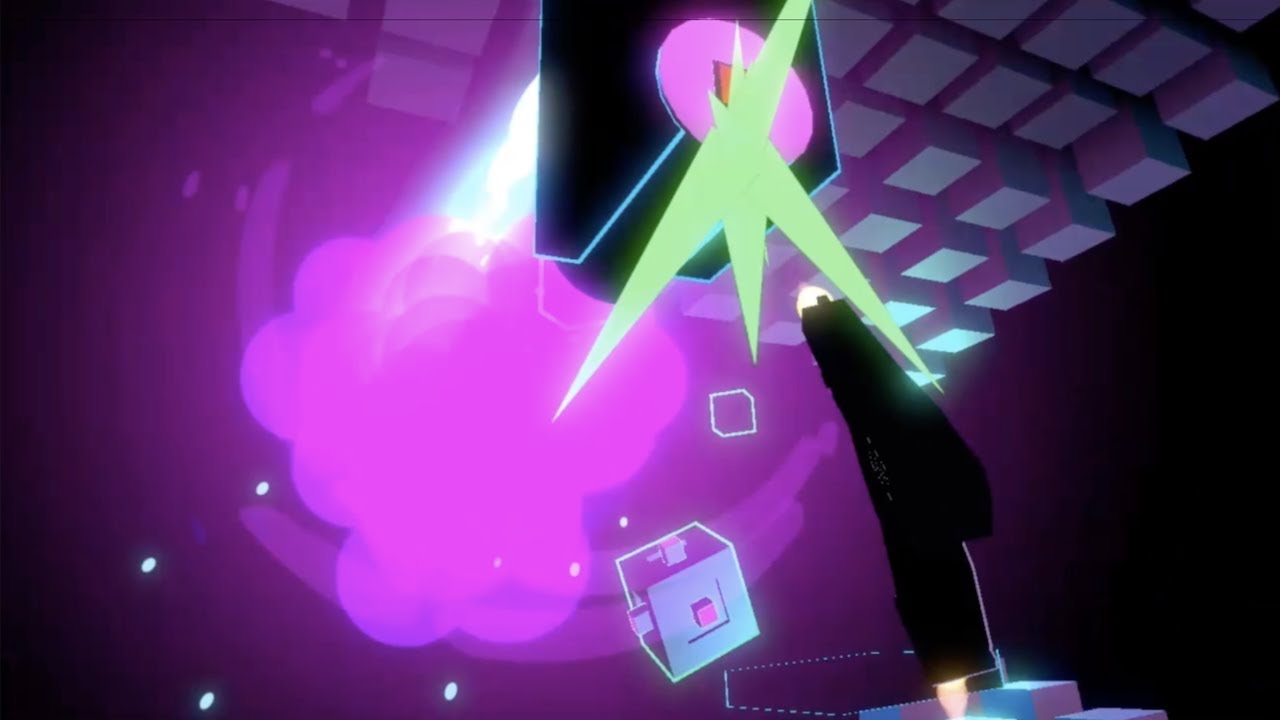
JETGUN Update #3
Super excited to welcome Fantom '87 for the soundtrack! Easily some of the best synthwave I've ever heard. If you haven't heard him, check out Neon Death: https://open.spotify.com/track/3oXGTMhSxVhiSnraV27P2q?si=f2tE_pWhQ3O2wDUJc0ZgCQ
Check out the rest of his tracks here: https://open.spotify.com/artist/2T4w33dLBJyXVZugL5ZrwU...
sleek salmon
Teleportation setup https://youtu.be/j2rAs0yEreI
 dusk sky
how can i make the xr toolkit grabables object not lag behind?
 storm ether
Hey, i am having an issue where whenever i use my locomotion code (can be seen on the screenshot), my player doesn't have collisions, he can just walk through everything, yet at the same time he doesn't fall through floor
trackingOrigin is the reference to the player itself, public GameObject trackingOrigin;
midnight knot
dusk sky
how can i make the xr toolkit grabables object not lag behind?
Try switching the movement type on the xr grab interactable script to instantaneous
dusk sky
how would that help?
midnight knot
dusk sky
how would that help?
Kinematic, Instentaneous and Velocity tracking all behaves in diffrent ways. Witch one you chose depends on what type of grab you are trying to achive. You can mess around with the different movement types to find one that suites you
pine bison
I don't know anything about the Steam SDK but you seem to be moving with Transform.translate, which has nothing to do with collisions or physics
If you wanted it to stop when it collides, you either need to use a physics based movement method or do a raycast manually to check @storm ether
storm ether
How would i go about creating physics based movement method?
Raycast doesn't seem like a good solution
pine bison
You would use a rigidbody
tiny niche
@storm ether read up on the CharacterController, it's most likely the right tool for the job here. i'd also recommend you take some time to read up on the physics engine as a whole
 split stirrup
Hello everyone! I'm part of the Immersive Wire, which provides a weekly VR/AR digest of the news that matters. I also use it to profile the amazing VR/AR work that you developers make, so I'll be keeping an eye here on some of the cool stuff that is being made. Been around since 2016, so I have seen a fair bit.
Anyway, wanted to give a quick hello, and happy to answer any questions you may have!
 azure cairn
Any advice for measuring performance while doing local dev in unity?
 spice cliff
is it possible to get started with unity vr or should i make 3d/2d games first
leaden flame
spice cliff
is it possible to get started with unity vr or should i make 3d/2d games first
certainly possible but I would suggest having a strong understanding of Unity, mostly in 3D will greatly help when building VR experiences.
torpid ginkgo
@spice cliff Don't post reaction gifs or other off-topic media on the server, please.
 hardy sand
What happened to UI interactions and the Unity XR plugin? I can't get the UI to react anymore to XR Ray Interactors
Running on Unity 2020.2.1f1
nevermind, it works again, just had to plug my headset inside because otherwise the ray interactors won't actually trigger the event
midnight knot
So im trying to play and stop my partical system through script but it dosent work. It just stays on forever. It could be something wrong with my interactable events on my xr grab interactable but Im still trying to turn it off when I start the game and that dosent work
leaden flame
midnight knot
So im trying to play and stop my partical system through script but it dosent wo...
Make sure you're linking into the correct API https://docs.unity3d.com/ScriptReference/ParticleSystem.html Here's an example of a bubble gun I worked on that allows the user to grab an object (with XRI) click the trigger and spawn bubbles. The bubbles are a particle system that gets Play() and Stop() called on it. https://github.com/Unity-Technologies/XR-Interaction-Toolkit-Examples/blob/master/VR/Assets/Scripts/BubbleGun.cs

GitHub
This repository contains various examples to use with the XR Interaction Toolkit - Unity-Technologies/XR-Interaction-Toolkit-Examples
midnight knot
leaden flame
Make sure you're linking into the correct API https://docs.unity3d.com/ScriptRef...
I am just using a simple script that turns the particles off on start and on and of on different functions that are called by the xr grab interacteble scirpt. expeliarmusSpell.Play(true)
 tired dock
Hey guys! Im having an issue where my project will open 2 tabs of Unity. the extra tab is just a black screen and does nothing, if i try to close it, it closed both tabs. Anyone know anything about this?. 😫
 unreal valley
Hey guys. I have a Problem. Im learning programming VR Games. A Course on Udemy expaned the key-query this way. The Problem is this way is outdated. Now i dont know how i can write this red highlighted code cause SteamVR have new class etc..
leaden flame
tired dock
Hey guys! Im having an issue where my project will open 2 tabs of Unity. the ext...
I'm not sure if this is related to VR at all, maybe ask in a different channel. It's not clear what '2 tabs of Unity` means. If it's a problem with editor windows try restarting or factory reseting the layout in the upper right corner.
leaden flame
unreal valley
Hey guys. I have a Problem. Im learning programming VR Games. A Course on Udemy ...
At a high level that code looks like it's storing a reference to a tracked object and device and then querying it for input. It's hard to provide guidance without knowing what version of unity you are using and what XR integration path / packages you're using.
unreal valley
leaden flame
At a high level that code looks like it's storing a reference to a tracked objec...
yeah its storing a reference to a tracked object (VR Controller left or right). Im using Unity 2019.4.17f1 and SteamVR Plugin thats all
Oculus
tired dock
leaden flame
I'm not sure if this is related to VR at all, maybe ask in a different channel. ...
My project is a VR project, and you were right, altho i figured it out before hand haha. Thank you anyway! Yeah it was the layout, when i done it, it fixed it and then my PC went crazy and opened like 1000 tabs and then crashed. But restarted and all is good now haha. No idea what that was about
leaden flame
unreal valley
Oculus
Are you using SteamVR plugin or Oculus? Or Oculus through SteamVR? Did you follow this quickstart guide and enable SteamVR Input? https://valvesoftware.github.io/steamvr_unity_plugin/articles/Quickstart.html
unreal valley
leaden flame
Are you using SteamVR plugin or Oculus? Or Oculus through SteamVR? Did you follo...
Sorry, im using SteamVR not Oculus. I will try the quickstart guide thank you
 final basin
SteamVR input works through Actions now. See Hand.cs in SteamVR for an example.
// Declaration:
public SteamVR_Action_Boolean grabPinchAction = SteamVR_Input.GetAction<SteamVR_Action_Boolean>("GrabPinch");

// Usage (handType is a property of Hand):
bool isPressed = grabPinchAction.GetState(handType);
bool isPressedThisFrame = grabPinchAction.GetStateDown(handType);
bool isReleasedThisFrame = grabPinchAction.GetStateUp(handType);
Do you guys know good Tutorials or Courses how to learn programming VR Games with Unity / C#?
 merry root
Can someone please help me with a script that allows for continuous movement in whatever direction the player is looking, but without any button pressing, ?
final basin
This is the one and only tutorial i've watched so i dont know how it compares to others, but this series by Valem is pretty good @unreal valley https://www.youtube.com/watch?v=gGYtahQjmWQ

If you want to get started with VR development. This video is for you.
▶ Get access to exclusive content: https://www.patreon.com/ValemVR
▶ Join the Discord channel: https://discord.gg/5uhRegs
Want more details ? Check arvrtips articles :
▶How to Install Unity Hub and Setup a VR Project :
https://arvrtips.com/how-to-install-unity-hub/
▶The Only...
Thats specifically for the unity XR plugin system
unreal valley
final basin
This is the one and only tutorial i've watched so i dont know how it compares to...
Thank you! Yeah i see thats the only good Tutorial for VR. Im doing this right now
final basin
cool!
midnight knot
leaden flame
Make sure you're linking into the correct API https://docs.unity3d.com/ScriptRef...
Ok so, I made the partical system into a prefab and I am trying to instantiate it. This is my code
I dont really know what .emit does but if there is anything wrong here tell me
Also the void start is pretty much useless since It hasent been instantiated yet
storm ether
If anyones free to help a noob like myself out dat be great.. its literally just texture problems... for a vr chat avatar that im trying to make for the first time.
I..if theres a help area please tell me.
leaden flame
midnight knot
probably depends on your particle system a bit but as mentioned earlier I'd opt for Play() and Stop() over emit. Since emit just spawns that number of particles right away, but there are several different ways to make particle systems so that might be alright. From there it also looks like you're passing in a transform in the Instantiate, I'm also not sure that's what you want and might instead try using wandTip.position so it spawns at the position of the wandtip not as a child of it.
Lastly just a general rule of thumb if you don't know what something does, like Emit you can always check the docs. Here you can see a description for what it does, the different parameters it takes and some sample code on how to use it. https://docs.unity3d.com/ScriptReference/ParticleSystem.Emit.html
midnight knot
leaden flame
probably depends on your particle system a bit but as mentioned earlier I'd opt ...
Thanks, it almost works now it's just that the partical system is in a wierd rotation when I press the trigger and also should I make a till function to stop the spell and then put it on deactivate in the interactable script?
leaden flame
midnight knot
Thanks, it almost works now it's just that the partical system is in a wierd rot...
you can also pass a rotation into the Instantiate to fix that first issue, yeah that would work, stopping the particle system on deactivate. It is a bit dependent on how you set the particles though, like you don't loop them you might not need it.
midnight knot
leaden flame
you can also pass a rotation into the Instantiate to fix that first issue, yeah ...
Ya I had to put in wandtip.transform.rotation becuse otherwise I would get an error in my script. But it doesent work
hardy kayak
I need help
the start position of the xr camera doesn't look where the camera outlines is
and it also can't be edited, if I rotate the XR rig it still looks in the same direction
how can I fix this?
leaden flame
can you describe what you're trying to do @hardy kayak in general the VR platform will take over and handles the camera position and rotation. As in your room layout / gaudian will affect things like position and rotation
hardy kayak
the vr camera is pointing in the opposite direction of the door, and you can see it in the bottom right corner. But when I play test/play it the camera is looking wherever it wants based on real life headset rotation and it does not start in the rotation as which the camera in unity is facing to.
I tried with the LookAt() method but it doesn't stay
@leaden flame
leaden flame
Correct, you can control the general location of the player (XR Rig) but the camera position and rotation relative to that parent object is controller by the platform. If you want the player to start looking at the door you might need to rotate the world / room
storm ether
Does anyone know how to prevent an objects transform snapping to the center of the controller when grabbed?
 young rune
Is there a Pre-Processor directive that can determine with XR Plug-in I'm using?
leaden flame
storm ether
Does anyone know how to prevent an objects transform snapping to the center of t...
assuming you're talking about XRI, you can use the attach transform to override where you "hold" objects.
storm ether
Can you elaborate? i know which variable on the script youre talking about but im not sure how i would execute
leaden flame
storm ether
Can you elaborate? i know which variable on the script youre talking about but i...
if you scroll up a little bit there's some conversation around this. Starts around here #🥽┃virtual-reality message
basically there's a transform, that transform will be used to 'attach' the object to the hand. So you can add an empty transform as a child object and move it's position and rotation to control where you grab an object
storm ether
And it overrides the transform of the grab-able object?
leaden flame
correct, or uses that transform on where to grab / attach the object.
storm ether
Thats perfect, thank you!
midnight knot
midnight knot
Ya I had to put in wandtip.transform.rotation becuse otherwise I would get an er...
@leaden flame
leaden flame
midnight knot
<@!265675269891686410>
not sure what part isn't working, yes you need to pass in a rotation if you also pass in a position. You can see the method declaration and different overrides here. https://docs.unity3d.com/ScriptReference/Object.Instantiate.html
As a general debugging / problem solving approach I'd start with just a simple primate prefab (make sure it's scaled down) and see if you can get that correctly spawning when you want it to. Once that is solved then you can hook up the particle system.
umbral notch
Stumbled on an App on my Windows." Mixed Reality Portal"... apparently is used for playing VR games or connecting I don't really know...does anyone has more info or how it's been used?
leaden flame
umbral notch
Stumbled on an App on my Windows." Mixed Reality Portal"... apparently is used f...
it's used for running windows mixed reality VR headsets, similar to SteamVR and Oculus applications.
this code is using tags heavily and referencing them by inlined strings, that can be fairly error prone. Check if your objects are properly tagged and maybe look into storing those tags as strings outside the method to reference them.
ie:
void Update()
{
  if(other.gameObject.CompareTag(m_RightControllerTag))
  {
      // do stuff
  }
}```Im sorry for not being so clear, but whats not working is that the rotation is not good when I spawn it. Could I use wandTip.forward?
 hushed spindle
Ay ideas on why is this happening? Using xr system https://gyazo.com/6ae60510861887c01197c19d632eff61
 unreal valley
I have a Problem guys.. i just startet a new Project added a few objects in the scene and a XR Rig. When i start the game and move my head it feels like the objects are partially moving with me it feels like spongy... It looks like the objects enlarge and shrink when I move my head up or down. The same to the left and to the right. Do you know what that can be? I use Unity 2020.2.1 OPENXR Plugin and XR interaction Toolkit
unreal valley
unreal valley
I have a Problem guys.. i just startet a new Project added a few objects in the ...
ok i know the problem now. when i test with Oculus here then it work normally... i dont know why..
 frozen trench
Hey so im trying to use my oculus quest to make a steam vr game, when i run the project (im using steam vr plugin btw) the game window in the editor tracks the headset, but inside the headset, the screen is black?
any clue?
hard carbon
In XR settings, play around with the multiview bit (I cant remember its actual name, but you should find it pretty easily). Sometimes thats a fix for me. Also if you are using Post Processing, you also might run into that
 rare scroll
Anyone have success in lots of grass in VR?
Like LOTS of grass, or at least enough to make the horizon look grassy and have some depth
This is what I currently have, but the drawing step takes too long that the semaphore ends up delaying the next drawing, so I'm stuck at 44.7 fps. After trying a VFX graph approach, instancing approach, and a baked static, mesh, I've found that one mesh of many grass meshes works best in performance. Still it lags... Ideas?
midnight knot
midnight knot
Im sorry for not being so clear, but whats not working is that the rotation is n...
@leaden flame wandTip.forward didn't work but I dont know what could be causing the problem. Its wierd the particel system spawns from the right position but not the right rotation
pine bison
@rare scroll are you using LODs? Last time I made grass I LODed pretty aggressively, which included removing alpha cutoff as soon as I could to limit alpha overdraw
rare scroll
@pine bison no I am not, actually I have no idea on what would improve performance in that aspect, as well as enforcing LODs. Is it related to mip maps?
pine bison
So there are two possible problems with two separate solutions:
-
Triangle count
Each grass mesh has a certain amount of polygons, and when instantiated loads, this number will of course get very high. By using LODs, you can swap to a mesh with fewer polygons when the mesh reaches a certain distance from the camera. -
Alpha overdraw
The problem here is the cost of multiple layers of alpha blended materials on top of each other. Each time the rasterizer hits a transparent pixel it has to do another pas to render behind it, and this quickly adds up. This is especially a problem in VR, where things are rendered twice.
The solution in this case would usually also require LODs, for example you could swap from one version of your grass with alpha to one with the same mesh, but no transparency
 pearl barn
Hi everyone, i've just started with a vr game, everything works fine but when i start the game i see that weird thing on the top right of the scree.
i only have 1 camera and i don't have objects near it
proud raft
This looks like a UI thing (maybe)
 round crystal
can u guys help me?
pearl barn
No it doesn't
round crystal
#🥽┃virtual-reality message -- pls help
pearl barn
@proud raft oh, yeah it happens. i just removed the XR Rig and added a new camera, and i still see that thing
it follows my movement, so it's always on my top right corner
proud raft
Hmm, one last idea, when you search in the hierarchy panel for "image" or other UI things, does something pop up?
pearl barn
no sadly. i don't even have a canvas
really, i can't find anything on internet
i just made a new empty project, still same issue
round crystal
@proud raft can you help me? #🥽┃virtual-reality message
proud raft
@round crystal The last time I made something for google cardboard was in Unity 2017 or so. So I probably can't help more than asking if VR/XR is active in your Unity project 😬
frozen trench
    {
        if (barrelLocation == null) {
            barrelLocation = transform;
        }

        if (gunAnimator == null) {
            gunAnimator = GetComponentInChildren<Animator>();
        }

        socketInteractor.OnSelectEnter.AddListener(AddMagazine);
        socketInteractor.OnSelectExit.AddListener(RemoveMagazine);
}``` so ive got this piece of code for a shooting scriptand it tells me onSelectEnter and onSelectExit is inaccessible due to its protection level
i dont understand?
rare scroll
@pine bison gotcha. I think I can figure out LODs with some google searches and youtube. But regarding Alpha overdraw, there are some things I can't figure out. The grass looks way better when it's opaque, but for whatever reason, setting it as transparent yields better performance. Might be a matter of testing it many times, and the difference is just by random chance... any ideas on why this might be the case?
Also, I'm using single-pass stereo instancing, so it being rendered twice isn't a concern.
Another question, when a single, large mesh is being rendered, are the parts that aren't visible not drawn? I have occlusion culling on, and I did some tests with breaking it into chunks and disabling those that aren't visible, but I couldn't detect a difference in performance. So far I've tested a VFX-graph based approach for instancing grass only within the frustrum, an approach where I generated chunks of grass and disabled based on visibility, and one large mesh, and the large mesh approach has been workign best.
pine bison
Objects are culled as a whole, not separated by faces
pine bison
No, such an answer does not exist. There are a lot of factors to consider
rare scroll
@pine bison gotcha. A few more questions, if you don't mind:
- I think my understanding of rendering systems is messed up, but fragments are drawn based on what is visible, right?
- Regarding opaque seemingly performing better, do you have any ideas?
- Is it still worth having many grass gameobjects, using instancing, and disabling those that aren't visible? The shader is unlit, no lighting is being applied, and no significant math is being done in either stages.
 torpid bough
I'm using Unity to upload a VRchat avatar, but when I hit "Publish" I get this message.
 solar sphinx
round crystal
Hey guys, how do I make the camera to look like this
solar sphinx
round crystal
Hey guys, how do I make the camera to look like this
Which version of Unity are you using?
 tawny temple
pine bison
tawny temple
pine bison
It's not possible to give such an answer without any information about the game idea
pine bison
rare scroll
<@!235467086984380418> gotcha. A few more questions, if you don't mind:
1. I th...
- A fragment is drawn per pixel on the screen yes
- I'd need screenshots of the material settings to see what you mean the difference is here
- GPU instancing will help a lot with the grass, if you can get that working. The meshes should be frustrum culled already so not sure how much extra work you wanna put into disabling it
hardy sand
What is going on with Unity 2020.2.1f1 and Oculus Integration? Some namespaces have moved around and the package is throwing errors everywhere
i'm fixing by hand, but I can't find the Boundary namespace anymore, anyone has a fix for this?
 obtuse frigate
Hi, I am pretty new to game development and have been trying to learn the new input system for VR development. Right now I am just trying to console log a trigger value from my Rift S controller. I have my XR Rig set up with the default input actions and I am able to log out the trigger value but it only logs 0 and 1 values not the float value. The attached image is of the PlayerControls script that is logging the value. Any idea why this isn't logging the in-between floats?
rare scroll
@pine bison
2. Doesn't GPU instancing prevent inter-grass occlusion culling? A lot of the grass is being covered by other grass, and I can only make grass an occludee and occluder if it's static.
3. I'll do some testing on transparency and opacity to see if I still have the issue
 vast thorn
Hey! I'm working a lot with 360 videos, and I'm looking for a panoramic shader that would allow me to define an angle for video texture, and fill the rest with a static texture, so that I could minimize the size of the video. Does anyone know of something like this? I was thinking of writing one myself based on Unity skybox panoramic but I have very little knowledge of shaders and wanted to ask here first.
 candid trellis
Hey guys, I'm adapting Brackeys portal tutorial to VR. Anyone knows how to "lock" the Z rotation using Quaternions so my clone camera used for render texture wont roll as I roll my head? This is the script I have from the tutorial
 shell kayak
I think the problem is that it is locked
candid trellis
And how could I set it so it doesn't roll? I only want to yaw and pitch
total noob here, sorry
Here's the tutorial in the part where he talks about rotation https://youtu.be/cuQao3hEKfs?t=559

Get all Udemy courses for only $10.99: http://bit.ly/BRACKEYSJAN
The link above is an exclusive limited $10 site wide deal that expires soon so... go nuts!
In this video we create a smooth portal effect in Unity!
● Download Shader: https://goo.gl/iKCk1r
● Project on GitHub: https://github.com/Brackeys/Portal-In-Unity
The video is based on th...
shell kayak
But you want it to roll. Looking at the script now, it is set up to ignore roll.
It might not make sense, but the texture is sampled in screen space. That's what the custom shader was for
shell kayak
No, the portal camera has to mirror the real camera exactly
Right now it isn't, because it's ignoring the roll
The way Brackey's mirrored the rotation is pretty weird and the cause of the error.
candid trellis
Is it better to do with euler?
shell kayak
Nope, euler is only useful for humanizing 3D rotations and make math with them even harder
candid trellis
What would be a better approach to this?
shell kayak
Matrix math would be the best way, but I'm not experienced enough with that to write the solution from memory.
Take a look at this for inspiration
https://github.com/HuvaaKoodia/Unity-Portals/blob/master/Assets/Scripts/Portal.cs
GitHub
Portals in Unity by not using RenderTextures! Contribute to HuvaaKoodia/Unity-Portals development by creating an account on GitHub.
Specifically this part:
// Rotate portal camera 180 degrees so that it is a mirror image of the main camera
Matrix4x4 targetFlipRotation = Matrix4x4.TRS(Vector3.zero, Quaternion.AngleAxis(180.0f, Vector3.up), Vector3.one);
Matrix4x4 inversionMatrix = targetFlipRotation * transform.worldToLocalMatrix;

// Calculate translation and rotation of main camera in current space
Vector3 cameraPositionInSourceSpace = ToV3(inversionMatrix * PosToV4(mainCamera.transform.position));
Quaternion cameraRotationInSourceSpace = QuaternionFromMatrix(inversionMatrix) * mainCamera.transform.rotation;

// Transform portal camera to world space relative to target transform,
// matching the main camera position & orientation
portalCamera.transform.position = target.transform.TransformPoint(cameraPositionInSourceSpace);
portalCamera.transform.rotation = target.transform.rotation * cameraRotationInSourceSpace;
Thank you very much! I'll look into that
shell kayak
Also, I would recommend eventually looking into stencil based portal rendering. It's definitely a better approach, but slightly more difficult to implement in Unity compared to render textures.
It's especially way better for VR. Portal 1 used render textures, while Portal 2 used stencils. Budget Cuts uses an approach very similar to stencils.
To get an understanding of it, I'd recommend watching this part of the Budget Cuts GDC talk
https://youtu.be/f786ak3GKQo?t=1210

In this 2018 VRDC @ GDC talk, Neat Corporation's Joachim Holmer discusses the ins and outs of the design behind Budget Cuts' portal translocator device, and offers practical insight into the technical implementation of the system, as well as his team's solutions to making it perform well.
Register for GDC: http://ubm.io/2gk5KTU
Join the GDC ma...
tawny temple
messing around with physics
 eternal bone
Is there any way to get raw sensor data from the headset in unity? I found a link to do it unreal but can't find it for Unity: https://developer.oculus.com/documentation/unreal/unreal-blueprints-get-raw-sensor-data/?locale=en_GB
Unreal Blueprint Get Raw Sensor Data
leaden flame
eternal bone
Is there any way to get raw sensor data from the headset in unity? I found a lin...
I see some of those values are part of the OVRDisplay class https://developer.oculus.com/reference/unity/v23/class_o_v_r_display/
eternal bone
leaden flame
I see some of those values are part of the OVRDisplay class https://developer.oc...
Perfect, that's exactly what I'm looking for. Thankyou!
 ripe grove
How do i go about using the headset emulator in ovr For some reason it will not work when I hold left control and move my mouse on the editor
hard carbon
Do we know if the OVRDisplay class thing @eternal bone was working on would work on Quest? Would love to be able to access IR data
eternal bone
Yep it seems to have done the job, but I think it just provides data from the accelerometers and gyroscopes
 west needle
When looking through the files of a vr game where do i find all the textures for the models
leaden flame
west needle
When looking through the files of a vr game where do i find all the textures for...
as in a compiled VR game?
final basin
Valve just released SteamVR Plugin 2.7.2 https://assetstore.unity.com/packages/tools/integration/steamvr-plugin-32647#releases
tawny temple
WIP but I made a physics based keyboard
 bright pewter
Heyo i need some help
I’m planning on making a system with the quest 2 hand tracking where you can walk around using armswinger locomotion if anyone wants to help me build the mechanics dm me
And also idk how to implement this so yeah
leaden flame
bright pewter
I’m planning on making a system with the quest 2 hand tracking where you can wal...
Have you tried using hand tracking while swinging your arms around? Hand tracking is fairly limited to a small area in front of the device. If you haven't yet I recommend checking out this talk https://www.youtube.com/watch?v=or5M01Pcy5U
Breakthroughs in computer vision technology have allowed hand tracking to finally become feasible, unlocking the possibility of a more natural input method. Translating the rich, complex data that computer vision based hand tracking provides, in addition to considering human ergonomics and hardware constraints, make hand tracking as input a chal...
 glossy timber
is this the right place for help?
https://hatebin.com/vjjmefhneo
the warning says Parameter 'Grip' does not exist but I have no idea how to fix that
leaden flame
glossy timber
https://hatebin.com/vjjmefhneo
the warning says `Parameter 'Grip' does not exist...
looks like you're setting a float value from a Animator component based on a grip value. That error is saying your Animator doesn't have a Grip parameter.
glossy timber
how could I fix that then? I'm just starting to learn Unity and coding
leaden flame
glossy timber
how could I fix that then? I'm just starting to learn Unity and coding
You could add a float parameter to the animation controller named Grip that will fix the error but it might be better to first try and get a better understanding of the animation system. There are a handful of tutorials on the learn site like this one that might help. https://learn.unity.com/project/the-animator

Unity Learn
In this learning project, you'll get to know the Animator as you explore animation blending, State Machines and Animation Layers. By the end of the project, you'll have completed a comprehensive overview of Unity's 3D Animation Systems
glossy timber
ok, thank you
west needle
zin the files of a vr game how do i find the textures for items
leaden flame
west needle
zin the files of a vr game how do i find the textures for items
Why would you be looking for textures in a compiled VR game? That sounds like you are stealing and using texture you don't own or didn't create.
west needle
Im trying to get a idea of how my textures should look like
leaden flame
west needle
Im trying to get a idea of how my textures should look like
I'm not sure how that relates to VR and is boarderline against community guidelines. If you are interested on 3D art creation and production that are many resources available online and you can also view freely available assets on the asset store.
3D art creation for VR while having some complexities and uniqueness is no different than 3D art creation for other platforms.
west needle
ok thanks
tiny niche
@west needle check out sketchfab, you can view the wireframes and textures of any model you find on there
 marble solar
Hi guys, I'm working with SteamVR in Unity do you know how do I change where my hand grabs an object from, I tried creating an empty object and putting it in the Attachment Offset but it don't seems to work or I'm doing something.
dusk sky
is there anyway too stop the object jittring when in your hand without swaping to instantaious
tiny niche
even instantaneous jitters a bit, but you could use a joint that breaks at really low forces, or kill movement in late update
dusk sky
is there a way to make the object a child of the hand and still have the events work?
 dusk trout
hi i need help
i am making a VR game but the player hands go throw the wall
can any1 help with that?
?
tiny niche
@dusk trout that's normal and accepted behavior. all the alternatives are much worse from an immersion perspective
if it interferes with gameplay, make thicker walls
dusk trout
Ok thx
hushed spindle
Ay ideas on why is this happening? Using xr system https://gyazo.com/6ae60510861887c01197c19d632eff61
tiny niche
@hushed spindle you're not wearing the headset? or trying to get the value before the device is fully initialized?
 ionic sandal
dusk trout
hi i need help
i am making a VR game but the player hands go throw the wall
can ...
ionic sandal
dusk trout
hi i need help
i am making a VR game but the player hands go throw the wall
can ...
you should try something like Hurricane vr, they do physics hands and interactions very well if you don't want hands clipping etc.
hands going through walls is immersion breaking IMO, not the other way around
ionic sandal
could try building it yourself - physics VR is not easy btw
or stick to floaty clippy hands 😛
dusk trout
ok thx 😛
 slender vine
Yeah I agree with the physics hands, can get buggy at times but most of the time give much better feeling of interaction for me
hushed spindle
tiny niche
<@!266571471541764098> you're not wearing the headset? or trying to get the valu...
I had the headset on, i dont know why but values are returning 0 permamently, ill keep looking but thank you for the answer
 rugged roost
I got a question about 360 videos in vr; if i playback a 360 video in Unity, if the camera in the video turns, the viewer's view won't move along with the camera's view. is it possible to compensate for that so that the viewer is always looking where the camera is looking?
storm ether
the oculus player controller takes up all of my gpu help
 tiny compass
@rugged roost yes, you could do that. you'd need to manually figure out all the rotations you'd need to follow the camera. But I'll warn you that the effect on the person in VR probably won't be pleasant at all.
rugged roost
@tiny compass is there any other way that won't make the viewer sick? what about applying a rotation offset on the material that contains the video clip?
tiny compass
@rugged roost not really. because you're moving the users view without them actually moving. it's that kind of mismatch that causes a lot of people discomfort
it's not that different than putting someone in a VR car and having it drive down a road, with everything moving past them
and in this case, you'll have the additional challenge of getting the turns smooth
rugged roost
funnily enough, that's the type of video I'm showing. the car turn round a corner but the viewer is stuck in place not looking ahead
then there are some videos where the video starts with the user looking at the headrest :/
tiny compass
but it IS doable. you just have to figure out "okay, at 13:35, I need a 5 degree turn to the left, with the turn rotation done over 3 seconds. then at 14:58, a 90 degree turn to the right, done over 15 seconds" etc.
yeah, I did some work with 360 stereoscopic videos, and it really makes you hate the person taking the video
rugged roost
would do a lerp on the camerarig?
tiny compass
no, i would rotate the video sphere
rugged roost
i'm using unity's video player that doesn't have a inverted sphere
would i still be able to rotate the gameobject?
tiny compass
hmm, most of the work i did on this was in Unreal Engine before I shifted over to Unity. How I did it was to create an inverted sphere (flipping the normals in blender), then using a video player as the material for the sphere
so that it played on the inside, where the user was located
i just fiddled with it a bit, and it seemed like rotating the camerarig didn't conflict with the internal code that rotates things when the user moves around, so it seems like that'd work
rugged roost
right, looks like i'll fiddle around with it as well tomorrow. thanks for the advice
storm ether
Does anyone know how i would go about subtitles in a vr story game? I dont want it to completely obstruct vision but i also dont have voice clips. are there any programs that i can make artificial semi-human voice lines?
leaden flame
storm ether
Does anyone know how i would go about subtitles in a vr story game? I dont want ...
there are a few resources available that touch on VR subtitles, I recommend checking out the owlchemy labs work and some documentation from Oculus. https://www.oculus.com/blog/see-what-we-said-vacation-simulator-subtitles-update-and-language-support/
https://developer.oculus.com/learn/design-accessible-vr-captions/

In today’s guest post from Owlchemy Labs, we look at the new subtitles update for Vacation Simulator, including language support for English, German, Spanish, French, Korean, and Japanese.
 surreal fable
Does anyone have any ideas as to why there's such a quality difference between single and multi pass stereo rendering? Forward rendering. Quality AA settings set to 4x. Turning on/off post-processing makes no difference. Unity v2019.3.4
storm ether
@leaden flame appreciate it very much thank you!
shell kayak
@surreal fable There was a bug in Post Processing stack (which might still be there) that halved the horizontal resolution in single pass
Are you sure Post Processing is completely disabled? Did you also disable the Layer component on the camera?
 wheat imp
can someone please recommend some nice animated soldiers to be used as NPC?
surreal fable
shell kayak
Are you sure Post Processing is completely disabled? Did you also disable the La...
I turned off all scene post-processing volumes, and removed the CC layer from the camera and still no change 🤔 I'm up to date on the post-processing package version too.
shell kayak
@surreal fable Check the Frame Debugger in Window > Analysis
surreal fable
shell kayak
<@!532393164942737409> Check the Frame Debugger in Window > Analysis
Hmm, even with everything turned off in the scene (and I even disabled AA), there's still a image effect post processing item in the frame debugger.
shell kayak
Do you have any custom assets that might be doing post processing?
Though those names definitely look like the post processing stack
You absolutely sure you don't have a PostProcessLayer in there somewhere? I can find a reference to that BuiltinStack name in that script.
https://github.com/Unity-Technologies/Graphics/blob/a9f132c95e41758539a06daa90877d8c9c244bd9/com.unity.postprocessing/PostProcessing/Runtime/PostProcessLayer.cs#L1187
GitHub
Unity Graphics - Including Scriptable Render Pipeline - Unity-Technologies/Graphics
surreal fable
Nothing that I can think of. I'll remove it from the project and test from there for curiosity's sake. The point still remains that I need the PP, so will have to wait till this bug is fixed though to move to single-pass.
shell kayak
There is a fix for it, maybe you could try that
Let me find it
@surreal fable https://twitter.com/MrZulubo/status/1290714652234543104

PSA to unity VR devs. If you're using Single Pass Stereo and the post processing package, your game is getting downsampled by 50%. This is a really stupid error that has likely affected many shipped games. Fortunately, there's an easy fix.
Likes
232

 Twitter
·
midnight knot
Twitter
·
midnight knot
Hi, I am trying to play and stop a partical system but it wont work. I have made it so that on start it should stop but it dosen't. My partical system is a prefab but i don't think that makes a difference. I am not instantiating it in any way.
 prisma sentinel
okay so you see a lot of (imo) bad magazine systems in even big vr titles like boneworks and pavlov
main problem being that the magazine doesn't have to be fully in the gun to load it
do i make it so if it only loads if the mag is colliding with the chamber?
hard carbon
Theres a few ways to do it definitely. You can make it very vague, so the clip disappears from your hand and the gun plays a clip going into the mag animation.
You can make a physics socket, that if the clip is dropped in the radius of the mag socket, it just snaps in. This gets more finicky the smaller the radius of the socket.
You could make the mag socket a vacuum, that just sucks up the nearest clip on the ground. This is my favourite, because in VR reality is really what you make it. You can explain this with some fancy tech/magnetism, but really it feels and looks cool.
tiny niche
@prisma sentinel you can also go the robo recall route and just throw the gun away and grab a new one
prisma sentinel
hard carbon
Theres a few ways to do it definitely. You can make it very vague, so the clip d...
what
i want players to have to put the magazine
inside of the gun
for it to be able to fire
tiny niche
realistic reloading has issues with controller proximity too, you end up bumping them into each other a lot
prisma sentinel
well you're not grabbing the gun by the magwell are you
oh (pistols)
at least for rifles
prisma sentinel
tiny niche
realistic reloading has issues with controller proximity too, you end up bumping...
i dont see a problem with this unless it physically prevents loading
pine bison
There is a reason why the systems you are calling bad are the way that they are
tiny niche
people end up with scuffed controllers over long periods of time when games have these issues
pine bison
Sometimes realism gets in the way of gameplay
tiny niche
at the end of the day, the most important part is that your system is not finicky and does what the player intended to do every time
prisma sentinel
if i make the gun suck up mags in a vicinity like pavlov, then players can jam the magazine carelessly into the gun
not how real ones are loaded
tiny niche
nothing more immersion-breaking than an interaction that doesn't behave smoothly
prisma sentinel
i want players to have to actually put the magazine into the well
tiny niche
and how are you going to guide the mag into the well without proper haptics?
tiny niche
it's just going to wiggle around and refuse to go in half the time
prisma sentinel
well im obviously going to have to prevent wiggling
tiny niche
not how a real mag would react
prisma sentinel
that's even worse than dysfunctional magwells
so how do i make the mags not have a seizure when they go into the gun?
tiny niche
doing a proper slider is a tough task in vr. i've yet to see someone make a simple drawer that feels correct when you use it
prisma sentinel
yeah i also wanted mag pouches where you need to slide them out but by how this is going i don't think that would be possible
tiny niche
well it's doable, but you can't rely on the physics engine to get it done
gonna have to do something specialized for each task
prisma sentinel
maybe make it so the mags only move on the local Y axis when being taken out?
so they can't wiggle around? only up and down?
tiny niche
that's basically what games like pavlov does
but you still need to have the local Y adapt to orthogonal movement
otherwise you end up with it seeming fine at the middle and you're not quite able to reach the end of the slider
which is the usual culprit when drawers don't feel quite right
prisma sentinel
no
pavlov has terrible gun physics
you don't even need to have the mag facing upwards when loading
 cursive quail
im using the XR develoment toolkit and im planning on adding a Desktop version of the game
but im runnign into a few issues on how to turn off VR cleanly
cause its so early in develoment that i dont want to make an entirely separate project just for the desktop do i just want a way to toggle it on and off with a flip of a variable and swapping out presets. any ideas on how to do that?
im currently just making a desktop prefab for the main player prefab and just gonna nuke all XR related things but i cant really tell whats going to happen when someone without VR runs it cause i have Oculus installed and it auto launches it
pine bison
Yeah just have a central manager for it. We have a DeviceSwapper script that toggles between VR and desktop, and it invokes an event whenever that happens. Then any system that needs to react can subscribe to that event
cursive quail
and i dont want to uninstall oculus cause itll take an hour to reinstall it
alright assuming i have a central manager what does that central manager do to turn off VR?
and even better if it can switch automatically if it detects VR or not. not sure how to do that
its been like 4 months since i got the XR setup so i dont remember how ingrained it is and what to disable
is there a main XR script somewhere that handles everything that i can just turn off?
pine bison
I haven't worked with the new XR system so I can't tell you much about that part
cursive quail
oof
i guess my test to see if i did it corectly is see if unity trys to auto start Oculus. if not im assuming it wont error out when someone who doesnt have oculus runs it lol
pine bison
XRGeneralSettings.Instance.Manager.InitializeLoader(); and XRGeneralSettings.Instance.Manager.DeinitializeLoader();
cursive quail
hmm so i just DeinitilizeLoader as soon as possible?
or find where it gets initilaized and add a varable cheak
Hmm i just disabled all XR scripts in the scene and Oculus still boots up and the camera feed goes to the headset. but all tracking doesnt work now
is it just the fact that the XR package is installed that causes it to run?
hell ya!
found it
hmm but running the Initialize loader in the main Start function causes it to break
Oculus loads up but i guess the game fails to "mount" into it
and got these warnings
i bet i need a startup scene that doenst contain Xr stuff and wait for it to be initilaized than go into the main menu
its not working lol
yea im now unable to mount the game
i run this
wait like 10 seconds and start the main scene and nothing works
oculus opens up though
YES
this will just be my start VR function xD
 fleet thicket
Hi Everyone !
can someone please explain when is this event get called ?
wheat imp
got some questions, easy for most u guys experienced devs, im just starting. Perhaps some one can give me a hand?
leaden flame
fleet thicket
Hi Everyone !
can someone please explain when is this event get called ?
This method is called by the interaction manager right before the interactor targeting this interactable is disabled or destroyed, or if the interactable is unregistered.
from the docs https://docs.unity3d.com/Packages/com.unity.xr.interaction.toolkit@1.0/api/UnityEngine.XR.Interaction.Toolkit.XRBaseInteractable.html#UnityEngine_XR_Interaction_Toolkit_XRBaseInteractable_OnSelectCanceling_UnityEngine_XR_Interaction_Toolkit_XRBaseInteractor_
cursive quail
Ok im still having issues manualy starting XR
now i cant for the love of god get the input subsystems to work
the documentations is super lacking on where to find it
when i get the XR Controller i look at it and theres no subsystem associated with it
its read only so i cant just set one
so i do some research and i find XRInputSubsystem
apparently that is a class
theres no default instance of said subsystem
so i just instantiate it and it errors out
I dont know what else to do theres zero people that have the same problem as me
this is my code that manualy starts the XR
and heres my code to try to setup the subsystem manualy
and i get the most cryptic error msg on the line that does subsystem.Start()
Parameter name: _unity_self
MainMenu.MStart () (at Assets/Scripts/MainMenuSpeficic/MainMenu.cs:157)
Startup.loadmainmenu () (at Assets/Scripts/Startup.cs:89)
Startup.SucessXR () (at Assets/Scripts/Startup.cs:63)
Startup+<StartXR>d__1.MoveNext () (at Assets/Scripts/Startup.cs:38)
UnityEngine.SetupCoroutine.InvokeMoveNext (System.Collections.IEnumerator enumerator, System.IntPtr returnValueAddress) (at <a9810827dce3444a8e5c4e9f3f5e0828>:0)```where can i find the default input subsystem that the the first bit of code makes?
ok i think i found the input subsystem im looking for
XRGeneralSettings.Instance.Manager.activeLoader.GetLoadedSubsystem<XRInputSubsystem>()
but how do i "add" a XR Controller to that?
i cant understand the documentation at all
its all just classes
no usable methods
it just seems like its all done behind the scenes
and done compleatly in the background where you have no idea what its doing or how its doing it
it just seems like it just wont work unless the XR controlers are active when the subsystem starts
And currently im starting the subsystem then enabling the game objects that house the XR Controllers
is there like a subsystem.reload function? or a subsystem.AddInput()
But non of the other subsystems are messing up even though im enableing it after the fact. the hands still get tracked to the correct spot. the Graphics work just fine its just the inputs that are breaking
and theres Zero indication in the console or documentation or online about whats going wrong
So now it seems like the InputDevice is not even valid at this point.
hand.GetComponent<XRController>().inputDevice.isValid returns false
so now when i run this
        UnityEngine.XR.InputDevices.GetDevices(inputDevices);

        foreach (var device in inputDevices)
        {
            Debug.Log(string.Format("Device found with name '{0}' and role '{1}'", device.name, device.role.ToString()));
}```i get absolutly nothing
 jovial cairn
yoo vr peoples
https://media.discordapp.net/attachments/270909733580308480/799364169786195968/unknown.png?width=1440&height=403
so i had a problem with other taking up a lot of gpu, after looking i found out that it was the game window drawing, now if i close the game window before running the game it doesnt lag, but if i dont these spikes appear, is this a unity bug or is something wrong with my vr game

(im on 2019.3.13f since im still using the legacy vr system)
tiny niche
that's just how it is
jovial cairn
guess im going to have to close the game view everytime before running the game then 😬
tiny niche
or simply don't run it through unity
jovial cairn
well its pretty useful to run in unity when testing
but i prefer not getting sick everytime i test
 fringe ginkgo
Hey everybody! I'm kinda new to Unity and VR and was hoping you people could help me out with a little problem I'm having 🙂 I'm working on a configurator for clients who need a virtual 3D catalogue for Oculus Quest and therefore I need it to be easy to update the products available without having to update the application every time new products are added to the line. Is it possible to instantiate 3d objects from a memorystream from an external database or is this impossible? It works fine in the Unity editor, but once I build the app and export it to the Oculus quest, it wont render the models anymore.
 viral blaze
Any tips for stabilizing pointer of tracked hands?
https://twitter.com/DePanther/status/1350919973686882305


Implementing WebXR Hands API in Worlds Demolisher. Need to stabilize them, but you can control a spaceship 🚀 without physical controllers. #WebXR #MadeWithUnity https://t.co/ODP9MAv52P
Twitter
·
 crystal quiver
@viral blaze the simple approach might be to take a moving average of the hand/point vectors, but it will lag behind in time. I think it would be worth it to have the spaceship a few frames delayed.
Otherwise, you may be getting into machine learning territory of predicting motion.
viral blaze
crystal quiver
<@!277596274239209472> the simple approach might be to take a moving average of ...
In play time it works great, issue is in the menus.
I thought about easing it as you suggested, but maybe the joint which sends the ray is also important
crystal quiver
I haven't gotten into the WebXR Hand API, but I've noticed in the quest, it reads kind of a mix between my hand position and rotation. Is that how the API seems to work? I was a bit frustrated in the quest home menu, it doesn't translate hand rotation into the cursor very much.
viral blaze
crystal quiver
I haven't gotten into the WebXR Hand API, but I've noticed in the quest, it read...
The WebXR Hand API is pretty raw.
You get a list of joints and their poses.
I guess I'll have to read some Hololens and Quest researches
crystal quiver
You could still do a lot just with raw joint positions! For example, take a vector from the wrist to every joint, average them, and put the spaceship somewhere on there.
viral blaze
True, but again, the spaceship works great. The issue is with the cursor in menus
Thanks 🙂
 steel rivet
does a ps vr work vr develpoment
crystal quiver
Has anybody used the preview OpenXR in Unity 2020.2.1f1 with your HTC vive? I'm just starting to think it's not compatible yet. The OpenXR and Unity integration is still relatively new so it's hard to read about anybody else in the same boat, and it is an even tinier slice of people developing with an HTC Vive.
Just let me know if you or anyone you know has proven a preview OpenXR rig does in fact appear in the HTC Vive.
 crystal quiver
I fixed my problem. I had to open the Developer tab of SteamVR Settings and click "set steamvr as openxr runtime". I'm good to go!!!!
 high rivet
Is there any way to trigger an animation in world in AltVR? Like opening an elevator door?
tiny niche
nothing vr specific about that. just play the animation on the door
high rivet
tiny niche
nothing vr specific about that. just play the animation on the door
How do you suggest I trigger it... not run it from the start. Only run it once when the person in world triggers/collides with it. Like opening an elevator doo or turning on and off a light.
tiny niche
try the character controller rig and do an intersection test like you normally do
high rivet
tiny niche
try the character controller rig and do an intersection test like you normally d...
I’ll look into that...
I’m very new at this so an intersection test is not normal for me. 🙂
tiny niche
look and how it's done outside of vr then. most of the non-vr methodologies still apply in vr
you'll also get better help if you pick the channel by the problem you have as opposed to the type of game you're making
leaden flame
 vale mountain
looks like those errors are coming from the oculus asset store package. Are you using the latest version of that?
vale mountain
leaden flame
looks like those errors are coming from the oculus asset store package. Are you ...
I updated everything I could from within unity, do I need to download something from outside of it?
leaden flame
vale mountain
I updated everything I could from within unity, do I need to download something ...
Did you update this? https://assetstore.unity.com/packages/tools/integration/oculus-integration-82022

Use the Oculus Integration from Oculus on your next project. Find this integration tool & more on the Unity Asset Store.
vale mountain
I thought I did, but maybe I didn't
thanks, I'll try it
Maybe I only updated XR and missed that one somehow
leaden flame
In the error messages you can see the file path Assets/Oculus/xxxxx which is from that asset store project. So there's so mismatch in your version of that with the oculus integration.
 naive shard
Is there a consensus on which Unity version, render pipeline, and input system to use for PC VR development?
vale mountain
leaden flame
In the error messages you can see the file path Assets/Oculus/xxxxx which is fro...
What do you mean exactly?
I am trying to update to 2020.2
Also, looks like Oculus integration doesn't show any possible updates
in the package manager
azure cairn
Anyone looking to collaborate on a game?
I'm working on a game for Oculus. Using 2020.2, xr toolkit and new input system.
DM me for more details
leaden flame
vale mountain
What do you mean exactly?
Alright, so I assume you're using the XR plug in management? make sure you're using the latest Oculus XR Plugin, for 2020.2 the verified version is 1.6.1
vale mountain
leaden flame
Alright, so I assume you're using the XR plug in management? make sure you're us...
Actually for some reason it seems like integration wasnt installed.
seems there are no errors now
leaden flame
cool
vale mountain
I'm sure I had it installed before I updated
when I updated to 2020.2 it's almost like it uninstalled it
and then even when I loaded it, it updated again
oh, well, it's working now lol
Now hopefully I just dont run into the problem I've seen in the past were one eye doesnt display
nope, everything is good
thanks for the help
naive shard
naive shard
Is there a consensus on which Unity version, render pipeline, and input system t...
Just wondering if most people who are amateur/hobbyists stick with the default render pipeline or if they find a lot of use out of the URP, whether to use 2019.4 or 2020, etc.
pine bison
For production I would still recommend 2019 LTS and default render pipeline. If it's for hobby use you can do what you like. The new XR system seems stable enough to use but it's still pretty barebones
 karmic lark
Anyone here ever hook up Unity to Shopify?
 coarse oyster
I am very intrigued currently in VR and am looking for Someone to give me some suggestions where I should start, for making VR
pine bison
coarse oyster
I am very intrigued currently in VR and am looking for Someone to give me some s...
coarse oyster
Thank you @pine bison I will check it out 😉
tiny niche
@coarse oyster you should also just try a lot of vr games and apps, there's quite a few free demos available on steam and oculus store
it'll teach you about how mechanics get designed and what works vs. what doesn't
north path
Definitely the best thing to do indeed!
 viral parrot
Anyone with experience implementing for Vive Focus Plus and who can tell me why we are only seeing a black screen when build to device with an error in the log saying?: "Unable to find libGfxWXRUnity"
 foggy matrix
Where is this option in unity now? This lesson is from 5.6. Trying to get Google cardboard in VR to work
naive shard
foggy matrix
How can I play vr games, in the editor with unity?
Do you have a VR headset and controllers?
foggy matrix
Trying to use google cardboard, I have a headset; but for school I need to be able to play in editor
naive shard
If you don't have access to one, you can use the "Mock HMD". You will have to create your own method for moving and rotating it though.
 deft hawk
Has anyone been able to map the index controllers’ menu buttons using SteamVR’s bindings?
Can’t seem to get it to work.
naive shard
foggy matrix
Where is this option in unity now? This lesson is from 5.6. Trying to get Google...
The deprecated setting is found in Project Settings > Player > Settings for Pc, Mac & Linux Standalone > XR Settings
The one you might want to be using is found in Project Settings > XR Plugin Management. You'll have to click "Install XR Plugin Management" first.
storm ether
This may be a noob question to all VR expert out there., But how do you properly grab with two hands in XR?
I follow the tutorial from Valem and Andrew, but doesnt achieve the realism i wanted to.
for example,; the rotation is flipped all around, and whenever i release my 1st hand, the object drop automatically even though the 2nd hand still grabbing....
I am looking something like this:
https://assetstore.unity.com/packages/tools/modeling/auto-hand-vr-165323
 mystic saffron
I am so close to getting a portal working in VR, but for some reason, it only aligns when I look through the headset when it is upside down.
I assume it is quaternion math related, has anyone come across anything similar when using Quaternion.inverse?
 haughty sage
mystic saffron
I am so close to getting a portal working in VR, but for some reason, it only al...
haughty sage
mystic saffron
I am so close to getting a portal working in VR, but for some reason, it only al...
idk but my programmer mind just says to just use it but when calculating it to use -abs(rotation.x) as the x rotation instead as a first guess
mystic saffron
I think that would mean it wouldn't reflect your head rotation, as you couldn't nod your head
It is so weird, for it to align so perfectly - but only when the headset is upside down!
tiny niche
@mystic saffron sounds like you flipped instead of reflected a vector somewhere
mystic saffron
that sounds right, but what is the difference (in terms of mathematical function - i'm using quat.inverse)
naive shard
@storm ether I'm interested as well. It's too bad Valve hasn't made a built in or open source version of that $30 asset.
 vestal flicker
like this? 😋
vestal flicker
deft hawk
Has anyone been able to map the index controllers’ menu buttons using SteamVR’s ...
Pretty sure you can't bind them because they open up the steamvr window. Similar to oculus I think. Eat up one button.
Same for wmr joystick click.
deft hawk
vestal flicker
Pretty sure you can't bind them because they open up the steamvr window. Similar...
Heavy sigh....yeah, that's what I thought.
So annoying. Why take up 2 buttons that essentially do the same thing?? 😐
naive shard
The Unity documentation for Knuckles is way out of date. https://docs.unity3d.com/2019.1/Documentation/Manual/OpenVRControllers.html
Is there an up to date version somewhere? Knuckles don't even have a trackpad or micro USB!
leaden flame
naive shard
Is there an up to date version somewhere? Knuckles don't even have a trackpad or...
The most up to date or supported path is going to be through OpenXR and the Valve Index extension see: https://docs.unity3d.com/Packages/com.unity.xr.openxr@0.1/manual/features/valveindexcontrollerprofile.html
Although open XR is in a preview state so keep that in mind.
Technically speaking the index controllers do have a trackpad or touchpad, the oval shaped area between the joystick and buttons can detect touch position and force.
naive shard
leaden flame
The most up to date or supported path is going to be through OpenXR and the Valv...
Ah, I forgot about those. (the little ovals)
leaden flame
That documentation you linked isn't in the LTS (2019.4) version of the docs, not sure which version you're using but I'd recommned moving to an LTS if you're in an older version.
naive shard
I found it via Google.
dusk trout
hi im using urp project and the post proccesing isnt working on vr ( vr game ) evan when the render camers is on post prossesing. can anyone help plz?
vestal flicker
If you want to use Index in the stable version of Unity you would use the SteamVR bindings.
dusk trout
im using oculus @vestal flicker
naive shard
vestal flicker
If you want to use Index in the stable version of Unity you would use the SteamV...
vestal flicker
Yes
naive shard
Scary. A little too new for tutorials. In fact all the tuts I found say "Valve is rumored to release their OpenVR SDK soon". Hopefully I can dig into their scripts and game objects and figure it out.
 versed drift
Hey, I'm trying to make a grappling hook gun in my VR game, but having an issue, and was wondering if anyone here would know what to do. Currently, when I hook onto something, it pulls me up, but then if I move my hand (or whatever the gun is attached to), it starts moving my whole player around and rotating. Anyone know how I can fix this?
This is my method for grappling. It is called when the player presses the trigger.
void StartGrapple() {
RaycastHit hit;
if (Physics.Raycast(gunTip.position, gunTip.forward, out hit, maxDistance)) {
grapplePoint = hit.point;
joint = player.gameObject.AddComponent<SpringJoint>();
joint.autoConfigureConnectedAnchor = false;
joint.connectedAnchor = grapplePoint;
float distanceFromPoint = Vector3.Distance(player.position, grapplePoint);
joint.maxDistance = distanceFromPoint * 0.8f;
joint.minDistance = distanceFromPoint * 0.25f;
/*joint.spring = 4.5f;
joint.damper = 40f;
joint.massScale = 4.5f;*/
joint.spring = 0f;
joint.damper = 0f;
joint.massScale = 0f;
lr.positionCount = 2;
float speed = 200;
float step = speed * Time.deltaTime;
Vector3.MoveTowards(player.position, hit.point, step);
}
}``` cursive eagle
has anyone had trouble with OpenVR crashing editor on Play?
rare scroll
@versed drift I've had that issue before in a different context. If your gun and the player do not share the same rigidbody, and the player rigidbody is non-kinematic, the gun can collide with the player, causing it to spin and move. I had this happen with the CharacterController, where it only would self-collide when the .move function was called, which is when it reacts to collisions and stuff that, while not being moved, do nothing.
versed drift
rare scroll
<@!267479459345465354> I've had that issue before in a different context. If you...
Oh, how exactly would I fix that?
versed drift
Hmm, the issue is I'm not sure what exactly is colliding.
rare scroll
So you have your gun and your player right
Do they each have colliders
If your player has a CharacterController, then it has a collider
rare scroll
Disable the collider for the gun and see if you have the same problem
versed drift
Maybe my player stuff is not set up properly?
Alright
Oh, that solved it!
Thanks
Now I can grab onto things without rotating, but I also seem to fall through the map now lol
versed drift
Uh
I don't have any rigidbodies
And that was my only collider.
is that what I need so that I don't go through things? lol
rare scroll
You shouldn't fall through the map unless you have a rigidbody or CharacterController, or you're explicitly controlling gravity
storm ether
vestal flicker
like this? 😋
@vestal flicker Exactly Like thattt..!!!, unfortunately, the project that i am working on has to be open source.....
Otherwise i will just buy the hurricaneVR....
if you dont mind, could you please make a tutorial for the two hand grabbing @vestal flicker ?
 gusty rapids
I'm not quite sure on the syntax. I want to acheive when the player grabs a object and positions it some where it will then carry out another function. For example to start of small
Player Grabs cube.
Cube is placed on surface on table
The Words Open are printed on a surface
Some thing Like OnCollosion if=this_Certain_Cube{Panel.Out("Cube is here");}
 hushed knot
can some pls help me even get started with making a vr game? im kinda new to making vr games cough cough just started cough cough
pine bison
hushed knot
can some pls help me even get started with making a vr game? im kinda new to mak...
gusty rapids
So this is leaning more towards regular Unity Development Rather then VR. But for My game it's sort of like the player is in a museum and has place the planets in order on the pedestal. However I don't know where to begin to look into how to do this. Here is what I have so far.
naive shard
Can you specify which part you're needing help on? Collider triggers? Snapping objects to a position? Checking if each object is in the right place?
rare scroll
Why isn't this in the market yet... https://youtu.be/_17xaIkzG1k?t=16
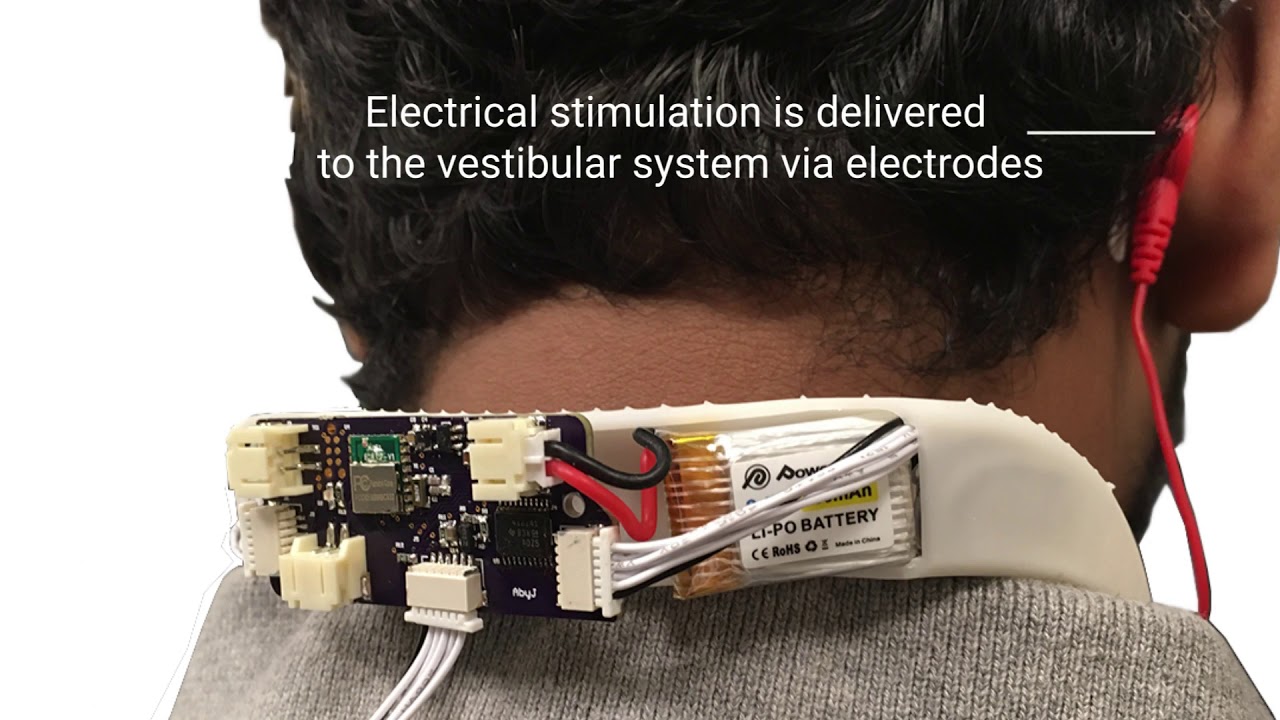
Adding Proprioceptive Feedback to Virtual Reality Experiences Using Galvanic Vestibular Stimulation
Misha Sra, Abhinandan Jain, Pattie Maes
CHI '19: ACM CHI Conference on Human Factors in Computing Systems
Session: Gaming in Virtual Reality
Abstract
We present a small and lightweight wearable device that enhances virtual reality experiences an...
tiny niche
my guess is because it doesn't work very well
rare scroll
I would think the demand is so high on these that a company like facebook would invest in further research, it solves a big barrier in VR locomotion
naive shard
So I tried out the SteamVR plugin, and the fire effects are rendering differently between each eye. For example, the torch tip renders in front of the fire in the right eye, and behind the fire in the left eye. Is that a bug in their code or a flaw in how I set it up?
 sour rampart
Hi I am in over my head and have a technical question
I'd like to voice chat with someone who is willing to help point men in the right direction
naive shard
You're more likely to get advice by posting it in text.
rare scroll
@naive shard you might want to check if you’re using single pass stereo or multipass
If it’s not one of those, it could be a problem with the mesh if applicable. If the normal is flipped, you can have one eye render it differently from the other
 peak wing
Hey guys when I try to run a VR Unity scene in SteamVR, I get the following error:
the action manifest for vr interaction Space [Testing] was not found
Does anyone know how to fix this?
 brittle veldt
uhm
the hand is not working
so ye
something happened
@peak wing the left that is not glowing
peak wing
brittle veldt
<@!213767643331690496> the left that is not glowing
It's because the controller is turned off lol
But I fixed the issue myself already
peak wing
I hadn't marked OpenVR Loader in the project settings
brittle veldt
ok so is it fixed
i dont know how to use a vr headset
i never even tried one so i am guessing
glossy timber
https://pastebin.com/ZiNSn5LU
Got this code from a video and when i run this it spawns the bullet, but with the wrong rotation and it doesn't move at all.
Pastebin
Pastebin.com is the number one paste tool since 2002. Pastebin is a website where you can store text online for a set period of time.
naive shard
glossy timber
https://pastebin.com/ZiNSn5LU
Got this code from a video and when i run this it ...
The rotation is whatever you pass it. And you should be moving projectiles by using .AddForce https://docs.unity3d.com/ScriptReference/Rigidbody.AddForce.html
glossy timber
so what changes would I need to make to my code? I have no idea where to put .AddForce
naive shard
If you can't answer that question yourself, you may be lacking some fundamentals of programming, and I would suggest focusing there first. Telling you all the answers won't help you grow.
At the very least, stay far away from VR until you've learned more of the basics or you're going to have a lot of headaches.
 vital raptor
Hey guys, I am Head of Development for a big VR project in the medical sector (platform with medical trainings for universities). I figured here would be a good place to build some connections and find people with experience in Unity development, especially in VR, who are looking for work as Freelancers. If youre interested shoot me a dm.
 abstract isle
vital raptor
Hey guys, I am Head of Development for a big VR project in the medical sector (p...
abstract isle
vital raptor
Hey guys, I am Head of Development for a big VR project in the medical sector (p...
Is this the stealth way for Surgeon Simulator devs to recruit for their next game?
vital raptor
Haha, no. We are working on more serious simulations that medical students will be able to use to practice procedures. Especially during Corona, where many practical lessons are canceled, students need to practice what they learned in theory.
pine bison
Welcome @vital raptor, nice to have you here. We're working with a more extensive platform, but have a few medical use cases that we're working with :) You got a website for your project?
vital raptor
Thanks @pine bison! We are still working on the first actual training (hypovolemic shock in peadiatrics), as we have been building the framework for efficient scaling and modularity the last few months. But you can go to our website to get a more detailed description of the project https://www.somareality.com/projects/medical-education/. We will soon update it with pictures of the hospital environment and medical equipment we already created.
pine bison
Cool, I'll be sure to keep an eye out :)
vital raptor
Btw, we are based in Austria and initially our focus will only be on german speaking regions.
pine bison
One of the thing we've been working on is drug administration training in VR, we're based in Norway and there really are a lot of hospitals looking into VR and AR. I assume it's the same in austria
Here's a link to that project https://www.fyndreality.com/core/medisinrom/
vital raptor
Yes, there's a lot of demand for VR, we already have more requests than we can handle, so we are looking to scale up 🙂 Your project looks like a very interesting use case aswell!
pine bison
Cheers, all the best to you guys :)
vital raptor
Thank you, same to you! Maybe we will see each other sometime when bigger conventions start happening again
 deep swift
anyone know why my right eye isn’t rendering it’s just black. for context i’m using the oculus quest and the xr toolkit
hushed knot
hello 😄
tiny niche
@deep swift there could be a million different root causes, but the eye not rendering is a symptom of a gpu crash
once it occurs, you typically need to reboot or unplug the device to get it back to normal
shell kayak
@deep swift You're probably trying to use post processing on the Quest
dusk sky
how can i detect what controller picks up an object with an intractable script on it. cause i want to add some extra code to the object
vale mountain
What are the limitations of unity's built in 3d audio?
compared to other solutions
leaden flame
It's not really spaitailized. What that means is you'll hear things coming from different directions but it will only be in a single 'side'. So with the built in 3D audio you can hear a sound effect coming from the right headphone if its to the right of the user but nothing out of the left.
Some of the platforms / built in spaitializers will do a similar thing but you'll hear sound from both ears. Loudest in the right but still some sound in the left. Which is more accurate to real life.
 odd hare
leaden flame
It's not really spaitailized. What that means is you'll hear things coming from ...
odd hare
leaden flame
It's not really spaitailized. What that means is you'll hear things coming from ...
I wonder if there's any studies about using audio delay for spatial perception.
There's a delay between one ear and the other hearing a sound when it has to travel further to reach the far ear, and our brains then "match up" the sounds and use the delay to figure out where the sound is. That's why dogs (and people) cock their heads when listening, to change the delay and triangulate where the sound is coming from. (It's also why you can't easily hear where a high pitched noise is coming from, because the wavelength repeats too quickly for your brain to know how to line it up)
My soundbar does weird tricks like that to make us hear noises from the sides wider apart than the soundbar speakers.
But for VR, I wonder if putting an intentional delay would let us play the sound from both speakers and still hear stereo. Could help sound quality, especially for people with bad hearing in one ear.
There's some other acoustic tricks we use to hear if the noise is in front or behind us that maybe could also be simulated.
Not to mention that we use the reverb to hear the size and shape of a room. Except we use the way reverb is reflected sound, a little like simple echolocation, so it needs to be calculated real-time using something similar to raytracing. So we can't just apply a standard reverb to the sound if we want more than just the size of the room.
That reverb thing HAS been tested, years ago, with a half-life mod and blind players. They put aircon items into the game to see if blind players could use them as beacons to navigate. It didn't work. Then they modelled the acoustics and sound reflection, and discovered the blind players could navigate and understand the room shape, as well as tell which room they were in. They had a much easier time than with the objects just making stereo sound directly, because their brains already took the reflection into account.
I can only imagine in VR where we can turn and tilt our heads, it'll be even stronger.
And might help solid walls and floors and stuff "feel" more real, instead of feeling like a well painted styrofoam prop or realistic hologram.
Sorry for the rambling tangent. I just happened to be thinking about this the past few days.
Aha, looks like this is already being done, to varying amounts, and is called HRTF
 hearty iron
Im sorry but doesnt this do exactly what you are talking about ?
It works great for immersive VR audio
odd hare
Looks like it does, @hearty iron ! Thanks!
storm ether
Hey I got a question everyone. I recently got a Quest 2. Started playing around with deving with it. But i'm noticing something I can't really understand.
According to OVR Metric tool - when I look down at the ground my FPS drops. Never seen this before, normally on PC games for example looking down should considerably improve FPS as things are culled. But with Quest 2 OVRMetric is showing the FPS in the red.. There's nothing but a terrain, no other objects in the scene. Looking straight is perfect 90 FPS. Even if I look directly at a cliff, 90 FPS. Only when looking slightly down or down.
shell kayak
@storm ether It could be that the shader being used for the terrain is more complex than the shaders used by objects, so when the terrain takes up the whole screen, every pixel is shaded by that complex shader and it takes more time
But when there are objects with simpler shaders in the way, it saves time on those pixels.
There could also be things under the terrain that are still getting drawn and taking up GPU time.
 heady grotto
The solution is to run it through the Frame Debugger and/or RenderDoc
storm ether
Hello!
 proper lagoon
Does anyone have a template for a vrchat world that I can build on in unity?
proper lagoon
proper lagoon
Does anyone have a template for a vrchat world that I can build on in unity?
Windows preferably
abstract isle
@proper lagoon There's a VR chat discord where you will get better responses
dusk sky
how can i make XR track the oculus quest controllers. cause it not tracking and i have all the inputs set
 mental sentinel
What is the currently preferred LTS version of Unity if I want to start a new VR Project? And I'm assuming Oculus Integration + Unity XR Toolkit is currently still "the way to go" yes? I do the package manager add now, yes?
I have 2019.4.4.f1 - is that a good one?
Should I update the project / version before I begin trying to follow tutorials?
I guess I don't have to use the LTS... please just let me know what version a noob should start on these days 😛
odd hare
Use the LTS @mental sentinel - a lot of stuff hasn't stabilised yet.
mental sentinel
odd hare
Use the LTS <@229023217417846785> - a lot of stuff hasn't stabilised yet.
I should always be updating to the latest 2019 LTS, correct? That's safe?
odd hare
I normally like using the latest beta and preview packages. But with VR that seems to break more things than it adds.
mental sentinel
I have 2019.4.4f1 and it asked me to update to 2019.4.18 I think
I think I just installed XR Toolkit 0.10... but I didn't install "Oculus Integration" and I'm wondering if that will be a factor
I'm trying to follow tutorials, but things move so quickly that I'm unsure if anything is outdated, what I end up using, etc
odd hare
No, just start with the latest LTS, unless you have a reason to use something earlier. Then update if and when you need to - usually because of a bug fix or an asset that needs something newer. Don't continually update, since updates can break stuff.
mental sentinel
Oh, ok.
odd hare
I agree about the tutorials. "This is two months old, is it still relevant?"
mental sentinel
Especially in VR
And the XR toolkit tutorials mention nothing about Oculus Integration
From what I gather the Oculus Integration is a quick and dirty thing while XR Toolkit is the more robust solution, but Oculus Integration has default hands 😛
odd hare
You can use something like VRTK that handles integration for the different headsets.
mental sentinel
odd hare
You can use something like VRTK that handles integration for the different heads...
I am only thinking of Quest development at the moment
odd hare
If you use steam XR it should work on Oculus too.
But for Oculus only, I don't know if they have a package or something.
I don't have one myself, which is why I only know the more general options.
Hopefully getting a job doing Dev for the quest2. Interview in a few days, cross your fingers for me :)
mental sentinel
My problem is that I think I'm better at designing games than actually making them. But just like a songwriter, it's hard to get your stuff out if you can't sing your stuff
I'm hoping that I can build some core mechanics and, like, basically a vertical slice with purchased assets, and start a community and following
Like... so many devs out there making "obvious" games. And then so many others making crazy breakout things. And I just want to do one in the middle.
There are already multiple hero shooters and "moba" in the works, but they just play like a literal "moba in VR." Essentially 1000 worse than if League or DOTA just gave you VR perspective. And all I want to do is make a physical VR Action MOBA where you literally grab and throw grenades, knives, fireballs, etc. Who says abilities with Cooldown can't have physics? I want melee attack CD's to be represented by breakapart regenerating swords, and thrown weapons to regenerate on CD, and where "teleport locomotion" would actually be used for "teleport" on CD.
I dunno, I'm just crazy
vale mountain
I have this script and it works with the Rift S
watcher.primaryButtonPress.AddListener(onPrimaryButtonEvent);
but this doesn't. Where it works on the Older Rift
if (device.TryGetFeatureValue(UnityEngine.XR.CommonUsages.triggerButton, out tbvalue) && tbvalue)
What is the equivalent of the top one, but for right trigger.
tiny compass
okay, this is driving me up the wall. In a project I've been working on for months, suddenly certain meshes only show up in the left eye. The rest of the meshes show up in both. But these only show up in the left. 🤷♂️ 🤷♂️ 🤷♂️ Any ideas?
this is on Oculus Quest 2, and it ONLY happens on Link. If I build an apk and run it on the headset, it's fine.
if it helps at all, we do use Bakery. And I fairly recently updated it.
pine bison
Check the rendering mode @tiny compass, settings for link and quest are separate
tiny compass
that's a good point, @pine bison Checking that and anything else I can find. It's just so odd that it's just some meshes and not all.
pine bison
Bakery had some issues like that but that was fixed in an update last year
And should not appear suddenly
tiny compass
okay, feeling dumb. Rendering mode where, exactly?
pine bison
In the XR settings
tiny compass
ah, THAT setting. Don't normally go in there. And yes, PC was set to single pass, for no reason I have. Jeez.
Only thing I've done recently was update Bakery (we were probably on an early-2020 version), which was a pain in the balls because it got all twisted up and I had to exit out of unity and remove stuff manually (even had to kill adb, because apparently it had the Editors\x64 folder locked!)
and told Bakery to clear out all its settings. haven't even (intentionally) touched the xr settings since the project was set up
bit thanks for the help
pine bison

tiny compass
one of those things that don't even stake up any space in my brain because I don't ever even go back there after the initial project setup
just when I think I'm starting to get "decent" at unity, writing my own shaders to do fancy stuff, something like this comes along to humble me again 😄
also, whoever wrote the bit of unity code that makes the "you forgot to enter your keystore password since you restarted unity, you idiot" come up on a different monitor than where the build progress bar does is a literal devil.
pine bison
chaotic neutral 😄
 delicate glade
ee
ive just started working with OVR system (oculus' program) anddd im stuck
this is the code im trying to replicate
and heres mine
someone help? x
ples
please ping me if someone responds 🙂
delicate glade
i DOnE 🙂
mental sentinel
I'm sorry, I'm trying to get XR Interaction Toolkit working. If I imported the package, created an XR Rig, and it runs in the headset when I build but my controllers don't track, what should I check?
Any ideas?
mental sentinel
nm, I think I found the "update" issues

Doing Unity gamedev on the Quest 2? In this video I'll show you how to follow this series using the Unity XR toolkit update using the Unity Input System.
--Notes:--
Become a patreon member!
http://www.patreon.com/sharkjets
Join my Discord server and lets chat!
http://discord.sharkjets.com
Music by: Flawed Human Being
https://open.spotify.com...
storm ether
Hi
this might be a noob Question,
But i cant figure it out somehow...
How do you get the gameObject name that the Player Currently Grabbed in XR toolkit?
 vapid mortar
mental sentinel
I'm sorry, I'm trying to get XR Interaction Toolkit working. If I imported the ...
vapid mortar
mental sentinel
I'm sorry, I'm trying to get XR Interaction Toolkit working. If I imported the ...
if you're on steamvr, xr is broken
so you will need to use the legacy thing and valve's integration
 viral gale
Does anyone know why I my locomotion script can't locate the collider and the player controller from OVRPlayerController?
It has both in it
pine bison
Might be because it's in a prefab
viral gale
pine bison
Might be because it's in a prefab
Is it not supposed to be a child of the OVRPlayerController?
pine bison
The 'scene' tab in the search bar might not work well with prefabs
Either way just drag and drop it
 wild marsh
Hey all! Just released a full Unity Project showcasing my Open-Source handposing tool 🙂
I am really pleased with it, and you can install it on SideQuest:
https://sidequestvr.com/app/2278/hand-posing-tool-pirates-demo
Download the Unity project httpsgithubcomMephestoKhaanHandPosing_DemoThis is a tech demo for httpsgithubcomMephestoKhaanHandPosing an OpenSource tool that allows to quickly author hand poses for grabbing objects in a realistic and solid way Works with controllers and hand tracking This demo is intended to become not just a collection of realus...


Hand-Posing tool: Pirates demo, released! #VR #handtracking
Download the game on @SideQuest: https://t.co/CwVCowesuf
Follow the links to get the full Unity project and tool.
[Update for the PM gang] https://t.co/4QsMMk8nWI
Twitter
·
 wraith shale

Google Open Source Blog
Tilt Brush, Google's virtual reality painting application, has collaborated with amazing creators over the years.
TL;DR: Tilt Brush's Unity source code now available and with Apache 2.0 license: https://github.com/googlevr/tilt-brush
 next atlas
does anyone know if there is a crossplatform solution for displaying VR controllers (steamvr + oculus)? Not sure if the XR management platform has one (and if it would be supported via OpenXR).
Ofc I could just wrap SteamVR/Oculus SDKs, but seeing if there's anything existing
 deep lark
bump
vapid mortar
yeah that doesn't exist
soon XR will have steamvr support but that won't be for a bit
for now I think the general strategy is to dev for XR (using oculus as test devices) and add steamvr support when valve releases steamvr xr support
next atlas
vapid mortar
yeah that doesn't exist
you mean controller models? There is an OpenXR package for Unity currently in preview
viral gale
Is it possible to run a scene on a plugged-in oculus quest before building ?
pine bison
If i remember correctly the Oculus Integration has a quick build feature that skips a few steps to build faster. But I never tried it
viral gale
Hm okay
tiny niche
@viral gale you can run it like a rift app on the pc when it's plugged in. but it always needs to build or you'll have no binaries to run
storm ether
Does anyone know if something like GamepadState exists for XRController?
I would like to trigger the event of moving the thumbstick using remote information taken from the internet, but it seems nothing like Inputsystem.keyboard or InputSystem.gamepad exist for vr if not InputSystem.XR.XRController that is incomplete
vapid mortar
next atlas
you mean controller models? There is an OpenXR package for Unity currently in pr...
no I mean steamvr support for unity xr
as of rn
valve says its coming soon
theres an issue on their github with more info
next atlas
vapid mortar
no I mean steamvr support for unity xr
yea I'm aware of that...it's missing support for the Unity Input System, so I'm just planning to move my project to OpenXR when it's ready
vapid mortar
yeah i'm just deving for unity xr rn and planning to only launch on oculus initially, then release a steamvr port when they release steamvr for unity xr
kinda sucks especially bc I personally use an index, but most of my game's target audience is on quest
and deving for quest with a pc port helps optimize performance on mobile hardware
 eternal basin
wild marsh
Hey all! Just released a full Unity Project showcasing my Open-Source handposin...
eternal basin
wild marsh
Hey all! Just released a full Unity Project showcasing my Open-Source handposin...
Thanks @wild marsh thats one of the great free resources for hand tracking. 🙌


#Locomotion... Still, a challenging topic for XR developers. Here is the best resource (109 different techniques by now) that you can find - curated by @twi_mar from Microsoft Research. Tag your connections: https://t.co/KnEpbPplVH
More details during the open lecture on Feb 11. https://t.co/91g9JgYhU9
Twitter
·
This is also very nice resource for those implementing locomotion.
viral gale
Having a hard time getting decent performance in my scene. Are there any tricks, any settings I can tweak to optimize performance without hindering the graphics?
tiny niche
@viral gale depends on what your scene needs to look like. there's no one size fits all solution
tiny niche
bake the shadows and turn off dynamic lighting
the glass material might have a problematic implementation too
tiny niche
make sure the foliage does alpha testing instead of alpha blending
that glass material could likely be done much more efficiently
especially when you turn off dynamic lighting. since you're not really making use of it anyways
 brazen tundra
viral gale
Having a hard time getting decent performance in my scene. Are there any tricks,...
brazen tundra
viral gale
Having a hard time getting decent performance in my scene. Are there any tricks,...
Maybe use assets that have LOD(level of details), that helps too
 fickle terrace
Does anyone happen to know if you can have multiple XR Interaction Toolkit interactable components on the same object (and have them all register events)?
I've got a simple interactable and a grab interactable, and it seems like only the grab interactable is registering events.
fickle terrace
Hmm, looks like you can't even have one as a child of another if they're using the same colliders. Otherwise it's fine.
 modest spindle
Does anybody know why from unity 2019.4 , the XR plugin was upgraded when most unitylearn courses where for VRTK and previous unity versions ?
 tranquil walrus
Whoever just forked Open Brush onto Unity's GitHub, I'm deeply honoured 😄 Let me know if you want to talk!
brazen tundra
Any tips for making a red dot sight on VR?
vale mountain
What is the current solution for working with all headsets? I was told Index wouldnt load at all, and even a different oculus version from mind couldnt detect the button presses
 buoyant jolt
modest spindle
Does anybody know why from unity 2019.4 , the XR plugin was upgraded when most u...
buoyant jolt
modest spindle
Does anybody know why from unity 2019.4 , the XR plugin was upgraded when most u...
The VRTK is being made by two guys as a free thing for the community with little support or funding. Unity, who should have made an XR standard to begin with, didn’t start to really implement it until 2+ years later. Now that UnityXR is ready though, it is far behind. It still isn’t fully compatible with all access to the controls. And some functionality (I.e. showing the buttons and controllers per platform for tutorials) is made much more difficult. It isn’t bad just trailing behind imho. And, I like I can fix bugs and issues isn’t he VRTK :). That said, VRTK 3.3 is no longer supported, but 4.x does t have documentation. So you are kind of stuck in between options IMO at the moment.
shell kayak
brazen tundra
Any tips for making a red dot sight on VR?
You basically have two options. 1. Use stencils to literally place a red dot sprite a few meters in front of the scope and make it only visible through the scope. 2. Make a custom transparent shader on lens of the scope that draws a red dot in the middle, but uses some parallax math to change its position in each eye to make it look like it's further away than it is.
 quaint sentinel
PC Unity build crashes on game start up:
Windows event log reports:
Faulting application name: Getting Started.exe, version: 2019.4.4.7596, time stamp: 0x5f054527
Faulting module name: OculusXRPlugin.dll, version: 0.0.0.0, time stamp: 0x5fd2ac74
v1.55
Any ideas?
 arctic spruce
hi 🙂
ionic sandal
buoyant jolt
The VRTK is being made by two guys as a free thing for the community with little...
Unity doesn't add stuff like this intentionally so they can make money off the asset store publishers like hurricane vr and others.
pretty much same with everything else "unity should add", there's an asset for that lol
buoyant jolt
That's true
brazen tundra
shell kayak
You basically have two options. 1. Use stencils to literally place a red dot spr...
Hi @shell kayak! Thanks for the reply! I like the first option, but I don't know how to do that. Any tips?
shell kayak
brazen tundra
Hi <@!153952447516114944>! Thanks for the reply! I like the first option, but I ...
Take a look at this for how to write shaders that use the stencil buffer.
https://www.ronja-tutorials.com/post/022-stencil-buffers/
Summary The depth buffer helps us compare depths of objects to ensure they occlude each other properly. But theres also a part of the stencil buffer reserved for “stencil operations”. This part of the depth buffer is commonly referred to as stencil buffer. Stencil buffers are mostly used to only render parts of objects while discarding others.
T...
brazen tundra
@shell kayak Thanks! Will do
naive shard
I just loaded up the VR Beginner Escape Room with OpenVR using an Index and the hands are tracked, but I can't teleport or interact with objects. Is the documentation missing a step or did I break something?
 robust epoch
Any Idea how I could use this Indicators within the XR Toolkit in VR?
What I have to change for the Camera that I will se them in the Headset. I see it on the Game screen in Unity, but not in VR
https://assetstore.unity.com/packages/tools/gui/off-screen-target-indicator-71799
Use the Off Screen Target Indicator from Pixel Play on your next project. Find this GUI tool & more on the Unity Asset Store.
leaden flame
robust epoch
Any Idea how I could use this Indicators within the XR Toolkit in VR?
What I hav...
sounds like you might be using screenspace UI vs World space UI. Screenspace UI won't be visible in the headset because it's basically rendering at the same plane as your eyes. You'll need to convert this UI over to a world space UI (in the canvas settings of the UI) and may need to recalculate some logic to get it to properly work in VR.
vale mountain
How do you check a bool action with steam VR?
I have
public SteamVR_Action_Boolean input;
but I don't know what to use with input.
tutorial only covers triggers which are vector2
I have the actions set up
input.stateDown doesnt seem to work
The live view says it's working though
vale mountain
This also doesnt work
input.GetStateDown(handType);
What causes a black boarder to appear in the camera?
naive shard
I've detailed my VR Beginner Escape Room issue here and would appreciate any help anyone can offer: https://answers.unity.com/questions/1810193/openvr-with-vr-beginner-the-escape-room-project-no.html
Unity is the ultimate game development platform. Use Unity to build high-quality 3D and 2D games, deploy them across mobile, desktop, VR/AR, consoles or the Web, and connect with loyal and enthusiastic players and customers.
 lofty thicket
Working with Synty's VR arms from their prototype pack, I managed to use animation rigging (Two Bones IK) to connect the humanoid arms to VR controls (thx to Valem's tuto), but wrist crushes when you rotate and elbow (or forearm) bone just won't compensate for the rotation. Any clues?
storm ether
Can anyone help me?
I just downloaded unity and I did everything I had to do foloing a video on YouTube to get xr and when I got to the point that I had to click on play to go on vr it dident work
leaden flame
storm ether
I just downloaded unity and I did everything I had to do foloing a video on YouT...
If you want some help you'll need to provide more information. VR integration, support and packages vary between different versions of Unity and different VR headsets. A good start would be to mention what version of Unity you're using, how you're enabling VR (XR plugin management? player settings?) and what VR headset you're trying to develop for.
leaden flame
naive shard
I've detailed my VR Beginner Escape Room issue here and would appreciate any hel...
in the unity xr plugin release notes (that you linked in the forum post) you can see that the package does not provide input through Unity's XR input. Valve recommends using the SteamVR Unity plugin (from the asset store) and SteamVR Input (by generating input bindings and associating them with your project).
I see in the Getting started section it does cover adding the OpenVR but I don't see any additional steps on how to configure or get input working. AFAIK there isn't a way to get input without the method I mention above. I can check this out sometime this week and follow up with the EDU team.
In the short term I think either using the older (play settings / XR settings) in 2019.4 or potentially upgrading to Open XR and using the Valve index controller extension could work.
naive shard
leaden flame
in the unity xr plugin release notes (that you linked in the forum post) you can...
"using the older ... 2019.4
I didn't see a way to run a "Learn" project from an older version of Unity without first uninstalling that version from my machine. Do you know of a way?
If I want to make a new project, I can select whatever versions I have installed. If I want to open a "Learn" project, it automatically chooses the newest I have, as seen here: https://i.imgur.com/No3eaZh.png
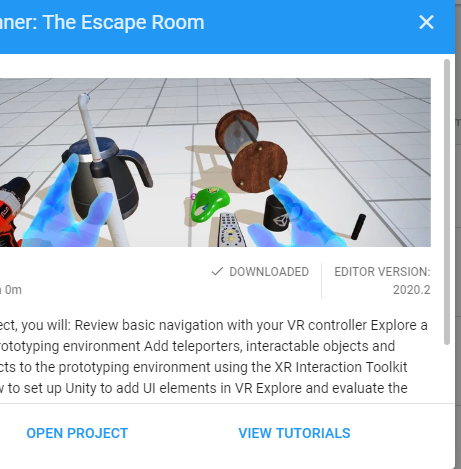


 leaden flame
naive shard
> "using the older ... 2019.4
I didn't see a way to run a "Learn" project from a...
leaden flame
naive shard
> "using the older ... 2019.4
I didn't see a way to run a "Learn" project from a...
yeah I'm not sure you can go through the hub tutorial but it is available on the asset store and that should let you install it in a newly created project (in a version 2019.3+)
Get the VR Beginner: The Escape Room package from Unity Technologies and speed up your game development process. Find this & other Tutorial Projects options on the Unity Asset Store.
 buoyant horizon
I'm in desperate need of help. I've asked in so many discord servers and haven't been able to figure this out yet. I've set up my project in unity 2020.2 and opted to use the new action based input system. I'm using valve index to test. My inputs look like the attached picture and I've been able to successfully use the default inputs that are provided to read when the left and right trigger are pulled. I used the Select and activate actions for those two. However, I want to now add my own action. I've done that successfully by clicking the plus and then adding it and naming it "Grab Object". I want to set the primary button as the input for this action. I select "primary button" for the path as shown in the screenshot. Then comes the issue. I was able to reference the pre made actions in script by using if (controller.selectAction.action.ReadValue<float>() == 0.0f) { }
So my first guess was to use if (controller.grabObjeect.action.ReadValue<bool>() == true) { }
However, I type controller. in my script and "grabObject" isn't even an option. Am I missing a step here that would allow me to reference this action in script?
abstract isle
Step one - Save Asset in that window
Step two - tell us what kind of variable "controller" is
You usually need to go through the action map first
Also are you using the generated file?
buoyant horizon
abstract isle
Also are you using the generated file?
I have saved it. controller is defined as controller = RightHandController.GetComponent<ActionBasedController>();
and for generated file, I'm not sure what you mean by that.
buoyant horizon
ok looking at ActionBasedController.cs, I now see the other actions that I can reference like selectAction and activateAction. Mine aren't there. I assumed by adding the input that unity was taking care of this but do I need to add these to that script manually?
abstract isle
Changing your input asset isn't going to add properties or fields to that class
I'm not familiar with the xr stuff but usually yes
I mean
I wouldn't suggest modifying Unity's classes
buoyant horizon
Hmm. I'm not sure how I would do this then. I feel like its simpler than I'm making it just to see if a button on the controller is being pressed.
abstract isle
I don't think you need to involve the ActionBasedController class at all
Just do things the normal way they are done in the new input system
buoyant horizon
ok. The VR tutorial I followed had me do it this way but I'll watch a normal tutorial and see how it compares.
abstract isle
Either with PlayerInput component or with the generated class, which is an option in the input asset