#🥽┃virtual-reality
1 messages · Page 46 of 1
 reef beacon
 tiny niche
@crystal swan so you're saying that you're fine if the player has to move 0.5m before the game detects it? and that it doesn't matter if the positional noise is +/- 0.5m?
because that means you can't tie the camera to the phone's position
to put things in perspective, the average vr headset has sub-millimeter precision
you can't, by definition AR can't exist inside a virtual space
but i get what you mean 😉
that said, augmented reality tends to want to put the info in the world as opposed to on a hud
and a hud is generally uncomfortable in vr too
why use health bars though? you have the opportunity to re-imagine things. perhaps you go the route of hack&slash games and have the enemies flash at increasing frequency until they die?
or have the healthbars placed onto the enemies clothing
 shell kayak
@fiery night What sway are you talking about?
tiny niche
i mean i get that you're trying to just do what you've always done. but when you run into issues with the medium, it's time to start rethinking things from the ground up
shell kayak
@fiery night Well, only the the "glass/display" should be fixed to your head, but the elements "in" it should be fixed to the space.
tiny niche
@crystal swan you don't. that's one of the inherent problems with accelerometers
shell kayak
The text shouldn't be close to your eyes
You should just put it somewhere in your scene, completely unparented from the glasses
Then use custom shaders to make those elements only visible through the glasses
You can use stencil masks to do that
Then I don't understand the effect you're trying to get
tiny niche
@fiery night what he's saying is render the glass close and the "hud" in world space, aka. above peoples' heads
yea you coud just skip the glass, it's more likely to just be annoying
@crystal swan you're trying to solve the unsolvable using existing tech. if you want to track positions, then the accelerometer alone is not going to be enough. what you need is camera-based tracking
yes, in addition to a bunch of cameras
and its a modified accelerometer that removes a bunch of filters to reduce latency
 fervent sedge
Hello.
How can we make the oculus game cross platform?
OVRPlayerController works for just oculus right?
tiny niche
@crystal swan you need to learn some more math to properly understand it, but long story short: you get incremental errors when trying to track positions using an accelerometer
@fervent sedge if you're using unity xr, the OVRPlayerController works for everything
 wise wagon
Accelerometers don't have infinite precision and instant timing
fervent sedge
@fervent sedge if you're using unity xr, the OVRPlayerController works for everything
@tiny niche Ok. Thanks I understood now. Why XR Plugin stands for
tiny niche
@fervent sedge actually, the X is just A and V combined. but oculus built their stuff on top of unity xr
fervent sedge
Thanks. Now it is ok.
 fallow quail
does anyone have problem with new input system and action-based XR controllers?
 night root
Hello if I wanted to make a VR game, is it necessary to use IK animations instead of "regular ones" to achieve better performance ?
 main orchid
hello can anyone help me i cant seem to install XR toolkit because i cant refresh the page.
main orchid
@pine bison
 pine bison
Try googling that error
night root
Animations where @night root?
@pine bison I mean animations of patroling npcs etc. I'm just asking cause some guy that seems super experienced told me so but I'm just a beginner so out of curiosity. If I recall correctly the idea is that IK animations use less memory or something.
fallow quail
maybe you should try logging out and logging in into unity @main orchid if it's some auth token thing
pine bison
That's a level of optimization I wouldn't worry about if you're a beginner @night root
main orchid
ok
why cant i build a game in anything i tried roblox my pc decided to fry my motherboard for some reason
bruh i really spent 12 hours yesterday to try to fix then when it just takes me loging out and back in
alr im doing a dolphin dive off my house
@fallow quail thank you man you helped me alot tho i spent a long time trying to fix this if you need anything just ask me
fallow quail
😄 np
tiny niche
@night root ik animations are more computationally intensive than their fk counterparts. but which one you use depends entirely on what kind of movement you're trying to achieve
and either you misunderstood the other person, or he's not nearly as much of an expert as you think he is
tiny niche
the only one who can answer that is the unity engineer responsible for the api
 slender vine
May also be hardware related
I remember when working on a gyro/accelerometer based game before we needed 2 different setups based on device (android/ios)
 dusk sky
in the xr grab interactable the on activeate is when you press trigger right?
 merry pewter
yo my vr hand controllers are not working
can someone help or give me a walktrhough
 foggy matrix
Why would the camera not move with the phone, if I am building for mock hmd's for android? The camera just stays still on both phones that I tried
merry pewter
anyone wanna help me make a vr game paying!!!
dm me if interested
looking for coders and 3d desigeners
 fallen hull
hey can someone help me with steamvr?
tiny niche
not unless you ask a question
 sullen ridge
hi , i got a joystick and it's make move the spaceship , i want the joystick follow the spaceship but when i grab the joystick the prefab goes out of the spaceship game object , why ?
 wild oak
Hello everyone,
I'm pretty sure some of you who develop for VR probably have already heard about this issue and it seems like there is still no fix for this one : *
If you go with the configuration: HDRP / Multi Pass, you do not have any shadow and light calculation (with any kind of light source) for the right eye. It hurts so much.
I'm on version 2020.1 with Vive Pro as Headset.
Is there at least any workaround for now to solve this? : /
Please help..
tiny niche
@sullen ridge you're not trying to grab the joystick, you're trying to turn it
grabbing something means you detach it
sullen ridge
i resolve the problem but i got an othrt one
i attach my spaceship to the joystick in the join component
and it follow it
but not corectly
like it follow it with 3 fps
idk how to say it
sullen ridge
do u know how can i do to make it follow smoothly ? @tiny niche
tiny niche
its a matter of getting enough precision in your calculations and performing interpolation between frames
you also want to avoid calculating the orientation of the visuals in fixed update
sullen ridge
ok thx i will search in this way
ty
so it's better to use a void function onfixedUpdate ?@tiny niche
tiny niche
no, you want to avoid it
sullen ridge
how can i do so ?
tiny niche
use late update instead
sullen ridge
i didn't knew this one
can u tell me what is the difference bitween the update , fixedupdate and lateupdate ?
tiny niche
fixed update runs independent of framerate, update runs in sync with the framerate and late update runs after all updates have executed
basically, fixed update is for physics and most game logic, while update and late update is for updating visuals before drawing
sullen ridge
ok thanks a lot ! I have learn important things
tiny niche
you should give the unity manual a read, to learn how the engine works
 odd hare
I assume everyone's seen the Humble fall VR bundle? It's games, not assets, but I'm guessing people in this channel are more interested than most in trying out a range of VR games.

Humble Bundle
Grab your headset and hand sensors! Pay what you want for awesome VR games worth over $200 and support Movember, or a charity of your choice!
 next atlas
anyone know if I'm missing something in setting up the UI input module to work with XR? The actions asset is set to be default, pointer behaviour is Single Mouse Or Pen But Multi Touch And Track, I have a world space camera set up with Tracked Device Raycaster attached, and I have a separate script that uses the input system to position virtual controllers (so that I know the devices are correctly pointing at the UI), but the buttons I'm pointing at aren't reacting
ahh of course right after I write that up I tried putting the VR camera in the event camera, which seems to make it work. Not sure why this is necessary, since the raycasting should be happening from the device positions in world space, not screen space?
odd hare
Yeah, that's really strange. I wonder if somewhere in your custom scripts it's doing some sort of screenPointToWorld call or something similar from inherited non-vr code?
 bronze flint
Hey guys, does anyone have an opinion on using VRTK versus using the OVR stuff?
next atlas
turns out it just needed a camera for some reason (not even the VR camera necessarily)
 next bronze
getting some gnarly error spam clogging up my console Assertion failed on expression: 'std::abs(det) > FLT_MIN'
UnityEngine.GUIUtility:ProcessEvent(Int32, IntPtr, Boolean&)
Assertion failed on expression: 'IsMatrixValid(matrix)'
UnityEngine.GUIUtility:ProcessEvent(Int32, IntPtr, Boolean&)
anyone encountered this?
for more info, i'm running unity 2020.1.10f1, i just have a simple scene w/ a camera rig. i'm using the openvr xr plugin w/ the OpenVR Loader unity plugin, vive pro HMD
next bronze
 woven reef
the new SteamVR package player prefab is really confusing to work with
fervent sedge
Hi. While developing VR with oculus, is there any difference to see in Unity Editor and building ?
 storm ether
how do you detect when the grip button on a controller is pressed with the XR toolkit? i strangely cant find any stuff about this online...
storm ether
the documentation seems really bad with this toolkit :/
 ionic sandal
The toolkit is for interactions, not controller input
It just uses XRInputs for inputs.
 odd hare
@fiery night what if you pointed upward and grip to switch to grenades and point down and grip to switch back to laser?
Then you could have a motion like grabbing a grenade from a chest strap, and grabbing a pistol from a holster at your waist.
shell kayak
@fiery night If you can map it to an interaction instead of a controller button, that's always a plus
Like maybe you need to pull something down on the weapon to switch
 wild cradle
Hey, I've just recently come up with an idea about making a monster catching game for VR systems. It's presently just an idea and I don't know where to start, but I figure I could get some tips and ideas from here
 worldly egret
Hi there - Hand tracking in Unity XR - I have a rift setup, what's the current recommended method? The Oculus docs talk about the OVR stuff but I think that's replaced by the XR plugin stack isn't it now?
wild cradle
To be honest, I don't know much about coding either, but I believe I'm going to start with the oculus since I have one
I'm more in the game art profession than I am in the design. Also, I'm still just a college student.
wild cradle
Thanks
worldly egret
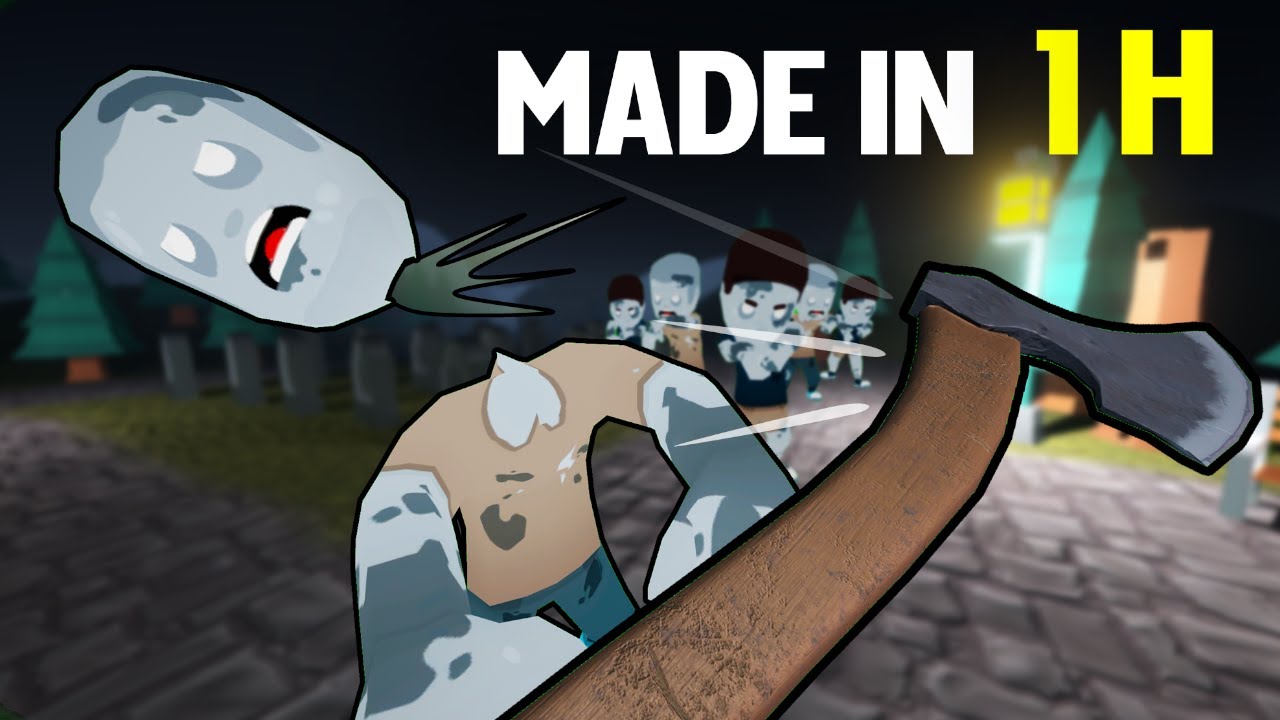
▶Watch the complete one hour making of here : https://www.patreon.com/posts/making-vr-zombie-36584781
▶ Join the Discord channel: https://discord.gg/5uhRegs
▶ Twitter : @ValemVR
PLAY THE GAME HERE : https://valem.itch.io/zombieonehourchallenge
Useful links :
Introduction VR ...
Haven’t watched it myself!
wild cradle
Though I'm not a huge fan of zombie games, I am definitely going to check this out
 polar leaf
maybe someone from here will like this
https://twitter.com/SGPrescott/status/1327629971918098432


Old CRT TVs are like time machines.
This VR test looks like a real 90s experience
#VR #VirtualReality #Retro #screenshotsaturday https://t.co/RbzHi8mTCU
 Twitter
·
worldly egret
Twitter
·
worldly egret
bump to my hand controls question!
pine bison
You mean hand tracking as in controllers or no controllers @worldly egret?
worldly egret
hand tracking
what's the latest method with the XR plugin stack, if OVRPlugin etc has been ditched out
yea like rift touch
worldly egret
XRController script added to a random object 🙂 neat
This XR stuff is amazeballs, nice
dusk sky
in the xr grab interactable the on activeate is when you press trigger right?
pine bison
Hand tracking is only available on the quest, not rift s, and only through the OVR plugin @worldly egret
worldly egret
i had it working with the XRController on rift last night
pine bison
Then you’re using the wrong term. Hand tracking refers to controller-less tracking of your joints to represent your hands and fingers in VR
worldly egret
oh yea sorry
i dont mean that - i mean whatever the right word for the rift touch controllers is
tiny niche
controller tracking
 azure cairn
I having the hardest time getting XR Rig working in unity on Oculus Quest with latest package. I've done this a dozen time before. And now I cannot start a new project
azure cairn
Adds new input system support
[0.9.9-preview] - 2020-06-04
Adds new input system support
Makes a number of members and properties protected rather than private
Removes sealed from a number of classes.
Adds abiltiy to query the controller from the interactor
The project that works today is using:
[0.9.4-preview] - 2020-04-01
Fix to allow 1.3.X or 2.X versions of legacy input helpers to work with the XR Interaction toolkit.
When I start a new project I get an error about the input system support
I dont even know if this is the issue but yeah
This kind of developer experience is the stuff that makes me want to just give up entirely on Unity and VR Developement. I get such limited time to do this fun dev work and I just spent 90 mins battling a basic bugs. And now I gotta stop and I got no where.
ionic sandal
just use one of the vr frameworks on the store, will save you tons of time
ionic sandal
XR toolkit uses XR inputs
which doesn't support all of the devices
with the promise that openxr will come one day...
azure cairn
Yeah it's just frustrating that it legit works in one project and now it I cannot create a new package
azure cairn
OK I've gotten further but now I can get head tracking but my hands arn't showing up
and I just got a beam I cannot move directly between my eyes
azure cairn
Figured it out
New version of xr toolkit updated to new input system and with that the xr controller component updated to use actions
Haven't figured out how to use actions yet
But I feel like I should read these docs
 vernal chasm
Just downloaded unity and want to make Oculus Quest games first off because I'm an idiot. Know any good tutorials?
I have no idea what I'm doing, though
Please ping me if you respond, as I'm looking
pine bison
@vernal chasm If you're new to unity I would highly recommend learning the program through a non-VR tutorial series first. It's gonna be a lot easier to get your head around that way
Once you have a grasp of the program I would recommend this tutorial for VR https://learn.unity.com/project/vr-beginner-the-escape-room
vernal chasm
Yeah, probably... Thanks!
pine bison
You should check out Unity Learn, there are quite a few good tutorials there
vernal chasm
I was looking for something I could listen to, like a YT vid, but that should work well enough
pine bison
I'm gonna implement 3D drawing in our VR application, similar to how you can draw in VR chat. I'm gonna be looking for resources on this today. Do any of you have any articles or references you would like to share?
tiny niche
@azure cairn make sure you always use source control, unity projects have a habit of going corrupt
 pine prawn
@pine bison you can add the controller's position as a point on a line renderer every frame - that's how I've done it in the past! Admittedly that was 2D, but the theory should be the same 😂 not sure how it performs, though.
You could probably also use particles
pine bison
Hehe, hm interesting. Additional note, this is going to be networked
pine prawn
shouldn't matter - you can just do it on the client 🙂
worldly egret
@vernal chasm I found this channel handy https://www.youtube.com/channel/UCPJlesN59MzHPPCp0Lg8sLw
 woven reef
@azure cairn make sure you always use source control, unity projects have a habit of going corrupt
@tiny niche have you had a lot of project corrupts? i haven’t had a single one
but i have started using github to make sure i don’t lose it if it corrupts
tiny niche
yea i've had lots of projects get corrupted when installing assets, updating unity and switching branches
happens less now, but i also keep a closer eye on it than i used to
woven reef
if you’re using github you can just pull a stable version when it corrupts right?
tiny niche
yea, sure. but that doesn't mean it didn't go corrupt in the first place
azure cairn
@woven reef It was more about starting fresh. I keep making new projects to ensure I've hardened how to get up and running with VR. I"m doing #100DaysOfCoding and yesterdays project really threw me through a loop with the Update to xr toolkit.
woven reef
yea, sure. but that doesn't mean it didn't go corrupt in the first place
@tiny niche is there a way to see if it’s corrupt?
i really don’t want mine to be corrupt
tiny niche
i look at the uncommited changes and see if i spot anything that's not intended
woven reef
so something that changed while you didn’t actually change it?
tiny niche
followed by actually running the project to make sure the untracked files are still working. <-- that part is pretty error-prone though, i probably miss a lot of unintended edits there
yea
woven reef
thanks
has anyone else been struggling with the new SteamVR package?
they made a new VR player prefab that’s really complex
tiny niche
personally i'm avoiding it until openxr replaces the openvr implementation
woven reef
it’s getting replaced?
i’ve spent this whole weekend trying to figure out how it works and make changes and now it’s getting replaced???
tiny niche
yea, or deprecated. unity announced it last month or something
woven reef
oh i’m so dumb
tiny niche
unity xr is the way forward
woven reef
did they say when it’s getting added?
tiny niche
no, only that they're working with their partners to have it ready "soon"
woven reef
i’ll just use SteamVR for now and change when it gets released
tiny niche
make sure you're on the 2019.x version then
woven reef
i am
tiny niche
you could also use the oculus sdk instead. it works with openvr devices and is closer than steamvr to unity xr
woven reef
is it easy to add support for different VR headsets?
well i guess that depends on the package you’re using right?
woven reef
oh cool
tiny niche
but yes, you need the openvr driver enabled in order to use the oculus sdk with openvr devices
woven reef
guess i need to do more research on VR in unity then
i only knew about the SteamVR package
tiny niche
yea you need to make sure you're looking at older tutorials. the new ones are mostly for unity xr
but most importantly, you have to be okay with being unable to support your games in a couple of years
woven reef
is that also the case if i switch to using oculus sdk?
tiny niche
well the oculus sdk is almost unchanged in the version that runs on top of unity xr, so the migration effort needed is not nearly as large
woven reef
is this channel also for chatting about VR in general?
tiny niche
i dunno. but if it involves unity and vr, i think it fits
woven reef
it doesn’t really involve unity i think
it was just a weird bug i experienced yesterday while testing my game where my headset was disoriented in VR
i thought it was a problem with my VR system in unity and i was panicking because i couldn’t find the bug and it turned out it was just a bug in VR and not in unity
shell kayak
@fiery night Increase XRSettings.eyeTextureResolutionScale to increase the game resolution
shell kayak
At 4x, you should barely be seeing any aliasing on the edges.
You're testing this natively on the Quest?
Or through Link?
@fiery night
Are you using the OVR Metrics overlay?
It has a eye buffer width and height stat so you can confirm the right resolution is being used
It's an official Oculus overlay showing various stats and performance related things
It's not part of the project, it's a separate APK on the Quest
Can be used with any Quest app
 quartz iris
thank you xr interaction toolkit devs for fixing the issues with making XR Direct Interactor drop objects, it was so jank but now I dont need this weird xr manager exposed script I found online to fix it
i wish there was just a function for forcing an object to be dropped but this system at the moment works perfectly fine
now if Im not mistaken you can just disable and enable the xr direct interactor script
worldly egret
does the XR stuff come with any hand asset prefabs?
i can't find anyway but i'm probably being stupid
storm ether
how do you get input from the controllers using XR ?
im so confused
why is the documentation on getting input from controllers with the XR sdk so bad
worldly egret
controller tracking?
 mental tide
Has anyone had this issue in Unity with SteamVR where all your hardware is working fine in the SteamVR menu, or other Steam games, but in the Unity Editor, controllers disappear??????
it happens sometimes randomly when I open up a project I was working on like yesterday or something, even if its on the same computer i used before
now im sorta scared to close Unity between sessions in case that makes the controllers disappear again
anyone know of or has dealt with this issue before and can advice how I might be able to stop this from happening?
woven reef
are you sure the base stations can see the controllers?
woven reef
they also turn off when they’re idle for a while
slender vine
Hey all, has anyone here worked with stereo 360 images in VR?
I'm having an issue at the image poles with the spherical projection of every shader I've tried, lots more detail and images in the last 2 replies to this thread:
https://forum.unity.com/threads/how-to-integrate-360-video-with-unity.485405/page-3#post-6529538
If anyone can think of anything, this is driving me nuts

Unity Forum
Hi touloused,
thanks for the heads up on how to integrate video in a unity project and it's very cool; I have it working for android and was wondering...
 cursive axle
Anyone use Shadow cloud service? Can’t export project to quest 2 the service doesn’t recognize when I plug in quest. Any suggestions? (Using macbook)
dusk sky
2020.1.13f1 uses the new XR system right. not the old one where you just click VR on?
pine bison
Yes @dusk sky 2019 LTS is the last version with the Legacy XR system
tiny niche
@slender vine you need to match the image layout and your shader
a common 360 image that lots of people use is a cubemapped skybox
they all distort a bit in some way though. some formats more than others
mental tide
woven reef
they also turn off when they’re idle for a while
Nah its nothing like that, it works fine in other apps just not unity
woven reef
weird
slender vine
@tiny niche I've tried a few setups with skybox/cubemap (modified for stereo use) as well as skybox/panoramic (which is setup for stereo already)
I'm using over/under equirectangular stereo projection instead of 6 sided cubemap / stereocubic formats as they either use more files (which is a lot more to manage) / are not great for optimization (npot)
I've tried adjusting every setting I can think of to get this to work but no dice.
But I can't be the only person who has used stereo equirect images in vr? So does everyone have this issue at the lower pole of the image or is there a shader out there that solves this? honestly I've spent a long time searching for a solution and I'm not finding much.
I'm working alongside someone who is outputting the renders but I don't know if there's something he's doing wrong as I don't know enough about the renderer & render setup he uses and he's not very technical, but at the same time example renders I've tried from elsewhere also show the same issue.
tiny niche
i'm not sure of what your format looks like, but i suspect the distortion is inherent to the layout
@slender vine unless you have an undistorted section of the floor in your image, it's not going to look great when looking down
slender vine
It's a frustrating issue, so potentially we'll have to change layout to one less optimised?
tiny niche
@slender vine yea, it's all about making the right tradeoffs
you could do things to hide the issue. like putting the player on a platform
but you should hire someone who knows what they're doing to take a look at your render setup. could be that the main issue is from an incorrect implementation
pine bison
I've seen several 360 applications that just use a disc at the bottom centre to hide the stretching
slender vine
Yeah I've thought about that but the whole thing revolves around it looking as good as possible, it might even be that we just need to setup the scenes so that where we're rendering there's not much detail below the camera as more plain flat surfaces seem to mess with your eyes a bit less.
slender vine
@pine bison Yeah blurring might work better but I worry that it'd have the same issues as the pixels for each eye won't match, I'll see if i can get it working better with a different format probably
 delicate sage
How do you vibrate the touch controllers without crashing unity?
OVRHapticsClip clip = new OVRHapticsClip(vibrationAudio); this seems to not want to work
and the audio isn't a null because I'm playing it right before I call this and I'm doing a null check too
slender vine
Does it crash in a build too?
Might be something to do with checking that there's a device with haptics capability available?
 balmy kraken
Hey all, I have a client that wants to port a small Vive game to Oculus. I haven't used the oculus in a while but can someone confirm/deny that converting a game written with the SteamVR plugin to Oculus would be a bunch of work? Specifically because the client wanted the hand to appropriately animate when grabbing a variety of object shapes? Or is porting a project to Oculus more trivial than I think?
cursive axle
Anyone use Shadow cloud service? Can’t export project to quest 2 the service doesn’t recognize when I plug in quest. Any suggestions? (Using macbook)
 wheat imp
someone with experience in emerald ai in vr?
 scenic sphinx
Has anyone tried getting gyroscrope or accelerometer data in WebGL on iOS?
worldly egret
right i'm being dumb again
unity 2020 latest, add XR plugin package, enable, add xr-rig
where are the XrController scripts gone now!?
XR Interactive Subsytems IS installed
even legacy input helpers is
preview package
balls
worldly egret
i added a ping pong prefab set to my crappy demo, attached to controllers, it's all working, but the I can't rotate the prefabs
the controllers apply the rotation from controller point, so nothing i set to pre-rotate the prefabs seems to work
how can someone rotate a prefab in a way XRController wont then try and immediately change wihtout changing in blender etc
I've changed the transofrm in the prefab btu the xrcontroller changes is back again
 quartz slate
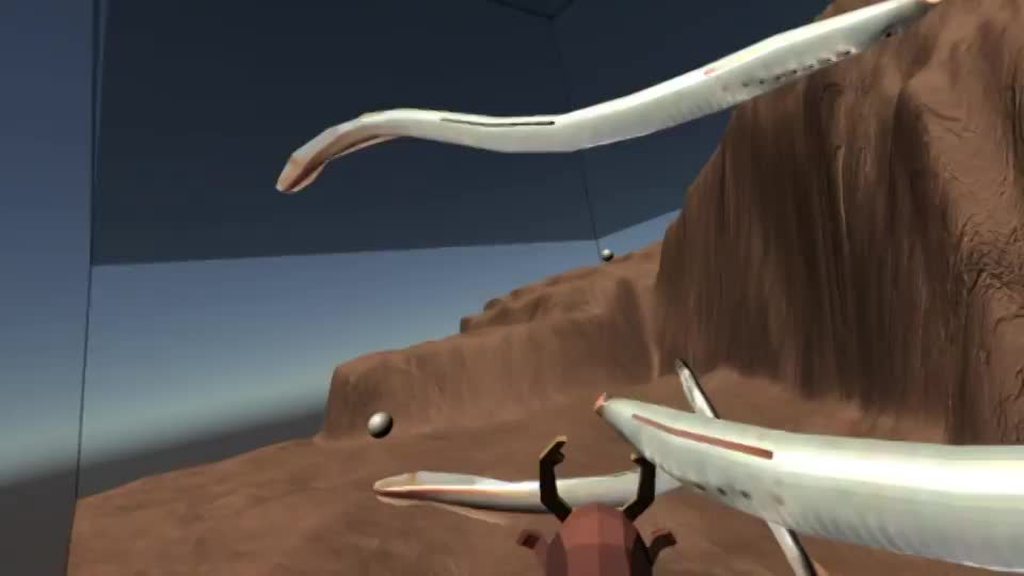
 balmy orchid
im scared
quartz slate
muahaha!
balmy orchid
are those eels
quartz slate
lamprey actually! but close
Eels have jaws, these guys have circular suction based mouths
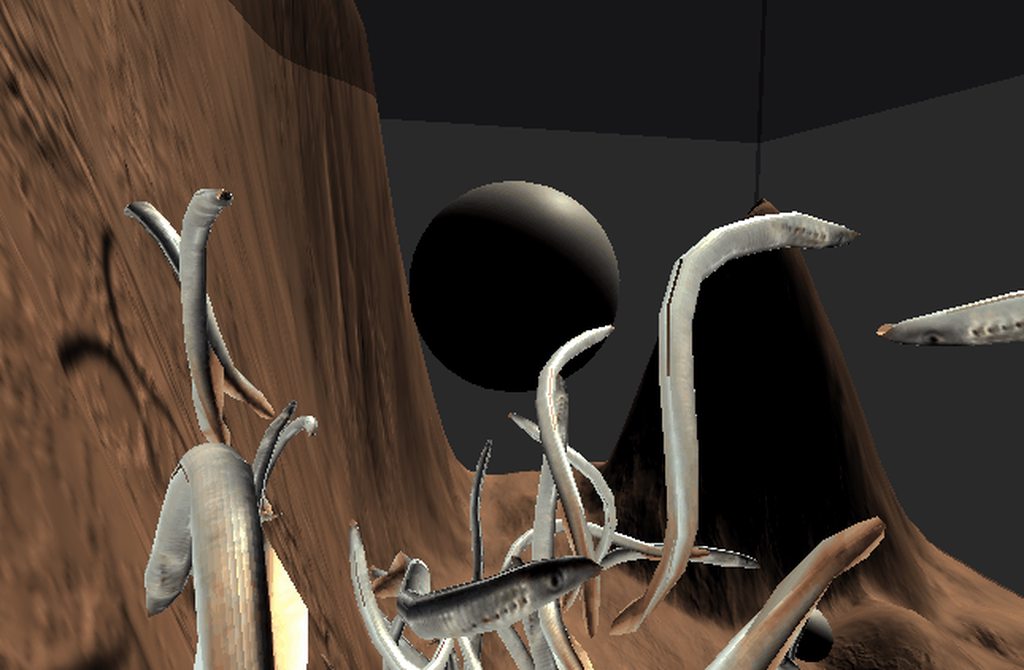 balmy orchid
cool!
woven reef
oh nice
woven reef
you probably just have to look at the difference between the camera and the direction to that screen and apply a certain threshold and the pivot it around the camera
storm ether
When doing VR game development, and i want to do full body tracking, whats a good way to tell my game which tracker is which body part? Like how can I set that, get that information etc.?
I know in the SteamVR Menu you can select which body part each controller is supposed to be, but I have no idea how to use that in my game in development
tiny niche
@storm ether use the steam api
or you could have the player pose-match on startup, to figure out which controller went where
*tracker
storm ether
tiny niche
or you could have the player pose-match on startup, to figure out which controll...
Would this work like the user stands in t pose to roughly match their tracker positions to set places of my ingame model, and then it matches those places? Accuracy in the model position to the real user is quiet important
tiny niche
@storm ether yea, except you're not trying to match the positions accurately. you're just trying to figure out if its an elbow, hip or foot you're tracking
if you get the reference to be within 50cm of the limb, you should be fine
storm ether
Yea, that sounds like a quiet easy approach to do, thank you. So my general idea now is
Place the inage model in a t-pose
Make the player stand in a t-pose in the same location to match body positions with the ingame model roughly
Then snap the important ingame model joints to the tracker positions
tiny niche
yea, but you also want a calibration step after you detect which tracker goes where
where you adjust the final height and limb length of the mesh
storm ether
tiny niche
where you adjust the final height and limb length of the mesh
thats a issue i am currently running into, cause im trying to make the model scale to the user, but i ran into problems wit hthe IK etc.
tiny niche
you can't just scale the model. some people have longer arms than others
you can get in the right ballpark by scaling, but if you want to be accurate, you need to work on individual limbs
storm ether
tiny niche
you can get in the right ballpark by scaling, but if you want to be accurate, yo...
oof i have a feeling that will go outside of my knowledge lol..
mental tide
tiny niche
you can't just scale the model. some people have longer arms than others
Not exactly. In life-drawing we learn about human proportions and they are always in check. Bodyweight is variable but scale ratios are the same.
It should b ok if u derive a scale value by comparing the users stretched-arms-distance to that of ur original model. This proportional stuff only applies to joint distance though, not things like arm girth or chest protrusion
tiny niche
@mental tide what you've learned is probably idealized adult proportions. proportions vary wildly as you age and there are many ways they can differ in adults too
i know a man who's left leg is about a centimeter longer than his right for instance
mental tide
You could always avoid scaling at all and just force joints to stretch
Yeh thats true, not everyone has the idealized lengtjs
The only thing that really matters is that the hand joint follows ur device
 spring saddle
posted this in general but also putting it here hope some one can help https://discordapp.com/channels/489222168727519232/497872424281440267/779638227245858846
 hasty geode
is there an easy fix for Oculus OVRCustomHandsPrefab (so it is not stuck sideways without animation), or only way to fix that is to do all that functionality by hand?
tiny niche
well you need to apply a pose in order to pose the hand
spring saddle
am i not giving enough information for the issue i have? no one has responded and just trying to figure out if there is something that would encourage more feedback?
quartz slate
@spring saddle try reposting your issue here rather than linking to it
spring saddle
k
trying to use the SteamVR plugin 2.6 and the Steam VR_laserpointer script to interact with worldspace UI button currently have the laser script on the right controller and the interactable , UIElement, and box colider scripts on the button. cant seem to get a hover change of color or any interaction. any advice or place to do more research or even debugging steps would be appreciated. if this is not enough information please let me know what else i should include would be willing to screen share in a call as well
tiny niche
@fiery night lerp the scale by time or distance from the hand
 plush swan
Has anyone gotten Virtual Desktop to work with Unity Editor for playtesting the Oculus Quest or Oculus Quest 2? or is Link Cable (or equivalent good USB 3.0 to USB-C) my only choice if I don't want to compile every time?
 arctic kernel
plush swan
Has anyone gotten Virtual Desktop to work with Unity Editor for playtesting the ...
arctic kernel
plush swan
Has anyone gotten Virtual Desktop to work with Unity Editor for playtesting the ...
I just use a cord that goes from my Oculus Quest to my pc. there is just little bit of steps you gotta do to playtest your game but if you need help with that i would gladly tell you all the steps to do so.
 quaint moss
@plush swan VD works but sometimes you need to restart steamvr. It works a bit better with cable
plush swan
I've got a cheap cable that should technically work coming sometime early december probably, if it doesn't well just get an Oculus Link
tiny niche
@plush swan you have to be using steamvr to be vd compatible afaik.
fervent sedge
Hello. Steam VR is compatible with URP?
the documentation of Steam VR for untiy is garbage.
tiny niche
@fiery night save the distance at the start of the grab then and do scale = Mathf.lerp(1f, 0.85.f,delta.length/start_distance)
tiny niche
you need a value that ranges between 0 and 1 as the object travels towards you. what that value is, is largely unimportant
odd hare
@fiery night or just guess a value. The scale time doesn't have to match the movement time. it can grow when already in the players hand.
tiny niche
looks a lot better when they're in sync
 long ridge
I have a rifle scope here I am working on, using a Camera output to a render texture... the FOV on the camera is set to 7.5 for about 4x zoom... and looks good in the Editor (bottom lens). BUT when I hit Play to test, the magnification is gone. Camera view shows up fine, but no longer zoomed in at all. I am in a URP project. Any ideas what I may be doing wrong??
long ridge
Same setup seems to work fine in Standard render pipeline.
Also... setting StereoRenderMode to Single Pass Instanced in the Oculus plugin for XR Management, lets the Camera FOV/zoom work fine in URP... but then my shaders only display in the left eye.
Any way to use FOV with Render Texture Base Cameras, in URP with MultiPass stereo render???
 ripe grove
I am having issues with building to vr. I can test the scene fine with my oculus rift, but when I build and run on my oculus go it just looks like it is a flat or something on either eye. I am using the XR intergration and I have oculus checked on the android build and windows build. Any help would be appreicated
odd hare
@ripe grove you're using the same build and quality settings when testing? Tried turning off development build tickbox? You don't have any attributes to allow different code when testing from the editor?
If it's none of those, I'm out of ideas and don't have a rift to help test.
I'd guess you switch to android when building. Can you check the project settings, even though you mentioned you have oculus checked. The rendering pipeline or quality settings might be different. Get them the same to see if that fixes or allows you to reproduce the problem from the editor.
odd hare
long ridge
Same setup seems to work fine in Standard render pipeline.
Also... setting Stere...
I don't actually know the details, but you'd need to use two render textures or something funky so each eye sees a different render texture. Otherwise it'll look like a camera screen on the scope rather than looking through.
If you find the right info about that it'll probably come with info about what settings work.
long ridge
Not even trying to make any optical fx yet, just trying to get the Render Texture camera to be the set FOV while in URP and MultiPass Stereo Rendering.
or are all shooters with scopes made in Unity in Standard RP, not URP?
I have looked at a TON of scope tutes for Unity, all use the render texture camera as the main base of the scope.
tiny niche
you can alter the fov in urp. i implemented a spray can that way
but the camera handling differs a lot from the legacy rp
long ridge
I can only get the render texture to display the same FOV as the main camera in URP while running. In the editor it looks correct.
Just flipping to SinglePass and it works fine, back to MultiPass and it wont work.
shell kayak
@long ridge Why would you want to use multi pass?
long ridge
@shell kayak For one.. to not have to convert shaders.
shell kayak
But you're using URP, are you using hand written custom shaders there instead of Shader Graph?
Shader Graph is supposed to automatically support single pass
 bold girder
Hi guys
I've been trying to work out how to do VR, but for some reason I can't get the Roomscale Rig to track the controllers
I've installed all the relevant packages, and looking around works fine, but even with the default controllers that come with the rig when you create, they don't seem to work. The ray interactor visuals don't even show up.
Looking around works fine.
I'm using the Oculus Quest 2, if that helps
fervent sedge
Hello. Which render pipeline are you using with SteamVR? I implemented hdrp but does not work properly
 grave wing
Hello @everyone I'm a Newbie to virtual reality and coding... It's nice being here.
fervent sedge
Welcome
I can not understand this consept: Althoug there is no any inherited class, or interface or nothing, how does my callback works? whenever hover operation takes place, my call back is being called. but how?
I really want to know. Because there is neighter abstract class nor inherited class.
long ridge
@shell kayak Yes, I have some shaders that are custom from a weather system and ones that do my reddot/holo sights. I am just learning about the different stereo rendering. Was just building away in a URP project when I ran into this camera issue.
 fair gulch
If you're using the Interactable script, you can call OnHoverHandBegin
https://valvesoftware.github.io/steamvr_unity_plugin/articles/Interaction-System.html#hand
pine bison
@fervent sedge I assume it works the same as OnMouseDown and functions like it. It’s a less obvious path of execution for sure, so I prefer using the interfaces myself. But I guess you can say that instead of the intractable object listening to something else for an action, it’s up to that something else to find the functions by itself
fervent sedge
@pine bison one more question. I want to implement speech to text to VR game. So when I swing my wand and say the "expeliarmus" it will make the magic. But emphasis of the world differs spell by spell. Do you know if Azure or other server providers permit us to touch kinda features?
fair gulch
Azure and GCP both have API's for using text-to-speech. They both offer free $ for experiments.
fervent sedge
Yes they have but, in the emphasis of the word, I have not seen on the documentation.
for example "ExPECto PATronum"
I mean Is there any way to give the sound pattern that we will say beforehand the player's saying.
so the spell will be initialized only if the sound pattern will pair off the pattern that is given.
And I do not know kinda keywords which belong to Harry potter, will be a problem for me when I publish my game in stream
shell kayak
@long ridge Well, you're doubling your draw call cost by using multi pass. That's incentive enough for me to switch to single pass and fix the issues that arise from that.
If an asset I'd like to use doesn't support single pass, I don't use that asset.
Same as if I was using URP and an asset I'd like to use doesn't support URP
long ridge
@shell kayak I do understand the performance boost switching to SinglePass ... and that is quite enticing. Just not confident in my editing of these shader scripts. hahaha
Unfortunately my asset budget is limited, so I can't just scrap things... and the stuff I was using did work with what I was doing. But I did not know ahead that I would run into this issue, or why.
I will duplicate my project and give the shader modification a try soon though. As I think I would rather this project being in URP over the SRP.
 ancient wagon
does any one know how to make a vr game for the oculus quest unity version 2019.3.8f? if some one answers please ping me
ancient wagon
Nvm
storm ether
Anyone knows if it is possible to release a VR game on steam that uses its own VR framework or do you need to use the Steam VR SDK???
I want to release a VR game with its own patcher downloadable from my website but also would like to release it on Steam eventually.
tiny niche
you need to be compatible with the steamvr runtime, that's the only requirement afaik.
you have to let steam handle updates though
shell kayak
@storm ether What do you mean by VR framework? do you mean a VR runtime, like SteamVR and Oculus? Steam has no requirements about what runtime your app has to support. Commonly, apps use OpenVR which can be run through the SteamVR runtime, but it's slowly moving to OpenXR, which can be run by many runtimes like SteamVR and Oculus.
And nothing stopping you from hosting your own launcher on Steam and handling updates yourself through that. That's what Flight Sim 2020 does and what many other games do.
storm ether
I meant something like this for example. https://assetstore.unity.com/packages/templates/systems/vr-interaction-framework-161066
The reason why I want to launch my game on self hosted website first is because Steam in app purchases fees are extremely high. Up to 60% if we include taxes.

Use VR Interaction Framework from Bearded Ninja Games to elevate your next project. Find this & more Systems and templates on the Unity Asset Store.
shell kayak
No, Steam has no requirements regarding what third party assets you use to make your game
storm ether
Great thnx
 tardy flower
Hey, is there a way, in unity 2019.2 with the old input system to make "any" VR controller vibrate (so without using the steamVR api)?
azure cairn
With the new ActionBased Input System now default in com.unity.xr.interaction.toolkit It would that most of the documentation on unity's manual is out of date with how get basic values from a device. Any tuts/snippets on how I can track the now no longer working CommonUsages?
 open marten
any servers out there specific to indy vr dev?
if not I was debating making one, can't seem to find the community
 vestal flicker
How's everyone handling mirroring of poses of their non-oculus hands
azure cairn
What do these two props in XRController do?
- Model Transfrom
- Animate Model
worldly egret
i dunno, i wondered that. I found whatever i did to the base model (rotate by 90 or whatever) it ignored it and just set transform to hand position, maybe it's 'add this additional transform'
rotating hands 🙂
 leaden flame
The model transform that is used as the parent for the controller model.

animateModel
Whether this model animates in response to interaction events.``` tender heron
Hey all - I'm having some difficulty with my Vive program. Whenever I load my scene, I notice that the hand models in world are substantially off from where my hands are actually situated - just before the scene loads I can se the 3D models of the Vive controllers and they're in the right spot, but once the scene loads, the new models (the lightly gloved hands from the examples interaction kit Valve put out) are a hand's width to the right of where I need them to be. I've been looking for a while now but only finding people asking about custom hand models - I just want the defaults to work! lol
Let me know if there are any additional details I should be providing and I'll get those asap
 sterile storm
HI, I need some help with the Steam VR plugin. My hand works well in the steam vr "home" and in the oculus menus. BUT in my unity project they just start vibrating and the tracking is not really working. How should I fix this? (NO errors)
tiny niche
@sterile storm start over from scratch, or download a sample and work off that
azure cairn
Any know know why the new PlayerInput Component with default VR Actions imported from Package manager cause such a framerate loss?
Without Player Input Action attached
With the PlayerInput Action attached.
I'm still hunting down the canonical way to use the new Action based Input System and ReadValues. I hope I'm just doing it wrong
 lean barn
Not sure if this is the best place to put this question, but how can I trigger a UI Button press via code?
Basically, I've created my own interaction system for a virtual reality environment, which requires the ability to "press" a UI button
This is what the user sees (texture rendered on a cube via an Orthographic camera):
This is a physical object (mouse) on a UI with "buttons"
Basically, the user in VR grabs the mouse, and it moves the game object "mouse" across the UI
I'm trying to register "clicks" on the UI, and currently I have UI-Buttons set up
I had considered just using "OnTriggerEnter/Exits", but if it's possible to register UI Button clicks via code, this would be a TON easier
 hard carbon
I think it might just be .Select()?
But also, you can get very similar functionality by going
public class VRButton {
  public UnityEvent onClick;

  public void Click () {
    //Do buttony stuff
    //Do inspector set stuff
    onClick?.Invoke();
  }
}
How do I have a player model that I use that the player can only see their hands but not their arms but other players see their whole body example: Pavlov I’m on version 2019.3.8f some one please answer me
 hearty iron
Ok. So XRStats does not work with the xr plugin version of open vr. Any smart ideas on what data I should use to drive my dynamic resolution ?
pine bison
@open marten I'll PM you one I'm in if you'd like
open marten
would be amazing
lean barn
hard carbon
But also, you can get very similar functionality by going
```cs
public class VR...
Thanks Dracon. I'll take a look into that! I'm currently working out of Unity ver 2018.4, so I may not have UnityEvents yet...will have to check.
hard carbon
UnityEvents are old school unity 🙂 To use them, they need a namespace, so you want
using UnityEngine.Events;
I'm thinking of having a sort of telescope that I can pull to my face.
Should I use joints or just a fixed sliding platform? It seems to me like joints might be more physics intensive than just having something that I could move from fixed position A -> B.
Am I right in thinking this?
Hmm, I guess I could make one joint slide and the other one rotate that way I can sort of keep the phyisical feeling of pulling something but also I don't create an according physics-intensive
lean barn
hard carbon
UnityEvents are old school unity 🙂 To use them, they need a namespace, so you w...
Thank you!
lean barn
fair gulch
I'm thinking of having a sort of telescope that I can pull to my face.
Should I...
This seems like an interesting idea, though I'm curious what you mean by "pull to my face." Do you mean physically pick up a telescope (cylindrical object) to view a far away object zoomed in?
I'm not sure specifically what you're referring to with the sliding/pulling.
fair gulch
Well, imagine like there are binoculars attached to the wall with a mechanic arm. I want the person to pull on the binos to look through them. I want the arm to be kind of realistic though.
Realistic as in, making them feel like they're actually pulling on it.
ancient wagon
How do I have a player model that I use that the player can only see their hands but not their arms but other players see their whole body example: Pavlov I’m on version 2019.3.8f some one please answer me
hearty iron
Well in the case of multiplayer you would spawn a hands only rig locally for the player and have his remote avatar be the full model. Or there is always a full model but the local player is on his own layer and his camera does not render that
ancient wagon
hearty iron
Well in the case of multiplayer you would spawn a hands only rig locally for the...
Can you explain jn a simplier way?
I’m not very smart
 distant zealot
Does anyone know if OpenXR supports vive trackers? (not OpenVR)
fervent sedge
Please I need help. Ialmost go crazy about that: I want to send "custom model of my voice " to google cloud service so if the pattern suits, it will send me "ok, dude it is suit". How? Do you know how to do? For instance there is a word "Expeliarmus" and there is emphasis of word, right? if emphasis is not correct, I do not want to recognize the word.
 idle meadow
Hello everyone, I've been working on making a single player game in Oculus Quest, and I've been struggling with making a rendering manager for it to improve frames. Right now, it averages 24 frames per second after large scale destruction until the debris loads out, even though most debris isn't visible all at one time. I've had experience with occlusion culling, but I've never done it in a 3d space. Is it relatively similar? Please redirect me to a good tutorial or if you have one, a good alternative way to reduce latency. So far, I've replaced large amounts of debris with particles that shrink and fade, but the lag still occurs.
I'm working in 2019.2.6f1
quaint moss
@idle meadow can recommend this blog https://thegamedev.guru

Is video-game development your thing? Level up your skills with The Unity Guru expert blog. Acquire mastery now based on first-hand industry experience.
idle meadow
thx, I'll check it out!
quaint moss
@fervent sedge try looking into neural networks and speech recognition
existing solutions like cloud reco may not help in this case
are you making something like https://store.steampowered.com/app/242840/In_Verbis_Virtus/ but for VR?

Use your real voice to cast spells in In Verbis Virtus, a fantasy adventure unlike any other.Step into the shoes of a wizard in search of an ancient power. Explore a lost temple, making your way through forgotten chambers brimming with unspeakable beauty and terror. Unlock spells and use them to solve the temple’s enigmas and battle the monsters...
Price
$4.99
Recommendations
1329
fervent sedge
damn It has been already made🙂
awesome. I really excited. And will purchase it to explore!
But is there any google products as service or ibm or any other companies
quaint moss
there are but they are limited (from my experience)
fervent sedge
hmm. do you know what is the this service name?
because I googled but nothing found.
quaint moss
Google Cloud Speech recognition, same with IBM cloud
fervent sedge
Actually, I started with google sdk in unity and I can retrieve my sound as text but "custom model" is problem here.
I could not manage it
quaint moss
there's also a builtin means for speech reco in Android, not sure if they are available on Quest though
 finite burrow
Has anyone developed with Unity and pc based VR on Linux? If so, what have you thought of it, any major issues?
I have a Linux Unity project (which has plugins that require Linux) and am wondering if I can add VR features to it and develop well in that environment or if I should spend time trying to convert things to work in Windows.
There isn't much information on this in the Unity forums unfortunately.
Any information would help, thanks 🙂
storm ether
Can anyone tell me how to enable controller bindings for controllers that I do not have myself?
I need to add support for WMR and I do not have that option on my SteamVR settings
My SteamVR controller bindings only show Oculus, Vive, and Index
 pale birch
Hi everyone, straightforward question, what pipeline would i use for a VR game? purely visual? Standard or universal render pipeline?
In the sense of getting your bang for your buck visually while not eating performance
ancient wagon
How do I make a vr body I have the hands and head right but I’m supposed to make a new script name it vrrig and then put stuff their so that the head and body move together can some one help me do that
 merry root
I have a question, I'm using the steam vr plugin + vrtk and basically I'm trying to make a way to walk with a joystick rather than teleporting.. can anyone help me or direct me to somewhere that has a good tutorial for it?
fair gulch
I'm trying to pull on a robotic arm, but when I pull on it with fixed rotations it just goes bananas.
I guess I could do something so that when I press the trigger, it starts the motor towards me
oh nvm, I just don't track rotation
 pseudo ginkgo
How do I get transform of a SteamVR_Input_Sources, I want to parent an object to it
pseudo ginkgo
nvm got it, just use SteamVR_Behaviour_Pose.cs
fair gulch
IS there a reason why I shouldn't pick the version 1.0.0 XR Interaction toolkit?
fair gulch
Hmm then how come I have to click, "Check other versions" to see it?
 dark carbon
i would want to ask sth. about oculus quest 2 !
i have a quite good performance, when starting my scene with editor.
But if i ship application and load it with sidequest to the vr goggles, it drastically looses performance.
everything looks clumsy and bad, even if i only have hightest game settings implemented
and my scene really isn't sth. .... dramatic.
shell kayak
@dark carbon It's a mobile device, it's not going to be as powerful as the computer you're running the editor on
dark carbon
do you know the other applications running on that system ?
my task isn't that dramatic.
tiny niche
@dark carbon you'll have to profile it if you want to know what's causing the issue in your scene
but as a general rule of thumb, you want to remove all post-processing, eliminate most dynamic shadows, limit the number of dynamic lights and keep the number of verts in the scene somewhere below 2mil
oh and don't go crazy with texture resolutions
dark carbon
it's a vr showcase scene with just a room and a car, afaik vr optimized
ctaa
nothing more
tiny niche
if you've decided on the scene to use, you need to use the profiler and eliminate the performance hogs by reworking the assets
dark carbon
i can't use the profiler ...
running from pc is fine, running on the oculus itself isn't
if pc is plugged, everything is fine, but that's ... no wonder
pine bison
You can still use the profiler on PC to find the bottlenecks
But there are debugging tools for the Quest as well, like RenderDoc
dark carbon
i'll see.
but it isn't about the scene.
also a cube does look like shit
 upbeat bronze
Most vr games
Even if you do not enter the actual height value of the user, it automatically knows how much the user's hmd height is when standing, when sitting, and when jumping, and automatically applies this value to in-game for different operations. Even if you don't do it, it will automatically adjust to fit the in-game environment.
Which sdk should I use to apply a similar technique?
fervent sedge
I would like to ask.
Oculus store does not accept steamVR-based games,
steamVR does not accept OculusIntegrationSDK-based games.
steamVR works with Unity XR Integration SDK
You can make game for all devices with Unity Plug-in, but you can not sell it on neighter on steam nor oculus store.
question is: what on earth the purpose of existing Unity xr integration sdk if it was not working its job.
I am very confused, what sdk should I choose.
fervent sedge
[SteamVR] Initialization failed. VR may be disabled in player settings. Go to player settings in the editor and check the 'Virtual Reality Supported' checkbox'. OpenVR is not in your list of supported virtual reality SDKs. Add it to the list in player settings. To force OpenVR initialization call SteamVR.Initialize(true).
have you got this error in steamVR
I can not save my hand pose
wheat imp
Hi all. I made a simple joystick in VR so you grab it and move it in two axis, just like a normal joystick. What I would like to do is to control a mechanical arm with it, can some one help me? thanks
odd hare
@wheat imp use the joystick to control a floating ball, so you don't need to worry about joints in the arm. Make the joystick control it right.
Then make the arm use IK to put the claw where the ball moves.
 sand rune
has XR kit gotten any updates over the last few months?
fair gulch
17 november
ancient wagon
Any one know anything about having a vr player model that the player can’t see the head but every one else can some one please help
odd hare
@ancient wagon you can disable or cull objects for one player and not the others. Each player's scene doesn't have to be identical.
Have a check if it's the current player and if it is disable the player model.
 vast thorn
Hey, I have this problem in my app, where my first scene (splash screen) is somehow loaded faster than is being rendered, the delay is sometimes so long, that after 5s, the app is already in another scene (I have 5s splash scene then load to main menu scene), and then my screen finally displays properly. Before that it is just black screen after opening the app. Sometimes I will see a glimpse of the splash scene, like for a second or two.
The second time is working allright (if I go back to splash). This is happening only on first launch
I'm using Quest1 with link
slender vine
Hey guys, does anyone have a guide on specific absolute best settings to get maximum visual quality from 360 renders in unity?
I've spent some time googling & testing options but honestly it's such a roundabout process that its driving me a bit crazy.
vestal flicker
Has anyone been able to create HP g2 steamvr bindings ? Also does it work with XR Inputs?
 exotic patrol
Question, has anyone used nvidia flex in vr yet?
hard carbon
hey all, can anyone tell me the variable to check to see if the player is using hands or controllers in Oculus Quest? I was thinking OVRHand.isTracked, but thats more if its in sight, than whether its using the controller
hard carbon
nmd, made my own 🙂
vestal flicker
if (Skeleton && Skeleton.IsInitialized && Skeleton.IsDataValid) where Skeleton is the OVRSkeleton
shell kayak
OVRPlugin.GetHandTrackingEnabled()
 lone knoll
fervent sedge
I would like to ask.
Oculus store does not accept steamVR-based games,
steamVR ...
lone knoll
fervent sedge
I would like to ask.
Oculus store does not accept steamVR-based games,
steamVR ...
im waiting for open-xr to hopefully remove all that mess
meanwhile its possible to use steam-vr with unity 2020.1+ with the beta plugin and make projects for platform specific publications
Unity Forum
We have been closely monitoring the development of the OpenXR standard. We’re at an inflection point now, where OpenXR 1.0 has been ratified and OpenXR...
we had been promised to see it on one of the beta-unity versions before the end of the year 🤞
odd hare
@vast thorn load the second screen additively, and don't fade out the splash screen until the main menu has finished loading.
 river sandal
You could use an asset like this that handles all of the major devices for you, works great for me so far.#502171717544968212 message
based on XR, SteamVR support if needed so you can build separately
hard carbon
Anyone finding with Quest Hand Tracking, the pointer pose is very much removed from the hands themselves? Havent figured out why yet...
shell kayak
@fervent sedge Steam doesn't care what VR SDK you use. You can release an Oculus only game on Steam if you want.
@hard carbon The direction or the position?
hard carbon
It was the position. I set the pointer root to my OVRRig and its working now though 😛
upbeat bronze
on steam vr sdk, whats difference between camera rig and player prefeb?
tiny niche
probably the player controller
fervent sedge
shell kayak
<@!496397464367267850> Steam doesn't care what VR SDK you use. You can release a...
yes but those who have vive or any other devices could play?
 west needle
Does anyone know what .bundle files are used for and how to make them?
fervent sedge
you can use bundle to implement your object runtime
west needle
How do i make them?
fervent sedge
It is actually easy to make just follow one of the documentation of one of the cloud system
I had used azure for it.
documentation was very clear and you should learn how to get bundle from youtube
west needle
Ok do you have a link or should i just search it up
fervent sedge
west needle
Omg finnaly, thanks 🙂
fervent sedge
I had learnd from it but forgotten all of them.
That is the worst thing in programming, the process of learning takes a lot of time and you forget.
west needle
@fervent sedge what do i do if i already have a 3d model that i want to turn into a bundle
west needle
Alright
fervent sedge
try it out
"unity asset bundle" type in youtube. you will find everything about it
west needle
@fervent sedge i have it set up but in the assets tab there is no bundle asset
next atlas
did anyone find a way to get cross platform input with the XR Management platform? Looks like the Unity XR plugin for OpenVR has pretty much abandoned it...so I guess the only option is to use SteamVR input and wrap it?
west needle
i fixed it but it dosent say.bundle
tiny niche
@next atlas or if you're not in a hurry, ignore steamvr devices until the openxr based plugins arrive
which sounds like it should happen next year, my guess is q1/q2
next atlas
@tiny niche sadly in a bit of a hurry...I wasn't when I started my project, tho. Mostly really want to upgrade from the legacy XR to have access to the guardian data
tiny niche
@next atlas contract ending or something? can't imagine what would otherwise be lucrative enough to justify doing a last minute steamvr port
next atlas
@tiny niche it already supports steamvr + oculus via the legacy XR system, but the legacy stuff doesn't have access to the guardian data
but for release I really want that guardian data, since our game is very physical, so want to help players avoid bonking things (as they did in our alpha)
q1-q2 would be nice, but if it's on Unity time might be too late
tiny niche
you don't need to deal with the guardian system yourself to have it show up though?
next atlas
we're looking to implement a custom guardian...something that really, really cannot be ignored (optional ofc)
as well as display it persistently
tiny niche
have you tried grabbing the dimensions from oculus' api when running on openvr?
next atlas
would that work with steamvr devices like vive?
tiny niche
yea, oculus added support for the openvr driver a while back
next atlas
hmm, that's interesting. I'll look into it
tiny niche
so you'd let unity stay on openvr, but you use oculus' sdk from the asset store
tiny niche
the device communication is done by unity, the sdk talks to the same api that the steamvr sdk does
next atlas
wonder why they never implemented it in the legacy xr system
tiny niche
probably really low priority, since most people wouldn't touch the guardian system with a 10-foot pole
its just too complex and full of potential liabilities
next atlas
is it even possible for apps to disable/override it?
since if not, worst case scenario isn't too bad
tiny niche
not intentionally i don't think. but if you present a new guardian and it's wrong, you're in for a world of pain
next atlas
agreed
storm ether
hi, what render pipeline are you guys using for VR?
fervent sedge
urp
storm ether
any idea if HDRP is viable for VR?
 toxic ivy
storm ether
any idea if HDRP is viable for VR?
toxic ivy
storm ether
any idea if HDRP is viable for VR?
it's certainly possible. you'll need to consider your target audience though, you're unlikely to be able to push a high-mesh, nice looking app at, say, a Quest. you'll need to think more about lighting optimisation in general.
storm ether
yeah I am not planning for people to run it on the quest's phone hardware
actually I am wondering, how does Facebook/Oculus, distinguish games that can only be run on a PC versus a game that can run on the Quest's internal hardware?
or they just indicate its for the Rift and they don't include the quest in it, but Rift games can be played with the oculus quest with a "link" cable and a PC, is that it?
toxic ivy
not sure, I don't have a Quest ^_^
does anyone know if there's a decent asset for mirroring desktop windows in a screen in-game?
ancient wagon
im using xr to make my vr game but it says i cant use sdks with legacy how do i fix so i can make a vr game?
leaden flame
@ancient wagon not sure exactly what you're asking but player settings VR enabled has been deprecated and the new way to enable VR support in Unity is through the XR management (which leverages the XR SDK). More info here https://docs.unity3d.com/Manual/configuring-project-for-xr.html
storm ether
Hi, I'm new to developing for the Oculus Quest 2
I was wondering how well supported it is in Unity
I don't have a Quest Yet but would also like to know if there are any good (paid or non paid) material for developing for the Quest 2
storm ether
there's various ways to handle the VR devices, Oculus has their own SDK for Unity which I think focuses on releasing for their Oculus store/platform, you can find the documentation here: https://developer.oculus.com/documentation/
Oculus is the platform for developing PC, Mobile, and Web virtual reality experiences.
Valve also has created SteamVR Unity, which supports many VR devices, not sure if it supports the Quest 2 yet https://github.com/ValveSoftware/steamvr_unity_plugin

GitHub
SteamVR Unity Plugin - Documentation at: https://valvesoftware.github.io/steamvr_unity_plugin/ - ValveSoftware/steamvr_unity_plugin
but I wouldn't recommend Valve's solution, they rarely update it, its unclear if they will keep supporting it and updating it for new Unity versions
the Oculus SDK for unity can also be downloaded from the asset store https://assetstore.unity.com/packages/tools/integration/oculus-integration-82022

Use the Oculus Integration from Oculus on your next project. Find this integration tool & more on the Unity Asset Store.
lastly(unless im missing something, correct me people) there's the XR framework which is like Unity's general, see here: https://docs.unity3d.com/Manual/XR.html
fallow quail
does anyone know why I got something like frame blending when moving hands in HDRP? (oculus rift, stereo rendering mode is single pass instanced)
on screen it looks normal and smooth, but on VR it's like double frame displayed and hands looks laggy. Game has > 90fps.
storm ether
might be the refresh rate of the screen
fallow quail
it doesn't happen on urp vr project, only in hdrp, any idea how to change that?
storm ether
unless you have a motion blur volume, I am out of ideas
tiny niche
@fallow quail make sure all post processing is turned off and you don't have any temporal stuff activated
hard carbon
transform.rotation = Quaternion.RotateTowards(snapPoint.rotation, target.rotation, snapSeed_r * Time.deltaTime);
Trying to make the object move to the snap point to the target (the hand).
The position version of this works, any ideas why this just spins continuously?
tiny niche
snapSeed_r * Time.deltaTime should be between 0 and 1 depending on progression
which i doubt it is, since Time.deltaTime does not make any sense in an interpolation scenario
 sterile rune
after i add the XR plugin manager Library\PackageCache\com.unity.xr.management@3.2.17\Editor\XRGeneralBuildProcessor.cs(86,52): error CS0117: 'BuildPipeline' does not contain a definition for 'GetBuildTargetName'
I haven't done XR projects in a few months.
xr plugin manager doesn't show up either
hard carbon
RotateTowards isnt an interpolation though @tiny niche, that would be Quaternion.Lerp wouldnt it?
I got the same @sterile rune , i think its a bug with latest. Go into package manager change its version to 3.2.16
tiny niche
@hard carbon its still interpolating, just not linearly
but this is likely a case of you looking at the wrong code
hard carbon
what do you mean by looking at the wrong code sorry?
fervent sedge
Hello! How can I reach the interactable object held by hand?
Is there any property if the hand was holding
I could not find
 soft glacier
how do i get the direction an object is facing
so like what direction the hand is facing
 tardy swan
soft glacier
so like what direction the hand is facing
tardy swan
soft glacier
so like what direction the hand is facing
Transform.forward gives you the vector of the blue axis
soft glacier
ok thanks
tiny niche
@fervent sedge its not designed for that. the object is supposed to react to the rig holding it, not the other way around
 kind sparrow
Hey, was wondering if I could get some help with grabbables. I'm using the Oculus Integration (XR just isn't working, unfortunately) and I've created a gun that I want to grab by the grip. I have the grab point set to the grip, but whenever I pick it up, it rotates to strange angles and occasionally is not even in the hand.
Also, I know next to nothing about programming, I'm basically a hobbyist that's just started and I just kind of picked up the "student" role because it's the closest the server has. All that to say, I'll probably need a step by step breakdown
DM me if you're able to help me out
vestal flicker
Anyone asking their player how tall they are? Do you subtract some average Head to Eye height to get correct offsets from real life height to in game height ?
tiny niche
let them calibrate it
fervent sedge
tiny niche
<@!496397464367267850> its not designed for that. the object is supposed to reac...
Is this a good practise? = I found the intractable object's spawn point in the hand with foreach (Player.instance.hands) and had Instantiated projectile from spawn point.
tiny niche
might work for you, but the standard way of doing things is you start at the interactibles and have them do stuff. the call chain never starts at the rig/player level in the hierarchy
fervent sedge
Hello. How can I reach oculus quest's microphone?
Microphone is not working with unity editor.
editor is recognizing the other microphones as input source but Oculus.
My voice is being recognized by google speach to text, and will return to oculus. but Oculus quest's microphone does not work.
shell kayak
That sounds more like a Oculus Link issue than a Unity issue. I've heard many complain about microphone issues through Link.
fervent sedge
Yes maybe. Whenever we build an AR app for a mobile device, the program wants us for camera permition, so we allow and camera begins to work. In oculus quest, how how do we do it? I mean is that automatically working or? In my case, my game gets voice input from unity editor but I want to switch to Oculus quest's microphone.... IF I BUILD, do you think if it works?
shell kayak
It will show a microphone permission dialog as soon as you start recording the microphone.
kind sparrow
Anyone know how to help with getting an object to snap to a specific place when I grab it?
 novel tapir
Hi guys, been working on a DesktopAR SDK
Would you mind take a look? DIY Hologram | How to turn your laptop into Hologram with 1 USD https://youtu.be/jhh43ug23GM

Tired of seeing 2D image on your screen? Well, now you can turn it into HOLOGRAM DISPLAY with DesktopVR!
DesktopVR creates holographic effects by displaying 3D image according to your viewing position. Hope you can give it a shot and share your experience!
For this to work, you will need 4 things. First, a laptop or a PC. A red&blue 3D glasses...
pine bison
Please don't cross post
dusk sky
so xr has action based an device based. one indirectly gets input and one gets input straight from the device. but idk whats better for different types of games can someone help with this?
fervent sedge
shell kayak
It will show a microphone permission dialog as soon as you start recording the m...
thanks!!
 pseudo ingot
Hello, I'm new to Discord. Is this the right place to ask for help on how to create a VR button in Unity for Oculus Quest? I have a simple VR scene with a door animated with three animation clips (idle, open, close). I'd like to create a VR button that I can activate the open and close animation clips. I've been looking online for weeks and haven't been able to do this. Any help would be really appreciated. Also, apologies if this is not the right place or way to ask a question.
dusk sky
On YouTube look up vr with Andrew
pseudo ingot
dusk sky
On YouTube look up vr with Andrew
Thank you. I'll dive into Andrew's tutorials
soft glacier
how can i update the xr system to the plugin system
 timid tundra
 young rune
What are the benefits of the Unity XR Plugin?
slender vine
Just to check before I dive in, can ovroverlay be used to render in between standard elements in my unity scene?
eg I have a stereo image I want to render with ovroverlay, but I want my icons (rendered not via ovroverlay) to appear in front of this image
slender vine
I've been looking into it, does anyone have a working example using ovroverlay (in underlay mode) to display an element via the overlay system with other standard ui elements rendered above?
Getting all kinds of weird issues every step of the way.
It'd be great to talk to anyone who has a working example to try and figure out whether this is an ovr plugin upkeep thing or something im doing
 timid sleet
hard carbon
timid sleet
hard carbon
@fervent sedge, do a call to Microphone.devices on Start, any script. It causes unity to show the 'allow microphone' dialogue in vr
 grim arch
anyone got rtx3080 or 3090? just curious if HDRP VR can run 90fps+ on those
 mental rose
The rift s has just dropped another £100 today so it's £300 brand new does anyone own one here? Are they any good?
pine bison
I love it to be honest, for that price I'd go for it. But Quest with link is a solid option as well, so I'd say it comes down to whether you want the wireless capabilities or not @mental rose
mental rose
Thanks thats what everyone is saying. the quest 2 it is then
pine bison
I use a Rift S and Quest 1/2 interchangeably at work, depending on what's available
I just set up my new desktop computer with a 3080 so I'll try that as a benchmark @grim arch, I'll let you know
mental rose
whats the clarity like on the quest with link cable some people say its not as clear because of compression but im sceptical on some of this info
pine bison
Was never an issue for me, but we use the recommended cables
mental rose
Great I think thats my choice made then I also was lookin into the fibreoptic cable and looks like cheap non fibre ones work just aswell which is good i dont want to pay £90 for a cable 🙂
tiny niche
@mental rose the encoding on amd card where far worse than nvidia, so that may be where the info comes from
dunno how the latest gen compares, but i expect it's not a huge improvement
 merry fjord
anyone had issue where running your app in Oculus Quest (unknown sources) just opens the Oculus TV? (build'n'run works, but after that you cannot run it anymore from the device) *well now it works again, restarted, updated.
 silent heath
Really basic questions -
I'm designing a simple "floating orb" made up of a few layers of particle systems, using the VFXGraph. I would like to make it expand, encompassing the player, upon being touched/held by them. I've added a collider component to the orb, but I'm struggling with a couple things:
-Scripting the XR input types, and which to select to look for the right conditions.
-Script necessary to initialize the animation (where I just increase the scale over a 1-second period), after registering the user's sustained touch on the collider.
-Is a VFXGraph the right object to use for an interactable game element? I read somewhere that the VFXGraph works off the gpu, which allows for many more particles, but you should use the regular particle system to make things that the user interacts with, because it works off the cpu. Can anyone explain that?
Thanks everyone
mental rose
@tiny niche oh great I got nvidia so that won't matter then thanks for that info
grim arch
pine bison
I just set up my new desktop computer with a 3080 so I'll try that as a benchmar...
https://assetstore.unity.com/packages/3d/environments/unityjapanoffice-152800 heavy scene like this would be a good one
pine bison
I ran this one at stable 90 FPS @grim arch https://github.com/Unity-Technologies/VRAlchemyLab
tiny niche
@silent heath moving data between ram and vram is slow, so gpu particle systems have limited capabilities of responding to their environment
the gpu is also not ideal for general computations, so even if you upload the data needed, it may make the simulation slow
grim arch
pine bison
I ran this one at stable 90 FPS <@!192200475544780800> <https://github.com/Unity...
oh thanks, did you run it with older card before as well? like getting 30-50fps something?
silent heath
@tiny niche I see. So would the regular particle system be ideal for an orb like I'm picturing? Or perhaps just create/animate it in Maya and bring it over?
grim arch
grim arch
oh thanks, did you run it with older card before as well? like getting 30-50fps ...
was it in Editor or exported version?
tiny niche
@silent heath you could still use the gpu system for that, you just have to re-think the logic as the player interacting with the system itself, rather than the individual particles
holding a particle system in your hand and moving it around is not an issue for example
colliding with particles might be however
but sounds like your particles doesn't need to adapt to the mesh itself
pine bison
grim arch
oh thanks, did you run it with older card before as well? like getting 30-50fps ...
I did not unfortunately. I will if I have the time
And that was in editor yeah. I'll do a build sometime too
grim arch
I see, if rtx3080 can do 120fps with compiled version then maybe rtx3070 can be 90fps+ too
silent heath
@tiny niche how do I specify that the user interacts with the system itself, as opposed to a collider over the system? Are you saying that would be the most effective/efficient option, rather than animating in Maya & importing, or using a regular particle system?
I don't have to worry about the user interacting with the orb in any intense/demanding way; the only thing the orb does is hover, expand to encompass the user upon a touch (there's a separate scene it will transition to where they are "inside" the hollow orb), and then it contracts down to the regular size when they're done. That's its entire function
Thanks for the pointers, btw! First project in Unity and it's daunting haha
tiny niche
@silent heath importing an animation might be way faster or a lot slower, depends on how and what you animate
i'd recommend you try both particle systems, see if you get acceptable results
silent heath
tiny niche
i'd recommend you try both particle systems, see if you get acceptable results
Will do! Thank you
leaden flame
@slender girder Use common sense and do not @ people not in the conversation.
Please follow community guidelines. I also suggest being more specific and while that application may have a usecase in VR there isn't anything VR specific about dynamic mesh slicing.
 torpid ginkgo
@slender girder As was mentioned this isn't #🥽┃virtual-reality related topic. And there are plenty of tutorials teaching how to slice up the mesh. Like this one. https://youtu.be/1UsuZsaUUng

In this Video I am going to show you how to cut a mesh in Unity at runtime.
The code is available to download as a Unity Package for all Coder Tier (or higher) Patrons of mine here - https://www.patreon.com/posts/27144006
For Business Inquiries : itsKristinStock@gmail.com
Here is my social media stuff:
Twitter: https://twitter.com/itsKrist...
 slender girder
i want to slice in vr though
slender girder
anyone know how to add jumping script
leaden flame
@slender girder if you want help you'll need to be much more specific. What VR platform are you targeting? What SDK's / platform integrations are you using? What interaction toolkits are you using?
And most importantly what have you already tried and what is not working?
slender girder
i'm using ver 2018.3.30f1 Oculus integration
i haven't tried much methods because I am new and im not sure what to do
leaden flame
I'd recommend upgrading to 2019.4 as it's the latest LTS version of the editor. From there try targeting your searches to platforms. I google'ed how to jump with oculus and found this result that looks promising https://forums.oculusvr.com/developer/discussion/39414/how-do-you-enable-jump-in-ovrcharactercontroller
Oculus
Join the Official Oculus Discussion Forums and talk about Oculus Rift, Oculus Touch, Samsung Gear VR, and virtual reality.
 unreal spade
Hello guys, i have a strange problem with XR for Oculus
It looks something like that
My project don't recognize which devices is connected
It is possible to move hands but i can't use any inputs
What is strange, it worked before...
https://cdn.discordapp.com/attachments/360285192193179659/786720104833613874/video-1607638666.mp4
I don't even know what have i done wrong
unreal spade
I made completly new project with this script:
using System.Collections;
using System.Collections.Generic;
using UnityEngine;

public class Test : MonoBehaviour
{
    void Start()
    {
        var inputDevices = new List<UnityEngine.XR.InputDevice>();
        UnityEngine.XR.InputDevices.GetDevices(inputDevices);

        foreach (var device in inputDevices)
        {
            Debug.Log(string.Format("'{0}' role '{1}'", device.name, device.role.ToString()));
        }

    }
}
and it works fine
but after putting it into my older project
it still shows me my controllers isn't connected
pls halp.
unreal spade
ok
why Oculus Quest doesn't work with URP?
i spent 3-4 days on this, i need freaking answer
ok
why Oculus Quest currently work with URP?
wtf is just happening
leaden flame
Hard to know exactly what's happening or changing @unreal spade if possible I suggest using version control like github or something similar to track changes and be able to roll back if things break.
unreal spade
After creating a new, third project, it works
I don't know what have i done, but currently Oculus Link and devices works fine
 barren fjord
unreal spade
barren fjord
unreal spade
sorry im ingoring your code but HOW THE FUCK DO YOU HAVE A BACKGROUND IMAGE????
unreal spade
You mean something like that?
ClaudiaIDE
i guess, this is something like extension for Visual Studio 🤔
Or plugin
I don't sure how can i name it in English
unreal spade
;v
 solid quest
Hey guys my oculus rift s is not able to load unity when I press play, it get's stuck on the loading! I tried both the Oculus OVR and the new XR plugin, with the XR plugin it worked a couple of times and after it was broken again! I really don't know how to fix it! It doesn't work even on a new project!
silent heath
Hey all, I have a particle system in my scene, and it is 3D, but when I run the scene and look at it in my headset, it appears 2d no matter what angle I look at it from. Any ideas how to fix this? (@tiny niche, I ended up going with the regular particle system, not the VFXGraph)
Perhaps it doesn't look 2D exactly, it just looks really flat from all angles. Not much depth.
leaden flame
@solid quest does the Oculus work normally and just not with Unity? might driver issue or something you may need to reinstall oculus. Hard to know exactly, are there any errors?
@silent heath look into the billboard settings on the particle render module (I think)
solid quest
leaden flame
<@!359805990578814996> does the Oculus work normally and just not with Unity? mi...
Yeah all games and app work normally, I did reinstall oculus a couple a weeks ago and seems like it fixed stuff for a bit, but still it was crazy unstable. Should I try another clean install? No errors showing but the oculus gets stuck and nothing much, if I try a couple times it gets frozen and I have to restart the oculus app.
tiny niche
@strange patrol not all post-processing is supported in vr
dusk sky
So how do I get XR trigger press. XR nodes don’t have try get feature value
 robust shale
Im looking for a developer to make a tiny experience in VR with me. Handtracking* Quest* The concept is easy and the experience consist of only one room. I have it all explained in a one-pager pdf. Im a bit afraid to tell more of the project without some DM dialogue first. I know people always think their idea is good, but trust me, I had countless ideas and this is the best one in a long time. Short and powerful. If I knew how to code with unity I think It would have taken me at max 6-7 days to make this game. I will make all the graphics for the project and I think the developer should get a bigger share project income than me. Also nice if you have the opportunity to publish (in your name is fine with me). If you are interested please DM me to discuss details or tell me your demands for a project like this.. Very cool if you can link me something you have made
slender vine
Wasn't there a #jobs channel in this discord at some point? Not sure where it's gone
slender vine
slender vine
I've been looking into it, does anyone have a working example using ovroverlay (...
Can anyone help me with this issue with Oculus OVROverlay (in underlay mode) + Quest?
Getting some weird issues that may just be oculus integration bugs (Eg. any provided cubemap will appear tinted blue on quest)
slender vine
Ah ok so for the colouring issue the solution seems to be either:
Lighting - Set Environment lighting source to colour & set it to be black (My actual scene is unlit so this is fine for me)
Or more likely:
On your center eye camera - set clear flags to colour, black with no alpha
barren fjord
slender vine
Wasn't there a #jobs channel in this discord at some point? Not sure where it's ...
your not thinking about blender discord are you?
slender vine
Im on a lot of dev discords, think it might be the unreal one
silent heath
Oy vey... Having a really difficult time dealing with adding UI to a curved mesh. I have a scene where the player is standing inside a dome, and I need there to be a few "screens" on the wall with various UI elements on them. These range from a simple text editor/input to a calendar to drop downs, etc. I got the "ANY.UI" asset (https://assetstore.unity.com/packages/tools/gui/anyui-map-your-ui-on-any-3d-surface-91811), but it seems to only work with input via VRTK, not SteamVR's defaults.
I took the normals-reversed hemisphere that I used to make the dome for the level, isolated a section of planes in the mesh (my "screen" for the dome), exported those into unity and overlayed them on the overall grid of the hemisphere, with the scale slightly offset.
Now, I can't figure out how to make that mesh into an interactable UI element. Any ideas?
 mental sentinel
Hi all. As of right now, after the Facebook release of phase sync latency reduction tech, what is the best plugin to develop with in Unity for the Oculus Quest?
Unity XR or the Oculus?
And which Unity version is best right now, and what is the quickest to get up and running for a prototype MP code?
I just want to make a quick VR thing with 2 guys in multiplayer bashing each other with swords
kind sparrow
VR question
Making a mounted gun, and so far no joint has worked on it since once I grab the gun, the grabbable script is saying "wherever the player's hand is, that's where the gun is, fuck the joint"
My plan of attack to fight this is to literally plagiarize Oculus's code, toss a "mounted point" transform in there, and clamp transform and Z axis rotation around it.
What do you guys think? Solid plan?
Basically, the plan would be to create an empty gameobject for the gun to mount around and have a public gameobject in the script that you can yeet your mount point into
 frosty parcel
Have you stitched it to velocity movement or whatever it's called in oculus
kind sparrow
I have no idea what that is
frosty parcel
Because its default is transform
Velocity does physics moment
Instead of just changing the transform
kind sparrow
I have the coding intelligence of a small child trying to fit a square peg into a round hole, I am literally monke
frosty parcel
This covers it
▶ Get access to the source code: https://www.patreon.com/ValemVR
▶ Join the Discord channel: https://discord.gg/5uhRegs
In this video, I will show you how to easily interact with lever, door, drawer using the Unity XR Toolkit and all of this without coding a single line of code. Welcome back to the part 7 of this tutorial serie that will teach ...
kind sparrow
Oh god, that guy. He's using XR which, unfortunately, I can't use for some reason. I try to download the XR package and Unity just tells me "no"
frosty parcel
Uses units xr but I've managed to find the same setting on steamvr so I'm assuming oculus has one
kind sparrow
Got you
Let me see, the only instances of "Transform" I can see are this
Which sets where the gun snaps to in the hand
frosty parcel
It should just be in the inspector
kind sparrow
No dice there
frosty parcel
Hmmm
frosty parcel
On steam vr it's in the
Under the attachment flags
And I'm assume oculus has something like this drop down
kind sparrow
God this package looks ten times more useful than Oculus's bs
frosty parcel
Yea it's just the steam vr package
kind sparrow
Well shit
Yeah, guess this project is just dead and I'll have to figure out how to make XR cooperate
Is it a unity version thing?
kind sparrow
But XR doesn't work even when I don't download the Oculus integration'
Let me create a test world and try to get XR to run so I can give you the exact error
frosty parcel
Ok
kind sparrow
Huh... nothing is immediately wrong this time
Never mind, there it is
I literally only installed one package so I have no clue what to do with this information
frosty parcel
From what I quickly read was that it only works on certain unity versions
And theres also a setup guide
Which I will find
kind sparrow
Right... well, I suppose I can make do with a less up to date unity
kind sparrow
Aaand I can't find 2019.3
frosty parcel
Probabaly have to download it off the unity website
kind sparrow
sigh
Right, once that's done I'm gonna call it quits on development for today.
Wait, does XR support testing through link on a Quest 2?
kind sparrow
Thank god
But yeah, thanks for your help man. It's hard getting started as a hobbyist who only really knows enough code to do basic math problems
 vocal flame
I just encountered a weird issue, wondering if anyone has some intel on it:
- I am starting our VR game as a process from a second executable.
- If I do this, WMR will not render any image to the hmd or the preview window.
- If I start our VR game by double-clicking the executable directly everything works fine.
- Even if I start it from a powershell with the exact same parameters it works.
- The only thing that does not work seems to be when I start it from inside another windows process.
Does anyone have some ideas what could cause this?
mental sentinel
do you know which method the VR Devs use to sync their hand / head positions? Is it RPC Commands every input tick (client side does client's own tracking while sending positions) or NetworkTransform sync (client side does client tracking with full client authority while network syncs the transforms)?
Can you even "rollback" NetworkTransform, though?
Mirror / UNet, I should mention.
I guess is there any downside to sending like 45 RPC per second?
tiny niche
@mental sentinel rpc is not a great model for synchronizing states. not when you can just send a set of matrices describing the entire rig
mental sentinel
tiny niche
<@!229023217417846785> rpc is not a great model for synchronizing states. not wh...
What is the best way to send these matrices in, say, Mirror / UNet?
Is it Network Transform?
 wintry delta
https://www.youtube.com/watch?v=a2cAyDS_ThM
Some of my Users are reporting "weird eye mis-alignment". Seen in the second half of this video. Does anyone have a clue what this might be? Looks like a Unity rendering bug to me?

Here you can see what I was talking about once I click start and get into the game.
slender vine
Between posting here and in the coding channels I've managed to solve all my ovroverlay issues, for anyone in future trying to solve the same issues and finding my messages here feel free to @me or message me and if I can I'll try to help!
keywords for easier findability - oculus quest 2 ovroverlay overlay underlay ovrplugin textures[0]
wild oak
Hello everyone, I need your help!! : * (
For my project I have to implement the following behavior:
In the game I have to grab an heavy object in front of me and simply push it forward (or any direction I'm moving while holding this one). But my problem is, when I grab it, no matter what weight it has, I can simply hold it up in the air.
So the question is: How can I make sure the object is just snapped to the ground? And I simple push it in the direction I'm moving?
Any suggestions? Can it be solved with fixed or hinge joints somehow. I am pretty new to VR-dev.
silent heath
I'm working on a PC with the Vive Cosmos Elite -
When I'm setting up the player in the scene, I'm using the SteamVR CameraRig, and using the SteamVR Input screen to bind any controls.
I sort of assumed this would be easier than using an OVR rig & VRTK, but I'm having immense difficulty with figuring out which to use/how to make either work with a UI. I often will have to follow different tutorials to accomplish something, and some use the SteamVR CameraRig but don't go far enough into what I'm needing, and others go to where I need help but are working off OVR rigs with different components.
Any advice there? Which is the ideal rig to use for the player, when everything you might want to have the player do is taken into consideration?
 balmy comet
Hey guys, I'm currently trying to test a point against Guardian. I've been using the TestPoint function and grabbing the ClosestDistance property with the OVRBoundary API but am getting very weird results: I'm getting negative distances. I'm passing in the world position of a transform which is attached to one of the controllers. Anyone has any idea what I could be doing wrong?
I have tried searching for a solution online but resources on the OVRBoundary API are very scarce
fervent sedge
Hello. Do you know how to reach my Oculus microphone with steam vr. (I mean I am aware of we do not render game inside in Oculus but, is there any way to use only headset's microphone)I want to use it as input source.
Steamvr's documentation is so weak.
leaden flame
@fervent sedge if the microphone is available it should appear in this list. https://docs.unity3d.com/ScriptReference/Microphone-devices.html
If you're talking about microphone capabilities over Oculus Quest + Link there's a tip about that on this page https://support.oculus.com/572216283519517/?locale=en_US suggesting Additionally, if you are using any third party VR software on you PC, make sure that Oculus Virtual Audio Device is set as your audio input and output source there as well.
fervent sedge
leaden flame
<@!496397464367267850> if the microphone is available it should appear in this l...
thanks for your reply. I ll give it a try tomorrow.
mental sentinel
What is the current stance of the debate between Unity XR vs Oculus Integration?
Which should I use if I'm learning / starting a project right now?
For Oculus Quest 2 development
spring saddle
hey guys student here and just beginning with SteamVR stuff and trying to figure out how to interact with object in hand... under the throwable script it has on held update i figure i have to have the method there but not sure how to tell it to dectect a trigger pull. i have a flashlight that when i pick it up and click a button or trigger have it enable the gameoblect which is the light source.
SteamVR documentation needs to be updated so bad
mental sentinel
Basically - should I be using Oculus Integration rather than Unity XR if I'm only targeting Quest / Quest 2?
Since only Oculus Integration has cool new stuff like Phase Sync
pine bison
If you’re only gonna be targeting quest the the Oculus Integration has some neat stuff in it @mental sentinel. Unity XR is more bare bones but also lets you target more platforms
tiny niche
@mental sentinel pick whichever you'd like. oculus integration is built on top of unity xr
lone knoll
open-xr preview package is out
( got oculus rift-s inputs working without using the sdk , notice how it's not included in the xr-plug manager but its now a feature instead )

Unity Forum
[IMG]
Unity’s new OpenXR plug-in enables you to target a broad range of AR/VR devices. As of today, it’s available as a Preview package for Unity...
slender vine
OVROverlay on quest- I'm so close to having every problem solved but this would seem to be the final issue:
Using ovroverlay in underlay mode with equirectangular setup (specifically stereo equirect) I'm getting a black seam at 180 degrees that extends from the bottom to the top of the image.
Does anyone have any ideas on how to solve this? Searching oculus developer forums I've only found people with the same issue but no solutions.
slender vine
Just to clarify on where the seam appears in case the description isn't clear, red line is the seam
fervent sedge
Hello. How can I camera stacking with VR. I have base camera (VR) and how can I make kind of stacking
When I make with an ordinary ui item, depth problem been occured. My overlay camera, as if, seems far away from me.
You probably have played Oculus Echo game. In this game we have kind of UI to target. It is the same im asking about
pine bison
Did you play with the texture import settings @slender vine?
slender vine
Yeah nothing seems to solve the issue
I've tried a bunch of different settings,
wrap mode to clamp, repeat, mirror
Resize algorithm Mitchell / Bilinear
Filtering Point/Bilinear/Trilinear
My textures are 8k POT and mip mapping is disabled.
Format RGB24 bit
I've double checked the images in case of rendering error causing an extra black pixel but it's definitely only within unity with the ovroverlay.
I wanted to see if I could use the equirect in unity cube texture format and use the "fix seams" option but trying to use the cubemap in the ovroverlay causes errors with the custom rects for stereo equirectangular setup.
slender vine
Finding a few related threads with the classic "How do I solve this issue" and never any solution haha
storm ether
Is anyone using the new Google Cardboard XR plugin?
I just tried it and run into this issue, when the screen is in portrait right orientation player camera is inverted. Is this plugin still being worked on or did I set it up wrong?
 thin breach
I am trying to a VR camera in a fixed position in a car drivers seat, but the hands are floating way further than they should be.. how would i fix this? (im using openvr)
thin breach
Is there a way to have a vr camera only rotate and not move and then have the hands rotate around the camera / center the hands base location around the camera?
Please explain it to me like I'm and grandma lol
 proven blaze
Does anyone has experience with development on Oculus Quest 2?
I'd like to buy vr to play some games and Oculus Quest seem to be good choice. It's decent for playing games, but I don't really know if it's okay for development. What do you think? Is it hard to set this up in Unity?
pine bison
Super easy @proven blaze. I'm using one at work for all my development
proven blaze
Oh that's pretty cool, thanks 😊
And how does it look when I want to test the game? Do I have to build it all the time I want test it? I'm asking because I have no experience with vr development
pine bison
No you can run it in editor, with Oculus Link it acts as an Oculus Rift. Provided your PC is good enough. But if you wanna test for performance you're gonna have to build
proven blaze
That's great, thank you again 😀
 primal vigil
When using xr toolkit I get weird UI overlay when using vr? I'm just testing with open xr. When using Oculus packages, I don't have this. Plus my controllers are not initialized correctly (orientation). I know this is a preview package :p
 charred cape
Has anyone experienced issues with objects getting culled from the world either directly or on the periphery of view using XR?
Even on fresh projects im getting this now.
Testing on a Odyssey+ fwiw and on both Unity 2019.4 and 2020.2 (latest for both)
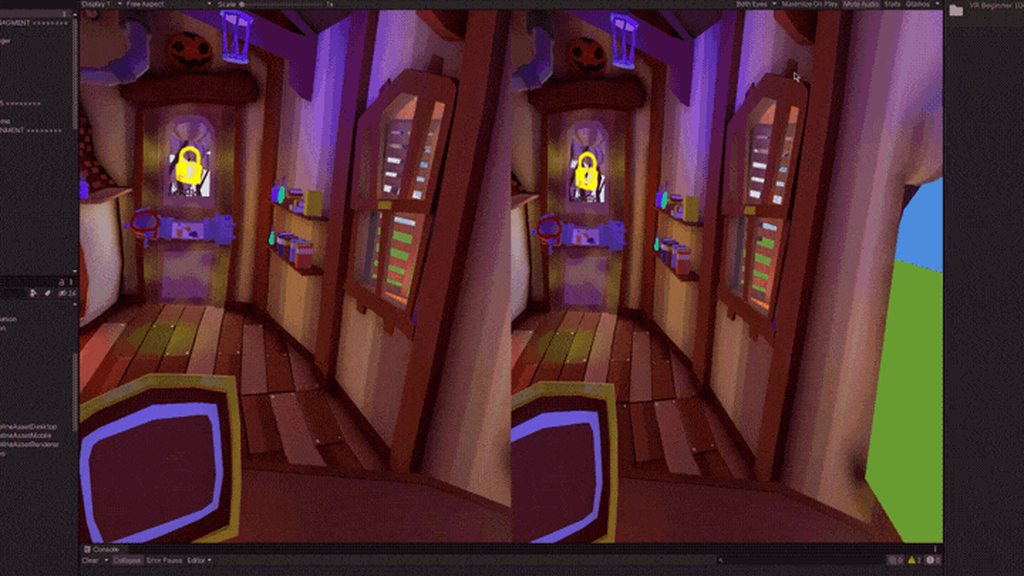 thin breach
Is there a way to have a vr camera only rotate and not move and then have the hands rotate around the camera / center the hands base location around the camera?
tiny niche
@thin breach well you CAN do pretty much anything, but you should never mess with the head position relative to the hands, nor the orientation relative to the horizon
thin breach
So is there a better way to have the camera lock into a position and only be able to rotate?
im just trying to make it so they are in a car, but i don't want them to be able to move around in the space in the car
if that makes sense
tiny niche
you really shouldn't prevent that
positional tracking is a huge part of the experience, not to mention something that is expected
thin breach
well if its left on they will try to drive the car and be outside of the car
tiny niche
if you do prevent it, the only result is going to be people complaining and filing bug reports
thin breach
for waht im trying to do it makes complete sense
tiny niche
if they want to sit on the side of the car, or stand up and look out the sundash, that's their perogative
thin breach
is there a way to limit the movement?
so that they can still move but can't go outside of the car or anything like that
tiny niche
yea, you move the rig to counteract it
thin breach
Oh
tiny niche
but no, you shouldn't do it
charred cape
best case it's bad UX worst case you may make someone motion sick
especially if your in a car and the scene is literally in motion as it is
tiny niche
and you're likely to fail the cert process when submitting to the oculus store
thin breach
my friend challanged me to make a car in vr so its only going to go to him
tiny niche
i assume you have a headset, so you should try some racing games to figure out what the best practices are and what to expect
thin breach
ive only found 1 vr racing game
and i ultimately don't want to buy a game for a private project
tiny niche
going off my own list, there's dirt rally, raceroom, redout
redout and raceroom can be tried for free
charred cape
Aircar isn't a "racing game" and it will give you a clear idea of how it works to keep someone in a cockpit
its also free
thin breach
ok
tiny niche
as for making the actual game, there's a unity sample with a fully functioning car that you can parent an xr rig with eye-level tracking to
tiny niche
it's in this one https://assetstore.unity.com/packages/essentials/asset-packs/standard-assets-for-unity-2018-4-32351#description

Get the Standard Assets (for Unity 2018.4) package from Unity Technologies and speed up your game development process. Find this & other Asset Packs options on the Unity Asset Store.
thin breach
thank you
leaden flame
@primal vigil the oculus occlusion mesh issue is listed as a known issue. The solve is to turn off the oculus mesh for now.
A black box appears in the upper-right quadrant when running in Oculus desktop. We will release an updated Oculus runtime to fix this, but in the meantime, you can turn off occlusion mesh for the built-in renderer.
leaden flame
charred cape
Has anyone experienced issues with objects getting culled from the world either ...
we are aware of this issue internally, I think it's around the wider FOV / eye texture size of the odyssey specifically. If you can create a small repo project and submit the bug report that would help.
charred cape
leaden flame
we are aware of this issue internally, I think it's around the wider FOV / eye t...
Duly noted - I will do that. Thank you for replying
Is there any "safe" version known that I could pivot to in the interim - or does this more or less affect all versions of the WMR stack since they pushed the "Reverb technology" update to the Odyssey+
leaden flame
charred cape
Duly noted - I will do that. Thank you for replying
Is there any "safe" version ...
unfortunately I don't know off the top of my head. You could potentially try upgrading or downgrading the windows MR package to see if that fixes it.
charred cape
leaden flame
unfortunately I don't know off the top of my head. You could potentially try upg...
Alright - Thanks anyways. stay safe out there!
 karmic dirge
Hey guys, first time messing with unity, I have created my hands and a rigid body sphere, the hands are able to grab the sphere, but they seem to go through the object. I would like to know how to make it so my hands can "push" the spehere
slender vine
@thin breach If you're using oculus integration you can set your player as a child of the car, but you'll have to handle rotating them to face forward generally as well as preventing them from moving to get outside the car
You could go for arizona sunshine style fade out the camera when they try to move out of the car interior
But generally you don't want to try moving the camera without moving the whole rig at the same time because the controllers will end up all over the place
 past coyote
@leaden flame Hi, sorry to bother you, but how exactly do you turn off the occlusion mesh? I've tried adding a script that does UnityEngine.XR.XRSettings.useOcclusionMesh = false; but it doesn't seem to do anything. Does this have to be done at build time or something? Or is there a property somewhere to change this?
pine bison
This is a pretty complex problem @karmic dirge. I wouldn't recommend starting with this if you're new to unity and VR
but there are videos on youtube about this, probably come up if you search for "VR hand physics"
thin breach
Im using openvr
 tawny temple
Unity 2020.2 is finally working for me so i decided to remake the main scene using Quixel assets and made some textures in Mixer.
karmic dirge
This is a pretty complex problem @karmic dirge. I wouldn't recommend starting with this if you're new to unity and VR
@pine bison well, if you say it's pretty complex, then I'll take it slow then, thank you
Although, it's incredible how easy you can start with making simple vr programs, I'm blown away
pine bison
Absolutely. There are some really high quality tutorials out there
 silver lynx
I was wondering if anyone else managed to use Vive Trackers with OpenXR? I'm trying to use Vive Trackers to drive movement of a model and not finding what I need in OpenXR. 
leaden flame
silver lynx
I was wondering if anyone else managed to use Vive Trackers with OpenXR? I'm try...
The current OpenXR spec implemented doesn't have support for trackers. see https://forum.unity.com/threads/unity-support-for-openxr-in-preview.1023613/#post-6637429
Unity Forum
[IMG]
Unity’s new OpenXR plug-in enables you to target a broad range of AR/VR devices. As of today, it’s available as a Preview package for Unity...
leaden flame
past coyote
<@!265675269891686410> Hi, sorry to bother you, but how exactly do you turn off ...
that is the correct setting, I see it's still raised as a bug internally and requires an update to the Oculus package (coming in the future). I believe it is just an issue with Quest + Link and won't appear in standalone .exe builds.
vestal flicker
VRLegsImprover_v1.293820.980
thin breach
thats awesome looking
 glass portal
Is there a way to use the SteamVR hand poses system with a rigged model?
As the character's body
I followed this tutorial on how to make the body
▶ WATCH the PART 2 : https://youtu.be/Wk2_MtYSPaM
▶ Get the full Project on Patreon : https://www.patreon.com/ValemVR
▶ Join the discord channel : https://discord.gg/5uhRegs
Hey guys
Download Robot Kyle : https://assetstore.unity.com/packages/3d/characters/robots/space-robot-kyle-4696
Some more info about the Animation Rigging Package :
http...
glass portal
Does anyone know how this can be done?
odd hare
@tawny temple I love the suspension on the Puma. It's really satisfying to watch, I can only imagine how great it must feel in VR.
tawny temple
glass portal
Does anyone know how this can be done?
I'm not too familiar with that yet but if i do figure it out ill let you know.
tawny temple
odd hare
<@!327278251447812097> I love the suspension on the Puma. It's really satisfying...
and it does feel pretty awesome, its like actually using the real thing once i implemented haptics
odd hare
Just the vibration on the controllers? Or you made an actual car controller to hold?
 lapis osprey
we have free api for this
tawny temple
just the vibration on the controllers
glass portal
tawny temple
I'm not too familiar with that yet but if i do figure it out ill let you know.
Thanks man I really appreciate it!
fervent sedge
Hello! I am wondering, when we use UI raycast for VR, we use camera raycast right? and it ensures us to use the features of button component which are onhighlighted etc. I really wonder if we use it for 3d objects in scene?
and if we would, is it a good practise instead of using Physics.Raycast
 stable oar
Today I uploaded the first ever SteamVR game I created, ported to WebXR! Check it out https://msub2.itch.io/lemon-atoll

 analog timber
Well I'm working on an idea of designing a Mall inside of virtual reality built as an application for online shopping. I'm just looking for some assistance for possibly a team of partners to work on modeling and software engineers for the front end and back end of the application
 weary hamlet
i have a problem with controllers. They don't move AT ALL. I'm using the unity XR thing the one in the package manager while following the tutorials by Valem. I added an XR controller script but hands still don't want to move.
this is all i have in the controller
 hushed spindle
Somebody experienced with XR system that can help me?
Having some troubles with eyetexture width and height
analog timber
That's awsome, I'm trying to link up with some like minded people on some concepts.
 tidal heath
tawny temple
tidal heath
tawny temple
Did you do this?
 opaque kiln
Merry Christmas everyone!
I want to convert the Unity Karting Microgame into a VR playable version. I found one YouTube video on it but it’s outdated.
Any tips on how I could do this? Better to use Oculus Integration or XR Interaction Toolkit?
In the video (of an outdated version of the karting microgame) they just removed the player, replaced the main camera with an OVRCamera and added it as a child of the kart.
They also changed the input scripts to work with VR controllers, but the input scripts are very different in the current version of the karting microgame (they’re much more simplified and using Unity’s new vertical/horizontal input system). I would assume I can somehow add the VR controllers to that input system, but I’m not sure how to do it.
This is the video https://youtu.be/foHpeP3v418

So in this tutorial I'll show you how to convert the unity kart racing microgame into a VR game to use in the Oculus quest with the Oculus Link and on the rift, rift s, HTC Vive and so on! The oculus intergration is cross platform. Once you have finished this tutorial you can keep following the unity karting tutorial at: https://learn.unity.com/...
dusk sky
How do I make an object that he’s been grabbed a child of the hand so it don’t lag behind when moving
tiny niche
the grabber handles that
hushed spindle
Any ideas on why XRSettings.eyeTextureWidth/Height are returning 0 even when the XR system is enabled? Blows my mind
storm ether
Assets\Oculus\VR\Scripts\OVRLint.cs(364,23): error CS0117: 'PlayerSettings' does not contain a definition for 'VROculus'
Updated Unity and now got this error
slender girder
I need help with image material
tawny temple
tidal heath
Did you do this?
yes i did
tidal heath
mshallah
storm ether
Hey everyone, I'm thinking of getting an Oculus Quest 2 soon. And i'm curious if it's better to use built-in or URP for it? I'd prefer URP, but I don't exactly like the light limits it has. (or did have), not sure if it's updated or not.
tiny niche
@storm ether the limits exist for a reason, but they shouldn't prevent you from achieving the visual results you're after
storm ether
Why add limits? If I want to go from 60FPS to 15 that's my business. The more control we have the better.
That's my view at least. So for me there shouldn't be any limits, what if I wanted to make a point and click teleport game? Not even 4FPS is going to ruin it as everything is instant. (just an example) - who knows what people want to make, so why put limits?
But I wasn't meaning for anything specific in terms of quality, just rather if built-in or URP is more efficient.
tiny niche
@storm ether the point of having different render pipelines is to optimize the interface towards the gpu. if you want less limits, then you should be using a lower level api. urp doesn't magically make things go faster, it allows you to do implementations that are faster
hushed spindle
Is there anyway to assign different cameras to each eye to an xr rig? Unity 2020.2
You indeed can create the cameras, but you can only assign one to the rig right? I need that because im developing portals on vr, and i need to teleport only the eye camera that crosses the portal
past coyote
has anyone been able to turn off useOcclusionMesh successfully and have it solve the oculus black box issue?
I'm turning it off in just a random monobehavior script but it doesn't seem to affect it so I'm assuming it needs to be done before the xr stuff is initialized somehow?
leaden flame
past coyote
has anyone been able to turn off `useOcclusionMesh` successfully and have it sol...
I don't think there's a way to actually disable it right now, the bug is from the occlusion mesh but even by calling UnityEngine.XR.XRSettings.useOcclusionMesh = false; the issue persist. It's a known issue and will be fixed in a later version.
leaden flame
hushed spindle
Is there anyway to assign different cameras to each eye to an xr rig? Unity 2020...
for this you'll want to use the TrackedPoseDriver(New Input System) there's a binding for XR HMD that will give you position or rotation of Left and Right eyes.
past coyote
alright! I'll just wait for the later version, just a minor annoyance for me right now 🙂
thanks for the response!
hushed spindle
leaden flame
for this you'll want to use the ```TrackedPoseDriver(New Input System)``` there'...
Thank you so much, ill be checking that tomorrow
fervent sedge
Hello. Which shader could be used for VR. My textmesh pro is not readable.
tardy flower
Hello! I am having an issue in Unity 2020.1.17f where any HDR in the game disappear (fdrom the game view and inside the headset, but it still here in the scene view) if I press play with VR enabled in project settings. I feel like I am missing something, but I checked every place where you have to enable HDR ..
young rune
fervent sedge
Hello. Which shader could be used for VR. My textmesh pro is not readable.
Don't say that. I'm going to need TextMesh Pro for my app 😆
fervent sedge
there should be a solution. 🙂 someone will save us! I beleive
leaden flame
fervent sedge
Hello. Which shader could be used for VR. My textmesh pro is not readable.
Text mesh pro will be the best option for rendering text in VR. Please elaborate more on what is making it 'not readable'
fervent sedge
ok thanks
leaden flame
tardy flower
Hello! I am having an issue in Unity 2020.1.17f where any HDR in the game disapp...
Sounds like a bug, can you file a bug repot and provide some more info related to what render pipeline you're using and what platform you're targeting?
tardy flower
leaden flame
Sounds like a bug, can you file a bug repot and provide some more info related t...
Sure, will do it right now!
 brisk wasp
Hey, I'm having a problem that kinda has me at wits end, if anyone has any advice, it'd be super valuable! I have uploaded a vr game to steam, and in the base build that I uploaded, controllers work fine. However, after pushing to steam and downloading with a beta key, most of the time the controllers don't detect/track at all. However, we have had one person who, after a reinstall, the controllers did work out of the blue. Has anyone encountered anything like this?
brisk wasp
so, I got some distance in - it turns out that if you start SteamVR first, there is no problem. Is there a way to force steamVR to be active before the game launches?
leaden flame
brisk wasp
so, I got some distance in - it turns out that if you start SteamVR first, there...
can you provide more context? what version of Unity, what XR integration are you using, any interaction toolkits, ect. I've encountered something similar what it was awhile ago.
brisk wasp
Certainly. It is a unity game for sure, it's running 2020.1.1, standard steamVR integrations as far as I understand(So just OpenVR I believe, will double check), and no toolkits, all custom shop.
Yeah, just openVR loader in XR
@leaden flame
leaden flame
When we encountered that problem it was a weird race condition and ended up just smoke testing our builds to make sure the controllers worked properly. I think we updated to a minor version and that might have fixed it too. Like going to 2020.1.2 (or 2020.1.17 since it's the latest 2020.1 version).
hushed spindle
Any clue on why i cant create my texture like this? eyetexture values are returning 0 for some reason
 hardy kayak
I don't get why this doesn't do absolutely anything
it's in Update
and I know it doesn't work because it doesn't even output to console
I am using the Vive
 left osprey
I'm trying to create a simple android vr app but it's not working and I've followed all the steps I've seen online
opaque kiln
Weird question: If you have a PC that can run Unity but not technically a VR-capable graphics card, can you still download the Oculus desktop app and view your Unity VR projects by doing an Android Build + Run?
(instead of viewing them by hitting play in the editor using Oculus Quest in Rift mode)
opaque kiln
opaque kiln
Weird question: If you have a PC that can run Unity but not technically a VR-cap...
Not asking for me but I have some students with the Quest who can run Unity but not necessary Oculus Rift apps. I usually do the Android Build+Run anyway so it seems like it could work for them...
leaden flame
opaque kiln
Not asking for me but I have some students with the Quest who can run Unity but ...
yes that workflow should be fine. The Oculus integration even has some emulation in the editor so you don't always have to build to test out some simple interactions.
leaden flame
left osprey
I'm trying to create a simple android vr app but it's not working and I've follo...
please provide more information or ask a more specific question. You can start by describing what you've tried so far, what version of Unity you're using, what XR integration and what platform you are targeting.
leaden flame
hardy kayak
and I know it doesn't work because it doesn't even output to console
what platform integration are you using and what version of unity. To start I'd probably do a debug check to make sure rightHand is valid before that if statement.
opaque kiln
Any tips on how I could convert the Unity Karting Microgame to be VR-playable using XR Interaction Toolkit?
Replacing the main camera with XR Rig won’t cut it as I also have to make the input register the Oculus Quest controllers. How would I do that?
leaden flame
opaque kiln
Any tips on how I could convert the Unity Karting Microgame to be VR-playable us...
Looking at it briefly it looks like all the input in the Karting minigame is driven from a derived class KeyboardInput from BaseInput. Base Input derives from IInput. It should be fairly straight forward to create another class that derived from BaseInput that uses the Oculus input. Either through the Oculus Utilities with OVRInput or the legacy / XR input system.
hardy kayak
leaden flame
what platform integration are you using and what version of unity. To start I'd ...
It works, I tried before just getting input from the xcontroller itself, which is any controller. But it doesn't detect Vive input i guess? Vive integration works in unity xr perfectly, it even tells me info in the xr debug information screen about the headset, controllers, input bindings, etc. But c# doesn't work with the inputs I guess?
I tried to detect any input from the controller, but it still doesn't do anything
From any controller, right, left, doesn't matter
past coyote
Is it a bad idea to use HDRP for VR stuff?