#🥽┃virtual-reality
1 messages · Page 42 of 1
 mental sentinel
mental sentinel
mental sentinel
Now I'm getting a black screen when I play
 spare hazel
@mental sentinel are you using Oculus Link to get Unity to show up on Quest?
mental sentinel
Thanks, I literally just solved both those issues. So turns out in the past I was pushing apk's and that's why I had to say NO to link. But then once I said YES to Link and hit play it will now play, but then it gave me a black screen because of some integration issues I guess? I re-imported the Oculus Integration from Asset Store and it's now fine.
Weird stuff.
I saw the date on the article was written yesterday, so maybe oculus integration got updated yesterday
spare hazel
congrats!
mental sentinel
Thanks. This shit is finnicky. I thought it was because I threw on my extension cord
Now I gotta try it again with my extension
I tried using the sidequest wifi thing but it didn't work
spare hazel
Sometimes the tech updates too quickly and things break. I had issues previously with the rolling updates to Oculus software. It updated on PC but not the quest so I couldn't use the link
mental sentinel
Yeah, I was just panicking because I'm trying to build something for midnight of the 7th
Wife's b-day. Making her a Llama farm for her to pet llamas
I've had to disguise it by using cows instead of llamas
So she thinks I'm just going through a VR tutorial 😛
But Teleport works now. Cows wander on their own. I just need to add hand collision triggers to get them "petted" 🙂
Find a floating heart asset
Some fireworks assets
spare hazel
nice, best to get a stable version and then make improved version
mental sentinel
Yeah. Paid $30 for the animal assets, lol
Totally worth
Copied the Wander code from some tutorial
The scene is a free farm asset 🙂
It's all working out pretty well so far, and far far easier than some gatekeeper guy was trying to tell me
Just... really annoying when Oculus stuff breaks
Thanks so much for the help though @spare hazel without ppl like you this wouldn't be possible for me in such a short time.
Glad I have people I can badger and ask on these discords and forums 😄
spare hazel
haha, best of luck!
spare hazel
are you using unity 2020?
 unreal crystal
What would be the quickest way to get some UI/text in VR? I need some for debugging purposes. IMGUI doesn't seem to work in VR
Guess I'll just use the canvas / etc in the GUI
 velvet rivet
ovrlipsync awake queried samplerate 48000 buffersize 1024
is this something to be alarmed of or can I ignore it
 wintry delta
@velvet rivet are you using LipSync?
 coral oracle
i am upgradeing my project from urp to hdrp with openvr xr set up.
everything was super stable with urp.
when i installed hdrp i am getting a unity crash almost every 5 mins n when i push play.
is openvr just not rdy for hdrp?
is there any steps i can take to look into this more?
unity 2019
wintry delta
@velvet rivet if you dont need it, you can safely not import their different packages, or just delete the ovrlipsync folder. But Its not something to worry about
However, its weird that its starting up if you arent using it
velvet rivet
I imported the whole ovr stuff because I didn't know which ones I needed
this was my first VR game
I'll import accordingly next time now that I know
 deep vault
anyone who knows about unity xr for quest, im having trouble setting it up
ive got a few errors
im following valem's tutorial
my gamehttps://cdn.discordapp.com/attachments/566453834004561941/740869124694999080/unknown.png

 velvet rivet
Valem's tutorial is good but it's a bit outdated
nowadays you just place the OVRplayercontroller and drag the custom hands into the hands anchors
 rancid crow
Hey guys, don't know what this warning means. I'm devving with a oculus quest, and I have everything set-up. I've never had this pop up before. I can still access my rift home and my virtual desktop but when I press play I only get this warning:
And I don't know how to start XR rendering 😕
 royal pebble
did you update your unity version when it begun to appear? VD does not work well with the newer unity xr
 fringe pendant
@deep vault Those errors look like they’re related to the services window. May need to refresh the window or log in again. Are you using Unity Collaborate with the project?
 winged frost
hello everyone
I have a rather weird bug which I wonder anyone ever encountered
I use SteamVR 1.0 for Unuity 2019.2.21f
and i've found that the animations on my vr hands stop responding after I go into the steam menu ingame
this happens consistantly
and it's ofcourse driving me nuts 😉
mental sentinel
Anyone know of an easy to integrate asset for "hand" to attach to controller? I'm watching the VR with Andrew tutorials but I was hoping for something even quicker because I'm prototyping something that I need to be done quick
Also, can someone give me a hint as to the easiest / best way to use a hand model instead of a ray interacter, and then show the ray when I press any button ?
Any teleport button, anyway
royal pebble
if you are using oculus then its sample hand are very easy and fast to use
mental sentinel
Will they work with my XR Interaction Toolkit or do I need to retool everything to use Oculus for some reason?
Someone said this:
I wonder if that's easy
royal pebble
you can modify the hand.cs to get input from unity and not from oculus integration but its a bit more work
it has few poses and blend by default from pointing to grabbing
 kindred quest
Hey guys. Anyone ever encountered an issue where the camera view (and rotation reading in Unity) jumps from ~128.y to ~ -50 through -70.y and then back to ~108? I'm using specific values here, but the point is the view "flips" for about 20 degrees. This is when rotating IRL (looking around the room).
This is even happening on a blank project with just SteamVR installed.
kindred quest
Follow-up to above: Looks like it's only on 2020.1. 2019.4(latest) doesn't happen.
 tiny niche
@kindred quest i think they're still in beta with their unity xr plugin, could be that its just having issues
kindred quest
Thanks yeah I figured. Just wanted to make sure I wasn't missing something.
velvet rivet
I'm going to lose my mind over this
I'm making a drum rythm game
when I hit the drums with the drumsticks
sometimes like 1/10 times oncollision enter activates twice
    public AudioSource audio;
    public AudioClip sound;


    // Start is called before the first frame update
    void Start()
    {
        GetComponent<Rigidbody>().constraints = RigidbodyConstraints.FreezeAll;
    }

    // Update is called once per frame
    void Update()
    {

    }

    private void OnCollisionEnter(Collision collision)
    {
        if (collision.collider.tag == "baget")
        {
            audio.PlayOneShot(sound);

        }
    }
what is wrong here
tiny niche
@velvet rivet there's typically quite a bit of jitter to the positions during the fixed timestep
velvet rivet
how do I fix it chief
tiny niche
it's probably just hitting twice
velvet rivet
am I going to have to change the ovr scripts
tiny niche
well there's many ways of fixing it, depends on how you want the sticks to behave
velvet rivet
is it maybe because I made them grabbable? would fixing them permanently to my hand fix it?
I have no preference over the behaviour of sticks I just want the game to work haha
tiny niche
if you want them to track instantaneously and pass through the drums, you could have a tip tracker that smooths out the position over a couple of frames
and detect collision on that
velvet rivet
my sticks currently pass through the drums anyways that can work for me
tiny niche
another option would be to velocity track, have them impact the drums and measure the impact velocity
but for a drum game you probably need instant tracking
velvet rivet
former works better guess
tiny niche
unity has some research projects on github where they smooth out the tracking using various methods
it was designed to fix things like vibrating fishing rods, but should do the trick for your usecase too
velvet rivet
Do you have a link of this I'm somehow having a hard time googling it
@tiny niche because the hands are tracked better than the grabbables I tried to make the sticks children of my hand anchors instead of grabbable
it works better now
remind me to give you a key when I finish the game kek
tiny niche
@velvet rivet if you set the tracking mode on the grabbables to instant, they should track just as well as the hands
tiny niche
this is the repo btw https://github.com/Unity-Technologies/SuperScience

GitHub
Gems of Unity Labs for our user-base. Contribute to Unity-Technologies/SuperScience development by creating an account on GitHub.
its a dropdown in the inspector
if you're using unity xr
tiny niche
ah, then there's a setting that makes the grabber parent stuff
tiny niche
although personally i was never able to make it work perfectly, i ended up having slight vibrations if i held my arms out in front of me and rotated my body
kinda like unity xr behaves if you use kinematic tracking
velvet rivet
the player is stationary in my game and there isn't much reason for them to turn
were you talking about this?
tiny niche
yea it was just an example of how you can easily see the issue clearly
yea, "parent held object"
 shell pumice
Hi, i have create player avatar using uma and steam vr player prefab. Now im trying create joystick player movement, it works, but when i have added character controller to the vr player, camera moved up, above avatar head and i cant taky it down. Do you have some idea why it hapoened and how can i fix it, please?
 willow tulip
Working with the legacy VR support for OpenVR and all of a sudden project will not run in play mode or build mode when VR Supported is enabled. Runs fine in non-vr mode. Colleague has a working project, and I can't even run builds that he made on the same project. Everything just hangs and I have to end the appllication. Unity 2019.3
I've tried reinstalling SteamVR, rebuilding the library, and reimporting all assets
 thick frigate
UnityEngine.XR.InputDevices.GetDevices() is always returning an empty list. I have no idea why... I can still get hand tracking and head tracking to work using InputTracking.GetNodeStates(). but why can't I get any devices?
 latent heath
Hey there. I was wondering. Do you guys suggest using SteamVR or the UnityXR system?
 spice oasis
Hi all. I have a little bit of an issue. I am currently trying to get a 360 sequence out from my VR experience. I am using Unity 2019.3.0f3 with HDRP 7.1.7 and using the unity recorder preview package to render out the files. But the output of the different cameras the recorder uses seems to render a bit wierd. It looks like come of them darkens the surrounding area if it is looking a really bright spot. Could this be something related to the linear output? I do not have any bloom or any post processing other than a white balance and fog. I have attached a screen of the output. As you can see the middle cameras and the top and bottoms connects together nicely.
Btw the light at far left is just quads with a shader on. The only light in the scene is a directional affecting the fog. All the textures are baked outside unity.
royal pebble
did you update to 2020.1?
spice oasis
Was that a reply for me? @royal pebble if so. no i havnt updated
I am pretty sure it has something to do with the physical camera. But i can see no way of turning it off when using HDRP. Just my luck i guess 🙂
spice oasis
Well. Update. It is the volumetric fog. Pretty devastating, as it is one of the most important components of the experience. Anyone knows a workaround or another way to export a 360 file sequence?
 heady grotto
@spice oasis Maybe try using 6 cameras, and stitching a cube map together? Or, if that's the current way, try to use two cameras with 180 FOV and stitch that for a more sane seam
The issue is likely the volumetric fog works on some aspect of camera space, and that's not lining up
Also, can you upload a more clear example?
spice oasis
@heady grotto Yea i think that would be the way to go. Im pretty sure the recorder is making 6 cameras and stitching that together. Ill try with the 180 FOV. Here is a brighter image. It is a quite dark scene.
It looks like it two cameras that is just off
It is just a bit confusing as the bottom of the cameras matches up, and the issue is divided in two for some reason. Like 2 of the camera has one setting and the 4 others another. Because they line up fine within the two groups if that makes sense
heady grotto
I still don't quite see the issue.... You're talking about darkening the area around a bright spot?
spice oasis
They dont connect seamlessly
mental sentinel
Can someone tell me what happened here?
Also, I re-imported the Oculus Integration and now it's saying I have 2 versions
Even though it asked me if I wanted to update
spice oasis
@heady grotto should be like this.
mental sentinel
Fuck now I can't even hit play
This is frustrating as fuck
I wish I had backed up
I didn't know re-importing the Oculus Asset Integration would fuck my whole project up like this
Welp. No llamas this year for my wife. Fuck COVID
heady grotto
Are you using XR Plugins and the OVR Integration @mental sentinel ?
mental sentinel
Yeah, I imported Oculus Integration again because I thought that would fix the problem (it did last time when I couldn't play on Link)
Now it's just giving me a lot of duplicate plugin errors
Assembly with name 'Unity.XR.Oculus.Editor' already exists (Packages/com.unity.xr.oculus.android/Editor/Unity.XR.Oculus.Editor.asmdef)
Wait, if I'm building on Quest should I be installing the Oculus XR Plugin or the Oculus Android package?
Multiple plugins with the same name 'ovrplugin' (found at 'Assets/Oculus/VR/Plugins/1.51.0/Win64/OVRPlugin.dll' and 'Assets/Oculus/VR/Plugins/1.50.0/Win64/OVRPlugin.dll'). That means one or more plugins are set to be compatible with Editor. Only one plugin at the time can be used by Editor.
I can't delete
heady grotto
If you're not using XR Plugins, you should be using Legacy VR
royal pebble
@mental sentinel you always need to remove the old version before importing new one
mental sentinel
@royal pebble How do I fix that now?
heady grotto
Delete the whole Oculus directory, and then re import it
mental sentinel
Ah
@heady grotto Yes I did hear something about having to use Legacy for some reason. It just seemed silly
But I'm on 2019... I must've misread something.
heady grotto
You don't have to, it's just depending on how you have your project setup
If you're on 2019.3 or newer, I'd say use XR rather than Legacy
royal pebble
Import the Oculus Integration package from Unity Asset Store.
heady grotto
I actually transitioned fully away from OVR Integration and made my thing fully XR. Right now, don't need anything Oculus specific. Was a chore for a day or so, but now I'm not saddled with that
mental sentinel
Hmm...
Mine is using the XR Rig stuff
I don't use OVR
Do I still need Oculus directory or integration?
heady grotto
You may not need it, I can't say
royal pebble
depends what features you use
mental sentinel
Honestly all I did was drop XR Rig, set up teleport
royal pebble
you need it for hand tracking, store release etc.
mental sentinel
Just a prototype little thing
I just want my wife to see some llamas
Can't even pet them - had no time to make a hand
royal pebble
then unity stuff is enough
heady grotto
@royal pebble I don't think you need it for hand tracking, or won't soon. XR has hand tracking input too, IIRC
royal pebble
unity has no interface or access to everything ovrskeleton etc provide
mental sentinel
YOU WERE RIGHT! Deleting the Oculus directory removed all my errors and let me play again
Worse comes to worse I'll just leave her tethered
I might just give up on building to Quest
It keeps blackscreening when I load the APK
heady grotto
Do you have a scene in the build? 😉
mental sentinel
Hey, that is a legit question! Yes, yes I do 😄 I think.
I literally didn't the other day, lol
heady grotto
Also, you should be aware that in the OVR integration examples, there was a scene in place to do hand tracking....
https://developer.oculus.com/documentation/unity/unity-sf-handtracking/
Copy it, delete any of the stuff. Add llamas. Win
Sample app depicting how to use hands in Unity.
mental sentinel
Yeah... I didn't even care for hand tracking. I just wanted a hand model. I never had time to do it.
It's been a rough couple weeks.
Almost went to the hospital yesterday with her because she's an essential/expendable worker with asthma. She wears the Visor, but now she can't even do that for long. Had an asthma attack and couldn't breathe for the rest of the day
They want to do an ultrasound, but the ultrasound place is telling us you can't go in if you have breathing issue symptoms
We had an operation scheduled for something, but even after testing negative for COVID 3 days prior during pre-op, they're still saying she can't do the operation because of her breathing issues.
heady grotto
That does sound rough. Keep at it
mental sentinel
Anyway, sorry, I shouldn't rant
heady grotto
We all just do our best
mental sentinel
Build And Run should just push the APK to the Quest, right? I've been dumping it out and sideloading it 😛
royal pebble
yes
mental sentinel
Hmm... didn't really work...
heady grotto
Did you go through the develpoment/setup guide explicitly?
mental sentinel
Yeah, but since then I've had to rip so much out and put so much back I don't even know
So many different sources saying different versions are incompatible and need special things
heady grotto
That usually happens when the Quest just isn't connected, or setup properly as a dev device
mental sentinel
I always assumed if I could sidequest it's the same setup
And when building I turn off link
OMG IT WORKS
I have no idea what voodoo happened in between, but it works now
THANK YOU
OMG THANK YOU
heady grotto
🍻
mental sentinel
I spent, like... $100 on assets, lol
Most of which I didn't even end up using
I bought like... 2 hands
Couldn't figure out fireworks, but used balloons, lol
Thank you.
@heady grotto @royal pebble If y'all have a Steam game or something I should check out and buy, let me know. I don't know how else to repay you
royal pebble
np
heady grotto
No worries, just make her happy
mental sentinel
To be fair, I also bought my wife a pair of Razer Nommo Chroma speakers (she doesn't care how they sound... just that they light up... and I make Razer profiles) and a Nintendo Switch just because it came into stock for once since COVID, but still. I think she will appreciate this shitty little project more than anything.
I wonder if I'm gonna get greedy and try to throw on anti-aliasing, hahaha
mental sentinel
Thank you!
@heady grotto If I remember correctly I just throw skybox texture on the camera when I'm done importing?
Sorry it's been so long
heady grotto
Are you using the standard renderer, or URP?
heady grotto
When you setup the project, did you use URP or 3D?
heady grotto
OK, then just add a "Skybox" component to that Main Camera. Click the dot and find the new asset examples
mental sentinel
Ah... I forgot I needed the component
heady grotto
That... should work hehe
mental sentinel
Sweet it worked
heady grotto
It's an override. There's other way to do it, FWIW, but lets keep it simple
heady grotto
👍
mental sentinel
I've never tried... but I wonder if I could record gameplay in a sideloaded project
Anyway, thanks so much. Gonna go walk the dog. This has been amazing
And she's still asleep 😄
 static rain
ive setup an ovr playercontroller and the camera angle is at the right angle but when i play it shows something at below and i dont know why
mental sentinel
@heady grotto She absolutely loved it, thank you! 🎉
mental sentinel
@heady grotto @royal pebble She was so happy. Thank you 🙂
static rain
anyone knows what to do?
kindred quest
Hey guys I'm having an issue I'm hoping someone can guide me on.
I'm trying to move an object based on the VR controller's delta frame to frame.
I'm rotating that calculated Vector3 by the VR eye perspective so that the rotation moves left/right/up/down in relation to where you're looking.
The issue I'm having is it seems to be rotating based on my playspace orientation rather than the vr camera.
I've tried multiplying by localRotation and regualr Rotation. No dice.
I think the problem is that it's being converted to the parent's rotation. Not sure. And if that's it, not sure hwo to address that.
Using SteamVR if that matters.
 feral frigate
@kindred quest sounds like you need to use Quaternions
heady grotto
anyone knows what to do?
@static rain
Can be safely ignored. It's just an aggressive code linter
 desert fiber
Im working on a VR project, and I want a hammer that can nail objects together. Any idea how to go about that? I have very limited knowledge of coding so I have no idea where to start. Im guessing I´d need raytracing to identify the transform the hammer is impacting but I really dont know.
heady grotto
Break it down into tasks. You need to get the person holding a hammer. You need to position some sort of graphic for a nail. You need to know when the hammer contacts the nail. You need to have some sort of boards. You need some way to join the boards together
Then, combine
VR or not, that's just general development process: Break it down into small but meaningful chunks, that's where you always start
desert fiber
Thanks @heady grotto that a good way of doing it, but I still dont know how to do that. I got a Hammer, the player can pick it up and swing it.
heady grotto
Cool, now figure out how you want that to contact a nail... there's tons of ways of doing it. I recommend for ease, just add a collider to the hammer head that is "Continuous" and a collider on the nail, then detect when the collide
desert fiber
Alright, that doable, how would I go about detecting the collision tho?
heady grotto
Step One. Open Google. Step Two: "unity collision detection"
desert fiber
Alright, seems like im just asking someone else for help but I´ll give it a try.
heady grotto
You expect me to write out a tutorial for you that is an easily searchable well covered topic?
desert fiber
Not exactly, I think I was hoping for more something like, "You could use raycast for the detection" or something, perhaps a line like, "but its a rather easily searchable and well coverd topic so try googling it"
What do I know, litterally nothing so I wouldnt really know if the tutorial I found would even serve the purpose
heady grotto
Try to read some and implement what they talk about. If you're confused or stuck with that process, then you're in the right place to sort a specific question out, when you have code to show people
But, you may just surprise yourself and hey it works! Wouldn't that be more rewarding than if I remoted into your computer and typed it in for you?
You can learn to learn, or you can learn to be dependent on other people
Which do you want?
desert fiber
That makes sense, I´ll give it a go.
I dont mind learning, but im not sure that It would be more rewarding doing it myself. I dont expect anyone to do anything for me. But was that the case that would save me a lot of brain power and time, and with the amount of stuff I need to do, that I also dont know how to do It would generally be a lot more manageable.
heady grotto
You need to be confused about something specific to get the most out of help in these kinds of places. "how do I do collisions?" is like coming in and asking "how do I make breakfast?" You won't get the kinds of answers you need
"how do I crack an egg without getting shells in my egg?" is a specific, answerable and interesting question
desert fiber
Okay, how do I know if an issue is specific enough to get an answer?
heady grotto
When you have code that you can share, and it's not doing what you expected after you tried to sort it out
desert fiber
Alright so debugging more than code knowledge right?
heady grotto
Yah, and trying and figuring it out. Trust in and surprise yourself
desert fiber
Alright thanks, I must have misunderstood the community, my bad. Thanks again though I will see if I can find something on the collision issue.
tiny niche
@desert fiber you can't just learn the stuff you need to solve the problem at hand. Usually you need to start off by googling the problem, then proceed to learn the things related to the answers.
in this case it would be learning more about how physics engines work and how we use them to solve problems
you might also find a bunch of details on different ways to combine meshes, which is also a useful area to know in this case
once you figure out what you don't know, we can help fill in the blanks
 hushed field
Hey I am new to developing really any game, I wanna know how easy it is to get Valve index controllers to use finger tracking with the new XR system
kindred quest
It's not possible right now. You have to use steam vr
Unless something changed recently
desert fiber
Thanks @tiny niche
Usually the issue first becomes apparent when there’s something I don’t know about, then I’m lost, not knowing what to even google
@hushed field SteamVR has an update on github for Unity 2020, I got my Index controllers working quite easily. I can send a link tomorrow or you can see if you can find it
hushed field
I grabbed the steamvr XR plugin off the github I just am kinda lost on how to get the finger tracking to work
 quartz iris
anybody tried using the Snap Turn Provider in the XR Toolkit?
for me when I turn it only turns the controllers, and keeps the camera stationary
idk why, the locomotion page in the tutorial has a different looking script but they're the same name
my project
documentation
I can't find a Controller Manager script and the documentation doesn't say anything about it
this is what I'm reading
any help is greatly appreciated
pls @ me with a response since this channel doesn't seemingly get a lot of traffic
also can I get steamVR implementation without it requiring a complete overhaul of the XR system I'm using? for example the Oculus integration pacakge just makes it so all the XR Toolkit stuff works on the Quest and the Rift S, i tried the older asset store steamVR but it wanted me to use all of its own stuff
quartz iris
ok new dilemma, what is the best approach for preventing hands and the headset from going through walls
is it the kinda thing that needs to be hardcoded
cos that sounds like complete garbage
no wait
I can just make it so that the headset gets stuck when colliding with something, instead of making it stop rendering
still, the problem is how do i do that
i've tried multiple approaches to no avail
this is in an open environment I mean
like a room you could be on both sides of the wall for
tiny niche
@quartz iris you don't want to do that. people are going to get sick and/or think the tracking is broken
quartz iris
so basically there's no easy way to have a wall you can be one more than one side of
as in
if you're outside the room, you cant go through the wall and see inside, but if you're inside the room, you can't go through and see outside
tiny niche
nothing is easy in vr, but there are things you can do to make people not poke their head through walls
like not rendering anything interesting on the other side
quartz iris
yeah I guess
the problem is with people putting guns trhough the wall
like I can set the tracking type to Velocity tracking but that is the jitteriest thing ever to have been created
tiny niche
you can also turn the screen b/w and mute the audio when doing so. makes people avoid it subconciously
tiny niche
not really, you could generate the other side of a wall dynamically
all you really need is a floor with a grid texture, so they have a point of reference and can see the horizon
quartz iris
yeah that's pretty big brain
idk how I'd switch cams like that
like
smoothly
i can change the culling mask or whatever it's called but that'd be really jarring
tiny niche
no need to switch cams, just break up the level into chunks and turn them off when you cant see the other chunk
quartz iris
with the grid though
tiny niche
could probably do the frustum culling from a different position than the camera too. so you project yourself back through the wall you entered and do the culling from there. then render the fake world on top
tiny niche
all you have to do is render the grid at a really high depth value. that way it'll always be overlapped by the real world
just like a skybox
quartz iris
yeah but that doesn't solve the problem of jarring cuts
mayybeee a janky solution would be to use a render texture but lining that up would be actual hell
tiny niche
it doesn't need to fade. it'll look like you poked through the wall and it just happened to have a grid on the other side, but then you go around the wall and see a room instead
quartz iris
oh true
but in that case it means im gonna need to make sure the outside of the parts of the levels the player is in looks presentable
tiny niche
with backface culling on, you could look back and see inside the room you came from
quartz iris
idk what frustrum culling is
tiny niche
although you might want to use a generic wall texture instead and only show a hole in the wall
quartz iris
there isn't really a problem with going back through where you already came
in fact that's probably a good idea to keep
acatully
nah yeah
probs just only allow the player to get places legally
tiny niche
well the view frustum is basically a geometrical shape showing what the camera can see. frustum culling refers to the game engine not rendering the parts outside that area
quartz iris
right
is that something that is always present
are frustrum culling and occlusion culling related
tiny niche
well they're different types. occlusion culling skips rendering stuff in front of you that is covered by other objects
while frustum culling skips rendering stuff that is outside your line of sight
quartz iris
wait so why isn't the latter the default
tiny niche
well you tend to have both
quartz iris
optimising for the Quest would be something I'd like to keep my options open for so if changing a project setting would help, sweet
tiny niche
but occlusion culling can be problematic if you have transparent objects
quartz iris
uh oh
there's a transparent element on the gun
I mean theoretically
I could just group them into chunks which are children of empty gameobjects
and then disable the mesh renderer component
right
tiny niche
well a gun is rarely big enough to occlude a lot of stuff anyways
static rain
hiii im using oculus intregration now when i play i csn only move my joystick to walk around but i cant interact with things and cant see my hand is it possible i walk around by moving my joystick and click to grabthings and drop if so how?
 astral ravine
Hi, not sure if this is the right place to ask a newbie XR Interaction question. Can't find the answer on google/github. How do I identify the Interactor (e.g. hand) which is interacting with (e.g. holding) my XRGrabInteractable (e.g. knife).? I need this to force a drop action under certain circumstances. Thanks. [edit: figured it out, code below]
_xrGrabInteractable = GetComponent<XRGrabInteractable>();
XRBaseInteractor _beingHeldBy = _xrGrabInteractable.selectingInteractor;
Debug.Log($"{this} is being held by {_beingHeldBy}");``` solid pumice
tiny niche
solid pumice
tiny niche
@static rain follow the instructions in the documentation and it'll work
 storm ether
agree
wintry delta
Anyone know why my camera is wayyy higher when i'm using the Openvr sdk instead of Oculus sdk?
And off to the right a little bit
 shell kayak
@wintry delta You might have the Oculus camera rig set up to be eye level, instead of floor level. Meaning the starting position of the camera rig is where you want the player's eyes to be rather than where the center of their playspace is.
wintry delta
@shell kayak Yeah, it seems something like that. Currently I'm debugging why my game just freezes when the OVR player prefab is instantiated when using openVR sdk
 silver sigil
does someone know , how to implement an webbroser (where you can type in an stuff/google smt) into an vr scene? I think I want to put it into the ui, but I basically dont know how to create an web-browser
 pine bison
There are assets for this on the asset store, like this one https://assetstore.unity.com/packages/tools/gui/embedded-browser-55459
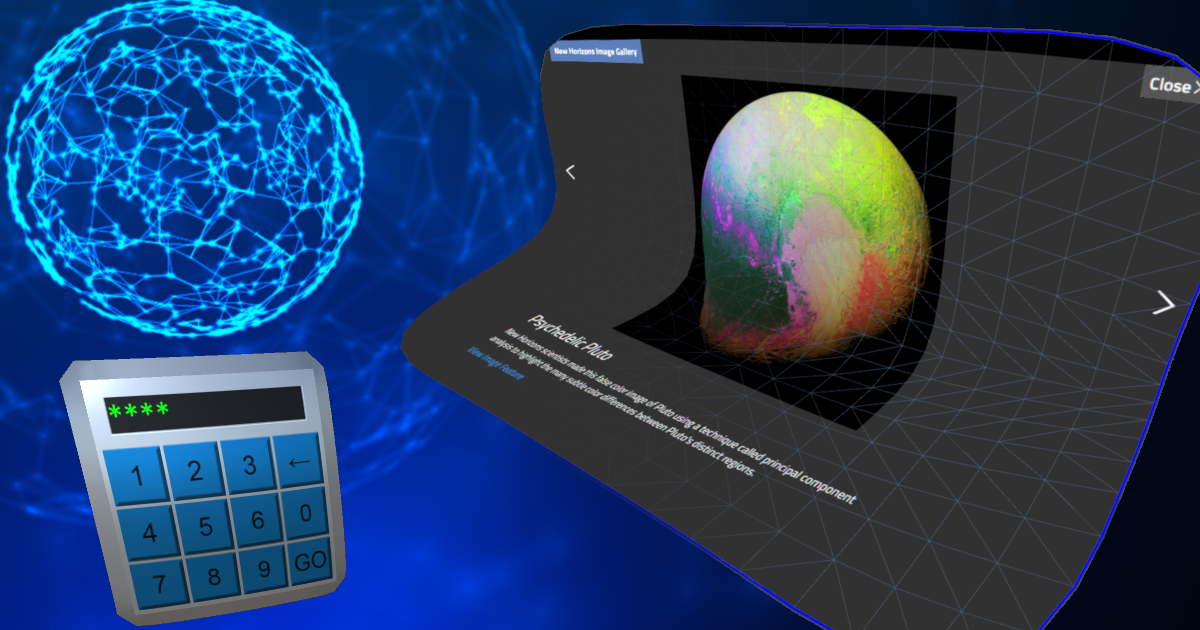
Use the Embedded Browser from Zen Fulcrum LLC on your next project. Find this GUI tool & more on the Unity Asset Store.
Here's a free one too actually https://bitbucket.org/vitaly_chashin/simpleunitybrowser/src/default/
silver sigil
Thanks👍
wintry delta
I need someone with a Vive to test out controls of my game (I only have a Rift). Wont take more than a few mins - any takers?
spare hazel
@wintry delta still need testing?
 rigid quartz
Hey everyone. I have a player prefab with an XR ray attached that I use to teleport. If the player is in the hierarchy it works fine. But if instantiate the player at runtime the XR ray won’t work. If I disable auto initialise XR, instantiate the player and then enable XR it works. The only thing is that I need to have XR on in the previous scene too. Any suggestions on how to get an instantiated prefab with XR ray to work right?
 grizzled tangle
I'm new to VR and had a question. Is there a way to test the VR application within the editor without requiring a device ?
 reef beacon
Nope, you can make a fallback though
grizzled tangle
Another question. To build for HTC Vive/Steam Index do I need a separate plugin or can I build with Unity's XR Plugin ?
 quaint moss
Similar question - can I build an apk for Quest w/o the device itself?
 tepid vapor
From what I can tell, yes
You can then share that APK similar to how you’d install sideloaded apps from 3rd party developers
quaint moss
OK, thanks
pine bison
You can, but you would have no guarantee it would run
The new XR system does not support SteamVR yet @grizzled tangle
grizzled tangle
Thank you Ole. I can still build for Vive with the SteamVR plugin right or should I wait till Unity adds the support in the XR plugin ?
royal pebble
valve has their version of the unity xr plugin on their github
grizzled tangle
Thanks for all the info 🙂
 distant zealot
valve has their version of the unity xr plugin on their github
@royal pebble I was originally pulling that into Package manager using the git URL but for some reason recently they removed that and now you install a unity package which adds some check for update scripts and it will hook package manager up to it for you.
Refer to this guide on their git to install it
https://github.com/ValveSoftware/unity-xr-plugin/releases/tag/installer
The new XR system does not support SteamVR yet @grizzled tangle
@pine bison Please do not spread misinformation, see my comment above this for the OpenVR XR plugin, it's been out for a while now, albeit in beta
pine bison
Yes that's imprecise, I agree
spare hazel
@distant zealot
To sum it up, Is it correct to say that:
In Unity 2019.4, you can develop for both Oculus and OpenVR (Vive, Index) using the deprecated setting. You do this by going to Edit/Project Settings/Player/Deprecated Settings and have Virtual Reality Supported checked. Oculus Quest doesn't seem to work properly using this mode, showing up in Oculus TV.
In Unity 2019.4 or 2020.1, you can use Unity's XR Plug-In Management. At the moment, you have to go to github (https://github.com/ValveSoftware/unity-xr-plugin/releases/tag/installer) to download the plug-in for Valve's OpenVR. Valve's Plug In is in release candidate status and not officially released. As it is in release candidate status, there may be some bugs that's not ironed out.
royal pebble
quest works fine with 2019.4 and the old xr system
spare hazel
hmm i might have to check my settings then. I recall that Ihave to switch to xr plug in.
@royal pebble I am using Unity's XR Interaction Toolkit, could that be why?
storm ether
Hey guys I got my VR headset and controllers to work in game, hand tracking works but the hands are too far away from the player any1 know how to fix?
using Valve Index and SteamVR/OpenVR
heady grotto
@storm ether Did you ensure that the parent/child hierarchy.... Everything is zero? If you have some child object offset, might be it
storm ether
I've got it running properly now, the hands work. How do I check for controller inputs via script? The SteamVR API is so fucking confusing
 craggy thicket
Any one facing quest FFR issue having terrible holes in distance mesh. Please help
 cursive quail
anyone have any tips to make a VR game feel good to play
like right now everything seems very static
like objects are "locked" to hands
i have a demo if you want to see what i mean
quaint moss
@cursive quail movement is pretty important imho
Do you have it?
quaint moss
A gif would help
cursive quail
gif?
quaint moss
Yeah, of the gameplay
cursive quail
oh sure leme make one
gimme 5 min
ill ping u
@quaint moss i have a video
its prolly bad quality because of compression
shit theres a watermark
quaint moss
Nice @cursive quail
Well regarding locked objects - try maybe some grip/grab methods? So the object aligns more naturally with the hand
Fe via VRTK https://www.raywenderlich.com/2163461-advanced-vr-interactions-in-unity-tutorial
raywenderlich.com
Create advanced interactions and mechanics in your Unity VR app, including working with tooltips, joints, snapping and haptic feedback!
quaint moss
@cursive quail also can recommend taking a look into how Oculus made the vr intro experience for the Quest
https://youtu.be/5t0g7UHGyPk?t=242

First Steps is a VR experience designed to be the entry way to the Oculus Quest. Its pretty much an introduction to what the Virtual Reality Headset and the Touch Controllers are capable of.
The tutorial of First Steps will show you the magic of presence in VR and lets you e...
 modern wadi
Hi how can i calculate hitting force?
heady grotto
Going to have to be a bit more specific there
modern wadi
I want to calculate the velocity of controller. In my game there's a sword and i want to damage by it's velocity.
heady grotto
Might be best to average that over the last few frames
so, you know what you need to do... How do you calculate force?
modern wadi
Yes i thought that and search for it and i found that formula : (finalPos - initialPos) /( finalTime - initialTime ) but how can i calculate final position and final time
heady grotto
That's velocity... There's an equation for force, which is: force = mass * acceleration
https://sciencing.com/acceleration-velocity-distance-7779124.html - or, here
But, like I said, I'd recommend averaging out over a few frames. The last frame is not the best indication in VR

Sciencing
Learning the constant acceleration equations sets you up perfectly for this type of problem, and if you have to find acceleration but only have a starting and final velocity, along with the distance travelled, you can determine the acceleration.
modern wadi
I will try it thanks.
heady grotto
Also, something to keep in mind... If you're dealing with a sword, you might want to break the velocity tracking average down into two parts, using a marker gameobject... The tip and the handle
Usually a sword will be moving in an arc, and the player's hand will have a lower relative velocity to the tip. You can figure out the velocity of the point of impact by where that lands between the tip and base
tiny niche
you can measure velocity at the point of impact when responding to collision events though
but you'd still want a marker to aid in making the sword stable
 proven thunder
Hey all any suggestions, tutorials, or assets you can recommend for how to make updatable clients? I'm about to take my android/quest game to friends and family alpha, and this is the last step before I get to show off.
heady grotto
you can measure velocity at the point of impact when responding to collision events though
@tiny niche Yes, but what I'm suggesting is averaging out velocity over time before the impact, because it's likely to produce a more desired result
@proven thunder I think the GoogleFood is "asset bundle", which I'm nearly positive you can set aside as something that can be downloaded
But, that's also kind of an odd experience on the Quest, waiting for something to download after you've started the game. I'd maybe just ship out the whole game unless you're shipping a game with 2GB of movies
proven thunder
I just want to push updates to my friends who I'm not sure can deal with sidequest / adb on there own
tiny niche
@proven thunder i usually use visual studio app center to do that, but i dunno if it works on the quest
heady grotto
Hmm. @proven thunder I'm not sure
I feel like @tiny niche is on the correct path. See what a third party can do to help streamline
I'd actually be curious of your findings
tiny niche
updating an android app is not that hard, you just need a separate app that handles downloading the new version and triggering the uninstall
heady grotto
Sidequest does updates... So maybe just setup a script that is self contained to install SideQuest? https://uploadvr.com/sidequest-v10-update/
There's an adb standalone package out there somewhere
tiny niche
visual studio app center is just a more complete package, since it handles the update querying, content delivery and security all in 1 place
sidequest might not be doing real updates, they might just be swapping out scripts instead of replacing the binaries
heady grotto
I use VS app center, and now I'm super curious if it would work on Quest
tiny niche
but this all depends on how close to a stock android the quest os is
if it uses the standard apk installation process, vs app center should do the trick
proven thunder
thanks everyone. keep y'all posted.
Also I think quest is pretty close to stock. Like Unity "build and run" just works
storm ether
is there a way to output a ray straight forward out of the players hand without trigonometry?
Ray ray = new Ray(new Vector3(transform.position.x + Mathf.Sin(direction.x / distance), transform.position.y, (transform.position.z + Mathf.Tan(direction.y / distance))), transform.forward);
this is the way we're doing it rn, but its super inconsistent and moves to dumb angles when pointing left or right
heady grotto
Assuming that the gameobject rotates with the player hands, why not just use the transform.forward?
 stable oar
Anyone here have experience using the Windows XR Plugin and URP together? No matter what I try it keeps rendering both eyes to just the left eye, and there's no option to change the stereo rendering mode for the plugin
Using Unity 2020.1, XR Plugin Management 3.2.13, Windows XR Plugin 3.2.0, Universal RP 8.2.0
 leaden flame
Both eyes to one eye in the HMD or in the editor game view?
leaden flame
Ahhh like the eye offset isn't correct and you're seeing the same image in both eye?
hmmmm, and when you say 'stereo rendering mode for the plugin' that's in the XR management settings correct?
stable oar
Yeah, these are the only options available for the WMR plugin
leaden flame
is 3.2 WMR the verified version for 2020.1?
stable oar
yes
leaden flame
Sounds like a bug, if you can submit a bug report and post it here I can ping the team about it.
stable oar
okie dokes
leaden flame
as a workaround I'd say try updating either the WMR package or URP to see if it's fixed.
stable oar
i've tried many times with no success
I actually first noticed this a couple months ago but couldn't find much help
so i just kinda shelved it for the time being
although i haven't tried the most recent URP version so I guess I'll try that
no dice 🙃 gonna grab dinner then file that bug report
stable oar
@leaden flame Fogbugz 1270623
leaden flame
@stable oar It's on our radar. Not a known bug and being looked into
stable oar
gotcha 👍
tiny niche
@stable oar i suspect its the xr rig that's not working as intended and not the rendering that's screwed up
i've been using urp with unity xr without any issues
stable oar
Hmm, interesting
I hadn't considered that
No idea how that could be happening though
stable oar
Are you using WMR though? I just started a new project with URP and Unity XR, told it to use WMR plugin, play scene, same thing happens
so i don't think it's the rig
cursive quail
i think this will be easer to read :P
tiny niche
@wary junco what are you asking? how to reverse engineer an arbitrary mesh into a workflow? recording actions that built a mesh? generating visual instructions for making a mesh? delayed execution of method calls?
 trail cloud
i am having an issue with the xr controller rig when i attach a prefab to one of the hands it enlarges the block and am unsure why can someone help me
what do you mean by that
i am trying to make it into a rectangular prism does scaling it not work
ive been using a cube and then just scaling it
alright then let me go see if i can make that work
ok ill try that first and ill let you know how it goes
k
heady grotto
@stable oar Unless you need to build for Universal Windows Platform, maybe try the OpenVR beta from Valve
trail cloud
i got it working thanks for the help Rj
rancid crow
Trying to export to android and I got told my JDK is out of date, and I'm not sure how to fix it
heady grotto
Open Unity Hub, select your install, modify, and install the Android Build Tools
Then blank out those fields, and it should auto-discover
rancid crow
I already had it selected 😩
heady grotto
That's super strange
 worthy ember
Hey I have a script that executes when I pull a lever that is supposed to make the player a child of the ship which starts to move on throwing the lever but this happens: https://youtu.be/wI5jYVtCSWY this only happens with free locomotion if you even teleport on the ship once, it does not happen. Any thoughts ? I'm also using the VRIF by Big Ninja games as the player.
 heady grotto
@worthy ember which part of your rig are you parenting?
Usually you need to parent the whole tracking space, not the camera rig
 obsidian charm
How do i add the movement provider script?
quartz iris
aight, so I'm using the XR Interaction Toolkit you can download from the package manager and was wondering how I'm meant to get player movement? I know the documentation shows how to do teleportation, and I know that, but I'd like to have movement with something like a character controller or such.
It's also important to me that the player is able to crouch and even lye down on the floor, so I'd really appreciate a solution that doesn't rid the player of the ability to do that.
could I just add a charactercontrolller to the XR Rig object? but then how do I make it so the character controller collides with walls
any help is greatly appreciated, please @ me with any responses
I'm using the Room-scale XR Rig setup btw
 proud vale
Gotcha
quartz iris
as in you can move like in a traditional game
I think I've found a video
that's kinda going through it
proud vale
check out valem
quartz iris

Hello there! Today, we're going to start a project for moving in VR.
Github:
https://github.com/C-Through/VR-XRToolkitLocomotion
If you would like to support me or have access to the completed project files, feel free to check out my Patreon.
https://www.patreon.com/VRwithAn...
this one
proud vale
He is also pretty good
quartz iris
it might work idk, im not doing his system of preventing locomotion scripts from running simultaneously since for this project i dont need that
also it looks as if he's sacrificing frames for readability
i feel like this could be made way more concise, idk if it would actually help performance though
like if I get rid of the clamp
cant I just do this
proud vale
I think so
I run my script without a clamp but performance wise idk how it would affect it
quartz iris
i need to include something for when the player gets close enough to the ground so that the character controller's height cant get any smaller
it does work
this might work, im bad at math
idk how I feel about running that every frame
yeah that didn't work
proud vale
this might work, im bad at math
@quartz iris same
proud vale
Are you just starting VR development jaime?
quartz iris
this is the first VR project, i have done a bit but hadn;t gotten around to movement yet
like I had working guns and stuff and enemies but didn't actually get around to doing it cos I thought it was more complex than its prooving to be
we're opposites then
I'd like to clarify that a while isn't like I'm a professional and I've been using unity for a decade
im still in school and only started seriously about a year ago
proud vale
gotcha
 river sigil
Hello everyone! How can I use Openvr in Unity XR with XR Interactive Toolkit for Unity 2019.4.x?
Just choose deprecate virtual reality and then from the manager install the preview of XR interactive toolkit?
proud vale
anyone know how to add a rigibody and box colliders to hands?
cant seem to add them and my hand just wigs out on its own
craggy thicket

Unity Forum
I am working on Unity 2019.3.5f1 with URP
I tried changing URP versions as well as the legacy XR version to the new one. I am facing issues in the...
heady grotto
@proud vale Did you set to be IsKinematic?
proud vale
yes
it didnt work
Im remaking the hands right now so ill come back if i hit another roadblock
heady grotto
You might also try setting up the collision layer filtering
 fossil obsidian
allo allo
I think the mozilla webxr exporter is broken on 2020, and the XR interactiont toolkit breaks webgl builds in 2019
has anyone else noticed this
royal pebble
not sure how long it matters anyways as mozilla sacked pretty much the whole xr team
fossil obsidian
That's true
not sure what's up at mozilla
with the whole firing everybody
not just xr but also their Rust teams
basically everything cool
quartz iris
unity's default target fps is 60 correct?
what does it do about VR
does it automatically use the refresh rate of the headset?
i connect my quest to my computer and it runs at about 90fps, which idk why
 ashen valley
With 2020.1, and the new XR system, is it still possible to do something like "-vrmode None" like before?
fossil obsidian
Hey @royal pebble and all, do you know if any good alternatives to the mozilla webxr exporter exist?
ashen valley
I don't think there are any for Unity. There's other WebXR platforms, but not any exporters -- that I know of, anyway.
ashen valley
Rather than using Unity, there's A-Frame and BabylonJS. Babylon now has an editor that's kinda similar to Unity on the surface, but it's still quite primitive. They're actively developing it, tho. It was purchased by Microsoft.
ashen valley
I've seen more stuff done with A-Frame. I like BabylonJS more.
fossil obsidian
Is the mozilla webvr slack just gone now?
Mixed Reality for a free and open Web
seems to redirect to their main webvr page
ashen valley
I don't know. Didn't they just release the new WebXR back in May? And then they're gone?
fossil obsidian
apparently they fired a buncha people
ashen valley
well, probably the virus...
The Babylon team has a few YouTube videos -- none show how to use the Editor, that's a different group, I guess. But the editor is neat because it's also online -- being JavaScript.
WebXR seems to be too much of a toy right now, tho... I mean, it's beautiful with PBR. And I've seen some jaw-dropping things. But no sizable projects that I know of.
fossil obsidian
Yeah, i'm just working with some psychologists trying to give them a way to do remote experiments easily
ashen valley
You should look at Babylon, then. You might like it, if you can switch from C# to JavaScript.
ashen valley
If you use the editor, download the stand-alone copy. Otherwise, you can only save your projects to OneDrive -- which might be ok for you.
And if you do decide to go with it, let me know! I'd love to be working in that sort of environment.
 long plover
hi i am looking for a project template with working xr and smooth locomotion
it should work with oculus rift s
heady grotto
@long plover Like, pressing the joystick to move around?
 weak wren
people who know how VR works are wizards
long plover
@heady grotto yes
heady grotto
@long plover If you're super new to VR, then I'd just get the Oculus Integration asset, and run with that. It has a bunch of samples to get you going. It's a chonker of a package, and the code is a bit... dense, but if you don't want to think about it, then you can roll with it easily
long plover
yes i did that it worked great, but now withe the latest unity it does not anymore, the cage does not follow the headset
some scripts ands options are missing
so i want to switch to xr
heady grotto
You likely set the wrong target. You need to have a "tracking space" GameObject, that contains your Rig. You want to teleport the tracking space around, not the rig
AFAIK, Oculus Integration works fine with XR
long plover
so can i get a working template somewere?
heady grotto
Just start a new project, install XR w/oculus. Import Oculus Integration, it should just work
the lastest
long plover
with smooth locomotion? no snap turn?
no teleport
so i dont have to setup anything, just enable XR and import Oculus Integration? ok
long plover
not working
is there a template, where the vr is already working? just put on the headset and place my objects in the scene?
long plover
the cage just does not follow the headset
it moves, when i use the joystick but not with the headset
since the obstacles collide with the cage and not with the headset, the collisions are like random
in earlier versions i added the character camera constraint to the OVRPlayerController, this made the cage follow the camera, but this is not working anymore
heady grotto
You put the target as the play area/tracked space... Not the rig
long plover
please be more specific, where ?
heady grotto
So you're moving the tracked space around, not the player
expand your graph to show me your layout with the OVRCameraRig
long plover
you mean with joystick?
i am not sure you understand my problem
i can move the rig with the joystick, no problem here
but it has to follow the headset as well
heady grotto
Then, you'll need to extend that to move in the direction the player is looking
long plover
how would you make the collisions fit the position of the player?
is it not obvious that the rig has to follow exactly the headset?
heady grotto
Remove the (big) collider on the tracking space. Add colliders to the player. One generic capsule collider will do
Adjusting the height of that based on headset height is something you can play around with later
long plover
what when i fall into a pit?
heady grotto
Have you done any Unity things before?
long plover
yes
heady grotto
Then... if falling into a pit is an option, you'd know the capsule will stop the rig
long plover
so when the headset hovers over the pit and the rig is 1 meter off, then it doesn not work corrctly
heady grotto
Did you deconstruct the Oculus sample? I think they handled that in the locomotion test scene
heady grotto
Don't remember. There's one with a big room, and iirc there's two folders of samples
long plover
solved it the script is bugged
facebook just sucks
the latest caractercameaconstraint.cs, if you use the old one everything works
still i would like to see a solution with the latest version, i have only 1 folder with oculus scenes
heady grotto
Maybe they nixed a bunch. Did you search for .scene files (using Explorer)
Fwiw, I've ditched OVR for full XR and a custom framework. But, if you're just trying to make something quick or get into VR, OVR is good. I used it for awhile to make prototypes and things
 lone knoll
has anyone seen blue screen for the Oculus plugin before ?
it occupies half of my screen ( in editor )
looks fine in the headset
but sometimes it flickers in blue for the entire screen
reef beacon
URP?
lone knoll
ye
reef beacon
Probably some unsupported shader or a shader that isn't loaded iirc
lone knoll
ok ill try and remove some of those to see if it fixed
the only change thing that made this happened is the actual oculus software update :<
reef beacon
Can you show a screenshot?
reef beacon
Oh hmm
That's different than I thought
There's this new bright blue color that indicates that shaders aren't loaded or compiled yet
reef beacon
Nah purple/pink is some shader error
lone knoll
i see
reef beacon
Rather than not loaded yet
lone knoll
any other shader error colors in the wild ?
reef beacon
What if you change the left eye property
reef beacon
No clue actually, I've only recently started seeing the blue one
reef beacon
That kind of looks like a debug setting
lone knoll
also this
reef beacon
Can you select whatever is causing that?
lone knoll
ahhhh
ok i just remember
was messing around with MRC before
disabling it fixes it
reef beacon
MRC?
reef beacon
Ah
 restive falcon
I had attached capsule collider to camera, and there is a plane, to prevent the collision, but camera passes through the plane!
Camera is child of gvremulator
Help!
heady grotto

 ashen valley
With 2020.1, and the new XR system, is it still possible to do something like "-vrmode None" like before?
Asking again if anyone knows?
heady grotto
In the XR Plugin Management, there's a "Initialize XR on Startup" option. Quite likely unchecking that will get you into a regular camera, but you'll need to disable Main Camera on the rig and tag up another as main
Don't know how to set that as part of launch flags though, sorry
ashen valley
It doesn't behave like I expect on a Windows system. On a Mac, it seems to be OK, but the PC complains about the headset, still.
Basically, I'm trying to support VR and pancake -- and it's a bear to duplicate all that stuff like cameras and UI panes. In the Legacy XR system, you could add a 'None' headset and use "-vrmode None" on startup. But there's no "none" in XR...and the Mock HMD still does a stereo camera view.
heady grotto
I think that's a thing to ask the forums. Maybe a bit more details on how this is implemented: https://docs.unity3d.com/ScriptReference/XR.XRSettings-enabled.html
At the very worst, you can parse the command line and set that flag with CommandLineArgs

 candid sorrel
hey question, I have a very strange thing happening, I have a tracker in which I'm trying to short some pogo pins, which seem to be responding in steam's controller tester, however I'm not getting anything in unity, I use this
IVRModuleDeviceState state = VRModule.GetCurrentDeviceState(i);
state.GetButtonPress(VRModuleRawButton.Trigger);
 lyric jasper
So I’m recreating my room in 1 to 1 on my quest. To do this I’m placing small cubes around basically outlining my wall then I plan to use that outline as a reference on my computer to place walls and furniture and what not. I just don’t know how to export the cubes I placed in VR onto my computer. Could I save the date and export it someway?
tiny niche
@lyric jasper you could, but it would be far quicker and easier to just go over your room with a tape measure
not to mention more precise
lyric jasper
@tiny niche I’m very new to unity. Will it tell me the detentions of the objects I’m placing?
lyric jasper
Yeah lol
tiny niche
you just model things in 1:1 scale, treating unity units as meters
lyric jasper
Oh ok thanks
tiny niche
you probably have some ikea furniture too. you can find scale models of them online
lyric jasper
@tiny niche so under scale I put the proper dimensions but everything was huge. How do I fix this?
heady grotto
Set the scale, where? In FBX output?
tiny niche
@lyric jasper there's a lot of places where you could've screwed up the scale between the modeling software and the unity import
lyric jasper
I didn’t import a model into unity I’m doing it all directly in unity
@tiny niche
tiny niche
so it should be roughly 4.5m by 3.4m and 1m tall
although its a plane, so depends on the original size
the scale is applied afterwards
but if you're going to replicate your whole room, you'll want to use a modeling software instead of building it directly in unity. you'll need the extra tools they provide
lyric jasper
Ok. Would blender work?
heady grotto
Yah, just set the units in Blender to be meters, and the export units to be meters, then it should input 1:1 to Unity without futzing around
Another way to do it is with ProBuilder
lyric jasper
Alright thanks guys. I’ll let you know if I need anymore help but I should be good now.
heady grotto
But, if you're trying to make a really solid representation of your room, Blender is going to get you further than ProBuilder
lyric jasper
Alright
Wait actually quick question. Is there a way to make a location from google earth into a 3D model. It would be cool to have the view out my window be a vacation spot my family visits every year
heady grotto
Quick way: Go there in Google Earth. Take a screenshot and put that on a plane
lyric jasper
Ok thanks
 nimble tangle
Are there any good learning resources on making Boneworks style ragdoll-like player characters?
lyric jasper
@heady grotto are the units in Unity meters because my room is a bit larger in VR than it is irl. I know that my numbers are correct but it’s just very large.
 storm vigil
@lyric jasper unity uses 1 meter as the default unit (the default qube is 1X1X1meter)
lyric jasper
Ok
heady grotto
Make sure your export settings for the units is correct
 chrome comet
hi there, can seek advice? i can't seem to playback / view video in android built (via unity). any idea?
 dawn iris
Hello. I have one big issue :
Force the oculus quest to recenter view (like when you push the Oculus button for 3 sec) in Unity. How to do it ??
tiny niche
@dawn iris read the docs, there's a reset view action in there
dawn iris
@tiny niche the documentation says it does not work on Oculus Quest. only on rift. But thank you
tiny niche
then i guess the real question is why do you need it?
typically you leave that up to the device software
storm ether
Hey, I am currently planning to support additional trackers from HTC in my VR Game, but I have no clue how to actually use them? As in, how do I let the user define which tracker is for which body part, and how so I save it so my game remembers it etc.?
Couldnt really find any tutorials regarding that
tiny niche
@storm ether check the docs for some hardware identifiers. but i'm guessing you're not supposed to assign a device to a specific task beyond the session
storm ether
@storm ether check the docs for some hardware identifiers. but i'm guessing you're not supposed to assign a device to a specific task beyond the session
@tiny niche I mean if that makes it work, sure.
My favorite idea would have been that in my game theres a menu showing a human shape, with some dots on the knees and hip and stuff, and you can select each specific additional tracker and then select one of the dots to say that tracker is that body part.
Since I never dealt with that stuff I didnt even know if it was possible, or how it works when the game is being restarted etc.
tiny niche
i'd do that on a model as opposed to a flat piece
but you can likely detect the tracker positions by pose guessing over time
storm ether
but you can likely detect the tracker positions by pose guessing over time
@tiny niche I had that idea a while back, but it seems too complicated to do that. How do all the VR games do it that support additional tracker? It seems weird to be how other indie devs or bigger studios can do these things, while there are no tutorials or anythign regarding that..
tiny niche
most of us read the documentation instead of watching video tutorials
storm ether
most of us read the documentation instead of watching video tutorials
@tiny niche I never realled used docs for Unity, i just know there is a LOT of stuff there..
rancid crow
Hey everyone Unity isn't letting me check this box! I've tried opening and closing the project again but it doesn't work! Suggestions?
royal pebble
why would you have both arcore and oculus enabled for android in the same project?
 hearty iron
Hey guys. What is the best way to do a screen damage effect with openvr. Should i just use a overlay canvas or what ?
shell kayak
@hearty iron OpenVR has a screen fade feature.
That would most likely be the most performant
hearty iron
@shell kayak well yes but that only supports fading to a color. I need it to be a texture
 stoic locust
guys, in a panorama image, everything looks like is floating
how do you make it seem that it's on the ground?
I mean if you have a 360 image as a panoramic skybox
 elfin prairie
can someone please correct this bluetooth walking script
 frosty parcel
idk about others but i dont think people want to download a file to look at code
try uploading it to pastebin or just using built in discord code blocks instead
elfin prairie
1like this
¬like this
~like this
`like this
how do u do it
code blocks
<like this>
yay
pine bison
using System.Collections.Generic;
using UnityEngine;

public class playerctrl : MonoBehaviour
{
public float speed = 3.5f;

private float gravity = 10f;

private camerarig controller;

    // Start is called before the first frame update
    void Start()
    {
        controller = getcomponent<camerarig>();
    }

    // Update is called once per frame
    void Update(){
        playermovement();
    }

    void playermovement()
    {
        float horzontal = input.getaxis("horzontal");
        float vertical = input.getaxis("vertical");
        vector3 direction = new vector3(horzontal,0,vertical);
        vector3 velocity = direction * speed;
        velocity = camera.main.transform.transformdirection(velocity);
        velocity.y -= gravity;
        controller.move(velocity * deltatime);
    }
}>```You have no capitalization whatsoever
reef beacon
Also a few typos
 slender vine
Hey guys, I've asked this in #archived-hdrp but I feel that I might get better insight in this channel:
So I want to create a stylised VR experience today (using 2020.1) what render pipeline should I go for?
URP right?
But as of now there's no simple conversion from URP to HDRP that exists right?
But then I've also read that for quest it might be a good idea to develop using the standard "3D" pipeline
So if in future I want to release an app on quest as well as desktop, it's better to start on "Standard" foundation and then convert to URP for desktop
Is this all generally correct?
And to add to that:
Is it possible using the oculus VR tools to develop once and build both for quest and desktop without a lot of re-working?
pine bison
URP is still a bit of a mess with features and supported features etc. I'd start with a test of both the standard pipeline and URP and see if you can get the results you want with URP
slender vine
Okay, that's good to know thanks 🙂 everything feels a bit more fractured now with these 3 different pathways
pine bison
URP is definitely the way forward, but it adds a whole lot of complications to the development
As for your oculus question, yes if you make it work on a Quest it also works on Rift
slender vine
I've been working with HDRP for standard desktop recently so if URP is similar to that I've worked through a lot of issues already.
Thanks for the info!
pine bison
Hehe well they got their differences, but it should be familiar. The folks over in #archived-hdrp know plenty about that
 candid yacht
Hey Guys, I have a somewhat urgent question.
So I'm working on a VR project for a client who will be renting a Vive pro. I have an Oculus at home.
Is there a way I can dev using my headset?
I'm using the steam VR package. The input manager defaults to my oculus controllers
royal pebble
you can but the touchpad vs joystick might be an issue in terms of design/testing if you need more than just the trigger
candid yacht
Hmm. Good point. I just need simple walking movement. I'm not going to use the trigger at all
I wonder if there is a way to at least set the bindings for a HTC, even if I cant test it.
royal pebble
they are almost 1:1 in steam
royal pebble
yes from code side
joystick vs touchpad just differ a lot in terms of use, especially when it comes to locomotion
candid yacht
Right. I assume there is a lot more speed and angle control on the pads
Well, screw the players amirite?
(joking)
royal pebble
on touchpad you would also need to only move when its clicked or have a large deadzone
candid yacht
Deadzone is "How far the user needs to move an analog stick before your application registers the movement"?
Ah! because we dont want players moving just by resting their hands
*their thumbs
royal pebble
yeah touchpad registers the pos all the time while joystick resists and always returns to the center
if you make teleport movement then there are no issues between the two
candid yacht
^^^^ That!
Thanks so much! I'll just go with that solution. Way to hard without the headset otherwise
elfin prairie
please help i want to get a script to move with gamepad for google cardboard using the sdk im very new to unity and c programming language
royal pebble
@elfin prairie based on your earlier paste you need to read some tutorials or manuals about c# basics as most of your script was written in lowercase
elfin prairie
ok
storm ether
https://hatebin.com/mwtcbhwacq Any ideas as to why this script doesnt work? it disables the rigidbody on the object that the player is grabbing, and once you are done grabbing it re-enables it... it sets the parent to the hand too. but in the game, all this does is put the left hand on the gun and freezes it there. you cant move the gun at all... any help would be very appreciated
to clarify im trying to make it so you can grab an object with a rigidbody
heady grotto
I don't think you can disable RigidBody... Even though the API lets you set it
What you probably want to do is toggle it between Kinematic and Dynamic
storm ether
Ok, will try that. Thanks
restive falcon
how do i split up cams for vr and desktop window ? want destop window to only render cameras that target display 2
@strange patrol toggle cameras with keyboard
Write a script to change camera on pressing particular key
Will do this
I'm building a bridge in which, camera will walk so applied box collider around the bridge, at top and bottom the collider is working fine. But when applied to left and right side of the bridge, camera won't stop there and will get outside the bridge, any solution on this?
This is the bridge
elfin prairie
help it say <time does not contain definition for deltatime>
Assets\GoogleVR\Scripts\Controller\Tooltips\GvrTooltip.cs(77,18): warning CS0649: Field 'GvrTooltip.text' is never assigned to, and will always have its default value null
Assets\my data\SCRIPTS\cuberotate.cs(19,45): error CS0117: 'Time' does not contain a definition for 'deltatime'
elfin prairie
im very confused since im veryyyyy new to unity
using System.Collections.Generic;
using UnityEngine;

public class cuberotate : MonoBehaviour
{

    public float spinForce;

    // Start is called before the first frame update
    void Start()
    {

    }

    // Update is called once per frame
    void Update()
    {
       transform.Rotate(0, spinForce * Time.deltatime, 0);
    }
}
you were told yesterday that learn the basics, case sensitivy matters
also use a proper code editor that will show the errors while you write the code
elfin prairie
i use visual studio
royal pebble
then why did you write deltatime in lowercase? 
royal pebble
what does the line look like now?
elfin prairie
Assets\my data\SCRIPTS\cuberotate.cs(19,40): error CS0103: The name 'deltatime' does not exist in the current context
elfin prairie
sorry it says
Assets\my data\SCRIPTS\cuberotate.cs(20,40): error CS0103: The name 'time' does not exist in the current context
royal pebble
why did you change time to lowercase
you need to go learn the basics of c#
also none of this have anything to do with vr
there is #💻┃code-beginner for scripting and c#
restive falcon
I'm building a bridge in which, camera will walk so applied box collider around the bridge, at top and bottom the collider is working fine. But when applied to left and right side of the bridge, camera won't stop there and will get outside the bridge, any solution on this?
@restive falcon somebody if know pls let me know. Stuck at it since 8 days
royal pebble
physically walking or by joystick/touchpad?
elfin prairie
i have a script if you want to move by the cardboard trigger
if you want gravity use rigid body
and a collider
restive falcon
@royal pebble automatically moves in the direction of camera
i have a script if you want to move by the cardboard trigger
@elfin prairie yaa share it will see
elfin prairie
using System.Collections.Generic;
using UnityEngine;

public class playerwalk : MonoBehaviour
{

    public int playerSpeed;

    // Start is called before the first frame update
    void Start()
    {

    }

    // Update is called once per frame
    void Update()
    {
        if (Input.GetButton("Fire1"))
        {
            transform.position = transform.position + Camera.main.transform.forward * playerSpeed * Time.deltaTime;
        }
    }
}
its simple
i got the tutorial of it from xlaugts
hes got a few videos on google cardboard unity
restive falcon
Yaa did same thing, just without if condition
I want the viewer to roam over there
But the camera is going out of the bridge
elfin prairie
maybe make the collider box and make it bigger
restive falcon
It won't work like this but still tried
restive falcon
Ya initially it wasn't working so attached cube and made camera child of it now it works for upward n downward movements
But left n right are still not working
elfin prairie
and is a collider attatched to the empty object
 bright pewter
heyo anyone want to make a vr dev team with me im trying to make a vr survival game like this game called generation zero where robots have taken over and almost everyone is dead but you and 3 others(other players/co-op) with a resistance you lead to claim the US back from the rogue robot army
elfin prairie
will it be for cardboard
elfin prairie
help ```using System.Collections;
using System.Collections.Generic;
using UnityEngine;
public class Controller : MonoBehaviour
{
public float speed = 3.5;
private float gravity = 10f;

// Start is called before the first frame update
void Start()
{
    Controller = GetComponent<CharacterController>();
}

// Update is called once per frame
void Update()
{
    PlayerMovement();
}
void PlayerMovement()
{
    float horizontal = Input.GetAxis("Horizontal");
    float vertical = Input.GetAxis("Vertical");
    Vector3 direction = new Vector3(horizontal, 0, vertical);
    Vector3 velocity = direction * speed;
    velocity = Camera.main.transform.TransformDirection(velocity);
    velocity.y -= gravity;
    Controller.Move(velocity * Time.deltaTime);
}
}
:)
royal pebble
that code has some basic mistakes but its not vr related so try #💻┃code-beginner
elfin prairie
ok
heady grotto
I'm using XR on 2020.1 in a new project, with Oculus. When I select to render single pass instanced, the scene is totally white. Multi pass renders correctly
Anyone have any idea what's up?
It's still doing like 90 some odd batches, so it's doing work
heady grotto
Also, something in my project is making my whole scene flicker a black frame every other frame on the Quest. Not on PC, just the Quest, and even in a minimal scene 😛
 hard carbon
Post Processing maybe?
heady grotto
I really don't get it... I removed, package by package, asset by asset, everything to my internal VR rig/toolkit
If I remove my internal VR toolkit and just use a camera with a tracked pose driver, then I don' tsee the flicker
But, if I make a new project, and import that same toolkit, it works just fine. I can't figure out what magic setting is different between both
If I reimport the toolkit to this cursed project, then I see the flicker again
I have an example scene that I'm loading in both projects that's part of the toolkit, so I know it's working on identical data
Problem was Unity keeps removing Vulkan 😛
Well that wasted a few hours of my life, thanks Unity for changing settings behind my back
 arctic kernel
Just wondering if anyone knows the max player count for 1 vr server? if anyone knows this will help a lot.
tiny niche
@heady grotto you should use source control, then spotting these differences wouldn't be an issue
elfin prairie
can anyone help me by making a script which you can move by gamepad whereever you look
heady grotto
@tiny niche i do, except when I make a project on the side in a few hours just to experiment
Come to find out, Vulkan can't be used on Quest in this project anyways. It's injecting a frame buffer draw call that does nothing but eat time
 dreamy trail
if XR always conflicts with Steams vr package is there a way to develop for both on the same project?
heady grotto
@dreamy trail Did you try the OpenVR XR integration beta on GitHub?
You might be able to just use that, and remove the previous DLL's. Don't know, haven't tried yet
dreamy trail
Oooo i didnt know this was a thing
Its been hard to get up to date information in google lately
heady grotto
Yah, it's been out since June I think, but there was no hubub about it. I'm not sure why they didn't work with Unity and put it into packages though
I feel like there's some political game going on behind the scenes
dreamy trail
as is the usual case. It's hair pullingly frustrating
heady grotto
Everything Unity the last few years has been... very frustrating
heady grotto
Every engine has it's downsides. But, I thought Unity would get past this radical change period a bit quicker
dreamy trail
yeah, i spend more time trying to figure out what engine iw ant to use on what ever project i want to start working on than actualy working on the projects 😛
they all have their strengths and weaknesses
heady grotto
I'm pretty invested into Unity, so I just deal with the struggle cuddle that is 2019/2020
dreamy trail
any idea whats planed? big gag order
heady grotto
No, just guesses
dreamy trail
No one will tell me shit 😛
heady grotto
Everyone is the same boat. I really wish Unity understood the importance of a detailed and fine grained road map. What's coming 12 months, OK, can be fuzzy. What's coming 6 months, that has a clear direction. What's being worked on for the next build or two
dreamy trail
that makes too much sense, so it's never going to happen :p
@heady grotto thanks man, it works it seems, thanks for the advice
the most beautiful thing ive ever seen
heady grotto
👍
 clever dust
can anyone point me to a decent steamvr tutorial ?
worthy ember
Is it possible to do in app purchases through vr?
royal pebble
yes
worthy ember
Using unity iap?
rancid crow
Ermmm fun times I'm trying to export on my quest and it's telling me that the minimum API level must be set to 23 or higher on the XR Oculus Plugin. How would I go about doing that?
royal pebble
player settings
heady grotto
Is there a way to use Link without loading the Oculus Dash + Home? Sometimes that turd just gobbles up 2gb of memory
It's now loaded OculusHome2, which is 2gb. The Dash is 500mb
royal pebble
disable home from options
arctic kernel
Just wondering if anyone knows the max player count for 1 vr server? if anyone knows this will help a lot.
royal pebble
what do you mean? it will completely depend on the complexity of your game and traffic
and the network/server system you are using
heady grotto
GFDI, these last few days I feel like I can get no work done due to Unity BS. The other day, resetting my graphics API and color spaces. Today, XR loop takes 200ms in one project randomly, and in another project that worked yesterday, says "No XR subsystem found"
I'm spending half of my time in Unity dealing with this crap, rather than building anything
quaint moss
@heady grotto which unity version is that? Using git really helps noticing those changes
heady grotto
@royal pebble Thanks, that did the trick 👍
@quaint moss This is a project I made yesterday, to experiment with some things. My expectation is the project I closed three hours ago with it working, I'll be able to open it again and have it work, not "XR Subsystem not found"
Also, Git doesn't explain why in a different brand new test project, XR Input is taking 200ms
I don't know about your workflow, but I make lots and lots of new projects to experiment with tech. So I don't mes up my main project
quaint moss
Yeah, I usually start with just do git init though, it's pretty fast
That way you can know exactly what is being messed up
I mean if it worked before and now it doesn't - something must've been changed
There's no miracles in the tech
heady grotto
So I'd have to commit every time I made a change, in a project designed to be in high flux, otherwise.... how do I tell?
Also, I can't imagine how Git is going to solve these issues
It's 2020.1f1
quaint moss
Yeah, commit early and frequently
heady grotto
How is that going to tell me about XR Susystem not found?
quaint moss
Looks like a bug 🤷♂️
heady grotto
List<XRInputSubsystem> sSystems = new List<XRInputSubsystem>(); SubsystemManager.GetInstances(sSystems); the List count is zero
quaint moss
Of course if there are no changes to the project
Either that or environment has changed
Maybe worth filing a bug
heady grotto
GFDI, something changed the graphics API, again
https://forum.unity.com/threads/feedback-package-asset-project-settings-permissions.959463/ - I filed this in editor suggestions
Unity Forum
OK, so as I'm experimenting with some things in a look dev project, I'm loading in some test assets and projects, both from the Asset Store and GitHub....
Now to figure out why EarlyUpdate.XRUpdate is taking 200ms in my other test project
heady grotto
Found it. Some post effect in the library, which for some reason caused XRUpdate to take forever.... even though it's a post effect
 strong star
Does anybody at all understand how to use the snap positions oculus integration OVRGrabbable script?
I can make an object snap to a position
But its never the right position
And I dont have a good enough pc to even download the oculus desktop app
So I just have to build and hope
 neon atlas

Medal of Honor: Above and Beyond brings the historic battlefields of World War II back to the forefront for an epic AAA experience like no other. You’ll play as an Allied agent of the Office of Strategic Services (OSS), tasked with infiltrating, outgunning, and outsmarting the...
 red marsh
 strong star
Does anybody at all understand how to use the snap positions oculus integration OVRGrabbable script?
@strong star that was a steep learning curve
 errant raven
Hi
 cobalt ledge
Does unity XR toolkit support openVR yet? Or should I stick to steamVR plugin if I have a valve index?
heady grotto
@cobalt ledge There's a beta version of OpenVR for XR plugins on GitHub
cobalt ledge
Would you recommend it over steamvr plugin? @heady grotto
heady grotto
I can't say, I've never worked with it, and it really depends on your project
If you have a working project that's well along on Legacy, and don't plan on upgrading Unity.... Stick with what you have
If you're starting a new project off, I'd pay the penalty to upgrade to XR Plugins
stable oar
^pretty much this. I think also if you go with the OpenVR XR plugin you won't have the SteamVR actions input system and will have to write your own input manager
heady grotto
Valve didn't realize an XR compatible version of their API and toolkit?
DId single pass rendering disappear for the Oculus PC and Quest? Is there an issue tracker for that?
heady grotto
Gotcha, Multiview. For some reason I thought that was different, and also it seems to flake with things that worked on earlier versions when it was named Single Pass Stereo Instanced
Will have to debug. I'm curious if I can eek out a bit more FPS
 glass furnace
Hey guys , I am using HTC Vive and Steam VR , I want to stop the player's real-life-movement from affecting the player's in-game-movement . How can ı do that ?
royal pebble
that would cause instant nausea but you can just disable tracking
stable oar
what scenario would you need that for? unless you're doing something 3dof
glass furnace
ı just want to lock the camera to the player head which is in the play area
ı am using steam vr plugin but unity cant allow to control the camera position or rotation its directly override realworld values
royal pebble
you can disable positional tracking or reverse the movement unity applies, lots of examples around the net and its can be version specific
 amber trench
Hi! I'm on unity 2020, Android enabled, imported XR Plugin management, Oculus XR plugin also displays as Installed, but yet I dont have the OVR folder with the OVR assets ?
Ok I guess I also needed that one not sure whats the XR Manager oculus setup for?
tiny niche
@glass furnace you don't want to do that, the player is just going to think the tracking is broken if you do
 exotic patrol
Does anyone have recommendations on what rendering pipeline i should use?
royal pebble
if you do everything yourself from scratch then urp
tiny niche
@exotic patrol urp, the non-scriptable one is just there for legacy purposes at this point
@exotic patrol urp, the non-scriptable one is just there for legacy purposes at this point
unless you're making materials for the asset store, since its far harder to downgrade an srp material than to upgrade an old one
exotic patrol
ok thanks
pine bison
The Oculus XR package is just for building to Oculus and working with the toolkit. All the dedicated tools from oculus still need to be added from their own package
@amber trench
 vestal flicker
Any good royalty free and commercially allowed rigged VR hands.
 rose monolith
PLEASE GUYS I NEED HELP...
I have this cube, it has a collider and I want my hands when they´re closed to a fist to NOT enter the cube but it does. not. work. I use the Ocolus default hands.