
#🥽┃virtual-reality
1 messages · Page 27 of 1
 worthy mortar
 rancid shuttle
Idk what that means sorry. I didn't have any issues building to a quest 3s, just plug in (maybe allow usb button inside the headset), press refresh, select the quest, build and run.
 lone dagger
How do people usually connect their vr devices to unity? I have a quest 3 and am familiar with unity, however I've never tried vr development. I'm trying to use virtual desktop but the editor crashes when I stop the runtime, so I can start the runtime and test but when I stop, bam, crash.
Using unity version 6000+.
Has anyone had a similar issue?
 frigid shoal
With the XR Interaction Toolkit, how do I, with code, force grab an object into the players hand? I would like to, when the player holds the grab button, put a pre-defined object in the scene into the players hand, with the attach transform and everythign working. How could I do this?
lone dagger
Also I need to recognize dynamic gestures such as imitating a running motion with the hands as example. Is there a "known way" to do that? Like a known pattern that helps in building this system?
I was thinking grip + trigger pressed (to imitate hand closed) + comparing the controller movement projected onto the axis parallel to the body (should be Z?) to a sine wave
 terse urchin
Does vr support hdrp? Because i have hdrp pc game and my brother bought meta quest 3 not too long ago.
 wise warren
whenever I change the render mode, it resets to a default when the editor is relaunched. Is this intentional or a bug?

unity 6.33
in fact, it's any setting on the openxr tab
rancid shuttle
I haven't experienced any noticeable differences. You should turn on gismos so you can see the box collider if that's what you want.
wise warren
wise warren
whenever I change the render mode, it resets to a default when the editor is rel...
fix: upgrade openxr package to 1.14.2 minimum. it was a bug
rancid shuttle
What do you mean with "phase through the air"?
Also the rb is set it "Is Kinematic" this will make it unable to move, is that intended?
 pulsar barn
I am making a multiplayer mixed reality game using the Meta SDK. Is there a way I could "hide" the avatar of another player? Make it invisible
rancid shuttle
Do only your hands go through or can you also walk through it?
I forgot if the default XR origin has colliders because I'm using my own system. Can you also walk through other things or is the chair the only problem?
 midnight ruin
I'm making a rigidbody xr character, and I've nearly got it fully working, my only problem is that it doesn't move in the direction the camera's facing because the orientation empty gameObject that is a child of the xrOrigin doesn't rotate along the Y axis along with the camera; how can I fix this? If I put it as a child of the main camera it rotates on all axis causing the movement to bug as it moves in whatever direction the z axis of the orientation game object is facing.
rancid shuttle
I think the default system is bad with collisions, not sure how to fix sorry, maybe someone else knows.
rancid shuttle
midnight ruin
I'm making a rigidbody xr character, and I've nearly got it fully working, my on...
https://www.youtube.com/watch?v=qn1HcmnltZw
I used this for my game

Let's learn about Physical Motion System with our VR Rig ! :)
❤️ Support on Patreon : https://www.patreon.com/ValemVR
🔔 Subscribe for more Unity Tutorials : https://www.youtube.com/@ValemTutorials?sub_confirmation=1
🌍 Discord : https://discord.gg/5uhRegs
🐦Twitter : https://twitter.com/valemvr?lang=en
👍 Main Channel : https://www...
midnight ruin
Ah thanks! I saw this tutorial but didn't know if it'd work
midnight ruin
I'm trying to use 6.1 to build but it won't recognise any sdk folder or anything, including the ones installed by unity itself
 crude frost
can XR inputs not be used as modifiers? I can set up a Button With One Modifier using Keyboard keys (left shift + A), but using XR inputs doesn't seem to work (e.g. Left Trigger + Right Primary)
midnight ruin
midnight ruin
I'm trying to use 6.1 to build but it won't recognise any sdk folder or anything...
Since then I've moved to 6.0 LTS, and it just tells me the platform tools and the platform api's installed versions are 0.0.0 even though they're definitely installed
 rare totem
midnight ruin
Since then I've moved to 6.0 LTS, and it just tells me the platform tools and th...
rare totem
midnight ruin
Since then I've moved to 6.0 LTS, and it just tells me the platform tools and th...
What and where exactly tells you that?
Provide some more context. Screenshots if necessary. !ask
 ornate questBOT
:thinking: Asking Questions
:mag: Search the internet for your question!
:book: Use the API Scripting Reference and User Manual and this troubleshooting site for commonly posted issues.
:wrench: Attempt to debug your issue.
:thought_balloon: Find an appropriate channel by reading the name and description in #🔎┃find-a-channel
:grey_question: And don't ask to ask, ask a full question illustrating with screenshots if needed.
-# For more posting guidelines, go to #854851968446365696
midnight ruin
rare totem
Provide some more context. Screenshots if necessary. !ask
Alright hang on


 midnight ruin
Since then I've moved to 6.0 LTS, and it just tells me the platform tools and th...
midnight ruin
midnight ruin
Since then I've moved to 6.0 LTS, and it just tells me the platform tools and th...
^^^^^^^^^^^^
I've supplied screenshots, I couldn't add to the original message describing my problem so I'll reply with this message
rare totem
midnight ruin
Did you install the android build module and it's dependencies via the hub?
rare totem
Wdym by "even"? That's the only thing you need to do. Anything else could've messed with that.
If you install it for the correct editor version via the hub it should work
 midnight ruin
No i installed unity 6 earlier and made sure to check the android build module, it was the first thing I did and it didn't work
rare totem
Was it giving the same errors back then?
midnight ruin
Yeah
rare totem
And talking about version 0.0?
rare totem
Try clearining your project library folder
midnight ruin
Yea I did, I'll uninstall 6.0, but before downloading it again I'll clear the library folder again
rare totem
midnight ruin
Yea I did, I'll uninstall 6.0, but before downloading it again I'll clear the li...
I'd check a few more things before uninstalling
midnight ruin
Any ideas on what I should check before?
rare totem
midnight ruin
Any ideas on what I should check before?
Or rather, I don't think uninstalling is gonna help at all.
Check the preferences - external tools settings. Take a screenshot of the android sdk paths set there.
midnight ruin
rare totem
Or rather, I don't think uninstalling is gonna help at all.
Check the preferenc...
Hey so I ended up reinstalling whilst you had sent that message, it seems to be working
No idea why it wasn't before but thanks for the help
rare totem
Might have been a failed installation or something.
midnight ruin
Potentially, I mean my PC is connected via Internet, but the Internet provider isn't the greatest a large amount of the time 😅
Honestly though, thank you for the help you provided
 wispy pumice
does anyone know why all my action references are set to none in my ray interactor and what the defaults are meant to be?

im trying to implement vr ui and allow pressing canvas buttons
 woeful kiln
FYI: I've been debugging a new project for many hours. It just wouldn't load on device (Quest 3). I was transferring my testing to a new project, and called the package name the same as the previous project (Actually it differed by case but I guess package names aren't case sensitive). When I renamed it, it finally loaded. Quite a gotcha that was hard to find.
Do you think this would be to consider a bug or just "something you shouldn't do"
rancid shuttle
wispy pumice
does anyone know why all my action references are set to none in my ray interact...
I think you can load default settings (if it has any stored) by clicking on the sliders icon, you can see in the top right of your screenshot.
wispy pumice
rancid shuttle
I think you can load default settings (if it has any stored) by clicking on the ...
if it's presets, there is none

i didn't delete any so idk why theres no presets
rancid shuttle
wispy pumice
i didn't delete any so idk why theres no presets
Then no preset sadly. Make sure you have the input system set up. And for the correct ones I guess look in the example XR Origin, or incase you changed just make a quick new project to check what the values are in there?
wispy pumice
rancid shuttle
Then no preset sadly. Make sure you have the input system set up. And for the co...
the example xr origin doesn't have a ray interactor
rancid shuttle
wispy pumice
the example xr origin doesn't *have* a ray interactor
Oh sorry I thought it did. Then idk sorry, maybe look up a ray interactor tutorial and see what values they use?
rancid shuttle
Then just try what makes sense I guess. Like UI Press Input is the trigger, UI Scroll Input the vertical joystick axis, etc.
wispy pumice
rancid shuttle
Then just try what makes sense I guess. Like UI Press Input is the trigger, UI S...
is near far what im meant to be using for ui ??
the example scene doesn't have it either and the example scene has ui
rancid shuttle
It does have a ray interaction, Idk if it's that script tho. I won't be able to help cus I deleted it all from my project because it isn't needed for my game. Hopefully someone else will be able to help.
wispy pumice
i copied the near far and it seems to work but i think the reason it wasn't working is because i disabled the far part of it since i didn't want it when picking things up from afar. is there a way to make it only the near part while still allowing ui to be used? either that or have the far part snap to the users hand instead of stay super far, i want it similar to vrchat with the ui interaction and how grabbing works basically, if that helps explain it
midnight ruin
So I followed this tutorial series to make my character controller rigidbody based https://www.youtube.com/watch?v=qn1HcmnltZw, but how do I make wallrunning from this? So far I've tried to, the body Collider collides with the wall, but it doesn't Collides and start the wallrun, I've tried debugging and everything and it just doesn't recognise that the wall is collided with
Let's learn about Physical Motion System with our VR Rig ! :)
❤️ Support on Patreon : https://www.patreon.com/ValemVR
🔔 Subscribe for more Unity Tutorials : https://www.youtube.com/@ValemTutorials?sub_confirmation=1
🌍 Discord : https://discord.gg/5uhRegs
🐦Twitter : https://twitter.com/valemvr?lang=en
👍 Main Channel : https://www...
 lost vapor
I need help, for some reason unity isnt tracking my controllers, Im using the XR Interaction Toolkit along with the plugin set to XR and Oculus.

i dont know why it isnt tracking especially since i only added scripts to my controller which doesnt affect how it tracks
 shadow onyx
i have this car in my scene which i want to make it turn by grabbing the wheel and steering it. i added the XRKnob script that the vrtemplate map had to the steering wheel and some Xr direct interactor to the hands in me XR Origin. however when i build and run the game, the hands do not grab the wheel and so the car does not turn. anyone can help me?
 rancid shuttle
midnight ruin
So I followed this tutorial series to make my character controller rigidbody bas...
rancid shuttle
midnight ruin
So I followed this tutorial series to make my character controller rigidbody bas...
Did you try something like:
OnCollisionStay > If collision is wall > rb.verticalspeed = 0
This is just a text example, try to experiment I guess.
rancid shuttle
lost vapor
i dont know why it isnt tracking especially since i only added scripts to my con...
Did it work before you added those scripts? Also please show your controller inspector.
(My next reply will probably be very late)
lost vapor
rancid shuttle
Did it work before you added those scripts? Also please show your controller ins...
I think I found the issue, i didn’t assign the references for the e controllers
 fossil smelt
how to switch from sphere hands to vr hands that move durring button presses / hand tracking?
fossil smelt
i found this video to be useful but i just need to figure out how to make my wheel grabbable by my hand and remote

I was waiting for this for a long time and here it is ! Hand Tracking is now possible with Unity XR Toolkit ! In this video we are going to learn how to setup a new project using this feature and be able to use the interaction system with it !
❤️ Support on Patreon : https://www.patreon.com/ValemVR
🔔 Subscribe for more Unity Tutorials :...
fossil smelt
I think i have everything set properly to grab the wheel although when i go to grab it with my vr hands nothing happens..

 fossil smelt
If anyone has a good video or forum for explaining how to setup an object or steering wheel as grabbable by xr hands or remotes that would be great, I am trying to switch from normal sphere hands to real xr hands
 white abyss
can someone help me im lost i dont understand how to fix this

 tacit timber
how much quads should my scene have?
midnight ruin
This was a build, the wallrunning works fine in the editor but breaks like this in the build? Does anybody have a few pointers that could help me figure out why?
 sacred scroll
Hi! How would you implement a VR "full body" in Unity? The Unity 6 VR template that uses XRI has only floating hands/controllers, I think I could track the position of the controllers and attach the 3d hands of the full body to them and do something similar for the head, but I was wondering if there was a better way to do that, thanks!
 inland ridge
Has anyone worked with VR builder
 junior plinth
Any luck solving this? The player falling into the "Y" pit of despair, hit me when I upgrade the base template to Unity 6.1 and let the Project Validation fix 3 issues due to the samples being updated. I suspect they overrode some prefab and it gets reset once the samples are updated.
@pallid vigil I am having an issue trying to use the table code to connect two different machines. I keep getting lobby not found. Do you or did you have an issue with this?
 lost vapor
sacred scroll
Hi! How would you implement a VR "full body" in Unity? The Unity 6 VR template t...
lost vapor
sacred scroll
Hi! How would you implement a VR "full body" in Unity? The Unity 6 VR template t...
You can import a model and use a FastIkFabric script. Use it on your head and arms but for your legs you'll need something else.
 pine bison
sacred scroll
Hi! How would you implement a VR "full body" in Unity? The Unity 6 VR template t...
pine bison
sacred scroll
Hi! How would you implement a VR "full body" in Unity? The Unity 6 VR template t...
FinalIK is the de facto standard for full body IK, well worth the price if you ask me
pine bison
tacit timber
how much quads should my scene have?
Meta has guidelines for these metrics for the different headsets https://developers.meta.com/horizon/documentation/unity/unity-perf/
sacred scroll
@lost vapor @pine bison Thanks to both! I'll check them out
lost vapor
sacred scroll
<@1146965485188042752> <@235467086984380418> Thanks to both! I'll check them ou...
No problem, also if you need help setting up one of those rigs I’d recommend checking out a “How to make a Gorrila tag fan game” because they always have the FastIkFabric but imo I prefer the Asset shop one
 fringe spruce
Does anyone have this same error?
Reported issue affecting WebXR experiences on Meta Quest devices, where controller inputs and hand tracking fail to initialize properly upon first entering immersive mode. This problem has been reported by multiple developers and users, particularly following recent updates to the Meta Quest Browser.
Issue Overview
Users have observed that upon launching a WebXR experience:
Controllers and hand tracking are unresponsive.
The player cannot move or interact with the environment.
Exiting and resuming the experience via the Oculus button temporarily restores functionality.
 fallen mountain
Has anyone had issues with Meta Quest apps since the v76 update?
None of my builds work on the device, yet everything was fine previously on V74..just black screen after splash screen now
midnight ruin
I've not had any problems yet, even on the one time I built the apk then installed it with sidequest instead of build and run
 signal forge
hello. has anyone been able to create 1:1 represantion of controllers in VR? Like the meta quest 2 controllers for example.
 gloomy ember
does anyone get this issue?
When i use bloom in my VR project the whole game gets incredibly laggy, even tho it only went up like 15 batches, without bloom it goes to 60 but the second bloom is on, the game becomes unplayable and stays at 15 fps, i use fast mode and i tried optimising it but nothing changes. Whats up with that?
oh and i forgot to mention that i use the built in render pipeline post processing.
 austere cedar
gloomy ember
does anyone get this issue?
When i use bloom in my VR project the whole game get...
austere cedar
gloomy ember
does anyone get this issue?
When i use bloom in my VR project the whole game get...
What device do you run?
Any postprocessing is not suitable for mobile devices like the Quest. I have tried URP also and had to skip it on Quest. On PC it is ok on almost any gfx-card.
gloomy ember
austere cedar
What device do you run?
Any postprocessing is not suitable for mobile devices l...
i use the meta quest 2, but other ive seen other games with pp effects and they run fine, is there a way to maybe compress it or optimise to run well?
austere cedar
Well, I don't know. It add like 5ms per frame, making 72Hz impossible for me in URP.
Maybe you can do some trick with the resolution or something... I didn't get there.
Here they implemented bloom at 72Hz on Quest2... It takes a considerable effort.
https://discussions.unity.com/t/rendering-bloom-at-72fps-on-the-oculus-quest-2/857995
austere cedar
gloomy ember
i use the meta quest 2, but other ive seen other games with pp effects and they ...
That's the solution then, but you must switch to URP to use it.
gloomy ember
austere cedar
That's the solution then, but you must switch to URP to use it.
i figured it out, i asked chatgpt about the problem and he told me how to fix it, the game runs 60fps now even with bloom on!
austere cedar
gloomy ember
i figured it out, i asked chatgpt about the problem and he told me how to fix it...
What fixed it?
 feral lintel
i have a quick question. In theory, for the vr game im making in unity, i should be able to program vive trackers to do anything right? not just for full body tracking like most people do, but for mixed reality stuff?
 ornate tundra
I am using open xr with the new meta sdk building apps for the meta quest 3/3s and I ran into this bug I wonder if anyone could shoot me in the right direction for.
The bug happens as follows when I start the app using hand controls from the meta quest menu the app would load but show nothing, unless I quick sleep the headset then everything loads, or if I start the app using controllers it loads normally. How do I go about trying to debug this because I am not sure what setting may be causing this issue.
I am on the new meta xr all in one sdk ver 74.0.2, openXR plugin ver 1.14.3, unity openxr meta ver 2.1.0, Unity editor ver 6000.0.38f1
pine bison
feral lintel
i have a quick question. In theory, for the vr game im making in unity, i should...
Yes, people also use them to track props like swords, for example
 granite tartan
Guys need ideas for making a project for patients with dementia vr or ar or mr any ideas
 worn escarp
I have a game that have flat/VR modes, when I run it (from the editor) in desktop mode the scene (baked lightning) looks way darker than when it runs the VR mode (also, running from the editor and using steamVR). Any ideas on what could cause this? I'm using unity 6000.1.2f1 and URP.
 versed needle
I'm considering whether to buy VRIF or not. I used to use VRTK v3 and code with OpenXR and they were ok but rather time consuming.
Anyone got experience with VRIF, does it speedup ur production
pine bison
versed needle
I'm considering whether to buy VRIF or not. I used to use VRTK v3 and code with ...
Have you looked at the XR Interaction Toolkit lately? you can do quite a bit with the recent versions and the example projects are solid
versed needle
I have been busy with a bunch of nonVR projects but thanks for the advice, I will check out the example project first
 pseudo star
may i ask if any one has ever work using meta xr sdk. Can i ask if is it possible to make a button (not a UI) when interact it will commence a certain sequence. If possible would you be so kind to guide me or tag me a link to video or chat
in my case i want to on and off an animation
rancid shuttle
pseudo star
may i ask if any one has ever work using meta xr sdk. Can i ask if is it possibl...
Valem Tutorials on YouTube has some videos about the Meta SDK, I haven't used the Meta SDK myself but I recommend watching his videos.
pseudo star
i will watch and try but if im encounter some trouble can i req for help?
rancid shuttle
If you have problems yes ofc, but try to solve them yourself first. I don't have any MetaSDK knowledge tho, but I'm sure others in here do.
ornate tundra
pseudo star
may i ask if any one has ever work using meta xr sdk. Can i ask if is it possibl...
https://youtu.be/bts8VkDP_vU?si=zpYe2RhrlgV43Qpv
this is a old video of his which goes over it this still works in newer versions of the sdk

In this second part of the poke tutorial, we will learn how to make a very simple button that will follow our index tip when we press on it.
❤️ Support on Patreon : https://www.patreon.com/ValemVR
🔔 Subscribe for more Unity Tutorials : https://www.youtube.com/@ValemTutorials?sub_confirmation=1
🌍 Discord : https://discord.gg/5uhRegs
...
 narrow briar
is it normal that new "build and run" to quest nukes the playerprefs?
 crisp sigil
on a native quest build in a blank scene, my app is taking around a minute to open. whats going on here? im on 2020.3.26
pine bison
crisp sigil
on a native quest build in a blank scene, my app is taking around a minute to op...
I'm looking into this on our app too, something to consider is the amount of audio clips in your project, do you have a lot of them? The other thing is preloaded assets and preloaded shaders which can increase load time
crisp sigil
pine bison
I'm looking into this on our app too, something to consider is the amount of aud...
Oh yeah I do remember audio clips causing freezes as they load, tho in the start scene there’s only 3 audio clips loaded and the project currently has no preloaded assets
pine bison
All the audio clips have this toggle called "Preload audio data" and if that's enabled, it's loaded on app start. That counts for clips not in the loaded scene as well
crisp sigil
i think thats it
every audio clip has preload enabled lmfao
Yep 319mb of sound is loaded on app start 😭
Thanks gang it would have taken me forever to figure that out
pine bison
Nice glad that worked for you, I'm chasing our 20 second boot but unfortuately it's not as easy as the audio sources 😔
pine bison
The requirement for the Quest store is max 4 seconds
crisp sigil
are you able to get a splash screen to load?
pine bison
No that's the task at hand 😗
crisp sigil
Just made a build, loading time is only 30 seconds now with splash screen
Not amazing but way better than before
 little belfry
Hi.
I have a client that needs a VR app where the player is immersed in a 360 environment, and I received a flat 2D image as the environment texture.
I can't find how to create, using any graphic tool, a panoramic / 360 texture that would apply correctly with the panoramic / skybox shader in Unity from this 2D image ? (that is, is therre a patron on how to deform my original image so that it is compensated by the spherical mapping)
pine bison
What's the layout of this 2D texture?
little belfry
pine bison
What's the layout of this 2D texture?
it's a basic high resolution image, with some flat colors and gradients
it still needs not-to-be deformed
pine bison
little belfry
it's a basic high resolution image, with some flat colors and gradients
So you have regular 16:9 ish image, and they want to use that as a full 360 panorama without distortion?
little belfry
pine bison
So you have regular 16:9 ish image, and they want to use that as a full 360 pano...
Yup.
I thought there would have been a patron just like cubemaps to do this on a sphere
i can modify the file in photoshop/blender if needed, i just don't know exactly what to do
pine bison
It's a self contradictory ask and not something that's possible to do
It's just a question of how you stretch/stitch/expand the image, all with their own benefits and drawbacks
little belfry
But how does skyboxes like that gets created ? There should be a pattern no ?
 pine bison
little belfry
But how does skyboxes like that gets created ? There should be a pattern no ?
pine bison
little belfry
But how does skyboxes like that gets created ? There should be a pattern no ?
This is an panoramic texture which is set up to work with the UVs on a sphere with
little belfry
pine bison
This is an panoramic texture which is set up to work with the UVs on a sphere wi...
alright, my question is, is there any kind of guide anywhere on how to setup and create a panoramic texture (without having to render a 3D scene)
Because, for a software to pull this image off, it must know where to apply deformation and where not
pine bison
I don't have much have much experience with that, I've just used Substance Designer and its panoramic tools
little belfry
pine bison
I don't have much have much experience with that, I've just used Substance Desig...
Can substance create this kind of panoramic with 2D image(s) in input ?
pine bison
I'm not sure with designer, it's more for building lights. An intuitive way to do it for me would be to just texture a UV sphere like with Substance Painter
 little belfry
yeah I see. Thanks
 hasty wolf
Can anybody please help me apply the XR push button script from the xrtoolkit? Im using it the same way as the prefab button example but i cannot get it to work :(


i can feel the vibration when i get close to it but it just doesnt move at all
the pushbutton script's box never can be lined up properly unlike the prefab, im not sure how they did it


it just makes 0 sense, i replace the thing in the exact same place and it just magically stops working 😭 gonna cry

 fossil obsidian
yeah so, that stopped working
 woeful dune
my build is going more than 2 gb for quest build. there are six scene in this build my four scenes are working fine but i try to load 5 scene which is not running. quest crashes . and show not enough space to run this apk. suggest me how to do that
 dusty shard
I can't seem to have different platforms have different settings. I'm on the dedicated server tab and unchecking Initialize XR on Startup and OpenXR unchecks it other platforms. Anyone know a fix?

 little ferry
how is it possible that last month i made a build, loaded onto a headset and tested the apk, everything works fine, now i test this same apk on a another headset and it crashes after loading
fossil obsidian
little ferry
how is it possible that last month i made a build, loaded onto a headset and tes...
latest meta quest update I think is bad
fossil obsidian
fossil obsidian
yeah so, that stopped working
ended up removing reliance on having manage storage permission from my app because, the flow to grant it was not popping up and it was no longer visible in the permissions menu, indeed "advanced permissions" was missing entirely now
fossil obsidian
little ferry
how is it possible that last month i made a build, loaded onto a headset and tes...
I am seeing my APK run ok the first time and then fail the second time
It doesn't crash but hangs forever with
"2025-05-14 21:26:57.951 12307 12418 Warn MemoryBrokerClient Controllers: failed to remap INPUT_TYPE_MAP: getSharedMemoryFileDescriptor (Status(-1, EX_SECURITY): 'missing runtime permission(s)')"
and similar
 spare tendon
Hi everyone! I'm developing a VR experience on Unity and I'm running into a problem. I'd like to play a 360 video in my scene. I first thought about applying a render texture to a sphere in my scene but I can't do it. Has anyone ever done this? Thanks for your help!
pine bison
spare tendon
Hi everyone! I'm developing a VR experience on Unity and I'm running into a prob...
yes this is the standard way of doing it, what's not working for you?
This is pretty extensively covered by tutorials like this one https://youtu.be/1WDU0RHOBsA
spare tendon
pine bison
yes this is the standard way of doing it, what's not working for you?
I may be doing it the wrong way, I'm on an HDRP file. I get stuck when I have to apply the texture in the environment panel. Being in HDRP, I don't have the same options...

 pine bison
spare tendon
I may be doing it the wrong way, I'm on an HDRP file. I get stuck when I have to...
pine bison
spare tendon
I may be doing it the wrong way, I'm on an HDRP file. I get stuck when I have to...
You're developing a VR experience in HDRP? For high end PCVR then?
spare tendon
Right
pine bison
I can't help with HDRP but presumably the setting is just somewhere else liike on a volume profile?
spare tendon
pine bison
I can't help with HDRP but presumably the setting is just somewhere else liike o...
Yes indeed I have the possibility to modify the HDRI in the volume profile settings, but surprisingly it does not work. I must surely be missing a step? Thank you for your answers!
pine bison
How does it not work?
spare tendon
pine bison
How does it not work?
The component i use in the volume profil is waiting for a cubemap, but in thoses tutorials, we have to create a material which is not a cubemap but a skybox panoramic
pine bison
spare tendon
The component i use in the volume profil is waiting for a cubemap, but in thoses...
The alternative to using the skybox is to just used the material on the inside of a sphere instead, that might be easier
spare tendon
pine bison
The alternative to using the skybox is to just used the material on the inside o...
Wdym ? How can i have a video material and put it on a mesh ? Thanks
pine bison
Your video renders to a render texture, you use the render texture as the colour texture on an unlit material, you use that material on a sphere
 placid breach
Hi everyone, Can anybody tell me that how to avoid XRGeneralTabTransformer from going inside a plane situated below ?
 balmy locust
Has anyone experimented with other Android/Snapdragon standalone headsets besides the Quest-series?
 white ruin
idk if anyyone is up to help but I was trying to set up hand tracking on Unity with quest 2 but cant seem to be able to see my hands, even while using unity hands samples scene for hands visualizer they just don't appear
Something must be happening since if I turn the palm of my hand to me I can see the home symbol, which I think appears by default on the wrist, but cant interact with it since there isnt actually any hands showing
pine bison
balmy locust
Has anyone experimented with other Android/Snapdragon standalone headsets beside...
yeah both pico and vive focus, what do you need?
 vale robin
Can someone help me none of my objects are showing up
 torpid ginkgo
@vale robin You are actively getting help in another channel. Don't cross-post.
vale robin
omg
balmy locust
pine bison
yeah both pico and vive focus, what do you need?
If you live in XRI (rather than something lower level like OpenXR or the proprietary runtimes) is there any difference in targeting something other than Quest in Unity?
 vagrant ledge
balmy locust
If you live in XRI (rather than something lower level like OpenXR or the proprie...
vagrant ledge
balmy locust
If you live in XRI (rather than something lower level like OpenXR or the proprie...
I thought XRI was just a toolkit not a runtime. I've noticed people only target either pcvr, or android. And now maybe VisionOS too?
pine bison
balmy locust
If you live in XRI (rather than something lower level like OpenXR or the proprie...
It’s been pretty plug and play for us, just change the XR plugin when building
 buoyant jolt
Same
 stuck elk
When I click my oculus button how can I put a banner where the game options are
austere cedar
stuck elk
When I click my oculus button how can I put a banner where the game options are
You need to explain better. When you click the oculus button a pause screen is shown, it's nothing you can control yourself?
pine bison
stuck elk
When I click my oculus button how can I put a banner where the game options are
I don't believe this is something you can set when sideloading. But if you launch through the quest store, this banner is part of what you upload
 unique matrix
does anyone have any tips on debugging a project crashing immediately when running the scene ? It just crashes the editor with no error or warnings in the console, and happens every time I restart unity/the project, so clearly somethings wrong
ive restarted my headset and laptop
also any tips with the meta quest link app, cuz even though im connecting my headset to my pc, I dont get the notif to enable link on my headset, and it says its disconnected 
unique matrix
painnn
 unique matrix
does anyone have any tips on debugging a project crashing immediately when runni...
unique matrix
unique matrix
does anyone have any tips on debugging a project crashing immediately when runni...
C:\Users{username}\AppData\Local\Unity\Editor
^^ Found this useful thing that logged what happened in the editor! How i was able to deep dive a little more
also anyone have optimization tips specifically with vr to reduce lag ? Nothing specific like code but just overall project settings
unique matrix
unique matrix
also anyone have optimization tips specifically with vr to reduce lag ? Nothing ...
https://www.youtube.com/watch?v=swQFRKlgL24
I found this if anyones interested. Didnt really feel much change tbh  but there's some things i learned

In this video, we explore the settings Meta recommends for Unity and what each of those settings mean. The Oculus Quest 2 works as a mobile VR device, which can have many limitations. Optimizing is vital for creating great experience for our players if we want to be able to target one of the most dominant VR devices currently in the market!
...
final question for the day lol
I have a map object that spawns near the player's hand when pinching, and it works fine in the editor. No other changes to the spawn logic. Yet when I build it and run the build version on my quest 3, the positioning of it is wonky af and im not sure why
 hexed bluff
Are you using the Device Simulator? If so, you need to hold "Shift" to mimic joystick movement, otherwise (not holding shift) is mimicking IRL physical movement.
 livid karma
Guys everytime I use sketchfab models my vr game lags like hell any ways to reduce it?
pine bison
livid karma
Guys everytime I use sketchfab models my vr game lags like hell any ways to redu...
You need to use models optimized for VR, and a lot of sketchfab models wouldn't be. You'd have to optimize the models and textures
livid karma
dang, what are ways i can optimize em
pine bison
Reduce the polygon count, texture amount, texture size
 steep hemlock
livid karma
dang, what are ways i can optimize em
steep hemlock
livid karma
dang, what are ways i can optimize em
There are some plugin and packages (free or paid) that can do it automatically but the result depends greatly on the level of reduction you try to do. You can also try by hand on a software like blender but it takes time if do not know how to do it (I usualy do a bit of both, start with automated reduction then the finishing touches by hand on blender).
You should also add LOD (the same packages usualy have the functionality).
If you use a standalone headset, try to not have more than 1M tri in your field of view (the stats in the game view tells you how many tri there are in the viewing frustum of your mainCamera)
 analog valley
I am trying to use the Meta XR Simulator to be able to test a project in VR without using virtual reality glasses, but I don't know why when I press play in this test scene, the interface to be able to control the movement and everything necessary doesn't appear. It doesn't let me do anything, and I have everything necessary installed. (Meta XR All-in-One SDK and Meta XR Simulator)


 analog valley
Maybe using xr device simulator es more easy
 pure lava
this might be a long shot, but has anyone had issues with Meta's dynamic resolution in the recent versions of the Meta SDK/Unity 6 (URP)? currently getting a bizarre graphical bug where skyboxes don't adapt to the lowered resolution, and so background image appears to get larger/closer to the player as the skybox only renders as a weird cropped version of the correct image when performance causes a resolution dip
rancid shuttle
Hi everyone, I'm having a very weird issue that happens when I build my VR game for Android and idk what is causing it. On a Windows build the game runs normally, but when I build for Android I have this weird issue where sometimes the game world starts following the camera movement (See Video!)
Most of the time this happens when the controllers are out of sight of the headset, like holding them behind my back. It also happens at certain angles and positions, you can see in the video It happens when I'm facing that wall. But in another scene I can spin around without any issues.
I have tested this build on the Quest 2, 3, 3s and Pico 4. All of the Android build have this issue and all Windows builds are fine, so what could cause this?
 true citrus
I have a question, I'm trying to learn C# & Unity and then blender, I'm doing all of this for VR application based development for psychology and mental health applications. I come from a Java based background, I know in Java all of structured programming and very basic OOP, also I know C# structured programming, I have a course that I paid for from Code Monkey, this I go through learn C# & Unity and have him teach me VR application in Unity, I was wondering with my experience I'm doing this 3 hours/day and in two weeks or so could I write proper code, knowing where to start, of course I'll have to use Google for errors, but for anything else. Also, can someone also send me the best VR Unity Course. In a week or two I would want to be able to work on mini-projects and planning on writing the pre-draft of my project. Is this feasible?
After the C# course, will I be able to do this.
austere cedar
true citrus
I have a question, I'm trying to learn C# & Unity and then blender, I'm doing al...
There is not much special just making a VR app, it all depends. It's mostly about controls. If you want to be able to pick up objects and put them somewhere or use animated hands and such, then you have to use toolkits that are available, but you must choose and learn that.
I made a game for VR that also works without VR, and that helped in testing all but the VR controls. It was my first app in Unity, but knew C++ before.
true citrus
Ok, what about Unity in general, also what about timing could I start writing programs in practice to my big project, the programs would enable me to learn about the key features. Three hours per day for 5 days a week for 1-2 weeks, with CodeMonkey's course. Also, how long does it take to learn XRToolKit, and here is the rest of the message for you:
I come from a Java based background, I know in Java all of structured programming and very basic OOP, also I know C# structured programming, I have a course that I paid for from Code Monkey, I will go through learn C# & Unity and have him teach me VR application in Unity, I was wondering with my experience and continuously doing this 3 hours/day in two weeks could I write proper code? Of course I'll have to use Google for errors, but for anything else. In a week or two will I be able to work on mini-projects and planning on writing the pre-draft of my project. Also, since I'm doing VR-based applications could I ever ask Code Monkey to explain or teach us that, or will that be in the course.
austere cedar
If you can code you can do it in Unity. I made the RollABall tutorial and adapted it for VR before I begun my 4 year project. You will need to learn on the way, no course can avoid this.
unique matrix
i have a project using VIVE and currently works fine in the editor. Im trying to make a build of it though and the VIVE tracker inputs dont seem to be working, and im not sure how to test it/ what project settings need to be checked off. Ive got OpenXR checked off in the xr settings so not sure

anyone have experience with building projects using vive/openxr and have an idea ?
 analog venture
so im woring on game where i need to make it so the xr socket interactor woks that when something is put inside then it cannot be taken out does anybody know how to do that
 spice belfry
analog venture
so im woring on game where i need to make it so the xr socket interactor woks t...
spice belfry
analog venture
so im woring on game where i need to make it so the xr socket interactor woks t...
write a script that disabled the socket interactor when something is put inside.
 crude fractal
Hi everyone, I'm currently working with Meta Avatars and I'm facing an issue. When hand tracking is lost, the avatar's arms remain fully extended and frozen in the last tracked position, even while the body keeps moving. This results in an awkward and unrealistic appearance.
Has anyone else encountered this? Is there a way to make the arms return to a default or idle position when tracking is lost?
Thanks in advance!
 mighty raven
umm i just found unity northstar
amazing
is that the bar for hand tracking demos?
livid karma
Guys My object is not visible in play mode but its visible in scene how do fix it? its also active too
 fast kayak
Can someone help me 😭🙏
So i have this UI in world position with a scroll view and it was working before. For some reason i don't know why when i try to drag with the controller the drag not only tracks the controller but also tracks the gaze and its just impossible to use. I've tried removing any gaze interactor I've seen and still didn't fixed the problem
Im using a quest 3s, so i think gaze shouldn't even be working
 lament zinc
What behaviour is it exhibiting that makes you certain it's a gaze interactor?
fast kayak
The scroll follows the head while also trying to follow the controller
Like if the center of my view is looking at the corner of the ui the scroll will move to the opposite corner
It's super weird
lament zinc
crude fractal
Hi everyone, I'm currently working with Meta Avatars and I'm facing an issue. Wh...
If you look into the avatar it should have a bone or something that the controllers are pointing to to move it. You would want to write a script to identify when tracking is "lost" and then position those bones with different logic in that circumstance
lament zinc
fast kayak
Like if the center of my view is looking at the corner of the ui the scroll will...
Is your scroll horizontal or vertical?
lament zinc
So if you look to the left bottom corner the page scrolls as if you want it to go to the top right?
fast kayak
Yep
lament zinc
(like a top right click)
fast kayak
But it also jitters a bit because it's trying to follow the controller at the same time
lament zinc
So just some thoughts, maybe you have an item parented to the centereyeanchor that is interacting with the UI?
Maybe you are losing tracking in some way that is causing the controller to interact with the canvas?
Maybe trying disabling different things in your scene in play mode until the behavior stops
That should help you narrow down what item/scripts are causing the issue
fast kayak
What i don't get is why it would be following where i look
lament zinc
I think there are many reasons a bug like that can occur. And if you fixate on the possibility of gaze interactor, you might miss the real bug.
It might still be a gaze interaction somewhere, but either way disabling objects should allow you to find where the script itself causing the issue lies
(like for example disabling controllers to see if the gaze interaction is more consistent/still present)
fast kayak
That makes sense, i will try a few things here
lament zinc
livid karma
Guys My object is not visible in play mode but its visible in scene how do fix i...
I'd check the camera settings to see if the object is being culled.
fast kayak
lament zinc
(like for example disabling controllers to see if the gaze interaction is more c...
if i disable the controller the interaction just stops
livid karma
lament zinc
I'd check the camera settings to see if the object is being culled.
just fixed it, the layer was blank switched to default its visible now thanks
fast kayak
fast kayak
if i disable the controller the interaction just stops
like the head thing, just works when im using the controller
lament zinc
fast kayak
like the head thing, just works when im using the controller
That's perfect, then it seems like it's a controller issue after all. the issue could be with the inactive controller messing with the canvas. Or it could be weird controller targeting (like you click somewhere but it's registering another click as well) or it can be navigational (like the scroll itself has coding saying click up here if I am interested with by the controller). Or the controller object might even have a gaze script or something attached to it.
I'd look for stuff like this. If all other interactions are working normally, id home in on the scroll scripts as my first check
fast kayak
lament zinc
That's perfect, then it seems like it's a controller issue after all. the issue ...
as far as ive seen, there are no gaze related scripts on neither of the controllers. It doesnt seem to be related to any of my scripts that work on the scroll view because i disabled them and it still happens. Like its weird because the same problem happened a month ago and i restarted the pc and it worked again, like the event system has a threshold before it starts dragging and the head only starts affecting the UI when the controller is dragging, so no idea how to fix this :/
lament zinc
If you disabled the scrolls how is it still scrolling?
fast kayak
lament zinc
If you disabled the scrolls how is it still scrolling?
ok so it is not related to the scroll rect itself, but rather the drag behaviour
if i disable the scroll rect i simply cant move the scrollview
lament zinc
I see. That makes sense. So I'd look into the drag scripts to see how they work. If you can identify in those scripts what allows a drag to happen you can think of different events that might be causing that
With the combined knowledge that the controllers are what's causing the input, it should get you close to a solution
fast kayak
lament zinc
I see. That makes sense. So I'd look into the drag scripts to see how they work....
isnt the drag behaviour handled by the event system?
lament zinc
The ability to point at a canvas and drag it to scroll?
fast kayak
lament zinc
The ability to point at a canvas and drag it to scroll?
the thing is i realized the problem happens on any drag interaction, not only the scroll
so maybe its a problem on how unity is detecting the drag?
lament zinc
Any drag on the UI canvas, or like also when you grab a physical object and try to drag it somewhere else?
lament zinc
I see, so basically continuous input moving across a canvas is causing a ghost click elsewhere on the canvas (seemingly opposite to where you are looking)
Does this persist on other UI canvases?
lament zinc
fast kayak
so maybe its a problem on how unity is detecting the drag?
I wonder if what is happening is when you are dragging something, continuous clicks are happening at the origin of where you started?
fast kayak
lament zinc
I see, so basically continuous input moving across a canvas is causing a ghost c...
if by click you mean following the head direction while dragging then yes(following the reverse offcourse, up is down, and left is right)
fast kayak
lament zinc
Does this persist on other UI canvases?
i dont think i have any UI drag on other canvases to test, but i do have one in another scene that is not VR and it works normal.
lament zinc
So if you are dragging something to the right of the canvas and you move your head to the bottom left the click goes to the top right. And if you are dragging to the left, the click still goes to the top right, and same if you drag down and same if you drag up... But if you move your head to the top left and do all the same drags each time the ghost clicking is to the bottom left?
fast kayak
i feel like it is trying to snap to the head direction if that makes sense, so if i move the controller to the left it jitters more than it moves, or it may only be moving with the controller because of inertia tbh.
so i think the controller defines the drag origin but then the head is trying to override the controller position or smth like that
let me try to record it, it might be easier to understand
lament zinc
That would be great!
fast kayak
lament zinc
That would be great!
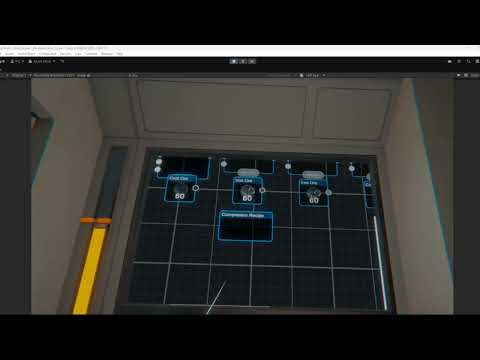 lament zinc
Sorry deleted my messages because I think I see what you are saying now. i don't think that behaviour has anything to do with a gaze interactor. from my perspective if you look at the video the interaction seems normal when looking through the lens of the camera.. because the controller seems like it's moving relative to the camera down and to the right and up and to the right. That might be how the canvas is checking the drag on some way
lament zinc
fast kayak
https://youtu.be/ISacbbpFpPs
At this point I have lots of basic troubleshooting ideas on how to fix this like adding another canvas in the scene with just the drag behaviour and seeing if the issue persists, adding debug code to check the raycast data and such in the logs to identify what controller position is being passed through and what value is being used for the drag behaviour, and so on. But the video shows behaviour that looks so consistent and intentional that I'm curious if someone else with more experience might just know the issue.
Like to me it looks like your gaze is being used as the pivot point and the controller is being used as the drag
But I don't have a lot of experience with drag in the UI system
fast kayak
lament zinc
At this point I have lots of basic troubleshooting ideas on how to fix this like...
I think ive made a breaktrough, it seems to be a bug with the set Event Camera in the canvas, if its the vr camera the drag will follow the head direction, if its another camera it will just go to some corner, and if there is no camera set it simply does not work
not sure were to go from here tho
lament zinc
Did you try positioning the other camera in front of the player?
I'm between the UI canvas and the player
*in between
fast kayak
lament zinc
Did you try positioning the other camera in front of the player?
Ive made it slighlty more controlable by putting a camera inside the controller lol
but it still doesnt solve the issue
ive read somewhere that apparrently the canvas shouldnt have an event camera set when using a xr setup but it doesnt work if dont set anything
lament zinc
Are you using the meta XR interaction toolkit?
fast kayak
im using the Unity base vr project, in unity 6
lament zinc
Oh. I was gonna suggest checking the example UI elements there. That's how I debugged some UI that I wanted to do. Because if the examples have the intended functionality working correctly, then it's just a matter of compared and contrast.
But you are using a different setup
fast kayak
lament zinc
Oh. I was gonna suggest checking the example UI elements there. That's how I deb...
i think there is a sample scene here somewhere, i will try that
ok so the sample scene seems to be working right, the canvas configuration is the same but i cant find a event system on the scene
lament zinc
Thats huge
fast kayak
i managed to get some buttons working, but the drag is not working yet
lament zinc
But the drag works in the sample scene right?
fast kayak
no like in my own scene, apparently everything besides the scrollview(and its content) is working
im gonna try making a new one, to see if it works
fast kayak
Fr i think im loosing my mind, like nothing that i put in the scroll view works, even if it is a new scroll view
lament zinc
Have you looked at the scripts? Even if the drag mechanic you are using is somewhat default to the system, there should be a script making it work and a way to see the coding of that script
*like the code for the UI that is allowing the canvas to be dragged around
fast kayak
lament zinc
Have you looked at the scripts? Even if the drag mechanic you are using is somew...
OK i found what is causing the issue
there are two other cameras on my scene that are purely used for render textures
but for some reason when they are active they affect the UI behaviour
if i disable them the UI works fine
lament zinc
Wow congrats!
fast kayak
now i just need to figure out how to use them without breaking my UI 😅
lament zinc
And thus the problem has shifted
fast kayak
lament zinc
And thus the problem has shifted
FIXED FINALLY HAHAHHA, one of the cameras had the tag Main camera, and that was probably confusing the input system
omg ive never been happier in my life
lament zinc
That's awesome! Glad it's fixed
fast kayak
thank you so much for your help man
lament zinc
No problem!
worthy mortar
https://cdn.discordapp.com/attachments/1236035511559127071/1378190647290232972/com.oculus.vrshell-20250530-215652-0.mp4?ex=683bb38f&is=683a620f&hm=7cd53127ab089025160e0de5df43479e18dd0c5c36e552c44f21c823c09c2254& is this a manifest issue? i cant use logcat so rn im waiting for one of my friends to try debug it for me
lament zinc
worthy mortar
https://cdn.discordapp.com/attachments/1236035511559127071/1378190647290232972/c...
Wish I could help but I don't have experience with that.
worthy mortar
lament zinc
Wish I could help but I don't have experience with that.
no worries, it was just some application entry stuff
 bold mulch
hi, im following this tutorial, but when i add the XR Origin thing for the camera the controllers arent included, whats going on with that? https://youtu.be/YBQ_ps6e71k?si=K2X296hwGArAKagz&t=369

Let's make a VR game from scratch in Unity. A 3 hours long lesson that will teach you everything you need.
❤️ Support on Patreon : https://www.patreon.com/ValemVR
🔔 Subscribe for more Unity Tutorials : https://www.youtube.com/@ValemTutorials?sub_confirmation=1
🌍 Discord : https://discord.gg/5uhRegs
🐦Twitter : https://twitter.com/va...
 fathom glen
has anyone had to deal with the meta store verification process for themselves and their business? It seems like its a nightmare or worse an impossibility. Are folks just not making apps for the meta store these days?
austere cedar
fathom glen
has anyone had to deal with the meta store verification process for themselves a...
People are doing it, and even for AppLab you need to go through the verification.
It is not that much extra work once you have your app. You may go for SideQuest otherwise.
austere cedar
Maybe I or someone can help with something, just ask specific questions.
fathom glen
austere cedar
Maybe I or someone can help with something, just ask specific questions.
A few issues..
Every time I submit my ID for verification it says its blurry. (Its crystal clear, shot with Pixel 9)
My business is an LLC but individually owned, but I picked for tax info that my org is a business which gives only C/S Corp or Partnership options (none of which apply to me). Now I'm thinking I should have picked individual but there is no way to switch to individual. Deleting org and all apps and trying again but it seems to still remember my old choices.
When I attempt to verify my org in general and I put in my EIN and hit "next" it takes me to a form that says "TODO: Choose Path" with two options, TODO: Doc Upload and TODO: DIRO which if selecting either and hitting "Next" leads to "There was a problem saving your changes. Please wait a few minutes and try again." https://ibb.co/4hkzDhn

Image Screenshot-2025-06-01-083032 hosted in ImgBB
austere cedar
Ok, I understand, the problem is not in the App verification. Sorry, don't know how to fix it.
fathom glen
Yeah I'm mainly curious if any other new org accounts are facing similar hurddles. Maybe folks who got in before this year had an easier time? But the way it is now it seems impossible to setup for an app release let alone app testing
crude frost
bold mulch
hi, im following this tutorial, but when i add the XR Origin thing for the camer...
I feel like that’s pretty silly too. I usually grab one of the prefabs from the samples and start there.
 light sand
I have some interesting issue with OpenXR Simulator. I use macos and i have to use external trackpad 😉 But my external trackpad support only tap but doesn't support click. And for this reason i can't click on UI items. How i see when i use buildin macbook trackpad click determines on click event and doesn't work with tap. Can it configured in simulator to use tap ?
 frozen merlin

Hello humans. I have a issue when in XR/ vr for for my game. This DX11 issue comes up when I try and change the resolution.
Drivers are all up to date.
versed needle
I just tried to build a phone app using my fresh VR project and the camera is not rendering anything. Not really a problem but curious if anyone know what exactly is causing it?
unique matrix
hello, im having trouble spawning in a map on my meta quest project. It spawns in the editor just fine, but when I build it, the positioning is way off, and im not sure why it would be different between the two? Is there a way to have a build give me feedback like logs or something, since Im debugging the map position but cant see these in the build as far as im aware
pine bison
unique matrix
hello, im having trouble spawning in a map on my meta quest project. It spawns i...
Yes, you can use the Andriod Logcat package in unity to see the log from the device
 sonic delta
hi! im having trouble with trying to use wit.ai with VR and the meta voice SDK - im trying to test with the understanding viewer but it constantly returns a timeout
 zealous island
balmy locust
zealous island
balmy locust
Quick question for other devs:
Is it actually feasible to do Quest VR development on a Mac? Since you can’t run or test in Play Mode through Unity, you have to build and deploy to the headset every time — kind of like doing Android dev without an emulator.
Does anyone here work this way regularly, or is it just too much of a hassle?
balmy locust
Doing a test build of the default VR template’s sample scene on a MacBook Air. About 5 minutes into the build so far. I remember from Android dev that the first build always feels slow — but thinking about it, most of that time is spent compiling the APK, not deploying. So whether you’re using an emulator or real hardware, the initial build time is still the bottleneck.
balmy locust
Apologies for the live-blogging if it’s annoying — just documenting the process in case it’s useful to anyone else.
The initial build took about 13 minutes but ran fine on the Quest 3.
Next, I booted into the Basic scene from the template and imported my “VR Beer Props” Unity package as a quick Hello World test. After swapping out the Sample Scene for my new scene in the build settings, I hit Build again.
This time, it took under a minute — and it ran perfectly.
I'm still curious to know if anyone works this way in practice.
pine bison
balmy locust
Quick question for other devs:
Is it actually feasible to do Quest VR developmen...
I've done this periodically before but I find it frustrating, especially when your project increases in complexity and size. The patch and run functionality helps though.
wise warren
anyone know how to recenter orientation of a headset through code? on the meta quest 3, you press and hold the meta button to recenter to where the xr rig should be, but I need to see if I can fire this event through code because I can't rely on players doing that every time.
because frequently in the build I do not start in the correct place
I am using OpenXR and XRI so can't use anything from the meta sdk
pine bison
wise warren
anyone know how to recenter orientation of a headset through code? on the meta q...
I don't think this is possible https://discussions.unity.com/t/how-to-recenter-in-openxr/935209/5
However nothing is stopping you from rotating the player to a certain orientation based on where they are looking
rancid shuttle
wise warren
anyone know how to recenter orientation of a headset through code? on the meta q...
I use this to recenter the player
private void Recenter() {
    xrOrigin.MoveCameraToWorldLocation(transform.position);
    xrOrigin.MatchOriginUpCameraForward(transform.up, transform.forward);

    playerRB.linearVelocity = Vector3.zero;
    playerRB.angularVelocity = Vector3.zero;
}
thanks will try that. what did you define as xrOrigin?
just the camera or the whole rig?
rancid shuttle
wise warren
just the camera or the whole rig?
The XROrigin script
 balmy locust
On the subject of recentering the player - it would be cool if you could move them around the play space intentionally (i.e. with a 2 axis controller). You'd have to have human test subjects to develop that I think though.
context is a game like supernatural where you want to use all the play space but you can't rely on the user to heed in-game warnings to re-center.
balmy locust
Sort of inspired by "redirected walking"
balmy locust
here's a more polished version of what I was ranting about.
Far future idea - moving the user around the play space using a boxing dynamic
Supernatural currently relies on a warning arrow, directing the user to step back to center or the Meta guardian appears. Could we modulate the users position without this warning, and get them to move towards the XROrigin without the explicit warning.
Example: Users naturally want to center themselves on the current active portal. So the functions at one level of the api could be:
- shiftPortalLaterally(Portal portal, float x-translation)
- open new portal(Vec3 position)
- close portal(Portal portal)
Also boxing dynamics themselves might move the user around
- generateSlipBarrier(xpos, direction) // get the user to do a boxing “slip” left or right
- generate[Hook|Jab|uppercut|knee]Target(xpos, direction)
The thing is that shiftPortalLaterally probably would recenter the user laterally, but the users get into way more trouble front to back (into a TV or a wall). Stepping into punches naturally pulls users forward. The game dynamic to gently steer the user backwards isn’t obvious to me (other than the signifier “out of bounds arrow, please step back to center” which supernatural currently uses.)
footnote
(What is the role of sensor drift here?)
[sorry if this is offtopic!]
[or TLDR]
 dim ice
Yo can somebody help me maKe a vr game
balmy locust
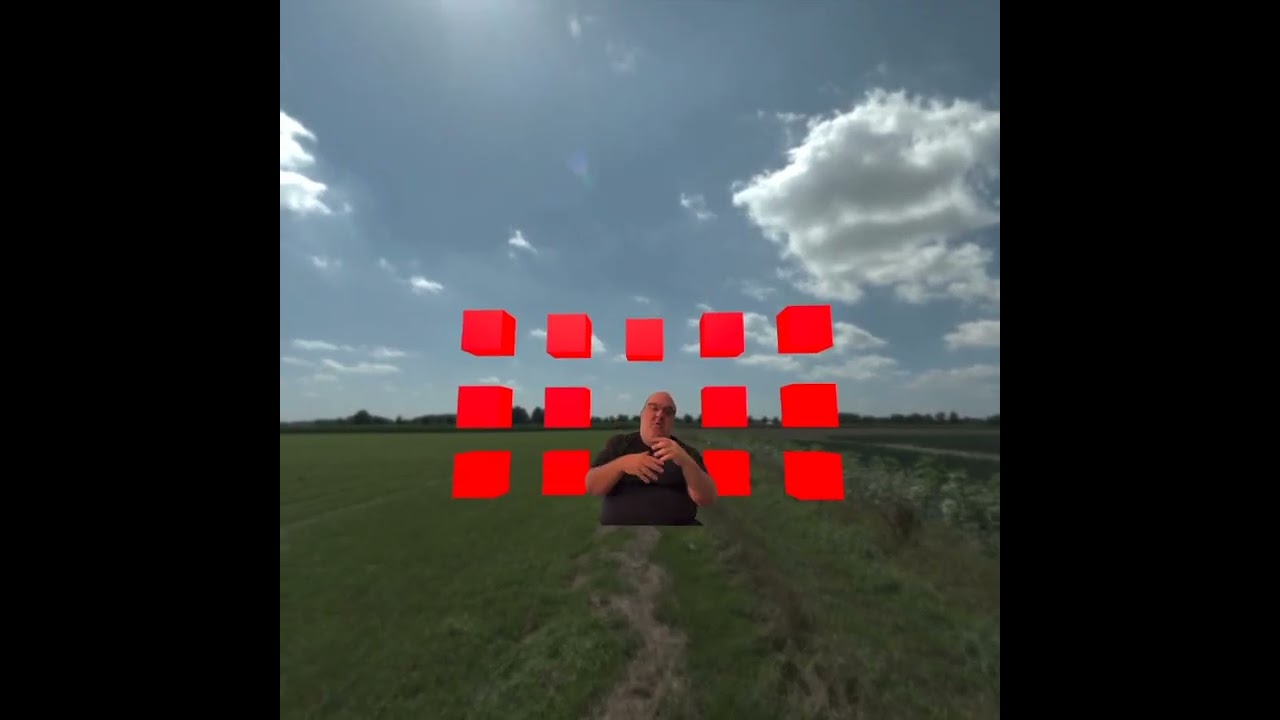
Part I Tutorial / Recall Note: https://www.youtube.com/watch?v=cLOogOOgm7g&t=24s
Part II Tutorial / Recall Note: https://www.youtube.com/watch?v=2NlmsGS60DU
GitHub Repo with re-usable UnityPackage: https://github.com/shalperin/UnityMetaQuestAlphaBlendVideo
github repo in the video description
crude frost
unique matrix
hello, im having trouble spawning in a map on my meta quest project. It spawns i...
On your XR Origin or OvrManager: Is device orientation set to 'Device' or 'Floor'. With 'Floor' I found it more reliable.
crude frost
dim ice
Yo can somebody help me maKe a vr game
Thats what youtube tutorials are for. VR in my opinion is the easiest platform to develop for, because all the basics (movement, grabbing, climbing) Unity samples already takes care of. Lots of great channels out there. Do you know c#?
 lament plank
hey is anybady a gtag mod menü guy i need help maiking one
unique matrix
crude frost
On your XR Origin or OvrManager: Is device orientation set to 'Device' or 'Floor...
appreciate the tip! ill look into it and see if it works out for me, tyy
crude frost
lament plank
hey is anybady a gtag mod menü guy i need help maiking one
doesnt the developer of that SDK have their own discord?
 remote cargo
hello does anyone have this problem where the left direct interactor is behaving differently than the right one even tho they are exactly the same?
 fathom drift
I can't seem to find a consensus on which renderer to use, targeting quest 3/3s. URP? builtin?
I remember some of the official Meta templates use builtin... does it mean its more efficient on these devices, or they just didnt bother setting up URP?
are there any features i am forgetting that one pipeline is missing?
This can be benchmarked, it's just very time consuming.
Coming from Godot, the official docs there just directly tell you which rendering backend to use for mobile XR.
 shell kayak
fathom drift
I can't seem to find a consensus on which renderer to use, targeting quest 3/3s....
shell kayak
fathom drift
I can't seem to find a consensus on which renderer to use, targeting quest 3/3s....
URP for Quest. That's the consensus, not because it's proven to be more optimized than built-in, but because it's the only render pipeline officially supported. Built-in is also called the legacy render pipeline. It's not receiving any updates from Unity and will be removed in future Unity versions. Meta doesn't consider it when releasing new features, such as eye tracked foveated rendering.
fathom drift
alright, i had the impression of having tried official Meta templates that were running with builtin... maybe im misremembering it. Thanks
crude frost
I feel like i'm missing something super simple here. I'm in Unity 6. I keep getting Environment Depth is not supported. Please check EnvironmentDepthManager.IsSupported before enabling EnvironmentDepthManager

oh geeze. everything got unchecked in the OpenXR settings
same errors though
i would just use the Oculus building blocks...but my app has grabbables, and for some reason i can't figure out how OVR grabbables works (but I can handle XR Grabbables just fine)
i just tried quitting unity and reopening...and all my openxr project settings cleared out again
i updated all my packages, and its working now.
crude frost
wow this is super annoying. i hit play, and all my openxr settings for desktop got cleared out again
crude frost
I finally got occlusion working. But, it required I used all the meta building blocks.
Is there a way to use occlusion just using XR Rig and some other components?
 vast thorn
Hey, anyone experienced crashes on 6xx when using meta sdk? I literally have an empty project, and when installing meta xr core sdk it crashes, and in the log it points to Library\PackageCache\com.meta.xr.sdk.core@8e7305f79034\Plugins\Win64OpenXR\OVRPlugin.dll with error code 0xc0000005
no idea what's wrong because the same project works on other computer
also tried some older versions of the sdk and it does the same thing
 steady compass
Is there a good solution / framework for VR object construction? Basically, I'm trying to simulate IKEA furniture assembly -- insert object A into slot X on object B, now insert object C into slot Y on assembly AB.
I know it's going to involve sockets. But does a higher level abstraction exist to make it easier to develop?
 icy snow
Made a vr liquid simulation standalone application, looking for feedback in the chat itselt.
Here is my product application
 hoary copper
When I press on TMP_Dropdown, it hides automatically after some time.
Can you say what's the problem and how can it be fixed?
But everything is good with Dropdown from UnityEngine.UI.
 restive ferry
When i try to build my game for quest 3, i keep getting this error (first picture). It was working perfectly fine the day before (by that i mean i was able to build the project), and the only thing i changed about the project (outside of the editor) was copying the files to back the project up. I've already tried reinstalling the android sdk from unity hub, reinstalling unity editor, using an external android sdk from Android Studio, moving the unity installation to my Users folder, and i even tried adding the package.xml file to the platform-tools folder because it is missing for some reason (i copied it from the Android Studio sdk). If I try to press Update Android SDK, it just gives me the error shown in the second picture.


im going to try building the backup project now.
Same exact thing happens, so that means its an error with unity not the project
im going to try installing unity 6000.0.51f1
probably should have included that i was using unity 6000.0.45f1
 tardy ivy
Hello all, is there a way to save a template of sorts, so that when I start a new project it has all of the add-ons and settings that I need already set up? Or am I stuck with making a project with everything I want and then duplicating it?
rancid shuttle
tardy ivy
Hello all, is there a way to save a template of sorts, so that when I start a ne...
You can save some things like the window positions to a file and load them again. I think you can also save some assets as a package, but I never tried that before.
tardy ivy
Sorry, not like that. I meant thinks like the xrtoolkit, controller settings, xr camera settings, and all the little boxes I gotta check to set up Unity to run my specific project everytime as I’d like to do multiple projects with the same stuff loaded and ready to go
restive ferry
I tried again today with unity 6000.0.51f1 and it still does not work.
restive ferry
I fixed it (well its building right now so it might fail later). I added an environment variable to skip unity's version check.
restive ferry
it worked
crude frost
tardy ivy
Sorry, not like that. I meant thinks like the xrtoolkit, controller settings, xr...
create an empty project. Set it up how you want. And then save it as a template.
i believe it can even show up in Unity Hub with all the other templates when you do that
tardy ivy
Excellent I’ll try it
pine bison
Hi team. I'm debugging some performance issue and I've stripped down my scene to basically nothing, and getting smooth FPS. However I'm still getting significant spikes from EarlyUpdate.XRUpdate multiple times a seconds, and this is very noticeable as you move your hands in front of you. I'm a bit stumped. As you can see on these spikes I'm still within budget for 72 FPS, but EarlyUpdate.XRUpdate adds 12 ms to that, effectively doubling it!
I've been trying to google and as I understand it this is a bit like VSync, however it's way overreacing here it seems. From the testing it feels like if my ms are above ~12, the quest just clamps me straight down to 36 FPS.
Anyone have any insight into how I can debug why this happens? I'm on Unity 6.0.29f1/XR Management 4.5.0


 north path
pine bison
Hi team. I'm debugging some performance issue and I've stripped down my scene to...
north path
pine bison
Hi team. I'm debugging some performance issue and I've stripped down my scene to...
Feel free to check settings with my base project
https://github.com/smitdylan2001/Unity-6-URP-XR-Base/tree/main
Other than that, no idea and it seems to be a bit random. Can be the graphics API, graphics jobs, OpenXR/Oculus settings, and a whole lot more. My bug reports were taken seriously if I had a repro project like that
GitHub
Base project for Unity 6 for XR apps and games using Universal Render Pipeline - smitdylan2001/Unity-6-URP-XR-Base
balmy locust
https://www.youtube.com/watch?v=GCdu2eGy1Hc
TLDR
- Orientation and translation reset is left thumb button, long press (meta button, formerly oculus button)
- Feature is built into operating system, no implementation necessary in Unity
- Occasional reset ameliorates drift. Even losing 20% of a small Guardian is significant in exer-gaming (exercise gaming)
Apologies for hoarse voice, I had just done a 90 minute Supernatural session.
TLDR
- orientation and translation reset is left thumb button, long press (meta button, formerly oculus button)
- feature is built into operating system, no implementation necessary in Unity
- Occasional reset ameliorates drift. Even losing 20% of a small Guardian is significant in exer-gaming (exercise gaming)
*Apologies for hoarse voice, I h...
crude fractal
Hey folks! Hoping someone here has run into this and can help.
I’m working with Fusion and Shared Spatial Anchors on Unity for a colocation setup, and I’ve hit a pretty frustrating issue.
Basically, when the device that creates the session and shares the anchor leaves the session (whether by closing the app, handing the headset to someone else, or reconnecting after a drop), things fall apart:
When it reconnects, it loses master status and no longer has StateAuthority.
On top of that, it can’t retrieve the anchor it originally shared.
This ends up breaking the whole colocation, with everyone’s positions shifting way off from where they should be.
Has anyone found a good way to handle this scenario? Ideally I’d like the original anchor to persist and still be usable even if the original device drops and rejoins.
Thanks in advance!
 cunning mica
Hello All,
I am testing hand tracking interactions using the OVRCameraRigInteraction component in Unity. I am using Unity version, 2022.3.54f1 and Meta XR All in one SDK ver. 72. In the console, I see this warning:
[OVRPlugin] [XRCMD][failure] [XR_ERROR_HANDLE_INVALID]: xrGetHandMeshFB(handTracker, &xrMesh), arvr\projects\integrations\OVRPlugin\Src\Util\CompositorOpenXR.cpp:9286 (arvr\projects\integrations\OVRPlugin\Src\Util\CompositorOpenXR.h:348)
Could anyone suggest a solution for this? Thank you.
 fossil obsidian
my app on oculus pro intermittently fails to start saying "not responding close/wait"
Anyone seen this?
 ivory scarab
Have you installed the SDK for Windows Mixed Reality Toolkit to your project? https://learn.microsoft.com/en-us/windows/mixed-reality/mrtk-unity/mrtk3-overview/

Learn about Mixed Reality Toolkit 3 for developers.
I've got a bit of a problem with my configuration. I'm trying to set up build profiles for targeting Meta headsets as well as Vive headsets, however when I add the Vive OpenXR plugin, even when its not configured in the XR Plugin Management, The build I export for Meta won't load. If I revert and remove the vive plugin, everything works fine for the meta build again.
Has anyone got any experience with this and how to fix it?
pine bison
ivory scarab
I've got a bit of a problem with my configuration. I'm trying to set up build p...
We do this and it works fine. For meta, do you remove all other interaction profiles in the OpenXR settings?
ivory scarab
Yeah, the problem is that when I try to go back to meta, and disable everything vive, it will not display in the headset when I build out the apk
I'm not dealing with a more serious error, I've rolled everything back and I'm no longer able to pick anything up in the scene. I'm now trying to get that to work again because according to Gemini, I should just be able to deploy to Vive standalone headsets without adding the Vive OpenXR profile
pine bison
Euuuh that sounds weird to me
ivory scarab
Same here, it was working fine yesterday the 2-3 times I dumped and reset back to just the meta build (I branched it with Git and dumped the branch) Now today it will run, I can press buttons in my hand UI, but I cannot pick up objects that I could yesterday prior to adding vive open XR
I even get the glow on the fingers saying it should be able to interact with the object, it just won't pick up
ivory scarab
Works when built to headset now, just can't grab in editor
Time for a coffee, my monitors are starting to look worried 
 novel zinc
i'm using a relatively old version of the xr interaction toolkit (2.6ish?) and i'm using the default rig prefab, with thumbstick movement with strafe enabled. when i move diagonally sometimes i just get stuck like i hit a wall and movement stops, but im on a wide open flat plane
novel zinc
nvm, im using the latest version that is compatible with 2022 lts. and this issue even happens in a fresh install in the sample scene
rancid shuttle
Question for everyone, would you enjoy this kind of hand jolting recoil effect when playing in VR? Or would you find it annoying?
https://www.youtube.com/watch?v=M-AeUM9TMhk
 pseudo star
im having trouble trying to export a complete project scene into another project. The reason i want to export is to combine it into one app. the problem is after i completed the export ,when i open the scene it all went horrible. all script are not assign and some missing material. i already tick include dependencies on the unity before export
or should i pay someone to redo all of it in my new project
 knotty solar
Hi, is there anyone I can talk to about the Unity Pro subscription requirement for developing on Apple Vision Pro? (posting in both AR and VR channels).
north path
knotty solar
Hi, is there anyone I can talk to about the Unity Pro subscription requirement f...
Don't cross post next time please ( #🤯┃augmented-reality )
 sly steppe
rancid shuttle
Question for everyone, would you enjoy this kind of hand jolting recoil effect w...
sly steppe
rancid shuttle
Question for everyone, would you enjoy this kind of hand jolting recoil effect w...
i feel like it would become distracting pretty fast, thats just me though
sly steppe
ivory scarab
omg thats impressive
ivory scarab
sly steppe
omg thats impressive
Thanks 🙂
lament zinc
rancid shuttle
Question for everyone, would you enjoy this kind of hand jolting recoil effect w...
I think it's cool
 arctic pagoda
Anyway to prevent screen tearing on an animation when in VR? It looks good on desktop mode, just not in VR
north path
arctic pagoda
Anyway to prevent screen tearing on an animation when in VR? It looks good on de...
Vsync should always be on in VR
Isn't it in some way?
 tribal hollow
I am trying to make a health/damage system for VR but can't find any good tutorials for it. Are there any that I could be linked to (or unity asset packs too I can buy)
sly steppe
tribal hollow
I am trying to make a health/damage system for VR but can't find any good tutori...
hi fellow drifter, you can buy my system only tiny tiny downside it that it doesn’t use ray casting so you will need a gun that shoots real prefabs, but i have the bullet and health script, it displays a health bar,health text, spawns ragdolls on 0 health, enable as many object you want on death, disable as many, and a spawn cooldown for ragdolls so they’re not spawning multiple per death, lmk if you are interested
tribal hollow
sly steppe
hi fellow drifter, you can buy my system only tiny tiny downside it that it does...
Its good to see the Orion expanding into more places. Please send me a dm linking it! Can it do melee to?
sly steppe
tribal hollow
Its good to see the Orion expanding into more places. Please send me a dm linkin...
Yes! it looks for triggers from items with a certain tag, it also comes with health pickup items that if it enters a trigger collider with a tag (near your face if a consumable item ) and gives the player the corresponding health you set
so melee does work in short terms
tribal hollow
sly steppe
so melee does work in short terms
perfect! I appreciate it
sly steppe
Can someone help, my xr grabbing isnt working and i couldnt tell you why, i have a direct interactor on both of my hands and a set up grab interactable on the item i want to grab
 boreal raven
Hi, in Unity, the UI and transparent objects are not at all visible on Oculus Quest 3. However, everything displays fine on Oculus Quest 2. Can anyone suggest what might be the reason? I am using unity 6000.0.30f1 with urp
ivory scarab
sly steppe
Can someone help, my xr grabbing isnt working and i couldnt tell you why, i have...
Do you have a collider attached to the object at the same level the Grab interactable is attached?
Has anyone else had issues with the new Meta OS update? I've sideloaded an APK from unity on to a Quest 2, but for some reason, not one single app is showing as installed, official or otherwise
Nevermind, couple of reboots and reinstalls later and everything is back
sly steppe
ivory scarab
Do you have a collider attached to the object at the same level the Grab interac...
what?
ivory scarab
sly steppe
what?
So on the object you added the grabbable script to, is there also a collider attached?
I'm launching a project I'm working on to show you a screenshot of what I mean
 sly steppe
yes
ivory scarab
Basically without the collider, the XR Grab Interactable won't work
Have you also added the collider to the list in XR Grab Interactable?
 sly steppe
for some reason it’s working with a ray interactor
ivory scarab
Technically it shoudl populate on its own, but to be sure you can drag the object on top of that list and it will then definitely reference it
sly steppe
what list
ivory scarab
See the colliders list in my second screenshot?
ivory scarab
You shouldn't, mine are on the parent object
 sly steppe
i can’t drag i from inside the inspector
ivory scarab
Try clicking the + button first then try to drag it

Also, drag it on top of the Word "Colliders", not directly ont he list, for some reason it won't drop on otherwise
sly steppe
it doesn’t make sense how it only works for ray interactors on my hands though
ivory scarab
So ray interactors work, but you can't pick it up with your hands directly?
Pinch and grabbing with rays picks it up?
sly steppe
no i can pick it up, but not with direct interactors
ivory scarab
Did you build your XR Rig manually, or did you use the one from the XR Toolkit?
sly steppe
manually
ivory scarab
I'm trying to find the location of the one they provide, its a good place to start from
Do you have a samples folder in your assets folder?
sly steppe
yes
ivory scarab
Don't delete your XR Origin, just in case this doesn't work. Select your XR Origin or Player, or w/e you called it and disable it in the inspector
There should be a tickbox

Uncheck that
That will turn it off

Then use this XR Origin, and test again
sly steppe
ik, im not new to unity even though it may look like it, ive actually been developing in unity for almost 3 years
i just dont know because direct interactor was working yesterday
then it stopped working all of the sudden
ivory scarab
I had a similar issue the other day actually, my ray interactor won't pick anything up in the editor, but if I compile and drop the APK on my Quest, it works fine
Odd behaviour
Are you developing for desktop or mobile VR?
sly steppe
mobile
ivory scarab
Might be worth compiling and installing to your headset to see if it works there, could be an editor bug
I opened the same project in my office and it all seems to be working fine there
But on my home computer its playing silly buggers
 silver wadi
Someone knows how to fix this error if I play unity editor each time I make a change from code or create a new script in a VR project with XRIT MR template
 sly steppe
ok thank you, do you know how to make it so its not all fidgety and only lets you grab it if your hand is a exact distance away? @ivory scarab
wait i fixed it
i didnt have is trigger on my hands
ivory scarab
sly steppe
ok thank you, do you know how to make it so its not all fidgety and only lets y...
I think theres a way to set the interaction distance in the grab interactable
Its on the controller and hand interactors
 sly steppe
how do i make it so i can still grab it even if my hands are a layer that my grab doesnt have physics with
so they cant collide?
because i figured out that if my hands and my xr layers are turned off in physics in project settings i cant grab it
@ivory scarab
ivory scarab
You could probably add a sphere collider to a fingertip that would turn those things back on again when it is triggered by the collider of an XR Grab Interactable?
So the sphere collider would be hooked up to a script that is listening to the OnTrigger event or similar. You would then check to see if the other object contains an XR Grab Interactable, and if it does, then enable the physics stuff for picking objects up again
I had to do something similar with far cast interactor because it was causing me problems in my app.
using UnityEngine;
using UnityEngine.XR.Interaction.Toolkit.Interactors;

/*
 * This is effectively a brute force disabling of the FarInteraction due
 * to it turning itself back on when it wasn't required.  This ensures that
 * when a model is on the turntable that the far interaction doesn't interfere
 * with rotating the model which proved to be infuriating when trying to
 * hover over parts in the exploded state.
 */
public class DisableFarInteraction : MonoBehaviour
{
    private NearFarInteractor interactor;
    private bool farDisabled = false;

    private void Start()
    {
        interactor = GetComponent<NearFarInteractor>();
    }

    private void Update()
    {
        if (farDisabled && interactor.enableFarCasting == true)
        {
            interactor.enableFarCasting = false;
        }
    }

    /*
     * This is how I subscribe to events in the AllEventsManager. When something
     * triggers the methods that are subscribed, it will call the methods in this
     * class that are required to execute on that activation.
     */
    private void OnEnable()
    {
        AllEventsMgr.OnAttachToAnchor += DisableFarInteractor;
        AllEventsMgr.OnDetachFromAnchor += EnableFarInteractor;
    }

    private void OnDisable()
    {
        AllEventsMgr.OnAttachToAnchor -= DisableFarInteractor;
        AllEventsMgr.OnDetachFromAnchor -= EnableFarInteractor;
    }

    private void DisableFarInteractor()
    {
        interactor.enableFarCasting = false;
        farDisabled = true;
    }

    private void EnableFarInteractor()
    {
        interactor.enableFarCasting = true;
        farDisabled = false;
    }
}
You'd not use on enable or disable, instead you would use OnTriggerEnter and OnTriggerExit (iirc)
sly steppe
nvm i already fixed it, i jst added grab listeners and on grab switch to a diff layer on release back to old layer
 vivid gate
anyone know why the controllers randomly disable for a few seconds? its similar to how they disable when you put them down, but its happening while they are in constant motion
sly steppe
vivid gate
anyone know why the controllers randomly disable for a few seconds? its similar ...
that’s prob just your tracking
vivid gate
sly steppe
that’s prob just your tracking
is there a setting to stop them from disabling when tracking is lost and is there a debug to detect when it is lost?
sly steppe
i’m not sure, idk why it’s disabling that’s weird
vivid gate
sly steppe
i’m not sure, idk why it’s disabling that’s weird
it seems to happen whenever the ring (quest 2) of the controller takes a hit when it cant see the sensors. odd
sly steppe
yea that’s weird, tracking should stop but it disabling is weird
rancid shuttle
vivid gate
it seems to happen whenever the ring (quest 2) of the controller takes a hit whe...
Isn't there a setting that will switch it over to hand mode when you hit the controllers together? Maybe you're doing that accidentally.
 vapid vortex
Hey, I'm new to Unity VR. I try to add hand tracking and installed the plug ins I need and added a XRRig to the scene, but I don't seem to have a handVisualizer.cs script and I don't know why. Or is there an other way/script to implement hand tracking?
vapid vortex
it seems to be installed but I don't find the script in my assets
 crude frost
vapid vortex
it seems to be installed but I don't find the script in my assets
crude frost
vapid vortex
it seems to be installed but I don't find the script in my assets
does your console have any errors? that would stop it from compiling
vapid vortex
crude frost
does your console have any errors? that would stop it from compiling
no I don't have any errors. It is also working so far. So not sure what you mean. But I don't have any hands and missing the hand visualizer script
Is it normal to not have an import function under samples?
 crude frost
vapid vortex
Is it normal to not have an import function under samples?
crude frost
vapid vortex
Is it normal to not have an import function under samples?
in your screenshot, it appears you have import next to every sample. where is it you are missing import?
vapid vortex
crude frost
in your screenshot, it appears you have import next to every sample. where is it...
Ah right is from the video and on the left is my window
crude frost
vapid vortex
Ah right is from the video and on the left is my window
you are displaying different packages
on the left, you are showing Meta XR Core SDK. On the Right you are showing Unity's XR Interaction Toolkit
Meta doesn't allow their samples imported via package manager anymore i don't think. I think you have to go to github to get them
north path
For me most voice samples worked just fine
 weary bolt
I have barebones project (Unity 6000.0.48f1) with nothing but the official unity vr samples in it... and when i open the editor, i get this error:
UnityException: Load can only be called from the main thread.
which is followed by a bunch of 'stuff' thats makes absolutely no sense to me personally... What i know is, this is not related to anything i have done, since.. the project is so barebones in terms of my contributions... So, has anyone else experienced this, and what are you supposed to do about it? since the rest of the error is basically another language to me lol.
-where would be the place to query this, i have filed a bug report.. but considering i've seen people quoting that it takes up to 2 months to get a reply from a human being via that.. and a year to expect a 'fix' --it would be nice to not have to start again with another 'fresh project' --since i dont know what caused this in the first place lol.
crude frost
I just updated my project from Unity 6.0 to Unity 6.1. I was having some bugs with the AR Plane Manager and AR Bounding Box Manager. But now, I'm getting this error: This OpenXR runtime doesn't support XR_FB_passthrough. The XRCameraSubsystem won't be created, and Meta Quest: Camera (Passthrough) will be disabled.
All of my settings are as they were. I can see all the required features are checked.
AR Foundation had an update in package manager. that solved it
 untold pulsar
Is there currently a way to track images through the new quest 3 camera passthrough similar to vuforia for AR?
crude frost
untold pulsar
Is there currently a way to track images through the new quest 3 camera passthro...
I would imagine there is some way to tie in existing APIs. Documentation says the AR Face Manager is compatible with the Quest 3. i haven't tried it yet
untold pulsar
there is using OpenCV but that is completely out of my budget unfortunately
so i am hoping to find alternatives
crude frost
Anyone have this issue with Unity 6, where every compile, the project validation window opens? literally every single time. I updating project from 6.0 to 6.1 hoping that woudl fix it. but it didn't
 solid panther
Hello, quick question for you all: I created a simple URP scene yesterday, and I would like to to port it to VR, is there a way to do that easily please ? The scene looks like this: The idea is I would like to be surrounded by blackness and just have this assets in front of me , like a miniature on the floor
 pine bison
solid panther
Hello, quick question for you all: I created a simple URP scene yesterday, and I...
pine bison
solid panther
Hello, quick question for you all: I created a simple URP scene yesterday, and I...
Try to find a recent tutorial on youtube about setting up VR in Unity, it's pretty straight forward
austere cedar
solid panther
Hello, quick question for you all: I created a simple URP scene yesterday, and I...
Isn't it just a question of scale and camera position? Scale in Unity (very important in VR) is one unit equals one meter.
Also to achieve 6DoF (which is an oculus requirement), head movements must influence the scene enough, so it also depends on not having the scale of the world too large.
 dusty shard
Can someone help me with vr hands in unity 6 i am making a project for school and have to hand it in this sunday but my hands don’t work.
north path
dusty shard
Can someone help me with vr hands in unity 6 i am making a project for school an...
What have you tried so far? There is an XRIT sample project for hand tracking. I just use that as a base camera rig
dusty shard
i followed a tutorial by valem but it seems that i can't find the controller(action based) component is it renamed or sum
 cloud wagon
anyone familiar with gpu profiling? I always have 3 bins (I'm guessing that's in each eye) that are 1-1.5ms and have "preempt" taking most of their time. Does anyone know what this represents and how I could find out what's causing them?

 vocal bane
guys, i’m tryna make a gtag copy but for some reason when I export the apk it’s a completely different game. I don’t know how to fix this. please help. dm me if you can pleaseee!
 low zinc
I am working on a vr experience with Hurricanvr and quest and I've been working on it for a whole year and everything has been great, but...
After the last meta update to quest 3 and meta quest link - the game doesn't start in vr anymore when I click play. It's only visible in game view.
Anyone got similar problems?
frigid shoal
I am using a Ray Interactor for UI interaction, and I want to add audio feedback when the ray hovers over a UI element, but for some reason the Simple Audio Feedback component doesn't seem to work with UI interaction, are there any alternatives or is this a bug?
low zinc
low zinc
I am working on a vr experience with Hurricanvr and quest and I've been working ...
Okay, I reinstalled the meta link and it now works again over airlink.
north path
frigid shoal
I am using a Ray Interactor for UI interaction, and I want to add audio feedback...
I believe there are events for each state. Then just play an audio at OnHover :P
frigid shoal
north path
I believe there are events for each state. Then just play an audio at OnHover :P
The only events there are, are for UI hover entered and UI hover exited, no UI Press/selected though
rancid shuttle
frigid shoal
The only events there are, are for UI hover entered and UI hover exited, no UI P...
Aren't those done by the Unity default events? It's still a normal canvas with button's you're clicking right?
 vestal geyser
can anyone help me when i try to build my game i get this error: Win32Exception: ApplicationName='C:\Users\lucas\FanGame\Library\PackageCache\com.unity.burst@1.8.4.Runtime\bcl.exe', CommandLine='+burstc "@C:\Users\lucas\AppData\Local\Temp\tmp3ddf12cf.tmp"', CurrentDirectory='C:/Users/lucas/FanGame/Assets/..', Native error= The system cannot find the file specified.
 heady badger
Hey, just learning UNITY - mostly interested in PCVR.
Using Quest3 + Virtual Desktop. Runtime set to VDXR.
Made super simple test scene with just a cube. There is some FPS cap I can't overcome - with default ambient lighting I easily reach 90 FPS (consistent with Virtual Desktop setting)
But as soon as I put any Global volume or Directional Light with ray tracing - even with lowest possible settings FPS drops to ~25
Any clues?
austere cedar
It's probably not the stream compression/wifi speed. That leaves only your PC. What is your FPS on the PC without VR?
heady badger
250~300 in this bare scene.
(I have rtx 3080ti and typical PCVR games run great on my rig - DCS, Elite Dangerous, HL:Alyx so my PC is capable).
I admit that - for learning purposes - I wanted to go thorough scene setup from scratch. But will probably end up creating template and mod it.
(Except there is no HDRP-VR template I guess?)
buoyant jolt
heady badger
I admit that - for learning purposes - I wanted to go thorough scene setup from ...
Yeah unity will tell you HDRP isn't supported for VR. It sacrifices speed for quality, and a slow experience in VR makes people sick.
That said, we use BiRP for 80% of our projects, URP for 20% (mostly whatever we inherited). And everything runs great. My guess is something in your configuration.
Eventually you'll find a sweet spot project and template it.
heady badger
buoyant jolt
That said, we use BiRP for 80% of our projects, URP for 20% (mostly whatever we ...
What is BiRP?
austere cedar
Built In RP
heady badger
I see - is it somewhere in-between of URP and HDRP quality-wise?
buoyant jolt
Yeah, we started to move away from Unity around Unity 6. And get great performance on BiRP. So we haven't had a lot of reasons to redo all our custom shaders etc.
But its better to use URP going forward if you can (for VR) as BiRP is one day going to get killed off
heady badger
But is it possible to use - for example - ray-tracing (or viable mock up/equivalent) in URP?
buoyant jolt
heady badger
But is it possible to use - for example - ray-tracing (or viable mock up/equiva...
Sorry, read that as Ray casting. Looks like not easily
https://discussions.unity.com/t/ray-tracing-in-urp-or-only-hdrp/915830/4
heady badger
No worries. I'm only at beginning and no need to go into this rabbit hole yet anyway.
I guess "ray casting" can be considered as possible equivalent for URP-Standalone builds. While ray-tracing as full blown HDRP. Is my thinking correct?
 cloud plinth
i just build my vr game and i have a gun with ammo and a raycast when u hold it but the raycast doesnt show up when u pick it up. this only happens in the build but not in the editor.
rancid shuttle
cloud plinth
i just build my vr game and i have a gun with ammo and a raycast when u hold it ...
What do you mean with now showing up? Raycasts are supposed to be invisible right?
cloud plinth
In this case i wnated a visual raycast
cloud plinth
rancid shuttle
What do you mean with now showing up? Raycasts are supposed to be invisible righ...
And the gun doesnt shoot too in the built version.
rancid shuttle
Please show more about what you're doing and what the result should be. Cus otherwise idk how to help.
 tiny kiln
Hello guys. I am running into problems on Unity 2022.3/URP 14/OculusXRPlugin for a Meta Quest project. It seems that Meta has removed any control of the actual eyeResolutionScale (tried v74, v77) and will just force a resolution on me. Does anyone have a work around ? I really don't need to render at 2400x2112 in my project
The weird thing is I have two different projects, and they render at different resolutions (one at 2400 one at 2016) and I can't find any settings that may cause this difference (same OculusXRPlugin, pretty much the same settings across the board, same URP profile, etc...)
 spring cradle
hi i am wondering how to upload/publish a game to the meta store?
buoyant jolt
spring cradle
hi i am wondering how to upload/publish a game to the meta store?
You use the Meta Developer Tools. It will let you drag and drop an APK.
Put time aside for this. They require specific API and manifest changes, so for your first game, you may need a few attempts to get it accepted, uploaded, initial tested and then final tested.
Then, like the other stores, a ton of images and stuff. They are strict on text on your feature images. So this process can take some patience.
sly steppe
Who can help me with vr recoil
i cant seem to get it to work
with xr grab interactables
cloud plinth
rancid shuttle
Please show more about what you're doing and what the result should be. Cus othe...
We will check if we built it correctly like to the correct headset
Otherwise ill make a recording
Even our dev teacher doesnt know
cloud plinth
ok so we fixed the raycast problem. now next problem we have a sword with a gabbably snap point. in the unity engine it grabs it at the snappoint of the sword but in the uild it grabs it at the middle of the collider. changing the gabpoint posion doesnt help HELPPP
rancid shuttle
cloud plinth
ok so we fixed the raycast problem. now next problem we have a sword with a gabb...
These are weird problems, it does sound similar to the previous problem, maybe try looking into the same solution?
 sick trellis
dusty shard
i followed a tutorial by valem but it seems that i can't find the controller(act...
sick trellis
dusty shard
i followed a tutorial by valem but it seems that i can't find the controller(act...
Yeah it's called XR Ray Interactor
It's a lot more confusing in my opinion.
dusty shard
sick trellis
Yeah it's called XR Ray Interactor
I fixed it
 strong remnant
guys can someone help me with some tutorials/pathways from learn.unity.com? some are good? i have a best/good knowledge in coding but not in unity, in c/c++ but i need to learn unity for a project. i did Unity Essentials and Junior Programmer and i want to start rn VR Development from learn.unity.com/pathways but i don t feel like i improved a lot, if someone know some tutorials/courses from learn.unity.com? in this ideea. i need to learn unity/VR
 fathom minnow
strong remnant
guys can someone help me with some tutorials/pathways from learn.unity.com? some...
fathom minnow
strong remnant
guys can someone help me with some tutorials/pathways from learn.unity.com? some...
Id recommend YouTube tutorials, I can send a channel that goes over almost anything you could need to know for VR game development in Unity if you like

YouTube
Channel to learn about game development and the things game developer don't want you to know.
#gamedev #unity #valem #madewithunity
strong remnant
fathom minnow
Id recommend YouTube tutorials, I can send a channel that goes over almost anyth...
Ty u
 wind furnace
Hi, I am running into some issues regarding some crashes. I am using Unity 6, and when I try and run the game in editor, the game is running perfectly fine, no errors, but upon testing on device, the game immediately crashes. I was able to use logcat and extract the output, and this is what I found
buoyant jolt
wind furnace
Hi, I am running into some issues regarding some crashes. I am using Unity 6, an...
I'm not seeing any obvious errors in that log
I'm not seeing anything after the application is launched actually, including the normal Unity launch stuff
COULD be an issue with the manifest or something but I'd be guessing. It might also be that somehow Unity messages were excluded in your logcat
Or I'm just tired and not seeting it
wind furnace
buoyant jolt
I'm not seeing any obvious errors in that log
Well I did just search through the output using keywords, since it was a bunch of info, but I will look through it some more
Is there aanything in particular I should look for?
wind furnace
buoyant jolt
COULD be an issue with the manifest or something but I'd be guessing. It might ...
What else do you recommend I try to debug the build or what else should I look for in the logs?
 vale bridge
this is my first time doing unity and im trying to make a vr game with the gorila tag locomotion as a test but when i load in it makes my hands sticky
i can go into a vc and screenshare if that it confusing
narrow briar
@buoyant jolt how's the transition to unreal going?
buoyant jolt
narrow briar
<@229302061840203786> how's the transition to unreal going?
Really good, I absolutely love their new PCG (procedural terrain generation) it's incredible what you can get out of it
narrow briar
buoyant jolt
Really good, I absolutely love their new PCG (procedural terrain generation) it'...
can you give it a polygon budget?
buoyant jolt
narrow briar
can you give it a polygon budget?
I'm not sure, I (just) spent the last 3 months on a very big unreal project. But I used nanite and mostly left it on its defaults
narrow briar
buoyant jolt
I'm not sure, I (just) spent the last 3 months on a very big unreal project. But...
PCVR is a luxury i can't wait to get back too
 solid sentinel
Does anyone know if it is possible to use the Quest passthrough API to do face tracking? So I'm wearing the headset and seeing a mask placed on another person's face.
buoyant jolt
solid sentinel
Does anyone know if it is possible to use the Quest passthrough API to do face t...
You (may) need to send the camera view through something like OpenCV. I'm not sure if they ever allowed access to the raw camera view.
 visual root
With the Quest 3 you can
https://developers.meta.com/horizon/documentation/native/android/pca-native-overview
Camera Access to Quest 3 and Quest 3s is via the Android Camera2 API, which is included in the NDK.
solid sentinel
You would need to send the camera view
wind furnace
Howdy, my XR Interaction Toolkit presets are missing from the Preset Manager. Alr tried reimporting Xr Interactions and Starter Assets, and tried downgrading and updating to the latest.
 sick trellis
Weird question but I have a basketball game and I want a natural grab what would be the most efficent way to do it?
 mint trail
Has anyone tried building for VisionOS 26? I can’t seem to download the metal shaders for the Xcode beta
 warped saffron
Hello everybody, I wanted to ask if there was something that would allow me to recognise handtracking gestures like how my hands moved during the last 1 to 2 seconds instead of my hand pose at an exact instant as I saw a bit with XR handes
buoyant jolt
warped saffron
Hello everybody, I wanted to ask if there was something that would allow me to r...
With their open XR hands module, you can track every bone. It's just a bit poorly designed.
Or using their pose examples, and just store the state over time.
warped saffron
buoyant jolt
With their open XR hands module, you can track every bone. It's just a bit poor...
poorly design as in "I will have raw data I need to transform myself" ?
but thanks I will look at it
buoyant jolt
warped saffron
poorly design as in "I will have raw data I need to transform myself" ?
Yes you would need to track the raw data yourself. But I mean poorly designed as it not creating things as inheritance or interfaces, and they don't provide surface level access to the data. Requiring you to do modification to their hands plugin (which means copying it all into your project and actually modifying their code) - which you should never need to do with a unity package.
Basically, they had someone make it that is smart enough to track complex transforms and pose information. But not experienced in making it work the way a package should work, preventing you from just overriding something or adding your own meshes easily.
At least, last time I worked with it. Hopefully they put time into it since them.
warped saffron
okok that's a bit sad but I might work with it
crude frost
I'm using XR Grab Interactable.
Its set to only track rotation.
I have an XR General Grab Transformer to to Permitted Displacement Axes be on the X axis.
The goal is for this to work like a lever. But it seems like its just rotating everywhere.
What am I missing?
ooh. i just found a youtube video for levers with xr
oh. it was for VRTK
crude frost
found another video thats helping
 winter kettle
hi guys, does anyone has experience using XR simulator in Unity? im new to all of this and i'm having some trouble with a project that uses the XR Interaction Toolkit . Could really use some help, Thanks in advance!
crude frost
winter kettle
hi guys, does anyone has experience using XR simulator in Unity? im new to all o...
whats up man? I don't usually use it, but on a fluke, I just happen to use it a few minutes ago. All i did, was went into package manager and selected XR Interaction Toolkit, i went to the samples tab, and installed the XR Device Simulator.
Then in Assets/Samples/XR Interaction Toolkit i found the folder for XR Device Simulator, found the pefab, dragged it into my scene (where my XR Origin already exists) and it works
sick trellis
Weird question but I have a basketball game and I want a natural grab what would be the most efficent way to do it?
fathom minnow
sick trellis
Weird question but I have a basketball game and I want a natural grab what woul...
Id use the HurricaneVR asset, it has physics grabbing and other things but most of all the physics grabbing feels really nice when you set it up right
sick trellis
fathom minnow
Id use the HurricaneVR asset, it has physics grabbing and other things but most ...
Appreciate it man 😄
sick trellis
fathom minnow
Id use the HurricaneVR asset, it has physics grabbing and other things but most ...
That looks absoulutely amazing.
fathom minnow
sick trellis
That looks absoulutely amazing.
It is, I've been using it along with HexaBody player (by the same creator) to make physics based games for a while. The grabbables and hands have tons of settings that you could modify to get just right for your game
sick trellis
fathom minnow
It is, I've been using it along with HexaBody player (by the same creator) to ma...
So would it be hard to set it up for a basketball?
fathom minnow
sick trellis
So would it be hard to set it up for a basketball?
I cant sat for sure as I dont know how you want it. But you probably can disable force grab and mess with the settings and im sure you can get it feeling good. Atleast a lot better then unity openxr grabbing
sick trellis
I'll do some research, thanks again for the response Cullis.
 sudden meteor
can anybody try out my game its vr? .apk dm me if you can
sick trellis
sudden meteor
can anybody try out my game its vr? .apk dm me if you can
What is the game concept?
sick trellis
fathom minnow
I cant sat for sure as I dont know how you want it. But you probably can disable...
How do you set it up?
fathom minnow
sick trellis
How do you set it up?
I just simply use the grabbable component, and do very few tweaks to it
sick trellis
Grabbable component
Okay
So is that added to the Left Controller & Right Controller?
Or the object?
fathom minnow
Did you get the Asset?
sick trellis
Yes.
fathom minnow
Just take the OpenXR Rig FROM HURRICANE* and modify however you need for your game, it is the complete implementation of it
The Grabbable component goes on objects
sick trellis
Okay thanks Cullis.
fathom minnow
You can find the fully setup player here
 fathom minnow
You may need to make some slight modifications, like deleting the backpack (unless you want it)
And yeah just delete your current XR origin
sick trellis
Def worth the money 😄
fathom minnow
Indeed
sick trellis
So just add the Grabble Component?
fathom minnow
Yeah
sick trellis
Is that a backpack?
fathom minnow
sick trellis
So just add the Grabble Component?
and make sure it has a collider and rigidbody
fathom minnow
sick trellis
Is that a backpack?
Yeah, you can just delete it
fathom minnow
sick trellis
So how does movement work?
It's just regular OpenXR movement, you can get physics based movement with the HexaBody asset (by the same creator and has integration with setup player prefab)
sick trellis
fathom minnow
It's just regular OpenXR movement, you can get physics based movement with the H...
It won't let me move.
Sorry for being so annoying
Nvm
fathom minnow
sick trellis
Sorry for being so annoying
Youre good, glad you figured it out tho
sick trellis
fathom minnow
Youre good, glad you figured it out tho
Okay I thought I did but I didn't, so the Grabbable has so many options and it's overwhelming, so which ones do I actually like need to setup because I have over 30+ options in this HVR Grabbable script.
fathom minnow
sick trellis
Okay I thought I did but I didn't, so the Grabbable has so many options and it's...
None. Slap on the grabbable with a rigidbody abd collider and it'll work
sick trellis
fathom minnow
None. Slap on the grabbable with a rigidbody abd collider and it'll work
Deadahh?
No way, it's that simplistic.
fathom minnow
sick trellis
Deadahh?
Yeah as long as the player is setup which it should be from the prefab
sick trellis
So would I need to rewrite my shooting script for compatibility? Because it uses an XR Grab Interactable.
fathom minnow
sick trellis
So would I need to rewrite my shooting script for compatibility? Because it uses...
What does it require from grab intractable? Just grab/release events or more?
sick trellis
fathom minnow
What does it require from grab intractable? Just grab/release events or more?
Moment
It just tracks Velocity from the controller, Multiples Angular Velocity & Release speed threshold.
fathom minnow
sick trellis
It just tracks Velocity from the controller, Multiples Angular Velocity & Releas...
You can track velocity from the balls rigidbody
sick trellis
I tried that but it said like couldn't triangulate rb component angular velocity
fathom minnow
You can also manually calculate velocity, but that's weird that it would give you issues? How are you implementing it
sick trellis
I'm implementing it by adding each value together based on the controllers position
fathom minnow
But youre getting an error from Rigidbody.angularVelocity
sick trellis
Yeah
It's so weird.
I'm going to figure something else out,
But anyway
So how does the HurricaneVR allow you to move.
fathom minnow
sick trellis
It's so weird.
That is super weird. I would either look for other cases of the bug happening online or just manually calculate
sick trellis
Because I tried using joysticks but I may be dumb and not activated something.
fathom minnow
sick trellis
Because I tried using joysticks but I may be dumb and not activated something.
Make sure your openXR is setup properly
fathom minnow
sick trellis
I'm using Oculus - Not OpenXR because it's standalone.
Use OpenXR still, even Meta recommends it.
They've added basically all the Quest support you could need, even advanced ish features
sick trellis
Okay.
Switched.
What is the difference btw?
Enabling has disabled UnityEditor.XR.OpenXR.Features.OpenXRLoaderUI due to incompatibilities between the two.
UnityEngine.GUIUtility:ProcessEvent (int,intptr,bool&)
Interesting.
I choose OpenXR for both.
fathom minnow
sick trellis
What is the difference btw?
Not much, OpenXR is just standard. It will also probably get more updates and overall make it easier to develop for multiple platforms
sick trellis
Okay so I added the HVR Grabbable to the ball.
fathom minnow
Also i think calculating angular velocity manually is probably not hard. Isn't it just change_in_rotation/time
fathom minnow
sick trellis
BTW does HVR Prefab have jumping?
Not sure but I dont think so, I never used default HVR movement since I got HVR and Hexa in a bundle with a big discount so I always used them together
fathom minnow
sick trellis
Bro I'm spending hella cash
I had to the other day for world building tools so I feel you 😵💫
Wait
Dont buy yet
Use coupon code
sick trellis
Chargeback?
fathom minnow
Eh its not worth it
fathom minnow
Oh I thought you bought it
If you do decide to
You coupon codes
YW86GYBU8S - 25% off
WELCOME30OFF - 30% off (doesnt work for all)
sick trellis
I'm going to need to figure out how to move with HurricaneVR
fathom minnow
sick trellis
I'm going to need to figure out how to move with HurricaneVR
It should work with the default OpenXR rig from prefabs, the rest is in the OpenXR settings
sick trellis
This framework may be the best investment of my life
fathom minnow
sick trellis
This framework may be the best investment of my life
I cant imagine making a project without it now lol
I might try to make my own physics framework at some point for fun and just to have greater control in features but I by no means am going to have to
My current project is using HVR
sick trellis
Wait you making a game?
sick trellis
fathom minnow
My current project is using HVR
What is your project rn?
fathom minnow
sick trellis
Wait you making a game?
Plan to release it this month, after nearly 2 years
fathom minnow
sick trellis
What is your project rn?
Its called Roadside, its Open World, Physics Based and multiplayer
sick trellis
fathom minnow
Its called Roadside, its Open World, Physics Based and multiplayer
Wait yk how to do Multiplayer, what solution you using?
fathom minnow
sick trellis
Wait yk how to do Multiplayer, what solution you using?
Photon Fusion 2
Youre first app gets 100 CCU plan free aswell
sick trellis
I want to do Photon too but I don't know how to use it
fathom minnow
Fusion is pretty simple to learn
sick trellis
Yeah but it's expensive.
sick trellis
That's way too overkill for me anyway
fathom minnow
sick trellis
That's way too overkill for me anyway
Then the free 100 CCU would probably work for you 😁
sick trellis
But if I were to use Photon I'd need to make a voiceban function or something.
Because My Mods want to voiceban people who break guidelines.
fathom minnow
sick trellis
But if I were to use Photon I'd need to make a voiceban function or something.
I personally dont use photon for voice chat anymore, too expensive to have 2 apps on photon
sick trellis
So what do you use for vc?
I've never did anything with mulitiplayer networking so I'm going in blind.
fathom minnow
Unity Vivox, which has auto mod features. Its free up to 5,000 CCU. And I figure by the time I would have 5k active players I'll have 2 grand or whatever
sick trellis
Doesn't that require you to use Unity Cloud?
fathom minnow
Its apart of Unity Gaming Services
fathom minnow
sick trellis
Doesn't that require you to use Unity Cloud?
Doesn't require additional charges other then what is needed for vivox
sick trellis
I'm going to sleep it's 2am for me, but ttyl.
fathom minnow
Oh wow, gn
strong remnant
guys, someone have ever use an AK47VR Rifle HTC Vive Pro ? i want to ask some questions about this if can someone help me with some or if someone know other "weapon" for meta quest not for htc vive?
I'm looking for the closest weapon for VR with an AK47
sick trellis
fathom minnow
Oh wow, gn
Hey Cullis, so I decided to also get Hexabody might as well.
fathom minnow
sick trellis
Hey Cullis, so I decided to also get Hexabody might as well.
Nice, did you use the coupon code?
sick trellis
Yeah
sick trellis
fathom minnow
Nice, did you use the coupon code?
Yup
But now Hexabody looking more confusing 🤣
fathom minnow
sick trellis
But now Hexabody looking more confusing 🤣
Import the integration from the HVR folder, you'll get a new player prefab that is all set up
HVR has lots of integrations
I'm running the full thing:
- HVR
- HexaBody
- Final IK
sick trellis
My brain ain't built ofr this
fathom minnow
lol
You can download the integration here

then it will ahve the player prefabs with HVR + Hexa
 sick trellis
So the movement and stuff should already be set up.
fathom minnow
sick trellis
So the movement and stuff should already be set up.
Correct
sick trellis
Now all I need to do is test.
sick trellis
fathom minnow
Correct
Do you have an estimated early access release for Roadworks is what you called it I think.
fathom minnow
sick trellis
Do you have an estimated early access release for Roadworks is what you called i...
Close, Roadside.
I promised to put out a release date at 150 wishlists but I'll make an exception for you lol. Considering all goes well I'm hoping to release Early Access around July 17th
sick trellis
fathom minnow
Close, Roadside.
I promised to put out a release date at 150 wishlists but I'l...
Just for me 🤣
Also I rewrote the shooting script to work with HVR
sick trellis
Yup
The error was happening because it was a null value as soon as the ball spawned.
So it can't calculate velocity with no velocity value yk what I mean.
fathom minnow
Yeah
sick trellis
But I just replaced the controller models with HVR's hands will that work?
fathom minnow
The Hexa Prefab should have the HVR hands already if you import the integration
Oh boy I've spent a lot on assets the last few days
 fathom minnow
Yes
sick trellis
fathom minnow
Oh boy I've spent a lot on assets the last few days
Like what?
fathom minnow
sick trellis
Like what?
Mainly world building tools
Gaia, Easy Road
And I think SECTR
sick trellis
fathom minnow
Mainly world building tools
Wait I have 2 grabbable components Physics HVR Grabbable and HVR Grabbable
sick trellis
fathom minnow
Mainly world building tools
Have a good day 👋
fathom minnow
sick trellis
Have a good day 👋
You too 😄
fathom minnow
sick trellis
Wait I have 2 grabbable components Physics HVR Grabbable and HVR Grabbable
Really? I didnt know there were two, I always used HVRGrabbable. Let me check if I have 2
Are they any different?

They are the exact same
PhysicsGrabbable is just a different name
 terse pawn
Hi i'm new to XR technoligies can someone tell me how to convert my VR project into MR what are the steps I should follow
sick trellis
fathom minnow
Are they any different?
So I just loaded into game and I got 999+ errors.
The hands also aren't tracking
fathom minnow
sick trellis
The hands also aren't tracking
That's likely to do with OpenXR setup, however the errors aren't. You just used the prefab from the folder right? Check the demo scene I think their might be a few additional 'manager' things you might need to add
sick trellis
Oh, so just load the Demo Scene?
sick trellis
fathom minnow
That's likely to do with OpenXR setup, however the errors aren't. You just used ...
Yeah
Well can you check your scene and compare with me?

 sick trellis
@fathom minnow Nah it's error on my Game scene but the techdemo works fine.
fathom minnow
sick trellis
<@694994744190697534> Nah it's error on my Game scene but the techdemo works fin...
Yeah that means something must be set up wrong
sick trellis
I did what you told me.
sick trellis
fathom minnow
Yeah that means something must be set up wrong
So weird.

 sick trellis
Is HVRGlobal a Script, component?
sick trellis
Alright
fathom minnow
Thats prob why your input was bugged and everything
sick trellis
Oh wait that makes sense
Obviously you won't be able to move if no Move Event is fired 🤣
fathom minnow
yeah lol
fathom minnow
sick trellis
Why would you need HVRGlobal that's SFX
It has SFX in it
Look on the parent object
It has all the input scripts
sick trellis
Okay it works now, but now I need to figure out how to make a basketball underhand pose
@fathom minnow
So how do I make a new pose?
Or whatever ya call it.
fathom minnow
Add the Hand Poser component and you can turn on the preview for each hand and use that (you can also mirror and such)
sick trellis
This is difficult...
sick trellis
fathom minnow
Add the Hand Poser component and you can turn on the preview for each hand and u...
It's so weird.
If only someone already made a basketball pose for Hexabody + HVR
fathom minnow
It auto poses when no pos is set
sick trellis
fathom minnow
It auto poses when no pos is set
Auto poses what.
fathom minnow
sick trellis
Auto poses what.
The hand
sick trellis
I mean yeah but it can't auto pose something that isn't already posed.
fathom minnow
It's like a physics poser
It makes the pos on the fly
Like here

I never set the hand pose of my steering wheel
sick trellis
So just hold the ball underhand and it will autopose it?
fathom minnow
Pretty much
fathom minnow
Yeah it doesnt work for things like weapons though, since those are usually pretty specefic
sick trellis
Yeah it did work but now how do I make sure the pose stays?
sick trellis
fathom minnow
You don't need to
I'm going to go to sleep, but thanks for helping again. With your help I should be proficent in Hexabody + HVR in 2 weeks.
DM me.
woeful kiln
Does anyone use game-ci/unity-builder github action and Meta XR package? I'm getting this compile error: "Library/PackageCache/com.meta.xr.sdk.core@fc2d39f84dd4/Scripts/Editor/OVRManagerEditor.cs(387,40): error CS0103: The name 'manager' does not exist in the current context"
I guess it might be because it references editor assembly definitions even when I specify WebGL as build, so it unnecessarily tries to compile editor stuff. Anyone with similar problems?
woeful kiln
Eh, this was less complex than I thought, and was just another Meta SDK bug with WebGL target, but quite annoying. I found one other person with this problem: https://communityforums.atmeta.com/t5/Unity-Development/Oculus-Core-SDK-v76-Bug-Compiler-errors-with-Web-GL-target/td-p/1320952

Hi We have a project that needs to target Meta Quest 3 as well as Web(GL) in Unity 6.1. We are aware that the Meta SDK doesn't support the WebGL target and don't intend to use it there, but apparently some of its editor-only code generates compiler errors when the target becomes active, blocking any...
 hoary harness
Does anyone have any experience with Quest 3 and installing Certificate Authorities? It seems they have completely locked it down (unless I enrol my device via Meta Admin Center)
 urban cloak
There are no job postings here. !collab
ornate questBOT
:loudspeaker: Collaborating and Job Posting
We do not accept job or collab posts on Discord.
Please, use Discussions to promote yourself as job-seeking, advertise commercial job offers, or look for non-commercial projects to participate in:
• Collaboration & Jobs
buoyant jolt
I can't help on this one I'm afraid, the last time I used the HL2 was many years ago, but i think pass through was just normal from the sample files
The camera i had to run through xyzing or whatever it is, as it was doing barcode scanning
If i remember I'll peek at my old HL2 project when I'm at the PC and see what I did for those
 lusty sail
If you want to enable passthrough, you need to use an OVRPassthroughLayer component and then also toggle passthrough by using the OVRManager
You also then need to set the camera clearflags from skybox to solidcolor
lusty sail
I think for full passthrough it's toggling OVRManager.isInsightPassthroughEnabled if you haven't done that already
Also is that MRTK2?
Also if it's for anything longterm, would defo recommend upgrading to MRTK 3
The way MRTK 2 is made is just a mess, it's hard to extend functionality, the interactable components break batching with world space UI, and MRTK 3 is more optimized (saves some CPU processing), so just a heads up
if its for something small though I wouldn't worry
vapid vortex
Hey, I'm using URP and post processing. The anti aliasing doesn't work...I set it on the camera, but it doesn't apply on my shadow. Does somebody knows why? For the camera I use the Meta VR Building blocks für hand tracking
 austere cedar
vapid vortex
Hey, I'm using URP and post processing. The anti aliasing doesn't work...I set i...
austere cedar
vapid vortex
Hey, I'm using URP and post processing. The anti aliasing doesn't work...I set i...
That's not antialias it's shadow resolution.

 sinful ridge
Hello i hope somebody can help me.
My VR player uses a zombie model, and the head/hand targets are correctly followed. But the whole zombie appears too high — its legs are at my eye level. I think the model's root is at the hips, so it's not aligned with the VR headset.
We tried lowering the character by setting its Y position to a negative value (e.g., -1.6), but it still doesn't line up correctly — the head is not where the headset is. I want the zombie's head bone to match the headset position properly.
 vapid vortex
austere cedar
That's not antialias it's shadow resolution.
vapid vortex
austere cedar
That's not antialias it's shadow resolution.
I don't have this option. In my project settings. But lowering the Max Distance in my shadow settings of the URP and making the cascade count higher helped
north path
sinful ridge
Hello i hope somebody can help me.
My VR player uses a zombie model, and the hea...
Cant help much without knowing how you set everything up. Do you use an IK system or something? Did you follow the docs? Any tutorial?
sinful ridge
north path
Cant help much without knowing how you set everything up. Do you use an IK syste...
Oh sorry. Yes i use this tutorial https://youtu.be/v47lmqfrQ9s?si=YGcxWLr9IA3E-UrQ
I check everything and except the walk "animation" i did the same way

This is the best sums up you will find to make a full VR Body for your game !
❤️ Support on Patreon : https://www.patreon.com/ValemVR
🔔 Subscribe for more Unity Tutorials : https://www.youtube.com/@ValemTutorials?sub_confirmation=1
🌍 Discord : https://discord.gg/5uhRegs
🐦Twitter : https://twitter.com/valemvr?lang=en
👍 Main Chann...
north path
Follow it completely first then I'd say, so you have something working and then go from there
And if it doesn't work then, ask him to help
sinful ridge
north path
Follow it completely first then I'd say, so you have something working and then ...
If i use his model and its work. Can i make the character looking like an real human in blender? Or just trying with models?
north path
sinful ridge
If i use his model and its work. Can i make the character looking like an real h...
If both are humanoid you should be able to replace it after yeah
But they also should be similar to make
sly steppe
can someone help me with recoil using grab interactables
sinful ridge
north path
If both are humanoid you should be able to replace it after yeah
Okay. But im never gonna understand why this is not working i tried different models but i got not the same but similar problem.could be a problem the models what i use just not for vr? I mean its just a simple modular character.
lusty sail
Depends, basically they put the footnote there for people who don't know what they want. Since MRTK 3 still undergoes updates, is the project likely to have some framework changes because of that every now and then? Yeah. So for those who don't want to deal with that, those who use MRTK 2.8 at least won't have to deal with that. However, MRTK 3 is built off XR Interaction Toolkit, made for multi-device use, and from what I understand, porting to MRTK 3 means basically rebuilding your entire UI. So the further along a project is, the more difficult it becomes to port when it does become a 'stable' build
Both have their frustrations at this point, it mostly depends on the use case for the application
 turbid quail
Hi,
In VR my UI elements, even though they are set to world space, are beeing rendered to one eye only.
I'm using unity (2022.3LTS) with VR Interaction Toolkit 2.6.3.
I added UI components just clicking UI > Slider in project window.
I changed the resulting canvas to Render Mode "World Space" and Event Camera to my "Main Camera", being my XR Rig Camera, as can be seen in the screenshot. The layer is set to UI.
In my Project Settings I use Render Mode "Single Pass Instanced \ Multi-view".
Anyone has experienced something similar? Does anyone have a fix for this?
 silver pewter
What is the rendering method recommended or not recommended for VR? Is Forward+ Deferred or Deferred+ URP ok for VR?
north path
sinful ridge
Okay. But im never gonna understand why this is not working i tried different mo...
A model can't be VR specific. It's likely just a different bone structure. So try with their model first
north path
silver pewter
What is the rendering method recommended or not recommended for VR? Is Forward+ ...
If you render a ton of objects and/or lights: use Forward+ with GPU Resident Drawer
If you use max 3 lights just use Forward
Since MSAA is exclusive to Forward rendering, and very heavily recommended for VR, Deferred is rarely used
silver pewter
I don't know why MSAA is actually recommended for VR. It seems to be super hard on the GPU. I am useing the simpler AA
Also use a lot more VRAM
What is GPU Resident Drawer?
I am currently on Forward+, I think deferred is not good for VR because of how VR works. Especially the in between renderers interpolation
I mean... I am not sure if it's always active, but, VR has this that if you move the head and the next frame is not rendered yet, it can still calculate how your head movement would look like in the existing frame
By the way, is there support for that techqniue in quest for generated frames in Unity already? It used to be not available or complicated to add that in Unity for Quest native.
I am currently working on the SteamVR build though
sinful ridge
north path
If both are humanoid you should be able to replace it after yeah
Hello here my uptdate. There was a line in the IK follow script that aligned all transforms to the camera, which caused everything to appear above the camera. I replaced that one line, and now it works correctly.
north path
silver pewter
I don't know why MSAA is actually recommended for VR. It seems to be super hard ...
On Android it's not too expensive with optimized settings
Simpler AA methods often make everything more blurry
north path
silver pewter
What is GPU Resident Drawer?
Google it
north path
silver pewter
I am currently on Forward+, I think deferred is not good for VR because of how V...
If you don't care for MSAA then Deferred+ also is a valid alternative. It's a lot faster and less memory bound than regular deferred
north path
silver pewter
By the way, is there support for that techqniue in quest for generated frames in...
Application SpaceWarp has been possible since Unity 2020. In Unity 6.1 and newer it's built in without custom packages
silver pewter
north path
Application SpaceWarp has been possible since Unity 2020. In Unity 6.1 and newer...
Oh so it turns on on it's own without even checking a box?
Or just no need to use external libs
I mean compile it into the project
north path
silver pewter
Oh so it turns on on it's own without even checking a box?
No, check the documentation. Enable it in the setting and in code
 wispy marsh
Hello Everyone, does anyone have an idea about a security camera of our own office/house that can show directly in our Oculus
north path
wispy marsh
Hello Everyone, does anyone have an idea about a security camera of our own offi...
You can stream video to any device. It's not VR specific
 frank estuary
Im using Unity's XR Interaction toolkit, I dont have a headset so Im using the simulator. I am able to do grabs actions using the controller, but when I switch to hands the grabbable items trigger a highlight on the hand model but I can't actually grab them by pressing [Space]+[K] as an example. Would anyone know why?
rancid shuttle
I'm having problems with shaking textures or models. It only happens while I'm moving and it's visible on a few different objects, the stairs being the most noticeable one. Does anyone know why this is happening and how I can fix it?
rancid shuttle
Also doesn't happen in the editor
rancid shuttle
Wrong channel...
visual root
You can use #1180170818983051344 to show your project or !collab to find people to work with
ornate questBOT
:loudspeaker: Collaborating and Job Posting
We do not accept job or collab posts on Discord.
Please, use Discussions to promote yourself as job-seeking, advertise commercial job offers, or look for non-commercial projects to participate in:
• Collaboration & Jobs
 untold ice
Is it possible to build a Windows app that has Passthrough for Quest 2? I'm using XR Plugin Management with OpenXR, and added a AR Camera Manager + AR Camera Background component to my main camera, but when I build the Windows program, the video-feed is not provided to the Windows game. This works neither on the final build or the editor.
torpid ginkgo
@dire cedar !collab
ornate questBOT
:loudspeaker: Collaborating and Job Posting
We do not accept job or collab posts on Discord.
Please, use Discussions to promote yourself as job-seeking, advertise commercial job offers, or look for non-commercial projects to participate in:
• Collaboration & Jobs
frank estuary
frank estuary
Im using Unity's XR Interaction toolkit, I dont have a headset so Im using the s...
Can someone help me w this
 spring sluice
anyone with meta xr simulator experience? im having some issues with the virtual controllers that i cannot get a hold of or find anything helpful online
north path
rancid shuttle
I'm having problems with shaking textures or models. It only happens while I'm m...
How is your fps? Do you use application SpaceWarp? Any custom shaders?
north path
untold ice
Is it possible to build a Windows app that has Passthrough for Quest 2? I'm usin...
Sadly this isn't supported :/
Some people did get it working with streaming apps like Virtual Desktop I think
untold ice
north path
Sadly this isn't supported :/
Some people did get it working with streaming app...
Damn, because I'm making a piano visualizer and strictly need the passthrough so the user can see the piano. A lot of use-cases require MR/AR so I found it odd that we can't make MR/AR games 😢
north path
untold ice
Damn, because I'm making a piano visualizer and strictly need the passthrough so...
Make it standalone. That's where the value is at for most as well
You can make it, just not for windows
untold ice
north path
You can make it, just not for windows
Ah, can I still release it on Steam or do I need another way to distribute it
north path
untold ice
Ah, can I still release it on Steam or do I need another way to distribute it
The Quest store
You gotta make a Meta Quest app for this
rancid shuttle
north path
How is your fps? Do you use application SpaceWarp? Any custom shaders?
My FPS are fine, above 90 most of the time. And I use these settings, it's a windows build. The material on the stairs is just a normal URP lit.


 north path
Is async SpaceWarp on?
rancid shuttle
Where can I see that?
rancid shuttle
north path
Is async SpaceWarp on?
But I don't think it's on because windows doesn't support space warp right?
north path
Not application SpaceWarp no
Async SpaceWarp is for windows. I believe it's in the steamvr settings?
Or Oculus link settings if that's your runtime
rancid shuttle
north path
Async SpaceWarp is for windows. I believe it's in the steamvr settings?
I don't see anything spacewarp related in SteamVR settings and Pico Connect(software I use to connect my headset to pc)
north path
rancid shuttle
I don't see anything spacewarp related in SteamVR settings and Pico Connect(soft...
Try async reprojection
https://www.reddit.com/r/SteamVR/s/CKlCjRYCM0
Mixed them up
rancid shuttle
I still can't find it or anything they mention in the settings
Could it be "Frame Interpolation" or "Frame Buffering"?
rancid shuttle
@north path
untold ice
north path
You gotta make a Meta Quest app for this
I see Meta restricts access of passthrough to PCVR. But does anyone know if it instead be possible to either have "transparent" pixels where the VR will fill it in with the passthrough (or semi-transparent)? The PC doesn't need to "receive" the camera/passthrough data that way. It's because I want to make some piano VR things and the user needs to see the piano to be able to play it.
Otherwise, I'll postpone adding AR support to my piano visualizer
ah I guess I will look into your suggested Virtual Desktop Passthrough, I see that we just need to green-screen it there.
north path
rancid shuttle
Could it be "Frame Interpolation" or "Frame Buffering"?
I'd say try it. Could be interpolation
north path
untold ice
ah I guess I will look into your suggested Virtual Desktop Passthrough, I see th...
Yeah. And on PC you can enable passthrough in developer settings in Link as well, but that's not a good solution if you sell it on steam
untold ice
north path
Yeah. And on PC you can enable passthrough in developer settings in Link as well...
True
rancid shuttle
north path
I'd say try it. Could be interpolation
Yes that was it, so luckily not a problem with my game.
north path
rancid shuttle
Yes that was it, so luckily not a problem with my game.
Nice! It might be that it triggered because the framerate would be unstable without it
Or just a wrong setting checked, which would be ideal
 pure bluff
I need a gorilla tag copy in christmas update, older than, or 2022, i also need help with adding bots into the server, i have the roles, dm me
wind furnace
pure bluff
I need a gorilla tag copy in christmas update, older than, or 2022, i also need ...
No one here is gonna have that lol
pure bluff
wind furnace
No one here is gonna have that lol
damn, ight
wind furnace
And im pretty sure that's against the rules
pure bluff
oh damn really
wind furnace
pure bluff
damn, ight
Plus, the game is gonna get deleted not too long after u put it on meta using whatever workaround u use
pure bluff
how is it gonna get deleted
wind furnace
pure bluff
how is it gonna get deleted
Once the game goes mainstream and people start posting abt it
wind furnace
wind furnace
Once the game goes mainstream and people start posting abt it
And regular update moderation (ig?)
pure bluff
Oh
 formal parcel
Yo can anyone teach me how to make a vr game i just got unity
fathom minnow
!learn
ornate questBOT
:teacher: Unity Learn ↗
Over 750 hours of free live and on-demand learning content for all levels of experience!
lusty sail
fathom minnow
!learn
I would recommend youtube, thats partly how I got started. Valem Tutorials is a good one
fathom minnow
lusty sail
I would recommend youtube, thats partly how I got started. Valem Tutorials is a ...
Totally agree, Valem has awesome tutorials. Used to watch those all the time when making my first VR Games
lusty sail
Whoops I replied to the wrong person, mb cullis!
Meant to reply to the person asking lol
fathom minnow
All good lol, I'll ping them so they see @formal parcel
torpid ginkgo
@lament timber !collab
ornate questBOT
:loudspeaker: Collaborating and Job Posting
We do not accept job or collab posts on Discord.
Please, use Discussions to promote yourself as job-seeking, advertise commercial job offers, or look for non-commercial projects to participate in:
• Collaboration & Jobs
visual root
 lament timber
And what does this even mean..?
lament timber
And what does this even mean..?
It means to use the forums to find people to work with
lament timber
I found someone but no idea how to hire em
 night basalt
Good evening,
Has anyone here had experience developing Unity VR games for the Meta Quest (specifically for the store, so it’s built for Android)? I’m running into a problem with Build and Run — sometimes it works, sometimes it doesn’t, and I just can’t figure out why.
Every time I want to test my game, I have to restart my Quest 3, unplug and replug the cable, and hit Build and Run like five times before it finally works.
If I keep doing this, either my Quest or my PC is going to break 😅
Thanks in advance, and have a great evening
torpid ginkgo
You need to debug and provide more information. Like does it happen with completely empty project? What is on the scene, what rendered, etc.
What errors are being thrown when it fails as well !logs
ornate questBOT

📝 Logs
Editor logs
Windows: %LOCALAPPDATA%\Unity\Editor\Editor.log
MacOS: ~/Library/Logs/Unity/Editor.log
Linux: ~/.config/unity3d/Editor.log
Unity Hub
Windows: %UserProfile%\AppData\Roaming\UnityHub\logs
Mac: ~/Library/Application support/UnityHub/logs
Linux: ~/.config/UnityHub/logs
night basalt
When I click Build and Run, Unity builds the APK successfully, but the APK is not installed on my Quest 3.
There are no error messages – Unity says the build was successful.
• Developer mode is enabled
• My USB cable supports data transfer (and sometimes it actually works)
• The APK is built for Android
• I have the Meta Quest Link app installed
• USB debugging is allowed
But the APK just doesn’t get pushed to the Quest. I have to keep trying: unplugging and replugging the cable, restarting the Quest 3, reopening the Unity project…
And after doing that a few times, it randomly works
 fallen bough
Help! I've been having trouble with Unity XR for a long time now. XR NEVER wants to initialize. Idk what to do, this has been happening for years now in different Unity versions, I always followed setup tutorials and it works, but only once, then I am unable to enter VR again. Sometimes changing from OpenXR to Oculus does it and viceversa, but this time it won't work. Yes, Initialize XR on Startup is enabled, yet this has been an issue for ages now.
Idk where I got this from but I found a code that would let me get into VR mode from time to time and seemed to fix the issue, but doesn't seem to work anymore.
public class XRInitializer : MonoBehaviour
{
    private void Awake()
    {
        if( XRGeneralSettings.Instance.Manager.activeLoader != null ){
            XRGeneralSettings.Instance.Manager.StopSubsystems();
            XRGeneralSettings.Instance.Manager.DeinitializeLoader();
        }
        XRGeneralSettings.Instance.Manager.InitializeLoaderSync();
        XRGeneralSettings.Instance.Manager.StartSubsystems();
    }
}```

Anyone knows how to fix Unity not starting XR? I use Oculus Link (cable, since they broke air link ages ago), and my current HMD is a Quest 3.
 buoyant jolt
fallen bough
Help! I've been having trouble with Unity XR for a long time now. XR NEVER wants...
buoyant jolt
fallen bough
Help! I've been having trouble with Unity XR for a long time now. XR NEVER wants...
There is a rare issue I've seen, where the plugins and everything looks like they are configured properly, but its bugged, and it ignores those settings.
Try creating a brand new project with default demo template OpenXR.
If that works, you probably hit the error i spent like 2 weeks troubleshooting. The XRSettings asset file seems to get corrupted (can happen easily just by changing the settings multiple times, or migrsting projects) and kind of double it's entries. If it does work, you can just copy that file from the working project over the one in the broken project.
You'll see in git that even though they should be the same, it's 1/2 the size.
Also, double check what that yellow alert is warning you about in the plugin settings. It's probably something pointless but still. And definitely try another (even if shorter) cable to rule that out.
Also, make sure you can use the Oculus Desktop to launch the an app on the headset in desktop VR mode.
Failing all that, could be something like a firewall (iirc some of the VR services communicate over local TCP ports as a service, but i could be wrong. I know it did for OSVR).
formal parcel
Good progress?
buoyant jolt
formal parcel
Good progress?
You need to figure out how to use OBS and record your desktop. But regardless, I think that makes more sense in #1180170818983051344 as you aren't asking for help with VR.