#🥽┃virtual-reality
1 messages · Page 24 of 1
 high bison

 zenith monolith
 zenith monolith
zenith monolith
zenith monolith
Do you guys have any idea how to adjust the position of the hand controller?
I have no idea why it's so low

 magic fiber
Does anyone have a link or literature to create canvas for VR? I am using FlatUnityCanvas but its not working on a UI Prefab I transferred from a 3d object. This is where I have put the canvas in the FlatUnityCanvas. The MainMenuCanvas contains Canvas, CanvasScaler and Graphics Raycaster.
 magic fiber
Fixed it
 short nova
 little ferry
doesn't show in my project
little ferry
doesn't show in my project
Ah okay. The Oculus package did not have additional project validation checks. I would recommend importing the OpenXR package and see if there are any android-specific settings that may be misconfigured. The Oculus package now depends on the OpenXR backend, so most of the configuration should be the same between the two.
 narrow briar
xrtoolkit v3 still in beta? i don't see it in the package list
short nova
narrow briar
xrtoolkit v3 still in beta? i don't see it in the package list
It came out of beta earlier this year, so it is totally ready to use. We are actually working on 3.1.0-pre.1 at the moment. If you are using Unity 2021 or 2022 you won't see it by default in PackageManager, but it is compatible. You can get it by specifying a version in the package manager (+) window or by manually modifying the manifest.json to use 3.0.6 (current patch version).
narrow briar
short nova
It came out of beta earlier this year, so it is totally ready to use. We are act...
roger that. do you remember in the early days of that package, that cool physics demo scene where objects had floating text? where is that? none of the samples have that
 burnt pine
How does one check for button presses in the code using the XR origin from the starter assets samples from XR Interaction Toolkit? All the tutorials I follow dont seem to work for me.
 unique moss
burnt pine
How does one check for button presses in the code using the XR origin from the s...
unique moss
burnt pine
How does one check for button presses in the code using the XR origin from the s...
Could you show what your XR controller (action based) component looks like?
If they look something like this you should be on the right track, from there you can add a reference to a button to a script you want to use


(thats done like this in the script)
 burnt pine
 unique moss
on your controllers you need an XR Controller, try giving this video a whirl it will give you the basics
Controllers specifically start at 10:20
burnt pine
thanks
unique moss


once you get it all set up you can call an action in script like so, in this example my keytospawnright calls SetRight
you can use Debug.Log("message here"); to send a message to the unity console to test out buttons (idk how familair you are with the script side of things)
short nova
narrow briar
roger that. do you remember in the early days of that package, that cool physics...
Was it the "classic examples" from this repository: https://github.com/Unity-Technologies/XR-Interaction-Toolkit-Examples/tree/classic/2.2
GitHub
This repository contains various examples to use with the XR Interaction Toolkit - GitHub - Unity-Technologies/XR-Interaction-Toolkit-Examples at classic/2.2
 steep current
I need help I am in preset manager and don’t see actionbasedcontroller
narrow briar
short nova
Was it the "classic examples" from this repository: https://github.com/Unity-Tec...
It's possible, lemme have a look
no that's not the one. it was released around v3 inception, maybe before. the room is enclosed, has a hole where an object sits and some UI stuff to show the various interactions
short nova
narrow briar
no that's not the one. it was released around v3 inception, maybe before. the ro...
If it was an enclosed room, the closest thing might be the VR Template or VR Multiplayer Template:


Otherwise it might have been a 3rd party?
narrow briar
short nova
If it was an enclosed room, the closest thing might be the VR Template or VR Mul...
that's the one on the left!
short nova
narrow briar
that's the one on the left!
So that's the updated standard VR Template. You can download that in Unity Hub when creating a new project in Unity 2021.3+. 🙂
narrow briar
short nova
So that's the updated standard `VR Template`. You can download that in Unity Hub...
gotcha! thanks!
 steep current
Hello. I downloaded the xr interaction tools sample and got the assets, I don’t see the actionbasedcontroller option and I need to add something to it. Can anyone help?
 unique matrix
I think i have the right settings, or do I have to change something on the Occulus ?

or unity ?

yea i even checked my headset settings and its set the quest3 microphone and headphones, so not sure
unique moss
interesting for sure XD
 granite cave
who wants to beta test
 low ingot
Hi guys just wanted to ask an expert advice for my problem currently I am trying to build a game that involves a dice and i made a ui version of the dice so when i throw it very far will be able to see what result is on the ui. However i do have certain problems when i throw the dice like it say number 3 for example then the ui might say number 1 and I am not sure what causes this problem so if anyone could assist me on this greatly appreciated thank you
narrow briar
dot product
 spark ice
Hi Y'all. I'm running into an issue that I'm sure is far less complicated than I'm making it. I have a asset from the unity Asset Store, the free keypad. I'm trying to use the keypad in my VR game, meaning i want to make it interactable, but the script has it using the mouse. I thought there may be a quick fix where i just add the simple interactable component and on select trigger the scripting that used the mouse click, but i'm thinking I need to change that script all together. I'm fairly new to VR, and I know C# but perhaps not as confidently as i want. any suggestions on how to change a mouse click to xr simple interactable?
 nimble rapids
hey guys I am new hear, can some one help me with some questions?
spark ice
perhaps, There's a bunch of knowledgeable people in here. I too am new to this server, but reading some of the discussions above has me super excited to be a part of this community.
pitch your question!
nimble rapids
spark ice
perhaps, There's a bunch of knowledgeable people in here. I too am new to this s...
I have a character in unity VR game ! and I want to talk to the chracter without texting like chatgpt ai talking, do you know any tutorial how to set that up?
i have not seen it yet to be honest
nimble rapids
i can only find this

Step into highly immersive VR experiences, with Convai’s AI Characters that accompany you in your VR simulations, guiding you with unparalleled personalized interactions, real-time generated actions and behaviors, ensuring each journey is as unique as the user. In our updated VR tutorial, we'll show you how simple it is to create your Convai-pow...
spark ice
want a reeeeeeeeally cool thing to try? Go to https://convai.com/ it's seriously a game changer in terms of AI NPC's they actually give you a rig that has voice to text built into the VR rig.
but if you search for voice to text
Conversational AI based service for games, metaverse, xr and more, to bring your characters to life.
that's hillarious
also, if you want just the voice to text part of their rig, you can deconstruct theirs
i spent the last 3 weeks figuring that out for my VR escape room game... now i'm struggling with using assets built for mouse clicks with VR interactions...
short nova
spark ice
Hi Y'all. I'm running into an issue that I'm sure is far less complicated than I...
If it's the 3D "Keypad FREE" asset, I took a peek at the code and the buttons have a script that has a public PressButton method that you can wire to an XR Simple Interactable by using the Select Entered event (see image). This will trigger the existing functionality.
Alternatively, you could use the Select Entered event to call into the Keypad parent directly and remove the KeypadButton script altogether. If you added the PokeFollowAffordance, then you can make the button move when poking with a VR controller/finger rather than a canned animation.
 spark ice
short nova
If it's the 3D "Keypad FREE" asset, I took a peek at the code and the buttons ha...
spark ice
short nova
If it's the 3D "Keypad FREE" asset, I took a peek at the code and the buttons ha...
I was thinking something very similar, so would I put the XR Simple Interactable on the individual buttons and how did you get specifically bttn0 to be wired to the Select Entered? did you make that script? or is that how the PressButton Script turns out when dragged from the individual buttin?
Also, thank you very much for the suggestion!
short nova
spark ice
I was thinking something very similar, so would I put the XR Simple Interactable...
You can expand the section on the Interactable Events section on the XR Simple Interactable component and you should see an empty list. These are all standard Unity events that you can add multiple wirings for. So just click the (+) and then drag and drop the object in there. The dropdown on the right will let you identify which function on which component you are calling into.
The Select Entered is what gets called when you poke or click on something using the XRI interactors. You can also change which button does the "select" action if you would rather use a face button or trigger button to handle Select.
 vapid seal
Hey, so I want to make it so when I'm moving with my joystick in-game, it plays an animation, how would I do that?
 signal obsidian
hello everyone so im trying to make a multiplayer game with photon pun networking and hvr(hurricane vr) but i have a goal but idk how to make it so the goal is to make true hands that follow the pose on the object but idk how do it that but if anyone knows how to then tell me how
 buoyant jolt
signal obsidian
hello everyone so im trying to make a multiplayer game with photon pun networkin...
buoyant jolt
signal obsidian
hello everyone so im trying to make a multiplayer game with photon pun networkin...
You need to do tutorials my friend, that's way more than what can be explained over discord.
signal obsidian
what?
i dont do tutorials
i like to sometimes keep my code private
but its made in just 1 script if ur wondering

that script
and the 2 other for vc
signal obsidian
buoyant jolt
You need to do tutorials my friend, that's way more than what can be explained o...
here ill explain so it makes or joins a lobby then when we joined the lobby we spawn a player then we use player.transform.Find("LHand")
and we do that for r hand head
then we check if we have been spawn and if we are then we are going to get the photonview and check if we own the player if we do then we simply set the transfroms
simple
also
dont forget to put return
other wise photon will hate you
buoyant jolt
I don't understand where the question is.
signal obsidian
like i want it to use HANDS in the player prefab but
getting the pose for the object
buoyant jolt
Normally, we spawn characters with to parts - the VR stack (for the local player) and the alias stack (for what others see over VR). But it all pretty standard textbook photon.
signal obsidian
idk how
signal obsidian
buoyant jolt
Normally, we spawn characters with to parts - the VR stack (for the local player...
nah
i got it all in 1
cuz
thats just useless
setting the transfroms is much easyer
buoyant jolt
Once you have more experience you'll understand why it isnt' working
signal obsidian
buoyant jolt
Once you have more experience you'll understand why it isnt' working
but it works
god
u seem stumped here ill send the code
buoyant jolt
Great, then you are good to go
signal obsidian
buoyant jolt
You said it works, I don't want your code. Just track either the bones and sync them or send the raw hand data.
buoyant jolt
I don't need to read your code for that.
signal obsidian
good idea
well
first i gotta see how hvr does it
cuz i want the other player to see magic HAND

these
hand(s)
buoyant jolt
Now, depending on which hand sytem you are using (assuming you used openxr hands and opefully have not hard coded it to Oculus) you'll find that the OpenXR team did some odd things to procedurally generate the bones at runtime.
signal obsidian
buoyant jolt
Now, depending on which hand sytem you are using (assuming you used openxr hands...
like said hurricane vr
ill get a link
buoyant jolt
But yeah, it's pretty straight forward, just sync the bones..
signal obsidian

Get the Hurricane VR - Physics Interaction Toolkit package from Cloudwalkin Games and speed up your game development process. Find this & other Physics options on the Unity Asset Store.
that
is what we are using
with hexabody vr for loco
buoyant jolt
I don't need the link to hurricane, I have it and have used it for multiplayer projects. It's a terribly written framework, but that doesn't change the process.
It can work if you really don't need to do a lot of customization
signal obsidian
buoyant jolt
I don't need the link to hurricane, I have it and have used it for multiplayer p...
yea well
buoyant jolt
Anyway, just sync and track the bones
signal obsidian
i dont have anything else
and dont get me started on vrif or autohand
ive tested those already
buoyant jolt
Yeah, of those three VRIF is the least painful. But we use our own (CXR) for all our projects.
Although all 3 (VRIF, autohand, hurricane) have their issues for sure - especially once you start wanting to deviate from their base programming
vapid seal
Can someone help me with my vr game, I don't know how to make an animation play when I am moving the player with my joystick
 green harbor
Im using the XR Device Simulator but when i press Play and try to move around with my keys, it doesnt let me

can someone also check if my project and hierarchy structure is correct
nimble rapids
hey if I want to start up a vr project for quest 2 which template should i pick in unity hub... I am new to this
narrow briar
does openXR work on quest2 in unity 2020.LTS?
i'm getting only left eye on transparent objects that worked fine using the oculus backend
spark ice
So I’m still struggling here. If anyone can help that would be greatly appreciated.
I’m trying to take a Unity Asset (see link below) that’s a keypad. It has a prefab with all the functionality of pressing the buttons, checking for the correct code and granting access (triggering an event).
The problem (I thought) was that it depended on mouse clicks and I need XR Interactions… but I think I figured that out, but it still just won’t work. I put the “XR simple intractable” component on each button, wiring the pushButton() function from the button script to the Entered Select. But it just won’t do anything.
https://assetstore.unity.com/packages/3d/props/electronics/keypad-free-262151
Please help!!!!

Elevate your workflow with the Keypad FREE asset from Navarone. Find this & other Electronics options on the Unity Asset Store.
 frank oasis
spark ice
So I’m still struggling here. If anyone can help that would be greatly appreciat...
frank oasis
spark ice
So I’m still struggling here. If anyone can help that would be greatly appreciat...
So the part you’re struggling with in simple terms is: it doesn’t register when you push the button with your finger?
you could try adding a tiny sphere collider to the end of the index finger for the player’s hands - and also add a simple box collider for each of the buttons. then when the sphere collider enters the box collider, it will call on trigger enter, where you can run your code
spark ice
Figured it out! Thanks Y’all!
Now to trigger animations… I created my animator controller, my animator component, and my animations. I even made the transitions between close and open and set the conditions to Boolean triggers (Opened and Closed). My question is how do I activate my animations? I thought SetTrigger(Opened) would work when I trigger the event (onAccessGranted) but it’s not doing anything… do I need to write an actual script that calls SetTrigger(“Opened”) and call that script specifically in my event?
 severe saffron
signal obsidian
hello everyone so im trying to make a multiplayer game with photon pun networkin...
severe saffron
signal obsidian
hello everyone so im trying to make a multiplayer game with photon pun networkin...
- you should be asking in the HVR discord.
- Sync the pose IDs, and use the handposer component. You dont need to sync 20+ hand bones, just the poseID, and perhaps the jointPos.
- Don't worry about people stealing your scripts. They already look like GPT output 🙃
- generally you dont need an entire duplciate rig, as someone here already mentioned. You just need the slimmed down thin-client-prefab, with perhaps VRIK and handposers moved over.
signal obsidian
severe saffron
3. Don't worry about people stealing your scripts. They already look like GPT ou...
yeah they do but i did make them from scratch cuz i made them in notepad
severe saffron

 storm ether

 crude frost
storm ether
crude frost
storm ether
crude frost
storm ether
crude frost
storm ether
Playing in editor, and watching console should give you some ideas. You can also install android logcat from package manager, which when you run builds on device, if device is connected to your computer, you can view the unity logs
Anyone familiar with PolySpatial and VisionOS? I just recently updated Xcode to version 16, and now this new "feature" is causing annoying behaviors in our project:
Volumetric window applications updated with visionOS 2 SDK now automatically tilt to face the user when user repositions a volume upwards. This will allow users to interact with the volumetric window content while in a reclined position. Developers can opt out of this new default behavior for volumetric windows whose content is meant to be aligned with gravity. volumeWorldAlignment scene modifier can be used to control this behavior. Volumetric window applications not updated with visionOS 2 SDK will continue to get the existing default gravity alignment behavior from visionOS 1. (124620395)
I'm trying to figure out if there is a polyspatial setting I can change, or if I need to do it in xcode?
 primal cipher
I have an issue with snap turning. When I press the joystick, it will turn for a frame but then immediately snap back to it's rotation before I pressed the joystick. But only sometimes it will actually turn. Any help is appreciated!


 hot walrus
Hi again, seems like i cant update my XR interaction toolkit to 3.x. I think that it auto installed asa dependecy for PICO interigation. Is there a workaround for that? Im using 2022.3.7f1
 storm ether
crude frost
Playing in editor, and watching console should give you some ideas. You can also...
storm ether
crude frost
Playing in editor, and watching console should give you some ideas. You can also...
There are no errors when playtesting but only when in vr
hot walrus
UnityEditor.BuildPlayerWindow/DefaultBuildMethods:BuildPlayer (UnityEditor.BuildPlayerOptions)
Unity.XR.PXR.Editor.PXR_SDKBuildCheck:OnBuild (UnityEditor.BuildPlayerOptions) (at ./PICO Unity Integration SDK-3.0.5-20241105/Editor/PXR_SDKBuildCheck.cs:59)
UnityEditor.BuildPlayerWindow:BuildPlayerAndRun () ```

Um wha do i doCheck out Android Logcat so you can see the console when in a build
 royal trail
do someone have some good tutorial for vrc OSC
hot walrus
Guys can someone help me, my controllers are not moving in VR while using xr interaction toolkit 3.0.6
i can move my player and look around with my head but my hands are not moving in game
hot walrus
XR interaction toolkit is so buggy
Scripts are going missing all the time
i dont even know how
 main current
Hi everyone, do you know how to modify the grab distance with XR Origin (for the XR grab interactable)? Without a mask, just changing it for everything (maybe a setting in a XR origin script ?) Thanks
crude frost
main current
Hi everyone, do you know how to modify the grab distance with XR Origin (for the...
i am pretty sure there is a property in the inspector on each grabber component you can change (the ones on your controllers). On the XR Ray interactor maybe?
main current
I looked everywhere, didn't find anything like that :/
 main current
Oh I don't find it, in which Gameobject did you find it?
primal cipher
primal cipher
I have an issue with snap turning. When I press the joystick, it will turn for a...
any ideas? I used a simulated joystick using the A and D keys, and it worked fine. But not when I play with an actual VR controller
my controller works btw, for other games that use snap turn
 quasi jolt
Hi All, Does any one knows why app icon becomes stretched after building?? I'm developing for PC - VR, I tried to re design icon many times with different dimensions but still getting same results
 maiden mural
How do I get the input from the ABXY buttons on quest 2
There literally is no such an action corresponding to these buttons
But the interaction debugger registers the inputs, it goes from false to true
 balmy gust
maiden mural
But the interaction debugger registers the inputs, it goes from false to true
balmy gust
maiden mural
But the interaction debugger registers the inputs, it goes from false to true
Was outdated, my bad. Here is the latest: https://docs.unity3d.com/Manual/xr_input.html
 maiden mural
balmy gust
Was outdated, my bad. Here is the latest: https://docs.unity3d.com/Manual/xr_inp...
maiden mural
balmy gust
Was outdated, my bad. Here is the latest: https://docs.unity3d.com/Manual/xr_inp...
Doesn't work
balmy gust
maiden mural
Doesn't work
yeh, without ANY detail, nothing here to work with to help you.
maiden mural
balmy gust
yeh, without ANY detail, nothing here to work with to help you.
I'm sorry
It says the codes are deprecated
The sample code at the bottom, if copied into a script, doesn't let it to be added to an object
balmy gust
Usually your IDE gives you suggestions to waht to update. and also paste your code here you are using and tell why its not letting it add, just because of deprecation?
maiden mural
balmy gust
Usually your IDE gives you suggestions to waht to update. and also paste your co...
It says it should follow mono behavior
using UnityEngine;
using UnityEngine.Events;
using UnityEngine.XR;

[System.Serializable]
public class PrimaryButtonEvent : UnityEvent<bool> { }

public class PrimaryButtonWatcher : MonoBehaviour
{
    public PrimaryButtonEvent primaryButtonPress;

    private bool lastButtonState = false;
    private List<InputDevice> devicesWithPrimaryButton;

    private void Awake()
    {
        if (primaryButtonPress == null)
        {
            primaryButtonPress = new PrimaryButtonEvent();
        }

        devicesWithPrimaryButton = new List<InputDevice>();
    }

    void OnEnable()
    {
        List<InputDevice> allDevices = new List<InputDevice>();
        InputDevices.GetDevices(allDevices);
        foreach(InputDevice device in allDevices)
            InputDevices_deviceConnected(device);

        InputDevices.deviceConnected += InputDevices_deviceConnected;
        InputDevices.deviceDisconnected += InputDevices_deviceDisconnected;
    }

    private void OnDisable()
    {
        InputDevices.deviceConnected -= InputDevices_deviceConnected;
        InputDevices.deviceDisconnected -= InputDevices_deviceDisconnected;
        devicesWithPrimaryButton.Clear();
    }

    private void InputDevices_deviceConnected(InputDevice device)
    {
        bool discardedValue;
        if (device.TryGetFeatureValue(CommonUsages.primaryButton, out discardedValue))
        {
            devicesWithPrimaryButton.Add(device); // Add any devices that have a primary button.
        }
    }

    private void InputDevices_deviceDisconnected(InputDevice device)
    {
        if (devicesWithPrimaryButton.Contains(device))
            devicesWithPrimaryButton.Remove(device);
    }
    {
        bool tempState = false;
        foreach (var device in devicesWithPrimaryButton)
        {
            bool primaryButtonState = false;
            tempState = device.TryGetFeatureValue(CommonUsages.primaryButton, out primaryButtonState) // did get a value
                        && primaryButtonState // the value we got
                        || tempState; // cumulative result from other controllers
        }

        if (tempState != lastButtonState) // Button state changed since last frame
        {
            primaryButtonPress.Invoke(tempState);
            lastButtonState = tempState;
        }
    }
}```This is the code
 balmy gust
Move the primarybuttonevent to the bottom of the script and try
maiden mural
balmy gust
Move the primarybuttonevent to the bottom of the script and try
Ok it adds now
Thanks
maiden mural
balmy gust
yeh, without ANY detail, nothing here to work with to help you.
And sorry for this again
balmy gust
maiden mural
And sorry for this again
All goodm, as long as you do not take it personal. I rather say, whats going on directly, thats just me and usually makes things way faster to process 🙂
 swift wind
hey guys does anyone know how to get the teleportation area working on a whole terrain?
i have this however it dosent seem to work
 main current
Hard to know, I have exactly the same settings that you and it works for me
Maybe your "Terrain Data" inside the Terrain Collider is not the good one? (happened to me once)
crude frost
main current
Oh I don't find it, in which Gameobject did you find it?
depends how you've set up your rig. I think if you use a default XR setup, its on the root controllers.
Anyone using polyspatial to build to AppleVisionPro? I'm using Unity 6 and Polyspatial 2. But, I still can't get dynamic shadows to show up on build.
storm ether
can ayone help me fix these errors


 quartz siren
`using UnityEngine;
public class HandMovement : MonoBehaviour
{
public Transform leftHand;
public Transform rightHand;
public float movementSpeed = 2.0f;
private void Update()
{
    Vector3 leftHandVelocity = leftHand.position - transform.position;
    Vector3 rightHandVelocity = rightHand.position - transform.position;

    // Move the player based on the average velocity of the hands
    Vector3 velocity = (leftHandVelocity + rightHandVelocity) * 0.5f;

    transform.position += velocity * movementSpeed * Time.deltaTime
}
}`
heres a hand tracking script
crude frost
storm ether
can ayone help me fix these errors
open the scripts in your IDE (like visual studio) and check line 37 in 'getbanreason.cs'. There is an object that is null.
The 'Untagged' one... something is looking for an item in a dictionary with key 'Untagged'. Its not referencing a script, so it may just be a unity thing with a bad reference. sometimes those pop up and you can ignore them (especially if they appear after you stop playback)
 spiral trout
XR Hand Teleport 3.0.6
 warm owl
I'm trying to get depth occlusion setup with Unity and my Quest 3, but my game scene always draws on top, not taking depth of the passthrough image into account. I've attached a gif with the two relevant game-objects/inspectors. As well as additional screenshots for project settings. I'm a bit lost in all the packages/features/configuration and am running out of things to try. Does Quest 3 not support occlusion with the meta openxr package? Anything I can do to troubleshoot?


 primal cipher
any ideas? I used a simulated joystick using the A and D keys, and it worked fin...
primal cipher
primal cipher
any ideas? I used a simulated joystick using the A and D keys, and it worked fin...
still need help
short nova
primal cipher
still need help
When you say simulated joystick, are you talking about the XRI Device Simulator or another method? Are you using the Input System package or another way to get input? If you are using the Input System package, you should be able to add additional bindings for the controllers in the same input action so that both work at runtime.
primal cipher
short nova
When you say simulated joystick, are you talking about the XRI Device Simulator ...
My problem was further back than that, I just wanted to provide more context. The actual problem is that snap turning doesn't work using VR controllers
primal cipher
primal cipher
I have an issue with snap turning. When I press the joystick, it will turn for a...
Here is original
short nova
primal cipher
Here is original
Thanks for the added context. What headset are you running this on, Quest? I'm not sure what would be messing up the turning except if it thinks it's getting a zero input. So you could try changing the Left Hand Turn Input from None to Unused by clicking the meatball menu next to the field and changing it to that. That way it isn't trying to read from any other input.

 tardy ridge
in the xr interaction toolkit sample scene what determines which controller as the input for snap/continuous turn

same goes with teleportation
high bison
hello. is there a way to get motion-to-photon latency in Meta quest devices?
i tried to use TryGetMotionToPhotonLatency() and still getting 0
primal cipher
short nova
Thanks for the added context. What headset are you running this on, Quest? I'm n...
The input is only reading from the right controller primary 2D axis. I did some debugging and it turns out that it's value gets to 0.99 but it never gets to exactly 1. So I think I have to modify the snap turn script to fix this
primal cipher
short nova
Thanks for the added context. What headset are you running this on, Quest? I'm n...
I did some more testing. Looks like it has nothing to do with the input. Instead, it's if I'm in VR or not. So when I put on my headset, the turn will not work properly even if the input is reading 1.0 (such as controlling it with my keyboard)
 tall forge
Alright...I'm making a VR multiplayer racing game. It's coming along ok, but I need help with a couple of errors that I keep getting. I don't know how to solve them. Anyone available to hop in VC with me in like 8 hours?
(I'm gonna sleep)
 north path
tall forge
Alright...I'm making a VR multiplayer racing game. It's coming along ok, but I n...
north path
tall forge
Alright...I'm making a VR multiplayer racing game. It's coming along ok, but I n...
Just put the errors here and people help when they can.
 vast thorn
Anyone doing projects for Quest on unity 6 using all this new features, incl gpu resident drawer? I just tried updating my 2022 project to see how it's going to work, and this is the result
before


after
can't see scale much, but in the second photo, the whole porch and table is as big as a fist, and floats midair in front of camera lol
the only thing I did is update to 6, enable gpu resident drawer and gpu culling
why would it mess up the models scale, positions etc
the second photo is from build on Quest 3
buoyant jolt
tall forge
Alright...I'm making a VR multiplayer racing game. It's coming along ok, but I n...
There is no voice chat, and not many people want to provide one on one support. Better asking the questions on here / discussions (ew) or wherever is appropriate.
I recommend showing the errors and being prepared to show inspector and code snippets
primal cipher
I finally found the root cause of snap turn not working.
For some reason, if you apply any transformations to the XR origin object, then it will try to resist it. (But only if you're in VR)
How do I fix this?


 viral dune
tall forge
How do I ficx this error?
viral dune
tall forge
How do I ficx this error?
You are using a public variable in a script which reference is not set in editor.
warm owl
I'm trying to make a stencil portal that reveals a canyon in the ground, however I'm struggling to get it to work with the meta depth api for passthrough.
If the portal is placed on the floor, the IRL floor occludes the models inside the portal since the the IRL floor is closer to the camera than the virtual objects stuff inside the portal.
Is there anything I can do about this? The tricky thing is, I still need the players hands and body to draw on top of the portal.
I think this means I need to render a custom pass to the environment depth texture from the depth api that renders the correct depth for the objects behind the portal surface - I just don't know if this is possible or the best way
 tall forge
viral dune
You are using a public variable in a script which reference is not set in editor...
tall forge
viral dune
You are using a public variable in a script which reference is not set in editor...
Ohhh, thanks
spark ice
can anyone please explain animations for me? I think i get it, but every time i try to have my keypad trigger the door animation, it just wont work. PLEASE HELP!!!! more precise question, can the animation be multiple objects? like a group of child objects if the animator controller is on the parent? or is that my issue?
 remote marlin
Ask chat gpt honestly.
spark ice
you know, me and Mr Chat, Or Ms more likely, have gotten very close over the past few months... but i dont know if im just not getting it or what. logically this F'in door should be opening. actually... it is not
spark ice
why would i not be able to use an animation from a unity asset a state motion for animator that i'm creating?
 vast scroll
spark ice
why would i not be able to use an animation from a unity asset a state motion fo...
vast scroll
spark ice
why would i not be able to use an animation from a unity asset a state motion fo...
once i started using unity ALL of my logic went out the door, so dont expect things to work when you try something weird because then when it works you just say okay and move on
spark ice
Hahaha! That’s a fact. But I did figure it out. At least this time. It had to do with checking off the legacy option in the animation clip’s properties.
Follow up question, what the hell is the legacy property for an animation property? Is that set when it’s only meant for a prefab’ed asset?
north path
vast thorn
Anyone doing projects for Quest on unity 6 using all this new features, incl gpu...
For me I had no issues upgrading to Unity 6 and with using the features. Just note that Forward+ can decrease performance with low light counts as well, so definitely do before and after checks
north path
spark ice
Hahaha! That’s a fact. But I did figure it out. At least this time. It had to do...
Afaik that's Unity's very old animation system. So no Animator is used. It can perform better, bit limits features quite some
Could be wrong tho. Only used Animators myself
vast thorn
north path
For me I had no issues upgrading to Unity 6 and with using the features. Just no...
yeah, I ended up not using it since the forward+ tanked performance more than the gpu resident drawer gave
north path
Fair enough yeah. Hope they will work around that in a future update. GPU RD sounds very promising for bigger worlds
vast thorn
yes I think you will feel it when you have bigger scene with lots of elements, which then again still won't run on Quest standalone. But should have use for PCVR I guess
but I've watched the latest video about xr optimizations from Unity, and they were using it there for a very simple scene as well, so I thought why not. I'm pretty sure that without the GPU RD they would get similar or even better results in that video 😂
 dry minnow
Started playing with some Particle System 3P assets, and the billboarded particles roll around and move with the HMD's rotation. I tried some suggested solutions, but they just change the way the billboards move and scale rather than eliminating that altogether.
Wondering if there's a chance it's something to do with the shaders not being written for URP? (I'm not great with shaders yet which is another reason I wanted to ask before going in the weeds). Or if this is just an intractible issue. Thx
K, I found one super old stackexchange answer that helped solve it (kinda). Had to switch Render Mode from Vertical Billboard to Billboard then with access to Render Alignment, changed from View to Local or World (both work), and lastly, Max Particle Size has to be raised. Only with those settings will the billboards stay put when the HMD rotates
https://gamedev.stackexchange.com/questions/171832/particle-effects-move-awkwardly-as-the-camera-approaches-them
dry minnow
warm owl
I'm trying to make a stencil portal that reveals a canyon in the ground, however...
Hmm have you tried using the EffectMesh component at all? I'm not too familiar, but it can "cut holes" in scene anchors. I'm not sure if it currently lets you specify specific areas to cut the holes in a floor though.
Also, if you don't absolutely need depth API, stuff will still render under the floor with vanilla passthrough
 rugged galleon
When I try to import the XRI Interaction Toolkit, I am unable to access the Spatial Keyboard. How can I resolve this? I am using Unity version 2022.3.f1
 manic dock
Hello people 🙋♂️
Does anybody knows if Meta's Application Spacewarp for standalone quests conflicts in some way with Entities.Graphics ?
I have lots of physic bodies driven by ecs systems. ASW seems to work for the environment (even entities with mesh renderer baked at runtime) and everything that doesn't move. It seems to work to with normal gameobjects. But my physic entities gets really warped and teared up like crazy resulting in a big jittery blob 🤔
The physic entities aren't moving fast, it's simple spheres moving smoothly and sometimes colliding around.
It feels like the motion vectors aren't registered correctly by the shaders. The warping looks like the pixels are trying to reach the origin of the world at some points. Like if the motion vectors are all pointing to 0, 0, 0
The shaders comes from the URP fork as advised in the Meta documentation. And I double checked the compiled shaders, I can see references to Application SpaceWarp and Motion Vectors registering passes in there.
manic dock
I recorded a small footage of the issue : https://www.youtube.com/shorts/WA5jhJyV8cE
 narrow briar
manic dock
I recorded a small footage of the issue : https://www.youtube.com/shorts/WA5jhJy...
narrow briar
manic dock
I recorded a small footage of the issue : https://www.youtube.com/shorts/WA5jhJy...
If you can try out 2021.3.22, nukadelic's ASW works with everything i threw at it although I didn't use ECS.
FYI stock oculus repo doesn't work with vfx graph and UI so you're fighting an uphill battle with ASW, it is not plug and play and takes noodling.
also you'll run into input lag and will feels off if you do sword fighting or fast pace gun action due to the very low real FPS.
 manic dock
narrow briar
If you can try out 2021.3.22, nukadelic's ASW works with everything i threw at i...
manic dock
narrow briar
If you can try out 2021.3.22, nukadelic's ASW works with everything i threw at i...
Hey thanks a lot for the infos !
It's strange, I don't have any issue with vfx graphs on Quest. Works out of the box for me. I didn't used the oculus repo though. I used the Open XR hand demo sample on Unity 6. Coupled to the Meta XR features. I had way more issues on previous unity version. Unity 6 seems to be the real deal for XR. I also have better performances on URP now. But it could be because I don't use Oculus XR this time.
And about my issue, I just found the solution. As always, after days digging everywhere to find a solution, it’s only after posting that I find something. 😅
Putting the solution here for people stumbling accross the same issue :
In RenderMeshUtility.cs in the Entities Graphics package, delete the first and 3rd lines so USE_HYBRID_MOTION_PASS is always declared.
#if HDRP_10_0_0_OR_NEWER || URP_16_0_0_OR_NEWER
#define USE_HYBRID_MOTION_PASS
#endif
Source : https://discussions.unity.com/t/motion-vector-is-broken-for-entities/951041
Damn Application spacewarp is impressively efficient. For 1000 physic entities each with 3 vfx graphs trails roaming and colliding around (so quite a lot of overdraw), I went from 99% gpu usage at level 4 on Quest 3 to 50-60% usage at level 3.
manic dock
 robust delta
if it is im having issues with building on android
robust delta
if it is im having issues with building on android
A few general tips and recommandations :
Make sure you installed the Android build package with the unity install.
Close and reopen the project and build again. Sometimes stuff breaks and reopening the project can help.
Also deleting the Library folder and letting unity resolve and reinstall all the dependencies can help too.
robust delta
manic dock
A few general tips and recommandations :
Make sure you installed the Android bui...
ok thanks
robust delta
manic dock
A few general tips and recommandations :
Make sure you installed the Android bui...
this one?
 narrow briar
manic dock
Hey thanks a lot for the infos !
It's strange, I don't have any issue with vfx g...
narrow briar
manic dock
Hey thanks a lot for the infos !
It's strange, I don't have any issue with vfx g...
really? thanks for the heads up! i tried briefly u6 and it was the only version that consistently uploaded apk. ill use it as deployment version!
narrow briar
manic dock
Damn Application spacewarp is impressively efficient. For 1000 physic entities e...
cool. input lag doesn't bother you?
manic dock
robust delta
this one?
Yup, the one at the root of the project folder. Make a backup before if you're not sure
manic dock
narrow briar
really? thanks for the heads up! i tried briefly u6 and it was the only version ...
Yea, I constantly felt like battling against unity on 2021 & 2022 version for VR in general. Especially when I wanted to target OpenXR to make builds for all VR hmds instead of the Oculus sdk. In U6, it seems that OpenXR is finally at a nice point. Still needs a bit of fiddling around but I got something working way quicker than before. And yea performances seems great
manic dock
narrow briar
cool. input lag doesn't bother you?
It should be ok. I have to do some tests. But it looks ok at 45 fps so far. At 60fps it's perfect.
I just reached to push 2000 physic driven entities with each 3 vfx trails at 45fps. Visually it felt as smooth as 90, and I'm usually sensitive to low framerate in vr.
 narrow briar
manic dock
Yea, I constantly felt like battling against unity on 2021 & 2022 version for VR...
narrow briar
manic dock
Yea, I constantly felt like battling against unity on 2021 & 2022 version for VR...
did you have to fiddle with hand offsets?
manic dock
narrow briar
did you have to fiddle with hand offsets?
Not at all. The OpenXR hand demo was perfect right out of the box
narrow briar
manic dock
FOR ZION!
manic dock
narrow briar
FOR ZION!
Precisely lmao
narrow briar
manic dock
Not at all. The OpenXR hand demo was perfect right out of the box
even between oculus and vive?
manic dock
I can't say for other hmds yet. I only have the Q3 here. But at least, between the PC build and Quest build, everything worked right away.
narrow briar
you might even gain some ms if you switch your vfx tentacle to opaque. very cool use of vfx btw! i didn't know vfx graph could read back from ecs
narrow briar
manic dock
I can't say for other hmds yet. I only have the Q3 here. But at least, between t...
weird how build offset was not an issue in 2020 then became one in 2021. good to hear it's been stabilized
manic dock
I had the feeling everything was an issue relating to VR the last 10 years 😅 We finally have some streamlined tools to develop on. Feels really good
 versed shard
Hi! I'm new on the Unity Discord Channel, I'm looking some help about an error in the build creation on an VR project, is this the correct channel? Thanks!
north path
Yep, just share the full error and tell how your project is set up! @versed shard
 frozen idol
I'm new relatively new to VR game development. I'm trying to make swords have weight like they do in blade and sorcery. I've done some research and I can't figure it out. Anyone know how to do this?
 normal cairn
Everytime I go to build for visionOS there's errors in xcode. Is there a "clean" visionOS template out there that has all the settings etc confirmed working?
Like the "IL2CPP Large Exe Workaround" etc. Would be nice if there was a starting template for visionOS that had all this stuff setup rather than making us dig through the forums
Also, is there a way to leave the provisioning profile alone during build? Or do we have to set that every time?
There seems like there is no clear path to build on visionOS at the moment from Unity 6, is that the case? Even with a default SRP project simply adding XR Interaction Toolkit and building the demo scene
crude frost
normal cairn
There seems like there is no clear path to build on visionOS at the moment from ...
I think what I had to do, was I downloaded one of the VisionOS sample projects...so I knew that everything was set up correctly. And then build my project inside that.
after downloading a sample project, my first step was to just build one of the sample scenes. Once I had that playing in the simulator, and then on device, I started building the rest of my project.
This may have been what I downloaded. https://docs.unity3d.com/Packages/com.unity.polyspatial.visionos@2.0/manual/TutorialCreateFromTemplate.html
manic dock
frozen idol
I'm new relatively new to VR game development. I'm trying to make swords have we...
You'll have first to make your weapon physically interractable with rigidbodies and colliders. Then code the behavior of the forces applied to this rigidbody. Plus the grab mechanics. I suggest you look into VR frameworks (There's a free and really good one called UltimateXR) and understand how things are done first before starting such project. There's no easy solution for this. Or you can buy a premade solution, HurricaneVR is a complete VR frameworks for Boneworks like interactions. But be aware that it's not beginner friendly. You'll probably reach to modify a few stuff here and there but you won't go far without learning how to code and how unity works first.
There's no easy answer to give. You'll have to dig into unity audio documentation and look up tutorials and stuff around.
Basic unity audio sources are kinda 3d, meaning they'll have a position and settings to affect how sounds behave depending on your listener position. For more precise 3D audio, yep, no easy solutions, dig into the docs and experiment with the sample meta provides : https://developers.meta.com/horizon/documentation/unity/meta-xr-audio-sdk-unity-req-setup/
frozen idol
manic dock
You'll have first to make your weapon physically interractable with rigidbodies ...
Alright thank you so much 👍
manic dock
Does anybody around here has experimented with OpenXR features ?
I need to reset the XROrigin position when the player recenter it's view, I tried overriding OnAppSpaceChange but it doesn't seem to work. The feature appear correctly in the OpenXR features list and I enabled it of course.
Here's my code so far (public static Transform xrRigTsf; is set from a monobehavior) :
using UnityEditor;
using UnityEngine;
using UnityEngine.XR.OpenXR.Features;

#if UNITY_EDITOR
[UnityEditor.XR.OpenXR.Features.OpenXRFeature(
    UiName = "Custom XR Rig Offset Reset",
    BuildTargetGroups = new[] { BuildTargetGroup.WSA, BuildTargetGroup.Android, BuildTargetGroup.Standalone },
    Company = "Holyd",
    Desc = "Handles XR Rig offset resets during AppSpace changes.",
    Version = "1.0.0",
    FeatureId = featureId
)]
#endif

public class CustomOpenXRFeature : OpenXRFeature
{
    public const string featureId = "com.holyd.openxr.customxrfeature";
    public static Transform xrRigTsf;

    protected override void OnEnable()
    {
        base.OnEnable();
        Debug.Log("CustomOpenXRFeature enabled.");
    }

    protected override void OnAppSpaceChange(ulong xrSpace)
    {
        base.OnAppSpaceChange(xrSpace);
        xrRigTsf.transform.position = Vector3.zero;

        Debug.Log("App space changed. XR Rig offset reset.");
    }
}```The OnEnable debug log correctly appears in the console. But it looks like OnAppSpaceChange never gets called when I recenter
Using a Quest 3
The runtime is set to OpenXR of course, not Oculus.
Nevermind. I'm just stupid. I forgot to turn the feature on for PC too. I had only enabled it for Android
frozen idol
manic dock
You'll have first to make your weapon physically interractable with rigidbodies ...
We already have some of the game done (I'm working in a group of four this project is for school) We don't have any UI done yet. Would you recommend UltimateXR for UI?
manic dock
You already got the VR interactions done ? If not, I'd suggest indeed to use UltimateXR and you could then use their UI example too. I don't think using Ultimate XR just for the UI would be interesting since this framework just use regular Unity UI components to get the job done. But you could create a new project with Ultimate XR on the side just to see how they handle UI. But their UI are really basic stuff.
frozen idol
manic dock
You already got the VR interactions done ? If not, I'd suggest indeed to use Ult...
Alright
We have the XR interaction manager thing made
manic dock
If you don't have VR interaction yet, beware, it can be a real pain to implement. A bit complex. Don't understimate the time it'll take if you're making everything from scratch
manic dock
frozen idol
We have the XR interaction manager thing made
Aight
frozen idol
It's the most basic of basic
manic dock
Good enough for a school project I think ; )
frozen idol
manic dock
Aight
I didn't make the thing tho
manic dock
But yeah, throwing physic objects behavior in there can be gruesome
frozen idol
@grave lava
manic dock
frozen idol
I didn't make the thing tho
It's a good thing. No point in reinventing the wheel when other awesome devs are paving the way for others
frozen idol
manic dock
It's a good thing. No point in reinventing the wheel when other awesome devs are...
I'm pretty sure we just used the XR one
So you think that will be fine?
manic dock
Well it depends on your end goal. But the XR examples are nice enough already for small projects. You can still add stuff on top of it if you miss some features.
frozen idol
manic dock
Well it depends on your end goal. But the XR examples are nice enough already fo...
Basically we have to make a year long project every year and you have to make a game / website
We desided on a VR game
It's a big part of our grade
manic dock
Nice. VR takes way more time but it's cool stuff to experiment with for sure.
If you're not too deep in the project already, I really suggest you to have a look at Ultimate XR. It has way more features than the base XR samples. It comes with a full humanoid rig with IK, so you have real torso, arms, hands and finger. Supports hand tracking. And has tons of nice premade systems like guns, grenades, lasers, different object handling like drawers, doors, robotic arms etc
frozen idol
We need that lol
frozen idol
manic dock
Nice. VR takes way more time but it's cool stuff to experiment with for sure.
If...
It takes so long to install
manic dock
It's free : ) https://www.ultimatexr.io/

The free open source VR and AR Framework for Unity
frozen idol
It's a lot of files
frozen idol
manic dock
It's free : ) https://www.ultimatexr.io/
I'm importing it right now
Gonna check it out
manic dock
Do that in a side project first though ^^
frozen idol
Yes
manic dock
I mean, don't mix everything in your main ^^
I think it'll probably be easier to port your stuff from your main project into the UltimateXR one btw
Well, it'll depends on how much work you did yet on your main though
And I highly suggest you to go on their discord, you'll find the latest info, and tons of nice people helping each other
frozen idol
We have enemy AI maps health and a bunch of other random stuff
manic dock
a really nice server
manic dock
Y' welcome 🙋♂️
Oh one last thing, I haven't worked on Ultimate XR these last months, but last time I checked, we'd better install the package from the git url, the unity package is a bit out of date. And some fixes hasn't been pushed. But they may have changed that since.
So if you encounter some bugs, better to download from the git url
frozen idol
manic dock
Oh one last thing, I haven't worked on Ultimate XR these last months, but last t...
After experimenting with it for a bit I decided not to add it
We would have to restart most things
It's really cool just I think we are too far in
Is there anyway to get the effect I'm looking for with the basic XR things?
manic dock
frozen idol
Is there anyway to get the effect I'm looking for with the basic XR things?
The effect ? You mean the physic weapon ?
There's no physic effects in UltimateXR btw, I was speaking about it for it's polished interaction systems and other features.
For the physic weapons, as I said, there's no magic recipees, you'll need to make your object physic with rigidbody and colliders. Then make it follow precisely your controller with forces, and setting different weights on the different parts of it to make it "realistic". But I expect it to be really janky if you never worked on such physic system. It takes a lot of time to get it right. And even with the best settings, there's still lots of jankyness like in blade and sorcery
Melee combat is freaking hard to get right in vr
A quickest approach would be to not have physic weapons, and simulate it. Like changing the orientation slightly of the sword depending on it's velocity. And make the enemies react depending on the point, the angle and the velocity of the attack
You could also apply a some "kickback" effect on the sword when you hit the enemi. Making it's rotation change a bit following the shock of the impact.
But yeah, in any case, it'll involve lots of tweaking to get something nice enough. And don't take my words for wize suggestion, I never experimented much with melee combat for the reasons I mentionned. It's hard to get right ^^'
manic dock
manic dock
Does anybody around here has experimented with OpenXR features ?
I need to reset...
Re upping this issue I had, even though it works correctly now, for some reasons, the OnAppSpaceChanged gets called only at start of the game. Or if I switch the XROrigin mod between floor and device. It never triggers when player recenters manually.
And even if I try the Oculus way, I can't subscribe to OVRManager.display.RecenterPose, it seems an update of the meta sdk broke every functions related to the recentering. If anyone has advices on how I could check that the player recentered, that'd be nice. 🙋♂️
Same for XRInputSubsystem.trackingOriginUpdated, it gets called like the two other methods I tried. Still not triggering when manually recentering.
frozen idol
manic dock
For the physic weapons, as I said, there's no magic recipees, you'll need to mak...
Dang I wish I could just press the add physics button
I know what I'm doing all weekend
Thanks for the help
manic dock
frozen idol
Dang I wish I could just press the add physics button
Hehe, yea we'd all like that too. The closest thing we have to this button is called the asset store and costs money 😁
But hey, there's a reduction on the Hurricane framework right now, could be worth it for your project if you got some spare bucks : https://assetstore.unity.com/packages/tools/physics/hurricane-vr-physics-interaction-toolkit-177300
Get the Hurricane VR - Physics Interaction Toolkit package from Cloudwalkin Games and speed up your game development process. Find this & other Physics options on the Unity Asset Store.
But it's the same as Ultimate XR. It's an entire framework. So it'll require quite some work to make your already existing project compatible with Hurricane systems
normal cairn
crude frost
after downloading a sample project, my first step was to just build one of the s...
Was this Unity 6 or 2022.X
crude frost
Unity 6
crude frost
normal cairn
Was this Unity 6 or 2022.X
here are also some step by steps I used when I was having issues with lighting and shadows. this also guided me to confirm a good Unity 6 build.
https://discussions.unity.com/t/best-lighting-exporting-to-vision-pro/356256/13
 soft cedar
Hey!
So I am making a gorilla tag fan game and
I try to play test it via air link and It didnt let me
 ocean beacon
can someone help me with this question: #💻┃unity-talk message
frank oasis
soft cedar
I try to play test it via air link and It didnt let me
there’s a lot of things it could be. look up the issue online and look for common fixes, then tell us the ones youve tried
crude frost
ocean beacon
can someone help me with this question: https://discord.com/channels/48922216872...
Your controller doesn't look set up correctly. You're using the new input system, right? Your controller wants to use input actions, but none of them are referenced. Rather than reference them all manually, you can go apply some defaults first, then re-add your Rig to the scene, and it should be set up correctly.
also, your controller needs a direct interactor with a trigger collider.
 ocean beacon
crude frost
Your controller doesn't look set up correctly. You're using the new input system...
ocean beacon
crude frost
Your controller doesn't look set up correctly. You're using the new input system...
what do you mean with referencing or like apply defaults i dont understand it since im new to this thing
nvm i know now what you talking about thank you so much
 normal cairn
soft cedar
So I am making a gorilla tag fan game and
normal cairn
soft cedar
So I am making a gorilla tag fan game and
Please don't
There are a million clones already
Unless you are doing it for fun
 celest crag
celest crag
celest crag
i know my bug now
i have differrent position of cammera offset in scene and in game how should i fix it?
 analog venture
im using xr grab interactor but i need to disable the thumbstick to push it or pull it the object pls does somebody know how to disable it?
its for my gorilla tag fan game with items and if this message dosent belong in this chat then im sorry
crude frost
analog venture
im using xr grab interactor but i need to disable the thumbstick to push it or p...
You need to disable the grabber? or the thumbstick for movement?
 ionic stratus
Hi guys im building a vr application and i need to do a google log in , how do you usually do this? I tried my code for android and it doesn't work soo any suggestion , thanks in advance
analog venture
crude frost
You need to disable the grabber? or the thumbstick for movement?
thumbstick movement @crude frost
sorry for late reply when you texted it was 0:11 sorry
crude frost
analog venture
thumbstick movement <@464772206518337546>
Your grab interactors, should have events you can subscribe to for 'on grab' or 'on interactin' i can't remember what it is. But, when that event happens, disable your movement logic. And then when you drop your item, re-enable the movement logic.
analog venture
crude frost
Your grab interactors, should have events you can subscribe to for 'on grab' or ...
these events?
 spark ice
Any one use Convai? I am running into an issue where when I add background music, the Convai character can’t detect my microphone. Anyone have any ideas or suggestions how to fix/work around this?
 quaint sentinel
XR Interaction toolkit, how can an instantiated object be scaled up and down by using the A and B buttons of a Meta controller?
 torpid iris
hello, I added an cube with trigger on in the collider for when an object leaves the area making it reaper, but it seem that when I grab then I drop the object it triggers the onExitTrigger without the object having left the area
 green harbor
im using XR Device Simulator but it doesnt let me move around when i press "Play"
Can someone check my file structure and if it looks fine
 green harbor
torpid iris
green harbor
torpid iris
Bro what code editor is this
torpid iris
green harbor
Bro what code editor is this
rider
green harbor
torpid iris
rider
Can u check
green harbor
green harbor
im using XR Device Simulator but it doesnt let me move around when i press "Play...
This
green harbor
green harbor
im using XR Device Simulator but it doesnt let me move around when i press "Play...
@silk hatch
 silk hatch
green harbor
<@324128412266528770>
silk hatch
green harbor
<@324128412266528770>
what version are you using, is this with meta stuff in it?
i have to say i never used the simulator myself, always test with headsets
i will check in a moment, computer is busy right now doing some stuff...
green harbor
silk hatch
what version are you using, is this with meta stuff in it?
Not sure
Because it was working first and now it suddenly stopped
Can u check if my file structure is at least correct
 lilac jewel
Hi, i've been tearing my hair out trying to figure out what's wrong. I have a q2 and on any unity version whether its 2019 - 6 unity refuses to detect my connected headset through oculus xr, steamvr, alvr to steamvr. I have honestly no clue what is happening. Though i think it may be connected to a "Validation Error" i get trying to install any editor version, and yes I have tried launching unity hub with admin and still no luck. Any help is appreciated.
 junior quest
Is it normal that quest pro starts FPS dropping when facing meshes around 30k faces in total? I use build and run which don't need to connect to pc while running the game.
normal cairn
junior quest
Is it normal that quest pro starts FPS dropping when facing meshes around 30k fa...
Not normal
Should be able to handle up to 750,000 faces
What about lighting? Are you using anything like decal projector? That will double your meshes
junior quest
FPS will drop when looking on these two models.
https://www.turbosquid.com/3d-models/birthday-cake-614155
https://www.turbosquid.com/3d-models/blueberry-bowl-1190535
And if I face away, it no longer lag again
junior quest
I used blender decimate modifier and it decreases a lot of lag, but still it just can't handle around 30k triangles total
idk why
maiden mural
I need my controllers to be direct when I use the grip(select) action and ray when I use the Activate action
How do I do this
normal cairn
junior quest
I used blender decimate modifier and it decreases a lot of lag, but still it jus...
Without looking at the profiler I cant really help you further. Thats what you should look at next
 indigo galleon
Hey guys, I just joined this discord out of pure desperation. Is there anyone skilled that could give me a hand with my unity game for Oculus 2 that I am working on right now please?
I have encountered an error which I have been unable to fix for the past week or so
I have made my environment and added all of the grabbable objects to it. When I use the XR Device Simulator everything is grabbable and works correctly, but when I build and run the game on my Oculus 2, nothing can be grabbed... the only way of moving things around is by bumping into them with my body (pushing them with the controllers does not work). This started happening after I closed and reopened my project. I have tried reinstalling and reimporting the XR Interaction Toolkit and Manager the same way I did it the first time but nothing seems to work. When I build and run the Sample Scene, it works. I have also tried to copy and paste the objects + XR interactions from the sample scene to my scene but that did not work either.
This is my first project in unity and I really don't know where to find an answer to this :/
green harbor
indigo galleon
I have made my environment and added all of the grabbable objects to it. When I ...
How did u get XR Device simulator to move around
When I press Play it doesn’t let me move around with the Device Simulator
It just shows me controls on the sidebar
indigo galleon
You gotta have only one camera in the scene
 crystal dune
For meta quest 3, what would it take to be able to press a button while in any other unity VR game like VRChat or Beat Saber, and start playing another Unity game in passthrough? like this puzzle game:
Imagine being in VRChat and pressing "A" and you get a puzzle to play with, and you can still talk to your friends, and then being able to do that in gorilla tag and beat saber as well
Is there a supported way or do you have to like reverse engineer the OS or something?
 tacit cedar
hey anyone knows why my particle system shows in editor play mode but not in meta quest after deploying???
normal cairn
tacit cedar
hey anyone knows why my particle system shows in editor play mode but not in met...
Could be your render settings. Play mode on your computer might be using a different render pipeline
 signal rampart
crystal dune
Is there a supported way or do you have to like reverse engineer the OS or somet...
signal rampart
crystal dune
Is there a supported way or do you have to like reverse engineer the OS or somet...
Yeah... not really possible in the OS. In windows, sure
 heavy prism
Hi All,
We’re thrilled to invite you to the beta testing phase of VR CryptoVegas, the next-generation VR-based crypto gambling experience! 🚀
Here’s what you can look forward to:
Immersive Gameplay: Step into a virtual casino designed for endless fun.
Crypto Integration: Use your favorite cryptocurrencies for betting.
Beta Rewards: Active testers will receive exclusive in-game bonuses!
How to Join?
Click the link below to register for the beta test: Join the Beta Test Now
Follow the instructions to set up your VR headset and CryptoVegas account.
Start exploring and let us know your thoughts!
Spots are limited, so don’t miss out!
Thank you for helping us shape the future of VR gambling. Feel free to reach out if you have any questions or feedback.
Join Link : https://www.meta.com/s/dsOqHjpSL
See you in VR CryptoVegas!
- The VR CryptoVegas Team

VR Crypto Vegas
Crypto Vegas VR, developed by Metaprolane, stands as a Metaverse-based virtual casino gaming platform. This immersive platform prioritizes security and transparency, enhancing the gaming experience while adhering to legal standards. Crypto Vegas compatible with various platforms, supporting VR controllers for an interactive experience. As Crypto...
indigo galleon
Can anyone tell me how to fix this please?
It happens when I load up my scene, I have not touched any scripts.
I am on macOS Unity6

 junior frigate
So, there's a huge performance problem rendering with Vulkan on the Quest 2/3 compared to OpenGL ES. This seems to have been the case for a few years. As far as I can tell from profiling, the cause is that on Vulkan, the colour, depth and stencil buffers are copied back multiple times after rendering each bin, while in OpenGL ES, only the colour is copied and only once.
Here are some typical examples; the first one is in OpenGL ES. after rendering, each bin has a 'StoreColor' which takes about 2 microseconds.
The second one is the same scene rendered with Vulkan. While the render time is about the same in both cases, Vulkan carries out a series of store operations, alternating StoreColor and StoreDepthStencil. This adds up to almost as many microseconds as rendering! Summed over every bin, this adds up to about 6ms of additional time - which as you can imagine is devastating for Vulkan performance, when we only have 17ms in total to render a frame.
I found an old thread from 2021 mentioning this problem, https://discussions.unity.com/t/horrible-performance-on-vulkan-with-simple-scene-quest-2/863284 However, I do not have depth priming enabled. The rendering path is Forward+, but the same problem exists in Forward (plus various shaders break). The stencil is also disabled. The depth texture mode is set to 'after opaques', however, nothing should be sampling from the depth texture. Has anyone else encountered this problem, and is there a workaround which can get Vulkan performance to parity with OpenGLES3?

 indigo galleon
junior frigate
So, there's a huge performance problem rendering with Vulkan on the Quest 2/3 co...
indigo galleon
junior frigate
So, there's a huge performance problem rendering with Vulkan on the Quest 2/3 co...
I think my problem might also be linked to the usage of Vulkan, however I have not found where you set the rendering agent, could you please point me in the direction of this setting?
junior frigate
no, I don't think your problem is related to Vulkan. you have missing scripts, that's something else entirely
junior frigate
https://discussions.unity.com/t/vulkan-performing-much-worse-than-opengl-es-due-to-excessive-buffer-copies-on-quest-2-3/1561926 posted about it on the forums, hopefully someone has some insight
 zenith pine
for meta quest 3, is it possible to remove the controllers and use hand models
i dont mean the hand visualizer i prefer the controller
 near elbow
hi y'all, quick question in VR, how do I get the coordinates of the headset?
I am very new to C sharp, but I would just like to access the coordinates x y z and the orientation of the OVRCameraRig
I typed something like this: I just want to display the x, y,z coordinates for now
public TextMeshProUGUI mainText;
private OVRCameraRig oCameraRig;
void Start()
{
   // var position = oCameraRig.centerEyeAnchor.position;
    mainText.text = "Startup";

}

// Update is called once per frame
void Update()
{
    oCameraRig = GameObject.Find("OVRCameraRig").GetComponent<OVRCameraRig>();
    var position = oCameraRig.centerEyeAnchor.position;
    mainText.text ="Running \r\n Coords:";
}
}
frank oasis
zenith pine
for meta quest 3, is it possible to remove the controllers and use hand models
yes? you can have custom models for controllers in unity?
is that what youre asking
north path
near elbow
I am very new to C sharp, but I would just like to access the coordinates x y z ...
You can get the camera's position and rotation via the transform as welll
near elbow
thanks
green harbor
my XR Device Simulator does not let me move
i dragged the prefab into Hierarchy
and i put the Input Actions attached to it
still dont work
green harbor

it shows the controls of the XR Device Simulator but it doesnt even move when i press Play
 thin wolf
green harbor
it shows the controls of the XR Device Simulator but it doesnt even move when i ...
thin wolf
green harbor
it shows the controls of the XR Device Simulator but it doesnt even move when i ...
Are they mapped in the code somewhere?
Earlier today I was using a sample scene that had controls mapped that didn't do anything.
green harbor
thin wolf
Are they mapped in the code somewhere?
Like input actions?
thin wolf
green harbor
Like input actions?
I think so. I haven't actually done any controls since February so it's a bit unclear tbh. But I know that that is a thing.
Hopefully it gives you a debugging step that may or may not move the code forward a bit.
Also make sure you are editing the right script/prefab. I think we have all had 2 copies of the same script/prefab in different folders and then modified the wrong one. Lol
green harbor
thin wolf
Also make sure you are editing the right script/prefab. I think we have all had ...
how do i check
 weak thistle
hi
I built my Quest game and when i tried to play it it opens up as a 2D window in the quest home. Why is it doing that?
and you can't really play it at all since it's not even like a android phone game with buttons. It's supposed to be an immersive VR game. This started happening recent , may have to do with some android updates. Sometimes i can get it to work but sometimes it does the 2D thing
thin wolf
If I understand your question correctly it sounds more like an #🖱️┃input-system error than a specific VR issue, but I could be wrong as I have no experience in VR. I recommend adding debug.log to print your movements to the console like this:
    private void Update()
    {
        float _hor = Input.GetAxis("Horizontal");
        float _ver = Input.GetAxis("Vertical");
        _inputVector = (new Vector3(_hor, 0f, _ver));

    }

    private void FixedUpdate()
    {
        if(_inputVector.sqrMagnitude > 1f)
        {
            Debug.Log("input vector _inputVector" + _inputVector);
            _inputVector.Normalize();
        }
}
and the console will look something like this:

good luck
buoyant jolt
weak thistle
I built my Quest game and when i tried to play it it opens up as a 2D window in ...
It sounds like either the vr management modules are misconfigured or your manifest file is missing the Quest entries
buoyant jolt
green harbor
and i put the Input Actions attached to it
I'd try creating a new project using their VR template. It should reconfigure everything for you and give you a project to compare side by side
The input system is a bit of a mess in VR still, and there is still a bug where the XR plugin settings can corrupt. It can help to copy them from a working project sometimes.
green harbor
buoyant jolt
I'd try creating a new project using their VR template. It should reconfigure e...
💀💀
I’m not tryna create a whole new project
I’ll send a screenshot
frank oasis
green harbor
I’m not tryna create a whole new project
“give you a project side by side”
it’s for the purpose of debugging, not restarting your whole project
this’ll allow you to copy the inputs, which can solve your issue
green harbor
frank oasis
“give you a project side by side”
Can u teach me how to do that
Or if there’s a tutorial or something
frank oasis
green harbor
Or if there’s a tutorial or something
i’d imagine there is a tutorial online
green harbor
frank oasis
i’d imagine there is a tutorial online
What do I search up
frank oasis
green harbor
What do I search up
“how to create VR template unity”
no offence, but XR development really requires lots of problem solving - its probably best for you to try to do things by yourself first
buoyant jolt
Yeah, you want to get really comfortable with Unity in general before getting into its VR pipelines.
Otherwise you'll just spin your wheels
green harbor
frank oasis
“how to create VR template unity”
So my current project will still save correct?
Or will I need to do another whole project
green harbor
@buoyant jolt can u vc rq and just show me how to do it
u can just type instead if you dont want to talk i can share my screen
or @frank oasis
frank oasis
buoyant jolt
Yeah, you want to get really comfortable with Unity in general before getting in...
this.
I’d heavily recommend you start with a standard 3D Unity project to learn the basics before trying out XR
otherwise you really will get stuck
frank oasis
green harbor
So my current project will still save correct?
yes. your project will save
buoyant jolt
green harbor
<@229302061840203786> can u vc rq and just show me how to do it
Sorry, I can't. I'm also pretty busy on and off today, it's probably best to post in here as you go and hopefully folks can help guide you
green harbor
buoyant jolt
Sorry, I can't. I'm also pretty busy on and off today, it's probably best to pos...
Because I don’t even know how to start doing it
green harbor
frank oasis
yes. your project will save
Can u just show me real quick in a call
When ur available
 little parcel
Dear god please tell me this discord is active. I need help with openXR. I'm a student trying to complete a project and I'm hitting some major roadblocks despite following guides properly
little parcel
I'm struggling with:
-
Getting scripts to run from A or B button being pressed on the Focus 3 controller (No matter what I try it just ends up only using the back trigger for some reason)
-
(more importantly) I'm struggling with getting colliders set up so I can "press" buttons (which are flat to the model)
buoyant jolt
little parcel
I'm struggling with:
- Getting scripts to run from A or B button being pressed o...
What version of Unity are you using, and what frameworks for the interactions?
I'd call this channel "somewhat" active. Most of the time it'll get 3 or 4 messages a day in #🥽┃virtual-reality . Not a lot, but some noise.
For the colliders, assuming you are new to Unity, the main thing is making sure there are Colliders and Rigidbodies. And knowing the difference between a OnTriggerEnter and OnCollisionEnter helps. It'll depend a lot on your existing Unity experience too
little parcel
buoyant jolt
What version of Unity are you using, and what frameworks for the interactions?
2021.3.39f1, XR Interaction Toolkit 2.5.4, VIVE OpenXR Plugin 2.2.0, VIVE OpenXR Plugin - Android 1.0.5.
I set up a canvas with some scripts that are supposed to move a table up, and then extend a tray out at max height, or the opposite (retract tray, then lower table) while held down.
It was working great! But then suddenly it stopped working. I tried recreating it from scratch in a new project but still no dice.
Using Ray interactors via the XR Interaction Setup from the sample
I's 8am for me right now and I'm a student giving a presentation in a couple of hours. I've been working on it all night dear god please help
buoyant jolt
The quickest and dirtiest way to do anything, is to add a sphere on both remotes, hidden mesh render, rigidbody as kinematic, and the sphere collider as is-trigger. Then use OnTriggerEnter. But that's for 3D geometry.
little parcel
buoyant jolt
The quickest and dirtiest way to do anything, is to add a sphere on both remotes...
The buttons are 2d, just spots on a larger mesh. I tried doing direct interaction with collider box and then sphere on controllers but it didn't work at all
buoyant jolt
little parcel
2021.3.39f1, XR Interaction Toolkit 2.5.4, VIVE OpenXR Plugin 2.2.0, VIVE OpenXR...
OK, the first thing you'll want to do is determine:
- is the touch working?
- or is the raising/lowering broken?```Well, there are other buttons that the ray interactions work with
the problem is I can't reuse them because the button is just "run this on click" but I need "run this while held"
buoyant jolt
I'd start by putting some kind of Debug message on the buttons that aren't working, just to make sure it isn't a VR problem.
If that isn't the case, then it's just fixing your Unity script for raising/lowering the table (much much easier)
There are quite a few reasons a UI will ignore the controllers. And best to rule those out in one go. Alternatively, if they are UI buttons, set a colour on hover and on press, and you'll know visually if they work without needing to check debug commands
little parcel
It's pretty straightforward, just 4 scripts. And it's not me messing up the max and min values I checked so many times
buoyant jolt
Because if it is just a script problem, there is a lot more help in #💻┃code-beginner to this way.
little parcel
ok sorry bit delirious
my usual "time to get up" alarm just let me know I missed my sleep for the night so not full brain rn
buoyant jolt
No worries, I gotta get a vr thing done for a fire dept in the next hour or so, so i wont be a whole lot of help
little parcel
Damn. Worst part of all this is that it was working great and now it just isnt


maybe something will jump out at you?
buoyant jolt
Off hand, I'm not seeing anything obvious. There are some simpler ways, but
If you've debug messaged the table/controller lift/lower. And you know those are going through
It looks to me like it will only go up/down in one big step for the table, then one big step for the tray
little parcel
MovetoMin and MovetoMax are for that little home button, which just sets them to neutral (highest table, full retracted tray)
buoyant jolt
Actually
As a test, i'd change * Time.deltaTime to * 0.15f
Just to rule out a bunch of other causes (such the physics time scale being at 0 somewhere else)
little parcel
possible, checking now
buoyant jolt
also let us know if there are any errors in the console
little parcel
Didn't work, and nope just these

And yeah again it was all working great... I have NO idea how it broke but I've spent so much time trying to fix it back to how it was
I was hoping I could get some sleep but it's not looking good
buoyant jolt
little parcel
And yeah again it was all working great... I have NO idea how it broke but I've ...
It could also be the moveUp
little parcel
buoyant jolt
It could also be the `moveUp`
Found the answer, I had image disabled entirely and it was the ray target
buoyant jolt
If the default starting position.transform.y = 0, then that won't go down any further.
buoyant jolt
little parcel
Found the answer, I had image disabled entirely and it was the ray target
Thats why I was asking to check if the UI was the cause 😄 glad you found it
green harbor
Can someone please voice call to help me with XR device simulator so I can continue my project 😭
Been stuck on it for so long
U don’t need to talk I can screen share
green harbor
can someone check if my hierarchy looks correct
 green harbor
XR Device Simulator Unable to Move Around
 pine snow
hello can someone help me with my project for developing simple project using vuforia for hololens 2?
north path
Only if you tell the issue @pine snow
pine snow
north path
Only if you tell the issue <@555262554062979085>
can anyone help me my image target child wont show up, idk why
the image target itself is tracked but the child not show up
storm ether
Hey guys, I'm having an issue with camera stacking in XR where I am overlaying a second camera on top of a single pass XR rig camera. The issue is that the overlaid camera only renders in the right eye. I have tested multi-pass and the issue still persists. I am NOT using custom shaders.
If I had to guess a solution it would be to create a rig with two cameras for each eye where I can have an overlay camera for each eye, though I'd rather avoid rendering the scene and overlay twice if possible.
storm ether
storm ether
Hey guys, I'm having an issue with camera stacking in XR where I am overlaying a...
Any ideas?
 last swallow
Hello, I would like to block access to the universal menu using hand tracking. The user will still be able to access it using the joysticks. Do you know how to block this feature?
north path
last swallow
Hello, I would like to block access to the universal menu using hand tracking. T...
I am honestly not sure of this is possible without any enterprise features
For me making the home button the wrist in the Meta settings helps
north path
storm ether
Any ideas?
Is Unity up to date?
Using URP?
Already made a bug report?
Camera stacking in XR can definitely give issues. I usually work around it with shaders
green harbor
Has anyone used XR Device Simulator
green harbor
@north path dms
storm ether
north path
Camera stacking in XR can definitely give issues. I usually work around it with ...
I would use shaders though im using the camera stack to overlay a stencil buffer, which I don't think you can use with shaders
Stencil buffer just uses the render feature
 ivory scarab
Hi folks, I've been trying to recreate the project in the attached video in Unity with the XRI toolkit, however I cannot seem to figure out how to detect when the hand enters the collider of the object I wish to rotate. The turntable in the video was part of the Ultraleap SDK and as such, isn't working for me in XRI due to it being tied to the ultraleap hand tracking camera. I'm trying to redesign this to be more portable with OpenXR.
If someone can kickstart me with what I need to detect hands entering the collider I'd really appreciate it.
last swallow
north path
I am honestly not sure of this is possible without any enterprise features
For ...
I'm working with the HTC Vive XR Elite. I found that this is a feature specific to the OS and not Unity... So I'm looking elsewhere.
crude frost
Polyspatial/VisionOS is it possible from a monobehavior to quit the application if the VolumeCamera window is closed?
 steep hemlock
ivory scarab
Hi folks, I've been trying to recreate the project in the attached video in Unit...
steep hemlock
ivory scarab
Hi folks, I've been trying to recreate the project in the attached video in Unit...
With the script of XRI, you should be able to do it with the OnHover event (OnHoverEnter even maybe) or something like that. Otherwise, you can use Triggers (Colliders) and Tags (or Layers) and do an OnTrigerEnter event for example (so even without XRI Toolkit it would work).
ivory scarab
steep hemlock
With the script of XRI, you should be able to do it with the OnHover event (OnHo...
I've found that due to the fingers not having colliders on them triggers don't seem to work. Which XRI script should I use on the object I want to rotate? Basic interactable or the grab interactable?
ivory scarab
steep hemlock
With the script of XRI, you should be able to do it with the OnHover event (OnHo...
So I'm now successfully getting when the hand enters or leaves the collider using your advice, my next hurdle is obtaining position data of either hand to use to allow me to rotate the object the script is attached to. I've tried to find the right information from Co pilot but its throwing up garbage and it doesn't seem to have the latest information about XRI toolkit in its trainign data.
weak thistle
hi everyone. I know this is not exactly VR development but it's VR related. Before some years ago there was only 1 youtube tutorial and that's still the only thing there is on how to do 360 VR videos using Unity. It uses setting up a Environemnt-Scene with a PlayerFirstPerson(capsule with camera) and turning off the Lookwith Mouse. ( you cuold adding characters and sound and stuff)Then you use Unity Recorder just record for the minutes you want. Then you use a program from GITHUB called SPATIAL MEDIA METADATA INJECTOR and select the video you made. And that's it. It is made to a 360 VR video
My Question is this video tutorial is quite old. Is this the only solution still? And also i tried it for A Unity 2022 URP project and the resulting first video, the materials look like invisible especially for like Hair in characters and other stuff. It doesn't really work. Maybe it's not work for URP because in the video the guy made a 3DRP project. This is the video tutorial https://www.youtube.com/watch?v=gy56eQdZmXw&pp=ygUfSG93IHRvIGNyZWF0ZSBhIDM2MCB2aWRlbyB1bml0eQ%3D%3D

In this video, I show you how to create a 360 VR video in Unity using the Unity Recorder and Google's Spatial Media Metadata Injector Tool.
Get the Apartment Kit asset (FREE) - https://assetstore.unity.com/packages/3d/props/apartment-kit-124055#description
Get the Unity Project for this video - https://knightcube.gumroad.com/l/unity-360-proj...
buoyant jolt
weak thistle
hi everyone. I know this is not exactly VR development but it's VR related. Befo...
That would work, we do it a bit different, and have our own internal templates. We use inverted spheres with the image unwrapped, in Unity & Unreal. But you could use a skybox with Unity just fine in most cases, you just lose some corrective abilities.
As for the injector, it's not really needed. You are in control of the video regardless of the meta data, so you can play it on the material regardless.
I don't believe a camera with first person will work anymore, it used to default the first camera to VR, but I'm not 100% sure if that still works in 2023 & 6. If you have issues there, you'll want to use the VR template with the VR rig if you can, enable OpenXR, disable all the stuff they pile on the XR rig, and make sure things like the metaquest manifest file is generating properly.
 frail girder
I am using the vr simulator, and when I load into a scene and I begin to move in HMD mode, the camera moves without the character controller. They will sync if I hold shift to go into controller mode, hold a movement key and go back into HMD mode without letting off the key. I don't have a headset with me to test, but is this an issue with simulator or (more likley) my setup? (I just copied the XR Interaction Setup from the demo scene from the interaction tool kit)
weak thistle
buoyant jolt
That would work, we do it a bit different, and have our own internal templates. ...
Hi can you explain a little more i couldn't quite understand. I'm a bit stupid. So i'm using 2022. So i can still use the method i use with the injector right? but how come the materials look weird and like invisible( hair and stuff) and even the outlines of the characters and stuff look really like bad.
And even the lighting doesn't look like i have it in my scene. The darks etc, seem to be gone
ivory scarab
So after my query yesterday, I can seemingly get the position of the rootpose easily for either hand, however I cannot seem to detect which hand has caused the hover event. Is there a way to figure this out? I need to translate the currently hovered hand position into a rotation for the selected gameobject. This is my code to detect the hand subsystem, I've poured over the documentation but cannot figure out hand chirality at all.
    void Start()
    {
        handSubsystem = GetHandSubSystem();
    }

    private XRHandSubsystem GetHandSubSystem()
    {
        List<XRHandSubsystem> subsystems = new List<XRHandSubsystem>();
        SubsystemManager.GetSubsystems(subsystems);

        if (subsystems.Count > 0)
        {
            Debug.Log("HandSubsystem found");
            return subsystems[0];
        }
        else
        {
            Debug.LogError("XRHandSubsystem not found.");
            return null;
        }
    }
 broken palm
Greetings, ive only just started working with vr and have set it up using xr and its been working great, however upon some experimentation i noticed that upon climbing, gravity will not be applied until the player moves again after letting go, does anyone know how to fix this and make it so that gravity is on upon not climbing (gravity also seems to be off until the player moves)
frail girder
broken palm
Greetings, ive only just started working with vr and have set it up using xr and...
try setting GravityApplicationMode on the DynamicMoveProvider component to immediate
green harbor
anyone here know XR?
green harbor
frail girder
I am using the vr simulator, and when I load into a scene and I begin to move in...
lemme see a screenshot of ur vr simulator
 candid totem
light probes are the solution to this indeed. if you're on unity 6, make sure to look into adaptive probe volumes instead because they save lots of hassle and have many advantages over the traditional light probe groups :)
with APVs, you don't have to manually place them which was a huge hassle before
you create a light probe group, populate it with light probes (make sure to place them appropriately in areas of different lighting levels) and bake your lightmaps as usual
should be relatively the same in your version https://youtu.be/_E0JXOZDTKA?feature=shared

High quality lighting is not performant... Until now! Let's have a look at Light Probes in Unity.
► Get the free ebook! (sponsored) https://create.unity3d.com/nine-ways-to-optimize-game-development?utm_source=thirdparty&utm_medium=affiliate&utm_campaign=gaming_global_acquisition_2020-01-gmg-ebook2&utm_content=brackeys
● Simple Lighting in Unit...
oh yeah ur fine then
also for any VR developers out there who want to try make something with physics:
I made an open-source physics-based VR player controller for Unity! https://github.com/KadenZombie8/BIMOS
https://youtu.be/FmDS8mDsh20

GitHub
Open-source physics-based VR character controller inspired by Boneworks - KadenZombie8/BIMOS

https://github.com/KadenZombie8/BIMOS
Decided to open-source this BONEWORKS/BONELAB-esque player controller that I made for school.
Join the Discord community:
https://discord.gg/Q3J2SJH4Xn
Play the demo in this video:
https://kadenzombie8.itch.io/bimos-demo
https://sidequestvr.com/app/39281
all good! make sure to look into reflection probes too. they can make or break a scene just like light probes
 plain lodge
he i am a beginner with xr interaction toolkit. When i try to pick a object up it doesnt work.
 hexed bluff
plain lodge
he i am a beginner with xr interaction toolkit. When i try to pick a object up i...
hexed bluff
plain lodge
he i am a beginner with xr interaction toolkit. When i try to pick a object up i...
Check out the XRI Starter Assets in package manager, or the VR Template in the Unity Hub. Both of those should have that baseline functionality pre configured and setup for you.
Bake the lights and use light probes for realtime data. Unity 6 has Adaptive Probe Volumes which might be nice to use as well.
torpid iris
the drawer goes back too much, can someone help?
little parcel
I can't use URP because of shader issues, in editor I have this crosshair which is a cookie attached to a spotlight.
For some reason, once I put it on the headset the light is no longer a crosshair and it just explodes with glitchy light everywhere
 weak thistle
Hi everyone I want to make a game with thugs or fighters in street attacking me. Is there a way to do simple AI using navmesh or do i have to use a whole system like Emerald AI and stuff like that even in VR? ( i do quest and would be doing standalone)...yes i have seen tutorials where they talk ( not VR) but about how to do enemies follow target using navmesh. But all they show in those tutorials is to follow. They don't really attack. And even this one that i found that does attack. it won't attack unless the player stops moving, which is kind of weird, what player would just stop and let himself be hit. Also, i use the XR Rig as a player, how would i even feel any effects of being hit? Like have Grunt effects play and maybe not die ever but at least have one of those things where yu see like yuor view start getting red as if you're getting hurt. i have no idea. I using Unity 2022.3.50f1 https://www.youtube.com/watch?v=zNdGUUOohzE&pp=ygUrVW5pdHkgSG93IHRvIGNyZWF0ZSBBSSBlbmVtaWVzIGNoYXNlIHBsYXllcg%3D%3D

Learn how to create a simple enemy AI in Unity that can detect and chase the player! In this step-by-step tutorial, we’ll cover the basics of setting up player detection, implementing enemy movement, and adding realistic behaviors to bring your game to life. Perfect for beginners looking to enhance their Unity game development skills!
00:00 Tut...
weak thistle
Then there's this tutorial by Valem, he uses the basic way of doing navmesh Plus characters following target( which would be your VR player) but as you can see, he just spawns the enemies. THey don't really do anything they just animated walking forward, he doesn't show how to make them attack, or how player would receive damage or if punched( and make hit impact sounds or Grunts) for example How would the XR rig even detect being punched it's a capsule and i don't think it has a collider or it does but something i dont remember but something about layers. to detect being hit. You can see how he makes his zombies just follow a target( vr player) at minute 5:26. They just walking forward https://www.youtube.com/watch?v=ICyrJVddNxU&t=409s
❤️ Support on Patreon : https://www.patreon.com/ValemVR
🔔 Subscribe : https://www.youtube.com/@ValemVR?sub_confirmation=1
🌍 Discord : https://discord.gg/5uhRegs
🐦Twitter : https://twitter.com/valemvr?lang=en
🔥 Tiktok : https://www.tiktok.com/@valemxr
👍 Learn VR Development : https://www.youtube.com/@ValemTutorials?sub_confirmation=1
📍 Wat...
north path
little parcel
I can't use URP because of shader issues, in editor I have this crosshair which ...
Share URP settings. URP got quite good shader support
frank oasis
weak thistle
Then there's this tutorial by Valem, he uses the basic way of doing navmesh Plus...
you’ll find plenty of videos documenting how enemies can attack the player for a general 3D game, which will serve the same function as if it were VR
frank oasis
weak thistle
Hi everyone I want to make a game with thugs or fighters in street attacking me....
in regards to hurt effects, a simple red vignette effect and a little audio sound should do the trick
 cedar glen
hey guys i'm playing with the vr demo right now and I want to duplicate the video player to play an other (different video) I tried to duplicate + change the videoclip but idk why it keeps playing the original video/ plays nothing. any help would be very appreciated!!!
 weak thistle
frank oasis
you’ll find plenty of videos documenting how enemies can attack the player for a...
weak thistle
frank oasis
you’ll find plenty of videos documenting how enemies can attack the player for a...
Hi to Bity who responded to me about how to do AI in VR and to everyone. You said i can find plenty of videos documenting how enemies can attack the player for Gneeral 3D game but can serve for VR. Can you point me to some of those of those cause i haven't found any. There's some that are really difficult that talk about GOAP, that seems to difficult for me( a non programmer just hobby person). And i found another which seemed good but then the enemy just attacked when the player stopped. So like the player had to stop and let himself be attacked
frank oasis
weak thistle
Hi to Bity who responded to me about how to do AI in VR and to everyone. You sai...
check dms
 novel jasper
i was redirected here,
i have the code on github https://github.com/SunnyFloppyDiskStudios/VRSystems/blob/main/Assets/Scripts/VRControlSystem.cs
im having trouble with the headset rotation not rotating and the controller positions not changing
 rare totem
Not sure it's related to your current issue(it's not clear what the current issue is), but line 91 is definitely wrong:
Quaternion.Euler(0, camera.transform.rotation.y, 0);
transform.rotation is already a quaternion. You can't use it's components(y in your case) as an Euler angle.
Other than that, can't see any issues codewise, though, I've never dealt with VR, so can't say if there's a VR specific issue in there or not.
novel jasper
rare totem
Not sure it's related to your current issue(it's not clear what the current issu...
the current issue is that the player's camera does not rotate, additionally the controller gameobject positions don't change either
i will take this into consideration though, thanks
rare totem
Only other thing I can say is debug your code. Either with logs or a debugger, to figure what's going on and make sure the values are in the expected ranges.
novel jasper
im not sure how to access the console while in vr though...
especially since i cant do the plug in my headset thing (mac user)
rare totem
novel jasper
im not sure how to access the console while in vr though...
If it's an Android device, you should be able to connect to it with the logcat.
Check the manual of the platform that you're targeting. There should be info on how to debug it.
green harbor
yo guys i need help with something rq about the XR Interaction Toolkit
anyone know XR?
 hidden grove
Is there any way to get an OnApplicationQuit event on quest? I need to know when the user quits to disconnect them from a lobby
narrow briar
hexed bluff
Bake the lights and use light probes for realtime data. Unity 6 has Adaptive Pro...
Bakery light volume already chokes the quest 2 and it's only 3x samples. APV? 8x samples 😳 https://discussions.unity.com/t/bakery-gpu-lightmapper-v1-96-rtpreview-released/704890/7345.
so, use APV only after benchmarking it on your target hardware with the worst case scenario that's in your game.
 shrewd idol
hey, im pretty new to unity, about a year of using it, im working on a vr game, however i keep getting this apk issue, im doing quest 2/3 standalone apks, i have all the open xr, oculus and interaction toolkit. it happens when i try to put the apk onto my headset with sidequest, it happens with any project i make, i have made a few to test this, and i have no idea why this is happening. iv been trying to fix this for around a month, if anyone knows how to fix, please tell me

 summer solstice
shrewd idol
hey, im pretty new to unity, about a year of using it, im working on a vr game, ...
summer solstice
shrewd idol
hey, im pretty new to unity, about a year of using it, im working on a vr game, ...
What keeps happening?
north path
shrewd idol
hey, im pretty new to unity, about a year of using it, im working on a vr game, ...
Already deleted the app and did a clean install?
Does it work via cmd with adb install
shrewd idol
summer solstice
What keeps happening?
the sidequest install error, to get it onto my headset
shrewd idol
north path
Already deleted the app and did a clean install?
Does it work via cmd with adb i...
i uninstalled all unity editor versions through hub, then deleted the hub version. i think i must have done something wrong though, because it kept my layout, so maybe it kept what was corrupting the apks.
how can i do it with cmd and adb?
north path
shrewd idol
how can i do it with cmd and adb?
Google install APK via cmd
north path
shrewd idol
i uninstalled all unity editor versions through hub, then deleted the hub versio...
I meant the app on the Quest.
And layout is saved in the project. Deleting the Library folder also might be worth a try
north path
 marble parrot
can anyone guide me how to solve Oculus 2 FPS issue
marble parrot
can anyone guide me how to solve Oculus 2 FPS issue
We can't help if you don't share any info. I do a lot of optimization
marble parrot
what kind of info should i share?
oh sorry
hey We have a map including some little games and audios and transportation triggers. We are using Unity 8 and we are trying to play the project in Oculus 2 VR Headset (version 4.4). The game gliches and lags a lot, the whole map is following the head motions, its impossible to play the game. We tried to lower the complexity of the game but the issue continues. We need help.
north path
I haven't heard of Unity 8, not Quest v4.4.
Do you use URP? Which settings are used? Did you already use the profiler? Did you follow the Meta Quest development guide from Meta?
@marble parrot
When it's a simple app it's usually poor settings
shrewd idol
north path
I meant the app on the Quest.
And layout is saved in the project. Deleting the L...
il try that
what is the library folder btw?
shrewd idol
just deleted libary folder then tried installing apk again, still the same error
il try doing a cmd install or whatever it was
north path
shrewd idol
just deleted libary folder then tried installing apk again, still the same error
Did you already try reinstalling the app as I said?
shrewd idol
north path
Did you already try reinstalling the app as I said?
hold on, so what app do i reinstall? i already fully uninstalled and reinstalled unity + unity hub, what app?
summer solstice
shrewd idol
the sidequest install error, to get it onto my headset
 shrewd idol

it doesnt really give much info
i looked it up and it says it smth with my cable, but i know it isnt since other apks work perfectly, and i just tried installing the apk to my headset without my pc at all, standalone through headset and it failed there to
smth about parse failed i think
shrewd idol
summer solstice
if you mean in unity while building
i get no build errors
it does it perfectly
no issues
all unity works
its just putting it on headset
severe saffron
shrewd idol
multiple profiles on your quest? uninstalled from each profile?
shrewd idol
oh i hadnt though of that
severe saffron
yes its an annoying issue that I constantly deal with
its silly that uninstall requires attention from both profiles, but I feel like the extra users was just tacked onto the OS
seems to happen with anything installed via sideloading
shrewd idol
wait no it cant be that
i forgot i put my alt onto my other headset
only my main acc is on my headset :/
 alpine saffron
I tried using the VR Multiplayer template to build my game, but the Vivox connection doesn't seem to be working. When I run the game in the editor, I connect okay, but when I try to connect in a build on my Quest, I get stuck permanently trying to connect. I have permissions for microphone, sound and internet set up, and I've tried delinking and linking Unity services. Anyone have any advice?
north path
alpine saffron
I tried using the VR Multiplayer template to build my game, but the Vivox connec...
Any errors in logcat?
 fresh vault
Hey guys check out our new game "VR Store Simulator"
available on quest store and steam
if anyone wants to make content about our game plz contact us via discord or eamil (contact@knk-studio.com)
we appreciate your feedback 💖
Quest store : https://www.meta.com/fr-fr/experiences/vr-store-simulator/7891807644259156/
Steam : https://store.steampowered.com/app/3297520/VR_Store_Simulator/

Oculus
🌟 Step into a dynamic VR supermarket!🛒 Manage your store, 📦 stock shelves, 🤝 cater to customers, and create the ultimate shopping destination 🏪. 🎮 Perfect for fun and learning, this immersive simulation lets you strategize 🧠 and thrive in supermarket management. 🚀 Ready to start? 🏆

🌟 Step into the exhilarating world of retail with VR Store Simulator! 🛒 Become the ultimate supermarket manager in a stunning VR environment 🥽. 📦 Stock an array of products, 🤝 satisfy your customers' needs, and 🏪 master the art of daily store operations.💡 Watch your business flourish as you invest in upgrades 🚀 and expand your store, offering ev...
Price
$8.99
unique moss
Work for the machine as a game too :D
 torpid flicker
i recently migrated a project to unity 6 from 2021.3.39f1 and my line renderer does not show anymore. i have a line renderer set up to display and move forward from the player after a sword slash using a custom shader/material setup. it works fine in the old project, but no visibilty in the new project. i've checked all settings including render pipeline and all are the same across projects from what i can tell. i have the line renderer on the default layer so it shouldn't be culled from the camera or anything like that.
any thoughts?
green harbor
does anyone know why i cannot see my hand controllers in the XR Device Simulator
i can move around but i cant see the controllers
green harbor
what could be causing this
 toxic urchin
I have an custom asset that's tied to the camera offset of the xr thing and whenever I play it, my avatar gets stuck halfway in the ground. I've had to move it from origin of the camera as it was above it. how would I go about fixing this?
ivory scarab
green harbor
does anyone know why i cannot see my hand controllers in the XR Device Simulator
Are you talking hand tracking? If so did you add the hand visualiser to the XR Rig?
Try using the XR origin from the Hands interaction demo in the XR Interaction Toolkit:

In the folder above
I also have a question for anyone more qualified than me. I'm instantiating some prefabs that are children of an object with the XRSimpleInteracable attached to it. Due to the order of execution, the Simple Interactable runs before the prefabs are in the scene, and as such, prevents it from picking up the colliders during runtime. I've tried to add the colliders from each of the children into a List to manually set the colliders list in the interactable, but there is no setter for the collider component field.
I've also tried forcing as follows:
FieldInfo collidersField = typeof(XRBaseInteractable).GetField("m_Colliders", BindingFlags.NonPublic | BindingFlags.Instance); collidersField.SetValue(interactable, new List<Collider>(colliders));
Which also doesn't work. I've also tried removing the interactable and adding it at the end of the script that generates the prefabs, which still doesn't work.
If anyone has a better suggestion that might work then I'm willing to try anything at this point
interactables and colliders are defined further up with:
public XRSimpleInteractable interactable;
public Collider[] colliders;
I delved into why forcing it didn't work and basically, with the XRBaseInteracable which the SimpleInteractable inherits from, runs the collider check in its own Start function
I've also tried to modify the colliders property to allow for a setter, but that doesn't work, I've also tried adding a new method to the Base interactable that does exactly what the start method does so I can call it directly from my script but it also, will not work.
crude frost
Anyone know how to get crash logs off an Apple Vision Pro? Our latest build crashes instantly on start.
storm ether

There's this weird green texture on my model, it wasn't on my textures or my blender. I don't know what's going on, it would be appreciated if someone would tell me what to do.
 torpid ginkgo
storm ether
torpid ginkgo
storm ether
That is a VRChat shader AFAIK, you should be asking in !vrchat
 ornate questBOT
Join the growing VRChat community as you explore, play, and create the future of social VR! https://discord.com/invite/vrchat
 floral star
Can anyone help im making a vr metal detecting game and I need to have a digging mechanic
I dont know how to deform the terrain
If anyone has dealt with this and used any plugins it would be very helpful
green harbor
ivory scarab
Are you talking hand tracking? If so did you add the hand visualiser to the XR ...
Let me try
weak thistle
Hello everybody i have a Question, What would cause a feel of skipping frames when the VR player smooth walks, even if it's just a simple scene. One floor, Few primitive cubes, one table, 2 watermelons. Scene baked, One distance light set to Mixed. ( URP with Balanced asset all recommended settings for quest). And i haven't even built it, i'm testing it using Link cable with the PC. I don't get it. I did Set NVDIA control panel to limit frames( to like 40fps since i don't have a super PC i have an 8 year old pc with 8 year old graphics card, and when i work on Unity on non VR stuff if i let it just be default it goes max frames it can be and makes my pc fans go wild and heat up a lot) in all of my Unity Installs but i don't think that would do it. Cause i recall hearing that When you use Quest, frame limiting things don't even work
green harbor
ivory scarab
Are you talking hand tracking? If so did you add the hand visualiser to the XR ...
does hand tracking work with XR Device Simulator?
toxic urchin
Hello, I made a character using vroid studios, and used the univrm package to import the character into unity. however, I'm unable to find the setting to put the rig to humanoid, which is apparently essential for adding ik tracking for the controllers in vr. can anyone help?
weak thistle
I also have another question about Sound. It seems Sound that sound loud or ok loud in PC, sound really low volume in QUest/VR. How do we know how to edit the sound and how much to amplify it so it sounds decent in VR?
buoyant jolt
toxic urchin
Hello, I made a character using vroid studios, and used the univrm package to im...
Your assumptions are correct (afaik). You should just need to click on the model in the project view, pick the rig tab, and change it to humanoid
toxic urchin
buoyant jolt
Your assumptions are correct (afaik). You should just need to click on the model...
unfortunately, the rig tab isn't showing at all
buoyant jolt
I also haven't used your workflow as a caution
buoyant jolt
toxic urchin
unfortunately, the rig tab isn't showing at all
Can you share a screenshot of the tabs when you select it from project view?
toxic urchin
give me a few minutes to load the project back up
buoyant jolt
I'm not fully sure how it stores the model
toxic urchin
I had to make a new project cause my old one somehow got corrupted
it should be at the top in here, right?
 buoyant jolt
Np, there is a corruption bug I've seen with the vr settings file. I haven't logged a bug, not sure if they ever tried to fix it or know about it. But the serialized objects meta file corrupts
toxic urchin
that's the model i'm using for a test character
buoyant jolt
toxic urchin
it should be at the top in here, right?
No, that's the hierarchy view
toxic urchin
it says inspector at the top
buoyant jolt
Yup, inspector is used for both views
toxic urchin
every guide i've seen on this has told me to go into inspector view
so what's the correct way of finding it?
buoyant jolt
toxic urchin
so what's the correct way of finding it?
You need to find the model in the project tab
Once you click on it, it'll appear in the inspector but with different options

It's kind if a missing step here
toxic urchin
toxic urchin
it should be at the top in here, right?
this is what it shows when i click on the asset in the project tab
i dont actually have the object in the hierarchy view
buoyant jolt
toxic urchin
this is what it shows when i click on the asset in the project tab
That's the hierarchy tab view. The project view doesn't contain transforms (position and scale etc)
toxic urchin
that's weird, im in the projects tab clicking on it
buoyant jolt
 toxic urchin
see, it's in the project tab
 buoyant jolt
The project tab should let you configure anything imported for all scenes.
buoyant jolt
toxic urchin
see, it's in the project tab
Ah OK, it looks like that's the prefab not the model file.
toxic urchin
hm, ill try again
buoyant jolt
It's probably one of the files in the ...Meshes folder
But complete guess, I haven't tried to create VRChat avatars or vrms
 buoyant jolt
But yeah, my bad, you are right a prefab does show the transform properties.
toxic urchin
yeah
i'm wanting to do an japanese anime style look, and vroid was easy and simple to use
buoyant jolt
I'd also check the ...Avatar folder. But I don't know enough about that import pipeline to be of better guidance
toxic urchin
but ig the best i can do is for stationary npcs for them
buoyant jolt
Normally, you import an FBX or GLB or whatever. That particular file you can change to a humanoid. But I'm not sure how the VRM thing does it's importing
toxic urchin
buoyant jolt
I'd also check the `...Avatar` folder. But I don't know enough about that import...
it's not in there either
toxic urchin
buoyant jolt
Normally, you import an FBX or GLB or whatever. That particular file you can ch...
ive tried changing it to a fbx but then it just fails to import
buoyant jolt
Did you import the schoolboy in a different folder maybe?
Or was the import already as the VRM?
buoyant jolt
Yeah that's normal
toxic urchin
i've spent three days trying to find a way to fix this but nothing worked
buoyant jolt
toxic urchin
i've spent three days trying to find a way to fix this but nothing worked
I'm not seeing the rig tab with imported vrms, only when converting to a vrm. I saw an article saying it automatically is a humanoid, but I'm not seeing how that's the case without a bone structure
Import VRM file in Editor Mode
toxic urchin
hold on i'll send a pic of the bone structure
weak thistle
Hey did anyone see my question about sound?
buoyant jolt
That's OK, I'm jut not well versed in vrm.
buoyant jolt
weak thistle
Hey did anyone see my question about sound?
I did but I don't know what to tell you. I haven't really thought about it, we just treat the volume the same on both and use the device volume if it's too quiet.
But we are also using a spatializer, so not sure if it's something specific we are doing different
toxic urchin
buoyant jolt
That's OK, I'm jut not well versed in vrm.
but if you saw the bone structure in the animation rig, could you see if it is humanoid or not?
buoyant jolt
toxic urchin
but if you saw the bone structure in the animation rig, could you see if it is h...
Well, unity is weird. It doesn't always need it named right. But it would need an avatar and i see you have an avatar folder. So I'm suspecting it may already be humanoid
weak thistle
buoyant jolt
I did but I don't know what to tell you. I haven't really thought about it, we j...
Thanks. I'm using Meta Audio SDK with a Spatializer sample. I thought Spatializer was meant for 3D sound, i didnt know it would make sounds also sound loud the way they do on PC. Because i tried it and that doesn't happen. But i'm a beginner and don't really know what settings i would need to set
buoyant jolt
It's possible putting an animation controller on it, with the avatar dragged into it, would allow for humanoid animations to play and for vrik
toxic urchin
thats the only thing in the avatar folder, so it does have an avatar
 buoyant jolt
So it very well could be humanoid compatable without that rig tab existing
toxic urchin
ok, i was losing my mind trying to find that tab lol
buoyant jolt
weak thistle
Thanks. I'm using Meta Audio SDK with a Spatializer sample. I thought Spatialize...
That's fair, I haven't used the Meta spatializer as we needed ours to be cross platform. So I modified the Google spatializer.
It can sound a bit different on the headset, but it's not that different to me.
It does 3D sound, but unity already does that. what makes the spatializer better is it can make sound echo, more dull through walls, or quieter if your character is say wearing a helmet
But for the most part it's nit much different as long as you configured the audio sources properly
buoyant jolt
toxic urchin
ok, i was losing my mind trying to find that tab lol
I suspect you might be AOK without it 🙂
From what I was reading
I think it's because most of the tutorials show importing something else to a VRM. But you already have one.
toxic urchin
ok, thank you, that helps out a lot
so i make an animation controller and put the avatar in it?
buoyant jolt
toxic urchin
so i make an animation controller and put the avatar in it?
That what I would do, if you want to be able to apply humanoid animations
Not sure if the IK tools need that or not though
 atomic lance
does OVRInput work anymore?
I don't know how to make the right grab button input work
 queen minnow
if i wanted to have a grabable object, would it be better to use a bone on the spot or an empty game object?
floral star
floral star
Can anyone help im making a vr metal detecting game and I need to have a digging...
can anyone help with this?
tall forge
Anyone know how to fix this?
 narrow briar
are you guys getting buikd+upload apk to quest hanging on upload from time to time? and then if you upload with the hub then all navmesh related stuff hangs in the quest - you have to get unity to build+upload otherwise navmesh breaks in build.
north path
queen minnow
if i wanted to have a grabable object, would it be better to use a bone on the s...
What do you mean?
north path
atomic lance
I don't know how to make the right grab button input work
And what doesn't work?
north path
floral star
Can anyone help im making a vr metal detecting game and I need to have a digging...
Did you already look for how to change the heightmap?
Or maybe just in a manual shader to make it more performant.
Or maybe procedural terrain.
It depends on your needs
floral star
north path
Did you already look for how to change the heightmap?
Or maybe just in a manual ...
How would I change the terrain like how the decrease hight tool works but for it to happen when ever a shovel hits the ground
north path
You need to change the heightmap in some way
floral star
Okay would I use a script to change it
I know i would to detect the floor being hit but for the height to change or is there a component for it
 mighty mantle
hey yall, im using the multiplayer VR template.
Due to how my xr origin is set up (theres a LOT of things attached and running on it) it would be best to have each player active in a server have their own xr origin, rather than just a visual representation for each person. The problem is, by default if I make the XR Origin a network object, all players share the body of the host. How do i make it so that each person controls their respective xr origin?
 grim gazelle
Is it possible to make a mobile AR VR setup? I am able to create a game that uses just AR using Uinty XR plugin. I have also separately set up google cardboard VR. How can I make an app that uses both? I want my AR game to be seen like the way you see two cameras on youtube videos
atomic lance
north path
And what doesn't work?
ovrinput and idk how to setup a controller reference
 clear wasp
in unity i am making a world and put some shaders on some meshes but they show up differently on each eye in vr
do you perhaps know what i could check to troubleshoot
 viscid grove
Is there a way to have unity just not render a desktop view of a game to save on performance, or would it make a difference anyways?

 frank oasis
viscid grove
Is there a way to have unity just not render a desktop view of a game to save on...
frank oasis
viscid grove
Is there a way to have unity just not render a desktop view of a game to save on...
Running it on the game view is faster than scene view but other than that not that I’m aware of
frank oasis
clear wasp
in unity i am making a world and put some shaders on some meshes but they show u...
it very well may be the shader graphs themselves - try searching for a solution online and it may involve downloading a different shader graph
north path
viscid grove
Is there a way to have unity just not render a desktop view of a game to save on...
I think it uses one of the VR cameras, so it should not have a major impact.
Afaik you cannot disable it. Maybe add another camera that doesnt render anything and put the VR stereo index to none, but doubt that it will be faster to add another camera
north path
clear wasp
in unity i am making a world and put some shaders on some meshes but they show u...
Share the shaders. Some are incompatible with VR.
If theyre text shaders maybe look through the single pass instanced Unity docs to see how to add single pass support
storm ether
is there like a detailed tutorial on interior level design for vr?
frank oasis
storm ether
is there like a detailed tutorial on interior level design for vr?
what do you mean with interior level design?
storm ether
frank oasis
what do you mean with interior level design?
like inside rooms so i dont have to deal with environment design, like a factory
 frank oasis
storm ether
like inside rooms so i dont have to deal with environment design, like a factory
frank oasis
storm ether
like inside rooms so i dont have to deal with environment design, like a factory
Oh right. I'd imagine the same tutorials for a generic 3D game will work fine for vr. There should be a good few on youtube though I don't know any specific ones
storm ether
frank oasis
Oh right. I'd imagine the same tutorials for a generic 3D game will work fine fo...
im not really good at "whiteboxing" or planning out the layout for my level, any tools that could help?
frank oasis
storm ether
im not really good at "whiteboxing" or planning out the layout for my level, any...
videos explaining general game design will be helpful. Again, I don't know any specific ones but you should be able to find some by looking
storm ether
frank oasis
videos explaining general game design will be helpful. Again, I don't know any s...
alrighty thx lol
 warped rover
Hey all, first time trying to make anything in VR and im trying to use unity's input system, but am running into a lot of trouble, and am struggling to find sufficient resources on the internet for any of this.
I want to create my own physics based movement, rather than using a character controller, and have attempted to setup the basics of a input system to do this
using UnityEngine;
using UnityEngine.InputSystem;

public class MovementController : MonoBehaviour
{
    [SerializeField] private InputActionAsset inputActions;

    private InputAction moveAction;
    private InputAction rotateAction;
    private InputAction rotateModifierAction;


    private void Awake()
    {
        moveAction = inputActions.FindAction("Move", true);
        rotateAction = inputActions.FindAction("Rotate", true);
        rotateModifierAction = inputActions.FindAction("Rotation Modifier", true);
    }


    private void FixedUpdate()
    {
        Vector2 moveVector = moveAction.ReadValue<Vector2>();
        Vector2 rotateVector = rotateAction.ReadValue<Vector2>();

        Move(moveVector);
        if (rotateModifierAction.IsPressed()) Roll(rotateVector);
        else Turn(rotateVector);
    }


    private void Move(Vector2 analogValue)
    {
        Debug.Log($"Movement: {analogValue}");
    }

    private void Roll(Vector2 analogValue)
    {
        Debug.Log($"Roll: {analogValue}");
    }

    private void Turn(Vector2 analogValue)
    {
        Debug.Log($"Turn: {analogValue}");
    }
}```

I will need three analog sticks for what i need to do, so instead i have opted to use a modifier button to achieve this instead, which when held will change the function of one of the sticks. The movement works fine however the rotateModifierAction.IsPressed() never seems to be true, even when it is pressed, does anyone know what i'm doing wrong?
 elder sonnet
storm ether
like inside rooms so i dont have to deal with environment design, like a factory
elder sonnet
storm ether
like inside rooms so i dont have to deal with environment design, like a factory
whoaaa what game is this?
storm ether
elder sonnet
whoaaa what game is this?
Hard Bullet 😂
elder sonnet
is it good or nah
storm ether
i think so yeah
torpid flicker
mighty mantle
hey yall, im using the multiplayer VR template.
Due to how my xr origin is set ...
It sounds like you may be missing some spawning behavior. Make sure each new player that joins the server is explicitly given their own XROrigin.
mighty mantle
torpid flicker
It sounds like you may be missing some spawning behavior. Make sure each new pla...
how do i do this? I can spawn one for each player no problem, the issue is making them only attribute to their respective players
elder sonnet
how can i optimize my scene? ive already removed so much foliage and buildings and i still only get 15 fps, the lighting is all baked and the textures are 512 or less


 signal obsidian
elder sonnet
how can i optimize my scene? ive already removed so much foliage and buildings a...
signal obsidian
elder sonnet
how can i optimize my scene? ive already removed so much foliage and buildings a...
ah i see mr i use marrow sdk(use ext) anyways that can be of those damn trees its also bc of how high quality bl is and trees = lag
also
try asking that in the bonelab discord
not here
they know more abt bl modding
u also have like ten billion diff crate spawners
narrow briar
storm ether
like inside rooms so i dont have to deal with environment design, like a factory
you're breaking his elbow and wrist. so cool
storm ether
narrow briar
you're breaking his elbow and wrist. so cool
yea lol
narrow briar
storm ether
yea lol
you can Krav Maga the NPC uh, that's next level
storm ether
elder sonnet
how can i optimize my scene? ive already removed so much foliage and buildings a...
check your stats, could be vertice count or drawcalls
narrow briar
elder sonnet
how can i optimize my scene? ive already removed so much foliage and buildings a...
you can try the old occlusion culling
 shell kayak
elder sonnet
how can i optimize my scene? ive already removed so much foliage and buildings a...
shell kayak
elder sonnet
how can i optimize my scene? ive already removed so much foliage and buildings a...
First you have to figure out what is causing the problem in order to fix it. You won't get far if you just try random things.
green harbor
Is it possible to use the Hands in XR Device Simulator
Or can it only be used with a headset
elder sonnet
signal obsidian
ah i see mr i use marrow sdk(use ext) anyways that can be of those damn trees it...
well what's weird is I removed all of the trees and it still has a bunch of lag, also I asked in the bonelab discord as well lol
elder sonnet
shell kayak
First you have to figure out what is causing the problem in order to fix it. You...
I've tried removing all the trees, but I'm pretty sure it might be the cabins, is there a way to make them low poly?
shell kayak
elder sonnet
I've tried removing all the trees, but I'm pretty sure it might be the cabins, i...
Well, now you're guessing that the issue might by poly count and that the cabins might be high poly. But if that guess is wrong, then you'll have wasted time optimizing something that didn't need to be optimized. You can save yourself a lot of effort if you first identify what the problem is, by profiling.
The very first step in identifying what is causing low FPS is to determine whether it's something on the CPU or something on the GPU. Both will be doing work at the same time and whichever takes longer to finish their work will determine what the frame rate is. The longer it takes to process a frame, the lower the frame rate.
If you're using a Quest headset, you can use the OVR Metrics Tool to determine how long the GPU is taking to finish each frame in microseconds. If that number matches how long the whole frame is taking in microseconds, which you can find out by dividing 1,000,000 with the FPS reported by the OVR Metric tool, then you know it's something on the GPU that is holding the framerate back.
elder sonnet
shell kayak
If you're using a Quest headset, you can use the OVR Metrics Tool to determine h...
yeah im trying to make it playable for pcvr and quest 2 headsets, but i dont have that tool
 elder sonnet
shell kayak
Well, now you're guessing that the issue might by poly count and that the cabins...
elder sonnet
shell kayak
Well, now you're guessing that the issue might by poly count and that the cabins...
also im sure it is the poly count😭
 shell kayak
9.6ms means it should be running at 108 FPS there. What matters is the performance you get on device. 2.8 million triangles is a lot of Quest 2, but how well that runs also depends on what shaders you have on them.
elder sonnet
shell kayak
9.6ms means it should be running at 108 FPS there. What matters is the performan...
ohh gotcha, ill do a quick test ingame to see if it runs well yet
i just messed with the occlusion baking settings so that mightve helped a bit
 orchid jolt
elder sonnet
orchid jolt
elder sonnet
5502 batches is crazy 💀
I think oculus recommends like 300 to have smooth performance
elder sonnet
orchid jolt
5502 batches is crazy 💀
I think oculus recommends like 300 to have smooth perfo...
how do i fix that😭
im new ish to unity
orchid jolt
elder sonnet
how do i fix that😭
I would check out these videos:
https://m.youtube.com/watch?v=IrYPkSIvpIw
https://m.youtube.com/watch?v=EMA5-WqkEAo
But I would also look into Static Batching and GPU instancing, those are the main one I remember off the top of my head.
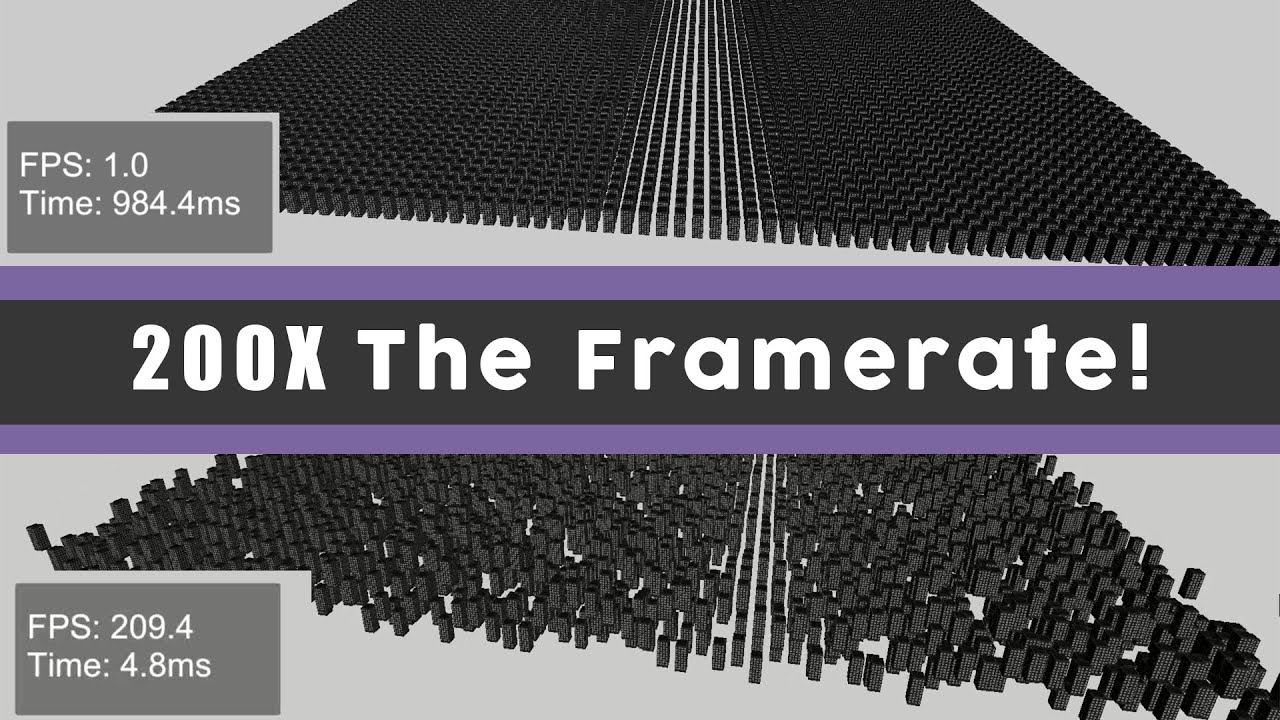
A short video on how to improve your frame rate in Unity. This video covers various optimizations to reduce draw calls such as combining meshes, batching and gpu instancing.
Music Credit: LAKEY INSPIRED
Track Name: "The Process"
Music By: LAKEY INSPIRED
Official SoundCloud https://soundcloud.com/lakeyinspired
Official YouTube Channel:https:/...

Learn how to optimize draw calls by using different tools such as static batching, dynamic batching and GPU instancing. These techniques work for both VR and normal 3D games!
🍤Check Out My Patreon🍤
https://www.patreon.com/FistFullofShrimp
You can find a written tutorial here!
https://fistfullofshrimp.com/unity-vr-optimization-draw-calls/
Mus...
elder sonnet
sick thank you
elder sonnet
fixed it a bit
 buoyant jolt
elder sonnet
fixed it a bit
buoyant jolt
elder sonnet
fixed it a bit
Real-time lights, and unique materials, are usually the main contributors to batch calls
As a test, disable all lights and hit play, and see if it reduces the tris and batch calls. If so, youll know how much static and light baking will help
elder sonnet
buoyant jolt
Real-time lights, and unique materials, are usually the main contributors to bat...
ive only got 2 real time lights out of around 30-40 lights
buoyant jolt
elder sonnet
ive only got 2 real time lights out of around 30-40 lights
And how are they impacting your tris & batch calls?
I theorize it'll get it below 1000 batches and 1m tris.
But it depends on how your lights are setup
Hence testing the problem first to see if it's worth looking into
elder sonnet
i removed all the lights and baked them but there seems to be no difference

 elder sonnet
is this a lot of triangles and vertices for a single tree?
 north path
elder sonnet
is this a lot of triangles and vertices for a single tree?
north path
elder sonnet
is this a lot of triangles and vertices for a single tree?
Depends on your needs and size of environment.
Maybe LOD them?
I have seen trees made of 100 tris and 100k tris
north path
elder sonnet
i removed all the lights and baked them but there seems to be no difference
Are you even checking in play mode?
Of course doing this in a build is better
 quick fulcrum
Hi all, do you have any tips/suggestions on how I can display a world map (e.g. from Google Maps) on my table in mixed reality with a Meta Quest 3? First I tried Cesium, but that only displayed the world in a sphere. Then I tried MapBox. This displays a flat world map, but I couldn't figure out how to scale the map to the fixed size of the table, as the scale of the object the map displays always changes when zooming + Because the table is a rectangle of indeterminate width and height, more parts have to be loaded in width than in height.
 dusty burrow
How do you build Quest games for the Meta store when the .obb file gets bigger than 4GB?
There's a limit.
 viscid star
dusty burrow
How do you build Quest games for the Meta store when the .obb file gets bigger t...
viscid star
dusty burrow
How do you build Quest games for the Meta store when the .obb file gets bigger t...
You can have multiple expansion files. See https://developers.meta.com/horizon/resources/publish-apk
near elbow
hi y'all, I need to be able to receive data from a Lidar operating as a ROS node, and the data should be sent to a quest (unity app). What would be the best way to send the data from the ROS node? The quest only needs to subscribe
narrow briar
someone just swindled an industrial project
 crude oasis
i know this is a silly question... but, can someone tell me how i would be able to recreate the stereo effect in VR if i had a single wide angle camera ontop of the VR headset and i wanted to show in VR the view of the camera but in stereo? Please ignore any of the technical difficulties associated with streaming a camera into unity. Let's assume that's working. Now, I have a texture with the camera feed, how can i make it look VR-like inside VR? Do I need two cameras: give one the left eye and give the other the right eye? No matter what, the view will always look flat? Any thoughts on this would be greatly appreciated!
crude oasis
crude oasis
i know this is a silly question... but, can someone tell me how i would be able ...
i guess another way to phrase this, let's imagine i have a VR only headset, and i want to create a passthrough layer, i have a camera that i converted into a texture that is being updated in real-time. what can i do to make that look as legitimately passthrough as possible? Do i need to get one of those dual lens cameras? do i just make a mesh that is curved (and that's as good as it's gonna get?) etc..
crude oasis
crude oasis
i guess another way to phrase this, let's imagine i have a VR only headset, and ...
would an alternative be to create a sphere and have the texture wrap around and put the user inside the sphere?
shell kayak
crude oasis
i guess another way to phrase this, let's imagine i have a VR only headset, and ...
A stereo camera gets you most of the way there, but if you just feed that directly into the user's eyes, they will likely get sick very quickly. Because the cameras will be in a different place from the user's eyes, and so their perspective and parallax is slightly different.
So you have to perform corrections. This means estimating the shape of the room as a 3D mesh and projecting the camera texture onto it. You can also do this with a single camera, but then that camera will be further from what both eyes can see and will need to be projected even more, which will result in weird, stretched out looking results.
VR headsets with passthrough have to do this, because the cameras are a few centimeters in front of the user's eyes and often not the same distance apart.
PSVR2 actually doesn't do any projection as far as I know, just a straight stereo feed, but I always get dizzy when I use it.
crude oasis
shell kayak
A stereo camera gets you most of the way there, but if you just feed that direct...
i see! and how would i transfer it two both eyes using the stereo camera? would i create two quads and just place them near the eyes or how would i directly replace the rendered texture on the eyes with the camera feeds? (and by corrections you mean warping?) \\ and then related to your project question. by projection you mean if i have a mesh of the virtual environment, i literally take the single texture from the single camera and then project it down onto the surfaces of the mesh?
shell kayak
crude oasis
i see! and how would i transfer it two both eyes using the stereo camera? would ...
Rendering a fullscreen stereo texture in VR can be done many ways. You'll likely be using Single Pass Instanced, where the render target is a texture array of 2 textures, one for each eye, so it would be best to draw 2 instances of a quad or fullscreen triangle and in the shader use Unity's unity_StereoEyeIndex to sample the correct camera texture for each eye.
shell kayak
crude oasis
i see! and how would i transfer it two both eyes using the stereo camera? would ...
Yes. You'll have to know exactly where your camera is relative to the headset and their exact lens characteristics to create a projection matrix. With that, you can project the texture onto the room mesh.
Generating that room mesh is a whole other can of worms. If you know what room the headset is going to be in ahead of time, you can create the mesh beforehand. Otherwise, you'll have to estimate it based on the camera feeds, which is difficult to get right.
To be frank, I'm explaining this not so you can attempt to figure it out, but rather to hint at the fact that this is a very difficult task. If you have to ask about it here, it's probably way beyond your ability. I certainly wouldn't feel confident about getting something working, despite knowing some details about it.
crude oasis
shell kayak
Rendering a fullscreen stereo texture in VR can be done many ways. You'll likely...
so this is more do-able... the projection mapping is more complex then?
crude oasis
shell kayak
Rendering a fullscreen stereo texture in VR can be done many ways. You'll likely...
it sounds like there are a few ways to do this. i can use a stereo camera and then render it onto each eye. this will give the stereo effect but because the positions of the hands and what we see is so different it can cause dizziness unless i do special projection stuff. alternative methods include projecting onto meshes, etc. but what im hearing is that if i have a stereo camera, i kinda get the effect--and thats okay for my testing purposes im guessing.
crude oasis
shell kayak
Generating that room mesh is a whole other can of worms. If you know what room t...
i already have a 3d scan of the room id be using this in.. so there's that option. ive already figured out how to align it so that digital twin is aligned with the real world. hmm.
i am stil having a hard time understanding the ways to do this. im not going to implement something i cant technically do, but there must be a way where this can work as approximately as possible (its okay if it causes dizziness -- its for me) but that doesnt require calculating the warp of the lenses used, etc.
sorry to ask you again, but could re-iterate what would be kinda technically possible? I already have a the camera feed, i can instantiate it on a quad in unity (not difficult). next, instead of just having a small little square that projects what the camera sees, i want to mount it ontop of the headset (gopro style) and have that be the field of view
shell kayak
crude oasis
sorry to ask you again, but could re-iterate what would be kinda technically pos...
It sounds like the first step, after mounting the camera to the headset, is to be able to render the camera feed in fullscreen. This by itself is doable, but you still need to perform lens distortion corrections to have things line up at all. If the GoPro has a higher FOV lens than the VR headset, things aren't going to look right when you display that directly with no correction.
You can see some discussion on this topic here:
https://github.com/ValveSoftware/openvr/issues/1561

GitHub
I'm trying to project the images from the valve index passthrough cameras to the HMD view, but I have trouble getting the image projection to match up with the room view. I have the projection ...
OpenCV is also often used for these sorts of problems. It has tools for calculating the lens distortion and correcting it.
crude oasis
shell kayak
It sounds like the first step, after mounting the camera to the headset, is to b...
Thank you for the refs!! For full screen what would you recommend would be the best way (once lens distortion and all that has been sorted/or not)?
As I mentioned I tried a sphere, skybox, just a quad close up lol, and it all looks terrible
shell kayak
crude oasis
Thank you for the refs!! For full screen what would you recommend would be the b...
If you're using URP, you can use the Fullscreen Blit Renderer Feature.
crude oasis
shell kayak
If you're using URP, you can use the Fullscreen Blit Renderer Feature.
im struggling here. So, I decided to experiment and take a different approach. Instead of taking a real camera feed let's start with something that SHOULD work. Let's grab the VR headset CenterEye camera, grab that texture, send it to python to turn it black and white and then send it back via TCP, then with this new modifed texture, let's present it to the vr camera so this is what the user sees. I can't seem to get the updated texture to show up in VR (nor game view). What I have working is 1) the TCP send/receive. it's working well both unity and python are sending and receiving at high rates. 2) i can display a render texture on a quad and it updates in real time with the movement of the centereye. What I don't have working is replacing the freaking VR view! i tried to follow this https://docs.unity3d.com/Packages/com.unity.render-pipelines.universal@15.0/manual/renderer-features/how-to-fullscreen-blit.html but this is above my paygrade xD i cant seem to get this to work. I created a Render Feature, I created a shader and then on the BalancedRenderer I added this created feature, but nothing is working. i just get a gray flat image in the gameview and all my rendertextures stop rendering.
for context this is what it looks like when it works (you can see the quad with the black and white) but i cant seem to replace the freaken display view

 urban cloak
!collab
ornate questBOT
:loudspeaker: Collaborating and Job Posting
We do not accept job or collab posts on Discord.
Please, use Discussions to promote yourself as job-seeking, advertise commercial job offers, or look for non-commercial projects to participate in:
• Collaboration & Jobs
 tawdry horizon
urban cloak
!collab
tawdry horizon
urban cloak
!collab
Can u help make my first ever game and I want it to be vr and I'm getting laptop for Christmas so that's what I'm working with
urban cloak
Nope
tawdry horizon
Ok
frank oasis
tawdry horizon
Can u help make my first ever game and I want it to be vr and I'm getting laptop...
your first game should never be a vr one - it’s just too complicated and you’ll end up stuck
try making a basic 3D one first to get a handle for Unity
then you can try XR development
 winged notch
Yee. Hello world
tawdry horizon
winged notch
Yee. Hello world
Can u help on making a vr game pls
winged notch
refer to Bity10's statement.
tawdry horizon
Ok can u help me make a normal 1 then pls
north path
!learn @tawdry horizon
ornate questBOT
:teacher: Unity Learn ↗
Over 750 hours of free live and on-demand learning content for all levels of experience!
north path
Check guides here or make a basic 3D platformer with YouTube guides
Or both if you're serious. The Unity Learn stuff are great fundamentals
Making games is flippin hard, so don't expect it to be done in a week with someone on board
tawdry horizon
!learn
ornate questBOT
:teacher: Unity Learn ↗
Over 750 hours of free live and on-demand learning content for all levels of experience!
tawdry horizon
!learn
ornate questBOT
:teacher: Unity Learn ↗
Over 750 hours of free live and on-demand learning content for all levels of experience!
narrow briar
Desktop < Mobile < Console < VR
tawdry horizon
narrow briar
Desktop < Mobile < Console < VR
?????‽?????????
maiden mural
How many trianlges is too many triangles for Quest 2
My game has around 20 million in some places and I'm experiencing severe performance drops
orchid jolt
maiden mural
My game has around 20 million in some places and I'm experiencing severe perform...
I think oculus recommends 1-2 million triangles so 20 million is way to much 😅
north path
maiden mural
My game has around 20 million in some places and I'm experiencing severe perform...
Yep 2 can already push it if there are more settings. The max I ever pushed it with application spacewarp is 5mil with almost no settings on
 idle rock
hello! I'm having a problem. I've made a model for vrchat in blender but, when I send it to unity to make it a .vrm none of the textures are there and I don't know what to do. i'm pretty new to this hope this is the right place to ask.
frank oasis
!vrchat
ornate questBOT
Join the growing VRChat community as you explore, play, and create the future of social VR! https://discord.com/invite/vrchat
frank oasis
idle rock
hello! I'm having a problem. I've made a model for vrchat in blender but, when I...
I'd recommend asking this in the vrchat server, as you'll find more people who've dealt with the issue before
 worn escarp
hi. I'm having trouble getting the XRSocketInteractor to show the hover mesh. I thought it might have something to do with my 3d models, but I've created a new socket, and a grabbable cube and it's not showing the hovering mesh either. Any tips on where to look for to solve this? I'm using URP, I was using for the hover mesh material one I made, but also tried to just leave it to the socket to use the default. I'm using XRI 3.0.7
 warm citrus
heyo im completely new to using unity and 3d game development. id like to know if it is possible to create an object that i can spin in place in VR? i want to make controls for a cannon. ive installed the XR interactions toolkit and whatever but there doesnt seem to be anything to do this with. only objects you can pickup and move around which isnt what i want.
 north path
Probably physics (slap it or inertia) and having invisible child objects that affect the parent or something like that @warm citrus
Definitely possible tho
warm citrus
yea i still have a ton to learn i have 0 clue how to do any of that 😭
like i understand what inertia is, i understand like, parent and children objects, but i dont really know how to apply those concepts into something that works.
 still shard
I'm having performance issues (35FPS) with my quest 3 app. I know its GPU bottlenecked, mainly on 2 large hero assets. Turning off those 2 assets and their children get back to normal FPS (its a large machine). Anyway, is meta's fork of renderdoc the only good way to figure out what's slowing everything down? I'm using Unity 2022.3.50f1
buoyant jolt
still shard
I'm having performance issues (35FPS) with my quest 3 app. I know its GPU bottle...
Usually just the editor stats is enough to determine what's up
It's usually either the mesh complexity, shaders or too many materials
Sometimes lighting
still shard
buoyant jolt
Usually just the editor stats is enough to determine what's up
It's usually eit...
What editor stats should I be looking at? The frame debugger and GPU profiler don't seem to work when connected to the headset.
This is what I'm seeing in the editor stats window looking at the same area that is really bad in headset. Does anything in particular stand out?
 buoyant jolt
still shard
This is what I'm seeing in the editor stats window looking at the same area that...
buoyant jolt
still shard
This is what I'm seeing in the editor stats window looking at the same area that...
The stats look great.
My best guess is the shader.
You can try renderdoc. Do you have a custom shader on the objects? A highly shader or something? You can also check some limited stats from MDH. Just not sure it'll tell you anything you don't know.
I know some of the techniques I tried for outline shaders would kill the framerate on the headset
If there is a custom material, try using a normal PBR material as a test and disabling any third party scripts on it. Vert count looks great (<1m), no major light impacts, and batch calls are great (<500)
still shard
As far as I can see it looks like almost everything is Universal Render Pipeline/Lit
I probably just need to sit down and learn renderdoc. I appreciate the help though!
I know very small triangles can be an issue. Is there an easy way, or a way at all to know if that's what is causing my issue?
 tall walrus
Hi I wanna make my first vr game. I have worked with blender before so I only need someone that can code. If there are people that wanna help with coding, modeling etc pls dm me
frank oasis
!collab
ornate questBOT
:loudspeaker: Collaborating and Job Posting
We do not accept job or collab posts on Discord.
Please, use Discussions to promote yourself as job-seeking, advertise commercial job offers, or look for non-commercial projects to participate in:
• Collaboration & Jobs
 opal trail
anyone know why i cant select the top items to import them?

 brittle oracle
opal trail
anyone know why i cant select the top items to import them?
brittle oracle
opal trail
anyone know why i cant select the top items to import them?
jet go be a engine
ornate questBOT
:loudspeaker: Collaborating and Job Posting
We do not accept job or collab posts on Discord.
Please, use Discussions to promote yourself as job-seeking, advertise commercial job offers, or look for non-commercial projects to participate in:
• Collaboration & Jobs
tall walrus
@frank oasis what do I use to try and get people to help me make a vr game?
opal trail
brittle oracle
jet go be a engine
no
frank oasis
tall walrus
<@756223754341711874> what do I use to try and get people to help me make a vr g...
make a post on the collab board highlighting who you're looking for and what you'll do
tall walrus
frank oasis
make a post on the collab board highlighting who you're looking for and what you...
How do I highlight like this hello
frank oasis
tall walrus
How do I highlight like this **hello**
you have the internet. remember this is a virtual reality text channel
tall walrus
frank oasis
you have the internet. remember this is a virtual reality text channel
I know
Ma gonna search it up rq
hi
@frank oasis like that?
frank oasis
tall walrus
<@756223754341711874> like that?
if it works it works
tall walrus
Alright thx for helping im gonna make a post
 crude frost
Anyone have experience using addressables in an obb file with meta quest? Trying to figure out the process of accessing my adressables if they are packed in an obb
Edit: magically started working when i switched back to default profiles
 astral ravine
Hello, can anyone recommend a truly well optimised URP starter scene or scene template, including lighting (a couple of directional lights) and baked lightmap settings, which I can use for VR on Quest? I'm in Unity 6, working on a variety of little VR projects but they almost always look horrible with I go to bake the light maps and I need a fresh start, I must have got some wires crossed somewhere. Thanks in advance!
north path
astral ravine
Hello, can anyone recommend a truly well optimised URP starter scene or scene te...
A couple of directional lights?
That sounds like a very poor lighting setting to me :O
I recorded a VR project setup video last week, likely will have time to edit and publish it next week. Send me a DM if you want a link then :P
In general when starting with the URP blank project, and then starting off from the URP Performant (URP Mobile Low) preset is best. Then check the Quest quickstart guide for the ideal settings there.
If you use the meta SDK, that gives quite some performance pointers as well.
For baking lights, this is not VR specific. You can follow any light baking guide here
astral ravine
north path
A couple of directional lights?
That sounds like a very poor lighting setting to...
Honestly surprising that you feel you still need to do this - I always hope to see a Unity template which just builds out of the box and delivers 72 fps (or 90, 120, etc.) on Quest and looks good. Maybe such a thing exists, certainly last time I tried the XR Toolkit demo scene it was unplayable on Quest but maybe that's changed. It could be a territorial issue, like Unity don't want to tie something to Quest even if it has 90% of the market share, or they can't include Oculus optimizations for contractual reasons. Having said that I might be wrong about latest Unity templates, so I'll take a look there. I'm subscribed to your channel already so will also keep an eye out for any new video on the topic.
north path
astral ravine
Honestly surprising that you feel you still need to do this - I always hope to s...
Honestly, with the mobile presets it also looks fine (although an MSAA boost is nice). But if one setting can disable a feature and add 4fps, why not spend that 5 seconds (or 2 minutes if you read docs).
A scene doesn't contain (many) settings, so the sample scene can be 300 or 50 fps depending on your project settings.
There are no 'perfect' settings. Disabling additional lights improves performance, but of course doesn't render additional lights. So it's always a tradeoff where to put default settings so the editor is easy to get started while keeping okay performance
astral ravine
north path
Honestly, with the mobile presets it also looks fine (although an MSAA boost is ...
All good points - FPS is one thing but it seems baked lightmaps are essential to VR looking good and that's where my (new) scenes are sorely lacking. I usually end up copying a whole project and deleting the bits I don't want, which is like a toxic version of Templates. Thanks for the discussion. Will watch your video.
 cerulean adder
Anyone know how to fix this? A failure occurred while executing
com.android.build.gradle.internal. tasks.MergeNativeLibsTask$MergeNativeLibsTaskWorkAction
See the Console for details.
north path
cerulean adder
Anyone know how to fix this? A failure occurred while executing
com.android.buil...
As it says, see the console for details
We cannot help with this info
 tacit timber
does anyone know how much vertices a VR specifically the quest ones for it to start lag?
buoyant jolt
tacit timber
does anyone know how much vertices a VR specifically the quest ones for it to st...
Meta posts their polycount targets on the dev site
I will caution, for Q1 specifically, we had to really do quite a bit to make our stuff run on it at full performance back in the day
 agile gull
i’m on my alt now, i hope this is the right channel for this but im somewhat new to unity, i understand a lot of code and can write certain things but rn im working on something in VR that's way harder than i thought and i need help, i spoke about this earlier and couldnt really find a sollution but is anyone down to help me ?
i’m trying to make a VR book system, a book in VR that u can read, close, open, scroll through the pages like an actual book
agile gull
agile gull
i’m trying to make a VR book system, a book in VR that u can read, close, open, ...
I have a video example if yall didn’t understand what i meant by this
anyway i really am new to unity and have no idea how to do this, but i need it urgently so if ure down to help me please let me know
mb for the yap 💀
green harbor
in XR device simulator, can u guys see the controllers or what
agile gull
 lime herald
yeah your cooked buddy
lime herald
yeah your cooked buddy
😭
 empty prairie

it says this but when i press install with unity hub it says this

so i download it now idk what to do
crude frost
empty prairie
was your unity editor not installed via Unity Hub? Because thats what it seems like. To install additional modules through Unity Hub, the editor itself needs to be installed via Unity Hub.
crude frost
lime herald
does anyone know how to make rock climbing in unity
One of the sample scenes has it built in. I think its one of the unity ones.
yeah. its in the Demo Scene for the starter assets.

if you don't have the sample scene, you can install it via package manager. Find the XR interaction toolkit, go to the samples tab, and install
 cold sparrow
Finally got unity to work with my quest 3 on mac
lime herald
crude frost
yeah. its in the Demo Scene for the starter assets.
i want to make a pirate family vacation vr expierence that has rock climbing, scavenger hunt, and a bonfire within a month. Is this possible? Is there anything that can make the process easier?
lime herald
crude frost
yeah. its in the Demo Scene for the starter assets.
Thanks!
lime herald
lime herald
i want to make a pirate family vacation vr expierence that has rock climbing, sc...
I thought this would be easy, but unity is like learning another language when your first starting out.
north path
lime herald
i want to make a pirate family vacation vr expierence that has rock climbing, sc...
Spending time on fundamentals, like maybe a quick overview on Unity Learn, goes a long way to understand what is what.
Making something very basic is possible in a month, but if you're new (and maybe not doing it full time) it likely won't feel too polished.
And it's likely not going to be easy at all haha
empty prairie
crude frost
was your unity editor not installed via Unity Hub? Because thats what it seems l...
It is installed tho
It’s wierd
buoyant jolt
agile gull
anyway i really am new to unity and have no idea how to do this, but i need it u...
That's a lot of work to go through and explain for someone, especially with you pretty much new. I'd strongly encourage reducing your scope until you do some tutorials- or break it into small pieces and tackle them one at a time
quasi jolt
Hi, any one know a good plugin or way to do outlines for objects that have multiple materials. I tried a free one from the asset store but it doesn't look good and it affects performance, I want it for VR app
agile gull
buoyant jolt
That's a lot of work to go through and explain for someone, especially with you ...
it sounds so much simpler than it is, i can’t imagine the pain im about to go through
it’s all for a good cause though, i know it’s possible
shrewd idol
how do i check if my apk is corrupted? i get no errors
north path
quasi jolt
Hi, any one know a good plugin or way to do outlines for objects that have multi...
Which did you try?
Simply adding a child to the mesh with outline, making it slightly bigger, then rendering backside with an unlit shader is likely the most performant way
north path
shrewd idol
how do i check if my apk is corrupted? i get no errors
before and after md5 checksum checks maybe?
But if unsure, even if corruption is unlikely, just make a clean build.
Otherwise tell us the issue
 worldly egret
Forgive the lack of knowledge but can someone steer me in the openXR pipeline with the meta xr sjm? Is this supposed to work? I’m on Mac, have the openXR stuff in, have the meta sim package also, it’s selected as the play mode open xr runtime but on play mode I immediately get the xrloader initialise error - is this supposed to be able to work?
Failed to load openxr runtime loader.
UnityEngine.XR.Management.XRGeneralSettings:AttemptInitializeXRSDKOnLoad () (at ./Library/PackageCache/com.unity.xr.management/Runtime/XRGeneralSettings.cs:148)
i suspect i've failed to installed something fundamental
 mild igloo
Anyone have any luck getting the avatars to load in a multiplayer scenario? I have avatars loading but they are no responsive to my player rig.
MEta Avatars plus Photon
 echo grail
Does anyone know how to test your VR game on the quest 2? I tried Steam VR and Quest link but those both just play it on my computer.
quasi jolt
north path
Which did you try?
Simply adding a child to the mesh with outline, making it sl...
I used Quick Outline from the asset store, sometimes it works well and sometimes not. For some reason it look good when I untick Optimize meshes from the player settings but then my app become too slow
frank oasis
echo grail
Does anyone know how to test your VR game on the quest 2? I tried Steam VR and Q...
the quest link should allow you to test it straight from the unity editor. try troubleshooting that
storm ether
hi

 neat lynx
Looks like a material issue, not inherent to vr
steep hemlock
green harbor
Check the pink materials, they probably use shaders not compatible with your graphic pipeline (As Seboops said, not a VR issue but a graphic/material one). If you are using URP, you should have a converter for your materials available at the top of your window.
green harbor
steep hemlock
Check the pink materials, they probably use shaders not compatible with your gra...
I’m using XRITK
green harbor
steep hemlock
Check the pink materials, they probably use shaders not compatible with your gra...
this is the error: Your current multi-scene setup has inconsistent Lighting settings which may lead to different lighting when loading scenes individually or in a different order! Consider homogenizing the following:
1/2 scenes have Auto baking enabled.
1/2 scenes use different skyboxes.
Your multi-scene setup may be improved by tending to the following issues:
1/2 scenes use a different bake backend
is it because theres 2 scenes added in the hierarchy?
steep hemlock
green harbor
<@1027157383044136960> can u vc to help me with the issue real quick?
You should go ask your questions in a graphic's thread to get the best answers.
I only know what I need as a dev to be able to compil. What I can tell you is that your Lighting Settings window can be opened from Window -> Rendering -> Lighting (you can also find the Render Pipeline Converter there for your pink materials). Then, you should disable the auto baking which will rebake your scene after each modification (not a problem on a really small scene but it will quickly use a lot of ressources).
I am not familiar with the use of multiple scenes, so I can not help you more than that. I do not even know how you can setup 2 scenes with differents skyboxes in the editor --'
If you ask on a graphic's thread, remember to say which version of Unity you are using and what is the graphic/render pipeline you use (XRI Toolkit is a package to help dev with XR but it has nothing to do with the render pipeline - you usually choose it when creating your project between URP and HDRP for built-in render pipeline, but you can also add one or change the one your are using using packages in editor).
green harbor
steep hemlock
You should go ask your questions in a graphic's thread to get the best answers.
...
Thank you
 fresh shale
I have a problem with the camera while working in an XR environment
I dont know when it started breaking but besides the scanned horizontal surface turning pink (from the change to URP my guess) the rest of the camera is only black. Any ideas on what to look for?
 fresh shale
I dont understand if it doesnt want to view the environment somehow or some rendering got messed up
 agile gull
anyway i really am new to unity and have no idea how to do this, but i need it u...
agile gull
agile gull
anyway i really am new to unity and have no idea how to do this, but i need it u...
yo if anyone’s down to help, please DM me
it’d make my entire year tbh
even tho it’s a lot of work
north path
fresh shale
I have a problem with the camera while working in an XR environment
I dont know ...
Its pink if the material has a shader for a different render pipeline (or shader error)
Upgrade the materials (and maybe settings) using the render pipeline converter.
The black background might just be the camera color?
 lavish zinc
Anyone know any good full body VR avatar plugins/sdks? I've found ReadyPlayerMe, but hoping to find more out there
 frigid shoal
What is the best way to not let players grab objects/buttons/levers/... from locked drawers or chests with the XR interaction toolkit 3.0.7?
frank oasis
frigid shoal
What is the best way to not let players grab objects/buttons/levers/... from loc...
just disable the xr grab interactable until the criteria has been met
 minor kiln
Hey, is there a way to optimize my scene which displays 80mil+ tris count? Reducing tris count is not possible.
 placid birch
minor kiln
Hey, is there a way to optimize my scene which displays 80mil+ tris count? Reduc...
placid birch
minor kiln
Hey, is there a way to optimize my scene which displays 80mil+ tris count? Reduc...
if the triangle count is the problem then maybe LOD groups