#🥽┃virtual-reality
1 messages · Page 18 of 1
 wintry geyser
Thx I'll try tomorrow morning
 buoyant jolt
That's the one. As mentioned above, it's failing to install SDK 30. You must use 32 for Quest and over 32 for Google Play, so it is for the better anyway. Personally I like to install android studio and manually manage my SDK versions. But as mentioned above you can change it to 32 in Unity first and hope it will install properly.
wintry geyser
Thx so much if it keeps happening ill tell you guys tomorrow
buoyant jolt
If it happens tomorrow I'll walk you through managing the SDKs manually (outside of unity)
 compact vine
hello?
why when i say guy-s it blocks it
weird
but um im new and i imported an asset its like a skin but when i look at it the textures arent there its just grey
 tiny niche
compact vine
but um im new and i imported an asset its like a skin but when i look at it the ...
tiny niche
compact vine
but um im new and i imported an asset its like a skin but when i look at it the ...
that doesn't sound like a vr issue, maybe try #🔀┃art-asset-workflow
 tiny terrace
Hi, how do detect which hand (right or left) is interacting with an Interactable? Can I somehow possibly get which hand is interacting from event args? (SelectExited)
I’m using XR Interaction Toolkit
tiny niche
tiny terrace
Hi, how do detect __which hand__ (right or left) is interacting with an Interact...
not without modifying it, its one of the major drawbacks of using it
tiny terrace
tiny niche
not without modifying it, its one of the major drawbacks of using it
How would you modify it? Do you know anyone who done it?
tiny niche
tiny terrace
How would you modify it? Do you know anyone who done it?
lots of people have done it, you basically just need to expose some private members on the interactor
tiny terrace
tiny niche
lots of people have done it, you basically just need to expose some private memb...
Thanks will try
 runic summit
Hello,
Is there an howto on settings for quest2&3 because i can see a massive difference of resolution between start with the editor on pc and the final apk.
If i could detect if the device is a quest 2 or 3 and adapt the resolution and settings to would be perfect.
 sleek heath
If I use an avatar that's synced with the XR Origin main camera, should I add the colliders/rigidbody for detecting walls and such to the main camera too? Or is it only the avatar that needs need them?
wintry geyser
tiny terrace
<@735433187622125700> Go to Project Settings -> Other -> Scroll down and choose ...
i dont see an other place in project settings
 orchid jolt
wintry geyser
i dont see an other place in project settings
orchid jolt
wintry geyser
i dont see an other place in project settings
It's in Project Settings -> Player -> Other Settings -> Minimum API level. Set that to 32
 narrow briar
we have that in unity? https://m.youtube.com/watch?time_continue=215&v=Hwkc8jgMlIg&embeds_referring_euri=https%3A%2F%2Fdeveloper.oculus.com%2F&source_ve_path=MTM5MTE3LDEzOTExNywyMzg1MQ&feature=emb_title

Meta Quest 3 | Drunkn Bar Fight Trailer: This game highlights the next-generation tracking capabilities of IOBT or the predictive capabilities of Generative Legs, you can easily move to a whiteboard, around a table, or closer to someone you’re having a conversation with—in a far more realistic manner.
wintry geyser
orchid jolt
It's in Project Settings -> Player -> Other Settings -> Minimum API level. Set t...
its already at marshmallow
turns out i changed it from marshmallow to the 32 one cause mashmallow was 23 and IT FIXED
TYSM
narrow briar
wintry geyser
turns out i changed it from marshmallow to the 32 one cause mashmallow was 23 an...
this sounds so surreal
 fervent sedge
Hello folks! Is there any way to track the position of a real-world-object/image/qr code? we're using Pico and Quest
 lean cobalt
[OCULUS META QUEST]
Hi guys, I need a little help, I'm developing a vr game in unity and I need to only rotate an object on his Y axis using hand or grab control. How I can do this?
At the moment the object have the grabbable component and his rigidbody is setted like this:
isKinematic = true
contraints : locked movements (x,y,z) locked rotations(x,z)
When i interact/grab with controller, it follow the hand movement.
tiny terrace
tiny niche
lots of people have done it, you basically just need to expose some private memb...
Hi. Which ones? Have you done it by any chance?
tiny niche
tiny terrace
Hi. Which ones? Have you done it by any chance?
the one that exposes the grabbed gameobject, so you can query for it from root to tip
 dull lake
Guys my device simulator just gives me a black screen and idk what to do
tiny terrace
tiny niche
the one that exposes the grabbed gameobject, so you can query for it from root t...
"Expose some private variables on the interactor" you mean XRDirectInteractor?
Could you please tell me what variable please?
tiny niche
tiny terrace
"Expose some private variables on the interactor" you mean XRDirectInteractor?
...
no because then i'd have to look it up. But you know conceptually what you want to do and where to direct your attention, so now you just gotta do the actual dev work
tiny terrace
tiny niche
no because then i'd have to look it up. But you know conceptually what you want ...
Im just having a hard time finding it lol
fervent sedge
does not use OpenXR ARCore in the lower layer?
is it the OS that prevents us from reaching native funcitons of android?
buoyant jolt
I don't understand the question. Quest and Pico don't use arcore.
If anything @fervent sedge - Pico makes it easier go access the underlaying Android as it includes many example libraries to access lower functions normally blocked by Android
Quest is of course more locked down.
 sterile hatch
HI i have silly questions 
So I'm new to coding (especially in VR stuff but i have to work on something VR related, soo, yep c:) and I'm struggeling with something. So I'm having a fire extinguisher and i want to have two grabable parts on that extinguisher: The corpus and the ... spraying part. I want to hold the fire extinguisher on the corpus and then have the chance to grab the sprayer part and after i'm holding it, i want to fire a particle system.
Two questions:
- How do i make one object, that's grabable at different parts of the same object, while also limiting the user to firstly grab the corpus
- I'm not sure what code signefies that I'm "holding" something. In 2D e.g. there's the "interaction", "onkeydown" code, but what's there for VR?
Thank you in advance 
buoyant jolt
sterile hatch
HI i have silly questions <a:happy_dance:1172315250771628072>
So I'm new to cod...
Sounds like a client project. Where you grab, and what you grab, doesn't literally have to be the model. How you want the two parts to work depends on a lot of things, but you could make two objects with rigidbodies that can be grabbed and carried, and create a hose / rope / joint system between them
sterile hatch
buoyant jolt
Sounds like a client project. Where you grab, and what you grab, doesn't litera...
It's a student project! Basically a first touch in VR and we're trying to simulate how to behave when there's a fire 
sterile hatch
buoyant jolt
Sounds like a client project. Where you grab, and what you grab, doesn't litera...
That sounds like an interessting idea
actually good call I'll try smth like that
buoyant jolt
sterile hatch
actually good call I'll try smth like that
Also, as a side mention, most VR frameworks will temporarily reparent what you carry to your hands.
We've done a lot of fire VR work. I usually keep a Base -> hose -> Nozzle relationship, with a rig for the hose. That'll let you deform the hose while keeping a nozzle always at the end of it.
But you could actually make them three completely separate projects and just move them manually to keep them in sync.
I don't like to use literal rope and hose physics and instead fake it. That way it can't get kinked funny or stretched beyond reason
sterile hatch
oh that's good to know
wait uhm righ for the hose?
wdym by that?
like "bone" rig?
(sry language barriers)
buoyant jolt
Yes
 junior quest
By using "Rigid body", "Grabbable", "HandGrabInteractable" to an object, I can grab an object. However when I grab that object, it keep accelerate the speed by gravity. How to fix it?
I am using Oculus Integration https://assetstore.unity.com/packages/tools/integration/oculus-integration-deprecated-82022

Use the Oculus Integration (Deprecated) from Oculus on your next project. Find this integration tool & more on the Unity Asset Store.
 compact gazelle
What i have to do to solve this problem?
 buoyant jolt
compact gazelle
What i have to do to solve this problem?
buoyant jolt
compact gazelle
What i have to do to solve this problem?
Most likely just press Fix or pick a proper build target (I.e. android)
compact gazelle
buoyant jolt
Most likely just press Fix or pick a proper build target (I.e. android)
i tryed to press fix but it doesn't work
buoyant jolt
Oculus only supports Android or Windows iirc.
compact gazelle
buoyant jolt
Most likely just press Fix or pick a proper build target (I.e. android)
i also selected a proper build target
buoyant jolt
If you disagree with the wizard you can ignore it and close it.
Its just a helper wizard to avoid common issues.
But if it is correct and you have an invalid build target you won't be able to build the project. I suspect you aren't on a proper android or windows build target. But you'll find out when you go to build the game
compact gazelle
i can not build the game indeed
i am building the game for android,i always did like it and it always worked
it is the first time it happens
if you want i can send you a video cause i really don't understand how to solve the problem
buoyant jolt
When you go File -> Build, take a screenshot of the platform window
If you can
It doesn't detect you as using Android, and instead says Unknown, which is quite unusual.
But I don't build direct for oculus (I.e. oculus integration) very often as we use openxr.
compact gazelle
 buoyant jolt
compact gazelle
buoyant jolt
compact gazelle
Try switching to windows, let it compile, and see if the error goes away. Then go back to androjd.
compact gazelle
same error i tryed
buoyant jolt
Do you have the error from the console log or anything from when you try to build?
buoyant jolt
compact gazelle
but nothing that can break the build
Last thing I can think of is to check the steps here

If you get "[Compatibility] Build Target (Unknown) is not supported" in the Project Validation tool, just change the XR Management to OpenXR for a moment, do a build, then go back to Oculus and that seems to straighten things out. Hopefully this saves another time on this issue.
compact gazelle
buoyant jolt
Last thing I can think of is to check the steps here
https://communityforums.a...
i read it but i build the game using OpenXr
buoyant jolt
compact gazelle
i read it but i build the game using OpenXr
Ah doesn't look good
https://forum.unity.com/threads/compatibility-build-target-unknown-is-not-supported-bug.1506476/
Unity replicated it about 3 weeks ago and are getting Meta to fix their sdk
Unity Forum
Unity team...can you please let us know what "[Compatibility] Build Target (Unknown) is not supported" in the Project Validation tool is referring to?...

 compact gazelle
buoyant jolt
Ah doesn't look good
https://forum.unity.com/threads/compatibility-build-target-...
compact gazelle
buoyant jolt
Ah doesn't look good
https://forum.unity.com/threads/compatibility-build-target-...
so there is no solution?
buoyant jolt
compact gazelle
so there is no solution?
I'm not sure what error you are seeing building, that might be resolvable. To get the SDK to work properly here, you'd need to move it into your project and patch the code temporarily. Just not sure that it is actually breaking the builds, it's usually just a wizard.
compact gazelle
buoyant jolt
Ah doesn't look good
https://forum.unity.com/threads/compatibility-build-target-...
the error i am seeing is exacly for this problem
buoyant jolt
I can't see the error or the code for the plugin, so I don't think i can help beyond this point
 crystal axle
I am using the xr interaction toolkit to grab and handle this weapon but sadly it happens to lag behind when I move, smoothing the position does not help and the rigidbody is already interpolating the movement. What causes this problem?
 lofty tangle
its could be that the object is moving in fixed update, while the player is moving in update.
or the object position is updating before the player movement cause a disconnect/lag effect.
a fix could be just ensuring that the target position of the object is updated after the player movement.
@crystal axle
crystal axle
lofty tangle
its could be that the object is moving in fixed update, while the player is movi...
yea i tried setting the fixed timestep to 0.001 but still it stutters a little bit
crystal axle
lofty tangle
a fix could be just ensuring that the target position of the object is updated a...
I have no idea how i could implement this lol
narrow briar
looks like you're moving the player in update and the gun with physics
crystal axle
narrow briar
looks like you're moving the player in update and the gun with physics
I am :(
but I got on thing id like to know
whats the correct spelling to make it first/last select


 buoyant horizon
I'm trying to build a very simple test project for VisionOS and I keep getting this error Anyone else had this or know how to fix it?
narrow briar
crystal axle
I am :(
yeah you want to be careful with that. once the gun is in-hand it's usually a good idea to kinematic=true its rigidbody then parent it to your hand controller.
 warped hollow
I am trying to use unity and the XR interaction toolkit to set up a research experiment.
I am struggling to find easy to understand documentation on extremely basic actions like detecting a button press.
Please can someone explain how to detect if a user presses the A button on an oculus controller.
lofty tangle
warped hollow
I am trying to use unity and the XR interaction toolkit to set up a research exp...
if you know the “new” input system, use set up the xr inputs which are featured in a lot of tutorials.
or using device based you define an xr device based on node or characteristics then define the input var you want on said device. its pretty simple that way and is the way I prefer for prototyping so I dont have to bother setting up the new inout system.
warped hollow
I don't understand what any of that means.
buoyant jolt
warped hollow
I don't understand what any of that means.
It might be good to start with !learn
 ornate questBOT
:teacher: Unity Learn ↗
Over 750 hours of free live and on-demand learning content for all levels of experience!
lofty tangle
yeah if you dont know what any if that means you might want to go back to the basics
buoyant jolt
But thus may also help in the meantime
https://forum.unity.com/threads/oculus-quest-how-to-detect-a-b-x-y-button-presses.1108232/
Unity Forum
Hello,
how do I access these buttons with the new XR Interaction?
In normal games these happen in the Update, but the way I understand the new XR...
warped hollow
I've not completely skipped reading forum posts. The stuff featured in that post isn't visible in my setup
lofty tangle
also there are several youtube tutorials that show you how to set up unity for vr
buoyant jolt
We use a heavily modified version of this for openxr. The link above is for using the new input system and oculus.
if(UnityEngine.XR.InputDevices.GetDeviceAtXRNode(XRNode.RightHand).TryGetFeatureValue(new ("TriggerTouch"), out value))
{
    hand.triggerTouch = value;
}```Where trigger touch is the input you are looking for.
buoyant jolt
warped hollow
I am trying to use unity and the XR interaction toolkit to set up a research exp...
I also saw you sent me a friend request, I don't believe we know eachother?
warped hollow
That was because I scrolled up to find someone who looked like they knew stuff about the XR toolkit
buoyant jolt
But yeah
GetDeviceAtXRNode is what you can use to get a controller. And from there you can check the button states. Assuming you are using OpenXR
warped hollow
I don't know what I'm using, I clicked the VR template that came with two scenes
buoyant jolt
This is a more proper way, imo
https://gist.github.com/gizmhail/9b4fba98fa9c2c78e63fe581d360a294

Gist
How to setup XR in Unity 2019. GitHub Gist: instantly share code, notes, and snippets.
warped hollow
Ok well I'm 99% of the way towards finishing the setup for my experiment, it has worked fine for me
I just need to try what you said in order to let a user do something when they press a button
I tried to make the same thing work by detecting if the experimenter presses the spacebar but I got an error saying it's one or the other, controller or keyboard, no both
buoyant jolt
And this is a list of what you can query from that. You probably want PrimaryButton
 warped hollow
I've been on what feels like 20 different pages all describing the same unity XR thing that look like that
buoyant jolt
You can intermix desktop input (I.e. enter key) and VR input. But I'd use VR input or at the very least use hand tracking and put a button in the world they can press
warped hollow
Doing that would require me to learn a lot more about unity in general, I don't have the time
buoyant jolt
Yeah, it's because Unity created a very awkward new input system for new users and makes it very difficult to detect something like a button press out of the box, versus say tracking a head position
warped hollow
It has been astonashing
Like, to detect if a user presses the spacebar it was just like getinput "space"or something
but then to detect controller input I still don't even know what to do after you gave me what was probably a copy paste solution
buoyant jolt
Well, I have even less available time than you do, and I definitely am not stopping my evening to write it for you.
The code above shows you how to check for a button pressed.
Sorry you feel that is too copy pasted for your wishes
warped hollow
No that's not what I was suggesting
Thank you for being so patient and not just kicking me out
buoyant jolt
I would never, and don't have access to that kind of thing anyway
warped hollow
I meant copy paste as in you were already spoon-feeding me an answer
buoyant jolt
I'm sure there easier ways, but I dont use the new input manager very often.
warped hollow
I will try your suggestion
buoyant jolt
warped hollow
I will try your suggestion
OK, give this a go. Create a new script called XRButtonSelected.cs (name and capitalization is important). In there, use this:
using UnityEngine;
using UnityEngine.XR;
using UnityEngine.Events;

public class XRButtonSelected : MonoBehaviour
{
    // target device
    public XRNode Hand = XRNode.RightHand;
    // what to do when pressed
    public UnityEvent OnButtonPressed, OnButtonReleased;
    // is it pressed?
    public bool IsPressed = false;

    // check for input
    void Update()
    {
        // controller to check
        var device = UnityEngine.XR.InputDevices.GetDeviceAtXRNode(Hand);
        // a C# thing to create a temp boolean
        bool value;
        // button to check
        if (device.TryGetFeatureValue(CommonUsages.primaryButton, out value))
        {
            Debug.Log("Button pressed: " + value);
            if (value != IsPressed)
            {
                if (value)
                    OnButtonPressed.Invoke();
                else
                    OnButtonReleased.Invoke();
                IsPressed = value;
            }
        }
    }
}```
Add that to anything, probably the controller in the XR Rig would be good. It should give you three options, what controller to listen to, what to do when the button is pressed, and what to do when it is released. buoyant jolt
warped hollow
I will try your suggestion
buoyant jolt
warped hollow
I will try your suggestion
Hopefully that'll work for you. You can then do whatever you want in the UnityEvent when the button changes to pressed or released
warped hollow
and I definitely am not stopping my evening to write it for you
Thank you so much for all of this help lloyd, if I can't get this to work now then I have no brain.
buoyant jolt
warped hollow
> and I definitely am not stopping my evening to write it for you
Thank you so ...
No, I want to encourage and support. Accessing the input is far more difficult than it should be in my personal opinion
warped hollow
I have been able to do exactly what I wanted to now thank you
buoyant jolt
Success!
narrow briar
what is colorCamera?
 torn rain
Hello, I am working on creating an Oculus VR game using Auto Hand and VRIK. Due to the use of a custom Rig (full body), implementing grab hands has been challenging. I've searched official documentation and YouTube, but they recommend using the OVR Hand Player Controller Link. However, I eventually want to expand this game to platforms like SteamVR or Vive VR. Is there a way to apply grab functionality to the custom Rig (full body) without using the OVR Hand Player Controller Link?
tiny niche
torn rain
Hello, I am working on creating an Oculus VR game using Auto Hand and VRIK. Due ...
sure, write your own
 wary urchin
Hi everyone, I need help with a scene in unity development if anyone know hows to fix it.
I am trying to create a VR scene in unity, where the user needs to place some rings on hooks, however the rings do not go through the hook
 bold sleet
still need an answer ;-;
dull lake
Hi guys I have a question, so I’ve been following one of unitys tutorials for how to make a VR game
And it tells me a lot about VR characteristics but not a whole lot about the coding to actually make it into a game
Anyone have a video or anywhere where I could learn more?
buoyant jolt
bold sleet
still need an answer ;-;
It's running out of memory trying to load VRchat modules.
Try a new project without VRchat first.
Then if VRchat is the problem I'd ask in !vrchat
ornate questBOT
Join the growing VRChat community as you explore, play, and create the future of social VR! https://discord.com/invite/vrchat
bold sleet
buoyant jolt
Then if VRchat is the problem I'd ask in !vrchat
ahh okay gotcha. so just unity through the hub
 obtuse cargo
Can anyone help me? I'm doing a project using Quest 2 in unity and I'm using hand tracker 2 in unity. I want to pick up an object and not let it pass other objects
ex: I took the book and didn't pass the book from the table and it collided with it but didn't pass
Does anyone know how to do it? to help me please?
buoyant jolt
obtuse cargo
Can anyone help me? I'm doing a project using Quest 2 in unity and I'm using han...
• Send unsolicited private messages to anyone.
• @ or reply to people not in the conversation. Use common sense here, please.```How I would handle it, is I'd keep the book as a separate unparented to the hand object. Have it move towards a carried target using a rigidbody. That'll stop it from moving through objects and allow you to use gravity enabled rigidbodies without lag or bouncing.
I'm sure there are a lot of other ways to do that too though. Just keep in mind the XR Interaction stuff disables the rigidbody and parents the object to irself when you pick something up
obtuse cargo
buoyant jolt
I'm sure there are a lot of other ways to do that too though. Just keep in mind...
Sorry, I didn't know you could send private messages.
How can I do this? To grab the object I'm using the "Grabbable" which is already from Oculus, using Hand Tracking 2, it directly manipulates the position of the object's transform
buoyant jolt
obtuse cargo
Sorry, I didn't know you could send private messages.
How can I do this? To gra...
Correct, if using the XR Toolkit and not wanting to alter it, I'd keep the grabbale and the actual object separate. And have the object use a rigid body to move towards the grabbable or even joint connect it.
But with the default framework, whatever you pickup will follow the hand. So use it as a target destination, not the actual object itself.
 jagged badge
Anyone ever have this warning spam their console? XRStats::SetStatFloat failed. Stats queue full! Stats for this frame will be lost.
buoyant jolt
jagged badge
Anyone ever have this warning spam their console? ```XRStats::SetStatFloat faile...
Unity Forum
Hi,
Please, please, please help me disable these warning logs from XRStats.
is there a way to disable XRStats completely?
Looks like it goes away when you remove the testing framework.
jagged badge
buoyant jolt
https://forum.unity.com/threads/disable-log-flood-xrstats-setstatfloat-failed-st...
I tried but that doesn't seem to be the issue
oh wait, I scrolled further down and found the answer. I had the Game tab behind the console tab and for what ever reason unity doesn't like that. as soon as i moved the Game tab up back by the scene it stopped spamming. Thanks fro the help @buoyant jolt!
narrow briar
is there a way to get finger rotations from quest gesture, using xr toolkit
 storm ether
https://youtu.be/VftAqOUhQsk?si=xcHKzXsLK0hxof-b
only if i learned C#
only if i learned Unity
only if i learned physics
how

Join the Discord ► https://discord.gg/PPX5qcq
Patreon ► https://www.patreon.com/nimsostudios
Twitter ► https://twitter.com/nimsoStudios
Itch.io ► https://nimsostudios.itch.io/
#vr #virtualreality #locomotion #vrgaming #vrchat #virtualrealitygame
The Hybrid Presence Engine is being showcased once more...
This time we're looking at the accuracy ...
 tender pecan
Hey is anyone good at making gtag fan games I want to make one I have experience I just want a partner
buoyant jolt
tender pecan
Hey is anyone good at making gtag fan games I want to make one I have experience...
Some of the stores are no longer accepting them, but I'm also not really a fan of copying other people's games (I'd rather work on my own). But the right place is actually !collab
ornate questBOT

📢 Collaborating and Job Posting
We do not accept job or collab posts on discord.
Please use the forums:
• Commercial Job Seeking
• Commercial Job Offering
• Non Commercial Collaboration
buoyant jolt
It's good to learn of course, but I do recommend making something brand new if you can
storm ether
storm ether
https://youtu.be/VftAqOUhQsk?si=xcHKzXsLK0hxof-b
only if i learned C#
only if i...
i wish i had the skills this man had
narrow briar
does the quest air link work for you? in unreal zero problem, in unity 2022.3 it is spotty and freezes a lot
narrow briar
storm ether
i wish i had the skills this man had
it's not skill, this guy is relentless. do anything focused for 9 years and it'll be like this.
 tight geode
Did you find a fix for this?
 drowsy cave
Hello, I wanted to know, I am making my game in VR like PC building Simulator, I placed my objects in the right place, except that I always have the elements in red and blue as in the photo and I wanted to know if it Is this an option to check or not?
It seems to me it's a box to uncheck in the preview but I don't know where it is.
i using the XR Plugin

 exotic patrol
tight geode
Did you find a fix for this?
exotic patrol
tight geode
Did you find a fix for this?
Still haven't.
buoyant jolt
You don't need to cross post this in multiple channels
 harsh kite
Guys i have a gameObject with a Ray Interactable and a Surface Collider. The problem is that i can interact only on one side of the mesh...
What i need is to get the position of the white circle, i use rayInteractor.CollisionInfo.Value.Point. i get an error when i am on the wrong side of the mesh
 safe sigil
Is this the best channel for PolySpatial workflows for the VisionPro?
 crude frost
Anyone know what script this is being launched on so I can comment out the logic?
 tender pecan
hey im looking for one person to help me build a vr game with gorilla tag locomotionj
 white flicker
can someone help, i have the grab thing set up in a prefab and it doesnt like it when i spawn that prefab multiple times

and i also cant grab it
but if i place the prefab manually in the scene it works
so its just cuz im spawing it multiple times prob
its also set up with the default stuff, i havent changed anything
this

and i checked, when the object gets spawned in the scene, it automatically grabs the interactor manager from there
tender pecan
hey im looking for one person to help me build a vr game with gorilla tag locomotion, i have experience i am just looking for some help dm me if you would like to help i also dont know how to use photon and if you help me and know how to use photon i will make you a dev in game with a role above head and a custom cosmetic, thanks.
buoyant jolt
tender pecan
hey im looking for one person to help me build a vr game with gorilla tag locomo...
!collab
ornate questBOT
📢 Collaborating and Job Posting
We do not accept job or collab posts on discord.
Please use the forums:
• Commercial Job Seeking
• Commercial Job Offering
• Non Commercial Collaboration
buoyant jolt
tender pecan
Hey is anyone good at making gtag fan games I want to make one I have experience...
You were also told that yesterday
white flicker
white flicker
and i checked, when the object gets spawned in the scene, it automatically grabs...
the first object of that type that gets instantiated is fine, the rest arent
 wooden mural
Does the PlaytToDeviceHost.app work for anyone (for the vision pro), for us it crashes at startup.
 zealous dawn
Hello! I am currently working on a Mixed Reality App for the quest 3 and I want to use the room scan and passthrough to allow the player to walk around in his IRL room to collect objects. I am pretty new to working with Mixed Reality and I wanted to ask if anyone here knows how to make objects spawn on the generated room mesh. I am having a hard time finding documentation on this. Greatly appriciate the help :3
 north path
zealous dawn
Hello! I am currently working on a Mixed Reality App for the quest 3 and I want ...
north path
zealous dawn
Hello! I am currently working on a Mixed Reality App for the quest 3 and I want ...
You could take the mesh bounds, generate random points in it and get the closest place on the mesh for that point, then instantiate there
Maybe meta also has different examples somewhere?
white flicker
white flicker
can someone help, i have the grab thing set up in a prefab and it doesnt like it...
bumping this
 long zinc
zealous dawn
Hello! I am currently working on a Mixed Reality App for the quest 3 and I want ...
long zinc
zealous dawn
Hello! I am currently working on a Mixed Reality App for the quest 3 and I want ...
You want to use the new MRUK, which has helpers for these sorts of things:
https://developer.oculus.com/documentation/unity/unity-mr-utility-kit-overview#overview
Which has a function called GeneratedRandomPositionInRoom. Additionally you can dissect some of the projects they have on GitHub like Phanto
You should also - inside your AndroidManifest.xml - set this
<uses-feature android:name="com.oculus.feature.CONTEXTUAL_BOUNDARYLESS_APP" android:required="true" />
To disable the guardians while inside your app
This document contains an overview of Mixed Reality Utility Kit
zealous dawn
long zinc
You want to use the new MRUK, which has helpers for these sorts of things:
https...
This is exactly what I was looking for. Thanks a lot :)
long zinc
The sample projects are here: https://github.com/orgs/oculus-samples/repositories

 severe pecan
What would be a good approach to showing the player is sprinting if I can’t change camera fov?
lofty tangle
the increased rate of distance per second?
you could add anime lines or something. but usually gojng faster is good. but stylistically what ever
tiny niche
severe pecan
What would be a good approach to showing the player is sprinting if I can’t chan...
you don't have to, its vr and because of that you'll know if you're going fast or slow by just looking ahead
 severe kayak
is it possible to run a point cloud standalone on a Quest 2 ?
buoyant jolt
severe kayak
is it possible to run a point cloud standalone on a Quest 2 ?
Yes, we've done it a lot. Just be aware of the rendering constraints.
We use a modified potree style octree system. Lets you render 1b+ points with relative ease.
But lots of open-source stuff you can get started with for it
 hollow moss
hi
how do i disable grab-ray? i know the ray is needed for ui interaction so i dont think i can simply remove it?
im using the "complete xr origin set up" prefab from the template
hollow moss
I'll use force grab for now... T.T
 manic saffron
Hi guys I had a question. I am using gitlab for my unity projects. And I have a old version of oculus interaction sdk currently which is not really working anymore since its too old. My question is if I make a a new branch of the same project on gitlab and remove the old packages and install new ones, will all my branches get updated with new package or only the branch in which I actually updated?
buoyant jolt
manic saffron
Hi guys I had a question. I am using gitlab for my unity projects. And I have a ...
Only the new branch, until you commit your packages.json, and then push it back to main. Everyone else needs to pull it into their branches for it to take effect.
manic saffron
buoyant jolt
Only the new branch, until you commit your packages.json, and then push it back ...
Thank you !
manic saffron
Another question, I have a moving avatar. I have attached a camera as a child to it at runtime which shows the avatar movement by using LookAt(). How can I make a camera move around the game object in 180 degree?
The online resources are available using Mouse as input which I would rather not do. This must be automatic. When I use Input.GetAxis("Horizontal") I get 0 as return value. Any comments are really helpful , thank you
narrow briar
buoyant jolt
We use a modified potree style octree system. Lets you render 1b+ points with r...
do you render the points with GL calls?
buoyant jolt
narrow briar
do you render the points with GL calls?
No
narrow briar
buoyant jolt
No
how?
buoyant jolt
narrow briar
how?
We support a bunch of methods, but most of the time we use a shader I drafted up about 6 years back
That makes it easier for us to bring in a lot of the potree rendering methods I liked
We don't really use it a lot though. We moved away from that back when the Quest 1 came out, and only rarely use it these days
Digital twins are exciting, but it can be hard to find a meaningful purpose for them. Compared to say, medical or education training
Not saying it's bad or not worth it. Just that we didn't get a lot of need for it in our space.
But yeah, we use a shader for the rendering for the most part. These days I'd probably look at GL calls and look at their performance closely
After some experimentation though, you'll end up with a bunch of methods you can toggle between depending on the project. My fav one uses the new VFX engine, and let's you do some really fun stuff
narrow briar
buoyant jolt
After some experimentation though, you'll end up with a bunch of methods you can...
I didn't know you could draw points with z-depth in a shader in Unity, I thought z-depth was out of reach but I think it's because I've used shader graph for too long and how limited it is.
That's nice to know that vfx graph is performant
what are digital twins?
 dry fractal
Is XR Hands only compatible with the Meta Quests and Apple Vision Pro?
Has HTC made a plug-in provider for their Vive XR Elite?
buoyant jolt
dry fractal
Is XR Hands only compatible with the Meta Quests and Apple Vision Pro?
Has HTC ...
This sounds promising, didn't look closer.
https://forum.htc.com/topic/16664-xri-toolkit-and-xr-hands-compatibility-with-vive-headsets/

VIVE Forum
Hello, We've been exploring different interaction SDKs for our multiplatform app. Currently, we use separate SDKs for different headsets, but now we're looking to unify and support all headsets with a single interaction SDK. After researching, we've chosen the XRI Toolkit and XR Hands with OpenXR...
dry fractal
buoyant jolt
This sounds promising, didn't look closer.
https://forum.htc.com/topic/16664-xri...
Interesting thanks - I'll be trying that out soon
 onyx stream
are there any tutorials for using xr interaction and xr hands?
the documentation seems to be lackluster
for vision pro
 wooden canyon
Hello,
I‘m trying to create a Meta Quest 2 App using 360 Degree stereoscopic video.
Meta advises max 5760x5760 and 60mbits.
But this resolution doesn’t work 😦 h.265 Donsnt work hower.
H.264 does work with 30mbit and max 3k resolution:( this is not sharpen enough
4K is extrem laggy with 15mbit also 😭
Does anybody has got an hint to me?
 broken vine
does anyone know how to make it so when i grab an object with xr grab interactable it stays grabbed on the spot i grabbed it? and also how to make it so it doesn’t lag behind the hand
i looked at the xr grab interactable docs but couldn’t find anything about it
buoyant jolt
wooden canyon
Hello,
I‘m trying to create a Meta Quest 2 App using 360 Degree stereoscopic vi...
It depends in part on what unity video player you are using, as it changes the format when you build the project. We record in 8k, and mix down to 4k for Quest standalone builds.
wooden canyon
buoyant jolt
It depends in part on what unity video player you are using, as it changes the f...
Which Player do you prefer?
buoyant jolt
wooden canyon
Which Player do you prefer?
It's a long story, we kind of merged a studio that was very 360 heavy into us. They used AV Pro I believe.
But they moved to our tooling, and I use Unitys built in video player. We also need the builds to work on VR, web and desktop.
The reason I mention it is more because Unity will compress the video if you use their video player and if you bring it in as an asset. So you need to check the settings of the imported video file.
If you aren't doing that though and streaming it in over the web, it's more sensitive as it can't transcode it that way
wooden canyon
We put the Video inside of obb 🤔
buoyant jolt
Yeah, so in that case it's probably being also transcoded by unity. Which may be why it's slowing down and acting funny
buoyant jolt
wooden canyon
We put the Video inside of obb 🤔
I just mention it to double check the settings there, as it can change the speed and quality after building it
Long story short: use the high quality video that's running slow. But check transcode, set it to the target resolution, and see if unity can transcode it properly for you.
wooden canyon
buoyant jolt
Long story short: use the high quality video that's running slow. But check tr...
Which Bitrate do you prefer? 🤔
buoyant jolt
wooden canyon
Which Bitrate do you prefer? 🤔
Checking now my last 4 were 80 adaptive for youtube, 25 adaptive for the VR experience. That's about as low as I can go before it gets too many artifacts for me. 30fps and 4096x2048 (compressed down from 8k - insta pro 2). I need to add here though, I'm not a video guy. So there are probably better and more accurate ways to do it
For Unity, we are a bit different though. It gets sliced into small parts, and voice overs / some digital overlays are separated. We need that for translations and to let the user guide themselves through the location
I should mention, the project I'm on right now is 11x 360 videos in a single experience (different energy sites). So getting it to a comfortable package size is a bit more challenging
For the fire dept, I just did a single video, so we kept it at 80 adaptive and a single video file.
 stable mason
Hello. I am using CardboardVR to make a simple HelloWorld game. When I add the Tracked Pose Driver to the camera the phone's rotation does get captured, however the camera "falls" to the floor. If I disable the component it works as intended. Does anyone know what I am doing wrong/where I can find some more info regarding this?
This seems to happen only on the phone, running the game in Unity works fine
derp... turns out I had the tracking type to rotation and position. Setting it to rotation only fixed the issue
wooden canyon
buoyant jolt
Checking now my last 4 were 80 adaptive for youtube, 25 adaptive for the VR expe...
Okay. For Stereo i Need 1x1 Resolution. I tried 4682x4682 at 30 Mbit (h.264 and h.265) Both didn‘t work 😦
narrow briar
video was so glitchy and not working when using timeline in 2020.1.17. i couldn't even load scene async while playing video. which version of unity do you use for video?
buoyant jolt
wooden canyon
Okay. For Stereo i Need 1x1 Resolution. I tried 4682x4682 at 30 Mbit (h.264 and ...
I'd try 4096x4096 @ 80 Mbit adaptive, nice square 4K to MP4 as h264 if h265 can be avoided. You need upper and lower equals for the stereo so that makes sense.
If that video fails to be decent in the experience (I.e. choppy, slow) I'd let unity transcode it (so it fixes the codec to what android likes) and try again.
It's probably related to trying to how the stereo file is being played though. Not sure what you are using for stereo rendering, but it may be rending the video out to two separate images, and may be related to gpu image limits. 4k seems safer but it's just a guess
We aren't doing it in stereo, as I have a smaller insta 360 x3 or whatever that we stick on drones and vehicles and other spaces we need a smaller camera, and it's a single view
Our current project has a bunchnof existing 360s we need to merge with though, so there is that limit in mind too
white flicker
whats the best multiplayer solution for quest vr?
not necessarly the best, just one that has a lot of stuff already set up so theres no need to do things from scratch
and also i wont need to sync complcated stuff (just grabbing objects, a few variable syncs, player movement, enemy location, player states (flashlight on/off))
 pliant totem

buoyant jolt
white flicker
whats the best multiplayer solution for quest vr?
We use photon a lot. But there are a lot of different solutions
 fiery pecan
Can anyone help me figure out how to convert a VRChat world that I made in Unity with Creator Companion into a standalone VR or 3D game that can run outside of VRchat?
buoyant jolt
fiery pecan
Can anyone help me figure out how to convert a VRChat world that I made in Unity...
!learn
ornate questBOT
:teacher: Unity Learn ↗
Over 750 hours of free live and on-demand learning content for all levels of experience!
buoyant jolt
If you have a specific question however I'm sure people will be happy to help out.
fiery pecan
buoyant jolt
!learn
cool thanks for the link! however I dont think that has the details for what I'm looking for
fiery pecan
buoyant jolt
If you have a specific question however I'm sure people will be happy to help ou...
My specific question is what I initially asked, which was - How do I convert a VRChat world that I made in Unity with Creator Companion into a standalone VR or 3D game that can run outside of VRchat?
Any help or insights would be much appreciated
buoyant jolt
fiery pecan
My specific question is what I initially asked, which was - How do I convert a ...
Yup, and my advice is to learn how to take imported 3D models and turn it into a VR experience by following VR tutorials
Getting help on a discord isn't a replacement for learning. You pass the burden of not doing the work on everyone else.
When you've taken the tutorials, tried your best, and can't figure out a specific problem (I.e. teleportation isn't working), I'm sure people would be happy to help
If you want help with using VRchat tools, and don't want to use youtube, then I'd suggest !vrchat but I have no idea what they will or won't help with
ornate questBOT
Join the growing VRChat community as you explore, play, and create the future of social VR! https://discord.com/invite/vrchat
fiery pecan
buoyant jolt
Getting help on a discord isn't a replacement for learning. You pass the burden...
Hm you assume I haven't "done the work", and I don't appreciate the condescension. I'm an audio/video/fx production professional who went back to school specifically to learn game dev, and also proactively watch a lot of tutorials on my own as I progress in the craft
This channel literally says "Ask questions and discuss anything related to virtual reality" but asking a question is a "burden to everyone else"?
It seems that you either didn't really read my previous question or you don't understand it, but thanks anyway for the reply...
My question isn't "How do I make a VR game?" and btw i.e. I'm familiar with how to implement teleportation
I'm asking about a specific situation - Such as, is it even possible to convert a project built to run in VRChat into a standalone game level in a way that makes more sense than starting from scratch with a completely new project file?
Or would it be less complicated to start from scratch?
Has anyone here actually tried converting Udon scripts into C#, and did that work or did it break the game?
What other things might I need to consider if I try to convert a project that is using VRChat SDKs to successfully run the game independent of VRChat?
etc
 royal trail
can someone help me with making xr(vr) game on oculus quest 2
buoyant jolt
royal trail
can someone help me with making xr(vr) game on oculus quest 2
How far have you gotten? Are you seeing any issues?
royal trail
i even don't connect oculus quest 2
buoyant jolt
royal trail
i even don't connect oculus quest 2
In that case, !learn is a good spot to start. And to test on the headset quickly, you'll need a Windows PC or laptop that can run VR.
ornate questBOT
:teacher: Unity Learn ↗
Over 750 hours of free live and on-demand learning content for all levels of experience!
buoyant jolt
Installing oculus desktop, and oculus developer tools will both help in that process
Oculus desktop will tell you why it won't connect. And oculus/meta developer hub will let you manage more things on the headset
 lyric cove
How could (vr designer/dev/ceo/we) keep closed project on BUILD settings, like MR Library its C# "StereoKit with OpenXR Browser"? https://github.com/StereoKit/StereoKit-Browser/blob/main/README.md

GitHub
A StereoKit sample that shows embedding an interactive browser as a surface in the UI system. - StereoKit/StereoKit-Browser
 small folio
i want to make a head flashlight for my vr game
which i can turn on and off by clickng "B" Button On Oculus right controller help
crude frost
Greetings. Our project was originally using the Oculus plugin, in XR Plugin Management.
We used Oculus.Platform to handle Oculus authentication.
But, we recently switched to OpenXR plugin so we can use the Passthru capabilities of the Open XR Meta Quest feature group.
But, now it seems, Oculus Auth no longer works on builds due to this switch.
I get the following errors from Android Logcat:
2024/02/11 12:56:38.656 23146 23167 Error Unity OculusAuth:OnUserProofCallback(Message`1)

2024/02/11 12:56:38.656 23146 23167 Error Unity Oculus.Platform.Callback:HandleMessage(Message)

2024/02/11 12:56:38.656 23146 23167 Error Unity Oculus.Platform.Callback:RunCallbacks()
Also, unrelated, how can i TrySetRefreshRate of the Oculus Headset when using OpenXR, and also FFR? As my code setting those no longer works after switching to OpenXR.
buoyant jolt
small folio
i want to make a head flashlight for my vr game
which i can turn on and off by ...
You can use something like this, and just tie it into turning a light on and off.
Actually, this is a lot better, as it'll let you tie unity events to a button. You'll need to change it away from trigger though
buoyant jolt
crude frost
Greetings. Our project was originally using the Oculus plugin, in XR Plugin Mana...
If you stay stuck on this, I'd join the official unity slack group. There are a few active unity openxr devs that are awesome on there
crude frost
buoyant jolt
If you stay stuck on this, I'd join the official unity slack group. There are a...
sweet. I'll google the slack link
buoyant jolt
crude frost
sweet. I'll google the slack link
Actually, I think it's this one:
https://www.reddit.com/r/vrdev/comments/4n18sl/slack_channel_for_vr_developers/
Reddit
Explore this post and more from the vrdev community
 silver depot
I just released the updated design files, and build video for my controller, the XR Pistol, now supporting Quest 2 + 3 with the same hardware. Print one off and share you feedback: https://www.youtube.com/watch?v=QyTmiztWqbo

This video covers the build process for the XR Pistol by Augmented Defense. Models are now available on Github and Thingiverse if you want to build your own. We'll have tested ready to go units for sale once we get feedback from the community of any issues they run into, before we tear up to start higher volume production.
We are working on a s...
narrow briar
buoyant jolt
We use photon a lot. But there are a lot of different solutions
i'd like to hear more why you use photon. i've used it on one project back in the days when it was the only decent offering
buoyant jolt
narrow briar
i'd like to hear more why you use photon. i've used it on one project back in th...
Hah well, the answer is lackluster. It's convenient for us. Unity services are a no go, I've had them accidentally disable our organization before, and the last thing I want is all our multilayer players to lose access because of another unity fubar. There is mirror, but I don't think it does match making very easily. There are a few others but the tutorials are not great. So we stick to photon for games, and I can't remember what we use for non games, some weird framework no one else uses I'm sure
But it's been ages since we evaluated anything. I'm curious what you end up going with
narrow briar
buoyant jolt
Hah well, the answer is lackluster. It's convenient for us. Unity services are...
haha that was our reason too. photon costs, though. did you ever try valve multiplayer? i think it's free
buoyant jolt
narrow briar
haha that was our reason too. photon costs, though. did you ever try valve multi...
Not yet! But we are in a good spot, so paying for photons not really a problem. I may swallow those words if one of our games takes off this year though hah
Valve would be interesting
Our next project is in Unreal though, so probably end up using that anyway
narrow briar
buoyant jolt
Our next project is in Unreal though, so probably end up using that anyway
VR too? Why Unreal.
I'm porting over an old and simple STU to unreal 5.3.2
unreal deploy to non PC seems more complicated, especially consoles
buoyant jolt
narrow briar
VR too? Why Unreal.
Yeah, I'm hoping to get us off Unity if I can. It's a long process though, we do ~12 client projects a month. So it's not an easy task
This one is for a brain injury non profit at an anime event. So perfect for a small unreal project:)
Our sister studio just had a positive experience testing their last unreal VR project with the air force after a long run of unity projects, and we've done a few that looked great. So time to start pushing for it 🙂
narrow briar
buoyant jolt
Our sister studio just had a positive experience testing their last unreal VR pr...
nice! I was impressed by how coherent the editor was.
narrow briar
do you deploy to other devices besides quest and PC?
buoyant jolt
narrow briar
do you deploy to other devices besides quest and PC?
Yeah we are all over. Right now for open projects we have an AR book (elder), 2x event VR experiences (energy), 4x 360 VR videos (energy), 2x VR tours (energy), 2x VR mini games (energy comp), 1x Chromebook edu game (school), 4x 360 for Web videos (energy comp), 2x PC software modules (hospital), 2x Pico VR modes (fire dept), 1x VR game (pc/pico/quest), 1x VR game port (PSVR2)... most of which is almost done and due at the end of March
To be fair though, a big part of that is a huge energy project wrapping up. So it's an abnormal amount of modules
But I'd say we are primarily VR, and it's those two upcoming events VR modules I want to see if we can swing them to Unreal. We usually always have one or two unreal projects on the go, but this'll be the first two this year
narrow briar
buoyant jolt
But I'd say we are primarily VR, and it's those two upcoming events VR modules I...
that's a lot of different hardware
how does unreal compare? and in term of ease of output?
i'm pushing some crazy vfx with niagara but my experience from a few years ago was that it chokes on a hundred characters so i'm not sure on its performance compared to unity
 waxen heath
guys i need help how can i extarct the game as an apk ?
 frank oasis
waxen heath
guys i need help how can i extarct the game as an apk ?
frank oasis
waxen heath
guys i need help how can i extarct the game as an apk ?
one quick google search is all it takes 🙏🙏
 vague vapor
so im trying to learn unity vr and im going off of the unity vr provided course. Im using an oculus quest 2 and for some reason the head tracking is opposite. so left ir right, right is left etc. does anyone know what the problem could possibly be


 oak storm
on a scale of 1-10, how hard is it to make a VR game in unity?
 wet vector
11
wet vector
waxen heath
guys i need help how can i extarct the game as an apk ?
do you mean how do you build an apk?
wet vector
What?
wet vector
you have to click each one, read the stack trace and google the errors
 onyx stream
is anyone doing vision pro dev that I can ask basic questions to
 idle olive
Does anyone know how to fix this issue where I can see my whole player model in scene but in the game I can see my face textures and not my arms or hands?
buoyant jolt
oak storm
on a scale of 1-10, how hard is it to make a VR game in unity?
1, because you can install a game from the templates. But 11 because it most certainly doesn't do what you want.
You want to have a solid understanding of Unity, of Mobile and of Android. As in understanding adb, manifest files, world space UI, rigidbodies, texture and mesh optimizing, light baking etc. Without a good understanding of those, it can completely stop your work when you hit issues.
manic saffron
Hey guys, I have an additional camera attached to moving object whose texture I have rendered on another surface like a TV screen. Now I want to move the camera 90° left or right based on user's input(for oculus). But so far I've been unsuccessful. I've used LookAt() function and I believe if this controls the camera then I cannot translate the camera anymore later on? Would this be the problem? Edit: Spelling
manic saffron
manic saffron
Hey guys, I have an additional camera attached to moving object whose texture I ...
I used RotateAround() and it works 🙂
compact gazelle
Hi guys,i would grab an object but i don't want that follows my hands in the y axis,is there a way to do it?
waxen heath
bro ive tried everything and my game still has errors and i cant build it
 astral ravine
oak storm
on a scale of 1-10, how hard is it to make a VR game in unity?
astral ravine
oak storm
on a scale of 1-10, how hard is it to make a VR game in unity?
Depends so much if you are starting from scratch, now much coding you've done, how much experience you have, and how much "new stuff" is in your game. If you're willing to take an interaction toolkit off the Asset Store - say, VRIF - then the demo scenes are enough to get you started with a shooter. If you prefer to use the Unity native framework, take a look at the XRI demos here:
https://blog.unity.com/engine-platform/whats-new-in-xr-interaction-toolkit-2-3

So I'd say if you've already made a non-VR game in Unity, then making a VR game is 3 out of 10. If you've never made a game at all on any platform then yes it's an 11
astral ravine
compact gazelle
Hi guys,i would grab an object but i don't want that follows my hands in the y a...
Are you talking about a 3D slider? Which toolkit are you using? Have you tried constraining the RigidBody to not allow y-axis movement?
compact gazelle
astral ravine
Are you talking about a 3D slider? Which toolkit are you using? Have you tried c...
XrToolkit,yes i tryed to not allow y axis in the rigid body but doesn’t work
Maybe I found a solution,tomorrow I will try
astral ravine
broken vine
does anyone know how to make it so when i grab an object with xr grab interactab...
@mint did you solve this problem? I can probably help if not
broken vine
astral ravine
@mint did you solve this problem? I can probably help if not
i did! thank you
frank oasis
waxen heath
bro ive tried everything and my game still has errors and i cant build it
Have you tried upgrading to more recent Unity version? Got the most recent oculus core package? Is your android SDK up to date? (idk how much of “everything” you’ve tried, but a little more info would be nice)
astral ravine
buoyant jolt
You want to have a solid understanding of Unity, of Mobile and of Android. As i...
True if building for Oculus and want to deploy to Quest via App Lab or Quest Store. If you want to build "a VR game" and deploy to PCVR then it's a lot less complicated (and you will care less about performance because you're not trying to optimize for mobile-grade CPUs like in the Quest)
onyx stream
seems like when i put a tracked pose driver on camera, I can't manually move the position of the camera with code (it'll move it but move it back all within the same frame). But if I disable the tracked pose driver, moving it works. How do I move tracked pose driver on but move the camera?
buoyant jolt
onyx stream
seems like when i put a tracked pose driver on camera, I can't manually move the...
Yes, this is by design. The camera is literally tracked to the headset and to the floor space, you'll need that reference a lot and don't want to alter it.
Keeping in mind motion sickness, the typical approach is to fade the screen, move the base XR Rig, and fade back in.
If you want to do forced motion however just apply it to the base XR rig
onyx stream
buoyant jolt
Yes, this is by design. The camera is literally tracked to the headset and to t...
do you know if there are any visionos packages for the "typical approach"? Thanks for the info btw
like an "apple" way of doing it perhaps
buoyant jolt
onyx stream
do you know if there are any visionos packages for the "typical approach"? Thank...
Probably best to ask in here, it is pretty vision os active
https://www.reddit.com/r/vrdev/comments/4n18sl/slack_channel_for_vr_developers/
Reddit
Explore this post and more from the vrdev community
onyx stream
thanks
buoyant jolt
MR (and especially avs) is a special beast
 bold heath
How can I save Image to quest 2's internal storage? like DCIM or pictures?
waxen heath
frank oasis
Have you tried upgrading to more recent Unity version? Got the most recent oculu...
i want the 2021 versions ive been told they are best for vr
 astral trellis
Hey, I have interesting bug. I have 2 objects which each use child objects for 2 different meshes and same material. When I try to put them into socket and hover mesh shows up one object works correctly and other shows only 1 mesh and an error.

 astral trellis
Ok, I think I found workaround it. I just copied "working object" and changes meshes and SO I need and now it works. Maybe it was somehow corrupted
waxen heath
frank oasis
Have you tried upgrading to more recent Unity version? Got the most recent oculu...
btw i make a new project switch to android press build an says the same error

in a new project
 digital geyser
Hi, we have a problem with the XR origin. We are creating a game where we want the player to start at a specific place in the scene (the players will always start at the same place in the room), and then the goal of the game is to finish a labyrinth.
What our problem is now is that the camera preview shows something something completely different than what we see when we press play. So the player with the headset is put in a whole different place in the scene. The rotation doesnt seem to align with position of XR origin/main camera.
We are using VIVE headset, steamVR and Unity 2021.3.33f1.
In the beginning we had issues with the headset disconnecting. What we experienced was that we had the perfect initial starting point, and then after disconnecting, the player spawned and the perfect rotation was lost. We dont understand the logic here... Somebody have any ideas? 🙂
 fleet barn
Hi there.
My team has an issue in VR where the screen is blue for one of the players.
This happens only in builds and for a specific scene.
The bug appears once every N load of the scene.
The frustum acts weird, but only for that one random player.
I'll leave the Meta Quest Developer Hub log as a screenshot.
Has anyone ever encountered that error?
To clarify:
- Version is 2023.2.2f1
- We are using URP.
- It is not a missing scene issue in the build.
- The camera settings are the same as in other scenes which are not giving us a blue screen.

 icy mantle
Does anyone know how I can add methods to the events of a XRGrabInteractable via code? I have a class deriving from XRGrabInteractable and wanna add a method when selectEnter gets triggered. Using XRI [2.4.3]

 fringe bluff
@icy mantle I believe this is all you have to do. If your class is already inheriting from XRGrabInteractable, all you have to do is override the OnSelectEntered method. Afterwards, you do what you want. Usually i call the parent's version of the method using "base.methodName" in order to keep its default functionality. Then i put in my own code afterwards. Here is my basic example that I am using in a project atm.

Does anyone know how I can see if a socket has something occupying it? For example, I want to shoot a gun, but for it to shoot, I need to make sure there is a magazine in it.
Can't find anythign clear within the Unity documentation. I might be just misinterpreting something
icy mantle
fringe bluff
<@315568693142618112> I believe this is all you have to do. If your class is alr...
Thank you man, it works!
frank oasis
waxen heath
btw i make a new project switch to android press build an says the same error
can we see the console error
waxen heath
tmr
 latent timber
hey guys I want to be able to use play to device on my vision pro but just cant get it to work, I have it working on the simulator but unity just wont recognize the vision pro even if I manually enter the ip
any ideas?
 warm verge
Unity VR beginner here: (SOLVED)
How would I print out what direction the user is pressing on the trackpad.
I have tried these all of them print a form of 0:
    Debug.Log(turn.action.ReadValue<Vector2>());
    Debug.Log(turn.action.ReadValue<float>());
    Debug.Log(turn.action.ReadValue<bool>());
I am using this as a reference:
XRI RightHand Locomotion/Turn (Input Action Reference)
Turning works when using the controller, but I cannot read the input in code.
SOLUTION:
I found out I needed the primary 2D axis. You can find what inputs the controller is making by going to Window > Analysis > XR Interaction Debugger
 narrow briar
how does Beat Saber render glow?
on quest 2, post process is costly, was thinking they bake glow in texture but it looks too good for that, or i don't know how to do it right
 pseudo pulsar
Hello, I am pretty new to VR development in Unity so I was hoping I could get some pointers regarding scene loading. I have noticed that when loading scenes, everything outside of the players direct FOV blacks out and the scene freezes a bit. Does resolving this issue come down to just optimization of the scenes or is another way to address the VR surroundings blacking out?
icy mantle
Hello, does anyone know, why the door swings/oscillate so hard when grabbing from far away? And do you know how to fix it. Using basic XRI, on the door there is: Rigidbody, HingeJoint, XRGrabInteractable and on my Hands is A XRDIrectInteractor.
north path
icy mantle
Hello, does anyone know, why the door swings/oscillate so hard when grabbing fro...
It overshoots and then goes back. That happens often with physics.
Use force to grab and increase drag on the rigidbody of the door
north path
pseudo pulsar
Hello, I am pretty new to VR development in Unity so I was hoping I could get so...
That's because the application is at 0fps at that time.
You can load scenes in the background (with loadSceneAsync) to avoid this, or use additional scenes
north path
narrow briar
on quest 2, post process is costly, was thinking they bake glow in texture but i...
The game isn't graphically intense. They probably just use a cheap bloom effect
You could hook it up to renderdoc and maybe see?
tight geode
narrow briar
how does Beat Saber render glow?
It's just bloom, Also you can use Post Processing on Quest
it just depends on the scene and what effect your doing
Beat Saber environments are extremely simple, everything is sharp edges lol
narrow briar
tight geode
It's just bloom, Also you can use Post Processing on Quest
sharp edges means double vertex 😉
i paused and moves around and saw some crawling so it looks like low quality bloom
and most textures have pre baked bloom, plus what looks like additive texture on planes
pseudo pulsar
north path
That's because the application is at 0fps at that time.
You can load scenes in t...
I have attempted LoadSceneAsync but my the FPS still plummets when that is triggered.
 echo lantern
narrow briar
on quest 2, post process is costly, was thinking they bake glow in texture but i...
echo lantern
narrow briar
on quest 2, post process is costly, was thinking they bake glow in texture but i...
use urp and global volume not as costly as post processing
 viral jacinth
Anyone got a good tutorial of how to make vr boxing game?
buoyant jolt
pseudo pulsar
Hello, I am pretty new to VR development in Unity so I was hoping I could get so...
The typical process, is to fade the screen manually to black then load the scene. On a platform like Steam you can also customize what the loading screen looks like or does.
You can also use load scene async, and disable the auto loading, to let you minimize the loading time.
Looks like OvrOverlay is able to be used where we would use compositor for steamvr
I'm currently evaluating how feasible adding a native Oculus SDK version of Holodance is and the greatest challenge I see so far is porting our approach to loading scenes over. The way we currently do this is based on Valve's SteamVR_LoadLevel example. In a nutshell: Set the skybox for the composit...
Use OVROverlay to add VR Compositor overlay layers in Unity apps.
narrow briar
echo lantern
use urp and global volume not as costly as post processing
volumes are just trigger containers for post processing data so i don't know what you're saying here
buoyant jolt
narrow briar
volumes are just trigger containers for post processing data so i don't know wha...
I think they are saying URP and post processing volumes are more performing than built in and post processing (which I think is generally true). Although, I've seen URP reduce general performance for the Quest, it seems to pertain to known issues with vulcan. But I think that's what they were trying to say.
But yeah I'm pretty sure Beat Saber is just bloom post processing.
There isn't a lot to their game in terms of graphical complexity. So getting away with Bloom wouldn't be too bad.
There are also some older post processing for bloom as full screen shaders that I've used from time to time. They can be more performant than post processing individually, where post processing is faster for effect stacking, imo. Any mobile friendly Bloom effect should work.
For context, I use crazy Bloom in vector wars (VR game) and it runs great. It's just not complex geometry
narrow briar
buoyant jolt
I think they are saying URP and post processing volumes are more performing than...
URP slower on quest than built in?
it's madness each time i get back to unity project after a half day in unreal, 3 renderers , all with their glitches. i had to create a matrix of bugs to help decide
URP on switch was 2x faster than birp and it uses vulkan but different gpu
than quest
 modest lintel
Meta's Depth API and Scene Understanding is so amazing! I am working on making a tutorial video on this.
north path
pseudo pulsar
I have attempted LoadSceneAsync but my the FPS still plummets when that is trigg...
Set the background loading priority to low or below normal. Then it takes longer but it doesn't stutter.
wary urchin
Hi everyone , I’ve been trying to create a scene for the past few weeks where the user can pick up a ring(torus) and place it through a hook so that it can hang but it doesn’t seems to work. Please can someone help me
buoyant jolt
wary urchin
Hi everyone , I’ve been trying to create a scene for the past few weeks where th...
Chances are it's the colliders. Unity needs convex colliders which would fill the center as solid.
Usually you need to chain some colliders manually to create the ring. With that it should now work properly.
I'm assuming what is happening is you place it on the hook and it flies off?
 digital glade
safe sigil
Is this the best channel for PolySpatial workflows for the VisionPro?
digital glade
safe sigil
Is this the best channel for PolySpatial workflows for the VisionPro?
I was curious if there was a polyspatial discord.. did you find any more specific support?
safe sigil
digital glade
I was curious if there was a polyspatial discord.. did you find any more specifi...
I found their feature roadmap (https://portal.productboard.com/unity/77-unity-visionos-roadmap/tabs/272-mr-immersive-features), but no Discord. Maybe we make our own.
digital glade
safe sigil
I found their feature roadmap (https://portal.productboard.com/unity/77-unity-vi...
Sounds ambitious! 🙂 I will check out the roadmap you linked.. thanks!
safe sigil
digital glade
Sounds ambitious! 🙂 I will check out the roadmap you linked.. thanks!
Yeah, idk all that goes into making a server, but I created one until I find something better out there. Can't send an invite link here so I'll DM ya
royal trail
astral ravine
Depends so much if you are starting from scratch, now much coding you've done, h...
how to run it on oculus quest 2
buoyant jolt
digital glade
I was curious if there was a polyspatial discord.. did you find any more specifi...
The busier vision pro board I've seen is on slack, has some of the visionos unity devs
https://www.reddit.com/r/vrdev/comments/4n18sl/slack_channel_for_vr_developers/
Reddit
Explore this post and more from the vrdev community
buoyant jolt
safe sigil
Yeah, idk all that goes into making a server, but I created one until I find som...
Might be helpful for you too (link above)
(In there, you'll want the #apple channel)
buoyant jolt
royal trail
what shut i do next
I'd start by playing fallout 4 VR 🙂
As a friendly tip: you can reach into containers that are locked and just take things. No comtroller collision prevention.
 wind citrus
Does quest 3 airlink work for unity?
buoyant jolt
You can do it over wifi
But I cant help with that, I use a vive for my desktop view, and the quest/Pico only for the APK build testing
wind citrus
buoyant jolt
But I cant help with that, I use a vive for my desktop view, and the quest/Pico ...
yea i just bought a Quest 3 before i had Rift S
buoyant jolt

Ashray Pai
You’ll see how use Oculus Meta Air Link to text your VR scene from Unity directly into the headset without requiring a wired connection.
wind citrus
digital glade
You need the meta / oculus desktop app
have that because i owned Rift S before
digital glade
wind citrus
have that because i owned Rift S before
as long as you can start airlink and get to oculus dash, view your desktop and click play in unity
you may need to have desktop oculus set in unity platforms but i'm not positive
wind citrus
digital glade
you may need to have desktop oculus set in unity platforms but i'm not positive
I have it so its not a problem
wind citrus
digital glade
as long as you can start airlink and get to oculus dash, view your desktop and c...
the tutorial lloyd send they use Steam VR so i can maybe use Steam Link cause that does not take like 75% of my CPU or GPU
digital glade
i haven't used it personally so i can't speak to it
wind citrus
i will try
digital glade
if you have a super fast router within a few feet of you it should work fine.. otherwise not sure how well it works.. i use a dedicated 5ghz network for mine with nothing else on that wifi
wind citrus
digital glade
if you have a super fast router within a few feet of you it should work fine.. o...
my CPU and GPU is BAD
digital glade
haha well theres your problem
buoyant jolt
Yeah you won't be able to overcome that problem
I'd just use Oculus Desktop over airlink and see if it works with no other configuration.
But you ultimately need a VR capable PC to run VR over wifi or cable, as it doesn't do any meaningful processing on the headset.
white flicker
hi. i am instatiating multiple of the same grabbable items, but i cant grab them, how do i fi?
storm ether
hey when i play my game on oculus it runs on 1 fps
white flicker
storm ether
hey when i play my game on oculus it runs on 1 fps
well, do you have high graphics?
 white flicker
volumetric light, full ambient occlusion
thats your problem
and remember to add dynamic resolution as well
@storm ether
storm ether
ok
storm ether
white flicker
volumetric light, full ambient occlusion
so i delete the volumetric lights
astral ravine
royal trail
how to run it on oculus quest 2
The unity demo will build and run on a Quest 2 if you install the Android build module and switch the build target to Android. Then you need to put your Quest into developer mode, install MQDH (or another sideloader) and you can drop the apk into the Quest. Or you can use Quest Link and run it in the editor (or even PCVR).
astral ravine
white flicker
hi. i am instatiating multiple of the same grabbable items, but i cant grab them...
if the item is grabbable and you made it into a prefab then the instantiated version should also be grabbable... if that doesn't work then maybe you have scene references inside the object (not allowed in prefabs). You can replace them in various ways or populate the references at run time.
 keen glacier
modest lintel
Meta's Depth API and Scene Understanding is so amazing! I am working on making a...
keen glacier
modest lintel
Meta's Depth API and Scene Understanding is so amazing! I am working on making a...
Where is the tutorial? 🙂
modest lintel
keen glacier
Where is the tutorial? 🙂
It’s here: https://youtu.be/L8Ljj-FlufM?si=kIVt2qHemdLp6KUY 🙂

Want to build a fulfilling and well paid career in AR/VR (Spatial Computing)? 👀
Our best tips, strategies, and secrets from teaching AR and VR since 2016 - everything distilled in one Free Course 👉🏽: https://bit.ly/48MBgT0
Presence Platform 👇
https://developer.oculus.com/presence-platform/
Download Base Project 👇
https://github.com/immersive-i...
waxen heath
guys help i donwloaded xr interaction toolkit and it dosent have the hands settings
can someone send them?
astral ravine
waxen heath
guys help i donwloaded xr interaction toolkit and it dosent have the hands setti...
are you talking about hand tracking (i.e. no controllers)? If so look here:
https://docs.unity3d.com/Packages/com.unity.xr.hands@1.4/manual/project-setup/project-setup.html
astral ravine
waxen heath
guys help i donwloaded xr interaction toolkit and it dosent have the hands setti...
if you're talking about your VR player not having hands when you're using controllers, try this:
https://fistfullofshrimp.com/how-to-unity-vr-basics-2023-input-system-and-hands-xr-interaction-toolkit/

this tutorial, we’ll be learning how to use Unity’s Action Input System to connect our VR Hands. I’ll express the importance of really understanding the Action Input System. With …
idle olive
Does anyone know how to fix not being able to see your hands and a part of your arms and pieces of my face texture in game but in scene it is completely normal? This is for a gorilla tag player model.
astral ravine
idle olive
Does anyone know how to fix not being able to see your hands and a part of your ...
First guess would be either shaders (some shaders don't work in VR) or the quads are one-sided and you're "inside" them. But probably need more info. Can you post a screenshot of the editor with game view and scene view side-by-side?
idle olive
astral ravine
First guess would be either shaders (some shaders don't work in VR) or the quads...
I will try to post it here tomorrow for an answer thanks.
 warped rover
Hey all, is anyone able to recommend any good tutorials for learning VR development in unity? It seems quite niche and I’m not sure what video to go with, thanks
modest lintel
warped rover
Hey all, is anyone able to recommend any good tutorials for learning VR developm...
You can first decide which SDK you want to use:
https://youtu.be/uAMeHbKBgC0?si=JLnPEKHLrGARTMbB
For XR Interaction toolkit:
https://youtube.com/playlist?list=PLpEoiloH-4eM-fykn_3_QcJ-A_MIJF5B9&si=vMiAsMoRAXXa9zOl
For Meta SDK:
https://youtube.com/playlist?list=PLQMQNmwN3FvwEs_7aXRQ_kEREgrXuKWho&si=9apjfDnv_DKf6Wza
P:s: I would recommend you start with XRITK
Here are some more channels you can follow:
https://youtube.com/@FistFullofShrimp?si=jYVczkUnSdgHx9yJ
https://youtube.com/@DineshPunni?si=Jv4xVi1olxweM3vR
https://youtube.com/@JustinPBarnett?si=oHeDl-yT-JXhs-il
https://youtube.com/@AndrewMakingAnything?si=K8xo-oFPFRhh0ajT
Want to build a fulfilling and well paid career in AR/VR (Spatial Computing)? 👀
Our best tips, strategies, and secrets from teaching AR and VR since 2016 - everything distilled in one Free Course 👉🏽: https://bit.ly/48MBgT0
Do you want to land your dream job in AR/VR? 👉🏽 https://bit.ly/3NnTAsh
Decision Tree: https://tally.so/r/mBdbaK
Are you s...


YouTube
A Virtual Reality Development playlist covering all features available in Meta Interaction SDK which it is recommended for advanced and realistic hand intera...


YouTube

YouTube
I'm an AR/VR Educator, Content Creator, and Public Speaker with over 7 years of industry experience, and CEO of Immersive Insiders, an online education platform for learning XR Design and Development.
I'm passionate about teaching upcoming talents how to create immersive experiences, discussing emerging technologies like XR and AI, and sharing...
idle olive
Ca anyone take a look at this video and tell me if there is a fix for it?
https://drive.google.com/file/d/1SP6-52skj0qwI5sW89EYHV0leViZbPmF/view
basically the hands pop up in certain areas of my game but in scene and the mirror it is perfectly normal.
Google Docs
royal trail
how to connect oculus quest 2 to the unity
warped rover
modest lintel
You can first decide which SDK you want to use:
https://youtu.be/uAMeHbKBgC0?si...
Tyvm for the detailed response
narrow briar
on adreno, any performance difference between full pixel shader and moving some of that to vertex stage?
idle olive
anyone know how to fix where your gorilla tag guy stutters mid air and can't move that well?
 unique sparrow
Anyone knows if doing a bounded polyspatial app gives hand tracking info on vision pro? Pretty sure oldest didn’t allow for it but wondering if it changed
 solar patio
Hey guys I need some help I had a version which worked fine with my VR headset but now it won't track the headset and no matter what I do nothing works any ideas
frank oasis
royal trail
how to connect oculus quest 2 to the unity
Type this into google 🙏🙏that’s all it takes
buoyant jolt
idle olive
anyone know how to fix where your gorilla tag guy stutters mid air and can't mov...
Wrong place for gorilla tag help
buoyant jolt
solar patio
Hey guys I need some help I had a version which worked fine with my VR headset b...
Im not sure if you mean in builds, in editor, type of headset, etc. What have you done to break it? Sounds like maybe a camera got added to the scene or VR setup is disabled in the project settings. The device log may help you in that regard.
solar patio
buoyant jolt
Im not sure if you mean in builds, in editor, type of headset, etc. What have y...
Thanks I have a look no idea I move the camera but nothing else. I did remake the project following the same online guides and same issue no matter what I do
solar patio
it a quest 2 headset
sleek heath
Does anyone know what to do when Unity randomly stops tracking the controllers for XROrigin?
I ran the project perfectly fine a week ago or so but today when I opened it up it only tracks the headset and the controllers are completely unpresponsive
 acoustic mesa
for me that was a my controllers issue
i had to make sure they were on and connected before opening the project
sleek heath
Hmm ok, I dunno what happened I restarted all my apps about 3 different times including the headset itself and eventually it worked
Idk what the issue was
astral ravine
Did this work before? Which Unity version are you on?
Only times I've seen this problem with Android builds is after upgrading Unity to a new version and it didn't install the modules properly. I ran through a patch where the Hub was failing every time I tried to update, and I had to completely uninstall to get it back to working right. One of the symptoms of a broken installation was this type of error. If you have other projects which build OK for Android (on same Unity installation) and only this one fails, then it's a different problem.
I used Revo Uninsaller (free version) to remove Hub, then removed broken Unity editors, then reinstalled hub and the Editors I need, and it was fine since.
buoyant jolt
Yeah that happens if you change the Target API. You kind of need to now, as Meta requires 32 specifically, and android wants 32+, but unity installs like 29 by default and for some reason doesn't seem to be able to accept license agreements via command line (although it does try)
In the error body you'll see more info. Usually one will say you didn't accept accept agreement, or the SDK couldn't be downloaded, or no permissions, or something therein
What I recommend, but is a longer process, is installing android studio fully. That'll let you use their GUI to manually install any SDK versions you want without Unity getting in the way. Then point unitys Preferences to the new SDK folder.
The shorter method is to see what command is being run, copy it to command line, and see the errors first hand and work through them. I don't like that option as much though as you may need to do it every year when SDK targets need to be updated
I've been debating tossing up a video on the process, as its super quick once you know how and why. But time is a precious thing these days 😄
And, it is unitys SDK management problem. It would be nice to see them support and fix their engine for once...
 fleet plover
heyyy
im rather new to unity vr and im just trying to make a test project, i made some controller visualizers and it works good, one issue im facing is that my xr origin doesnt seem to be working correctly, i set the tracking origin mode to floor to take my height into account but when i launch my game i spawn in the middle of my floor(height)

is this a frequent issue? any ideas of how to resolve?
 zealous mauve
i just tried to build the apk of my game (for quest 2) and i get a error saying "failed to update andriod sdk package list" along with these errors in console...

any idea on how to fix ?
fleet plover
zealous mauve
i just tried to build the apk of my game (for quest 2) and i get a error saying ...
i assume this is an issue with your external tools
adb
zealous mauve
fleet plover
i assume this is an issue with your external tools
ive tired that multiple times, does not work sadly
 zealous mauve
fleet plover
have you checked that there's something in the directory it says?
zealous mauve
fleet plover
have you checked that there's something in the directory it says?
no i dont even know how to do that lol
fleet plover
oh
do win+e
click up there

and enter
C:\Program Files\Unity\Hub\Editor\2021.3.34f\Editor\Data\PlaybackEngines\AndroidPlayer\SDK\cmdline-tools\2.1\bin\
the path it told you
zealous mauve
fleet plover
C:\Program Files\Unity\Hub\Editor\2021.3.34f\Editor\Data\PlaybackEngines\Android...
idk if im just stupid but that didnt work

imon windows 11 btw
fleet plover
zealous mauve
idk if im just stupid but that didnt work
no i think it's fine
but uh
I'm not sure if i typed it out wrong or it's not there
zealous mauve
fleet plover
I'm not sure if i typed it out wrong or it's not there
so what should i do?
 tribal spire
I'm getting a bug where PlayOneShot doesn't "cut off" the current sounds and it has to play through the whole sound before the next one starts.
This only happens on builds for Quest, but it doens't happen in the editor
Anyone run into this? I can't find any info online. I've tried googling stuff like "Play oneshot not working quest 2 build unity", "audio not working only on build unity quest 2" "Play oneshot only working editor unity "
all I get are generic questions where people didn't use playOneshot with correct args
 severe saffron
tribal spire
I'm getting a bug where PlayOneShot doesn't "cut off" the current sounds and it ...
severe saffron
tribal spire
I'm getting a bug where PlayOneShot doesn't "cut off" the current sounds and it ...
cut off? You mean like it should interrupt / stop the previously played sound? PlayOneShot doesn't work like that.

Ive used playoneshot almost exclusively, and it works great on quest.
buoyant jolt
Yeah if you only want a single instance of the sound, use .Stop and .Play, not PlayOneShot.
AudioSource.PlayOneShot does not cancel clips that are already being played by AudioSource.PlayOneShot and AudioSource.Play.
tribal spire
Ok thanks
I had it in my head that it was reverse lol
I guess i need to double check the basics :p
theres still some issue, but let me double check all this and ill come back if theres still an issue
buoyant jolt
All good, being stuck isn't fun
tribal spire
severe saffron
cut off? You mean like it should interrupt / stop the previously played sound? P...
Ok - sorry, I typed a bad description. I didn't mean that I want it to Cutoff/stop the previous played clip.
I want to play a new instance of the sound, from the beginning, each time Playoneshot is called.
This isn't happening on Quest 2 though. On Q2 it only plays every ~5th sound
Does playoneshot work for that, or am I still confused
severe saffron
might be the voices count/limit? When you call playoneshot many times, it uses a new channel/voice, of which the default is only 32. If you use something like PlayOneShot for a fully automatic weapon you'll end up running out of voices quickly and the sounds will stop overlapping and start staggering.
tribal spire
Thanks, will double check this
yes automatic weapon, but it happens very quick, doesn't seem to be the limit, and I set the priority to be high I think
brb
tribal spire
severe saffron
might be the voices count/limit? When you call playoneshot many times, it uses a...
thx its probably sound limit haha. I forgot I also have the impact sound playing, and that one persists for a while
ill clean this up
do you know if theres some "best pattern" to handle automatic fire? im just playing the same clip with pitch variation. But didn't finalize this part of my game yet, its mostly just been a placeholder
severe saffron
tribal spire
do you know if theres some "best pattern" to handle automatic fire? im just play...
I find that pooling works well and allows some overlap. If not that, I think most users wouldn't notice a single audiosource that uses Stop and Play
tribal spire
wdym pooling? have some logic to "kick out" the oldest sounds and only keep 3 newest?
severe saffron
yes pretty much exactly that
severe saffron
🫡
 neon kraken
does anyone have experience in usin ai to help with map development?
buoyant jolt
neon kraken
does anyone have experience in usin ai to help with map development?
Not really, I'm lucky to have a team, and so the game designers love setting up levels. We do have lots of procedurally generated games with levels though, I.e. maze type things. We have another big title coming near the end of the year that does that. But it depends a lot on the game and the type of method used.
A lot of the games we work on are meaningful and intentional by design, so the levels have to be perfect
I'm working to get VR level editors in place though so that players can make and share their own maps
zealous mauve
im getting this error while building the APK for my vr game, any idea on how to fix it?
Unable to detect SDK in the selected directory. C:\Program Files\Unity\Hub\Editor\2021.3.34f1\Editor\Data\PlaybackEngines\AndroidPlayer\SDK\cmdline-tools\latest\bin\sdkmanager.bat does not exist. Android SDK command-line tools component is not found. Make sure "Command-line Tools (latest)" is installed in the SDK manager.
If command-line tools are installed, but this message is still shown, please restart the Unity editor?
buoyant jolt
zealous mauve
im getting this error while building the APK for my vr game, any idea on how to ...
You need to install the sdk you are trying to use
harsh kite
Guys i'm using Meta SDK all in one, how can i add Teleportation movement to the player controller prefab?
zealous mauve
buoyant jolt
You need to install the sdk you are trying to use
i dont understand
buoyant jolt
zealous mauve
i dont understand
You can
- install android studio manually
- using android studio, install the target SDK you used in the build settings
- point Unity to the new SDK folder
You are missing the SDK. Unity has had problems auto installing it for you. So you can manually install it and bypass Unity.
zealous mauve
buoyant jolt
You can
- install android studio manually
- using android studio, install the t...
how do i manually install it
explain in stupid terms
buoyant jolt
That's about as basic as I can get. You need to Google it. Download it. Click on it. Hit next a bunch of times. Basically install it the same as you install anything
You have about 7 options though, this is just one of them.
You can
- browse to the folder and see if the sdk is missing
- manually run the same commands to see what is happening
- manually install the SDK the same way Unity does
- download the sdk files
- install android studio, so you can manage the sdk versions properly and never see the issue again
- install a different version of Unity, and don't change the build target
- try a different build target to find one you have installed
Keeping in mind, you need build target 32 for Oculus and 32+ for Google play.
zealous mauve
buoyant jolt
You can
- browse to the folder and see if the sdk is missing
- manually run the ...
what version of unity should i change to? with my past experiences when i switch version my materials seem to break. i really don't want this happening
buoyant jolt
zealous mauve
what version of unity should i change to? with my past experiences when i switch...
I'm not sure, the last time we tested 2022 it wasn't stable enough for all the VR platforms, so we are still using 2021. It's probably safe now however as we only test about every 3 months.
zealous mauve
buoyant jolt
I'm not sure, the last time we tested 2022 it wasn't stable enough for all the V...
alr thx
harsh kite
What should i put on surface to be able to Teleport on this GameObject?

 coarse escarp
Getting some odd stuttering in VR - the FPS is fine, even when I set the Quest to 90hz it caps it. But stutters when we move around using smooth loco or rotate .
 hollow hill
one thing to keep in mind is packaged games generally run much smoother than Editor level
coarse escarp
This is in a build sadly,
tiny niche
coarse escarp
Getting some odd stuttering in VR - the FPS is fine, even when I set the Quest t...
could be a frame time inconsistency, maybe something is done in fixed update and not interpolated
neon kraken
buoyant jolt
Not really, I'm lucky to have a team, and so the game designers love setting up ...
I mean I would love to do that however I have a degree to get first so that kind of sucks out all of my time to making a meaningful map. Unless I buy a package that someone made that was meaningful
tiny niche
@neon kraken you could generate concepts for specific areas with ai and then do the actual levels design that makes it work by hand
in some cases, you may even be able to benefit from an ai reverse-engineering depth into the image and use that to speed up the initial placement of assets
but most of the time it's going to be unusably inaccurate
coarse escarp
tiny niche
could be a frame time inconsistency, maybe something is done in fixed update and...
Yeah this project uses the BNG framework so I imagined it should be quite good . Not something I have been involved in from the start.
tiny niche
coarse escarp
Yeah this project uses the BNG framework so I imagined it should be quite good ....
yea you're just gonna have to dig deep and figure it out. First step is to measure it. Once you can quantify the issue, you can start looking for the source
neon kraken
well ik how to make player models im just trying to find a way to precisely make a really nice looking map with chat gpt
i do have a question tho it says all compile errors have to be fixed however on in visual studios it says there are no errors
 scenic scroll
Anyone have any experience with using Gaia for making worlds in VR? Is it too much in terms of performance? Or does the low poly option work well?
There are so many interesting tools and assets in the asset store but I don't know how to predict whether they will kill performance in VR or not...
buoyant jolt
scenic scroll
There are so many interesting tools and assets in the asset store but I don't kn...
I have, it works, but yes the entire terrain system as-is isn't very mobile VR friendly
narrow briar
@buoyant jolt you're moving to unreal, do you find it easy to get good performance vs unity?
 limber burrow
I think only their Ultra version supports spatial audio, right? For a small project the AV Pro Ultra is quite expensive, is there a good alternative? @soft summit
limber burrow
buoyant jolt
I'd try 4096x4096 @ 80 Mbit adaptive, nice square 4K to MP4 as h264 if h265 can ...
can you have spatial audio with the unity video player well? Also I thought AV Pro allows for higher bitrates and stereo + higher resolutions, right? Its just costly, so looking for an alternative, any ideas? @buoyant jolt
 pine bison
scenic scroll
Anyone have any experience with using Gaia for making worlds in VR? Is it too mu...
pine bison
scenic scroll
Anyone have any experience with using Gaia for making worlds in VR? Is it too mu...
A low poly mesh from gaia is probably more viable on quest than the terrain system, which has significan overhead
scenic scroll
Speaking as an absolute beginner, how does a low poly mesh differ from the terrain system? By the later do you mean all the Gaia features beyond just the mesh for the ground itself?
pine bison
A mesh is just a mesh, but a Unity terrain is a whole system. And that system has always had issues with mobile performance. But I can't speak for Gaia at all
scenic scroll
Ah, I'm still working my way through the Unity beginner tutorials so I haven't come across the terrain system at all yet
I was just thinking it would be super cool to make the worlds generated by Gaia to be explorable in VR
but I know performance is a major factor in VR development and it seems like it might be too ambitious
(at least if any of the VR games I've played have been any indicator you need to keep the environments simple af)
pine bison
Yep 🙃
tiny terrace
Hi! Does anybody know how I can set a height for my player? Because the player is above or below than needed depending on the set boundary floor
warm verge
I am getting low fps while in vr mode, but unity is only using 60% of my gpu max (The cpu and ram both run under 30%). Is there a way to make Unity use more resources to run at a higher framerate?
fleet plover
digital geyser
Hi, we have a problem with the XR origin. We are creating a game where we want t...
hey have you ever resolved this?
fleet plover
warm verge
I am getting low fps while in vr mode, but unity is only using 60% of my gpu max...
why?
fleet plover
tiny terrace
Hi! Does anybody know how I can set a height for my player? Because the player i...
the xr origin game object has the settings you need
select the tracking to be the floor
warm verge
fleet plover
why?
I get motion sick when testing vr due to low fps
 stray veldt
My friends vr game keeps going invisible when you load up the game in vr how can he fix this

Please dm if you know how to fix it
buoyant jolt
stray veldt
My friends vr game keeps going invisible when you load up the game in vr how can...
Not enough information to fix your friends game.
stray veldt
Oh ok
buoyant jolt
warm verge
I am getting low fps while in vr mode, but unity is only using 60% of my gpu max...
I'd check the profiler and see what is happening. It should by default be able to use 100% of both. You can force set the FPS, but I suspect there is cooling going on or something else slowing it down. What kind of GPU do you have ?
lofty tangle
tiny terrace
Hi! Does anybody know how I can set a height for my player? Because the player i...
well height of the player is based off floor to hmd distance. and that is different for each persons tallness.
if you want each. players height to match no matter their irl height, youd need to calibrate their upright height and then scale the player to make them the desired height.
but even after that they could crouch or tippy toe to offset it. so its kinda a difficult problem and sometime better to design your game to work for people of multiple heights.
onyx stream
struggling to make a ui that has a frosted glass background
I tried most of the tutorials online but I don't think they work with URP or they don't work UIs that are in world space
the kawase blur makes it black
anyone know how to do a blur?
north path
onyx stream
anyone know how to do a blur?
The easiest to do is to use the opaque texture. This is quite heavy to do sadly
onyx stream
Ya I tried asking gpt4 to do it and it didn’t look like it was working either
Do you have any recommendations for an opaque textured
north path
Sample it in shader graph multiple times with a slight offset in UV
 drowsy rock
Hello, im developing an app using the meta xr interaction sdk, and im having some trouble making a gameobject move on a curve instead of straight line on release with their snap interactions. In their docs it says i can easily customize the movement with a movement provider but i cant seem to get it working. Would much appreciate if anyone has done something similar and could point me in the right direction
 plucky cradle
How to make a virtual reality, mixed reality, tower defense game like Toy Monsters??
buoyant jolt
By writing code, creating 3D models, adding sounds, and publishing a game
plucky cradle
Bud, i am a beginner in unity idk how to do alla tat
buoyant jolt
!learn
ornate questBOT
:teacher: Unity Learn ↗
Over 750 hours of free live and on-demand learning content for all levels of experience!
plucky cradle
ty
 short pond
Hey guys!
Can anyone tell me how can we get oculus device and controller's battery in unity?
I tried OVR method and other methods but it did not work
Please let me know if anyone know
Thanks in advance
narrow briar
AI real danger: dumbing everyone down
 solemn ingot
i neeed some help with a game im making when i into load my vr game all i see is light blue forever whart do i do
but in unity it looks fine
lyric cove
Are there some of you that use WebXR (also unityXr) to AVOID to build on many versions of APK arm x64/32 ? (optional, what is going to happen to apple Safari on ios with pwa (progressive web apps) limitations, now? )
tiny niche
lyric cove
Are there some of you that use WebXR (also unityXr) to AVOID to build on many ve...
pwa doesn't function any different when compared to a regular website
and i dunno if safari even supports them
north path
short pond
I tried OVR method and other methods but it did not work
Please let me know if a...
Define not working? If you use the oculus XR plugin the meta xr methods should work fine
north path
lyric cove
Are there some of you that use WebXR (also unityXr) to AVOID to build on many ve...
You only need arm64 builds. Armv7, x86, and x64 can be disabled.
De Panther has a WebXR Exporter on git, but there is no official solution
north path
solemn ingot
i neeed some help with a game im making when i into load my vr game all i see is...
Could it be shader compilation? Which device, unity version, render pipeline, build, shaders, etc are you using?
solemn ingot
north path
Could it be shader compilation? Which device, unity version, render pipeline, bu...
I’ve got no clue
I have given up
tiny niche
short pond
I tried OVR method and other methods but it did not work
Please let me know if a...
what do you mean it didn't work? if you found methods that the documentation says does the right thing, then you've either screwed up the implementation or found a bug in the api
either way, none of us are going to be able to help with those unknowns
buoyant jolt
lyric cove
Are there some of you that use WebXR (also unityXr) to AVOID to build on many ve...
I do webxr, but not to avoid apks
That said I usually do webxr outside of unity via aframe or third party things like mindar
buoyant jolt
solemn ingot
I have given up
When you look at it again, look at the device logs to see the error.
royal trail
can someone please help me ,I can't connect oculus quest 2 to unit
sterile hatch
Hey i wondered what's the best way to start Unity AR/VR training? The only thing I found was 1 or 2 courses for VR but basicaly nothing for AR
royal trail
sterile hatch
Hey i wondered what's the best way to start Unity AR/VR training? The only thing...
idn,I even can't connect oculus quest to unity
 upbeat warren
Hey guys, I am a student who is trying to get my semester final project started and I keep getting this error. I am trying to install XR Plugin Management and OpenXR, and I keep getting the same error CS2012. The image is the error, if anyone could help that would be much appreciated.
 buoyant jolt
sterile hatch
Hey i wondered what's the best way to start Unity AR/VR training? The only thing...
buoyant jolt
sterile hatch
Hey i wondered what's the best way to start Unity AR/VR training? The only thing...
!learn is a great place to start
ornate questBOT
:teacher: Unity Learn ↗
Over 750 hours of free live and on-demand learning content for all levels of experience!
buoyant jolt
upbeat warren
Hey guys, I am a student who is trying to get my semester final project started ...
You cut off the error, so I don't know what's broken. But it looks like it's trying to update a package and failing - the error is general input system, nothing to do with VR per say
buoyant jolt
royal trail
can someone please help me ,I can't connect oculus quest 2 to unit
What does oculus desktop say? Does it show it connected? Does it work with steam VR?
upbeat warren
buoyant jolt
You cut off the error, so I don't know what's broken. But it looks like it's tr...
Ahh ok, thanks so much! I’ll send you the error fully asap. I gotta get some sleep but I’ll dm it to you tomorrow if that’s ok
buoyant jolt
upbeat warren
Ahh ok, thanks so much! I’ll send you the error fully asap. I gotta get some sle...
I keep my DMs disabled, it's better to post it here so everyone can help. My time gets pretty limited.
upbeat warren
Gotcha no worries, I’ll post it here then. Thanks!
sterile hatch
buoyant jolt
!learn is a great place to start
It's a great place for VR but AR is solely for Mobile available, and no quest3
buoyant jolt
sterile hatch
It's a great place for VR but AR is solely for Mobile available, and no quest3
Yeah unity is funny that way (slow to create training content), I'm not sure why it (MR) keeps getting bundled into AR. As it's quite different. I suspect they didn't create anything for it yet as it's new and headset specific. Probably tutorials for it on meta dev pages
sterile hatch
with the uprising of the Apple Vision pro I see becomming AR way more important
buoyant jolt
I love the Q3 for passthough MR. Not convinced on Apple vision pro. But keeping an eye on it.
If we start getting clients requesting it though, I'll definitely take a more serious look at it.
sterile hatch
havent tried the Apple Vision yet but seen people who were no fans of XR getting into them (because apple products are so cool111!1!1!!!1!)
sterile hatch
buoyant jolt
If we start getting clients requesting it though, I'll definitely take a more se...
you're working in the XR-Dev industry?
buoyant jolt
Q3 and Picos are high demand for us
buoyant jolt
sterile hatch
you're working in the XR-Dev industry?
Yeah, super fortunate to have a lot of great projects :). No complaints there
sterile hatch
buoyant jolt
Yeah, super fortunate to have a lot of great projects :). No complaints there
I'm in the end of my 3rd Semester of uni in Germany. Had VR for one semester so far and I just fell in love with it. Not just game wise but as a learning tool.. the comming summer semester we will dive into XR development and I hope to score an internship at 'lufthansa' in hamburg germany (basically the main base of a huge airplane agency)
And i'm trying to create a few small projects for my portfolio so I have something to show off and increase my chances to get accepted by them
So i've looked at some vr courses but the AR courses which are focused onto the quest 3 are.. very very limited
buoyant jolt
sterile hatch
So i've looked at some vr courses but the AR courses which are focused onto the ...
Yeah it's pretty bare bones unfortunately :(. It helps knowing OpenXR and AR Foundation well, but the docs are scarce.
It usually takes about 6 to 12 months before anything meaningful appears. Unity didn't actually unify their VR properly until 5 or 6 years in. It's a slow process, and you'll end up being front line learning a lot
sterile hatch
And I'm fine with that
See I like learning stuff and as long as theres a way to learn stuff i'l do that but it's hard if theres no guidance and all but I'll manage 🙂
Slow steps now
(On the side note i would love to tackle Unreal VR but thats.. yeah no)
orchid jolt
Hey so I'm trying to make a sandbox mode for my game and I didn't want to make uploading/downloading maps so I just made a quick video tutorial on how to do it by deleting and uploading a .json file through SideQuest at the correct data path. The files look the exact same expect now when I try to read or open my files I get this error:
UnauthorizedAccessException: Access to the path "/storage/emulated/0/Android/data/com.BlackLoboGaming.SmashRoomVR/files/save_data0.json" is denied.
My code for reading/writing to the file is:
File.WriteAllLines(Application.persistentDataPath + "/save_data0.json", items);
Any idea how to fix this? Thanks!
 mystic kraken
Would anyone know why any from of text is completely screwed on the Quest 3 in specific? It's fine on everything else. Here's an image of the problem in someone else's game

I found one reddit post with the same issue which is where I got this image but no good fixes were found
tiny niche
mystic kraken
Would anyone know why any from of text is completely screwed on the Quest 3 in s...
looks like someone just did text wrong, not following the docs that meta provides on the subject
mystic kraken
Ohh meta provides docs on text? Sorry I didn't realise
I honestly just tried using TMPro and it was invisible or like that
tiny niche
mystic kraken
Ohh meta provides docs on text? Sorry I didn't realise
yea text is a bit of a special case, they let you interact with the compositor to enable sharper text to be rendered
mystic kraken
tiny niche
yea text is a bit of a special case, they let you interact with the compositor t...
Do you have any links? I've just tried looking up text related docs for meta and cant seem to find any
I'm not too familiar with their docs as I've never went to them
tiny niche
mystic kraken
Do you have any links? I've just tried looking up text related docs for meta and...
Use OVROverlay to add VR Compositor overlay layers in Unity apps.
mystic kraken
Thank you
 vital gust
yooo so im using the xr plugin or whatever, and i cant seem to actually play in vr. i can go into detail, but basically when i press play it goes black for a bit then returns to my view of the monitor (im playing on link cable, quest 2)
buoyant jolt
sterile hatch
(On the side note i would love to tackle Unreal VR but thats.. yeah no)
If you go down the Unreal path, I actually have a toolkit I recommend d (GDXR) and he has a patreon with 13 videos on using it for mixed reality that are pretty good
narrow briar
buoyant jolt
If you go down the Unreal path, I actually have a toolkit I recommend d (GDXR) a...
how are performance vs unity?
we're writing all forward shaders by hand with all PP switches off but it ain't no URP
 flat mulch
My health bar is not appearing in game. It is meant to appear above the hand at all time but on start it just is not visible in game for some reason
 buoyant jolt
narrow briar
how are performance vs unity?
buoyant jolt
narrow briar
how are performance vs unity?
Unity for VR and mobile, for me, outperforms Unreal. But we always end up with a better looking project on Unreal. So it's a mixed bag.
But it'll also save my company a fortune every month if we get rid of Unity, and their local office competes with us for projects. So there are other reasons to look beyond Unity for us.
@royal trail sorry, I don't add strangers on Discord. If you have a Unity problem, I'd post it on here in detail, share what the issue is, what you've tried. I don't provide one on one support or work for Unity.
royal trail
can someone please help me with connect quest 2 to unity
buoyant jolt
Medium
Objective: go over setting up meta quest 2 for unity development
royal trail
all the videos I've watched don't work
flat mulch
then watch those ones
pine bison
narrow briar
how are performance vs unity?
Vader Immortal is made in UE4 and runs on Quest 1. But i believe they made a lot of changes to the engine to make it fit their needs. That seems to often be the case
flat mulch
nvm i fixed it
narrow briar
buoyant jolt
Unity for VR and mobile, for me, outperforms Unreal. But we always end up with ...
better looking, do you use default shaders in both engine?
narrow briar
pine bison
Vader Immortal is made in UE4 and runs on Quest 1. But i believe they made a lot...
i turned on performance monitor in my quest and vader runs at a fairly low fps, but that's also my experience: ue4 customized performs fine enough for 90Hz as long as you do shaders by hand
narrow briar
buoyant jolt
But it'll also save my company a fortune every month if we get rid of Unity, and...
how much in unity license do you spend?
i was considering pushing this company to unity but there are parameters and $ isn't one i considered yet
buoyant jolt
narrow briar
how much in unity license do you spend?
Once you start making non-games, you get forced into industry tier pricing. Not fun!
narrow briar
buoyant jolt
Once you start making non-games, you get forced into industry tier pricing. Not...
oh, i saw the discussion on that
buoyant jolt
For example, if you make any non game, you can't use personal edition regardless of revenue - and must buy pro
And when you hit the revenue limits you have to get industry pro, which is about 3x the cost
scenic scroll
Oh, how does that work? and how do you define a non-game?
buoyant jolt
A fitness app, vr for education, ar for a museum, etc
scenic scroll
"Unity Industry plan is required if you create applications outside of games or entertainment and your company’s total finances exceed US$1,000,000." doesn't this still protect small-time shops?
Then again, I guess once you're an established company it's not hard to hit that $1M threshold?
buoyant jolt
That's for the industry plan. Personal has another clause that says it can't be used for Industry use and connects to the same terminology
vital gust
If I do all the basics for VR and turn it into android, it should theoreticly work on quest, right?
scenic scroll
Unity Pro or Unity Enterprise plans are required for businesses with revenue or funding greater than $200K in the last 12 months, and for those who do work with them.
Is this the part that gets you?
buoyant jolt
scenic scroll
> Unity Pro or Unity Enterprise plans are required for businesses with revenue o...
No, that's for general game companies
The licensing doesn't really impact us, we are big enough it's whatever.
But I watched a poor guy making a fitness game on the side get audited by the industry team and forced to yearly pro subscriptions because it's a non game, 0 revenue
narrow briar
tim sweiney said last year that unreal will change pricing for non game. i think he was referring to movie studio
buoyant jolt
All because he asked their sales team a question via online chat
scenic scroll
buoyant jolt
But I watched a poor guy making a fitness game on the side get audited by the in...
Damn, that's fucked... it's a fitness game, no? And it's on the side so presumably $0 or close to $0 revenue?
buoyant jolt
narrow briar
tim sweiney said last year that unreal will change pricing for non game. i thin...
Yeah, right now I'm between unreal, o3de, stride and unigine. But we are already about 30% unreal, so it seems like an easy change. But
buoyant jolt
scenic scroll
Damn, that's fucked... it's a fitness *game*, no? And it's on the side so presum...
That was his stance, it was a fitness game. But they insisted its a fitness app that's gamified.
scenic scroll
buoyant jolt
That was his stance, it was a fitness game. But they insisted its a fitness app...
Corpos gonna corpo, smh...
royal trail
buoyant jolt
https://medium.com/@rogermoore06/setting-up-the-meta-quest-2-for-unity-developme...
what shut i do next ?
buoyant jolt
It wasn't even released yet, still in development
buoyant jolt
royal trail
what shut i do next ?
You need to share in brief concise info what you did, what you tried, what error you see etc. If you followed the videos you should have oculus desktop or meta quest developer tools installed, and it should say what's wrong. If you don't share more info we can't help I'm afraid
scenic scroll
So... if I want to make a game that's basically just an explorable 3D environment they might say it's not actually a game but an "experience" or a "meditation app that is gamified" and make me buy industry?
Seems like a scary slippery slope
buoyant jolt
Yes
They will put you to pro until you reach the 1m threshold then put you to industry pricing (pro x3)
scenic scroll
😭
Is there any transparency on the requirements for something to count as a "game"?
narrow briar
buoyant jolt
Yeah, right now I'm between unreal, o3de, stride and unigine. But we are alread...
ya makes sense. is it more costly in time to make the same products in unreal? i'm diving into animation today and what i see horrifies me
buoyant jolt
narrow briar
ya makes sense. is it more costly in time to make the same products in unreal? i...
It's tough, we have a biggish team, they are all very excited for unreal, but 8 years of punching out mostly unity projects makes it a hard learning curve. It crashes a bit more, and is harder to adapt without a good c++ knowledge. But the teams been pretty excited about it.
royal trail
buoyant jolt
You need to share in brief concise info what you did, what you tried, what error...
I want to connect VR to Unity .I downloaded some example and I want to run it on VR
buoyant jolt
royal trail
I want to connect VR to Unity .I downloaded some example and I want to run it on...
Okay, until.you provide the information, we can't help any further
-
If an Industry customer has total finances less than $1M USD per year, they can use Unity Pro, Unity Enterprise, or Unity Industry. If they have total finances greater than $1M USD per year, per the Terms of Service, they must use Unity Industry.```That's the clause that they quote, basically, you need to be pro or industry, if you are considered an Industry customer.
And an Industry customer I'd someone that they identify as
> An Industry customer is a non-games, non-entertainment customer. Users of Educational Versions are also excluded.
And then it goes on to say you can't mix and match licenses, so if you are making games and non-games, you are considered industry.
buoyant jolt
royal trail
I want to connect VR to Unity .I downloaded some example and I want to run it on...
Anyway, you need to share what you've actually done, and what oculus desktop / mqdh is saying for an error.
royal trail
buoyant jolt
Anyway, you need to share what you've actually done, and what oculus desktop / m...
i download: meta quest developer hub ,oculus, and some sample.and I enable development mode
buoyant jolt
royal trail
i download: meta quest developer hub ,oculus, and some sample.and I enable devel...
Great! What does oculus desktop show when you connect your headset via USB? Is it shown as connected?
That needs to show connected in order to work.
Are you able to play games via SteamVR?
That also would need to work.
royal trail
buoyant jolt
Great! What does oculus desktop show when you connect your headset via USB? Is...
yes ,it show "connected"
buoyant jolt
If those both work, we know the problem is the Unity project configuration. If they don't work, we know it's the computer and the headset.
buoyant jolt
royal trail
yes ,it show "connected"
Maybe share a screenshot of oculus desktop just so we can be sure it's not showing USB issues etc.
narrow briar
buoyant jolt
It's tough, we have a biggish team, they are all very excited for unreal, but 8 ...
it's a very interesting transition. i know a good unreal c++ engineers if you're looking
 swift stream
Alternative to Interaction Layer Mask for VR development?
My project has many components each one needing its own socket. What other option do I have?
buoyant jolt
swift stream
Alternative to Interaction Layer Mask for VR development?
My project has many co...
You can do most anything you want. I usually have a Descriptor component on the interactable with an enum to identify them and use them how you want
I strongly recommend using the XR toolkit as a guideline, it's not commercial ready as-is for the most part (imo). But is getting better over time.
But other options might be VR interaction framework, VRTK, and UltimateVR are all great. Hurricane is a mess and poorly coded. Vendor specific frameworks I don't recommend
swift stream
buoyant jolt
You can do most anything you want. I usually have a Descriptor component on the...
Unity supports 32 of interaction layer masks
narrow briar
buoyant jolt
But other options might be VR interaction framework, VRTK, and UltimateVR are al...
which one is the simplest and best written?
i find unity latest stuff to be an OOP spaghetti monster
looking at the licensing model more closely, I don't see why a studio would use unity anymore
buoyant jolt
narrow briar
which one is the simplest and best written?
I personally love the VRTK, its grossly over built, but can do anything imaginable and probably has a sample already for it.
The downside is it is about 4 layers of inheritance to find the base class. But unlike the Unity projects, it's done in a logical extend-me kind of way (and with full functionality youd expect from VR). Instead of weird things that unity likes to make hard to access or just downright forgot to include... VR interaction framework is probably the most used outside of OpenXR and the XR toolkit.
We use our own thing now but I'd probably use VRTK or VRIF if I had to change again for Unity
In your case though, looking into MR, the MRTK was quite interesting but felt very hololens specific. It'll be interesting to see how that changes. AVP did their own proprietary thing that works with no one else and requires a Pro license & m1 Mac to build for. So that one will be unpleasant and not very usable with other platforms
It doesn't help you can't really use apple for any other VR, so you are literally building and buying hardware that can only be used once. Not smart long term. If meta makes an avp killer competitor, you'll need to rewrite everything
At least that's my understanding of it so far. I'll probably change my stance once clients with a budget start really asking for it
scenic scroll
By VRTK do you mean https://github.com/ExtendRealityLtd/VRTK
It looks like the last activity on that projec twas two years ago and in the asset store the last compatible version of the unity editor was 2021
Is it abandonware?
royal trail
buoyant jolt
Maybe share a screenshot of oculus desktop just so we can be sure it's not showi...

 plain onyx
I cannot figure out how to use a model for a player in VR, and I need help figuring out how to fix this
swift stream
plain onyx
I cannot figure out how to use a model for a player in VR, and I need help figur...
nice
 muted glacier
any ideas on a vr input field? i cant get it to where there is no keyboard what shoud i do?
 waxen parrot
Please help me
Xr interaction toolkit, Action based issue
Problem: I want to use XRGrabInteractable with grip button, and XRSimpleInteractor with trigger button. But when i change Input binding of "Select" action in input action then it is affecting both (grab and simple). I couldn't figure out how to modify XRSimpleInteractor input action only.
Thank you.
waxen parrot
XRSimpleInteractor will interact with RayInteractor while XRGrabInteractor will interact with DirectInteractor
narrow briar
scenic scroll
But VRIF looks cool: https://assetstore.unity.com/packages/templates/systems/vr-...
cool. five ⭐️ is rare.
narrow briar
buoyant jolt
I personally love the VRTK, its grossly over built, but can do anything imaginab...
that's my observation of later unity projects: very arbitrary and do not answer production needs.
speaking of hiding, yesterday i was shown how to get parent function, which is blueprint equivalent to base.Method(), that was a good laugh
tiny niche
waxen parrot
Please help me
Xr interaction toolkit, Action based issue
Problem: I want to us...
you're heading into rough territory there, rebinding which button does what is likely to break a lot of things in the framework. It was designed with a specific physical button layout in mind
narrow briar
tiny niche
you're heading into rough territory there, rebinding which button does what is l...
unity's xrtk?
tiny niche
narrow briar
unity's xrtk?
yea
scenic scroll
I'm having a little difficulty with the XR Device Simulator... when I use it, it leaves the controllers on the floor at 0,0,0
tiny niche
scenic scroll
I'm having a little difficulty with the XR Device Simulator... when I use it, it...
you need to wire it up, there's a sample that does it
scenic scroll
so I've noticed there seems to be a huge discrepancy between the FOV in the "main camera" and what I can actually see in the headset
For example, I tried created a Canvas for a HUD style overlay but I can only see a couple of things mostly near the center of the canvas
Should I try fiddling with the canvas transform / scale? Or is it a build / headset / camera configuration issue?
just using the basic VR template, this is what I see in the "Game" view:

but when I build and run and put on the headset all I can see if the center bit, and it takes up most of my field of view
I don't want to fiddle endlessly with the position of the canvas only to find out it looks completely different in other headsets...
tiny niche
scenic scroll
I don't want to fiddle endlessly with the position of the canvas only to find ou...
well its going to be, the fov is headset specific and they all have different resolutions as well
but you should also avoid locking things to the headset as well. worldspace ui is super important
white flicker
how can i make it so the player can spin this:

and i can also grab the spin value out of it
idle olive
how can i fix my sphere colliders breaking movement for my gorilla tag fan game?
 steep hemlock
white flicker
how can i make it so the player can spin this:
steep hemlock
white flicker
how can i make it so the player can spin this:
Check the station 7 (3D UI) of the XR Interaction Toolkit examples : https://github.com/Unity-Technologies/XR-Interaction-Toolkit-Examples
You can also use joints.

GitHub
This repository contains various examples to use with the XR Interaction Toolkit - Unity-Technologies/XR-Interaction-Toolkit-Examples
white flicker
steep hemlock
Check the station 7 (3D UI) of the XR Interaction Toolkit examples : https://git...
thank you!
narrow briar
steep hemlock
Check the station 7 (3D UI) of the XR Interaction Toolkit examples : https://git...
these are quite good. you use xrtk in production?
waxen parrot
tiny niche
you're heading into rough territory there, rebinding which button does what is l...
How can I achieve that without modifying Input action. Please help
I am just having issue with XrRayinteractor with is currently working with grab button but I want it to work with teigger button.
waxen parrot
I just want to make 3d object clickable with XrRayinteractor. Is it possible??
buoyant jolt
Sure
It's meant to handle things at a distance, but should be fine for UI or 3D
You need an XRRayInteractor on the controller. And then just make sure you have the layer masks set right. I know on my last project, we have a toggle to turn it on and off per object, but I thinkt hat's just because we overhauled the XRTK
https://docs.unity3d.com/Packages/com.unity.xr.interaction.toolkit@3.0/manual/xr-ray-interactor.html
waxen parrot
buoyant jolt
You need an `XRRayInteractor` on the controller. And then just make sure you ha...
I added the XrRayinteractor but it is selecting object by grip button not trigger button.
Any idea how to change grib button to trigger button but only for RayInteractor
buoyant jolt
waxen parrot
I added the XrRayinteractor but it is selecting object by grip button not trigge...
I don't remember offhand what we did for it, but it isn't an easy framework to customize
upbeat warren
Hey guys, I am currently getting these errors in Unity. I am a college student working on my final semester project and I have never used Unity before. But I am trying to solve these error so I can actually get started. Anyone able to help?

 stoic olive
right now my VR game is running at 50 frames on oculus does anyone know how I can up the FPS?
pine bison
stoic olive
right now my VR game is running at 50 frames on oculus does anyone know how I ca...
Overview of performance requirements and recommendations for Meta Quest Unity apps.
 uneven shell
I heard somewhere that the stereoscopic video rendering using Recorder is broken. What is the best way to render 360-stereo from unity?
 scenic scroll
 ruby flicker
i need help please
ruby flicker
i need help please
I probably can't help you, but you should also post what is in the console
 scenic scroll
Did you install the Android Build support in the Unity hub when you installed the editor?
Also, what are the details of the second-last error?
ruby flicker
 ruby flicker
scenic scroll
Did you install the Android Build support in the Unity hub when you installed th...
ruby flicker
scenic scroll
Did you install the Android Build support in the Unity hub when you installed th...
where is that in the hub

nope got it
so what do i do now
scenic scroll
I would try looking at all the error details, google them (this works more often than you'd think), try checking the build settings, project settings, etc.
scenic scroll
you got this project from someone?
ruby flicker
nope
scenic scroll
and you're trying to build it now?
ruby flicker
created it
scenic scroll
from scratch?
and it built when it was just a super basic scene and not much else?
ruby flicker
scenic scroll
and it built when it was just a super basic scene and not much else?
no

just got that
scenic scroll
what's the full build settings?
 scenic scroll
what about player settings?

 scenic scroll
I'm a noob too so idk, but something in there might be causing issues
you can target different architectures, like arm7 vs arm64
scenic scroll
also if this is a 100% barebones vanilla from-scratch VR project with nothing but a scene with some generic GameObjects in it then something might just be fundamentally wrong with your install
ruby flicker
so whats that
scenic scroll
have you done the beginner unity tutorials?
ruby flicker
no
scenic scroll
like the first learning pathway on learn.unity.com
you should probably do those first to get acquainted with the basics of the unity editor and interface and general workflow
a wise man once said "everything in VR is twice as hard"
ruby flicker
but it worked before and now it doesn't
scenic scroll
also, did you write any custom code?
okay if it worked before that's an important clue
it means something you did is likely the culprit
scenic scroll
gradle is the java compiler. unity converts the c# to java to build the APK, so maybe you inherited from some weird interface that is messing things up?
ruby flicker
idk
i was on this project before and it worked
and now i try and it doesn't
oidManifest.xml:51:13-44
is also present at [:unityLibrary:xrmanifest.androidlib] AndroidManifest.xml:23:13-49 value=(quest|quest2|cambria).
Suggestion: add 'tools:replace="android:value"' to <meta-data> element at AndroidManifest.xml:48:9-51:47 to override. is that the solution
scenic scroll
pro tip: try removing all the line references and then google that, for exmaple:
oidManifest.xml is also present at [:unityLibrary:xrmanifest.androidlib] AndroidManifest.xmlvalue=(quest|quest2|cambria). Suggestion: add 'tools:replace="android:value"' to <meta-data> element at AndroidManifest.xml to override.
https://forum.unity.com/threads/problem-when-building-for-android.545594/
https://issuetracker.unity3d.com/issues/openxr-build-fails-due-to-androidmanifest-merge-conflict-with-openxr
https://forum.unity.com/threads/unable-to-merge-android-manifests.576109/
Unity Forum
Hi. I ran into a weird problem that prevents me from building for android. This error appears when building:
[ATTACH]
The console says this:...
Steps to reproduce: 1. Open the attached user's project "UOPENXR.zip" 2. Make sure OpenXR is selected in the XR Plugin management 3....
Unity Forum
C:\Users\abdullah\Documents\Unity Projects\The Cartel\Temp\StagingArea\AndroidManifest-main.xml:32:67-97 Error:
Attribute...
might help, might not...
 scenic scroll
🤷
ruby flicker
and this

Files\Unity\Hub\Editor\2022.3.20f1\Editor\Data\PlaybackEngines\AndroidPlayer\SDK\build-tools\32.0.0\package.xml. Probably the SDK is read-only
this too
it told me to save scene
when i triend to build
upbeat warren
upbeat warren
Hey guys, I am currently getting these errors in Unity. I am a college student w...
Can anyone help me with this please?
ruby flicker
need help with my vr game
 uneven shell
I heard somewhere that the stereoscopic video rendering using Recorder is broken...
uneven shell
uneven shell
I heard somewhere that the stereoscopic video rendering using Recorder is broken...
Bump. Please don't forget about meeeheee;)
 hearty iron
Using the XR interaction toolkit what is the preferred way to change the ray interactor line visual valid color based on different objects
buoyant jolt
ruby flicker
need help with my vr game
You need to see the console. Some other android.manifest file has an entry conflicting with the meta framework trying to make changes to it
white flicker
how do you get button input?
north path
white flicker
how do you get button input?
In the input system you can select which controls to use. What are you stuck at?
scenic scroll
Has anyone gotten the VRUIP asset to work? Running into lots of issues with the demo scenes and the prefabs don't seem to work nicely with VR controls 😦
scenic scroll
Figured it out. Needed to fiddle with some of the game object references in various prefabs as well as updating the input maps (VRIF and VRUIP both assume different default input action sets which was causing issues!)
obtuse cargo
Good evening! Could someone please help me? I've been encountering this error for a week now and I can't seem to fix it. I'm trying to build the project, but it keeps showing this error: "A failure occurred while executing com.android.build.gradle.internal.res.LinkApplicationAndroidResourcesTask$TaskAction. See the Console for details." Does anyone know what might be causing this?
buoyant jolt
obtuse cargo
Good evening! Could someone please help me? I've been encountering this error fo...
No, but it most likely is a plugin that isn't compatible with android or that version of gradle. You'll need to look at the logs in the console to see why
The message above is just a generic one, not the cause
obtuse cargo
buoyant jolt
No, but it most likely is a plugin that isn't compatible with android or that ve...
Sorry, I was sleeping. the console says this.
 lavish stream
Help.
I am trying to build a scene to a quest 2 but its not showing up in run device tab.
I have:
- I have Android modules installed.
- I installed the ocules integration and XR packages.
- Set the player settings to configure VR on the quest.
- have developer mode enabled on a developer account.

And I cant fix this error
 ruby flicker
buoyant jolt
You need to see the console. Some other `android.manifest` file has an entry co...
ruby flicker
buoyant jolt
You need to see the console. Some other `android.manifest` file has an entry co...
but im new idk what to do
 tepid burrow
Hi! Some one knows some tool in the asset store, github, anywhere .. to detect gestures, own or custom gestures for vr with q2 ? I try recently MiVRy but i cant implement the continues gesture detection correctly so im l4 new tools or ways to do that
white flicker
north path
In the input system you can select which controls to use. What are you stuck at?
well this is what im at now, but i cant drag the controllers into the input things

 north path
white flicker
well this is what im at now, but i cant drag the controllers into the input thin...
north path
white flicker
well this is what im at now, but i cant drag the controllers into the input thin...
Use the new input system with input actions
And read the documentation
north path
tepid burrow
Hi! Some one knows some tool in the asset store, github, anywhere .. to detect g...
Probably best to use the new XR Hands pre release
white flicker
north path
Use the new input system with input actions
i made a few actions there yeah, now im just wanna know how to detect if the action is triggered in script
 tepid burrow
north path
Probably best to use the new XR Hands pre release
tepid burrow
north path
Probably best to use the new XR Hands pre release
what i saw is that it s for hand gesture what i want is something like recreate circles or shapes with hands and after create the gesture or shape make an action
north path
tepid burrow
what i saw is that it s for hand gesture what i want is something like recreate ...
You can combine hand poses with rotation and distance to eachother?
There probably are custom solutions as well, just haven't used any
lavish stream
lavish stream
Help.
I am trying to build a scene to a quest 2 but its not showing up in run de...
Can anyone pls help me.
I will provide more information if needed.
This is Really important for me becouse its for a school assignment. So if you think you can help pls do. 
lavish stream
 agile jay
Is this where i can get help making a vr game?
agile jay
Is this where i can get help making a vr game?
Yes, for questions and issues if you're struggling to get something done. Like me
agile jay
I’m trying to make a gorilla tag fan game but idk how to make or test the game. I really need help!
lavish stream
agile jay
I’m trying to make a gorilla tag fan game but idk how to make or test the game. ...
If you dont have any experiance with making a VR game in unity I recommend watching youtube tutorials and reading documentation to get started. You can always ask questions here if something is wrong or not working. Not to fully guide you with making a VR game.
agile jay
I have spent 5 days watching yt and stuff nothing works.. i made a game but idk how to test it when i go into my pc with airlink it only shows a preview of it it doesn’t let me try it 😭
lavish stream
So you're struggling with linking your VR headset to test a unity scene or build?
If your specific I can maby help you
agile jay
Yeah I need help tomorrow bc I’m bout to sleep rn
fringe bluff
Does anyone know how I can see if the primary button on a controller has been pressed or not? Basically, I am trying to make it where when the user is holding a gun with a magazine in it, they can press the primary button to eject the mag. So far, none of the forums I am finding help me with just seeing whether or not the button is pressed
lavish stream
fringe bluff
Does anyone know how I can see if the primary button on a controller has been pr...
If your using the ocules integration package this should help you:
if (OVRInput.GetDown(OVRInput.Button.One, OVRInput.Controller.RTouch))
        {
            Debug.Log("Primary button on the right controller pressed!");
        }
Never have heard of the intergration package. But I think I found something that may put me on the right path. https://docs.unity3d.com/Manual/xr_input.html
lavish stream
fringe bluff
Never have heard of the intergration package. But I think I found something that...
If you are using unity's XR integration toolkit then yes it will for sure help you.
I need to go sleep now tho
fringe bluff
Alright. Get some sleep.
 fathom rover
i am using the XR interaction toolkit, how do i enable smooth or snap turning?
scenic scroll
Do the scripts that come in the Oculus SDK work on non-oculus headsets?
I want to make a curved UI, and there seems to be a fairly easy way to do that using the Oculus SDK, but will that work in the HTC Vive?
lofty tangle
the tool kit should have some rotation provider or something.
I only use the xr toolkit for getting input and tracking data. so I just use my own script that rotate around the camera degrees per sec and/or degrees per snap if I enable smooth or snap turning
 halcyon belfry
how do I fix this
 north path
scenic scroll
I want to make a curved UI, and there seems to be a fairly easy way to do that u...
north path
scenic scroll
I want to make a curved UI, and there seems to be a fairly easy way to do that u...
Load the demo scene and try. Definitely not all OVR features work, but those being OpenXR Compatible should work
north path
halcyon belfry
how do I fix this
See console for details?
 mellow pier
Hey,
i am new to Unity and for a university projekt i try to set up a VR scene with Hand tracking so that i can grab, scale, rotate etc objects. i recently followed two tutorials:
https://www.youtube.com/watch?v=mJ3fygb9Aw0&t=746s
https://www.youtube.com/watch?v=OnM58__AmQQ&t=11s
but even after doing it twice i run in two problems...
The first and major one is that i still cant interact with objects. i try to grab a cube in my szene but nothing happens.
The second one is problem with hand tracking itself. Parts of the hand palm doesnt rotate with my hand and instand always face towards the "front of my vr space" which i defined when i setup my htc vive pro 2. Now i have deformed Hands.
And does someone knows if the gerneal more or less okayish hand tracking is due to my "older" VR headset. Maybe the 2 front kameras arent enough.

I was waiting for this for a long time and here it is ! Hand Tracking is now possible with Unity XR Toolkit ! In this video we are going to learn how to setup a new project using this feature and be able to use the interaction system with it !
❤️ Support on Patreon : https://www.patreon.com/ValemVR
🔔 Subscribe for more Unity Tutorials : https:...

Developes can now use the hand tracking features on OpenXR for VIVE Mobile VR. See how to use hand tracking by the VIVE OpenXR Plugin and Toolkit.
OpenXR for mobile VR: https://htcvive.co/3aLG4zk
How to Install VIVE Wave OpenXR Plugin: https://htcvive.co/3aLM4rM
#VIVEFocus3 #VIVEDeveloper #OpenXR
mystic kraken
So it's not my project but I'm just curious as to if there's any technical explanation
This game is running unity 2020.3.44f1 and all text + images + RenderTextures are invisible / a bunch of spaced blobs. Any ideas?
Here is an example I found on the forums. Notice the white blobs

According to my friend materials using alpha clipping have an issue where transparent parts of the material turn black with stripes too
 rapid pumice
Hello #🥽┃virtual-reality, I'm trying to research a rather unique problem. I wanted to know if I can open an apk (application) inside an already running apk/application on the Meta Quest 2/3. So far, I've found a few links about opening an app from another app (deep-linking and this github -https://github.com/kblood/Quest-VR-Menu , but I wanted to know if launching an app inside an app is possible on the Quest. The apks/applications are made in Unity C#. One question on the Android StackOverflow mentions a similar problem, and the responder says it's not possible due to how Android and it's sandbox environment is made. I tried the GitHub, and more about launching an app from another app through Deep-Linking. After some hardships, I'm able to get that to work although I want to launch an app inside an already running app. Not sure if that is possible (don't have a lot of native Android development experience!). I'd greatly appreciate resources or if anyone could point me in the right direction.
I tried the GitHub, and more about launching an app from another app through Deep-Linking. After some hardships, I'm able to get that to work although I want to launch an app inside an already running app. Not sure if that is possible (don't have a lot of native Android development experience!). Thank you!

GitHub
Quest VR Menu for launching apps from a customizable VR home. Currently built using Unity 2019.4.11f - kblood/Quest-VR-Menu
scenic scroll
north path
Load the demo scene and try. Definitely not all OVR features work, but those bei...
Trick is, I only own a quest
I mainly want to create a curved canvas and the oculus ask has a bunch of scripts to help with that, but will they work on other VR platforms?
I assume so, but you know what they say about assuming!
 untold grail
Hello! I apologize if this is a rather odd question. But does anyone know how I would find a way to use hand tracking to make continous movement? I have searched high and low for this, but all I've managed to find so far are research papers.
I have already set up a basic hand gesture recognition system and continuous movement using controllers. Essentially, my goal would be to have the game recognize a specific hand gesture (let's say a "thumbs up") and then activate the continuous movement until they switch to a different gesture.
I'm aware it's not exactly the most immersive form of control - but this is definitely a very "experimental" project, and I will be implementing alternative locomotion options. Many thanks in advance!
royal trail
can someone help me in connecting quest 2 to unity please
narrow briar
royal trail
can someone help me in connecting quest 2 to unity please
what did you do so far?
for me, once quest link worked, everything else fell in place
royal trail
I bought cable
I downloaded the example
https://www.youtube.com/watch?v=apnfGuMI0Dc from this video

In this video I'm going to showcase a free template I made that will save you hours when getting started with a new VR project !
❤️ Support on Patreon : https://www.patreon.com/ValemVR
🔔 Subscribe for more Unity Tutorials : https://www.youtube.com/@ValemTutorials?sub_confirmation=1
🌍 Discord : https://discord.gg/5uhRegs
🐦Twitter : https://twitt...
north path
scenic scroll
I mainly want to create a curved canvas and the oculus ask has a bunch of script...
Tbh, then just use features for openxr or the XR tool you use. There is a curved UI unity package. If you are going to release something, that cost is nothing
scenic scroll
Oh thanks, it didn't come up in my previous searching. Is this what you're talking about? https://assetstore.unity.com/packages/tools/gui/anyui-map-your-ui-on-any-3d-surface-91811

Use the AnyUI - Map Your UI On Any 3D Surface from StereoArts on your next project. Find this GUI tool & more on the Unity Asset Store.
I'll give it a shot!
astral ravine
royal trail
can someone help me in connecting quest 2 to unity please
Depending which interaction toolkit you want to use (I'd suggest starting with Unity's own) then you don't need to do much at all, you can download the example project from Unity's git, then connect Quest Link and hit play in the editor. I think that should just work out of the box with OpenXR. If you decide to go down that route and it doesn't work then post back here. Be aware that if you actually build the Unity demo scene and deploy to Quest 2 it won't perform very well, but that's not what we're talking about here. If you're on Quest Link then play-in-editor is running on your PC.
halcyon belfry
how do I fix this?
 frank oasis
royal trail
can someone help me in connecting quest 2 to unity please
frank oasis
royal trail
can someone help me in connecting quest 2 to unity please
You have the oculus app on your pc right
frank oasis
untold grail
Hello! I apologize if this is a rather odd question. But does anyone know how I ...
1 month ago- credit to the goat valem https://m.youtube.com/watch?v=Lc1PuEatrCA

Hand tracking lacks input but we can fix this problem by using Hand Pose detection to detect a particular gesture and turn it into a custom behaviour. Let's learn howto make that with the Unity XR Toolkit.
❤️ Support on Patreon : https://www.patreon.com/ValemVR
🔔 Subscribe for more Unity Tutorials : https://www.youtube.com/@ValemTutorials?sub_c...
Then you should be able to figure out the rest
royal trail
astral ravine
Depending which interaction toolkit you want to use (I'd suggest starting with U...
I download "xr-integrate -toolkit-example-main" from unity
untold grail
frank oasis
1 month ago- credit to the goat valem https://m.youtube.com/watch?v=Lc1PuEatrCA
Hey, thanks for the tip! That's actually the tutorial I've used before! (Valem is indeed the goat)
However, I recently swapped to trying to use the Oculus Integration SDK, as I was having some issues with the grip interaction to work when using the other XR hand tracking, as well as some other strange behavior (such as hands being "off center" even at 0, and turning invisible when getting too close to one another)
I was able to get some simple continous movement working using the SimpleCapsuleWithStickMovement. However, I was having trouble finding how to actually trigger that using the pose detector. I figured out how to spawn objects with that, and have a text which can display the name of the changing pose. But I admit I'm still a little new at this, so I'm a bit lost beyond that.
halcyon belfry
I really need your help or else I can't have my game up and running

 buoyant jolt
halcyon belfry
I really need your help or else I can't have my game up and running
buoyant jolt
halcyon belfry
I really need your help or else I can't have my game up and running
Did you follow the instructions shown in both error messages?
stoic olive
anyone know anything that can fix lag? I load up my game and i run 70 fps then after a couple seconds my game drops to like 20
 astral sluice
Hello! I have this issue where, when I am in Play mode (with the Quest 2 connected and detected by Meta Quest Link), the device just, doesn't show the game it's supposed to run
It just shows the home scene or whatever
https://learn.unity.com/tutorial/vr-project-setup I did follow these instructions and well
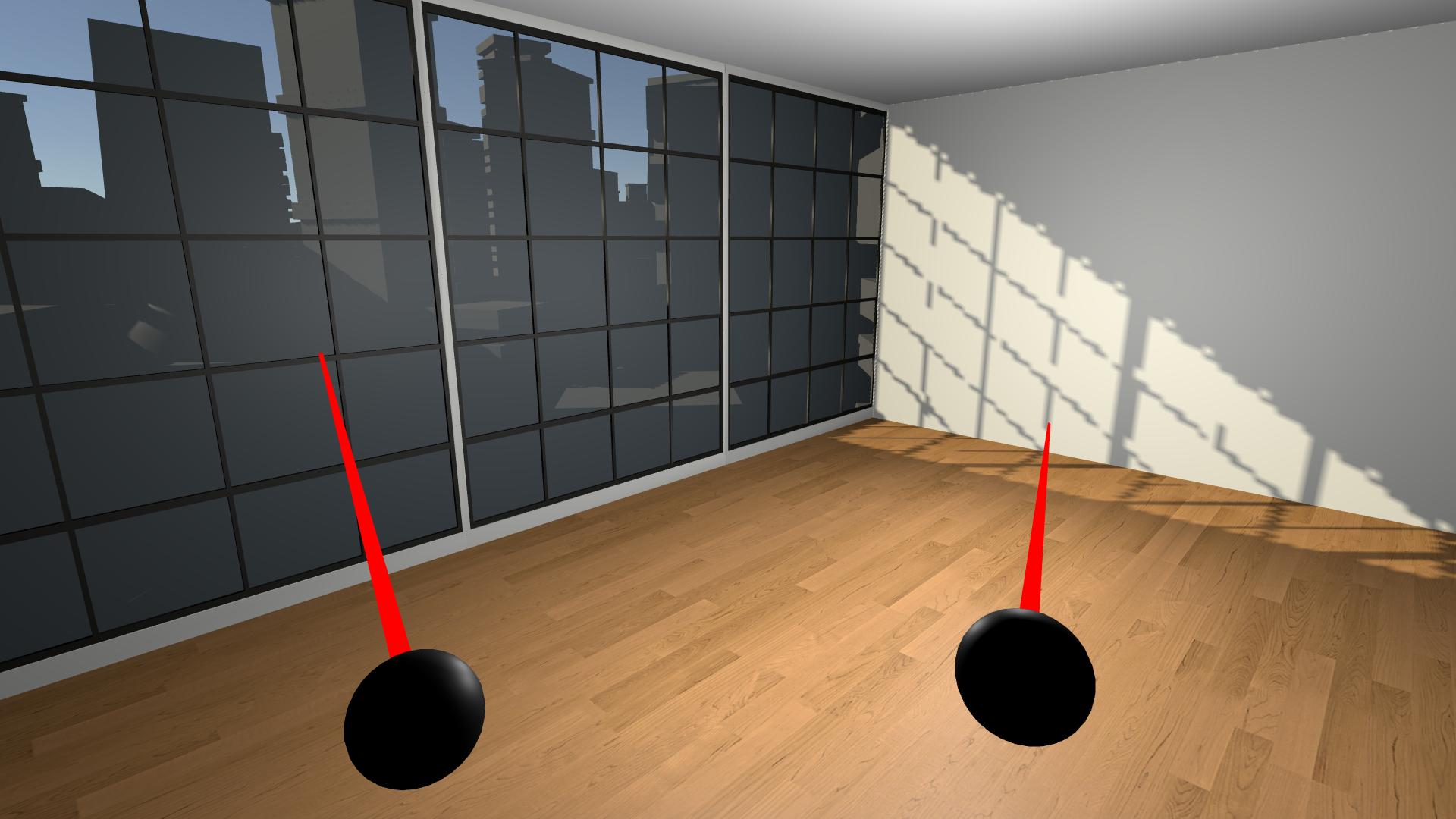
Unity Learn
By the end of this lesson, you will have a new Unity project with a big empty room that you will experience in VR. This unit is part of the Create with VR course.
I didn't get the expected results
When I run it, all I see is my laptop
astral sluice
Ah I forgot to activate developer mode
Well that shouldn't take too lo-
astral sluice
Well I did do that but it still doesn't work ig
Quest 2 does show up on my supported devices in the Android build settings tho ig
Ok now it works in the build, wahoo
mellow pier
Hello, has someone here used the vive pro 2 with hand tracking and can tell me about their experience with it?
is it good? does it have flaws and limits?
buoyant jolt
stoic olive
anyone know anything that can fix lag? I load up my game and i run 70 fps then a...
Probably overheating, you may need to profile the scene and check the batch counts, real-time lights, poly counts etc
hollow moss
How do i get rid of these sticks? theyre stuck there with the hands model
 hollow moss
nvm fixed it.
i used complete xr origin prefab.. maybe i should stop using it
im not able to find those stick models though. i still dont know how to remove them, other than just not using complete xr origin
it was in the poke interactor..
genuinely wtf unity. if anyone goes through the same problem, delete this to remove it

will anyone even go through the same problem anyway lol
buoyant jolt
hollow moss
will anyone even go through the same problem anyway lol
Probably not. With a VR headset those are attached to the controllers and used to poke things. I replaced mine with a cute hand on a stick model, but you can just turn that renderer off. There are bigger issues with the openxr hands integration IMHO that needs fixing. But it's a start.
 tawdry sand
XRSocketInteractor has an option to enable hover snapping, but it also forces a snap radius. Is there any way to let it use the colliders bounds instead, so that when an interactable enters the socket's bounds, it snaps?
tawdry sand
Please ping me if anyone has a solution
buoyant jolt
tawdry sand
XRSocketInteractor has an option to enable hover snapping, but it also forces a ...
Couldn't you set the radius to 0 in that case?
But you could write something quickly to convert the bounds distance to the radius. We don't use their built in snapping etc as it is usually pretty rudimentary and needs a lot of love to be usable in a commercial project.
tawdry sand
buoyant jolt
Couldn't you set the radius to 0 in that case?
Doing that disables the snapping entirely
tawdry sand
buoyant jolt
But you could write something quickly to convert the bounds distance to the radi...
I'm using a box collider, so radius doesn't translate properly
I tried coding up my own snapping functionality, but it is very complicated for a beginner like me to do
Only could make it snap, could not make it grabbable again
buoyant jolt
tawdry sand
I tried coding up my own snapping functionality, but it is very complicated for ...
Totally fair, it is not an easy undertaking
untold grail
Hey, so happy update! I finally got the gesture locomotion working! 🎉
Not sure if we're supposed to post full code here, but I essentially created a "pose dector" script, with a rigid body (set to the player's), a "locomotionTrigger" (ActiveStateSelector), and a cameraTransform object. I then made a bool for "isMoving", which would trigger upon the gesture being selected or unselected. I then made a fixed update where if "isMoving" is true, then it moves the player in the direction the camera is facing, using this:
Vector3 moveDirection = cameraTransform.forward;
rb.velocity = moveDirection * movementSpeed;
Probably not the most perfect or elegant solution, but so far, the movement is surprisingly smooth and fun! Hope this helps if anyone else was stuck on this.
dull lake
Anyone familiar with photogrammetry and how feasible it is for me to use it for my VR project?
buoyant jolt
dull lake
Anyone familiar with photogrammetry and how feasible it is for me to use it for ...
It's fine, there isn't much too it. I think I answered it better in the other channel though
dull lake
buoyant jolt
It's fine, there isn't much too it. I think I answered it better in the other c...
Tyyy
buoyant jolt
Very interesting:
https://forum.unity.com/threads/composition-layers-experimental-package-is-now-available.1551029/
Unity Forum
We’re thrilled to announce the experimental launch of the Composition Layers Package! Composition Layers are designed to significantly enhance the...
narrow briar
stoic olive
anyone know anything that can fix lag? I load up my game and i run 70 fps then a...
couple seconds sound like nullrefs all over the place or particles not dying. need more details like hardware, screenshot, profiler screen cap
 visual junco
Hey,. I've got a question for ya. If I wanna make a VR game and I wanna code it. Shall I learn to code in in general and then learn how to code VR games or just already learn how to code VR games
frank oasis
visual junco
Hey,. I've got a question for ya. If I wanna make a VR game and I wanna code it....
Imo it will be a lot less stressful if you learn how to code generally and then focus on vr stuff
Otherwise it can be quite scary fixing vr errors without a clue how to
visual junco
frank oasis
Imo it will be a lot less stressful if you learn how to code generally and then ...
Haha, thanks. I'm already learning then how to code generally then I'll move to vr
visual junco
frank oasis
Imo it will be a lot less stressful if you learn how to code generally and then ...
So I'm guessing you know how to code vr games to a certain level
Or at least know what your doing
scenic scroll
Well unless you're just using a framework and only working within that framework then you'll need to write code