#🥽┃virtual-reality
1 messages · Page 16 of 1
 modern ginkgo
 strong panther
Hi guys i have a problem. In my build when i take the oculus off (therefore it goes in stand by) and then i put it back on, the player's transform is reset (thus the player goes to the initial position and the camera is re-oriented). It might be because the player does not have the character controller? I am using the XR toolkit for my player
 crude frost
thank you. this looks super helpful
crude frost
I'm looking at the mr-example-meta-openxr sample. works on build. yay. Is there a 'must have' checklist somewhere, that says which components you need to enable the AR session?
I'm just going to create a new scene, and 'guess'. And slowly add pieces from the sample until it 'works'. But, would be nice if somewhere there was a 'must have' list to just 'enable' MR on a meta device.
 keen sequoia
modern ginkgo
i'm getting a weird issue with webrtc in 22.3.11f1. when i try and add it to my ...
keen sequoia
modern ginkgo
i'm getting a weird issue with webrtc in 22.3.11f1. when i try and add it to my ...
what's your objective?
 rapid pumice
Hi everyone, I'm currently in the process of releasing a tethered version of a VR application. It is kinda resource intensive and needs a decent pc to run. I was searching up online about determining the pc requirements for a VR software that I can include with the release. Does anyone have any suggestions/advice how to go about this? Much appreciated!
 pine bison
rapid pumice
Hi everyone, I'm currently in the process of releasing a tethered version of a V...
pine bison
rapid pumice
Hi everyone, I'm currently in the process of releasing a tethered version of a V...
Check the requirements of some VR titles on Steam
 solemn holly
Hi, I have a problem with unity, where I have an inverse kinematic "two bones" constraint to animate vr arms. But the problem is that these arms are not long enough without animating the shoulder too, and there is no constraint that animates 3 bones. So I put a multi rotation constraint on the shoulder to animate it. But the problem is that now the two bones constraint is misaligned and does not take into account the rotation...

As you can see after rotating the shoulder the two bones constraint does not track correctly, it did not take the rotation into account
What can I do?
 rich cedar
solemn holly
As you can see after rotating the shoulder the two bones constraint does not tra...
rich cedar
solemn holly
As you can see after rotating the shoulder the two bones constraint does not tra...
I had the same issue with the shoulder stuff, my solution was to just use the chain ik constraint. It doesnt have a hint option but it works okay
solemn holly
is that really ok? without the hint I fear the arm will bend incorrectly
I hoped there was maybe a way to chain several constrains
strong panther
I am building my game for Quest 3 and i am finding the audio with a lot of high end frequencies and generally a bit tinny. Is anyone else experiencing this?
solemn holly
So, any other people having experienced the same problem or knowing what to do about the two bones constraint?
Or is it impossible to chain constraints on the same branch?
 manic dock
Hello people 🙋♂️
Does someone have some news about the EarlyUpdate.XRUpdate taking up huge chunks of ressources ?
I found this https://issuetracker.unity3d.com/issues/xr-sdk-oculus-earlyupdate-dot-xrupdate-spikes-inconsistently?page=3#comments
And this https://forum.unity.com/threads/earlyupdate-xrupdate-taking-about-75-of-main-thread-cpu-time-is-this-normal.920234/
But I haven't seen people mention 2022 lts is still impacted. I got between 9 and 12ms chewed away in my URP project dev builds. I also tried UltimateXR demo scene, it takes around 16ms in editor. Another simple project on 2021 builtin takes 4ms in editor, wich already feels like a lot.
I'm uploading a bug report right now but was wondering if some other people found some workaround or more information on the source of this issue.
I'm on PCVR using Quest 2 & 3 and airlink. Will try with OpenVR and virtual desktop soon.

Unity Forum
For the past couple months I've been having a very weird issue with the XR Plugin Management (3.2.10) when using the Oculus XR Plugin (1.3.4) in...
Reproduction steps: 1. Open the attached project ("1262597Repro.zip") 2. Open "SampleScene" scene 3. Make sure Scene and Game window...
manic dock
strong panther
I am building my game for Quest 3 and i am finding the audio with a lot of high ...
I just built a previous Quest 2 project on Quest 3 and nop, no audio issue here. Sounds exactly like on Q2 without any modifications.
Have you checked your import settings for the audio files ?
Here's what I use :

 fossil oak
how could i get unitys slider to work with vr input
 north path
fossil oak
how could i get unitys slider to work with vr input
north path
fossil oak
how could i get unitys slider to work with vr input
Check the XR IT sample
solemn holly
I have another problem with two bones ik though, for the arms it works ok but for the legs they bend in the wrong direction, and when I move the hint on the other side, it rotates them instead of just bending in the direction, twisting my mesh in the process....
solemn holly
I tried rotating the bones in blender, but that shi**y hint always place on the wrong side...
 storm ether
Idk what to do

 lone egret
Working in Unity XR. I have a wrench with the XR Grab Interactable working. What's the best way to check for it colliding with another object while held? OnCollisionEnter only seems to work once I drop the wrench.
lone egret
lone egret
Working in Unity XR. I have a wrench with the XR Grab Interactable working. What...
OK, and setting a Trigger for the points of contact I want to check and then OnTriggerEnter works.

 solemn holly
Anybody about my two bones ik problem? it rotates the bones instead of positionning them correctly when I move the hint to the other side
strong panther
manic dock
Have you checked your import settings for the audio files ?
I am using fmod. It might be why 😦. I have remix everything adding more low ends frequencies to balance it
pine bison
 hardy root
can i get help when ever i build my game this happens
hardy root
can i get help when ever i build my game this happens
Look up the first error on google
 bold pasture
Hi, I have a Quest 3 and I have passtrhough working. Is there any way yet to make it so the LIDAR from the Quest3 i sued for the depth buffer of the pass trhough?
I want people to be visible on top of my 3d objects ( albeit curedely cut out of course due to poor resolution of the LIDAR depth sensing )
 tiny niche
bold pasture
Hi, I have a Quest 3 and I have passtrhough working. Is there any way yet to mak...
tiny niche
bold pasture
Hi, I have a Quest 3 and I have passtrhough working. Is there any way yet to mak...
not yet
 sick moat
Sphere colliders broke my movement what do I do
bold pasture
Thanks Ragath
 steel jacinth
can someone provide help for vrechat avatar upload ? i dont understand the errors im getting

 thorny lynx
Hey is this normal? doing my first VR project and when I rig position value is different from 0 it offsets it and it is not nice to edit/move player around.
First image is pos value is 0,0,0 and second image is 0,200,0.
so is this normal and if not, how can I fix this?


 autumn pewter
Hi Everyone, whenever I turn on the side quest, the audio is disabled in my quest pro? How can I fix this?
 shell pivot
can i add hdrp water sim to my scene for a vr game? read that vr headsets could only render upto 80k polygons
tiny niche
shell pivot
can i add hdrp water sim to my scene for a vr game? read that vr headsets could ...
sure, but its probably not going to look good out of the box
shell pivot
u worked on fused vr mate?
tiny niche
thorny lynx
Hey is this normal? doing my first VR project and when I rig position value is d...
make sure you never move anything inside the root of the rig
tiny niche
shell pivot
u worked on fused vr mate?
no
thorny lynx
tiny niche
make sure you never move anything inside the root of the rig
But there has to be for the and right and camera? This never happened to when I was working for pc build only.
tiny niche
thorny lynx
But there has to be for the and right and camera? This never happened to when I...
what? just use the rig prefab they provide and you should be good to go
 dry fractal
How can I forcibly remove the activated state from an interactable? I'm using a teleport anchor and it's stuck in the activated state after teleporting to it
autumn pewter
Hello, can we upload any file from our PC to the virtual reality application?
thorny lynx
tiny niche
what? just use the rig prefab they provide and you should be good to go
that what I did.. while posting this I realised my tool handle position was at center not at pivot..
hardy root
pine bison
Look up the first error on google
i already realized it before im sorry i forgot to put my glasses on i thought it was something else.
storm ether
Can updating the firmware on my Quest 2 break my Unity Project, which was built using an older version of Oculus Integration SDK?
north path
storm ether
Can updating the firmware on my Quest 2 break my Unity Project, which was built ...
Technically possible, yes
Likely to happen, no
 red latch
Anyone tries to setup the oculus integration sdk with the sample scene setup
Such as virtual furniture demo scene
For quest3
Because I followed all steps from scratch 2 times. The scenes work when starting it from the unity editor using quest link. When I build it, It doesn't work properly
tiny niche
storm ether
Can updating the firmware on my Quest 2 break my Unity Project, which was built ...
well if that broke the project, then the project was already broken and you just didn't know it yet
 tulip cliff
my friend has a steamvr unity app in overlay mode but cant find any way to cap the fps, unity docs its handled by the sdk but thers nothing in the steamvr sdk for that, any ideas?
 uneven moon
can someone help me with this fix lol like how do i make it work https://forum.unity.com/threads/manual-openxr-load-with-unity-input-system-not-working.1075966/#post-6951287
Unity Forum
I have a 2020.3 project and I have Initialize XR on Startup in Project Settings set to false because I want to manually start VR. Then, in my input...
 idle sinew
Is anyone else experiencing them facing the wrong direction when the game starts in the Quest 2 & 3? In Unity test play and when I build an exe file on the PC, I spawn facing the intended direction I placed in the scene. But when I make the apk, install it, and open the app in the Quest 2 & 3, I'm facing a different direction. Even more weird, is that I face a different direction in the Quest 2 than the Quest 3.
modern ginkgo
is anyone having issues with the quest 3 controllers not tracking position in the unity editor via quest link?
 gray radish
with OpenXR does anyone know how to do "mirror"/desktop only HUD or UI?
idle sinew
idle sinew
Is anyone else experiencing them facing the wrong direction when the game starts...
So I got my issue to work by just switching from OpenXR to Oculus if anyone else has been dealing with my issue:

 atomic karma
how could I go about making a script that switches visibility between two objects on an xr grab interactable when I pull the trigger?
storm ether
Does anyone know how to make a ridgid body's gravity only turn on once the player interacts with the object. (XR GRAB INTERACTABLE)
 patent mural
storm ether
Can updating the firmware on my Quest 2 break my Unity Project, which was built ...
patent mural
storm ether
Can updating the firmware on my Quest 2 break my Unity Project, which was built ...
You don’t actually require the oculus intervention all it is used for mainly is for a store compatible manifest very few use it for anything else, but likely it won’t do anything.
storm ether
Yea it wont do anything. Its kinda the reverse for me but I was still on v48 till super recently and I used the newest version so it should work
 buoyant jolt
atomic karma
how could I go about making a script that switches visibility between two object...
buoyant jolt
atomic karma
how could I go about making a script that switches visibility between two object...
I think you already answered your own question 😄 on the press event, toggle between thr objects
buoyant jolt
idle sinew
Is anyone else experiencing them facing the wrong direction when the game starts...
No it's consistent here for me using UnityXR for the vive, Q2 and Q3
atomic karma
buoyant jolt
I think you already answered your own question 😄 on the press event, toggle bet...
I just know nothing about scripting lol 😂
 compact gazelle
Hi guys i am having problems with my headset,this is the thread,can you help me? https://forum.unity.com/threads/ar-not-working-properly.1509026/
Unity Forum
Hi,i am using AR with Open XR to implement AR in my game,the problem is that that require solid color in the camera setting,i set it up but when i...
buoyant jolt
Just as a heads up to anyone, this /\ was duplicate posted in other channels, so getting help elsewhere.
 high bison
hello. I cant find out, how to solve this problem. Maybe i just overthinking it. I need to create the controller hand models wont go under one collider (plane). Doesnt anyone know how to solve it? I tried many solutions, but one of them changed the actual position of center of the model from the center of the controller. Ah i dont know >.<
storm ether
Can anyone tell me how to get started with making it so when you place like for example a rope on a hook it changes prefabs to be like extended and not bundled up. Basically I want it so when it enters a box collider it changes prefabs and uses a socket interaction so it stays in place and the player knows where to put it. XR or VR
buoyant jolt
storm ether
Can anyone tell me how to get started with making it so when you place like for ...
This one is more complex than it seems at first. There are a lot of ways to do this, including rope physics etc. I'd start small and work your way up
buoyant jolt
high bison
hello. I cant find out, how to solve this problem. Maybe i just overthinking it....
Thats how it has to work, in order to not follow the hand, it needs to stick somewhere. Usually you'll use a joint or something else physics based to try and return it to its default location once it's unblocked, if that makes sense. There are also assets that can do this for you if you need too
storm ether
buoyant jolt
This one is more complex than it seems at first. There are a lot of ways to do ...
Ok so how do you think I should approach this
I don’t really care about the rope swinging
I am just making it so the player can climb down
high bison
buoyant jolt
Thats how it has to work, in order to not follow the hand, it needs to stick som...
oh make sense. I forgot to implement the restore the position. Thank you.
storm ether
patent mural
You don’t actually require the oculus intervention all it is used for mainly is ...
I see,
I am trying to bone ids from hand tracking in quest 2 using OVR Skeleton script, it is not behaving as expected,
I am trying fetch left hand data and it is giving me body tracking mixed with some left hand data
it worked fine until the last firmware update on my quest
buoyant jolt
storm ether
Ok so how do you think I should approach this
There are a few ways, I have made my own rope physics things for VR projects in the past. But if you don't care about any of that, just disable the scrunched up mesh, and then create a straight line mesh. I do mine programmatically but you could get by with just a cube. You also could create something with a rig and joints to make it look like a rope. But yeah, I'd just create a thin mesh between two points personally
I have a MeshLineRenderer I made that I should post up on the app store at some point
storm ether
Ok
I’ll figure that out
I don’t understand that because I’m like only a few months into unity
 orchid jolt
If you don’t have 1+ years of experience In Unity outside of VR development then I wouldn’t make a VR game until you have 1+ years of experience in unity
Trust me on this one
crude frost
Greetings friends! On a Unity Build, I'm using XR Rig. In editor everything is crystal clear. On quest 2 build, gameobjects close to me are super clear, and gameobjects farther away are not (this makes perfect sense). Is there a way to make it to where gameobjects in the center of my view are clear, regardless of distance in game? And instead make gameobjects less clear as they get further outside the center of my view?
tiny niche
storm ether
I don’t understand that because I’m like only a few months into unity
Learn the basics first, much faster to iterate on a game made for monitors
 young sedge
sorry if this is a faq or if i'm looking in the wrong places, but I've connected my headset to my pc and started to run it, but it only runs in the game view and not in my actual headset. in short, playtest doesn't work in my VR :/
tiny niche
young sedge
sorry if this is a faq or if i'm looking in the wrong places, but I've connected...
first, make sure you're able to run other vr games through steam. It's quite posible its your machine that's not configured correctly and the game itself is working fine
if your machine is not the issue, then try the vr template since its set up correctly out of the box
storm ether
Why does it go down
high bison
i have a problem. I need to calibrate the game. Oculus Quest 2 always change to rotation of view (i know i can refresh it) but i want to do it by software. I have problem, when the user put down the HMD and then put it on again. The calibration resets to start. Doesnt anyone know how to find out, if the user put down the HMD/ put it on again?
high bison
oh i got it. 😅 no need a help anymore
tiny niche
high bison
i have a problem. I need to calibrate the game. Oculus Quest 2 always change to ...
sounds like you're using the wrong tracking method. it should be stage-scale or whatever they called it
 outer thorn
Hello, Anyone using Two-stage trigger for the meta quest 3 ?
Is it supported jet
storm ether
I'm doing a VR project right now but have an issue with the XR Ray Interactor, I'm using a straight line but when I first hold the button and the ray is on a valid target it will snap the line to it however I don't want it to snap, I can't seem to find a way to disable this, any solutions? Thank you
solemn holly
I'm making a full body tracking in VR, but I have a problem with the arms. I am using "ik two bone" for the arms, but when the wrist rotate I always get this 'collapse' at the wrist, and when fully rotated is does a wrap. I tried adding a twist bone, but I still get a collapse effect. I then used corrective shape keys, but now the problem is that when the wrist is fully rotated, i get a 'jump' effect from 180 degree and -180 degree.
How do you usually deal with this kind of problem?
 silver depot
Anyone into 3d printing? I'm looking for feedback on a controller I'm designing called the XR Pistol: https://youtu.be/XymXIYupF2w
 tiny niche
silver depot
Anyone into 3d printing? I'm looking for feedback on a controller I'm designing ...
tiny niche
silver depot
Anyone into 3d printing? I'm looking for feedback on a controller I'm designing ...
i'd be a bit worried that its going to end up very front-heavy and if the printed part breaks, its going to go off at fairly high velocity
silver depot
using a weighted magazine in the back, and once the weight of the slide is on, it feels similar to a subcompact pistol in weight
 severe salmon
So my friends, I want to work with the Qest3 depth texture. Is there a mechanism to pass arbitrary data through Virtual Desktop?
fossil oak
How could I get input from the vr controllers because InputSystem.FindControl("<XRController>"); finds the XRSimulatedController which is for the XRDeviceSimulator which needs to be turned off when built and doesn't work with VR
and InputHelpers only seems to work with the DeviceBasedController
 willow cloud
fossil oak
How could I get input from the vr controllers because InputSystem.FindControl("<...
willow cloud
fossil oak
How could I get input from the vr controllers because InputSystem.FindControl("<...
Hmm.. So do you mean your controllers won’t show in game or that you’re trying to receive controller input for scripts? (e.g b = jump, thumbstick = move)
willow cloud
severe salmon
So my friends, I want to work with the Qest3 depth texture. Is there a mechanism...
dude.
just use cx file explorer
willow cloud
compact gazelle
Hi guys i am having problems with my headset,this is the thread,can you help me?...
AR isn’t VR. That’s a start
fossil oak
willow cloud
Hmm.. So do you mean your controllers won’t show in game or that you’re trying t...
input for scripts
willow cloud
fossil oak
input for scripts
Heres an old example script. It makes the player jump when the B button is pressed, and jumps in the direction of the head. Use parts of this script if you want.
using UnityEngine;

public class Movement : MonoBehaviour
{
    public Rigidbody rb;
    public Transform cameraTransform;
    public float jumpForce = 50f;

    private bool canJump = true;

    private void Start()
    {
        rb = GetComponent<Rigidbody>();
    }

    private void Update()
    {
        if (canJump && Input.GetKeyDown(KeyCode.JoystickButton0))
        {
            Vector3 jumpDirection = cameraTransform.up;
            rb.AddForce(jumpDirection * jumpForce, ForceMode.Impulse);
            canJump = false;
        }
    }

    private void FixedUpdate()
    {
        rb.AddForce(Physics.gravity, ForceMode.Acceleration);
    }

    private void OnTriggerEnter(Collider other)
    {
        if (other.CompareTag("Ground"))
        {
            canJump = true;
        }
    }
}
Oculus Quest 2, yeah
fossil oak
alright
willow cloud
And that concludes my assistance for you.
compact gazelle
I didn’t want to be offensive
It was ironic
Anyway I solved the bug
I am sorry if you felt attacked,I deleted the comment
willow cloud
compact gazelle
I am sorry if you felt attacked,I deleted the comment
I don’t feel attacked at all, it’s just I’m not allowed to assist people who act like that (btw I said it because this is #🥽┃virtual-reality and you brought up #🤯┃augmented-reality)
compact gazelle
willow cloud
I don’t feel attacked at all, it’s just I’m not allowed to assist people who act...
Ahhhh,i didnt see this was VR chat,on my view you were like “this idiot knows the difference from AR to VR,it is a start from solving the problem”
Anyway I deleted the comment and solved the problem
willow cloud
compact gazelle
Ahhhh,i didnt see this was VR chat,on my view you were like “this idiot knows th...
Yeah, I saw the misconception and I didn’t know if you though ar and vr were the same thing or you were in the wrong channel.
compact gazelle
I know it very well,I just posted my problem in this channel cause in the AR channel nobody answered me
 daring drum
I am trying to make climbing physics like the app lab game Tunnels on oculus quest 2 but i cant seem to get it. Videos tell me to use XR Direct Climb Interactions but i dont have those. Does anyone know how to solve this issue? Or get the XR Direct Climb Interactions????
high bison
hello. Im using XR interaction and XR origin (controllers come with script with tracking). But now im straggling about physics. I want to make: hand cant go under table, just stay on the surface) but dont know how to make it with this. Never did physics neither. (Only this, it can go through other objects) i hope anyone can help me with it  i tried used colliders, but i cant stop the hands. Controllers are still tracked. Onl i can stop models but it would not looks good (not seeing some movement)
north path
daring drum
I am trying to make climbing physics like the app lab game Tunnels on oculus que...
Install xr Interaction Toolkit?
And update unity if you're on an old one so it downloads everything to the latest version.
Otherwise you can change the version of XRIT in the package manifest as well
north path
high bison
hello. Im using XR interaction and XR origin (controllers come with script with ...
On YouTube look for 'vr physics hands unity' and take a look
daring drum
north path
Install xr Interaction Toolkit?
And update unity if you're on an old one so it d...
What’s the new Unity version?
north path
Latest 2022.3 lts is probably best?
north path
daring drum
<@512275182228865024> should I get 2023? Or 2022
As I said 2022.3LTS
2023 might have new features, but also more issues. So I don't recommend it if you aren't super comfortable in Unity yet
daring drum
Oh sorry. THANKS!
daring drum
@north path how do I get the climbing interactions now?
north path
I'm not too sure, you said there was a script, and if it was a Unity guide it most likely was using XR IT
Did you already check other guides?
daring drum
Ya the XR Direct Climb interactor comes in the XR Interactions toolkit but I updated Unity and it’s not there
I cant get it in my project tho.
Does anyone know how I can get it in my project? Is there a way to update the XR Interaction Toolkit
daring drum
@north path Im sorry for bothering you but again nothing seems to be working. Do you know anything i could do that can possibly make it work?
north path
I mostly use VR Interaction Framework, so no. Follow guides and ask specific questions about where you get stuck
north path
VR Interaction Framework is a VR framework that has it built in
daring drum
Where can i find VR Interaction Framework?
north path
But just look for "xr interaction toolkit climbing" on YouTube and you get a ton of guides for free
north path
daring drum
Where can i find VR Interaction Framework?
Asset store. That's something you can google (;
daring drum
All i want is climbinb gut every tutorial says i need the climbing interaction.
Climbing but*
orchid jolt
Hey so I’m making a game and I want objects to have weight and good physics. The problem I am running into is that when I use velocity tracking on the XR grab intractable it’s very buggy and jittery and over all and not very good. So I’m wondering if there are settings I need to change or if there is something else I can do to get grabable objects to have weight and good physics. Thanks.
daring drum
Can someone fix this code: using UnityEngine;
using UnityEngine.XR.Interaction.Toolkit;
/// <summary>
/// Responsible for getting the velocity container from the controller to the climbing provider so it can be processed.
/// </summary>
public class ClimbAnchor : XRBaseInteractable
{
[SerializeField] private ClimbingProvider climbingProvider;
protected override void Awake()
{
    base.Awake();
    FindClimbingProvider();
}

private void FindClimbingProvider()
{
    if (!climbingProvider)
        climbingProvider = FindObjectOfType<climbingProvider>();
}

protected override void OnSelectEntered(SelectEnterEventArgs args)
{
    base.OnSelectEntered(args);
    TryAdd(args.interactorObject);
}

private void TryAdd(IXRSelectInteractor interactor)
{
    if (interactor.transform.TryGetComponent(out VelocityContainer container))
        climbingProvider.AddProvider(container);
}

protected override void OnSelectExited(SelectExitEventArgs args)
{
    base.OnSelectExited(args);
    TryRemove(args.interactorObject);
}

private void TryRemove(IXRSelectInteractor interactor)
{
    if (interactor.transform.TryGetComponent(out VelocityContainer))
        climbingProvider.RemoveProvider(container);
}

public override bool IsHoverableBy(IXRHoverInteractor interactor)
{
    return base.IsHoverableBy(interactor) && interactor is XRDirectInteractor;
}

public override bool IsSelectableBy(IXRSelectInteractor interactor)
{
    return base.IsSelectableBy(interactor) && interactor is XRDirectInteractor;
}
}
daring drum
daring drum
Can someone fix this code: using UnityEngine;
using UnityEngine.XR.Interaction.T...
It says "The name 'container' does not exist. and 'VelocityContainer' is a type but is used as a variable. AND "The type or namespace name 'climbingProvider' could not be found.
Can someone help me fix this?
high bison
north path
On YouTube look for 'vr physics hands unity' and take a look
i tried many of them, but they feel so weird. Rotation is off and feel so unrealistic. It is better to have model as child of controller, but i cant do physics as that >.<
young sedge
i hate to be one of those little kids, but i'm making a gorilla tag inspired game and i can't get the rigging right. I put my model into the rig and everything is working fine, except my in-game hands stopped tracking with my controllers. not totally sure what to screenshot so ill give what I can. if anything extra is needed just lmk
 daring drum
Can someone help me make crouching in vr?
 north path
high bison
i tried many of them, but they feel so weird. Rotation is off and feel so unreal...
north path
high bison
i tried many of them, but they feel so weird. Rotation is off and feel so unreal...
You can't both have physics and also have the controller exactly where the hand is?
There are different solutions available, but you need to make it to fit your game. I've just used the VR IF physics hands, not with XR IT
north path
 untold minnow
what to download for a mobile vr app
untold minnow
what to download for a mobile vr app
Not sure where this is, but download Unity via Unity hub and then select the android module and both submodules.
That is for meta/pico/vive
All headsets have setup guides, so look for that
 long fern
Hello, trying to make a game where you are using tools like wrenches. I want that tool to snap to screws when they are close enough etc. I am using XRI for now, do you know if there is component to do that or maybe I need additional packages?
untold minnow
I tried the google cardboard hello app scene in unity, then exported it to android, it works as intended, but not shure why gear icon and cross button not working?
 north path
That's what you want with UI that is stuck to the headset, right?
Otherwise make the UI world space and don't child it to the camera
north path
long fern
Hello, trying to make a game where you are using tools like wrenches. I want tha...
Probably code it yourself. Detect collision between the wrench and nut and if the angle is proper you can rotate the wrench. There are countless of ways to implement this
Send a screenshot of the canvas gameobject inspector and the hierarchy
 worthy stream
I got fixed it.
 main quarry
Hi. I'm trying to build for Pico 4
high bison
north path
You can't both have physics and also have the controller exactly where the hand ...
i dont know, what you meant. I trying to have very precious and real feeling hands in game. When i used their methods. The computing of position and rotation of models were so slow, i see hand has delay.
Thats why i think its better to have models connected as child to controllers. But now i dont know how to create the physics. Only i need to create one physic and it is:"hand model have same behavior as real when i lay them on table"
north path
Then modify code and variables. Or make a detection for collision. If no collider is within a radius you set the position directly, if something is close you use a more responsive physics hands.
Stuff needs to change per project. Amd that can be complex. If you want to release your project I would focus on 'good enough' for complex things like this, and then when everything else is finished try again or pay someone to do so
You cannot child the model to the hand, because that's the whole issue with the hand passing through objects haha
That's the thing you need to get away from when going to physics based hands.
You can increase forces/velocity/etc to make the hands more responsive
north path
main quarry
Hi. I'm trying to build for Pico 4
Nice, pico 4 development is actually pretty smooth for me👌
main quarry
north path
Nice, pico 4 development is actually pretty smooth for me👌
really??
my Pico developer center doesnt' screen cast
north path
Yeah, both with openxr or the pico sdk most of it just worked when following documentation
main quarry
i spent 4 hours to find out that my build version was too high for pico4
high bison
north path
You cannot child the model to the hand, because that's the whole issue with the ...
yea.... Thats a problem 😅 i do understand that. Its little bit frustrating, but im novice in physics and VR. So it gonna take a time to understand that.
north path
main quarry
my Pico developer center doesnt' screen cast
Owh I just iterate via pico link and then test builds locally.
Haven't needed to use the dev center much
north path
main quarry
i spent 4 hours to find out that my build version was too high for pico4
That's right in the setup guide in the docs. Android build errors are lacking in general
main quarry
I'm using OpenXR
north path
high bison
yea.... Thats a problem 😅 i do understand that. Its little bit frustrating, bu...
Very much understandable
It also took me a while to learn how it works. But there are many different Solutions (which is nice, but also makes it hard to get into)
main quarry
have to use steamvr for link
north path
main quarry
I'm using OpenXR
Then some pico specific features might not work yeah
main quarry
link thorugh their streaming kit doesn't work well
north path
Fair, if you have a router close by virtual desktop is also amazing to work with. Better than the pico link app for a lot
main quarry
now I can finally have an apk installable. but crash just after launch
maybe the problem was with an oculus dll that i left in the build

this is the logcat when launching
what do you think?
It could still be a version error? i have target=32, min=29
main quarry
north path
Nice, pico 4 development is actually pretty smooth for me👌
anyway I like pico4 device more than oculus quest2.
easier to put on and off
the lenses fog up less
the XR boundary seems more stable.
the env is more android like
but for developer I feels lack of support/tools
north path
main quarry
maybe the problem was with an oculus dll that i left in the build
The error says the error originates in qualitymanager, which probably is your script. You gotta manage which plugin is enabled and only call features that are available
north path
main quarry
It could still be a version error? i have target=32, min=29
Put target on auto. I think 29 minimum could work?
Just check the startup guide for pico lmao
main quarry
north path
The error says the error originates in qualitymanager, which probably is your sc...
fixed! it was a leftover with oculus auth
now i have my first app standalone in pico4
north path
main quarry
anyway I like pico4 device more than oculus quest2.
easier to put on and off
the...
Their dev tools are a bit slower yeah. But it's getting there and they respond to dev emails, which is something meta doesn't really do I feel like
main quarry
can u help me to setup the stream to PC of it?
north path
Use virtual desktop or get pico link working
But are steamvr, so just check openXR for desktop platform and add quest 2 (and if there pico) controller profiles
main quarry
north path
Use virtual desktop or get pico link working
But are steamvr, so just check open...
I miss the part with steamvr.
using steamvr is it possible to cast screen while playing standalone games?
north path
main quarry
I miss the part with steamvr.
using steamvr is it possible to cast screen while ...
What do you mean with screen cast while playing standalone?
You test on PC, not standalone
Then to test performance etc you test on standalone
main quarry
I want to share the screen while playing standalone
 molten falcon
I have a problem with my build. Context:
Building to Meta Quest Pro; Unity 2022.3.9f; Using OpenXR; Using Vulcan;
For some reason and without any significant changes my build suddenly started run into some serious issues realted to the OpenXR.so. I have reverted the recent changes but it doesn't seem to help. I have restarted the headsets.
Any advice would be much appreciated:
This is the output from the MetaQustDeveloperHub:
lines that look sus:
Failed to load native plugin: Unable to lookup library path for '_burst_0_0'.
the actual crash:
20:25:16.839
Unity
InitializeOrResetSwapChain 3648x1920 hdr=0 samples=0
20:25:17.249
CRASH
pid: 23585, tid: 23616, name: UnityMain >>> com.farlab.com.farlab.StrangeLand <<<
20:25:17.249
CRASH
#06 pc 00000000000e75f8 /data/app/~~aWyzgWF6Y576clx3vvHgyw==/com.farlab.com.farlab.StrangeLand-VoJASyQ_uHXLK_F5GwHT-g==/lib/arm64/libUnityOpenXR.so
Maybe do it via your browser and the regular pico screen share?
main quarry
north path
Maybe do it via your browser and the regular pico screen share?
it doesn't work. inside the pico I go in screen cast > browser. and no ip appear
north path
main quarry
it doesn't work. inside the pico I go in screen cast > browser. and no ip appear
Then ask on the pico discord
north path
molten falcon
I have a problem with my build. Context:
Building to Meta Quest Pro; Unity 2022....
Update to 2022.3.12 and update OpenXR?
Worth a shot.
Also disable HDR in the URP asset.
Make sure you use linear color space (aka make sure the setup guide for quest development is followed)
 scarlet tree
Okay, So I have an issue with the OpenXR package and it's integration with an XR platform I am not allowed to divulge due to NDA/Developer agreement. It's trying to load Unity Analytics events, which is not supported on said platform. Now, the workaround would be extremely simply, just adding an #if statement to check for the platform in OpenXRAnalytics.cs... But the package is immutable. How do I fix this?
north path
scarlet tree
Okay, So I have an issue with the OpenXR package and it's integration with an XR...
Copy the package to your packages folder instead of cache and then unity will use that version
scarlet tree
so, copy the com.unity.xr.openxr@1.8.2 folder out of Library/PackageCache and paste it into projectfolder/Packages?
Got it, that worked! Thankyou so much @north path
 verbal sentinel
Messing a bit with Mixed reality on the MQ3, any idea how to add shadow (on floor and walls) to the objects?
north path
verbal sentinel
Messing a bit with Mixed reality on the MQ3, any idea how to add shadow (on floo...
I have a free (only directional light) and paid (soft shadows + cascades + additional lights) solution for that on the asset store
https://assetstore.unity.com/publishers/57030

I try to make easy to use tools that are easy to implement for all developers, designers, artist and other workfields.
verbal sentinel
north path
I have a free (only directional light) and paid (soft shadows + cascades + addit...
Thanks. Any tip ob how to create a glow effect (no bloom or postprocessing in passthrough)?
tiny niche
verbal sentinel
Thanks. Any tip ob how to create a glow effect (no bloom or postprocessing in pa...
if you want glow, you're going to need bloom. but you could sometimes bake the bloom onto geometry that you render
like when there's no occlusion
 idle sinew
Any one know how to get someone's Meta ID/account name? I want to display their name above their character but I don't know what to write to get that information.
tiny niche
 pine moat
for some reason the simulator is not moving
pine moat
for some reason the simulator is not moving
usually the issue is that the inputs to the simulator hasn't been activated, or a different device has gotten precedence
if you run it through the debugger, you should be able to see where it takes a wrong turn and which configuration needs to be adjusted
untold minnow
I am working on google cardboard VR. It works fine on pc but too jittery on actual mobile and doesn't load water asset and apk size is also very big! (300MB)
any suggestions
?
it says: Bake Ambient Probe' job failed with error code: 2 ('Failed to bake the ambient probe.').
untold minnow
and
Failed opening file: '/Users/yuvrajsingh/Library/Caches/com.unity3d.UnityEditor/GiCache/6d/6d0a9f390c85035ff4f9e89f5ea04784.env.tmp'.
 final basin
idle sinew
Any one know how to get someone's Meta ID/account name? I want to display their ...
final basin
idle sinew
Any one know how to get someone's Meta ID/account name? I want to display their ...
After you've initialized the platform and checked entitlements you can call Oculus.Platform.Users.GetLoggedInUser().OnComplete(complete event handler). The completed event handler would be a method with the signature void Method(Message<Platform.Models.User> message), where message.Data is the user data.
message.Data.OculusID will be their username, and you can also get other stuff like their platform ID, profile pic, online/offline status, etc. I think you'll also need to setup the permissions in your project on the oculus dashboard first, so you can access user data
untold minnow
untold minnow
it says: Bake Ambient Probe' job failed with error code: 2 ('Failed to bake the ...
anyone?
bold pasture
Hi, I have an issue on Quest 3. I will put on the headset and the world is pointing in a particular direction. If I take the headset off and put it on again then the world origin seems to be in the same place, but the direction is now different.
 olive mulch
hello everyone, I have a question, is it possible to combine OVR Integration for passthrough capabilities while also using the XR Interaction Toolkit?
 edgy relic
Hi guys, I am working with XR.Hands and humanoid avatar (calibrating with Final IK). The question is how can I use the XR.Hands data to modify fingers position and rotation? I mean I know how to access the pose of each XRHandJoint and then assign it to the transform of the correct finger, but in this way each humanoid avatar may have a different rotation/position and mesh => weird mesh results or even worst finger positioning. Trying to have a general solution, I was looking at the Muscle & Setting tabs of the Avatar Configuration. The idea is to 1. get a human pose 2. change the muscle of the each fingers on updateHands callabck 3. set human pose. Results from this implementation: a bit laggy and I am not understanding how to compute the correct muscle value starting from the pose of the XRHandJoint. Do you have any suggestion/help/open discussion/other approaches? Thank you a lot!!!
tiny niche
edgy relic
Hi guys, I am working with XR.Hands and humanoid avatar (calibrating with Final ...
i don't think you can access the raw data that drives the poses of the 3d mesh
and the xr api just has some high level pose matching that is not going to be enough for your case
idle sinew
final basin
After you've initialized the platform and checked entitlements you can call Ocul...
thanks, I appreciate it!
edgy relic
tiny niche
i don't think you can access the raw data that drives the poses of the 3d mesh
Yes I think you cannot modify the mesh, but you have pos and rot for all the finger joints. From that there should exist a way that allows us to coherently move the fingers of our avatars. As I said you can directly change the pos and/or the rot of the fingers of your humanoid but since most of them have different rigging/structure you should apply a different offset most of the time. This is why I was looking for other approaches such as the muscles/human pose one. But I am open to everything.
 uneven shell
Hi, the built in unity recorder creates very hard edges when rendering video. please help me. Thank you

 sturdy dirge
i need help my Gorilla tag fan game lags every 4 seconds
north path
uneven shell
Hi, the built in unity recorder creates very hard edges when rendering video. pl...
Which material/shader?
uneven shell
Sorry. It is a Gaussian splatt so it's a point cloud. Anyway. I solved it by using a different scene from another creator
pine moat
Hey I have a small problem, I have an XR Origin with a Right Controller that has XR Direct Interactor on it, I also have a XR Ray Interactor to enable teleporting. Now the problem is my trigger button that's used for teleporting will also grab objects. I want to grab objects only using the Grip button, what could be the issue?
@tiny niche
tiny niche
pine moat
Hey I have a small problem, I have an XR Origin with a Right Controller that has...
that's just how the ray interactor works. you've hit a limit in how xritk is designed to work
you could work around it by making your own teleporter
tiny niche
if that's too much, then yea i don't think vr is for you
pine moat
can i at least limit the range somehow at which the object would get grabbed?
its a school project i have time pressure
or its as simple as -> check the position thats getting pointed at, move xr origin to that position if trigger has been pressed?
tiny niche
pine moat
its a school project i have time pressure
everyone has time constraints, you just gotta pick your battles around them
 nova rock
Hi! Rendering a Camera to a RenderTexture results in a pitch-black texture on Quest 1 with BIRP. But it works fine on other VR devices and in editor. Any leads on how i can solve this issue?
Edit: found a solution! setting "target eye" to "both" on the camera solves it.
 reef comet
what is the best way to make a cross compatible game with quest and pc
buoyant jolt
We have an abstration framework between the OpenXR and the environment. So on PC, it replaces the XR interactions with mouse interactions, etc.
But yeah, basically, either injecting something between the XR interactions and the objects OR adding a second layer for non-VR is the easiest way.
But we aim for Console - VR & NonVR, VR (Desktop [Steam/Oculus/WMR] & Mobile[Meta/Pico]) , Mobile, Desktop & WebGL (touch/mouse), and then AR (touch with AR). It sounds complicated to type out, but it basically is just 3 interaction layers (VR, AR, controllers and touch) going through a single interaction layer
north path
nova rock
Hi! Rendering a Camera to a RenderTexture results in a pitch-black texture on Qu...
Does it use the same URP asset?
With other vr devices do you mean quest2/pico standalone? Or PCVR?
Already updated Unity?
nova rock
north path
Does it use the same URP asset?
With other vr devices do you mean quest2/pico st...
hey thanks for trying to help. i found a solution and added it to my previous message
 empty otter
i can't find the activate interaction event for the new XR Origin controllers. How do i add this back?

 lavish zinc
Anyone know any package for a VR setup that provides standard third person control but the ability to look around through the visor?
 frigid timber
I want to make a visualization in VR of a room wherein I can see the air flow at different stationary positions. Can someone help me with it?
tiny niche
frigid timber
I want to make a visualization in VR of a room wherein I can see the air flow at...
what do you want it to look like?
 wet vector
When running VR on an iPhone 15 Pro Max VR and non-VR is displayed at the same time, the non-VR is "on top" of the VR.
I'm 99% sure this isn't a bug with Cardboard, as I've got an older project and a new empty project where this doesn't occur.
I'm at a complete loss as to what can cause this.

Unity version 2021.3.32
Cardboard 1.22.0 (latest)
URP, but changed to built-in and it still happened
autumn pewter
Hi, when I want to draw on the page(plane) using virtual pencil(game object) pencil penetrate into the plane. why is it happening?
lavish zinc
frigid timber
I want to make a visualization in VR of a room wherein I can see the air flow at...
I'd probably simulate that with different software than import it into Unity
 storm valley
I decided ill be making a vr game for my school project. When you start creating do you chose for which vr headset you are making it, or do you just make the game and it will run all vr headsets unity supports
If its the first answer, how hard is it to port it to other headsets
 jovial turret
storm valley
If its the first answer, how hard is it to port it to other headsets
jovial turret
storm valley
If its the first answer, how hard is it to port it to other headsets
I'm not a VR developer, more like a VR enthusiast, whom don't have money for a VR set, but
It will depend mostly on the chip inside a portable VR.
I would use quest 2 as my target platform to make sure the game will run smoothly on almost every non deprecated VR.
Standalone VRs won't be an issue though.
Also, you're saying that it's a school project, then why does it even matter?
buoyant jolt
storm valley
If its the first answer, how hard is it to port it to other headsets
We use a modified OpenXR - it'll let you target almost any headset in the market. Some platform specifics like meta files you need to worry about but nothing major
storm valley
jovial turret
I'm not a VR developer, more like a VR enthusiast, whom don't have money for a V...
If i spend time to make a game, i want to put it to use and make some people enjoy it
buoyant jolt
But yeah as long as you use VRTK or OpenXR or something cross platform (i.e. not steamvr or oculus specific), you should be able to go to other headsets just fine
storm valley
buoyant jolt
But yeah as long as you use VRTK or OpenXR or something cross platform (i.e. not...
But are there any advantages in developing a game specifically for Oculus Quest 2?
Also if i use VRTK will i be able to publish it on oculus store?
buoyant jolt
storm valley
But are there any advantages in developing a game specifically for Oculus Quest ...
Yes, if you build it specifically for the Oculus Quest 2, it won't run on the Pico, Vive, WMR, etc. etc.
buoyant jolt
storm valley
Also if i use VRTK will i be able to publish it on oculus store?
Yup, VRTK is one of several wrappers. I'd use OpenXR these days, but VRTK is pretty awesome.
tiny niche
autumn pewter
Hi, when I want to draw on the page(plane) using virtual pencil(game object) pen...
probably aren't letting physics handle the pencil movement
autumn pewter
tiny niche
probably aren't letting physics handle the pencil movement
what should I need to do? I have rigid body and collideres on my both objects.
tiny niche
autumn pewter
what should I need to do? I have rigid body and collideres on my both objects.
you need to change how the pencil tracks the controller, so the physics engine can simulate it properly
autumn pewter
tiny niche
you need to change how the pencil tracks the controller, so the physics engine c...
I am using virtual habs, instead of controlleres
storm valley
buoyant jolt
Yes, if you build it specifically for the Oculus Quest 2, it won't run on the Pi...
Well yeah ofc, but as i asked are there advantages? Cuz this doesnt seem like an advantage
 dapper copper
Hello, everyone. I have a small question regarding how Meta Quest 2 (Android) handles some commands from Unity app and some info will be great.
I try to open a specific webpage using Application. OpenURL().
After I call it, the headset will open Meta Quest Browser, but as a separate window over the app.
What I try to do is to completelly minimize the app and the Meta Quest Browser to remain on screen until I press "Done", which close the browser and returns to my app.
So, because is not made automatically, I tried using AndroidJavaObject for the currentActivity, and after calling activity.Call("moveTaskToBack", true);
Using dev build and script debugging, a issue is raised: AndroidJavaException NoSuchMethodError for the non static function "moveTaskToBack".
As i understood, before the app were completelly minimized, but after newer Oculus updates, the app doesn't minimize conpletelly. It's that true?
tiny niche
storm valley
Well yeah ofc, but as i asked are there advantages? Cuz this doesnt seem like an...
well if you only have 1 device you target, you'll spend less time testing on multiple devices
but its not really about which device you target, it's about which sdk you decide to use
storm valley
tiny niche
well if you only have 1 device you target, you'll spend less time testing on mul...
Ill only test it on one, on other ones if it works for people it works otherwise idc
tiny niche
storm valley
Ill only test it on one, on other ones if it works for people it works otherwise...
just make sure you only advertise support for the device you test on then
storm valley
I wont advertise and ill just publish it for free, its a school project not some serious game
tiny niche
storm valley
I wont advertise and ill just publish it for free, its a school project not some...
by advertise i meant what you put on the store front. free/paid doesn't really matter and all software you distribute is serious business, cause people are expected to install it on their devices
dapper copper
Hello everyone,
I have a small question regarding how Meta Quest 2 (Android) handles some commands from Unity app and some info will be great.
I try to open a specific webpage using Application.OpenURL().
After I call it, the headset will open Meta Quest Browser, but as a separate window over the app.
What I try to do is to completely minimize the app and I want that the Meta Quest Browser to remain on screen until I press "Done", which close the browser and returns to my app.
So, because is not made automatically, I tried using AndroidJavaObject for the currentActivity, and after calling activity.Call("moveTaskToBack", true);
Using a dev build, when call that code, the application closes completely, also with the browser.
As I understood, before, in previous versions, Oculus used to minimize the apps, but after some newer Oculus updates, the app doesn't minimize anymore, it stays active in the foreground. It's that true?
buoyant jolt
dapper copper
Hello everyone,
I have a small question regarding how Meta Quest 2 (Android) han...
Did you try it? Then you'll know if it's true. You posted that same question an hour or two ago. I doubt many people have ever wanted to send that specific Java call to the Meta OS. If you want to use undocumented OS functionality to do something, maybe try the Meta Developer Forums... but I haven't ever seen meaningful activity there.
But yeah, if you use an Android specific command - it can and will change after OS patching
dapper copper
Thanks @buoyant jolt . I tried it, the application closed, and I don't know to verify if there are any apps in background, I don't even know if it's possible. The question was based on previous version as I understood that at some time was possible to have apps in background, exactly as on Android phone.
Unity suggests this method (https://docs.unity3d.com/2023.3/Documentation/Manual/android-quit.html), but it doesn't give any additional information for using it in VR. (even it's still Android)
I choose to first write here because of the fast replies.
storm valley
Im watching a yt tutorial on making a vr game, he chose 3d urp instead of vr, is that because he is on a older version that doesnt have vr, or is it better to use that

 north path
storm valley
Im watching a yt tutorial on making a vr game, he chose 3d urp instead of vr, is...
north path
storm valley
Im watching a yt tutorial on making a vr game, he chose 3d urp instead of vr, is...
The templates can be outdated, so I usually start with the 3D urp template as well
storm valley
north path
The templates can be outdated, so I usually start with the 3D urp template as we...
People are saying using URP is a bad idea on quest 2, because it gives bad fps, is that true?
 tiny silo
It is not true, VR has a high requirement for FPS and that is hard to achieve regardless of what graphics pipeline you use.
storm valley
tiny silo
It is not true, VR has a high requirement for FPS and that is hard to achieve re...
Ok, btw which one do you suggest VR core or URP
north path
storm valley
People are saying using URP is a bad idea on quest 2, because it gives bad fps, ...
Not at all, they usually are overlooking some settings.
URP has some performance improvements and downgrades, but overal both are fine and URP had more features
storm valley
Thank you both
tiny silo
But if you are working on VR you need to do what you are doing, its harder by default than "standard" 3D programming
storm valley
tiny silo
But if you are working on VR you need to do what you are doing, its harder by de...
Do you think ill be able to create a vr game for school project in my free time, in 3 weeks?
tiny silo
That depends on the quality you want to achieve and your experience, I suggest you keep it super simple and focus on getting something working
storm valley
tiny silo
That depends on the quality you want to achieve and your experience, I suggest y...
Probably gonna make a simple aim trainer with a gun and a target, if ill have time ill create more guns and add scores and more info
tiny silo
I recommend you stick to only running in the editor and get the VR device working there. Keep the amount of assets small etc.
storm valley
tiny silo
I recommend you stick to only running in the editor and get the VR device workin...
Is it that hard to connect my vr glasses to unity?
tiny silo
No, it's more that having to make a build and deploy it, means you will have to worry about many other things, whilst just running on the editor you only have to care about functionality.
storm valley
I havent even started and its already going wrong

 mental pumice
Played around with Quest3 and Color Passthrough. Created a prototype with a few experience ideas, hope you like it 🙂
https://www.youtube.com/watch?v=PVoZszQ31MI
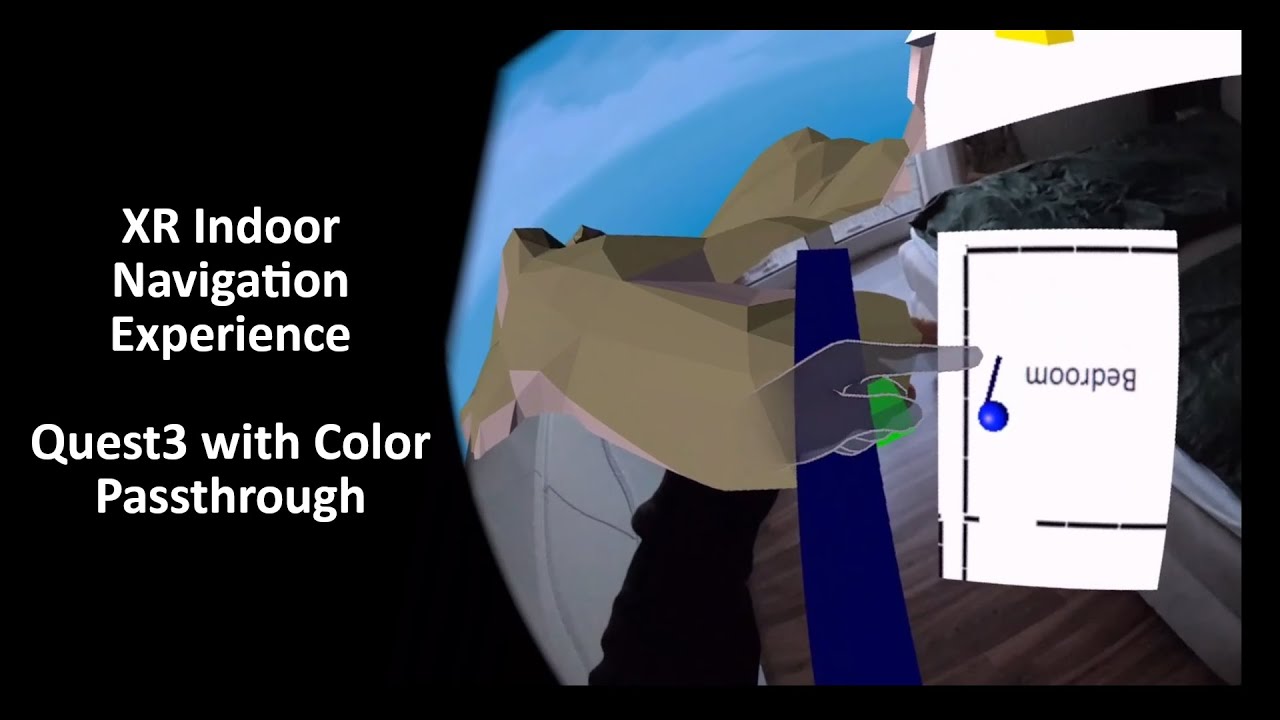
A prototype for an #XR #Indoor #navigation #experience on #Quest3 with #color #passthrough built with Unity 2022.3. Hope you enjoy it :)
Hand Balance Redux von Kevin MacLeod unterliegt der Lizenz Creative-Commons-Lizenz "Namensnennung 4.0". https://creativecommons.org/licenses/by/4.0/
Quelle: http://incompetech.com/music/royalty-free/index.htm...
storm valley
Should i be worried about this?
 jovial turret
storm valley
Should i be worried about this?
jovial turret
storm valley
Should i be worried about this?
It's just the default layout for the editor is missing.
Happens sometimes, nothing to worry about.
storm valley
jovial turret
It's just the default layout for the editor is missing.
Happens sometimes, nothi...
ah ok ty
storm valley
Why does tracking mode origin floor set the view on the ground, is it not supposed to detect oculus height, and use the players real height?
 rapid basin
storm valley
Why does tracking mode origin floor set the view on the ground, is it not suppos...
rapid basin
storm valley
Why does tracking mode origin floor set the view on the ground, is it not suppos...
i'm far from any expert, but sometimes i've had Unity just refuse to properly track the headset no matter what, and the only thing that fixed it was re-creating the scene in a new project. Not saying that is the cause here, but if you don't find a solution... yeah
 drifting dagger
Hey so I'm trying to make a unity build for the Vision Pro simulator and am coming across the following error when it tries to boot.
-[MTLDebugRenderCommandEncoder validateCommonDrawErrors:]:5780: failed assertion `Draw Errors Validation Vertex Function(xlatMtlMain): the offset into the buffer VGlobals that is bound at buffer index 0 must be a multiple of 256 but was set to 384.
Any idea what this is?
buoyant jolt
I told Apple until they can provide us an actual headset, I'm not touching their SDK. So I'm proud of you for trying :D. That said, it looks like an Apple SDK bug.
It also looks like its a debug command causing the error - so not sure if it is an actual problem though
drifting dagger
buoyant jolt
It also looks like its a debug command causing the error - so not sure if it is ...
Unfortunately I'm being prevented from loading my app onto the simulator due to this error. At least... I think it's this error >_>
buoyant jolt
drifting dagger
Unfortunately I'm being prevented from loading my app onto the simulator due to ...
You may need to post ont heir forums, I do someone else with similar errors but no responses:
https://developer.apple.com/forums/thread/126143
scarlet tree
@drifting dagger , Unless you're trying to make a flatscreen/windowed game, you can't actually really develop for Vision Pro yet. Partial/Full Immersion VR requires the Unity PolySpatial SDK, which is on a "sign up and you might get access to it one day" waiting list.
drifting dagger
scarlet tree
<@185166127985459200> , Unless you're trying to make a flatscreen/windowed game,...
Ya I know. Just looking for windowed mode on the sim.
scarlet tree
are you using any custom shaders? one of the big limiations of VisionOS is that every single shader has to be built through ShaderGraph
and even then, it doesn't support all available ShaderGraph Nodes: https://docs.unity3d.com/Packages/com.unity.polyspatial.visionos@0.1/manual/ShaderGraph.html
Unity PolySpatial XR doesn't support custom ShaderLab shaders on any render pipeline, and if your project uses custom shaders, all of them will have to be authored using Unity's Shader graph. The ParticleSystem component only supports materials with Unity's built-in shaders. Unity's Shader Graph support is an ongoing work in progress for particles.
oh yeah, no particles yet either!
https://docs.unity3d.com/Packages/com.unity.polyspatial.visionos@0.5/manual/SupportedFeatures.html <- No Baked Lighting, No Cameras(?), No Oclcusion, No LoD, no Post Processing, no Skybox rendering, no Fog...
drifting dagger
scarlet tree
are you using any custom shaders? one of the big limiations of VisionOS is that ...
Oh wow. Surely that's like... a work in progress thing >_>
To be clear through I'm not using Polyspacial.
I don't believe a windowed application requires it.
storm valley
rapid basin
i'm far from any expert, but sometimes i've had Unity just refuse to properly tr...
😭
rapid basin
storm valley
😭
Are you using the Unity XRI toolkit?
storm valley
y3ah
rapid basin
How complex is your scene? Lots of scripts or fairly fresh?
storm valley
just a floor and this
rapid basin
ah, okay, then there's no need testing in a fresh scene, i mean, it could be worth a shot trying in a brand new project just to see if it works or not, but probably not the issue
storm valley
Could it be the oculus fault not giving its height to unity?
rapid basin
Whenever I don't know something or run into an issue I just ask chatGPT, here is what they said about your issue:
The XR Interaction Toolkit (XRI) in Unity is designed to simplify the implementation of XR (Extended Reality) applications, including VR (Virtual Reality) and AR (Augmented Reality). When you're setting up a VR environment, it's important to configure the tracking space correctly so that the virtual environment aligns with the physical space of the user.
The tracking mode origin set to "Floor" in the context of VR typically means that the origin point of the tracking space is at floor level. This is done to align the virtual floor with the physical floor. When using a VR system like Oculus, the height of the player is usually detected during a calibration process where the user sets up their play area and inputs their height, or the system automatically calibrates based on the position of the headset in relation to the floor during setup.
However, there are a few reasons why the view might be set on the ground even when the tracking mode origin is set to "Floor":
Calibration Issues: The player's height may not have been calibrated correctly, or the calibration data might not be used correctly by the application.
Tracking Loss: If the VR system loses track of the floor or the headset, it might reset the origin point to the position of the headset, which could be on the ground if the headset is not being worn.
Software Overrides: The application or the XRI toolkit configuration may override the player's height settings for some reason, possibly due to a misconfiguration or a software bug.
Default Settings: Some VR applications start with a default height if they don't receive or can't find the proper user height data from the VR system.
To resolve this issue, you would typically need to:
-Ensure that the user's height is properly calibrated in the VR system settings.
-Check the application and XRI toolkit configurations to make sure they are set up to use the user's height.
-Investigate any potential software bugs or issues that could be causing the VR system to ignore or override the height data.
no clue if that helps at all lol, but yeah
it's free to use if you want to try it, I find it is much better than waiting for an answer in here or on reddit
you just keep asking questions until it gives you the answer or points you to the correct documentation
storm valley
Ill try to fix it when i get home, ty btw
rapid basin
if you were using valve index i'd be able to help more but i've never used oculus in Unity
Oh, if nothing works, you could go to the learn.unity course for VR and download the sample room for the first project. See if your oculus works out of the box in that room. If so, it means you just have something unassigned in your project
Unity Learn
By the end of this lesson, you will have a new Unity project with a big empty room that you will experience in VR. This unit is part of the Create with VR course.
I've had issues with headset tracking before on Index that I solved by just combing through that scene and looking at anything different from mine.
 lavish stream
I use this script to make a prefab follow my right VR controller and if I let go of the button it stops following. that all works but the idea is that the prefab is a ball and if I let go of the controller the ball goes/fly's in the deraction I throw it at.
Could it be the case that its not phisics based movement?
using System.Collections;
using System.Collections.Generic;
using UnityEngine;

public class GrabBall : MonoBehaviour
{
    public GameObject Ball;
    private GameObject spawnedPrefab;
    bool CanSpawn = true;

    // Start is called before the first frame update
    void Start()
    {

    }

    // Update is called once per frame
    void Update()
    {
        if(OVRInput.GetDown(OVRInput.Button.SecondaryHandTrigger) && CanSpawn == true)
        {
            Destroy(spawnedPrefab);
            spawnedPrefab = Instantiate(Ball, transform.position, Quaternion.identity);
            CanSpawn = false;
        }
        if (OVRInput.GetUp(OVRInput.Button.SecondaryHandTrigger))
        {
            spawnedPrefab = Instantiate(Ball, transform.position, Quaternion.identity);
            CanSpawn = true;
        }
        if (CanSpawn == false)
        {
            spawnedPrefab.transform.position = transform.position;
        }
    }
}
Does anyone have any suggestions as to what could cause this ?
tiny niche
wet vector
Does anyone have any suggestions as to what could cause this ?
probably initialized the runtime wrong somehow
wet vector
But only on iPhone 15 Pro Max? In this project, using auto init
wet vector
I have figured it out, it's caused by MSAA in the URP settings.
storm valley
How do i fix this
 buoyant jolt
storm valley
How do i fix this
buoyant jolt
storm valley
How do i fix this
It says optional, but if you want to fix it, switch InputSystem.XR.PoseControl to use OpenXR.Input.PoseControl.
storm valley
buoyant jolt
It says optional, but if you want to fix it, switch `InputSystem.XR.PoseControl`...
Well yeah i can read i just didnt know how to do that, but i switched to oculus thing anyway so it doesnt matter
buoyant jolt
storm valley
Well yeah i can read i just didnt know how to do that, but i switched to oculus ...
You say that, but it is literally telling you how to fix it.
rapid basin
If you're making a project for just oculus, you should be able to get away without using the openxr plugin though
 magic bluff
Since I haven’t really got a direct answer from googling, can I test the VR project template with a Quest 2 and M2 Mac?
north path
magic bluff
Since I haven’t really got a direct answer from googling, can I test the VR proj...
You can build to the quest and you can use a VR emulator, but from my experience mac doesn't have a working VR runtime
magic bluff
I'd have to transfer the apk to the headset then?
north path
magic bluff
I'd have to transfer the apk to the headset then?
Yes, Unity's build and run does that automatically
magic bluff
Thx
frigid timber
lavish zinc
I'd probably simulate that with different software than import it into Unity
Do you have any suggestions with respect to the softwares?
storm valley
Anyone knows how to lock hand position while helding a gun with two hands using XR grab interactible
 tiny niche
storm valley
Why tf does this not work
tiny niche
storm valley
Why tf does this not work
probably because you never told the script about the game object acting as a controller
 lofty tangle
storm valley
Anyone knows how to lock hand position while helding a gun with two hands using ...
lofty tangle
storm valley
Anyone knows how to lock hand position while helding a gun with two hands using ...
The controller game object, the one that moves as your tracked controller, that will always move with your irl controllers in its tracked space.
If you want hand objects that you can manipulate further. You need separate objects that follow the tracked controller game objects position and you can also make it not follow and do what ever you want via script.
 obsidian marsh
Hello!
If I build my unity game and push it to applab the update downloads the whole game instead of just update the necessary files.
I'd like to ask if someone could tell me why?
it's a unity quest 2 game
rapid basin
storm valley
Anyone knows how to lock hand position while helding a gun with two hands using ...
If you don't find an answer here, you could see if any of the devs of games like gun raiders or population one are active on social media, and for all you know one would be happy to give some advice. Both games have what you're after
incase you decide to un-give up on it
 shrewd sentinel
Hi! I have been thinking about a way of optimizing my scene by making some windows having a "fake" pre-rendered scene already made (instead of an actual window and 3D geometry). Possibly by using a stereoscopic image. Has anyone tried this before or think it'd be passible as real? I know the illusion would probably break for objects near the window, but the scene will be viewing a city so everything is a bit distant
tiny niche
shrewd sentinel
Hi! I have been thinking about a way of optimizing my scene by making some windo...
shouldn't be a problem, skyboxes are pretty much just that anyways
just make sure the window itself is real geometry
storm valley
I dont hear sound while playing my game on oculus quest 2, anyone knows whats wrong?
I know its 2 years later but did you find a solution to this?
ok nvm it just fixed itself
 warm whale
I don’t even remember bro that stuff was so confusing and chaotic
storm valley
Can i make XR grab interactable only activate with one controller and not the other
tiny niche
storm valley
Can i make XR grab interactable only activate with one controller and not the ot...
not unless you remove the interactor from the other controller
or modify the toolkit to allow it
storm valley
tiny niche
not unless you remove the interactor from the other controller
what about only working with two hands
tiny niche
storm valley
what about only working with two hands
there's a limited set of multi-grab functionality in the latest version you can use
haven't looked into it all that much, since the rest of the toolkit is very limited in what's possible without editing the source and the naming convention makes no sense at all
rapid basin
storm valley
Can i make XR grab interactable only activate with one controller and not the ot...
Could you not assign a tag to objects that are meant to only be held in one hand, and then use a script to block objects of that tag from being interacted with via the hand you don't want?

Interaction layer, not tag*
so if you have a gun that is only meant to be held in the right hand, you could create a RighhtHandInteractables layer for it
storm valley
rapid basin
so if you have a gun that is only meant to be held in the right hand, you could ...
I want guns that are supposed to be held with both arms to be locked so that the left hand is in the front and right in the back
rapid basin
I saw that yesterday, but you said you'd given up on that for now. Trying again? It's definitely possible, it's just a matter of how to do it
Usually whenever I have something I want to do, but no idea how to do it, I just ask chatGPT to help me learn, here is what they said for your issue:

basically just create a secondary grab point for the barrel of the gun and then handle the rest with scripts, but remember once you implement dual-hand guns, you have to create a whole second aiming/gun rotation system (since the gun now rotates different as it's held by both hands)
tiny niche
storm valley
I want guns that are supposed to be held with both arms to be locked so that the...
that just means the gun is oriented along the delta between the right and left hand. then you need to decouple the hand visuals from the tracking, so they align with the gun correctly
 grave pewter
Hello all, im working on a unity application. I need to save log files, which are currently being written to Persistent Data Path, that part is fine. What im struggling with is how to then access those files, I cant seem to find out how to do it. Windows 10 computer with an Oculus Quest Pro. Thanks
pine bison
grave pewter
Hello all, im working on a unity application. I need to save log files, which ar...
When grabbing files here you can
- Do it via adb
- Do it via the regular file browser
- Use Meta Developer Hub
grave pewter
pine bison
When grabbing files here you can
1) Do it via adb
2) Do it via the regular file...
Trouble was the headset wasnt showing up in file explorer, and the file browser in the developer tools didnt have a full file access, only screenshots and programs.
 pulsar marlin
Hello, I'm currently trying to figure out a way to check if an object has been placed in the XRSocketInteractor, what I am trying to achieve is a way to set the parent of the object that has been placed in the Socket to be the object that has the XRSocketInteractor as a child
pulsar marlin
Any update on this?
lavish stream
Hey i'm in a bit of a struggle using passthrough on my quest 3
If I use the same settings as the image shown and my centre camera from the OVRCameraRig to sollid color (0, 0, 0, 0) it shows pitch black in runtime.
I can change the value's in the script but I cant make it that it shows passthrough and the objects are not transparent. becouse the always are if the background is not black.
 pulsar marlin
Hello, I'm currently trying to figure out a way to check if an object has been p...
pulsar marlin
pulsar marlin
Hello, I'm currently trying to figure out a way to check if an object has been p...
Use OnSelectEntered for future reference. Solved.
frigid timber
I have an .fbx file extension, I want to enhance it's experience and import it into VR. Can anyone guide me with this?
lavish stream
frigid timber
I have an .fbx file extension, I want to enhance it's experience and import it i...
With enhance you mean just use/view the fbx model in runtime?
If so you can just import the fbx in your unity project and place it in the scene as if its a normal 3D project
frigid timber
lavish stream
With enhance you mean just use/view the fbx model in runtime?
If so you can just...
Thank you @lavish stream for the response. By enhance I mean, the .fbx file contains air flows in five sided room. I need to visualzie a room and put that/see that air flows into it.
frigid timber
lavish stream
With enhance you mean just use/view the fbx model in runtime?
If so you can just...
Like this, which are air flows.
 tiny niche
frigid timber
Like this, which are air flows.
tiny niche
frigid timber
Like this, which are air flows.
you could render that as a wireframe probably
frigid timber
tiny niche
you could render that as a wireframe probably
Ok, where can I start from?
tiny niche
frigid timber
Ok, where can I start from?
the vr template
frigid timber
tiny niche
the vr template
Thank you, can you share more about the precedure? So, that it can be more clear!
tiny niche
frigid timber
Thank you, can you share more about the precedure? So, that it can be more clear...
press new project in the launcher and scroll until you see something named vr
then drag&drop the fbx into the unity window and make a shader that does what you want
frigid timber
tiny niche
press new project in the launcher and scroll until you see something named vr
Alright. I started and will update soon as I see the results and proceed further.
orchid jolt
Hey so I’m making a game and I want objects to have weight and good physics. The problem I am running into is that when I use velocity tracking on the XR grab intractable it’s very buggy and jittery and over all and not very good. So I’m wondering if there are settings I need to change or if there is something else I can do to get grabbable objects to have weight and good physics. Thanks.
frigid timber
tiny niche
press new project in the launcher and scroll until you see something named vr
Hey @tiny niche , so you want me to do something like this? https://youtu.be/ekPzTwSEmKg?si=4Y_3qkMh2wfO0l7x

In this video you can see how I've created realistic scope shader in shader graph. Works in VR! And it should also work in HDRP, but I haven't test it.
#unity #unitytutorial #madewithunity #shadergraph #shaders #shader
tiny niche
frigid timber
Hey <@198165930742775809> , so you want me to do something like this? https://yo...
yea use shader graph to make a shader and material rendering the wireframe for the airflow mesh you import
frigid timber
tiny niche
yea use shader graph to make a shader and material rendering the wireframe for t...
Thank you. Alright. will update with the progress.
storm valley
My gun shoots bullets sideways, anyone knows how to rotate them, as rotating the prefab does nothing
rapid basin
storm valley
My gun shoots bullets sideways, anyone knows how to rotate them, as rotating the...
the bullets are instantiated upon firing I assume? Try using the script to tweak the instantiation position and rotation instead of modifying the prefab directly
storm valley
But i have multiple guns, and their bullets are rotated differently
rapid basin
I haven no idea what would cause that, but a script for each gun could be required to fix it
try it for one gun and see how it works out
frigid timber
tiny niche
yea use shader graph to make a shader and material rendering the wireframe for t...
Hey @tiny niche , Can we connect over video or voice call, so that I can get the proper perspective of your advice? So far, I'm only just able to import the .fbx file into the UNITY and from there I'm not able to shader and render the wireframe.
lavish stream
lavish stream
Hey i'm in a bit of a struggle using passthrough on my quest 3
If I use the same...
No one knows?
north path
lavish stream
No one knows?
Try the forums if no one replies :p
rapid basin
lavish stream
No one knows?
Change 0,0,0,0 to 0,0,0,1 and see what happens
lavish stream
rapid basin
Change 0,0,0,0 to 0,0,0,1 and see what happens
that changes nothing
lavish stream
north path
Try the forums if no one replies :p
What forms can help me then?
north path
lavish stream
What forms can help me then?
Unity forums and/or meta forums
lavish stream
The problem is is that I get a black screen when I use post processing or HDR rendering on the camera's if I dissable it it works fine.
I dont know if its possible to still get it to work with post processing on
obsidian marsh
hello!
If I build my unity game and push it to applab the update downloads the whole game instead of just update the necessary files. I'd like to ask if someone could tell me why?
rapid basin
lavish stream
The problem is is that I get a black screen when I use post processing or HDR re...
is passthrough's layer rendered after all postprocessing? you could try to exempt passthrough from post processing + HDR, if you don't specifically need them to affect passthrough, but are causing issues anyway
 fringe bluff
Does anyone know why when i use the teleportation provider, it puts me in the ground?
fringe bluff
I think it would also help to know its's teleportation on terrain
frigid timber
Hey @tiny niche , is there any tutorial you can suggest to get the visualization for the air flows?
 hushed shadow
Hi everyone
I am trying to implement Hand tracking to my game with open XR and with controllers everything is fine but when I try out the hand tracking I see 2 sets of hands on my oculus quest
in the editor I dont see the 2 sets of hand but in my headset I can see 2 sets of hand with an offset one that move when I move my hand and the other that is correctly displayed
the other is some sort of ghost that does not interact
i was testing the demo hand scene in the XR interaction tool kit
its like if the left and right hand are not displayed on the correct eyes (inverted)

actually its just the right eye... any solution?
 north path
obsidian marsh
If I build my unity game and push it to applab the update downloads the whole ga...
north path
obsidian marsh
If I build my unity game and push it to applab the update downloads the whole ga...
I'm guessing it just replaces the apk and installs it fully.
Not sure why meta doesn't do some kind of incremental updates
 brittle hedge
Hello, I'm new here. I attempted to create an empty iOS app using Unity version 2022.3.12. Subsequently, I opened it in Xcode 15 beta 3, built it, and ran it on the Apple VisionOS beta 3 simulator. The build was successful, and the app appeared on the simulator's home screen. However, I encountered an issue where the app couldn't launch. After clicking the icon, it crashed (I believe) and returned to the home screen. Any insights on why this might have happened?
edgy relic
I am playing with XR Hands (1.3.0) and Quest 2 and the hand visualizer scene: I am getting OpenXR hand provider failed to initialize - no data will be tracked or surfaced! Anyone have ever faced this error?
p.s. if I build the scene it works, but in play mode it gives me this error.
frigid timber
Can anyone share or show me how to make a room in Unity based on ** revit** file I have?
 clever zinc
frigid timber
Can anyone share or show me how to make a room in Unity based on ** revit** file...
clever zinc
frigid timber
Can anyone share or show me how to make a room in Unity based on ** revit** file...
export revit file to obj/fbx and import it into unity?
 midnight delta
What would be the best way to track hand movements to do certain actions? Like draw a circle for a spell of some kind or something?
I could save a bunch of points and loop through checking distance but that hardly seems the best way
Maybe an image using pixel colour mapped from a real position to tell if it’s in the bounds of the action?
lofty tangle
midnight delta
What would be the best way to track hand movements to do certain actions? Like d...
Something like that exists already
Recognize the movement of the player to trigger any input in VR using the Unity XR Toolkit.
▶ Get access to the source code: https://www.patreon.com/ValemVR
▶ Join the Discord channel: https://discord.gg/5uhRegs
How to make a Tilt Brush Replica (Patreon Exclusive) : https://www.patreon.com/posts/how-to-draw-in-37742885
P RECOGNIZER ON GITHUB :...
storm ether
how bad do materials perform for vr
edpecially stansmdalone
because im worried having ao and normal and metallness on a material will be way less performant than just a basemap
is that so or is it no difference
magic bluff
anyone interested in this?: https://www.mitrealityhack.com/

MIT Reality Hack | AR/VR Metaverse Hackathon
 oblique panther
Has anyone used the ForcdSelect method in the Oculus SDK (now Meta XR SDK).
buoyant jolt
oblique panther
Has anyone used the ForcdSelect method in the Oculus SDK (now Meta XR SDK).
Hey Mike!! Not in a long time 😦 we moved over to the XRI. But from what I remember, I had to trick it with hovering, but ended up just modifying the Meta sdk (definitely not recommended). We've had to modify the XRI too to fix some of the OpenXR hand tracking stuff...
Offhand I remember it was just easier to override the hover state when force selecting. I remember it took me longer than it should have to resolve:D
buoyant jolt
storm ether
how bad do materials perform for vr
Not bad at all. There is URP as an option but the performance gains debatable.
Your better off focusing on using texture atlases and static meshes. Your draw calls will usually be an issue long before the PBR IMHO.
storm ether
buoyant jolt
Not bad at all. There is URP as an option but the performance gains debatable.
im using urp
storm ether
buoyant jolt
Your better off focusing on using texture atlases and static meshes. Your draw ...
texture atlases?
what are those
and with static meshes you just mean meshes with static on right
sorry im stupid lol
edgy relic
edgy relic
I am playing with XR Hands (1.3.0) and Quest 2 and the hand visualizer scene: I ...
https://forum.unity.com/threads/xr-hands-not-showing-hands-with-quest-2-with-link-cable.1517167/ Anyone is able to give some help about this problem with hand tracking?
Unity Forum
SETUP versions:
Unity 2022.3.0f1
XR Plugin Management 4.4.0
OpenXR Plugin 1.70
XR hands 1.3.0
OpenXR Runtime - Oculus OpenXR
Interactin Profiles -...
rapid basin
buoyant jolt
Hey Mike!! Not in a long time 😦 we moved over to the XRI. But from what I reme...
do you prefer the XRI kit to Meta? I have only ever used the XRI kit, how do they compare?
buoyant jolt
rapid basin
do you prefer the XRI kit to Meta? I have only ever used the XRI kit, how do the...
I don't like platform specific toolkits, we support a lot of headsets, so we can't usually use like a meta only framework very often. We did for a while through the VRTK, but OpenXR finally got where we needed it 🙂
We have our own version of the XRI now that we use though 🙂
rapid basin
thanks for the reply, I had always planned to try Meta's kit but every time I look it seems less relevent (since everyone just does OpenXR-based kits these days)
rapid basin
buoyant jolt
We have our own version of the XRI now that we use though 🙂
I want to customize it one day, but i'm not there yet
I got to ask the Among Us VR devs what they used to build the game, looks like they did the same, custom XRI/OpenXR kit
buoyant jolt
Yeah XRI is a great starting point, but not quite production ready in terms of looking and feeling good. So we needed to redo a lot of things like the teleporters, and getting things like better more expandable interaction systems, highlighting and outlines stuff. But we also tied it into our web, desktop, mobile and AR to make it easier on the dev team. Probably what I rewrote the most was their hands integration because it's kind of barely usable in the openxr as it is today for real projects.
But it was absolutely worth the effort, to be able to swap between headsets and platforms without any code changes.
 short nova
@buoyant jolt , that is really excellent feedback. Ultimately we would like XRI to be production ready out of the box, so any details would be greatly appreciated so we can take some action items and improve the package. I will say that we are actively working on the visual and auditory feedback system (highlighting/outlining/etc), plus we have a big update for hands coming soon, but I am curious what improvements you had to make to the core interaction system as well as the teleporter.
buoyant jolt
short nova
<@229302061840203786> , that is really excellent feedback. Ultimately we would l...
I'd love to, but I don't have time to share the feedback, sorry! But I appreciate the opportunity.
 ancient mist
How can I get my character to not have it's hands on the floor in VR?
 lofty tangle
buoyant jolt
Yeah XRI is a great starting point, but not quite production ready in terms of l...
lofty tangle
buoyant jolt
Yeah XRI is a great starting point, but not quite production ready in terms of l...
I stopped using the toolkit a while ago cause I ran into issues with things like forcing deselect on destroyed objects or using other inputs for extra actions on a held object
 livid pier
I am seeing this now sometimes, not always. Seems like if I quit and restart it doesn't throw this error till I've built a few times.
modern ginkgo
does anyone know if quest 3 supports multimodal input without the quest pro controllers?
tiny niche
modern ginkgo
does anyone know if quest 3 supports multimodal input without the quest pro cont...
what do you mean by "multimodal"?
storm valley
Why is the bullet rotated sideways when it comes out of the gun?


The bullet doesnt even spawn at the end of the barrel anymore :(
untold minnow
https://paste.ofcode.org/5W5tQW73vJeFhcBuZ5nE4R
i'm using googlecardboardVR tools and I want to make player move voluntarily. For that I tagged 2 objects with walk and sprint resp. I want that when i point the rectile towards them , i move otherwise don't. In this script, its casting a ray in the game environment, if it colides with the tagged objects, it moves.
As there are no triggers in cardboard vr, so i thought this would work. but not working!
short nova
storm valley
Why is the bullet rotated sideways when it comes out of the gun?
What is the orientation of your spawn point? Is that what is in the image at the tip of the barrel? Have you tried commenting out your dispersion math and made sure it shoots straight without adding that variance?
storm valley
short nova
What is the orientation of your spawn point? Is that what is in the image at the...
Yeah its the tip of the barrel
Will try that
short nova
storm valley
Will try that
I also see a slight code error... you are setting the spawnedBullet.transform.rotation = transform.rotation, not spawnPoint.rotation.
You also might set the shotDirection to point in the forward direction of the spawnedBullet.transform for consistency. Then you ensure your prefab/model forward direction is aligned as you would expect it.
storm valley
short nova
I also see a slight code error... you are setting the `spawnedBullet.transform.r...
This fixed the rotation but they still shoot like 2 meters away from the barrel
short nova
sideways or forward? Are there any accidental game object offsets in the hierarchy of your bullet prefab?
storm valley
short nova
sideways or forward? Are there any accidental game object offsets in the hierar...
Forward
storm valley
short nova
sideways or forward? Are there any accidental game object offsets in the hierar...
Bullet is only made from one part if thats what you mean
short nova
Yeah, just checking, can't count the number of times I've saved a prefab with an offset on the child object on accident.
Can you determine the z-position where the bullet appears to be spawning? Is it equivalent to the shotSpeed?
 crisp idol
Does anybody know how to make a ball movement system for VR so whenever you kick it it actually acts like a ball?
untold minnow
untold minnow
https://paste.ofcode.org/5W5tQW73vJeFhcBuZ5nE4R
i'm using googlecardboardVR too...
kindly help 🛐
crisp idol
crisp idol
Does anybody know how to make a ball movement system for VR so whenever you kick...
please help i have been strugling with this for days :/
storm valley
short nova
Can you determine the z-position where the bullet appears to be spawning? Is it ...
How can i determine that
short nova
untold minnow
https://paste.ofcode.org/5W5tQW73vJeFhcBuZ5nE4R
i'm using googlecardboardVR too...
Are you aimed at specific game objects or some UI objects? You may need to add the proper Graphics Raycaster or Physics Raycaster component to get this to return any results.
short nova
storm valley
How can i determine that
If you don't set a velocity when it spawn and turn off gravity on the rigid body, you should be able to pause the editor and check the inspector values for the barrel tip vs the bullet, but with velocity at 0, I would expect it to spawn where you intended it to.
If it's still offset in the forward direction, that would require deeper diving. Are you setting the velocity in the Update function or FixedUpdate?
short nova
crisp idol
Does anybody know how to make a ball movement system for VR so whenever you kick...
How are you tracking the foot? That aside, I would make sure you are updating the foot position with a TrackedPoseDriver that is set to FixedUpdates and has a collider on it. For the ball, I would make sure the ball has a rigidbody component with some heavier mass set (you'll need to play with it to get it right), plus also add a physics material and tweak the values. There may be some examples floating around out there for proper soccerball/football physics materials. That's where I would start as a proof-of-concept. Put in a few walls with colliders to make sure the ball bounces off them in an expected way.
short nova
storm valley
now why does that happen
My guess is that the velocity is getting updated on the FixedUpdate loop (out of band of the Update loop) so it is applying your shotspeed along the forward vector of the bullet. If you crank your shot speed down, you will probably see the offset start a lot closer.
storm valley
short nova
My guess is that the velocity is getting updated on the FixedUpdate loop (out of...
Yeah it did get closer
crisp idol
short nova
How are you tracking the foot? That aside, I would make sure you are updating th...
Hey, I use Gorilla Locomotion and tried some scripts that I found because my was not working. I am kinda new to this thing so i also tried to ask GPT but all the stuff wasnt working
I used rigidbody but only with normal mass (1) do i have to set it higher?
storm valley
short nova
My guess is that the velocity is getting updated on the FixedUpdate loop (out of...
Yeah i dont get this at all
short nova
storm valley
Yeah i dont get this at all
Are you instantiating the prefab in the Update function?
 crisp idol
short nova
How are you tracking the foot? That aside, I would make sure you are updating th...
crisp idol
short nova
How are you tracking the foot? That aside, I would make sure you are updating th...
Also i tried to find some on youtube on google but there is none sadly
short nova
storm valley
You might try using the AddForce method on the rigid body instead. It may produce more predictable results: https://docs.unity3d.com/ScriptReference/Rigidbody.AddForce.html
 storm valley
short nova
You might try using the AddForce method on the rigid body instead. It may produc...
storm valley
short nova
You might try using the AddForce method on the rigid body instead. It may produc...
Kk will try this
ty
short nova
crisp idol
I used rigidbody but only with normal mass (1) do i have to set it higher?
How is it currently behaving when you kick the ball? You also might try using your hands with a direct TrackedPoseDriver instead of the GorillaLocomotion code to see if you can 'punch' the ball and get it to move how you want it to.
crisp idol
short nova
How is it currently behaving when you kick the ball? You also might try using y...
It just doesnt
short nova
storm valley
ty
If that doesn't get it working how you want, I might try asking in the physics channel. They have more physics expertise than I do and have probably seen this question a few times over the years: https://discord.com/channels/489222168727519232/497874196274348032
crisp idol
Do i need a script or do i need to do it somehow else?
short nova
crisp idol
Do i need a script or do i need to do it somehow else?
Can you send a couple of screenshots of your setup of the 'foot' game object and the 'ball' game object so we can see how your rig is setup?
crisp idol
Sure
this is the ball and its script (yes the script is chatgpt because i couldnt figure it out)


the only thing i have added to the player is rigidbody (not to the hands but the player)

Like i said i am kinda new i have made another game using gorilla locomotion which is why i thought this would be easier and that is my whole game point "soccer but gorilla locomotion"
this is what the player and the ball looks like just incase you need to see that

the player is default with gorilla locomotion (this pack that i added)
crisp idol
short nova
Can you send a couple of screenshots of your setup of the 'foot' game object and...
Yea nothing I try is working.. Maybe i need to do something on the hands?
modern ginkgo
tiny niche
what do you mean by "multimodal"?
Describes the experimental multimodal feature, which lets you use hands and controllers simultaneously.
tiny niche
modern ginkgo
https://developer.oculus.com/experimental/multimodal/
wow, that's a strange term for the feature
but the definition is also using hands+controllers, so if you don't use the controllers then you can't have the feature
unless you meant using quest2 controllers, but i don't think the quest3 supports them
modern ginkgo
i may have worded my question poorly - my question is does the quest 3 support simultaneously tracking quest 3 controllers and hands
there are some random blog posts online to suggest it does but the docs don't mention it and i couldn't get it working
tiny niche
modern ginkgo
i may have worded my question poorly - my question is does the quest 3 support s...
well the link you sent explicitly says that it does, but its an experimental feature
modern ginkgo
tiny niche
well the link you sent explicitly says that it does, but its an experimental fea...
it doesn't mention quest 3, only quest 2 paired with quest pro controllers or quest pro paired with quest pro controllers
short nova
crisp idol
Yea nothing I try is working.. Maybe i need to do something on the hands?
The feet should have individual colliders you want to represent feet/hands. They probably don't need rigid body components added separately.
short nova
crisp idol
this is the ball and its script (yes the script is chatgpt because i couldnt fig...
If you click on the ball, does it move the ball? If not, you might try adding some logging to make sure the click and all that are working correctly.
tiny niche
modern ginkgo
it doesn't mention quest 3, only quest 2 paired with quest pro controllers or qu...
i think you can presume that the quest3 is going to work the same in this regard and potentially even have the feature gotten moved from experimental to supported
untold minnow
this not working

i want to move the object in the direction camera is looking when i click the screen
i'm calling this onpointclick from another script (attached to some other object)
lofty tangle
untold minnow
i'm calling this onpointclick from another script (attached to some other object...
Well what parts not working? Are you sure onpointclick is being called?
untold minnow
lofty tangle
Well what parts not working? Are you sure onpointclick is being called?
ig no
don't know why
https://gdl.space/adawemocen.cs
calling at line 176
storm valley
short nova
If that doesn't get it working how you want, I might try asking in the physics c...
I posted it there and still got no replies, while I also didnt have any luck fixing my problem, what do you suggest i do now?
rapid basin
storm valley
I posted it there and still got no replies, while I also didnt have any luck fix...
honestly, I have found ChatGPT to be extremely helpful when to comes to solving problems that others can't help you with in Unity
Tell it your desired outcome, tell it your current results, be as detailed as possible, and then copy+paste your script so that it can analyze it. It will, 9 times out of 10, give you advice that leads to you fixing your problem. GPT 3.5 is free to use, however I have no idea if it will be as useful as the paid-version that is GPT4
it's a great tool for solving problems when you've given up on all alternatives, but dangerous to rely on too much.
I used it to teach myself how to use the XRI kit back in feb, and it was a lifesaver for solving problems that not many people had encountered before
storm valley
rapid basin
honestly, I have found ChatGPT to be extremely helpful when to comes to solving ...
I tried it and its completly useless, it just returns my code witout any change at all and says it fixed it
rapid basin
oh, do not use GPT 3.5 for code, it is garbage
but use it for problem solving within Unity, i.e pointing out where your issue could be coming from, suggesting things you may have overlooked, etc.
but for code, yeah, only GPT 4 is decent with its code, and even then you need to be very clear with what you want
storm valley
I think i already know what the issue is i just dont know how to fix it
storm valley
rapid basin
but for code, yeah, only GPT 4 is decent with its code, and even then you need t...
Yeah i dont have money for that
rapid basin
They closed subscriptions anyway due to demand, but if you continue to find no answers to your problem, shoot me a dm and I can run your problem through GPT4 and see if it helps you.
Again, just as a last resort, it's always ideal to find human help of course
storm valley
rapid basin
They closed subscriptions anyway due to demand, but if you continue to find no a...
kk ty, will dm you later if i dont fix it
orchid jolt
Hey can someone help me? So I'm making a Untiy project and using XRSocketInteractors and trying to use the Starting Selected Interactor and it's not working. When the game starts the object acts as if it was in the Socket but dosen't use the attach Transform until you grab it and place it back. The werid thing is in the same scene I have SocketInteractors that work perfectly. I have tried almost everything so was wondering if someone could help me. Thanks!
lofty tangle
No idea. I don’t use xr toolkit. Was easier to make my own than figure out how to alter there’s to my purposes
 mint glacier
Hello everyone, im having some issues with vr template teleportation, i made custom mesh collider for all objects but on some parts of the temple the teleporter ray doesnt work and starts flickering between blue and red. both mesh have custom colliders that i made in the same way and im not sure what is the problem.


collider mesh collider
 pine bison
mint glacier
pine bison
mint glacier
This mesh collider is disabled, could that be the issue?
bold pasture
Hi, could someone confirm if my undestanding on this is right. I'm using Quest 3, and the OVRManager Tracking Origin Type is set to Stage, and the XROrigin Tracking Origin Mode is set to floor.
Should I expect that 0 y in the world to corresponds to the floor as setup in the Quest 3 ?
 frank pewter
Hi i want to make a surgery VR app , any one can help me to learn it by tutorial
north path
frank pewter
Hi i want to make a surgery VR app , any one can help me to learn it by tutorial
Unity has a decent VR pathway on Unity Learn
Definitely a good starting point
north path
bold pasture
Hi, could someone confirm if my undestanding on this is right. I'm using Quest ...
Most likely yeah
frank pewter
north path
Unity has a decent VR pathway on Unity Learn
Definitely a good starting point
Yes un in part 4 now in this pathway
But j want to know more about cutting and squlting
north path
That required mesh deformation or pre-made animations
Mesh deformation is something I've done quite a bit, and it's a very complex topic to tackle. Especially when you also need good performance.
I suggest to do this using animations, which trigger or lerp when you start cutting. Blendshapes also might be a good fit for this
pine bison
It's very complex and not something you'll find a tutorial for easily
frigid timber
I want to create a room for VR, do I need to make it myself or is there is any prebuilt options available?
 versed needle
how to stop the game from pausing when you remove the headset. I'm using the XROrigin in XR interaction toolkit
short nova
storm valley
I posted it there and still got no replies, while I also didnt have any luck fix...
We have something in our example project that launches low-speed projectiles. You might give this script a look and see if it helps you in some way: https://github.com/Unity-Technologies/XR-Interaction-Toolkit-Examples/blob/main/Assets/XRI_Examples/ActivateInteractables/Scripts/LaunchProjectile.cs.
 fallow kelp
I have a photoscanned environment in unity it is all in one mesh/fbx. I want to be able to set up box colliders around these photoscanned items which can be pressed in VR. When pressed it would show/hide text. How can I achieve that?
 short nova
Are the scanned items created live or just brought into Unity to work with? If you are bringing them in as individual models, just put a box collider on them. If you are using the XR Interaction Toolkit, you can add an XR Interactable component to the object and tie into the Hover Entered and Hover Exited Interactable Events. That can be used to show/hide some UI elements in your scene.
fallow kelp
short nova
Are the scanned items created live or just brought into Unity to work with? If y...
The environment is a room that was scanned from RealityCapture and moved over to Unity so it is just one big model
fallow kelp
short nova
Are the scanned items created live or just brought into Unity to work with? If y...
What if I wanted to make something that was like a button? For example, when I hover and trigger on a object, it shows/hides text
rapid basin
frank pewter
Hi i want to make a surgery VR app , any one can help me to learn it by tutorial
!learn
 ornate questBOT
:teacher: Unity Learn ↗
Over 750 hours of free live and on-demand learning content for all levels of experience!
rapid basin
Spend a couple weeks on the tutorials that lead up to the VR course, or skip to the VR course if you are familiar with Unity and C#
If you are looking for people to work on this project alongside you, feel free to DM me as well
rapid basin
short nova
We have something in our example project that launches low-speed projectiles. Yo...
we were able to resolve his issue in dm 😄
frank pewter
rapid basin
!learn
Learn what ? and from where ?
rapid basin
ornate quest
## :teacher: [Unity Learn ↗](<https://learn.unity.com/>)
Over 750 hours of free ...
this
Unity Learn
mint glacier
pine bison
This mesh collider is disabled, could that be the issue?
No I'm using the collider of the collider game object
 pseudo plume
i havent used unity, or ever made a game, but i know some programming. anyways, i wanted to try setting up a vr game
for some reason every time i get into the game i end up with some veriety of a portion of my body inside the floor
instead of looking like that

i tested with mixed reality portal & steamvr, any ideas?
 ionic thistle
There is a option for tracking origin mode set it as floor
 ionic thistle
Try to debug it by disabling character controller script and just check whether the tracking origin mode is working properly
pseudo plume
ok
yah the lower half of my body is very much still in the floor
sooo ig its not character controller
oh also whenever i unplug the headset unity crashes bc of some gpu usage related error

other settings if that helps
ionic thistle
If you can't figure out a way then set the tracking origin mode as device and set its height as 1.6 also set the same value in y position of camera offset gameobject inside the rig.
pseudo plume
that way is hard to get the hight right...
but if i have tracking origin start as device
than change it back to floor while the games running
it ends up correct
thats not a fix but maybe that means smth
ionic thistle
👍
 patent valley
Can someone please help me make it so that when i click play the ingame camera moves with my VR headset?
Because I can't figure out how to make it work.
patent valley
Anyone know how to make a Gorilla Tag fan game?
 cloud wagon
Hi! What is the established solution for reflections in VR that don’t break depth? Is there something that can at least push back the reflection map so that it’s deeper in the screen?
 tired viper
anyone interested in working on a paid virtual reality project. DM me please
buoyant jolt
tired viper
anyone interested in working on a paid virtual reality project. DM me please
Not the place for that.
buoyant jolt
patent valley
Anyone know how to make a Gorilla Tag fan game?
I believe there is a gitlab repo for that already on the web for Unity. You'll need to Google around for it.
buoyant jolt
cloud wagon
Hi! What is the established solution for reflections in VR that don’t break dept...
For soft (I.e. water based) reflections, I ended up making my own shader. It's a bit if a lazy hack though.
I haven't looked but there are probably some VR friendly asset packs with better reflection support.
You can also trick it, in some cases, with cameras. I have done this for mirrors before where it has a hidden camera looking at the player to fake a real-time mirror without doing a real-time reflection probe. I'd be interested in how it works out for you. This really only applies to real time though, baked in reflections work fine for me in BiRP
cloud wagon
Thanks for your response. It’s interesting that you say ibrp normal baked reflexión maps work for you, as that is not what I’m seeing in my project - the reflections are kind of at 0 screen depth so often appear closer than the object they are reflecting on
buoyant jolt
Yeah that's odd... we have a lot of baked reflections in our education projects (quest & pico) and I've never noticed the baked reflections being off. But maybe I haven't looked close enough at them ?
 mystic kraken
Anyone able to help with controller position and rotation offsets?
Its a joke this was meant to be a simple 10 minute demonstration for someone and I couldn't get the controllers in the right position. Its been 2 days
First I tried a sphere and its rotation was completely off so I've switched to Meta's quest touch controllers. The official models
Using those the rotation is right but now the position is offset
Its an OpenXR specific issue I tried exactly what the one forum post everyone points to said and had no luck
Unity said this was fixed in newer SteamVR versions and yet it isn't
Don't really know what details to provide as I'm not knowledgable on the new input system 'nor XR
short nova
@mystic kraken , if you are using OpenXR, you might try using the pointerPosition vs the devicePosition to see if that helps with the z-offset. This is due to the center of the models being misaligned with where the center of tracking comes from OpenXR (and OpenXR has different poses for different purposes: https://registry.khronos.org/OpenXR/specs/1.0/html/xrspec.html#semantic-path-standard-pose-identifiers). I would suggest picking pointer (aim) or device (grip) and align the model to match the diagram in the link. We do this with the generic controller in the package samples in the XR Interaction Toolkit, so you might use one of those as reference.
 summer locust
If someone could point me in the right direction resource wise for the following, I'd really appreciate it:
I'm about to start a project that needs to be able to log arm and hand tracking, be it poses or movement, but I'm kind of stuck on where to begin since I need to verify if it was done correctly too, is this possible via XR alone? and just for reference, this is for the index controllers, not quest or leap tracking.
All I've been able to find are resources on poses and how to work with them a bit
buoyant jolt
Well, index uses controllers, so you can't really do hand or arm tracking, it would just be guessing from the butt of the controllers and angles
It's also kind of old tech, we have all our medical clients/ hospitals patients etc on wireless headsets - IMHO of course
summer locust
That's kind of enough, it doesn't have to be perfect.
The purpose of what I'm trying to create is more personal, it's for teaching vr's version of sign language for a friend, doing it, so rather than perfect tracking it's more so the motion and certain poses.
More so doing it to learn, even if it is a little bit of an obsolete project
I take it there isn't a good way for logging the finger positions with the indexes knuckle controllers then, since it's more of a estimated finger tracking?
rapid basin
summer locust
I take it there isn't a good way for logging the finger positions with the index...

This week we have added support for the Vive camera-based Finger Tracking (works with Index too!), WebSocket communication in LogiX and Twitch Channel Points & Rewards!
finger tracking is possible with Index but, a quest 3 would be more ideal for such a project if you can afford one for it
even a quest 2 would be okay, although hand/finger tracking will drain the battery within no time
summer locust
I see, I might have to look into getting either of them then. Thanks! I didn't even consider using the headsets camera on the index because of how bad it was
rapid basin
summer locust
I see, I might have to look into getting either of them then. Thanks! I didn't e...
yeah, as great as the index still is in many ways, it's also got plenty of things like the camera that... aren't as great, and were just thrown in just incase modders made use of it
patent valley
buoyant jolt
I believe there is a gitlab repo for that already on the web for Unity. You'll ...
Ok thanks I’ll try that later
frigid timber
Hello everyone, I want to put the airflows into the cubical room and later visualize it in VR. I'm attaching the image for your reference. It's urgent. So can anyone help me with this?

 buoyant jolt
frigid timber
Hello everyone, I want to put the airflows into the cubical room and later visua...
buoyant jolt
frigid timber
Hello everyone, I want to put the airflows into the cubical room and later visua...
I'd need more specifics including why this needs to be rushed, and how the data for the airflow is captured. But my immediate suggestion is the vfx graph. We've done some incredible demonstrations in VR with it in short order.
frigid timber
buoyant jolt
I'd need more specifics including why this needs to be rushed, and how the data ...
Thank you. I have to present it at the board meeting of my university's department. The airflow is captured from CFD using AutoDesk.
 brazen tundra
Hi all. One of my customers said that when he tried to open my game it was all black, which is strange because my game works inside the editor, when I tested the built version I noticed that the screen was indeed black however I could still hear the background sound. What could be the issue?
buoyant jolt
brazen tundra
Hi all. One of my customers said that when he tried to open my game it was all b...
Broken vulcan support, bad manifest, urp issue, shader issue for mobile, overlap causing culling - I've seen that last one a lot lately. Etc.
brazen tundra
buoyant jolt
Broken vulcan support, bad manifest, urp issue, shader issue for mobile, overlap...
Thanks for the reply Iloyd! Is this something that will appear in the log?
buoyant jolt
brazen tundra
Thanks for the reply Iloyd! Is this something that will appear in the log?
Quite a few errors in that log,
The referenced script on this Behaviour (Game Object 'Head_Low') is missing!
The referenced script on this Behaviour (Game Object 'Head_Low') is missing!
The referenced script on this Behaviour (Game Object 'MagazinePouch') is missing!
The referenced script on this Behaviour (Game Object 'Head_Low') is missing!```

There are other OpenXR errors in there, a bunch of things marked as DontDestroyOnLoad that aren't base level objects and errors about the NavMesh not being baked.With that said, it looks like it's being used on SteamVR, not Oculus, so that may rule out Vulcan
brazen tundra
buoyant jolt
Quite a few errors in that log,
```The referenced script on this Behaviour (Ga...
Thank you, I'll take a look
buoyant jolt
Chances are the error messages around SteamVR and OpenXR are the problem, but it's hard to be sure.
rapid basin
Man what would this channel be without Lloyd and VRDave
so many problems being solved between them
buoyant jolt
Well is definitely say VRDave 😄 he puts in more time, has access to unity resources, and has a vested interest in helping. He does good work 🙂 thank you for the recognition though!
buoyant jolt
frigid timber
Thank you. I have to present it at the board meeting of my university's departme...
I'd definitely recommend something along this path personally, and flowing the particles the direction of the air movement
GitHub
Skinned mesh sampling with VFX Graph. Contribute to keijiro/Smrvfx development by creating an account on GitHub.
patent valley
Anyone know how to make a Gorilla Tag fan game?
dapper copper
Hello to everyone :),
Does anyone know to launch the Meta Browser in an VR app for Oculus Meta Quest 2? (using AndroidJavaObject)
I made the following code, but for some reasons it only shows me that 3 points loading and returns immediatelly to initial VR app.
 buoyant jolt
What does the console log tell you? It will say if the intent didn't exist etc
You can also do it the non-intent way with Application.OpenURL.
dapper copper
I don't encounter any logs or issues in the console. @buoyant jolt
The thing with Application.OpenURL() is that opens the app over the current app.
What I actually want is to minimize the Unity app and trigger an launch of the Meta Browser. Any ideas?
dapper copper
After some research, using Unity 2021.3.26f1 and Open XR, looks that will not be possible, as I couldn't simply minimize the app (the app is closing completelly everytime).
I used unityActivity.Call<bool>("moveTaskToBack", true), which I understand that should minimize the app for Android, but on Oculus Quest 2 looks that it's actually closing the application completelly.
frigid timber
buoyant jolt
I'd definitely recommend something along this path personally, and flowing the p...
Thank you @buoyant jolt , for sharing . I will look into this and see how it goes.
buoyant jolt
dapper copper
After some research, using Unity 2021.3.26f1 and Open XR, looks that will not be...
Yeah sorry for the late reply. I saw someone else going through that last week with the same problem
 fiery vale
Is there any way to open the native Meta Quest 2 / 3 image gallery? I think it shouldn't matter whether it's AR or VR. I would like to be able to open the image gallery, select a picture, and fetch its path somehow, so I can then set it as a sprite for an image in the 3D world. Does anyone know any specific plugins?
buoyant jolt
It sounds like what you really want is an image selector. If you launch the gallery app it won't return to you after you close it.
There are lots of file selector plugins for Android that should work, but you could also draft one yourself. You'll probably need to request folder permissions and be prepared that a user may reject them however

Hi all, We tried both UnitySimpleFileBrower and UnityNativeFilePicker, encountered different issues. UnitySimpleFileBrowser doesn’t show any folders except subfolders of Application.persistentDataPath. We want to access files in other address. In UnityNativeFilePicker the method startActivityForResu...
tiny niche
summer locust
If someone could point me in the right direction resource wise for the following...
meta has a sample doing a mirror by capturing and playing back the capture feed stream
fiery vale
buoyant jolt
It sounds like what you really want is an image selector. If you launch the gal...
Okay, so I've tried a couple of things now. I installed a plugin (NativeGallery) to open the gallery. It indeed 'opened' it once. And by 'opened' I mean it showed an empty file browser (not even the gallery) that told me something like 'No app can perform this action,' or so. So, this didn't work. Then, I tried the NativeFilePicker; it worked like a charm. Not exactly the easy user experience I wanted, but it's tolerable to some degree. It worked until I tried selecting an image. Then, it hung up in an infinite loading screen (as shown in the video) , until I pressed the menu button to close it. However, it did get the path and loaded the image correctly tho.
Is there a way to at least close the window after selecting the image?
buoyant jolt
fiery vale
Okay, so I've tried a couple of things now. I installed a plugin (NativeGallery)...
No idea 😄 it almost works though and is getting closer...
fiery vale
OH COME ON it randomly stopped working when I fixed the passtrough 😭
The passthrough problem didn't even have anything to do with the FilePicker, how did it break it???
"No apps can perform this action."
I guess I'm not finished after all...
and now it's working again
it's so cursed
 frank veldt
Hi, I am working with Unity's XR interaction toolkit. Does anyone know how I can get a component from the object that I am holding? Im using the XRRayInteractor on my controller.
 snow bolt
Hey guys, once a long time ago I was working on a VR project and the project had this plugin that would record my VR movements and inputs, kind of like an animation, and i could "Play" the recording so that the controlls and VR rig would move as if I was actually using the controllers, interact with objects I had interacted with, etc. This made it super easy and fast to do small code tweaks without having to actually put on the headset. Does anyone recall what that is called or know of something similar?
dapper copper
buoyant jolt
Yeah sorry for the late reply. I saw someone else going through that last week ...
Yep, that's actually still me :))
I am still trying to resolve this problem.
I will try to explain why I am trying to do this, maybe someone have some ideas about the original issue.
So, I have a unity VR app (on Oculus Quest 2) where I use Application.OpenURL() to open a page to the Matterport site (used for scanning locations and represent them in VR), which opens the Meta Browser over the Unity app.
Ok, on the Matterport website, they have a button for visualizing the location in 360 VR. The main problem is that isn't working. After some research, I believe that this is caused because 360 VR is represented as a separate VR app, so Oculus doesn't let me to launch it because in that way will be 2 VR apps opened at the same time.
That is why I tried the presented solution, but looks that it's completelly closing the VR app.
I am doing anything wrong? I can't minimize an 3D unity VR app on Oculus Quest 2, in order to return to it later, continuing from where I was?
obsidian marsh
Hello
My unity built app crashes on start by oculus app lab
I start my game and crashes for a few times but for 3 or 4 trying it starts
How can I trace back what is happening?
obsidian marsh
this is my logcat
obsidian marsh
buoyant jolt
Or debugging with logcat when launching
but I don't understand the issue here
 dusk pewter
so I am trying to setup openxr, and I put the device tracking origin to floor, but it keeps putthing my head into the floor, it works fine if I use device. Do anyone have a guess on why floor puts my headset into the floor? (Meta Quest 3), using the xr interaction toolkit
north path
Why not both :P
north path
dusk pewter
so I am trying to setup openxr, and I put the device tracking origin to floor, b...
Which version of Unity, OpenXR, XRIT, and xr plugin management are you on?
Is this just on the quest 3 standalone, or also in Unity?
dusk pewter
2023.2.1f1 and latest of xrit and xr plugin management, I am doing it via unity via virtual desktop
dusk pewter
north path
Which version of Unity, OpenXR, XRIT, and xr plugin management are you on?
Is t...
Hope you have an idea 🙂
north path
dusk pewter
2023.2.1f1 and latest of xrit and xr plugin management, I am doing it via unity ...
Haven't used the tech streams much for XR yet. Just LTS
You can try to see if OpenXR 1.9.1 fixes it if you're not on there already.
If so, try oculus link or a standalone build to see where the issue is
 cosmic marten
Has anyone tried MR example with quest?
https://github.com/Unity-Technologies/mr-example-meta-openxr/tree/main
this one.
Wanted to test it out, build it, run it on device, and facing an issue, you can spawn objects if you touch the floor, but nothing happens.

GitHub
Mixed Reality example project featuring integration of OpenXR, XR Interaction Toolkit, XR Hands, AR Foundation and the Meta-OpenXR package. This project will allow creators to quickly get up and ru...
lofty tangle
I prefer valems videos. But I don’t use either cause they only cover xr toolkit and I don’t use the toolkit.
They’re right though you’ll find useful information on both channels
Haha 😂
 rugged hearth
What’s so funny?
rugged hearth
;)
strong panther
Hi i am look for devices specifically designed for biofeedback that offer compatibility or integration with Unity. Can someone help me?
buoyant jolt
strong panther
Hi i am look for devices specifically designed for biofeedback that offer compat...
What kind of biofeedback? A myo might work. But you could just build something off seeedstudio, and connect to unity via Bluetooth
 rigid bobcat
How to have an object have continuous collision when picked up by XR Grab Interactable? I don't want the player to be able to make stuff fall through the map
 pastel osprey
north path
Which version of Unity, OpenXR, XRIT, and xr plugin management are you on?
Is t...
pastel osprey
north path
Which version of Unity, OpenXR, XRIT, and xr plugin management are you on?
Is t...
same happends to me... in play mode.... if i use the "reset view" in the options inside of the headset the height is fixed, but i have to reset the view everytime i execute the application/game
 pseudo plume
im trying to make a slide that the player can pull back before loading bullets, and has no spring, i tried using a joint and such but that seems to cause lag when the player moves while holding the gun or moves the gun too fast, and the player is able to pull the slide both forward and back. i want it to only be able to be pulled back. any ideas?
 pastel osprey
north path
Haven't used the tech streams much for XR yet. Just LTS
You can try to see if Op...
pastel osprey
north path
Haven't used the tech streams much for XR yet. Just LTS
You can try to see if Op...
Is happening in the OpenXR 1.9.1 in the version 1.8.2 is not happening
lofty tangle
rigid bobcat
How to have an object have continuous collision when picked up by XR Grab Intera...
You have to move object using physics so that it reacts to collisions. If you just change it’s position it can go into other objects
north path
pastel osprey
Is happening in the OpenXR 1.9.1 in the version 1.8.2 is not happening
Then make a bug report for 1.9.1
 hidden carbon
Im trying to make a simple bow and arrow game in Unity XR. Im having trouble to interact with the string. I added Select Entered and Select Exited events to fire a function in my script but they're never triggered for some reason. I do have Is Trigger event turned on and also box collider
This is my code, https://paste.ofcode.org/a3UCxAXtD3fBg8USxpcb8q


sure dm me ill check it out
 lyric prawn
Good morning everyone!
Last night I was up very late, way later than is good for my day job, trying to make my thus far simple app run on a Meta Quest 2. I got it running in that its in the headset, but as I turn my head the scene didn't change, nor could I see any effect from moving hand controllers.
I worked through several video tutorials, no joy, but they all seemed to be a bit older. I'm running the current Unity, I wonder if someone could point me to a current tutorial, or perhaps some hints as to what to check? There is so much to this I don't even know where to begin looking for the issue.
 potent junco
How do you properly sample motion vectors in single pass stereo
mental pumice
Ever needed to relieve stress? Try breaking glass in #VR 🤜 Cheap, efficient and, the most important part, it's fun!!! 😁 Outcome of a quick 3h dev session today. 🤓 https://www.youtube.com/watch?v=3JB0K5Yw41Q

Preview of the upcoming #devlog for a small #VR game I created within 3 hours. Goal is to #relieve #stress by breaking #glass. Hopefully I'll have some time within December to create the #devlog.
Music by https://www.bensound.com
License code: C1CLWSZYWP9KQ3R3
00:00 Intro
00:12 Simple break
00:22 Health break
01:04 Big break
01:42 Beat Breaker
buoyant jolt
mental pumice
Ever needed to relieve stress? Try breaking glass in #VR 🤜 Cheap, efficient and...
Sounds like spam, not questions about using VR in Unity 😉
buoyant jolt
lyric prawn
Good morning everyone!
Last night I was up very late, way later than is good fo...
There are a lot of ways! You have to use some kind of framework for the Camera view though for it to track and follow the devices properly
OpenXR / Oculus framework etc.
I'd start with an OpenXR tutorial for Quest though 🙂 The hartest part is making sure the manifest and android settings are correct
lyric prawn
buoyant jolt
I'd start with an OpenXR tutorial for Quest though 🙂 The hartest part is makin...
Okay thank you, I think it was related to me having two cameras. Someone gave me a very basic VR project that os working, so I'm going to look closelty and what is there and what the settings are.
Sorry for these basic querstions, I'm a proficient developer but so much new stuff in this space!
potent junco
are motion vectors in single pass instanced VR just compeltely broken in builtin 2021?
it seems to render both eyes to the left eye only
potent junco
anyone? this is driving me nuts
mental pumice
buoyant jolt
Sounds like spam, not questions about using VR in Unity 😉
sry, wasn't aware, that the channel is for questions only! Won't happen again!!!
north path
lyric prawn
Good morning everyone!
Last night I was up very late, way later than is good fo...
Dilmer or valem or Justin P have greet guides depending on your use case.
I suggest to work with OpenXR, at least on the PCVR side
north path
potent junco
are motion vectors in single pass instanced VR just compeltely broken in builtin...
I haven't used built in in years.
If it did work in another version, file a bug report
buoyant jolt
I do, I played with it once, and haven't touched it since.
I didnt check the code quality, and I didn't use it for anything.
pine bison
You should read the reviews, that's what they're for
silver depot
Can anyone here confirm that XR hands is working in 2022.3.12 (or similar version)
I just installed the mr template, and updated xr hands. running the HadsDemoScene, only controllers are working for me. Using a Quest 2 to test with. backend is set to OpenXR with meta extensions.
buoyant jolt
Still on 2021 here sorry, we found some new critical blockers on 2022 when we retested last week
But on 2021, latest LTS, we had a clean bill of health for handtracking & all platforms
I'll ask my QA team if the hand tracking passed though as I suspect it did
silver depot
thanks
orchid jolt
Is it worth it to release your VR game on steam? I’m 100% going to release it on oculus but I don’t know if it’s worth it to release it on steam because of the $100 fee. The game will be free but I’m just wanting people to play my game. Thanks!
north path
orchid jolt
Is it worth it to release your VR game on steam? I’m 100% going to release it on...
Of it's commercial, it's most likely worth the 100 bucks.
If it's free without any sources on income it's not our place to say if this is worth it tbh.
Porting isn't too hard if it runs on quest (unless if you have a ton of quest specific features)
north path
silver depot
Can anyone here confirm that XR hands is working in 2022.3.12 (or similar versio...
I have gotten it to work in 2022.3, just not sure which exact version.
It was on Pico headsets
orchid jolt
north path
Of it's commercial, it's most likely worth the 100 bucks.
If it's free without ...
Got it thanks for the help! One more question but is it hard to make a DLC for a steam game?
north path
No experience with that. Sounds doable if you already got a DLC system up
orchid jolt
Got it, thanks for you help!
silver depot
my issue seems to be neither controllers or hand tracking with openxr and meta, work in editor, but they both work in builds.
potent junco
is the depth texture in deferred for single pass instanced broken for vr in 2023?
hushed shadow
Hi I am using open XR and I was wondering if it is possible to have the parent object interactable (grabbable and able to rotate all its child) but also let all the childs be activated for other functions?
was using red cube has parent collider for grabable but i would like if the gray cubes would also let me rotate/translate/rezise the main while being able each of them to be activated

right now only one of them colliders on the interactable component can be targeted (parent or childs interactable)
north path
hushed shadow
Hi I am using open XR and I was wondering if it is possible to have the parent o...
You might need to write some custom code for this to handle the interaction yourself. XRIT might just not support 2 handed interactions with child objects
north path
potent junco
is the depth texture in deferred for single pass instanced broken for vr in 2023...
If it worked in a previous version, please file a bug report :P
 narrow rune
hey guys i really need help opening a door in vr using a door i cant figure out how to script the button to open the door
potent junco
it did not worko
but the right eye juust isnt written to for motion vectors or for depth textures as part of the gbuffer
normal textures work fine tho
narrow rune
potent junco
it did not worko
but the right eye juust isnt written to for motion vectors or f...
can you help with my issue?
tiny niche
orchid jolt
Is it worth it to release your VR game on steam? I’m 100% going to release it on...
i thought meta had a similar fee
and while vr steam users are relatively few, the ecosystem just isn't large enough to exclude such big portions out of convenience
 regal path
hey total noob here my teleportation pad is not working is there anything I need to do prior to have my teleportation enabled?
hushed shadow
hushed shadow
Hi I am using open XR and I was wondering if it is possible to have the parent o...
is it possible to get the collider attach with the dynamic attach to get the object selected?
I tried doing a raycast and kinda works but its wonky 50% fails to get the object


green is referenceObj
storm ether
Does Defferred rendering suppose to work in VR or not?
I have artifact in PC VR, I suspect either because of defferred or because not enough VRAM.
buoyant jolt
Deferred slows down VR, just by its nature, but should really only be required for unoptimized shaders or shaders and post processing that just can't easily be done in forward rendering. That said many shaders and effects are still not designed for VR and may misbehave in both modes including possibly blacking out one eye or appearing in only one eye or gathering reflections incorrectly or from one eye
tiny niche
storm ether
Does Defferred rendering suppose to work in VR or not?
I have artifact in PC VR,...
its supposed to work, but it's never the right choice for vr. We just have too many pixels to render and not enough vram bandwidth to make it efficient
even pancake games are generally avoiding it for the same reason
 chrome briar
anybody know how to add ui for the steamvr plugin?
i want to add ui that is selectable using a pointer (like the vive input utility plugin) but i can't find a suitable way to do that
hushed shadow
hushed shadow
is it possible to get the collider attach with the dynamic attach to get the obj...
found my solution by using XRInteractableUtility
//new version DistanceInfo colided; XRInteractableUtility.TryGetClosestCollider(this, args.interactorObject.GetAttachTransform(args.interactableObject).position, out colided); FirstSelectedGameObject = colided.collider.gameObject;
args from override of OnSelectEntered(SelectEnterEventArgs args)
lyric prawn
Hi All... I am trying to implement a UI in my Quest 2 VR app. Followed the instructions here:
https://docs.unity3d.com/Packages/com.unity.xr.interaction.toolkit@2.0/manual/ui-setup.html
My event system and canvas are set up just like the docs, and the menu I wrote displays in the game. When I point the red ray from the right hand controller at it, the ray turns white but I can't get the sliders or button to respond. I feel I need to also add interactors somewhere, and I was able to get the entire menu to change its placement based on the right controller being moved, so I'm close.
I have watched many tutorials, but many are out of date (prior to the XR UI toolkit) or just don't cover this well. Here is my setup:
I have killed too many hours on this, and any help will be greatly appreciated, thanks! (edited)


And also:
 lyric prawn
I made some progress with this. I got so frustrated that I just made an entirely new UI. I added a button, it worked. I added a slider, it worked too. I compared it carefully to the original, could not find a difference.
I tried duplicating the panel from the old one and adding it to the new, that failed. So I added each component manually. Two text mesh pro fields at the top for date and time, then five sliders for month, day year, hour and minute. It all worked. Still could not find a difference.
Finally I added five more text mesh pro fields to the left of each slider, to be used as labels. Now it failed! I have no idea why. I made sure the space occupied by each control didn't overlap. I moved them all around. I finally fixed it by removing text mesh pro fields intended as labels from the UI layer and putting them into the default layer.
I spent an entire day just on this. One menu.
 austere wing
Hi everyone!
I'm Muhammad Wahhab Mirza, bringing over 10 years of expertise in Mobile Games/Apps, Flutter Development, Unity3D, Blender, ASO, and QA. Currently seeking exciting opportunities to apply my expertise! With a decade of experience in Mobile Games/Apps, Flutter Development, Unity3D, Blender, ASO, and QA, I am ready to contribute to innovative projects. Let's collaborate to create outstanding digital experiences. Open to new challenges and eager to bring your ideas to life!
tiny niche
lyric prawn
I made some progress with this. I got so frustrated that I just made an entirely...
did you do a git diff to compare? cause otherwise you probably just didn't look in the right place
north path
has someone gotten XR Hands with the XR Device Simulator working?
I cannot get hand tracking to function in the simulator.
Unity 2022.3.14, all latest packages afaik
nvm got it
Sadly the demo scene does not work great I think
 nova echo
Hi everyone, I'll write my question also on this channel since It could be more related.
I'm developing a feature for a VR application built in Unity with Unity Netcode.
I'm facing a problem related to server connection from the Meta Quest 2 build of the app.
To make an example, I have 2 build of the app, one is on my quest and the other one is on my PC. If I host a session on my Quest 2, I can join It as a client from my PC, but if I start a session on my PC and try to join It from my Quest 2, it hangs with these messages I attach here, making it impossible to join.
In general, this seems to happen everytime a try to join a session from a Quest 2 build.
If you have any idea on what could cause this issue It would be really appreciated!
Thanks in advance!
tiny niche
nova echo
Hi everyone, I'll write my question also on this channel since It could be more ...
probably a firewall issue
lyric prawn
tiny niche
did you do a git diff to compare? cause otherwise you probably just didn't look ...
I can reproduce it easily. On the working UI, if I go and move the TextMeshPro labels from the Default layer to the UI layer, the associated slider stops accepting input. I can do it for any one slider or all of them.
buoyant jolt
lyric prawn
I made some progress with this. I got so frustrated that I just made an entirely...
Without seeing it, it sounds like the UI element could be overlapping
lyric prawn
buoyant jolt
Without seeing it, it sounds like the UI element could be overlapping
I did check that carefully.
buoyant jolt
Also, complete side note, in early XRTK, sliders werent working right in those samples too for some headsets. I can't remember how I fixed it at the time. But I remember sliders being finicky, so might be a bug to report or to work around
The easy way to rule out overlaps though is to uncheck that check for raycasting or whatever on the TMP objects just to see if they are somehow blocking the tracked device raycaster
lyric prawn
buoyant jolt
The easy way to rule out overlaps though is to uncheck that check for raycasting...
Thanks, I'll try that.
lyric prawn
Hi everyone, if I have a menu that pops up, where is the proper (or at least best) place to put a script that handles the user input? I tried adding it to the Panel that contains the UI components and that didn't work. I then added an empty GameObject on the same Panel with the UI components and added the script to that, still didn't work. I'm trying to have just one script for the panel, rather than writing a bunch of little scripts for each component.
buoyant jolt
It depends on the project, If I'm in a rush, I usually add a script on the button that hooks into it as a listener and some kind of enum for the data field. It uses that to read/write to the data system, and then trigger a bigger event back to a UI Manager (so you know text has changed for example). That last part is important as you usually want to have the actual save of the data system triggered by a specific OK button, and to be able to reset it or manage global UI events.
You can get away with a custom script or even UnityEvents on buttons, but on bigger projects where you add hundreds of buttons it won't scale as easily. So it just depends on the use case I think.
lyric prawn
Actually I'm trying to update settings in real time as a user moves a slider... Like this )so far just 1 slider coded as a test):
using UnityEngine;
using UnityEngine.UI;
using TMPro;
using Enviro;
public class HandleSliders : MonoBehaviour
{
private TMP_Text text;
private Slider sliderHour;

// Awake is called when the script instance is being loaded.
void Awake()
{
    Debug.Log("Awake() called");
    sliderHour = GameObject.Find("sliderHour").GetComponent<Slider>();
    text = GameObject.Find("Hour").GetComponent<TMP_Text>();
}

void Start ()
{
    Debug.Log("Start() called");
    sliderHour.onValueChanged.AddListener(setVals);
}

void setVals(float val)
{
    Debug.Log("setVals() called");

    text.text = ((int) sliderHour.value).ToString();
    EnviroManager.instance.Time.hours = (int) sliderHour.value;
}
}
The ides was a script like this could hang on the panel itself, but it does not seem like its being called.
rapid basin
lyric prawn
I spent an entire day just on this. One menu.
I have had this same thing happen to me, where due to an issue sometimes you spend a lot of time on something that seems so small in the grand scheme, it happens
lyric prawn
rapid basin
I have had this same thing happen to me, where due to an issue sometimes you spe...
Definitely, it's just part of the job!
rapid basin
I had the same issue as you once too, where even though you re-created the scene the exact same way, you couldn't find out why something just suddenly worked despite not working in the previous scene
for me it was hands refusing to track at all, in a project with nothing other than the XRI toolkit, which then worked fine in a new scene with nothing other than the XRI toolkit
buoyant jolt
lyric prawn
Actually I'm trying to update settings in real time as a user moves a slider... ...
Using GameObject.Find might be returning a different slider in the scene. You may want to use GetComponent
Or GetComponentInChild or better yet just manually setting the slider into the Inspector via Unity
My best guess is it is adding a listener to the wrong Slider - but thats without me being certain
lyric prawn
rapid basin
for me it was hands refusing to track at all, in a project with nothing other th...
Yup I have noticed this type of behavior too. I have a lot of development experience, but this is the first time I have used an environment that mixes dragging stuff around and code to this extent.
rapid basin
I have very little development experience and I was confused as hell
lyric prawn
buoyant jolt
My best guess is it is adding a listener to the wrong Slider - but thats without...
Thank you Lloyd I appreciate the suggestions, I'll try them. I'm just not sure the script is called at all because I don't see the debug messages on the console, although I'm running the app in the Quest 2 headset so I'm not certain the would appear.
lyric prawn
rapid basin
I have very little development experience and I was confused as hell
Well then take comfort that an experienced software guy is also confused 😉
 thick palm
Does anyone have a good tutorial for a web-swinging sort of mechanic?
I don't know where to start
 lime bone
I'm trying to upload an avatar to VRChat and i keep getting this error when I go to upload it. Does anyone know how to fix this?
 north path
!vrchat
ornate questBOT
Join the growing VRChat community as you explore, play, and create the future of social VR! https://discord.com/invite/vrchat
north path
@lime bone
lime bone
north path
<@583129584908632064>
thx
bold pasture
Hi, I am using QUest 3 and I would like to have no boundry setup, but still know the floor height?
Is this possible, I'm tried a few things but so far it seems like
- Floor plane only available in Quest 3 if you do the room setup ( then it recognises the planes and passes them onto Unity )
- If I setup a boundry, then the XROrigin in Unitty is then at the floor height automatically
 strong portal
Hi there! are there any tools that allow XR interactions with custom hand Tracking? I just need proper information on how i can improve basic xr interactions such as grab, throw, pinch without any collider issues.
(ps. not talking about XR toolkit interactions or MRTK)
lofty tangle
strong portal
Hi there! are there any tools that allow XR interactions with custom hand Tracki...
Yeah. I mean there are the tool kits as you mentioned, or you can just make your own interaction system from scratch, the tracking data is all in the xr input.
That’s what I did
strong portal
lofty tangle
Yeah. I mean there are the tool kits as you mentioned, or you can just make your...
I tried using colliers, transforming the target object postion to the palm but the result looks very jittery, motion feels unnatural.
I'm not sure if this is the right way to implement xr interactions from scratch
lofty tangle
strong portal
I'm not sure if this is the right way to implement xr interactions from scratch
I never liked using toolkits. So I build my own interaction system so that it works exactly how I want. Idk of any tuts on how to, there used to be a few several years ago, but even then a lot of people just used the vrtk. But now a days most people just use the unity xr toolkit.
What are you trying to do differently that would require building your own?
Or actually your thing was more about hand tracking right? Is it just the part about the hand placement on the objects so it looks more naturally holding things?
strong portal
lofty tangle
I never liked using toolkits. So I build my own interaction system so that it wo...
My application uses custom handtracking and the app should support Android and iOS so I can't used openXR or related tools hence the need of custom xr interactions tool.:)
lofty tangle
strong portal
My application uses custom handtracking and the app should support Android and i...
So is it just detecting when the hand is meant to interact, like pose = input? Or the actual interaction on input itself?
If it’s the latter, I prefer using overlap sphere on input to detect interactable objects. Then handle the logic of choosing which object is the closest making it the target and what it does while interacting like filling the players hand position etc.
strong portal
lofty tangle
So is it just detecting when the hand is meant to interact, like pose = input? O...
I would prefer actual interactions. Currently It's live tracking the 21 landmarks and then I wrote custom gestures detector that would trigger certain modes which was my sort of custom xr interactions attempt.
strong portal
lofty tangle
If it’s the latter, I prefer using overlap sphere on input to detect interactabl...
That's what I did the 21 landmarks are just 3D spheres with colliders for the detection purpose
lofty tangle
Are you trying to do more of a realistic physics based hand where you pick up anything the hands can grip and moving the object with forces?
Or more of a basic version where once you make a pose with your hand it looks for an object in range to grab and sets its position?
lofty tangle
strong portal
That's what I did the 21 landmarks are just 3D spheres with colliders for the de...
And what part are you having trouble with? Are you accurately detecting the pose and calling a function? Or from that are you not able to detect grabable objects.
strong portal
lofty tangle
Are you trying to do more of a realistic physics based hand where you pick up an...
Goal is to achieve realistic physics interactions
strong portal
lofty tangle
And what part are you having trouble with? Are you accurately detecting the pose...
Pose detection is working fine function is also getting called but the way object gets attached to the hand feels unnatural as the pose detection is not 100% accurate.
And if I just use the 21 sphere and colliders to lift and object they slip out or glitch out uk?
lofty tangle
strong portal
Goal is to achieve realistic physics interactions
Okay. Have you worked with active ragdolls? It’s where a physics body uses configurable joints moving with forces to match an animated body. You could do the same thing with hand tracking. Make a ragdoll hand using configurable joints and colliders, use drive to move the joints to match the hand tracked hand, and make the tracked hand invisible 🫥 so you only see the physical hand.
You could also add a physics material to the hands colliders to give it realistic friction. This would have it move like your tracked hands but react to in game colliders
This should let you, for example scoop you hand into a bucket of marbles and pull out a hand full of them.
It’s more complicated and you got to do a lot of tweaking to get all the values just right to fell realistic.
lofty tangle
strong portal
Pose detection is working fine function is also getting called but the way objec...
The simple way is just snapping the object position to your hand when pose is detected.
And if you want physical interaction with the environment. Just have the position of the hand move using physics so it can’t go through walls.
strong portal
lofty tangle
Okay. Have you worked with active ragdolls? It’s where a physics body uses confi...
This approach sounds soild.
I'll implement this and get back with the results! Thankyou @lofty tangle
lyric prawn
Using the XR interaction toolkit, I'm trying to react to the menu button on the Oculus 2 left hand controller. I learned I can capture a trigger press with "XRL LeftHand Interaction / UI Press" but I have not figured out how to get the menu button.
 stuck crag
Hey everyone, I'm a Product Manager on the XR team and want to share our latest roadmap (https://unity.com/roadmap/unity-platform/arvr) regarding Unity’s XR offerings. This should help you understand what’s coming down the pipeline, and more importantly, provide a channel for you to express what features are most important to you. This will be a critical part of our development process to validate what features we work on next.
We’re committed to reviewing all the feedback that comes through the portal, so please vote for features that are important to you and leave detailed explanations in the corresponding feature cards to help us understand your needs. If you feel like something is missing from the roadmap, feel free to use the “Submit a new idea” card to share your thoughts.
We can’t wait to see what you build!!

 sweet crane
i need to know how to test me vr game
when i run it in quest link
it does not do anything
buoyant jolt
sweet crane
it does not do anything
Can you expand on what you mean about it does not do anything?
buoyant jolt
Ok, pretend we can't see your screen and project. What does it do? Does it blink green? Does it show black? Does it show a scene but no controllers? Does it spin in circles? What does it does not let me play mean?
sweet crane
ill send a picture
buoyant jolt
Hopefully that'll help
buoyant jolt
Honestly though I just need like a one sentence description of the problem, and hopefully the errors in the log
buoyant jolt
lyric prawn
Using the XR interaction toolkit, I'm trying to react to the menu button on the ...
Give this a spin, May just be wording in one of the input systems:
https://forum.unity.com/threads/accessing-menubutton-on-oculus-quest-2.1164416/
Unity Forum
Hey!
I'm building a game for Oculus Quest 2, I'm using the new input system and the Grip and Trigger are working great.
Now I'm trying to access the...
buoyant jolt
sweet crane
on oculus
My scenarios different than yours. I usually do my development on a vive. Then build tests onto Pico, Quest and Rift S. If I wanted to run it on a Quest instead of a vive, I'd launch oculus desktop, enable link, and just press play (or control+P). But I like a vive or index when I'm coding as they are more comfortable
sweet crane
buoyant jolt
My scenarios different than yours. I usually do my development on a vive. Then...
thing is
when i press play
it does not let me play lol
it does not go full screen
at all
buoyant jolt
Yeah again, that could mean a lot of different things
sweet crane
but it plays the game
i also have a error
i dont know if this has anything to do with my problem
 buoyant jolt
Assuming you have a VR capable PC, and you have VR configured properly, when you press Play it should show on the screen and on the headset.
sweet crane
buoyant jolt
Assuming you have a VR capable PC, and you have VR configured properly, when you...
it does
how do i play the game tho
buoyant jolt
sweet crane
That's OK, that's a warning, it might stop something from being interactive in VR but work otherwise
buoyant jolt
sweet crane
it does
So, if it shows everything on the headset and turning your head and looking around does what it is supposed to, that's great. Next it's adding controls to your game so they do something
sweet crane
could you send me one of your games
and i could test it
to compare to my game
or i could send you my unity thing
and you could fix it?
buoyant jolt
No, that sounds a lot like work 😄 I'm still not sure anything is broken
buoyant jolt
sweet crane
its also not fullscreen
Ok, that doesn't explain much, unfortunately. Having it play in full-screen mode on the screen, there is a toggle button you can press to have it do that. But this doesn't show any info on the VR side or what's happening there
sweet crane
Ok
sweet crane
buoyant jolt
Ok, that doesn't explain much, unfortunately. Having it play in full-screen mod...
do i open air link
and go to virtural desktop
and open it from there?
im just wondering how i open my game on vr
buoyant jolt
sweet crane
do i open air link
I think you need to start with some tutorials...
sweet crane
already tried
buoyant jolt
Ive already explained what I can to the best of my ability
I'm afraid I'm not sure how else to help
sweet crane
so you dont knopw how to open a game on quest?
buoyant jolt
As for playing full screen on the desktop there is a toggle for it.
If that doesn't work, you are doing something wrong or misunderstanding how it works, or just not able to communicate it to me in a way that I understand
nova echo
tiny niche
probably a firewall issue
Thanks, It seems It was firewall related
lyric prawn
buoyant jolt
Give this a spin, May just be wording in one of the input systems:
https://foru...
Thanks Lloyd I went through that thread, looks like my version of Unity may be a bit newer. It looks like in the actions lisy, UI is set to the left trigger. I tried to add a binding for a menu or a start (as that thread referenced) but could find neither.
Clicking on "tracked device" or any of those options did nothing.


Also:
 buoyant jolt
Yeah the new input systems a bit of a nightmare at times
When I get back home I'll peek at our bindings and see what I set it as
lyric prawn
buoyant jolt
When I get back home I'll peek at our bindings and see what I set it as
Thank you!!!
silver depot
any ideas how to troubleshoot why EarlyUpdate.XRUpdate is taking so long. its tanking my framerate

thanks on a quest 3 on device
buoyant jolt
silver depot
any ideas how to troubleshoot why EarlyUpdate.XRUpdate is taking so long. its ta...
The bottom half of the cutoff graphs is an important part. But check your render stats in the game view for draw calls and vert counts
 craggy belfry
anyone know how to fix blurry text using TMP world space on quest2? my render scale already set to 1, no MSAA (already tried 4x but it still blirry), with FXAA
 spark quartz
Hi!
we have an assignment to create a VR Application for the ocolus Rift. Everything is working fine but one thing that really does not work is how we are able to display two different things in the VR Googles and on the monitor. Basicly we want one player beeing VR doing stuff and then we want to have another one in front of the computer doing other stuff. We tried to use the multi display stuff which kinda works but only if we have 2 monitors on the computer itself (https://docs.unity3d.com/Manual/MultiDisplay.html) which is not ideal.
We also tried out stuff with setting the one camera depth different and not showing the eyes which kinda worked but had the isseu that we want two different Rendered "Screens" like e.g. Screen 1 is for the Vr googles and Screen 2 is for the normal comupter display. Can anyone help me with that?
silver depot
@buoyant jolt
 edgy relic
Hi all, anyone ever faced this error : Could not find active control after binding resolution. It happens in the demo scene when swapping from controllers to hand tracking and viceversa with quest 2. Thank you in advance.
Here you can fine more details about it: https://forum.unity.com/threads/openxr-update-1-7-0-1-81-error-could-not-find-active-control-after-binding-resolution.1465583/#post-9495058
Unity Forum
I updated unity from 2022.3.0f1 to 2022.3.5f1. And with it I tried to update all packages. I am on PC in Unity Editor with a Valve index, windows 10,...
lofty tangle
craggy belfry
anyone know how to fix blurry text using TMP world space on quest2? my render sc...
Use large font size and scale it down
buoyant jolt
spark quartz
Hi!
we have an assignment to create a VR Application for the ocolus Rift. Everyt...
Its been a while since I set it up but cameras can have the target eye set to none (main PC display) and operates separate from the VR camera
buoyant jolt
silver depot
<@229302061840203786>
That looks like graphics processing to me. What are the poly and drawcalls like for that scene?
silver depot
@buoyant jolt 81k tri 50k vert
buoyant jolt
silver depot
<@229302061840203786> 81k tri 50k vert
Can you take a screenshot of the stats panel on that scene?
silver depot
I posted one up above, did I miss one of the sections you wanted to see?
buoyant jolt
I'm trying to figure out if a bunch of real-time lights are destroying your polycount or something
 buoyant jolt
No, the game view tab has a little stats button. It shows all the drawcalls and polygon counts post everything while playing. It's a good way to see if somethings messing with your draw calls
silver depot
oh, thanks, i'll get that
buoyant jolt
It's a long shot to be honest
But what I'm seeing in the profiler, is the CPU chilling and just waiting for the graphics card to render.
silver depot
 buoyant jolt
Yeah that makes sense. It's looking OK there. I'm not sure what's bottlenecking it, it looks GPU, but the stats counts look more than healthy enough
Batches are more than fine, poly counts more than fine. Cpu itself seems fine.
silver depot
i find it strange i'm not saving anything by batching, I thought having this shader on a lot of what i'm rendering, would reduce batch count:

its instanced
or do i have the wrong understanding of how that works?
buoyant jolt
That looks like an occlusion shader, it's meant to make things invisible
It might be an expensive shader because of the occlusion
If possible, I'd do a test with just standard shaders in case it's that particular shader slowing everything down
A custom shader gone sideways can cause that slow down, it's worth checking
Maybe an easier way is to disable most of the meshes and do a play test.
We know their poly count and draw size isn't an issue. So it would point a finger at the shader without reconfiguring everything
silver depot
doing a build test now, I'll give them a go and let you know after. Thanks for the ideas, I appreciate it 🙂
i'm going to get muse to review my shader for performance issues as well
buoyant jolt
Fingers crossed, recreating a shader is a lot easier than dealing with other issues, and would be resolvable. So fingers crossed
silver depot
getting the shader to this point was brutal, the game doesn't work without it
it takes the walls from oculus room setup, makes them pass through, and drops your room into another world, so out of the doors and windows in vr, but your in your room
had to do a bunch of csg operations to modify most of the mesh in run time
which means i have nearly no static objects
buoyant jolt
Ah, OK, pass-through will definitely carry some impact to the FPS as well, but i haven't had to mess with it yet
100k tris as non static shouldn't be a problem though
silver depot
with how far i have it stripped down right now, my gut says it has to be related to that . . . but its a huge setback to have to find another way to get the same effect.
buoyant jolt
Especially on a Q2 or Q3
silver depot
q3
I didn't test enough in build while itterating. the issue exits in editor, but is magnified in build, and neither will pass correct fps. kept working on features, instead of tackling this issue 😐
buoyant jolt
Thats not bad though, optimize when you need it 🙂 there is nothing here that can't be solved somehow I'm sure of it
silver depot
and thanks for the encouragement 🙂
spark quartz
buoyant jolt
Its been a while since I set it up but cameras can have the target eye set to no...
But this is kinda hacky I feel Like.
Because you have to Change the depth of the Camera for some reason so it gets rendered differently
But I could Not find anything on doing it other than that or needing to have 2 physical Displays or using a Render Texture whichs also Kinda even more hacky...
But there is No other way of settting the VR Googles as a physical other Screen?
buoyant jolt
spark quartz
But this is kinda hacky I feel Like.
Because you have to Change the depth of th...
I'm confused about what you mean. The cameras have settings as to what device they render to, which was your question. Not sure how that's a hack, that's exactly what it is there for. But if you want to find another way, by all means go for it
I would argue, however, any other method of doing that is the real hack
Maybe I don't understand your problem. But yes, there is an option to show it on desktop or the headset. And yes you can use nested cameras in that case to show certain layers (I.e. a UI overlay for desktop only, which is pretty common).
My understanding is you wanted a camera to show on the headset, and a different one to a PC, where the PC could interact separately. Giving them separate cameras is how it is built to operate.
spark quartz
buoyant jolt
I'm confused about what you mean. The cameras have settings as to what device t...
What confuses me is why it still needs a different depth setting for it to work and Not be overriden by the other Camera
silver depot
@buoyant jolt looks like intended behavior, this is from unity-discover:

its expected behavior, and I missed the memo
 thorny remnant
Hi, I'm following the Unity VR tutorial, and at step 5 it says "enable all available OpenXR Feature Groups" under Project Settings > XR Plug-in Management > OpenXR > Feature Groups, but as soon as I check "Mock Runtime" the application no longer launches on the headset while Oculus App is opened.
https://learn.unity.com/tutorial/vr-project-setup?uv=2021.3&pathwayId=627c12d8edbc2a75333b9185&missionId=62554983edbc2a76a27486cb#
Why does this happen and why the tutorial tell to check this box? The documentation says "Enabling this will take over whatever current OpenXR runtime you might be using" but I don't understand what that means.
 lyric prawn
Hi Evereyone... As someone new to VR, and looking at the MQDH performance analyzer, I'm wondering what the most important parameters are and what is considered good, poor, great... Is there a simple guide someone coul;d point me to?
north path
lyric prawn
Hi Evereyone... As someone new to VR, and looking at the MQDH performance analyz...
The easiest way to check performance is OVR metrics (or some other metrics system depending on your system) and check fps, gpu util, cpu util, etc.
The exact changes in rendering depend per project
lyric prawn
north path
The easiest way to check performance is OVR metrics (or some other metrics syste...
Thanks, I have been doing that. There are a few different frame rates, apparently a 6 core CPU, then I run 3 of them are at 100%, memory use... I really don't know how to interprate all this data.
north path
lyric prawn
Thanks, I have been doing that. There are a few different frame rates, apparentl...
If the framerate is fully stable then it should be fine :P
Otherwise I like to start with the Unity profiler
pine bison
I have 35 FPS in a current project on Quest 2  Looking forward to the profiling and optimalisation there
north path
pine bison
I have 35 FPS in a current project on Quest 2 <:Grandpa:379895941169152000> Loo...
Oof, have fun with that one :o
 rain lotus
Hi, we had trouble with quest pro stuck on cpu and GPU level 3 while the app target level 4 in the same place on quest 2 and 3. In result the app run at 47fps on quest pro and 72 on quest 2.
It's a mixed reality app, I wonder if GPU level is locked in MR for quest pro for power or thermal reason. Does anyone have an Idea?
pine bison
rain lotus
Hi, we had trouble with quest pro stuck on cpu and GPU level 3 while the app ta...
Sounds like something you should be asking on the Meta developer forums rather then here to be honest, I haven't hear anything about this personally
rain lotus
pine bison
Sounds like something you should be asking on the Meta developer forums rather t...
Yes I send it on meta forum too. But perhaps someone encounter thé same issue here
 silver depot
@buoyant jolt found the fix to my issue you were helping me with yesterday, it was vulkan. changing to opengles3 got rid of all the garbage:
 buoyant jolt
silver depot
<@229302061840203786> found the fix to my issue you were helping me with yesterd...
buoyant jolt
silver depot
<@229302061840203786> found the fix to my issue you were helping me with yesterd...
I'm going to remember that, thank you for sharing
silver depot
it may of been a red herring. I thought it looked good at the start, but the testing i've been doing the past few hours, make me thing i jumped the gun.
my confusion remains after everything else has been deleted from the scene:
 lavish zinc
I’m trying to import a scene I created with post processing into a VR template scene to test it using its controls. How can I make sure the VR camera shows the imported scenes post processing. Adding the cameras to the post processing layer didn’t seem to work.
fiery vale
Is anyone familiar with Oculus Integration for Unity? I'm really confused, there are so many ways to implement a simple ray to interact with a 3D canvas. There are the OVR Raycasters, the UIHelpers prefab, the Controller Ray Interactor, etc... . Half of the options are obsolete, some are random scripts, others are prefabs, and there's a lack of proper documentation. Existing tutorials aren't helpful because the structure of the OVR integration plugin appears to change with every update.
Does anyone know the correct method for implementing a ray to interact with the world space UI? Currently, I use UIHelpers, as it's the only thing I've gotten to work. It's really janky, has an ugly, non-native laser, and doesn't really work with the second controller. That's part of the reason why I think that it's intended for debug purposes.
tiny niche
rapid basin
Steam user stats for VR headset used
interesting, i think the change in those numbers since previous years might indicate less vr games being played on steam overall
tiny niche
fiery vale
Is anyone familiar with Oculus Integration for Unity? I'm really confused, there...
if all you need is a canvas, you could make it very easy by manually creating a Ray and a Plane struct and doing plane.Raycast(...)
then you just need to cull at the boundary, the dimensions of which you can get at the canvas
buoyant jolt
fiery vale
Is anyone familiar with Oculus Integration for Unity? I'm really confused, there...
I don't really recommend using the OVR framework itself, as then you are locked to only a single headset. Is there a reason to use that over OpenXR and the XR toolkit? Warranted, the toolkit is very rough and barebones in most cases, and not really production ready in of itself. But it's a solid base to work off of...
tiny niche
buoyant jolt
I don't really recommend using the OVR framework itself, as then you are locked ...
ovr framework works with more than just the meta headsets. it was only during the rift-days where it was oculus specific
buoyant jolt
tiny niche
ovr framework works with more than just the meta headsets. it was only during th...
Weird I've never seen it work with the Pico, Focus, etc. But it's been a long time since I've used it. We were all VRTK before custom OpenXR
It was pretty feature rich at one point when i was messing with it (early quest 1 release era), so it'd be nice to use
rapid basin
tiny niche
interesting, i think the change in those numbers since previous years might indi...
PCVR is definitely losing users to cordless VR, yeah.
tiny niche
rapid basin
PCVR is definitely losing users to cordless VR, yeah.
stand alone you mean, since i suspect most of the quest2 users in that chart play over air link
rapid basin
tiny niche
stand alone you mean, since i suspect most of the quest2 users in that chart pla...
right yeah, idk why I always call it cordless
shows my age..
i'll be interested to see how much the Quest 3 section grows by this time next year, and if Index will be able to hold their percentage
tiny niche
rapid basin
i'll be interested to see how much the Quest 3 section grows by this time next y...
i suspect it will. I imagine most quest3 users are mainly former quest pro users and some quest or quest2 users
the quest3 also has battery life issues which would probably be a dealbreaker for many index users
rapid basin
tiny niche
the quest3 also has battery life issues which would probably be a dealbreaker fo...
oh really, battery issues? I have not seen much of the 3, but I know the 2 certainly didn't stay powered on for long.
tiny niche
rapid basin
oh really, battery issues? I have not seen much of the 3, but I know the 2 cert...
2 has significantly better battery life than 3. But i think the 4-6h we get out of 2 is fine
rapid basin
tiny niche
2 has significantly better battery life than 3. But i think the 4-6h we get out ...
4-6h? Mine got 90 minutes at best, although 2 hrs is what they advertise iirc
I only got 6 hrs after getting the bobo m2 pro, changing out battery packs every 2 hrs
sucks to hear though that Quest 3 battery life is even worse...