#🥽┃virtual-reality
1 messages · Page 11 of 1
 north path
Try both and find out
Shouldn't matter much, but vulkan supports stuff like depth submission, late latching, and application spacewarp.
I'm on 2021, so not sure if all are available in 2020
Performance shouldn't change much
 storm ether
@north path what should i choose? Arm64 or Armv7?
 north path
Arm64
storm ether
north path
Arm64
what about here? should i change anything?

@north path also can post proccessing affect on this?
 north path
Looks good. Built in bloom is a killer for performance tho,
storm ether
@north path hi. I tried, i still get 3 dots. What version of unity would you reccomend? Im using Gorilla Locomotion (Gorilla Tag locomotion if you know what im talking about) for my horror game, and on 2021 after installing URP the locomotion was glitching (reason why i switched to 2020)
north path
Downgrading never is great and can break many things. I suggest the latest 2021 version
storm ether
north path
Downgrading never is great and can break many things. I suggest the latest 2021 ...
2021 is glitchy for hand locomotion
north path
Try the latest ones. There have been some android and vr fixes after that
north path
storm ether
2021 is glitchy for hand locomotion
Then it's not implemented right
storm ether
north path
Then it's not implemented right
wdym by that?
north path
Unity is an engine, stuff like how you do motion is written in code by you (or another dev)
Nvm, read it wrong. 2022 has bad performance for quest so keep that in mind
storm ether
north path
Unity is an engine, stuff like how you do motion is written in code by you (or a...
oh no, then its not. Its a package
north path
Vote in the top one here to get it fixed
north path
storm ether
oh no, then its not. Its a package
Which package?
Stuff from online or in the asset store still isn't from unity (most of it)
storm ether
north path
Which package?

GitHub
locomotion system used in Gorilla Tag. Contribute to Another-Axiom/GorillaLocomotion development by creating an account on GitHub.
north path
storm ether
https://github.com/Another-Axiom/GorillaLocomotion
https://github.com/Another-Axiom/GorillaLocomotion/issues/8
Look at the issues. Seems people got a fix for it.
This isn't Unity's fault

GitHub
The gorilla locomotion works perfectly on desktop, but my friends all use quest 2 headsets. When I built it for android to test, the player remains floating and the hands fly up and down extremely ...
storm ether
north path
https://github.com/Another-Axiom/GorillaLocomotion/issues/8
Look at the issues....
mine is bouncing for no reason
north path
storm ether
mine is bouncing for no reason
Did you check the fix for tracking type?
storm ether
north path
Did you check the fix for tracking type?
though i even tried to delete bloom but still ain’t working. All i get is 3 dots and if i will press Oculus button it kicks me back to home screen
north path
storm ether
though i even tried to delete bloom but still ain’t working. All i get is 3 dots...
Bloom is performance, not 3 dots
Did you disable graphics jobs?
What does logcat say?
storm ether
north path
Did you disable graphics jobs?
yes
storm ether
okay
 digital furnace
Does anyone know how to use MIVRY gesture recogntion asset
north path
@storm ether
-
the profiler. Make a debug build and select autoconnect profiler and keep the headset connected via usb if standalone. OVRMetrics also is nice to work with
-
No, android/quest runs android and pc runs windows. That can't use the same binary. You can use the same project of course, that's how most cross platform games are made
storm ether
@north path Dont really know why would you need this information, but i got the loading problem fixed. It seems like it was Unity problem, i just switched to 2021, everything works fine, and seems like bouncing issue with the locomotion is gone too.
thank you for sending the Issues link, i forgot about its existance, lol
though, do you have any idea how to limit refresh or framerate so the game will run in 72 fps?
north path
Can definitely work, depends on the project and scale
north path
storm ether
though, do you have any idea how to limit refresh or framerate so the game will ...
Do you mean you get 90 or 120 now?
Then google unity quest 2 set framerate
If you get lower than 72, performance optimization time
storm ether
north path
Do you mean you get 90 or 120 now?
Then google unity quest 2 set framerate
i mean lock it to 72hz for my game
storm ether
north path
So if you don't change it, it should be max 72
hmm
north path
What fps you getting?
storm ether
north path
What fps you getting?
i dont know, would like to ask:
how do i get this menu? it seems to be very useful
 north path
Install OVR Metrics
storm ether
north path
Install OVR Metrics
how do i activate it after?
north path
Open it and enable it and select what info you need
storm ether
north path
Open it and enable it and select what info you need
thanks
north path
@storm ether then I suggest to focus on PCVR for performance, as simulation needs to be accurate and have a lot of detail.
Standalone VR probably isn't fast enough
 pine bison
I have the weirdest rendering issue when loading addressable assets on Quest 😥
Forum post here: https://forum.unity.com/threads/quest-addressables-rendering-issue-with-addressable-assets.1425192/
Video: https://imgur.com/a/HQ57Hy8

Left eye first acts normal, right eye acts strange
 glacial patio
yea but you’d have to set up what those quality settings mean yourself
so it would still be lots of effort depending on your art style
 shell kayak
pine bison
I have the weirdest rendering issue when loading addressable assets on Quest 😥 ...
shell kayak
pine bison
I have the weirdest rendering issue when loading addressable assets on Quest 😥 ...
Looks like it might be including the wrong variants that don't properly support multiview stereo, but I haven't seen this particular artifact either.
pine bison
That was my first instinct as well, but the addressables are built in a different project with XR enabled and multiview slected
 lofty carbon
so the Velocity being applied is wrong... tho its the device velocity of my controller... any idea why its the wrong direction?
shell kayak
lofty carbon
so the Velocity being applied is wrong... tho its the device velocity of my cont...
The velocities reported by the controller don't take into account the rotation of your camera rig. The velocities are in local space relative to the camera rig.
lofty carbon
shell kayak
The velocities reported by the controller don't take into account the rotation o...
how do i translate them?
forward * vel.normalised?
shell kayak
Assuming you have the Transform of the rig, you would do this: Vector3 worldVelocity = cameraRig.TransformDirection(velocity).
You can also do: Vector3 worldVelocity = cameraRig.rotation * velocity. Both do the same thing in this case.
lofty carbon
hm... okay, let my try!
lofty carbon
shell kayak
Assuming you have the `Transform` of the rig, you would do this: `Vector3 worldV...
then i do rb.SetVelocity(worldVelocity) right?
shell kayak
lofty carbon
then i do rb.SetVelocity(worldVelocity) right?
Yes, you can set the velocity with rb.velocity = worldVelocity.
lofty carbon
shell kayak
Yes, you can set the velocity with `rb.velocity = worldVelocity`.
i'm not using the standard rigidbody component! I made my own one wich uses math instead of physics, since i don`t need physics in my case 
thanks alot tho ^^
Works flawlessly, much appreciation!!
 tiny niche
lofty carbon
i'm not using the standard rigidbody component! I made my own one wich uses math...
tiny niche
lofty carbon
i'm not using the standard rigidbody component! I made my own one wich uses math...
eh, physics = math
lofty carbon
tiny niche
eh, physics = math
i know how dumb it sounded while writing it... but ya know what i mean right ._."
tiny niche
yea
lofty carbon
good! ^^
 gilded wyvern
When working with the XR Interaction Toolkit, is there a way to do the following
-
Get the press of one of the extra buttons (since it only seems to get the grip and trigger by default)
-
Get the rigidbody of an interactable
tiny niche
gilded wyvern
When working with the XR Interaction Toolkit, is there a way to do the following...
just use the new input system and it wont be an issue and the rigid body you get with getcomponent on the object
 round mortar
Is it possible using the XR Grab Interactable component to make the object that is being grabbed become a child of the hand object? If not I can make my own component as I don't need really any of the features provided by the XR Grab Interactable, it would just save time if I don't have to do that.
tiny niche
round mortar
Is it possible using the XR Grab Interactable component to make the object that ...
just set the grab type to instantaneous
 vague forge
I'm figuring out how to set everything up from scratch; could I get a hint on the "right way" to structure a VR character controller?
Here's what I have right now:
Playspace
  Camera
When I push the control stick, the Playspace transform moves around. When I walk around my VR space, the Camera transform moves around and rotates
I'm thinking about how to deal with collision, since I have absolutely none of that right now! I see two problems:
- How to respond if I hold the stick forward and bang into a wall
- How to respond if I try to physically move through a wall
I guess I could put a CharacterController on the Camera (or just having it be a sibling object) and then...use that to test if a movement would penetrate a collider, and use the resulting position to move the whole Playspace transform?
this is going to be for a puzzle game (think Keep Talking And Nobody Explodes with some light navigation), so I don't need anything too elaborate
tiny niche
vague forge
I'm figuring out how to set everything up from scratch; could I get a hint on th...
the "right way" depends on how you want it to interact with the environment and what kind of mechanics you want to have. but a common solution is to put a character controller on the rig root and constantly adjust the center to be halfway between the head and the floor, while also adjusting the height to match the distance between the camera and the floor
vague forge
right, so the controller is colliding with anything between the camera and the floor
i'm sure i'll get some motion sickness figuring this one out :p
tiny niche
yea and when you move using the controller, you actually move the whole rig
but if its a puzzle game, then you can probably skip this completely and just raycast to find the floor below you
vague forge
so the "rig" would be the Playspace object above?
a thing that represents the center of the player's playspace
and that the player is attached to
tiny niche
rig is the object that has all your xr stuff under it
vague forge
oh yeah, head, hands, etc.
I remember studying this a bit in NeosVR, since you can pop open an inspector and see how everything is laid out
and that does line up with what I saw there
cool, thanks!
tiny niche
yea pretty much all early vr titles did it this way
vague forge
i'm doing a game jam and decided to try and learn VR
tiny niche
things have shifted a bit, so there are other more elaborate setups popping up in games that need them
vague forge
i got the fear of god put in me when i saw that our theme was "Two Player"
lol
i briefly tried to do a game where one person is on the PC and one person is in VR
then I got like 50 FPS
tiny niche
but if you can avoid having a character controller at all, i'd do that
vague forge
hm, so what would that look like?
I need something to tell me that I'm trying to move into a collider
I really do need to get more experience with anything beyond "just use a CharacterController"
tiny niche
well if you don't have any colliders, you don't need the character controller
vague forge
oh right, you mentioned raycasting
tiny niche
not all games need to restrict movement
vague forge
oh right; in many cases, I just need to keep the player from literally walking out of the level and into the void
tiny niche
and you can even use the pathfinding mesh to figure out where you should be standing, given an arbitrary position in the world
vague forge
right, I was thinking of that
just bake a NavMeshSurface and sample it
I'm experienced with that kind of thing
that's a good idea
so in that case, I could just ignore any attempted thumbstick movement that would push the player out of the navmesh
tiny niche
yea the navmesh covers like 99% of the cases where you don't need interaction with dynamic objects
vague forge
that should be plenty good for the puzzles I'm thinking of (some kind of maze where the non-VR player has to provide guidance)
vague forge
tiny niche
yea the navmesh covers like 99% of the cases where you don't need interaction wi...
i ain't making Boneworks, i can say that much :p
tiny niche
vague forge
so in that case, I could just ignore any attempted thumbstick movement that woul...
well you would want to slide along walls and stuff, but you could sample at a position outside the mesh and it should find the closest valid position
@vague forge as for not walking into the void, just clamp their distance to the world center
don't even need to account for player movement there, just clamp the rig distance
vague forge
yeah, by "ignore", I should say "subtract any component of it that's illegal"
tiny niche
yea
some people actually do ignore movement, but the consequence is you get "sticky walls"
vague forge
punishing the player for trying to go out of bounds by spinning the camera on all three axes
tiny niche
🤮
vague forge
i'm a bit (un)lucky in that i don't get very strong "feelings" in VR
I never really felt like I was going to get hit in the face by things thrown at me
but I also don't have too much trouble with 6-DOF movement
vague forge
i'm getting frequent crashes in 2022.2.x w/ the URP. I guess I should slide back to the LTS..
========== OUTPUTTING STACK TRACE ==================

0x00007FF7715B35A2 (Unity) BufferD3D11::EndWrite
0x00007FF7715A6553 (Unity) GfxDeviceD3D11Base::EndBufferWrite
0x00007FF771363166 (Unity) GeometryJobTasks::PutGeometryJobTaskInternal
0x00007FF771363117 (Unity) GeometryJobTasks::PutGeometryJobTask
0x00007FF77135FCF1 (Unity) GeometryJobTasks::EndFrame
0x00007FF772C42692 (Unity) GfxDeviceWorker::RunCommand
0x00007FF772C4E23B (Unity) GfxDeviceWorker::RunExt
0x00007FF772C4E358 (Unity) GfxDeviceWorker::RunGfxDeviceWorker
0x00007FF77129FA47 (Unity) Thread::RunThreadWrapper
0x00007FF827087614 (KERNEL32) BaseThreadInitThunk
0x00007FF8289E26A1 (ntdll) RtlUserThreadStart

========== END OF STACKTRACE ===========
not too much information; it's some graphical issue
vague forge
If I turn my head quickly, I can see that my playspace boundaries are moving relatively to everything in the VR scene. It feels like something is trying to smooth my movements.
so it takes a moment for everything to "catch up"
I'm reading the deviceposition and devicerotation in the new Input System to position and rotate the camera
specifically, devicerotation [OpenXR HMD]
tiny niche
vague forge
i'm getting frequent crashes in 2022.2.x w/ the URP. I guess I should slide back...
i've had no issues on that version personally, so i suspect you're doing something weird or have a driver issue
vague forge
Could be some funny driver thing. I haven't updated the gpu drivers recently -- windows 10, 1080 gtx
Things do seem fine on the 2021 LTS.
tiny niche
vague forge
Things do seem fine on the 2021 LTS.
yea but i would try to figure it out now. nothing worse than waiting until you have to update and then be in a rush to deal with things like this
vague forge
vague forge
specifically, `devicerotation [OpenXR HMD]`
i tried recording it, but it's a lot less obvious outside of the HMD
i think it's more obvious at 0:04 -- the shadows jiggle a fair bit
i guess the problem is that, in the headset, my eyes are actually fixed on a specific spot, so the jerky motion doesn't cover up the problem
 midnight saffron
If anyone knows of Senior/Staff/Lead level Unity engineers with experience in AR/VR that is looking for a role at Magic Leap building networked spatial experiences (JD not listed on ML careers yet) please DM me
vague forge
vague forge
specifically, `devicerotation [OpenXR HMD]`
yeah, i'm having trouble actually capturing the problem. Is directly setting the rotation of the camera based on the orientation of the HMD not the Right Thing? I feel very disoriented when turning my head quickly.
ah, yep! I poked around more and realized I should be using a TrackedPoseDriver
I guess the input system adds a bit of latency
this feels excellent now
I do see there's also an (Input System) version
which also works fine. mysterious!
perhaps it applies the rotation somewhere other than Update
ah, yes, it is: it applies in update and before rendering
i really need to try that
anyway, smooth sailing now!
all of my bugs are now my own fault again (in a different, more understandable way)
 buoyant jolt
I believe you
storm ether
So i was making a vr game and all of a sudden it crashed, and when i try to open it again it says that another instance is already open. i cant seem to find a way to fix this online so i'm asking here.
 torpid ginkgo
Use task manager to close all copies in the memory
storm ether
i tried but i cant find any copies
tiny niche
@storm ether kill the vr services and you'll find the tasks when they crash
storm ether
how do i do that?
storm ether
tiny niche
<@456226577798135808> kill the vr services and you'll find the tasks when they c...
How do i do that??
tiny niche
storm ether
How do i do that??
task manager->services
storm ether
and then?
tiny niche
you'll figure it out
storm ether
tiny niche
you'll figure it out
I couldnt figure it out.
sorry for pinging you every time
storm ether
tiny niche
you'll figure it out
I cant.
tiny niche
storm ether
I cant.
then do a full reboot
tiny niche
press the power button on your pc
storm ether
ohhhhh
i tried that already
twice
i did it again
now it says

What now
put it somewhere else but now it says
 vague forge
if unity got mega-killed, it might have left a lockfile in place
a lockfile being a file that indicates a program is using the project
storm ether
so in the folder of the project there is a lockfile?
is it called UnityLockFile?
in temp
what do i do with it?
storm ether
vague forge
if unity got mega-killed, it might have left a lockfile in place
What do i do with the lockfile?
vague forge
I don't know what it'd look like or where it'd be; this is just what it sounds like to me
i haven't had this problem before
storm ether
oh..
vague forge
someone suggested it'd be in the Temp folder
If you did find a thing named "lockfile", you'd just delete it
it should be an empty file.
vague forge
lockfiles let you say "i'm using this"
but if your program gets Mega Killed, it can fail to remove the lockfile
actually, I'm surprised i've never seen this, since I have to kill unity semi-frequently
crashes, really bad crashes, infinite loops that require a process to be killed
maybe it works differently on macOS
storm ether
im on windows
when i open the project it makes a new lockfile
It still doesn't work.
Thank you for trying to help tho.
vague forge
what doesn't work?

 severe saffron
more like wall jumping
 storm coral
 onyx blaze
https://youtube.com/shorts/UERw4rYErNM?feature=share
onyx blaze
https://youtube.com/shorts/UERw4rYErNM?feature=share
ayy nice, have you played stride before?
onyx blaze
storm coral
ayy nice, have you played stride before?
Nope, never heard of it
onyx blaze
severe saffron
more like wall jumping
Both. When you exit the wall it automatically wall jumps
Aye if anyone wants to try out the game just send me a DM
storm coral
onyx blaze
Nope, never heard of it
It's a decent parkour game (but I don't suggest buying it at full price) with interesting wall running mechanics
severe saffron
onyx blaze
Both. When you exit the wall it automatically wall jumps
next demo video I recommend something like a surf map or simple some longer platforms to demonstrate the wall running. That video felt like 95% jumpdashing!
onyx blaze
severe saffron
next demo video I recommend something like a surf map or simple some longer plat...
Noted. As of now I’m trying to make it so the player sticks to the walls longer, but I’ll be sure to improve on WALLRUNNING within time
onyx blaze
storm coral
It's a decent parkour game (but I don't suggest buying it at full price) with in...
I took a look at it, and it looks pretty easy to replicate
I just gotta figure out how to freeze the player’s y position while they’re wall running to make it look like they’re actually sticking to the wall
onyx blaze
Any of y’all know how to make a method that freezes the player’s Y position?
storm ether
why do i fall through the floor with sphere colliders added to my hands
tiny niche
onyx blaze
I just gotta figure out how to freeze the player’s y position while they’re wall...
set the rigid body to kinematic and just have the player follow a curve and reduce their speed at a fixed rate. Once they reach the end or the speed drops too low, disable kinematic and release them from the curve
assuming you have a rigid body, but if its a character controller then you want to disable the whole thing while running on the wall
 timber inlet
Does the coordinate system of the Quest 2 differ from Unity's? Why is it that when I build my application, the position of the player and objects is different from the editor, even though Debug.Log shows the exact same positions and rotations?
tiny niche
timber inlet
Does the coordinate system of the Quest 2 differ from Unity's? Why is it that wh...
quest2 doesn't have a coordinate system
but you're probably getting the camera positioned differently within the tracking space
onyx blaze
tiny niche
set the rigid body to kinematic and just have the player follow a curve and redu...
My player doesn’t use a rigidbody, it uses a charactercontroller
north path
More textures == lower performance.
Try simple lit with just Color and Normal (Unity uses GL)
severe saffron
yeah sadly it does kinda hurt performance. You can try packing texture data into less textures and then use less lookups, but all the operations and whatnot still have a cost.
 crimson plank
what chat would i go to for tattoo emissions ?
i have the tattoos ready but they look faded
and its on a second skin texture
im just confused what to do here
north path
Well PC can handle more
Yes, important stuff close up should look better than a random bird in the sky haha
Profile what the performance issue is if you have any. Maybe it's not just textures
Simple lit is 2x faster in some situations on quest
Just make your game and see what does and doesn't work.
If you don't really know for sure what you're doing when working with the quest that will just hinder development on both platforms
You can make a script that changes it on every build yeah
No, a texture is a texture
If you have an ambitious game, you won't. Using LODs which don't show up on quest etc can help, or referencing some game objects that gets removed before builds can help.
But having exactly the same project with just a different quality tier won't work easily if the project is big (warsim seems big)
Do it in a build script. Otherwise you're going to impact the player experience instead
A script that runs when you build your game
Then when the build target is android, it can change models, remove objects from scene, etc
That's better for players for sure, and can decrease build size
For that just set a different quality tier for android the normal way (and enable striping for smaller builds if you untick the PCVR tier for android target)
What?
Only use the build script for changing the actual contents of the project, not settings
Changing a setting in start is fine to do in awake
If you are new to develop I suggest to start out with making an optimized PCVR version.
I'm not going to help much more as I've spent quite some time helping you over multiple days
crimson plank
crimson plank
what chat would i go to for tattoo emissions ?
anyone?
jus need some help or pointers
 neon raven
@north path i was wondering if you have any recommendations for resources when it comes to optimizing vr builds for mobile devices (like the Focus 3 or Quest) (Or perhaps I should look into what goes into optimizing for performance in general as well). I started running into some FPS issues & am compiling resources and you seem to know what you're talking about.
I have done some research on my own & am trying to make improvement where I can. Figured I'd ask though & see if there's anything I missed. I'm pretty new to game dev & VR dev but kinda got thrown into being the only dev on this project so trying to do the best that I can.
I found this so far which seems to be pretty comprehensive https://hub.vive.com/storage/docs/en-us/MobileVRperformancechecklist.html
obv don't expect you to look at what I made. Just figured maybe there's a place you've personally found very helpful I could take a look at. Thank you so much
north path
neon raven
<@512275182228865024> i was wondering if you have any recommendations for resour...
Heyo!
That's a pretty good start (although they only mention mobile shaders, not mentioning URP, which is bad)
The biggest thing is to profile. Attatch the profiler (maybe even with deep profiling enabled) to see where performance goes, at least on the CPU side.
Next to that the frame debugger is great to see how many draw calls are ran (keep this as low as you can, very important for mobile).
For GPU I mostly go off trial and error using the stuff I already know, but there are some profiling tools: https://forum.unity.com/threads/good-ways-to-profile-where-gpu-issues-are-on-mobile-devices.1419040/

Unity Forum
I work a lot with standalone VR (Quest 2), and wonder what the recommendations are to dive deeper into things that take up a lot of GPU time.
Things...
neon raven
Awesome thank you so much. I really appreciate it. I'll check it out
crimson plank
thanks for telling me if someone can assist me or not 👍
north path
north path
crimson plank
thanks for telling me if someone can assist me or not 👍
Probably more a graphics question than VR
crimson plank
its ab a vrchat model
but thanks
what channel would be a good one for tattoos and tattoo emissions
?
severe saffron
what did you try exactly? I got the build pipeline examples on the first google result.
you could also look on youtube
search: "unity build script"
 old ether
Which renderer is recommended for quest pro projects?
 eager scroll
hey. I want to make a game on a Quest 2 using Unity's XR Development. But the problem is that my GPU cannot handle VR, so I got two questions
1- Is it possible to test/debug my game (In-App) without having to use my quest?
2- When I make a release/patch, how do I test it on my quest? Do I build the project as an android game then use SideQuest?
I'm kinda new to the whole unity thing so, please make things simple for me 😂
eager scroll
eager scroll
hey. I want to make a game on a Quest 2 using Unity's XR Development. But the pr...
actually, it doesn't EXACTLY mention my gpu can't handle vr, but it says that I need to update the driver to 471.41, while 471.41 doesn't support my windows version for some reason
(GeForce GT 610 in case you're wondering)
severe saffron
eager scroll
hey. I want to make a game on a Quest 2 using Unity's XR Development. But the pr...
yes that GPU is kinda weak for VR. But if the editor runs and your scene isnt too laggy, you should be fine.
if your machine is capable of exporting an APK you can make progress
As long as your machine could export an android game, it can export a quest game. Debugging will be harder. But not impossible.
north path
crimson plank
its ab a vrchat model
Then look for a VRChat discord
north path
old ether
Which renderer is recommended for quest pro projects?
I always use URP. The alternative is built in render pipeline, but it has less features
eager scroll
severe saffron
yes that GPU is kinda weak for VR. But if the editor runs and your scene isnt to...
but how can I test the editor scene, (with picking up stuff)
eager scroll
severe saffron
As long as your machine could export an android game, it can export a quest game...
so I can use SideQuest to inject the apk into quest?
crimson plank
north path
Then look for a VRChat discord
Its for UNITY not just VRCHAT .... use your head
i can get better help from an autistic kid thats 100x smarter than you and i did get help but not from you. you cunt, fuck you and this shitty server that doesnt help people or treat people with respect
just ban me idgaf
this place is shit
full of shit people
just because you're n the internet doesn't mean you aren't talking to real people
go inbreed with your dad retard
torpid ginkgo
!ban save 337928339966656513 Asked to be banned.
 ornate questBOT
 Gooble#7249 was banned.
 hardy nest
I'm trying to get a basic VR demo scene ready for work and can't get teleporting to work.
 mighty swallow
I'm making a project in Unity for school. It's a game where you fly a plane around. It is very simple, but I need some help. I need help making the inputs in the game the sticks on the oculus quest 2 controllers. I also need help making the camera follow the inputs
hardy nest
 Royal
Royal
mighty swallow
hello man
mighty swallow
im just making a project to present to my class
all i need is the inputs and it should be good to go
hardy nest
Nice
storm coral
hardy nest
I'm trying to get a basic VR demo scene ready for work and can't get teleporting...
for a basic demo scene, there are plenty of good tutorials and the openXR package has one prebuilt
hardy nest
Thanks for the response. I've tried several and have to admit I'm a bit of a noob, but something seems to not get connected right
I'm still using the OG Vive and its controllers. This should still work, right?
mighty swallow
i still desperately need help
hardy nest
Same
mighty swallow
i think i figured out how to get the joystick to be the input but i need the code
north path
hardy nest
I'm trying to get a basic VR demo scene ready for work and can't get teleporting...
I suggest to look for guides for xr interaction toolkit or another framework instead of writing everything yourself.
north path
mighty swallow
i think i figured out how to get the joystick to be the input but i need the cod...
Put a rigidbody on the player and disable gravity. Then add force in desired direction
 wet jewel
Hey guys, I want to build a selfie camera inside the unity. but I don't know where to start. can you guys share what to search for in google coz I am not getting any valid solutions
wet jewel
no I want to make a selfie stick type feature
 hallow fox
anyone know how to fix this?
 pine bison
wet jewel
Hey guys, I want to build a selfie camera inside the unity. but I don't know whe...
pine bison
wet jewel
Hey guys, I want to build a selfie camera inside the unity. but I don't know whe...
When I google the exact words you use this is the first result https://blog.immersive-insiders.com/how-to-take-pictures-and-selfies-in-vr/
wet jewel
Thanks
north path
hallow fox
anyone know how to fix this?
Give info.
Unity version, render pipeline, which shaders are used, oculus xr plugin/openxr version, on what device is this issue, is oculus xr plugin used (and up to date)
hallow fox
north path
Give info.
Unity version, render pipeline, which shaders are used, oculus xr plu...
2021.3.14f1, none, post processing: bloom and vigentte, xr 1.5.3, oculus quest 2 and yes and yes
north path
hallow fox
2021.3.14f1, none, post processing: bloom and vigentte, xr 1.5.3, oculus quest 2...
Using no render pipeline is a black screen. I assume you mean built in render pipeline?
Does it only happen with post processing on? (Bloom kills performance on android btw)
Does it happen with the default lit shader?
Did you update oculus integration from the asset store?
Try updating to the latest lts version?
tiny niche
you can get pretty good perf with bloom enabled, but its definitely a big spender in your perf budget
don't do vignette as post-processing though
 heavy sentinel
hey guys anyone the same problem as i do i tryed using the vr device simulator to test my game but somhow i cant move the hands/controller the device simulator shows that i can select them by pressin shift or space button but when i do i cant move them with the mouse any idea on how to fix this i even tryed making a new project to test it and also i reinstalled all unity xr toolkit pachages
 tiny niche
heavy sentinel
hey guys anyone the same problem as i do i tryed using the vr device simulator t...
tiny niche
heavy sentinel
hey guys anyone the same problem as i do i tryed using the vr device simulator t...
personally i just use the sim in the xri package
heavy sentinel
the sim in the xri package? you mean the sample assets included in the xr tool kit package
tiny niche
heavy sentinel
the sim in the xri package? you mean the sample assets included in the xr tool k...
yea
heavy sentinel
i did and the same issue happend again the left and right controllers are not moving while im using shift or ctrl or space keys
tiny niche
heavy sentinel
i did and the same issue happend again the left and right controllers are not mo...
did you turn on the inputs?
heavy sentinel
how should i turn them exactly ? i already applyed the default parameters for the xri in the xr toolkit sample also i added "left" and "right" to the input manager
 distant river
Hi guys !
I have a little problem, everytime i'm starting my app on my oculus quest, the app stays on the unity splashscreen.
the odd thing is when i move my left controller i can feel the vibration from the X-Ray interactor interacting with the UI in front of me
I'm using the Xr Interaction toolkit and Unity 2020.2.7
north path
distant river
Hi guys !
I have a little problem, everytime i'm starting my app on my oculus qu...
That version is really old. Try the latest 2020.3 lts
distant river
it works very well on my other VR projects :/
north path
Then compare the settings and check logs.
It's a version probably over 2 years old, so it's hard to help
2020 lts is also stable for VR projects
distant river
Yeah i did compare but everything seems ok, i'm just seeing if there's an endless loop in my code but i dont think so, everything works well in the editor
pine bison
Check your manifest as well
pine bison
AndroidManifest.xml
distant river
where sould it be ?
distant river
it's only if i want it to be on the store right ?
pine bison
No, some of this it needs to run normally
Like <uses-feature android:name="android.hardware.vr.headtracking" android:required="true" android:version="1" />
And <category android:name="com.oculus.intent.category.VR" />
distant river
there's no differences between this project manifest and my other project manifest
pine bison
Then run adb logcat and see if you get any errors when you start your app
buoyant jolt
I'd also check your graphic settings. Assuming you are using BiRP, and building for the Quest 2 on an older Unity, make sure to disable auto graphics and explicitly remove Vulcan support.
pine bison
I'm actually doing my first builds with Vulcan these days Lloyd! On 2021 LTS
buoyant jolt
I'm not clear on why, but we have seen it on about a dozen projects where older unity builds and Vulcan freezes the rendering - and usually only in some builds not all of them
distant river
if i'm looking at the right place i've already remove vulkan
 buoyant jolt
pine bison
I'm actually doing my first builds with Vulcan these days Lloyd! On 2021 LTS
buoyant jolt
pine bison
I'm actually doing my first builds with Vulcan these days Lloyd! On 2021 LTS
I'll have to restest it :). We haven't done QA internally on Vulcan since 2020! But we are running on 2021 now too, and quite stable
buoyant jolt
distant river
if i'm looking at the right place i've already remove vulkan
I think the only option then is what @pine bison recommended and checking the logs. It's also possible the camera on the head is messed up, but you are in uncharted territory now I'm afraid. Especially if hitting play works in editor on a PCVR headset
north path
Vulkan ftw :P
Haven't had any issues with it in 2021 personally (except graphics jobs crashing on q2)
distant river
buoyant jolt
I think the only option then is what <@235467086984380418> recommended and check...
hitting play works with the vr simulator from the interaction toolkit
i'll try that
buoyant jolt
I've never used the XRI simulator, so I'm not sure how accurate it is hierarchy wise...
I know VRTK 3 used a separate stack for the simulator, so it wouldn't necessarily represent the actual headset for things like rendering.
 tribal nest
Hey! I was wondering if anyone has experience with the Meta Interaction SDK? I'm having some issues with hand tracking in general-- I can use pose tracking in their demo to create "ghost hands" in the right positions, but when I grab the ball I'm testing it on, my hands do not snap into place and just grab it however my hands are. I'm following Dilmer Valecillos's tutorial: https://www.youtube.com/watch?v=tdbXV-O_sAg&list=PLQMQNmwN3FvwEs_7aXRQ_kEREgrXuKWho&index=6 but any advice and resources would be amazing! Thank you 😄
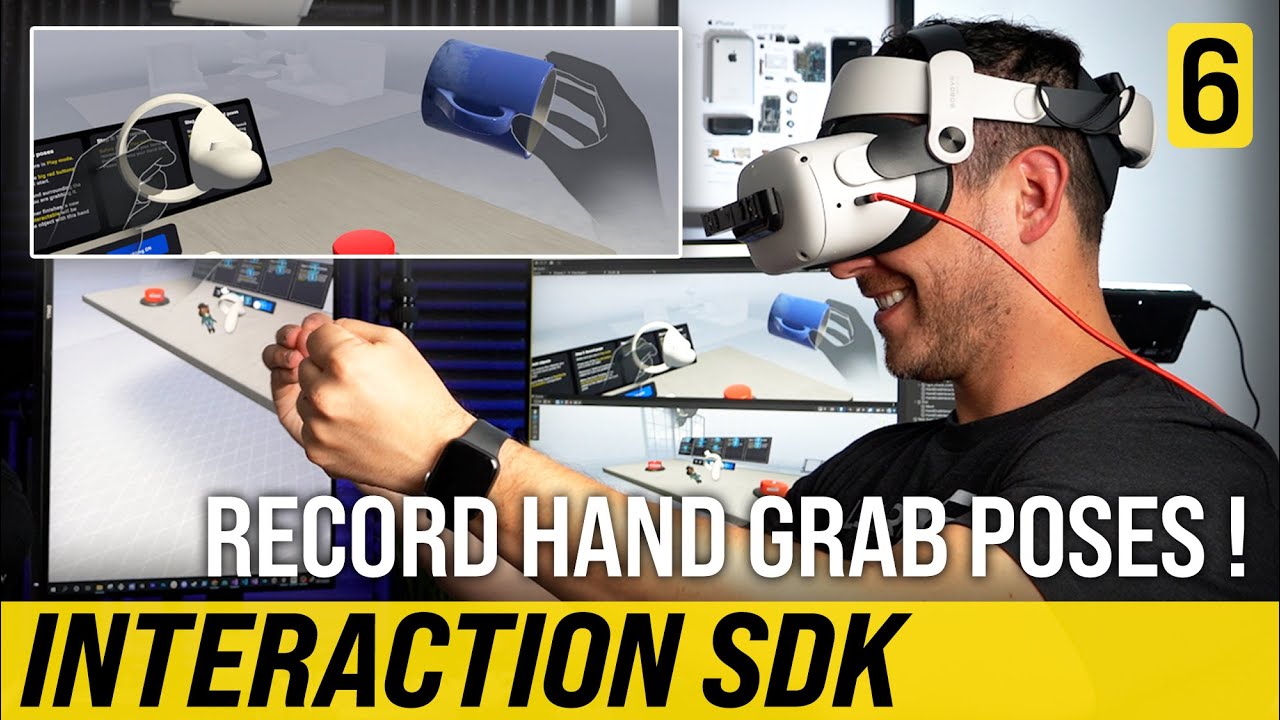
In today’s video I walk you through how to use the Hand Grab Pose Tool scene which allows you to record hand grab poses in play mode with Unity. I also show you mirroring capabilities, joint angles editing, and finger constraints.
🔔 Subscribe to avoid missing future XR Videos:
https://www.youtube.com/dilmerv
🥽 Download Oculus Integration from:...
 hazy yoke
Please help, I must be missing something simple. I am attempting to get the Vector2 value of the Meta Quest 2 thumbstick(s) in order to create a radial menu. Been through dozens of forum posts and YT videos to no avail. This is the closest I have come. Got this from VRwithAndrew but my controller is not a UnityEngine.XR but rather an ActionBasedController. Any help would be greatly appreciated!
            if(controller.inputDevice.TryGetFeatureValue(UnityEngine.XR.CommonUsages.primary2DAxis, out Vector2 value))
            {
                readOut = value;
            }
 edgy schooner
Hey, I'm trying to follow this guide
but there is no such thing as

pose Eye Gaze OpenXR
also, the code is deprecated
but it says to use Unity Input System instead of OpenXR ?
 neon raven
@storm ether i found some good articles btw check these out

Reading Time: 34 minutes One of the most important parts of game development is optimization which ensures your game will run smoothly on your target platform. This article is a detailed guide on every optimization part that I have learned so far in my game development journey
timber inlet
Hi guys how do I enable hand tracking on vive pro 2 with xr interaction tool kit?
what should I tick here, i'm confused

I manage to make it work on quest 2 but don't know how on vive pro 2
distant river
pine bison
Then run adb logcat and see if you get any errors when you start your app
Hi how are you ?
I did what you told me to do and here is the result in the pic.
I know what the NullReferenceException error is but i dont understand why it happens here and how to correct it
 storm ether
I'm trying to upload to applab and it says my apk is debuggable
 bitter igloo
storm ether
I'm trying to upload to applab and it says my apk is debuggable
bitter igloo
storm ether
I'm trying to upload to applab and it says my apk is debuggable
Is "Development Build" checked?
 cold knot
Has anyone tried the Unity Learn modules for VR? Looking to step into it later today using an Oculus Quest 2. Maybe someone has something they can recommend in terms of a quick start guide?
north path
cold knot
Has anyone tried the Unity Learn modules for VR? Looking to step into it later t...
I walked through it and it's solid for learning the fundamentals (and some extras which are very useful).
Ofc the official meta documentation on how to setup your project also is very helpful.
And YouTube guides
 inland flicker
Greetings, fellow people! I started working on a VR project and I would like to know a few things. Specifically, what version of unity would you recommend? A while ago I would have thought 'latest' without hesitation, but Unity has been quite volatile lately. I'd like to hear from people deep into VR stuff what are their thoughts.
 pale lake
Hello, I was wondering why this wouldn’t load, it has been almost half an hour but nothing… is this normal?
Cheers
 storm ether
bitter igloo
Is "Development Build" checked?
storm ether
bitter igloo
Is "Development Build" checked?
No why?
nvm it was
thats the reason im guessing
north path
inland flicker
Greetings, fellow people! I started working on a VR project and I would like to ...
Latest 2021 version is my recommendation
north path
pale lake
Hello, I was wondering why this wouldn’t load, it has been almost half an hour b...
It's unity updated?
If so, is the package installed in the package manager?
 white zodiac
I have meta quest 2 vr and I want to try my unity 2021 project in editor without building how can I do this
pale lake
north path
It's unity updated?
If so, is the package installed in the package manager?
Yep, sorry it’s fixed
north path
white zodiac
I have meta quest 2 vr and I want to try my unity 2021 project in editor without...
Connect it via link. This isn't the same as a native build but easy for testing
white zodiac
north path
Connect it via link. This isn't the same as a native build but easy for testing
I made it but my editor screen looks as 2d not like a vr so I cant look to environment
north path
Then the project isn't setup properly. Did you select openxr or oculus in xr plugin management and enable initialize xr on startup
 crude frost
XR Hands 1.1.0 is pretty sweet.
I see there are some default input actions for poke position, and pinch position.
It would be cool to create some other input actions based on hand poses. Is there any concievable way to do this? If not, anyone have suggestions on detecting poses (fist, peace sign, flipping the bird, whatever)?
Looks like I might just have to experiment with getting joint data https://docs.unity3d.com/Packages/com.unity.xr.hands@1.1/manual/hand-data/xr-hand-access-data.html#get-joint-data
white zodiac
north path
Then the project isn't setup properly. Did you select openxr or oculus in xr plu...
I can use my project properly when I build it but in Oculus link it isnt work did i miss something ?
north path
white zodiac
I can use my project properly when I build it but in Oculus link it isnt work di...
Yes you probably did.
First make sure you can play normal PCVR games (if this doesn't work it's an issue with link).
If that works walk through the rift development guide
 flat forge
Hey, how can I make a UI overlay for VR as I can’t render a canvas on screen space?
 lofty tangle
Hi, it’s been a while since I did anything for vr. I just set up a new project for vr following the basic instructions for in every most recent set up tutorial, with nothing added in my scene but an xr rig and a plane.
When I put the apk file onto my headset and played it it was very laggy/ jittery, just turning head left to right was awful. Has anyone come across this issue and know how to fix it?
lofty tangle
flat forge
Hey, how can I make a UI overlay for VR as I can’t render a canvas on screen spa...
Make it world space.
 main sinew
Hello,
We use a Github pipeline to build our builds for Quest and Pico. We use OpenXR.
Unfortunately, it is not possible to have both supports and controller profiles on at the same time.
Is there a way to change them via code in our build script?
Unfortunately I didn't find anything in the docs or in the forum.
 north path
lofty tangle
Hi, it’s been a while since I did anything for vr. I just set up a new project f...
north path
lofty tangle
Hi, it’s been a while since I did anything for vr. I just set up a new project f...
Check where your performance issue lies with the profiler and frame debugger I guess.
If it's a new URP project make sure to disable SSAO
north path
main sinew
Hello,
We use a Github pipeline to build our builds for Quest and Pico. We use ...
You cannot have both pico and quest support in 1 build (sadly).
You could make a build script which makes 2 android builds automatically. 1 for quest, then change the OpenXR features for pico and build again, and change the OpenXR Features back
main sinew
north path
You cannot have both pico and quest support in 1 build (sadly).
You could make a...
Yes, unfortunately I had to find that out too.
But how do I change the OpenXR features and the appropriate controller profile?
north path
Let me quickly look up an old project if I can
 blissful hill
which kind of shadergraphs shader do I need to use in VR? I have tried shadergraph unlit, since this is the one other tutorials mention, but on my headset (meta quest 2) it comes out with visual bugs
north path
main sinew
Yes, unfortunately I had to find that out too.
But how do I change the OpenXR fe...
Here is a script I was trying to make 1 build for both devices.
You can use parts of it inside of a build script
north path
blissful hill
which kind of shadergraphs shader do I need to use in VR? I have tried shadergra...
Depends on what you need. Unlit is more performant, and you could write custom lighting to make it more performant than the lit shader graphs.
Lit shader graph is easier if you need lighting.
If there are visual issues you probably set something up improperly. #archived-shaders might be a better channel for shadergraph issues (and add an image of the 'visual bugs' as this could be anything)
main sinew
north path
Here is a script I was trying to make 1 build for both devices.
You can use part...
Thank you.
I Will try it.
blissful hill
north path
Depends on what you need. Unlit is more performant, and you could write custom l...
ok. I posted a video there
main sinew
north path
Here is a script I was trying to make 1 build for both devices.
You can use part...
At this point I get a NullPointer Exeption:
Do you have any idea why?
OpenXRSettings.Instance.GetFeature<OculusQuestFeature>().enabled = true;
north path
Debug if it's the openxr settings, instance or feature. Maybe it's now called metaquestfeature in 1.6 or 1.7
main sinew
north path
Debug if it's the openxr settings, instance or feature. Maybe it's now called me...
I use OpenXR Plugin 1.5.3.
north path
Then maybe update to 1.6 or 1.7?😅
main sinew
OK.
After the update to 1.7 I still get the NullPointer.
main sinew
north path
Debug if it's the openxr settings, instance or feature. Maybe it's now called me...
How can I debug the XR settings?
The TouchControllerPRofile seems to be recognised.
At "foreach(var fet in OpenXRSettings.Instance.GetFeatures()) { Debug.Log(fet); }" <MetaQuestFeature> and <PICOFeature> do not show up either.
Only the controller profiles
north path
main sinew
How can I debug the XR settings?
The TouchControllerPRofile seems to be recognis...
That's a bit odd
What is the full code you currently have?
north path
main sinew
Maaaybe it works if the method isnt static?
I have no idea, I just ran everything in Start to test
I used OpenXR 1.7 btw
Just checked
main sinew
north path
Maaaybe it works if the method isnt static?
I have no idea, I just ran everythin...
No.
The same error message appears
main sinew
north path
I used OpenXR 1.7 btw
Yes have also updated to the 1.7
north path
Then I'm out of ideas, sorry
I might have some time to revisit it in some weeks, but now focusing on some deadlines
main sinew
north path
I might have some time to revisit it in some weeks, but now focusing on some dea...
No problem.
Thank you very much.
You have already helped me a lot.
inland flicker
Weird. Looks like the hardware is interpreting the clear flags differently.
north path
Woah that's a proper trip
Indeed seems to be the screen doesn't clear.
Make sure the camera rendering mode is set to skybox.
Also make sure the shader for the sky works both for vr and android
lofty tangle
north path
Check where your performance issue lies with the profiler and frame debugger I g...
What’s ssao?
north path
lofty tangle
What’s ssao?
Google it
On by default in URP renderer
storm ether
does anybody know how i can find my map back bc i accidently moved to quickly and its out of view now.
storm ether
this:
 severe saffron
select in hierarchy view, right click scene view, press F to focus on selected object
storm ether
ok
severe saffron
👍
 sly stump
Hey all, quick question, is there a way for me to override the current object in a snap zone, and essentially replace it with another object im trying to put in? If so, how would I go about doing something like that
tiny niche
sly stump
Hey all, quick question, is there a way for me to override the current object in...
gotta remove the first one and then place the second one
or just make custom snap logic
will probably run into issues with xri when you have an interaction model like that
 fleet rampart
what should go in the Tracking State Action if your making your custom set
tiny niche
working as expected, since youre enabling a whole extra compositor step when you have more than 1 camera
80fps means nothing,since time consumed is on a logarithmic scale
or did you mean it drops to 80?
personally i havent had any issues with either quest2 or the rift though. so i assume its an index issue or your pc
it could still be how your machines are set up, since i assume you all configured them the same way
probably, or you have something weird going on in your project/scene
have you tried the vr template project?
north path
2022 has performance issues with VR. Render textures and multiple cameras is a common one
 tropic garden
Is it possible for a camera to render to a headset only and not the main window?
north path
tropic garden
Is it possible for a camera to render to a headset only and not the main window?
Have just 1 camera active and then it will output 1 of the eyes to the monitor. Otherwise use display none I think?
fleet rampart
I got a xr origin in my scene, i added a capsule collider to it and a rigidbody but it still seems to pass through aobjects
except the floor?
where is weird
Bean
tropic garden
north path
Have just 1 camera active and then it will output 1 of the eyes to the monitor. ...
That's the thing, I don't want to render the headset camera to the monitor. Display none is not an option
 final basin
Hey! Thanks for sharing these issues around and getting them in front of the unity devs. I've had the same performance degradation with the new input "optimisations" too (1.28ms increased to 2.40ms).
Graphics Jobs is a trickier issue though. I've got a game on the quest store with graphics jobs enabled that is having some vulkan-related crashes, but i can't tell how many of those are graphics jobs related vs the crash on startup bug that oculus have supposedly since fixed in the plugin. We haven't had reports about crashing, so im hoping that many of them are just crashes if the player exits the game during startup.
I've tried disabling graphics jobs, but the performance afterwards is absolutely attrocious. I don't see how disabling graphics jobs can be a common recommendation across all the various settings recommendation guides, unless i'm missing some other setting that fixes this performance issue... This is the profiler analyzer with the left sample having graphics jobs enabled and right sample is disabled. Have you had similar results or is mine an anomaly?

 obtuse imp
i got a problem i try and adjust stuff in the editor and it looks great but when i use it on my quest its not the same??
 frail robin
Hey! I am trying to add an avatar to my VR app and have rigged it. However, I am facing an issue where the head moves as per the VR headset, but the rest of the body does not move along with it, resulting in an elongated neck. How can I make the rest of the body move along with the head and hands?
 north path
final basin
Hey! Thanks for sharing these issues around and getting them in front of the uni...
north path
final basin
Hey! Thanks for sharing these issues around and getting them in front of the uni...
Is multithreaded rendering enabled?
That is safe to enable, but 2021+ just crashes too much with graphics jobs
north path
obtuse imp
i got a problem i try and adjust stuff in the editor and it looks great but when...
Different quality tiers for android and desktop?
main sinew
north path
I might have some time to revisit it in some weeks, but now focusing on some dea...
I have it.
You must use OpenXRSettings.ActiveBuildTargetInstance. instead of OpenXRSettings.Instance.
Otherwise it will not take the XR settings for the target device.
At least when you use it in the editor.I do not use it in runtime.
north path
Ahhh that makes sense
Thanks!
tiny niche
frail robin
Hey! I am trying to add an avatar to my VR app and have rigged it. However, I am...
you need to add a system that approximates the hip movement in a way suitable for your game mechanics
obtuse imp
north path
Different quality tiers for android and desktop?
Yeah?
north path
obtuse imp
Yeah?
Then that's probably the issue
Otherwise be more specific what the issue is
 alpine ledge
Is there anything that i should improve when texturing this?


is there anything you would improve?
white stuff will have a texture soon
 mighty ice
hello, I'm using oculus integration sdk for the first time and I have this bug where my player is too high above the ground or sometime too low into the ground. Is there anything to fix this?
tiny niche
alpine ledge
Is there anything that i should improve when texturing this?
make sure you test it in vr and try to avoid getting a noisy mess
often its better to leave things flat, instead of having a lot of microdetails everywhere
alpine ledge
 rancid kestrel
door knob?
rancid kestrel
door knob?
escape room xd dosnt have a door knob
alpine ledge
tiny niche
make sure you test it in vr and try to avoid getting a noisy mess
Flat colors would work in a place like this?
Any suggestions on how i should texture it or what type of textures i should use cuz currently all of them are just recolored noise textures
For some reason i can never get the texture part of a model to work and look nice
buoyant jolt
alpine ledge
*white stuff will have a texture soon*
Yeah I was just going to say, there are arguments to avoid flat colours too much as it can make it hard to get depth perception in VR. Not a hard rule.
If some things are textured it's good to have the rest match a textured feeling too.
I do my texturing via painting in substance, marmoset or blender.
alpine ledge
buoyant jolt
I do my texturing via painting in substance, marmoset or blender.
blender is good enough?
 delicate talon
when i don't wear the visor the gpu goes to 100% and the image is sharp, when i put the visor on the gpu goes down to 50% and the image becomes noisy. i used oculus quest 2. can anyone help me with this problem?
buoyant jolt
alpine ledge
blender is good enough?
Definitely 🙂 but you'll want to learn about it's shader editor and texturing
9 times out of 10 though I'll just do it in substance
tiny niche
alpine ledge
For some reason i can never get the texture part of a model to work and look nic...
take a look at some references, but usually you want to layer fine and coarse detail
and if you go for something flat, make sure you have baked lighting to make it look good
alpine ledge
tiny niche
take a look at some references, but usually you want to layer fine and coarse de...
Im trying to achieve similar style to this one, but as u can see im far off.
not exactly the same as my theme is different, but im trying to do the same style
Zoom in and you will see what i mean

This one is Egypt theme, but mine is Rome, tho u can see where im going
tiny niche
alpine ledge
Im trying to achieve similar style to this one, but as u can see im far off.
*...
well you're missing both the area lights and color grading, but they also have a much coarser texture for the material
i would start out with flat materials and replicate the light setup
alpine ledge
Bake light makes everything much better?
Its like raytracing type thing
from what i see
basicly realistic light
i can try
tiny niche
alpine ledge
Bake light makes everything much better?
baked lights makes things efficient, which enables global illumination
alpine ledge
Thanks for suggestions tho, ive been strugling with these textures for a long time
Im hona try and do all that and see how it looks
- Baked light (global ilumination)
- Smal Gradien to the texture
- start with regular colors and then add a small noise
tiny niche
alpine ledge
- Baked light (global ilumination)
- Smal Gradien to the texture
- start with re...
make sure you have the right light types as well. you should really just look at some lighting tutorials
alpine ledge
You know it its possible to add a symbol or text straight on the model like in substance painter? Like if i would want to add a roman symbol on a wall in a specific place, would that be possible in blender without a lot of hustle.
north path
alpine ledge
You know it its possible to add a symbol or text straight on the model like in s...
Probably best to use decals
alpine ledge
north path
Probably best to use decals
Can you cut a decal shape out of the object you place it on? Like if i add a symbol, can i indent it inside the object i placed it on to add a 3d effect
north path
alpine ledge
Can you cut a decal shape out of the object you place it on? Like if i add a sym...
It adds textures onto models. I don't quite understand what you mean.
If you support a font that uses those symbols it could be even cheaper to just use textmeshpro in world space
alpine ledge
i have a png logo and i want to cut tuat logo shape image in a wall
tiny niche
alpine ledge
i have a png logo and i want to cut tuat logo shape image in a wall
then it depends on how deep it needs to be and how straight the wall is
and how close you need to be able to get to the wall
alpine ledge
arm leinght unless the player wants to lean and sniff the wall xd
 smoky lintel
i have a problem can anyone help me?
storm ether
Anyway here is a vr dev?
 weak wasp
storm ether
Anyway here is a vr dev?
weak wasp
storm ether
Anyway here is a vr dev?
you really did not read the link did you
storm ether
weak wasp
you really did not read the link did you
and
weak wasp
chances someone is going to answer that are low
ask the question about the problem you have
smoky lintel
i cant get apk

 kindred hemlock
Having a problem with the infamous black/white flashing in playmode with Oculus Q2, spent the day watching videos, reading blogs, threads, reddits, etc. none of the solutions are a fix.
Here are the details: https://forum.unity.com/threads/black-white-flashing-play-mode-quest-2.1430368/
Unity Forum
Anyone know of anything I haven't tried that has been suggested that I am missing?
Occulus works correctly with build & run, but not play mode....
Anyone have experience with this problem?
Maybe potential solutions not already listed in my thread?
tiny niche
kindred hemlock
Maybe potential solutions not already listed in my thread?
check out the last working commit, verify that the issue is gone, do a mixed reset to HEAD and undo changes until the issue reappears
once you've located what's causing the issue, we can help suggest solutions
storm ether
please help me i beg you
 north path
storm ether
please help me i beg you
north path
storm ether
please help me i beg you
Start from the top. Update unity, oculus xr plugin, and oculus integration package to maybe fix the dll error. Otherwise look for solutions to fix that
storm ether
north path
Start from the top. Update unity, oculus xr plugin, and oculus integration packa...
sure, doing it thanks
storm ether
north path
Start from the top. Update unity, oculus xr plugin, and oculus integration packa...
omg i have 1 problem left how do i solve it

@north path
north path
storm ether
omg i have 1 problem left how do i solve it
Did you delete oculus integration and install the latest from the asset store?
storm ether
north path
Did you delete oculus integration and install the latest from the asset store?
yes, and nvm i solved idk how
and also
why is my pc heating up like a bomb when i try to chnage build platform
north path
Because it is compiling/compressing/etc
storm ether
yeah ok is it normal?
storm ether
north path
I've never seen a bomb heat up, so idk
aww f*ck it happened again
tiny niche
@storm ether start using git, so you can figure out what you've done when something breaks
 limpid canopy
Is it possible to use XR Interaction Toolkit + Passthrough? (Quest 2 and Quest Pro)
tiny niche
limpid canopy
Is it possible to use XR Interaction Toolkit + Passthrough? (Quest 2 and Quest P...
yes
limpid canopy
tiny niche
yes
It's only available with Oculus Integration right?
limpid canopy
limpid canopy
Is it possible to use XR Interaction Toolkit + Passthrough? (Quest 2 and Quest P...
Oh, and I forget to mention, and hand tracking
kindred hemlock
tiny niche
check out the last working commit, verify that the issue is gone, do a mixed res...
Ragath, there has been no working commits for play mode compatibility, and I have updated the thread with the latest attempts to trouble shoot based on Unity Documentation provided.
tiny niche
limpid canopy
It's only available with Oculus Integration right?
yea, xri wont implement it for you, but nothing is stopping you from combining them
kindred hemlock
Unity Forum
Anyone know of anything I haven't tried that has been suggested that I am missing?
Occulus works correctly with build & run, but not play mode....
tiny niche
kindred hemlock
Ragath, there has been no working commits for play mode compatibility, and I hav...
grab a working sample project then. You replace your repo contents with the sample and then undo changes to bring back your original features until the project breaks
limpid canopy
tiny niche
yea, xri wont implement it for you, but nothing is stopping you from combining t...
Okay, thanks
tiny niche
@kindred hemlock if you're unable to find a working sample, then your machine is the issue
kindred hemlock
tiny niche
grab a working sample project then. You replace your repo contents with the samp...
Where could I find a working sample that allows me to view the project in Unity editor?
Also will that working sample also include all installation configuration etc?
cause I believe the installation configuration is are of failure
tiny niche
kindred hemlock
Where could I find a working sample that allows me to view the project in Unity ...
the vr template or https://learn.unity.com/project/vr-beginner-the-escape-room would do the trick

Unity Learn
Welcome to VR Beginner: The Escape Room! In this learning project, you’ll have the opportunity to explore and create basic VR interactions supported by the XR Interaction Toolkit package.
kindred hemlock
Thank you!
kindred hemlock
I think I will have to find another project, as this isn't importing cleanly into unity, throwing tons of errors about depreciation of components etc.
Plus it doesn't look like it 100% imported correctly either.
tiny niche
you want the sample, not the asset store kit
match unity versions and it should run no problem
kindred hemlock
Can you please define sample?
tiny niche
and i've also updated it to be compatible with unity 2022 before, so there's nothing truly deprecated in it
tiny niche
kindred hemlock
Can you please define sample?
a sample is a project you get from a third party
kindred hemlock
The tutorial lists this: https://assetstore.unity.com/packages/templates/tutorials/vr-beginner-the-escape-room-163264?_ga=2.166865597.2089650222.1583148323-1006581682.1503494177 from the link you provided.
I do not see a link to a sample.

Use VR Beginner: The Escape Room from Unity Technologies to elevate your next project. Find this & more Tutorials and templates on the Unity Asset Store.
Did you accidentally send me a link to the tutorial vs. the direct link to the sample?
kindred hemlock
tiny niche
a sample is a project you get from a third party
?
tiny niche
@kindred hemlock there should be a link to the sample as well in the tutorial
otherwise you have to google
kindred hemlock
tiny niche
otherwise you have to google
Tutorial only has option for asset import, and google results link back to that Tutorial.
I have also attempted to use VR Core
I get this error: CameraOffset.SetupCamera: Attempting to set the tracking space to Device, but that is not supported by the SDK.UnityEngine.SetupCoroutine:InvokeMoveNext (System.Collections.IEnumerator,intptr)
I have tried default, device, and floor
all give a similar error, but name the setting specifically, but point to the SDK not supporting any of them.
 scarlet arch
hey, very new to unity and vr dev and i recently started for this school project so i downloaded the steam vr assets and starting making an enviroment and watching tutorials. well, now im trying to make a floating menu as a ui (volume control, dropdown for different movement options, etc) and i was trying to see if there was already some prefab or resources already a part of the steam vr package because i already got player movement, teleporting, controller mapping, and all that stuff so i assumed there would be something for this but i can find it, so i was wondering if it just doesnt exist and i need to make it using the ui canvas object or if im just not seeing it. i did see a script called SteamVR_Menu.cs and SteamVR_Overlay.cs in the script folder but im not sure how they work or if thats even what im looking for. i tried looking up youtube tutorials or something like that for this but i couldnt find anything for steamvr specifically, but i guess a general xr tutorial would still help
this is the package ive been using/referencing btw:
https://assetstore.unity.com/packages/tools/integration/steamvr-plugin-32647

Use the SteamVR Plugin from Valve Corporation on your next project. Find this integration tool & more on the Unity Asset Store.
tiny niche
scarlet arch
hey, very new to unity and vr dev and i recently started for this school project...
usually you just use the xr plugins menu to install the needed vr packages and add xr interaction toolkit on top
the steam vr package is only relevant for knuckles-specific features
scarlet arch
tiny niche
usually you just use the xr plugins menu to install the needed vr packages and a...
ohh ok I'll look into the xr interaction toolkit then, thanks!
 radiant magnet
I'm working on a game that has a feature where when you press a button an the controller the player ragdolls and if it is pressed again the ragdoll resets to the player's position, but whenever the button is pressed to reset it, the applied rotation from the Rigidbody stays the same instead of resetting it to the players rotation.
 pallid fjord
Hey all. I’m working with a Meta Quest 2, and wondering if there’s a way I can perform an action in “the game” that can then send out some form of data either via Wi-Fi or if it was tethered to a PC.
north path
radiant magnet
I'm working on a game that has a feature where when you press a button an the co...
There is no proper rotation after it ragdolled since it's physics based? Or do you mean something else?
north path
pallid fjord
Hey all. I’m working with a Meta Quest 2, and wondering if there’s a way I can p...
You gotta give some more info. What do you wanna do?
radiant magnet
north path
There is no proper rotation after it ragdolled since it's physics based? Or do y...
when I try to disable the rigidbody component and apply a rotation to it, nothing happens
pallid fjord
north path
You gotta give some more info. What do you wanna do?
I want to select an object (or perform some sort of action with a control), and be able to send commands (via a script) back out of to another computer.
north path
radiant magnet
when I try to disable the rigidbody component and apply a rotation to it, nothin...
Please share code
north path
pallid fjord
I want to select an object (or perform some sort of action with a control), and ...
Of course that's possible, that's just networking. The setup is probably similar to a multiplayer game
radiant magnet
north path
Please share code
Here
pallid fjord
Great, any tips/pointers to get me started, I’m drawing a blank at the moment on getting something sent out from VR/meta quest. Not got into multiplayer stuff with my other Unity experience.
Happy to learn and research myself, just could do with something bit more to jump off from :).
north path
Then start with just a game locally on vr. That's hard enough
Networking is a whole step further
@radiant magnet that's uncommented without methods, I have no idea what lines cause the issue.
If it's the last one, you reset it to 0, so it will always return to that angle. You might need to reset all the position of the bones as well
pallid fjord
I can build to VR meta quest already (well for my needs anyway :P). Happily evolved, but I want to be able to take it another step, and for essentially be able to have some actions performed in my VR space send out data that another computer can interpret/listen for.
I’ll try and look into things a little further with the term networking in.
north path
Then look into networking.
Netcode for gameobjects is decently easy to start with, but might not be ideal when it's not 2 games (haven't tried it)
I've used the transport API in the past . That would work bit is a bit of a setup
pallid fjord
Thanks 🙂
alpine ledge
i cinda feel like it slowly got worse as i tried to fix it. For some reason it became really bright and idk how to make the texture be darker


No lighting.
non destructive so i can go back
north path
- What do you want to do exactly?
- With no lighting do you mean unlit shaders or no active lights?
2.1 if no active light, check out the lighting settings - environmental
alpine ledge
Its about the textures. no lighting i just specifyed that there is no lighting in these images. Problem is that i cant come up with a good set of textures for this model. The big images is the first one and when i kept trying to improve it it just slowly got worse
I cant come to a proper set so i tought maybe some one has an idea on this
suggestion or whatever
scarlet arch
So, I'm trying to follow this tutorial on making UI and I'm using steam vr and I see that when creating a canvas object it's supposed to create a event system as well, but I have the player prefab from the steam vr package in my scene and that has something called InputModule as a child with an event system component already on it which is why I assume the event system object wasn't created, but I tried to see if the pointer was working like in the tutorial I was watching and it was not. If anyone has any clue what I'm doing wrong please let me know! This is the video I was following (timestamped at the specific part I was having troubles with):

The episode 7 of the tutorial series that will teach you everything about VR interaction.
❤️ Support on Patreon : https://www.patreon.com/ValemVR
🔔 Subscribe for more Unity Tutorials : https://www.youtube.com/@ValemTutorials?sub_confirmation=1
🌍 Discord : https://discord.gg/5uhRegs
🐦Twitter : https://twitter.com/valemvr?lang=en
👍 Main Channel :...
Also, here's what I'm looking at when talking about the "InputModule"

btw I am extremely new to this so I could be missing some very basic things
north path
alpine ledge
Its about the textures. no lighting i just specifyed that there is no lighting i...
I don't think that's VR related. And if you want them darker, just change the texture in Photoshop or something?
alpine ledge
north path
I don't think that's VR related. And if you want them darker, just change the te...
Game is vr relasted
 wise yacht
can someone help me figure out how to make this imput action work please
wait thats huge, sorry
!code
ornate questBOT

Posting code
📃 Large Code Blocks
Large code blocks should be posted as links to services like:
https://gdl.space/, https://paste.ofcode.org/, https://hatebin.com/
https://paste.myst.rs/, https://hastebin.com/
📃 Inline Code
Surround code with three backquotes. Not quotation marks.
To get C# formatting the first line should only contain cs or csharp.
Add a comment with a line number if there is an error message.
```cs
// Your code here
```
Do not share screenshots of code unless requested.
wise yacht
wise yacht
can someone help me figure out how to make this imput action work please<:emoji_...
north path
alpine ledge
Game is vr relasted
But the issue isn't vr related, right? This would be more applicable to a graphics channel.
alpine ledge
omg
 rich zinc
Ive tried to get the game monitor part to display on my vr headset but the oculus is just showing its default opening instead of what im trying to project from unity
tiny niche
rich zinc
Ive tried to get the game monitor part to display on my vr headset but the oculu...
you need to connect to your pc through quest link or air link to do that
rich zinc
i dont think the occulus pc app is letting me set openXR Runtime as "oculus as active"
No reaction when i click it
https://communityforums.atmeta.com/t5/Get-Help/can-t-set-oculus-as-active-openxr-runtime/td-p/891902

i have a quest 2 and use it on link but it wont work at all because when i click the button here it just does nothing in the quest when i click enable link it loads for a few seconds and just reloads the home area (nothing happens) please help my quest 2 is unusable for pcvr like this and it seems...
north path
Switching stable to beta branch or beta to stable might fix it. First do a restart ofc @rich zinc
 mighty hornet
Can anyone point me in the right direction for making a VR joystick with posing? I've given it a stab, but its not quite right...
I'm thinking, on grab, hide the hand, show a posed hand on the joystick, and then copy the controllers rotation to the stick, but I'm not sure if thats the right way to go about it 😦
tiny niche
mighty hornet
I'm thinking, on grab, hide the hand, show a posed hand on the joystick, and the...
well luckily joysticks only rotate, so it should be fine. I'm also about to implement something similar but i want more features, so i'm going to have a positive and negative extreme pose for each axis and blend between them
that way the same system can also handle twisting and rudder pedals
mighty hornet
tiny niche
that way the same system can also handle twisting and rudder pedals
HMU if you get stuck, I'm most of the way there. stick rotation is locked to hand rotation without an offset, so if you grab the stick with your hand pointing forwards, the stick snaps to forwards, and I haven't worked out how to fix that yet 🤷♂️
mighty hornet
Worked it out, I had to get the rotation offset as a quaternion using:
gripOffset = Quaternion.FromToRotation(hand.forward, stickBase.up)
Then applied it to the hand direction
stickDirection = gripOffset * handTransform.forward;
oh you're doing a virtual joystick, i'm mapping a real one 😉
 crude juniper
Hey guys
I'm new to this whole XR Unity stuff and have to program a game for my studies.
Now I'm at a point where I'm not getting further cause I just don't know how to do this:
I'm having a simple Sliding Puzzle game, that is working with mouse-input und shooting a raycast from my default camera.
How can I transform this into a vr game?
I just don't know how to get the controller inputs in script or how to shoot or use the raycast from my right controller.
Glad for any help
north path
crude juniper
Hey guys
I'm new to this whole XR Unity stuff and have to program a game for my ...
Did you already check documentation and guides?
A raycast just shoots from a position, so shoot it from the controller position.
For input the new input system can simply bind a UnityEvent
crude juniper
Checking it right now, hopefully I can find my answers in there 😄
tiny niche
crude juniper
Hey guys
I'm new to this whole XR Unity stuff and have to program a game for my ...
check out the xr pathway on unity learn
 midnight hornet
Im tryying to play and this error pops up MissingReferenceException: The object of type 'MetaQuestTouchProControllerProfile' has been destroyed but you are still trying to access it. looking at the script nothing kinda deleates it but it aint working
If enyone can help reply
fleet rampart
does anyone know how to intergrate auto hands with hexa body?
severe saffron
I'd imagine that you could simply replace the hands/controllers that come with the hexa body with auto hand and then redo the config joints that connected the pelvis to the controllers to instead connect the pelvis to the auto hands
I've seen it swapped out on YouTube before but it wasn't laid out very clearly
99% of the magic in hexabody is the config joint setup
 hollow sail
Can anyone help me with configuring TouchScreenKeyboard. Developing VR application for Oculus Quest 2 using with XR Interaction toolkit?
I am getting TouchScreenKeyboard.status as Cancelled, and TouchScreenKeyboard.active as false after I instantiate it using the code
keyboard = TouchScreenKeyboard.Open("", TouchScreenKeyboardType.Default);
north path
hollow sail
Can anyone help me with configuring TouchScreenKeyboard. Developing VR applicati...
Did you check this guide?
https://developer.oculus.com/documentation/unity/unity-keyboard-overlay/
Utilize the keyboard overlay feature to use the system keyboard as an overlay.
 neon meteor
Hi! I am wondering if anyone has any good tip on how to stabilize the horizon when recording VR content?
With oculus mirror this isn't a problem but I need to do it with a Vive Focus 3. I use OBS + OpenVR Capture and the LVK Video Stabilizer filter, but as far as I can tell it doesn't stabilize the horizon.
Thanks!
tiny niche
neon meteor
Hi! I am wondering if anyone has any good tip on how to stabilize the horizon wh...
you'd have to crop the video feed a bit in order to do it in post
otherwise you could just add a stabilized camera for the mirror
north path
If you want to record footage I recommend doing that on PC with a second smoothed camera
 hazy cosmos
hey guys, does anyone know how to detect if the grip button is released on VR? This is the current code i use to check if it was pressed InputDevices.GetDeviceAtXRNode(XRNode.RightHand).TryGetFeatureValue(CommonUsages.gripButton, out isHoldingGrip);
hollow sail
north path
Did you check this guide?
https://developer.oculus.com/documentation/unity/unity...
Since I am using XR interaction toolkit, so there is no OVR Manager for me to enable Require System Keyboard.
Some users have mentioned to add <uses-feature> tag in the custom manifest file. But that is giving me build errors.
Since I am no android expert, I feel I am messing up the manifest file
EDIT: It turns out, something was wrong in my custom manifest file. Now it works fine with uses-feature
north path
Nice!
north path
hollow sail
Since I am using XR interaction toolkit, so there is no OVR Manager for me to en...
Is it just a change in yhe manifest file and it works automatically?
For future reference :p
 pallid aurora
@cunning hedge could someone help me im having trouble getting my game to work?
srr if i broke a rule
 cunning hedge
pallid aurora
<@94808640086609920> could someone help me im having trouble getting my game to...
cunning hedge
pallid aurora
<@94808640086609920> could someone help me im having trouble getting my game to...
You can ask here, if someone can help they'll jump in
You shouldn't ping specifically for help
pallid aurora
ok srry can i send a quick vid on whats happening
cunning hedge
sure
pallid aurora
ok
pls help to fix this issue
@cunning hedge Thanks for the help
btw who would i talk to for help
cunning hedge
pallid aurora
btw who would i talk to for help
just be patient and wait to see if someone can help
pallid aurora
ok srry
north path
What is the actual issue? @pallid aurora
Describe it, say how the VR player is setup, unity version, any errors via logcat?
 atomic badge
When playtesting a game in VR, obviously the person INSIDE the headset has a much wider FOV. is there any way to match this FOV on the pc screen display?
so that spectators can also see Exactly what the player is seeing?
For example often, the player can see things near the edges of their vision which the screen is not displaying
is there any way to adjust the FOV only for the PC Screen?
north path
@atomic badge (for PCVR)
Add a second camera that outputs to the flat display, change the FoV how you want, and you can even smooth the movement. If you match the width of the view, you might see some more vertical info than the vr headset, dependant on the headset and monitor aspect ratio
atomic badge
is there any sort of resource on how I can manage which camera outputs to which device?
north path
atomic badge
is there any sort of resource on how I can manage which camera outputs to which ...
Its just a dropdown on the camera component
atomic badge
oh ok, ill have a look. Thanks a bunch! o/
north path
Ur welcome :p
 tall spade
Hey All, is there any guide or best practice that I can refer to - So my I am starting a new project and it should run on VR(Meta Quest 2) as well as on android devices and windows desktop build..now how should I design my scene and organize my project structure ....any thoughts?
tiny niche
atomic badge
so that spectators can also see Exactly what the player is seeing?
you could, but it would look strange on the spectator end. Everything would be heavily distorted
and the spectator could still see more than the player, since they may be focused in a different area of the lens
atomic badge
yeah.. those are potential problems..
The reason I need this is because I need to demo my game in front of a panel of jurors.
I often find myself doing actions which people are not able to see on screen
because im looking slightly off point in vr and doing the action elsewhere with my arms
tiny niche
might be you're not even looking at your hands when you do them
tiny niche
that just means you need a different solution for an observer camera
atomic badge
any recommendations?
tiny niche
many games do a fixed point camera looking at the player
but that is mostly only feasible when you're not moving around much in the game
atomic badge
makes sense.
In my case I need the jurors to be able to see from my perspective
I don't have a player model either
so fixed point camera might not be the best option
tiny niche
then you'd need to give the jurors a device to wear, or simply accept that they can't see everything and adapt your movements to compensate
atomic badge
or simply accept that they can't see everything and adapt your movements to compensate
I am leaning towards this..
I only have one device which I will be using at the time to demo
tiny niche
and does it have to be a live demo?
atomic badge
i could have prerecorded gameplay as well. But It will help my presentation if I do a live demo as well
it ultimately comes down to grading unfortunately
tiny niche
why? you could be doing more things and go in depth on more topics if you didn't have to swap to a headset during the demo
oh its a uni project? could just do whatever then.
north path
tall spade
Hey All, is there any guide or best practice that I can refer to - So my I am s...
Have a VR player and a VR emulator and send different inputs to the movement
tiny niche
tall spade
Hey All, is there any guide or best practice that I can refer to - So my I am s...
i would start by figuring out the interaction model for the different devices. Then you have a choice between doing a different "rig" for each device or just emulating inputs through the action system
if you only need camera controls and the phone is using ar features, then i would go the action emulation route
tall spade
tiny niche
if you only need camera controls and the phone is using ar features, then i woul...
there is no AR just VR and 3rd person for web
tiny niche
3rd person as in over the shoulder, moving along a horizontal plane?
tall spade
tiny niche
3rd person as in over the shoulder, moving along a horizontal plane?
No as in 3rd person controller input system for webGL build and VR control system for Meta Quest
tiny niche
in that case, i would do a separate rig for vr and then grab a premade solution for unifying the phone and desktop
tall spade
tiny niche
in that case, i would do a separate rig for vr and then grab a premade solution ...
But how will you design screens and HUD?
tiny niche
tall spade
No as in 3rd person controller input system for webGL build and VR control syste...
are you sure you want to go the webgl route though? tends to not be great on phones
tall spade
tiny niche
are you sure you want to go the webgl route though? tends to not be great on pho...
This I have already raised but I am not the decision maker 😐
tiny niche
tall spade
But how will you design screens and HUD?
you will most likely need a separate hud design for each form factor
tall spade
tiny niche
you will most likely need a separate hud design for each form factor
Yeah that's what I am thinking and load each them on the basis of platform
tiny niche
tall spade
This I have already raised but I am not the decision maker 😐
why not? you're clearly the architect, since you're dealing with these problems
tall spade
tiny niche
why not? you're clearly the architect, since you're dealing with these problems
HA HA...Yeah but the requirement is something like that...
it's non negotiable... I am pushing for apk though
tiny niche
part of your job is to discuss and negotiate requirements with the client to get what you both really want though 😉
but hey, if they're dead set on it, then you just gotta budget for it
tall spade
tiny niche
but hey, if they're dead set on it, then you just gotta budget for it
Yeah...right now I am doing my homework and trying to do risk analysis what could go wrong...
tiny niche
performance and loading times should be your main concerns
most of the issues are going to be on the mobile side though, with safari likely being a no-go
pallid aurora
@north path its stuck on a frozen screen
north path
pallid aurora
<@512275182228865024> its stuck on a frozen screen
What was this a reply on?
pallid aurora
this vid here watch it
@north path when my game that i made starts its freezes any tips on how to fix this
tiny niche
pallid aurora
<@512275182228865024> when my game that i made starts its freezes any tips on ho...
anything could be causing the freeze. You'd have to figure out why it freezes in order for us to help you
north path
Yep, tell how you setup the player, what guides did you follow, is there a tracked pose driver on the camera, any errors via logcat, etc etc @pallid aurora
 spring bramble
not sure if this is the right channel. so i make avatars for vrchat and i was trying to upload a new one and i keep getting asset bundle errors would anyone know how to fix that?
pallid aurora
tiny niche
anything could be causing the freeze. You'd have to figure out why it freezes in...
im new to unity so can u send a vid on what i should trie
 crisp rock
is it normal to have to manually slot in position and rotation actions manually on the xr origin->controller components like this? In tutorials I dont see people doing it, but here I had to or they would not track.
 tiny niche
pallid aurora
im new to unity so can u send a vid on what i should trie
tiny niche
pallid aurora
im new to unity so can u send a vid on what i should trie
start by going back to a version that didn't freeze, then you revert changes one at a time until it starts freezing again
after that, you read the manual that covers the feature on the last thing you did
tiny niche
crisp rock
is it normal to have to manually slot in position and rotation actions manually ...
yes, if you didn't use the sample prefab then you have to do it yourself like that
but its nothing compared to when you have to hook up the simulator
 gusty marsh
is anyone else is facing the crash with amazon s3 sdk for unity while deploying in meta quest 2
 junior bluff
MissingReferenceException: The object of type 'MockRuntime' has been destroyed but you are still trying to access it.Your script should either check if it is null or you should not destroy the object.UnityEngine.
is any body able to help me try and figure out the issue with this
it occurs when i put the controllers into the interaction profile and seems to delete its self when pressing play and resets
i tried uninstalling open xr package and re installing but that didnt do anything
 lapis dawn
hi, i am trying to make a tray with drinks but when i move the tray, the drinks stay in one place, the tray slides underneath. I guess it's a rigidbody or collision problem, can someone help me?
 river radish
I need help. So I have scene changer and it should work but it doesn't. Here is the script :
using UnityEngine;
using UnityEngine.SceneManagement;
using Photon.Pun;
public class SceneSwitcher : MonoBehaviour
{
public string sceneName;
private void OnTriggerEnter(Collider other)
{
    if (other.CompareTag("HandTag"))
    {
        SceneManager.LoadScene(sceneName);

        if (PhotonNetwork.InRoom)
            PhotonNetwork.LeaveRoom();
    }
}
}
Yes I have added my scene to Build Settings and it is still not working. Can somebody help me?
crude frost
Ok, I have a crazy one. All of a sudden, I can no longer interact with XR Simple Interactablein my project. On an old branch it works fine. On a new branch it doesn't. My new branch has nothing new related to the XR Simple Interactables
I found I can create a new scene and everything works fine.
Upon further testing, I discovered, if I make the new XR Interactables a child of my XR origin, all of a sudden I can interact with them.
I finally discovered, it all came down to Do Not Destroy on Load. My XR Origin and my XR Interaction Manager are both Do Not Destroy on Load. New XR Interactables will then work, if I add a Do Not Destroy on Load script to them.
This is all mind boggling to me. Because my project has been like this for half a year. Why would XR Interactables quit working unless I add Do Not Destroy on Load?
crude frost
river radish
I need help. So I have scene changer and it should work but it doesn't. Here is ...
If it were me, I'd add a debug log to your 'on trigger enter' and see if its even triggering
flat forge
Hello, im having an issue with the lighting in my scenes. If i load the scene in unity editor it looks fine, but if the scene is loaded through a button in my main menu scene the lighting is completely different. Shadows are really dark and there is a darkness to every object within the scene.
Any ideas?
crude frost
flat forge
Hello, im having an issue with the lighting in my scenes. If i load the scene in...
I would clear all your baked lighting, and rebake it. I've had the same issue before.
flat forge
crude frost
I would clear all your baked lighting, and rebake it. I've had the same issue be...
how exactly do i do that? not messed around with the lighting settings too much before
crude frost
flat forge
how exactly do i do that? not messed around with the lighting settings too much ...
flat forge
crude frost
that didn't seem to fix the issue, thanks though
crude frost
flat forge
that didn't seem to fix the issue, thanks though
you might try searching your project for lightingData files, and delete any that look old

even those lighting folders. each scene with lighting information should have a folder
flat forge
crude frost
you might try searching your project for lightingData files, and delete any that...
ahhh i was being stupid i didnt know the generate lighting button was doing anything ive fixed it now. I appreciate your assistance
round mortar
I'm not sure if I'm overcomplicating this. What is the best way to adjust my player's scale for people that are different heights irl?
round mortar
The two main things I'm wondering are 1: should I scale the player or the world? 2: should I scale my hands?
 compact gazelle
hi guys,when i use vr in unity the UI render in just 1 eye and it is not static,it happens just when i am on pc and not for example if i build the game for android,here is the video https://youtu.be/Z2WaTJFeciA
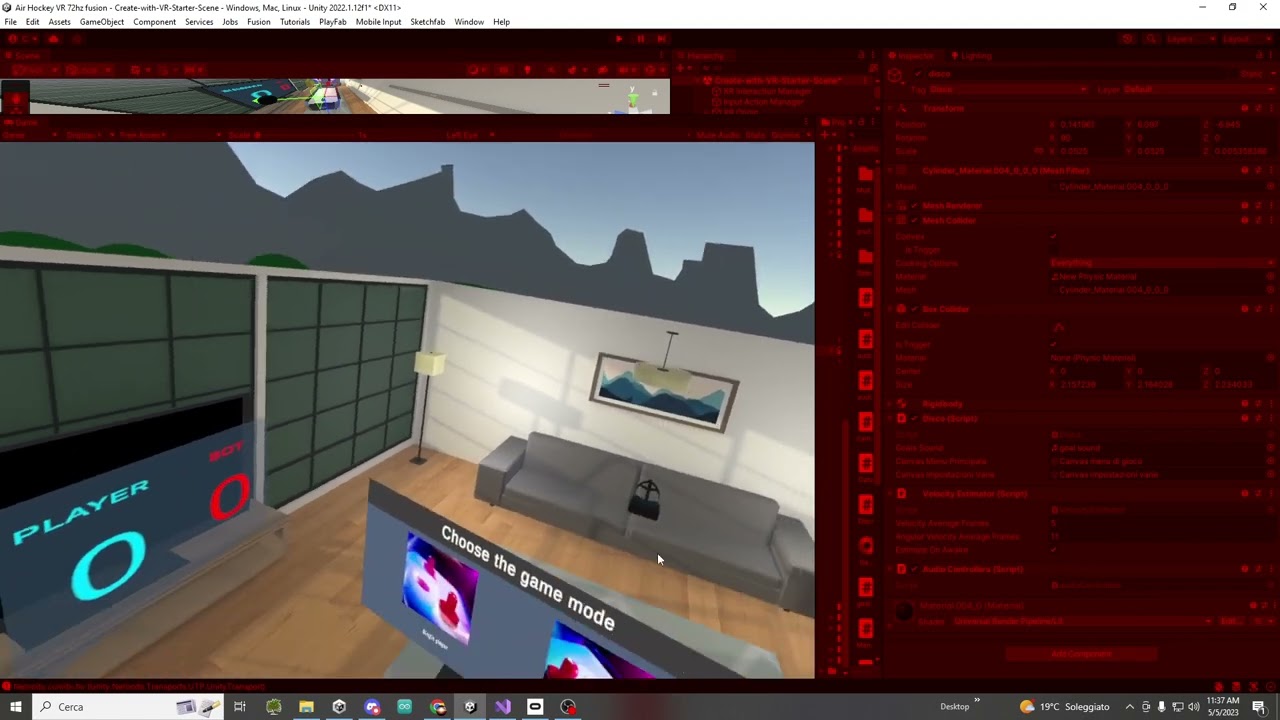
what can cause this issue,it is a couple of months i have it and i don't understand why...
north path
- Update unity, that version is pretty old
- Do you use custom shaders? If so, make sure they support multiview/single pass instance
- What kind of UI? World space I assume?
@compact gazelle
compact gazelle
north path
1. Update unity, that version is pretty old
2. Do you use custom shaders? If so...
yes i use world space
north path
compact gazelle
yes i use world space
And....
compact gazelle
and i use single pass
later i try to change the settings and than i write you here
thanks for the help
sly stump
Hi, im trying to pause my game when the oculus home button is pressed.
I have subscribed this event, but when the game starts, its starting paused, any tips?
 compact gazelle
north path
1. Update unity, that version is pretty old
2. Do you use custom shaders? If so...
compact gazelle
north path
1. Update unity, that version is pretty old
2. Do you use custom shaders? If so...
what type of UI i should select?
alpine ledge
Do you guys think by any chance would a moevement system in vr work on a 3D planet like sphere where your always standing on the planet whilebeing able to walk around and not fall off due to gravity?
i feel like due to head movement in vr it would be difficult to pull off as smooth
tiny niche
alpine ledge
Do you guys think by any chance would a moevement system in vr work on a 3D plan...
shouldn't be a problem, just make the radius large enough
storm ether
I set up post processing for my VR camera but it doesnt update even though I did all the steps correctly, any ideas?
default pipeline
north path
What do you mean with doesn't update? @storm ether
storm ether
north path
What do you mean with doesn't update? <@456226577798135808>
Doesn't show up in scene or game view
none of the effects take place
north path
How did you set it up?
storm ether
empty game object as volume
add the postprocessing layer to the camera
assign a new layer for it and I called it postprocessing
then when I add effects through volume it doesn't take place
storm ether
north path
How did you set it up?
for now I have a global override and its working but I prefer the original method
north path
I assume you use post processing stack v2?
https://docs.unity3d.com/Packages/com.unity.postprocessing@3.2/manual/index.html
lofty tangle
alpine ledge
i feel like due to head movement in vr it would be difficult to pull off as smoo...
Yeah it works. I built a game like this for a vr game jam. https://adhochero.itch.io/small-world-defender
 alpine ledge
lofty tangle
Yeah it works. I built a game like this for a vr game jam. https://adhochero.itc...
alpine ledge
lofty tangle
Yeah it works. I built a game like this for a vr game jam. https://adhochero.itc...
My movement would be different it would be a ladder type movement where you hold down the side button to anchor an arm and move that arm to change position. Like your grabbing air and pulling your self in that dirrection. tho that wouldnt make much of a difference i think.
Also can i ask a quick question about model importing in unity? I always made games where it was eather only image based 2D or 3D with unity building tools, Ive decided to use blender, but i can never seem to find how i should transfer it from blender to unity.
lofty tangle
Idk I haven’t made models.
lofty tangle
alpine ledge
My movement would be different it would be a ladder type movement where you hold...
Though what you described just sounds like the climbing in my game jam game gab to move around but instead of grabbing the air you have to be grabbing a building to climb.
alpine ledge
lofty tangle
Idk I haven’t made models.
fixed it
alpine ledge
lofty tangle
Though what you described just sounds like the climbing in my game jam game gab ...
I mean i dont have anything to compere it with. Gorila tag might be the closest one but you have a floating character and using an arm you press down a button to anchor it which makes you move based on that anchored arm. So its like a climbing type of movement.
go in all 3 dimesnions
Oh ik a game that has this movement
Gods of gravity
lofty tangle
I mean I think I lost touch of the question. But yeah that’s definitely possible on a globe type world.
You just move the player the -velocity of whatever hand is doing the moving. And rotate the player so that their feet point towards the center of the sphere world. It’s really that simple.
 weary estuary
Sup guys, I'm trying to make it were when I break a beer bottle, a simple splash image appears on the surface it breaks on, any idea on how to do this?
lofty tangle
weary estuary
Sup guys, I'm trying to make it were when I break a beer bottle, a simple splash...
You could use something like this for decals https://docs.unity3d.com/Packages/com.unity.render-pipelines.universal@12.0/manual/renderer-feature-decal.html
weary estuary
lofty tangle
I mean I think I lost touch of the question. But yeah that’s definitely possible...
I'll test it out! Thanks so much br!
bro*
 unique sandal
does anyone know how to solve the problem with a black screen showing up when in play mode. im using the quest 1 with a cord
north path
unique sandal
does anyone know how to solve the problem with a black screen showing up when in...
Many potential issues.
Unity version, used packages, what xr plugin is used, do other PC games even work?
Give some info
unique sandal
north path
Many potential issues.
Unity version, used packages, what xr plugin is used, do ...
my version is 2021.3.24f1. this is all the packages and I'm using the oculus xr plugin.
 north path
And do other pc vr games work?
What guide did you follow for setup?
unique sandal
I haven't tried any games and I used this tutorial, https://www.youtube.com/watch?v=HhtTtvBF5bI, it said to use the openxr plugin but it wasn't working either

The first episode of the tutorial series that will teach you everything about VR development.
❤️ Support on Patreon : https://www.patreon.com/ValemVR
🔔 Subscribe for more Unity Tutorials : https://www.youtube.com/@ValemTutorials?sub_confirmation=1
🌍 Discord : https://discord.gg/5uhRegs
🐦Twitter : https://twitter.com/valemvr?lang=en
👍 Main Chann...
imma try a vr game though
unique sandal
north path
And do other pc vr games work?
What guide did you follow for setup?
i was able to play a free game on the quest store
north path
Then double check all the settings
unique sandal
north path
Then double check all the settings
everything seemed fine
north path
Then try another guide, like the official oculus rift unity guide
Quest via link is basically a rift
 little elm
I move when moving my hands and without touching my joysticks
lofty tangle
Mine does that too but it’s cause of stick drift on my old ass controllers
lofty tangle
Thought I was going crazy couldn’t figure out what was wrong with my code, but it turned out to just be that.
 balmy locust
I wrote a 3-part series on 'safety' when distributing binary VR executables built in Unity, including some detail about how to actually do code-signing. The first part is here: https://www.shalperin.dev/developers-blog/thinking-about-sufficient-safety-measures-when-sharing-binary-vr-experiments-experiences-projects

Sam "Shimi" Halperin. technology, art, and design.
In order for there to be a vibrant VR developer community, we need to be able to share binary demos, without having to publish full-featured apps to the various app stores. Here are some thoughts on how to do that safely.
The other two parts, procuring the cert, and doing the signing are embedded in that article.
tiny niche
balmy locust
I wrote a 3-part series on 'safety' when distributing binary VR executables buil...
i have to wonder, who's your audience? cause the first paragraph is clearly aimed at people considering funding a vr project in some form or another. While the rest of the article has nothing to do with distribution and solely focuses on consumption
and if you're going to write a procedure on how to go about it, i think the least you could do is verify your claims instead of guessing at what the proper steps are. Especially since it concerns security
storm ether
Hey I'm a bit lost right now, making my first VR game and running the game from the editor on my laptop / PC gives like 120 - 160 FPS and a smooth game (Which is expected I suppose) but when I connect my headset and try the game there, its very very choppy, 6-12 FPS, when I turn my head it takes whole seconds for the screen to register and move with me, I suppose it's not optimized? But it seems optimized outside of VR. I even tried turning off the processing heavy things just to see if it makes a difference but it's always the same. Is this because it's in the editor or what's the problem.
Would really appreciate any tips I'm a beginner with VR and I don't know where to start looking or what the problem is even. Thanks in advance ❤️
balmy locust
tiny niche
i have to wonder, who's your audience? cause the first paragraph is clearly aime...
Wow! OK. That's a pretty bizarre reaction.
Part I talks about the danger of passing around .exe binaries, and part II and III step through the process of code signing.
My intended audience was VR developers who want to share their work. Screen capture videos and WebGL builds are nice, but I need a way to safely share the actual VR experiences.
I don't know where you got the bit about "funders".
tiny niche
balmy locust
I don't know where you got the bit about "funders".
its talking about the differences between targeting quest and pcvr. Unless you haven't yet begun development, that's already been taken care of and if you are a vr dev then you already know the differences between the platforms.
balmy locust
tiny niche
its talking about the differences between targeting quest and pcvr. Unless you h...
That's called an introduction.
tiny niche
balmy locust
Wow! OK. That's a pretty bizarre reaction.
Part I talks about the danger of pa...
no it talks about running unsigned binaries, which obviously is something people tend to avoid. That said, the dangers of consuming unsigned binaries have nothing to do with distribution of unsigned binaries
and the real issue people have from a distribution standpoint is whether or not people are going to trust their software enough to run it
tiny niche
balmy locust
That's called an introduction.
but its also completely separate from the title
balmy locust
And the second part of your criticism, "if you're going to write a procedure on how to go about it, i think the least you could do is verify your claims instead of guessing at what the proper steps are. Especially since it concerns security"?
tiny niche
balmy locust
And the second part of your criticism, "if you're going to write a procedure on ...
it refers to the part about av software and windows defender
balmy locust
My feeling is you spent 30 seconds with what I wrote and then vomited a bunch of unfounded criticism. It took a lot to write those articles, and you decided to sh*t all over it. Maybe I'm wrong, but that's how your original message was received. [edit: this comment was a little over the top, and I apologize for it. I have trouble with criticism I take to be non-constructive coming from anonymous accounts. However I did overreact.]
tiny niche
balmy locust
My feeling is you spent 30 seconds with what I wrote and then vomited a bunch of...
i did read through it, but i quickly found didn't deliver on the promise of the title
balmy locust
ok thanks for your input
tiny niche
then again, distributing software you've written yourself is a pretty low-risk activity as long as you put in an eula
balmy locust
ok thanks
north path
storm ether
Hey I'm a bit lost right now, making my first VR game and running the game from ...
- They use different resulitions and rendering. A quest 2 is about 4x harder to run than 1080p full screen, even more if you don't use full screen.
- Update unity to the latest lts if possible. Also update the xr plugin used!
- Is the 6-12fps still inside unity? Or in a build?
- Is the game view in focus?
- What does the profiler say?
buoyant jolt
balmy locust
My feeling is you spent 30 seconds with what I wrote and then vomited a bunch of...
I am going to echo on what @tiny niche has said above, and push it a bit further.
You didn't share your article in response to a person or question, so I'm assuming you want feedback. Although based on your response that may not be the actual case.
Conversationally I find it difficult to follow. There are a lot of run on sentences and some use of unintroduced acrynoms (bad given your article seems to target new developers) which makes the sentence structure a little confusing. Intersecting 5 or 6 commas in a sentence with side information pulls the reader away from the topic.
You start off talking about distribution, but it isn't really clear what you are trying to say. You go on about the issues of app lab. And then the next sentence switches to you guessing that Microsoft Defender blocks downloaded execuables and switch to PCVR without giving the reader much indication. The problem here for me is the depth of the content and the flow.
I think you've tied way too much stuff into the post, and they could / should be split to new posts.
Also, something as simple as signing really could be explained very quickly in a single post. It shouldn't need to be 3 posts unless you are really going into more process detail.
For example, why are you telling people how to scan a file with Microsoft Defender?
And then you go on to talking about escalated permissions and how you feel about them belonging to VR experiences. But you don't really discuss it, it is just a passing paragraph and screenshot and it doesn't really say what the advantages or risks are on that decision. More importantly - this is unrelated to signing permissions. It should be it's own topic
Anyway, I'm going to stop there as well. As you surmised, most people are going to only briefly glance at the information. And about 70% of part 1's content has nothing to do with signing.
Moving to 2 & 3.
"Upon reflection I feel that code-signing is the #1 protection against malware for VR developers" - I don't think this is a practical issue. 99.9% of the time our applications are published to a store front or manually installed for a user. Executable modifying malware is a bit of a thing of the past, it primarily is Trojan horse design these days with unique payloads. Most malware these days is intentionally added to an application to cause harm. In my opinion anyway. As a writer you want to avoid terms like #1 issue unless you are certain the reader will agree with you. If they don't it will undermine the article because it subconsciously gets the reader distrusting your perspective (and thus doubtful of your following step by step process)
Parts 2 & 3 are an improvement, I didn't validate the commands.
Anyway, as I said, you seemed to be posting it here because you wanted someone to read it - and I did :). My advice is to keep blogging, keep writing, it'll tighten and become quicker and more natural as you go. The first page is a bit all over the place though.
buoyant jolt
storm ether
Hey I'm a bit lost right now, making my first VR game and running the game from ...
Is it only going slow playing it from your laptop into the headset? I suspect you may not be using a VR capable laptop.
balmy locust
buoyant jolt
I am going to echo on what <@198165930742775809> has said above, and push it a b...
Thank you so much for taking that amount of time. To me the difference between the two responses, although both being critical, is that one was constructive and one was not.
storm ether
north path
1. They use different resulitions and rendering. A quest 2 is about 4x harder to...
I'm using a quest 1. Unity is on the latest LTS version and XR plugin is updated, double checked. Only inside unity is the 6-12 fps happening, I'm building it right now to test the performance on the standalone Quest 1. Game view wasn't in focus no but it was very choppy and slow in the headset too, not sure if that would make a difference. Sorry, what's a profiler?
buoyant jolt
balmy locust
Thank you so much for taking that amount of time. To me the difference between ...
Also, please take it with a grain of salt. When I was first a writer, my stuff was way more rough. Your article (to me) is good and perfectly fine as a personal piece, but it has the potential to be perfect.
storm ether
buoyant jolt
Is it only going slow playing it from your laptop into the headset? I suspect yo...
It's a VR capable laptop, 16GB ram and 1060 GTX, not amazing but still I don't think it should be bad enough to reach 6-12 fps. It runs much better on my higher end PC though.
LAPTOP:
w out/ headset: 120+ FPS
w / headset + ads : 6-12 FPS avg + Choppiness and Screen lag.
w / headset - ads : 10 -15 FPS avg + Choppiness and Screen lag.
PC:
w out / headset - ads : 200 + FPS
w out / headset + ads: 100 - 120 FPS avg
w / headset + ads : 30 - 70 (30 near center) FPS
w / headset - ads: stable 70 FPS
Here are the stats I tried so far (I'm building right now to test standalone)
ADS - refers to multiple video players and audio sources I have in the scene that were causing a lot of performance issues so I tested with and without them
north path
storm ether
I'm using a quest 1. Unity is on the latest LTS version and XR plugin is updated...
Know that Quest 1 performance is really bad haha.
And make sure the game view has focus. Even when in VR, that can still help a ton and was causing issues for me.
And google what the profiler is
buoyant jolt
storm ether
It's a VR capable laptop, 16GB ram and 1060 GTX, not amazing but still I don't t...
Yeah specifications wise you should be fine - unless some throttling is happening somewhere. You can peek at the batch calls and poly count, that should give you an idea of how you are looking. And then the performance monitor OVRtooks thing will give you an idea of the headset keeping up, and the profiler a lot more details
It can't hurt to do an APK build and push it to the headset to rule out a PC->headset issue. But most likely it's something causing it to be slow
Yeah, quest 1 is incredibly hard to keep performant BUT it shouldnt be as much of an issue as you are using it for PCVR right now
storm ether
Quest 1 really that bad? I know that Quest 2 is superior but is it just a horrible device to run games on haha
I'll look into your advice after I try an APK build right now
buoyant jolt
It has very little overhead, so for standalone projects you'll be trimming the batch calls and polys as much as you can. The last time I tried URP on it, it ran worse.
In my opinion, it is a fantastic headset to start with though, because if you can try your game running well on the Quest 1, every other headset will be no problem.
storm ether
okay I have a lot of information that I'm not sure what to do with now, like I said I'm a total newbie to VR
can I please refer back to your advice after I test the APK build?
balmy locust
buoyant jolt
Also, please take it with a grain of salt. When I was first a writer, my stuff ...
No, what you wrote was really helpful, thanks!
storm ether
Okay I'm stumped and a little disappointed
it runs at like less than 1 frame per second on the Quest 1
Like I'm not even close lol
storm ether
Question, if I use PCVR can I still use AirLink? Or do I need to USB C it
north path
storm ether
Question, if I use PCVR can I still use AirLink? Or do I need to USB C it
You can both use link with usb c, or air link
Both run the quest as PCVR (oculus rift)
storm ether
north path
You can both use link with usb c, or air link
Oh thats amazing thank you
 heavy helm
Hey guys, I followed the tutorial from this guy to start up a VR game for most of the VR headset, including oculus quest 2, bt using OpenXr
The first episode of the tutorial series that will teach you everything about VR development.
❤️ Support on Patreon : https://www.patreon.com/ValemVR
🔔 Subscribe for more Unity Tutorials : https://www.youtube.com/@ValemTutorials?sub_confirmation=1
🌍 Discord : https://discord.gg/5uhRegs
🐦Twitter : https://twitter.com/valemvr?lang=en
👍 Main Chann...
This guy is also using an oculus, and it works for him
but for some reason, when I press play in unity, I get a black screen for 2 seconds and I'm back in the PC link hub
unity is still playing, but the game isn't
it's like it's not connecting to my oculus
or that my oculus kicks it out or something 😄
 dusty jetty
is it possible to get the imei of the quest 2 from code, I've tried multiple things, even asked chatGPT but still am unable to get, if its not then how can I get the unique ID of device?
 turbid orbit
I had an idea. How do I make a series of objects spawn in on button press. Like I press the trigger button and one of the items spawn in, and I press the trigger again and another pops in?
crisp rock
I would like to create a VR Player controller and interaction system, and NOT use Xr Interactions toolkit. My target platform is Oculus, should I use the oculus integration? Is there a way to just build it in unity editor with openxr?
I am coming from unreal, where I the camera component can be toggled to be used for the HMD, and I have motion controller components. I do not want something huge and complicated like the XR Interaction toolkit
buoyant jolt
turbid orbit
I had an idea. How do I make a series of objects spawn in on button press. Lik...
GameObject.Instantiate
buoyant jolt
crisp rock
I would like to create a VR Player controller and interaction system, and NOT us...
Basically, the XR interaction toolkit is a bunch of scripts on top of OpenXR. A lot of good new work has gone into it - but yeah we don't use it either. It was a pretty hot mess early on. You absolutely can use OpenXR directly.
If you use the Oculus framework your experiences will only run on oculus. So you vendor lock yourself.
It used to be such that the camera would auto work in VR - no other settings needed. Now though a plain XR interaction rig will do this but comes with functionality you may not want. Without the XRI, and using raw OpenXR, it needs to be tracked manually to the headset. We do it this way: https://docs.unity3d.com/Manual/xr_input.html
 buoyant jolt
dusty jetty
is it possible to get the imei of the quest 2 from code, I've tried multiple thi...
buoyant jolt
dusty jetty
is it possible to get the imei of the quest 2 from code, I've tried multiple thi...
I'm not sure on the IMEI, but there is this which we use a lot: https://docs.unity3d.com/ScriptReference/SystemInfo-deviceUniqueIdentifier.html
You could write a function in android as a plugin though if you really need IMEI
https://forum.unity.com/threads/how-to-get-imei-of-android-phone-in-unity.538135/
Not trivial though if you aren't well versed in libraries and such
Unity Forum
Nothing works, I give up googling anymore.
I use this call
SystemInfo.deviceUniqueIdentifier
which supposed to give IMEI when...
crisp rock
buoyant jolt
Basically, the XR interaction toolkit is a bunch of scripts on top of OpenXR. A...
Okay thank you so much! This is exactly what I was wanting, I don’t like having a ton of extra stuff
storm ether
Hi, i have a game for Oculus Quest 2. For some people the game is not loading. It just kicks you automatically. Also i have a “kick bug” and the game just quits for no reason. I tried to do something but i didn’t succeed
Have anyone here had this problem?
storm ether
since my game is on AppLab, i can see statistics on crashs
the most popular crash reason is “Unsymbolicated SIGABRT:libil2cpp.so:::libc.so”
 little jetty
That doesn’t mean much, 😦
storm ether
little jetty
That doesn’t mean much, 😦
I googled the error and it’s about my case tho
lofty tangle
buoyant jolt
It used to be such that the camera would auto work in VR - no other settings nee...
i use the xrtoolkit for just the rig xr origin just for the tracking and stuff but i dont use any of the intractable stuff as i like handling that on my own, like getting the input from the controllers with that. though i may look into doing the same for making my own rig, is it much more complicated?
buoyant jolt
lofty tangle
i use the xrtoolkit for just the rig xr origin just for the tracking and stuff b...
Not really! You can also keep the XR Rig added to your project in the meantime as a backup.
We've been discussing releasing our internal AR framework as open source to help people who want to make their own simple OpenXR frameworks.
I'll post here if we go live with it 🙂
north path
storm ether
the most popular crash reason is “Unsymbolicated SIGABRT:libil2cpp.so:::libc.so”
It probably says a lot more, no?
storm ether
north path
It probably says a lot more, no?
There are some other crash logs but I can’t send them right now
Idrk if Minimum API level can be the source of the issue
@north path Here

 north path
Check for memory usage maybe?
And try opengles3 if possible
storm ether
Did something happen overnight I just woke up and my Controllers arent working in Unity 😭
storm ether
They were working fine for a week then suddenly they dont move. Locomotion and Turn works fine but it doesnt detect tracking
 bold beacon
storm ether
They were working fine for a week then suddenly they dont move. Locomotion and T...
bold beacon
storm ether
They were working fine for a week then suddenly they dont move. Locomotion and T...
Welcome to unity. I give like 90% you have two event managers in the scene.
storm ether
bold beacon
Welcome to unity. I give like 90% you have two event managers in the scene.
I wish
Will the pain ever stop
bold beacon
storm ether
I wish
Pain will never stop. All you can do now is pretty much Open debuger and hope you will see where this comming from. Another way is close project. delte Library folder, relaunch the project and hope after reimporting stuff it will work again
storm ether
bold beacon
Pain will never stop. All you can do now is pretty much Open debuger and hope yo...
Thank you for your honesty
I'll try the debugger. Whats this thing about the Library folder?
should I back it up first before doing that?
bold beacon
No need. Library it pretty much cache of project. Sometimes it gets corrupted out of nowhere. Unity will rebuild it without no data loss after, it will just take some time (first load longer :))
storm ether
north path
Check for memory usage maybe?
And try opengles3 if possible
maybe the memory usage. I have many light probes
will try open gls
storm ether
bold beacon
No need. Library it pretty much cache of project. Sometimes it gets corrupted ou...
did that, any nothing happened
and*
nothing was fixed sadly
bold beacon
there was long initial loading right?
storm ether
yeah not so long but yeah
bold beacon
sorry, I am out of quick fixes. Most likely your specific case problem
storm ether
idk could my rb be weighing the controllers down to the bottom of the ground or something lol
like they are there
on the ground
animations work
locomotion works
turn works
but it just wont movfe
I dont know if this detail will help but the controllers only show up when I actually press something
I quadruple checked all the input managers and stuff
and my XR rig
I googled the issue and tried all the fixes
yeah its weird the controllers are invisible at first then they only show up after I press something
 storm ether
SOMETHING must've broke in the recent update because even in a fresh scene it's not working
with a fresh rig
storm ether
hey guys im using the xr interaction toolkit and im trying to figure out if there is anyway i can use different snap zone attach transforms for different objects ( object one would use attach 1, object 2 would use attach 2 etc.) anyone know of a way i can do this?
 empty roost
I am trying to set the quality level in-game on my HTC Vive Focus 3 headset. Every time I trigger the change of the quality settings, the screen turns black.
Can anybody help me out here?


Unity 2021.3.18f1, WaveSDK 5.2.1-r.1
storm ether
north path
Check for memory usage maybe?
And try opengles3 if possible
I checked memory usage, its ok. OpenGLES3 too. Nothing changes
north path
storm ether
I checked memory usage, its ok. OpenGLES3 too. Nothing changes
Is unity updated?
north path
empty roost
I am trying to set the quality level in-game on my HTC Vive Focus 3 headset. Eve...
Any related messages in logcat?
empty roost
north path
Any related messages in logcat?
Unfortunately nothing.
empty roost
north path
Is unity updated?
I use Unity 2021.3.18f1
north path
Worth an upgrade maybe, not sure if it'll fix it.
If it happens in a blank project as well use that to file a bug report so it can be fixed
storm ether
north path
Is unity updated?
yes 2021 latest
north path
Then I'm not sure what the issue is. If it crashes for you as well check logcat
storm ether
Wanna see my debug log? Theres some weird things happening
north path
Ah photon definitely can give issues. Don't have any experience with it tho, so cannot help much
 manic hamlet
Can anyone help me? I'm making a vr game based on vr locomotion for valve index and oculus but for some reason when I load it up I don't have hands or nothing and I can only look.
north path
manic hamlet
Can anyone help me? I'm making a vr game based on vr locomotion for valve index ...
How did you set up the player?
Which packages are used?
manic hamlet
north path
How did you set up the player?
Which packages are used?
I only used a starter example of toolkit.
lapis dawn
hi, i am trying to make a gun but i have a problem, when i grab it, there is a left shift with my left hand and a right shift with my right hand. when I take it it is not centered. I tried using a attach transform but it only works for my right hand
you can see it there : https://youtu.be/0xt6dACM_1I 14:55

The fifth episode of the tutorial series that will teach you everything about VR interaction.
❤️ Support on Patreon : https://www.patreon.com/ValemVR
🔔 Subscribe for more Unity Tutorials : https://www.youtube.com/@ValemTutorials?sub_confirmation=1
🌍 Discord : https://discord.gg/5uhRegs
🐦Twitter : https://twitter.com/valemvr?lang=en
👍 Main Chann...
tiny niche
lapis dawn
hi, i am trying to make a gun but i have a problem, when i grab it, there is a l...
are you saying the gun is off center or the hand moves?
if the gun is off center, just tweak the pivot
lapis dawn
tiny niche
are you saying the gun is off center or the hand moves?
the gun is off-center, it is well placed in the right hand but not for the left hand
With the default attach transform both of the hands are not in the center of the gun but have an offset
tiny niche
lapis dawn
With the default attach transform both of the hands are not in the center of the...
then fix the gun pivot
lapis dawn
tiny niche
then fix the gun pivot
I will try thanks
alpine ledge
Cannot find XR Rig
 tiny niche
alpine ledge
Cannot find XR Rig
tiny niche
alpine ledge
Cannot find XR Rig
xr origin is the new name, xr rig usually refers to the game object that has the origin script on it
but you're better off using a prefab from the package to start off with
lapis dawn
@tiny niche I created a script inheriting from XRGrabInteractable that sets the attach transform based on the hand that is interacting with the object.
The problem is that when I grab it, the default Attach transform looks like active (but is not set), and when I catch it exactly where my left hand or right hand transform is, it's correctly placed in my hand.
I tried to remove the add default grab transformers option but without it i'm not able to grab the gun.

 main quarry
I'm trying out com.unity.xr.hands package in preview mode for unity 2021.3.12f1 and it seems not working.. android logcat doesn't show any error
any help?

wait... i see the shadows of my hands on ground, but can't see the hands
ok, was a material problem
lapis dawn
lapis dawn
<@198165930742775809> I created a script inheriting from XRGrabInteractable that...
update it's working when i add the xr single grab free transformer
 fallen grotto
there is no Collider in the new Ray Interactable script how can I set this new one?

 alpine ledge
errors, cannot figure out to lounch the game

 snow bolt
Does anyone here have extensive experience with Autohand? I'm running into an annoying issue that I've tried fixing for some time now.
I'm trying to create an grab conection through code, "CreateGrabConnection" and the object just isn't grabbing the way I want it to.
For some reason it appears above the hand and it forms a weird pinching grab.
 celest forum
is anyone here familiar with using the passthrough over link beta feature on oculus desktop?
at the moment, im pretty consistently able to get pasthrough to work once over oculus link through my unity project, but if i stop and re-run then it's just a black screen. i have to reboot unity every time for passthrough over link to work again. similar story for anyone?
shell kayak
celest forum
at the moment, im pretty consistently able to get pasthrough to work once over o...
Yes, passthrough over Link is flaky. You could check if you're logged in to the same account on the headset and the Oculus PC app. That seems to make a difference.
tiny niche
celest forum
at the moment, im pretty consistently able to get pasthrough to work once over o...
i would do the majority of the dev work in a virtual environment that matches your real world setup decently and only activate pass-through for qa testing
 uneven shell
Quick PicoXR question. Can anyone tell me the right header to call a button press of the large middel button on the headset? All the tutorials i can find focus on the buttons on the controller...
pine bison
uneven shell
Quick PicoXR question. Can anyone tell me the right header to call a button pres...
I think this is what you want https://developer-global.pico-interactive.com/document/unity/input-mapping/#HMD mapping
uneven shell
pine bison
I think this is what you want <https://developer-global.pico-interactive.com/doc...
Amazing, thanks!
 vagrant iris
Has someone used OpenXR hand tracking with HTC Vive? I followed a tutorial from Valem's (https://youtu.be/mJ3fygb9Aw0) step by step, but the outcome is not that satisfying. Can someone advise what's the best way to correct this? I have no idea where the additional rotation came from. If someone has the hand tracking working, I would also appreciate a screenshot with semi-transparent material to figure things out. Thanks in advance!


I was waiting for this for a long time and here it is ! Hand Tracking is now possible with Unity XR Toolkit ! In this video we are going to learn how to setup a new project using this feature and be able to use the interaction system with it !
❤️ Support on Patreon : https://www.patreon.com/ValemVR
🔔 Subscribe for more Unity Tutorials : https:...
 dense tinsel
anybody knows what could gone wrong? i followed this tutorial https://www.youtube.com/watch?v=gmaAK_BXC4c
and the slide is flickering and seems like it doesn't want to have set target position

How to pull the slider to reload a gun!
Learn in this video how to make realistic fire weapon in Unity using the XR Interaction Toolkit.
▶ Get access to the source code: https://www.patreon.com/ValemVR
▶ Join the Discord channel: https://discord.gg/5uhRegs
Download the Gun Sounds and the XROffset Grab Script :
https://drive.google.com/drive/f...
 vagrant dagger
Hey all, has anyone dealt with controllers showing up only when running the application in the editor, but dissapear in build mode? Using SteamVR
 small heart
can anyone help me make my gtag fan game bc my unity isnt working properly and it wont let me download the files i need, or the APK
north path
small heart
can anyone help me make my gtag fan game bc my unity isnt working properly and i...
Please be specific. Not working properly, the files, and won't let me download is very vague and we have no idea what you want to do
dense tinsel
dense tinsel
anybody knows what could gone wrong? i followed this tutorial https://www.youtub...
is there any way to velocity tracking in specific axis?
because like i showed before, its flickering through the other objects, I just wanna to slide the slider in one axis
tiny niche
dense tinsel
is there any way to velocity tracking in specific axis?
because like i showed be...
dot product between the velocity and the vector you want to track the speed along
or Vector3.Project if you need velocity instead of speed
tiny niche
its a math vector operation
dense tinsel
yes i know, but i didn't code this i just grab it from xr toolkit
tiny niche
dense tinsel
yes i know, but i didn't code this i just grab it from xr toolkit
yea i'm not going to solve your problem for you, i'm just answering your question
vagrant dagger
Hey everyone, I'm struggling with the binding UI, as saving bindings for other applications works well, but trying to save them for my unity app doesn't work. No bindings are created in documents/steamvr/input either. Has anyone dealt with this before?
storm ether
So i'm trying to change the Attach Transform on an object at runtime, depending on the hand that grabs it.
How can I find using scripting the name of the game object that grabbed the XR Grab Interactable
 sick oak
Hey guys how would i go about making a system where a player can use an item to pull themselfs up something?
For example. Player uses a spear to lodge it in something and uses that to hoist themselves up
This can be seen in a game called BattleTalent
it can be seen in the first few seconds of the trailer too

Oculus
Battle Talent is a physics-based roguelite action game that satisfies your Combat Fantasy.
lofty tangle
sick oak
Hey guys how would i go about making a system where a player can use an item to ...
That’s just climbing. but with different circumstances to activate. Regular would be if hand button down and climbable object in range switch to climb for movement. This is just if spear stabbed into solid object then climb.
north path
Use msaa
If you don't use Realtime shadows disable cast shadows.
Tweak the shadow distance if 50 meters is not needed.
Disable terrain holes if not needed.
Enable fast rgb/linear conversion.
And just test it. Only way to really know
Yes, but usually worth it
Everything hits performance haha
sick oak
lofty tangle
That’s just climbing. but with different circumstances to activate. Regular woul...
In the game you don't actually have to press anything. Even without a spear. The hands themselves can pull you up without pressing anything
lofty tangle
Yeah. The hand button pressed I mentioned was comparing to other games with regular climbing. Opposed to how it could be done
north path
You either have it, or not. Check OVRMetrics, make debug builds, check the profiler and memory profiler, check logcat
buoyant jolt
sick oak
Hey guys how would i go about making a system where a player can use an item to ...
There is a VR Autohands package on sale right now with examples for that kind of climbing mechanism
If you are don't mind the cost and just want to see how someone else implemented it
sick oak
buoyant jolt
There is a VR Autohands package on sale right now with examples for that kind of...
Well it's a similar concept to the gorilla tag movement and I have that
As its a public package
buoyant jolt
Well, there ya go then 🙂
sick oak
buoyant jolt
Well, there ya go then 🙂
Well I sorta had it working using the gorilla locomotion package but it just doesn't work properly. I'm on my way home if you're able to help me once I am
 red roost
Hey guys, I downloaded some hands for my vr game and they're .mb files, I got them from the meta website, how can I add them to my controllers? It doesnt let me drag it into model prefab

