#🥽┃virtual-reality
1 messages · Page 10 of 1
 small ingot
 lofty carbon
could i just make a copy of the project and try changing the veriosn of that
 tiny niche
small ingot
cos i have no idea where i went wrong
tiny niche
small ingot
cos i have no idea where i went wrong
well you probably didn't screw up adding the photon package. the errors where likely done during the steps after that
small ingot
exactly
so if i just reimport photon
it should be fine
and ill take it from there
im in no rush
tiny niche
@small ingot no if you reimport photon, you're back to square 1. Either with the same issues you have now, or at the state where you have no multiplayer features yet
 storm ether
Some help
small ingot
tiny niche
<@752590523205943438> no if you reimport photon, you're back to square 1. Either...
thing is
storm ether
Plz
tiny niche
storm ether
Plz
🆘
storm ether
tiny niche
🆘
What
tiny niche
storm ether
What
i helped by putting up a sign
storm ether
tiny niche
🆘
That’s not helpful
tiny niche
neither is your spam
storm ether
No one wanted to help Neither YouTube
I tried every way I can find
game I’m working on
 tiny niche
storm ether
I tried every way I can find
tiny niche
storm ether
I tried every way I can find
start by entering the problem in the google search box. Then read everything you can find related to the subject. Then google all of the things you didn't understand. Repeat until you understand
tiny niche
small ingot
i have no idea where i went wrong
that's why you read the manual. You need to learn how photon works, in order to figure out how it should be used
once you know how it should be used, you can probably tell what's different about your setup
And if you figure out what the issue is, we might be able to tell you what to do about it
lofty carbon
I got an error about this package as i downgraded... including a bunch of other errors i got from scripts that were previously okay! in the editor, it said this:

 tiny niche
lofty carbon
I got an error about this package as i downgraded... including a bunch of other ...
tiny niche
lofty carbon
I got an error about this package as i downgraded... including a bunch of other ...
you need to downgrade packages as well, so they match the unity version you're using
lofty carbon
how do i do that...?
lofty carbon
tiny niche
you need to downgrade packages as well, so they match the unity version you're u...
do i have to remove them and add them back or is there a way that unity does it?
tiny niche
lofty carbon
do i have to remove them and add them back or is there a way that unity does it?
that's the easy way, but you can edit the version numbers by hand in the json file if you know what they should be
lofty carbon
i do not know what they should be :(
and is it only the packages that are in the package manager or ALL the packages in the workspace?
 tiny niche
you may also need more or less packages, depending on what changed between unity versions
lofty carbon
how do i know that?
tiny niche
lofty carbon
and is it only the packages that are in the package manager or ALL the packages ...
all of the ones in that list
lofty carbon
well, i don`t think alot changed in between 2021 and 2020
lofty carbon
tiny niche
all of the ones in that list
alr
so i can just click remove and reinstll them?
tiny niche
lofty carbon
how do i know that?
you read the release notes for unity and the packages
lofty carbon
eh!?
tiny niche
lofty carbon
so i can just click remove and reinstll them?
sometimes. if its an experimental package, it wont show up after you uninstall
lofty carbon
what if i update some of them?
tiny niche
and it might not have been experimental in the new unity version, while it is experimental in the old one
and sometimes its the other way around even
tiny niche
probably because its the wrong version for that unity version
regenerate the project files
lofty carbon
on it
tiny niche
you may also need to rewrite some code if you where using them
downgrading unity versions is a massive pain
lofty carbon
where do i do that again?
tiny niche
preferences
lofty carbon
alr, done
tiny niche
it may keep complaining until all packages have been downgraded to the correct versions
lofty carbon
in the package manager on most of them are checkmarks and on some the update symbol...
alright, i removed the feature development package that made an import error, but most of the errors now are about syntax in my code
tiny niche
well you did remove c# features when you downgraded
lofty carbon
it complains about the C# version, how do i update that?
lofty carbon
tiny niche
well you did remove c# features when you downgraded
oh?
i thought it was the same version across the board...
tiny niche
lofty carbon
i thought it was the same version across the board...
no, every unity version has a different c# version
since they're not integrating with roslyn yet
lofty carbon
...
shit
so i have to stay on 2021 and live with whatever performance problems i come across?
tiny niche
but even then, you'd have more c# features turn on as you move through newer .net versions
tiny niche
lofty carbon
so i have to stay on 2021 and live with whatever performance problems i come acr...
no you could rewrite the project to work with 2020 and just terminate it when it goes out of support
which i think is a year or 2 away
lofty carbon
god damn...
unfortunately, most of the stuff it complains about, i have no idea what it means...
you think ChatGPT would help me there?
tiny niche
lol, no
tiny niche
chat gpt is only going to help if you know how to read and fix whatever it spits out
and you have to know what you want it to do
 fierce star
Hi, I'm getting some troubles trying to build my app for VR, I choose Android 64 bit, when trying to build the app, it shows an il2cpp error, hope you can help me whit this
fierce star
I already changes the android ndk, didn't work, I don't know about a solution
 round mortar
I have tried to set up portals a couple times in vr, and I've been told to use stencils, but either I've misunderstood something, or the people who answered didn't realize what I wanted to do. The only way that makes sense to me is to have a duplicate of the world lined up with the portal that is only visible through the portal via stencils. What I'm wondering now because I was told that I don't have to duplicate my room, is is there anyway to have a portal effect like this https://www.youtube.com/watch?v=PkGjYig8avo (fast forward to about 30 seconds) without duplicating the scene with stencils?

Portal is one of the most celebrated videogames ever, and its core mechanic certainly got people talking when it first released. In this video, I go over some of the core concepts you'll need for making your own portals in Unity! This project uses quite a lot of C# scripting and a couple of HLSL shaders, but I try and go over the core bits in de...
 grave kettle
does anyone know why this may have happened? I have my xr origin parented to a plane on which it moves. While attempting to move this plane I was returned this error for some reason

not sure whats going on
round mortar
Ok, I was finally able to get portals working with the camera method instead of stencils. For anyone interested, to position the camera properly for each eye, I used this.
RenderTexture.active = targetTexture;
cam.projectionMatrix = Camera.main.GetStereoProjectionMatrix(Camera.StereoscopicEye.Right);
cam.Render();
rightTex.ReadPixels(new Rect(0, 0, rightTex.width, rightTex.height), 0, 0);
rightTex.Apply();

cam.projectionMatrix = Camera.main.GetStereoProjectionMatrix(Camera.StereoscopicEye.Left);
cam.Render();
leftTex.ReadPixels(new Rect(0, 0, leftTex.width, leftTex.height), 0, 0);
leftTex.Apply();```I'm not sure if it's more performant to have two textures that you read from the target texture to or to have two cameras and just use their target textures in the shader.
 buoyant jolt
lofty carbon
so stuck on 2021 :/
buoyant jolt
lofty carbon
so stuck on 2021 :/
2021 is the most stable VR release tree for us right now. It's a solid version to use
But yes, you want to avoid major unity version updates (i.e. 2020 to 2021 to 2022) in XR, unless you really need to make the upgrade.
Just because there are often some very impactful changes
Not that it's impossible, just a make work project without a good reason
buoyant jolt
round mortar
Ok, I was finally able to get portals working with the camera method instead of ...
That sounds blog worthy!
 split dock
Hi all!
I'm building a VR Butter Churning Simulator and would like the churn-stick thing to not be able to move out of the churner. See video for how it is currently working (not what I want):
https://youtu.be/DeH5XmabrqA
Does anyone know what I should be researching to achieve this?
 pine bison
Are you using an interaction framework to make this game?
I use VRTK and it has a linear drive prefab, which limits movement on an interactable to only a single axis and only a certain distance
I presume other assets might have something similar
If you want to do it manually, I would not make the stick a regular interactable at all, just an object that moves up and down while trying to follow an invisible interactable which is the one you're actually grabbing
split dock
pine bison
Are you using an interaction framework to make this game?
I'm using the XR Interaction framework from unity
pine bison
I don't think it has that kind of interaction? I played through the new sample a few weeks ago but I'm not sure
small ingot
weight painting is the way to fix this issue, but since im a programmer, not a 3d artist, i have never touched blender in my life, can someone pls help
if needed, i can send you the model if you need information
 crude frost
Can I high tris count cause HMD crashes/freezes, even if my FPS was staying at 72, and available memory stayed above 2400?
 north path
@small ingot which guides did you follow? You can just pop it into blender with a simple guide
north path
crude frost
Can I high tris count cause HMD crashes/freezes, even if my FPS was staying at 7...
Is it a crash/freeze or stutter? Those are different things
small ingot
north path
<@752590523205943438> which guides did you follow? You can just pop it into blen...
wdym guides?
like
tutorials?
idk new to this
crude frost
north path
Is it a crash/freeze or stutter? Those are different things
Freeze. Voice chat still works in the app (using photon voice)
small ingot
i was following royal skies' tut
north path
crude frost
Freeze. Voice chat still works in the app (using photon voice)
I doubt it. Does the profiler show anything? Or any logs?
small ingot
but my skeleton is all messed up
north path
Check a blender tut on weight painting maybe. People aren't going to do it for you.
And also wrong channel for animation stuff
crude frost
north path
I doubt it. Does the profiler show anything? Or any logs?
In editor, its fine, I suck at reading profiler though. On my quest build, I use OVR Metrics tool to display FPS and memory. I didn't have logcat running at the time.
north path
Get logcat and the profiler running. Only way to know what happens
And ask questions if you get stuck or don't understand something and google has no good explanation
 fading cipher
I am working on building an application for Quest 2. The application uses 360 degree videos. I am using AVPro video player plugin to play 360 videos in Unity. Things seems to be working in game view but when I am deploying the apk to Quest 2 it is not exactly giving 360 view when I am moving my headset. The same view is moving along with the headset movement rather than showing 360 view.
Please help in resolving this issue. Thanks in advance.
north path
Make a system that reads out the position and rotation, and apply an offset to it.
Where do you get stuck?
 glass portal
Can anyone help me with OpenXR controllers not tracking at all?
there are no errors but it might be connected to this
it's listed as unsupported in the input debugger for some reason
 north path
Is the controller profile added?
And is openxr up to date? @glass portal
glass portal
north path
Is the controller profile added?
And is openxr up to date? <@611210554945568795>
yeah, it wasn't working at all and this was kinda urgent so I used the SteamVR package instead
split dock
I don t think it has that kind of
 tardy flower
Hello! Is there a way (and if possible using ShaderGraph/a custom node/Amplify) to render and object only in one eye, left or right, in VR ?
north path
tardy flower
Hello! Is there a way (and if possible using ShaderGraph/a custom node/Amplify) ...
In shader graph you could try eye index? Then branch off per eye
tardy flower
north path
In shader graph you could try eye index? Then branch off per eye
Oh thank you, didn't know about this node!
 limber mortar
Not sure if this is the right place to ask this, but I'm currently trying to make an Android build for a game on the Quest 2 and having some really weird performance issues. When I'm using PC VR, I get an even 90 FPS and the game runs beautifully but on the standalone Quest build, it's running at around 35 FPS despite having pretty much every optimization practice/setting known to man. I've followed all the guides out there on Quest optimization, and I've simplified my in-game scene to be around 230k poly's, but nothing I do seems to have much effect. Anyone got any tips?
north path
limber mortar
Not sure if this is the right place to ask this, but I'm currently trying to mak...
Settings and poly count isn't everything. Run the profiler, see when it dips, try stuff out, maybe try renderdoc, check the render debugger, etc.
Without project access we probably can't help much
Q2 is a lot slower than PC and has a Tiled GPU which can make performance worse
 serene quiver
i seem to have an issue where no matter what i do, the base of the character model is on top of the XR Rig. I'm not sure what to do

I've tried moving the XR Rig to the head, moving the camera offset to the top of the head and moving the character below the XR rig
tiny niche
serene quiver
I've tried moving the XR Rig to the head, moving the camera offset to the top of...
that's not how its done. you can't just set the height of someone in vr
 worthy crag
serene quiver
i seem to have an issue where no matter what i do, the base of the character mod...
worthy crag
serene quiver
i seem to have an issue where no matter what i do, the base of the character mod...
This is likely caused by incorrect layer stacking. Make sure that the XR Rig is on the bottom layer, and the character model is on the top layer. everything can be
serene quiver
worthy crag
This is likely caused by incorrect layer stacking. Make sure that the XR Rig is ...
im not sure what you mean by that
i got a screenshot in play mode. the camera just seems to return to 0,0
 tiny niche
serene quiver
i got a screenshot in play mode. the camera just seems to return to 0,0
tiny niche
serene quiver
i got a screenshot in play mode. the camera just seems to return to 0,0
that's because you're not wearing a headset
or didn't hook it up correctly
serene quiver
it's the same when i wear the headset
serene quiver
i've been testing by building for android and running the game on my quest 2
 steel hedge
Hello. i am making a vr game using the unity engine 2021.3.11f1. i wondered if i should have bot the Tracked Pose Driver and an XR Controller on my controllers?
tiny niche
steel hedge
Hello. i am making a vr game using the unity engine 2021.3.11f1. i wondered if i...
no, you only have one of them
but the rig you create should have it all set up by default
you just need to apply the presets to the controllers
@steel hedge and if you're debating whether to go device-based or action-based, always go action-based
steel hedge
tiny niche
no, you only have one of them
which one of them would you recommend? i followed a tutorial where they used Tracked Pose Drivers
tiny niche
steel hedge
which one of them would you recommend? i followed a tutorial where they used Tra...
depends on if you use xr interaction toolkit or not
steel hedge
tiny niche
depends on if you use xr interaction toolkit or not
which one should i use with the xr interaction toolkit? sry i am quite new to vr dev
tiny niche
steel hedge
which one should i use with the xr interaction toolkit? sry i am quite new to vr...
the controller one
but it should already be set up if you rightclick and create an action-based xr rig
steel hedge
how do i reference the XR Controller in my script?
using TrackedPoseDriver = UnityEngine.SpatialTracking.TrackedPoseDriver;
[SerializeField] private TrackedPoseDriver rightHandDriver, leftHandDriver;
like this
 slim hill
did anyone experienced wiggle, jiggle or crazy shacking with grabbable objects?
steel hedge
steel hedge
using TrackedPoseDriver = UnityEngine.SpatialTracking.TrackedPoseDriver;
[Se...
i figured it out
 rose anchor
Can someone help me PLEASE every time I open my vr game to test it it’s stuck on a flashing Unity screen can someone please give me some tips or tell me how to fix it 😭😭
tiny niche
rose anchor
Can someone help me PLEASE every time I open my vr game to test it it’s stuck on...
go back to a working commit and diff it with the current one
you have to figure out why its failing in order for anyone to be able to help
 delicate venture
Hi everyone, I am having an issue with some assets involving the Create with VR course from Unity Learn and I am looking for some help! For anyone that has not taken it, I can try and explain the practical aspects. The video player activates with the PlayVideo script when I press a button on the remote in VR, I am able to play a video, and pause it which is what the course asks for. However, I am looking to implement functionality to allow the user to flip through channels by interacting with the remote, the script has a NextClip() function which can be seen here, but I have tried and no matter where I put it on the remote, it does not work! Even when I go in and change the code manually, the TV only plays one video and will never go to the next ones I have loaded in. So clearly I am missing something...if anyone here has any advice I would super appreciate it! Can provide further details if needed.
 round mortar
Is there anyway to just get the single pass render texture from a camera that will include both eyes? If not, does anyone know if they plan to add this feature in the future?
tiny niche
round mortar
Is there anyway to just get the single pass render texture from a camera that wi...
probably never, seeing as you have to pass through the compositor to finalize the texture
round mortar
tiny niche
probably never, seeing as you have to pass through the compositor to finalize th...
Sorry I'm dumb, what does that mean?
round mortar
I tried googling compositor and finalizing textures, but I couldn't really find anything.
crude frost
Any RootMotion VRIK users in here? I thought I had my VRIK issue resolved, but apparently not. Even though my animator shows its transitioning through my idle blend tree, I'm not seeing the avatar display the animations.
north path
Performance bug report. QA just downgraded the results by doing the testing themselves lmao
Reproduction steps: 1. Open the attached project "PerfTest2021" 2. Install the OVR Metrics tool from Oculus Developer Hub 3. Go to t...
tiny niche
round mortar
I tried googling compositor and finalizing textures, but I couldn't really find ...

GitHub
OpenVR SDK. Contribute to ValveSoftware/openvr development by creating an account on GitHub.
all vr devices have a compositor, so the description applies on all headsets
limber mortar
north path
Settings and poly count isn't everything. Run the profiler, see when it dips, tr...
Just an update on the Quest 2 build performance losses I'm seeing, I did some research and it seems like this performance loss is a common issue when building to the Quest with URP. The Unity version I was using (2021.3.11f1) apparently had a known issue where there was a considerate performance loss when building to Quest, but even after upgrading the project to 2021.3.14f1 the performance is still pretty bad. I've used pretty much every optimization tactic I know (ex. batching, baked lightmaps, simplified meshes/colliders, LOD's) and followed guides to ensure I am using the most performance-friendly settings, but it seems at this point that this problem is more related to URP itself. In working with URP in the past, my understanding was that it was the most performance-friendly render pipeline Unity offers, but I'm not so sure at this point. Do you or anyone else here of some alternatives I could do? Or even a better Unity version that would fix this issue?
north path
limber mortar
Just an update on the Quest 2 build performance losses I'm seeing, I did some re...
Try at least the latest LTS...
Urp performs pretty good on it.
You can try the built-in render pipeline, bit if that works you probably configured URP wrong.
You can hire me freelance, otherwise I cannot help much more without a lot of info etc
limber mortar
north path
Try at least the latest LTS...
Urp performs pretty good on it.
You can try the ...
As this is a contract, unfortunately I don't think I could hire someone freelance, my apologies. As far as the latest LTS version goes, with that be Unity 2021.3.21f1?
north path
Yes
 severe saffron
limber mortar
Just an update on the Quest 2 build performance losses I'm seeing, I did some re...
severe saffron
limber mortar
Just an update on the Quest 2 build performance losses I'm seeing, I did some re...
URP has never reached performance or parity with builtin renderer for android. That SRPBatcher is more of a hinderance depending on scene complexity. Thus quest URP is le poo.
Ive been waiting for 5 years now for URP to deliver on its promises
aint gonna happen. We'll just wait for hardware to get better instead.
URP was supposed to be a pipe for tinkerers but instead it "took over"
There's some internal blitting involved that absolutely destroys performance on tiled renderers. Ive also been hearing about vulkan coming to save the day.... For again like 5 years now.
🙄
round mortar
tiny niche
https://github.com/ValveSoftware/openvr/wiki/IVRCompositor_Overview
Thank you.
tiny niche
limber mortar
Just an update on the Quest 2 build performance losses I'm seeing, I did some re...
are you sure its a gpu issue and are you running release builds with optimization enabled?
north path
@severe saffron if there are specific things breaking it, file a bug report
I can make sure it gets attention and a lot of upvotes
crude frost
First time I've had this issue. I have a VR project, but I want to test multiplayer. So I unchecked XR Integration start on load, and did a PC build. One instance loads fine. But, every extra instance I try to load, it just quits.
I've done non-vr multiplayer projects where I've launched multiple builds locally without issue. Any ideas how I can get this one to let me open multiples?

as you can see, force single instance is off
buoyant jolt
limber mortar
As this is a contract, unfortunately I don't think I could hire someone freelanc...
I'm going to agree with @severe saffron here. The last time I did serious benchmarking for the Q2 with URP, we found either degraded performance, or at best equal performance, to BiRP (depending on the use cases we tested). I dont recommend it for Q2 either.
You could try a newer version of Unity and URP, but I've written it off as a make work exercise at the moment. We hit target FPS without it on our game titles, so we haven't had a lot of reason for it anyways. But I can see if you are bottlenecked and stressed trying to rely on it.
I find general best practices is far better (minimized topology, LODs, texture atlases, baked lights, etc etc).
That said I know lots of people swear by URP, so finding someone to help is also a good idea.
buoyant jolt
crude frost
as you can see, force single instance is off
Any errors in the logs?
crude frost
buoyant jolt
Any errors in the logs?
what logs would i look at? I don't see crash logs in the build folder
round mortar
As some people probably know, I'm trying to make vr portals, but I've run into some issues. Currently I've set it up so that the portal screen should show what's behind the portal simply to make it easier to compare if it's showing the correct thing or not. This is what I've got so far, and as you can see, it's painfully close.


Here's my code for setting up the portal camera.
leftMatrix = Camera.main.GetStereoProjectionMatrix(Camera.StereoscopicEye.Left);
rightMatrix = Camera.main.GetStereoProjectionMatrix(Camera.StereoscopicEye.Right);
leftMatrix[12] += Camera.main.stereoSeparation / 2;
rightMatrix[12] -= Camera.main.stereoSeparation / 2;

int dot = (int)Mathf.Sign(Vector3.Dot(myWormhole.transform.forward, myWormhole.transform.position - transform.position));

rightCam.projectionMatrix = rightMatrix;
Vector3 camSpacePos = rightCam.worldToCameraMatrix.MultiplyPoint(myWormhole.transform.position);
Vector3 camSpaceNormal = rightCam.worldToCameraMatrix.MultiplyVector(myWormhole.transform.forward) * dot;
float camSpaceDist = -Vector3.Dot(camSpacePos, camSpaceNormal);
Vector4 clipPlaneCamSpace = new Vector4(camSpaceNormal.x, camSpaceNormal.y, camSpaceNormal.z, camSpaceDist + debugDist);
rightCam.projectionMatrix = rightCam.CalculateObliqueMatrix(clipPlaneCamSpace);
rightCam.Render();

leftCam.projectionMatrix = leftMatrix;
camSpacePos = leftCam.worldToCameraMatrix.MultiplyPoint(myWormhole.transform.position);
camSpaceNormal = leftCam.worldToCameraMatrix.MultiplyVector(myWormhole.transform.forward) * dot;
camSpaceDist = -Vector3.Dot(camSpacePos, camSpaceNormal);
clipPlaneCamSpace = new Vector4(camSpaceNormal.x, camSpaceNormal.y, camSpaceNormal.z, camSpaceDist + debugDist);
leftCam.projectionMatrix = leftCam.CalculateObliqueMatrix(clipPlaneCamSpace);
leftCam.Render();
Does anyone have any idea what I'm doing wrong?
P.S. The debugDist variable is currently set to 0. I've used it sometimes to move the clip plane further up to remove the sliver, but it's still slightly misaligned, and that's what I'm hoping to fix.
buoyant jolt
crude frost
what logs would i look at? I don't see crash logs in the build folder
Application executable logs get stored in LocalLow in the windows %AppData% area.
 vital oar
What would be the best practice to make a HUD in a VR racing game?
Trying to attach it to the camera but looks somewhat shaky. I don't need to interact with it, just a status bar.
 placid birch
vital oar
What would be the best practice to make a HUD in a VR racing game?
Trying to att...
placid birch
vital oar
What would be the best practice to make a HUD in a VR racing game?
Trying to att...
Placed somewhere in the world. Attaching visible objects to the camera is commonly avoided
pine bison
Attached to the car I would say, on the dashboard
vital oar
🤔 thinking to place it in the cabin, around 0.2-0.3m away and make it rotate with the camera.
pine bison
If you just search for car HUD there's a lot of concepts out there to take inspiration from
vital oar
Its more like this (bottom right). +Progress bar for the race.
 storm ether
hello all, im currently experianceing 3 errors saying that the XRSocketInteractor dose not contain a definison for GetCurrentSocket ,isSelected, andGetAttachedObject when useing the XR Interaction toolkit package in unity3d, did they change the names of these? or are they not a thing to begin with? and if that's the case how would i go about making them? code here:https://codeshare.io/oQZmlB
round mortar
VR Portals
slim hill
Hi can someone help me with the XR Grab Interactable? I set the movement type to Velocity Tracking but when i grab the object, it shaking around. How can I make this movement more smoothly?
 wintry gull
Hi, I'm getting this error when building for Oculus Quest 2: "failure occurred while executing com.android.build.gradle.tasks.processlibrarymanifest". The only workaround that I have found for this is to disable "Custom Android Manifest" on player settings. But I guess this is bad because a lot of Oculus settings will go missing. Can anyone help me find a solution?

I'm using Unity 2022.2 with Entities 1.0-pre47, Entities Physics and Entities Graphics.
 true meteor
Hello,
Does anyone know if on a Mac M1 you can use the Oculus Link cable to test Unity projects by pressing Play?
pine bison
true meteor
Hello,
Does anyone know if on a Mac M1 you can use the Oculus Link cable to tes...
No, you can't run VR on a mac
wintry gull
true meteor
Hello,
Does anyone know if on a Mac M1 you can use the Oculus Link cable to tes...
You have to build the game every time you make a change
And run it on the Oculus Quest itself
 limber jungle
I don't find any information on how I can start a VR project and use my PSVR2 with it. What's needed to do that?
Does anyone have resources which state what's needed to do that? Highly appreciate any suggestions!
north path
limber jungle
I don't find any information on how I can start a VR project and use my PSVR2 wi...
Sign up as playstation developer and request SDK access
limber jungle
north path
Sign up as playstation developer and request SDK access
Signing up as a playstation developer seems to be only possible with a company? So it's not possible to just "fool around" in a Unity project for a normal guy? 😦
pine bison
Correct
north path
limber jungle
Signing up as a playstation developer seems to be only possible with a company? ...
No, its a private sdk
But most vr features are also in other headsets which are available, like quest (pro)
limber jungle
That's a sad answer for someone who doesn't have other headsets. Thanks for the quick reply
slim hill
Hi, me again! Why is it shaking so crazy and what can I change to make it smooth?
tiny niche
limber jungle
That's a sad answer for someone who doesn't have other headsets. Thanks for the ...
you can fiddle with the mock simulator pieces for openxr. You just wont be able to test on your device
 weary gust
i have 2 cameras, how can i make it so that one camera renders to the left eye, and one renders to the right
 floral wharf
@weary gust

 burnt ether
Hi, I am having the following error and I do not know how to resolve it
thought I'd ask it here cuz it has to do with VRChat.
Please, if I am not in the right place then tell me, I'll look elsewhere.
Here is the error:

I tried the following:
reinstall Creator Companion (program used by people who make stuff for VRChat)
reboot PC
update Unity Mathematics in package manager to newest version
pine bison
!vrchat
 ornate questBOT
Join the growing VRChat community as you explore, play, and create the future of social VR! https://discord.com/invite/vrchat
pine bison
burnt ether
Hi, I am having the following error and I do not know how to resolve it
thought ...
Looks like it might be an issue with versions of packages, but VRChat questions should be asked in their server
burnt ether
Alright! Thanks for the information :)
north path
Need some help with VR Interaction Framework:
I want to make:
An object which is destroyed after picked up, and then instantiates a different object which should be grabbed instead.
What I do now:
Call Grabber.Release, and Grabbable.DropItem
Destroy grabbed gameobject
Instantiate new gameobject
Call Grabber.Grab and/or Grabbable.GrabItem
What happens:
The grabber bricks and cannot pick up anything after that, but the instantiated gameobject does follow the hand
Already asked in the VRIF discord, but maybe someone here knows a fix as well
 zenith pasture
north path
Need some help with VR Interaction Framework:
I want to make:
An object which i...
zenith pasture
north path
Need some help with VR Interaction Framework:
I want to make:
An object which i...
Wouldn't there be a workaround of some sort? Like parent the 2nd object under the first and disable/enable renderers as you need?
north path
zenith pasture
Wouldn't there be a workaround of some sort? Like parent the 2nd object under th...
I'm actually instantiating 2 objects, 1 being static.
Something like that would be possible in the end, but not ideal
zenith pasture
north path
I'm actually instantiating 2 objects, 1 being static.
Something like that would ...
This was just the first thought I had, I can try to look into this later, not on PC right now
north path
For some reason it works now and I did not change grab code. Scary but ill take it
Thanks
Maybe something in the mesh destruction iteration
zenith pasture
Wait a second
Grabbable.DropItem is a thing??
I was told some time ago that there is no way to forcibly drop an item
north path
zenith pasture
I was told some time ago that there is no way to forcibly drop an item
There definitely is!
buoyant jolt
burnt ether
Hi, I am having the following error and I do not know how to resolve it
thought ...
You should just need to add Unity Mathematics in the Package Manager.
burnt ether
buoyant jolt
You should just need to add Unity Mathematics in the Package Manager.
I resolved the issue by reinstalling unity, thanks for the reply!
 upbeat tendon
Hey guy, recently I have bought mesh baker, which is a great plugin. Altough there are numerous videos and doocumentation, I am getting a bit lost , as I have a fairly complex scene and I am unsure of what meshes to bake together, how to split it etc. Would someone be willing to have a call and talk briefly over things ?
buoyant jolt
upbeat tendon
Hey guy, recently I have bought mesh baker, which is a great plugin. Altough the...
I wouldn't double post, and that isn't related to #🥽┃virtual-reality ?
But no, free one on one tech support for someone else's paid asset, when I have 4 large client VR projects due today is not something I'd be personally interested in 🙂
buoyant jolt
You could contact the asset developer, and offer to pay them hourly to help you learn their tool
They might be able to help in that regard
upbeat tendon
Will try, thanks
buoyant jolt
You can also post a small contract on the unity forums, or in the other unity discord group if you want. @upbeat tendon it is hard to find mentors sometimes I know. Good luck in the journey
 gaunt coral
Hi, my htc vive controller suddenly stopped interacting with the linked gameobject in the game, what could be the issue?
tiny niche
gaunt coral
Hi, my htc vive controller suddenly stopped interacting with the linked gameobje...
have you eliminated everything related to making it work while starting from scratch?
gaunt coral
tiny niche
have you eliminated everything related to making it work while starting from scr...
Yes, didn't work, but steamvr had a pop up to update and I did, and that fixed it somehow
 crude glen
gaunt coral
Yes, didn't work, but steamvr had a pop up to update and I did, and that fixed i...
crude glen
gaunt coral
Yes, didn't work, but steamvr had a pop up to update and I did, and that fixed i...
Maybe a driver issue? Or software bug that got patched?🤷🏻
 near plover
i'm trying to get a second camera to render to a texture i can set globally in single pass instanced, but all i get is a black texture.
RenderTexture renderTexture = RenderTexture.GetTemporary(descriptor);
Shader.SetGlobalTexture("_SecondCameraTexture", renderTexture);
_secondCamera.SetTargetBuffers(renderTexture.colorBuffer, renderTexture.depthBuffer);
_secondCamera.Render();
this works perfectly in pancake view but when i set the camera target eye back to both, it stops working
full script for reference:
near plover
found a workaround in a unity forum post https://forum.unity.com/threads/how-to-create-stereo-rendertextures-and-cameras.925175/#post-6968408
 severe needle
Y'a un français qui peut m'aider ?
buoyant jolt
Maybe but probably not, most of the users in here are English speaking. You are probably better off asking the question and using google translate
slim hill
slim hill
Hi, me again! Why is it shaking so crazy and what can I change to make it smooth...
can anyone help me with this problem?
buoyant jolt
limber jungle
That's a sad answer for someone who doesn't have other headsets. Thanks for the ...
If your in Calgary, you can stop by our studio and smash some code against our PS5/PSVR2 devkits anytime. But if not there might be another studio near you that does the same?
buoyant jolt
slim hill
Hi, me again! Why is it shaking so crazy and what can I change to make it smooth...
I'd need to see how you configured the model, what VR framework you are using, what headset, how it's coded to follow the hands etc etc.
Otherwise it's just blind guessing
But if you are using the XRI, we have found a lot of it to be unreliable, and just rolled our own instead.
I see you mentioned velocity tracking, I'm assuming you read this already:
Set Movement Type to Velocity Tracking to move the Interactable object by setting the velocity and angular velocity of the Rigidbody. Use this if you don't want the object to be able to move through other Colliders without a Rigidbody as it follows the Interactor, however with the tradeoff that it can appear to lag behind and not move as smoothly as Instantaneous.```

If it runs on Fixed Update, it is going to run slower as it is on the physics timing. You can speed up the physics time in the project settings, but id also check and make sure you aren't hitting a bunch of hard to see colliders tooyh im using the XR Grab Interactbale with Velocity Tracking
buoyant jolt
Increasing damping will help a bit too. But I'd probably just separate the model from the rigidbody, so you can smooth the position out.
slim hill
buoyant jolt
But if you are using the XRI, we have found a lot of it to be unreliable, and ju...
do u have ur own script or wdym
round mortar
Is there anyway to get what the default position and rotation offset is for each eye when using Mock HMD?
tiny niche
slim hill
yh im using the XR Grab Interactbale with Velocity Tracking
i would separate the visual hand from the physics hand to deal with it. you always get significant latency with velocity tracking
storm ether
Connected but Nothing happened

 prisma orchid
i have a vr game i am making right now and i dont know how to make this script into vr. and i am using the modular first person controller asset. and i am using interaction toolkit
prisma orchid
prisma orchid
i have a vr game i am making right now and i dont know how to make this script i...
i am not good at coding tbh i only model
buoyant jolt
storm ether
Connected but Nothing happened
... what did you think would happen?
buoyant jolt
prisma orchid
i have a vr game i am making right now and i dont know how to make this script i...
It sounds like you are doing something a bit too complex. Each project is different, and you don't want most of the first person controller script. That usually maps keyboards and mice to a camera. You need to map VR to a camera.
I think you should try looking at it the other way. What is it not doing that you want it to? I have the asset you mentioned but never used it, so I have no idea how usable it is or how easily it can be adapted to VR.
Also i can't view CS files on my phone, so I can't check that script.
!code
ornate questBOT

Posting code
📃 Large Code Blocks
Large code blocks should be posted as links to services like:
https://gdl.space/, https://paste.ofcode.org/, https://hatebin.com/
https://paste.myst.rs/, https://hastebin.com/
📃 Inline Code
Surround code with three backquotes. Not quotation marks.
To get C# formatting the first line should only contain cs or csharp.
Add a comment with a line number if there is an error message.
```cs
// Your code here
```
Do not share screenshots of code unless requested.
prisma orchid
buoyant jolt
Also i can't view CS files on my phone, so I can't check that script.
ah ok but here look the script does it like this
 buoyant jolt
prisma orchid
ah ok but here look the script does it like this
buoyant jolt
prisma orchid
ah ok but here look the script does it like this
The problem with that to me, is it is all forced motion. If you map controller inputs to sprint or turning, it'll make people get VR sickness pretty quickly
You absolutely can, just be mindful of it
But yeah, mapping VR to that script, testing it, etc would probably take me an hour or two. It's not a quick task
But the asset probably has instructions for gamepad support which you could tie to the VR controllers, just keeping in mind the forced motion issue that way
storm ether
buoyant jolt
... what did you think would happen?
It must show My Device in That box with the red letters
buoyant jolt
storm ether
It must show My Device in That box with the red letters
I can't see much in the picture - it's kind of blurry what is going on. So I'm guessing you want to install an APK?
Make sure you've enabled development mode, that the headset asks and allows the USB connection, and once connected, use whatever apple has for device manager to make sure the headset connected. Then you can use meta quest developer hub, adb, or android studio or sidequest or whatever you need to install files?
If you don't get a popup to allow USB to the computer, then the USB cable or port might be at fault.

 storm ether
buoyant jolt
I can't see much in the picture - it's kind of blurry what is going on. So I'm ...
storm ether
buoyant jolt
I can't see much in the picture - it's kind of blurry what is going on. So I'm ...
No I’m fixing my Unity Game (It just crashes
buoyant jolt
Also, if that is a Pico 4 Link, I'm pretty sure they locked those down. So it is harder to connect with
storm ether
buoyant jolt
storm ether
No I’m fixing my Unity Game (It just crashes
Ok, trying to run logcat. You'll need it to connect and get recognized over USB. I don't use logcat that way so I can't help much. Normally I use ADB, and you can just list devices, and access logs.
My best guess is the cable or the headset you need to allow the usb connection. Check the apple equiv of device manager to see if the device is listed. Cable, and usb port. And reboot the laptop
Yay spam
 torpid ginkgo
@kind sundial Don't spam surveys
 kind sundial
torpid ginkgo
<@917753476824596480> Don't spam surveys
kind sundial
torpid ginkgo
<@917753476824596480> Don't spam surveys
Sorry. Is there a channel where it's ok to post a survey?
buoyant jolt
kind sundial
Sorry. Is there a channel where it's ok to post a survey?
Twitter and your own social media channels is probably the appropriate space.
torpid ginkgo
kind sundial
Sorry. Is there a channel where it's ok to post a survey?
There are no channels for that here
prisma orchid
buoyant jolt
But yeah, mapping VR to that script, testing it, etc would probably take me an h...
yea i know maping for vr is hard but idk how to do it
prisma orchid
prisma orchid
yea i know maping for vr is hard but idk how to do it
so yea
buoyant jolt
prisma orchid
so yea
Yeah, but that asking more than a question for me. To go through it would depend on the input system, what VR framework, what the objectives are, what the project needs to be, what you want to map those buttons to. It's a project, not really a question...
I suppose the best answer would be to take a VR lesson on the unity site. An input lesson. And a coding lesson.
The end answer, assuming you want to still do that after, is create button or input specific scripts that map the controller inputs you want to the deeper functions of the FPS controller script, keeping in mind you may need to rewrite chunks to expose them to an external input system
The task list would be something akin to:
- add your XR rig from whatever framework you want to use
- use their raw button input sample (or if there isn't one, code one per their docs)
- look at the FPS script and make sure the output you want for behaviours is public and callable
- connect then the sample input prefabs button events to the FPS interaction events
- finally, see what camera specific stuff it is creating and copy / move it to the XR camera
Alternatively, ask whoever you bought the plugin if they have a VR demo scene
 wide bridge
So I've been trying to upload my game to applab and it wont let me click any of these buttons

 viral jacinth
my hands aren't working any ideas
 severe saffron
wide bridge
So I've been trying to upload my game to applab and it wont let me click any of ...
severe saffron
wide bridge
So I've been trying to upload my game to applab and it wont let me click any of ...
did you already set up stuff like the privacy policy and whatnot? I seem to remember a few required steps to get applab rolling
 bitter cedar
someone know why when i take an object and take it near to the body the player fly away?
viral jacinth
viral jacinth
my hands aren't working any ideas
does anyone know
north path
bitter cedar
someone know why when i take an object and take it near to the body the player f...
Because of collision?
north path
viral jacinth
does anyone know
No, because you provide no info at all. Just a picture of a sphere.
What systems do you use, which guides did you follow, how did you setup your hands, is it just the visual or also tracking?
 neon meteor
Hello. I hope it's ok to ask about this here. Does anyone know of a way to record smooth/stable video from a HTC Vive Focus 3? Something similar to Oculus mirror is what I'm thinking off. Thanks
tiny niche
neon meteor
Hello. I hope it's ok to ask about this here. Does anyone know of a way to recor...
set up another camera for it
but i'd expect steamvr to have mirror-like features
north path
Standalone it will be very hard and probably too heavy to run anyways. You could crop in in editing and stabilize the view that way.
If you run via PCVR add a spectator camera which follows the vr camera with smoothing
neon meteor
Interesting. Yeah, I'm mainly recording while playing via the editor (for trailers and social media clips).
It's connected to the PC
severe saffron
editor performance is terrible by comparison; a build will record better
neon meteor
Right, I see
Thank you all for the info, I appreciate the help!
It was so easy then using Mirror
when*
But now I use the Focus 3 instead
severe saffron
when I got a bunch of 30fps clips directly from the quest I ran it through flowframes or waifu2x to get upscale + interpolated footage. 60fps interpolated looks a lot better.
neon meteor
severe saffron
when I got a bunch of 30fps clips directly from the quest I ran it through flowf...
Will check out those apps, thanks!
 lean lodge
Stupid newbie question. Every time I make a new XR Origin, the camera is seriously offcenter / disconnected. I can't seem to get the camera to align with the parent XR Origin object. What do I need to do to center/align them?
buoyant jolt
They really shouldn't be center aligned. The XR Origin is the center of your play space. The camera is where your headset is in relation to the playspace.
You can, and I often do, correct that difference on a teleport for example by moving the XR Rig relative to the position difference between the two minus height. So you land where you meant to on a teleport. But really those should be offset in most circumstances
lean lodge
That would explain it. I should probably read more documentation before diving in.
round mortar
From watching how they do vr portals in this video, it does make sense to me how it works conceptually, but does anyone know how you would actually accomplish this through code?
https://www.youtube.com/watch?t=1210&v=f786ak3GKQo&feature=youtu.be Didn't realize that I forgot to post the link lol.

In this 2018 VRDC @ GDC talk, Neat Corporation's Joachim Holmer discusses the ins and outs of the design behind Budget Cuts' portal translocator device, and offers practical insight into the technical implementation of the system, as well as his team's solutions to making it perform well.
Register for GDC: http://ubm.io/2gk5KTU
Join the GDC ma...
buoyant jolt
lean lodge
That would explain it. I should probably read more documentation before diving ...
No worries, I dont think it's described well anywhere in hindsight ...
lean lodge
@buoyant jolt - Fortunately, your advice helped me figure things out, and got everything in the right place. Just understanding "camera = person, xr origin = play area" made all the difference.
Now I've got my "camera" moving around in a large worldarea, interacting with the world environment instead of being offset/clipping.
buoyant jolt
Now the fun part begins ! 🙂
lean lodge

buoyant jolt
I have 4 more VR sims due tomorrow at 9am. I definitely am avoiding pushing them out. I'm thinking it feels like a Netflix moment
lean lodge
Sun is down. Netflix time. ..or in my case, more Mandalorian/Boba Fett.
Stupid Last of Us got me on a Pedro tangent.
small ingot
Hello, voice chat is quieter in some places, but in the centre of the map, it is really loud? How do I fix this? I use Photon VR Voice
north path
small ingot
Hello, voice chat is quieter in some places, but in the centre of the map, it is...
How are the audio sources setup?
And are they on 3D?
small ingot
someone suggested that it was because the audio source was in the middle of the map
they suggested that i should make it the child of the player
the audio source
should i do this?
small ingot
north path
How are the audio sources setup?
And are they on 3D?
also
do you reckon this affects it?
 north path
small ingot
do you reckon this affects it?
north path
small ingot
do you reckon this affects it?
Definitely. Only have 1 audio listener on the player and no others unless absolutely required
north path
small ingot
they suggested that i should make it the child of the player
Yes, then the source follows the player. If you shout at 3 blocks down the road you are also softer than if I stand right next to you
 frosty stirrup
Anybody knows why my headset display flickers when I have a secondary game tab set to a display 2?
round mortar
round mortar
From watching how they do vr portals in this video, it does make sense to me how...
I'm not sure if you would use overlay cameras, shaders, render features and/or neither. Any tips would be appreciated.
severe saffron
you could and probably would use all of that
the breakdown you linked essentially tells you step by step how they use the z-buffer
round mortar
severe saffron
the breakdown you linked essentially tells you step by step how they use the z-b...
I think I get how that works conceptually, I just don't know how you would actually do some of those steps in unity.
severe saffron
I do think render features might work for this but I dont really touch URP so I dunno
I think it was valem who did stencil mirrors with renderfeatures, but I feel like you'd still need extra camera and stuff.
bitter cedar
north path
Because of collision?
I know but I changed all the collision to be perfect and the problem is happening
north path
@bitter cedar put the hands and body on different layers and have them ignore eachother
round mortar
severe saffron
I think it was valem who did stencil mirrors with renderfeatures, but I feel lik...
ok, thx. I've got a couple ideas so I'll give this a try.
north path
I made portals with the URP stencil buffer:
https://youtu.be/EzM8LGzMjmc
Works great

Games like Antichamber feature impossible geometry where multiple objects seemingly inhabit the same physical space, but only appear when viewed from certain angles. We can recreate the effect in Unity using stencil shaders and Universal Render Pipeline's special Renderer Features functionality!
👇 Download the project on GitHub: htt...
round mortar
north path
I made portals with the URP stencil buffer:
https://youtu.be/EzM8LGzMjmc
Works ...
I've seen this video, I just don't completely get how you could convert this into a portal.
north path
What part did you get stuck on? If you follow along you'll get a portal
round mortar
I am able to get the example in the video to work. I'm trying to have portals that work like the ones in the Portal games, but as far as I can tell, that would require moving the camera which you can't do with renderer features.
north path
Owhhh that's always gonna be annoying to get working sadly
My bad
Then stencils aren't the best probably
round mortar
Ok that's fine, thanks. I actually do see here that there's a camera offset section in renderer features, so I may still use that and stencils as I'm not able to get anything else to work.
storm ether
is there any way using quest 2
to do both hand tracking with and also using touch controller of the other hand but both at the same time
 haughty sorrel
Hey there, I was wondering if someone could help with an issue im having. I'm using google cardboard Mobile on Unity. My screen is scrunched to the left like this, I've tried setting the rotation to landscape right and left and it only just sorta moves it to the other half.
This was working when I had it intitalize XR on start up but I had to turn that off because I have a main menu that isn't VR

I can give any other info yous need!
 main quarry
how to correctly profile where are the performance bottlneck of unity build for quest2?
north path
Use the profiler (and deep profile), renderDoc, and build up a general knowledge of what performance issues can be @main quarry
main quarry
having 140 batch with frame debugger could be the problem?
north path
Can be, doesn't have to be
There are too many factors in performance to give a clear answer to 'is this the issue'
Lowering draw calls is good in general however
main quarry
I need help to understand perfetto trace profiler output
tiny niche
main quarry
how to correctly profile where are the performance bottlneck of unity build for ...
creating the apk is the slow part
north path
@main quarry lot's of googling and googling to properly understand it. There isn't really 1 set of rules or something
 abstract zephyr
Hi guys I just wanted to know I am creating a VR game in Which there will be Physics Interaction too .. so I have created the basic physics of Player using the Video "Valem Tutorials" have created for the Physics Interaction. I just wanted help with I want the grabbing of the object to be more precise like sticking it to the hand, and also wanted to use Distance Grabbing for the Object .. Can anyone help me ? what to do ahead ?
https://www.youtube.com/watch?v=D9qQb3EvU8c&ab_channel=ValemTutorials

Here we go again, let's learn how to grab and interact with physical objects in VR !
▶ PATREON : https://www.patreon.com/ValemVR
▶ DISCORD : https://discord.gg/5uhRegs
#vr #vrdev #madewithunity #valem #unity
VR Interaction
 silk python
Hi unity Fam, I am new and just have a question about workflow. If I’m looking to develop for the quest am I able to use macOS or do I need to run windows?
pine bison
silk python
Hi unity Fam, I am new and just have a question about workflow. If I’m looking t...
You can build to quest on Mac, but you can't test in VR in editor
If you're new to Unity I would highly recommend going through some non-VR tutorials before you get started with the quest
silk python
I am watching non-vr stuff, have a rudimentary understanding. I have an ambitious idea and know what I want, just learning to build.
silk python
pine bison
You can build to quest on Mac, but you can't test in VR in editor
Will I be able to preview it on the Mac? Just not test it on the quest?
pine bison
You can play like a 2D game on the mac, if you add support for that. But with anything VR related your only option is simulators that emulate some of the features in 2D
silk python
So it’s best to dev for vr on a pc then? I can do that.
abstract zephyr
silk python
So it’s best to dev for vr on a pc then? I can do that.
Yup I would recommend you to use a PC .. that will help you
pine bison
On PC you can actually run the game on VR directly in editor, which means a world of difference compared to having to wait several minutes every time you want to test a change
silk python
pine bison
On PC you can actually run the game on VR directly in editor, which means a worl...
Thank you, do you know if unity is GPU accelerated or just CPU?
pine bison
It uses GPU for rendering
silk python
Kk, I’ll look into recommended specs. Thank you again!
buoyant jolt
I'd also encourage getting a VR grade laptop, something with a 2060 or greater.
I've taught a few VR classes for youth on MacBooks, you can do it, but you need to know what you are doing to be successful that way as the testing process is lengthy
silk python
I have a M1, and may wait for the upcoming Apple vr sdk. But I want to play around before then. How much $ for a baseline pc desktop do you think?
tiny niche
silk python
I have a M1, and may wait for the upcoming Apple vr sdk. But I want to play arou...
depends on where you live, but having a desktop to dev on is something i'd highly recommend. A laptop works fine for a couple of hours at best and then it starts to be hot enough to constantly throttle
silk python
Yeah I’d be doing a desktop
tiny niche
but you can probably get one with a 3060 or better for $1k
that's roughly the price range i would aim at when getting a vr capable dev machine. should be fast enough to roughly match the average end user vr gaming rig
32gb ram and an nvidia card should be your primary requirements. ryzen cpu is a bonus
silk python
Rad, thank you 🙌🏻
 frigid isle
hello
im trying to upload a new build
to oculus developer hub
but it gives me a error
API error

i cant fix it
round mortar
Is there anyway to make a vr camera use an oblique projection matrix? I have this code set up on the main camera, and the camera preview looks good, but it doesn't have any effect on the actual game view of the scene 😕.
void Update()
{
int dot = (int)Mathf.Sign(Vector3.Dot(wormhole.transform.forward, wormhole.transform.position - transform.position));
Vector3 camSpacePos = cam.worldToCameraMatrix.MultiplyPoint(wormhole.transform.position);
Vector3 camSpaceNormal = cam.worldToCameraMatrix.MultiplyVector(wormhole.transform.forward) * dot;
float camSpaceDist = -Vector3.Dot(camSpacePos, camSpaceNormal);
Vector4 clipPlaneCamSpace = new Vector4(camSpaceNormal.x, camSpaceNormal.y, camSpaceNormal.z, camSpaceDist);
cam.projectionMatrix = cam.CalculateObliqueMatrix(clipPlaneCamSpace);
cam.SetStereoProjectionMatrix(Camera.StereoscopicEye.Left, CalculateObliqueMatrix(cam.GetStereoProjectionMatrix(Camera.StereoscopicEye.Left), clipPlaneCamSpace));
cam.SetStereoProjectionMatrix(Camera.StereoscopicEye.Right, CalculateObliqueMatrix(cam.GetStereoProjectionMatrix(Camera.StereoscopicEye.Right), clipPlaneCamSpace));
}
static Matrix4x4 CalculateObliqueMatrix(Matrix4x4 projection, Vector4 clipPlane)
{
Matrix4x4 obliqueMatrix = projection;
Vector4 q = projection.inverse * new Vector4(
Mathf.Sign(clipPlane.x),
Mathf.Sign(clipPlane.y),
1.0f,
1.0f
);
Vector4 c = clipPlane * (2.0F / (Vector4.Dot(clipPlane, q)));
obliqueMatrix[2] = c.x - projection[3];
obliqueMatrix[6] = c.y - projection[7];
obliqueMatrix[10] = c.z - projection[11];
obliqueMatrix[14] = c.w - projection[15];
return obliqueMatrix;
}```
Also not sure if this matters, but I'm in URP. red roost
Hey guys im new to unity and I want to make a roller coaster for the quest 2, can anyone recommend a way to do it? i saw something with splines, some with normal cubes, i do want it to look somewhat good
 obtuse imp
Attach a camera to a roller coaster 👍
 idle stratus
Hey, I am new to VR development. I have Oculus Quest 2 and I am trying to build the Sample HandInteraction Scene
I am getting this error:
It will be removed in version 5.0 of the Android Gradle plugin.
You will no longer be able to disable R8```
I am using MacBook Pro M1 Pro and latest UnityWhich Unity version is that?
idle stratus
pine bison
Which Unity version is that?
 pine bison
There are a few different solutions here https://answers.unity.com/questions/1846144/how-to-remove-androidenabler8-from-the-project.html
I've not had this issue but I'm already building with a custom manifest
idle stratus
pine bison
There are a few different solutions here <https://answers.unity.com/questions/18...
I tried this solution, but I am very new to Unity interface. I couldn't find the 'Build' folder
pine bison
The build folder would be wherever you're telling unity to build your project
idle stratus
pine bison
The build folder would be wherever you're telling unity to build your project
I am doing build from a Scene that is in the Usage folder
 pine bison
That doesn't matter. Which of the fixes in the link I shared are you trying to use?
idle stratus
pine bison
That doesn't matter. Which of the fixes in the link I shared are you trying to u...
Answer by atulvi · Nov 21, 2021 at 06:52 PM
I am stuck on Step 4
pine bison
When you check the two checkboxes in step 3 it should generate those files automatically
idle stratus
pine bison
When you check the two checkboxes in step 3 it should generate those files autom...
Okay, and where will they be generated?
pine bison
In the same folder as the image, Assets\Plugins\Android
idle stratus
pine bison
In the same folder as the image, Assets\Plugins\Android
Ohh, got itt
idle stratus
pine bison
There are a few different solutions here <https://answers.unity.com/questions/18...
After doing all the steps, I am getting the same error
It will be removed in version 5.0 of the Android Gradle plugin.
You will no longer be able to disable R8
 thorn temple
idle stratus
```WARNING: The option setting 'android.enableR8=false' is deprecated.
It will b...
thorn temple
idle stratus
```WARNING: The option setting 'android.enableR8=false' is deprecated.
It will b...
Try setting "Target API Level" to "Android 11.0 (API level 30)" in your player settings
 distant river
Hy guys, how are you ?
I'm trying to snap a gameObject to my XR controller when it enters on it, i'm using the XR interaction toolkit and idk how to do that thank you !
tiny niche
distant river
Hy guys, how are you ?
I'm trying to snap a gameObject to my XR controller whe...
it should do that out of the box
try the escape room sample they have
distant river
tiny niche
try the escape room sample they have
The escape room ? i have this but no escape room
 tiny niche
distant river
The escape room ? i have this but no escape room
tiny niche
distant river
The escape room ? i have this but no escape room
the sample is called escape room
distant river

Unity Learn
Welcome to VR Beginner: The Escape Room! In this learning project, you’ll have the opportunity to explore and create basic VR interactions supported by the XR Interaction Toolkit package.
tiny niche
distant river
is it this one ?
https://learn.unity.com/project/vr-beginner-the-escape-room?uv...
yea
distant river
i'll check that, thanks dude
red roost
Hey I have made a rollercoaster, but currently it is a cube as a cart and a lot more flat cubes as the rails, can I add textures to them to look like a cart and rails?
tiny niche
red roost
Hey I have made a rollercoaster, but currently it is a cube as a cart and a lot ...
textures wont fix the shape
red roost
tiny niche
textures wont fix the shape
The tracks are cubes which i made flat so if i add a rail texture it should do the trick right? for the cart if i could get a boxy cart would it work? as in make some of it transparent and show the cart?
tiny niche
red roost
The tracks are cubes which i made flat so if i add a rail texture it should do t...
unlikely, since there's too much difference between a cube and a cart
red roost
tiny niche
unlikely, since there's too much difference between a cube and a cart
So would it be ok for the tracks? and how can i make it look like a cart? There must be a way?
tiny niche
red roost
So would it be ok for the tracks? and how can i make it look like a cart? There ...
you model a cart
red roost
using blender?
buoyant jolt
red roost
The tracks are cubes which i made flat so if i add a rail texture it should do t...
If you are manually laying out the level, I'd honestly just do it in blender instead of laying it out with cubes. It's going to be a whole lot faster, have no holes, and is an incredible tool to master
Cubes & ProBuilder are great for roughing out a level.
I mean, you can do that, it's fine for sure. But personally blenders modifiers and arrays are just going to cut a lot of time down
storm ether
Can I get help
 urban cloak
Impossible to say unless you ask a proper question
round mortar
Is there anyway to make a vr camera use an oblique projection matrix? I have this code set up on the main camera, and the camera preview looks good, but it doesn't have any effect on the actual game view of the scene 😕.
void Update()
{
    int dot = (int)Mathf.Sign(Vector3.Dot(wormhole.transform.forward, wormhole.transform.position - transform.position));
    Vector3 camSpacePos = cam.worldToCameraMatrix.MultiplyPoint(wormhole.transform.position);
    Vector3 camSpaceNormal = cam.worldToCameraMatrix.MultiplyVector(wormhole.transform.forward) * dot;
    float camSpaceDist = -Vector3.Dot(camSpacePos, camSpaceNormal);
    Vector4 clipPlaneCamSpace = new Vector4(camSpaceNormal.x, camSpaceNormal.y, camSpaceNormal.z, camSpaceDist);
    cam.projectionMatrix = cam.CalculateObliqueMatrix(clipPlaneCamSpace);
    cam.SetStereoProjectionMatrix(Camera.StereoscopicEye.Left, CalculateObliqueMatrix(cam.GetStereoProjectionMatrix(Camera.StereoscopicEye.Left), clipPlaneCamSpace));
    cam.SetStereoProjectionMatrix(Camera.StereoscopicEye.Right, CalculateObliqueMatrix(cam.GetStereoProjectionMatrix(Camera.StereoscopicEye.Right), clipPlaneCamSpace));
}

static Matrix4x4 CalculateObliqueMatrix(Matrix4x4 projection, Vector4 clipPlane)
{
    Matrix4x4 obliqueMatrix = projection;
    Vector4 q = projection.inverse * new Vector4(
        Mathf.Sign(clipPlane.x),
        Mathf.Sign(clipPlane.y),
        1.0f,
        1.0f
    );
    Vector4 c = clipPlane * (2.0F / (Vector4.Dot(clipPlane, q)));
    obliqueMatrix[2] = c.x - projection[3];
    obliqueMatrix[6] = c.y - projection[7];
    obliqueMatrix[10] = c.z - projection[11];
    obliqueMatrix[14] = c.w - projection[15];
    return obliqueMatrix;
}```
Also not sure if this matters, but I'm in URP.I have done that
Still unable to build it
 autumn pewter
Hi, I want to grab an object with the oculus controller with a specific controller's speed. I a person grabs with a higher speed it won't grab. Any tutorials or help please?
tiny niche
autumn pewter
Hi, I want to grab an object with the oculus controller with a specific controll...
just measure velocity
 halcyon timber
Hey every1, have an oldish project I need to update. It was originally built with Unity 2019.4 Had a Google Cardboard part to it. Updated tpo Unity 2020 LTS, updated the google cardboard package, built it again and head tracking no longer works. (The Google Cardboard SDK seems to use the lagacy xr input package, so the camera has a TrackedPoseDriver from that package)
any ideas?
 open wharf
halcyon timber
Hey every1, have an oldish project I need to update. It was originally built wit...
open wharf
halcyon timber
Hey every1, have an oldish project I need to update. It was originally built wit...
Are you still using the old input system? Might be some trouble if you're mixing the old and the new
I had some headtracking trouble with a Quest 2 earlier this week, which turned out to be that the quest 2 HMD wasn't added as a supported device in the input system package. Might not apply to your old input system though
halcyon timber
the project was exlusivly using the old, didn't work, updated to the new one, same issue
tiny niche
open wharf
I had some headtracking trouble with a Quest 2 earlier this week, which turned o...
did you check the boxes in the openxr config? normally it just works
tiny niche
halcyon timber
Hey every1, have an oldish project I need to update. It was originally built wit...
unless there's an sdk update somewhere, you might just be screwed
halcyon timber
Ive spent so much time debuging this I don't even remember checking if its a hardware issue or not. Thats my first test 2morrow
 sullen pulsar
Does anyone know how to use the XR Controller recorder? Do I just make an empty game object and put it on or is there a way I need to do it?.
also if I am trying to record 2 hands do I need to make two?
autumn pewter
tiny niche
just measure velocity
could you please elaborate a little bit more?
 compact gazelle
Hello guys i am creating a game for VR,somebody would like to test the multiplayer with me doing a game match?
tiny niche
autumn pewter
could you please elaborate a little bit more?
you can measure the speed by using pythagoras theorem on the delta between 2 positions and dividing by time
 scenic spruce
does anyone know what to do with this in meat quest dev dashboard
 tiny niche
scenic spruce
does anyone know what to do with this in meat quest dev dashboard
tiny niche
scenic spruce
does anyone know what to do with this in meat quest dev dashboard
it tells you to make the install location auto
scenic spruce
ok im a retard whats that mean
storm ether
Hi,
I am trying to stream scene from my realsense camera to oculus quest 2 in real time
anyone here any experience with that ?
 zealous fulcrum
Hello everyone!
I am completely new to this all. I really want to get into VR dev, but I dont know where to start....
I thought maybe as a first project it would be handy to start with 'creating a VRChat world', what do you guys think?
Any recommendations or tips and tricks to get started?
scenic spruce
tiny niche
it tells you to make the install location auto
im am very retarded and have no clue how to do that
tiny niche
scenic spruce
im am very retarded and have no clue how to do that
good thing there's documentation for it
scenic spruce
bruh still dont know
scenic spruce
tiny niche
good thing there's documentation for it
im retarded
urban cloak
@scenic spruce Please do not use ableist slurs in this discord.
scenic spruce
Sorry
 molten kernel
Unity XR Interaction Toolkit is useful but very messy and confusing sometimes
it seems like it was built for very non-gaming programs
tiny niche
molten kernel
it seems like it was built for very non-gaming programs
its not much better in that context either. The main problem is they made an opinionated framework that focuses on the lowest common denominator of controllers, but then didn't provide instructions for how it's supposed to be used and which types of features goes where when extending it
molten kernel
tiny niche
its not much better in that context either. The main problem is they made an opi...
yeah, and i love following this tutorial for it but to be very honest, im most likely gonna start anew with older tutorials that make the process seem a lot more personal and managable
sure with XRI you can set things up fast but in the long run it seems like it will get cluttered
tiny niche
cause the recent versions clearly has api's available to fully let you utilize the controller capabilities, there's just no documentation for it
molten kernel
that too
also their definition for the grip button is "select" and trigger is something else that doesnt imply the trigger button
ik they are trying to support all types of controller but what controller did they use a TV remote?
tiny niche
yea they really managed to get the naming wrong there. It's like a frontend web dev is describing vr interactions
molten kernel
worse thing is, a lot of newer tutorials are using it and they just so happen to be sponsored by Unity (like Valem, love his vids but its a struggle)
tiny niche
molten kernel
ik they are trying to support all types of controller but what controller did th...
the original generic controller was even modeled kinda like a tv remote
molten kernel
tiny niche
the original generic controller was even modeled kinda like a tv remote
yeah but they should know most controllers nowadays are more like split xbox controllers
tiny niche
yea, but this thing was designed back when oculus go and gearvr was a thing
molten kernel
also random question do you have any hand models with good animations tied to them for VR?
molten kernel
tiny niche
yea, but this thing was designed back when oculus go and gearvr was a thing
was it? it seemed to be developed recently
tiny niche
molten kernel
was it? it seemed to be developed recently
no it's been around for a long time. It's just gotten a lot more attention after recently adding enough features to make it useful
molten kernel
tiny niche
no it's been around for a long time. It's just gotten a lot more attention after...
well im not using it thats for sure
tiny niche
that and people have moved to openxr, which makes it available
tiny niche
molten kernel
well im not using it thats for sure
i gave it a week of actually trying to figure out how its supposed to be used and extended. But i just ended up at the conclusion that it was far more trouble than it's worth, if you want more than just picking things up and activating them
i would still use it for gallery type apps, but that's about it
molten kernel
tiny niche
i gave it a week of actually trying to figure out how its supposed to be used an...
makes sense, if you have any good tutorials to learn something else lmk, ive kinda realized Ive been able to pick up on things easily i just need a headstart with a guide ya know
molten kernel
tiny niche
i would still use it for gallery type apps, but that's about it
yeah makes sense
tiny niche
molten kernel
makes sense, if you have any good tutorials to learn something else lmk, ive kin...
most of it i've figured out on my own, but valem or andrew has a useful tutorial on how to use character controllers
molten kernel
tiny niche
most of it i've figured out on my own, but valem or andrew has a useful tutorial...
Valem's tutorials use XRI, tho ig the old ones dont
tiny niche
molten kernel
Valem's tutorials use XRI, tho ig the old ones dont
well its still xri, but the locomotion he made has nothing to do with it
molten kernel
oh okay
thats good to know
what have you made btw? im curious to see other people's projects
tiny niche
molten kernel
what have you made btw? im curious to see other people's projects
its all half-finished prototypes so far. But i've made an archery thing where you shoot very heavy arrows on enemies running around and i'm taking a stab at a space sim
molten kernel
ooh well thats cool, most of my things are half-finished prototypes too
but I did submit a VR program as a part of a research/capstone project, it was a gravity simulator between and n-amount of celestial bodies
idk if thats a space sim for you but it was pretty cool considering i won a competition (but this was like 2 years ago)
tiny niche
a lot of my efforts also go towards the asset creation pipeline. Trying to figure out ways of making vr games look good while the content being authored cheaply
molten kernel
like you make assets or you utilize assets?
tiny niche
molten kernel
like you make assets or you utilize assets?
both, but i focus on the process, so ways of using existing assets to save time as well as ways to author assets while keeping down the production time
molten kernel
ah i see
tiny niche
here's one example of a look for the archery game i tested out
 molten kernel
an asset i have my eye on that Ill probably never get is this one hand model one with dynamic movements that conform to objects
molten kernel
tiny niche
here's one example of a look for the archery game i tested out
oh nice
tiny niche
tree was made in oculus medium over ~5min and was then brought to blender for a remesh+decimate
molten kernel
yeah seems complex, i tried blender work but its meh
tiny niche
molten kernel
yeah seems complex, i tried blender work but its meh
this was an experiment with an early version of geometry nodes. a heightmap is generated from a sculpt, the buildings are placed procedurally as instances and the bridges are also procedural
 molten kernel
tiny niche
this was an experiment with an early version of geometry nodes. a heightmap is g...
molten kernel
tiny niche
this was an experiment with an early version of geometry nodes. a heightmap is g...
ohh cool i like the bridges
tiny niche
unfortunately there's a lot of issues with the process of going between unity and blender currently, so i would like to move as much procedural stuff to unity as possible
the new spline package helps a lot. But unfortunately it doesn't play nice with the pipeline, so you can't use it for static assets and expect them to get baked into lightmaps
true meteor
Hello,
Does anyone know if the Unity SDK for VR for PlayStation VR2 will be available to the public, or will it be only for studios?
tiny niche
true meteor
Hello,
Does anyone know if the Unity SDK for VR for PlayStation VR2 will be ava...
its only going to be available to developers that are approved by sony, just like the rest of the ps sdk
its unfortunate, but console manufacturers really like their sdk access to be gated
buoyant jolt
storm ether
Hi,
I am trying to stream scene from my realsense camera to oculus quest 2 in r...
We have a few realsense & android (including quest 2) projects. What error are you having? I compiled the library ourselves though per the docs. Most of the sample point cloud shaders they provide don't work on mobile, so you'll need to remake those.
buoyant jolt
true meteor
Hello,
Does anyone know if the Unity SDK for VR for PlayStation VR2 will be ava...
You need to signup with Sony as a game studio, you'll need to sign some stuff NDAs, get a static IP, and dish out about 5K on dev consoles. They post special unity versions there internally for you. They will send you a special pro license for it.
I highly doubt they would open it up
buoyant jolt
molten kernel
Valem's tutorials use XRI, tho ig the old ones dont
Yeah, I do recommend avoiding the XRI. When we first used it, it was unusable. We ended up scratching it and writing a raw framework for OpenXR we call CXR. No regret. That said, one of the XRI guys posts a lot on the Unity slack groups, and he is working really hard to improve it. So I'd definitely stay optimistic with it.
Unitys documentation has gone downhill a lot since their package manager imo, although that's slowly improving too.
Imho of course
molten kernel
is CXR something available to the public?
buoyant jolt
No, but I should probably release it one day
tiny niche
buoyant jolt
Yeah, I do recommend avoiding the XRI. When we first used it, it was unusable. ...
the package docs definitely don't have the same quality, but i expect the same situation on the recent portions in the core manual
buoyant jolt
tiny niche
the package docs definitely don't have the same quality, but i expect the same s...
Yeah 😦 definitely sad. When i started with it in 4.x, the docs were fantastic. Reading the docs top to bottom taught me so much!
Now we are lucky to get a paragraph
tiny niche
and the paragraph usually doesn't explain anything. It's like "oh here's the select event, its invoked when you select things and its called select"
 drowsy tusk
ornate questBOT
drowsy tusk
ornate questBOT
📢 Collaborating and Job Posting
We do not accept job or collab posts on discord.
Please use the forums:
• Commercial Job Seeking
• Commercial Job Offering
• Non Commercial Collaboration
storm ether
buoyant jolt
We have a few realsense & android (including quest 2) projects. What error are ...
i am using point cloud example from realsense sdk for unity,
i can see the point cloud on my quest 2 but it is showing only on left side of my headset
the right is is always red or dark
 fathom minnow
I know the Xr hands plugin is in pre-release or whatever but does anyone think they could help me as its not working when I build and try it on my quest 2
buoyant jolt
storm ether
i am using point cloud example from realsense sdk for unity,
i can see the poin...
Try turning off auto graphics & Vulcan. Then check if your camera is set to forward or deferred and try toggling it.
We didn't use the built in shaders as they aren't mobile compatible. But the above might get it working for you.
obtuse imp
Can someone help with mp4 creation I wanna know how to pick a specific camera with unity recoder
 orchid jolt
Looking for a experienced vr developer who can help me make a joystick in vr that always faces forward and gives the same results based on any position or rotation. I’ve been at this for like 7 hours and can’t get it to work. Please help.
 rapid loom
is there a way to make that when a interactable touches a socket interactor, they immediately get attached
instead of having to let go the interactable
tiny niche
rapid loom
is there a way to make that when a interactable touches a socket interactor, the...
you'd have to do a force release, which has been an isue before. dunno if they fixed that part of the api
true meteor
Hello,
Does anyone know where option "Stereo Display (non head-mounted) " went after unity 2020+?
In Unity 2019 was here

 heady meteor
Is there some framework for drawing lines/bezier curves between objects in unity in general?
I know that the screenshot above is from MRKT, however... their tooltip stuff sucks and therefore im searching for something different
 north path
heady meteor
Is there some framework for drawing lines/bezier curves between objects in unity...
north path
heady meteor
Is there some framework for drawing lines/bezier curves between objects in unity...
Maybe Unity Splines?
There also are multiple tools on GitHub, but haven't tried them yet
north path
true meteor
Hello,
Does anyone know where option "Stereo Display (non head-mounted) " went a...
It's not there anymore. 2020+ builds on the XR Plugin Manager
true meteor
north path
It's not there anymore. 2020+ builds on the XR Plugin Manager
Is there something similar that can be used instead?
north path
true meteor
Is there something similar that can be used instead?
What do you want to do exactly? You can use the mock hmd if you need a stereo view maybe
true meteor
north path
What do you want to do exactly? You can use the mock hmd if you need a stereo vi...
As it says there, I need Stereo Diplay for no head mounted
I’m working in a CAVE device
north path
true meteor
As it says there, I need Stereo Diplay for no head mounted
Mock hmd is stereo display with no hmd
Haven't worked with that system. Don't they have documentation?
pine bison
The shift to XR Management has made it the job of hardware providers to make their own XR Plugins
 weak garnet
Are there recommended settings for 360 videos? I'm playing an over/under 3d 360 video through a skybox rendertexture and it's admittedly lower resolution than it should be, but it seems to look a little worse through a Unity build than it does just playing the video directly through the headset with Meta Quest TV.
Like there's noticeably more pixelation or compression (even in-editor). I have transcode unchecked, but are there other settings I should be checking?
storm ether
buoyant jolt
Try turning off auto graphics & Vulcan. Then check if your camera is set to for...
i still not working, i think i am doing something wrong
thank you
 hybrid pollen
Hi all! Did I get it right that on Quest 2 the passthrough is composited outside of Unity via just pure alpha blending, so I cannot do e.g. additive blended stuff to achieve glow effects? This is a bummer :/
buoyant jolt
storm ether
i still not working, i think i am doing something wrong
thank you
Yeah, that was why we ended up tossing out their shaders and writing our own. I haven't touched it in ages though
tiny niche
weak garnet
Are there recommended settings for 360 videos? I'm playing an over/under 3d 360 ...
you probably have importer settings compressing and downscaling it
obtuse imp
orchid jolt
Looking for a experienced vr developer who can help me make a joystick in vr tha...
Xr interaction toolkit
orchid jolt
obtuse imp
Xr interaction toolkit
I’m already using that but I figured out how to fix it.
 violet fiber
Does anyone know what the name of the device/button for Valve knuckles Menu button using the action based input system?
I tried using the generic menu button option and it works for all controllers except Valve knuckles
north path
violet fiber
Does anyone know what the name of the device/button for Valve knuckles Menu butt...
Maybe use the listen button?
violet fiber
north path
Maybe use the listen button?
Unfortunately I dont have valve knuckles. My game is in early access on steam and I'm getting a couple complaints from users who have knuckles that they cant access the menu.
 lone knoll
updated quest space warp if anyone is interested , https://github.com/nukadelic/unity-application-spacewarp
APK Build : https://github.com/nukadelic/unity-application-spacewarp/releases/download/apk-103/app-spacewarp.apk
 prime pasture
Heelo
I have a probelm
where i start my vr project
and as soon as i move my joystick
my character
starts
sliding everywhere and i cant control it and it results in me falling off the map
 hollow magnet
prime pasture
sliding everywhere and i cant control it and it results in me falling off the ma...
hollow magnet
prime pasture
sliding everywhere and i cant control it and it results in me falling off the ma...
Well how is your locomotion set up? Sounds like an issue with your speed, but I could be wrong.
hollow magnet
Could you show what your inspector panel looks like?
for the given controller that you have the joystick set to control movement
north path
Start with a known to work guide and follow it step by step
prime pasture
hollow magnet
Could you show what your inspector panel looks like?
Hey man
Thanks for helping
but
I kinda gave up on that project already
thank you anyway
hollow magnet
Alright, no problem. Was going to ask a question myself, so at least trying to help you seems fair.
Let me know if you want to pick it up again, though.
Now because I have been stuck on this for a while: Where can I find the best documentation related to accessing interactor properties? I would like to check for my controllers holding interactables, but trying to look through like 2-4 different documentation manuals with no success is making me a little frustrated. I am new to C# as well, so that certainly makes it harder on me.
Reason I want to do this is to momentarily disable collisions between the interactable and the interactors, because disabling them in the physics settings for some reason just disables my ability to grab the interactables entirely.
Any pointers would be appreciated ✌️
PS: this is a forum post with my exact issue, but no functional implementation of the solution: https://forum.unity.com/threads/grab-able-objects-interfering-with-locomotion-system.1258443/
Update: Figured out a solution with interactable events and Physics.IgnoreLayerCollision(layer1, layer2, true); /false when exiting selection 😄

Unity Forum
I posted this in a separate forum before finding this one.
I have an XR Origin with Character Controller and Capsule Collider so that my rig follows...
prime pasture
hollow magnet
Let me know if you want to pick it up again, though.
Cool ill let you know
Oh wait
ive got a different problem now

How do i fix the errors on the right
Following this tutorial https://youtu.be/1FRqniErAfs

The new Oculus Interaction SDK is here and is making it easier than ever before to interact in VR. In this first part of this new tutorial series, I'll show you how to set it up and use it for grabbing object with both controller and hand tracking !
▶ SUBSCRIBE : http://www.youtube.com/channel/UC-BligqNSwG0krJDfaPhytw?sub_confirmation=1
▶ PATRE...
But the scripts that i got from the asset store that he has a link to in his description arent working
theyre supposed to be something else
Not
Script
And message at the bottom
fathom minnow
is it possible to use oculus hand tracking with OpenXR but using the oculus plugin provider
 crystal wolf
Hi I need help

 stable breach
Are built-in pipeline shader graphs compatible with building for Quest 2?
north path
Hey everyone
For my graduation I am doing a small research project. The focus will be on VR development and mesh deformation (you are not required to have experience with any)
It would be appreciated if you could fill in my questionnaire that would be really appreciated!
It takes 5-10 minutes

Google Docs
The aim of this questionnaire is to get a better image of what developers are looking for when purchasing an asset for a project inside a game engine. The focus will be on an upcoming asset for VR player-mesh interaction for Unity.
The data used from this questionnaire will be used for the graduation project 'VR Environmental Interaction' from ...
(please tag me if this is against the rules so I can remove it)
prime pasture
Sure mate
But
I have a problem with unity
I added a gun into my VR project
but
When i hold it it pushes me away and i start flying because i have colliders on my hands aswell because i like physics
i would like to my hands not colldie with what im holding
so that I dont fly away
if anyone has a tutorial or preferabally a script
pine bison
north path
Hey everyone
For my graduation I am doing a small research project. The focus wi...
Left a submission :)
 lone storm
Shader Graph for a Procedural like Skybox in VR
buoyant jolt
north path
(please tag me if this is against the rules so I can remove it)
You've helped a lot of folks in here so I submitted as well 🙂 good luck
hollow magnet
prime pasture
When i hold it it pushes me away and i start flying because i have colliders on ...
this is the exact issue that i resolved in my question 😅 if you need any guidance on that lmk
hollow magnet
first off, if the radius of your colliders are too large you will have that issue much more commonly than if they were smaller
prime pasture
What colliders
the ones on my hands
or the ones on my object
That im picking up
hollow magnet
that does not really matter, if they are large you will notice it faster
prime pasture
What?
hollow magnet
but the thing that i did to solve that is to use interactable events on an object and just turn off the collision between those objects and yourself when you hold them
hollow magnet
Give me a moment
hollow magnet
alright then thread it
prime pasture
Do you have colliders on your hands?
storm ether
what is a good stereo camera for viewing the scene in real-time in oculus quest 2 using unity?
prime pasture
storm ether
what is a good stereo camera for viewing the scene in real-time in oculus quest ...
Do you have an XRRig
storm ether
prime pasture
Do you have an XRRig
I am using OVRCamera Rig from Oculus Integration Package
prime pasture
Are you doing hand tracking?
storm ether
prime pasture
Are you doing hand tracking?
Yes, I need that
prime pasture
Do you have it or do you want it?
storm ether
prime pasture
Do you have it or do you want it?
I am looking for a good easy to integrate stere camera for creating a real-time scene
right now i am using realsense, but it has pointcloud, which is fine, but i think two lens camera would create a better looking scene( actual depth is not important)
prime pasture
Something like this?

Get the Stereoscopic camera package from Friday, but afternoon studio. and speed up your game development process. Find this & other Camera options on the Unity Asset Store.
storm ether
Oh no, I mean stereo camera observes the scene from real world, sends it over to unity, and then unity sends the scene to oculus quest 2
 storm ether
prime pasture
are you using this?
storm ether
prime pasture
are you using this?
yes, it has only one RGB camera and infrared for depth
which i am using to create a point cloud scene, which is accurate but the scene is not complete, it misses spots
i was thhinking if there is any camera which uses two cameras and triangulation method for depth would be a better solution for my purpose
prime pasture
#🤯┃augmented-reality I think this channel is what your looking for
storm ether
prime pasture
<#497874498373156894> I think this channel is what your looking for
thank you
prime pasture
Are you being sarcastic orrrr?
tiny niche
storm ether
yes, it has only one RGB camera and infrared for depth
which i am using to creat...
you just said it had 2 cameras, you just gotta use both rgb and infrared to cross-reference the edge-detection
storm ether
tiny niche
you just said it had 2 cameras, you just gotta use both rgb and infrared to cros...
Hi Ragath,
that's how I am creating a point cloud to get a color view with depth in my headset
for the most part it is fine, but it also creates a lot patches of dark spots in my scene
tiny niche
storm ether
Hi Ragath,
that's how I am creating a point cloud to get a color view with de...
that's normal, you'll always need an ai to fill in the blanks
storm ether
tiny niche
that's normal, you'll always need an ai to fill in the blanks
oh okay, do you think a stereoscopic camera with two color sensors would give me better view
( the accuracy of depth is not important to me) ?
tiny niche
storm ether
oh okay, do you think a stereoscopic camera with two color sensors would give me...
no, the problem is your camera and point of view will never match 100%, so it will miss stuff. But the edge detecton can also be better if the algorithm uses both cameras together instead of treating them as independent sources of pointclouds
but you still need to make guesses to fill in the blanks, which is where ai comes in
storm ether
tiny niche
but you still need to make guesses to fill in the blanks, which is where ai come...
okay, I will look into this
thank you
tiny niche
storm ether
okay, I will look into this
thank you
might want to take a look at blender's denoiser implementation. it can probably take care of it
autumn pewter
Why I am seeing two screens/lenses in the side quest app?
tiny niche
autumn pewter
Why I am seeing two screens/lenses in the side quest app?
start by deploying the vr template project, then diff it with your main project
what you're seeing is the vr mode not being active, which could have a million different reasons for happening
 hardy jolt
Hey guys!
Does anyone know how to export the video in stereoscopic mode from unity? to use it on VR (quest 2)
storm ether
anyone worked with valve index controllers?
i wanted to use both hand tracking and touch controllers simultaneous on my quest 2 in unity via link cable
but it seems like that's not possible as of now
as an alternative,
i was thinking to use valve index controllers (without any headset with them) as an independent controller input to the unity
and quest 2 for hand tracking and display from unity via link cable
the position and orientation of the valve controller is important to me, so i just wanna make sure it works
thank you
fathom minnow
Hey! For some reason OpenXR is not tracking my controllers whne on standalone quest but is tracking Hand Tracking this happens when my plugin provider is set to OpenXR and the opposite happens when its set to Oculus.
north path
fathom minnow
Hey! For some reason OpenXR is not tracking my controllers whne on standalone qu...
What settings are you using for android openxr?
north path
storm ether
anyone worked with valve index controllers?
i wanted to use both hand tracking ...
I just don't think this is possible. You need to get both to be tracked in SteamVR, which it probably doesn't do
Maybe if you write a custom steamvr driver
 lusty cargo
Hello everyone, I am a beginner on the Unity software, I want to show the operation of an industrial machine with a platform system and steps. The idea is that at the bottom of the machine I have a button and as soon as I press it I am teleported to the first platform, then to the platform I have a second button which teleported to the second and so on.
The button comes from the "XR interaction toolkit 2.3" plug-in and I wanted to know if you had a solution because I can’t find updated tutorials. Thank you 🙂

 north path
lusty cargo
Hello everyone, I am a beginner on the Unity software, I want to show the operat...
north path
lusty cargo
Hello everyone, I am a beginner on the Unity software, I want to show the operat...
What issue are you running into?
Simply when pressing the button move the position of xr origin (or player object dependant on your setup) to the new position
lusty cargo
oh okay thank you very much, I have no knowledge in coding and on software in general, I try to learn I didn’t know that the solution could be so simple, thanks to you
north path
lusty cargo
oh okay thank you very much, I have no knowledge in coding and on software in ge...
Try to break down an issue in as small steps in possible, then you can tackle them one at a time.
So for this:
- get VR player
- Make button model
- have player push down button
- Call code when pressed
- Write position change code
- etc (not sure which steps are already handled by the button prefab)
lusty cargo
ok thx, my vr player can already push the button and interact with it, but i will sea to write something in my console when i touch it
fathom minnow
north path
What settings are you using for android openxr?
True:
Hand tracking subsystem
Meta Hand tracking aim
Meta Quest Support
MetaXR Features
Controller profiles:
Oculus touch
And pro controllers
 alpine ledge
Guys i have a question about textures and low poly. So im making a game and need an enviorment and i want it low poly, but i dont know if i should use textures or just colors for it.
Ok better explenation: If i have a color i want it to have a super small texture that dosnt make it flat so from a far it looks like a regular color but if you look closer it looks more like a texture
I found this from a game "Ziggys adventures" there textures are supper suttle like from far they look like just a color, but when zoomed in you see the textures
 north path
@fathom minnow
Sounds about right
Maybe try without pro controller profile? Or without metaXR features?
Not sure how hand tracking mixed with controllers work, so cannot help that much
fathom minnow
north path
<@694994744190697534>
Sounds about right
Maybe try without pro controller profi...
They have a prefab for handtracking and controllers setup but I'll try removing pro controller profile like you said to see if it helps
prime pasture
alpine ledge
Guys i have a question about textures and low poly. So im making a game and need...
Use Blender
BUt
it depends on what you want
single colors still look kinda bad in my opinion
prime pasture
alpine ledge
Guys i have a question about textures and low poly. So im making a game and need...
Also i think that is made in Unreal Engine
storm ether
north path
I just don't think this is possible. You need to get both to be tracked in Steam...
i just want to use steam VR for the valve controllers just for the input to unity through PC,
i am not sending any input to the quest 2,
i am quest 2 just for the VR display from unity via link cable
basically i am just looking for a one input controller for joystick and buttons with IMU in it or some other reliable way to get it's pose in space
fathom minnow
north path
<@694994744190697534>
Sounds about right
Maybe try without pro controller profi...
Getting rid of the pro profile worked for me! Thanks!
fathom minnow
Quick Questions:
If I remove Meta Quest Touch Pro Controller Profile can it still track pro controllers with Oculus Touch Controller Profile?
And are there any real issues with using OpenXR as an active plugin loader with standalone quest over using Oculus as the plugin loader?
north path
storm ether
i just want to use steam VR for the valve controllers just for the input to unit...
I know, my answer is the same. It has to be handled via SteamVR afaik and it might require a custom driver
north path
fathom minnow
Getting rid of the pro profile worked for me! Thanks!
Cool! Could you file a bug report so it can be fixed? Otherwise it will stick around in the background
north path
fathom minnow
Quick Questions:
If I remove Meta Quest Touch Pro Controller Profile can it sti...
Not too sure, I've only older Openxr versions where the touch controller profile works for both
OpenXR does have much benefit for quest if your input framework supports both (which can be handled via unity). Late latching and app spacewarp requires the oculus plugin.
OpenXR is handy to keep up to date for PCVR and new headsets like pico (which are a little annoying to get input from with the sdk imo)
fathom minnow
north path
Cool! Could you file a bug report so it can be fixed? Otherwise it will stick ar...
I'll see if I can file one a bit but I'm not 100% but for standalone quest I think your supposed to use oculus as the active loader but from what I've seen OpenXR still works but its probably expected for it to not be perfect
fathom minnow
north path
OpenXR does have much benefit for quest if your input framework supports both (w...
I dont use either late latching or spacewarp so I think I should be fine just using OpenXR as the loader
Also I'm pretty sure Pico may be being added to OpenXR at some point so it my help with releasing to that platform in the future
just found an article on the pico thing

Pico headsets are now fully compliant with the OpenXR standard, the company says.
north path
fathom minnow
I'll see if I can file one a bit but I'm not 100% but for standalone quest I thi...
The only way to check that is to test. The Openxr version should work and the profile issue definitely is a bug, so reporting will be nice
north path
fathom minnow
I dont use either late latching or spacewarp so I think I should be fine just us...
Probably yeah!
Pico does have OpenXR indeed, and it is nice to work with. Not sure if they support openXR hand tracking tho
fathom minnow
Yeah but atleast it'll be easier to expand to more platforms
 fiery saffron
looks like people are having success with vr in unity. i have followed many tutorials and read the unity docs to setup mockhmd and oculus and openvr. i have a oculus quest 2 so i can do major game tests in that. but for minor i want to use mock. it works 90% i can move the "head" i can turn and walk but hand movment there is nothing happening. ive tried for hours.
im 26 not a kid i have a good quality mic and dont mind going in to voice chat with screen share if anyone can assist. TIA
north path
fiery saffron
looks like people are having success with vr in unity. i have followed many tuto...
Look up making a VR emulator. Mock hmd is just for the visual.
You probably want to use rotate around or something for the hands?
Like try to get the same behaviour as parenting, without parenting
fiery saffron
north path
Look up making a VR emulator. Mock hmd is just for the visual.
You probably wan...
can i link the video as mockhmd and controls are all in 1 and should be able to move the hand controllers within mockhmd https://youtu.be/32Q1gcgEEwQ?t=458
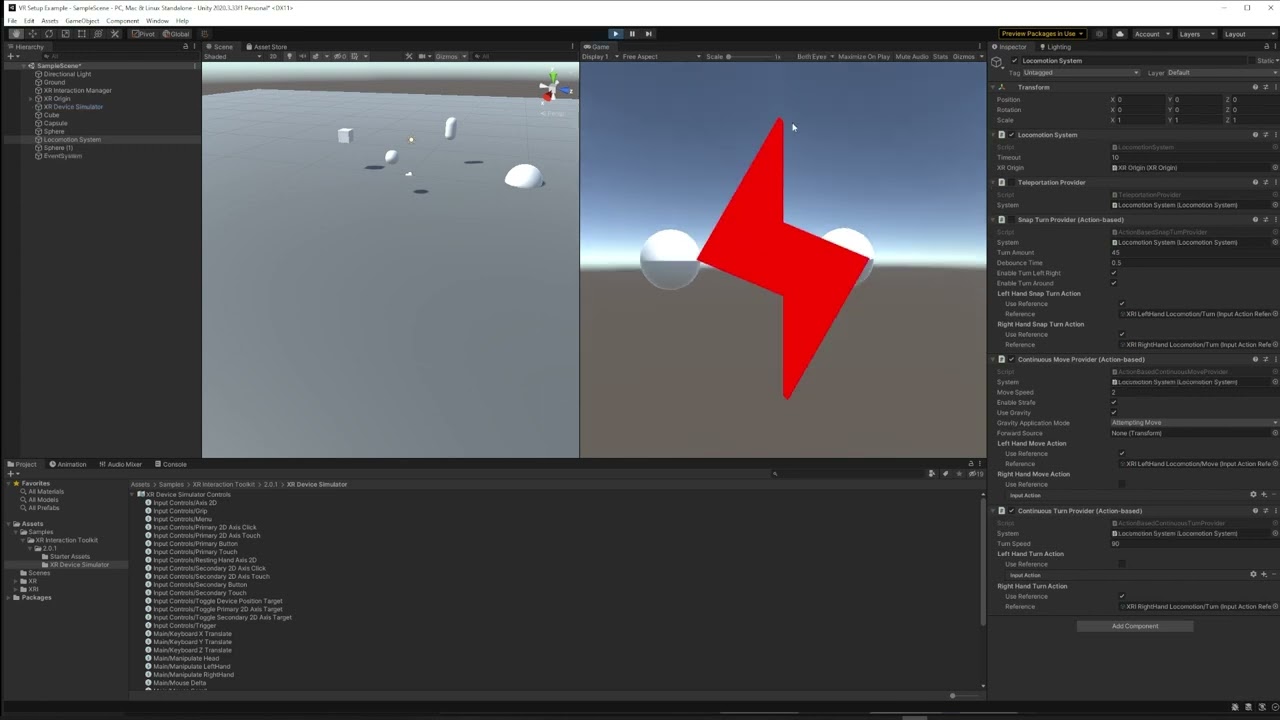
Setting up Unity for VR support with Open XR and the Unity Mock HMD Device Simulator
fiery saffron
fiery saffron
looks like people are having success with vr in unity. i have followed many tuto...
i fixed the issue; i set interaction profile apperently i didnt need to..!! so relieved
 fathom minnow
Just hit send on the bug report
 timber inlet
So I'm creating a custom hand tracking with body using XR Hand but somehow it looks like this

is it because the skin mesh of the model?
the bones are in correct positions
 storm coral
the bones might be in the right spots but how you attached the textures to the bones might be off
buoyant jolt
Did you also set the correct rotations?
But yes - assuming XR hand is correct, and position and rotation match, it likely means the bones of the hand, don't line up one to one with the XR hand.
timber inlet
buoyant jolt
Did you also set the correct rotations?
yeah the rotations and positions are corrected
buoyant jolt
Yeah that means it'll be the mesh & rig
timber inlet
buoyant jolt
Yeah that means it'll be the mesh & rig
ty
timber inlet
storm coral
the bones might be in the right spots but how you attached the textures to the b...
"attached the textures to the bones" is it something in modeling? I don't know much about it tho
tiny niche
timber inlet
"attached the textures to the bones" is it something in modeling? I don't know m...
its either nonsense or referring to shape keys
timber inlet
Everythings look good when I use the hand prefabs in XR Hand sample
Maybe it has something to do with AnimationRigging or animator
lusty cargo
anyone have worked on xr interaction toolkit 2.3 ?
timber inlet
timber inlet
So I'm creating a custom hand tracking with body using XR Hand but somehow it lo...
oke I fixed it by applying an offset for joint rotation
timber inlet
lusty cargo
anyone have worked on xr interaction toolkit 2.3 ?
I'm using it
lusty cargo
I am a beginner and the idea is to use the new button named "push button" to teleport my "complete XR origin setup include on the package, sry for my EN i'm fr, i asked yesterday and Dev Dunk was kind and answer my question, but i tried and i don't succeed
north path
What are you getting stuck on?
lusty cargo
on get a message when i pressed it, i use the function OnTriggerEnter
but in my console nothing happen
my box collider is trigger
on my button
north path
Is there a collider with rigidbody on the hands?
lusty cargo
sure
north path
Is the script on the same gameobject as the trigger?
north path
No, it should be on the gameobject where the script with ontriggerenter is on
lusty cargo
yeah it's on my button
north path
Can you share the script?
And maybe screenshots of how the button and hands are setup in unity


 north path
private is without caps
If code won't compile it indeed wont do anything :p
(also small note, using .CompareTag is better for performance)
lusty cargo

if i use this i don t have the error message
and something weird, when i don t have anything i can press the button but when i add the script my button can't be press
ok so it's not the script
when i press the button with "is trigger" on it doesn't make anything, but when is trigger is off, i can press it
it’s super frustrating I feel like it’s all simple and i don t find the good way 😦
north path
Put the log outside of the if statement.
Get the trigger enter working first, and then start checking tags :p
And fix errors first. If there are errors code won't run
lusty cargo
i add the script on a cube with a box collider trigger On, and then i try and it doesn't work so i think the problem is with my hands
north path
Does the code trigger whenm the log is not in the if statement?
Maybe the tags are wrong
And maybe the hands dont have a rigidbody + collider
 lean birch
Having an issue with a script forcing a canvas to face the camera in VR. The canvas faces but is always reversed. Probably something simple but this is all new to me.
north path
lean birch
Having an issue with a script forcing a canvas to face the camera in VR. The can...
Yeah, that's normal. Reverse the forward after look at, or flip the canvas/child
north path
Please make a bug report with performance results.
Unity is looking into VR performance right now, so that will help a lot
2022+ is crap for VR performance sadly, especially for standalone
It does take long to get them through yeh
It's not if it's still 'open'. It takes a while. Making a forum post about it and linking the issue might help a little.
Sadly QA is slow with performance reports
2021 lts has been improved a lot, so hope that can also happen with future releases.
Think best case 2021 increased with 30%, 5-10% compared to the first 2021.3 version compared to the last one
Not sure about a current workaround sadly
Sign in/make account with the email you got it on
Then you get this page with your issues
 north path
Nice! 🤞
molten kernel
i have no idea where to start, every single video i find to get started and get the basics done uses XRI which im trying to avoid 😅
tiny niche
molten kernel
i have no idea where to start, every single video i find to get started and get ...
you're not going to find videos showing you which buttons to press along with the code required, so just look at what the XRI tutorials do and translate that to your architecture
molten kernel
hmm ok
 eager knot
I'm trying to use xr grab interactables and run some code on events when they are grabbed. I thought this is what SelectEntered and SelectExited are for, but I've found that they are both called every frame. Is this normal behavior?
tiny niche
eager knot
I'm trying to use xr grab interactables and run some code on events when they ar...
no, you should only get one of them per update. But if you have breakpoints, the executon may pause and loose track of your input device on your next frame
eager knot
Hmm if it's not normal I'm gonna have to dig and find out why it is happening. I don't use any break points
tiny niche
but i would also not count on the events firing as needed. more reliable to have a component check if its uninitialized & grabbed and then initialize it on demand
eager knot
I'm trying to sync grabbables over the network. My syncing script is subscribed to SelectEntered and SelectExited. Both are getting called every frame that I hold the grabbable
tiny niche
eager knot
Hmm if it's not normal I'm gonna have to dig and find out why it is happening. I...
compare it with the escape room sample, it has everything hooked up to spec.
tiny niche
eager knot
I'm trying to sync grabbables over the network. My syncing script is subscribed ...
that sounds like a recipe for disaster, since packets may get lost, delivered out of order and timestamps never match between machines
eager knot
tiny niche
compare it with the escape room sample, it has everything hooked up to spec.
I will have to take a look and see if the behaviour is different.
I'm also suspicious it might have to do with the VR Simulator asset I use for testing
eager knot
tiny niche
that sounds like a recipe for disaster, since packets may get lost, delivered ou...
Yeah I only want to get a call on the initial grab and the release.
tiny niche
yea but you might get the release first followed by the grab after it arrives on the other machines
if you send "foo is holding bar" and "foo is holding nothing" every frame, it's much more reliable
eager knot
tiny niche
yea but you might get the release first followed by the grab after it arrives on...
Yeah I'll have to think on it.
At least I know this behaviour is not normal
eager knot
@tiny niche with Netcode for GameObjects I should be okay to use RPCs for grab and release as they are guaranteed to be received and received in order: https://docs-multiplayer.unity3d.com/netcode/current/advanced-topics/message-system/reliability/index.html#:~:text=RPCs are reliable by default,particle effects%2C sounds effects etc.
Introduction
@tiny niche is this the Escape Room you mentioned? https://learn.unity.com/project/vr-beginner-the-escape-room
Unity Learn
Welcome to VR Beginner: The Escape Room! In this learning project, you’ll have the opportunity to explore and create basic VR interactions supported by the XR Interaction Toolkit package.
tiny niche
eager knot
<@198165930742775809> is this the Escape Room you mentioned? https://learn.unity...
yea
eager knot
Funny thing is after importing it I'm still seeing SelectEnabled and SelectDisabled firing in my project every frame, but things seem to be working okay in the sample scenes. I trust that its not supposed to fire every frame though, I need to investigate further
eager knot
So I am still unsure why they are firing multiple times, but I can see in both the escape room and the XRITK samples they are not firing multiple times normally
I had Hurricane VR previously in the project, so I imagine some kind of changed setting is causing the behaviour
 heavy garnet
I'm working on a project with eye tracking requirements; trying the oculus quest pro - anyone got decent results? I need fairly stable for both eyes and one eye open and the tracking seems to break with only one eye and not really that stable with both eyes... using unity 2021.3.22 with the latest OVREyeGaze behaviour.
tiny niche
eager knot
I had Hurricane VR previously in the project, so I imagine some kind of changed ...
i'd start by tweaking the escape room project to have the same settings as yours, verify it still works as expected and then just swap out your project for that one. Then you should have a huge git diff that you can start reverting changes on until it breaks
and if you don't have it under source control, its high time to start. You can't trust that things will go back to the original state if you add something and then remove it
source control is essential to let you spot the leftovers and ensure you never end up with a broken project
 grand token
can someone help me with this it keeps happening when i try building my vr game its so annoying and i would love some help
 red roost
Hey, i made a train track in blender using cubes, I exported it as .fbx but i wanted it to be a material for the exisiting tracks I have created in unity, can anyone give me an insight as to how to do this
tiny niche
grand token
can someone help me with this it keeps happening when i try building my vr game ...
follow the instructions for setting up a quest2 build in the manual
tiny niche
red roost
Hey, i made a train track in blender using cubes, I exported it as .fbx but i w...
you want your train track mesh to become a material? that's not how it works
red roost
tiny niche
you want your train track mesh to become a material? that's not how it works
How can I make a material?
tiny niche
red roost
How can I make a material?
you cant, a material is a shader+configuration
red roost
So how can I make flat cubes in unity look like train tracks?
tiny niche
red roost
So how can I make flat cubes in unity look like train tracks?
i think you need to read up on 3d basics https://www.youtube.com/watch?v=EIijFV3VE1g

https://cppcon.org/
https://github.com/CppCon/CppCon2021
Three-dimensional graphics are much simpler than you would think. I will present the rudimentary techniques for the designs of a simple C++ Matrix library and operator methodologies, through an introduction to 3D Graphics: Points, Vectors, Coordinate Spaces, Matrix Math, Depth Buffer a...
 glacial epoch
red roost
Hey, i made a train track in blender using cubes, I exported it as .fbx but i w...
glacial epoch
red roost
Hey, i made a train track in blender using cubes, I exported it as .fbx but i w...
Try and get free texture files online, create material files in unity and add these textures files in the albedo field of the materials. Then apply the mats to your tracks.
red roost
glacial epoch
Try and get free texture files online, create material files in unity and add th...
Thanks for your help, I have looked and I can’t seem to find any tracks for free, and it’s for uni work so I don’t really want to spent $25 to get some tracks
glacial epoch
i mean, why dont you get steel texture for rails and and wood textr for those planks in between?
eager knot
tiny niche
and if you don't have it under source control, its high time to start. You can't...
Source control is a godsend. I always use it. Saved my ass from accidental breaking changes a thousand times
I think for now I'm taking the approach of a fresh project with XRITK, get my sync working, and slowly add back my imported assets, prefabs, etc, and see where it breaks
I just don't like completely switching XR solutions and trying to keep everything from breaking. Hurricane VR is an amazing asset but it is so complicated to network it
tiny niche
eager knot
I think for now I'm taking the approach of a fresh project with XRITK, get my sy...
its just easier to do that in the original repo, since you can just undo changes to bring things back
eager knot
tiny niche
its just easier to do that in the original repo, since you can just undo changes...
Ah I see what you are saying. Clever actually
grand token
HEEE ELP ME FROM THIS MISTAKE AAAA i need help its really annoying and i cant do anything about it its about my build i get problems everytime i build
 north path
Read what the errors say.
- It says there are errors in OpenXR. Go to the settings and check the validator/errors
- It says you need 64 bit support, enable il2cpp and 64 bit for android
@grand token
red roost
glacial epoch
i mean, why dont you get steel texture for rails and and wood textr for those pl...
So I’d have to redo the entire track? I’ve just used a flat cube
 zenith drum
Also posting this in here, as it's applicable*
I'm currently having an issue with TMP Input fields on Quest 2 not registering changes after build
inputfield.text always returns empty even though it's visibly not empty
Any thoughts on what may be causing this behavior?
Everything works as expected when built to PCVR
Despite my best efforts, I'm not finding anything on this specific issue online
north path
zenith drum
Also posting this in here, as it's applicable*
I'm currently having an issue wi...
Is unity up to date?
Are there any errors?
zenith drum
Yes, and no
Actually no, I just double checked
I'm one version behind
That shouldn't make a difference though, right?
I'll update and see if it fixes anything
tiny niche
@zenith drum you're just gonna have to do some debugging on the quest for that one. my guess is something is throwing exceptions but not crashing
zenith drum
Well that's frustrating
I'd understand if I were doing something jank or complicated, but I'm literally just getting the value of an input field
Thanks for the suggestions
timber inlet
HI guys, is there anyway too detect hand pose with xr interaction toolkit?
grand token
hey guys! um i have a problem when i build my vr game? its really annoying so i would love some help!!! dm me if your able to help me
 north path
grand token
hey guys! um i have a problem when i build my vr game? its really annoying so i ...
north path
grand token
hey guys! um i have a problem when i build my vr game? its really annoying so i ...
I already helped you above...
grand token
yes but i dont understand it
grand token
north path
I already helped you above...
i cant understand it is it unity project settings or smth else

 north path
@grand token Calm down, people here help in there free time and generally spamming caps and being impatient will work against you
north path
north path
Read what the errors say.
1. It says there are errors in OpenXR. Go to the setti...
The answer is here, what part don't you understand?
Did you google the terms already?
Also put the minimal android API level to 24 in player settings as the message says
grand token
i fixed hat but now i have this error
north path
north path
Also put the minimal android API level to 24 in player settings as the message s...
Here is the answer
 short jolt
Is there a known or obvious way to have an XR Ray Interactor lock onto something?
Here's what I've tried:
- Added an XR Ray Interactor to the
ActionBasedControllerManagerthat came with the starter assets - When it hovers over a valid item I store the hit point from
TryGetCurrent3DRaycastHit - In
UpdateI callLookAt(storedPoint)on the interactors'rayOriginTransform
This mostly works but it doesn't really stick to the stored point. If you move the controller fast enough it clearly moves off of it for a frame or two before snapping back to the point. If you move fast enough you can even get the interactor to move off the object exiting the hover event.
tiny niche
short jolt
Is there a known or obvious way to have an XR Ray Interactor lock onto something...
you should be making your own version of the ray interactor if you want the ability to do that
glacial epoch
So I’d have to redo the entire track
 glacial patio
I'm trying to make a mirror shader work in stereo VR, so I'm looking at using unity_StereoEyeIndex and single pass stereo instanced rendering as described here https://docs.unity3d.com/Manual/SinglePassStereoRendering.html
I'm using Unity's Mock HMD for testing before I graduate to using the actual headset for iteration speed. As I understand it, this value should be 0 for the left eye and 1 for the right, so this line in the fragment stage
return lerp(fixed4(1,0,0,1), fixed4(0,1,0,1), unity_StereoEyeIndex);
should give me red on the left eye, and green on the right. However, it's red on both eyes.
Where am I going wrong? Have I missed some setup in making my shader single pass stereo compatible? there is an output on both eyes, and no compilation errors, so that seems unlikely. Is it something wrong with Mock HMD, as implied here? https://communityforums.atmeta.com/t5/Unity-VR-Development/unity-StereoEyeIndex-always-set-to-0-for-Oculus-Quest/td-p/825876
I have tried defining the directives mentioned in the above, to no success.
I have also done the setup described in this reddit comment https://www.reddit.com/r/vive_vr/comments/p9jkyg/comment/h9z7hbj/, though would like a more official source of information, if one's available


Hi, I'm trying to create a portal effect using render textures with no luck. I create two cameras to observe the other side of the portal, using the stereo settings from the main camera (separation and projection matrices), rendering to two separate render textures. Then, to render the portal itsel...
glacial patio
Resolved the above thanks to an example shader from the russian version of the 2017.4 docs https://docs.unity3d.com/ru/2017.4/Manual/SinglePassInstancing.html, was missing a few macros
would be cool if this was in the current, english documentation!
storm ether
can i use something like "link cable for oculus" to run unity in valve index headset ?
hollow magnet
@glacial patio having some issues with getting VR to accept my shader work myself, did you use URP? I cannot see my shader at all working on a deployed quest 2, but see them in play mode using the same camera setup. Do you think I'm missing something?
glacial patio
afraid i am not familiar with the quest 2, but yes i was using urp
hollow magnet
concept should be the same if you're using the mock setup. did you modify your shaders to make them work? really lost on where it all falls apart
glacial patio
my shader was originally a brp shader, unlit so no changes required to make it work in urp
glacial patio
glacial patio
Resolved the above thanks to an example shader from the russian version of the 2...
very similar in effect to the example shader in the docs linked
hollow magnet
seems the same in the english version as well, at least somewhat: https://docs.unity3d.com/2017.4/Documentation/Manual/SinglePassInstancing.html
I might have to try that in a little bit. Just getting a bit stressed out since my reason for making the shader was to increase presence in VR
glacial patio
take a break and come back to it in a bit, being stressed won’t help :)
sorry i can’t help more
hollow magnet
That's alright. Thank you for your provided documentation. Seeing others have issues and post their solutions is incredibly important, but rare in VR development
hollow magnet
I'm sorry to bother you, but the manual just made me even more lost @glacial patio. Could you share how you have your stuff arranged to work? 🥺 adding those structs just breaks everything for me..
glacial patio
i'll be able to tomorrow, but the shader is at work i'm afraid 😄
hollow magnet
Ah, that's fine! Sorry again. It's just such a strange issue that others don't seem to run into, seeing anyone else find anything remotely similar of an issue is so rare 😰
hollow magnet
Update from testing: The shaders work, but literally only on the Mock HMD 🙃 what on earth
 brazen tundra
One of my customer has a Pico4, and she said there is an empty part of the right eye of the device that happens to my game. Anyone having the same issue?
 digital furnace
Hi, I have just started on an aircraft marshalling simulator game and i am stuck in making the aircraft move with respective to the air marshaller wand does anyone know how to get started for eg.Player moves wand left aircraft turns left
 lofty tangle
digital furnace
Hi, I have just started on an aircraft marshalling simulator game and i am stuck...
lofty tangle
digital furnace
Hi, I have just started on an aircraft marshalling simulator game and i am stuck...
by wand do you mean a virtual joystick in game?
digital furnace
yea like an aircraft marshalling wand
How to land a 747 in VR! - Airport Ground Handling Simulator VR. This is a consumer version of the professional VR training software developed by AVIAR and used by the biggest airports and ground handlers to train their ground staff on an everyday basis. And finally, it is available to the public. In this VR simulation, your role is a ground cre...
digital furnace
lofty tangle
by wand do you mean a virtual joystick in game?
something like this
lofty tangle
ah i thought you meant turn while flying it like with like a physical(virtual) joystick
digital furnace
lofty tangle
ah i thought you meant turn while flying it like with like a physical(virtual) j...
hahahhahahah nope
its more of ground marshalling
lofty tangle
hmm idk for this though, maybe some kind of gesture recognition.
digital furnace
is there any guides to get started
digital furnace
lofty tangle
hmm idk for this though, maybe some kind of gesture recognition.
for gesture recognition
lofty tangle
the closest thing i have seen to gesture stuff is this tutorial you could maybe do something similar to get it working https://www.youtube.com/watch?v=GRSOrkmasMM
Recognize the movement of the player to trigger any input in VR using the Unity XR Toolkit.
▶ Get access to the source code: https://www.patreon.com/ValemVR
▶ Join the Discord channel: https://discord.gg/5uhRegs
How to make a Tilt Brush Replica (Patreon Exclusive) : https://www.patreon.com/posts/how-to-draw-in-37742885
P RECOGNIZER ON GITHUB :...
or at least get an idea
digital furnace
alright appreciate your help my dude
north path
There is a new big performance issue for standalone VR on the issue tracker. URP team is already made aware and reproduced it themselves (not just QA)
https://issuetracker.unity3d.com/issues/urp-xr-performance-degradation-when-comparing-android-quest-2-builds-across-2020-dot-3-and-2023-dot-x
Here are some other smaller issues that are relevant to VR performance as well:
Input system optimizations performing worse in VR: https://issuetracker.unity3d.com/issues/input-system-enabling-both-optimization-options-of-input-system-reduces-performance-in-built-players
OculusXR performing worse than OpenXR: https://issuetracker.unity3d.com/issues/quest-2-oculusxr-has-worse-performance-than-openxr-when-built
Graphics Jobs not working on standalone VR: https://issuetracker.unity3d.com/issues/quest-2-build-crashes-on-quest-2-when-graphics-jobs-are-enabled
All votes and comments are welcome! Let's get Quest 2 to perform good on newer unity versions!
Steps to reproduce: 1. Open the attached user's project "PerfTest2020.zip" 2. Build the project to Quest 2 in 2020.3.47f1 3. Observe...
Steps to reproduce: 1. Open the attached user's project "RootingForYou.zip" 2. Open "ScoreManager.cs" 3. Enable and disable the perf...
Reproduction steps: 1. Open the attached project "PerfTest2021" 2. Install the OVR Metrics tool from Oculus Developer Hub 3. Go to t...
Reproduction steps: 1. Open the user’s attached project "PerformanceTest2021.zip" 2. Go to Project settings > Player 3. Make sure...
glacial patio
hollow magnet
I'm sorry to bother you, but the manual just made me even more lost <@1767995485...
here's my shader, it displays different colours for each eye https://gdl.space/aniwehizug.cs
most of it is likely irrelevant for your purposes, and doesn't work completely for mine either yet, but it is set up and works with the mock hmd, hoping to test it on a real hmd later today
hollow magnet
Yeah, figures. But I really appreciate it regardless. I don't think I'll continue pursuing the shader for my VR project since I'm the only developer and this project only occurs on the real hmd and not the mock. Such big differences makes iterated development take a big hit and it just isn't worth it at this time. Hopefully Unity or Meta actually do something to better support this stuff more "out of the box". But that's what I get for trying out a whole new world of technology on a tight schedule. Thanks anyway! Best of luck with your development as well 

glacial patio
thank you! i am also suffering with technology under a tight schedule 
hollow magnet
Ah! The IT special. Unless shaders are critical (the topic), dodge the bullet while you can 😂
glacial patio
they unfortunately are, in my case 
hollow magnet
Ah, that sucks. Hope you can still make it work. Keep me posted if that stuff turns out any good. Would love to revisit it later on 
 true maple
Does anyone know of any resources for shared space vr with quest 2? Struggling to figure out where to begin on this one
tiny niche
true maple
Does anyone know of any resources for shared space vr with quest 2? Struggling ...
well first of all you need to create a shared point of origin
one version of that is to put a controller from each headset next to each other on the floor and in a specific orientation to minimize inaccuracies
 mystic escarp
hey everyone I have problems with the Holo Lens 2 in Unity, can someone help me, or show me where to get help here
I tried the other forums (stackoverflow, unity, microsoft...) and noone did really help me
hybrid pollen
Is there any way to turn Quest 2 hand tracking on/off on the fly using the Oculus SDK? I've tried de/activating all game objects for hands and such, but even then the system menus work. By default I'd like to have only controller support, but want to be able to turn on hand tracking on demand...
tiny niche
mystic escarp
hey everyone I have problems with the Holo Lens 2 in Unity, can someone help me,...
did you try actually stating your problem?
mystic escarp
did you try actually stating your
 nova jay
Hi everyone,
I am wondering if anyone can help us on a issue using the HTC vive pro 2 with unity 2022.
Basically we are trying to make the hand tracking work using the htc openXR package. Our tests is basically an empty project with the package sample. We follow (multiple times) the tutorial https://t.co/0VAHs7b81V and also searched on unity forum, htc forum and stackoverflow without any luck.
When we tried the sample scene, we have the headset working, camera orientation and all. But the hand tracking is not happening. There is absolutely no log error but also no imcompability log. Just no hand tracked.
To be sure it was not the headset we also tried with the old vive sense hand tracking API and build sample (not compatible with unity after the 2019 and deprecated). Its working, so the hardware and config seems to be correct.
tiny niche
nova jay
Hi everyone,
I am wondering if anyone can help us on a issue using the HTC vive...
have you checked that they implemented the handtracking in that version of the openxr runtime? since its a fairly new feature
i've only heard of oculus implementing it so far
nova jay
tiny niche
have you checked that they implemented the handtracking in that version of the o...
Yes its listes as implemented for the vive pro série, vive pro eye and focus through their package we tried
nova jay
nova jay
Yes its listes as implemented for the vive pro série, vive pro eye and focus thr...
tiny niche
nova jay
Yes its listes as implemented for the vive pro série, vive pro eye and focus thr...
yea but was that listed on the package version you used? or is it a preview feature that might only be available in a newer unity version
nova jay
tiny niche
yea but was that listed on the package version you used? or is it a preview feat...
It's listed on the version we used, this is exactly the process described in the tutorial for hand tracking using this version of the package which is listed as supported by the headset.
nova jay
nova jay
It's listed on the version we used, this is exactly the process described in the...
the changelog of the package indicate the support for the pro serie
round mortar
Is it possible using the XR Grab Interactable component to make the object that is being grabbed become a child of the hand object?
If not I can make my own component as I don't need really any of the features provided by the XR Grab Interactable, it would just save time if I don't have to do that.
 craggy belfry
hi, my project capped on 72 fps, how can i increase it? i am using XR unity
already tried every methode in the internet that i found, but it didnt workd
-XRDevice.refreshRate
-Aplication target frame
but it didnt works
north path
What runtime/device? @craggy belfry
craggy belfry
north path
What runtime/device? <@403427824314220554>
Quest2,opengl3
north path
Did you google it already?
If I google quest 2 change fps I get tons of results
craggy belfry
north path
Did you google it already?
If I google quest 2 change fps I get tons of results
Nothing works
north path
What did you try
craggy belfry
Even if I change the device refresh rate to 120 it still called 72
north path
Give as much info as possible if you want proper help
craggy belfry
*capped
north path
Enabling 120 in the headset doesn't change unity fps
What code did you try?
https://forum.unity.com/threads/quest-2-how-to-get-90-or-120-fps.1355762/
This is the first result I found
Unity Forum
Hello,
I made a demo for the Quest 2. But it's stuck at 72 fps. How to get 90 or 120 fps?
Thanks
craggy belfry
north path
Enabling 120 in the headset doesn't change unity fps
Tried this one already
Put it on everywhere
Sratr,awake, update
Nothing changed
For starter I already tried
OVR plugin,but nothing changed, any Google first page I already done that
already turn off VSYNC

this one too
this too, cant using it bcs it's read only

tried change the OVRPerforma, but it will just revert to original state and wont keep my change
north path
@craggy belfry share the full code please
craggy belfry
i am afraid i cant do that sadly, because of company policy, but basically in this script is for load scene manager and have dontDestroyOnLoad
i use OVRMetric to see the fps
north path
craggy belfry
i am afraid i cant do that sadly, because of company policy, but basically in th...
Not the whole whole code
All code related to setting the fps
Because in the screenshot I still see target framerate, which shouldn't be used
Also small note, vsync is always on on quest 2 since it's hardware managed
craggy belfry
north path
Not the whole whole code
All code related to setting the fps
oh ok

only this code set the frame rate related
craggy belfry
only this one, my collage tried OVRPluggin, my collage have the oculus intregation and already tried it, but it didnt change, well i tried it too but reverted it back
 craggy belfry
i install it too, but in this screenshoot is after i revert it back
to the before i install the oculus
north path
Unity.XR.Oculus.Performance.TrySetDisplayRefreshRate(90);
Should work on quest 2. Make sure unity, and oculus xr plugin is installed
And xr plugin management
Also just to double check, this is in builds right? Not on pc?
craggy belfry
north path
Unity.XR.Oculus.Performance.TrySetDisplayRefreshRate(90);
Should work on quest ...
or just this is enough?
north path
craggy belfry
or just this is enough?
Just this nothing else
craggy belfry
ok
north path
And check for potential errors/warnings in logcat
craggy belfry
ok let me check it first
tiny niche
no worries, neither does xri
pine bison
You don't have to use it, we use VRTK 4 which has tools for movement and more. It's also possible to combine with XRIT if there's parts of it you want
I would recommend looking at the new XRIT sample scene though since it has a setup for movement
north path
Then doing it yourself probably is most flexible. If you couple all collision and player data to main cam you can properly detect roomscale movement in big rooms from my experience
buoyant jolt
Yeah, I encourage learning XRI, VRTK, HVR, Oculus framework and Steam framework for anyone getting into it professionally, because you'll bump into all of those from project to project.
For personal work, we used to use the VRTK, love it so much. But now we use raw OpenXR with our own thing called CXR, and stopped using the other frameworks. As mentioned above you can write that functionality pretty quickly.
I had a good talk with my team about it this week though, and it looks like we are going to put our custom framework on GitHub over the coming months. It should help anyone else going custom
heady meteor
Anyone here ever used MRTK3 databinding? Having some questions
(Sorry for crossposting, but MRTK3 is a topic for BOTH Ar and Vr)
north path
(then pick the one most relevant for your project)
north path
That's not just tracking, movement, and input...
I personally use VR Interaction Framework and am probably going to switch to UltimateXR once they support OpenXR
storm ether
Hi everyone. Im makin a game for oculus quest 2. My game is not loading and i dont understand how i can find the issue. Im using URP but i dont think its a problem
north path
Give some info @storm ether
Unity verion?
Graphics api?
Openxr or oculus xr plugin?
Oculus integration installed?
Any errors on logcat?
storm ether
north path
Give some info <@456226577798135808>
Unity verion?
Graphics api?
Openxr or ocul...
- 2020
- Vulkan, but just adde OpenGLS3
- Oculus XR ig, because i dont have OpenXR tab and i dont have the package
- Yes
- whats logcat? if console then no except i didnt set the gamobject somewhere on my script it doesnt mater
north path
- Update to the latest 2020.3.47
- Don't include both, pick one. For vulkan disable graphics jobs
- Update oculus xr package and xr plugin management if available
- Update oculus integration
- Google, it's for logs, but shows more info than the console
@storm ether
storm ether
north path
1. Update to the latest 2020.3.47
2. Don't include both, pick one. For vulkan di...
- It is
- Where do i disable graphics jobs?
- Not avail.
- Just reinstalled
- oki
north path
Player settings
If everything is up to date logcat is the only thing to check. Otherwise it's almost impossible to guess where the issue can be for someone not in the project
And make sure initialize xr on startup is on in xr management
storm ether
north path
If everything is up to date logcat is the only thing to check. Otherwise it's al...
okay
wait
heady meteor
Anyone here using MRTK3?
Im dying since their Databinding docs are so... bad
storm ether
north path
If everything is up to date logcat is the only thing to check. Otherwise it's al...
this?
 storm ether
north path
Install the logcat package
storm ether
north path
Install the logcat package
my command isnt logcat thingy?
heady meteor
Theres a forum? I have only seen the github page... but theres only a issue thing
north path
storm ether
my command isnt logcat thingy?
Yes, but the package can filter for just your app instead of everything on your phone haha
Ah filtering for unity also should be fine
north path
heady meteor
Theres a forum? I have only seen the github page... but theres only a issue thin...
Unity forums is worth a shot