#🥽┃virtual-reality
1 messages · Page 5 of 1
 bleak canopy
I wanna learn how to make use of the X, Y and A, B buttons on the controller
E.g. Pressing B would pop up a pause menu for the player to adjust settings or quit the game
 worn escarp
Have you checked the console as the error says? There should be more information there.
 north path
VRIF is my prefered package rn, so might be able to help
With it you can simply call InputBridge.Instance.AButton, etc
Actually very chill to work with
bleak canopy
north path
VRIF is my prefered package rn, so might be able to help
With it you can simply ...
Where do I learn this💀
Is it really simply a line of code💀 Im so dumb💀
But thanks regardless, i’ll try it out
north path
bleak canopy
Where do I learn this💀
https://wiki.beardedninjagames.com/en/Core/InputBridge
The docs are alright-ish for an asset store asset
No problem!
Good luck
bleak canopy
north path
https://wiki.beardedninjagames.com/en/Core/InputBridge
The docs are alright-ish...
Ah, so i’ve been looking at the wrong places, pretty cool that they have their own wiki
I was looking on learn.unity, unity documentation and the vive webpages💀
north path
Ahhh, that's if you use XR Interaction Toolkit
Eventually it will also work tho, but if you already got a premade framework most will have input handling
bleak canopy
north path
Eventually it will also work tho, but if you already got a premade framework mos...
Got it
 haughty orbit
Hello, i have a project in 2021.3.1f1 and when i press play since tomorrow the project freeze even with an empty scene, what can i do ?
worn escarp
How do you call the fingers positioning around and object when grabbing it in VR? I'm not finding the correct words to get some meaningful google results 😛
 pine bison
worn escarp
How do you call the fingers positioning around and object when grabbing it in VR...
pine bison
worn escarp
How do you call the fingers positioning around and object when grabbing it in VR...
Grab pose is usually the term you see used
worn escarp
thanks @pine bison
worn escarp
haughty orbit
Hello, i have a project in 2021.3.1f1 and when i press play since tomorrow the p...
Does it freeze on:
- a new project?
- the same project with a different unity version?
- what are the changes you did to the project before this happening?
Check if there's something in the editor logs to help you find what's happening
haughty orbit
worn escarp
Does it freeze on:
- a new project?
- the same project with a different unity v...
Yes on a new too, yes with an newest version on the same, and one of my mate has added the vive sdk
worn escarp
You could verify if the sdk is what causes the freezes by doing a checkout of the project before having the sdk, try it, then checkout the project with the sdk and check it freezes
north path
And restart your PC (;
 crude frost
Anyone know where I can find the Pico Controller Interaction Profile for OpenXR to put in Unity Project Settings?

 mortal tinsel
How do you take inputs from the oculus touch controllers for the XR interaction toolkit
crude frost
mortal tinsel
How do you take inputs from the oculus touch controllers for the XR interaction ...
With the new input system, you'd need to reference the input actions
mortal tinsel
huh
mortal tinsel
crude frost
With the new input system, you'd need to reference the input actions
I am just starting off, how do I do that?
crude frost
I use playmaker visual scripting, so I don't know off the top of my head, but i know there are examples in the documentation
but, for a lot of basic VR interatctions, you don't need to do any coding at all
This is a great starting point. He has a few more videos after this one that shows you how to set up interactions in VR, and its all using built in components. https://www.youtube.com/watch?v=3_MPeTqQ39Q

In this Unity VR tutorial, I'll show how to set up a Core VR Project. I'll go show using the VR Core Unity project and setting up the XR Interaction Toolkit, Input settings, and everything you need to know to get the base project set up.
XR Interaction Toolkit - com.unity.xr.interaction.toolkit
My discord link
► https://discord.gg/DgUdNDT7KU...
crude frost
yeah, his videos show you what you can do without scripting. most your interactions ar ehandled just by adding componenets
watch the next couple in his series
mortal tinsel
I am trying to cycle through different scripts being active, that would require a script, right?
bleak canopy
north path
VRIF is my prefered package rn, so might be able to help
With it you can simply ...
oh man it didnt work

am I missing something
 versed quiver
When an XR grab intractable gets selected
How do I access the controller that selected it?
bleak canopy
north path
Otherwise ask on their discord
thank you 
haughty orbit
worn escarp
You could verify if the sdk is what causes the freezes by doing a checkout of th...
ok thanks ill check that
haughty orbit
worn escarp
You could verify if the sdk is what causes the freezes by doing a checkout of th...
it doesn't do anything, still freezing
 slender halo
Hey Guys,
I am working on the general setup in Unity with the XR Interaction Toolkit (com.unity.xr.interaction.toolkit version 2.2.0). I used the video "https://www.youtube.com/watch?v=yxMzAw2Sg5w" as a reference, but in this video Justin worked with a pre release version, therefore this is deprecated.
I followed the documentation on https://docs.unity3d.com:
- Created "XR Interaction Manager" from newObj > XR > Interaction Manager
- Created "XR Origin" from newObj > XR > XR Origin (VR)
If I setup everything like it is stated in the docs, I have a perfectly working camera, attached to my VR Head, yet the hands don't seem to be tracked-- or at least the line render doesn't move with my hands:
https://streamable.com/lhpl8c
My Hierarchy: <image1>
LeftHand Controller: <image2>
UnityVersion 2021.3.12
Headset: Oculus Quest 1
Currently, SteamVR is set as default XR Runtime.
For reference, the controllers work in SteamVR and other games.
Thanks for any help in advance!


LOTS of people got the Oculus Quest 2 for Christmas. Want to learn how to make games for them all to enjoy? Yea you do!! Come learn how to set up a VR project in Unity's latest version as well as some basics like how to use the grab interactable to pick up objects and the locomotion system to move via teleportation or continuous movement.
// 🎓 ...

 slender halo
Hey Guys,
I am working on the general setup in Unity with the XR Interaction Too...
slender halo
slender halo
Hey Guys,
I am working on the general setup in Unity with the XR Interaction Too...
Low FPS in Recording, but I was shaking the controllers and the line renderers were not moving
 eternal bison
So I think I've at least found a possible reason why this may not be working. I've put that in detail here: https://forum.unity.com/threads/broken-iunityxrinput-interface-in-unity-xr-sdk-v1-main.1353587/
Would anyone know if I can somehow bind the legacy axis input to action based inputs here??
Unity Forum
Following my disappointment from: https://forum.unity.com/posts/8511251/
I started playing around with InputProviderSample provided inside of...
So for example Input.GetAxis("Axis10") is actually mapped to TriggerAxis.action.ReadValue<float>()
 somber salmon
Hi all,
Will there be a significant performance change if I removed textures from game objects and just use plain materials
north path
somber salmon
Hi all,
Will there be a significant performance change if I removed textures fro...
Depends on where the performance bottleneck is
In general, it improves GPU performance and GPU VRAM bandwidth
somber salmon
I'm building a vr indoor environment, using openXR, and it gets a fps drop when turning and moving, so I'm trying to improve the performance.
 severe saffron
likely you used postfx or something like fullscreen transparency or too many realtime lights or something
its unlikely you'd get much performance increase from removing albedo/diffuse
north path
Can be many things tbh.
Check the profiler and frame debugger @somber salmon
pine bison
textures is what impacts build size the most, but it doesn't make a big impact on runtime performance unless you use very high-res textures
north path
On quest you can overwhelm the GPU bandwidth however, but I am guessing this is for PC
somber salmon
Aah thanks guys!
Also is there a way to use the oculus quest 2 to play pc vr games? I was thinking to change the platform to pc and use the device to play
north path
You can do that with Oculus Link/AirLink/Virtual Desktop
You can also just make native builds for it. Performance is a lot worse on quest standalone compared to many gaming PCs however, so keep that in mind
somber salmon
I don't own a gaming pc, its just a regular pc (i5, 16gig ram)
So would it work any better than running on the oculus?
severe saffron
Entirely depends on the game/GPU
if you are stuck on integrated intel stuff then its likely the quest hardware actually plays games better
with my nvidia 1060 I find that I have to run some games at a low render scale just to hit target FPS. Same game on q2 hardware might have lower mesh LODs or perhaps simpler shaders, but can often look sharper as I'm not downscaling
so like most things the answer is: "it depends"
somber salmon
Does airlink work with pcs without a dedicated gpu?
Well the game I'm making doesn't have a lot of effects and stuff like that
 wheat grotto
How Can I detect the real-time motion of the player and then pass that information to the game to make decisions??
for google VR android app
north path
somber salmon
Does airlink work with pcs without a dedicated gpu?
It might be better to build to the quest itself if you dont have a dedicated GPU
Or put the VR resolution on the lowest
north path
wheat grotto
How Can I detect the real-time motion of the player and then pass that informati...
What kind of motion?
And VR as in cardboard (3DoF) or on the quest (6DoF)
somber salmon
north path
Or put the VR resolution on the lowest
Tried this, this would make it look bad😅, so if I don't have a dedicated gpu, it won't make any better if i run it in my laptop is it?
north path
Not really, a laptop intel iGPU just cant push enough pixels
So its either going to run like crap or look bad
So maybe try native android builds?
somber salmon
I'm building them as apks at the moment, is that what you meant?
severe saffron
yes APK means native android
so yeah if you dont have a beefy GPU you're better off just building for quest native
wheat grotto
north path
What kind of motion?
And VR as in cardboard (3DoF) or on the quest (6DoF)
like if the player is standing or sitting, as in Cardboard yes.
north path
wheat grotto
like if the player is standing or sitting, as in Cardboard yes.
That's not possible in 3DoF, since you only got rotation. Using accelerometer you could maybe do some movement. Rotation would be easier but height is pretty much impossible
wheat grotto
north path
That's not possible in 3DoF, since you only got rotation. Using accelerometer yo...
what type of movements can be tracked using an accelerometer?
north path
Any acceleration, but you it's hard to get working properly
So check what values it gives and try some I guess
But if it's not fast acceleration you'll have a hard time with many false positives
wheat grotto
north path
Any acceleration, but you it's hard to get working properly
if i could detect motion using something else, is there any way of sending that info to the game in real time?
north path
Trackers I guess?
But what's the point of making it for phones if you need a whole setup anyways. Then just target regular VR headsets and it's easy
If you have something in 6DoF it should be easy
wheat grotto
north path
Trackers I guess?
But what's the point of making it for phones if you need a who...
regular VR headsets are quite expensive.
north path
Quest 2 is like 400 i think, which if you are serious about game dev, is quite cheap and has a huge market
A phone can be about the same or more expensive
Basically what I'm telling you is positional movement is really hard to do if the headset doesn't support positional tracking.
So either base your design around that or get better hardware
wheat grotto
yes yes thank you, but can it be done with trackers, because right now, the project will be focused on research only.
the game i am developing, will be used by say one or two test subjects to collect data.
crude frost
Good Afternoon. I know how to interact with UI elements with XR interactors. But what about navigating UI using one of the Joysticks on the XR controllers? I have a series of UI buttons on a world canvas that come around the controller, and I'd like to navigate them using the XR Controller Joystick.
 spice sail
anyone know how to connect the snapdragon profiler to the Quest 2?
 solar lagoon
adb probably?
 wet jewel
Hello guys, while grabbing 3d objects, hand mesh got stuck before completing the hand animation. How can I fix it!!
 proud raft
does anyone have an eta for the openxr overlay for standalone apps
mortal tinsel
does anybody know if 2021.3.12f added a way to access the abxy buttons of the oculus touch controllers with scripting in the XR interaction toolkit, I have been trying for hours
 sweet bolt
Is there a way to link an Oculus 2 so that you can debug it in play mode versus building and running it every time on a Mac. I know on windows you can use Oculus link but not sure the approach for Mac
worn escarp
mortal tinsel
does anybody know if 2021.3.12f added a way to access the abxy buttons of the oc...
I'm with 2022 and using TryGetFeatureValue and CommonUsages with something like this: controller.TryGetFeatureValue(CommonUsages.secondaryButton, out buttonValue)
worn escarp
sweet bolt
Is there a way to link an Oculus 2 so that you can debug it in play mode versus ...
I believe that for macos and linux there's not way to do that, you'll just have to create a build for the game
wet jewel
crude frost
Good Afternoon. I know how to interact with UI elements with XR interactors. Bu...
Even I want to know, did you find any way!!!
 wild mist
hello guys, anybody that knows if I can have an option to lauch my game in vr and non vr mode and how to do so?
 hazy spear
Anyone know common reasons for "App keeps stopping" on oculus quest 2? 🙂
 tribal spire
Unity.XR.Oculus.Performance.TrySetDisplayRefreshRate(90.0f);
anyone know if this works?
its not working for me.
@split sinew
Unity Forum
This function: Unity.XR.Oculus.Performance.TrySetDisplayRefreshRate(120); fails in the editor. It always runs 120 anyways, but TryGetDisplayRefreshRate...
 tacit spire
Anybody know if the Unity Activity not being found when it’s still there a bug with unity or it’s something else
because i have no experience with that
 tender heron
Help appreciated: I'm having an issue with my VR experience built in Unity: the glove_model_slim is just noticeably offset from the actual position of my controllers and I cant seem to change it. I can fix it while the game is running but of course all changes aren't saved. It also seems that nothing I change in the prefab seems to be working. I feel like I'm missing something simple but have only found a single unresolved forum post with a similar issue. Swapping the prefab for the regular glove doesn't work either as the regular glove floats way above where it should. If anyone knows what I need to look into here, it would really help me out. 🙂
(Using an HTC Vive in Unity 2020.1.6)
north path
hazy spear
Anyone know common reasons for "App keeps stopping" on oculus quest 2? 🙂
Use logcat to see why it crashes
If you are on 2021.3 and use vulkan, disable graphics jobs
north path
tender heron
Help appreciated: I'm having an issue with my VR experience built in Unity: the ...
Put the hand model as a child. Different controllers might need a different offset
crude frost
wet jewel
Even I want to know, did you find any way!!!
I did not.
bleak canopy
Is there a way to make a world canvas follow my XR Rig
 final basin
Anyone having issues with oculus user entitlements not completing right now? We haven't changed any code related to that, but our game won't start up for any of our developers because we need to pass entitlements check before launching. I assume its an oculus server issue
 versed berry
Is there a way to freeze the rotation of a Line Renderer (Raycast)? I have attached a ray to my finger but I don't want it to rotate with me.
 weak arch
Hey anyone know what im supposed to do after this like what do i add to unity to fix this?
Image
I tried to Upload game to AppLab
I swapped the Version code but it's not working
idk about the other error
 spiral night
doe anyone have some suggestions for tutorials on developing for the quest 2? I can't seem to find anything more recent than 1 yr ago
 last parrot
Hello guys I just got a pico 4 and I'm really interested in developping in VR but I'm totally new on unity do you think starting with valem is ok anyway ?
Or do you have totally beginner tutos to do beforehand?
 storm ether
last parrot
Or do you have totally beginner tutos to do beforehand?
storm ether
last parrot
Or do you have totally beginner tutos to do beforehand?
Nah you can follow along, he explains a lot so it’s beginner friendly
last parrot
Ok thanks 😁
 median cobalt
hi, i am facing with a problem when building my project onto quest 2. It works well in playmode, but when i build it onto quest 2 i just have blackscreen. The project is running but not displaying anything. (XR interaction toolkit, unity 2020.3.6f1)
crude frost
Good evening! Using XR Rigs, is there a way I can still OVRControllerPrefab to detect headset type, and display proper controller (and animate it?). It uses the OvrControllerHelper script. That script uses OVRMangager and OVRPlugin to determine HMD type and display proper controller.
I'm not using OVRManager, but OVRPlugin I'm not sure if its getting loaded on build or not, if I'm just using XR rig. But, commenting out the OVRmanager references breaks the ability to detech HMD type.
Anyone else know of a workaround to detect HMDType without using OVRMangager? Or maybe i'm missing something to make it work with XR Rig?
crude frost
median cobalt
hi, i am facing with a problem when building my project onto quest 2. It works w...
Try installing OVR debug tools to see if it provides useful information when running build
median cobalt
crude frost
Good evening! Using XR Rigs, is there a way I can still `OVRControllerPrefab` to...
i would rather use the hand.cs script 😄
median cobalt
crude frost
Try installing OVR debug tools to see if it provides useful information when run...
fixed it by reinstaling oculus XR from xr manager
tacit spire
I can remove android.permission.RECORD_AUDIO and android.permission.MODIFY_AUDIO_SETTINGS right
tacit spire
i thik i ffed up
crude frost
Maybe just disabling the collider?
storm ether
Hey there, currently sitting on a project that combines vr (vive wave sdk) and a tablet version in one project. We are on Unity 2020 and having the XR Management installed. Now when building for the tablet, disabling the xr loaders and changing the manifest, our app is displayed distorted on the tablet, although Screen.currentResolution returns the right resolution. Has anyone ever gotten into something like this or has any ideas?
 viral iron
anyone know how to remove completely jitter edges of 3D objects in Oculus Quest 2 VR projects ? I tried with the MSAA but it doesn't work.
 vestal scarab
Hi, anyone know how to use a Rigged character with the XR Interaction Toolkit? (e.g. as an Avatar)
I tried by adding a mesh with defining right/left/head hand with two bone IK constraints/multi parent constraint
and then adding some code to ensure the constraints maps its position with the rig/mesh.
But trying to move forward/back makes it jumpy and unpredictable. I'm guessing my script is clashing wiht the
Continuous Move Provider.
Is there a way to be able to use the XR Interaction Toolkit Provider with Character Meshes?
Target: Quest 2, Quest Pro and Pico 4
crude frost
yes. I do it with ready player me avatars
vestal scarab
crude frost
yes. I do it with ready player me avatars
Do you use it with the XR Interaction Toolkit's Locomotion Providers? Or do you handle movement code on your own?
crude frost
you can do it all with unity's animation rigging
in this video series I show how i set it up for ReadyPlayerMe https://youtu.be/tfpIXlGor2E
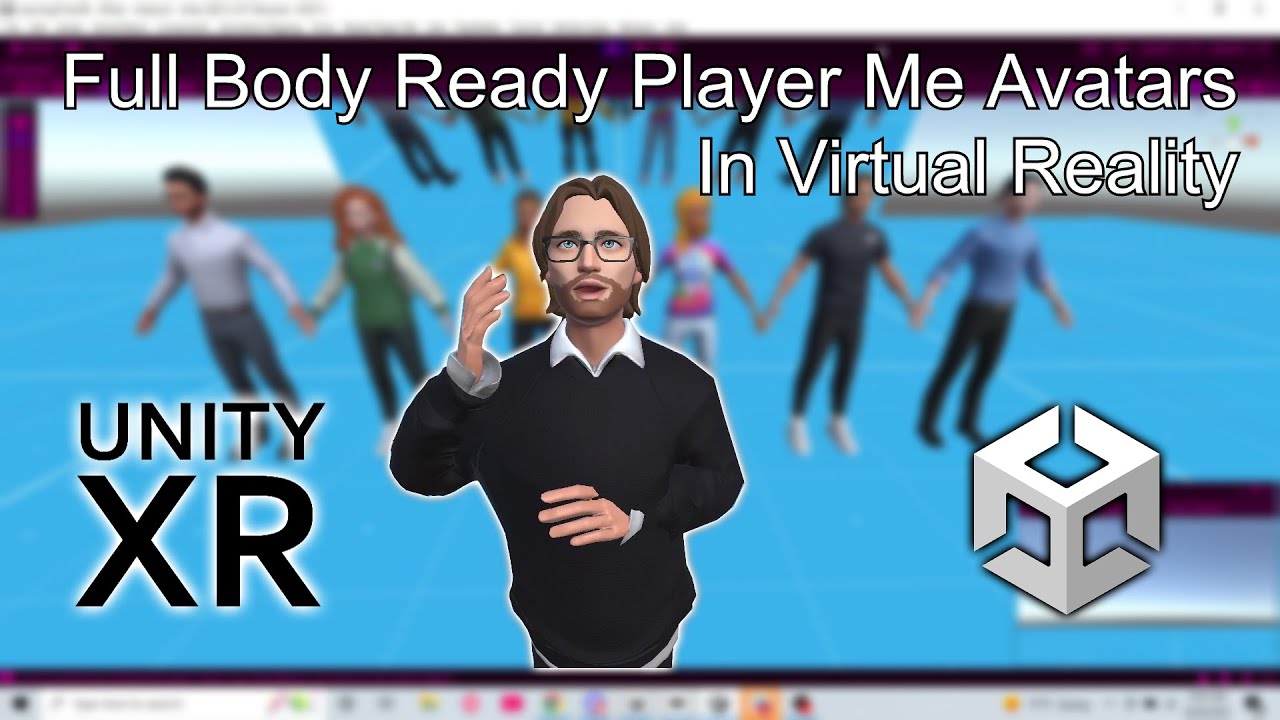
Ready Player Me has a beautiful Avatar system. Utilizing the half-body avatars in VR is relatively straight forward. But, how do you utilize the full-body avatars in VR?
In this tutorial series, we are going to look at how to utilize the Ready Player Me avatars in VR, setting up full IK with Unity's Animation Rigging, and make it work with PUN ...
vestal scarab
Yes i've seen that series of videos before but all the videos show the avatar without locomotion, Just hands and head movements.
and yes i'm using the Animation Rigging package
crude frost
You just have to set up your animator correctly. let me pull mine up
- make sure 'root motion' is checked on your animator in inspector
- You need to set up animator layers for your different parts, so that your legs can still do the walking animation, and your arms won't stop it from moving.
- All your aimator layers need 'ik pass' checked except base layer.
vestal scarab
ok i'll give those a check, thanks!
crude frost
north path
viral iron
anyone know how to remove completely jitter edges of 3D objects in Oculus Quest...
Using URP?
What unity version?
I assume quest native builds? (Not via link)
What msaa settings did you try?
Did you do it on the camera or on the urp asset?
Sometimes 3d models and textures simply need to be adjusted
viral iron
north path
Using URP?
What unity version?
I assume quest native builds? (Not via link)
What...
Yes in URP.
2021.7f1 LTS.
Yes I build Quest2 APK.
MSAA 4X from Project Settings > Quality
In URP Asset.
And yes that jitter only visible in quest camera only. if i casting that in my laptop then it's shows perfectly.
north path
viral iron
Yes in URP.
2021.7f1 LTS.
Yes I build Quest2 APK.
MSAA 4X from Project Settings ...
Are the sure that that's the android quality present?
viral iron
north path
Are the sure that that's the android quality present?
means!
north path
?
Also the latest unity version has some vr and Android improvements
Worth checking out
viral iron
north path
Also the latest unity version has some vr and Android improvements
you mean in 2022 right?
north path
viral iron
you mean in 2022 right?
Latest 2021 lts
2022+ has some issues with performance
viral iron
north path
Latest 2021 lts
Okay

if tris above 10 M then creating an issue like jitter?
@north path see this my settings. if any suggestion then tell me.

 north path
viral iron
if tris above 10 M then creating an issue like jitter?
north path
viral iron
if tris above 10 M then creating an issue like jitter?
Yes lmao
Quest has a max of 2 mil. I personally suggest keeping under 500k
And that's the high preset. Android builds to the medium preset (since that checkbox is green)
viral iron
north path
Yes lmao
Quest has a max of 2 mil. I personally suggest keeping under 500k
then how can we manage with high quality graphics with low tris.
north path
Optimization and sacrifices
Normal maps can go a long way
But the quest is basically a 4 year old smartphone SoC
If you want high quality hook it up to a PC and use oculus link
viral iron
bcz my project is for the architecture visualization
viral iron
north path
Then use PC VR
ok
north path
I have worked with Architecture before in VR. It's doable, but optimization always takes a lot of time if it's not taken into account
viral iron
north path
I have worked with Architecture before in VR. It's doable, but optimization alwa...
do you have any sample? then show me.
north path
Can't show anything since it's private work and not released to the public yet
viral iron
north path
Can't show anything since it's private work and not released to the public yet
oh okay not an issue. if you follow any doc. or video then share with me. just getting work flow. that's why.
north path
Really depends per project and toolset.
You can hire me, but performance it too broad to cover as a whole
viral iron
north path
Really depends per project and toolset.
You can hire me, but performance it too ...
okay.
storm ether
why cant i find OVRgrabble
 buoyant jolt
viral iron
do you have any sample? then show me.
buoyant jolt
viral iron
do you have any sample? then show me.
We've done some auto cube optimizations and do some lightweight optimizations - you can use FME to cut the meshes into cube shapes. I then use blender python to create LODs for each model set. I run the cubed parts through Unity into asset bundles. And I use both blender and Unity to merge the wonderful navworks 10k materials to only 7 or 8. Don't forget to customize the asset importer to add light maps UVS, and all the other fun things you want to do in early processing. Keep the cuts in meters, number the meshes based on meter locations. This will help with loading near the player versus far late.r
If it's a high paying gig, I then get one of my modelers to texture everything with proper PBR because pink and yellow, flickering one sided meshes are ugly as sin.
If it is a low paying gig, I enable blender processing to bake the colours to the vertex map, so we can use a lightweight single pass shader.
Once in a blue moon I'll bake the colours to a texture atlas, but it is a waste of performance.
The biggest improvement is to not add colliders until you have to - using mesh colliders will slow down your loading by about 3x. And to 'stream' in the asset bundles using multithreading based on distance. You can also unload them if they are too far off for too long.
With that, we managed a 1B tri navisworks environment at 90fps, and immediate launching. It sounds more complex than it was. It was mostly just monotonous.
Now to get very high def, use texture baking, texture atlases, LOD. And for the love of god, add proper skyboxes, lens flares, fog and some layered low tri backdrops.
Don't forget light baking (bakery is amazing), static meshes and cutting batches. Also keep in mind you usually don't actually want to do high quality bakes for far off maps - you can't go there, the detail isn't needed.
And failing that follow normal optimization processes
https://blog.unity.com/technology/optimize-your-mobile-game-performance-tips-on-profiling-memory-and-code-architecture

Sorry for the wall of text. Hopefully it helps someone. I don't like navisworks projects :D.
 quartz iris


this is kinda embarassing given that I've made 2 projects with the xr interaction toolkit already but I can't seem to get the direct interactor to work properly. I think something's changed since I last used the toolkit cos I don't know what I'm doing wrong.
what's happening is it's just straight up not picking up the cube
theres no vibration indication a selection occured
though there is a vibration for OnHoverEntered meaning it knows I'm within that range
and I turned OnHoverExited vibration on before and there weren't any weird shenanigans with that either
its quite literally a cube on the floor of a blank project im just trying to get it picking things up at least
google and the sample scene didnt seem to help
i see literally no notable differences between the sample scene's setup and mine
for some reason the screen goes black every time i try to run the demo scene though
ill restart unity maybe thatll fix it
yeah but the demo scene is working fine
if i must I will just steal the rig from the demo scene
viral iron
buoyant jolt
We've done some auto cube optimizations and do some lightweight optimizations - ...
how can we make LOD Systems?
buoyant jolt
viral iron
how can we make LOD Systems?
 young rune
Okay, I've got what is likely a silly question. Is there a way to detect what HMD system is plugged in withouts intiailizing all the subsystems?
We've got a situation where they want our VR app to be compatible with multiple windows HMDs. But all the systems are trying to load at once, and we'd like to first confirm what system is attached. And then load the subsystem for it.
crude frost
young rune
Okay, I've got what is likely a silly question. Is there a way to detect what HM...
Yes!
Literally just added this to my project.
young rune
crude frost
Yes!
Hellloooooo nurse! Tell me what you've got
crude frost
XRSettings.loadedDeviceName probably won't be enough, but its enough to get you started. For example, this returns "oculus display" for both quest 1 and 2. it returns "pico display" for pico neo 3 pro.
In addition try using https://docs.unity3d.com/ScriptReference/SystemInfo.html
If I use SystemInfo.DeviceName I get "Quest 1" and "Quest 2" (i think), but for Pico I get some random stuff. But SystemInfo.DeviceModel just returns Oculus Quest for both 1 and 2. I can't remember what it does for pico.
I read on github, more was added for xr to make it even easier, but didn't work for me
let me see if i can find that documentation
young rune
Alright! Lete take a look!
crude frost
the other thing i saw was for the oculus plugin for XR, but i coudln't figure out how to make its new function work to get HMD type. but here is the git on it. https://github.com/needle-mirror/com.unity.xr.oculus/blob/master/CHANGELOG.md#1100-preview2---2021-07-08

GitHub
[Mirrored from UPM, not affiliated with Unity Technologies.] 📦 Provides display and input support for Oculus devices. - com.unity.xr.oculus/CHANGELOG.md at master · needle-mirror/com.unity.xr.oculus
young rune
Hmm for me, device name just tellse what the computer name is
worn escarp
I have a problem with xr sockets, they work as intended, but nothing is shown using the hover/can't hover materials, I've checked whether it was a problem with the materials but creating new ones using different shaders didn't solve the problem. any ideas on why is this happening?
crude frost
young rune
Hmm for me, device name just tellse what the computer name is
ah. i didn't think about that. i build for android mobile VR, not PC VR. What about XRSettings.loadedDeviceName ?
young rune
crude frost
ah. i didn't think about that. i build for android mobile VR, not PC VR. What ab...
Hasn't been reliable. We're noticing that somehow, XR is loading a Varjo system at the same time it tried to load for the Index and it's creating conflicts
 lavish turret
Hey everyone! My team (just me and one other guy 😢) Are looking for people to help us create our VR Police Game titled "Policemen VR: Dispatch and Dispose" If you want more details, or want to help with the games creation, reach out!
 split wing
can someone get in a call with me and help me upload a game to app lab
 real lodge
Hello everyone 👋 I'm learning VR at the moment and want to look into 360 imaging for a VR experience.
For example, a 360 experience that moves down the street. I would like to learn how to do it and what the capabilities are (including how immersive & realistic it looks).
Does anyone have any advice on where I can start?
split wing
youtube or google like i did
buoyant jolt
real lodge
Hello everyone 👋 I'm learning VR at the moment and want to look into 360 imagi...
This is pretty easy, and a few ways you can tackle this. The easiest is an inverted sphere with a texture on it tied to a video player. And capturing the video using an insta 360 pro or whatever you have for 360 equipment.
Be very very cautious about movement. Forced movement (i.e. moving down a street) is highly likely to cause someone to see something different than they feel, and get motion sickness. This is compounded by 360 not being in stereo by default and causing depth perception to be off, encouraging motion sickness.
Lots of good workflows on YouTube for this, but look for creators with published examples you like and want to learn from for this.
The other hard part is removing yourself and the background equipment from the 360 view, and keep in mind it is very difficult to fix things in post production later as you usually are using 4k or 8k video
buoyant jolt
split wing
can someone get in a call with me and help me upload a game to app lab
No way, not my idea of a fun Saturday. But app lab is pretty simple. The easiest way is to upload it through ODH - https://developer.oculus.com/documentation/unity/ts-odh/ just keep in mind for app lab you need Oculus quest 1, 2 support with videos and screenshots. And to adhere to the oculus rules for submission..
vestal scarab
Hi, anyone used the Unity XR Interaction Toolkit's "XR Controller (Action-based)" component?
I'd like to use that but the hands being from a full avatar instead of a floating pair of prefab hands.
I can't figure how this can be done. Anyone knows how to do this? So far the tutorial i've seen
spawns prefabs of hands without an avatar body. Thanks!
 lucid nymph
on learn.unity It's wanting me to use OpenVR Desktop but all I see is the Occulus XR and the OpenXR.. Will the OpenXR be the same as OpenVR?

 short mural
do i have to hire programmers who have a vr headset for a vr game? i already have the code for movement. so i dont think they need a vr headset. i can use xri for hand stuff, with that i dont need code?
what is the best way to simulate q2 standalone to test performance? dont wanna build for q2 and send game to it every time.
north path
lucid nymph
on learn.unity It's wanting me to use OpenVR Desktop but all I see is the Occulu...
OpenVR is SteamVR.
Fun thing is, OpenXR works on all VR runtimes, so stick with OpenXR for way easier game porting in the future!
north path
short mural
do i have to hire programmers who have a vr headset for a vr game? i already hav...
If you work in a VR game, test it in VR.
This is crucial for so many design and art things as well, and not just for programming.
For performance, there is no good way to simulate performance on the quest. It has totally different hardware and the GPU works a lot different as well
 glass osprey
how can I jump with OVRPlayerController?
The description says something like 'Jump Force'
lucid nymph
north path
OpenVR is SteamVR.
Fun thing is, OpenXR works on all VR runtimes, so stick with ...
Coolio. Sounds like learn.unity just needs to be updated.
glass osprey
ignore my question.. i found the answer
 fossil temple
Working on a VR project right now, and my shadows are only visible on one eye. Does anyone know how to fix this?
north path
fossil temple
Working on a VR project right now, and my shadows are only visible on one eye. D...
What unity version?
What render pipeline?
What headset?
Singlepass/multiview or multipass
fossil temple
2021.3.4f1
URP
Quest 2
Multipass
short mural
is there really no way to disable 95% of my 2070 super to simulate a q2?
reduce cores, or whatever is inside a gpu?
short mural
north path
If you work in a VR game, test it in VR.
This is crucial for so many design and ...
do i have to hire programmers who have a vr headset for a vr game? i already have the code for movement. so i dont think they need a vr headset.
i can use xri for hand stuff, do i need coding skills with that?
north path
fossil temple
2021.3.4f1
URP
Quest 2
Multipass
Any custom shaders? Or just lit?
Also maybe update unity to the latest lts?
north path
short mural
is there really no way to disable 95% of my 2070 super to simulate a q2?
You can downclock, but as I already said, it's not that simple.
The Quest has a tiled GPU, which is different from PC
north path
short mural
do i have to hire programmers who have a vr headset for a vr game? i already hav...
Depends what they code.
If it's an enemy AI, not really.
If it involves any VR mechanics, them having a VR set is pretty crucial.
short mural
vr stuff would be just movement and arms and item interaction, which then handles xri, so no code needed?
everything else i can hire non-vr-programmers?
short mural
btw. I am interested how mountains and landscape in general look on q2 if you use max polygons the q2 can handle.
what u mean with what i need? arent the 3 things i mentioned the only vr specific thing?
buoyant jolt
short mural
do i have to hire programmers who have a vr headset for a vr game? i already hav...
Why wouldn't you? As part of our onboarding, everyone we hire gets a cutting edge computer, VR headset, their software, etc. We want them successful.
Having non-VR devs build a VR game is going to end about as well as you'd expect. Motion sickness, bad performance, skimpy controls, bad controls, bad tutorials, bad shaders, non mobile friendly xyz. Textures that look good in an FPS often look very different in VR.
I mean if you are building just a 360 VR player, maybe. But no I would expect VR developers to use VR headsets
We have a large guideline doc for all our VR titles. Little things like NPCs need to use our eye controllers to make eye contact, so players don't feel ignored. What shaders they can use that are performant and reliable on all platforms. Lens flare configuration requirements. Model and poly limits for best headset performance etc. How they use the input controls, and why. What they can do and can't do for motion sickness etc.
So yes, I would strongly recommend having a VR headset if you want them working on VR games.
short mural
what does a programmer do to handle motion sickness?
performance can be bad if the code does things very inefficient? you dont need a vr headset to write efficient code?
bad controls, isnt that handles by xri?
tutorials are not made by programmers?
making own shaders? why? cant one just use already premade shaders?
non mobile friendly would be the same as inefficient code?
youre talking a lot about non-logic stuff. im asking only for programmers
buoyant jolt
Mind you - we might be a special case. We do a lot of hyper realistic projects for VR, and have a decent team with a lot of awesome clients. As an indie in a basement I'd probably go down a different path. But I'd at least make sure whomever is working on the titles have VR - it protects your brand and quality.
buoyant jolt
short mural
youre talking a lot about non-logic stuff. im asking only for programmers
You have a lot to learn then :D.
fossil temple
north path
Any custom shaders? Or just lit?
Also maybe update unity to the latest lts?
using lit. Been using this LTS for a bit now and the people working on it doesn't want to update right now sooooo that's why i'm on that version
north path
fossil temple
using lit. Been using this LTS for a bit now and the people working on it doesn'...
No harm in trying 2021.3.12
buoyant jolt
fossil temple
using lit. Been using this LTS for a bit now and the people working on it doesn'...
You can also try toggling it into single pass. Is it doing it in builds or only through the editor? Q2 shaders behave quite different once compiled a lot of the time
 fiery coral
Hi Im beginning my first vr game and my right vr hand is being teloported forward when i run my game my left hand is fine so im beginning to think it has something to do with the higherarchy. Please take a look at these ss and help me out thank you

 short mural
buoyant jolt
You have a lot to learn then :D.
short mural
buoyant jolt
You have a lot to learn then :D.
with unity it will be tons easier than with ue.
ue lacks education material ^ 234
i just need to know when i need vr programmers
fiery coral
fiery coral
update ive noticed the hand always moves to a specific spot on run
buoyant jolt
short mural
i just need to know when i need vr programmers
There is no reason not to. If you already decided to penny pinch or cost cut because you think you know better - then why even ask?
short mural
are u saying doing finances is bad?
buoyant jolt
The few replies you've got here have said the same thing - use VR devs. You want to avoid it, then go for it. But why ask if you don't like the answers?
Anyway I don't really care what you do 🙂 good luck with it.
short mural
my question arent answered. so i am neutral towards them. i didnt disregard you
buoyant jolt
fiery coral
Hi Im beginning my first vr game and my right vr hand is being teloported forwar...
Do you have a screenshot of the project heiarchy?
fiery coral
buoyant jolt
Do you have a screenshot of the project heiarchy?
yes
fiery coral
buoyant jolt
Do you have a screenshot of the project heiarchy?
here u go
 buoyant jolt
When you click on the right hand in the inspector, is it at the right world space in the position field?
My best guess is that one of the hands isn't centered in the middle of the Right Hand, or the pivot offset point is off in the model
fiery coral
buoyant jolt
When you click on the `right hand` in the inspector, is it at the right world sp...
if i show you the fully expanded form of my hierarchy would that help
buoyant jolt
fiery coral
if i show you the fully expanded form of my hierarchy would that help
I think this is good, if I can see the position, rotation, scale of the right hand it could help
fiery coral
buoyant jolt
I think this is good, if I can see the position, rotation, scale of the `right h...
 buoyant jolt
fiery coral
buoyant jolt
fiery coral
Yeah, the position is offset. Where it shows -10.839, -1
48, 11.391 -- that shows that the model for the right hand isn't where the controller is. It's offset by like 22 meters. It looks like to the left and forward to me
I think you just need to center the model on the controller position. But it's hard to be certain
fiery coral
buoyant jolt
Yeah, the position is offset. Where it shows -10.839, -1
48, 11.391 -- that sho...
i tried centering it but changing the position does nothing
severe saffron
short mural
what does a programmer do to handle motion sickness?
performance can be bad if t...
The programmers you're talking about are using 60hz monitors. To them the performance probably looks good.
60fps is terrible in VR btw. There are a ton of pitfalls that a dev without a headset are gonna fall into.
lucid nymph
Hello! I'm looking to help a friend with a VR project and I'm mildly familiar with unity, but not the VR stuff. It's looking like to go further I'm gonna a headset of mine own, what is a good budget headset for development?
short mural
severe saffron
The programmers you're talking about are using 60hz monitors. To them the perfor...
they can run 90fps on flatscreen too. they dont need 120hz monitors fo rthat
how can i build and send wireless to q2?
 tiny niche
short mural
they can run 90fps on flatscreen too. they dont need 120hz monitors fo rthat
tiny niche
short mural
they can run 90fps on flatscreen too. they dont need 120hz monitors fo rthat
sure, but you can't design your solutions to minimize motion sickness without one
short mural
i plan to make a game where you move around by pushing your hands against the ground. 😄 this is motion sicknmess
north path
lucid nymph
Hello! I'm looking to help a friend with a VR project and I'm mildly familiar wi...
Quest 2 is your best bet. It had great PC VR support, great standalone support and is by far the biggest market
north path
short mural
i plan to make a game where you move around by pushing your hands against the gr...
Doesnt have to be, look at echo
last parrot
hello guys I saw "XR grab interactable" component in a old video what is the equivalent now?
I'm on the pico 4
lucid nymph
north path
Quest 2 is your best bet. It had great PC VR support, great standalone support a...
Which quest did they remove the need for having a facebook account?
north path
lucid nymph
Which quest did they remove the need for having a facebook account?
Both need a horizon profile. It can be seperate from Facebook
 daring patio
good morning everyone. I wanted to give you a heads up that I was then able to get the Oculus Quest 2 viewer running correctly on Unity in a test room I had created. 😄
Now my question is: I should import to Unity a project in .IFC format . How should I proceed?
 tender zephyr
Hi there, as of right now I have a "teleportation provider" and a "activate teleportation ray" script on my XR Origin game object. Trough a canvas dropdown menu I would like to be able to change my continuous movement with teleportation movement. I tried doing this the same way it works for Snap turn and Continuous turn but that's easier since they are both actionbased. Is there a way for me to activate and deactivate the teleportation script on my XR origin FROM my script that I have on the canvas? If not, how would I tackle this issue since Teleport isnt action based
 pine salmon
Hey Guys, I'm recruiting for a Unity Developer here in the UK - £50-70K - They specialise in the intersection between immersive experiences and haptic technology with the aim to bring medical devices and surgical procedures to market using virtual reality! Please let me know if anyone would be interested 🙂 #921195444808318986
pine bison
Hi @pine salmon, this server isn't for jobs advertising. There is a message in #📖┃code-of-conduct with links to where you can post :)
pine salmon
pine bison
Hi <@996035494762778714>, this server isn't for jobs advertising. There is a mes...
Thanks Ole - so sorry! Trying to figure this out - any help appreciated 🙂
pine bison
All good
 cedar solstice
Does anybody know how to create the VR view and projection matrices from the standard ones?
I can create a custom projection matrix via Matrix4x4.Perspective and apply it via RenderingUtils.SetViewAndProjectionMatrices but how can I get/create the proper matrices for RenderingUtils.SetStereoViewAndProjectionMatrices?
spice sail
Is there a way to disable automatic Anti Aliasing Texture resolves?
wheat grotto
is there a way to receive real time info in the vr app?
spice sail
wheat grotto
is there a way to receive real time info in the vr app?
click development build + autoconnect profiler in the build settings
this will attach Unity's profiler to the build
last parrot
hello I can see the game and the camera moves with my headset by hitting play the in unity but the controllers don't work
it's working just fine when I build it
any info on it? (I'm using the pico 4)
 restive fox
which framework are you using @last parrot
restive fox
which VR integration are you using
 last parrot
restive fox
which VR integration are you using
last parrot
restive fox
which VR integration are you using
where can I see it?
sry I'm really new in VR devs ^^
restive fox
ah okay so you're using Pico's extended version of the OpenXR framework
im not sure because i havent used pico before im sorry. did you check their documentation for enabling controller support?
if the build is not big so far you can also try building and testing it to see if controllers work, maybe it is an editor/build thing? it is probably just your setup though. do they have a demo scene with everything working properly?
last parrot
haha no
don't know actually
I searched right and left and ended up making it work on my headset so I'd rather focus on how to dev than my setup but I was wondering if it was easy to fix ^^
 celest tide
New to this channel - just wondering if there was a good VR app that can create Humanoid animation clips (so I can load into Unity timelines). VRIK was one name mentioned to me. I wanted to use my Quest 2 headset to create animation clips (upper body only is fine). I have a solution today with a WebCam (not VR) using VTuber software, but it involves a lot of steps so was trying to see if there was a more efficient workflow.
restive fox
celest tide
New to this channel - just wondering if there was a good VR app that can create ...

this seems promising, and it’s free and open source, works through steamvr
celest tide
restive fox
https://www.reddit.com/r/Unity3D/comments/ntdisn/i_used_unity_to_develop_a_free_...
Thanks, this project does look interesting. If I understand what I have seen so far, it generates BVH files - much like Play AniMaker does. Having the source code on GitHub however makes it more feasible to adapt it - maybe output Humanoid clips directly for example (which is what I really want).
 echo storm
Hi everyone! in openXR project I develop interacting with the UI InputField I use locks my other inputs (character movements etc) why that might be?
- In build, Input field locks/freezes my character and doesnt read on-screen keyboard inputs
- In editor, everything works perfectly, I can move while I write, also I can write
north path
Any errors when you connect the console/profiler or logcat? @echo storm
echo storm
Thank you for your response, Never needed to debug from the build in VR, how do I do it?
Im testing my build by installing the apk with sidequest to my quest 2
 solar pagoda
Hey guys new to the discord been having trouble with a project

My XR interaction manager is missing but everything else is right. Can’t find that script to put before grab interactable
buoyant jolt
last parrot
hello I can see the game and the camera moves with my headset by hitting play th...
You need to setup your input and XR interaction toolkit or whatever you want to use to track the controllers.
Pico is a pretty basic setup for OpenXR. As long as you followed the docs it should work fine. So my best guess is either a misconfiguration or no controllers added to the scene
buoyant jolt
echo storm
Im testing my build by installing the apk with sidequest to my quest 2
If you are new to android, you can install the Android logcat for unity. It'll let you output debug logs and errors on the device in real-time.
Assuming you are using Pico or quest mind you
echo storm
Thank you! I used console to gui script I have, didnt see any error there, will android logcat be more detailed
buoyant jolt
It does sound like there is a null ref error or something happening but hard to be sure. I havent seen that issue before
echo storm
I cant find anywhere neither but a null error would appear in the editor console right?
buoyant jolt
Not necessarily, it's quite common for builds to have errors or act differently than what you see in the editor, unfortunately
For example, it uses a completely different input stack for play mode VR controls behind the scenes in the editor, versus a headset build
buoyant jolt
But it may also be something else entirely
echo storm
quest 2
buoyant jolt
Yup assuming you are using a Quest 1/2 or Pico
echo storm
Thank you, I will let you know 🙂
buoyant jolt
Yup! It's just an android phone with a fancy GPU
echo storm
 mighty sandal
Hi, can someone please help me ? i'm using xr interaction to make VR game I did that the player can grab objects, but how to do that the player can throw the object, and the throw will actually look real ?
split wing
btw noones ever active here
 torpid ginkgo
@split wing If you don't have anything constructive to say, don't spam the channel. People who are interested in the topic are active.
storm ether
@mighty sandal theres a movement type setting on xrgrabinteractable if you set it to velocity tracking and mess around with the throw on detach setting you might be able to get a decent throw
last parrot
buoyant jolt
You need to setup your input and XR interaction toolkit or whatever you want to ...
No I can see them when I build it in my headset
I tried the official version but now nothing works
But this could be because of my GPU I might need to change it
real lodge
buoyant jolt
This is pretty easy, and a few ways you can tackle this. The easiest is an inve...
Thank you! This is great advice.
Is there a good go-to speed with forced movement in VR (like when moving down the street)?
mighty sandal
storm ether
<@578569479655784471> theres a movement type setting on xrgrabinteractable if yo...
Thank you I really appreciate your help
viral iron
Anyone know how to put transition effect between two teleport points?
restive fox
viral iron
Anyone know how to put transition effect between two teleport points?
vignette post process?
viral iron
restive fox
vignette post process?
means?
viral iron
restive fox
vignette post process?
I'm talking about animation. when you switch one location to another location.
restive fox
what type of transition are you looking to perform? a screen overlay? a fade?
or just simply trying to avoid motion sickness?
viral iron
restive fox
what type of transition are you looking to perform? a screen overlay? a fade?
right now when i switch the location i see just simple black screen for 1 sec. in VR. so now instead of that i need some effect like fade or screen overlay. which is better for VR.
 trim geyser
hey everyone im new to discord
was running fine with quest2+unity but it's giving some errors
can someone help me out, i just need hands + grab in a project, thanks!
trim geyser
nvm solved the problem!
 fringe rivet
Does anyone know what is currently the standard for VR development in Unity? We are still using the outdated Oculus SDK, but want to start supporting multiple device types (not just oculus). It's going to be a massive rework to change this SDK, so I'd like to pick the right one instead of having to change again. It seems the biggest ones are the XR Mixed Reality Toolkit and VR Toolkit, but I can't see which is most common
worn escarp
why not using the unity xr plugins?
north path
Yep, XR plugins are very chill and easy to go cross platform (especially with OpenXR for PCVR)
tender zephyr
Hey everyone! So I have a working button from the JustinPBarnett tutorial and have the Pressed and Released functions all working. The only thing I am wondering is if I can create this to "toggle" a light on and off when pressed again. I can turn it on when I press the button but it turns off when I release it
worn escarp
@tender zephyr I don't know that tutorial, but, it seems that you turn off the light on the release function. Don't use the relese function and make the pressed function to change the state of the light to the inverse of what is the current state.
tender zephyr
worn escarp
<@181375341074448384> I don't know that tutorial, but, it seems that you turn of...
So for example you would suggest me remove the release function and instead make a variable like "isActive" and change that to true/false when the button is pressed?
worn escarp
try that
 modest nacelle
Hello, im trying to make a grapple gun with the help of tutorials, but all of the tutorials only include a Mouse input method, does anyone know how i can make it so it gets the XR input instead of the Mouse Input? Please ping me if you have an answer!
tender zephyr
modest nacelle
Hello, im trying to make a grapple gun with the help of tutorials, but all of th...
I think this is supposed to be very easy to change. If it's a grappling gun already controlled by picking it up and shooting it with a mouse maybe just make it grabbable in VR and changing the onclick mouse to maybe your trigger on one of your controllers
modest nacelle
tender zephyr
I think this is supposed to be very easy to change. If it's a grappling gun alre...
Ok, Im new to coding, how do i do this? Thanks for the help! Im using Dani' Grappling gun Tutorial
 glossy violet
For some reason my player is always 0.83 y coordinate above where they are supposed to be making people super tall, what could be causing this- there are no colliders that are causing this.
tiny niche
glossy violet
For some reason my player is always 0.83 y coordinate above where they are suppo...
sounds like you're got the wrong tracking origin, or you're putting the hierarchy at the head instead of the feet
tiny niche
glossy violet
I dont know what you mean :p
read up on the xr rig documentation then
glossy violet
the main parent object is an empty object


thats the parent gameobject components
 glossy violet
no, I put it to -0.83 hoping it would cancel out my problem
it was still wrong before I put -0.83
tiny niche
well you have to do both things
tiny niche
and you need to put the camera on the origin in the editor, not at eye level
glossy violet
previously it was just at not specified and 0
tiny niche
i hope your empty game object is truly empty as well
 glossy violet
He told me to put it to floor?
tiny niche
display the character controller, you probably have it set up wrong as well
north path
Are you testing in VR or in editor?
tiny niche
character controller is put on the floor origin, not the head position. so its probably pushing the tracking origin away from the floor
you have to be really careful about how you use character controllers in vr
 lean slate
hello this is my first time making a unity vr game im using xri toolkit and i got a pistol with the xr grabbable but i dont see dynamic attachment for some reason and i am above version 2.1.0

pls ping me if u have an awnser thx
tiny niche
lean slate
hello this is my first time making a unity vr game im using xri toolkit and i go...
my guess is the compatibility dropdown is on the wrong setting, or you need a pre-release version
lean slate
ill see
worn escarp
I have a setup where I have a character controller, I move with the thumbstick and the character controller collides with the scene objects and everything's good. But, if I physically walk, the player can move inside objects. Is there something already provided by the xr interaction toolkit to solve this or do I have to write some custom code?
lean slate
does eny won know eny good xri vr tutorials
worn escarp
Do anyone know of games where they have created their scenes/levels in VR with custom tools?
I was thinking of having a prefab library where you can select/place these objects/npcs in a scene. And a backend where all the data is sent and saved. Then you add this file to the game and it uses it to create the scene when the game runs (or, there's a editor script which creates the scene in the editor)
 orchid raptor
Hello, Alon.
glossy violet
How do you prevent people being able to stick their heads through walls and seeing through them?
 ember gorge
crash on hit play
unity openxr + oculus sdk
 worn escarp
glossy violet
How do you prevent people being able to stick their heads through walls and seei...
worn escarp
glossy violet
How do you prevent people being able to stick their heads through walls and seei...
haven't done it myself yet (it's in my TODO list) but there are several tutorials on youtube for exactly that
tacit spire
glossy violet
How do you prevent people being able to stick their heads through walls and seei...
that's the thing: you can't.
glossy violet
You can.
Pretty easy
Attatch collider to camera set as trigger and disable movement and set screen to black when the trigger is colliding
mighty sandal
orchid raptor
Hello, Alon.
Hello
mighty sandal
hi can someone please help me I'm using XR but the problem is grabbed objects going through objects
worn escarp
If you are using XR interaction toolkit and XR grab interactable, take a look at the different values for Movement Type https://docs.unity3d.com/Packages/com.unity.xr.interaction.toolkit@2.0/manual/xr-grab-interactable.html
 full path
Anyone have any idea what I'm doing wrong? I'm using the Oculus/OpenXR SDK
(Edit: found the solution. https://forums.oculusvr.com/t5/Unity-VR-Development/TransformRecognizerActiveState-is-never-activating/td-p/997533)

For some reason I've never been able to get a TransformRecognizerActiveState to register as active
crude frost
normally on an XR project where i'm using XRI inputs and Worldspace canvases, I can still test the UI without my headset plugged in, and I can use my mouse. But, for some reason, on my new project, I can't do it. I can't figure out why. Any ideas one what I need to look for?
 mystic depot
How do I interpolate using the Xr toolkit? I have a boat on waves and the buoyancy is making the player jitter up and down
ember gorge
while (overlay.externalSurfaceObject == System.IntPtr.Zero)
{
yield return null;
}
when the externalSurfaceObject get ready
 sacred hatch
Hello, how do I trigger a script when dropping an object by releasing the grip button using XR Interaction Toolkit? For example, if I throw a ball, I want it to teleport back to its original spawn location after a few seconds. The teleport script only triggers when the ball is thrown by the player.
 torn notch
sacred hatch
Hello, how do I trigger a script when dropping an object by releasing the grip b...
torn notch
sacred hatch
Hello, how do I trigger a script when dropping an object by releasing the grip b...
you would have to make a script where the ball reverts to its original position
sacred hatch
torn notch
you would have to make a script where the ball reverts to its original position
I already have the script, but I don't know how to trigger it when releasing the object
 tacit quartz
Hey. This must be a very common question but i'm completely lost : which VR framework to use in Unity these days ?
I want to create a kind of escape room/game in VR (so many interactions and need multiplayer support).
I'm completely lost because there are tons of possibilities (VRTK, MRTK, Unity XR Interaction toolkit,Hurricane VR, ultimate XR, ...)
Can you help me guys please ?
buoyant jolt
worn escarp
Do anyone know of games where they have created their scenes/levels in VR with c...
Yes, there are some in the store fronts. But we have 3 games now where users can create whatever world they want. The hard part was making something more valuable than just low poly art. But it was fun and I'd recommend doing it for the fun of making it.
buoyant jolt
tacit quartz
Hey. This must be a very common question but i'm completely lost : which VR fram...
OpenXR / Interaction Toolkit is a great start.
VRTK was amazing but is more or less asleep now. MRTK is for HoloLens style work. Hurricane is a mess, we used it for a project and had to rewrite about 30%. We now use our own framework called CXR, built on OpenXR.
The downside to the interaction toolkit is it is not very well made and you'll end up outgrowing it on your first project. But it serves as an OK base to begin with
tacit quartz
buoyant jolt
OpenXR / Interaction Toolkit is a great start.
VRTK was amazing but is more or ...
Okay thanks a lot for your answer ! When you mean Interaction Toolkit, you mean "Unity XR Interaction toolkit" ?
and what is the difference between that and "openXR" ?
buoyant jolt
tacit quartz
Okay thanks a lot for your answer ! When you mean Interaction Toolkit, you mean ...
The Unity XR Interaction Toolkit is a bunch of half-made tools by the Unity staff for using OpenXR
So, it shows you an ugly code set for teleportation. But doesn't obey VR standards of fade-out, teleport, fade-in. And the code is written in such a way that it is likely to break in new scenes and isn't built in a way that it can be turned on and off easily. It also is buggy and sometimes leaves teleportation markers in places. It is a concept at best, but a starting point for how OpenXR can be used. IMHO of course..
tacit quartz
buoyant jolt
The Unity XR Interaction Toolkit is a bunch of half-made tools by the Unity staf...
Oh okay thanks again 🙂 No ready to use toolkit unfortunatly D:
full path

I'm working on a VR game with a similar concept to Waltz of the Wizard, designed to simulate the experience of having magic powers. There's still a lot to do but I'm making good progress on it. I'm designing it only for hand tracking, though I might add controller support if there's enough demand for it in the future. Since I'm running this on m...
working on a game 🙂
split wing
how do i add a player model with photon vr
north path
split wing
how do i add a player model with photon vr
FinalIK had an VR IK rig for that if you need it
 finite osprey
Hello community, (first post). Has anyone ever used a 3D video projector and 3D glasses to display some objects using Unity? My goal is to display some 3D objects with different depths. If you have any ideas feel free to share 🙂
pine bison
tacit quartz
Hey. This must be a very common question but i'm completely lost : which VR fram...
Personally I find XR Interaction Toolkit to be a bit too barebones, you get a lot more from starting with the packages you mention. Personally I've worked with VRTK for a while and I like it (it's still in active development). They even did a tutorial on a room escape earlier this year https://www.youtube.com/watch?v=HU1imM47DNM

A fun trailer showing off the finished VR Escape Room in Space made with VRTK in the weekly livestream series found at:
https://www.youtube.com/playlist?list=PLTiD-q2AfVNI86N48qIX3mcH8_O96dacI
The full Unity project can be downloaded here:
tacit quartz
pine bison
Personally I find XR Interaction Toolkit to be a bit too barebones, you get a lo...
😮 thanks, I though that vrtk was outdated and not developed anymore
pine bison
It's a common misconception, version 4 was developed on github for a long time with the asset store still only hosting the old version 3
This is the new version https://assetstore.unity.com/packages/tools/utilities/vrtk-v4-tilia-package-importer-214936
north path
finite osprey
Hello community, (first post). Has anyone ever used a 3D video projector and 3D ...
I suggest asking on the forums if you don't get a reply.
VR forums might not the best fit, maybe general graphics?
mighty sandal
worn escarp
If you are using XR interaction toolkit and XR grab interactable, take a look at...
Thank you
finite osprey
north path
I suggest asking on the forums if you don't get a reply.
VR forums might not the...
Thank you, I will ask to different forums then
tacit quartz
pine bison
It's a common misconception, version 4 was developed on github for a long time w...
Oh okay thanks a lot !
 balmy sierra
Hello, anyone know how can i make a colorpicker with oculus integration? i have been 4 days traing but i can´t make it i seached for some videos but neither
pine bison
balmy sierra
Hello, anyone know how can i make a colorpicker with oculus integration? i have ...
This is a pretty specific task, it's not necessarily something you'll find a tutorial or guide for. The best thing you could do would be to find some VR applications with colour pickers, and see how they do it. Then you figure out how you want to design it, and then you break that into tasks
balmy sierra
pine bison
This is a pretty specific task, it's not necessarily something you'll find a tut...
Ok. i'll try to do it
 atomic badge
I am Using XR Interaction Toolkit.
Does anyone know how to adjust the "height" of the player or the XR Origin
Like what property should I access / adjust?
And is there a way to make it "Auto Guess" the height?
I assume I would have to somehow get the distance from the floor, Just unsure how to go about doing it
wet jewel
hey do you guys use UI-toolkit in xr development for ui
 cinder acorn
or i need to get the oculus link?
atomic badge
atomic badge
Oculus Link would be preferable. Or even Airlink works
USB-C will probably give you a poor performance, and it will be hard to distinguish what lag / latency is being caused by your cable vs the code/game itself
As a side note, whenever you are playtesting within the editor, make sure This is set to Play Maximised for optimal performance
 pine bison
Oculus link is windows only. On Mac you can only build. The alternative is to set up the XR device simulator to test things as you go without entering VR
cinder acorn
pine bison
Oculus link is windows only. On Mac you can only build. The alternative is to se...
So I can’t actually play the game on oculus inside the play mode, or not even scene mode? 😕 unless I make a fps simulation
 heavy oriole
Welcome humans! I'm in the process of modeling a 3D scene that is going to be viewed in VR - a simple room to walk around with some equipment inside. I'm natively a Cinema 4D (Octane + Vray) user with very little game-dev experience (yet lots of gaming experience).
I would like my scene to be as detailed as possible. Since I'm usually not constrained by game engine limitations, I have to be very cautious about optimization - especially if VR is the target platform. So...
I'm looking for any kind of tips, pointers or resources that might help me with this task. Dos and don'ts and all that, any kind of input is welcome. As an example, I would appreciate a tip on how to group the objects inside the FBX (everything merged vs separate), and I wouldn't like any tips about baking high-poly to low-poly. I'm looking for healthy practices, something you would personally like to have taken care for you (as if I was creating this model for you), save you a headache or time. Can be a rant, can be a praise, can be anything really.
Here is a random google image of a "medical room" for some perspective (just the idea of a room, equipment and furniture):

And here is an extra question:
Can I create null objects with different coordinates so they can be swapped for, or interpreted as instances to save memory? If I'm not clear, I would like to duplicate the clones of high poly objects around the scene and have them loaded as one object in the memory. Yes/No will do, I'm not looking for a detailed answer or a tutorial.
Somewhat similar question: Can I create null objects so the cords can be later used to replace them with other objects inside Unity? For example, if I create a blank object at a certain position with a certain rotation called LIGHT#1, can it be easily replaced with an actual light object inside Unity?
Heading to bed now, thanks in advance if you even gave it a thought 
wet jewel
To fix few bugs I have to upgrade from 2021.3.4f to 2021.3.13f version, but in new version of unity I face this error, how can I fix it?
❌ Failure to restart OpenXRLoader after shutdown.❌
north path
When does this occur?
Did you manually update OpenXR already?
@wet jewel
wet jewel
north path
When does this occur?
Did you manually update OpenXR already?
<@500263262852743...
by manually you mean in script? if yes, then no
north path
Check on the package manager or maybe update it in packages.manifest @wet jewel
wet jewel
north path
Check on the package manager or maybe update it in packages.manifest <@500263262...
will do sir
 inner fossil
does anyone still playing with outdated vr ?
things for vr box for smartphone
coz I plan to having some single controllers on the users hand
so he doesn't need to looked down their reticle
north path
What do you need exactly? Didn't understand @inner fossil
wet jewel
north path
Check on the package manager or maybe update it in packages.manifest <@500263262...
Updated the xr toolkit error still remains
north path
wet jewel
Updated the xr toolkit error still remains
And OpenXR?
wet jewel
north path
And OpenXR?
There is no update in openXR
 inner fossil
north path
What do you need exactly? Didn't understand <@938278175362920458>
inner fossil
north path
What do you need exactly? Didn't understand <@938278175362920458>
currently my vr system (for smartphone / cardboard) using looked down reticle to trigger the characters moving forward
but then I decide to use joystick controller to integrate to my vr system
as far as I recall controllers only applied for non vr games, so I'm looking a hint for such thing
north path
Simply remplace the tilt forward code with joystick forward? @inner fossil
wet jewel
north path
And OpenXR?
anything for me sir!!
north path
I don't know exactly. Maybe try to recreate it in another project?
Also make sure an HMD is properly connected etc
wet jewel
north path
I don't know exactly. Maybe try to recreate it in another project?
that's working fine
I think I have to go back to previous version
thanks anyways
wet jewel
north path
So it's somewhere in your setup
yeah it is happening in my previous version also, I am dooomed😭
wet jewel
north path
2021.3.13 works fine for me
at least give me some hints where I can fix it
north path
wet jewel
at least give me some hints where I can fix it
You said it works properly in a fresh project
So simply copy over scenes/assets from your game and see when it starts breaking
wet jewel
it was working fine on mine so far
 elfin pebble
Afternoon all. First post here so forgive me if it's not the right place.
I've been having troubles with the OVRLipSync package in Unity, when I run the sample in a brand new project it works fine, however when I import the package into my own project (same Unity version) and run the same sample the whole Unity Editor crashes out but only on OSX. I can also say it also crashes out when I run it using my own implementation too, but the fact the sample doesn't work is a clear indication that its not something I'm doing wrong I think.
I've checked the obvious stuff like that the OVRLipSync.bundle has permission in System Preferences, but at this point I'm out of ideas.
I have posted on SO earlier but I'm not expecting much luck - Was hoping someone here might have experienced something similar:
https://stackoverflow.com/questions/74444049/unity-editor-crash-using-ovrlipsync-on-macos

Stack Overflow
I'm hitting a strange issue that I can't explain. I'm developing a VR app in Unity and I've recently added the OVRLipSync for mouth movements. It works fine on every other machine except for OSX de...
tiny niche
heavy oriole
And here is an extra question:
Can I create null objects with different coordin...
unity supports instancing, you just need to provide the correct format
tiny niche
elfin pebble
Afternoon all. First post here so forgive me if it's not the right place.
I've ...
what do the logs say?
tiny niche
wet jewel
it was working fine on mine so far
use source control. you can expect to click buttons with unknown consequences at least once a day, so you really need to be able to diff working versions with broken versions
elfin pebble
tiny niche
what do the logs say?
See the SO link provided - The logs are posted there to save flooding Discord with my log files.
crude frost
is there an easy way to invert rotation when grabbing a gameobject with XR Ray interactor? Currently if I 'grab' an object with fixed position to rotate it, if I move my laser to the left, it rotates the object to the right. I want to invert that.
 zenith pasture
Is there a method in the oculus interaction SDK that lets you instantly drop an object you are holding?
tiny niche
zenith pasture
Is there a method in the oculus interaction SDK that lets you instantly drop an ...
used to be that you had to modify the source to make it happen, but they might've fixed it in the latest release
zenith pasture
tiny niche
used to be that you had to modify the source to make it happen, but they might'v...
I would rather avoid that to be fair
I really hope there is a way to do that now
daring patio
good evening. i need to use the Oculus Quest 2. Create a scene for this visor, controller and hands to work best. Where should i start from?
in particular I need to add a 3d model of a building and be able to create functional interactions using precisely what I said above
elfin pebble
Unity Editor Crash Using OVRLipSync On M...
split wing
north path
FinalIK had an VR IK rig for that if you need it
any yt tutorials cuz im clueless
 bleak pilot
When running VR tethered from the Unity editor, I get some kind of conflict between the Oculus app, the (rather poorly made and outdated) Rift Home App, and Unity.
Sometimes it flashes between Home and a blank screen, or my Unity project loads super slow while conflicting with that Home app. Often I can't see the computer desktop to launch from there.
Anyone know how to get these three things to play nice?
Unity 2021.3.13 URP
inner fossil
north path
Simply remplace the tilt forward code with joystick forward? <@93827817536292045...
let me check it on the store
daring patio
good morning. i started a test scene after loading the Oculus Integration SDK on Unity. I noticed that the scene works, I can move the head but the hands and controllers are not recognized. How come?
north path
daring patio
good morning. i started a test scene after loading the Oculus Integration SDK on...
What is selected in XR management?
OpenXR?
If so, are the touch controller profiles added?
zenith pasture
Managed to solve the issue, it did require an edit of the source
Anyways, if anybody faces the same issue feel free to @ me
daring patio
north path
What is selected in XR management?
OpenXR?
If so, are the touch controller prof...
i have this situation:

xr managment yes. with oculus
north path
Did you add the hand prefabs under the anchor? @daring patio


 storm ether
please help me with this error im confused
storm ether
storm ether
please help me with this error im confused
Can you show the entire error code
 heady meteor
Just downloaded MRTK3, can i run my scene somehow on my connected oculus rift s ?
I cant find any tutorials for MRTK3 and oculus rift s so any help would be great
 fossil oak
is this somewhere i could ask someone to review my script?
It is for vr, well testing your vr game in the editor
heady meteor
Any idea how i can run my mrtk3 project on my oculus rift s ? I cant find any info about this
fossil oak
yea plug it into your computer go to build select the device and click build and run
heady meteor
No other setup stuff i need to add ? Can oculus rift s run on openxr ?
But no uwp right ?
heady meteor
I ran the editor a few minutes ago and my oculus showed that it opens unity... and than it closed instantly. No error however.
Gonna build it instead now
fossil oak
if it doesn’t work go to your package manager and get the oculus xr plugin, openxr plugin
Yea that should be good
these are all the packages i have if you just want to copy me
 heady meteor
Alright thanks, gonna install it 🙂
Could the same project then run on oculus and the hololens 2 ?
Installed that plugin now, however it instantly closes
I dont get why


Any clue what is still wrong here ?
fossil oak
huh
so you click build and run and it just instantly closes?
ohhhh wait
do you have the build and run settings on the android thing
heady meteor
No on the default windows/linux thing... can i only run android projects on oculus rift s ? Thought thats only for oculus quest
fossil oak
i’m trying to remember what my teacher told us to do
fossil oak
heady meteor
No on the default windows/linux thing... can i only run android projects on ocul...
well oculus uses android sdks
So yes
i forgot what their called
heady meteor
Alright gonna change to android build in a sec xD
fossil oak
aight

 sacred token
Hey, I have a prefab called Furnace which contains 3 sockets. So far I can take some coal and put it in the furnace sockets, but I'm trying to write a script that detects when every socket has been filled
I have a script on the furnace called CheckCoal, it looks like this
using System.Collections;
using System.Collections.Generic;
using UnityEngine;
using UnityEngine.XR.Interaction.Toolkit;

public class CountCoal : MonoBehaviour
{
    public XRSocketInteractor socket1;
    public XRSocketInteractor socket2;
    public XRSocketInteractor socket3;

    // Start is called before the first frame update
    void Start()
    {
        socket1 = GetComponent<XRSocketInteractor>();
        socket2 = GetComponent<XRSocketInteractor>();
        socket3 = GetComponent<XRSocketInteractor>();
        Debug.Log(socket1.transform.name);
    }

    // Update is called once per frame
    void Update()
    {
        CheckCoal();
    }

   private bool CheckCoal()
    {
        //Debug.Log(socket1.hasSelection && socket2.hasSelection && socket3.hasSelection);
        Debug.Log(socket1.transform.name);
        return socket1.hasSelection && socket2.hasSelection && socket3.hasSelection;
    }
}
Unfortuantely, the console is saying that "Object reference is not set to an instance of an object"
Is anyone able to help? Much appreciated
storm ether
I have a problem with Occlusion Culling!
Some assets are being hidden by OC even thought they're in the camera's eyeline. The assets around the player are fine.
2 images on the left: drawer and table next to it, and ankles of the character disappear in Play Mode.
Image on the right: In the OC window outside playmode you can see what's being culled. This works as it should; drawers appear when I turn the player/camera to the drawers en disappear when I turn it back.
In editor mode it's fine, in play mode some assets never appear or disappear when they shouldn't. Help!
 severe saffron
You can increase the occlusion culling fidelity in an area with an Occlusion Area View Volume
you can use this cube volume to define an area that needs higher occlusion "resolution"
I would imagine that hanging sheet is sight blocking but probably shouldnt be occlusion blocking
severe saffron
sacred token
```
using System.Collections;
using System.Collections.Generic;
using UnityEngin...
wouldnt getcomponent return the same socket 3 times in a row?
storm ether
severe saffron
you can use this cube volume to define an area that needs higher occlusion "reso...
Does this cube need to be as big as the room, the room + as far as you can look outside, or roughly put it where only the player will stand most of the time? Thank you so much for answering
severe saffron
I would put it where you know the player is going to be. Regular culling will still work outside this cube; its just that things inside get even higher density occlusion information
heady meteor
Quick question...
Using MRTK3, having a manipulated object which can be moved around... and it has a rigidbody attached to it for colliding, having gravity and stuff.
When i move that thing around by hand, it stutters a bit... its not really smooth.
Why is that ? How can we make that movement smooth aswell as keeping it rigidbody and its collsions ?
storm ether
severe saffron
I would put it where you know the player is going to be. Regular culling will st...
Unfortunately this did not help. 😦
Some assets just never show up in Game Mode due to culling, some assets (un)hide when you look at it.
Assets nearby have no problem and seem to always be there when I look.
Specifically the ankles of the character on that bed also disappear at random while all the checks and values are the same as the body that does appear 😦
heady meteor
heady meteor
Quick question...
Using MRTK3, having a manipulated object which can be moved a...
Any help appreciated here, cant find any sources to that particual problem
storm ether
My occlussion culling problems seems to only appear in Game Mode.
In the Editor the visualization of the OC works just fine.
The moment I going into Game Mode some assets dont (un)hide when they should
fossil oak
heady meteor
alright do you have that plugin?
heady meteor
fossil oak
alright do you have that plugin?
Yep got it working on my oculus, however it really required a windows build config
No android ^^
fossil oak
ah alright
heady meteor
However now when i move around my rigidbody/collider objects via hand they stutter...
Which kinda sucks
Since in airhockey you need to move around the pusher... and it looks awfull when that one stutters
fossil oak
isn’t there some smooth stuff in the properties?
yea grab interactable should have some smooth options
heady meteor

Enabled... but it still stutters
Or should i increase the lerp time stuff ?
The framerate is also incredible bad when running it via the editor
Okay update on this, its only fucking slow in editor
The build is jitter free for some reason
fossil oak
huh
i have a script i’m working on for testing vr projects in the editor if you want it
heady meteor
Yeah sure 🙂 Would be great
sacred token

as soon as i add a rigidbody, this object starts to fall out of the map. any ideas?
i set collision detection to continous dynamic, movement type to kinematic etc
its an asset i downloaded from the web
oh ok, needed a mesh collider
 marble isle
is there anybody who can teach me how to implement wireframe green overlay effect on the hololens with three.js?
north path
@marble isle dont ask in multiple channels and use the appropriate channel only
daring patio
good evening. i am using the oculus integration sdk v46, in it i cannot find the Hand Pose Recorder? What did they replace it with?
ember gorge
how to use ovroverlay underlay
 sleek tulip
whenever I try to build to an apk it fails and says "Build method exception"
tribal spire
I started getting an error all of a sudden. When I play my game from the editor, without my airlink on, the whole unity editor crashes
This never happened before. AFAIK, there was no update to any package or unity editor
I think I temporarily unchecked XR as my launcher, then went back and and enabled it later.
Anyone know root cause of this, its super annyoing if I launch my game and forget my oculus disconnected
sacred token
Hey, so I'm creating an alchemy game where you assemble a chemistry experiment. I want a certain order of socketing, e.g. you can't attach B and C together until A and B are socketed. How could I achieve this? I was thinking about having static variables like AIsAttached=true but is there a better way of doing this? Pretty new to Unity. Thanks!
 main quarry
Hi. I see that development build crashes, but release build works
I need to gpu profile my scene, but I need a working development build to do that
 crude frost
has anyone had this issue? I'm using OpenXR to build my rigs. On Build, I can recenter on Quest1. But, On build, I cannot recenter on Quest2. Any ideas?
full path
Just a few minutes of me messing around in my VR sandbox. I expect to have an alpha build on Patreon in the next day or two, but no promises. I'm really excited to keep working on this game; I've longed for the experience of doing things like this since I first saw it on TV as a kid, and playing this game already feels like the realization of th...
storm ether
storm ether
Can you show the entire error code
ye sure
this is all i could get show me how to get more if u need it
full path
I've been coding my project for Oculus Quest, and using the OpenXR SDK (as per the instructions on the Oculus developer site) for hand/eye/face tracking. I'd like to support PC as well, but I don't have a PC VR headset with hand, eye, or face tracking, so I wouldn't be able to test it properly there. Would porting it to PC be as simple as selecting that platform for my build and possibly installing a SteamVR plugin, or would I also need to code the project differently? I am using classes from Oculus.* namespaces, but my understanding is that that's only because they were developed by Oculus, and are actually part of a cross-platform API called OpenXR. Is that correct?
 sterile bloom
Hello everybody. I just started using unity a few days ago and I am encountering a pretty basic problem. I use XR Interaction Toolkit to develop for VR Headsets. I now got a grabbable object that reacts to button presses. The object I create is some kind of a drill. When it is held and a button is being pressed it rotates and is active.. I created a block object that should be destroyed when it comes into contact with the active drill. However, as soon as I hold the drill it does not invoke ny collisions when I push it inside the block. Can anybody point me in the right direction? Thx in advance
 magic cargo
how do i make a sound when my character hits the ground with his hand?
lucid nymph
How is the Valve Index for Vr dev?
storm ether
sterile bloom
Hello everybody. I just started using unity a few days ago and I am encountering...
You can use OnCollisionEnter or OnTriggerEnter and make the script destroy object when you push down your button (and is in range ofcourse).
This will destroy the entire object entirely in an instant tho ^^ not sure if you want that
sterile bloom
storm ether
You can use OnCollisionEnter or OnTriggerEnter and make the script destroy objec...
Thank you for the reply. I figured it out late yesterday. I had my problems with realizing that the XRInteractionToolkit had nothing to do with my problem and it’s just simple collisions 🙂
Can anybody recommend any tutorials on VR dev?
lucid nymph
learn.unity
storm ether
sterile bloom
Thank you for the reply. I figured it out late yesterday. I had my problems with...
Yeah sorry for the late responds, not very often in here ^^
sterile bloom
No worries
storm ether
sterile bloom
Can anybody recommend any tutorials on VR dev?
Valem is a great dude. He really helped me (and still does)
sterile bloom
I think I already follow his tutorials :F
storm ether
He has a new channel where uploads quite often named "valem tutorials"
storm ether
sterile bloom
Can anybody recommend any tutorials on VR dev?
uhm Jason P berret also has tutorials although I never watched them
sterile bloom
Will have to check that out. Thx
sterile bloom
storm ether
uhm Jason P berret also has tutorials although I never watched them
Can’t seem to find anything bout him. Do you have a link maybe?
storm ether
sterile bloom
Can’t seem to find anything bout him. Do you have a link maybe?

YouTube
I talk about all things VR from development to reviewing games and tech! My goal is to enable other creators to make meaningful VR content (selfishly so I can play more VR games 😉)
// 🔗 IMPORTANT LINKS:
🤔 Quiz - https://vrdeveloperquiz.scoreapp.com
👨🎓 Course - https://vrcreatoracademy.com
👋 Discord - https://discord.gg/6mzMQx5VKk
☕ Ko-fi - ht...
sterile bloom
Thx a lot
storm ether
goodluck ^^
sterile bloom
Thanks a lot. Still doing the gamedev.tv unity 3d course. It’s lots of fun. Sometimes I just get back into my Vr sandbox and try some random things
split wing
how do i make player models to use with gorilla tag rig?
lucid nymph
Follwing a thing on learn.unity I these options in Project settings are greyed out but I have xr and open xr plugins loaded.. Not sure what I'm missing here.

 midnight thunder
lucid nymph
midnight thunder
lucid nymph
What are you trying to build to? Trying closing and reopening Unity. If that didn't work try to reimport the XR Plugin Management package.
lucid nymph
Building to the general VR platforms like quest, htc, index, and other standalones, I think I got all the plugins loaded. Even added steam vr support from unity asset store. The vr space in unity is not going to the headset after starting the playtest with steam vr launched.
pine bison
lucid nymph
Building to the general VR platforms like quest, htc, index, and other standalon...
So what you want is to test in VR in editor? What headset do you have connected for testing?
lucid nymph
@pine bison Yes Looking to get testing and I'm using an HTC vive
pine bison
Ok and what unity version are you using? It should only be necessary to set up OpenXR and set SteamVR as your OpenXR backend
lucid nymph
It's a 2021 LTS version I forget the details. I'm at work ATM. If you have a suggestion I can start a new project under a different version.
 weak garnet
I'm not sure if this is a VR-specific issue, but I just noticed this in only one of my scenes. On all of the reflective materials (URP Lit, with specular set high), there's these white broken lines that move with the headset/camera. Maybe it has something to do with the (box projection) reflection probe? I don't see it in other scenes or on the non-reflective surfaces in this scene. Anyone have an idea what it could be related to?
 pine bison
weak garnet
I'm not sure if this is a VR-specific issue, but I just noticed this in only one...
pine bison
weak garnet
I'm not sure if this is a VR-specific issue, but I just noticed this in only one...
Can you get a recording of it?
lucid nymph
Hey @pine bison you have any recommendations for a unity version to stick with.
north path
For VR I'd say 2021.3.14
It has all 2021 fixes, and in the .14 release a performance improvement for VR and android.
Unless any regressions or big improvements like this I will stick to this one
If you want most stability the latest 2020LTS
lucid nymph
I only see these
 north path
Press install editor
Except 2022 (do not recommend for production yet, but fun for experimenting), these all are decently old
lucid nymph
Ah k. I'll try it out. Also is this Windows Mixed Reality feature group necessary? Or would just Oculus and OpenXr cover enough platforms if I was to release something? I still haven't understood that very well yet.
Hey Thanks. I just reloaded and Play test is showing up on my headset now. Thanks
north path
lucid nymph
Ah k. I'll try it out. Also is this Windows Mixed Reality feature group necessar...
I just use openxr for PC VR
That way SteamVR, Oculus and WIndows MR is all supported :P
north path
lucid nymph
Hey Thanks. I just reloaded and Play test is showing up on my headset now. Thank...
Nice!
lucid nymph
ok nice I was getting the impression OpenXr covered pretty much everything. So as someone had mentioned earlier I should only need openXR and SteamVR asset since I'm using HTC vive to test.
north path
lucid nymph
ok nice I was getting the impression OpenXr covered pretty much everything. So a...
You dont need the steamvr asset even
OpenXR runs on everything
SteamVR (application) supports builds using openxr, so no need for the package in unity
lucid nymph
I get that.. but how do I get unity to talk to the HTC when I want to playtest a creation.
north path
In the past you needed a package for every platform, but not anymore
north path
lucid nymph
I get that.. but how do I get unity to talk to the HTC when I want to playtest a...
Just set up openxr
and add the htc vive controller profile in the openxr settings
lucid nymph
and just have steam Vr running of course?
lucid nymph
Nice I've haven't seen that name yet in my searches
heady meteor
I have a interactable object... and kinda want some sort of popup appear for it to select some actions on it. Like a check button to fix its position.
What is normally used for this ? Simply buttons ? Or are there some special mechanics for this ?
north path
I'd say try it and see if it works. I'm not quite sure what you're going for from the description @heady meteor
lucid nymph
Anyone familiar with Openbrush? I've made some progress on getting a project to load on my HTC Vive.. and I've downloaded the OpenbrushSDK. In unity the textures are looking normal, but when I play test and see it in the vive the left and right side are displaying different images. where one texture is not loaded and the other doesn't even show the pink where the missing texture is.
tribal spire
hey anyone here?
anyone know how to trace where a script is being called from?

I'm not using OVRRaycaster anywhere, somewhere its being called in my game
im on openxr
buoyant jolt
If you double click on it @tribal spire it'll show you where it was executed. But it's likely OpenXR calling Oculus to draw lines
Expanding the error will show you a bit more on the call chain
tribal spire
thanks, I actually just found it. It was in my loading screen scene
I forgot to change that when I did my refactor a couple months ago
I basically never open that scene
buoyant jolt
It happens a lot, it's an easy scene to forget about until build day
quartz iris
Hey guys so I've just tried running my game on the quest 2 and as i expected the frame rate is abysmal, but I'm not sure what's causing this issue. I did have developer mode on when this happened, and performance was just as bad when autoconnect profiler and other settings were still disabled. my question is, can I ignore the data under the "others" category right now? I'm not sure, but it looks like this might be overhead caused by the XR itself which I can't do anything about

i think the setup i have might just be too visually complex
it is running abysmally though and id have to severely cut down on the graphical content which is not ideal
i saved the profiler data im just not sure how to use it
im struggling to understand with the profile analyzer too
these all seem to imply it's incredibly gpu bound right now

 clever glacier
Hi all Im a new VR developer. I had some questions about using the XR toolkit. I am trying to make a mesh for my player and from what I found decided to attach it to the XR Origin I added a mesh renderer, mesh filter, and mesh collider + rigidbody expecting it to work but it did not. After some research I added a character controller + rb instead of having a mesh renderer, mesh filter, and mesh collider + rb. That ended up working, but I would prefer to use the mesh combo because I am trying to make a prop hunt style game, and the prop switching system I have setup uses the mesh filter ,collider, and render. I was wondering if anyone had any suggestions. Thanks for the help!
It works when I freeze certain positions on the rb, but then when i collide with anything I just phase through the map.
buoyant jolt
quartz iris
im struggling to understand with the profile analyzer too
The Oculus runtime waiting, is it waiting for the PlayerLoop to complete before rendering the next frame. It's doing nothing for a lot of that.
Whatever is causing the majority of the issues appears to be in the PlayerLoop. You may need to do a deeper check, but my gut instinct is actually a coding slow down and maybe not gpu. I'd need to see your batch calls, poly counts and shadows and such to be sure though
buoyant jolt
clever glacier
Hi all Im a new VR developer. I had some questions about using the XR toolkit. I...
Good question, XR Origin will usually be the center of the play space. What I do, is get the Camera/Head location. This tells you your X and Y locations. Then use the Rig/Floor for the Z location to the camera Z position. This will show you where you are standing and the distance from the head to the floor. If that makes sense.
wet jewel
Hey guys, how can I have a physical menu which I can access using my hand's index finger rather than using ui rays. I don't see any tutorial, is it possible. If it is please help
quartz iris
buoyant jolt
The Oculus runtime waiting, is it waiting for the PlayerLoop to complete before ...
hmmmm yeah this may be true, there is a single VRM model taken from VRoid studio with very little tri reduction because fidelity was very important on this one character, i think it was like 30k tris, and also theres probably a lot of bones and colliders on them
the other thing was a fake water i was kinda simulating
i know that mobile really hates transparency
but i was still creating this faux-water effect in the distance by adding a flat transparent plane with like a normal map and detail normal map
i intended to programatically slide the normals in different directions to try and make it look real but im realising i really need to cut down on everything before I can do that
tiny niche
quartz iris
but i was still creating this faux-water effect in the distance by adding a flat...
but why? you might as well make the water opaque, unless its shallow and right at your feet
quartz iris
it didnt look right
but i realised i just needed to make it very reflective and use a reflection probe
so ive changed it now
heady meteor
So i have a problem... Im using MRTK3... and i wanna add a few buttons to a interactable item.
So i make the button a child of the item. Works fine in editor.
However in VR i cant interact with the button because it tries to interact with the whole item instead. Like the bounding box of the item blocks the button. Any ideas ?
tiny niche
heady meteor
So i have a problem... Im using MRTK3... and i wanna add a few buttons to a inte...
you need to prioritize children when interacting, so probably need to modify the framework
heady meteor
tiny niche
you need to prioritize children when interacting, so probably need to modify the...
How ? MRTK3 is from microsoft, i guess i dont have the skills to modify that framework 😄
I actually just want to have some sort of object menu.
You touch the interactable object, a menu appears next to it and you can then press a button to execute an action on the object
However when the menu is part of the item, its not interactable since the item itself blocks it for some damn reason. And when its not a children it will not move with the item
Basically looks like this... the table is a object with bounds, can be moved and rotated.

When the player wants to start the game he should press the button on the table
Howeverrrrr
That damn button can never be hit since the table itself blocks the interaction for some damn reason. The button is a child of the table since it should move with it.
I can not be the only one who ever encountered that problem, any ideas ?
quartz iris
quartz iris
so ive changed it now
okay update
testing on hardware
it seems the only thing having a performance impact is adjusting the render scale
turning off all the other stuff other than the environment is doing literally nothing
ive already tried simplifying the environment a fair bit
id be okay with not having a render scale at 1 but I feel like this shouldn't be as laggy as it is rn
heady meteor
heady meteor
That damn button can never be hit since the table itself blocks the interaction ...
Any help appreciated since i cant find anything about this behaviour
pine bison
quartz iris
turning off all the other stuff other than the environment is doing literally no...
And if you disable the environment as well?
pine bison
heady meteor
Any help appreciated since i cant find anything about this behaviour
This isn't really the place for MRTK support, it's not much used here. You're better off asking on their slack
quartz iris
i udnerstand screen tearing would not be ideal in vr but for debug purposes itd be nice to know
it keeps snapping between 72/32/24 fps
which im assuming is just skipping x frames and such which is vsync i think
ive turned it off in quality settings now but it did say it shouldnt be on on android anyway
building takes about 4.5 minutes so ill get back about what happens when the environment is toggles in a moment
i need to add a toggle for it actually
oh god I think there isn't a directional light in this scene too
so literally nothing is dynamically casting shadows
heady meteor
pine bison
This isn't really the place for MRTK support, it's not much used here. You're be...
Isnt MRTK used for VR ? 😮 what else do you guys all use ?
quartz iris
just ssao to create the illusion
pine bison
I would recommend this blogpost for learning about profiling @quartz iris
https://blog.unity.com/technology/profiling-in-unity-2021-lts-what-when-and-how
heady meteor
And mrtk does have a slack ? Cant find one actually
pine bison
quartz iris
just ssao to create the illusion
... oh
quartz iris
lmao it wasnt intentional
pine bison
Post processing is super performance heavy in VR
heady meteor
Ahhh found it
quartz iris
I realised I had post processing off too
and it was still performing horrendously
although
ssao was probably always on
i did try to keep it pretty cheap tho

idk
its probably still bad
honestly i probably dont need it
pine bison
heady meteor
Isnt MRTK used for VR ? 😮 what else do you guys all use ?
MRTK is one abstraction layer for simplifying VR development. There are many others you can use like Hurricane VR, VRTK, UltimateXR
pine bison
SSAO is not possible to use on mobile VR. Simple as that
quartz iris
without ssao for some reason the outlines on transparent materials get ruined
this is something i had to tackle in another project
something about the "depth normals" beign set as the source under ssao
what does setting the source as "depth normals" actually do
like what additional rendering thing does it do
cos i need that to still happen
would setting the intensity to 0 be that
oh setting the intesnity to 0 also breaks it
why does the absense of ssao gotta break my project lmao
ah man tonemapping was enabled without HDR being enabled too
maybe theres enough overhead for HDR though
guess not

i cant say i noticed any colour banding with the tonemapping and low dynamic range
but maybe thats not the reason they say not to do that
pine bison
So you're still using post processing?
quartz iris
i should drop it completely??
i did turn it off
surely bloom and vignette is fine
the other thing is im using the RealToon shader for some of the characters
on the asset store
i say some of the characters but theres only really one other character
its a tiny environment too
a flat plane pretending to be water
and a tiny appartment
wow yeah you're totally right
post processing absolutely slaughters frame rate
thats so weird
i did not think bloom was that expensive an effect
pine bison
Post processing is twice as expensive in VR and it's already running on simple hardware
quartz iris
i guess so
maybe just a tiny bit of bloom
the examples had a vignette that was like actually an object i think
idk why it would be any less expensive but
not quite sure how the tunnelling vignette works and i dont think any example is included 💀
pine bison
quartz iris
maybe just a *tiny bit of bloom*
It's not about the amount. If it's on, it demands resources
quartz iris
i mean yeah
pine bison
A vignette can be done with a canvas for example
quartz iris
i had skip iterations cranked but ive deemed its proly happening naturally anyway
quartz iris
pine bison
A vignette can be done with a canvas for example
yeah
ive just turned off all post procesing now
whats confusing though
some reason its still not running especially great
like when i turn literally everything off
just a cube in space
vsync decides it would be better off at 36fps
instead of 72
i do have fidelityfx upscaling tho
and the slider wasn't perfectly at 1
pine bison
Vsync doesn't decide anything
quartz iris
why is the frame rate kinda snapping then
pine bison
If you have VSync waiting in your profiler then you have a bottleneck
quartz iris
its more that like
the fps counter ive got is very clearly jumping between these whole number divisions of 72
72/2, 72/3, 72/4, etc
hooking up the profiler is also such a pain for data that is so confusing to read
and checking before seemed to indicate to me the issue is by far the gpu
im pretty sure what little logic ive written is like
nothing is in an update function
very few coroutines at any given point
pine bison
One common bottleneck is too many draw calls since they require data transfer between CPU and GPU
quartz iris
i mean that could maybe be the case
ive really tried to cut down on transparent objects
i straight removed the windows
but like
heady meteor
damn the MRTK slack channel is literally dead
quartz iris
when the lag persisted even when the entire environment was disabled
i get the impression somethign else is causing that lag
maybe fidelityfx is more expensive than i predicted
whatever billinear + slightly lower render scale for free anti aliasing
lmao
thats how it works 
pine bison
Is it made to support mobile VR?
quartz iris
exclusively for quest atm
i dont really intend on pcvr yet
i think vignette i can get away with using the tunnelling vignette thing to reduce motion sickness
even if it means a vignette isnt visible when ur just standing around
pine bison
quartz iris
exclusively for quest atm
I mean is fidelityfx made for mobile VR?
quartz iris
no
but i couldnt find anything on whether it worked with VR or not
i do see how there could be issues
pine bison
If you want anti aliasing then 4x multi sampling is hardware boosted on the snapdragen so it's not expensive to enable
 pine bison
You seem to have a huge project with lots of dependencies without having them tested on your target platform
quartz iris
i did not know that there was hardware designed for that lmao
quartz iris
pine bison
You seem to have a huge project with lots of dependencies without having them te...
nah it really isnt
pine bison
You should go step by step and figure out the requirements and tools you need
quartz iris
its quite simple
atm its just an environment and a couple of mechanics
mechanics that didnt depend on the target hardware
and the only way i could test the environment on hardware was by setting it up first
although I admit i was just using PCVR for the initial vr setup and stuff
less of a headache than building to the quest every time yknow
pine bison
Either way I'm off. Good luck
heady meteor
Anyone here ever played around with physics ?
Im completly stuck
Trying to develop a small airhockey game
The pug is a rigidbody... the pusher also
The pusher is player controlled, you can controll it via your hand... it has a collider and also a rigidbody
Yeah... collisions only work like 50% of the time
Since the pusher is player controlled it is translated basically, not really physically simulated... therefore it often does not work
Any tipps on this ?
tiny niche
heady meteor
Anyone here ever played around with physics ?
i would not use the physics engine for air hockey. physics engines are optimized for complex simulations and they're relatively poor at precision when you have very high speed unpredictable movement
and since you've got just circle to circle collisions, it's fairly trivial to make your own superior solution
 quartz slate
does anyone know if using LOD groups confers much benefit in the context of mobile VR / Quest?
tiny niche
quartz slate
does anyone know if using LOD groups confers much benefit in the context of mobi...
depends on how you use them
quartz slate
my context is that I have a very very large mesh that is hard to make look good both up-close and farther away, and when the entire thing is in view, it's a fair number of tris (it's a planetoid the player plays on)
tiny niche
lod groups is just a tool that you can use to get the render process done cheaper, but like any tool, you can't just rub it on the problem and expect things to be fixed
quartz slate
I have a shader hat lerps between textures and tile settings at certain distances, similar to LOD, but it's just not performant
quartz slate
tiny niche
lod groups is just a tool that you can use to get the render process done cheape...
I was intending to use different materials in order to have it interpolate smoothly, - and performantly-.
tiny niche
quartz slate
my context is that I have a very very large mesh that is hard to make look good ...
well if the player plays on it, you can probably only see a tiny portion at a time, so you may be able to chop it up into appropriate pieces and end up rendering only a tiny portion at a time
quartz slate
the player also can fly up and away from it unfortunately TT (and view one side of the whole thing from "space")
tiny niche
every material you add increases the number of drawcalls, which in turn will cause your performance to tank
quartz slate
Yea that makea sense
tiny niche
quartz slate
the player also can fly up and away from it unfortunately TT (and view one side ...
well at some distance you can probably replace the whole thing with a rendered plane. since once the player is far enough away, the rpm gets lower
quartz slate
Like a billboards style solution...
tiny niche
and you shouldn't ignore the gameplay when optimizing either. some features just may not be important enough to keep
gotta figure out what's actually important and then design an architecture that makes it happen
quartz slate
Thats sort of where im at; my core haneplay is designed and im now left to try and make thinhs look nice under a mobile budget
The issue of texturing a planetoid (to look nice both up close and far away) is probably my hardest task
tiny niche
quartz slate
Thats sort of where im at; my core haneplay is designed and im now left to try a...
what i'm saying is you should be doing those in tandem. Gotta play to the strengths of the target device when picking the gameplay features
things like moving freely at great distances is a bad idea for example
but if you can lock the angle and limit the visibility to not include moving objects, it's trivial to pre-render a plane
but you should also think about why you need to be looking at it from far away and if it needs to be viewed at full fidelity
quartz slate
Here's a clip to show some context https://i.imgur.com/bDzcGgQ.mp4
 tiny niche
this is a pretty good example of a disaster scenario in terms of not designing with performance in mind: https://www.youtube.com/watch?v=YOtDVv5-0A4

Go behind the scenes with the custom tools and technology ustwo Games built to develop Alba: A Wildlife Adventure. Manesh guides you through the important dos and don’ts the studio followed in order to create this open-world game that runs on low-end mobile devices.
Speaker:
Manesh Mistry, Lead Programmer (ustwo Games)
If you're interested in...
your game could put an effective limit on the max distance from the planet though, since there's nothing useful to do from far away
you just gotta tweak the physics to prevent you from going into orbit
quartz slate
the useful distance is simply the nearby sattelites that can be landed on; as the player goes too far away, gravity increases, and at some point they will begin falling back to origin
the physics tends to get slightly wonky outside of 5k units
tiny niche
yea but you want to tweak gravity to prevent them from going far away in the first place
you could also rework it to not involve flying out to asteroids and instead going around a track or reaching a tricky spot close to the surface
basically just adjust level design and gameplay to prevent rendering lots of stuff
and use a triplanar texture for everything, so you don't need a huge texture or uv maps
i would also cut foliage completely and go for a smooth abstract look. It'll help hide texture resolution issues, reduce overdraw and eliminate lighting
quartz slate
right now the plan is to have baked lighting with heavy indirect/ambient light (there's also the interior of the planetoid that can be entered)
the "planetoid" is a stupidly large mesh
tiny niche
quartz slate
right now the plan is to have baked lighting with heavy indirect/ambient light (...
if you're gonna bake lighting, you need a uv map and the lightmap is going to be huge. better to just eliminate it
quartz slate
tiny niche
if you're gonna bake lighting, you need a uv map and the lightmap is going to be...
it gets very very low resolution, but it does make a difference
tiny niche
lighting is gonna look bad if you go too low res
quartz slate
but the way it conveys depth and curvature is still potentially worthwhile. That said i am indeed willing to go full unit stylized if necessary
tiny niche
you could bake it into the vertices and that might be good enough. you just wont be getting any ambient occlusion and stuff
quartz slate
my biggest visual painpoint (the thing i find hardest to ignore) is the way any tiled texture will wash out to a blurry color at signifigant distance
i can have nice looking -at a distance- surfaces, or nice looking close-up ones, but not both
tiny niche
well that's always going to happen and your game is about going fast, so you might as well make it smooth from the start
quartz slate
yea you might be right
on PCVR where performance is not an issue, it's just so compelling to speed past the higher quality textures though
conveying movement through space is the main point of immersion i go for
tiny niche
well they still look like crap at a distance
well you can still get the movement across by using shapes correctly
quartz slate
interpolating the textures depending on distance to the mesh (with a primitive shader) does the trick pretty powerfully
but it's begging for frame drops on mobile
(and im not a shader wizard yet TT)
tiny niche
quartz slate
interpolating the textures depending on distance to the mesh (with a primitive s...
the tiling is pretty damn obvious though
 quartz slate
yea this one has it turned off as it was being ran on Quest (plus some of the other objects in the scene are using the same texture with the incorrect tiling)
tiny niche
anyways, how far are you from hitting a solid 90 on the quest now?
quartz slate
i more or less stripped down all the visuals in the scene to find a point where frames would not drop
i can hit 90 right now, /w some start of scene async loading issues aside
if i use simpler textures then it becomes easier
I'm also prepared to go down to Unity 2020 (from 2022) if need be
although that will be a last resort
tiny niche
add a loading screen then, so you can get used to it not being choppy in the beginning. helps you spot frame drops down the line
quartz slate
tiny niche
add a loading screen then, so you can get used to it not being choppy in the beg...
i'll definitely do that (i think i need only extend the splash scene)
tiny niche
i doubt a unity version change is going to have any impact at all
quartz slate
there will be some amount of impact
for whatever reason, URP performance declines going up from 2020
specfically for android builds
tiny niche
perhaps, but i doubt that's gpu perf
quartz slate
yea it's specifically GPU
tiny niche
you sure? cause then it should be something you can fix by reconfiguring the pipeline
its not like urp is doing any magic inside the gpu
quartz slate
there are some small tweaks you can make, but AFAIK the URP performance issues are fairly deeply embedded (i know some fairly experienced developers who haven't been able to address it), and are likely fairly numerous... GPU usage tends to explode much more quickly with the newer URP versions
im probably mad for even using unity 2020 and taking the performance hit, but there are some newer features that I really want to keep
(eg contact modification API for collision physics, which i use for locomotion and wheels)
north path
2021.3.14 does have a decent performance improvement for the quest :p
tiny niche
quartz slate
(eg contact modification API for collision physics, which i use for locomotion a...
i doubt you even need that, since you could be using raycasts instead of wheels and use their velocity to figure out in which direction to cast the ray
convex corners may need some special magic, but that's about it
quartz slate
tiny niche
i doubt you even need that, since you could be using raycasts instead of wheels ...
there's almost no good way to replace the contact modification stuff (for using low level physics); i could use classic collision detection and AddForce's to achieve something similar, but it would not work the same
but it has potential for a wide range of use cases where physics is involved
tiny niche
well it doesn't have to work exactly the same, it just has to enable your gameplay scenario
quartz slate
True
severe saffron
quartz slate
my biggest visual painpoint (the thing i find hardest to ignore) is the way any...
sounds like that tiling texture its blurring itself into mips land. I would increase the size of that tile 10x and then use a detail texture for the up close look
beyond that you could probably break it up a bit with a noise texture
quartz slate
it's performantly lerping between tile modes/resolutions that is proving tricky
severe saffron
I wouldnt context switch the gpu more in this case; I dont think LOD is going to help much
all this geometry: is any of it split?
quartz slate
severe saffron
I wouldnt context switch the gpu more in this case; I dont think LOD is going to...
a shader graph is how i can achieve it at present, but it's not performant at all seemingly
severe saffron
I mean Ive got quest 2 running BiRP and Ive got a few completely full vertex buffers but I havent had much issue hitting target fps if everything is static
yes urp/SG runs shit on quest
always has, always will
not even fsr and asw can save it
which is why I still do everything birp
quartz slate
https://i.imgur.com/9jBD6JA.mp4 here's what i have now and the scale of the problem
 severe saffron
yeah I saw you mention 5km
you're lucky interactables/grabbables arent a big part of things
I get origin issues at just 1km from origin
5km is like, jitter city
quartz slate
my humanoid mode does use physics based hands, but it's not so bad at around the surface of this mesh (2.5 km ish out)
it begins to get orders of magnitude worse past 5k in either direction, ime
severe saffron
still I dont feel like that mesh is something "quest cant do" ya know? I can render a shitload of stuff; it just depends on the materials/shader
and urp compounds this issue with secret blitting and other crap that rekts mobile performance
quartz slate
severe saffron
still I dont feel like that mesh is something "quest cant do" ya know? I can ren...
i know it can be handled, yea; using primitive materials seems to work fine
it's just the biggest visual eye-sore-ness in the projrct
severe saffron
seems like shadergraph overhead could be hurting here? Maybe a shader that does the same thing but ditches a bunch of the PBR stuff?
quartz slate
im def gonna look into optimizing the shader i do have
i have been told that writing raw shader code for this could yield improvements, but that's not something i'm eager to work through
quartz slate
lol
ember gorge
does anyone convert oculus shader to urp
 tiny niche
quartz slate
i have been told that writing raw shader code for this could yield improvements,...
tiny niche
quartz slate
i have been told that writing raw shader code for this could yield improvements,...
there's no difference perf wise between well designed shader graphs and raw shader code. but you basically need to be capable of writing the shader by hand before you can optimize the shader graph
quartz slate
hence my dilemma lol
actually been looking for a good solution to this issue for quite awhile, but none seems to avail
crude frost
good evening. How do I get Oculus XR Plugin 3.2.2? I'm on Unity 2021.3.9f, and I have Oculus XR Plugin 3.0.2. Its not giving me an update option.
i think i figured it out. i needed to update the xr interation toolkit
crude frost
is there a way to use OVR Controller Helper with an XR rig instead of OVR Rig?
wet jewel
Hey guys, how can I have a physical menu which I can access using my hand's index finger rather than using ui rays. I don't see any tutorial, is it possible. If it is please help
 mystic quiver
so i want to be able to grab things and ive been messing around with the velocity tracking movement option and it works great but i want it to move like instantaneous but also have collisions. any solutions to this??? also im using the xr grab interaction tool-kit
tiny niche
mystic quiver
so i want to be able to grab things and ive been messing around with the velocit...
no, you pay for accurate physics response with latency in the control mechanism