#🤯┃augmented-reality
1 messages · Page 12 of 1
 jagged patio
you're asking, collision.transform.GetComponent<ARPlane>().alignment == PlaneAlignment.Vertical is the ARPlane component on the object I've found from the collision equal to Vertical?
AND
PlaneAlignment.Horizontal which the compiler can't process since that's just an enum type
 faint rover
Ok now I understand thanks.
faint rover
when Im running my project in unity
I get 19 warnings
along the lines of
No active UnityEngine.XR.ARSubsystems. (and then whatever specific thing)
UnityEngine.XR.ARFoundation.ARTrackableManager`4:OnEnable()```just one of them
and i've ticked the plugins
I mean in the package I do remember when I got AR Foundation another page called Arfoundation SubSytstems or something like that also got installed
It doesn’t show up there but I don’t know if it ever did
jagged patio
that's expected since the editor can't load ARKit / ARCore since those platforms are only supported on iOS and Android not OSX and Windows.
faint rover
They just came out of the blue
In the morning it was fine
When I came back 30 minutes later to check the ui by running on my computer
These warnings randomly started coming
I guess I made it seem like that’s the one time I ran in unity
But I do it all the time to test things not related to the ar
jagged patio
I just did some quick test, I see the warnings on Mac with AR Foundation 4.1. They are warnings and are related to what I said above. The XR plugin management can't correctly load ARKit in the editor so it warns you about them. They should show up in any scene with an ARSession As to why you weren't seeing them before and now are, I'm not sure. Did you suppress / hide the warnings in the console? I don't see the warnings in Windows FWIW.
faint rover
jagged patio
I just did some quick test, I see the warnings on Mac with AR Foundation 4.1. Th...
I don't remember ever hiding or suppressing them. Yeah I'm on mac. As long as its not effecting the actual program its fine
 half basin
anyone used vuforia recently? i cant even import that garbage
 ornate nacelle
half basin
anyone used vuforia recently? i cant even import that garbage
ornate nacelle
half basin
anyone used vuforia recently? i cant even import that garbage
lmao that garbage helped me through my project... anyway how did u import it?
half basin
ok it got fixed apparently
i used it a few years back and was alright but now got an error on resolving packs
 full shoal
manifest merger failed with multiple errors unity
I have done AR business card ,I am unable to export it to android
It says :
manifest merger failed with multiple errors unity
full shoal
Yeah
 pliant cave
Im having the same problem tho
Like 3 months,and i never use ar core again on unity 2019
Im using it on u ity 2017,then it works
jagged patio
You need to update gradle you can follow the documentation here https://developers.google.com/ar/develop/unity/android-11-build

Google Developers
 spare wasp
Hey so i have another problem. I have an AR Scene with all the ARSession and XRManagement.
So i load between two scenes and it works fine, but when i go back to my ARScene (the 2nd time), its messed up. Poor SLAM Quality and etc.
When i restart the application, it again works fine but again the same problem repeats when i open the ARScene for the second time.
 lapis token
I'd love to help you with this, but I really don't have any experience with AR. I'm sorry :(
jagged patio
spare wasp
Hey so i have another problem. I have an AR Scene with all the ARSession and XRM...
Are there any errors? iOS or Android? also what version of AR Foundation. Usually poor SLAM / quality is due to performance drops so potentially something is spamming the console or something not properly hooked up when you reload the scene.
jagged patio
full shoal
see the documentation above from google.
spare wasp
When I first load the scene everything works just fine
spare wasp
Wait when I reload the screen does the prefabs get reinstated like the ARSession and AR Session Origin ?
I am using latest version of Unity (2020 latest release not beta) and same for ARFoundation ie latest
I am building it for Android
@jagged patio might be
I think ( might be ) the AR Session Origin is instantiated completely new, so the ManomotionManager does not have a ref to the game object (bc it was destroyed while ARSession was reinitialising), so there are performance drops
What do you think ?
ManomotionManager also uses the camera to run machine learning models
But if we add the ARCamera as a prefab to a script of that manager, it works with the ARFoundation
jagged patio
@spare wasp I haven't heard of manomotion before. Just did a quick search it looks like a handtracking sdk. I'd try using XCode (for iOS) or ADB (for Android) to see if the errors are logged there. But yeah sounds like you might need to adjust how things are spawned or re-link references between the sdk and AR Foundation.
spare wasp
Hmm let me try that @jagged patio, I will let you know if it works or creates problems lol 😂 thanks 👍
faint rover
Hello. I’m not sure if this is an error. Basically when I go to plug-in providers and try to tick AR KIt, it doesn’t actually display a check next to it. I’ve downloaded all the packages and am using AR Foundation 4.11. Are there any reasons why this may be? I’ll try running on a device but I have a feeling i will get a black screen. Thanks.
 cedar solstice
anyone here know how to use vuforia
jagged patio
faint rover
Hello. I’m not sure if this is an error. Basically when I go to plug-in provider...
I think this is a known visual bug, try closing and reopening the editor or maybe just the settings pane.
jagged patio
cedar solstice
anyone here know how to use vuforia
That's a very vague question, if you want some help I suggest asking a more specific question or describe what you're trying to do or solve.
faint rover
jagged patio
I think this is a known visual bug, try closing and reopening the editor or mayb...
Oh ok. I’ll probably have to reopen the editor. Thanks.
ornate nacelle
anyone worked with hand tracking before?
 sick hatch
building with the ARFoundation to the HoloLens2. Tested with a simple scene (one cube). It works but I'm getting a weird issue - when I'm close to the cube everything renders nicely but the further I get each eye is rendered at a different offset. Anyone has that issue too?
sick hatch
on further testing; this issue happens with the MRTK XR SDK cameras as well. Unity 2020.1.17
weird... going to revert back to Unity 2019.4; seems to work there
pliant cave
@cedar solstice whats your question?
cedar solstice
fixed my problem already
 vapid spear
hi is there a way to instant preview ar apps with the mouse as the gesture events?
jagged patio
vapid spear
hi is there a way to instant preview ar apps with the mouse as the gesture event...
not out of the box or provided by Unity. There are some 3rd party solutions on the asset store that may handle things like that.
ornate nacelle
ornate nacelle
anyone worked with hand tracking before?
im making a duplicate of pokemon smile if anyone knows what that is, and im curious on how to start detecting both face and hand
tried working with ar core since we wanted it to be developed in android devices. But our struggle is that we never found any tutorial related to it
jagged patio
ornate nacelle
im making a duplicate of pokemon smile if anyone knows what that is, and im curi...
detecting faces are built in, you can use AR Foundation and use the AR Face Manager. Keep in mind the differences between ARKit / ARCore but you should be able to get at least a face anchor to have content appear on top of users heads.
For the hand / toothbrush tracking things get a bit more complex. I believe they are using some custom machine learning to look for a toothbrush object in the camera view (rather than a hand). They also might check the face and see if the mouth is open or teeth are showing. To do something like this in AR Foundation I suggest looking at the camera image API which returns the camera image on the CPU and allows you to pass it to a custom ML model or algorithm. https://docs.unity3d.com/Packages/com.unity.xr.arfoundation@4.1/manual/cpu-camera-image.html
 crystal flame
@jagged patio and @ornate nacelle if you are looking at hand tracking, Manomotion is a good SDK to add to AR Foundation. Here is a demo I just finished with them: https://youtu.be/gG3IXglyj2k

This is the sixth video in my journey to create a low cost hand free augmented reality headset for mobile devices. This video shows me demonstrating my hands-free augmented reality and mixed reality experience with Manomotion and Samsung Note 20 Ultra Android Phone. The Headset is Magimask, and the SDK is Unity with AR Foundation.
Read my webco...
ornate nacelle
thanks for the references guys appreciate it, will try it out 😄
 halcyon glade
Is anyone else having issues enabling environment occlusion on 2020.1.17f1 for iOS? I am have set the occlusion settings to best, and to prefer environment occlusion, but when checking the logs it does not show that the configuration is enabled for ARKit. However if I enabled human segmentation, I can see that the configuration does confirm that human segmentation has been requested and is enabled.
 pliant briar
jagged patio
detecting faces are built in, you can use AR Foundation and use the AR Face Mana...
pliant briar
jagged patio
detecting faces are built in, you can use AR Foundation and use the AR Face Mana...
The ARFace doesn't give us much. Only, 2 eye transform. Are we expected to place prefab relative to those two point ?
Can we know exactly where the user nose mouse ears are?
 hardy shore
Hello everyone, anybody tried using Unity 2020.2 + URP 10.2 + AR Foundation 4.1.1 or 4.0.9 or even 3.1.x?
We're encountering the bug on iOS that the AR objects and AR mask is not rendered
Only the camera background and UI are rendered, not the 3D objects
Android build is fine
On unity forum there are couples of people having this issue as well, perhaps this is a URP 10 bug
 whole tapir
Hello everyone! I'm part of the Immersive Wire, which provides a weekly VR/AR digest of the news that matters. I also use it to profile the amazing VR/AR work that you developers make, so I'll be keeping an eye here on some of the cool stuff that is being made. Been around since 2016, so I have seen a fair bit.
Anyway, wanted to give a quick hello, and happy to answer any questions you may have!
jagged patio
pliant briar
The ARFace doesn't give us much. Only, 2 eye transform. Are we expected to place...
The ARFaceManager will give you a Face Pose that is the same on both platforms (ARKit / ARCore). I'd use that to place content relative to. ARCore has additional regions like such as left and right forhead and tip of the nose. see: https://developers.google.com/ar/develop/unity/augmented-faces
ARKit provides the eye transforms and supports blend shapes.
So exact nose is possible on ARCore, for ARKit you'd have to estimate based on the center face anchor or try and traverse the face mesh to get a vertex near the nose or maybe a blend shape location.
For ears you'd probably have to estimate offsets based on the center anchor.
Google Developers
vapid spear
Is there a way to use instant preview for ARCore where I can view the app through the phone rather than through the game window on Unity?
jagged patio
vapid spear
Is there a way to use instant preview for ARCore where I can view the app throug...
Not supported official by Unity and through AR Foundation. There are some third part solutions on the asset store and Google does have this if using the direct ARCore path (not ARFoundation) https://developers.google.com/ar/develop/unity/instant-preview I've used it awhile ago but not recently. It seemed to work alright once you had it all setup.

Google Developers
vapid spear
jagged patio
Not supported official by Unity and through AR Foundation. There are some third ...
Thanks! I'll check it out
pliant briar
jagged patio
The `ARFaceManager` will give you a Face Pose that is the same on both platforms...
Thank you. I think getting vertex position is the right way to do this since it is support on both plat form.
 halcyon solar
Hey Buddies, I need some help or rather suggestions, I'm making an AR app using ARfoundation. The app is a multiple marker based app and I have coded the functionality for the multiple marker detection. Most of my markers are actually having about 60% similarity and because of this the app gets confused and spawns wrong objects for the detected markers. So I have a couple of questions,
-
What is the way for more proper detections ? (I cannot change the markers as the project needs them to be in that format which will have that similarity)
-
Is there a way to design a marker that looks simple to human eyes but has embedded information in it for ARcore / ARfoundation to recognise it and detect the marker properly?
jagged patio
halcyon solar
Hey Buddies, I need some help or rather suggestions, I'm making an AR app using ...
Each platform has slightly different requirements / suggestions (ARKit / ARCore). ARKit will warn you in XCode if images are too similar. There are some notes in the documentation about it here https://developer.apple.com/documentation/arkit/detecting_images_in_an_ar_experience
For ARCore you can see some tips in the docs here https://developers.google.com/ar/develop/java/augmented-images
Notice is doesn't use color information, there is a tool in the direct integration with ARCore in Unity (Not AR Foundation) which will score you images. You can load up a project with that to check the score, they recommend at least a score of 75.
On the AR Foundation side make sure you have the correct physical size entered in the AR Reference Library, consider anchoring your content using world tracking after an image is found (depending on the use case), make sure to properly link into the AR Image tracking state listed in the docs here https://docs.unity3d.com/Packages/com.unity.xr.arfoundation@4.1/manual/tracked-image-manager.html
At a high level you want unique images with high contrast, non repeating patterns and organic shapes.
Google Developers
halcyon solar
jagged patio
Each platform has slightly different requirements / suggestions (ARKit / ARCore)...
Yeah I've gone through all these, But this specific project I'm working on has a template for markers and They are almost same in terms of the pattern. I've also read that ARcore or ARfoundation actually takes a very low res version of our markers and takes the feature points from that low res image which will cause detection issues...Is this the limit of this tech??? Isn't there any ways to overcome this issue?...I guess the only choice I will be left out is to use CV based Fiducial markers instead of AR SDKs.
jagged patio
halcyon solar
Yeah I've gone through all these, But this specific project I'm working on has ...
AR Foundation doesn't do anything unique, it simply exposes the functionality and leverages ARCore / ARKit on the platforms. But yes there are general limitations to the tech and depending on what your markers are or need to be AR Foundation (ARKit / ARCore) might not be the best solution.
halcyon solar
jagged patio
AR Foundation doesn't do anything unique, it simply exposes the functionality an...
Any views on my 2nd question on designing some kind of an deep code embedded marker?
jagged patio
halcyon solar
Any views on my 2nd question on designing some kind of an deep code embedded mar...
Maybe something like a 30% and 50% transparent shape over an image that may not be perceivable in color but stands out in grayscale 
halcyon solar
jagged patio
Maybe something like a 30% and 50% transparent shape over an image that may not ...
Sounds like a good idea, Will try this...
halcyon solar
jagged patio
Maybe something like a 30% and 50% transparent shape over an image that may not ...
Well I tried it, So the results are 95 strength at 30% opacity and its 40 at 25% opacity and <20 or 0 at <25% opacity...Good technique though.
 crystal veldt
I'm having a concept error with landmarks. Landmarks are recognized images correct? I know some people use landmarks to display 3d objects like face tracking, does that mean I can create my own landmark to instantiate child proxies? (Using unity mars, and proxies are there version of trackable surfaces)
 lusty lance
I replied to myself just after:
URP was causing the issue but it only works with the verified AR packages (3.1.6), and not with the latest 4.1.1 :/
Perhaps you have the same issue with URP
You either need to remove URP, or do something I don't remember what
I think I used this post @west loom https://levelup.gitconnected.com/these-mistakes-can-make-your-ar-foundation-app-display-a-black-screen-3b5b505c28b1
This video shows it in action IIRC https://www.youtube.com/watch?v=QcYlLI4KZOs
 west loom
hmm ok.. I will check the links.. btw do I need an android device above 6.0?
cuz I only have a samsung tablet which has its API level above 24
west loom
I think the issue is with this tablet I have (Samsung Galaxy Tab S)
crystal veldt
Wth is a landmark.. and how is it diffrent from a tracked image
 old dagger
#🥽┃virtual-reality message -- pls help
ornate nacelle
hello, anyone knows how to detect mouth in AR core? how do i set a region pose to the mouth part?
like i started with face tracking and i wanted to perform something everytime mouth is being hovered or something
halcyon solar
ornate nacelle
like i started with face tracking and i wanted to perform something everytime mo...
In the current state of ARcore, You can get the positions of Left and right eye and nose, you have to create ur script to calculate the mouth or other regions like ears. You can try other web-based solutions for facial tracking and 3D placements...You can combine CV with 3D frameworks too.
ornate nacelle
halcyon solar
In the current state of ARcore, You can get the positions of Left and right eye ...
thanks for the reply bud i appreciate it, i was wondering it seems like i only need to calculate the mouth position. Any suggestion on how to do it or where to start? i was thinking of creating an object and place it below the nose if it might work?
sorry for the silly question though, kinda new to AR Core myself here
 hybrid perch
What do you mean by 'mouth is being hovered' @ornate nacelle?
ornate nacelle
it's like virtual button in vuforia
used it once in vuforia but not sure in ar core tho
like this thing here but
transparant and no text
basically an invisible object kind of
sorry if it's confusing though
hybrid perch
So you wanna check if something is covering the mouth?
I don't have too much experience with ARCore explicitly but I'm not aware of any built-in functionality like the virtual button
ornate nacelle
hybrid perch
So you wanna check if something is covering the mouth?
yeah haha
i think for augmented faces, i have to create a transparent object on the mouth and everytime it is hovered something happens
it's just i cant think of a way
halcyon solar
ornate nacelle
thanks for the reply bud i appreciate it, i was wondering it seems like i only n...
I remember something on the tracking points, Let me get back...
ornate nacelle
halcyon solar
I remember something on the tracking points, Let me get back...
sure thing bud, thanks for the help tho appreciate it
 warm abyss
AR development is so frustrating rn
No play mode works when using your phone, so you can't debug anything, can't look at any gameobjects (which doesn't help since you gotta spawn them at runtime) and ugh
Sorry wanted to share this haha
halcyon solar
warm abyss
AR development is so frustrating rn
No play mode works when using your phone, so...
Well It is what it is 😀
 mystic oar
Hi,
I have a simple AR test app that I am using to validate the accuracy I can get out of using GPS positioning. Which I am hopeful for!
'All' I'm trying to do is replace the 'object' that has been used for the test with an existing FBX Model/animation.
Whatever I do seems to break the camera somehow and I just end up with a static skybox when I run the app. (clearly I'm a noob!)
jagged patio
mystic oar
Hi,
I have a simple AR test app that I am using to validate the accuracy I can g...
I recommend checking out the samples https://github.com/Unity-Technologies/arfoundation-samples repo, there's some required components / setup to get the camera rendering properly. You can place any 3D model (fbx) in the scene or replace the placement object to be your object.

GitHub
Example content for Unity projects based on AR Foundation - Unity-Technologies/arfoundation-samples
mystic oar
Awesome, thanks,. I solved my specific problem just recently (I was importing the camera/s from the model), but I have much to learn, so that looks like the ideal place to get cracking.
Thanks again.
 violet canopy
Hello, is ther anyone expert in lighting in ar? i have some issues on a project i got in unity
jagged patio
violet canopy
Hello, is ther anyone expert in lighting in ar? i have some issues on a project...
no need to preface the question. Feel free to ask and maybe post some visuals since it's based on lighting.
pliant briar
I just created this face template from the facemesh that is generate by ARFace
Does these vertices order and position the same on both IOS and Android? (This face is created from android phone)
 nimble fossil
Anyone in here worked with ARAnchors and knows if its possible to put them into a JSON string? Or do I have to save their trackableIds to find them later?
jagged patio
pliant briar
Does these vertices order and position the same on both IOS and Android? (This f...
If I had to guess I would say no since they are different face tracking tech / platforms.
nimble fossil
nimble fossil
Anyone in here worked with ARAnchors and knows if its possible to put them into ...
Same topic, is there anything special I have to do to persist ARAnchor points through saved worldmaps?
jagged patio
nimble fossil
Same topic, is there anything special I have to do to persist ARAnchor points th...
have you checked the worldmap documentation? I see here it says When your app is quitting, you can save the current world map (acquired using getCurrentWorldMap(completionHandler:)). Because ARWorldMap conforms to NSSecureCoding, you serialize it using NSKeyedArchiver.
nimble fossil
jagged patio
have you checked the worldmap documentation? I see here it says ```When your app...
Yeah I am saving the worldmap, but somehow it does not save the ARAnchors from ARFoundation, but maybe its just a logic problem in my script, will check it.
jagged patio
ahhh I see what you're saying, my bad. I think maybe that's handled differently.
so you create a world map -> place an AR object (anchor) at position (3,1,6) as a child of the world map. Save the world map and save that anchor position. Then when you reload the world map you relocalize and place your object back at that child position 🤔
nimble fossil
But as far as the docs say, the worldmap should save the ARAnchor with it too.
jagged patio
nimble fossil
Yeah I am saving the worldmap, but somehow it does not save the ARAnchors from A...
yeah I'm looking at this page now https://developer.apple.com/documentation/arkit/world_tracking/saving_and_loading_world_data and based on the native sample it looks like it's just adding anchors to the scene.
To add a new anchor, simply add the ARAnchor component to any GameObject using AddComponent<ARAnchor>. Anchors can also be created indirectly, for example by loading an ARWorldMap which includes saved anchors.
this makes it seem like that functionality is handled automatically when using a world map
nimble fossil
So it looks like I have to save the ARAnchors myself somehow
jagged patio
nimble fossil
So it looks like I have to save the ARAnchors myself somehow
let me follow up internally here and double check that
nimble fossil
jagged patio
let me follow up internally here and double check that
Thank you a lot for your efforts. Will research meanwhile too.
jagged patio
@nimble fossil alright I just heard back. It is a big more complicated and requires some manual work on your side. Let me try and lay out how it works from an AR Foundation perspective and what you'd need to do from a dev side.
When you save the WorldMap it saves all the anchors (ARTrackables in ARFoundation). This could be planes, Anchors, ect. But it only saves those anchors with the world map. Not any of the content you might have placed.
So when you reload that world map it will reload all those anchors and recreate all the game objects (planes, anchors, ect) and they will have the SAME trackable ID from when you saved them
nimble fossil
jagged patio
So when you reload that world map it will reload all those anchors and recreate ...
Okay, so thats where I am already 🙂 But I guess my issue here is, how does the ARAnchorManager know about the ARAnchors inside the worldmap then, looks like its not really recognizing them when I have loaded the worldmap from disk.
jagged patio
so on your end you'd need something like a 'Content Manager` script that stored trackable ID 12345 = matches with 3D plant, trackable ID 67890 = matches with 3D desk. And after it's loaded you'd search through all the trackable ID's and repopulate your content based on those matches
jagged patio
nimble fossil
Okay, so thats where I am already 🙂 But I guess my issue here is, how does the ...
I think the world map itself just says "save all these anchors (AR Trackables) with our world map. So if the worldmap exist and reloaclized to one spot it just offsets all the anchors from that initial world map positioning
nimble fossil
So am I missing the part where I can get the trackables of the worldmap then? Just googling on how to get them without the ar anchor manager
jagged patio
I think the trackables of the world map would just be 'all trackables in the scene after it's loaded'. So a not very performant way to do that would be something like
ARTrackables m_AllTrackables[] = FindObjectsOfType<ARTrackables>();
then you loop through that array and match the ID's for the content you had and re-instantiate your objects based on the matched trackable ID
nimble fossil
phew okay, so I have to get rid of my ARAnchorManager at all, looks like.
jagged patio
I think instead you'd just add ARAnchor component to any object you place in the world after you've created the world map
nimble fossil
Okay, I ll try to explain. I am scanning a worldmap, so far so good. I am adding anchors to it (right now with ARAnchorManager) and just save their trackableIDs in some kind of extra array. Then I go into Unity, put my prefabs there with the trackableID written in a public parameter thing. When I then load the worldmap, I wanted my ARAnchorManager to check for the trackables in the worldmap, and then check against the trackable ID on the prefabs, if found, position and show the prefab on that spot.
So is there any way I can assign the trackables of the worldmap, like with the unefficient way of yours above to the anchor manager?
Thanks for spending your time with my issue and helping that much btw!
jagged patio
your explanation sounds correct to me. I think you can set / override your trackable ID but I'm not sure. Let me check that
also I'm not sure you'd need to go into Unity or not sure what you mean by that part.
nimble fossil
I have 3D content that should be loaded when the trackableID is found later, not when I put the anchor down. This is liek a setup mode and a user mode. In setup i place the virtual objects. Then I share the worldmap and when I open as a user, I want to just have the worldmap be loaded and let the app check against the trackables to place the content again
So the placing of the objects is not user centered, its just for me to place like placeholders that I can fill in unity. On worldmap load it checks for my prefabs with the trackableIDs set manually copied from the worldmaps / ar anchor manager log
jagged patio
ahhh okay, so like during 'set up mode' the user creates a world map, defines some anchors or areas where content could go
nimble fossil
jagged patio
ahhh okay, so like during 'set up mode' the user creates a world map, defines so...
exactly!
jagged patio
and then in 'view mode' you'd reload the world map and say 'if setup anchor for left side is found, show object A'
nimble fossil
jagged patio
and then in 'view mode' you'd reload the world map and say 'if setup anchor for ...
exactly again. Its a factory tour in the end, the user just needs to see the placed content later inside the worldmap.
jagged patio
Okay, then yeah I think the key is just somehow storing the anchors placed in setup mode that then links back to content when you want it to. So storing those trackable ID's and some sort of identifier that you can use to place and show content when you want it in view mode
that could be a text file or something that lives on the device and you write to and parse when needed
nimble fossil
I wish I could use the anchor manager, as it has that handy feature of delegate "anchorsChanged" method, that just lets me keep track of it. But maybe, I just have to write my custom one myself. In the end I will have the trackableIDs attached to a station inside a CMS and unity will just take station integer 0 for example and search in the worldmap for the trackableID from the CMS
But seems like your ARTrackables search works quite well and is quite fast, as it is just a few amount I am using, like 10 or so. So I should be able to just use that and reload my content. I wish if I can just add them as Anchors with the same trackableID to the manager, lets try that 🙂
Okay, you cant of course... hm
jagged patio
Yeah I haven't used the AnchorManager much so I'm not sure on the capabilities there
nimble fossil
It just has the same stuff as all trackablemanagers, most useful is the anchorsChanged thing (same goes for image manager or plane manager). Thanks a ton for your help and research! I will try to hack around a bit just to get those ARAnchors working as it is now, so I stay inside the foundation namespace of updating trackables.
jagged patio
ahhh, makes sense. Yeah np, glad I could offer some help 🙂
nimble fossil
@jagged patio just so you know, I figured out I can actually just search for ARAnchors when the worldmap is loaded and use their trackableIds to whatever I want with it. Thanks again for helping me out. Now I can just setup the anchors with AddAnchor and save the worldmap, thats it. Load it, query through trackables and instantiate on them.
 formal quest
Hello all, just wanted to shamelessly share that we released a new bigger version of AR Simulation containing more and better support for simulating environments (as well as fixes as always 😊 )
https://twitter.com/marcel_wiessler/status/1350061826172735489

@NeedleTools #ARSimulation 1.2.0-preview is released with a ton of fixes 🩹and new functionality 🛠️ in terms of simulating environments 🏕️
and there is yet more to come 😏
@hybridherbst @unity3d
#ARFoundation #madewithunity
1/6

 Twitter
·
Twitter
·
 vestal quarry
Hello, I was wondering if there was a light weighted solution for position tracking!
The general requirement of the project is to track minimum 32 objects’ positions.
This is way to much for a full fledged AR image tracking.
But the good side is that the tracker doesn’t appear to the user — so the tracker can be anything like small QR code or any other easily recognizable “id” for computer.
When it comes to tracking position, depth and rotation is not needed; just a x y coordinate based on WebCamTexture would be all that is needed. Also, the camera would be completely stationary.
Is there a light weight position tracking tool suitable for this kind of project?
Thank you so much!
nimble fossil
vestal quarry
Hello, I was wondering if there was a light weighted solution for position track...
I dont quite get your scenario. You want to track something, but without image tracking?
nimble fossil
Anyone had issues with Could not find reference object with guid and then a lot of 00000... but when I debug.log the library in editor, it works. I am using the XRReferenceObjectLibrary here
faint rover
Hi
For some reason. When it’s detecting vertical planes, it’s making the planes at foot or two away from the actual wall
But are there any known reasons for why this may happen
I can share more but I’m not really able to pinpoint why this is
Maybe in this case it’s because of the book case
But it’s happening even on bare walls
faint rover
Also, is there any reason why vertical plane detection is so slow?
Any way to speed it up?
vestal quarry
nimble fossil
I dont quite get your scenario. You want to track something, but without image t...
Sorry, what I said was quite confusing... What I meant by "full fledged AR image tracking" was tracking image with complex identifying features. Anyways, in short, is there a light weighted image tracking solution that can handle 32 trackings without super powerful computer?
 glacial perch
Why is UnityAR only working with JDK 8 ? o.o
ornate nacelle
anyone knows if it's possible to use augmented image and augmented faces all together at the same time?
nimble fossil
Anyone knows if you can change ARAnchors position in runtime? So like update them instead of remove and readd an anchor?
jagged patio
ornate nacelle
anyone knows if it's possible to use augmented image and augmented faces all tog...
according to this chart I don't think that configuration is supported. You can have an app that uses both those features but not at the same time
jagged patio
faint rover
Also, is there any reason why vertical plane detection is so slow?
in general the tech is looking for unique features in order to create planes. Walls are generally a single color, don't have a lot of details or features on them. Something like a brick wall should work well but normal white walls will struggle. Sometimes you'll need to start with something like a painting and the plane can expand out from there a bit.
faint rover
jagged patio
in general the tech is looking for unique features in order to create planes. Wa...
Yeah I noticed that too. It tends to move a bit quicker when I start with a picture or anything else sticking out from the walll
ornate nacelle
jagged patio
according to this chart I don't think that configuration is supported. You can h...
thanks for the reply bud, appreciate it
ornate nacelle
anyone have any idea on how pokemon smile created their app? been trying several method now and nothing seems working
 keen forum
Face Tracking only
Use the face mask as a depthmask (to hide what is behind the head and your personal mesh as a child of that mask
https://www.youtube.com/watch?v=LTdvxTp9e-4V This is with Open CV tutorial, but you got the idea
 modern sparrow
Hey, I have a problem where if I have ARCore and Cardboard XR Plugin checked under XR Plugin Management, the cardboard won't work (there is no side by side view, I'm guessing the plugin is not loading). Do I have to switch between plugins in runtime?
And if yes, how do I enable/disable ARCore (using ARFoundation) in runtime? I've noticed that cardboard plugin uses XRGeneralSettings.Instance.Manager.InitializeLoader();, but reading documentation it simply takes first active XRLoader on the list (which is the list in XR Plugins I take?) There is no parameter to pass so that I can say enable Cardboard, or enable ARCore
modern sparrow
Ok so back at this, I've found that you can reorder the loader list
but this is an editor script, I can't reorder in runtime?
nimble fossil
Did you try to reorder it at runtime?
 scenic fable
Hi, do you have any information, if I'm able to change default scale of objects in real world for AR?
What I mean is to change setup, so Object in scale 1,1,1 will be equivalent 1cm in real world not 1m
I'm using AR Foundation
modern sparrow
nimble fossil
Did you try to reorder it at runtime?
not yet, but it accesses classes that are from unity editor, so I don't think this will work? I'm talking about this line var generalSettings = XRGeneralSettingsPerBuildTarget.XRGeneralSettingsForBuildTarget(BuildTarget.Standalone); BuldTarget is from UnityEditor
faint rover
scenic fable
What I mean is to change setup, so Object in scale 1,1,1 will be equivalent 1cm ...
Couldn’t you just do 0.01 to do 1cm?
scenic fable
Not really
I have to bake nav mesh for my surface
And when it's so small it is almost impossible
But I resolved this problem by scaling AR session origin, which is parent of camera
faint rover
Oh ok 👍
modern sparrow
@nimble fossil
I've tried returning loaders in runtime
       {
           Debug.Log("XR LOADER " + l.name);

       }```
which results in
```I/Unity: XR LOADER AR Core Loader
and
I/Unity: XR LOADER XR Loader ```(which must be the cardboard loader)

and then doing ```XRGeneralSettings.Instance.Manager.loaders[0].Initialize();```, but it doesn't initialize ARCore, and ```XRGeneralSettings.Instance.Manager.activeLoader``` returns null :/

This does not happen if I use the ```XRGeneralSettings.Instance.Manager.InitializeLoader();``` which is supposed to be the same thing, but it simply initializes only the FIRST loader from the listOk, so the problem is that when calling
XRGeneralSettings.Instance.Manager.loaders[0].Initialize();
instead of
XRGeneralSettings.Instance.Manager.InitializeLoader();
does not set the activeLoader field. Which then results in not working plugin because it is checked somewhere else.
I had to edit the Unity XRManagerSettings class and make the activeLoader setter public.
and then this code will work and properly start the ARCore
half basin
Any idea how can we use Vuforia in the latest version of Unity?
jagged patio
half basin
Any idea how can we use Vuforia in the latest version of Unity?
looks like you can add it to the package manager with a git URL https://library.vuforia.com/articles/Training/getting-started-with-vuforia-in-unity.html#intro
Table of contents
Vuforia Engine in Unity
About Vuforia Engine
Adding Vuforia Engine
Vuforia Engine Setup
Adding Vuforia E
Thanks Dan. I'll give it a try
nimble fossil
modern sparrow
Ok, so the problem is that when calling
```XRGeneralSettings.Instance.Manager.l...
Sry for being away, but great you figured it out. Yeah sometimes people/devs forget to put in some usecases into their code
 umbral briar
Hey guys, I'm using Vuforia and I'm trying to load a texture to use it as an Image Target but when trying to load it via
runtimeImageSource.SetImage(readableTexture, 0.5f, "ImageTarget");
```I get this error
Instant image target 'ImageTarget' could not be created
 limpid vessel
The type or namespace name 'XRCameraImage' could not be found (are you missing a using directive or an assembly reference
any help with this error?
nimble fossil
limpid vessel
The type or namespace name 'XRCameraImage' could not be found (are you missing a...
Wheres your script? Seem slike you are pointing at a namespace thats not there
 dull flame
This may not be a unity problem per say but it seems like a lot of phones compatible with arcore are not getting the december arcore update and thus cant run apps exported from unity with the newest ar foundation
This is what ny tester sees on his hauwei p30. He has arcore but the newest version isnt available?
NVM turns out they have p30 lite which doesnt support arcore
 quartz pasture
Certain phones don't support ar whether they have arcore or not
halcyon solar
Hey Devs, Anybody know about the way of importing a CFD made in softwares like Ansys, Openfoam etc into unity in a regular format like obj or fbx (not alembic) ?
 desert ginkgo
Hello, I got this error after installing ar foundation with arcore from the package manager.
And also when I try to download XR management system it just keeps saying downloading forever and didn't even take network resources when I look on task manager.
The problem above occurs only when I install arcore.
And also here is the error message i got after installing arcore
Library\PackageCache\com.unity.xr.management@3.2.17\Editor\XRGeneralBuildProcessor.cs(39,52): error CS0117: 'BuildPipeline' does not contain a definition for 'GetBuildTargetName'
ok it finally works after downgrading ar foundation and arcore version based on release date of my unity editor.
 steep cosmos
Hello
This application requires the lastest version of google play services for ar
I encountered this with my samsung galaxy a6. I can not upgrade my apk, phone is not being supported anymore.
What version should I use in Unity?
glacial perch
Hey I have a question regarding the AR Session origin. So if I start my AR Session it sets the location of the ARSessionOrigin at this point with (0, 0, 0) correct?
Is it possible to manipulate this after the session has spawned so: Session spawns at (0,0,0) and I instantly move it to lets say (21, 0, 18) relative to the initial location ?
glacial perch
Just realized that I might not need it because I just use relative translations from the ARSessionorigin to the World map
 lime lotus
A Unity demo for those looking to create an AR visualizer that features COVID-19 cases and spread: https://github.com/echoARxyz/Unity-echoAR-demo-COVID19

GitHub
COVID-19 spread visualizer demo with Unity and echoAR - echoARxyz/Unity-echoAR-demo-COVID19
 dapper river
Is there anyone who have used Vuforia before?
 open moth
voted! though uh I hate to break it to you but Unity WebGL wasn't really viable for mobile last I checked (and may not be possibly ever)
but yeah I just shipped a WebGL thing where the missing mic was a big deal to the client
lusty lance
west loom
hmm ok.. I will check the links.. btw do I need an android device above 6.0?
y you need 8.0 (api above 28 IIRC)
 tight cave
dapper river
Is there anyone who have used Vuforia before?
tight cave
dapper river
Is there anyone who have used Vuforia before?
Yes
west loom
lusty lance
y you need 8.0 (api above 28 IIRC)
Ahh yeah
 eternal abyss
How hard is AR/VR to learn if you already have a solid Unity and 3D Graphics background?
lusty lance
eternal abyss
How hard is AR/VR to learn if you already have a solid Unity and 3D Graphics bac...
AR seems really ok/easy I think
there are some basic tutorials
VR you need some time to get to know the SDK/API
 red trail
Hi whenever i try to instal vuforia i get the following message An error occurred while resolving packages:
Project has invalid dependencies:
com.ptc.vuforia.engine: No 'git' executable was found. Please install Git on your system then restart Unity and Unity Hub
A re-import of the project may be required to fix the issue or a manual modification of C:/Users/Zakaree#/vuforia pls/Packages/manifest.json file.
Does anyone know hot to fix it
 jovial ravine
hey i want to make a game on anime called naruto, in naruto you have to perform some hand signs for the attack i want to replicate that but i don't have any idea how to do it,if someone have some knowledge about it please suggest how can i do it.
ornate nacelle
anyone worked with opencv and unity before? i would love to ask several questions 😄
 latent thunder
Any iPad Pro iPhone 12 LiDAR users?
Trying to extract room measurements automagically from a LiDAR scan. Not sure where to start or even possible using AR Foundation + ARKit. For simplicity I am assuming the room is rectangular with only 3 dimensions, width, length, height.
I've seen this done on an app called Polycam (similar to Canvas.io) in the app store.
jagged patio
latent thunder
Any iPad Pro iPhone 12 LiDAR users?
Trying to extract room measurements automag...
I just answered someone about this, maybe you're the same person? 😅
I'll copy and paste my suggestion here in case others are looking to do something similair.
At a high level I think this would just be querying the mesh generated (singular mega-mesh) from the AR Mesh Manager and finding the lowest and highest Y value vertex to calculate the height. Similarly in X and Z coordinates for the length. There are probably some edge cases or things to consider so you want to calculate the center and work outwards from there. If you can rely on some user input simply tapping on opposite walls to calculate a distance would be a lot more straightforward and easier.
There's also some "biggest box" algorithms that you might be able to apply based on an edge parameter (generated based on furthest distance from the center).
latent thunder
@jagged patio Excellent 'high level' info. What's messing me up is the actual low level implementation. I've spent a couple days trying to deconstruct the ARMeshmanager Class. When you say 'querying the mesh generated' could you be a bit more specific? Which method should I be focusing on within ARMeshManager? The attached is a screen grab from the Polycam demo which shows exactly my goal.
jagged patio
latent thunder
<@!265675269891686410> Excellent 'high level' info. What's messing me up is the ...
foreach(MeshFilter mesh in m_MeshManager.meshes)
{
    // loop through all meshes generated by AR Mesh Manager. For smaller scans will probably just be one, for larger scans it could be more than one, ARKit handles this automatically
}
I think this will give you what you want. Depend in how you're using it you might want to subscribing to the meshesChanged events. If you want the classifications you have to handle the meshes a bit differently and use a fracking script to create (or break apart and generate) different meshes depending on the surface. This class shows how to handle that https://github.com/Unity-Technologies/arfoundation-demos/blob/master/Assets/Meshing/Scripts/MeshClassificationManager.cs
There's also this video (timestamped) where I walk through this demo / the meshing feature a little bit. https://youtu.be/jBRxY2KnrUs?t=1194 code part starts at 23:45 https://youtu.be/jBRxY2KnrUs?t=1422
 azure mist
yes this and #🥽┃virtual-reality
 hexed perch
is anyone following the open sourcing of tilt brush? it's really cool, has a lot of cross overs
 dull swallow
Hey, I had a quick question. I am pretty new to AR Foundation and AR Core, as I had previously worked with Vuforia in Unity. I tried replicating this project exactly to get a good base for where to start: https://www.youtube.com/watch?v=0mpsiO2lCx0
Upon completing this unity project build step by step (using version 2019.4.18f1) I ran into numerous problems with building the application on my phone, primarily the gradle version for 2019.4.18f1 being defaulted to 5.1.1, and tried manually upgrading the version to 5.6.4 as well as the most recent version. Since I was continuously having trouble getting the apk to even build, I switched to Unity version 2020.2.2f1 and had better luck. On problem I still run into is, despite having followed the video step by step, when the application starts on my phone (Samsung Galaxy S9 with USB debugging enabled, and no console errors) the application displays a static black screen with a cube, rather than having the camera activated with the cube being viewed in augmented reality. Does anyone know how I can fix this, as I believe AR Foundation and AR Core may be more versatile than Vuforia. Please let me know as soon as possible. Any help is appreciated. Thanks!

Do you want to become an insider in the AR/VR industry?
Check out my own AR/VR Education Platform with regularly updated
✔️ AR/VR Courses
✔️ Private Discord community
✔️ Expert Q&A Hangouts
✔️ and much more
https://dineshpunni.com/immersive-insiders
How to create Augmented Reality Apps using AR Foundation and Unity?
In this Beginner frie...
jagged patio
dull swallow
Hey, I had a quick question. I am pretty new to AR Foundation and AR Core, as I ...
sounds right, the gradle issue is from the latest ARCore and Android 11. This documentation cover it but it sounds like you've just updated which also works since newer Unity version ship with a later version of gradle. https://developers.google.com/ar/develop/unity/android-11-build
For the black screen have you made sure ARCore is enabled and checked in the XR-Plugin management settings under Project settings tab?

Google Developers
latent thunder
@jagged patio thanks!
latent thunder
Has anyone attempted to create a permanent mesh using scanned data from LiDAR equipped devices? The meshing I've seen is constantly changing and non-permanent. I need to create a permanent mesh I can navigate around, rotate, in 3D space. And AFAIK none of the latest ARFoundation samples or demos have examples of this functionality.
faint rover
I’ve seen in apps like ikea place, the entire room can be scanned in a matter of seconds. Is this possible with Arfoundation or any other ar tools in unity?
jagged patio
faint rover
I’ve seen in apps like ikea place, the entire room can be scanned in a matter of...
Yes that's possible, but it depends on what you mean by 'scanned' and what results you're expecting out.
jagged patio
latent thunder
Has anyone attempted to create a permanent mesh using scanned data from LiDAR eq...
There are two parts to this problem. Several apps allow for this sort of functionality as a handful of the LiDAR scanning apps on the app store are made with Unity.
Part 1. Storing all the verticies and tri's in a data structure and then either recreating or copying that to another scene (or maybe just disable AR tracking) and add some interactivity to navigate around.
Part 2. If you want it to be textured and actually look like the real world you'll need to generate UV's at runtime that get projected and stored on the generated mesh. You'll also need to project parts of the camera feed to the generated mesh as the texture. Along with the mesh data above you'll want to store the mesh UV's and a texture that gets updated and generated as you scan.
faint rover
jagged patio
Yes that's possible, but it depends on what you mean by 'scanned' and what resul...
Like all planes getting detected
Vertical and horizontal
In a matter of seconds
jagged patio
faint rover
Like all planes getting detected
Yes that's possible with LiDAR enabled (iPhone 12 Pro, iPad pro) devices and ARKit.
faint rover
Yeah that’s what I thought...
latent thunder
@jagged patio Thanks Dan!! More involved than I first thought.
Going back to your meshing demo. Trying to return as much mesh information as possible as a result of the Physics.Raycast (MeshClassificationManager.Update).
Could you possibly tell me why m_Hit.transform.position.x (or.y or .z) is always zero?
if (Physics.Raycast(m_MainCamera.ScreenPointToRay(CenterScreenHelper.Instance.GetCenterScreen()), out m_Hit))
{ Debug.Log( m_Hit.transform.position.x);
}
jagged patio
latent thunder
<@!265675269891686410> Thanks Dan!! More involved than I first thought.
Going b...
Looks like this line is from the demo, when you build the demo does it work?
Maybe something is 'eating' your raycast. Like some physics object attached to your camera? Try Debug.Log( m_Hit.transform.name);
latent thunder
@jagged patio Thanks will try. yes demo works great and Debug.Log( m_Hit.transform.name) also traces out. I assume I should be getting actual position values? Was hoping...
jagged patio
Just to clarify how it works in the demo and how to properly raycast and classify the meshes.
The mega-mesh (single prefab in AR Mesh Manager) has a mesh collider that we use this physics raycast to raycast against. At the same time we store a dictionary with the trackable ID key and a native array of ARMeshClassifictations.
We use our physic raycast to determine the triangle index of the megamesh (triangle of the mesh we hit) and the trackable ID.
With that we can find the correct native array based on our dictionary (using the trackable ID as the key). Then in the native array at the triangle index we determine which classification we are 'hitting' with the original raycast.
latent thunder
Yep makes sense. Have watched your presentation 3 times. 😆 Still somewhat confused by the lack of returned position coordinates though.
Still relating to the meshing demo. I'm able to trace out vertex coordinates from classified mesh data. Is there any way to convert these to World Space coordinates? I'm seeing for example y vertex values of -1.2 and 1.5 for a scanned floor and ceiling respectively.
jagged patio
I think this API is what you want https://docs.unity3d.com/ScriptReference/Transform.TransformPoint.html passing in a vertex

 cinder fiber
Houston! I have a problem.
Headset : Hololens 2
Editor : Unity3d 2019.4.5f1 + MRTK
Problem : Building example project, and everything showed in the window on a headset, the goal is stick objects in space for example 1 object infront of me, and another one at the back.
latent thunder
@worthy axle 👍
Still several hurdles still to cross in current project. Appreciate all the feedback I have gotten so far!
Next challenge is constraining World Space movement of selected 3d objects based on a drag operation.
An actual example. In an AR scene you have placed 3D picture frames on a real world wall.
You need to re-arrange these frames on the wall.
So 2 steps
1 press and hold to select a frame,
2 while continuing to press drag to constrain the movement along the real world wall.
What is required for each step?
jagged patio
cinder fiber
Houston! I have a problem.
Headset : Hololens 2
Editor : Unity3d 2019.4.5f1 + M...
I think what you're describing is you haven't man an immersive app, does everything just appear in a floating window? make sure you've properly configured all the settings in the build settings window and XR plugin managment
jagged patio
latent thunder
Still several hurdles still to cross in current project. Appreciate all the feed...
looks like you pinged the wrong Dan 😅
So yeah for this you'd need to have some sort of idea of 'selected objects'. Once an object is selected you can move it based on something like a gesture or more easily something like the reticle in that example.
To restrict if you'd just cache one of the starting values and only update the other two. So for something on a wall this would like something like this...
GameObject m_CurrentSelectedObject;

void UpdatePositionOfWallObject()
{
  float cachedZ = m_CurrentSelectedObject.transform.position.z;
  Vector3 updatedPosition = new Vector3(m_Reticle.position.x, m_Reticle.position.y, cachedZ);

  m_CurrentSelectedObject.transform.position = updatedPosition;

}```Thinking about it more you'll need to restrict different axis depending on like 'which wall' or surface. Something on a wall that's facing the Z direction wants to cache the Z value, something on a wall facing the X direction wants to cache the X value. Does that make sense?
latent thunder
Thanks Dan. yes mostly. Going to give it some thought and create a working demo..
latent thunder
One more for today. Hopefully my last.
When I trace vertex coordinates for generated meshes I ALWAYS get results that are between -2 and 2 rounded to a single decimal place. ie (1.1, -0.1,1.5).
Are vertex coordinates always floats rounded to a single decimal place?
Also attempting to translate to World Space just returns the same vertex values ie using transform.TransformPoint method.
jagged patio
latent thunder
One more for today. Hopefully my last.
When I trace vertex coordinates for gene...
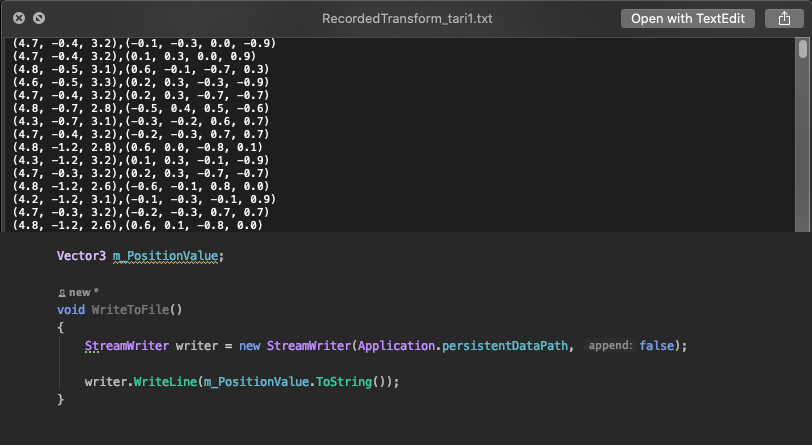
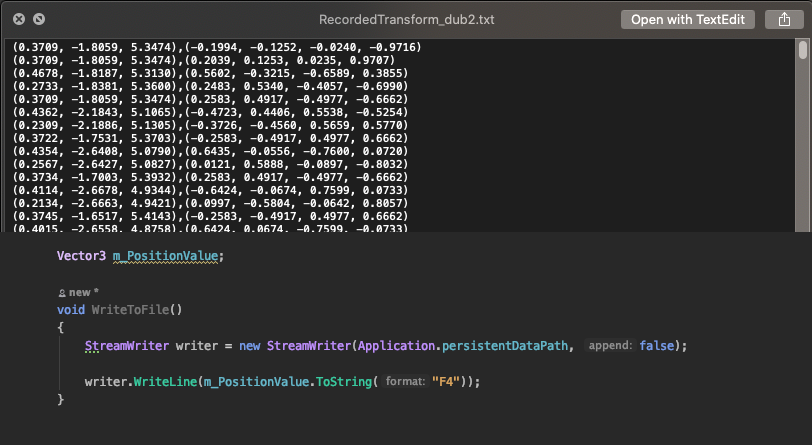
are you asking about higher level of accuracy? the single decimal point things 'feature' of Debug.Log() or ToString() I actually ran into this issue on another project, here's a tweet that might help 😄 https://twitter.com/DanMillerDev/status/1196822632164782080?s=20 and something else to keep in mind, Unity stores 7 sig-figs so F7 will be the most accuracy you can get.

If you need precision when writing things like positions and rotations in @unity3d to a file (or in general) make sure to use the optional parameters in ToString() here I'm using ToString("F4") to have 4 points of precision on my position floats #UnityTips
Likes
138
 Twitter
·
Twitter
·
 pliant briar
How would I go about making the face tracking deformation like in SparkAR? by using shader? but In SparkAR I can just adjust the face mesh inside 3d program then bang, done. Using shader with scene color is the only way I can think of but it should not work when I want to create deformation that is smaller than the real face since it will just show the undeformed face behind @_@
jagged patio
pliant briar
How would I go about making the face tracking deformation like in SparkAR? by us...
yeah I think the general idea is correct. You could make a deformation or refraction type of shader but if you wanted something like the 'devil horns' effect based on the users face you'd need to create a render texture from the camera feed face region, apply that to a mesh and modify the vertices in a way you wanted.
I think, I haven't done much shader work and it's been a little while since I worked on a face tracking project.
pliant briar
My boss want all those fancy features of Instragram and Snapchat I can't even...😫
whole tapir
pliant briar
My boss want all those fancy features of Instragram and Snapchat I can't even......
There's an SDK that features face tracking, which might help? https://zap.works/universal-ar/

Zappar’s computer vision for Unity, JavaScript, ThreeJS and C++.
hybrid perch
 midnight comet
Are you trying to use Unity Remote and ARFoundation?
midnight comet
@hybrid perch i am just trying to use face tracking , But i am getting black screen on both game window and my phone
hybrid perch
You can't use AR Foundation in editor. You need to build and run
faint rover
midnight comet
<@!235467086984380418> i am just trying to use face tracking , But i am getting ...
On your phone too? When I’ve had this issue I’ve just needed to tick Arkit or arcore or both depending on my build device. In XR setting plug-in providers you can do that.
Not sure though
midnight comet
faint rover
On your phone too? When I’ve had this issue I’ve just needed to tick Arkit or ar...
Yeah i was not using Phone directly , instead i was using unity remote app
faint rover
Oh ok
latent thunder
Trying to fully understand World Space coordinates in AR.
Where does World Space p(0,0,0) or the World Space origin exist in a AR scene?
Is this the same as the current Camera origin-device location?
Or is it created once when the application launches (ie fixed and static)?
If the latter how is it calculated?
hybrid perch
The latter @latent thunder, it's set to camera position when the AR Session is initialized
latent thunder
Awesome. Thanks. So in AR "World Space" is synonymous with "session space" or "device space".
 idle junco
Has anyone seen any updates on Unity Cloud Build about the Android 11 support/ gradle 5.6.2 options? I have a live AR project that uses UCB on the iOS and Android store that needs to be updated to support Android 11 and there doesn't seem to be a way to choose gradle options on UCB.
jagged patio
idle junco
Has anyone seen any updates on Unity Cloud Build about the Android 11 support/ g...
I followed up with the team, unfortunately we only support the gradle bundled with Unity for Cloud build and there's no way to upgrade it. So yeah the options would be, upgrade to 2020.1 to continue cloud build support or remove the Android builds for cloud build 😕
idle junco
big oof...
 bronze silo
How do I get the real life Face Texture of a person so I can apply that texture to a Face Mesh in ARKit(arfoundation)?
This is something I've been researching through the method "TryGetFaceMeshUV" but have found there is little to no information about this on googles
I would think a very specific shadergraph would do this. An example from top-men would be appreciated. Idea: Bring in AR render texture, cut the uv from the coords of trygetfacemeshuv, then apply that to a texture that I then use (theoretically)
@jagged patio 👀
jagged patio
I'll think about it and see if we can have a more robust demo / sample for face tracking with this functionality. Have a few other things on my plate for the near term but I can add it to the backlog 🙂
ornate nacelle
has anyone used OpenCV Plus Unity in Asset Store before? or anyone knows how to trigger something if an object is being covered from the camera perspective in real life? pls let me know 😄
half basin
hi guys, im getting a "Unable to find arcore_unity_api" when i use "adb logcat Unity:* Unity-ARCore:* ArPresto:* *:S " as im getting just a black screen with no permission asked
im using Unity 2018.4.18f with AR foundation 1.5, and ARcore XR plugin 1.0.0
pliant briar
bronze silo
How do I get the real life Face Texture of a person so I can apply that texture ...
What are you trying to achieve?
latent thunder
Can someone help explain the relationship between number of vertices and number of triangles in a given mesh? I thought that a triangle always contained 3 vertices but I am getting very different results.
I modified MeshClassificationManager slightly to create one additional dictionary to store MeshFilters and for the key using the Trackable or meshID.
Later when I extract the MeshFilter in this dictionary using the meshID and trace out number of vertices and number of triangles these are some of my values. The number of triangles is always 4 times or more the number of vertices. Why?
Vertices 3988 Triangles 18579
Vertices 43 Triangles 174
Vertices 42 Triangles 168
Vertices 114 Triangles 540
bronze silo
@pliant briar when I face track, I want to pull the AR render texture, then cut out the face of that texture, than use that texture on a 3d model face
so a skin mask basically
of the user's face
I'm thinking a shadergraph that cuts that out and makes that texture
bronze silo
using the face tracker as the "cookie cutter"
azure mist
latent thunder
Can someone help explain the relationship between number of vertices and number ...
Many triangles can reuse the same vertices
Imagine a pyramid. The vertex at the pointy tip is used by all 4 triangles making up the sides.
 fossil flower
Also when triangles share vertices, Unity considers them smoothed. If you want a low poly mesh, each triangle must have own duplicate vertices.
 sudden flicker
Hello. I'm looking for a Unity Teacher  english speaker for 2-3 month full time remote.
"strong and generalist XR experience".
Please contact me in PM if interested.
 wise urchin
Hello people! Could you please help me?
I have a 2019.4.14f1 app, Vuforia, built for both iOS and Android. The thing is - quality of recognition and tracking ImageTargets differs on Android and iOS (the latter is worse), despite being the builds from the same project. I had enabled requirement options for both ARCore and ARKit, and still its bad. Could anyone help me understand whats going on, and how to have the same quality over all platforms? Thanks!
jagged patio
wise urchin
Hello people! Could you please help me?
I have a 2019.4.14f1 app, Vuforia, built...
It's a bit hard to compare the two platforms / devices like that. Especially without more insight into what devices you are testing on. A pixel 5 vs an iPhone 7 for example is going to be a big different because of processing power difference between the devices.
ARKit and ARCore also have different approaches and specifications around image tracking. I'm not 100% up to date on what Vuforia does (I know they have their own image recognition algorithms) and if it relies on the underlying AR SDK.
wise urchin
jagged patio
It's a bit hard to compare the two platforms / devices like that. Especially wit...
Thank you!
 radiant brook
hey, my project with arfoundation builds properly when there's no reference image library but when there's one with 1 image it fails to build
any idea what could cause it?
arfoundation and arcore 4.1.3 btw
hybrid perch
Can you show the reference images
A build will fail if they are found to not be good enough for tracking
radiant brook
it's this cause the other 2 pics I used didn't have enough reference points
I got a different error when reference points were the issue
btw seems weird image database & list are being generated in a different folder than the project
so, anyone got any idea?
hybrid perch
If you share the build log it would be easier to help
hybrid perch
You have a space in your project path. That would be the first thing I would try to fix
hybrid perch
Awesome
latent thunder
@azure mist Thanks. Would explain the results I see.
half basin
is there any big ar game made with unity?
like a minigame game, or levels
azure mist
Pokemon Go was made with Unity
half basin
azure mist
Pokemon Go was made with Unity
wha-
bruh
that's kinda cool
was face raiders made in unity?

Watch as your friends become your enemies in one of the most addictive included games for the new Nintendo 3DS console.
IGN's YouTube is just a taste of our content. Get more:
http://www.ign.com
Want this week's top videos? Sign up:
http://go.ign.com/VideoRound-up
azure mist
doubt it
Unity might have been mac-only back in 2011
I don't think it ever suppoorted 3DS either
half basin
ar is an interesting way of making games, more than vr imo
half basin
azure mist
I don't think it ever suppoorted 3DS either
ah ok
this and face raiders are probably the two games that got me the most interested in ar https://youtu.be/43uSXA9qUe8

http://www.bwone.com/nintendo-3ds-ar-games-review-augmented-reality/
Twitter: http://twitter.com/bwonedotcom
Facebook: http://facebook.com/bwonedotcom
In my adventure with the Nintendo 3DS I do a review of AR Games.
AR Games is a game that takes advantage of Augment Reality with the included 6 AR cards that come with the system. To set the ...
this one has minigames too
latent thunder
@jagged patio Part coding, part logic challenge with LiDAR meshed scene to distinguish individual walls.
Floor ceiling are no problem and since are usually quite flat can simply grab the vertices of each to calculate accurate height.
The challenge with walls is that there is only a 'Wall' category. I started simply using Normals to try and determine which wall is which butwhen there is a slight irregularity or alcove in a given wall the normals are no longer reliable.
I was hoping that ARPlanes might be an answer but then I still need some way to know which way the ARPlane object is facing to distinguish individual walls.
My goal would then be use wall mesh vertices to get positions for distance calculation, and then Raycast against ARPlanes to distinguish one wall from the other (simple rectangular room 4 walls).
Does this make any sense? Can you suggest a better option?
jagged patio
latent thunder
<@!265675269891686410> Part coding, part logic challenge with LiDAR meshed scene...
hmmmm, a couple things to note. When you enable plane finding alongside meshing you won't actually get planes, instead it will 'flatten' out the generated mesh on horizontal and vertical surfaces.
This gif shows an example of that happening at runtime. https://user-images.githubusercontent.com/2120584/90083497-89fec800-dcc7-11ea-9142-5e93f662695b.gif
and there's a little info about it in the apple docs under Add Plane Detection https://developer.apple.com/documentation/arkit/world_tracking/visualizing_and_interacting_with_a_reconstructed_scene
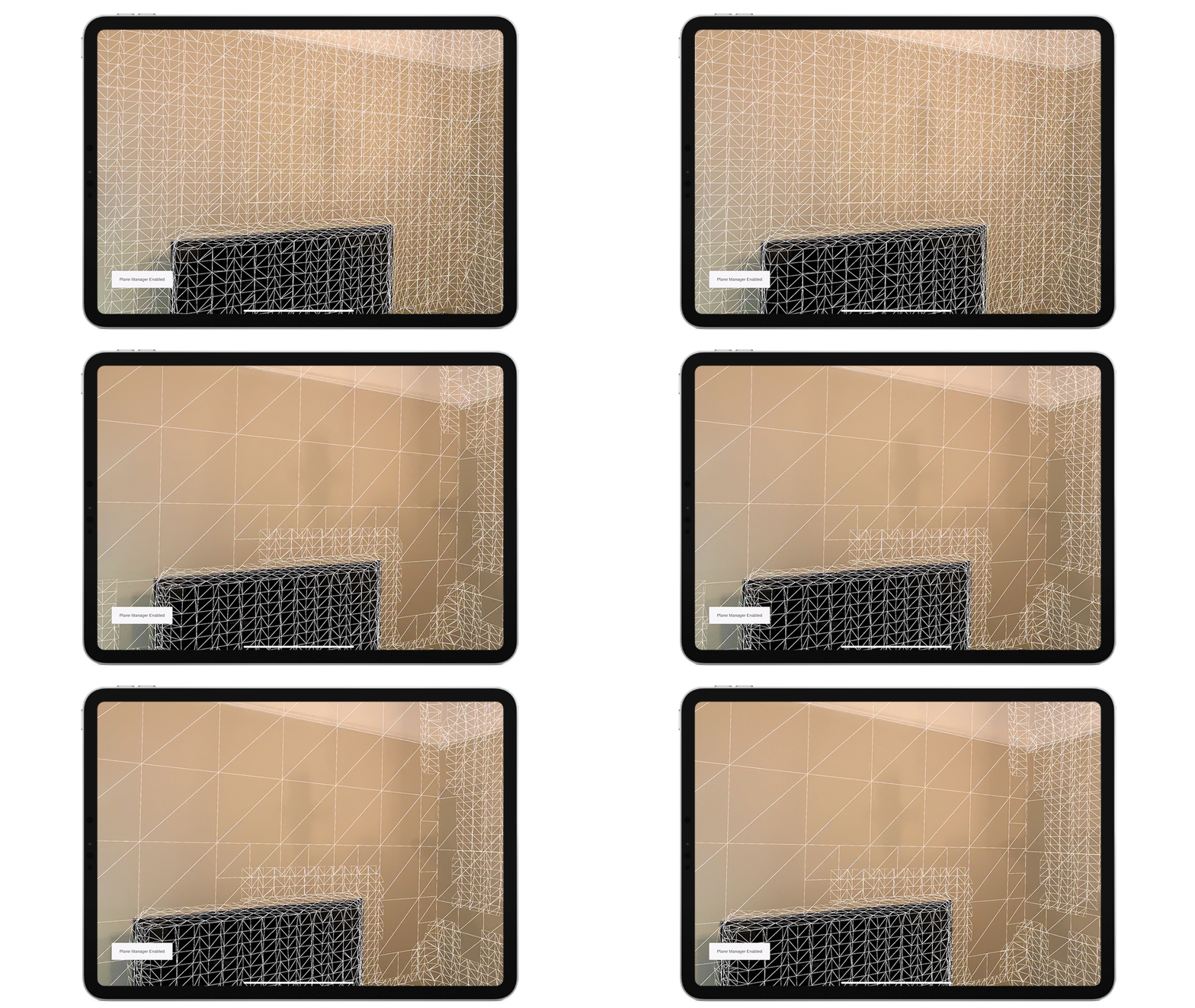
I guess one issue with the surface classification is multiple walls could be made up of the same fracked mesh. 🤔 I think normals or a collection of them would be the right solution to determine which way a wall is facing. I'm also wondering if you could just arbitrarily raycast out from the user (camera position in unity) in 4 different direction (or maybe more at a few different angles) after scanning around to determine the different walls or points of them.
 wild prairie
I am creating app for AR glasses. I have a problem with a headtracking (3dof), all attempts except using Vuforia are ended for constant drifting to some direction and maybe even some other problems too. Anyone knows how Vuforia does headtracking for AR glasses? I can't use Vuforia on final solution.
latent thunder
@jagged patio Thanks. Difficult challenge and I may be attempting the impossible. The examples I have seen all have measurements calculated AFTER a complete remeshing has taken place. I am guessing that some sort of machine learning is being used.
Speaking of which, do you know how ARkit does the mesh classification? It seems erally robust and accurate. Is it also using machine learning?
My next attempt will be to try and filter out the 'outliers' using some mesh property and a threshold.
jagged patio
latent thunder
<@!265675269891686410> Thanks. Difficult challenge and I may be attempting the i...
Yes, Apple's classification is using machine learning. What do you mean by 'after a complete remeshing'? In my head I feel like you could get a user to spin around in a circle then look at the floor and ceiling. Once that's done they could click a 'measure' button and when they do that you can cast rays in 6 different directions to get measurements. You might have to filter out and cast multiple rays if they don't initial hit wall, floor, or ceiling meshes.
latent thunder
Thanks. I meant after creating a static and textured mesh you can navigate around. When a user 'points to' a given wall there is no way to ensure the Raycast is going to be perpendicular to the wall, ie the shortest distance. And even if they did when they turn to face the opposite wall the device will not be rotating exactly in place but will have most likely shifted unless its mounted on a tripod with a swivel head, throwing wall to wall distance calculations off.
jagged patio
ahhh yeah that makes sense, yeah I think they are getting the dimensions then recreating the room layout / parameter based on those values.
And yeah I think you're going to need some user intervention (have them mark opposite walls or the center) or try and take some averages, grab a collection of points on a wall and average out their position to make some assumptions about distance / length.
 inland halo
Hello, im trying to create a shoe try on app, and i was wondering if there is a way to do that with Unity using Vuforia or AR foundation, does anyone know?
half basin
hi guys, im getting a getting just a black screen with no permission asked when i deploy a basic arfoundation scene to my phone(Note 20)
im using Unity 2018.4.18f with AR foundation 1.5, and ARcore XR plugin 1.0.0
jagged patio
half basin
hi guys, im getting a getting just a black screen with no permission asked when ...
I'm not aware of any issues. Technically AR Foundation 1.5 is still in preview so if possible upgrading to 2019.4 would be advised, can you get any ADB logs or anything else that might show what's happening?
jagged patio
inland halo
Hello, im trying to create a shoe try on app, and i was wondering if there is a ...
Technically possible with probably either platform (I don't have much familiarity with Vuforia recently). The real challenge you'll need to solve is 'recognizing feet' and once you've recognized a food track it. There are so simpler solutions where you could just place a pair of shoes on the ground and let the user step into them without moving their feet.
For AR Foundation you'll need to use a tracked image (maybe have the user wear a certain kind of socks or put a sticker on their feet) or do some custom CV to detect and track feet. For this AR Foundation has the camera image API in order to access the camera feed on the CPU to apply processing. see: https://docs.unity3d.com/Packages/com.unity.xr.arfoundation@4.1/manual/cpu-camera-image.html
latent thunder
Is ARPlaneManager accessible when used with ARMeshmanager+MeshClassification? Or is it simply being used to smooth out meshes?
Just asking because I require a more reliable way to detect specific walls other than mesh normals.
Small alcoves or window sills still classfied as the same "Wall" register as an entirely new wall because their normals at right angles.
jagged patio
latent thunder
Is ARPlaneManager accessible when used with ARMeshmanager+MeshClassification? Or...
Accessible yes, but I don't think you will have any planes spawned / tracked. Not 100% sure on that though.
latent thunder
Ok thanks. So no way to have both, ie MeshClassification and spawned ARPlanes?
jagged patio
latent thunder
Ok thanks. So no way to have both, ie MeshClassification and spawned ARPlanes?
let me double check
so it looks like it will generate planes along side the mesh. So you'll get both planes and a mesh!
latent thunder
Thanks!
half basin
jagged patio
I'm not aware of any issues. Technically AR Foundation 1.5 is still in preview s...
I have used " adb logcat Unity:* Unity-ARCore:* ArPresto:* *:S" and it did say "Unable to find arcore_unity_api" however i know that my phone supports Ar since the phone itself has the app from google and also the AR apps. Plus I have been able to get it working with Unity 2020, however I've also tried using 2019.4 which gives me the same result. Other than that, I've had no other warnings
jagged patio
half basin
I have used " adb logcat Unity:* Unity-ARCore:* ArPresto:* *:S" and it did say "...
You're using AR Foundation and not the google ARCore plugin correct?
bronze silo

Unity Forum
I'm trying to write SSR shader use GBuffer, and use 3D raymarching by world normal and depth,but I dont know how to convert a world pos to ScreenPos ,...
and TryGetFaceMeshVertices
for stenciling out the face texture from the background render
im guessing
bronze silo
@jagged patio for skin mask. I got a client hazing me hard cuz sparkAR does skin masks but unity doesnt lol
 young beacon
My app crash after asking for camera permission in Android. Using ARfoundation.
Really appreciate some help to fix this issue.
hybrid perch
You asking for permission in code or just via player settings @young beacon?
young beacon
@hybrid perch no not asking for permission in code. It's AR default working.
jagged patio
Can you describe your setup a bit more, what version of Unity? what version of AR Foundation? what are you doing in your app? What device are you running on?
young beacon
AR foundation 2.1.10
ARCore 2.1.12
Unity version 2019.4.4
It was working fine. Also working fine in IOS build.
But on Android devices, it asks for camera permission and freeze/crash. But if you restart the app, the app works perfectly without any crash only if you allow first time.
jagged patio
Interesting, I do remember an issue like that at one point with ARCore but don't remember how it was solved or what caused it 🤔
 torn terrace
Heyo
Could someone help me with a quick issue?
I have two objects attached to image targets
And I want one of them to move to the other
Would this be a specific animation?
Or a script
jagged patio
probably a script unless the images are never moving and always the same distance apart.
latent thunder
@jagged patio Hi Dan. have you by any chance seen the Polycam app? What would be you best guess as to how measurements are accomplished (after the staitc mesh is created)? Machine Learning or?
jagged patio
latent thunder
<@!265675269891686410> Hi Dan. have you by any chance seen the Polycam app? What...
I've seen it in videos and things, I can grab it today and check it out. Ping me tomorrow if you haven't heard back 🙂
latent thunder
Thanks will do.
half basin
jagged patio
You're using AR Foundation and not the google ARCore plugin correct?
Yes that's correct, im using AR Foundation and the ARcore from the package manager
jagged patio
half basin
Yes that's correct, im using AR Foundation and the ARcore from the package manag...
hmmm, not sure. There is a version of the AR Foundation samples project that uses 2018.4 does this project work on your device? maybe you can check the setup compared to how your project is setup https://github.com/Unity-Technologies/arfoundation-samples/tree/1.5-preview

GitHub
Example content for Unity projects based on AR Foundation - Unity-Technologies/arfoundation-samples
nimble fossil
Hey everyone, is there a way to get all current worldmap anchors from ARKit? or do i have to add them using the OnAnchorsChanged delegate?
half basin
@jagged patio okay so i think theres a problem with ARcore by google. I've built the app to my phone Samsung Note 20, and it says that i require the latest version of ARcore and when i check it, playstore says i already got the latest version
half basin
jagged patio
hmmm, not sure. There is a version of the AR Foundation samples project that use...
As you can see from the screenshots
nimble fossil
Is your app being build with the newest ARCore version or do you use any beta?
half basin
I never use beta's. For unity I use whatever Unity suggests for the Unity editor to arcore version
jagged patio
half basin
I never use beta's. For unity I use whatever Unity suggests for the Unity editor...
it kind of sounds like this issue which is surfaced from the latest ARCore requirements and support for ARM64 🤔 https://github.com/Unity-Technologies/arfoundation-samples/issues/609 there's some more info here. Can you try building with API level 30?
GitHub
Hi please let me know if this is in the wrong place. I currently have an issue where when building an AR foundation app for version 3.x and it's placed on an Android 11 device, I receive th...
I was able to check out polycam and played around with it a bit. My assumption is they are doing more of a brute force approach for measurements. One way to structure the algorithm might look a bit like this...
- Locate every plane plane found and use that as a center point for creating the rectangular surfaces. (might need to check other plane data if they weren't properly merged during scan)
- raycast against the generated mesh in 4 directions based on the plane orientation from this center point.
- If you hit another part of the mesh assume that's an edge of your current plane / surface. (probably need to do some double checking to get a more accurate edge or maybe just multiple ones and take the longest result)
- Create a boundary based on these edge hits from the center of surface
- Do this for all found planes and maybe some sort of edge cleanup / alignment between the different surfaces to make the generated volume or box 'tighter'
latent thunder
Thanks for the detailed answer. Really appreciated!
Instead of using vertex data is there some other way of creating measurements based on accessing ARPlane data?
jagged patio
all good, there's a couple different ways to access plane data. The meshing demo I have does NOT have a gameobject assigned for the plane prefab so nothing is spawned or rendered. You'll want to first create a plane prefab (right click in the scene view XR -> default AR plane or something similar) and save that as a prefab then assign it. From there during or after the scan you can grab a reference to all the planes using the trackables reference on the ARPlaneManager so something like
foreach(ARPlane plane in m_PlaneManager.trackables)
{
    // do something with planes
    plane.gameObject;
}```👍
nimble fossil
Does anyone know how to correctly compare against trackableIDs?
cinder fiber
Does anyone know plugin for Unity to use Google Drive for file uploader from Hololens into google drive.
nimble fossil
Could you just use google api? https://developers.google.com/drive/api/v3/manage-uploads @cinder fiber

Google Developers
cinder fiber
@nimble fossil There is no C# version of the example.
nimble fossil
It is a standard API to be called with UnityWebRequest for example.
cinder fiber
Thanks, Let me check.
Other then that, I need to be able to share this file what I have uploaded to the others.
nimble fossil
Maybe you can explain a bit more about your situation, what are you trying to share and how will the others use it?
cinder fiber
Okay.
@nimble fossil
1 - I captured a video from hololens2 device, and save it locally first.
2 - I need to upload this video to google drive, receive a generated link on that video on google drive with access to sharing it to the others somewhere.
This is my plan. Any plugins what's exist on github are works fine, but NOT on hololens at all.
nimble fossil
Hm, any errors you get there?
 nimble fossil
And this works on your local machine?
cinder fiber
Yes, uploading works well on PC Windows - plugin is https://github.com/Elringus/UnityGoogleDrive

GitHub
Google Drive SDK for Unity game engine. Contribute to Elringus/UnityGoogleDrive development by creating an account on GitHub.
Each time I am trying to upload from Hololens, I see that message and nothing happens.
nimble fossil
But is the server actually running on your hololens?
cinder fiber
what's server?
via browser I can login to the google drive, but what server did you mean?
jagged patio
nimble fossil
Does anyone know how to correctly compare against trackableIDs?
can you elaborate on what you're trying to do? trackableID == trackableID should work
nimble fossil
jagged patio
can you elaborate on what you're trying to do? trackableID == trackableID should...
Hey Dan, good to see you. I am trying to store the trackableID in my json object somehow, so I can later load specific dynamic content on that anchor, but I need to compare the stored string/int with the trackableID
jagged patio
you can create a new TrackableID object something like this...
TrackableId id = new TrackableId(trackableIDfromJSON);
I am not sure I understand or if I was not clear 😄 I am setting the ARAnchors in Unity on the fly, than exporting them somehow as whatever string, put them in my CMS and the content now checks against a json from that CMS with the ARAnchor in it. Its a multiuser experience, so I have to use the CMS as a intersection point.
Lets say I use AddAnchor on my worldmap, save my worldmap and besides that the AnchorIDs as a jsonstring, how would I compare those strings against my loaded worldmaps anchors?
jagged patio
hmmmm, I'm not sure exactly on the worldmap anchors but would like this work?
worldmapAnchor.trackableID.ToString() == jsonstring just converting the trackable ID to a string and doing a string comparison
nimble fossil
I had that in an if statement and it just passed it, telling me not equal
jagged patio
can you print them out to compare what the differences are? maybe something is getting lost when you convert them to JSON?
string comparisions aren't usually the best idea so maybe converting them back to trackableID's to do the compare makes more sense
jagged patio
yes
torn terrace
And how would I do that?
jagged patio
that's a very broad questions but one approach is using AR Foundation (that relies on ARKit and ARCore) and using a tracked image library.
There's documentation here: https://docs.unity3d.com/Packages/com.unity.xr.arfoundation@4.1/manual/tracked-image-manager.html
Some basic examples here: https://github.com/Unity-Technologies/arfoundation-samples/tree/main/Assets/Scenes/ImageTracking
A more complex example here: https://github.com/Unity-Technologies/arfoundation-demos#image-tracking--also-available-on-the-asset-store-here
GitHub
Example content for Unity projects based on AR Foundation - Unity-Technologies/arfoundation-samples
GitHub
AR Foundation demo projects. Contribute to Unity-Technologies/arfoundation-demos development by creating an account on GitHub.
nimble fossil
jagged patio
string comparisions aren't usually the best idea so maybe converting them back t...
I tried that but it gives me now Input string was not in a correct format
nimble fossil
jagged patio
can you print them out to compare what the differences are? maybe something is g...
I tried ```TrackableId testID = new TrackableId(Convert.ToUInt64(StationManager.instance.currentStation.anchorID1), Convert.ToUInt64(StationManager.instance.currentStation.anchorID2));
        if (arObjectAnchor.trackableId.Equals(testID))
        {
            Debug.Log("FOUND ANCHOR: " + arObjectAnchor.trackableId);

            InstantiateOnWorldItem(arObjectAnchor.transform);
        }```
wonder if there's an issue with conversion. Can you store the original subID's as UInt64's?
Let me ask a few people what recommended practice for this is and get back to you.
nimble fossil
Out of curiosity I am storing the trackableID now as trackableID type in my class, even if it wont work with json, just to see if its working. What do you mean by original subIDs as UInt, aren't those already UInt?
jagged patio
yeah but I see you're doing a Convert.ToUIIn64(), can you avoid that if StationManager.instance.currentStation.anchorID1 is already a UInt?
nimble fossil
it was a string
jagged patio
and new TrackableId(StationManager.instance.currentStation.anchorID1 + StationManager.instance.currentStation.anchorID2); doesn't work?
nimble fossil
Second, going back and forth in iOS takes some time 😄 So I just stored the trackableID as trackableID in the class without conversion and it works with equality check
jagged patio
works as in, it's now working properly and able to recall it:?
nimble fossil
It is working with type of trackableID, but this is not working in my case as I need to put it in json format somehow 😄
I am trying now to store two subids as ulongs and generate from those
cinder fiber
any one working with Google Drive and UWP platform?
latent thunder
Weird bug.
After simply adding a Plane prefab to ARPlaneManager I get an endless stream of "KeyNotFoundException" errors.
Has anyone else encountered this? I'm running ARFoundation ARKit 4.1.0 and Unity 2020.2.2f1.
Another way of asking this is how to you debug ie find the source dictionary of, "KeyNotFoundException" errors when you only see them displayed after deploying?
halcyon solar
Can someone please help me on this, I have started a thread in the forum
Unity Forum
Good Day,
I need some help on this ARFoundation image tracking issues, I have two scenes (A and B) with two different image libraries with different...
jagged patio
halcyon solar
Can someone please help me on this, I have started a thread in the forum
https:...
can you share your code for loading scenes? are you additively loading the scenes by chance? Both scenes have an ARSession, ARTrackedImageManager, ect?
halcyon solar
jagged patio
can you share your code for loading scenes? are you additively loading the scene...
Thats the problem, I am not using any code, On both the scenes I am using the default AR tracked manager and in the place of the library, I am using 2 different libraries. But the app only works for the 1st scenes marker...i.e, Whichever scene is opened first, The marker from that scene is only getting tracked in the other scene
jagged patio
ahh you're saying when you build the app but load the second scene it still recognizing the images from the first scene? What platform? are you by chance appending an XCode build?
half basin
jagged patio
it kind of sounds like this issue which is surfaced from the latest ARCore requi...
I've tried it, unfortunately still telling me the same thing
jagged patio
half basin
I've tried it, unfortunately still telling me the same thing
Not sure, is there something particular locking you to 2018.4 can you upgrade to 2019.4?
half basin
jagged patio
Not sure, is there something particular locking you to 2018.4 can you upgrade to...
It doesn't matter, it does the same thing in 2019.4 as well :/
jagged patio
probably a bit of a stretch but are you able to test another Android device?
halcyon solar
jagged patio
ahh you're saying when you build the app but load the second scene it still reco...
I first thought it was xcode issue but then It occurs in Android too...Now I am changing the ARfoundation to 4.1.1 from 3.0.1 hopping it might fix it... I'm using 2019.4 btw
jagged patio
Just to be clear how are you loading or seeing the not desired behavior by testing it with scene B?
half basin
jagged patio
probably a bit of a stretch but are you able to test another Android device?
unfortantely no
halcyon solar
jagged patio
Just to be clear how are you loading or seeing the not desired behavior by testi...
So in scene A, When I scan image A, The model comes and then on the model there is a UI to go to scene B (General scenemanager.loadscene code), In Scene B there is a different library with different image for a different model.
halcyon solar
jagged patio
Just to be clear how are you loading or seeing the not desired behavior by testi...
If i load scene B directly, It works as expected, But If I load scene B and go to Scene A from B, the same issue occurs
jagged patio
Odd, could be a bug with unloading image libraries or maybe something is persisting between scenes. Is there any logs or things when changing scenes? Does anything use “do not destroy on load”?
halcyon solar
jagged patio
Odd, could be a bug with unloading image libraries or maybe something is persist...
Nothing is persistent on the scene they are completely independent scenes, I too think its a bug in unity, So I am going to upgrade the ARfoundation version
nimble fossil
good morning everyone, how would someone stop the extending of the worldmap when mapped? Any guesses ? @jagged patio
jagged patio
nimble fossil
good morning everyone, how would someone stop the extending of the worldmap when...
I don't think that's possible from the docs While you can call getCurrentWorldMap(completionHandler:) at any time during a session, some times are better than others. Use this property to determine whether the session currently has enough data to generate a useful ARWorldMap or if it's better to wait for the session to map more of the user's local environment first.
https://developer.apple.com/documentation/arkit/arframe/2990930-worldmappingstatus
my understanding is it will just transition between mapped and extending automatically based on user behavior
nimble fossil
jagged patio
I don't think that's possible from the docs ```While you can call getCurrentWorl...
I just figured I can just disable the planeManager and it will actually stop trackkng new planes, guess I was unclear what to stop, sorry. Tracking should keep going of course to keep position. Too bad there is no "UpdateWhileUsingActualWorldmap" or something, the offset on large worldmaps can be very huge
azure mist
nobody can tell what we're looking at in this image. Would be nice to have a before image to compare to
 swift yacht

https://soundcloud.com/timlegend
Thank you to Tim Legend for allowing me to use the music!
NOT Animation meme
try it lol
 umbral merlin
Has someone the problem about loading lightmaps for augmented reality? I mean, I am an artist trying to help my development team to solve this issue. At the moment I heard or I dont have it clear if it's possible to load a scene as assetbundle with lightmaps and then make the proper use on AR, (scale, rotate, move) and then unload it, load a different one, etc. We are having this struggle and we are trying to decide if that's some feature we could possibly offer. At the moment, has anyone acomplished that? I read it is quite tricky because of the Assetbundles and the static/nonstatic issue.
 rancid dragon
Hello ! I'm currently building a native plugin for the hololens 2 device, but I'm wondering, can I deploy my plugin on hololens 2 if this plugin is built in ARM (not 64) architecture ? Will it be integrated in my application on build ?
bronze silo
need this for bodytracking example in unity imo https://www.linkedin.com/posts/charly-levene-742ab828_augmentedreality-snapchat-snapchatmarketing-ugcPost-6762745501080182785-LZdI

Another real-time 3D body tracking experiment. This time I'm trying to hide the user's body so it can look like they are wearing a full costume. I think...
latent thunder
@jagged patio Using the actual reticle rotation as an additional check for wall classification. In the Mesh Placement demo the reticle stops when it reaches the ceiling. Could you possibly tell me where this behavior is controlled? ie I need to modify the code so that the reticle anchors on the ceiling, just as it does currently on the floor. Thanks!
jagged patio
latent thunder
<@!265675269891686410> Using the actual reticle rotation as an additional check ...
yeah last time I checked I naively coding the reticle to only snap to certain surfaces. Let me see...
hmmmm, it looks like it is just using the PlaneEstimated trackable type so it should go to all the surfaces. Let me load up the app and check. I know there were issues with the normal or like direction of content on the ceiling and I struggled with that a bit. At one point I was planning on adding ceiling fans and things.
latent thunder
Thanks for the help. I didn't see anything obvious in the PlacementReticle code.
jagged patio
latent thunder
Thanks for the help. I didn't see anything obvious in the PlacementReticle code.
so just did a quick test, disabling snap to mesh and using the TrackableType.PlaneWithinPolygon should get you the reticle on the ceiling
wonder if something has changed with the flags or if it's an error / assumption on my side. Thanks for bringing this up. I'll look into it and see if I can get clearer information on how to use the trackable tags for the generated mesh.
latent thunder
Perfect. Disabling snap to mesh will automatically enable TrackableType.PlaneWithinPolygon I assume. Will give that a try.
faint rover
Are there any resources on scaling AR objects using pinch?
latent thunder
@faint rover Pretty sure this is no different than regular mobile interaction. I'm sure there are other references but here is one 3rd party asset that comes with code https://assetstore.unity.com/packages/tools/input-management/fingers-touch-gestures-for-unity-41076#description

Get the Fingers - Touch Gestures for Unity package from Digital Ruby (Jeff Johnson) and speed up your game development process. Find this & other Input Management options on the Unity Asset Store.
Can anyone tell me if its possible to instantiate a plane as a TrackableType? I need a simple plane object that serves dual purposes
- functions as UI element so when a user touches it it changes color or opacity in some fashion.
- interacts with a Raycast for placement of objects
latent thunder
I can successfully constrain the drag movement of a placed object along World Z or World X which are determined at application launch.
Very simply in an Update loop ondrag detect (pseudocode)
placedObject.transform.position.z = <my hit Pose z position>
However I need instead to constrain the direction so that it is the same as the normal x or normal Z of a specific Plane or Mesh.
In other words the constrained direction or vector I really want is perpendicular to a specific Plane or Mesh.
How could I accomplish this?
 cosmic pine
anyone know how to hook up an android for camera feed in editor?
hybrid perch
If you mean get AR functionality in editor that's not possible @cosmic pine
cosmic pine
in editor play mode
 vivid garnet
Hello
latent thunder
Simply changing the MeshFilter mesh in my instantiated Prefab from either Cube or Quad to Plane breaks the tracking. ie a Plane mesh cannot be 'anchored' in a scene. Why?
latent thunder
Can anyone share tips for improving the stability and tracking accuracy of placed 3D objects in your scene?
ie How do you minimize movement "jitter" and drift?
cosmic pine
So im using Vuforia, and my model keeps loading strangely, can i get some assistance
nimble fossil
cosmic pine
So im using Vuforia, and my model keeps loading strangely, can i get some assist...
Some more info would be good...
nimble fossil
latent thunder
Can anyone share tips for improving the stability and tracking accuracy of place...
I am facing the same thing right now and I am testing just to slerp out the movement of the jitter. So I do not parent my object to the anchor but rather just slerp to the anchors position slowly. Besides that, it is all about good raw data from your objects/anchors/images and of course your hardware.
nimble fossil
Why the hell am I getting a reference error on object tracking in ARKit, it tells me my guid was 0000000 ...
cosmic pine
nimble fossil
Some more info would be good...
I just added the model from blender. Then i instantiated it but it spawns at a corner instead of the center. and its really bigggggggg even after rescaling in blender
nimble fossil
One unit in Unity is one meter, so you should check for blender proportions and create accordingly. After that check the import settings, there is a scaling for that too. And you should export your object with the right pivot, because Unity will not create a bottom centered pivot for you, it just takes the object and uses its pivot created in blender.
nimble fossil
Is it possible, that after ARKit ObjectManager has added a tracked object anchor, it does not hold the referenceObject already? So from getting the added array of ARTrackedObjectsChangedEventArgs, does it already contain the reference object, because when I add the ARTrackedObject to my own array of ARTrackedObjects, it loses the relationship to the referenceObject and creates a GUID with 0000. Any idea anyone?
nimble fossil
For anyone interested, it seems like the reference object is not fully available on the added eventarg array... so waiting for the update to actually place it fixes my issue for now.
nimble fossil
Is it possible to access the arobject metadata somehow? I want to switch or change or access the reference rotation and position.
nimble fossil
@jagged patio can you enlighten me here maybe?
cosmic pine
okay now rotation scripts that are supposed to work are not working
rancid dragon
Can I use an ARM plugin on the hololens 2 device (building on ARM64 architecture) ?
cosmic pine
aaaaaand My models are back to instantiating wierdly
nimble fossil
cosmic pine
okay now rotation scripts that are supposed to work are not working
We need some code to see whats wrong
cosmic pine
cosmic pine
aaaaaand My models are back to instantiating wierdly
this is a bigger problem
cosmic pine
@nimble fossil how about instantiate problems?
nimble fossil
cosmic pine
<@!144387642140655616> how about instantiate problems?
What you mean?
cosmic pine
nimble fossil
What you mean?
its just instantiating rotated or at corners
nimble fossil
cosmic pine
its just instantiating rotated or at corners
Again I need some code to know what you are trying to achieve and what is your current result 🙂
So back on computer, so what are you trying to do and what is going wrong? At what part of your code
 jolly prairie
Looking for a current example of using AROcclusionManager humanStencil texture in a URP shader graph. Unfortunately every tutorial or sample project is deprecated by shader graph/ar foundation changes. Any leads?
torn terrace
Is it possible to have an object move to a new transform on target found or on target lost in vuforia
nimble fossil
@torn terrace how are you loading your object on the target? I guess, just by using inspector values and drag drop, or do you have any scripting?
nimble fossil
Anyone knows a good way to keep an instantiated object in its position after tracking. Sometimes the tracked obejct jitters and offsets far off, I dont want this to happen to the prefab instantiated
latent thunder
It seems that the origin for ALL coordinates for both rotation and position in session or world space are determined at launch of the application.
Does this occur
1 when you first see the Unity logo?
2 when the camera first appears and the scene is initializing ?
or
3 not until plane detection takes place?
nimble fossil
I guess as soon as the AR Session starts, it will start getting reference points @latent thunder
torn terrace
nimble fossil
<@!379104068007886851> how are you loading your object on the target? I guess, j...
@nimble fossil object is simply instantiated upon the image targets being found but I need a way that when a certain image targets is lost to move an object to another object and vice versa.
nimble fossil
Thats why I am asking if you have any code to look at or just the components vuforia gives you. But if you want to work "around" this, you could just use your own anchors to get instantiated and then let your instantiated image fly between those anchors. If you know what I mean?
latent thunder
@nimble fossil ok thanks.
Another question.
I have the 2 following code samples
m_SpawnedObject = Instantiate(floorPrefab, ARSessionOrigin.transform,false);
m_SpawnedObject = Instantiate(floorPrefab, ARSessionOrigin.transform,true);
Ami I correct in assuming that if my ARSessionOrigin (the parent Game Object) is at 0,0,0 then the results of both of the above should be identical?
Can someone give me a simple example of when you might choose one over the other?
nimble fossil
If your prefab is set to zero yes @latent thunder
torn terrace
nimble fossil
Thats why I am asking if you have any code to look at or just the components vuf...
@nimble fossil yeah I am just trying to work with vuforias on target found and on target lost. Is that possible. If not how complex would the script be?
jagged patio
latent thunder
It seems that the origin for ALL coordinates for both rotation and position in s...
In between 2 and 3. Once the session starts tracking and after AR has been initialized. At the same frame the session changes from Session Initializing to Session Tracking the AR session origin gets set to the position of the device in the world and that becomes the world 0,0,0
Here's a script that shows reasons why tracking isn't working but does a bit with the session tracking state https://github.com/Unity-Technologies/arfoundation-demos/blob/master/Assets/UX/Scripts/ARUXReasonsManager.cs#L166
GitHub
AR Foundation demo projects. Contribute to Unity-Technologies/arfoundation-demos development by creating an account on GitHub.
latent thunder
@jagged patio Thanks Dan! Trying to obtain a reliable rotation value relative to a scanned or tracked mesh or plane.
I've noticed something peculiar when I subsitute a square reticle for the circular one in your Meshing Demo.
After a few seconds the placed reticle rotation always seems to align itself with the underlying mesh object.
The attached makes this more clear (excuse my drawing skills)
On the left is session start. The placed reticle is pointing towards session origin.
On the right is after a few seconds. The reticle seems to align itself with the classified mesh( Floor in this case)
Can this be used as a reliable way to obtain rotation values in a scanned room that are otherwise determined only at session begin-origin?
jagged patio
hmmmm, I've noticed the reticle (or objects controlled by the hit position and rotation) rotating and aligning as well but I think that's relative to the plane or object you're raycasting against. I don't quite know what the blue line / box in your drawing is.
also just to understand the problem you're trying to solve. You basically want to get a central point that is parallel and perpendicular to the walls in the environment?
latent thunder
Blue line represents floor(in perspective)
Yes to the latter question! My serious pain point at the moment . Doesn't help that I have a client breathing down my back 😩
jagged patio
ahhh and thick black line = iPad or device
latent thunder
I need to create 'virtual' walls or planes that are the exact room width length height measurements.
I have some fairly accurate measurements, just need to create these planes (walls) so I can Raycast to and place objects.
latent thunder
jagged patio
ahhh and thick black line = iPad or device
yes re thick black line.
jagged patio
and the user basically spins around in a circle first to scan everything and this 'creating virtual walls' is a step after everything has been scanned?
latent thunder
Yes!
jagged patio
let me sketch something up real quick, I still think a bit of a brute force approach could work 🤔
latent thunder
Anything would be highly appreciated!
My naive approach for getting dimesnions has been to first distinguish walls by their normals and then grab the mesh vertex values.
Not always reliable
jagged patio
really what you need to do is just get a single point on each wall, if you assume the user starts somewhat in the middle of the room (red x) then you can raycast out (green arrows) and try and find four points on four unique walls
if the green raycast doesn't work, maybe do the same at a slight angle (orange raycast)
nimble fossil
You could also just use two raycast against each wall to have like a average angle that you could use, otherwise you would not know how the walls are aligned maybe
I guess this is what Dan just suggested, the orange and green combined
jagged patio
once you have a point on the wall you could just raycast out a bit from there to find other walls / corners and then stop to find the 'edges' of the wall
nimble fossil
torn terrace
<@144387642140655616> yeah I am just trying to work with vuforias on target foun...
If you found a target you could just add this to some kind of manager, in that manager you can then send your object to the desired obejct in the found / tracked marker array.
jagged patio
point (blue x) then raycast out from blue x (green arrows) to find edges (red line) and based on those distances determine the surface area of the wall
nimble fossil
Just wondering, why not use the ARKit here? Or are we on android?
Oh just read the after being scanned with the virtual walls
latent thunder
@jagged patio Thanks. One thing I am missing. I know a Raycast gives you an accurate distance to any given wall, but unless the device is mounted on a tripod adding the distance values from 2 Raycast values will not give you accurate results. ie in the attached A+B will not equal room length.
jagged patio
latent thunder
<@!265675269891686410> Thanks. One thing I am missing. I know a Raycast gives yo...
right so what I'm purposing is that you have blue x (hit point from raycast) and you use the planes / meshes normal to get an exact perpendicular point or rotation and then you use that point as the origin for your raycast. So it doesn't matter where the device is. Then you raycast maybe a centimeter (or 10) units away from the wall until you hit another part of a mesh or something and stop.
latent thunder
Thanks! You've been a great help and don't want to take up more of your time.
Probably my lack of sleep the past few days but am going to need a bit more help, if not actual working code then pseudo code in solving this. Definitely want to compensate anyone that might help at this point!
jagged patio
This falls a bit under part of my job so you can send the bill to Unity 😉 but yeah it's been a fun problem to think through. I'll think about some of the implementation details more this week.
latent thunder
If I could compensate you somehow directly I would, believe me! Will be working on this trying to solve myself thru the weekend.
nimble fossil
Is it necessary to have a directional light in AR scene or is there another option to have shadows cast from the ARFrame information? @jagged patio If I may mention you here 🙂
jagged patio
nimble fossil
Is it necessary to have a directional light in AR scene or is there another opti...
depends on what you mean or what you're looking for in terms of shadows. The AR Frame / Lighting info will give you things like a light rotation, brightness value, ect and you can use those values to drive a realtime directional light (this is what most AR Foundation samples do).
Now if you just want things to look grounded you can make a 2D sprite or use blob shadows and just place them at the base of all your objects
but if you want to use Unity's built in shadowing you'll need a light source, doesn't necessarily have to be a directional one I suppose but yeah
nimble fossil
Just looking for the most performant way, as my target device is struggeling with AR and meshes a bit, as soon as I turn on shadows and lighting.
jagged patio
nimble fossil
Just looking for the most performant way, as my target device is struggeling wit...
what type of objects are you placing in AR and how dynamic are they?
if you're using built in renderer you can use something like this https://docs.unity3d.com/Manual/class-Projector.html or use a simple sprite at the base of your AR content.
nimble fossil
I am showing heat pumps and need some kind of real look, because right now the tracking is limited by resource constraints
Just wondering if its smarter to use reflection probes or just the skybox as reflection source, if I should use directional light or somethign else
jagged patio
I see, I would say it probably depends on the level of realism you're going for. A factory skybox with baked reflection probes would probably get you pretty close.
Not quite a 1:1 but I'd also look into making some shadows like this. Basically an outline of the object as a sprite to ground it.
 nimble fossil
I guess I was thinking about shadows inside the object, like pipes dropping shadows on pbjects behind, but maybe this is a limitation I can live with
jagged patio
nimble fossil
I guess I was thinking about shadows inside the object, like pipes dropping shad...
I see. Maybe you could bake some of those into the texture itself depending on how dynamic the object is
nimble fossil
I will see what works best 🙂 THanks for your tips!
 wise urchin
full shoal
wise urchin
full shoal
You gotta use Unity Package Manager and insert git link from vuforia download page https://library.vuforia.com/articles/Solution/vuforia-engine-package-hosting-for-unity.html
Vuforia Engine for Unity is available on Git. Use the link below to add the Vuforia Unity package to your Unity project.
In this guide, we present the different ways to add Vuforia Engine to your Unity project. Choose between:
cinder fiber
Hello guys! I have a question. Does Unity UI Canvas with ( ScreenSpace - Overlay ) work in Hololens?
nimble fossil
I don't know any issue, why it should not @cinder fiber have you tried it?
jagged patio
cinder fiber
Hello guys! I have a question. Does Unity UI Canvas with ( ScreenSpace - Overlay...
Yes it probably works but it's also probably not what you want. I guess you could change the rendering from near to far clip plane but by default screenspace UI will be positioned at the near clip plane that is essentially at the same distance in space as the users eyes.
 trim dune
So I've been scowering the internet and is Tensor flow the only way to have object tracking with arfoundation? Or, is there any way to combine vuforia with arfoundation to get the tracking elements of vuforia while also getting the customization of foundation?
Also is the ARkit scanner compatible with building to android? Anyone know?
nimble fossil
ARKit is only for iOS, ARCore is for Android. ARFoundation is just a layer above both to convert whatever you need to the target platform. I am using ARFoundation and the ARTrackableManager, in my case Object, Image and Anchor on iOS. You should checkout the ar samples unity github repo and test on android, what works @trim dune
pliant briar

I tried to get the uv from ARFace, this is what it show (For IOS)

and this is for android, just gonna post it here in case some other people want it
nimble fossil
Tris vs quads, google apple, get your things together one day 😄
jagged patio
Very helpful @pliant briar thanks for sharing
pliant briar
the android one is not directly pull from the generated mesh at runtime but from the SparkAR face uv. I find that painting this uv worked nontheless.
TMR I'll try uploading the face fbx of both platform. You can directly use these face as a template and paint it directly in substance which will have better result than painting the uv.
 spare depot
Has anybody had luck appealing an app in the Apple App Store? They are saying my AR app doesn't have enough features.
pliant briar
pliant briar
spare depot
Has anybody had luck appealing an app in the Apple App Store? They are saying my...
I have put my AR app on App Store but have never gotten that reject message
spare depot
@pliant briar they say there isn't enough functionality... I contested it and am waiting patiently.
faint rover
Apple looks for originality in its apps
@spare depot if I may ask, what was the app?
 nimble fossil
spare depot
Has anybody had luck appealing an app in the Apple App Store? They are saying my...
nimble fossil
spare depot
Has anybody had luck appealing an app in the Apple App Store? They are saying my...
They usually say this, if your content could easily be looked at through a 3rd party AR app or a webapp for example. I don't know your app, but I had this issue too and had to add some customization features like change color of particles or get some more info, at least something that takes it away from a regular website or regular 3d object viewer.
dull swallow
Hey, had a quick question about using unity canvas for UI with AR Foundation. The buttons I have right now work fine if the entire application is 2D, and if the application is an augmented reality camera everything works as well. I am trying to make it so that you can load an AR camera view from a menu, but the button only works from the menu and loads the AR camera just fine, and when in the AR view the buttons do not work. I assume this is probably because while using the AR session, the main camera defaults do the mobile phone's camera. Is there any way to make buttons on an AR camera screen?
spare depot
faint rover
<@741443549408788530> if I may ask, what was the app?
@faint rover It's an immersive art project. There is a mural on a wall and the AR app brings it to life... Very site specific.
hybrid perch
dull swallow
Hey, had a quick question about using unity canvas for UI with AR Foundation. Th...
If you’re loading a different scene, you sure you’re not offloading your eventsystem?
faint rover
spare depot
<@!698574289812717608> It's an immersive art project. There is a mural on a wall...
Hmm. That seems pretty complex. Did you upload an icon for your app? I know sometimes people forget to do that.
spare depot
faint rover
Hmm. That seems pretty complex. Did you upload an icon for your app? I know some...
Yup... the tech spec is fine, Apple are just saying it doesn't have enough going on to warrant being in the App Store... I have appealed to them giving more context.. I'll report back
faint rover
spare depot
Yup... the tech spec is fine, Apple are just saying it doesn't have enough going...
Sounds good! Good Luck!
dull swallow
@hybrid perch I'm not entirely sure to be honest.
 shell python
Does anybody know how to use environmental occlusion with vuforia?
ARFoundation has it: https://forum.unity.com/threads/environmental-occlusion-and-depth-in-arfoundation.919076/
Unity Forum
Updated: Occlusion and depth is now supported in both ARCore and ARKit.
The AR Foundation, ARCore, and ARKit packages have been published with version...
 opal portal
Can anyone here tell me why I cannot build Lumin out of the box with just the Lumin platform module installed from Unity Hub?
https://forum.unity.com/threads/new-unity-installation-and-project-project-fails-to-build-all-platform-targets-out-of-the-box.1010488/

Unity Forum
When doing a clean installation of the Unity Editor and creating an empty project, we found that the Unity editor doesn't successfully build all the...
Our team already had a way to build Lumin without the need for the XR SDK (and we don't plan to upgrade to it or use it) We're a bit frustrated bc we have to install additional components to our project just to make the build.
nimble fossil
Does anyone know how to save Anchor IDs properly?
 west gulch

Hi, I'm facing some issues with my lighting, any tips for fixing this? I'm running AR Foundation on ARCore
OpenGLES3
west gulch
Solved it, I was placing duplicate overlapping meshes
shell python
In ARFoundation, after placing an object, how do I turn it off? Each time I click on a plane a new objects spawns, I only want one object spawned. And then onclick change the place where it's placed
Like disabling the "Duplicate Stage" in Vuforia: https://library.vuforia.com/articles/Solution/ground-plane-guide.html
jagged patio
shell python
In ARFoundation, after placing an object, how do I turn it off? Each time I clic...
https://github.com/Unity-Technologies/arfoundation-demos/blob/master/Assets/UX/Scripts/PlaceObjectsOnPlane.cs this script does that, notice there's a bool for 'Can Reposition' and there's also a Maximum number of placed objects. Set the Can Reposition to true and max number of placed objects to 1 and it will move the already placed object to a new position everytime you tap.
GitHub
AR Foundation demo projects. Contribute to Unity-Technologies/arfoundation-demos development by creating an account on GitHub.
shell python
@jagged patio So I use that script instead of the ARPlaneManager, or in addition to it?
Thanks by the way
Also would you happen to know why the occlusion in ARFoundation is shitty? I've seen so many videos of the occlusion working so well, but on my phone it sucks. On this thread that I created it shows the problem. Someone else also made a vid showing the occlusion problem, and it's nothing like on the ARCore showcase vids
https://forum.unity.com/threads/arfoundation-environment-occlusion-is-glitchy.1061744/
The arcore showcase vids show a perfect occlusion system
very nice
and then you see the ARFoundation vid
glitchy AF
jagged patio
Looks like there's a a couple questions there. No that script does not replace the ARPlaneManager, this script controls placing content on planes spawned by the ARPlaneManager. So if you had another script that is handling the placement this would replace that.
'Shitty' is a bit of a relative term but in general there are two layers to the depth feature that will affect how it looks.
-
The device you are running on. On the ARCore side there are a wide variety of devices that support depth including some with the ToF sensor that can give a more accurate value from the depth. You can also see this listed of supported ARCore devices and notice that the resolution of supported depth textures also varies widely. https://developers.google.com/ar/discover/supported-devices
-
The smoothing or post processing applied to the depth texture when used in Occlusion. Google is taking the depth texture and applying some additional smoothing around the edges and in general to provide a nicer texture than what the raw values present. On the Unity side we're doing a bit of this but there's room for improvement and it's something we're looking into for future updates.
The feature is fully supported in AR Foundation but getting the quality of occlusion you see in the google videos requires the right device, conditions and processing to the depth texture. On the ARKit side of things the depth texture returned by Apple is lower resolution (pixel wise) but much higher fidelity depth wise. I suggest you run this sample https://github.com/Unity-Technologies/arfoundation-samples/blob/main/Assets/Scenes/Depth/DepthImages.unity to visualize what the depth texture looks like on your specific device.

Google Developers
GitHub
Example content for Unity projects based on AR Foundation - Unity-Technologies/arfoundation-samples
shell python
Interesting. But doesn't ARFoundation use ARCore on android devices?Shouldn't it be the same smoothing and stuff?
Also I'm using Samsung S8
it doesn't have a depth sensor as far as I know. How does it even work?
Well I hope ARFoundation can apply the same smoothing and all that the ARCore videos showcase. Thanks for clarifying. It's probably both issues then. My device doesn't have a depth sensor yet somehow it works, I guess it's emulating or something. And there's still room for improvement in ARFoundation
jagged patio
for devices without a depth sensor it uses machine learning to generate the depth texture. But yes it is using ARCore under the hood but the generated depth texture does not have the smoothing applied to it. That demo video is open source so you might be able to dig around here and see how they applying the depth texture and filtering it for occlusion https://github.com/googlesamples/arcore-depth-lab

GitHub
ARCore Depth Lab is a set of Depth API samples that provides assets using depth for advanced geometry-aware features in AR interaction and rendering. (UIST 2020) - googlesamples/arcore-depth-lab
shell python
Is there any ETA for the smoothing?
jagged patio
Not at this time.
shell python
Hm ok, ok. Thanks a lot. So if I want to have that exact effect, I can't use ARFoundation right now. I need to use ARCore directly with Android Studio or something?
I mean like what do I use to get the smoothing effect? Or just use ARCore + Unity and not ARFoundation + Unity?
jagged patio
You can use AR Foundation to get the same effect but not out of the box, you'll have to get the depth texture and apply filtering to it and then use that for occlusion. I'm not 100% familiar with what Google provides on that side. I know ARCore plugin + unity is a supported path but haven't used it in awhile.
shell python
Do you already know how to apply the filtering or is it something you'd need to investigate?
I mean if you can tell me how to do it I'd appreciate it. If not that's fine also. Thanks for all the into
jagged patio
something I'd need to investigate but in general it's it's just texture filtering or smoothing techniques. Like how to smooth or up-rez a texture from 128x256 to 1028x2048 if that makes sense
some of the artifacts you're noticing is that the depth textures are very low resolution compared to the screen / device resolution.
shell python
Hm ok
Just one last question,are you guys already working on this?
Ah you already said "something we're looking into for future updates. ". Ok cool. Thank you for your time!
latent thunder
So the Density parameter in ARMeshmanager is apparently ignored. Can anyone suggest any other way to improve the smoothness or flatness of scanned meshes?
jagged patio
latent thunder
So the Density parameter in ARMeshmanager is apparently ignored. Can anyone sugg...
enabling AR Plane Manager will do that automatically https://user-images.githubusercontent.com/2120584/90083497-89fec800-dcc7-11ea-9142-5e93f662695b.gif this gif shows me enabling and disabling the AR Plane Manager at runtime
latent thunder
cool. Thanks.
halcyon solar
Good Day folks, I need some help with the Image marker detection, I have 2 scenes with 2 different image libraries and 2 different markers, But whenever I go from scene 1 to 2, the Marker from scene 1 starts to get detected...
The app was working perfectly fine for me, But Suddenly this issue occurs...
halcyon solar
From the video, you can see that the second scene's object spawns without scanning anything
nimble fossil
How are you setting up the image prefab thats being generated when detected ? @halcyon solar
halcyon solar
nimble fossil
How are you setting up the image prefab thats being generated when detected ? <@...
I think I might have fixed it, Had to de-initialise the xrloader before scene switching...Will be testing it deeply tomorrow.
latent thunder
One thing that I'm confused by when instantiating prefab objects.
Is it necessary to use a Raycast and plane detection in order to be able to instantiate a prefab object?
Or can you simply instantiate at known world space coordinates and parent to your session origin?
nimble fossil
You can place an ARAnchor or a gamepbject wherever you want @latent thunder planes just help recognize the position and ease out some tracking issues. Some older devices get planes better them feature points eg
latent thunder
Thanks!
latent thunder
Trying to implement simple glows on world position buttons. Is it necessary to use the URP when creating any glowing effects in AR? I assume the PostProcessing stack is no longer necessary.
halcyon solar
nimble fossil
How are you setting up the image prefab thats being generated when detected ? <@...
Looks like I didn't fix it, I am using the default image tracking manager, I attach my prefab to it and the library, Similarity I have another scene with different library and different prefab.
nimble fossil
Do you redtart the ar session or keep the objects alive? Additive scene loading? @halcyon solar
halcyon solar
nimble fossil
Do you redtart the ar session or keep the objects alive? Additive scene loading?...
Actually just now I found that, I had to add the same reset code somewhere else in my code, Taking a build now, If it works, I'll put a post in the group for assisting others who face the same issue
halcyon solar
nimble fossil
Do you redtart the ar session or keep the objects alive? Additive scene loading?...
I got it fixed, I'll provide the details on the issue reproduction and the solution soon.
latent thunder
@jagged patio Confused by the use of Raycast mask in the PlacementReticle class in the Mesh Demo.
if (m_RaycastManager.Raycast(m_CenterScreen.GetCenterScreen(), s_Hits, m_RaycastMask))
m_RaycastMask is actually a TrackableType enum in the above.
It's the custom Raycast method as used in ARRaycastManager that is throwing me off.
My goal is simply to dynamically change the Raycast mask used in PlacementReticle so that the reticle tracks against a placed prefab defined with a custom Layer slot 7, instead of a TrackableType which it does by default. So the new layer mask would be 1 << 7. Can you help?
jagged patio
latent thunder
<@!265675269891686410> Confused by the use of Raycast mask in the PlacementRetic...
so yeah since I'm using the ARRaycastManager.Raycast that is a special AR Raycast that takes in a trackable type that you could think of as a mask. see: https://docs.unity3d.com/Packages/com.unity.xr.arfoundation@4.1/api/UnityEngine.XR.ARFoundation.ARRaycastManager.html
For raycasting against a normal 3D object you'd instead use a Physics raycast which can use an optional input of a layer mask.
So if I understand your question correctly you'd need some logic like this...
Camera m_MainCamera = Camera.main;
LayerMask m_CustomLayerMask = LayerMask.GetMask("LayerName");

// ar raycast
if (m_UseARRaycast)
{
    // using trackable type
    if (m_RaycastManager.Raycast(m_CenterScreen.GetCenterScreen(), s_Hits, m_RaycastMask))
    {
      // AR hit found use s_Hits
    }
}
// physics raycast
else
{
    if (Physics.Raycast(m_MainCamera.ScreenPointToRay(new Vector3(0.5f, 0.5f, 0)), out m_HitInfo, m_CustomLayerMask))
    {
        // physics hit found use m_HitInfo
    }
}```Thanks!
half basin
the hell is this about
 lime arch
Bring on the Tilt 5 AR glasses with Unity SDK. should be delivering any month now
 deft edge
is there any reference document related to using iBeacon as an AR anchor?
 ancient solstice
is possible to have an AR and and a normal scene and switch between them?
nimble fossil
@deft edge i dont think this will work as an i beacon will always gave a fixed real world pos as the worldmap just tries to immitate it. You can set the anchor on the position of the ibeacon and them try to save the beacon id with the aranchor id and evaluate some rounded position from both, maybe.
@ancient solstice why not? Are you having any problems?
ancient solstice
nimble fossil
<@97316381329981440> why not? Are you having any problems?
well my problem right now is I can't even get AR to work 😄
nimble fossil
Then start with the ar samples repo on github bx unity 😉 @ancient solstice
ancient solstice
nimble fossil
Then start with the ar samples repo on github bx unity 😉 <@97316381329981440>
i'm using unity 2019.4.15f1 should
https://github.com/Unity-Technologies/arfoundation-samples/tree/2.1 work?
GitHub
Example content for Unity projects based on AR Foundation - Unity-Technologies/arfoundation-samples
nimble fossil
ancient solstice
i'm using unity 2019.4.15f1 should
https://github.com/Unity-Technologies/arfoun...
If you add them in hub it will tell you. I think they were made in 2020, but I used parts of it in 2019 successfully
ancient solstice
nimble fossil
If you add them in hub it will tell you. I think they were made in 2020, but I u...
yep I got it working thanks
latent thunder
Anyone use depth occlusion and simply want to turn it off at runtime? Simply disabling AROcclusionManager doesn't work as expected.
There is still a depth map of sorts but its not getting updated. I want to remove it completely.
I believe the trick is to set EnvironmentDepthMode to Disabled in AROcclusionManager but having problems doing this from an external class.

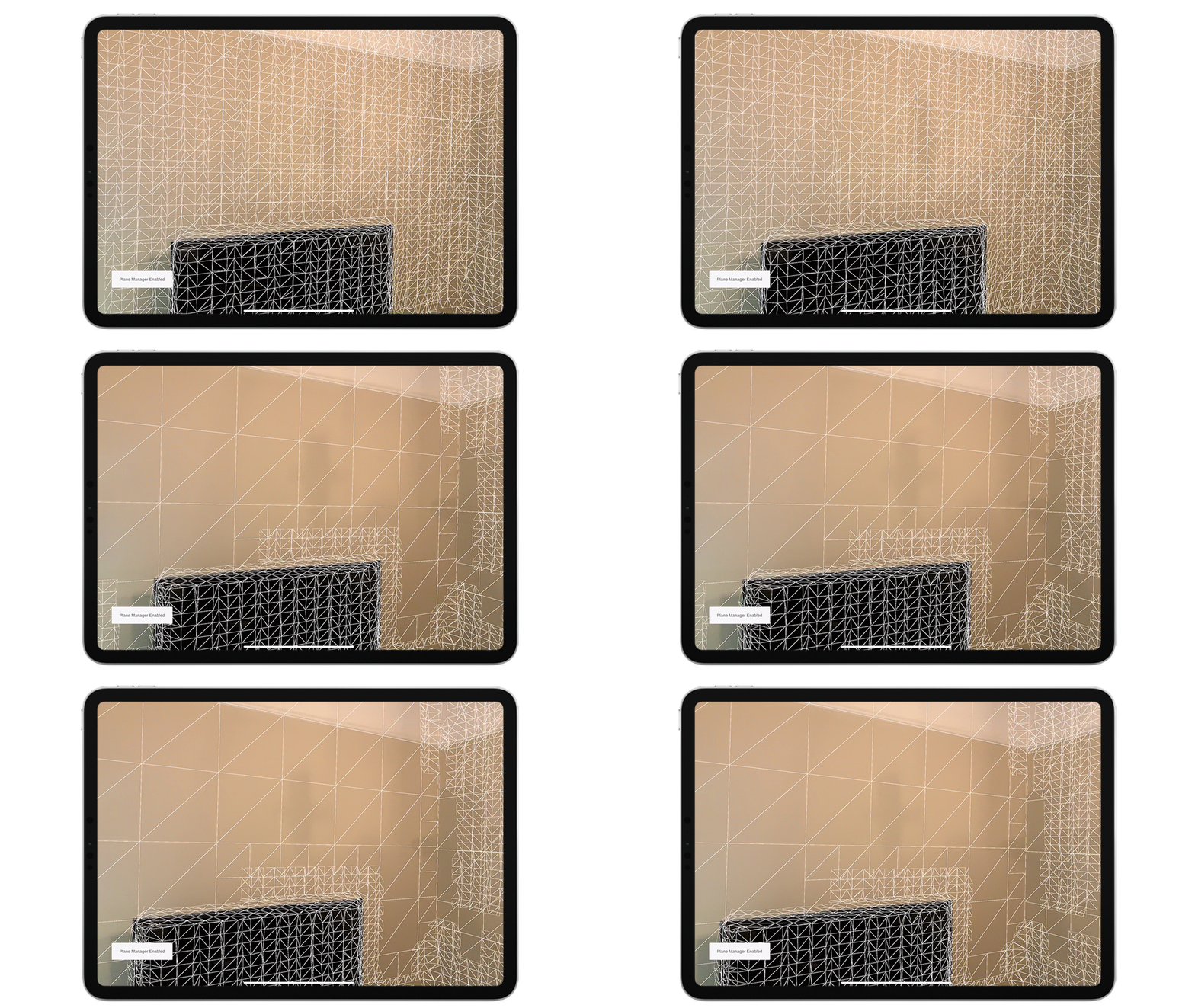 jagged patio
latent thunder
Anyone use depth occlusion and simply want to turn it off at runtime? Simply dis...
jagged patio
latent thunder
Anyone use depth occlusion and simply want to turn it off at runtime? Simply dis...
I think m_OcclusionManager.requestedEnvironmentDepthMode = EnvironmentDepthMode.Disabled; is what you want. Not sure what IDE you're using but you should be able to 'Go to declaration and usages' for the AROcclusionManager and that lets you see the parameters and things like currentEnvironmentDepthMode doesn't have a setter for example.
latent thunder
ok Dan thanks. Also realized I needed the using UnityEngine.XR.ARSubsystems; to avoid the "EnvironmentDepthMode does not exist in the current context" error.
 magic arrow
guys, any one good at ar in unity?
magic arrow
anyone?
magic arrow
guys anyone good in ar unity??
hybrid perch
@magic arrow just ask your question
magic arrow
magic arrow
guys anyone good in ar unity??
@hybrid perch this is my question
hybrid perch
Alrighty then
hybrid perch
There is a new section on the forum for teams and collaboration
lime lotus
Might be useful for people here: https://medium.com/echoar/how-to-create-an-ar-portal-application-in-15-minutes-or-less-e1261849638c
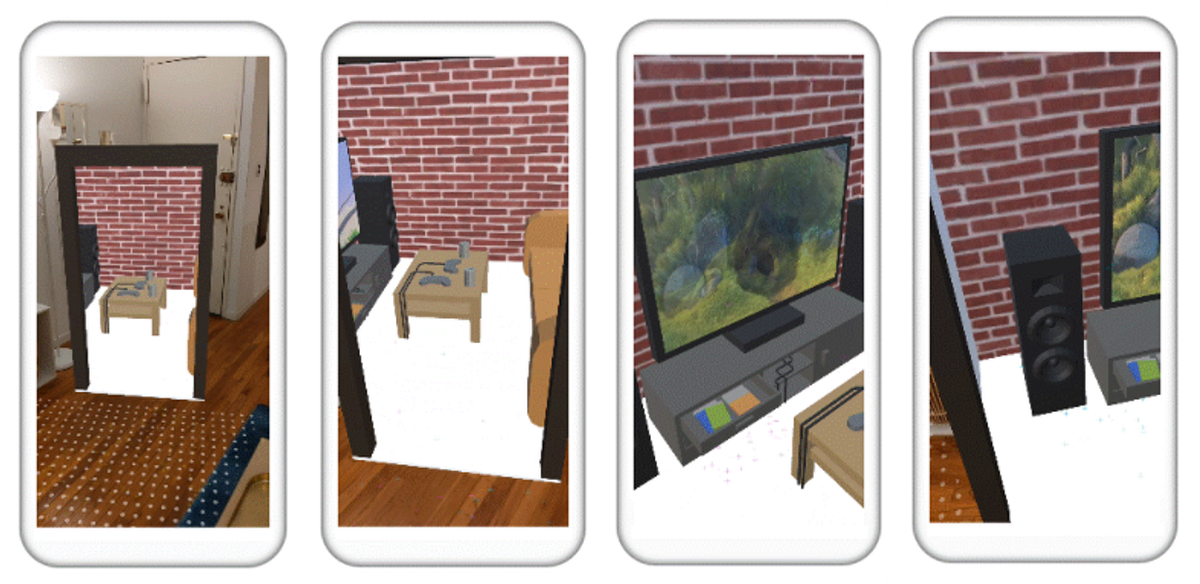
Medium
Looking to create an AR portal to virtually visit other worlds in augmented reality (AR)? This AR portal application created with Unity…
steep cosmos
Hello
XR-plug in management is missing
I can not find it on project settings
As a result the apk gives black screen
When I reinstall all the XR related stuff it works but what is the problem
why it keeps on missing
jagged patio
@steep cosmos can you share more information? Unity version, platform, package versions, OS? We've heard of some issues around this and Mac OS Big sur but I'm not sure if there's a full repo step.
jagged patio
Building for ARCore?
also if you haven't already can you file a bug and post it here?
steep cosmos
I deleted the project unfortunately. I was not using source control
latent thunder
Can anyone suggest how you might change the rotation of your entire placed AR scene?
I've tried simply rotating the root or parent AR Session game object but it has no effect.
jagged patio
brute force approach
- create game object
- loop through all transforms in the scene and store all transform that do NOT have a parent
- make that stored list a child of newly created objectl
- rotate newly created object
- loop through stored list and set parent to null
latent thunder
Wow. Thanks. Lot of work! What about transforms that DO have a parent?
Also tried getting reference to ARSessionOrigin and setting transform.rotation but no difference
Vector3 v = new Vector3(0,mainSlider.value,0); newRot = Quaternion.Euler(v.x, v.y, v.z); m_SessionOrigin.transform.rotation = newRot;
nimble fossil
I would just make a script that listens for a "root" object, and then just add rotation for transform to the objects according to their local ones + the root one @latent thunder
So every object you want to control, add this script and wait for your scene to be loaded before initializing
steep cosmos
jagged patio
brute force approach
- create game object
- loop through all transforms in the ...
It is hard to cope with that issue. Every 10 minutes, I have to re install. what version do you suggest me to use?
jagged patio
steep cosmos
It is hard to cope with that issue. Every 10 minutes, I have to re install. what...
I recommend filing a bug report, I just built an arcore project using the same version of Unity and the AR Foundation package also on windows and things are working on my machine.
You could upgrade to AR Foundation 4.1.5 but they both rely on the same XR Plugin Management package (4.0.1) so I'm not sure if that would fix the issue.
magic arrow
anyone good at ar?
 autumn heron
Greetings. Has anyone used succesfully, Vuforia's object scan with Unity here? I am stuck at a bug that does not seem to be solvable
nimble fossil
@magic arrow define "good"
magic arrow
nimble fossil
<@!698791901767139338> define "good"
check it in google
nimble fossil
magic arrow
check it in google
You gonna get a lot of help with this attitude
magic arrow
nimble fossil
You gonna get a lot of help with this attitude
I mean you asked me whats the definition, I suggested you to check it in google, whats wrong in that?
magic arrow
having the required qualities your anwser
nimble fossil
Required qualities, this is like asking if someone is good at drawing. The field is huge, so come up with your actual need instead of philosophizing 😉
magic arrow
nimble fossil
Required qualities, this is like asking if someone is good at drawing. The field...
you asked the definition bro
nimble fossil
Okay I am out
magic arrow
nimble fossil
Okay I am out
cya👋
steep cosmos
Hello.
I keep on getting this error. and could not work it out

Unity 2020.2.5f1 Arfoundation 4.0.12
Do you have any idea how to get over it
thanks.
latent thunder
Anyone by chance try converting their project to URP? Were there any hiccups? Any tips or suggestions (other than making a backup)?
jagged patio
steep cosmos
I keep on getting this error. and could not work it out
looks like it's just a warning, is something not working? package cache errors or warnings are from packages you have installed, in this case it's coming from URP and complaining about some sort of post processing value that's being converted to a different value type.
jagged patio
latent thunder
Anyone by chance try converting their project to URP? Were there any hiccups? An...
There have been some issues with the render feature not appearing but usually a re-import solves that. This guide goes through the steps required. https://docs.unity3d.com/Packages/com.unity.xr.arfoundation@4.1/manual/ar-camera-background-with-scriptable-render-pipeline.html?q=universal
Other than that you may need to adjust or change any custom shaders you have, also keep in mind not all URP features work on all AR platforms (ie: VFX graph is only supported on metal and vulkan on the mobile side, ARCore is only supported on OpenGLES3). If you're using all standard materials be sure to the use the URP material updater shown here: https://docs.unity3d.com/Packages/com.unity.render-pipelines.universal@10.3/manual/upgrading-your-shaders.html
latent thunder
@jagged patio Great info thanks!
magic arrow
anyone good at unity ar?
 hollow relic
Hello!
Is there a way to get the Ar Foundation ARPlane boundaries in worldSpace?
jagged patio
hollow relic
Hello!
Is there a way to get the Ar Foundation ARPlane boundaries in worldSpace...
you might be able to use something like this https://docs.unity3d.com/ScriptReference/Transform.TransformPoint.html
hollow relic
jagged patio
you might be able to use something like this https://docs.unity3d.com/ScriptRefe...
Thanks, I'll give it a try!
steep cosmos
jagged patio
There have been some issues with the render feature not appearing but usually a ...
thank you so much for description in detail
latent thunder
@jagged patio I've seen this effect in the LiDAR filters app and a few other places where an animated texture appears to be almost projection mapped against the generated mesh.
To accomplish this wouldn't the mesh first need some type of UV mapping? Can you offer any tips or suggestions on how to accomplish something similar?
 jagged patio
latent thunder
<@!265675269891686410> I've seen this effect in the LiDAR filters app and a few ...
jagged patio
latent thunder
<@!265675269891686410> I've seen this effect in the LiDAR filters app and a few ...
Correct, in this case I believe they're doing something like generating UV's based on world position. I'm not 100% sure on this but I believe these types of shaders are called tri-planar and something like this might be a good start https://github.com/keijiro/StandardTriplanar

GitHub
Unity's standard shader with triplanar mapping. Contribute to keijiro/StandardTriplanar development by creating an account on GitHub.
latent thunder
Cool tip. Thanks!
latent thunder
Anyone expereincing 'flickering' materials on their geometry? My materials are very simple and just using the Standar shader. What are some probable causes and solutions?
nimble fossil
@latent thunder Sounds like either doubled models or something with your shadow settings. A screencap would help
latent thunder
@nimble fossil thanks. Will have a close look at my materials and post a screencap if haven't solved in the next day.
For some reason seems impossible to obtain actual spec data on the LiDAR scanner in the iPad Pro or iPhone 12. I simply want to know the resolution and range difference on the scanner between the 2 devices to help with a purchase decision. Very frustrating.
latent thunder
Really interesting comparison https://www.vgis.io/2020/12/02/lidar-in-iphone-and-ipad-spatial-tracking-capabilities-test-take-2/

Summary Earlier this year, Apple released the 2020 iPad with a special feature: a built-in LiDAR sensor. In addition to providing wide-ranging benefits for mobile photography, the new sensor sought to take augmented reality (AR) to the next level. Features like dynamic occlusion and surface scanning promised to unlock a new level of interactivit...
 limber tangle
EventSystem.current.IsPointerOverGameObject()
Doesn't work in XRUIInputModule! Why ?
latent thunder
If you've added an Environment Probe to yourscene does adding additional Reflection Probes (GameObject > Light > Reflection Probe) have any effect?
I assume by simply enabling Face Tracking you have access to the front facing camera on compatible devices.
But how to display this camera feed? I've seen some apps that enable this feature.
fossil flower
@half basin Don't post off-topic media.
 trail flame
Is this the right place if I need some help with vuforia AR engine? 

I remember there was an option "on image found" and "on image lost" in the inspector for an earlier version of vuforia, but I cant see them now in version 8......
trail flame
 thanks, will try that
it used to show something like this, where I could drag drop a gameobject and do something with it without writing any code
 hybrid perch
Yeah I'm not familiar with the new versions of vuforia unfortunately
would be pretty simple to write your own scripts and trigger some events though
trail flame
 oki
oki
jagged patio
latent thunder
If you've added an Environment Probe to yourscene does adding additional Reflect...
This will give you reflections on the content based on the probe settings, potentially reflecting your scene skybox onto the virtual content, I'm not 100% sure how overlapping reflection probes pick which one to use but environment probes from AREnvironmentalProbeManager which also create environmental probes (manually or automatically) and then assign and update the cube map on said probes at runtime.
jagged patio
latent thunder
I assume by simply enabling Face Tracking you have access to the front facing ca...
You can adjust the settings on the ARCameraManager to set the facing direction of the camera from World to User. If you need more control you can write a custom configuration and load that for all the features you need.
 latent thunder
@jagged patio Thanks Dan
rancid dragon
Hello, I need to live stream what the camera of my hololens 2 device is seeing to network, so I'm using this :
https://docs.unity3d.com/ScriptReference/WebCamTexture.html
I thought this would be the easy solution as I don't need to stream the holographic content, only what the camera of the device is capturing. I have implemented my solution on an empty project (standalone) to test if it works properly with a regular webcam. This works fine. So I implemented the same thing for my hololens 2 application and once I start the application, the light of the camera turns on (on the hololens), I manage to send the texture in the network but when I receive the texture, it is all black... So I sent the texture directly onto an Image (UI element) before sending it to network, and same problem. What is captured by the camera is all black, instead of what the camera sees. Any idea of why this happens ? I'm really stuck on this part and I have tried many things
PS : I have turned on the webcam capabilities of my device in the player settings, so I really don't know why it doesn't catch anything. I don't even have any error, the camera seems to turns on fine but nothing is properly captured
PS 2: I have also turned on the "research mode" of the device, as I have seen many people saying this on forums
nimble fossil
Did you check this? @rancid dragon
Unity Forum
Hello everyone,
I use Unity 2019.3.7f1 with MRTK 2.3.0 to make video chat app.
In publish setting I'v selected Webcam and Microphone capatibility...
rancid dragon
Just checked now, thanks for the reply, it seems that everything is fine in my VS project package manifest. Capabilities are correctly checked, as the same as in Unity project
rancid dragon
Does anyone else have an other idea ?
latent thunder
@jagged patio Total noob question. Or maybe my brain is just tired. How do I turn off the projected 'dots' pattern in the AR demos? (middle image in attached). Is this a representation of the LiDAR resolution or? Just need to disable it. https://user-images.githubusercontent.com/2120584/87749265-17282d00-c7ad-11ea-952a-e1e055091eab.png

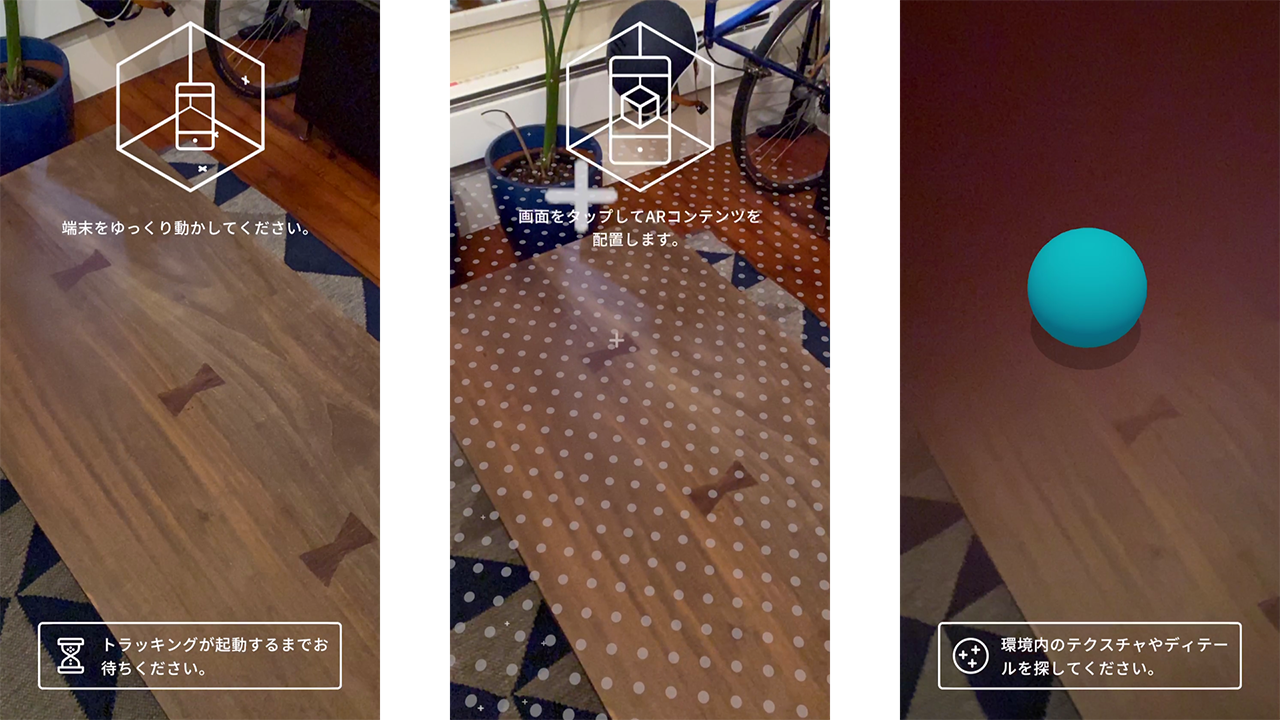 jagged patio
latent thunder
<@!265675269891686410> Total noob question. Or maybe my brain is just tired. How...
jagged patio
latent thunder
<@!265675269891686410> Total noob question. Or maybe my brain is just tired. How...
that simply a texture applied to generated planes. You can disable the mesh renderer or create a material without the texture assigned.
umbral briar
Hey guys, when using AR Foundation, if the camera loses tracking, its both position and rotation get frozen until tracking comes back. However, rotation from Input.gyro.attitude never freezes as it doesn't use the camera and is extremely precise. How can I use Input.gyro.attitude as the camera's rotation so it never freezes? Thanks in advance.
jagged patio
umbral briar
Hey guys, when using AR Foundation, if the camera loses tracking, its both posit...
You can link into the tracking state of AR Foundation using the stateChanged event here https://docs.unity3d.com/Packages/com.unity.xr.arfoundation@4.1/api/UnityEngine.XR.ARFoundation.ARSession.html and then once tracking has been lost switch it over to the gyro. Although I'm not 100% sure that would actually work or what you would see on screen driving the camera from the gyro.
I've done a few things in the past with gyro data and it was a bit rough to accurately interpret it use but maybe I'm just bad with rotations 😄
umbral briar
I'll check that out, thanks
For some context, I'm making a VR game for mobile and I want it to have player movement detected trough the device's camera, and the rotation should still be properly accurate
latent thunder
Question about Lighting. Although every scenario is different, what are some default Lighting guidelines for placed geometry in AR. Use Mixed Lighting with URP and Bake your GI? Stick with realtime GI and the built-in pipeline to accommodate any moving geometry?
Ideally I'd like to also have all my geometry cast shadows but haven't got that working yet.
In my case I have several Prefabs that are dynamically 'dropped' into place.
And if Baked GI is a good idea, how does that work with Prefabs?
And lastly, to achieve highest fidelity is it generally a good idea to convert your project and materials to URP? It seems to be recommended here https://docs.unity.cn/Manual/BestPracticeLightingPipelines.html
however there is no support for realtime GI, meaning moving objects won't cast shadows.
I don't recall any specific article or tutorials that focuses exclusively on lighting for AR. If someone knows of one, please share!
nimble fossil
latent thunder
Question about Lighting. Although every scenario is different, what are some def...
You can get a light estimation out of ARFrame at least on iOS, guess on google too. There you can modify your scene light to fit the conditions of the real captured world lights.
latent thunder
Yes thanks. I am aware that Light Estimation is now part of the AR Camera Manager component. But I'm still a bit confused about the pros cons of going URP vs built-in and how light baking works with prefabs that you instantiate at runtime.
limber tangle
limber tangle
```EventSystem.current.IsPointerOverGameObject()```
Doesn't work in XRUIInputMod...
?
latent thunder
ok so perhaps one solution to part of my problem. Baked lighting with prefabs https://github.com/Ayfel/PrefabLightmapping

GitHub
Script for saving lightmapping data to prefabs. Used through the Assets tab in Unity. Place your prefbas in the scene with this script at the root. Set up your lighting and in the editor go to Asse...
hybrid perch
It only works half of the time on any platform in my experience @limber tangle. I do graphic raycasts manually to check this
limber tangle
hybrid perch
It only works half of the time on any platform in my experience <@!2976642600104...
Thank you so much, Ole!
steep cosmos
Hello. I have send a bug report but what is the problem that I missed. Me and my computer also tiered
I can not handle with it. (2020.2.6f1 ARfoundation 4.0.12)
- I build scene.
- I got build apk with any issue.
- I turn editor.
- Editor imports "something"
- My XR-Plug-in management (edit->preferences) is disappear.
- I see "Version Control" menu instead of XR-Plug-in Management
- I delete XR folder in Assets
- I reimport all project
- XR-Plug-in management honours me.
- I select ARCore Xr package inside of it.
- And it works until the next build.
steep cosmos
I think URP imports itself.
Version control can not retrieve it also. When I get back to the previous checkpoint it is keeping on. I have to make all the steps!!!
nimble fossil
latent thunder
Yes thanks. I am aware that Light Estimation is now part of the AR Camera Manage...
The problem with baked lights is, that they are baked in one condition of lighting or at least just a few. Not sure, if it even makes sense to bake the whole lighting for AR. you could of course bake like occlusion shadows or what not, to up the realism of the visuals, but the actual light itself and shadows should be driven by the realtime estimation I guess. You still can just bake lights if you know your used environment. At least for my case, I did not use any baked lights at all, just lowered resources with prebuild skyboxes of the environment, as it will always be used in the same location, so I do not have to get the frame and process this for environment reflections too. Maybe there is a good way to use baked lighting too, just my five cents here 🙂
steep cosmos
Hello. I have a question one more. In the package manager of unity 2019lts we do not see the last version of ARfoundation (4). we see 2.1. What does that mean? Does unity recommend us to use it? or can we pick the newer up?
nimble fossil
I am using the almost latest with 2019 @steep cosmos
4.1.1 is mine with the latest 2019 version of Unity
 tropic nymph
why is when I use any 3rd person controller asset my guy always runs even when not pressing any keysd
is it a setting in unity
or wtf
latent thunder
I am noticing a several second delay for my environment maps to be generated and applied to any reflective materials.
In the meantime my reflective objects appear totally black which is quite jarring.
Is there any way to improve the performance of the environment probe? (AREnvironmentProbeManager)
 vocal trout
Hello everyone, I am making an AR app which finds a plane and places a 3D object on it. I am trying to make an arrow towards the object - appearing only when the object is not visible (i.e. the camera has rotated) .How can I change the correct rotation to the arrow such that it shows towards the direction of the 3d object? I ve tried a few things but nothing works correctly. Has anyone done this already?
dull flame
latent thunder
I am noticing a several second delay for my environment maps to be generated and...
the sad thing is that environment probe features are different from phone to phone, and will disable if they are not available
you might want to have an invisible object in the scene to make sure the environment map is being generated as soon as the play session starts
jagged patio
vocal trout
Hello everyone, I am making an AR app which finds a plane and places a 3D object...
Have you tried LookAt() https://docs.unity3d.com/ScriptReference/Transform.LookAt.html ?
 twilit frigate
anyone recommend any tutorials for AR?
nimble fossil
vocal trout
Hello everyone, I am making an AR app which finds a plane and places a 3D object...
What have you tried yet? As this is not AR specific, more just like Dan said, a look at a specific targert transform position.
nimble fossil
latent thunder
I am noticing a several second delay for my environment maps to be generated and...
You could also just use a skybox that gets disabled as soon as the realtime probes are updated for example, so the gap is not that big visually
vocal trout
nimble fossil
What have you tried yet? As this is not AR specific, more just like Dan said, a ...
@jagged patio I tried LookAt, and a few answers for the same question I found at stack overflow
jagged patio
vocal trout
<@!265675269891686410> I tried LookAt, and a few answers for the same question I...
maybe you could describe what you're trying to do a bit more, what does the arrow look like, how is it displayed, ect
 marble karma
Can any one help me in my issue?
I was previously work with ARFoundation 2.1.3 in Unity 2019.4 LTS and it was working perfectly,
but when I Update my Unity to 20.3 LTS I Installed the last verified version of ARFoundation 4 It gives me Black screen instead of opening the cam and its appear to be not working
ancient solstice
marble karma
Can any one help me in my issue?
I was previously work with ARFoundation 2.1.3 i...
you have to have the right version of ARFoundation with the right version of unity
jagged patio
marble karma
Can any one help me in my issue?
I was previously work with ARFoundation 2.1.3 i...
Make sure you've enabled the platform you are targeting in the XR Plugin management settings. Also what platform are you building for an are there are logs from the device?
 west egret
Hello! I'm looking for advice on architecture for a complex mobile AR project in Unity. Any articles/videos/books you'd recommend checking out? It's an ambitious location-based puzzle game/theater piece with 2 players cueing off of each other and also bluetooth beacons and image targets. Just beginning work on this with a team and wanna avoid creating a giant mess when we put all the pieces together!
half basin
hey guys quick question anyone know how i can replicate something like this?

#wordup - Augmented reality typing. add any text in your photos and videos, in 3D. Powered by ARkit
preferably works on ios and android
nimble fossil
half basin
hey guys quick question anyone know how i can replicate something like this?
Looks like standard AR Anchors or new introduced World Anchors to me, that just get captured and then you can do a screen recording of it inside the app.
half basin
i see but how do u add the text customization part? @nimble fossil
 left beacon
Hello, I just tried Unity 2020.3 and I saw that UnityEngine.XR.WSA isn't there anymore, do you guys know if there is a new way to access to World Anchor stuff? Or similar?
nimble fossil
Well this is actually no question for AR @half basin You should get more help in general-code for example. As this is not just customization, customizing text just swaps the font asset, but as he also generates 3d meshes out of it and stuff, thats something different to check.
You have to make a text customize UI that swaps out the text, then you have to create a 3d mesh realtime of this font mesh, not sure if there is any solution already on asset store or similar. After that, you have to add this mesh to your AR Anchor object and save it with its information, you can save the trakcable ID for example of an Anchor, so you can attach a prefab to this specific anchor id.
nimble fossil
left beacon
Hello, I just tried Unity 2020.3 and I saw that UnityEngine.XR.WSA isn't there a...
What were those world anchors? Is it like the Location Anchor from iOS?
left beacon
@nimble fossil you mentioned a "new introduced World Anchors" , can you tell me more about it?
No, like the World anchor WSA, for HoloLens for example
nimble fossil
left beacon
<@!144387642140655616> you mentioned a "new introduced World Anchors" , can you ...
Thats what I meant with location anchors, sorry, did not get the term right. Its location anchors in ARKit 4, which lets you put an Anchor in real world without having a worldmap scanned before.
https://appleinsider.com/articles/20/06/26/apples-arkit-4-anchors-3d-reality-into-real-world-maps-locations tells you a bit more about it

AppleInsider
With ARKit 4, Apple is building the foundation for a virtual world of animated, interactive 3D "reality" explorable by anyone with a newer iPhone in their pocket.
left beacon
Yes you right, I know this one. FYI here's the documentation related to the one i was talking about https://docs.unity3d.com/2020.1/Documentation/ScriptReference/XR.WSA.WorldAnchor.html
Wich is missing on the 2020.3
nimble fossil
Hm, interesting, how did you place those worldanchors? Maybe it is replaced with the standard ARAnchors in Foundation, not sure. Maybe Dan knows something more about it.
left beacon
That just weird that I didn't see any "Deprecated" flag ahah
Nm thank you for your time mate, I will wait Dan's connection to ask him directly
left beacon
Hello @jagged patio do you know what's replacing the World Anchor class from UnityEngine.XR.WSA on 2020.3 LTS ? Thank you
jagged patio
left beacon
Hello <@!265675269891686410> do you know what's replacing the World Anchor class...
All legacy XR was deprecated in 2019.4 and removed in 2020.1. There is now only XR SDK and the services provided by the platform plugins for that.
With that said, Microsoft they would rather you use Azure Anchors (https://docs.microsoft.com/en-us/azure/spatial-anchors/unity-overview).
If the user can't use that and needs to directly transfer anchors, then can use https://docs.unity3d.com/Packages/com.unity.xr.windowsmr@5.2/api/UnityEngine.XR.WindowsMR.XRAnchorSubsystemExtensions.html and https://docs.unity3d.com/Packages/com.unity.xr.windowsmr@5.2/api/UnityEngine.XR.WindowsMR.XRAnchorStore.html to get and load anchors for getting anchor data they can then persist and transfer similarly to what WorldAnchorStore did.
You can access SpatailAnchors here (https://docs.unity3d.com/Packages/com.unity.xr.windowsmr@5.2/manual/index.html#anchor) If you need access to the SpatialAnchorStore you can get at that through the standard Windows API using https://docs.microsoft.com/en-us/uwp/api/windows.perception.spatial.spatialanchormanager.requeststoreasync?view=winrt-19041#Windows_Perception_Spatial_SpatialAnchorManager_RequestStoreAsync.

Retrieves the anchor store for the current app.
left beacon
Thank you so much for all this explanation Dan, appreciate !
We'r exploring the Azure feature you mentioned, but we also need to be able to manipulate the world anchor without internet, that why I currently use World Anchor.
You said that all legacy XR is removed from 2020.1 but the WSA.XR documentation is still available on 2020.1 : https://docs.unity3d.com/2020.1/Documentation/ScriptReference/XR.WSA.WorldAnchor.html Maybe a mistake?
jagged patio
API wasn't completely stripped until 2020.2 so but UI availability or anything other than strict API access to Legacy VR was disabled in 2020.1
latent thunder
@jagged patio Any chance you would know if its possible to take the output from the AREnvironment probe and use it in a Raymarching based shader?
jagged patio
latent thunder
<@!265675269891686410> Any chance you would know if its possible to take the out...
I don't see why it wouldn't be. I don't know enough about raymarch based shaders but you can get the texture from the environmental probe
latent thunder
ok thanks been playing a lot in Shader Graph recently, converting various shaders.
half basin
@nimble fossil i see okay thank you
 mellow carbon
Hi guys, i have a school project about develop AR apps using vuforia that displaying information of tourist spot on screen while the camera is pointing to the tourist spot and I have no idea on how and where to start it. Can anyone give me some guide or where can i refer to build this project? Thank you
 plush heath
Hey guys, we have started pre-registration for the launch of our AR Cloud solution which enables developers to easily create multi-user AR experiences.
Please check it out here: https://pretiaar.com/develop/en/

You can easily create games with AR Cloud by using the Pretia SDK and scanner app.
nimble fossil
mellow carbon
Hi guys, i have a school project about develop AR apps using vuforia that displa...
You should go over to vuforia for Unity and check out there tutorials and example projects. Also watch some tutorial about Unity itself to get used to the interface, if you are not familar with it.
mellow carbon
nimble fossil
You should go over to vuforia for Unity and check out there tutorials and exampl...
okay thank you
 dusty star
Wait uh.. can you make AR game (vuforia etc?) and build it for HTML? 
ancient solstice
does any know how to use Manomotion?
nimble fossil
stop spamming pls
 copper socket
You can google both of these. Virtual Reality and Augmented Reality.
nimble fossil
dusty star
Wait uh.. can you make AR game (vuforia etc?) and build it for HTML? <:Upsidedow...
I do not think you can access the necessary kit for HTML in Unity, but you can use other Frameworks that are made for browsers like aframe or similar
 magic sparrow
@nimble fossil @dusty star - I'm wondering the same - can Unity WebGL run the AR Foundation Kit 😄 - My task for tomorrow is to test!
nimble fossil
I mean you can use google ar in safari, but not sure this is native embedded
magic sparrow
I would hope running as WASM would allow for access to the necessary parts of the system
@nimble fossil yeh, I have used both three JS and model-viewer both work well but your models, and code are not protected - wasm solves this
Sadly "Unity does not support XR on WebGL" - https://docs.unity3d.com/Manual/XR.html
ancient solstice
Has anyone used manomotion?
I'm really having a hard time with getting a prefab to follow a hand 😦
nimble fossil
Are there any example projects, you can test? So you know, what you might be able to achieve? The video is very static in its motion, so maybe its just hard to do it with a very agile motion? @ancient solstice
ancient solstice
nimble fossil
Are there any example projects, you can test? So you know, what you might be abl...
OK after a few days of battling I've got it working properly, i'm just wondering if there's any documentation for the workable versions of unity with ARKit and ARCore etc?
nimble fossil
The docs should come from manomotion I guess @ancient solstice Unity just has docs for their stuff about ARFoundation and what they are wrapping up from kit and core. Still a lot information missing, but if you read the globals and parameters and stuff you get along with it
left beacon
Hi everyone, did someone know a way to use the nativePtr of an ARAnchor from ARFoundation?
jagged patio
left beacon
Hi everyone, did someone know a way to use the nativePtr of an ARAnchor from ARF...
do you mean the native pointer provided by the AR Session? There's a sample that demonstrates this at a very barebones level is AR Foundation samples, see https://github.com/Unity-Technologies/arfoundation-samples/blob/main/Assets/Scenes/ARKit/ARKitGeoAnchors/EnableGeoAnchors.cs and https://github.com/Unity-Technologies/arfoundation-samples#arkitgeoanchors
GitHub
Example content for Unity projects based on AR Foundation - Unity-Technologies/arfoundation-samples
GitHub
Example content for Unity projects based on AR Foundation - Unity-Technologies/arfoundation-samples
left beacon
jagged patio
do you mean the native pointer provided by the AR Session? There's a sample that...
Hey Dan, thank you for answering. To be honest, I m looking for a solution if it exists, to get a byte array of a spatial mapping with AR Foundation. Working on crossplatform (ARcore, Hololens, etc...) .
What you sent to me is super interesting, but seems to be working if I already know the type of the data stored at this pointer, where can I found the ARAnchor one?
jagged patio
left beacon
Hey Dan, thank you for answering. To be honest, I m looking for a solution if it...
When you say spatial mapping are you talking about the mesh generated from the HoloLens?
left beacon
jagged patio
When you say spatial mapping are you talking about the mesh generated from the H...
Not the Mesh but the position of each point, not only on HoloLens but also on ARCore.
I want to access to the data of an ARAnchor and/or replace it too.
Sorry for the late, I m living in France 😁
nimble fossil
@left beacon so you want to have one unique map for all types of AR setups? I guess you cant just use them throughout all devices, as ARCore is not supporting the Worldmap feature of ARKit for example. You could still record your spatial mapping progress and save all points from the ARFrame or the PointCloudManager and try to use that array of points, but I am not sure, how performant that would be.
left beacon
Hey twentacle, yes this is an option indeed !$
 haughty sky
Hey all!
fist i want to say that i am new to unity,
i am learning unity, I am following this tutorial and get stuck can any one help me
Tutorial Link: https://www.youtube.com/watch?v=FGh7f-PaGQc
On 29:30 he has stared APP in his android device and it's working, but when i started My app on android device it's just a blank screen,
i follow Tutorial as it is,
does anyone have any idea on what might go wrong,
POSSIBLE CAUSE: It's not asking for access for my camera so, something goes wrong there, do i need to do something special? (it the tutorial he is not doing anything special for get access to camera)

Grab the source code, full project and more Unity courses here: https://academy.zenva.com/product/augmented-reality-mini-degree/?zva_src=youtube-completecourse-arfoundationmd
Free Tutorials:
- Unity: https://gamedevacademy.org
- Phaser: https://phasertutorials.com
- Machine Learning: https://pythonmachinelearning.pro
- Web Dev: https://html5hiv...
Thanks in advance for your time and efforts.
jagged patio
haughty sky
Hey all!
fist i want to say that i am new to unity,
i am learning unity, I am fo...
I'm not sure what version of AR Foundation you are using but that video doesn't use XR-Plugin management. In your project settings go to XR Plugin Management on the left hand side and make sure ARCore is checked.
In general when things aren't working on mobile it's helpful to grab a log or data from the device, I suspect it might say something like "ARCore library not found". To do this you can use ADB or use the logcat unity package (from package manager). Logs are crucial in really understanding the problem and what's happening on the device in order to solve it.
 zenith flint
Does anyone know where I can download and deploy a project to the HoloLens 2 that uses gesture controls? I just need the most rudimentary example, because I just cannot get it to work
jagged patio
zenith flint
Does anyone know where I can download and deploy a project to the HoloLens 2 tha...
what gestures specifically? I believe HoloLens 2 only supports a pinch gesture and everything else is either queried based on joint positions and rotations or some CV
zenith flint
@jagged patio Specifically I just want to control a slider from a distance. I was hoping to be able to use the hand ray then to pinch in order to adjust the slider
jagged patio
zenith flint
<@!265675269891686410> Specifically I just want to control a slider from a dista...
Yeah that should be possible, are you using MRTK or just unity XR API's?
zenith flint
MRTK + XR API
jagged patio
What's not working? There are at least one MRTK sample scene with a slider and distance hand rays
zenith flint
Before I enabled the XR API I was able to control it when the app was in the window, but after enabling it, when I'm actually immersed in the app I get nothing
Does stuff like hand rays have to be explicitly set up IE it's not enough to throw the MRTK into the hierarchy?
jagged patio
that's a little too broad to answer, MRTK is fairly complex but there are settings files (scriptable objects) that define the default XR rig. So if that's configured for your new scene and you're using their XR rig prefab then yes that probably should work. If you're building it back up from scratch then maybe not or maybe something isn't properly hooked up.
Personally I've found with MRTK it's easier to start with the scene where things are working and remove the stuff I don't want since just the rig itself has lots of different configurations and options.
zenith flint
Okay, it looks like the PointerResultExample has what I need
I notice when I press the play button it creates a None_GGVPointer
Could you tell me where the settings file that actually makes it so that this is generated is?
jagged patio
zenith flint
Could you tell me where the settings file that actually makes it so that this is...
not off the top of my head but this might help https://docs.microsoft.com/en-us/windows/mixed-reality/mrtk-unity/features/input/pointers
Documentation on pointers in MRTK
zenith flint
Thanks
It's just that there are so many menus, submenus, and options that it makes me feel like puking
I'll give it a try
jagged patio
left beacon
Not the Mesh but the position of each point, not only on HoloLens but also on AR...
as Twentacle mentioned it's a bit more complex and there isn't really this idea of 'each point' unless you're storing each individual feature point per frame and throwing out the ones that are similar. But yeah that would explode in number of points pretty quickly and probably require some work to get it optimized enough for saving and storing on a mobile device.
An Anchor in Unity land is just a transform relative to the session origin. In native land it's similar with just a position and rotation data relative to a space in the world.
You can check the docs on how to access an anchor in native land https://developers.google.com/ar/reference/c/group/ar-anchor#group___ar_anchor_1gad8ceb1f3a82da86fcc0ca34a2fab172a To access it you'd need to write a native wrapper that returns what data you want back from the anchor in native land and surfaces it through unity passing in the native pointer to the session in order to properly query the AR data in native land.

Google Developers
jagged patio
zenith flint
It's just that there are so many menus, submenus, and options that it makes me f...
can't speak the puking part lol but yeah MRTK is pretty complex and you're not alone in getting lost in the menus and settings 😅
zenith flint
The frustrating part is that I tried using the HoloLens 2 default config profile and that didn't work previously either!
Can you just enable everything for a PointerPrefab to gurantee it's enabled?
left beacon
@jagged patio I didn't know about the native land ! Definitely going to check that.
I m a bit lost, I see the Anchor like a way to get back a disposition you did before thank to a stored spatial anchor, am I wrong?
I m sure there is a way to get the spatial recognition associate to an Anchor on a XR device to be use on a second device to set an object at the same place. Like Microsoft Azure Spatial Anchor but without internet or just Azure
jagged patio
sorry, when I said 'native land' I mean the native side of the SDK / Codebase / integration on the platforms. ie: C language on android in this case
left beacon
Yes, I take some time to get that but it's fine ahah
jagged patio
left beacon
I m sure there is a way to get the spatial recognition associate to an Anchor on...
gotta run a quick errand but I can walk through at a high level what spatial anchors might be doing in a little bit.
left beacon
left beacon
I m sure there is a way to get the spatial recognition associate to an Anchor on...
And with Unity of course. Like with a cross plateform project 🙂
left beacon
jagged patio
gotta run a quick errand but I can walk through at a high level what spatial anc...
Thank you so much Dan, you'r the best
jagged patio
left beacon
Thank you so much Dan, you'r the best
so I think something like spatial anchors is multiple systems working in conjunction using the features or capabilities of the devices. For something like a mobile phones that's looking at different scanned surfaces (planes, feature points) and storing those positions and sizes. That combined with capturing the image from the camera and using that try and locate similar areas or features from the camera image. Lastly for services that use internet connectivity some geo location services to make sure the users are in the same general area and storing that data on the cloud.
For HoloLens you're looking at similar data and capture methods expect you don't get planes out of the box and instead would get a mesh. Using that mesh you could 'finger print' or align the found planes and feature points from the mobile device to see if they matched to some degree of difference. Matching that, along with found features in the camera image and GPS data would let you re-localize content.
Definitely a complex problem and I see why Google, Apple and Microsoft are well positioned to solve it. Depending on the level of accuracy needed you might be able to implement a few of these methods to get something close.
Hopefully this is enough info to at least point you in a good path. None of these methods would actually require getting data from the native side or anything that's not available in AR Foundation.
left beacon
jagged patio
so I think something like spatial anchors is multiple systems working in conjunc...
Wow, thank you so much Dan for this such complete answer. So you think the solution would be to get the point cloud of a smartphone, convert it to a simple mesh, then try to compare it to the HoloLens one ?
Is it possible to get the Anchor's features point of a smartphone? Or I can only use the general one?
Again thank you very much
 true scarab
Can I get some workflow advice? My build process for iOS is:
- Save code in Visual Studio
- Build in Unity
- Build & Run in xcode
This is a lot of steps for each change. Is there a better way?
jagged patio
left beacon
Wow, thank you so much Dan for this such complete answer. So you think the solut...
I wouldn't worry about converting points to a mesh and instead would compare feature points (from mobile) with vertices on the mesh (from hololens)
jagged patio
true scarab
Can I get some workflow advice? My build process for iOS is:
- Save code in Visu...
For testing mobile AR that's the general workflow. There's some remoting options from the asset store but I haven't personally tried them. Another consideration is setting up small test scenarios within the editor itself. Like for building UI for example, you might not need to actually run the game or app on device to make sure clicking a UI button does xyz.
left beacon
jagged patio
I wouldn't worry about converting points to a mesh and instead would compare fea...
Yes you'r right !
true scarab
I've been trying to learn via the samples, and in particular I'm trying to combine the depth and RGB images in a shader based on this sample: https://github.com/Unity-Technologies/arfoundation-samples/blob/main/Assets/Scripts/DisplayDepthImage.cs#L455
I have tried creating a RenderTexture and calling Camera().main.Render() into it, and Bliting into a RenderTexture, both without success. What's the best way to do this? (I believe my shaders are correct, but the bound texture is black.)
In particular, one permutation of the added non-shader code above the lines linked above is:
RenderTexture tempRt = new RenderTexture(Screen.width, Screen.height, 0);
Camera mainCamera = Camera.main;
mainCamera.targetTexture = tempRt;
mainCamera.Render();
RenderTexture.active = tempRt;
material.SetTexture(k_RGBTextureID, tempRt);
Download the AR Core in package manager
This will resolve the camera access and black screen
nimble fossil
true scarab
I've been trying to learn via the samples, and in particular I'm trying to combi...
Are you using the right camera for this? There are sample scenes for the camera ar view, that actually give you the view of your phones camera, otherwise the camera will not see anything in the back and just render black.
nimble fossil
left beacon
Yes you'r right !
You could also think about using a mixture of image tracking and feature points, so you don't have to get super crazy with comparing every point with every other point. Not sure if hololens handles image tracking at all, but having the same marker however it might look, could help to at least get a rounded position of your hololens and then you could refine the results with more comparison on smaller areas.
 gentle cypress
Hi everyone I'm a Digital Arts and Sciences senior and am taking an Entrepreneurship class and need a couple people to fill out a very quick 8 question survey about a VR application. I would really appreciate it if some of you could help me out. Thank you.
https://forms.gle/1GPU1Gisqfist23HA

Google Docs
Please answer a few questions to help our product, so that we may aid you in the future.
true scarab
nimble fossil
Are you using the right camera for this? There are sample scenes for the camera ...
I have tried both Camera.main and Bliting from source=null . I see some documentation suggesting that I want to use ARCameraBackground but I can't find any sample code and don't fully understand how or why to use that.
You are correct that I'm using a sample with no explicit Camera.
nimble fossil
true scarab
I have tried both `Camera.main` and `Blit`ing from `source=null` . I see some do...
You should check out the arsamples from unity on github like dan said, there are all the components in example scenes
true scarab
I am working on the example scenes, specifically https://github.com/Unity-Technologies/arfoundation-samples/blob/main/Assets/Scripts/DisplayDepthImage.cs#L455. I'm trying to learn by adding just a few lines of code here to get the camera texture into that shader, but I just can't figure out the incantation to access the camera feed in the shader.
GitHub
Example content for Unity projects based on AR Foundation - Unity-Technologies/arfoundation-samples
nimble fossil
Did you check the camera script to get the AR camera. Or you could read into the arframe
latent thunder
@jagged patio Hi Dan, I think the collider should also be removed on ARPlane_noVisual Prefab in ARFoundationn demos.
true scarab
nimble fossil
You could hook into that event and just get the frame recieved as texture
I followed your advice but I can't seem to figure out how to read the textures in my shader. The code is essentially just three lines: grab the texture, blit it, then bind it.
The shader just uses the texture's default value, which I believe means that the binding failed.
Texture2D texture = cameraFrameEventArgs.textures[0];  // But there are actually two textures here
Graphics.Blit(texture, m_RenderTexture);
m_RawImage.material.SetTexture(k_RGBTextureID, m_RenderTexture);
I'm sure there's something fundamental I'm missing I just can't figure out what...really appreciate your help here.
nimble fossil
true scarab
I followed your advice but I can't seem to figure out how to read the textures i...
Did you check the size of the textures, are they maybe asynd and therefore not ready when you are accessing them? Did you try to hook into the frame recieved and just debug log that texture you get there.
true scarab
Yes, the texture is correctly sized, I am logging the width and height (and ToString()) to the screen every frame. I don't think they'd be async because I'm not copying from the CPU, I'm blitting a GPU texture to another GPU texture?

@nimble fossil fwiw here is my debug output. The red quadrants are showing the depth map (as expected, only data in the red channel), and the white areas are the default value for the texture k_RGBTextureID above. The debug info in the top right shows that the texture has a width and height (bottom three rows print out data from m_RenderTexture as shown in the code snippet above)
jagged patio
@true scarab have you checked this doc page under Copying the Camera Texture to a Render Texture when accessing the camera image on the GPU header? https://docs.unity3d.com/Packages/com.unity.xr.arfoundation@4.2/manual/index.html
I think this is what you're trying to do?
true scarab
Thank you - I'm trying that tutorial once again. I cannot find any example code usage of ARCameraBackground so I'm floundering a little, but haven't made enough progress to have a concrete question I can ask yet.
shell python
Hey guys, I need some help here
do you know how to use ARFoundation's facetracking to show something beside the user's head?
I don't want a mask on the face, just an object that is beside the user's head and follows it
is this possible?
Like having a facemask but with an offset
jagged patio
@shell python yeah you can use the FaceAnchor which is essentially a transform in Unity that's updated everyframe the facetracking is active or tracking. You can attach any 2D or 3D object to that anchor and it will track a users face. I'd recommend starting with one of these scenes here in the samples repo https://github.com/Unity-Technologies/arfoundation-samples/tree/main/Assets/Scenes/FaceTracking
GitHub
Example content for Unity projects based on AR Foundation - Unity-Technologies/arfoundation-samples
shell python
Yea I got the examples
but didn't find one with the face anchor
did I miss it?
Thanks!
jagged patio
FacePose should be what you're looking for
ARKitFaceBlendShapes also uses it to position the 3D sloth model afaik
true scarab
jagged patio
<@!749812521698984007> have you checked this doc page under ```Copying the Camer...
I have tried a dozen permutations, but from the code you posted,
m_ArCameraBackground.material.HasProperty("_MainTex")
is always null - is there some magic incantation I need to do to get the ARCameraBackground to work? I cannot find any sample code on ARCameraBackground.
jagged patio
true scarab
I have tried a dozen permutations, but from the code you posted,
`m_ArCameraBack...
m_ARCameraBackground is properly assigned correct? have you null checked that?
you might need to check 'use custom material' for your use case but I'm not 100% sure
true scarab
jagged patio
you might need to check 'use custom material' for your use case but I'm not 100%...
I have tried both with and without that box checked in the Unity UI, as well as both with and without it set to true when initializing it manually inside OnEnable.
At the top of the ARCameraBackground documentation, they mention special steps if you are using the Lightweight Render Pipeline or the Univerisal Render Pipeline. I believe the examples are using neither of these, so ARBackgroundRendererFeature does not need to be manually enabled.
The minimal code at this point is really trivial: starting from the example code, I add:
        public ARCameraBackground cameraBackground
        {
            get => m_CameraBackground;
            set => m_CameraBackground = value;
        }
        [SerializeField]
        [Tooltip("The camera background which controls the camera image.")]
        ARCameraBackground m_CameraBackground = null;
I then add this component to the ARCamera in the Unity UI, then assert that m_ArCameraBackground.material.HasProperty("_MainTex") is true on OnCameraFrameEventReceived. It isn't.
Are there additional steps? I feel like I'm missing something extraordinarily obvious here.
(Thank you for the support!)
jagged patio
can you show me that property in the inspector? Did you drag ARCameraBackground into the m_CameraBackground serialized field?
I just did a quick test and have this value printing to text UI and am getting true m_BackgroundText.text = m_ArCameraBackground.material.HasProperty("_MainTex") ? "True" : "False";
I'd also try maybe moving it out of OnCameraFrameRecieved event at least for testing and put it in something like update. Maybe the first camera frame recieved doesn't have the texture 🤔
true scarab
I'm getting the False repeatedly (or rather, I have a DebugAssert and it is printing continuously, though I suppose I haven't checked to see if it's only happening every other frame and two camera frames are received each timestep...that would surprise me but I'll verify)
Here is my inspector:

I'll try moving it out of OnCameraFrameReceived too
Confirmed:
- Same issue in Update()
- The issue happens every frame, not every other frame
The only remaining issue is if I hooked it up in the Inspector incorrectly. You mentioned dragging ARCameraBackground into m_CameraBackground - I don't think I dragged anything, I selected something from a dropdown. Makes me think I missed a step here?
jagged patio
true scarab
Confirmed:
1. Same issue in Update()
2. The issue happens every frame, not every...
Looks like you have a scene reference so that's fine, there's a couple different ways to hook up components. Sounds like it might be a bug, what version of AR Foundation and Unity are you using?
shell python
jagged patio
FacePose should be what you're looking for
I don't understand. FacePose just shows a transform on my face. I don't see any component, script, or gameobject about faceanchor
jagged patio
shell python
I don't understand. FacePose just shows a transform on my face. I don't see any ...
Sorry Face Anchor is or was probably more of a high level name or description of what's happening on the backend. Apple calls that transform or tracked point a face anachor for example. https://developer.apple.com/documentation/arkit/arfaceanchor
For your use case you should be able to attach any 3D object to that transform or game object that's assigned in the AR Face Manager, Face Prefab field and it will attach and track your face.
 dull junco
Is it okay if i seek help in this section? I am facing an issue with Tracked Image Prefab.
shell python
@jagged patio I get it, but how do I offset it from my face? By changing the position of the prefab that goes to the face prefab field?
jagged patio
shell python
<@!265675269891686410> I get it, but how do I offset it from my face? By changin...
Correct, or making a child object under that root Game Object and offsetting it from there.
dull junco
The thing is, i have an AR Tracked Image Manager component and i have already put in a ReferenceImageLibrary as well as a Tracked Image Prefab. But, i would like to hide that spawned Prefab using a button. I don't know how to proceed.
shell python
jagged patio
Correct, or making a child object under that root Game Object and offsetting it ...
It doesn't work. It doesn't matter the position that I set by changing the prefab, it always show on the center of the face. It's like it ignores the position transform
try changing the TriAxes prefab position for the FacePose scene to
 jagged patio
shell python
It doesn't work. It doesn't matter the position that I set by changing the prefa...
jagged patio
shell python
It doesn't work. It doesn't matter the position that I set by changing the prefa...
Correct that game object will always be centered. That’s why I said make a child object and offset it. Try moving those axis objects and you’ll see them be offset.
shell python
jagged patio
Correct that game object will always be centered. That’s why I said make a child...
Why is the parent always centered? Is this a Unity thing or ARFoundation thing? Why does it not respect the position I set?
I will try with a child then
jagged patio
It’s an AR Foundation Face Manager thing.
dull junco
@jagged patio can you help me please?
jagged patio
Maybe tomorrow, it’s a bit late for me. try spawning a game object with a UI component attached with a button and enable and disable the game object based on that button
dull junco
Ok, i will try.
hybrid perch
There are many ways you can do this @dull junco, you could have the spawned prefabs register itself in another script when it spawns for example
shell python
jagged patio
It’s an AR Foundation Face Manager thing.
Thanks...it finally worked...
dull junco
hybrid perch
There are many ways you can do this <@!267963777411055618>, you could have the s...
How do i do that? Can you share a private livestream and demonstrate it to me?
It will be much easier if i show you what i am trying to do and get a better understanding.
hybrid perch
No, I'm at work. One of the easier solutions would be to make a singleton class like PrefabManager or something and then when you spawn your prefab you can just use Prefabmanager.instance.AddPrefab or something like that. Here's a video on singletons https://youtu.be/v9XBakreqCg
dull junco
hybrid perch
No, I'm at work. One of the easier solutions would be to make a singleton class ...
Ah i understand, i will check that out. Thanks.
steep cosmos
Hello.
I can not send raycast if I stand up. I think there is a angle problem. The masked platform has angle. how can I get over this issue? thanks
nimble fossil
steep cosmos
I can not send raycast if I stand up. I think there is a angle problem. The mask...
Well, you somehow call a prefab and instantiate there, right? So check that your prefab transform is zero at all values and only your child object has the desired rotation and transform if you want any
steep cosmos
My viruses does not get hit if I stand up position and clikc on screen
the "-50" value appears if they get hit.
the problem is these is a slope on the masked plane.
nimble fossil
Okay, you should debug.log what you are actually hitting, when raycasting, I guess, there is some plane or whatever collider stopping your raycast to reach your desired object.
steep cosmos
It is not related with slope right?
does it converts normal according to the slope of first hitted object?
nimble fossil
@steep cosmos I do not know, how you are instantiating the thing. If you just instantiate it at the point of your hitpoint, it might use the direction of the surface it is hitting, yes, if you say so in code. So you should give a little more detail
true scarab
jagged patio
Looks like you have a scene reference so that's fine, there's a couple different...
I would be surprised if it were a bug rather than my mistake, but it's possible! I see now that I'm using a prerelease, Version 4.2.0-pre.3 - March 16, 2021. I'm on Day 3 of using Unity - I'm comparing building the same demo app in Unity/Unreal/Native IOS to get a feel for each and which I should use. I'll try downloading a non-prerelease and see if the same issue occurs.
steep cosmos
nimble fossil
<@!496397464367267850> I do not know, how you are instantiating the thing. If yo...
thank you very much @nimble fossil
I solved it.
it does not regarding with raycasting.
It was about after I raycast everything to a RaycastHit array. I supposed to order. I did not order them desc but incremental
that was my mistake
thank you for your help offer.