#🤯┃augmented-reality
1 messages · Page 4 of 1
 compact horizon
 warm abyss
compact horizon
Hey, guys, when I move my mobile phone, my 3D model will also move. Why doesn't ...
warm abyss
compact horizon
Hey, guys, when I move my mobile phone, my 3D model will also move. Why doesn't ...
How does it move? does it stay in the same position on the screen? does it drift?
Which device? Which AR packages are used? Which Unity version?
Which code is used?
 crystal hedge
I recorded the next video in my controller design series, fpv with the Quest 3. I think it makes for a much more watchable format then the fixed overhead camera I used in the previous ones: https://youtu.be/jTljYFBMSSs

 terse coral
Hello everyone, I am new to vuforia and I would like to know if there is currently an alternative to the UserDefinedTarget because I saw that it has become obsolete. Thank you so much!
 lime tundra
Hello! I'm new to unity. I'm doing a project where translated text is displayed onto AR glasses. Translation part is being developed, my role is to display the translated text, for the time being im using vuforia to display the text. I have successfully displayed the text using text mesh pro, the next step is to automate the process, this is where i am facing difficulties and i have a project review tomorrow and I have been working on this for 3 days, there is no Youtube videos regarding this issue. Any help is appreciated. Thanks in advance. Dm me pls
 bleak eagle
lime tundra
Hello! I'm new to unity. I'm doing a project where translated text is displayed ...
bleak eagle
lime tundra
Hello! I'm new to unity. I'm doing a project where translated text is displayed ...
noone will dm, write your question/issue here
lime tundra
Things I have done: Can display the text that is in the text input.
- I'm trying to automate this process, as the translation part is not yet ready, I got the code from gpt and I have named the code as ARTextDisplay.
- I have attached the code (ARTextDisplay) to Text (TMP), it should be below TextMeshPro (Text) component in the Inspector.
- According to Bard, I should be able to drag Text (TMP) to Ar Text ?? (Under AR Text Display (Script) in the Inspector) and it did not work.
- And Bard gave me an alternate solution of pasting a code in the script
arText = GetComponentInChildren<TextMeshProUGUI>();
which did not work - This is my position, I do not know how to move forward, I have searched for several Youtube tutorials and none of them were related to this. Any help is appreciated thank you.


 copper socket
What is Bard? 🤔
lime tundra
copper socket
What is Bard? 🤔
Googles gpt
copper socket
Your ArText is type TextMeshProUGUI, but you're trying to drag in the world version of TextMeshPro
Right, well in that case I'm not interested in dealing with GPT questions.
lime tundra
copper socket
Right, well in that case I'm not interested in dealing with GPT questions.
I ask gpt because i couldnt find any resourses about this.
lime tundra
copper socket
Right, well in that case I'm not interested in dealing with GPT questions.
Its entirely you wish to answer my questions and I respect that. But could you point at where I can find the resources?
I have searched unity tutorials that deal with TextMeshPro but they dont automate
copper socket
I don't know of any resources.
There's TextMeshPro used for world space and there's TextMeshProUGUI which is used in a UI canvas (either screen or world space canvases). They're not the same type.
Your code is asking for TextMeshProUGUI but the one you've created in your scene is TextMeshPro
So either
- Change your code to use
TextMeshPro - Use
TextMeshProUGUIin your scene
bleak eagle
ahh lovely chat-gpt generated code 😄 confusing for begginers as always
lime tundra
copper socket
So either
1. Change your code to use `TextMeshPro`
2. Use `TextMeshProUGUI` in...
I have changed into TextMeshPro it works. Thank you very much.
 true stag
Yeah gpt generated code often makes it worse on beginners because even though it doesn't work, the AI doesn't know why it doesn't work, and can cause further problems if the user doesn't know what's wrong.
I would say based on these questions you may need to look up basic unity interaction tutorials, since assigning something to a c# variable in the inspector is a very common task tutorials show showcase, and knowing why you can and can't assign something in the editor inspector is important.
Also of note, the only thing that matters in terms of ordering in the inspector (you seemed to stress about something being BELOW something else) is UI rendering order happens top to bottom of the inspector list in unity, at least by default, you don't need the script to be positioned exactly where it is, but it does make it more convenient to assign the text mesh pro component to the script component variable.
In this case, like osteel pointed out, it was a type error, where the script was expecting a certain type of variable, and you couldn't drag the text mesh pro in because it wasn't a correct type for that space, so that was why you had to change the type of the variable
 olive prairie
i need help with vision pro. is this the right place? Specifically I am not able to get the Play to Device app to install on my vision pro device (not the simulator).
 split widget
How do you deal with multiple AR platforms and support of non AR in one Project? Looking for some best practice
split widget
olive prairie
i need help with vision pro. is this the right place? Specifically I am not able...
For just 300$ you can buy an usb-c port, I’d recommend that
 wide thunder
Endless copies of the geometry in my scene are being spawned across the screen when I move my camera around within the app (like in the solitaire end-game animation.) Does anyone know what can cause this?
 wanton turtle
wide thunder
Endless copies of the geometry in my scene are being spawned across the screen w...
wanton turtle
wide thunder
Endless copies of the geometry in my scene are being spawned across the screen w...
Sounds like a bad setting on the camera. You can set it to skybox, background, clear etc. One of those will cause the camera to not clear every frame, and cause that effect
It can also be caused by a bad shader
 copper dirge
Hello . I am attempting to build a geolocation app using AR Core Geospatial. I get this error message.. has anyone encountered this? Any Suggestions/?@

Cocoa pod install error?//
 queen veldt
Is there a way for Unity Student to get access to Unity Pro features (like Vision Pro development)?
 thin magnet
hello!

how to fix this whenever I want to test my AR it kept showing like this despite I have XR Origin and AR Session :/
true stag
thin magnet
how to fix this whenever I want to test my AR it kept showing like this despite ...
are you loading the correct scene into your build?
thin magnet
ooooo
amma check
omg you're right HAHAHAHAHAHA
I think I'm just sleepy thank you!
true stag
No problem, good luck developing!
 cold dawn
Hi guys,i am having problems with the ar toolkit,when i try to execute the method at line 54 my game crash for no reason. Can you please help me?

I want to specify that the game worked until some weeks ago,i don't really know what i changed cause the method to activate ar is always the same

Unity Forum
Hi guys,i am having problems with the ar toolkit,when i try to execute the method at line 54 my game crash for no reason. Can you please help me?
I...
 raw star
By using arRaycastManager.Raycast(screenCenter, hits, TrackableType.AllTypes) cant seem to get string objectName = arHit.trackable.transform.name; of a placed Cube on a plane. The raycast only detects and gets the name of the plane. Any ideas ?
terse coral
Hello everyone, I am new to vuforia and I would like to know if there is currently an alternative to the UserDefinedTarget because I saw that it has become obsolete. Thank you so much!
split widget
Yes vuforia has become obsolete
cold dawn
These are the logs of when the error appears


And this is the configuration of the scene


like i said i don't find anything strange
terse coral
@split widget The vuforia SDK is no longer good to use? Is that what you mean or are you just talking about the UserDefinedTarget which is no longer good?
@cold dawn What sdk do you use to make augmented reality?
cold dawn
terse coral
<@582538487006363658> What sdk do you use to make augmented reality?
Ar foundation toolkit
terse coral
I was told that vuforia has become obsolete, it’s true ?
cold dawn
i have no idea
terse coral
Can you make IOS and android apps with AR foundation toolkit?
terse coral
cold dawn
and it is super easy (when it works)
@cold dawn Okk ty bro for your help and good luck with your problem
wanton turtle
terse coral
I was told that vuforia has become obsolete, it’s true ?
I think they would say they are not. However, they are not a practical solution these days unless you need 3D object recognition. There is some history with them price gouging. If you want to use 3D object tracking from them, its now 20k/year.
I wouldn't say obsolete, but I would say they've completely fallen out of favor.
Having worked with it a lot for clients in the past, I will say it is not a framework you want to use long term in most cases.
terse coral
@wanton turtle Agree and there are what alternatives to Vuforia for the creation of industrial applications ?
wanton turtle
cold dawn
These are the logs of when the error appears
I cant see what's in the actual method. You might try putting a debug log behind each line and let it crash again. That'll let you narrow it down to the specific command.
It's an internal memory issue, so my guess is you are trying to call a camera or something and it's disconnected at the lower level.
Once you start getting to SIGABRT and related, it's usually a sign it's a Unity bug
cold dawn
wanton turtle
I cant see what's in the actual method. You might try putting a debug log behin...
it crashes when i try to activate the camera there is nothing else in the method
wanton turtle
terse coral
<@229302061840203786> Agree and there are what alternatives to Vuforia for the c...
It depends a lot on the application. We use AR Foundation a lot, there is MaxST, EasyAR (although it's not very relable), the MRTK if going the hololens route, vision OS if you want to support only one apple headset. Wikitude is no more and they kind of competed with vuforia. But it depends a lot on the type of AR you want to do
cold dawn
wanton turtle
It depends a lot on the application. We use AR Foundation a lot, there is MaxST...
the strange thing is that ar worked the last time i checked the game last month
wanton turtle
cold dawn
it crashes when i try to activate the camera there is nothing else in the method
It's going to be an arfoundation or underlying subsystem bug. You could try changing your arfoundation version
cold dawn
i didn't change anything
cold dawn
wanton turtle
It's going to be an arfoundation or underlying subsystem bug. You could try cha...
already done but it doesn't change
wanton turtle
But it could in that case be arkit/ arcore updated and broke its arfoundation connection
cold dawn
it is always the same,the game crashes when i call that method that enables the camera
wanton turtle
You could try pulling deeper device logs from the OS. But I doubt its resolvable at the Unity project level
cold dawn
what do you suggest me to do? cause more that call that function or update packets i have no ideas
wanton turtle
I'd:
- try another device
- see if there is a way to avoid calling that function, if it works once then crashes subsequently you might be able to avoid it
- you could try a new blank project with AR Foundation and see if it happens there
cold dawn
wanton turtle
I'd:
- try another device
- see if there is a way to avoid calling that functio...
for the device i just have an oculus so no,i have to implement ar so i have to use that method
I will try to delete the packet of ar and try to reinstall it
split widget
terse coral
<@452074331921580042> The vuforia SDK is no longer good to use? Is that what you...
It of course depends on your use case but with the advent of ARKit, ARCore and now AR Foundation that unifies them vuforia and it’s insane pricing is dead to me
terse coral
@split widget Do you think that ARCore is a good solution for industrial application ?
split widget
terse coral
<@452074331921580042> Do you think that ARCore is a good solution for industria...
As far as I know vuforia falls forward to ARCore and ARKit if available, so under the hood you would still use ARCore/ARKit, the question is if you need anything that vuforia builds on top of it.
wanton turtle
terse coral
<@452074331921580042> Do you think that ARCore is a good solution for industria...
I'd start the question- what do you want to use it for? And work backwards
Each framework has advantages, limitations and costs.
None are really perfect unfortunately
 slender rune
Hello, I am new here. Can anyone help me pls? I am currently making AR app about solar system for my final year project and now I only have a very few weeks left. So, I want make when you click on the object, it will display the whole object into one screen, and there will buttons for info, image and videos. I've tried searching the part where it display the whole object but it's not what I want. Can anyone please help me showing how to make it? Thank you. This is a link video where I want it look exactly: https://www.youtube.com/watch?v=25iXhS8vSmM
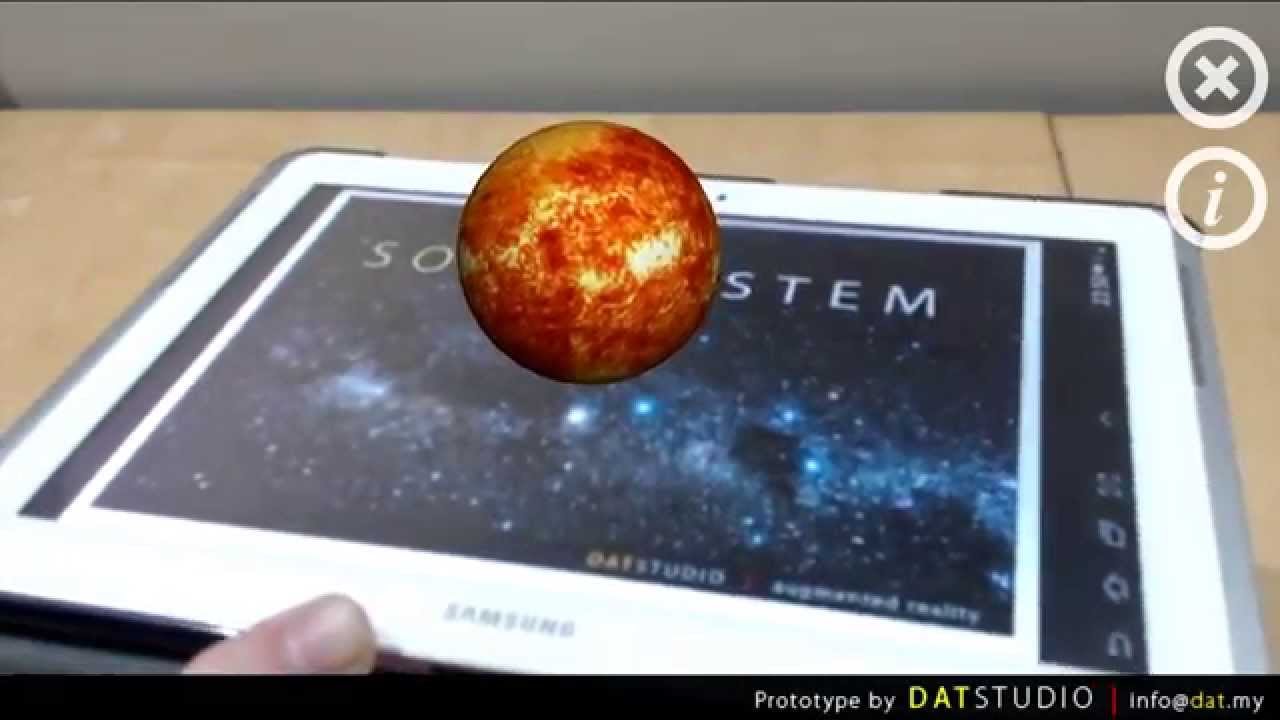
Augmented Reality - Solar System
Apk download: https://docs.google.com/uc?export=download&id=0ByXLnEuVbUZtMmlaTkNOYVJnNmc
Target Image: https://docs.google.com/uc?export=download&id=0ByXLnEuVbUZtd2JtcFhlWU9tbnc
Visit http://dat.my for more information.
By DAT Studio (Malaysia)
wanton turtle
slender rune
Hello, I am new here. Can anyone help me pls? I am currently making AR app about...
They are just using an image tracker, and using a tablet to show the picture instead of a paper print out.
All the VR frameworks should have good tutorials on how to do this
Not sure what framework you are using
slender rune
I used Vuforia for my AR app. I just want to make a popup information when click on the object but somehow mine doesn't work
slender rune
wanton turtle
They are just using an image tracker, and using a tablet to show the picture ins...
But is there a way to make the object appear like that when click on them?
wanton turtle
slender rune
But is there a way to make the object appear like that when click on them?
I cant help with vuforia I'm afraid
slender rune
wanton turtle
I cant help with vuforia I'm afraid
ouh, it's okay then.. thank you for the reply tho
slender rune
slender rune
Hello, I am new here. Can anyone help me pls? I am currently making AR app about...
anyone here know how to make like in this video using vuforia?
true stag
Vuforia isn't made by unity, so we can't help support that durectly unless another user in this discord has experience using it, however this may be a useful site for you, the vuforia forums related to unity https://developer.vuforia.com/forum/device-and-platform-discussions/unity-development
ah, my apologies, I just realized their forums are locked, they redirect you to the support center now. https://developer.vuforia.com/support
slender rune
Oh, I see then
slender rune
true stag
Vuforia isn't made by unity, so we can't help support that durectly unless anoth...
Thank you
 echo island
Does anyone have any tips on working with ARMesh? I'm trying to create objects on the ground as the mesh appears around me.
true stag
echo island
Does anyone have any tips on working with ARMesh? I'm trying to create objects o...
You'll want to be careful with meshing as it can quickly heat up your phone and take battery if you leave it on, you may want to use planes instead (as this is also supported more across platforms), but in either case, you will want to use the raycast manager to raycast onto the mesh or plane, place an anchor there, and make your content a child of that anchor gameobject. Hope this helps!
echo island
true stag
You'll want to be careful with meshing as it can quickly heat up your phone and ...
Thanks! I understand the raycast would be used if I were trying to grab where I selected or gazed but how could I tie into the generated meshes themselves to get the coordinates of the vertexes?
If I wanted to dynamically put things on the ground without having the user do it
true stag
you can simply raycast continually on the ground without the user's input
echo island
I see, but is that only where they are looking or off to the peripheral as well?
true stag
you can have multiple angles, you have no guarantee where the ground is so you'll need to try in a wider area and poll your results and interpret what you get back from your method
echo island
Thanks. I'll take a look at the raycast manager!
I was surprised I wasn't able to easily just get world coordinates of the vertexes of the mesh
 pearl cloud
Does anyone have experience using MediaPipe plugin, I have some question related to detecting motion and how to approach this
 errant kayak
Hey when i deploy template project with apple pro vision i get this? I'm wondering if this is due to having a trial version of unity pro? I have never had anything like this happen before with unity, ive had oculus headsets all the way back to the samsung gear vr seems super odd
wanton turtle
errant kayak
Hey when i deploy template project with apple pro vision i get this? I'm wonderi...
Yes pretty much
Unity puts trial watermarks in. First time seeing one there though... sad but not surprising. They really want people paying for vision pro licenses

 stray lion
which library would i use to develop XR for quest 3?
 dusky pendant
stray lion
which library would i use to develop XR for quest 3?
dusky pendant
stray lion
which library would i use to develop XR for quest 3?
meta quest all in one sdk
 night quartz
i'm trying to build and run an arcore project and it won't recognize my tablet even tough windows does, plus the APK is not where i told it to save to

what do i do
and how can i just build without running
nevermind i found the build option, it's only in Build Settings for some reason
true stag
 glad roost
https://cdn.discordapp.com/attachments/900380950083534888/1206582368765485127/im...
glad roost
https://cdn.discordapp.com/attachments/900380950083534888/1206582368765485127/im...
do you have occlusion on? It's possible your plane is being occluded by your floor since they overlay and the farther out you go, the less accurate it gets and therefore will be more flashy/weird looking when AR planes and other objects overlap it.
true stag
errant kayak
Hey when i deploy template project with apple pro vision i get this? I'm wonderi...
I'm not actually sure, we do have a discussion space for those questions that you can visit, perhaps this place will have more certain answers? https://discussions.unity.com/c/visionos/16

Unity Discussions
 karmic crow
Hey y'all, I'm trying to build the sample Vision OS template app on my Vision pro. It compiles, and I get an xcode project, but when I try to build to device, it seems like I'm missing some files. Anyone experience this, or know what's up?


I'm using apple silicon m1 chip as well.
 tribal cloak
Hey I’m new. I am studying Swift and SwiftUI for Apple Vision but I decided mess with unity to have one cross platform tool. Sooo is C sharp required for AR and VR Unity? Is there something else I can use besides it?
wanton turtle
tribal cloak
Hey I’m new. I am studying Swift and SwiftUI for Apple Vision but I decided mess...
Pretty much, there are some no-code tooling layers, but I highly doubt they would work with vision pro.
 random ermine
Hi everybody!
I´m very new using unity, but I was able to create an AR app for android, it is a simple app that uses image tracker to show the video. My problem is that I want to create it to use it on my personal iOS device, but I´m not sure if that it is possible by only switching platform, since I tried it and when trying to test it on Xcode I received a lot of errors. Can somebody give my a guidance on this? I'm using windows
karmic crow
@wanton turtle , did you manage to the the unity template working on the vision pro?
Also, hi guys!
karmic crow
random ermine
Hi everybody!
I´m very new using unity, but I was able to create an AR app for...
you will want to use ARFoundation, but there might be some platform dependent things in your app. You would have to change thosee for the specific platform
random ermine
karmic crow
you will want to use ARFoundation, but there might be some platform dependent th...
I used Vuforia for the Android app, there are a lot of tutorials to create an AR app on Android, but not on iOS 😦
Is it better if I try to create it on web? What would you recommend?
karmic crow
I recommend not to use vuforia, but I don't know what your requirements are. I don't think ARCore or ARKit has QR code tracking so you might be out of luck. If you can, search to see if they do, and if they do, you can use ARFoundation which is a crossplatform unity library that is a wrapper around arcore/arkit
random ermine
Thank you! I’ll give it a shot!
tribal cloak
wanton turtle
Pretty much, there are some no-code tooling layers, but I highly doubt they woul...
I won’t use it for iOS just for all others. 😂 I’ve been running from C sharp forever and this homie finally got me
wanton turtle
karmic crow
Also, hi guys!
We aren't looking at vision pro at this time.
 cunning aspen
Why does it seems like the AR Sample scene detects planes better than my Scene with the same components? Is there some way to improve it?
true stag
Do you mean the simulation scene?
karmic crow
@true stag , did you by any chance get to see my post above about building the Vision OS template to the vision pro?
true stag
Unfortunately I don't test with Mac stuff, so I don't know the process of building that
Has someone made a tutorial?
cunning aspen
true stag
Do you mean the simulation scene?
Debug build on phone, I just started using the XR origin prefab from the sample and just works better, maybe some day I'll get to know why 😄
true stag
cunning aspen
Debug build on phone, I just started using the XR origin prefab from the sample ...
Yeah we have the sample set up a specific way that seems to work
true stag
karmic crow
This is all the documentation I've really found on it
I meant like a video tutorial, I have not looked any up so I don't know if they exist
 austere walrus
Quick question that might be stupid. Currently using the meta all in one sdk and finding the documentation/resources for it to be not as vr beginner friendly as I'd like. Would it be worth it to swap over to unity xr or is there just as steep of a learning curve to it? Using Quest 3 for a mixed reality project that will involve local multi-player in the future. All pretty basic interactions/features in it besides that, its meant to be an add on mechanic and not a full game for the escape room company I work for.
 livid coyote
I am currently building an AR application and I have the problem that my assembly prefab does not appear 0.2 meters to the right of my marker as specified in the code. The assembly prefab appears on the marker... Does anyone know what I can do to make the assembly appear 0.2 meters to the right of the marker? The "Place Prefab Near Marker" Script is giving the positioning of the Assembly prefab. The Code of the "Place Prefab Near Marker" Script is as follows:


 true stag
livid coyote
I am currently building an AR application and I have the problem that my assembl...
true stag
livid coyote
I am currently building an AR application and I have the problem that my assembl...
if you debug the code, is it actually executing that line? If you make the offset something bigger much, does it get any further away? Are you trying to set the position of something that's being set to match the position of the marker at all times, ie: is the tracked image prefab behavior setting the position of your prefab back to the image's location eveyr frame?
wanton turtle
austere walrus
Quick question that might be stupid. Currently using the meta all in one sdk and...
I always recommend using an abstraction layer for accessing more headsets. OpenXR let's you build for vive, Pico, etc. You can also use something like UltimateXR or VRTK. But if you build it specific for say Meta, and a cooler headset hits the market in 6 months, you won't be able to do much about it
That said, the XR Interaction Toolkit is far from commercial releases ready, you'll find you need to rework a lot of it to meet proper VR design. It's just a toolkit you need to rework to make releasable. For example even the teleport doesn't fade to black, isn't really customizable, missing composting between scenes etc. All the important parts you want in an actual consumer release.
And OpenXR has some limitations you need to work around, such as not always knowing what headset is being used through say SteamVR, and not being able to show controllers for platforms etc.
But it's a lot better than supporting only one headset.
austere walrus
That's a good point. From what it seems like, the quest 3 is the best option for mixed reality but that might not always be the case. I'll probably set up an openxr project and compare, its just hard to tell if the meta documentation is just way beyond my skill set or if they made it overly complicated. I found myself even reading documentation for v64 when the most recent release on the unity store is v60 so there's a feeling like no matter what I pick, I'm always going to be behind haha
Thanks for the response
 pliant sentinel
hello there im very new and i have no experience or skills to create an ar app, is it possible for me to make one ?
my idea is to create an app that allows users to scan a qr code that is placed next to objects in museums that give additional information in a form of video, 3d popups ect. is this something possible for a person with 0 experience ?
random ermine
Hi again!
I’m trying to create an AR app for iOS, but when trying to build on Xcode I receive the error: signing for "unity-iphone" requires development team in the signing & capabilities editor.
The thing is that the team is already selected (personal) I already clean the build folder... (I'm starting on this, so I don't know if I should do something more than just signing with my appleID on Xcode)
random ermine
pliant sentinel
my idea is to create an app that allows users to scan a qr code that is placed n...
I´m starting on this, but last week with 0 knowledge I was able to create a similar app for Android by just following tutorials on Youtube, so my answer will be YES
livid coyote
true stag
if you debug the code, is it actually executing that line? If you make the offse...
Here it says that the assembly prefab was placed at position (0.0.1, 1.12, 0.20). However, the assembly still appears on the marker and not shifted 0.2 meters to the right of the marker
 livid coyote
true stag
if you debug the code, is it actually executing that line? If you make the offse...
livid coyote
true stag
if you debug the code, is it actually executing that line? If you make the offse...
Are you trying to set the position of something that's being set to match the position of the marker at all times: Yes
true stag
livid coyote
Are you trying to set the position of something that's being set to match the po...
Make the thing you're trying to move, a child of this object instead, and THEN set the position of that object?
livid coyote
true stag
Make the thing you're trying to move, a child of this object instead, and THEN s...
a childobject of the marker?
true stag
my theory is that the object you're trying to shift over is tracking the image, and therefore is having it's position constantly set, so you need to make something a child of that object
livid coyote
true stag
my theory is that the object you're trying to shift over is tracking the image, ...
Like this:
 true stag
that looks correct if Origin is having it's position set to the tracked image location
livid coyote
Is still not working...

 livid coyote
true stag
that looks correct if Origin is having it's position set to the tracked image lo...
livid coyote
true stag
that looks correct if Origin is having it's position set to the tracked image lo...
when I run the app the prefab is still spawned on the marker.
 jolly lance
Hi Everyone. Anyone here an expert in Unity Mars? I'm having some trouble getting my objects to spawn on the floor. Can anyone help?
wide thunder
Wondering if anyone has encountered and been able to find a solution to the issue of AR plane spawning infinitely? As in, move the camera and see a new AR plane every frame or so (it's like the Solitaire end-game). I was told 'set clear flags to solid color,' which it is already. I've been stumped for 2 weeks now😬 Also this only happens when I set up XR origin manually, it does not happen with the AR Core template. But I've replicated everything to the last detail and still have the problem.
true stag
wide thunder
Wondering if anyone has encountered and been able to find a solution to the issu...
I would highly recommend you report a bug so we can reproduce it with your project!
tribal cloak
Soooo do I do Unity Essentials then VR Development on Unity learn site? I don't know if the VR Pathway teaches the essentials also
Do the site also cover Csharp since I am a little rusty?
livid coyote
true stag
that looks correct if Origin is having it's position set to the tracked image lo...
Do you have any other suggestions what to do ?
true stag
tribal cloak
Soooo do I do Unity Essentials then VR Development on Unity learn site? I don't ...
I would recommend unity essential first, good luck!
true stag
livid coyote
Do you have any other suggestions what to do ?
I forget the name of the script off the top of my head but which game object has the script that is created by AR foundation to make it track the image, can you screenshot the inspector looking at that game object?
livid coyote
true stag
I forget the name of the script off the top of my head but which game object has...
XR Origin (XR Rig) is the gameobject that has the script which was created by AR foundation to make it track the image
 true stag
livid coyote
XR Origin (XR Rig) is the gameobject that has the script which was created by AR...
true stag
livid coyote
XR Origin (XR Rig) is the gameobject that has the script which was created by AR...
Sorry, I meant the "Origin" game object, lower down
livid coyote
true stag
Sorry, I meant the "Origin" game object, lower down
The script responsible for scaling the prefab relative to the marker can be found under the GameObject named GameObject1. The GameObject named Origin does not have a script.

 true stag
livid coyote
The script responsible for scaling the prefab relative to the marker can be foun...
true stag
livid coyote
The script responsible for scaling the prefab relative to the marker can be foun...
Where is your ARTrackedImage component?
livid coyote
true stag
Where is your ARTrackedImage component?
I haven't used this component. Is this the ARTrackedImage component ?
 true stag
Does your assembly prefab not track the image?
livid coyote
true stag
Does your assembly prefab not track the image?
As far as I know, the ARTracked Image Manager script is responsible for recognizing and tracking the marker I've standardized.
 true stag
livid coyote
As far as I know, the ARTracked Image Manager script is responsible for recogniz...
true stag
livid coyote
As far as I know, the ARTracked Image Manager script is responsible for recogniz...
I would suggest you take a look at the samples image tracking scenes to figure this out, your script is placing the object down but nothing on the prefab is tracking the image so if your image moves it won't track with it. When I said place the assembly under an object and move that object, I mean make your prefab include a parent object embedded in it that's the main origin of it, and then you can move the assembly game object over inside that object's relative child space, so that you're placing the origin and not losing the offset if anything else is moving the base of the prefab. Just having an arbitrary object called "origin", that's already in the scene, that you instantiate the prefab under won't fix this issue.
pliant sentinel
Is there anyone that is willing to help me with an ar project I have ?
wanton turtle
pliant sentinel
Is there anyone that is willing to help me with an ar project I have ?
It's best not to ask to ask, and just jump into the issue
But you should start with !learn
 fossil pierBOT
:teacher: Unity Learn ↗
Over 750 hours of free live and on-demand learning content for all levels of experience!
wanton turtle
QR codes for AR / museums is really available as any example. Although I prefer to use web frameworks for those (so people don't need to install an app) and use the QR to direct them to the website in case they use a normal camera.
pliant sentinel
wanton turtle
It's best not to ask to ask, and just jump into the issue
Idk where to start , I wanna do something simple but I’m total unfamiliar with unity
pliant sentinel
wanton turtle
QR codes for AR / museums is really available as any example. Although I prefer...
The ones I found were ar museums , what I want is to scan the object (qr code next to object) and give additional information about the object
With video , sounds , text or even 3D textures
wanton turtle
pliant sentinel
Idk where to start , I wanna do something simple but I’m total unfamiliar with u...
!learn
fossil pierBOT
:teacher: Unity Learn ↗
Over 750 hours of free live and on-demand learning content for all levels of experience!
pliant sentinel
!learn
fossil pierBOT
:teacher: Unity Learn ↗
Over 750 hours of free live and on-demand learning content for all levels of experience!
wanton turtle
You probably want to start with image targets, ar foundation, UI's and playing videos and sound
pliant sentinel
wanton turtle
You probably want to start with image targets, ar foundation, UI's and playing v...
can i dm you ?
wanton turtle
pliant sentinel
can i dm you ?
no, I have my dm's disabled, and get quite busy. It's be to post qustions in here for people to help when you get stuck
true stag
We can't tell you how to make a game here, that would take a bit more detail and length than one could reasonably ask, but I would say learning unity first is a good start, because the AR package builds on top of that tool set, trying to learn both AR Foundation and unity at the same time will only give you much slower progress, learning unity may also help you define what kind of ideas you want to flesh out
wanton turtle
I definitely agree, unity learn has come a long way, and can definitely get you what you need 🙂
livid coyote
true stag
I would suggest you take a look at the samples image tracking scenes to figure t...
It did work!!! Thank you for your help, I appreciate you! 🙏
cunning aspen
Hi! How could I get around spawning a prefab over a scanned QR?
I mean any QR that I scan, not one saved in an image library
wanton turtle
cunning aspen
Hi! How could I get around spawning a prefab over a scanned QR?
I mean any QR t...
I don't really use the QR code, that's usually a link to the app for that client. I usually put the image tracker in the center of the QR where the logo would go. Or separately and use image tracking altogether with no QR.
cunning aspen
wanton turtle
I don't really use the QR code, that's usually a link to the app for that client...
Thing is, what I want to do is read any QR data, do something with the string and then spawn a prefab on the QR.
I mean literally any QR, not generated by me
wanton turtle
cunning aspen
Thing is, what I want to do is read any QR data, do something with the string an...
Yeah that's fine, you can use zxing for that (decoding).
Spawning the prefab at that location is a different problem.
The QR changes, so it won't scan for image tracking. So, use the logo space for it which can be consistent, or one of the corners etc.
ARFoundation has quite a few limitations in practice, dynamic QR is definitely one of them.
However if you have a platform, you can generate the QR image and download it via the app.
For that, see the runtime section here
https://docs.unity3d.com/Packages/com.unity.xr.arfoundation@3.0/manual/tracked-image-manager.html
cunning aspen
wanton turtle
The QR changes, so it won't scan for image tracking. So, use the logo space for...
Maybe this approach could work
wanton turtle
cunning aspen
Maybe this approach could work
It should be, it's how I do it in some cases 🙂
Usually when I need to dynamically manage a large number of vendorized experiences in a single app.
cunning aspen
wanton turtle
It should be, it's how I do it in some cases 🙂
Thanks!
pliant sentinel

ive been following guides step by step
each time i get a new error
this once appeared when i tried to patch and run
how am i supposed to delete that folder when the project 7 is the one im currently working ?
im losing my mind
cant even recreate the smallest task
 hybrid perch
pliant sentinel
how am i supposed to delete that folder when the project 7 is the one im current...
hybrid perch
pliant sentinel
how am i supposed to delete that folder when the project 7 is the one im current...
Are you trying to build your APK to a location that's inside your unity project folder?
pliant sentinel
IDK
i want to patch and run
to see if what i was copying from a youtube video works
yesterday i was literally following this guy's guide , did exactly everything and no cube was visible
Only a RANDOM red line

In this tutorial I go over step-by-step on how to create an image tracking augmented reality (AR) app for Android device.
I develop the app using: Unity 2022.2.0 editor, on Mac Studio, and the app runs on Galaxy A6 Lite Tablet.
am i really that dumb

 hybrid perch
Just try building to a different folder? And preferably one without spaces or special symbols since android builds can be fussy
pliant sentinel
how ?
i just want to test if it works
so if i build with a different name and fodler can i patch and run ?
pliant sentinel
i really need help i dont know what im doing
if anyone has the time and wants to explains a few basic things to me my dms are open i can vc, screenshare anything
pliant sentinel
hybrid perch
But you can't patch and run before you have a functional build
and how do i know i have a functional build
patch and run isnt there to test before building or did i get that also completely wrong
hybrid perch
Build and run is what you want to use
pliant sentinel
what is patch and run used for
the guy on that video used patch and run
ok it runs
it doesnt work
measured the piece of paper with ruler, drew a cross so its not totally blank and its easier to be recognized , took high quality picture followed step by step a guide for the simplest thing to do and it still doesnt work
a simple cube and its not appearing , didnt even add animations
7 days still havent figred this out


 unkempt steeple
can I ask somehing related to AR here? (if not, pls tell me where I shoud go)
I was triyng to add AR Raycast Manager to XR Origin in my project, but it did not appeared. Anyone knows how to fix this?
pictures attached below (left: in my issue case, right: newly created project)
my environment:
- Unity 2022.3.4f1
- Windows 11
- URP
- Packages: AR Foundation 5.0.7, ARCore XR Plugin 5.0.7, Core RP Library 14.0.8

 wanton turtle
pliant sentinel
it doesnt work
wanton turtle
pliant sentinel
it doesnt work
I'm sure you know this, but not all devices are supported by ARFoundation. You should be able to read the debug log from the device to see if there is an error
pliant sentinel
IT WORKED
look what i made
does anyone know how to add instead of the cube, sphere ect shapes to add a complex one or perhaps how to import a 3d object that is premade and place it in unity
true stag
I think we updated some of the structure and components of the AR origin prefab, so some older tutorials may be slightly incorrect, the AR Foundation Samples git has the correct origin prefab
pliant sentinel
what is prefab
true stag
prefab is a game object setup that's been stored as an asset
slender rune
i have issue developing my project. before this, all of my buttons perfectly fine, functional. but now i got this error
CommandInvokationFailure: Unity Remote requirements check failed
C:\Program Files\Unity\Hub\Editor\2022.3.14f1\Editor\Data\PlaybackEngines\AndroidPlayer\SDK\platform-tools\adb.exe forward tcp:7201 tcp:7201
and now some of my buttons arent functional. I even have tried to create new buttons bcs I thought the old one is corrupted but even the new buttons isn't working... can anyone help me to fix this issue? i have no issue about this before but i'm not sure why it's happening now...
slender rune
so, the error is now gone after I change the Device under Unity Remote in Project settings, from Any Android Device to None. but it still not change anything. some buttons still not working. it's just in one scene, i've made new scene to test the button and it's perfectly working fine. i don't want to make another one because I have done so many things in there and it felt wasting time to redo
true stag
This doesn't sound like a problem related to AR Foundation, is there any additional information you can provide that may point out what AR Foundation could be causing?
pliant sentinel
@true stag will it be possible for me to create an ar application (with 0 experience)that allows you to scan an object in a museum and give you a 3D representation of it or give additional information ect ?
It’s for a school project and I really need to know if I should invest more time or not . As I said I have 0 experience and even trying to follow YouTube tutorials gets quite challenging sometimes
For example I want to create a boat museum vr application , it doesn’t have to be super detailed and perfect, for example scanning an irl boat at the museum gives you additional information in a form of a video pop up ect
true stag
I'm not able to give exact ideas on creating specific AR applications in terms of "how difficult", but if you've never touched unity before, and you want to create an AR app like that in say, a month? You may be better off getting someone to make it for you. Note that "scanning objects" sounds like object tracking, and only ARKit supports this, image tracking is supported on both ARCore (android) and ARKit (apple) however
pliant sentinel
Or scanning a picture of a boat gives you a 3D reference of it in real size
How costly could that be ?
true stag
Cost would be entirely based on who you ask
pliant sentinel
I really don’t know who to ask or if I should even hire someone else
I’m a student I have a tight budget but since you are saying it’s not going to be easy I might have to consider it…
true stag
well, it's possibly easy for those who have experience with Unity and AR Foundation, but learning all the basics of both at the same time and wanting to make a working app for school use may be challenging for a completely new start
pliant sentinel
My professor said it’s going to be easy 💀
How much time would it take for an experienced developer to create such an application ?
true stag
I don't think I'm qualified to make any estimates in my position, but others here are welcome to speculate!
wanton turtle
pliant sentinel
How much time would it take for an experienced developer to create such an appli...
It depends on the company... for one our size it would be a few hours plus store submission and story writing. But we have voice actors, modelers, animators and XR templates on hand and this would be a bit too small for us.
I'd expect a third party contractor to probably need a week. Less if you already have 3D models and such. And assuming it's easy to put the plan together.
I also mentor local XR devs through a mentorship program, and would probably just walk them through how to make this in the one-on-ones (suggesting you should seek a local mentor)
 crystal barn
Hi, can any one help me with this issue. Im trying to make an ar project with Google ARcore and LightShip and I cant get the camera to use the androids camera it just shows the scene editors camera like:
 slender rune
true stag
This doesn't sound like a problem related to AR Foundation, is there any additio...
slender rune
true stag
This doesn't sound like a problem related to AR Foundation, is there any additio...
are you replying to me or someone else? but if you ask me, I didnt use AR Foundation, I use Vuforia. I am aware Vuforia isnt made by Unity, but I just wanted to know the issue that's causing it since it's fine before this but after I did some changes like adding new buttons and link to other objects, some buttons aren't working
slender rune
it telling me the buttons has pressed, so it means it still working but when i clicked on it, the buttons didnt display any panel that link with it
 warm abyss
crystal barn
Hi, can any one help me with this issue. Im trying to make an ar project with Go...
warm abyss
crystal barn
Hi, can any one help me with this issue. Im trying to make an ar project with Go...
Follow URP guides if you use URP. And for lightship ask on the lightship discord
slender rune
slender rune
it telling me the buttons has pressed, so it means it still working but when i c...
it's okay, guys! problem solved. i've figured out the issue. the prefab is in the wrong order, so that's why the button aren't work lol it's just a silly mistake
livid coyote
Could someone tell me how to get the normal color of those objects (everything is pink). I have downloaded MRTK 2 and imported the HandInteractionExample.
 warm abyss
livid coyote
Could someone tell me how to get the normal color of those objects (everything i...
warm abyss
livid coyote
Could someone tell me how to get the normal color of those objects (everything i...
Do you use URP?
If so, use the render pipeline upgrader
 maiden crystal
Hello! Im having an issue where my app which is using AR Foundation doesn't work anymore on Mac Catalyst after upgrading the AR Foundation version to the latest version, during the debugging it gives me the following error, ive tried with different xcode versions but nothing works, i cannot start the app
 true stag
maiden crystal
Hello! Im having an issue where my app which is using AR Foundation doesn't work...
true stag
maiden crystal
Hello! Im having an issue where my app which is using AR Foundation doesn't work...
I'm not sure I can decode what the error is, it's just listing some names and then the gibberish of some hex code I assume, can you give more info?
copper dirge
Hi. I was hoping someone could help me out. I’m trying to build an AR app, when I build to android I get the Black Screen Problem.
Has anyone else come across this? Any help would be greatly appreciated.
maiden crystal
true stag
I'm not sure I can decode what the error is, it's just listing some names and th...
That’s the thing, Xcode only gives me assembly code or this kind of errors hehe, what I know it’s that it happens when unity initializes the content related to XR, the app doesn’t run at all
true stag
copper dirge
Hi. I was hoping someone could help me out. I’m trying to build an AR app, whe...
connect a debugging console like unity logcat and see if any errors are coming up, that can help narrow down the issue quickly
true stag
maiden crystal
That’s the thing, Xcode only gives me assembly code or this kind of errors hehe,...
Hm I'm not familiar with XCode so you may have to file a bug report and attach the project, possibly?
wide thunder
Why am I seeing this instead of my scene? I have a very basic AR scene with a cube in front of the camera, but this is all I see on loading: (no errors appear to be logged)
 warm abyss
wide thunder
Why am I seeing this instead of my scene? I have a very basic AR scene with a cu...
warm abyss
wide thunder
Why am I seeing this instead of my scene? I have a very basic AR scene with a cu...
Which render pipeline and unity version?
OpenGLES?
Any special project setup?
Any other noteworthy info?
 balmy basalt

Make the world your playground with SPACE INVADERS: World Defense, an immersive game powered by ARCore.
Later this summer, get ready to play one of the most acclaimed arcade games in real life, in the real world. To celebrate the 45 year anniversary of the original release, TAITO will launch SPACE INVADERS: World Defense. The game, powered by A...
do you have depth ai smartphone
to handle things like things on the video
 shut narwhal
pliant sentinel
IT WORKED
shut narwhal
pliant sentinel
IT WORKED
could you tell me how I am trying Ar for the first time as well and cant get it to work
like what was the main problem
pliant sentinel
Help you with what
wide thunder
warm abyss
Which render pipeline and unity version?
OpenGLES?
Any special project setup?
A...
Sorry for my lack of details
v. 2023.2.3 f1
URP template
Nothing special, just bare bones AR session and XR origin w/plane manager and raycast manager, as well as a cube in front of AR camera (this was just to test an error I was having where geometry spawned infinitely all over the screen whenever I moved the camera. I notice it only happens with the URP template when I set up AR functionality, and not when I use the AR template to start with.
On another note, I started with the URP template because I found that when I used the AR template and then implemented URP on my own, some of my URP textures appear 'glowed out' when I turn on depth and opaque texture on my renderer. But with the URP template, it looks perfect. I just can't seem to do both successfully, and that's kind of what this trail of breadcrumbs led me to experiment and then find other errors I wasn't having before.
warm abyss
wide thunder
Sorry for my lack of details
v. 2023.2.3 f1
URP template
Nothing special, just...
Add the ar background render feature, disable SSAO, disable bloom, disable opaque texture (unless you really need it), and maybe update unity
And disable HDR and HDR post processing
wide thunder
warm abyss
Add the ar background render feature, disable SSAO, disable bloom, disable opaqu...
Thanks! I'll give all this a whirl. After looking at the file, I see that the renderer feature was already added--I'll see if the other stuff makes a difference!
crystal hedge
I'm about 2/3 of the way through the trailer for the Mixed reality game i've been working on. I'm especially interested in how the pacing feels to everyone, please share your thoughts 🙂 https://youtu.be/SwEu1yMJuts
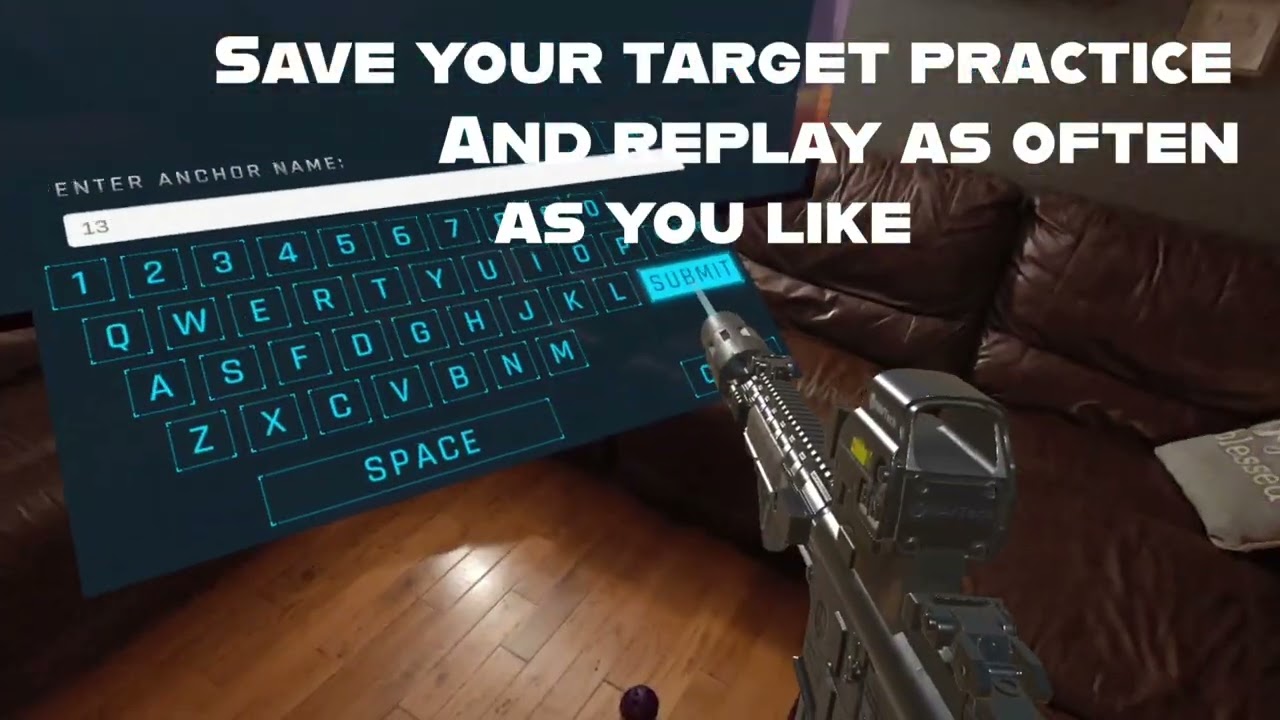
 tender field
Hi, im Zul. Im a student in Multimedia. I have a final year project coming up, the project given to me was to develop a clothing shopping app on android, where I can use the app to browse clothes, and implement an AR clothing try-on. So im really new to all this AR and Unity itself, i don't really know where to start, it would help me a lot if anyone can help me / guide / let me know where I can learn online and where to start from
shut narwhal
pliant sentinel
Help you with what
Image tracking, I saw you post above where it didnt work even you tried a lot of stuff.
I also followed a tutorial and cant get it to work. If you could tell me what was the main problem for you it would be appritiated. Thanks.
pliant sentinel
make sure when scanning the image
to give it a while
scan it from up close and wait for a couple of seconds
in my case the problem was that i was scanning the image from further away as i thought that the dimensions i inserted had to match the scanning process. (example, the image i was tracking was 10cmx15cm, so i thought that when scanning it had to appear in real time as 10cm so i was placing it far away)
i abandoned my project since i have 0 experience and nobody here actually helped. Its like a reddit page, people are going to correct you on ur mistakes to prove knowledge but wont help you in a meaningful way 😦 @shut narwhal
but i dont blame them, they probably are all busy and correcting mistakes is simpler i guess rather than explaining in detail
true stag
tender field
Hi, im Zul. Im a student in Multimedia. I have a final year project coming up, t...
That sounds like you may need to use body tracking, but that requires the camera to be mounted somewhere or viewing it against a mirror, and also body tracking in AR Foundation only works in ARKit (by Apple), as ARKit is the only one that supports it currently. As for where to start, the AR Foundation samples github should help you out!
 echo kindle
trying out the new meta all in one sdk and passthrough just shows black. any suggestions?
warm abyss
echo kindle
trying out the new meta all in one sdk and passthrough just shows black. any sug...
Already looked at the quickstart guide?
shut narwhal
When I compile to start at AR scene my tracking works somewhat and AR planes are being created. I created a menu scene which has a few buttons that load different scenes, they are test scenes for me to test AR.
But when I load those scenes from menu instead of open by default AR planes and tracking is not working properly for some reason. Unity AR sample scene does work and image detection as well but something isnt working.
Any idea why?
heres one of the scenes that doesnt work, if I just built for this scene I see the axis cross. If I build to open menu scene and load from there I see nothing.

pls help if you know something
 mystic cobalt
HoloLens 2 Spatial Awareness
wide thunder
How can I get started with sky segmentation? Sort of like this video: https://www.youtube.com/shorts/sxJNA_gJeaI
I want to replace the sky with a night-scene and stars, in AR. I don't see any tutorials for it online. Perhaps it goes by a different name other than sky segmentation? All I see are tutorials about skyboxes. I'd love suggestions on what setup to use if I want to achieve this sky replacement effect (and I understand it may involve 3rd party softwares)

 weary sundial
Hello everyone! I'm a beginner at Unity. Very recently finished the Essentials pathway and learning junior developer and AR pathways.
I want advice with the following question I have regarding AR development,
I have a Windows 11 laptop which I plan to use for all my Unity projects. But my current phone doesn't support ARCore. and My budget is not enough to buy a supported device.
My sister told me she'll give me her iPhone 13 and a few years back, My cousin gifted me his 2013-late Macbook. I was happy at first but Now i realize that XCode 13 only supports ios15 and the Mac cannot install the Xcode which supports ios17.
Do I have an option to use the iPhone with windows lap for a Unity AR development journey? Or Should I hold on to some other projects (VR?) until I get an ARCore-supported phone?
Your opinion/answer is much appreciated.
true stag
wide thunder
How can I get started with sky segmentation? Sort of like this video: https://ww...
my best first-guess is it's a very large plane with a screen-space texture that then has fading edges, and it's positioned high in the air above the user, and then the depth occlusion is making it so it covers stuff properly, making it look like it's replacing the sky, assuming the depth API is properly setting the sky as a very far object and not occluding it, or perhaps they have a cutoff or max distance the occlusion will effect. It looks like a very easy setup based on the scene they show, as it's almost entirely an open sky with little overlapping it. But this is all implementation details, I wouldn't know down to the last line of code
true stag
weary sundial
Hello everyone! I'm a beginner at Unity. Very recently finished the Essentials p...
you cannot build for an iphone on a windows environment, apple essentially requires you to build from an apple device in order to deploy to an apple device.
weary sundial
I see. Thanks for the reply
 flint basin
I am currently facing a problem of which I couldn't find a straightforward answer online; I am trying to restart a scene (simply by SceneManager.LoadScene()) and getting the following errors.
In this scene, I am having an AR Session, XR Origin and AR Tracked Image Manager, together with a custom script tracking my objects.
How do I properly reset the Session?
 true stag
flint basin
I am currently facing a problem of which I couldn't find a straightforward answe...
true stag
flint basin
I am currently facing a problem of which I couldn't find a straightforward answe...
What script is causing these errors?

 true stag
And these happen when you load in the scene? is there anything that's not being destroyed on load, perhaps?
true stag
flint basin
I am currently facing a problem of which I couldn't find a straightforward answe...
The actual answer should be ArSession.reset, that's the plain answer to your question, but I'm guessing that's not the answer you're looking for?
austere walrus
So I have a project using the meta all in one sdk version 62, unity version 2023.3. I have had success getting a mixed reality project to run on version 60 which then broke for reasons I'm unsure of when I upgraded to 62. Made a new project to test out the changes in 62 and I am now facing a new problem with my visuals being completely black with no passthrough nor the test cube being visible. Hand menu buttons still show as well as the unity logo in the beginning, so seemingly no issues with building to device. Have tried multiple camera rigs, including the built in building block prefabs that are available. Has anyone faced this issue?
Passthrough layer is in and enabled inside the camera rig, all settings match to when I had it working so not sure what changed exactly
flint basin
true stag
The actual answer should be ArSession.reset, that's the plain answer to your que...
So, when I am trying to reload the same scene, I do the following things in order:
- ARSession.Reset()
- SceneManager.UnloadSceneAsync()
- SceneManager.LoadScene()
I have read about subsystems of which I weren't aware of, so as of now, I am trying that
flint basin
flint basin
I managed to resolve only this one error by adding the following lines between the reset and reload:
LoaderUtility.Deinitialize();
LoaderUtility.Initialize();
true stag
Does load scene not synchronously activate while the unload is still happening? I'm not sure if that could be causing an issue.
flint basin
true stag
Does load scene not synchronously activate while the unload is still happening? ...
Not the issue, while it was an ugly solution, it didn't bother the application. But I got to fix everything; the SimulatedTrackedImage is generated by the AR Tracked Image Manager, so simply disabling the script before resetting the AR Session is working
 silk fog
Unity messed up on the latest PolySpatial 1.1.4 - the video player doesn't work correctly, seems to mess up on sound, even tried to use the Component and Unity Video Player, can get it playing, but audio doesn't work. Also tested the Balloon sample, no sound on the ballon pops either, so this latests 2022.3.19 & 20 with PolySpatial 1.1.4 has broken the audio, that is not good, I spent the day getting things working up through 2022.3.18f1 and PolySpatial 1.0.3 - the previous Poly Spatial player on 0.6.3 with previous unity versions also works for the video playback and sound
shut narwhal
any idea how to use this, I tried putting material from image effect in there and it did nothing, just black screen

cant find documentation for how to create custom material or examples
true stag
silk fog
Unity messed up on the latest PolySpatial 1.1.4 - the video player doesn't work ...
If you can, get a project that reproduces this problem and submit a unity bug report I can follow it up to make sure that this is actually a problem on our end if you can get the number to the bug report once submitted. Would be much appreciated!
based on the c# code it looks like it is doing some setup with the material and setting some matrices and shaders, but it does look like it's rendering using that material, or attempting to if the material can be used to render the AR Background
 halcyon sable
Hello everyone! I am creating an AR app using vuforia in unity. For now the app can render the ar object on a image target, however the ar object is set up parallel to the image target so when i tilt my phone perpendicular to the image target, the tracking disappears and so does my model. Any ideas how to tackle this?
wide thunder
true stag
my best first-guess is it's a very large plane with a screen-space texture that ...
Thank you! The explanation goes over my head a little, but I'm looking into the things you mentioned. It'll hopefully make more sense as I learn.
true stag
wide thunder
Thank you! The explanation goes over my head a little, but I'm looking into the ...
Right, my intent was to give you terms to look up and remember, so as you learn you'll be able to map what I'm learning to what you're seeing in the project, hope it helps!
compact horizon
Hey guys how to running Ar program in TV?
crystal hedge
I finally finished the trailer for my game, and was able to submit it for review to app lab. It feels so good to have taken it from an idea to here: https://www.youtube.com/watch?v=4a35RC_xLpg

Looking for reality based trigger time, that incorporates your home in the experience?
Augmented Defender is grounded in the real world, for the most immersive XR weapon handling experience available. Once you have the basics down, add stress to the experience by trying to hold off a zombie hoard, trying to invade your home.
Stay up to date:
...
wanton turtle
crystal hedge
I finally finished the trailer for my game, and was able to submit it for review...
Interesting:
mystic cobalt
Does anyone know why does my HoloLens 2 app run like an edge tab ? Instead of being in the game when building, a window opens and shows a black screen. I have been looking for a solution for hours now.
 frosty jacinth
Any one know how to make AR without image taracking?

i made this with vuforia but it aint working
 grizzled lichen
Guys do you know how can i stick the prefab with the given image
grizzled lichen
frosty jacinth
Any one know how to make AR without image taracking?
Is vuforia still useful even after ar foundation can do the same things?
frosty jacinth
grizzled lichen
Is vuforia still useful even after ar foundation can do the same things?
AR foundations dosent work for me tho
idc as long as the AR works for me thats fine :(
i just need the AR part for a uni project
grizzled lichen
frosty jacinth
i just need the AR part for a uni project
Oh i was also working on that using ar foundation
frosty jacinth
grizzled lichen
Oh i was also working on that using ar foundation
aha did it work ?
grizzled lichen
frosty jacinth
aha did it work ?
Na not being able tto sstick the prefab with the image
this is ur 1st time working with vuforia or you work with that on daily basis
frosty jacinth
aha youre doing the image trackking methord im doing just ground tracking
frosty jacinth
grizzled lichen
this is ur 1st time working with vuforia or you work with that on daily basis
my 1st time on unity and everything
grizzled lichen
frosty jacinth
aha youre doing the image trackking methord im doing just ground tracking
Oh you mean plane detection
frosty jacinth
i regret adding this part to the project
grizzled lichen
frosty jacinth
my 1st time on unity and everything
Oh great
grizzled lichen
frosty jacinth
i regret adding this part to the project
oh
grizzled lichen
frosty jacinth
yep yep
Done that but the built in doesn't work quite well
frosty jacinth
grizzled lichen
Done that but the built in doesn't work quite well
Aha idm i jsut need it to work
wait ddo u have the project file for it ?
frosty jacinth
grizzled lichen
Do you know anyone here who is experienced in Ar
nope :(
frosty jacinth
grizzled lichen
for what?
so i can prob try out with it
grizzled lichen
frosty jacinth
so i can prob try out with it
No much my last ar project has been crashed & this one is not complete i would suggest u to search over the youtube for that
frosty jacinth
grizzled lichen
No much my last ar project has been crashed & this one is not complete i would s...
Trust me ive combed youtube and nothin works for me
most of the stuff are so oldd
grizzled lichen
Yeah same
frosty jacinth
grizzled lichen
Yeah same
If i find something that works for me imma let you know
grizzled lichen
frosty jacinth
If i find something that works for me imma let you know
Oh it would be a great helpful
 scenic osprey
Hey people! I'm using Scene Color node in shader graph in order to distort whatever is behind an object, but I don't know how to get it to also take into account Quest 3's passthrough layer/background. I just get the sky color. Any ideas?
 manic wolf
Hey Guys! I'm new to Unity and AR stuff. I want to develop an AR Object detection. I want to train a model for this but I don't know if Unity supports other YOLO versions other than Tiny YOLO v2?
warm abyss
scenic osprey
Hey people! I'm using Scene Color node in shader graph in order to distort whate...
You cannot, as Unity cannot access the quest's pass through :/
Sadly nothing you can do there
warm abyss
manic wolf
Hey Guys! I'm new to Unity and AR stuff. I want to develop an AR Object detectio...
If you want to add a model maybe look at Unity Sentis?
That adds AI model support to Unity via 1 system
 pearl tiger
frosty jacinth
pearl tiger
frosty jacinth
I created a tutorial on how to implement plane tracking using AR Foundation https://youtu.be/HkNVp04GOEI
Hopefully this will help!
grizzled lichen
Do anyone here could tell me is vuforia is still valid ?
warm abyss
Why wouldn't it be?
Doesnt have the most features I think, but it works
frosty jacinth
pearl tiger
I created a tutorial on how to implement plane tracking using AR Foundation http...
It really is great but ARCore doesn't support my device :(
do u have tutorials on vuforia tho ?
wanton turtle
grizzled lichen
Do anyone here could tell me is vuforia is still valid ?
They have a 20k/yr license now for 3D object detection.
All other features are pretty much free, but also free in ARFoundation anyway, so it gets skipped a lot.
Their support has gone way down, with support forums unanswered. And upgrading vuforia projects is always a pain as they completely change their SDK between minor versions - making you incrementally update / patch / update / patch etc.
When Android went 64bit only, they didn't update any old SDKs. So everyone had a mad scramble to rewrite or painfully update. They also did some price gouging that left a lot of people unhappy. And they made the genius decision to do those two things at the same time causing an exodus.
Anyway, it is there. Some people use it. But it's kind of out of favor (in my personal opinion)
There is also an OpenCV for ARFoundation which would be platform agnostic. I haven't tested it though.
EasyAR was also awesome for a while but now quite broken. Wikitude shut down I believe. Haven't used MaxST in a while. And 8th wall abandoned their unity plugin for their web platform.
frosty jacinth
wanton turtle
There is also an OpenCV for ARFoundation which would be platform agnostic. I ha...
aha I used ARFoundation with ARCore but it dosent support many devices right ?
grizzled lichen
wanton turtle
They have a 20k/yr license now for 3D object detection.
All other features are ...
But using ar foundation i faced lot of problems where i need to stick an spawn 3d object with the image but failed to do so the object get's stuck with the camera always
pearl tiger
No, I don't. I only have AR Foundation tutorials for now.
pearl tiger
frosty jacinth
aha I used ARFoundation with ARCore but it dosent support many devices right ?
Here is the list of devices that support AR Foundation https://developers.google.com/ar/devices
frosty jacinth
pearl tiger
Here is the list of devices that support AR Foundation https://developers.google...
aha okok
thank uu
wanton turtle
frosty jacinth
aha I used ARFoundation with ARCore but it dosent support many devices right ?
Yeah, don't get me wrong, I don't like ARFoundation... I think it was built far too late, they missed a big opportunity to add something to run on all devices, and for a long time all it was, was a less functional version of arcore and arkit mixed together. It's finally getting some kind of usable but it's about 10 years late to the table. Anyway, I digress. But for all it's faults, at least it isn't vuforia
frosty jacinth
wanton turtle
Yeah, don't get me wrong, I don't like ARFoundation... I think it was built far ...
yeah kinad agree with that
I switcched mine to vuforia
wanton turtle
For image tracking though, vuforia is free, and has some really good reliable fallbacks. On the surface, it'll use arkit or arcore if it's on the phone - meaning it's just as reliable as arfoundation. But at least it can do something for older devices.
frosty jacinth
wanton turtle
For image tracking though, vuforia is free, and has some really good reliable fa...
Mhmm mhmm, but can it do just ground tracking and adding the models after a click or a button on the ground instead of spawning from the image
pearl tiger
frosty jacinth
Mhmm mhmm, but can it do just ground tracking and adding the models after a clic...
I think you are looking for this? https://developer.vuforia.com/library/ground-plane/introduction-ground-plane-unity
frosty jacinth
pearl tiger
I think you are looking for this? https://developer.vuforia.com/library/ground-...
ooo lemme check
manic wolf
Hey guys! I want to develop an AR application like this. I did some research but I can't find anything. can anyone tell me how can I do this. Btw I'm new in AR and Unity. It'll be really helpful if someone help me.
wanton turtle
They probably used arkit (free apple only) or vuforia (20k license/yr) 3d object recognition.
You could maybe do it via image tracker but you'd need to think through where it's facing and move the object to plane tracking after
But just ask the person who made it. I'm not a big arfoundation fan, but you may be able to put something together there.
true stag
manic wolf
Hey guys! I want to develop an AR application like this. I did some research but...
this seems like Object Tracking, which in ARfoundation is only available through ARKit (apple platform)
Sorry didn't mean to repeat help, haha, glad someone else had a similar examination
 idle chasm
so unity nor unreal engine have these capabilities yet?
manic wolf
ARCore doesn't have this capabilities?
true stag
yes, arcore (maintained by google) does not support object tracking, but it does support image tracking, you would need to find someone that makes something that can do object tracking on arcore if you really needed it to track objects on arcore
wanton turtle
afaik, pretty much all AR frameworks (except AR Core) have some kind of 3D object tracking (even OpenCV). But because ARFoundation is more or less tied to ARCore/ARkit, it won't work for you on android out of the box.... You may get lucky and find an ARFoundation plugin on your framework of choice. But in my experience those are always problematic
EasyAR, OpenCV, Vuforia, Wikitude (now defunct?), MaxST, etc. They all have some kind of object tracking.
frosty jacinth
wanton turtle
EasyAR, OpenCV, Vuforia, Wikitude (now defunct?), MaxST, etc. They all have som...
I tried downloading and importing Easy AR to my unity but my downloaded zip dosent have the unity package files

Only these files
idk how to import it to unity
manic wolf
Hey guys, I have this object detection application. It draw a bounding box on the detectected image. But I want to modify my application so that instead of the bounding box it display a text right above the detected object like in the attached gif. How can I achieve this? I'm not familiar with Unity and AR stuff so I'm struggling with this. If anyone have idea please help me with this.
 warm abyss
manic wolf
Hey guys, I have this object detection application. It draw a bounding box on th...
warm abyss
manic wolf
Hey guys, I have this object detection application. It draw a bounding box on th...
Shoot a ray cast to the center of the bounds and place an anchor there?
manic wolf
I'll look up some tutorials about it and try it.
wide thunder
Edit: Turned out I had downloaded an asset package with some bad scripts in it, even though I didn't use those scripts in the project.
My AR app won't build, and I can't figure out why. The process just cuts out at 'importing assets' and goes no further. My build folder is empty. I see this in the console:
Saving has no effect. Your class 'UnityEditor.XR.Simulation.XREnvironmentViewManager' is missing the FilePathAttribute. Use this attribute to specify where to save your ScriptableSingleton.
Only call Save() and use this attribute if you want your state to survive between sessions of Unity.
UnityEditor.XR.Simulation.XREnvironmentViewManager:OnDisable () (at ./Library/PackageCache/com.unity.xr.arfoundation@5.1.1/Editor/Simulation/XREnvironmentViewManager.cs:169)
balmy basalt
austere walrus
Quick question that might be stupid. Currently using the meta all in one sdk and...
yoo Rat
do you know how to config the framework on the first place ?
especially the shader type, do I need to convert it to URP ?
which unity version are you using
 inner mortar
austere walrus
Quick question that might be stupid. Currently using the meta all in one sdk and...
inner mortar
austere walrus
Quick question that might be stupid. Currently using the meta all in one sdk and...
Give the mr template a try. You can download it from the hub with Unity 2022.3
https://docs.unity3d.com/Packages/com.unity.template.mixed-reality@1.0/manual/index.html
 fluid grail
Hey all, we're trying to playback an 8k video in VisionPro as a texture, but are running into major vram issues. Any tips or tricks on how we can manage this? Would bink be a good alternative?
 nimble fossil
fluid grail
Hey all, we're trying to playback an 8k video in VisionPro as a texture, but are...
nimble fossil
fluid grail
Hey all, we're trying to playback an 8k video in VisionPro as a texture, but are...
How huge is that 8k video file?
fluid grail
~10gigs
nimble fossil
fluid grail
~10gigs
You could try to stream it instead of fully load on the device. But besides that, reduce the filesize somehow. That just sounds to huge for the visionPro to be capable of
fluid grail
Streaming breaks the process since it needs to convert it to a texture.
We run out of memory instantly
nimble fossil
Then lower the filesize. 10gig of video sounds too much for most devices
nimble fossil
fluid grail
Streaming breaks the process since it needs to convert it to a texture.
It is still almost just a macbook air with m chip and you are not showing the video natively but trying to convert the whole thing into a texture inside a game engine
warm abyss
fluid grail
Hey all, we're trying to playback an 8k video in VisionPro as a texture, but are...
AV Video pro could help maybe
Unitys video player isn't the best
 candid token
heyy
i need help with a project
how can i add hand tracking in unity for a Google Carboard VR project
how can i make AN AR Andorid app to work with Cardboard VR
warm abyss
Ask in one channel at a time please @candid token
Discussion is in #🥽┃virtual-reality
manic wolf
candid token
how can i add hand tracking in unity for a Google Carboard VR project
For hand tracking check this out:
https://github.com/google/mediapipe/blob/master/docs/solutions/hands.md

GitHub
Cross-platform, customizable ML solutions for live and streaming media. - google/mediapipe
fluid grail
warm abyss
AV Video pro could help maybe
Unitys video player isn't the best
Thank you we were looking into this. Good that it's valid.
warm abyss
fluid grail
Thank you we were looking into this. Good that it's valid.
Yeah for serious projects its 100% worrh it!
wanton turtle
I second that statement
 delicate aurora
hello, using ar foundation how to restart AR session?
true stag
I believe there's an actual ARSession.Restart function that should work?
 sick wraith
do you find the solution to this
nimble fossil
Testing reference images on a screen is always a bit buggy. Better print one out and reuse it on other projects, but have it physical. Also be sure, its 100% flat, no bending (same goes for curved screens). @sick wraith Just mention you here so you get the answer, too.
 long glacier
Is it possible to build a WebGL AR app? Googling, all my results are use Zappar SDK to do it. Can AR Foundation not do this out of the box?
nimble fossil
long glacier
Is it possible to build a WebGL AR app? Googling, all my results are use Zappar ...
You can use depanthers github repo to build for WebXR and go from there. Or other third party SDKs like Needle.tools and so on
long glacier
Camera Passthru on mobile phones is the biggest feature I need with webGL
nimble fossil
long glacier
Camera Passthru on mobile phones is the biggest feature I need with webGL
Really depenendent on the platform, as for example iOS is only allowing one camera access. So third party devices somehow manage to get around this with sharing the camera feed and what not.
true stag
AR Foundation does not support Web XR, that's currently up to third parties to work out
sick wraith
nimble fossil
Testing reference images on a screen is always a bit buggy. Better print one out...
thank you
wanton turtle
long glacier
Is it possible to build a WebGL AR app? Googling, all my results are use Zappar ...
I bypass Unity for it and go straight to web platforms. For lightweight stuff, mindar is great.
No benefit in having a giant engine between you and aframe if you can just go straight to aframe - learning and all that aside.
Although mindar does have a webgl unity plugin.
nimble fossil
The problem still is the setting up of things in aframe and other frameworks. The editor of Unity is just a great authoring tool to export a set up scene and continue adding interaction on the js side
wanton turtle
nimble fossil
The problem still is the setting up of things in aframe and other frameworks. Th...
This may help:
https://assetstore.unity.com/packages/tools/utilities/webxr-plugin-241842#description

Use the WebXR Plugin from Qualium Systems on your next project. Find this utility tool & more on the Unity Asset Store.
I use a different paid plugin, but this one looks promising
Minus the reviews 😄
But seriously, setting it up with mindar is usually only one or two lines of code. It isn't much.
 magic fiber
How do I access to HoloLens2 disk storage?
long glacier
wanton turtle
This may help:
https://assetstore.unity.com/packages/tools/utilities/webxr-plugi...
Thanks for posting this. Might help me with what I work on. But, if anyone tries this, I just tried it in Unity 2022, and installation doesn't seem to work. So maybe only try in 2021.
nimble fossil
long glacier
Thanks for posting this. Might help me with what I work on. But, if anyone tries...
Did you try depanther probably? Just as an alternative.
long glacier
nimble fossil
Did you try depanther probably? Just as an alternative.
i havne't yet. but will eventually explore it
 plain hull
Hey guys, is there anyway to take furniture in your room that the quest scans and have a model in unity be able to walk around it?
 fresh mauve
Hello guys,
I have a question that I tried to google but didn't found a solution.
I am creating an AR app where when an image is detected, a button appears. Pressing it, a 360 photo (sphere) appears. I would like to make that sphere to follow the device in the 3D space and not stay in place when is activated. Parenting it to XR Origin of Camera offset didn't work.
Is there any other solution that you may know off?
Thank you in advance.
- Unity 2022.3.20f1
true stag
XR origin doesn't move normally, it's considered the origin of the session, did you mean that you parented it to the camera offset? Maybe try parenting it to the camera object directly? Or if that fails, you can grab the position of the camera via the inputs it's using to move itself with tracked device pose, and move your object to follow that position (it may be in relative space to the xr origin, so keep that in mind)
fresh mauve
true stag
XR origin doesn't move normally, it's considered the origin of the session, did ...
I haven't tried to attach it to the camera object itself, as I imagined it would also rotate the sphere. I think the second solution is more viable. Shall I do that with code?
true stag
You should be able to examine the way the camera moves via checking out how the TrackedPoseDriver works, if the first method rotates the sphere, you could always add a behavior that makes it so the rotation of the sphere can't change, but the position can, as in, every frame set the global rotation to a predetermined value, and the parent will decide the location.
fresh mauve
true stag
You should be able to examine the way the camera moves via checking out how the ...
thank you @true stag
 dark venture
Hey there! I'm using unity for the first time and am trying to create an AR project using Google's ARCore and Cesium. I followed this tutorial https://www.youtube.com/watch?v=MDcyG9MAMAo but am having issues running the android app.
After installing the APK on my android device, I open it and find a black screen with a message after the initial Unity loading screen. The message goes along the lines of "AR in the real world.... Get Started"
When I click on Get Started, the app crashes. I've spent hours debugging this and am still unsure as to why this is happening. Any help would be greatly appreciated. Thank you!
warm abyss
dark venture
Hey there! I'm using unity for the first time and am trying to create an AR proj...
Any logs in logcat?
Did you follow the cardboard startup guide?
dark venture
It seemed to be a version issue, I managed to fix it. Thank you
true stag
Thanks Dev Dunk and good luck Sacred!
 shell python
Is it possible to save and load ARFoundation's ARAnchor between different player sessions? Like it can be done with Oculus anchors? https://developer.oculus.com/documentation/unity/unity-spatial-anchors-overview
 warped sail
shell python
Is it possible to save and load ARFoundation's ARAnchor between different player...
warped sail
shell python
Is it possible to save and load ARFoundation's ARAnchor between different player...
I think Google has support for cloud anchors.
true stag
ARFoundation does not have this feature if I recall, though yes I think google's arcore does have this feature, I think there is tutorials about how to hook into arcore's features directly somewhere.
 zenith edge
Hey there! I've been developing a Mixed Reality simulator on the Quest 3 using the Unity Game Engine and Meta All In One SDK, and I want to connect the FlySky RC controller to give input to a digital twin of my robot inside the XR headset simulator. Any thoughts or advice for this process or who I should talk to?
I'm currently looking into something like this to plug into the headset after I build my project into the Quest 3 but I don't know where to start in terms of developing this or if this will work at all.
 wanton turtle
zenith edge
Hey there! I've been developing a Mixed Reality simulator on the Quest 3 using t...
wanton turtle
zenith edge
Hey there! I've been developing a Mixed Reality simulator on the Quest 3 using t...
I don't know what flysky is. But personally, I'd probably use an arduino Bluetooth module to connect to the Quest and go from there
zenith edge
Yeah we're trying with a wireless Rx to usb module first. Do you know what this might look like in... Code? I understand the physical component of it but if it requires some kind of backend coding or wtv to map controls to a new microcontroller, I don't know where to start
wanton turtle
zenith edge
Yeah we're trying with a wireless Rx to usb module first. Do you know what this ...
Well, I have an advantage, as I used to write and teach on robotics and IoT before the VR days...
But yeah, let's say you go with
Quest > bt > Arduino > Device
You'll need to do all the coding on the Arduino itself. It's pretty straight forward, and most things have a library. The RC probably has an arduino library of some kind already.
You'll then need to write some code for the Bluetooth- it's just raw serial data. Don't go all json on it, it has limited memory. So a (2byte) command is probably all you need.
You'll then need to write it on the Unity side.
But it isn't as complex as it sounds once you know the pieces. Once everything is Bluetooth connected, you send a serial command via Unity (I.e. 0x01 & 0x50). The arduino receives it (I.e. 0x01 & 0x50). You would have mapped that in arduino so 0x01 means forward, and 0x50 is how much throttle.
Lastly the arduino pins will likely be mapped to the analog pins - so you just pinMode(A0, 1023 * speed).
The whole arduino side should only be about 20 lines of code.
The Unity side to send the Bluetooth info should also be about 10 lines of code.
The one exception is if it times out or loses control, you probably want to slowly amp down the motors to glide to a stop.
The alternative, is if the RC thing you have takes Bluetooth already, or has an Android API. In which case you don't need the Arduino as it's redundant
zenith edge
Yeah so I'm trying to use this specific RX to USB controller. It is typically used by the RC controller to connect users to Simulators on PC. I was trying to connect that USB to the headset instead of a PC if you know what I mean
I know blue tooth is an option too tho
A FlySky is a brand of RC controller and usually used in a lot of PC sims
wanton turtle
You can try connecting it to a USB C converter to the Quest. But without an android library to access the USB stick, you'll be needing to write your own drivers for it.
But at that point you are doing closed source stuff, and it's a whole other ballgame
zenith edge
Right I know for the RX to USB FlySky I'm using, you need to install driver's to the PC you're connecting it to, do you know if I can install the same drivers on PC as I could for Quest and if it would work the same
wanton turtle
No it will not
The Quest is an Android device, not a PC.
You would need an Android specific driver, library, or dev project that works with that USB stick, probably from the manufacturer. And a converter to get it into USB C.
zenith edge
I see

Quest 2: https://amzn.to/3qnqVIn
Thrustmaster T.Flight HOTAS 4: https://amzn.to/32wytju
USB-C to USB-A (female) adapters: https://amzn.to/3eyNep7
The game I'm playing in this video is War Planes natively on the Quest here:
https://www.oculus.com/experiences/quest/3922378427824210/
Here is my controller setup for this HOTAS in Warplanes:
Fly h...
I was looking at this guy
And idk how this worked out but it did.
I do see around the Internet that the Arduino Bluetooth option might be better though
wanton turtle
It can be done, it's just going to need you to research it quite deeply.
zenith edge
I'm gonna head out for some meetings but would love to stay connected to learn more about this..I'm new to robotics and iot, I'm just a normal game dev lol recently got into combat robotics
wanton turtle
I have no idea what the USB stick is though, so I can't help there. But if it accepts normal USB HID or gamepad controls, then you at least have an existing device driver you can use
I'm not much into this stuff anymore, but I'd recommend exploring what the USB stick does, and if there are Android libraries for it first.
zenith edge
Yeah idk how helpful my screen shot of it was, but this is what I'm looking at: https://www.amazon.com/FrSky-Compact-XSR-SIM-Dongle-Transmitters/dp/B07GD6ZLW7/ref=sr_1_3?crid=2LC4WJR9MTL9I&dib=eyJ2IjoiMSJ9.mcVMr8UgMohSViRf1Q6VP8wPxHPhZwgfM-PXrO-iswU-MiId9YV18TNJWPT3zF4XOU7xGO-NiXBUoSylj7xmSrkMi48tejqN9TCl1X3l69RTr2a7FruTvasmlDeTUiMLCdtthN8qtpk9kbAltf1n2ObzN2Z4abfjTLLH9dbObdoP_NWpkA6JWhwqLBnDVIKw5b09PTtYCmrXMgollYQnCWOpW31mrWpXz3z-QAbYD5LB8mPTbffUfLdWMriy5WaJByigLCnr7TifkiPCZSEaL6XrJ8e0YXuppAY9QF8P7aE.86GCTiwlBd_dqBN3Eo5LXnA712fwqyRrGOIyh0bYC3E&dib_tag=se&keywords=flysky+usb+dongle&qid=1712391330&s=toys-and-games&sprefix=flysky+usb+dongl%2Ctoys-and-games%2C104&sr=1-3

FrSky Compact XSR-SIM USB Dongle for FrSky Transmitters and Module System
zenith edge
wanton turtle
I'm not much into this stuff anymore, but I'd recommend exploring what the USB s...
Okay that sounds good thank youu
Thanks for pointing me in a direction ahhaha
wanton turtle
I'm 100% sure it's doable, but you'll just need to dig a lot, hack a bit and lots of trial and error.
 verbal rover
I am creating/looking for an IRL community of people interested in Extended Reality and Neurotech in San Francisco. If you're in or around the city and interested, send me a message.
 wanton turtle
verbal rover
I am creating/looking for an IRL community of people interested in Extended Real...
wanton turtle
verbal rover
I am creating/looking for an IRL community of people interested in Extended Real...
Probably better to look to local meetups etc instead. With this being a global international discord, the chances of that resonating with someone is very low I would think. Local XR groups are a great opportunity for that kind of thing.
 visual scarab
hey there,
do any of you transform images you get from ARCameraBackground ?
In native ARKit/iOS I can take an image from the ARFrame and convert the raw camera image into exaclt what the user sees with a few transforms, chiefly using https://developer.apple.com/documentation/arkit/arframe/2923543-displaytransformfororientation ,
Now in iOS/ARKit, I can do
        let imageBuffer = capturedImage
        let imageSize = CGSize(width: CVPixelBufferGetWidth(imageBuffer), height: CVPixelBufferGetHeight(imageBuffer))
        let image = CIImage(cvImageBuffer: imageBuffer)
        let normalizeTransform = CGAffineTransform(scaleX: 1.0/imageSize.width, y: 1.0/imageSize.height)
        let flipTransform = interfaceOrientation.isPortrait ? CGAffineTransform(scaleX: -1, y: -1).translatedBy(x: -1, y: -1) : .identity
        let viewPort = CGRect.init(origin: CGPoint.zero, size: size)
        let displayTransform = displayTransform(for: interfaceOrientation, viewportSize: size)
        let toViewPortTransform = CGAffineTransform(scaleX: size.width, y: size.height)
        return image.transformed(by: normalizeTransform.concatenating(flipTransform).concatenating(displayTransform).concatenating(toViewPortTransform)).cropped(to: viewPort)
Is anyone aware of similar code for Unity being around somewhere?
the flipping we do with XRCpuImage.Transformation.MirrorY but how about the cropping to the exact viewport?
visual scarab
I figured that would be something common to do, and before I write it myself, I maybe lucky it's part of some default template
true stag
Have you explored the ARFoundation samples app to see if it matches your needs?
visual scarab
true stag
Have you explored the ARFoundation samples app to see if it matches your needs?
yup, thats where I first checked, but they don't do anything with the XRCpuImage .
Just some sample code in https://github.com/Unity-Technologies/arfoundation-samples/blob/09167ef2675c48224318e9ebb843d3e37e78ac0c/Assets/Scripts/Runtime/CpuImageSample.cs#L171

GitHub
Example content for Unity projects based on AR Foundation - Unity-Technologies/arfoundation-samples
i mean, the sample just takes the XRCpuImage and exports it. On iOS we can use the displayTransform = displayTransform(for: interfaceOrientation, viewportSize: size) to get the actual transformation thats applied to the camra image to put it on the screen
 wooden mantle
I have a question, and I'm just somewhat lost with my next step. I think it's ultimately a lack of scripting knowledge on my part, so I'm not sure if here or #💻┃code-beginner is better, but we'll start here since I think the AR stuff is more specific. I am completely new to unity, and am working on a robot tank project and simply trying to display data from the tank and vise versa.
I am trying to get https://github.com/keijiro/jp.keijiro.apriltag incorporated into my (relatively barebones) project.
So far, I have the baseline Unity AR template application, compiling for Android w/ARCore, and have added a couple of TextMeshPro game objects that are updated with data from the robot using the ROS-TCP-Connector library. This side works, but the Apriltag bit is killing me.
I don't understand how the Camera of the phone is drawn to the screen, and therefore I struggle to get Apriltag to pull this camera data, run its script, and then also draw to the screen.
The documentation on the Keijiro site seems that it assumes you know what you're doing with Unity, and I haven't yet figured out how to get it to work. Every method I've tried so far (can detail if you like) ends up with a blue or black background and killing the camera display, and Apriltags don't render.
I'm also somewhat unfamiliar with how to test this in the simulation, since while things like ROS2 connectivity can work and be tested there, I don't yet know how to emulate a phone camera in the simulation, although this is less important for me
I searched through the history here for anyone else who had used the AprilTag library, and see something from Singularity_1 from nearly 2 years ago - at least it seems he was as confused as I am - but I'm not sure if it's appropriate to ping someone who's had a similar issue or not yet
In the example code, they define
ImageSource _source = null; for what I believe is the image input, and
UI.RawImage _webcamPreview = null; for what I imagine is the output to the screen
But i'm not sure where these are defined - when I open the example project and try to find where ImageSource is defined there's nothing, and it throws up a missing namespace error in my code with the same includes - in fact I don't really understand how it works as in the example project there's no gameobject (I have only Main Camera and Directional Light gameobjects) that these are attached to, which I understand is necessary to get the scripts to run in the first place.
 ivory pagoda
Anybody familiar with the PolySpatial slider UI? https://discussions.unity.com/t/configuring-polyspatial-sample-ui-slider/351856
inner mortar
ivory pagoda
Anybody familiar with the PolySpatial slider UI? https://discussions.unity.com/t...
Im working on an xri sample that will have a more fleshed out version of this slider. It’ll support indirect and poke interaction. Should be out in the coming weeks
visual scarab
visual scarab
hey there,
do any of you transform images you get from `ARCameraBackground` ?
I...
The point why I started asking here , is that iOS has this convienient displayTransform(for: interfaceOrientation, viewportSize: size) which when applied to the flipped image that we get from the camera, does the cropping the same way it's presented on screen.
I.e. most phones in portrait mode, the camera raw image is wider than the phones screen width, so the sides are cropt of to fill the screen.
On iPads, it would be the opposite, with the top&bottom cropped of
so I was wondering whether there is a similar convienence function like displayTransform I could use in ARFoundation
wooden mantle
wooden mantle
In the example code, they define
`ImageSource _source = null;` for what I belie...
OK, so I managed to get something that I think should work. I have a script attached to the Main Camera (alongside AR Camera Manager) but I'm still stuck trying to grab frames for processing.
When I try to use the texture readback example provided by Keijiro
static class TextureReadback
{
    // Texture readback as Span with AsyncGPUReadback in a synced fashion
    public unsafe static ReadOnlySpan<Color32> AsSpan(this Texture source)
    {
        var req = AsyncGPUReadback.Request(source);

        req.WaitForCompletion();
        if (req.hasError) return ReadOnlySpan<Color32>.Empty;

        var data = req.GetData<Color32>(0);

        var ptr = NativeArrayUnsafeUtility.GetUnsafeReadOnlyPtr(data);
        return new Span<Color32>(ptr, data.Length);
    }
}```

it throws me a segfault and kills the application on AndroidI assume this happens because AR Camera Manager isn't writing to a texture anywhere ... except there has to be a texture somewhere as in AR Camera Background script it does do this. I just have no idea what i'm looking at trying to figure out where this happens or what texture it writes to, other than _MainTex
wooden mantle
i feel like i'm treading new ground that hasn't been done before - publicly anyway 😂 for everything else in unity there seems to be a tutorial or step-by-step somewhere lol
 sonic finch
Anyone familiar with MetaXR Spatial Anchors?
Trying to have a persistent singleplayer environment
warm abyss
sonic finch
Anyone familiar with MetaXR Spatial Anchors?
Trying to have a persistent single...
What's the issue?
wooden mantle
I finally got the AprilTags library/plugin to work with ARFoundation (and if anyone searches for messages in the future don't be afraid to ping me - I'm happy to share how I got it working just don't want to clog up here any more than I already do)
I do have one issue, and I'm not sure how to approach it other than it's some kind of transformation
It's for a personal project so one-off solution is fine. So the screen on the device (Note 20 Ultra) is 19.3:9 ratio, but the camera used by ARCore is taking images at 640x480 (4:3). It appears that it's actually larger resolution than this when rendered by ARCore, but who knows and its not so vital. Anyway, it's scaled upwards to fill the screen, and cropped at the edges (the orange bits)
So when I am seeing the camera displayed onto the screen, the actual detection area is much larger and when I'm trying to get the Apriltags to draw properly, they are referencing their position on this larger image but rendered on the smaller screen area, so they don't line up.
Add on top of this that the frames provided by ARCore are rotated by 90 degrees and flipped (that flipping was part of the problem why it wasn't detecting), and figuring out how to properly transform things (i have an XYZ position vector and a WXYZ quaternion describing the box locations from the AprilTag plugin) so that the boxes are drawn in the right spot is kind of mind boggling.

So far, I've tried making a new vec3 that changes the XYZ position to YXZ position, and this seems helped somewhat with the positioning (still it's not right), but I feel like there must be some better approach to it, because I'm sure this substition means that the quaternion no longer accurately describes the rotation
 gaunt mesa
I have this classroom model in Blander I want to render it into unity. instead of this cube? how can I?


simple drag and drop is not working
I have a camera inside the model itself and one main camera on the scene how I can synchronize both to focus on the same point?
I also don't know why when I enter into play mode it automatically zoom happen
true stag
I would recommend learning unity a bit more as this feels like something that might come from more general tutorials as opposed to AR tutorials, also you can't move the XR camera because it's a camera with a tracked physical real life position, moving that to give it an offset wouldn't make sense. You may want to look into how the session origin works as well, as in, how the game decides what (0,0) is for the AR camera.
sonic finch
warm abyss
What's the issue?
Hello Dylan 😄 Thanks for the reply,
I'm trying to recreate my spatial data into a 3D render in Unity - I haven't been able to do this myself but I found a usable resource from Meta's 'Discover' Sample on GitHub - I'm able to use that to create a digital twin of my play space. Now what I'm trying to do is anchor an NPC spawner to a certain part of one of the rooms (my spatial data has 2 bedrooms and the hallway that connects them) so that it can consistently place an NPC there who will be able to navigate in the XR environment using the floor mesh from the 'Effect Mesh Building Block' and take cover behind objects in the room and try to shoot the player.
Basically the game will look like a CQB room clearing scenario.
I reviewed the documentation for Spatial Anchors on the Meta resources site and also looking at the scripts Meta used in their 'Discover' Sample and honestly I'm still lost - I don't know how to instantiate, manage, and link anchors. I don't understand the basics..
I'd greatly appreciate if I could have 10 minutes of your time in a discord chat to help me figure this out 🙂
 violet ferry
hello everyone, I need help , i want to build a function part of my 2D game in unity , my game is to teach math to children , the function must be build using AR augmented reality , the function simply : front camera is open when pressing a button in my previous page , then it appear a text question like( where is number tow?) and 3 buttons , each one of them is a number , and the child shall be able to move his hand over the button he want , then the system choose this button as the selected one , if it is tru the be colored green and if wrong will be colored red and give him another chance to retry automatically.
I want someone to guide me😭
 fickle maple
hello everyone, I need help , i want to
copper dirge
Hey everyone. Has anyone done any geolocation AR ?
wanton turtle
copper dirge
Hey everyone. Has anyone done any geolocation AR ?
Yes, of course. It's probably best to post the issue you are seeing
sonic finch
Hey y'all -
How do I record Mixed Reality (Virtual & Passthrough footage) with Boundaries DISABLED on the Meta Quest 3?
I have a huuuge spatial data playspace mapped out and want to record the gameplay - I need to have Guardian boundaries disabled in order to play the game, currently the default for recording Mixed Reality Capture requires boundaries enabled - I imagine there must be a work around, does anyone know?
 cunning sequoia

Developing for Apple Vision Pro.
Real life fantasy world in your dining table.
A miniature fantasy world on a tabletop. Players take on the role of a deity, manipulating time and weather while observing NPCs living within this spatially projected cubicle. It's an immersive experience blending AR technology with god-game mechanics.
Been trying to port some VR work done to Apple Vision Pro and realize vision pro stuff is only handled by actual light in the room and none of the light system in Unity seems to work
sonic finch
Anyone here work with Spatial Anchors in Unity?
warm abyss
Just ask your questions instead of asking if someone can help.
Saves everyone time
true stag
With a chat as slow as this particular channel is, yeah, generally just straightforwardly asking the question is best, in more active chats I can understand how asking if anyone can help is safer to avoid interrupting anything else, but yeah there isn't much going on in this channel at any given time.
compact horizon
Hi guys, I recently watched this video on YouTube and I think this is very cool. You guys know how to build a device like this that can show AR content.
https://www.youtube.com/watch?v=UWXictuN0wI

Subscribe to ITN News: http://bit.ly/1bmWO8h
Members of the public waiting at a busy London bus stop were pranked using Augmented Reality technology as part of a campaign for Pepsi MAX. Augmented Reality technology gave the illusion the bus stop advertising board was see through, allowing unexpected scenes to be 'mapped' over the live feed. As p...
sonic finch
Hellooo
How do I link an object to a Spatial Anchor in Unity?
I have created/saved/loaded some anchors I placed and want to have an 'NPC Spawner' prefab be automatically linked to those Spatial Anchors - so I can predefine where each NPC should be spawning
fickle maple
sonic finch
Hey y'all -
How do I record Mixed Reality (Virtual & Passthrough footage) with B...
u can turn it off in your quest settings. or use mqdh where you'll directly find option to toggle boundary off.
fickle maple
sonic finch
Hellooo
How do I link an object to a Spatial Anchor in Unity?
I have created/s...
what object? is NPC Spawner some code you wrote?
sonic finch
@fickle maple Yeah I'm building a script attached to an empty object prefab that handles NPC spawning. I'm using raycast to select an anchor position directly onto the floor mesh, and I want the NPC to spawn exactly on the anchor position. Then it will be able to move around the mesh as it sees fit after- but the initial spawn point MUST be directly on the placed anchor position if that makes sense
So on game start you select anchor points for where the NPC's will spawn, then on game start it should link the spawn objects to each anchor
 heady sparrow
Hi all, I'm attempting plane detection with a Quest3 in Unity 6, AR Foundation 6.0.1. The ARPlane "classifications" bit masks are wrong. Almost everything is marked as ceiling, a table is marked as a doorframe, etc. Any ideas what could be wrong?
The code is simply: foreach (var plane in _planeManager.trackables) { string clfs = plane.classifications.ToString(); Debug.Log($"Plane ID: {plane.trackableId}, Clfs: {clfs}"); }
heady sparrow
Hrmm, supportsClassification is false, so maybe that has something to do with it. Strange that the youtube tutorial I'm following uses it successfully on the quest 3.
true stag
sonic finch
<@744239951998222436> Yeah I'm building a script attached to an empty object pre...
Anchors have a component that you can find using standard unity methods, that should let you place the game object attached to the anchor
true stag
heady sparrow
Hi all, I'm attempting plane detection with a Quest3 in Unity 6, AR Foundation 6...
This sounds like something we maybe ran into, I'll check but if you're sure of it being a bug I'd encourage a minimal repro project to help fixing it and submitting a bug report.
 summer marsh
Hello guys i want to make an AR app and link it with a flutter app can someone please tell the steps on how to do that or what do i need for it ?
wanton turtle
summer marsh
Hello guys i want to make an AR app and link it with a flutter app can someone p...
I'd use something else in that case,I.e. https://pub.dev/packages/ar_flutter_plugin

Dart packages
Flutter Plugin for creating (collaborative) Augmented Reality experiences - Supports ARKit for iOS and ARCore for Android devices.
summer marsh
wanton turtle
I'd use something else in that case,I.e. https://pub.dev/packages/ar_flutter_plu...
thanks bro another thing
im working on AR game and since tutorials on youtube are old some things changed, how do i add an AR camera is it included in the XR origin ??
true stag
summer marsh
im working on AR game and since tutorials on youtube are old some things changed...
The AR camera should be included in the XR origin prefab
summer marsh
true stag
The AR camera should be included in the XR origin prefab
Thx man
summer marsh
Helllo guys as a beginner i want to create a simple unity AR app that detects images and spawn 3d objects just above these images can someone please guide me through there arent enough new AR tutorials thank you in advance
wooden mantle
Those are the most common tutorials!
I hope it's just that you didn't check, because these are like the first two results and both of them are really quite good and easy to follow. The lightsandclockwork one is an entire series. If you use a newer version of unity in the Playful technology tutorial then it's just renamed to XR instead of AR but otherwise it all works the same.
I followed both of these to get my feet wet in unity before making my own application
https://www.youtube.com/watch?v=02YRwQsaFeg
https://www.youtube.com/watch?v=gpaq5bAjya8
Unity Augmented Reality Tutorial Lesson 01
Setting up Unity
Setting the Scene
Needed Packages
com.unity.xr.arfoundation 5.0.7
com.unity.xr.arcore 5.0.7

This is a step-by-step tutorial illustrating how to create an Augmented Reality (AR) app for an Apple iOS device or Android mobile phone or tablet, using the latest version of Unity 2022.
Augmented Reality is the technology you may have seen in games like Pokemon Go!, Harry Potter: Wizards Unite, Snapchat filters, or home design apps that let y...
fickle maple
So on game start you select anchor
fickle maple
heady sparrow
Hi all, I'm attempting plane detection with a Quest3 in Unity 6, AR Foundation 6...
using meta open xr feature pkg or starter repo? it's a good starting point. Btw, i used Valem's video for classification and it does identify table, cieling, floor (only that's supported, check docs) but i too faced the issue that if I try to Destroy the renderer or even turn it off based on the chosen classification, it is not happening. Earlier it was. Also, if i reload the scene, it starts showing all the planes istead of the chosen classification. I supose these r some bugs with the very mature api.
I have attached the scripts above.
 fast robin
heady sparrow
fickle maple
using meta open xr feature pkg or starter repo? it's a good starting point. Btw,...
fast robin
heady sparrow
fickle maple
using meta open xr feature pkg or starter repo? it's a good starting point. Btw,...
I'm using OpenXR Meta 1.0.1, AR Foundation 6.0.1. Which packages are you using? the classification field is now deprecated and returns null for me. The classifications bit field is set, but not correctly.
fickle maple
heady sparrow
I'm using OpenXR Meta 1.0.1, AR Foundation 6.0.1. Which packages are you using? ...
yeah same. deprecated, is it? So classification is not available now? where is this mentioned?
heady sparrow
fickle maple
yeah same. deprecated, is it? So classification is not available now? where is t...
 oblique cipher
Hi guys, does anyone know how do scale and rotate an ar image? I used image target btw
wanton turtle
I'm assuming you mean the object you are placing on the target? There are a few ways, but the easiest is to create an empty parent as a pivot that gets instantiated then resize the child.
fickle maple
heady sparrow
https://docs.unity3d.com/Packages/com.unity.xr.arfoundation@6.0/api/UnityEngine....
hey i am using ver 5. There it should work.
I m using this to request room setup in unity MR temlpate (using ARF 5, xrit 2.3.2 with meta openxr feature 1.0.1). Working fine.
But the problem is that it runs everytime even if my scene is already setup. (I am calling this in start).
How do i call this only when the room the user is currently in is not setup for MR? I could do it the hardcoded way to show a UI on start to capture or not but this should be done automatically as is done in many apps.
true stag
fickle maple
I m using this to request room setup in unity MR temlpate (using ARF 5, xrit 2.3...
If you simply just run it in start with no conditions, it will always execute, I'll check if there's any way to check if a meta scene is already existing, perhaps a brute force method is to check if planes exist in the scene? That indicates that a scene did exist, but I'll check.
 willow ocean
I’m looking to hire a dev, if you are looking for wood dm me
wanton turtle
willow ocean
I’m looking to hire a dev, if you are looking for wood dm me
!collab
fossil pierBOT

📢 Collaborating and Job Posting
We do not accept job or collab posts on discord.
Please use the forums:
• Commercial Job Seeking
• Commercial Job Offering
• Non Commercial Collaboration
wanton turtle
Although I'm not sure if trading for wood counts or not 😄
nimble fossil
Did anyone in here find a workaround for the AVP simulator not supporting ARKit features? I am still hoping, there is a fix or hack to not need to always use and have the actual glasses in place while developing for it.
 shadow mantle
Hello, Iam making a game with vuforia, where you scan a chess board irl and the possition of the pieces gets stored and an AI will tell you the next best move. I have 3QR codes at the corners of my chessboard which are used to determine the size of the chessboard and thus size of the tiles. When you than scan the pieces (which are image targets), you can calcute by their possition, which tile they are in. But my problem is that i cannot seem to get the possition of the tracked images correctly. For the QR codes i use the vuforia barcode scanner. The possition of the QR codes is something like (199.21, 174.90, 1977.32) and the tracked image is like: (-0.59, -0.06, 5.38) even when i put them right next to each other.
true stag
heady sparrow
Hi all, I'm attempting plane detection with a Quest3 in Unity 6, AR Foundation 6...
what version of meta openxr version are you using? you should be using meta openxr 2 with ar foundation 6
true stag
fickle maple
I m using this to request room setup in unity MR temlpate (using ARF 5, xrit 2.3...
okay so yes, api does not have any methods for determining if a scene setup has been done before, but yes you can determine if planes exist to kindof give you an idea, you need to make sure that permissions are also available as well as it's possible if permission is denied, no planes will come up
fickle maple
true stag
okay so yes, api does not have any methods for determining if a scene setup has ...
Okay. Thanks for confirming. But this should be exposed in the API.
true stag
fickle maple
Okay. Thanks for confirming. But this should be exposed in the API.
I think it's possible that it doesn't contain this API on meta's end, although I cannot be 100% sure on that, I can see that being a useful query though
heady sparrow
true stag
what version of meta openxr version are you using? you should be using meta open...
That was it! Thank you so much for helping.
 wet heart
so i just made this Sound button where when it gets pressed while the obejct matching the marker shows it should play an audio

but for some reason i get error and i am confused where it is located
true stag
The errors give you line numbers, assumedly one or more of these errors is in code or caused by code that you have control over, so you should be able to find the error and determine what logic or math error is occuring somewhere, based on the null reference error and index outside of bounds error
wanton turtle
wet heart
so i just made this Sound button where when it gets pressed while the obejct mat...
It says vuforia in the error. But the script on the right shows it is missing the assignments for the audio clip and audio source. Double click the error and it'll show you what line the error is on. But my best guess is those missing assignments.
wet heart
wanton turtle
It says vuforia in the error. But the script on the right shows it is missing th...
i already fixed that error there was typo in the code added text twice
but now i am facing a harder to find error
so the UI should be shown
for some reason it dosent show on my laptop but shows on the phone
and the sound button wont work either
this is the script if you been wondering what is the code like
 nimble fossil
wet heart
this is the script if you been wondering what is the code like
nimble fossil
wet heart
this is the script if you been wondering what is the code like
This is a screenshot, not any code to work with. Also you can debug log in runtime too to a textfield for example to see, if you get any errors. go from there
wet heart
nimble fossil
This is a screenshot, not any code to work with. Also you can debug log in runti...
You mean in the unity right
I have good news
It works
But my UI is kinda horrible
 quaint ravine
Currently creating an asset to make AR dev. with AR Foundation or Lighthsip faster. It's called AR Magic bar and it's a drag and drop solution to have a placement bar that lets you spawn and manipulate any assets in your project. It works with meshing, plane detection and even in normal 3D scenes. What do you guys think?
true stag
Looks cool!
fickle maple
Anyone here participating in Niantic lightship vps hackathon?
fickle maple
true stag
okay so yes, api does not have any methods for determining if a scene setup has ...
I tried the planes thing but it is not working.
It should. But it isn't.
true stag
fickle maple
I tried the planes thing but it is not working.
you can use standard unity methods to poll if planes exist, via looking for their component, or looking for the plane manager trackables changed event and seeing if any planes get added
warm abyss
fickle maple
Anyone here participating in Niantic lightship vps hackathon?
Might join with a small project if I have the time
fickle maple
Cool. Let me in if you may, I have similar conditions
 tawny mango
Hey All! Me and some ex-Niantic buddies just dropped our first mixed-reality Unity game on App Lab. Best served on a Quest 3. Would love any feedback while we're in private beta!

Mega Fireball
Mega Fireball is the only mixed-reality game that turns your entire place into a playable space!
Grab a friend with a Quest device and play together in the same room or go solo against the AI in single-player mode. Slap, shoot, and smash the ball into the goal before your opponent to win!
 fickle zephyr
Has anyone worked in Nvidia CloudXR?
If, please guide me to developing a VR app for oculus quest ?
warm abyss
fickle zephyr
Has anyone worked in Nvidia CloudXR?
If, please guide me to developing a VR app ...
Dont ask in multiple channels please
fickle zephyr
warm abyss
Dont ask in multiple channels please
Ok
wanton turtle
tawny mango
Hey All! Me and some ex-Niantic buddies just dropped our first mixed-reality Uni...
Spam goes in #1180170818983051344
This is for questions / help related to AR
 slim steeple
Hi everyone, I would like to have any recommendation about toolkits with prefabs and functionalities like VRIF but I want this for MR too.
warm abyss
slim steeple
Hi everyone, I would like to have any recommendation about toolkits with prefabs...
XRIT can get you quite far
warm abyss
I just mean XRIT from Unity. It has most functionality you would need nowadays. A lot better than before and it's free @slim steeple
 serene pasture
tawny mango
Hey All! Me and some ex-Niantic buddies just dropped our first mixed-reality Uni...
serene pasture
tawny mango
Hey All! Me and some ex-Niantic buddies just dropped our first mixed-reality Uni...
I’ll take a look at it today
cunning sequoia
https://www.youtube.com/watch?v=jWPV5PYPxnQ
Been developing for Vision Pro recently and even went to a webinar yesterday to figure this out. but still couldn't figure out how to cast a shadow between environment objects that is using shader graph shader with nodes that support directional light in AR Space.
Also is there any sample project that uses windows view? all of the unity samples are either VR or MR but can't seem to find windowed one similar to that dinosaur app default to AVP.

Polished main menu, and added character display table with
button to play various animations.
flint basin
Hi folks of AR, I am currently struggling with something mundane. I have implemented Image Tracking within my AR Unity project for Android and have developed a fully fledged game with the help of the XR Simulation Environment. Now as I tried using the application on my phone, it is absolutely impossible to track ANY of the images set in my ReferenceImageLibrary. You can see the markers on the attached image, they are printed out on paper.
I remember the tracking only worked once for the complex markers on the bottom row, but only when it tracked the image from my computer screen, not the printed marker itself. Any suggestions on what I could improve or change? I am only using ARFoundation and haven't considered using Vuforia, etc. yet.
 true stag
flint basin
Hi folks of AR, I am currently struggling with something mundane. I have impleme...
true stag
flint basin
Hi folks of AR, I am currently struggling with something mundane. I have impleme...
So, I know that the basic answer here is that "these images aren't actually good for image tracking", because contrary to what one might think, QR codes are not good for image tracking as far as ARFoundation goes.
I remember hearing at some point that you want more dynamic images to track them, but I can't seem to find the specific advice, I know that ARCore has a tool to evaluate image tracking quality though https://developers.google.com/ar/develop/augmented-images/arcoreimg

Google for Developers
Ah found it! https://developers.google.com/ar/develop/augmented-images#tips_for_selecting_reference_images
Google for Developers
flint basin
Super interesting, I will look forward to improve my markers, thanks a lot!
true stag
Glad to help! Good luck!
wooden mantle
flint basin
Super interesting, I will look forward to improve my markers, thanks a lot!
An alternative is to use a different library to track the codes - at the cost of more personal work to set it up of course

GitHub
AprilTag tracker for Unity. Contribute to keijiro/jp.keijiro.apriltag development by creating an account on GitHub.
I used this library for a robotics/AR project since I wanted to track apriltags ... although getting it to work nicely on a cell phone was a pain in my butt (also was/still am new to Unity so that didn't help)
I'm not entirely sure why there's not a built-in library to handle arcuo/apriltag/qr in ARFoundation, but it is what it is
slim steeple
warm abyss
I just mean XRIT from Unity. It has most functionality you would need nowadays....
Well. I just pick up meta sdk with my own code for many interactions
warm abyss
If it works it works
 austere sluice
Hi guys, is anyone else having problems with the availability of augmented reality apps for Android devices? I'm receiving feedback from customers who are unable to download my apps and I've noticed that the number of compatible devices has significantly reduced in the Google Play Console.
sonic finch
flint basin
Hi folks of AR, I am currently struggling with something mundane. I have impleme...
I know Magic Leap headsets work with QR codes just fine - what are you using?
oh oops just read its an android app for your phone
 unique lintel
Hi guys. I've been struggling with finding info on this for a bit now, hoping someone here can point me in the right direction.
I'm looking to upload an AR game (made in Unity of course :P) online, so that I could access it via a QR code,..
Finding plenty of places offering paid for hosting, and making AR using different engines,
Also seeing WebAR banded around, assume I need to build it as a WebGL type game for upload.
Also seeing that Unity isn't good/set up to deal with WebGL build with AR foundation etc (is that right?)
Any thoughts and suggestions please on achieving goal of hosting AR game for access via a QR code.
warm abyss
Webxr from depanther is your best bet.
Unity has very poor web ar support.
8th wall is really strong for that @unique lintel
unique lintel
Awesome, thanks for that, I’ll check them out 🙂
 night oasis
High guys I have issues with making mixed reality application on the quest 2 or quest 3 but when i spawn a particle, all the virtual objects starts jumping around
nimble fossil
night oasis
High guys I have issues with making mixed reality application on the quest 2 or ...
Sounds to me like a performance issue probably? What are your objects doing and whats your particle system consisting
night oasis
nimble fossil
Sounds to me like a performance issue probably? What are your objects doing and ...
just vfx fire i got from asset store I want to spawn it in the room
i removed some of the effects , still same result
nimble fossil
night oasis
just vfx fire i got from asset store I want to spawn it in the room
Did you profile it?
night oasis
i maintain 72fps in headset but havent profile in unity, there are no other objects in the scene just the fire
and a stick
and canvas
nimble fossil
So with the fire, its 72 fps? Hm, thats wird.are you able to record it?
night oasis
i dont even see the fire when i build on standalone not sure why yet, suspecting i need to deactivate boundary somehow, everything works fine in playmode in unity, but when i build in headset, i dont see the fire but i can hear it, the other objects jump around once it appears, i get a minor frame drop when the fire is instantiated but fps is fine after that. Testing on quest 3, it should be powerful enough to handle it
noticed it on quest 2 first
using vefects free fire vfx from asset store
for URP
nimble fossil
Is the fire VFX graph then?
night oasis
no it isnt using vfx graph from what i can see
night oasis
and the gpu on the quest isnt tasked
 balmy forge
Issues Deploying Unity AR experience to iPhone - Can't Verify App?
When I try deploy my AR app from a Macbook Air using Sonoma 14.4.1 to an iPhone 14 Pro, it fails at the VPN & Device Management stage. When I click 'Trust' it works but when I click 'Verify App' on my phone it fails. I've tried this while connected to wifi and while on mobile data, both when plugged into my Mac and when not but I get the same result each time.
The project itself is from Unity's AR for Mobile Pathway and is the initial trial project you download with just a spinning cube. I followed the configure instructions exactly.
I've attached the following:
- a video of what happens on my phone 2. a screenshot of the failure message on my laptop
- more information on the issue can be found on the subreddit:https://www.reddit.com/r/Unity3D/comments/1cr9f4m/issues_deploying_unity_ar_experience_to_iphone/

 fluid grail
Morning. We're doing a simple experience in VisionPro (Fully Immersive). We need to duplicate a room many many times to mimick an infinite mirror room.
Even two or three instances of the room are breaking the frame rate.
I feel like we're not really doing proper gpu instancing. Is this a RealityKit limitation or something? Is there anyway to do proper gpu instancing in VisionPro?
inner mortar
Are you doing a fully vr app? Or an immersive mr app?
Reality kit is not a very efficient renderer imo
If you want to do lots of instancing like this you’ll want to do it fully immersive and use urp with a native metal app
fluid grail
We're doing fully immersive with URP
but even with 5 instances of the geo, we're dropping the frame rate really significantly
inner mortar
fluid grail
but even with 5 instances of the geo, we're dropping the frame rate really signi...
hmm do you have fixed foveated rendering correctly setup? Are you instancing the material properly?
Also worth trying the GPU Resident Drawer in Unity 6 that integrates auto occlusion culling.
nimble fossil
What is that geo actually including? Polys, materials, any effects? Because from my research the visionpro is quite capable of rendering huge models
fluid grail
no effects a simple cube room with a sculpture in the middle that's playing back a video as a texture.
fluid grail
@inner mortar thanks we'll look into those suggestions
nimble fossil
fluid grail
no effects a simple cube room with a sculpture in the middle that's playing back...
Just a video on every room? Well wonder if that could be an issue
fluid grail
Actually it was the 2k sq video that was causing the issue. We turned on mipping for the video texture and instanced the rooms using proper instancing in a c# script and things improved quite a bit.
Speaking of which, does immersive audio work in vision pro? I just turned on the built-in spatial audio settings and there is no spatialization
night oasis
please guys i have issues with particles in unity using vfx graph or particle system, it causes a weird warping issue in mixed reality, everything else works fine, I have noticed the issue happens when the camera is too close with the vfx
nimble fossil
fluid grail
Speaking of which, does immersive audio work in vision pro? I just turned on the...
You can just check the latest support table for visionos. For now its not fully supported, afaik
fluid grail
in fully immersive mode though, youre just going through Unity audio right?
nimble fossil
Should be, but havent tested it yet.
wooden mantle
How would you guys render a bunch of (streaming) point cloud data? I did a custom solution but it's very slow on a phone :\
nimble fossil
wooden mantle
How would you guys render a bunch of (streaming) point cloud data? I did a custo...
Depends a lot how you wanna visualize it. How did you do it so far?
wooden mantle
I am using DrawMeshInstanced() to render a bunch of cubes with the position/color I would like - which isn't very efficient
nimble fossil
Yeah sounds like it. One approach can be a dynamic mesh where you place vertices. Or simple sprites with lightweight shader
wooden mantle
I heard that I could instead put all the points into a single mesh with Points topology and vertex color, then render it all at once and use a geometry shader to draw a quad for each point
But when I tried to implement it nothing was working :\
nimble fossil
Well that is another issue. Its possible but getting it to work might be something for other channels to ask for like shaders.
wooden mantle
I just wasn't sure if there was a method someone else had used before in the context of AR/mobile since it's very resource limited compared to a PC. I also crossed my fingers for something like a pre-built package, but it appears all the work is based around point cloud files not streaming data, and i couldn't wrap my head around how any of the ones I looked at worked in a reasonable amount of time
wanton turtle
wooden mantle
I just wasn't sure if there was a method someone else had used before in the con...
I have an old video on our company page for point clouds in AR. I used pcx at the time
https://github.com/keijiro/Pcx
We did a big point cloud project though and ended up rewriting Potree to unity, and used that in VR. It worked really well. We loaded the points to a shader and managed it there.

GitHub
Point cloud importer & renderer for Unity. Contribute to keijiro/Pcx development by creating an account on GitHub.
Keep in mind that was all 6-8 years back. Last interactive project, we used the visual effects graph instead which also worked really well
wooden mantle
wanton turtle
I have an old video on our company page for point clouds in AR. I used pcx at th...
yeah I just found out about visual effects graph and it honestly seems easiest to change over to

Learn how to use the Unity VFX Graph to create a Point Cloud Renderer.
if you're having issues following along here's the C# script I wrote: https://pastebin.com/SaiTrQ0k
And here is a git repo for unity 2022: https://github.com/Renge-Games/UnityPointCloudTutorial
Sick of downloading assets one by one into a new project? Get my free package As...
wooden mantle
ah but it requires vulkan and ARcore unity edition doesn't like vulkan although it's been added to the SDK - I assume it will still be a little while
warm abyss
wooden mantle
ah but it requires vulkan and ARcore unity edition doesn't like vulkan although ...
It should be in Unity 6, but so far no public packages are available for it
Can't wait for vfx graph in AR
wooden mantle
warm abyss
It *should* be in Unity 6, but so far no public packages are available for it
You know of any experimental packages? I am considering to try and Frankenstein my own from the SDK 😂
warm abyss
wooden mantle
You know of any experimental packages? I am considering to try and Frankenstein ...
Nothing out at all
I heard from someone at Unity that it is going along alright, but no promises as per usual
wooden mantle
Meh, considering its been asked on forums for a while now, Frankenstein may be the way
Ill let you know if I pursue that route get something working but it would certainly not be production compatible. I dont use much of actual arcore set
warm abyss
Sure! would love to see what you can get working
nimble fossil
Have you guys worked with XRHands and were able to sync the pose over network?
warm abyss
nimble fossil
Have you guys worked with XRHands and were able to sync the pose over network?
Yes, and have not tried. You probably would need to manually send the data, if possible in a compressed package
nimble fossil
warm abyss
Yes, and have not tried. You probably would need to manually send the data, if p...
yeah, thats what I thought. But as we have the handshape asset, I was hoping, that you just could send the ID/Name of the asset and it willl replicate at least the endposition for the joints. Might be something to code manually tho
Well, its not out yet 😄 https://forum.unity.com/threads/xr-hands-network-serialization.1590876/
Unity Forum
Hello community and Unity team!
I was recently tasked with the creation of a hand tracking serializer, to sync finger tracking to other clients across...
I guess the last suggestion of compressing data might be the smartest.
 pseudo garnet
Hallo everyone,
I have the problem when I succesfully do an image tracking in ar core then afterwards CameraFacingDirection.User crashes my app
nimble fossil
pseudo garnet
I have the problem when I succesfully do an image tracking in ar core then after...
Any debug logs to check? Could be anything
Also what platform, what device and so on
warm abyss
 trim snow
Hello guys I have issues integreating mediapipe with unity
trim snow
Hello guys I have issues integreating mediapipe with unity
Then elaborate the issue?
wooden mantle
warm abyss
Sure! would love to see what you can get working
Well after giving it a look to see how much work it would be ... yeah nah ain't gonna happen haha
Unless anyone happens to know something that can give pose information from camera/IMU and integrates nicely with unity and is vulkan compatible, I think rendering a dense point cloud just isn't feasible for this project. Some demos I ran I can go several million points on the device in vulkan and their opengl ES shaders just don't function ... but since I need to track the pose of the phone and I don't have the time to make a custom project (eg could use something like ORBSLAM3 ported to run on it) then it is what it is
Mali GPU is a curse!
wanton turtle
Back in the Quest 1 era, we were also using Intel realsense cameras with a custom quest mount to generate realtime point clouds (room scale laser tag). They worked great and I needed to rebuild their Android library. But that was ages ago and definitely overkill these days.
 queen ferry
Hi guys, I want to know if it is possible for a prefab that is spawned from image tracking to be able to be rotated and scaled?
 lost silo
Hi guys, https://www.youtube.com/watch?v=WzfDo2Wpxks&t=38364s can I go for this tutorial for now? asking this cause its from 2022

Learn about Extended Reality / Augmented Reality from both a theoretical and practical perspective in this full course for beginners. Learn to develop AR mobile applications and AR Filters for Instagram and Facebook from scratch. Learn concepts from scratch such as XR Fundamentals, Unity Engine, C#, Markerbased AR Development and AR Filter devel...
nimble fossil
lost silo
Hi guys, https://www.youtube.com/watch?v=WzfDo2Wpxks&t=38364s can I go for this ...
What are you targeting? AR in general or unity ar? Because, the description talks about facebook filters etc, those usually use their own software to be created. And those changed a lot from 2022 Id guess. But just my two cents here
lost silo
Im wanting to land a job and found my in interest in AR so thought it was a good idea to go with this tutorial @nimble fossil
nimble fossil
lost silo
Im wanting to land a job and found my in interest in AR so thought it was a goo...
Ah, okay. Well then every knowledge might be a good idea as a start. Getting to know all the platforms, whats possible and then choose at least one route to go a bit deeper, so you know, what you are doing. Also you of course should decide, if you for example go with unity, to learn c# and understand the engine good enough, how to test things etc etc
lost silo
yeah okay! Thank you for your time brotha 😄. But still do you reccomend anything for me from internet, more than this? @nimble fossil
wanton turtle
lost silo
Im wanting to land a job and found my in interest in AR so thought it was a goo...
Yeah, if you intend to do it professionally, you should have at working understanding of the frameworks in general (and their adavtanges) and experience with arfoundation, and at least one web framework. Ideally with portfolio items and working knowledge of them
In most cases we do XR not AR though. So you would also be expected to have the same experience or more with VR and usable knowledge at least of AR
--- assuming that is that you don't want to just be competing with 300 other resumes with no tangible AR experience for an entry level role
Its possible to get hired without it, but it's a luck thing at that point.
lost silo
I'm confused in one or the other way here, I get that I need to have a very good knowledge about web dev? lets say I need to learn XR and of course there is a lot of free courses available in internet, so can I get guidance in which can I go 1st so I don't waste my time. What about this Coursera course : Extended Reality for Everybody Specialization - University of Michigan
wanton turtle
lost silo
I'm confused in one or the other way here, I get that I need to have a very good...
I cant really advise on courses. But VR and AR have a lot in common, and clients usually want one or the other, and the frameworks blend together a lot. So usually you want to learn the grouping.
Knowing a bit about web is important, as it is getting more common.
I'd encourage learning about:
- arfoundation (and arkit and arcore by extension)
- how to build to both platforms, manage developer accounts and all that jazz
You want to get comfortable with plane tracking, images tracking, and the mess that is location based AR.
Now, avoid doing work for non games. Unity licensing is such as that your revenue in non games is based on your customers revenue. So if you build something for a museum or non profit as a free experiment - you need to buy a 5k a year unity license. Yay unity industry.
Anyway, sorry side tangent. After that, there is vuforia, easyar, maxst that are worth reading about. You may want to look at 8thwall and all those pay per view AR services.
Last, if you get into OpenCV that'll definitely push you ahead further.
From there, a working knowledge of OpenXR and Quest 3 support at least will get you a pretty solid foundation.
From there you should be set to start looking for internships, imo
I should add though, others may disagree. This is just what I'd strong recommend for a process.
And I think !learn will walk through that all for free.
fossil pierBOT
:teacher: Unity Learn ↗
Over 750 hours of free live and on-demand learning content for all levels of experience!
nimble fossil
good morning everyone. From what I have seen and read, human tracking/occlusion is not part of the visionOS ARFoundation framework now. Did anyone test it from your side and it probably worked even if not supported with the AROcclusionManager probably?
shut narwhal
Anyone has a problem of players rotation, position randomly teleporting?
I have a game where I only use rotation of device, but the rotation sometimes randomly changes significant amount, any way to make it more stable?
nimble fossil
shut narwhal
I have a game where I only use rotation of device, but the rotation sometimes ra...
Do not use the raw input, rather store the values, maybe validate for offsets and lerp them
 proud canopy
I'm not sure if I can just ask for help here but I wanted to know, this is smth v simple but I can't find how to do it, all I need to know is how to have a UI button appear when an image target is detected but the things I've found so far seem outdated
wanton turtle
proud canopy
I'm not sure if I can just ask for help here but I wanted to know, this is smth ...
There are a few ways, I'd use a world-space canvas and just have it as a prefab and set to the ar target. But that's me. I like my AR interfaces to be reactive to the world.
What I do with some of our bigger projects though is I instantiate an empty gameobject as a custom class. And I use that as a series of trackers followed by a general purpose prefab manager. That lets me abstract away the interface and environment from the AR images a lot easier (and lets you use say 5 or 10 images of varying lighting for a single interactable).
But the short answer is, you can create a UI prefab. And just instantiate it when the Image Tracker recognizes the image.
lost silo
Good morning, Do I need AR glass as well to start with Mobile AR development unity course
wanton turtle
lost silo
Good morning, Do I need AR glass as well to start with Mobile AR development uni...
You will want an AR enabled phone. Unity missed the opportunity to push the envelope, so arfoundation requires an arcore or arkit enabled device. Unless you try using it for MR or something.
nimble fossil
lost silo
Good morning, Do I need AR glass as well to start with Mobile AR development uni...
It sounds like you need to first read, what AR actually is and what platforms do support it. Thats my advice, so you know, what you can search for to learn about.
wooden mantle
Does ARKit support compute shaders / VFX graphs on an iphone 8?
I'm considering to port my long-suffering thesis project to run on a little bit older iphone, but I'm not sure if it will have any better luck since ARCore on android is stuck using OpenGL ES and only supports compute buffer in compute shader and frag shader, but not in vertex where its needed to either use VFX Graph or a custom renderer.
A bit of googling didn't help me much in making that determination unfortunately :\
nimble fossil
I highly doubt iphone 8 can support that performancewise.
Id say, just test it. Simple vfxgraph and export
wanton turtle
I'm using vfx graph for point cloud rendering on both ios and android. None of the default shaders worked through so I had to rewrite that. But that was quite a few years back
wooden mantle
yeah in vulkan it works great, i'm just stuck with opengl
I did manage to get a simple point cloud renderer working on android by shoving all the points into one mesh and rendering that though finally, so at least i have something better than i started with, can get to like 250k points before it starts to bog down somewhat at 3000x1400 resolution, so going to lower resolution should be able to push a bit further
wanton turtle
I was able to get to about 3m on mobile, 10m on quest2, with this:
https://github.com/keijiro/Pcx
I had to do some small shader optimizations for it and kind of went to town with stuff. But its highly adaptable as a starting point.
We may go back to using the Unity potree conversion at some point.

GitHub
Point cloud importer & renderer for Unity. Contribute to keijiro/Pcx development by creating an account on GitHub.
inner mortar
 hybrid void
In Polyspatial, is there a way to customize hand tracking visuals? I'm working on a Polyspatial (Vision Pro) app, and I'm trying to modify the Mixed Reality sample to do hand tracking so that a cube prefab is parented to each hand, instead of having something attached to each joint as is by default in the example scene. In Meta's SDK, it's as easy as dragging the cube to be a child of Meta's left or right hand gameobjects, but Apple Vision Pro doesn't seem to be set up that way in Unity, and maybe is more programmatic. Could anyone please help with this? Thanks!
nimble fossil
hybrid void
In Polyspatial, is there a way to customize hand tracking visuals? I'm working o...
You can just use the palm transform for example and attach whatever you like to that joint with offset and what not
hybrid void
Also, in Polyspatial, is it possible to have both a bounded and unbounded volume open at the same time, so that you can interact with content in the bounded volume using Vision Pro hand tracking?
nimble fossil
hybrid void
Also, in Polyspatial, is it possible to have both a bounded and unbounded volume...
So the docs say something like you would be able to use a boudned volume camera inside an unbounded one from the same app. But I could not make it work yet, as one volume camera overwrites the other. Did not have time to go further in this as the project of mine is just unbounded for now
hybrid void
nimble fossil
So the docs say something like you would be able to use a boudned volume camera ...
Was that Unity's or Apple's docs? Is it possible you can do this in native Swift but not in Polyspatial?
nimble fossil
hybrid void
Was that Unity's or Apple's docs? Is it possible you can do this in native Swift...
Maybe I just misunderstood some doc and it just says, you can have both in an app, but only to switch. Will search if I can find it again
nimble fossil
hybrid void
Was that Unity's or Apple's docs? Is it possible you can do this in native Swift...
Volumes => Unbounded Volumes => "Additional bounded volumes from the same application can co-exist with this unbounded volume."
hybrid void
nimble fossil
Volumes => Unbounded Volumes => "Additional bounded volumes from the same applic...
this is perfect, thanks! looks like bounded and unbounded volumes can be open simultaneously
nimble fossil
hybrid void
this is perfect, thanks! looks like bounded and unbounded volumes can be open si...
Let me know what your learning was when you tried out 🙂
hybrid void
nimble fossil
Let me know what your learning was when you tried out 🙂
Unfortunately looks like today it's impossible to have multiple volumes open simultaneously, and "multi-volume support" is on Unity's "in-progress 2024" roadmap: https://portal.productboard.com/unity/77-unity-visionos-roadmap/c/2385-multi-volume-support?utm_medium=social&utm_source=portal_share
Hopefully multi-volume support comes out soon if anyone at Unity's Polyspatial team is reading this! 🙂
nimble fossil
hybrid void
Unfortunately looks like today it's impossible to have multiple volumes open sim...
Ah, good to know! Thanks for that insight 🙂 I mean, the only thing I can see for me now is the advantage of dragging the volume and maybe custom rendering (probably?). Besides that, I am fine with one unbounded volume
hybrid void
nimble fossil
Ah, good to know! Thanks for that insight 🙂 I mean, the only thing I can see fo...
I just prefer that volumes are very easy to drag around, vs having to place small content in a room-scale unbounded mixed reality space, but yeah an unbounded volume is a temporary workaround
nimble fossil
Ah really depends on the usecase of your app. I can imagine a lot that would work better with your approach 🙂 looking forward for whats to come from unity side. I would love if at least visionOS would support the deviceName 😄
 eager radish
I know this is likely a popular topic... has anyone recently figured out how to do "step through" portals like in this example (but assuming you're in a passthrough room and seamlessly step into a 3d rendered environment)
https://x.com/ewanrose_art/status/1787917075467616706
I've seen this asset on the store but it's pretty pricy. Anyone used it though? Does it accomplish this? How is performance on mobile?
https://assetstore.unity.com/packages/vfx/portals-for-vr-228871#description
Meta mentions stencil buffers in a sample w/ shaders, but it's for Unreal, and a Unity equivalent doesn't seem to exist.
inner mortar
eager radish
I know this is likely a popular topic... has anyone recently figured out how to ...
Stencil shaders so exist in Unity for sure. This old tutorial is a bit dated now but it shows how to do it
https://www.youtube.com/live/l7LQmJuoiBY?si=Qk_VYpiSbAirikaj

CLICK SHOW MORE FOR FILES AND INFO! We play around with stencil shaders! These bad boys can be used to create a LOT of different effects!To download the Bre...
shut narwhal
nimble fossil
Do not use the raw input, rather store the values, maybe validate for offsets an...
this wouldnt work for me as that would higher latency and Im making a precision bullethell game, letting player wait is not practical for me
nimble fossil
shut narwhal
this wouldnt work for me as that would higher latency and Im making a precision ...
Visual and code do not have to align 100% all the time
 simple elk
Hello everyone, I was trying to set up an AR environment for Unity with vuforia engine but I cant seem to build and run the android setup where I connect my android to the pc and use it as a an augmented reality camera. I get some quick errors before it deletes them and my android phone does not connect.
On my android im in dev. mode and my phone is recognized on unity.
The errors are the ones I screenshot at freeze image before they disappear, anyone can help me set setting up? I have an image target on a simple sphere 3D object.


I put an AR camera in the scene aswell ofc
NVM. I guess it builds but my phone doesnt connect as a camera for the AR environment
 wooden mantle
simple elk
Hello everyone, I was trying to set up an AR environment for Unity with vuforia ...
wooden mantle
simple elk
Hello everyone, I was trying to set up an AR environment for Unity with vuforia ...
Use android logcat to see error logs from the application (running on phone) in unity more easily
There's a unity package
 last sparrow
Hey so I noticed that shader support for Apple Vision Pro is extremely limiting.
You're basically required to use shadergraph, and even then some nodes aren't available.
I'm looking to do some volumetric rendering in the VisionPro, which is going to require some for loops in a Custom Function node.
Can you use for loops with it even >_> ?
last sparrow
Or am I going to have to literally copy-paste the stepping function as many times as required?
nimble fossil
last sparrow
Or am I going to have to literally copy-paste the stepping function as many time...
I guess, for loops should work as that is pretty standard. But what do you mean with volumetric rendering?
last sparrow
nimble fossil
I guess, for loops should work as that is pretty standard. But what do you mean ...
this type of stuff
 nimble fossil
So you throw in dozens of images and generate a 3d mesh out of it through shader?
last sparrow
nimble fossil
I guess, for loops should work as that is pretty standard. But what do you mean ...
You say that but reading the documentation, I don't know. It says that I can only use Shader Graph, that certain nodes are limited, and that the Custom Function node can only be used for assignments. I need looping, and this seems to prevent looping.
 last sparrow
nimble fossil
So you throw in dozens of images and generate a 3d mesh out of it through shader...
last sparrow
nimble fossil
So you throw in dozens of images and generate a 3d mesh out of it through shader...
No 3D mesh.
nimble fossil
last sparrow
this type of stuff
Maybe you can use something like this? https://docs.unity3d.com/Manual/class-Texture2DArray.html
 nimble fossil
last sparrow
You say that but reading the documentation, I don't know. It says that I can onl...
nimble fossil
last sparrow
You say that but reading the documentation, I don't know. It says that I can onl...
yeah, was just a guess, but you are probably right. Let me read real quick
I mean, did you just try your current function on the vision? And can you maybe use subgraphs? currently I am not in touch with shadergraph on the vision and more on the programming side, but I can probably ask some teammembers if they know
last sparrow
nimble fossil
I mean, did you just try your current function on the vision? And can you maybe ...
I'd appreciate that 🙂
wooden mantle
last sparrow
this type of stuff
tbh, your best bet may be using shadergraph (since it can generate you compute shaders) and a dense point cloud to visualize this in AR. You may need to write some external software to convert the data into a format you can use, but you have the advantage of (probably) not needing to process it in realtime and can prep the data before visualization (sorting/octree/etc) to improve performance
I'm hardly a professional developer, but that's how I'd approach it at first anyways, since (assuming the hardware can support it) it'll give you quite a lot of detail there. I may be having some tunnel vision as I just finished a (personal project) doing point cloud visualization in AR on a phone
may get some inspiration from the white papers linked here https://www.magnopus.com/blog/how-we-render-extremely-large-point-clouds

Magnopus
Explore state-of-the-art point cloud rendering techniques and show how we built our custom compute-based render pipeline.
 quaint relic
Hi I need help, I have been stuck in this rabbithole for about 2 weeks now and couldnt find any solution. It will be appreciated if anyone could help me. I am trying to build an model targeting AR App for hololens 2. Which Unity version, visual studio version, Vuforia version should I use? If mixed reality toolkit is needed, which version of mrtk is compatible with the above? Please help me get unstuck 🥲
nimble fossil
quaint relic
Hi I need help, I have been stuck in this rabbithole for about 2 weeks now and c...
Did you go through this, even from 2022, I guess a lot of it is still current knowledge? https://learn.microsoft.com/en-us/azure/object-anchors/quickstarts/get-started-unity-hololens-mrtk

In this quickstart, you learn how to build a HoloLens Unity app using MRTK and Object Anchors.
nimble fossil
Anyone has experience with Apple Vision Pro and the Guest User or Guided App mode? It seems like its broken or bugged a lot
simple elk
Hello people, I have some questions relating vuforia and since there is no vuforia discord available im going to ask here.
I have such 3D plane which is bound by the position of target1 and target2, so basically based on where target1 and target2 are it draws a square, or better: a 3D plane of such size, on that plane I draw an arrow but it is irrelevant, everything scales, arrow included.
So I created this two empty GameObjects target1 and target2 which are parents each of his image_target. I have two images and im using vuforia to image target them with my phone camera.
Now the problem is that when I use my phone the plane appears way above the camera, really far away from the two placed image targets and its way bigger instead of being bound by the two images, I honestly dont know what to do and I cant find any Vuforia documentation to fix it, is this even doable the way I did it? The idea is that for any type of "square" irl, I place the image targets at the corners and the application resizes the virtual plane and so it resizes the arrow accordingly. I cant find a way to say: Hey camera check this two points and draw a square in the middle.

All objects when I play the scene are at (x, 0, z)
sonic finch
Hey I have an XR Shooter game that works in Unity Editor perfectly - the AI operate as expected. But when I build it to my Meta Quest 3 they don't work at all and I get this error in adb logcat:
06-06 18:22:38.969 25861 25889 E Unity : NullReferenceException: Object reference not set to an instance of an object.
06-06 18:22:38.969 25861 25889 E Unity : at PatrolAction.Patrol (EnemyAI.StateController controller) [0x00000] in <00000000000000000000000000000000>:0
06-06 18:22:38.969 25861 25889 E Unity : at EnemyAI.State.DoActions (EnemyAI.StateController controller) [0x00000] in <00000000000000000000000000000000>:0
06-06 18:22:38.969 25861 25889 E Unity : at EnemyAI.StateController.Update () [0x00000] in <00000000000000000000000000000000>:0
wanton turtle
sonic finch
Hey I have an XR Shooter game that works in Unity Editor perfectly - the AI oper...
Something in
PatrolAction.Patrol (EnemyAI.StateController?) Is losing its reference or erroring.
Hard to say what though without looking at it closer I'm afraid
sonic finch
Thank you - I figured it out already and it was exactly that, I had to set a specific patrol point that would automatically set if it didn't exist in Unity Editor but refused on the Quest 3, so I just set a manual point in the prefab
wanton turtle
You can debug breakpoint and walk through it on the Quest though... https://docs.unity3d.com/Manual/android-debugging-on-an-android-device.html
Awesome
sonic finch
Thank you!!!
wanton turtle
I hate those ondevice issues 😄
wanton turtle
quaint relic
Hi I need help, I have been stuck in this rabbithole for about 2 weeks now and c...
I cant help much. I only had to do a few hl2 projects, and the documentation was pretty sparse. I also didn't include vuforia as I didn't want to pay their 20k/yr license for it. But the best option might be to download or find an existing template with a working version combo to use...
wanton turtle
quaint relic
Hi I need help, I have been stuck in this rabbithole for about 2 weeks now and c...
I'd start here
https://developer.vuforia.com/library/platform-support/working-hololens-sample-unity
Looks like Unity 2019.3 with MRTK 2.4 was working for them
Use the Vuforia HoloLens Sample to set up a Unity project for Microsoft’s HoloLens.
 dense scaffold
Mayday need help here. I have a simple setup project with navmesh and completely working, so I create parent to child all objects and put it on prefab. But when I scan with AR Image tracking, i realize that my prefab is too big, unfortunately I can't resize the prefab because the navmesh agent rotation (angular speed) very inaccurate with small surface.
Is there a way to automatically resize the prefab so it won't spawned too large no matter how big the setup in unity scene?
Or maybe reduce the prefab's size is the only way?
Any solution will be needed. Thank you
hybrid perch
dense scaffold
Mayday need help here. I have a simple setup project with navmesh and completely...
For this reason the recommendation with small scale AR is to scale up the AR Camera instead. You should try that
dense scaffold
hybrid perch
For this reason the recommendation with small scale AR is to scale up the AR Cam...
Ok sir I will try
dense scaffold
Ok it working, my AR now starting to look more normal even though it needs further setting on XR Origin camera scale cause the prefab still pretty big. But i found new problem here when i build the app, console give me warning as it shown. Is it really a big deal that i should fix?
 dense scaffold
Why doesn't the origin scale make the cube smaller? I thought that enlarging it would reduce the size of the content. Did i miss somethinig?
 nimble fossil
dense scaffold
Why doesn't the origin scale make the cube smaller? I thought that enlarging it ...
nimble fossil
dense scaffold
Why doesn't the origin scale make the cube smaller? I thought that enlarging it ...
Are you sure, your box is part of your XROrigin transform?
dense scaffold
nimble fossil
Are you sure, your box is part of your XROrigin transform?
Fixed, thanks, i was completely dumb
 polar canopy
Hello, ive using virtual button by vuforia for my project but due to last release notes i can not use it anymore. Is there any other way to use it on my project?
nimble fossil
polar canopy
Hello, ive using virtual button by vuforia for my project but due to last releas...
what means "can not use it anymore"?
polar canopy

It doesnt work on my project now and im asking for another alternative way to use on my AR project
nimble fossil
Did you google for it already?
yeah, like the third entry explaining what else you can do https://www.reddit.com/r/Vuforia/comments/17ya42r/vuforia_buttons/
 polar canopy
Thank youu
 sharp venture
I am trying to create an AR app which has the disney/pixar like effect when it detects a human face
I am using ARCore, is there any place where I can get the textures for this?
nimble fossil
sharp venture
I am trying to create an AR app which has the disney/pixar like effect when it d...
Textures for what? The detected face or the disney like assets?
sharp venture
nimble fossil
Textures for what? The detected face or the disney like assets?
A mesh of the face

 sharp venture
I have followed this
 sharp venture
nimble fossil
https://developers.google.com/ar/develop/unity-arf/augmented-faces/developer-gui...
sharp venture
nimble fossil
https://developers.google.com/ar/develop/unity-arf/augmented-faces/developer-gui...
now I was wondering where can I get the pixar face mesh?
nimble fossil
sharp venture
now I was wondering where can I get the pixar face mesh?
Build it, buy it, pay someone to do it. Basically you take the mesh deformation and assign it to another mesh, probably with weightmaps or what not
true stag
it has shape keys, so you'd have to painstakingly make a mesh that uses the same shape keys
 gritty heron
Hello everyone, I have the perfect representation of a real object on 3D.
I'd like to build a Mixed Reality where this 3D object placed perfectly above the real object.
Which are the best technique using Unity and Meta Quest 3 (Meta SDK) ?
Using Scene Room it's a good solutions? or a first manual placement and instancing an anchor it's better?
 modest vine
gritty heron
Hello everyone, I have the perfect representation of a real object on 3D.
I'd li...
modest vine
gritty heron
Hello everyone, I have the perfect representation of a real object on 3D.
I'd li...
Hello, I am by no means experienced in MR but from what I learned recently MRUK toolkit have easiest way to do what you want. You can check "VirtualHome" MRUK Sample: https://developer.oculus.com/documentation/unity/unity-mr-utility-kit-samples/
This document contains an overview of Mixed Reality Utility Kit Samples
Hello once again, I am developing a game for Meta Quest and looking for a correct way to make room walls **transparent ** to visibly make room bigger.
For now the idea is to write script that gets "Walls" in MRUK and apply transparency on the material but it doesn't really work for me. Does anyone have the idea how to do it?
nimble fossil
modest vine
Hello once again, I am developing a game for Meta Quest and looking for a correc...
You want to make the real room walls bigger? I guess you would have to capture the wall as texture and rebuild it as a virtual wall
nimble fossil
gritty heron
Hello everyone, I have the perfect representation of a real object on 3D.
I'd li...
You could use Vuforia for object tracking, but its paid, so not sure about your projects financial resources.
modest vine
nimble fossil
You want to make the real room walls bigger? I guess you would have to capture t...
Not real room walls but to make room itself look bigger - basically I would like to place virtual room around the real room, make real room walls transparent and replace real room floor texture with virtual room floor texture.
nimble fossil
modest vine
Not real room walls but to make room itself look bigger - basically I would lik...
Well, whats the issue then. Just create the virtual room opaque and it will be above the camera feed real world
fickle maple
Guys any free way to correctly estiate body size of the user and augment clohtes on them?
nimble fossil
fickle maple
Guys any free way to correctly estiate body size of the user and augment clohtes...
What system are we talking about? Like what setup do you wanna use to try doing this?
In case of platform. Like a camera and a screen, or a headset, or smartphone?
nimble fossil
fickle maple
Phone camera
So how do you want your user to scan his body, obviously not by holding the phone
But thats just for your concept the question. To try use bodytracking, you can use this: https://docs.unity3d.com/Packages/com.unity.xr.arfoundation@5.1/manual/features/body-tracking.html
fickle maple
Well I need a solution that can run on both android and ios
I researched a lot and for sure arkit is one way to go
Or if I use a kinetic sensor
Okay so the user might stand in front of the cam and someone will scan them and augment clothes
Does this sound more like an ML thing? Maybe opencv?
nimble fossil
arfoundation is not just arkit, its both. So you could test. Still I would expect bad results with a default camera of the majority of phones.
So yeah, using something like a kinect camera or whatever is the recent equivalent to this would work way better. But full body tracking with a phone you probably holding in your hand? nope
wanton turtle
fickle maple
Well I need a solution that can run on both android and ios
We use OpenCV for body and bone tracking. It has a pose estimation demo, but it doesn't show the pose in world space, so you need to make a few small changes. It also runs slow so you'll need to do some optimizations. It does run on mobile, web, etc though, very flexible.
And yes, arfoundation won't help you. All it does is wrap arcore and arkit and add a framework in the middle. Their body tracking is limited to Apple only. For some reason they never bothered to try and improve the gap between those and its crazy how long it took them to just basically wrap two people's frameworks together... but I digress.
You could also get an Intel realsense camera, we've used those before, and you can rebuild their driver to run on mobile.
fickle maple
Ohk
Actually sensors r something customers won't buy
So have to rely on mobile camera only
Currently trying on arkit to get 3d pose then use the bust landmarks to fit the model mesh inside.
But again can't really morph the mesh of a model in unity directly so thinking of adding some ai that can take in landmarks and generate a mesh that can fit it properly.
wanton turtle
We use kinect cameras at a hospital. Intel realsense for Quest headsets doing room scanning. But openCV for theater AR based on bone movements. Sometimes MindAR if I'm doing face tracking (hats etc.).
I also usually use aframe or a derivative for AR now, as it has more functionality than arfoundation, supports a lot more devices, and you can fix things on the fly at a client location.
fickle maple
Yeah makes sense
wanton turtle
But yeah, the downside to the arkit approach is it'll be Apple only.
wanton turtle
Yeah, that's essentially what opencv is using. Is mediapipe through opencv
Last I checked though the mediapipe samples had the same problem, it'll show you the pose, but not the actual world position. So give yourself some time to iron that kink out as you go.
fickle maple
So The landmarks r in screen space. Then what is the 3d pose estimation in the ar body detection manager?
wanton turtle
fickle maple
So The landmarks r in screen space. Then what is the 3d pose estimation in the a...
When I did it last week (ar theater event, totally cool), the 3D pose is based on relative position. It didn't take us long, maybe a day or two, to get it moved over to worldspace. But again we went through opencv not direct mediapipe
nimble fossil
Does anyone know, if preferredSurroundingsEffect is already supported in Unity for visionOS?
 leaden cargo
Hi i have 2 problems with vuforia.
the first one is when i play with my webcam and computer the game is very laggy
The second one is when i try on my phone colors are invert like blue become orange etc...
leaden cargo
 nimble fossil
leaden cargo
Hi i have 2 problems with vuforia.
the first one is when i play with my webcam ...
nimble fossil
leaden cargo
Hi i have 2 problems with vuforia.
the first one is when i play with my webcam ...
Inverted for what, everything? The whole app?
leaden cargo
nimble fossil
Inverted for what, everything? The whole app?
Only the camera i think
I didn't put ui elements
The card on the screenshot is normally
Blue
 nimble fossil
leaden cargo
Only the camera i think
I didn't put ui elements
The card on the screenshot is...
nimble fossil
leaden cargo
Only the camera i think
I didn't put ui elements
The card on the screenshot is...
How do you knwo the rest is inverted then? Like what exactly?
leaden cargo
nimble fossil
How do you knwo the rest is inverted then? Like what exactly?
I'll try to add UI elements to see if only the camera's color is inverted or the entire screen.
 rose hedge
hi guys how do i put a cube on top of qr code? like when ever it sees a qr code it will put a cube on top of it?
true stag
QR codes are not good for tracking, despite what you might think, check out the ARFoundation samples repository and we have basically that in the image tracking scene
wanton turtle
rose hedge
hi guys how do i put a cube on top of qr code? like when ever it sees a qr code ...
You can just add a picture of it to the image library.
rose hedge
so adding the qr code to the image library is all thats needed?
what is better for ar?
i want to make an app
wanton turtle
rose hedge
i want to make an app
Is it for a game or an app?
If it's not a game, I wouldn't use Unity, as it falls under industry pricing (can't use personal edition, must have pro, and if its for a museum etc youll need to buy the 5k/yr license)
In which case mindar, or aframe is a better fit (they also run on non-arcore and non-arkit devices, and can be updated on the fly) or even Unreal (better pricing)
If it's a game, arfoundation with image tracking is probably what you want if you are using Unity. Just keep in mind a lot of the functionality is ARkit only once you go beyond image & plane tracking.
 oblique kite
Hi there, is there a specific channel for VisionPro development using Polyspatial?
hybrid perch
oblique kite
Hi there, is there a specific channel for VisionPro development using Polyspatia...
No, only this channel. And the forums
oblique kite
hybrid perch
No, only this channel. And the forums
Thanks!
rose hedge
wanton turtle
In which case mindar, or aframe is a better fit (they also run on non-arcore and...
thx a lot but now i am not sure how to make aframe ar app 😭
wanton turtle
rose hedge
thx a lot but now i am not sure how to make aframe ar app 😭
MindAR is an opensource web augmented reality library. It supports Image Tracking and Face Tracking.
You can do image tracking with that one, cross platform, not restricted to only arcore/arkit for free from any old web domain. And you just need to edit a couple html lines.
You'll have it up and running faster than unity can be installed.
rose hedge
i will do it tonight cant thank you enough
 tardy musk
hii folks,
so i'm creating a app where you can enter your prefered locations (for now it's hardcoded lat and long) and start the camera and you can see them in realworld in which direction they are and what is the distrance in Kms
calculation of direction and distance is done
problem is
main purpose of app is to take a selfie with front camera and show in the image that we are this much far from our desired location
once we open the app and camera mode in unity ar is set to world mode
and we instantiate the city location cards with ar anchor it shows the direction and distance correctly
but once i switch the camera to user mode
city banner are also moved from their position and stick on the screen and flipped
is there any way for camers to share the same world without messing up gameobjects postions??
here is the project link
https://github.com/JayantFuturristic/Location-Cam.git

GitHub
take selfie with your desired location. Contribute to JayantFuturristic/Location-Cam development by creating an account on GitHub.
wooden mantle
Likely it's due to the camera being in a different orientation - XR Foundation exposes some transforms you can use to ensure everything is rotated correctly
nimble fossil
Is there a way to disable reflections from camera background on runtime? I am trying to switch between two different lighting situations and just need the camera feed to be disabled and not reflect on materials anymore
 dull mica
Helloo! I was wondering if theres a way to wrap images around body parts with something like surface body tracking in Unity AR? Preferably the App would recognise the dimensions of a body without having to make a 3D model to work with, butI'm not sure that's possible? I've been googling for days and I cant really figure out a way to start my project
wanton turtle
dull mica
Helloo! I was wondering if theres a way to wrap images around body parts with so...
On mobile phones, ARFoundation is just a wrapper for arcore and arkit. They never resolved the gaps between the two frameworks, or creating a fallback etc.
Anyway the reason that's important is arkit (apple) can do object and even some body tracking. Arcore does not.
https://docs.unity3d.com/Packages/com.unity.xr.arfoundation@5.1/manual/features/body-tracking.html
In practice most people don't want to build apps for only one device.
Options:
- you can take a look at the OpenCV for unity plugin and the media pipe body tracking. It has face and hand tracking examples. The built in samples needed us to do a fair amount of rework to line that up with the 3D space.
- some other non unity frameworks, I.e. mindar, can do face tracking for cross platform and beyond just arkit arcore devices. You can go beyond that with aframe and three.js.
But yeah, in practicality, unless you are doing image or ground tracking - arfoundation doesn't support device parity on pretty much any other features and isn't my goto at that point.
In my personal opinion: what you want to google is body pose tracking frameworks and look beyond unity entirely.
dull mica
wanton turtle
In my personal opinion: what you want to google is `body pose tracking framework...
Thanks!! I’ll def check out things outside of unity too, but making it work on one type of device would be ok, it’s just for a uni project
wanton turtle
dull mica
Thanks!! I’ll def check out things outside of unity too, but making it work on o...
In that case, maybe take a peek at arkit/arfoundation and the body tracking. I haven't used it myself because I need things commercially viable, but it might be good enough for a POC
nimble fossil
I am trying to use the AREnvironmentProbeManager on iOS and cant really figure out, what I need to disable to erase that cubemap when disabling the manager. Its for switching between like a local view and the AR view. so arview should use real world reflections and local view just whatever is in the scene if at all.
 fluid cipher
Hello everyone, I'm trying to create a AR checkers game for android and I have some problems. I used ChatGPT to help with the code since I'm mainly a 3D artist but I'm having trouble making the actions work like moving pieces and so on but the board and pieces spawn are mostly working fine in AR. Can anyone give a bit of a help with this?
true stag
Debugging ChatGPT code is not going to be relevant to ARFoundation code, also, chatGPT can only write code you understand how to make, because if anything goes wrong you are at it's whims. In any case, you may be able to ask for help in more scripting-related channels, feel free to post script snippets if you can manage to figure out what areas of code specifically are performing not as expected.
wanton turtle
To be fair, for fun, I asked ChatGPT and it generated a valid chekcers game for aframe, mindar and unity with arfoundation. It's missing all the distribution niceties (i.e. warnings about AR and safety) but otherwise is surprisingly functional in all 3 cases. The mind-ar looks the simplest.
quaint ravine
Looking for testers!
Hi y'all, my Unity AR Plugin for AR Foundation / Lightship "AR Magic Bar" has been published and I'm looking for 3 testers to check if everything is fine. If you are an avid AR developer with either Lightship or AR Foundation and interested, let me know 🙂
https://assetstore.unity.com/packages/tools/utilities/ar-magic-bar-ar-foundation-lightship-3d-284853

Use the AR Magic Bar (AR Foundation, Lightship & 3D) from AliveStudios on your next project. Find this utility tool & more on the Unity Asset Store.
copper dirge
Hi
Has anyone had issues with “ installing CocoaPods “ ?
I’m on an Apple M3 pro. I trying to make an AR app using Vuforia .
Any suggestions?
nimble fossil
copper dirge
Hi
Has anyone had issues with “ installing CocoaPods “ ?
I’m on an Apple M3 pro...
Where do you get that error?
 river ember
Hi everyone,
I'm encountering two issues with the AR application I'm developing, and I would greatly appreciate it if you could help me find a solution.
The first issue involves instantiating dragons in the user's world. We can use a joystick to fly them around, which works fine. However, when I try to orbit around the dragon, the dragon moves with the camera instead of allowing the camera to orbit around it. I've done some research and I believe an AR plane manager might be necessary for this, but I'm not entirely sure.
The second issue is with a face filter I've created where users can select multiple glasses and masks. It works perfectly when the phone is held straight in front of the user, but when the phone is tilted, the objects don't fit properly on the user's face; their positions are offset. I'm not sure if this is due to my device, but I've noticed in Instagram filters that glasses fit properly on users' faces regardless of how they hold their phones.
I would be grateful if you could provide guidance on these two issues. Thank you very much.
balmy basalt
yoo does anyone can recall me, I'm about amnesiac atm
balmy basalt
how actually mix reality works ?
I mean is there any chance our AR system detects the surface on the reality as an obstacle on our AR game
warm abyss
balmy basalt
I mean is there any chance our AR system detects the surface on the reality as a...
Yeah, meta already has their Scene system which detects objects in your room beforehand and that can be used in your apps
warm abyss
balmy basalt
how actually mix reality works ?
I just passes the camera feed from the front of the headset to your eyes with extra processing.
Next to that it can recognize surfaces and on some headsets objects
river ember
Can anyone help me with the face filter issue?
 left axle
I'm having an input problem while attempting to tap anywhere in my Unity XR scene's UI Canvas. I have no errors in editor, but i get this error during a build to my android. Any tips?

 crisp fossil
Does anyone know why this error happened and how to fix it? I tried searching on google but no luck.
 leaden cargo
Hi i use vuforia and unity to make a board game. Those token are not recognize is it too small ?
Even if i zoom the camera it doesnt work


 inner mortar
crisp fossil
Does anyone know why this error happened and how to fix it? I tried searching on...
inner mortar
crisp fossil
Does anyone know why this error happened and how to fix it? I tried searching on...
It looks like you have the oculus sdk and the meta core sdk in your project. You can only have one. You should clean out the oculus folder and reimport the meta sdk
hybrid perch
leaden cargo
Hi i use vuforia and unity to make a board game. Those token are not recognize i...
In my experience an AR marker with ARFoundation needs to fill 50% of the width of the screen before it's recognised
leaden cargo
hybrid perch
In my experience an AR marker with ARFoundation needs to fill 50% of the width o...
I'll try another way with my phone. but when i put the webcam on the marker it doesn't recognize too.
I have another problem with vuforia only on my phone ( i tried on another phone ) the colors are inverted so recognition doesn't work at all
 crisp fossil
inner mortar
It looks like you have the oculus sdk and the meta core sdk in your project. You...
crisp fossil
inner mortar
It looks like you have the oculus sdk and the meta core sdk in your project. You...
Thank you, I will give that a try. It's still my first time using Oculus so this is all new to me.
inner mortar
crisp fossil
Thank you, I will give that a try. It's still my first time using Oculus so this...
You can also just download the vr or mr template from the Unity hub and you’ll be setup and ready to go.
crisp fossil
I am currently doing that and waiting for the project to open.
crisp fossil
Hello, I've been trying to fix these errors for the last couple of hours, I tried a bunch of solutions I found on reddit, unity discussion and stackoverflow. I was only able to fix 1 out o 4 errors. I am not sure what exactly is it that I did that caused this. Initially I built and ran the default MR project and everything was fine. Then I added a cube to the scene just to see if it properly renders (as I later want to add text on it) and tried to build again but it failed. I am trying to understand why such errors happen so that I can avoid them or if they do happen again I would be able to fix them.
Regarding the Gamma error, I already checked in Player settings and it is set to Gamma, setting it to Linear causes another warning.
Also, not sure if this is relevant, but I imported Vuforia to my project, as I will be using AR markers.

 inner mortar
crisp fossil
Hello, I've been trying to fix these errors for the last couple of hours, I trie...
inner mortar
crisp fossil
Hello, I've been trying to fix these errors for the last couple of hours, I trie...
vuforia is almost certainly causing these issues
it probably changed some of your project settings
true stag
Did you add an interaction profile in the open xr project settings menu?
Project settings > XR Plug-in management > OpenXR > Enabled Interaction Profiles
leaden cargo
Hello, I am at a standstill. I am being asked to detect hand-drawn sketches and handwritten text in augmented reality. I have no idea what the best way to achieve this in Unity is.
true stag
Are these pre-determined text, like known images? or are they literally asking you to recognize any handwriting
crisp fossil
inner mortar
vuforia is almost certainly causing these issues
Is there a workaround or a way to avoid this? I will need to use Vuforia but yesterday I ended up removing it from the project as I was attempting to get the project to build again.
Hello all, I have a question regarding hand pinch detection in AR. So I am new to implementing for AR and I am not sure how doable this is. Basically, I want to detect that an object is being pinched by both hands to enable rotation of that object. I am using the MR template provided by Unity so hand tracking is enabled, but I am not sure how to approach this or where to start. Any suggestions? Is there some documentation I can refer to?
leaden cargo
true stag
Are these pre-determined text, like known images? or are they literally asking y...
For the handwriting i have to recognize id like E1,A2 etc
And for the drawing player have to draw bush and square
inner mortar
crisp fossil
Is there a workaround or a way to avoid this? I will need to use Vuforia but yes...
You’ll have to reach out to Vuforia and look at their docs. We don’t provide support for their lib.
wanton turtle
leaden cargo
For the handwriting i have to recognize id like E1,A2 etc
And for the drawing p...
I'd use opencv or something AI driven (I.e. tensor flow) to turn user hand drawn characters into AR. Unitys ARFoundations mostly for crossplatform for plane detection and image targets.
... and if you are doing image targets, I'd use aframe or mindar.
Going down VR hand tracking is a different matter however, that can definitely be done.
leaden cargo
wanton turtle
I'd use opencv or something AI driven (I.e. tensor flow) to turn user hand drawn...
Okay thanks are there tutorial for opencv ? And is it easy to implement and use ?
 fossil flower
@quaint ravine Move to #1179447338188673034
sonic finch
Player + NPC physics collision.
I'm trying to have the player and NPC not able to be 'inside' of each other. Currently the NPC/player sometimes run into each other and neither can shoot eachother. Simple fix is to add a rigidbody and collider so that they run into eachother's collider and the NPC would get pushed back. However, this is not working - I'm doing something wrong
 gilded hull
how can I detect feet and place shoe objects with AR?
wanton turtle
gilded hull
how can I detect feet and place shoe objects with AR?
Arfoundation supports body tracking if I remember correctly, but only for apple devices.
You need to go beyond arfoundation to do it cross platform unfortunately.
wanton turtle
sonic finch
Player + NPC physics collision.
I'm trying to have the player and NPC not able t...
I don't think that's an AR problem?
wanton turtle
leaden cargo
Okay thanks are there tutorial for opencv ? And is it easy to implement and use ...
Sorry for the late reply, openCV through unity is not an easy process. It's a very large learning curve unfortunately
But it does have some great out of the box hand tracking examples. The hard part is getting the right location as it doesn't translate the camera to world space very well and you'll need to write something for that last part
leaden cargo
wanton turtle
Sorry for the late reply, openCV through unity is not an easy process. It's a v...
Np, thanks a lot for the answer! 🙂
I have to do something really simple, like detecting the text and storing it in a variable. If the text is easy to get, I think I will succeed. 🙂
 empty portal
I am looking into creating a AR app that would have persistent objects. I was hoping someone could help me identify the key points i need to research to implement such a thing. Generally what I want is for a user to place a object in AR space then when they come back to the same location in AR space that object will be in the same place over different sessions or even between different users.
 frigid copper
empty portal
I am looking into creating a AR app that would have persistent objects. I was ho...
frigid copper
empty portal
I am looking into creating a AR app that would have persistent objects. I was ho...
Different ways you can go about it, you could create a SavePositions script or something to that effect which finds all the game objects of a certain type, serializes the position and rotation data for those objects and when you come back to the scene you do the opposite, loading in the position/rotation for each object. You'll probably want to add an objectId string so you can tell what is what when saving/loading. If it's a multi-player experience, rather than saving the position/rotation data locally you'd need to read/write that data to a backend server.
empty portal
frigid copper
Different ways you can go about it, you could create a SavePositions script or s...
That was my general thought process. I will have a DB that will store things like the coordinates, and rotation now that you mention it, and other object data that the unity app will load from the server on start. I guess the concern I have because I am new to AR dev, is do i need to save things like the planes that objects are stored on as well, or even have a reference to them, or would the simple object poistion in AR space and rotation be enough data to recreate it on other instances?
frigid copper
empty portal
That was my general thought process. I will have a DB that will store things lik...
if the other elements, like a plane or a table or something are always in the same position, then you should be okay to simply load in the object at that position. However, if you're in a scenario where like... the player can move the game world around i.e. the coordinates of the plane may not be the same every time, then you want to store the position relative to the plane using myplane.transform.TransformPoint(position).
empty portal
Gotcha that makes sense. Will prob just need to test it out to see how it works in practice. Thanks for the insight, sorry if the questions are a bit basic. I am in the starting stages with AR and didn't want to have to spend hours figuring out my initial assumptions were incorrect, when I could ask a simple question instead.
frigid copper
empty portal
Gotcha that makes sense. Will prob just need to test it out to see how it works ...
Yeah for sure, working in that extra dimension introduces a lot of complexity to even the most basic things... so I feel ya haha, its been a lot of trial and error for me as well making an AR game.
empty portal
Thankfully my idea is just a simple implementation of placing text on walls rather than a full fledged game so hopefully the learning curve is a little less convoluted
But I am adding complexity by integrating it within a Flutter application, so I guess I shot myself in the foot on that.
frigid copper
Sounds dope, played around with Flutter when it first launched, was silky smooth for the mobile apps I was building. I'm sure its come a long way.
pseudo garnet
Hallo everyone, in ARCoe when I open my ARscene and set arCameraManager.requestedFacingDirection = CameraFacingDirection.User my App shuts down. As a fix i used arSession.Reset(); but then I get a black screen hahahahaha
Anyone experience with similar problems and any ideas to fix this
 dense verge
Hi, Can someone help me resolve this issue I have with my AR app? It's working perfectly on the Android device but when I try the same build on my iPhone the AR doesn't work properly. The objects are moving with my camera. I am using the QR image to determine the position of the object spawning. I set the correct size of the image in the Reference Image Library. I am using the AR Foundation version 5.1.1
true stag
QR codes are not great for tracked images, they have too many duplicated pixel changes (the tracking is usually looking for known arrangements of pixels), so it's all just white-to-black and black-to-white, while ARCore may track the image, iOS may not since they have different tracking image algorithms internally that unity's ARFoundation isn't controlling.
For ARKit this discussion thread may be useful: https://discussions.unity.com/t/arkit-image-tracking-quality/921806
For ARCore: https://developers.google.com/ar/develop/augmented-images/arcoreimg

Google for Developers
true stag
dense verge
Hi, Can someone help me resolve this issue I have with my AR app? It's working p...
(pinging here for above message, forgot to)
wanton turtle
dense verge
Hi, Can someone help me resolve this issue I have with my AR app? It's working p...
You can also try moving it to an anchor after being detected. Might help. Arfoundation/arkit tracking is pretty bad in general comparatively I've found.
But yeah from the video it's just not detecting it often
 elfin flint
Does anyone have the same problem here? I just simply add a menu from MRTK 3 UX component

 sinful wind
Hello Folxs! I’m seeking a Unity expert to support the design and development of an AR Mobile App this summer (July-August 2024) as a part of my PhD Dissertation Research project. We’d need 1 or 2 Zoom calls per month (up to an hour each). Your experience with XR technologies and Unity would greatly benefit our project, involving two SU students. If interested, please reply to this message. The project focuses on designing an AR app for psychomotor skill learning, integrating mental and motor processing. We value your collaboration and any recommendations within your network.
Thank you for considering this opportunity.
Linkedln profile: www.linkedin.com/in/hemalathaaky
 devout steeple
Hello! i need to start developping an AR project but i dint have any capacity on it, can someone help me to find where can i start please?
warm abyss
!learn @devout steeple
fossil pierBOT
:teacher: Unity Learn ↗
Over 750 hours of free live and on-demand learning content for all levels of experience!
wooden mantle
dense verge
Hi, Can someone help me resolve this issue I have with my AR app? It's working p...
better to use ArUco tags and a separate library for tracking them - kejiro has a repo with an example
wanton turtle
The channel is for people with questions about unity AR. Not the right place to self promo.
I think you are looking for #1180170818983051344
 late dock
what is the right place to write and ask about AVP?
warm abyss
Probably here @late dock
 mighty trail
Hey guys, I have a question. Will it take a lot of work to go from Mobile AR to AR for the Quest 3?
warm abyss
Depends what your app does.
If it just views a 3D model, just use the OpenXR Meta for AR Foundation packages and done
If you need interaction, it might require more work
@mighty trail
mighty trail
AR on mobile is not an ideal experience for lots of interactions or am I wrong?
wanton turtle
mighty trail
AR on mobile is not an ideal experience for lots of interactions or am I wrong?
I think the statement and question is far too vague
late dock
I have a problem with the XR Grab and the Apple Vision Pro. Does anyone have experience developing on this platform?
 thick crescent
Hi guys,
I have been trying out the Geospatial Sample in unity , But frequently stumbles upon the error Geospatial sample encountered an EarthState error: ErrorEarthNotReady when building the app and running in my android device. But it goes away automatically after some time and re-occurs. Is there any way to fix it? or am I doing anything wrong?
It would be great if someone could help me with this issue
 gentle stag
Hey guys,
I was wondering what are the steps for setting up SwiftUI with Unity? With the SwiftUI demo from Polyspatial the HelloWorld window works, but if I make my own window it is unable to find it. I tried putting the files in a directory called SwiftAppSupport but no luck. I am getting the error: No Scene with id ___ is defined. For some reason it is still going to SwiftUISample plugin in the Polyspatial folder. I made a copy of that file and put it in my Scripts folder
I am following this: https://docs.unity3d.com/Packages/com.unity.polyspatial.visionos@1.1/manual/InteropWithSwiftUI.html?q=swiftUI
gentle stag
gentle stag
Hey guys,
I was wondering what are the steps for setting up SwiftUI with Unity? ...
Fixed it! This helped: https://discussions.unity.com/t/i-have-a-swiftui-build-question/363179/3
nimble fossil
Good morning, I just tried to use this markdirty function. But as from Unitys side, it is only supporting RenderTextures, not webcamtextures as stated in the docs. Anyone can tell me what I am missing here? https://docs.unity3d.com/Packages/com.unity.polyspatial.visionos@1.3/manual/WebCamTextures.html
 earnest bronze
Hey guys, I'm having a problem with an AR app made with vuforia, when installing the apk, the AR camera doesn't activate, the screen stays black, could anyone help me?
Thanks!
nimble fossil
earnest bronze
Hey guys, I'm having a problem with an AR app made with vuforia, when installing...
Did you log anything, check the console of the studio or device? Are you sure, your test scene is setup, maybe try vuforia sample scenes to check its not behaving differently?
crisp fossil
Hello guys, does anyone know of a tutorial or a documentation that can help me implement a pinch and swipe interaction? I want to pinch the current canvas and swipe to view the next canvas. What should I be searching for in order to implement this kind of interaction? Any guidance would be great. Thanks!
warm abyss
crisp fossil
Hello guys, does anyone know of a tutorial or a documentation that can help me i...
For which headset?
The meta sdk has samples, XRTK has samples I think
 quiet flume
hello does anyone here made an AR game that have the same feature with pokemon go? just need help in some features for my capstone project
The feature that I'm lookin for is the ability to chane between AR and in a Virtual Space(3d room)
 teal elm
Hi there every one! Anyone got Meta XR Simulator working properly in MacOs? I followed each line of it documentation and it just does not work.
warm abyss
teal elm
Hi there every one! Anyone got Meta XR Simulator working properly in MacOs? I fo...
Can you define does not work>
warm abyss
quiet flume
hello does anyone here made an AR game that have the same feature with pokemon g...
Give Niantic's lightship a go!
To switch between AR and regular 3D you can just use a different camera or switch scenes
quiet flume
warm abyss
Give Niantic's lightship a go!
To switch between AR and regular 3D you can just ...
Il gve it a try an thankyou for a uggetion
 robust ingot
Hello guys n gals,
I'm trying to learn MARS and I'm kind of struggling with plane visualizer and proxies, in AR Foundation it was very simple only to detect horizontal planes but in Mars I find it kind of hard to ONLY detect a certain kind of plane, I believe this is done with Proxies, BUT I don't know how to make it so the plane visualizer only detect planes that meet the condition of a particular proxy...
Any help would be appreciated! Thanks.

 robust ingot
using System;
using System.Collections;
using System.Collections.Generic;
using UnityEngine;

public class VerticalPlaneHider : MonoBehaviour
{
    private int lastFrameChildCount = 0;
    private void Update()
    {
        if (lastFrameChildCount != transform.childCount)
        {
            GetCreatedPlanes();
            lastFrameChildCount = transform.childCount;
        }
    }

    private void GetCreatedPlanes()
    {
        foreach (Transform t in gameObject.transform)
        {
            if (!t.gameObject.activeInHierarchy) continue;
            if (t.transform.rotation.eulerAngles.z != 0)
            {
                t.gameObject.SetActive(false);
            }
        }
    }
}