#🤯┃augmented-reality
1 messages · Page 3 of 1
 copper storm
 glossy abyss
I am working on an AR project where you can scan multiple images. And prefabs appear on each image. Now I want the spawned prefab to be destroyed when the image tracking is lost. Can anyone help me out with this piece of code?
 hybrid perch
glossy abyss
I am working on an AR project where you can scan multiple images. And prefabs ap...
hybrid perch
glossy abyss
I am working on an AR project where you can scan multiple images. And prefabs ap...
Are you using AR Foundation? The TrackingState is what you want https://docs.unity3d.com/Packages/com.unity.xr.arfoundation@4.2/manual/tracked-image-manager.html#tracking-state
glossy abyss
yes I am using AR Foundation. I have an ARTrackedImageManager script on it which spawns the prefabs when tracking is found
hybrid perch
Or actually might be the ARTrackedImageManager event that's best https://docs.unity3d.com/Packages/com.unity.xr.arfoundation@4.2/manual/tracked-image-manager.html#responding-to-detected-images
The code snippet there is what you want
glossy abyss
'''
I know it's a bit cheap to place the whole script here. But I am really struggling in finding where to place the code
I think it is just a few lines of code for it to work. But can't seem to get my head around it.
hybrid perch
This is the internal ARFoundation script, not your own?
You're not supposed to modify this
glossy abyss
hybrid perch
This is the internal ARFoundation script, not your own?
no indeed this is the internal script. Do I need to add an additional script to it?
hybrid perch
Yes you need to make your own script and attach it to the manager
hybrid perch
hybrid perch
Or actually might be the ARTrackedImageManager event that's best <https://docs.u...
You can literally just copy the code from this snipped
glossy abyss
hybrid perch
You can literally just copy the code from this snipped
you mean this part?
'''[SerializeField]
ARTrackedImageManager m_TrackedImageManager;
void OnEnable() => m_TrackedImageManager.trackedImagesChanged += OnChanged;
void OnDisable() => m_TrackedImageManager.trackedImagesChanged -= OnChanged;
void OnChanged(ARTrackedImagesChangedEventArgs eventArgs)
{
foreach (var newImage in eventArgs.added)
{
// Handle added event
}
foreach (var updatedImage in eventArgs.updated)
{
    // Handle updated event
}

foreach (var removedImage in eventArgs.removed)
{
    // Handle removed event
}
}
'''
glossy abyss
sure.

so I have multiple images trackers. If I scan an image a predefined prefab should spawn on top of it. But since there are multiple images I have laying on my table not all of them are within the camera feed and they will start floating when out of frame. To avoid this I would like to destroy the spawned prefabs that are not tracked anymore.
hybrid perch
glossy abyss
so I have multiple images trackers. If I scan an image a predefined prefab shoul...
Can you share the prefab image pair manager script on https://hatebin.com/
glossy abyss
hybrid perch
You already have all the pieces you need to do this pretty easily
glossy abyss
i am really curious
if you can lead me in the right direction or maybe help me learn it
I think it is somewhere in here? void OnTrackedImagesChanged(ARTrackedImagesChangedEventArgs eventArgs)
hybrid perch
Yes
After the first foreach loop, add anothes one
foreach (var removedImage in eventArgs.removed)
{
  // if we are detecting that an image was removed, check if there is an entry for this image GUID in the instantiated objects list
  if(m_Instantiated.ContainsKey(trackedImage.referenceImage.guid))
    {
    // if there is a match then destroy this object
      Destroy(m_Instantiated[trackedImage.referenceImage.guid]);
      m_Instantiated.Remove(trackedImage.referenceImage.guid);
    }
}

I get this error in my code
should I replace "trackedImage" with "removedImage" ?
hybrid perch
Yes, that's my bad
glossy abyss
alright man. going to test it out now.
😦 hmm it is not working
the objects stays on the screen
hybrid perch
You might need top check for runtime errors then
hybrid perch
nnnice
 placid glacier
Hey, I want to make automatic placement for my character in AR, but it's almost never placed at the floor level
Do I have to wait for multiple planes to be detected and then chose the one with lowest height?
I've tried simply doing y=0 and having Tracking Origin to floor, but it doesn't work
I'm also currently spawning as soon as the app detects any plane and quite possibly it's at wrong height, but how do I set this up properly
is Tracking Origin also based on lowest currently detected plane?
 rancid epoch
hybrid perch
nnnice
rancid epoch
hybrid perch
nnnice
yoo gabriel sorry for out of topic
but do you ever doing gaze interaction from your AR camera ? to trigger some object ?
hybrid perch
placid glacier
Hey, I want to make automatic placement for my character in AR, but it's almost ...
AR Foundation has no concept of what a floor is, only anonymous horizontal planes. You can make some assumptions, like the app being opened at roughly 1 meter above the floor, but nothing is definite. I think if I was gonna do this I would define the biggest detected plane as the floor
placid glacier
hybrid perch
AR Foundation has no concept of what a floor is, only anonymous horizontal plane...
Thanks. I'm gonna go with both ideas, find the biggest planes and compare height
placid glacier
rancid epoch
yoo gabriel sorry for out of topic
Sorry didn't see this because you tagged Ole, but yeah, super simple, just raycast from touch position or screen center, get the object from hit.colliders and send message or get component directly
rancid epoch
placid glacier
Sorry didn't see this because you tagged Ole, but yeah, super simple, just rayca...
hold on I'm gonna straight forward

In this Augmented Reality Tutorial Matthew Hallberg is going to show us how to do gaze interactions in Unity with ARFoundation with ARkit and ARcore.
Stay in Touch with Third Aurora
Website: https://thirdaurora.com/
Facebook: https://www.facebook.com/Third-Aurora/
Instagram: https://www.i...
I just follow this gaze interaction to a cube from scratch
I just did what he taught, exactly 100%
I don't have error message, but pity it failed
may I send you the package I've made ?
placid glacier
yeah, I feel like this is done exactly how I wrote. If you follow a tutorial and do it 100% the same, check versions of ARFoundation
the API might have changed and you are using 2 year old methods to do something and it's not working
the video is from 2020
placid glacier
rancid epoch
may I send you the package I've made ?
I won't have time to check this, but if you can paste the code that does the raycasting I'm sure someone here will be able to help
rancid epoch
sure I'll do
placid glacier
but tbh, this has nothing to do with AR at all, it's just raycasting, and calling a method from the hit object
rancid epoch
but seems he didn't add some raycast component on the AR camera
placid glacier
it's what you do everywhere, in FPS games for example if you shoot a character to take his hp
rancid epoch
placid glacier
but tbh, this has nothing to do with AR at all, it's just raycasting, and callin...
are you sure ?, coz my other plug in like mouse interaction, didn't work on AR scene
rancid epoch
mouse interaction (cursor clicking interaction)
placid glacier
or just do it in Update so it raycasts continously
I've quickly checked the video and yeah, this is everything you need
 rancid epoch
I wrote them all
placid glacier
and obvously, the "InfoBehavior" component on the object you want to use
then it should work, can't help you more, you literally have the exact code to do this, and it has nothing to do with AR
go again from start to finish and check if you're missing something
rancid epoch
ok let me double check
rancid epoch
placid glacier
go again from start to finish and check if you're missing something
um does unity version matter in this case ?
the videos using 2019.3.4f1 and currently I'm with 2019.4.4f1
placid glacier
no, it doesn't matter
rancid epoch
rancid epoch
https://www.youtube.com/watch?v=OE66gtiF8QQ&pp=ygUWZ2F6ZSBpbnRlcmFjdGlvbiB1bml0e...
if anyone willing to give an attempt for this 🙏 I really appreciate it
https://github.com/Third-Aurora/ARFoundation-Basic-Example and this is the AR template for 2019.3.4f1

GitHub
Contribute to Third-Aurora/ARFoundation-Basic-Example development by creating an account on GitHub.
 nimble fossil
Anyone experienced having a blank inpsector with an xr reference object library? Like I cant set the reference object assets
nimble fossil
needed to add arkit besides arfoundation to make them appear correclty
 rancid flame
Hi there, I need some help in related to gltf importer for unity.
Can anyone please suggest the most suitable pluging available?
I have tried piglet, siccity's GLTFUtility, and UniGLTF.
But with each I faced some issues with quality.
Is there any other option that can maintain the quality after import?
 finite cloak
Hi, i need some help here with ar foundation & ar core, i got the basics setup and got my camera feed working once i build up my app. However i can't seem to add ui elements and for some reason the renderer can't be set to balanced which i had before

 finite cloak
help???
nimble fossil
finite cloak
You are mixiong up the URP setting and the Quality setting pipeline asset
Anyone know why ARTrackedObjectManager is not instantiating the prefab?
finite cloak
what
nimble fossil
yes
finite cloak
i don't understand, i would like to fix both problems
rancid flame
"Hi there, I need some help in related to gltf importer for unity.
Can anyone please suggest the most suitable pluging available?
I have tried piglet, siccity's GLTFUtility, and UniGLTF.
But with each I faced some issues with quality.
Is there any other option that can maintain the quality after import?"
Hi there everyone, Can anybody please help me with this issue?
nimble fossil
rancid flame
"Hi there, I need some help in related to gltf importer for unity.
Can anyone p...
Are you sure its the importer, that is the problem or your mesh probably? What Problems do you have?
nimble fossil
finite cloak
i don't understand, i would like to fix both problems
The balanced version of the pipeline is not being selected in the render pipeline settings, its in quality afaik
rancid flame
Hey @nimble fossil Thanks a lot for replying.
So the recent update I figured out with the mesh in case of siccity's GLTF utilty importer that it doesn't cull off automatically for which I checked the shader graph setting "two sided" and resolved the issue.
Other issue with the same importer was reversed normal as one the sub-component of the model was mirrored in blender, I made the normals reversed for that particular sub-component via script in unity itself and it fixed the normal as expected, also decided to fix this in blender itself.
The thing is I don't have these issue with piglet importer somehow it manages these issues automatically.
The only issue with piglet is when it imports it creates a prefab of it which I don't want where as Siccity's GLTFUtility makes the gltf/glb file readable in unity after import which is much suitable way I think.
nimble fossil
But whats the issue with having a prefab, which is basically holding the source file?
rancid flame
- It (Piglet) takes a lot of time for importing compared to siccity's GLTFUtility.
- Managing the main glb/gltf file along with the prefab is difficult as if I switch the git granch and come back to the same branch again it imports and creates the prefab again which I want to avoid. @nimble fossil
 pale musk
Can anyone help me how to download more than one model that I have uploaded to firebase storage or google drive? I can get individual models from google drive, but I need to get all the models in that folder and I have no idea how the job will be. Please help... Other platforms are also possible, these are not necessary.
 rich finch
Anyone knows if the cloud anchor only works to save something on a fixed location or its possible to change its location while anchored? And someone with other phone see it moving or see it at the new location sorry about the weird english
 midnight narwhal
Hi! does anyone know if MRTK 3 supports Azure Object Anchors? or is that only for MRTK 2
rancid flame
Hi @midnight narwhal I am not sure, I have only tried it with MRTK2.
 vital bronze
rich finch
Anyone knows if the cloud anchor only works to save something on a fixed locatio...
vital bronze
rich finch
Anyone knows if the cloud anchor only works to save something on a fixed locatio...
Do you want make multi player experience in AR?
rich finch
vital bronze
Do you want make multi player experience in AR?
Yeah, something like that
It would be something like, imagine some kids on a school, then they would use the application on the same room/place, and build something together on different smartphones
rich finch
If anyone has ideas of how i could make it with ARCore, tell me, please
 warm abyss
rich finch
If anyone has ideas of how i could make it with ARCore, tell me, please
warm abyss
rich finch
If anyone has ideas of how i could make it with ARCore, tell me, please
I think lightship ardk has a framework for it, but that's when just using their tools.
Otherwise netcode for gameobjects might work
rich finch
warm abyss
I think lightship ardk has a framework for it, but that's when just using their ...
Lightship seems interesting
warm abyss
It is, it's my preferred sdk for AR games.
Their new beta even integrated with AR Foundation, so that's the best of both worlds
rich finch
warm abyss
It is, it's my preferred sdk for AR games.
Their new beta even integrated with A...
Interesting
Hard part will be have to learn other thing for the 3rd time lol
But its life
warm abyss
You could ask in their discord how the multiplayer of 3.0 beta works. Since they use AR Foundation as a basis in that version it might be relatively easy?
But multiplayer is complex no matter the solution you use
rich finch
warm abyss
You could ask in their discord how the multiplayer of 3.0 beta works. Since they...
Yeah
Im kinda new at programming
Im part of a project with a group
Its something very advanced for me yet, but im trying
With anchor, i was using their sample and modifying it
rancid flame
Hi everyone, I am using Unity 2021 LTS.
Can anyone suggest a plugin for prefab replacement that keeps the nested objects as reference in the project.
Just like how "prefab replace" feature of 2022 LTS works.
PLEASE HELP!!!!!!
 distant axle
rancid flame
Hi everyone, I am using Unity 2021 LTS.
Can anyone suggest a plugin for prefab r...
distant axle
rancid flame
Hi everyone, I am using Unity 2021 LTS.
Can anyone suggest a plugin for prefab r...
https://www.youtube.com/watch?v=WOJzHz4sRyU&t=68s things like this ?

We’ve made several improvements to the Prefab system based on your feedback! In the latest Unity 2022.2 Tech Stream release, you can now easily replace one or more Prefabs in the Scene with other Prefab Assets. This feature will keep the Prefab instance position, rotation, and scale in the scene, but merge the contents from the new Prefab Asset,...
rancid flame
distant axle
https://www.youtube.com/watch?v=WOJzHz4sRyU&t=68s things like this ?
Yes, basically I want to keep the link of references (including it's nested objects at least for the case if mesh name and hierarchy isn't changed) of old prefabs's instance intact over the project when prefab is replaced.
 barren mirage
I am using Unity 2022.3.4, and AR foundation 5.06 with ARCore. For some reason my camera is black when I run this on my phone, this is despite me having AR Background Renderer Feature added on my render asset and ARCore enabled in the XR settings. Does anyone one know what's happening? (the AR functions correctly, it just not rendering the camera)
distant axle
barren mirage
I am using Unity 2022.3.4, and AR foundation 5.06 with ARCore. For some reason m...
do you ever tried lower version with same projects ?
what is AR BG renderer worth for ?
 slim zodiac
Hey, does anyone know how to change the icon of a MRTK button via script?
I set the icon via ButtonConfigHelper & would like to change it when it is clicked. I don't understand how to access it.
vital bronze
rich finch
If anyone has ideas of how i could make it with ARCore, tell me, please
Netcode for the multiplayer functionality and explore the AR core cloud anchors for making shared experiences
placid glacier
Hey, is it possible to somehow detect events like blinked, mouth open in ARFoundation face tracking?
placid glacier
I've found this https://docs.unity.cn/Packages/com.unity.mars-ar-foundation-providers@1.5/api/Unity.MARS.Data.ARFoundation.html
but it's Mars, so I need a separate licence to use this APIs ?
 timid kindle
Hello nice people of Unity community.
I'm an experienced Unity developer but first time diving into AR. I am able to make an empty AR scene with a cube in it and run it on iPad. That part is easy enough.
The first requirement I need to deal with is... Detecting QR Code images from the real world (also reading their code and position/orientation). These QR codes will be used as anchors.
I have done quite amount of Googling on "QR Code in AR Foundation" but interestingly I can't find anything usefull. Sure, some results come up but they involve using 3rd parties like ZXing and such. Doesn't Unity's own AR "Foundation" have any QR code functionality?
If not, what is the most modern/up-to-date way of dealing with QR codes in AR environment?
Thanks.
warm abyss
timid kindle
Hello nice people of Unity community.
I'm an experienced Unity developer but fir...
Ar foundation and ARCore/ARKit in general don't support QR codes.
You say you want to use it in anchors. If that's it you could also use image detection to get these anchors.
Maybe vuforia supports QR?
Otherwise look for a library to take in the camera feed and get QR codes out of it
timid kindle
It's very interesting that base AR libraries (iOS, Android and Unity) don't provide support for something very common and simpler than image detection. Thanks for the info. I'll give ZXing a try then.
warm abyss
timid kindle
It's very interesting that base AR libraries (iOS, Android and Unity) don't prov...
Not necessarily simpler than image detection. Different goals and different applications usually
 glossy flare
timid kindle
Hello nice people of Unity community.
I'm an experienced Unity developer but fir...
glossy flare
timid kindle
Hello nice people of Unity community.
I'm an experienced Unity developer but fir...
Hello, you can use this Assets:
https://assetstore.unity.com/packages/tools/input-management/qr-foundation-174020
Or build yout Own system using ZXing

Get the QR Foundation package from Jaben's Tools and speed up your game development process. Find this & other Input Management options on the Unity Asset Store.
 wary elk
how does he has those awesome reflections on the model in an AR app
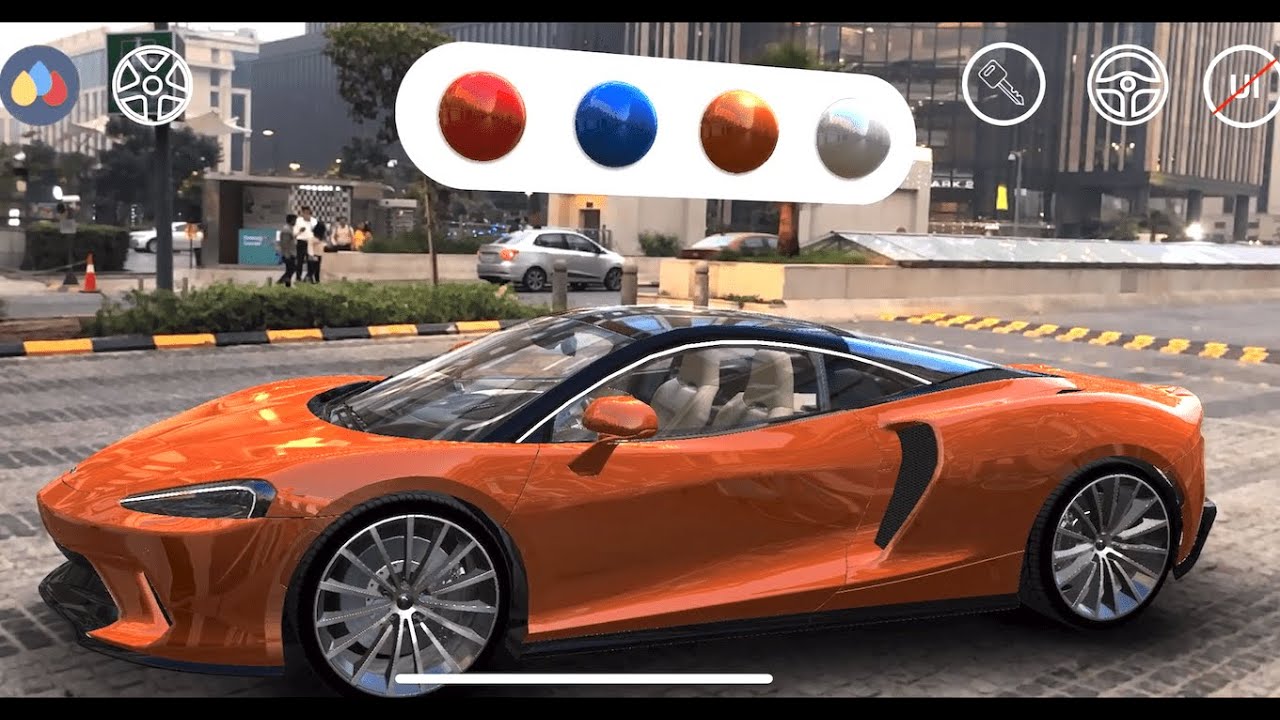
I created an Augmented Reality Car Customiser App using ARKit. Demonstrated how a customer can have a look at a car model he is interested in & choose between various color options, wheel types, have a peek at the interior & drive the car using on-screen controls.
Buy the full project here: https://www.everythingxr.com/shop-ar-projects/
If you...
wary elk
wary elk
https://youtu.be/CrfjDmprlu4
how does he has those awesome reflections on the ...
Like I tried to use HDRP template but it's isn't supported for Android and IIOs
 frail totem
hello,
i built an AR Projekt using WebGL.
iOS everything is okay. Android mostly. But on some Devices i have a black screen. I don't see a camera feed nor the Szene. If i present the marker, i hear the audio. So the tracking works and the scene seems to load korrektly. But i just have got a black screen. Not on every Android Device 😦 Some are running fine.
What can i do?? 😦
 scenic wyvern
what's a good cheap phone for AR development?
I've got my eyes on the "Samsung Galaxy A53 5G". Does anyone here use that?
 wanton turtle
That would work. My goto for low cost is Pixel 2's as they run about 100 bucks. The A53 has more punch and you'll get more out of it. Personally, I use an S22 ultra I think but haven't gone to the 23 (yet). Migrating phones is a pain 😄
scenic wyvern
wanton turtle
That would work. My goto for low cost is Pixel 2's as they run about 100 bucks....
thanks 🫡
wanton turtle
frail totem
hello,
i built an AR Projekt using WebGL.
iOS everything is okay. Android mostl...
I'd recommend looking into the third party plugin you used. AFAIK, WebGL based AR isn't natively supported in Unity. Outside of Unity, I tried about a dozen frameworks with varying success. Not sure what you used to assemble it though or if WebGL AR support was natively added at some point.
wanton turtle
wary elk
https://youtu.be/CrfjDmprlu4
how does he has those awesome reflections on the ...
https://m.youtube.com/watch?v=lVctb8s_OCc
It's all built into ARFoundation and ARKit already
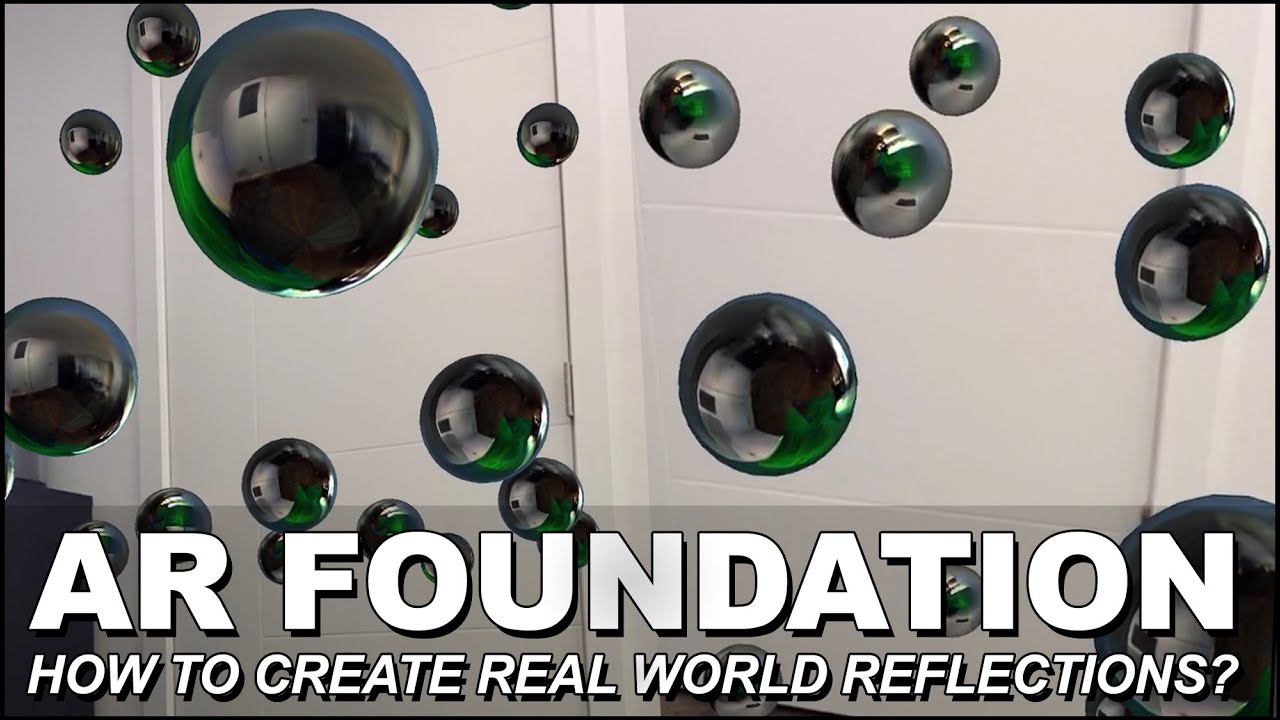
Unity AR Foundation has come along way and today I provide you with a new video where I show you how to create realistic reflections with AR Environment Probes which cast reflections from the real world.
This video assumes that you have gone through my earlier AR Foundation videos since I don't cover core functionality, however if you like to ...
Interestingly the lighting inside the car isn't very accurate. So I'm not sure he had the lighting setup properly
 vital sage
frail totem
hello,
i built an AR Projekt using WebGL.
iOS everything is okay. Android mostl...
vital sage
frail totem
hello,
i built an AR Projekt using WebGL.
iOS everything is okay. Android mostl...
hey I'm having the same problem but i'm not being able to find a solution. Anyone knows how to fix this issue?
wanton turtle
vital sage
hey I'm having the same problem but i'm not being able to find a solution. Anyon...
Unity doesn't support AR on WebGL, AFAIK.
vital sage
wanton turtle
Unity doesn't support AR on WebGL, AFAIK.
Oh okay thanks! and in native android apps? I keep having the black screen issue when I open the apk
wanton turtle
vital sage
Oh okay thanks! and in native android apps? I keep having the black screen issue...
Hmm, if you can, I'd check the camera permissions - and then check the Unity log on the device
vital sage
This is with camera’s permission on

Camera not displaying image but the digital assets
placid glacier
How can I find some information on how XR Simulation works - I have it enabled, but in my image tracking scene this currently detects first image from reference library, without any tracking image in scene physically. Can I use it to somehow emulate scanning in editor? So that I can place tracker image (as a sprite, mesh with traacker material etc), and "scan" it with simulator to spawn object?
 placid glacier
Another question, how do I place prefabs in image tracking, I've noticed that the rotation is always off. If I open the app looking 90 degrees left from the tracker, then point at it, the content placed will have different rotation if I opened the app looking straight at the tracker
I always spawn the prefab at 0,0,0 position and rotation
I tried parenting it to found tracker, and then resetting transform, but it does the same thing
 fickle maple
I am buidling an android Vuforia app but am getting this error on building.

this is the log file.
timid kindle
glossy flare
Hello, you can use this Assets:
https://assetstore.unity.com/packages/tools/inp...
Yes. This is what I ended up with. Thank you.
 cunning plank
Hello, I’m new to AR but did a simple iOS app yesterday, looking for a tutorial on tracking 4 points or markers to then draw a plane across them, for such as a tv that would have dynamic changing images
cunning plank
placid glacier
Another question, how do I place prefabs in image tracking, I've noticed that th...
I think you have to set rotation in the actual prefab object editor itself?
 heavy tundra
Hey I'm having trouble placing a sphere rigidbody on a flat surface on an AR foundation scene, I'm thinking it's because when the flat surface is placed, ar foundation updates its rotation? Any help would be appriciated!
Thank you!
barren mirage
So I noticed that in AR Foundation, any object in the scene will appear and I can change their position (For example, I can move it to where a raycast hit on a surface), but you can also add an anchor component to objects too... What does that do exactly that it's isn't already doing by itself? Is it just giving it more secure tracking?
warm abyss
An anchor is a defined position in the 'real' world, and should not move. When it's off screen it should keep steady and when on screen again it should reconfigure.
An object is placed in the world, but might not have the same persistance as an anchor.
For many AR games it doesn't matter that much. But for example with the vision pro you can have anchors which will stay even when an app closes and reopens
This is my understanding of it
@barren mirage does that help?
 balmy basalt
how's it ended mate ? ever tried the one from the store ?
 true stag
is this an appropriate channel for that? Also the link took a long time to load and made me nervous that it redirected to a very long link at a different site.
 fossil flower
@mellow sinew There's no advertizement here.
 tawny warren
Hello @everyone , does there anyone here working on Microsoft HoloLens? I have made a test app using Unity and the functions and the objects are all good when I test it in Unity, but when I test it them in HoloLens, the objects are not showing at all as there is no any objects there, do you know why this is happening and how can I fix it? it is very urgent and thank you in Advance
hybrid perch
tawny warren
Hello @everyone , does there anyone here working on Microsoft HoloLens? I have m...
You might not be running the correct scene? Check the build settings
true stag
I don't believe this is inside of the arfoundation package, but if you look up "cloud anchors" or "persistent anchors" I believe the individual platforms have their own current solutions, in case that helps.
This feels like a verbose article but it does seem to have the details you would need in them https://www.google.com/amp/s/skarredghost.com/2022/01/05/how-to-oculus-spatial-anchors-unity-2/amp/

Very detailed tutorial on how to implement Oculus Spatial Anchors in Unity to create persistent virtual objects on your Oculus Quest 2
true stag
Welcome!
 acoustic iron
Hey I am using snapdragon services to create an AR app on the thinkreality A3, what is a good way I can record ar footage of the build, it is built to an android.
I cant seem to find much online.
warm abyss
acoustic iron
Hey I am using snapdragon services to create an AR app on the thinkreality A3, w...
Android has screen recorders. XRecord is the one I use
acoustic iron
warm abyss
Android has screen recorders. XRecord is the one I use
This will work to record the footage in the AR glasses?
warm abyss
acoustic iron
This will work to record the footage in the AR glasses?
No clue, but doubt it. I suggest checking if the sdk has some kind of recorder?
acoustic iron
warm abyss
No clue, but doubt it. I suggest checking if the sdk has some kind of recorder?
it does, it sucks.
wary elk
how to render shadows in Unity with ARcore
warm abyss
wary elk
how to render shadows in Unity with ARcore
I made an asset for that (free also available)
https://assetstore.unity.com/packages/vfx/shaders/shadow-receiver-urp-ar-228069
https://assetstore.unity.com/packages/vfx/shaders/shadow-receiver-urp-free-228074

Add depth to your next project with Shadow Receiver URP (AR) from Dev Dunk Studio. Find this & more VFX Shaders on the Unity Asset Store.

Add depth to your next project with Shadow Receiver URP (FREE) from Dev Dunk Studio. Find this & more VFX Shaders on the Unity Asset Store.
wary elk
warm abyss
I made an asset for that (free also available)
https://assetstore.unity.com/pack...
Hey thanks for this i tried but it ain't working I am using Unity URP in 2022.3.4 and AR foundation
warm abyss
wary elk
Hey thanks for this i tried but it ain't working I am using Unity URP in 2022.3....
What doesn't work?
2022 is supported.
Did you check the docs and add the shadow receiver material to the AR plane?
wary elk
warm abyss
What doesn't work?
2022 is supported.
Did you check the docs and add the shadow ...
the shadows they ain't showin up with my model , I haven't read the docs I'll read them
warm abyss
Enable transparent receive shadows, make sure shadows casting is enabled and has a decent size (for the quality tiet active on the phone, not just the editor!), And make sure there is a plane with the shader and a directional light.
Then it should work. Haven't seen any issues in 2022 myself
And make sure the mesh renderer actually casts shadows
wary elk
warm abyss
And make sure the mesh renderer actually casts shadows
oh alright mate , I'll try with this thanks for the help
wary elk
warm abyss
What doesn't work?
2022 is supported.
Did you check the docs and add the shadow ...
I imported the package > made a mat and set it to Shadow reciever URP / shadowTransperent > Applied to the AR plane > and set that AR plane in Plane manager
 warm abyss
Does the demo scene show any shadows?
wary elk
yes
wary elk
warm abyss
Does the demo scene show any shadows?
i am trying to make a 3d plane the child of the car and remove that AR plane on plane managER
warm abyss
wary elk
i am trying to make a 3d plane the child of the car and remove that AR plane on ...
Can you send a screenshot of the AR plane?
And maybe try with an unlit plane first to see if the plane does spawn properly?
wary elk
warm abyss
Can you send a screenshot of the AR plane?
And maybe try with an unlit plane fir...
Okay sure
wary elk
warm abyss
Can you send a screenshot of the AR plane?
And maybe try with an unlit plane fir...
 warm abyss
And check if there is just 1 active quality tier. Often there are multiple and the one used on mobile builds has lower quality without shadows
wary elk
warm abyss
And check if there is just 1 active quality tier. Often there are multiple and t...
I tried that plane thing I mentioned earlier and it's looking better
 sinful wind
Hi guys, any one can help me on how to fix compiler errors when entering play mode. I started today with AR pathway on unity learning and experienced this , I checked every step from beginning if i made a mistake at any step but i am not able to figure it out. Thank you.
the issue
 balmy basalt
sinful wind
the issue
balmy basalt
sinful wind
the issue
could you copy paste and dm me the error ?
sinful wind
i managed to find the issue , in the project manager the AR Foundation package was the problem, it was updated to 5.0.7 , i removed that and reinstalled the 4.2.8 version, which just removed all compile errors and now i can enter into play mode, with no more errors.
 sinful wind
balmy basalt
could you copy paste and dm me the error ?
sinful wind
balmy basalt
could you copy paste and dm me the error ?
thank you , i managed to solve it 🙂
balmy basalt
what are you trying to make ?
will there any tap feature on it ?
(when player tap on the smarthphone screen, it triggered some UI canvas)
sinful wind
balmy basalt
could you copy paste and dm me the error ?
been stuck on it googling for a while , and suddenly it struck me to check packages versions
sinful wind
balmy basalt
what are you trying to make ?
will there any tap feature on it ?
(when player t...
at this moment i am learning how to create AR app, I want to create a wall decor app because i make art using light spectrum and i think it would be a cool idea if people can just scan thier empty walls and see if my art will look good on their wall or not?
sinful wind
The idea is first step is to get one image, but then later may be add a scroll effect to images so they can toggle between images and decide which one fits the best to their decor.
like a side ways navigation icons left and right < image > which can be touch interacted , i have no clue at this moment but will eventually get there.
balmy basalt
not trying to bring you down, but as far as I know, you can't use a Canvas UI for AR project
sinful wind
i just started learning unity pathway for AR today, so i am sure i can in future find a solution, at this time i dont even have a clue about the problem that you are suggesting - what it means or what is its implications or what exactly is using a canvas UI for AR project is .. but i am confident i will progress over time .. its a challenge i have to take to stand out of the crowd.🙂
balmy basalt
sinful wind
i just started learning unity pathway for AR today, so i am sure i can in future...
just ping me for any question, I'm practicing too rn
sinful wind
QUESTION : If someone can help me understand for AR Foundation if asset "reference image library" for marker based AR app is same as creating a database using vuforia engine ?
If any Pros and cons of both .
And Lastly a little insight / understanding on How do professional app developers / AR app developing companies create database of their products while developing a commercial app? @little remnant
fossil flower
@sinful wind Don't tag people not in conversation with you into your questions
sinful wind
fossil flower
<@914130990643961897> Don't tag people not in conversation with you into your qu...
Sorry, wont do that again.
placid glacier
Hey, does anyone know if the new vuforia basic plan (free) is watermarked like it used to be?
nvm, it's not 😄
 vernal bison
Hi, Anyone work with Passthrough API to see some specific real object?
 gaunt prism
I made a custom script for AR Foundation Image Tracking, but it has problems to show the panel and hide the scanned image information panel, so when the images are not tracking they become limited but cannot track again like normal this happens when I slide the image on a laptop, if the camera is removed from the image first it can only be like normal.
foreach (ARTrackedImage trackedImage in eventArgs.updated)
{
    string imageName = trackedImage.referenceImage.name;
    bool isTracked = trackedImage.trackingState == TrackingState.Tracking ?? false;
    Debug.Log("Batas");
    Debug.Log("Tracked: " + trackedImage.trackingState);
    Debug.Log(imageName);
    Debug.Log(isTracked);
    Debug.Log("Batas");

    if (!_instantiatedPrefabs.ContainsKey(imageName))
    {
        UpdatePrefab(trackedImage);
    }

    RemoveCurrentPrefab(imageName);
    ChangeStatus(imageName, isTracked);
}
 cedar spade
any AR devs in here who work at Unity?
 delicate aurora
hello, i have a question. is it possible to combine 2 methods? so i want to show a 3d stage using image tracking but the problem is that user need to be close to the printed marker to be able to see the 3d stage. So i have a plan what if we just need to get the position,rotation of the marker then use hit&test method to place the 3d stage, is it possible?
warm abyss
cedar spade
any AR devs in here who work at Unity?
You are in the ar channel in the unity discord, yes there are
Just ask the question
warm abyss
delicate aurora
hello, i have a question. is it possible to combine 2 methods? so i want to show...
Sounds fine. You can also set an ar acnhor when the image is detected and use that for the tracking of the stage
delicate aurora
i see thanks, so the problem i have now is that the marker is around 35cm on the ground and user need to be able to scan from at lest 1.5m, using image tracking it's not possible user can't scan the marker from that far
probably because the marker is on the ground so it's harder to be recognized
warm abyss
delicate aurora
probably because the marker is on the ground so it's harder to be recognized
Image detection needs to be at least 1/4th if the camera for many devices yeh.
You could fake it that a user has to tap on it and you check the average color around it or something like that
 earnest parcel
Hi, how can I add oculus controllers as input key? I downloaded Oculus Integration, but it's not compatible with Unity 2019.4 (VR chat support)
warm abyss
!vrchat @earnest parcel
 fossil pierBOT
Join the growing VRChat community as you explore, play, and create the future of social VR! https://discord.com/invite/vrchat
 distant light
if i wanted to make a AR and VR game. would it be better to work on the same project but in different scenes, or should i just make individual projects for both. Also they would both work the same.
true stag
That depends on your controls and ideas, it's absolutely possible to make it for both, as the sample arfoundation project shows, but it depends how your game is set to work out
wanton turtle
We have an internal template we use to share the same project on AR/VR, Web Desktop etc. The hardest part was finding a stable unity version that works on all the platforms properly.
So yes, you absolutely can. It isn't always needed though.
wanton turtle
delicate aurora
hello, i have a question. is it possible to combine 2 methods? so i want to show...
It sounds to me like you are probably too far away for hit and test to work either.
But yes, you absolutely can use a marker to get some base transform values and place on hit placement.
 quick zinc
wanton turtle
We have an internal template we use to share the same project on AR/VR, Web Desk...
quick zinc
wanton turtle
We have an internal template we use to share the same project on AR/VR, Web Desk...
Yes, I am also looking for that stable version across platforms that works for both PC and Mac.
Which one did you settle on?
 ancient fox
Has anyone ever had problems creating an AR core project? It crashes at Application.UpdateScene. The dump gave a 0xC0000005 code, accessing an unallocated part of memory most likely but idk what goes wrong tbh. On a fresh install too. Saving has no effect. Your class 'UnityEditor.XR.Simulation.XREnvironmentViewManager' is missing the FilePathAttribute. Use this attribute to specify where to save your ScriptableSingleton. Only call Save() and use this attribute if you want your state to survive between sessions of Unity. UnityEditor.XR.Simulation.XREnvironmentViewManager:OnDisable () (at ./Library/PackageCache/com.unity.xr.arfoundation@5.0.7/Editor/Simulation/XREnvironmentViewManager.cs:169) is what the error is
true stag
that's a warning, but not a crash source I believe?
 flat condor
I'm looking for a way to apply textures to ARmeshing with ARFoundation and ARMeshManager, is there way to do this?
 pseudo garnet
Hey everyone, when I do imagetracking and i activate a previously instantiated prefab it gets wrong rotation when the image is tracked correctly :/
 hallow aspen
Probably a newb question but can anybody help me work out why I can't see any objects in my built game? I placed a default cube in scene and I don't see it plus the objects in the below script don't spawn. I am using 2019.4.4 with a Huawei Mate 20 Pro
using System.Collections;
using System.Collections.Generic;
using UnityEngine;
using UnityEngine.XR.ARFoundation;
using UnityEngine.EventSystems;


public class Spawn : MonoBehaviour
{
    ARRaycastManager raycastManager;
    List<ARRaycastHit> hits;

    public GameObject spawnObj;

    private void Start()
    {
        raycastManager = GetComponent<ARRaycastManager>();
        hits = new List<ARRaycastHit>();
    }

    private void Update()
    {
        if(Input.touchCount == 0)
            return;

        Touch touch = Input.GetTouch(0);

        if (IsPointerOverUIObject(touch.position))
            return;

        if(raycastManager.Raycast(touch.position, hits))
        {
            Pose pose = hits[0].pose;

            Instantiate(spawnObj, pose.position, pose.rotation);
        }
    }
    bool IsPointerOverUIObject(Vector2 pos)
    {
        if (EventSystem.current == null)
            return false;
        PointerEventData eventDataCurrentPos = new PointerEventData(EventSystem.current);
        eventDataCurrentPos.position = new Vector2(pos.x, pos.y);
        List < RaycastResult> results = new List<RaycastResult>();
        EventSystem.current.RaycastAll(eventDataCurrentPos, results);
        return results.Count > 0;

    }
}
Why are you using that version? 🤔 You should be using the 2019 LTS to avoid possible issues. And you'll probably have to look at the log to see if you have any errors
true stag
hallow aspen
```csharp
using System.Collections;
using System.Collections.Generic;
using Unit...
Well, I know that if you place a default cube at the origin, it will actually spawn over your current position when you start the AR app, so you'll have to move backwards to see the cube since it's large and your camera is inside of it
pale musk
How can I replace the Duplicate Stage object defined in the Content Positioning Behavior script in the plane finder in the Vuforia library with code?
 half basin
When I make a program, there's no errors or anything in the editor but compiling it to mobile causes it to crash on startup.
Is there a fix?

Unity Learn
Testing your AR applications on your mobile device is much more exciting and informative than doing so in the Unity Editor. In this tutorial, you’ll deploy your AR project to your iOS or Android device. By the end, you’ll be able to see a spinning cube displayed in your surrounding environment through your device’s camera.
It's from this tutorial.
warm abyss
half basin
It's from this tutorial.
Check logs
glossy abyss
I'm wondering if what I am doing is the correct way to approach this. So I am working on an AR app where you scan an Image and then a Prefab instantiates in the scene. Different Images with different Prefabs. There is a canvas in the scene with questions on it. Every image has it's own Quiz questions. Now to know for the "Game Manager" script which questions should be visible on the screen I do it like this: There is an Update function that FindsObject by Name in the scene. If it is found then the corresponding questions will be shown. Also there is a Null Check. So if the object is found it stops looking for it.
Is this how I should approach it?
pseudo garnet
Hallo everyone, does anyone knows this error: InvalidOperationException: Failed to load XRReferenceImageLibrary 'ReferenceImageLibrary': library does not contain any ARCore data.
wanton turtle
glossy abyss
I'm wondering if what I am doing is the correct way to approach this. So I am wo...
I wouldn't do it this way, FindObject is a slow system. I'd probably track when they are instantiated and destroyed in a list, if I needed access to them. I'd probably use Events and Delegates to communicate between all the parts.
But, from what you are doing, it doesn't sound like you need to care if the user found a code and generated an AR item. You may want to track responses, but that's easy enough when they submit their result. Anyway, without knowing more, it does sound like a less than ideal approach - but hey if it works, and performs well, I'd also say stick with it
wanton turtle
pseudo garnet
Hallo everyone, does anyone knows this error: InvalidOperationException: Failed...
It says the image library is empty or missing on Android
Also, make sure you don't have two reference libraries. ARFoundation isn't well tested for real scenarios, IMHO. But if you have more than one library, it will break on mobile and unpredictably pick only one to compile.
wanton turtle
half basin
When I make a program, there's no errors or anything in the editor but compiling...
Could be the graphics settings or something. But there are logs on mobile you can see at runtime (android logcat for example) to debug better
wanton turtle
You can set it to optional for unsupported devices. It's one of the big downsides to using arfoundation, as it really only supports a subset of devices through arcore/kit.
 swift bronze
Hello , Does anyone know how I can extend support for app built with ARFoundation (ARCore)? Like pokemon go does maybe?
 tiny plover
Hi, every time I create an AR project, unity crashes. Just wondering if anybody has any idea of a way to fix this? (Ping replies)
warm abyss
swift bronze
Hello , Does anyone know how I can extend support for app built with ARFoundatio...
Extend what way?
Pokemon go uses Lightship ARDK (free for Unity)
warm abyss
tiny plover
Hi, every time I create an AR project, unity crashes. Just wondering if anybody ...
Check the logs at the crash
 brave sluice
Hello, is there a way to hide a GameObject that is being blocked by a real-life wall
I have try occlusion culling but it isn't working
 wintry ledge
anyone knows how to fix this problem?
true stag
That looks like your background color might not be set properly, or isn't being set
warm abyss
brave sluice
I have try occlusion culling but it isn't working
Ar foundation can use depth to do depth occlusion
 dreamy pond
wintry ledge
anyone knows how to fix this problem?
dreamy pond
wintry ledge
anyone knows how to fix this problem?
check clear flag in your camera. maybe you are set it to don't clear.
 empty rapids
hello everyone, i have build an simple ar application which plays videos on image target using vuforia......but i am facing a problem that when i build the project it is not working on image but when i play without build it is playing..so whats the issue??
 cunning nexus
The image is not clear/trackable because of a wrong setup in vuforia potentially, or your device doesnt support ar?
I also have a question with image tracking(AR foundation), I want to open a UI popup when an image is added/first tracked, when the popup is closed I want to rescan the image and be able to open the same popup, but the image always stays in the tracked list and there is no remove functionality so I cant open the popup a second time, any ways around this?
empty rapids
cunning nexus
The image is not clear/trackable because of a wrong setup in vuforia potentially...
but then why it is tracking in my pc wheni play it as in theviewport play button....and i am not os good with unity and coding. so i guess u can detect the trackable image and once agin open the ui, means here is the video may be it will help u

In this video about Image Tracking With Unity3d and AR Foundation I show you how to use the reference image name to detect which object is been tracked. This video also shows you how to add multiple images which I took with my iPhone device and added them to the AR Image Tracking Reference Library in Unity3d.
Source Code:
https://github.com/dil...
cunning nexus
If you are using the simulation vuforia has inside of the editor that doesn't really take in consideration tracking, in the simulated environment its always going to track the image even if the quality of the image etc is really bad, the only way to truly know if it will be tracked in a real environment is using it on a device if that makes sense
empty rapids
cunning nexus
If you are using the simulation vuforia has inside of the editor that doesn't re...
ya i guess, so any ways to fix it like i didn't know where to start...
cunning nexus
is the stars quality bad in vuforia? it should show stars from 0 to 5
if its 0 then maybe hte image is just hard to track in a real environment
empty rapids
cunning nexus
is the stars quality bad in vuforia? it should show stars from 0 to 5
3 stars ..
true stag
cunning nexus
I also have a question with image tracking(AR foundation), I want to open a UI p...
I'm not sure if there's any easy code to do this, you might need to refactor your idea and make it spawn a button/surface to simply touch it and bring up the popup?
But I'd be happy to be proven wrong if there's an easy way to do that
cunning nexus
thanks for the suggestion hoka i used your advice a bit, instead of a pop up i have a UI that updates everytime a new image is scanned with a constant button that the user can touch to view the details.
Thought turns out the popup is also possible just in a slightly weird way, by checking on "trackedImagesChanged" event and instead of checking on added you check on updated images and see if their state is "tracking", once it founds one it opens the popup and a simple bool locks the tracking until the popup is closed again
thanks again!
true stag
I'm glad you found a solution that works for you!
 round vale
cunning nexus
I also have a question with image tracking(AR foundation), I want to open a UI p...
round vale
cunning nexus
I also have a question with image tracking(AR foundation), I want to open a UI p...
I've been having the same kind of issue, I would like to have a button to stop the tracking of an object and remove every GameObject that I spawn after detecting something with no success. Seems like destroying the GameObject present in trackables leads to my app crashing. I'm currently trying to make it work with an ARSession.Reset() (that I tried to avoid because it lags out the camera feed) but it ALSO crashed my app for some reasons 🤔 . As I'm not experimented with Unity I'm wondering if that can be because of a memory leak caused by one of my gameobject (that will be destroyed) being a VideoPlayer taking a video from an URL ?
Can I post my logs here ?
empty rapids
hello there...why i am having an error saying object reference not set to instance of object while i am running an ar project that i have created from this video https://www.youtube.com/watch?v=Hjx9o8D1DZg&list=PLSc07dYXbtBmf2iF6GeWV_lvHaqLMJWdp&index=5 and fere is my console error


📲 Creando una aplicación de Realidad Aumentada desde cero
✔️ Capitulo uno: Arquitectura basada en eventos → https://youtu.be/TI599JorZ5M
✔️ Capitulo dos: Diseño de Interfaz → https://youtu.be/97d-2bPKhgk
✔️ Capitulo tres: Visualización, detección de planos, nube de puntos → https://youtu.be/6bRkKZ9Onk4
✔️ Capitulo cuatro: Scriptable object pa...
wanton turtle
empty rapids
hello there...why i am having an error saying object reference not set to instan...
If you double click on the error, it will show you what line has the missing reference
No idea how good that tutorial is
 wet plover
hi everyone, im new to unity and vuforia :) i want to make a simple app that uses image target, and im having problem on the early stage. when i click the play button to go into the play mode, i can only see black screen. the settings in vuforia configuration for the play mode is webcam, and camera device = "usb2.0 hd uvc webcam." does anyone know why i have blackscreen? any help would be appreciated!

 fervent lake
Hi lovely people, i have a question about webgl and deploying my simple unity project. can anyone help?
i now have a black screen with my unity scene but the AR is not working. Thanks in advance 🙂 ❤️
i can always videocall, or chat. 🙂
wanton turtle
@fervent lake what are you using for AR? ARFoundation doesn't support WebGL - there are a few odd tools like Zapier and stuff, but more details would defintiely help
 sudden trail
Hello everyone, does anyone know if there's a way to make AR Core work on an unsupported device?
I have an OPPO A96, but on AR Core's list of supported devices, the supported one is OPPO A96 5G (from what I've seen, mine is probably not the 5G variant). Google play tells me that google play services for ar is not supported on my device, so I downloaded it as an apk from the "ARCore SDK for Android" github. When I run my test app, I'm debugging ARSession.state and it gets to ARSessionState.SessionInitializing. Could it be that Unity thinks that AR Core is supported because I have the services for AR apk installed, but can't get to ARSessionState.SessionTracking because in reality, AR Core is not supported?
empty rapids
wanton turtle
If you double click on the error, it will show you what line has the missing ref...
okk
i have checked that
and it is solved
thnx
wanton turtle
sudden trail
Hello everyone, does anyone know if there's a way to make AR Core work on an uns...
That pretty much sums it up, yup!
You can force install it, but you can't make it actually do anything
empty rapids
hello everyone..can anyone recommend me youtube tutorials on how to drag, scale and rotate or position an object or 3d model in ar ....... like i have multiple objects that i want to put in ar as an interior application and i want that i can change the posiotion or scale of that spwan model in ar in real time... any yt tutorials will be helpful!!!
warm abyss
empty rapids
hello everyone..can anyone recommend me youtube tutorials on how to drag, scale...
Maybe look for smaller tutorials
Start with pinching, then couple that to scale
Then look for how to detect dragging, then couple that with rotations
midnight narwhal
Hi! have a quick question, for MRTK whats the best pipeline to use? URP or 3D?
empty rapids
warm abyss
Maybe look for smaller tutorials
Start with pinching, then couple that to scale...
ohhh okkk...thanks
 tame leaf
Hello, for a project I’m working on I need to track the position of a real life object and have an asset mirror the position of the real life object in real time. The idea is to have a stationary camera connected to the PC which will get the live feed of real life object’s position. I’ve been looking into Unity’s AR Foundations to achieve this but I haven’t gotten anywhere yet. I’m new to Unity and I was wondering if I’m on the correct path and what I would need to do or if this is something that has been done before and I can get a bit of guidance (from what I’ve gathered, I can’t find any similar projects on the internet)
wanton turtle
I would use OpenCV
Rather, I have used OpenCV with the Quest 1 to create real world spatial tracking for a warehouse scale VR game. Not sure most AR frameworks don't work well with moving targets. You may need to spend a day testing different frameworks and solutions
half basin
I am not getting Meta Passthrough API for Oculus SDK v56 to work in Unity 2021.3.8. I have enabled all the relevant switches based on the top results and the Oculus pages on Passthrough API. I'm stuck in a corner with this error:
Warning-XR Device was switched during runtime with overlays still enabled. When doing so, all overlays constructed with the previous XR device must first be disabled.
UnityEngine.Debug:LogError (object)
OVROverlay:LateUpdate () (at Assets/Oculus/VR/Scripts/OVROverlay.cs:1199)
I can safely say that I don't know what an XR device is in this context and why it would show up as switched. I'll begin by inspecting that line of code.
half basin
Anyone?
wanton turtle
@half basin Very few people have used the pass-through specifically on an oculus - the chances of one of them having your issue is extremely slim. I'd say, what is the error telling you? Do the demos do the same thing? Sounds like the XR device (headset) is being detected as changed (turning on or off a new headset after the API is initiated) and to disable the overlays. But that's just what the message is telling you. I'm not sure what else there is to say on it
half basin
wanton turtle
<@456226577798135808> Very few people have used the pass-through specifically on...
True, it's kinda like a dog whistle.
Now the main issue is I have enabled practically all the switches needed. Something is amiss. I have followed all the tutorials, including the ones used to set up working examples.
wanton turtle
half basin
True, it's kinda like a dog whistle.
Now the main issue is I have enabled practi...
Well, I suppose that'll teach me a lesson for replying. Good luck on the digging.
half basin
Do you want me to continue posting here if I find anything?
 slow portal
Helo all, i am not too experienced. My end goal is to have a image and when the camera is shown at it is to show a prefab. preferably using ARKit to use on iOS. i have no problem installing the app on my phone and the camera appers. i have tested and having a cub will show on the camera in the "AR World". i have attched my script below. The image to track and prefab have the same name, the script is on the "AR Session Origin"
for some reason the image is not tracking. is there any way to test it in the simulation to see if it is the iOS porting or not
 random oyster
fossil pierBOT
random oyster
fossil pierBOT
Join the C# Discord server, a programming server aimed at coders discussing everything related to C# (CSharp) and .NET. https://discord.com/invite/csharp
 hearty steeple
need help with lobby service in my game
wanton turtle
How is that related to aR @hearty steeple ?
 unreal raft
How do you what version your EasyAR is in your Unity file?
warm abyss
 rancid kettle
What engines are the best for AR apps?
rancid kettle
What engines are the best for AR apps?
8th wall is amazing and uses WebAR, otherwise Unreal Engine is decent (not as good as Unity I've heard)
Godot sadly has very poor AR support
rancid kettle
warm abyss
8th wall is amazing and uses WebAR, otherwise Unreal Engine is decent (not as go...
Thanks 👍 , I've heard great things about 8th Wall too, but the pricing might be a problem for bigger projects.
For what i've seen, Unreal don't have a good AR support either (at least, on mobile, where i'm focusing on).
I'll try on Godot, given the latest updates on Godot XR Tools.
warm abyss
rancid kettle
Thanks 👍 , I've heard great things about 8th Wall too, but the pricing might be...
The new xr tools mainly work with VR I think.
Godot itself does not support ARcore for example
rancid kettle
warm abyss
The new xr tools mainly work with VR I think.
Godot itself does not support ARco...
Mmmmm, ok, thanks for the info 👍
wanton turtle
unreal raft
How do you what version your EasyAR is in your Unity file?
We've had so many problems with EasyAR. I can't recommend it in its current iteration
But you should be able to tell from the package manager lines
 rough tapir
Hello,
I am following this link to try out the arcoreimg tool on windows https://developers.google.com/ar/develop/augmented-images/arcoreimg#windows
It says to go to tools > arcoreimg and then I can run arcoreimg.exe eval-img --input_image_path="imagename" to see the score
However, I do not see arcoreimg folder. See attached for what I see in my image folder. I thought maybe I could run that line in the tools folder but I just get a "bash: arcoreimg.exe: command not found".
Does anyone know which folder I should go to so I can run that line and see the image score?


Google for Developers
 tranquil vigil
Hey guys I recently started learning AR with vuforia, in the tutorial when they play unity editor their front camera turns on, but in my case no camera turns on and I see a black screen, how can I fix it ?

with this error

 modern chasm
Please explain more in detail what doesn't work.
swift bronze
modern chasm
Please explain more in detail what doesn't work.
Sorry , I got it figured out.. Thank you for your response tho
 trim kestrel
im creating an ar app using google geospactial api

but after pasting the api key i cant see the l google map on the grid
 fiery hollow
Hey all, Community Members!
I'm currently working on research in the AR/VR space and your interest in Extended Reality (XR) could potentially be a great input to power my research on the XR market landscape. Your experiences and insights are invaluable, and here's your chance to make a real impact.
I have put together a quick and painless survey that'll take you less than 5 minutes to complete. By participating, you're helping me in diving deep into the world of XR, understand user sentiments, and shape the future of this exciting tech.
Your opinions will steer the direction of XR, ensuring it caters to the needs of users like you, and will fuel an academic study that uncovers XR trends and growth opportunities.
No doubt, your time is precious. But I've kept this survey concise and straightforward, so you can have a big impact without a big time commitment.
Survey Link: https://forms.gle/2TVi6MTXZwvfVeS66
Try to spare 5 mins from your schedule and help me with my research work. Thank you for considering my request.
Got questions or want to chat about this? Reach out to me over DM!
Warm regards,
Nikita
Survey Link: https://forms.gle/2TVi6MTXZwvfVeS66

Google Docs
Thank you for participating in our survey. Your insights are valuable in understanding the future of XR (Extended Reality) technology. Please answer the following questions honestly.
 barren quiver
How to add button in vuforia . I build markerless augmented reality
warm abyss
barren quiver
How to add button in vuforia . I build markerless augmented reality
For UI buttons simply use a canvas.
For world space buttons I usually just add a small box collider to a quad, and shoot a raycast when a touch occurs
rancid kettle
barren quiver
How to add button in vuforia . I build markerless augmented reality
Normally with a canvas
 strange summit
hello I wanted to ask if anybody here is familiar with AR Foundation? Im currently working on a an AR Project and need to have the Camera feed have the colors all inverted I tried to use the AR Camera Background Component's custom material but it just removed the camera feed entirely for me so I might be using this wrong or maybe my material is not the correct material for this. Does anybody know of a solution for this? any help, links that would lead to a solution is much appreciated thank you
 rigid basin
Hello I'm using EasyAR to make a simple object placement on top of an image... I have a floor and some opaque objects... when I play in the scene view and use an WebCam everything spawns just fine... but when I build it into a mobile phone and use the phone's camera some of the objects become kinda transparent (or rendered wrongly like an hidden wheel is getting drawn on top), has anyone encountered this and know how to solve? (ps everything is in the same layer, render queue, standard shader, rendering mode opaque).
 normal narwhal
can anyone help me my logitech camera not working in unity vuforia (im dying)
 midnight narwhal
anyone here that knows sometbing about MRTK and QR codes? cant get the setup rigjt
right
 gritty heron
there are for Oculus some plane detection like AR Foundation? I'd like to use it without have to draw the room. It is possible in Unity?
timid kindle
I am having a problem with XR simulation in the editor. First, it works fine but when I reload my AR scene, the simulation can't initialize itself with this error.
If anyone can help in here or in the forum post, I'd appreciate.
MissingReferenceException: The object of type 'UnityEngine.Camera' has been destroyed but you are still trying to access it.

UnityEngine.Object+MarshalledUnityObject.ThrowNullExceptionObjectImpl (System.Object obj) (at <affe600311164ff58161da271ceee4f0>:0)
UnityEngine.Object+MarshalledUnityObject.MarshalNullCheck[T] (T obj) (at <affe600311164ff58161da271ceee4f0>:0)
UnityEngine.Camera.get_cullingMask () (at <affe600311164ff58161da271ceee4f0>:0)
UnityEngine.XR.Simulation.SimulationSessionSubsystem+SimulationProvider.Start () (at ./Library/PackageCache/com.unity.xr.arfoundation@5.0.7/Runtime/Simulation/Subsystems/SimulationSessionSubsystem.cs:78)
UnityEngine.SubsystemsImplementation.SubsystemWithProvider`3[TSubsystem,TSubsystemDescriptor,TProvider].OnStart () (at <dd5e9aedb1ee4e01890b1500bced999d>:0)
UnityEngine.SubsystemsImplementation.SubsystemWithProvider.Start () (at <dd5e9aedb1ee4e01890b1500bced999d>:0)
UnityEngine.XR.ARFoundation.ARSession.StartSubsystem () (at ./Library/PackageCache/com.unity.xr.arfoundation@5.0.7/Runtime/ARFoundation/ARSession.cs:396)
UnityEngine.XR.ARFoundation.ARSession+<Initialize>d__39.MoveNext () (at ./Library/PackageCache/com.unity.xr.arfoundation@5.0.7/Runtime/ARFoundation/ARSession.cs:384)
UnityEngine.SetupCoroutine.InvokeMoveNext (System.Collections.IEnumerator enumerator, System.IntPtr returnValueAddress) (at <affe600311164ff58161da271ceee4f0>:0)
UnityEngine.XR.ARFoundation.ARSession:OnEnable() (at ./Library/PackageCache/com.unity.xr.arfoundation@5.0.7/Runtime/ARFoundation/ARSession.cs:351)
https://forum.unity.com/threads/xr-simulation-fails-to-start-a-second-time-in-play-mode.1495802/
warm abyss
gritty heron
there are for Oculus some plane detection like AR Foundation? I'd like to use it...
Check the ar foundation for quest 2 documentation
heavy tundra
Hey has anyone gotten Google GeoSpatial working on iOS? Having a lot of trouble setting it up
Thank you!
 hearty tiger
Does someone know if xr interaction toolkit is compatible with ar foundation/ar core? I try to teleport my player to specific location with TeleportProvider. Its working in editor, but not on my android tablet
wanton turtle
I've never tried to mix those two before - it's interesting
hybrid perch
it is, Magic Leap's SDK is set up that way
hearty tiger
Ok. You have an idea why it is not working on my build?
hybrid perch
Not without more information
hearty tiger
Makes sense xd
 elder perch
hello guys i have been working with mrtk for hololens for a while, but recently i started working with kafka in unity i have successfully made the project work just fine in the editor, but after buildling in universal windows platform the kafka stops working after a bit of trouble shooting i found that in the player under configuration for backend scripting i found that when i pick mono it works fine in the build and when i pick IL2CPP it doesn't and the thing is in UMP there is only IL2CPP option.
anyone knows a solution ?
i don't know if i explained this clearly, i'm happy to explain more if requested 😄
thanks ❤️
fickle maple
Guys, I am using the arfoundation-samples from github. In SimpleAR (uses plane detection and places a GO on tap) I want to place a real life size cricket stadium for which I have set the scale of the model (scale = 140) accordingly in unity and even tried to position the XR origin camera and the model prefab but the stadium is still showing at a fixed location after everything. What do i do?
(Previously when I tried with a room size model of a room then that worked perfectly (Scale was set to 1).
warm abyss
fickle maple
Guys, I am using the arfoundation-samples from github. In SimpleAR (uses plane d...
Check if all gameobjects and children of the prefabs are at origin (0,0,0).
If so, debug log the placement position and log the prefab position when it spawns (in Start)
fickle maple
warm abyss
Check if all gameobjects and children of the prefabs are at origin (0,0,0).
If s...
Yes.
Ok. What's the difference?
warm abyss
fickle maple
Yes.
Ok. What's the difference?
Then you can confirm which one reports a wrong value. If you set a GO to the world position they should be the same'
fickle maple
warm abyss
Then you can confirm which one reports a wrong value. If you set a GO to the wor...
i dont understand. What two things are we talking about here>
warm abyss
fickle maple
i dont understand. What two things are we talking about here>
The place you are trying to spawn the object and the object you are trying to spawn
fickle maple
ohk. Let me see.
 sick vigil
Hi. I've started playing with AR, and playing with rear camera is fine, but when I want to switch to the front camera I have a black screen. What I've read in order to switch to the front camera I need to change "Facing Direction" on "AR Camera Manager" to User. But as I said, I have black screen then. I'm using Xiaomi 11 Lite.
warm abyss
fickle maple
does tracking origin play a role here? I guess yes.
I don't think so?
fickle maple
Ok
fickle maple
warm abyss
I don't think so?
Yes u right
fickle maple
sick vigil
Hi. I've started playing with AR, and playing with rear camera is fine, but when...
Well front camera features don't work with ar core ig. Use iOS ar kit.
fickle maple
warm abyss
The place you are trying to spawn the object and the object you are trying to sp...
Both the pos are same and the stadium is just above me in some form
fickle maple
@warm abyss all working now. Just that my stadium is moving when i am moving. This should not happen. How do i fix it?
warm abyss
fickle maple
<@512275182228865024> all working now. Just that my stadium is moving when i am ...
Depends on your setup
warm abyss
If its exactly the same with a model swap and it does something else, its not exactly the same
fickle maple
Well i have disabled the arplane man, ar raycast man, plane visualiser after the prefab is placed. Is it cuz of that?
warm abyss
fickle maple
Well i have disabled the arplane man, ar raycast man, plane visualiser after the...
Enable and try
fickle maple
i am
warm abyss
Otherwise program it with guides online to learn the underlying technique
fickle maple
Didnt work.
elder perch
elder perch
hello guys i have been working with mrtk for hololens for a while, but recently ...
anyone knows anything ?
 raw star
How would I go about creating an application for android inside Unity that opens the device's camera scans a QR and gets the url that is embedded inside the QR and does whatever with it.
Basically like Google Lens QR Scan but inside Unity
raw star
The main use case is for a user to open the Unity Android application, scan a QR Code to get a URL which will be used with Trilib to download a 3D model onto the scene. Any suggestions and guidance will be vastly appreciated.
wanton turtle
raw star
The main use case is for a user to open the Unity Android application, scan a QR...
You could use zxing for this.

GitHub
.Net port of the original java-based barcode reader and generator library zxing - micjahn/ZXing.Net
Works with QR, barcodes etc. We've had great success with it for Android and hololens, with some modification
 trim belfry
is it a known bug that ar foundation on android crashes after taking a screenshot? cant find anything
raw star
@wanton turtle You are great, thanks
 austere ember
Hello! I have a little issue with a script for an AR project, can i just ask my question here ?
 zenith bluff
austere ember
Hello! I have a little issue with a script for an AR project, can i just ask my...
zenith bluff
austere ember
Hello! I have a little issue with a script for an AR project, can i just ask my...
Lol. Yes. You may
 copper dirge
Hi All. I’m an Artist interested in using AR in my work. I’m using Unity and Vuforia. When I build my app on the iPhone. I get a ‘Profiler’ appears in the top right corner. Any suggestions on how I can get rid of it ?

 cold dawn
Hy guys,I would implement Ar in my VR game,what package I should use?
I am trying to figure it out how all of this works
 atomic jay
Hi guys, I'm trying to detect when a Vector3 point from a point cloud is inside of an object, whats the best way of doing this?
 glad timber
Hey everyone,
I'm trying to make designing for AR less of a pain in terms of software usage. Just starting out but trying to make sure I understand the real issues.
I've only ever looked at the development side of things before so I'm looking to connect with experienced designers and developers for brief chats. Just want to understand the tools and processes you're currently using.
Would be grateful if you can point me in the right direction, dms are open! Thanks
 worldly jolt
is there anything that will display in the inspector as a drop down, like keycode, but for xr controls
cold dawn
Hi,i am trying to turn on the Ar on my game but when i build the game and i try to activate it it doesn't work (and i don't know why),in your opinion what i am doing wrong?


i know there is an error in the script,in the build there wasn't
 cold dawn
I implemented also an UI on my oculus standalone to see what happen when i try to call the function to activate the Ar called "AttivaRealtaAumentata" that you can see in the photo,but nothing happens
Can you please help me?
 undone ember
Hi All, I been deving AR application for a couple of years now. I have spent many hours now trying to update my AR game from version 2021 to unity version 2022.3. Each time the same bug persists. Everything works fine, but when building an apk to android and running, the screen remains black with no unity logo appearing or anything rendering, I have to minimize the app then open it again to make my scene appear.
I've seen people post the same issue with no fix. https://stackoverflow.com/questions/76410780/unity-android-app-black-screen-on-startup
This is quite a frustrating issue, and it seems like there's a problem with version 2022.3 and ARFoundation as I've tried this multiple times with a blank AR template project as well. Has anyone else been experiencing this issue with 2022.3 as well?

Stack Overflow
When building an apk for Android of my application, the screen remains black, not even showing the "Made with Unity" logo.
On closer inspection, the app is indeed running as intended, but...
warm abyss
undone ember
Hi All, I been deving AR application for a couple of years now. I have spent man...
I've not experienced this myself. Make sure unity and all packages are up to date and maybe delete the library folder to remove any old caches.
Also check logcat for any errors
 topaz solstice
Hey, is there anyone here with experience in Google Geospatial Creator? I'm working on a project and am having issue in object placement with reference to height.
Can anyone please help me with this??
undone ember
warm abyss
I've not experienced this myself. Make sure unity and all packages are up to dat...
Thanks for the response, I've tried the solutions you've suggested, unfortunately with no success. I'm starting to think maybe it's the Android device I'm using. Upon further inspection from logcat, it seems like the state the application starts in when opening is an incorrect state.
 warm sundial
hi, im brand new to XR development and ive come to a problem.
im trying to do passthrough with unity and launching it is fine but the frame rate is like 2 fps. Im using quest 3 through air-line and this is my pc specs:
CPU: i5-9600K 3.70GHz
64 gigs of RAM
GPU: NVIDIA RTX 3070
Traditional vr works fine however, just want to get passthrough working, thanks
 bitter star
Someone ever used vuforia here?
I need some help 🙏
I wanna use it for indoor navigation
warm abyss
bitter star
Someone ever used vuforia here?
Just ask the question you need anwered
warm abyss
warm sundial
hi, im brand new to XR development and ive come to a problem.
im trying to do pa...
Check the profiler and make sure Unity and all the VR tools are updated
bitter star
warm abyss
Just ask the question you need anwered
Thats the question
Idk how to use it
warm abyss
bitter star
Idk how to use it
The check startup guides
I personally use AR foundation or Lightship ARDK
But there are many resources on all bigger frameworks.
This is the same as asking 'I don't know how a car works, teach me how to build one from scratch'.
No one can teach everything, so start learning and ask specific questions
bitter star
Ok
 grim dagger
hello, new to AR in unity. Can you guys help me hide the tracked plane in my AR project? I'd like it hidden but I have no idea yet. How can I hide this yellow tracked plane in placing my game object? Thank you!
 hybrid perch
grim dagger
hello, new to AR in unity. Can you guys help me hide the tracked plane in my AR ...
hybrid perch
grim dagger
hello, new to AR in unity. Can you guys help me hide the tracked plane in my AR ...
Set the alpha of the plane material to 0
warm sundial
warm abyss
Check the profiler and make sure Unity and all the VR tools are updated
im using unity 2022.3.11f1 and the oculus utilities plugin is 1.89.0
this is also the first time using the oculus profiler, what else can i do to make it run better?
 warm abyss
hybrid perch
Set the alpha of the plane material to 0
warm abyss
hybrid perch
Set the alpha of the plane material to 0
Or remove the material/mesh renderer
warm abyss
warm sundial
im using unity 2022.3.11f1 and the oculus utilities plugin is 1.89.0
this is al...
I've never used that. The Unity profiler can point out where all CPU performance goes and some of the GPU performance.
The tool you have goes more into GPU details of the quest itself, not on PC I think?
warm sundial
okey ive never used the unity profiler so i'll search up how to use that
warm sundial
warm abyss
I've never used that. The Unity profiler can point out where all CPU performance...
here ive done it through the unity profiler
 warm abyss
warm sundial
here ive done it through the unity profiler
warm abyss
warm sundial
here ive done it through the unity profiler
If you click on the graph you can see what that frame is doing. Especially in the peaks there are frame dips.
You can also change the info from timeline to hierarchy, sometimes might be useful
warm sundial
warm abyss
If you click on the graph you can see what that frame is doing. Especially in th...
what do you think i should do?
btw i set up my project the same way this video did (just with newer versions of unity and oculus) https://youtu.be/RpHAZ0N5W1s?si=NYP8axkv8qhCRqZT


Welcome to the first video of my series, where we'll be recreating Apple's upcoming XR ecosystem! As the Vision Pro's release is a year away, I've used the Meta Quest Pro and Unity to recreate its innovative UI, incorporating eye tracking, hand tracking, and passthrough technology. This hands-on experience has given me a fresh perspective on the...
warm abyss
warm sundial
what do you think i should do?
btw i set up my project the same way this video ...
Drop down the task that takes so long to see what it consists of
The XR Update
Also if it just stutters twice it might be loading something, which might not be an issue
If it does it often it is an issue
warm sundial
 grim dagger
wow, it worked! Thank you @warm abyss && @hybrid perch !!
warm abyss
warm sundial
Ah, gotta love Unity not being specific with this.
But check more of the spikes and try to dig as deep as possible.
I cannot help that much without being in an project
warm sundial
warm abyss
Ah, gotta love Unity not being specific with this.
But check more of the spikes ...
thats fair enough, i really appreciate your help
warm abyss
warm sundial
thats fair enough, i really appreciate your help
You're welcome!
I specialize in performance optimization for (standalone) VR, so if you have any specific questions (or if you want to hire someone for it), feel free to ping me
warm sundial
warm abyss
You're welcome!
I specialize in performance optimization for (standalone) VR, s...
oh cool! i'll be sure to do that ❤️ standalone vr works well with no frame rate issues in this project though, its just passthrough being weird
swift bronze
Anyone know if I can do ar placement without plane detection? Is it like regular instatiation?
warm abyss
swift bronze
Anyone know if I can do ar placement without plane detection? Is it like regular...
You might be able to use the depth buffer?
Or just instantiate something in the air (relation to camera)
Or make the plane invisible if it's a visual issue
 terse coral
Hello I just launched in augmented reality on Unity under Vuforia. I have a problem, I can’t find the package that contains User Defined Target. I can’t find it. Can you help me?
 maiden talon
Does anyone here know about EasyAR? I just joined a project that uses EasyAR but was developed years ago, the system was updated and now there's missing links which I have no idea what are supposed to be because I'm unfamiliar with AR myself.
The attached screenshots is what the scene already had. AR is usable but often breaks / missposition spawned game objects, but an earlier version of the game worked as intended, so I assume it was something that broke on the update.
I'm new to that project but can provide more insight, any help is very welcome.


 outer void
undone ember
Hi All, I been deving AR application for a couple of years now. I have spent man...
outer void
undone ember
Hi All, I been deving AR application for a couple of years now. I have spent man...
I've seen Android blackscreen issues reported due to the "AR" feature being selected in Package Manager.
Try deselecting the AR feature (if selected) and re-adding the packages back to your project one by one? We are working on this issue right now.
outer void
swift bronze
Anyone know if I can do ar placement without plane detection? Is it like regular...
If you know where you want to place your content, just add an ARAnchor component to a GameObject at that location and parent your content to that.
outer void
trim belfry
is it a known bug that ar foundation on android crashes after taking a screensho...
I've never heard of this issue. Please file a bug using the in-Editor bug reporter (under Help)
outer void
heavy tundra
Hey has anyone gotten Google GeoSpatial working on iOS? Having a lot of trouble ...
Dilmer Vallecios covers this in his Geospatial Creator video
outer void
hearty tiger
Does someone know if xr interaction toolkit is compatible with ar foundation/ar ...
AR Foundation is compatible with XR Interaction Toolkit, but the camera position is controlled by your XROrigin and TrackedPoseDriver components. You cant teleport the camera because we'll just reset the camera position back to its origin-relative position within the same frame.
You should be able to teleport the XR Origin itself though
 void zinc
Hey everyone,
Anyone know any Tools or extensions I can use to test/ Debug my AR project in the editor or another program to help me test my application without building solely to the device?
outer void
void zinc
Hey everyone,
Anyone know any Tools or extensions I can use to test/ Debug my A...
With AR Foundation 5.0 or newer you can use XR Simulation to run your app in the Editor: https://docs.unity3d.com/Packages/com.unity.xr.arfoundation@5.1/manual/xr-simulation/simulation.html
 pearl tiger
void zinc
Hey everyone,
Anyone know any Tools or extensions I can use to test/ Debug my A...
pearl tiger
void zinc
Hey everyone,
Anyone know any Tools or extensions I can use to test/ Debug my A...
Hi, I create a video tutorial on testing AR project in Unity editor: https://youtu.be/LMtKRlR_EMQ

In this AR Foundation tutorial, you'll discover a free and official method to test your AR project within the Unity editor, without the need to build it onto your device.
This step-by-step guide will walk you through how to install XR Simulation to your project, using the latest AR Foundation 5 for Unity 2023 or Unity 2022, with XR Origin and AR...
void zinc
@pearl tiger @outer void You Both Rock! Thank you so much!
slow portal
i have a script where if i touch 'Arc_de' some ArcText1 will appear, i need it to when i press a button tagged nextButton to put 'removeText' as the text. i have the button called nextButton and tagged 'nextButton' aswell. i am not sure why it it not working though. https://pastebin.pl/view/4cb947dc
Pastebin.pl is a website where you can store code/text online for a set period of time and share to anybody on earth
Any help is appreciated.
 plush sage
Hello! I was wondering if there was a straightforward way to get a texture2D of the depthImage via the AROcclusionManager? forgive me if this is a silly question - I'm new ^^;;
wanton turtle
maiden talon
Does anyone here know about EasyAR? I just joined a project that uses EasyAR bu...
EasyAR is pretty broken at the moment, and doesn't have a default called EasyAR_Startup. So not sure what that script is supposed to be.
maiden talon
wanton turtle
EasyAR is pretty broken at the moment, and doesn't have a default called `EasyAR...
I assume is the standard for 4 years ago when the project was made?
wanton turtle
maiden talon
I assume is the standard for 4 years ago when the project was made?
Nope
Depending on the version, it comes with one or two stacks. The more recent one has two. But none has the word Startup in the name.
You can just do a fresh EasyAR project, drag in the same version as the existing app, and see what the default scenes are.
raw star
Using the ArSessionOrigin.MakeContentAppearAt() method, I'm placing a prefab infront of the user's android camera. When I'm rotating the camera to look around the prefab stays correctly at the same place but when the user walks around the prefab doesn't stay at its position thus the user can't walk around it or anything since the prefab doesn't stay at the same place.
Any suggestions will be vastly appreciated.
raw star
Ι basically want to spanw a gameObject infront of the camera at let's say z = +20 (probably equivelant to meters in real life) that stays there and the user can move and go arround it while it stays positioned at the same place it was originally spawned.
 dark frost
Hi everyone !
I'm using ARFoundation on Android, but I can't get a light estimation, always returning null.
Any ideas why ?
Most of the topics online are about the ARKit side, but I didn't found anything about Android.
    void FrameChanged(ARCameraFrameEventArgs args)
    {
        Debug.Log(args.lightEstimation);
        Debug.Log(args.lightEstimation.averageBrightness);

        // Modify `light` parameters using ARCameraFrameEventArgs.
        if (args.lightEstimation != null)
        {
            SimulationLight.transform.rotation = Quaternion.Euler(args.lightEstimation.mainLightDirection.Value);
            SimulationLight.intensity = args.lightEstimation.averageBrightness.Value;
            lightText.text = args.lightEstimation.averageBrightness.Value.ToString();
        }
    }
Honestly I'm lost.. It does exist but when I want to use it, it is null..

 dense badge
Has anyone be able to test the quest3 mixed reality scenes included in the oculus sdk?
I dis follow all the steps but it isn't working for me
For example with the ball scene demo
When I build and start it, it ask me if I want to keep the scanned room and if I want to add funitures. So I choose continue. After that a passthrough screen appears with my controller. The screen looks more white like there is filter on it I can throw balls
But the balls don't hit anything from my mesh
They just fall downwards infinite
If I start the game through quest link and just start the scene with the play button in unity, it works
I tried again to create a complete new unity project and followed the steps again as described. Scanned a new room on the quest3, but again I have the same issue
Followed the following documentation: https://developer.oculus.com/documentation/unity/unity-scene-virtual-furniture-sample/
This topic leads the user to assemble the Virtual Furniture scene in Unity.
I tried the phanto template, that one works but its older and not a clean setup. Would like to do it correctly
bitter star
How do i apply for vuforia licence for university project?
 dense heath
bitter star
How do i apply for vuforia licence for university project?
dense heath
bitter star
How do i apply for vuforia licence for university project?
Hey, does your project requires a license other than the Basic one?
bitter star
dense heath
Hey, does your project requires a license other than the Basic one?
I think no but i thought since i am getting the full version for university then why not try apply for it
cold dawn
I activated AR in my project but it works just in the camera is set to solid color,the problem is that if I try AR on the headset there is the color and I can not delete it
 Instagram
This is an example
What should I do to see the colors of the real life
 sturdy stream
hello , im just start trying AR in unity but it seem not to working
here a video and each object on the inspector


 cold dawn
I activated AR in my project but it works just in the camera is set to solid col...
cold dawn
cold dawn
I activated AR in my project but it works just in the camera is set to solid col...
Help.
cold dawn
This is a thread of the issue https://forum.unity.com/threads/ar-not-working-properly.1509026/

Unity Forum
Hi,i am using AR with Open XR to implement AR in my game,the problem is that that require solid color in the camera setting,i set it up but when i...
sturdy stream
sturdy stream
hello , im just start trying AR in unity but it seem not to working
here a vide...
update from this : i just notice that the issue is actually because the object is too far and too large but when i scale down the object or move closer but it seem not working
 cold dawn
This is a thread of the issue https://forum.unity.com/threads/ar-not-working-pro...
cold dawn
cold dawn
This is a thread of the issue https://forum.unity.com/threads/ar-not-working-pro...
.
sturdy stream
sturdy stream
update from this : i just notice that the issue is actually because the object i...

 jade meteor
Hi everyone new here. Im having a weird issue that i am pretty sure is just something im not seeing. Because it literally used to work just recently but there is something wrong now. So i have This simple scene. Basic multiple image tracking setup

With this tracking script


It used to work fine. But all my recent build it just stopped working. The ar camera turns on just fine. I have another script that loads meshes and materials to some prefabs. And everything is fine
But not matter what i do when i turn the camera to face the image in the reference library nothing happens
This are the prefabs names and some of the names in the library


As long as they match name they work
And is not like my custom script is not working. It just happens recently than on build the AR camera seems to stop working somewhere

 jade meteor
So after more debugging. What seems to be failing is downloading assets from a server and asigning both mesh and material from there to the prefabs. So this no longer seems to be a AR problem but another altogether
 smoky wyvern
hi, i want to use ar, face tracking on ios platform. i have a ios build and open xcode 15. my ios device have ios 17. this build is a simple build, i don't wrote any code, just i work on unity editor. my editor version 2022.3.f1. Finally, i get an error this.
"Command PhaseScriptExecution failed with a nonzero exit code"
how can i solve this problem
terse coral
Hello all the world,
I’m new to augmented reality and I want to use the User Definef Target but I can’t find it... Can you tell me where to find it? thank you
cold dawn
cold dawn
This is a thread of the issue https://forum.unity.com/threads/ar-not-working-pro...
Please guys i need somebody!!!!!!!
plush sage
so I am processing depthimage data as metadata through an NDI. I have reconstructed the DepthImage Texture on the client side, and am looking to feed it into the native shader applied to the ARCameraBackground object as it's _EnvironmentDepth texture, but i'm having difficulties - can anyone provide some assistance or point me in a good direction for this? thank you also, these forums have been incredibly helpful.
 amber python
What is the best way to blit / access the texture used to render to the main camera in OpenXR?
I'm working on a HoloLens 2 application and want to blit to both eyes using my own texture
raw star
I want to do the following :
- User aims with a crosshair at something specific
- He presses a button called "Place"
- A 3D Model/GameObject/Prefab is placed at a specific position for example: (0.0, 0.0, 20.0) so I want the model to appear roughly 20m ahead of the user's position(correct me if I'm wrong on this)
- I want the model to stay still there so the user can walk around his physical surroundings and the model always stays at its original placed position that was used when he opened the camera and used the button
What is the correct way to instantiate the object ? I tried Make ContentAppearAt() but the object seems to move when the user moves arround the room or whatever outside space. Then I tried Instantiate followed by instantiatedPrefab.AddComponent<ARAnchor>() to see if it makes a difference adding manually an anchor to it. Still the object moves when the user's position deviates from the initial position he placed/instantiated the prefab.
Maybe what I'm trying to do is not possible but really don't know
More info: on the post I made in Unity Forums, https://forum.unity.com/threads/ar-placement-ar-foundation.1505951/#post-9429329
Unity Forum
How can I have ar object placement without using ar plane detection? Like what if I wanted to spawn "Flying Objects" (i.e birds , airplanes , balloons...
swift bronze
outer void
If you know where you want to place your content, just add an ARAnchor component...
Can I randomly spawn ARAnchors
 warm sundial
Hello, Anyone using Two-stage trigger for the meta quest 3 ?
Is it supported jet
 livid coyote
I am using Unity 2021.3.1f1 and my phone is an Redmi M2101K6G.
I am trying to go through the Mobile AR Development Pathways. I was going through all steps which were listed there to Spawn an Object on an AR Marker. When I came to the point where I had to build and run the system following showed up on my console.
Could someone tell me what the problem might be?

 midnight narwhal
anyone here familiar with MRTK and QR Code extention from NuGet ? and with the Pose variable ?
I have a unity project where i scan QR Codes, it renders a 3D model on that position, but i want to give it an offset, but every time it changes, or just isnt right. If anyone can help me, please send a DM! :) could use the help
gritty heron
For meta quest 3 there are some way to do a dynamic plane detection? I already check new ArFoudnation feature with OpenXr Meta feature but it require the room setup initially.
I try the First Encounter app on Meta Quest 3 and I notice the application could detect plane like table without do the Scene Room setup before the start of application.
Someone have some tips? There is a way to do it custom?
 novel crag
Is it possible to combine OVR Integration for passthrough capabilities while also using the XR Interaction Toolkit?
warm abyss
novel crag
Is it possible to combine OVR Integration for passthrough capabilities while als...
It might require a custom setup, but it can definitely work
warm abyss
gritty heron
For meta quest 3 there are some way to do a dynamic plane detection? I already c...
https://docs.unity3d.com/Packages/com.unity.xr.meta-openxr@1.0/manual/index.html
It does have plane detection.
How did you set it up?
Do you use the meta openxr AR package?
novel crag
thanks @warm abyss
livid coyote
I have installed MRTK and am currently using the Hand Interaction examples. However, everything is being displayed in pink. Why is that?
 warm abyss
livid coyote
I have installed MRTK and am currently using the Hand Interaction examples. Howe...
warm abyss
livid coyote
I have installed MRTK and am currently using the Hand Interaction examples. Howe...
You probably use URP
Go to windows - rendering - render pipeline converter
Here select built in to urp, check the materials box, initialize and convert
livid coyote
warm abyss
You probably use URP
Go to windows - rendering - render pipeline converter
Here ...
Thank you !!!
swift bronze
Has anyone done tracked image in ar foundation?
I did this tutorial https://medium.com/dscvitpune/quick-introduction-to-image-tracking-using-ar-foundation-dea7d2fbdfe9 , and I'm getting nothing.. I'm using Niantic Lightship ARDK but It's paired with AR Foundation , so It has all of ar foundations api and compnents
Medium
Augmented Reality development has been on a hype since late 2017 when Google launched its ARcore SDK for android devices and Apple…
warm abyss
swift bronze
Has anyone done tracked image in ar foundation?
I have in ARDK 2.x, so not AR Foundation
But add logs everywhere you can to see how far it gets, or if it detects the image at all.
Also check the ARCore/ARKit image detection guidelines, as some images work better than others
swift bronze
warm abyss
I have in ARDK 2.x, so not AR Foundation
But add logs everywhere you can to see...
To me it seems that it's not even detecting the image
swift bronze
warm abyss
I have in ARDK 2.x, so not AR Foundation
But add logs everywhere you can to see...
besides I can't reall add logs anywhere because there wasn't any scripting , I did how ever write a script and I did add logs but I get non of the logs
warm abyss
swift bronze
To me it seems that it's not even detecting the image
Which image do you use?
Tried a different one with more content already?
swift bronze
If you seen the tut i posted , and clicked on the Image/video opitions ... I used darth vader
I'll try with serious black like he did in the tutorial
swift bronze
warm abyss
Which image do you use?
Tried a different one with more content already?
I just tried with the serious black image and vid and still nothing
warm abyss
Maybe try a different guide?
ARF also has some docs:https://docs.unity3d.com/Packages/com.unity.xr.arfoundation@5.1/manual/features/image-tracking.html
It's probably not picking up something.
swift bronze
warm abyss
I have in ARDK 2.x, so not AR Foundation
But add logs everywhere you can to see...
You'll want to upgrade to Lightship 3.0 if you plan to continue to use it by the way , support for Lightship 2.5.2 is ending.
warm abyss
swift bronze
You'll want to upgrade to Lightship 3.0 if you plan to continue to use it by the...
Yepyep I know. The original project was made when 2.0 wasnt even out haha
Going to join the new ardk hackathon with 3.0
swift bronze
warm abyss
Yepyep I know. The original project was made when 2.0 wasnt even out haha
Going ...
What's the ARDK Hackathon? Can't find info on Google
warm abyss
swift bronze
What's the ARDK Hackathon? Can't find info on Google
Join the lightship discord (:
They share info about hackathons there usually
swift bronze
warm abyss
Join the lightship discord (:
I'm in it already
warm abyss
Pinged ya
gritty heron
warm abyss
https://docs.unity3d.com/Packages/com.unity.xr.meta-openxr@1.0/manual/index.html...
Yes it have plane detection but Ar Foundation for oculus doesn't do it dynamically
Room setup
Plane detection on Meta Quest devices requires that you run Room Setup on your Meta Quest device before any planes can be detected.
Unlike other AR platforms, Meta OpenXR does not dynamically discover planes at runtime. Instead, the Unity OpenXR: Meta queries the device's Room Setup data and returns all plane components that are stored in its Scene Model. Some entities in the Scene Model, such as Tables or Couches, include planes, while others do not.
IMPORTANT
If Room Setup is not complete, AR Foundation cannot detect any planes. If your app requires planes, you can use scene capture to prompt the user to complete Room Setup.
 still siren
how do the xr pipelines render the scene's alpha in HDRP? for example, how is motion blur done?
how does it anti-alias the alpha?
 half current
can i create short story in ar?
half current
warm abyss
Join the lightship discord (:
can you share it's link?
warm abyss
half current
can you share it's link?
It's on the lightship site, maybe you have to sign in first?
half current
ok let me check
warm abyss
half current
can i create short story in ar?
Yes, why wouldn't you be able to?
warm abyss
If you use 3.0 you can follow ar foundation for the Basics. Then add ardk features where needed
Ardk 3.0 builds upon ar foundation, which is nice
half current
oh that's nice
warm abyss
And they have pretty decent docs and examples
half current
and I want some help with how to make your ar 3d model speak the speech which is entered like text to speech in ar
gritty heron
Someone have some tips for create some shadow on table or on the floor in mixed reality with unity?
I'd like to do something similar to this
https://twitter.com/devtom7/status/1720845761884061760
warm abyss
gritty heron
Someone have some tips for create some shadow on table or on the floor in mixed ...
https://assetstore.unity.com/publishers/57030
I have a free and paid versions to do this with different features (paid has soft shadow, cascades, and additional lights)

I try to make easy to use tools that are easy to implement for all developers, designers, artist and other workfields.
gritty heron
oh very cool, it work only with OpenXR right? I can't use it with Oculus Integration?
wanton turtle
warm abyss
https://assetstore.unity.com/publishers/57030
I have a free and paid versions t...
I'll also say these are very reasonably priced options to help them. Love it
warm abyss
gritty heron
oh very cool, it work only with OpenXR right? I can't use it with Oculus Integra...
The shaders are cross compatible. You just have to get a place or mesh that matches the real world, and then you add the shader/material to that mesh.
It's not an example project, but a shader you can use in any project
hybrid perch
 signal tinsel
Hi, does anyone know how to hide this tracker?
signal tinsel
Hi, does anyone know how to hide this tracker?
Just change the opacity of the material to 0
signal tinsel
hybrid perch
Just change the opacity of the material to 0
where can i see that?
hybrid perch
You have an AR Plane prefab on your AR Session Origin with a material on it
signal tinsel
hybrid perch
You have an AR Plane prefab on your AR Session Origin with a material on it
is it okay to remove the AR Plane?
hybrid perch
Maybe, I haven't tried
 wary lake
You can fix the map position
map.LookAt(camera.transform.position);
Does anyone know why the navmesh doesn't work with ar foundaton? I have a nav mesh all set up but I can't get my user object to detect a path
warm abyss
swift bronze
Does anyone know why the navmesh doesn't work with ar foundaton? I have a nav me...
How did you set up a navmesh?
Maybe try visuazing the navmesh so you see if it does generate properly?
swift bronze
warm abyss
How did you set up a navmesh?
Maybe try visuazing the navmesh so you see if it d...
Yes it seems to generate properly
warm abyss
Share the code you use for the path generation.
What bool is returned when you use CalculatePath?
swift bronze
I will when I get home from work. I removed navigation because I use lightship ardk and i removed it yesterday.
I'll be home at 3 est.
The only reason I'm using it isn't to even move the agent , i want to line render the agents path each time a target is selected
 haughty tundra
Hi all! not sure if this is the best channel to ask but:
So I do immersive art installations using portable geodesic domes w/ 360 projection mapping. i'm looking to use VR-style controllers in this space without a headset. i'm looking at valve index controllers or vive controllers, with probably 3-4 trackers. i'm seeing info that I would need some kind of dongle to use any of these without a headset. one person said I would need a separate dongle for every controller and every tracker. the dome is a 30ft diameter.
wondering if anyone has experience with using controllers in this way - what setup would you recommend if you were trying to do something like this?
warm abyss
If no one responds maybe try #🥽┃virtual-reality or the forums, since this uses hardware often used for VR
swift bronze
warm abyss
Share the code you use for the path generation.
What bool is returned when you u...
I seem to have it working now , I don't know what was wrong
wanton turtle
haughty tundra
Hi all! not sure if this is the best channel to ask but:
So I do immersive art ...
Back in the old days, we had a few of those.
It sounds like it isn't trackers you want (to track any object you stick them on) but vive controllers. In which case you just need base stations and maybe a headset to setup the initial play bounds.
It's ugly and old tech but was reliable enough for us at the time.
Hard to recommend alternatives without more specifics though
I'd start with the basics though - what are they using the controllers for? Because there may be a smarter way without needing any controllers
haughty tundra
wanton turtle
I'd start with the basics though - what are they using the controllers for? Bec...
The main feature I want is point & click I guess.
Ah yeah I said tracker but meant base station
Need multiple buttons.. 1 or 2 joysticks would be nice. VR-style controllers working in the 360 environment is idea(2 point & clicks)
wanton turtle
haughty tundra
Need multiple buttons.. 1 or 2 joysticks would be nice. VR-style controllers wor...
I've used a few other things on a pinch, but the vive controllers may yeah be your best bet... if you were in Calgary, I could lend you the equipment to test it out. We have a bunch in storage (spare parts). The reason I was asking is sometimes a leap motion can be a better fit at individual stations, or a using IR trackers with projection mapping, so you track their position more so than their hands... if you know it's only a few people, a camera or two running OpenCV could work too. But I can see why you settled on vive wands...
I've only done it a few times, and it wss a good 4 or 5 years back. So I'm sure my knowledge would be severely outdated.
I try hard to do things controller free, so we've dabbled a lot with OpenCV, and we even use the kinect for stroke therapy. But it's only really solid if you can invest the time to smooth it out
haughty tundra
would the valve index controllers work for this? or just the older vive ones?
haughty tundra
wanton turtle
I try hard to do things controller free, so we've dabbled a lot with OpenCV, and...
I do plan on playing with something like leap motion/connect/opencv in the future
wanton turtle
haughty tundra
would the valve index controllers work for this? or just the older vive ones?
I'm not sure, I never tested those in this kind of scenario...
Vive wands, vive trackers, leap motion, OpenCV, Kinect, Intel Realsense - those are the only ones I can think of that we tested and were successful. We did test things like Myo and such, but I'd just use a camera with hand tracking if thinking of a myo
By the time the index came out, we began being focuses on just VR, and shortly after went entirely wireless headsets for all our clients across the board.
But someone more used to the index might be able to help
haughty tundra
Doing a bit of research it looks like they would work the same
terse coral
test
 gusty wedge
Hey, I've ported a old project I had with unity 5 and vuforia to 2022 with arfoundation (arkit since im targeting ios only).
However I've noticed the camera background stops updating after a while (around 1 minute more or less) and doesn't throw anything in xcode. Also the app works fine, I can just switch scene and it works again...
Any ideas?
 somber olive
Does anyone know how to get into the closed beta of VisionOS support for Unity?
still siren
gusty wedge
Hey, I've ported a old project I had with unity 5 and vuforia to 2022 with arfou...
there is probably an exception. you have to run with xcode attached, and read the console
 cinder birch
Hello, everyone! I have a question. I'd like to develop a cross-platform AR mobile app (school project) that overlays AR content onto museum exhibits or artifacts. I'm confident that AR Foundation can assist with the core functionality. However, I'm uncertain about the implementation of the content management feature. Specifically, I want the museum administrator to have the capability to independently manage the AR content displayed in the museum. Are there tools or frameworks within Unity that facilitate the realization of this feature? I'm seeking assurance that Unity is a viable platform for implementing such functionality before delving further into AR mobile development.
wanton turtle
somber olive
Does anyone know how to get into the closed beta of VisionOS support for Unity?
In our case, we did the Unity application and never heard back. But a while later an Apple rep reached out to us independently about it. I'd go the Apple rep route if you have connections that way
wanton turtle
cinder birch
Hello, everyone! I have a question. I'd like to develop a cross-platform AR mobi...
Not really no, there are other frameworks that can kind of do it. Most studios I think have their own framework at this point, I know we have our own small one that let's clients customize their AR/VR stuff a bit. But there isn't really anything built into unity I'm aware of. No idea if you could just buy an asset for it nowadays though.
But, given we are doing it, yes you can definitely build it in quite a few different ways
The important bit is here:
https://forum.unity.com/threads/ar-foundation-add-reference-images-at-runtime-causes-memory-leak-on-ios-but-works-fine-on-android.1271573/
How to update the list at runtime.
Unity Forum
I want to add 500 reference images at runtime, for now I'm adding up to 250. This goes well on android, but not for iOS. Memory usage goes up to 1.6 GB...
We've moved almost all of our basic image marker tracking stuff to webar now though, as it's just a whole lot lighter
cinder birch
wanton turtle
Not really no, there are other frameworks that can kind of do it. Most studios ...
Thank you so much!
cinder birch
wanton turtle
We've moved almost all of our basic image marker tracking stuff to webar now tho...
I initially leaned towards WebAR as my preferred option. The appeal lies in the AR content management being web-based, then users could just easily access the AR features through the web. As you mentioned that its lot lighter, it seems more practical for visitors or tourists to use WebAR rather than going through the hassle of downloading a mobile app, especially for a one-time visit to an area.
My problem is the scarcity of learning resources for WebAR. If my teacher permitted it, I would have opted for Vuforia. But I'm not developing an app anymore, but using an existing one instead 😅
wanton turtle
cinder birch
My problem is the scarcity of learning resources for WebAR. If my teacher permit...
The downside to vuforia is it is a 20k/year license now.
But yeah, on a plus note, you'll learn a lot more building a web platform, and connecting it to your app.
For WebAR, we primarily use MindAR or A-frame. I don't use 8thwall, zapper etc as they keep changing their pricing, and I don't like pay per view models for museums and nonprofits.
I wish you tons of luck, and can't wait to see what you create 🙂
swift bronze
How can I do localization when starting the app? I'm making an indoor navigation app for a retail store. I think my last big hurdle is localizing the XROrigin ( I assume this moves with the device , and can be used to represent the user ) .. I have a way I think I could do it but for clarity , I would need to make sure the XROrigin object is orientated to the user in real life right? ( position and facing direction in the building ) ... Which I Could use empty gameobjects with location names and create a string qr code to scan at the location ( for position ) then get the camera rotation and set it to the XROrigin?
gusty wedge
still siren
there is probably an exception. you have to run with xcode attached, and read th...
I've done that and there are no issues on xcode, also my colleague didn't have this issue on his iphone12, I have it on iphone14 latest ios... weird stuff
Another small issue:
on arfoundation I was using a depthmask shader, with vuforia the masked region is black. I suppose is due to a difference in rendering the background camera image. Anyone had this issue?
(is weird because vuforia also has is own depthmask shader and doesn't work, maybe is a metal vs gl3 problem? is black both on my mac and on my iphone)
still siren
gusty wedge
I've done that and there are no issues on xcode, also my colleague didn't have t...
there isn't enough context to say what's wrong
still siren
gusty wedge
Another small issue:
on arfoundation I was using a depthmask shader, with vufor...
what is the game / experience?
still siren
swift bronze
How can I do localization when starting the app? I'm making an indoor navigation...
is your real life location supported by lightship VPS?
swift bronze
still siren
is your real life location supported by lightship VPS?
I'm getting it registered as a waypoint on the geospatial browser
 timber void
I built an AR app that I am trying to deploy on ios - when I run the build through xcode, I get an error "Library 'GameAssembly' not found". I've read online that this has to do with the new mac os update catalina + ios 17. I still have not found an answer to this problem.
 kindred marsh
Hello I am trying to use ARFoundation and ARCore for hand detection. But I am unable to do it .
Can anyone tell me is it even available in the latest version of ARFoundation and ARCore
warm abyss
kindred marsh
Can anyone tell me is it even available in the latest version of ARFoundation an...
I haven't seen any documentation for ARCore hand detection. Where did you get that info?
You can use Lightship ARDK I think?
livid coyote
I was downloading the MRTK 3 packages. After that those reports showed up... Had someone similar problems and could tell me what the problem might be. The Unity Version I use is 2022.3.10f1 LTS.
 still siren
wanton turtle
For WebAR, we primarily use MindAR or A-frame. I don't use 8thwall, zapper etc ...
still siren
wanton turtle
For WebAR, we primarily use MindAR or A-frame. I don't use 8thwall, zapper etc ...
i have successfully achieved streamed unity to mobile safari with augmented reality. so imagine 8thwall, but the content is unity. no webgl. instant loading. hdrp, dxr raytracing, etc. would you be interested in a demo soon? museums and nonprofits can use the hosted streaming and builder for free.
clearly markerless. might have given away whom this demo is really for lol
wanton turtle
still siren
i have successfully achieved streamed unity to mobile safari with augmented real...
Thanks for the offer, I will keep it in mind for sure. We do very little AR though, maybe 1 project a month, versus 8 or 9 in VR. For the AR we do it's pretty much all image recognition. So we have things like aframe, and mindar. Although we also have WebAR Foundation for Unity (same makers as MindAR) and it works quite well. But the only clients we've had that want Spatial recognition needed their own full bodied mobile apps and we needed 3D object recognition more than anything
I'll definitely keep it in mind though
Most of our AR stuff is little things as a favor to someone, we just don't do it a whole lot
still siren
perhaps this is a painless way to do that. you can test AR directly from editor, as you can see. then, as soon as you commit and push, it builds automatically on the backend, and deploys for you.
anyway i think it's all very clear to you, you know a lot more about this than i do
 severe glen
Is anyone familiar with the Oculus AR sdk? I'm having trouble making my controllers grab things
wanton turtle
Did the demo scenes work?
Not asking to be a jerk - it'll just let you make sure your project isn't misconfigured
severe glen
wanton turtle
Did the demo scenes work?
valid question
haven't tried it out yet
give me one sec
severe glen
yeah, I think i solved it
I found the only tutorial on the internet that showed how to do this
 small crystal
is there any easy way to project shadows onto surfaces?? I gotta do one on vuforia, based off an image-target, I tried using an asset previously suggested (https://assetstore.unity.com/packages/vfx/shaders/shadow-receiver-urp-free-228074) but the shadow receiver material doesnt work :(
 warm abyss
small crystal
is there any easy way to project shadows onto surfaces?? I gotta do one on vufor...
warm abyss
small crystal
is there any easy way to project shadows onto surfaces?? I gotta do one on vufor...
That's my asset :P
Are you using the Universal Render Pipeline in your project?
small crystal
eeyup, my bet is on the config but im not sure
small crystal
warm abyss
That's my asset :P
Are you using the Universal Render Pipeline in your project?
in any case, I had just created a project to try that asset, the proyect has vuforia and your addon, and thats about the level of customization I-m doing, I-m using unity version 2022.3.13f1
the demo scene is also pink as a whole 3>
warm abyss
small crystal
the demo scene is also pink as a whole 3>
You need to use Universal Render Pipeline in order for the shader to work.
If you do and it still does not work let me know.
Never used vufoairia myself, but if it supports URP and you set that up the shader should work
small crystal
yeah I created a project with URP and its showing the same ping color on everything as well
idk how to bug-report it further, so I can wait for instructions on what to do next
warm abyss
I'll DM you since this is about an asset
(issue was fixed by assigning the URP asset in quality settings)
 crystal hedge
has anyone figured out a way to keep additive scenes in sync with a space setup room on quest 3? anytime i lift the headset up, and bring it back down, the additive scene is in a new place,, since scene api repositions the camera and room with how it tracks.
wanton turtle
I've never seen that happen, we have some large quest 2 to 3 projects with additive scenes, and we didn't change anything to make them work.
 ebon grotto
crystal hedge
has anyone figured out a way to keep additive scenes in sync with a space setup ...
ebon grotto
crystal hedge
has anyone figured out a way to keep additive scenes in sync with a space setup ...
Have you mapped that same room more than once? Early on with Q3 I noticed that I could map the same room 2-3 times depending on where I was standing/facing when initially capturing the scene data. This led to things jumping around like you described, but I haven't had that problem with the current firmware. You could try clearing the Boundary History and Space Setup to see if that helps. There is also a checkbox in Device Permissions that turns on/off point cloud data (with a delete data button underneath).
crystal hedge
@ebon grotto I see that behavior after clearing room setup and scene setup. The top level scene anchor always shows as untracked, which i find strange:

all the anchors under it are tracked
I've considered instead of using additive scenes, turning the environment into a prefab, so I would just instantiate it, parent it to the same achor as everything else. the problem with that, is I don't think i can bake occlusion data then.
ebon grotto
crystal hedge
<@952976100710043708> I see that behavior after clearing room setup and scene se...
Ah... I have not used the OVR plugin for anchors. Since this is the Meta/Oculus package, you might try casting a line over on their forums/Discord as well. I'll post this internally for the XR team here and see if anyone knows an answer.
crystal hedge
Thanks. I'm in the start discord, and didn't find out any additional info from them
swift bronze
Hello , has anyone created a project for indoor navigation like in this series
https://m.youtube.com/watch?v=fuHFrMZ4q_s

#AR #Unity #ARFoundation #ARCore #AugmentedReality #Android #Unity #Indoornavigation
This is a short tutorial about how to create an indoor navigation app with ARFoundation WITHOUT the usage of Cloud Anchors or using ARPointCloud Data. :)
Indoor Navigation Showcase:
Unity AR Foundation:
- https://...
I'm looking for a little help getting the digital environment to match up with the real life location
wanton turtle
I have, it was annoying and not fun :D.
swift bronze
wanton turtle
I have, it was annoying and not fun :D.
I'm having fun doing it , what can you tell me about matching the digital environment to the real world location
hearty tiger
My Teleportation Provider from XR Interaction Toolkit work in the Editor. On my Android Tablet not. I dont get Errors and the QueueTeleportationRequest is true, but i dont get teleported. Can someone please help me 😦
 severe olive
I'm trying to record a video in an AR app that would allow the user to afterwards share the video as one does on their phone. I've seen a few posts about Unity's Screen Recorder but that seems to only be for in editor recordings from what I've seen. Is there something else that can be used?
 vital void
I am trying to figure out how this sample uses CollaborationData to orient each device with one another to connect the devices to the same session. I am trying to do the same thing with lidar data instead of CollaborationData and want to see how it is done with CollaborationData to reference, but I am having trouble understanding the code in the sample.
void zinc
How can I account for anchored objects using arcore moving with the phone camera or losing track of the position of the Gameobject in the 3d space any known implementation examples to fix these problems? I am having doubts that my Samsung S21 is capable and my objects cant stay anchored no matter if i show feature points or planre detection while moving my objrect and having it stay where its currently anchored. Dont unederstand why Arcore is doing this and cant find anything to solve this...
still siren
vital void
I am trying to figure out how this sample uses CollaborationData to orient each ...
what do you mean, connect devices to the same session? all the devices have a distinct ARSession, and the middleware (ARKit) has a way to share and ingest mapping information from multiple cameras (and hence interpret foreign poses with respect to the device's pose correctly)
what do you mean do the same thing with lidar data? unless you have a SLAM solution, what are you going to do with that data?
 slim herald
Hi,
I needed help as I am very new to AR Development. I am creating an App but my model which is Present in the Scene Tab is not appearing in my Game Tab. Could someone either DM me or Tag me explaining how to fix this? I am confused as to how to add my model so that it appears in the Game Tab so that it appears when I'm running my AR App.
Thanks!

 still siren
slim herald
Hi,
I needed help as I am very new to AR Development. I am creating an App but m...
still siren
slim herald
Hi,
I needed help as I am very new to AR Development. I am creating an App but m...
are you working from a tutorial?
slim herald
still siren
are you working from a tutorial?
I am kind of working from two tutorials at once, hence the problem above. What do I have to do to fix this issue?
If i selected the trebuchet in the Scene Tab, the size of the model is 100, 100 and 100. Still I don't think its appearing in the Game Tab. Also, the model is placed around 500 on the x axis, so would that cause the problem and not allow it to show up in the Game Tab?
slim herald
@still siren any steps to fix this?
hybrid perch
slim herald
If i selected the trebuchet in the Scene Tab, the size of the model is 100, 100 ...
Yes, if the object is out of view of the camera, it won't be visible in camera
You can select the camera in the hierarchy to see its bounds
slim herald
Okay, Thanks for clarifying.
severe olive
Does anyone know why moving children objects in code of an object that is used as a tracked image prefab makes them disapear?
Update: I think I found it, I was using transform.position when moving them instead of transform.localposition
severe olive
Yeah... yeah that was it. Somehow I didn't realize that the object wouldn't be at 0,0,0 when it was following an image around.
still siren
slim herald
<@247793168056057857> any steps to fix this?
there is a lot going on so i'm not sure
severe olive
slim herald
Hi,
I needed help as I am very new to AR Development. I am creating an App but m...
What is your camera pointing at?
slim herald
I fixed the issue, the problem was that my model was not in front of the camera and was 500 units away from it. Thanks for the help anyways!
 vital flint
hello newbie here, I'm trying to make AR for this and when i apply material i can't see it, it's White but when i see the bottom it's already have the material. I assume it was the light but i can't delete the light , so how to delete it and is it the light that make it hard to see? thank you
 wanton turtle
vital flint
hello newbie here, I'm trying to make AR for this and when i apply material i ca...
wanton turtle
vital flint
hello newbie here, I'm trying to make AR for this and when i apply material i ca...
Well some of those things only you know. If it's the light, spinning it would change where the white part is. To me though it looks like there are two materials on that object, and only one has a texture on it.
Aa for the light, click on the Directional Light in the list and delete it 🙂
vital flint
wanton turtle
Well some of those things only you know. If it's the light, spinning it would c...
Oh i see thank you , but because of the prefab/child thingy i can't seem to delete it . As for now i just lower the intensity of the light
hybrid perch
vital flint
Oh i see thank you , but because of the prefab/child thingy i can't seem to del...
You can disable it with this toggle

Alternatively disable lights import on the mesh import settings
vital flint
hybrid perch
oh thank you so much , i will try it
 dusky elk
Hi everyone!
Does anyone have experience testing an AR app with Unity Remote 5? I'm making an AR app for ios and testing with an ipad. When I build my app the camera appears to be working well, but through Remote 5 I only see a black screen, just as in the game view in the editor. From the ipad settings I gave Remote 5 access to the camera, I wonder what could be the problem. Anyone else had this? 👀
true stag
dusky elk
Hi everyone!
Does anyone have experience testing an AR app with Unity Remote 5? ...
Unity Remote 5 will not work with AR Foundation, if this is **absolutely **required it's possible there may be something on the asset store.
slim herald
Guys, I had a Question. I have placed a UI Image on my Canvas which has a Button Component and there is also a Model in the Same scene outside the Canvas which has a "is Kinematic" Ticked. I want it to be that when the person clicks on the Button, the "is kinematic" will be disabled. I know how to write the Script for that part but, I'm confused about where to place the Script. Should the script be placed on the button with the "New Script" Component or should it be placed in the Button Component with the "On Click()" ?
warm abyss
slim herald
Guys, I had a Question. I have placed a UI Image on my Canvas which has a Button...
You can place the script where you want in the scene. You need to activate the method which does the changing to the event on the button
slim herald
I need some help again 
I have written a script to disable "is Kinematic" in Rigid Body and also destroy a Hinge Joint which allows my model to move, but I created a Reset Button which brings the model to the original position and enable "is Kinematic" and create a new Hinge Joint but, my code is not working because instead of resetting my Model, it is moving my UI Image with a Button Component . Could someone check my code and let me know where I am going wrong!
public Button ResetButton;
public Rigidbody Weight;
private Vector3 initialPosition;
private HingeJoint originalHingeJoint;
public GameObject Ball;
void Start()
    {
        // Store the initial position of the object.
        initialPosition = Weight.transform.position;

        // Get the initial HingeJoint component
        originalHingeJoint = Ball.GetComponent<HingeJoint>();
    }

    // Update is called once per frame
    void Update()
    {
        ResetButton.onClick.AddListener(ResetOnClick);
    }

    void ResetOnClick()
    {
        // Enable isKinematic
        Weight.isKinematic=true;

        // Move the object back to its initial position.
        transform.position = initialPosition;

        Destroy(Weight.GetComponent<HingeJoint>());
        HingeJoint newHingeJoint = Ball.gameObject.AddComponent<HingeJoint>();
        newHingeJoint.connectedBody = originalHingeJoint.connectedBody;
        newHingeJoint.anchor = originalHingeJoint.anchor;
        newHingeJoint.axis = originalHingeJoint.axis;
    }
transform.position refers to the object the script is on
Presumably you'd want Ball.transform.position
slim herald
Yeah, I realized that . Thanks!
hybrid perch
By the way @slim herald you should not have that line in Update, it should be in Start
The way it is now means that you attach a new listener every frame. You just want to do it once
slim herald
Okay, I understand. Thanks for your help!
slim herald
I'm getting the following Console Errors when Running or testing my AR Application:
Saving has no effect. Your class 'UnityEditor.XR.Simulation.XREnvironmentViewManager' is missing the FilePathAttribute. Use this attribute to specify where to save your ScriptableSingleton.
Only call Save() and use this attribute if you want your state to survive between sessions of Unity.
UnityEditor.XR.Simulation.XREnvironmentViewManager:OnDisable () (at ./Library/PackageCache/com.unity.xr.arfoundation@5.1.0/Editor/Simulation/XREnvironmentViewManager.cs:169)

No active UnityEngine.XR.ARSubsystems.XRSessionSubsystem is available. Please ensure that a valid loader configuration exists in the XR project settings.
UnityEngine.XR.ARFoundation.ARSession:OnEnable () (at ./Library/PackageCache/com.unity.xr.arfoundation@5.1.0/Runtime/ARFoundation/ARSession.cs:342)

No active UnityEngine.XR.ARSubsystems.XRCameraSubsystem is available. Please ensure that a valid loader configuration exists in the XR project settings.
UnityEngine.XR.ARFoundation.SubsystemLifecycleManager`3<UnityEngine.XR.ARSubsystems.XRCameraSubsystem, UnityEngine.XR.ARSubsystems.XRCameraSubsystemDescriptor, UnityEngine.XR.ARSubsystems.XRCameraSubsystem/Provider>:OnEnable () (at ./Library/PackageCache/com.unity.xr.arfoundation@5.1.0/Runtime/ARFoundation/SubsystemLifecycleManager.cs:68)

No active UnityEngine.XR.XRInputSubsystem is available. Please ensure that a valid loader configuration exists in the XR project settings.
UnityEngine.XR.ARFoundation.ARInputManager:OnEnable () (at ./Library/PackageCache/com.unity.xr.arfoundation@5.1.0/Runtime/ARFoundation/ARInputManager.cs:24)
Could someone tell me what is going wrong in my project and how to fix these issues?
wanton turtle
slim herald
I'm getting the following Console Errors when Running or testing my AR Applicati...
Looks like you didn't enable arcore or arkit
livid coyote
I cloned the "arfoundation-samples" with github and imported the "arf-samples.unitypackage" file into a project. Now this shows up.Does someone know how to resolve this problem?
 slim herald
wanton turtle
Looks like you didn't enable arcore or arkit
slim herald
wanton turtle
Looks like you didn't enable arcore or arkit
But, in my Build Settings I have selected Android and selected ARCore, is there something else I have to download for ARCore?

 warm abyss
Share your thoughts on the WebXR page on the roadmap!
All feedback helps to push this into the right direction. This can be great to reach millions of people without any app installs!
severe glen
I am currently developing a mixed reality app for the Meta Quest 3. I've got a 3D space canvas with an image that serves as the background. As of now, it's just a simple black cube with rounded corners, which has around 50% opacity.
That's not very immersive, so I thought to myself, why not make it like the Apple Vision Pro, where the background is blurred.
Does anyone know how difficult it would be to implement something like this? Is it really just a simple blur shader applied to the background?
Because I haven't seen anyone implement this before.

 wanton turtle
slim herald
But, in my Build Settings I have selected Android and selected ARCore, is there ...
wanton turtle
slim herald
But, in my Build Settings I have selected Android and selected ARCore, is there ...
Does the device you are running it on support arcore? Maybe it's a compatibility issue. ..
 brisk obsidian
Hello guys, can anyone give me a quick rundown on how I can detect the color inside of a small area of the camera using AR.Foundations? I'm trying to get the Camera texture from the ARCameraFrameEventArgs and then specify the bounds of that area of the screen and comparing the pixels to the color I want to get, but my app stops at "eventArgs.textures" and I'm having issues debugging
still siren
severe glen
I am currently developing a mixed reality app for the Meta Quest 3. I've got a 3...
you can't blur the camera feed. you have no access to it, and have no way of indicating to the API that you want to use it. afaik, the render buffer for quest passthrough uses alpha. the vision pro also does not let you access the camera feed, and unity implements support for it essentially via a shadow scene graph
still siren
brisk obsidian
Hello guys, can anyone give me a quick rundown on how I can detect the color ins...
the approach you are taking is impracticable. what is your goal?
warm abyss
still siren
you can't blur the camera feed. you have no access to it, and have no way of ind...
Maybe if you use a custom material for the passthrough you can mess with the UVs to look blurred?
Randon thought, not sure if that can actually work
brisk obsidian
still siren
the approach you are taking is impracticable. what is your goal?
So I have a cube, and the player is given a color they have to find. Upon pointing the phone camera (or more specifically, a particular region of the phone camera) at something in the real world with that color (within a certain threshold of course), one of the cube's faces is painted with that color and a new color is given. I'm having issues with the IRL color detection side of things.
still siren
warm abyss
Maybe if you use a custom material for the passthrough you can mess with the UVs...
it's not composited by unity
still siren
brisk obsidian
So I have a cube, and the player is given a color they have to find. Upon pointi...
have you tried lightship ardk? there is a long journey on doing stuff like this performantly. you can't practically read the camera texture with ReadPixels, it will be too slow
wanton turtle
You could give a target and only read a smaller subset of pictures though. Or run it through open CV too.
But yeah if you expose the camera material at the arcore / arkit level you might be able to do something outside of Unity as well.
void zinc
My biggest question is Lightship? or the convienence of Unity with the ARCore with its sub optimal Anchor system.
 peak valve
Hello everyone!
I'm looking for a community of Microsoft HoloLens Unity developers
Can anyone help me to get started?
wanton turtle
peak valve
Hello everyone!
I'm looking for a community of Microsoft HoloLens Unity develope...
There's a hololens slack group for that
Although with them cutting development to hololens / mrtk, it's unknown about the future of it a little bit
peak valve
wanton turtle
https://holodevelopers.slack.com/
Thank for the link!
peak valve
wanton turtle
Although with them cutting development to hololens / mrtk, it's unknown about th...
Oh really?! Do you have any source confirming that?
I need to show it to my boss
nvm I found it
peak valve
wanton turtle
https://holodevelopers.slack.com/
I think I would need an invitatoin for that
wanton turtle
peak valve
I think I would need an invitatoin for that
I'll warn in advance its pretty dead though. Like a couple of messages a week
Nothing wrong with the HL2's and MRTK, we still use them if we are in a bind, just not something we have a lot of demand for where I am
 open trail
Hello, what Unity's learning path (or non Unity) would you recommend to get into XR ?
I've already coded several small 3D games and I know graphics pipelines/shaders.
I don't have headset yet but I think I can use XR Device Simulator for instance ?
Thanks
wanton turtle
!learn
fossil pierBOT
:teacher: Unity Learn ↗
Over 750 hours of free live and on-demand learning content for all levels of experience!
open trail
To clarify there are several for beginners and I don't want to do them all, given my dev background I mentioned above, which pathway/course/project would you recommend among those that caught my eye:
https://learn.unity.com/pathway/vr-development
https://learn.unity.com/course/create-with-vr
https://learn.unity.com/course/create-with-ar-face-filters?uv=2021.3
https://learn.unity.com/project/create-a-marker-based-ar-app
https://learn.unity.com/project/create-a-plane-detection-ar-app
https://learn.unity.com/project/vr-beginner-the-escape-room
hybrid perch
open trail
To clarify there are several for beginners and I don't want to do them all, give...
I would sort by newest course. There have been a lot of changes to the XR system over the years. This seems like a good fit https://learn.unity.com/tutorial/welcome-to-the-pathway#629f4b33edbc2a615942addd
Create with VR also seems like a small and simple introduction, though it doesn't go as much in depth. But Andrew is a good tutor
 crystal oar
Hi there! are there any tools that allow XR interactions with custom hand Tracking? I just need proper information on how i can improve basic xr interactions such as grab, throw, pinch without any collider issues.
(ps. not talking about XR toolkit interactions or MRTK)
warm abyss
Pinch can be done by calculating the difference between finger tips.
Hand poses can be done with rotational comparison
open trail
@hybrid perch Thanks, it looks the most advanced tutorial, although its only VR focused. And I can keep up without headset while waiting to acquire one. Btw Is there other more interresting options than the Quest3 in the same price range ?
hybrid perch
I don't know about the AR tutorials, it's more limited. Again I would go for the most recent ones wince AR Foundation has changed a lot in the past
And no nothing compares to the Quest 3 in that regard, I know some people have been pretty happy with the Pico Neo 4 though
open trail
Ok I'm good to go, thanks
wanton turtle
The XR openxr hand example also has an example of pretty detailed tracking. I've done a few custom tracking systems with it (i.e. telling when someone is making a fist, curling a finger, pointing, etc) and it works very well. If you are going down the Quest 2/3 route that is.
But yeah you can definitely just get the raw finger & hand rotation data and create your own pose tool if you want. Not sure if that's the question
 tender cave
Hey everyone, I'm a Product Manager on the XR team and want to share our latest roadmap (https://unity.com/roadmap/unity-platform/arvr) regarding Unity’s XR offerings. This should help you understand what’s coming down the pipeline, and more importantly, provide a channel for you to express what features are most important to you. This will be a critical part of our development process to validate what features we work on next.
We’re committed to reviewing all the feedback that comes through the portal, so please vote for features that are important to you and leave detailed explanations in the corresponding feature cards to help us understand your needs. If you feel like something is missing from the roadmap, feel free to use the “Submit a new idea” card to share your thoughts.
We can’t wait to see what you build!!
 warm abyss
tender cave
Hey everyone, I'm a Product Manager on the XR team and want to share our latest ...
warm abyss
tender cave
Hey everyone, I'm a Product Manager on the XR team and want to share our latest ...
Good to see the roadmap!
I saw Application Spacewarp was added. Does this mean you don't need the custom urp branch in 2023.3?
vital flint
Hello , i get this error when i wanna put my script in the AR camera , anyone knows how to fix this ?
is it because the class is private ? i can't add the script it says it doesnt found it


 hybrid perch
tender cave
Hey everyone, I'm a Product Manager on the XR team and want to share our latest ...
hybrid perch
tender cave
Hey everyone, I'm a Product Manager on the XR team and want to share our latest ...
great to see, thanks a lot!
hybrid perch
vital flint
Hello , i get this error when i wanna put my script in the AR camera , anyone kn...
You can't add scripts to any objects while you have compile errors
tender cave
warm abyss
Good to see the roadmap!
I saw Application Spacewarp was added. Does this mean y...
No, you would still need to use the custom URP.
vital flint
hybrid perch
You can't add scripts to any objects while you have compile errors
yeah seems like it can't find my class at all even tho there isn't any error in naming
wanton turtle
That's normal, you need to fix the error.
 frosty grail
Does the Ar Image Tracking work on Quest 3? The code seems to compile ok, but it just doesn't work, and I've read a few things suggesting it isn't supported on Quest 3 yet.
Is a table anywhere that shows which platforms actually support what AR features?
warm abyss
frosty grail
Does the Ar Image Tracking work on Quest 3? The code seems to compile ok, but it...
Doesn't work.
You can check the AR foundation meta openxr page
AR is pretty limited compared to phones
 raven birch
Hi, I'm trying to Build and Run the starter VR Room project to my oculus quest, but I am getting this error:
 raven birch
fixed it, had to manually make a keystore thing
 zinc edge
hey, my image tracking only works when im kinda close like 0,8m to the marker. im using an ipad camera (which is actually kinda good) and the contrast between wall and my marker is also very very good, but it still doesnt start tracking until im close it.
anybody know why?
hybrid perch
zinc edge
hey, my image tracking only works when im kinda close like 0,8m to the marker. i...
This is just the behaviour in AR Foundation as far as I know  It's really frustrating. When I tested on Android it seemed to always only track when it filled up at least 50% of the screen width
wanton turtle
I'll second that...
 soft ginkgo
Hi guys, is there a way to speed up plane detection using ar foundation? It seems to be really slow sometimes
warm abyss
soft ginkgo
Hi guys, is there a way to speed up plane detection using ar foundation? It seem...
I assume on android?
Or also IOS?
Which Unity version and AR Foundation version?
soft ginkgo
warm abyss
I assume on android?
Or also IOS?
Which Unity version and AR Foundation version...
Android, unity 2022.3.12f1 and AR Foundation 5.1.1
true stag
I'm not aware if there's a way to speed up plane detection on AR Core (android), is it possible your phone is limiting processing power of the app, via a low-power mode, or battery saving setting, or perhaps your environment has low points of reference in it?
Having a point cloud enabled in the scene can let you see any dots that are tracking in your space
soft ginkgo
true stag
I'm not aware if there's a way to speed up plane detection on AR Core (android),...
The phone is not limiting the app to my knowledge, I will try to use point cloud to check the dots, thanks for the suggestion
 cosmic stump
Hello, Anyone working on Meta Quest 3 with passthrough ? Is it possible to do a video call using Quest 3?
wanton turtle
Yes and yes although it would be weird.
wanton turtle
cosmic stump
Hello, Anyone working on Meta Quest 3 with passthrough ? Is it possible to do a ...
I'm not really sure what the point of that video is though
It seems to just be someone pretending to use passthrough for the first time
What I will add is that you can't read a monitor very well with the Quest and pass through
 cloud bolt
helllo anyone is online?
 icy silo
how much unity should i learn to become a ar developer? should i become a master or basics is enough?
wanton turtle
icy silo
how much unity should i learn to become a ar developer? should i become a master...
Assuming ARFoundation, it can be harder to troubleshoot. Sometimes the testing can only really be done on device (which is slower and takes patience), so it helps to have a good idea of how the ecosystem works
It also depends a lot on the complexity. But it helps to know 3D well (how to animate, rotate, move, place, etc), UI (landscape and portrait mobile design) and things like permission requests, camera layering, building configuration for mobile and all that jazz.
trim kestrel
how to fetch data from firebase to an ar app
 tiny zenith
has anyone tried to use Geospatial Creator for unity? each time i try to add the package it gives me this error, and i don`t know how exactly to handle this 😦

I am building for IOS
wanton turtle
The error shows some possible fixes (upgrading ruby etc) might be worth seeing if you can manually do that
I've never installed it or that cesium thing, so not sure how easy that is. But somethings out of sync
tiny zenith
my brother i have already done that
aint working, mainly the problem is that unity doesnt find the latest ruby version i have
it only detects an old one
 north bramble
Hey, maybe a very basic question, but I couldnt find enough evidence in the web by now, if scanned point clouds and other information (e.g. Plane positions) could be serialized from ARFoundation for later reuse. Like revisiting a location and get positioned without recreation of a point cloud but testing an existing one. Talking about native features under ARFoundation, ARKit seems to support access to that data, while ARCore seems to support with the use of Cloud Anchors, which are only temporary sadly. But cant tell, if that is true. Any1 with hints here? Thanks a lot.
cloud bolt
🆘 🆘 🆘 Help 🆘 🆘 🆘
anyone have suggest unity webgl ar plugin Free and some one time purchases asset plz help me
fossil flower
@cloud bolt Don't cross post and ask a full question.
 wide oriole
Hey everyone. I'm looking for and AR sdk that I could use to build a desktop application (ideally for linux and macOS) that would use a webcam to track some simple image targets. I know about Vuforia, but that doesn't run on linux unfortunately. Would something like that be possible with ARFoundation, or should I be looking elsewhere?
hybrid perch
wide oriole
Hey everyone. I'm looking for and AR sdk that I could use to build a desktop app...
AR Foundation does not run on desktop
hybrid perch
north bramble
Hey, maybe a very basic question, but I couldnt find enough evidence in the web ...
I've tried this before with ARKit directly (not via AR Foundation) and it works, it's a bit fragile though because you never know how much change is gonna count as a mismatch. Especially for outside with weather etc but anything non-static can be an issue
north bramble
hybrid perch
I've tried this before with ARKit directly (not via AR Foundation) and it works,...
Thanks. Yes, I did that with swift already few years back, but now was looking to combine both platforms using unity, as I have experience in unity too, just not for AR. But I do not know, if ARCore ever did what they planned with persistent cloud anchors and if both would then be available via a unified API on AR Foundation side.
hybrid perch
I think ARCore has their own focus on the cloud anchors? To achieve the same thing
north bramble
Probably yes. So that might be something where one has to go device specific, while trying to keep the rest unified. But I'm probably to unexperienced in the AR Foundation thing and might have missed the best practice here. Docs didn't help (me) so far.
wide oriole
hybrid perch
AR Foundation does not run on desktop
thanks for the heads up. are you aware of anything else I could use for that purpose?
hybrid perch
north bramble
Probably yes. So that might be something where one has to go device specific, wh...

Oh boy transparency
wanton turtle
wide oriole
Hey everyone. I'm looking for and AR sdk that I could use to build a desktop app...
OpenCV also works in a pinch. I think EasyAR claims it but their platform is really unreliable these days.
true stag
Also, Apple ARKit is currently also the only one to support object tracking, which isn't mentioned on that graphic. https://docs.unity3d.com/Packages/com.unity.xr.arfoundation@6.0/manual/features/object-tracking.html
north bramble
hybrid perch
https://unity.com/sites/default/files/styles/16_9_s_scale_width/public/2020-06/A...
Thanks, but the docs speak from persisted anchors only in combination with an ARWorldMap in ARKit.
" In some scenarios, you can create anchors in other ways, such as loading an AR World Map on ARKit which includes saved anchors."
Still seems for me, while anchors are available unified, injecting persisted anchors from earlier can only be done with ARKit. Would love to get proofed wrong here 😦
 idle chasm
Hi. I am new to unity and XR development. I am following this tutorial https://youtu.be/D8_vdJG0UZ8?si=0BX08V_WIMjsRU_k&t=378
he is unfortunately using ver 57
seemingly the meta integration has changed. I am looking for some guidance to replace the OVRcamerarig
and the OVRControllerPReFab
assets
Can anyone direct me on this ?

In this video we are going to learn how to make your first Quest 3 XR game from scratch using Unity. This is the start of a tutorial series that will begin on this Youtube channel so feel free to subscribe to not miss the next one. :)
❤️ Support on Patreon : https://www.patreon.com/ValemVR
🔔 Subscribe for more Unity Tutorials : https://www.yout...
midnight narwhal
Hey! Need some advice/tips.
I have this use case that uses realtime tracking with the Hololens 2. Are there any external (accurate) trackers that are compatible with Unity?
So i can stick a tracker on a moving object and the Holograms move along with it.
Thought of an Arduino but don't know how accurate that is.
true stag
north bramble
Thanks, but the docs speak from persisted anchors only in combination with an AR...
AR Foundation does not currently have support for persistent anchors, the actual platforms themselves might support them like ARKit, but they aren't currently used in an AR Foundation interface.
north bramble
true stag
AR Foundation does not currently have support for persistent anchors, the actual...
Thank you for clarification.
true stag
Is it random or does the animation actually have the position as part of the values it controls?
still siren
cosmic stump
Hello, Anyone working on Meta Quest 3 with passthrough ? Is it possible to do a ...
when you say a video call, do you mean showing a remote ordinary video locally in a rectangle? or the local exterior-facing camera's video to a remote user? or a local unity camera to a remote user?
 trim dune
Has anyone tried ARFoundation with Quest 3? I'm wondering if it still enables all the Quest 3 room auto-mesh features, or if ar foundation requires you to manually place every object
true stag
trim dune
Has anyone tried ARFoundation with Quest 3? I'm wondering if it still enables al...
Meta quest, at least on 2, receives the information about your room when you have a plane manager enabled if I'm recalling correctly, you shouldn't need to re-track all the walls/floors/supported furniture every time in quest, and I don't believe quest 3 is different there.
idle chasm
i am folllowing a tutorial that uses Metas v57 SDK. They have updated to v60. Some things are different and I don't know how to resolve. Can anyon help
true stag
You'd need to describe what differences you're seeing, and what you're trying to do, so we can know what the proper way to do them now is.
delicate aurora
hello, just trying to use arfoundation to have a image tracking AR. i'm wondering how to access the spawned arprefab's game object? i have 2 game object inside the arprefab i want to toggle between the Cube and Sphere for the spawned object of the image tracking AR

and i'm using XR Origin instead of AR Session Origin
 idle chasm
true stag
You'd need to describe what differences you're seeing, and what you're trying to...
idle chasm
true stag
You'd need to describe what differences you're seeing, and what you're trying to...
what this comment in relation to my question
true stag
idle chasm
i am folllowing a tutorial that uses Metas v57 SDK. They have updated to v60. So...
You say that you're following a tutorial to do something, and it's not working because it changed, so then tell us what you are trying to do.
true stag
delicate aurora
hello, just trying to use arfoundation to have a image tracking AR. i'm wonderin...
If you're using a script to spawn the prefab, I'm sure there's a way you can edit that script to give you access to the objects it spawns and you can then do as you wish with them?
idle chasm
@true stag The v57 of meta sdk has prefabs to hide the planemesh, volume and add global collisions with the global mesh. In v60 these had been renamed. The meta documentation also hasn't really been updated for v60. I eventually found what I was looking for and have what I need
 harsh epoch
With v60 of the Meta SDK, anybody else having an issue where using OVRSceneManager and OVRSceneModelLoader for a fresh install will prompt the permission then jump to the room creation process, before coming back to your app and failing to load the model?
It will only load the model if I then remove the headset and put it back on to force focus or restart the app. Only then does my scene have doors and walls from the room setup.
wary elk
Hey Guys I am using Unity vuforia in a project and I build it and tried it for pc , I also have the webcam connected but it ain't detecting it in the build , what am I missing?
delicate aurora
I'm building to android with ar foundation unity, but the camera stops after 1 second. anyone knows why?
 halcyon sable
I am trying to build an AR mobile application in unity. What i need to do is able to classify these shapes in the image such as Triangles, Lines, Arrows and render their 3D counterpart above it. I am not going for a marked based approach and so far I've tried contour detection and template matching with an open cv extension but i don,t feel i am on right track. Any insights on how do i achieve it

 frigid surge
halcyon sable
I am trying to build an AR mobile application in unity. What i need to do is abl...
frigid surge
halcyon sable
I am trying to build an AR mobile application in unity. What i need to do is abl...
you can use MediaPipe for that (https://developers.google.com/mediapipe) there are already Unity integrations.

Google for Developers
An open source, cross-platform, customizable ML solution for live and streaming media.
 odd axle
still siren
odd axle
still siren
hey can i dm you about this?
rancid epoch
Guys good evening ✨
Come again the name of an AR with masking surface detection?
Can't recall the name...
rancid epoch

Make the world your playground with SPACE INVADERS: World Defense, an immersive game powered by ARCore.
Later this summer, get ready to play one of the most acclaimed arcade games in real life, in the real world. To celebrate the 45 year anniversary of the original release, TAITO will launch SPACE INVADERS: World Defense. The game, powered by A...
things like this
balmy basalt
frigid surge
you can use MediaPipe for that (https://developers.google.com/mediapipe) there a...
are you around max ?
warm abyss
rancid epoch
Come again the name of an AR with masking surface detection?
Semantic segmentation?
I think that's the name of the tech in lightship, probably similar for other providers
rancid epoch
warm abyss
I think that's the name of the tech in lightship, probably similar for other pro...
noted
but sorry I mean the Depth API, it's crazy when the mesh object be able to hides behind the object (just like masking)
but can you elaborate about it ?
balmy basalt
pretty interesting but which smartphone actually afford that google space invaders AR
warm abyss
rancid epoch
but can you elaborate about it ?
That's depth occlusion. What do you want to know about it?
 wide thunder
I was trying to follow a tutorial for a 360 video portal, but it's for ARcore and can't find an equivalent video for ARkit (it has to be 360 portal, not just a portal with 3D architecture inside) Someone said I can adapt it for Arkit, but the code will be different, and I'm a beginner following by rote because I don't understand the code yet. In addition, there must be other customizations needed, because he uses ARcore session and I figured there'd be ARkit session--but all I'm seeing is AR session (don't know if that's the same). Any chance someone can tell me the jist of what I need to do differently in order to adapt this guy's instruction but for iOS? Alternatively, if you know of a tutorial that's 360 video portal but for ARkit I'd be incredibly grateful as well; but I haven't found one thus far. Thank you!
Actually, it seems this video is massively outdated, so I don't think it's workable at all.. Any recent similar tutorial recommendations for ARkit?
https://www.youtube.com/watch?v=ec6WgO5C8CA&t=2s
In this tutorial, I will show you how to create a 360 view inside an augmented reality portal for Android using Unity and ARCore.
Steam page of my game: https://store.steampowered.com/app/2186370/Resourcer/
This course is based on my previous AR tutorial: https://youtu.be/g78hQB8UKEM
The 360 video used in this tutorial: https://vimeo.com/2259...
warm abyss
wide thunder
I was trying to follow a tutorial for a 360 video portal, but it's for ARcore an...
Why shouldn't this work on ARKit? Unity is cross platform, right?
I've made a lot of portals with URP's stencil buffer, then just switch around some layers or shader values when crossing in and out of the door :P
https://youtu.be/EzM8LGzMjmc?si=okAt6pZ_jyOCfHkC

Games like Antichamber feature impossible geometry where multiple objects seemingly inhabit the same physical space, but only appear when viewed from certain angles. We can recreate the effect in Unity using stencil shaders and Universal Render Pipeline's special Renderer Features functionality!
👇 Download the project on GitHub: htt...
wide thunder
warm abyss
Why shouldn't this work on ARKit? Unity is cross platform, right?
I've made a l...
Thanks for linking your tutorial here, Dylan! I'm checking it out now. And yes, the other one is supposed to work for ARkit, the problem is I'm a beginner and don't know how to make those adjustments without a step by step guide.
But the bigger issue, really, is that his video seems out of date. I was following his guide step by step (without modifying anything) and he has something called AR Core Session, but that does not seem to exist anymore. I was able to find something called AR Session, and figured it was the closest thing to it, but the parameters look nothing like what he has.
Follow up question to my last one: Since AR Core Session no longer seems to be a thing in Unity, what is it called now? Is AR Session the same thing or no?
warm abyss
wide thunder
Thanks for linking your tutorial here, Dylan! I'm checking it out now. And yes, ...
Which adjustments?
Just make it for AR Foundation and Unity should just make it work
The AR Core session is now just AR Session or XR Origin.
It shouldn't matter much
Just continue and see if it works
wide thunder
Thank you! And I guess I was misinformed when I thought there were adjustments I'd have to make. Some guy in comments said 'the code will be different for ARkit' but I'm just going to proceed with following it as is.
wide thunder
Sorry, one more question, and it might be a ridiculous one at that: I can't find 'session config' when I go to Assets---->create--->XR, nor does it show up anywhere that I've looked for it. Has that changed too? The most up to date guides say it should be there.
true stag
wide thunder
Sorry, one more question, and it might be a ridiculous one at that: I can't fin...
Any more context what you mean by "session config"? Like what are you attempting overall?
frigid surge
balmy basalt
are you around max ?
hi, sry no notification Oo anything I can help you with?
wide thunder
true stag
Any more context what you mean by "session config"? Like what are you attempting...
I was following an outdated tutorial, but I've now switched so I don't need help on session config anymore. I'm about to ask a totally different question soon, haha
Is there a way to immerse the player in water using easyAR, (like in this video) https://www.youtube.com/watch?v=LkVHlWBDiEU or is that outside the scope of what easyAR can do?
What are the main parts to doing something like this, so I can look up a bunch of tutorials to take me in that direction?
Thanks so much!
 slim herald
Hi Guys,
I needed some help with my AR Project which I am trying to make as a beginner.
In my AR Project there is an arm and a ball, when i click a button the hinge joint between the sling arm and the ball is getting destroyed.
Then there is another button to reset the objects to their original state, but the hinge joint between the ball and the sling arm are not appearing in the properties tab when running the app and as a result there is no hinge joint being created between the two objects and I am having a hard time figuring out how to fix this issue. Can somebody help me fix this issue?
My full code is given below:
public Rigidbody Weight;
public Rigidbody MainArm;
public Rigidbody SecondaryArm;
public Rigidbody SlingArm;
private Vector3 initialPosition;
private Vector3 initialPositionBall;
private Vector3 MainArmInitialPosition;
private Vector3 SecondaryArmInitialPosition;
private Vector3 SlingArmInitialPosition;
private HingeJoint originalHingeJoint;
public GameObject Ball;
public Button ResetObject;
public Button ReleaseBallButton;


void Start()
    {
        initialPosition = Weight.transform.position;

        initialPositionBall = Ball.transform.position;

        originalHingeJoint = Ball.GetComponent<HingeJoint>();

        MainArmInitialPosition = MainArm.transform.position;
        SecondaryArmInitialPosition = SecondaryArm.transform.position;
        SlingArmInitialPosition = SlingArm.transform.position;


    }

void Update()
    {
        ResetObject.onClick.AddListener(ResetObject);
        ReleaseBallButton.onClick.AddListener(ReleaseBallOnClick);
    }

void ResetObject()
    {
        Weight.isKinematic=true;

        Weight.transform.position = initialPosition;

        Ball.transform.position = initialPositionBall;

        MainArm.transform.position = MainArmInitialPosition;
        SecondaryArm.transform.position = SecondaryArmInitialPosition;
        SlingArm.transform.position = SlingArmInitialPosition;

        HingeJoint hingeToDestroy = Ball.GetComponent<HingeJoint>();
        if (hingeToDestroy != null)
        {
            Destroy(hingeToDestroy);
        }

        HingeJoint newHingeJoint = Ball.gameObject.AddComponent<HingeJoint>();
        newHingeJoint.connectedBody = SlingArm;
        newHingeJoint.anchor = originalHingeJoint.anchor;
        newHingeJoint.axis = originalHingeJoint.axis;
    }

    void ReleaseBallOnClick()
    {
        HingeJoint hingetoDestroy;
        hingetoDestroy = Ball.GetComponent<HingeJoint>();
        Destroy(hingetoDestroy);
    }
If anyone finds a solution to this, could you ping me or DM me as I really need help and am stuck solving this issue since some time!
Thanks!
true stag
wide thunder
Is there a way to immerse the player in water using easyAR, (like in this video)...
Looks to me like the main parts would be accessing the rendered image of the background, since the water does seem to be distorting the images behind it, either with a shader if it does work, I'm not sure if shaders do have access to the background render image or not, or you can use the CPU image method to grab the camera image feed and feed that into a shader that just takes the image and distorts it behind it, I'm not 100% sure but that sounds like terms you'll want to look up how to do at the very least.
true stag
slim herald
My full code is given below:
```
public Rigidbody Weight;
public Rigidbody Main...
First immediate tip is I'd caution putting the add listener function in your update function. Try putting it in the start function at the end instead?
Also your task isn't exactly AR specific code, so you may get better help in another general coding place
true stag
slim herald
My full code is given below:
```
public Rigidbody Weight;
public Rigidbody Main...
You're trying to restore the values of the original hinge joint to the new joint, but you've already destroyed it, so that's not going to get you any proper values, would it?
austere ember
hey i have a specific issue with using a minimap camera on my AR scene can i just ask my questions here ?
slim herald
true stag
First immediate tip is I'd caution putting the add listener function in your upd...
I tried to put the add listener function in the start function, but whenever I do that and run the AR environment, the functions of the buttons are not executing (meaning if I click the button, it does nothing). Am I doing something wrong whenever I place it in the start function?
slim herald
true stag
You're trying to restore the values of the original hinge joint to the new joint...
Do you have any other way to go about the task as I need to release the ball but when I click the reset button, I want the ball to be reset with the new hinge joint connected to the sling arm. If there is an alternate way to go about this, please advise.
Thanks.
true stag
slim herald
Do you have any other way to go about the task as I need to release the ball but...
does disabling the hinge joint drop the ball?
slim herald
true stag
does disabling the hinge joint drop the ball?
If the hinge joint can be disabled, then the ball will be dropped. But if I reset the ball and enable the hinge joint will it still be connected?
true stag
It should be connected it you place the ball back where it will be, and re-enable the hinge joint, I'm not an expert in unity physics components, again this is an AR help channel
slim herald
Okay, I'll try that. Also which channel should I put my doubts in if I need to in the future related to my project?
true stag
perhaps #⚛️┃physics or #archived-code-general
slim herald
true stag
perhaps <#497874196274348032> or <#763495187787677697>
Okay, thanks for the help!
true stag
Welcome!
wide thunder
true stag
Looks to me like the main parts would be accessing the rendered image of the bac...
Thank you!!!
wide thunder
I'm sorry if this is a noobish question, but what is the best way to flood the floor in AR with water (like 2 feet)? I don't mean fluid simulators, and it doesn't need to be realistic. Is it like tracking a simple mesh to the ground plane and texturing it with 'water'? Is that how a beginner could do it?
true stag
You could check for the lowest plane and then place a plane and color it like water
That's the simplest way
But it won't have the visual effects like the video showed
 obsidian lily
I want to add images to XR reference library via an editor script, but I am not able to make a new XR Reference Imnage which I will add to the library. Is there any work around or a proper way of doing this?
true stag
An image library is a scriptable object, so you can save it and load it like a file essentially, you should be able to find proper documentation and methods of loading new image libraries at runtime https://docs.unity3d.com/Packages/com.unity.xr.arfoundation@6.0/manual/features/image-tracking.html#create-a-reference-image-library
That being said, this page also has a section detailing how to add images at runtime if the system supports it. https://docs.unity3d.com/Packages/com.unity.xr.arfoundation@6.0/manual/features/image-tracking.html#add-new-reference-images-at-runtime
 flint basin
obsidian lily
I want to add images to XR reference library via an editor script, but I am not ...
flint basin
obsidian lily
I want to add images to XR reference library via an editor script, but I am not ...
But keep in mind that your images have to maintain a certain quality score, the arcoreimg tool is currently bugged in 5.1.1
true stag
flint basin
But keep in mind that your images have to maintain a certain quality score, the ...
Can you explain the bug you mean?
flint basin
true stag
Can you explain the bug you mean?
It occurred to me that having a ReferenceImageLibrary attached to an AR Tracked Image Manager caused the project to crash on the mobile device. Reason being having at least one image with lower quality (below 300x300) within the Library itself, I reproduced it when I dynamically added images to it. The bug is resolved in AR Foundation 5.1.2
I think I can find the issue tracker link
https://issuetracker.unity3d.com/issues/android-crash-on-android-when-artrackedimagemanager-component-is-added-to-the-ar-session-origin-game-object
That must be the ticket related to that
Reproduction steps: 1. Open the attached project “ARProject” 2. Build and Run the Project on Android 3. Observe the app behaviour Ex...
true stag
the build crashes or the game crashes?
flint basin
Game crashes
true stag
Hm, I think I was involved in the fix for it, so hopefully that fixed version is out? Or have we yet to release that version
flint basin
It was said that it would release anytime now after the winter break, might be coming next week
true stag
I can check to make sure we do have a plan to get that fixed version released
true stag
We do continue to have plans to release it soon, I can confirm that
wanton turtle
obsidian lily
I want to add images to XR reference library via an editor script, but I am not ...
You should also know you can only have one image library in your project, or it will fail to build in xcode on Apple
 woeful ice
Is there any tools to debug ar applications?
wanton turtle
Sure, profiler is a good one, but mobile devices all have logs and performance tools you can use too.
You can also debug directly on device in most cases.
woeful ice
wanton turtle
You can also debug directly on device in most cases.
By pluging my mobile device to my computer and running the app on unity ?
flint basin
woeful ice
By pluging my mobile device to my computer and running the app on unity ?
By enabling Developer Mode and USB Debugging, you can then directly run and build onto the connected device. Alternatively you could use Android Studio

 wide thunder
My skybox does not show up on my device when I'm running the app, but it does show in the scene editor and the game preview. I have the AR camera set to clear flags: skybox and also have the same skybox material in the environment tab. What usually causes this?
wide thunder
I know I just asked a question, but if I can add one more: I have a scene with a water surface, but I do not want users to be able to be able to move their devices under the surface and see what's 'underwater' (there's nothing there). How can I prevent them from going below the water?
Thanks!
hybrid perch
wide thunder
I know I just asked a question, but if I can add one more: I have a scene with...
In AR you can't really prevent the user from moving, but you can decide how you respond. You could have a trigger collider under the water that fades out the camera for example
wide thunder
hybrid perch
In AR you can't really prevent the user from moving, but you can decide how you ...
Thank you! I'll look into that
hybrid perch
wide thunder
My skybox does not show up on my device when I'm running the app, but it does sh...
The AR Camera is hard coded to show the camera rather than the skybox, I don't think you can disable that. It would also kind of defeat the point since it's no longer AR?
wide thunder
hybrid perch
The AR Camera is hard coded to show the camera rather than the skybox, I don't t...
The idea behind it is to be like a portal with a 360 video background. I've seen AR tutorials where they do that, so I assumed it would be possible. If not, then my mistake.
hybrid perch
Do it with a inverted sphere, not on the skybox
wide thunder
hybrid perch
Do it with a inverted sphere, not on the skybox
Thank you! I had somehow forgotten that's how it was done, not with skybox. Appreciate it!
 urban goblet
Hello I am trying to integrate pulse oximeters in real time from Arduino using max 30101 hardware sensor and want to know if it's possible to integrate to unity3d. If so can someone help me? goal is to deploy all of this onto Hololens
wanton turtle
urban goblet
Hello I am trying to integrate pulse oximeters in real time from Arduino using m...
It's really easy to add a Bluetooth module to anything arduino, and that would give you a lot of control via unity, web apps, mobile apps or whatever platform you want to go with. There are also serial arduino assets you can buy from the asset store if needed.
urban goblet
I'm using ardity
wanton turtle
urban goblet
I'm using ardity
I havent used it, but I'm sure with the appropriate cable it would work fine. I'm not sure there is anything to help you with, it sounds like you are already connected up
Skimming the comments though, just keep in mind some people needed to change some of the serial settings to make it work
With serial or Bluetooth though you can send any data or strings you want between the devices. So you should be able to just tunnel the data across. I'd avoid things like json just because of the severe arduino memory limitations
wide thunder
A couple questions, and sorry if they seem basic but I'm wondering:
-
Since every tutorial I've seen shows how to do tap and place (but I just want my object to spawn on the ground at the start, unprompted), what steps do I omit in order to get rid of tapping--do I ignore the raycast compoenent, for example? Also, with tap and place, what might cause an object appear far above the surface, despite the fact that the horizontal plane tracking appears to be working?
-
What is the best way to set up glowing objects for augmented reality? I've tried following videos for URP involving emissive materials, but the effect does not carry through in AR, whatsover. Is luminance/glow not recommended for AR? For context, I'm trying to have objects that glow underwater, and the water is what is being tracked to the ground. The water is partially transparent and is being textured as though it were a night scene, if that makes sense, so that the glow can show through--but it just does not appear glowy. If anyone can weigh in with tips on implementing glowy material for AR, I'd appreciate it.
Thank you!
crystal oar
Has anyone else noticed the flickering with arcore image tracking?
This was not the case back with 4.2.x but for some reason it's happening even on 4.2.x till 6.x
true stag
crystal oar
Has anyone else noticed the flickering with arcore image tracking?
Can you describe the flickering you mean? Is the image flickering, the tracking is spotty, or the prefab you placed on the image is flickering?
true stag
wide thunder
A couple questions, and sorry if they seem basic but I'm wondering:
1) Since ev...
-
I'm unsure, you would be best off understanding the script first before wondering "what's the least I can do to reproduce only what I need", so I would encourage you to play around or test your ideas! In case, if I understand correctly, all you want to do is raycast as soon as possible downwards, so you could do a manual call to the raycast manager and set an object where it hits, problem with that is depending on the platform, the planes may not even exist right below where the camera starts, and this could cause your method to fail, so again, I encourage you to experiment in learning how planes, raycasting, and object placing works!
You can find a working example on our https://github.com/Unity-Technologies/arfoundation-samples github -
The rendering issues could be because passthrough may destroy or not respect alpha channel readouts on "glowing" objects, you may also need to check the shader or the material settings as well to see if you can get it to glow properly with alpha values fading out.

GitHub
Example content for Unity projects based on AR Foundation - GitHub - Unity-Technologies/arfoundation-samples: Example content for Unity projects based on AR Foundation
crystal oar
true stag
Can you describe the flickering you mean? Is the image flickering, the tracking ...
It's the prefab used to apply the the tracked image coords.
Here the video:
https://youtube.com/shorts/Up9lqmSFdaE?si=Odp-WiIkOmjugnIv
Rotation jitter in tracked image sample. Also some lag in position.
warm abyss
crystal oar
It's the prefab used to apply the the tracked image coords.
Here the video:
h...
More often called drifting and it is very prominent on android.
You could try (after making a backup) AR Foundation 6.x in the latest beta version to see if that helps.
crystal oar
warm abyss
More often called drifting and it is very prominent on android.
You could try (a...
Tried 6.x same issue and this occurs even on iOS
If I "don't apply the rotation of the tracked image" then this issue doesn't occur
warm abyss
Huh, interesting
Does it also happen if you onluy place the 3D object once and dont update it this often?
crystal oar
warm abyss
Huh, interesting
Does it also happen if you onluy place the 3D object once and d...
U mean some kind of delay?
Or just don't update?
warm abyss
Yeah this might be because image tracking is a bit wonky.
I'd spawn it once if the image does not move at all, since the object then should be anchored there already
warm abyss
crystal oar
Or just don't update?
Don't update
Unless you want the image to move as well
crystal oar
warm abyss
Don't update
Yes if u disable tracking after the add event then augmentation remains stable
crystal oar
warm abyss
Unless you want the image to move as well
Even if the image doesn't move the user's will, so continuous tracking is required
warm abyss
Otherwise smooth out the position and rotation. Kinda loke smoothdamp
warm abyss
crystal oar
Even if the image doesn't move the user's will, so continuous tracking is requir...
Why?
AR foundation is 6DoF. So the image should stay even if not in view
crystal oar
No I mean if the image is on the table and the user is moving and then again tracking it with the image to it's new position
warm abyss
So the image is moving?
 leaden peak
Heloo there I had a quick question about ARcore
I don't have the ARcore supported phone so would I still be able to create with AR in unity?
warm abyss
leaden peak
Heloo there I had a quick question about ARcore
I don't have the ARcore supporte...
I mean yes, but not test it.
You can try to sideload the ARCore services with maybe some succes as well. Otheriwse look for a cheap supported phone.
You can also use AR frameworks that do not need arcore, with less features
leaden peak
So the only option is change frameworks? Or looking for new phone?
warm abyss
Mostly yeah.
You can test stuff in editor, but testing on an actual device is highly recommended
leaden peak
Yes I actually tried every way whole day
But I still can't see when I play it on my phone
warm abyss
Well yeah, that is what no support means.
Is there something specific you had in mind?
leaden peak
I thought downloading a modded ARcore might solve just my assumption
Thank you for telling!
warm abyss
Sideloading could fix it with varying levels of succes. But the chance of actually working is quite low
crystal oar
warm abyss
So the image is moving?
It could
leaden peak
I see, I will keep that in mind
Also sorry to cut in between the conversation
warm abyss
crystal oar
It could
Maybe check if the distance is over a certain treshhold. If so, move it, otherwise let it stay
crystal oar
warm abyss
Maybe check if the distance is over a certain treshhold. If so, move it, otherwi...
So there's really no better solution I'm guessing? Bcs my current implementation does the same thing round off the rotations, check for distance if under threshold apply round off rotation & postion else position
:/
Is it bcs of the poor image tracking model? Or there are other contributing factors?
warm abyss
crystal oar
So there's really no better solution I'm guessing? Bcs my current implementation...
Image tracking is a bit iffy sadly, especially in 6DoF.
More details and contrast in an image can help a lot. Lighting can help. Printing the image can help.
crystal oar
What about arkit? Does arf use the arcore image tracking model when building for iOS?
warm abyss
No, for ios it uses ARKit. Usually more stable than ARCore, but that's managed automatically
crystal oar
warm abyss
No, for ios it uses ARKit. Usually more stable than ARCore, but that's managed a...
That's interesting as I don't see any major diff with the drift issue. The only diff I saw was better image recognition which could also be bcs of hardware
warm abyss
Maybe a different kind of drifting then haha
warm abyss
Usually if you just place an object somewhere on android with movement it wobbles a bit, and on ios this is a lot less. But maybe that is fixed as well now
But I cannopt help much more. For longer discussions also post it on the forums :P
crystal oar
warm abyss
Usually if you just place an object somewhere on android with movement it wobble...
I sussed the same thing maybe it's the human movement not like a gimbal so I put it on a tripod and tried bunch of different arf versions
Anything after v4.x has very poor image tracking in general forget about drift
warm abyss
If you have a proper reproduction case for an issue which is not apparent in older or other tools, file a bug report and m,aybe it will be confirmed and fixed :P
crystal oar
warm abyss
But I cannopt help much more. For longer discussions also post it on the forums ...
I have already posted no response yet there was some bug with pose driver which seemed to have fixed a similar bug with unity but even that fix didn't help me
crystal oar
warm abyss
If you have a proper reproduction case for an issue which is not apparent in old...
Yeah ig
wide thunder
true stag
1) I'm unsure, you would be best off understanding the script first before wonde...
Thank you for answering my questions! Some of this goes over my head, but I'll be keeping it in mind as I'm sure it will make sense as I continue to learn.
true stag
Happy to help! Hope you learn what you wanted to!
wide thunder
Is it possible to create the illusion of a twilight or dusk scene in AR during the day? I thought maybe a 360 material on a sphere (lowered transparency) might do something towards this effect, but it definitely looks weird. Someone suggested that camera shaders might be the answer. Can anyone confirm this before I dive into it, and is it even possible to darken the daylight or otherwise superimpose a darker scene onto a daytime environment?
warm abyss
wide thunder
Is it possible to create the illusion of a twilight or dusk scene in AR during t...
You can use sky occlusion to replace the sky.
And indeed use a custom AR shader or in 2022+ you can use a fullscreen shader graph to darken the scene
wide thunder
warm abyss
You can use sky occlusion to replace the sky.
And indeed use a custom AR shader ...
Thank you! Looking that up now
warm abyss
- Update Unity. There have been many fixes
- Check the logs in the console
 stray chasm
i found the solution.
by deleting that file keystore, i found the solution.
wide thunder
Sorry for asking so many questions in here, but something I've had issues with is a little fragment of something red appearing in my build, but I've dug into every part of my scene and there is nothing there. It looks like a compass meter just floating on screen (doesn't follow the camera) Has this been known to happen to anyone, or does it sound like something left behind in my scene, despite my finding nothing that looks like that?
wide thunder
And yet one more question: I understand that AR session origin is depracated and we use XR origin now, but why does the AR Core template still come with AR Origin by default? (And I have updated to the newest Unity)
true stag
wide thunder
And yet one more question: I understand that AR session origin is depracated and...
It could just be a name thing, the prefab/game object has a name, but the component structure is what is the effective part.
cosmic stump
Hello Guys,
Does anyone building for Vision Pro using Unity? in production .
wanton turtle
cosmic stump
Hello Guys,
Does anyone building for Vision Pro using Unity? in production .
Given they don't start shipping until mid-march, and that they put a money grab pro requirement in front of it - I doubt many people on here are using it for production. There are a few studios messing with the SDK on the Unity slack group, and some of the vision pro devs on there. In other words it might be better to ask on slack
cosmic stump
wanton turtle
Given they don't start shipping until mid-march, and that they put a money grab ...
Thank you. Is there any link unity slack channel ?
wanton turtle
cosmic stump
Thank you. Is there any link unity slack channel ?
I'm actually wrong the Unity one is like this discord and owned by unity staff. It's a bit dead. Its the VRDevs slack that has an active apple channel on vision pro
https://www.reddit.com/r/vrdev/comments/4n18sl/slack_channel_for_vr_developers/

Reddit
Explore this post and more from the vrdev community
livid coyote
Hello, I have scanned a few engine parts using an ARTEC 3D scanner (the uploaded file is an OBJ file) and would like to put them into the Mesh filter so I am implement and use them in unity. However, it's not working, and I'm getting the following error message:
Could someone tell me how to resolve this problem?
 wanton turtle
livid coyote
Hello, I have scanned a few engine parts using an ARTEC 3D scanner (the uploaded...
wanton turtle
livid coyote
Hello, I have scanned a few engine parts using an ARTEC 3D scanner (the uploaded...
I'm not seeing an error message, but yes a none for mesh won't draw anything.
You may need to right click on it and press reimport, just a best guess
 craggy arch
Hello everyone, I'm new to AR on Unity. I'm trying to understand how the logic works in general. I'm trying to make an AR portal for WebAR using Unity WebGL build. I've seen some videos on YouTube about AR Portal tutorials but all of them was about either android or ios app. I've found this project on gitHub: https://github.com/NaelAwayes/ARFoudation-Portal, this is basically a merged version of two tutorial videos available on YouTube (PirateJustAR's tutorial: https://www.youtube.com/playlist?list=PLKIKuXdn4ZMhwJmPnYI0e7Ixv94ZFPvEP and the Unity Workbench's tut: https://www.youtube.com/watch?v=Ml2UakwRxjk&t=1534s). What would be the initial steps to get this work on webAR? I know it's not possible by default to get build on WebGL without using third party extensions.
YouTube
How to build an interdimensional portal using Unity and ARCore/ARKit Watch the full playlist: https://www.youtube.com/playlist?list=PLKIKuXdn4ZMhwJmPnYI0e7Ix...


This tutorial will teach you the important basics you need to know to start building augmented reality experiences which will run on both iOS and Android.
NOTE TO ANDROID USERS: I've discovered the steps shown in the video don't fully support Android, but never fear! @Conviley has posted a comment with two simple steps that will get everything ...
wanton turtle
craggy arch
Hello everyone, I'm new to AR on Unity. I'm trying to understand how the logic w...
I use mindar and arframe for anything serious webar (not unity).
Arfoundation isn't going to help you as it doesn't work for web
I do have the mindar web arfoundation plugin, but it doesn't work with floor and plane tracking. It's for image recognition, face recognition etc. You could use it, but you'd need to use it with an image tracker.
I can't speak to the videos / tutorials, watching those is more time than I can commit. But as long as you work within the confines of the webar framework you are using, you should be able to create a portal if you want.
In this case though I'd probably use aframe.
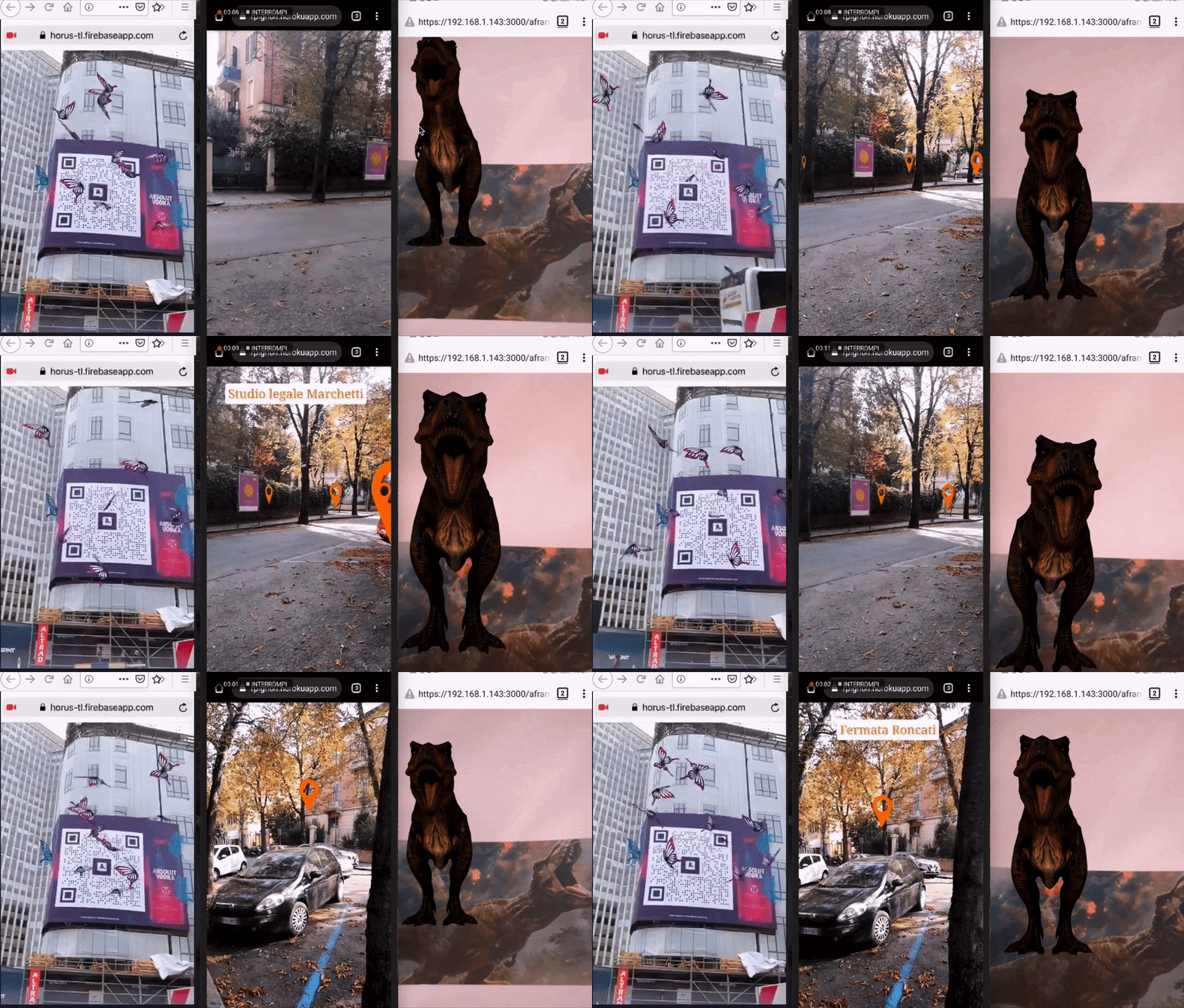
A-Frame
We’re happy to announce AR.js 3 and A-Frame integration featuring new image and
location based tracking.
For detailed API reference and source code check the official
documentation and the Github
repository
Alternatively yeah, image tracking through unity webar via mindar
craggy arch
I see, thank you for the respond @wanton turtle that means a lot!
 pallid cape
Helloo
I'm trying to breath some life back into this project I worked on a few years ago but the face tracking SDK I used at the time has since been depracated/the company was sold. Does anyone know how I can get face tracking outside of arkit? I don't want to use a phone. The whole idea is to do face filters outside of a mobile device and have it as a webcam/desktop experience.
Basically I need a face mesh on to which I can put a material, onto which I can put a shader and attach objects (as seen in the video here:)
wide thunder
Hi,
I am using a tutorial to implement 'tap to place object' functionality, but I want to modify it so that users can tap anywhere on the screen and have the object appear there, not only on horizontal surfaces. The object is a floating lantern, and so it should be able to be placed in midair and not on the ground, if that makes sense. However, I'd also like to know if it is possible to track depth without needing to place the object on a horizontal surface? Ideally people could place the lanterns further back, as well as in the foreground--but I don't want them to have to spawn on the ground. The tutorial I'm following is this one: https://www.youtube.com/watch?v=pC3146FjNC0
Can someone let me know how I should modify his code in order to do what I've outlined above? Right now it's set to place an object anywhere on a horizontally tracked surface. This is the code below: And thank you so much!
`public class ARRaycastPlace : MonoBehaviour
{
public ARRaycastManager raycastManager;
public GameObject objectToPlace;

public Camera arCamera;

private List<ARRaycastHit> hits = new List<ARRaycastHit>();

void Update()
{
    Ray ray = arCamera.ScreenPointToRay(Input.mousePosition);

    if (Input.GetMouseButton(0))
    {

        if (raycastManager.Raycast(ray, hits, TrackableType.Planes))
        {
            Pose hitPose = hits[0].pose;
            Instantiate(objectToPlace, hitPose.position, hitPose.rotation);
        }
    }
}
}`
using Unity 2021.3.11f1
AR Foundation 4.2.6
For more communication, join the Discord(it's new channel):
https://discord.gg/TH6k8pgTvr
wanton turtle
pallid cape
Helloo
I'm trying to breath some life back into this project I worked on a few y...
You can check out MindAR, but it may be locked to a mobile device. Outside of that, you could also use OpenCV if needed. It's a pain but works if you sink enough time into it.
wanton turtle
wide thunder
Hi,
I am using a tutorial to implement 'tap to place object' functionality, but...
You can try changing it from .Planes to .AllTypes, but I don't think it's likely to hit a lot more. Once you click, it needs to hit something to know where to place it. Otherwise, you'll need to decide how you want it placed and just ignore the raycast completely and just place it X distance in front of you.
https://docs.unity3d.com/Packages/com.unity.xr.arfoundation@5.0/api/UnityEngine.XR.ARSubsystems.TrackableType.html
Also, I'd probably move the ray into the if statement for mouse interaction, or it's going to run all the time, even when you don't need it. And I'm not sure if you meant to use .GetMouseButtonDown
Not sure if that helps or makes sense.
 merry tulip
Does anyone know what happened? I'm new at AR and I'm using Vuforia Engine for that

 wide thunder
wanton turtle
Also, I'd probably move the ray into the if statement for mouse interaction, or ...
wide thunder
wanton turtle
Also, I'd probably move the ray into the if statement for mouse interaction, or ...
Thank you!! I'm going to try .AllTypes first. I'll let you know how it goes.
On a more concerning note, I discovered that my objects are all spawning in the exact same point, no matter where on the horizontal plane I tap. It seems to be caused by the position animation keyframes on my object, as once I removed the animation the objects spawned where I tapped. It must be that the object position snaps back to the keyframe start. So if I may ask another question, how can I bypass this issue and still keep my animation on the object? Thanks!
livid coyote
Could someone tell me how I can get 2 buttons (at the red circled spots)? The buttons should be at the height of the plane.
 pallid cape
wanton turtle
You can check out MindAR, but it may be locked to a mobile device. Outside of t...
pallid cape
wanton turtle
You can check out MindAR, but it may be locked to a mobile device. Outside of t...
Thanks @wanton turtle ! Yes opencv has been on my mind. I was also playing with keijiro's media pipe version but I struggle to understand how to get a material onto the mesh itsef. Outsie of mobile device demos, I haven't seen any examples.
 weary sundial
Hello, I'm a unity beginner who recently completed the Essentials Pathway.
And I started the AR pathway.
But I don't have a mobile device that supports ARCore to run and test the scenes. Is there another way?
true stag
wide thunder
Thank you!! I'm going to try .AllTypes first. I'll let you know how it goes.
On ...
Does your animation clip have "apply root motion" checked? Or perhaps your animation is actually just animating the global position
true stag
weary sundial
Hello, I'm a unity beginner who recently completed the Essentials Pathway.
And I...
XR simulation and XR environment can "simulate" a sample AR scene, but it doesn't have the exact same feature set and may not provide 100% accurate results to what you will experience on your phone
wide thunder
true stag
Does your animation clip have "apply root motion" checked? Or perhaps your anima...
Thanks! That was the issue. I didn't have root checked.
wide thunder
How can I stop placing duplicates of the same object with a single tap, and also make sure the objects can't go inside each other? Is this something to do with collider physics? This is the 'tap to place' code I'm using. Thanks in advance!!
`public class ARRaycastPlace : MonoBehaviour
{
public ARRaycastManager raycastManager;
public GameObject objectToPlace;

public Camera arCamera;

private List<ARRaycastHit> hits = new List<ARRaycastHit>();

void Update()
{
    Ray ray = arCamera.ScreenPointToRay(Input.mousePosition);

    if (Input.GetMouseButton(0))
    {

        if (raycastManager.Raycast(ray, hits, TrackableType.Planes))
        {
            Pose hitPose = hits[0].pose;
            Instantiate(objectToPlace, hitPose.position, hitPose.rotation);
        }
    }
}
}`
wanton turtle
wide thunder
How can I stop placing duplicates of the same object with a single tap, and also...
Yeah I mentioned the duplication when I saw the code yesterday... I'd change
Input.GetMouseButton(0)
To
Input.GetMouseButtonDown(0)
That way it only checks the moment you press. The current line runs as long as you are pressing.
And yeah, I'd probably do a spherecast from the touch point to see if an object already exists in its space. Or on instantiation, check if the colliders overlap
wide thunder
wanton turtle
Yeah I mentioned the duplication when I saw the code yesterday... I'd change
` ...
Thank you Lloyd! that seems to have done the trick. Sorry that I didn't quite catch that part earlier, I do understand now. And to answer your question, I copied this code directly from a tutorial; so nothing about it was intentional and I just didn't know how to tweak it to suit my needs. Many thanks!!
wanton turtle
wide thunder
Thank you Lloyd! that seems to have done the trick. Sorry that I didn't quite ca...
You are doing good work and asking the right questions, no worries 🙂 it's a journey for sure!
wide thunder
wanton turtle
You are doing good work and asking the right questions, no worries 🙂 it's a jou...
I really appreciate that, Lloyd! Given I'm new to this, it's been a bit tough to truly understand the code; but this channel has already helped me a great deal.
If I may ask just one more question for now about the code above, how can I change it so that we take the tap to place out of the equation and just have the object appear in the scene, grounded to the horizontal plane as soon as the app launches? Another person here suggested that I raycast downward at the start to instantiate the object, but I am struggling to know what that means. I have researched this quite a bit, but I'm still lost. See, I have one object that should be 'tap to place,' and I have other objects that I want to pop up automatically with no prompting from the user. Is there a way to modify the above code for automatic instantiation?
And thank you so much for all the help you've given me!
 quaint ravine
In case anyone has issues using AR Foundation or Lightship ARDK with URP , I made a tutorial on that:
https://youtu.be/FLNE_ZwJlYU?si=BGzrRqlcmu9HJmw4

Thanks for watching my journey. I want to build the most exciting AR Experiences including Games, Movies and usefull Apps. My background is mainly in 2D / 3D Animation using Blender and After Effects, but I always loved the idea auf Augmented Reality. Furthemore I liked to code. So in late 2022 I decided to learn Unity and get deeper into AR Sof...
 compact horizon
Hi I want you guys know how to build 3D modal?
flint basin
Depends on why you're asking
wanton turtle
compact horizon
Hi I want you guys know how to build 3D modal?
I'm assuming you mean model? I don't think #🤯┃augmented-reality is the best place to ask - however, I strongly recommend blender, zbrush, (modo or Maya are also good). Substance, armor paint, marmoset or instamat for painting. But if you want quick and dirty you can start with the Unity add on probuilder.
true stag
AR Foundation 5.1.2 should be officially live, hooray!
true stag
flint basin
It was said that it would release anytime now after the winter break, might be c...
I believe you were interested in hearing when the new version was released, if not I apologize for the ping!