#archived-dots
1 messages · Page 96 of 1
 deft niche
 dull copper
just have a subscene on your scene
afaik, it only works with subscenes now due how the serialization saves things
deft niche
damn this is cool!!
dull copper
since all packages are out already and 2019.3.0f1 is somewhere already, I wouldn't be surprised if the fps sample shipped at the end of the week with that f1
one can at least hope 🙂
deft niche
it will be good thanksgiving week! 🙂
 magic frigate
Hopefully the DOTS guys get some time off
 safe lintel
This is fantastic, also can handle more than one entity from the conversion
 worn stag
data flow graph package not yet released
 deft niche
ohh god..what is data flow graph.. these packages are getting out of hand now! lol
magic frigate
Bintray feels like watching your order being made in a restaurant kitchen
dull copper
it's kinda bummer that they killed the staging registry from it
a lot less bleeding edge stuff now
deft niche
what does that graph help with ?
worn stag
it is converting assets to entity format or something like that. You can import meshes, animations etc with it
magic frigate
DataFlowGraph is a framework which provides a toolbox of runtime APIs for authoring and composing nodes that form a processing graph in DOTS.
- Topology database APIs
- Traversal cache APIs
- Graph scheduling and execution
- Data flow management
- Compositable node & connection system
- Messaging / events
- Strongly typed port I/O system
Ooooo, events
 tired mulch
I'm not sure how well familiar you are with DOTS, but I wanted to create maps, levels and whatever (Basically using Unity's TileMap system)
But I want to still implement ECS, so I thought I'd find a way to 'convert' if you may, every single tile into an entity.
I'm very new to Unity in itself, so there is a lot of concepts that I am currently learning, and not too familiar with.
But YET I managed to do the task I wanted to accomplish, but I highly doubt it's even close to elegant.
So if someone with some ECS / Tilemap experience would like to look through the code I've got going for this entire operation and make some comments on how things can be done in other ways, or any suggestions at all, I'd appreciate it.
(Some concerns are mentioned in the comments of the code)
https://pastebin.com/NaeNN44b

 worldly pulsar
The built-in features you'd need to do this are not there yet, so to make your code reasonably efficient you'd need to write your own sprite rendering system. What you are doing right now (copy the texture out of the atlas) is plain evil.
(I'd probably go even further and write a dedicated tilemap renderer that would set vertex UVs on a grid mesh)
 winter veldt
anyone round? i know entities are versioned.. but.. if i save an Entity to a component, and then compare it to an entityquery-extracted nativearray, will they be equal? or is it possible different versioning would make them unequal?
worldly pulsar
An entity with different version is a different entity (the previous entity with the same index had to be destroyed for it to exist)
For example if you create 3 entities you'd get (id: 1, version: 1), (2, 1), (3,1). Then say you destroy the (2,1) entity and create a new one, you get (id: 2, version: 2)
In general you should never look at the id/version numbers, use the Entity struct as a unique identifier for the entity. And yes, you can store it anywhere you want.
 prime cipher
Still wondering, if a subscene can be instantiated during runtime, so that I can use it as a prefab. Haven't found anything in the samples. Maybe my bad?
prime cipher
I have a weird behaviour. I created a prefab which converts to Entities and injects the GameObjects. Due to current version issue, in the prefab the Objects are nested in an empty GameObject, which converts and destroys. If I add the prefab to the scene by drag and drop (it is in hierarchy), it converts fine and shows all subobjects (which for instance also include GOs with VFX graphs). I expected the prefab to work. When I instantiate the prefab through code with
var prefab = GameObjectConversionUtility.ConvertGameObjectHierarchy(Resources.Load<GameObject>("Prefab"), World.DefaultGameObjectInjectionWorld);
Entity ent = dstManager.Instantiate(prefab);
It seems to convert differently, as the convert and inject game objects are not shown.
dull copper
maybe they just canceled dots shooter and shipped this instead 🤔 https://assetstore.unity.com/packages/templates/fps-microgame-156015

Microgames are small, fully functional games that are designed to help you get started with Unity in a fun and interactive way. By following the simple In-Editor Tutorials that come with the project, you’ll personalize and share your customized, playable game on the web in ...
too bad it's so far from april 1
 remote coyote
haha
dear god no
the FPS Microgame is cool though
the TPS Sample must be super close now that we got Netcode preview too though... and we're also at beta 12 now... it's close to release, it must be
 sweet wraith
how often does unity asset store have these big sales?
remote coyote
usually there's a summer sale as well
dull copper
@remote coyote all packages are there, and 2019.3.0f1 is out there already, just not for us
I think they do like late spring/early summer sale and this usually @sweet wraith
there are smaller sales tho
not really dots topic tho 🙂
 trail burrow
remote coyote
trail burrow
remote coyote
@dull copper right, so the TPS sample should be out real soon then
 solar spire
We can make that guess
remote coyote
I've been making it for over a month 😄
dull copper
@trail burrow last time it was the first release, but it wasn't that far away when f1 was RC
dull copper
or they just label f1 as RC if QA finds some issues with it
sweet wraith
Thanks Olento I tried asking in other channels but no one was there, dots is the most active, whatever dots is
dull copper
lol
remote coyote
the holy grail of dots
dull copper
well, f1 is apparently RC
at least that's what I gather from this post https://forum.unity.com/threads/hdrp-ray-tracing-in-preview-in-2019-3-and-hdrp-7-1-5-and-above.781175/
that is, unless they decide to skip the f1 altogether
 flat talon
they've done f1 labels as RC before 🙂
dull copper
sometimes, yes
but not always
quickly looking at unity download archive (which only lists released ones), 2019.1 has f2 as first release, 2019.2 had f1 as first release
flat talon
yep, I expect .3 release next week, it would be good to get the RC by end of this week!
so many exciting things in motion atm 🙂 all the new dots packages!
- hdrp non-preview
dull copper
I'm already looking at 2020.1 since they don't do skinned meshes with raytracing on 2019.3 😄
and then will look for the version where they enable virtual texturing and then....
flat talon
yeah but at least we're getting raytracing preview into 2019.3 after all!
dull copper
sure, but most people would want those skinned meshes to work
flat talon
I'm sure we're going to see tons of dots rendering work in the 2020.x releases
dull copper
most games don't just move static objects around
flat talon
aye, if you do any animation at all basically 🙂
it is possible to animate without skinning, but then split the mesh into parts and each is a separate drawcall :/
tired mulch
@worldly pulsar Continuing off of your earlier answer. Is there any known git repositories or something similar of someone working on their own sprite renderers?
 amber flicker
@tired mulch pretty sure there's one on the forums - I think if you search for '200k' and sprite renderer or something you should be able to find it but let me know if not
dull copper
not the dots shooter we've been waiting for but: https://blogs.unity3d.com/2019/11/27/creating-a-third-person-zombie-shooter-with-dots/

Unity Technologies Blog
We’re rebuilding the core of Unity with our Data-Oriented Tech Stack, and many game studios are already seeing massive performance wins when using the Enti...
 slow epoch
Wasn't this from Copenhagen?
slow epoch
Well i though it was something new from DOTS
dull copper
nah, nothing new, sorry
slow epoch
The wait for the next update of ecs is hurting me
slow epoch
Nah don't worry about it
flat talon
what update are you waiting on @slow epoch ? I think most of the things we have been waiting on is available already?
only one I know of that isnt available in some form yet is the new DOTS fps sample shown at Unite
dull copper
^
slow epoch
Did the next package version of entities release?
flat talon
yes last Friday
please note that 2019.3 is required, so if you are still on .2 it wont show up in packages for you
slow epoch
Oh damn, my bad then
 rare umbra
I need to be able to access some component data from a bunch of places in my code, so I've created a singleton Game Manager and I want to store references in there. Is it best to cache the reference to the entity once and then on each frame / part of my code that needs it look up the component data on that entity OR set component data on the Game Manager each frame and just reference this in whatever code needs it?
The second approach is what I'm currently using, but I suspect this will take up more memory and I don't like the fact that memory is being set each frame to ensure the game manager is reflective of the entity's data
 dusty scarab
Is the latest entities package available for 2019.2?
flat talon
no and wont be
it requires the Asset DB V2 because of changes in the subscenes, and that requires 2019.3
flat talon
@rare umbra My guess is it depends on what the data is? If is something global like settings and only exists in one place on one entity then you could use a singleton entity for this?
it sounds like your Game Manager is already a singleton entity? So what kind of data is that referencing that wouldnt just be included in that class?
rare umbra
so currently it's player currency data - what currencies and balances they have
you're suggesting that maybe ECS is overkill for this given that it's a singleton?
dull copper
@dusty scarab @slow epoch new entities package requires 2019.3.0b11 or newer
dusty scarab
yep downloading the beta version now thanks!
dull copper
"com.unity.animation": "0.2.16-preview.5",
"com.unity.dots.editor": "0.1.0-preview.2",
"com.unity.entities": "0.2.0-preview.18",
"com.unity.netcode": "0.0.1-preview.6",
"com.unity.rendering.hybrid": "0.2.0-preview.18",
"com.unity.transport": "0.2.0-preview.4",```there's a bunch of new packages
 pliant pike
So you cant currently use animations in ECS right? But I could animate something if I have separate body parts right, would I have to use the translate method and manually create all the animations using that, I couldn't use Blender to create the animation and then somehow convert that to ECS could I?
dull copper
there's dots animation package
but at this point, it would probably be easiest to just see how Unity did it with their dots shooter project
once they release it that is
but it can't be far off now
pliant pike
yeah I guess I can wait, I don't need animations yet really
flat talon
@rare umbra Is that currency data kept in singleton entities as well? Any reason you don't keep those in your Game Manager too?
Its ok to save them in a singleton, but its an extra query yeah to get them by the entityId saved in your GameManager class
How are you reading data from them to use in your component systems? Get the singleton entity before scheduling the job/lambda?
rare umbra
@flat talon they’re singleton entities in the sense that they are only being created once. I don’t currently keep a reference to them in the Game Manager but I could.
Currently every frame the game manager class is searching for the component on the entity and assigning it’s component data to its component reference
I’ll share some code if I can fix this blue screen / windows repair loop 😅
flat talon
Ok ECS has support for the singleton entity pattern, in case you havent used that
rare umbra
I have not!
flat talon
rare umbra
Thanks I’ll take a read
 slate breach
Also to reference singletons outside of a component system you can get them from EntityQuery
 blazing skiff
anyone can tell me the ideal size for a Component on ECS ?
flat talon
the smaller the better 🙂 then you can fit more of them inside a single chunk
safe lintel
@amber flicker wait i erroneously said the anim package didnt compile, turns out it was my own script preventing that
flat talon
its a balance between having the data you need for a job, and not making them too fat because of memory layout
blazing skiff
but there a limite in bytes?
flat talon
I guess the limit would be the max chunk size, I'm not sure what that currently is? 16Kb?
Your code is going to slow down once your components start getting too big 🙂
amber flicker
I guess it would be reaaaally hard to reasonably make a component the size of a chunk.. 😄
 stable fog
Challenge accepted
flat talon
NativeStrings 😄
slow epoch
NativeStrings + LSystem
flat talon
there's always blobs... 🙂
amber flicker
😂 😅
worldly pulsar
struct A : IComponentData
{
    B<B<B<B<B<B<B<B<int>>>>>>>> hello;
}

struct B<T>
{
    T a, b, c, d, e, f, g;
}```
This makes the TypeManager spam errors 😄the component isn't generic, just the field (my goal was to make a component >16KB)
flat talon
I think the chunk size can be increased in some cases, but I didnt dig into it since I havent had a reason to 🙂
amber flicker
I mean... I guess you could just set a dynamic buffer to allocate an insane number? Though it might gracefully handle that when larger than a chunk so may not the best test if you just want to see what happens.
flat talon
yeah they are stored on a separate entity, maybe the chunk size on those is bigger?
blazing skiff
the NativeString is that bad to become a joke?
winter veldt
ugh. i hate always asking questions and not being able to help anyone.. but quite bewildered at ecs at the moment.
flat talon
@blazing skiff Not really, its just an easy way to have lots of data from authored content
strings should really be kept separate
worldly pulsar
so components > ~1 MB crash the internals, anything less gives you a nice error:
ArgumentException: Archetype too large to fit in chunk. Instance size 1048640 bytes. Maximum chunk size 16064.
winter veldt
i have a question, because i feel like i'm missing something. I can't edit ComponentDataFromEntity in a job, so i was going to use an entityquery and get a nativearray of the same component, but i always run into this. is there no way to be able to see what entity the componentdata is attached to? or do i have to send a nativearray of toentityarray AND a nativearray of the tocomponentdata and try to find the index with the right entity?
slow epoch
@worldly pulsar How did you end up testing it?
worldly pulsar
What do you mean by "can't edit ComponentDataFromEntity"?
@slow epoch
unsafe struct A : IComponentData
{
    fixed int test[1024 * 256];
}```Oh well that was way easier than i though
winter veldt
if i send say, ComponentDataFromEntity<Translation> to a job for instance, if it's not marked as ReadOnly i get "The container does not support parallel writing. Please use a more suitable container type."
worldly pulsar
@winter veldt oh, this is in IJobForEachWithEntity, right?
winter veldt
yeah
amber flicker
@winter veldt there's potentially quite a long answer to this but essentially... if you are very very sure you never write to the same entity you can add a tag [NativeDisableParallelForRestriction] and it will let you write to CDFE's in a job. The reason it doesn't by default is the system can't be sure your job won't try and write to the same entity twice (e.g. from different threads). It's good if you can rework things to avoid this but sometimes you need to do it.
ways you can avoid it include using an intermediary hashmap or adding components and doing batch operations via queries but they come with their downsides depending on how many entities you need to process etc
worldly pulsar
or you can .ScheduleSingle() instead of .Schedule()
winter veldt
hrm that is probably the easiest option thanks!
worldly pulsar
won't be multithreaded, but the safety system won't complain
but if you only use the entity you get as an argument to Execute(), then [NativeDisableParallelForRestriction] is the way to go
winter veldt
that will work, but i'm still confused as to the usefulness of an entityquery. the premise as i understand it is you are getting the entityies and components that fit the query. but then you can only ever get one or the other out of it at a time.. so i can get a list of the entites, or a list of all the components or componentdata's, but is there a way to get the componentdata AND see what entity it's tied to without having to loop through lists?
like the ComponentDataFromEntity is useful because i can't just look for the index of entity, and i get it's component.. but that doesn't work with the nativearrays returned from a query
amber flicker
so.. without reading that carefully what you just wrote... yes, it is super common that you want to change a subset of entities that have a certain archetype and it always feels a little painful. However, the more you can design everything you do to work with distinct archetypes, the more performance you can get. So using a query (changing all entities with a certain archetype for example) makes it super super quick to e.g. add/remove components because it only changes the archetype (not the archetype of every entity)
and I should emphasize that it's deliberately a little painful to encourage working with linearly laid out data (and all the speed that brings)
I don't think I worded that very well sorry haha
worldly pulsar
The query.ToComponentDataArray()/query.ToEntityArray() methods should not be your default way to do things, most use cases are covered by Entities.ForEach() and IJobForEachWithEntity
winter veldt
well, i'm trying to move another entity (actor) referenced in the job entity's component data... would it be worthwhile to attach a "move" component to the actor that just updates it's position and removes that tag then?
sorry attach a move component to an actor, and a jobthat updates position based on its values then remove it?
would another job just to do that be a performance hit? its so strange working with ECS having so much stuff, but somehow increasing performance. i feel like i'm creating 4x the systems i would normal make of functions just to do simple things.. yet seems that's what is expected
amber flicker
it'll click with some time - certainly a task like 'swap a material on collision' in pure dots land compared to mono is pretty epic... but it does feel good eventually 🙂
perhaps start with what is the data that you're interested in, when does it change and why
worldly pulsar
I'm not sure I understand what you are trying to do. As to "4x the systems" - unless you have thousands of entities I wouldn't worry about performance at all. Do the simplest thing possible, even if single threaded.
winter veldt
it's the lack of linking that gets me i think. i always expect to just be able to modify A because i have B, and be is attached to A..
 vagrant surge
@winter veldt add/remove components per entity is kinda expensive in unity ecs
now, it is a lot faster than equivalent monobehaviors
when using tags, if you are tagging "whole chunks", then its nowhere near as bad
in fact, adding/removing tags one chunk at a time is actually very very fast
i think its actually faster to change the tag on an entire chunk, than to change it on 1 entity
for your case like move, i really dont recoment using tags for that
using tags to filter components its more useful for more "long running" things, For example a "frozen" tag or a "dead" tag is generally a great idea, and also tags for game states that dont change that much
winter veldt
hrm ok. well that is going to change things then. good to know
vagrant surge
as a rule of thumb. Adding/removing a component to an entity is equivalent to destroying that entity and then creating it again
what you "can" do for your move tags, if you really really need to be smart about it, is to have a bool in a component, and set the "entire chunk" to have the Move tag
so you have a component that is "ShouldMove" and its strictly just 1 bool
and that is on all entities
when you want to set one entity as "move this", then you set ShouldMove to true, and then add the tag "Move" to the entire chunk itself
dusty scarab
one question. If adding components per entity is kinda expensive, would it be better if i create a sample set of all possible chunks in my game, and then just transfer them to and fro?
vagrant surge
so on your movement system, you iterate entities with Move tag and that have ShouldMove as true, and then set ShouldMove to false, and remove the Move tag
@dusty scarab hell no
in unity ecs you do not cache or pool anything
because the way the ecs work is by pooling everything on itself, so its not needed
the transfer is the expensive part
dusty scarab
oh
vagrant surge
(btw, that thing i explained with Move, im doing literally exactly that for my own C++ experiments for extreme performance culling)
tho in there i have a bitmask instead of a boolean to save space
winter veldt
alright. i also have a bunch of adds and removes for states, i'll have to think on that a bit more.
vagrant surge
@winter veldt if you are keeping them over multiple frames, then keep them
dusty scarab
but just copying the entity to be created into another chunk is expensive too? Like for ex, all players are init into two chunks, one being active and the other is false. as soon as the player is dead, turn off the first chunk and set the bool in the 2nd one?
vagrant surge
why not split the player into 2 entities then? @dusty scarab
 hollow sorrel
whats the benefit of adding/removing move to the chunk if you can keep it on 24/7 and have it be 0 if not moving
vagrant surge
you have 1 entity with "all" the big parameters like stats and the likes, and then you have other entity which handles movement or player input
slow epoch
What about using shared component data as tags?
vagrant surge
@hollow sorrel filtering
slow epoch
Like having one shared component with an enum
vagrant surge
by adding/removing Move to the chunk, on your system you then want only the chunks that have the Move tag
winter veldt
i probably won't worry too hard about it, i'm definitely not in a uber performance stage yet.. but i don't want to be having bad practices off the bat.
worldly pulsar
@slow epoch shared components are evil 😛
slow epoch
They are?
dusty scarab
@vagrant surge then the transfer would be expensive as soon as I add the dead tag
hollow sorrel
but you still have to check all the shouldmoves, so wouldnt it be the same amount of checks in the end
vagrant surge
@dusty scarab no, because your player is split in hot + cold data
lets say you have a RPG
your player has inventory, rpg stats, and all that crap
but he is also a moving object that moves with WASD around
you can split the player in 2 entities
one entity holds inventory, rpg stats, etc
other entity holds movement logic + input
slow epoch
@worldly pulsar Don't know a lot about shared components right now so i don't see the evil thing here
vagrant surge
@hollow sorrel no
the unity ecs code for matching archetypes is spectacularly fast
dusty scarab
got it. so the other half which is more prone to be add/remove components is more easier to manage
vagrant surge
because it does not need to go per-chunk at all
think of it like it keeps a list of all chunks that have Move tag
so when you query for chunks with Move tag, its basically almost O(1)
hollow sorrel
ahh
vagrant surge
it does not go chunk by chunk checking if move tag is there
worldly pulsar
@slow epoch there is a lot going on whenever you add/remove/change shared components, afaik for tags there is never a good reason to use shared over IComponentData
vagrant surge
shared components are an advanced feature
hollow sorrel
the shouldmove/move thing is pretty clever then
vagrant surge
if you dont know exactly what you are doing, avoid them like the plague
shared components are actually not about sharing data
not at all
slow epoch
Lmao
vagrant surge
they should get renamed honestly
slow epoch
Gonna have to read more about that then
dusty scarab
got some essence of it! thanks @vagrant surge
vagrant surge
shared components exist to manually "split" entities in chunks
for example, in the Megacity sample, its used for much, muuuuuuch more efficient culling
in that sample, every one of the "buildings", has its own "building name" shared component
worldly pulsar
@vagrant surge they are also a hack to allow managed data on components 😛 (see RenderMesh)
vagrant surge
this means that the entities of each building are allways grouped together, and never with entities from other buildings
in megacity, you will never get a chunk that has entities from 2 different buildings
never
they abuse this fact for culling and LOD calculations
@worldly pulsar not anymore, you can now put managed components
they now allow Class IComponentData, that are managed
cant use them in jobs tho
worldly pulsar
ok, "used to be" a hack, still used by RenderMesh 😉
vagrant surge
render mesh has other reasons for it
this way each chunk uses the same vertex buffer and material
so when rendering, everything is already sorted
tho i really dont like that approach
it causes absolutely huge levels of fragmentation
worldly pulsar
In my case it just means I have 1 chunk per entity because they usually have different meshes/materials
vagrant surge
in a normal level, most of your meshes are only used a couple times, and with RenderMesh, this means you have empty chunks all over the place
yup
for my own experiments and engine im thinking of something different
i plan to do something like RenderMesh, but for the material and vertex buffer id
but i will just merge a lot of meshes into the same vertex buffer
so 1 chunk will hold a bunch of meshes
draw indirect 👍
worldly pulsar
Lol, just checked, and on average I have 1.5 entity per chunk. This is javascript level of memory efficiency 😄
 tawdry tree
GG
vagrant surge
@worldly pulsar thats why i really dont like the design of render-mesh
worldly pulsar
To be fair, I have ~200 entities total so ¯_(ツ)_/¯
safe lintel
well trying to get the new anim system to play a clip is thoroughly confusing
 sharp nacelle
hey folks, I need a bit of help again. I just updated to the latest entities package (in 2019.3.b11) and immediately get an error when it wants to create the default worlds.
D:\GameDev\Projects\Tellas\TellasChronicles\Library\PackageCache\com.unity.entities@0.2.0-preview.18\Unity.Entities\Types\TypeManager.cs(431,13): error: Cannot find the field `TypeInfos` required for supporting TypeManager intrinsics in burst
 at Unity.Entities.TypeManager.GetTypeInfo(int typeIndex) (at D:\GameDev\Projects\Tellas\TellasChronicles\Library\PackageCache\com.unity.entities@0.2.0-preview.18\Unity.Entities\Types\TypeManager.cs:430)
not sure if this is my fault or the package not fully ready yet. Tried to delete the package cache already, but to no avail. Anyone with the same issue?
I really hope I can soon share something here that's not just errors and problems 🙂 but I'm really grateful for the help I'm getting!
worldly pulsar
Delete ScriptAssemblies, not PackageCache
dull copper
also you got all entities package dependencies on newer versions?
(they will be unless you've manually installed some other packages, like burst etc)
sharp nacelle
yep all is up to date. I'll try deleting ScriptAssemblies as well
dull copper
anyone got the entity conversion preview working?
it just keeps saying: Entity conversion can only be previewed when all selected GameObjects are converted
worldly pulsar
that's in 0f1?
dull copper
it's on DOTS editor package
I'd assume it works on b11+
"com.unity.dots.editor": "0.1.0-preview.2",```hmmm, how did we serialize subscene for dots again?
worldly pulsar
it doesn't complain for you about ConvertToEntity being in a subscene?
safe lintel
i only tried it with b12 but it worked for me without any hassle
dull copper
it doesn't matter if it's in subscene or not
same result
probably just missing something obvious here
@safe lintel do you get it working on dots samples if you add that package there?
safe lintel
i tried it on my own project
dull copper
I tried new project and samples without much luck
dull copper
I doubt it
safe lintel
i mean for your testing?
dull copper
nah
I tried on b12 and now f1
so if you got it showing the entity conversion values on the bottom on b12, b12 is probably fine then
safe lintel
yeah i added it to my samples(also on b12) and its converting it
dull copper
so you see the entities there?
or components rather
and you didn't have to do anything but add that package to the samples?
I'm just trying to make sure I don't miss some basic step here
safe lintel
it did take a few mins to convert the selection to a subscene
dull copper
oh
so that was the thing I was missing
I found the option now 😄
yeah it works now
so it's not enough you actually put subscene there, you actually have to convert to subscene from menu option?
you'd think you should be able to convert existing subscenes too :p
safe lintel
so its working?
dull copper
only if I do this
but if I draw additional scene into existing scene, it doesn't serialize it for dots
 coarse turtle
Ah so for the generative authoring components you need the dots.editor? Sorry I've been a bit behind on checking out their updates 🤔
dull copper
we are still figuring this out here too 🙂
safe lintel
maybe if you did it the other way you need to reload the scene for it to have worked? noticed some strange oddities with creating subscenes before the update
dull copper
nah, I've restarted editor many times even
there was some way to serialize the subscene for dots before
but I can't remember nor see any obvious way how one did it
 prisma anchor
Does anyone know of any tutorials that allow for tracking score and displaying the UI?
sharp nacelle
sorry for disturbing the very interesting discussion again... deleted ScriptAssemblies and the error still persists. Still TypeManager and another error that burst can't compile InvalidOperationException: Burst failed to compile the given delegate: Void InstantiateEntitiesExecute(Unity.Entities.EntityComponentStore*, Unity.Entities.Entity*, Unity.Entities.Entity*, Int32) for some reason.
dull copper
so the dots subscenes actually live inside the main scene file?
safe lintel
@sharp nacelle is this upgrading a project? i had to make a new project, add in all the new entities packages and other stuff like hdrp and then copy paste the manifest to my old one as i had some strange mismatching stuff that was a little difficult to track down but caused errors with the typemanager
i think the subscenes live outside of the main scene, they are just referenced in?
dull copper
ah the subscenes just save into subfolder
ok now this all makes sense again
I'm just not using this right :p
 olive fulcrum
Hi everyone. dots seems the preferred programming channel currently 🙂
sharp nacelle
@safe lintel yes, upgrading a project. So you think the manifest is the issue and I simply have some wrong packages in there? Might be worth a try, thank you.
safe lintel
yeah possibly. i had been specifying some obscure packages that are now automatically added, and i think that caused my problems
dull copper
or do you always have to create new inside the scene first?
this is so unintuitive that I'm probably missing some obvious option somewhere
safe lintel
i dont know, i tried making a subscene the old way(not from selection) which always used to work and now it doesnt appear to? 🤷♀️
dull copper
yeah, you can't just drag and drop things there as they get treated as regular additive scenes
but I don't see any way other way to do it either
I can create new one as workaround but it feels sketchy
also I can imagine many cases where you'd want to reuse same subscene for different scenes on your project
safe lintel
hoping that dots fps sample comes out soon
olive fulcrum
is there an announcement for that?
safe lintel
not yet
olive fulcrum
they are working on it though?
safe lintel
@dull copper i think you can reuse if you just drag an existing one made by selection into the subscene inspector
@olive fulcrum hopefully(talking about what they demoed at unite keynote)
olive fulcrum
ah ok
i keep forgetting so much of the features i get in touch with. it's just overwhelming currently
flat talon
its best to think of subscenes as "scene fragments". I also did some experiments of trying to load them into different scenes, but that's not supported.
What you can do is load and unload subscenes programmatically, good for streaming in sections of a map for example
oooh 2019.3 RC is out
sharp nacelle
@safe lintel thank you! it turns out it was the Animation Rigging package 🙂 didn't even use it yet. maybe I should stop installing every interesting sounding package 😄 so let's get back to understanding all the new stuff 🙂
safe lintel
i love installing new packages, but at the same time i usually have to remove them not long after 🙂
coarse turtle
hmm I havent played with subscenes yet, but are they "unloaded" when you unload the primary scene?
dull copper
if you've added them to scene itself, they arrive preloaded
@safe lintel subscene inspector?
you mean the thing you see in inspector once you've created new subscene?
this thing?
oh
I get it now
@coarse turtle actually I was wrong, it didn't keep it open once I restarted
so here's the deal:
flat talon
ah nice SRP 7.1.6 is out as well
dull copper
- you can manually just add that sub scene script to any gameobject and add any scene ref to it
- then you can select if this scene is autoloaded (it's by default)
- this also has Edit/Close button which actually opens the scene visibly in the editor for editing
yup
7.1.6 works with latest hybrid too
(as does 7.1.5)
flat talon
yeah Ive been using 7.1.5
subscenes are amazing and load so fast, because its just a blob asset that gets loaded into memory and instantly used. No need to instantiate or run any conversion
dull copper
you have to use them to get this entity conversion preview working as well, hency figuring this out
flat talon
this confused me at first, I expected the conversion scripts to run every time I hit play 🙂
dull copper
I did try these when they came up with the concept on dots but haven't touched them since
flat talon
yeah the preview is super nice! You can select a component there, edit values in the behavior inspector and instantly see the component values change
dull copper
still wish we could get this somehow while the project is running
using entity debugger is pain
like, it's so unorganized for editor use
flat talon
Im sure we will 🙂 the plan is to show entities in the scene hierarchy at runtime
dull copper
hmmm
there has to be some 3rd party editor tool that lets you put monobehaviours into some quick selection toolbar etc
I'm kinda annoyed by having to always type same things to add same scripts to the gameobjects on DOTS
safe lintel
that big empty space annoys me so much
dull copper
this subscene loading at least lets me drop the conversion scripts
flat talon
the whole editor is very scriptable, even the viewport 🙂 its a whole world
dull copper
yeah, I know, but I mean someone has probably made this already
hmmm, I actually may have some toolset that does that
it does work, but I get flooded by these errors on super simple scene once I hit play
SerializedObjectNotCreatableException: Object at index 0 is null
oh wait
flat talon
something in your subscene is perhaps not being converted? does anything show up in the inspector on the subscene? it will list errors or things it cant convert
the error there tells you not all GOs are being converted
dull copper
I'd rather have it tell me that, rather than putting this 😄
same with the entity conversion preview
the message it spits out when its not working is absolute nonsense 😄
it could just say "only converted subscenes are supported by this tool" etc
flat talon
btw the 2019.3 RC fixed a weird issue I was having with subscenes last night. I was getting different behaviors if the scene was open for edit or closed (and no, no custom conversion systems)
and overall it feels faster!
I currently have a scene with 4x subscenes totaling around 400 gameobjects, works really well so far
dull copper
ok, the errors were from unrelated plugin, my bad
olive fulcrum
how did you notice? stack trace?
dull copper
there was like few things on the whole project, was easy to test
olive fulcrum
(i'm always afraid of that point when I get a random error and have to search the whole night to figure out which plugin caused it lol)
kk
dull copper
also I had a suspicion immediately once I realized I put that thing there
we can keep domain reloading disabled with DOTS, right?
I do love the instant playmode without it
safe lintel
yeah its recommended
dull copper
I remember seeing some note about it regarding to dots somewhere but I couldn't find it when I searched for it
flat talon
you can keep both that and scene reload disabled 🙂 its nice and fast!
dull copper
scene reload doesn't really take any time on my relatively empty test scenes atm 🙂
flat talon
Im still getting used to how the transform system behaves differently depending on if the object is parented or not. Having to manually update LocalToWorld, LocalToParent and also those on child components feels quite.. tedious.
Im sure there must be a simpler way? I just need to set world rotation on a child entity.
dull copper
btw, docs are up for these:
DOTS Editor: https://docs.unity3d.com/Packages/com.unity.dots.editor@latest
Netcode: https://docs.unity3d.com/Packages/com.unity.netcode@latest
Transport: https://docs.unity3d.com/Packages/com.unity.transport@latest
no changelogs or api docs atm apparently
flat talon
ah neat, I tried the animation one earlier.. the url was found, but just had "todo" in it
olive fulcrum
Siggi u currently write to the quaternion in LocalToWorld for example?
flat talon
I create a new matrix and replace yes
olive fulcrum
oh i see
flat talon
trying a few different things atm
you can't write just to the ltw.Rotation, it has no setter
I wonder.. I can probably get away with setting just (local) rotation as long as transform it through the ltw
vagrant surge
oh netcode actually has stuff to read
flat talon
yeah and even a quickstart guide vblanco 🙂
safe lintel
animation is barren 🙂
olive fulcrum
thx for sharing docs 0lento
dull copper
I didn't link it initially as it's not really useful
np
I also pinged a mod to update the pinned list with those three
hmmm
that dots editor doc is pretty same as animation atm
but netcode and transport have actual manuals there
netcode is quite brief still
coarse turtle
looks like the docs from github 😅
flat talon
the official release should be very close 🙂 we have the rc now
olive fulcrum
btw the dots update mostly is about performance, isn't it?
flat talon
features and api primarily Id say
coarse turtle
yea - it seems like there's some overhead they want to cleanup
dull copper
yeah, they did a lot of things to improve usability
flat talon
First release where the conversion flow feels "complete"
coarse turtle
can't wait to dive into it tmr though 
dull copper
I wouldn't go that far 😄
to me this still feels super early still
it's definitely improvement to previous tho
olive fulcrum
I remember trying out some stuff with Unity a couple of years ago. but I wasn't happy with it.
I'm not sure what changed, just rn I see how powerful Unity is and if they continue in that direction that would be great.
dull copper
dots splits users opinions a lot
some absolutely hate Unity for going to this direction
olive fulcrum
Hm.. I mean as long as they make it work consistently with standard monobehavior
dull copper
some hate seeing any preview packages in general
but yeah, it's such large userbase that someone will always be pissed off, regardless what they do
olive fulcrum
are there any known limitations to the new NetCode and synchronization coming with it?
like so far what i have seen is that transform data and animations etc is transferred(synchronized)
hollow sorrel
Hm.. I mean as long as they make it work consistently with standard monobehavior
nah fuck monobehaviours
burn em
not even from an ecs standpoint, compared to regular C# classes they are so slow considering they have to be attached to a poorly managed C++ gameobject that always has a transform
olive fulcrum
I mean for who needs more performance it's bad, sure
magic frigate
DOTS is the primary reason I am interested in Unity at all right now. It just seems too cool to pass up.
 chrome pawn
any suggestions on how to get something similar to OnCollisionEnter and OnCollisionStay with Unity.Physics?
prisma anchor
@chrome pawn Look in the UnityPhysicsExamples for Example Scene: 2d2.Events - Contacts.
 fresh vector
Can't wait for a full DOTS editor, I don't even want to look at MonoBehaviours anymore.. I assume this won't happen until 2021 😅
 craggy orbit
at least 2021, probably
fresh vector
Hey, they had Project Tiny working with a full 2d DOTS editor, so I assume they will have the 3d one by at least 2021. Although Unity loves late deliveries and early announcements.
craggy orbit
ah i had forgotten about that. i feel bad for the devs though. they're so rushed with all of this
fresh vector
I just want better DOTS tooling, feels like a second class citizen in it's current state, which is understandable since it is still in preview.
 low tangle
DOTS makes me realize how much of .net is object based
I really wish more low level things were structs and free standing functions
hell I wish c# supported those outside of classes
something something just switch back to c
 gusty comet
I saw the new video of DOTS being used and I'm wondering-is DOTS used in any project above simple complexity? Like every time I see it it's always "Oh yeah we were able to get DOTS and increase performance by 2k%" they say as they show a video of a cube being spawned 20k times.
like I wanna use it so bad but it doesn't even seem near production ready or possible to be used in anything that's above "move to this location" and speaking of production ready-is 2019.3 any closer to release? 😄 If so does anyone know the performance improvements on it?
coarse turtle
https://www.youtube.com/watch?v=H7v2TzKPeMM&feature=emb_logo - early vid but SKGames - eizenhorn was using it in elinor
https://medium.com/@eizenhorn91/unity-ecs-and-job-system-in-production-deab0578d49e here's his accompanying blog about ECS in production
 odd bay
Are there events in ECS or does everything run on the update loop?
coarse turtle
I'd say you can likely start using it in pieces of your game for production - though be prepared to start updating and refactoring as the updates roll out for the package and with anything out in production - you should have some sort of plan to support it 😉
As for performance benefits, I'd say it's built to scale better than the current monobehaviour - I'd take a computationally complex piece in your current game and see how you would benefit from migrating to an entities based architecture - but ofc a lot of your decision making would have to be based on your analysis of what your bottlenecks are in your current game
low tangle
events are different
any other dots people just stare at the entities flickering every frame?
low tangle
yep, my network messages are low enough of a n
even at high player counts
so the cost vrs complexity of the systems is way better to do with creation and deletion
plus deadlines
also I've noticed with dots, I actually had proper code reuse
like functional programing, I used systems and components I wrote a year ago, for a totally new network system. and they've been untouched for a year
blew my mind
@gusty comet my games about to ship, being built as much as possible on ecs
all of my game logic is dots, all of my networking. then a few hybrid wrappers to put data out into some old monobehaviour systems like finalik
dots is too good. I basically wrote a simple bit torrent protocol in it last night, in about a hour
prisma anchor
Anyone have a good way of creating events? Is Reactive System the best approach?
remote coyote
hm, so with the new Entities.ForEach in JobComponentSystem, we don't get an index with it right? So using concurrent entity command buffers still require us to split into a job struct?
It would be weird if this worked: Entities.ForEach( (Entity entity, int index, ref MyComponent comp) => { ... } );
worldly pulsar
@remote coyote try and compile it, you'll be surprised 🙂
(it actually requires you to use one of the recognised names for the int parameter, but it works)
remote coyote
ah, at least I see it errors on attempt to just use "index" as the parameter name
it requires entityInQueryIndex or nativeThreadIndex
so that makes it slightly more readable at least
if you magically stumble upon that this is supported 😄
worldly pulsar
Yeah, it really needs a good documentation. Just yesterday I've realized you can actually use EntityManager in the new ForEach, you just need to add .WithStructuralChanges() to it
worldly pulsar
it won't jobify or burst it, but you can still .Run() it and get about the same result as the old ForEach
remote coyote
yes, I like they're just putting it all in a single component system type now
ComponentSystem will probably become obsolete before it goes 1.0
worldly pulsar
That's what Joachim said on the forum (they plan to merge the two)
This weekend I'll probably go through my codebase and turn all the ComponentSystem into JobComponentSystems
since afaik there is no use case where ComponentSystem is better now
remote coyote
yes
I'm working in feature modules until the TPS Sample releases, will base my game on that.
thankfully we have the Netcode now, so the feature modules will be more plug and play now as I move forward
 minor orbit
Hello everyone how you guys are doing?
So, I'm on vacation so decided to spent some time trying to catch up with the DOTs, so I just finished watching the Unite Copenhagen DOTS playlist
And to be honest I'm a little bit lost, there's so many different ways of thing to be done, does anyone know a good reading material for getting started with the up to date ECS?
 hollow scroll
@minor orbit I usually tend to look into the examples in this repo as a reference: https://github.com/Unity-Technologies/EntityComponentSystemSamples (although they are pretty basic)
minor orbit
Thanks!
 naive parrot
@minor orbit after scavenging through dots forums , official blogposts , samples & youtube videos , most of my ecs/dots learning were mostly solidified by the entities docs itself @https://docs.unity3d.com/Packages/com.unity.entities@0.2/manual/index.html
it lays out the ecs principles , api usage and structure quite neatly
 sweet forum
I want to start reading into ECS today. Is it worth checking out the hybrid renderer if you use HDRP?
dull copper
@sweet forum DXR for one doesn't work with it
unless they fixed it on latest package which I doubt
I'm actually trying to test it but I'm having unrelated issues with this now
atm all my camera displays is like solid color
it's like the camera is zoomed 1000x or something 😄
you are not forced to use hybrid with ECS tho, you just can't render meshes with DOTS if you omit it (have to do them on gameobject side)
sweet forum
Yeah I read about DXR not working, that's fine, both things aren't production ready anyways, just want to get into it to stay up to date. 😄
I do a lot of simulation work so I think it could be useful
dull copper
this is what I'm facing now 😄
pretty sure this scene worked before I closed the editor and opened it again :p
unless I goofed somewhere
sweet forum
DX12 maybe?
dull copper
I have DX12 enabled sure
could be related
but I can't test DXR without it 😄
also do note that this is on gameobject side already
so it can't be even dots issue
I can delete that subscene and then it's 100% GO's
also happens on totally new scene now 😄
hmmmm, on new scene, it returned normal after minute or two 🤔
flat talon
could be your HDRP scene settings? try loading the default example asset map. I've run into this myself before
dull copper
I mean, this is an empty scene
where I've only imported the things and ran HDRP wizard to reset everything
flat talon
which is the problem, an empty scene in hdrp is 100% white
flat talon
I know its stupid, but it requires settings to work correctly unless you set up a default scene template
for me a new empty scene -> add box -> box glows like mad.
sweet forum
that doesn't sound right
flat talon
Try removing the PP settings on a scene that currently works, and see everything go white
because of this I had to change the "new scene" template in my project to include some default settings
dull copper
@flat talon you haven't ran the HDRP wizard if it works like that
or fixed all with it
flat talon
I did
flat talon
totally agree 🙂 I found it very confusing and super non intuitive
dull copper
you should get something like this on new scene:
oh and you do need to make a new scene after you've ran the wizard
to get it populated like that
flat talon
see in your scene that you have Sky&Fog and PP settings 🙂 in my migrated project I did not
sweet forum
should be there by default I think
flat talon
but I do remember trying a new project and doing new scene and having the same result, but I did not run the wizard then and it was an older hdrp version
dull copper
ok, I think I know what you talk about 😄
they've broken something on the defaults
it totally shouldn't be like this
dull copper
it's the default bloom setting
but it's still broken as you can't have bloom with this
talked a bit about this on #archived-hdrp
apparently current hybrid is still broken
safe lintel
i got that solid camera thing if i had havok installed
safe lintel
yeah
safe lintel
if you add another package after you close/iopen the editor, it works again 😄
any random package
safe lintel
im almost disappointed its thanksgiving because had it not i wouldve expected more package drops given the recent releases 🙂
dull copper
also when it does run hdrp in hybrid now, it's almost slideshow on my editor
I'll try dx11
same scene was fast before adding hdrp
it's almost as slow with default auto setting
(dx11)
so I dunno, doesn't look like HDRP + hybrid is a thing that works at all for me now
will have to see the DOTS shooter and what modifications they made to HDRP to make this actually work
once they release it that is :p
sweet forum
Let's hope it's not a 6.x fork 😛
dull copper
heh
well, they at least said it'll run on 2019.3
this is weird tho, I get 220fps on the editor before I hit play
after play it drops to 30's
it literally has same thing to render
and same hybrid works just fine if I don't have HDRP installed
flat talon
the editor being slow in 2019.3 is a general thing, nothing to do with hdrp or hybrid. Just try creating a new empty project and add a 3d box and drag it in the scene view
dull copper
(so it uses built-in to render)
nah, this definitely is smooth as butter without hdrp
flat talon
I was looking into this last night and was comparing 2019.2 with 2019.3 with just the default renderer
fps drop on play is not something Ive seen though
dull copper
ah, I can't comment on difference between those two as I've not had 2019.2 on my system in ages
probably not even had the stable version ever 😄
huh
flat talon
Im using it atm at work
dull copper
hmmmm, there's something weird going on
flat talon
2019.2 = butter smooth, 2019.3 = not.
I found two things yesterday that help a bit: Removing the XR packages, and closing the scene hierarchy
dull copper
now even the backup I had prior to adding HDRP drops from 500+ fps to 50
but it was smooth when I tried it initially
so I wonder what all happened here
flat talon
leak detection on now, but off last time? 🙂
dull copper
I haven't touched those settings myself
with leak detection off and safety checks off, I it bounces between 50 and 110 fps now until the cube falls into ground
I really hate when things act seemingly random way 😄
there's always some explanation behind it tho
winter veldt
with learnign add/remove of components individually is costly, would it be a better practice to for example have a "Move" component on all moveable components, and to run a system job that looks at all of them checking if they should move or not? I was originally thinking you add move to those moving, and remove it when done (so they wouldn't get collected by the system when nothing needs to be done with them)
flat talon
yes
a common pattern is to have a Velocity component, and a system that moves everything according to it. You could add a IsStatic bool as well if you want, and just early out of the loop.
You can also use "tag components" which are empty components you only use to affect the query. So your system would work on everything that has Velocity and NOT Static, for example. Tag components are special treated in the system and not as expensive
winter veldt
ok, good to know. i think just the use of query or something made me thing you add and remove things as they are used, so not to return a lot of results that nothing needs to happen with, but sounds like that isn't a performance hit in the first place, so just a shift in practice.
flat talon
the problem with add/remove is how things are laid out in memory. Components with data are laid out in chunks, every single one of the same type in a continuous array. So if you remove it from any entity, a chunk has to be changed.
the smaller your component, the more you fit in a chunk. They do some smart things like if you delete one, they swap in the last in that array for the position you just removed from. This results in some memory fragmentation (unused space in chunks), but the bigger problem is it invalidates queries that use that component, and I believe that is where most of the perf penalty is for adding/removing components at runtime.
to sum up: yes bigger queries are better 🙂 if your job/lambda has a lot of logic then you probably add an "early exit" in the loop or use a tag to filter it out
winter veldt
yeah it makes sense. obviously i'm not used to programming strictly for performance 😛 i just still need to get the idea of how this stuff is best used. and hard to kick the habit of "getting ALL the things must be a performance hit".
flat talon
oh I totally get it 🙂
I expect they will make the API and usage simpler in the next few months and set up "best practices" guides
dull copper
well...
flat talon
heavy editor is heavy 🙂
dull copper
if I just remove netcode package, it drops to half of that
flat talon
oh wow
dull copper
it's still way too heavy tho
flat talon
did you try closing the hierarchy window and removing the XR packages?
winter veldt
that would be nice. i'm more interested in using it for world and ai simulation, and that seems to be a more.. difficult concept, since most things like state machines etc are more linearly set up.. and that does not convert well... in my mind at least
dull copper
this is the version of the project that has only default scene, no hdrp, with unity physics driving dynamic cube against static plane
no xr or any fancy stuff
flat talon
@winter veldt Thats what Im working on too 😉 Im currently using Burst+Jobs to write influence maps for an AI drive simulation MMO
dull copper
now the editor loop is the main cost
playerloop is 4-5ms
it's still plenty for almost empty scene but should rather profile on the build
so, I'll just do that
(I already turned all checks off in the editor)
flat talon
👍
dull copper
well, things are definitely not going my way now. IL2CPP build just crashes asap and mono version opens but with empty scene, it didn't load the subscene at all
and subscene is included in the build settings
flat talon
and you built the player through the new build pipeline and not the old player builder?
dull copper
no 😄
flat talon
well there's your problem 😉
dull copper
how does the new thing work?
like where is it?
I see build manager but it's just empty window
flat talon
you create an asset file, a build definition and add steps to it. Then you build it by pressing a button on the inspector of the asset
if you look at the samples I believe some of them have build definition files
right click anywhere in a folder in Unity and Create->Builds (or something) -> Classic build settings
something like that
dull copper
huh, there's no templates for this?
flat talon
once you have that file, notice the big + sign in the inspector
flat talon
yes
I believe templates are coming
if you just want that, steal them from the samples
dull copper
they better be or people leave Unity forever
I mean, this is totally not what people have used to with Unity, if you have to open docs for step by step instructions to be able to even build right... things are not going in right direction
dull copper
I'd rather have some default asset I can then modify
there has to be some way to populate this with some defaults
yeah, I'll take a peek, I did see those on the samples when I went through them
flat talon
this is a whole new build pipeline they put together to support DOTS. It will eventually take over the old player build stuff, but a lot of work remaining
I believe it was something because of the subscene files
dull copper
yeah, it could be
you'd think they could have still hooked at least a warning on the old build setup about this
surely they can detect users have this stuff on their scenes
but.. maybe in the future they will
flat talon
yep, this is just a raw tool for now
I've built a player just fine with this, but I admit I havent tried with IL2CPP
dull copper
they could do something like hdrp does with their wizard I suppose
flat talon
it has no steps, for example no output directory 😛
dull copper
but I actually dislike that wizard as well
because it's a hack, things should just work once you toggle a switch IMO
now it's super convoluted setup
flat talon
btw this is very powerful, the build setting can even have parameter values that you read from your system. They have an example where they build the same subscene twice but run a rotating cube at 2 different speeds, based on a value in a build step
well yeah, its not 1.0 yet 🙂 Im starting to wonder if they'll make the 2020.1 window for that..
dull copper
it's really easy to hit 1.0
just claim thing x is stable
and everything around is not
happened with addressables, will happen with new input system etc
flat talon
well, the Core does include things like subscenes and being able to build a player 😉
yeah, I had horrible issued with the new input system a few months ago. Havent dared to check it out again since
hell even URP is not really in a production ready state with missing features
hollow sorrel
oh i see what you mean with having to add the steps like output directory, wonder why they didn't just add those to the classic
flat talon
yeah not sure Scorr, I didnt even notice the + there at first 🙂
dull copper
my main issue with input system atm is the rebinding setup, they just bind random stuff with it
like sometimes it binds some generic input, sometimes device specific, it has some hardcoded things like button 1 being trigger despite your device have trigger or not (mine didn't)
I can't show stuff like that to players
and yeah, now it built and ran the thing
flat talon
uh shouldnt that be handled by the device map? that has a mapping of what actual buttons on the device map to a more generic name
and that definition also has a mapping for "Button_South" being named "B" on an Xbox controller
dull copper
@flat talon thing is, if it doesn't know which device it is, it just guesses and mixes things
and I can't possibly map all directinput devices manually
flat talon
ah ok, yeah I havent dug into that issue. In my case I did support either Xbox pad or mouse+keyboard
dull copper
in my case, most players will have wheel controllers
and I only have like 3 different here I can test with
but market has like dozen common ones
flat talon
yeah I know, I had to support a bunch of hotas joysticks in a previous game.
I thought the input system was supposed to handle exactly that scenario?
I was watching the Unite talk about it recently and he certainly made it sound that way
dull copper
they did fix their HID implementation after I sent them some files about my wheel controller
it straight up crashed at that point
flat talon
did you play around with the device profiles yet? ie you can set up different bindings based on what set is active
dull copper
but their rebinding this is still a mess
I'd just want it to bind to device id + button or axis id
but you can't have that
like, I can manually make the maps for each device I have access to now but even if I mapped all devices today, the ones that release later on would have the old mess
flat talon
are you sure? there are the actions, and I remember seeing there you can check what "profile" the binding belongs to (cant remember the name of that exactly, one sec)
dull copper
I'm also now talking about in-game binding, not the editor thing
in-game you can't pick which of the things it detects
flat talon
Control Scheme is the feature I meant
dull copper
in editor you can pick that
flat talon
Im pretty sure you need code yourself to pick which Control Scheme is active though
ahhh in game
dull copper
this is Unity's own sample for it:
flat talon
do they support that yet? I think I read somewhere that people were disappointed it didnt support runtime re-binding?
dull copper
these all are from same device (thrustmaster tx wheel)
trigger is just random button on the wheel
button 1 basically
no trigger
flat talon
there are display names too, if you dislike the names shown in your screenshot
dull copper
they do "support that" (it's just messed up)
flat talon
in your case, is the framework just not shipping with profiles for all the devices you want to support?
dull copper
like mentioned, it's impossible to support all devices my players might plug in
and some might come to market after I ship
it'll then give that none sense to those
flat talon
valid concern indeed, so I guess they fall down to some other profile
dull copper
what I want is super simple, I only want to know what device is trying to bind and what button or axis it's using
that's all it needs to do but can't
flat talon
:/
dull copper
I haven't checked if they changed this recently tho
this was little before last Unite
anyway, getting to off topic again 🙂
I wish we had #input here
I've requested it few times but no response :p
flat talon
I guess you've been pestering them on the forums? 🙂
dull copper
yeah 😄
flat talon
good 🙂
dull copper
I've bugged their devs a lot in past, that's how I got them to fix the hid devices
anyway, should probably try this on recent version and see if there's anything I can do about it
flat talon
yeah, I hope they get it in shape 🙂 the idea is good. I also wish they will soon deliver how to use this from DOTS 😉
dull copper
I like their new mapping setup in general, maybe a bit of overkill for some part
this dots perf is totally random in the editor
I had 3 falling cubes on the scene
at one point it ran it 120fps in the editor just fine
then I just moved two cubes a bit, like +- 0.3m and now it runs 14fps in editor
it's fast in the build tho
but obviously it's impossible to playtest anything in the editor at this framerate
it's all in editorloop as well so can't profile what causes this
flat talon
You should be able to enable "Profile editor". See this thread: https://forum.unity.com/threads/case-1158368-hierarchy-window-performance-degradation.684280/
dull copper
ah, thanks
flat talon
I'm very curious to hear what you find 🙂
 knotty radish
Hey everyone
Did any of you tried the Netcode and their "getting started" tutorial ?
dull copper
knotty radish
I did it inside a small playground project and I feel like there is an overall workflow slowness
dull copper
it's kinda hard to profile this as sometimes I try it's super fast
and then suddently it can have horrible perf
knotty radish
I think the entity baking is very slow, compilation takes forever
dull copper
all I have to do is move some objects in the scene and try again
knotty radish
I'm wondering if it's my setup or not
flat talon
UI elements? sounds like the new editor GUI is heavy
dull copper
now I get different results on profiler
but it's still on UIElements
just distributed across the editor windows
I get even 7.65ms on consolewindow.paint alone 😄
flat talon
ouchies
dull copper
something is definitely not right here
it occasionally works perfect, then without any major change, it either crawls or just gets slow
on 2019.3.0f1 and latest entites + hybrid but nothing extra
well, beyond DOTS editor
wonder if it could mess things up
flat talon
the entities debugger slows things down a lot
knotty radish
There was also an issue of not having unsafe mode enabled
flat talon
try enabling it and see what happens
knotty radish
Hum can't find where I've read that but in the netcode documentation folder there is a picture with unsafe mode enabled
dull copper
I don't have netcode package here, is that for that or dots in general?
flat talon
First I've heard of this, but how would DOTS even work without unsafe code? 🙂
(unless they special case allow it on other packages)
knotty radish
Since there is no documentation saying that you should enable that feature but just a picture I would say only netcode (even that I'm unsure of)
dull copper
I thought they used unsafe internally somehow
knotty radish
flat talon
its all over the code 🙂 even in native array code
knotty radish
The picture ^
dull copper
hmmmm, I wonder if it was that havok package again... because I forgot I didn't swap it to unity physics on this version of the project
I only used unity physics but there's something funky going on if you only have havok package there
knotty radish
HUmm there is that line in changelog though:
- Generated code no longer requires unsafe code to be enabled in the project.
Using Physics too
knotty radish
Still waiting for an GUI way to multiple install / remove packages 🤷🏻♂️
But that's just nitpicking since I can edit manifest
flat talon
the havok package requires unity physics afaik
knotty radish
Anyway, I need to find the cause of all those slowdown
flat talon
yeah Im not a fan of the PacMan UI.. its sloooow. Like why does it want to refresh the package list every single time you add/remove a package from there? 😦
dull copper
yeah havok installs unity physics as dependency
hmmmm, I don't think I've figured this out even now
there's still 13ms editorloop
 plain cloak
Does Anyone know what ConverterVersion does?
flat talon
its useful for conversion systems when using subscenes. When you change the conversion logic, it will trigger re-serialization of the subscene
it saves you from having to manually open and resave + close all the subscenes
flat talon
the reason there's a name in there is probably for merge conflicts.. ie if two people both update to version 3
I'm not 100% certain, I didnt experiment that much with it. I think it makes sense on (manually created) authoring behaviors yes, and custom conversion systems
you dont put it on the ecs component structs though
plain cloak
okay, thanks a lot
flat talon
np!
hollow sorrel
wonder what happens when you use [generateauthoring]
i'm guessing versioning just doesn't work at all for that right now?
dull copper
well, enabling havok package again definitely made things crawl in the editor again
no idea what causes it
I don't even have havok enabled on physics step script
but it causes engineloop to go bonkers
flat talon
havok/physics havent been updated since 0.2 entities, maybe some issues there?
dull copper
could be
I'll just ignore the package for now
do we need these dots platforms for anything yet?
like, are they for dots runtime eventually?
I mean those packages now
flat talon
they are for pure dots players, ie Tiny
dull copper
ah ok
hollow sorrel
maybe this has something to do with it crawling https://forum.unity.com/threads/unity-crash-when-enter-playmode-with-havok-physics-enabled.782969/#post-5224091
hollow sorrel
@dull copper btw are you on f1 or beta?
hollow sorrel
ah okay
dull copper
I added a comment on that thread too
hollow sorrel
was reading f1 patch notes and it said https://issuetracker.unity3d.com/issues/editor-re-paints-the-scene-when-mouse-cursor-enters-or-exits-certain-editor-windows is fixed and your profiler said updatescene so i thought maybe
but alas
tho maybe they broke it for you trying to fix it ahah
dull copper
I kinda wonder if the values I saw was more of a side effect of something else
also wonder if Unity is going to update Megacity to newer stuff
I guess one could try to upgrade it as dots exercise
knotty radish
 slow epoch
"Smooth experience"
 slow epoch
3 mil calls
Have never debugged the initialization of playmode but that doesn't seem right
knotty radish
Ok every other calls are Burst trying to compile things I will try without it
 onyx mist
If I have a reference to an entity, version 0, and that entity is destroyed and brought back as v1, is the original reference null
I assume yes but wanna make sure
knotty radish
Well Netcode + DOTS + Physics = experiment new issues /o/
What do you mean by reference ?
Like where is that reference you are talking about ?
flat talon
I guess the reference is the Entity type 🙂
afaik a new version is a new Entity
I think the version is only changed if you destroy an entity and the entityId gets reused ?
knotty radish
What I've meant was that if the Entity was not updated when the other Entity is destroyed then it will not "reference null" since it's a value type and not a reference
flat talon
my guess is the field that holds the Entity ('reference') is still valid, but you wont be able to use it to index into any arrays?
since the combination of that id+version is no longer valid
flat talon
your results seem very erratic? prob hard to pinpoint a single source?
dull copper
but there's still 11ms on editorloop after it
yes
it's like trying to find a needle in a haystack 😄
slow epoch
Even if you don't have anything selected, that's still there?
dull copper
only thing I can confirm is that having havok physics package just installed and bad things happen
ah, these benchmarks are when the editor is in playmode
on that view, the point selected is while playmode is active, on the right side it's just in the editor without playmode enabled
also apparently the profilers vertical scrollbar is broken(?)
if I expand job to show worker threads, I can't scroll down
anyone else have issues with that right side scrollbar on 2019.3.0f1?
I feel like total amateur now, as I keep doing same things and get totally different results each time 😄
sweet forum
I have that with HDRP + DXR, I can not get it to work (and if it works, there are tons of bugs) unless I start a project from the example/boilerplate you uploaded a while ago, lol
onyx mist
Yeah the vertical scroll broke for me too
dull copper
ah good, it's not just me then
prisma anchor
As anyone worked with the Reactive System yet? I'm looking at examples that are kinda old.
i.e I can't find where SubtractiveComponent lies, if at all.
coarse turtle
Hmm wouldn't that be including in theEntityQuery -> ComponentType.Exclude<T>() or new EntityQuery { None = { ... } }
there's also reactive systems where you can use a change filter
prisma anchor
That's what I thought the EntityArray was: https://youtu.be/swCpyJy4FEs?t=250
I thought you would define what added and remove structs are, then you can use the change filter in your job
coarse turtle
change filters mark whole chunks of data that has been declared "written" by a job
prisma anchor
Re-watching Joachim talk, yea what you just said
coarse turtle
the way I've done reactive systems are via change filters and using ISystemStateComponentData + SomeOtherComponent
the former for persistent data, the latter for data that's been consumed
so the existance of the ISystemStateComponentData (wihtout the SomeOtherComponent) marks an 'event' for a system of mine to pick up and do some other logic
prisma anchor
I see. Right now I want to know if the score has increased. So my actual score would be ISystemStateComponentData and the cause of the increase would be something to consume?
coarse turtle
that's one way to do it - i think you can keep it simple and use a ChangeFilter do something like m_Query.SetFilterChanged(typeof(Score))
just have to make sure that other systems are explicitly doing read only access if they dont need to have write access
prisma anchor
True. that makes way more sense. @coarse turtle If I finish this game you'll be in the credits 😄
coarse turtle
lol np
dull copper
I think this is partially reason for things I posted earlier: https://forum.unity.com/threads/case-1158368-hierarchy-window-performance-degradation.684280/

Unity Forum
Playing the game attached to Case 1108597 in 2019.3.0a3 editor feels very slow and unresponsive compared to earlier Unity versions. Looking at the...
that's for hierarchy but I also saw almost similar deal with inspector at some point too
they said it's going to be fixed in 0f2
knotty radish
I found a workaround for my issues btw: disable burst synchronous compilation and voila
flat talon
that is weird.. without it you should see more hiccups because the scene will start with managed compiled and switch on the go to Burst compiled, which causes a stutter
tired mulch
So I'm looking around when it comes to rendering entities, and I see mainly two different "ways".
One being adding the RenderMesh component with Material and Mesh data,
And the other being using the Graphics.DrawMeshInstanced method.
What would be the optimal way to be able to render with?
knotty radish
Well it's a pretty empty scene at the moment so it's fine I guess, also the compilation should not be done every time, only when I first start the editor
flat talon
ok tbf Ive only seen the stutter in scenes with thousands of entities
knotty radish
I'm far from it at the moment so at least I don't have 700mo of GC now when I start this playground
flat talon
you wouldnt see that in a compiled player ofc, just in editor
knotty radish
Yeah and after the first play and even at runtime itself everything is fine
It was just very annoying to have Unity freeze without any reason
flat talon
I do see a massive spike on the first play after loading editor, but fine after that (under a second)
knotty radish
Yeah that one
tired mulch
I was thinking of translating (converting) data from the Tilemap library to work with ECS.
The goal is to be able to have each tile as an entity with only the necessary data required to interact with the world.
My plan was to have one class to inherit from, as you'd want different Archetypes depending on what sort of tile it is (Visible, Interactable, Collide-able etc)
I have yet to implement any form of render prioritization (Sorting and ordering of layers), as that is what I plan to look into next.
I'll paste the code here if anyone wants to make any comments, as in what I could do better / different, or if you have any other ideas.
https://pastebin.com/TKb5jBUw
This is an example of a Collideable Archetype
vagrant surge
@tired mulch bad idea
do not make a tilemap as entities
interactuable objects, yes
but the raw tilemap, the static one? dont do it
tired mulch
Well, I thought I wanted to use a tilemap and draw out for instance, tiles where the user should be able to collide with
So then I could assign this component to that layer
vagrant surge
no, not a good idea. It is a good idea to have 1 entity for each block tho
like for each 8x8 or 16x16 tiles
tired mulch
Hmm
vagrant surge
accesing a random ntity is actually pretty slow
and entities have overhead
having entities for something as "simple" as a tilemap tile is suuuper inneficient
 sick trout
If I where to try to deal with a 3D grid terrain in the style of Minecraft or Gnomoria, would considering blocks as entities be a good idea?
vagrant surge
literally the same thing as the tilemap but 2d
no
one entity per NxN tiles/cubes, yes
at least for static background
tawdry tree
One block as one entity? Hell no.
Using chunks, however, such as Minecraft's 16x16x16 chunks (originally it was 16x16xworld height, of 128, I believe), sure
How many (size) depends on whether it changes, how you build it, etc etc
tired mulch
The purpose was to be able to use different tilemaps in the grid to have different functionality.
Assume I have one tilemap for weapons only. I could then use the Tile palette to place out 1 tile of a weapon, at different locations on the level
The script would then translate each of those tiles to an entity
or would that still be a bad idea?
vagrant surge
weapons are special
background tiles for environment arent
weapon as entity tyhat has some sort of TileCoord? sure
but for background env tiles you want to group them
if you have 8x8 tiles, you can set collision by setting a single int64 bitfield
per 8x8 tiles
tired mulch
Hm alright, sounds good
Gonna try to work something out, chunking the background and collision tiles
winter veldt
since i'm not supposed to add/remove components when possible is there a flag to not render a component that has a RenderMesh?
flat talon
there's a solution here, its currently a little tricky
https://forum.unity.com/threads/how-to-enable-disable-renderer-of-entity.684025/
Unity Forum
Hi,
Say I want to not render an entity at this moment and render it 10s later. What would be the best approach?
it actually removes the rendermesh btw
hollow sorrel
wouldn't you need one entity per block to represent the graphics anyway
e.g. sprite for 2d or rendermesh for 3d
tired mulch
That does sound like a tricky problem indeed.
Unless you create a new Texture2D and add the the 8x8 (64) sprites into it?
or would there be any better way
hollow sorrel
i think that would mess with instancing
tired mulch

vagrant surge
instancing is very expensive on small objects
it bottlenecks parts of the gpu
think of it like every single instance the gpu renders has to do some fixed-cost setup. This cost is similar no matter if the mesh is 3 tris or 1000
you will see this very clearly by comparing huge amounts of low-vert instances vs low amount of high-vert instances
tired mulch
So how would one tackle the representation of each tile then, in a chunked entity 
vagrant surge
a static 64-big array of chars
each char being tile type
if its a tilemap, then you have reference to texture and then index of what tile to use
thats how i implemented it
i did a small experimental rogelike and thats what i did. My tiles were 16x16
flat talon
@winter veldt If you are only concerned with hiding the entity, then you could add a material parameter to your shader graph to hide it and pass the parameter value along in a material param block. I just tried it and it works fine :)
Only works on Lit HDRP shaders, and I used the alpha clip with threshold to achieve this.
vagrant surge
to grab tiles at a location, i used a hashmap
so it was a hashmap of "tile coordinates" as index, and entityID as value
flat talon
@winter veldt
tired mulch
Hmm
Sure, I understand that a certain tile has coordinates in a spritesheet, and can therefor be specified by using material.mainTextureOffset
But not sure how that would allow me to put the 16x16 pixel tile sprites, composed into a chunk of 64 tiles
I'm decently new to Unity though, so I definitely got alot to learn
I assumed since an Entity has a SharedComponent, currently using RenderMesh which requires a Material and Mesh
I assume that I'll need a Material that has all the sprites composed together?
vagrant surge
there is some madlad in the forum doing like 200.000 sprites
tired mulch
or am I looking in the wrong direction
vagrant surge
search in the dots subforum in unity forum
magic frigate
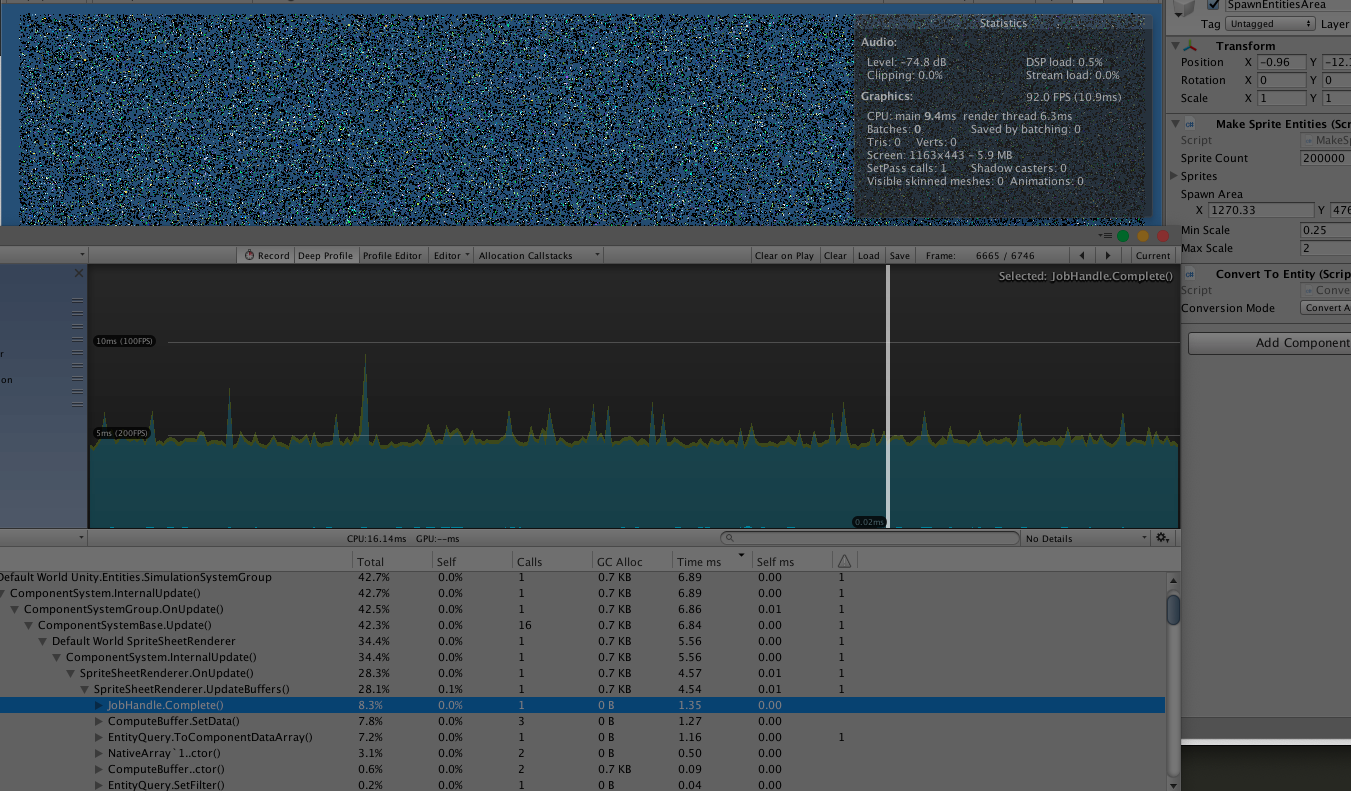
Unity Forum
Hi guys, today I finished my sprite sheet system using a custom shader, compute buffers and DrawMeshInstancedIndirect, to FAST render, a lot of object...
tired mulch
alright thanks! I'll check it out
magic frigate
Oh, he even included source. cool