#⚛️┃physics
1 messages · Page 81 of 1
 tawdry wave
So that the player wouldn't be able to notice that the collider doesn't match and the object clips through another slightly
 unique cave
tawdry wave
So that the player wouldn't be able to notice that the collider doesn't match an...
unique cave
tawdry wave
So that the player wouldn't be able to notice that the collider doesn't match an...
see? works as expected. didn't take weeks either (the way discord optimized gifs looks nice)

just make the box colliders child of the bucket and dublicate the child and rotate it with angle snapping
tawdry wave
hmm ill try
unique cave
you could for example use parenting to rotate chunk of colliders (make those colliders child of empty object that lays at the center of bucket) around the center of bucket
tawdry wave
colliders can't be rotated apparently, this makes it impossible
and the collider has to be on the object itself not on a rotated child object because that would break my scripts
unique cave
tawdry wave
and the collider has to be on the object itself not on a rotated child object be...
then you can either give up or modify your scripts
tawdry wave
unique cave
then you can either give up or modify your scripts
feels like a feature unity should have built in
unique cave
what feature?
tawdry wave
concave colliders with rigidbody
There's stuff on the asset store for it but they all cost money
unique cave
tawdry wave
concave colliders with rigidbody
I think that's not about unity. PhysX is made by Nvidia and therefore unity just can't change everything physics related (correct me if I'm wrong)
unique cave
tawdry wave
and the collider has to be on the object itself not on a rotated child object be...
what part on your scripts exactly would brake if you used child colliders?
 grizzled mango
Hi i don't know if i'm in the good chat but i have this problem. my character go on the head of the ennemy when he charging me do you know why ?
 unique cave
grizzled mango
Hi i don't know if i'm in the good chat but i have this problem. my character go...
unique cave
grizzled mango
Hi i don't know if i'm in the good chat but i have this problem. my character go...
lol, we're discussing exactly same thing currently. see the error message
tawdry wave
unique cave
lol, we're discussing exactly same thing currently. see the error message
the collider is detected when i want to pick up an object, and then i am taking that same object's mesh renderer to do stuff with it. I could set it to take the parent but that breaks objects where I have a rigidbody as a child so that isn't an option either
unique cave
tawdry wave
the collider is detected when i want to pick up an object, and then i am taking ...
um so is that on OnCollisionEnter or what? raycast?
tawdry wave
unique cave
um so is that on OnCollisionEnter or what? raycast?
raycast
unique cave
tawdry wave
raycast
how rigidbodies has anything to do with raycasts?
tawdry wave
unique cave
how rigidbodies has anything to do with raycasts?
the way my script works is that it shoots a raycast and looks for colliders. then if it detects a collider, it grabs the object's rigidbody and applies forces to it
unique cave
tawdry wave
the way my script works is that it shoots a raycast and looks for colliders. the...
even if the documentation doesn't have anything indicating it, it seems RaycastHit.rigidbody gives you the rigidbody the raycast hits and if the rigidbody is not on the collider but on the parent of the collider, it still gives the rigidbody correctly
tawdry wave
unique cave
even if the documentation doesn't have anything indicating it, it seems `Raycast...
Ah, I'm using GetComponent<Rigidbody>(), I didn't know there was another way
unique cave
tawdry wave
Ah, I'm using GetComponent<Rigidbody>(), I didn't know there was another way
I think RaycastHit.rigidbody is bit faster than GetComponent<Rigidbody>() too because it uses Collider.attachedRigidbody which is very likely cached and doesn't need to be searched using GetComponent
unique cave
so ig there's no problem anymore. just use child colliders right?
@tawdry wave in case you're interested, this is the code (just put this for the bucket) I used to make sure all the child (box) colliders gets drawn no mattter if they are selected or not. it's pretty hard to place the colliders if you don't see the other colliders: ```cs
using UnityEngine;
public class DrawColliders : MonoBehaviour
{
void OnDrawGizmos()
{
BoxCollider[] colliders = GetComponentsInChildren<BoxCollider>();
Gizmos.color = new Color(0.5686275f, 0.9568627f, 0.5450981f, 1f);
foreach (var col in colliders)
{
Gizmos.matrix = col.transform.localToWorldMatrix;
Gizmos.DrawWireCube(col.center, col.size);
}
}
}
 idle estuary
I am confusion guys. OnTriggerEnter2D is when an external collider overlaps with a Trigger Collider on the object carrying the script right ? Or is it the other way around ?
 slate verge
the real issue was that i kept forgetting to attach the script looool
but i have some additional logic that breaks the blueprint system if you dont use it, despite it being basically superflous
unique cave
idle estuary
I am confusion guys. OnTriggerEnter2D is when an external collider overlaps with...
I think it should work both way
idle estuary
Is there any reason to use a Composite collider on the tilemap apart from performance issues (Guessing it's the main reason it's used) ?
 timid dove
idle estuary
Is there any reason to use a Composite collider on the tilemap apart from perfor...
timid dove
idle estuary
Is there any reason to use a Composite collider on the tilemap apart from perfor...
Read the bottom of https://docs.unity3d.com/Manual/class-TilemapCollider2D.html
idle estuary
timid dove
Read the bottom of https://docs.unity3d.com/Manual/class-TilemapCollider2D.html
Yeah pretty much what I thought ^^" Thank you 🙂
Any idea on how I could detect that I'm in the middle of a Composite Tilemap Collider that is IsTrigger ?
timid dove
Can you be more specific about what you mean by "in the middle of"?
You normally use OnTriggerEnter/OnTriggerExit to detect trigger overlaps
idle estuary
Sure just a sec
Here I have a pool of water. It is part of a tilemap tagged "Water" that is IsTrigger. I have some code bound to My OnTriggerEnter2D on my playerscript with bool that affect some parameters like jumpheoght and horizontal speed. However the bool return true only when my player Rigidbody touches the bounds of the tilemap (here in red)

So in this screenshot my player is affected by the water physics and jump quite low, but since I'm immediatly not touching the bounds of the collider anymore, normal gravity kicks in and I sink like a rock.
timid dove
when are you not touching the bounds of the collider?
idle estuary
When jumping
timid dove
when you fly out of the top of it?
Not sure I understand
the bool return true only when my player Rigidbody touches the bounds of the tilemap (here in red)
What "bool" are you talking about?
Maybe show your code
idle estuary
timid dove
show your code
idle estuary
    private void OnTriggerEnter2D(Collider2D other)
    {
        if (other.gameObject.tag == "BearHead")
        {
            DeathByBear();
        }

        if (other.gameObject.tag == "Water")
        {
            Debug.Log("Enter");
            _isInWater = true;
        }

    }
    private void OnTriggerExit2D(Collider2D other)
    {
        if (other.gameObject.tag == "Water")
        {
        _isInWater = false;
        Debug.Log("Exit");
        }
    }
Ok and are the "Enter" and "Exit" logs printing at the correct/expected times?
idle estuary
Enter print when I touch the bounds
Exit when I'm not
Which includes the zone WITHIN the actualtilemap
timid dove
btw you can just do other.tag you don't need other.gameObject.tag. It's also better to do other.CompareTag("Water") as it doesn't allocate4 extra memory
idle estuary
timid dove
btw you can just do `other.tag` you don't need `other.gameObject.tag`. It's also...
didn't know that
timid dove
idle estuary
Enter print when I touch the bounds
show how you set the collider up?

 timid dove
idle estuary
timid dove
idle estuary
see how you have Geometry Type : Outlines
that's your issue
you want to change that to Polygons
 vapid ridge
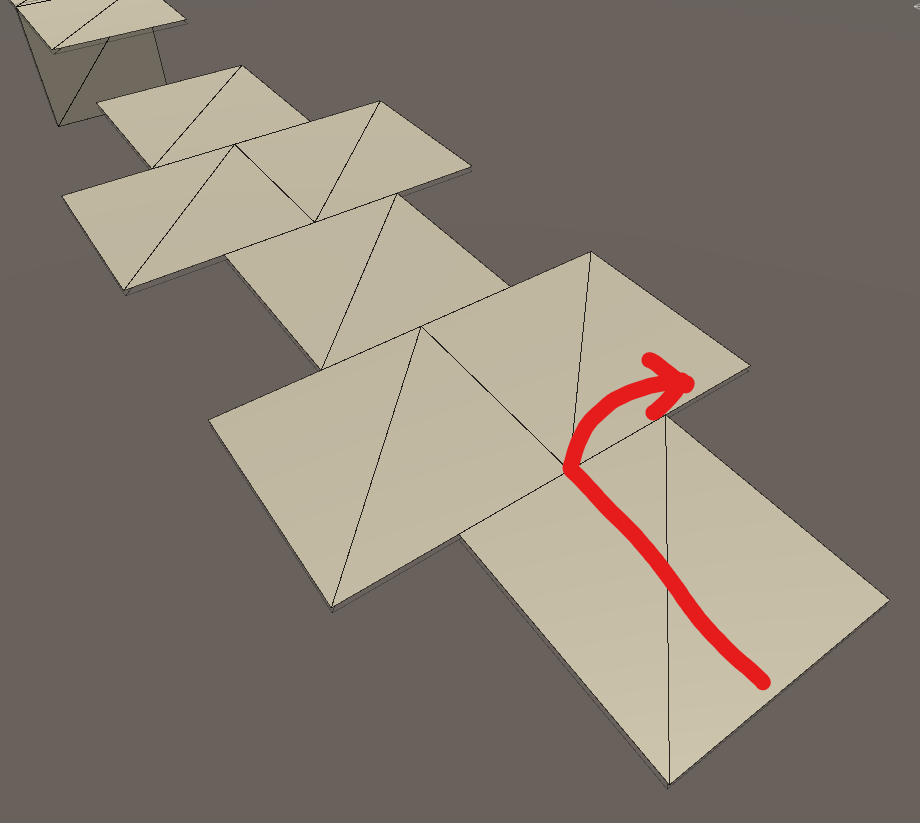
is there any way to fix the problem when a rigidbody hops when when crossing between 2 objects that are the same height?
 carmine basin
Is there an easy way to get a collider's volume, or do i just calculate it using the dimensions
I say easier, really just a bit shorter to write
unique cave
carmine basin
Is there an easy way to get a collider's volume, or do i just calculate it using...
I don't think there is any easier way
carmine basin
alright, tu
unique cave
it actually seems to be bit more complicated to calculate the volume if the object is scaled
I think volume of sphere collider for example could be calculated like this: ```cs
SphereCollider collider = GetComponent<SphereCollider>();
Vector3 scale = transform.localScale;
scale.x = Mathf.Abs(scale.x);
scale.y = Mathf.Abs(scale.y);
scale.z = Mathf.Abs(scale.z);
float max = Mathf.Max(Mathf.Max(scale.x, scale.y), scale.z);
float radius = max * collider.radius;
float volume = Mathf.PI * radius * radius;
actually ig that doesn't even work for objects that has scaled parent on it
carmine basin
I'm planning on working on our dear friend, water
I know the law of programming - if it exists, don't code it again
but I would like to try it anyway
 bitter totem
guys does anyone know how to make an object stick to the surface while moving?
carmine basin
bitter totem
guys does anyone know how to make an object stick to the surface while moving?
like, it sticks on collision?
 carmine basin
you could apply a force using transform.down
It pushes downwards relative to the object
bitter totem
didnt work
i think its because the downward force isnt enough
but no matter how much i multiply it, same result
carmine basin
try adding a float variable that's a multiplier, and mulitplying it by the mass
then you can adjust it on the fly to find a value
bitter totem
there are real problems when the box rotates too much
is there a way to limit its rotation force?
idk what you call it
torque?
 supple sparrow
You could also constrain the position of the object to the height of the surface
could achieve that with a Raycast for example , but this would mean no more moving through forces
supple sparrow
bitter totem
is there a way to limit its rotation force?
limit rotation force
angular drag ?
 stuck bay
What will I need to add collision detection to a Mixamo model?
vapid ridge
stuck bay
What will I need to add collision detection to a Mixamo model?
just add a mesh collider with the shape of the model. i think all models from other programs need to do that, probably
stuck bay
I see.
vapid ridge
vapid ridge
is there any way to fix the problem when a rigidbody hops when when crossing bet...
oh yeah but can anyone help me here?
supple sparrow
vapid ridge
oh yeah but can anyone help me here?
Did you try to google that ? That's a known problem and you can try many things to fix it
vapid ridge
i did, and i tried to change the contact offset and it didn't seem to do anything
@supple sparrow
supple sparrow
a more advanced solution would be to write a script that merges all meshes into a single one
vapid ridge
i guess, but i'll probably just model it instead if i need to do that
supple sparrow
Alright, I never made something close to a rolling ball game before, so can't help much more. Hopefully someone who did can give you better ideas
 neat coral
vapid ridge
i did, and i tried to change the contact offset and it didn't seem to do anythin...
neat coral
vapid ridge
i did, and i tried to change the contact offset and it didn't seem to do anythin...
What did you change it to?
vapid ridge
1000, 10, and 0
vapid ridge
@neat coral?
vapid ridge
okay i know people have lives, but i am tired of this
supple sparrow
Try a small value like 0.0001
vapid ridge
vapid ridge
is there any way to fix the problem when a rigidbody hops when when crossing bet...
can anyone else help?
neat coral
It should work
You can also merge the meshes
https://forum.unity.com/threads/rolling-ball-bouncing-issues-preventing-upgrade-past-2018-2.1054418/
Unity Forum
Hi all,
For a while I've really wished I could upgrade my project past 2018.2, however issues starting with the PhysX updates introduced way back in...
Are you using continuous collision detection?
vapid ridge
yes, actually for some reason continuous makes it more likely to jump
it seems to be fine now? i'm not sure what i did, but it hasn't really happened for a while after testing a lot
sort of, maybe it just happens less
also i just read the thing and in my process, i basically recreated the ramps in blender where i merged everything, but i still had the problem. it still happens now, it's just less
 buoyant oasis
Hello everyone, asking for a friend but I was wondering if you could get a collider that isn't just a cube, and instead fit to the object's shape, hopefully that makes sense.
supple sparrow
buoyant oasis
Hello everyone, asking for a friend but I was wondering if you could get a colli...
Yes, a mesh collider

 lapis plaza
contact modifications
I made this example: https://forum.unity.com/threads/experimental-contacts-modification-api.924809/#post-6482950
here's the ball problem discussed more in depth: https://forum.unity.com/threads/experimental-contacts-modification-api.924809/page-2#post-6720985
@vapid ridge
supple sparrow
Oh nice it's out of experimental now ?
 lone goblet
anyone got a grab physics for a vr game?
supple sparrow
lapis plaza
2012.2.0a12+ to be more specific
I'm still on 2020, because you know, DOTS. But it's nice to hear, thanks for the info 😉
lapis plaza
2022 also has the updates and DOTS 0.5 should work there, right?
I haven't really followed the 0.50 discussion that much nor tested it myself, just saw the mention they plan to support 2020 and 2022 but not 2021
supple sparrow
2022 is still tech stream ? I'm not this far in versions ^^
lapis plaza
2022 LTS is like one year away
2022.1 tech stream should go live soon, they are on final betas now
supple sparrow
lapis plaza
I haven't really followed the 0.50 discussion that much nor tested it myself, ju...
0.50 is 2020.3.30 min, I think 2021 support is expected for this quarter and not sure about 2022
BUt I might be wrong for anything starting from 2021, because like I said I didnt do the jump
lapis plaza
2021 LTS is about to get out now too, but I'd be cautious about it if DOTS is important
Unity's own messaging has been for a long time that they will just skip 2021 but this will probably get more clear now that GDC has Q&A on it
(for DOTS support)
neat coral
vapid ridge
also i just read the thing and in my process, i basically recreated the ramps in...
are you sure it's actually aligned?
lapis plaza
there could be extra edges/holes in the seams
 vale grail
Hi, i have a car using a WheelCollider. When the speed is between 4-12 u/s the wheel behaves weird (see video, the time scale is set to 0.1f to see the wheels rotation) and rolls uneven. Also the speed of the car is jittering. How can i prevent this? Thanks in advance 🙂
 regal ingot
Evening guys. Anyone got any idea why my HingeJoint will move the collider but not the actual mesh itself? Having a nightmare with this
 unique cave
regal ingot
Evening guys. Anyone got any idea why my HingeJoint will move the collider but n...
unique cave
regal ingot
Evening guys. Anyone got any idea why my HingeJoint will move the collider but n...
Is the door set as static?
regal ingot
unique cave
Is the door set as static?
Wow, you solved it in like 12 seconds and I've been trying for hours to solve it, thank you!
Sorry for the n00b question, I've only used the 'static' field with navMesh agents I didn't know it would effect hinges too.
unique cave
regal ingot
Wow, you solved it in like 12 seconds and I've been trying for hours to solve it...
I think it’s not about the hinge particularly. Static meshes can’t be moved runtime and if you try to move them, it just stays the same place
unique cave
regal ingot
Wow, you solved it in like 12 seconds and I've been trying for hours to solve it...
You could just set it to navmesh static and leave the others unchecked if the navmesh static is the only thing you need
Id imagine being only navigation static doesn’t prevent objects from moving, not sure tho
regal ingot
I'm not sure if I need it for navmesh because things are going around it, not on it, but I will experiment and see
 lunar yarrow
I have a glitch where if i jump near a block my model clips/glitches up and down and i have no idea why this happens
 inner thistle

 timid dove
lunar yarrow
timid dove
lunar yarrow
this is a classic CC pitfall
Using Move twice in one frame is what causes this
You only want to call Move one time per frame
 viral pilot
I have colliders on the AI agents and Characters body parts, it shows all of them as Static Colliders, does it cause the static world rebuild? should I put Rigidbody on them to put them in dynamic world?
 timid dove
viral pilot
I have colliders on the AI agents and Characters body parts, it shows all of the...
timid dove
viral pilot
I have colliders on the AI agents and Characters body parts, it shows all of the...
If there's no Rigidbody on an object with a collider, it's considered a static collider, yes.
lunar yarrow
timid dove
this is a classic CC pitfall
is there a tutorial that can help me fix? im new to coding help would be much appreciated
supple sparrow
He pretty much explained to you how to fix though
timid dove
lunar yarrow
is there a tutorial that can help me fix? im new to coding help would be much ap...
You don't need a tutorial. It's simple. Only call Move once per frame
timid dove
lunar yarrow
How tho? Im still bad at coding
You just add the two vectors and call Move with the result
each call to Move right now is taking a Vector3
add those two together and call Move only once
 fervent prawn
so am having a problem, i am using a slider to rotate an object, and have a ball that I want to move, I use the slider to rotate the object, and the sphere acts like the cube didnt rotate...?


 honest walrus
hello. question. rigibody on xr rig causes it to fall over immediately upon entering play mode, and also falls over or spins when object grabbed on ray grab contacts xr rig. please help
vapid ridge
lapis plaza
<@!718552797682991144>
sorry, i wasn't sure what to respond. i'll probably live with the issue since it sort of fixed itself out earlier
vapid ridge
neat coral
are you sure it's actually aligned?
^
 cloud fossil
Where could I find the physics code for when two rigidbodies collide?
cloud fossil
I mean when unity does it automatically
I have a target, that when I hit it, it only moves along one axis:
https://www.youtube.com/watch?v=KAdf8S0QDPM
The only code that's related is spawn/shoot bullet rigidbody, and spawn new target when hit.
current update to this, I've done Debug.Log(collision.impulse);
and I get (0.0, 0.0, -50.0) and (0.0, 0.0, 50.0) it seems to 1: switch between +z and -z every target,
2: get no x and y impulse
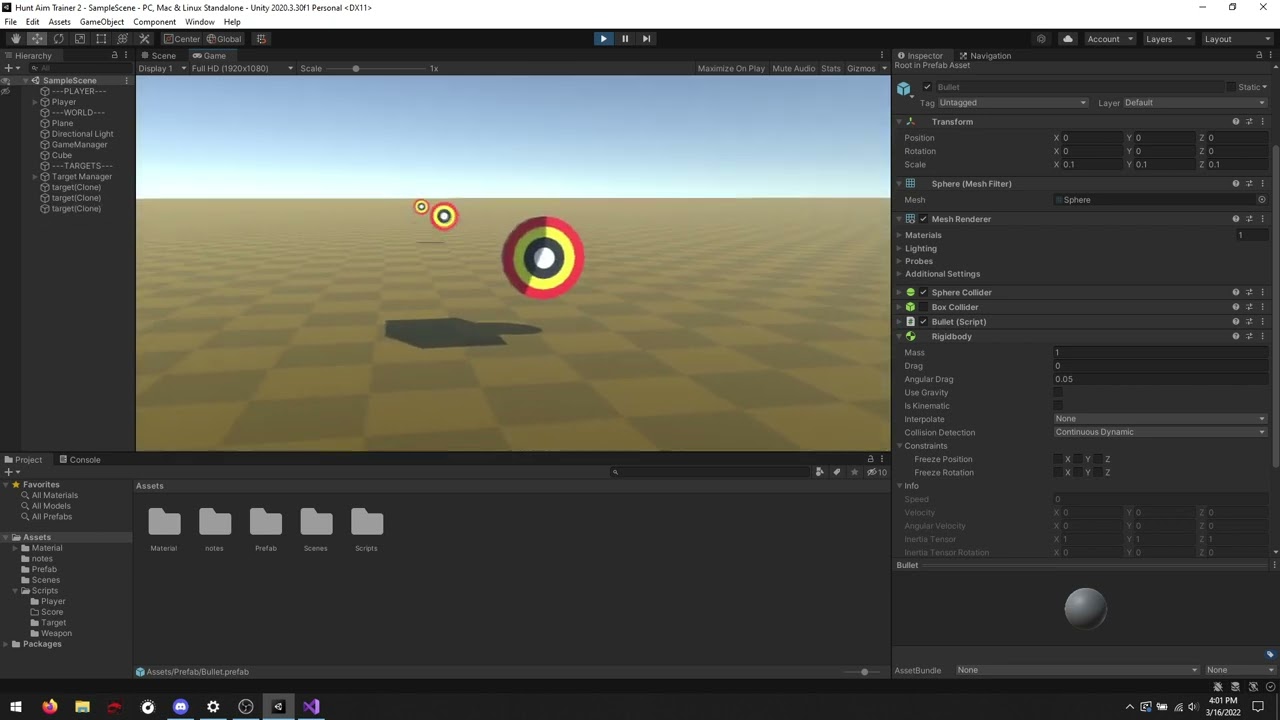
Found out why it's reversing, but why am I not getting any x and y impulse?
timid dove
fervent prawn
so am having a problem, i am using a slider to rotate an object, and have a ball...
Why should it?
Does either object even have a Rigidbody?
Are you moving the body in a phyics-aware way?
timid dove
cloud fossil
Found out why it's reversing, but why am I not getting any x and y impulse?
do you have constraints on the rigidbody?
Oh it may also just be due to the nature of the shape of that body being perfectly flat and the fact that you're hitting it with a perfectly spherical bullet.
There's exactly one collision point and the impulse will be directly opposite the surface normal
sort of how billiards work
in real life there'd be some deformation of the ball/target and imparting of a slight friction force sideways but this is an idealized simulation
That's my theory anyway 😄
Notice that when you hit the edge of the target things happen a little differently. which is consistent with what I'm saying
Although the fact that it's not rotating at all is very odd
cloud fossil
No constraints nothing. The thing I want it to do is this: https://www.youtube.com/watch?v=6Vkmgki9BsU
and all that is different is size of one axis

the bullet is shot with
Rigidbody clone;
clone = Instantiate(GS.Projectile, BulletSpawnPoint.position, BulletSpawnPoint.rotation);
clone.velocity = clone.transform.forward * GS.BulletSpeed;
what it feels like to me, is the bullet velocity is somehow still in local position, and it transfers to the target in local position
fervent prawn
timid dove
Why should it?
Does either object even have a Rigidbody?
Are you moving the body...
they both have rigidbody
cloud fossil
But I've started with the cube, then made it smaller, and once it gets to 1,1,0.5 scale it stops reacting correctly
timid dove
fervent prawn
they both have rigidbody
and my second question?
fervent prawn
yes
fervent prawn
ok wait it somewhat works now, just when I move it too fast the balls goes right through the platform
timid dove
fervent prawn
ok wait it somewhat works now, just when I move it too fast the balls goes right...
still sounds like you're rotating it in a way that is not physics aware
you need to rotate it using Rigidbody.MoveRotation or by adding torque or by setting the angular velocity
fervent prawn
just using transform.rotate
fervent prawn
ah
error CS0542: 'Rotate': member names cannot be the same as their enclosing type
huh
timid dove
you have a class called Rotate and you tried to make a method, field or property (a member) inside it also called Rotate
fervent prawn
yes, I fixed it
fervent prawn
timid dove
you need to rotate it using Rigidbody.MoveRotation or by adding torque or by set...
it says my script doesnt contain a definition for rigidbody
timid dove
what does
you have to use your actual variable you created and assigned for the Rigidbody
fervent prawn
oh ok
I dont use c# much
'GameObject' does not contain a definition for 'MoveRotation'
am I doing this correctly RotateObject.MoveRotation (Vector3.up * delta * 360);
cloud fossil
so I tried attaching a cube with mass on the back of the target with with a fixed joint (if mass is what's causing it not to work) and didn't fix it, but if I shoot the cube it'll physics right
 lunar yarrow
timid dove
You just add the two vectors and call Move with the result
lunar yarrow
timid dove
You just add the two vectors and call Move with the result
Im sorry but i understood nothing, i know what a vector is but i know Little to no code
cloud fossil
Damnit, buried deep in the rigidbody page "Note that continuous collision detection is intended as a safety net to catch collisions in cases where objects would otherwise pass through each other, but will not deliver physically accurate collision results"
timid dove
fervent prawn
am I doing this correctly ```RotateObject.MoveRotation (Vector3.up * delta * 360...
no like I said before it's part of the Rigidbody
 trim solar
https://www.youtube.com/watch?v=Z4HA8zJhGEk&ab_channel=GameDevChef
I followed this tutorial for making a car moveable. i made everything excactly as he did but somehow my car is "bumping" on the ground. looks like the tires/wheels are vibrating. what could it cause?

[UPDATE] If you are looking for the breaking bugfix check the description after expanding it!
Let’s learn how to create a car controller in Unity. We will get to know Unity’s wheel collider component and use it to move a car. We will also create a simple camera script that will follow the car.
[BREAKING BUGFIX!!]
There is a bug in the HandleMo...
if i set the wheelcollider inside the box collider of the car, its not vibrating. but then the car cannot drive because the wheels are not touching the ground
trim solar


its completly set to default and what lots of resources inclusive unity guides/docs said
somehow the object is vibrating on a normal ground cube/plane
this is runtime:


Would be nice if someone can explain me, whats happening there
https://www.youtube.com/watch?v=6RC9LsN_wmM&ab_channel=SpeedTutor
WTF
He has exactly the problem i have. He said i need to attach a second box collider but why?
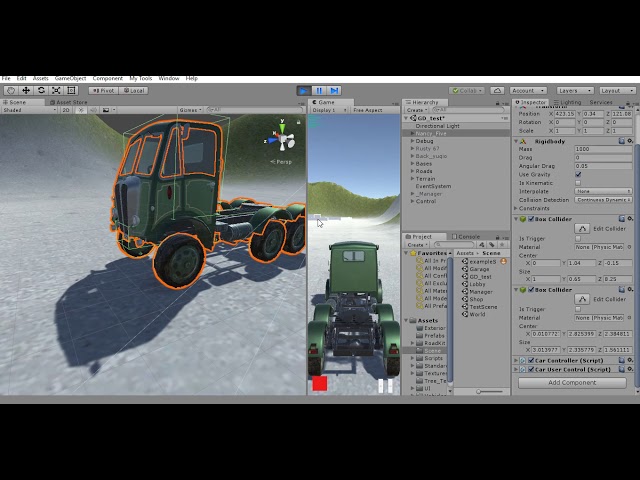
not even working unfortunately
 woeful shard
Did you try changing physics collision detection to continuous?
trim solar
yes
not working 😦
i also tried changing the center of mass from the rigidbody, same result
The main thing i dont understand is: if i do exacty 1:1 what others do, why its not working for me?
is it a bug maybe in unity 2021?
 craggy dune
do colliders need sprite renderer component to work?
trim solar
they usally work withot any renderer
craggy dune
but the "to be collided" object needs a rigidbody component to work no?
woeful shard
Try freezing rotation constraint along the axis which is perpendicular to the centre?
trim solar
craggy dune
but the "to be collided" object needs a rigidbody component to work no?
no, a normal cube has just a box collider and is also working fine
trim solar
woeful shard
Try freezing rotation constraint along the axis which is perpendicular to the ce...
i tried but then i cant move it anyways. but i want my car/wheels to move, not to be static 😄
woeful shard
And I hope you are using rigidbody functions to move and not transform to move
woeful shard
Unity is the ultimate game development platform. Use Unity to build high-quality 3D and 2D games, deploy them across mobile, desktop, VR/AR, consoles or the Web, and connect with loyal and enthusiastic players and customers.
trim solar
i use it in fixedupdate only
but even without any scripts attached, just using the plain Unity features, its vibrating somehow
trim solar
trim solar
https://www.youtube.com/watch?v=6RC9LsN_wmM&ab_channel=SpeedTutor
WTF
He has ex...
at the start of this video you can see how it looks
woeful shard
Yeah
lunar yarrow
lunar yarrow
Im sorry but i understood nothing, i know what a vector is but i know Little to ...
if i needed a tutorial what should i type
 wispy tinsel
Guys, here's my problem:
I am making a system that will place props around circle and avoid overlaps between those props.
But so far, I have no luck using Unity physics.
Here code I use and it wouldn't work correctly: either array[0] will be null or distance itself would be 0
Using this distance I determine on what angle I should move those props around circle.
            get
            {
                Collider2D[] overlapped = new Collider2D[1];
                collider.OverlapCollider(filter, overlapped);
                var overlappedCol = overlapped[0];
                if (overlappedCol == null)
                {
                    return 0f;
                }
                var distance = Physics2D.Distance(collider, overlappedCol);
                if (distance.isOverlapped)
                {
                    return distance.distance;
                }
                return 0f;
            }
So I'm getting rather desperate. Any help?
trim solar
trim solar
Would be nice if someone can explain me, whats happening there
anyone has another idea? I have tested the same things in another project and it seems to work there. So what could break that except the physic project settings?
ok nvm. idk why but after 3 restarts it just got away lol
ah okay no
its something with the "gravity y" field in physics project settings. with -10 it works without stuttering and with -500 (which is default i think) its applying gravity as usual and then the wheels try to get gravity but they cant
 rough sentinel
hey, I have a CharacterController based character that I need to teleport, and afaik the only way to do that is to disable the controller, change its transform, then re enable it
So I do that, problem is I'm teleporting it out of a trigger, but it doesn't call OnTriggerExit for some reason, which causes issues with some other systems
Any way to fix that?
timid dove
rough sentinel
hey, I have a CharacterController based character that I need to teleport, and a...
Two problems:
- Generally you will only get OnTriggerEnter/OnTriggerExit calls when one of the two objects has a Rigidbody. I'll presume the other object has one in this case?
- By disabling the CC you are actually disabling the collider (The cc is a collider). physics callbacks like OnTriggerExit rely on colliders to work
rough sentinel
I ended up solving the problem
I'm no longer disabling the CC, instead I activated "auto sync transform"
yes the other object has a kinematic RB
I originally worked under the assumption that the CC would keep references to the triggers it's currently in, then when re-enabled, check if it's still inside those triggers, guess that's not a thing
 median rampart
how do I get my CharacterController to go up ramps?
slope limit is set to 0
but it just stands still if you try to walk up a ramp
if I set the gravity all the way up to 500 and hold down the jump button I can walk up the ramp
but how do I make it do that automatically?
timid dove
median rampart
slope limit is set to 0
if slope limit is set to 0 then it can't climb slopes
set a higher slope limit
median rampart
timid dove
if slope limit is set to 0 then it can't climb slopes
OHH
I had it backwards
i thought it was a ceiling but it was a floor
thanks
 orchid tiger
Hey all, is there a way to Raycast and get a RaycastHit contact.point back with the world coordinates of a mesh surface? Does this require a mesh collider, or is there a way to hit the mesh of the 3d object itself and get back the point of contact?
timid dove
orchid tiger
Hey all, is there a way to Raycast and get a RaycastHit contact.point back with ...
it requires a mesh collider
raycasts only work on colliders
well it requires a collider of any kind
but if you want a custom non-primitive shape it'll be a MeshCollider
 sage osprey
hello guys
orchid tiger
darn, I figured. My issue is I have a capsule collider on my player, and when a bullet hits I have the impact fx spawn at the contact.point. This looks alright actually, but I wanted to see if I could make it look even better by spawning closer to the surface of the mesh itself
orchid tiger
timid dove
but if you want a custom non-primitive shape it'll be a MeshCollider
Yeah I was thinking this, like a simple mesh that is closer to the player body?
timid dove
orchid tiger
darn, I figured. My issue is I have a capsule collider on my player, and when a ...
you can use a MeshCollider for the bullets and capsule for player movement
with layer based collisions and layermasks etc
orchid tiger
nice, I will give that a try, thanks!
timid dove
you would want to put the two different colliders on different child objects of the player
and give thme different layers
 surreal garden
hey guys quick question about colliders
so basically, I have a couple of cubes in my world and I want them to get destroyed when I move into them with my main camera
so I gave the blocks the "is trigger" property in the box collider and the following script:

however, when I move into the blocks with the camera, nothing happens and I believe it's because I didn't give the camera a collider property
which of these exactly do I give that property to though?

do I just give the "Main Camera" a rigidbody and turn on "Is Trigger"?
 umbral drum
surreal garden
so basically, I have a couple of cubes in my world and I want them to get destro...
umbral drum
surreal garden
so basically, I have a couple of cubes in my world and I want them to get destro...
do you wan't to destroy the cubes when they become visible inside your camera ? if so, try this:
    void OnBecameVisible()
    {
        //destroy cubes
    }
hmm I just want them to get destroyed when I touch them with the camera (I can move around with wasd/arrow keys)
and from what I learned so far, onTrigger is what I should be using
umbral drum
surreal garden
do I just give the "Main Camera" a rigidbody and turn on "Is Trigger"?
give your "Main Camera" object a collider and mark it as a trigger, for the triggerenter to happen any of the colliding objects must have a rigidbody (the collectible gameobject or the camera itself)
also make sure there's a "MainCamera" tag in your "Main Camera" gameobject, if you created the camera from scratch it won't have by default
 surreal garden
umbral drum
also make sure there's a "MainCamera" tag in your "Main Camera" gameobject, if y...
surreal garden
umbral drum
also make sure there's a "MainCamera" tag in your "Main Camera" gameobject, if y...
yup it has the tag
surreal garden
umbral drum
give your "Main Camera" object a collider and mark it as a trigger, for the trig...
wait does the maincamera need a script as well? I though only the cube would need a script
here's the tag btw:

oh hey I got it to work
I had to give the cube a no-gravity kinematic rigidbody and it worked
 cold rivet
does anyone have a good example of a 2D physics based player controller that uses AddForce to move rather than directly setting the velocity? nothing i try feels good to play as
like, setting the velocity feels good to play as, but i want my player to be affected by external physics movements, like knockback from an explosion
umbral drum
surreal garden
oh hey I got it to work
nice, sorry for answering it late
umbral drum
cold rivet
does anyone have a good example of a 2D physics based player controller that use...
if you wan't something responsive i think it's better to modify the velocity directly or use MovePosition, with addforces you're "fighting with other unknown forces"
cold rivet
umbral drum
if you wan't something responsive i think it's better to modify the velocity dir...
i see what you mean. ill try to impliment that

 prime flower
umbral drum
if you wan't something responsive i think it's better to modify the velocity dir...
prime flower
umbral drum
if you wan't something responsive i think it's better to modify the velocity dir...
MovePosition won’t apply proper physics forces though
So it’s not a solution for something attempting proper simulation
supple sparrow
lunar yarrow
if someone can help it would be much appreciated thanks'
You never call Jump in this screenshot
- you didnt fix a previous problem you asked for : you call Move() on your character controller twice
so it doesn't give the will to help you 😛
timid dove
 keen lintel
Hi guys, so my player does this thing when i press W into a wall
keen lintel
Hi guys, so my player does this thing when i press W into a wall
Because you're not moving it with the physics engine
You're teleporting it with the Transform
So it's teleporting inside the wall and getting pushed out
stuck bay
when i push down a rigidbody connected to a spring slowly, it starts to get jittery. i need the spring to provide resistance and launch the ball when released but i don't want it to be shaking wildly, any ideas?
the force is applied every frame as long as a button is pressed so you can choose when to release
neat coral
don't push the body, pull the spring
stuck bay
any pointers on that? not sure how to do that, i'm not very used to unity 😅
stuck bay
anything?.. can't find anything on google for how i'd "pull the spring"
 echo ivy
how would i create a bearing?
neat coral
with the strength of your mind
echo ivy
neat coral
with the strength of your mind
what?
neat coral
sheer force of spirit
echo ivy
neat coral
sheer force of spirit
are you being serious?
neat coral
I guess you might be looking for a joint?
echo ivy
neat coral
I guess you might be looking for a joint?
yes
a joint that can spin
so you could attach a car wheel to it for example to make the wheel be able to roll
neat coral
look for unity wheel tutorial
echo ivy
neat coral
look for unity wheel tutorial
its coming up with wheel colliders
also this isnt specifically for a wheel
 magic needle
echo ivy
so you could attach a car wheel to it for example to make the wheel be able to r...
magic needle
echo ivy
so you could attach a car wheel to it for example to make the wheel be able to r...
You can use a hinge joint: https://docs.unity3d.com/Manual/class-HingeJoint.html
There is also other joint types depending on what you are trying to do.
 silent scroll
Hi, I am trying to shoot a raycast out of a player object in my multiplayer game, and I need the ray to ignore only the collider of the player that shot it. So far the only solutions I could find on google were ones using layermasks but I don't want to have to create and assign a new layermask whenever a player joins. Is there a way to have raycasts ignore a single object without using a layermask?
neat coral
you could change the layer temporarily, just the time to shoot the raycast
or you could shoot a first ray and if it's the player shoot again from the hit position
silent scroll
I dont think that the temporary layer change would work because in the unlikely event of two players shooting at the exact same time then the bullets would go through the other person but I will try the recast from the hit position, thank you.
silent scroll
I have no idea lol I think so?
neat coral
it isn't by default
silent scroll
probably not then how I do I tell
neat coral
if you don't know then you are most probably fine
silent scroll
ok
wispy tinsel
What is correct term/helper method to detect on what distance colliders overlap each other?
I have collider A and collider B. And I need to know on what distance they overlap each other
as in, to know minimum distance to get rid of overlap
 lucid sorrel
Hello Everyone, im getting an issue when working with wheel colliders which is that they keep moving towards one direction(x). Even when im not giving it an input. Also when i do press the forward button it starts to lean on that direction(x).

 neat coral
wispy tinsel
What is correct term/helper method to detect on what distance colliders overlap ...
neat coral
wispy tinsel
What is correct term/helper method to detect on what distance colliders overlap ...
It's called penetration depth
 wide nebula
Remove seams by using a single collider, and don't use something like a box collider with a hard edge for the player.
timid dove
You'd have to explain the setup and show the code
cold rivet
im getting a problem with my physics. As you can see in the video/image, when the player objects jumps into the wall, it goes INTO the wall before the engine puts it back. hte problem is that my boxcast for ground detection gets triggered by this. Whats the solution?
 timid dove
cold rivet
im getting a problem with my physics. As you can see in the video/image, when t...
timid dove
cold rivet
im getting a problem with my physics. As you can see in the video/image, when t...
move your object in a physics friendly way
seems like you're teleporting it around via the Transform
cloud fossil
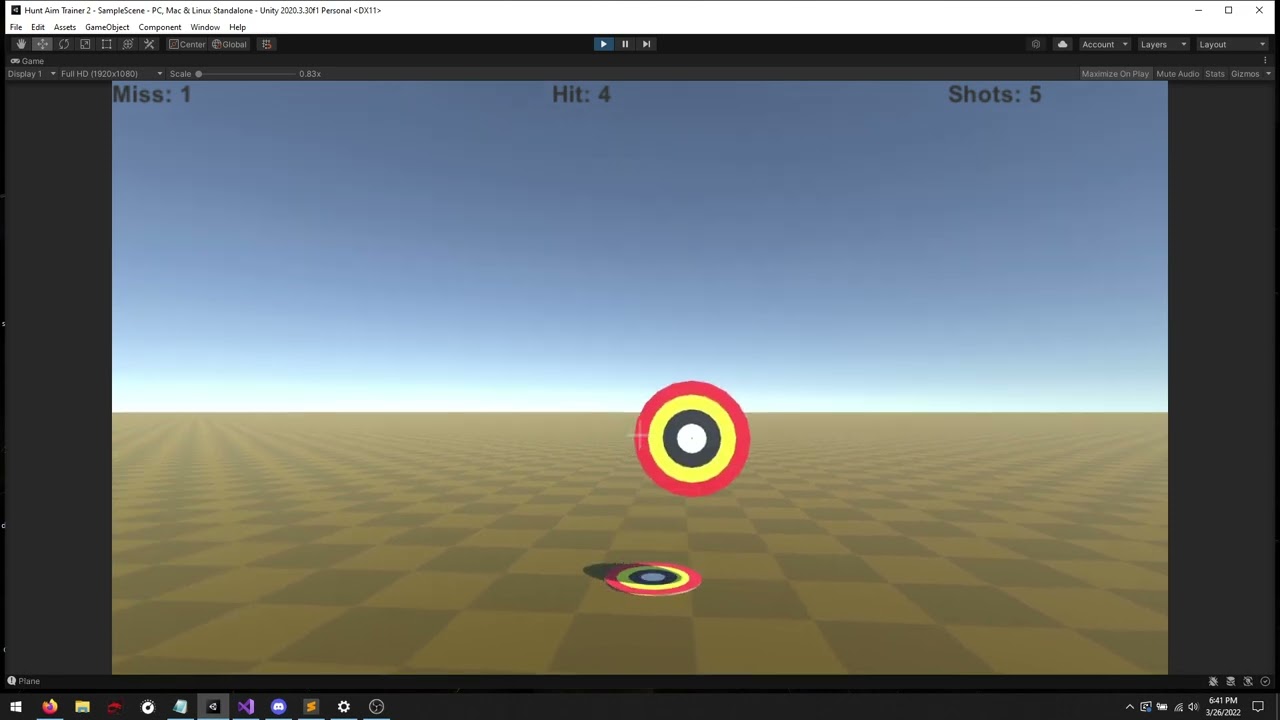
actual physics question: does this feel weird/wrong because my mind is in "video games" mode? bullet moves at 100m/s. If I factored in mass it would make the effect even less, wouldn't it?
https://www.youtube.com/watch?v=8dMDKJMrP3A
rb.AddForceAtPosition((collision.collider.transform.forward * 100), collision.GetContact(0).point);
 cold rivet
timid dove
seems like you're teleporting it around via the Transform
cold rivet
timid dove
seems like you're teleporting it around via the Transform
i am not, i am only setting rigidbody velocity
timid dove
cold rivet
i am not, i am only setting rigidbody velocity
use continuous collision detection instead of discrete?
cold rivet
nope, problem still occurs
timid dove
show the code
cold rivet
sure, 1 sec
timid dove
cloud fossil
actual physics question: does this feel weird/wrong because my mind is in "video...
wich object is that code on? mass is factored into the force calculation automatically, though typically for a one-off hit like this you'd use ForceMode.Impulse
cold rivet
timid dove
show the code
Pastebin
Pastebin.com is the number one paste tool since 2002. Pastebin is a website where you can store text online for a set period of time.
cloud fossil
timid dove
wich object is that code on? mass is factored into the force calculation automat...
The target. I found out physics engine doesn't like continuous collision so doing it manually
timid dove
it seems like you might have constrained one or more movement axes for the target? Also, again, you should use Impulse
cold rivet
are you reffering to me or zibba? If me, yes,my current rigidbody on the player object looks like this,
 timid dove
zibba
cloud fossil
timid dove
zibba
woo, it was the forcemode.impulse
 graceful arrow
not sure if this belongs here - but I have a problem in that sometimes the player is able to wall jump when he is not able to - I assume it's because if the player runs up against the wall with enough speed, he is able to move into the wall? And then use the wall as a jumping board?
It only happens when the player A.) has speed and B.) jumps towards a wall
I've already reduced the players boxcast
anyways I guess im hoping for someone to A.) tell me if my theory is correct or if its because of a different problem and B.) Point me towards a solution?
 gusty mauve
Hey so uhh my player keeps felling down slowly like fall in the void
timid dove
I think there's maybe another collider covering the inside of the box possibly
Check for OnCollisionEnter2D
and print out the name of anything it collides with
timid dove
print the name of what it collided with
timid dove
Do you have two rigidbodies?
What's your heart's hierarchy and components look like
That's wrong
If there's two rigidbodies they're treated as separate objects in the physics engine
Wehy
?
Why would they be separate objects then
I'm confused
Oh oh
Ok nvm I understand
What kind of Colliders are you using for the heart box
Sounds like you've got one that's covering the middle too though
 wanton storm
Hey quick question, so I want to have a player that can aim in 360 degrees around themselves in a 2d platforming game like Mario, I set up a firing point and attached a rigidbody to the firing point allowing me to add a weapon script to make it follow the angle of the mouse, this works, however the actual player character rotates with this as well. Is it possible to keep the firing point attached to the character without having him get rotated as well?


I've tried freezing the playable character's Z rotation which hasn't worked
 toxic trout
Hi, I've run into a problem with implementing a simple crouching system with Character Controller = Basically, when I press the crouch key I modify the CC's Height and Centre to make the player go down. This works pretty well, but when I'm crouching down, the CC shrinks and sort of drops down to the ground, creating an uneven crouch time and some other problems. Here's a video of what I'm talking about:
Is there maybe a way to make it so that the CC's collider shrinks down while remaining grounded, or some other way of going about this? As you can see in the video this creates a problem where when you crouch near a ledge, you actually go up on top of it because of the collider shrinking in the air.
Thanks, hope I explained it well enough
wanton storm
I believe I didn't illustrate my point earlier at all and that was my own fault, here is the game in execution, ideally the orb rotate around the player with the mouse rather than having the player also rotate around, however in execution they are both rotating, even if I freeze the Z axis of the player. I have the orb attached to the player as it's own class "weapon" so that it is always attached to the player. However this attachment is causing the problem, is it possible to have only the weapon follow the mouse without the player character, this way the orb will be "rotating" around the player. I have a Rigidbody attached to the weapon which may also be the cause of the problem however the rigidbody is used to move the orb in the weapon class. Unless it is possible to move the orb without referencing rigidbody. Below is the code I used in the weapon class in order to have the orb follow the code
 wanton storm
Is it possible to have a pivot point move in relation to it's parent
I have a pivot point set slightly infront of my playable character, however it does not follow him around as he moves about, is there a way to force the pivot point to move with the playable character
timid dove
wanton storm
I have a pivot point set slightly infront of my playable character, however it d...
if it's a child of the player, it will move with the player
wanton storm
It doesn't appear to be, I'll send a video to show what I mean


Apologies for the noise I had no idea mic was on
timid dove
wanton storm
Apologies for the noise I had no idea mic was on
this is more likely a code issue than anything else
but you can see even in your video that the local position of the object is not changing in the inspector
this means it's absolutely following its parent
wanton storm
Huh, that is odd then
I think maybe it might be some error with the camera?
In terms of call maybe
This is the code for the pivot

Could it be a thing that the camera doesn't update or something
Hmmm no does not seem to be the camera
timid dove
wanton storm
This is the code for the pivot
why are you doing WorldToScreenPoint on transform.localPosition
localPosition is not a world space point
that function needs a world space point as the input
hence the name
wanton storm
Oh god you gotta be joking I made a typo
Yeah I see the error now, a few hours and a bit of amnesia gave me a slip, sorry
 timid jewel
Guys, I am detecting objects with Raycasts, and i want to make objects invisible/not detected by raycast when a smoke screen is added in screen
Is there any way to achieve this? please help me 🙏
timid dove
timid jewel
Guys, I am detecting objects with Raycasts, and i want to make objects invisible...
GIve the smoke a collider too
so the ray will hit the smoke instead of the thing behind it
timid jewel
timid dove
GIve the smoke a collider too
Yes awesome thank you , problem is gameobject of interest can come in and out of smoke, when it is out of smoke, I don't want it to be confused with smoke
timid jewel
timid dove
GIve the smoke a collider too
Oh okay got it now 👍
One more question,with unity particle system if I create the smoke I can add colliders right?
timid dove
no the collider shouldn't be part of the particle system
it's a separate component
You can have a GameObject with a ParticleSystem and a Collider on it
timid jewel
timid dove
You can have a GameObject with a ParticleSystem and a Collider on it
Oh yaa, that would be good,
so based on smoke location and spread, we would need to change the collider size?
timid jewel
Awesome, thank you for helping😀😀
 dreamy quail
i have a mesh that is the parent of an empty object
this empty object has the open xr tracked pose driver (new input system) script
i want this mesh to collide with rigid bodies
openxr quest 2
2020.3.17f1

im making a simple ping pong game
timid dove
You have to move the object via physics for it to interact with rigidbodies properly. In VR that generally means letting the actual VR hands be a proxy object and then you have a kinematic rigidbody that MovePosition and MoveRotation its way around following the hands in FixedUpdate.
 snow glacier
So I am wanting to make a little sandbox game that utilizes active ragdolls and ik
If I use this method for the active ragdolls
Connect the hips to a kinematic rigid body.
Create a rigid body with the direction you want your hips to have. Then make a joint that connects that body to the hips (or root) of your active ragdoll. Leave the default target rotation and set the angular drives to be much stronger than any individual part of the body
I should be able to make an ik system around it right?
cloud fossil
Is continuous collision detection broken for triggers?
snow glacier
No
But my old system for ik on huminoids is broken when I tried to apply it to the active ragdoll
Altho I am trying to fix it and it works better now and doesn't throw errors anymore
 obtuse crystal
Getting an error: convex mesh from source polygon limit 256
Trying to deform a mesh with script. Game also freezes on collision.
Pastebin
Pastebin.com is the number one paste tool since 2002. Pastebin is a website where you can store text online for a set period of time.
 tired island
ok this question is going to sound very, um, suspicious
but
im creating a model in blender for unity and i want to add some sort of jiggle physics to interact with unity's physics systems
specifically, it's for a like cable on a gun - i think it would look better if it moved with wind forces or when falling, that kind of thing
this sounds crazily difficult, so, does anyone have any ideas? i assume it must use blender's bones
 honest granite
character falls through the floor of a helicopter, it has a character controler and a convex mesh, the heli has a convex mesh aswell as an extra box collider which tries to stop the player falling through the floor but it wont help
im not aplying any animations
nvm, ive run into another problem
https://answers.unity.com/questions/1633550/moving-platform-and-charactercontrollermove-not-wo.html -got it working with the 2nd answer
Unity is the ultimate game development platform. Use Unity to build high-quality 3D and 2D games, deploy them across mobile, desktop, VR/AR, consoles or the Web, and connect with loyal and enthusiastic players and customers.
dreamy quail
timid dove
You have to move the object via physics for it to interact with rigidbodies prop...
how would i move position and move rotation?
timid dove
dreamy quail
how would i move position and move rotation?
They are methods on Rigidbody
dreamy quail
timid dove
https://docs.unity3d.com/ScriptReference/Rigidbody.MovePosition.html
https://doc...
oh ok
i was planning on using this code from stack overflow to get the pos of the empty game object that has its transform set to the controller
GameObject LeftHand= GameObject.Find ("LeftHand"); Transform LeftHandTransform = LeftHand.transform; // get LeftHand position Vector3 position = LeftHandTransform.position;
i could replace position in the example script with LeftHandTransform.Position, correct?
timid dove
Highly recommend not using GameObject.Find or at least only using it once and saving the result in a variable for reuse
dreamy quail
bolt?
 timid dove
I know
I'm talking about how to get a reference to LeftHand
nothing to do with the Rigidbody yet
dreamy quail
oh ok
so i drag the left hand from my hierarchy into visual studio?

i made this in bolt
i think it will work
will test in an hour
i need to check if the items are less than 0.001 apart so it doesnt jitter, but this should work as a prototype
carmine basin
does stuff rotate when attached via spring joint?
 ashen gale
anyone know why this is happening? cant find anything about i

whenever i got anywhere it lifts up
stuck bay
i have a physics setup ehre

ia it possible to limit the horizontal velocity without destroying rigidbody logic
ashen gale
fixed it
 warped slate
Is there a way to have a rigidbody smoothly interpolate while running physics operations in both Update and FixedUpdate?
I have a 2D top-down controller with movement and mouse aiming. Everything runs smoothly except the rotation of the player is jittery on low end computers. I assume this has something to do with the framerate compared to the FixedUpdate frequency. If I move the Aim function to Update, the aiming is smooth again because it's running at the correct framerate.
However, if I rotate the rigidbody in Update and move it in FixedUpdate, the rigidbody interpolation no longer works and the movement becomes jittery. Is there a way for me to get rid of the jitter when doing physics operations in both Update and FixedUpdate?
timid dove
warped slate
Is there a way to have a rigidbody smoothly interpolate while running physics op...
you need to accumulate input in Update and then consume it all in FixedUpdate
for example...
Vector2 accumulatedMouse;

void Update() {
  accumulatedMouse += new Vector2(Input.GetAxis("Mouse X"), Input.GetAxis("Mouse Y"));
}

void FixedUpdate() {
  // Do rotation code with accumulatedMouse data
  accumulatedMouse = Vector2.zero;
}``` warped slate
timid dove
you need to accumulate input in Update and then consume it all in FixedUpdate
warped slate
timid dove
you need to accumulate input in Update and then consume it all in FixedUpdate
Thanks, it works now!
timid dove
dreamy quail
I don't really know how bolt works tbh
I thought we were talking about regular code
dreamy quail
timid dove
I thought we were talking about regular code
it works the same way
im running transform.positionget(GameObject.LeftHand)
i think
 cobalt bear
when i use Physic.raycast with a UI button it hits multiple times, how can i fix that?
unique cave
No way you hit multiple times with single raycast. Raycast retuns exactly one hit (or none) and never more
If you raycast multiple times, you can hit once every time ofc
unique cave
timid dove
Also Physics.Raycast would never hit a UI button
unless you add colliders for UI elements. for world space UI elements that would make sense sometimes
timid dove
While I think that might be technically possible - you're better off just using the event system which already has functionality for graphic raycasting
unique cave
In cases you want to hit UI elements (Screen Space - Overlay would not work tho) like any other 3d objects why not
timid dove
you mean like in game objects interacting with them?
unique cave
yeah ig
timid dove
¯_(ツ)_/¯
unique cave
but that's most likely not what they are doing
imagine adding Rigdibody to UI element on 👀Screen Space - Overlay canvas
 iron wing
Do you guys know any way to make hinge joints without rigidbodies? (like, a new script, not unity's compononent)
I keep struggling and want to make a pushable door that works with a character controller
To be clearer : I want to make a pushable door that works with a character controller
timid dove
What do you mean by "works with a character controller"?
Like the door has a CharacterController?
Or the player has one?
And what kind of interaction are you hoping to achieve?
Because if it's the player that has a CC, you can achieve a pushable door with normal Rigidbodies and joints
You just need to use this https://docs.unity3d.com/ScriptReference/MonoBehaviour.OnControllerColliderHit.html and apply a force to the door in that callback
 vernal pebble
Why these two colliders can't collide perfectly in my platformer?

another discovery, these three square i made, same problem

how do i fix those ugly physics, chat?
every object i collide leaves this ugly gap
carmine basin
That's the contact offset in the Physics part of Project Settings
vernal pebble
I set this to 0.0025 and it is perfect enough, Fixed
neat coral
you're the most well placed to tell if it affects negatively the feel of the car in other situations
 cold oracle
stuck bay
ia it possible to limit the horizontal velocity without destroying rigidbody log...
cold oracle
stuck bay
ia it possible to limit the horizontal velocity without destroying rigidbody log...
//Not tested but should do the job
public Rigidbody rb;
public float maxVelocity = 10f;

private void FixedUpdate() {
  float v = rb.velocity.y;
  rb.velocity.y = v.normalized * maxVelocity;
}
 umbral drum
hi, in the screenshot below the colliders are perfect, however they aren't touching at all, does someone know how to fix this gap ?
 timid dove
umbral drum
hi, in the screenshot below the colliders are perfect, however they aren't touch...
timid dove
umbral drum
hi, in the screenshot below the colliders are perfect, however they aren't touch...
in physics 2d settings there's something called default contact offset
umbral drum
timid dove
in physics 2d settings there's something called default contact offset
thanks, it worked
 shrewd shoal
anyone know how in the world boxcasts work because I cant get them to work at all

it triggers correctly on the right ground but not on the slope
both have the same tags and layers and colliders and stuff
float ExtraDistance = 0.50f;
Vector3 size = new Vector3(0.5f, 0.01f, 0.5f);
Physics.BoxCast(new Vector3(0f, -0.01f, 0f) + this.transform.position, size, Vector3.down, out raycastHit, this.transform.rotation, ExtraDistance, mask))```and it seems no value that I change in the cast changes the outcome of when its triggered
and ive tried visualizing it with gizmos at least to the best of my ability and it clearly hits

Gizmos.DrawCube(new Vector3(0f, -0.01f, 0f) + this.transform.position, new Vector3(0.5f, 0.01f, 0.5f) * 2) //*2 because the cast takes in half of the size;
so I just dont have a clue what is going wrong
 jovial wraith
shrewd shoal
so I just dont have a clue what is going wrong
jovial wraith
shrewd shoal
so I just dont have a clue what is going wrong
Is the slope overlapping the cast at the start? casts only detect new objects that overlap it, not ones that overlap it from the start
shrewd shoal
no its not
and im pretty sure it does detect old objects
because it debugs the floor like 50 times a second
shrewd shoal
the funny thing is if I do the exact same pos and direction with a normal raycast it works fine
maybe thats because im not specifying a distance but the box cast is going like a meter down so it has to be able to hit the ramp
because the bottom of the player and the ramp is way less then a meter
timid dove
shrewd shoal
so I just dont have a clue what is going wrong
How is your layer mask initialized?
Is the thing it's hitting inside the box at the start of the cast?
Are you not reading the result of the cast (you seem to be ignoring the return value)
shrewd shoal
this is what im doing ```csharp
if (Physics.BoxCast(new Vector3(0f, -0.01f, 0f) + this.transform.position, size, Vector3.down, out raycastHit, this.transform.rotation, ExtraDistance, mask))
{
//hit something
//Debug.Log(raycastHit.collider.gameObject.name);
return true;
}
else
{
//did not hit anything
Debug.Log("No Hit");
return false;
}
just summed it down for this
layer mask is just set to the player and then this mask = ~mask; at the awake
to make it so its every layer except the player
nothing is hitting the box at the start because the player is spawned mid air
timid dove
shrewd shoal
layer mask is just set to the player and then this `mask = ~mask;` at the awake
how did you set it to the player layer?
shrewd shoal
yep
timid dove
And the collider is not on the player layer?
And where do size and ExtraDistance come from?
shrewd shoal
ramp has no layer or tag set
timid dove
shrewd shoal
```csharp
Gizmos.DrawCube(new Vector3(0f, -0.01f, 0f) + this.transform.position,...
If this collision is hitting that means that the boxcast starts overlapping the object, doesn't it?
BoxCast won't hit anything that the box starts overlapping
only things that it hits as it is "cast" through the scene
shrewd shoal
im pretty sure that the boxcast just returns anything it hits first along the path
Description: Casts the box along a ray and returns detailed information on what was hit.
because theres also checkbox, overlap box, etc
timid dove
Like all 3D physics casts it's subject to this caveat:
https://docs.unity3d.com/ScriptReference/Physics.Raycast.html
Notes: Raycasts will not detect Colliders for which the Raycast origin is inside the Collider.
shrewd shoal
pretty sure its not inside the collider
timid dove
Isn't your DrawBox showing that it is?
Also note spherecast documentation has that note too but they forgot it for BoxCast I guess https://docs.unity3d.com/ScriptReference/Physics.SphereCast.html
shrewd shoal
it says the orgin is inside the collider
the orgin for this is the center bottom of the player
timid dove
WHhere's the player's pivot?
 timid dove
part of the box overlaps when it's on the ramp
i guess not so for when it's on the ground
is this all just for a grounded check?
Why not use CheckBox/OverlapBox instead?
shrewd shoal
those just straight up did nothing when I tried
timid dove
CheckBox just says yes or no that something is there
Overlap gives you the actual data about what's there
shrewd shoal
other returns an array
I see
ok will try check box
also doesn't box cast all or any other raycast all return the one that it starts in as well?
timid dove
no
shrewd shoal
I swear there was one that did that
timid dove
but you can try it if you don't believe me
shrewd shoal
according to the unity docs no it doesnt
I swear when reading somewhere when I tried to lookup the difference between raycast, raycastAll, and raycastNonAlloc one of them did that
anyway beyond what I need
timid dove
shrewd shoal
I swear when reading somewhere when I tried to lookup the difference between ray...
Maybe you're thinking of Physics2D.Raycast ?
shrewd shoal
never worked in 2d so idk
ok now it works on the ramp but not the flat ground lol
if (Physics.CheckBox(new Vector3(0f, -0.01f, 0f) + this.transform.position, size, this.transform.rotation, mask))
so I combine both for the fix
even when removing the first vector3 that I add to the transform.position
timid dove
use the DrawCube thing
shrewd shoal
didn't have to change anything about it because the values are the same
timid dove
show the full code now?
shrewd shoal
float ExtraDistance = 0.50f;
Vector3 size = new Vector3(0.5f, 0.01f, 0.5f);
if (Physics.CheckBox(new Vector3(0f, -0.01f, 0f) + this.transform.position, size, this.transform.rotation, mask))
{
      //hit something
      //Debug.Log(raycastHit.collider.gameObject.name);
      return true;
}
else
{
      //did not hit anything
      Debug.Log("No Hit");
      return false;
}
why no log in the positve part of the if statement?
And can you show the draw cube part too
shrewd shoal
private bool CheckGround()
if (CheckGround())
            {
                Debug.LogError("IsGrounded BUT NOT");
wait think I solved it, just added extra distance to the boxes y to make it reach enough
shrewd shoal
now the only issue I have is that when jumping on the ramp it instantly puts you back drown because it collides with the side
hmmm
shrewd shoal
well the original reason I was doing this was because I didn't like the way that the character controller was doing its ground check because it would bump the player when walking off an edge
mainly because the collider is a capsule
and they have those rounded edges
would rather it be more either your off or on the platform, not partially off sliding down the side
tried to hack together my own character controller but it was way to confusing, (just kinda wish the character controller wasn't forced to a capsule but I guess its that way to make physics math easier or something)
so I mean if I could do a disk or something that way its round like the collider well being flat would work
timid dove
shrewd shoal
would rather it be more either your off or on the platform, not partially off sl...
that's fine you can still have a capsule shaped ground check but leave your collider as a box
shrewd shoal
yea but the unity built in character controller is forced to a capsule
so unless I can program my own or use the asset store im kinda out of luck
timid dove
shrewd shoal
yea but the unity built in character controller is forced to a capsule
but you're not using the CharacterController
are you?
shrewd shoal
I am
timid dove
oh
ok but still
why not use a capsule for your ground check
just... one that's positioned slightly offset down from the CC capsule
shrewd shoal
Heres how my gravity works, when the player is not detected as on the ground it applies a downwards force on the player, the problem with having a ground check in the shape of a capsule is the rounded ends of the capsule, if the player goes far enough off the platform and the curve is away from the platform the player will be detected as not one the ground, the forces will be applied and the player will be moved down (until they are detected as on the ground again) which would happen almost instantly because of the small curve, this would cause the player to move down very slightly can cause the edge walking up and down im talking about
here ill make a mock up in paint
timid dove
you're trying to basically hack the shape of the CC to not be a capsule
Probably should just go ahead and use a RB based character controller and use whatever collider shape you want
shrewd shoal
yea probably
what im saying is this

basically what I was trying to do is have the ground detector not curve away from the ground that way the player doesnt fall until they are fully off of the platform
timid dove
yep I get it
shrewd shoal
yea imma go look into controllers that hopefully can achieve what I want
timid dove
timid dove
Probably should just go ahead and use a RB based character controller and use wh...
and I think this is the answer
shrewd shoal
well thanks for the help, I appreciated it.
stuck bay
shrewd shoal
yea imma go look into controllers that hopefully can achieve what I want
it looks like you shoul not use a capsule for this
a box would be better
shrewd shoal
already decided to look into other character controller options
 obtuse seal
Hi, not sure if this is the right channel but for some reason my hitbox isn't working as it should, first picture shows the actual hitbox and the second one shows what happens when I run the game:


you can clearly see a gap there and when I build the game and run it in fullscreen it's even more noticeable
settings my hitbox to 0.93 size fixes it but I can't do that since the game will be something like geometry dash where it should be precise
iron wing
timid dove
You just need to use this https://docs.unity3d.com/ScriptReference/MonoBehaviour...
Hey thanks for your answer! I tried it and it seems to work, but it's really janky, do you have any idea how I could make it smooth?
Also for some reason, the joints are immovable, how could I achieve that?
iron wing
Go to Edit--> Project Settings--> Physics2D, there change the 'Default Contact Offset' value to something smaller, it should fix it :p
Though be careful not to put it to the minimum, because high velocity objects could glitch through
 sinful girder
Can anyone help me my character controller is making this happen

when i go to an edge of a block this happens
iron wing
How do you manage the falling & idle animations?
 split wedge
Can't seem to figure out why, despite my sprite having a Polygon Collider 2D component, the IgnoreCollision function just says that the collider is null.
ignore this, unity decided that it wasn't an issue when i restarted it 3 times
timid dove
split wedge
Can't seem to figure out why, despite my sprite having a Polygon Collider 2D com...
Show code
split wedge
As previously mentioned, Unity decided that it wasn't null after I restarted it three times.
Thanks for trying to help though.
 compact sphinx
is there a script i can use for gravity and jumping?
also, how do i import a map
?
timid dove
Start with some tutorials
 hushed lava
Hello peeps! I am working on a racing game and I need some help simplifying car mathematics.
I've never been good with math and looking at tutorials online cloud my mind but are also way, way too complicated for my purposes. I have a list of behaviors from the player's perspective and I could use some some help turning it into variables and functions. Note that even if I write speed or acceleration, I may not mean the **ACTUAL **speed or acceleration.
- Car starts from 0 "speed". In this game, unless the player is hitting the breaks, the car speeds up on it's own.
- Car has constant mass + only travels forward in X axis and does not rotate in any axis.
- Wheels are purely cosmetic, you can think of the car as a box for intents and purposes.
- There is wind resistance (which is why I assume planes don't accelerate towards infinity).
- There is also road resistance. If the car jumped off a ramp, the road resistance doesn't influence the car so it's "top speed" increases. Landing, it would slow down to it's normal top speed "on land".
- If the car drives over an + pad then it goes faster, even if it was at "top speed" before it went over it. Escaping it will slow it down back to normal top speed. It feels to me like this is like an opposite effect of wind or road resistance.
- If a car **hits **an object, it's current speed (and acceleration?) decrease but then goes back towards the top speed.
Finally) Gameplay wise, I have a property called Power which at 0 or below, the car will run at default speed and the more points the player puts into Power the faster the car accelerates and the higher it's top speed reaches. The values do not matter really, simply consider that each point adds a +1% or whatever.
timid dove
Sounds pretty simple honestly
You just have a maxSpeed which the current speed is always accelerating towards, and just based on the conditions in the game you change maxSpeed
Not much more to it
hushed lava
timid dove
Sounds pretty simple honestly
I have been trying, but my car reaches thousands in velocity, I can't replicate that Need for Speed energy I am chasing
hushed lava
I don't want to have maximum speed written by hand, I want it that once it reaches a speed high enough it can't go past it due to what I assume is increasing air resistance and more powerful land drag
timid dove
Then add wind and drag forces
Proportional to the current speed
In the opposite direction of movement
Everything is just a force
So treat it that way
hushed lava
My current code I am tinkering with.```
public class VehicleCarPhysics : MonoBehaviour
{
[SerializeField] protected float friction = 0.05f;
[SerializeField] protected float acceleration = 0.1f;

[SerializeField] [ReadOnly] protected Vector3 velocity;

void Update()
{
    bool isBreaking = Input.GetKeyDown( KeyCode.Space ) || Input.GetKeyDown( KeyCode.S ) || Input.GetKeyDown( KeyCode.DownArrow );

    if( isBreaking )
    {
        DoBreaking();
    }
    else
    {
        Accelerate();
    }

    transform.position += velocity * Time.deltaTime;
}

private void Accelerate()
{
    float deltaTime = Time.deltaTime;

    velocity.x += acceleration * deltaTime;
}

private void DoBreaking()
{
    velocity.x *= 1f - friction * Time.deltaTime;
}
}
Your Accelerate() function is just a force
Air resistance is just a force
It all can work the same way
But you could also just use Rigidbody
And literally use AddForce
hushed lava
So simulating drag would be velocity.x *= 0.9995f or something like that?
Not using rigidbody
hushed lava
it's a dots project and my car is kinematic
hushed lava
So air resistance should be stronger the faster the car goes, right?
velocity.x *= 0.9995f ?
or do I do something like velocity.x *= ( airResistance + groundResistance) ?
 chilly cave
            if (transform.position.y <= 1.070f) {
                Vector3 newPosition = new Vector3(transform.position.x, 1.070f, transform.position.z);
                transform.position = newPosition;
                this.rb.useGravity = false;
                if (Input.GetKeyDown("space")) {
                    rb.AddForce(0, playerJumpForce, 0, ForceMode.VelocityChange);
                }
            }
            else if (transform.position.y > 1.070f) {
                this.rb.useGravity = true;
            }
Is it just Unity things that this doesn't actually keep my object at or above 1.070 at all times, or is there a better way to code it so it will? If I jump, when I come back down the object goes to below 1, even though this script should not allow that, and then my jump doesn't work properly as a result. Very annoying.
 viral ginkgo
@chilly cave Looks like the gravity builds up some y velocity on your object
When it hits the 1.070, you might wanna reset the y velocity
But I wouldn't do any of this
Just let the physics stop your character
Or don't use physics and simulate your own velocity if you are doing a very simple game
 karmic glade
Hey! I want to get a vector that goes in the direction of this spheres normal (normal is shown as the arrow) all the way to the plane. What is the best way to do calculate this? I do not want to use raycasts. I want to be able to rotate the sphere, change it's position as well as rotating the plane and changing it's y cord
 timid dove
chilly cave
```cs
if (transform.position.y <= 1.070f) {
Vector3 ...
timid dove
chilly cave
```cs
if (transform.position.y <= 1.070f) {
Vector3 ...
You're not zeroing out the y velocity
timid dove
karmic glade
Hey! I want to get a vector that goes in the direction of this spheres normal (n...
Wdym by the spheres "normal"?
Spheres don't have a normal.
karmic glade
timid dove
Wdym by the spheres "normal"?
it is it's forward normal, which is the direction I want it to go
timid dove
karmic glade
it is it's forward normal, which is the direction I want it to go
It's not a normal, wrong term
It's just transform.forward
karmic glade
alright, but it is a normalized vector? 😉 but I guess wrong term
anyways, so what I need is the distance from the sphere toward the plane in the direction of the normalized vector that you can see in the picture as a red arrow. Can't you calculate this by doing the cross product of the planes normal with something?
timid dove
karmic glade
anyways, so what I need is the distance from the sphere toward the plane in the ...
Use Plane.Raycast
It's a math only thing
No colliders involved
https://docs.unity3d.com/ScriptReference/Plane.html
https://docs.unity3d.com/ScriptReference/Plane.Raycast.html
karmic glade
timid dove
Use Plane.Raycast
as mentioned above I do not want to use raycasts as they are ineffective
unique cave
karmic glade
as mentioned above I do not want to use raycasts as they are ineffective
As mentioned Plane.Raycast doesn’t involve any colliders and stuff. Plane.Raycast is super cheap. You can’t really compare Physics.Raycast and Plane.Raycast together in terms of performance. Plane one should be magnitudes faster
This is what Plane.Raycast does under the hood
 timid dove
karmic glade
as mentioned above I do not want to use raycasts as they are ineffective
timid dove
karmic glade
as mentioned above I do not want to use raycasts as they are ineffective
What do you mean by "ineffective"? Your only quarrel with my method is the word "Raycast". It does exactly what you're asking for.
As you can see from Aleks, it's literally just some math.
karmic glade
ah sorry, That is exactly what I need then! Thanks a lot for the help ❤️
hushed lava
hushed lava
Hello peeps! I am working on a racing game and I need some help simplifying car ...
Hi! Anybody want to take another whack at this? I am currently trying to figure out how to calculate air/ground resistances based on acceleration or current velocity in order to naturally cause a top speed without clamping velocity at a fixed top_speed :/
carmine basin
Drag is directly proportional to velocity squared
let me find the drag equation for you

In this case you could ignore area, or just take the value as 1 to simplify it
for example, in unity, it could look something like this
float dragCoefficient = 1f; //A drag coefficient. This might also be better as a static but it is your choice.
float airDensity = 100f; //The density of the air. Might be better to make this a static.
Rigidbody vehicleRigid;
  void CalculateDrag()
{
  dragForce = dragCoefficient * ((airDensity * vehicleRigid.velocity * vehicleRigid.velocity) / 2)
  vehicleRigid.addForce(-vehicleRigid.velocity.normalised * dragForce);
}
lemme fix this rq
hushed lava
We want dragCoefficient to be something like 0.99995f right?
carmine basin
I believe so
hushed lava
Can we collapse dragCoefficient and airDensity into a single value?
considering that it's all multiplications
carmine basin
The drag coefficient refers to the effectiveness of streamlining of the vehicle
so a cube would have a dragCoefficient of 0.99 for example, while most modern cars seem to have one between 0.25 and 0.3
hushed lava
ah, since I am trying to simplify the math considerably, I will consider it to be 1, thus, neutralized
where would I put deltaTime in here?
carmine basin
I don't think setting it to one is a good idea for cars
It'll be too high and super unrealistic
hushed lava
I am using DOTS and my cars are Kinematic, they are more alike rollercoaster carts. There will be zones of acceleration and deceleration ,which I am treating as Resistance and "negative resistance"
carmine basin
Even an SUV has a max drag coefficient of roughly 0.45
hushed lava
@carmine basin If I am to combine several drags together, would I do something like dragCoeficient * ( airDrag + groundDrag + .... ) * ( velocity * velocity / 2 ) ?
carmine basin
If you combined the drag of the two you would do (equation for air drag) + (equation for ground drag)
So your final drag force for the air would be added to your friction force from the ground
I'm not sure how that'll act but it should be alright
It might even give you more stable behaviour than just one or the other
hushed lava
so in my FixedUpdate loop, what I am finally doing is EngineForce + AirResistanceForce + GroundResistanceForce + SPEEDUP_Force + SPEEDDOWN_Force right?
carmine basin
That sounds about right, yeah
If it gives you unexpected behaviour, tweak the values some
hushed lava
@carmine basin Thank you very much, this has been extremely helpful and informative ❤️ ❤️ ❤️
carmine basin
im glad i could help!
hushed lava
carmine basin
im glad i could help!
Hours of attempts at finding answers online and playing around with Unity formulas on my part
carmine basin
Its always good to look at the irl physics for how you'd achieve something.
since unity acts like the real world does at the basic level (minus the conservation laws), it should be a case of following the real world counterparts
hushed lava
If it was just about vanilla irl physics I would probably use a framework or something, but I wanted a greatly simplified system for the player to understand
carmine basin
that makes sense
hushed lava
My game is a Dungeons & Dragons-like game disguised as a racing game 😄
the drivers are the adventurers and the cars / car parts are the equipment
carmine basin
remember that physics exists in real life too lmao
hushed lava
yes but like I said it works more like a rollercoaster ride, so mass, torque, drag coefficient and many other things are 1, constant or don't exist. even the wheels are cosmetic only
sinful girder
can anyone help me i think it is wrong with the character controller
 sinful girder
nope
sinful girder
no when i jump onto near objects its stuck
carmine basin
Hmm, that's odd. Is that using the normal character controller?
sinful girder
yep
carmine basin
I'm gonna have to ask you to hold on till somebody else can answer that for you. I never used the character controller
sinful girder
okay
chilly cave
viral ginkgo
Or don't use physics and simulate your own velocity if you are doing a very simp...
I'm trying to make an endless runner that uses physics instead of rails to do the motion, but I'm coming to the realization that Unity's physics fucking hate that idea. The cube hits the front face of my infinitely generating tiles despite the fact that face isn't exposed and shoots the cube into the sky, so I did this dumb hover shit to counteract that and now I have this problem. It's making me want to scrap the whole project.
viral ginkgo
@chilly cave oof
there might be some ways to deal woth that perhaps
just because thats a common issue i may also have heard here before
chilly cave
yeah everyone's suggestion was to hover the cube over the ground instead lol, which was fine because I want to add particle effects to make it look like it's sliding through a thin layer of snow on ice, so covering up the gap was totally within scope. I'll try making sure the y velocity 0s out though, I hadn't thought about that, I just assumed setting the position would do that for me.
carmine basin
If you don't need to move up or down, you can always fix the y position of the rigidbody
chilly cave
viral ginkgo
that'll surely fix it
YESSSS that fixed it, it's working perfectly now. Thanks a lot
viral ginkgo
no probs
chilly cave
carmine basin
If you don't need to move up or down, you can always fix the y position of the r...
I want to have jumping, so I gotta have up and down. I plan on having obstacles in the air and holes in the platform to avoid as well
sinful girder
can anyone help me with my problem
 real harness
hi, I have flying drones (not affected by gravity) that I want to move from point A to point B in a "smooth" manner while still reacting to forces - roughly this velocity/time diagram, so kind of like a car accelerating, driving at constant velocity, and then abruptly braking

what unity tools would I use to best make it react to other objects too? e.g. a guy kicking the boston dynamics robot, it slightly straying off path, but ultimately still moving towards point B
(of course the robot is walking, while I just want smooth motion)
jovial wraith
real harness
hi, I have flying drones (not affected by gravity) that I want to move from poin...
I don't think Unity has anything built in to do this all on its own. You'd need to write a rigidbody based controller that uses AddForce to control the drone, not setting its position or velocity directly. Essentially a script tries to predict the correct force needed to get the drone flying on the desired path and calls AddForce every frame to apply that force.
unique cave
hushed lava
So simulating drag would be velocity.x *= 0.9995f or something like that?
The formula unity uses is something like velocity -= velocity * amountOfDrag * Time.fixedDeltaTime (I think it also has to make sure it never overshoots which would make it jitter when it’s about to stop)
carmine basin
chilly cave
I want to have jumping, so I gotta have up and down. I plan on having obstacles...
I'm honestly not sure. I never have problems with objects moving over between mutliple surfaces. Double check to be absolutely sure that all your y positions are zeroed on your objects
chilly cave
carmine basin
I'm honestly not sure. I never have problems with objects moving over between mu...
Thank you, but another user helped me solve it before I said that 😄
chilly cave
I had to set the y velocity to 0, because gravity was pulling it down it was getting set to 1.07 but then moving slightly downward again and not being moved back up.
so now it works perfectly, jump throws the cube upward and when it gets back down to 1.07 it stops falling and doesn't collide with the ground just as I intended
carmine basin
Ahh, i see. That's always a problem
I think, at least
you're making a runner, did you say? like temple run kinda thing?
chilly cave
I'm learning that assumptions are my biggest enemy every time I find an issue with something I've coded, I need to get into the habit of checking into any assumption I make to make sure it's actually true
yeah, basically it's an ice cube sliding down an endless glacier, with obstacles to dodge and powerups/points/etc to collect
so I wanted to use physics to make it fun with the cube sliding around and spinning/flipping, instead of just sliding on rails with an animation
carmine basin
I am curious as to how you're handling the whole infinity thing
Are you using DOTS and some trickery in that, or floating origin or something?
chilly cave
I'm not sure what DOTS is, but the cube is constantly moving forward and as it goes the platforms you leave behind are deleted, then new ones are spawned to replace them. I haven't gotten to the point where it's an issue yet, but I read somewhere that I can just transform everything all at once backwards before it hits the engine limit for z so I was probably going to look into that
real harness
jovial wraith
I don't think Unity has anything built in to do this all on its own. You'd need ...
thanks, I guess that would be more of a ForceMode.Acceleration vs ForceMode.VelocityChange, right?
timid dove
real harness
thanks, I guess that would be more of a ForceMode.Acceleration vs ForceMode.Velo...
You're thinking way too simplistically. You need a PID controller
 violet tapir
im having an issue causing my character to slide backwards and to the right. I have tested multiple movement controllers so i know it isnt the code. I have checked the gravity setting and theyre all fine so i have no idea what could cause this issue. I have a video of this issue occuring https://youtu.be/SbpPNHkO_9o
 timid dove
violet tapir
im having an issue causing my character to slide backwards and to the right. I h...
timid dove
violet tapir
im having an issue causing my character to slide backwards and to the right. I h...
Do you have a gamepad or joystick plugged into your computer?
violet tapir
ah yeah i have a hotas
hadnt considered that
ill go test it rq
yup that worked lol
violet tapir
timid dove
Do you have a gamepad or joystick plugged into your computer?
thanks
stuck bay
Ok, not sure if this is the right channel for this but I'm really angry right now because for some reason when I give my blender imported model the navmesh component so I can make an AI for my game my model resets its rotation and doesnt work like on a normal cylinder or something. I think its because of the shitty axis conversion on blender and unity so when my model is standing upright its x rotation is -90. I've tried finding an explanation and giving it to my friend who makes the models, and he says I have to fix it on my end on unity. Can you help me out?


 honest rock
anyone know the name of the physics they use on the feets? i'm looking for a tutorial
 viral ginkgo
@honest rock IK
interkinematics
where you declare a target position for feet
and the limb rotations in the leg figure themselves out
honest rock
thankkss
timid dove
stuck bay
Ok, not sure if this is the right channel for this but I'm really angry right no...
Yep your models rotation is All wrong. The blue arrow should be its forward direction and green should be up
Go back to blender and fix it
 bleak umbra
stuck bay
Ok, not sure if this is the right channel for this but I'm really angry right no...
bleak umbra
stuck bay
Ok, not sure if this is the right channel for this but I'm really angry right no...
Maybe this helps

 wraith crescent
in 2D do i need a rigidbody to have collisions cause right now nothings colliding but when i add a rigidbody to an object they do but then they have gravity
real harness
wraith crescent
in 2D do i need a rigidbody to have collisions cause right now nothings collidin...
check the component, there should be a "Gravity" checkbox you can untick
wraith crescent
i dont see that one the 2D version so i just disabled it in the physics tab
real harness
TIL
timid dove
wraith crescent
i dont see that one the 2D version so i just disabled it in the physics tab
There's a gravity scale on it
You set it to 0
And yes you need Rigidbody for collisions
prime flower
Physics-based volleyball messing with first person

It's always a challenge starting with rigidbodies and pure physics, and then trying to lay visuals and animations on top of that
doing it mostly with Final IK
prime flower
 supple sparrow
Looks great
 chilly root
how do you give a physic body to a mesh
timid dove
Rigidbody and colliders
chilly root
thx
 atomic garnet
I'm trying to make a wall jump but I'm having an issue with colliding with walls. Whenever I collide with the wall a couple pixels stick into it making it so that I stick to the wall when I want to have the player slide down it. I'm assuming this is a collision issue because sometimes it works. Please help.
 cyan totem
I've got a Rigidbody 2D question I can't find clarity on. If I have a gravity scale of 1, a mass of 1, and I apply a force of (0,100), will it have the same effect as a grav of 1, mass of 2, force of (0,200)? What about a gravity of 0.5, mass of 1, force of (0,50)?
In other words, is there a net effect to adjusting all these numbers, other than appearance? When starting a new project, is there any logic around what values to tweak, or do you tweak all 3 to get the effect you want? Feels like I'm overcomplicating things and I don't know which numbers to fiddle with. >_<
 modest cape
what does this mean
 neat coral
cyan totem
I've got a Rigidbody 2D question I can't find clarity on. If I have a gravity sc...
neat coral
cyan totem
I've got a Rigidbody 2D question I can't find clarity on. If I have a gravity sc...
I would simply try to use real world values to start with
Should give you a reasonable result
Then you can tweak it as you need
 zealous schooner
i need help setting up a body system similar to gorilla tag, with the head and arms. i already have the movement mechanics done. i just want to give the players a design so it’s not just hands
 proud crater
Does anyone have thoughts on how to decouple top speed and acceleration? Our game has vehicles that should have varied top speeds and acceleration stats.
If I do something like:
rigidbody.AddForce(forwardDirection * baseEngineForce * Time.fixedDeltaTime, ForceMode.Acceleration);
...then the object naturally accelerates towards a top speed based on the amount of force. My first thought was to use acceleration as a multiplier for baseEngineForce, and use top speed to clamp the rigidbody's velocity. However, this also prevents external forces (i.e. driving over a boost panel) from exceeding the top speed.
prime flower
proud crater
Does anyone have thoughts on how to decouple top speed and acceleration? Our gam...
if you're talking about having more natural acceleration like a car, you can try something like Rocket League does, where you basically decrease the acceleration force as the car gains forward speed
if you decrease the force down to a minimal amount or 0 towards a high end, that will act as a top speed
neat coral
smart
 rustic jacinth
Hello!
I'm trying to attach silly ragdoll hands with a spring to my character rigidbody
But the hands keep pushing the main body around while they're flapping. How can I make them not do that?
proud crater
So basically, decrease the acceleration force once velocity reaches a certain threshold? Makes sense
neat coral
rustic jacinth
Hello!
I'm trying to attach silly ragdoll hands with a spring to my character ri...
layers
rustic jacinth
neat coral
layers
Yea, already tried it

Also, is there a joint that works just as a spring but has no min distance?
The spring min distance makes the hand rotate around itself sometimes. I just want it to bounce back into position when the main body moves abruptely
modest cape
modest cape
what does this mean
Any1?
timid dove
modest cape
Any1?
i'd guess your mesh has messed up/broken geometry that the physics engine can't figure out how to build a collider from.
modest cape
it's a cilinder, thats not to difficult is it?
timid dove
shouldn't be but depends on how you made it and what you may have done to it afterwards
modest cape
yeahh... its so much i dont even know anymore
prime flower
proud crater
So basically, decrease the acceleration force once velocity reaches a certain th...
Yes but you also want to decrease it as velocity increases. otherwise you’ll have a constant acceleration which is not very car-like
 upbeat wave
I have a parent(rigidbody2d, kinematic, interpolation) which is moving with rigidbody2d.velocity (child aswell, inherited velocity) and a child (rigidbody2d, kinematic, interpolation) which on trigger moves half speed through rigidbody2d.moveposition. But while the child is moving half speed it is stuttering a lot. Any workaround for this ?
bleak umbra
upbeat wave
I have a parent(rigidbody2d, kinematic, interpolation) which is moving with rigi...
In most cases you should not modify the velocity directly, as this can result in unrealistic behaviour - use AddForce instead Do not set the velocity of an object every physics step, this will lead to unrealistic physics simulation. A typical usage is where you would change the velocity is when jumping in a first person shooter, because you want an immediate change in velocity.
bleak umbra
upbeat wave
I have a parent(rigidbody2d, kinematic, interpolation) which is moving with rigi...
Also if you have a kinematic rigidbody, forces will do nothing and setting velocity is not the way to move it.
 stable cypress
Hi guys
I have a question, if for example if we give a complex object a Mesh Collider, do we have a frame drop before it collides with it or is it being processed before the collision? For example, there are 100 objects in the scene with Mesh Collider, but we may not collision with them at all
viral ginkgo
@stable cypress It looks like your game is at the frame after the collision has happened
In other words, when you are in an OnCollision callback, the collision has already happened
What do you wanna do anyways
stable cypress
In a big city, there are some objects that we may not collision at all, such as the top of the billboard, but it is not possible to use all of them manually in the Box Collider, and it takes a long time.
upbeat wave
bleak umbra
Also if you have a kinematic rigidbody, forces will do nothing and setting veloc...
The parent is moving continuously in one direction with velocity added at the start and all child follow the parent. Just a few on trigger should change velocity, but only those and at that specific time so i tried to manipulate the children ontriggerenter with moveposition.
The velocity isnt the problem, all objects moving very fine only when im starting to overwrite the velocity with moveposition stutter occur.
bleak umbra
upbeat wave
The parent is moving continuously in one direction with velocity added at the st...
the clue here is that you are using physics all wrong. if you manually move your objects via kinematic rigidbodies you should NOT use any property of a rigidbody that is based on non-kinematic (simulated) physics (like velocity & forces) and you should not nest rigidbodies while doing so. If you need to simulated connected rigidbodies that more relative to each other, you would use Joints.
 primal pivot
Hi folks 👋 . Wondering if anybody here has a good setup / code for golf ball physics? Specifically the behavior of the ball sliding on ice?
I have most of my physics sorted - but need a way to have the ball transition from rolling to sliding on the ice. Any ideas?
And yes, I've already tried Physic Materials, and these don't suit, unfortunately.
viral ginkgo
@primal pivot Have you disabled the default angular velocity limits?
Maybe it's better than you think
I think what you want should be doable via playing with these:
dynamic friction multiplier in physics material,
static friction multiplier in physics material,
inertia of the ball
If not, I guess you could disable rigidbody rotation and all friction.
And simulate rolling yourself
primal pivot
viral ginkgo
<@!314371487370969089> Have you disabled the default angular velocity limits?
Yes, I have. And unfortunately, that doesn't help. The behavior I'm looking for is that when the ball encounters ice (say, from a grass environment it moves to ice on the course), the ball slowly stops rolling, while at the same time continuing to slide. I have some of the solution already (the bit that can freeze the mesh, rather than the rigidbody) ... I'm just needing some help to get the "transition" looking right. That is, to have the rotation slow down visually (i.e. the mesh) until it comes to a "stop", while the rigidbody keeps behaving as normal (and likely using Physic Materials and custom Newtonian calculations for friction interactions, since Spheres don't behave correctly with PhysX because they are essentially a "point")
viral ginkgo
Hmm you want to fake the physics of this?
Hmm
If* I was implementing the physics of this but in simpler manner
1- I'd have a ground velocity
2- And I'd have the linear velocity of the ball on the ground
Both in ground plane space (2d)
I'd do the static/dynamic friction between these two velocities
I'd sum up the velocity differences that happened to the #2
and use them to find a vector3 linear/angular velocity change to the ball
primal pivot
The velocity piece I have solved with actual Newtonian calculations (they aren't that difficult to implement). What I'm struggling with is the animation piece of controlling the mesh (i.e. the visual component) in a way that makes the slide more obvious. For example, I have a Rigidbody parent with another Rigidbody as a child. This child RB has its rotation frozen so it can be manually controlled, and changes its rotation based on Quaternion calculations and offsets relative to the parent RB. What I need is a way to gradually transition (probably via a Lerp or Slerp of some sort) from a "rolling" state to a "sliding" state. That is, the Parent RB continues as normal, but the mesh appears to be sliding rather than rolling. I hope that makes sense?
viral ginkgo
Why is there two parented rigidbodies?
Shouldn't you just need one?
I am guessing you can calculate the angular velocity of the ball with your calculation?
primal pivot
Correct.
viral ginkgo
You could just use that to rotate a static child ball mesh?
primal pivot
The child RB is necessary because freezing the parent RB results in incorrect physics.
viral ginkgo
why does the child need a rigidbody
hm
why freeze parent?
I'd image you'd be freezing only the rotations
primal pivot
Actually, scratch that. That was an earlier experiment (I've tried a lot of things!). You are correct. There is only one RB.
I am driving the transform of the mesh relative to the transform of the RB
viral ginkgo
parent:
rigidbody with frozen x,y,z rotation and zero friction
child:
mesh renderer, mesh filter
and parent has a script that rotates the child
primal pivot
    private void SetTargetRotationRelativeToSource()
    {
        if (sourceRigidbody == null || targetTransform == null) return;

        var sourceAngularVelocity = sourceRigidbody.angularVelocity;
        var currentRotation = targetTransform.rotation;
        var rotationDegrees = sourceAngularVelocity * (Mathf.Rad2Deg * Time.deltaTime * rotationRatio);
        var newRotation = Quaternion.Euler(rotationDegrees) * currentRotation;

        targetTransform.rotation = newRotation;

}```rotationRatio controls how much of the source's rotation is applied
viral ginkgo
source angular velocity should be zero all times no?
if you lock it
if you use your newtonian calculation, why is the rigidbody angular velocity relevant to you?
primal pivot
For this, you would lock only X and Z rotation, not Y rotation, since the ball could spin on its axis
The Newtonian calculations are for friction
viral ginkgo
the friction you find should be convertable to a delta in angular velocity and linear velocity
primal pivot
    private void SetFrictionVector(Collision collision, float frictionCoefficient, float rotationalFrictionCoefficient)
    {
        var surfaceAngle = Vector3.Angle(collision.contacts[0].normal,Vector3.up);

        // Ff = u * mg * sin(w)
        var frictionForce = _rb.mass * Physics.gravity.magnitude;
        frictionForce *= surfaceAngle == 0 ? 1f : Mathf.Sin(surfaceAngle * Mathf.Deg2Rad);

        _frictionVector = -_rb.velocity.normalized * frictionCoefficient * frictionForce;
        _rotationalFrictionVector = -_rb.angularVelocity.normalized * rotationalFrictionCoefficient * frictionForce;
        //_rb.angularDrag = frictionCoefficient;

    }
and that'd be the source of your angular velocity
primal pivot
frictionForce is applied in FixedUpdate:
    private void ApplyFriction()
    {
        if (_rb.IsSleeping()) return;

        _rb.AddForce(_frictionVector, ForceMode.Force);
        _rb.AddTorque(_rotationalFrictionVector, ForceMode.VelocityChange);
}```I'm not sure I understand your reasoning?
primal pivot
Yeah, kind of ... however, I'm doing this by applying a force calculated by SetFrictionVector according to Newton's calculation
viral ginkgo
hmm but that angular velocity also rotates the gameobject parent
primal pivot
Ff = u x mg x sin(w)
viral ginkgo
So I guess this is not a physics problem
And If I understand correctly, your issue is you are using rb.angularVelocity
If you just use a plain vector3
and lock your rigidbody rotation
it can't mess with your parents rotation
primal pivot
If I do that, I won't know what the rotation should be?
Unless I literally do those calculations myself?
viral ginkgo
Quaternioun.Identity will be your first rotation
and then you'll do
rotation = Quaternioun.Euler(angularVelocity * constants) * rotation;
every fixed update
@primal pivot that might be wrong
but its just integrating the rotation with angular velocity
i mean that's what i meant
primal pivot
I think I understand - basically, calculating the rotation based on the angular velocity (i.e. how far it's moved) - which likely means taking into account the diameter of the sphere?
viral ginkgo
orientation += 0.5*orientation*angVel
might be something like this
viral ginkgo
https://stackoverflow.com/questions/46908345/integrate-angular-velocity-as-quaternion-rotation
just pasted it from here
not sure about the maths tbh
primal pivot
Lol. That's the same article someone else pointed me to ... but I couldn't make sense of it! 😄
Maybe I just need to spend some more time with it and try to understand it?
viral ginkgo
@primal pivot I don't know how you may handle your other parameters
An angular velocity and a delta time should be enough to integrate a rotation
viral ginkgo
no probs have fun
prime flower
More first person volleyball
https://streamable.com/c0644w


 versed shadow
That actually looks really fun
 torn pivot
Not sure if this is the right channel to ask, But how would I be able to have my character tilt on a slope instead of bouncing on it?
versed shadow
torn pivot
Not sure if this is the right channel to ask, But how would I be able to have my...
I think as long as the board and velocity vector is parallel with the slope that shouldn't happen
torn pivot
How would I be able to add a velocity vector? The board is only parented to the player, so there's not much on it except for a box collider
prime flower
torn pivot
How would I be able to add a velocity vector? The board is only parented to the ...
you need to basically find the current contact point, find the normal of that, and then calculate a velocity vector using the normal
 dry sentinel
would anybody be able to help me with this? I made a chain in blender and in unity am trying to make it have a rigid body so it can act as a chain, the only problem is that non-convex mesh colliders with non-kinematic rigid bodies don't work. And if I make it convex it kind of breaks the chain and sends it flying because their is no hole for the chains to interlink. Is there a easy solution to this other then manually compound colliders for it?
 timid dove
dry sentinel
would anybody be able to help me with this? I made a chain in blender and in uni...
timid dove
dry sentinel
would anybody be able to help me with this? I made a chain in blender and in uni...
Just make them use capsules and attach them with joints
timid dove
It's really wishful thinking to think it's just going to work nicely by having actual correctly shaped colliders
dry sentinel
Lol
versed shadow
dry sentinel
would anybody be able to help me with this? I made a chain in blender and in uni...
You could construct each link out of smaller colliders
But the joints will be a more performant option
 modern verge
Hi, If i have physics.simulate called on two different prefabs' scripts each fixedupdate, does it make both of the prefabs call twice as often therefore move twice as fast?
timid dove
conversation in progress on this over here #archived-code-general message
unique cave
dry sentinel
would anybody be able to help me with this? I made a chain in blender and in uni...
If you’re going to use this in actual game, that may not perform well enough (and even if it did, the chain is going to break if it’s long enough or otherwise too large forces are applied to the chain). Joints are better for performance but they obviously doesnt give that accurate simulation. For fun test, using capsule colliders is fine option.
timid dove
I think not using joints is just going to end up with the chain breaking pretty much immediately due to tunneling
versed shadow
timid dove
I think _not_ using joints is just going to end up with the chain breaking prett...
I thought unity collisions would be a bit more sophisticated than that
But that would only make the performance worse anyway
unique cave
timid dove
I think _not_ using joints is just going to end up with the chain breaking prett...
That’s not really that long chain so it may survive. Tried exactly that type of chain few weeks ago and it worked surprisingly good. Tunneling only happeneded after making quite long (maybe 2-3 times longer than that) chain
unique cave
versed shadow
But that would only make the performance worse anyway
Exactly physx is meant to be cheap way to calculate physics realtime. Anything much more realistic than that would be really heavy to calculate
versed shadow
unique cave
Exactly physx is meant to be cheap way to calculate physics realtime. Anything m...
I was wrong anyway Unity does have continuous collision detection that eliminates tunnelling
unique cave
versed shadow
I was wrong anyway Unity does have continuous collision detection that eliminate...
that doesn't help at all in this case
versed shadow
It should do, that's the sole purpose of continuous collision detection