#⚛️┃physics
1 messages · Page 80 of 1
 viral ginkgo
I think you might need to do some logic-visual seperation
You should just simulate a non flipping character
It just gets stuns for 2 seconds
 wispy tinsel
all this is visual part actually
wispy tinsel
none of it affects gameplay it's only part of animation of flipping
viral ginkgo
hm
wispy tinsel
I think it's about figuring out delta angle formula
so I simply adjust that small amount of rotations I do every update
based on current velocity rotation
so it kind of compensates for it
viral ginkgo
figure out an end z angle and keep updating it based on velocity
and lerp with interval to that z angle
wispy tinsel
that's the problem
end z angle is velocity rotation
but if I simply do lerp to it
I just don't do flip
WAIT A SECOND
I got a genious idea
what if I try unclamped lerp
and do ping pong
lol
from initial rotation
to end rotation
viral ginkgo
rotation = Quaternioun.Euler(0,0,lerp(startZ,endZ, interval))
endZ can be > 360 depending on current velocity
interval from 0 to 1
interval is (time - starttime)/(endtime-starttime)
wispy tinsel
nah, that won't work simply because my EndZ and StartZ would be same value
first I need to go into opposite direction
viral ginkgo
nope
wispy tinsel
from endZ
wispy tinsel
oh
viral ginkgo
its not same within the lerp as 0 to 0
wispy tinsel
so you suggest manipulate Z euler value instead?
viral ginkgo
yea
wispy tinsel
startZ would be initial rotation of character at start of flip
viral ginkgo
yea
wispy tinsel
endZ would have to change over time
viral ginkgo
yeah
and they should have at leas 180 degree difference
if difference is below 180
you gotta add 360 to endz
wispy tinsel
wait a moment, how would I determine Z then
viral ginkgo
maybe thats wrong but something like that is going to be needed
wispy tinsel
but that would be same value
viral ginkgo
but you add 360
viral ginkgo
while lerping you flip
wispy tinsel
oh you mean over time
viral ginkgo
no it doesnt have to be
just calculate it per frame and add 360
reassign like that every frame
wispy tinsel
I think it would be smth like
Lerp(startZ, Lerp(0, 360, interval) + endZ, interval) I guess
wispy tinsel
well, only thing left is to see how it'll work
wispy tinsel
cause 360 + endZ == endZ
viral ginkgo
end rotation should be + 360
because we wanna complete a flip at the end of this interval
viral ginkgo
wispy tinsel
cause `360 + endZ == endZ`
we are lerping a float here
viral ginkgo
its going 0, 90, 180, 270 and 360
wispy tinsel
angle clamped
viral ginkgo
let it be clamped
no worries
it will be clamped in the end
if velocity was straight in the end and start
wispy tinsel
don't you get it?
360 is full rotation. any angle + full rotation is same angle
viral ginkgo
that means you end with same rotation you started with
doesnt mean you didnt flip
tell me what happens in 0.5 interval
your z is 180
that z will be a seperate float
dont read and update it from transform
.rotation.euler.z i mean
not that
wispy tinsel
viral ginkgo
Lerp(startZ, 360 + endZ, interval) Like this
what I mean is that Lerp(startZ, 360 + endZ, interval) this
And Lerp(startZ, endZ, interval) will yield fully equal results
viral ginkgo
viral ginkgo
Lerp(startZ, 360 + endZ, interval) Like this
result of this then gets set to rotation with z euler
viral ginkgo
wispy tinsel
what I mean is that `Lerp(startZ, 360 + endZ, interval)` this
And `Lerp(startZ, ...
no way
wispy tinsel
no I really mean it
viral ginkgo
look at this
wispy tinsel
try to change any angle in rotation of your object
to +360
it will be same rotation kek
viral ginkgo
thats not an angle
unity doesnt know that its an angle
therefore unity cant %360 it
viral ginkgo
wispy tinsel
what I mean is that `Lerp(startZ, 360 + endZ, interval)` this
And `Lerp(startZ, ...
you will look at this tomorrow and smile
wispy tinsel
I'm confused
are you saying that Quaternion.Euler(0,0,0) != Quaternion.Euler(0,0,360)?
Or did I get you wrong?
viral ginkgo
viral ginkgo
Lerp(startZ, 360 + endZ, interval) Like this
this?
@wispy tinsel
okay you do you, I think I saw a solution in this but you're the developer
 stuck bay
What's the better way to handle colliders for more intricately shaped physics objects that have rigidbodies??
True concave mesh colliders are expensive, and from what I read the most optimal way is to have a bunch of box colliders that match the shape of the object
But creating box colliders and aligning them for every single asset (that would have a rigidbody) would be a nightmare
 bleak umbra
stuck bay
But creating box colliders and aligning them for every single asset (that would ...
bleak umbra
stuck bay
But creating box colliders and aligning them for every single asset (that would ...
just design your game in a way that it needs simpler colliders... thats what everyone does
stuck bay
bleak umbra
just design your game in a way that it needs simpler colliders... thats what eve...
What I have done right now is I have my current asset, and a low-poly version of it spliced into indvidual convex components
I'm thinking the ideal approach is to import these smaller pieces as a series of mesh colliders
stuck bay
Figured it out yep
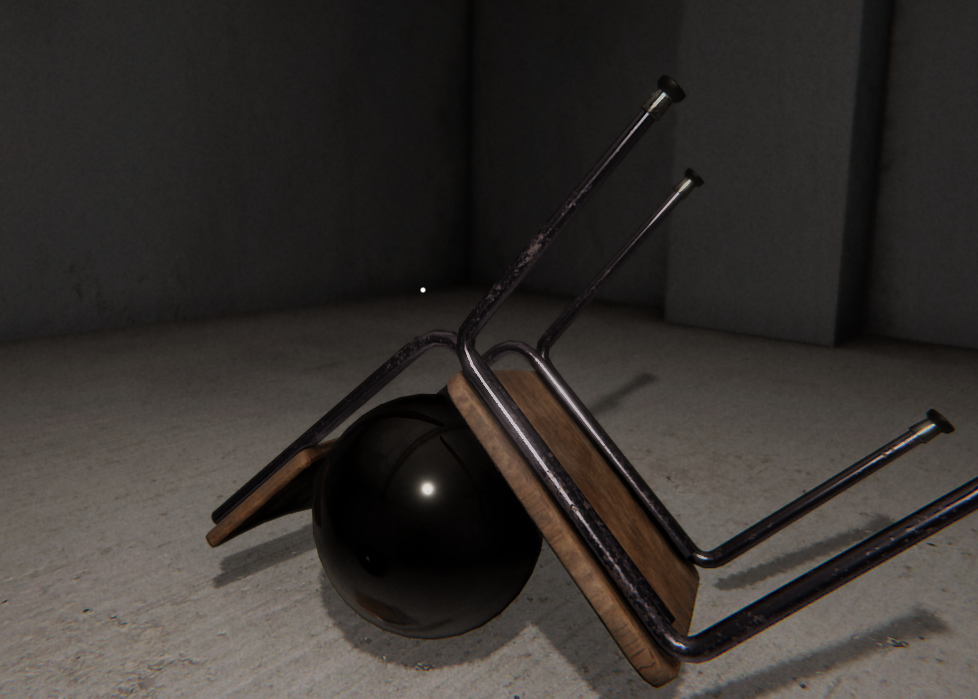
The ball is just a sphere with a collider and a rigid body
but it can wrap around the chair cleanly

 unique cave
stuck bay
I'm thinking the ideal approach is to import these smaller pieces as a series of...
unique cave
stuck bay
I'm thinking the ideal approach is to import these smaller pieces as a series of...
Thats far away from ideal in terms of performance. Mesh colliders are pretty heave and therefore it would be much better to make the mesh out of multiple primitive colliders like capsules and cubes. That chair doesnt even look too complicated to make using compound collider
stuck bay
unique cave
Thats far away from ideal in terms of performance. Mesh colliders are pretty hea...
The mesh colliders are borderline primitive, I cut down the polys on them
unique cave
stuck bay
The mesh colliders are borderline primitive, I cut down the polys on them
Still i wouldnt call that ideal. Using box collider is much faster than mesh collider with box mesh selected
stuck bay
Doing box colliders manually is painful though and it wouldn't be nearly as accurate
I can look into but I don't think the performance impact will be that crazy of a difference for me
My project is very small and there won't be many physics objects on screen at once
 coarse sequoia
Hi! I have this player model I got on internet and I don't know why the mesh collider does not work. The 3d objects I use to build the scene has the same mesh collider (without convex option active) and they work. Someone know why it could be?
 viral ginkgo
@coarse sequoia I think nonconvex dynamic meshes werent allowed
It should've given you a error
Maybe youre not looking at the console?
I might be wrong too
unique cave
Right, concave mesh colliders arent supported on dynamic rigidbodies. Building the collider out of multiple primitive colliders is usually the best solution
viral ginkgo
I think that star fighter can be fine with convex option
if a sphere collider is not enough
coarse sequoia
It is correct to use a lot of simple colliders? I want to do a fps game, the hitbox will not be accurate right?
 jovial wraith
coarse sequoia
It is correct to use a lot of simple colliders? I want to do a fps game, the hit...
jovial wraith
coarse sequoia
It is correct to use a lot of simple colliders? I want to do a fps game, the hit...
you can make it as accurate as you like if you use enough colliders. But, dirty little secret, you don't need that many for it to feel accurate from the player's perspective. In fact, often you'd even want to make the colliders a bit larger than the model to be generous to the player. If my shots were going in between that ship's cockpit and wings, I'd probably feel like the game was bugged because my aim was dead on but I was still missing.
coarse sequoia
Lol didn't know that! Thanks!!!
 manic harbor
What is the best way to simulate car crash physics where t-boning someone does more damage than e.g frontal collision? also that the fast you drive, the more damage you deal?
stuck bay
manic harbor
What is the best way to simulate car crash physics where t-boning someone does m...
Soft body physics
if that's what you mean
manic harbor
stuck bay
Soft body physics
you mean deformation?
stuck bay
Yep
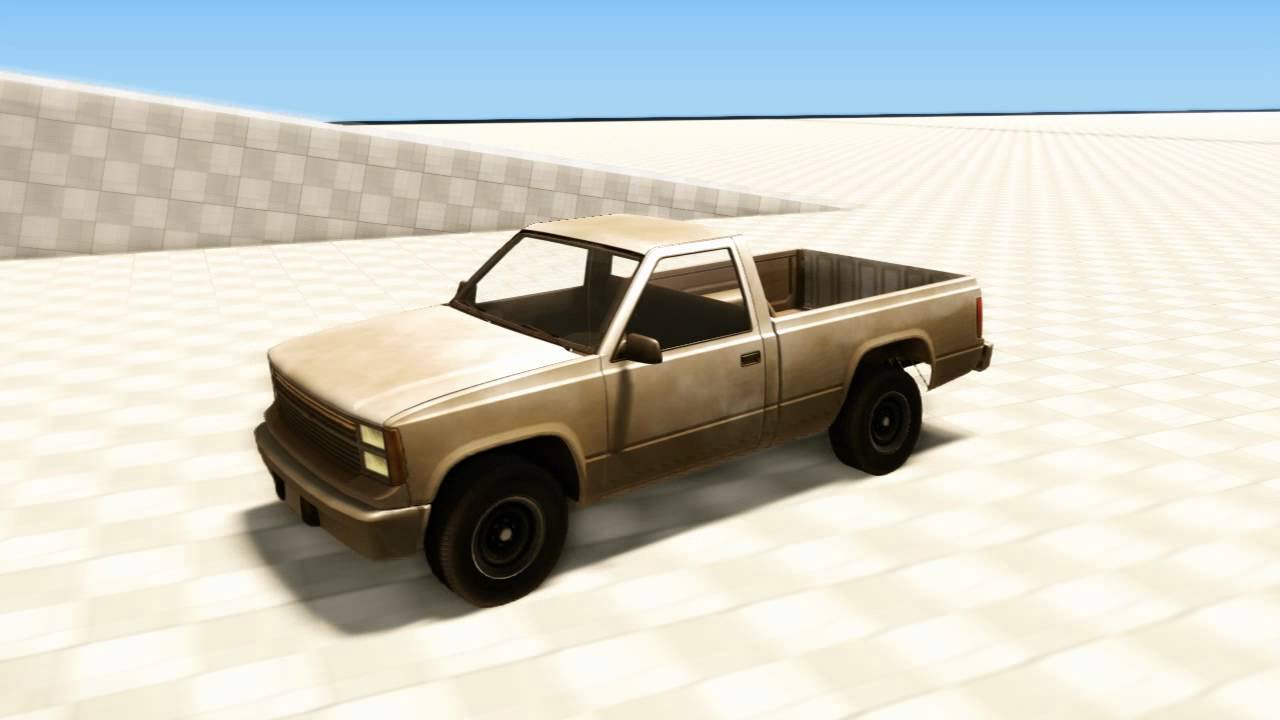
Purchase the alpha at http://beamng.com/alpha
Second video now available: http://www.youtube.com/watch?v=V5jUfe5jKk8
Please use our forums to get answers from us directly: http://beamng.com
The amazing soft-body physics you know from Rigs of Rods, now even better in CryEngine3. Anything can be built in the Beam physics system - cars, trucks, p...
It's old but it's what I meant
manic harbor
ah i already got 2 deformation scripts to chose from actually
i was mainly thinking about if the car had a health script on it then depending on where you crash and how hard it would subtract differently each time
like t-bone + extremly fast = a lot of damage vs frontal + extremly fast = less
t-bone being crashed from the side btw
manic harbor
Oh?

 slate lily
Why box cast misses hits sometimes on backed mesh collider
 lone quartz
Hey, in my game there is a powerup where you can change your controllable object (rigidbody). And when you change the object i want to continue with the same speed like with the previous object. This is currently my code Rigidbody.AddForce(Transform.forward * m_previousObjectSpeed * 300f, ForceMode.Impulse);(300 was just the best value, which worked so far) For object's with the about the same mass, this works great. But when the changeable object just have way less mass it flys away.
So my calculation here is definitely wrong and i think i have to take care also of the mass, but i dont know how. Should i multiply with the mass difference instead of the hardcoded 300f?
Also just a note, i can't use the velocity and angularVelocity properties of Rigidbody
 inner thistle
ForceMode.VelocityChange ignores mass
lone quartz
Thank you, this was the solution


 timid dove
 oak wigeon
You've assigned a nameless mesh? What's the mesh look like?
Also your "Model" object has no Rigidbody
So I'm not sure how you expect collisions to work
oak wigeon
its working now
so
I had to add a mesh collider to parent object
the mesh is a custom generated mesh
 tired loom
i want to rotate an object with a rigidbody preciseley by using the rigidbody, so the collision detection doesnt break , like.. i have a quaternion and thats how the object should be rotated always but it needs to interact with collisions... how would i do that? 😅
 waxen edge
Hey, I've asked a similar question yesterday in another channel, but I think my approach was fundamentally wrong and I still couldn't figure out a solution.
I have a GameObject.
It's starting at (0, 0, 0) and should reach (0, 10, 0) within 1 second before it starts falling down due to gravity.
If I'm not mistaken (very likely i am, not too good with Math or Physics), this means I have
Displacement D = 10
Final Velocity FV = 0 (reached after Time)
Acceleration A = -9.81 (Gravity)
Time T = 1
What would be the correct Formula to calculate the Initial Velocity needed to apply the given Displacement in Time before falling down due to Acceleration?
My current guess is
InitialVelocity IV = D + T*A
But that doesn't make any sense I guess, and I can't test it right now
Would be great if somebody could help me :)
timid dove
tired loom
i want to rotate an object with a rigidbody preciseley by using the rigidbody, s...
Rotate the body by
- Adding torque
- setting angular velocity
- using rb.MoveRotation
tired loom
timid dove
Rotate the body by
- Adding torque
- setting angular velocity
- using rb.MoveRo...
thats what i already tried but it needs o be exact as its controlled by the mouse position. but then it also has to work with the default collision system
timid dove
tired loom
thats what i already tried but it needs o be exact as its controlled by the mous...
Which one of the three options I gave did you try. All three of those could potentially work with a mouse in different ways, though MoveRotation would be the most straightforward
tired loom
timid dove
Which one of the three options I gave did you try. All three of those could pote...
everything
timid dove
And what went wrong?
MoveRotation should be straightforward
But you need to be careful - it needs to happen in FixedUpdate, but mouse input needs to be read in Update. And you need to consume it in FixedUpdate so it doesn't get double applied.
 undone kiln
private void JumpLogic()
    {
        if (Cmd.wishJump && _controller.isGrounded)
        {
            doJump();
        }
    }
    public void doJump()
    {
        RunAnim.SetTrigger("isJumping");
        playerVelocity.y = jumpSpeed;
        OnJump?.Invoke();
}```private void FixedUpdate()
{
JumpLogic();
}```private void Update()
{
_wishJump = Cmd.wishJump;
JumpInput();
}```Cmd.wishJump works perfectly fine, I'm getting the input but JumpLogic sometimes doesn't work
I assume it has something to do with the tfixed timestep?
inner thistle
I assume Cmd.wishJump is set for a single frame
Do if(Cmd.wishJump) { _wishJump = true; } in Update and _wishJump = false; in doJump
and check for _wishJump in JumpLogic
undone kiln
oh damn I forgot to send JumpInput()
undone kiln
undone kiln
oh damn I forgot to send JumpInput()
private void JumpInput()
    {
        if (MidAir) return;
        if (holdJumpToBhop)
        {
            Cmd.wishJump = Input.GetButton("Jump");
            return;
        }
        Cmd.wishJump = Input.GetButtonDown("Jump");
        if (Input.GetButtonDown("Jump"))
        {
            Debug.Log("wants to jump");
        }

        if (Input.GetButtonUp("Jump"))
            Cmd.wishJump = false;
}```holdJumpToBhop is always false
inner thistle
if (Input.GetButtonDown("Jump")) { Cmd.wishJump = true; }
and Cmd.wishJump = false; inside doJump
undone kiln
alr 1 sec
undone kiln
inner thistle
and `Cmd.wishJump = false;` inside doJump
but doJump is inside the FixedUpdate, won't inputs be missing if I read them from FixedUpdate?
inner thistle
You're not reading it from FixedUpdate
that's setting it to false after you've already jumped so that you don't do it twice
undone kiln
private void JumpInput()
    {
        if (MidAir) return;
        if (holdJumpToBhop) { Cmd.wishJump = Input.GetButton("Jump"); return; }

        if (Input.GetButtonDown("Jump"))
        {
            Cmd.wishJump = true;
            Debug.Log("wants to jump");
        }

        /*if (Input.GetButtonUp("Jump"))
            Cmd.wishJump = false;*/
}```public void doJump()
{
RunAnim.SetTrigger("isJumping");
playerVelocity.y = jumpSpeed;
OnJump?.Invoke();
Cmd.wishJump = false;
//isJumping = true;
}```like this?
@inner thistle thanks a lot my friend, it works now
I see that my mistake was turning Cmd.wishJump false in the update instead of fixedUpdate
 red brook
guys
rigidbody causes my character(which is a capsule) to fall over when moving
using constraints to freeze rotation didnt fix it
nvm fixed it
 indigo spear
is it better to split mesh colliders into chunks?
unique cave
indigo spear
is it better to split mesh colliders into chunks?
If youre talking from performance perspective, then yes, id imagine it being bit better
 silk stone
why is my character floating? only happens with the charactercontroller component
 unique cave
silk stone
why is my character floating? only happens with the charactercontroller componen...
unique cave
silk stone
why is my character floating? only happens with the charactercontroller componen...
Maybe the ”collider” of the cc is bit off?
silk stone
nope, the collider is fine

when i run it the collider just snaps it above the surface :

well thats weird
unique cave
silk stone
well thats weird
Dynamic rigidbody + non convex mesh colliders seems weird pair…
Oh its kinematic
silk stone
yep i figured it out, it was caused by the skin width in the character controller
 sick swan
I've got a trigger on a VR controller, that when overlapping a rigidbody attached to a different VR controller, returns itself as a collider on my OnTriggerEnter method. Any idea as to why that would be occuring?
I should add, it returns the other rigidbody AND it's own rigidbody
timid dove
sick swan
I should add, it returns the other rigidbody AND it's own rigidbody
Show what you mean? That shouldn't be possible.
How is it returning two rigidbodies?
 fast spear
so basically i am working on this game and i want the car to go on the platform and off it, and the problem was that once the car step on the platform it starts jumping around like crazy so i made it that once it steps on it than it will become a child of the platform so it can take the same position as the platform but right now the object is very laggy and shaky when i am driving foreword, any solution for that?
timid dove
fast spear
so basically i am working on this game and i want the car to go on the platform ...
1 - How are you moving the platform?
2 - Objects with dynamic Rigidbodies will not respect the parent/child relationship. They will continue to move as per the physics simulation
fast spear
timid dove
1 - How are you moving the platform?
2 - Objects with dynamic Rigidbodies will n...
i am moving the platform through a pingpong script
how do i paste code properly here?
its a very simple line of code
timid dove
fast spear
how do i paste code properly here?
Read the bottom of #854851968446365696
but basically if you're moving it via transform.position, that's an issue
fast spear
            float pY = Mathf.SmoothStep(Hight_A, Hight_B, Mathf.PingPong(Time.time * p_speed, 1));
            Body.transform.position = new Vector3(Body.transform.position.x, pY, Body.transform.position.z);
uh okey
timid dove
yeah that's a problem
fast spear
should i animate it istead?
timid dove
You need to do this:
- Give the platform a kinematic Rigidbody
- Put your code into FixedUpdate
- Use Rigidbody.MovePosition to set the position, rather than setting the position of the Transform
fast spear
okey but the code is inside a OnCollisionTrigger
and can i use the mathf.PingPong code with rigidbody
i want this smooth movement
fast spear
fast spear
okey but the code is inside a OnCollisionTrigger
never mind i just confused two scripts togather, sorry
timid dove
fast spear
and can i use the mathf.PingPong code with rigidbody
Yes you can. Turn on interpolation, and then follow the rest of the steps I gave. You can calculate the position the same way you are doing now, the only difference is that you need to use MovePosition to set the position instead of setting the Transform position
fast spear
alright i will look into it, thank you. (and cute cat)
fast spear
@timid dove it worked, thanks
 fringe heron
Hi. should I use rb.MovePosition()/rb.position +=.....
On dynamic rigidbodies in fixedupdate?
I want constant move speed for dynamic rigidbody (velocity didnt work well) btw should I set velocity in fixedupdate or update? and Should I use Time.fixedDeltaTime
timid dove
if it's a dynamic rigidbody, to set a constant speed just set the velocity one time. The physics engine will do the rest. Disable gravity and drag if you don't want either of those
If it's kinematic use rb.MovePosition in FixedUpdate
YOu should not use deltaTime or fixedDeltaTime for settting velocity. You should use fixedDeltaTime in FixedUpdate when using MovePosition with a velocity variable
 brittle gull
New here, please bare with me. xD
Using 2d physics for a microecosystem simulation thingy I decided to make.
I've looked at about a dozen tutorials now and read up on the Unity docs for all the diff types of 2d joints and I can't figure out what I'm doing wrong.
Video below shows what happens. (The small bits floating around the main inner circle should stay relatively in the same positions)
Picture below as well for reference as to how it will look and give some insight into the bits movement / physics.
 brittle gull
why is this so hard xD
brittle gull
my god, I've tried pretty much everything I can think off
 neat coral
have you tried to make it work?
neat coral
brittle gull
my god, I've tried pretty much everything I can think off
why do you have damping ratios of 0?
maybe consider https://docs.unity3d.com/Manual/class-RelativeJoint2D.html
 brittle gull
neat coral
have you tried to make it work?
brittle gull
neat coral
have you tried to make it work?
what? lol of course I did, I've spent the past 5 hours on this xD
I've also tried setting damping levels to all sorts of values, from 0 - 1
I've also tried doing relative joints instead, as well
brittle gull
Wtf... I've tried every type of joint now.. 😦
 devout glacier
I have a ragdoll in my game, and when the ragdoll activates, it spazzes out and falls through the floor. Anyone know how to fix this?
I'm activating it through code
timid dove
devout glacier
I have a ragdoll in my game, and when the ragdoll activates, it spazzes out and ...
do you also have a CharacterController?
 wide nebula
brittle gull
Wtf... I've tried every type of joint now.. 😦
wide nebula
brittle gull
Wtf... I've tried every type of joint now.. 😦
How are you moving your object?
brittle gull
wide nebula
How are you moving your object?
With a random movement script.
brittle gull
Well that's why I asked, I was unaware if a script would have this type of impact.
Here is...
using System.Collections;
using System.Collections.Generic;
using UnityEngine;

public class RandomMovement : MonoBehaviour
{
    // Movement decisions.
    private bool selectNewRandomPosition = true;
    private bool waitingForNewPosition = false;

    // Movement positioning for objects.
    public float minX;
    public float maxX;
    public float minY;
    public float maxY;
    public float movementSpeed;

    private float moveX;
    private float moveY;
    private float newX;
    private float newY;
    private float stopX;
    private float stopY;
    private float frameX;
    private float frameY;
    private float movedX;
    private float movedY;

    // Movement area bounds.
    public float LeftBounds;
    public float RightBounds;
    public float UpBounds;
    public float downBounds;

    /// <summary>
    /// Calculates and sets the boundaries of our scene.
    /// </summary>
    public void LateUpdate()
    {
        Vector3 v3 = transform.position;
        v3.x = Mathf.Clamp(v3.x, LeftBounds, RightBounds);
        v3.y = Mathf.Clamp(v3.y, downBounds, UpBounds);
        transform.position = v3;
    }

    /// <summary>
    /// Calls the next position to move to...
    /// ... and generates new ones.
    /// </summary>
    public void Update()
    {
        // While true, call another new pos to move to.
        //if (allowedArea.Contains(transform.position))
        {
            if (selectNewRandomPosition)
            {
                StartCoroutine(NewRandomPosition());
            }

            // While not waiting, get new pos.
            else if (!waitingForNewPosition)
            {
                frameX = (moveX * Time.deltaTime * movementSpeed);
                frameY = (moveY * Time.deltaTime * movementSpeed);
                movedX += frameX;
                movedY += frameY;
                newX = transform.position.x + frameX;
                newY = transform.position.y + frameY;
                if (Mathf.Abs(movedY) >= Mathf.Abs(moveX) || Mathf.Abs(movedY) >= Mathf.Abs(moveY))
                {
                    waitingForNewPosition = true;
                    selectNewRandomPosition = true;
                }
                else
                {
                    transform.position = new Vector3(newX, newY, transform.position.z);
                    float rotateSpeed = 20f;
                    transform.Rotate(Vector3.forward * rotateSpeed * Time.deltaTime);
                }
            }
        }
    }

    IEnumerator NewRandomPosition()
    {
        waitingForNewPosition = true;
        selectNewRandomPosition = false;
        yield return Time.deltaTime;
        moveX = Random.Range(minX, maxX);
        moveY = Random.Range(minY, maxY);
        stopX = transform.position.x + moveX;
        stopY = transform.position.y + moveY;
        movedX = 0f;
        movedY = 0f;
        waitingForNewPosition = false;
    }
}
So the issue is that you're not moving your character with physics, therefore physics is not being applied to the joints for them to react.
You need to apply forces to the rigidbody on the main body.
brittle gull
Ah, makes sense. Time for some research. 🙂
Still new to c# as well. Thank you!
brittle gull
Got some new behavior. It's the wrong behavior but it's different. So...
Progress 
 open tree
eyo anyone know how to change smth from floaty to more grounded by an interaction?
need it for a specific feature
 fleet silo
When I apply a local forward force to my player (RigidBody) my player has a wobbling rotation left and right
Body.AddRelativeForce(Vector3.forward * 100);
What's going on here?
timid dove
open tree
eyo anyone know how to change smth from floaty to more grounded by an interactio...
This is such a vague question
open tree
my bad
let me elaborate
is there any easy way to change the physics of the player object temporarily without the player themselves interacting with any keys or clicking anything
fleet silo
@open tree Yes. Any programmatic controls will work.
Which is really what you are doing in response to player input.
open tree
alr, thanks
fleet silo
Why does RigidBody.MovePosition sometimes respect terrain collision and sometimes not, resulting in player going beneath terrain and acquiring a rotation?
Is this discrete physics causing problems?
Does MovePosition respect physics / collision?
 lunar magnet
i have a question, if i were to make a sword using a rigidbody and a single boxcollider, and my player were to swing that sword, would it have a bigger physics impact at the tip of the sword compared to the bottom? or would i need to add an extra peice of the blade connected at the tip with a rigidbody for that kind of physics accuracy?
 buoyant geyser
Is there anyway that different PhysicsScenes objects can interact with each other? I mean like you have the player(with Rigidbody attached) in a different physic scene than other static objects like platforms with boxcolliders attached but you can still stand on them with engine's built-in calculations?
 grizzled niche
Hello, a quick question. I have a first person controller which works on character controller, and a ragdoll. Now I want to be able to click on the ragdoll with my crosshair, and pickup and throw the ragdoll, preferably the body part on which the cursor is. How should I go about doing that?
 stiff blaze
Hi. so idk where this fits exactly but i'm trying to create a shooter type-a-game and i have issues where as my character can't walk normally but everytime there is a tiny bump in the floor, the character just kinda gets launched in the way that it's walking till it lands
i've been playing with the rigidbody trying to fix it but nothing worked. does anyone know how to fix that?
 unborn geyser
guys i want to show the trajectory path of throwing object before throwing
brittle gull
unborn geyser
guys i want to show the trajectory path of throwing object before throwing
this should cover it all 🙂
https://schatzeder.medium.com/basic-trajectory-prediction-in-unity-8537b52e1b34

Medium
Over the weekend, Austin Mackrell and I wanted to try out implementing the prediction and visualization of a trajectory in 2-D before it…
red brook
my player character almost always glitches through a wall, will changing the collision detection fix it?
i fixed it by making my player's hitbox bigger
but
the cam starts shaking when walking along the wall
or just while touching the wall
neat coral
You can change the collision method to continuous
red brook
i tried all 4
camera is shaking while touching the wall and i can still clip through it at a certain angle
timid dove
red brook
or just while touching the wall
it means you are not moving your character in a physics friendly way. You are simply teleporting them via the Transform each frame. So the physics engine has to play catchup when it finds your player inside a wall. The fix is to move in a physics friendly way
red brook
yeah i realized that
red brook
timid dove
it means you are not moving your character in a physics friendly way. You are si...
can rigidbody.velocity be used only with with vector3?
timid dove
As opposed to?
Vector4? bool? What?
rigidbody.velocity is a Vector3, so yes it can only be used with Vector3
red brook
i want my character to move forward while pressing w, with vector3 it keeps moving in the same direction no matter the direction its pointing at
timid dove
You have to use Vector3 no matter what
you don't have to use e.g. Vector3.forward though
you can use transform.forward
 regal cove
Is it normal for raycasts to stop when hitting something in the ignore raycast layer?
I assumed that it wouldn't block the raycast still

found what i needed
unique cave
regal cove
Is it normal for raycasts to stop when hitting something in the ignore raycast l...
Yes it is. Quaries Hit Triggers has nothing to do with ignore raycast layer. That quaries stuff is meant to make raycast ignore trigger colliders. LayerMask is the right way to ignore specific layers
regal cove
unique cave
Yes it is. Quaries Hit Triggers has nothing to do with ignore raycast layer. Tha...
I turned off Queries hit triggers in Physics 2D instead of Physics
unique cave
regal cove
I turned off Queries hit triggers in Physics 2D instead of Physics
Youre meant to untoggle that only if you dont want any of your raycasts hit trigger colliders. Again, use layermasks if you want to ignore certain layers
regal cove
unique cave
Youre meant to untoggle that only if you dont want any of your raycasts hit trig...
I dont want any of my raycasts to hit trigger colliders, ever
unique cave
Then you should untoggle that anyways but that has nothing to do with ignore raycast layer
regal cove
unique cave
Then you should untoggle that anyways but that has nothing to do with ignore ray...
Ok, well i mean my problem's already been solved so it doesn't really matter what layer those objects are on now
I know for "Ignore raycast" layer to work I need a layermask
unique cave
Right. If the original problem was to ignore trigger colliders, that toggle is the correct answer 👍
lunar magnet
how can i use havok in my unity project
 pulsar brook
when i shoot a gun my ridged body freeze rotation disables, and my character falls over is there any way to fix this
timid dove
pulsar brook
when i shoot a gun my ridged body freeze rotation disables, and my character fal...
Well presumably your code is doing those things so.. have your code not do those things?
 ionic gust
Hi everyone, I'm wondering anyone could help me with a physics problem I have.
So I'm making a skateboarding game. I have the skateboard movement programmed and it works fine, but now I want to add a player on top of the skateboard. This player is an active ragdoll. So my question is what is the best way to do this? Here are some things I have tried:
- Using a fixed joint. This is the most obvious solution, but the issue is that I don't want the movements of the player affecting the board. With this system, as soon as the ragdoll flops over a bit, the whole skateboard moves too. I don't want this, I want the skateboard to control exactly the same as if it had no player on top.
- Attaching the player to another kinematic physics object which I then have a script teleport to the skateboard. This seems to work well except for some reason it lags behind the player(unless I use Update() rather than FixedUpdate()). Here is that script btw: https://pastebin.com/vMPxA2HK
Pastebin
Pastebin.com is the number one paste tool since 2002. Pastebin is a website where you can store text online for a set period of time.
am I allowed to post a video here showing what I have so far?
just to show the issue
ionic gust
 vocal gale
Cant find much on the forums, how do I have a hinge joint and a fixed joint work together?
I basically have a door hierarchy involving a handle, you interact with a collider and the handle follows that, when the handles hinge reaches the maximum the door becomes unlocked and that follows the collider.
However, no matter what combination or clone of joint hierarchy I make the handle will not follow the door. (So when reaching the unlock state the handle will decide to just clip through and remain where it is in the world)
I had thought of some form of IK type setup where when you reach the maximum on the handle the door being connected would also begin to move without any input or control, but doing that would mean reordering the parent because I want handle to control the child joint rather than the door... Also requires an animator. But seems overkill for the setup I have since I want to attempt to have the script managing the locking/unlocking of the joint generic and apply anywhere... (which it does when a second hinge isn't included ¬¬).
Would have thought the correct setup would have been fixed + hinge on the same object but that straight up locks my object in place
ionic gust
Is the handle kinematic?
also have you considered making the handle not a physics object? does it really need physics?
vocal gale
No the thing you grab is kinematic, if I switch the handle to kinematic it will stay with the fixed joint but won't follow physics.
Its VR and believe realism is a request
Most I have been able to do is toggle the kinematic states but its a bit of a janky implementation and getting around it is also janky.
Im removing it for now but would like to know a solution for when it comes back up asking why the handle doesn't move
ionic gust
so what I would do is
RigidBody wall
RigidBody Door -> Joint connected to wall
RigidBody Handle -> Joint connected to door
wall is kinematic
everything else isn't
 somber kestrel
where can I have cylindrical collider for my barrel RigidBody?
I can't imagine you still have to dance in rain to get cylindrical collider lmao
unique cave
somber kestrel
I can't imagine you still have to dance in rain to get cylindrical collider lmao
You actually have to 🙃 . There's no cylindrical primitive collider on PhysX. Capsule collider + contact modification could work in theory but id imagine (I don't really know anything about contact modification) that not being faster than just using convex mesh collider with simplified mesh on it. So my solution would be to just use mesh collider or alternatively use primitive colliders like box colliders and capsule colliders
 unique cave
somber kestrel
ok made it
unique cave
somber kestrel
ok made it
if that's something like 6 (i'm not able to count 😅 ) box colliders, that's not even bad for performance
somber kestrel
unity is like a hard to go woman (no offense just irl experience) who gets you much trouble when you spend you time on her
unique cave
lol didn't see the hierarchy... 7 is not bad either
somber kestrel
unique cave
lol didn't see the hierarchy... 7 is not bad either
yea
unique cave
somber kestrel
yea
um actuallly you have only 6 colliders there. is 1 collider on top of one other?
PhysX is not in fact related to Unity. PhysX is physics engine build by Nvidia and therefore Unity can't manipulate that. Of course they could have made something own on top of that but maybe they didn't find that too useful
somber kestrel
hm
anyway I have just tried many things as barrel collider and what suits best is capsule collider bcs the barrel can stand + roll when falls on its side
 dusk trout
hello
how cai spawn my car into the exact position?
is it the right channel that i should ask this question?
wide nebula
Set the transform.position of the object to where you want it to be.
dusk trout
ok but... shoud i make it static?
beacause i will spawn it into another scene
i have 2scens one is Garage (main menu)
other of the map (gameplay)
wich means spawn it after selecting the car
wide nebula
Static has nothing to do with anything. Just instantiate your car when you need it at the position you want.
stuck bay
hi! i'm trying to get a rigidbody 2d triangle to roll with player controls. i've been messing around with AddTorque, AddForce, AddForceAtPosition and AddRelativeForce as well as friction, gravity, mass, and drags to try to get it to work how i want it to but i'm not having much success.
basically i want it to be flat against a surface before it continues to move, but it inevitably ends up floating once it builds any speed.
my current idea is to lower the center of mass for it, but i'm having difficulty finding a way to change the world center of mass for it, since local center of mass is making it want to sit on one specific side.
is there a simple way to dynamically adjust the local center of mass position, or to set the world center of mass? or a good simple method to achieve the desired behaviour that i'm missing?
stuck bay
like how would i set it so the center of mass is always in the direction of gravity?
neat coral
You can transform the local position to world position and back
stuck bay
Thanks!
timid dove
stuck bay
Thanks!
You can directly set the center of mass via https://docs.unity3d.com/ScriptReference/Rigidbody2D-centerOfMass.html
and yeah if you have a world position you can use transform.InverseTransformPoint(worldPoint) on the world space point to convert it to local space
stuck bay
Thanks! :D I'll try it out next session!
lunar magnet
i need help, my articulation body glitches out when its target is past 180 and i dont know why!
 wicked phoenix
Is it normal for an instantiated rigidbody object to inherit the velocity of the instantiator?
timid dove
wicked phoenix
Is it normal for an instantiated rigidbody object to inherit the velocity of the...
It's entirely up to your game's requirements and design. There is no "normal" answer for this
wicked phoenix
timid dove
It's entirely up to your game's requirements and design. There is no "normal" an...
Oh, I meant like is that how the physics system normally functions if you just addforce to an instantiated rigidbody?
timid dove
wicked phoenix
Oh, I meant like is that how the physics system normally functions if you just a...
It depends entirely on the velocity of the Rigidbody that you are instantiating. if it's a prefab, it's exceedingly likely to be zero
unless you did something weird like setting the velocity on a prefab
whtaver the prefab's velocity is will be the velocity of your instantiated rigidbody
There isn't even a concept of an "instantiator object"
Instantiate itself is just a static function
wicked phoenix
I see, thanks
lunar magnet
how can i freeze an articulation bodies rotation?
lunar magnet
how can i stop parent articulation bodies from being influence by child articulation bodies?
 pearl swallow
hi guys, I am working with the Walker example in MLAgents. But I am having weird behaviours with configurable joints and collisions. In some cases, a body configurable joint collide with the box collider plane without touch it. Is there some reasong for that?

and this are the physics configuration (default from this example)
 lunar magnet
how can i connect an articulation to a joint?
wicked phoenix
lunar magnet
how can i freeze an articulation bodies rotation?
Are you talking about rigidbodies? If so, there's a setting in the Inspector that allows you to freeze their rotation on individual axes

 dawn plinth
Hey, i want to learn how to programm with physics. so are there any basic physic videos?
 kind pilot
how do i make ropes
timid dove
kind pilot
how do i make ropes
A series of objects connected by joints, or a third party asset such as Obi Rope
lunar magnet
can i get help with my unity fourum post? https://forum.unity.com/threads/articulation-joint-child-having-unwanted-affect-on-parent.1246816/
Unity Forum
when I change my articulation joints Xdrive target, it has an unwanted affect on the parent articulation joint. When the child articulation joint...
 idle estuary
Hi, I'm intending to implement a eazy to tweak Jump. I saw this talk from the GDC about using desired height jump and distance (or time) to calculate gravity and initial velocity and then using verlet velocity integration to change velocity over time but I can't seem to make it work. Did someone here did try to implement this in their game and could potentially help ? Working in 2D btw
https://youtu.be/hG9SzQxaCm8 the talk

In this 2016 GDC talk, Minor Key Games' Kyle Pittman shows how to construct natural-feeling jump trajectories from designer-friendly input like desired height and distance, modeled programmatically using one of a few available integration methods.
GDC talks cover a range of developmental topics including game design, programming, audio, visual ...
 regal summit
What are possible reasons why a Rigidbody2D correctly gains a Contact when it hits a boxcollider2D, but doesnt fire OnCollisionEnter2D?
The method was Private for some reason was why 🤔 setting it to public and it is called now
Which is odd because it works in the other script I copied it from, which also had it set to private?
timid dove
private OnCollisionEnter2D should work fine 🤔
regal summit
timid dove
private OnCollisionEnter2D should work fine 🤔
I don't know what to say other than this would not get called when it was private and does when its public

the rigidbody2d and collider2d are both on the same gameobject as that script, and are on layers that collisions happen on, the RB2D even reports the collision in inspector, script was saved as well
 tranquil thorn
Hello!
I have a problem where my sprite is shaking/ jittering/ jiggling/ wiggling/ vibrating when moving it using joystick.
here's my code:
using System.Collections;
using System.Collections.Generic;
using UnityEngine;

public class PlayerMovement : MonoBehaviour {

public Joystick mJoystick;
public float mRunSpeed = 2.0f;
public GameObject Target;

void FixedUpdate() {

var currentDir2D = mJoystick.Direction.normalized;

Target.transform.Translate(new Vector3(currentDir2D.x, currentDir2D.y, 0) * Time.deltaTime * mRunSpeed);
}

}```When using just the Update function, the same sort of movement is seen when bumping into walls. I tried changing it to FixedUpdate, which solved that issue, however now when simply controlling the sprite, moving it normally, the same sort of movement can be seen. I tried using the rigidbody.AddForce thing, and albeit solving my issues, makes the sprite move after letting go of the joystick (think of a car when you hit the acceleration pedal, then letting go and but it still moves; inertia).
What should I do to achieve clean movement?
I guess i should also mention some things that might help: Sprite does have a collider (capsule) and a rigidbody2d. This is pixel art (sprite is roughly 25 x 55). It's not a camera issue nor a screen one (tested it both on my laptop and phone).
Thanks and feel free to @ me if you are willing to give me a hand!!! :D'
timid dove
tranquil thorn
```cs
using System.Collections;
using System.Collections.Generic;
using UnityEng...
If you use transform.Translate you are bypassing the physics engine entirely
You need to move your object in a physics friendly way to avoid it
tranquil thorn
yeh, read that somehwere in the internet, thats why i tried addforce
but as described, it doesnt work the way i wish it to
timid dove
You could use AddForce, or set the velocity, or use MovePosition
those are the main 3 options with Rigidbody
tranquil thorn
well what do you recommend i do?
timid dove
setting velocity directly would be simple
tranquil thorn
to make it look as if its using t.translate
timid dove
addforce is going to simulate acceleration and stuff which it sounds like you don't want
timid dove
tranquil thorn
to make it look as if its using t.translate
just set the velocity
the physics engine will do the movement for you
tranquil thorn
so rigidbody.velocity?
or wdym?
public Joystick mJoystick;
    public float mRunSpeed = 2.0f;
    public GameObject Target;

    void FixedUpdate()
    {
        var currentDir2D = mJoystick.Direction.normalized;

        var rb = Target.GetComponent<Rigidbody2D>();
        var v = new Vector3(currentDir2D.x, currentDir2D.y, 0) * Time.deltaTime * mRunSpeed;

        rb.velocity = v;
tried doing it like this
however it doesnt work
wall issue is completely fixed, however not the buggy movement
@timid dove Sorry if im being pesky or annoying, but how should I do it?
timid dove
tranquil thorn
```cs
public Joystick mJoystick;
public float mRunSpeed = 2.0f;
public G...
There's no reason to multiply deltaTime into the velocity
that makes no sense
if your car is going 60 mph it's going 60mph
not 60 * 1 / the current framerate
tranquil thorn
yah, i just copy pasted that from the last bit of code
tranquil thorn
timid dove
There's no reason to multiply deltaTime into the velocity
changing that made 0 difference :/
timid dove
what's the issue now exactly?
tranquil thorn
want a video?
timid dove
yes
tranquil thorn
aight gimme a minute
timid dove
I think you're likely just seeing the physics update rate and/or camera jitter from a mismatched camera follow cadence at this point
lunar magnet
how can i make a physics joint from scratch?
instead of using unitys built in joints
timid dove
lunar magnet
instead of using unitys built in joints
You just make a script that references some Rigidbodies and manipulates them as you wish
lunar magnet
timid dove
You just make a script that references some Rigidbodies and manipulates them as ...
in what way do i manipulate it in order to make it act as a joint, for example a fiexd joint, any tutorials online that i can use?
timid dove
idk, forces, setting the positions?
Whatever you want
You could probably just make a kinematic RB be the child of an articulation body and use normal joints too
depending on how you want the simulation to go
Unity is the ultimate game development platform. Use Unity to build high-quality 3D and 2D games, deploy them across mobile, desktop, VR/AR, consoles or the Web, and connect with loyal and enthusiastic players and customers.
lunar magnet
yeah but i want to connect my arituclation to a rigidbody, not a rigidbody to an articulation
sorry i mean the other way around
wait no
not the other way around
what i said first was correct
@timid dove
timid dove
What's the difference?
It's the same
You just have to put the joint on the RB object not the AB object
 civic charm
for some reason. my see saw ramp just falls through the floor when anything touches it
manic harbor
uh so how does rigidbody.mass work? i set my vehicle's mass to 800 but it's acting extremly sluggish
idk if it's in kg or something, but it acts as if it was like a huge as ship rather than a small car or something
timid dove
manic harbor
uh so how does rigidbody.mass work? i set my vehicle's mass to 800 but it's acti...
It works the way mass works in real life
manic harbor
timid dove
It works the way mass works in real life
ah
 frail plinth
how to detect which gameObject caused a collision? i compared velocity.magnitude of the objects, but its not really working
frail plinth
frail plinth
how to detect which gameObject caused a collision? i compared velocity.magnitude...
            return;
}```i compared that in a test script and the reason is that the velocity of the rigidbody processed after the collision-> needs to be checked in fixedUpdate. damn https://answers.unity.com/questions/246235/rigidbody-magnitude-comparison-is-not-working-corr.html
Unity is the ultimate game development platform. Use Unity to build high-quality 3D and 2D games, deploy them across mobile, desktop, VR/AR, consoles or the Web, and connect with loyal and enthusiastic players and customers.
frail plinth
frail plinth
i compared that in a test script and the reason is that the velocity of the rigi...
in this post they say that velocity need to be updated in fixedupdate (for both objects) to be compared. but i figured that in most cases i can use collision.relativeVelocity instead of getting the other scripts velocity value. is that ok?
 loud hatch
How do I get new Unity Physics working in my 2021.2.8f1 editor? I get this everytime I hit play
System.IndexOutOfRangeException: Index {0} is out of range of '{1}' Length.
This Exception was thrown from a job compiled with Burst, which has limited exception support.
0x00007ff8911b1714 (5093e9b773a97e5b2da0771572006e7) [IJobParallelForDefer.cs:64] Unity.Jobs.IJobParallelForDeferExtensions.JobParallelForDeferProducer`1<Unity.Physics.Broadphase.StaticVsDynamicFindOverlappingPairsJob>.Execute
See if updating Unity and/or the package helps. You're in the tech stream
loud hatch
what's the tech stream?
timid dove
Unity releases that aren't LTS nor alpha/beta
 supple sparrow
loud hatch
How do I get new Unity Physics working in my 2021.2.8f1 editor? I get this every...
supple sparrow
loud hatch
How do I get new Unity Physics working in my 2021.2.8f1 editor? I get this every...
this version is buggy, here's how to fix https://forum.unity.com/threads/2021-2-8f1-broke-asdeferredjobarray-and-deferred-jobs.1225635/#post-7815393
loud hatch
thanks I'll check it out
 ashen girder
i need some help. That little red bit in the sky that i have circled is where a BoxCast is hitting.
i've checked everything, and there are no colliders there or anything - it should be impossible for a BoxCast to hit this spot. Does anyone have any ideas on what i am doing wrong?

here's the bit of code that does the BoxCast
        if (Physics.BoxCast(terrainDistRaycastPoint.transform.position + terrainDistRaycastPoint.center, terrainDistRaycastPoint.bounds.extents / 2, Vector3.down, out RaycastHit hit, transform.rotation, Mathf.Infinity, LayerMask.GetMask("Terrain"), QueryTriggerInteraction.Ignore))
        {
            Debug.Log(hit.transform.gameObject);

            Debug.DrawLine(hit.point - Vector3.up * 0.1f, hit.point + Vector3.up * 0.1f, Color.red, 0.025f, false);
            //Debug.DrawLine(hit.point - Vector3.up * 0.1f, hit.point + Vector3.up * 0.1f, Color.red);
            if (terrainDistCheckPoint.position.y - hit.point.y > maxDistanceAboveTerrain)
            {
                Debug.Log("distance too high or low at: " + (terrainDistCheckPoint.position.y - hit.point.y));
                valid = false;
                return;
            }
        }
Well we don't see the colliders but I will assume you're right on this point 😛
you can further debug with the physics debug component in case you missed something. Because you can't see what you can't see
terrainDistRaycastPoint is the transparent box on your screenshot ?
Not sure why you would add the center to the position though... 🤔 what do those values looks like ?
timid dove
ashen girder
i need some help. That little red bit in the sky that i have circled is where a ...
Have you printed the name of the object it's hitting yet
What is it?
Casts don't just hit "spots" they hit colliders
ashen girder
You can get the spot hit when you use hit.point
And I ran a Debug.Log on the name, it's Collider, which is just a collider on one of the rocks
ashen girder
i conceded, just used SphereCast, and it works. (so it's definitely a me problem but idk how)
 grizzled mango
Hi, i'm doing a game with lots of identical cubes. What's the best way ( and easiest ) to optimizing the game. I'm 200 FPS
but the CPU is 100%
 young wing
somehow, I managed to screw up something very simple... I make a sphere (the player), I put some constraints in Y and Z axis (because its a 2D platform game and jumping is not needed for this one), I put a basic script to move it in the X axis and try to play test... its not doing anything
remove all constraints and put it a few centimetres off the ground... it keeps floating in the air for some reason and not moving
I made a cube on top of the sphere... it falls on the player and it starts moving... but not because of my input
timid dove
young wing
I made a cube on top of the sphere... it falls on the player and it starts movin...
you'd have to share how you set things up : your player objects and what components are on it
as well as your code

 timid dove
young wing
timid dove
young wing
Seems like you're mixing phsyics (Rigidbody) with moving the transform position directly. Those things won't play together
You should pick if you want to use the physics engine or if you want to completely drive the motion from your code as you are now.
stuck bay
Is this the right channel to ask about hingejoints?
For some reason, whenever I start the game, the object that is jointed with make a few full rotations before being constrained by physics. I have angle limits set up, but the object rotates beyond that
I've tried toggling the motor and removing collision.
The joint is between two dynamic rigidbodies, and the colliders do not interact.
How do I stop this?

This is the current set up.
 marble tapir
I am trying to make a ball rolls towards another ball using this code, but it seems to be bouncing along instead simply rolling towards, any possible fix?

 magic needle
marble tapir
I am trying to make a ball rolls towards another ball using this code, but it se...
magic needle
marble tapir
I am trying to make a ball rolls towards another ball using this code, but it se...
use rigidbody.AddForce() instead of directly altering the velocity
fast spear
what is the problem?!
both have colliders and none is trigger, why does the ship go into the sphere like that
unique cave
fast spear
Why does the planet have rigidbody on it? What you mean by ”like this”?
unique cave
marble tapir
I am trying to make a ball rolls towards another ball using this code, but it se...
Also calling GetComponent every fixedUpdate is not needed. You could just call it once in Start and cache the result
fast spear
i made a simple gravity script, and the two objects have colliders but the ship is going inside the sphere, but when i made the collider 10 times bigger it actually collided and didnt clipp into the sphere collider
unique cave
Some time ago I struggled with same type of issue when having tiny box colliders against huge sphere collider. For some reason the collision was very buggy and I couldnt really find any good solution for that. Have you tried using other colliders for the spaceship such sphere or capsule?
fast spear
it worked, i fixed it, i made a normal sphere in blender but with many more face and i than i added a mesh collider
the first sphere had one huge sphere collider and i think its hard to calculate collision with extreme small objects
unique cave
Mesh collider is usually very bad in terms of performance when compared against primitive colliders (especially when the mesh has large poly count)
If any other solution could work, i can’t really recommend that approach
ashen girder
fast spear
i made a simple gravity script, and the two objects have colliders but the ship ...
were you using rb.MovePosition() or transform.position to move it? Also, personally i would recommend turning on Interpolate and Continuous Dynamic collisions for the ship rigidbody.
 left lily
idk if this is the best channel to ask this on but oh well
currently trying to mess around with the platform effector 2D
is there any way to make it usable with a whole tilemap or should i just make a custom prefab brush with a gameobject with the effector?
 north dust
Hello is there any easy way to make collider for something like plane? With interior
stuck bay
Can anyone explain why this is happening when I start up the game? I’m using a hinge joint 2d with the motor on, and there should be constraints on limit. But it always does two full circles before falling back under the constraints
Loop
😂
stuck bay
stuck bay
Loop
?
This persists regardless of motor being on or off, or the circular body being kinematic or dynamic
 tacit jackal
I am trying to make a car and I have almost everything working perfectly. One thing that isn't how i like it the speed of the car, it moves really slowly. What should i change either in the wheel collider or the rigidbody to make the car move quicker?
tacit jackal
The wheels spin really fast but the car barely moves
stuck bay
neat coral
are they colliding against each others?
They are currently both on a collision layer that shouldn’t interact with itself. I’ve also tried disabling collision entirely but it still rotates by itself
stuck bay
tacit jackal
The wheels spin really fast but the car barely moves
What’s the friction at?
tacit jackal
you mean the drag on the rigidbody?
stuck bay
Not sure, but it sounds like the wheels and the ground have low friction, so the car isn’t moving much
stuck bay
tacit jackal
i then changed it to 0 and it moved faster for some reason
The higher the drag on the car, the slower it will move through air
What’s the mass on the car and the wheels respectively?
Try increasing wheel mass
stuck bay
north dust
Hello is there any easy way to make collider for something like plane? With inte...
There’s an Edge collider for 2d projects. What do you mean with interior?
stuck bay
neat coral
maybe use collision layers
I’ve tested it, and they’re not colliding with each other. However, the two objects are both parented under the same empty object. I’m not home right now, so I can’t test it, but could that be the issue?
stuck bay
Ah I got it. The limits were set to 700+ degrees. Fixed it
north dust
stuck bay
There’s an Edge collider for 2d projects. What do you mean with interior?
i have 3d project
i mean inside of the plane
i want to make players able to walk inside a plane but walls are rounded and mesh collider... it makes collider to full object and you cant go inside
 wispy prawn
is a Box collider considerably faster than a mesh collider using a simple box mesh?
timid dove
wispy prawn
is a Box collider considerably faster than a mesh collider using a simple box me...
It's faster but most likely not in any noticeable amount
Unless you have a very large number of them very close together
wispy prawn
i'm more thinking about 2x2m wide floor tiles
timid dove
No it won't be noticeably faster I'd say. Most of the work in either case will be done by Unity's spatial subdivision and the bounding boxes before the actual Collider shape even comes into play
I'd still use BoxCollider if possible because why not
wispy prawn
alright thanks
 rain zenith

with this box collider
is it possible to see the actual bounds of this boxcollider when i run my game
i just need to get an idea its dimensions in-game
timid dove
rain zenith
i just need to get an idea its dimensions in-game
yes turn on Gizmos in the game view
north dust
north dust
i want to make players able to walk inside a plane but walls are rounded and mes...
?
 subtle cipher
is there a way to make rigidbody gravity have a constant speed?
for my use case I don't want it to accelerate the longer it falls I want it to just move down at a constant speed
I'm not sure how much that is happening right now but it definitely falls slower at the start
timid dove
subtle cipher
is there a way to make rigidbody gravity have a constant speed?
for my use case ...
that wouldn't be gravity at all then
gravity is by definition an acceleration
If you just want a constant velocity, you are free to just set that velocity and disable gravity
timid dove
I mean... it does lol
gravity is a force (effectively). Forces do one thing in the physics engine - cause acceleration
subtle cipher
oh well I was not talking about the definition according to the physics engine
I was talking english
 midnight fjord
Is there a performance difference between a static, rigidbody-less mesh collider and several primitives to approximate? I'm building levels and using primitives requires re-adjustment of the primitives any time the level changes at all, which can be tedious at best
You should not modify mesh geometry that is used for colliders because the physics engine has to rebuild an internal mesh collision acceleration structure every time you change the mesh. This causes a substantial performance overhead. For meshes that need to collide and change at runtime, it is often better to approximate the mesh shape with primitive colliders like capsules, spheres and boxes.
- https://docs.unity3d.com/Manual/class-MeshCollider.html
I'm not certain if this means the mesh collision acceleration structure optimises it to the point of negligible impact or not
midnight fjord
 hollow echo
but you can profile this yourself
hollow echo
but you can profile this yourself
I could yes, though I have an imminent deadline to meet unfortunately. Thanks for the answer
Maybe I can just run an editor script over the level to fit the primitive colliders to the mesh bounds...
 thick hearth
Unity Performance Optimization Ⅶ: Physics
https://blog.en.uwa4d.com/2022/03/01/unity-performance-optimization-Ⅶ-physics/

The physics module time cost in Unity’s own physics engine mainly comes from FixedUpdate.PhysicsFixedUpdate and ray detection and collision detection in the logic code. The time-consuming composition of the FixedUpdate.PhysicsFixedUpdate function mainly has two parts: Physics.Processing and Physics.Simulate. Generally speaking, we should pay a...
somber kestrel
you know I have listed some game objects that raycast should not hit but it still hits those

and yes i have signed gameobjects to their crate/barrel/piston/slab layers accordingly
however when I cast a raycast it hits everything
if (Physics.Raycast(ray, out hit, LayerMask))
        {
            blabla
        }
help
somber kestrel
solved it
 misty chasm
I was wondering, is there a way to make my camera collide and stop moving when hitting something? I tried adding a box collider arround the area my camera should stay in, and having a sphere collider on said camera, but it's not working
unique cave
misty chasm
I was wondering, is there a way to make my camera collide and stop moving when h...
You can’t get objects to stay inside box collider. You could probably use mesh collider with inverted box mesh on it
misty chasm
unique cave
You can’t get objects to stay inside box collider. You could probably use mesh c...
Not sure I get you
unique cave
What you don’t get?
misty chasm
unique cave
What you don’t get?
Everything about this 😅 i'm not that good with unity yet
unique cave
So unitys default box collider is meant to represent solid box which you can’t get objects to stay inside. For hollow box shaped collider you have to use mesh collider with box 3d model on it. Mesh collider is collider type that you can assign 3d model to use as a collider shape
misty chasm
Oh so I should use a big cube, apply a mesh collider on it and it's gonna be good?
unique cave
Yesn’t. As far as I know, you have to flip all the faces of the box (on blender for example) in order to get the mesh collider to work as a hollow box. Now that I think this, it would be much better to just build the collider out of 6 different box colliders
misty chasm
unique cave
Yesn’t. As far as I know, you have to flip all the faces of the box (on blender ...
Oh that's what I ended up doing. Putting smaller box colliders as edges. But still it won't work. I tried putting a shpere collider, a rigidbody, and both at once on the camera :/
unique cave
And what you mean by ”doesn’t work”?
If you want to get smooth camera movement, its better not add rigidbody and collider to the camera. Its better have empty object that has the rigidbody and collider and then set the camera as chiild of that object. Then by using interpolation on the rogidbody you can get very smooth results
misty chasm
unique cave
And what you mean by ”doesn’t work”?
Okay here's the context: I have a top down ish camera, and a play zone. I don't want to camera to leave the playzone. I set 4 box colliders on the sides of the play zone. I set a sphere collider on the camera. But it's not colliding and stopping
unique cave
How you move the camera? Using transform?
misty chasm
hold on let me check
Vector3 pos = transform.position;
float fov = Camera.main.fieldOfView;
scale = Camera.main.orthographicSize;

if (Input.GetMouseButton(0))
{
    pos.x -= Input.GetAxis("Mouse X") * dragSpeed * scale / normalizedScale;
    pos.z -= Input.GetAxis("Mouse Y") * dragSpeed * scale / normalizedScale;
}
transform.position = pos;
@unique cave it's some drag camera code I found online
 clever prism
How does unity store GameObjects for collisions? does it use a quadtree?
unique cave
Well that uses transform to move which doesn’t take physics into account. Using Rigidbody to move the camera, you could be able to get it work buuut… using physics to do that seems quite unreasonable. It would be much better just code the boundaries for the camera movement
misty chasm
unique cave
Well that uses transform to move which doesn’t take physics into account. Using ...
Can you pseudo code it so I can have an idea of what to do please?
unique cave
misty chasm
Can you pseudo code it so I can have an idea of what to do please?
It seems I’m not able to produce reasonable sentences at this time of the day. You can just google ”unity limit camera movement” and youll find a lot of answers on that topic
misty chasm
Alright!
misty chasm
@unique cave I added a check to my movement to make sure my X and Z coordinates were always in between the range of the play zone, but it makes it so if I reach a border, my camera is stuck. It won't move cause it considers i'm outside the play zone.
if (Input.GetMouseButton(0) && transform.position.x >= -160 && transform.position.x <= 160 && transform.position.z >= -166 && transform.position.z <= 165)
 cold rivet
is there any way to get an object to collide with 2d and 3d objects?
im trying to circumnavigate the fact that you cant put a 2d box collider on the same object as a 3d box collider
timid dove
cold rivet
is there any way to get an object to collide with 2d and 3d objects?
Make a child object? But even then it's kinda iffy
Better approach is probably just to use 3D physics for everything
Even sprites
cold rivet
yeah im trying to do that but it doesnt seem to be working
the thing is im trying to make a game that switched between 3d and 2d. i want objects to use 2d physics when the player is in 2d mode and 3d physics when in first person mode
timid dove
Then why do you need both at once?
cold rivet
because the player will be able to switch between them at any time
timid dove
Have two separate objects you switch between
And)or add/remove the components as needed
cold rivet
ok but like, id have to do that to EVERYTHING in the game
like, in this game, the player can see the level from a sideview in 2d, or go first person into 3d, and they can do this freely at anytime. What im trying to achieve is have the same level look and work in 2d, but then have things the player can only interact with in 3d. If i use 3d physics only, id have to lince everything up on the z axis to have sideview work, but if i could impliment a 2d physics alongside the 3d, i could place objects wherever i want
timid dove
I don't think there's an easy way to do it.
You either do a bunch of glue code to reposition the 3D world stuff according to the state of the 2D world and vice versa, or you do a bunch of enabling/disabling of stuff.
cold rivet
timid dove
I don't think there's an easy way to do it.
You either do a bunch of glue code t...
yeah, after looking online i think youre right. Right now im working my code around removing 3d rigidbodies/colliders and replacing then with their 2d counterparts like you suggested earlier
is there a way to store a component? so like, i couiild save an objects 3d collider and re-apply it when im back in 3d mode?
unique cave
misty chasm
<@!689758471003963472> I added a check to my movement to make sure my X and Z co...
Keep researching. Youll find better way
supple sparrow
misty chasm
```cs
Vector3 pos = transform.position;
float fov = Camera.main.fieldOfView;
sca...
Try to use a clamp on pos x and z
https://docs.unity3d.com/ScriptReference/Mathf.Clamp.html
 carmine basin
Got a question for those of you who are good with joints
I'm currently doing an xr project
And I want to know if I'm able to simulate a bolt pull - turning the handle first and then allowing pulling the bolt back.
I'd want the bolt to not rotate unless it's in by the little notch the bolt rests in
Does anyone know how this might be achieved?
 wet bear
Unity Cloth: Is it possible to use Weight paint info for cloth constraints?
 lilac garden
My Raycast is hitting Collider of Layer Bullet, when it should go through it.


 timid dove
lilac garden
My Raycast is hitting Collider of Layer Bullet, when it should go through it.
timid dove
lilac garden
My Raycast is hitting Collider of Layer Bullet, when it should go through it.
- Why are you setting the layer mask in code if it's already being set in the inspector?
- how do you know you're hitting something on the wrong layer? How have you determined this? have you tried
Debug.Log($"Hit {hit.collider.name} on layer {hit.collider.gameObject.layer}");?
lilac garden
timid dove
1. Why are you setting the layer mask in code if it's already being set in the i...
Layer returns layer 8 named Bullet. The object is pfBulletNetwork(Clone). It's set through code because sometimes, when compiling, erases all layers and it's annoying
timid dove
"erases all layers"?
wdym by this
and can you show all the code around the raycast including your debugging code?
lilac garden
timid dove
"erases all layers"?
Changing things through code sometimes resets the variable to null
timid dove
yeah if your code sets it to null
lilac garden
I don't know in which specific case it does that. Maybe it also has something to do with my IDE. Idk
misty chasm
supple sparrow
Try to use a clamp on `pos` x and z
https://docs.unity3d.com/ScriptReference/Ma...
I tried this, but it doesn't work
        if (Input.GetMouseButton(0))
        {
            pos.x -= Mathf.Clamp(Input.GetAxis("Mouse X") * dragSpeed * scale / normalizedScale, -160, 160);
            pos.z -= Mathf.Clamp(Input.GetAxis("Mouse Y") * dragSpeed * scale / normalizedScale, -166, 165);
        }
this could probably better fit #💻┃code-beginner . that's also more active channel so you're more likely to get help there. ||spoiler: you're using the clamp wrong||
misty chasm
unique cave
this could probably better fit <#497874004401586176> . that's also more active c...
Okay I note. But while were here, can you tell me what's wrong? Cause afaik, clamp is Clamp(value, minValue, maxValue)
unique cave
misty chasm
Okay I note. But while were here, can you tell me what's wrong? Cause afaik, cla...
yes, syntax wise that's correct but... Input.GetAxis("Mouse X") * dragSpeed * scale / normalizedScale will most likely never be outside of [-160, 160] range so the clamp just returns Input.GetAxis("Mouse X") * dragSpeed * scale / normalizedScale.
misty chasm
Ohhh I see oops
carmine basin
carmine basin
And I want to know if I'm able to simulate a bolt pull - turning the handle firs...
Anyone got anything on this one?
wet bear
Since making things the easy way is obviously overrated, I made a character wearing a pleated and layered skirt. But with Unitys cloth system, I am having no success at all not having the layers clipping through eachother.
What I'm wondering is: optimal way of modeling the skirt, with poly count.
Ways to stop it from clipping, either through settings or code. Or if I need to buy something like Obi cloth to make it work.
(Unity cloth UI is goddamn horrible to work with, as a side note.)
(If I can't make this work, I will bang my head against Blender cloth physics instead, because why the hell not. It would just be neat to have it work with world physics.)
 scarlet ravine
Anyone know how to find something like a 'nearest valid position' for a given collision capsule? I need a way to keep a player from falling out of bounds while still letting them perform their blink-like ability
I was able to use raycasting to get a point in bounds, but a point fitting in a spot != a capsule fitting in a spot
supple sparrow
scarlet ravine
I was able to use raycasting to get a point in bounds, but a point fitting in a ...
Use a shape cast instead of a raycast
supple sparrow
It's all explained in the link. The sweap will stop the capsule when it collides with the small bump in front of the player
So then you can retrieve data about the collision and you do whatever you see fit whith that info
 fiery bolt
Is there any known reason why capsule component has Collision.contactCount == 1, when clearly it's touching both the ground and the ceiling?

When the capsule touches the ground and wall, Collision.contactCount == 2
Like here, it's touching the ground and wall, and the contactCount == 2

 signal warren
Any way to fix - stuck in ground bug? I am using rigid body component and the bug appeared after I put my direction keys to local camera view instead of global settings.
signal warren

using System.Collections.Generic;
using UnityEngine;

public class Player : MonoBehaviour
{
    private bool jumpKeyWasPressed;

    private Rigidbody rigidbodyComponent;
    [SerializeField] private Transform groundCheckTransform;
    [SerializeField] private LayerMask playerMask;


    private float horizontalInput;
    private float verticalInput;
    public float speed ;


    public float jumpforce;


    // Start is called before the first frame update
    void Start()
    {
        rigidbodyComponent = GetComponent<Rigidbody>();
    }

    // Update is called once per frame
    void Update()
    {
        if (Input.GetKeyDown(KeyCode.Space))
        {
            jumpKeyWasPressed = true;


        }


        horizontalInput = Input.GetAxis("Horizontal");
        verticalInput = Input.GetAxis("Vertical");

    }

    private void FixedUpdate()
    {

        Vector3 move = transform.right * horizontalInput + transform.forward * verticalInput;
        rigidbodyComponent.MovePosition(move * speed * Time.deltaTime);


        if (Physics.OverlapSphere(groundCheckTransform.position, 0.1f, playerMask).Length == 0)
        {
            return;
        }


        if (jumpKeyWasPressed == true)
        {
            rigidbodyComponent.AddForce(Vector3.up * jumpforce, ForceMode.VelocityChange);
            jumpKeyWasPressed=false;
            Debug.Log("Space Key was pressed down");


        }


    }
}```It could be because it's a sloped surface, when you're in contact with it, you push down into the ground and back up against it, pushing you back away from it
carmine basin
signal warren
```using System.Collections;
using System.Collections.Generic;
using UnityEngine...
Might i suggest replacing
Vector3 move = transform.right...
with
Vector3 move = new Vector3(transform.right * horizontalInput, 0, transform.forward * verticalInput);
also, try handling your input in FixedUpdate instead of Update
 split hill
Anyone know good active physics tutorials for unity like what TABS and human fall flat uses, or some knowledge to share?
viral ginkgo
@split hill That's called "active ragdoll"
Using that term should get you better results
timid dove
signal warren
```using System.Collections;
using System.Collections.Generic;
using UnityEngine...
You're not stuck in the ground. Your jump isn't working because you're using MovePosition to move around which is going to override any vertical velocity you're getting from the AddForce call.
timid dove
carmine basin
also, try handling your input in FixedUpdate instead of Update
Never do this. It's a sure way to miss input
carmine basin
ah rip
signal warren
timid dove
You're not stuck in the ground. Your jump isn't working because you're using Mov...
Oh srry to update, I fixed it and yes it was me giving improper parameters and using half methods
Thank you for help anyways
carmine basin
Is it possible to restrict a movement of a joint on a linear axis until its at an angle, then limit that angular axis unless that linear position is a certain position?
idk if it makes sense
Like a sniper botl
signal warren
so basically i hit this problem. i wanted to have both fps and tps but i am making scripts for both differently and my cameralook(basically a script so that the object looks towards the direction of movement) for fps is messing up with my third person script . i dont know how to fix this.
i already made a toogle between them , the problem is when i am in tps , then the character still move with mouse acc. to its script for fps to look at the direction it is walking towards. now it messes up my tps and i cant add same features for tps cause i fear it will cause my movement to get out of control
you can say when i am in tps , if i move my mouse , the fps camera will also move and so does the object cause of the script . i want to know how to completely stop /toogle the script or fps view and use tps serperatly.
carmine basin
When you toggle between them, you need to make sure that only one is enabled
signal warren
carmine basin
When you toggle between them, you need to make sure that only *one* is enabled
yes but how i do it
i can make toogle between camera view but its not the same as in cameras itself
carmine basin
when you toggle from first person to third person, disable the first person by using (script).enabled = false
signal warren
carmine basin
when you toggle from first person to third person, disable the first person by u...
where should i keep this? in fps camera or in player?
carmine basin
I've read through your problem and I can't figure out what you might be doing in terms of how you have your player set up
signal warren
{
    private bool jumpKeyWasPressed;

    private Rigidbody rigidbodyComponent;
    public Transform groundCheckTransform;
    public LayerMask playerMask;


    private float horizontalInput;
    private float verticalInput;
    public float speed ;


    public float jumpforce;


    // Start is called before the first frame update
    void Start()
    {
        rigidbodyComponent = GetComponent<Rigidbody>();
    }

    // Update is called once per frame
    void Update()
    {
        if (Input.GetKeyDown(KeyCode.Space))
        {
            jumpKeyWasPressed = true;


        }


        horizontalInput = Input.GetAxis("Horizontal");
        verticalInput = Input.GetAxis("Vertical");

    }

    private void FixedUpdate()
    {

        Vector3 move = new Vector3 (horizontalInput,0 , verticalInput);
        transform.Translate(move * speed * Time.deltaTime);


        if (Physics.OverlapSphere(groundCheckTransform.position, 0.5f, playerMask).Length == 0)
        {
            return;
        }


        if (jumpKeyWasPressed == true)
        {
            rigidbodyComponent.AddForce(Vector3.up * jumpforce, ForceMode.VelocityChange);
            jumpKeyWasPressed=false;
            Debug.Log("Space Key was pressed down");


        }


    }
}```You might be better off asking in #archived-code-general, since the code geeks will likely be looking there and helping
signal warren
this is my script for the same
signal warren
hmm
carmine basin
This doesn't tell me anything about your first or third person scripts
signal warren
oof yeah i just realised before you said it
mb
{
    public float mouseSensitivity = 100f;

    public Transform playerBody;

    float xRoatation = 0f;

    // Start is called before the first frame update
    void Start()
    {
        Cursor.lockState = CursorLockMode.Locked;
    }

    // Update is called once per frame
    void Update()
    {
        float mouseX = Input.GetAxis("Mouse X") * mouseSensitivity * Time.deltaTime;
        float mouseY = Input.GetAxis("Mouse Y") * mouseSensitivity * Time.deltaTime;

        xRoatation -= mouseY;
        xRoatation = Mathf.Clamp(xRoatation, -90f, 90f);

        transform.localRotation = Quaternion.Euler(xRoatation, 0f, 0f);
        playerBody.Rotate(Vector3.up * mouseX);

    }
}```this
carmine basin
This will always move the transform it's attached to
signal warren
so how i toogle it
carmine basin
Is this your first person one?
signal warren
yes
carmine basin
what you want to do is you want the following
public MouseLook firstPersonScript; //drag and drop the mouse look script here
public bool firstPersonToggle; //This is the actual bool to say if you're in first person or not
but i cant get it where to put the bool condition?
in my camera or the player or the camera switch script?
carmine basin
In the player script
or on the camera switch one
And then in your update you want something like
if(Input.GetButtonDown(the button you want) )
{
  firstPersonToggle = !firstPersonToggle;
}
The above means that when you press the button you tell the input to watch for, it sets the toggle to the opposite of whatever it was before
then you have something like
if(firstPersonToggle)
{
  firstPersonScript.enabled = true;
  thirdPersonScript.enabled = false;
}
else
{
  firstPersonScript.enabled = false;
  thirdPersonScript.enabled = true;
}
public class CamerSwitch : MonoBehaviour
{
    [SerializeField] Camera Main_Camera;
    [SerializeField] Camera FpsCamera;

    public MouseLook firstPersonScript; //drag and drop the mouse look script here
    public bool firstPersonToggle; //This is the actual bool to say if you're in first person or not

    void Start()
    {
        Main_Camera.enabled = true;
        FpsCamera.enabled = false;
    }

    void Update()
    {
        if (Input.GetButtonDown(KeyCode.C))
        {
            firstPersonToggle = !firstPersonToggle;
        }
        if (Input.GetKeyDown(KeyCode.C))
        {
            Main_Camera.enabled = !Main_Camera.enabled;
            FpsCamera.enabled = !FpsCamera.enabled;
        }

    }


}```something like this?
carmine basin
even simpler -
firstPersonScript.enabled = firstPersonToggle;
thirdPersonScript.enabled = !firstPersonToggle;
 carmine basin
even simpler -
```
firstPersonScript.enabled = firstPersonToggle;
thirdPersonScr...
carmine basin
carmine basin
even simpler -
```
firstPersonScript.enabled = firstPersonToggle;
thirdPersonScr...
or do this
if you've got a third person script you want to use
then you just make a variable called "thirdPersonScript" and make the type that comes before the name, whatever the actual name of the script is
signal warren
give a minuete
carmine basin
yup
signal warren
{
    [SerializeField] Camera Main_Camera;
    [SerializeField] Camera FpsCamera;

    public MouseLook firstPersonScript; //drag and drop the mouse look script here
    public bool firstPersonToggle; //This is the actual bool to say if you're in first person or not
    public ThirdPersonMovemnet thirdPersonScript;


    void Start()
    {
        Main_Camera.enabled = true;
        FpsCamera.enabled = false;
    }

    void Update()
    {
        if (Input.GetButtonDown(KeyCode.LeftShift))
        {
            firstPersonToggle = !firstPersonToggle;
        }


        if (firstPersonToggle)
        {
            firstPersonScript.enabled = firstPersonToggle;
            thirdPersonScript.enabled = !firstPersonToggle;
        }


    }


}```@carmine basin
carmine basin
remove the if(firstPersonToggle)
the two bits inside that if
they're the ones that do the work
keep the two lines inside but remove the actual if bit
signal warren
wait
public class CamerSwitch : MonoBehaviour
{
    [SerializeField] Camera Main_Camera;
    [SerializeField] Camera FpsCamera;

    public MouseLook firstPersonScript; //drag and drop the mouse look script here
    public bool firstPersonToggle; //This is the actual bool to say if you're in first person or not
    public ThirdPersonMovemnet thirdPersonScript;


    void Start()
    {
        Main_Camera.enabled = true;
        FpsCamera.enabled = false;
    }

    void Update()
    {
        if (Input.GetButtonDown(KeyCode.LeftShift))
        {
            firstPersonToggle = !firstPersonToggle;
        }


        if (firstPersonToggle)
        {
            firstPersonScript.enabled = true;
            thirdPersonScript.enabled = false;
        }
        else
        {
            firstPersonScript.enabled = false;
            thirdPersonScript.enabled = true;
        }


    }


}```this way?
wait i have to nest if loop ?
 signal warren
but then?
carmine basin
 firstPersonScript.enabled = firstPersonToggle;
            thirdPersonScript.enabled = !firstPersonToggle;
whats the parameter for the script toogle/
signal warren
public class CamerSwitch : MonoBehaviour
{
    [SerializeField] Camera Main_Camera;
    [SerializeField] Camera FpsCamera;

    public MouseLook firstPersonScript; //drag and drop the mouse look script here
    public bool firstPersonToggle; //This is the actual bool to say if you're in first person or not
    public ThirdPersonMovemnet thirdPersonScript;


    void Start()
    {
        Main_Camera.enabled = true;
        FpsCamera.enabled = false;
    }

    void Update()
    {
        if (Input.GetButtonDown(KeyCode.LeftShift))
        {
            firstPersonToggle = !firstPersonToggle;
        }


        firstPersonScript.enabled = firstPersonToggle;
        thirdPersonScript.enabled = !firstPersonToggle;


    }


}```this right?
@carmine basin
carmine basin
That looks good, yeah
Test and make sure it works, i literally wrote those bits in discord so i have no clue if it works
signal warren
oh yeah i have error tho
if (Input.GetButtonDown(KeyCode.LeftShift))```this part
Severity Code Description Project File Line Suppression State
Error CS1503 Argument 1: cannot convert from 'UnityEngine.KeyCode' to 'string' Assembly-CSharp C:\Users\romes\My project (1)\New Unity Project\Assets\Scripts\CamerSwitch.cs 24 Active
carmine basin
You need to use GetKeyDown
signal warren
idk whats with this
timid dove
signal warren
```
if (Input.GetButtonDown(KeyCode.LeftShift))```
GetButtonDown needs an axis name (string). GetKeyDown takes a KeyCode
carmine basin
^^
signal warren
@carmine basin wait i cant drag the scripts
oh nvm
@carmine basin thank you for you help . i finally solved it and made what i wanted to
carmine basin
That's awesome, i'm glad I could help
 carmine basin
my pleasure
split hill
viral ginkgo
<@!319331712150536192> That's called "active ragdoll"
Thats mostly what I used
 strange garden
Hey! So im having some trouble getting my head around how rigidbodies really work, i know the basics and how to use them but i don't really know whats going on its mostly trial and error until i get the result i want. What i want to know is how i can be manipulate it to what i really want and so i can know what to expect when changing stuff.
For example the following senarios (all using forces):
- i want to move the player 5m/s and be able to tweak how fast the acceleration is until i hit the 5m/s cap.
- i want to launch the player exactly 10m up in the air when space is pressed and then i want to be able to tweak the speed of how long time it will take to reach the height.
so now to the problem im having. My thought process on the first senario was that if i have a mass of 1, the force and acceleration should be the same (F = ma) so if i then use Addforce(direction * 5) it should move me 5 units, however i run into problems when doing this, im guessing its for several reasons one of which being how the force builds up each frame and another being which forcemode im using for this.
in the other senario im using impulse forcemode and a method to convert jumpheight to force needed (Mathf.Sqrt(2 * jumpHeight * gravity)) which seems to work like i want it to, but i have no idea how i should go about when changing the speed.
Another question i would like to ask to get a better understanding is how the friction will effect the scenarios i listed above (and how i can count them into the equations)
 pliant wigeon
For whatever reason
when the game is playing
and I select certain game objects
A test object I have stops moving
It seems arbitrary which ones
timid dove
pliant wigeon
A test object I have stops moving
how is the test object moving?
pliant wigeon
Vector3
through rigidbody2D
I'm just working around it
but it's a weird interaction
timid dove
strange garden
Hey! So im having some trouble getting my head around how rigidbodies really wor...
Your understanding of force is a bit off. f = ma doesn't mean if i then use Addforce(direction * 5) it should move me 5 units. What it means is that if you accelerate for one second with that force, you will get up to a speed of 5 meters per second
Also you really need to make sure you're doing physics operations like calling AddForce in FixedUpdate
strange garden
timid dove
Also you really need to make sure you're doing physics operations like calling A...
yeah i realised that after 1h of confusing not knowing why i was moving so fast lol.
strange garden
timid dove
Your understanding of force is a bit off. f = ma doesn't mean `if i then use Add...
so it doesn't mean that it will take me 1 sec to reach a speed of 5m/s ?
this is where im at atm. Shouldn't this make it so it takes 5 sec for me to get to my max speed which is 5m/s and then 1 sec to decelerate back to 0m/s?

btw whats the difference between using ForceMode.Acceleration and ForceMode.Force? they seem to be doing the same thing in my case rn
fiery bolt
@strange garden I was dealing with the same problem. My logic was if i continuously (every frame) added a certain amount of acceleration, it would take 1 second to reach max speed
So by dividing the acceleration by for example 2, I would get to full speed in 2 seconds
Im not sure if this is logical pr accurate though, but it seemed to be the case with only my observations
timid dove
strange garden
btw whats the difference between using ForceMode.Acceleration and ForceMode.Forc...
Acceleration ignores the mass of the object. Force doesn't
But if your object's mass is 1, then they will behave identically
For example, ForceMode.Force when used on an object wiht mass 2 will take twice as long to accelerate an object with mass 1
but ForceMode.Acceleration will accelerate both objects by the same amount
 lone vine
Why are the wheel colliders causing this?
 fringe furnace
I've got a spring joint setup with no gravity. Pulling on it, it'll end up settling in a spinning motion around it's target. This is true even if I have a web of springs for a soft body. How can I stop this from happening?
Important thing to note, you can see it's not actually rotating at all, it's just pulling itself in an orbit. The target is locked in place too so it's not that.
 worn marsh
I have 2 objects:
1 Rigidbody interpolated moving, force adding in FixedUpdate
2 GameObject listening to GetPointVelocity of that rigidbody in fixedupdate and applying it to its transform like: transform.position += otherRig.GetPointVelocity(transform.position) * Time.deltaTime.
When I have a camera following the 2nd object in LateUpdate, both objects appear to be jittering (and not in sync jittering). It's like the second object updates its position a frame later. Any suggestions on how to solve this?
lone vine
How do I fix this wheel collider problem
 azure nacelle
maybe this isnt the right place but does anyone know if it is possible to replicate this in godot?https://youtu.be/obYEeTEvS2M?list=PLHjGfdBXPBJjTHSCIlpc54Ji-OOdPjCbv

Due to popular reddit request, I made a tutorial video on 2D cloth physics. This method requires no code, and looks really great!
Link to Kenny's platformer pack:https://opengameart.org/content/platformer-art-deluxe
Timestamps
0:00 Introduction
0:19 Project Setup
0:30 Sprites
0:55 Bones
2:01 Adding Components
2:46 Linking The Bones
3:59...
fiery bolt
Do rigidbodies not run on fixed update?
unique cave
fiery bolt
Do rigidbodies not run on fixed update?
they do run on fixed updates. that's what fixed update is meant for. fixed update is called once per every physics update
fiery bolt
unique cave
they do run on fixed updates. that's what fixed update is meant for. fixed updat...
Im creating a custom rigidbody characyer controller
Im trying to get the landing velocity but before i can even detect the character landing, the velocity becomes zero
Because i think the rigidbody detects collision first, then calls the OnCollisionStay function
unique cave
fiery bolt
Because i think the rigidbody detects collision first, then calls the OnCollisio...
how would that work other way around 🤔 ?
so what you need the landing velocity for? what are you trying to reach with it? fall damage?
you could keep track of the current velocity and use the velocity of last frame when the ground is detected. Collision.impulse could also work depending on what you want. for fall damage impulse could be fine solution
Collision.impulse / Time.fixedDeltaTime should give the force applied to the rigidbody due to the collision
timid dove
fiery bolt
Because i think the rigidbody detects collision first, then calls the OnCollisio...
What do you need OnCollisionStay for
fiery bolt
I solved it
 small kraken
Is there a way to clamp a rigidbody's velocity to zero when it drops below a certain point if it has wheel colliders acting on it? Even when I set the velocity to zero by script the wheel suspension seems to be affecting the physics of the vehicle after the fact.
Or rather, to stop the wheels from affecting the rigidbody, but still allow other outside forces to affect it's motion, like collisions.
The speed value is really low, though. I just don't know if it's enough to cause drift if the object were left unattended, or if it's because of the gravitational forces being applied. The main concern is I don't want it to be able to "vibrate" away on it's own if I have it stationary somewhere due to physics jitters, but still be able to react as you would expect in all other cases, so I can't just set it to isKinematic, right?
 astral scarab
Is it possible to solve this problem that I have not found a solution?
 tawny urchin
Is it possible to make rigidbodies use the local scale for movement and make raycast distance scale based on the scale of the parent of the gameobject i am casting from?
supple sparrow
astral scarab
Is it possible to solve this problem that I have not found a solution?
You didnt show code so I assume you're doing a raycast to check "what is ground".
Looks like this fails when you jump on top of a "wall block". So the fix is probably a matter of adding the wall block to the same layer you use in the raycast to check what is ground.
Does it make sense ? Does it look like it could solve your issue ?
We could provide more accurate answer by seeing your code
astral scarab
supple sparrow
We could provide more accurate answer by seeing your code
Yes, you have solved the problem
The problem was that I did not put the wall in the same layer that I entered in the code in order for the player to know that it is a ground that he can walk on.
@supple sparrow And thank you very much for trying to help me
 full flower
Hello. I have problem to create a slow motion effect. I would like to slow down the game time but it has no effect on the player. I have try with un scaled delta time and un scaled fixed delta time but I think the problem is how add force work. Any suggest? 🙂
timid dove
full flower
Hello. I have problem to create a slow motion effect. I would like to slow down ...
Show your code for movement
full flower

is the DaniDevy FPS Movement.
I need the player not to be affected by the time scale of the game, which I will put in half
 upbeat birch
Is there a way to make OverlapBox out of BoxcastCommand or another way to check bound for obstruction inside Job? It seems there are no signs of a collision if BoxcastCommand starts inside a collider.
timid dove
full flower
is the DaniDevy FPS Movement.
I need the player not to be affected by the time s...
use unscaledDeltaTime instead of deltaTime
carmine basin
iirc (pls correct me if I'm wrong) but deltaTime is the time between frames
and unscaled deltaTime just ignores the fixed timescale thing
full flower
timid dove
use unscaledDeltaTime instead of deltaTime
But the method is called on the fixedUpdate. can be it effect by time scale?
timid dove
full flower
But the method is called on the fixedUpdate. can be it effect by time scale?
FixedUpdate timing is affected by time scale yes
you may then need to do like Time.fixedDeltaTime / Time.timeScale
instead of deltaTime
full flower
I have make a simple test. When i press P the player movement is different to normal move
 unique cave
@full flower I think Time.unscaledDeltaTime should also work
The timeScale-independent interval in seconds from the last frame to the current one (Read Only). When called from inside MonoBehaviour's FixedUpdate, it returns the unscaled fixed framerate delta time.
 north gazelle
Hi, I got zombies with Ragdoll and NavMashAgent within in them. When I use Profiller, I saw sometimes Phycisc are getting so much performans and causes fps drops. How can I fix them https://youtu.be/jP9j3bvnLuQ If you want, you can watch my others video of my game to see what kinda game it's. In this video I mostly wanted to show Profiller.
 full flower
@unique cave but the add force function is time scale dependent? Correct?
unique cave
Not sure about that one
timid dove
full flower
<@689758471003963472> but the add force function is time scale dependent? Corre...
Depends which force mode you call it with
The default one incorporates Time.fixedDeltaTime
thick hearth
The physics module time cost in Unity’s own physics engine mainly comes from FixedUpdate.PhysicsFixedUpdate and ray detection and collision detection in the logic code. The time-consuming composition of the FixedUpdate.PhysicsFixedUpdate function mainly has two parts: Physics.Processing and Physics.Simulate.
Unity Performance Optimization Ⅶ: Physics
https://blog.en.uwa4d.com/2022/03/01/unity-performance-optimization-Ⅶ-physics/
The physics module time cost in Unity’s own physics engine mainly comes from FixedUpdate.PhysicsFixedUpdate and ray detection and collision detection in the logic code. The time-consuming composition of the FixedUpdate.PhysicsFixedUpdate function mainly has two parts: Physics.Processing and Physics.Simulate. Generally speaking, we should pay a...
north gazelle
thick hearth
The physics module time cost in Unity’s own physics engine mainly comes from Fix...
Thanks a lot.
upbeat birch
Is it by design that BoxCast ignores a collider if it starts in a collision with that collider?
jovial wraith
upbeat birch
Is it by design that BoxCast ignores a collider if it starts in a collision with...
https://docs.unity3d.com/ScriptReference/Physics.Raycast.html
Notes: Raycasts will not detect Colliders for which the Raycast origin is inside the Collider. In all these examples FixedUpdate is used rather than Update. Please see Order of Execution for Event Functions to understand the difference between Update and FixedUpdate, and to see how they relate to physics queries.
I assume the same applies to BoxCast
timid dove
upbeat birch
Is it by design that BoxCast ignores a collider if it starts in a collision with...
yes
thick hearth
north gazelle
Thanks a lot.
You are quite welcome. 🙂
 snow surge
Is it generally better to apply torque to joints, or to use the motor, or to use spring + target? I think angular velocity is causing some phantom forces in my active ragdoll but I'm not certain
 vale grail
Hi, i have a car with WheelColliders using a MeshCollider. The environment is made out of repeating tubes (also MeshColliders). So in the scene are 16 tubes behind each other, with perfectly matching collider. But as you can see in the video the car gets stuck on some edges :/ how can I prevent that? Thanks in advance 🙂
timid dove
vale grail
Hi, i have a car with WheelColliders using a MeshCollider. The environment is ma...
Kind of an annoying/classic issue. https://answers.unity.com/questions/568974/sphere-collider-catching-edges-of-aligned-cubes.html
Unity is the ultimate game development platform. Use Unity to build high-quality 3D and 2D games, deploy them across mobile, desktop, VR/AR, consoles or the Web, and connect with loyal and enthusiastic players and customers.
vale grail
Ok thanks 👍
 chilly cave
https://youtu.be/ufwQ97dR5-M
I'm trying to make an endless runner using prefabs of layouts for obstacles, but now when the player reaches a certain speed it's hitting the front edge of the prefabs somehow, any tips?

The answers in that post above mine did not fix it
 arctic marsh
chilly cave
https://youtu.be/ufwQ97dR5-M
I'm trying to make an endless runner using prefabs ...
arctic marsh
chilly cave
https://youtu.be/ufwQ97dR5-M
I'm trying to make an endless runner using prefabs ...
Did you post your code somewhere already?
Oh wait, the front edge, so you mean like the collider?
 tribal talon
👋 I'm trying to implement a grounded check and after I've applied force to jump (but before they've left the ground) my grounded check returns true and returns the player to 'idle' state again. There a idiomatic way to avoid this? (other than keep tweaking my raycast check, etc... which seems a bit flaky)
carmine basin
I usually get around this by making the raycast or sphere cast an incredibly short distance past the bottom of the player
chilly cave
arctic marsh
Oh wait, the front edge, so you mean like the collider?
Yeah, it's like the bottom front edge of the cube is hitting the top back edge of the platforms, but they're perfectly parallel to the platform before them. Maybe there's some kind of coyote time I can implement or something? I don't want to turn gravity off because the point of the game is having crazy reactions to hitting objects and I also want to add ramps and jumping. I don't really have anything in scripting to do with collision yet, except for detecting when the player hits an obstacle.
arctic marsh
chilly cave
Yeah, it's like the bottom front edge of the cube is hitting the top back edge o...
Can you show your collider inspector and how are you moving stuff?
chilly cave
public class PlayerMovement : MonoBehaviour{

    float forwardSpeed = 1200f;
    float sidewaysSpeed = 3000f;
    float playerJumpForce = 1000f;
    public Rigidbody rb;

    void FixedUpdate()
    {
        //Add forward force
        rb.AddForce(0, 0, forwardSpeed * Time.deltaTime);
        //Add force to the right
        if (Input.GetKey("d")) {
            rb.AddForce(sidewaysSpeed * Time.deltaTime, 0, 0);
        }
        //Add force to the left
        if (Input.GetKey("a")) {
            rb.AddForce(sidewaysSpeed * Time.deltaTime * -1, 0, 0);
        }
    }
}
I plan on moving the keypresses to update later, I just wanted to fix this clipping issue first
this is the bottom of the cube

I'm going to replace it later with a custom mesh of an icecube, so maybe I should just make a basic version of that with rounded corners and see if that fixes it? I had some time to think on this while walking my dog and came up with a handful of solutions
just haven't tried any of them yet
Currently I'm just pushing the player and spawning the platforms infinitely in front of them on a timer, later today I'm going to change it so it's an empty game object sticking out X amount on the z axis and spawning a platform at intervals instead, but again, this damn clipping issue lol
arctic marsh
I suggest not using box collider but a capsule one
And addforce in fixedupdate is fine
 upper token
Any help would be awesome. I'm trying to make a side-view motocross game, with physics constrained to the X/Y plane and Z rotation. Weirdly, the bike keeps rolling and acting unconstrained despite the settings on the rigidbody at its root. Any idea where I should start? Thank you.
chilly cave
arctic marsh
I suggest not using box collider but a capsule one
Changing it to a capsule collider just makes it roll like a ball
arctic marsh
chilly cave
Changing it to a capsule collider just makes it roll like a ball
You gotta freeze constraints 😄
chilly cave
I don't want to freeze constraints, cause then it won't tumble when I jump
I think I'm going to try making a custom mesh with chamfered edges and see if that fixes it
freezing rotation does stop it from clipping and flying into the air, even with a box collider. if I can figure out a way to freeze until I jump or something then maybe that won't look so bad
upper token
Does freezing constraints only stop the specific RB from applying force in the given directions?
arctic marsh
chilly cave
I don't want to freeze constraints, cause then it won't tumble when I jump
You can always release constraints when you want it to tumble.
arctic marsh
upper token
Does freezing constraints only stop the specific RB from applying force in the g...
Its freezing to the position or rotation it was initially at
upper token
That's what I thought, but my (limited) experience differs.
chilly cave
I guess I could detect if I'm grounded and freeze in that case, that won't cause any issues if the cube rotates on the Y axis right? Like if there's a corner pointing forward for some reason?
arctic marsh
chilly cave
I guess I could detect if I'm grounded and freeze in that case, that won't cause...
You can freeze invidiual axis, so you want to not rotate around x and z until tumbling I guess
chilly cave
Yeah I can try that
I ended up making the chunk spawner instantiate with a slight upward slope to try to stop it and that didn't work, so now everything looks like shit. I gotta go through and fix that
thanks for the help
vale grail
Hi, i have a car using a WheelCollider. When the speed is between 4-12 u/s the wheel behaves weird (see video) and rolls uneven. Also the speed of the car is jittering. How can i prevent this? Thanks in advance 🙂
neat coral
pretty easy
chilly cave
Okay after much trying to fix this and having no success at all I spent even more time googling it, turns out it's probably just an engine limitation and will always happen so I have to make something else. If you put two objects directly next to each other and their edges are physically touching, sometimes shit will just hit the inside edge anyway because Unity!
unique cave
chilly cave
Okay after much trying to fix this and having no success at all I spent even mor...
Not because Unity. Because PhysX
 hasty solstice
I have a bug: How do you make it so that when two objects collide they don't fly or get thrown away really far?
astral scarab
The cubes are repeated endlessly, but how do I make the background repeat with it?
I put a movement to the background in order to repeat itself, but it does not fade those chicks in the end
Because the camera only attaches to the cube, the background becomes far away
 cloud fossil
How small of a unit can the physics engine handle? Less than .5?
inner thistle
What unit?
cloud fossil
Like for a collider
inner thistle
You mean the size of objects?
cloud fossil
Yeah
inner thistle
There's no hard limit, it depends on circumstances.
in most cases half a meter is quite big enough
cloud fossil
I want to make a target, like 1,1,.01 but the physics is acting all weird
I've found .5 is about where it breaks, but: https://youtu.be/03qAtHjUf2c
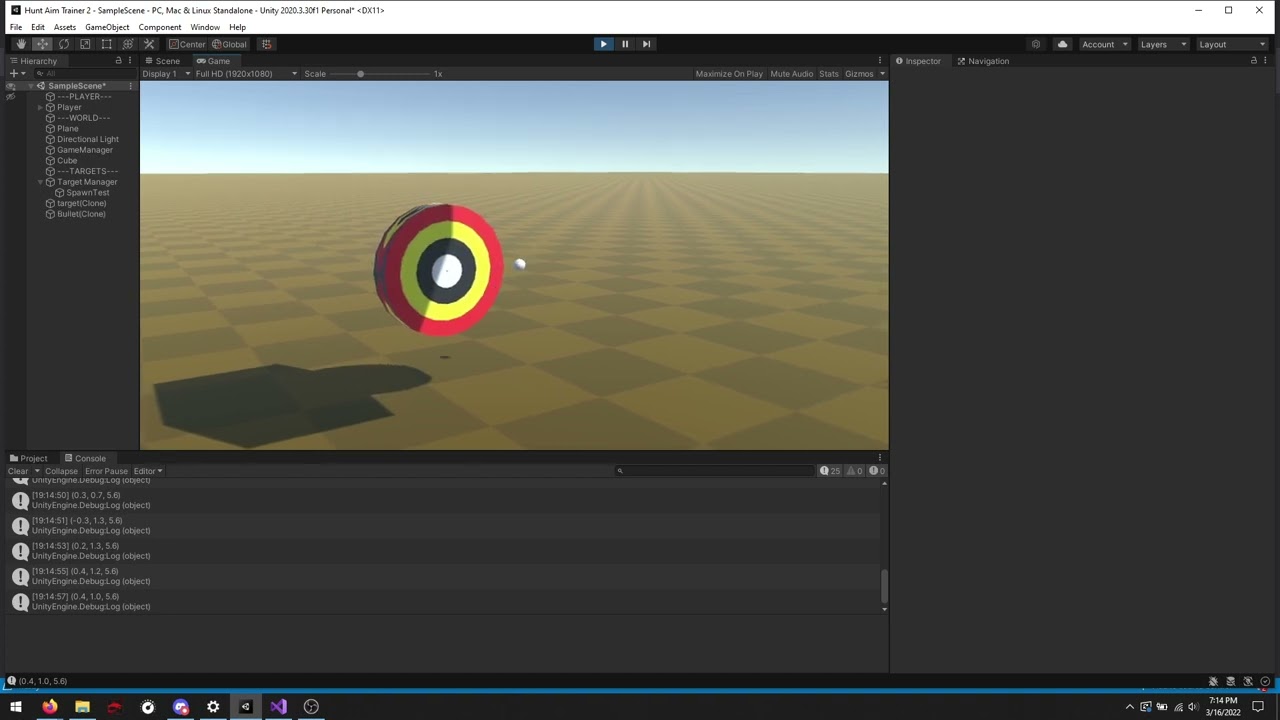
I want it to tumble, like it does a couple times in that
unique cave
how are you implementing that? it's most likely not about the collider
cloud fossil
//bullet
if (m_InputHandler.GetFireInputDown())
{
    Rigidbody clone;
    clone = Instantiate(projectile, BulletSpawnPoint.position, BulletSpawnPoint.rotation);
    clone.velocity = clone.transform.TransformDirection(Vector3.forward * BulletSpeed);

//target
public void SpawnTarget()
{
    GameObject Clone;
    Clone = Instantiate(Target, SpawnTest.position, Target.transform.rotation);
}
thats mainly it, the rest should be physics
and a bunch of dummied out tests
unique cave
cloud fossil
```csharp
//bullet
if (m_InputHandler.GetFireInputDown())
{
Rigidbody clone;...
btw clone.transform.TransformDirection(Vector3.forward * BulletSpeed) is same as clone.transform.forward * BulletSpeed
cloud fossil
unique cave
btw `clone.transform.TransformDirection(Vector3.forward * BulletSpeed)` is same ...
one of the things I was thinking of was maybe it's bumping the cube "forward" in a local position instead of world position
unique cave
cloud fossil
one of the things I was thinking of was maybe it's bumping the cube "forward" in...
transform.forward is the forward direction of transform in world space
cloud fossil
will I have to mess with the inertia tensor /rotations being this shape?
unique cave
cloud fossil
```csharp
//bullet
if (m_InputHandler.GetFireInputDown())
{
Rigidbody clone;...
but why does the target move? does it have some constraints or joints connected?
cloud fossil
Oh, its currently not affected by gravity

the "bullet" is set to continuous dynamic
another view of the thing, targets spawn in on collision, and are on a layer so they don't collide with themselves https://www.youtube.com/watch?v=KAdf8S0QDPM
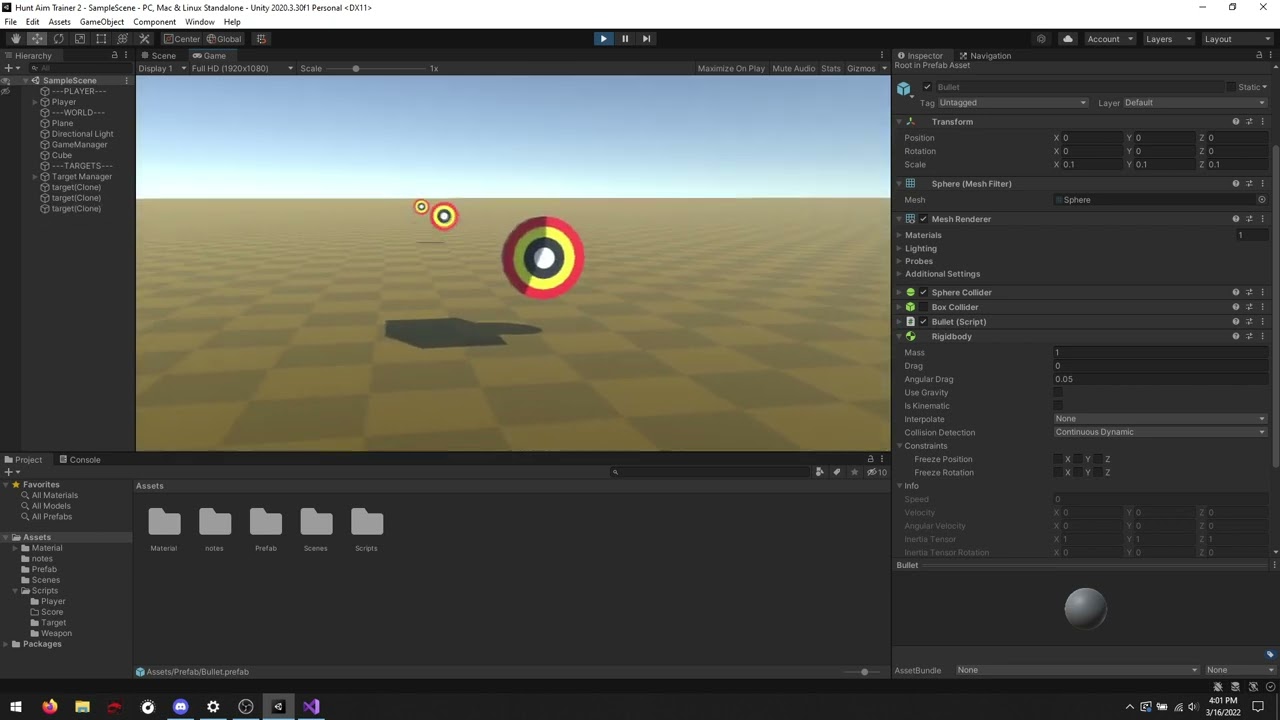

 hybrid willow
is there a way to use BoxCollider2D so it will work as a trigger but have no collision?
cloud fossil
If I change my scale so 1 unit is 1cm will that fix my current problem and make a new problem with world size?
arctic marsh
hybrid willow
is there a way to use BoxCollider2D so it will work as a trigger but have no col...
Set .isTrigger to true?
stuck bay
Hey guys, I'm working on a jigsaw puzzle in Unity 2D for a school project. I already have found a code for the move system, but the puzzle pieces won't stick to their designated position. Here's the code:
I'm sorry, really new at this
stuck bay
 charred cairn
How hard is it to make homing missiles
charred cairn
How hard is it to make homing missiles
depends on the guidance method you want
real missiles use proportional navigation and it's generally the most difficult to replicate in a game
but if youre going for something more arcady you can extrapolate a targets vector3 velocity from its position (to get it's will-be position) to make the missile easily lead, or simply make the missile chase the target by turning toward the targets realtime position
the issue with proportional navigation is when the missile is far away the navigation tends to be a little saggy and when the missile is close you end up with oscillations
i think to reduce oscillations you can make the guidance system account for linear and rotational inertia but thats beyond me
snow surge
usually a damping force will achieve a good-enough result for that
something like rb.AddTorque(-rb.angularVelocity * dampingForce, ForceMode.Acceleration);
charred cairn
stuck bay
real missiles use proportional navigation and it's generally the most difficult ...
Ok thanks
 tawdry wave
How to make a non-convex mesh collider for a rigidbody?
signal warren
how do i add collider to my imported obj file? i made a mesh collider but player still goes through. yes, the player is fine and is working , no problem there
unique cave
tawdry wave
How to make a non-convex mesh collider for a rigidbody?
you can make the physics shape out of multiple primitive colliders
tawdry wave
unique cave
you can make the physics shape out of multiple primitive colliders
What if it's a complex shape, like a hollow tube?
unique cave
tawdry wave
What if it's a complex shape, like a hollow tube?
maybe you could still use multiple box colliders for example
dynamic rigidbodies are not meant to work with non convex colliders
compound collider (multiple primitive colliders) is pretty much the only way
tawdry wave
unique cave
compound collider (multiple primitive colliders) is pretty much the only way
Placing these manually in unity would be a pain and would take hours, is it possible to do it in blender?
arctic marsh
tawdry wave
Placing these manually in unity would be a pain and would take hours, is it poss...
You should at least be able to make a custom convex collider mesh that you reuse in unity as mesh collider. But yeah, having non convex would be easier, but not a thing in unity
unique cave
tawdry wave
Placing these manually in unity would be a pain and would take hours, is it poss...
how that would be easier in blender? I don't think that's possible in blender with reasonable amount of effort. there's some plugins for unity to place those colliders automatically
something like this https://assetstore.unity.com/packages/tools/physics/non-convex-mesh-collider-84867 . didn't find anything for free
id actually be able to code that myself (using grid of box colliders seems very easy way). could be nice challenge when I have more time
cloud fossil
continuing my "physics is doing something weird" series, I'm doing on collision: Debug.Log(collision.impulse); and the numbers are switching each target from positive to negative
I've added a sphere to show the "front" of the target, and it spawns in the same direction every time
 slim mountain
hello
i need help

how do i change rotation of green line
so i can set wheel collider
someone help
 severe galleon
 slim mountain
oh ok
 void junco
Hey, I'm very new to the physics and currently im trying to use wheel colliders. I use a very simple movement logic (first image) but for some reason my car slips too much. These settings (second image) are same for all 4 wheels. Any tip and trick is appreciated.


 lone stag
not sure if this is the correct place to ask, but how do you guys do swimming colliders when there is a little bit more complex form than a square? several colliders overlapping each other?
 bitter totem
guys how can i make a rigidbody stick to the surface?
 obtuse wraith
Hi, is it bad practice/performance to use simultaneously the 3d physics AND the 2d physics?
 slate verge
so i have two colliders and im doing a collider check using OnColllisionStay2D

but it seems to be late

it doesn't respond as well as you'd hope, any ideas on how id fix this?
ah maybe its the way the phyics engine is hmm
slate verge
does a lower value for baumgarte time of scale mean faster collision resolution?
the docs are unclear on this
tawdry wave
How to make a non-convex mesh collider for an object with a rigidbody? I don't want to pay for an asset in the asset store that does it, it has to be free
timid dove
slate verge
so i have two colliders and im doing a collider check using OnColllisionStay2D
For building placement use direct physics queries like Physics.OverlapBox
The physics callbacks only happen on the cadence of the physics fixed timestep
viral ginkgo
@tawdry wave Try to get the shape you want with primitive colliders
Mesh colliders would be expensive anyways
You'd be better off like that
tawdry wave
viral ginkgo
You'd be better off like that
its too hard to make a hollow tube with box colliders, would take weeks
viral ginkgo
generate it?
tawdry wave
viral ginkgo
generate it?
That would require me to write very complex code, the same that is being sold on the asset store for 40 dollars
unique cave
tawdry wave
its too hard to make a hollow tube with box colliders, would take weeks
weeks? can you show what the "hollow tube" looks like?
tawdry wave
unique cave
weeks? can you show what the "hollow tube" looks like?
just a regular hollow tube
unique cave
if that's what I think, it would take minute to make collider for that
viral ginkgo
That'll probably take less than 50 lines
tawdry wave
What about this tho https://blenderartists.org/uploads/default/original/4X/5/6/6/566726e6bad70a28336cb8c8160f356b2386790b.jpeg

 viral ginkgo
thats not an ordinary tube tho:O
tawdry wave
Ok but what about a bucket? How am I supposed to make a collider for it using box colliders?
The bottom part especially
Since it's a circle
unique cave
tawdry wave
What about this tho https://blenderartists.org/uploads/default/original/4X/5/6/6...
this doesn't seem regular hollow tube
tawdry wave
I know but not all my props are regular hollow tubes and I need to do everything
tawdry wave
viral ginkgo
if only inside matters
outside has to be very precise too
unique cave
tawdry wave
I know but not all my props are regular hollow tubes and I need to do everything
but you said making single hollow tube would take weeks
tawdry wave
unique cave
~~but you said making single hollow tube would take weeks~~
Yes, and that's the simplest example I had. That means other props would take even months
unique cave
tawdry wave
Yes, and that's the simplest example I had. That means other props would take ev...
And hollow tube literally takes max few mins to make using few boxes
viral ginkgo
@tawdry wave Making this object static and moving the world around it might be a solution maybe?
if this is a spaceship game, that might be more practical
tawdry wave
viral ginkgo
<@!798203494279938049> Making this object static and moving the world around it ...
the world around it is an entire city, that is infinitely more complex than a bucket
viral ginkgo
i see
unique cave
tawdry wave
What about this tho https://blenderartists.org/uploads/default/original/4X/5/6/6...
but why would you need all of those details on the physics shape? no matter how you do it, that much details would eat a lot of runtime resources
tawdry wave
unique cave
but why would you need all of those details on the physics shape? no matter how ...
That was just an example, I mostly just need a bucket, that one is the most important because you need to be able to put other physics stuff in it. But I dont know how to make the bottom part without spending a long time
The sides would be pretty time consuming too
viral ginkgo
@tawdry wave cover the bottom with stripes I guess
tawdry wave
stripes of box colliders? It has to be accurate though otherwise it would be noticeable
viral ginkgo
There needs to be a good amount of stripes
unique cave
tawdry wave
That was just an example, I mostly just need a bucket, that one is the most impo...
could you please show the actual thing you're trying to do? quite misleading to first say you're doing hollow tube and then you indicate you're doing whole spaceship. after that you say you're doing neither. would help a lot if you just described the problem as it is
tawdry wave
No, I have an entire world. And in this world there is a bucket with a rigidbody. And all other objects with a rigidbody are able to be put inside the bucket
unique cave
tawdry wave
No, I have an entire world. And in this world there is a bucket with a rigidbody...
so you only have to make single bucket? can you show what type of bucket is it?
tawdry wave
unique cave
so you only have to make single bucket? can you show what type of bucket is it?

 unique cave
doesn't seem too complicated
unique cave
tawdry wave
this type https://m.media-amazon.com/images/I/61hxooOVmeL._AC_SL1080_.jpg
just place few box colliders like this
 tawdry wave
unique cave
just place few box colliders like this
tawdry wave
unique cave
just place few box colliders like this
But for each box collider I have to specificy coordinates and size and rotation, that is very time consuming