#⚛️┃physics
1 messages · Page 75 of 1
 lapis plaza
 marble blade
They don't, and they are in a layer that is not self-colliding
 cobalt pilot
when using obi rope, it just falls through all colliders
how do I add a rope collider?
 tiny osprey
thx
 gleaming gorge
marble blade
They don't, and they are in a layer that is not self-colliding
gleaming gorge
marble blade
They don't, and they are in a layer that is not self-colliding
I'm not sure with what you mean with not self-colliding layer, are each of them in separate layer?
btw here's my quick attempt
 weary moon
Hi


im experiencing some weird behaviour with collision.getcontacts
as you can see, when my collider is resting on the ground, the contact points are detected on the ground as expected
but when its pushing up against a wall, but also resting on the ground, only the wall's contact points are being detected
(as shown by the yellow spheres gizmos)
the specific issue im having with this is that im checking the contact points to see if the player is on the ground based on the contactpoint's normal vector, but when its against the wall, it's giving false negatives
 timid dove
weary moon
im experiencing some weird behaviour with collision.getcontacts
timid dove
weary moon
im experiencing some weird behaviour with collision.getcontacts
I would expect there to be multiple collisions
which collision are you reading the contacts from?
Seems like you're reading the contacts from the wall collision
weary moon
timid dove
Seems like you're reading the contacts from the wall collision
this is a new concept to me
timid dove
weary moon
this is a new concept to me
Each OnCollisionXXX callback will run once for each individual collision
weary moon
i thought there was only 1 collision per frame? or
timid dove
no, there can be any number
weary moon
ohhhh
oh okay thats very useful information actually thank you
ill see if this can help me fix my issue
timid dove
I'd guess you're just drawing whichever happens to be the last collision processed on a given physics frame
and that's happening to be the one with the wall
weary moon
timid dove
and that's happening to be the one with the wall
you were right! i cleared my list of contactpoints in Update instead of OnCollisionEnter and it worked thank you
marble blade
gleaming gorge
I'm not sure with what you mean with not self-colliding layer, are each of them ...
The collision matrix is set so that objects of this layer won't test collisions with other objects of this layer.
Thank you for your test. The bug only appears on constraint, not gravity. You can get more details about the issu on the forum thred here: https://forum.unity.com/threads/the-simplest-chain-of-configurablejoints-is-deformed-in-a-strange-manner.1179289/#post-7553968
Can you remove gravity, add a drive to your joints and push the chain with an object?

Unity Forum
Hi,
I've made the simplest chain of ConfigurableJoints. All the RigidBodies, colliders and ConfigurableJoints are identical. When I add a drive to...
gleaming gorge
marble blade
The collision matrix is set so that objects of this layer won't test collisions ...
Ah IC... I forgot that we can do that
btw, I made some changes to the joints based on your screenshot in the forum, it 'bends' nicely but it's not as stiff as the one in the gif
 marble blade
gleaming gorge
Ah IC... I forgot that we can do that
btw, I made some changes to the joints bas...
marble blade
gleaming gorge
Ah IC... I forgot that we can do that
btw, I made some changes to the joints bas...
I've tried with multiple stiffnesses and the issue was almost always present. Can you please share the unitypackage of your test project?
gleaming gorge
Sure, here it is, I think I can make it 'stiffer' by scaling everything down
marble blade
gleaming gorge
Sure, here it is, I think I can make it 'stiffer' by scaling everything down
I will inspect that. I would not be surprised that the issue only appears at certain scales. my capsules are only 0.03 world unit long and the mass is 0.3 par segment. if you are working with a 10x scale, it may be very different for the physic engine precision
gleaming gorge
Yep, that could be the problem, at default capsule size, the issue might be there as well, but it's less noticeable
marble blade
gleaming gorge
Yep, that could be the problem, at default capsule size, the issue might be ther...
anyway thank you very much for your time
gleaming gorge
no problem 🙂
tiny osprey
I have a game where the player controls a flying rigidbody... When it flies without hitting anything it does fine - however when it bumps into a collider, it often starts to handle in a very weird way, almost like some inertia has been applied to it that I can't overcome with the controls. Has anyone else had something like this?
timid dove
tiny osprey
I have a game where the player controls a flying rigidbody... When it flies with...
Sounds like your script is fighting against the Rigidbody and probably teleporting it around instead of controlling it through forces
tiny osprey
You are right, the Rigidbody uses AddForce to go up and down... but pitch yaw and roll and controlled by modifying transform.rotate according to inputs
 pallid saffron
Could someone help my with this? My bike is kinda ... weird
Here would be the program, which controlls the bike, if you need it
timid dove
pallid saffron
Could someone help my with this? My bike is kinda ... weird
You'd have to explain what your desired behavior is
pallid saffron
timid dove
You'd have to explain what your desired behavior is
Bike-Behavour. That the wheels dont slip on the ground so much and that the bike doesnt jump like a kangaroo
timid dove
pallid saffron
Bike-Behavour. That the wheels dont slip on the ground so much and that the bike...
real bike dynamics are pretty complicated. THere's a whole dynamic with leaning and conservation of momentum and gyroscopic effects. Your current code doesn't account for or simulate any of that
pallid saffron
I'm pretty sure the leaning part is in the code
But that's a point for later. My biggest problem is, that the wheel completely slips and when I try to change that by changing the stiffness of the wheel collider, the bike starts to jump like crazy
cobalt pilot
anyone have any way I could add a rope that doesnt eat half my fps
cuz obi rope does
it's purely visual
 twin storm
cobalt pilot
anyone have any way I could add a rope that doesnt eat half my fps
twin storm
cobalt pilot
anyone have any way I could add a rope that doesnt eat half my fps
You could try a line render with physics. Here's a video I found: https://www.youtube.com/watch?v=ej5mt4v9UKs
Extending where we left our rope simulation it's time to dive into the new LineRenderer added to Unity 5.5. Admittadely it looks a lot like the old LineRenderer but with some extra cool new features. We can tweak the size of it dynamically over time, round the corners and the vertex layout, in general is just better than it was in the older vers...
cobalt pilot
Oh okay thanks
lapis plaza
@cobalt pilotobi publisher also has Filo which is supposedly cheaper to compute but I don't have any first hand experience on it
 cobalt pilot
lapis plaza
<@!389137487043493889>obi publisher also has Filo which is supposedly cheaper to...
cobalt pilot
lapis plaza
<@!389137487043493889>obi publisher also has Filo which is supposedly cheaper to...
Isnt that just for cables?
Not normal ropes
lapis plaza
totally depends on what you need this for, but yeah, it's more closed loop simulation
are you having perf issues with obi on editor only or in build? I found some of their things kinda sluggish in editor while using Burst despite disabling all the safety checks, actual build ran fast
cobalt pilot
In esitor
But it just doesny build
And gets a ton of errors
Whne I try to build with obi rope
lapis plaza
ah, well that's problematic then
you can also use Obi with their native solder instead of the burst one, see if it works any better for you
for build issues and such, probably better contact the publisher directly for it (unless you are using unsupported editor version for it, like latest betas etc)
 cobalt pilot
@lapis plaza isnt there a plugin or something that just takes a bunch of rigisobdys with distance joints and draw a rope between them?
lapis plaza
probably, it's not horribly difficult to make yourself either
cobalt pilot
True
lapis plaza
also expect a lot of fancy glitches with anything rigidbody based 🙂
RB's like to explode when clipped
cobalt pilot
Lol
 pliant fern
I'm trying to make this torus go down this curved ramp, but it keeps getting stuck at this part. What can I do to fix this?

I used a sphere collider to try to counter-act it, and that works, but the torus spins now which I don't want. How would I keep it rolling without spinning?
 golden cloak
change the ramp, lower the friction, or speed of the torus?
 gaunt sinew
pliant fern
I used a sphere collider to try to counter-act it, and that works, but the torus...
gaunt sinew
pliant fern
I used a sphere collider to try to counter-act it, and that works, but the torus...
Just freezing the z rotation in the rigidbody should work I think.
pliant fern
gaunt sinew
Just freezing the z rotation in the rigidbody should work I think.
i tried that but it was being weird for the second half of the ramp
it wasnt rotated the right way for the second half
 twin oriole
Hey can someone help me out on this?, the character (the capsule) keeps falling of the ground when i press play

i searched for a while and i cant find a reason on why it keeps falling off
golden cloak
i think you need to press "is trigger"
gaunt sinew
twin oriole
Hey can someone help me out on this?, the character (the capsule) keeps falling ...
Check to make sure neither is set to trigger and then check the collision layers.
gaunt sinew
golden cloak
i think you need to press "is trigger"
That is the opposite of what they want. Toggling Is Trigger will make it a trigger causing it not to have collisions.
twin oriole
yeah its not set to trigger and the collision layer (ground) is actually being detected
gaunt sinew
twin oriole
yeah its not set to trigger and the collision layer (ground) is actually being d...
What layer is the player on?
Are you making sure that those layers collide?
twin oriole
oh i didn't check that
golden cloak
ah fair enough, haven't done anything with unity for so long and trying to get back into it
twin oriole
nope it doesnt work 😦
golden cloak
with falling off do you mean, fall through the platform, or do you mean that it falls over and doesn't stay upright?
twin oriole
no it falls through the platform
golden cloak
you made a custom layer "ground" ?
can you switch that back to default and check what happens?
golden cloak
what layer is the player in? in " player" ?
twin oriole
yeah
golden cloak
weird, I made a cube, gave capsule a rigidbody, and it falls against the cube and stops
golden cloak
did you give player, orientation or head, the rigidbody
twin oriole
the player (the capsule itself)
golden cloak
I mean that should work then haha
twin oriole
yeah brb im gonna try that rn
golden cloak
did it work?
twin oriole
srry yeah it did
i figured it out just now
i accidentaly removed the capsule collider from the capsule
golden cloak
no problem, usually its something simple
 main socket
Hey can anyone help me with this? I'm using a CharacterController on a simple capsule and I'm seeing some weirdness with the Step Offset.
I have Step Offset set to 0.5 - so the capsule should not mount anything higher than this value.
I've set up a box which is scaleY = 1, and the player cannot mount it (expected).
But if I walk at this box at an angle, the player seems to be able to mount it:

This is the capsule's CharacterController settings:
 timid dove
main socket
Hey can anyone help me with this? I'm using a CharacterController on a simple ca...
timid dove
main socket
Hey can anyone help me with this? I'm using a CharacterController on a simple ca...
Can you show your code?
 viral wharf
can some body help me with the physics of the tile collider, it seem very rough when a rigid body slide on it. I try to slide on it and sometimes it just rotate while sliding(z rotation on) or immediately stop (z rotation off)

Google Drive
pliant fern
pliant fern
I'm trying to make this torus go down this curved ramp, but it keeps getting stu...
I've figured out how to get it to roll down well, but now the torus won't change to be facing in the right direction while going down the slope since it won't rotate at all. How can I make it so that the torus rotates correctly with the ramp without rolling with the sphere?
 digital mesa
Has anyone encountered a GameObject having gravity when giving it a CharacterController when it has no RigidBody? I imported the "Unity Starter Assets" to use the character model and animations. In fact the only part of that package I did import was the Starter Assets/ThirdPersonController/Character folder. I'm using my own code for the actual controller, but I've attached a CharacterController to the prefab in my scene and everything is working as expected with one small oddity: The character has gravity. If I disable the CharacterController component on the character in the scene view then there's no gravity, but otherwise there is.
There is no RigidBody on the object (I know it conflicts with the CharacterController). I don't even have a gravity value set. I'm just doing horizontal movement and noted the model fell down when I stepped off the block I was using for ground. Any thoughts on what's causing this?
One more thing I just noticed . . . if I disable the Animator it also stops the automatic falling / gravity.
digital mesa
Yeah, looks like it's tied to the "Root Motion" of the animator . . . but the idle pose doesn't have any motion of its own. Any reason why it's getting gravity?
Okay, I think I figured it out. I went into the animations themselves and disabled "Root Transform Position (Y) => Bake Into Pose" and it seems to be working.
pliant fern
pliant fern
I've figured out how to get it to roll down well, but now the torus won't change...
To elaborate on what I'm trying to do, I'm trying to make it so that the torus is rotated in the same direction the sphere is moving.


 manic harbor
if i have a raycast related question, do i ask it here or?
manic harbor
Well this is my issue then. I'm not really that experienced with raycast but my plan is to make the ray do something if there is nothing between the red and the blue and do something else if it collides with something that is in between the two

but as you can see, it's green no matter what
 shell adder
manic harbor
Well this is my issue then. I'm not really that experienced with raycast but my ...
shell adder
manic harbor
Well this is my issue then. I'm not really that experienced with raycast but my ...
does the shelf thing have a collider?
manic harbor
shell adder
does the shelf thing have a collider?
you mean the red one? if so, yes
manic harbor
oh just a basic wall
shell adder
does it have a collider?
manic harbor
yes
shell adder
is the collider set to trigger
manic harbor
nope
manic harbor
        RaycastHit hit;


        if (Physics.Raycast(transform.position, player.transform.position, out hit, Mathf.Infinity))
        {
            Debug.DrawLine(transform.position, player.transform.position, Color.red);
        }
        else
        {
            Debug.DrawLine(transform.position, player.transform.position, Color.green);
        }
sometimes it works tho

but i think the code is whack tho
shell adder
second argument for raycast is a direction, you've given it a position
while for the draw line it is two positions
if you want to get the direction between the two, do player.transform.position-transform.position
manic harbor
the thing is that i want the ray to follow the player
shell adder
if you want to see the actual ray you can do DrawRay
shell adder
manic harbor
the thing is that i want the ray to follow the player
you're calling this on the blue object?
and player is red?
or other way round
manic harbor
other way around
the red is creating the ray
because i want it to check if the player if behind an object or not
shell adder
Vector3 direction = player.transform.position - transform.position;
that should be the second argument
and do Debug.DrawRay instead of draw line with the same arguments to actually see where it's going
 shell adder
that's because the max distance is infinity, and there is no layer mask
to get the distance between the player and the transform
Vector3.distance(player.transform.position, transform.position)
and if you only want walls to be detected, make a wall layer, set only walls to that layer, and then make a serialized LayerMask variable so that you can assign it in the inspector and pass it into the raycast
shell adder
the direction is
(player.transform.position - transform.position).normalized
normalized since the distance shouldn't matter only the direction
you can check with debug.drawray
manic harbor
so direction is (player.transform.position - transform.position).normalized
and maxDistance is Vector3 direction = player.transform.position - transform.position ?
if i understood you correctly
shell adder
use Vector3.distance(transform.position, player.transform.position)
that returns a float for the distance
shell adder
can you show your code?
manic harbor
        RaycastHit hit;
        float maxDis = Vector3.Distance(transform.position, player.transform.position);

        if (Physics.Raycast(transform.position, (player.transform.position - transform.position).normalized, out hit, maxDis))
        {
            Debug.DrawRay(transform.position, (player.transform.position - transform.position).normalized, Color.red);
        }
        else
        {
            Debug.DrawRay(transform.position, (player.transform.position - transform.position).normalized, Color.green);
        }
sorry if im misunderstanding btw
shell adder
for drawray the second argument needs to be direction * length
btw you should store (player.transform.position - transform.position).normalized in a vector 3
less repeating
manic harbor
got you, now it's rendering
 shell adder
cool
manic harbor
i guess it's the layermask thing that is the issue then
shell adder
it's now detecting the player most likely
shell adder
manic harbor
i guess it's the layermask thing that is the issue then
yep
make a layermask for the wall
you can check what it's hitting by logging hit.collider.name
manic harbor
surprisingly i don't need it, only had to assign the wall to the layermask and it works
shell adder
nice
 shell adder
np
pliant fern
I'm not entirely sure how to make it so that a torus goes down a slope rotating while parented to a sphere without rolling. I've looked everywhere to try and find a solution but I haven't been able to
pliant fern
Essentially when ball is rolling down a slope, the whole torus should be flat on the slope. Currently, part of the torus is sticking out because it doesn't rotate at all, because I can't figure out a way to get it to rotate without rolling with the ball, which I don't want.
 weak hull
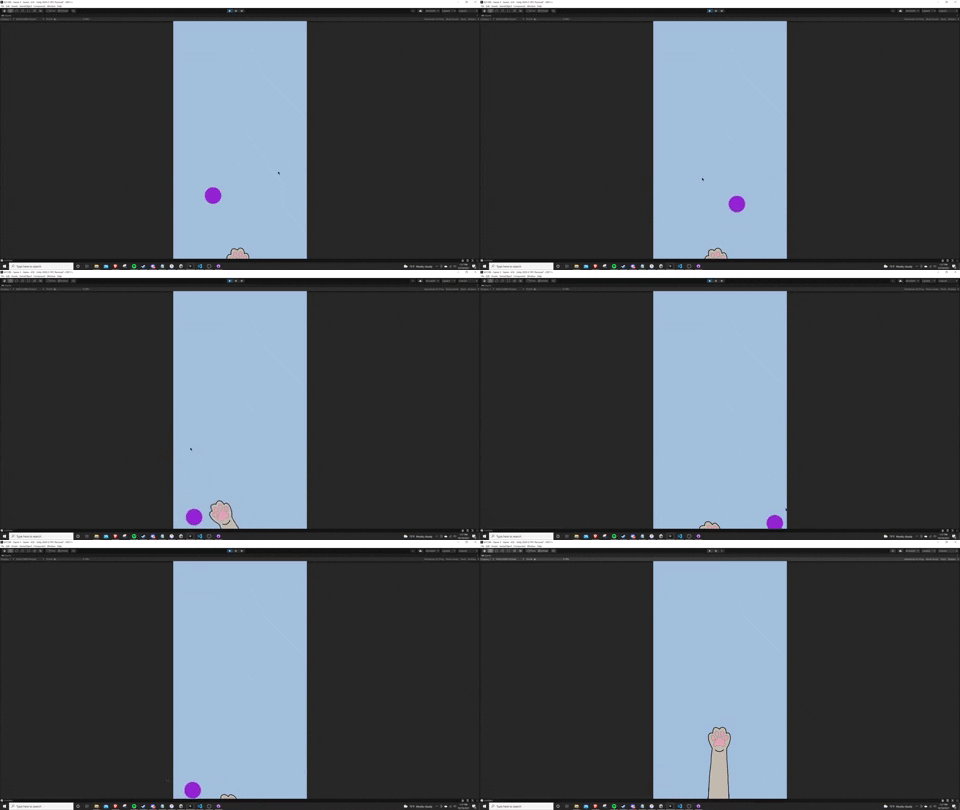
Hi All , I am making a small game where you need to try and juggle the ball in the air. I have a rigidbody component attached to the ball (with a bounce physics material) and a collider on the paw. However, the ball does not want to bounce up when I hit it with the paw. I also tried adding some rb.AddForce scripts to add force on collision. The addforce usually works well when the paw is stationary, but never works when moving. Any thoughts for a better direction I could take?
https://media.giphy.com/media/fNvZYLancszaD0hlXS/giphy.gif
 shell adder
weak hull
Hi All , I am making a small game where you need to try and juggle the ball in t...
shell adder
weak hull
Hi All , I am making a small game where you need to try and juggle the ball in t...
how are you moving the paw?
weak hull
I am using the new input system and the paw is using the location of the last position of the click to move there, and then back down to the bottom
shell adder
can you show the script?
weak hull
Below is what is being called to move the paw.
    public void Move(Vector2 screenPosition, float time) {
        Vector3 screenCoordinates = new Vector3(screenPosition.x, screenPosition.y, cameraMain.nearClipPlane);
        Vector3 worldCoordinates = cameraMain.ScreenToWorldPoint(screenCoordinates);
        worldCoordinates.z = 0;

        // float step = speed * Time.deltaTime;
        transform.position = worldCoordinates;
        hasClicked = true;
    }
yeah so that may be a source of the issue
you're moving something that should be physics related by setting transform.position
that'll mean that the rigidbody is just teleporting around, meaning that it won't detect collisions properly, which is probably why there's the lack of bounciness
you'll want to use something like addForce on the paw's rigidbody
weak hull
My bad, I should have clarified. The movement script is associated with an empty object with the renderer turned off and I have a follow script attached to the paw so that it wouldn't just teleport around. Below is the script on the paw and above is the script on the empty object
    void Update() {
        float step = speed * Time.deltaTime;
        transform.position = Vector3.MoveTowards(transform.position, target.position, step);

        Vector2 targetRotation = Vector3.Lerp(transform.up * -1f, (center.position - transform.position), step);
        transform.up = targetRotation * -1f;

    }
so you're also doing this in Update, you'll want to do it in FixedUpdate so that it's in time with the physics system
weak hull
Ahhh good thinking! 🤦♂️ Don't know why I missed that. Let me try that out
shell adder
also, https://docs.unity3d.com/ScriptReference/Rigidbody.MovePosition.html would be better than setting transform.position
weak hull
Thanks @shell adder your suggestions worked. Appreciate all the help! 🍻
pliant fern
pliant fern
Essentially when ball is rolling down a slope, the whole torus should be flat on...
I still have no idea how I'm meant to fix this. I know I'll probably have to grab the velocity and then rotate the torus based on that somehow, but I'm not sure exactly how.
timid dove
pliant fern
I still have no idea how I'm meant to fix this. I know I'll probably have to gra...
Can you show a diagram or something of what you're trying to achieve? I read your description and I['m just confused
 bold zodiac
Hey, i'm new to C# and Unity, can anyone tell me why my square is clipping through corners?
It only clips at corners, when it is touching both walls at once
I can provide more info if needed
shell adder
bold zodiac
Hey, i'm new to C# and Unity, can anyone tell me why my square is clipping throu...
can you show your movement code?
 stuck bay
Okay so I know how to detect this cube hitting my platform and playing a sound
but i wanna play another sound when the other edge hits down too... do you guys understand?
 soft shard
if I want to have a trigger with compound colliders should I put a kinematic rigidbody on the parent? are there any performance implications?
stuck bay
stuck bay
but i wanna play another sound when the other edge hits down too... do you guys ...
example

like it should play a sound when it hits (1st image) , then it falls further onto the other corner (2nd image) and should play a sound too(maybe quieter), and then in 3rd too
 desert wave
stuck bay
like it should play a sound when it hits (1st image) , then it falls further ont...
desert wave
stuck bay
like it should play a sound when it hits (1st image) , then it falls further ont...

Unity Forum
This package is now open source (under the MIT license).
You can grab the unitypackage file off Google Drive.
try looking at this package
stuck bay
oh thanks i couldnt find or actually didnt know what to search for
 chilly remnant
stuck bay
like it should play a sound when it hits (1st image) , then it falls further ont...
chilly remnant
stuck bay
like it should play a sound when it hits (1st image) , then it falls further ont...
Just put triggers on the corners to play sounds where the sound would be relative to velocity.
ie the impact made
chilly remnant
If all four corners hit at the same time, you'll get some strange but expected noise.
stuck bay
I can put these 8 children as box colliders right and the parent will get the OnTriggerEnter in the script I assume 
chilly remnant
Else if the surface isn't flat and the body hits (ie collision but no triggers) play a sound as well; for edge cases.
stuck bay
chilly remnant
Else if the surface isn't flat and the body hits (ie collision but no triggers) ...
oh lol ..
i mean its alright i just play one in OnCollisionEnter as well 😂
chilly remnant
That would make corners play two sounds each
Where we needed the corner triggers because one corner may have been touching when the other just fell and needs sound to be played.
So corners play sound on trigger and body plays if-and-only-if corners aren't touching.
stuck bay
hmm it seems much better now
Yea but if all land at same time its like boom loud sound
chilly remnant
And that's too be expected 😛
chilly remnant
Else play if only not already playing or with some delayed cd etc.
stuck bay
oh yeah that would be possible too or like max 2 or 3
yeah cd seems good since idk if i can check how many playing active
Oh and i didnt add it yet, that it plays volume relative to velocity
chilly remnant
velocity magnitude would be the energy the object has
Divided by maximum expected speed would be the ratio the audio should be playing at
stuck bay
yeah but how do i uhhh
oh its like jumping tho addforce stuff and torque
i think "clamp" ?
but like i have to normalize or whatever idk
chilly remnant
Not sure, you'll have to design (think/thinker) this part.
Where constraints are what you desire.
stuck bay
i should maybe try and set a max speed based on gameplay
just look whats max mostly
Cooldown of 0.05f seems ok rn
actually.. 🤔 since its based on fixed delta time i guess it wouldnt make sense to go lower than that
float volume = Mathf.Clamp( myrb.velocity.magnitude / 4.0f, 0.5f, 1.0f); // 4 magic number as MAX SPEED!```so i got this now
seems to work ok-ish
 hollow topaz
Does anyone Know how to stop a character from unflipping? When a character does a full flip it needs to unflip its self, if it doesnt for a full flip it uprights itself correctly.

This is my code for keeping it upright
 stuck bay
@hollow topaz idk where but you probably need to modulo it with 360 somewhere?
hollow topaz
@stuck bay right but it I debug what angles its at, it never goes above 360, as if unity calculates it
but ill try
hollow topaz
@stuck bay Thank you, I managed to find a solution
 humble imp
anyone know how to set up a spring joint that does not lose energy?
stuck bay
Hi I’m trying to make my furniture movable by the player and I’m not sure how to do so.
 subtle axle
humble imp
anyone know how to set up a spring joint that does not lose energy?
subtle axle
humble imp
anyone know how to set up a spring joint that does not lose energy?
Why do you want this?
timid dove
humble imp
anyone know how to set up a spring joint that does not lose energy?
PhysX (unity's physics engine) is optimized for performance, not realism. You won't be able to get things like perfectly elastic collisions or pefect energy conservation
You might be better off coding the motion yourself if you need that
You might be able to just use the Sine function if you want something that infinitely bounces up and down like that
 sour lake
How would I go about making a camera only collide able with objects that have a certain tag? I have the system all set up, but if you scroll too far on the mouse wheel it phases through the ground. Is this the right place to ask such a question?
timid dove
sour lake
How would I go about making a camera only collide able with objects that have a ...
You can really only filter collisions by layers, not tags
also are you using Cinemachine for this?
sour lake
timid dove
also are you using Cinemachine for this?
No. There are no addons
I would need to code it from scratch then?
timid dove
pretty much
sour lake
ok thank you
timid dove
depends what you mean by the camera colliding with stuff
you have a camera follow script I assume?
And you want the camera to not go through walls etc I imagine?
sour lake
timid dove
you have a camera follow script I assume?
It is rts inspired, the camera is entirely independent. Think of Men of War.
timid dove
never played it
sour lake
Any rts could fit this analogy
timid dove
If the camera moves independently and you just want it not to go through solid objects, I recommend using a CharacterController on it, and move it via the Move() function on the CharacterController
you'll get collisions for free that way
I have a top down factory builder game I'm working on and use that technique. It's a free flying overhead camera, works great
sour lake
timid dove
I have a top down factory builder game I'm working on and use that technique. It...
oh that's nice. is it a sims type of builder?
timid dove
sour lake
oh that's nice. is it a sims type of builder?
THink like Factorio/Satisfactory/Dyson Sphere Project
sour lake
timid dove
THink like Factorio/Satisfactory/Dyson Sphere Project
Ah, nice. Well ill go see what I can do with this character controller method. appreciate the help.
humble imp
timid dove
PhysX (unity's physics engine) is optimized for performance, not realism. You wo...
?? realism im not looking for realism
just asking if its possible or not. you could just say no. or do anyone have a good youtube video explanation on the properties of the spring joint? can't seem to find one. To be fair, a spring that bounces forever is not even real so....
subtle axle
humble imp
just asking if its possible or not. you could just say no. or do anyone have a g...
I think you probably want something more like Mathf.PingPong
https://docs.unity3d.com/ScriptReference/Mathf.PingPong.html
This will return an oscillating value for controlled up/down movements
desert wave
https://images-ext-2.discordapp.net/external/ZBIqytMBfIfAfjqAyA8QIOl93lBlSkDZD9ViSyaXwcs/%3Fauto%3Dwebp%26s%3Da099f2d59cc70e1768805322713431ceee697ee6/https/preview.redd.it/6y8myu3ruxo71.png?width=498&height=473
can any mod pin this image?

 shadow seal
brilliant graphic
 supple sparrow
isn't it the same thing as the manual description ?
desert wave
supple sparrow
isn't it the same thing as the manual description ?
summarized in one, with good UI
supple sparrow
fair enough
 hushed shard
in unity hey guys how can i add acceleration to my player what is the math for acceleration?
how would i code it?
 jovial wraith
hushed shard
in unity hey guys how can i add acceleration to my player what is the math for a...
jovial wraith
hushed shard
in unity hey guys how can i add acceleration to my player what is the math for a...
endVelocity = startVelocity + acceleration * deltaTime is the math for acceleration
hushed shard
jovial wraith
`endVelocity = startVelocity + acceleration * deltaTime` is the math for acceler...
what does acceleration equal tho
jovial wraith
hushed shard
what does acceleration equal tho
whatever you want it to
hushed shard
jovial wraith
whatever you want it to
oh i did all of this code... was this all unecessary cs if (Input.GetKey(KeyCode.D) || Input.GetKey(KeyCode.W) || Input.GetKey(KeyCode.A) || Input.GetKey(KeyCode.S)) { //divide the amount of speed you want by the amount of time you want to reach max velocity speed += 8 * Time.deltaTime; } else { speed -= 0.2f; } if (speed > max_vel) { speed = max_vel; } if (speed < min_vel) { speed = min_vel; }
jovial wraith
hushed shard
oh i did all of this code... was this all unecessary ```cs
if (Input.GetKey(KeyC...
this matches what I wrote just fine. In your case, acceleration is 8 m/s^2. You also have drag in there (0.2) and you've clamped the velocity between some min and max. All of that is fine.
 shrewd ibex
guys, how can I make a ball react to physics and get pushed away fast when the player pushes it. Because right now when my player tries to push a ball they do move but really slow.
hushed shard
jovial wraith
this matches what I wrote just fine. In your case, acceleration is 8 m/s^2. You ...
kk cool.
jovial wraith
shrewd ibex
guys, how can I make a ball react to physics and get pushed away fast when the p...
decrease the mass of the rigidbody
hushed shard
jovial wraith
this matches what I wrote just fine. In your case, acceleration is 8 m/s^2. You ...
i still dont completely understand time.deltatime
jovial wraith
hushed shard
i still dont completely understand time.deltatime
Time.deltaTime is the amount of time that has passed since the last frame
hushed shard
jovial wraith
Time.deltaTime is the amount of time that has passed since the last frame
oh... rlly?
so when i multiply that value by time.deltatime what does it do?
shrewd ibex
can something bad happen if I make it very small? because right now the ball mass is 0.001 and my player's mass is 1
jovial wraith
hushed shard
so when i multiply that value by time.deltatime what does it do?
Think of it this way: after 1 second, your speed will have changed by 8 units.
hushed shard
jovial wraith
Think of it this way: after 1 second, your speed will have changed by 8 units.
yeah
also couldnt i just use mathf.clamp for the min and max value...
jovial wraith
hushed shard
yeah
multiplying by Time.deltaTime is like adding "per second" to the units of the thing you're doing
hushed shard
jovial wraith
multiplying by Time.deltaTime is like adding "per second" to the units of the th...
oh ok that makes sense
jovial wraith
hushed shard
also couldnt i just use mathf.clamp for the min and max value...
yes, that would work too
hushed shard
jovial wraith
yes, that would work too
oh ok ty
jovial wraith
shrewd ibex
can something bad happen if I make it very small? because right now the ball mas...
try it out, see if you run into problems
 desert wave
shrewd ibex
these are the component of my ball
desert wave
shrewd ibex
these are the component of my ball
well the thing is
the force is very weak
try using mass independent methods
shrewd ibex
desert wave
try using mass independent methods
Which other method would you recommend?
desert wave
shrewd ibex
Which other method would you recommend?
well how are you doing it rn?
shrewd ibex
desert wave
well how are you doing it rn?
I’m moving my player on the x axis with mobile swipe moment and the fastest I swipe it’s supposed to push the ball further
desert wave
do you do AddForce(swipelenght)? @shrewd ibex
desert wave
desert wave
https://images-ext-2.discordapp.net/external/ZBIqytMBfIfAfjqAyA8QIOl93lBlSkDZD9V...
try using acceleration here
 midnight glade
I'm currently using different layers to sort out different elevations in my 2d game (elevation in my case could be different floors of a building but still remaining at the same translation, hence the use of layers).
Each Elevation use 3 layers each (view, player, collision).
Since I don't want the elevations to affect each other, I'm basically using the Physics2D.IgnoreLayerCollision between all the layers between all elevations. I was wondering if there's a "cleaner" way to do this, or if this is basically how it should be done:
        //Ignoring collision between elevations (no clue if theres a better way to do this lmao)
        for(int i = 0; i < elevations.Count-1; i++)
        {
            for(int j = i+1; j < elevations.Count; j++)
            {
                //Ignore elevation i player layer to all of elevation j layers
                Physics2D.IgnoreLayerCollision(elevations[i].playerLayer, elevations[j].playerLayer);

                Physics2D.IgnoreLayerCollision(elevations[i].playerLayer, elevations[j].viewLayer);

                Physics2D.IgnoreLayerCollision(elevations[i].playerLayer, elevations[j].collisionLayer);

                //Ignore elevation i view layer to all of elevation j layers
                Physics2D.IgnoreLayerCollision(elevations[i].viewLayer, elevations[j].playerLayer);

                Physics2D.IgnoreLayerCollision(elevations[i].viewLayer, elevations[j].viewLayer);

                Physics2D.IgnoreLayerCollision(elevations[i].viewLayer, elevations[j].collisionLayer);

                //Ignore elevation i collision layer to all of elevation j layers
                Physics2D.IgnoreLayerCollision(elevations[i].collisionLayer, elevations[j].playerLayer);

                Physics2D.IgnoreLayerCollision(elevations[i].collisionLayer, elevations[j].viewLayer);

                Physics2D.IgnoreLayerCollision(elevations[i].collisionLayer, elevations[j].collisionLayer);
            }
        }
}```At least it takes less space now, but it's a lot of IgnoreLayerCollision usages lmao
        //Ignoring collision between elevations (no clue if theres a better way to do this lmao)
        for(int i = 0; i < elevations.Count-1; i++)
        {
            for(int j = i+1; j < elevations.Count; j++)
            {
                for(int k = 0; k < elevations[i].layers.Length; k++)
                {
                    for(int l = 0; l < elevations[j].layers.Length; l++)
                    {
                        Physics2D.IgnoreLayerCollision(elevations[i].layers[k], elevations[j].layers[l]);
                    }

                }
            }
}```Are you aware of the layer collision matrix in project settings? If you want these layers to never interact with each other, that's the way to do it
midnight glade
jovial wraith
Are you aware of the layer collision matrix in project settings? If you want the...
Do they include custom layers I manage through code too? 
jovial wraith
midnight glade
Do they include custom layers I manage through code too? <:Hmm:47425335440336488...
yep, go check it out. https://docs.unity3d.com/Manual/LayerBasedCollision.html
midnight glade
Because I'm basically adding 18 more layers, so isn't clicking through all those boxes pretty much the same thing as Im doing with those 4 loops
jovial wraith
midnight glade
Because I'm basically adding 18 more layers, so isn't clicking through all those...
yes, it is. Is your complaint that you have to specify which layers collide with each other? you're going to have to do that somewhere
midnight glade
jovial wraith
yes, it is. Is your complaint that you have to specify which layers collide with...
Thought maybe there is a method for the other way around
Like whenever a layer is created it is not interacting with the other layers
and that I could enable it for a specific layer
jovial wraith
midnight glade
Thought maybe there is a method for the other way around
nope, layers default to colliding with everything. If you want different behavior you have to specify it either like you're doing in your loops or in the project settings
midnight glade
Fair enough, thanks
stuck bay
is there some way to prevent the capsule from going in the other gameobject after giving it rigid body?
 desert wave
stuck bay
is there some way to prevent the capsule from going in the other gameobject afte...
desert wave
stuck bay
is there some way to prevent the capsule from going in the other gameobject afte...
well
if both have their respective colliders
and the capsule has a rigidbody
they shouldnt overlap
stuck bay
desert wave
if both have their respective colliders
colliders?
stuck bay
oh, what does the component do?
desert wave
stuck bay
oh, what does the component do?
it makes it register
collisions
similar to how a normal object
it has physical collisions
stuck bay
is it this @desert wave
 desert wave
yes
stuck bay
desert wave
yes
well both of them have it, how could I adjust it to not let the capsule go in the other gameobject?
desert wave
stuck bay
well both of them have it, how could I adjust it to not let the capsule go in th...
repeating myself
they both need colliders
and one needs a rigidbody
if you have that they shouldn't go through each other
stuck bay
desert wave
if you have that they shouldn't go through each other
well the ground(grey platform) has a box collider & the capsule has a box collider + a rigid body and it is still going in
desert wave
stuck bay
well the ground(grey platform) has a box collider & the capsule has a box collid...
change the capsule collider
from a box collider
to a capsule collider
stuck bay
Thank you it worked
desert wave
this channel is cold
hollow topaz
if my fixedupdate is running at 100fps (0.01) and vsync is enabled does that mean fixedupdate is actually capped at 60fps?
 hollow echo
hollow topaz
if my fixedupdate is running at 100fps (0.01) and vsync is enabled does that mea...
hollow echo
hollow topaz
if my fixedupdate is running at 100fps (0.01) and vsync is enabled does that mea...
No, fixed update will run at the rate it's configured to. It will run multiple times a frame if it needs to
hollow topaz
hollow echo
No, fixed update will run at the rate it's configured to. It will run multiple t...
ok, but how do I get around movement jitter?
hollow echo
Interpolate your physics bodies if required
https://www.kinematicsoup.com/news/2016/8/9/rrypp5tkubynjwxhxjzd42s3o034o8 goes over one solution if you're not happy with the interpolation settings on rigidbody
hollow topaz
thank you
 signal basin
I'm having a hell of a time trying to smoothly follow a fast moving (~350 units/sec) physics object with a camera. The two normal approaches don't work for me, namely:
A) Move the camera in FixedUpdate. This results in the camera always being one physics tick behind the object, in addition to however behind it would be with the smooth/damping follow. This is because the Unity execution order will execute the camera follow script, find the target position based on the current object's position, but then the physics tick happens after FixedUpdate and before the frame is rendered (moving the object). So the camera is always one physics tick behind.
B) Move the camera in LateUpdate with the object's Rigidbody sent to Interpolate. This generally works well, but using the normal Vector3.SmoothDamp(current, target...) approach for a smooth follow starts causing jitter when I have a low smoothTime like .05 or so. Since the object is moving so fast, I need to use a small smoothTime or the camera lags too far behind. It seems to work fine for larger values though
Has anyone ran into/found a solution to these problems? I could try to dramatically increase the physics tick rate, which would mitigate the problem in A but I'd like to solve it (didn't have luck in #archived-code-advanced , moving it to here)
signal basin
I have similar results (jitter) with Lerp vs SmoothDamp for B. I could switch to Cinemachine but I'm not convinced there won't be the same problems. Using it in fixed update mode will still have the same issue with A, but maybe the way it moves the camera vs SmoothDamp will have less jitter?
 nocturne fern
I'm confused...I'm writing a custom movement controller using a character controller.move function.
I've done this before in Unreal Engine. I was having really weird behavior where I would hold "W" to move my character forward and the character would move at a velocity of ~0.005m/s (basically not moving). After a COMPLETELY random amount of time between 1-20 seconds it would suddenly start working normally and the character would start accelerating towards max speed relatively quickly. If I let go of W and let my deceleration code make him stop and then try to go again, it would take a random amount of time before he actually started visibly moving.
What's weird is I just moved the code from Update() to FixedUpdate() and all of the sudden it works. Nothing I've read about FixedUpdate vs Update would suggest that this would happen.
I probably just dont understand FixedUpdate(). There's a lot of bad information like that FixedUpdate is somehow frame rate independent which...no loop is frame rate independent, that's impossible...
 undone harbor
Hello guys! Does anyone know why collision detection between trigger colliders still occur, even though i have set collider layers not to collide in the Physics settings?
Oh, i forgot to mention that i switch layers of an object at runtime and i expect it to stop colliding with another one. Basically i have unchecked a layer collision with itself and switch from default layer to that
Should i manually update something in this case?
undone harbor
You can totally ignore that pointless riddle guys. That was an unnecessary suffering for me and i brought that to you. Soooo....sorry? I have just forgotten that i have that god forsaken collider on the child object and it just kept bothering me. Late night dev 😄
desert wave
nocturne fern
I probably just dont understand FixedUpdate(). There's a lot of bad information ...
its not impossible, but rather complex
every machine can run code
you can do certain things in certain time
and if one fails, you can do difference of times between them
or unity just calculates the fixed update and then runs it when neccesary
idk
nocturne fern
I just mean that when you check if its time to run a piece of code there's no guarantee that that time has not already elapsed
Like if it comes in at t=1.001s and its supposed to fire at t=1.000 its already too late
desert wave
unity most likely did something to prevent that
i think you can see unity's code and find how they do it
or google your question
 frigid pier
nocturne fern
I probably just dont understand FixedUpdate(). There's a lot of bad information ...
frigid pier
nocturne fern
I probably just dont understand FixedUpdate(). There's a lot of bad information ...
You can find FixedUpdate in Unity manual, it explains in detail how it functions
nocturne fern
@desert wave I mean if you just check the time between fixedupdates it is not constantly 0.02. It just checks to see if 0.02s have elapsed and then it runs but that doesnt mean it runs at exactly 0.02
frigid pier
Which is also explained
You can select and right click it right here and search, it will take you there.
nocturne fern
Yea i've read through the docs. I still don't understand why I'm getting this behavior of my character stalling
frigid pier
Use FixedUpdate when using Rigidbody. Set a force to a Rigidbody and it applies each fixed frame. FixedUpdate occurs at a measured time step that typically does not coincide with MonoBehaviour.Update.
If you mix control of physics in Update, you'll get erratic behaviour.
Also should use Ridigbody methods and not properties to set physics objects
nocturne fern
@frigid pier I'm not using a rigidbody I'm using a character controller
frigid pier
What are you moving in and out of fixed update then? Controller has own methods.
nocturne fern
Controller only has methods to essentially teleport the object and handle collision if it were to run into something during the teleport. You have to write your acceleration/deceleration/movement code
frigid pier
You problem was with the camera shaking?
wrong post...
You need to take into account Input manager as well
nocturne fern
That's one of my common problems.
My current weird issue is the movement only goes at a velocity of ~0.05 until a random moment between 1-20 seconds where it suddenly starts working and accelerating like normal.
Camera shaking is always a concern with Unity character controllers because the character controller is supposed to be in fixed update but the camera updates need to be on Update(). This discrepency causes artifacts because the object is moving on different frames than the camera is rotating :S
nocturne fern
I'm thinking in Unity the y rotation of the camera may need to be disassociated with the y rotation of the character. So the character operates on a delay simply matching the camera rotation every fixed update but the camera rotates in Update() seprately.
Other than that, I haven't found a way to remove camera artifacts or stutter
frigid pier
Here's a good guide for stutter https://www.unity3dtips.com/unity-fix-movement-stutter/
nocturne fern
Yea I've never actually used lerping. It's unnecessary in Unreal Engine but may be necessary in Unity because of the whole FixedUpdate() thing (unreal engine doesnt have this at all)
I'd like to avoid it because it seems like it bandaids the problem (makes it unnoticeable) rather than actually avoiding the problem but...
That page is pretty much just saying make everything scale with deltaTime. That doesn't address the camera - you don't even want to use deltaTime on the camera because you don't care how long its been since the last frame, only how much your mouse has moved since the last frame.
frigid pier
Just explains possible problems with it and usage not related to your case.
What you want to have is to move camera in LateUpdate, after everything has moved, then you won't see jittering. Also interpolation for physics enabled bodies
You should also run the build itself. In some cases running in the editor it always jitters (but not in the build)
nocturne fern
This is the problem I'm referring to with regards to camera stutter.
You can see there's no jitter when I just move the character or just move the camera but when I move both at the same time I get bouncyness

It almost looks like the cylinder is vibrating
frigid pier
frigid pier
You should also run the build itself. In some cases running in the editor it alw...
@nocturne fern Yes, the camera move not in sync, read this ^^
nocturne fern
I'll try.
frigid pier
Don't forget moving camera in LateUpdate
nocturne fern
This is the build. Still seems very stuttery. Camera movement is in LateUpdate() https://streamable.com/lytjwx
This is the code. It's a pretty basic acceleration code https://codeshare.io/X8WOKo
The only way I've been able to not have camera stutter in Unity is to have the camera and character code both in Update() but now I'm having issues with the physics code if its not in fixedupdate
frigid pier
Examples say to move character controller in Update
keep camera in late
No idea how Character controller behaves with physics, never used it, and I assume it's not its purpose. If you want physics interaction create physics driven controller, it's not that hard, and with interpolation it won't jitter.
nocturne fern
Yea see that's what I was thinking - I don't know why the character controller would need to be in fixedupdate since if you multiply by time.deltaTime it's frame rate independent anyways
But I'm having a really weird issue where my member variable seems to get reset to 0,0,0 between updates. Update() doesn't try to run multithreaded does it?
Essentiallly I have
velocity2D = new Vector2(m_Velocity.x, m_Velocity.y)

[complicated code that increments velocity2D based on acceleration/deceleration/inputs]

m_Velocity = new Vector3(velocity2D.x, m_Velocity.y, velocity2D.y)
If I throw a debug log in there, I can see that the value I'm incrementing 2D by is ~0.02 (changes slightly depending on deltaTime). velocity2D ends up being EXACTLY EQUAL to the increment because it's also thinking m_Velocity is 0,0,0. So m_Velocity gets set to velocity2D which is now whatever the increment was (~0.02).
NEXT FRAME, it runs and velocity2D pulls from m_Velocity and it pulls in 0,0,0 again...even though it should have changed in the last frame???
I get the same behavior with three lines of code in update.... (excluding debug.log)
        Debug.Log(m_Velocity.x);

        velocity2D += new Vector2(.02f, 0f);

        m_Velocity = new Vector3(velocity2D.x, 0f, velocity2D.y);```

(Object NEVER moves. But if I set 0.02 to a higher value like 1.00 it moves).the default fps character (both) have stuttering when you walk and turn its very visible
im talking about standard asset , the ones you import as asset "Characters"
nocturne fern
Ah! I figured out the issue. It's actually this part of the code that I wasnt looking at
        Vector3 oldPos = transform.position;
        m_CharacterController.Move(delta);

        // Collision may cause disparities with our desired movement... Update velocity to reflect actual movement.
        m_Velocity = (transform.position - oldPos) / Time.deltaTime;```

This is kind of a problem though... fixing the velocity after a .Move is kind of necessary... but it seems the floating point precision is not so great...But ignoring that yes - this does resolve the stutter if the character is updated in Update and the Camera is updated in LateUpdate
It seems like you should only actually use fixedupdate for objects that are responding to Unity's built in physics engine. Character controllers may use it's collision system but they don't move with the physics system
I'm actually curious whether or not you can even get a smooth rigidbody if you run it in fixedupdate. Normally you wouldnt want to use a rigidbody in a FPP and in TPP it wouldn't be as noticible if things werent perfectly smooth
Does .Move() perhaps have a minimum threshold where its like "Nah I'm not gonna move b/c that's too small a distance"?
AAAAAAAAND.....
Here's the culprit of the last 3 hours of my life.
The Unity docs actually say this value should be set to a value of '0'.... DESPITE THIS, it defaults to 0.001. Thanks Unity :S
 stuck bay

can I get some help on this
How could I make the tires not hang?

here are the settings for the joint
s*
nocturne fern
My camera almost feels too smooth. I don't feel like I can make snappy mouse flicks. My code is very simple. In update:
        Transform camTransform = transform.GetChild(1);

        transform.rotation = Quaternion.Euler(transform.rotation.eulerAngles + new Vector3(0f, m_InLookVector.x * m_RotationScale, 0f));
        camTransform.localRotation = Quaternion.Euler(camTransform.localRotation.eulerAngles + new Vector3(-1 * m_InLookVector.y * m_RotationScale, 0f, 0f));```

In another script that handles reading input

```    public void OnLook(InputAction.CallbackContext context)
    {
        m_HumanoidMovementHandler.SetInLookVector(context.ReadValue<Vector2>());
}```I have a question. How can I increase my acceleration so my rate increases 3 per second until it reaches 20
I know the clamp thing
It’s just increasing by seconds
nocturne fern
nocturne fern
My camera almost feels too smooth. I don't feel like I can make snappy mouse fl...
Actually on this, it only happens in the editor, not the build. Not sure why the editor would make things feel smooth, maybe its just the renderer updating slower or something and not actually the camera. In the build, its as snappy as CS/Valorant/whatever
nocturne fern
hushed shard
I have a question. How can I increase my acceleration so my rate increases 3 per...
What are we talking about? Increase the acceleration of what?
hushed shard
nocturne fern
What are we talking about? Increase the acceleration of what?
I have a speed acceleration variable and I set my speed equal to that
I’m trying to program the acceleration variable
nocturne fern
Also are you really wanting to increase the RATE of the acceleration? Or just increase the acceleration (which would increase the rate of the velocity)
hushed shard
nocturne fern
Also are you really wanting to increase the RATE of the acceleration? Or just i...
Increase the rate
I think
I just want the acceleration variable to go from 1 to 10 in 3 seconds
nocturne fern
So in calculus terms velocity is the position dT. Acceleartion is the velocity dT. The rate of acceleration would be the acceleration dT.
hushed shard
nocturne fern
So in calculus terms velocity is the position dT. Acceleartion is the velocity ...
Mhm
nocturne fern
So again I'm not sure whether you're talking about a rigid body, a character controller, or what but increasing the acceleration from 1 to 10 in 3 seconds is just like increasing the velocity from 1 to 10 in 3 seconds but with a different variable.
hushed shard
nocturne fern
So again I'm not sure whether you're talking about a rigid body, a character con...
Yeah that’s what I’m doing
I have a character controller
I’m just trying to get an acceleration thing
I want my player to a. Flermet
*accelerate
nocturne fern
Well with a standard character controller that uses acceleration, the value of the acceleration does not change. The acceleration value changes the velocity depending on the time passed since the last change (but the VALUE of the acceleration value is a constant)
I'm not sure if you're just trying to do that or something different
If you just want a standard character controller movement, I can share my code of one I made. It's fairly complicated if you've never done it before. I made it like 3-4 times across a few different engines from scratch before I actually understood how it works completely. Essentially all you have to do is change the value of m_InMoveVector (which is the direction of the input) and then play with the public variables at the top to adjust the 'feel'. The way I have it, the player will reach max speed in 1 second (acceleration is 6m/s^2 and max speed is 6m/s), decelerate 4x faster, and change directions 4x faster. ProcessInput() is my acceleration/deceleration code.
Turn boost is the most confusing thing. You can comment it out to see what happens if you don't have it though - it essentially allows your input to adjust your direction more than it adjusts the magnitude of your velocity.
        float cosTheta = Mathf.Cos(gameObject.transform.rotation.eulerAngles.y * Mathf.Deg2Rad);
        float sinTheta = Mathf.Sin(gameObject.transform.rotation.eulerAngles.y * Mathf.Deg2Rad);

        Vector2 adjustedInMoveVector = new Vector2(
            m_InMoveVector.x * cosTheta + m_InMoveVector.y * sinTheta,
            -1f * m_InMoveVector.x * sinTheta + m_InMoveVector.y * cosTheta
            );```

Is some complex math where you rotate the coordinate axis to basically make the input vector relative to the direction the character is facing. It's not part of the acceleration/deceleration codeOk. Yeah idk how to do that since I haven’t taken physics. I just want my player to accelerate when moving to a certain speed
Idk how it works tho
nocturne fern
Sadly it's extremely complicated.
You can of course just set the velocity to either 0 or Movement Speed and ignore acceleration. Plenty of games throughout history have used this (It's referred to as Doom Controls). Otherwise, I would try to find a character controller that looks like you can drop it in your project. Unless you want to sit down and learn the math and physics behind it (which honestly requires a calculus level understanding of physics). The code I provided you does not even address gravity yet so its not complete.
And to replicate true gravity, I actually have used Differential Equations because true air resistance makes things really complciated, although most people cheat since most games don't need realistic air resistance.
The code for just the acceleration/deceleration is this. I do not believe it could be written in a simpler form. All this does is apply acceleration or deceleration depending on what's needed to variable called velocity2D
        if (velocity2D.magnitude > adjustedInMoveVector.magnitude * m_MovementSpeed * 1.01f)
        {
            //If our deceleration is greater than our remaining velocity, this means  we should set velocity to 0,0 to avoid overshooting
            if ((velocity2D.normalized * m_InputDeceleration * Time.deltaTime).magnitude > velocity2D.magnitude)
                velocity2D = Vector2.zero;
            else
                velocity2D = velocity2D - velocity2D.normalized * m_InputDeceleration * Time.deltaTime;
        }
        else
        {
            float timeScale = Mathf.Clamp(Time.deltaTime * m_InputTurningBoost, 0f, 1f);
            //Apply change to direction based only on turning boost
            velocity2D = velocity2D + (adjustedInMoveVector.normalized * velocity2D.magnitude - velocity2D) * timeScale;


            velocity2D = velocity2D + adjustedInMoveVector * Time.deltaTime * m_InputAcceleration;
            velocity2D = velocity2D.normalized * Mathf.Clamp(velocity2D.magnitude, 0f, m_MovementSpeed);
            Debug.Log(velocity2D.x + " " + Time.deltaTime * m_InputAcceleration * adjustedInMoveVector.x + " " + m_Velocity.x);

}```Is this bad acceleration
Adding a value by a certain value times deltatime until it reaches a max velocity then I clamp it
Is that a bad way of implementing acceleration
I just want my player to simply accelerate
nocturne fern
The code I most recently posted is the bare minimum just accelerate/decelerate. (no gravity implementation, the character floats in the air).
You need to code acceleration and deceleration, and branches to determine whether we should be acceleration or decelerating. Once you have that, you'll have an interesting problem where your character slides around the floor like he's on ice. To address that, you need to add something called a turn boost.
If all you do is increment your member variable (velocity) by a constant (InputAcceleration) times time.deltaTime... Yes this will cause your character to smoothly accelerate towards that speed. He won't be able to slow down or change directions though. Also when you clamp you need to essentially get the .magnitude of the vector and clamp that and then multiply it by the .normalized. You can't just clamp the vector directly.
IE to clamp velocity2D = velocity2D.normalized * Mathf.Clamp(velocity2D.magnitude, 0f, m_MovementSpeed);
Since you said you haven't taken physics...just some general math knowledge...
A vector is a magnitude AND a direction. 2,2 is a diagonal line from the origin up and to the right to a point (2,2)
The magnitude (size) of the vector is sqrt(2^2 + 2^2) = 2.828
The normal is essentially a vector with a magnitude of exactly 1 that indicates the direction. In this case it would be (0.707, 0.707) because those numbers squared times each other square rooted equals 1
Thus, a vector can be found my multiplying the magnitude, 2.828, TIMES the normal which is (0.707, 0.707) which equals (2,2) since .707 x 2.828 = 2.
 granite vapor
How should mesh collision be setup for players using rigidbodies? To be specific, i'd like to know if my method is acceptable, that is, to use a box collider for player collision and a mesh collider for everything else (throwable objects, bullets, ecc...) This would mean two extra layers, one for normal collision and one for player collision
shadow seal
in theory that works
but I really don't think that colliders on bullets are necessary
I dont know the performance cost of using mesh colliders extensively
shell adder
granite vapor
How should mesh collision be setup for players using rigidbodies? To be specific...
are you going to have the mesh collider on the player or on everything other than the player
performance wise using too many mesh colliders is not the best
granite vapor
shell adder
are you going to have the mesh collider on the player or on everything other tha...
It seems I was misunderstood, let me make an example, let's say I have a giant boulder, or a table, or anything really. A box collider would be enough for player collision, but if i have a throwable object like a ball i'd also like for it to correctly collide with the rock or boulder or whatever mesh it is. This is not about object colliding with a humanoid form.
granite vapor
shadow seal
but I really don't think that colliders on bullets are necessary
Pinging you too so you can see what i replied.
shell adder
i don't know if having two colliders is going to be better than having just one
if you can, minimise mesh colliders and try to use combined primitives instead
if you put an rb on a parent object, all colliders on all children of that parent act as one composite collider
although if you disable layers for certain detection between the mesh and player then that could save performance (?) not sure
granite vapor
I see, so for example using a bunch of primitives is going to be always better than a single mesh collider? I think i can live with that, just going to be more annoying to setup
shell adder
yeah most of the time
depends on how many faces on the mesh and the number of primitives used
shell adder
granite vapor
I see, so for example using a bunch of primitives is going to be always better t...
if it gets too annoying and you haven't actually noticed any performance issues, then it may not be worth it
prioritise getting it to work over performance
granite vapor
Yeah I will, thanks, I come from years of modding a FPS game where everything is basically a mesh collider for everything but the player and i've been spoiled
 slate lily
how can I run update and make it occur at the same time as fixed updated cause fixed update sometimes doesn't get called at its suppose time
anyone have a suggestion?
 waxen edge
What do you mean by FixedUpdate not being called at the supposed time?
You can change the interval in which FixedUpdate is called in the Project Settings, maybe that can help, I doubt that you actually want Update to be called at the same time as FixedUpdate, what's your problem with it?
 verbal karma
slate lily
how can I run update and make it occur at the same time as fixed updated cause f...
verbal karma
slate lily
how can I run update and make it occur at the same time as fixed updated cause f...
that's the way it's supposed to be, why do you want fixed update to be called at the same time as update?
timid dove
slate lily
how can I run update and make it occur at the same time as fixed updated cause f...
Update gets called once per frame. You can't change that and if you did change it it would break everything.
slate lily
k then how can I improve fixed update without consuming performance
 inner thistle
Sounds like an XY Problem extraordinaire
What's the issue you're having that you're trying to solve?
timid dove
slate lily
k then how can I improve fixed update without consuming performance
"improve" it how?
slate lily
That's why iam askin
slate lily
no performance when I made fixed update timestep to 0.0025
Works as I want but the performance is bad
timid dove
What is "how you want"?
slate lily
no jitter and check almost all time for the steps
timid dove
To fix jitter you enable interpolation on your rigidbodies
Not sure what "check all the time for the steps" means
slate lily
It's custom character I use rigidbody only for collision detection
checking for steps or bumps on the ground
timid dove
You can use things like capsulecast or spherecast instead to check for obstacles continuously along the path your object moves
slate lily
timid dove
You can use things like capsulecast or spherecast instead to check for obstacles...
I do that but sometimes it doesn't detect that why I made fixed update to 0.0025 and now it works but the performance is bad

 shell adder
 merry spruce
hi! what do i do when my character and enemy falls down on my platform?
merry spruce
hi! what do i do when my character and enemy falls down on my platform?
is the issue that you don't want them to fall down from the platform?
merry spruce
No. The issue is that i want them to step on the platform but tehy keep falling
shell adder
that's.. what i meant
shell adder
merry spruce
No. The issue is that i want them to step on the platform but tehy keep falling
do you have a collider on the platform and characters
and do they have rigidbodies


 merry spruce
Thank you
 fringe leaf
I don't know where to ask this, but I believe this might be the right place for it? I've implemented a floating origin system to allow me to increase the scale of my game, but I of course still see the warning I attached below for all the objects that are offset by more than ~12km from origin. This is safe to ignore right? As long as I'm not getting the warning "Invalid world AABB, Object is too far away from origin", I'd imagine there's no issue, as the objects are far enough away that they won't interfere with gameplay. Thought I would double check, as I'm unsure if this is an acceptable way of handling these floating point precision problems I'm having.

 sonic orchid
im having some trouble with physics
so i have some gameobjects with cube colliders and rigidbodies

when i put some more they start moving and eventually collapse
is there some way to prevent this?
fringe leaf
sonic orchid
is there some way to prevent this?
You can just set them to be kinematic if you need them to be rigidbodies
sonic orchid
i want them to move
like fall and stuff
but when i put them like that
they start pushing each other
like sliding
and then collapse
sonic orchid
its already like 100000
the friction
i changed the gravity too and it does the same
sonic orchid
it seems like they do that when i put something with the same mass or more on top of it
but when i put something with lower mass on top of something with higher mass it doesn't
shell adder
if you're in 2d you can reduce the gravity scale
shell adder
is there a reason to or
sonic orchid
i don't know why i did that but now there is alot of stuff and they have the 3D rigidbody
shell adder
if that's too much then you can disable gravity, and change the decrease in velocity.y in script to be smaller the higher up the box is
sonic orchid
i though of a same idea but changing the mass based on how high is it, would that work?
ill try it
shell adder
gravity is the same for all objects regardless of mass?
unless gravity works differently in unity but i don't know
sonic orchid
yeah but the objects stops slidding on each other when i put something with lower mass on top of something with higher mass
so i though it might work
shell adder
that's because higher mass means more force is required from other objects to move them
not to do with gravity
nocturne fern
.08 is the default skin width for a character controller but being .08 off the ground is fairly noticible. Is there anything wrong with using a lower value like 0.01 or are you supposed to just make the capsule smaller than the mesh so that the capsule is raised .08m but the mesh is leveled with the ground?
sonic orchid
shell adder
that's because higher mass means more force is required from other objects to mo...
i chose to make the game 2D as i fixed the issue that required 3D to work, but now for some reasons 2 objects with 2D rigidbodies won't follow its parent
do you know whats causing this?
this is the object

i moved the parent and its not following it
 shell adder
is the child dynamic?
sonic orchid
yeah
 sonic orchid
ohh
it works now but i want it to also rotate, it doesn't while kinematic
ill add a script that resets its local position
thanks for the help
 frosty flint
I'm trying to add cloth physics to a character's clothes. but this happens..

 trail leaf
So I've set up active ragdoll animations on one of my scenes to follow particular animations.
Is it possible to have half of the avatar be active ragdoll and the other half to be running off the animations?
For example, I want the animations to drive the movement of the character via the legs using an animator controller, but I want the upper half of the body to do active ragdoll animations.
I've already tried using avatar masks to only apply the animations to the lower half of the avatar, but that just leaves the upper half not responding to changes to the angular drive of the configurable joints
wasnt sure which chat to post this in tbh
sonic orchid
i need help with 2D colliders
so i have this rocket

when it hit something from the right or left side it explodes
but when it hits something from the other object's bottom side it doesn't
what causes this?
im using 2D colliders and 2D rigidbodies
shell adder
sonic orchid
what causes this?
how many colliders do you have on the object
sonic orchid
on the rocket there is many on the top (to match the pixels) but the trigger ones that causes it to explode is only 1
if the top of the rocket hit on any other side other than the bottom the trigger would count
shell adder
sonic orchid
if the top of the rocket hit on any other side other than the bottom the trigger...
'other than the bottom' of what
sonic orchid
like there is 4 sides of an object, it would count it as trigger if it hit lets say the right, left or top side of the wall but if it touchs the bottom side of the wall the trigger won't count
when i disabled gravity on the rocket it exploded on bottom
it does that when gravity enabled (on the rigidbody)
ill use it without gravity for now, sorry for the question
shell adder
sonic orchid
like there is 4 sides of an object, it would count it as trigger if it hit lets ...
are the child rigidbodies on the bottom?
sonic orchid
it has a box collider 2D
shell adder
i don't understand sorry
desert wave
sonic orchid
so i have this rocket
Do you need triggers or can you use raycast?
sonic orchid
desert wave
Do you need triggers or can you use raycast?
i fixed it by disabling gravity
im guessing it was gravity related (the gravity was 50 to make objects fall faster)
 pine narwhal
How can I make all Children of a prefab in Unity have the same pivot point as the Parent?
pine narwhal
Nevermind I just added new pivot points Based on the Parent
 lethal wyvern
Can Someone please help me with this raycast thing here ... i have used all three updates and tha raycast is still not stable
 dreamy pollen
I have no idea if this is the correct place for this. Would it be more performant for this shape to be composed of many convex colliders, or the one concave one that Pro Builder generates?

Or perhaps a bunch rotated box colliders? That sounds hellish. Not sure why you can't rotate box colliders without putting them on a bunch of game objects...
timid dove
dreamy pollen
I have no idea if this is the correct place for this. Would it be more performan...
probably the single concave one, assuming it's a static object
dreamy pollen
timid dove
probably the single concave one, assuming it's a static object
yeah concave
 ancient coral
I currently experience an issue with my custom 3d Objects clipping through other objects.
I'm not sure what's causing it since I think the colliders are set correctly.

this is what it looks like
it only clips the wall, but can't go through it entirely
shell adder
ancient coral
it only clips the wall, but can't go through it entirely
do you have code for movement?
and what modes are the rigidbodies in
ancient coral
shell adder
do you have code for movement?
yes I have code for the movement
shell adder
can you show that
ancient coral
shell adder
and what modes are the rigidbodies in
there are no rigidbodys because they break the movement
ancient coral
shell adder
can you show that
in a minute
shell adder
ancient coral
there are no rigidbodys because they break the movement
so how are you detecting collision then?
ancient coral
shell adder
so how are you detecting collision then?
only colliders
shell adder
without rigidbodies, unless you have code to detect and stop collision, then collisions won't work
ancient coral
the code for the movement if interested
shell adder
#854851968446365696 for how to post code
ancient coral
shell adder
without rigidbodies, unless you have code to detect and stop collision, then col...
they work that's not the issue
ancient coral
shell adder
<#854851968446365696> for how to post code
sry
ancient coral
ancient coral
they work that's not the issue
just not completely
shell adder
one of the other code channels could help since this isn't necessarily physics
trail leaf
Im having a bit of trouble getting a ragdoll with configurable joints to face the direction I want.
Its currently set up for each of its body parts to have its target rotation set to that of the local rotation of that body part on an animated model.
I want the ragdoll as a whole to face towards the player.
Updating the parent object of the ragdoll does not affect the rotations of the ragdoll.
So Im thinking I need to multiply the current target rotation of the root object of the ragdoll by some rotation around the global y axis to make it face the player while also mostly preserving local rotations
However I am not good with quaternions
Am I on the right track or is there some easier way to do this
trail leaf
got it after writing it out haha
timid dove
ancient coral
https://gdl.space/sabeneremi.cs
your problem is that CharacterController only considers itself for collision detection when moving
When I say "itself" - CharacterController is a capsule-shaped collider
No other colliders on the character will be considered
 elder dune
Hello ! I'm trying to make a laser sight with a line renderer and raycast but here is what i got
so i tryed with 2 raycast
1 : from the camera to the center of the screen and get the hit.point.
2 : from an empty Go on the player to the hit.point
But the second step dont work at all and the hit goes hell
then i set the line renderer point

Then with the second raycast :

The goal is to make the laser stop if it hit an object and not go through
desert wave
elder dune
Hello ! I'm trying to make a laser sight with a line renderer and raycast but he...
ok so
use a [Serialazable] Layermask
and set it in the inspector
then do a raycast that uses that layermask
then set the linerenderer.Setposition(1, raycast.point)
now beware of where to shoot your raycast
from the player object forward direction, or the camera center
timid dove
elder dune
Hello ! I'm trying to make a laser sight with a line renderer and raycast but he...
Can you elaborate on "But the second step dont work at all and the hit goes hell"
 polar estuary
How would i make puppetmaster follow my character faster? my character moves pretty darn fast so once i run and stop suddenly the character goes flinging but it doesnt come back. Any way to fix this? Im not very sure how to explain this very well.
 sinful oyster
Hello guy's 👋.
I don't know why my cloth system is not working!?


It's in play mode.

And it's the values.
 tender gulch
sinful oyster
And it's the values.
tender gulch
sinful oyster
And it's the values.
Did you paint the rigid/simulated areas?
elder dune
Excuse me @desert wave but i think i didn't understand your explanation but nevertheless, i fixed my problem 😬
So i used 2 differents raycast
1 from the camera pos to the center of the screen ( screen one ) and i also use this one for shooting ( currently )
Then a second from a GO ( "the gun" ) to the RIGHT DIRECTION. And this where i failed.
Because my second raycast had for direction the hit.point from the first raycast ( 2nd screen ). But then i realiszed my mistake ^^'
So now the second raycast come from the startPos to the v3 hit.point - startPos.position in order to get the direction
And it work. So it was all of my bad and i tough the Physics.Raycast(startPos, Direction, ...) where Direction mean the endPos
Now i would like to see if its to possible to hit the SkinnedMeshRenderer and not colliders ( from the ragdoll )
Thank you anyway for you time
 sinful oyster
tender gulch
Did you paint the rigid/simulated areas?
sinful oyster
tender gulch
Did you paint the rigid/simulated areas?
Yeah I did.
 bleak robin
Hi everyone! I am currently working on creating a rope sytem in Unity using Verlet integration. Getting the rope simulation was simple enough, I am however having a harder time making these ropes interact with rigid bodies (to make a pendulum with a weight on one end for example).
I had some success applying spring forces to bodies that are bound to the rope, which work fine for an elastic rope, but not as an actual rope.
Has anyone had any experience with this? What was your approach to make a rope that can interact with Unity's physics engine?
BTW I'd be more than happy to setup a github repo if anyone wants to contribute or simply use what I already have
jovial wraith
bleak robin
Hi everyone! I am currently working on creating a rope sytem in Unity using Verl...
I know this is not a particularly helpful answer, but Sebastian Lague recently used Verlet intergration in a video and literally says in his video "getting this to interact with anything other than the floor is too much of a headache, so I'm not going to do it." https://www.youtube.com/watch?v=PGk0rnyTa1U

I've recently been on a streak of unfinished projects, so I decided to focus one week on actually completing something -- anything! I thought it would be fun to make a small game, and so I asked an AI for some ideas...
If you'd like to support me in making more of these programming / game dev videos, I have a Patreon page over here: https://www...
bleak robin
At least I know I'm not missing some obvious solution! But getting an elastic rope to work with unity rigid bodies wasn't that hard, I was hoping that it would be the same for a regular rope
 tight bone
just a simple question but is there a way to make like a swimming script without having to use a rigidbody component
 bleak umbra
tight bone
just a simple question but is there a way to make like a swimming script without...
bleak umbra
tight bone
just a simple question but is there a way to make like a swimming script without...
You mean without simulated physics (forces & collision handling)?
tight bone
yeah cause im trying to have the feeling like you in water but without the rigidbody component cause when i add it on the player it make the character act different
bleak umbra
you can set it to kinematic, then you can do all the movement with custom code
tight bone
do u understand coding?
like could i send you what i have and you could maybe help me add to it to get what im trying to do
bleak umbra
without code you are stuck with the builtin buoyancy component and store assets
bleak umbra
tight bone
like could i send you what i have and you could maybe help me add to it to get w...
won’t code for free
tight bone
im just trying to get help i just have a few ideas on what to change but not sure if im on right track
bleak umbra
but you can get help for learning how to code in #💻┃code-beginner
bleak umbra
tight bone
im just trying to get help i just have a few ideas on what to change but not sur...
If you post what you have here, together with a specific question you will get help
tight bone
bleak umbra
tight bone
tight bone
sorry i know it was too long
bleak umbra
don’t post files if at all possible
tight bone
but if i was to change the value of the gravity do you think it would give the feel of being in water
it was a msg that went to files
bleak umbra
It’s inconvenient for people who want to help
In that readme is a guide how to post code/formatted text
tight bone
https://pastebin.com/hMAwtfW6 if i put there so could read would this help
Pastebin
Pastebin.com is the number one paste tool since 2002. Pastebin is a website where you can store text online for a set period of time.
bleak umbra
tight bone
but if i was to change the value of the gravity do you think it would give the f...
There is no(minimal) gravity in/under water. Or rather Buoyancy is inverted gravity while underwater
tight bone
so lowering it would give the effect of water then right?
tight bone
but wouldnt a swimmer float for a little then slowly sink if they stop swimming
bleak umbra
floating (as in swimming) needs gravity+buoyancy to work together based on some input
upAcceleration = gravity + gravity * buoyancy * -1 * isInWater01
 young coral
Is there a way I can make a donut shaped collider in 3d? every collider, including using mesh colliders, seem to miss the center piece
lapis plaza
if it's a static mesh, you can just use mesh collider
otherwise, you'd typically use compound collider (combine multiple colliders in circle shape to get that result) if you really need the center have hole in the collision
@young coral ^
young coral
thanks 0lento, editing the mesh on the fly so the embedded colliders doesn't work unfortunately, running into issues oblong shapes or shapes with holes
i'll figure something out, makes sense it's not a built in thing, appreciate the feedback
 honest granite
im shooting a rigidbody bullet into an enemy with rigidbody, when the bullet hits the enemy starts spining, how to fix it?
timid dove
honest granite
im shooting a rigidbody bullet into an enemy with rigidbody, when the bullet hit...
I guess you could constrain the rotation of the enemy's rigidbody
but that's just how physics works
You could also make your bullets use trigger colliders so there's no physical collision
hushed shard
Does anyone know the simplest way to make a trajectory line
 swift raft
I need to make a physics engine with voxel blocks
Like all sharp edges
The players collider has to be a 0.6 x 1.8 x 0.6 cube
And I have no idea how to do this
swift raft
Anyone have any ideas?
 viral ginkgo
@swift raft Its tough subject
I think the toughest part is rendering the voxels
Generating the geometry I mean (In a way that it doesn't burn your cpu/gpu)
If you can have that going, then it's cylinder-cast against mesh
(I get it that you don't wanna use default physics)
swift raft
viral ginkgo
Generating the geometry I mean (In a way that it doesn't burn your cpu/gpu)
What do you mean by that? If you mean the actual rendering, that can be done by script-generated meshes, which I’ve already done, if you’re talking about physics geometry, idk
viral ginkgo
@swift raft Everytime you break a block, you redraw some part of the mesh
That's a cost
You need to have the chunking going on no matter how big is your world
I wasn't talking about gpu stuff I mean
You just gotta simplify the mesh as much as possible
Minecraft uses some algorithm called greedy meshing
You could also just draw quad by quad and not draw the quads that are obscured by neighboring voxels
 vagrant comet
how can I alternate between multiple PolygonCollider2D shapes for a single GameObject?
this gameobject changes its sprite to become a new enemy but the polygon collider 2d needs to take that sprite's shape
preferably a shape that I edited already to have more accurate collision
shell adder
vagrant comet
preferably a shape that I edited already to have more accurate collision
you can have prefabs with polygon colliders on, which you can edit before hand
then create fields of type PolygonCollider2D and assign each prefab to a field
you can then call GetPath on the prefab collider, and use that array for SetPath on the GameObject's polygon collider
swift raft
viral ginkgo
<@!348336317672980482> Everytime you break a block, you redraw some part of the ...
I know that, the world is split up into 16x8x16 meshes so it won’t make pretty much any lag when breaking a block, and I don’t draw obscured sides
vagrant comet
how do I quickly delete a point on a polygon collider 2d?
 weak peak
Does physics engine behaves differently when the game object dimensions are small ?
i.e collision acts weirdly or objects stuck into another object....!?
swift raft
weak peak
Does physics engine behaves differently when the game object dimensions are smal...
Yes, because of floating point number precision errors
 zenith remnant
does anyone know how to properly use Hinge Joint in order to replicate a swingset? I cant for the life of me understand it
my goal is to have the swings just slowly moving about (as if the wind is blowing on it)
 timid dove
zenith remnant
does anyone know how to properly use Hinge Joint in order to replicate a swingse...
timid dove
zenith remnant
does anyone know how to properly use Hinge Joint in order to replicate a swingse...
apply an intermittent force to the swing in your code, as if the wind is blowing
the swinging will happen automatically assuming the hinge joint is set up properly
shell adder
you can have a collider at that offset, and oncollision events you can call whatever you'd like on the original collider
whether that be syncing the velocity or triggering an event
yeah basically
you can duplicate the original
have a prefab that you instantiate
is the dummy going to be visible
well i'm not sure there's going to be another way
to detect collisions you'll need a collider
you can relay the animation calls to the dummy's animator, and same goes for any other thing like being destroyed
if you have multiple dummies then you can use events and have the dummies add listeners to the main object's event
timid dove
you can put colliders wherever you want. They don't have to match up with the visible portion of your object.
 civic field
Someone knows how to do an infinitely swinging pendulum that always keeps its trajectory
my best guess rn is to find the correct amount of force to get it to where I want and then reset velocity and do the inverse of that
 regal pecan
If i were to make a vr game, that has space physics, as in you float and move my grabbing and flying, how could i make space stuff?
civic field
regal pecan
If i were to make a vr game, that has space physics, as in you float and move my...
wdym by space stuff ? if you mean low gravity just change that in rigidbodies
regal pecan
Well i have never made a game before, 1000% noob here
civic field
then the best advice i have is to start smaller
aim for something achievable by a beginner then go from there
regal pecan
any ideas?
civic field
Simple platformers, simple shooter etc..
it's really up to you what you want to make
regal pecan
i see.
civic field
there are tutorials on how to make anything online
civic field
good luck man, the beginning is the toughest part
shrewd ibex
Hi guys, I'm making a 3D mobile game where I will have around 300 balls per level with a sphere collider and a rigidbody for them to react when the player runs into them. Do you think that having 300 objects with collisions and rigidbody's could cause performance issues in a phone? Or I would have to worry about this if I had way more objects?
timid dove
shrewd ibex
Hi guys, I'm making a 3D mobile game where I will have around 300 balls per leve...
Try it out and see
stuck bay
Good day, I have an issue with my player model where it freaks out and goes hyperspace or clips right through the ground, I've checked scripts, removed colliders, changed their values, etc. but I just can't figure out what causes it.
I've went into more detail here https://forum.unity.com/threads/the-player-vehicle-moves-extremely-fast-at-seemingly-random-times.1188361/
Unity Forum
I really need help on this one because I have no idea what's causing it. I tried disabling box colliders, rigidbodies, adjusting values, anything that...
 frank shore
can i use rigidbody and character controller at the same time??
 daring furnace
frank shore
can i use rigidbody and character controller at the same time??
daring furnace
frank shore
can i use rigidbody and character controller at the same time??
it's not recommended and not meant to be used at the same time. pick one
frank shore
ok thanks @daring furnace
timid dove
frank shore
can i use rigidbody and character controller at the same time??
you can use a kinematic rigidbody with a CharacterController. Not a dynamic one
 verbal bolt
Hey folks!
I'm working on a project where I need 2D colliders for purely raycasting purposes. There's potentially very large numbers of objects with PolygonCollider2Ds in the scene at once, and if things overlap I tend to get physics2d.findnewcontacts occurring way too much.
I'm currently using Rigidbodies to move everything around (rigidbody.position =), as there was a lot of lag being introduced by using 'transform.position =' on an object with a 2D collider.
Is there a way that I can completely disable all collisions but keep raycast functionality? I've already tried unchecking hte entire collision matrix, and using Physics2D.IgnoreCollision. If I can at the very least stop a Rigidbody2D from calculating contact points amongst its children, that would be a big step up.
I should also mention that setting the colliders to triggers doesn't solve the problem either
timid dove
Using the collision matrix should work fine, assuming your objects are in layers that don't interact with each other. What went wrong when you tried that?
desert wave
@verbal bolt
 carmine robin
I have a novice physics question. I'm experimenting with various ways of simple character movement, and the method I'm using causes the character to stutter as it moves a ridiculous amount. The movement overall is consistent, over a long period of time, the movement averages out to being fine, but it looks VERY staggered. I'm very obviously missing something.
    void MoveShip() //Called on FixedUpdate
    {
        Vector2 targetVelocity = new Vector2 (Input.GetAxis("Horizontal"),Input.GetAxis("Vertical"));
        targetVelocity = (targetVelocity * speed) * Time.fixedDeltaTime;
        rb.velocity = targetVelocity;
}```I'm assuming it's how I'm directly updating the rigidbody velocity values directly, but I was looking into some example code online and almost all of them used some method like this to directly change the value of velocity, so I couldn't figure out what I'm doing wrong
What am I missing here?
subtle axle
carmine robin
I have a novice physics question. I'm experimenting with various ways of simple ...
Enabling Interpolate can help when using this style of movement
 carmine robin

This is how I have it set
I could record a GIF of how it looks when I try to move. It's really bad looking.
Not taking into account the obvious visual stuttering, it moves quite smoothly and interacts with the world just fine, but it looks and feels horrible
subtle axle
carmine robin
Hmm im not too familiar with 2D...I'm assuming your timestep is at default...that mass looks really small - have you tried increasing it?
carmine robin
Hmm, I haven't. My goal originally was to use my own movement system without forces or velocity, but that changed. I'll try messing with that value.
Nah, I changed it to 10 and 100 without a change.
Is there nothing inherently wrong with the code then?
If the code should be working, in principle, I can look deeper at other factors rather than spend my hours trying to revise the code. I've already spent hours re-writing it in a few ways only for all of them to come to the same conclusion; it stutters like hell
I just thought it was because I was editing RB's velocity directly, but that appears to be how other people do it
... ok it was actually the Interpolate option
By setting it to anything but interpolate, it runs perfectly smooth
I'm very curious as to why that is, but for the moment I'm just happy it wasn't because of shitty code
 tough geyser
Hello, is there a way to visualize or list Physics Exclusions? I have an issue in which 2 colliders start ignoring each other but nothing on them has changed, they are in the same layers, all attributes are the same. Im guessing some script might have called Physics.IgnoreCollision on one of them to ignore themselves but I don't know how to find out about this. I appreciate any help.
verbal bolt
timid dove
Using the collision matrix should work fine, assuming your objects are in layers...
It's still calling the FindNewContacts even with the collision matrix effectively disabled
timid dove
verbal bolt
It's still calling the FindNewContacts even with the collision matrix effectivel...
See what happens if you remove Rigidbodies from the objects
verbal bolt
timid dove
See what happens if you remove Rigidbodies from the objects
That solves the contacts issue, but then I get even more performance issues because it recalculates the collider positions every frame if you just set transform position directly
timid dove
verbal bolt
That solves the contacts issue, but then I get even more performance issues beca...
what kind of objects are these
what are you trying to accomplish
verbal bolt
Mostly SpriteRenderers with 2D polygon colliders attached
verbal bolt
Ahh
timid dove
what is the gameplay you're trying to create
verbal bolt
It's a tabletop mapping software
timid dove
So are you trying to make playing cards or something?
verbal bolt
More like maps for DnD
I'll send you a trailer that shows what it's all about. 1 sec

Arkenforge creates the Master's Toolkit software to create amazing animated maps for any VTT or printing.
All Arkenforge assets come with a commercial license so you can sell your creations on reward them on your patreon.
For the most part it runs really well. It's just when there's a large number of objects overlapping that the issues crop up
The colliders are purely used for raycasting, both to select content and lighting. We don't need any actual physics simulation
timid dove
hmmm
As painful as this might be - Unity's physics might be overkill for your use case.
verbal bolt
Yeah quite possibly. The idea has crossed my mind that I may need to write a custom system for it
Luckily at the moment it's more of an edge case than anything, but I definitely reckon in the future I'll have to bust out a custom collider and raycasting system
timid dove
Another possible option... The 3d Physics engine has more configuration options than the 2D one
verbal bolt
Just wish Unity gave us the ability to decide how much of the simulation everything interacts with
It does. I'm not sure the mesh colliders work with sprite renderers in the way we need though unfortunately
timid dove
it's also a completely different engine that might just... perform differently
timid dove
verbal bolt
It does. I'm not sure the mesh colliders work with sprite renderers in the way w...
You 're right they don't - you would have to do some custom thing to turn a sprite into a Mesh for MeshCollider
which honestly is not that terrible
I actually wrote something like that for a project recently
 nocturne cipher
I think blender offers some level of control
verbal bolt
Oh, convenient haha
nocturne cipher
Dunno though, haven't simulated much in either aside from FPS stuff
verbal bolt
At this particular point in the project, I'm not gonna risk going through and changing everything to a different physics system.
Thanks for the help anyway. It's good to confirm that what I need isn't possible out of the box. Gives me some solid plans of what to look into for the future 😊
nocturne cipher
There might be a plugin for it
carmine robin
void MoveShip()
{
    Vector2 input = new Vector2(Input.GetAxis("Horizontal"),Input.GetAxis("Vertical"));
    // If moving diagonally, reduce velocity down to 71% on each axis
    if (Mathf.Abs(input.x) == 1f && Mathf.Abs(input.y) == 1f)
            {targetVelocity = input * 0.71f;}
    else    {targetVelocity = input;}
    // Add impulse velocity after all normal movement. Impulse is currently always zero.
    targetVelocity = (targetVelocity * speed) * Time.deltaTime;
    rb.velocity = targetVelocity + impulse;
}```

I'm currently using this basic movement code, and it gets the job done. A basic rigidbody (rb). The problem is the player character feels way, way too "floaty". I've tried mass from 0.00001 to 100.0, I've tried setting drag to 0, 10, and 1000 and adjusting the speed values to compensateNone of it helps. I'm trying to make it feel like old arcade games; instant movement, instant deceleration.
I feel like I have no control over the movement values using a rigidbody. I still plan to have physics-based movement in a few situations in the game, but I would at least like the player's movement to feel extremely snappy and responsive and I cannot achieve that.
I've googled this, I've looked up examples, but none of them cover this.
What can I do to achieve snappier physics? Are there any examples or functions I can look into to provide a more responsive and adjustable method of movement
my understanding was that setting velocity directly should give a result instantly, but that is not the case. I can't figure out why not.
desert wave
carmine robin
my understanding was that setting velocity directly should give a result instant...

I went down a rabbit hole...
In this video we explore how Super Mario’s jump mechanic works by recreating it from scratch.
Play Jumping game: https://pontypants.itch.io/the-perfect-jump
💥 Wishlist Punch A Bunch on STEAM 🥊 👉https://store.steampowered.com/app/1512590/Punch_A_Bunch/
📘 Game Feel Book: https://amzn.to/3r0xfEB
📜 Awesome Courses I...
you could look at this dev log
he recreates and talks about floating
carmine robin
I will check it out.
I'm finding it shockingly hard to create just... very bad feeling physics; like non-existent physics. I want to make it feel like a SNES game basically.
Unfortunately, he doesn't quite cover what I'm looking for. I'd already seen the Brackey's tutorial and even watched that entire GDC talk that he made fun of in the beginning.
I just can't figure out why changing velocity directly, one frame it's 0, the next frame I tell it to be 20, and it still ramps up as the key is held, and ramps down when I let go.
Man, Unity is great, but their 2D API is just shit sometimes.
They don't have Impulse mode for AddForce, the 2D rigidbody physics performs like ass
and I can never get any help because nobody else uses it. Just gonna scrap it and remake it all in 3D on a flat plane.
pales in comparison to GMS's 2D physics
desert wave
carmine robin
They don't have Impulse mode for AddForce, the 2D rigidbody physics performs lik...
It does
You can increase the gravity to fall faster
Changing the mass won’t affect gravity itself
carmine robin
In this case, it's top-down with no gravity
I just want it so when you hold a button, the character moves from a standstill to full speed, and letting go stops the character immediately.
This is apparently impossible to achieve using 2D rigidbody, I've been reading about it all day and trying various solutions.
obviously I can directly change the transform values but I'd like to avoid that. I was told that altering the velocity values directly will achieve the result I want.
I'm not finding that to be true
desert wave
carmine robin
I just want it so when you hold a button, the character moves from a standstill ...
Well that is supposed to be true
carmine robin
It was in all my previous projects as well, I've examined their code, along with all the examples I can find. The only difference is that in every example and in my previous projects, they're using RigidBody and not the 2D version of it.
I can't figure out what mistake I'm making
desert wave
Well I do that in many projects I made
And seemed fine
Can you send the code when you try it
carmine robin
yeah let me trim it back
    void MoveShip()
    {
        Vector2 targetVelocity = new Vector2(Input.GetAxis("Horizontal"),Input.GetAxis("Vertical"));
        targetVelocity = (targetVelocity * speed); //* Time.deltaTime;
        rb.velocity = targetVelocity; //+ impulse;
}```MoveShip is called on fixed update
desert wave
This post describes how to create a simple movement for a 2D top-down game, and it assumes that the reader is a beginner in such topics.
Ok so you need your code or be like that
Im sorry but I can’t help you rn, maybe in some hours later, I’m gonna sleep and need to charge my phone
But gl
carmine robin
This is exactly the code I'm using. I even have the diagonal modifier code in there.
and I am not getting these results. Wtf am I missing?
 void MoveShip()
{
    Vector2 input = new Vector2(Input.GetAxis("Horizontal"),Input.GetAxis("Vertical"));
     // If moving diagonally, reduce velocity down to 71% on each axis
    if (Mathf.Abs(input.x) == 1f && Mathf.Abs(input.y) == 1f)
            {targetVelocity = input * 0.71f;}
    else    {targetVelocity = input;}
    // Add impulse velocity after all normal movement. Impulse is currently always zero.
    targetVelocity = (targetVelocity * speed); //* Time.deltaTime;
    rb.velocity = targetVelocity + impulse;
}```Check the Rigidbody settings
carmine robin

I have tried these at quite a few values. I've tried interpolation and extrapolation, I've tried drag, I have tried mass at 0.00001, 1, and 100
I tried each body type, and tried using a material
Nothing is changing how the player moves. It still accelerates and slides when I let go of an input.
SHIT it's the god damn input system. The new input system is artificially ramping my keyboard input
Fuck. I've been screwing with this for days thinking my code was wrong. God damn Unity.
timid dove
carmine robin
SHIT it's the god damn input system. The new input system is artificially rampin...
This is the old input system
And yes GetAxis has some "momentum" to it. Use GetAxisRaw if you don't want that
carmine robin
Noted, ty.
 steep oar
Hey I was wondering how to get rid of the speed change when using controller on a rigidbody controller. Only moving the stick a short distance will make the character go too slow, I'm sure it has something to do with the magnitude im using to get the direction but not sure how to fix it
timid dove
steep oar
Hey I was wondering how to get rid of the speed change when using controller on ...
"when using controller on a rigidbody controller" what does this mean? Can you be more specific? What do you mean by "speed change"? You mean acceleration?
steep oar
timid dove
"when using controller on a rigidbody controller" what does this mean? Can you b...
Sorry, when using an xbox controller, or any other one with a joystick, moving the analog stick just a bit will allow the player to move at a slower speed than the one I've set for it. My character has a rigidbody and I am using that to move it.
desert wave
steep oar
Sorry, when using an xbox controller, or any other one with a joystick, moving t...
if you are using input.getaxis
be sure to use the correct one
steep oar
I'm currently using GetAxisRaw
desert wave
Input.GetAxis returns a value from -1 to 1
Input.GetAxisRaw returns -1, 0 or 1
steep oar
desert wave
Input.GetAxis returns a value from -1 to 1
Input.GetAxisRaw returns -1, 0 or 1
I saw this on the wiki but even on Raw it is smoothed out when using a controllers joystick
desert wave
steep oar
I saw this on the wiki but even on Raw it is smoothed out when using a controlle...
Unity is the ultimate game development platform. Use Unity to build high-quality 3D and 2D games, deploy them across mobile, desktop, VR/AR, consoles or the Web, and connect with loyal and enthusiastic players and customers.
well it seems it is not as expected
steep oar
Ah, I see, that helps, thank you.
jovial wraith
Mathf.Sign(Input.GetAxis()) will give you input that is always whole numbers, as well. Pretty much the same as the stuff in that post under the hood
steep oar
Yeah that's what it looked like, thanks
 radiant gorge
I was doing a physics homework and I don't know if my calculations are wrong but.. if you drop a 10kg object.. from 100 metres.. the impact will still be 10kg?
I used this to calculate velocity

then this to get joules

and then divided it by the gravitational constant and height
got 10 ;/
oh wait... the gravitational constant
 warm crest
hey, idk if im supposed to send this here but im having trouble with some rigidbodies/colliders
so, basically that's the problem
the gun's collider phases through walls
i repeat, idk if im meant so send this here but it seemed the indicated place
if not correct me please
desert wave
warm crest
hey, idk if im supposed to send this here but im having trouble with some rigidb...
have you fixed it?
warm crest
desert wave
have you fixed it?
not yet
 agile anchor
warm crest
hey, idk if im supposed to send this here but im having trouble with some rigidb...
agile anchor
warm crest
hey, idk if im supposed to send this here but im having trouble with some rigidb...
I have a similar problem
shell adder
warm crest
there are a few ways to do this, i can think of two things
one is to have a mask on the background, making it so that any sprite outside the mask is invisible
this will still have the sprite being halfway through the wall, but it won't appear on the other side, it's simpler, but may not be what you want
another solution would be looking into a way to join the colliders of the player and gun together
you could do this with a composite collider, fixed distance joint, or code some sort of detection of when the gun enters a collider to stop the player's movement
https://docs.unity3d.com/Manual/class-CompositeCollider2D.html
https://docs.unity3d.com/Manual/Joints2D.html
i haven't done this before but those are some solutions i can think of
stuck bay
I can always tweak it later, but would you guys say this is reasonably close to realistic billiard physics?
lapis plaza
this was pushed to git: https://github.com/Unity-Technologies/VHACD/tree/package/com.unity.robotics.vhacd

GitHub
The V-HACD library decomposes a 3D surface into a set of "near" convex parts. - VHACD/com.unity.robotics.vhacd at package · Unity-Technologies/VHACD
(not yet on package manager)
desert wave
stuck bay
I can always tweak it later, but would you guys say this is reasonably close to ...
Give a bit of friction and bounciness tweaking
As of right now it looks very good
stuck bay
Well, I did adjust it and now I can't remember how I had it lol
But in that video, the balls weren't actually rotating.
I turned up the friction to 1 and now they do.
However, I can't get the deceleration to match correctly.
It either slows down too fast or too slow, the balls don't feel floaty enough.
desert wave
Did you give the table a material too?
desert wave
If you have the friction there and less on the balls?
stuck bay
I have it set to use the lowest friction
Wait hang on
Let me check
I mean highest friction, lowest bounce
Cloth has 1 Friction 0 Bounce
Cushion 1 Friction, 0.8 Bounce
Ball 0 Friction (Because it gets overridden to 1 anyway), 0.9 Bounce
Ball has 0 Linear Drag 1 Angular Drag
That's what I have at the moment
The biggest problem I have at the moment is that the balls either slow down far too quickly, or they get the floaty feel I want but they take forever to come to a dead stop.
I'll show what it looks like now
desert wave
Add a bit of linear drag, bounciness low on ground friction combine to test all of 3
stuck bay
stuck bay
Yeah I agree
stuck bay
It's drag 1 friction 1
It's just if I don't have enough friction the ball doesn't feel like it really turns enough
So it's tricky
But maybe I just don't understand how it all works
desert wave
I would say more linear drag
I imagine that in reality the table doesnt have much friction and is the air that slow down the balls
stuck bay
Well, I found a good site which talks about the physics of snooker
And it says the ball-cloth coefficient of sliding friction is about 0.2, while the spin of the ball decelerates at about 10 radians/second
I've just been struggling to translate that to PhysX
This feels a little better. Angular Drag 3 Friction 0.1.
OK I think 0.2 Friction as they said on the site feels better
AngDrag 2.5 Friction 0.2 feels good
Just need to adjust the bounce off cushions and balls I guess
granite vapor
lapis plaza
this was pushed to git: https://github.com/Unity-Technologies/VHACD/tree/package...
Oh boy, you got me excited, hopefully soon the days of having to manually setup collision to save on performance will be gone.
warm crest
shell adder
there are a few ways to do this, i can think of two things
one is to have a mas...
im gonna try the composite collider
didnt work
lapis plaza
VHACD is no magic pill, it's mainly a way of generating compound collider for mesh that would be suboptimal with just single convex collision
it also comes with it's own side issues when you have bunch of convex colliders packed right next to each others like that
but definitely useful for many things
warm crest
i think the problem is that instead of turning, the player sprite just instantly does a 180 degree turn, making the collider not to phase through the walls but to instantly appear at the other side
desert wave
warm crest
i think the problem is that instead of turning, the player sprite just instantly...
you can use rigidbody.rotation
or moverotation
steep oar
Hey, I have 2 objects with rigidbodies and colliders that are connected via spring joint but when the character is moving (whilst connected), he can walk through walls and other objects. I have already turned on the 'Enable Collisions' options in the spring joint but nothing has changed. How do i stop this guy from running through walls?
 snow surge
Not sure how to google this one so I'm looking for some help from y'all if you can afford it --
Fully physics driven (AddForce, AddTorque), but when these two fixed-joint affixed swords clash, they sometimes get stuck in eachother? Also happens on static geometry, but rarely.
[What I've already tried]
- upping solver iterations
- upping solver velocity iterations
- decreasing fixed timestep
- swapping joint on hand vs joint on sword
snow surge
steep oar
Hey, I have 2 objects with rigidbodies and colliders that are connected via spri...
Did you set one to kinematic by accident? kinematic bodies aren't stopped by colliders. I believe "enable collisions" is specifically between the two connected rigidbodies
steep oar
snow surge
Did you set one to kinematic by accident? kinematic bodies aren't stopped by col...
nope, both non kinematic
and yeah i went to read the wiki page for it and saw that too :/
steep oar
snow surge
Did you set one to kinematic by accident? kinematic bodies aren't stopped by col...
^ I managed to fix it, I was making one of the objects as a kinematic in the script and it wasnt showing in the editor for some reason
welp removed those lines and its working now
 flat palm
This may be because I've been trying to wrap my head around quaternions all day but how does a Vector3 vary from just a 3 dimensional coordinate? is it connected to the origin? I ask because I have a Gizmo that is just drawing a ray from a Vector3 position to the same Vector3 position and for some reason it is drawing a line from the center of the object randomly into the air and this is confusing me

Gizmos.DrawRay(point_object.transform.position, point_object.transform.position);
that's literally the only thing code in the whole project it's inside a script that just draws that line