#⚛️┃physics
1 messages · Page 70 of 1
 mighty sluice
 arctic marsh
Dang you are making some fancy stuff there, hope to meet you at some meetup or online unity thing one day, see your stuff featured 🙂
mighty sluice
hopefully some day 🙂
 halcyon prairie
Hi. When you do a circlecast, and you do it from the playerposition, it detects the Player collider. How do you tell it to ignore that, or access the another trigger?
arctic marsh
You are making some unique stuff there, I am sure something great will result
arctic marsh
halcyon prairie
Hi. When you do a circlecast, and you do it from the playerposition, it detects ...
Player Settings -> Physics -> Layers, use those layers to ignore specific once or do it my script
https://docs.unity3d.com/ScriptReference/Physics.SphereCast.html has a layerMask, so you can just take out the layer you want to ignore
 mighty sluice
my ultimate goal is in machine learning; dynamic and complex environments like this, and real-esque animal bodies and senses, seem necessary for making any kind of animal-like AI. Current researchers mostly focus on making human-like AI, but nobody can even make a centipede or spider AI... that's where I come in 😄 @arctic marsh
arctic marsh
HAha sounds good! Looking forward to your stuff you are making
halcyon prairie
Any suggestions on which to check/uncheck?
 arctic marsh
halcyon prairie
Any suggestions on which to check/uncheck?
arctic marsh
halcyon prairie
Any suggestions on which to check/uncheck?
You should give your player a layer and than ignore it right inside your circlecast, will be the better solution I think.
halcyon prairie
arctic marsh
You should give your player a layer and than ignore it right inside your circle...
i see.
make a layer for the player...ok
mighty sluice
i think a layer-mask is what you need
make the player layer, and then use a layer mask to specify it in the raycast
halcyon prairie
ok. I guess I need to learn raycasting stuff
mighty sluice
layer masks seem strange at first but they're really simple. definitely learn a bit about the best way to use layers and layer masks
they're used for a crap ton of stuff
mighty sluice
it's not that complex lol xD
halcyon prairie
It effin always is
mighty sluice
as long as you're not a total c# novice, you'll do fine
arctic marsh
put your things you want to check on collision on a layer, put your palyer on another layer, do the circlecast with an example code showing you how to layerMask it
halcyon prairie
arctic marsh
put your things you want to check on collision on a layer, put your palyer on an...
thanks
the more info the better
but what is actually happening
mighty sluice
a layer mask is like a bit value that contains booleans about which layers to detect or ignore
halcyon prairie
ok
mighty sluice
so the raycast can ignore what you define via layers and layer masks
halcyon prairie
how do make a layer mask?
mighty sluice
np
 subtle current
PhysicsScene.OverlapSphere seems not to work when one of the coordinates are negative
 supple sparrow
It should. Your problem might be elsewhere
 timid dove
subtle current
PhysicsScene.OverlapSphere seems not to work when one of the coordinates are neg...
timid dove
subtle current
PhysicsScene.OverlapSphere seems not to work when one of the coordinates are neg...
are you passing a negative sphere radius perhaps?
subtle current
No
timid dove
works fine. If you're not sure, share your code we can figure it out
subtle current
 public void PerformMeleeCast(ServerChampion attacker)
        {
            Debug.Log("Attack");
            int layerMask = 1 << 3;
            float attackRadius = 20f;
            int collisions = physicsScene.OverlapSphere(attacker.transform.localPosition, attackRadius, hitColliders, layerMask, QueryTriggerInteraction.Ignore);
            Debug.Log(collisions);
            Debug.Log(attacker.transform.localPosition);
            for (int i = 0; i < collisions; i++)
            {
                if (hitColliders[i].transform.CompareTag("Player"))
                {
                    Debug.Log("Hit");
                    hitColliders[i].transform.GetComponent<ServerPlayer>().TakeDamage(20);
                }
            }
}```you're using localPosition
OverlapSphere expects a world space position
 lapis plaza
@mighty sluice I dunno if this is still relevant but if it nearly works and you are fine with having larger contact offset, you could just widen the range where it finds the collision pair by setting bigger global contact offset from your unity project settings->physics
oh wait, you can do it per collider too https://docs.unity3d.com/ScriptReference/Collider-contactOffset.html
so, that's even better
basically you can use that to trigger the collision even when the objects are bit further away, in other words, you can keep you contact modification logic live at higher separation
@mighty sluice you can also play with setting pair.SetBounciness to 0 (to reduce the jitter if you still have inner collider), and using pair.SetTargetVelocity to always follow the finger's direction (you shouldn't even need the inner collider with this approach)
although that's not fully sticky, more like attractor kinda thing. could also do pair.SetDynamicFriction to 1 to enforce the max friction to keep the thing in place
could also play with separation and point value I suppose
mighty sluice
@lapis plaza the offset trick sounds like it's definitely going to help (even if it only saves me the hassle of an interior collider). But what do you mean by "follow the finger's direction"? Do you mean the direction from the collision point to the finger rigidbody position?
lapis plaza
yes
 lusty hamlet
when using Rigidbody Interpolation in unity, what goes on behind the scenes? does anything happen in the Physics engine or is this setting only for extra computations during rendering
mighty sluice
I was trying to think of how to use separation and point to help with the effect (i did try centering the contact point between the two colliders, which was interesting and working-ish, but i dont know enough to really visualize what is happening for separation stuff
i dont comprehend the contact manifold stuff yet
lapis plaza
@lusty hamletit's a visual thing, it doesn't change the physics simulation
lusty hamlet
ah so physics will remain the same after using something like interpolation?
lapis plaza
main purpose is to keep the physics appearing smooth without jitter since physics sim and rendering are async with fixed timestepped physics
yes
lusty hamlet
ty, its a setting that was under fire in a games competitive community that i play since they thought it mustve changed something
 feral mango
Do physics events (like OnCollisionEnter) work with a kinematic rigidbody?
lapis plaza
@lusty hamlet also interpolation basically shows a value from past, it has small lag because it interpolates between two physics steps.. with extrapolation setting it tries to predict where the object will move (so it's in real-time) but extrapolation can push the object further into colliders etc cause more visual artifacts
timid dove
feral mango
Do physics events (like OnCollisionEnter) work with a kinematic rigidbody?
only if the other body is dynamic
for OnCollisionEnter
for OnTriggerEnter the rules are different
The full answer is in the matrices at the bottom of this page: https://docs.unity3d.com/Manual/CollidersOverview.html
mighty sluice
I'm gonna implement your separation soltion. Thanks very much for the insight!
lusty hamlet
lapis plaza
<@709440373449162763> also interpolation basically shows a value from past, it h...
yes i am aware of how the interpolation methods do their magic, i just wanted a more experienced unity person to validate my thoughts
 visual wagon
greetings everyone!
I'm trying to write a modification to the game called Cities: Skylines and I really-really want to use raycasts to determine whether object is visible on screen or not.
But there's no Collider attached to any game objects, therefore Raycast hits are always false.
Is there any workaround? Can I somehow attach collider to the objects close to camera?
supple sparrow
subtle current
```cs
public void PerformMeleeCast(ServerChampion attacker)
{
...
Can you provide more details as why "it doesn't work". I assume you expect the player to take damage but happens instead ?
what* happens instead
subtle current
@supple sparrow there is 0 collisions found if you move to any place where the x or/and z is a negative number
 summer shell
Hi im new in game dev and looking to learn about softbody physics (i want to make a movable jiggly 3d ball). Is it an advance topic? because i dont want to be overwhelmed.
 wide nebula
It is, and it's not something Unity handles natively.
You will have to create your own system, or purchase a ready made one off the asset store.
summer shell
wide nebula
It is, and it's not something Unity handles natively.
owh thats why its hard to find tutorials....
mighty sluice
@lapis plaza managed to improve it, but it requires an internal collider still, because it seems like the normals simply must be modified in order to negave the depenetration portion of the collision resolver https://i.imgur.com/hBx1N9q.mp4

still no rotational friction on it though
(though it does stay in place well)
    {
        for (int i = 0; i < pair.contactCount; i++)
        {
            ContactModType colliderModType = ContactModType.None;
            modifiableColliders.TryGetValue(pair.colliderInstanceID, out colliderModType);
            if (colliderModType == ContactModType.Sticky) {
                pair.SetTargetVelocity(i, (pair.position - pair.otherPosition).normalized * maxStickSpeed);
                pair.SetNormal(i, (pair.position - pair.otherPosition).normalized);
                pair.SetPoint(i, pair.otherPosition);
            }
            else
            {
                pair.SetTargetVelocity(i, (pair.otherPosition - pair.position).normalized * maxStickSpeed);
                pair.SetNormal(i, (pair.otherPosition - pair.position).normalized);
                pair.SetPoint(i, pair.position);
            }
            pair.SetDynamicFriction(i, 1f);
            pair.SetStaticFriction(i, 1f);
            pair.SetMaxImpulse(i, maxImpulse / pair.contactCount);
        }

}``` not quite sure if and how i can make the forces equal and opposite to ensure stability ...thanks
 outer trellis
I got a some what solution to my problem for looking for an enemy. Now running a Raycast to check if there is a wall in front so it won't trigger the stuff if there is
Other issue is now, I need to filter it properly so you can still get the enemy in front of the wall 
But hey Progress
 lucid gazelle
I want to move my character around in a top-down 2d game, so right now I have a kinematic rigidbody and I'm using MovePosition
but how can I make him collide with walls normally? If I tick off kinematic he collides with them but is affected by gravity
timid dove
just set gravity scale to 0
lucid gazelle
I'm a noob when it comes to physics but: I have an object with a kinematic rigidbody and a collider set to isTrigger. But I'm not able to have OnTriggerEnter invoked when it passes through any other objects in the scene. Any ideas?
timid dove
lucid gazelle
I'm a noob when it comes to physics but: I have an object with a kinematic rigid...
do the other objects have colliders?
lucid gazelle
Yeah, ones the player and another has a tilemap collider
timid dove
lucid gazelle
Yeah, ones the player and another has a tilemap collider
are you mixing 2d and 3d colliders?
timid dove
lucid gazelle
I'm a noob when it comes to physics but: I have an object with a kinematic rigid...
Because in this message it sounds like you're talking about 3D components and 3D OnTriggerEnter function, but a TileMap collider is 2D
- Make sure you're not trying to mix 2d and 3d colliders
- Make sure you're using the correct callback - e.g. OnTriggerEnter2D for 2D
mighty sluice
i failed at sticky fingers for now, but i learned enough to make a tractor beam! https://thumbs.gfycat.com/CluelessDesertedDeermouse-mobile.mp4

and the tractor beam gave me ideas for more sticky-finger math
lapis plaza
@mighty sluice rotation is probably tricky since you have sphere contact. Do you get more than one contact pair? If you do, you could try not resetting the points to same place. In ideal case you would have like 3 pairs which had like flat triangle shape if you drew lines between their points
If you only got one point, there isnt anywhere as much effect on friction values
mighty sluice
lapis plaza
<@491366660297588737> rotation is probably tricky since you have sphere contact....
not moving the points does make sense. I'll definitely try out some stuff in that direction. I'm using capsule colliders for the finger bones so at most I'm getting 2 points per finger joint ( I should make simple convex mesh colliders with ideal triangles for this...). Now that I understand how i can manipulate normals a bit more robustly, there are a few other I can try to prevent penetration....
I was also thinking of using zero radius sphere colliders to create a single gripping point (as a sub collider) for each finger bone. I should make simple convex mesh colliders with ideal triangles for this...
the idea would be that it can enter colliders, and then have a molasses like effect... somehow
the real tricky part is normals during penetration events
I need a use case that can act on all types of colliders, but i can specify the finger collider shapes to something specific
on the other hands, I think that I can make a good enough gripping mechanic without resorting to the contact mod system, simply by using advanced control systems for the hand joints (some of the same principles I apply to my agents to make them work good). The current hand actually works somewhat because of the way it dynamically reduces applied forces when encountering resistance
 crystal charm
Hello everyone! I have a question about rigidbodies and local space translation, and how to resolve velocity when transitioning to a new moving local space.
I have a rigidbody which is a child of a moving transform.
I am about to change that rigidbody's parent to a different moving transform.
I would like to convert the rigidbody's velocity so that the inertia changes believably as it swaps parents.
Imagine if you will that it's a mug on a conveyor belt, and the belt changes from moving in X to moving in Z - it's that kind of change in inertia I want to maintain.
Does anyone have any insight into methods on the Rigidbody component that will allow me to resolve this?
Thanks!
 frigid pier
@crystal charm Dynamic physics objects are independent, doesn't matter who their parent is. You can use friction for them to influence each other or parent and set to kinematic to fix in place.
crystal charm
@frigid pier That's not quite what I'm seeing - in this clip, when the mug falls into a trigger volume for the 'conveyor belts' it is reparented to a moving transform. As you can see, the mug is moving along with the transforms.
As one conveyor feeds into the next conveyor, the mug changes direction sharply (because it is idle inside a moving local space)
So during that handover I wanted to take the mug's velocity (in world space, which will basically match the translation of its parent transform) and convert that to the translation of the new parent's transform.
crystal charm
For the benefit of others, the solution to this was to use transform.TransformDirection(localSpeed) to take the speed of the old local space into world space, then add this to the rigidbody's velocity, then subtract the speed of the new local space in the same way, and reapply the velocity to the rigidbody. Hope this is useful to someone - if not, feel free to delete my messages 🙂
 fathom verge
Hi everyone, I'm not sure if this belongs here, but I'm looking for a way to make 2D water that reacts with physics. I'm making a game where the environment is a 2D pond. I want the surface of the water to react to the character, such as if the character goes through, you can see the surface tension. I'm fairly new to Unity or game dev in general, so help would be appreciated. I looked everywhere for guides and such, but none of them really go into how it would work.
mighty sluice
@lapis plaza I discovered that factoring up the normal of the collision actually decreases the depenetration force! (making it zero leads to infinite and or broken forces) ; https://gfycat.com/pettyamplealaskanhusky

it made the tractor beam be quite good right out of the gate (scaled the normal i generated by 10 to weaken the depen )
pretty sure i can use negated depenetration for sticky fingers somehow
halcyon prairie
mighty sluice
<@!222536308319322122> I discovered that factoring up the normal of the collisio...
hand looks gnarly. is that a vr glove?
anyways....2D physics
seems like I have to order the colliders on my players and objects very carefully
Do layers effect child game objects?
and Unity crashes
mighty sluice
@halcyon prairie it's actually just an oculus quest controller, mainly using the triggers but also the button sensors for the thumb
the hand is made from physics based joints; it's sort of like a prosthetic...
halcyon prairie
i see.
mighty sluice
it looks like my actual fingers cause that's my specialty lol
animal like locomotion
halcyon prairie
cool. how do you make it?
mighty sluice
networks of central pattern generators
it's sort of complex
not complicated, but complex
mighty sluice
i really enjoy low level coding so everything is done bottom up, except for some absolutely necessary API's (the good stuff like ml-agents!)
making physics work is mostly about dealing with low level logic/processes though, so it's fitting for me
halcyon prairie
how low level?
mighty sluice
understanding the physics solver, or at least some parts of it, is important for advanced physics use
using the physics engine for things like ragdolls or aesthetic bouncing/friction is one thing, but making it reliable enough to base core game mechanics on is a horse of a different color
even basic rigidbodies and collisions need to be handled with care, else edge cases will lead to chaos
layers don't effect child game objects
halcyon prairie
yeah. I bet this is very nuanced area.
mighty sluice
sorta nuanced, yea
it's all low level simple stuff, like linear algebra
but when you throw 20 different equations into an iterative loop, you get chaos
figuring it out takes some hands on experience
halcyon prairie
yeah...i can imagine.
mighty sluice
leveraging that chaos to get desirably emergent outcomes is the whole game
leveraging complexity
it's the best subject, and the worst subject
halcyon prairie
yeah...because it;s so complex
halcyon prairie
one error...suddenly cascades of errors....re jig!
mighty sluice
which is an ironic "fuck you" from the universe
mighty sluice
it can indeed be awesome
halcyon prairie
Ml agents is very intreseting
halcyon prairie
what can they do?
mighty sluice
they can... locomote
one sec
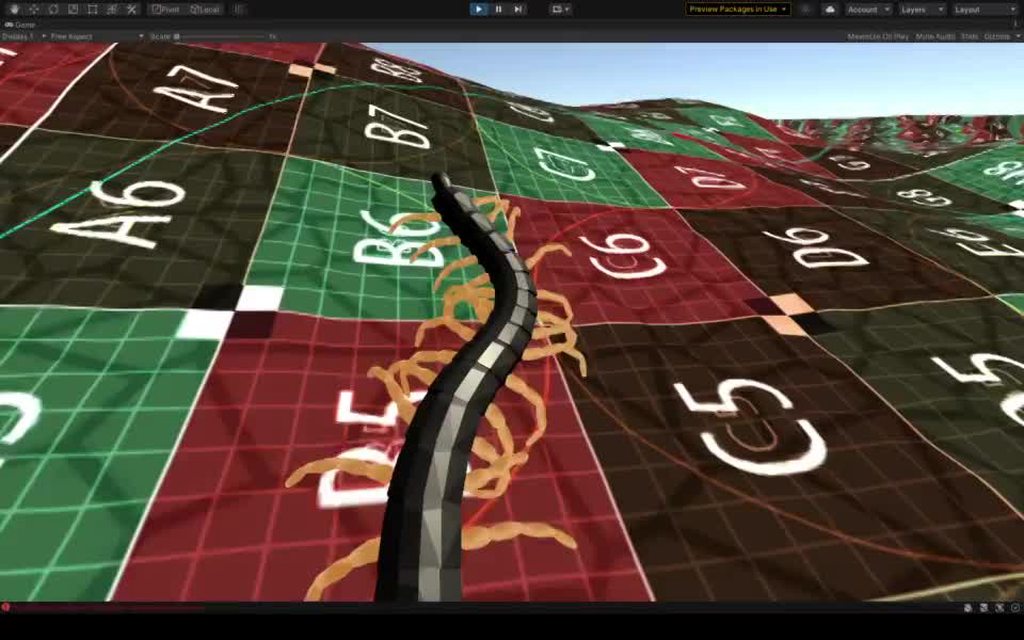
creating this and others like it is why i could bust out a physics based VR hand so easily
halcyon prairie
what is he trying to do...walk?
mighty sluice
yea he is just learning to walk and navigate
he has a target out there he can get
here's diff scene https://i.imgur.com/WlhTBtR.mp4
mighty sluice
yea it uses about 150 rigidbodies, and as many configurable joints
there is no animation or procedural anything here
pure physics
bio-inspired nervous system
machine learning
i also do swimming stuff
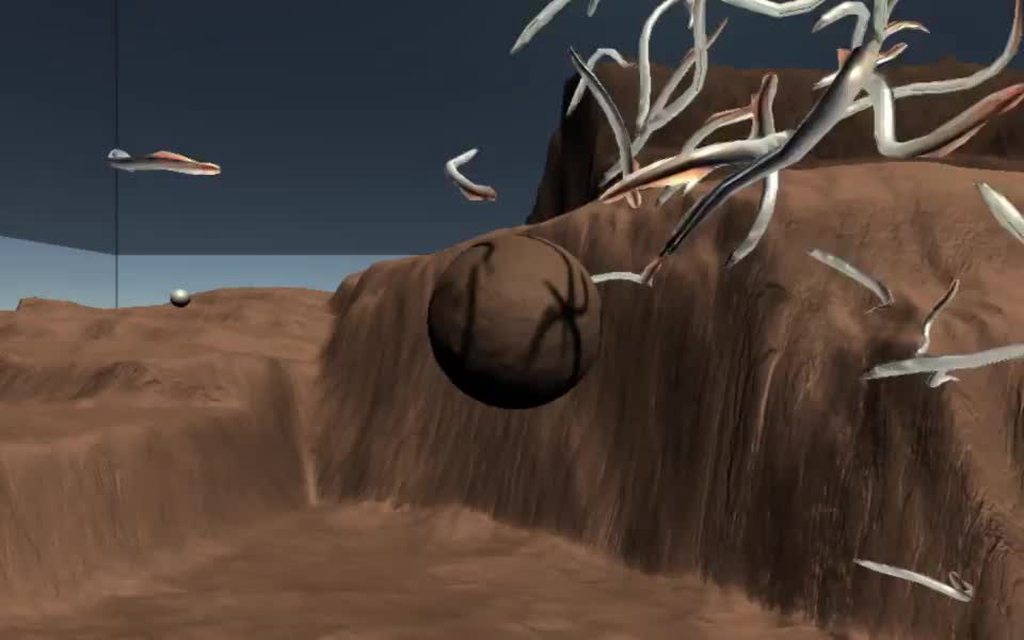 halcyon prairie
its very interesting to watch.....but they do things that actual centipedes dont.....like , theyre kinda able to do too much checking of poition
mighty sluice
what do you mean?
halcyon prairie
thats amazing...not ngl
halcyon prairie
mighty sluice
what do you mean?
like....they dont consider things like a real animal...or sense the air....its uncanny valleyish yet, but almost there....the snakes look real though
mighty sluice
yea that centipede is a work in progress; but in so far as the way they sense the world, I actually went to great lengths to create pseudo sensors; they do sense the environment in many different ways, including their own internal state. I even made a smell system for them, but it's not in use at the moment
centipedes are awesome but not every smart; their brain is distributed throughout their body, and their main activity is hiding, or hunting by following smell gradients
right now im focused on the locomotion aspect of animal intellgience, but naturally evolving toward more cortical thinking learning architectures is the plan
halcyon prairie
well, sounds good.
mighty sluice
a lot of people want to see things like dog or human AI, but it's easy to forget we need to solve the primitive motor control problems before we can actually give them a body
halcyon prairie
i can imagine this to be the next "quixel"
i can see people just dumping a box of centipedes into thier game
mighty sluice
lol
once we have the compute for it, hell yes
the future forecast conststs of increasing numbers of virtual centipedes!
halcyon prairie
and then theyll be coming to you hopefully
mighty sluice
but realistically, i do think it's the future of not only video game enemies for physics based games, but also one of the main future paths for AI in general
mighty sluice
lol
halcyon prairie
thats probably the hardest part
mighty sluice
haha, unironically, perhaps
all the VR capability i showed is essentially a latent capability of making high dimensional phsics bodies for my agents
debugging the physics of a centipede makes a hand look like child's play
mighty sluice
well im hoping to make a pretty big splash in different communities (gaming, neuroscience, robotics, and machine learning)
and in VR to boot...
it's my goal to make animal-like embodied popular
hopefully by offering an entry point and solutions for low level stuff
halcyon prairie
Yeah...its a good thing to concentrate on. seems like its got a lot of uses in almost everything. I think the bakery shop in japan...you know...?
mighty sluice
it wont be immediately useful for automation in most cases, but once we use it as a basis for higher level animal-like AI, it has infinite potential
having the robot chef carry out a procedure is one thing, but having a robot chef (or supervisor) that can do common sense reasoning is another entirely
halcyon prairie
They got some ML to identify which pastry is being picked .....and now the same company has licensed the tech to find cancer....so things we you learn in ML in Unity can go anywhere.
as far as i can tell it is all just finding noise patterns
mighty sluice
only for narrow tasks
if you know the solution before hand, or enough examples of it, you can stochastically define what to look for
and then it's just a matter of compute and time
but broad tasks... like figuring out a solution without ever having seen similar examples, that's the rub of ML
we want AI that "generalizes" like humans do
mighty sluice
it's a hierarchy of systems; the brain can be thought of as partially discrete units, but it's highly complicated
what we need is to leverage complexity to get the same emergent outcomes while avoiding the messy complication that comes with wetware
halcyon prairie
wetware is what? flesh and bones?
mighty sluice
the nervous system/neurons mostly, but the body is also a necessary component of how human intelligence works
for example, we learn how to do spatial reasoning because we have a body that moves through a spatial world
(at least in part)
halcyon prairie
yeah...otherwise we would be dead
mighty sluice
the things we can smell, the reflexes we're born with, hormones, etc...
yep
we have uncountable support structures like that
enzymes even....
but i willing to bet that most of this is evolutionary baggage that can be eliminated thanks to idealized code
halcyon prairie
Yeah...which the ai strictly doesnt need. but because we want it to imitate the physical world...
mighty sluice
we want AI that can feel fear, but we dont want AI that reflexively pisses itself
😄
halcyon prairie
yeah...idealised
mighty sluice
the important shit is sensory data
so that includes the environment and body
which necessitates simulation....
enter: Unity3d
halcyon prairie
idealy it wouldnt pis it self...but then...i guess that would make it more realistic. Ithink you need to make your centipedes do it occasionally
mighty sluice
defacation and urination is already planned because i need it for the smell
primitive animals rely heavily on smell
halcyon prairie
wow
mighty sluice
so i have a whole aerodynamics/thermodynamics/diffusion system for it
halcyon prairie
wow.
mighty sluice
it's way way cheaper than eyeballs
hard-coding a self-soiling mechanic might be on the docket too, but it will require testing (loosely hard coded; i need to train a network to make emotion lie evaluations, and then interpret negative reward anticipation as anxiety)
i can essentially make the AI inherently like or dislike certain smells
so it could be a way to dis-incentivize predators
halcyon prairie
Are you going to make one animal to focus, or makeing general code for all?
mighty sluice
more like a continuous spectrum of animal types
halcyon prairie
because I can see that maybe if you have the agent copy the actual animal...
mighty sluice
a given body type requires a given nervous system, but they're all very very similar
halcyon prairie
how can you integrate an actual centipedes movement in?
mighty sluice
even centipedes are similar to vertebrates; they're like a spine with legs
mighty sluice
halcyon prairie
how can you integrate an actual centipedes movement in?
central pattern generators is how i achieve it; it's essentially a simplified bio-inspired nevous system

Roboticist Auke Ijspeert designs biorobots, machines modeled after real animals that are capable of handling complex terrain and would appear at home in the pages of a sci-fi novel. The process of creating these robots leads to better automata that can be used for fieldwork, service, and search and rescue. But these robots don't just mimic the n...
check this video out; it's an overview of the approach from one of the few people deep into the topic
halcyon prairie
Maybe put some dots on the actual centipede....just bear with me...get some centipedes, colour them white with non lethal paint...draw dots..use top down view to record ...then somehow put it in Unity and...magic
mighty sluice
the beauty of the bottom up emergence approach is that i can generate realistic looking stuff without complicated work
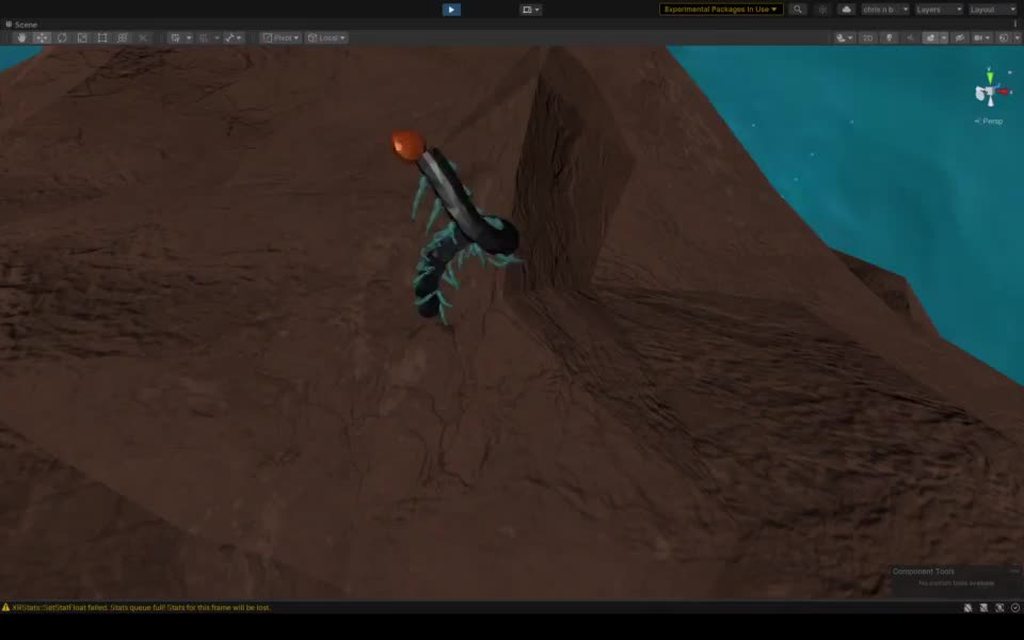
this is the start of training, learning to swim
halcyon prairie
that looks very good
mighty sluice
there is no uncanny valley
halcyon prairie
that looks very natural.
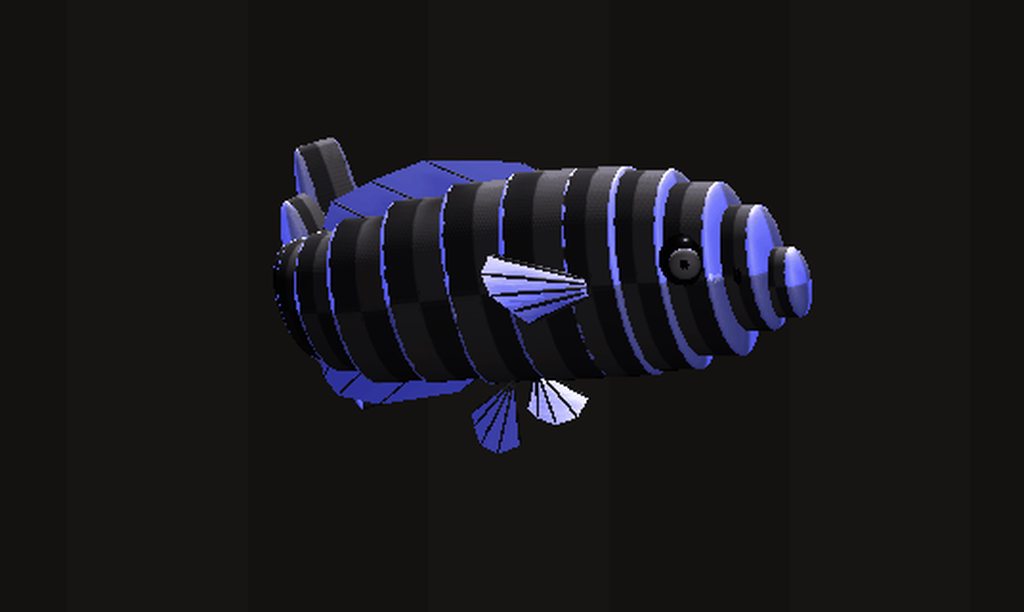 halcyon prairie
how much do they cost on GPU CPU?
mighty sluice
it's basically limited by the rigidbody and joint count
but i could get away with 10 centipedes for decent gaming rigs
100 fish or more
depends on what strategies i use to reduce the compute
low compute is a main advantage of CPG's
halcyon prairie
whats the rigidbody count limit for a budget pc?
mighty sluice
the ml-agents brains can also become a bottle neck
i would keep it under 100, or maybe try to, for something like a mobile game, but it really depends on many factores
there are ways to sneak in lots more rigidbodies while sacrificing accuracy and other things
my plan is to try and have no more than 20 agents active at a time for player experiences
but i can train them in environments with over 100, or multiple parallel environments with over 1000, depending on the agent type
halcyon prairie
sounds doable..especially with Moores law..
mighty sluice
but we need to balance this with murphy's law
halcyon prairie
lol
halcyon prairie
K I think I have a handle on layers.
mighty sluice
xD
when you set a parent layer, a popup asks if you want to set it for all children too
be careful about that if you have nuanced layer hierarchy
halcyon prairie
Yeah..i saw those. I kinda had to do a lot of changing around in my Bolt scripts yesterday...and now...I'm sorta understanding it.
Thanks for your help . I'm gonna go do some actual work. 👍 👍
halcyon prairie
How do I detect 2D triggers?
halcyon prairie
thanks
 stuck bay
got a quick question about cloth sim
I'm trying to mimic a basketball net - using a cylinder shape with a cloth component on it.
It looks and reacts really well when model is at scale(1,1,1) but once I scale downwards the vertices seem to bunch together?
The left image is at scale(0.1, 0.1, 0.1) and the right at scale(1,1,1)

 rugged lotus
Where was a documentation on simulating physics in editor to "settle" rigidbodies; can someone link it?
 tough path
rugged lotus
Where was a documentation on simulating physics in editor to "settle" rigidbodie...
rugged lotus
tough path
rugged lotus
Where was a documentation on simulating physics in editor to "settle" rigidbodie...
rugged lotus
@tough path think its the second one; thanks
rugged lotus
@tough path https://stackoverflow.com/questions/58452586/how-to-let-gravity-work-in-editor-mode-in-unity3d found exactly what i was looking for

Stack Overflow
I am wondering is there any way to let gravity affect items in editor mode? Normally I set the rigidbody to a object and hit play button, then I can see the object will be falling according to grav...
 rough isle
I have a 2d scenario here where I have a character that needs to wander aimlessly/randomly in a platformer environment. In the near future, the character will need to climb up walls that the player puts in the environment. (If you're familiar with shimeji desktop buddies, that's what I'm trying to accomplish). I wanted to drive this by creating an empty game object that randomly moves to a different location at random intervals, and the character will target that location to wander to.
It works just fine until I turn on gravity. Then the character won't stop bouncing or jittering on the ground, even though it does match the x-coordinate of its target. How can I get it to stay still?
 dreamy pollen
If I want to rotate a wheel to match the meters/second speed of a vehicle, what would the equation for that look like?
timid dove
dreamy pollen
If I want to rotate a wheel to match the meters/second speed of a vehicle, what ...
well.. circumference of the wheel is PI * wheel diameter. And a wheel rotates once for every circumference travelled
so the number of rotations = distanceTravelled / wheelCircumference
dreamy pollen
Ahh, * wheel diameter. That's the part I was missing. I knew pi was involved somehow
timid dove
then obviously rotation angle = numberOfRotations *360
 vale dew
Im pretty new to this whole unity game designing thing because me and friends just sayed "lets make a game" but ive been stuck all day because i cant seem to get colliders on my platforms and/or players to work and ive been trying my best to search what to do about it and i cant find any solutions maybe due to me not knowing any terms or something around that and came here to see if i could ask for help from people directly
timid dove
vale dew
Im pretty new to this whole unity game designing thing because me and friends ju...
- Make sure both objects in the collision have the same type of collider (2D vs 3D)
- Make sure the moving object has a Rigidbody (make sure it's 2D/3D as necessary)
- Make sure you're moving the object in a physics-friendly way (via its Rigidbody, not via the transform)
vale dew
i had the first 2 covered but does it count by using the transform to move it up then playing the game so it can drop?
timid dove
vale dew
i had the first 2 covered but does it count by using the transform to move it up...
I mean at runtime. You can move it freely in the editor via transform before the game starts
timid dove
vale dew
i wouldnt know because the player would fall through the floor instantly
Can you show the inspectors for the player and the floor?
timid dove
You're using the wrong kind of collider for the floor
BoxCollider is a 3D collider
You need BoxCollider2D
vale dew
and also i when you look at it just know i didnt figure out how to use the tile pallete because i had a hard time using the dropdowns it didnt work like how i was told
vale dew
timid dove
BoxCollider is a 3D collider
am i that much of an idiot?
gimme a sec
oh my god
you're right
well
now that this prblem do you know how to use tile pallete??
vale dew
alright appreciate the help man
 vast meadow
im sorta having a lag issue or something with raycasts
someone threw a pissy fit when i screenshotted code so ill copy and paste it
    void FixedUpdate()
    {
        laserLine.SetPosition(0, transform.position);
        RaycastHit hit;
        if (Physics.Raycast(transform.position, transform.forward, out hit, Mathf.Infinity, layerMask))
        {
            laserLine.SetPosition(1, hit.point);
            if (hit.collider.tag == "mirror")
            {
                RaycastHit hit2;
                if (Physics.Raycast(hit.point, Vector3.Reflect(hit.point - transform.position, hit.normal), out hit2, Mathf.Infinity, layerMask))
                {
                    laserLine.SetPosition(2, hit2.point);
                }
            }
            else
            {
                laserLine.SetPosition(2, hit.point);
            }
        }
}```u can see how the laser is lagging behind despite my high fps
timid dove
vast meadow
someone threw a pissy fit when i screenshotted code so ill copy and paste it
``...
FixedUpdate doesn't run every frame
it only runs as frequently as your fixed timestep is set to
You should really just do this in Update()
crystal charm
Quick question about particle systems and triggers - setting ParticleSystem.TriggerModule.colliderQueryMode to One should mean that I can access the trigger collider that the particles in this system have interacted with - how do I access that information? All of the public methods in the TriggerModule refer to collision shapes associated with the particle system trigger - https://docs.unity3d.com/ScriptReference/ParticleSystem.TriggerModule.html - which seems to suggest that it has to have been previously set?
mighty sluice
@vast meadow use update for this. and use interpolate on rigidbodies that are involved
 sand oxide
I've got an object with rigidbody component applied to it that keeps shooting off wherever when I press play or move the object
could anyone help?
I really just want rigid body for the sake of gravity
supple sparrow
You might have colliders intersecting. In these cases what often happens is that the physics engine computes that this state is impossible (for example your player can't be inside a wall) and tries to come back to a normal state by pushing away the object, which can lead to satelliting your objects
vast meadow
mighty sluice
<@!274705654759817218> use update for this. and use interpolate on rigidbodies t...
i got the same results
 shut swallow
How can i make a cube not rotate around when force is applied, i just want it to move straight without rotating
arctic marsh
does it have a rigidbody? @shut swallow
timid dove
shut swallow
How can i make a cube not rotate around when force is applied, i just want it to...
AddForce will apply the force at the center of mass, resulting in no torque.
You can also set constraints on the rotation of the cube, in the Rigidbody inspector.
 hollow cloud
i'm trying to make a softbody sim using rigidbody circle colliders. the problem is that when i have two of these bodies collide, often times one will go through the other as the colliders are too small? i can increase the collider's size and it works, but that means having less of them, and decreasing the detail of the sim, which i don't want. is there a way to prevent the colliders from passing through each other.
timid dove
hollow cloud
i'm trying to make a softbody sim using rigidbody circle colliders. the problem ...
Some of the settings here might help
e.g. default contact offset
not sure
hollow cloud
alright thanks, i'll look through the settings, though dcf seems correct
hollow cloud
changing the dcf didn't do it, but i got rid of the issue by adding in an edge collider. thanks for the help anyway
shut swallow
timid dove
You can also set constraints on the rotation of the cube, in the Rigidbody inspe...
i did that but for some reason after some time it stops for a half a second after every few seconds
is there a different way?
 crimson fern
Just wondering at a high level, is procedural animation expensive performance wise, or could you conceivably do an MMO with physics based procedural animation for the player characters?
arctic marsh
you could write down what might have to be transfered over the web in a MMO so every players has the right state of every other, that might kill latency to not playable
crimson fern
Would be action combat, so i think youre right that it would probably kill the latency to have even a dozen people sending their positioning and stuff like that every frame lol
arctic marsh
And also have the collision checks being send, and and and 😄 in a few years, who knows 😄
Maybe you come up with something smart to lower the data usage 🙂
timid dove
Typically this kind of thing is done with:
- server runs the main physics sim
- clients run their own physics sims to look smooth but they will accept the server's state of the world as gospel and readjust themselves
crimson fern
timid dove
Typically this kind of thing is done with:
- server runs the main physics sim
- ...
Yeah, this would be the way i would do it. But isnt running the physics sim.on the server just as likely to result in performance issues?
timid dove
but having a huge number of animated bones etc. that the client needs to sync from the server can be a lot for
shut swallow
shut swallow
i did that but for some reason after some time it stops for a half a second afte...
@timid dove
timid dove
crimson fern
Yeah, this would be the way i would do it. But isnt running the physics sim.on t...
I think network issues are more likely, but of course it depends on how many characters we're talking about
timid dove
shut swallow
<@!179367739574583296>
can you maybe explain what you're trying to do?
crimson fern
Maybe 200ish logged in at any time, maybe a quarter of that in any concentrated area
timid dove
I mean look at TABS for example - that game starts to slog when there's around 50 characters or so
active ragdolls are pretty expensive
shut swallow
timid dove
can you maybe explain what you're trying to do?
i have a game in which the player is a box and is moving foward I am using addForce to move it foward now the problem is it starts rotating and jumping
i don't want that to happen
i want it to just move foward
crimson fern
Hmm yeah, probably better to just have the player ragdoll if they get sent flying but otherwise not procedurally animate anything
timid dove
shut swallow
i have a game in which the player is a box and is moving foward I am using addFo...
why is it rotating? From friction?
shut swallow
timid dove
why is it rotating? From friction?
i think so
crimson fern
Thanks Praetor
timid dove
shut swallow
i think so
i mean I'd definitely say constraints are the way to go. Not sure what your issue with "stopping for half a second" is
shut swallow
timid dove
i mean I'd definitely say constraints are the way to go. Not sure what your issu...
i guess i will use them, but sometime it just kinda stops
timid dove
possibly. bug in your code, or something else going on.
shut swallow
like it hits a invisible barrier for a half second
shut swallow
timid dove
possibly. bug in your code, or something else going on.
when i remove the constraints it works
@timid dove could it be stopping because when it tries to move the constraints blocks it and the motion is lost?
timid dove
shut swallow
<@!179367739574583296> could it be stopping because when it tries to move the co...
maybe
constraints generally work as an "energy losing" mechanism
any energy that would've gone into motion or rotation along that constraint is just lost
Maybe try adding a custom physic material to your box's collider
with low or no friction
(make sure to use "minimum" friction combine method)
shut swallow
@timid dove now the when i try to move the object it loses all momentum in the foward direction and just starts going to the side
timid dove
shut swallow
<@!179367739574583296> now the when i try to move the object it loses all moment...
what did you set the constraints to
and what does your code look like
shut swallow
i forgot to remove the constrains
shut swallow
timid dove
and what does your code look like
the only code related to physics is the code to move
timid dove
shut swallow
the only code related to physics is the code to move
yes that's the code I'm asking about
shut swallow
using UnityEngine;

public class PlayerMovement : MonoBehaviour
{
    public Rigidbody rb;
    public float forwardForce = 400f;
    public float sideWays = 400f;

    void Start()
    {

    }


    void FixedUpdate()
    {
        rb.AddForce(0, 0, forwardForce*Time.deltaTime);
        if ( Input.GetKey("d") )
        {
            rb.AddForce(sideWays * Time.deltaTime, 0, 0, ForceMode.VelocityChange);
        }
        if (Input.GetKey("a"))
        {
            rb.AddForce(-sideWays * Time.deltaTime, 0, 0, ForceMode.VelocityChange);
        }
        if (rb.position.y < 0){
            enabled = false;
            FindObjectOfType<GameManagerS>().Menu();
        }
    }
}
no need for Time.deltaTime with AddForce and FixedUpdate
that's why you have to have such a large force value.
shut swallow
oh
timid dove
I think your main problem is just the interaction of the torques you're going to get from moving diagonally combined with the constraints
shut swallow
now it's running at the speed of light
shut swallow
timid dove
and/or use the default ForceMode
if i put default force mode, what will be the difference?
timid dove
ForceMode.VelocityChange is equivalent to just saying:
rb.velocity += myForceVector;
ForceMode.Force (the default) is equivalent to:
rb.velocity += (myForceVector / rb.mass) * Time.fixedDeltaTime;```now it looks to be working fine without the random stopping
after remove the delta tiem
timid dove
ah interesting
shut swallow
now it suddenly froze
timid dove
🤔
timid dove
honestly I have no idea what that's about. Maybe you just lost focus ont he game window?
what other objects are in the scene?
shut swallow
even if i lost focus
it should run
i have a auto generating ground and auto genratin obstacles
timid dove
maybe you're running into some invisible obstacles?
any way you can turn off the obstacles compeltely for the moment just for testing?>
shut swallow
wait a minute
i disabled it
@timid dove now there are no problems
i was wrong
on the third fourth run it hung again
@timid dove everything just stops, it looks like the fixed update loop is not happening
timid dove
shut swallow
<@!179367739574583296> everything just stops, it looks like the fixed update loo...
are you messing with timescale in your code anywhere
or disabling your objecgt
shut swallow
timid dove
are you messing with timescale in your code anywhere
wdym?
timid dove
I mean you do have this:
cs if (rb.position.y < 0){ enabled = false; FindObjectOfType<GameManagerS>().Menu(); }
enabled = false
maybe that's triggering?
shut swallow
but when this happens a menu also pops up, that doesn't pop up
shut swallow
if i go of the track intentionally the menu pops up
timid dove
shut swallow
wdym?
I mean are you changing the value of Time.timeScale anywhere in your code
shut swallow
timid dove
I mean are you changing the value of `Time.timeScale` anywhere in your code
i am pretty sure i am not
timid dove
that or disabling the object/script is the only way FixedUpdate would stop running
shut swallow
now i am running it and their is no stopping
but how could the function trigger if my object is always on the track
also why isn't the menu popping up
shut swallow
nope
it stopped again
that is not the problem
@timid dove
hello
@timid dove u there?
 summer fog
shut swallow
nope
summer fog
shut swallow
nope
pinging someone 8 times in a 10 minute conversation is a pretty easy way to scare them off
hollow cloud
i have a simple script to stick one rigidbody to another, having this in the OnCollisionEnter2D
if (collision.transform.parent != transform.parent) // check that it's from a different one to not stick to itself
        {
            SpringJoint2D joint = gameObject.AddComponent<SpringJoint2D>();
            joint.frequency = 0;
            joint.dampingRatio = 1;
            joint.connectedBody = collision.rigidbody;
            joint.autoConfigureDistance = false;
        }
and it works - the objects stick - however, for whatever reason, other colliders are now ignored
and the weirdest part is that the collisions are ignored by totally different colliders
i have a bunch of circle colliders joined together with spring joints, put under the same object and give the script to each one of them
timid dove
hollow cloud
i have a bunch of circle colliders joined together with spring joints, put under...
does the parent object have a Rigidbody?
hollow cloud
timid dove
does the parent object have a Rigidbody?
no
but the thing is it works fine when the stick script is disabled
timid dove
hmmm not sure really.. joints shouldn't really affect collisions afaik
they basically just apply forces to your bodies based on the join settings
hollow cloud
w/o

w/

though just with one it's still the same thing

increasing default contact offset doesn't help
 runic talon
I'm having an issue where OnTriggerStay is not being called in a situation where I expect it to be. My setup is:
 - Sphere A* (child of Cube A, has SphereCollider with isTrigger=true)
Cube B (same as Cube A, sitting underneath cube A and colliding with it)
 - Sphere B (child of Cube B, same as Sphere A*)
Or, if you prefer paint drawings, I've diagrammed my situation below. The script on A is receiving OnTriggerStay events for B*, and other colliders in the scene without Rigidbodies, but is not triggering for B. My understanding of the documentation https://docs.unity3d.com/Manual/CollidersOverview.html is that I have a Rigidbody Trigger Collider A*, and a Rigidbody Collider B, and according to the table at the bottom of that page, these should trigger the OnTriggerStay method.
I must be misunderstanding something and would love someone to point out what I'm missing, thanks!
 timid dove
runic talon
I'm having an issue where OnTriggerStay is not being called in a situation where...
timid dove
runic talon
I'm having an issue where OnTriggerStay is not being called in a situation where...
Can you share your code - just to rule out any silly issues like "OnTriggerStay" not being spelled properly or not being in the right place?
Given your setup I'd actually kind of expect... more than one OnTriggerStay to be called each physics update.
Somewhere between 2 and 4 of them
runic talon
        Debug.LogError(other.name); // Cube B not showing up unless you change its collider to trigger...

        // Do some logic to determine if we should ignore collision with 'other' or not
        ...
    }
This logs multiple times per physics update yes, once for each object with a collider (no rigidbody) nearby in the environment, and once for the other box's trigger sphere, but never for the other cube itself
What I would like is for A to detect the overlap of A* and B, and then disable the collision between A & B if certain other conditions are met. Instead, right now A just rests on top of B and I never see OnTriggerStay in the script on A getting called for B
timid dove
runic talon
What I would like is for A to detect the overlap of A* and B, and then disable t...
I'm not sure. Maybe some weirdness with the fact that A and B themselves are not triggers so it considers A's rigidbody to be a non-trigger Rigidbody collider that won't give you an OnTriggerEnter with the also non-trigger collider on B
What if you put a script on A*?
runic talon
Hmm since the script on A gets called for the collision between A* and B*, and with knowledge that those two colliders should be the same, I inferred that they were both considered "Rigidbody Trigger Collider", since if they were just considered "Static Trigger Collider", I wouldn't see OnTriggerStay for A*/B* collision.
I can rework the logic to place the script on A* and see what happens
runic talon
Same exact behavior when the script is placed on A*...
 signal basin
Feeling a little stuck trying to debug some crashes I've got going on. I managed to reproduce one on my machine, found the crash.dmp file and opened it in VisualStudio (and loaded symbols). This is what it's showing:

(sorry for small text). Essentially looks like the crash is happening inside of physx somewhere. This is the most recent LTS 2020.3 build BTW (2020.3.13f1)
Does anyone have advice on where to go from here?
actually sorry, these are from builds on 2020.3.10f1
shut swallow
Hey, so in my game the player is a square and they have to move through obstacles , to not have the cube rolling like crazy i inserted rotation constraint after doing that for some reason when i am playing the game sometime the cube stops for half a second and sometimes it just stops completely i noticed that if i remove the constrains it starts again
how could i do to fix it?
rugged lotus
Can someone assist me with my drag force? I implemented the formula (numerous variants of it), but it keeps making the projectile go in reverse. https://cdn.discordapp.com/attachments/763495187787677697/860045618046435358/2021-07-01_09-33-40.webm
public static float AerodynamicDrag(float dragCoefficient, float velocity, float objectRadius, float airDensity = 1.0f)
    {
        float A = Mathf.Pow(objectRadius, 2) * Mathf.PI;//reference area (radius^2 * PI)

        float Fd = dragCoefficient * (airDensity * (velocity * velocity)) / 2 * A;//drag force


        return Fd;
    }
And i use it like this
Vector3 dragForce = GameManager.AerodynamicDrag(projectileStats.dragCoefficient, velocityVector.magnitude, projectileStats.projectileDiameter) * velocityVector.normalized;
Vector3 dragAcceleration = dragForce / projectileStats.projectileMass;
            velocityVector -= dragAcceleration * Time.fixedDeltaTime;
Oh and the input values are:
0.2 , current velocity , 0.0762 with mass 0.0163
timid dove
rugged lotus
Oh and the input values are:
0.2 , current velocity , 0.0762 with mass 0.0163
Why are you multiplying the drag force by the velocity
oh nvm I see
just the direction
timid dove
rugged lotus
since the formula doesnt implement the vector, just the speed
Is your code running in Update or FixedUpdate
rugged lotus
fixed
@timid dove oh before you end up doing something; might i add that i'd like to get rid of the A value n the calculations and have mass be correctly factored into the resistance; since the area calculation seems to be quite fiddly and could even bsod the computer if its too large
@timid dove oh i should probably give you the current formula:
float Fd = 0.5f * (airDensity * Mathf.Pow(velocity, 2)) * dragCoefficient * A;
this one is supposed to be the right one
which by the looks of it doesnt really end up with a different value 😄
timid dove
didn't you say this was fixed?
rugged lotus
what was fixed
timid dove
rugged lotus
fixed
idk, you said "fixed"
rugged lotus
FixedUpdate 
timid dove
meaning you switched to fixedUpdate or from it?
rugged lotus
im using FixedUpdate
timid dove
ok good
rugged lotus
i never stopped using it or changed from it
timid dove
ok you can see how I was confused when you said "fixed" then?
Ohhhhh
wait
wow
I'm stupid
😅
timid dove
rugged lotus
i never stopped using it or changed from it
I read that as like... the verb "fixed". As in, something was broken and you fixed it
but you were just answering my question. 🤦
 daring furnace
I was testing Raycasts and want to confirm some things.
When firing from an object starting from its position, a Physics2D.Raycast would hit the object it started from, but a Physics.Raycast does not?
Just for context, these are the code lines I used
//3d
Physics.Raycast(transform.position, Vector3.right * distance, out RaycastHit hitInfo)
//2d
Physics2D.Raycast(transform.position, Vector2.right, distance)
I see in Physics.Raycast it says "Notes: Raycasts will not detect Colliders for which the Raycast origin is inside the Collider."
https://docs.unity3d.com/ScriptReference/Physics.Raycast.html
and in Physics2D.Raycast it says "this will also detect Collider(s) at the start of the ray"
https://docs.unity3d.com/ScriptReference/Physics2D.Raycast.html
Assuming this is intended behaviour as the docs say(would like confirmation on this, in case I'm using raycasts wrongly), how do people usually avoid the Physics2D.Raycast from returning the object it's fired from, especially if it's starting from transform.position? Is a layermask the usual way of handling this? (Sorry for the roundabout question)
timid dove
layermasks probably, yes
in rare circumstances where that's not possible, you might do a raycastAll and manually filter out your own object
daring furnace
I don't understand this description from Physics2D.Raycast though
"Additionally, this will also detect Collider(s) at the start of the ray. In this case, the ray starts inside the Collider and doesn't intersect the Collider surface. This means that the collision normal cannot be calculated, in which case the returned collision normal is set to the inverse of the ray vector being tested. This can easily be detected because such results are always at a RaycastHit2D fraction of zero."
timid dove
But layer mask should always work
daring furnace
I thought this meant i'd get a different result if I fired a really short ray that did not exceed my sprite bounds. I don't.
timid dove
no it means that it will detect the collision before reaching the bounds
it collides at the start point of the ray
daring furnace
oh, I see now that the first 2 sentences come hand in hand
I guess I dont really understand the collision normal bit though
but thank you. I was really stumped on this until I noticed the difference in behaviour between 2d and 3d. kinda odd that it's inconsistent that way
timid dove
Anyway there's a bit of a trick that I discovered a little while ago that makes it quite easy to avoid the object you're starting in, even without using an explicit layer mask:
int oldLayer = myCollider.gameObject.layer;
myCollider.gameObject.layer = Physics2D.IgnoreRaycastLayer;
// perform the raycast here
myCollider.gameObject.layer = oldLayer;
my goodness. how hacky, haha. thank you! that saves me the trouble of understanding the bitshifting part of layer masks(for now)
thank you
timid dove
yeah it works so much more nicely than I expected
rugged lotus
@timid dove Have you managed to find something?
rugged lotus
heck
timid dove
daring furnace
my goodness. how hacky, haha. thank you! that saves me the trouble of understand...
Wait I think Physics2D.IgnoreRaycastLayer; might not work. Apparently that's a layer mask and not a layer index itself. You need to check what the actual layer index is for the ignore raycast layer and use that
I think it's 2
daring furnace
aw man. that means I need to understand the layers and stuff haha
i'll try things out some time. thanks for checking!
rugged lotus
what is ln supposed to be? 
 timid dove
it's the natural logarithm function
rugged lotus
how would that go into unity
timid dove
in unity you'd do it like...
float e = (float)System.Math.E;
Mathf.Log(someNumber, e);
this formula written seems to be a bit...scuffed
man , i see why games dont implement realistic air drag now
timid dove
or just use ```cs
System.Math.Log(someNumber);
Yeah unless you're writing like a realistic flight simulator or something I'd just use an approximation
rugged lotus
no no even in sims they dont seem to do this 😄
but yeah i would like an approximation; cant find a good implementation though
the terminal velocity also seems to be...wrong

unless a projectile indeed only falls at 9.7m/s
@timid dove would this be a good "approximation" ? cs Vector3 dragForce = -(Mathf.Pow(velocityVector.magnitude, 2) * velocityVector.normalized) * projectileStats.dragCoefficient; Vector3 dragAcceleration = dragForce / projectileStats.projectileMass;
hollow cloud
not sure where to put this, but i'm looking for a way to deform 2d sprites
signal basin
rugged lotus
the terminal velocity also seems to be...wrong
What exactly are you logging? That looks suspiciously like gravity acceleration (9.8 m/s^2) minus some small amount (maybe your air drag?), Not velocity.
signal basin
signal basin
Feeling a little stuck trying to debug some crashes I've got going on. I managed...
Just wanted to follow up on this myself. Turns out the root cause here was accidentally triggering thousands of infinitely looping Invoke calls, so not really related to anything specific in physx. Some crash dumps ended up in other places too. My guess is this was wreaking havoc internally and causing some threading/memory issues that ended up crashing at essentially arbitrary places
rugged lotus
signal basin
What exactly are you logging? That looks suspiciously like gravity acceleration ...
Huh?
im logging Vt
@signal basin float Vt = Mathf.Sqrt((2 * projectileStats.projectileMass * projectileStats.gravity.magnitude) / (projectileStats.dragCoefficient * A * 1.225f));
 jovial wraith
Any thoughts on how this code https://pastebin.com/6Av4TKES could cause this error?
 timid dove
jovial wraith
Any thoughts on how this code https://pastebin.com/6Av4TKES could cause this err...
timid dove
jovial wraith
Any thoughts on how this code https://pastebin.com/6Av4TKES could cause this err...
if either desiredVelocity or Body.velocity have NaNs in them
or NaNs in settings.maxStoppingAcceleration or settings.maxAcceleration
jovial wraith
timid dove
if either `desiredVelocity` or `Body.velocity` have NaNs in them
do you know what sqrMagnitude would return if the Velocity had NaNs?
I guess Unity would have trouble normalizing the vector with NaNs even in the next line... hmmm... I guess I have to actually solve the underlying problem, rather than just relying on the force clamping to save me. 😅
timid dove
jovial wraith
do you know what sqrMagnitude would return if the Velocity had NaNs?
I guess U...
probably NaN
vast meadow
what do i do when collision detection is too slow
the stuff doesnt fire until after it passes through
the 3 logs yousee pop up arefrom lateupdate, ontriggerenter, and ontriggerexit
for the diagonal box
literally all i can do is change the physics timestep but that makes the game move in slow motion on laggy pcs
a physics timestep of .01 isnt even fast enough
rugged lotus
How do I make the second check work like the first one? Or is it not possible ```cs
if (!Physics.CapsuleCast(transform.position, transform.position, controller.radius, transform.up, 1.8f, crouchLayerMask))
if (!Physics.CheckCapsule(transform.position, transform.up * 1.8f, controller.radius, crouchLayerMask))
Think i figured it out cs if (!Physics.CheckCapsule(transform.position + transform.up * controller.radius, transform.up * (1.8f - controller.radius), controller.radius, crouchLayerMask))
the starting point was touching the ground so it was always true
vast meadow
is there any way at all i can use this as a trigger

it has to be that shape
i cant make it convex
vast meadow
nvm i divided it into more basic shapes
mighty sluice
toward the end of this gif, the fingers bug out: https://i.imgur.com/DGNM02c.mp4
the cause is collisions between fingers the the board a a place that has extremely big inertia compared to the fingers
the board is being linked to the palm RB (which all of the fingers are anchored to also via configurable joints)
I want the fingers to rest and put pressure on the object being held, but during fast movement and with big inertia, the collisions between the fingers and the board get wacky, which causes the solver to spiral into chaos as the board and fingers all mutually depentrate
I've tried a lot of things to fix the issue; the one thing I want to avoid is giving the fingers extreme inertia of their own, and it's not exactly desirable to dynamically or bakedly bork the inertia of the wooden boards either.
The approach seems to work perfectly for reasonable inertias, but I need to make it robust for as many edge cases as I can.
Anyone have suggestions?
The reason why I dont want to fuck the fingers too much is because they're actually functional on their own. I can use them without the dynamic grasping joint in order to pick up appropriately sized objects, and they will grip it effectively enough. I can also use them to climb by hooking ledges with finger tips (the forces are just right so you need to go slowly or you will slip/ the fingers will give). They also can move around a bit in response to external forces, which is a good thing for immersion....
Right now the only solution I can think of that will work for sure is to completely separate the firm grasping mechanic from the finger clasping mechanic (which is just flexing finger joint motors). I will remove the stiff joint between the hand and grabbed objects, and just create some gravity glove -distance grab mechanic like every other game...
if the fingers aren't in contact with the heavy fast moving objects, then no collision related chaos; And if i am using finger clasping only to try and manipulate a heavy object, the fingers and palm alone should not be able to accelerate it to the point that collisions break (it's only the solid joint between the palm and the object being picked up which allows for the unrealistically strong grip
 weak peak
While using multiple collider to same game object, the mass also get distributed to all colliders ??
mighty sluice
they are combined into a compound collier and considered all belonging to the same parental mass
 oak thorn
Hey, how can I stick together 2 different object when they touch for the first time ? They both have ragdoll. I tried parent-child but it didn't work at all. Should I use OnTriggerEnter method or any different suggestion for this? (I'm new sorry if it's so basic question :'))
 shell adder
oak thorn
Hey, how can I stick together 2 different object when they touch for the first t...
shell adder
oak thorn
Hey, how can I stick together 2 different object when they touch for the first t...
u could make a fixed or spring joint at the point of contact
https://answers.unity.com/questions/1534732/how-to-make-two-colliders-or-rigidbodies-stick-tog.html
first answer
Unity is the ultimate game development platform. Use Unity to build high-quality 3D and 2D games, deploy them across mobile, desktop, VR/AR, consoles or the Web, and connect with loyal and enthusiastic players and customers.
 unkempt vale
Hi, does anyone here have a PI controller implementation for velocity control here?
Programmer love being the reward ❤️
Maybe I just didn't sleep well enough, but I'm absolutely unable to find one...
 empty rock
Hello !
I don't know if this is the right channel but here is my problem :
I am working with Bolt, and have successfully created a weapon projectile system by setting up a visual script that will create prefab (projectile) instances at precise coordinates And I used the "set velocity" option to move the projectile when I left click, but the problem is that it only works on the first projectile and not on instances, I think I deduced the problem, I could see that when the script creates Instances, these last do not have the "collider" and "rigid body" components of the original projectile, and I think that is why my "set velocity" does not work.
I hope I can get some help to solve this problem which is starting to demotivate me a bit.
thank you in advance !
timid dove
empty rock
Hello !
I don't know if this is the right channel but here is my problem :
I am ...
You should be setting the velocity of the instances, not of the prefab
If the prefab has Rigidbody and Collider components, the instances should have them too.
empty rock
But they don't
when I run the game I see instances created in my hierarchy, and when I select them I do not see these components, is that normal?
timid dove
empty rock
But they don't
when I run the game I see instances created in my hierarchy, and ...
it's not normal. You're doing something wrong
shell adder
if u instantiate a prefab and it has components then it should have those components in the instantiated as well
timid dove
Make sure you're instantiating the correct prefab
empty rock
I can show you screenshots of the script to verify ?
empty rock
 timid dove
where's the instantiate part
empty rock
And this is the gun script that instantiate
 timid dove
"Original" is pointing to a child object of "GameObject"
I'd guess "GameObject" has the rigidbody/collider on it
"sphereref" looks like it's just an imported model from blender or whatever
empty rock
timid dove
"sphereref" looks like it's just an imported model from blender or whatever
yes it is
timid dove
really what you should be dragging into that "Original" slot is the prefab from your project window
See that little ">" arrow on "GameObject"?
that lets you edit the prefab itself
empty rock
timid dove
I'd guess "GameObject" has the rigidbody/collider on it
no, i put it on the sphere prefab that is under "gameobject"
timid dove
Ok but when you click on the "sphereref" thing that's in that "original" slot
where does that take you
empty rock
i don't see what u mean by original slot 😅 srry
 empty rock
Oh ok
timid dove
click on that
see where it takes you
click on the name "spheref" there
whatever that takes you to - that's the thing that will be copied
empty rock
it alludes to the prefab "spheref"
timid dove
yes and
what components are on that
when you click it and select it from the "Original" slot
empty rock
i can't select that from here but ig it alludes to the prefab which is in my content browser and not that of my hierarchy
bc i selected it from the folder where i imported it
timid dove
empty rock
i can't select that from here but ig it alludes to the prefab which is in my con...
yes exactly
and in your "content browser" (also known as the project window), there is no Collider and no Rigidbody on it, right?
because it's just the thing you imported from an external program.
That is the thing you are copying
and that is why the copies don't have those components
empty rock
timid dove
and in your "content browser" (also known as the project window), there is no Co...
Right
Ty
i replaced it by a Default unity sphere
timid dove
What you need to do is drag the one from your scene into the project folder to create a new prefab that does have those components on it. Then drag that new prefab into your "Original" slot for Instantiate
empty rock
and when i open it in the project window it do have these compenents
empty rock
timid dove
What you need to do is drag the one from your scene into the project folder to c...
Oh ok
empty rock
timid dove
What you need to do is drag the one from your scene into the project folder to c...
when i drag it says :
 timid dove
empty rock
when i drag it says :
timid dove
empty rock
when i drag it says :
right click -> Prefab -> Unpack completely
then drag
empty rock
Here's a better preview https://gyazo.com/362c62a92e9110d3e93ef32b474c86a1
 empty rock
since the sphere I am using here is exactly the one I am creating instances for I do not understand what is wrong
It spawns but the "set velocity" doesn't seem to work on it even though the instances have the RigigBody component now
 heavy torrent
has anybody an idea what can cause a raycast to completely break by doing from my perspective... nothing?
my first thought was that occlusion culling may cull out the ground he is standing on but OC is turned off and it still occures
i have another project where the character works just fine (it is an HDRP project but from my knowledge that doesn't affect raycasts 😦 )
what bothers me most is that he literally hits nothing
and it's not like i use highly complicated scripts. i just made a new one and the problem is still the same
 shell adder
heavy torrent
shell adder
heavy torrent
maybe try to do a Debug.DrawRay to see where it goes and if it hits anything
heavy torrent
oh i do that via another script. you can see the little red line in the video
shell adder
oh sorry didn't see that yeah
shell adder
what layers do u have?
heavy torrent
what bothers me most is that i even disabled the layermask entirely and it literally casts from inside a capsule collider. shouldn't it at least always hit that?
shell adder
i don't think it does
Unity is the ultimate game development platform. Use Unity to build high-quality 3D and 2D games, deploy them across mobile, desktop, VR/AR, consoles or the Web, and connect with loyal and enthusiastic players and customers.
1st answer
heavy torrent
the capsule (from the character) is on layer 19 ("Player") and the terrain is on layer 14 ("Environment")
shell adder
if u cast within a collider it will return false
heavy torrent
is it "always" false or can that be bypassed by using a layermask?
shell adder
it'll detect other colliders just not the one it's cast inside of
also i think for raycasts u use fixedupdate?
at least in the documentation it does
heavy torrent
i think (not sure tho) you can use both. but i can try again
nope fixedupdate didn't solve it
shell adder
heavy torrent
the capsule (from the character) is on layer 19 ("Player") and the terrain is on...
maybe the player's collider is overlapping with the terrain collider?
in that case the ray might be cast inside the terrain collider and so it wouldn't detect
heavy torrent
what bothers me most is that it is not like "the raycast stops work for the terrain it stand on" No. It breaks entirely, i can walk on other objects with other colliders and other layers and it hits none of them
intersection shouldn't be the case, i can jump and fly so they don't intersect and he still doesn't hit anything
shell adder
oh
heavy torrent
the ray has a 30 unit range which should be far enough to not intersect^^
hmm can this be a new bug in 2020.3?
shell adder
i don't know it could be a bug
heavy torrent
the other hdrp project where i copied the character from is still on 2020.1 and it works just fine
shell adder
do u have any rigidbodies attached?
heavy torrent
thanks nonetheless you tried^^
i wish i would at least barely understand why it keep breaking
like how can camera orbiting stop a raycast from working thats soooo weird
empty rock
empty rock
It spawns but the "set velocity" doesn't seem to work on it even though the inst...
Well i think i'm just gonna stop working on that for now
Thanks anyway
heavy torrent
ok now i am completely confused
i found a spot where it works and where it doesn't work
there is literally 0 difference in the two spots
ok there IS a difference
so: everything is fine. i then rotate the camera around till "something" happens which breaks the raycast so it hits nothing anymore. now it doesn't work UNTIL i reach a point on the map where ALL Transform position values are Positive. when X or Z reaches a negative value. it immediatly breaks again even when standing on the same terrain
shell adder
oh i think maybe try to use transform.down not vector3.down
because transform.down is relative to the player character
heavy torrent
Transform.down doesn't exist
shell adder
i meant -transform.up sorry
shell adder
damn
heavy torrent
ok the raycast only breaks when in negative position
i can rotate the cam around nothing bad happens but as soon as i afterwards enter negative space it immediatle hits nothing
that doesn't seem like I am just a dumb programmer anymore
i mean, i now know how to fix it. i just have to move my entire scene into positive space but i mean, that well that does sounds like an issue
unity shouldn't do that
here is a video that shows it (the white "ground" is just there to visualise the positive space, it has no collider or relevant layer)
timid dove
heavy torrent
here is a video that shows it (the white "ground" is just there to visualise th...
Silly question - what's the point of the capsule collider? You already have a CharacterController right?
And what is assigned to "col1" in the inspector?
heavy torrent
timid dove
Silly question - what's the point of the capsule collider? You already have a Ch...
the capsule technically just is a relic from the time where i worked with a rigidbody.
right now coll uses exactly this capsule collider
timid dove
So theoretically col1.transform and transform should be the same, yes?
heavy torrent
yes
 serene orbit
Hi guys, is there any way to detect overlap of colliders in editor mode ?
I am writing an editor script to generate a city. But to check overlap between buildings the OverlapBox does not work in the editor.
heavy torrent
@serene orbit does OnCollisionEnter not do the work?
serene orbit
Nope, I have been trying with OnOverlapSphere and OnOverlapBox. Does the OnCollisionEnter work in editor mode if the play mode is not active ?
Some forums people say Unity does not run physics by default in editor mode, so thought if anybody had this usecase before ?
heavy torrent
i can't tell for sure if it works or not but it would be worth a try
serene orbit
Yeah sure, I have to try it now then. Thanks!
heavy torrent
@serene orbit https://forum.unity.com/threads/collision-detection-in-editor.145769/ this might help
Unity Forum
Hi,
the thing I'm trying to do is detect collision in Editor Mode.
I've tried to creat a script with @script ExecuteInEditMode() and...
seems like oncollisionenter also doesn't work but unity seems to have a Bounds class you can use instead
https://docs.unity3d.com/ScriptReference/Bounds.html
but i am not a real programmer so i can't tell if this is helpful
serene orbit
Bounds class should work in editor I think. I will try with it.
serene orbit
@heavy torrent Finally it worked. I had to use a Editor Coroutine and run the OverlapBox in it. It worked like charm.
Thanks for helping.
signal basin
If I instantiate an object with a Rigidbody (say inside a FixedUpdate call), will that new rigidbody be used for physics simulation on that same FixedUpdate tick? Or will it wait until the next tick?
timid dove
signal basin
If I instantiate an object with a Rigidbody (say inside a FixedUpdate call), wil...
FixedUpdate doesn't happen during the physics tick
it's either right before or right after, I forget which
It's right before - so the new Rigidbody will be simulated in the upcoming physics sim.
signal basin
timid dove
https://docs.unity3d.com/Manual/ExecutionOrder.html
Perfect link, thanks! Interesting that fixed update and update are on opposite sides of the physics update
dreamy pollen
Anyone experimented with making their physics-based player an invisible "pawn" and having the rendered representation be updated in the Update loop and then managing your own interpolation?
Are there any guides on this or success stories I could look to? I've been fighting unacceptable stuttering/jittering on my player for as long as I've ever used rigidbodies, regardless of interpolation settings, and mostly regardless of fixed timestep settings (maybe something like 1000hz would look great but there's no way the performance hit would be worth it)
 bronze lake
Idk if this this the right place to put this but I have a third person camera and a controllable character, the person walks fine, but wasnt affect by gravity, so I gave the camera and the player object a rigbody so both would go down the hills and not just float. But they both fell trough the terrain, so I gave them colliders so they wouldn't fall through the ground, but the colliders just fall over and roll down the hill dragging the player and the camera, i want the player and camera to walk down the hill not roll down .
timid dove
bronze lake
Idk if this this the right place to put this but I have a third person camera an...
giving your player a rigidbody to "add gravity" to an existing control scheme doesn't really work. Rigidbody is an entirely different way of moving.
You can't just bolt it onto another movement scheme
Just add gravity to your existing control scheme yourself
 forest salmon
Hello there, I have an issue trying using velocity.magnitude to set bool for an Input, But it doesnt seem to work...need help
Here is the Code : https://codeshare.io/VZZ4Qz


 shell adder
forest salmon
shell adder
forest salmon
what does the debug.log(mag) send
forest salmon
 shell adder
forest salmon
shell adder
forest salmon
can u do a debug.log(isCueStopped) after the if else statement
 forest salmon
the magnitude isnt changing when the ball moves
Its still 0
I'm trying to access magnitude to stop input while the ball is moving
shell adder
that's because u set mag only in the start function
if u want mag to change u gotta set what it is every update (or preferably every fixedupdate since ur interacting with physics)
so in the start u should get the rigidbody by doing
Rigidbody rb = GetComponent...
then in the fixed update do
mag = (int)rb.velocity.magnitude
forest salmon
Thank you i was able to fix the magnitude issue but I'm trying to stop the input while the ball is in motion...but i couldnt....
shell adder
shell adder
so in the start u should get the rigidbody by doing
Rigidbody rb = GetComponent....
actually maybe use Mathf.RoundToInt() instead of (int)
because (int) will just drop the decimals while roundtoint will round it
shell adder
forest salmon
Thank you i was able to fix the magnitude issue but I'm trying to stop the input...
wdym by stop input
forest salmon
As a 8 ball pool game, i need to access the player movement only when the ball is stationary
 shell adder
ah ok
shell adder
forest salmon
so ur doing addforce in mouseup but u don't check if cue is stopped
also an optimisation thing, u should do getcomponent only once in Start() because it'll slow things down to call it every time in OnMouseUp
oh wait sorry i didn't see the coroutine
forest salmon
:'>
shell adder
forest salmon
is waitforcuestop supposed to work
because currently i think all it does is wait for 5 seconds
frigid pier
forest salmon
As a 8 ball pool game, i need to access the player movement only when the ball i...
shell adder
if u want it to wait until isCueStopped = true then u can do a while loop
forest salmon
shell adder
if u want it to wait until isCueStopped = true then u can do a while loop
For now i figured out a a way to disable mouse input in the waitforcuestop() ...
also i needed it for a 5 sec cooldown between each moves
shell adder
ah ok
forest salmon
Thanks Btw :>
 prisma terrace
Hey fellas, what do you do when you have a rigidbody with multiple children that each have a trigger collider, and you want to know which one got triggered?
(since I have to put the script with OnTriggerEntered on the rigidbody object)
bronze lake
timid dove
Just add gravity to your existing control scheme yourself
Alright thanks
stuck bay
Hellow one question, do one sided effector colliders work as one sided triggers?
im making a basketball so i want the ball to only score if it goes in tru the top of the rim oc
i was using like 3 checks on a past version of the project but im wondering what would be the best way to do it
shell adder
stuck bay
im making a basketball so i want the ball to only score if it goes in tru the to...
u could make an edge collider have ontrigger and if u want to check which way the ball came in then u could see if the ball's y velocity is negative or not
stuck bay
there is no edge collider 3d i just use a "flat" sphere but ill try checking where is going before scoring
shell adder
oh ok
stuck bay
oh the effectors are only 2d XD
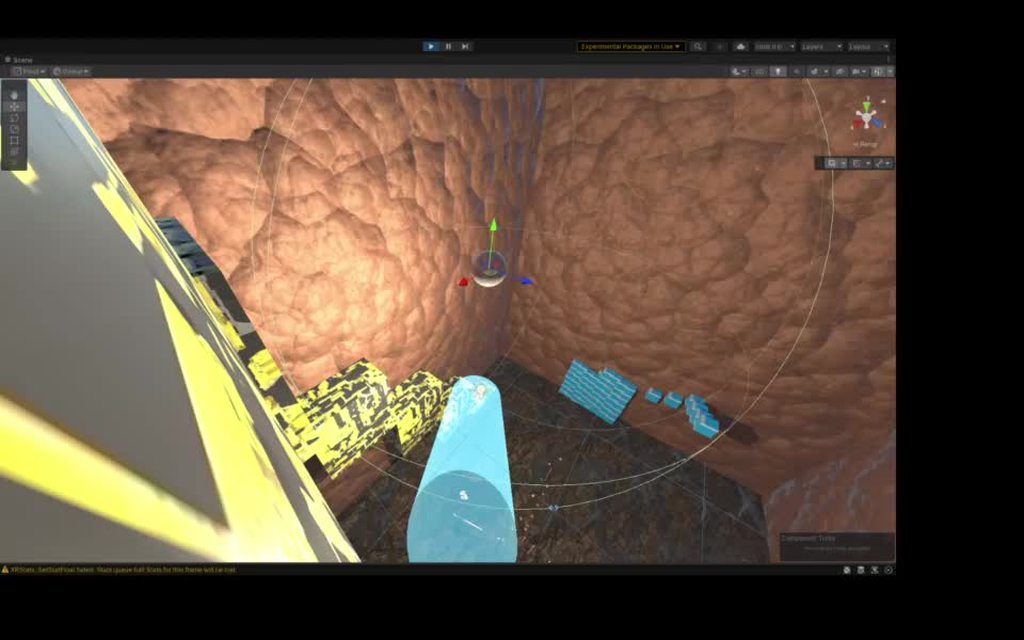
 thin oar
6
mighty sluice
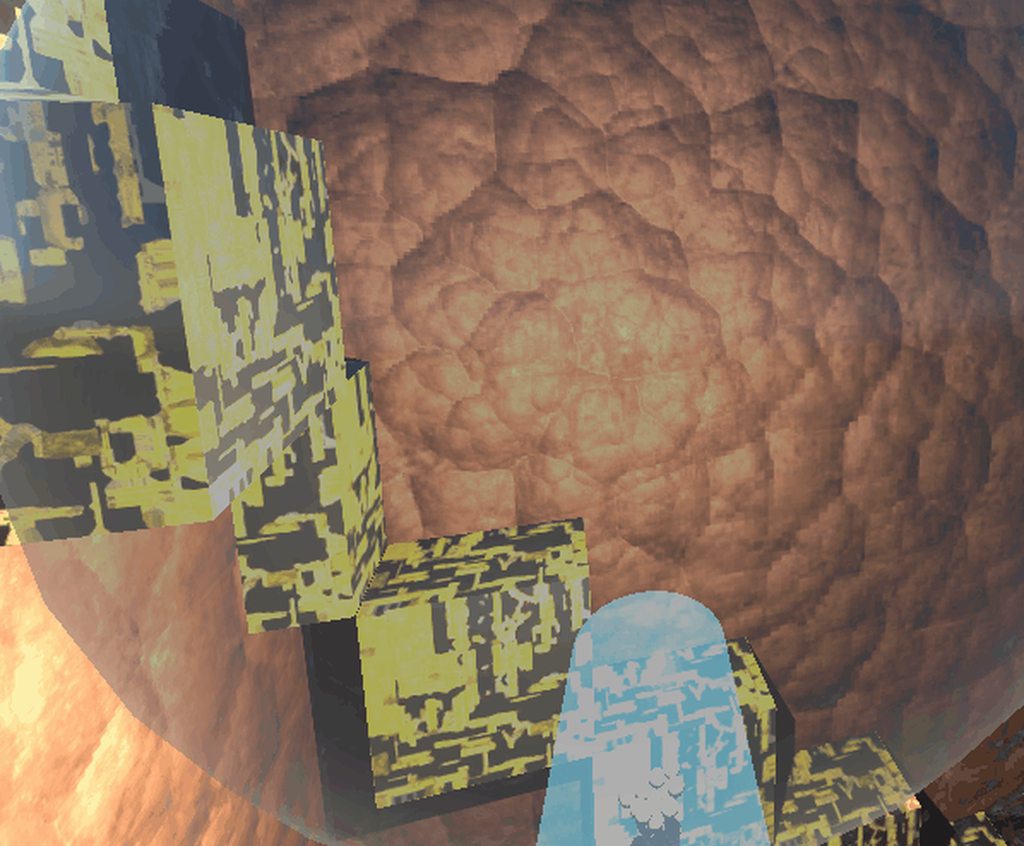 rugged lotus
Why is the second one broken? It doesnt detect correctly and says theres nothing above when there is and vice versa ```cs
if (!Physics.CapsuleCast(transform.position, transform.position, controller.radius, transform.up, 1.8f, crouchLayerMask))
if (!Physics.CheckCapsule(transform.position + transform.up * controller.radius, transform.up * (1.8f - controller.radius), controller.radius, crouchLayerMask))```
 static plover
rugged lotus
Why is the second one broken? It doesnt detect correctly and says theres nothing...
static plover
rugged lotus
Why is the second one broken? It doesnt detect correctly and says theres nothing...
are they supposed to be equivalent? because I don't think they are
rugged lotus
static plover
are they supposed to be equivalent? because I don't think they are
No clue; but it doesnt detect the way it should; seems glitchy
i tried to make them the same
static plover
rugged lotus
i tried to make them the same
I think it just needs to be (!Physics.CheckCapsule(transform.position, transform.position + transform.up * 1.8f, controller.radius, crouchLayerMask))
rugged lotus
then it returns as always hitting something; i think it hits the ground then
my player pivot starts from the bottom
 static plover
does the first one work?
rugged lotus
yep
perfectly
theres also a weird bug that makes the second one look like its offset; theres a flat door-sized patform that i can crouch under- and it doesnt detect half of it where it is, but detects further down the path where theres no platform

this one thinks im still under it

the first half of it says theres nothing there
rugged lotus
@static plover any way to accurately visualise the colliders/casts in unity?
static plover
don't think there's a internal unity function that draws capsules but there is code out there if you google
otherwise you can just draw the spheres
rugged lotus
yeahh i dont think its gonna be accurate if i do it 😄
static plover
if its the same parameters as your capsule casts it should be the same
rugged lotus
well just from the looks of it it should be working just fine
but it isnt
there always seem to be trouble with these non-alloc casts
 proud nova
Are you clearing your reused lists?
The most common issues seem to be not sorting the results and not clearing the results from previous casts.
empty rock
Hello
I use bolt, I finally managed to make a projectile system with
my only problem now is that the projectile instances spawn at the correct coordinates, but are not childs of my gun so they continue to float in space when I move my player during the game
wide nebula
You should only be spawning a bullet when you need it.
empty rock
that's what i did
but when i left click, it spawns the bullet, but i have to left click again to make it moving
and Since the bullet instance isn't parented to the gun, i get that problem.;
shell adder
empty rock
Hello
I use bolt, I finally managed to make a projectile system with
my only pro...
i don't know what the equivalent is in bolt but u can use setParent
wide nebula
Just to be clear, you want the player to click twice to fire a bullet?
empty rock
wide nebula
Just to be clear, you _want_ the player to click twice to fire a bullet?
No only one time
empty rock
shell adder
i don't know what the equivalent is in bolt but u can use setParent
hmm i'm gonna try it
wide nebula
So the issue has nothing to do with it not being a child of the gun then, it's the fact it's not firing when you click?

 wide nebula
Oh this is bolt. There's #763499475641172029 for bolt questions.
wide nebula
But from the sounds of it, if you solve your 'click once to fire' issue, then the parenting issue is irrelevant.
empty rock
Yea
 pure spire
Hello!
I know I'll be off-topic, but I really need some help. I'm trying to make my own 3D "game engine", and I got stuck in a really tough thing to do, collisions. I'm working in C++ and I kinda have a script, but it won't work.
https://pastebin.com/6mGvUNZG
timid dove
pure spire
Hello!
I know I'll be off-topic, but I really need some help. I'm trying to mak...
This is the Unity discord
if it's not about Unity, it's off topic.
pure spire
timid dove
if it's not about Unity, it's off topic.
ik, I said that its off-topic, but as far as I know Unity was written in c++
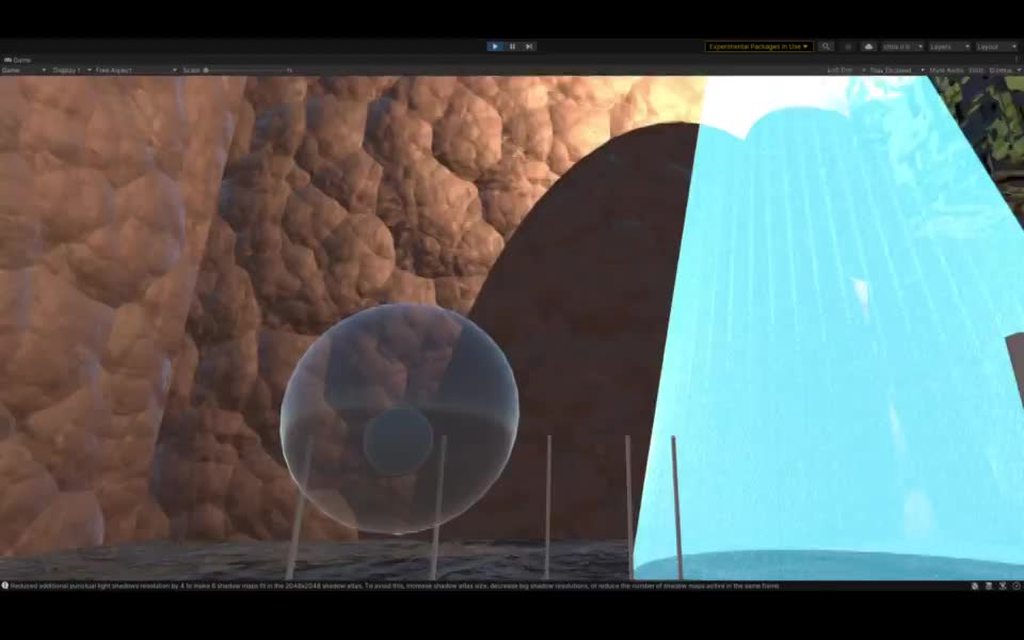
 twilit axle
Does anyone know how to make a Unity Character Controller player have planks of a bridge move underneath them when they are walking across the bridge? Like this- https://www.youtube.com/watch?v=aYOC8hAifq8
I guess with rigidbody Characters it's automatic, but how would it be done with a UCC character?

By using Unity's Hinge joints you can create a rope bridge which physics objects can interact with.
 sweet snow
twilit axle
Does anyone know how to make a Unity Character Controller player have planks of ...
sweet snow
twilit axle
Does anyone know how to make a Unity Character Controller player have planks of ...
You could do it as a part of your movement check. Raycast down and move whatever rigidbody you are standing on, through ApplyForce or similar.
twilit axle
@sweet snow Thank you
 lost lagoon
Any suggestions for how I should go about implementing collision for my game?
I want to make it so that entities are stopped when they collide with other objects/entities without applying any forces to the object/entity it collides with.
I'm not using physics in any other way in my game so, for my current implementation, I'm detecting collision with OnTriggerEnter and applying the last valid position. Currently I'm experiencing a bug where I'm able to walk through the object if I spam the movement button enough times
 shadow seal
very odd
I want to know why you want collisions to exert no force
because I can't think of why that would warrant a custom physics implementation
can't you just set some object's mass to near 0?
 gilded sparrow
Anyone know the full list of scenarios where OnTriggerExit might not get called?
Like the collider gets warped is 1? Or not actually? Or destroyed?
shell adder
in https://docs.unity3d.com/ScriptReference/Collider.OnTriggerExit.html
it says
Notes: Trigger events are only sent if one of the Colliders also has a Rigidbody attached. Trigger events will be sent to disabled MonoBehaviours, to allow enabling Behaviours in response to collisions. OnTriggerExit occurs on the FixedUpdate after the Colliders have stopped touching. The Colliders involved are not guaranteed to be at the point of initial separation.
gilded sparrow
Yeah but it doesn't say some fail cases
https://forum.unity.com/threads/ontriggerexit-not-working-solved.107191/#post-4558669
Like here some guy said disabling collider doesn't trigger it
Unity Forum
Sorry I know I just posted this but I found the answer, for those looking for the same solution I needed to add a collider to my main character instead...
I keep a list<Collider> inside often and as far as i remember i always need a CleanupList() function to be called once in a while
Just annoying to always have to figure this out all the time
stuck bay
empty rock
i think i have 2 issues now
When the mouse button is clicked the Particle system will be played and the impact idk the code and if you're using RayCast it will be Instantiate(theimpactname, theRayCastHitname.point, Quaternion.LookRotation(theRayCastHitname.normal));
empty rock
Thank you
empty rock
Ok!
 next stirrup
so question...when I go into the Physics 2D settings and turn off some collisions are the triggers also disabled? and if yes what is the best solution?
timid dove
next stirrup
so question...when I go into the Physics 2D settings and turn off some collision...
solution for what
yes it disables triggers on those layer interactions as well
next stirrup
timid dove
solution for what
well how I can disable collisions but still use triggers
timid dove
next stirrup
well how I can disable collisions but still use triggers
use different layers
next stirrup
timid dove
use different layers
but I want the same 2 layers that cant collide but can trigger
next stirrup
timid dove
use different layers
thanks.. didnt think about the obvious.. could just add a child object and add the collider to the child and change layer
stuck bay
I am trying to debug a 'procedurally generated' mesh collider. I get the error [Physics.PhysX] Gu::ConvexMesh::checkHullPolygons: Hull seems to have opened volume or do (some) faces have reversed winding?
I have no idea what this could mean. It seems like each triangle is well connected. I have also created a script that inverts through all possible combinations of triangle windings and I get the error on each iteration.
This happens when I'm trying to make the mesh convex by setting MeshCollider.convex to true (unity)
any ideas?
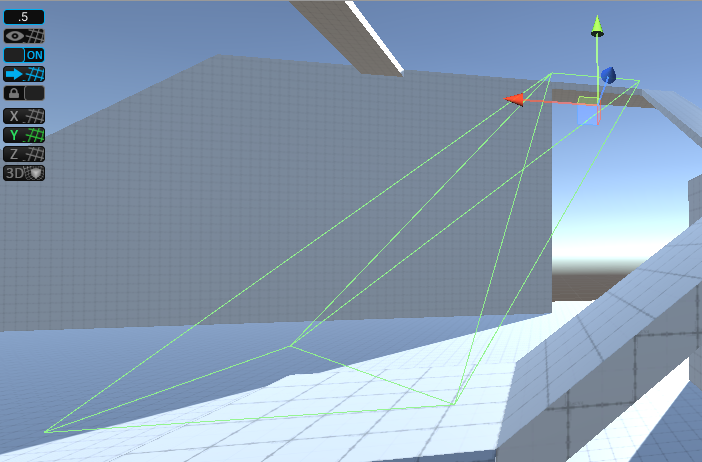
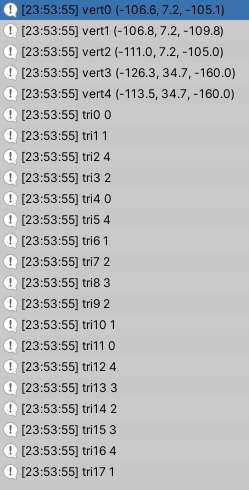


 stuck bay
I am trying to debug a 'procedurally generated' mesh collider. I get the error [...
stuck bay
stuck bay
I am trying to debug a 'procedurally generated' mesh collider. I get the error [...
You want a procedurally world generation?
 gleaming cobalt
hey, is it possible and is it worth it(or does unity already do it) to adaptively switch between discrete and continious physics updates
 indigo ivy
I imagine in some very specific scenarios it might be proven worth it but overal it's best to just stick with one simulation method for your unity physics objects and let physX handle it
you may run into some physics objects that need continunous or continuous dynamic when moving really fast and relying on the physics but in those scenarios the more ideal solution is to either slow your stuff down or if you really wanna go hard on it decrease the physics timestep. ... OR i mean if you are dealing with really fast like sonic 2d level of collisions then write your own with some extrapolation
stuck bay
@gleaming cobalt Unity does that automatically. Actually you can't even guarantee a full continuous collision detection with unity. If you delve into things deeper, you will notice that sometimes objects intersect in specific frames, even with continuous collision detection turned on. This is because PhysX has this feature of adaptively switching between the two, and unity does not provide a way to turn it off.
gleaming cobalt
thank you guys
 tawdry dawn
Hello, i have a problem with mesh collider and trigger. For some reason, the trigger placed on a gameobject doesn't detect when the mesh collider leaves the trigger (or more specifically, when trigger moves far enough that mesh collider is not inside the trigger). Mesh collider is set to be convex, and the mesh itself is generated by code. Any idea what might be wrong here?
timid dove
tawdry dawn
Hello, i have a problem with mesh collider and trigger. For some reason, the tri...
How are you trying to detect the collider leaving the trigger?
tawdry dawn
the trigger gameobject has an OnTriggerExit in it's script
timid dove
tawdry dawn
the trigger gameobject has an OnTriggerExit in it's script
Ok now:
- Do both objects have 3D colliders?
- Does at least one of them have a 3D rigidbody? (preferably the moving one)
tawdry dawn
yes, there is a rigidbody on the trigger gameobject (the moving one), and both do have 3D colliders (trigger - box, static gameobject - mesh)
timid dove
hmm that should work 🤔
tawdry dawn
for comparison, the OnTriggerEnter and OnTriggerStay work flawlessly
timid dove
show the code? Maybe there's a typo?
tawdry dawn
just a thought - is it possible that it's actually caused by the mesh in mesh collider? Since for example, meshes exported from blender work correctly, for trigger enter/stay/exit, but the mesh generated by my code causes problems with exit detection
here's the code for trigger exit
void OnTriggerExit(Collider coll)
    {
        if(tags.Contains(coll.gameObject.tag))
        {
            canPlaceBuilding=true;
        }
}```it seems correct to me and it actually works, just not in this one specific case
shell adder
tawdry dawn
here's the code for trigger exit
```cs
void OnTriggerExit(Collider coll)
{
...
if this works with other colliders but not the mesh collider u've generated, then it's most likely the mesh collider that's the issue
so i'd try with another collider instead of the mesh one to see if that works
tawdry dawn
it works if i add a box collider for example, but using any other collider won't help, because my goal is to make a custom collider basing on a mesh generated in real time
shell adder
so is the mesh collider set to isTrigger
tawdry dawn
no, the mesh is just a collider for the obstacle, the trigger collider is on the building and the script is attached to it
shell adder
oh
shell adder
tawdry dawn
just a thought - is it possible that it's actually caused by the mesh in mesh co...
how are u generating the mesh by code
tawdry dawn
public class QuadCollider : MonoBehaviour
{
    public Transform[] vertices;
    Vector3[] _vertices;
    int[] _triangles;

    void Update()
    {
        if (vertices.Length > 0)
        {
            Mesh mesh = GetComponent<MeshFilter>().mesh;

            mesh.Clear();
            _vertices = new Vector3[]
            {
                vertices[0].position,
                vertices[1].position,
                vertices[2].position,
                vertices[3].position
            };
            _triangles = new int[]
            {
                0,2,1,
                3,2,1,
                3,1,0,
                3,0,2
            };

            mesh.name=this.name;
            mesh.vertices = _vertices;
            mesh.triangles = _triangles;
            GetComponent<MeshCollider>().sharedMesh = mesh;
        }
    }
}```technically it should be ok. Normals and UV are not being set, since those things are not needed for collision detection afaik
shell adder
tawdry dawn
```cs
public class QuadCollider : MonoBehaviour
{
public Transform[] vertice...
when u run the game and generate this mesh could u click on its gameobject to see if the collider's outline is alright
tawdry dawn
both in runtime and in editor, the outline looks alright
shell adder
tawdry dawn
```cs
public class QuadCollider : MonoBehaviour
{
public Transform[] vertice...
maybe change the mesh collider's cooking option to enable mesh cleaning?
tawdry dawn
everything in cooking option is enabled. No matter if enabled or disabled, still doesn't work
shell adder
so in the doc it says
Faces in collision meshes are one-sided. This means GameObjects can pass through them from one direction, but collide with them from the other.
does the collision not work from both directions?
tawdry dawn
it seems like the collision works on the entire area of the mesh collider. That is, it keeps detecting OnTriggerEnter and OnTriggerStay but doesn't detect the OnTriggerExit
umm... it turns out that... turning off the mesh generating script fixes the issue
oooh i know why. Because the mesh generating script keeps generating new mesh
tawdry dawn
ye. I mean, i was doing that in update so i can see what happens in the editor, but then in the game it messes up everything
tawdry dawn
ye, seems like it does fix that
shell adder
nice
tawdry dawn
thanks for trying to help!
 dark maple
can i get help u see imported a 3d cube but when i place my player on top of it he falls through the cube
any ideas??
(Sorry im a bit of a noob)
shell adder
dark maple
can i get help u see imported a 3d cube but when i place my player on top of it ...
does the cube have a collider and a rigidbody
dark maple
no it doesnt
 dark maple
shell adder
does the cube have a collider and a rigidbody
dark maple
shell adder
does the cube have a collider and a rigidbody
should i add that?
im going to do it rn
which colider do you recomend? there is alot
shell adder
if it's a cube then box collider works
click the edit collider button and see if the collider's shape matches with the model
dark maple
yes its a cube and i also ned to do a ramp too lol
dark maple
shell adder
click the edit collider button and see if the collider's shape matches with the ...
ok
shell adder
dark maple
should i add that?
if ur not using raycasts or any other collision system then u need rigidbodies yeah
dark maple
do i turn on is trigger?
 dark maple
shell adder
if ur not using raycasts or any other collision system then u need rigidbodies y...
dark maple
shell adder
if ur not using raycasts or any other collision system then u need rigidbodies y...
got it
shell adder
dark maple
do i turn on is trigger?
using isTrigger will mean that it won't register in physics collisions
shell adder
nice
dark maple
how would i do a ramp?
shell adder
u can do a boxcollider and rotate it to be the angle of the ramp
dark maple
OHHH tahts smart thank you once again
 obtuse ocean
Is it better to use a KinematicBody2D or a RigidBody2D?
dark maple
obtuse ocean
Is it better to use a KinematicBody2D or a RigidBody2D?
i used mesh for the ramp insead it was way better and eaiser
shell adder
dark maple
i used mesh for the ramp insead it was way better and eaiser
u used a meshcollider for the ramp?
dark maple
Yesh
shell adder
dark maple
Yesh
don't use too many meshcolliders as they can be resource intensive and can slow down ur game
dark maple
Ohhhh ok I see
shell adder
instead u can use boxes, spheres, and capsules and then attach a composite collider
dark maple
shell adder
don't use too many meshcolliders as they can be resource intensive and can slow ...
Maybe that was the reason why my player was stuck in a position
shell adder
dark maple
Maybe that was the reason why my player was stuck in a position
it won't slow down ur game that much but it's just for better performance
that's most likely a separate issue
dark maple
OHHHH ok
 eternal fable
Hi! I need to create cloth animation for a canopy that would cover a tent in the virtual world. The models are all made in Maya or 3D MAX.
Cloth/ canopy has to be animated at different levels of tension. The user can select tension of the cloth, so that it changes the way that the cloth hangs (to get a different look).
It would also be nice to add animation to the cloth / canopy, so that it moves slightly in the breeze. Obviously, this animation would be different at different levels of tension.
Is this something that can be done in Unity? Or do I need to create everything in the 3d modeling software and then import into Unity?
I have spoken with a couple of artists, and people are giving me different answers.
 static plover
eternal fable
Hi! I need to create cloth animation for a canopy that would cover a tent in th...
static plover
eternal fable
Hi! I need to create cloth animation for a canopy that would cover a tent in th...
cloth sims in 3d modeling software can't be imported into unity, you have to do it in unity itself
for something that intricate, you'll likely want a more robust cloth sim like https://assetstore.unity.com/packages/tools/physics/obi-cloth-81333 instead of unity's built in cloth
Get the Obi Cloth package from Virtual Method and speed up your game development process. Find this & other Physics options on the Unity Asset Store.
eternal fable
static plover
for something that intricate, you'll likely want a more robust cloth sim like ht...
Thank you. it appears that Obi Cloth is the solution.
I looked at the Unity built-in solution but it appears very limited
 gritty dagger
I couldn't find any source about Obi Rope. if you have can you share
proud nova
@gritty dagger What do you mean?
gritty dagger
I mean that I couldn't find any video or documentation on how to use obi Rope components.
proud nova
It should come with documentation
Additional info can most likely be found on their site and forum
gritty dagger
it has a huge library and its docs not clear for me.
static plover
gritty dagger
I mean that I couldn't find any video or documentation on how to use obi Rope co...
seems pretty easy to find to me
 gritty dagger
yes but it shows neither all components nor combinations
they also have a youtube channel but it's more like a showcase
anyway thanks for your help and let me know if you find more
static plover
dig around the API then http://obi.virtualmethodstudio.com/api.html
or just experiment with the components
 light hound
I have a character controller for a horse that walks on two legs (like Bojack Horseman), but when he walks up to other horses, their giant noses intersect each other. i tried adding colliders to bones, mesh, parent with the controller, but none of that worked. ANy tips?
 exotic coyote
anyone here who has done collison physics for cars in unity?
 copper olive
The nav mesh agent
Of the enemy
Keeps sliding under my character and blasts my character off the map
What should I do?
wide nebula
Not crosspost, is what.
But seeing as this is where this question belongs, it depends on your implementation of your agent.
Do you have a rigidbody on it, for example?
wide nebula
Remove the rigidbody.
copper olive
I need the rigidbody
wide nebula
Then read the following:
https://docs.unity3d.com/Manual/nav-MixingComponents.html
wide nebula
Show your agent's inspector.
 thorny sonnet
Hello - I've been completely stuck on something that should be incredibly simple for the past several days: I'm trying to create a child object that is both a trail renderer and some sort of trigger collider (all in 2D). I've tried using a PolygonCollider2D and updating the vertices of the polygon to match the trail each frame, but it doesn't trigger when a player walks through the trail - moreover a ghost object spawns at the origin which for some reason acts as both a trigger and a solid collider. For context, I am trying to attach this child object to a bullet in the game. The trail (visually) works just fine, but for the life of me I cannot get it to detect when a player has intersected it
Any help or resources I could read through would be massively appreciated - thanks in advance!
 frosty ore
AddForce of -transform.up * 1f is about equivalent to a rigidbody with a mass of 1 ??
It looks pretty close to me but i wanna be sure before i build onto it
this controller is practically a kinematic rigidbody..im trying to simulate weight of the player.. this is addforce of 1 downward
summer fog
frosty ore
AddForce of -transform.up * 1f is about equivalent to a rigidbody with a mass of...
I think that depends on how frequently you are adding force