#⚛️┃physics
1 messages · Page 67 of 1
 magic crow
but ok, here is where I got to using real physics
I have an issue with wheel colliders catching on terrain. At first I thought it was the box collider, but I tried adding some other colliders, then removing them all, and it still happens.
The way it manifests is while travelling over uneven terrain, if it catches, the vehicle will spin around where it's caught, or on launching over a slope, it will turn. I don't really have any clue how to counteract it, any suggestions?
^ I posted this before and the advice I got was to go back to using the sphere method
magic crow
this doesn't make any sense to me. I added child object to the sphere consisting only of a box collider in its own collision domain, called "ignore", and set the collision layer in project settings to collide only with "static objects". There is one object in that collision domain in the scene. Yet switching that box collider on and off changes the way the car interacts with everything else. The car can't even move until you switch the collider on and off once
Even if I set the "ignore" layer to not collide with anything, it still does, and affects the car as a whole
 timid umbra
Hi, I am modding a 2D game (RimWorld) and I added a flamethrower particle system. Works great and now I want the flames to not go through the 2D walls. I can hook into whenever a wall piece is placed/removed (square cell) and my question is: what is the most efficient way to design the collider? The simplest approach to instantiate a cube with a box collider for each wall tile (on a 250x250 map) made it quickly ran out of resources just for a bunch of wall pieces.
Ah, its also not possible to have one object with many box colliders: https://answers.unity.com/questions/188775/having-more-than-one-collider-in-a-gameobject.html#:~:text=You can add multiple colliders,for physics and one not.
Hmm, its actually possible to have an empty GameObject with many BoxColliders on it. At least in Unity Editor it works, so now I need to script it

 polar leaf
Hello, I'm trying to rotate a missile using torque so it homes in on a target, but it's not working. Here's my code:
        Quaternion desiredRotation = Quaternion.FromToRotation(transform.forward, desiredDirection);

        Vector3 torque = new Vector3(desiredRotation.x, desiredRotation.y, desiredRotation.z) * desiredRotation.w;

        float appliedTorque = angularForce * Mathf.SmoothStep(0f, 1f, Mathf.InverseLerp(0f, angleDecay, Vector3.Angle(transform.forward, desiredDirection)));

_rigidBody.AddTorque(torque * appliedTorque * Time.fixedDeltaTime);````I think the problem is on the ´torque´´ variable but I can't seem to find a way to find the torque that corresponds to a quaternion rotation
 timid dove
polar leaf
I think the problem is on the ´torque´´ variable but I can't seem to find a way ...
timid dove
polar leaf
I think the problem is on the ´torque´´ variable but I can't seem to find a way ...
Does desiredRotation.eulerAngles work?
but yeah the way you have it now is definitely not right
 heavy summit
Does anyone know why my character is jittering when they walk https://gyazo.com/9e44e9a8f3620da2f583a2c58538b4f8

nevermind, i had movementhandler function called in update rather than fixed update for some reason
 vivid gazelle
Question, if I have a MeshCollider whose layer can't interact with any other layer (even itself) will Unity consume performance in order to test for collisions on each FixedUpdate. I want to use the MeshCollider only for raycasts, nothing else
 tight oriole
i have some marble falling onto a spinner but instead of being launched they either clip through it or get pushed sideways
 timid dove
vivid gazelle
Question, if I have a `MeshCollider` whose layer can't interact with any other l...
timid dove
vivid gazelle
Question, if I have a `MeshCollider` whose layer can't interact with any other l...
at worst it will do bounding box calculations
which are super cheap
 jolly brook
Hey there, so I have three states for a defensive enemy: Flee, Wait and Pursuit. In the flee, it runs away from the player, in the pursuit it follows the player. The wait state is the in-between where it just does nothing. It works fine except when it's on a slope, then the enemy just starts to tumble because nothing is being done with the RigidBody, so I am guessing gravity takes full effect then. How would I make sure an enemy can also just "wait" on a slope without falling over?
timid dove
jolly brook
Hey there, so I have three states for a defensive enemy: Flee, Wait and Pursuit....
You might need a separate "wait-on-slope" state or just code in the Wait state that resists such movement
jolly brook
Yeah, that's what I was thinking of doing. How would you go about disabling any movement in the wait state?
timid dove
make it kinematic or add constraints on the Rigidbody
or disable gravity and set velocity to 0 if you want it to still be able to get knocked around by other stuff
jolly brook
Thank you! That seems to have worked 🙂
 placid hatch
Hey i'm quite new and i' m facing an issue, my character keep falling through my terrain even with a character controller on. Character Controller isn't suppose to detect collision ?
timid dove
placid hatch
Hey i'm quite new and i' m facing an issue, my character keep falling through my...
How are you moving the character (e.g. CC.Move)?
Does the terrain have a Collider?
placid hatch
I use the CharacterController.Move method and yeah my terrain have a collider i generate a cude with a boxCollider to test and he collide but not my character
timid dove
placid hatch
I use the CharacterController.Move method and yeah my terrain have a collider i ...
Did you attach any other colliders or a Rigidbody to the player character?
placid hatch
Yeah a Rigidbody to apply gravity
timid dove
You can't use Rigidbody and CharacterController together
they are separate and competing movement strategies
placid hatch
Oh !
Ty i struggle for 2 hour now and you solve it in 2min thanks really appreciated !
timid dove
To apply gravity with CharacterController you should keep track of the character's velocity yourself in your player movement script and adjust the Vector that you pass into CC.Move accordingly
 stuck bay
struggling with making smooth player-on-planet movement
in scene view i have smooth planet movement
but seems whatever method i use, i get shaking in gamemode
https://i.imgur.com/G4WuQ8Z.gif
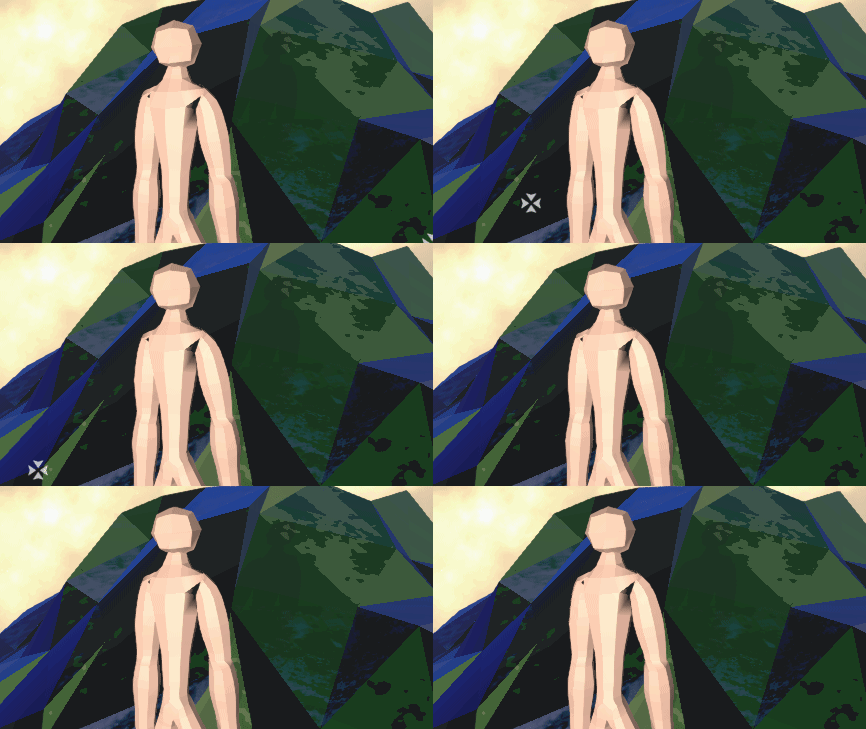
(interesingly enough this one was 1. parented to planet, 2. only setting pos with .loclPosition, 3. constantly at the same localPosition without change
and yet it did this
placid hatch
try enabling interpolate, i'm new i find this solution here if you want some documentation
https://answers.unity.com/questions/1682251/how-to-prevent-camera-jitter-when-moving-my-rigidb.html
Unity is the ultimate game development platform. Use Unity to build high-quality 3D and 2D games, deploy them across mobile, desktop, VR/AR, consoles or the Web, and connect with loyal and enthusiastic players and customers.
placid hatch
happy to help then, good luck with your project ! 
 rancid socket
This code is supposed to create an explosion that only blasts objects in it line of sight. the explosion works but it blast objects that are not in line of sight?
        hasExploded = true;
        Instantiate(effect, transform.position, transform.rotation);
        foreach(Collider col in Physics.OverlapSphere(transform.position, blastRadius)){
           if(col.GetComponent<Rigidbody>() != null){
               RaycastHit hit;
               if(Physics.Raycast(transform.position,col.transform.position-transform.position,out hit,Mathf.Infinity)){
                   if(hit.collider == col){
                       col.GetComponent<Rigidbody>().AddExplosionForce(force,transform.position,blastRadius);
                   }
               }
           }
        }
        Destroy(this.gameObject);
} ```c# lapis root
excuse me, does anyone know why this happens?
I'm using Wheel Collider on all wheels, and rigidbody on the body
 foggy rapids
looks like all the weight is on one side
lapis root
the configuration of the wheel colliders are identical, and the center of mass of the car is in the center, without tilting right or left

I have already tested it on 2 cars, with different characteristics, one big and one small, both happen the same thing (Tilt to the left)
timid dove
Hard to say without seeing more of your setup
 gentle cape
COLLIDERS ....
So for some reason my rigid bodies are colliding with triggers ... or better said triggers act as colliders .... is there a way to brute enforce these damn things to just not collide?
I tried putting them in layers of which I turned of the collisions ... but still my objects keep colliding even though they are set to trigger .
To be clear I have areas on the map which are triggers and when objects land on these areas they get awarded points based on trigger functions
timid dove
gentle cape
COLLIDERS ....
So for some reason my rigid bodies are colliding with triggers ....
you're saying your objects are physically bumping into triggers?
and bouncing off them etc. ?
gentle cape
timid dove
you're saying your objects are physically bumping into triggers?
Yes they are...very annoying
timid dove
Are you sure you don't have some stray colliders around that are not triggers?
gentle cape
I have player objects which are regular colliders ... and passive scene objects which act as triggers ... no other colliders
timid dove
Just to be sure try typing this into the search bar in your hiearchy window:
t: Collider
go through and make sure you can account for all the colliders in the scene
and double check your trigger colliders to make sure they are-in fact- triggers
gentle cape
timid dove
and double check your trigger colliders to make sure they are-in fact- triggers
No colliders active ... what could this be?
I tried decreasing teh timesteps but even though that kinda helped it also caused some collisions to be missed and I also switched from and to several different rigid body types (discrete/interpolate etc ) ...but it does not help... is there no hard way to stop this from happening ?
timid dove
gentle cape
No colliders active ... what could this be?
I tried decreasing teh timesteps b...
I've never heard of it happening at all
so not sure
gentle cape
timid dove
so not sure
this is how it looks
timid dove
gentle cape
this is how it looks
Disable that 20 points object completely
see if your puck still collides
gentle cape
timid dove
see if your puck still collides
Disabling never works (don't quote me on it but I read somewhere that Unity still calculate disabled triggers and disabling really never worked for me)...when I delete the item it doesn't collide, but as I need the object that is kind of a no-no 🙂 .... anyway I just reset the rigid body to none + discrete and lowered the fixed timestep to 0.01 and it is a lot better now .... still not very smooth...but at least the obvious bounce is out
 light jasper
Unitys units are all metric right?
gentle cape
light jasper
Unitys units are all metric right?
YEah and in meters and KG 😉
light jasper
Cool
Next question: how is drag on rigidbodies integrated? Is the value the coefficient
gentle cape
light jasper
Next question: how is drag on rigidbodies integrated? Is the value the coefficie...
don't really know ... I just tend to play with values until it feels right ... I don't think they use real world values, but more liek a normalized 0-1 value which is more of a relative scale
gentle cape
light jasper
Theres no information on the docs either
I believ eit is all based on PhysX ...maybe they have more info ... but I think they work with rough approximations ... as dynamics are expensive and games are not used for scientific double floating point precision calculations so that is normally good enough ... again I would just play with settings until it feels right
light jasper
Well, I'm actually trying to use it for basic simulation
Thanks for the information on PhysX though, will check out
timid dove
light jasper
Unitys units are all metric right?
so technically Unity's units are just "units". But the physics engines it uses (PhysX and Box2D) are mapped as 1 unity unit = 1 meter
 hollow echo
Most falloffs in the engine (like lighting) also assume 1 unit = 1 m
light jasper
Sweet thank you
timid dove
hollow echo
Most falloffs in the engine (like lighting) also assume 1 unit = 1 m
IIRC this is true for URP/HDRP but the built in render pipeline uses some kind of weird magic lighting falloff that wasn't really physically realistic?
hollow echo
it just used a texture
timid dove
oh?
hollow echo
it wasn't realistic though, you are right
timid dove
This may be a weird worry - but sometimes I think about how heavily everything in Unity (and a lot of applications) is optimized for attempting to simulate the real world, when there are so many perfectly good imaginary universes we could be setting our games in 😄
 visual furnace
Math problem
If 2 Cars are both moving towards east,
with Car A being 300 Meters ahead of Car B,
Car A with a Velocity of 40 m/s with a Decreasing Acceleration starting at 10 m/s ~ 0 m/s
Car B with a Velocity of 50 m/s with an Increasing Acceleration starting at 15 m/s ~ 30 m/s
at what time will Car B catch up to Car A?
timid dove
not enough information
you haven't described how quickly the acceleration is increasing or decreasing
actually don't really understand your description of Decreasing and Increasing acceleration at all
visual furnace
Sorry, I don't really know to say it properly.
I don't know if this follow up, will help you understand it
Increasing acceleration would be like Gravitational Acceleration
Decreasing acceleration would be a reverse of that
and let's just say that Decreasing Acceleration is Decrease by 2m/s per Second
and Increasing Acceleration is Increase by 3m/s per Second
 tidal linden
would there be any reason for a kinematic rigidbody being moved with interpolation to act differently after a scene reload without a script explicitly telling it to? lol i know this is a weird question but my player seems to be losing contact with the platform but it works exactly as intended until the scene reloads, very very odd.
 compact solstice
@rancid socket Did you solve your issue with explosion? I was just thinking maybe you need to add a layermask to your raycast 🙂
rancid socket
compact solstice
<@!238699194762788864> Did you solve your issue with explosion? I was just think...
I did, it was because the effect I instantiated also applied force even without the code. Didn't need to touch layermasks
magic crow
I have an issue with transform.rotation because it's clipping my object through the terrain and clipping, but when I try to use AddTorque, I dislike the inertia it produces
is there an option that will rotate a rigidbody with a force, but no inertia?
timid dove
magic crow
is there an option that will rotate a rigidbody with a force, but no inertia?
AddTorque is supposed to be exactly that
unless you mean "rotational" inertia
If that's the case you can just use MoveRotation
foggy rapids
you can do a BoxCast with the dimensions of your objects' bounds after rotation and undo it if there are results
err, overlapbox
you can do the rotation, perform a sweep test with the current movement parameters and undo it if there are any result
tidal linden
I'm moving a kinematic rigidbody with moveposition, with interpolate on. Checking the velocity with a draw ray shows smooth movement. Yet when I reload the scene, the movement gets riddled with 0,0,0s and becomes jittery. I ran checks and interpolate is still on, nothing I can see has changed with the body or my very simple movement script.
I'm starting to think its just a problem with my unity version
timid dove
tidal linden
I'm moving a kinematic rigidbody with moveposition, with interpolate on. Checkin...
share the code?
tidal linden
https://ghostbin.com/paste/F6maZ I also duplicated the platforms a handful of times, and notice that when there's more than 3 in the scene at a time, some of them start to behave jittery, so its not due to the scene reload it seems
Ghostbin is a website where you can store and share text online.
also the tracked transform is being lerped in fixed time step... again the platforms work perfectly fine when this doesnt happen lol
tidal linden
ill try deactivating rigidbodies in a proximity if its rly a performance issue
timid dove
When you do MovePosition I'm pretty sure it doesn't actually set or change the velocity field
Also you're doing this...
    private void Update()
    {
        if (transform.position != trackedTransform.position)
        {
transform.position = trackedTransform.position;```so you're moving the transform directly
and jthen also trying to use MovePosition?
use one or the other
Basically I think if you delete your Update() method you'll be better off
tidal linden
Oof, that's some major tunnel vision. I think that was meant to place it while setting it up in editor.
Thanks @timid dove !
 sour lake
So I have a question in regards to character physics, I apologize if my wording is a bit off.
I've been reading up on ways to simulate physics for stuff like cloth, hair, and softbody objects and it seems like their are two options. Either to script it and animate the weighted bones in unity to be simulated during runtime or the second option of simulating them in an animation tool like Blender and exporting it as one animation.
Am I missing understanding the work flow potentially? I'm assuming it's mainly just a trade off between performance and having something more dynamic.
 viral ginkgo
@sour lake i'd try to get away with bones
a small amount of them
i'd rig them as their own objects seperately (so we dont complicate the character rig)
merge them in my character prefab
and then i'd move the bones with either code or physics
sour lake
@viral ginkgo thanks for the input. I didn't think about having them be separate objects. That's a really good idea if I were to go that route. And would you say the end result was worth it?
viral ginkgo
I never had any clothlike stuff on my characters
but thats how i'd do it if i were to
@sour lake
i also wonder how you'd move them by code
sour lake
Good to know.
viral ginkgo
physics is gonna be weird since your animated character is nonkinematic and all
so probably you'd wanna do it in code
its not easy though, and i can't think of a complete solution how you'd manipulate those bones in code
@sour lake
sour lake
Hmm I'll keep those things in mind.
I guess a lot depends on the game.
Like if it were more of a point and click or rpg type game where the gameplay isn't necessarily very reactive and physics based maybe I could get away with pre animating stuff. Idk
It could quickly develop the "mmo" effect though where everything seems static
viral ginkgo
@sour lake dynamic clothlike effect make it real cool
i think its worth it everytime as long as the game is not turn based or its an rts hah
sour lake
I suppose it's worth a shot either way
viral ginkgo
1- Acceleration based leaning via head IK target
2- Hip/root vertical movement while taking steps
3- Animate hand and feet via IK targets
4- Dynamic stuff like cloth
@sour lake
And you get some high grade eye candy
these are some low cost tricks but they really make the animation super dynamic
sour lake
I definitely want to look into IK rigging that's for sure. When I learned you could have a character actually reach out to a certain object or turn their head to look at something with them my mind was blow haha
viral ginkgo
i think IK makes things easier
also you can switch a character model and still make the same animation fit
because you are just animating the IK targets, not the character
sour lake
I think thats probably another good reason to look into simulating more things in engine. If I was to simulate it and export an animating for hair physics in blender and then tried using an ik bone for the head in unity that could look weird
Because if it works like I'm assuming you're basically now dynamically animating a base bone while all those little bones for hair aren't and react as if the head is not being adjusted
Or something along those lines
viral ginkgo
i don't think it's a good idea to animate clothlike things statically
these little dynamic behaviours make things look good
i even wanted to animate feet IK dynamically, but it doesnt seem to be worth it that much hah
sour lake
Heh idk maybe. When it comes to IKs I can see the appeal
viral ginkgo
https://www.youtube.com/watch?v=fbCxy-mgNj8
I think it wouldn't look much worse without dynamic feet IK placement
sour lake
The stuff that's extra tricky is the cloth and soft body simulation
 tight stump
Does anyone know how to fix the clipping in cloth simulation?
Player is a character controller
 crimson karma
tight stump
Does anyone know how to fix the clipping in cloth simulation?
crimson karma
tight stump
Does anyone know how to fix the clipping in cloth simulation?
very nicee
 inland yoke
So I'm running into a bit of a physics problem. I'm trying to set up the physics2D matrix so certain objects won't cause triggers to fire except when it hits an object that is supposed to interact with. In this have an Enemy Blockable Attack projectile that I don't want to collide with Enemies but for some reason it still does despite the interaction being turned off in the matrix

What other things can cause this problem? Do trigger scripts ignore the matrix?
For some reason a restart of unity fixed it soooo nevermind?
 neon glade
I have a cube that is dropped so that an edge that is offset from the center of mass hits a surface that has a slightly bouncy physic material. I expected the cube to start spinning after contacting this surface. Instead, it bounces straight up, without any rotation.
The surface should apply a force in the Y direction that is offset from the center of mass of the cube. I expect rotation.
timid dove
neon glade
I have a cube that is dropped so that an edge that is offset from the center of ...
did you constrain rotation on the rigidbody?
neon glade
No
neon glade
timid dove
did you constrain rotation on the rigidbody?
It’ll tip over but doesn’t spin when the cubes edge hits the surface
timid dove
@neon glade is working alright for me
magic crow
If I add my Wheel Colliders to a script using public transform, does Unity know they're wheel colliders? I'm trying to assign the brakeTorque to them and it's not compiling it
timid dove
magic crow
If I add my Wheel Colliders to a script using public transform, does Unity know ...
You need to get the WheelCollider component
magic crow
I've done some reading and tried following something that was using this:
// WheelCollider BackLeftWheel = BackLeft.gameObject.AddComponent<WheelColliderSource>() as WheelCollider;
magic crow
thanks! 2 secs
ok, this must be something wrong in the syntax - the colliders are assigned as BackLeft and BackRight
WheelCollider BackLeftWheel = BackLeft.AddComponent<WheelCollider>();
WheelCollider BackRightWheel = BackRight.AddComponent<WheelCollider>();
the wheel collider is being assigned as BackLeftWheel etc
and I've tried applying the braketorque to both, but it doesn't like either
no, I commented out the braketorque stuff, so it's something in the assignation
am I missing a library?
timid dove
?
Idk what's the error you're getting
share your error and your code
otherwise I'm just guessing
magic crow

that should contain everything
It's not giving me an error, I don't know how to get the console back
ah, found it
transform does not contain a definition for AddComponent
timid dove
magic crow
transform does not contain a definition for AddComponent
sure it does
what line?
The error has a line number in it
timid dove
magic crow
btw line 45 and 46 you need to remove the word WheelCollider from the beginning of those lines
when you have that there's you're making a new variable instead of using your existing ones that you declared on lines 28-29
magic crow
45 and 46
ohh ok
ah I added the two in on 28 and 29 after
right I have it compiling by assigning the two wheelcolliders within the inspector
I was trying to use this: https://wiki.unity3d.com/index.php/WheelColliderSource-CarController and I have no idea about the relationship where it specifies a transform, and then relates that to a collider
timid dove
magic crow
I was trying to use this: https://wiki.unity3d.com/index.php/WheelColliderSource...
you're looking at an example for something else
IDK what WheelColliderSource is
it's some custom thing they're doing
neon glade
timid dove
<@!249024074255171586> is working alright for me
No I’m dropping the cube rotated 30 degrees onto a flat surface. Trying to simulate dice falling onto a hard surface.
timid dove
neon glade
No I’m dropping the cube rotated 30 degrees onto a flat surface. Trying to simul...
That works too
neon glade
timid dove
That works too
Hrm. Will send a video when I’m back at my desk. Thanks!
 jovial depot
Hi 🙂 Im trying to move the car, but when moving from one platform to another (in this case, green to yellow), SOMETIMES the jumps as you can see in the video, but idk why 😢
timid dove
jovial depot
Hi 🙂 Im trying to move the car, but when moving from one platform to another (i...
Unity is the ultimate game development platform. Use Unity to build high-quality 3D and 2D games, deploy them across mobile, desktop, VR/AR, consoles or the Web, and connect with loyal and enthusiastic players and customers.
Try playing with the default contact offset
jovial depot
Thank you @timid dove, I will try it 😆
neon glade
timid dove
That works too
Here’s the behavior
timid dove
neon glade
Here’s the behavior
do you have any scripts on that thing?
probably a script affecting the rotation
neon glade
It’s a third party prefab. I thought the script just detected the face that’s pointing up but I’ll have a closer look.
timid dove
Check all the components on it
We know a basic Unity Rigidbody works so it's just process of elimination
 undone nymph
Physics make me go YESSS!
viral ginkgo
Is there a nice way to prevent slipping on angled surfaces with zero friction rigidbody controllers?
timid dove
viral ginkgo
Is there a nice way to prevent slipping on angled surfaces with zero friction ri...
Add your own friction force that perfectly counteracts gravity
viral ginkgo
Maybe i should just counter gravity when in collision with surface
@timid dove
hm
what you say seems to include that
timid dove
Yep. It would be like gravity * sin or cosine of the slope angle
Applied as ForceMode.Acceleration in FixedUpdate
viral ginkgo
@timid dove I was thinking about that as well
But i was thinking just negating the gravity first
and it worked
I mean i am not countering what remains of gravity after grounds counter force
I am countering the gravity before it can produce a ground counter force
    private void OnCollisionStay(Collision collision)
    {
        rb.AddForce(9.81f * Vector3.up * rb.mass);
    }
yeah that's fine
I would use rb.AddForce(-Physics.gravity, ForceMode.Acceleration);
but the effect is the same
viral ginkgo
👍
 storm wagon
Don't know if it count's as physics but.
https://gyazo.com/a27bdd72cb1399d5fa81be32062ff03e
I don't want the weapon to collide with the floor on the default layer. What am I doing wrong?
 timid dove
storm wagon
Don't know if it count's as physics but.
https://gyazo.com/a27bdd72cb1399d5fa81b...
timid dove
storm wagon
Don't know if it count's as physics but.
https://gyazo.com/a27bdd72cb1399d5fa81b...
Do you have any Colliders on the parent object?
What layer is the white ground on?
timid dove
And are there Colliders on the parent?
storm wagon
Yes.
timid dove
The Collider on the parent is probably what's colliding then
storm wagon
The collider doesn't look that big.

Actually I just turned the parents collider off but the "Weapon" still stays on the ground.
storm wagon
oh
Thanks so much.
I feel kinda dumb but I just started Unity.
Have a good day/night.
timid dove
Night
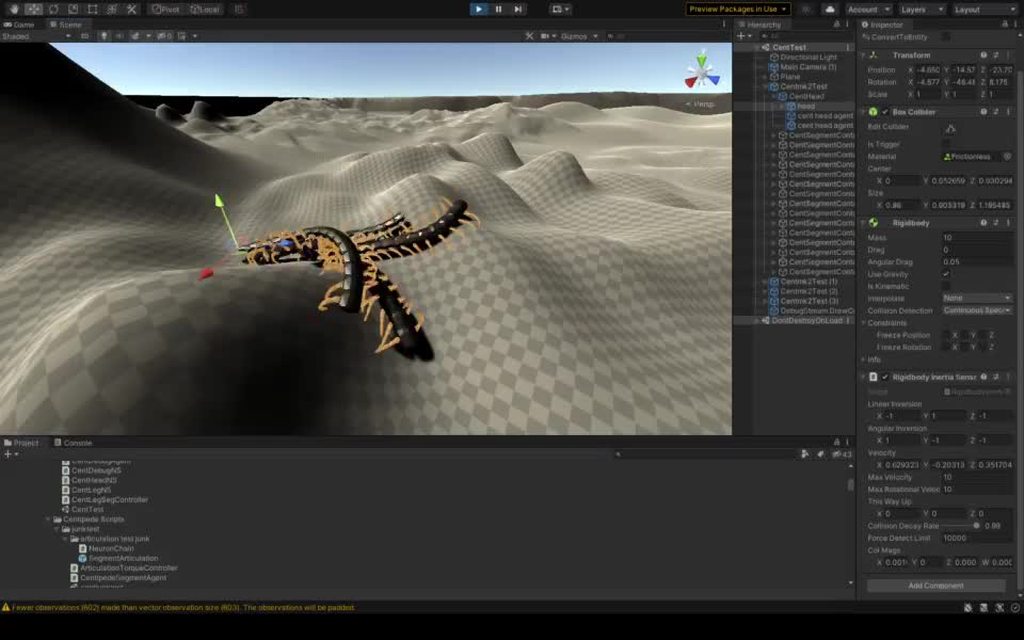
 regal oar
Hello!
I am trying to make a simple mechanic where the player is a ball that uses 2D physics to move around, gather speed etc...
The game feel is great so far, but I have a problem : My entire player gameobject is rotating when moving, including its children.
Is there a way to keep this rotation (which is used to move around) but have children with no rotation?
For exemple : what do I do if I want a fixed red square relative to player location instead of this :

(I mean I could place them under another gameobject which follow the player every frame but that seems like a waste of resources)
 ember grail
Hello everybody! Not sure if this is the right place to ask, if it's not, I apologize! 😅
I am making a sorting system where items are spawning on a conveyor belt and then placed in the box. My problem is that I need to showcase the item placement inside that box. What I need to achieve is 1) check if items intersect/overlap when placed in the box 2) if they fit in the free space, place them. I've managed to get a result using GetComponent<Renderer>().bounds.Intersect but it's not exactly what I am looking for - I need items to be close together. Is there an easy way to check if two cubes overlap inside the scene and, if not, to place them next to each other (or on top of)?
neon glade
timid dove
do you have any scripts on that thing?
No scripts changing the behavior. Better look here.
timid dove
neon glade
No scripts changing the behavior. Better look here.
what components are on it/its children?
 silver geyser
I have a hard question. What size My Unit, Map, every Object should be compared to real life, how big is Scale 1 in the game compared to real life? Will it lag more or less if My video game (Units, Map, Objects) are 100 times smaller or bigger?
 calm plank
Up to you really. You get to decide, you just have to be consistent. But, it's common to use 1 unit = 1 Meter
silver geyser
Because I always loved using 0,1 as a 1 meter, it did made difference sometimes, not in Unity, I am new so I do not know.
neon glade
timid dove
what components are on it/its children?
Transform, Mesh Filter, Materials, Box Collider, Rigidbody
 proud nova
It does make a difference in a lot of systems as 1 unit = 1 meter is often assumed
The further you deviate from it, the less a lot of settings and behaviour make sense.
I wouldn't do it unless you have a technical reason to do it
calm plank
That's also true. You can choose whatever scale you like, but there's really no advantage to going against the grain either.
 edgy aurora
How can I get the depenetration of a collider with the scene?
I can get it with one other collider with compute penetraiton
but whatabout if the object is colliding with multiple objects at once
 glacial jolt
@edgy aurora Physics.OverlapX to gather the colliders intersecting, then compute pen to get depend
edgy aurora
yea im doing that
but how do I combine the depen of all the colliders
@glacial jolt
lets say the object is colliding with two objects at the same time, how would i get the depen of both colliders
glacial jolt
ahh. Don't think Unity has an API for that, I usually just sum them and perform it iteratively
edgy aurora
that would be inefficient though
visual furnace
Anyone can help me? I'm trying to Isolate time
d = distance from each other
t = time
v01 = Initial Velocity of Object 1
v02 = Initial Velocity of Object 2
a1 = Acceleration of Object 1
a2 = Acceleration of Object 2
v01t + (a1t^2)/2 + v02t + (a2t^2)/2 = d
t + (t^2) + t + (t^2) = 2d / 2v01 + 2v02 + a1 + a2
2t + 2t * 2t = 2d / (2v01 + 2v02 + a1 + a2)
I don't know what do next and I don't know if I've been right so far.
gentle cape
As some of you might know I have had a bit of an issue with a trigger acting as a collider ... now in case someone else is or will have the same issue, this might be something you want to do ... I basically added this script to the object that was giving me trouble ... and I have put it on all trigger objects for good measure and it works.
using System.Collections;
using System.Collections.Generic;
using UnityEngine;

public class IgnoreCollisions : MonoBehaviour
{
    private void OnCollisionEnter(Collision collision)
    {
        if(collision.collider.CompareTag("Player") || collision.collider.CompareTag("Enemy"))
        {
            Physics.IgnoreLayerCollision(0, 12);
        }
    }
}
You just put this script on the trigger object(s) and it ignores all layers in the scene (keep in mind that the numbers may vary, as the number of layers vary)
It may seem a bit of a clunky solution , but after a week I am just happy that it works now
timid dove
You know you can set up layer-based collisions in Project Settings right?
 hoary scroll
I currently have a pushable object constrained to the x axis. Is there a simple way to also constrain it such that it can't move past X=x1 and X=x2 that isn't just adding physical stoppers to the "rail" that it's on?
also, for some reason, if I constrain the Y-axis, it stops moving. Why? I don't want it to be able to bounce up in the air either.
 random willow
I'm having issues with my player controller running up even slightly slanted walls, the behavior looks like this:
and here is some code on a capsule to reproduce it
public class MoveRigidbody : MonoBehaviour {
    void Update() {
        Rigidbody rigidbody = GetComponent<Rigidbody>();
        rigidbody.velocity = Vector3.Lerp(rigidbody.velocity, transform.forward * 10, 0.8f);
        rigidbody.AddForce(Physics.gravity, ForceMode.Acceleration);
    }
}```
here are the rigidbody settings

and friction settings

I know friction is the reason its going up
timid dove
random willow
I'm having issues with my player controller running up even slightly slanted wal...
are you trying to prevent running up walls or cause it?
random willow
timid dove
are you trying to _prevent_ running up walls or _cause_ it?
prevent
I know its due to the friction settings
but those settings allow the actual controller to behave well
is there a way to modify vertical friction without changing horizontal?
timid dove
random willow
is there a way to modify vertical friction without changing horizontal?
nope
random willow
oh my bad
its in fixed update
on the actual controller
I just did the test script as a quicky
timid dove
Anyway this: rigidbody.velocity = Vector3.Lerp(rigidbody.velocity, transform.forward * 10, 0.8f); basically is going to very easily climb up anything or really jsut fly anywahere the player is looking
timid dove
it's going to very quickly set your velocity to transform.forward * 8
timid dove
ok well - hard to say without seeing your real code
random willow
there's the full thing
a lot of it is fluff though, thats why i made the test one
its also not amazing code, im just learning the new input system
timid dove
targetVelocity = Vector3.ProjectOnPlane(targetVelocity, groundNormal).normalized * movementSpeed +
((isGrounded && jumpingState == JumpingState.NotJumping) ? Vector3.zero : _transform.up * velocity.y);```part of the problem is here ^
since you're normalizing your target velocity to the ground normal
that pretty much makes your character glide straight up a slope of any steepness
random willow
the thing is, the slope im using is 89 degrees
timid dove
And then you do this:
_rb.AddForce((targetVelocity - velocity) * stickiness, ForceMode.VelocityChange);``` which will pretty much instantly accelerate you to that target velocityyeah then this code will set your moving at full speed almost straight up ;D
random willow
the raycast hits nothing so its not normalizing to the slope
timid dove
oh?
random willow
 timid dove
well then it probably just comes down to how fast you're going vs your mass vs the lack of friction
random willow
mhm
I suppose I could use OnCollisionStay to calculate vertical friction and apply that?
timid dove
worth a try maybe
random willow
timid dove
worth a try maybe
OnCollisionStay is not linked to the physics cycle right? so no force changes in there
timid dove
random willow
OnCollisionStay is not linked to the physics cycle right? so no force changes in...
it is linked with the physics cycle
it runs as part of the physics update
timid dove
yeah
It will run once every fixedDeltaTime - just like FixedUpdate (as long as the objects are touching)
You can see where it runs here: https://docs.unity3d.com/Manual/ExecutionOrder.html
pretty much at the end of the physics section
random willow
timid dove
You can see where it runs here: https://docs.unity3d.com/Manual/ExecutionOrder.h...
does it run on first and last frame as well?
or only enter and exit there
timid dove
random willow
does it run on first and last frame as well?
it runs on every physics update during which the objects are touching, including the first one.
random willow
ok
timid dove
It won't run on the first update during which they are not touching (when OnCollisionExit runs)
random willow
ok good thank you
random willow
@timid dove Just a follow up, the OnCollisionStay Idea worked out beautifully. I calculate the impulse applied along the ground normal and counteract that scaled by a factor depending on the angle the wall makes, you could do conditional stuff with the verticalScale as well to make certain slopes climbable I think, here's the code I came up with, thanks again!
private void OnCollisionStay(Collision collision) {
            Vector3 totalImpulse = collision.impulse;

            Vector3 averageNormal = Vector3.zero;

            foreach (ContactPoint contact in collision.contacts) {
                averageNormal += contact.normal;
            }

            averageNormal /= collision.contacts.Length;

            float verticalScale = 1 - Vector3.Dot(averageNormal, groundNormal);
            Vector3 impulseOnNormal = Vector3.Project(totalImpulse, groundNormal);

            _rb.AddForce(-impulseOnNormal * verticalScale, ForceMode.Impulse);
}```Awesome! Glad you got it working.
 lucid swift
i cant seem to get my sprite to collide with another object
i have a kinematic rigidbody 2d and a box collider 2d on the sprite and just a box collider on the wall object
i was orignially using a tilemap thinking that mightve been the problem but i switched it to a game object and its the same issue
stuck bay
also this is so weird, with RB the position is set so much more often https://i.imgur.com/f22fOsh.gif
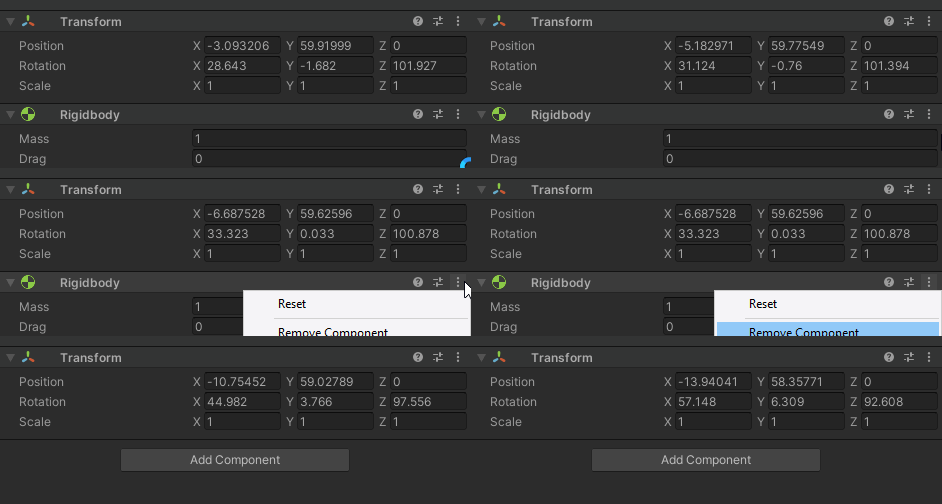
stupid question but does rigidbody interpolation update position faster than physics.time step?
hollow echo
Yes
That's the point
Although the inspector isn't showing every update anyway, so looking at it to judge that is meaningless
stuck bay
i see
 cunning laurel
So I have a cube that successfully falls under gravity until it hits the floor. The problem is that I have added some code to move it around with my mouse which can allow the cube to go through the ground. Is there a way to prevent this with physics?
Or do I need to hard-code something into when it reaches a certain height?
timid dove
cunning laurel
So I have a cube that successfully falls under gravity until it hits the floor. ...
you need to move your cube in a physics-compatible way
either via rigidbody methods or with a CharacterController
stuck bay
is collision detection setting in rigidbody working for raycasts too?
timid dove
stuck bay
is collision detection setting in rigidbody working for raycasts too?
raycasts don't know anything about rigidbodies
only colliders
cunning laurel
@timid dove Thanks for clearing that up its makes a lot more sense now! Its only a cube around the screen so I'll look into the rigidbody suggestion and see if I can alter my move code.
Out of curiosity If I forget about using gravity is there another way to prevent my cube going through the floor when being dragged by the mouse if I don't use a rigidbody?
timid dove
Use a charactercontroller or do your own raycasting/boxcasting/spherecasting or whatever to detect if there are obstacles in your cube's way
cunning laurel
Thanks @timid dove I'll need to read up on the Character Controller I always thought of it being used more for actual characters in a game but it makes sense that they can also be used for actual game elements. I appreciate the advice 🙂
timid dove
cunning laurel
Thanks <@!179367739574583296> I'll need to read up on the Character Controller I...
I'm using one for my camera in my current project 😄
it's convenient
cunning laurel
@timid dove oh that sounds interesting! Is it going to be a first person game?
Make a lot of sense now that I think about it!
timid dove
cunning laurel
<@!179367739574583296> oh that sounds interesting! Is it going to be a first per...
nope, top down 3D factory building game
cunning laurel
Thats cool! Whats the advantage of having a Character Controller on the camera in that case?
timid dove
cunning laurel
Thats cool! Whats the advantage of having a Character Controller on the camera i...
It collides with my terrain and other objects so that the otherwise free-flying camera doesn't pass through stuff
also automatically goes up slopes etc
cunning laurel
Seems like a really creative solution! And like a fun game too 🙂 Building games are always a lot of fun
proud nova
There should be a gizmo that resizes as you change those values
lucid swift
ok ive asked so many people and ive yet to get a response so i might as well try here again, but i cant get my character sprite to collide with a wall sprite
im moving the character sprite with transform.position
and im using a kinematic rigidbody 2d and box collider 2d on the player character and a box collider 2d on the wall sprite
I have this code right here to detect the collision but the trigger isnt even procced
void OnTriggerEnter(Collider other) {
    Debug.Log("Collision");
    if(other.gameObject.CompareTag("Border")) {
        Debug.Log("Top Border");
        moveDirection = Vector3.zero;
    }
}```You're using the 3d version
you need OnTriggerEnter2D(Collider2D other)
timid dove
OnCollisionStay takes a parameter
see the example here: https://docs.unity3d.com/ScriptReference/MonoBehaviour.OnCollisionStay.html
Also you shouldn't multiply your impulse jump force by Time.deltaTime
That will result in different jump heights depending on your framerate
timid dove
Ok well aside from that first thing to check is - Is OnCollisionStay running at all?
If it's not running check:
- Do both objects have 3D colliders
- Does at least one of them have a 3D Rigidbody?
- Are both of them not triggers?
timid dove
what layers are they on
And that layer is set to collide with itself in physics settings?
timid dove
idk - everything sounds like it's set up correctly from my distant vantage point
But maybe there's something glaringly obvious if I were actually looking at your project/code
 mighty sluice
anyone know what the cleanest/cheapest way to apply a unique gravity force to all rigidbodies in a scene?
for example, let's say i want to make a center of gravity for a toy planetoid
I realize i can zero out the gravity force, get a script that references all rigidbodies, and iterate through them to calculate a relative down, and apply a force, but that seems so inelegant if i want to have 1000's of rigidbodies
i can also use the jobs system for calculating the downs, but still the AddForce().... that's my worry
timid dove
There's not really any other way to do it than iterating over all of them.
mighty sluice
not sure if unity's physX gravity uses solver iterations or not
timid dove
Not if you're using Rigidbody at least
mighty sluice
i suppose it's the only way...
timid dove
What's your worry? Just the performance?
mighty sluice
yea im always concerned about scability due to the nature of the environments
timid dove
I mean with 1000s of rigidbodies you may need to use ECS
mighty sluice
eventually it's a must, assuming i can get functional joitns working as well as configurable joints
timid dove
NOw - depending on what you actually want to do with these things
you might be able to get away with a compute shader
like if they're just visual
mighty sluice
unfortunately i want more than just visual
i need the learning agents to have quasi realistic experiences with physics
timid dove
With the numbers you're talking about, this might be an ECS job
mighty sluice
compute shaders for fluid and atmospherics simulations (even pulling flow forces out of it for custom aerodynamics stuff) is on the docket
yea i have used jobs for that purpose before
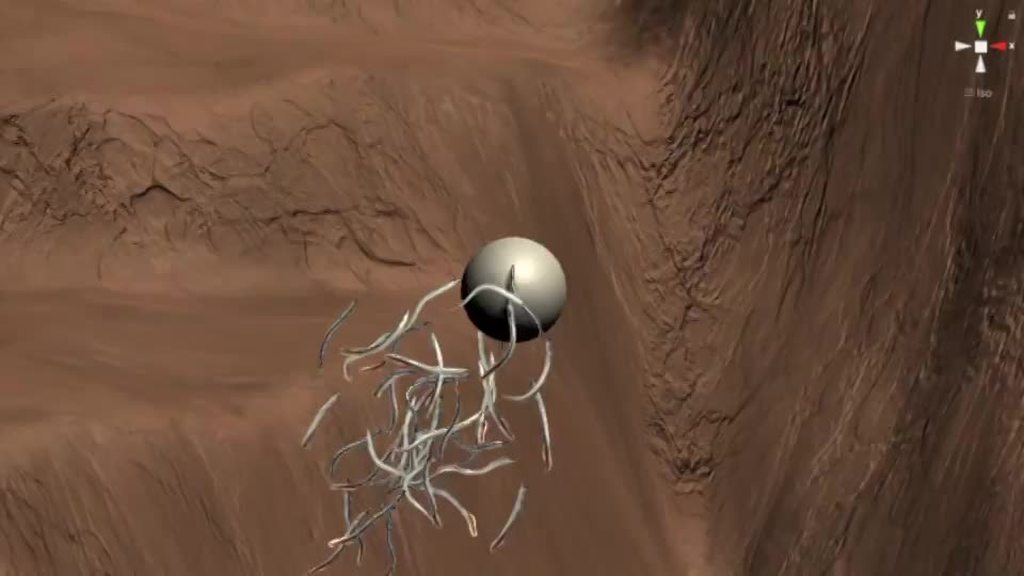
for example, these lamprey are 8 rigidbodies and joints a piece, and they have a jobs system running calculations every fixed update to calculate drag forces
which are then applied in local monos
timid dove
looks good
mighty sluice
physics makes it look good, but also the realism of the lamprey nervous system 🙂
scaling beyond this is kinda tough without ECS physics
im kinda afraid to attack it to make the switch, but i know its necessary for scaling
ember grail
what is the easiest way to detect overlapping when placing items?
 wide nebula
 ember grail
CheckBox would be equvalent for cubes?
wide nebula
Yep
stuck bay
why is that i experience more shaking when two interacting objects have interpolation turned on?
is that normal?
i get best results with interpolating planet, and not interpolating player
i also wonder if i wont need the interpolation on player in other cases than planet-based movement and gravity
timid umbra
Hi, I tried to subclass a BoxCollider to add my own field to it but it seems I cannot AddComponent<X>() it. Is there any other way to do that?
timid dove
timid umbra
Hi, I tried to subclass a BoxCollider to add my own field to it but it seems I c...
You won't be able to subclass BoxCollider successfully
The problem is that it's just a wrapper around a native C++ object
There's probably more to it than that but for whatever reason it's not possible
 supple sparrow
@timid umbra then you could use Composition instead of Inheritance
timid umbra
I would normally do that but I am modding a Unity game that has no support for physics and I am implementing a flamethrower and need lots and lots of boxcollider. Since I don’t have the control I normally would like to have, I need to create a GameObject for let’s say every 400 colliders and attach one collision script on it. I would though know which game object a particular collider is for. It’s kind of an unusual situation.
I solved it for now by creating an subclass of a PhysicsMaterial that holds the reference I need. Kind of hacky
timid umbra
Hmm, that doesn’t work (I suspected that already)
timid dove
timid umbra
I would normally do that but I am modding a Unity game that has no support for p...
I'm confused - if you have a collision script - this.gameObject is the gameobject that the collider is "for", no?
timid umbra
No, as I wrote I create such a game object only to hold all the box colliders
The game I mod does not use game objects
So I need to create them myself but the game has too many pawns that I cannot simply create a game object per pawn
It is pretty hard to create a paging system for this so I tried to cheat
timid dove
You said this:
I would though know which game object a particular collider is for
timid umbra
Sorry unclear. Their game object, not GameObject
timid dove
I'm teying to figure out exactly what data you're trying to get
so you have a GameObject with a bunch of BoxCollider components on it?
like 400 of them?
timid umbra
Yes
timid umbra
Yes
timid dove
and you're trying to figure out what exactly?
timid umbra
So all I want is a correlation between each collider and some other object
timid dove
which one of your colliders was involved in the collision?
So can you just put a Dictionary in your script with that correlation?
Dictionary<Collider, SomethingElse> colliderMappings;```Probably. I want to find out if I can do it more directly
timid dove
How do you define the correlation? Do you want to define it in the editor?
or at runtime in a script
timid umbra
All modding is at runtime
timid dove
If they're all on the same GameObject I think the best you can do is keep the correlations in a structure like that dictionary. There's not going to be a way to add a "note" or something to the Collider component without them being their own separate GameObjects
timid umbra
Alright. Good to know
Thanks
Do you think that creating a 1:400 go:boxcollider structure is better than 400 go+boxcollider?
Performance wise
I only need to detect collisions to remap their coordinates back to foreign game objects and continue the logic there
timid dove
I don't think there will be any noticeable performance difference. There might be a memory difference but that might be counterbalanced by the auxiliary structures you will need to maintain your collider -> gameobject mappings
I believe that the representation of your scene in the physics engine will ultimately be the same
as it's not aware of GameObjects
there may be a difference if it's 1 rigidbody vs many rigidbodies
timid umbra
Good to know too. Thanks
So my next approach is to maintain one GO per pawn in the game and have it reference it. All GO will have the same collision script and one boxcollider/capsule collider per GO. Since the game can have 2000 pawns easily I might need to only use them for pawns that are in the shooting radius of the pawns with the flamethrower. So my limits will either be the number of GO or the allocation of them. Later can be done with a pool I guess, making all this a lot more complicated. Oh well
neon glade
timid dove
what components are on it/its children?
Here I show the contact points, normal and resultant impulse
 neon glade
Here I show the contact points, normal and resultant impulse
neon glade
neon glade
Here I show the contact points, normal and resultant impulse
You can see that all 4 corners are in contact at OnCollisionEnter. This creates a resultant impulse with no torque.
neon glade
neon glade
You can see that all 4 corners are in contact at OnCollisionEnter. This creates ...
even worse

 random knot
Anyone know here how to get accurate skin mesh collider?
 buoyant aurora
random knot
Anyone know here how to get accurate skin mesh collider?
buoyant aurora
random knot
Anyone know here how to get accurate skin mesh collider?
You can activate the convex on the mesh collider component
If you don't need physics with the object, mesh collider is the best you'll get. If you do need physics, use the convex. If you're not happy with that, then you're gonna have to make a custom shape with all the other colliders combined. (Box Collider, Capsule Collider, etc...)
 dusky prism
Hey guys,
Why it is good to not use Rigidbody2D when creating custom 2D character controller ?
 frigid pier
You would be using it anyway if you want to receive events. It's just a different design you need to decide if you are going to use physics, it will need additional tweaks and handling of physics system or purely kinematic mode handling physics yourself
dusky prism
I mean if I add Rigidbody2D to my object and activate its Kinematic mode then I don't have to find overlaps between colliders.
But why some people prefer not using Rigidbody2D and find all overlaps and resolutions against using Rigidbody2D in Kinematic mode ?
@frigid pier
stuck bay
my player is getting swept cus planet velocity is too high.
is there a way to add velocity to player (but not to velocity property, to MovePosition)?
i tries this
playerRigidbody.MovePosition(planetHit.point + galaxyRigidbody.velocity.normalized);
velocity is world, not local, but i dont see how i could transform it
neon glade
Any idea what is going on here?
The width of the collider surface dramatically changes the behavior of a rotated cube dropped onto it
Dropping a unit cube rigidbody rotated 22.5 degrees onto a 1,0.1,1 cube collider works as expected
Changing the scale of the floor (cube) to 2,0.1,2 breaks it
it bounces straight up instead of tumbling as expected
neon glade
Slow mo
 noble notch
I'm trying to make a bicycle vehicle for my game, but I've noticed the bicycle can't go up pretty much any incline
what setting(s?) do I change in the wheels to fix this?
neon glade
Are the wheels expected to apply force to the incline?
If so, maybe friction?
I added debug rays. You can see that there are only 2 contact points when the floor is 1x1 but there are 4 when its 2x2. Why might this happen?
ah its tunneling. Smaller fixedTimeStep?
noble notch
neon glade
Are the wheels expected to apply force to the incline?
I don't know. They're wheel colliders.
All the friction settings seem to have weird negative side effects
I also have no clue what any of this means.
 neon glade
Ah sorry I’m not that familiar with wheel colliders. Probably good to learn about all of those values if you’re going to use wheel colliders.
 wraith quartz
 stuck bay
my cube falls down the map https://gfycat.com/blaringneararchaeocete
 hollow echo
Check that the layers collide with each other in the Physics settings
stuck bay
where would that be?
 outer furnace
Edit -> Project Settings -> Physics
Another thing to check, is to make sure the dice collider doesn't have "Is Trigger" selected
Triggers won't collide with anything, so it's gotta be unchecked

 outer furnace
Check the size of the box collider on your plane.
Might need to increase it in regards to the y axis
 daring bronze
@outer furnace can't he remove that since he has a mesh collider? I think it's the one I told him to add which is no longer relevant because collider wasn't the issue?
stuck bay
 daring bronze
since he already has a mesh collider
outer furnace
Oh. I completely glanced past the mesh collider. Seems kinda pointless to have a mesh colider on a rectangle though lol
daring bronze
yeah that's what I thought but seems Unity's default for planes
which is why I suggested a box
hollow echo
I would check things out in the scene view and ensure everything appears to have their collider in the right place...
I think that maybe your dice's collider might not be where you think it is?
stuck bay
 hollow echo
I can't think of anything else
you can test this with a default plane and default cube with a rigidbody on it and they collide
or at least, they do by default
stuck bay
here is a new one
 daring bronze
hollow echo
I think that maybe your dice's collider might not be where you think it is?
daring bronze
hollow echo
I think that maybe your dice's collider might not be where you think it is?
That's probably the case as his dice bounces but the mesh falls through the plane first
stuck bay
it stopped bouncing
daring bronze
your new solution in the above image stopped bouncing?
outer furnace
gotta reassign the physics material if you made a new cube
daring bronze
I'm guessing you changed something that no longer applies the physics to the cube, but regardless in your new solution do as Zaffre stated and apply the physics material to the new cube
If vertx was right in assuming the box collider was positioned outside of the mesh, then the new cube will have a box collider scaled by default to the mesh
hollow echo
Preferably use a paste site like - https://paste.ofcode.org/
stuck bay
Pastebin
Pastebin.com is the number one paste tool since 2002. Pastebin is a website where you can store text online for a set period of time.
Pastebin
Pastebin.com is the number one paste tool since 2002. Pastebin is a website where you can store text online for a set period of time.
Pastebin
Pastebin.com is the number one paste tool since 2002. Pastebin is a website where you can store text online for a set period of time.
hollow echo
yeah none of these are relevant
daring bronze
I would do as vertx & zaffre stated. Create a new plane & cube, then apply the components you need such as the Physics Material (bounce) & scripts you've written. Then test whether it works, even if it doesn't at least then you've ruled out it being a simple collision issue.
hollow echo
unless you're pressing space, which, you aren't
daring bronze
It's highly likely it was a collision issue because in the first gif/clip you sent the cube bounced, which suggests it collided with something as I assume it would only bounce if it were to collide? and so on that basis it's likely the collider was positioned outside of the mesh
outer furnace
Wait- which gif/clip did it bounce? I thought all gifs showed it phasing through the plane entirely?
hollow echo
I've not seen it bounce either
 outer furnace
Might just be an issue with the Side1,side2,side3,yaddayaddayadda, not being zero'd out on the transform, maybe?
stuck bay
now it does not fall after i remade them https://gfycat.com/femininedisguisedfallowdeer

 outer furnace
@stuck bay Take a look at the compiler, it's throwing you an error because you didn't put the rigidbody component on the dice object
mighty sluice
Is there anyway to get a reading of the friction being applied on a collider or given contact point?
stuck bay
now it just falls https://gfycat.com/mistyinfatuatedblobfish
 proud nova
@mighty sluice Since 2021.2.0a12, there is a new contact modification event that might enable that.
https://forum.unity.com/threads/experimental-contacts-modification-api.924809/
wide nebula
stuck bay
now it just falls https://gfycat.com/mistyinfatuatedblobfish
Your collider is a trigger, which will pass through other colliders.
stuck bay
then what should i do?
wide nebula
Not make it a trigger?
stuck bay
now it does not bounce like a normal dice
wide nebula
Give it physics material with increase bounce.
You also need to add force to it like you're throwing it. If you just drop a dice a few cm's off the surface of a table, it's not going to "roll".
 woeful bluff
I have a tree with this and a mesh renderer in the inspector, but when the game starts it doesn't fall

 wicked phoenix
What's the most precise way to move Rigidbodies? Addforce or velocity?
timid dove
wicked phoenix
What's the most precise way to move Rigidbodies? Addforce or velocity?
they're the same thing
AddForce simply changes the velocity
the most "precise" way would probably be MovePosition since that will set the position of the RB to an exact position you give it
it won't necessarily be realistic though
wicked phoenix
Thanks. I'm trying to figure out the best way to have a rigidbody object follow its navmesh agent instead of the agent controlling the movement. That way I can apply forces to the object
Would you recommend Moveposition or Addforce in that case? @timid dove
timid dove
If you want to apply forces to it you will have to use AddForce
But you'll need to basically write a PID controller
to get it to follow nicely
wicked phoenix
What's a PID controller?
stuck bay
 long storm
Hi guys!
I was trying to make a rope that connects 2 masses together, found this tutorial:
https://www.youtube.com/watch?v=XvS4U5Y0d4g
And it works great, except for when the swinging object's inertia is to high it does this:

anyone knows how could i stop it from ignoring the collision like that and just stop when it hits the collider?


 wide nebula
It should be as high as you need it to be to match your game feel.
stuck bay
the max bounce you can have is 1
wide nebula
Yep, it's a normalized value.
stuck bay
should bounce more
wide nebula
Throw it with more force then. Also try changing the Bounce Combine to maximum.
stuck bay
now it only bounces to 3
wide nebula
This is getting tiresome. Add some torque and stronger force to the throw. Have you ever used real dice before?
You can't just rely on gravity to make it work, you need to mimic the force for someone actually throwing it onto the table.
 hoary sparrow
How to get the value of 'x' from cubic equation ax^(3) + bx^(2) + cx = d where a,b,c,d are variables?
neon glade
stuck bay
the max bounce you can have is 1
Im working on dice as well and having some issues
What's helped:
- Decreasing Fixed Timestep by 1/2
- Using large dice (1x1x1)
The issues appeared to be from tunneling. Both of these helped.
 stark crystal
hey I have a problem, a block keeps on falling through another which is supposed to be a solid object which doesn't let anything fall through

(game view)

code for the block that falls through: ```cs
using System.Collections;
using System.Collections.Generic;
using UnityEngine;
public class up : MonoBehaviour
{
public Rigidbody Cube;
// Start is called before the first frame update
void Start()
{

}

// Update is called once per frame
void Update()
{
    if (Input.GetKey("w")) {
        Cube.AddForce(0, 10, 0);
    }
}
}
Do your objects both have Colliders?
Is either Collider a trigger?
stark crystal
timid dove
Do your objects both have Colliders?
Where could I find that?
timid dove
stark crystal
Where could I find that?
Collider is a separate component you add to the object
 broken ivy
I am currently having issues with the configurable joint component on the move-able platforms hidden in the wall. Does anyone have experience with this?

 green juniper
Hi, I have a problem, I am new, so, this could be a begginer's mistake, my 2d hinge joints attach to nothing , I am trying to build a ragdoll, but the hinges do not attach like in the video
Can somebody help me?
Forget it
I figured it out
 proud escarp
This is only a showcase, but i finally made a balancing ragdoll in unity 3D, I might Upload a tutorial on youtube
The only problem is that his foot get inside the ground i will fix it now
 buoyant aurora
proud escarp
This is only a showcase, but i finally made a balancing ragdoll in unity 3D, I m...
buoyant aurora
proud escarp
This is only a showcase, but i finally made a balancing ragdoll in unity 3D, I m...
Looks good! Does it work with IK as well?
 wicked furnace
Hi! I'm having a weird physics issue with a 2D toy project. I have a ball with the Y position frozen in constraints. If I run the project and remove the constraint in the inspector, the ball falls as expected. But if I programmatically remove all constraints while the project is running, like so:
public void Drop(InputAction.CallbackContext context)
    {
        if (state == BallState.PreDrop) #initial state
        {
            state = BallState.Dropping;
            GetComponent<Rigidbody2D>().constraints = RigidbodyConstraints2D.None;
        }
    }
I can see the constraints getting removed in the inspector, but the ball doesn't fall. Is there something else I need to do?
supple sparrow
What is the sleeping mode in the rigidbody ?
wicked furnace
Start Awake.
supple sparrow
maybe try
Rigidbody2D rb = GetComponent<Rigidbody2D>();
rb.constraints = RigidbodyConstraints2D.None;
rb.WakeUp();
just to try to slap him out of his nap 😛
wicked furnace
That worked. Thanks!
supple sparrow
Awesome, happy coding 👍
 autumn dune
When you're adding force like so, will the object continue to move even without the keys being pressed? or do i have to code in friction myself

continue to move as in not decelerate
timid dove
Rigidbodies will be slowed by:
- If they have drag set > 0
- If they contact other colliders, they will be affected by friction according to the PhysicsMaterial2D of the colliders involved (the default material has friction)
- If they collide with other colliders, there will be impact forces
- Any forces you add opposite the velocity.
- Any direct changes you make to their velocity.
Otherwise they follow Newton's first law of motion @autumn dune
autumn dune
Thank you!
 little dew
Is there any way to prevent a third person camera from clipping through walls? It works kind of. I use Cinemachine and it follows my character and collides with walls, doesnt do it perfectly and goes through them some of the time. All objects have colliders.
To be more precise I am in a precise it briefly clips through the walls while I move around the view with my mouse and then lowers the distance so it stay inside the room.
little dew
Nvm Dampening when occluded in Cinemachine had to be 0 for that to work.
visual furnace
Hi Guys, I don't know what is wrong, I've been trying to figure this out for over a week now,
I am getting, 99~% accuracy of expected result,
ex. if Expected result is 100, I'll sometimes get 100.000156, something like that, Mostly happen when 1 of the Object has 0 Acceleration
those double values were float before, I thought that would help. I'm not sure If there's a problem on the Formula, or somewhere else
 timid dove
visual furnace
Hi Guys, I don't know what is wrong, I've been trying to figure this out for ove...
timid dove
visual furnace
Hi Guys, I don't know what is wrong, I've been trying to figure this out for ove...
That's about the best you can expect. There's always going to be some degree of error when doing floating point math. You need to work around it.
visual furnace
Thanks Man, can finally move on to other things.
stuck bay
OH FIXED LOL
i had to increase physics time step to 60fps per second
but im curious now cause i limit game to 60fps, but thats cus VSYNC (monitor refresh rate) is 60 for most monitors and my current monitor
maybe people with 120refresh rate monitors
will get shaking??
i have no way to check that
but if yes then i will have hard time...
not only setting physics to 120fps would use lot of cpu but also wont work for me as i need every players fixed update to run with same frequency
 iron wing
Is there anyway I can achieve that with raycasts? I want the "layer" to be set to ground for the top, and to default for the sides

I use the layer "ground" for the tilemap and check for walls this way, so I can't make the left and right raycasts check differently

 green valley
iron wing
Is there anyway I can achieve that with raycasts? I want the "layer" to be set t...
green valley
iron wing
Is there anyway I can achieve that with raycasts? I want the "layer" to be set t...
Three gameobjects
Three colliders
all children of the main box
the top one being a box collider
marked ground
well actually all you need is two colliders

Like this
You'd want to make it much thinner, but you get the point
iron wing
The left and right raycasts would detect the top one and think a wall is there
Already tried that solution :/
(But thanks :p)
green valley
iron wing
The left and right raycasts would detect the top one and think a wall is there
...
Sorry I didn't get back to you, I have this channel muted. Did you try using a edge collider 2d?
proud nova
@iron wing Checking the normal of the raycast would probably do
iron wing
proud nova
<@!721283306544431115> Checking the normal of the raycast would probably do
The normal?
 timid grove
so i applied ragdoll physics to my enemy.. but after i turn on ragdoll.. the enemy teleports to spawn position.. how do i stop this from happening?
 last steeple
Sup!
Trying to set up some efficient collision detection in a 2D project in a scenario like a bullet hell shooter, so 100 objects or so against one or two other objects.
The naive implementation would be sprites with circle colliders and continuous detection, but perhaps there are cleverer ways or ideas on how to achieve this.
 minor yew
I have this very weird case, where the RigidBody2D won't accurately stops when collided with others.. sometimes it stop perfectly sometimes it doesn't.. Already set Collition Detections = Continuous + Sleeping Mode = Never Sleep... still not working
any idea?
minor yew
apparently, as I was using leantween to move those objects, it messes up the timing when the collision was set to a very tight space.. adding delays fixed it
 sage wolf
Is there soft body physics in Unity or would i have to implement it myself ? (Buying something like dynamic bones is not an option)
timid dove
sage wolf
Is there soft body physics in Unity or would i have to implement it myself ? (Bu...
There's nothing built in. Make it yourself or buy an asset
 summer saddle
Guys, is there any way to disable a rigidbody to enable it again later? setting it as kinematic removes all its velocity so it doesn't work
stuck bay
does raycast count as physics?
timid dove
summer saddle
Guys, is there any way to disable a rigidbody to enable it again later? setting ...
Save the velocity in a variable and restore it later
summer saddle
Is that the only thing i should save?
timid dove
summer saddle
Is that the only thing i should save?
if that's the only thing you care about restoring.
maybe angularVelocity too?
summer saddle
i care about restoring anything needed to resume the simulation
without losing the state
timid dove
that would be:
rb.rotation;
rb.position;
rb.velocity;
rb.angularVelocity;
alright ty
 dreamy pollen
Is there a reason my object would be "catching" on the square in this scenario?
 timid dove
because... they're colliding?
dreamy pollen
Sphere does not have gravity applied, but is also not kinematic, I am manually managing velocities
foggy rapids
you have locked rotation?
timid dove
friction is a thing
 timid dove
well it's still trying to pass straight through the rectangle right?
and bounce is set to 0
so you won't get much of a rightward force
or maybe none at all
dreamy pollen
Right, I suppose I need a solution to apply rightward force
dreamy pollen
yes
timid dove
and drop
dreamy pollen
correct
timid dove
Yeah I think maybe bounce being 0 might mean there's no rightward force happening?
idk
dreamy pollen
I'll try playing with that value
foggy rapids
what's actually happening?
dreamy pollen
You know, I think setting bounciness to 1 alleviated my problem.
Hrmm, I wonder what would be a good way to push it rightward procedurally. Trying to think of what the Vector math would look like. Something something OnCollisionStay
(instead of bouncing it)
 civic field
Do they just jitter non stop even when nothing's happening ?
So when does it happen ?
civic field
Do you addforce every fixedupdate once the specific time is reached ?
@raw yarrow
is it not that the direction changes every frame so it looks like jitter
@raw yarrow
 wary ferry
Does a character controller require a rigidbody? It keeps automatically adding one
 silver swan
Trying to make a vehicle with 4 wheel colliders, but it can't just move straight forward and always steers to the side by itself. Is it some kind of physX bug or what?
civic field
No problem lol
silver swan
silver swan
Trying to make a vehicle with 4 wheel colliders, but it can't just move straight...
Tried to change sideways friction on wheels, but doesn't really help
timid dove
wary ferry
Does a character controller require a rigidbody? It keeps automatically adding o...
Are you talking about the default Unity CharacterController or some custom script
The Unity one doesn't require one
timid dove
silver swan
Trying to make a vehicle with 4 wheel colliders, but it can't just move straight...
Is your model lined up in the right direction?
wary ferry
timid dove
The Unity one doesn't require one
The default unity one, I figured out that it's adding it because apparently my player controller script needs it, but it only ever references the CharacterController and not a RigidBody
silver swan
timid dove
Is your model lined up in the right direction?
Yes it is, and wheels are on perfect range
 loud drift
anyone - is it possibly to use unity subsystem physics job to bake a custom collider at runtime without writing a whole subsystem?
need it to be baked on the side thread
 wet crow
I think that We can now change dimensions using speed now
 celest blaze
My object falls really slowly, I tried increasing the objects gravity scale but that doesn't really change it as much as change the heigh that it starts to fall when jumping.
Could that be because my object's transform scale size is set to 12?
timid dove
Larger objects appear to fall more slowly than small objects due to the relative scales and distances involved. It's an illusion though.
It's also possible that your movement script is causing the object to fall more slowly than it normally should
 noble turtle
Would anyone know how to rotate a wheel collider to face the target? Its for auto driving following a node system
 warped skiff
im writing some physics related code, and was wondering if there was a simply way to run my game @ a fraction of the speed to allow the physics more processing time during debugging?
 rustic pagoda
Is there a way to use Rigidbody physics to move an enemy with NavMeshAgent
 hasty kiln
may I ask a angular movement problem here? not strictly related to physX engine.
timid dove
This channel is about Physics in general, not just PhysX
(btw Unity supports two other physics engines besides PhysX)
hasty kiln
ty, here we go
I have two points, starting point A and destination point B
I have a object that rotate at a fixed "max angle" α (is always turning direction)
this object have a constant velocity V to forward, describing a parabola,
there is no gravity, drag etc

I have α, I need to find a V that the object trajectory cut the given point B, or in the other way I can provide a V and check if the point B is inside or outside of the theoretical circle that describe the moving object
so with the α fixed, I only can "enlarge" or "reduce" the circle that it describes using V
most of the examples that I have read have a invisible center of the circle trayectory, given by default, but Idk how to get this point in this case
hasty kiln
update: it is possible to get it just using trigonometry, just have to use that the tree points (a b and the teorethical center r) conform a Isosceles triangle, dividing it by two you get two right triangles to use
and with the property that all angles form 180 degrees you can get the internal angles from 90 - alpha, and from the angle between the starting forward direction and the point (we can call it beta ) so is (90 - beta)
the final formula (simplified to fast calculus) is
(1/Cos(90-beta))* ((A-B).magnitude/2) / (1/Cos(90 - alpha)) = Velocity
I know it is, a non-elegant way to do this, and wont work on negative numbers, because the "beta" angle is inverted, but, with a small conversion works fair ok in practice.
 deft nymph
ive got a bit of an issue
im using projectiles for my shooting, and my room is made using that probuilder feature where you can turn a room inside out

problem is, the bullets destroy when theyve hit something (in OnCollisionEnter). but for some reason, this is called when they are instantiated, so they disappear instantly
how can i fix this?
its even weirder, because if i drop one of these bullets in before playing, it works fine!
its only when i instantiate them from the gun that it breaks!
timid dove
deft nymph
problem is, the bullets destroy when theyve hit something (in OnCollisionEnter)....
Why don't you print the name of the thing that your bullet is colliding with in OnCollisionEnter
it could be your gun for example
deft nymph
i did
timid dove
and?
deft nymph
it's the room its colliding with
timid dove
ok yeah then this "inside out room" thing probably isn't going to work too well
deft nymph
well ive looked at other channels and that's how they go about modelling interiors
deft nymph
Dani followed this method for his game, which uses projectiles and works fine
timid dove
you might need to do the colliders separately
timid dove
and do they ever talk about colliders?
deft nymph
well no, but i assumed its fine for interiors
timid dove
you are finding now that that assumption might be faulty
deft nymph
yeah
in that case i dont know how to go about making my environment since thats how it was all shown
supple sparrow
Are you sure it's instantiated where you expect it to be ?
mighty sluice
is anyone familliar with the contact modification system that was recently released?
im having a slightly hard time figuring out what's what, given the absence of detailed documentation
in the experimental thread about it, "ModifiableContactPair" is the name of the newly exposed class, but the closest i can find is "ModifiableContactPoint" in my unity version, by using Unity.Physics; (which also creates ambiguity issues)
which doesn't seem to expose the same funcs as the "pair" version
im using 2020.2.2f1, so it ought to be available...
oh im so dumb...
2021 != 2020
 ruby orchid
I'm new to Unity but used to programming. I am using a capsule collider on my character but when their feet come into contact with a ledge, they sometimes get stuck in their falling animation. Does anyone how to stop this?

 weary moon
depends on what the parameters are that put you in the falling animation
calm plank
The capsule could be stuck on the ledge while technically the feet aren't grounded too (nothing under them) so depending on how you're detecting the grounded state that could explain the animation.
 crisp sable
deft nymph
in that case i dont know how to go about making my environment since thats how i...
crisp sable
deft nymph
in that case i dont know how to go about making my environment since thats how i...
could try switching to a convex mesh collider on the pieces, it's probably still using a big ol box collider
 cold rivet

for some reason, the sawblade will not keep its force
the top print prints (-2.1, 4.6), while the bottom print prints (0.0, 0.0)
 native yacht
Hello, All Wheel Coliders are Same, But one, Front Left is in ground
 stuck bay
Good evening
I'm following the unity TANKS! tutorial and I'm having a problem with the particle effect they add

For Download, Slides, Code and more - Watch this video in context on the Unity Learn pages here -
http://unity3d.com/learn/tutorials/projects/tanks-tutorial/tank-creation-control?playlist=20081
Phase 2 teaches you how to add the tank artwork and components to let the player control the tank.
Originally shot at Unite Boston 2015 Training day, t...
It's timestamped
I've noticed that some people in the comments had a similar problem

I've tried to do what they suggest, but I can't find this setting anywhere to change my particle distance from rigidbody to transform
The unity documentation also shows a very different menu from what I have so I guess it's outdated.
Please @stuck bay if you can help me, thank you 🙂
This is my code btw
stuck bay
Problem solved, found the solution in the debug menu.
 dapper lichen
Is the amount of soil that can be suspended in flowing water proportional to:
V^2 (KeneticEnergy)
V (Momentum)
Sqrt(V) (Idunno)
(where V is the speed at which the water flows)?
 sacred forum
Hello I'm trying to make a basic door with the Unity 2D hinge joints but it's doing this


The yellow circle is my player when I try to walk through the door
any help appreciated
foggy rapids
i think you need to connect it to a static rigidbody (the wall)

 stuck bay
So i have an issue where I am using a rigidbody on an enemy character, and the capsule collider for handling collisions with objects is on the parent transform. But I also have all the colliders attached to the bones of the character for the ragdoll system. This means that upon attempting to play, the character just starts spinning and flying 😆 in what i assume is interference between the collideres
any fixes?
timid dove
stuck bay
So i have an issue where I am using a rigidbody on an enemy character, and the c...
Use the layer-0based collision matrix to make the capsule collider not collide with the ragdoll colliders
or just don't have then enabled at the same time
stuck bay

ah ok
I had guessed that the layer system would help
@timid dove Its worth mentioning that the colliders on the bones themselves dont seem to interact with anything until the rigidbody is no longer kinematic
is there a reason for that?
foggy rapids
i thought that was the whole point of isKinematic. to switch between acting as bones and acting as physical objects
timid dove
stuck bay
<@!179367739574583296> Its worth mentioning that the colliders on the bones them...
Kinematic rigidbodies aren't affected by collisions or forces
other than firing messages to your scripts
stuck bay
ah that makes sense
I wanted to preserve the colliders but not have the ragdoll active
But there doesnt seem to be a way to just disable the rigidbodies
oh found a solution
 carmine robin
What recommendations can people point me to for a replacement to Rigidbody.AddExplosionForce when working with 2D Rigidbodies
One solution was to use 3D rigidbodies and colliders in 2D space and go from there, and if that's the simplest solution, I can easily work with that but I was wondering if anyone had input. Google results were mixed and a bit dated.
viral ginkgo
@carmine robin
1 - (distance/explosionRadius)
You could scale your force with this for every object that falls inside the explosion range
proud nova
@lapis root No off-topic embeds please
 flint slate
Hi all! I'm currently working on a VR hockey game, and I'd like to add a flex/bend ability to the hockey stick. Ideally it would flex/bend when shooting the puck or placing weight on the stick. The stick is colliding with the ice, so there's no issue there, but I'm wondering if I would use a certain joint or multiple joints to achieve this. I watched the How to Make a Bendable Fishing rod youtube video already, and I'm still confused. I'm a beginner with Unity and coding, so any help would be appreciated. Please let me know what other info you need. Thanks!

 bleak umbra
flint slate
Hi all! I'm currently working on a VR hockey game, and I'd like to add a flex/be...
bleak umbra
flint slate
Hi all! I'm currently working on a VR hockey game, and I'd like to add a flex/be...
if this is supposed to be realistic or a core game mechanic, i'd suspect you have to create a custom simulation for that... if its only for visuals you're probably best served with faking it somehow (spline deformer maybe)... if you're after a "goofy" behaviour you can probably chain a few hinge constrains, a spring and some friction colliders together. rigid-bodies (as the name implies) aren't meant to simulate flex/snap... they can only bounce around
flint slate
bleak umbra
if this is supposed to be realistic or a core game mechanic, i'd suspect you hav...
I would like it to be as realistic as possible. Hoping that the flex would work in a real world sense where it affects the speed of puck when shooting. However, I might switch to making it just a visual considering the difficulty of making it realistic. Not a huge mechanic to have in the game, but it would be a nice touch.
bleak umbra
flint slate
I would like it to be as realistic as possible. Hoping that the flex would work ...
custom simulation would be my approach. i.e. use the stick movement/position driven by touch controllers to drive some sort of slingshot/catapult/spring (in code) that fires when the release condition is met.
you probably want to compensate for sloppy user input, and that is best done in code.
flint slate
bleak umbra
custom simulation would be my approach. i.e. use the stick movement/position dri...
Awesome, I'll start looking into a custom simulation. I'm probably going to have more questions as I develop this game since I'm brand new to this stuff. Thank you for pointing me in the right direction!
bleak umbra
flint slate
Awesome, I'll start looking into a custom simulation. I'm probably going to have...
btw. just so there is no missunderstanding... custom simulaton utilizing and on top of unity builtin physics primitives (colliders, raycasts, ...).... not "from scratch" 😉
flint slate
bleak umbra
btw. just so there is no missunderstanding... custom simulaton utilizing and on ...
Cool, thank you for expanding on that.
 subtle elm
Hey guys, so I though OnTriggerStay would pick up every object within their bounds every frame?
but apparently that's a lie
bleak umbra
subtle elm
Hey guys, so I though OnTriggerStay would pick up every object within their boun...
only other enabled trigger colliders on matching layers
subtle elm
do you mean matching layers set or matching in the collision matrix?
bleak umbra
yes, matrix interaction
subtle elm
yeah thats all fine
it just picks up on 1 object per frame
but not all of the colliders...
subtle elm
Yeah but they're not triggers, they're colliders...
subtle elm
srsly? on a collider set to trigger?
bleak umbra
no
proud nova
@subtle elm You sure? How can you tell it's only triggering once per frame?
bleak umbra
if the triggers are triggers, use the trigger callback, but on non-trigger colliders, use collision stay
subtle elm
cause I'm using List.Add in the OnTriggerStay and it's not filling it up
I'm also clearing it at the end
bleak umbra
are both(all) colliders triggers?
subtle elm
I have a bunch of characters with box/sphere/capsule colliders
and one other collider that needs to pick their limbs up
set to trigger
and I need to use an OnStay
bleak umbra
are all of them triggers?
subtle elm
no the ones on the characters are collision colliders
bleak umbra
then thats why
subtle elm
yeah but i cant change those to trigger
bleak umbra
you can add another collider of the same size and make it a trigger
subtle elm
I could do that yeah...
there goes my budget 😂
it's probably fine
so this way i will get a populated array in a single frame?
bleak umbra
triggers luckily don't simulate physics interaction
subtle elm
just by doing List.Add btw
subtle elm
bleak umbra
triggers luckily don't simulate physics interaction
uhu
bleak umbra
subtle elm
just by doing List.Add btw
i'd expect yes
subtle elm
Alright cool I'll try it and come back
lapis root
proud nova
<@!603028741496766474> No off-topic embeds please
???
proud nova
Random gifs, for example
bleak umbra
bleak umbra
i'd expect yes
mind that collisions are evaluated after Update, means you generally get last frame's collisions... if thats important,
lapis root
proud nova
Random gifs, for example
what are you talking about?
proud nova
About the gif you posted earlier
lapis root
proud nova
About the gif you posted earlier
When? I think I haven't talked here in 1 week
proud nova
Around the time of that warning
lapis root
do you have a screenshot? the only thing i remember doing on this server is just asking questions
wide nebula
 lapis root
oxi, strange
foggy rapids
https://docs.unity3d.com/Manual/CollidersOverview.html
says a lot about when trigger messages are sent at the bottom
hoary scroll
I have a box that I can push, constrained so that it can only slide in the z-direction.
I have 2 "stoppers" that collide with the box to keep it from moving past certain points.
However, when I push the box, it'll sometimes clip into the stoppers and very occasionally it'll pop out through the stoppers.
how can I keep that from happening?
 fleet island
@bleak umbra i know you weren't doing 'a bit' but that whole triggers / colliders thing read like 'whos on first'
subtle elm
yeah idk @bleak umbra weird but it doesnt work
cause you are right i think
maybe it's cause my main trigger is a meshCollider
bleak umbra
subtle elm
yeah idk <@!544260011430248467> weird but it doesnt work
well, in my experience collider/trigger callbacks are female dogs
subtle elm
😂
bleak umbra
subtle elm
maybe it's cause my main trigger is a meshCollider
do you have convex mesh checked?
subtle elm
yeah and trigger
bleak umbra
and you only get one entry in the list? which one actually? and do you clear in Late, Update or Fixed?
subtle elm
so basically I populate.. run some code and then clear it..
so basically:
OnTriggerStay (Collider coll)
{
List.Add(Coll);
// DoSomething
List.Clear();
}
bleak umbra
move the clear to FixedUpdate
subtle elm
this runs every frame ofc. and it's only picking up 1 collider or trigger at most
hm alright
Actually I can do it without a clear... By just declaring them inside of the scope
bleak umbra
with that code you get all collisions, but after adding it, you are immediately deleting it again. you will get multiple calls to OnTriggerStay... one for each other collider
subtle elm
a local variable... and that dont make a difference either

this way i dont have to clear it
still doesn't work though
bleak umbra
subtle elm
still doesn't work though
List<Collider> _list = new List<Collider>();

private void OnTriggerStay(Collider other)
{
    _list.Add(other);
    Debug.Log($"{Time.frameCount} - {other.name} is colliding, {_list.Count} collisions detected so far.");
}

private void FixedUpdate()
{
    // do stuff with all colliders

    Debug.Log($"{Time.frameCount} - Clearing {_list.Count} collisions.");
    _list.Clear();
}
 bleak umbra
yes, had a typo
bleak umbra
subtle elm
edited the code above with some debugging and fixed the bug
subtle elm
alright I'll try it out
this worked already

you're a hero
I compeltely forgot about the order of executions!
FixedUpdate comes after Ontrigger and Oncollsion?
bleak umbra
not exactly. it happens at some point, not on every frame, and onTrigger can happen multiple times at any time between fixedupdate
subtle elm
the "before fixedupdate" fixed it
it's very weird though that i couldnt get this effect on the stack... it clearly has to be on the heap
bleak umbra
This part in the doc is important: OnTriggerStay is called --> almost <-- all the frames for every Collider other that is touching the trigger.
subtle elm
thats just confusing
foggy rapids
fixedupdate happens before trigger/collision callbacks
subtle elm
bleak umbra
This part in the doc is important: **OnTriggerStay is called --> almost <-- all ...
im making something very dynamic so that's totally fine
so yeah
why couldnt i just declare a local with every onstay loop?
bleak umbra
cause it gets called may times
subtle elm
so thats why it has to be on the heap okay i get it
bleak umbra
so you would only ever catch one "other" in that particular callback
subtle elm
wow
i was this close to going to sleep and overhauling it tomorrow
I'ms o glad I asked and so glad you were online
thanks dude
foggy rapids
if you want to do it on the stack, use the overlap functions 👍
subtle elm
yeah the overlap isnt gonna work for me, i need a procedurally generated mesh collider
but I'm super happy now thank you!
and @bleak umbra it does work on colliders (non-triggers)... detecting the colliders with a trigger
just letting you know
foggy rapids
bleak umbra
subtle elm
and <@!544260011430248467> it does work on colliders (non-triggers)... detectin...
good to know. i was hoping that i was wrong on that point.
bleak umbra
foggy rapids
<https://docs.unity3d.com/ScriptReference/Rigidbody.SweepTestAll.html> is a thin...
there is plenty of magic in the physics API to do really fancy and optimized stuff, just wish it wasn't so obtuse at times. The low level overlap functions are probably the most reliable and clean way to do most things. At leas for me, callbacks get complicated quick.
subtle elm
foggy rapids
<https://docs.unity3d.com/ScriptReference/Rigidbody.SweepTestAll.html> is a thin...
this is interesting 😮 what does it do?
is it like a slice?
bleak umbra
takes a shape and moves (virtually) it through space to see if anything is in its way
foggy rapids
it's basically doing the work that triggers those events manually and getting an array in response
subtle elm
i srsly once googled for slicecast.. idk.. i couldnt come up with the terminology 😂
😮
oh damn that's cool
alright
hmm
foggy rapids
most of the time tho, the callbacks can suit your needs 👍 but sometimes it's nicer to have the collection and logic in the same place
subtle elm
what if you want to simulate a frustum shape?
foggy rapids
i.e. if there are thousands of them, it's gonna take a lot of time to call thousands of OnTriggerStay functions 😄
bleak umbra
subtle elm
what if you want to simulate a frustum shape?
use a convex mesh collider with a frustum shape...
bleak umbra
but frustum testing is usually done by comparing the frustum planes with the colliders... thats more efficient.
 vocal trench
Need to ask just make sure I'm not missing anything - is there no way to ignore a collision as it happens like this?
private void OnCollisionEnter2D(Collision2D collision)
{
  Physics2D.IgnoreCollision(collision.otherCollider, collision.collider);
  // No collision should happen here
}
I've tried, but in this use case I'm unable to use layers or tags, and I can't use a trigger volume to detect overlap and disable collision that way.
 grizzled sapphire
vocal trench
Need to ask just make sure I'm not missing anything - is there no way to ignore ...
grizzled sapphire
vocal trench
Need to ask just make sure I'm not missing anything - is there no way to ignore ...
https://forum.unity.com/threads/experimental-contacts-modification-api.924809/
There was something experimental for 3d

Unity Forum
Hi,
EDIT: A newer build here: #22
tl;dr - here is a custom build with the experimental contact modifications API exposed:...
vocal trench
grizzled sapphire
https://forum.unity.com/threads/experimental-contacts-modification-api.924809/
T...
Legend!! Downloading the alpha right now. I'm making a 2D game but I'll try switching to Physics3D and just constrain the axes for now
iron wing
How could I fix that problem ?
iron wing
(please ping me if anyone has an answer)
foggy rapids
if it's a tilemapcollider then the problem is colliding with the corners of tiles. there's no easy way around it but some solutions involve: using box colliders so there are no edges to catch, recognizing when things are sliding and handling that case specifically, using circle colliders for the sliding objects and having them roll
ember grail
how can i make the cubes touch each other? Am using the MeshRenderer to calculate the bounds and this is what happens when i try to place them next to each other
 supple sparrow
Uhm strange. Renderer bounds are in world space IIRC so don't always match the shape, especially if rotated but it doesnt look like so in your case
DId you try with the MeshFilter bounds ?
And why not use collider ?
ember grail
Collider mashes them all together, I don't think I've tried with MeshFilter
timid dove
vocal trench
Need to ask just make sure I'm not missing anything - is there no way to ignore ...
OnCollisionEnter is too late. You either do the experimental contact modification thing or ignore the collision before it happens
iron wing
foggy rapids
if it's a tilemapcollider then the problem is colliding with the corners of tile...
It's a movable thing, and it has a box collider (so your solution is already set in this case :/)
 summer drum
Guys, quick q,
is there a way I can do some small-scale fake soft body mesh deformation
without some hardcore math or external assets?
Just using Unity's built-in stuff?
timid dove
summer drum
Just using Unity's built-in stuff?
maybe a bunch of spheres connected by joints?
summer drum
What joint is best for this?
Not for ragdoll body per se, but like let's say I have a mesh that needs to appear soft-like (bouncy, squishable, etc.)
timid dove
Maybe a spring joint?
Here's an example of someone doing exactly this: https://www.youtube.com/watch?v=rR3miSZxR3k
summer drum
timid dove
Here's an example of someone doing exactly this: https://www.youtube.com/watch?v...
Ohh thanks! I was looking at a video from this same person, dunno how I didn't see this one haha
vocal trench
timid dove
OnCollisionEnter is too late. You either do the experimental contact modificatio...
I tried the experimental contact modification thing, but in this specific case it looks like I'm unable to ignore these specific contacts lol
I'll see if I can rethink what I'm trying to do, if not I'll set up an example scene to show the issue
timid dove
vocal trench
Need to ask just make sure I'm not missing anything - is there no way to ignore ...
any reason you can't use the things you ruled out?
- layers
- trigger volumes?
Any reason you can't ignore the collision earler on?
vocal trench
Each object can only collide with one other object at any given time, meaning I can't preassign to layers, and instead ignore and unignore on the fly
I added a trigger volume and it seems like OnTrigger gets called before OnCollisionStart, so I was able pre emptively disable the collision. But in this specific case (I'm setting the position of a gameobject containing a collider manually OnFixedUpdate), the collision and trigger happen at the same time and I'm unable to ignore it
That's why I switched to experimental, and ended up with the same issue - even though I ignore all contacts, this specific collision between the collider I'm manually setting the position for happens anyway
I basically want a world space collider for my rigidbody, so I make it a child and manually set it's position every fixed update. I tried having it in the actual world, but then since it's not connected to a rigidbody I can't use it for positional correction or transfer of forces without doing a workaround that didn't work out in the end
timid dove
What's the end goal here?
Child colliders are considered part of parent rigidbody objects
so that should work fine
vocal trench
Myeah, but if I make it a child it moves with the parent, and I want it to be locked in place
I'll see if I can make a demo scene that shows the issue
Appreciate the input
summer drum
Is there a way to get/create an armature of a model at runtime?
For example, let's say I have an item, all rigged with bones, so that I can use Spring Joints to make it softbody-like
then I do something to cut this object into many pieces
I want those new pieces to also be rigged with their original bones and have the softbody feel
timid dove
I think that the "armature" in Unity is basically just a combination of:
- A weight-painted mesh
- a Transform hierarchy that represents the bones
- a skinned mesh renderer
And making sure the root bone is selected here
 summer drum
I've never worked with dynamically cutting meshes before
but if I were to do that, would that make the weight paint data be lost?
timid dove
no idea ¯_(ツ)_/¯
 quasi flame
what is impulse propagation?
 cloud tartan
@quasi flame the opposite of impulse control?
 unborn geyser
guys i want to roate the object as mouse
 lunar egret
Can you have collision detection without rigid body? Like I just want to be able to detect collisions, I dont care about having them move each other or gravity or any of that
wide nebula
Yes, using a cast. Raycast, Capsule cast, etc.
timid dove
lunar egret
Can you have collision detection without rigid body? Like I just want to be able...
You can use CharacterController
 inner hatch
Can somebody explain me how I can make dig physics. So that the player can dig holes and stuff.
proud nova
It's generally not a physics thing, but a mesh editing thing.
 distant coyote
inner hatch
Can somebody explain me how I can make dig physics. So that the player can dig h...
distant coyote
inner hatch
Can somebody explain me how I can make dig physics. So that the player can dig h...
https://assetstore.unity.com/packages/tools/terrain/digger-terrain-caves-overhangs-135178
https://assetstore.unity.com/packages/tools/terrain/digger-pro-149753

Get the Digger - Terrain Caves & Overhangs package from Amandine Entertainment and speed up your game development process. Find this & other Terrain options on the Unity Asset Store.
Get the Digger PRO package from Amandine Entertainment and speed up your game development process. Find this & other Terrain options on the Unity Asset Store.
 stoic notch
how can I make it so an object collider is only a trigger, and doesnt actually cause collisions?
I have a enemy that is supposed to be able to turn and walk up a wall. I have it so he has a detector... a collider used as a trigger... placed out front of him. When he turns, one of the trigger colliders is in the wall, where it should be, but it pushes the mob out. Even though it is a trigger
timid dove
stoic notch
I have a enemy that is supposed to be able to turn and walk up a wall. I have i...
Using a trigger collider should work
stoic notch
here is where the mod starts, detector is in the ground like it should be

it goes were its supposed to, and then gets pushed out of the wall

I have "is trigger" already enabled
Here is the way its set up... two children, two different triggers

that lower one that you can see in first two pics is the detector. The one you cant see is the wallDetector
here is the whole picture
 timid dove
stoic notch
here is the whole picture
timid dove
stoic notch
here is the whole picture
what components are on all those objects?
And what if any scripts do you have


