#⚛️┃physics
1 messages · Page 65 of 1
 viral ginkgo
 stuck bay
Actually
how do you "add a child collider to a rigidbody"
you mean
removing rigidbodies
from child objects
and copying and pasting their colliders to parent ?
Its in 2D i should mention
 timid dove
Rigidbodies that are children of parent rigidbodies will essentially just break off and become their own separate entities.
if you want to "parent" two rigidbodies together, the best option is to use Joints
this will attach the two Rigidbodies and when one of them moves it will apply forces to the other to keep them joined, according to the settings of the joint
stuck bay
Fixed joint made everything fall apart and explode
timid dove
and what @viral ginkgo was referring to was having child GameObjects under a GO with a Rigidbody. Those children have colliders. Unity will consider those colliders on child objects to be part of the parent Rigidbody
what are you trying to accomplish
stuck bay
Relative joint worked better
timid dove
Joints are kinda touchy to set up
stuck bay
Rigid bodies changed position
But didn't react to "parent's" rigid body rotation
So i should use joints?
timid dove
If you use joints: both objects need rigidbodies and they shouldn't be parent/child of each other
stuck bay
Ive tried that
and it didnt work
However parenting and setting rigidbodies to kinematic worked
 wraith junco
@timid dove Yikes my joint is a rigidbody and is parented to my other rigidbody
seems to work fine
 broken ivy
I have a double jump and am trying to create a wall jump. If I jump when hitting a wall I do bounce off of it, but I never stop moving in the x direction, lol.
I know its gotta be something simple I am overlooking.
viral ginkgo
@broken ivy you maybe want to seperate the walljump behavoiur from wall jump
wall jump behaviour should depend on wall normal
i would get the wall normal, and my jump vector would be calculated via mixing these vectors in nice proportions:
current velocity of player
wall normal
Vector3.up
 ionic cipher
I'm trying to give my 2d character (a box) bunny ears (two rectangles 😅 ) that respond to player movement, i.e. when the character moves to the right, the ears rotate towards the left and when he stops the ears go back to the starting position. I've tried making the ears hinge joints connected to the player (with Enable Collision off) , as well as spring joints but as soon as I start moving the ears spazz out and either orbit around the player (spring joint) or get sunken in the player (hinge joint) even though I've limited the hinge angles to 220 - 320 respectively. Anyone has any advice on how I can accomplish this?
 noble notch
What's the best joint to use for a rope?
 distant coyote
@noble notch can I assume this was snek related? 😛
 modest zodiac
Guys, I wrote a little script that should in theory rotate one cube at a time, but for some reason it seems to rotate two cubes at once.
https://media1.giphy.com/media/fNSJrt65waluQtfUKm/giphy.gif
This is the script:
        Vector3 maxRotation = new Vector3(0f, 0f, -45f);
        for (int i = 1; i <= _cubes.Length; i++)
        {
            float a = (float)i / (float)_cubes.Length;
            int indx = i - 1;
            Transform cube = _cubes[indx];
            Vector3 rotation = a * maxRotation;
            Vector3 origin = cube.TransformPoint(0.5f, 0, 0);
            if (indx > 0)
            {
                Transform cubeBelow = _cubes[indx - 1];
                cube.position = cubeBelow.TransformPoint(new Vector3(0, 1f, 0));
            }

            cube.rotation = Quaternion.Euler(rotation);
            cube.position = Quaternion.Euler(rotation) * (cube.position - origin) + origin;
I can share the package file for the project, it weights only 8kb. Can someone help me identify the problem?


This is what i'm trying to achieve

can someone, please, glance over the project? The package weights only 8kb and it contains only one script
distant coyote
distant coyote
@ionic cipher
you can use combination of HingeJoint2D and SpringJoint2D to achieve this
 modest fable
so,
say i have a rigidbody with a given mass and all
what happens if i add a rotation to that object?
will its torque be updated as a result or will physics be violated?
 lethal wyvern
Never mind i found a tutorial on youtube it helped me a bunch. Thanks tho
 dusty ermine
Hi guys,
How to create 2d physics material if a project was created with URP?
I can't find 2d physics material asset (only for 3d).
Thank you
 terse thicket
Hey Guys, how can we get the hit point from an onTriggerEnter collider.
do we need to use onCollisionEnter to get the contact property?
timid dove
dusty ermine
Hi guys,
How to create 2d physics material if a project was created with URP?
I ...
Urp is irrelevant. It should be under the 2D section
timid dove
terse thicket
Hey Guys, how can we get the hit point from an onTriggerEnter collider.
Correct, OnTriggerEnter does not give contact points
terse thicket
ok.
terse thicket
timid dove
Correct, OnTriggerEnter does not give contact points
ok and to use onCollisionEnter.
who need to have what?
rigidbody on both and collider on both?
I am trying to get a vr controller to hit a the floor it would draw a circle:
timid dove
Collider on both, rigidbody on one, neither Collider is a trigger
terse thicket
and can I have a kinematic?
on one?
maybe I shouldn't use collision. I don't need the physics for this really from a force perspective.
 drifting canyon
In general, would using 2d physics be very much more efficient than using 3d? Like if I had a 2d maze and a 3d version that were equivalent in all ways (other than one having height), would the 2d one have much better performance for pathfinding, collision boxes, etc.?
timid dove
Performance is probably better for 2d yes, but I haven't seen any recent benchmarks
drifting canyon
I figured it would be, but I'm a noob so I dont know if Unity can optimize stuff so well that it wouldnt matter
dusty ermine
timid dove
Urp is irrelevant. It should be under the 2D section
I just tested with new projects - when you create a project with template 2D then there is this option "2D" and it is possible to create "Physics Material 2D", but if you create with URP template then there is no such an option, that's why it is impossible to create. But 2D template means an old built-in renderer and the question of how to create 2d games based on URP and be able to have 2d physics (with materials and so on)?
 polar leaf
What can make a trigger collider (projectile with isKinematic moved by transform.position) not collide with a regular colider (no rigidbody, non-convex, non-trigger)? (OnTriggerEnter is not triggered)
polar leaf
ok this is really buggy, I've lost more than an hour with this
I tried everything: changing from kinematic moved with position to rigidbody moved with velocity, changing from trigger to collider, check the layers, nothing works
timid dove
dusty ermine
I just tested with new projects - when you create a project with template 2D the...
you may need to just add some 2d aextra package
timid dove
dusty ermine
I just tested with new projects - when you create a project with template 2D the...
The project templates are just collections of preinstalled packages. There is nothing in the templates that you can't get from the package manager
timid dove
polar leaf
What can make a trigger collider (projectile with isKinematic moved by transform...
Go through this: https://help.vertx.xyz/?page=Programming/Physics Messages
timid dove
dusty ermine
I just tested with new projects - when you create a project with template 2D the...
I am not using a 2D project and I have this:
 dusty ermine
@timid dove thank you for your answer!
Ma Thank you for your answer!
Maybe you can tell me which packages? I mean, among those packages, I couldn't find the proper one.
 timid dove
dusty ermine
<@!179367739574583296> thank you for your answer!
Ma Thank you for your answer!...
timid dove
dusty ermine
<@!179367739574583296> thank you for your answer!
Ma Thank you for your answer!...
I actually don't think you need any
These are all the packages in my current project and I can create a 2D Physics material

can you show a screenshot of your create asset menu?
dusty ermine

 frail notch
Is there a way to measure the frictional force on a rigidbody?
 spark escarp
how do i implement suspension any suggestions?
 glad light
can someone pls help me out with this issue im having? I have a player model and everytime i start the game, the model lowers itself
This is without running

and when i run, it falls through halfway

all of the controls for it work fine in that it can move around as usual
 craggy grove
Hey, has anyone here used a fixed joint to rotate an object around another one on the parent's z axis in 3D space? The idea is, I want to be able to add a force on the child or parent game object that would cause the child game object to start orbiting around the parent object on the z plane. Haven't nailed this down yet, and wasn't able to find tutorials so far...
 proud nova
@glad light Looks a bit like the default humanoid pose? If the collider didn't actually move, this is more likely an animation issue
 verbal osprey
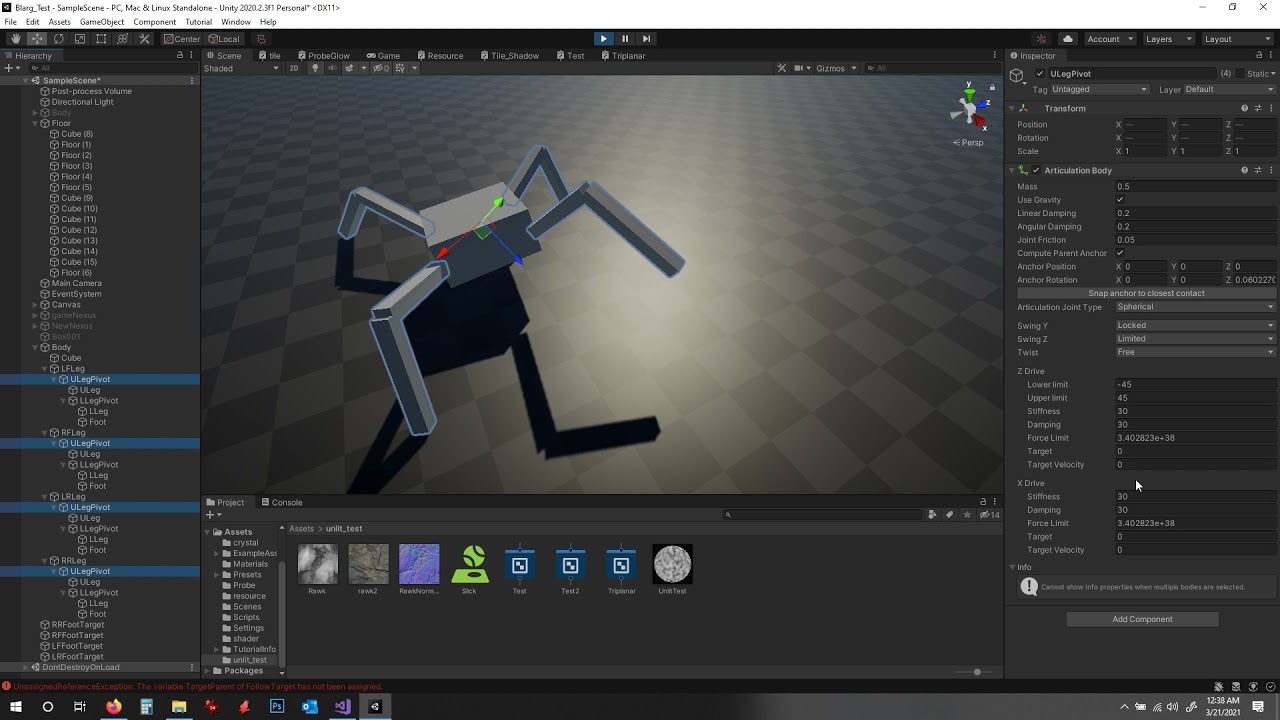
so question, i have an articulated body chain, which iw working pretty well, however the setting labeled target velocity doesn't have much effect, i can set it to 0, 0.000001, 1000,-1000 pretty much any value i want, and it appears to have no influence on motion of that or any connected joint so I don't understand what its job is
glad light
proud nova
<@!372417010857934858> Looks a bit like the default humanoid pose? If the collid...
at runtime, its a slightly different animation but its hard to tell since its halfway through
glad light
proud nova
<@!372417010857934858> Looks a bit like the default humanoid pose? If the collid...
and the collider doesnt move but the model does
craggy grove
So actually, starting to realize that a game object that shares the same position as a spline following game object (this is spline following stuff) suits most of my needs. But I want to allow the main game object to be able to have a torque applied on the z axis, while still following the other object on the x and y axis. If anyone can understand what I'm looking at, can they lend a hand at a solution? I tried the following, but it's still completely mimicking the other game object's rotation rather than only matching x and y, while allow the z axis to have torque...
    {
        if (generated != null)
        {
            CurveSample sample = spline.GetSample(rate);
            generated.transform.localPosition = sample.location;
            generated.transform.localRotation = sample.Rotation;
            generatedRailAxis.transform.localPosition = sample.location;
            //generatedRailAxis.transform.localRotation = sample.Rotation;
            //generatedRailAxis.transform.localRotation = Quaternion.LookRotation(generated.transform.forward);
            //we probably don't want the cube to rotate with the parent capsule body...
            Vector3 convertAngle = sample.Rotation.eulerAngles;
            convertAngle.z = generatedRailAxis.transform.localRotation.z;
            Quaternion finalAngle = Quaternion.Euler(convertAngle);
            generatedRailAxis.transform.localRotation = finalAngle;
            if (generated.transform.Find("Player"))
                currAngVelocity = generatedRailAxis.GetComponent<Rigidbody>().angularVelocity;
        }
}```Make sure your physics 2d built-in package is not disabled?
 craggy grove
...anyone?
 hidden ice
I can't get wheel colliders to do anything at all. When I start my game, the car just falls
Also it seems that they are aligned to the wrong axis, when I was able to get them to turn, they turned parallel to the ground for some reason
timid dove
hidden ice
Also it seems that they are aligned to the wrong axis, when I was able to get th...
Wheel colliders are always aligned along your object's Z axis
which is the forward axis
If your model is not aligned that way, fix your model
hidden ice
I'm following a tutorial exactly, and the colliders don't seem to have any sort of physics collision
timid dove
hidden ice
I'm following a tutorial exactly, and the colliders don't seem to have any sort ...
tutorial may have glossed over something
hidden ice
it's an official Unity tutorial
https://docs.unity3d.com/Manual/WheelColliderTutorial.html

ok so i narrowed down the problem
for some reason whenever the colliders hit the ground, they bounce really high for some reason and detach completely from the car
craggy grove
It's really tough to adjust the springs on those things. Make sure you also make the game object transform the "attachedRigidBody" from the collider @hidden ice
hidden ice
i'm an idiot and didnt realize they changed all the spring values n stuff
craggy grove
It's a lot to figure out lol
hidden ice
ok now they phase clean through the earth, wtf is going on
hidden ice
ok so i solved it, i'm an idiot
i forgot about fixed joints
verbal osprey
4 leg physics... can get a bit jittery, but its going good 🙂 https://www.youtube.com/watch?v=DdwcEDXAMqY
 dusty ermine
timid dove
Make sure your physics 2d built-in package is not disabled?
dusty ermine
timid dove
Make sure your physics 2d built-in package is not disabled?
no, it is not)) It is so weird...

 digital dust
I need help with physics, I'm making a shuriken throw mechanic, they got thrown at a pretty fast speed, for this problem most of the time the rigidbody dont detects collision in time, even if is set up to Continous Dynamic
what else can I do?
timid dove
digital dust
I need help with physics, I'm making a shuriken throw mechanic, they got thrown ...
You can do some raycasting in FixedUpdate to find obstacles in front of the shuriken to hit
 calm plume
viral ginkgo
calm plume
viral ginkgo
@untold loom could write a quick script to make a mesh filter/renderer and attach the mesh colliders mesh on it
ah nwm
 untold loom
calm plume
https://docs.unity3d.com/Manual/PhysicsDebugVisualization.html Maybe this?
untold loom
calm plume
https://docs.unity3d.com/Manual/PhysicsDebugVisualization.html Maybe this?
This is only for the scene
 gilded sparrow
So im doing deterministic dice roll
And i'm super close... it's like 95% deterministic currently
Anyone got some ideas why it's not 100%?
I noticed the biggest weirdness happening is when i use transform.rotation, rb.rotation, rb.MoveRotation
    public void Retoss()
    {
        rb.position = spawnPos;
        Debug.DrawLine(rb.position, spawnPos, Color.cyan, 10f);
        transform.rotation = Quaternion.identity;

        Vector3 simRot = GetRotationValue(simulatedValue);
        Vector3 expRot = GetRotationValue(expectedValue);

        Quaternion q = Quaternion.FromToRotation(simRot, expRot);
        transform.rotation = Quaternion.Inverse(q);

        //transform.Rotate(retossRot.eulerAngles);
        //transform.rotation = retossRot;//= Quaternion.identity;
        Debug.Log(transform.eulerAngles + " : " + retossRot);
        rb.AddForce(lastForce, ForceMode.Impulse);
        rb.AddTorque(lastTorque, ForceMode.Impulse);
    }
What makes this deterministic?
gilded sparrow
I can determine the roll result i guess?
I simulate manually until it rests, then supposedly when i Retoss, itll roll the exact same way except ill edit the starting rot to get the value i want
distant coyote
right, but where's the simulate part? 😛
(nothing in your code shows what you're doing to establish Determinism)
wraith junco
@gilded sparrow Physx isnt deterministic. Run the simulation only on your server and send the position and rotation to the client
 wraith vault
Simple question but is it possible to shape a polygon collider2d to make it angle the trajectory of a rigidbody2d left or right after collision?
dusty ermine
@timid dove here is an official Unity's answer https://forum.unity.com/threads/how-to-create-2d-physics-material-in-urp-project.1079123/#post-6957404
Unity Forum
Hi guys,
I would like to know how I can create 2d physics material if the project was created as a URP project?
It is weird but there is no 2D option...
timid dove
dusty ermine
<@!179367739574583296> here is an official Unity's answer https://forum.unity.co...
ok that clears things up! definitely a bug!
gilded sparrow
distant coyote
right, but where's the simulate part? 😛
Oh yea thats somewhere else
Ill post the rest soon
I already managed to re simulate from the manual sim steps in its own scene, then send back to main scene and retoss, always land on same side and exact same trajectory etc
But when i do the change initial rot, its not the same anymore
Im having problem rotating it "squarely" i think
Or smthing else that causes it to not be deterministic..
 void grotto
I'm trying to make a natural-feeling "burst of speed" effect. These characters aren't moved directly, but pointed somewhere and given a burst. I want them to somewhat naturally come to a stop, but you can see here that the character spends an extraordinary time slowly inching along. The animation plays if their speed is above 0. Is there a way, using Rigidbody settings or Physic Materials, that I can make the Rigidbody come to a complete stop when it's going slowly enough? Would I need a script to "clamp" the speed or can this be done entirely with physics settings?
 gilded sparrow
There's a "drag" in the rigidbody setting
void grotto
I've got a drag on it, and I have a physic material on the floor and character
gilded sparrow
There's also Sleep Threshold

But personally i would clamp it in script for more control
gilded sparrow
Yep
void grotto
Found it, let me see if that's what I want
gilded sparrow
If ur whole game is based on physics, increasing this threshold "may" make it weird
void grotto
Yeah, it's a pretty heavily physics based game, which is why I want to try to use the physics component settings as much as possible instead of mucking about with scripts
If I do that, it means that my physics settings are put at sensible values
gilded sparrow
I'd think the opposite. Controlling it with scripts is kinda inevitable, bcoz physics only is just unpredictable
But yea i wouldnt change project physics settings unless "making it physically weird globally" is the goal
I'd rely 100% on physics material etc only if the game is like angry birds or ball rolling
Once it touches player input/character control etc, it has to be scripted
void grotto
I just feel like there's gonna be a lot of moving parts, and if I do as little manual overriding of the physics behavior the more likely it is that any new pieces will work as expected with all the others
But I'm going to clamp this speed manually, it doesn't seem like there's a better way
gilded sparrow
@distant coyote
In the pic, that's how close the manual sim trajectory vs the auto sim afterwards, whether i change the initial rot or not
But if i dont change the init rot, the manual sim value matches the auto sim value 100%
Checking the initial rot difference between the init in manual sim and retoss, it looks "perpendicular" enough
Dice
https://pastebin.com/LtkWmtvF
Toss creates the random toss direction and saves it. Retoss uses that random toss again
GetValue/GetRotationValue, the dice side is based on Transform child positions
BoardGameInstance
https://pastebin.com/bGy6N6Q5
Clients does the deterministic dice visually themselves, bcoz server just gives the RNG dice values
The whole point is just in RpcRollDice
PhysicsSimulator
https://pastebin.com/bAP95Vr6
Just a class to maintain the dedicated physSim stuff
First does the manual sim until all dice rests, gets the value, saves the random force + expectedValue in each dice, then returns to mainScene and let BoardGameInstance do the Retoss

Pastebin
Pastebin.com is the number one paste tool since 2002. Pastebin is a website where you can store text online for a set period of time.
Pastebin
Pastebin.com is the number one paste tool since 2002. Pastebin is a website where you can store text online for a set period of time.
Pastebin
Pastebin.com is the number one paste tool since 2002. Pastebin is a website where you can store text online for a set period of time.
 edgy aurora
How can I calculate the velocity of a rigidbody when applying a force taking into account the mass and drag
assuming the rigidbody starts from rest
i want to know the velocity before the rigidbody begins moving
verbal osprey
what the velocity will be, or what it is? if its a "force" you will have to calculate force * time to figure out final velocity, if its an "impulse" it is something like impulse / mass is change in velocity.
if you just want to know how fast its currently moving before deciding on forces, the rigid body has a ".velocity" vector3 you can pull straight from it
edgy aurora
@verbal osprey what the velocity will be with a continuous force
before applying that force
so not an impulse
 nocturne talon
is it normal in physics engine do something randomly? like result of collision or parabolic movement.
i heard that some engine intensionally use random factor on physics engine(not random about float point calculation or delta time diff)
void grotto
What would be the best way to "snapshot" the physics of a moving rigodbody and re apply it later? I have an animation that I want to play when two objects collide, then let the moving object continue on as if it hadn't stopped. Should I just store the values of a bunch of variables, zero them out, then re-apply them at the end of the animation? Or is there a better way to "pause" physics on one object?
timid dove
void grotto
What would be the best way to "snapshot" the physics of a moving rigodbody and r...
probably just save the position, rotation, velocity, and angular velocity of the Rigidbody
then make it kinematic, do your animation
then put it back and reapply those properties
void grotto
Yeah, I figured that would be the case. Just wasn't sure if that'd properly keep all the momentum and whatnot
broken ivy
I am trying to implement a wall jump and all I currently have put together is code that shoots my character uncontrollably across the screen on the x/z plane every time I collide with an object in the air. Anyone have any suggestions?

 lavish rose
@broken ivy found an amazing piece of code for that, total game changer for me... hold up, gonna get to pc and post it...
Oh wait... you’re 2d... gonna have to adjust tho...
broken ivy
@lavish rose Awesome. I am 3d though
verbal osprey
@void grotto you can make a second "RigidBody" in the code and copy the first to it, then when you want to restart it from where it was, copy the backup rigid body back onto the main one, and boom should be just as it was
@edgy aurora you have to take its mass and add the change in velocity, which will be (force * time)/mass
void grotto
Wouldn't putting a second rigidbody on an object like completely wreck shop on everything physics related?
lavish rose
(how much code can one spam here? 😄 )
broken ivy
😆
verbal osprey
@void grotto not on the object, in c# internally
 lavish rose
@broken ivy DM-ing you, sir.
timid dove
void grotto
Wouldn't putting a second rigidbody on an object like completely wreck shop on e...
I don't even think Unity would allow you to do it
lavish rose
Got a question too... Why does everybody try to avoid mesh colliders?
verbal osprey
theyre expensive the more complex the mesh the greater the processing overhead. and rarely are they "needed" other than for terrain thats hard to represent as simple shapes
void grotto
verbal osprey
<@!153950686088921088> not on the object, in c# internally
Wouldn't that just be two variables pointing to the same Rigidbody? Rigidbody isn't a struct, so it's passed by reference, right?
timid dove
lavish rose
Got a question too... Why does everybody try to avoid mesh colliders?
I wouldn't say everyone tries to avoid them
verbal osprey
don't think so, let me run a test
lavish rose
Thanks!
verbal osprey
@void grotto so in playing with it, looks like the direction to head may be calling sleep, and wakeup on the rigid bodies you want to pause, but you also have to save a copy of the velocity, and angular velocity Vector3.
 void grotto
verbal osprey
<@!153950686088921088> so in playing with it, looks like the direction to head m...
void grotto
verbal osprey
<@!153950686088921088> so in playing with it, looks like the direction to head m...
Okay, so I can do Sleep and Wakeup, but I also need to store the velocities as well, since they don't get preserved? I can do that
That video seems like exactly what I want to happen, thank you for that
verbal osprey
np 🙂


 frigid pier
!warn 619847988180942848 Do not ghost ping people.
 flint portalBOT
 Ducky#6060 has been warned.
stuck bay
@frigid pier my bad i was scrolling thru the chat and pressed on your name
 timid kayak
I have an issue where Negative values in the .AddTorque() is not producing the same rotation as the positive values.
I've tried .AddRelativeTorque() as well, with the same result.
It seems to work appropriately without gravity, but I feel like I'm missing something.
if (Input.GetKey(KeyCode.D))
  rigid.AddTorque(Vector3.up * vehicle.Handling);

if (Input.GetKey(KeyCode.A))
  rigid.AddTorque(Vector3.up * -vehicle.Handling);
Anyone run into this before?
The only other force I add to the rigidBody is this
rigid.AddForce(transform.forward * currentAcceleration * vehicle.TopSpeed);
verbal osprey
If the torque function isnt playing nice, one thing i did to approximate it was to AddForceAtPosition spaced to + and - 1 unit from pivot, you can simulate add relative force at position by using AddForceAtPosition (Transform.transformpoint(vector3(0,1,0) * torque value)) And then (vector3(0,-1,0) * -torque value) for the other side, pushing equally in opposite directions Gives you a single axis local torque application, do one for each axis and its good. You just have to modify the transform.up to vector so it is on opposite sides of origin on each axis I’m paraphrasing the code because I’m on my phone not at my computer tight now but it worked well for me when add torque didn’t cooperate .
timid dove
timid kayak
I have an issue where Negative values in the .AddTorque() is not producing the s...
well of course it's not going to be the same rotation. It should be on the same axis, but in the opposite direction. Are you seeing something different from that?
also be aware of the difference between AddTorque and RelativeTorque. The former is in world space, the latter in local space
 true frigate
any good inverse kinematics tutorials for procedural animations?
verbal osprey
Ik by its nature is procedural, so the better question is what is the end goal you are trying to animate procedurally, a simple robot arm, a floppy antenna on a vehicle, loose gear on a player running around, bouncing by physics. The long hair of the protoss zealots in SC2 flowing after them as they run, all the way up to a complete full AI movement planner that goes as far as route planning, and then back calculates the entire chain of events needed to get there
timid kayak
timid dove
well of course it's not going to be the _same_ rotation. It should be on the sam...
It's actually not the same rotation, which was the issue, I actually did figure it out, but I needed to drop the torque and directly set the angular velocity
timid kayak
verbal osprey
If the torque function isnt playing nice, one thing i did to approximate it was ...
Thanks for the suggestion, I did something similar by manually adjusting the angular velocity as I was just using it for turning in a simple arcade style game
 edgy solstice
When adding a collider to rigidbody, object needs higher RelativeTorque for rotation, is that expected behaviour?
verbal osprey
Well yes, i believe the body does some kind of mass distribution calculation based on the colliders it has under it, so the moment of inertia may well change, as well as the center of mass.
viral ginkgo
@edgy solstice you should be able to determine how much torque you need to get the same effect.
from inertia tensor in rigidbody and some fancy maths
i dont know the math though
timid dove
edgy solstice
When adding a collider to rigidbody, object needs higher RelativeTorque for rota...
Inertia tensor is the thing you're looking for. It's basically just the "mass" for rotation purposes and it changes as the shape changes. More oblong objects have a higher inertia tensor than more compact huddled up objects
Think of the whole ice skater spinning thing
When they extend their arms and legs they slow down, and when they contract they speed up
Ah yeah moment of inertia is a synonym
viral ginkgo
inertia tensor is some matrix that indicates rotational inertia
the tricky part is getting a scalar telling about the inertia in a particular axis
timid dove
Yeah I've never messed with trying to actually read the thing
I imagine there's some trick to it where you plug an axis in somehow and you can get a scalar for the moment of inertia on that axis
viral ginkgo
its probably some matrix multiplication
perhaps the inertia matrix needs to be multiplied with rotation axis and resulting vectors magnitude would be the scalar,
but thats just a wild guess
yea
edgy solstice
Thanks for clarification @viral ginkgo @timid dove
 slim wadi
hi all, i have small Issus here, i've made a code that if player looks to the drawer, the 3D UI that says press F to open the drawer will show up, but i want to if player looks away and raycast not detecting that drawer, the 3D UI get hide, but i really lost in this one, can some one help please ? your help casts name of your's in my credit ... thanks.
 supple sparrow
How do you show it up ? Make the opposite ?
 frosty ore
why does my hinge joint rigidbody only spin so fast
and then stops
solved it was physics settings
 winged ibex
box hit da kickflip
winged ibex
does anyone know how I can transfer stuff from blender to unity?
 crystal iris
#🔀┃art-asset-workflow will probably be more helpful than the physics questions channel
 haughty scaffold
question, how to i have a physics object collide with other things while also moving with another object
im trying to make a vr game, and in order to hold objects you need to have them parented to the controller, but that stops collisions from occuring
viral ginkgo
@haughty scaffold you could parent a kinematic body to your vr hands
and to grab the object, you attach a fixed joint between the kinematic handle and the object you wanna grab
 worthy viper
Hey guys! Quick question: When moving my character across terrain that moves higher, my character will float instead of just 'walking' on level ground once they move off higher ground. Any advice?
timid dove
worthy viper
Hey guys! Quick question: When moving my character across terrain that moves hig...
apply gravity of some kind in your movement technique
worthy viper
timid dove
apply gravity of some kind in your movement technique
I’m assuming I would do that in the script if the ‘use gravity’ checkbox is checked in the inspector but still not working?
worthy viper
Currently trying to write one haha, I’m honestly super new to unity/c# so it takes me a bit to figure stuff out😂
timid dove
no worries
 elfin pond
I have loaded an additive scene then spawning a turret in it. I used Physics2D.OverlapCircleAll() to grab enemies that are in my attacking range. This supposes to be for a turret in a multiplayer game. Everything went fine on clients but on the server Physics2D.OverlapCircleAll() doesn't work.
I have set LoadPhysicsMode and also run GetPhysicsScene2D.Simulate() in Update. But still nothing. It only occurs on the server. Does anyone know what I'm missing?
worthy viper
Update: I'm really having issues making a script that would just add gravity to a gameobject, any tips? 😭
verbal osprey
It has a velocity vector 3, add to it a “down” vector scaled by some number each frame
Well as long as it has a rigidbody, if not you have to store a vector3 in code that is its velocity, and update its position yourself based on that velocity, and increase that velocity by whatever gravity number you want to use per frame.
Are you against using a rigid body, would make collisions much easier
worthy viper
I already have a rigid body and checked the whole 'use gravity' thing but it's not really using the gravity right haha
verbal osprey
Well if you arent satisfied with its gravity code, you just modify its velocity so it grows over time when falling.
M/s is velocity (meters per second) per second is accelerating
The cool thing then is you get to set whats “down”
worthy viper
If I sent an image of my character controller code would you be able to tell me what I'm doin' wrong? xD
verbal osprey
I can try i guess
 verbal osprey
Im guessing 2d?
worthy viper
3D o-o
verbal osprey
Ok, so you are saying in code take this x and y input scaling it by speed, and frame time, then moving the player to that new position
Since you have a rigid body i would use that to move for gravity. (Im on my phone typing this so the syntax may not be perfect. But inside the fixedupdate function (add it if its not there)
float grav= 0.5f; //or whatever gravity ammount feels right
gameObject.getcomponent<rigidbody>().addforce(new vector3(0,grav,0)*time.fixeddeltatime);
So your having the physics system add a continuous acceleration downwards, but that respects collisions and whatnot
worthy viper
So put all of that in the fixed update?
verbal osprey
Yeah, any interactions with the physics engine should be in the fixedupdate function
worthy viper
Okay, I added that and it seems like he's still floating for some reason
Do I need to uncheck the use gravity in the rigidbody or something?
verbal osprey
I would since your handling it. Then something in the code somewhere is setting the position of the gameobject. Translate should just move it relative, so that wouldnt stop it, look in other code see if anything is writing a value to transform.position or something
That is probably what was keeping the builtin gravity from working too
worthy viper
Think it could be something in my camera controller that's programmed to make the camera follow the player?
verbal osprey
Not sure but start disabling scripts by the checkblock until you find what script is the culprit then go disect it
worthy viper
Idk if this is related but disabling a sphere collider on it makes it to where it will just go through terrain altogether and not move up it at all.
verbal osprey
Turn gravity back on with the collider turned off
Also check the rigid body to see if an axis is locked
worthy viper
the x and z axes are
verbal osprey
Unlock all the axises as a test
worthy viper
yeah still no dice. tried the script disabling thing too and still nothing
verbal osprey
Well start from scratch then turn off all the gameobjects completely empty in the scene, make a new cube, throw the rigidbody/collider on it, make sure it falls, add back in terrain, you will eventually find what is stopping it
worthy viper
okay, thank you so much for the help
verbal osprey
Np
viral ginkgo
How do we prevent angled surface sliding on rigidbody characters?
supple sparrow
worthy viper
Something wrong in here. You're getting a reference to the CharacterController but then try to translate the transform. So, which way of moving did you really intend ?
I don't use the CC, but you should be able to send your playerMovement to some controller.Move() method
In a nutshell, I would NOT mix messing with the character controller, transform, applying forces, all the 3 at the same time
 upper goblet
I am trying to figure out how I should go about trying to keep an active rag doll ballenced, anyone know how I should go about it?
I have tried messing with joints but I am not getting good results
viral ginkgo
@upper goblet grab head, push up
grab hips, push down
or
just make hip match an upright rotation
spine should correct itself with your ragdoll forces
upper goblet
messing around with it i found something passible;
a joint to the parent who's orgin is at the feet connected to the head and spine, as well as applying up force to the hip and head

it wobbles a bit but that's fine enough

I was messing around with this; https://github.com/Jesse-ww/UnityActiveRagdolls
It copies an animation onto a ragdoll, had to heavily mess around to get them to stand and move around

GitHub
This is an Active Ragdoll asset made in Unity version 2017.3 - Jesse-ww/UnityActiveRagdolls
 gentle marsh
[ProBuilder] Hey anyone knows, why that collider is so wrong?
 timid dove
gentle marsh
[ProBuilder] Hey anyone knows, why that collider is so wrong?
timid dove
gentle marsh
[ProBuilder] Hey anyone knows, why that collider is so wrong?
Looks like it's set to Convex
timid dove
Unity does not support concave triggers
Workaround is to use several primitive colliders such as BoxColliders
gentle marsh
okay, thank you
 prime flower

isometric moba + physics sports game concept I'm messing with
Networking is still based on client side prediction + physics state rollbacks which is pretty interesting to build a MOBA style game on top of.
since skillshots get rolled back and re-synced
frosty ore
 subtle hamlet
Hello. So i got this problem i downloaded unity thinking to make a small Car racing or something like that project and i followed some tutorials in unity and i did everything as a begginer and now i got this problem when i drive a car it drives normal for like 2-3sec and the one side of wheels bugs a little in to the terrain and my car flips around it-self on the roof and also my rims looks buggy too.I did something wrong? can someone help me with fixing this problem? Please @ Me if u can help

 foggy rapids
What you did wrong was making the car too realistic.
unity's physics library is really bad at doing cars. It's possible but very difficult.
Most racing games with unity use much simpler physics and fake the visuals
otherwise, i'm sure somebody can recommend a good asset on the store.
subtle hamlet
ahh i was just trying to make this blender FBX car driveable xD
foggy rapids
making any 4 wheel vehicle drive in unity is a commendable achievement
subtle hamlet
Aight cuz i choose this engine bcs a lot of ppl said its easier to use than any other engines
foggy rapids
you can get pretty creative. Best solution i've seen uses a sphere rigidbody and just rolls it around. with drifting and everything
but it looks like a car and acts like a car
subtle hamlet
ahh nahh
frosty ore
foggy rapids
but it looks like a car and acts like a car
🦆
wow im resurrecting old stuff
took a nap
 sleek creek
Hey I have some items colliding even though their collision layer in the matrix is turned off, is there something else causing this anyone can think of off the top of their head?
viral ginkgo
@sleek creek maybe its about the child collider layers
lavish rose
Hello ladies and gentls! Got a thing here I’ve been trying to figure out for several days now, so I seek your help, oh wise sages... I got a Ray, in the cam direction, cam rotating FPS like (following mouse movement, with the ray always pointing fw). Now I’d like to have two objects (tubes if you will), that I want to have fixated on one end and turning and moving, copying the ray direction, like indicated on the picture below

(Sorry, wrong rotation)
I have a feeling that joints are somehow involved... could someone point me in any direction? A thousand thanks!
timid dove
huh
Can't you just make your "tubes" as children of the camera?
why get the physics engine involved
lavish rose
Cause that way, I believe they’d rotate on both ends, no?
NO WAIT... if their pivot point is on one end...
Could that work?
Also... how would I set the pivot point? 😄
lavish rose
Thank you sire!
So... pivot point in Blender, exp. put the pivot to the anchor point and make cam parent to both... will do! Thanks a bunch!
haughty scaffold
having problems with physics, i have a racket and a ball, and when I move the racket too fast the ball just goes through the racket
the ball has extrapolate and continuous dynamic on the rigidbody
video's a little laggy but when it dissapears thats when it fell through the racket and dropped to the floor
haughty scaffold
it doesn't, this is a vr game, the racket will always be tied to the right hand controller and im just parenting the racket to the hand to move it
wait nvm
no i just parented the racket to the hand
timid dove
haughty scaffold
it doesn't, this is a vr game, the racket will always be tied to the right hand ...
That's kind of an issue:
- If you have a collider without a Rigidbody then it's considered a static collider by the physics system
- static colliders are inefficient to move around, and you definitely don't get proper collision impulses etc.,. from them
and you definitely won't get collisions between its position in two separate frames
haughty scaffold
oh i see
how do fix this?
i added a kinematic collider to the racket but it didnt seem to do anyuthing
its still just parented to the controller, is that a problem?
timid dove
you probably need to make the racket as a Kinematic Rigidbody, and move it with MovePosition
rather than simply making it a child of something
haughty scaffold
alright ill try that
verbal osprey
as a sanity check, you can transform the ball position into the local coordinates of the racket,, and the position of the ball in one of the directions probably "Y" (depending on how racket it setup) will be positive on one side of the racket and negative on the other, your code can watch for that change and trigger the collision if its missed.
 torpid prism
does the dots physics has a grid we can access to ?
 stoic wave
what's a good way to do hair physics

I just want the bits of rigged hair to feel more alive
distant coyote
@stoic wave DynamicBone is one of the better AssetStore plugins, but there are some hair-specific ones too.
stoic wave
distant coyote
<@!164172535494213633> DynamicBone is one of the better AssetStore plugins, but ...
thx
 thick dragon
I have a problem. when my car (going at *15 in a time delta) starts flying when it collides with a crate. The mass of the crate is 20 and my car is 1000
verbal osprey
unintentional IK tuning outcome but thought I'd share cause it looks drunk 🙂 can't skip leg day, they just aren't strong enough to hold up the body right now.
frosty ore
any physics peeps in here?
verbal osprey
that is the point of the channel, yes
 wide nebula
@devout cipher Please don't crosspost.
 near flicker
Hi guys, for my 2d game i'm trying to get a realistic snail movement. Can i get this "jelly" body effect using sprite Bones and 2d joints? (Ive Never used it before so i would like to know if theres a better option)
 short ruin
lavish rose
Hello ladies and gentls! Got a thing here I’ve been trying to figure out for sev...
short ruin
lavish rose
Hello ladies and gentls! Got a thing here I’ve been trying to figure out for sev...
Did ya accidentally activate pirate language in the minecraft language setting or what?
verbal osprey
@near flicker common way to get soft body physics in 2d is to use sprites with bones, and spring joints between them, just search for "unity softbody" on youtube
near flicker
okay ty!
 karmic jacinth
My colliders for a fighting game im making arent working. I've searched the internet and i couldnt find anything regarding my problem.
Notes:
My game is in 2D
The layer Collision matrix boxes are ticked
I added rigebodies to the player are dummy
Istrigger is Off
frigid pier
karmic jacinth
My colliders for a fighting game im making arent working. I've searched the inte...
Need to apply forces for physics to work properly https://learn.unity.com/tutorial/2d-physics
karmic jacinth
frigid pier
Need to apply forces for physics to work properly <https://learn.unity.com/tutor...
aight thanks
 wicked phoenix
Hi, is it possible to parent a kinematic rigidbody to a regular non-rigidbody object that's being moved via DOTween? When I attach the kinematic object to the non rb object, it kinda lags behind a bit
 narrow whale
Hey, I'm making a pacman clone for class and Im having trouble with the rigidbody on the player character interacting with the colliders on the wall. If I run into any of them, Im just stuck. I've tried using a Physics Material 2D, changing the collision detection on the Rigidbody to continuous, and using edge colliders instead of box colliders. There is a circle collider on the player. Would really appreciate some help fixing this.
 timid dove
narrow whale
Hey, I'm making a pacman clone for class and Im having trouble with the rigidbod...
timid dove
narrow whale
Hey, I'm making a pacman clone for class and Im having trouble with the rigidbod...
The physics engine seems like the wrong approach for pacman in my opinion
Anyway you haven't mentioned how you're actually moving your rigidbody.
 timid dove
You're moving it with an Animator?
The physics engine is not going to properly detect collisions if you are moving your rigidbody outside of the physics engine
It will basically only work properly if you move the Rigidbody with forces, setting its velocity, or using rb.MovePosition
narrow whale
I use MovePosition, its the 3rd line down from the top
timid dove
narrow whale
what would you use instead?
I would probably just move the character's position with normal Transform.Tramslate, but I would use raycasts to find the walls and not go through them
timid dove
narrow whale
I use MovePosition, its the 3rd line down from the top
Oh i guess that should more or less work
🤔
You should use the rigidbody position not the Transform position in your dest check btw
narrow whale
will that fix the whole getting stuck on colliders issue?
 coral mango
@stoic wave Sox is a great free tool for that on the asset store.
verbal osprey
or be moving your player by adding forces to it, so the physics system can control when it hits something
 opaque palm
Hey everyone , Im making a research on mlagents for my master thesis.
At this point I need to add some obstacles for my agents to learn to avoid.
So in my Environment Script I added in the Start() the following code:
https://hatebin.com/nkajhohcwm
My question:
What other components do I need to add in order to make random cubes on the floor.transform.localposition.y that are greyMaterial and have random shape(Rectangular ).
foggy rapids
Rigidbody
haughty scaffold
any way to get a cloth that also has collision against other objects?
im trying to make a net for a tennis game
and i want the cloth to react when the ball hits it, and also to stop the ball in its place
but when i hit the ball into the net, the net reacts a little but the ball passes right through it
ive added the ball's sphere collider to the cloth collider list
hidden ice
haughty scaffold
but when i hit the ball into the net, the net reacts a little but the ball passe...
maybe put a super thin flat box collider right in the middle of the net and make it so the cloth doesn't collide with the box?
haughty scaffold
good idea but the cloth is zero thickness so the ball wouldnt touch the net
hidden ice
oh
 low ore
how could I replicate RigidBody.MovePosition with Rigidbody.AddForce?
timid dove
low ore
how could I replicate RigidBody.MovePosition with Rigidbody.AddForce?
With some difficulty. It would require at least two AddForce calls. One to accelerate the object up to a velocity such that it reaches the desired position during the next physics update (easiest to do with ForceMode.velocityChange, or simply setting the velocity directly), and then a second force next FixedUpdate to remove the velocity given from the previous one.
low ore
timid dove
With some difficulty. It would require at least two AddForce calls. One to acce...
alright thank you
@timid dove for more context btw, I was using Vector3.Lerp and then moving to that position with rigidbody.move, but then it went through walls, so I am trying to fix that issue
 mighty sluice
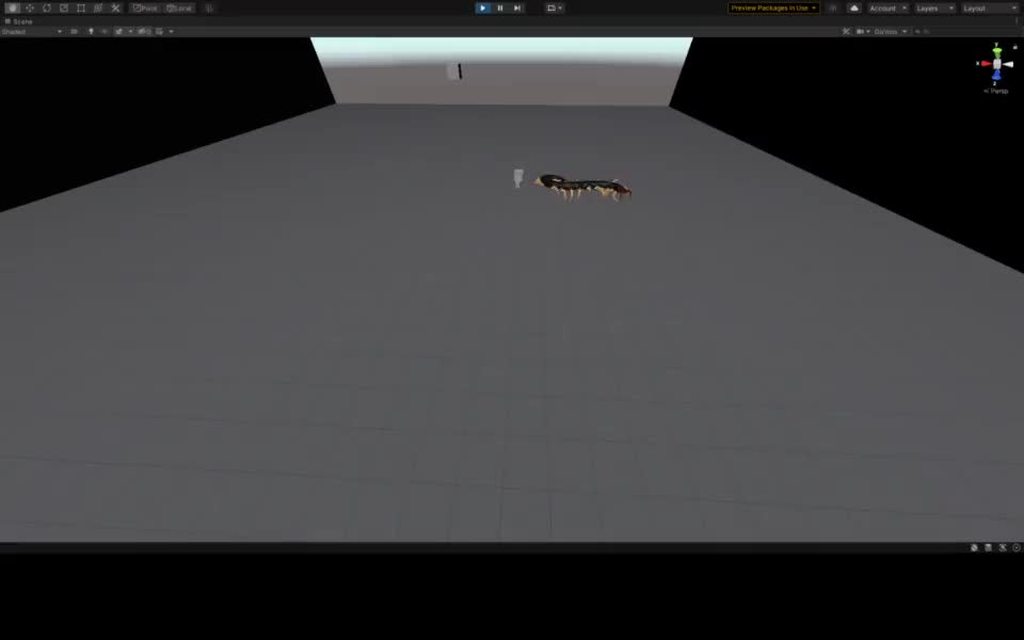
Centipede physics https://imgur.com/ID4PTo3
 verbal osprey
@low ore you can use " RB.AddForce(MoveDirection, (ForceMode)3); "to have an instantaneous change in velocity ignoring mass, so you can just set a speed, then as long as drag is set to 0 and no gravity, it will continue at that speed until you get to where your going then you can set it back to 0.
low ore
Thanks
verbal osprey
your bug seems to go a little vertical when it tangles up with itself but other than that it looks fairly amazing, are the legs actually sticking to the ground like they should its hard to focus on them it looks like they are stuck to the ground as they are in contact but as soon as they start to lift, they snap out to fully straight which seems visually off somehow. but overall nice
mighty sluice
@verbal osprey thanks!
The leg out-stretching is actually something that is intentional; two of the four leg joints extend the leg during that phase of the gait
it's useful for giving the foot a little bit more height so it doesn't get caught on ground obstacles (not that there are any)
but yea, aside from the speed being accelerated to about 1.5x normal speed (due to ml-agents training), the leg physics is working amazingly
oops you mean Rice's bug
lol.... perhaps you can notice the subtle leg extension that i mentioned...
timid dove
mighty sluice
Centipede physics https://imgur.com/ID4PTo3
thanks I hate it
mighty sluice
lol. to be expected
verbal osprey
@low oreone interesting idea to try is using a PD controller setup... every frame you add a force to the object "((TargetPoint - CurrentPosition) * PScalar) - (CurrentVelocity * DScalar)" tuning in the two scalars to have decent approach time, and limit overshoot. its more of a control theory, but PD controllers are fairly robust and a good fit. then all you have to do is write a new target position and boom it automatically moves to it and stops
low ore
verbal osprey
<@!485606223916433420>one interesting idea to try is using a PD controller setup...
oh very cool
verbal osprey
don't forget to include a time.deltatime so it adjusts to framerate though
 lapis plaza

so, physx contact modification support is finally arriving to 2021.2 alphas 🙂 should be there on next weeks release
supple sparrow
ooooh nice
timid dove
lapis plaza
What's that do?
lapis plaza
@timid dove it basically lets you spoof / tweak the collision data from physx before it resolves the collisions between collision pairs. more about the feat here: https://forum.unity.com/threads/experimental-contacts-modification-api.924809/
it's more of an advanced physics engine feature, people use it to fix certain corner cases where stock physics behavior would glitch etc
timid dove
lapis plaza
<@!179367739574583296> it basically lets you spoof / tweak the collision data fr...
Ah so I could have, for example, non-trigger colliders (with RBs) and react to their collisions before the impulses /depenetration from the collision happen?
lapis plaza
well technically yes, but it's main purpose is to modify that collision data. contact modification callback also runs on separate thread so you can't use regular Unity API from it as it's not thread safe
lapis plaza
basically you can do stuff like spoof collision pair normals, adjust the pairs locations, how much it penetrates, ignore certain pairs etc... this info is basically only used for the collision resolving which happens after this, it doesn't actually adjust the physics sim otherwise
here's a quick example I made with this while testing: https://forum.unity.com/threads/experimental-contacts-modification-api.924809/#post-6482950
a lot in that example isn't "correct" way to solve those things, just wanted to show some things you can do with this feat
 opaque bough
mighty sluice
Centipede physics https://imgur.com/ID4PTo3
opaque bough
mighty sluice
Centipede physics https://imgur.com/ID4PTo3
Scary
 sleek crow
Hey guys i cant find any document about finding a diagnol on polygons
its like no one ever needed to detect a diagnol of polygon
i am loosing my mind 😄
can any1 help 😄
verbal osprey
what specifically are you finding? what type of polygon. if its a triangle, what do you mean diagonal, if its a quad, it would just be corner to corner (although there would be two different ones)? pictures would help
foggy rapids
lol yeah what does that even mean
do you mean n(n - 3) / 2 where n is the number of sides?
broken ivy
I am making a 3d game and need to increase my fall velocity. What is the best approach to tackle this problem?
timid dove
broken ivy
I am making a 3d game and need to increase my fall velocity. What is the best a...
how are you moving your player
Rigidbodies?
broken ivy
Yes
timid dove
Increase gravity
broken ivy
No, manipulating gravity/drag will not affect the descent of the fall. I have already tried this. I am now looking into creating some sort of force multiplyer
timid dove
broken ivy
No, manipulating gravity/drag will not affect the descent of the fall. I have a...
it definitely does
broken ivy
lol
timid dove
objects fall faster on earth than on the moon
if it's not working, then you are doing some weirdness that's breaking gravity
make an empty scene with a cube with a Rigidbody. Play the scene, watch how fast it falls. Then increase/decrease gravity and repeat
it will fall faster/slower
Gravity is literally expressed as an acceleration:
9.81 meters per second per second
broken ivy
I understand physics. I will check the code and see if anything weird is happening
broken ivy
k
timid dove
You can also apply "extra gravity" to any given object if you want like this:
public Vector3 AdditionalGravity;
public Rigidbody rb;

void FixedUpdate() {
    rb.AddForce(AdditionalGravity, ForceMode.Acceleration);
}```@timid dove
timid dove
    void FixedUpdate(){
        rigidbody.MovePosition(rigidbody.position + moveVector * playerSpeed * Time.fixedDeltaTime);
}```this is definitely going to mess with your fall speed
why do that vs just setting velocity
void FixedUpdate() {
  Vector3 velocity = moveVector * playerSpeed;
  velocity.y = rigidbody.velocity.y;
  rigidbody.velocity = velocity;
}
I'm pretty sure MovePosition probably kills off your existing velocity
it's intended for use with Kinematic rigidbodies
broken ivy
How would you suggest doing movement besides move position?
timid dove
this #⚛️┃physics message
broken ivy
ok ty
proud nova
lapis plaza
Well that's just amazing. Easily gonna be top 10 Unity changes of the year 😄
timid dove
seriously
it handles so many annoying awkward edge cases
Things people have asked for repeatedly that are now possible (I think):
- Perfectly inelastic collisions on a rigidbody character controller
- https://answers.unity.com/questions/568974/sphere-collider-catching-edges-of-aligned-cubes.html
- Getting exact contact points for a collision without creating impulses/depenetration forces on the bodies < not 100% sure about this one
proud nova
- Getting exact contact points for a collision without creating impulses/depenetration forces on the bodies < not 100% sure about this one
Yea this should be covered based on the gif in the first post
Ball drops through a plane without being affected at all
That used to cost you 1-2 layers and potential GO fiddling if it was actually part of something 😄
(and you didn't get contacts)
verbal osprey
Or since its a rigidbody you could use forces to move it around, a PD controller makes it easy.
 brittle grail
So basically in my Unity 2018 project, none of the physics objects are colliding, regardless of rigidbodies and/or colliders
I've tried different objects and combinations, including cubes, planes, terrain, capsules, character controllers, etc
verbal osprey
Can you start a project from scratch and add just the minimum objects and rigidbodies, does collision work, if so then you just have to step through what changes/additions you’ve made. Maybe check under project settings > physics and make sure the layers are set to interact. The minimum required for 2 things to collide under physics should be a rigid body on the thing thats moving, and colliders on both it, and the thing its hitting.
 opaque summit
im using physics2d.raycast to find out whether or not my mouse is hovering a certain object, and if it is, hovering that object itll destroy it
whats weird is its very inconsistent, like the code works entirely, but the raycast just seems to miss sometimes
like an object will land and settle and my mouse will be spam clicking it, but it never deletes
but then after like 45 "missed clicks" it manages to work
    {
        if (Input.GetMouseButtonDown(0))
        {
            if (currentSelection == 3)
            {
                GameObject clicked;
                mousePos = Input.mousePosition;
                worldPos = Camera.main.ScreenToWorldPoint(mousePos);
                RaycastHit2D hit = Physics2D.Raycast(worldPos, new Vector3(0, 0, 1));
                Debug.Log(hit.collider.gameObject.tag);
                if (hit.collider != null)
                {
                    clicked = hit.collider.gameObject;
                    if (hit.collider.gameObject.CompareTag("playerPlaced"))
                    {
                        if(clicked != null)
                        {
                            Destroy(clicked);
                            availableBlocks += (int)hit.collider.gameObject.transform.localScale.x;
                        }
                    }
                }
            }
        }
}```heres a small video demonstrating the issue
you can see in the output that it sometimes travels straight through the object to the backdrop
 frigid trail
Is there a way to allow rigid bodies to clip with eachother selectively?
I am making a coin pusher, and I want the pusher to clip through the back wall, but not the coins (which cannot clip through the back wall or the pusher)
(seems like I'll try out doing layer collision matrix. I was using clipping instead of colliding while googling for help... wasn't helpful LOL)
Ok, question 2:
How do you stop objects from "flipping" or "popping up" when they collide? Like, if I have a grid of square tiles and I push one side, I want them all to shift flat like this _ _ _ _ But I often get pieces in the middle not pushing like this _ / \ _


 cyan nymph
Any one having tips to make a smooth elevator mine works but shakes a lot
 full perch
What does this mean: Vlong is the velocity in the longitudinal direction? Is it a vector or a float?
timid dove
full perch
What does this mean: Vlong is the velocity in the longitudinal direction? Is it ...
In what context?
full perch
Im trying to make car physics and this was one of the values for a calculation
αfront = arctan((Vlat + ω * b) / Vlong)) – σ * sgn(Vlong)
@timid dove
timid dove
Pretty sure everything in that equation is a scalar
If you want to relate this to Rigidbody i would guess that vlong is rb.velocity.z
full perch
ok thank you
full perch
I kinda suck at math xD
stuck bay
Hi everyone, hope you're all doing good !
I got a problem with the explosions forces here, i got 2 type of Entity, 1st is my player and 2nd is a test NPC (the "Enemy" one), and when i wanna create a bomb with AddExplosionForce(), the force applied to the 2 entity is extremely different, the player entity is getting pushed away normally, since the NPC is getting literally pushed out of the map !
I add some precision:
- The rigidbodys for the 2 entitys are exactly the same
- My OverlapSphere which is querying the rigidbodys is already applying some layer to technically only get the rigodbody of the entitys (wich is working, i checked it with Debug.Log)
In fact, i know who cause the problem but i don't know why, the problem is on a sphere collider that surround the NPC (as children). I added that one to make a trigger zone that detect any enemy that is entering the zone (a range detection for an aggro system). And when i disable that sphere collider, the NPC react normally to the explosion force, any idea of why a collider which is not on the same layer as my rigidbody is impacting this much the force applied ?

(I'm aware that i don't have gived a lot of informations but i don't wanted to spam, if there is a lack of information on my problem don't hesitate to tell me, thx 🙂 )
timid dove
stuck bay
Hi everyone, hope you're all doing good !
I got a problem with the explosions fo...
Looks like you're using a custom PhysicMaterial. That could affect the movement of your object.
Other things to look at are the mass of the two bodies and any collisions that may be happening
stuck bay
Yep, i'm aware of that, the same physic material is applied on the two entities, also, i've already printed the body that where affected by the explosion, and only the rigidbodies of the entities is taken (that's not difficult because my entities have only 1 rigidbody per person). Or maybe you were not talking about that
 timid dove
stuck bay
Yep, i'm aware of that, the same physic material is applied on the two entities,...
timid dove
stuck bay
Yep, i'm aware of that, the same physic material is applied on the two entities,...
do they have the same mass?
stuck bay
Yep, the two have a mass of 1 !
timid dove
Oh this is probably due to the fact that colliders on Rigidbodies (including on children of the object with the rigidbody) all come together to comprise the "shape" of the rigidbody
stuck bay
Ooh yes that make totally sense and can explain everything ! Thx, i now need to find a fix haha
Maybe put the rigidbodies on uniques children
 cold rivet
hey guys, I'm trying to make a physics driven hexapod to prototype a real robot. From what I've read I should be using articulation bodies. I've created some cubes and given them articulation body components and set up the joints and that works fine. However when I adjust anything in the X drive parameters the cubes just seem to rotate all over the place. Am I doing something stupid?
If I adjust the X drive target by a tiny amount it rotates to a completely different angle
verbal osprey
Articulation bodies on all moving components (including body) have each step of movement be a child under the thing it is attached to, so the upper legs are children of the main body, each upper leg has a child lower leg, and each lower les has a foot. Or whatever structure you want. I would recommend having that main joint structure as just empty gameobjects. And have the geometry as a separate child in each level. This lets you rotate and scale the geometry without it passing funky scale numbers down the chain. You dont need any other joints or stuff, just articulating bodies
@cold rivet The “0” drive target is whatever rotation it starts in, think of it as “home”. The joint limits you set up are + and - from that home position, the visual pie slices in scene view don’t “have” to line up logically with the physical axis. You need a “stiffness” which is how hard it is trying yo push that joint “think spring tension” or motor torque if you want. Dampening is self explanatory, force limit I’ve always set to the max of 1e+38 your mileage may vary on that one. Leave min and max at zero unless you want a “dead zone” but i didn’t need them to accomplish what I wanted so they may have uses. Linear speed target is not for rotational speed, i never got it to behave, even on the linear sliding joints. But with all that you should be good to start.
 proven eagle
does anyone know how to stop movement from fighting with borders?
iv'e made a simple rigid body tile map to create a border so my player wont go off screen but the speed of the character is too fast meaning it slips though the collision
foggy rapids
use a physics library designed for fast moving objects
or make a big collider that defines the playable area and do OnTriggerExit callback
or do a check in your movement code that predicts the next frame's position
you might also try using this: https://docs.unity3d.com/ScriptReference/Rigidbody.SweepTest.html
 dreamy pollen
How exactly does OnCollisionEnter work when a game object does not have a collider on it, but has a rigidbody?
(its children have colliders)
timid dove
dreamy pollen
How exactly does OnCollisionEnter work when a game object does not have a collid...
OnCollisionEnter message will get sent to the object that has the Rigidbody as well as the individual objects with the colliders
When you have a rigidbody, it essentially scans the whole hierarchy underneath it (all its children and grandchildren etc) to find colliders. All of those colliders are considered part of that Rigidbody
dreamy pollen
timid dove
When you have a rigidbody, it essentially scans the whole hierarchy underneath i...
That's very interesting, and might explain some of the wonkiness I'm experiencing. Does it take into account if those child gameobject colliders are turned off?
timid dove
yes
dreamy pollen
timid dove
yes
As in, it will not respond to a disabled collider "colliding" with something?
dreamy pollen
Okay, interesting. Hrmm
stuck bay
did someone know why is my child triggerzone of a gamobject that has rigidbody taken as hitbox of my entire gameobject with AddexplosionForce ? I got this problem since 2 day now i've tried everything i could
The triggerzone is really fat, so even if the explosion occur far away, unity consider that the explosion is close because of the fat trigger zone wich is not supposed to be taken in the process
here's the explosion code
 verbal osprey
@stuck bay that appears to be its intended behavior as a rigid body takes all the colliders under it as itself, so whatever closest point will get the force distance calculated. You can trick it by disabling all the colliders popping the explosion force to use center of mass, then reenabling the colliders in the same chunk of code.
 full perch
How realistic are the physics of the wheel collider?
stuck bay
verbal osprey
<@456226577798135808> that appears to be its intended behavior as a rigid body t...
I see, thank a lot !
i'll try that
 kind scaffold
When adding a vertical force to a rigid body. How do I calculate how high the object will be pushed up? Cause, when I double the force, its not proportional to doubling the height.
viral ginkgo
it should be squareroot proportional to height
kind scaffold
so force of 2 becomes height of 2^0.5?
viral ginkgo
@kind scaffold wait that was wrong
if you multiply initial velocity by 2, maximum height it reaches is multiplied with 2^2
@kind scaffold
maxHeight = 0.5f * (initialVelocityY^2 / gravityConstant)
If my calculation is correct
Then you just need to calculate how much force you should apply to reach that initial velocity
Or addforce with velocity change mode
kind scaffold
so addforce 10 becomes 100 and addforce 20 becomes 400 assuming initial velocity is 0?
viral ginkgo
lets just leave force out of the problem for now
@kind scaffold
just worry about the initial velocity
if you wanna change initial velocity, you can do it with force or other ways
kind scaffold
Well the initial velocity is 0. The object is stationary
viral ginkgo
if initial velocity is 10, object with go height "h"
you should be able to calculate "h" with that equation ive given
if initial velocity becomes 20, object will go height "4*h"
kind scaffold
Alright! Thanks. I think i get it. So basically i should change the parameter from 2 to sqr(2)
viral ginkgo
viral ginkgo
<@!184772728803426304>
maxHeight = 0.5f * (initialVelocityY^2 / gravityConstant...
.
kind scaffold
im modding valheim. Because i wasn't happy with the skill system
supple sparrow
valheim has mod support ? interesting
 ashen comet
A child of the camera with a mesh collider cannot collide, it needs to be a child because it has to face the same direction as the camera
pls help
verbal osprey
@ashen comet you can have a simple script on the separate object copying position and rotation from camera to following object each frame
 twin dawn
Hello, I am trying to recreate Half-Life: Alyx's "Vault cable" physics by using nothing but joints and rigidbodies. If you know what I am referring to, you would know it's basically just a long rigged wire where the two ends are connected to two different objects, and the rest of the body is the rope itself which forms a kind of long tight-rope.
So far I have not had any success in making rope physics look good (either one end would stretch and not attach properly or it would kind of work but later on it would start spazzing out and freak out all over the place), and some youtube videos have kindof helped me, but none provided the answers I need. So now I'm here wondering if some kind folk here could help.
timid dove
twin dawn
Hello, I am trying to recreate Half-Life: Alyx's "Vault cable" physics by using ...
ropes with joints are notoriously crappy
You might try an asset like https://assetstore.unity.com/packages/tools/physics/obi-rope-55579

Get the Obi Rope package from Virtual Method and speed up your game development process. Find this & other Physics options on the Unity Asset Store.
they use their own custom particle-based physics engine, which is highly optimized (and utilizes multiple threads for performance)
the results are much better than anything you could achieve with joints
twin dawn
I'm aware of this asset but it needs to be with just joints for specific reasons. I'm also aware of their bad relationship together (joints and rope physics), that's why I was wondering if someone could help me get something that is 'good enough' for what i'm asking for.
timid dove
ok. I haven't seen the mechanic you're referring to so I'll just step aside
twin dawn
These cables dangle very slowly, and it's something I'm trying to recreate with just joints

(from half life: alyx)
I realize I can just simply animate the simulation myself, but the objects would be moving around.
This is basically what I was referring to, so if anyone can help it would be much appreciated.
 still moat
twin dawn
This is basically what I was referring to, so if anyone can help it would be muc...
still moat
twin dawn
This is basically what I was referring to, so if anyone can help it would be muc...
physx isn't great with stringing together joints, its very tedious and once you're done the results will rely heavily on the fixedtime and the number of solver iterations
in other words good results will cost you a lot of performance and changing your fixedtimescale (for things like slow motion) will break them
 alpine stone
how do you make it so a object bounces to the right when rotated that way, instead of just it bouncing straight up (2d)
timid dove
alpine stone
how do you make it so a object bounces to the right when rotated that way, inste...
Give it a CircleCollider2D instead of whatever collider it has?
twin dawn
still moat
physx isn't great with stringing together joints, its very tedious and once you'...
I appreciate the answer, and yeah im well aware of the risks with performance. I thought I should also update you as I fixed my issue by putting fixed joints on both ends of the cable and attaching them to outside rigidbodies with pos and rotation checked in the constraints.
verbal osprey
@twin dawn You may look into an articulating body chain, im playing with it but ran out of time and had to go to work, seems more stable than normal joints, hard to accommodate stretch but i’m working it
 lyric goblet
Hi, I'm trying to implement wheel physics, but have a problem with slip ratio calculation. On speeds close to zero simulation "blows up" by producing large forces. I calculate slip ratio like this: (angularVelocity * wheelRadius - forwardVelocity) / Mathf.Abs(forwardVelocity); I can see on a graph that on speeds approaching zero the result goes to infinity, which is likely the problem, but what can I do to make this work?
timid dove
lyric goblet
Hi, I'm trying to implement wheel physics, but have a problem with slip ratio ca...
can you just clamp the result of this calculation?
to some reasonable maximum
lyric goblet
@timid dove It looks like it's working, but numbers constantly jump between min and max
timid dove
no idea - you've given very little context
twin dawn
verbal osprey
<@391633737613312010> You may look into an articulating body chain, im playing w...
That sounds like a good idea, feel free to let me know how it goes.
lyric goblet
@timid dove I'm using this tutorial: https://asawicki.info/Mirror/Car Physics for Games/Car Physics for Games.html, and the parts with my problem are "Slip ratio and traction force" and "Torque on the drive wheels"
timid dove
ehhh sorry that's way too much for me to read right now
lyric goblet
@timid dove Thanks anyway, clamping helped and maybe jumping values won't be a problem later
cold rivet
verbal osprey
<@244529204958330881> The “0” drive target is whatever rotation it starts in, th...
thanks for the reply. I'm still not entirely sure, though, which value I am supposed to set to move my legs. Do I use 'target' to set the angle the articulation body is trying to get to?

in the above image the cube is my root and the two cylinders are parts of the arm
if I adjust the target of one of the parts of the arm it rotates, but it doesn't seem to try to reach a value, it just keeps going round and round
 cold rivet
ok I think I figured something out
verbal osprey
I would start with WAAAY less stiffness, mass of 10, try around 100 stifness, maybe as high as 1000 for super fast but springy . And damping 20 or so
cold rivet
if I set it via code instead of via the inspector it seems to work fine
I have a feeling it's not meant to be set via the inspector for some reason
verbal osprey
I dont know why it wouldn’t, mine sets just fine in inspector
 timid dove
cold rivet
timid dove
cold rivet
I assume this is a video of you leaving discord to go work on your robot
cold rivet
yes, and this is me after melting my brain with lots of legs
 mighty sluice
@twin dawn It's possible to make strings of joints to use as a rope, but you're not going to be able to get super long ropes that have a high degree of bendablity. The results are more akin to a metal chain.
basically you want to use capsule shaped chain links (because sphere's wont get you enough length per joint, which amplifies cost), where the anchors are correctly placed at the pivot points
lock the linear motion, set the angular motion to free, turn preprocessing off, apply some damping and maybe a small spring value to the angular drives if you want to simulate some kind of inherent stiffness

this is an example of a cheap (short) and functional rope (this is an old experimental VR controller i made)
configurable joints aren't known for their intuitive GUI/settings system, but since the physX improvements in unity they actually function really well. They're probably better than articulation bodies in some ways.
verbal osprey
Honestly best option is probably using the rope hinge physics setup to drive a particle system/spline render thing to make it visually smooth, you dont need a “Ton” of links to get a believable rope, and it may be worth it to just bite the bullet and write the particle code directly to simulate the physics. I know there is that rope asset for sale but im always a fan of getting it to work yourself
gilded sparrow
If i roll dice with the same pos/rot/force/torque in 2 different machines, will the results be deterministically the same?
 midnight brook
I would guess yes
supple sparrow
I would say no
You need to double-check if PhysX is deterministic among all architectures
IIRC it's not
If it's through the network, I would make the roll server-authoritative, and sync pos/rot + some lerping
timid dove
gilded sparrow
If i roll dice with the same pos/rot/force/torque in 2 different machines, will ...
Not guaranteed no
Different hardware calculates floating point operations with different precision levels
 blissful kindle
hello i am having an issue with checking isGrounded.. currently i am setting the bool by isGrounded = Physics.CheckSphere(groundCheck.position, groundDistance, groundMask); it was previously working but now the var is always false yet my character does properly stand on the ground. any help would be appreciated
nevermind I solved it.
verbal osprey
@gilded sparrow technically you are making a pseudo random number generator... if the seed of whatever random functions (pos/rot/whatnot) as well as whatever other potentially random generations made by the physics engine all match... then by nature, the result will be the same. however there is a very strong possibility that some of the random numbers generated along the way cannot have their seed manually set, so they would be out of your control.
crystal iris
No, this isn't a psuedorandom number generator issue. It has to do with how PhysX code compiles for different platforms and processor types
You may have different amount of rounding error accumulate on different devices, over time this rounding error could be significant
Psuedorandom number generators can be deterministic across many machines, using a deterministic random algorithm and a shared seed like you say. But the issue here isn't related to random generators, it's simply hardware differences and how PhysX is compiled
 vapid lava
Came across an old forum question about colliders on an object from 2011, the answer stated you couldn't have more than 1 collider of a type (2 box colliders for example) within 1 object. Has this been changed since, or will having 2 box colliders within 1 game object still cause issues with physx?
timid dove
vapid lava
Came across an old forum question about colliders on an object from 2011, the an...
Just put the different colliders on child objects
That's the typical pattern
crystal iris
Yeah it's not "within 1 object" it's "on the same object"
They can be on child objects
All the collider children will be considered part of a single "compound collider"
vapid lava
Okay, so actually having multiple collider components on the same object will cause an issue then? Thanks guys. The reason I ask is because my object is networked, currently I automatically interpolate child objects which contain only visual information and it would have made a neater solution to keep the colliders completely separate of that. I'll change some things to make it work.
timid dove
vapid lava
Okay, so actually having multiple collider components on the same object will ca...
you can still keep the visuals separate from teh colliders
 haughty sparrow
Hey, i am trying to make a superhero game and i have a issue with getting the player to face where they are flying

as you can see the camera is faced upwards but he stays faced in the vector3 forwards position


 proud nova
Triggers don't collide with things, just trigger.
wraith junco

I'm attempting to make a car door, and this works fine, but if the car flips, the door goes inverted
like the interior of the door faces outward
 fringe valley
Dont know where to say thius but here seems decent. Whats the best free car physics with smoke and sounds
proud nova
Odds are you are going to find better stuff if you separate the three.
stuck bay
Formula of projectile motion including all 3 axes (x,y,z) with a wind of velocity d m/s passing horizontally. Any idea? I'm making quantum realm for my game like the MCU's antman/doc strange
verbal osprey
@stuck bay since game engines operate on slices of time in an inherently 3d environment frame by frame, this is super simple, compared to math that tries to compress the entire timeline down to a single equation that describes it all at once.
verbal osprey
something like this give or take.

 paper bison
how accurate is Physics2D with 1 pixel per unit setting?
stuck bay
proud nova
Triggers don't collide with things, just trigger.
it doesnt work even if they arent triggers
stuck bay
How can I make "simple" tracks that move up and down based on what they are on
verbal osprey
in what context tracks as in like visuals, I dont understand what you are describing
stuck bay
like tank tracks sorry forgot to say
verbal osprey
if its more of a physics sym type of thing, where the links move around and look more correct, I would approach it as a two step problem, have a hinge chain physics rope, easy to setup and locked in place end to end on the tank and draped over colliders simulating the carrier rollers. when they move the link chain moves too (although its static not spinning around along the path the visual links make. you use these points the rope links give you to basically plot out the movement of the visual links, as they go around their path. a simpler version is just keeping basically a spline and moving the visual links around it and manipulating the points of the spline manually. it can be as complicated or as simple as you want, its a question of how much time do you want to put into it and how closely can it be seen by the player to tell if its not "right"
stuck bay
verbal osprey
something like this give or take.
Thank you :D
stuck bay
Why dose the local Center Of mass change when an object is moved?
im trying to do compound rigid bodys https://www.youtube.com/watch?v=nArwDeA2Ko4
Join the Discord ► https://discord.gg/PPX5qcq
Patreon ► https://www.patreon.com/nimsony
Twitter ► https://twitter.com/nimSony
Itch.io ► https://nimsony.itch.io/
Instagram ► https://instagram.com/nimso.ny
A demonstration of some simple logic to increase stability on Fixed Jointed physics objects.
Tubby Super Cat:
https://www.youtube.com/watch?v...
wraith junco
So I have a car rigidbody with rigidbody and hinge joint doors, but whenever I remove the hinge joint and rigidbody from the door, the whole car sort of jumps up and down
does anyone know how to fix this?
 fallow harness
why is the capsule clipping thru the ground?
haughty sparrow
Does anyone here have experience with voxels? Ive gotten voxels to render and hide faces that arent seen but now i dont know how to add colliders and physics to them
I want a voxel to break off the generated mesh when i do something to it
 viral ginkgo
@haughty sparrow You'd generally want this sort of control:
volume data -> mesh
And when you wanna edit the thing;
you edit volume data and re generate the whole mesh or a chunk
So you don't have to figure out a way how to find which vertices need to be changed and stuff
haughty sparrow
Would you be willing to hop in a call, to help me wrap my head around that?
haughty sparrow
I think i have that but i had followed a tutorial for it so im a little confused on which variables do what
viral ginkgo
0 = air
1 = stone
2 = dirt
etc etc
haughty sparrow
would you be willing to take a look at the code
viral ginkgo
i dont know about your tutorial but is the most common thing
haughty sparrow
data script
 viral ginkgo
you dont need to store the data in a complex way like this
haughty sparrow
im trying to create a voxel destructiuon gam,e
viral ginkgo
just an int per grid is enough
i understand
that you want something like minecraft
viral ginkgo
large scale and high resolution are big topics
i dont think teardowns rendering tech anyway similar to minecrafts
haughty sparrow
i just need to be able to raycast / collision check when i hit a voxel in the mesh and detach that voxel
with physics
if that makes sense
i have the voxel mesh rendering effectivly with face visibility in mind
just need the latter
viral ginkgo
just imagine a world where you dont need to render anything
ai playing in your game
no players
would you still implement the voxel data that way?
(just trying to isolate the game logic from the rendering logic with this example)
just ignore how you'll do raycasting for now though
.
the point is your voxel data doesn't need anything more than an integer indicating the block type
@haughty sparrow
.
the cube faces, directions, vectors and bunch of stuff you did are concerned with meshing
they should just be the byproducts of your meshing algorithm
haughty sparrow
hmmm
jeez
wait
if i just need a int then what about the position
im not sure im grasping this
viral ginkgo
voxelData.SetVoxel(x,y,z, voxelType);
Mesh newMesh voxelMesher.Mesh(voxelData);
GetComponent<MeshFilter>().mesh = newMesh;
@haughty sparrow
@haughty sparrow
int volume[xLen,yLen,zLen];
if you wanna set a voxel:
volume[5,5,5] = 32;
an array is always easier than a dynamic data structure
and often faster depending on the case, it should be better for your case
haughty sparrow
i see
viral ginkgo
if you are worried about infinite size;
you will just have many of these:
int volume[xLen,yLen,zLen];
this^ is basicly your chunk
and you world will be made with chunks
and you mesh per chunk
 zenith island
Hey, I'm looking for a stable fixed-point/deterministic 2D physics engine for Unity. Does anyone here have any experience or suggestions?
 glacial jolt
might be out of your price range, but Quantum would fit your needs https://www.photonengine.com/quantum
The revolution in multiplayer games development! Create MOBAs, brawler, RTS, fighting and sports games with the blazing fast deterministic networking engine: QUANTUM.
(I'm assuming you want fp for networking. Floats will be deterministic on the same machine if the engine is determ)
lavish rose
hello gents! Just would like to check on something... So... I have a script that gets rigidbody from a raycasthit and then addForce to it in the direction of players hand (GameObject). If i make a AtractObject(Rigidbody RaycastHit.rigidbody) function with the forceVector between the hand and the attracted object, the forceVector is taken THE EXACT MOMENT when the funtion is run... right? So if the transform.position of the player´s hand changes BEFORE the object is close enough, the vectro won´t change, even if the transform is somewhere else already...
So the answer would be just put the code plainly in update, so it all would be updated every frame... right?
The same goes with lerp and Coroutine, right? Thanks in advance!
timid dove
if you want to be doing addforce etc you will want to be putting that code in FixedUpdate
also using the Rigidbody's position
not the transform's position
 vale sail
sorry if wrong room
hi all so I try to use particle but somewhat when played, it's appear different than what it supposed to be.
any idea maybe?

when played it's appear something like this

 supple mason
is there such thing as a planar collider in unity? but perhaps its known by another name. like i want to raycast to something but only hit on one side of it
this is 3d btw
lavish rose
timid dove
if you want to be doing addforce etc you will want to be putting that code in Fi...
oh, righ.. sorry...
FixedUpdate....
And how do i acces the position? just... rb.position?
supple mason
transform.position ?
timid dove
lavish rose
oh, righ.. sorry...
FixedUpdate....
And how do i acces the position? just... `...
Yes
 velvet lintel
How to freeze character in x axis?

 tight island
I need help
I have tried searching this and tried a few things none of them worked. What im trying to do with rigidbody 2d is make the ball speed boost in the same dir as the mouse.
gravity is applied
Right now there's just a ball that has basic movements like jump and AWSD.
But not im trying to add the ability to boost the ball at the cursor i've tryed add force,transform.forward, and more.
crystal iris
How does your ball currently move/jump? Do you uses forces, or is it kinematic and you directly modify the position?
Are you getting the mouse cursor's position in world-space?
verbal osprey
@velvet lintel or make a script that saves a given x position and just sets the transform x position back to that number each frame
 cyan shale
i have an enemy with a set speed but when i move into it, it starts to like fly backwards and it no longer moves at the set speed. i guess it's related to rigidbody, but what can i do to prevent that form happening?
stuck bay
I just saw a forum post where they calculate RigidBody.angularVelocity using TIme.deltaTime, but that is incorrect right? it should be a static value or at least one independent from time
(assuming constant acceleration)
crystal iris
There isn't really such a thing as constant acceleration in the Unity / PhysX physics system. Everything is individual impulses applied during a FixedUpdate step
I don't know how they would've been calculating the angular velocity, were they maybe just comparing frame-to-frame rotation amount?
Also forums aren't always correct, haha. You could share the post in question
stuck bay
oooh nevermind, docs say i shouldn't modify ang velocity
crystal iris
Yeah that can cause issues lol. You should just apply forces and impulses, and use the built in helper functions such as RigidBody.MovePosition()
Because you want to allow the physics simulation to dictate everything. And interfering with that can cause issues on the physics engine side
stuck bay
i just want to move fw/bw and rotate. should i use CharacterController instead?
verbal osprey
@stuck bay you can add force to move it forward with a force mode of impulse so its an instant acceleration not a slow push, and for rotation you can use add torque, or if it is fighting you, you can do normal add force at two places on opposite sides of the origin, facing opposite directions, to cause spin. because the add torque function doesn't always make logical sense. Each of these can have “,(forcemode)2” added to them to ignore mass which i find useful as well

 maiden comet
Any idea why my collider doesn't work?

I'm not getting OnCollisionEnter
both the fireball and the zombie have colliders
crystal iris
The colliders have isTrigger not checked, they have a Rigidbody, and isKinematic is not checked?
If you want it to act more like a trigger, you wanna set isTrigger true and use OnTriggerEnter instead
maiden comet
crystal iris
The colliders have isTrigger not checked, they have a Rigidbody, and isKinematic...
Still nothing
Does it matter that I'm doing transform.position = Vector3.MoveTowards(transform.position, TargetPos, 10 * Time.deltaTime);?
isTrigger is checked, no rigidbody
verbal osprey
If it had a rigid body on it, use RB.move() rather than transform.movetowards(). You are partially bypassing the physics system.
crystal iris
If you check isTrigger, do you change your code to use OnTriggerEnter instead?
maiden comet
crystal iris
If you check isTrigger, do you change your code to use `OnTriggerEnter ` instead...
.
...
I had logs off
this day has been a culmination of major fuck ups
lapis plaza
this is out now on 2021.2.0a12 🙂 Physics: Exposed a set of functions to allow modifying the contact properties right before they are passed to the solver. Useful for creating sticky conveyor belts, making holes in anything, customizing the collision feedback and more.
 daring gale
I have a ball in space which I want to have a velocity of 5 units per second. How would I acheive this speed with Rigidbody.addForce() ?
verbal osprey
@daring gale Well your 1 step away... the easiest way is using RB.addForce(direction, (forcemode)2); which tells it to modify velocity directly ignoring mass. If you want mass involved you have to figure out how long you want to take to accelerate to 5, V=m/f and set the force to that number. Then monitor the RB. Velocity, and when its at or over 5, stop the addForce output. Technically i think you can just modify the RB. Velocity directly also but thats going behind the physics systems back, and potentially could lead to odd behavior in some situations.
timid dove
daring gale
I have a ball in space which I want to have a velocity of 5 units per second. Ho...
rb.velocity = Vector3.right * 5f;
With AddForce you would want to use
rb.AddForce(Vector3.right * 5f, ForceMode.VelocityChange);
```But that would not take into account any existing velocity you haveI am so happy they added this but damn do I want it back ported to 2019
lapis plaza
Yeah that is not happening :)
daring gale
Thank you
maiden comet
Do raycasts stop if they hit a collider?
 strange raven
maiden comet
Do raycasts stop if they hit a collider?
strange raven
maiden comet
Do raycasts stop if they hit a collider?
yes, unless you are using RaycastAll
and they only stop when it's a collider they can actually hit
 fossil dragon
what's a good alternative to raycast car wheels that are more performant? i don't need any simulation movement but i wouldn't want it to be too arcade either. i tried using triggers but a) they're too unstable and b) they don't work with terrain and concave mesh colliders
 latent plume
Hey, does anyone know what might be wrong with my collision layer matrix thing?:

Actors are still colliding with actors?
I have assigned both actors to different layers
Check it out. Targets and meowth are both actors. 🤔 🤔 🤔
fossil dragon
latent plume
Hey, does anyone know what might be wrong with my collision layer matrix thing?:
that looks like 3d physics settings. iirc there's also 2d settings that are different
latent plume
Ahaaaaa thank you very much @fossil dragon 😁
maiden comet
AGAIN no colliders colliding
wth
collider A

Collider B

Collider B

Collider A

public void OnTriggerEnter(Collider c){}```Any clue as to what's going on?
latent plume
Any chance they need rigidbodies?
maiden comet
They need rigidbodies?
latent plume
That's my go-to when colliders aren't colliding. Just add rigidbodies to everything lmao
maiden comet
lol
latent plume
Also one of those looks quite small. If it's travelling fast it might be passing through?
crystal iris
If something doesn't have a rigidbody it's not in the physics simulation, except for static triggers and static colliders
Even if you're doing your own motion kinematically, it needs the rigidbody for the physics system to run the collision detection
Otherwise you can emulate that yourself with raycast and boxCast and stuff
Just noticed your colliders are marked as triggers. That works then, but Unity will only treat it as a static trigger unless it has a rigidbody
So the moving entity(ies) need the rigidbody
ionic cipher
Can anyone help me out with my implementation of a moving platform. The problematic part is the player carrying part. I have a player which is a rigidbody2d with frictionless material which is moved by setting velocity like
body.velocity = new Vector2(xInput * speed, body.velocity.y)
This works well and the movement is nice and snappy
I also have a kinematic rigid body which is my moving platform which is moved using body.MovePosition
I don't want to use parenting and transform-based movement as that seems contrary to how rigidbodies are supposed to move. So far, the implementation that worked best is having an externalVelocity variable (I made it a queue so that multiple sources can give the player external velocity, such as wind and a moving platform) which, if the player's velocity (on a given plane) is smaller, will be set as that velocity. This moves the player with the platform, but when the platform changes direction the player jitters, also when the platform is going up, the player seems to be jumping and falling. Here's a small example package. Can anyone give me any suggestions on how to get rid of that jumping and jittery behaviour?
verbal osprey
@ionic cipher In your script, keep track of the player position in terms of the platform. (Platformposition - PlayerPosition). keep setting the players position with rb.move() to that position relative to the platform, so the player is "nailed" to the platform unless they choose to move, then you just update the relative position compared to the platform, and your golden.. your player is still un parented, but its movement is set to match. is how I would approach it
fossil dragon
i tried to use wheel colliders as suspension. i control the car by directly applying forces - it's much more predictable and makes it easier to make it arcadey. but now the car won't move, only tilt a bit. i played around the settings and didn't get very far. stiffness on both friction types is 0 obvs. how can i fix it?
ionic cipher
verbal osprey
<@!424609474880208906> In your script, keep track of the player position in term...
Can you elaborate a bit. I'm not sure I quite follow. Nail the player to the platform using body.MovePosition when the player is idle, and when input is detected, release it?
verbal osprey
when the player is considered "standing" on the platform, you can record "ok he is at -1,-2,0 compared to the platform. if the player isn't moving at all, just keep updating the players position to the platforms native position plus that offset to keep them in place. if the player tries to move, add their movement on top of that offset movment this assumes walking on platform.
 hexed stream
Question, I am making a skiing game. My problem is the skier will sometimes fall through the mountain when going at speeds of 100 or less? I've put the collision detection set to continuous, and lowered the time step just a little bit but it still falls through. This might be because I have a mesh collider but I got no idea. Note, if I set anything on the collision detection other than discrete, the skier will interact weirdly with the mountain.
foggy rapids
the collider should be convex
hexed stream
Its extremely inaccurate with convex though. Is there any way around this?
verbal osprey
Build the surface out of standard colliders, or some kind of dynamic vertex search to make it up realtime
hexed stream
K lemme try that, thanks :)
 waxen edge
how can I properly convert the rigidbody.velocity into world space and then convert it back into local space? transform.TransformVector and transform.InverseTransformVector doesn't work as I expected, it messes up some of the directions in most cases
in this example
var velocity = transform.TransformVector(rigidbody.velocity);
velocity.y -= gravity;
rigidbody.velocity = transform.InverseTransformVector(velocity);
my GameObject won't always get pulled down relative to his rotation, as i expected, but instead, when having a transform.up of for example (0,0,1) will get pulled up
This is rlly bothering me for some time now, would be great if somebody can point me towards the right direction
verbal osprey
@waxen edge I misunderstand why you are transforming. Rigidbody.velocity is in world space inherently, just do rigidbody.velocity += Vector3.down * gravityMagnitude * Time.FixedDeltaTime; unless your trying to apply gravity specifically in a local axis (down to an object but not down in the world.). At that point you can use gameObject.transform.down instead if vector3.down. Or any arbitrary direction you want to accelerate in. Gravity us just a continual acceleration after all.
timid dove
btw the "correct" way to do a gravity force in FixedUpdate is rb.AddForce(gravityVector, ForceMode.Acceleration);
that will let you express your custom gravity vector in the same terms as the Physics settings gravity
(e.g. meters/s^2)
verbal osprey
True but i was modifying what he was doing to work as well. I agree addforce is a better option.
 lapis vault
Hey! How should i proceed? I'm trying to make a realistic hydraulic pistons for my excavator. Haven't found any solutions yet. I've tried HingeJoints but it can't really hold that much weight.
 sterile frigate
hey so, this is happening

it didnt happen untill now
the environment had some materials with no use so i deleted it and re imported it
but i copied the exact values and colliders of the old one
but now when i play it clips through the floor and cant move
 alpine jolt
I've tried a bunch of different ways to try and get the colliders that are touching a main collider (on demand), but nothing is working.
Well...nothing is working like I expect it to.
I just need to know what objects are touching or inside a main collider (that's not attached to the player). So when I check it, I can get a list of everything touching it at that moment.
I'm guessing there has to be a way to get this information.
Anyone have any ideas?
viral ginkgo
@alpine jolt whats this for?
alpine jolt
Basically, I have a "sit down" point for the player. Once they sit, it looks for all of the chat targets in that seat's collider range. Then gives that list to the player so they can chat with an NPC while sitting down.
viral ginkgo
i'd do an OverlapSphere with a mask for sit points
alpine jolt
It's a 2D game. I should have mentioned that.
viral ginkgo
OverlapCircle if your colliders are 2d as well
alpine jolt
This seems counter intuitive, I guess.
Seems simpler to just check what NPC colliders are touching it's chat radius collider and then use that data to make a list.
alpine jolt
Well, if they sit at a table with 4 NPCs there, then they can chat with all 4 of them since they would be in that seat's chat collider.
viral ginkgo
You only want the sitting npcs to be chattable?
alpine jolt
The thing is, NPCs move around, so they're not always there at the time the player sits down.
So when the player actually sits, it checks to see what NPCs are in it's chat area and then forms a list for the player to choose which NPC they want to talk to.
The problem I'm having is that there's no good way for checking at the time the player sits.
I tried OnTriggerEnter2D() and OnTriggerStay2D() and neither do the job.
viral ginkgo
I wouldn't do sitting relying on collisions alone
Id define a simple component for seats
That has field : sitting character
And a method in character : SitOnClosestChair()
And GetUp()
alpine jolt
Well, sitting is it's own thing (so that I can have as many seats in an area as I want), but when sitting I want it to see who's close by so that that NPC can be chatted with.
I'm simplifying the sitting part, because that isn't important for the problem I'm having.
I just need to know what NPCs are touching the seat's collider.
viral ginkgo
you can either call OverlapCircle
or
Update a bool in OnTriggerStay2D in npc
@EDarkness#0479
alpine jolt
According to the docs OnTriggerStay2D is supposed to update every frame.
However, it doesn't.
viral ginkgo
it updates every fixed update
alpine jolt
Unless the player actually triggers the area, it never does anything at all.
viral ginkgo
OnTriggerStay2D will detect for its gameobjects collision
alpine jolt
Which is why I decided to check on another way, because what I thought would work isn't....sadly.
Yeah. If the NPCs are already attached, then the list should have those items attached at the time the player sits down, right?
I'll admit, I could be misunderstanding something with OnTriggerStay2D.
viral ginkgo
If you wanna do it that way yeah
But i thought you just wanna check npcs winhin a radius to player thay are also colliding with seats
alpine jolt
The player doesn't matter.
Just the seat does.
When the player sits, then it sees what NPCs are within that seat's talking radius.
Which I use a collider to represent.
viral ginkgo
then overlap circle to get the seats around player
have ontriggerstay2d on seat gameobject that updates field:
public Character sittingCharacter;
alpine jolt
It only needs to check once every time the player sits. NPCs don't move while the player is sitting.
Basically the game pauses while the player is sitting.
Once they're done and stand up, then world goes back to normal.
So only one check needs to be done.
It's just that the check doesn't provide correct information. Heh, heh.
viral ginkgo
then do this:
1 player sits and starts chat
2 overlapcircle around player to get all seats
3 overlapcircle from each seat to get the sitting npc
alpine jolt
If it's done this way, then there's no point in having a collider for the seat.
viral ginkgo
yeah
alpine jolt
Only a radius of the area around the seat itself.
alpine jolt
Which makes it hard to make custom areas for each seat.
alpine jolt
Looking at Physics.OverlapSphere() it doesn't need a collider to do it's thing. It's just a sphere around a point of a certain radius.
viral ginkgo
well it returns Collider[]
viral ginkgo
i thought you wanted to get to seats first and then NPCs
alpine jolt
Let me provide a screenshot of what I'm talking about. It'll be easier to visualize.

You can see the sit point and the area the seat looks for NPCs that are in it's "chat" area.
Any NPC touching that collider can be chatted with.
As you can see there are two test NPCs there and they should show up.
But they don't.
When the player sits down, the system gets the list of NPCs that are within the chat area for that seat.
The chat area can look like anything. In this case, it's a capsule, but it could easily be a custom area...or a square...or a triangle, or whatever.
So the system has to be flexible to just find out what's touching or within it's chat space and report that NPC as eligible for chatting.
viral ginkgo
i believe you can see whats touching a collider
with this
for getting the npcs in contact with seats of all kinds of shapes
alpine jolt
I tried that, but it was giving me strange results.
viral ginkgo
GetComponent<Collider2D>().OverlapCollider?
alpine jolt
Sometimes it'd report things and other times it wouldn't. It was strange.
viral ginkgo
Thats returns an array
you should check everything in the array
alpine jolt
That's why I figured I'd ask, because my general understanding of Unity wasn't producing something I figured would be extremely simple to do. Ha, ha!!
@viral ginkgo Thanks for putting up with me on this. I'll have to play around with some things some more, because I'm getting the feeling I'm missing something fundamental here.
alpine jolt
@viral ginkgo I got it working! Apparently, the contact filter that I was creating at runtime was causing problems. I defined one as a normal variable and set the flags I needed and it worked fine.
Thanks again!
viral ginkgo
np
 hallow cliff
Hello guys.I have used those lines of code to create an player that behave like a plane or spaceship. But when it rotates so that it is perpendicular to the ground (when the top points to the sky) its starts spinning on the z Axis and doesn't flip over. What can I do to prevent this from happening?

 mint osprey
AM I misremembering that bodies connected with a joint do not self collide by default?
 tawdry crown
Hi guys, im a little confused. I'm using multiple collider gameobjects as children on a box object, but for some reason the player keeps passing through them, there is a collision but if I keep pushing the player just glitches through them. Other colliders in the level don't have this problem. Doing a test I unparented all colliders and now the player doesn't glitch through them. So I guess never use gameobjects colliders as children?

but now that I think about it, this object has all colliders as children but there is no issue?
 timid dove
tawdry crown
Hi guys, im a little confused. I'm using multiple collider gameobjects as childr...
timid dove
tawdry crown
Hi guys, im a little confused. I'm using multiple collider gameobjects as childr...
Child colliders work fine
- How are you moving your player?
- What components are on your player?
- Are the colliders triggers?
 meager tree
Hi, I've got an issue where I have a wall and an object but the object moves through the wall. Both have rigidbody 2d and boxcollider 2d. The wall has a mass of 10000 so that it isn't movable. Not sure what I am doing wrong.
tawdry crown
timid dove
Child colliders work fine
-I didn't do the movement but I'm seeing here controller.Move (makes sense?)
- Rigidbody, Character Controller, and custom scripts
- Colliders are not trigger
What I don' t understand is why is it working with the shelf as it should but not with the box (works only when deparenting colliders)? Is there some sort of limit for colliders in a scene?
Ok, the box has a rigidbody while the shelf doesn't have one
I guess that's the problem
 hearty badger
Hi, I'm trying to constrain a Rigidbody so it can only move in its local Z-Axis. But according to the documentation the Rigidbody constraints are applied in world space... Is there another possibility to constrain a Rigidbody in local space?
fossil dragon
how does the rigidbody's GetPointVelocity work?
pretty much i want to do something like applying the force and calling GetPointVelocity and subtracting the old GetPointVelocity at the point to get how much of the point force i need to apply to get a similar result, but without actually applying the force
 vivid hull
Does anyone know a efficient way to make fast moving objects be more reliable when colliding
*i have tried setting rigidbody to continuos dynamic
vivid hull
@viral ginkgo if they move on their own how can i make it from that, the peices rotate all the time on their own so.
viral ginkgo
my solution would be ideal for fast moving simple things
if you want physics then i dunno
if you are using 2d, you can do 2d collider casts
that would solve your rotation issue
if you want that 3d, you gonna have to be clever with multiple boxcasts/spherecasts
vivid hull
ok
 young igloo
hey guys, so i am facing a problem where my rigidbody gets stuck at the seams of colliders that are meeting(this is a clip i found online but i am facing the exact same problem).
i have tried changing the shape of the collider(the problem still persists, but to a lesser extent). how do i solve this?

anyone?
verbal osprey
Its not a live help chat room, there are people who pop in to see if they can help, but were all just users like you. And they can be from anywhere world wide. Patience
foggy rapids
young igloo
hey guys, so i am facing a problem where my rigidbody gets stuck at the seams of...
This is a tricky issue. The best solution is to eliminate the seams. If that's not practical you can try different shapes for your character's collider (the one that interacts with static geometry... you can have more than one). Most of the time using a capsule can fix it.
otherwise you'll have to get really creative. What's happening is the edges are colliding and there are lots of silly things you can do to avoid this.
- keep track of which one the user is on and elevate it's collider above the rest slightly
- Prop it up with raycasts (ignore gravity when a certain distance from the ground)
etc...
young igloo
foggy rapids
This is a tricky issue. The best solution is to eliminate the seams. If that's n...
i also thought of elevating the player off the ground but then that would mean i wont get to use the friction from the physics material. the kind of game im making requires chunks(kind of like minecraft) to be loaded in, hence where this seams issue comes in.
thanks btw @foggy rapids for replying
foggy rapids
you can implement some of the physics manually.
This is actually the precise reason i chose to implement all physics in my game manually to have complete control and no useless features
young igloo
i have also tried using different collider shapes, although they help a lil, the problem still persists
foggy rapids
in my case before producing a collsion i check if those faces are actually exposed.
young igloo
foggy rapids
in my case before producing a collsion i check if those faces are actually expos...
hmmm yeah makes sense
foggy rapids
you could try to make a mesh specifically for this that has round ish edges
young igloo
foggy rapids
you could try to make a mesh specifically for this that has round ish edges
yeah that was kind of my last resort, tho it introduces some minor bumps
thanks again!
foggy rapids
no prob
 brazen solstice
does anyone know how to change the motor speed of a slider joint with a script
 lone tinsel
does any one know of a video on how to calculate physics on the gpu?
wide nebula
@lone tinsel No gifs please.
 delicate onyx
I am making a physics rig for a hovering vehicle and I expected to use AddTorque to make the vehicle yaw, but it does not make the vehicle yaw no matter how I set the force, despite the rigid body being free to rotate in yaw axis
timid dove
delicate onyx
I am making a physics rig for a hovering vehicle and I expected to use AddTorque...
It should work, unless you're otherwise overriding the rotation.
delicate onyx
as I said, the rigid body can spin, I tested it by bumping into a cube
delicate onyx
give me a moment to double check this
I now tried to use AddForceAtPosition, but it does not seem to produce realistic result
ok, I guess this is the culprit
https://answers.unity.com/questions/316918/local-forward.html
Unity is the ultimate game development platform. Use Unity to build high-quality 3D and 2D games, deploy them across mobile, desktop, VR/AR, consoles or the Web, and connect with loyal and enthusiastic players and customers.
I need to set the rotation in the local orientation of the vehicle
the people in the article can't seem to agree on what to do though
foggy rapids
Vector3.forward
the better question is what local forward means to you and why you need it
timid dove
Yes it's literally just VEctor3.forward
There are three things people often want when they ask this:
Vector3 worldSpaceForward = transform.forward;
Vector3 localSpaceForward = Vector3.forward;
Vector3 parentSpaceForward = transform.localRotation * Vector3.forward;
pfft... I just need to apply force at the front of the vehicle to nudge it
how do I move the position where I apply the force say a meter forward off the origin with this?
foggy rapids
I would use another gameobject. make it a child of the vehicle, place it at the position and point it in the direction you desire, then give your vehicle script a reference to it.
then you can get it's position + direction in world space and apply the force
timid dove
delicate onyx
how do I move the position where I apply the force say a meter forward off the o...
Why not just add torque directly with AddTorque?
delicate onyx
because it did not seem to work as I said in the beginning
timid dove
Wouldn't it be easier to figure out why rather than try to hack it with force at position?
delicate onyx
also found a post saying that adding torque is not a good idea
timid dove
??
you would have to apply two opposing forces at two points opposite the center of mass to properly simulate AddTorque without also applying a net force on the object btw
Not sure why someone would say AddTorque is a bad idea in general, though it may be difficult to work with
delicate onyx
I cant find the comment at the moment, I was looking at a lot of pages
either way, it seems to work now
presumably the author meant that real-life scenarios usually don't directly apply torque to objects, perhaps with exception of reaction wheels
timid dove
almost every interaction in real life applies some kind of torque as it is rare for a force to applied exactly at the center of mass
For the same reason, it's very rare for a force to end up applying a net force of zero, but still applying a torque
Funnily enough that first example is how AddForce works and the second is how AddTorque works, so both of them are exceedingly rare in real life
 runic pagoda
Hey guys, been awhile since I was here. Having a small issue with unity's terrain collider, in particular where it regards tree instances
If I need to take this elsewhere, please point me in the right direction
The issue is that when we remove a tree instance, it's no longer rendered, but its collider remains
We've tried several bits and bobs scraped up elsewhere on google, but to no avail. My brother believes the only solution is to just disallow the terrain system from creating colliders in the first place, then manually create a cylinder collider for each tree instance, which we can then remove as needed during runtime. I feel like there's got to be a better way, but for the life of me I cannot find it
distant coyote
@runic pagoda AFAIK you need to enable then disable the Terrain collider itself to refresh what it thinks the tree colliders are 😦
obviously this sucks big-time for large terrains, but if you're encountering that issue, its time to look at using Neighbor Terrains anyway. https://docs.unity3d.com/2019.4/Documentation/Manual/terrain-CreateNeighborTerrains.html
(your solution of creating your own capsuloid tree colliders to be able to destroy them is also viable)
runic pagoda
Thanks for the tip, I'll check it out!
 opaque glacier
Hello, I was wondering on how i would rig this: https://www.reddit.com/r/Unity3D/comments/hnn7ju/boneworks_style_vr_physics_rig/
I am new to unity and i'm not quite familiar on how to achieve this.

 uneven shore
I'm seeing some very weird results using Collider2D.Cast method (instance, not static). Specifically I'm not getting the correct distance and my player is then going over the wall (2d, horizontal movement only). This doesn't happen always though.
Here are the numbers:
https://paste.ofcode.org/wz2knk799iRNWHHkmYiP84
Is there a settings I'm missing perhaps? what could make such an issue?
 dusty stone
Man i stayed up all night trying to make a 3d rigibody chain act 2d, i need the 3d boxcolliders to react to the 3d scene on the 0 z plane, i thought it would be easy i tried a hinge and setting the x rotation to 0 and applying opposite torge in x to stay centered but it just made a beatiful squirmy tentacle chain , come on osteel and vertex help a brother out
 timid dove
dusty stone
Man i stayed up all night trying to make a 3d rigibody chain act 2d, i need the ...
timid dove
dusty stone
Man i stayed up all night trying to make a 3d rigibody chain act 2d, i need the ...
You can restrict the rigidbody motion on the z axis with the constraints field
 tacit surge
Hello! I am having issues with configurable joints: when hitting the ground while linked with a joint, the sphere does a little jump (see video). I would love for it keep rolling when hitting the ground if possible, or at the very least, not glitch like that.. Are there options in the joint I can modify ?
(The configurableJoint component here is on the red box and the anchored body is the sphere)Thanks!
dusty stone
@timid dove thanks buddy i tried that and it made the hinge malfunction
@timid dove my problem would have been solved at 4: 20 am if the contraining of axis played nice with hinge
mighty sluice
If i apply a torque to an articulation body spherical joint in order to simulate muscles, how can i calculate the opposing torque that should be applied to the parent as a result?
i guess using torque for muscles is not quite accurate given that it will apply at the center of mass...
my only other options are to frankenstein the joint motor settings to force it to deliver an instantaneous torque that i can define, or to use AddForceAtPosition() in order to deliver equal and opposite force tugs on the two articulation bodies forming a joint
dusty stone
Holy cow it looks like i just need to set the hinge axis like making a door, jesus! What was i thinking, hinge doi!
2d 3d chains here we come, any ideas for swinging the chain when a character runs jumps and grabs,
I was gunna increase the mass off the active link and swap the characters velocity to the chain velocity, and parent the character to the chain
Wish me luck
☯
 wooden quail

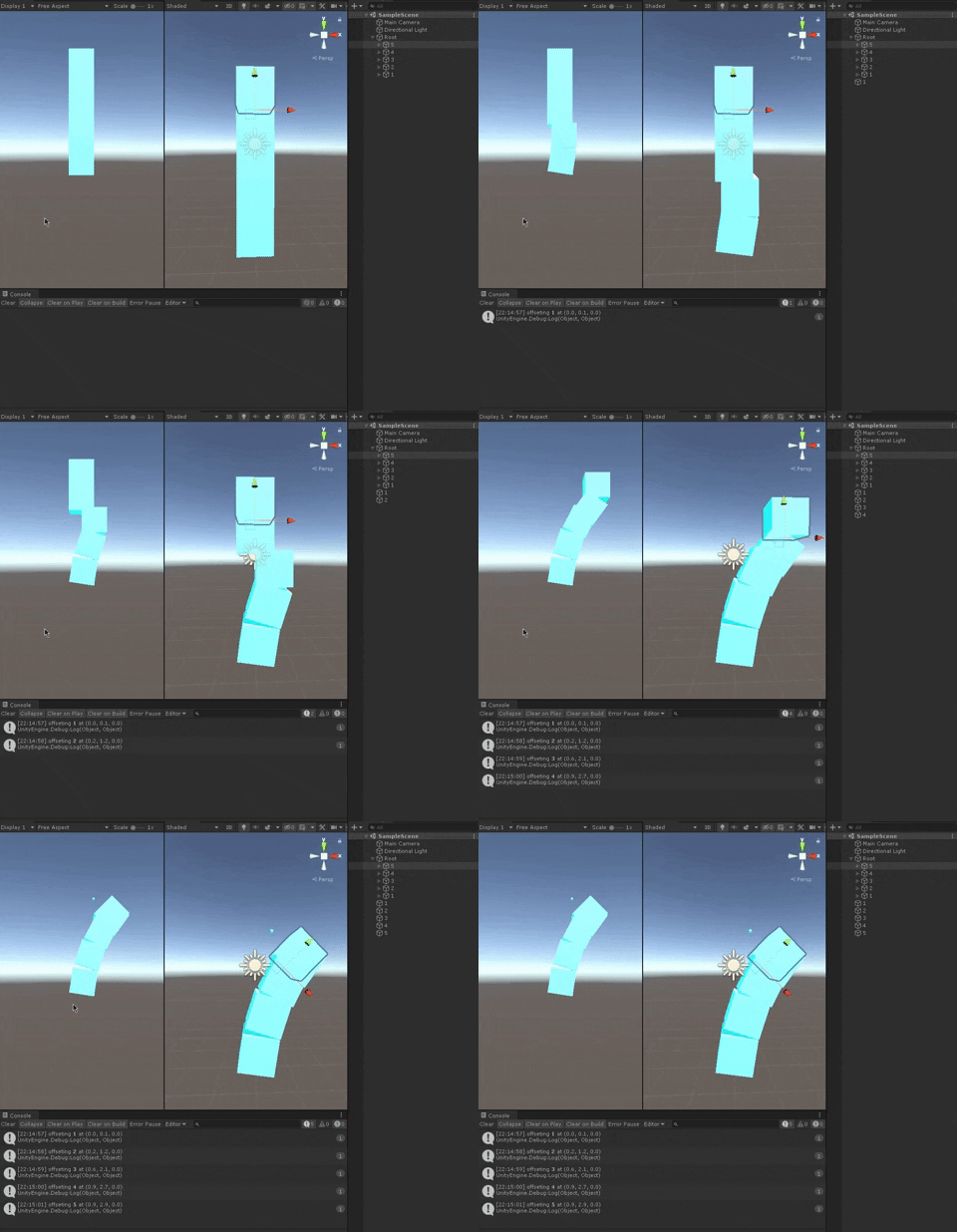 dusty stone
Edit the collider in zsprite editor i think, maybe try out a composite collider for tilez
Set the collider type to somewhere appropriateley
dusty stone
Wtf is wrong with me i cant even make a hinge joint werk like a door wtf
I need 2d behaviour on a 3d chain can someone help me lock the chain to 0 z plane with a 3drigidbody 🐄🌱
Help the spring joint doesnt look hood : ( mu lantastic
Okay ill try configurable joint, 🤠🍀
 muted kernel
these cubes are using character controllers, why are they just slightly above the ground?
 dusty stone
The chains fell on the floor but were linked somehow, will someone please help me configure a configurable joint or hinge joint for 2d behavior with a 3D chain 🐌