#⚛️┃physics
1 messages · Page 61 of 1
 bold storm
 tender gulch
How is it "blowing up"?
bold storm
jk im an idiot. mesh colider works fine
 ruby silo
does anyone know whether there is a meaningful cost difference between using rigidbodies and physics vs using just colliders and moving objects when collisions are registered if all I need is for objects to be able to push one another?
 arctic marsh
@ruby silo Well on such a little issue, it does not matter. Depends on your situation, if you are like planning a physics game that relies on fun with physics randomness, stay with rigidbodies and unitys physics system, if you need like exact movement, use kinematic and forces
ruby silo
Thank you.
 karmic nova
I have a rb.moveposition movement system, and it works fine, but the player seems to easily clip through everything, even at very low speeds
any help?
Oh and I changed it to velocity based and it was still clipping through
still collided with the ground tho
@ me if you have the answer!
arctic marsh
@karmic nova if you use kinematic and use transform.position for example, it will just break the physics and collision detection
karmic nova
My objects are not kinematic because of some sort of incompatibility between non convex colliders and them @arctic marsh
 winter sun
At this point we're looking to commission someone to make a deterministic 3D physics library for our game. DM me if interested or someone who can reverse engineer this: https://github.com/proepkes/UnityLockstep

GitHub
Modern Lockstep with clientside prediction and rollback - proepkes/UnityLockstep
 jaunty grotto
Can someone tell me why some of particle are falling through the ground and some stay?
 crude haven
When i use a friction of 0, but a bounciness of 1, my object makes a perfect bounce upon colliding. However if the angle is quite small, is does not bounce, but moving along the obstacle. Anyone knows what im doing wrong so it bounces even on a 1 degree angle?
karmic nova
clipping issue in action
please if anyone has any suggestion this has taken 3 days of attempts and it seems there is no solution on any forums
if you have any suggestion at all pls @ me
 foggy rapids
depends how you made the collider
if you are going through it could be many things.
- are you inside a mesh collider?
- is your collider thick enough?
- is your detection mode set to discrete or continuous?
- are the layers set to collide in project settings?
- does the wall (if it's not a mesh collider) have a rigidbody?
 half narwhal
yeah @karmic nova at first glance it looks like your floor seems to be fine, i would say there's something wrong with your wall.
check to make sure it's in a layer that is set to collide with your rigidbody's layer via the collision matrix
i'd also avoid using mesh colliders - mesh colliders have some weird interactions with the main advantage over primitive colliders being detail. such detail is usually not necessary, especially for walls. i'd just set up box colliders for your walls, usually 0.1 or 0.2 thickness does the trick.
also look at the suggestions above
karmic nova
@foggy rapids
- No, already checked that
- yes, it is not super thin, it follows the mesh
- Continues Dynamic
- All boxes checked since I made the game file
- No it does not
@half narwhal I have the meshes from an asset pack, and that whole front area is all one mesh.
by front area I mean all the walls
half narwhal
when you say "yes, it is not super thin, it follows the mesh" do you mean you've set up box colliders instead of using a mesh collider?
foggy rapids
yeah, collision detection requires solid objects and convex meshes
karmic nova
I had to turn off convex bc I would just be inside of it and float
half narwhal
in my experience, unless you need very precise collision detection, i would use primitive colliders for everything
capsule collider for the player, box colliders for walls, etc
if all you need is for your player to stay inside the room then box colliders should be just fine
far less expensive and less finnicky than mesh colliders
foggy rapids
if you want to be more precise and you have the model source, you can break it up into a few convex meshes
otherwise, diagonal can just be rotated boxes
karmic nova
I tried to do that in blender, but it didn't work out
ah
I wish you could edit box colliders like a regular object
half narwhal
karmic nova
any way to rotate the boc collider?
create an empty object, attach the box collider to it, then rotate the new object
you can
karmic nova
I mean without extra steps
half narwhal
you just adjust the transform of the object the box collider is attached to
any rotation or scaling applies to the bounds of the collider too
it's not recommended because if you want to parent any other colliders to that collider so you can move them together, the children will inherit the transformations as well, but really it's not that big of a deal. i usually use a structure like this:
level
L colliders
|  L floor
|  L wall1
|  L wall2
|  L crate1
|  L lamppost1
L mesh
there ya go
for the steps, whether you're using one slanted collider for the entire staircase or multiple box colliders to form each step, just make sure your character is able to climb it
karmic nova
I just did slanted
half narwhal
yeah, just make sure your character won't slide down that slope
 stuck bay
im making a horror game
half narwhal
now i have a question of my own for everyone
karmic nova
ask away
half narwhal
put it in a video so you can see the problem
basically having issues with choppy movement when using rigidbody.moveposition
karmic nova
like getting the input?
half narwhal
yeah, i do.
thats a question you may wanna ask in #💻┃code-beginner or #🖱️┃input-system though
stuck bay
okay
karmic nova
private void Movement() {
        fwdDir = tpCam.transform.forward;
        rb.MoveRotation(rb.rotation * Quaternion.Euler(new Vector3(0, Input.GetAxis("Mouse X") * 5f, 0)));
        rb.MovePosition(transform.position + (fwdDir * Input.GetAxis("Vertical") * playerSpeed / 4) + (transform.right * Input.GetAxis("Horizontal") * playerSpeed / 4));
        if (Input.GetKeyDown("space") && isGrounded)
            rb.AddForce(transform.up * jumpHeight * 50);
    }
since you asked here tho, here you go
half narwhal
larry, that script has a slight flaw in it
karmic nova
?
half narwhal
if you move diagonally, you're moving at 1.4x the max speed
karmic nova
I didn't even think of that lol
I can just test if two keys are held and cut down playerSpeed
karmic nova
set velocity?
half narwhal
make a vector that contains the input direction: Vector3 input = new Vector3(Input.GetAxisRaw("Horizontal"), 0, "Input.GetAxisRaw("Vertical"))
then normalize that
half narwhal
input = input.normalized
then multiply that by your speed
input *= speed * Time.deltaTime
diagonal walking is something that's exploited a lot in speedruns of older games like Doom
i'm not sure if the developers left it in intentionally or not, but it's something to think about
karmic nova
my game isn't level based but I still don't want a speed exploit if possible so
it seems like deltaTimne always makes things really slow for me
like
I have to multiply my speed by 100 to make it normal after using it
and I understand why I should use it but
half narwhal
you absolutely should be using time.deltatime
because speed is a rate
your code is getting executed every frame, and frame time can vary
karmic nova
yeah ik how it works its just annoying
half narwhal
so someone who's running your game at 120 fps is going to move 4 times faster than someone running your game at 30fps
karmic nova
I just put input in rb.MovePosition, right?
I can't move lol
I am stuck in place and the camera is all jittery
half narwhal
instead of GetAxisRaw try GetAxis
i usually use the raw version because it eliminates any smoothing. i just want to know if the key is pressed or not
half narwhal
alternatively you could check each of your movement keys:
Vector3 input = new Vector3();
if (Input.GetKey(KeyCode.W))
  input.z += 1;
if (Input.GetKey(KeyCode.S))
  input.z += -1;
if (Input.GetKey(KeyCode.D))
  input.x += 1;
if (Input.GetKey(KeyCode.A))
  input.x += -1;
oh wait
im sorry
i forgot MovePosition takes a world coordinate that it tries to move the rigidbody towards
karmic nova
is moveposition the best option?
half narwhal
do rb.MovePosition(transform.position + input)
karmic nova
ah alr
nope
oh I had transform.position
I mean forward
uh
I move backwards when pressing a
the controls are mixed up for some reason lol
oh its moving by world coords
where would I put transform.forward to make player move right @half narwhal ?
I actually am using a cam.transform.forward but still
    private void Movement() {
        Vector3 input = new Vector3();
        if (Input.GetKey(KeyCode.W))
            input.z += 1;
        if (Input.GetKey(KeyCode.S))
            input.z += -1;
        if (Input.GetKey(KeyCode.D))
            input.x += 1;
        if (Input.GetKey(KeyCode.A))
            input.x += -1;
        input *= playerSpeed * Time.deltaTime;

        fwdDir = tpCam.transform.forward;
        rb.MoveRotation(rb.rotation * Quaternion.Euler(new Vector3(0, Input.GetAxis("Mouse X") * 5f, 0)));
        rb.MovePosition(transform.position + input);
        if (Input.GetKeyDown("space") && isGrounded)
            rb.AddForce(transform.up * jumpHeight * 50);
    }
Hi everyone
Ive got a third person game but... my character doesn't walk straight when it has to, instead of walking straight he walks diagonal and i found the cause but don't know how to fix. De bug is in the animation. When there isn't an animation on the character he walks straight but if animation is applied he walks diagonal.
Someone know a fix?
 lean holly
Okay so I am having a problem I am adding spring physics to a car using Raycasting and when all is said and done with my code I go to play the scene and the car just falls to the ground without any suspension physics whatsoever any idea where I am going wrong?
Pastebin
Pastebin.com is the number one paste tool since 2002. Pastebin is a website where you can store text online for a set period of time.
half narwhal
karmic nova
where would I put transform.forward to make player move right <@!541465026964488...
transform.forward is the forward direction of the player in world space....in other words, the direction the player is facing
if you want to move the player to the right relative to the direction they're facing, you dont need to use transform.forward, you just do transform.TransformDirection(Vector3.right)
karmic nova
I have the direction I need
fwdDir makes it work
I just don't know where to put it
half narwhal
im really unsure why exactly you need to use forward direction of the player for anything at all
im still having issues with jittery movement using rigidbody.moveposition and its driving me nuts
switching to kinematic ignores all collisions with the floor/walls/etc AND disables gravity
which defeats the entire purpose of even using a rigidbody to begin with
im reading all sorts of different answers telling me to use different things - ive tried all possible combinations of Update, FixedUpdate, LateUpdate, Time.deltaTime, Time.fixedDeltaTime, rigidbody.velocity, rigidbody.AddForce and rigidbody.MovePosition
nothing is working
is this just an inherent flaw with unity? if so that's kind of silly, i don't know how you can expect anyone to make a quality game if using physics makes your character look like they're in a localized earthquake
lean holly
@here
foggy rapids
nice try
foggy rapids
half narwhal
is this just an inherent flaw with unity? if so that's kind of silly, i don't kn...
no, it's difficult to accomplish but a lot of people expect it to be easy.
this article helped me the most: https://www.kinematicsoup.com/news/2016/8/9/rrypp5tkubynjwxhxjzd42s3o034o8
and also be sure to test a release build. The editor has hitches that make it seem jittery (even if it claims to be running at 600fps)

KinematicSoup Technologies Inc.
One of the most intensely debated topics in the Unity community is how to go about removing jerky movement from games, and rightfully so. The issue is universal to all engines, and is directly derived from what timesteps your engine uses. There is no single solution that works for every situation, b
half narwhal
foggy rapids
no, it's difficult to accomplish but a lot of people expect it to be easy.
sorry, just getting frustrated
half narwhal
just gonna build my own movement system
had actually already started on that, but decided to give unity's physics a try
tender gulch
half narwhal
had actually already started on that, but decided to give unity's physics a try
I mean, you'll have to rely on unity physics either way. Unless you want to write your own physics simulation. So instead of complaining, share you code and setup and someone might point to the actual cause of the problem.
What I could see from your video is that the only thing jittering is the hair. Try disabling it and see if anything is choppy. If not, you know that it's something about your hair physics/system(not sure what you're using for it).
 obsidian whale
does anyone else get like insane physics.processing spikes for seemingly no reason
like down to <1 fps from 100+
tender gulch
obsidian whale
does anyone else get like insane physics.processing spikes for seemingly no reas...
No. Are you sure there's no reason?
How many calls to physics.processing do you see in the profiler?
obsidian whale
are calls the individual bars or the instances?
obsidian whale
should i get a screenshot during lag?
this is what performance is 95% of the time
tender gulch
Okay. Then How did you pinpoint physics.processing?
tender gulch
yeah, so you have 33 calls to it.
means that you get 33 fixed updates in that frame
tender gulch
yes
But it's also related to your fixed time step
Did you change it from default?
obsidian whale
let me check quick
it says 0.01
i dont remember changing it but i think the default is 0.02
tender gulch
Yeah. Set it back to 0.02. 0.01 would make it update 100 times a sec.
But there was probably something that triggered the drop. If you had 100+fps, it would keep up with the fixed update. Something must've dropped it down below 100 making several fixed updates happen in the same frame and then it snowballed from there.
obsidian whale
should i be multiplying values by time.fixeddeltatime in fixedupdate voids?
tender gulch
try scrolling back to the left to see where it started going uphill:
tender gulch
obsidian whale
should i be multiplying values by time.fixeddeltatime in fixedupdate voids?
only if you want your value to be represented in /per second basis.
obsidian whale
it couldnt have been the timestep, it still runs good at 0.02 but i get the spikes still
also can i scroll back in profiler?
tender gulch
Maybe not. =/ But you could recapture a similar moment and pause right where it happened. This way the beginning of the lag might be captured as well.
obsidian whale
ok
i think you are right about it snowballing, i changed the maximum allowed timestep to 0.06 from 0.33 and it still drops but like only to 60 fps
tender gulch
Yeah, but something is triggering that snowballing. If you find out what, you might be able to avoid it completely.
tender gulch
Seems to go quite a long way back.
Perhaps your fps is never high enough to keep it at one fixed update with this time step.
obsidian whale
i think it may have been something very stupid
i got these dumb robot drones that hover with raycast, and when they hit themselves on something and got flipped upside down the raycasts would get called every frame and add a force near infinity. putting constraints on them seem to have fixed it
 charred ocean
Would anyone mind running me through a simplistic explanation of Spherecasts? I keep trying to use them but I'm getting inconsistent and unpredictable results
And when I try to use Debug.DrawLine to visualize it, the line points in a completely different direction than I thought
And other than these two issues, Vector3s have been pretty predictable and straightforward. I'm really stumped on what's going wrong here and idk how to troubleshoot this particular thing
stuck bay
You can search on google but if you dont get it somebody needs to help you im busy
tender gulch
charred ocean
And when I try to use Debug.DrawLine to visualize it, the line points in a compl...
Provide more info on the issue. Screenshots of the debug ray and your code.
Sphere cast is basically the same as raycast, just with a radius.
Or you can imagine it as a sphere moving through space along a ray.
charred ocean
I understand what a spherecast is on a conceptual level, I'm unsure why my code is not working
        {
            grounded = true;
Debug.DrawLine(transform.position, transform.up, Color.green, 0.01f, false);```The results are all over the place, it detects objects directly in front of me (not below me, as intended) but if they are too close it just ignores them
tender gulch
If the cast starts within or intersecting with a collider, it will not report a collision with it.
That's probably the problem.
 thin gale
How can i prevent my rigidbody from bumping and rotating when moving in terrain? I have an AI that moves towards me, and ive done some terrain and even tho its quite flat the AI does bump alot.
charred ocean
tender gulch
That's probably the problem.
So what about it detecting stuff in front of it instead of under it?
My issue is less with the too-close thing and more with the it's-not-going-where-I-tell-it one
tender gulch
charred ocean
So what about it detecting stuff in front of it instead of under it?
That's a different question. Try Drawing a wireframe sphere gizmos at your cast starting position with the cast radius and see if it intersects with any colliders at runtime.
charred ocean
Drawing a wireframe sphere gizmos at your cast starting position
How does one do this? Sorry to ask a bunch of simple questions
tender gulch
You can use OnDrawGizmos and Gizmos class to draw different gizmos. You can see an example in the docs:
https://docs.unity3d.com/ScriptReference/MonoBehaviour.OnDrawGizmos.html
 tender gulch
thin gale
How can i prevent my rigidbody from bumping and rotating when moving in terrain?...
tender gulch
thin gale
How can i prevent my rigidbody from bumping and rotating when moving in terrain?...
Are you using a navmesh agent?
tender gulch
Then how do you move your ai?
thin gale
I'm using a script from Candice AI
tender gulch
I mean, how are you moving the character? With rb, transform? Forces, velocity, moveposition, adding a vector to a position?
thin gale
The script is using rb.velocity
tender gulch
Well, there are plenty of things that could go wrong with that approach. Can you record a video demonstrating the issue?
tender gulch
turn on gizmos and record again.
tender gulch
I'm not sure about that Candice AI asset you're using, but you usually don't use dynamic rb with ai. A quick fix would be to freeze the rotation of the rb on all axis aside from Y.
I'm sure they explain a proper way to set it up in readme.pdf that seems to be included with the asset.
There's also a demo scene.
tender gulch
Well. Did you do that?
thin gale
Uhm
Yes
Working ok
Until steeper movement
Let me send you anoter
@tender gulch
I feel like this is a problem regardless of what AI i use, unless they have this in mind
Have you had any similar problem?
tender gulch
No. I never used that asset.
But try using a sphere/capsule collider instead of a box.
Also look at the demo scene to see how the have it setup.
thin gale
It probably has to do with the rb.velocity
I tried out the other AI option but with same result.
Okay i think it has to do with the object avoidance
I turned it off and it works much better, just minor flinches
So i think the object avoidance is throwing it in those directions
        {
            Vector3 dir = (Target.position - transform.position).normalized;
            RaycastHit hit;
            if (Physics.Raycast(transform.position, transform.forward, out hit, 20))
            {
                if (hit.transform != transform && hit.transform != Target.transform)
                {
                    Debug.DrawLine(transform.position, hit.point, Color.red);
                    dir += hit.normal * 50;
                }
            }

            Vector3 left = transform.position;
            Vector3 right = transform.position;

            left.x -= 2;
            right.x += 2;
            if (Physics.Raycast(left, transform.forward, out hit, 20))
            {
                if (hit.transform != transform && hit.transform != Target.transform)
                {
                    Debug.DrawLine(left, hit.point, Color.red);
                    dir += hit.normal * 50;

                }
            }

            if (Physics.Raycast(right, transform.forward, out hit, 20))
            {
                if (hit.transform != transform && hit.transform != Target.transform)
                {
                    Debug.DrawLine(right, hit.point, Color.red);
                    dir += hit.normal * 50;
                }
            }
            Quaternion rot = Quaternion.LookRotation(dir);
            transform.rotation = Quaternion.Slerp(transform.rotation, rot, Time.deltaTime);
            transform.position += transform.forward * 5 * Time.deltaTime;

}``` That is the avoidance method@tender gulch
tender gulch
Quite possible. They modify the rotation directly:
transform.rotation = Quaternion.Slerp(transform.rotation, rot, Time.deltaTime);
thin gale
Yes,
Is it possible to only rotate it on the Y there
I assume that code changes rot on all axes
tender gulch
That obstacle avoidance is pretty messed up.
it raycasts forward/left/right and if it hits something, it multiplies the hit normal by 50 and uses the sum of these 3 vectors as a direction to rotate in.
Honestly, you can scrap it all and just use a navmesh agent with custom code.
Most likely, the tree colliders were causing that weird behavior.
thin gale
Custom code to avoid objects?
tender gulch
You don't need any additional code to avoid objects with navmesh agent.
thin gale
Okay, I'll see what else I can find, otherwise if it's not too complicated I create a script myself
tender gulch
Simply set destination and it will move there avoiding obstacles by itself.
I don't even understand why you needed a custom solution when there's already builtin navmesh solution coming with unity...🤔
thin gale
Do navmesh agent have that built in?
I did not know
I assume setting destination that my rabbit will get stuck in a tree if it is aligned with the target
tender gulch
What would be the point of the navmesh then? xD
stuck bay
Any one know how to calculate two Centre of masses together?
eg [Obj 1] COM = X 1 Y 1 Z 1, Mass = 5, + [Obj 2] COM = X 2 Y 4 Z 3 Mass = 10 = ???
tender gulch
something like:
(v1*contribution1 + v2*contribution2) / 2, where contribution = mass / totalMass.
🤔
tender gulch
How are joints related?
stuck bay
Because, I've got to objects, I need them to stick together and both got different weights, if one is alot heavier it will create wobble between the two parts, what im trying to do is get the mass and CoM from both objects and add as children of a empty game object, and applying a ridget body to the empty game object and changeing its COM and mass
eliminating the wobble
thin gale
tender gulch
What would be the point of the navmesh then? xD
Thought it had some ground detection purpose
Im not using unity alot so havent used it yet
tender gulch
It's a pathfinding system including obstacle avoidance, so it does anything you might need for navigation, as long as it's not movement in 3 dimensions.
thin gale
Nice!
stuck bay
Hmm seems not to be working
tender gulch
Yeah, i think I disregarded the origin point.
stuck bay
Yeah, the com is 100% off
And theres litterly 0 things on the internet about adding together com's
tender gulch
(v2 - v1) * contibution1 + v1 should probably work.
stuck bay
ill try that
tender gulch
It's simple vector math. There should be plenty of stuff on that.
Your question is just too specific.
stuck bay
Yeah I just didint know how to phrase it correctly i guess
charred ocean
OH GOD
I figured out my thing with Spherecasting
I misunderstood the LayerMask
I had it set to the LayerMask I intended to detect but when I switched it back to 0 it worked
So 🤷♀️
half narwhal
tender gulch
I mean, you'll have to rely on unity physics either way. Unless you want to writ...
tfw i actually went and wrote my own physics system 
tender gulch
Well, good luck with that.
thin gale
@tender gulch I played around with nav mesh and now i've solved it. It looks really good now! Thanks for your time
 hallow plover
How do I make 2D game collisions? Like simple walls?
 polar leaf
You just need to add 2d colliders to the wall objects
hallow plover
It's that simple? Like, not even 1 line of code?
Just the box collider 2D for square walls?
 tribal harness
Yes
hallow plover
Cool
polar leaf
If your "player" has a rigidbody yes, if it tries to move against the wall it will be stopped
hallow plover
Ok
Does it matter what rigidbody?
Because mine just has a RigidBody2D
Also how many pixels by how many pixels is the border of the camera? Just for reference when making my wall sprites
 vital hawk
Does anyone have solution for arcade style car controller?, i tried using wheel collider but never got what i need
hallow plover
How do I set up a box collider 2D? Because atm my player just walks through the walls even though it has a rigidbody2D
tribal harness
Maybe you have disabled the box collider 2D
half narwhal
hallow plover
How do I set up a box collider 2D? Because atm my player just walks through the ...
how are you moving the player?
half narwhal
anyone mind helping me out with my custom physics? trying to achieve an effect where the player slides along a wall when moving into it rather than stopping completely. you can see it working as intended on the straight wall, but the diagonal wall doesn't want to cooperate.
// define ray spacing
float aStepActual = maxRaySpacing / collisionRadius;
int aSteps = Mathf.CeilToInt(Mathf.PI * 2 / aStepActual);
float aStep = Mathf.PI * 2 / aSteps;

int ySteps = Mathf.CeilToInt(collisionHeight / (maxRaySpacing * 2));
float ySpacing = collisionHeight / ySteps;

Vector3[] closestContact = null;
RaycastHit closestHit = new RaycastHit();

// loop
for (int y = 0; y <= ySteps; y++)
{
  for (int a = 0; a < aSteps; a++)
  {
    Vector3 offset = new Vector3(Mathf.Cos(a * aStep), 0, Mathf.Sin(a * aStep)) * collisionRadius;
    Vector3 direction = -offset * 2;
    direction += direction * Vector3.Dot(horizontalVelocity * Time.deltaTime, direction);

    offset += Vector3.up * y * ySpacing;

    Vector3 originOfRay = transform.position + offset;

    RaycastHit hit;
    Physics.Raycast(originOfRay, direction, out hit, direction.magnitude);

    if (hit.collider != null && hit.collider.tag == "obstacle")
    {
      Debug.DrawLine(originOfRay, originOfRay + direction, Color.red);
      closestHit = hit;
      if (closestContact == null || hit.distance < Vector3.Distance(closestContact[0], closestContact[1]))
      {
        closestContact = new Vector3[] { offset, direction.normalized * hit.distance };
      }
      else Debug.DrawLine(originOfRay, originOfRay + direction);
    }
}
if (closestContact != null)
{
  Vector3 localHit = closestHit.point - transform.position;
  localHit.y = 0;
  Vector3 deltaToHitPoint = localHit * (collisionRadius * 2 + antiClip - closestHit.distance);
  transform.position -= deltaToHitPoint;

  // scale each component of the velocity vector by the angle between it and the normal of the collision surface (perpendicular collision is scaled to 0)
  velocity.x *= Mathf.Clamp01(Vector3.Angle(new Vector3(velocity.x, 0, 0), -closestHit.normal) / 90);
  velocity.z *= Mathf.Clamp01(Vector3.Angle(new Vector3(0, 0, velocity.z), -closestHit.normal) / 90);
}
i think i need a better implementation of adjusting the velocity in the second snippet where i assign to velocity.x and velocity.z. i was taking a look at dot products last night before i went to bed but i don't know how i would go about implementing it here.
 quartz tartan
flForce = (transform.right * Mathf.Max(flyLeftRight, 0) * 2.5f) + (transform.up * flyAscendDescend * 2.5f) + (transform.forward * Mathf.Min(-flyForwardBackward, 0) * 2.5f);
frForce = (transform.right * Mathf.Min(flyLeftRight, 0) * 2.5f) + (transform.up * flyAscendDescend * 2.5f) + (transform.forward * Mathf.Min(-flyForwardBackward, 0) * 2.5f);
blForce = (transform.right * Mathf.Max(flyLeftRight, 0) * 2.5f) + (transform.up * flyAscendDescend * 2.5f) + (transform.forward * Mathf.Max(-flyForwardBackward, 0) * 2.5f);
brForce = (transform.right * Mathf.Min(flyLeftRight, 0) * 2.5f) + (transform.up * flyAscendDescend * 2.5f) + (transform.forward * Mathf.Max(-flyForwardBackward, 0) * 2.5f);
this should cause the back props to fire when going forward, the left props to fire when going right, and vice versa, no?
i'm trying to get a drone to fly(albiet clumsily) by applying different forces to the positions of the 4 propellers, however, when i attempt to fly in any direction that isn't up, it turns along with flying
specifically it turns to the right of the direction i want it to fly in, again, along with flying
 sacred cosmos
How there rest of the code looks like, one that calculates final force from those 4? Or I'm missing something how you set this up in unity?
quartz tartan
https://hatebin.com/przdchzvfp for full code
sacred cosmos
Ok, what I recommend is to add Debug.Log and print everything, maybe something is configured in wrong way, calculations are wrong. Without actually running your code it's hard to tell what is wrong.
quartz tartan
yeah that's fair, hang on while i get that for ya.
ah, i see the problem now. i wasn't using the transform.right or .forward of the props.
 slate lily
@quartz tartan sorry for ping but iam trying to make my player rotate with the fps camera at X axis another guy suggest something but it didn't work if u can help me pls ping and my fps script is from dani tutorial
quartz tartan
Firstly you shouldn’t randomly ping someone
Secondly, I can’t help without knowing what that guy suggested
Also are you sure you followed the tutorial right? @slate lily
slate lily
yeah
sorry I saw that u know somethings and u helped other so I thought to ping u
Sorry again
quartz tartan
Well, what did they suggest?
 sour bone
Guys, I am going insane. For some reason this raycast only hits things that aren't on the Ground layer. Isn't it supposed to work the opposite way and only hit things that ARE on the ground layer?
Seems to work properly with LayerMask.GetMask("Ground"). Huh.
Oh... actually it seems that this mask means that you exclude this layer, so I needed to use ~LayerMask.NameToLayer("Ground") in the first snippet.
 earnest saffron
how would i make it so a specific type of platform you could jump under it and and above it like the semisolids in mario games
stuck bay
half narwhal
anyone mind helping me out with my custom physics? trying to achieve an effect w...
are you doing something like this?
what's done here is----
create a line perpendicular to the wall that passes through the current players position
find where the line intersects with the wall
make that intersection the new player position
--
for your situation, given the collision is circular with a radius R
have the line extend out R units, and then set the player position to that
half narwhal
stuck bay
are you doing something like this?
thats basically exactly what i was doing before, but it was giving me issues, so im doing a new approach now
actually it wasnt exactly, what i was trying had the blue line in your diagram perpendicular to the green line rather than the red line 
stuck bay
half narwhal
thats basically exactly what i was doing before, but it was giving me issues, so...
well you can just use y = mx + b equations for this if you still wanna try this approach
also the issue with having the blue line, perpendicular to the dark green line is that it'll probably glitch out if you run into the wall straight
y = mx + b equation given two points is,
m = (y2 - y1) / (x2 - x1)
b = y2 - x2 * m
to find the slope of the line perpendicular to another line is
m2 = -1 / m1
to find b, you just set y2 and x2 to the player position.
then you can use some algebra to find an intersection of two lines
 ocean raptor
This paper goes into some detail on the topic of getting sliding right. It's written in kind of an ELI5 way.
Kasper Fauerby - "Improved Collision Detection and Response"
http://citeseerx.ist.psu.edu/viewdoc/download?doi=10.1.1.162.492&rep=rep1&type=pdf
Somebody later modified it for better floating-point tolerance and slight functional changes.
Jeff Linahan - "Improving the Numerical Robustness of Sphere Swept Collision Detection"
https://arxiv.org/ftp/arxiv/papers/1211/1211.0059.pdf
The basic principle is good, and I believe it was used in the Kinematic Character Controller store asset. That said, I doubt the code in either paper is well-tested. There are probably edge cases neither author thought of.
stuck bay
how would i calculate the Centre Of Mass of an object in unity
?
Feel free to tag me
ocean raptor
stuck bay
how would i calculate the Centre Of Mass of an object in unity
For a center of mass in the physical sense, if you pretend your mesh is a uniformly dense thing, the centroid of its volume will be the center of mass. This is how you can calculate the centroid: https://stackoverflow.com/a/2085502
stuck bay
Perfectly what I needed!
Thank you!
I was hopping that unity eould have a built in function but
 dusty verge
How would I add a force to push a rigidbody player in a direction relative to the player not the world
ocean raptor
dusty verge
How would I add a force to push a rigidbody player in a direction relative to th...
I think you can just transform a local push direction into world space and then use that in your AddForce. Something like:
Vector3 worldDirection = transform.TransformDirection(localDirection);
// could also do: worldDirection = transform.rotation * localDirection;
rb.AddForce(worldDirection * magnitude);
Thank you
 pure mist
Which would be more expensive. Having a Mesh collider in the shape of a cylinder, or having a gameobject with 8 Sphere colliders arranged in a circle?
I basically want to have a circular "reach" for the player, but not be able to detect items higher or lower than his body height. Does that make sense?
dusty verge
I wouldn't worry about writing the most efficient piece of code possible that level of ambition tends to kill off your projects. So long as it works and isn't incredibly costly to your hardware.
 agile girder
So I've been messing with that default go-kart microgame thingy to get an intro into Unity (never used it before) and I've run into a problem;
I'm just trying to make the wheels on the go-kart bigger, which seems straightforward. I select the wheels, increase scale, boom, big wheel.
Now obviously this doesn't quite work, as the collisions aren't increased as well (collisions are still relative to the smaller wheel and as a result the bigger wheel "sinks" into the floor some). Okay, so I just gotta increase the collider; I increase the sphere collider, the wheel collider, either or, but this is where my problem comes in
If I increase the radius of either of these colliders up to 0.25, all is fine
works great
If I push them to 0.26 or above, it just breaks
The kart will just teleport to a random spot when you try to accellerate
Or, sometimes with other values apparently, just not work. Turning "works" (the front wheels turn side to side) but there's no movement whatsoever
Reduce the radius to 0.25 or below, all works fine
Any suggestions?
pure mist
dusty verge
I wouldn't worry about writing the most efficient piece of code possible that le...
Thanks for that advice. But my project is already deeply developed and soon will be in it's final stages before live testing begins. And I am going through and trying to optimize every little bit as possible to see if I can lower the Minimum Requirements for PC/Mac users. So any insight into my question would be deeply appreciated.
dusty verge
ahh alright, I suppose it depends if the player has to face toward an object to pick it up or theres an animation that plays towards the item being picked up then it'd be better to use the circles, if not then the cylinder would most likely take less.
ocean raptor
Only profiling can tell you the answer, but a mesh collider vs several primitive colliders probably depends on the number of triangles in the mesh. The more complicated the mesh, the slower it is. The narrow-phase intersection tests against sphere, capsule, and box colliders are dirt cheap.
If you have a really rough mesh cylinder, it probably won't be too bad unless you're colliding with a lot of objects.
pure mist
Yeah I have a 10-faced cylinder with total of 12 faces (quads) that I'm going to use.
@ocean raptor thanks for your input.
 zinc heron
cloth can't collide with other colliders than capsule and sphere ? Because i'd like them to collide 2d colliders ..
 proud nova
You can't mix 2D physics with 3D physics
zinc heron
yea I see ... it's there a way to extrude 2D colliders on the Z axis, so they become 3d colliders ?
proud nova
Probably can reconstruct a 3D collider out of a 2D one, but it's not simple as adding a dimension to a 2D collider. 2D and 3D use different physics engines
zinc heron
Hm okay, thanks
 hollow cloud
so im trying to do a soft-body simulation by creating a bunch of sphere colliders and connecting them with spring joints. however, when i run the sim it doesn't keep the shape of the object at all. any ideas on how to make it keep shape or perhaps a better approach to this?
 smoky sail
Is there a way to make a object slippery or less grippy without Physics Material 2D?
 past zealot
Hello ! idk if someone can help me but i have a problem, my physics are totally broken but for no reason
everything was working, i've didnt change anything but now my player just go in space for no reason :/
(sorry for my english)
 shell gulch
Hello. i do not know if its apropriate to ask this in this channel. but bassicaly im having problem adding wheel collider, so im trying to match the collider to be where the car is and i seemingly cant rotate it for some reason. anyone got an idea as to why? https://gyazo.com/2a10f6913cd5b9f042cb73d98c1fea83
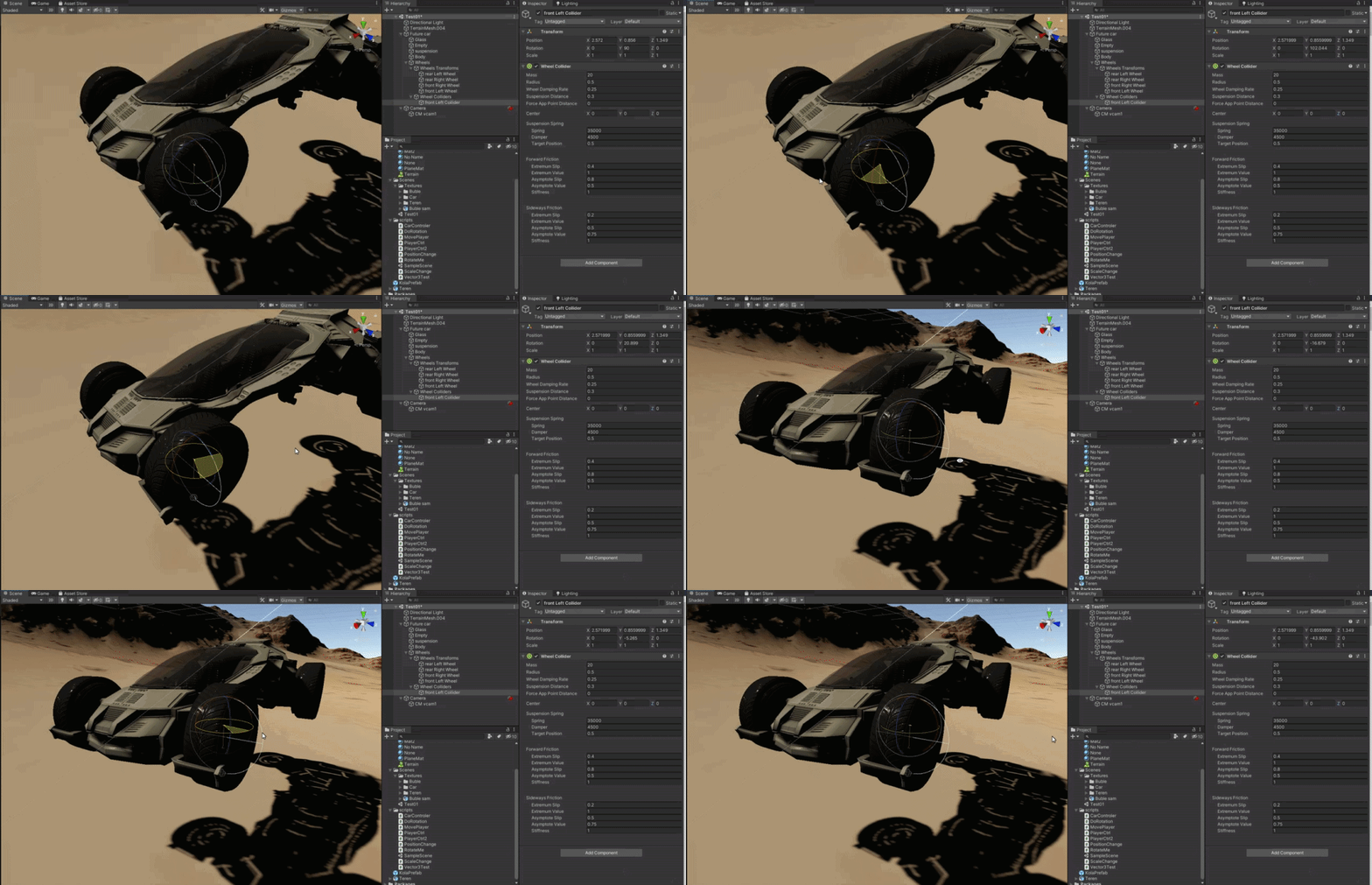
 timid dove
Looks like it's rotating to me? See the euler rotation values in the top right?
Oh you mean the gizmo? I think the direction of the wheel collider is always dependent on the orientation of the rigidbody it's attached to. e.g. https://forum.unity.com/threads/unity-5-wheelcollider-wrong-rotation.349596/#post-2264801
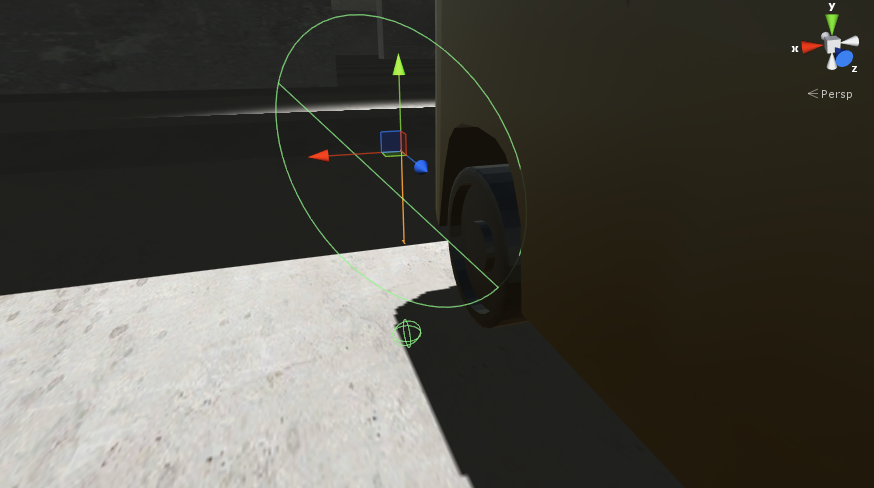
Unity Forum
Hello Unity.
Some time ago I posted a question about the unity 5 wheel colliders sinking into the ground.
I concluded that it must've been the...
So check the rotation of whichever object in that car hierarchy has the rigidbody
shell gulch
everything rotation wise is set to 0
timid dove
right, so.. which direction is forward for your car?
If you turn the tool handle rotation to Local
which way is the blue arrow facing?
My guess is off the right or left side of your car
shell gulch
Forward is positive X
timid dove
Right, forward needs to be positive Z
So you either need to go fix your mesh so forward is positive Z
or make the mesh live in a rotated child object
so that the rigidbody forward aligns with the graphical "forward" of your car.
anyway the wheel collider will always align itself with the Z axis
so that's what you're seeing
The local Z axis of your Rigidbody
shell gulch
hmm allright. isnt there a thing in unity like in most 3d softwares where i can just rotate/move it at a certain value then just apply transform/rotation/whatever and that will reset its value to 0 at the point i set it to?
timid dove
Probuilder can do that yeah
It's a package you can add to your project - designed for editing 3d meshes right inside Unity
shell gulch
allright ill keep that in mind in the future but for now it was faster for me to reimport it but ill try it in a minute
timid dove
Yep. Another quick workaround is just to take the Mesh/MeshRenderer/Mesh Collider, put them in their own child object, and rotate that child
And just have an "empty" object as the parent of that with the RIgidbody on it
 median rampart
does anyone have advice on what the best way to move a 3rd person character is? I'm making an Attack on Titan fan game clone so physics is pretty important to the gameplay which is why I was thinking of using physics for running instead of transform.translate(). Should I just use rigidbody.addForce(... , Impulse) or something along those lines?
shell gulch
@timid dove allright looks good for now thanks https://gyazo.com/0435f651b59eb33f1e177c7c2a9e9603
 timid dove
Awesome glad you got it working!
timid dove
median rampart
does anyone have advice on what the best way to move a 3rd person character is? ...
You need to decide if you're going to go with physics-based motion or not.
Usually, using physics based motion is not a good idea, as you have less control
I suggest using a CharacterController (which can still interact with physics objects). You get a lot more control
and it updates in the Update loop rather than the physics update, which means you'll have less issues with camera stuttering etc...
But you said physics is important, maybe elaborate on that?
What do you plan to do with physics in your game?
median rampart
so if you google "Feng Lee attack on titan fan game" I'm making a clone of that. Essentially the 3rd person character uses 2 grappling hooks to swing around like spiderman
timid dove
Hmm I could see how it's tempting to use Rigidbody controls for this.
You could probably get away with either
Honestly the more I look at this though the more it looks like a CharacterController
median rampart
ok, i'll throw that together and see how it feels
timid dove
Yeah... make some quick prototypes of both
that's the best way to figure out what works best... THe rope stuff might be hard with a CharacterController
whereas if it's physics that's pretty simple to set up with joints
charred ocean
If someone's free to answer this question: How do I Spherecast to a LayerMask exclusively? When I add an integer in the Spherecast, it ignores that layer. But when I add a ~ to the integer, it works on layers 3-<int>
Basically, how do I restrict my spherecast to only looking for Obstacles (my Layer 11)
tender gulch
Either create a new LayerMask from layer name/ index, or use bit shifting( 1 << 11).@charred ocean
charred ocean
Not sure what you mean. Could you explain what that does?
tender gulch
@charred ocean Which part exactly?
charred ocean
Either of those, creating a new LayerMask from layer name/index or using bit shifting
According to the .NET documentation bit shifting "shifts its left-hand operand left by the number of bits defined by its right-hand operand" but I have no idea what that means in the context of trying to select a specific LayerMask
I was just wondering if you could explain how that would help in a little more detail idk
tender gulch
LayerMask is a bitmask. There are 32 bits in an int so you can encode 32 different combination of states in it. 0~01(29 more zeroes in between) for example corresponds to Layer 1 being toggled while others are not toggled.
With bit shift you move that 1(on the left side) x(the right side) times to the left. 1 << x.
You can avoid using bit shifting by using unity api for LayerMask:
https://docs.unity3d.com/ScriptReference/LayerMask.GetMask.html
Then you pass the resulting int(whether from bit shifting or LayerMask) to the raycast as an argument.
Or you could even set it in the inspector by exposing a LayerMask field in the inspector.
charred ocean
Hey thanks a whole bunch, that's just the info I wanted
tyvm :)
works perfectly, thanks again :))
 hybrid fractal
I'm building a 2D game with hundreds of monsters (currently 500), each with a rigidbody + circle collider. This is extremely intensive when many of them are contacting each other!!
I'm not sure how to handle this. They very much need to collide with surfaces at least, since they're supposed to run into walls and destroy them
And the game is not on a grid/tilemap
Any ideas on how I could make this cheaper? 🤔
tender gulch
hybrid fractal
I'm building a 2D game with hundreds of monsters (currently 500), each with a ri...
If you don't mind the monsters clipping through each other, you could configure the layer that they're using to not collide with itself.
 fathom geyser
Hello, tricky question, I have a gameobject with a collider2D and rigidbody2D, if I raycast to that object it is not detected (raycasthit = null) but if I remove the rigidbody from the object the raycast works
I guess I'm missing something with how raycast and rigidbody works?
tender gulch
Are you using Physics2d for the raycast?
fathom geyser
yes
Physics2D.CircleCast(candidate, objectRadius, Vector2.down, 0.1f);
to be precise
tender gulch
Is the rb and collider both on the same object?
fathom geyser
yes
tender gulch
Share the code.
fathom geyser
the only difference is that I removed the rb for the second one (letting the collider of course)
void Update(){
    if (Mouse.current.leftButton.wasPressedThisFrame) {
            var candidate = Camera.main.ScreenToWorldPoint(Mouse.current.position.ReadValue());
            var objectRadius = 5f;
            var cc = Physics2D.CircleCast(candidate, objectRadius, Vector2.down, 0.1f);
            Debugging.DrawCircle(candidate, objectRadius, Color.red, 10f); // Draw a debug circle
            if (cc.rigidbody != null || cc.collider != null) {
                Debug.Log("Collided");
            } else {
                Debug.Log("Did not collide");
            }
        }
    }
Hmm.
tender gulch
What if you start your cast higher, so that it doesn't initially overlap with the collider?
fathom geyser
I'll try
fathom geyser
ok it was because of autoSyncTransforms
even if my rigidbodies appears to be on the right place, they are not, that's why the cast never hit those
thank you for your help
 glad light
hi, ive got a script for moving a character in a 3d game for a school project. Ive got an issue where after moving around for 10 or so seconds, the character will just fall on its side
ive added a capsule collider and rigid body components to the player object, Does anyone know how i can fix this ?
 light otter
I'm trying to make a check that finds which NPC is closer to you then putting an icon above their head, I was thinking using overlap sphere and using the collider[] to make a dictionary with NPC gameobj as key and distanceFromPlayer float as value and getting key w/ lowest value. Does anyone think this is too much? I feel like ontriggerenter/ontriggerexit could work too and be less complicated
 timber olive
i want to create guns in vr that you can customize the parts of. rn i have it working with fixed joints at runtime buts its VERY wobbly. when creating fixed joints in edit mode i found they were MUCH more stable how i want. is there any alternatives? or a fix to the wobbly fixed joints made at runtime? thanks in advance
 supple sparrow
light otter
I'm trying to make a check that finds which NPC is closer to you then putting an...
supple sparrow
light otter
I'm trying to make a check that finds which NPC is closer to you then putting an...
Both would work and yeah triggers might be simpler. Dont even need an intermediate dictionnary, you should be able to sort by distance the Collider[]
Scratch that last one, that would need LINQ
Like you said is good
light otter
Thanks for the response : I think both ways would require linq
Well I could do a for each check for the lowest value too
Linq would definitely be much shorter though lol
supple sparrow
yeah yeah traditional way is good enough 🙂
 tender trellis
Hey. I am trying a create a Boomerang ability, But i don't want it to chest go an come back directly, instead. i want it to follow a route something like this.
where it always tries to return to the Red point ( even if it moves ) but never actually chase the red point, so if the red moves, it just moves on to the peak point then tries to return to the current point of the red
so i can probably do the chasing part if I can find a way to make the boomerang follow a path such as in the SS
how can i do it? should i create a virtual gravity point for the boomerang object so it goes around it ( green point )
or is there an easier way or any kind of help would be nice, i have been thinking about it for a long time and what i have in mind with be both hard and problematic
timid dove
Looks like you want this: https://en.wikipedia.org/wiki/Rose_(mathematics)

In mathematics, a rose or rhodonea curve is a sinusoid plotted in polar coordinates.
I'd do it with pure math, not the physics engine
 empty heath
hm, having a hard time figuring out how to rotate from a direction to another slowly in 3D
Using FromToRotation but seems to not work well
timid dove
Check out the example here: https://docs.unity3d.com/ScriptReference/Quaternion.RotateTowards.html
the key is remember that update runs once every frame, and you want to rotate a little bit every frame
empty heath
how to compute the target rotation ?
timid dove
No idea, that's up to you.
empty heath
I only have a direction
timid dove
Oh
then just
Quaternion.LookRotation(myDirection)
assuming your direction is a Vector3
empty heath
My direction is a vector3
timid dove
then yes, use LookRotation
empty heath
So Quaternion.RotateTowards(player.rotation, Quaternion.LookRotation(dir), 1) ?
My player.right direction I want it to slowly rotate to match dir
timid dove
for the third parameter you use some number of degrees per second and mul;tiply by Time.deltaTime
timid dove
ifs your direction changing every frame?
How are you calculating it?
if it's based on your player's orientation then it will change as your player rotates
empty heath
timid dove
no idea what currentFace.normal is
empty heath
it is the target direction
which doesn't move
in fact player doesn't move either !
timid dove
do debug.log(currentFace.normal) and make sure it's not changing every frame
empty heath
ok
timid dove
empty heath
which doesn't move
Thought you said it was rotating forever?
empty heath
yes now it is rotating forever
ok currentface normal is not changing
tested, I was sure about that
it is just a direction
timid dove
You sure it's rotating forever and not just taking a long time to reach where it goes?
Using just Time.deltaTime as the third parameter means it will only rotate 1 degree per second
timid dove
that really sounds like the target rotation is changing depending on your player's orientation
jut for testing
empty heath
I mean both are immobile
empty heath
ok
empty heath
hmm it stops but it seems not in the right dir
timid dove
right because now it's pointing at some hardcoded direction you gave
the question is to figure out what direction to plug into that function that isn't going to change each frame
empty heath
I think I knowww
I'll try
welp seems like the problem is hard to solve maybe I could light you up with a screenshot
timid dove
Really just save the normal direction in a variable when you start rotatinig
empty heath
it is saved and doesn't move at all
empty heath
the only thing I want is to snap the player(arrow) onto the nearest cube face center
it can only rotate using the 2 axis
like if Im here
I want it to rotate here automatically
arrow is pointing like this initially
I suck at physics but I know there must be something to do !
I guess it could be done manually using trigonometry and calculating the angle in between
tender trellis
timid dove
Looks like you want this: https://en.wikipedia.org/wiki/Rose_(mathematics)
looks like a promising way to do it. thank you!
 median belfry
Hello, I'm stuck with a collision detection problem. I'm trying to make some kind of ping pong prototype game in VR, but for some reasons my paddle (or my ball, or both) don't seem to detect collision when I try to throw the ball with the paddle. The ball just goes through it. Both my ball and paddle have rigidbody with continus dynamic collision detection mod. The problem seems to occur only when both the objects are moving, no matter the speed, but if my paddle is static (I don't touch it) the ball can bounce on it without any problem. What am I doing wrong ?
timid dove
median belfry
Hello, I'm stuck with a collision detection problem. I'm trying to make some kin...
How are you moving the balls and how are you moving the paddles?
 sterile sage
Im new to unity and making a simple game as one of my first, right now I have added a force to the ground to make it move towards my player, but the speed the ground moves towards my player gradually increases with time, is there anyway to make the ground move at a fixed speed?
timid dove
sterile sage
Im new to unity and making a simple game as one of my first, right now I have ad...
Just add the force once, or just set the velocity once. Adding force changes the velocity. So if you keep adding force over and over again, the velocity will keep changing.
 shut lance
Hello. I'm attempting to upgrade my project from Unity 2018.2 to something more up to date. I've tried updating to the last in the 2018 line, and also to the LTS 2019 line. In either case, when I upgrade my project, my wheel colliders no longer seem to work. The objects fall through the surface until their box colliders hit. Is this a known issue? Any ideas where to start in fixing this? I even created a new car object with primitives and was able to get the same results (note, the car object is loaded into the game in Scene 2, Scene 1 is the opening main menu). I cannot figure out what is going on. If I revert by to 2018.2 everything is fine.
shut lance
timid dove
Not sure. Check your physics collision layers etc
 sharp sandal
Hi, I have a general question. If you are moving a GameObject with Transform.Translate, can you make something follow its movements but that moves with accurate physics? I tried attaching an object to a Transform.Translate-moved object with FixedJoint, but even though the attached object has rigidbodyandboxcollider, it clips through rigidbody Objects with frozen rotation and position constraints.
I also tried using a script that takes the Transform.position and Transform.rotation of the original object and then giving the second object rb.MovePosition to those coords, but still it just clips through constraint-frozen objects.
So, how would you make an object copy of a transform.translate object's movements, but correctly move with Physics? Specifically where the Physics fails is: The movement-copying object will clip right through rigidbody Objects with frozen rotation and position constraints.
median rampart
hey can someone here with a better grasp of the physics engine explain this to me? My 3rd person player keeps vibrating like crazy whenever I try to add rotation smoothing
this code works:
        direction.x = Input.GetAxis("Horizontal");
        direction.z = Input.GetAxis("Vertical");

        skeleton.transform.rotation = Quaternion.LookRotation(direction);
        transform.Translate(direction*Time.deltaTime*speed);
but it rotates instantly
when I try something like this:
            float targetAngle = Mathf.Atan2(direction.x, direction.z) * Mathf.Rad2Deg;
            float angle = Mathf.SmoothDampAngle(skeleton.transform.eulerAngles.y, targetAngle, ref turnSmoothVelocity, turnSmoothTime);
            skeleton.transform.rotation = Quaternion.Euler(0f, angle, 0f);
the player only rotates like a fifth of the way and shakes like crazy like something is overriding the rotation
any idea what's happening or how I should test this?
never mind, I figured it out, it was a prefab thing
 viral ginkgo
@median rampart what was it?
I'd assume you were rotating the body but you had angular velocities building up
Which would cause these vibrations
 fading portal
Hi, How make that object collision only with some other object?
In 2D Game if its some different.
supple sparrow
You could put them on different layers
Or apply a more custom logic on the Collision handler
fading portal
supple sparrow
You could put them on different layers
Thx, I'm search and find Layer Collision Matrix in Project Settings. It is perfect.
pure mist
When using BoxOverlapNonAlloc or any cast NonAlloc I notice that it doesn't clear the assigned array from old hits.
For instance, say I have a size 10 alloc array. And during one frame, it hits 15 objects. It populates the array fully. But on another frame the NonAlloc method returns 3, but reading the array it's still showing 10. Does it simply just replace the FIRST three indexes from the alloc array? I would assume this is the logic, because if it is not, then how the hell would I tell which are current hits and which are old hits?
Or should I simply get in the habit of clearing the array before each NonAlloc check? If so, wouldn't that create more overhead, say if my alloc array was 400?
Please help me understand this. Thank you.
 glacial jolt
@pure mist the methods should return an int that shows how many colliders were populated that call
pure mist
Yes, I'm aware of that. My question is how does it populate the allocArray. If it returns 3, does it mean that the FIRST 3 items of the array are overwritten? Or will it overwrite an existing index of htat collider if it already exists in say index 9?
glacial jolt
pure mist
Yes, I'm aware of that. My question is how does it populate the allocArray. If i...
overwrites starting at index 0
pure mist
Perfect! That's all I needed to know. Thanks!
median rampart
viral ginkgo
<@!433856634192789504> what was it?
it was the animator messing things up. i'm still not sure why, but the animations are overriding the rotation I apply in script
if I turn the animator off and let the player T-pose the rotation code works perfectly
viral ginkgo
👍
median rampart
viral ginkgo
👍
incidentally, do you know how to turn animation physics off?
unchecking apply root motion didn't seem to work for the rotation
viral ginkgo
anination physics?
you shouldnt let animator animate anything you move with code
@median rampart you character rigidbody/capsule collider object should not be animated by animator
median rampart
ok, so I shouldn't be rotating the skeleton, I should be rotating it's parent?
its*
viral ginkgo
if parent is not animated, rotate the parent
this is what i'd do
CharacterCapsule
Skeleton
thos would be the hierarchy
and then when i wanna rotate, i rotate CharacterCapsule
and skeleton will have animator attached
and no root movement or anything
if you have like IK poles targets and bunch of stuff parented to skeleton and you wanna something like a cinematic animation, thats when you might wanna use root motion
median rampart
thanks that worked
viral ginkgo
np
 marsh star
Hi, I've made a few buildings with very simple shapes, I want these buildings to have the same collisions as their shapes, how can I do that?
The ue4 equivalent would be "use complex collision", if that helps anyone
supple sparrow
Look "mesh collider"
instead of box/sphere/capsule collider
but only if you have convex shapes
otherwise, make a compound collider based of multiple simple box colliders
@marsh star
supple sparrow
@stuck bay If you have the time to dig through The Nature Of Code by Daniel Shiffman, it's easily explained and you can get quick results in Unity
online PDF is free to read
Especially read chapter 1 and 2, and you'll get Newton's Laws implemented efficiently 👍
The guy also have amazing content on Youtube
supple sparrow
I think you'll find motivation just by reading these, it's so interesting and give a lot of ideas you can achieve quick and get convincing results.
That's what you need I gess :p
 prime ledge
 tiny hearth
Hi. I'm looking for help on why my agent is being able to warp through the walls.
- the player is a simple sprite with RigidBody2D and BoxCollider2D
- the walls are a tile map with TileMapCollider2D and RigidBody2D
- when I play it, does not matter how fast I press the arrow keys, I cannot move through the walls as expected
- when mlagents play it, it easily goes through the walls
My guess is that the mlagents is moving too fast and the physics engine is not keeping up.
I tried:
- changing all bodies to continuous
- changing the simulation mode to update
- changing the velocity and position iterations to 5000
Is there any config I can change to make the physics work in this scenario?
Edit: I changed the collider of the player to circle but did not help.
Edit2: Fixed!!!! I was moving the player through localposition instead of velocity. Big lesson learned.
charred ocean
Hello there, I'll routinely run into a bug where a CharacterController's capsule collider will hang on by the very edge unrealistically when it would instead slide down. What's a good way to mitigate that?
Excuse the color palette lol
this is what I'm talking about in case the last screenshot wasn't clear
 wicked phoenix
Hi, I have an issue with particle system collisions. I'm trying to spawn a decal at the point of collision in the direction the collision's normal is facing. I have a more detailed description and inages here: https://forum.unity.com/threads/particle-system-collision-look-rotation-viewing-vector-is-zero.1044739/
For some reason, the decals aren't appearing as they should and I get an error saying Look Rotation Viewing Vector is Zero. Any ideas?
Unity Forum
I have a Particle System that creates a burst of gibs. I turned on Collisions, set simulation space and render view to World, and turned on Collision...
 light jasper
is it possible for the yellow body connected in a configurable joint to not shake like seen
like for it to be connected, just not have that kind of influence from the main body?
supple sparrow
you should be able to set constraints and "freeze" some axis from the inspector panel
but if you dont want it to shake, what's the point of a joint ? Better use transform hierarchy to parent them together, so when you move one, the other comes with ?
light jasper
yeah but the lower one needs to extert force on the uppermost body
 sterile flax
hey yall
working on a type of space exploration game, adding gravity for planets. Ik how to get it to pull towards planets but is at a constant speed, I want the pull to increase the closer it gets, so how would I get the planets distance in unity?
or distance between two objects ig
might just resort to adding multiple spheres around the planet that increase/decrease force as it leaves enters them
supple sparrow
supple sparrow
sterile flax
might just resort to adding multiple spheres around the planet that increase/dec...
please NO
if you have an equation for attraction, it's just a matter of subtracting 2 transform position to get the distance vector
sterile flax
found a way to get the distance
xd
apparently obj.pos gets the vector of the object
big brain time
 gilded blaze
gravity falls off with the square of the distance to the center
so fGravity = gAtCenter * (1f / (wPosYou - wPosPlanet).sqrMagnitude)
where gAtCenter is a pretty large number, but can be figured out from surface G if you know the radius of the planet
high school really did a number on me when it comes to basic algebra, but I think to figure out gAtCenter from a surface level G value, you'd use: gAtCenter = (1f / planetRadiusSquared) / fGravityAtSurface
(might be the other way around possibly)
 halcyon cipher
If an object is moving fast enough that it could possibly pass through a collider between frames, will it still trigger an OnTriggerEnter/OnCollisionEnter ?
timid dove
halcyon cipher
If an object is moving fast enough that it could possibly pass through a collide...
Not generally
Rigidbody has options for types of collision detection
the default is discrete
which only checks if it's actually overlapping with other objects during each physics step
you can try continuous collision mode
If that doesn't work, a lot of people do their own raycast-based solution
 distant coyote
you can also increase substeps
stuck bay
When checking for ground, is it the same using CircleCast than RayCast?
timid dove
No
if a raycast is analagous to shooting a raygun
a circlecast is like throwing a frisbee
(in a perfectly straight line)
anything the frisbee touches will be seen by the circlecast
 karmic sedge
tender gulch
karmic sedge
tender gulch
I get it that it's physics channel, but I'm pretty sure that question is out of unity scope.😅
fathom geyser
Help
I'm using Hinge Joints 2D with an angle limit (we can see it on the video) but it is not enforced
and after one or two loop it works
 kind obsidian
Does anyone know how to calculate the distance travelled when I apply a particular Force (Impulse) to a RigidBody on a single call, knowing its mass and linear drag? I'm trying to understand the relations better.
Guess I'll just test it out and estimate the formula via observation
ok, observed that distance is linearly prop to mass
now for drag
dist roughly proportional to 1/linearDrag (eyeballing it, can't guarantee im right)
gilded blaze
that's not an easy thing to calculate perfectly... if you are using the actual drag equation, there's no analytical solution AFAIK
there are modified trajectory equations you can use to calculate the position of a projectile as a function of time
but unless you are using those same equations to model the motion of the object, chances are slim that it will match
not sure how much you can get away with good enough
kind obsidian
gilded blaze
not sure how much you can get away with good enough
I don't need an exact formula. I'm using it so i can in my head tweak the force, Mass and Linear drag quicker, e.g. when i have an explosion, i want it to go a certain distance (approx), and i adjust the force applied, mass and/or linear drag of the object to match the distance (estimates calculated in my head), so I can tweak values quicker. Same with a speed of an object given those parameters.
I might try understand it deeper, so I can code my "knockback" force and use physics more cleanly in my game, since what I've learned on Rigidbody2D is from observation/experimentation rather than true knowledge/tutorials
 versed holly
Hello.
Can anyone help me with this question?
https://answers.unity.com/questions/1809208/how-to-raycast-correctly-on-a-generated-mesh-in-bo.html
Unity is the ultimate game development platform. Use Unity to build high-quality 3D and 2D games, deploy them across mobile, desktop, VR/AR, consoles or the Web, and connect with loyal and enthusiastic players and customers.
median rampart
can anyone tell me what is causing the stutter?
i'm using rb.AddForce(new Vector3(0, .5f, 0), ForceMode.Impulse);
timid dove
Looks like camera being moved in update and player being moved in FixedUpdate
 fallow mica
Hey I'm having a collider issue (hope this falls under physics). So basically the ring shape with the arrow pointing at it is not behaving the way it should. Players can just walk throught he wall without any effort at all. I'm using a mesh collider for that.
Making it convex is no option as it will close the hole.
I've read online that adding a bunch of box colliders to imitate the ring shape is a way - but honestly this sounds like a very primitive (pun intended) solution.
I'm sure unity is better than that, right?
median rampart
timid dove
Looks like camera being moved in update and player being moved in FixedUpdate
that sounds plausible, but I only have 4 scripts and all of them use Update
timid dove
median rampart
that sounds plausible, but I only have 4 scripts and all of them use Update
is your playrer using a Rigidbody?
median rampart
yes
median rampart
timid dove
or move your camera code to FixedUpdate
good catch, my camera needed to be in FixedUpdate
viral ginkgo
@median rampart that will fix the problem, but you wont have 60fps synced smooth camera
you should keep camera in update, make it follow characters transform
and characters rigidbody interpolation should be enabled
median rampart
ok, i changed it to that
stuck bay
Hello everybody! I'm having some troubles with the physics of unity and I was hoping you could help me out, basically, i'm making a crash test game, where the character is an active ragdoll, he is driving a vehicle, which can be deformed, the deformation act on the colliders of the vehicle, my issue is that the character doesn't handle high collision velocity well, my guess is that he strecthes because of the blunt force caused by the crash and its joints go through the vehicles, causing a "ragdoll strecth", so far I've tried pretty much every Physics set up in the physics tab of unity, but nothing seems to fix it, here is a video of the issue I encounter :
Filesize: 5.23 MB | Uploaded: 28/01/2021 19:40:29 | Downloads: 1
I hope I'm not cutting a thread here, if that's the case I'll wait and remove my message to post it later.
@fallow mica What method do you use to move you player? if your player has a rigidbody make sure to use Rigidbody.MovePosition, it will make your character take physics and collisions in account
also make sure that your player doesn't move too fast, or that you change your Physics.DefaultSolverIterations to a higher value
median rampart
my player keeps swinging through the floor when he gets going fast enough
is there a way to prevent this?
stuck bay
have you tried my answer to Sei?
median rampart
?
stuck bay
"What method do you use to move you player? if your player has a rigidbody make sure to use Rigidbody.MovePosition, it will make your character take physics and collisions in account"
I don't know How to quote on discord
distant coyote
Aaaaand this thing is useful again! 😄
median rampart
you can't use addforce?
distant coyote
@median rampart put your rigidbody into Interpolate mode
and make sure you're following the transform.position, not the rigidbody.position
timid dove
Play with the collision detection mode too
discrete is more likely to go through objects than other modes (but is also cheapest)
median rampart
oh i see
stuck bay
"my player keeps swinging through the floor when he gets going fast enough" you mean that when your player encounter a wall or another obstacle it goes through right?
or am I getting this wrong?
median rampart
idk because my other obstacles are thick cubes and the floor is a plane, but switching to continuous fixed it
btw, I have a 3d model with a bunch of meshes, how can I put mesh colliders on them? every time I add a mesh collider it says the mesh is none
and then when I manually add the mesh, it's acting like it's not there
my grappling hook raycast doesn't hit it, and my player doesn't collide with it
stuck bay
isn't it better to use compound colliders?
timid dove
If you can get away with it, usually
stuck bay
and for your raycast, show your code
unless he needs high accuracy collision detection (which compound colliders can provide btw) this is a good compromise, that's what I used for my car
distant coyote
also nothign wrong w/ using a Box collider for a plane
just make it thicker than 0
stuck bay
yep
median rampart
        Ray ray = camera.ScreenPointToRay(reticle.transform.position);
        if (Physics.Raycast(ray, out hit, 1000, grappleable_surface))
{```the thicker it is, the lesser it will have a chance to let objects go through it
median rampart
I have set every part of the 3d model to grappleable_surface
stuck bay
can I ask you why do you make a ray going from your screen to the "reticle" gameObject? and what is the "grappleable_surface" variable? is it a layerMask?
actually even better, what are you trying to accomplish?
median rampart
yeah it is a layermask
I'm not sure how well this shows it
but I'm making an attack on titan game
stuck bay
soo, it is working?
median rampart
and I've got the grapple hook working
but if you notice there are titans over to the right
that I want to grapple to
and I got it working before by adding a mesh collider and setting the layermask to grappleable_surface
but now when I add mesh colliders it's like they're not there
my player neither grapples to nor collides with them
stuck bay
use compound colliders, you could easily achieve that with the feature "ragdoll wizard" provided by unity, and make sure your titan layer is included in your grappeable layer mask
stuck bay
IIRC the ragdoll wizard adds the joints and rigidbody for you, make sure to delete those, as I imagine your titan is an animated character
???
please google "compound colliders unity"
I'll spare you the research, a compound collider is just a group of colliders, to make your object collide accordingly to the environment, I'll show you an example
My car for example, use a groups of box colliders to make the physic more accurate, without having to use a convex collider, you can do the same with capsule collider for your titan
Actually this might be a better example for you
median rampart
stuck bay
Actually this might be a better example for you
so you had to manually add all those box colliders
and position them just right
stuck bay
too much cost, and I think unity doesn't allow raycasts to interact with those for that reason
but I might be wrong on that
distant coyote
raycast does hit mesh colliders, but they aren't double-sided
so if it isn't Convex, you're gonna have a bad time
stuck bay
ah, thanks, I didn't recall
distant coyote
similarly, Concave rigidbodies dont work well (historically, and I think unity just disallows them)
Concave Colliders are fine, just not RB
stuck bay
but I don't think convex is what he is looking for, since I guess his character is animated
and it will look like a flying squirrel
distant coyote
on cocaine
stuck bay
yeah
also I don't think it will update the collider according to the animated character movements, too much costs
median rampart
ok, but how do I know that my capsule colliders are going to be correctly positioned? if I position them right for T-pose and then my chracter animates, can I be sure they'll be exact?
median rampart
but if I'm off even a little bit, can't the animation multiply that?
stuck bay
here my "UpLeg.L" only has a caps collider
here my "LowerLeg.L" only has one caps collider
and so one
" can't the animation multiply that?" what.
median rampart
I'm just asking, "how do I know that my colliders match my joints"
so that when the joints move the colliders aren't off by a little bit
stuck bay
when your animation will play, the colliders will move with the animation
median rampart
well sure, but how do I know that the top and bottom of the capsule line up with the top and bottom of the joint
stuck bay
by using the correct dimensions...?
I'm not sure I get what you are saying
unless your animations also modify the scale, and even then I think the collide is updated automatically
median rampart
this is the best I can do for one joint
every time I position it
then change the camera angle
it's off in a different direction
are you certain there's no automatic way to do this?
like in maya perhaps?
stuck bay
you see the little cubes on the edges of the capsule? move them until you get the correct dimensions
median rampart
i did
in 2D it would be easy, cause I can see all the dimensions at once
but in 3D I don't know how to get it to line up
median rampart
that's not a bad idea
stuck bay
median rampart
althought this would be a lot easier if I could see where the joints were
is there any way to turn that on?
stuck bay
what do you mean?
median rampart
right now it just shows me the axis arrows
I want to see like the view you see in maya with all of the joints as balls
stuck bay
is the anchor what you are talking about?
median rampart
maybe?
stuck bay
english isn't my native language so I think you are refering to the position where your joint pivot?
median rampart
yes
stuck bay
ah yes my bad you don't use physics in your model am I right?
if your model is rigged correctly the joint should bend the same way a usual human body bends
median rampart
but I have to attach the right colliders to the right joints
stuck bay
and you can always rotate the joints manually and then Ctrl + Z to go back to its T-Pose
median rampart
and the axis arrows aren't accurately showing me which joint it is
 outer bone
Hya. Im having a problem with a Mesh Collider. I got a ball rolling down a track (track is all mesh colliders, ball is sphere collider). I have a moving object also with a mesh collider. The mesh collider is not working 100% of the times
median rampart
so for example, I just put the lower leg collider on the hip joint
outer bone
Ball is going very slow, and a Cube collider does work, so does a Mesh collider with convex enabled
stuck bay
@outer bone I'm coming back at you, just a second
stuck bay
@median rampart try to bend your model after each collider editing and Ctrl+ z to make sure it goes back in T Pose, repeat until you are satisfied with your collider
median rampart
ok
stuck bay
@outer bone " The mesh collider is not working 100% of the times" could you expand? I'm not sure I get the issue
outer bone
Passing through just after rolling happens Sometimes
Not getting smacked to the side happens always
stuck bay
by any chance are you using an animation to move your object?
outer bone
Yeah
stuck bay
well you see, animations are transform based position altering, it won't interact with physics
everything that directly modify the transform of an object is suceptible to let rigidbodies go through it
I suggest you create a script that uses Rigidbody.MovePosition for your needs
outer bone
The obstacles are not rigidbodies though
stuck bay
not only will it work,but you could later on create a public Vector3 that changes the movement axis
outer bone
I just threw that on there to see if it makes a diference (which it didnt)
I also have a bunch of other scenes where I follow the same workfow
As soon as I use a Mesh Collider it s eems to go off the rails
Box and Cylinder etc all seem to work
stuck bay
ok can you add a rigidbody to it and make it kinematic? just to see the difference
what I just wrote is not a good practice tho, just so you know
and finally, do you really need a mesh collider? what about compound colliders?
outer bone
Same behaviour as in the vid, ball stops when hitting it first time, but the obstacle moves through it afterwards
Well, I was planning on making moving track parts / etc. To puzzle those together from compound colliders seems almost impossible
stuck bay
why?
stuck bay
the obstacle you showcased seems pretty suitable to me
ah
it will be hard then, because as I mentionned earlier, your rigidbody will always move throught the obstacle if the obstacle uses transforms as a locomotion, and if you want your mesh collider to interact with physics by addind a Rigidbody to it, you'll need it to be convex, which again, for curves for example, wont be a good way, since it "fills" the gaps
you really couldn't do something roughly like that ?
outer bone
Hmmmm Maybe
stuck bay
it really seems like the best option to me
outer bone
Yeah prob the only one
stuck bay
well that's what a compound collider is
outer bone
But it does mean i wouldnt be able to build what I wanted.. Time and all
it will be hard then, because as I mentionned earlier, your rigidbody will always move throught the obstacle if the obstacle uses transforms as a locomotion,
I dont 100% understand this
That's Only the case for Mesh colliders, right?
I dont seem to be able to find anything on that in the manual
stuck bay
when you directly update the transform of a gameObject, it's like you forced it to teleport an inche everyframe
distant coyote
hol' up a bit heh. whats the goal here? Marble Track?
outer bone
Yeah sort of AngryArugula
outer bone
But, why does that not happen with compound or convex colliders?
stuck bay
because you can add a rigidbody to it
forcing it to calculate collisions
try it yourself, add a rigidbody to a mesh collider (not a convex one) a pop up will tell you you have to make it convex
outer bone
yeah ok, that makes sense: 2 rigidbodies would be moving physical objects. But, the compound colliders work also if there Isnt a rigidboy attached to it
so in that case there's only 1: the ball
stuck bay
rigidbodies ARE physical objects, they interact with physics
outer bone
I know Adri2, im saying that a compound without a rigidbody, hitting the ball With a rigidbody, has the desired outcome: Ball moves
stuck bay
a compound collider will be more likely to let rigidbodies go throught if it doesnt have a rigidobody and if it is moving
distant coyote
if you're MOVING a Collider, it should have a Rigidbody.
period.
even if its Kinematic
stuck bay
yes
but since it's a none convex collider it can't be move using physics
also how the hell do you have concave colliders?
distant coyote
dont check Convex 😛
outer bone
Yeah i was looking at that pic lol
distant coyote
its just a half-sphere flipped inside out
outer bone
Main issue is: I have some complexer moving objects that should be moving the marbles
And im starting to think that it's just not possible
stuck bay
yep that's what I thought
outer bone
unless I piece together very imprecise compound colliders, which ultimately would take way too much time to be a viable workflow im afraid
stuck bay
so you definetly don't want to use a non convex mesh collider
distant coyote
outer bone
Thing is the object of the video is Hollow at the top. It should be able to Catch balls if that makes sense
outer bone
outer bone
@distant coyote so that bowl is just a inverse half sphere with a mesh collider??
distant coyote
@stuck bay with the Transform/Position scene view widget or correctly? 😛
stuck bay
as you wish
distant coyote
@outer bone if you want to move it around, put a Rigidbody on it in Kinematic mode, but yes thats what it is
stuck bay
but my guess is that the balls will go through it
stuck bay
yeah well that's my issue
distant coyote
hh...heh.hehh.
stuck bay
take a look up and you'll see my ragdoll doesn't behave properly when a high collision occurs, maybe you could help me on this one?
outer bone
im running a test now, lets see
stuck bay
"penetration is penetration" lel, I think it can be solved with Default Contact offset tho
in the Physics tab
outer bone
My test it gets the same results as @distant coyote s video
stuck bay
wait what do you mean
distant coyote
outer bone
But, when moving a little bit faster, it does slide through the objects
distant coyote
yea, wel, the Concave Mesh is paper-thin, so your penetration distance and substep count is really important
also flat out floating point resolution too
stuck bay
"penetration is penetration" lel, I think it can be solved with Default Contact offset tho
distant coyote
public class PhysicsFollow : MonoBehaviour
{
    public Transform target;
    Rigidbody rb;

    private void Awake()
    {
        rb = GetComponent<Rigidbody>();
    }

    private void FixedUpdate()
    {
        rb.MovePosition(target.position);
        rb.MoveRotation(target.rotation);
    }
}```but alsow hen you move a Kinematic RB, do it right
stuck bay
is that code directed to me?
distant coyote
whoever
stuck bay
"nah you just need to not fuck around w/ order of operations lol" and was that refered to me too?
outer bone
Default Contact Offset is really low already, had to to avoid Ghost collisions
distant coyote
also whoever lol
TL;DR you can't just set a Rigidbody's position with rb.position or transform.position
or have components like Animator do it incorrectly too
outer bone
Yeah ok, so your saying also move those objects in a normal Physics way, not with an animation etc
outer bone
what would be the right way? I just have 2 keyframes moving it from left to right
distant coyote
outer bone
GRRRrrr Thanks! trying it now 😮
distant coyote
i also suggest lowering your FixedTimeStep
always
like 0.01 at least
most "Human perceptable physics issues" wont hapen at that step size
stuck bay
except for Adrien
outer bone
yeah already got it even at 0.009. And have a custom script for the high speed impacts (since the ball has to be discrete to avoid ghost collisions)
stuck bay
my physics timestep is already low, so that doesn't cut it
distant coyote
@stuck bay link me ur issue again
stuck bay
Filesize: 5.23 MB | Uploaded: 28/01/2021 19:40:29 | Downloads: 4
and here
Hello everybody! I'm having some troubles with the physics of unity and I was hoping you could help me out, basically, i'm making a crash test game, where the character is an active ragdoll, he is driving a vehicle, which can be deformed, the deformation act on the colliders of the vehicle, my issue is that the character doesn't handle high collision velocity well, my guess is that he strecthes because of the blunt force caused by the crash and its joints go through the vehicles, causing a "ragdoll strecth", so far I've tried pretty much every Physics set up in the physics tab of unity, but nothing seems to fix it, here is a video of the issue I encounter :
I just think that the physics doesn't have time to process, because interestingly enough, with my slow motion addon, it works perfectly (basically just tweaking fixed time step and delta time)
outer bone
@distant coyote with AnimatePhysics enabled the ball just clips through it
outer bone
0.2159 😄
distant coyote
BallController.cs might as well be named Wife.cs sometimes too for that matter.
distant coyote
0.2159 isn't so bad; but basically if your velocity is over a certain threshold, you might need to scale everything up
ie: with a step time of 0.01f, if your 0.2m radius ball is moving at a certain velocity, you might skip right thru the skin/penetration distance
stuck bay
@outer bone try highering the Default Solver iteration in the Physics tab too
distant coyote
its a balancing act
outer bone
yeah, also with the fixed timestep etc, i do get that
distant coyote
outer bone
I had it 'balanced' so far, or at least I thought
stuck bay
taht might help you, basically it's the number of iteration to process the collisions
distant coyote
crank it to like 30 substeps
distant coyote
meh that one dont matter as much
stuck bay
it did for me
outer bone
Ooooh 30 seemed to do the trick
distant coyote
k, then dial it back till it breaks
stuck bay
I add a severe case of car awhole becaise of it
distant coyote
half the distance to the goal, etc
outer bone
I had it on 12, and even with Animate Physisc it still passed through Sometimes
And the offset? I had that very low due to ghost collisions
distant coyote
shrug all a balancing act. depends on your needs
"Dont do too many solver iterations, thats bad!" - if anyone tells you that you tell them they aren't your mom
outer bone
AWWwww yissss. Meshcolliders Non Convexed working
lol yeah thats Exactly what I heard. I thought 12 was already pushing it
stuck bay
yep, you want to doe as less iterations as possible but still have it work on worse case scenario
distant coyote
30 is really bad if you have... 800 balls
stuck bay
I don't think he'll have move the 1 ball
and if 800 becomes your standard you can use ECS
distant coyote
30 is also really bad if you need your app to run on the ambient electricity of a potato.
outer bone
22 seems to be the sweet spot
Thanks! At the Very least this will save me so much dev time (just slep a mesh collider on there)
stuck bay
you welcome
distant coyote
slaps trunk of car you can fit so many solver iterations in this baby.
outer bone
even if i wanted to scale that down, which i prob wont, I would then only have to puzzle a compound collider construction together for final builds
Yesssssss. Been bugging me For Hours this
distant coyote
make sure you hit Build and it still works 😛
outer bone
@distant coyote Dont you start making me anxious now 😄
distant coyote
@stuck bay (I don't assume gender or buildtarget)
stuck bay
leeeeeeeeeeeel