#⚛️┃physics
1 messages · Page 60 of 1
 stuck bay
 supple sparrow
Are you looking for AnimationCurve ?
 dim kiln
Sorry for the late reply, but are there any tutorials on this?
dim kiln
ok thanks
 viral ginkgo
active ragdoll means, you only use force/torque to control limbs,
if you have an animator directly affecting ragdoll limbs, or you have transform editing going on, you are doing things wrong
@dim kiln
dim kiln
no everything is turned off when I toggle my ragdoll on
ill try to use an active ragdoll and see how it goes
thanks again it means alot!
viral ginkgo
if you have a character thats animated
and it turns into ragdoll with no forces when it dies
thats not called an active ragdoll
@dim kiln
dim kiln
im not using an active ragdoll at the moment
i just have a model with animations and when I press U it turns into a ragdoll
viral ginkgo
then dont use "active ragdoll" as searching keyword
dim kiln
then what do i search up?
viral ginkgo
looks like you just wanna set all rigidbodies in children static or dynamic
GetComponentsInChildren<Rigidbody>() will get you all rigidbody children
It includes the rigidbody of itself if it has one though so be careful with that
@dim kiln
dim kiln
ill try it out thanks!
 pure mist
Does anyone know if rigidbody connected joints consider the additional mass from connected bodies in calculating the physics?
 desert kestrel
any ideas on how to make this... be less weird? i want to lock the Optic (blue thing) to the large sphere so that it moves around it
think mario galaxy, kind of?
 runic pagoda
Try transform.RotateAround()?
You'll need to use the center of the sphere as your reference point
Though I imagine that will probably just be it's position vector
Assuming there's no offset
desert kestrel
maybe? hm. im a little worried about whether that will play nice with the cameracontroller script it's using.
runic pagoda
RotateAround() will automatically adjust orientation and position to achieve an "orbit" like motion
desert kestrel
i
i'll give it a shot!*
if im reading this right, i should swap out 'target.transform.position' with 'Core' ?
by which i mean. calling the core's position.
wouldnt RotateAround transform the optic, not constrain it? hold on im gonna make a diagram.
kinda like this?

holyshit holyshit holyshit that works REALLY WELL, mouselook script from here
ive got it almost working the optic just clips into the core which is weird
giving them rigidbodies was an attempt to fix that but that lead to the earlier gif
runic pagoda
hurm
the clipping is weird
it seems like there's a delay updating it's position relative to the sphere for some reason
because it doesn't stay clipped
stuck bay
Hi, anyone worked with the 'configurable joints'? I would like to create an active ragdoll, or better a spider made out of rigidbodies with configurable joints and so that it would stand up by itself, by applying torque force on the joints
though so far I haven't gotten anything that works well, the configurable joints don't transfer the rotation push/force into its parent member(s)
I looked in the asset store for a third party physics engine, but nothing that does joints better than Unity's PhysX
would love to hear if you know if there's some other physics engine out there that may do joint physics well
 lime galleon
@desert kestrel Hey. Didnt read whole conversation, but cinemachine has pretty good free look camera implemented already. Look here https://youtu.be/X33t13gOBFw

Watch this video in context on the official Unity learn pages - http://unity3d.com/learn/tutorials/topics/animation/using-cinemachine-free-look
Cinemachine's Free Look component allows us to create an orbital camera system with input from the player and maintain control of our camera's composition at different stages of orbit.
I think its all u need in 5 minutes or less check ot out :)
desert kestrel
lime galleon
I think its all u need in 5 minutes or less check ot out :)
Maybe?? It's almost the opposite of what I need. Thanks for linking!
stuck bay
can anyone help? Unity mesh collider on big objects has holes
in narrow ways
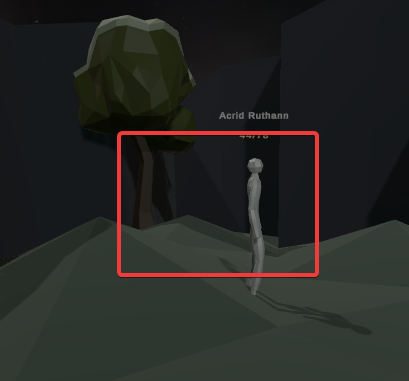
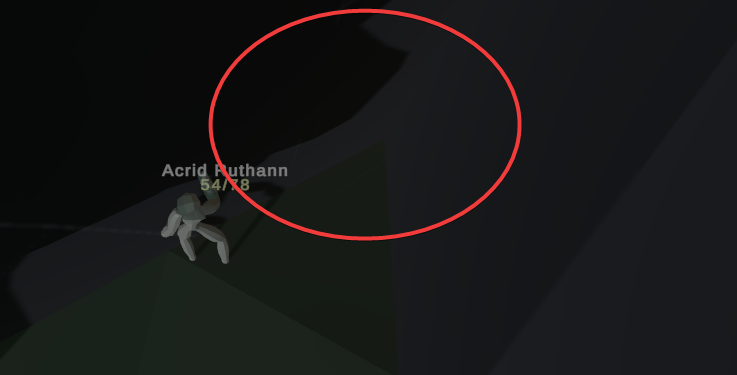
like if i walk there i will fall through mesh
stuck bay
the screens are dark so you may not see but the mesh connects nicely https://i.imgur.com/PmueIEc.png
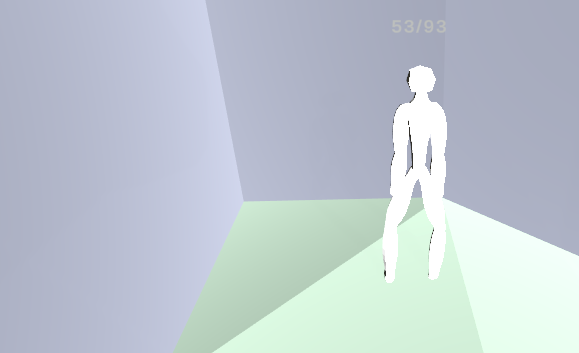 supple sparrow
show the mesh collider instead/with teh mesh renderer
stuck bay
how
supple sparrow
in the scene wiew you should see a green wireframe when you select an object
so just to make sure there's no hole in the shape
stuck bay
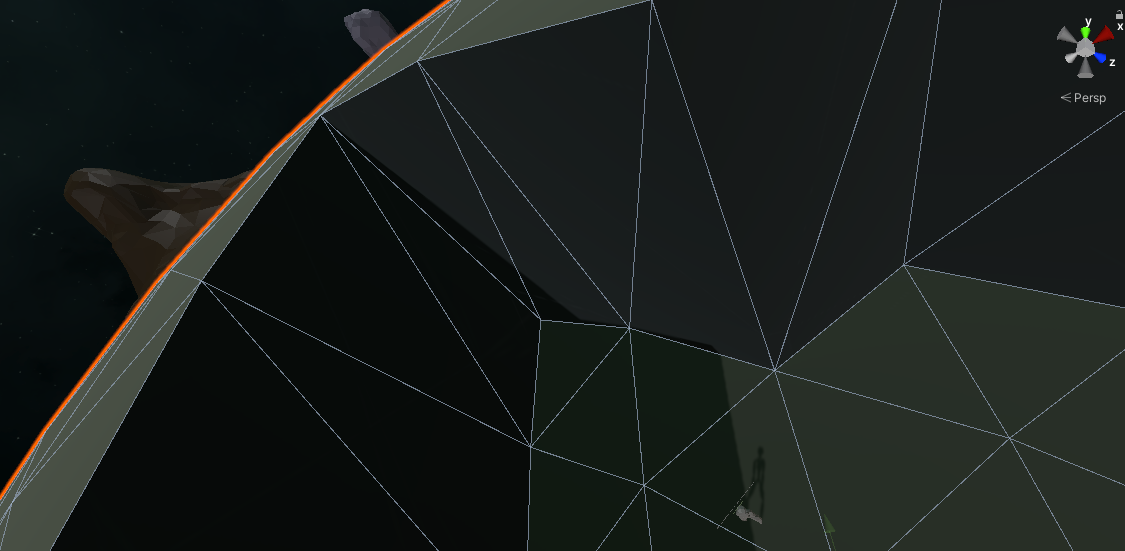
i dont see anything else
green wireframes - these do not show with mesh collider i think, only other colliders
 marble hull
hey guys, how do i make a car controller? ive tried youtube and nothing works. any help?
 foggy rapids

Build your own arcade style car controller in Unity.
Assets used in video..
ARCADE FREE: Racing Car
https://assetstore.unity.com/packages/3d/vehicles/land/arcade-free-racing-car-161085
Low Poly Road Pack
https://assetstore.unity.com/packages/3d/environments/roadways/low-poly-road-pack-67288
Don't Forget to Like, and Subscribe.
Also, feel fre...
marble hull
sorry im late lol. thanks
 shut wind
Hi all, I have a hinge joint for an "arm" connected to a body but for some reason even if my target velocity is 0 the arm slowly falls down in the direction of gravity. I've tried a bunch of things but can't get it to stay in place
 inner cloud
When i am unticking Physics.autoSimulate rigidbodies still simulate is it normal ?
Do you need a physics scene to be able to use Physics.Simulate() ?
 grizzled flax
umm
my enemy floats
unles he falls on the ground from high distance
even if i put him on floor in the scene
he is floating like this at start of test
and i cant change its y coordinate while testing
oh
so
there is pathfinding hitbox for some reason
supple sparrow
No it can be a static, so just a collider
 dusk prairie
Does boxcastall go through colliders or stop?
viral ginkgo
@dusk prairie xcasts it will go through trigger colliders only
with default options
 subtle bramble
Hey all, how's everyone doing?
I'm working on a small bowling prototype as a personal project and I've been dealing with this issue where pins if hit in the right way will oscillate themselves into falling over, which is very unnatural. You can see it happening here: https://www.youtube.com/watch?v=2G0XjRiJAWI
I think it has to due with the shape of the mesh collider, it's not perfectly spherical on the bottom. I've tried moving the center of mass of the pins but that just makes their other behavior really weird looking.
I'm hesitant to touch the Drag coefficients too much because I don't want the pins to feel "stiff" in the air, even though this is the one thing I've noticed that helps them from exhibiting this behavior.
Any ideas? I am more than happy to provide more context if needed.
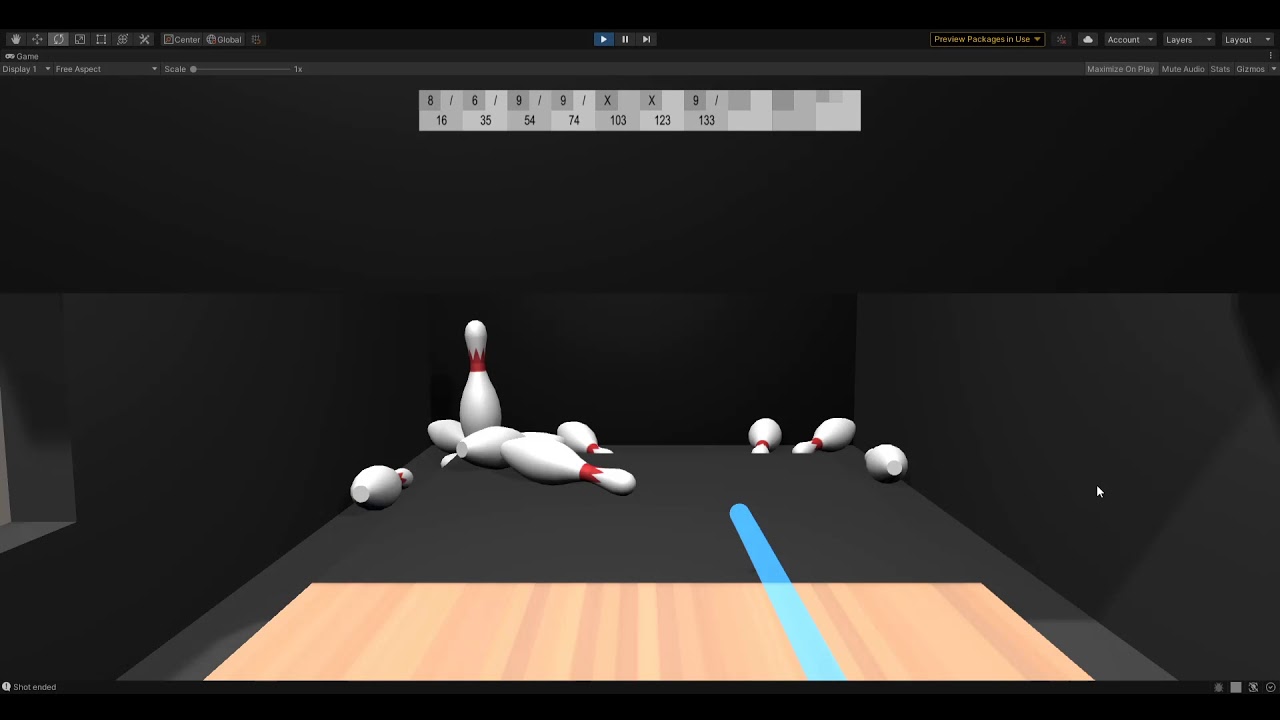
Also, I've tried using a capsule collider or even a combination of mesh and capsule colliders but that eliminates the ability for pins to wobble at all, which makes the game too easy, since pins will fall upon any slight perturbation.
 sharp estuary
So I've got a bit of a logic issue. I'm trying to make it so my raycast will ignore my player, but not other people's
Because I'm making a first person shooter
And my raycast get's caught in my own body, but I can't disable raycasts completely since it'll stop my ability to shoot other players
 vast meadow
im trying to make custom physics because the unity physics kinda smell, how do i do the drag?
i have this but obviously its bad, doesnt work, i didnt expect it to work i just needed something to start with
supple sparrow
sharp estuary
So I've got a bit of a logic issue. I'm trying to make it so my raycast will ign...
How are your layers set up ?
Also you can just make the Ray start let's say 1 unit further on the forward axis
You're talking about other players, so there is netcode ? Maybe you could check if isLocalPlayer when you collide (name depends on what netcode implementation you're using) I didnt thought that one through but at a first glance I dont see a problem
 tacit surge
Hello! Maybe a dumb question because I am not an expert in math at all, but is there a way/formula to "predict" the position of a bullet at a given amount of time after being fired, taking into account the initial shot impulse, and different acceleration force (gravity, wind), all without using rigid body? It is something that is deterministic, but looking on different forum I can't seem to find a formula
 shrewd shoal
quick question, does the layermask in the raycast make it only cast to that object or does it ignore anything with that layer
supple sparrow
sharp estuary
Gonna use RaycastAll
As you wish, but I would still try with a simple Ray, because you're shooting in a straight line, and are only interested in the first hit in front of you.
 safe whale
I'm trying to do a vision cone with a custom mesh and Raycast but when i call the code to set the origin to the enemy position in the update of the enemy it doesn't work. Does anyone know how i could try and fix it? If i move the origin by a vector with the x and/or y increasing by 1 it works.
supple sparrow
tacit surge
Hello! Maybe a dumb question because I am not an expert in math at all, but is t...
Try to start with the simple velocity formula v = d/t ?
sharp estuary
I had trouble with projectile mathematics in college
supple sparrow
supple sparrow
Try to start with the simple velocity formula `v = d/t` ?
So it seems you're looking for d = v * t
the position of a bullet [...] after being fired
-> in other words the distance traveled, so d
at a given amount of time
-> so the timestep t. Make it frame-rate independant with Time.deltaTime
taking into account the initial shot impulse
-> your initial velocity at the end of your gun barrel, so v
and different acceleration force (gravity, wind)
this comes after the first computation, yo ucan add as many "effectors" vectors on the first one to add more and more to your simulation.
Gravity would be a down vector (minus y axis) of 9.81 magnitude, wind could be a random vector you slightly update over time, ...
@tacit surge
Hope it gives you a starting point and ideas
tacit surge
supple sparrow
So it seems you're looking for `d = v * t`
> the position of a bullet [...] aft...
Thank you! I am looking into the formula right now, and it looks like a great step forward for what I am trying to do!
supple sparrow
You could also find already-made parabola formulas online and tweak them
supple sparrow
tacit surge
Thank you! I am looking into the formula right now, and it looks like a great st...
Nice. That's a basic formula for moving objects. Like, your car runs an average of 100 miles per hour. How much distance will you have traveled in 2 hours ? This kind f problems.
Happy coding.
tacit surge
supple sparrow
Nice. That's a basic formula for moving objects. Like, your car runs an average ...
Thanks !
supple sparrow
shrewd shoal
quick question, does the layermask in the raycast make it only cast to that obje...
The casted Ray will collide only with objects on that masks, ignoring (going through) others
supple sparrow
safe whale
I'm trying to do a vision cone with a custom mesh and Raycast but when i call th...
Plenty tutorials online for cone-based vision/detection
As your workaround hints, the enemy might collide with himself (mesh spawned inside the enemy). If spawning it a little amount forward works, why don't you keep working with that ?
Also you could cast on a "Player" layer if your enemies are only inerested in him, thus excluding themselves from the collision.
 onyx cypress
~~Hey everyone :)
Having some difficulty with the physics engine. I have a game where I can create a vehicle out of pieces, and drive it around (think Robocraft).
I am however having difficulty with physics, more specifically the interactions between the vehicle and the terrain. It seems to generate force, or just kind of glide on some things that it really shouldn't be. All colliders are box colliders connected as a child to a single rigidbody. Center of mass is generated via script, and in this case is 1 back from the center.
How do I get the physics engine to behave and stop doing what is demonstrated in the below video?~~
Solved: The issue was caused by using Continuous Dynamic instead of Continuous Speculative. I switched to dynamic to make my friction a bit less intense, but I guess I will need to find another way around that.
 ruby frigate
I have two objects with rigidbodies.
Object 1 and Object 2.
Object 2 rotates around one of it's axis.
If I then make object 1 a child of object 2,
shouldn't object 1 also rotate / have all the same
velocities etc. as it's parent?
 weary plank
What's the difference between AddInputDependency and AddInputDependencyToComplete in BuildPhysicsWorld (DOTS Physics 0.52)?
 frigid pier
@weary plank Don't cross-post, please.
 torpid jacinth
how does unity, internally, actually calculate volume/mass for a complex model?
dusk prairie
When a boxcast hits something, is the raycashit.distance the distance from the center of the box or the distance from the point on the box's edge that on the line from the boxcenter to the hit.point?
 eager coral
I have this car controller that uses a WheelFrictionCurve and I have no idea what it is and how can I edit the values
I want to change the stiffness of a wheel collider but it keeps changing back to 1
 velvet walrus
Hello anyone can help me
I added rigdbody component to 3d model and the model on play, starts moving
to this direction without any input
if I replace the model with cube or sphere
everying is fine
can somebody guide me where should I look for this issue
stuck bay
@velvet walrus Have you tried printing your input to verify that it is zero. Other than that, my two experiences with this is (1) forgetting to work in local space and telling the object to move towards 0,0 instead of telling it to displace 0,0 and (2) having a controller connected and having it randomly do weird things
 burnt wedge
anyone knows how to fix problem with joints eg. when grabbing object with hinge joint and moving it too far, it starts glitching and moving everywhere? (it happens either with VR controllers and with mouse in editor). It should rotate along an axis, but when moving (xr controller or mouse) away it glitches. Constraints don't work
 limpid quartz
Does anyone have a lot of experience with speculative contacts here?
Looking at the documentation, it tells you that it creates a load of physics problems
But then doesn't go on to explain how to fix them or work around them

I've found that enabling speculative causes me to bounce of tiled surfaces
But also clip through ramps, even though its entire purpose is to prevent clipping at high speeds
Switching to dynamic stops me clipping through ramps and bouncing on tiled floors, but now I can get stuck in level geometry if I move too quickly
Also, I'm aware that "physics stuff" has to go into fixedupdate
Does that include calculations, detection, input, etc? Or just when I set rigidbody.velocity?
supple sparrow
limpid quartz
Does that include calculations, detection, input, etc? Or just when I set rigidb...
The latter
limpid quartz
Right, so I'll just include a single line of code then 🙂
Any reason why I'd be clipping? I've tried every combination of physics setting on the rigidbody. Rigidbody.velocity is set in FixedUpdate
I've also tried different AddForce methods
and I still clip
supple sparrow
Could be a lot of different reasons
show something, someone will answer if it's relatively obvious
 cold socket
Does Unity physics, when it comes to friction, account for different friction values depending on if the object is in movement or not?
resting and moving friction basically
limpid quartz
You can set dynamic and static friction
but I think a lot of people prefer to set both to 0 and write their own friction
depending on how precise you need movement to be, if it's a player being controlled, for example
It's not really a snippet, @supple sparrow
I have an extremely complicated movement system
and this has been a problem for a month now
I'd need to post pages and pages of code and provide a huge explanation of what I'm trying to achieve, so it'd be better as a dm
supple sparrow
Uhm, if it's a huge project, did you try recreating a small stripped example and see if it behaves the same ?
limpid quartz
Oh yeah
In ever conceivable combination you could imagine
I've been on work furlough for 3 weeks, so I've been working on it every day
With a mixture of people I know who are also programmers
and even a guy who studied physics at uni
What I can't get my head around
Is that if I'm setting this in FixedUpdate:
rigidBody.AddForce(masterVelocity - rigidBody.velocity, ForceMode.VelocityChange);
and literally not modifying the rigidbody anywhere else in the entire code solution
not manually changing its position
just adding force
How can it still clip? And if so, how do I get a better insight into the behind the scenes physics that unity is performing?
Does Unity not have a proper working implementation of speculative contacts?
 real drum
How could i make an object "stick" to another moving object
I got this moving platform but once my player stands on it the platform keeps moving and then the player falls off
supple sparrow
@real drum I think you have some raycast collision so the player stays on top of the platform ? Meaning a constraint on the vertical axis ? You could do exactly the same to force your player position.x to be the same as the hit.collider
2d or 3d by the way ?
supple sparrow
limpid quartz
Does Unity not have a proper working implementation of speculative contacts?
This I don't know, I never use this mode
Even with continuous it sometimes misses collision on some frames
One workaround could be to raycast from previous position to current one just to make sure
Even cast a shape instead of a simple Ray
It's somehow hacky but could help for fast & small objects
Again the source of the problem could be elsewhere, we don't see anything of the context so cant really help my friend
supple sparrow
so you let the engine handle ?
supple sparrow
you let the engine put the player ontop of the platform, just by using colliders ?
real drum
yeah?
The player can move and jump around.
When it stands on the collider of the moving platform, the platform keeps moving but the player just kinda stays stationary
supple sparrow
you could constrain position when the player is "grounded"
real drum
Hmm
supple sparrow
same like preventing jumps when grounded
real drum
No i don't think i can do that
real drum
supple sparrow
same like preventing jumps when grounded
I already prevent that
supple sparrow
to forbid jump exploit. Same logic
real drum
if i freeze the position of my player on the x, then it won't move at all
supple sparrow
only when no input then ?
supple sparrow
not disabling input
real drum
then?
supple sparrow
Pseudo logic : player.transform.position.x === hit.collider.position.x when isGrounded and no player input
something close to this idea
real drum
okay
supple sparrow
Implementation depends a lot on how you already manage your player and world
and that's only for moving horizontally :p
supple sparrow
cool
real drum
i guess for vertical platforms i could check if the y velocity of the platform is above / less than 0 and if it is then snaps it with the y
supple sparrow
Nope I would do the same as snapping on x
-> when isGrounded and no player input
I might miss something on the top of my head but that's where I'd start
actually just checking when no input
because we dont care if its a jump or just left or right
OR ! maybe increasing friction so it doesnt move easily on its own 🤷♂️
 arctic marsh
@real drum I did this with adding the objects velocity to the players velocity, so if you dont move the player at all, it will jsut copy the objects velocity, if you run, it just adds up and so on.
 knotty dove
How can I achieve a stable hover at a certain height? What I have causes a lot of bouncing
arctic marsh
@knotty dove Do you want it to be just at the offset or really hovering with physics?
 proud nova
@knotty dove Might wanna look into PID controllers
knotty dove
Found a really comfortable way to do my hovering motions
stuck bay
Anyone now how to move with rigidbody without causing acceleration?
stuck bay
Want to ask advice about disabling mesh collider or setting its mesh to null, when far away from player.
What is better (basing on distance to player)?
1. doing nothing(leave them enabled and with mesh all the time) (why?)
2. disable/enable mesh collider
3. set component's mesh to null/to mesh
4 always remove and add mesh component, then set its mesh
i think 3 is best but not sure. cause AddComponent is heavier than just setting its mesh.
2. may be slowcus youre sitll keeping the mesh there. not sure
in fact ive seen FPS improvement after executing point 4, but could probably work with 3. too, not sure about 2.
I prefers disable/anable becuse setting mesh work only with one type of mesh
 obtuse portal
Anyone know why there might be random invisible colliders? A few of my models have mesh colliders, but after importing them in the scene - in wide open fields (no colliders around other than terrain) im hitting random colliders. Selecting all objects in the scene I dont see anything that would cause it or any colliders around me.
stuck bay
stuck bay
I prefers disable/anable becuse setting mesh work only with one type of mesh
you mean only one type of collider (meshcollider) ?
well yes
supple sparrow
stuck bay
Anyone now how to move with rigidbody without causing acceleration?
Naive answer but.... by using a fixed velocity ?
stuck bay
supple sparrow
Naive answer but.... by using a fixed velocity ?
I will try
stuck bay
stuck bay
you mean only one type of collider (meshcollider) ?
And ,yes
supple sparrow
stuck bay
I will try
Do your computations and input and everything in Update(), but set the rb.velocity in FixedUpdate()
stuck bay
supple sparrow
Do your computations and input and everything in Update(), but set the `rb.veloc...
I have everything in fixed
supple sparrow
uhm, you prefer your calculations and input processing if any, at the Update rate.
but mess with physics related stuff on FixedUpdate
anyway that's another topic
 covert wadi
Hello, i've used Rigidbody to my (long) blocks (not the blue one). But everytime, when i move the blocks, it becomes a weird design... (look at image) any solution?
thats the normal design:
This blocks r all in a Prefab
and every block in this prefab has a rigidbody
ruby frigate
I have to rigidbodies.
One of them (the player) can land on the other.
The other (ship) moves or rotates.
If I set the player's velocity and angularvelocity to the velocity of the ship, I was expecting the player to stand still on the ship while it moves.
But the player slowly slides, and weirdly rotates around, somewhat sticking to the ship, but not really
*two
(parenting the player to the ship is not an option in this case)
 ionic ivy
Hey guys, I'm having a collider issue that I've narrowed down but can't solve. I created a capsule with a capsule collider and rigid body. As soon as I press play, the capsule collides with itself and moves out of the way. I can then move around freely and collide with other objects, but there's still another capsule collider at the original location. Using OnCollisionEnter and Debug.Log, it seems like the player object is colliding with itself. Every time I try to walk back towards the "spawn point" I get two collisions. I literally tested if(collision.gameObject == this.gameObject) and it's true twice. Any questions or ideas?
supple sparrow
@ruby frigate Did you try Raycasting towards the ground, and setting position of the player to the hit collider's position ?
Every frame while the player is supposed to be bound to the ship
Uhm but that could mess the rigidbody computations if other forces apply 🤔
Try with a target gameobject before you mess with raycasting and all that stuff
supple sparrow
ionic ivy
Hey guys, I'm having a collider issue that I've narrowed down but can't solve. I...
Not sure I understand. Did you add a capsule collider although there was already a capsule collider ?
ionic ivy
@supple sparrow No, there's just the Player Object with a capsule collider. Other objects in the scene have box colliders, but those are acting as normal. When I watch in scene view, it looks like it's colliding with a totally invisible capsule collider (all gizmos on) that doesn't exist. And if I Debug.Log the positions of myself and the colliding object, they're both at the same position
And collision.gameObject == this.gameObject is true
 velvet tundra
So I have a sphere + rigidbody that I move along my game. I also have a "player model" that also has a rigidbody attached that will lead to it being rotated to be diagonal on a slope.
Now I want the "player model" to be fixed to the sphere location with out blocking its movement while still "trying" to rotate
Is that possible?
stuck bay
How to stop bouncing?
        ForceMode forceMode = default;
        if (animator.GetInteger("Floating") == 0)
        {
            forceMode = ForceMode.VelocityChange;
        }

        float speed = 2f;
        if (plrMovement.raycastHit.distance == 0)
        {
            forceMode = default;
            speed = 15f;
        }

        rigidbody.AddRelativeForce(-Vector3.up * speed, forceMode); // here 1 is best to climb mountains
generally velocityChange minimizes it a bit..
stuck bay
rip my game
viral ginkgo
@stuck bay Whats this animator integer reading force, rigidbody and this speed paramater?
Are you making a hypercasual game with bouncing ball?
You don't need physics
just use something like transform.position.y = Matfh.abs(Mathf.sin(time)) * jumpLen
stuck bay
it means that if animator is jumping
then force is bigger
look the gif i linked..
not ball game lol
stuck bay
the Checkbox ?
no
but i dont think its animator issue
it will also jump without animator component
unless you know how to imitate physics in 3d game?
viral ginkgo
just disable the animator, see if it can jump
@stuck bay if it can jump, then adjust the animations
i would also prefer not to read animator variables in character logic
character logic should be able function %100 well without knowing about the animator or the animated mesh
animator and logic referencing and affecting eachother will most likely turn around on you and bite you in the ass
stuck bay
you dont get me
im saying that character bounces from ground on its own without even doing anything
stuck bay
anyway i would like to try to do it without rigidbody.add force
i know i can use raycast for this
stuck bay
i mean the physics far away from world origin break due to floating point origin error
so i choose to not do physics but imitate them. i asked the updated question in #archived-code-general
 loud moon
With configurable joints. What is a way to get only the anchor or connector anchor to move towards the other? Trying to play with mass / mass scales and there's still a bit of pull on what I really want to be the "anchor". Can't use kinematic.
ionic ivy
trying again, any help would be appreciated. I'm having a collider issue that I've narrowed down but can't solve. My player is a capsule with a capsule collider and rigid body. As soon as I enter game mode, the capsule collides with itself and sort of teleports away from the spawn location. I can then move around freely and collide with other objects, but there's still an invisible capsule collider at the spawn location. Using OnCollisionEnter and Debug.Log, it seems like the player object is colliding with itself. Every time I try to walk back towards the "spawn point" I get two collisions. I literally tested if(collision.gameObject == this.gameObject) and it's true twice. There's absolutely nothing visible at the spawn location in scene view, all gizmos on. Any questions or ideas?
whoa ok I got frustrated and just started deleting stuff and figured it out. I'm using a player controller script and I had a character controller as well. Deleting the character controller fixed it. It seems like having 2 different controllers and only using one of them somehow creates 2 players, where one of them is invisible but still has an active collider?
I think I converted movement systems at one point and the character controller must have been left over. I'm using a rigid body now
stuck bay
So now i'm absolute frustrated about a just simple idea wich i already got nearly done, but failing in usability ... short: i have a door with hinge-joint rigidbody (to act like a door) and i want the player be able to "grab" the door to pull or push them ...
a system to get the "point you're looking at the door" i already got. But how i can "grab" the door at this point?
here's my current code try ...
and before ... I'm not a pro. But i already know some stuff. :/ And im not sure, a springjoint is useful for that ...
please help me o_o
Pastebin
Pastebin.com is the number one paste tool since 2002. Pastebin is a website where you can store text online for a set period of time.
viral ginkgo
@stuck bay You can edit the gravity acceleration that is by default -9.81 something
In project settings, in physics tab
 heavy nexus
has anyone had an issue where DOTS PHysics do not show the gizmos in scene view? PHysicsShapeAuthoring is checked in gizmos but they do not render
n/m just restarted editor and it worked 
limpid quartz
Has anyone got any experience with Unity's personalized learning courses? I've heard you can pay for one-on-one help with a particular subject
I'd like to go to them about some physics problems. Does anyone know what the pricing is like? I don't have much money spare, but I'd like to get 2-3 hours in with them
Can't see any pricing options though
stuck bay
ok, So I have a cube, that I want it to shoot out a raycast continously. I want to have some gameobject sphere's Follow that ray cast as it hits two layers of bigger encompassing spheres
RaycastHit[] hits;
hits = Physics.RaycastAll(new Vector3(transform.position.x ,transform.position.y ,transform.position.z + 20), transform.TransformDirection(Vector3.back),20.0F, layerMask);
if (hits.Length > 0)
{
SphereFBR.transform.position = hits[0].point;
SphereNBR.transform.position = hits[1].point;
}
I turn the cube and the raycast appears to head in the opposite direction and at exagerated values???
The script is attached to the cube
obtuse portal
Anyone know why there might be random invisible colliders in the scene? I dont actually see them, but walking around my character will get randomly stuck on an invisible wall or something of the sort.
proud nova
Physics debugger should be helpful here. Window -> Analysis -> Physics Debugger.
obtuse portal
Ah thank you, ill look into that
 vital ember
Is there a way to manually do something like PlatformEffector2D? I want to conditionally ignore collisions. IgnoreCollision isn't really ideal as you need to call it before the collision is detected, which is not practical
obtuse portal
So I used the physics debugger in my scene today and it just made me more confused. When I am not in playmode there are none of the colliders except for the bottom terrain. However, when I click play it adds a ton of capsule colliders everywhere?
Ah I figured it out! I had added a bunch of trees earlier, but I would get the warning "The tree tree_model couldn't be instanced because the prefab contains no valid mesh renderer.". I guess what happened is it still added the colliders and not the renderer since it could not find one. Removing the trees from the terrain fixed this issue!
 heady thorn
how do you rotate a wheel collider
supple sparrow
wheelCollider.motorTorque
and brakeTorque
and steeringsomething to turn
I dont remember exactly
check official manual
 jovial depot
does anyone get a "good" behaviour using wheel colliders?
stuck bay
hey i want snow that piles up in a 2d platformer
already have particle system to show its snowing
but i want the ground to pile up with snow
which you can walk on and it destroys/compresses with like rigidbodies maybe?
any idea what i could use?
oh it should run decent on mobile too
 open bay
Are Sphere colliders actually spheres or are they made up of polygons?
 vapid lava
Does anyone know if anyone is actively working on the LockStep project that was available on Github anymore? I found the old official git, but the developer seems has given up on it some time ago now.
Or anything similar?
 jade stone
When the character dies, i enable a ragdoll and disable a character controller. For the respawn, i do the opposite while also (after getting the issue demonstrated on the picture above) resetting the rotation of both the character himself as well as the rig (I have a function that just resets rotation of all children). Still when i respawn the character is sideways while his character controller is upright. Can any1 help me?
supple sparrow
open bay
Are Sphere colliders actually spheres or are they made up of polygons?
None ? I'd say the engine does a distance check (using center and radius, obviously), the sphere is for humans to visualize. Dont know if that was your question.
Or maybe that's what you call "actually spheres"
supple sparrow
vapid lava
Does anyone know if anyone is actively working on the LockStep project that was ...
Maybe open an issue ticket there and ask ? You'll have better chances of getting an answer.
viral ginkgo
Unity Forum
Quite simply, which one is more expensive?
I have a scene with about 10000 static colliders, they can approximately be boxes or capsules so its not...
Says that spheres are more performant then box colliders
That probably answers your question
supple sparrow
jade stone
When the character dies, i enable a ragdoll and disable a character controller. ...
Could you check in your prefab if all transforms are set to zero ? Maybe by setting them all to zero at respawn, you override a default rotation which was to 90° for example ?
jade stone
@supple sparrow hey, sorry i just saw your message, ill go check right now but i dont think the code i wrote even works
ah, i checked the root of the rig has a Z value of -90 but i checked in game and its still - 90 meaning that either my code doesnt work or it somehow gets set back to -90
also if i change the -90 to 0 it makes him lay flat on his back but as you can see in the picture above he is completely crooked when respawned
stuck bay
how the heck do I find the Y?
i mean i have planetary movement
and I raycast down
now i have position of ground, so i do
transform.position = raycastHit.point;//
but truth is i want only to assign Y
not his forward (z) and left/right (X) coordinates
but Y depends on his rotation too
jade stone
@stuck bay maybe try using transform.position.y
Hey, i am trying to respawn a character after death and im having problems. When the character dies i enable a ragdoll and disable his character controller, for the respawn i want to reset him to his original pose before i enable the character controller & animator (and disable the ragdoll) otherwise he ends up crooked. Can someone help me with that?
Also i was originally just reloading the scene but since im trying to make this multiplayer, i cant have it so that every time someone respawns, the scene reloads
 languid forge
This isn’t how trampolines are supposed to work irl, right?
 vast idol
So I have a strange issue, tried to sort it all day :)
My rb has jittering velocity on the y axis, video for reference.
I use a simple move and jump script, is all. rb on ground and player. (tilemapcollider with composite)
Any ideas is great!
(happens late in the clip)
vast idol
Think I sorted it...
The composite's offset could be the one that combined colliders and therefore it bugged out.
foggy rapids
you keep changing the gravity scale
 versed swift
I'm having issues with capsule colliders in 2D, I'm trying to create the capsule collider so that the origin is right at the bottom of the character (where the red dot is), however every time I try to offset it, it keeps moving the collider capsule as well and not just the origin. I tried making a separate gameObject and doing it that way, but it still fails to work.
foggy rapids
make the sprite a child and offset it's local position
or vice-versa
oh wait, it's 2D you can just set the pivot point on the rect transform
versed swift
I tried the first part making the sprite a child
And how do I set the pivot point if you don't mind me asking (sorry im a beginner)
foggy rapids
i'd guess setting Pivot to x: 0.5 and y: 0 would get the desired result?
stuck bay
How can I stop rigid bodies from falling through the world, but still be on a surface?
I want them to have gravity
But
Not just fall thru any surfaces
y know?
And not have an anchor point aswell*
 stuck ore
i have something really weird going on with rigidbody. whenever i get control of it it rotates and just starts to go insane.
like it moves around across the map
oh i fixed it. it was cause i had character controller enabled on something else lol
dusk prairie
Does rigidbody.movepositition update colliders in the same frame for kinematic rbs?
I'm moving a kinematic rigidbody through raycasts via it's transform(transform.position += moveAmountAfterCollisions) I'm doing this in fixedupdate. However, it can still skip through other colliders that are also kinematic rbs moving via raycasts. If I call physics2D.synctransforms this bug goes away. But obviously that's a bad solution.
AFAIK, transform changes move the colliders at the start of the fixedupdate but does not do so for changes inside fixedupdate. Does ridigbody.moveposition() sidestep this?
 thorn crypt
I have box colliders on platforms and when I want to create platforms that are combined my character gets stuck on the transitions, I've made the gap between the box colliders as small as possible (zoomed in as much as i possibly can)
cold socket
@thorn crypt Right, yeah I know what you're talking about. You could try making a script for it
EdgeCompensation or something
thorn crypt
For me it stopped getting stuck when i changed to capsule colliders instead of box colliders (the player that runs ontop)
cold socket
uhm, is it 2D or 3D? @thorn crypt
thorn crypt
2d
 torpid prism
where did the ecs physics package go in 2020.2+ ?
 snow orchid
Anyone have an idea how I can improve the smoothness of rendering a moving ball? It works well on pc, but the ball gets jittery every now and then on mobile.
This is how I add movement to the ball:
_rigidbody2D.AddForce(directionNormalized * GameConstants.BALL_SPEED_MAXIMUM);
(Ballspeed Max is 1400f in this case)
foggy rapids
have you determined whether it's the ball or the camera that's jittering?
 rotund mica
snow orchid
Anyone have an idea how I can improve the smoothness of rendering a moving ball?...
rotund mica
snow orchid
Anyone have an idea how I can improve the smoothness of rendering a moving ball?...
which unity callback you put in ? Update or FixedUpdate? how to trigger the addforce?
Also did you put the camera update in Lateupdate?
snow orchid
@rotund mica I've implemented IPointerUpHandler etc. and call _rigidBody2D.AddForce(myVector2D) inside that
my game is 2D and there is no camera movement
rotund mica
snow orchid
my game is 2D and there is no camera movement
I think you should use Impulse or VelocityChange force mode.
Can you verify you use one of the two mentioned force mode?
snow orchid
I'm also accelerating the ball in FixedUpdate
Yes, I will put it to Impulse now
_rigidbody2D.velocity *= 1.00075f;
rotund mica
snow orchid
Yes, I will put it to Impulse now
I don't get it. Why you put accelerating the ball in fixedupdate? it is not continuous force.
snow orchid
I changed the type to Force not Impulse
rotund mica
So you are intended to give the ball the continuous force?
snow orchid
rotund mica
I don't get it. Why you put accelerating the ball in fixedupdate? it is not cont...
I am not sure, I just heard all physics related things should be put in FixedUpdate. So I'm accelerating the ball there until a MAX is reached.
rotund mica
Yes but not always.
snow orchid
Behaviour I want: ball is shot from paddle, then accelerates over time until a max velocity is reached
I've also deactivated that part, it doesn't have any influence on the jittering it seems
rotund mica
just use impulse force in your IPointerUpHandler . Then try comment all your code in fixedupdate.
check if it is the effect you want.
 desert hearth
I need a bit of help with some 2d raycast shenanigans, is this the channel to ask for help with that?
rotund mica
We use impulse force once=> like play pingpong. Use continuous force => coninue pushing a desk.
when use continous force, we should put it in fixedupdate.
snow orchid
doesn't help with the jittering unfortunately, still the same
the jittering isn't continuous btw. it happens occasionally
do I have to write my own move/update code? I would be surprised if it runs smoother than the unity's default, though.
snow orchid
@rotund mica I made a very simple test project, which has the same issue. Would you be able to look at it? Maybe you can find the issue?
rotund mica
@snow orchid Yes. You can send it to me.
snow orchid
@rotund mica https://gamedev.stackexchange.com/questions/187754/interpolation-on-rigidbody2d-not-working

Game Development Stack Exchange
I'm trying to achieve smooth movement for a ball. I seem to be failing to achieve this and now I've created a sample scene, which shows my setup from the game and the problem exists in that sample ...
it's linked in here 🙂
rotund mica
@snow orchid Got it. Upvoted. 🙂
snow orchid
@rotund mica Thanks! Let me know, if the project starts for you and you can see the problem.
rotund mica
@snow orchid Yes. Already start it. I may research on it later. Have not any clue on it yet.
 shut timber
//Currently the rb is moving upwards IEnumerator Move() { while(isMoving) { rb.transform.position = Vector3.Lerp(rb.transform.position, new Vector3(4166, rb.position.y, 0), 0.03f); Yield return new WaitForFixedUpdate(); } }
Guys, this is my code, how to fix the camera jittering ?
stuck bay
@shut timber Just use cinemachine.Free from assets store.There is numerus tutorials on yutube to how setup it.
Can someone help with this? https://answers.unity.com/questions/1797926/colliders-dont-work-no-matter-what.html
Unity is the ultimate game development platform. Use Unity to build high-quality 3D and 2D games, deploy them across mobile, desktop, VR/AR, consoles or the Web, and connect with loyal and enthusiastic players and customers.
rotund mica
@snow orchid Sry. Cant solve it. But I am sure it is not a problem about regular update problem . I am afraid you have to tune the physics settings. Or you have to do it in kinematic way.
snow orchid
@rotund mica okay, thanks for your time! Do you know which physic settings I should take a deeper look at?
rotund mica
snow orchid
<@!733011673904054272> okay, thanks for your time! Do you know which physic sett...
I am not sure. But I think it may be relevant to velocity and position iterations?
snow orchid
What I find weird is that the more physic steps I have, the more stuttering appears.
rotund mica
I have no idea how the internal physics works. Normally when more iterations(no more costly than fixupdate step otherwise it never catch up with rendering) happen during update(between rendering), the results should be more accurate.
foggy rapids
perhaps it's your world size
moving 1400 per tick will get it into the 10s of thousands pretty quick and that's around when floating point accuracy starts to deteriorate
or perhaps you're colliding with something that isn't obvious
it would help if you post the full code that moves ur ball
you might also try a different fixed timestep (0.033333, or 0.016666667)
snow orchid
@foggy rapids check this post: https://gamedev.stackexchange.com/questions/187754/interpolation-on-rigidbody2d-not-working there's more info on my case and a github with a sample project, which shows the problem
Game Development Stack Exchange
I'm trying to achieve smooth movement for a ball. I seem to be failing to achieve this and now I've created a sample scene, which shows my setup from the game and the problem exists in that sample ...
I thought about the size of things as well. That's currently my best lead, I think. I'll investigate this further in the following days. But, feel free to take a look at the sample scene and experiment yourself, if you like 👍
foggy rapids
reducing the timestep will expose the error better
snow orchid
I did do that and used 1/120 which made it stutter way more
foggy rapids
good, i'd use that to get better debug.logs from fixedupdate
snow orchid
doesn't a lower amount of timestep mean more executions of fixedupdate?
foggy rapids
yep, which means finer grain of detail
snow orchid
and then you would just put a debug log in the fixedupdate of the ball and check its position changes?
delta changes
foggy rapids
yeah, and by observing the change value over time you might get a clue about whats happening
snow orchid
say I do that and there are times whers it's smooth and delta is pretty constant and then I get spikes
where would you start to look then?
foggy rapids
i'd first look at velocity. if you get the jitter but the delta remains constant you can be sure it's not physics
if it DOES change, then put in Debug.Break(); when it breaks from the norm and your editor will pause and you can examine the inspector
i'll take a look at the project myself in a bit
snow orchid
👍 great input, thank you!
foggy rapids
dont forget to try a release build.
i just did and it's fine.
gotta love how a simple project like this somehow needs 2800 hidden shader variants
foggy rapids
🤷 i can't seem to fix it in editor. heck i cant even get vsync to work in editor
stuck bay
Can anyone help me with a basic physics problem?
viral ginkgo
just ask the question @stuck bay
 distant coyote
I'll always answer a physics problem if its math related.
 gilded sparrow
Hi all. Whats my options for low poly terrain? Do i have to use mesh collider for the whole world? Given that it's static, is it more expensive than terrain collider?
Should i still use terrain collider for the general shape, and ease to using some mesh colliders for the lowpoly landmarks, caves?
 lapis plaza
@gilded sparrow is it more expensive? probably, considering terrain collider can make further approximations knowing it's limitations
is it notably more expensive? probably not but you should just measure the performance diff yourself if you really care about it
in general, you shouldn't merge whole "terrain" into single collision mesh, while you can get away with it on simple scenes it will basically limit the physics engine's broadphase for doing any optimizations
if you only think of physics performance, best would be if you could split that terrain even into multiple chunks (but then there are some corner cases at the terrain seams - which you could have with multiple terrain colliders too I suppose, I haven't checked how Unity handles these)
 empty bobcat
how do we get movement somewhat like in Fall Guys?
Is there any good video about that kind of movement?
 nimble wadi
Hi - was following along the Foundations:Explore Unity tutorial on unity main-site and the falling sphere's don't seem to be 'rolling' down the stairs on the monument. The spheres fall but stop when they hit the stairs. Per the tutorial I've got the Sphere Collider and the Rigidbody components (discrete/use gravity on rigid) but no luck - is there something the tutorial perhaps forgot to include?
 dapper nymph
prototyping an FPS idea with Character Controller, and it's pretty nice for managing stepping up onto stairs and things like that - I've written up a script to push rigidbodies around, but I'm struggling with how to avoid marking things as "unsteppable" but still making them pushable - does anyone know if there's a LayerMask for objects effecting stepOffset?
 ocean atlas
Hi, I was trying to make a active ragdoll but legs are kinda cursed do you guys have any ideas how to fix this ?
 rustic berry
does anyone know why when something moves quick it ignores the colliders but when it's slow it acctully hits the collider
 weary dawn
how do i apply a force in the direction the player is facing but at the same time so that it is aligned with the sloped floor?
viral ginkgo
Vector3.ProjectOnPlane will project a vector on a plane
You can raycast downwards to get surface normal, to use with that function, as it requires a plane normal
When the vector is projected, it will be smaller. You could normalize it to restore the length
@weary dawn
weary dawn
ill try that, thx alot 🙂
viral ginkgo
np
 signal olive
Sorry for the DOTS question in here, but Is there a way to constrain rotation in Unity.Physics? seems that if I convert a game object to an entity it ignores Rigidbody constraint / Rotation Conostraint GO components
empty bobcat
 fossil merlin
There are some videos out there that recreated fall guys
fossil merlin
There are some videos out there that recreated fall guys
no, there is only one fall guys tutorial as far as I have seen and they just use some paid asset for the movement, but I want to learn to do it without assets
stuck bay
are PHYSICS (and eg increased time step)
executed by CPU or GPU ?
id say cpu
but
i saw no cpu increase after increasing fixedTimeStep
 glacial jolt
@stuck bay CPU
stuck bay
r u sure?
viral ginkgo
i think what you are doing is not changing simulation update rate @stuck bay
its just making things faster because physics time delta is increased
stuck bay
i changed fixed time step in settings to 0,01
viral ginkgo
then slower
stuck bay
default is 0.02
viral ginkgo
default case:
by default you do 50 fixedupdates per second
and you use 0.02 for fixeddeltatime
so your simulation advances 50 * 0.02 seconds per reallife second
your case:
by default you do 50 fixedupdates per second
and you use 0.01 for fixeddeltatime
so your simulation advances 50 * 0.01 seconds per reallife second
.
thats what i think is going on
stuck bay
oh
well anyway the CPU usage should increase
my question was whether its the CPU or GPU executing
fixed update
viral ginkgo
cpu usage is proportinal to fixedupdates per second you do which is 50 in both cases
physics is on cpu so is your fixed update logic
you can see the orange parts in profiler to see how much cpu time it takes to execute physics stuff @stuck bay
ocean atlas
Hello, I was trying to make a 2d active ragdoll, but legs are standing like a crab when I give force to them
Do you guys now how to fix it ?
stuck bay
alrght, thanks man
cold socket
Is there a way to call a collision check?
Like a OnCollisionEnter, but whenever I want?
A Physics.OverlapBox just gives me colliders, not collision... anyone?
 nova rivet
Hello guys, I have a problem - my objects start bouncing and moving on their own after colliding with other objects. Anyone knows what causes it? I use custom gravity and movement system instead of Unity's and that has nothing to do with its code, so I bet it's something thats built in.
the bouncing and movement starts after landing on the ground, after dropping on the other object's head
can't get it to stop either
I set all colliders to a physics material with 0 friction and bounciness
nova rivet
nevermind, managed to fix it
set rigidbody velocity to 0 if the character is touching the ground
arctic marsh
@nova rivet Just wondering why you say custom gravity and movement and still use dynamic rigidbodies here that actually work inside the unitys physics system
nova rivet
I use custom physics for movement and rigidbody for trigger collisions if that makes sense, I probably should get rid of it once I learn how to do everything without it
I read somewhere that you can only use trigger collisions if at least 1 object has a rb
the actual movement and hard collisions are calculated via colliders and code, no rigidbody in there
arctic marsh
Did you try rigidbody is kinematic and apply your own velocity for gravity? @nova rivet
nova rivet
I use my own gravity and add movement via transform.position
rigidbody is set to no gravity and not kinematic
gilded sparrow
@lapis plaza So.. still about what type of collider for terrain in a low poly world
Single collider for the whole world is not good bcoz the broadphase segment cant split it up for perf, so at least split the colliders
So my option is still 3:
- Several terrain colliders, and some mesh/primitive colliders for props/caves
- Several big static mesh colliders for the whole world, including caves
- A crap load of primitive cols. Some mesh colliders here n there too i guess is ok?
lapis plaza
Just.. prototype and measure, test what happens on collider seams etc
 mellow verge
why does my zombie flies to me even tho hes rigidbody gravity scale is at 10
and his mass is 10
here the config
arctic marsh
is there a script controlling him? @mellow verge
mellow verge
Yea
arctic marsh
good 😄
grizzled flax
if someone knows the sollution to this problem pls answer
Unity Forum
So, I have this very strange bug.
I have a particle system flamethrower and it kills enemies using OnPatricleCollision().
So the problem is, that the...
arctic marsh
I do not really understand your question there @grizzled flax
So your oncollision does destroys itself, right?
grizzled flax
well
it kills enemies for some time
and just stops
idk how
i found out if i just use it for some time it doesnt trigger the on collision
and doesnt reset if i turn it off and on
arctic marsh
you destroy the gameObject, your script is gone then with your whole gameobject. Is that intended?
grizzled flax
well yes but every single enemy has the script
the flamethrower working is only depends on how much i have used it, number of killed enemies doesnt change anything
btw collider on enemies doesnt dissapear because other weapons still kill them
arctic marsh
you are getting the logic wrong or I do. Your enemyAI Gameobject is being completely destroyed. So if this works, okay, lets continue. So you are saying your particlesystem stops sending collision events, or what is not getting collisions?
grizzled flax
it all works perfectly but event stops getting triggered after using flamethrower for sme time
all colliders are there, so i dont have a clue what could it be
i was thinking that maybe particles never actually fully dissapear so the game gets too ocupied, they just become invisible but they have limited lifetime so that doesnt make sense
arctic marsh
Okay lot of questions. How did you setup your particles, how do you spawn the enemy or are they already setup in scene?
grizzled flax
they are in the scene
and how do you want me to show you the particle system
thats all
arctic marsh
But if you are having them in the scene and all are destroyed, how can you check its not colliding?
arctic marsh
and every single enemy gets destroyed when hit by a collision
arctic marsh
What about the max collision shapes?
grizzled flax
where is that
arctic marsh
in your screenshot on the collision particle
grizzled flax
hmmm
but
idk it doesnt make sense since they stop working even if i didnt kill any enemies
arctic marsh
But your particles are firing none stop?
grizzled flax
no
and the max collision shapes doesnt change anything
nothing about this problem makes sense
arctic marsh
So your enemies are prefabs that are built all the same way?
grizzled flax
yes
grizzled flax
and i just tried deleting and instantiating the particle system and it doesnt reset it
grizzled flax
so i was testing a bit
and
i can still destroy other objects
and i made a separate script for onparticlecollision and the problem has nothing to do with that enemyAI script
well well well
the navMeshAgent fucks it up
grizzled flax
I was planning on changing the pathfinding anyways so it doesn't matter
@arctic marsh thanks for trying to help
 fallen temple
hello
 leaden ether
Im not sure if its physics or not so I will just ask it here, I want to be able to smack enemies on each other and like cancel theri rotation freeze on the z, I already did it but my problem is that when I hit them by moving my mouse it just pass through them and not knocking them away unless I do it slowly Im just rotation the main body so if anyone know a better way of doing it please tell me. Here is a video that show how it is
 lone tinsel
I've been working on a physics based destructible building but no matter what I do it will either destroy itself or not destroy at all can some one please help me? I only parts of it to destroy at a time. it's really been given me a pain in the neck. what I have now isn't very great.
dim kiln
Hey guys I made a car in unity and the motorforce used to be 5000 and the speed was just right but now even if i put it at 1 the speed is insane
 stoic ivy
hey i have a issue with armatures and capsule colliders, when i add capsule colliders and set them up the bone gets placed on the center of the capsule collider and messes up everything
 formal egret
@dim kiln are you multiplying the speed with time function also check the force mode and the gravity in the rigidbody components
dim kiln
something was messed up with the project
i just made a new one imported all the stuff and its good now
formal egret
@lone tinsel you can use a coroutine to delay the destruction and give each part a tag and playe with the layer matrix in the project settings
ocean atlas
Hello, I made a 2d active walking ragdoll, do you guys have any feedbacks ?
 umbral leaf
Stick guy is very thin😂 @ocean atlas
stuck bay
What can be the reasons that a car physics are not 100% the same with VSync On (60fps) and Off ?
The difference is minimal but for me that i played a lot is clear. Is possible that some "Time.deltaTime *" is missing in some formula?
 somber crow
ocean atlas
Hello, I made a 2d active walking ragdoll, do you guys have any feedbacks ?
somber crow
ocean atlas
Hello, I made a 2d active walking ragdoll, do you guys have any feedbacks ?
This is nice
The arms are flying everywhere though
 supple mason
is this the best channel to ask about colliders?
viral ginkgo
@stuck bay physics should be handled in FixedUpdate and deltaTime should not be used
can use fixedDeltaTime, but i prefer not to
i dont use any time delta with physics
fixed update will run 50fps %99 of the time
if you use fixedDeltaTime, you risk applying too much force/movement etc per frame when you simulation lags
which can cause glitches
stuck bay
@viral ginkgo thanks! .
supple mason
if i have an object, says its a cube, and its facing a direction, and now another object collides with it, how can i tell if the collision happened from the same direction the cube is facing?
relative to the cube, not the world
specifically, in this case the cube is a checkpoint in a race track, however the 'track' can go back on itself, so you can pass the same checkpoint going the other way, imagine it like a rally stage with a u-turn at the end so you come back down
i only want the trigger to work when the car hits a checkpoint from one side
supple mason
okay looks like i got something working
i raycast from the other object to the car, and is the relative Z is plus or minus determines if the collision is happening from the front or back
big problem now if i've noticed my trigger is happening twice for the same objects
foggy rapids
I think it would make sense to make sure the triggers transforms are facing the correct direction.
Then you could use the dot product of velocity and the trigger's forward vector to figure out if the body is moving in that direction
 frosty shoal
Hey guys, I'm trying to implement my own 2d character physics system. I've landed on Velocity Verlet integration. I have this up and running and everything seems to be working well - velocity, acceleration, updating position, non linear acceleration by way of drag laterally and vertically.
All is well.
But actually using the system is somewhat escaping me.
    void AddImpulse(Vector2 impulse)
    {
        vel += impulse;
    }```
I have written this helper function for modifying the velocity directly (e.g. Jump) on a single frame.
But I'm not entirely sure if that's how I should be using it? Also - how should set constant horizontal velocity?
Is it OK practice to directly modify the velocity or should all changes to the system be applied as acceleration?so I made a destructible building using fixed joints but its really lagging is there any way to fix this?
frosty shoal
other than doing some fancy compute shader to do your simulation on, I think you're approaching a bottleneck of the physics system @lone tinsel
lone tinsel
oh ok.
frosty shoal
though that does look surprisingly laggy for the amount of pieces there
lone tinsel
there's close to 2000 pieces in the building
I tried making a build of my project and running it outside of the editor and its much faster. Thanks for the help though.
frosty shoal
ahh interesting
 charred owl
how do i make a ragdoll balance itself?
i used the ragdoll wizard
lone tinsel
@charred owl here this tutorial series helped me alot https://www.youtube.com/watch?v=I1beTn_913c&list=PL9gnJgSxuivEf8D6upAd5aNj6H4OFWt4m

Hello friends,
Have you ever wanted to create ragdoll characters just like the ones you see in games like Gang Beasts and Human Fall Flat?
If yes then this video is for you!
Part2 : https://youtu.be/7FbF2PfLxmc
Enjoy!
#unityragdolltutorial
charred owl
yea im following it but i used the ragdoll wizard and that one has character joints, not configurable joints
should i convert all the joints?
lone tinsel
That's up to you. I just made a character in blender made out of different parts and followed the tutorial.
 tepid panther
hey all i was wondering if someone with experience with unity physics could help me figure out what's wrong with this jumping function being called every frame in Update()
public void JumpHandler() {
    RaycastHit hitGround;
    onGround = Physics.Raycast(transform.position, -transform.up, out hitGround, 1.25f);

    if (onGround && Input.GetButtonDown("Jump")) {
        rigidBody.AddForce(Vector3.up * jumpHeight, ForceMode.Impulse);
    }
}
as opposed to smooth realistic jumping, the player jerks immediately upwards and then slowly drifts downward
frigid pier
@tepid panther Nothing to do with this code. You probably have a weak gravity or drag is too strong. Increase/decrease either.
tepid panther
i tried increasing and decreasing both and i even tried fully disabling both
frigid pier
Then your controls ignore physics and use their own calculations, which is bad mixing those.
tepid panther
which is why im not doing that, i just tried it
im currently working with this
but no matter what values i try for drag and gravity it teleports up instantly and then floats down way too slowly
it looks like evrything should work fine but it just doesnt
frigid pier
If you are using default player controller it doesn't use physics
Ah, default one called Character Controller. Post your controller code in hatebin.com
tepid panther
tepid panther
hey all i was wondering if someone with experience with unity physics could help...
the part thats broken is this
everything else works perfectly
its just those 4 lines
frigid pier
It's just a ground detection. Debug your code where you apply any additional force.
(If ground detection was broken you would be able to do multiple jumps in the air)
tepid panther
the first half is yes
the bottom is the only place vertical force is being applied
and the only thing thats at all broken
everything else works exactly as expected
 fading flare
Hi guys, wanna ask when is Unity changed the Physics update from 30fps to 50fps?
formal egret
@stuck bay use a raycast to get the normal of slop then use
Quaternion.FromToRotation(transform.up, hit.normal) ;
 radiant gorge
tepid panther
radiant gorge
tepid panther
i cant figure out why this is almost instantly jerking the player up instead of providing a realistic jump
rigidBody.AddForce(Vector2.up * jumpHeight, ForceMode.Impulse);
foggy rapids
because you used ForceMode.Impulse, which is probably the best you're going to get.
If you want realistic, apply ForceMode.Force every frame modifying the value in such a way that it matches the forces and timing implied by whatever animation is being used
tepid panther
this is being applied every frame
this is in Update()
and I tried using force as well
foggy rapids
impulse force is meant to be applied once
tepid panther
ive tried using each of the force methods it made no difference at all other than force requiring much higher jumpHeight
but they all move instantly and then float down
ive also tried tweaking gravity and drag
and even disabling them both entirely
none of which made any difference
and that one line is the only place any vertical force is being applied at all
glacial jolt
@tepid panther might be easier to debug the issue if you post a clip of what's happening (can use OBS and gfycat)
tepid panther
it jerks straight upwards instantly and then falls from there instead of a smooth upwards force and then a smooth downwards one
 hallow cedar
have you tried just doing addforce
with no forcemode
rigidBody.AddForce(Vector3.up * jumpHeight);
hallow cedar
just try that one then
tepid panther
rigidBody.AddForce(Vector3.up * jumpHeight); is the same as rigidBody.AddForce(Vector3.up * jumpHeight, Forcemode.Force);
which i tried 😔
hallow cedar
this is a real awful solution but try setting the velocity directly
rb.velocity = new Vector3(rb.velocity.x, jumpHeight, rb.velocity.z);
tepid panther
bizarre that does absolutely nothing
glacial jolt
tepid panther
`rigidBody.AddForce(Vector3.up * jumpHeight);` is the same as `rigidBody.AddForc...
can you post your entire script?
you can also add a Debug.Break() line inside the jump if statement if you want to see why your character is getting pushed so high
tepid panther
everything else is working fine the only issue is with that single line thats being called every frame in Update()
no other vertical force is being anywhere else
and thats all thats messed up
tepid panther
ive tried many different values
glacial jolt
you can replace the add force with
rigidBody.velocity += Vector3.up * jumpHeight;
tepid panther
tepid panther
bizarre that does absolutely nothing
i tried that after jeff suggested it and
glacial jolt
yeah, post your entire script, and a pic of your player's hierarchy
tepid panther
tepid panther
im currently working with this
heres player settings and such
the full script doesnt matter bc theres nothing else messing with vertical force
 burnt berry
Hey guys!
I'm really stuck here - This script should work as a groundcheck via boxcast for the player, but I can still jump mid-air for most of the time. But sometimes it changes the canJump to false, as intended. I can't find any specific reason why or when it works, but it mostly doesn't.
First part is in FixedUpdate
checkDist is 0.01
tag is applied (even if it wasn't shouldn't be able to jump at all)
already tried messing around with the layermask thing, but it even worked less (didn't work as intended and even stopped giving me the Debug.Log messages)
Any help appreciated ❤️ (Guess it's something small a beginner like me doesn't notice/know?)
Thanks!
glacial jolt
burnt berry
Hey guys!
I'm really stuck here - This script should work as a groundcheck via b...
you can add Debug.DrawLine(transform.position, hitInfo.point) if you want to see where the box cast is hitting
also, Physics.BoxCast returns a bool, so you can wrap it in an if statement instead of checking if the collider is not null (it is effectively the same thing, but a bit cleaner)
 fickle ginkgo
How do I make my cube be able to push other cubes?
Right now, they dont get effected by a cube moving at mach 10 speed
 random arch
Other cubes must have box collider and rigid body components
fickle ginkgo
they do
burnt berry
@fickle ginkgo Maybe you accitently set them to kinematic? Afaik that means they can't be moved by physics.
fickle ginkgo
nope they arenr kinematic
burnt berry
glacial jolt
you can add `Debug.DrawLine(transform.position, hitInfo.point)` if you want to s...
I did both things you mentioned, and now have further information:
It seems like the boxcast is drawn from 0, 0, 0 (in the scene) to my player, at least the Debug.DrawLine gets drawn this way ... Now I'm even more confused 😅
I already tried to use "public GameObject player" (and then assigning the right gameobject) and then "player.transform" in the Boxcast - nothing changed.
burnt berry
Ah, now I get it! Since the hitInfo is null, it obviously draws the line from the player to 0,0,0 - but I still don't get why the boxcast is hitting nothing / randomly working or not ...
For most of the time a "Debug.Log(hitInfo.collider)" returns null, even when my player is physically on the ground, and also I can still jump mid-air, even though canJump should be changed to false by the else statement ...
I'm seriously confused ...
edit:
further played around with the values. I raised the checkDist (maximum Distance of the boxcast), and as long the ground is in this Distance, it returns true and with the collider.tag ground, but as soon as the player is on the ground it starts to return null again. (But I can still jump (?))
 proper coral
If I add a hinge joint between an axle and wheel mesh (with their own mesh colliders and rigid bodies), can that replace a wheel collider?
burnt berry
Sooo, I fixed the mid-air-jump problem - It was the case that I just was stupid, and forgot an else case for when hitInfo = null to set canJump = false.
Now there is one problem left:
The boxcast returns null when "sitting on" the collider - i.e. if I'm falling toward the ground, the boxcast returns true as soon as I am "in reach", but starts returning null when im touching the ground, so that I cannot jump at all ...
burnt berry
Finally got it to work!
Found the solution here:
https://forum.unity.com/threads/solved-problems-with-pyhsics-boxcast.378583/
No idea why it works this way, but it does.

Unity Forum
Hello Unity Community.
I have a Problem with the new Unity Boxcast.
I'm using a Rigidbody Character with pure Physics movement and a Boxcolider.
I...
 pliant dragon
@tepid panther i had the exact same problem a few days ago. i don't know why, but it started working when i lowered the drag on my player rigidbody.
glacial jolt
@burnt berry didn't read the thread in super detail, but BoxCast/SphereCast/CapsuleCast will not detect any objects that are intersecting their shape where the cast begins
so if the Box is overlapping another collider at the start of its cast, that collider will not be hit
 flint sail
I'm trying to do a basic floor detection but I'm getting a strange issue where the OverlapCollider seems to detect overlap before it should. (added gif with visual)
Code to do detection:
```void FixedUpdate()
{
    //Reset value
    isLanded = false;

    //Do cast to see if any collisions are present
    Collider2D[] hit2D = new Collider2D[8];
    int floors = collider.OverlapCollider(contactFilter, hit2D);

    if (floors > 0)
        isLanded = true;
}```
What am I doing wrong?
glacial jolt
flint sail
I'm trying to do a basic floor detection but I'm getting a strange issue where t...
recommend debugging out the names of the objects it is hitting, might be overlapping something you missed
flint sail
Just checked, it is indeed overlapping with the floor.
But it seems to consider it overlapping far before it does.
glacial jolt
@flint sail not sure if this affects the Overlap queries, but in Physics2D there is the Default Contact Offset setting. This looks way too large a distance for this to be affecting it, tho
tepid panther
pliant dragon
<@!645064200502378506> i had the exact same problem a few days ago. i don't know...
idk what's wrong I tried lowering and decreasing that, angular drag, and gravity and it didn't help 😔
flint sail
glacial jolt
<@!406615130634321940> not sure if this affects the Overlap queries, but in Phys...
the "Default Contact Offset setting" sounds like something that may be my issue though, where is this set?
frigid pier
In Project Settings > Physics2D
flint sail
That's exactly what it was. Thanks guys!
stuck bay
trying to find if model is colliding during EditMode
but failing hard
.overlap doesnt work
idk maybe rigidbody sleeps during
edit mode
or colliders..
 frosty fog
Hey guys, I'm a bit of a newb when it comes to programming and physics. I'm trying to find a best way to handle stuff like pushing plenty of simple rigidbodies with another rigid body. I'm moving one rigidbody using transform in fixedupdate and the other rigidbodies are just glitching through the other body. I tried different collision detection methods and ended up with Continuous Speculative (not sure if that's the best chocie considering my objects aint moving at very fast speeds). Things worked better when I used AddForce instead of Transform, but I didn't like how floaty the movement was :/. Anyone have any tips?
This is how the scene looks. Im trying to move the red and green boxes with the gray 'vehicle
in action. The green boxes just goes though my vehicle
glacial jolt
@frosty fog moving by transform essentially teleports the rigidbody from the physics engine's point of view, so collisions are not correctly resovled.
An easy solution would be to directly set the Rigidbody.velocity of the pushing one so that you can control it precisely
frosty fog
@glacial jolt Thanks, I'll test it out 🙂
 mighty void
Hey,
me and a friend are working on a little project to learn how to code in unity.
We are trying to make a bhop strafing movement, but the thing is, we dont want the player to accelerate to unlimited speed. But we dont know how to limit that.
If s1 want to help us, i can give full movement code.
you can DM or tag.
thx
PS: the code we got is not ours. We just took the code and started learning from it.
It has that unlimited acceleration in it
stuck bay
Collider[] colliders = Physics.OverlapBox(model.position, meshBounds.extents * 50f, model.rotation, 1 << 0, QueryTriggerInteraction.Collide);
this works very weird
like extents * 50f to barely detect collision
despite models size being around 1f(vector3.one)
frosty fog
@mighty void
  if(rigidbody.velocity.sqrMagnitude > maxVelocity)
             {
                 //smoothness of the slowdown is controlled by the 0.99f,
                 //0.5f is less smooth, 0.9999f is more smooth
                     rigidbody.velocity *= 0.99f;
             }
Unity is the ultimate game development platform. Use Unity to build high-quality 3D and 2D games, deploy them across mobile, desktop, VR/AR, consoles or the Web, and connect with loyal and enthusiastic players and customers.
stuck bay
how come simple raycast works in edit mode
but
simple overlap or bounds.intersect or sweeptest doesnt
 tender gulch
You sure it doesn't?
 south cedar
how do i make bouncy materials ignore certain objects?
stuck bay
hello everyone
want your opinion
i made a script for auto spawning objects inside a maze
the problem is that they spawning inside the walls
even though i have a collision check
so the thing is
my walls have box colliders(not triggered).
the crates i'm trying to spawn have box colliders and rigidbody with locked position and rotation
but locking the position of the crates interfers with the collision check
so i thought maybe i can do the position lock after some time.e.g the object is spawning,checking the collision and locking the position.
what you suggest?
i need the crates to be locked as i want to destroy them with the player,if they are not locked the player moves them.
 uneven shore
I'm making a 2d map and using tile map collider.
I also have an enemy with collision enabled, that walks until it hits a wall, and the collision it self works fine.
However I've attached a script and added OnCollisionEnter2D event, but it seems to only be called once when the enemy is on the floor, and not called
when the enemy hits the wall. How can I solve this?
@stuck bay You could also put a really big weight on them so the player can't move them.
but delaying the position lock after the check seems simple enough. If it works, go for it
 unreal quail
Is there some issue with OnMouse[Enter/Exit/Over] events?
~~I have an object, with a 2D collider set to trigger and a script with those events and the events aren't being triggered. ~~
There is nothing in front of the collider, it is the only object in the scene.
Physics.queriesHitTriggers is true.
I'm using the new input system if that causes issues?
Looks like it was the new input system. The documentation for that whole system leaves a lot to be desired.
 coral mango
That puts it mildly.
flint sail
I've been trying to make a simple grounded/sliding detection system where if the player is landed, it acts one way but if it's touching the ground on an angle, it acts another way. I thought I was being clever by having detectors on each side to detect if he's grounded or if he's sliding but the 2D collider is not super reliable and half the time, it sticks into other colliders, triggering detectors that shouldn't be triggered. What's a more consistent way for me to be doing this? 🤔
formal egret
@flint sail using a ray cast that points downwards to check if the object is on a flat ground or slop
viral ginkgo
@flint sail you got rigidbody interpolation on?
if so, try closing it to see if it fixes
flint sail
viral ginkgo
if so, try closing it to see if it fixes
OOoh, good call. Thanks for the idea
flint sail
formal egret
<@406615130634321940> using a ray cast that points downwards to check if the obj...
That will be my backup plan. THanks
 gloomy raven
How can I prevent the sprite from "bouncing" if there's a collision? My ideal behavior is the sprite doesn't move if the next tile is "no-go". Currently situation on the video
foggy rapids
... check whether the tile you're moving onto is "no-go" before moving.
gloomy raven
foggy rapids
... check whether the tile you're moving onto is "no-go" before moving.
you mean via script or smth?
gloomy raven
yup
Which way to check if next tile is wall/stone/etc. will be enough? Raycasting? Something else?
flint sail
viral ginkgo
if so, try closing it to see if it fixes
That does not help in the end. 😦 Already set to none.
 tough cloak
I'm trying to make a platformer, but my player keeps getting stuck on the ground
None of the online solutions have fixed it for me
tough cloak
what on Earth happened there 😂
I think you'll have to manually fix that or separate your level into multiple objects
 urban geyser
Do you know how big is the maze?
tough cloak
no
urban geyser
tough cloak
oh
well I don't know of any automatic fixes so uh, you might have to just redo the level in multiple objects
foggy rapids
you'll need a box collider for each line segment or you'll need to manually create the polygon collider from line segment info in the graphic
urban geyser
oof
tough cloak
Yeah that's sort of what I just said
urban geyser
Why can't it be simple
tough cloak
I don't know
urban geyser
Can't the spirit just collide with the other one? Its just a texture with alpha and black
foggy rapids
it's usually wiser to work the other way before committing to huge assets like that
urban geyser
Maybe it will work with a SVG
foggy rapids
shadowblade has the same problem
tough cloak
Have you created your player yet @urban geyser ?
foggy rapids
his colliders are all boxes
urban geyser
Well I can't even use it
urban geyser
tough cloak
Have you created your player yet <@!375831240651309062> ?
No, but it won't work
foggy rapids
shadowblade's solution will involve manually creating each collider, or writing code to detect and handle the case where one slides along boxes
tough cloak
oh boy
urban geyser
I have a 3D model of the maze, maybe it will work with a 3D collider?
tough cloak
maybe
foggy rapids
yes, that will work
tough cloak
Well, here's my biggest problem.
urban geyser
I hope there are not too many faces this is suposed to run on mobile
tough cloak
My levels are generated from an image sooooooo
I tried a composite collider 2D to combine them so it doesn't get stuck on the edges but that didn't work either
foggy rapids
you can switch to circle collider for the ground-conntacting part of your player
tough cloak
I could
foggy rapids
these problems are hard to solve and the solution is usually a little strange like that
tough cloak
You mean like have the box collider squished and move it up, then have a circle collider beneath it?
foggy rapids
yeah. this way you dont have any corners hitting corners because ultimately that's the cause of the issue
foggy rapids
nice.
tough cloak
Good
That looks nice
Ight, so I have the circle collider but my player bounces
I gtg, if you have an answer DM me please.
foggy rapids
only thing left i can think of is modify your character controller to keep them above the ground slightly and actually avoid those collisions 👍 gl
tough cloak
Thank you
 kind obsidian
Debug Log:
Knockback force (972831.0, -231516.2, 0.0)
Why doesn't my object move at all?
        Vector3 force = direction.normalized * knockbackStrength;
        Debug.Log($"Knockback force {force}");
        rb.AddForce(force, ForceMode2D.Impulse);
probably automass
or something modified velocity directly, after this, so that it seems like it never happened
kind obsidian
thanks ill check
ah fudge, yes probably that in a parent class
private void UpdateInputMovement() {
        if (Direction.magnitude > 0) {
            FacingDirection = Direction;
        }
        rb.velocity = Direction * speed;
wanted knockback for my character if he gets shot
hmm
but i need to use rb.velocity for input movement
foggy rapids
it's fine, just apply the knockback force after movement
or even better calculate the right force to use so that your input uses AddForce as well
kind obsidian
Oh true, thanks for the ideas
thanks m8, I'll go with the knockback force after movement solution. I'll need to get better at how AddForce works before converting it
kind obsidian
actually ill go for the Force method straight away since that seems most recommended
I'll have to make it work better, the con is with Force, the movement might not be as easy to remember with muscle memory than resetting the velocity, but maybe the workaround is to have an extremely high linear drag
stuck bay
Once i added trees etc fps went down. Changed physics timestep to 0.02 from faster. Before it didn't do anything And now it increased fps
But i do physics only in fixedupdate
So i think its models colliders that lag
kind obsidian
 protected virtual void OnTriggerEnter2D(Collider2D collision) {
        HandleCollision(collision);
    }

    void OnCollisionEnter2D(Collider2D collision) {
        HandleCollision(collision);
    }

    private void HandleCollision(Collider2D collision) {
Is this the right approach to handle collisions between two colliders (no triggers between Player, or Enemy, they both just have an ordinary collider with rigidbodies)
Because it doesn't work when two colliders (non-triggers) collide against each other, there's no collision detected :L
Is the only workaround creating two colliders, one trigger, and a non-trigger?
NVM i'm an idiot lads
Had the wrong function signature private void OnCollisionEnter2D(Collision2D collision) {
 covert comet
So, I'd love if someone could help me.
http://puu.sh/H3izo/a2c47893a3.jpg Just a humble Pong recreation, working on the AI. But I have a problem.

I want the ball to have zero friction when it hits the ceiling/floor, but slight vertical friction when it hits the paddles, so as to allow for a little bit of manipulation of the ball's trajectory.
My workaround was changing the ball's Rigidbody material just before it hits the ceiling/floor to something different -- is it too hacky to check collisions on FixedUpdate, and can I even do that at all?
glacial jolt
@covert comet you can check to see if either the top/bottom wall or the left/right are in the path of the ball using https://docs.unity3d.com/ScriptReference/Physics.BoxCast.html
you can do this right after the ball is hit, since its trajectory will no longer change at that point
 empty axle
Hello. I would like to know if my Unity should be lagging with only 1000 circle colliders and 300 rigidbodies
If I remove the 300 rigid bodies it becomes faster again but I loose the ability to have collisions with the entities
I don't have any use for gravity so I disabled it 😀
How many rigidbodies can unity handle ? Am I doing something wrong ?
I'm only creating instances of enemies.

 worn zodiac
hey, does anyone know why/how the animator can override the physics of a game object ? It seems that when my player has an animator, some physical movement are not hapenning (in my case, horizontal movement with rigidBody.AddForce(...)). but when I remove the animator (or attach it to a child object of my player, and not the player directly, it's working alright !
foggy rapids
worn zodiac
but weirdly enough, when "Apply Root Motion" box was ticked, I could move vertically, but still not horizontally... :/
foggy rapids
it's all too complicated for me, but ultimately one must have authority over the other. it's probably best to set this in stone early
empty axle
empty axle
If I remove the 300 rigid bodies it becomes faster again but I loose the ability...
Hello. This is a following to my yesterday question.
This is a youtube video showcasing 5000+ rigid bodies ships. How to achieve this ? Is there a way to adjust settings in unity for better performance?
https://www.youtube.com/watch?v=Xe5tQjbpKU4
The most I'm able to achieve is 1000 enemies and the fps drop to 35
As shown in the screenshot
 proven lance
Probably #archived-dots
stuck bay
is there anything wrong with this raycasting code?
i want to ground the model completely by making sure every side is in ground https://hatebin.com/nukvjyzevb
what this code does is that sometimes the model is completely about 20% in the ground when it doesnt need to
and sometimes its a bit above ground
 tidal linden
I'm trying to make a rigidbody stick to a platform that changes velocity pretty quickly without the passanger rigidbody flying away or leaving the ground. should I use rigidbody.moveposition for this?
syncing the passanger's valocity to the platform's velocity seems to still have the problem
tidal linden
kinda helped by putting an OverlapBox on the platform, and using MovePosition if the passenger disconnected that frame
but not perfect
glacial jolt
tidal linden
syncing the passanger's valocity to the platform's velocity seems to still have ...
setting the velocity in theory would work—but if you're doing this, the object might not have gravity applied (since velocity is overridden), causing it to not fire OnCollision events with the rigidbody it is sitting on
 hexed horizon
What is the cheapest way in unity to detect if world entity1 is within range of world entity2? and/or to get all entities within x radius of y position? I don't need exact collision model accuracy. A simple entity1.Sphere.Intersects.Entity2 would be ideal.
I am debating if its worth while implementing my own broadphase dynamic aabb tree for my purposes but I am not sure if the monobehaviour overhead would cut away most of the savings.
stuck bay
hexed horizon
What is the cheapest way in unity to detect if world entity1 is within range of ...
I saved this tip from a video, dunno if it's useful somehow 🙂
stuck bay
how much i can count on Renderer bounds?
                    Bounds bounds = meshRenderer.bounds;
                    bounds.size *= 0.5f;
                    bounds.extents *= 0.5f;

                    bool shouldRetry = false;
                    for (int m = 0; m < area.childCount; m++)
                    {
                        Transform modelM = area.GetChild(m);
                        if (!modelM || model == modelM) continue;

                        Bounds boundsM = modelM.GetComponent<MeshRenderer>().bounds;
                        boundsM.size *= 0.5f;
                        boundsM.extents *= 0.5f;

                        if (bounds.Intersects(boundsM))
                        {
                            shouldRetry = true;
                            break;
                        }
                    }
does this
boundsM.size *= 0.5f;
boundsM.extents *= 0.5f;
gets taken into equation whenn using Intersects?
hmm seems it does, at least one of these
hexed horizon
Raynaldo sadly not really. That is fine if I already have positions to check distancesqr against =). The challenge is getting the entities in question without looping through all of them or calling expensive physics queries. PhysX already does wht I am interested in. But I just need access to its broadphase check, don't want the more expensive stuff =).
 sterile lion
Hey guys. I'm trying to detect if a line drawn on the screen (2D) overlaps a 3D object in my scene. Is there something similar to Spherecast and Boxcast? I'd rather not use Boxcast for this.
Actually Boxcast would not suffice for this. ☹️
 hollow knot


 knotty dove
What's good practice for using mesh colliders? I've seen many people saying that you should never use mesh colliders for things other than things like terrain and trigger but also many people say that they use mesh colliders for everything physics?
foggy rapids
mesh colliders are expensive.
foggy rapids
yeah
glacial jolt
knotty dove
What's good practice for using mesh colliders? I've seen many people saying that...
note that there is a distinction between concave and convex mesh colliders. PhysX in Unity only supports convex for rigidbodies (concaves for statics). Convex mesh colliders can be useful for shapes that cannot be approximated by primitives, and use a different algorithm for intersection testing than concave
stoic ivy
how do i make a ragdoll make a pose?
for example i want my ragdoll to have his arm lift up in the air
tidal linden
I have an object with a kinematic rigidbody, and i want it to be able to detect collisions from a character controller, is this possible?
 mossy snow
Does anybody have a tutorial on how I can make my 2D character slide like he is walking on ice?
 sacred hull
I have an online game, and I want to remove character collision between online characters. Does anyone know how to do that?
 silent mural
mossy snow
Does anybody have a tutorial on how I can make my 2D character slide like he is ...
silent mural
mossy snow
Does anybody have a tutorial on how I can make my 2D character slide like he is ...
Reduce friction works very much like ice. Also reduce force applied when walking?
@mossy snow
Just a guess, never done it
mossy snow
dont know. I have a topdown game so my character never stays "on the ground"
silent mural
Ah how does it slow down then?
 languid walrus
Hello guys, i have time understanding the utility of the function "Physics.BakeMesh". If i understand currently, it allows the thread executing it to bake and generate a mesh, but what's the point of that if a mesh can only be updated (triangles and vertices) on the UI thread?
foggy rapids
"prepares the mesh for use with a meshcollider"
you can do the baking wherever u want
 remote bear
I have a question about MovePosition method and position property for rigidbodies (both regular and 2D)
When using those, when does the actual movement occur?
The docs say that if a rigidbody isn't kinematic, then the movement occurs during physics processing, but the description of when it's kinematic is way too vague
distant coyote
@remote bear all physics updates happen inside of FixedUpdate
MovePosition is unique in that it tests that the valid, where as transform.position will put the Transform there, and then on the next FixedUpdate the rigidbody will catch up (ignoring all penetration, and doing whatever it has to do)
 quasi knoll
Hello everyone! does anyone know how to fix a problem like this
the weapon my player is weilding clips through the ground
how would i have this nOT happen?
*i dont think this is the right channel but i dont know which is the right channel
tidal linden
is there a way to have a fixed joint only effect one axis? for example I want a rigidbody to stay fixed on the Y axis, but still be able to move by its velocity on the x and z.
nvm, configurable joints seem to be what im looking for
 vernal rain
@quasi knoll Usually for first person games, there are 2 cameras, one regular to see the world, and a second camera that renders the first person stuff only, on top of the world. This way nothing from first person view ever gets clipped through.
quasi knoll
aah yes! this is actualy the solution i went for, i already fidgured that out but thanks for helping!
 gritty sequoia
How can I slow down my sphere once it reaches a certain area? Made a level where the ball rolls and once it reaches the finish section I want it to slow down
Is there a component I can add to an invisible box that makes the gravity heavier or something?
 sharp ruin
Is there anyway that I can set an colliders isTrigger true for only specific layers? I mean that object will behave as it's in trigger mode and it will behave as it's in collider mode to the rest?
weary plank
What are acceptable vertex / polygon counts for MeshColliders on PC, URP, and they're the only MeshCollider of that size? Is 64k vertices a good upper limit? Or should I set it much lower?
(this is basically for a moon / asteroid you get to play on)
I have no performance issues so far but... I can maybe squeeze out 20k verts and usually they'll be around that level, but eventually the collisions will often not match up with the surface so I can't go to maybe 5k, for instance. Well. Perhaps. See why I need advice? 😄
(also - collisions are rare, it's a space game)
 winged garnet
my ragdoll is basically moving in slow motion, im upping the mass to crazy high amounts on the rigidbodies but it still moves way too much and now in slow motion
a solution might be to loop thru each rigidbody and set the velocity to 0 but id rather not do that
lone tinsel
so I have a first person character but I move the character by Transform.Translate() how would I be able to move the character by rigidbody?
 cold cypress
Maybe this will help: https://docs.unity3d.com/ScriptReference/Rigidbody.MovePosition.html
lone tinsel
thanks
cold cypress
no problem
lone tinsel
so I did it but whenever I collide with a object and continue to walk towards it my character starts to Jitter
 charred ocean
What's the simplest way to detect collisions with walls/floors when using the CharacterController component? The grounding detection built into that seems to not work for what I'm doing
 thick jetty
Okay, so I checked out brackeys tut on portals, and it works. But when I say rotate a protal 90 degrees with respect to the rotation of the other portal, the camera position gets messed up, and the render textures looks really wierd. Also, I figured out its the problem related to the movement of the render texture camera with respect to the position of the portal. Some help on this would be awesome.
 hushed pilot
Has anyone ever worked on a top down 2d game (like 2d zelda) but also implement physics based things (like knock back on enemy hit, slippery movement on ice, sluggish movement in mud, etc.)?
 polar leaf
I did a topdown spaceship shooter that had knock back
polar leaf
charred ocean
What's the simplest way to detect collisions with walls/floors when using the Ch...
I did a lot of work in the past times with character controller. What are you looking for?
charred ocean
polar leaf
I did a lot of work in the past times with character controller. What are you lo...
I just need something to check if the controller's colliding with a wall or floor
I've heard of spherecasting or raycasting, but I'm still slightly iffy on how those work exactly
polar leaf
things that worked well for me on this:
- mandatory: keep applying gravity even while grounded. if you don't apply downward force, your character will be considered not grounded
- really important: coyote time (so for gravity / ground movement, the player is considered grounded for some miliseconds after not being grounded)^. this works really well
- I have a raycast facing down for the player that I combine with the isgrounded check to check if the player is grounded. this helps with bumpy terrain. example (use this to check if it's grounded): _controller.isGrounded || Physics.Raycast(transform.position, -Vector3.up, 0.15f);
for checking for walls, just check the ControllerColliderHit.normal.y. grounds have normal = 1, walls = 0 and ceiling = -1. you need to play around with these values because of angles (for me a wall is anything with < 0.5 for example)
charred ocean
gggggotcha, I think I understand. I'll try this later and let you know how it goes :)
stuck bay
Could someone help with this?
https://forum.unity.com/threads/sphere-swept-collision-detection.1036855/
Unity Forum
I found this pdf when researching for my own custom character controller:
https://arxiv.org/ftp/arxiv/papers/1211/1211.0059.pdf
and it is what was...
 ocean raptor
What exactly are you asking? The paper's publication date or apparent simplicity doesn't mean it's a bad choice.
stuck bay
I just saw that in the new package he used some different algorithm, and I myself have used this for quite some time and know it's limitations, so was interested if something new was published somewhere
ocean raptor
idk of anything new in collision detection, seems like an application we have mostly figured out.
Like there's only so many ways to do an intersection test. And with a good spatial partitioning structure, you don't really need to worry about speed. There are papers still being published on ways to build and use those acceleration structures, but that's all I know.
stuck bay
I think you misunderstood what the paper is about
It's mostly related to character controller, not in general physics sweeps
It's about velocity projection on different obstacles
And not finding the hit itself
ocean raptor
I understand that. I'm just saying that the areas for improvement on top of this are pretty limited.
Like, I wouldn't expect some new thinking on how to project vectors. IMO academic papers are probably not the best place to look for "something new" in this instance.
 raven solstice
Anyone able to give some assistance on a rigidbody velocity tweak? I'm instantiating a fireball at a player and shooting it towards the mouse, problem is the closer to the player my mouse is, the slower the velocity. I've tried normalizing the vector3 and just not having any luck.
position is the mouse position in world space, and the owner is the player its spawning from.
ocean raptor
My guess is that the forward argument in Quaternion.LookRotation(forward, up) is wrong. It needs to be an oriented direction. Right now, targetRot will face in the position - worldOrigin direction. You probably want Quaternion.LookRotation(position - transform.position).
wait, that probably won't fix the speed issue, sorry
raven solstice
I'm trying to get a constant velocity, just can't brain that atm 🙂
polar leaf
I've done this in the past, let me check
try to use rb.velocity = transform.forward * hSpeed;
on my case I used: transform.position += transform.forward * finalMoveSpeed * Time.deltaTime;
raven solstice
will give that a shot, thx
 supple pawn
Hi, how would you guys approach breaking a 2d wheel without hacks or just "adding drag"?, I tried adding an opposite force but when it nears zero it oscillates. in order to stop the oscillation I just made a motor with target velocity 0 and high torque, but Its quite limiting
And I'm having weird results overall, either I set up the 2d physics wrong or there is an extra step in order to make it be somewhat physically accurate
 autumn dune
So i followed the simple roll a ball tutorial, but i decided for the fun of it to rotate the entire map to make the ball move instead
i got the rotation and gravity to work
but if i have the map tilted all the way to left, and the ball rolls to the left side, then when i abruptly rotate the map to the right, the ball clips through the floor
i cant tell if this is a rigid body problem, or a coding problem
supple pawn
how do you rotate it
covert comet
Hey!
I'm running a raycast that ALWAYS turns up null, using a ContactFilter2D with nofilter. Can anyone tell me why a ContactFilter2D.NoFilter is returning null even though my raycast is hitting things? (I am even drawing it with Debug.DrawRay and it's not working.)
vernal rain
how can you debug draw with a filter?
also haw is a raycast related to contact filter, isn't that for areas? @covert comet
supple pawn
autumn dune
do it with rigidbodies
autumn dune
rotate the map with a rigid body?
ah i see, i didnt know that you could rotate a rigid body, thank you!
covert comet
@vernal rain Well, I'm not trying to use a contact filter, but I do need to know the first two objects any given raycast hits.
Basically, a ball object is bouncing diagonally on the screen, and a raycast takes that velocity and is supposed to calculate the surfaces the ball will bounce off of so a CPU paddle can use that calculation to have a position to move towards
vernal rain
@covert comet here's one way to do it, with raycastall and a ray (velocity) https://docs.unity3d.com/ScriptReference/Physics2D.RaycastAll.html
probably need just the first hit with raycast regular though
covert comet
@vernal rain thank you so much! Literally this is all I need -- kind of a rough fix, but perfect.
 drifting sleet
@stuck bay actually people use solutions like this all the time, in a lot of asset store packages
for example, the 2.5 corgi asset is essentially this
meaning specifically collide and slide
polar leaf
has anyone had to deal with checking the velocity of a collision but in the case of a character controller?
 zinc crown
anyone have any idea why the rigidbody2d.velocity.y freaks out on this specific platform? It's at a constant 0 on other platforms, but drops to extremes on this one.
Blue lines near feet are ground sensors.
tender gulch
zinc crown
anyone have any idea why the rigidbody2d.velocity.y freaks out on this specific ...
Is that platform different from others in any way?
zinc crown
nope
only thing I can think of that would do this was that I copied and pasted as new but
tender gulch
The numbers that you get are very small number. Close to 0.
zinc crown
yeah
tender gulch
can you take a screenshot of this platform inspector and a normal one?
zinc crown
a fix I found was just deleting it and making a new platform
tender gulch
Hmmm.
zinc crown
oh it's gone now, but it was the exact same, only difference was the size/location
run of the mill collider
I think it might've just been unity having rounding issues with the size/offset I settled on(?)
 timid shard
Hi everyone. Am having a bit of trouble moving a simple 2D pixel character around a screen using rigidbody2D. Moving up, down, left or right is absolutely fine but if I press 2 keys at once to go diagonally (eg: up and right) the character does a weird little wobble and then smooths out. Here's the code I'm using on the gameobject:
public float moveSpeed = 50.0f;
public Rigidbody2D rb;
private Vector2 movement;
private void Update()
{
movement.x = Input.GetAxisRaw("Horizontal");
movement.y = Input.GetAxisRaw("Vertical");
}
private void FixedUpdate()
{
rb.MovePosition(rb.position + movement * moveSpeed * Time.fixedDeltaTime);
}
Is there anything I'm doing wrong?
The RB settings are as follows
I've tried setting interpolate to Interpolate and Extrapolate but it makes the general movement even worse. None seems to be the least buggy for me.
Any help would be appreciated. Thank you.
Right I've tried running this little piece of code from an empty project and it seems to work just fine with all the default settings. I'm guessing there's something else that's causing it.
OK I've figured it out! It was the screen scrolling code I'm using that was causing the trouble.
raven solstice
Anyone have any experience with "shattering" objects? I have two prefabs, rock and rock_broken. I have a script that destroys the rock, and instantiates the rock_broken where the rock was, but its "blowing up" for no reason when I instantiate the broken rock, I don't have any force modifiers being called. Super puzzling!