#⚛️┃physics
1 messages · Page 53 of 1
 wraith crown
 slender cobalt
@wraith crown it gonna be little bit glitchy
wraith crown
so i need to work this out before i try to code this, not using Unity physics for this etc
do I add the torques together then divide equally or somrthing?
or do I have to multiply rpm/torque on both sides to get the power
then add the power together and divide it or something?
i'm totally lost on this
 hexed onyx
Hello would anyone be able to help me with a simple physics problem for my pong game?
 steel pewter
hey everyone, hope someone can help me here
what is the term for when a complex rigidbody pushes itself?
 foggy rapids
ask the question, nobody gonna commit to holding your hand all day
steel pewter
for example, a pair of legs on a player "jumping"
that force that pushes itself upwards
foggy rapids
a force
steel pewter
right now, if my player extends their legs they just shoot upright without carrying any force over
usually you are more helpful than this Micken
why respond if you're going to be unhelpful
foggy rapids
that's the answer. it's called a force
steel pewter
I'm looking specifically for what kind of force that is, or where I can find more documentation to research that
I don't know what to search lol
thank you though
 lapis plaza
to be fair, that sounds like pretty vague question
I'd guess it would be better to describe what you are trying to solve instead @steel pewter
steel pewter
fair enough
I have a player here, with a crouch and stand animation
when he goes from crouch->stand, I want the physical force of him standing to affect him
like it would in real life
similar to how people can jump
foggy rapids
it'll be easier to fake with an impulse force, otherwise you'll have to replicate the musculature :S
 fair glade
Hello everyone I really need help, the calculated angle of departure is not good, I would like the trajectory (previewed in red) to be centered on my click (the gray ball) I used the algorithm below to calculate the trajectory of the projectile. Can you help me ?
https://github.com/forrestthewoods/lib_fts/blob/master/code/fts_ballistic_trajectory.cs

GitHub
single-file public domain libraries. Contribute to forrestthewoods/lib_fts development by creating an account on GitHub.
 rose cobalt
.... very very new here.... with the issues i am having with some wheel collider stuff, im surprised there isn't a separate room for wheel collider issues. Any chance there is a wheel collider master in our midst? lol
 viral heath
So I am having two issues with my plane. The first is when I try to get one of my objects to follow the rotation of the wheel collider the object doesn't move even though the collider does. This code works on one of the cars I made but will not work on this. I have animations for the landing gears and have tried to remove the rotations on the animation when the gear is down and it still doesn't want to work. https://pastebin.com/KZujZcFs Fixed by using LateUpdate <
The other one is that the when the collider turns the plane doesn't really follow. It seems like the wheel colliders don't get any grip and I'm not sure how to increase the grip of the wheels.

 graceful grove
Hello,
I want to ask, why does an object sometimes fall over the ground? Maybe 7 attempts will hit the ground, but 1 attempt will fall over ground, what could be the cause?
Ground have MeshCollider and object have boxcollider
steel pewter
@graceful grove it falls through the ground?
@rose cobalt not familiar with WheelCollider, but state your issue anyways! someone may know somehting
rose cobalt
Oh.... maybe I am doing a car wrong lol. Working on a kart online course thing, and getting some really weird results when the car speeds up. I took video

Wanna support me? Check out the links below – follow and subscribe!
Blog:
http://www.CrankyCoder.net
Twitter:
https://twitter.com/CrankyCoderBlog
Patreon:
https://www.patreon.com/CrankyCoder
...
i have the code putting skid trails when the wheels slip. you can see it's all good... till a certain point and then goes nuts and starts screeching
steel pewter
what do you mean when the wheels slip? seems like it happening as soon as the skids show up
rose cobalt
right, but i don't know why the skid is happening. or why the car goes nuts. theres some slippage when it first takes off, but doesn't go all bouncy.
what's the best way to post a code snippet?
rose cobalt
oh i thought maybe there was a format thing here
void CheckForSkid()
    {
        int numSkid = 0;
        for(int i=0; i<4;i++)
        {
            WheelHit wheelHit;
            WCS[i].GetGroundHit(out wheelHit);
            if(Mathf.Abs(wheelHit.forwardSlip) >= 0.4f || Mathf.Abs(wheelHit.sidewaysSlip) >= 0.4f)
            {
                numSkid++;
                if(!skidAudio.isPlaying)
                {
                    skidAudio.volume=0.05f;
                    skidAudio.Play();
                }
                StartSkidTrail(i);
            }
            else
            {
                StopSkidTrail(i);
            }

            if (numSkid==0 && skidAudio.isPlaying)
            {
                skidAudio.Stop();

            }

        }
}```ah perfect
steel pewter
also, put "cs" in front of the opening tag
it will highlight it in C# syntax
'''cs
of course, ` not '
rose cobalt
ahhh
steel pewter
haha right
rose cobalt
that function is in my update. seems to be ok, a little peel out when i start moving forward
steel pewter
if it does, then it's your wheel collider itself
rose cobalt
ill confirm. i thought maybe i had mismatched sizes or maybe one was rotated slightly or oval shaped or something, so i redid them but that didn't chagne anything. ill pull the skid code now
yep, definitely the collider
but it stops if i slow back down
if i speed up, eventually it happens again
steel pewter
post a screenshot of your collider in the inspector?
rose cobalt
and by eventually i mean as soon as it's up to speed agian
confirmed all 4 colliders have same settings other than position
steel pewter
is it possible that they aren't rotating around the absolute center of the collider?
or is that inherent in wheel colliders
ah, center is 0
rose cobalt
here is my "Go" function. this takes in the arrow keys for direction. ect.
  void Go(float accel,float steer,float brake)
    {
        accel=Mathf.Clamp(accel,-1,1);
        steer=Mathf.Clamp(steer,-1,1) * maxSteerAngle;
        brake=Mathf.Clamp(brake,0,1) * maxBraketorque;
        float thrustTorque = accel * torque;
        WhichText.text = thrustTorque + "\r\n" + accel;
        Debug.Log(thrustTorque + "\r\n" + accel);
        for (int i=0; i<4; i++)
        {
            Quaternion quat;
            Vector3 position;
            WCS[i].motorTorque=thrustTorque;
            if (i < 2)
            {
                WCS[i].steerAngle=steer;
            }
            else
            {
                WCS[i].brakeTorque=brake;
            }
            WCS[i].GetWorldPose(out position, out quat);
            quat = quat * Quaternion.Euler(new Vector3(0, 0, 90));
            WMS[i].transform.position = position;
            WMS[i].transform.rotation = quat;
        }
}```gotta say, I'm not really sure. that spring/damper value does look really high though, my first go would be to turn them down.
but again, I've never used wheel colliders
rose cobalt
gotcha. i had those from out of the box. but ill play with them. seems odd that they would act up only when rotating at higher speeds.
i thought maybe in my code i had something changing the orientation of the collider, but i am only rotating the mesh to make the wheel appear to move
i am pretty new to unity, not so new to code. so is there a recommendation maybe on alternatives for doing a car?
steel pewter
doesn't seem like anything in your code is doing that
rose cobalt
i guess i could always try in a diff version of unity, but i REALLY don't think this early in my playing around i got hit with a bug lol
steel pewter
with the realistic simulation it seems you're going for I think wheel collider is your best bet unless you're willing to code your own wheels
however there are Configurable Joints you could take a look at
and other types of joints/hinges that may be worth looking into
rose cobalt
ok, i am working through an online course to get used to working in unity and ran in to this and stopped my progress in the course to try to figure out where i went off the wire lol. i could try an updated version of unity. i have 2019.3.7f1 now, but there are a few other newer releases i could try.
i don't even really know what most people are working in now
steel pewter
I'm using 2019.3.8f1 for my project
could you send me a link to that course? it would be appreciated
and check the bug fixes / update log for 2019.3.x before you update, just to see if they fixed it
rose cobalt

Udemy
Learn all about vehicle physics, game mechanics, AI, and networking for multiplayer kart racing experiences.
not sure what the price is now, but every now and then they run a price for like 9.99. that's when i snagged it up
steel pewter
you're very welcome. I'm trying to learn more about coding with physics in general
lol, I should change my name too. my project has been kicking my ass
rose cobalt
usually im fighting with the code for my robo mower, but i decided i may as well try unity since i have been playing with it on and off for years, figured i would try something real. and then kids said "ooohhh lets make a game" so they have ideas for a game i have to figure out how to do lol
 sacred knot
I'm having a bit of some trouble with some physics code, I'm adding force to an object at an angle, and for some reason rather than travelling the full distance it should, it stops then goes slightly up
Anyone run into anything similar?
graceful grove
@steel pewter Yes, sometimes is ok but sometimes falls through the ground.
lapis plaza
from 2020.2.0a15 release notes:
Physics: Expose Joint.connectedArticulationBody to be able to link ArticulationBody and Rigidbody hierarchies together with the means of regular Joints
this basically means you can make joint loops now with articulations, just tie the last part with regular joint
@mighty sluice I dunno if you could have any use case for that on ML stuff
I guess most things you do can be open ended chains
 mighty sluice
that's actually quite useful
i have a particular use case i was thinking about
(i have gotten it working in the past actually)
but it was a bit janky
lapis plaza
I tried to hack it myself in past but it didn't work well at all
I just duplicated rigidbody with articulation body on same GO 😄
but it was super sketchy
and totally didn't work like it should have
mighty sluice
indeed
my plan is to use articulation strings for things like articulated antannae and tarsi (prehensile bug feet)
lapis plaza
my test case for this is vehicle suspension, to make dual wishbone suspension with articulations, you need to tie the last part with regular physx joint
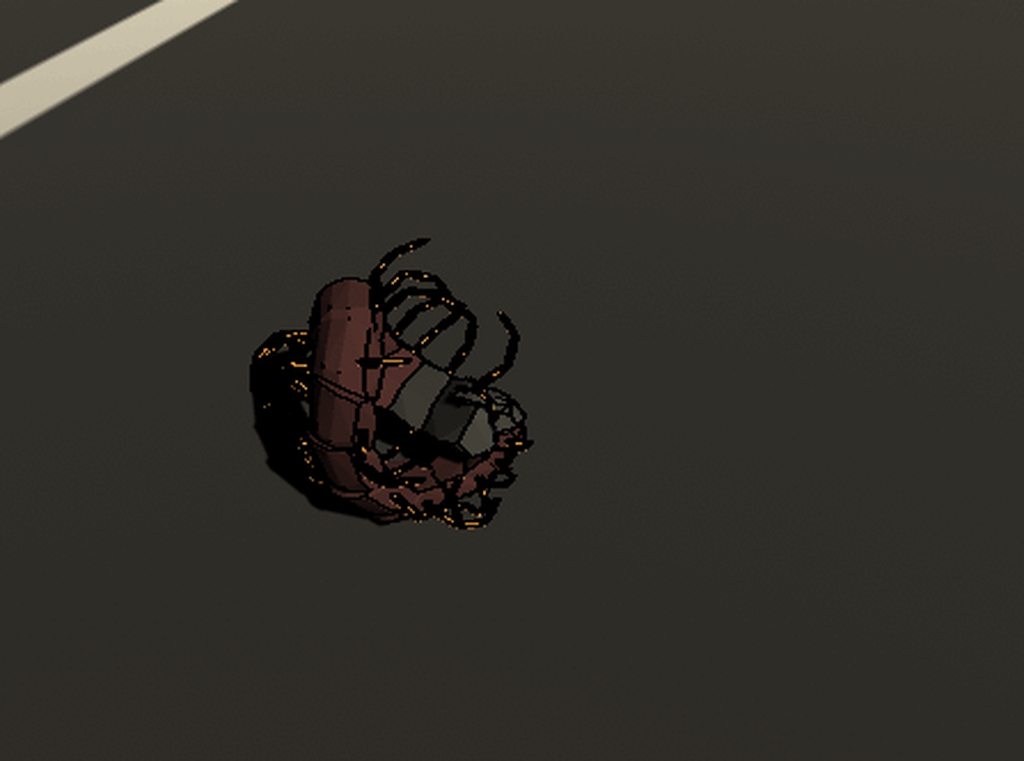 lapis plaza
my test case is still basically useless in unity because to make a vehicle this way would require access to physx contact modifications - which won't be ever exposed to users
you can't fix the wheels exploding from collision seams reliably without it
but you could make like slow moving trucks and stuff with it
mighty sluice
dang
lapis plaza
this is a huge downside of closed engine code on unity
also reason why I don't use built-in physics on my real projects
on unreal, I exposed the contact modifications in one working day
that's the power of having source code access
also on the new body... creepy 😄
mighty sluice
yea, i have a few things that i would love exposed myself
actual joint space positions would be nice
here's testing the leg muscle efferents
lapis plaza
it's kinda bummer that the physx c# wrapper seems to be either abandoned or put on backburner by nvidia
if they had done that fully for whole api, we could use physx as we wished
I mean this thing: https://forum.unity.com/threads/nvidia-physx-plugin-preview.645004/

Unity Forum
Hi everyone,
We've prepared a Unity package to enable access to NVIDIA PhysX SDK 4 from within Unity.
Currently the plugin is in alpha, but we'd like...
mighty sluice
physics in general will steadily become bigger in games i bet
hopefully they reprioritize it soon
lapis plaza
knowing nvidia, they start and drop projects like this in a heartbeat
it's like literally every game engine integration ever they've done and maintained themselves
they just come and go
I have a ton of experience on this throughout past years
I could make a long list but they've essentially dropped every single item
right now they seem to focus mainly on ue4's rtx functionality
I also wish dots physics would have articulations
upcoming havok physics package apparently has some "direct solver" which feels somewhat similar to articulations but they don't claim it's the same thing
mighty sluice
as long as i can have semi-stable joitns + mlagents in dots at some point i would be happy
the rtx raycasting and what not has all kinds of hype
focusing on the newest and coolest stuff gives them more weasly marketing material
lapis plaza
Learn what’s new with Unity Physics and Havok Physics for Unity. In this video you will get a brief recap of our Unite Copenhagen talk, then a deepdive into a cool example of how you can convert a GameObject-based simulation over to the Data-Oriented Technology Stack (DOTS).
...
they call them holonomic joints
I'll probably test that one too
mighty sluice
do let me know how you find them
i still find the configurable joint to be the overall best
articulations are somewhat more performant but i find them more tedious to manage
probably just too used to configs
lapis plaza
I'd expect articulations to be way more expensive perf wise
mighty sluice
i meant in terms of actual fidelity lol
 stuck bay
he vibing
 undone lynx
:o :O :|
hexed onyx
I'm trying to make a pong game, but I can't get the ball to bounce off my paddle properly. From what I've researched it might have to do with the way rb colliders react with dynamic rbs, but idk for sure.
Do I need to manually change the velocity on collision somehow?
foggy rapids
you can control how the objects interact via their rigidbody properties and physics material
in your case, you probably want to create and tweak a physics material for the paddle that is bouncy with less friction
hexed onyx
okay that works for now, however I don't want the speed to increase when the ball collides with the paddle. i.e. I want the ball to behave the same way it does when it collides with the wall colliders
Do you have any recommendation? The ball currently has 0 friction and 1 bounciness, the paddle has 0 friction and 3 bounciness
 viral ginkgo
@hexed onyx You could also move the ball without physics
You will do a circlecast every fixed update
If the cast collides with something, you will figure the bounce vector (easy)
You also figure out where the ball touches the wall from the raycast.hit position
(Raycast hit is on the wall, position of the ball is just a radius away from the ball)
Translate the ball at that position, raycast towards the bounce vector and repeat the step until it travels a certain distance (constant speed == same distance traveled each fixedupdate)
 white sky
cluck I know how to keep the speed constant
@hexed onyx
so what you do is
make a variable called speed
and set it to whatever you want the speed to be
and in Update()
write this
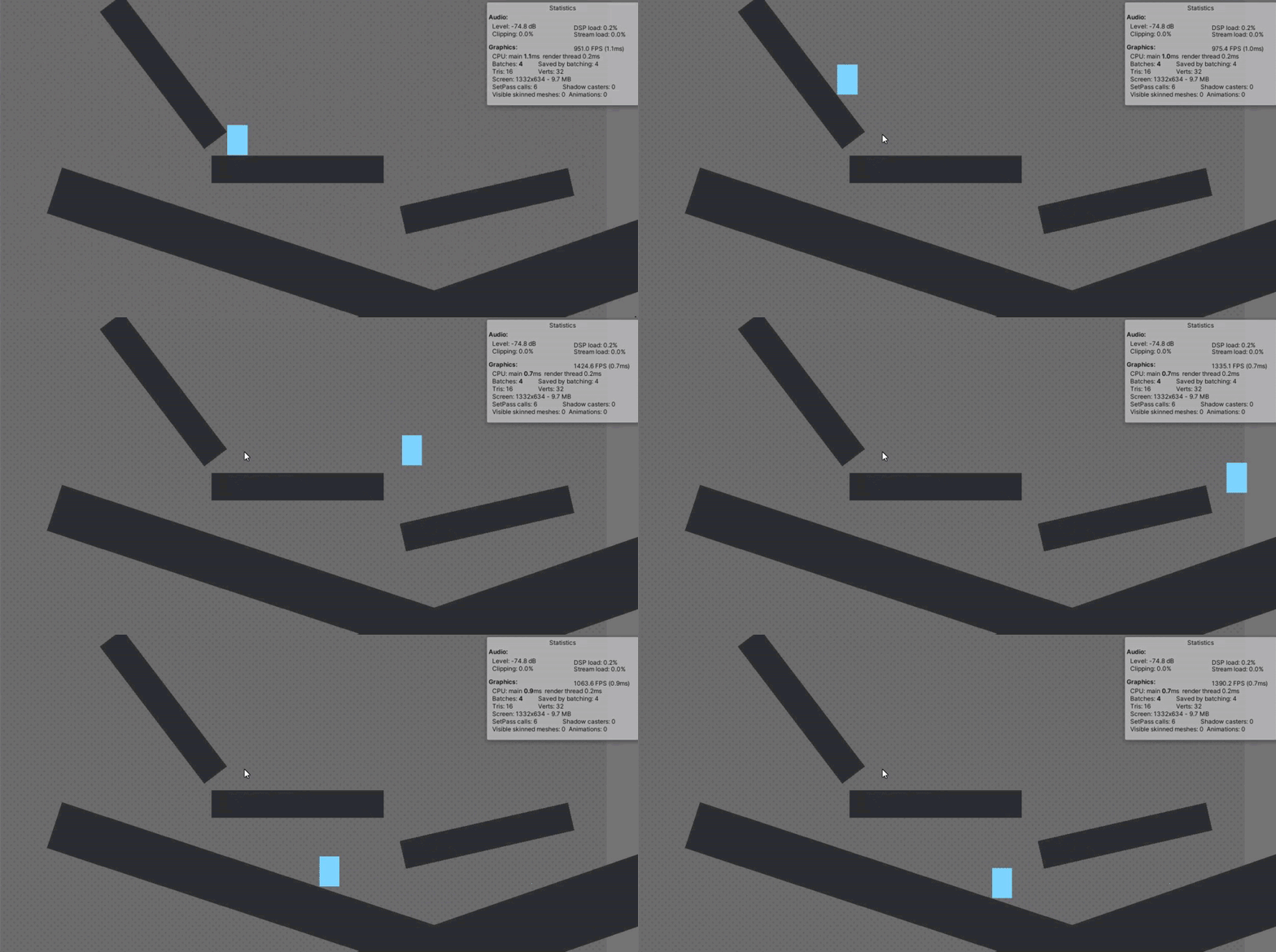
rb2.velocity = rb2.velocity.normalized * speed;
that line will keep your speed constant with the speed variable
 wooden hound
 hexed onyx
@viral ginkgo Thanks I'll try it out
@white sky this seems like a pretty good solution, will it cause wonky physics on collision if I'm limiting the velocity?
white sky
no
I have used this before in my pong and breakout games and it worked perfectly
you can even increase the speed mid-game by adjusting the variable
hexed onyx
cool
 mellow bloom
hello everyone, I added a Rigidbody component to my Character and now he is falling through the world.
Does anyone have any idea what is causing this?
foggy rapids
gravity.
 slate sorrel
Cylinders are wierd, how do i make the collider match the renderer? if its not easy i can just flatten a cube
okay ill flaten a cube
 teal basin
Im trying to randomly rotate 2 blocks relative from eachother with a joint. but with using transform.Rotate(Xrot * Time.deltaTime,0 ,Zrot * Time.deltaTime); it kinda just spasticly moves around. anyone got tips on getting a more relaxed movement?
I know its sounds confusing haha but its a bit hard to explain
viral ginkgo
@teal basin i know what you mean
if you want smoothness, you lerp
if you lerp something based on rotations, you Slerp
and you are dealing with quaterniouns
so you do Quaternion.Slerp(currentRot, targetRot, 0.1f * deltaTime * 50)
targetRotation is just where ever you are rotating towards here:
transform.Rotate(Xrot * Time.deltaTime,0 ,Zrot * Time.deltaTime);
currentRotation is transform.rotation
teal basin
ahhh the feared Quaternions, guess im going to have to dive into them
@viral ginkgo Thank you for the tips man imma try it out later this afternoon
viral ginkgo
@teal basin Quaternioun.LookRotation
if you get your target rotation like this, you dont have to know how quaterniouns work
you never really do x,y,z,w stuff with quaternions anyway
 open hatch
Hi Guys, Do you happen to know if it's possible to detect if a collision with a TileMapCollider 2D is "vertical" or "horizontal" ?
 unkempt vale
Hi, sorry for the dumb question, maybe its just my english, but what is the difference between a mesh's indices vs triangles? To me, they seem like the same thing. Triangle array contains vertex indexes that make up each triangle. Same applies to indices. So both triangles and indices arrays should have a tris count * 3 amount of items. Right?
Is there any difference?
 willow vortex
WheelCollider doesn't stop accelerating if you give it 0 torque at around 10m/s, it keeps accelerating to 16m/s... I debug-printed the motorTorque and I am indeed giving it 0... it's probably because of the sudden 0 🤔
 round kernel
AHEM CAN SOMEBODY EXPLAIN ME WHY MY BALL GET THE POINTS FOR HITTING THE TARGET (ONCOLLIDERENTER) EVEN IF THE BALL DIDNT REALLY HIT THE TARGET
that black thing is feedback for the player, it only appears when the ball hits the target BUT IT DIDNT and this happens all time! why colliders are so broken like really?
I see
 sleek heron
https://pastebin.com/FvjKtYf7 can anyone tell my why my clones are not moving
 distant abyss
@stuck bay you're using 2D physics right? did you have some other physics object attached to it?
distant abyss
but 2D or 3D physics? :o
stuck bay
2d
i think
anyway
enemy collides with player
which is something that i don't want to happen, so i did the matrix thing
and they still collide
what
stuck bay
yes
foggy rapids
@sleek heron not sure how, but TransformDirection might end up being 0. It seems awkward to convert a normalized vector from local to world space
the clone may have it's rigidbody position frozen
sleek heron
@foggy rapids the clones rigidbody is not frozen so im very confused as to why this is happening
foggy rapids
what is the velocity actually? (debug.log it)
sleek heron
it comes out as 0.0,0.0
foggy rapids
why not set it's velocity to transform.forward * 10
sleek heron
how would i do that?
wow im stupid
since its 2d it would not travel towards me so setting it to transform.right * -10 helped me get it to drift across the screen like i wanted it to
Thanks
 wooden lark
@stuck bay make sure you are in the 2d physics matrix
and double check that the layers are assigned properly
stuck bay
oh
 opaque siren

is there any way to fix the 1 pixel gap that appears when I collide into a rigidbody2d?
im applying the movement to the player's RigidBody2D transform in FixedUpdate
viral ginkgo
its a 2d desktop platformer game.what we really want to do is creating 3 different "dimensions" back to back shown below and we dont want interact any of the objects in one "dimension" with the objects in rest of the "dimensions". we only want to render objects of the dimension that the main character is in whereas the objects in all dimensions keep moving and interacting as they did. and we dont want to disable collisions based on layers(as dimension1, dimension2, dimension3) because we have different layers for every different type of object @viral ginkgo
@sharp ruin
I had this idea while talking to someone else, here's an alternative to this:
You'll keep all your "dimension" parent objects disabled
You enable one at a time and run FixedUpdate, physics
This way you'll have all dimesion running simultaneously without affecting eachother
distant abyss
@opaque siren do you need to use rigid bodies? you could just forgo physics entirely and use transform and probably do a raycast or something to check you're touching an obstacle. If you absolutely need physics, you could have the player character move around with transform and have a box collider as it's child object that could push other physics objects around. I'm not very experienced but that's how I'd try to solve it.
That or adjust the physic material and eliminate bounce :o
if you're using URP you could also use the pixel perfect camera which would probably also get rid of that tiny gap since it's subpixel size compared to your artstyle
willow vortex
WheelCollider doesn't stop accelerating if you give it 0 torque at around 10m/s, it keeps accelerating to 16m/s...
this is getting silly, anyone know what's going on? :/
 sharp ruin
@viral ginkgo Let's say we are in dimension 2 and there is a moving platform in dimension 1 we want the moving platform keep moving even though we are not in the same dimention with moving platform. I think disabling parents will cause a problem at this point. However we used PhysicsScenes2D as you suggested and it seems working well
viral ginkgo
@sharp ruin everything is moving simultaniously
each second, all 3 dimensions get 50 fixedupdate frames each so its good
you run 3 fixed updates in 1 fixesupdates time
1 per dimension
opaque siren
@distant abyss is there something wrong with using rigid bodies in a 2D game? I feel like it is a lot simpler, especially since I am using tile maps which let me use a Tilemap Collider 2D. There is another problem I am having now, though:
I set my player's box collider to be just at its feet so that it collides with trees correctly but now it walks through walls
https://prnt.sc/t2f8vw
 distant abyss
I don't really know how to solve that other than to make the collider taller, sorry. It might be easier just to edit the physic material but I haven't worked with 2D in a little while and don't remember how that works
opaque siren
okay, thanks for the advice
willow vortex
WheelCollider doesn't stop accelerating if you give it 0 torque at around 10m/s, it keeps accelerating to 16m/s...
seems to be because of the 1600 torque... at 800 it doesn't happen 😫
 wheat cloak
Hey Guys I need help with something
 flat pendant
Not sure if this falls under physics but, is there a good way to get a list of all other colliders intersecting with a collider?
 fierce phoenix
@flat pendant you can use Physics.OverlapBox or OverlapSphere or OverlapCapsule
Use the position and rotation of your collider in question
sharp ruin
@viral ginkgo Okay now I got it but physics scenes looking well for now thanks again
rose cobalt
in case anyone has issues like this. https://www.youtube.com/watch?v=bIWqT-pmH9g
Wanna support me? Check out the links below – follow and subscribe!
Blog:
http://www.CrankyCoder.net
Twitter:
https://twitter.com/CrankyCoderBlog
Patreon:
https://www.patreon.com/CrankyCoder
...
I did end up finding out how to correct it.
 mighty jackal
Hey !
I'm looking for help. The drawing below represents the game I'm working on. It's a top down view.
The brown part is my player and the blue squares are little cubes that the player must pick up.
Both the player and the cubes are rigid bodies.
The green zone is a trigger inside the player.
The player is trying to scoop these cubes. I want them, when they enter the green zone, to follow my player without falling.
I tried parenting them to the player when they enter the trigger.
This works pretty well except for one thing : the player becomes way slower and can't move anymore. If I change the mass of the cubes, they just fly everywhere.
I thought of a workaround of simply changing the velocity according to the total mass but this doesn't seem like the right thing to do.
I've heard about joints and I think they might be a solution but I'm not sure of how to use them.
How should I do this ?
Thanks !
rose cobalt
that highlighted value was originally set to 0.02. it's possible with the low assets ect that the stupid high frame rate that the time step thing causes odd things to happen with the physics. by making the fixed timestep smaller that weird wobble went away with 0 other changes
 shut rose
I'm having an issue with my third person character, it floats upwards on startup unless I set the mass higher than one or freeze it's y position, but if I do either of those things, it can't jump anymore. Can someone help?
undone lynx
do u apply gravity to it?
sharp ruin
Why my boxcasts or raycasts don't work in a different physics scene
sharp ruin
@viral ginkgo do you know why
viral ginkgo
@sharp ruin you should probably switch active scene

Also theres this
PhysicsScene.Raycast
@sharp ruin
sharp ruin
Thank you
 kind scaffold
Can I post any scripts here?
 willow vortex
@rose cobalt making your fixedupdates run 1000 times a second is probably not the solution for that 😱
on another topic, is Collision.relativeVelocity between some kind of average contact point or is it just the velocity of the objects? for example: 2 spinning lines hitting eachother would have 0 relative velocity or would properly give the speed at the impact? xD
well, got my answer through testing, it's not impact point relative :/
@mighty jackal while they're in the green area you can set their velocity to the basket velocity at the cube position (BasketRB.GetPointVelocity(cube.position)) then add gravity manually (or maybe the unity one works fine in that case)
rose cobalt
@willow vortex except it did fix it. If I switch it back, it happens again. I found 2 references for shrinking that value to correct that behavior. Now, I assume if I add more things to the scene where it has to work a little harder, I should be able to adjust it back.
willow vortex
well you refuse to understand it seems, suit yourself ¯_(ツ)_/¯
just because it happens and something fixes it doesn't mean that's the correct solution
I assume changing that fixed update also affects physics computations, doing them 1000 times a second sounds really really costly
rose cobalt
Ah, see it’s not that I am saying I am refusing. It’s that I am new to this, and I mean like 5 days in to a beginner level.
I totally agree not the best option. But it helps me move forward so I can learn more.
willow vortex
you're probably doing physics stuff per Update() which is tied to FPS, while FixedUpdate() is what should be used for anything physics related... and probably best for regular logic that shouldn't get spammed too much
kind scaffold
@rose cobalt Use relative joints. https://docs.unity3d.com/ScriptReference/RelativeJoint2D.html
Though if you wanna play around with joints i recommend you to try the spring joints. They are a lot of fun.
https://docs.unity3d.com/ScriptReference/SpringJoint2D.html
rose cobalt
@willow vortex so you’re saying that maybe moving the physics to that and stuff like modifying my meshes (wheel rotation ect) leave in update and see if I can adjust that fixed step back to 0.02? I’m willing to give it a shot 🙂
@kind scaffold I’ll check it out :). Thanks!
kind scaffold
I made a hinge rotator with a spring effect for anyone that is interested
https://hatebin.com/yhbtztnmqw
Please if you find a use for it or improve it in any way. Let me know. I would love to know that my work was appreciated.
mighty jackal
@willow vortex works better, thanks a lot !
undone lynx
@kind scaffold u could try posting to #archived-resources too
 zenith marsh
Hello! my 3D enemies keep sliding on the terrain does anyone know how to fix it? I tried kinematic rigid bodies
 brisk widget
I have nested colliders, but want them to stop a parented rigidbody from falling, best way to achieve this?
currently the parent rigidbody just falls through the floor while the nested objects stay
foggy rapids
in that case the parent would be obeying the child, you're abusing the hierarchy by doing that.
brisk widget
@foggy rapids ok well then how do i do this
foggy rapids
no idea what your goal is
brisk widget
i have a child with a collider and a parent with a rigidbody
how do i stop the parent from falling when the child is colliding with the ground
foggy rapids
you're still trying to do it backwards, what i mean is what are you trying to accomplish with this collider and rigidbody?
brisk widget
2 feet hold up the body
I don't see how it would cause any issues if you were able to use children colliders for a parent rigidbody but I guess the people who made unity know what they're doing
foggy rapids
it's not very practical to use the feet
most people would put a collider on the parent that encompasses the whole model or at least the important part (like say the feet) and use that to figure out if it's on the ground
foggy rapids
then in your case, the feet should be the parent
foggy rapids
then you need to rig the whole character in whatever modelling program you use
brisk widget
ok then what
foggy rapids
no idea, that's where i lose interest
but it would "stop the parent" by being connected via joints and using inverse kinematics
brisk widget
ok please don't try to help if you stop when you 'lose interest' if you really just can't bother then leave and let someone else do it
foggy rapids
just trying to help.
you might have more luck in #🔀┃art-asset-workflow or #🏃┃animation
brisk widget
both of those are for showing, not for help, right? don't know what animation has to do with it either
foggy rapids
animators and modellers are more acquainted with rigging and IK
brisk widget
I'm fine with you trying to help, but when you say you lose interest it sounds like your actual interest isn't in helping at all, maybe you meant you don't know how to do what I'm asking at this point
sorry if I just misunderstood you
foggy rapids
my apolagies as well, i know i sound like a jerk sometimes
i should have said "thats where my expertise falls off"
brisk widget
it's fine lol
foggy rapids
whenever i start working with joints, it all just goes horribly wrong and i give up
brisk widget
ugh well that doesn't give me too much hope
i'll try though
well ok I found online that rigidbodies can infact have children colliders
but whether this is true or not might not really matter because I need to control the children with their own rigidbodies sadly
brisk widget
ugh still nothing
I've expanded upon it here: https://forum.unity.com/threads/multiple-rigidbodies-colliders.916994/
Unity Forum
I have a setup like this:
Parent - Rigidbody
> Child - Rigidbody and Collider
> Child - Rigidbody and Collider
Basically like feet.
I...
fierce phoenix
@brisk widget why do you have rigid body components on the "feet"?
that makes them separate rigid bodies. so in this case your "parent" rigid body has no colliders associated with it.
if you want a rigid body that has a few different colliders that make up its collision shape, you make the parent have the RigidBody component, and then you have as many child objects as you want w/ Collider components on them, and they will all act as a whole to describe the collision shape of the rigid body.
once you have a Rigidbody component, some aspects of the scene heirarchy are "ignored" (for the most part), because the position will now be set as a result of physics calculations, not what their parent object is up to.
mighty sluice
it doesn't ignore hierarchy transform effects
they are just combined with physics stuff
fierce phoenix
@mighty sluice true, that's a more accurate way of putting it.
and in most cases produce undesirable behavior
mighty sluice
it wont always be a problem, and it will never be a problem if the parent rb is stationary
(but then why have an rb? 🙂 )
a lot of times the physics will vastly overpower the hierarchy effects, so it's not always noticeable
fierce phoenix
yeah or if you have like a dummy transform in the scene to organize things, but never moves during gameplay
mighty sluice
yup
here's a kinematic robot body im working on
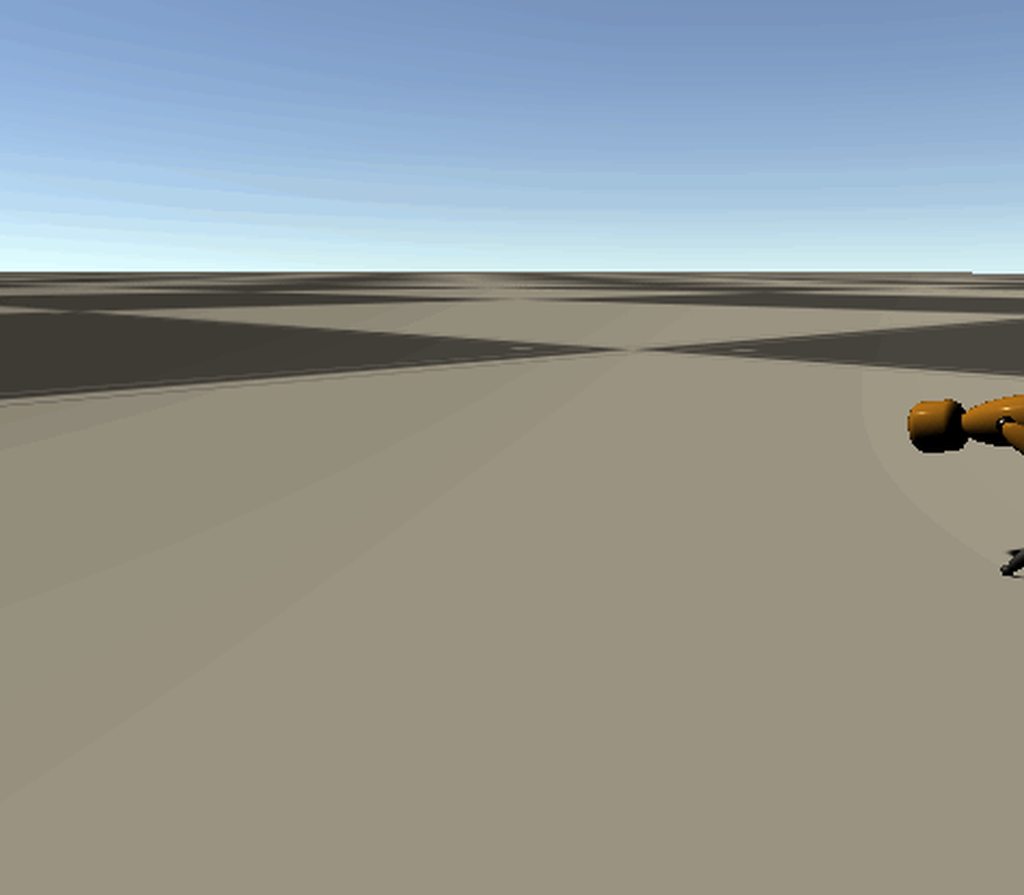
if i didnt respect hierarchy effects, this would be a wild failure lol
fierce phoenix
cool! ConfigurableJoints?
mighty sluice
yep!
fierce phoenix
my gymnastics game is like 99% configurable joints as well.
mighty sluice
configurableJoint: a component only a mother could love
fierce phoenix
indeed.
mighty sluice
they're so picky lol
brisk widget
@fierce phoenix my characters feet have rigidbodies because after some research i found .addforce function of rigidbody is the only way to move something while respecting physics
fierce phoenix
if only we could specify the joint reference space explicitly for both rigid bodies
@brisk widget sure, but you can call AddForce to the main rigid body, no?
mighty sluice
you kind of can. the internal joint space is my biggest pet peeve about them
tracking actual position over 3DOF rotations is impossible
brisk widget
sure but then the feet aren't independent which i specifically need
fierce phoenix
unless you want the feet to move independently from the body, and actually support it with springs/joints. in which case you need a collider for the body, and joints to connect the feet to the body.
mighty sluice
Are you trying to make a walking biped?
out of pure physics?
cause you wont make it work if you want pure realism
the balance requirements are too great
most people end up making a marionette like system
fierce phoenix
@mighty sluice i haven't found a reliable way to create a ConfigurableJoint at runtime where I can fully set up the joint space exactly as I need it. I can obviously set it perfectly for the root RB on which the component is added, but some aspects of the connected body get calculated for you
brisk widget
that's where the problem lies, adding joints removes the ability for them to move freely
fierce phoenix
well, feet CANT move freely, they are connected to a body
mighty sluice
@fierce phoenix you need to very carefully go through all the little settings, and you need to know exactly where to set the anchor and the axis settings
it's only sane if you have an empty game object at the right place, so you can slot your anchor at 0,0
fierce phoenix
but the connected body's axis for the joint are calculated in a way that you can't make a "clean" setup without actually translating and rotating the connected body just so that Unity's inverse calculations turn out they way you want them.
if they just exposed a "connectedMainAxis" and "connectedSecondaryAxis" everything would be SO MUCH better
mighty sluice
true. you need to get comfortable with relative rotation settings
i use control vars that range from -1,1
and they will interpolate the correct min and max flexes
it means i need to do extra messy stuff like calculate forces as a function of swing range, but it gets the job done
fierce phoenix

Exciting Acrobatic Action!
Feel the thrill and triumph of accomplishment that only overcoming real challenge can provide in this physics-based acrobatics simulation.
Learn to master the unique controls that allow unlimited expressive freedom, a million ways to fail (and succ...
this is my ConfigurableJoint-based game I'm making at the moment
mighty sluice
looks pretty good
fierce phoenix
as you can see, you can grab and release objects a lot throughout gameplay. things would be much easier if I could specify a bit more about the joints I'm creating
mighty sluice
have you tried hinge joints or just spring joints?
fierce phoenix
but I've made work-arounds like you mention
configurable joints for the gymnast are the way to go, much more control over the spring forces
mighty sluice
I see
yea i ended up concluding configurable joints are the most usable as well
im actually planning to use configurable joints as purely a way to make articulated joints, without any forces beyond some joint friction for damping
to actually power the joints, i'll be using manual forces that simulate muscle pulls
fierce phoenix
interesting.
mighty sluice
(so two equal and opposite AddForceAndTorqueAtPosition() at the tendon anchor points)
i forget the exact command
fierce phoenix
i'm interested to try the new ArticulationBody stuff soon as well
mighty sluice
you might benefit from them
they're more stable but less configurable
easier to use probably
they have basic joint drives, and they work on hierarchy
they're hard to build at runtime though
fierce phoenix
I'm pretty comfortable tuning ConfigurableJoints at this point tho.
fierce phoenix
good to know
fierce phoenix
pretty cool
mighty sluice
at the time, this was light years more stable than configurable joints
but since the temporal gauss solver, CJ's seem a lot better
what version of unity are you using?
fierce phoenix
the video above is 2019.2.22ish, just updated to 2019.4.1 yesterday.
mighty sluice
im not sure which version got the CJ improvements
but it makes them way more stable
your ones looked pretty stable though so
fierce phoenix
yeah I worked hard on it 😛
mighty sluice
one thing you will want to check is in project settings
physics
the solver type
i think the default is called projected gauss
fierce phoenix
combination of the right values for size, mass, springs, and physics solver iterations and fixed time step mostly
mighty sluice
temporal gauss is better though
fierce phoenix
I'll give it a go, but weary to change anything now as the physics are working well 🙂
mighty sluice
if your fixed time step is below a 0.01 fixed time step, you might gain big performance
(you can just flip the setting on and off and see what changes)
fierce phoenix
obviously worth a try.
mighty sluice
basically the end behavior will be the same, just more stable
so unless you're leveraging instability for your current effects, it should be good
fierce phoenix
right. thanks, I'll take a look.
sharp ruin
Why there is no PhysicsScenes2D.BoxcastAll ? What can i use alternately
 frigid pier
sharp ruin
frigid pier
sharp ruin
@frigid pier I don't know why but my boxcasts don't work in different PhysicsScenes2D
frigid pier
Make sure you need boxcast and not overlapbox
sharp ruin
I use it to detect which side of my player's collider colliding. And i need to know all the objects that i collided with. As far as I know i can't do it by using overlapbox @frigid pier
foggy rapids
to know which side, get the collision.normal
sharp ruin
@viral ginkgo Can disabled objects move? I mean how could disabled objects work simultaneously
viral ginkgo
They move when their turn has come
They move when they are enabled i mean
If you asked this about my second solution
sharp ruin
Yes I asked for your second solution but we need them to move background I mean even they are disabled too.
viral ginkgo
If you are taking a look at your scene every fixed update, you will see that everything is moving simultaniously
Did you understand the idea behind the second solution?
sharp ruin
I think I didn't properly
viral ginkgo
Proper implementation would be moving all your fixed update code to a custom public method
And you call them in your "Simulation Management" class' fixed update
Keeping only the same dimension objects enabled at a time
Every object will be updated once in that fixed update
With their dimension group enabled
You also need to stop the physics and use Physics.Simulate in that fixed update
You call one Physics.Simulate per dimension after custom updates are finished in the dimension
@sharp ruin
And then you move on to the next dimension and repeat until you updated all the dimension objects custom updates and dimension Physics.Simulate
sharp ruin
If I am still getting you wrong sorry for that but I created a project I move all of my objects in Simulation Management class (which is seperated from dimensions) as i disable one of the dimensions object under that dimension stop moving when i re-enable that dimension it starts to move again.
What i would expect was when i re-enabled that dimension the red ball was in the same line with other ball
@viral ginkgo if this isn't what you mean sorry it's my fault 😄
viral ginkgo
@sharp ruin So you can enable dimensions manually right?
To specify which ones can run and which ones can stop
sharp ruin
yes
sharp ruin
The point that i want check for now is disabled objects keep moving
Cuz i need both not interacting with each other and object in disabled dimensions should keep moving
viral ginkgo
If you do this switch automatically and do 3 switches per fixed update
you should have what you want
And then you'd worry about how to maintain visuals of the objects while they are disabled
.
@sharp ruin Its just like how a single core processor would have all the processes on your pc running simultaniously
Processor processes some instructions and then does the "context switch"
Unloading the instructions of previous process and loading the new set of instructions for the next process
.
All the processes are called "threads"
And in your case, each dimension will be like a "thread"
And your simulation manager is the "single core processor"
.
It will unload the process (disable gameobjects in a dimension)
It will load a new process (enable gameobjects in new dimension)
It will execute some instructions in the process (update monobehaviour code and run a Physics.Simulate)
And repeat
sharp ruin
Okay it's cleaner now I'll see what can I do thank you again
fierce phoenix
This seems like a huge workaround when this is pretty much exactly what layers are intended to do, no?
 timid prairie
hey guys im kinda lost here...im using playmaker by the way..i added a player controller and my player can collide with opjects...when he runs off though he just kinda stays in the air then once back in idel it takes a second but he falls....im not sure what could be the issue. i can send any pics for help
 edgy solstice
Does disabling gameobject if not in camera view affects preformance on 2d mobile games?
frigid pier
should be just memory required for it
 wanton wadi
Hey guys, could I get help with some vector math? I'm trying to get the direction vector facing directly away from the elbow of my character. Any suggestions?
foggy rapids
i'm no expert and haven't tried this yet, but this might work: (shoulder->elbow) + ((elbow->hand) * -1)
 true mauve
I'd get an axis from the end of the upper arm bone and lerp it's yaw based off a range of yaw from of the forearm.
or if possible just add another transform to the rig facing the direction I need.
wanton wadi
Thanks for the suggestions guys, I'll try them out
mighty sluice
think of trigonometry and a unit sphere
if you know the angle of the elbow joint (the diff between the two red vectors), then you know that the outside of the elbow will be 360 - elbowAngle
if we divide that in half, then we have the angles between the upper arm and the green arrow, and also the forearm and the green arrow (they are both the same)
at that point, if we know the angle of either the upper arm or forearm, we can just subtract or add that amount to get the angle of the green arrow
wanton wadi
Thanks!
wraith crown
anyone on here good at WheelColliders?
I'm trying to build a modular vehicle builder; getting stuck on how to do "inertia" right;
and the WheelCollider documention is sadly lacking; if I make the motorTorque on a wheel 0, will the physics apply inertia properly, so the wheel will keep spinning as inertia dictates?
lapis plaza
wheelcolliders themselves are lacking
it's not a great solution, but it is a quick solution
 tired lotus
anyone know a good joint and joint configurations for a rope?
 south pecan
ok so ive been looking for an hour now for a tutorial, can anyone explain Mass scale and Connected mass scale.
foggy rapids
i dont really understand it either but based on documentation i can guess that connectedMassScale is the scale it applies to connectedBody mass, and massScale is the scale it applies to the rigidbody on the same gameobject as the joint.
south pecan
so whats the connected mass the object with the join or the other one?
foggy rapids
the other one
south pecan
lol, thats not what one tut said
not that i dont believe you
but now im more confused
foggy rapids
maybe it's there so that joints can still move even if one of the bodies is too heavy
south pecan
and inverse
viral heath
What would be the best way to give a wheel collider a lot of grip? I have an airplane and when I steer the front wheel it slides a lot.
 little fulcrum
Hi, I have a quick (and probably super simple question). How can I get my rigidbody to rotate at a constant speed. At first I tried applying torque, but quickly remembered that that applies an acceleration instead. Thank you!
viral ginkgo
@little fulcrum apply torque once
or set angular velocity to a constant value
little fulcrum
I tried setting angular velocity but it reset...
viral ginkgo
it stopped after rotating for a while you mean?
little fulcrum
what does kinematic mean? I'm very new to physics engines
viral ginkgo
its suppose to mean it wont react to forces and wont have velocities
little fulcrum
ah, I understand. Thanks
 torpid prism
how to get a 2D point from a raycast hit on a plane ?
after casting a raycast i would want to know how to project(?) the result hit point on a plane / quad ?
To get a Vector2D result with its x and y between 0 and 1
torpid prism
nvm i got it
here what works for me
// 3d distance from quad's center
Vector3 v = hit.point - hit.collider.gameObject.transform.position;
// project distance vector on quad
Vector3 d = Vector3.Project( v, hit.normal.normalized );
// subtract projected distance from hit point
Vector3 p = hit.point - d;
// normalize to [ -1, 0 , +1 ]
p.x /= hit.collider.gameObject.transform.localScale.x / 2;
p.y /= hit.collider.gameObject.transform.localScale.y / 2;
// shift number line to [ 0 --> +1 ]
p.x = ( p.x + 1 ) / 2f;
p.y = ( p.y + 1 ) / 2f;
thanks for sharing @torpid prism
 lofty valve
hey
sorry for this being my like
second post, ever
but I have some questions
I am looking to make a 2d game about destroying ragdolls, really original, I know
but I am hoping to make the body out of as many destructible chunks as I can to try to make a most dynamically destructible body that I can
this would include multiple layers of these chunks, skin, muscles, fat, what have you
however
to simulate floppy chunks of flesh as well as dynamically broken bones, I was concerned that the chunks would need to stretch
but that is neither here nor there
what I want to know is like
is this viable?
I don't know if I did a very good job of describing it, so let me know if you have any questions
south pecan
yea corse can be done
south pecan
depends how many tutorials you are will to actually follow and learn
its not too bad aplace to start
Unity has 2D templates you can start and learn from
lofty valve
cool
undone lynx
sounds like soft-body physics
lofty valve
yeah, it is in a way
I wanted to simulate healing as well
to simulate realistic-ish healing, skin cells can regenerate to an extent, bruises are always healed perfectly (assuming bones underneath where not broken)
skin can scar over if it is beyond the limits of normal human regeneration
cells have a limit to the amount of times they can divide
so cutting the same area over and over again will result in the wound eventually not healing at all
although blood would clot
I don't know jack about soft body physics
foggy rapids
It might be easier to do it first with a particle system
basically "faking" the gibs
foggy rapids
no, when it's time to explode the body you just delete it and replace it with a particle system that looks a lot like body parts flying around
you'd need one anyways to add blood spray 😄
lofty valve
Ooh, ye, I meant that
Always fun
 finite edge
Does anyone knows how can i avoid this Gimbal lock issue?
lapis plaza
@finite edge didnt watch the video but usually the answer would be: use quaternions
You dont have to do quat math yourself, just use unitys math functions that apply to rotation quat
wraith crown
can anyone help me undestanding how to use WheelCollider's in a slightly more realistic way?
I'm trying to get my head around the rotational mechanics needed to implement a drive-train system (a modular one, so everything has to be based on a player adding clutches here, gears there, engines changing etc)
i know that to calculate the engine's RPM, I should calcualte the net torque on teh system to work out the acceleration, then angular velocity from that
but trouble is I can't "get" the net Torque...and even if I can somehow work out the netTorque from the system as a whole and use that to change the RPM of the engine, the wheels are gonna be setting their own RPM regardless of the system as a whole...
(my model assumes no hard facts about number of wheels etc because a player might add more or a propellor or a generator etc)
little fulcrum
Hi, I have a somewhat complicated question (at least it is complicated for me lol), I'm trying to simulate round planets in Unity, and so far I've had good success, I've got gravitation implemented and now I'm making the planets rotate. My problem is the player. Right now I've gotten it so that through friction the player rotates with the planet, which is a good start, however I wish to implement water into my game at a later date, and I forsee a problem where the rotation isn't going to be applied to the player as he is not touching the ground. Is there some form of library that will make the water act like water (displacement when the player swims, and therefore applying the same rotational force when the planet moves) or is this something thats going to have to be done with a script or parenting the player to the current planet. Thanks for reading this, its a long one!
foggy rapids
make the player a child of the planet
little fulcrum
I'm starting to feel thats the easiest lol
And then rotate the planet through the transform instead of the physics system
foggy rapids
once it's a child that shouldn't matter
little fulcrum
Why not?
little fulcrum
Hi, does anybody know of a way I can determine the correct velocity for an orbit, My orbit calculator works perfectly for a single planet (with a mass and size to make the gravitational pull on the surface 9.8), but for a moon with g of 1.625, it swings around the planet and straight into the sun. I'm using the V=sqrt(G*M/r) right now but I realise that only takes into account the planet it is orbiting, not the pull of the nearby sun. Either this or is there a way of determining if it is far enough away to prevent this. Thanks!
stuck bay
Hey guys just a quick question, Im making a game top down 2d game similar to gta, now im having issue with the pedestrian system, the pedestrians walking between way points but they hit each other and get stuck when walking on the path coming towards each other, how can i solve this issue?
wraith crown
Hi, does anybody know of a way I can determine the correct velocity for an orbit, My orbit calculator works perfectly for a single planet (with a mass and size to make the gravitational pull on the surface 9.8), but for a moon with g of 1.625, it swings around the planet and straight into the sun. I'm using the V=sqrt(G*M/r) right now but I realise that only takes into account the planet it is orbiting, not the pull of the nearby sun. Either this or is there a way of determining if it is far enough away to prevent this. Thanks!
@little fulcrum isn't this a "3 body problem"?
little fulcrum
I haven't the faintest idea haha, I'm just trying to make a solar system with newtons law of gravitation
 quartz tartan
this is a 3 body problem, and there isnt many solutions to it
in a nutshell, there is no way of finding a reliable solution, not with maths
little fulcrum
huh, so essentially I am better to try and set velocities than compute them?
 visual mesa
@stuck bay I do not know what pathing system you are using, but you could set a radius around the pedestrian, and if another pedestrian enters the circle, you put a force on both away from each other pedestrian. You could even make the force stronger the closer they are. Sometimes, when walking through real-life crowds, I feel like this is the system that I use.
stuck bay
So what direction would the force be? because if they are moving towards each other i dont want the force to be moving backwards. Possibly maybe to the side?
visual mesa
You could try simply having the force be "away" and unless the pedestrians are perfectly aligned they will not bump into each other.
viral ginkgo
a component that will make padestrian move away from other
and a component as the target direction
and then you sum the two to get the vector that moves the padestrian
visual mesa
How can I prevent my 2d melee attack (a BoxCollider2D sword) from being able to attack through walls? I need a way to temporarily cut off part of the collider that is in and past the wall.
Wait, it is polygon collider, not box
viral ginkgo
@visual mesa before applying any damage, you can cast a ray between attacker and the victim
visual mesa
What if half of the attack is blocked by a wall, but the other half goes past the wall and hits the enemy? Is there a way to cast many rays all at once and see if one of them hits without passing through a wall?
viral ginkgo
@visual mesa your box collider hits the enemy, returns the enemy
its fine
then you do a final raycast between player and enemy
and you ignore the attack alltogether if the raycast hits the wall or something else before reaching the enemy
.
only need one ray if sword collided with one enemy
visual mesa
The polygon collider has a whole area, so there could be some rays which would be blocked and some that would hit. I would need a large quantity of rays depending on how precisely I want it.
viral ginkgo
@visual mesa can you get a point at which position enemy is hit?
visual mesa
There is probably a function somewhere that can get the overlap area of two colliders, which would give me the area that was hit.
viral ginkgo
can do it via raycasts too, probably depending on your polygon shape
after calculating that hit point you should be able to check if its behind a wall or not as i said
visual mesa
It is not simply one point. It has to be an entire area.
viral ginkgo
i assume its the shape of a hand fan no?
visual mesa
Yeah, pretty much. And player's colliders are rectangles.
viral ginkgo
i dunno, maybe can do this stuff?
or just cast a few a sphere casts and be over with it
visual mesa
I like the second one
visual mesa
Where did you get the picture?
foggy rapids
creepy insect leg bro
foggy rapids
oh, THAT dog 😄
foggy rapids
LOL at the end where he falls over
mighty sluice
THESE are my insect legs
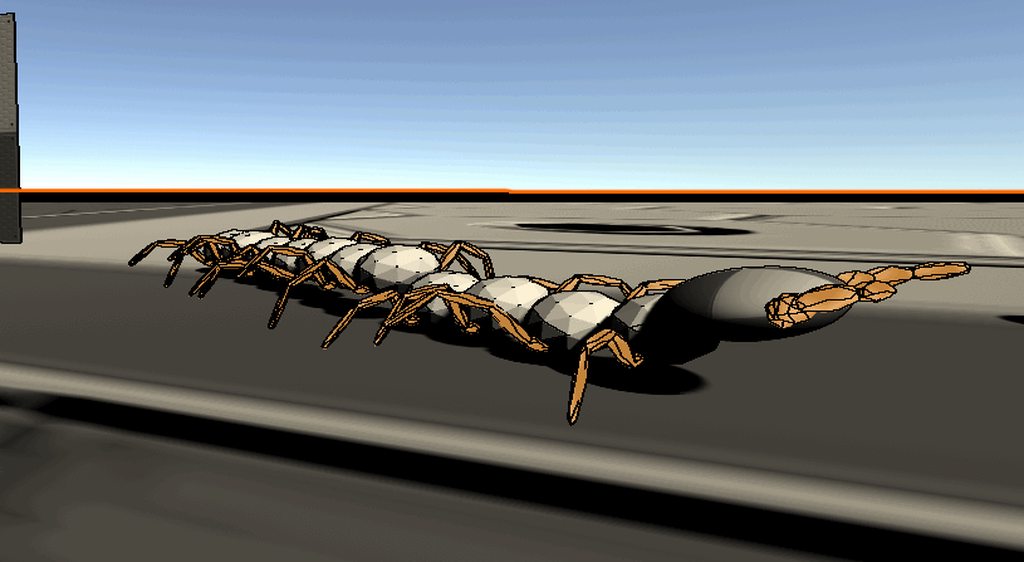
lol yea, it's pretty charming for how simple the dog is
 torn flint
ok, so i got this physics object(dynamic) attacjed to a kinematic rigdbody via spring joint thats swinging back and forth, how would i go about stopping it from doing that forever
mighty sluice
drag or damping
damping is on the spring motor, drag is on the rigidbody
try setting damping to 1/10th of your spring value
torn flint
damper?
mighty sluice
spring damper
mighty sluice
figuring out the right damping and spring values is usually trial and error
also play with the masses
torn flint
is messing around with how much i push the rigidboies good
mighty sluice
important things are spring, damper, and mass
torn flint
since i move the rigidbdoys using addforce
mighty sluice
basically yes
figure out the right behavior from mass damper and spring force
and then adjust your added forces to suit that
torn flint
also damper didnt seem to work, at least noticibly
the damper was at 1 and the spring was 10
and lowering spring just made it worse
@mighty sluice so is lower damper and higher spring good or te other way around
mighty sluice
low damper and high spring leads to many osscilations under normal circumstances
it's more about getting the ratio correct
dont forget to adjust the drag forces on the rigidbody
torn flint
so what ratio
mighty sluice
1:10
torn flint
should drag and angular drag be
mighty sluice
oh
umm
make them both be 0.05 to start
and then increase linear drag to see the difference
torn flint
ok
viral ginkgo
@torn flint is this for active ragdoll stuff?
or VR hands maybe?
either way, you could try try just the simple fixed joint
or configurable joint with springy rotation
viral ginkgo
ah, nwm then
willow vortex
how does Physics.Raycast() behave when you give it a non-normalized direction? Does it just use that as direction+distance too or does it internally normalize it? 🤔
 sharp swan
I believe only the normal of the direction vector is used
Does anyone know if there's a way to query penetration depth for Physics2D? I need functionality similar to ComputePenetration and I'd like to avoid using 3D physics in my 2D game 😅
sharp swan
yeah, it's a pretty big rip when it comes to the current state of Physics2D
foggy rapids
lol, i've learned that when it comes to 2d vs 3d unity tends to use different names for the same concepts :S
sharp swan
Normally I would assume that Collider2D.Distance returns the distance between two centroids or surface points or something
weird naming... Anyways, thanks for the help!
foggy rapids
oh there's also this: https://docs.unity3d.com/ScriptReference/Physics2D.Distance.html
where they call it "minimum distance" wish they'd make up their mind
foggy rapids
aww 😦
wraith crown
this has been stopping me doing anything else for 2 weeks now
i need to solve this problem...
how can i properly manage torque & intertia in an engine, transmission & wheel system with wheelcolliders
right now my model looks like this:
every fixedUpdate, the egnine looks up it's RPM (which was set in the previous update); it then checks what the correct amount of torque is for that RPM on it's torqueCurve, then multiples by throttle
then each wheel, propellor, generator etc (ie things that use torque) gets it's derived trque (ie how much torque once we've passed through gears, clutches etc)
wheelCollider's will then take that "motorTorque" and spit out an RPM
but here's the problem
how do I take that RPM and itegrate it into my engine/transmission system? O I just average out all the wheel RPM's and use that as the new EngineRPM?
if so, that won't account for inerta in the drive system and engine
 cunning stratus
has anyone gotten this crash and know how to reproduce it or fix it? https://forum.unity.com/threads/crash-related-to-physx-bug-in-physx-3-4.701384/
viral ginkgo
@wraith crown
You should have an RPM ratio for each wheel as such:
How many times the engine rotates per wheel rotation (wheel or other stuff)
You can have that right?
And now i'll tell you this:
You will set up your system in such a way that two differential locked wheels will always maintain same angular momentum
(Via reverting any external force and redistibuting to whole graph so all RPMs will always stay in sync if you ignore small errors)
After you do that:
You will be able to get the engineRPM looking at any wheel, propellor etc.
because when you do the math with "wheelRPM/engineRPM" ratios, all wheels will say the engineRPM is same value
You won't even need to store a value for engineRPM, you can just obtain it from any rotating thing in your graph
stuck bay
I have a Unity enemy, and it has a Rigidbody2D.
How should I design it so that it:
- Follows the player.
- Receives knockback from bullets.
- There may be "gravitational" dark holes or something that resist the movement of the enemy.
For knockbacks, I can easily add a force to the enemy's rb, but I don't know how to combine it with following the player and the dark hole. Any advice?
viral ginkgo
@stuck bay You just addforce for dark hole and bullet impact
Your movement script will modify Rigidbody velocity
But this modification will not exceed a certain limit
So the character wont recover from a bullet knockback immidently
stuck bay
Sounds good, I will try it out! Thanks @viral ginkgo for the suggestion
viral ginkgo
np
wraith crown
stuff
@viral ginkgo thanks
my main issue was trying to integrate the inertia
I figured although things might not be differentially locked, if I take an average RPM (once ratios applied etc), I can then use the new RPM to obtain a NEW torque figure from the engine, then that new torque minus the old torque is the difference...
which then RPM+= torque/inertia
so it would account for the inertia in the engine/drivetrain etc (wheels do their own inertia calcs)
viral ginkgo
you do wanna be able to diff lock though
otherwise i wouldnt know if it would work the way you are saying it
wraith crown
hmmmm...thing is diff lock assumes axles, wheels etc
i can 'tassume there ARE any wheels...or how many..or if there's a propellor...or a generator...or all of the above, in various quantities
viral ginkgo
@wraith crown you will, you will run an iteration in the graph
everytime you wanma add torque on a body
wraith crown
so you're saying treat any "consumer" (ie a wheel or prop) that are on the same level of teh graph, ie they've got the same ratio cos they're say behind a gear box and a clutch as "locked"
viral ginkgo
gearboxes can be included in the graph
can very nicely work via DFS on graph
wraith crown
the issue I have with the wheelcolliders is I can only set their torque and find their RPM; i can't manually change the RPM and I can't work out the reactiontorque acting against them)
yeah, my setup is entirely modular, so players might place a gearbox here with x:x ratio
and a clutch there
viral ginkgo
you wont need to set rpm firectly
wraith crown
and 4 wheels there, 2 propellors on this side, one on the other, a generator over there etc
"(Via reverting any external force and redistibuting to whole graph so all RPMs will always stay in sync if you ignore small errors)"
you said that^
viral ginkgo
yea
wraith crown
I'm not entirely sure how to go about that
my current model:
network (aka graph) manager that manages all connected mechanical things on a vehcile (there might be more than one, but each is treated sperately)
producers are things that make power, e.g engines, electrical motors etc
consumers use it (wheels, generators etc)
modifiers change torque or RPM.
viral ginkgo
external force is torque
comes in two ways into your system
1 what your vortual engine does
2 what collisions do on wheels
1 is straightforward
for 2, you will need to do that in oncollisionstay to find a torque
wraith crown
each consumer has a List showing the route of modifiers between them and a producer - at each FixedUpdate() the Manager gets each producer to use their current RPM to output their torque figure...
then each consumer iterates through the List to find their ratio, applying it to the torque/rpm to get the "correct" figures for them...
then each consumer does it's "thing" (in this instance, wheelCollider will get assigned the correct motorTorque)
once that's happened, this is where I'm a bit stuck - but my plain at the moment is to then collect the RPMs from each consumer (adjusted by their RatioList, only backwards)
then average that
so i have an average RPM of each consumer, but as it would be at the engine
then use that RPM at the engine to lookup what the newTorque would be at that RPM; then newTorque - Oldtorque to get a difference, then times inertia to get the acceleration
viral ginkgo
brb
wraith crown
then engineAngularVelocity += acceleration*time.deltaTime
viral ginkgo
@wraith crown i am just saying this is not right
then engineAngularVelocity += acceleration*time.deltaTime
in my offering, you dont have engine as a rigidbody, or engineRPM/engineAngularVelocity as float values
there is no engine at all
this is what i have:
AddTorqueToSystem()
And thats the only public access point to system. It applies torque to all objects and all object RPMs are always right
All external torque on wheels are found as a float value, torque is reverted
And that float value gets applied back to the system via AddTorqueToSystem
viral ginkgo
thats what AddTorqueToSystem does
wraith crown
wheelcolliders don't offer any seeming way to work out the reactiontorque
my network system doesn't have anything etc as a rigidbody etc (except the vehicleroot itself, but only for wheelcolliders)
viral ginkgo
oncollision enter you get "collision"
you will get collision force and point
you will calculate the torque
wraith crown
everyrthing in it is just a "float" on the network
wiat, you can get the force the ground hitting the wheel imparts?
viral ginkgo
yes
i did that before
there should be something called impactforce i think?
dont remember what it was
i think i used relativevelocity for that i think
wraith crown
my system is all "virtual" in the sense it doesn't touch the physics engine at all
until the consumers come into it - they obviously will sometimes have a physics effect
like obviously wheelcolliders do their hing and move the RG the vehicle is using
and propellors will just add a force
i get what you mean about engine's not having an RPM; but my concern is where there's multiple levels of gearing, imagine say a plane where there are powered wheels and powered propellors, all on the same system
viral ginkgo
@wraith crown I found my code
This is what i did:
I just compared angular velocities before and after the collision
And reverted the angular velocity
(new - previous) what you'd use to apply to the system
@wraith crown You run DFS on the graph, when you get a gearing node, you modify the localRPM and follow trough with children thats how you handle gearing
wraith crown
ah so it's basically the same as what I was suggesting there, just you were doing it at the wheel, whereas i'm doing it system-wide
DFS?
wraith crown
aaah
wraith crown
yeah
viral ginkgo
you must not have cycles in the graph tho
wraith crown
i was gonna handle that on a "on vehicle load" basis
since once the vehicle is loaded into the game the route doesn't chagne, just the values
cos running that every update would slow stuff down too much
viral ginkgo
you need to run this once yes, or when gearing changes
wraith crown
whereas making a List containing all the objects that modify torque between, say, 0 & 6
then when I need the ratio, we iterate through hte list cos ratios may change on the fly, or a clutch be applied etc
viral ginkgo
yes
wraith crown
i just don't know if my final part is "correct"
I know the bit where I find the torque, go through the ratio via the lsit and apply the torque to the consumer (wheel etc) is "correct"
that will work
it's then whether taking the resultant RPMs, averaging them, and using that to get the torque, minus it off the old torque and basing the "change" on that sum / inertia
i've ltierally written about 5 lines of code on this so far; it's all been on paper looking at differnt approaches and trying to find problems
i'm thinking i'm just gonna have to actually code it out and see what doesn't work
viral ginkgo
i told you you should never need an rpm averaging
wraith crown
but what if I have a system where say
viral ginkgo
and no engineRPM -= stuff
wraith crown
there's a couple of wheels on the ground
and a prop in the air - prop has much less reactiontorque to worry about but uses same gearing...you could have situation where prop is spinning at, say 2000RPM and wheels are only at 300RPM
viral ginkgo
there will be an rpmRatio calculated for each object
wraith crown
yeah but it might be the same ratio - a player could just hook up the wheels and prop directly (obviously torque would then be split equally, say, 2 wheels, 1 prop, ergo .33 torque for each)
viral ginkgo
rpmRatioW0 * wheel0RPM == rpmRatioW1 * wheel1RPM == rpmRatioP * propellorRPM
if you have differantials, it could split the graph
while being a consumer/source in both graphs
where output torque and input torque will be always same
wraith crown
splitting those graphs would be the only way to balance that situation
which is obviously nto ideal; but say there isn't a diff
viral ginkgo
i think its pretty ideal?
wraith crown
like if you hooked an actual engine up to just a couple of wheels and a prop without any diffss
the RPM of the prop would equalise to the one of the wheels
wekll, near engouh
viral ginkgo
yes, because when you apply torque you apply all of them
wraith crown
i tihnk i'm missing something from what you're suggesting
viral ginkgo
give me an example that breaks the system youre imagining at the moment
wraith crown
well it's not complete
i don't know how to equalise the RPM's of the diferent items
and apply inertia from the engine properly
becuase I can't get the netTorque
I don't know how much torque each wheelcollider "uses"
viral ginkgo
assume all inertias are same and no gearing yet
a wheel is applied force, it went trough an angular velocity change right?
wraith crown
yeah; reactiontorque - from the ground, it's own inertia etc, friciton etc
viral ginkgo
reactionTorque * wheel inertia is the torque you need to feed the system thats it
wraith crown
drivetorge - reactiontorque = nettorque for the wheel, which then translates to a change in RPM
but I don't know what the reactiontorque IS
wheelcolliders don't provide that...you give it a motorTorque, it allows you a read-only RPM
viral ginkgo
change in RPM value * wheel inertia
you can get wheel inertia?
does wheel collider not require a rigidbody?
wraith crown
no
it doesn't use the physics engine in the same way
it needs a rigidbody parenting, which is what it applies the movement force of the wheel going forwards
(ie Rigidbody = thecar)
butt.....
is the inertia i need JUST the inertia of the wheel?
viral ginkgo
then it doesnt have inertia
wraith crown
so not worrying about friction, ground reaction totrque etc
viral ginkgo
you need an inertia for the wheel no?
wraith crown
no, i think wheelcollider literally does all of that
you give it a motorTorque
it gives you the RPM
viral ginkgo
then you will calculate what motorTorque does to RPM acceleration
come up with inertia that way
You should have this sort of inertia for all bodies in the system
wraith crown
you mean look at the difference between the old RP and new RPM
viral ginkgo
yea
wraith crown
which is the angular acceleration, basically
wraith crown
and divide that over the torque to find the inertia
viral ginkgo
yes
wraith crown
"moment of inertia" for any americans reading and using their weird american-only terms
viral ginkgo
You need to other things in your system other than wheels
wraith crown
then what?
viral ginkgo
Wont be able to build a this system just with wheel colliders
wraith crown
(i was ignoring drivetrains - they by design have very low inertia) - but for engine, props etc
viral ginkgo
maybe simulate fake "rotating" objects without rigidbodies that follow the equation
wraith crown
so I can get the inertia for each wheel as well as their RPM
the torque in the t = Ia I assume is the driveTorque - which I'm already supplying
viral ginkgo
all their inertia would be same i assume since there aint no paramater for that
just make a new scene, find that value
i'd assume its constant
wraith crown
it will prbably differe based on teh size of the wheel etc
viral ginkgo
or dependent on its size, connected rb i dunno
wraith crown
possibly roadfriction etc
but the "T" there is drivetorque, right, not the reaction torque
viral ginkgo
if its physically accurate it would be r^2
wraith crown
or is it the actual torque used?
viral ginkgo
T is the motor torque thing you set in wheel colider
for wheels, thats how you apply force
wraith crown
so how does finding the inertia and anuglar acceleration help me/.
viral ginkgo
for your dummy objects, you apply it in different ways
you should set up an interface for that
wraith crown
i know the torque I give each consumer -
viral ginkgo
T = I * a
you have access to "T" and "a"
wraith crown
and the RPM each wheelcollider spits out, which I can then take from the old RPM to get "a"
viral ginkgo
yes
wraith crown
but what do I do when we get back to the engine
to rectify the "fast propellor, slow wheel" problem
viral ginkgo
you can calculate the reaction torque now?
wraith crown
and come up with the actual engine RPM, so I can get supply it for the next frame, cos engine needs it's RPM to lookup on the rpm/torque curve
viral ginkgo
no
you look at your bodies, or a single body
you know its RPM and gearingRatio in the graph
your virtual engine gearing ratio is 1 for example
you get a virtual engine rpm
you get an engine torque
you apply it to the system
wraith crown
i can get the virtual engine torque
(by loking up the RPM/trque curve)
but I can't "apply" the RPM to the system as a whole
the wheelcollider's RPM is very explicitly "read-only"
you give it torque, it gives you RPM
that's the problem!!
viral ginkgo
for each node, you have:
node.AddTorque
node.inertia
node.rpm
node.gearing
you have "externalTorque" which could be engines torque or wheels reverting torque
you have a totalGearingInertia which is inertia * gearing for each body
how you apply torque is,
iterate each node:
torque = ((node.inertia * node.gearing) / totalGearingInertia)
node.AddTorque(torque)
@wraith crown
node.AddTorque is:
setting the wheels engine torque thing for wheels
or another thing for your fake non physics consumers like propellor
wraith crown
we can't calulate wheels reverting trque
wraith crown
aaah so if we solve t for t=ia, the "t" is net torque
viral ginkgo
yes
wraith crown
i was asking is the t in the equation the torque applied by motortorque!
viral ginkgo
yes
wraith crown
so the torque we feed the wheelcollider
viral ginkgo
yea
wraith crown
not the actual nettorque
viral ginkgo
not the torque the virtual engine makes
only a cut of it
proportional to inertia * gearingRatio
if a wheel is bigger, it gets more torque
others get less
or if that wheel has high gearing ratio
wraith crown
no, the amount of torque depends on the split
e.g 4 wheels will each get .25 engineTorque
wraith crown
bigger wheel
viral ginkgo
they split the torque proportinal to their (inertia * gearingRatio)
big wheel, big inertia
viral ginkgo
if one of the wheels is bigger, others get less
or if one rotates faster due to gearing
wraith crown
and since the inertia is calcualteed based on teh actual wheel, if that wheel is, say, bogged in ground and the others are in the air...it's inertia will be a LOT more
viral ginkgo
no
being bogged in ground has no affect on inertia
it just affects reaction torque
and thats how it slows/stalls the whole system
wraith crown
so where do we calcualte the reactiontorque
cos you said we DON'T get it from the wheel's t=Ia
wraith crown
cos that torque is the torque we supply
viral ginkgo
we are using that equation for multiple things
you can get "a" as RPM difference
you already know "I"
T will be reaction torque
wraith crown
yeah, that's a constant of each whel (which I assume the physics engine bases partly in the size of the wheel etc)
aaah, so if I get the difference in RPM in each Wheel after we apply torque versus before
then times it by the inertia
viral ginkgo
we dont apply torque to wheel right now
wraith crown
i wil get the netTorque for that wheel
viral ginkgo
we just look at what the collision did to change the "a"
and come up with a torque
wraith crown
gothya, so the wheelcollider changes it's RPM every update regardlesof if we touch the torque or not
viral ginkgo
ground collision applies the torque if theres a torque to be applied in the physics backend
as far as you care, wheel had ang vel change
.
wheel gets collision, wheel changes RPM
from there we get the torque that caused that RPM change
wraith crown
won't that also include the change causes by the previous update's torque changing?
viral ginkgo
no
1 your monobehaviour code (fixedupdate)
you record angvel here
you apply force here
2 internal collision detection
3 all forces are applied as velocity
4 oncollision code
you get delta
.
while i was typing this i noticed an issue
.
yes you were right, previous fixed updates torque changing affects this
@wraith crown
wraith crown
i will think more on this; i'm getting called by wife cos I was supposed to be making dinner an hour aho
viral ginkgo
you might wanna make sure you exclude that from the calculation of "a"
wraith crown
thank you for the insight so far
viral ginkgo
np
 willow dirge
I need a suggestion(not code, an idea) about designing a physics system for a task in my sprint. It has some details so it'd better if someone can help me via voice mail. If such a thing is possible, can someone reach me?
viral ginkgo
@willow dirge You should directly ask here, so you get someone who actually knows about the topic
It's not likely that you'll get a reply this way because potential replier will not be sure if he/she'll be able to help without seeing the problem
 cold swift
Hello, I'm getting an error that honestly I don't know the solution to, and google isn't helping. And even though all the textures are readable I'm getting an error, saying "Sprite outline generation failed, did yo forget to make the texture readable." This causes all the physics to break. The players fall through the ground in an odd glitchy fashion. This error only occurs in the build and never the editor. I've seen other people online with similar problems but none of the solutions worked.
 rough sparrow
Hello, does anyone here have experience with the unity 2d entities package? I have created a sample project and I also can render some sprites, but my 2d physics objects are just falling through each other. Do I miss something?
rough sparrow
"Do note that the current implementation of 2D physics in the 2D entities package does not come with collision response"
https://forum.unity.com/threads/first-batch-of-2d-features-for-project-tiny-0-22-is-now-available.830652/page-2#post-5769181
Unity Forum
I checked the operation on my device.
Windows10:
Very slow in Chrome browser.
No problem with FireFox.
iOS: There was no problem with Safari, Chrome,...
 rigid reef
I've a character controller and a capsule collider attached to my character and a terrain collider in my terrain. But my character still falls through the ground
What could be the problem?
And yes my character isn't intersecting with the ground
 gloomy hull
at this point i have no clue what to do. oncollisionenter2d simply isnt working
lose_trigger is the correct name.
both objects have a rigidbody.
both objects have colliders.
both of them arent set to Is Trigger.
oh yea i dont have anything there in the screenshot but i did a debug.log and it wasnt called
oh wait
nevermind i figured it out
 prime wind
Hi there! I am wondering how to make my car go faster? It goes super slow. To show what I mean, I made this gif. Thank you for your assistance!
 hasty plover
try lowering the value of the mass on the Rigidbody component
prime wind
Will try it now 👍
hasty plover
If that works, however, I recommend to change the value of the power or force you employ to accelerate the car instead of manually changing the value of the mass of the body
prime wind
It didn't work, sadly. I lowered it all the way to 100 and what ends up happening is the car starts to flip over.
foggy rapids
are you applying force to a rigidbody or torque to the wheels
prime wind
@foggy rapids The wheels
foggy rapids
apply more torque
prime wind
@foggy rapids It fixed it! I also lowered the mass with as well. Thank you so much for your help! 😄
foggy rapids
np happy tweaking
 haughty cosmos
Hi everyone,
I am an indie game developer and trying to do a mechanic which is in here: https://www.youtube.com/watch?v=gyhv8j73UZI&t=645s
I would like to pour dough in to a cake mold like this. How can i achieve this mechanic ? I used Obi Fluid but had no luck :S.
There is some trick obviously but i could not figured it out 😦
 tender gulch
I don't think they use physics for that. Most likely decals or something.
undone lynx
probably just a mesh
they are creating at runtime
ah no i see
what u mean
u linked probably the wrong timestamp
the part where its pouring the dough looks like fluid physics
why didnt it work for u
haughty cosmos
why didnt it work for u
@undone lynx Because things getting so laggy :S
undone lynx
well yes
its a very performance hungry task
u can try tweaking it to be faster
lower resolution etc
haughty cosmos
If the models are really really tiny that might work but I don't think that it would give effective satisfaction to the player
Maybe with runtime mesh manipulation that mechanic could work
https://www.raywenderlich.com/3169311-runtime-mesh-manipulation-with-unity
raywenderlich.com
One of the benefits of using Unity as your game development platform is its powerful 3D engine. In this tutorial, you’ll get an introduction to the world of 3D objects and mesh manipulation.
 fast shoal
How would I spin an object in a way that relies on physics. I want the objects to bounce and roll upon collisions, so things like Lerp/Slerp/Rotate won't work.
undone lynx
add angular velocity?
fast shoal
tried that
fast shoal
thx, i'll try those
 void adder
Can anyone help me code a dive function, specifically, to "launch" myself with the same trajectory as a cannon ball?
 ruby prawn
hello world
how to use the inputs to simulate the pedals of a vehicle like the accelerator ?
viral ginkgo
@void adder rb.AddForce(), only once
add big force
void adder
hey good morning @viral ginkgo
I've tried different variations of that, but it doesn't seem to work as intended
let me dig up the code snippet
viral ginkgo
You add force once, and then it will have cannonball trajectory
void adder
I've tried different variations of this
this.GetComponent<Rigidbody>().AddForce(2300, 150, 0);
along the x and y axis to get a combination of the two axes, but i only get a jerky forward and up motion
viral ginkgo
@void adder
I assume you try to launch your character
but your character constantly modifies rb.velocity
so they go in conflict
If this was a regular rigidbody with no scripts other than that, it would work
void adder
yes, it is for the charachter (a simple cube game object). And I see
Well, I'll keep searching for a solution. Thanks for the help
@stuck bay and yes, something similar
thanks
willow vortex
((Collider.rpm * 60) * Time.deltaTime) is this not the right math to get rotation angle per frame from WheelCollider? 🤔
because it seems wrong, I tried * 30 instead and it looks accurate ¯_(ツ)_/¯
foggy rapids
it's the right math, but perhaps Collider.rpm is having a value you dont expect. if 30 works, i'd suspect rpm is twice what it should be
willow vortex
oh I'm also testing without any torque on the wheel, just cruising at low speeds so I can see if it rotates properly in relation to the ground
but yeah, it's double for some reason 😒
undone lynx
@void adder did u make it an impulse force
undone lynx
does doing MovePosition on a rigidbody change its velocity?
 river shuttle
I'm trying to make a button system with raycasts and this is my code so far
using UnityEngine;
using TMPro;

public class RaycastManager : MonoBehaviour
{
    public DoorButtonPress doorButton;

    public float maxRaycastDistance = 10f;

    public GameObject instructions;
    public TextMeshProUGUI instructionsText;

    RaycastHit[] hits;

    void FixedUpdate()
    {
        hits = Physics.RaycastAll(Camera.main.transform.position, Camera.main.transform.TransformDirection(Vector3.forward), maxRaycastDistance);

        SendRaycast();
    }

    void SendRaycast()
    {
        for (int i = 0; i < hits.Length; i++)
        {
            RaycastHit hit = hits[i];

            if(hit.transform.gameObject.tag == "DoorOpen")
            {
                instructionsText.text = "E to open";
                instructions.SetActive(true);
                if (Input.GetKeyDown("e"))
                    doorButton.ButtonPress();
            }
            else if(hit.transform.gameObject.tag == "Enviornment")
            {
                instructions.SetActive(false);
            }
        }
    }
}```
This code works when you go next to the button and click it but not when you face it straight on. It is also very glitchy. Is there a way I can fix this? I've already tried instead of using else if, using just an else statement but that doesn't work.apart from the constant allocations and overcomputation of that, I'm not understanding the issue... can you make a video of it acting glitchy?
river shuttle
Sure