#⚛️┃physics
1 messages · Page 29 of 1
 pulsar canopy
pulsar canopy
pulsar canopy
can you screenshjot the collider for the object? Cause you seem to have selected a door game object there, which implies there is a door
 winged brook
its not a gameobject
its just highlighting around the mesh


when imoutside the object it doesnt hightlight
when im inside it, it does
its just highlighting the mesh
idk its just somin unitydoes
pulsar canopy
I see. If you're sure the collider is fine, it could be too low for the player to fit or it might be the bottom part and you can't step over it? It's weird that the bottom portion would be highlighted otherwise

 pulsar canopy
but why are you saying the door is a plane? That's confusing me. Does it exist or does it not exist? The floor part of the door highlight seems to imply that the door exists
winged brook
i never said the door was a plane?
i said the room is just a plane?
like as in its thin
it doesnt have thickness
though i figured it out
pulsar canopy
you said it here
winged brook
mb i meant doorway
turns out it wasnt big enough of a hole, eventhough my player could clearly fit.
 noble dew
this is my code that contains camera rotation, jumping, and player movement. since my player is a sphere, am i able to make the player have acceleration while horizontally moving, like a ball rolling?
 inner thistle
noble dew
this is my code that contains camera rotation, jumping, and player movement. sin...
inner thistle
noble dew
this is my code that contains camera rotation, jumping, and player movement. sin...
in other words don't set the velocity directly, use AddForce
 mental garden
i personally prefer setting the velocity directly, it gives me more control
inner thistle
They specifically wanted acceleration "like a ball rolling" which you get for free with AddForce, otherwise you'll have to calculate the acceleration, deceleration and dampening manually
noble dew
inner thistle
in other words don't set the velocity directly, use AddForce
thanks, I’ll try that.
 frosty ore
#💻┃code-beginner message
i can tinker with joints a little later.. (i'd love to help but unfortunately my physics joint experience requires me to have hands-on with the components)
 proud trellis
Right, I'll move my question here. The below video is a simple example of a configurable joint I have, which is basically masquerading as a hinge joint.
So, as soon as the rigidbodies are enabled, the yellow brick starts rotating around the joint, which is expected behaviour, due to gravity and center of mass (0-3seconds)
I'd like a way to "Resist" this. I've tried
- Zeroing out angular velocity on no input in FixedUpdate (it ends up slowly falling rather than falling with velocity)
- Applying a countering force on no input. This would work, but its very very finnicky. As it is basically a stabilizing force, and it ends up generating velocity on its own, so hence creating osicllations
- Playing around with configurableJoint.targetRotation. This yields the best results comparitively, but only when modifying values directly in the inspector. I set the joint's angularXDrive.positionSpring to an insanely high value, and then moving the X angle of target rotation in inspector. This seems to hold the joint very well. But when manipulating the same thing via code, its not great. I calculate the angle by basically doing Quaternion.Angle(initialRotation, currentRotation) of the yellow bricks rigidbody, and directly set it using
configJoint.targetRotation = Quaternion.Euler(angle, 0,0)
the only other option that is in my handbook right now is, on no input, I would change the angular limits of the joint such that it isn't able to rotate at all. But that is not what I would like to do
pulsar canopy
proud trellis
So, as soon as the rigidbodies are enabled, the yellow brick starts rotating aro...
Shouldn't it not fall if the target rotation is at 0,0,0 (or whichever value would keep it there?)
I have a case where my joint stands upright and doesn't fall because that's its target rotation.
When I try another type of joint for that, it just falls down
proud trellis
pulsar canopy
Shouldn't it not fall if the target rotation is at 0,0,0 (or whichever value wou...
Ideally yes, and that works, but I'd like this to be a recurring behaviour, on any rotation
so I have something like this :
        void Awake()
         {
            initialRotation = rb.rotation;
            Freeze();
         }

        private void FixedUpdate()
        {
            if (!Input.GetKey(clockwiseKey) && !Input.GetKey(antiClockwiseKey) )
            {
                if (wasGivingInput)
                {
                    rb.angularVelocity = Vector3.zero;
                    wasGivingInput = false;
                    Freeze();
                }
                return;
            }

            if (!wasGivingInput)
            {
                wasGivingInput = true;
                configJoint.angularXDrive = new JointDrive()
                {
                    positionSpring = 0,
                    maximumForce = 0,
                    positionDamper = 0
                };
            }
            var isClockWise = Input.GetKey(clockwiseKey) ? 1 : -1;
            rb.AddTorque(attachPoint.up * (isClockWise * force));
        }
       private void Freeze()
        {
            configJoint.targetRotation = Quaternion.Euler(Quaternion.Angle(initialRotation, rb.rotation), 0, 0);
            configJoint.angularXDrive = new JointDrive()
            {
                positionSpring = 30000,
                maximumForce = 300000,
                positionDamper = 30000
            };
        }
This is resulting in some weird resting positions
The color is dark green whenever I'm applying inputs and hence forces, and white when no inputs are applied and it should stop right there immediately
sometimes its correct, sometimes its wrong
pulsar canopy
proud trellis
so I have something like this :
```cs
void Awake()
{
...
you are updating the target rotation which is the correct way but are the forces supposed to be at 0 when not giving input? That would make it fall without returning
maybe I'm misunsderstanding
proud trellis
pulsar canopy
you are updating the target rotation which is the correct way but are the forces...
the joint drive forces?
they're only 0 when input is being applied, and hence other forces are being applied
pulsar canopy
proud trellis
they're only 0 when input is being applied, and hence other forces are being app...
yeah, that's what I meant
was just wondering if that was the intended behavior
proud trellis
yes it is
pulsar canopy
idk then, I thought you were dfoing the correct thing
proud trellis
the rotation is wrong, that's all
pulsar canopy
Why in the fuck does my rigidbody rotate on the Z axis, even though its rotation is frozen?
I notice no difference in behavior when I uncheck that freeze
and yes, it rotates via torque, not transform
 timid dove
pulsar canopy
Why in the fuck does my rigidbody rotate on the Z axis, even though its rotation...
timid dove
pulsar canopy
Why in the fuck does my rigidbody rotate on the Z axis, even though its rotation...
show screenshots or a video and your code?
pulsar canopy
timid dove
show screenshots or a video and your code?
it's in prototyping so it's done with playmaker. I don't know if this will mean anything to you
 timid dove
pulsar canopy
it's in prototyping so it's done with playmaker. I don't know if this will mean ...
timid dove
pulsar canopy
it's in prototyping so it's done with playmaker. I don't know if this will mean ...
well you're modifying the rotation of the Transform directly right there
Which, for one, is a bad idea for a Rigidbody
pulsar canopy
timid dove
well you're modifying the rotation of the Transform directly right there
what? How?
timid dove
pulsar canopy
what? How?
 pulsar canopy
no
timid dove
For two - modifying the x and y rotations like that will result in "shadow" rotations on the z axis due to gimbal lock
pulsar canopy
that's not what that is
timid dove
it is a bad idea regardless for a dynamic Rigidbody to modify the Transform directly
pulsar canopy
I am just building a vector3 from the mouse x and mouse y, where Z remains zero
pulsar canopy
timid dove
it is a bad idea regardless for a dynamic Rigidbody to modify the Transform dire...
I am never doing that
timid dove
timid dove
For two - modifying the x and y rotations like that will result in "shadow" rota...
hence this
pulsar canopy
timid dove
For two - modifying the x and y rotations like that will result in "shadow" rota...
Yes, this is exactly what I was thinking
my thought exactly
timid dove
pulsar canopy
I am never doing that
you are you just said you are lol
you're rotating the x and y directly via the Transform
pulsar canopy
however, shouldn't the freeze prevent that?
timid dove
from your mouse
it only prevents rotations from the physics engine
your direct changes will apply regardless
pulsar canopy
timid dove
you're rotating the x and y _directly_ via the Transform
No I'm not
I'm just building a vector3
timid dove
oh I see I misinterpreted that. But yeah rotating on the x and y will get you z rotation through gimbal lock more or less.
What are you trying to make here
pulsar canopy
timid dove
oh I see I misinterpreted that. But yeah rotating on the x and y will get you z ...
damn
I didn't know that
that's a little bit problematic
I may try to correct it in every frame
pulsar canopy
timid dove
What are you trying to make here
my player is a diver and can move and rotate in every direction. However, twisting in the Z is the only unhelpful axis
should stay centered, otherwise it gets confusing
are you telling me I need to use Quaternion axes directly? That's fucked. I don't even know how they work
timid dove
i am definitely not telling you that
Really what I'm telling you is that you should stop worrying about euler angles
pulsar canopy
timid dove
oh I see I misinterpreted that. But yeah rotating on the x and y will get you z ...
yeah but the rigidbody freeze IS supposed to prevent that, right? Cause I'm rotating with torque
timid dove
the rigidbody freeze prevents rotation around the global z axis
it doesn't prevent your object from picking up any value in the apparent z euler angle in the inspector
euler angles are basically cancer
pulsar canopy
timid dove
Really what I'm telling you is that you should stop worrying about euler angles
ok but what does this mean then? Aren't they the sole source of my worry?
timid dove
what you actually are worried about here I think is that your up axis direction remains along the plane whose normal is orthogonal to the player's forward direction.
pulsar canopy
okay
how exactly
I found this online:
"I think the issue is that you’re directly modifying the Euler angles - removing any benefit you get from having them internally stored as Quaternions. When you get the eulerAngles vector, or use Quaternion.Euler, you are essentially taking the representation in 3-dimensions and converting it to a quaternion. Much the same as if you convert a Vector2 to a Vector3, you don’t gain any information by doing this, and so you lose the benefits of the Quaternion.
Instead of modifying the Quaternion via the Euler angles, try using the Quaternion.RotateAround method. This allows you to rotate the Quaternion around a specified axis, without every converting it to the Euler representation (and thus avoid Gimbal Lock). If you call this 3 times, one for each spacial axis, you should get the effect you want."
Do you think this woould work?
this sounds legit to me
no, it's not legit. Can't do this with torque
 signal wyvern
Has anyone here built there own physics/physics engine inside unity?
 frozen widget
signal wyvern
Has anyone here built there own physics/physics engine inside unity?
frozen widget
signal wyvern
Has anyone here built there own physics/physics engine inside unity?
Nope, never even tried lol
Default Unity physics are mostly enough for me, however I have built some custom water physics, so could that count?
 unique cave
signal wyvern
Has anyone here built there own physics/physics engine inside unity?
unique cave
signal wyvern
Has anyone here built there own physics/physics engine inside unity?
I bet many of us haven't. If you have any specific issue or question, feel free to ask, someone of us might be able to help regardless. Also make sure to include short description of why you want to make such engine just in case there is easier way to achieve the same thing by other means, creating a physics engine is no trivial task
unique cave
signal wyvern
Has anyone here built there own physics/physics engine inside unity?
Looking at your earlier message, it seems like it is related to synchronization issues in networking. As I said, making a physics engine is far from trivial task. Add fully deterministic to the requirement list and I would very highly recommend either using some other available physics engine or the default one with networking side solutions to synchronize things. I'm not the right person to talk on networking but by quick googling, it seems like unity has few solutions available already for networked physics (including for the ECS physics). Physics engines that are not fully deterministic are often used in networking environments, that much I know. Even a simple 2D engine like Box2D is tens of thousands of code lines. If you don't have a large team of developers working for you, I would very highly recommend not going for a custom engine. All the major physics engines also use C++ which makes them often faster than C# ever could be, making a decent physics engine that also performs decently well it very hard
signal wyvern
unique cave
Looking at your earlier message, it seems like it is related to synchronization ...
Well i dont know if id need an entire engine, I just would like some deterministic physics, But im using Gameobjects/Monobehaviour soo i cant just switch to ECS. Im attempting to run client prediction & re-simulation with a bunch of physical objects, but this is a problem because unitys base physics is non deterministic.
 upbeat sandal
how do we get hit/ normal from a Collider2D collision?
I want to get hit from this collision
and its in OnTriggerEnter
unique cave
upbeat sandal
and its in OnTriggerEnter
You basically don't. Triggers are not simulated the same in the physics system. Triggers pretty much only tell you if you have hit a collider or not. Is there a specific reason not to use regular colliders and OnCollisionEnter2D instead?
You could probably estimate the normal from the position of the collider but that is probably not very accurate
upbeat sandal
its because its a projectile (bullet) and i need to be trigger bc i dont use physics (except for collision and movement)
i need that my projectiles can go through obstacles and create a bounce sometimes (need to calculate new direction)
unique cave
On fast moving projectiles especially triggers are not often great because triggers do not support continuous collision detection so you may often run into tunneling issues where bullets go through objects without a notice
At least that is the way it works in the 3D engine, I'm not positive on the 2D one
unique cave
signal wyvern
Well i dont know if id need an entire engine, I just would like some determinist...
Have you ecountered any issues with unity physics or have you only heard that? PhysX like most physics engines are pretty deterministic between runs but not 100% deterministic on different systems so you cannot expect simulation on client and server side to yield exactly same results though very close on most cases. I assume only physics libraries that do fixed point math only can be 100% deterministic. That also has it's limitations and such engines are rare nowadays. I would assume that not to be a huge issue for networking though. You should probably simulate the physics on both client and server side and just make sure to sync any discrepancies in regular intervals from either direction. I would be surprised if the "nondeterminism" would be noticeable enough to cause any observable jittering between packages unless your game is very physics heavy. The people on #1390346492019212368 can probably help you more with that.
I haven't done a single multiplier game myself so I'm not the right person to tell you how to exactly implement that but even without knowing anything about your game, I would highly recommend going for other routes than writing your own physics engine. You would end up facing many much harder issues than that you are currently trying to fix most likely.
At least I'm yet to hear a good reason you need fully deterministic physics engine. If I have missed the reason, my bad
signal wyvern
unique cave
Have you ecountered any issues with unity physics or have you only heard that? P...
Yes im trying it, Im attempting to run physics on both client & server, the discrepencys are small but they add up which causes for constant jittering for my player, as he will constantly re-conciliate to the correct point as the clients simulation is deviating.
signal wyvern
unique cave
At least I'm yet to hear a good reason you need fully deterministic physics engi...
This is a little clip of my game, its a fps where players build and fight each-other on physical boats
signal wyvern
This clip of game play is using an old client authed approach, Im currently working on switching the game to a more server authed approach, With server authed movement & client prediction for several reasons.
unique cave
signal wyvern
Yes im trying it, Im attempting to run physics on both client & server, the disc...
The only part that I don't understand is why the discrepancies would "add up". If you transferred the position, velocity, rotation and angular velocity from the server side "correct" simulation, the discrepancies would essentially reset each tick. My best guess is that the bigger issue is in your implementation of the applying of the server side data (which will come late from the server with potentially varying delays and even packet loss) on top of the client side simulation. I still cannot believe the difference between the simulation between the simulations over such short time span (one tick from server) would cause any issues. It should be doable to test that though by creating an identical test scene in server and client side and comparing them over time.
If by client prediction you should mean that you are not sending the data from the server to the client to continuously correct the discrepancies and instead just simulate it in both, then I fully understand how the two might and likely will get out of sync. What I'm trying to say is that this is probably more so an #1390346492019212368 issue than #⚛️┃physics issue. The physics system is very deterministic to an degree you wouldn't notice a difference in most cases. It is however not deterministic over long periods of time (on different hardware) meaning you have to correct the client side predictions preferably every tick I would assume. The client side prediction would only work as a way to make the game more responsive between ticks, not to simulate the game as a whole in parallel which would require level of determinism most physics engines do not offer due to performance and other reasons (for example it being not necessary for most games/applications).
signal wyvern
unique cave
The only part that I don't understand is why the discrepancies would "add up". I...
Maybe the term "Add up" isn't appropriate, the discrepancies will reset each tick but the discrepancies still exist and they are fairly noticable, my clients are running approx 20 frames ahead of my server atm, the clients simulation can deviate within that 20 frame period.
Im running the physics on both client & server, Im running my clients simulation ahead of my server to account for the latency, sending player inputs over to the server, Server buffers these inputs and replays them on the matching fixed frame, the server then sends periodic updates to the client containing the states & positions, client will then receive these stale updates and resimulate the remaining frames to catch back up to its current frame, and this is the point where the player will be warped to the corrected position.
Maybe i could reduce the lead the clients have, this may make the jitter less noticable.
unique cave
signal wyvern
Maybe the term "Add up" isn't appropriate, the discrepancies will reset each tic...
As I have said many times already, I'm not the right person to judge whether that is a good approach, idea though sounds about right to me. Have you tried debugging the code to be confident the implementation is correct at least? I'm trying to think of a flaw in that idea but my brain's not doing much anymore today. I'll get some sleep now
signal wyvern
unique cave
As I have said many times already, I'm not the right person to judge whether tha...
No worries, Its fairly difficult thing to debug but my states match & reconciliation works perfectly when my player is moving on land without interacting with physical moving object, as soon as my player is moving on a boat with Rbs the discrepancy's occur, but thanks for attempting to help, its a difficult one to explain.
unique cave
No wonder it's hard to debug, there's a reason I haven't wanted to touch networking yet
 eternal kettle
so im trying to use a navmesh agent's pathing to control a rigidbody
like figure out the direction with its path then use .AddForce() to push it in the right direction
im trying to figure it out from the comments from brolive on this reddit thread but im clearly doing something wrong
https://www.reddit.com/r/Unity3D/comments/uykn1j/how_to_utilize_navmesh_with_physics_if_at_all/
 severe moth
I do that in my game and what I do is this:
In update I do this:
navAgent.nextPosition = rb.position;
navAgent.SetDestination(targetPosition);
and then I use navAgent.desiredVelocity to get the vector for applying force to the rigidbody
severe moth
eternal kettle
im trying to figure it out from the comments from brolive on this reddit thread ...
although I have seperate functionality for the repathing so it doesn't calculate a new path every frame, but every x seconds. You can also use the corners like he did in the comments in the pastebin, but I found this way to be simpler
eternal kettle
severe moth
although I have seperate functionality for the repathing so it doesn't calculate...
thanks
it frustrating because I know what I wanna do but because I'm pretty new to using unity I don't know how to do it
severe moth
The pro of using desiredVelocity over the corners method is that I believe desired velocity is also affected by things like local avoidance from other agents
severe moth
eternal kettle
thanks
Oh and remember to set
navAgent.updatePosition = false;
navAgent.updateRotation = false;
at start
eternal kettle
severe moth
The pro of using desiredVelocity over the corners method is that I believe desir...
cool
eternal kettle
severe moth
Oh and remember to set
navAgent.updatePosition = false;
navAgent.updateRotation...
I read about update position but I still don't really get what it does
severe moth
its because the navagent will update its own position by default, so by disabling it we are taking over control explicitly
 severe moth
Has anyone tested using Temporal Gauss-seidel Solver instead of the default Projected Gauss-seidel solver?
I saw the talk that was done on Physx 4, and they demonstrated being able to have a stable long chain of segments, attached to a heavier, in order to demonstrate the common instability that happens with mass ratios (https://www.gdcvault.com/play/1026204/PhysX-4-Raising-the-Fidelity at 06:46). But I tried reproducing the same setup in Unity and I really do not see much of a difference between the two solvers, even at 4x higher solver iterations compared to the demonstrations. I'm not sure if I'm missing something to replicate it correctly
 naive rune
Character controller getting stuck on diagonal movement while going up hugging walls. Does anyone have solution for this?
unique cave
naive rune
Character controller getting stuck on diagonal movement while going up hugging w...
Make sure to include relevant implementation details (such as code). Mine doesn't get stuck and I have no clue why yours would either. Gotta identify the issue before solving it
naive rune
unique cave
Make sure to include relevant implementation details (such as code). Mine doesn'...
I press forward and then call the move function. There is not much to share
        {
            CollisionFlags flags = controller.Move(new Vector3(
                motion.x * Time.deltaTime,
                applyAntiBump ? GetAntiBump : _gravity * Time.deltaTime,
                motion.y * Time.deltaTime));

            if (applyAnitBump)
                applyAnitBump = false;

            IsGrounded = (flags & CollisionFlags.Below) != 0;
            IsSideCollided = (flags & CollisionFlags.Sides) != 0;
            IsCeilingHit = (flags & CollisionFlags.Above) != 0;

            if(IsSideCollided)
                footIk.setFootPlacementWeight(0);
            else
                footIk.setFootPlacementWeight(1);

            d_grounded = IsGrounded;
            d_sided = IsSideCollided;
            d_ceilled = IsCeilingHit;
} here ```This is the only place its called
 tender vapor
!code
 gloomy lodgeBOT
tender vapor
!code
gloomy lodgeBOT
tender vapor
!code
Posting code
📃 Large Code Blocks
Use links to services like:
https://paste.mod.gg/, https://hastebin.skyra.pw/, https://paste.ofcode.org/, https://paste.myst.rs/
📃 Inline Code
Surround code with three backquotes. Not quotation marks.
To format as C#, add cs to the first line:
```cs
// Your code here
```
Add a comment with a line number if there is an error message.
upbeat sandal
Hello
I'm struggling with my raycast. I want to get a hit point from my collision but my bullets are in trigger mode so there is no hit or contact from collision
I tried raycast2D but there is nothing hit by it and idk why
yes there is layers to ignore bullet, my collision worked before this passage (bullets destroyed when hit obstacle)
both are collider 2D, same z position (0)
    private void RecalculateDirectionAfetrBounce()
    {
        float distance = _objectStats.ProjectileSize + 0.1f;
        Vector2 direction = _rb.linearVelocity.normalized;

        RaycastHit2D[] hits = Physics2D.RaycastAll(transform.position, direction, distance, _ignoreBulletLayers);
        Debug.DrawRay(transform.position, direction * distance, Color.red, 2f);
        Debug.Log("Nombre de hits détectés : " + hits.Length);
        RaycastHit2D hit = default;
        foreach (var h in hits)
        {
            Debug.Log("Hit détecté : " + h.transform.name);
            if (h.collider != null && h.collider.gameObject != gameObject)
            {
                hit = h;
                break;
            }
        }
        if (hit.collider == null)
        {
            Debug.Log("Aucun hit valide trouvé.");
            return;
        }

        Debug.Log("Hit normal : " + hit.transform.gameObject.name);
        Debug.DrawRay(hit.point, hit.normal, Color.green, 2f);

        float angle = Vector3.Angle(direction, hit.normal);
        Debug.Log("Angle entre les vecteurs : " + angle + " degrés");
    }
 upbeat sandal
hmmmmmm
I tried to shoot everywhere and i can hit something but only if it's also "is trigger" like my portals
Why ?
timid dove
upbeat sandal
Hello
I'm struggling with my raycast. I want to get a hit point from my collisio...
does the object you are expecting to hit have a collider?
Can you show the collider if so?
upbeat sandal
they have
I think unity don't want raycast2D from isTrigger hit something with isTrigger=false
So I used :
private void RecalculateDirectionAfetrBounce(Collider2D collision)
    {
        Vector2 direction = _rb.linearVelocity.normalized;
        Vector2 hitPoint = collision.ClosestPoint(transform.position);   <--------------------- This to get a "point" from my collision
        Vector2 normal = (transform.position - (Vector3)hitPoint).normalized;
        float signedAngle = Vector2.SignedAngle(direction, normal);

        Vector2 newDirection = Vector2.Reflect(direction, normal);
        float angle = Mathf.Atan2(newDirection.y, newDirection.x) * Mathf.Rad2Deg - 90f;
        transform.rotation = Quaternion.Euler(0f, 0f, angle);
    }
By default there is no problem with hitting non trigger colliders
you can use ContactFilter2D to control whether it hits triggers or not
but it always hits non triggers
there's some other issue you have
It could be your layermask for example
upbeat sandal
No layermask used, no edit in matrix
timid dove
upbeat sandal
No layermask used, no edit in matrix
The matrix is irrelevant here
you are indeed using a layermask:
RaycastHit2D[] hits = Physics2D.RaycastAll(transform.position, direction, distance, _ignoreBulletLayers);
upbeat sandal
Oh yeah this one is ok, it ignores bullet bc without this, i detect this.gameObject
timid dove
upbeat sandal
Oh yeah this one is ok, it ignores bullet bc without this, i detect this.gameObj...
I understand what layer masks are for.
Perhaps it is excluding the wall as well
upbeat sandal
No
timid dove
upbeat sandal
No
Maybe if you shared some screenshots showing how you configured the layermask and the inspector of the object you're expecting the cast to hit
 wet junco
Hey all, silly question. I'm procedurally generating a map with roads as shown in the screenshot. The dashed line and the road tile are two separate gameobjects, but they're played directly next to one another. They're actually made from a single prefab I found online, so they should be the exact same height as well. My player keeps clipping on these boundaries between gameobjects. If I use a box collider on the player, they'll get completely stuck on the border between the two objects for a while, but if I keep holding forward it'll sometimes make it over eventually. Using a capsule collider is a workaround, but it "ramps up" the edge and bumps the player into the air a bit.
Does anyone know how to prevent this?
Here's my movement code: https://pastebin.com/pge4na5m
 inner thistle
Surely the dashed line doesn't need to have a collider
eternal kettle
severe moth
The pro of using desiredVelocity over the corners method is that I believe desir...
any idea why the avoidance doesnt appear to be working?
ive got it set up so its
        agent.nextPosition = rb.position;
        agent.SetDestination(target.position);

        rb.AddForce(agent.desiredVelocity / speed, ForceMode.Impulse);
im probably doing something wrong
severe moth
eternal kettle
any idea why the avoidance doesnt appear to be working?
ive got it set up so it...
Avoidance in terms of what? other agents?
eternal kettle
severe moth
Avoidance in terms of what? other agents?
yeah
they seem to just run into each other
severe moth
Hmm it should work according to the documentation but i havent actually tested it with many agents taking same path. Are they the using the same nav agent?
Ill have to test my own too when I get home I guess
wet junco
inner thistle
Surely the dashed line doesn't need to have a collider
If that line didn't have a collider then wouldn't the players capsule collider still ramp up since it'd fall in the gap momentarily? Also if any items or ragdolls fall on the dashed line they may fall through. I did also consider just making one collider for the entire road, but then I still have the same ramp up issue when transitioning from a grass plot to a road.
tender vapor
wet junco
If that line didn't have a collider then wouldn't the players capsule collider s...
what do you mean by gaps
there's still a road under the line, no?
inner thistle
You said that the dashed line is a separate object from the road tile
Is the line on top of a road tile or is it between two road tiles?
upbeat sandal
Ok I'm back
I tried without layer and I hit Bullet (own transform).
I called this function in OnTriggerEnter2D and my log says "Raycast hit nothing" but as u can see, there is something AND this function is called bcause Bullet touched this wall
WHy my raycast didnt touch the wall?
        RaycastHit2D hit = Physics2D.Raycast(transform.position, _rb.linearVelocity.normalized, 5f, _ignoreBulletLayers);
        Debug.DrawRay(transform.position, _rb.linearVelocity.normalized * 5f, Color.red, 2f);
        if (hit.collider != null)
        {
            Debug.Log("Raycast hit something" + hit.collider.name);
        }
        else
        {
            Debug.Log("Raycast hit nothing");
        }


 timid dove
upbeat sandal
Ok I'm back
I tried without layer and I hit Bullet (own transform).
I called th...
timid dove
upbeat sandal
Ok I'm back
I tried without layer and I hit Bullet (own transform).
I called th...
You are using a layermask that is configured to only hit the Bullet layer
your wall is on the Wall layer
That is why the raycast isn't detecting the wall
upbeat sandal
No, I'm using NaugthAttribute and this layer is to ignore layer
like i said, without layer, i only touch bullet
with layer -> nothing
timid dove
upbeat sandal
No, I'm using NaugthAttribute and this layer is to ignore layer
layermasks are whitelists, not blacklist. The layers you select are the only layers they can hit
upbeat sandal
timid dove
layermasks are whitelists, not blacklist. The layers you select are the only lay...
No 😅
timid dove
Yes 😅
upbeat sandal
using NaughtyAttributes;
[Layer, SerializeField]
private int _ignoreBulletLayers;
timid dove
upbeat sandal
using NaughtyAttributes;
[Layer, SerializeField]
private int _ignoreBull...
yeah this is completely inappropriate
[Layer] is the wrong attribute entirely
that's for making a layer selector
the correct way to do this is just:
[SerializeField]
private LayerMask _ignoreBulletLayers;```[Layer] gets you a layer index
a layer index is not what Raycast uses
Raycast uses a layermask which is a bitmask of the allowed layers for the raycast
That is your problem
timid dove
timid dove
the correct way to do this is just:
```cs
[SerializeField]
private LayerMask _ig...
Switch to this and then set only Wall in the inspector for it
Let me emphasize again that a layer index and a layer mask are completely different and not interchangeable.
Notice even in the docs they call the property "layer index". It is not for making layermasks. https://dbrizov.github.io/na-docs/attributes/drawer_attributes/layer.html
 hollow brook
https://sergioabreu-g.medium.com/how-to-make-active-ragdolls-in-unity-35347dcb952d
I'm currently trying this active ragdoll and extending it a bit more.
I also like that it is not bloated.
is there a simple good one like it too?
 wet junco
inner thistle
Is the line on top of a road tile or is it between two road tiles?
wet junco
inner thistle
Is the line on top of a road tile or is it between two road tiles?
It's a separate object entirely. I realize it might have been smarter to just layer it on top of the road, but even if it did I would run into the same issue where my grass and road connect.
Also tagging @tender vapor since you asked the same question ^
inner thistle
That doesn't answer my question
wet junco
Yeah just came back to this and realized that haha
The road bits between the dashed line are part of the dashed line object
So it's a road tile, then a dashed line, then another road tile
It's not just the white lines, the asphalt inbetween the dashed lines is part of that object
 inner thistle
right
Unless the entire walkable area is completely flat, you'll have to have some system to go over small obstacles like curbs etc so when you have that in place it'll solve this issue as well
If the entire area is completely flat, then you can either have one big box collider for the entire world or use ground/plane detection instead of colliders
wet junco
inner thistle
Unless the entire walkable area is completely flat, you'll have to have some sys...
The whole area should be completely flat in theory, but there seems to be teeny tiny differences halting the player. I guess I'm more looking for an idea on how I could make a system to go over microscopic differences like this.
wet junco
inner thistle
If the entire area *is* completely flat, then you can either have one big box co...
Tried this, but it just defers the problem. If I make the whole road one collider, the issue is now between roads and grass. If I make an entire chunk one collider, then the issue is now between chunk and chunk.
Although I suppose I never considered making one collider that just extends as chunks render and despawn.
That could work if I can't find any better solution
inner thistle
And if the player never moves up and down then you can just freeze the Y axis and not bother with ground colliders at all
wet junco
They do move up and down unfortunately, so can't go that route
Do you have any ideas for a change I could make to my player controller to let the player step up these super tiny differences without notice? I wonder if Unity's character controller can handle this case and how it does it.
If not I'll probably try out the dynamic box collider approach over the whole map
inner thistle
I would just clamp the player's Y coordinate and be done with it
wet junco
Jumping is pretty important in this game
 rugged eagle
K = m * s (this is kinetic energy formula if remember correctly)
inner thistle
yeah but you don't jump downwards right?
wet junco
Oh that's what you mean, I thought you meant lock it entirely
inner thistle
clamp it from one side yeah
wet junco
Is there a built in way to do that? The only way I can think of would be expensive
rugged eagle
inner thistle
clamp it from one side yeah
So you want to jump. What is stopping you from applying forces upwards?
wet junco
Or rather, how can I prevent them from going below a certain Y in an efficient manner
inner thistle
If position.y < 0 then position.y = 0
wet junco
Oh wait I already move the player every frame
Yeah that would make sense haha
I'll give that a shot, thanks for the ideas!
rugged eagle
What if secret of fucking mimic in unity
upbeat sandal
It's me again 😅
Sometimes, idk why but my reflectedDir is hum... not in good direction
I saw that my normal isnt perpendicular, my normal is in opposite direction of my current direction (-180degree). Why? idk
I still hit the wall, never the bullet
       Vector2 direction = _rb.linearVelocity.normalized;

       RaycastHit2D hit = Physics2D.Raycast(transform.position, _rb.linearVelocity.normalized, 5f, ~_ignoreBulletLayers);
       Debug.DrawRay(transform.position, _rb.linearVelocity.normalized * 5f, Color.red, 2f);
       if (hit.collider != null)
       {
           Debug.DrawRay(hit.point, hit.normal, Color.red, 2f);
           Vector2 reflectedDir = Vector2.Reflect(direction, hit.normal).normalized;
           Debug.DrawRay(hit.point, reflectedDir, Color.blue, 2f);
           transform.up = reflectedDir;
       }

 timid dove
upbeat sandal
It's me again 😅
Sometimes, idk why but my reflectedDir is hum... not in good d...
timid dove
upbeat sandal
It's me again 😅
Sometimes, idk why but my reflectedDir is hum... not in good d...
because you are doing the raycast from inside the collider
that's not going to give you a good normal
because you're not actually hitting a surface
you could start the raycast from further back (for example, the bullet's previous position last FixedUpdate) to avoid this
 restive marsh
Has anyone ever used joints for building things as a destruction system? Seems to be working for me in Unity Physics for DOTS.
https://www.youtube.com/watch?v=-c0HMbCCpO8
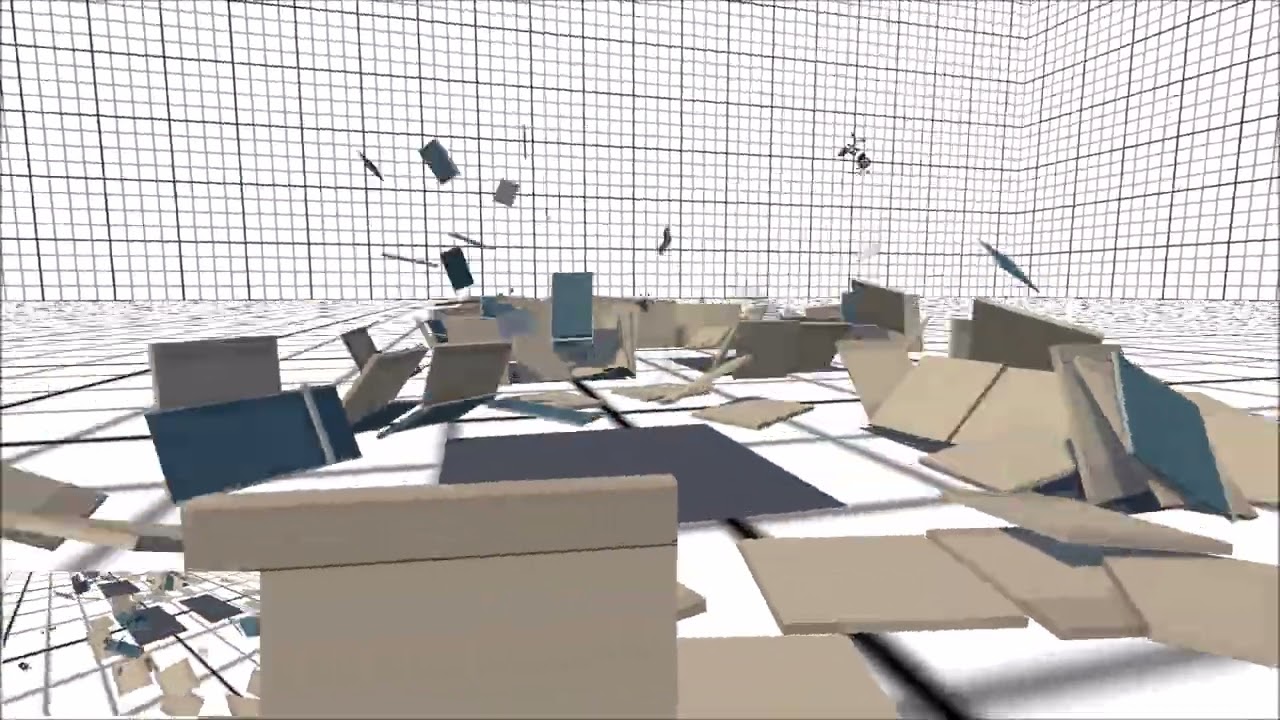
Used an offset target, player detector, and visual detector to make a chase camera for the player.
upbeat sandal
timid dove
you could start the raycast from further back (for example, the bullet's previou...
SO I can replace circle collider by a circle cast (+ racyast to detect wall) in fixedUpdate?
Or just add my raycast in fixed + circle collider ?
hollow brook
https://sergioabreu-g.medium.com/how-to-make-active-ragdolls-in-unity-35347dcb952d
So I got my active ragdoll to work properly and gave a couple actions, and happy with it.
Issue is: If I wanted to scale the ragdoll by 5x it fails to walk, I'd have adjust the stable joint, it works okayish but not ideal.
is it possible to scale the ragdoll without having to re-calculate the entire physics, like as if the ragdoll had a scale of 1x?
what other alternatives? scale down the world🥺
timid dove
upbeat sandal
SO I can replace circle collider by a circle cast (+ racyast to detect wall) in ...
If you're doing circle cast why do you need a regular Raycast
hollow brook
hollow brook
https://sergioabreu-g.medium.com/how-to-make-active-ragdolls-in-unity-35347dcb95...
apparently, this is not worth using, unless you wanna ragdoll with ants.
anyway it was fun.
 boreal holly
Hi all!
I need a bit of help figuring out a small issue with what seems to be my understanding of 2D rigidbodies and box colliders...
Keep in mind that this project is for the currently ongoing Game Jam so i dont have all the time in the world to try new things... but i am always of course still open to listen.
I am making a 2D platformer puzzle game where the player needs to get from point A to point B to beat the level.
To get to point B, the player needs to play the level multiple times in different ways, each time the player playes the level, they can loop back to the start, this will also create a clone of the player which is the exact playthrough the player just did, see the attached video to see the concept in action.
I rewrote the recorder just now to record player inputs instead of player positions, this is so that the player also push around the current replayers (replayer is what i call a recorded player loop).
Now that that is all set up, i re-enabled the rigedbody on the replayer prefab again as it should not also be simulated with the inputs its using.
This is where the issue comes in.
The way it worked before, the replayer prefab had 2 child objects that each had their own 2D box collider, one with the "Ground" tag and the other with the "Wall" tag.
This system worked great for the player to be able to jump on the replayers and bump into them and so on.
But now that the rigidbody is turned on again to the replayer prefab, this doesnt seem to have any effect anymore and the player does not regain their jump when jumping on a replayer.
Does anyone have any idea on how i could go about solving this?
if this doesnt work or takes to long, ill have to go back to the system i used before and that would be a shame.
Let me know if you need any of my code for context.

I thought it may fit better as a post in #1390346827005431951 so if you can help me and want to reply, please head over to that post: https://canary.discord.com/channels/489222168727519232/1436844502085271563
 twin slate
Hello all, I have a 2d game and found that the hit collider in this picture is only triggering the first time. Here are my order of steps:
- I turn on the attack collider
2)It is within range of the collider it is hitting - I turn off attack collider after 20 or so frames
I have this picture attached, my quesstion is, why is it that when i enable this collider the first time it triggers OnTriggerEnter2D, but all the following tmes it won't?
How do people usually make attack colliders in 2d?
I was thinking of making an expanding one. over the 20 frames, which feels like it will work but a bit tedious.
 timid dove
twin slate
Hello all, I have a 2d game and found that the hit collider in this picture is ...
timid dove
twin slate
Hello all, I have a 2d game and found that the hit collider in this picture is ...
Do yourself a huge favor. Don't use a collider for this
Use Physics2D.OverlapBox
Or BoxCast
twin slate
timid dove
Or BoxCast
omg, i completely forgot about this....ty, that will def just solve it
tender vapor
timid dove
Use Physics2D.OverlapBox
ive seen this recommendation quite a few times and i feel like i can't really wrap my head around this. what's the suggested workflow to designing the offset/size of the cast/query in worldspace?
when i'm figuring out hitboxes i usually feel like lining it up to the visuals well is a key part of that, and colliders make that pretty easy
 iron galleon
So like, how does one manage the collisions of a character with ragdoll physics? Or a human character basically?
I'm currently using a single capsule, but how should I manage it if I were to add ragdoll? Or make the arms push objects off places?
timid dove
tender vapor
ive seen this recommendation quite a few times and i feel like i can't really wr...
You could design a workflow with ScriptableObjects and editor tools if that's something you really need to do a lot.
But the main motivation is that a direct synchronous query is so much simpler than setting up a collider and waiting for a collision callback. You practically need a state machine for the collider based workflow
For a simple attack system it's easy enough to just tweak in code
tender vapor
ah... i already use a lot of state machine-inspired structures
 open storm
 timid dove
open storm
timid dove
open storm
Are you doing any modification of the Rigidbidy in your code?
(showing the full stack trace may help)
open storm
timid dove
Are you doing any modification of the Rigidbidy in your code?
i put code in code general
eternal kettle
severe moth
Ill have to test my own too when I get home I guess
let me know if you have anything more about this
severe moth
eternal kettle
let me know if you have anything more about this
It def changes the desired velocity if there are two of the same agents on top of eachother. I tested by drawing a ray in the gizmo and then putting two agents on top of eachother, and if I disable one of the navagents, i can see a change in how the ray is pointing
just not maybe as much as you'd like though
Here you can see it tries to steer around it on the left, and on the right one if I disable the top ones navagent, you see it pointing straight ahead


Here's a video illustrating it better
wet junco
Hi all, I'm working on my movement code for my player and running into issues with external forces. Right now my player's movement code uses acceleration and is only running on frames where the player is providing input. I'm trying to add a pushing mechanic to make players able to push other players, but I'm having trouble figuring out how to apply that external force. If I apply that force and the player is standing still, it'll work great. If I apply it when the player is moving, then due to the movement code running every frame it'll override the push force and significantly dampen the effect. Here's my code: https://pastebin.com/LRrbw55c
Looking for tips or guidance on how to go about creating movement code that can be acted upon by external forces and incorporated into the main movement loop. If anyone has suggestions or samples to reference for a system like this please let me know 🙂
 dull shuttle
i was recording trajectory of player's jump and noticed something which i don't understand
why does a jump on the same surface (red line) has longer horizontal movement than jump downwards (yellow line)?
idk maybe my brain just not braining if it's something obvious
 tender vapor
dull shuttle
i was recording trajectory of player's jump and noticed something which i don't ...
tender vapor
dull shuttle
i was recording trajectory of player's jump and noticed something which i don't ...
that would depend on a lot of things
the air velocity, the gravity, etc
 hollow pumice
I'm trying to set up a rope/wire using configureable joints. My goal is to have the top end be stationary/anchored and then be able to move the bottom end and have the rest of the rope follow fluidly like a rope normally would. However, whenever I try moving my bottom capsule it just keeps trying to snap back into place, which leads to a lot of jittering for the whole rope when I try to force it. I'm new to configureable joints and cant really find a straight answer online, does anyone know how to do this
 silver moss
hollow pumice
I'm trying to set up a rope/wire using configureable joints. My goal is to have ...
silver moss
hollow pumice
I'm trying to set up a rope/wire using configureable joints. My goal is to have ...
Is this in any way an issue in game or just when you try to move it in the editor via the transform handle?
Moving a transform will expectedly make the physics weird - you should generally move a rigidbody object using the rigidbody's methods and properties instead
(Fwiw, it might be the joint's projection settings doing the actual "snapping back")
hollow pumice
Would setting the handles transform position to be some other kinematic object in Update and then moving that second object fix things? Thats how I currently planned on moving it
silver moss
Nah, just don't use the transform when dealing with rigidbodies
You could use the ConfJoint's target position drive if you want it to move to a certain position
Or move it manually with AddForce/velocity
Or temporarily setting it to kinematic and using MovePosition/position to move it, I guess
hollow pumice
Yeah I'll probably end up doing that, end goal is being able to move it with a VR controller
hollow pumice
silver moss
Or temporarily setting it to kinematic and using MovePosition/position to move i...
This worked, thanks!
dull shuttle
tender vapor
that would depend on a lot of things
the air velocity, the gravity, etc
i use basic settings, jump velocity is also the same for each jump
im trying to add a trajectory visualisation for the player to see where they will land when using a skill
tender vapor
sounds like that would just be some basic kinematics then
dull shuttle
tender vapor
sounds like that would just be some basic kinematics then
so why it happens? and how to show right trajectory to player?
tender vapor
hold on, are the lines you drew the result of the code that previews the trajectory, or a trace of the real position during the jump?
this is lacking quite a bit of context
 tidal yacht
Hello everyone, hope you are doing well!
Does anyone know a good book or resources to learn how physics in Unity works?
timid dove
tidal yacht
Hello everyone, hope you are doing well!
Does anyone know a good book or resour...
Kind of a broad topic, is there a specific thing you want to know? There are four different officially supported physics engines for different circumstances.
The most common one is NVidia PhysX, whch you can find documentation for here: https://nvidia-omniverse.github.io/PhysX/physx/5.6.1/
other supported engines are:
- Box2D
- Havok
- Unity Physics
tidal yacht
Yes it's a broad question. Mmmmmm
I am trying to learn how to build a 2D character and understand the principal ideas of physics inside Unity.
I hope I explained myself.
Thanks for sharing the resources.
inner thistle
"Principal ideas of physics" is just as vague. If you want to make a physics based 2D character controller there are plenty of resources to get started. E.g. https://learn.unity.com/course/2d-beginner-adventure-game or use Google
 livid sedge
tidal yacht
Yes it's a broad question. Mmmmmm
I am trying to learn how to build a 2D charac...
livid sedge
tidal yacht
Yes it's a broad question. Mmmmmm
I am trying to learn how to build a 2D charac...
Honestly if you want to create a game and you are just starting out (I don't know what is your level of skills) I wouldn't focus on the underlying physics too much for now. For 2d platforming it is not that crazy for basic shapes, because it is mainly around gravity (and other forces) equations. It's much better to focus on how to use Rigidbody2D correctly and it abstracts the physics enough, then when you see how it works, what are the elements there like friction, forces, rotations etc. you can start looking into individual subjects, however depending on what you want to do you may need to brush up a bit on the mathematics as well (e.g. rotations require working with rotation matrices, applying varying forces on changing surfaces requries integrals and derivatives, so it is quite advanced math there)
 paper stratus
Hello, I'm trying to add a magnetism ability to my 2d platformer. Basically, I want to add southern and northern polarities, and the ability to push or pull those with an activated ability. I've been looking online, but can't find anything, and I don't want to use ai, but I'm completely lost. Does anyone know how to go about that?
timid dove
paper stratus
Hello, I'm trying to add a magnetism ability to my 2d platformer. Basically, I w...
what part are you confused or having trouble with
For any complicated mechanic or system in a game you need to break things down into smaller digestible parts and tackle them one at a time
the pushing and pulling just sound like adding forces
paper stratus
So far, im stuck on the whole adding variables, ive never really used Unity before
timid dove
Ok sounds like you're trying to run a marathon before you learn how to crawl
Start with the basic learning junior programmer pathway
!learn
gloomy lodgeBOT
timid dove
!learn
:teacher: Unity Learn ↗
Over 750 hours of free live and on-demand learning content for all levels of experience!
paper stratus
Thanks
 rose pebble
Hi, I need some help.
I have a lamp, chain and player, all with 2D colliders (non-trigger). The lamp and the chain are connected with Hinge Joint 2D.
I want the chain to react physically when the player collides with it, but without blocking the player's movement – the player should be able to pass through it. I tried many things but I still can’t achieve this.
What I’ve already tried (without success):
- Changing collision layers (but then the chain doesn’t react to the player at all),
- Making the chain a trigger and applying forces manually (caused a lot of bugs),
- Adding a separate collider to the player, still blocked movement,
- Switching the chain collider between trigger / non-trigger (movement looked bad).
So I’m looking for any idea or solution to make the chain react to the player, while the player can move through it freely. A tutorial link would also be appreciated.
I hope I chose the right chat to ask for help
timid dove
rose pebble
Hi, I need some help.
I have a lamp, chain and player, all with 2D colliders (no...
I think I know a hacky workaround that might work for you:
- Put the lamps on a layer, we'll call it "Aesthetics"
- Give the player a child object. Give that child object a kinematic Rigidbody2D, and a Collider2D of your choosing
- Put the player's child object also on the "Aesthetics" layer
- In Project Settings -> Physics 2D -> Layer Collision Matrix set it up so the Aesthetics layer only collides with itself and nothing else
rose pebble
timid dove
I think I know a hacky workaround that might work for you:
- Put the lamps on a...
Yo thanks. Changing the rigidbody 2d to kinematic actually worked
 timber depot
quick question, I have a living ragdoll character, I have an invisible hand object connected to a lower arm (forearm) using a hinge joint 2D, what I want to happen is that the Forearm should be able to pull/push/move Hand effortlessly (like it's nothing) without making the Hand seem heavy
tried setting its mass to 0 but it's apparently not possible, how do I achieve this?
timid dove
timber depot
quick question, I have a living ragdoll character, I have an invisible hand obje...
Isn't this essentially the same exact question as the one above you?
timber depot
timid dove
Isn't this essentially the same exact question as the one above you?
oh I forgot to mention
I tried that too but I'm also attaching weapons to that hand using joints
problem is that the weapon's force/weight should also affect the character, which won't work because the hand is kinematic
timid dove
timber depot
problem is that the weapon's force/weight should also affect the character, whic...
I don't see how that changes things
You make a child object of the hand, and the child object is what has the kinematic rb
timber depot
timid dove
You make a child object of the hand, and the child object is what has the kinema...
but making it kinematic will just make weapons attached to it weightless for the stickman though
here's the kinematic setup I have (after trying to use joints to connect it to the lowerarm while not parented to it)
 timid dove
timber depot
but making it kinematic will just make weapons attached to it weightless for the...
timid dove
timber depot
but making it kinematic will just make weapons attached to it weightless for the...
No, it won't because the weapons would not be attached to the kinematic thing
Again, this would be a separate child object
timid dove
timber depot
here's the kinematic setup I have (after trying to use joints to connect it to t...
Yes now add a child object to Hand with a kinematic Rigidbody and a collider on a separate layer
timber depot
timid dove
Yes now add a child object to Hand with a kinematic Rigidbody and a collider on ...
still not working
the weapon attached (using a joint) is still not able to affect the ragdoll
eternal kettle
severe moth
It def changes the desired velocity if there are two of the same agents on top o...
they seem to avoid each other while moving, but when they actually get close to the target they dont anymore

any idea why that would be?

im guessing its that my target isnt an agent so they dont avoid it?
severe moth
I'm not exactly sure what you expect to happen here, if they all try to get to the same target then there is no way to avoid eachother if you just tell them to keep going to the target
upbeat sandal
Is circlecast more optimize than circle collider ? I just need to trigger colliders (entities and obstacles)?
inner thistle
They do different things so they're not comparable
If you mean overlapcircle then using the normal collider system is probably better because any manual checks come on top of the base physics system
Generally the answer to "is it more optimized to do manually something that the built-in physics already does" is almost always "no"
upbeat sandal
And to make bounce but with a trigger on my collider?
I have a bullet that calculate new direction to bounce because my collider is in trigger
And I saw with many many bullets, it takes a lot to CPU
inner thistle
If it needs to bounce shouldn't it be a normal collider?
 dusk kettle
hi everybody! is thera a way to "draw" a collision layer over my tileset? reasoning:
- i set a layer of collidable objects
- everything drawn on that layer is collided with
which works just fine. the tilemap collider 2d though doesnt take stuff like behind trees into account or edges of houses where i'd like to walk behind. in godot we could paint a layer onto it - is there something like this for unity as well?
or if if not is the only option using another layer?
timid dove
dusk kettle
hi everybody! is thera a way to "draw" a collision layer over my tileset? reason...
the tilemap collider 2d though doesnt take stuff like behind trees into account or edges of houses where i'd like to walk behind
The collider shapes of your sprites can be customized from the sprite editor
dusk kettle
timid dove
> the tilemap collider 2d though doesnt take stuff like behind trees into accoun...
thats perfect will take a look at it, was looking at the wrong place then 😄
timid dove
dusk kettle
thats perfect will take a look at it, was looking at the wrong place then 😄
 simple cloud
I am trying to simulate the behaviour of a sail boat but I am struggling at the listing/heeling of the boat. I want that the lift(already calculated dont bother with it) pushes the boat down and the weight of the keel pushes it back up until it balances it out like in the picture. My idea:
    private void HandleListing(Vector3 lift)
    {
        Vector3 fresult = lift * Mathf.Abs(1 - transform.localRotation.eulerAngles.z/90) - listForceMulitplier * Mathf.Abs(transform.localRotation.eulerAngles.z/90) * lift.normalized;
        rb.AddForceAtPosition(fresult, tellTale.transform.position, ForceMode.Force);
    }
tellTale is the highest point of the boat
Heres a video of the current situation(its really weird and I don't know why it doesn't work (its wiggling too much)):
If anyone has an idea for the correct formular please tell me!
 timid dove
simple cloud
I am trying to simulate the behaviour of a sail boat but I am struggling at the ...
timid dove
simple cloud
I am trying to simulate the behaviour of a sail boat but I am struggling at the ...
I'm going to be honest your diagram and even your video are confusing me with the perspective and I'm not sure what is supposed to be what boat part. One thing I will say though is that relying on Transform.eulerAngles for your physics calculation is likely not to work well
 spark moat
my character controlelr is bit too sticky?

and yeah i do have gravity added in character controller
pulsar canopy
Why don't configurable joint axis limits work? They only work for me when I make the min and max X 0.
Whichever other value I input, it seems to rotate freely as it pleases, whether I put min as negative and max as positive, or one of those as zero and the other as an either negative or positive number
severe moth
pulsar canopy
Why don't configurable joint axis limits work? They only work for me when I make...
They work for me just fine and I'm using them everywhere in my game. Did you change any other setting, and are you sure you're editing the correct axis? You can visualize them by pressing the little button - only X has min and max, Y and Z has only one number.
pulsar canopy
severe moth
They work for me just fine and I'm using them everywhere in my game. Did you cha...
Yeah I was. It might have been the friction cause it helped when I removed friction
But imagine a joint that works as if it were a head on a body
Even if the head'x x is restricted, when it hits a ceiling, it will rotate fully oout of the way
severe moth
Are the other axis limited?
pulsar canopy
That was at least partially due to friction and a sphere collider cause lowering friction helped but it still exists
pulsar canopy
severe moth
Are the other axis limited?
All of them are limited
severe moth
Unity joints are not known for being the most stable, so if you forced them into a situation where they have no other out, then they will still rotate out of the way
especially if they are attached to a kinematic object that isnt being moved by applyign forces
pulsar canopy
severe moth
Unity joints are not known for being the most stable, so if you forced them into...
It is being moved by forces and I have a low snapping limit (forgot the name but the distance where it snaps back) so it shouldn't happen but I made it work for my purpose
Not exactly as I wanted but what can you do
Joints are weird
severe moth
Whats the mass ratio for head to the rest?
Because that can make it even worse if the mass of the head is very small, then it doesnt take much to get into a situation where it's forced to move
 strong barn
Hello people, I have an ArticulationBody hierarchy, and one of the nodes needs to be able to rotate within certain constraints, but any time the targets of the drives are bigger than approximately 120 degrees, the system becomes extremely unstable and starts spinning out of control.
Is this some known limitation of the articulation bodies? If so, is there any workaround? If not, is there something I could be doing wrong in the configuration of the articulation body?
(Unity 6.0)
pulsar canopy
severe moth
Because that can make it even worse if the mass of the head is very small, then ...
it is small though. I have increased it since but that fucks with the rest of the calculations and forces so I changed it back
strong barn
strong barn
Hello people, I have an ArticulationBody hierarchy, and one of the nodes needs t...
I'm completely stumped with this. I don't know why "big" angles matter so much to it.
I made a new project in Unity 6.2, and I get the same exact situation...
severe moth
strong barn
I'm completely stumped with this. I don't know why "big" angles matter so much t...
I'm not that familiar with articulation joints, but have you tried changing the drive type?
try changing it to Target if that exists
otherwise changing dampening might help too
strong barn
severe moth
try changing it to Target if that exists
it does exist, but it disables stiffness and dampening, and I need this articulation body to react to environment physics (otherwise I could just use a hierarchy of kinematic rigidbodies and I wouldn't worry about articulation forces 😅 )
 untold shuttle
Hello, I have an issue with my 2d top down game, I have a Tilemap Collider 2D set up on my wall tiles, works fine in editor, but in the build, they are passthrough, I can go through them, bullets too. I have looked everywhere to fix this, tried a bunch of things, verified build settings and player settings so that the layer matrix settings allows for the layers to interact, objects are static, the tile asset is read/write enabled, I am not sure what else to try anymore, anyone has any idea why they don't work? Normal colliders work both editor and build, but not tilemap collider. Hope this is the right thread
timid dove
untold shuttle
Hello, I have an issue with my 2d top down game, I have a Tilemap Collider 2D se...
Can you show the inspectors for your player and your tilemap as well as your player movement code?
untold shuttle
timid dove
Can you show the inspectors for your player and your tilemap as well as your pla...
Hope this is enough, thanks for checking. This is happening in FixedUpdate, deltaTime is actually Time.fixedDeltaTime


 timid dove
untold shuttle
Hope this is enough, thanks for checking. This is happening in FixedUpdate, delt...
timid dove
untold shuttle
Hope this is enough, thanks for checking. This is happening in FixedUpdate, delt...
the full script would be better - but setting the velocity is almost certainly what you want instead of MovePosition
also, you should be using a CompositeCollider2D with that TilemapCollider
untold shuttle

I tried that as well, is there any other settings to add to it?
I'll add it now again to make sure and to have it
timid dove
untold shuttle
I tried that as well, is there any other settings to add to it?
you need the TlemapCollider2D's "Composite Operation" set to "Merge"
untold shuttle
oh I see, I'll make a build with this, won't take long and I'll see if it works, cheers
this should also fix a different issue where running into the wall wouldnt be smooth(because of the individual colliders), I have tried using merge or other settings, but I didn't know about the CompositeCollider2D component until today where I also saw it being mentioned in different posts
untold shuttle
timid dove
you need the TlemapCollider2D's "Composite Operation" set to "Merge"
drum rolls it works!, thank you very very much!
been bugging me since I started the project but now I needed to kinda show it so this saved it, thanks
 maiden wolf
hi, i'm trying to make a VR multiplayer game with a focus on physics, what soft body physics addon would u guys recommend? i want one that lets me choose what polygons on the mesh can have soft body physics in the first place and how squishy/stretchy/elastic they can be, and of course i want it to interact with collision, ragdoll, dynamic bone, and fluid physics
 elfin latch
maiden wolf
hi, i'm trying to make a VR multiplayer game with a focus on physics, what soft ...
elfin latch
maiden wolf
hi, i'm trying to make a VR multiplayer game with a focus on physics, what soft ...
obi soft body
very good asset
 halcyon sentinel
Hey! I want to make a mesh follow a spline with momentum buildup, think how when a rollercoaster cart travels on a downwards slope, it speeds up, and the opposite for an uphill slope. I'm not sure where to start, I have no idea how I'd make this, which is why im here. Thanks
timid dove
halcyon sentinel
Hey! I want to make a mesh follow a spline with momentum buildup, think how when...
You'd want to basically model this based on the equations for kinetic energy vs gravitational potential energy
In essence that can let you derive a pretty simple formula for velocity based on the current height (and initial height)
halcyon sentinel
ah so like a lerp?
timid dove
not really
timid dove
like a functino:
float GetCurrentVelocity(float currentHeight) { ... }```the formula, which I used Gemini to derive, would be this

hmax being the "starting height" where your velocity was 0 and h being the current height
and g being the acceleration due to gravity (typically 9.8 m/s^2)
halcyon sentinel
so g is the gravity scale?
like the one you set in project settings > physics, right?
timid dove
It's the gravitational acceleration you set in project settings yeah
I mean it doesn't have to be what you set there
but it can be
halcyon sentinel
timid dove
like a functino:
```cs
float GetCurrentVelocity(float currentHeight) { ... }```
can you elaborate on this please?
im dumb as hell lol
halcyon sentinel
timid dove
the formula, which I used Gemini to derive, would be this
oh wait so itd be get current velocity, then it returns that equation?
timid dove
I'm just showing you an example function signature for you to write the math in
timid dove
halcyon sentinel
oh wait so itd be get current velocity, then it returns that equation?
the function would perform the calculation.
An AI tool would help you write the actual code if you want, and also to refine that formula to include things like a starting velocity, which you'd need to make it actually move at all
timid dove
Well you'd just do that math - but in code
but the formula does need to be adjusted for an initial velocity as I mentioned
The general formula with initial starting velocity and a starting height and current height is
 halcyon sentinel
 timid dove
that's "v1 squared", i.e. "initial velocity squared" under the sqrt
halcyon sentinel
and then just apply it to the speed, right?
timid dove
well you need to feed in the current height and it will give you the speed out
halcyon sentinel
timid dove
but the formula does need to be adjusted for an initial velocity as I mentioned
sorry didnt see this message
timid dove
and then you'd probably feed that into a spline follower to get it to move along the path
halcyon sentinel
timid dove
and then you'd probably feed that into a spline follower to get it to move along...
yeah i forgot there was the currentHeight local var
and ive got a spline animate to move the playert
and then i guess i just set the speed according to the current vel?
timid dove
once you have the velocity from the formula then you'd have to multiply that by deltaTime to get the amount you expect to move this frame, then move along the spline that distance
timid dove
halcyon sentinel
and then i guess i just set the speed according to the current vel?
if your spline follower has a speed yeah
you'd adjust it every frame with the new calculated velocity based on the height
I recommend doing it in FixedUpdate or it won't be consistent
although IDK how SplineAnimate works
halcyon sentinel
timid dove
The general formula with initial starting velocity and a starting height and cur...
so v1^2 = new velocity?
halcyon sentinel
timid dove
I recommend doing it in FixedUpdate or it won't be consistent
well its either that or time.deltatime
i mean new velocity
v2 = new velocity
right?
timid dove
yea
halcyon sentinel
aight cool
timid dove
This all assumes zero friction/air resistance etc
you could add friction later if you want it
halcyon sentinel
yeah ofc
im not sure how this will play with my other ideas
because i want the player to be able to launch from the current rails and then snap to another rail
which would require a rigidbody or insane hardcoding
but thats a future me problem ig
so it kind of works, but it spazzes out when going uphill

grav = 9.81
_initialVelocity = 2
timid dove
I'm not sure how SplineAnimate and MaxSpeed works
SplineAnimate might not play well with the FixedUpdate stuff
in which case you'd either switch to Update (which will lose consistency) or do your own animation in Fixed
Just kinda guessing that might be the problem, not sure
halcyon sentinel
maybe
ill give it a try
nah still does it
idk man ill sort it out
thanks for your help
 thick creek
Not 100% if this is the right spot or not to ask but Im making a 2D sprite based fighing game in a 3D space. The sprite's transform scaling was 0.2 so I scaled it up to 1 so it wasn't so small then it really messed up the forward and jump height. I ofc adjusted these accordingly but the jump fall speed is really slow like Im on the moon and no matter what I do, the walk and run speed dont seem to change at all. Does anyone know if they might know why this could be happening?
Was having the sprite's transform scaling be 0.2 the right thing to do and I chnaged it for no reason?
timid dove
thick creek
Not 100% if this is the right spot or not to ask but Im making a 2D sprite based...
your question is really vague
provide hard details - videos, screenshots, code
jump fall speed is really slow like Im on the moon and no matter what I do, the walk and run speed dont seem to change at all
These are almost certainly issues with your code
thick creek
Even if I did nothing to change the gravity or drag?
timid dove
Code can cause literally any imaginable behavior
This is almost certainly an issue with your code.
 spring vale
Hello, does Unity Physics require knowledge in mathematics or physics?
timid dove
spring vale
Hello, does Unity Physics require knowledge in mathematics or physics?
Really sort of a vague question. Knowledge of math and physics will improve your experience with Unity physics (or any physics engine) greatly.
does it "require" such knowledge? The code will run and do the thing it's meant to do regardless of your knowledge level.
spring vale
I have never experienced coding in a physics system because I do not know mathematical calculations. Seeing the Unity physics sample has made me curious and prompted me to ask these questions.
timid dove
spring vale
I have never experienced coding in a physics system because I do not know mathem...
Let me put it this way - anyone can walk up to an easel and paint something. But having a mastery of color theory, experience in arts and brushstrokes and lighting and shading will let you create a masterpiece.
It's the same way with a game engine/physics engine, etc...
The physics engine will simulate physics, realistically. You don't need any knowledge of physics to make it do that. But you will need some knowledge to make a game that interacts with the physics engine in a desired or gameplay-friendly way.
spring vale
timid dove
The physics engine will simulate physics, realistically. You don't need any know...
That is good advice, really appreciate it.
severe moth
spring vale
Hello, does Unity Physics require knowledge in mathematics or physics?
In my opinion, you will def. want to know about vectors and vector operations; cross product, dot product etc. At least I have used it in almost any heavily physics based game/project. They are also pretty easy to understand, so it's a good starting point and it opens up to a lot of things you can do with the unity physics engine, and it's also very useful outside of the physics engine.
proud trellis
if anyone is ever trying to figure out how to set target rotations for configurable joints, this is great 👍 https://gist.github.com/mstevenson/4958837

Gist
Unity extension methods for computing a ConfigurableJoint.TargetRotation value from a given local or world rotation. - ConfigurableJointExtensions.cs
 normal girder
thick creek
Was having the sprite's transform scaling be 0.2 the right thing to do and I chn...
normal girder
thick creek
Was having the sprite's transform scaling be 0.2 the right thing to do and I chn...
It just seems like the only change here, was your perception of movement through space, and having code that took into account a minimal scale, that's now having to run on a bigger scale. Think like this, an ant jumping 10cm, it's a big jump, a person jumping that same amount, barely can be considered a jump.
pulsar canopy
Why don't I have a "connected body" field on a character joint? Wtf?
severe moth
What do you mean?
thick creek
normal girder
It just seems like the only change here, was your perception of movement through...
Yeah someone sorta explained this after and I basically just reverted it all back to 0.2 scaling. I thought having it as 0.2 would come back to bite me in the ass or something so thats why I even made the scaling change despite everything working as intended
normal girder
thick creek
Yeah someone sorta explained this after and I basically just reverted it all bac...
Well, you could just have everything on scale 1, and multiply all the fixed values you were using by 5, that would make it so that you wouldn't be using micro movements throughout your code. But it all depends on what you're really going for.
thick creek
Idk if that couldve worked
I mean gravity was messing with too much so I just reverted everything
wait if I multiplied gravity which eas 9.81 with 5 would it just be exactly how it was when the rb scale was 0.2?
normal girder
thick creek
wait if I multiplied gravity which eas 9.81 with 5 would it just be exactly how ...
kind of, but I wouldn't recommend that. The whole idea of keeping things at scale 1 as much as possible, is so that you can use default math, instead of having to adapt everything you add to your game, to having small values.
 torn sparrow
does raycast hit the terrain if its below it?
tender vapor
it'll hit if the ray passes through it
torn sparrow
i think it doesnt, cause i replaced it with a raycast from above and it worked
timid dove
torn sparrow
does raycast hit the terrain if its below it?
No
 mild saddle
guys i have an issue when I hit a wall, my character gets pushed back a little when I turn the camera
is it because of character controller parameters or a controller script
its happnening not always
but sometimes
i just catched a moment of this
at the fifth second
tender vapor
mild saddle
is it because of character controller parameters or a controller script
are you using a rigidbody or something with the character controller?
mild saddle
tender vapor
are you using a rigidbody or something with the character controller?
only character controller
and scripts ofc
also im getting pushed back when i jump into the wall
 cursive hill
Does unity have prebuilt options to work with water simulation?
I am trying to simulate realistic water
timid dove
cursive hill
I am trying to simulate realistic water
This is pretty vague
That could mean anything from having a realistic looking body of water to a plumbing simulator
So what are you trying to actually accomplish?
cursive hill
timid dove
So what are you trying to actually accomplish?
I am actually doing both of what you said, small water as in cups and entire lakes
timid dove
cursive hill
I am actually doing both of what you said, small water as in cups and entire lak...
But can you elaborate on the "realistic" thing?
Is it just a visual appearance thing? Are you going to have boats that need to behave properly on them or something?
cursive hill
timid dove
Is it just a visual appearance thing? Are you going to have boats that need to b...
It will be realistic as in the physics, that is what I am focused on
gloomy lodgeBOT
 @paulcooper4432 muted
Reason: Too many messages in multiple channels
Duration: 29 minutes and 54 seconds
 upper vault
trying to create Ragdoll in Unity 6.0 version and my character humanoid mesh is from mixamo and i have no idea how do i setup.
 runic torrent
Given
•The total time of a jump (rise and descent) is 0.129s
•The gravity of the descent is 169.52m/s^2
How do I calculate the gravity of the ascent?
tender vapor
depends on the height or time of ascent or time of descent
runic torrent
tender vapor
depends on the height or time of ascent or time of descent
That's just it. I don't know what those are
tender vapor
there are infinite ways to achieve what you want with just those 2 constraints
you need another constraint if you want a single value for the gravity of the ascent
runic torrent
All I know is the height is not above 4
@tender vapor If I told you that the horizontal length of a jump with these parameters was 1m would that help?
tender vapor
horizontal distance doesn't affect it at all, unfortunately
you need another constraint related to the vertical movement - either time or distance
or even starting vertical velocity
runic torrent
tender vapor
or even starting vertical velocity
Oh I do have that one
tender vapor
i think that'd work, but it's kinda late for me
runic torrent
tender vapor
i think that'd work, but it's kinda late for me
Starting velocity should be 11.8421m/s
tender vapor
hmm, might need another constraint...
t = 0.129 s
u = 11.8421 m/s
g2 = -169.52 m/s^2
solve for g1
t1 + t2 = t
h = ut1 + 1/2 g1 t1^2
h = - 1/2 g2 t2^2
ut1 + 1/2 g1 t1^2 = - 1/2 g2 t2^2
g1 = -(g2 t2^2 + 2ut1)/t1^2
needs either time of ascent or time of descent
or height would also work
so.. just back to the variables i said initially...
i didn't think that'd be 100% accurate lmao
hmm wait
u + g1t1 = 0
chucked it into wolfram alpha and got 2 solutions
g1 ≈ -188.636, h ≈ 0.371709
g1 ≈ -44.6738, h ≈ 1.56955
https://www.wolframalpha.com/input?i=solve+for+h+and+g_1%3B+t%3D0.129%3Bg_2+%3D+-169.52%3Bu+%3D+11.8421%3B+t_1+%2B+t_2+%3D+t%3B+ut_1+%2B+1%2F2+g_1+t_1^2+%3D+-+1%2F2+g_2+t_2^2%3B+u+%2B+g_1t_1+%3D+0%3Bh+%3D+ut_1+%2B+1%2F2+g_1+t_1^2
@runic torrent does that work for you
runic torrent
tender vapor
<@1160231905912946839> does that work for you
I'll try and double check the values later to see if they work
Thanks, though
rose pebble
Does anyone know how to make the cube land better on the button? What can I do with the collision, Rigidbody2D, or anything else so that cube lands properly on the button and doesn’t get stuck on small gaps in collisions or on the floor?
The cube and the button both have 2D collisions and are not set as triggers. The collisions and the situation are shown in the video and photos.

 tender vapor
rose pebble
Does anyone know how to make the cube land better on the button? What can I do w...
tender vapor
rose pebble
Does anyone know how to make the cube land better on the button? What can I do w...
is the floor using a tile collider?
if so, have you applied a composite collider
rose pebble
floor have booth. But some "special" parts of floor have separatet box collider 2d
but those parts have the same size
tender vapor
rose pebble
floor have booth. But some "special" parts of floor have separatet box collider ...
make sure the tile collider is set to use the composite
rose pebble
literally pixel perfect
tender vapor
rose pebble
literally pixel perfect
that might not matter. are they the parts catching the edges of the box?
rose pebble
no
tender vapor
alright, so not a concern for now
could you show the floor collider
the inspector for the tile collider, specifically
rose pebble
rose pebble
Does anyone know how to make the cube land better on the button? What can I do w...
acutally i fixed the stopping on the flore. But there is still an issue with the button collision. Sometimes the cube slides smoothly onto the button. And sometimes it stops in front of it, as if the button were a wall.
tender vapor
probably because it's getting caught on its corner?
could consider making the button a trigger
rose pebble
Are there any values in 2d unity that can change to make the cube better follow the curve collision?
 lucid storm
Does anyone who understands how a climbing system works in 3D help me out? I'm following a tutorial by
Sahani Studio. My character is 2.5 units tall, and everything seems to work except the braced hop up animation, it either glitches me through the ground and ledge/wall, or it just doesn't hop up at all. I believe this to be an offset issue with my animations in correlation to my "Hop up offset" variable. Can someone please help, I have to finish this for a school project.
tender vapor
use mp4 to embed in discord
lucid storm
runic torrent
@tender vapor So what were the equations you used from yesterday?
tender vapor
runic torrent
<@628241756235890708> So what were the equations you used from yesterday?
kinematics
s = ut + 1/2 at^2 (once for the upwards portion, once for the downwards portion)
u + at = v = 0 (vertical velocity will be 0 at the apex of the jump)
runic torrent
tender vapor
kinematics
s = ut + 1/2 at^2 (once for the upwards portion, once for the downwar...
So I remember u is supposed to be initial velocity. I take it t is total time? I'm not sure what the other variables are, though
runic torrent
tender vapor
i had 2 separate t values for the 2 segments
How did you get those two t values, though?
runic torrent
tender vapor
i solved for them
Ok but how?
tender vapor
unknowns: t1, t2, g1, h
knowns: t, u, g2
equations:
t1 + t2 = t
h = ut1 + 1/2 g1 t1^2
h = - 1/2 g2 t2^2
u + g1t1 = 0
tender vapor
runic torrent
Ok but how?
well i did a bit by hand, and then i gave up and chucked them into wolframalpha
runic torrent
tender vapor
well i did a bit by hand, and then i gave up and chucked them into wolframalpha
So you don't actually know how to isolate any of the unknowns?
tender vapor
well, i tried. but it was 3am and i didn't feel like working on it for very long
it's just math at that point
runic torrent
tender vapor
it's just math at that point
Well, I know it's at least possible now. I'm just not sure I know how to do it
I take it with one of the h equations I get one of the sides equal to (u +g1t1) and set it equal to zero?
tender vapor
i don't think the units work out there
h is in units of m, v is in units of m/s
you can't just look at the values
runic torrent
tender vapor
i don't think the units work out there
No, I mean I take the entire equation of (h = ut1 + 1/2 g1 t1^2), get one of the sides to be (u + g1t1), then replace that side with 0. But I'm not really sure how I would do that either
runic torrent
tender vapor
i eliminated h by equating the 2 halves
So ut1 + 1/2g1t1^2 = -1/2g2t2^2? What then? There are still like 3 unknowns in this
tender vapor
move stuff around until they cancel, i guess
you're basically asking me how to solve a system of equations
runic torrent
tender vapor
you're basically asking me how to solve a system of equations
Do they even cancel?
tender vapor
apparently enough for wolframalpha to get answers
a non-dependant system of n equations with n unknowns generally can be solved
and it was degree 2, so it had 2 sets of answers
runic torrent
tender vapor
apparently enough for wolframalpha to get answers
So when you say "cancel" you mean stuff like substituting (t1 + t2) with t when it crops up, right?
tender vapor
sure?
mate what are you trying to get from me
you can google for how to solve systems of equations if you want to know how to do it yourself
 bitter scarab
Does anyone know how to fix this issue. For some reason when I put character joints on objects the physics are really slow for some reason idk why (sorry I can’t post images but I don’t think you need them as the settings are the default ones)
unique cave
bitter scarab
Does anyone know how to fix this issue. For some reason when I put character joi...
Screen recording (video) of the problem would be really helpful in trying to see what is going on
bitter scarab
unique cave
Screen recording (video) of the problem would be really helpful in trying to see...
I’ll try in like 2 hours as I’m not near my pc rn
bitter scarab
unique cave
Screen recording (video) of the problem would be really helpful in trying to see...
unique cave
bitter scarab
Is there anything acting on the character parts? Like animations, scripts etc.? What is the scale of the character? I assume the character joint is configured by default for human sized characters. Smaller characters might require smaller damping etc.
bitter scarab
unique cave
Is there anything acting on the character parts? Like animations, scripts etc.? ...
i increased the mass and thats so it's a bit faster
 unique cave
From what I remember, the mass shouldn't matter much if at all. The only thing the mass often affects is the way it interacts with objects with different masses. What I'm trying to say is that often 2 objects interacting happens the same if both weigh 1 or 100 but if one weighs 1 and the other 100 it will make a difference
I'm not sure though if the character joint does something with the mass (spring and damping for example might be mass dependent)
elfin latch
bitter scarab
do you have colliders on it?
it looks like a bad inertia tensor calculation
 meager valve
why do I bounce with 0 bounce and bounce combine set to minimum?? why no friction with 0.99 frictionnnnnn
oh wait it was on multiply??
oh
nvm
oh nevermind IM STILL BOUNCING??
meager valve
is there a good way to apply friction on my own? with code? I want to make it so I slow down faster when I stop walking
bitter scarab
elfin latch
do you have colliders on it?
No
elfin latch
bitter scarab
No
that’s why
it’s not able to calculate a inertia tensor since there’s nothing to calculate from
 urban needle
Hi, I got a stupid question.
If a rigid body is kinematic and I set the angular velocity to something not 0. Should it rotate ?
timid dove
urban needle
Hi, I got a stupid question.
If a rigid body is kinematic and I set the angular ...
3D rigidbodies will not
2D rigidbodies will
urban needle
I assume that means there is no universal truth to expect. I'm asking because in ECS Physics setting the velocity of a kinematic body will move it...
timid dove
urban needle
I assume that means there is no universal truth to expect. I'm asking because in...
Within each physics engine, it is consistent
but each physics engine does things its own way
urban needle
ok, I wonder how that's gonna play out with the swappable physics backend they announced 🤔
it also means I just can't rely on the velocity to move my kinematic platforms and I didn't even get to the nesting of kinematic bodies yet.
timid dove
Isn't that just the setting in project settings that lets you swap?
You will still need to design your game around the quirks of the engine you choose
urban needle
yes but I'm making a package and I can't assume the behavior of the physics engine since each may or may not behave coherently with my assumption.
timid dove
Yeah welcome to the hell of being a package/asset developer
You either:
- Painstakingly support all possibilities
- Add a disclaimer that you only support physics engine X/Y etc
urban needle
ok, thanks for clarifying these points.
 sick kayak
 full palm
Any ideas how to implement this using Box2D API that Unity provides?
Seems like best solution of Ghost Collision issue in platformer with OnewayPlatforms, MovingPlatforms, etc..
https://briansemrau.github.io/dealing-with-ghost-collisions/
Evaluating existing methods to solve the 2D physics ghost collision problem, and introducing a new, more flexible solution applicable for some games.
timid dove
full palm
Any ideas how to implement this using Box2D API that Unity provides?
Seems like...
Unity provides CompositeCollider2D for this
full palm
timid dove
Unity provides CompositeCollider2D for this
Yes, I understand that this can be solved with a Composite Collider in Outline mode. But I shared that post because the author gives an example where, in a platformer, you have a situations like that


Maybe I’m not aware of alternative options, but I specifically need to have two separate platform objects, each with its own collider, where one of them has a certain component attached and the other one does not
timid dove
full palm
Yes, I understand that this can be solved with a Composite Collider in Outline m...
I see - yeah I'm not sure.
full palm
I tried get contact area using _collider.GetContacts(filter, contacts); and calculate distance between.
But it works weird and requires a lot of exceptions. I think there must be better solution.
timid dove
full palm
I tried get contact area using `_collider.GetContacts(filter, contacts);` and ca...
well if it has contacts that means it already collided right? Which is too late to stop the collision I would think?
Or, I guess there will always be a collision it's about the impulse it creates
full palm
timid dove
well if it has contacts that means it already collided right? Which is too late ...
Yeah, so thats why Im looking for something like presolve func
 bold jetty
So, in my game my character can move between two different elevation levels. (Top down view, picture jumping up onto a crate, or walking on the floor vs. walking on top of a bookshelf) When the character hops up or down, it would allow the character to walk on this new level, but the character would be blocked from walking on the previous level and vice versa. It seems like the way to do this is a bunch of colliders that turn on/off depending on what level the player is on. Is the best way to do this, adding a lot of colliders and have them turn on/off or is there a better method? A golden sun puzzle is a good comparison: https://www.youtube.com/watch?v=Wb1ASaKkMfU&t=190s

This is Part 100 in my walkthrough of Golden Sun. Since this game enables you to save at any time, my videos will be 10mins each until my next save point.
--Did Faran and Iodem actually think they could do anything once they got into the ruins? xD I want to see them use "Carry" and "Douse" lol
These tunnels lead to the true entrance of Ven...
timid dove
Holy shit Golden Sun, what an amazing game that was
 short merlin
My FirstPerson character uses a character controller. A box with box collider is parented to it. Is there a way to prevent my box going through other objects?
 silver moss
short merlin
My FirstPerson character uses a character controller. A box with box collider is...
silver moss
short merlin
My FirstPerson character uses a character controller. A box with box collider is...
I dont think character controller supports extra colliders
Probably better off using rigidbody physics
timid dove
short merlin
My FirstPerson character uses a character controller. A box with box collider is...
CC doesn't support any extra colliders besides its own capsule shape
short merlin
timid dove
CC doesn't support any extra colliders besides its own capsule shape
Then I'm gonna have to move the logic to rb
signal wyvern
Can anyone help, Im trying to modify some contacts, as i have some specific collisions i want to modify, but im somehow unable to get the below ifs running, During runtime im adding some InstanceIds to a hashset & im comparing them to the modifiable contacts, but despite the collisions i still cant seem to get a match on my stored InstanceID & the instanceIDs from the contactPair.
` private void IgnoreInvalidForces(PhysicsScene scene, NativeArray<ModifiableContactPair> contactPairs)
{
for (int i = 0; i < contactPairs.Length; i++)
{
ModifiableContactPair contactPair = contactPairs[i];
//Debug.Log("main = " + contactPair.colliderInstanceID + " Other = " + contactPair.otherColliderInstanceID);
//LogIgnoredIDs();
if (PropManager.IgnoredRBIDs.Contains(contactPair.bodyInstanceID))
{
Debug.Log("Made it here as expected");if (PropManager.KinimaticPropIDs.Contains(contactPair.otherBodyInstanceID)) { ModifiableMassProperties newProperties = new(); newProperties.inverseMassScale = 1; newProperties.inverseInertiaScale = 1; contactPair.massProperties = newProperties; contactPairs[i] = contactPair; } } else if (PropManager.IgnoredRBIDs.Contains(contactPair.otherBodyInstanceID)) { Debug.Log("Made it here2"); if (PropManager.KinimaticPropIDs.Contains(contactPair.bodyInstanceID)) { ModifiableMassProperties newProperties = new(); newProperties.otherInverseMassScale = 1; newProperties.otherInverseInertiaScale = 1; contactPair.massProperties = newProperties; contactPairs[i] = contactPair; } } } }`
Any physics gurus with experience with contact pairs here?
timid dove
signal wyvern
Can anyone help, Im trying to modify some contacts, as i have some specific coll...
!code
gloomy lodgeBOT
timid dove
!code
Posting code
📃 Large Code Blocks
Use links to services like:
https://paste.mod.gg/, https://hastebin.skyra.pw/, https://paste.ofcode.org/, https://paste.myst.rs/
📃 Inline Code
Surround code with three backquotes. Not quotation marks.
To format as C#, add cs to the first line:
```cs
// Your code here
```
Add a comment with a line number if there is an error message.
 mental thistle
Is it normal that collider ignores horizontal checks (I don't know how to properly form a question, it's a bit hard)?
I'm trying to make interaction system, allowing player to pick objects up and move them. Because I don't understand how to forbid player to push object through walls, I tried to make a "CheckBox" that would check for collisions in "carrying" area. Well, I wrote some OnTriggerEnter/Stay/Exit funcs, and for some reason, trigger won't detect when I collide it with the wall. With the floor it works (at least sometimes).
I think this problem is somehow linked with Physics Engine.
Here's code (idk why you would need that, it's the most simple one)
public GameObject CarriedObject { get; set; }
public bool CanDrop { get; private set; } = true;
private void OnTriggerEnter(Collider other)
{
    // if(CarriedObject is null) return;
    print("Enter");
    CanDrop = false;
}

private void OnTriggerStay(Collider other)
{
    // if(CarriedObject is null) return;
    print("Stay");
    CanDrop = false;
}

private void OnTriggerExit(Collider other)
{
    // if(CarriedObject is null) return;
    print("Exit");
    CanDrop = true;
}
Is it normal that collider ignores horizontal checks
no, that's probably not what's happening though
how are you moving it?
mental thistle
with the cam I guess
mental thistle
timid dove
CC doesn't support any extra colliders besides its own capsule shape
is that could be the issue, because I use CC too?
tender vapor
mental thistle
with the cam I guess
is it just moving as a child of the camera
mental thistle
yes
tender vapor
that'd basically be moving via transform, which doesn't work well with physics afaik.
actually, that's probably not the issue here. you'd be getting collisions but inconsistently
does the Cube have a rigidbody?
or the ObjectCarryPoint
 sand hamlet
Yes
mental thistle
tender vapor
does the Cube have a rigidbody?
No
tender vapor
does ObjectCarryPoint have a rigidbody
mental thistle
No
tender vapor
so there's nothing to drive the collision
rigidbodies are what drive/detect collisions and triggers
mental thistle
oh
tender vapor
presumably your floor has one, that's why it can detect the trigger
mental thistle
I'm so sorry😭
mental thistle
tender vapor
presumably your floor has one, that's why it can detect the trigger
no, it has not
tender vapor
tender vapor
that'd basically be moving via transform, which doesn't work well with physics a...
this is probably still something you should look into
tender vapor
mental thistle
no, it has not
does Room have a rigidbody
mental thistle
no
tender vapor
it's either Room, Plane, or there's another object with a rigidbody in that space
try searching t:Rigidbody in the hierarchy search bar
mental thistle
only three interactables have it
tender vapor
then it's hitting one of those

 uncut ember
Hello everyone ! I'm trying to figure out the best way to flip horizontally a Hinge Joint 2D without having it go crazy and also keeping the proper limits
This is a simple example.
If I try and rotate the gameobject (these are parented) it breaks up and if I try to do Scale X -1 , it works but the limits do not really follow (see 2nd picture)
Anyone has any ideas ?


(for some irrelevant reason I tried separating the sprite, i don't think it matters though)
(probably tried rotating only that but the hinge's limits are not symmetrical to just do that)
signal wyvern
Simple question: when using Addforce() in fixed update, is velocity changed immediately? Or does it wait until next fixed to update velocity?
 remote creek
they are applied after subsequent physics update
severe moth
Should be in the same step, but you can easily veryify it by printing the velocity before and after
timid dove
signal wyvern
Simple question: when using Addforce() in fixed update, is velocity changed imme...
In 2d it's immediate.
In 3d it gets stored until the physics update and you can read it from GetAccumulatedForce()
tender vapor
for each physics tick, FixedUpdate happens before the "Internal physics update", so effects should happen within the same tick
timid dove
Yes within the same tick. But "immediately" implies to me that if you read .linearVelocity before and after the AddForce call it would change, which it doesn't
tender vapor
to me the question read as "this fixedupdate or next fixed update" given the last sentence, but 🤷
signal wyvern
timid dove
Yes within the same tick. But "immediately" implies to me that if you read .line...
This is helpful thanks, i done some testing to confirm anyway, I just wanted to know if i can read the velocity the line after adding the force
timid dove
signal wyvern
This is helpful thanks, i done some testing to confirm anyway, I just wanted to ...
yep - as someone who developed a unity asset for adding speed limits to Rigidbodies, I got very deep into the nuances of this.
remote creek
Someone knows why my car is doing that?
 noble crown
what's the best way to dynamically fracture a mesh at runtime?
noble crown
remote creek
Someone knows why my car is doing that?
seems like an issue with the joints, i'm not 100% sure though
 crude folio
remote creek
Someone knows why my car is doing that?
crude folio
remote creek
Someone knows why my car is doing that?
can i see how the setup is or how the wheels are parented in the hierarchy?
remote creek
crude folio
can i see how the setup is or how the wheels are parented in the hierarchy?
 crude folio
remote creek
crude folio
remote creek
Hmm, the wheel colliders are on the wheel meshes.
Try this way.
Create an empty game object for the wheels then create empty child game objects (one for each wheel) that would hold the wheel collider component, then make the wheel meshes the child of their respective wheel collider game objects.
 remote creek
alr ill try that
crude folio
remote creek
alr ill try that
Alright.
Also, the wheel collider game objects should be where the respective tires should be (the position).
By the way, I can send the link to the kart I use in the scene of you want, so you can use it as reference.
remote creek
crude folio
Alright.
Also, the wheel collider game objects should be where the respective t...
That would be so helpful
 crude folio
Here it is.
crude folio
remote creek
Cool, have you tested if it works?
remote creek
Does not work yet, the car goes brrrrr  Going to fix it now will update soon
crude folio
Okay...
crude folio
@remote creek how's it going?
Figured it out yet?
remote creek
I actually closed the project for later. Right now I'm working on some ProBuilder modelling
 pliant glacier
 brave valve
Hello, everyone. Can anyone advise or help me solve my physics problem? I am trying to create platformer physics and have added several functions for detecting the floor and obtaining its normal. Now I need to smooth the transition to the new normal so that it is not abrupt. I did that, but the problem is that when moving across the Terrain object, the script forces it to follow every normal, which is not very smooth in terms of degrees. This makes it seem like the player is ‘jittering’ when in fact they can still switch abruptly to the new normal. I tried Lerp/Slerp, Cross, Dot, but I couldn't connect any of them together to make it possible to walk smoothly on Terrain. By the way, here is my player hierarchy. Maybe someone knows how to solve this. I would be grateful.

 tender vapor
see the "large code blocks" section below, and send your video as mp4 so it embeds in discord
gloomy lodgeBOT
tender vapor
see the "large code blocks" section below, and send your video as mp4 so it embe...
Posting code
📃 Large Code Blocks
Use links to services like:
https://paste.mod.gg/, https://hastebin.skyra.pw/, https://paste.ofcode.org/, https://paste.myst.rs/
📃 Inline Code
Surround code with three backquotes. Not quotation marks.
To format as C#, add cs to the first line:
```cs
// Your code here
```
Add a comment with a line number if there is an error message.
 quartz panther
Hi, im trying to make a ship simulator, when the ship starts moving it causes weird oscillations, can anyone help to fix that?
I have added 11 float points across the ship symmetrically.
The ship doesn't interact with the waves currently, the water is just a plane object.
I will attach the buoyancy and shipController scripts below:
https://paste.mod.gg/vwtsryhsbxrm/1
A tool for sharing your source code with the world!
 dark wren
Testing out 6.3 low level physics. Anyone have any guesses why these circles are colliding with each other? I thought I copied over everything relevant from the ContactFiltering sample


 gloomy lodgeBOT
tender vapor
!ide
gloomy lodgeBOT
tender vapor
!ide
💡 IDE Configuration
If your IDE is not autocompleting code or underlining errors, please configure it.
Select one:
•  Visual Studio (Installed via Unity Hub)
• Visual Studio (Installed manually)
•  VS Code
•  JetBrains Rider
• :question: Other/None
dark wren
tender vapor
what's calling `OnContactFilter2D`?
in the sample it just goes through the physics system after setting it up in awake, nothing explicitly calls it
Oh, apparently there was a PhysicsCallbacks.IContactFilterCallback interface that they use, but after moving it it still doesn't work for me
this is the class I'm basing it off of
tender vapor
also i'm noticing that you're using OnContactFilter__2D__, and there's also a PhysicsShape__2D__, but you're using a PhysicsShape?
tender vapor
dark wren
this is the class I'm basing it off of
!code
gloomy lodgeBOT
tender vapor
!code
Posting code
📃 Large Code Blocks
Use links to services like:
https://paste.mod.gg/, https://hastebin.skyra.pw/, https://paste.ofcode.org/, https://paste.myst.rs/
📃 Inline Code
Surround code with three backquotes. Not quotation marks.
To format as C#, add cs to the first line:
```cs
// Your code here
```
Add a comment with a line number if there is an error message.
dark wren
Sorry
tender vapor
tender vapor
also i'm noticing that you're using OnContactFilter__2D__, and there's also a Ph...
ah they're part of different namespaces
dark wren
In the sample code the shape assignments resolve to PhysicsShape
tender vapor
make sure you're using the right namespace
the 2d and 3d versions in lowlevel are differentiated by namespace name rather than class name
dark wren
I'm using UnityEngine.LowLevelPhysics2D
dark wren
tender vapor
also, configure your ide
also yeah I had it set up but it broke recently and I haven't been able to figure out why lol
tender vapor
ah, the method is part of an interface
tender vapor
dark wren
also yeah I had it set up but it broke recently and I haven't been able to figur...
check the bottom right for the C# {} thing, see if it has errors.
perhaps try checking the output tab for the .NET install tool

 tender vapor
that first one seems about right
i'm probably misremembering something about how .NET install tool works
what about output for the c# extensions?
dark wren
ah, I guess I was out of date, I updated VSCode and it started working
 obsidian patio
quartz panther
Hi, im trying to make a ship simulator, when the ship starts moving it causes we...
obsidian patio
quartz panther
Hi, im trying to make a ship simulator, when the ship starts moving it causes we...
your damping is inside the foreach loop
so if 8 floaters are underwater thats 8x more damping than it should be, way too much
move it outside:
foreach (var f in floaters)
{
if (!f) continue;
Vector3 p = f.position;
float depth = waterLevel - p.y;
if (depth <= 0f) continue;

float sub = Mathf.Clamp01(depth / maxDepth);
float displacedVolume = floaterArea * depth;
float forceMag = waterDensity * g * displacedVolume * sub;

rb.AddForceAtPosition(Vector3.up * forceMag, p, ForceMode.Force);
}
// once, not 11 times
rb.AddForce(Vector3.down * rb.velocity.y * 5e5f, ForceMode.Force);
```or if you want per floater damping for better roll/pitch just lower the value:
Vector3 pointVel = rb.GetPointVelocity(p);
rb.AddForceAtPosition(Vector3.down * pointVel.y * 50000f, p, ForceMode.Force);
any other ideas on this?
tender vapor
no, sorry
 potent herald
Hi, I am currently creating a game shown in the video where you rotatie a cube on the outside to get the blue cube on the inside out through the hole. Everything works usually correctly, but every time you use rapid movement or flick the mouse really fast to move the cube, the cube just clipps out of the cube and falls out without going through the hole (as shown in the video). I do have a failsafe check, but I feel that is kind of a temporary fix and would rather just solve the whole clipping situation in the first place. the cube object in the hierarchy image shows the parents and children and the rotating script is in the cube parent object. All of the planes are the children inside the body inside the cube have box colliders and a rigidbody shown in the picture that looks like the image of the inspector with the box colliders and the rigidbody. The blue cube in the middle has the interpolate setting for the rigidbody pictures out of the two of them. The script i use to rotate the cube is in the parent cube, which has no rigidbody or box colliders, and you can find the script in the message below. I would like to see if anyone has a solution, whether it is changing something in the script, or the settings in either rigidbodies, or something to do with the parent or children. I would appreciate the help, we can also talk in DMs. The Unity Version is 2019.4.40f1.


rotating cube script:
 safe reef
the cube you're rotating should be rotated via its rigidbody to avoid it
potent herald
So should I just add a rigidbody to the parent instead of all of the walls?
potent herald
Alright, I did some tweaking with the colliders and the issue seeems to have been solved.
quartz panther
obsidian patio
your damping is inside the foreach loop
so if 8 floaters are underwater thats 8x...
I changed the script like you said but it's still oscillating..
void FixedUpdate()
    {
        if (floaters == null || floaters.Length == 0) return;

        foreach (var f in floaters)
                {
                if (!f) continue;
                Vector3 p = f.position;
                float depth = waterLevel - p.y;
                if (depth <= 0f) continue;

                float sub = Mathf.Clamp01(depth / maxDepth);
                float displacedVolume = floaterArea * depth;
                float forceMag = waterDensity * g * displacedVolume * sub;

                rb.AddForceAtPosition(Vector3.up * forceMag, p, ForceMode.Force);
                }
                // once, not 11 times
                rb.AddForce(Vector3.down * rb.velocity.y * 5e5f, ForceMode.Force);
    }
have you tried checking what the added force for each floater is?
it also kinda seems like you're accounting for depth twice there through displacedVolume and sub
obsidian patio
quartz panther
I changed the script like you said but it's still oscillating..
```cs
void Fixed...
That damping value (5e5f) is still way too high it overcorrects and bounces back. Try rb.mass * 5f instead Also you're multiplying depth twice (once in displacedVolume, once with sub) so it acts like a spring remove the * sub part
 old abyss
i have a general question about determinism with physics and by determinism i mean the game plays out the same on android, iOS, and PC given that theres no player input.
If, say, uve already made the entire game on android and then out of nowhere u decide that u want to launch it on iOS and PC , how would u approach the cross-platform determinism problem cuz the physics across platforms is not deterministic
 bleak umbra
old abyss
i have a general question about determinism with physics and by determinism i me...
bleak umbra
old abyss
i have a general question about determinism with physics and by determinism i me...
multiple options: (1) Unity.Physics (the DOTS physics component, can be used without entities), or (2) make the game such that it doesn't require determinism, if its a cloud game, (3) make the physics run entirely on the cloud, (4) make a custom deterministic fixed-point physics layer and rewrite everything to use that
old abyss
bleak umbra
multiple options: (1) Unity.Physics (the DOTS physics component, can be used wit...
ill give option 1 and 4 a try. 2 and 3 are not possible in my case.
Thanks for the guidance.
quartz panther
tender vapor
have you tried checking what the added force for each floater is?
it also kinda...
oscillation start as soon i apply thrust

 quartz panther
obsidian patio
That damping value (5e5f) is still way too high it overcorrects and bounces back...
quartz panther
obsidian patio
That damping value (5e5f) is still way too high it overcorrects and bounces back...
void FixedUpdate()
    {
        if (floaters == null || floaters.Length == 0) return;

        foreach (var f in floaters)
        {
                if (!f) continue;
                Vector3 p = f.position;
                float depth = waterLevel - p.y;
                if (depth <= 0f) continue;

                //float sub = Mathf.Clamp01(depth / maxDepth);
                float displacedVolume = floaterArea * depth;
                float forceMag = waterDensity * g * displacedVolume;

                rb.AddForceAtPosition(Vector3.up * forceMag, p, ForceMode.Force);
                Debug.Log($"Floater {f.name}: Force = {forceMag:N0} N, Depth = {depth:F2}m", f);
        }
                // once, not 11 times
                rb.AddForce(Vector3.down * rb.velocity.y * (rb.mass * 5f), ForceMode.Force);
    }
Did the changes like you said, but they're still happening
obsidian patio
quartz panther
```cs
void FixedUpdate()
{
if (floaters == null || floaters.Length =...
float depth = Mathf.Min(waterLevel - p.y, maxDepth);
Use maxDepth here, otherwise force goes infinite if the object sinks too deep
Try increase the 5f value try 10f, 15f, 20f and keep whichever stops the oscillation
You only shared FixedUpdate() need to know your FloaterArea and MaxDepth values
 cyan fossil
Hey people! Can someone help with contact point impulse?
I'm sending 2 balls into each other with same speed and getting 2 collision events. Each event has one contact point but impulse is directioned in one direction. I was expecting 2 impulses with opposite direction, but maybe I don't understand something :/
 timid dove
cyan fossil
Hey people! Can someone help with contact point impulse?
I'm sending 2 balls int...
timid dove
cyan fossil
Hey people! Can someone help with contact point impulse?
I'm sending 2 balls int...
can you show the code?
cyan fossil
timid dove
can you show the code?
Ball Spawner
public class PhysicsTestSpawner : MonoBehaviour
{
    [SerializeField]
    private TestBall ballPrefab;

    [SerializeField]
    private float distance;

    [SerializeField]
    private float ballASpeed;

    [SerializeField]
    private float ballBSpeed;

    [SerializeField]
    private Vector3 ballADirection;

    [SerializeField]
    private Vector3 ballBDirection;

    private void Update()
    {
        if (Input.GetKeyDown(KeyCode.Space)) {
            SpawnBalls();
        }
    }

    private void SpawnBalls()
    {
        var ballA = Instantiate(ballPrefab, transform.position + transform.forward * distance / 2f, Quaternion.identity);
        var ballB = Instantiate(ballPrefab, transform.position - transform.forward * distance / 2f, Quaternion.identity);

        var ballARigidbody = ballA.GetComponent<Rigidbody>();
        var ballBRigidbody = ballB.GetComponent<Rigidbody>();

        ballARigidbody.linearVelocity = ballADirection * ballASpeed;
        ballBRigidbody.linearVelocity = ballBDirection * ballBSpeed;
    }
}
Ball
public class TestBall : MonoBehaviour
{
    [SerializeField]
    private Color debugColor;

    private void OnCollisionEnter(Collision other)
    {
        Debug.Log($"{name} impulse: {other.impulse}, relative velocity: {other.relativeVelocity}");

        foreach (var contact in other.contacts) {
            Debug.Log($"contact point: {contact.point}, impulse: {contact.impulse}, magnitude: {contact.impulse.magnitude}");
            Debug.DrawLine(contact.point, contact.point + contact.impulse, debugColor, 0.1f);
        }

        Debug.Log("----------------------------------------------------");
    }
}
Balls have disabled gravity to simplify testing
timid dove
cyan fossil
Ball Spawner
```Csharp
public class PhysicsTestSpawner : MonoBehaviour
{
[Se...
I think what you need to be doing is lookiung at ContactPoint.collider and ContactPoint.otherCollider to understand from whose perspective the contact point is telling you the impulse
cyan fossil
I'll change the code to print it in console
tender vapor
also consider naming the 2 balls differently to distinguish them more easily
cyan fossil
 cyan fossil
tender vapor
also consider naming the 2 balls differently to distinguish them more easily
cyan fossil
tender vapor
also consider naming the 2 balls differently to distinguish them more easily
yep, missed it in first iteration :D
tender vapor
the other thing i can think of would be if one were rotated, but that doesn't seem to be the case
cyan fossil
I guess no, they all have rotation zero
timid dove
this is weird 🤔
cyan fossil
I'm using Unity 6000.2.9f1 maybe will redo test with some older version to check if it's working the same
tender vapor
cyan fossil
what about the normal of the collision?
cyan fossil
tender vapor
what about the normal of the collision?
normals looks ok
 tender vapor
well, if you scale the normal with the impulse, that'd go in opposite directions i guess?
not sure that's the intended way...
cyan fossil
tender vapor
well, if you scale the normal with the impulse, that'd go in opposite directions...
hmm, maybe, let me add some debug lines to visualize it
tender vapor
physx contactpoint doesn't have an impulse field, just maxImpulse...
what if the 2 balls have different initial speeds?
cyan fossil
multiplying by normal looks somewhat ok, (left is Ball A with red line representing its impulse)

Ball A (left) had speed 5
Ball B (right) had speed 10
 tender vapor
cyan fossil
multiplying by normal looks somewhat ok, (left is Ball A with red line represent...
tender vapor
cyan fossil
multiplying by normal looks somewhat ok, (left is Ball A with red line represent...
just to make sure we're on the same page, could you show the Debug.Logs you used for that (ie what each value is taken from)
cyan fossil
tender vapor
just to make sure we're on the same page, could you show the Debug.Logs you used...
    private void OnCollisionEnter(Collision other)
    {
        Debug.Log($"{name} impulse: {other.impulse}, relative velocity: {other.relativeVelocity}");

        foreach (var contact in other.contacts) {
            var relatedImpulse = contact.impulse.magnitude * contact.normal;
            Debug.Log(
                $"contact point: {contact.point}, impulse: {contact.impulse}, related impulse: {relatedImpulse}, magnitude: {contact.impulse.magnitude}, normal:{contact.normal}, thisCollider: {contact.thisCollider.name}, otherCollider: {contact.otherCollider.name}");

            Debug.DrawLine(contact.point, contact.point + relatedImpulse / 1000f, debugColor);
        }

        Debug.Log("----------------------------------------------------");
    }
ah ok yeah, that relatedImpulse makes sense
i was initially thinking of scaling the impulse vector, but yeah considering it already considers the direction somewhat that wouldn't make sense
cyan fossil
Yeah, but I wanted to use data from collision to calculate damage on impact, but seems like there are no usefull data because there is only sum of impulses if I understood it correctrly. I can't apply different damage depending on impulse on hit. Maybe it is not intended to be used for that purpose, idk
Probably will do some calculations based on rigidbody mass * velocity and I will need to use somehow contact normals in that calculations but I haven't figured it out yet
There is problem that I have multiple colliders for different damage zones and because of that I have multiple OnCollisionEnter calls for each collider
Brain not braining :D
timid dove
cyan fossil
Brain not braining :D
I hate to give an ai link but this seems to clarify it to me pretty well and explains how to adjust it properly:
https://gemini.google.com/share/a08d3131e47c
tender vapor
Contact.normal - Usually points from otherCollider to thisCollider, but can be inconsistent depending on shape sorting.
this doesn't sound right to me
cyan fossil
Thanks! It does explain some things
need to test if direction is depending on object order in scene
And I'm not so sure about Don't rely on contact.normal pointing to "this" or "other" consistently. Instead, compare the impulse direction to the direction of the collision relative to your object. need to test it too
timid dove
tender vapor
> Contact.normal - Usually points from otherCollider to thisCollider, but can be...
Yeah I think the normals are actually consistent
pretty much using the normal directions should do it
cyan fossil
So impulse direction depends on order in scene
(i've spawned balls in different order)

 timid dove
cyan fossil
So impulse direction depends on order in scene
(i've spawned balls in different...
timid dove
cyan fossil
So impulse direction depends on order in scene
(i've spawned balls in different...
I think just using contact normal * impulse magnitude is the ticket
cyan fossil
One more question, if I have multiple colliders in child objects on collision I get multiple OnCollisionEnter calls. What is the best way to calculate something (damage for example) based on all collisions. My intuition says that I need to cache all collisions data and process them on end of physics update: use somehow yeild WaitForFixedUpdate or Awaitable.FixedUpdateAsync. Am I right?
 timid dove
cyan fossil
One more question, if I have multiple colliders in child objects on collision I ...
timid dove
cyan fossil
One more question, if I have multiple colliders in child objects on collision I ...
Yes you can sum all of the impulses up in OnCollisionEnter and do something with the results in a coroutine loop with WaitForFixedUpdate, or just in FixedUpdate.
cyan fossil
timid dove
Yes you can sum all of the impulses up in OnCollisionEnter and do something with...
I'm trying to figure out how exactly should I use WaitForFixedUpdate
And if I will use FixedUpdate does it mean that I will process all impulses on the next physics "frame"?
tender vapor
yeah
timid dove
cyan fossil
I'm trying to figure out how exactly should I use WaitForFixedUpdate
And if I wi...
Either way it's going to happen between the physics frame that just happened and the next one
WaitForFixedUpdate means it will happen during this rendering frame, whereas FixedUpdate means it will happen during a future rendering frame.
The physics impacts are identical
As for how to use the coroutine you can just start one with an infinite loop and treat it like a special FixedUpdate:
var wait = new WaitForFixedUpdate():
while(true) {
  yield return wait;
  // Do your logic here
}```Yeah, you're right
Just need to keep in mind that fixed update is called before collisions, but it will process collisions that were before that
Thank you both!
 deft belfry
Dont sure if this is a physics related question, but Ill ask it here anyway.
Something strange involving VSync: I currently have a rigidbody with interpolation on, and a script on it that slerps the rotation and position of the player in fixedUpdate. If VSync is turned on, things happen.
What is happening?
inner thistle
Presumably the code isn't framerate independent (slerping the rotation and position sounds suspicious.) You'll have to show the relevant code
deft belfry
inner thistle
Presumably the code isn't framerate independent (slerping the rotation and posit...
    {
        processGround();
        if (isGrounded)
        {
            setLegCorrection();
            applyPositionRotation();
        }
        applyVelocity();
        prevPos = transform.position;
        prevVelocity = rb.linearVelocity;
    }

  //bodyPoint1 and bodyPoint2 are responsible for determing the player's position and rotation
    private void applyPositionRotation()
    {
        //position and rotation is applied using the perpendicular of the vector of the points;
        var perpendicular = -(Vector3)Vector2.Perpendicular(bodyPoint1 - bodyPoint2).normalized;
        transform.rotation = Quaternion.Slerp(transform.rotation, Quaternion.LookRotation(Vector3.forward, perpendicular), Time.deltaTime / rotTime);
        //an offset is put to make the body move above the ground
        transform.position = Vector3.Slerp(transform.position, (bodyPoint1 + bodyPoint2) / 2 + perpendicular * normalBodyOffset, Time.deltaTime / posTime);
}```directly modifying the position and rotation of the Transform like this means you are rbeaking interpoliation
inner thistle
Yeah that's the "wrong (s)lerp" (https://unity.huh.how/lerp/wrong-lerp) and if they're rigidbody-based you shouldn't be changing the transform directly anyway
timid dove
double whammy because you're doing it in FixedUpdate so it's basically gauranteed to be jittery
inner thistle
oh right deltaTime should be the same in FixedUpdate
deft belfry
timid dove
directly modifying the position and rotation of the Transform like this means y...
So, change the rigidbody's position and rotation instead?
timid dove
deft belfry
So, change the rigidbody's position and rotation instead?
If you want interpolation to work properly you need to use velocity and angular velocity
or if it's kinematic you can use MovePosition and MoveRotation
deft belfry
timid dove
If you want interpolation to work properly you need to use velocity and angular ...
How do I use velocity to keep the player above the ground?
Because the player isn't a typical character, and the body must be kept above the ground
timid dove
deft belfry
How do I use velocity to keep the player above the ground?
you do exactly what you're doing now, except achieve it by setting the velocity instead of directly setting the position.
set the character's velocity to the velocity that would be needed to reach the position you were hard assigning before
it's basically just:
- calculate that position
- calculate the diff from the current position to that position
- set the velocity to that diff / Time.fixedDeltaTime
deft belfry
timid dove
you do exactly what you're doing now, except achieve it by setting the velocity ...
What about the rotation?
timid dove
deft belfry
What about the rotation?
same deal just with angulkar velocity and rotation
 placid holly
can someone help mw with making motorcycle physics?
 jolly crest
tender vapor
jolly crest
tender vapor
is this at runtime?
jolly crest
yeah when i press play
tender vapor
and the rigidbody is just following gravity?
jolly crest
im trying to do ground check and noticed this gap is messing it up
jolly crest
not sure about the following gravity thing
tender vapor
show the setup of your rigidbody
 jolly crest
hmm ookok
tender vapor
jolly crest
so yeah it's following gravity just fine
jolly crest
let me try putting the whole logic on this then
tender vapor
also unrelated - if you're using pixelart, make sure you have a pixel perfect camera
jolly crest
hmm I'll google that soon thanks
as a base im using 320x180
and 16x16 sprites
I do have the layer mask on the tilemap though the gap is messing up my gizmo line, i can just increase the line sure but it's a weird gap


i adjusted the collider hitbox seems to be a normal issue to prevent overflow between colliders https://discussions.unity.com/t/little-gap-between-colliders/791019/5
tender vapor
I do have the layer mask on the tilemap
do you mean layer
would it really be noticable? especially once you add a pixel perfect camera
also don't forget to set the game view resolution
jolly crest
think i have that
Thx for the tip, got the pixel camera now 🙂 didn't know about that extra


got the jumping working now and it aligns fine!
Thx a lot for the extra tips!!
The tutorial I watched didn't mention any of that 🙂
deft belfry
Strange behavior: I have a vector that stores the velocity needed for an interpolated rigidbody player to reach a specific point, by calculating the difference of the point and current rigidbody position. This vector is then added rb.linearVelocity. However, I've noticed something: If I use transform.position as the "current position", the player moves in the exact velocity I set it in, but if I use rb.position, the player moves slower. (Note, I do not modify transform.position, I only read the value) var target= (bodyPoint1 + bodyPoint2) / 2 + perpendicular * normalBodyOffset; var difference=target-(Vector2)transform.position; //positionVelocity is added to the rb's velocity in "applyVelocity" positionVelocity=difference/Time.deltaTime*posSpeed;
Why is it like this?
tender vapor
is this being done in update or fixedupdate?
deft belfry
tender vapor
is this being done in update or fixedupdate?
FixedUpdate
tender vapor
the values of transform.position and rb.position are different (when you do this calculation), correct?
deft belfry
tender vapor
the values of transform.position and rb.position are different (when you do this...
Yeah
Transform.position is slightly larger than rb.position
tender vapor
hm i don't know how interpolation stuff works under the hood enough to help, sorry
uh that doesn't really mean anything, they're positions
deft belfry
Still, shouldnt this work regularly with rb.position
tender vapor
hm just a sanity check, is the rb offset
timid dove
deft belfry
Strange behavior: I have a vector that stores the velocity needed for an interpo...
can you show the rest of the code? What is "added to the velociy applyVelocity" doing? What is happening with this positionVelocity value?
Assuming you are actually in FixedUpdate then Time.deltaTime should be identical to fixedDeltaTime but I would still use the latter to be explicit.
deft belfry
timid dove
Assuming you are actually in FixedUpdate then `Time.deltaTime` should be identic...
Yeah, Im in fixedupdate
deft belfry
timid dove
can you show the rest of the code? What is "added to the velociy applyVelocity" ...
            rb.linearVelocity = groundSpeed * (Vector2)rotateUpRightVec(Vector2.right) + positionVelocity+velocityOnPlatform;
Debug.Log(rb.linearVelocity.magnitude);```(velocityOnPlatform is (0,0))
timid dove
deft belfry
```groundSpeed = staticFuncs.accelDecel(groundSpeed, maxMoveSpeed, groundAccel, ...
Not even seeing positionVelocity used here. Would you mind just sharing the full script?
deft belfry
    private void applyVelocity()
    {
        rb.gravityScale = isGrounded ? 0 : isFalling ? gravityFall : gravityJump;
        if (!canMove)
        {
            groundSpeed = 0f;
            rb.linearVelocity = Vector2.zero;
        }
        else if (isGrounded)
        {
            //check if on a wall if the angle is in the range
            //if on a wall, use the y input, else use the x input
            //because of the way Quaternion.Euler(0,0,rb.rotation)*Vector2.right behaves, inputs on a wall whose angle is below 0, or inputs on the ceiling, will be reversed
            // (as in pressing up on the wall will make the player go down, for example)
            //check for those cases, and invert the input
            //this is also done when calculating the ground speed after landing
            float ang = Mathf.Round(Vector2.SignedAngle(Quaternion.Euler(0,0,rb.rotation)*Vector2.up, Vector2.up)); float abs = Mathf.Abs(ang);
            float dir = (abs >= wallAngleMin && abs <= wallAngleMax)
            ? input.directionVector.y * (ang > 0 ? -1f : 1f)
            : input.directionVector.x * (abs < wallAngleMin ? 1f : -1f);
            groundSpeed = staticFuncs.accelDecel(groundSpeed, maxMoveSpeed, groundAccel, groundDecel, groundFriction, dir, Time.fixedDeltaTime, isGrounded);
            rb.linearVelocity = groundSpeed * (Vector2)rotateUpRightVec(Vector2.right) + positionVelocity+velocityOnPlatform;
            Debug.Log(rb.linearVelocity.magnitude);
        }
        else
        {
            var airSpeed = staticFuncs.accelDecel(rb.linearVelocityX, maxMoveSpeed, airAccel, airAccel, airAccel, input.directionVector.x, Time.deltaTime, false);
            rb.linearVelocity = new Vector2(airSpeed, rb.linearVelocityY);
        }
        velocity = rb.linearVelocity;
}```rb.linearVelocity = groundSpeed * (Vector2)rotateUpRightVec(Vector2.right) + positionVelocity+velocityOnPlatform;
 brazen dock
Does disabling collision on Layer Collision Matrix also prevent OnCollisionEnter() from being executed? If so, how to make it happen while collision between such layers are disabled? Should I just be using OnTriggerEnter()?
inner thistle
Yes, there are no collision messages if there is no collision. And yes, if you want something to happen when colliders overlap but with no physical collision, use trigger colliders
brazen dock
inner thistle
Yes, there are no collision messages if there is no collision. And yes, if you w...
I see. Thanks
unique cave
brazen dock
I see. Thanks
One note regarding triggers though. They don't support continuous collision detection to any degree so you may face issues with high moving objects. For things such as bullets, triggers are often not an option. One possible solution that I haven't tried myself would be to use contact modification (Physics.ContactModifyEventCCD) to remove all effects of the collision while still receiving CCD collision events.
 mild sparrow
Hey guys, is there any way to make Cloth component interact with box colliders?
timid dove
mild sparrow
Hey guys, is there any way to make Cloth component interact with box colliders?
it can only interact with the specific sphere and capsule colliders you assign in the inspector
mild sparrow
timid dove
it can only interact with the specific sphere and capsule colliders you assign i...
Alright, thank you)
 hidden hedge
Hey, i'm working on a game heavily relying on physics. I have a large amount of rigidbodies in my scene (1000+). At the moment i have a spatial partitioning algorithm that makes everything far from the player to kinematic / sleep to avoid unecessary computation. But it appears that even if most of the rigidbodies are sleeping / kinematic, there's still a load remainig on the cpu for those objects.
I tested it in an empty scene with a thousand kinematic rigidbodies, and I have the same behaviour.
Does anyone knows a clever trick to avoid that ? Destroying and recreating rigidbodies is not a viable solution, as I have dependencies to the rigidbody component ( like joints). I thought of creating a scene with the physics update disabled and move the objects to this scene, but Unity is calling OnDisable / OnEnable on every component on the objects leaving/entering a scene, creating a terrible mess to manage :/
bleak umbra
hidden hedge
Hey, i'm working on a game heavily relying on physics. I have a large amount of ...
Adding/removing the rigidbody (or disabling the object) is the only way to completely remove objects from the simulation if you care about having a continuous world. In a world made of discrete rooms, you can have them use separate physics scenes and simulate them manually. Lastly you can make your own solver that optimizes for your game’s specific shape.
Mind that colliders attached to rigid bodies will always be ‘active’ (depending on collision pair settings) and moving any rigid body with a collider is usually expensive when there are many active ones nearby which cannot be pruned by the broadphase.
 river moth
bleak umbra
Adding/removing the rigidbody (or disabling the object) is the only way to compl...
river moth
bleak umbra
Adding/removing the rigidbody (or disabling the object) is the only way to compl...
Can't you just do isSimulated = false?
river moth
hidden hedge
Hey, i'm working on a game heavily relying on physics. I have a large amount of ...
I think making rigidbody.isSimulated= false will solve your problem
hidden hedge
There's no isSimulated property on Rigidbody
timid dove
That's only for 2D
bleak umbra
river moth
Can't you just do isSimulated = false?
its conceptually the same problemset, if you remove an entity from simulation and add it back later the cost is significant and proportional to the number of interactions that need to be considered. The point here is that having many objects is often not a problem of simulating the physics step (although that can be a bottleneck) but solving the interactions (collisions or simple triggers) compounded by the modification cost on the data-structures which make it work... for example a BVH is optimized for isolating interactions spatially, but if you have a large or fast moving entity or a long raycast, "the whole world" can be affected causing large rebuilds of internal data. Add/Remove of any object always needs to modify those data-structures in non-optimal ways. And the 'non-optimal' comes from the engine being generic and not knowing about the constraints in your particular use case that could be used for optimization. PhysX and Box2D are opinionated best guesses on what solves physics questions 'good enough' for ordinary problem sets that come up in games. At the boundaries of those we have to accept the nature of that tradeoff, or build our own engine. 1000s of simulated rigidbodies is one of these boundaries. Optimising that requires better algorithms (research subject) or design changes (GPU solvers etc.), often both. PhysX and Box2D are already pretty much optimal, in terms of implementation, at what they do/provide.
river moth
hidden hedge
There's no isSimulated property on Rigidbody
I am sorry it's only for 2D rigidbodies
river moth
timid dove
That's only for 2D
Ye I forgot 😭 😭
river moth
bleak umbra
its conceptually the same problemset, if you remove an entity from simulation an...
Daymm holy moly
I think I understand it more now
Thanks a lot
deft belfry
I have a kinematic rigidbody platform that can rotate and move, and I want to make my player move and rotate alongside it. I know how to make the player move with the platform, but, how do I make it rotate with the platform as well?
(As in, making the platform carry the player as it rotates)
silver moss
deft belfry
I have a kinematic rigidbody platform that can rotate and move, and I want to ma...
How are you making it move with the platform currently? (And is it 3D?)
deft belfry
silver moss
How are you making it move with the platform currently? (And is it 3D?)
2D, with angular velocity and linear velocity
The player is a dynamic rigidbody that also moves with both of these
silver moss
I mean how are you currently making the character move with/follow the platform
deft belfry
silver moss
I mean how are you currently making the character move with/follow the platform
Currently, if the player stands on the platform, the platform's linear velocity is added to the player's
silver moss
Been a while I did 2D but you can try tracking the angle difference of the platform each FixedUpdate and apply that to the character's rigidbody with MoveRotation
Or do it both with MovePositionAndRotation
silver moss
deft belfry
Currently, if the player stands on the platform, the platform's linear velocity ...
Unless doing this but with angularVelocity works?
 coral loom
i made this simulation of around 40000 particles a few days ago, but im not happy with it
i followed a tutorial
and its good but the particles seperate easy
like they dont clump the way they do in sebastian lague's video and his simulation is much smoother than mine
i saw he implemented two things, position prediction and near density & pressure
but currently my simulation has a tendency to explode if i raise the pressure to be higher than 5
so far ive implemented just basic pressure and viscosity
what should be my next approach to improve the sim?
ik this is quite an open ended question, but im new and any help or advice will be very helpful
jolly crest
Hi all 🙂
why is my character sometimes falling through the ground?
I had all logic in update, but moved some to FixedUpdate() still not fixed the issue, any idea?

Collision Dectection in rigit body is set to discerete not continuous? could this afect that?
timid dove
jolly crest
Collision Dectection in rigit body is set to discerete not continuous? could thi...
Yes that's precisely what that affects
inner thistle
That said it shouldn't go through at those speeds even with discrete detection if the colliders are the same size as the visuals so there's likely something else going on
jolly crest
Not sure for now that seemed to work I'll keep an eye and see if it pop ups again the issue
Thanks for the help!
 worldly bison
hi hi! not sure if this is the right channel for this question but basically I am doing the Essentials Pathway lesson and I tried adding some of my own shapes but for some reason the mesh collider of the arch isn't working as intended. The ball isn't going underneath it but hitting an invisible wall despite it's mesh also being set to arch. Does anyone know how to fix this?
 tender vapor
sounds like the collider is convex there
worldly bison
oh yeah it is, when I uncheck it the object just falls through the ground and I'm unsure how to fix that. From the things I looked up I thought I needed convex to keep it up?
okay I just made the rigidbody kinematic which did the trick (I'm pretty sure I tried it before too but it just didn't work)
unique cave
worldly bison
okay I just made the rigidbody kinematic which did the trick (I'm pretty sure I ...
Why does the object even have rigidbody if you don't need it to be dynamic?
Kinematic rigidbodies are pretty much only useful for temporarily disabling bodies and for moving/rotating platforms/obstacles that don't need to get influenced by other bodies (but others must get influenced by it)
worldly bison
idk I'm learning, I wanted to see if I could have some of the objects impact back into it and knock it back too or something
unique cave
worldly bison
idk I'm learning, I wanted to see if I could have some of the objects impact bac...
If that is the case, you want the object to be non-kinematic, which rules out non-convex mesh colliders as an option. Pretty much the only way to achieve dynamic concave objects is to make the object out of multiple colliders (in your case likely either multiple convex mesh colliders or box colliders)
Setting a rigidbody to kinematic makes it static, pretty much disabling the whole rigidbody
worldly bison
ohhhh I see, thank you!
I did read about that option but it seemed like a bit too hard for me right now
 spare solstice
hello everybody, merry christmas eve
so Im diving into modding for this first time with this game gladio mori, I made my first mod a few days ago, an armor pack that adds a few new pieces to the game, and Im trying to see about "cloth" physics in this game for the sake of armor
the idea is that the "cape" use the games characters flesh system to have some basic resistance to weapons, and would just be a second skin the character could have as a layer of protection\
I found a cape model online with a basic rig, but as far as implementing that into the SDK im a little lost
ig im asking what components would i need
tender vapor
spare solstice
so Im diving into modding for this first time with this game gladio mori, I made...
sorry, we don't support modding here #📖┃code-of-conduct
both because of legal reasons, and because modding often brings about unique constraints that limit your workflow and tools, it's kinda outside the scope of the server
spare solstice
roger
 pulsar verge
tender vapor
sorry, we don't support modding here <#497867528488484864>
both because of legal...
pulsar verge
tender vapor
sorry, we don't support modding here <#497867528488484864>
both because of legal...
What is modding?
tender vapor
modification of an existing third-party game
pulsar verge
tender vapor
modification of an existing third-party game
O Alr
 empty moat
does anyone know why this line of code when applied to a linear damping of 10 perfectly returns a fixed movement speed of 16?


200 move speed and 10 damping somehow returns 16 when before i had issues of the player constantly flying away or something
tender vapor
and it's being called every FixedUpdate, correct?
empty moat
yh on fixed
i only know it returns 16 cus of this tiny line of text if thats of any help
 tender vapor
i'm not quite sure what your question is
16 would be the expected value, according to the formula given in the docs for linearDamping

if you're curious about the math behind it, it's probably some integration stuff
empty moat
tender vapor
16 would be the expected value, according to the formula given in the docs for l...
How do i see this
tender vapor
huh that's weird, the result seems to depend on deltaTime... i feel like im doing something wrong
tender vapor
empty moat
How do i see this
i just opened up desmos and put in the formulas
empty moat
Never heard of it b4
tender vapor
desmos is a graphing calculator, a really powerful tool
empty moat
Well through throwing shit at the wall until it sticks i managed to make a fixed responsive speed that uses physics instead of clamping and stuff
I never knew you could create a cap with damping
But my wasd movement doesnt go over 16 so im just going to pray i never ever want to change that variable
tender vapor
it's basically applying an opposite force proportional to the current velocity, and the resulting steady velocity is basically equilibrium when the acceleration force and the damping force are equal
empty moat
Right
Well Ive got no idea how to actually do the calculation so im gonna ignore it and start working on modifying drag through different ways until its nice to me
quartz panther
obsidian patio
```
float depth = Mathf.Min(waterLevel - p.y, maxDepth);
```
> Use maxDepth here...
Sorry for the late reply, i was very busy on another project and i restarted my unity project today.
These are the floater positions and other values:
There are total 13 floarters, their positions are:
front-left: (-10.5, -2, 110)
front-right: (10.5, -2, 110)
rear-right: (10.5,-2, -110)
rear-left: (-10.5, -2, -110)
center-right: (15,-2,0)
front-mid-right:(15, -2, 51)
rear-mid-right: (15, -2, -51)
center-left: (-15, -2, 0)
front-mid-left:(-15, -2, 51)
rear-mid-left: (-15, -2, -51)
center: (0,-2, 0)
bow: (0,-2, 139)
stear: (0, -2, -139)
ship mass: 1e+07
floater area: 577
max depth: 50
water density: 1000
ship centre of mass: (0,-20,0)
!code
gloomy lodgeBOT
quartz panther
!code
Posting code
📃 Large Code Blocks
Use links to services like:
https://paste.mod.gg/, https://hastebin.skyra.pw/, https://paste.ofcode.org/, https://paste.myst.rs/
📃 Inline Code
Surround code with three backquotes. Not quotation marks.
To format as C#, add cs to the first line:
```cs
// Your code here
```
Add a comment with a line number if there is an error message.
quartz panther
https://paste.ofcode.org/TeXw6ggHwxEhnaMdwGycUz
This is the ship movement controller script
 autumn mica
Is there a way to learn what forces are currently actiong upon an object?
I have several different problems with my movement script or rather interactions with moving platforms or walls that I am struggling to find the source of. I think learning the origin of the forces causing the problems would help a lot.
silver moss
autumn mica
Is there a way to learn what forces are currently actiong upon an object?
I ha...
Not really. You'd need to search your codebase
You mentioned moving platforms, are you doing transform parenting or something?
More info would be welcome
autumn mica
silver moss
Not really. You'd need to search your codebase
Thats unfortunate but thanks for the info
autumn mica
silver moss
You mentioned moving platforms, are you doing transform parenting or something?
Exactly that, I have the issue that when my platform stops moving, the player gets still thrown into the air and doesn't stop together with the platform.
Another issue is that when jumping into a wall straight on, the player gets stuck on the wall instead of falling down like it should.
tender vapor
autumn mica
Another issue is that when jumping into a wall straight on, the player gets stuc...
sounds like you have friction
consider making either the player or the wall frictionless
 south granite
autumn mica
Exactly that, I have the issue that when my platform stops moving, the player ge...
south granite
autumn mica
Exactly that, I have the issue that when my platform stops moving, the player ge...
why should it stop
tender vapor
autumn mica
Exactly that, I have the issue that when my platform stops moving, the player ge...
if your platform stops instantaneously (for example) then the player might have leftover velocity carrying it into the air
you'd need to make it "stick" to the platform, i guess?
autumn mica
south granite
why should it stop
because the player is parented to the platform so any movement should be transferred
autumn mica
tender vapor
if your platform stops instantaneously (for example) then the player might have ...
exactly
so the instant stop is the issue then?
south granite
autumn mica
because the player is parented to the platform so any movement *should* be trans...
what movement is it?
autumn mica
south granite
what movement is it?
The platform and the player both move through ridigbodies and velocity changes if that is what you are refering to
silver moss
autumn mica
Exactly that, I have the issue that when my platform stops moving, the player ge...
Do not use transform parenting with rigidbodies
Transform and rigidbody will both be confusing each other
silver moss
Usually you can just add the platform's velocity to the final velocity of the player
Assuming you calculate it every frame
This 3D or 2D?
autumn mica
I tried that but it didn't work for me, the player kept glitching into the platform on upward movement or floated off the platform on downward.
3D
silver moss
You tried without any parenting?
autumn mica
Yes, I had a method constantly applying the platforms velocity to the players RB
silver moss
Would need to see the actual code
You could also show your player's inspector with components visible, just to make sure there's nothing that conflicts with rigidbodry
Also you might want continuous collision detection
autumn mica
silver moss
Also you might want continuous collision detection
That is enabled, I don't remember if I did that before or after I abandoned the velocity transfer though... I will give it another try right now.
autumn mica
silver moss
You could also show your player's inspector with components visible, just to mak...
That pointed me to something, apparently another dev on the project implemented a custom drag script that is constantly acting without telling me... thanks a lot for your help until now, I will go and try the velocity once again.
obsidian patio
quartz panther
Sorry for the late reply, i was very busy on another project and i restarted my ...
your main problem is this line:
transform.localEulerAngles = new Vector3(pitch, localEuler.y, roll);
you're setting transform directly while physics is also trying to control it. buoyancy pushes one way, this line forces another way they fight = oscillation
remove that line. if you want angle limits, do it with torque:
float rollError = Mathf.DeltaAngle(transform.eulerAngles.z, 0);```

```rb.AddTorque(transform.right * pitchError * 5e6f);
rb.AddTorque(transform.forward * rollError * 5e6f);```
also your ShipStabilizer pitch/roll damping is 2e+10 way too high try 1e+6AddTorque shouldn't have deltaTime, it'll already account for that
obsidian patio
tender vapor
AddTorque shouldn't have deltaTime, it'll already account for that
You're right edited
signal wyvern
If i add a joint between two objects during runtime does it clear the current velocity?
timid dove
signal wyvern
If i add a joint between two objects during runtime does it clear the current ve...
Possibly. Very easy to test
signal wyvern
I need a real scientist to debug my Client prediction setup
signal wyvern
timid dove
Possibly. Very easy to test
Ive tested adding does not clear velocity, but im trying to figure out if the act of Adding/Destroying a joint applys some kind of force? This is harder to test
 full flume
hey guys quick question im having an issue when i build my 2d platformer game where in the editor its working fine but when i build the player cant seem to touch the ground or even touch he just falls through
timid dove
full flume
hey guys quick question im having an issue when i build my 2d platformer game wh...
really hard to say what the problem is based on this vague description.
My wild guess would be that you have some framerate-dependent code of some kind.
 viral bone
full flume
hey guys quick question im having an issue when i build my 2d platformer game wh...
viral bone
full flume
hey guys quick question im having an issue when i build my 2d platformer game wh...
Did you write the physics by yourself or using colliders? Only thing i can think of from glance is error when comparing floor level with a == operator
 gaunt sinew
Hey, I have a ragdoll for a human setup which is just rigidbodies, character joints and colliders on the bones of the armature.
The issue is that when I apply a force m_Pelvis.AddForce(direction * force, ForceMode.Impulse); the feet seem to stay planted, no matter how much force I apply. Any ideas of what might be causing this?
timid dove
gaunt sinew
Hey, I have a ragdoll for a human setup which is just rigidbodies, character joi...
probably some other script or component
an animator, an IK controller, etc.
gaunt sinew
That is what I thought too, but I am pretty sure I disabled everything or removed them and still happening... could be referenced by some other component on anther object I guess... ugh. Well at least it sounds like it isn't expected behavior
(I've almost never touched physics stuff)
quartz panther
obsidian patio
your main problem is this line:
```transform.localEulerAngles = new Vector3(pitc...
I changed my decisions, I have spend a lot of time trying to fix the multiple floaters physics issue, and i also have to complete this project with mid february so i decided to go with simpler buoyancy physics, Now the ship movement works fine.
!code
gloomy lodgeBOT
quartz panther
!code
Posting code
📃 Large Code Blocks
Use links to services like:
https://paste.mod.gg/, https://hastebin.skyra.pw/, https://paste.ofcode.org/, https://paste.myst.rs/
📃 Inline Code
Surround code with three backquotes. Not quotation marks.
To format as C#, add cs to the first line:
```cs
// Your code here
```
Add a comment with a line number if there is an error message.
 elder lintel
Why is my character falling so slowly?