
#⚛️┃physics
1 messages · Page 22 of 1
 silver moss
The character up (yellow arrow) is more than 80 degrees from the right side normal (white arrow)
And the right ramp will get ignored because of the dot check
 indigo echo
then this would'n be possible
the ramps aren't exactly 45 degrees, it's more like 30-ish
silver moss
Why are you using transform.up instead of world up direction though
Are you supposed to be able to run on ceilings and stuff?
silver moss
indigo echo
the ramps aren't exactly 45 degrees, it's more like 30-ish
That makes the angle/dot difference even greater
indigo echo
silver moss
Are you supposed to be able to run on ceilings and stuff?
yeah, exactly
something like this
 indigo echo
nah, doesn't explain what i showed earlier
also, i changed it to use RB.trasform.up on the check and it's still happening
silver moss
In this scenario (angled ramps on both sides), imagine this:
-Frame 1: You hit the Right ramp. You adjust your transform.up to align to the Right ramp
-Frame 2: You hit the Left ramp, while still colliding with the Right ramp. Your transform up is already aligned to Right ramp's normal (pretty much perpendicular to Left ramp) from the previous frame. Your dot product check for the Left ramp fails
Maybe use a combination of dot check with player up direction, and dot check of current ground normal?
Max of those maybe?
indigo echo
i get what you mean, but what i don't understand is why what's happening in the next screenshot is possible
silver moss
This one? What's wrong here exaclty
It looks to be aligned correctly - probably because it hit both surfaces at the same frame
silver moss
silver moss
Maybe use a combination of dot check with player up direction, and dot check of ...
Anyway i'm pretty confident that this is a good fix
Make your minGroundDotProduct more forgiving but check the dot to the current ground normal (if already on ground)
indigo echo
i lowered the ramps, i don't know why queries say there's two hits and SC says there's one except when the character is on the exact middle
this is when there's only one brush
silver moss
Only reason I can think of is that your if statement evaluates to false and groundContactCount doesn't get incremented for one of the ramps
Have you normalized the vector that you put into Vector3.Dot?
indigo echo
i mean, it's only one vector at a time so it's already magnitude 1
and groundContactCount it's only to know if the character is on ground
indigo echo
here's another example, the closer ramp it's only one brush and the further one are two
silver moss
indigo echo
here's another example, the closer ramp it's only one brush and the further one ...
What number are you logging though? I haven't seed your recent code
indigo echo
it's just hitCount
static readonly RaycastHit[] hits = new RaycastHit[10];

void DetectSurfaces(){
  Vector3 sphereOrigin = RB.transform.position + RB.transform.up * 0.5f;

  int hitCount = Physics.SphereCastNonAlloc(sphereOrigin, 0.505f, -RB.transform.up, hits, 0.5f, layerMask, QueryTriggerInteraction.Ignore);

  for (int i = 0; i < hitCount; i++){
    if (Vector3.Dot(hits[i].normal, RB.transform.up) >= minGroundDotProduct){
      groundContactCount += 1;
      avgNormal += hits[i].normal;
    }
  }
  print(hitCount);
}
And those magenta arrows are the hit normals shown by physics debugger (I haven't actually used it)?
indigo echo
yes, they are the queries you told me about
silver moss
Are you using any other physics queries apart from this? 👀
Specifically sphere checks
silver moss
Physics queries mean methods like Raycast, SphereCast etc. Those are queries
indigo echo
just SC
silver moss
Weird then, not sure why it would show two contacts(?) when it prints 1 🤔
Unless it registers the two contacts as one hit
Still weird
indigo echo
this is what runs after DetectSurfaces ```cs
bool isGrounded => groundContactCount > 0;
void StateUpdate(){
stepsSinceGrounded += stepsSinceGrounded < 2 ? 1 : 0;
if (isGrounded){
stepsSinceGrounded = 0;
RBNormal = avgNormal.normalized;
Debug.DrawRay(RB.transform.position, RBNormal, Color.blue);
}
else {
RBNormal = Vector3.RotateTowards(RBNormal, -gravity.normalized, RBNormalResetMaxRadDelta, 1);
}
RB.transform.up = RBNormal;
hVel = Vector3.ProjectOnPlane(RB.linearVelocity, RB.transform.up);
vVel = Vector3.Project(RB.linearVelocity, RB.transform.up);
groundInfo = new() //Update groundInfo
{
isGrounded = isGrounded,
RBNormal = RBNormal
};
}
this is what actually changes RB.transform.up
 young gate
Is there a good method for ignoring collisions certain faces of a convex mesh collider?
I looked into using modifiable contacts for it but it seems to actually get the face of a contact isn't exactly simple as it's not part of the contact data
I could raycast to find it, but it seems like overkill especially for every contact every frame
 unique cave
young gate
Is there a good method for ignoring collisions certain faces of a convex mesh co...
unique cave
young gate
Is there a good method for ignoring collisions certain faces of a convex mesh co...
Why you want to do that? I think convex mesh colliders are considered as volumes and not triangles defining the boundary so that wouldn't really be possible with the physics system
So what is the context behind the question? What is it in your game that you want to fix?
young gate
unique cave
So what is the context behind the question? What is it in your game that you wan...
So originally I was looking into it to deal with collisions on internal faces of bodies composed of multiple mesh colliders that would sometimes occur. Now I'm looking into it for using capsule colliders for articulationbody wheels while ignoring the hemispheres that would protrude from the wheel
unique cave
For the latter I believe contact modification would be the only way but I'm not familiar with the actual process of how it's done
 hidden snow
Hi there, what is the best way to implement an enemy attack with firing arrows for example in the way that the object faces?
unique cave
young gate
So originally I was looking into it to deal with collisions on internal faces of...
Well, if cylinder collider is all you want, you could use mesh collider too. With the convex collider triangle limit the best quality you can get would be 64 vertice circles at both ends of the cylinder which is quite good but maybe not enough for a wheel
young gate
unique cave
Well, if cylinder collider is all you want, you could use mesh collider too. Wit...
I haven't actually tested yet, but my intuition was that sphere/capsule or some custom circle would probably be better than cylinder
Not just for accuracy but for performance
unique cave
young gate
Not just for accuracy but for performance
certainly would but excluding the extra parts would be difficult task
young gate
unique cave
certainly would but excluding the extra parts would be difficult task
At least for the capsule I don't have to determine any face information, I can just exclude collisions based on normal or position
It was awful for the interior faces of composite mesh colliders though
hidden snow
hidden snow
Hi there, what is the best way to implement an enemy attack with firing arrows f...
Anyone get what I mean ?
unique cave
hidden snow
Anyone get what I mean ?
Some vague idea but don't really understand the whole picture of what you need help with
 shadow plinth
Is it normal that OnCollisionEnter() sometimes just not being called when object collides with something? It just ignores collisions from time to time and I don't really know, how to counteract this :\
silver moss
shadow plinth
Is it normal that `OnCollisionEnter()` sometimes just not being called when obje...
First thing that comes to mind is that you are moving rigidbodies incorrectly and therefore they can't reliably detect collisions
For example moving the rb with transform, while you should move it with rb.AddForce/velocity/linearVelocity
shadow plinth
silver moss
First thing that comes to mind is that you are moving rigidbodies incorrectly an...
They are moving on their own fom gravity, in my case, box is just falling to the ground. Just in case: I don't use any custom system for gravity, everything is default rb systems
maybe my physics settings are incorrect or something
 silver moss
What inspector is that 👀 Oh physics settings in unity 6(?)
shadow plinth
 shadow plinth
silver moss
What inspector is that 👀 Oh physics settings in unity 6(?)
shadow plinth
silver moss
What inspector is that 👀 Oh physics settings in unity 6(?)
wait, it didn't exist in unity 5?
silver moss
What are your objects composed of and how have you confirmed that OnCollisionEnter is not getting called?
silver moss
shadow plinth
wait, it didn't exist in unity 5?
It did, the styling is just different which threw me off
shadow plinth
silver moss
What are your objects composed of and how have you confirmed that OnCollisionEnt...
I have a floor, which is part of room it have mesh collider, and rigidbody is cube with box collider. I am making script for playing sound on impact and in the end of OnCollisionEnter() I do Debug.Log() with relative velocity and position
silver moss
So you have no if-statements before the Debug.Log or anything?
shadow plinth
nah, debug is not in any if statements or something. In fact, it doesn't matter if I put it in the start or in the end of the function
here collisions with zero relative velocity are collisions from cube contacting with ceiling, but when it hits the floor, OnCollisionEnter() sometimes just ignores the collision entirely
silver moss
shadow plinth
here collisions with zero relative velocity are collisions from cube contacting ...
Okay I might have an idea
Is the whole room one mesh collider?
Like are the walls and the floor the same mesh
I noticed from the video that it doesn't play a sound when it slides down the wall
Which would hint that it is already colliding with the room (wall) when it hits the ground
shadow plinth
silver moss
Is the whole room one mesh collider?
yes
shadow plinth
silver moss
I noticed from the video that it doesn't play a sound when it slides down the wa...
oh, I think you are right
silver moss
shadow plinth
yes
It counts as a single collision, i think unity produces only one collisionenter per collider
shadow plinth
Yeah, I see. OnCollisionEnter() is being called when entering collision with object, not creating new contact point
silver moss
Yeah so I suggest separating the room into smaller objects
Probably helps with rendering and physics performance too
shadow plinth
silver moss
Probably helps with rendering and physics performance too
yeah, I think that would be a great idea
shadow plinth
I have investigated further and discovered, that bounciness of physics material applied to the object can trigger this issue. Basicly, objects with bounciness will not trigger "OnCollisionEnter()" or make "OnCollisionStay()" not provide new contacts for this collision sometimes
shadow plinth
silver moss
Okay I might have an idea
and yeah, it helped but issue just became a little more rare
silver moss
shadow plinth
and yeah, it helped but issue just became a little more rare
Could show a video of the issue that is still happening
shadow plinth
it kinda detects the collision, but relative velocity is zero
so, setting higher bounciness helps it to correctly display velocity, but now impulse is zero

correct velocity and impulse calculation appears only when object is nearing the end of bouncing

 urban forge
How can i build a wall run mechanic with a fp player
unique cave
shadow plinth
here collisions with zero relative velocity are collisions from cube contacting ...
I would assume iterating over all the contacts on OnCollisionStay and looking for the highest impact would also work. Is there some problem with that approach?
shadow plinth
Good idea! I will try it and write here about the results later
shadow plinth
unique cave
I would assume iterating over all the contacts on OnCollisionStay and looking fo...
every contact point have 0 impulse during first collision\bounce. Maybe the collision is being counteracted by bounciness too fast, so OnCollisionXXXX() functions just don't recive impulse and relative velocity?
unique cave
shadow plinth
every contact point have 0 impulse during first collision\bounce. Maybe the coll...
Is that with 100% bouncy collisions only?
shadow plinth
shadow plinth
it kinda detects the collision, but relative velocity is zero
no, as shown here, setting bounciness so something higher than zero makes this issue possible
unique cave
That sounds very weird though, I don't think the bounce can be too fast to detect because the collision is obviously resolved. The impact shouldn't be too hard to calculate from the momentum change either so I can't really think of any reasons as to why that might happen
shadow plinth
yeah, that makes sense, but somehow this strange issue exists
unique cave
shadow plinth
yeah, that makes sense, but somehow this strange issue exists
Now I'm just wondering whether OnCollisionExit would show the right impulse from the last frame in case the bouncy collision causes the collision to only happen for one frame
Kinda wild guess but I would check that too for good measure
shadow plinth
unique cave
Now I'm just wondering whether `OnCollisionExit` would show the right impulse fr...
give me a sec, i will try it
unique cave
Since OnCollisionExit takes in Collision too it would make sense it would show the last step values or something like that because otherwise it would only return no contacts since it obviously wouldn't hit anymore
shadow plinth
yeah, it's wrong too
 unique cave
Might also be there to get .gameObject, .artuculationBody etc. only though
Unfortunate
shadow plinth
I also tried slowing down the entire game, but it doesn't change anything
unique cave
If that's really the highest impulse of all contacts and not just of GetContact(0), I'm pretty much out of ideas
shadow plinth
it's the same for collision.impulse.magnitude and the highest impulse of all contacts... 💀
unique cave
shadow plinth
it's the same for `collision.impulse.magnitude` and the highest impulse of all c...
Seems to have been issue for years from what I can see from the forums so it might as well be a problem with PhysX and not unity specifically. Couldn't find anything from UE thought which uses PhysX too so no idea what's the deal with that. Unfortunate no unity dev have confirmed the cause of the issue either on the forums at least that I can find. You could always file a bug report though there's a chance many have done so already on the same problem and they haven't fixed it to this day
 tight compass
does anyone know why the size of the red colliders arent changing along with the radius etc of the collider components ? i'm using the physics debugger. my ragdoll seems to be influenced by the red ones and is giving wild results. ive set this one up manually after the ragdoll wizard was doing the same thing


also the colliders are not selectable with mouse select on
 silver moss
tight compass
does anyone know why the size of the red colliders arent changing along with the...
silver moss
tight compass
does anyone know why the size of the red colliders arent changing along with the...
Do you have animations playing that could be scaling the bones?
tight compass
no animations and ive applied scale in blender
also i have realised they are selectable but I have to actually click where the green colliders are located and not the red part
not sure if a screenshot of the rig helps but here it is. @silver moss
 tight compass
if anyone else ever has this issue, it was a version bug. updating to 6.0.26f1 fixed it. https://discussions.unity.com/t/physics-debugger-display-issues-in-unity-6000-0-24f1/1543619
 low magnet
Do you know why terrain made of tiles acts differently depending on the direction of movement when the player jumps while the terrain is above the player's head?
This problem does not occur in editor but only in webgl builds.
 gray coral
Does anyone knows a better way to grabbing a physic object smoothly? I have tried using Lerp position and rotation, Fixed Joint and Spring Joint. The Lerp seems the more smoothly but still has glitches. My game is like Moving Out or Human Fall Flat but just the arms are controlled by sticks
 dull jungle
gray coral
Does anyone knows a better way to grabbing a physic object smoothly? I have trie...
dull jungle
gray coral
Does anyone knows a better way to grabbing a physic object smoothly? I have trie...
Joints should be the smoothest built-in (with the right settings), you can also apply forces that change based on distance
If you want a physic-y feel you shouldnt lerp manually
gray coral
dull jungle
Joints should be the smoothest built-in (with the right settings), you can also ...
I used a Spring Joint and it was looking smooth but the object was damping around the hand sometimes, but I think it should work if I can fix the object around.
Is there a way to improve the physics engine to avoid glitches like when you grab the object against a wall? I twiked the rigidbody 'drag' and 'angular drag' but not sure if I am doing the right way
This is my game. Using the Lerp
gray coral
Seems is working better now with a fixed-joint and adjusting some parameters, but now the Rig of the right hand is moving weird, Any ideas, this is my right hand constraint, any ideas?

 spark grail
How do I do water physics?
 soft prawn
Hey all, so I'm working on a motocross style game and the physics of the bike are killing me. Right now I am trying to implement a raycast system that keeps the bike above my terrain but all that happens is it attempts to and the falls through the world (the box collider on the bike is keeping it from free falling). Any tips on how to keep this bike from constantly falling?
 pliant raft
soft prawn
Hey all, so I'm working on a motocross style game and the physics of the bike ar...
pliant raft
soft prawn
Hey all, so I'm working on a motocross style game and the physics of the bike ar...
dm
 royal willow
soft prawn
Hey all, so I'm working on a motocross style game and the physics of the bike ar...
royal willow
soft prawn
Hey all, so I'm working on a motocross style game and the physics of the bike ar...
you should probably fix the runtime errors in your script
 idle estuary
Hey guys
    {
        Vector3 forceX = orientationX * moveDir.x * currentAccelRate;
        Vector3 forceZ = orientationZ * moveDir.y * currentAccelRate;

        rb.AddForce(forceX + forceZ, ForceMode.VelocityChange);


        //Clamp
        Vector3 flatVelocity = new Vector3(rb.velocity.x,0,rb.velocity.z);
        if (flatVelocity.magnitude > currentMaxSpeed)
        {
            float fallspeed = rb.velocity.y;
            Vector3 n = flatVelocity.normalized * currentMaxSpeed;
            rb.velocity = new Vector3(n.x, fallspeed, n.z);
            if (Input.GetKeyDown(KeyCode.Space)) Debug.Log("Velocity " + rb.velocity);

        }
    }```

I have the code above called in FixedUpdate. While the included Debuglog does tell me the change of velocity was operated (maxSpeed set to 7), the player object still moves with a magnitude of approx 20 in game. Did I miss something ? In Midair (so without dampening) and when nothing is inputed, the intended effect is observed and the velocity is reduced to a magnitude of 7. I don't understand why it does go beyond as clamp is done right after adding forces due to player input...does the rigidbody itself show a magnitude of 20 or does it show a magnitude of 7?
idle estuary
It shows a magnitude of 20 (and is moving at said speed) while the log display 7 at the end of the function BUT a log placed before the function shows a magnitude of 20...
There is no other place in the project that add speed to the rigidbody
royal willow
also you could try clamping the speed before you add any force and you can check this out to see if this helps
https://docs.unity3d.com/ScriptReference/Vector3.ClampMagnitude.html

 fresh palm
Hiya :3 I am am having some issues adding collision to my spider thing rig:

 torpid hollow
does anyone know how to make the object with spring joint more dominant then the connected body, right now I want to make a balloon rope system like GMod and i want the connected body to fly with the balloon but I do not know how to do it, anytips would be appreciated (got it working by changing the mass)
 red oriole
I have two wheels with Hinge joints that are motorized, and both are attached to the same boggie
but, when i start the simulation, the boggie starts spinning around the first wheel very quickly?
unique cave
red oriole
I have two wheels with Hinge joints that are motorized, and both are attached to...
The wheels mass is 100 and the bogies 0.0000001, might that be related?
 loud ridge
how can I make walking better I dont want this to happen

and these are my animations.
 hexed laurel
loud ridge
how can I make walking better I dont want this to happen
hexed laurel
loud ridge
how can I make walking better I dont want this to happen
That is so weard if someone gave you a solution tell me 
loud ridge
hexed laurel
That is so weard if someone gave you a solution tell me <:MC_Heart_Full:12551030...
I dont think anyone will.whenever I post in this server everyone ignores me.
hexed laurel
loud ridge
I dont think anyone will.whenever I post in this server everyone ignores me.
hmm they will believe me
them 🥹  🙂 me
🙂 me  🥹 them
 frigid pier
loud ridge
I dont think anyone will.whenever I post in this server everyone ignores me.
frigid pier
loud ridge
I dont think anyone will.whenever I post in this server everyone ignores me.
To get an answer you need to post an answerable question.
Answer to
how can I make walking better I dont want this to happen
Is quite obvious one - set up animation and script it to work in a natural way and respond to movement.
No-one here will guide through hours of proper procedure of how to do that even if they know.
Your best bet is to find a tutorial that tackles this aspect and follow it. Or get an asset that already does that.
frigid pier
loud ridge
and these are my animations.
Don't even know what you are showing here even. Animations are not setup at all.
silver moss
I assume you are using joints for the legs. Make the animation animate the leg joint target angles?
frigid pier
Just adding legs shuffling around would work here.
That part should be scripted probably, you don't want rigid animation on that.
Simplest solution would probably be adding impulse force to joints one after another in the direction of movement.
hexed laurel
loud ridge
I dont think anyone will.whenever I post in this server everyone ignores me.
https://www.youtube.com/watch?v=LEwYmFT3xDk&ab_channel=CodeMonkey
This vedio will help you alot

✅ Get the FULL course here at 80% OFF!! 🌍 https://unitycodemonkey.com/courseultimateoverview.php
👍 Learn how to make BETTER games FASTER by using all the Unity Tools and Features at your disposal!
👇
🌍 Get my Complete Courses! ✅ https://unitycodemonkey.com/courses
👍 Learn to make awesome games step-by-step from start to finish.
🎮 Get my Steam Gam...
fresh palm
loud ridge
I dont think anyone will.whenever I post in this server everyone ignores me.
I havent got a reponse either /:
 inner thistle
because nobody knows what "some issues" is supposed to mean
royal willow
you have to actually provide details so we can help, we are not mind readers
loud ridge
frigid pier
Don't even know what you are showing here even. Animations are not setup at all.
What do you mean by not set up at all? If you took a look at the script you would understand also what I mean was very clear in the photo and the video.
frigid pier
loud ridge
What do you mean by not set up at all? If you took a look at the script you woul...
What script?
loud ridge
 sorry
sorry I though I wrote it but didnt know I forgot
I posted this question on another channel before maybe thats why I forgot
frigid pier
loud ridge
<:notlikethis:1068134558123442236> sorry https://hatebin.com/rivpipcygk
Seems to have a lot of problems, it looks like you are triggering leg movement every frame when you need to pulse them from time to time when body shifts enough from them. No idea what animations there suppose to do.
You are pushing legs there with a force multiplied by an incredibly small deltaTime number which makes no sense there.
Like I mentioned previously
Simplest solution would probably be adding impulse force to joints one after another in the direction of movement.
Designate leg space where each of them will be at rest. When body shifts far enough from any of them push one with an impulse force diagonally top-right or top-left to make a step. (or just animate knee movement to that direction and release)
fresh palm
inner thistle
because nobody knows what "some issues" is supposed to mean
no one ever asked. and the issue is that the collision just dosent get added
loud ridge
frigid pier
Seems to have a lot of problems, it looks like you are triggering leg movement e...
those targetrotations on animations change rigidbody's rotations, top right-left may be a solution
frigid pier
loud ridge
those targetrotations on animations change rigidbody's rotations, top right-left...
You should start an infinitely running coroutine if you want to monitor legs constantly and have option to run a timer between each leg movement, and have it running in Physics mode awaiting for fixed update frame.
 static spruce
Hello.
I move both my player and the enemy using a Rigidbody and the AddForce function. If the player sticks to the wall and the enemy (who follows you) pushes, the player goes through the wall and ends up outside the room.
Is that enough information?
 timid dove
static spruce
Hello.
I move both my player and the enemy using a Rigidbody and the AddForce fu...
timid dove
static spruce
Hello.
I move both my player and the enemy using a Rigidbody and the AddForce fu...
Use continuous collision detection
static spruce
Sorry, I meant the player has continuous collision detection already
timid dove
If it's going through the wall then you probably have some code that is not moving it via physics
or rather moving it via some other means than physics
What does "sticking to the wall" mean in your game exactly?
static spruce
Press up key and move upwards facing the wall
timid dove
Sharing videos, scripts, and screenshots might be useful
timid dove
static spruce
Press up key and move upwards facing the wall
and how does this work?
static spruce
Give me a sec
Selecting the code that I was going to show made me realize what was the problem
Thanks @timid dove
frigid pier
Get collisions coordinate, get tile https://docs.unity3d.com/ScriptReference/Tilemaps.Tilemap.GetTile.html
If your projectile goes too fast use https://docs.unity3d.com/Manual/ContinuousCollisionDetection.html
Composite collider is a single collider, if trigger contacts it, it generates https://docs.unity3d.com/ScriptReference/MonoBehaviour.OnTriggerEnter2D.html event
After that https://docs.unity3d.com/ScriptReference/MonoBehaviour.OnTriggerStay2D.html continuously
probe trigger stay event to track it
frigid pier
frigid pier
Get collisions coordinate, get tile <https://docs.unity3d.com/ScriptReference/Ti...
Already posted it
Up to you to remember what was hit already
use a dictionary with coordinates as keys
you can optimize by remembering last hit not to access dictionary constantly
you can optimize by checking coordinates yourself
 distant crater
So I try to use a Platform Effector for one way platform and it turns out I can just walk between the top and bottom just fine. I just want to walk on top. How do I make the game ignore the bottom
 frigid pier
When particle coordinate moves by a tile size
Tilemap is uniformly square, you can easily calculate tile coordinate yourself, but GetTile method probably light enough and does the same.
YourWorldCoordinate divided by tile size will get you a tile coordinate.
frigid pier
distant crater
So I try to use a Platform Effector for one way platform and it turns out I can ...
Platform Effector by design is for platforms so you can walk under them, use simple/tile collider.
You check only when you need to, when it stays collision
You check events only against collider you need
If it's a tilemap with a composite collider you are checking against, why would something overlap
what is overlap? If it's inside collider it triggers stay event, if it's not it's not
If your contact collider too large, use a small one then? Just for the point.
Collision coordinate is the coordinate of your bullet during collision event.
It's up to you to decide what point is a collision point on the object. If it's a fixed object you can just decide where it is manually, if it's a round object you can get point on outer radius opposite the direction it was travelling.
distant crater
frigid pier
Platform Effector by design is for platforms so you can walk under them, use sim...
I use tile collider already
frigid pier
distant crater
I use tile collider already
Then you are not using physics methods to move and just pushing object inside collider.
You need to ask more descriptive questions. First one can be an empty game object on the bullet prefab placed on the point of the projectile, to easily get coordinates to check against. Second one is self explanatory.
distant crater
frigid pier
Then you are not using physics methods to move and just pushing object inside co...
can we discuss this in dms?
frigid pier
distant crater
can we discuss this in dms?
There are plenty of tutorials that describe how to properly use physics system for movement. !learn
 flint portalBOT
:teacher: Unity Learn ↗
Over 750 hours of free live and on-demand learning content for all levels of experience!
 wind meadow
question, do triggers count as part of the non-trigger collider's shape
so like i have a capsule collider not set to trigger and then i have a sphere collider that is larger than the capsule collider but is set to trigger, does that sphere collider count as part of the capsule collider's shape for stuff like ontriggerenter?
frigid pier
Why would they be, they are different colliders with different properties. Something you can easily check as well.
wind meadow
eye sea, cause...that seemed to be the case at least (triggers count as part of collider shape)
wind meadow
is there some kind of collision matrix i'm missing or?
slowly providing screenshots


both capsule colliders (as pictured are NOT set to triggers)
but the sphere colliders are set to triggers
yet they trigger the OnTriggerStay response
so unsure what's going on
timid dove
wind meadow
is there some kind of collision matrix i'm missing or?
The Rigidbody will receive messages for all its colliders
wind meadow
so rigidbody will call even if both triggers intersect?
timid dove
If you want OnTriggerXXX to work for only one collider, put that collider on a child object and put the script with the callback on that child only
You can also set such children to different layers and use the layer matrix
wind meadow
eye sea
guess i was surprised rigidbody allows trigger to interact with other triggers
given i thought the main feature/drawback was triggers cannot respond to each other
timid dove
Not sure where you got that idea
The main feature of a trigger is that it is not physical/solid
wind meadow
right
A trigger doesn't register a collision with an incoming Rigidbody. Instead, it sends OnTriggerEnter, OnTriggerExit and OnTriggerStay message when a rigidbody enters or exits the trigger volume.
I guess i misread this then
i guess the triggers are an extension of the rigidbody's bounds
timid dove
When they say register a collision they mean a physical collision/interaction
Where the motion of the Rigidbody is affecting
I.e. bouncing off
wind meadow
or blocking
i guess what i'm confused is
so the triggers if they're on the same gameobject as the rigidbody
count as an extension of the rigid body?
so if that trigger interacts with another trigger even if a non-trigger enters it, it will call the respective OnTrigger?
timid dove
wind meadow
count as an extension of the rigid body?
All colliders on a Rigidbody or it's children define the Rigidbody's shape
All colliders on the Rigidbody or it's children are part of that body
wind meadow
timid dove
All colliders on a Rigidbody or it's children define the Rigidbody's shape
trigger or not right?
timid dove
Yes
wind meadow
ok
now that makes sense
so if i move the trigger to a child of the gameobject
and that child has no rigidbody
then that trigger will only call its ontrigger functions when it collides with the capsule (defined as non-trigger)
assuming that other object with capsule ALSO has a trigger on child object and not the object with rigid?
timid dove
It will still be part of the Rigidbody but you will be able to put a script on that child object that will only get OnTrigger callbacks for that single collider
wind meadow
but basically
that trigger can still call ontrigger when up against another trigger then?
timid dove
Yes
wind meadow
if that trigger has a rigidbody either on itself or on teh parent
eye sea
well that's annoying but at least i understand why
question, how performant or non-performant would it be to call sphere overlap every fixed update?
unique cave
wind meadow
question, how performant or non-performant would it be to call sphere overlap ev...
It all depends as with any performance related question. If it's only one object, doesn't sound a problem. If you have dozens of those calls or couple hundred we can start talking about the implications.
 stray charm
i've never used unity physics before, does anyone have a good tutorial they can point me towards for getting a lantern in the player's hand to swing depending on the cameras movement?
reacting to wind too

Make a game in a week: http://youtu.be/Smw9KunCacI
-- For any question or requests, feel free to comment!
-- http://unity3d.com/unity/download/ -- Download Unity3D here free
assuming this is how i do it
stray charm
stray charm
assuming this is how i do it
hmmm, doesn't seem to be working, not sure how to get the lantern to react to the camera and its parent hand turning/moving
stray charm
stray charm
hmmm, doesn't seem to be working, not sure how to get the lantern to react to th...
got it to work (that tutorial was wrong and incorrectly told me to assign the lantern as a child of the hand), but the physics are jittery... the lantern often lags behind then the hand moves and it doesn't look smooth. how could i fix that?
wind meadow
unique cave
It all depends as with any performance related question. If it's only one object...
dozens of calls
cause it won't be just one gameobject
or really hundred
cause i plan on making an RTS and want to do a check if enemies are in range of the unit
unique cave
wind meadow
cause i plan on making an RTS and want to do a check if enemies are in range of ...
Physics check for figuring whether something is in range sounds very inefficient approach
wind meadow
fair, what would you say is the better approach?
unique cave
With couple dozen calls it might not make a performance difference but the physics system is just not designed for that
unique cave
wind meadow
fair, what would you say is the better approach?
Would be worse yes. Usually you would just keep list of the objects to check and iterate over it to check the distance. If you only need to know whether something is in range, you can use the squared distance too instead of the actual distance (Vector3.Distance is somewhat slow due to square root)
wind meadow
Usually you would just keep list of the objects to check and iterate over it to check the distance.
I guess for every player troop, iterate through them to see the distance between each player troop to all the enemy troops on the field?
unique cave
wind meadow
> Usually you would just keep list of the objects to check and iterate over it t...
Basically you would replace each CheckSphere with the list iterated once. Depending there might be some better ways too and especially if there's a lot of enemies to check for, you may want to consider switching to quadtree/octree or similar data structure instead of list to speed up the search. The physics system uses similar data structures to accelerate the search but I wouldn't generally use the physics methods for checking something as simple as that
Profiling/benchmarking really is the only way to figure out any performance issue but I assume there are better ways than using a system that is not supposed to be used for that
 half elk
Hey all, I'm working on a basic 3D mini golf game and I have all the typical things working, the course, the hole etc...
However, when applying force to the ball, it doesn't "feel" right


So between the ball, and the two physics materials
I'm wondering if there is anything obvious I'm missing
I know this is a little vague, but I'm happy to go into more detail
timid dove
half elk
I know this is a little vague, but I'm happy to go into more detail
What about it doesn't feel right?
half elk
@timid dove ( Ignoring the last hit where it goes off the world ) - I think maybe the friction is causing the ball to jump? Before I had no bounciness on the ball, but then I set it to 0.5. Maybe if I remove the bounciness on the ball and try to apply them to the wall colliders specifically?
Also, please pardon the design, I'm newer with asset creation :X
 coral mango
stray charm
got it to work (that tutorial was wrong and incorrectly told me to assign the la...
coral mango
stray charm
got it to work (that tutorial was wrong and incorrectly told me to assign the la...
Check when each thing is happening in the update cycle - you might need to move something to lateupdate or fixedupdate
unique cave
half elk
<@179367739574583296> ( Ignoring the last hit where it goes off the world ) - I ...
Unity does not simulate rolling resistance, only drag (air resistance). Look into the formula for rolling resistance and try to implement it yourself using AddForce. It looks very unnatural how slowly the ball stops when it's rolling on grass (and the speed decreses very fast at higher speed). drag should be set to something quite small
royal willow
Also for the bouncing, if you are using a mesh collider, check if it is actually flat as that might cause that issue
 woeful egret
collider gets stuck inside ledges? Not sure whats happening here, i have a slippery material on both as well.
Note - if i make RB discrete detection this issue doesnt occur, however i cant have that due to fast moving preojectiles
timid dove
woeful egret
collider gets stuck inside ledges? Not sure whats happening here, i have a slipp...
Likely due to some code you have somewhere
woeful egret
timid dove
Likely due to some code you have somewhere
It’s possible but not likely. Seems to be pro builder mesh’s not being convex. Still investigating though
I’m physically passing through the mesh collider on impact and getting stuck
stray charm
coral mango
Check when each thing is happening in the update cycle - you might need to move ...
thank u, turning interpolate on actually fixed it

i do have an issue now where if i move my camera quickly, the lantern fails to catch up and lags behind as seen here (where i'm spinning to the right)
there's only one hinge joint in use, not sure how to keep it so that lantern doesn't become seperated from its hand
how do i put a component into fixedupdate?
unique cave
stray charm
how *do* i put a component into fixedupdate?
component into fixedupdate? what does that even mean?
stray charm
unique cave
component into fixedupdate? what does that even mean?
i've been told to run the hinge joint's physics through fixedupdate as opposed to standard update and i'm as confused as you
unique cave
stray charm
i've been told to run the hinge joint's physics through fixedupdate as opposed t...
Hinge joint physics and all physics are always simulated in fixedupdate/separate physics loop
You cannot set whether hinge joint uses fixedUpdate or regular update, it uses the former regardless
unique cave
stray charm
i've been told to run the hinge joint's physics through fixedupdate as opposed t...
They likely meant that if you have your own code that moves the hinge parts or something like that, you should use fixedUpdate for that own code too
stray charm
gotcha, that makes sense, just a communication then
doesn't solve how to prevent my issue though hmmm
unique cave
stray charm
If the player is rotated in regular update as it likely is, you could really simulate the lantern movements yourself and not rely on the physics system if you don't specifically need physics for it
coral mango
Unless it needs collision, I'd agree that using a springbone script is likely easier.
soft prawn
Has anyone here every really messed with motorcycle physics before? I've been working on some for a while now and there are some aspects I would like to discuss and see whats going wrong
 surreal oasis
Anyone here having problems with Physx in Unity 6000.0.25f1 LTS that the moving object disappears from scene when colliding with other objects in 3D space?
surreal oasis
upgraded to 6000.0.27f1 LTS but still having the same disappering problem of the ball, even I don't have any script that destroys it 😦
timid dove
surreal oasis
Anyone here having problems with Physx in Unity 6000.0.25f1 LTS that the moving ...
Physx wouldn't destroy a GameObject
It can only move things
surreal oasis
timid dove
Physx wouldn't destroy a GameObject
but is there any case where object destroys itself for no reason? Because I checked the scripts, there is nothing in there that Destroys it, downgraded it to 2022 LTS and still having the same problem. What should I do in physics settings?

the object that destroys itself, is a ball for a Pinball game
OMG, now i see that it was autodestruct enabled on trail renderer, omfg xD

yep, that fixed the problem, omfg xD xD
timid dove
surreal oasis
OMG, now i see that it was autodestruct enabled on trail renderer, omfg xD
yeah I was going to mention particle system as a possibility. TR is another one
 white hound
anyone have settings for a humanoid ragdoll character joint?
 muted brook
Anyone have ragdoll physics
royal willow
muted brook
Anyone have ragdoll physics
they're plenty tutorials the internet you can find and use to make them
 uncut anvil
Hey guys - Do you know why when I try to get my IK hands to grab onto this Rigidbody object and connect them with a Fixed Joint why it keeps floating in front of me?

For more context: My left and right hands have the fixed joint on them. When I hold left click, essentially the arms move up and the IK target moves to the object and makes the "Connected Body" of the fixed joint for each hand the object that I want to grab
 runic warren
Is there a way to set up spring joints such that a certain axis of the rigidbody always lines up with the joint anchor?
for example, in my scene using the VR AutoHand package, I'm trying to make a slingshot that'll launch objects, with the spring attached to the handle of the slingshot's "cradle"

right now, I can hold it like this

but I can also hold it like this

I don't wanna be able to do that lol
for context, objects launched with the slingshot would be placed in the white sphere collider next the handle
and the anchor of the slingshot is the orange dot on the right
 finite crescent
What is the best way to handle rigid bodies getting stuck on walls. A code example would be great 🙂
royal willow
finite crescent
What is the best way to handle rigid bodies getting stuck on walls. A code examp...
use either a physics material and calculate your own friction (or just add another collider solely for walls with the physics material on it) or shoot a raycast out in the direction of movement and if it hits a surface over a threshold AngleOfWall >= Threshold (or just use a wall layermask if you wish to do so) then just ignore inputs if that is true, the latter is the recommended option.
finite crescent
Is using physics materials frowned upon? Or is this a good practice to do?
royal willow
finite crescent
Is using physics materials frowned upon? Or is this a good practice to do?
it is okay to use, but requires more effort or more setup to do than the latter in my previous message, Also an important thing I left out is you would want to do the AngleOfWall >= Threshold check whilst also checking if you are in the air as well, as it will ignore input's all the time even if you are on the ground. I'm also going off the notion that if you walk into a wall and keep on holding input whilst in the air, your rigidbody will get stuck as it is a common issue with movement
timid dove
finite crescent
What is the best way to handle rigid bodies getting stuck on walls. A code examp...
Well the first thing to think about is why that's happening. In real life objects usually can't push themselves in the air magically.
So the realistic solution is to disable the ability to add horizontal force in the air, or at least as long as you're touching a wall
But there's nothing wrong with disabling friction with a physics material either
finite crescent
Thanks for the tips everyone, much appreciated
 serene ridge
Is there something like a spring joint, but for compressive forces? Or am I missing something about how its set up?
🙂 Or maybe I've over-complicating my code... I'm doing something physics based where I have a flat surface that I want to be able to press down a bit on one side, and have it bounce back to the regular position as if there were springs at the corners (really, it's more long the lines of those little rubber legs on a boardgame that give a little but go back in position).
I feel like this ought to be something that min/max distance on the spring joint ought to handle, but the fact that both of them say that it will apply the force to bring them together if the distance exceeds that amount...
finite crescent
Hi everyone, me again. I have this speed control and my move speed is set to 5. however in my debug logs velocity is coming out at 5.5? Any suggestions?

I am also aware that my bools do nothing rn
nvm Im thick af
royal willow
finite crescent
Hi everyone, me again. I have this speed control and my move speed is set to 5. ...
log your rigidbody's velocity Debug.Log("Rb Velocity is " + rb.velocity) in the if statement in your picture
finite crescent
I want the player to shoot a shotgun and be propelled backwards. When I used the ForceMode.VelocityChange method the player just seems to jump backward not having any type of real smoothness. Obviously a shotgun shot is meant to be abrupt but not that abrupt. Any suggestions. Here is the current code:
{
    float angle = Vector3.Angle(GetPlayerMovementDirection(), GetPlayerLookDirection());
    float multiplier = (float)System.Math.Round(angle / 180, 2);

    if(GetPlayerMovementDirection().magnitude == 0)
    {
        multiplier = 1;
    }

    if (OnSlope())
    {
        if (multiplier > 0.05)
        {
            maxSpeed = e.force;
            rb.AddForce(Vector3.ProjectOnPlane(-1f * GetPlayerLookDirection(), slopeHit.normal).normalized * e.force * multiplier * 5f, ForceMode.VelocityChange);
        }
    }
    else
    {
        if(multiplier > 0.05)
        {
            maxSpeed = e.force;
            rb.AddForce(-1f * GetPlayerLookDirection().normalized * e.force * multiplier * 5f, ForceMode.VelocityChange);
        }
    }
}
you could try changing forcemode.velocitychange to forcemode.impulse
finite crescent
I tried that and it went ballistic
royal willow
what do you mean by ballistic
finite crescent
It just goes so fast that the player wont know whats happening
royal willow
try lowering the force you add to it
finite crescent
I have then it doesnt move at all it is very odd
finite crescent
it was 20 lowered to about 5
it might be to do with my player mass as its currently 1
that did the trick
royal willow
yeah I was gonna ask about the mass of your rigidbody, glad you fixed it
finite crescent
what should the mass be realistically?
royal willow
the default mass should be fine 🤔 (you can play around with the mass if you want) Were you absolutely sure the force being applied on the rigidbody was 20 or 5 (using debug logs), or were you basing that off of the multiplier variable you have?
idle estuary
Hi there,
I have the following code called once each FixedUpdate.
RaycastHit rayHit;
if (Physics.Raycast(transform.position, Vector3.up, out rayHit, yVel * Time.fixedDeltaTime + buffer, wallNGroundLayers))
{
Debug.DrawRay(transform.position, Vector3.up * (yVel * Time.fixedDeltaTime + buffer), Color.yellow, 5);
}
else
{
Debug.DrawRay(transform.position, Vector3.up * (yVel * Time.fixedDeltaTime + buffer), Color.green, 5);
}```
The resulting behavior is presented in the image below.
As you can see, the ray doesn't register the collision with the ground. he layerMask has been correctly selected and the layer correctly applied to ground. No red errors. Any idea on what to check next ? timid dove
idle estuary
Hi there,
I have the following code called once each FixedUpdate.
```
...
timid dove
idle estuary
Hi there,
I have the following code called once each FixedUpdate.
```
...
he layerMask has been correctly selected and the layer correctly applied to ground
Show us how you set up the layermask and also show us the inspector for the ground object
Also - is this a regular Unity Plane? It will only have one-sided collision afaik.
You're shooting the ray from below
idle estuary
timid dove
Also - is this a regular Unity Plane? It will only have one-sided collision afai...
It is a cube actually. I'm shooting the ray from the bottom of a "Player", in a upwards direction but with a vertical velocity that is negative. So in the situation on the screenshot, the transform position of said player if above the ground (outside any given cube). The layermask is set up as Serialized Field in code. The LayerMask is then assigned in editor (Image below) and all the cubes composing the "ground" per se have their layer set to "Ground" (image below).

 timid dove
idle estuary
It is a cube actually. I'm shooting the ray from the bottom of a "Player", in a ...
timid dove
idle estuary
It is a cube actually. I'm shooting the ray from the bottom of a "Player", in a ...
Raycasts that originate inside a collider will not hit that collider. It says as much in the documentation for Raycast
timid dove
idle estuary
It is a cube actually. I'm shooting the ray from the bottom of a "Player", in a ...
Show the full inspectors please
idle estuary
timid dove
Raycasts that originate inside a collider will not hit that collider. It says as...
I am aware but the player object (and its children of course) doesn't have a collider ! Here are screenshots of the terrain which each individual cube having the setup shown in the second screenshot.

 timid dove
idle estuary
I am aware but the player object (and its children of course) doesn't have a col...
timid dove
idle estuary
I am aware but the player object (and its children of course) doesn't have a col...
The Raycast is starting inside the ground collider isn't it?
Since it's shooting up
And rereading this is looks like you're trying to use a negative maxDistance? Raycast doesn't work that way
idle estuary
timid dove
And rereading this is looks like you're trying to use a negative maxDistance? R...
Ah so I just have to take the absolute and cast it downwards
It was my understanding that draw ray and raycast behave the same
my bad
Yep this was the issue 🙂 thx @timid dove
uncut anvil
Hey everyone, do you know why I'm unable to connect my hand's rigidbody to this Fire Extinguisher's configurable joint?

It clearly adds it (through script) to the connected body, but when I pull my player away, it doesn't stick to the hand
Trying it with a fixed joint works better, but not ideally, so I'm trying a configurable joint. Maybe a setting is wrong?
coral mango
uncut anvil
It clearly adds it (through script) to the connected body, but when I pull my pl...
How are you moving the player?
uncut anvil
coral mango
How are you moving the player?
Sorry I didn't see this, man. I use this:
float moveHorizontal = Input.GetAxis("Horizontal");
float moveVertical = Input.GetAxis("Vertical");

movement = new Vector3(moveHorizontal, 0f, moveVertical);

// Clamps movement so it doesn't go too high when going diagonal
movement = Vector3.ClampMagnitude(movement, 1);
 kind mauve
I gave up having a one rigidbody on a player, now each subcollider have a kinematic one
The problem is
The main parent have a dynamic rigidbody with no colliders, it's the player basically, it's layer is arbitrary as I hope it doesn't matter
The child with a collider and a kinematic rigidbody
which meant to be colliding with the floor
(the layers of the floor and a child collider GameObject are meant to collide in the matrix)
Is not doing it's job of detecting the collision
any advices?
I guess kinematic colliders don't mean to collide?
this is.... infuriating
I was going to use that with a combination with Platform Effector 2D to only get collisions I want
So, everything is 2D
Long story short I want a player to have different colliders for colliding with different things
How do I meant to achieve that?
coral mango
uncut anvil
Sorry I didn't see this, man. I use this:
```cs
float moveHorizontal = Input.Get...
That doesn't actually involve any code that moves the player, that is just the inputs.
kind mauve
why do I see it twice in 2 days
#💻┃code-beginner message
also can someone explain to me how does layer overrides work on child objects having only a collider but not a rigidbody (parent have one)
do they work but assuming the rigidbody layer?
do they even ever work?
coral mango
kind mauve
also can someone explain to me how does layer overrides work on child objects ha...
Unless there's a rigidbody, the colliders are all treated as part of the parent with a RB.
kind mauve
so I guess the work but assuming the rigidbody layer
I ve spent to many time going back and forth trying to figure out how to make such usual thing
Should I make a parent body having a no collisions layer and give it the collision managing script and include layers I need on childs with no rbs?
uncut anvil
coral mango
That doesn't actually involve any code that *moves the player,* that is just the...
Lol sorry, add that onto this 😄
// Movement
rb.MovePosition(rb.position + moveSpeed * Time.deltaTime * movement);
 tight dock
Hello
I've been dealing with a problem with ragdolls, that is, I can't seem to get them to be the least bit good looking
Like what the fuck is this
New project, ubiquitous avatar, default ragdoll wizard settings, and it freaks out horribly
I'm using unity 6 but I doubt that would mess up physics
So many videos online use this same avatar and ragdoll wizard look great, or at least playable

In this video we're going to look at how we can implement Ragdoll physics in Unity.
First of all, we’ll look at how to configure a ragdoll for a character and then we’ll look at how to activate the ragdoll when the character's killed.
We’ll also look at how we can target specific body parts and have that affect the Ragdoll
The project files a...
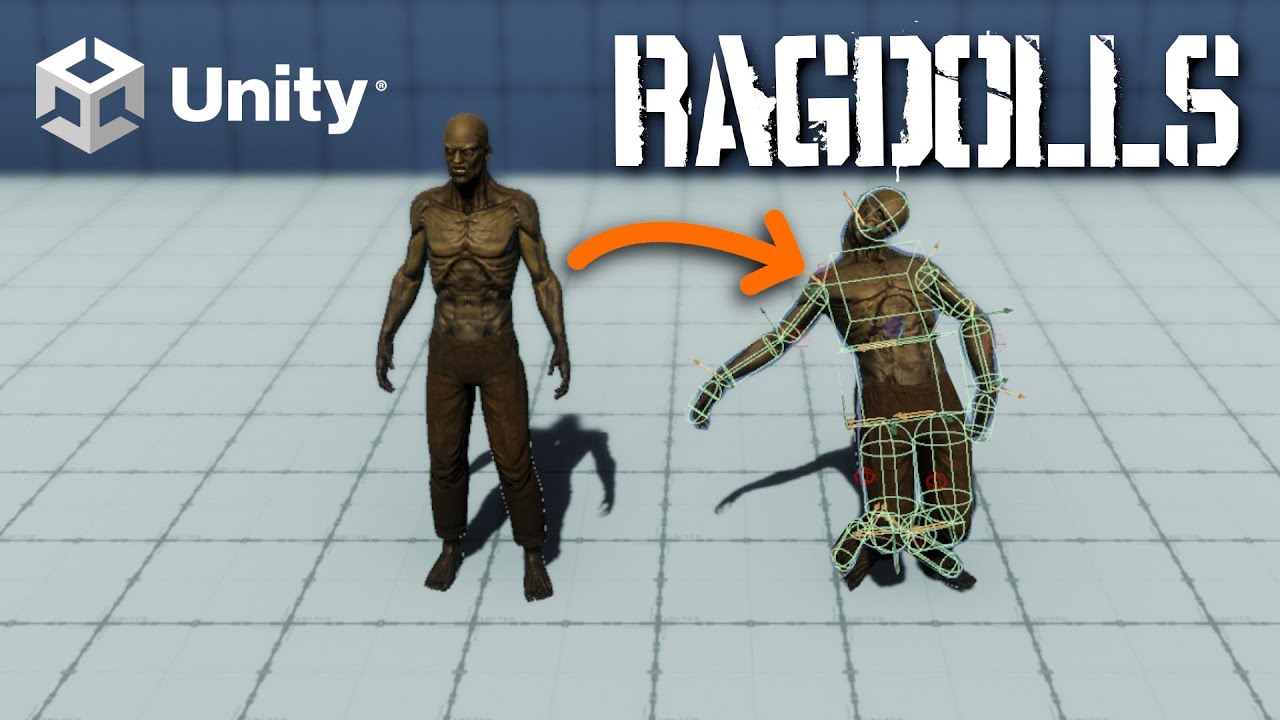
Learn the creation workflow for Ragdolls in Unity, how to toggle between an Animator and Ragdoll, and think through some optimization ideas when you have a large number of potential ragdolls in your game!
Ragdolls are a hugely popular mechanic in games that add, usually a funny mechanic into your game. What they always do though, is allow you t...
They pretty much just do this and it looks infinitely better
Oh cool they killed physics in unity 6 https://discussions.unity.com/t/ragdoll-is-broken-in-unity-version-6/947075/50
That's my lesson to never use a fucking pre-release ever again
timid dove
Looks like it's been fixed no?
tight dock
Yeah I updated to .28f1 and it seems to be okay now
Still gonna avoid pre-releases from now on, I just thought that they were problematic for large studios, not the everyday user
timid dove
tight dock
Still gonna avoid pre-releases from now on, I just thought that they were proble...
Unity 6 isn't a prerelease since October 17th
 mossy swan
Hi, figured this might be the best place for this. For those that have implemented raycast bullets that move over time (not instant), did you ever encounter the issue where you could "miss" thin or fast moving objects, due to the fact that the raycasts aren't part of the main physics update? So on Frame N, your bullet would move forwards and end just in front of a thin object moving in the other direction. Internal physics update then runs and moves that object forward, putting it "behind" your bullet... and then on Frame N+1, your raycast now starts ahead of the object and therefore "misses" it. Are there any clever solutions for this? I'm currently thinking of just starting the raycast from the previous starting position and basically make the raycast twice as long. It's still not a perfect solution mind.
inner thistle
do the raycasts on FixedUpdate
mossy swan
I am. That's not the issue. It's the fact that they aren't part of the main internal physics update, so one still happens after the other.
inner thistle
It won't cause the issue the way you're describing it then
mossy swan
It really does. Note this is not an "infinite" one frame raycast... this bullet is moving over time.
inner thistle
I don't doubt there's an issue, but the internal physics update runs in the same step as FixedUpdate so your code can't be out of sync if it's also in FixedUpdate
mossy swan
I'll get a diagram together, it's probably easier to show that way.
mossy swan
 inner thistle
Is there a reason it's using raycasting instead of physics collision detection? Setting collision detection mode to continuous would solve the problem. With raycasting you'd basically have to re-implement continuous collision detection manually
mossy swan
Yeah, these bullets are not rigid bodies. They are just positions and velocities basically. Don't want the overhead of making them full rigid bodies. It's pretty common for bullets to be implemented as raycasts, so hoping others have encountered this issue.
silver moss
mossy swan
Maybe in the second frame you could raycast the first frame's path again?
Thats something i have thought but gotta experiment with a bit. It should also make hits more forgiving so sniping moving targets should get easier
Another scenario you have to consider is when the bullet ends up inside the enemy between updates. Raycast wont detect colliders that it starts inside of, so an OverlapSphere before raycasting can be used to fix that
 lost current
random question fellas
so I'm trying to remake a couple player movement controllers I made for a sidescrolling 2D platformer & I want them to like, not constantly set the rb's velocity to a specific value (as most player controllers do from what I've seen online)
is there a way to do that without having it feeling weird?
mossy swan
silver moss
Maybe in the second frame you could raycast the first frame's path again?
Yeah that's where I'm currently at. Thinking about just making the raycast start from the bullets previous starting position. It's not perfect because the other object could be moving even faster and "jump" that entire raycast too... But at the same time it should be possible to roughly know what the fastest speed an object in your game can travel.
mossy swan
silver moss
Another scenario you have to consider is when the bullet ends up inside the enem...
Yeah, hoping to avoid doing that, and just have a solution with the raycasts. But there are definitely cases where what you describe can happen. For example, the object could be moving perpendicular to the bullets path. No change to the raycasts length will fix that if the object moves in from the side and ends up on the raycasts starting position.
idle estuary
    {
        if (depth == 0)
        {
            return (startingPostion, initialVelocity);
        }
        RaycastHit wallHit;
        Vector3 targetPosition = startingPostion + initialVelocity * Time.deltaTime;

        if (Physics.CapsuleCast(startingPostion + new Vector3(0, GameData.playerThickness, 0),
                        startingPostion + new Vector3(0, GameData.playerHeight - GameData.playerThickness, 0),
                        GameData.playerThickness - GameData.collisionBuffer,
                        initialVelocity.normalized,
                        out wallHit,
                        initialVelocity.magnitude * Time.deltaTime + GameData.collisionBuffer,
                        wallNGroundLayers
                        ))
        {
            Vector3 newTargetPosition = startingPostion;
            float distanceToNormal = Mathf.Sin(90 - Vector3.Angle(-initialVelocity, wallHit.normal)) * wallHit.distance;
            if (distanceToNormal > GameData.collisionBuffer) //the player is not presently against the wall so we snap them to it.
            {
                newTargetPosition = startingPostion + initialVelocity.normalized * wallHit.distance /*+ wallHit.normal * GameData.collisionBuffer*/;
            }

            Vector3 vectorToProject = targetPosition - newTargetPosition; //the remaining velocity vector that we have to project
            Vector3 newVelocity = Vector3.ProjectOnPlane(vectorToProject, wallHit.normal) / Time.deltaTime * GameData.wallSlidingDeccel;


            return CollideAndSlide(newTargetPosition, newVelocity, depth - 1);
        }

        //we hit nothing
        return (startingPostion + initialVelocity * Time.deltaTime , initialVelocity);
    }```
I'm looking for critics/ review for my code for Collide and Slide algorithm. Things works only in very specific conditions and I don't know where I went wrong here.ScreenShot is clearer

 stuck bay
Actually, is it okay to constantly manipulate this? Physics2D.queriesStartInColliders = false;
 tender vapor
@cunning wigeon is this the kind of behavior you're talking about?
there's no wavedash code in here at all, just a dash, and the ground collision handles the sliding
you can tune it with drag, friction, bounce, etc
 cunning wigeon
tender vapor
<@296823889294655488> is this the kind of behavior you're talking about?
cunning wigeon
tender vapor
<@296823889294655488> is this the kind of behavior you're talking about?
no i don't think so, if you look up celeste wavedashing or wavedashing in pathfinder or wavedashing in risk of rain returns you can see what i mean
idk
it doesn't look like wavedashing to me but i might be wrong ig
tender vapor
im basing it off what i see from ssb
the basic logic is the same, vertical speed is transferred into horizontal speed, celeste's technique seems to incorporate a jump into that to get airtime
 abstract lily
Okay so does anyone have a tutorial to understand how character joint work... Cause one thing that made me fear making physics game is the character joint, The arrow that should explain don't match up the limit i set. And it just confuses me so badly
I don't know why it like this
it just horrible
 elder peak
HI, i need help with a small probleme i have, my player collider right now use a capsule collider, the issue with this is when i walk on narrow edge the player will slide of the edge. what type of collider can i use to be able to walk on a pixel wide edge? im trying to mimic the movement of csgo kz game mode. thank you
i tried to use raycast to detect the edge of the ground but it does weird thing like making the player jump 3 time as high as normal and other stuff
timid dove
elder peak
HI, i need help with a small probleme i have, my player collider right now use a...
box collider or changing your controller code
timid dove
elder peak
i tried to use raycast to detect the edge of the ground but it does weird thing ...
raycasts do not do this. Your code does this.
elder peak
timid dove
box collider or changing your controller code
thank you, i think pretty much everything is possible in unity but how hard would it be to make a slope physic using a box collider because they all use capsule
timid dove
Depends how good you are
elder peak
right, that kind of was a dumb question of me XD
but its possible to make it smooth right
 brittle crown
So i have a ragdoll where the Bones are parented to each other, and this causes bugs when making a child bone Kinematic, if i unparent all of them: Would the Rig still be the same?
timid dove
brittle crown
So i have a ragdoll where the Bones are parented to each other, and this causes ...
and this causes bugs when making a child bone Kinematic
Such as?
brittle crown
So if i make a child Kinematic and move a parent, it bugs like ALOT and starts spinning and going crazy, ill make a screenshot
Yeah the ragdoll just goes crazy
timid dove
brittle crown
So if i make a child Kinematic and move a parent, it bugs like ALOT and starts s...
how are you moving the parent
brittle crown
I just checked and it also happens when just not moving the parent
but all i really wanna know is if the Rig Stays the same if i unparent the Bones?
timid dove
No - the skinned mesh renderer depends on the hierarchy
brittle crown
Alright, Thanks
uncut anvil
Hey guys - Do you know how to close the gap between a Fixed Joint and its connected body? When I attach mine to the hand of my guy (left hand in screenshot), it always has a gap between the object and the hand.
I just add the fixed joint when it hits a small trigger (sphere) around the hand, which has a radius of .25
 timid dove
uncut anvil
Hey guys - Do you know how to close the gap between a Fixed Joint and its connec...
timid dove
uncut anvil
Hey guys - Do you know how to close the gap between a Fixed Joint and its connec...
how is the hand moving
uncut anvil
Code for attaching Fixed Joint
// Check if the collider is interactable
if (collider.CompareTag("Interactable"))
{
    grabbedObj = collider.GetComponent<Rigidbody>();

    grabbedObj.AddComponent<FixedJoint>().connectedBody = lHand.GetComponentInParent<Rigidbody>();
}
When I hold left click, it moves the arms towards a target using animation rigging
If the arm swings by anything interactable, it grabs it
timid dove
uncut anvil
When I hold left click, it moves the arms towards a target using animation riggi...
If it's not moving via physics, bad stuff is going to happen.
As for the positions they're determined via https://docs.unity3d.com/ScriptReference/Joint-anchor.html and https://docs.unity3d.com/ScriptReference/Joint-connectedAnchor.html
uncut anvil
timid dove
If it's not moving via physics, bad stuff is going to happen.
Yeah it seems to be that way sometimes..
Idk how I would do that with physics though. Raising the arms, that is
Right now I have a rigidbody ragdoll that I use to move my player. Everything else is moving via physics

I'll try messing around with the anchors though. Thanks again Praetor
stuck bay
I assume theres no way to simulate physics at different rates for different objects?
- this can be done with physicsScenes but then they cant interact with each other iirc. And i need that functionality
 exotic coyote
Anyone here done car collisions before with rigidbodies i am having sticky and rotation issues
unique cave
exotic coyote
Anyone here done car collisions before with rigidbodies i am having sticky and r...
Someone likely has. Make sure to post screen recordings, relevant code etc. to make it possible to help
exotic coyote
unique cave
Someone likely has. Make sure to post screen recordings, relevant code etc. to m...
Will do once i get home 🙂
timid dove
stuck bay
I assume theres no way to simulate physics at different rates for different obje...
I assume theres no way to simulate physics at different rates for different objects?
To what end?
The physics simulation is one big self-contained thing.
 vast rose
Hey guys, a question, I made a script to throw objects in a certain direction calculated by a raycast from the camera, everything works perfectly except when the character looks down, the rigidbody can't get enough force horizontally to reach the point, why ?
        Vector3 forceDirection = (itemHolder.transform.position - targetPosition).normalized;
        Vector3 horizontalForce = forceDirection * throwForce;

        // Add a fixed vertical force to create the arc
        Vector3 verticalForce = Vector3.up * throwUpwardForce;

        // Final force to be applied
        Vector3 forceToAdd = horizontalForce + verticalForce;

        // Apply force to Rigidbody
        itemRigidbody.AddForce(forceToAdd, ForceMode.Impulse);
(the target position in this case is the camera raycast)
the item holder is positioned to the right in the player's view
timid dove
vast rose
``` // Gets the target direction
Vector3 forceDirection = (itemHo...
first off:
(itemHolder.transform.position - targetPosition) this is almost certainly backwards
A - B gives you the direction from B to A
Second - you're basically just fudging things here
I don't know exactly what the end goal is here
but if your goal is a perfect parabolic arc that lands at the target, you need to actually do the math to calculate the ballistic/parabolic trajectory to give the correct initial velocity.
vast rose
timid dove
but if your goal is a perfect parabolic arc that lands at the target, you need t...
Yes, I started doing this because I also think it is the solution, but I was in doubt, should I use AddForce or just apply the necessary linearVelocity directly?
timid dove
vast rose
Yes, I started doing this because I also think it is the solution, but I was in ...
You might as well just apply it directly, but it makes no difference
the only effect of AddForce is to change the velocity.
So you should do whatever is simpler for you
which is likely assigning the velocity.
vast rose
Perfect, thank you very much for your help!
 glass bramble
hi
i am begginer and i was creating my first level using probuilder.
but when i hit walls the charcter randomly goes up and stop usally and the top of the level
i tried and when i put a norrmal 3d cube it does not do that
also my walls and ground are all the same object
what should i do?
woeful egret
when i slide, i set collider size to be smaller, for some reason the collider goes through the floor for 1 to 2 frames.
(This also causes me to be not grounded which ends slide.)
Anyways just wondering is this a bug with capsule colliders? Or a known issue? The collider im standing on is just a box collider.
vast rose
timid dove
but if your goal is a perfect parabolic arc that lands at the target, you need t...
Hello again! I implemented my function but the problem remains the same, it seems to be a problem with the rigidbody, I really don't know what is happening, when I look down too much, the rigidbody just doesn't go where it should
(the error starts after 12 seconds)
timid dove
vast rose
Hello again! I implemented my function but the problem remains the same, it seem...
Show your code?
vast rose
        Vector3 displacement = targetPosition - itemHolder.transform.position;
        float distanceHorizontal = new Vector3(displacement.x, 0, displacement.z).magnitude;
        float flightTime = Mathf.Sqrt(2 * distanceHorizontal / gravity);

        Vector3 horizontalVelocity = new Vector3(displacement.x, 0, displacement.z).normalized * (distanceHorizontal / flightTime);
        float verticalVelocity = (displacement.y + 0.5f * gravity * flightTime * flightTime) / flightTime;

        Vector3 finalVelocity = horizontalVelocity + Vector3.up * verticalVelocity;

itemRigidbody.linearVelocity = finalVelocity;```float flightTime = Mathf.Sqrt(2 * distanceHorizontal / gravity);
this isn't quite correct... 🤔
vast rose
timid dove
> float flightTime = Mathf.Sqrt(2 * distanceHorizontal / gravity);
this isn't qu...
t = sqr(2h / g) no ?
I researched and this is the formula I found
I'm using the same formula to draw the trajectory, and it seems correct, but the rigibody doesn't seem to obey
timid dove
vast rose
t = sqr(2h / g) no ?
but you're using the wrong v
that's the formula for calculating how long something will be in the air for a given starting vertical velocity
the horizontal velocity doesn't make sense there
or actually it might even be the formula for calculating the maximum height achieved?
Either way it doesn't really make sense there
vast rose
timid dove
but you're using the wrong v
Nevermind, I just found out that the reason it wasn't working was because the rigidbody was colliding with the player's body 🤦♂️
Man, I hate game dev sometimes
As I said, my formula is not wrong because I am using the same formula to draw the path, and the path is normal, it had to be something to do with the rigidbody
 hoary kelp
Not sure in which channel to ask this but I'll ask here since It's about physics. So I run into a "problem" that when a characeter jumps near a wall, then it would have friction, I added a 0 friction material to my character (which is only a capsule for now). Will I run into problems later? I'm still learning unity
timid dove
hoary kelp
Not sure in which channel to ask this but I'll ask here since It's about physics...
you will run into problems later if you have a need for the player to have nonzero friction
if you don't, you won't.
hoary kelp
well, I'm not seeing where I would need that, but for example, let's say I make a terrain where the players needs friction. I could just add an if that adds friction to it when on that terrain no?
But I'm thinking super ahead right now
timid dove
hoary kelp
well, I'm not seeing where I would need that, but for example, let's say I make ...
Well it would be more than an "if", but yeah it's not worth worrying about right now
hoary kelp
yeah, I understand! thanks
 gray sentinel
As far as physics are concerned, submarines would effectively use the same rough model as aircraft with the additional effects of buoyancy right?
royal willow
If you mean are the physics of an aircraft and submarine the same, no they are not. If you are talking about would they look the same, no they would not. I'm not entirely sure what you mean by "same rough model" as they would be made to fit the physics of each vehicle
gray sentinel
Dang ok.
I haven't played with physics much, but I was looking at putting together some physics assets from the store so I could have ground vehicles, boats, submarines, planes, blimps ect and everything in-between. Not looking for flight sim levels of detail here but just trying to get an idea of how that would work and how to think about it.
Have to identify the discrete systems and they have to interact with each other in a functional way.
royal willow
gray sentinel
I haven't played with physics much, but I was looking at putting together some p...
sure, just look up the physics of each vehicle and what they use (e.g hydrodynamics for submarines, aerodynamics for aircraft)
Each system is its own thing, they may be "similar" but they will be entirely different on how it actually works (e.g how the foils on a sub are "similar" to airfoils)
gray sentinel
I'm not going for super realistic either, so in the approximation, the fluid dynamics of a subs dive plane wouldn't be much different than that of an aircrafts elevator right?
You end up just applying a directional/rotational force based on the deflection of the control surface which is then multiplied by some coefficient of it's velocity?
royal willow
well air acts like a fluid so yes they act the same
they try and produce the same effect, I'm an aviation guy so I don't know a deep dive into submarines
gray sentinel
" deep dive into submarines" har har
royal willow
I was not even planning that lmao
gray sentinel
excluding them as a control surface, I woudl think that a submarines dive plane or any of it's static planes would be a symmetrical airfoil with no angle of attack
royal willow
if any of its foils are level, then sure I guess you could say it has no AOA (AKA 0)
gray sentinel
no AOA relative to the shape of the vessel I guess
royal willow
well AOA is the chord line to the relative to the oncoming wind, but I guess you could change that to oncoming water? I have no clue
They probably have some new terminology for it
gray sentinel
I think there is a bit less to worry about when it comes to water, as flow seperation isn't much of a thing?
and I don't want to deal with cavitation
So what I need is an asset for some good driving physics with tires/tracks. a decent asset for aerodynamics that I can use a simplified version for water, and an asset to address bouyancy
ohhh.. a blimp would also use bouyancy
in order to make blimps work you need air density at different altitudes
royal willow
sorry, I was doing something. there are tons of driving physics out there and there is this github page which has some good aircraft physics https://github.com/brihernandez/SimpleWings
GitHub
A simple, configurable aerodynamic wing that applies lift at its location. Includes flyable example plane. - brihernandez/SimpleWings
I used this before and it was quite good, there are also other github assets out there but I have not tested them
as for buoyancy there are some unity tutorials that have wave buoyancy (if you want waves that is, recommended for semi realism/arcady to actual realism)
gray sentinel
I'm not 100% sure I want waves
gray sentinel
Yeah a shader, I'm just wondering if the gameplay impact would be beneficial or detremental
Turrets on a ship would have a harder time in rough sees, but something on land shooting at a ship wouldn't
it would be a heavy environmental impact on balance that is assymetric between land/sea and air
I guess if I have the sea's be always consistent it would be easier to balance against it
That SimpleWings looks good
The other asset on the store I was looking at went a bit too in depth on airfoils so this might be better
royal willow
oooh you are making a battle scenario using land vehicles/aircraft/watercraft? If you make waves happen in the open sea and not near the shores it would be harder to shoot other enemies, if you just make it a flat plane but a lot of terrain it would heavily depend on how big the terrain is and the placement of it
you would have to test though as it would depend also on the ships speed, fire range and among other things
gray sentinel
Yeah, something similar I guess to From The Depths, but without it's nightmarish building system.
royal willow
royal willow
you want like a flat plane?
if you do go the flat plane route, the buoyancy is much easier to implement as you do not have to do any calculations for the current wave height to move the object up and down
gray sentinel
That's true
I'm thinking of going with something in the asset store for bouyancy and see if it can fit my needs
gray sentinel
hmm I'll take a look there
I haven't done too much 3d, so this project is probably out of scope for me, but I'll see how far I get I guess
royal willow
just don't burn yourself out, Also try not to get stuck on a certain thing for to long
gray sentinel
I mean, that's what's kililed the last 3-4 projects I've done
There is always something complicated I try to setup and I get burned out on it
I haven't scoped this project much, I'll probably make a prototype and realize that it's too much and go back to making something in 2d lol
Anyways, thanks for the info
royal willow
gray sentinel
I haven't scoped this project much, I'll probably make a prototype and realize t...
if you space things out accordingly, don't get burned out and use resources such as documentation, articles and this discord then you should be fine.
 wraith berry
Hi guys im trying to make a fishing line with joints and collision to realistically simulate it, spring joints are just giving me grief is there any other joints people might reccomend
 bleak umbra
wraith berry
Hi guys im trying to make a fishing line with joints and collision to realistica...
bleak umbra
wraith berry
Hi guys im trying to make a fishing line with joints and collision to realistica...
you may want to consider making a custom simulation. game physics are generally not suitable to produce realistic results.
wraith berry
bleak umbra
you may want to consider making a custom simulation. game physics are generally ...
thats for the advice il have a look into it
 wind charm
i'm building an ar drone game where user need to fly drone passing though some obstacles. here's my collission setup, the problem is that. when the drone touch the sphere in the middle of the obstacle, it just don't move maybe because of the rigid body, but still it should trigger ontriggerenter since i use isTrigger for the sphere collission but it didn't do anything, i add log but there's no log


it only trigger when the edge/line of drone box collider touch obstacle's edge/line of the sphere collider. why is that?
silver moss
wind charm
i'm building an ar drone game where user need to fly drone passing though some o...
So the drone cant go through the ring? Make sure the ring colliders are not blocking the hole. Uncheck "Convex" in the mesh colliders
 pale mist
I was reading that unity's physics is deterministic, yet theres a difference in the physics between the different platforms
the one on the left is for PC while the one on the right is for mobile
silver moss
pale mist
I was reading that unity's physics is deterministic, yet theres a difference in ...
Where did you read that it's deterministic?
My understanding is that PhysX is not deterministic across devices
Anyway, the difference in your video is pretty massive so I don't think it's just a determinism issue
timid dove
pale mist
I was reading that unity's physics is deterministic, yet theres a difference in ...
Unity offers deterministic physics engine but the default one is not it.
silver moss
Perhaps your code is framerate dependent
pale mist
timid dove
Unity offers deterministic physics engine but the default one is not it.
The only other deterministic physics package that I saw linked was last updated almost a decade ago
dphysics
silver moss
I know that there's DOTS physics, Havok, and Bullet available
Those are either deterministic or have the possibility to be
In any case could you show the code you use for jumping before we talk different physics engines 😄
pale mist
Ooh I heard of bullet sdk, I thought it was only for python or self-built for c projects
Ill look into it
I'll look at my other code again though
i might have to git blame someone today

thanks for helping me
silver moss
pale mist
i might have to git blame someone today
Is canJump continuous or does it last for one frame?
Like can you hold down the button and it applies it every frame?
pale mist
silver moss
Is canJump continuous or does it last for one frame?
It was the rb.addforce, told someone else to increase the gravity of the player but i didnt think that it would be done this way
and since it's called in update it did become framerate dependent
pale mist
yep ill do that 🙏
silver moss
How is the stick following the cursor?
What components are you using and what does the code look like?
 tranquil bridge
Is there a way to make a 2D physics material not multiplicative, but a maximum instead like the 3D ones? I'm trying to let a player collider with 0 friction to interact with a slope collider that should be stopping it completely

nevermind ig 2D doesn't have that option, guess I'll have to implement that myself
coral mango
Or just add an invisible wall
loud ridge
do you know how can I orevent this? That stick follows my mouse cursor.it should just rotate without lifting my character.But also I should be able to lift myself by holding sword down so mass hsould be bigger.
I use a hingejoint2D and a script like this.
https://hatebin.com/lyodtprcpb
timid dove
loud ridge
do you know how can I orevent this? That stick follows my mouse cursor.it should...
well this is the natural consequence of such movement - Newtons's second law
so to cancel it out, you could calculate exactly what the force would be that you're exerting on the player and apply an opposite force manually.
 zealous violet
Hiiii, I am a unity beginner, i am confused how to make two object collide with each other


 lone frost
hey so i got a project file which converts 3d model/animtion into pixel art sprite sheet
here is the link:-https://www.youtube.com/watch?v=kALXAWSDYEo&t=5s
but i need to use legacy rig for this to work and when i convert my fbx into legacy rig it becomes invisble like shown in the images but is visible in any other rig mode
how can i fix this please?


 timid dove
zealous violet
Hiiii, I am a unity beginner, i am confused how to make two object collide with ...
timid dove
zealous violet
Hiiii, I am a unity beginner, i am confused how to make two object collide with ...
What's wrong with what you have?
zealous violet
timid dove
What's wrong with what you have?
that pink cube falling through plane, i want it to collide with plane
 frigid jetty
zealous violet
that pink cube falling through plane, i want it to collide with plane
frigid jetty
zealous violet
that pink cube falling through plane, i want it to collide with plane
does the plane have a collider attached?
timid dove
zealous violet
that pink cube falling through plane, i want it to collide with plane
Make sure they both have colliders
Make sure the Rigidbody of the cube is using Continuous collision detection
zealous violet
okay thanks i will check that
 rain citrus
Hi. I'm using Unity Physics 1.3.8 and when I disable Automatic Tensor on the rigidbody, I get fields to enter a custom tensor. But whatever I enter there, nothing changes in the simulation. I can set it to zeroes and it requires a lot of force to start rotating and I can set it to 10000s and it still behaves the same. With Automatic Tensor enabled, the spheres can be rotated with much less force already. Is it expected that these fields have no effect?
frigid jetty
rain citrus
Hi. I'm using Unity Physics 1.3.8 and when I disable Automatic Tensor on the rig...
There was a point in time when these constraints were not implemented yet, I don't know if that has changed, let me see if I can find out
rain citrus
frigid jetty
There was a point in time when these constraints were not implemented yet, I don...
I just saw that the Inertia Tensor on the baked PhysicsCollider component is always set to 0.1s no matter if I disable Automatic Tensor. I would guess it's currently not converted yet?
frigid jetty
rain citrus
I just saw that the Inertia Tensor on the baked PhysicsCollider component is alw...
rather than a value try typing the word 'infinity' into your tensor value
if it's still rotating then it's not implemented
 wind quail
anyone knows why my cars are still colliding with each other?


i have assigned the children of the prefab to that layer too
rain citrus
frigid jetty
if it's still rotating then it's not implemented
Yes, it behaves like any other value I put there. Thanks for looking into it!
timid dove
wind quail
anyone knows why my cars are still colliding with each other?
Is that the Physics 3D settings or 2D settings?
timid dove
since it says cloth, I assume it's 3d
 stuck pollen
Yo im trying to make a dash and since nothing I do seems to be working lol i decided to ask chat and it came up with this that also doesnt work(its supposed to dash on z):

Any helpers in chat?
timid dove
stuck pollen
Yo im trying to make a dash and since nothing I do seems to be working lol i dec...
Most likely the problem is due to your other movement code overwriting the velocity
runic warren
What's the most proper method of applying counter-rotational forces? For example, if I have a object meant to act as a motor spinning some blades around in a circle, I want the motor itself to also be trying to rotate the opposite direction
timid dove
runic warren
What's the most proper method of applying counter-rotational forces? For example...
AddTorque
runic warren
timid dove
AddTorque
Follow up question, is there a way to lock the rotation axis of those blades to the object they're parented under without using joints? freeze rotation is locking the rotations relative to the world instead of locally
timid dove
runic warren
Follow up question, is there a way to lock the rotation axis of those blades to ...
nope.
If this is a machine like a helicopter, you're going to have a lot of trouble accurately simulating it in Unity
You might want to look into ArticulationBody instead of Rigidbody for machine simulations: https://docs.unity3d.com/6000.0/Documentation/Manual/class-ArticulationBody.html
runic warren
timid dove
You might want to look into ArticulationBody instead of Rigidbody for machine si...
The asset I'm using for object interaction requires that it has a rigidbody, as well as that it doesn't have any other components reliant on said rigidbody
at least for what I'm trying to do with it
 latent oar
Hello, I've been messing around with unity for around a month now and I was wondering if there's a generalized best practice when it comes to gravity.
Should I use the inbuilt gravity system attached to rigidbody component, or would it be better to simulate gravity using my own system?
For context, this is regarding a 2D platformer
royal willow
you can use the built in gravity system unless you need a custom one (i.e. custom gravity directions)
timid dove
latent oar
Should I use the inbuilt gravity system attached to rigidbody component, or woul...
What would you hope to gain by creating your own gravity system?
General best practice is to use the built in gravity unless and until it fails to meet the needs of your game.
 narrow quiver
every time i joint many objects together they start flying
silver moss
narrow quiver
every time i joint many objects together they start flying
How did you join them, show the objects
narrow quiver
ok so firstly i have set of objects with rigidbodies that in runtime generate themself shape to pick

then i scan for everything that touches and assign connector between them, which is 2 configurable joints with all motion types locked

the more pieces i connect the more destructive it gets
silver moss
Having 30+ interconnected joints is probably never a good idea
Is this for the destructable car you mentioned? Why not just have them as children (without rigidbodies) and add the rigidbody to the part when it detaches?
Like I suggested before
Also note that rigidbodies should not be children of other rigidbodies unless the child is kinematic
narrow quiver
how i would make wheel without children?
also i probably can make on parent but then joint break force wont trigger
silver moss
narrow quiver
how i would make wheel without children?
What does that mean?
Are you using actual physical, rotating wheels or what?
In any case a non-kinematic rigidbody should not be a child of another rigidbody.
narrow quiver
silver moss
Are you using actual physical, rotating wheels or what?
yes
ones that start spinning and move car along when adding force
wheel colliders bad since they only work on raycast down
silver moss
So how is that related to what i said
Why do you expect that the wheel has to be a child
narrow quiver
since i cant really make wheel prefab otherwise
i should keep all parts loose somewhere?
silver moss
They can have an empty parent
Like actually empty, no rigidbodies or anything
And do not move that empty parent
narrow quiver
i assume so since constraint does all work moving them already
didnt know parenting changes that much
silver moss
Parent-child relation moves the child's transform and this will conflict with the rigidbody trying to also move it
silver moss
narrow quiver
yes
I would just use non-rotating wheels and add the forces manually, depending on if the wheel is on ground or not
But if you can get physically rotating wheels to work reliably then great
narrow quiver
they worked at the point where i was jointing everything to single rigidbody
now instead im connecting between 2 different ones each time so i need redo wheel mechanic once again
ok but now
that gives me networking issue
how would i allow rigidbody physics to be networked then
if im syncing x gameobject position
another constraint for every object to hold onto these objects?
 grizzled tundra
hey guys...so my wheels run away
https://pastebin.com/KtkS7M0h - Script that causes this


Pastebin
Pastebin.com is the number one paste tool since 2002. Pastebin is a website where you can store text online for a set period of time.
 frosty ore
grizzled tundra
hey guys...so my wheels run away
https://pastebin.com/KtkS7M0h - Script that cau...
frosty ore
grizzled tundra
hey guys...so my wheels run away
https://pastebin.com/KtkS7M0h - Script that cau...
its most https://docs.unity3d.com/Manual/WheelColliderTutorial.html likely ur hiearchy setup..
Should be something like
- Bike (w/ the rigidbody)
- Bike Graphics
- Front Wheel Graphics
- Rear Wheel Graphics
grizzled tundra
ah okay thanks
frosty ore
grizzled tundra
ah okay thanks
wheel collider and wheel mesh should end up being on the same level

the fact that ur colliders are nested inside hte graphics may be the issue
havent ever done a bike.. but im guessing its pretty similar to the =same issue
silver moss
frosty ore
the fact that ur colliders are nested inside hte graphics may be the issue
That's probably it
frosty ore
always makes wheels YEET
silver moss
The wheel collider modifiers the world pose -> you assign the world pose to the graphics -> wheel collider is child of graphics
So it is a feedback loop
frosty ore
thats the technical jargon i lack ^
grizzled tundra
ah i see, wheel go yeet cos of recursive
grizzled tundra
🤣
i suppose i have another issue now....the wheel dont spin right


this is all for the rear wheel, the front is the same issue
frosty ore
grizzled tundra
i suppose i have another issue now....the wheel dont spin right
now it appears the wheels offset doesnt match the graphics
grizzled tundra
yeah i cant win here
frosty ore
heres what u may have to do.. (wheel colliders work best with objects that are scaled 1:1:1 with the pivot in the center)
you may need to make a gameobject as the wheel (an empty) and adjust the graphics soo that the wheel is centered..
then that empty gameobject acting as the wheels main object now has as scale of 1:1:1 u can use it instead of the actual mesh
grizzled tundra
ah okay
frosty ore

alot of models have shitty wheels..
artist dont take the time to make sure the pivots are correct
grizzled tundra
i am said artist rn 😅
frosty ore
grizzled tundra
i am said artist rn 😅
lol.. no worries 😛
thats even better tbh..
u can pull it back into ur modelling software and edit the pivots a bit better
also apply the scale to zero it out.. (1:1:1)
grizzled tundra
oh boy a new thing i gotta learn rq 😅
frosty ore
its easy do u use blender?
grizzled tundra
yeah
frosty ore
i can show u real quick..
grizzled tundra
please
frosty ore
for the pivot u can just select the wheel and set origin to geometry.. If its a true circle.. it should get pretty close to center
for the applying the scale.. u just select the object in object mode..
Ctrl + A then Apply -> Scale
then when u re-export the wheel should have a scale of 1:1:1
if its not.. it may be because its nested inside the whole object (bike) and it may need its scale applied so it becomes 1:1:1
funfact: (always make backups)

u can check visually w/ the Info tab on the right...
should show u both the Scale u currently have... and the actual dimensions below it
 frosty ore
yup.. says 1:1:1 now..
and u should be able to rotate it in the scene perfectly if its origin matches the center
frosty ore
remember to utilize these too

u can change what origin ur using to rotate and whatnot.. and next to it <--u can change from global to local.. to make sure stuff looks as it should
grizzled tundra
thanks a bunch
grizzled tundra
hey guys what do i need to adjust to stop the bounciness of the suspension?

also bounces when my character isnt mounted
silver moss
grizzled tundra
hey guys what do i need to adjust to stop the bounciness of the suspension?
Did you play with the suspension settings?
https://docs.unity3d.com/6000.0/Documentation/ScriptReference/WheelCollider.html
 spare valve
is there a way to make a 2d collider from a mesh?
 edgy hamlet
does two object collide without rigidbody? i just want them to stop when they hit
spare valve
i thinnk collider without rigidbody is ment to be static
silver moss
spare valve
is there a way to make a 2d collider from a mesh?
What does the mesh look like?
I suppose you could use PolygonCollider2D: https://docs.unity3d.com/ScriptReference/PolygonCollider2D.html
But you need to somehow determine what vertices form the 2D edge
spare valve
thats what i was doing but i was wondering if there was a nother way
grizzled tundra
silver moss
Did you play with the suspension settings?
<https://docs.unity3d.com/6000.0/Docu...
Yeah i had to do some maths to determine the spring and damper. Managed to work it out in the end
 twin nebula
I'm assuming that unity just adds the velocity onto the position in the next physics step right? Assuming there's no drag and stuff
I'm trying to predict where my rigidbody controller will end up because it keeps hopping up and down on slopes
grizzled tundra
grizzled tundra
hey guys what do i need to adjust to stop the bounciness of the suspension?
is there a way to redefine where the suspension shoudl react from? My bike looks ridiculous with the back wheel just moving about off the axles and forks (replied to message to show video)
timid dove
twin nebula
I'm assuming that unity just adds the velocity onto the position in the next phy...
assuming NO drag and NO collisions and NO gravity and NO AddForce calls, you can predict the objects' position next physics frame with:
Vector3 nextPosition = rb.position + (rb.velocity * Time.fixedDeltaTime);```Thank you 🙏
 orchid sinew
Hey guys, I'm trying to set the player on fire when they touch the red object but it throws itself out of the sphere when it touches the first time. Anybody know why?
timid dove
orchid sinew
Hey guys, I'm trying to set the player on fire when they touch the red object bu...
Character controllers are designed to not overlap physical objects
loud ridge
how can I orevent it from happening.I mean that vibrating effect.
I cant make weapons trigger because I want them to collide with shields I have and othr weapons.
narrow quiver
if car is heavy and im pushing it with 1 force will i be able reach same force (for example 10) and car will be slower while force remain the same?
timid dove
narrow quiver
if car is heavy and im pushing it with 1 force will i be able reach same force (...
This question doesn't make sense. Are you confusing forces with velocity?
timid dove
narrow quiver
perhaps i should be using something for velocity instead
No, you conceptually are confusing the two
they are related concepts but your question makes no sense
so I have no idea what you're asking
narrow quiver
im not sure to which one im refering
but what i was asking for is if car is heavier does it have to go with slower speed to reach it
royal willow
yes that is how physics works, F = M * A (newtons second law) so the heavier the car is the longer it will take to reach top speed
if you set the velocity directly, it will immediately reach the desired speed which is unrealistic (unless of course you ease the value to the desired speed but this is more of an arcady approach)
narrow quiver
no i wanted to do something like
im applying constant 1 force from behind
but i noticed it doesnt do it consistently
instead it accelerates
so i wanted limit it to for example 10 force max
but also wanted to limit it based on how heavy car is
so if its heavier then max speed is lowewr
royal willow
so all you want is a constant force but incrementally increase that force until it reaches a force of 10 (or based off of the weight of the vehicle)?
or do you want add a force to the car and clamp the max speed of the vehicle to 10?
timid dove
narrow quiver
but what i was asking for is if car is heavier does it have to go with slower sp...
slwoer speed to reach what?
timid dove
narrow quiver
instead it accelerates
Yes, consistent acceleration is what a force does.
timid dove
narrow quiver
so i wanted limit it to for example 10 force max
Force is not something you limit. Don't get confused between limiting the -force- and limiting the velocity
increase that force until it reaches a force of 10
This is a completely meaningless statement. Force does not "reach" anything, nor does it build up over time
it is something you apply immediately with the AddForce call.
royal willow
yes I know, I was asking if they wanted to increase the force that is currently being applied to the vehicle over time, the question they are asking does not make sense
narrow quiver
royal willow
or do you want add a force to the car and clamp the max speed of the vehicle to ...
max speed of a part that gives speed
so if rest of car is heavier the limit is lower
royal willow
so all you want is to do is to make the max speed of the vehicle based off of the weight of the vehicle?
narrow quiver
i simply want acceleration curve to fit in 1 second
it takes me like 10 secs to reach max speed
timid dove
narrow quiver
i simply want acceleration curve to fit in 1 second
then just use ForceMode.Acceleration
royal willow
you could have just said that
timid dove
and mass will be factored out of the equation entirely
narrow quiver
i thought that isnt what i want because it ignores mass
timid dove
that's exactly waht you want
it doesn't ignore mass
it handles the mass part for you
so that you can ignore mass
internally it is multiplying the mass into the force it applies to cancel the mass out.
narrow quiver
well i think it works better now
 compact rampart
Hey, does anybody know how to make a physics material for ice in 3D? (I'm using Unity 2023.1 LTS btw, not Unity 6)
silver moss
compact rampart
Hey, does anybody know how to make a physics material for ice in 3D? (I'm using ...
Wouldnt you just use low friction values?
 sonic jetty
I can't seem to figure out what Unity changed the "Used by Composite" option to in Unity 6 on the Tilemap Collider Object. Has anyone been able to figure out what the same functionality was moved to? Would it just be the "merge" operation?
compact rampart
silver moss
Wouldnt you just use low friction values?
I'm sorry if I seem dumb, I'm completely new to Unity and game dev itself.
silver moss
@compact rampart And probably Friction combine: Min
compact rampart
silver moss
<@881931948107390996> And probably Friction combine: Min
Okay, I'll try that
twin nebula
I have a configurable joint setup and I was wondering how I could let a rigidbody move freely but have the joint keep it a minimum distance away from the connected body
So for example if I wanted a max distance of 5 units the rigidbody could move as close as it wanted but no further than 5 units
I tried linear limit but the limit seems to do literally nothing
Either it does nothing or it's extremely inaccurate
I also want it to be a hard limit not some sort of springy stuff (although it can be a tad springy)
distant crater
So I'm having issues with slopes and I'm going nuts about it.
silver moss
twin nebula
I tried linear limit but the limit seems to do literally nothing
Show the inspector of the joint that you tried, with the limits etc. visible
And how are you moving the rigidbodies?
twin nebula
silver moss
Show the inspector of the joint that you tried, with the limits etc. visible
The orange capsule is the main collider which the hand is attached to. That's moved with AddForce

 twin nebula
distant crater
So I'm having issues with slopes and I'm going nuts about it.
twin nebula
distant crater
So I'm having issues with slopes and I'm going nuts about it.
There's not really a way to fix what you want in a good way which is why I made my capsule float above the ground and adjust itself depending on the floor below
If you want I'm happy to share the movement code as a base
silver moss
Yeah show the code
twin nebula
Alr give me a mo
Pastebin
Pastebin.com is the number one paste tool since 2002. Pastebin is a website where you can store text online for a set period of time.
Actual movement of the collider is between line 57 and 66
silver moss
twin nebula
The orange capsule is the main collider which the hand is attached to. That's mo...
The issue might be that your hand is a child of the player rigidbody. Is that the case?
twin nebula
Player is just the container main collider is the rigidbody
Linear drive does.. something? It's like the hand becomes limp on the floor and will randomly decide to go to where it should be
silver moss
I can't see anything wrong from a quick glance:
-Joint limits seem ok (although I didn't work with joints in a while)
-Code seems ok - you are moving the rb with with forces
It's worth to try adjusting Mass scale/Connected mass scale
silver moss
twin nebula
Linear drive does.. something? It's like the hand becomes limp on the floor and ...
Linear drive is another way of controlling the position yeah.
twin nebula
Dang mass scale was a good call
I've changed the limit to 0.1 and changed the mass scale to 10 (so the player isn't dragged around by the hand as much) and it looks a lot more stable
silver moss
Oh nice
twin nebula
But unfortunately it just crumbles the minute use gravity is enabled
I probably should've tried that before sending that message
silver moss
Let's step back a bit, what are you trying to accomplish here?
Like what game mechanic
twin nebula
I'm trying to have the left hand (the ball) attach to the main collider and act as a floating physical hand that I can attach to objects
Instead of it being hard locked at a certain distance from the main collider I want it to retract but have linear limit sort of cap how far it can extend out
silver moss
I see.
The "Player" object is not moving at all, correct?
twin nebula
Yep
If worse comes to worst it wouldn't be a bad idea to write my own sort of cap instead of using a joint I guess. That way I could keep the hand completely separate from the main collider and decide whenever the hand can influence the body
silver moss
Yeah, controlling the hand rigidbody manually is a good option too
It's definitely doable with joints but maybe a bit overkill
And can be tricky as you noticed...
twin nebula
Yeah lol I hate joints sometimes but they can be awesome
Well thank you for the insight and I appreciate the help
distant crater
twin nebula
There's not really a way to fix what you want in a good way which is why I made ...
but do you think it'll help me with how I launch myself off slopes sometimes?
twin nebula
distant crater
but do you think it'll help me with how I launch myself off slopes sometimes?
The movement I have? Yeah
It snaps up and down steps / stairs and wont shoot off slopes
I didn't give everything so that movement isn't just drag and drop (and you'll probably have to get rid of a few network related things in it)
distant crater
ok, i'll check. thanks
 honest river
Trigger collides and calls OnTriggerEnter2D with another trigger of a layer that I disabled in project settings.
Character GameObject: Rigidbody2D, BoxCollider2D(Trigger enabled), Layer: Character
Gate Goal GameObject: Rigidbody2D, BoxCollider2D(Trigger enabled), Layer: Gate Goal.
In the physics Character and Gate Goal are disabled. Yet, it collides and generates events.
timid dove
honest river
Trigger collides and calls OnTriggerEnter2D with another trigger of a layer that...
Make sure you changed 2D settings not 3D
Also make sure there are no other colliders on the objects
honest river
Ah I see yeah I was changing 3D settings
Thanks
So there is no way to have the same collider to intersect with some layers and block other? I'll have to setup different colliders to block and intersect and make them the child game objects of the main game object?
uncut anvil
Hey guys question from a failed attempt by me -
How would you guys go about attaching a rigidbody to the hand of a player character?
I've tried using a trigger on the hand and "on enter" creating a fixed joint on the item that attaches the hand as the connected body. However, whenever I do that, the object is always flying around unpredictably.
I'm open to any ideas you guys may have.
 serene flower
uncut anvil
Hey guys question from a failed attempt by me -
How would you guys go about at...
serene flower
uncut anvil
Hey guys question from a failed attempt by me -
How would you guys go about at...
much simpler, make it a child of the player hand and make it kinematic until its released
making it kinematic, forces, collisions or joints will not affect the rigidbody anymore. So it wont be flying around
uncut anvil
serene flower
much simpler, make it a child of the player hand and make it kinematic until its...
Ok, that's a much simpler solution, I agree. Do you think there's any way to have gravity effect it at that point? As in, heavy object feel heavy?
serene flower
uncut anvil
Ok, that's a much simpler solution, I agree. Do you think there's any way to hav...
Idk maybe make a simple animation making the hand go down to create the feeling that it's heavy, are you making a vr game?
Depends on ur game and how do you want it to feel
uncut anvil
serene flower
Idk maybe make a simple animation making the hand go down to create the feeling ...
It's a top down game, but if we're carrying around a heavy object, it would be nice for it to look and feel heavy
Rather than a person effortlessly carrying around something without weight, regardless of the RB mass
honest river
Is it not possible to have parent game object have a trigger collider and a child game object have a blocking collider?
Right now whatever is on he parent game object works and the child game object is just ignored.
 maiden belfry
honest river
Is it not possible to have parent game object have a trigger collider and a chil...
maiden belfry
honest river
Is it not possible to have parent game object have a trigger collider and a chil...
Define "works" here
You can absolutely have a non-trigger collider on a child object
and it will be an obstacle for objects with a rigidbody and a collider
 short bolt
No option in unity to make a joint connected to an object not controlled by physics?
I am trying to have something attached to a weapon the player hold, and have it move as the player walks and moves the weapon. The issue when the player walks, the Character Joint seem to stretch. There doesn't seem to have an option for a joinb where the joint cannot stretch outside of the socket?
There is no way to make a joint rotate only?
maiden belfry
This seems like two unrelated questions
Lock the position if you don't want the position to change
I'm not sure how this relates to "an object not controlled by physics"
short bolt
I mean... locking the position lock it's position globally. So it's not useful if it suppose to lock onto another object
From what I understand... all joints in Unity physics have springiness, you can somehow force it not to spring. But making it work is kind if weird
I might try to implement my own small physics like code
Just for this specific thing
And use the collision by unity
maiden belfry
short bolt
I mean... locking the position lock it's position globally. So it's not useful i...
Only if you haven't actually connected the joint to a rigidbody
Note that you can use a kinematic rigidbody if you want the joint to stick to something that isn't affected by physics
honest river
maiden belfry
Define "works" here
Well, this is the behavior I get:
If I have a trigger on parent and blocking colllider on child, only the trigger works.
If I have a blocking on parent and trigger on child, only the blocking works.
honest river
I tried all combinations with rigid body 2D: none, on either and both of them.
 frail fossil
@shadow heath let me give more context
 shadow heath
alright
 shadow heath
you said your hand wasn't a separate rigidbody..?
frail fossil
and position info
frail fossil
shadow heath
you said your hand wasn't a separate rigidbody..?
those are pointers for the ik constarints
here are the hands
 shadow heath
so what do you want exactly? the hands to grab the gun?
frail fossil
All this mess started with multi-aim control not working if the target was on the camera
frail fossil
shadow heath
so what do you want exactly? the hands to grab the gun?
yes
I have a parent object that hold the guns position but that gun lags
shadow heath
then you would need to create animation states and toggle them via scripts
you can't make dynamic changes to your gameobjects during runtime without scripting
frail fossil
I have animation states for basic animations
the object is visually lagging behind when I turn but the cords are not
the whole point of the aim and ik constraints from what I know is that they do not need states
shadow heath
frail fossil
I have animation states for basic animations
then use a script to toggle between them?
frail fossil
nessacrily
shadow heath
it's not that hard lol
frail fossil
shadow heath
then use a script to toggle between them?
I have that?? already
but wont help this issue
shadow heath
then rework your set up because that's exactly what you need for that set up.
frail fossil
I dont have any states that would interfere with the hand holding the gun?
wait I just had an idea
what if I parent the hand bone to the gun
that might do what I want and eliminate the scripts causing the lag
shadow heath
try it out
frail fossil
that worked

The issue with implementing scripts the way you are saying is that since I just learned unity I would have to completely tear apart this project which I sadly lack the time for
you are Otherwise completely correct that I need to completely rework my project
but I rn just needed a quick solution
still doesnt make sense why the cordinate rely scripts cause it to lag when parented to the bone constaint pointers but not to the bones themselves, even thought the bones rquire information from the same scripts
shadow heath
completely understandable. glad you got it to work. it's a pain to negotiate between these small details when I don't entirely know what you've set up behind the scenes. by the way, how much scripting was involved?
frail fossil
shadow heath
completely understandable. glad you got it to work. it's a pain to negotiate bet...
a decent amount

So i have an animation handler
a fake parent
a fake parent rotator
input manager
mouse look
Player position changer
shadow heath
I was under the impression you had none of that which is why I suggested to manipulate the physics a little, lol
frail fossil
shadow heath
I was under the impression you had none of that which is why I suggested to mani...

its fine
its late for me rn
And I have been debuggin random issues constantly
frail fossil
frail fossil
that might do what I want and eliminate the scripts causing the lag
this usually breaks eveyrthing but this time it didnt and it just works

I would need a specified gun script if I were to read player input and then if they are turning at a rotation have the gun purposefully lag behind a bit as if it had mass
shadow heath
the reason it lags behind is I believe there is some physics acting on it as constraints don't fully block physics interactions. this could be coming from a script or if it isn't a physics issue it could be overlapping of different rotational movements from the orientation. it's happening when your character moves/turns right? or when standing still as well?
frail fossil
shadow heath
the reason it lags behind is I believe there is some physics acting on it as con...
the object had no physics impacting it?
it would more jitter
shadow heath
frail fossil
the object had no physics impacting it?
if your rigidbody uses constraints, physics still act on it
frail fossil
well my gun doesnt have a rigid body
if I add a rigidy body the jitterness disappears but then physics come
shadow heath
you just set it up? did you remove it
frail fossil
I removed it due to it causing more problems
I should very much use a rigidbody
but that would again require a project rework
shadow heath
well you might need to rework it to get it to work.
frail fossil
I mean it just works now so
Im happy
at the very least I didnt spawn any topology monsters during the creation of this
short bolt
maiden belfry
Note that you can use a *kinematic* rigidbody if you want the joint to stick to ...
It is actually already connected to a rigidboy that is kinematic
 heady latch
The upper leg is using a motor and the lower legs are using Rigidbody2D.MoveRotation. the lower legs have started to distance themselves from the joints and snap back. Any ideas on ways to avoid this would be apreesh
grizzled tundra
Hey guys, im making my own wheel collider as per recommended but i am getting this bouncing effect from it all
Here is the code to what ive done so far https://pastebin.com/KTZppARe

Pastebin
Pastebin.com is the number one paste tool since 2002. Pastebin is a website where you can store text online for a set period of time.
i have mesh colliders on both wheels with convex enabled on them also if that helps
 dapper lichen
grizzled tundra
Hey guys, im making my own wheel collider as per recommended but i am getting th...
dapper lichen
grizzled tundra
Hey guys, im making my own wheel collider as per recommended but i am getting th...
can't give a SPECIFIC suggestion, but I do know that there are a few options for how it computes collision, in the inspector for the collider- I'd start playing with those.
doh! a whole day late- oops
silver moss
grizzled tundra
Hey guys, im making my own wheel collider as per recommended but i am getting th...
From a quick look at the code, I noticed that you are modifying the object with transform:cs transform.position = targetPosition;
Andcs transform.Rotate(0f, steering * turnSpeed * Time.deltaTime, 0f);
You should never modify a rigidbody's transform directly, it will lead to incorrect physics, bad collision detection, just overall glitching.
Use the rigidbody methods/properties to move and rotate it instead.
Also looks like your character has a CharacterController..? Did you make it a child of the bike? Show more info about your setup
No idea if character controller works should be a child of a rigidbody. You should at least disable its collisions with the bike
 hidden trout
Hey all, how can i prevent my player from rotating when they collide with a surface? I know i can constrain rotation, but the thing is i still want to be able to rotate in all directions (in 0G), and still not bounce all over the place when they hit a wall.
        if (isColliding) rb.constraints = RigidbodyConstraints.FreezeRotation;
        else rb.constraints = RigidbodyConstraints.None;
I've tried doing this at the start of fixed update, however it still doesn't seem to work. isColliding is set by the onCollisionEnter and OnCollisionExit functions:
    private void OnCollisionEnter(Collision collision) => isColliding = true;
    private void OnCollisionExit(Collision collision) => isColliding = false;
If you're doing it in response to OnCollisionEnter it's already too late
hidden trout
timid dove
If you're doing it in response to OnCollisionEnter it's already too late
Yeah, I thought that was the case, but I don't know how else to go about doing it without somehow predicting it's movement
timid dove
You can probably do this with the contact modification API:
https://docs.unity3d.com/6000.0/Documentation/ScriptReference/Physics.ContactModifyEvent.html
timid dove
hidden trout
Yeah, I thought that was the case, but I don't know how else to go about doing i...
somehow predicting its movement
This could also be done with raycasts/capsulecasts etc or Physics.SweepTest
hidden trout
I'll check it out, thanks
 winter rose
im using configurable joints for my rope but when and object collides with it above snail speed it freaks out and starts clipping and flying any idea on how to fix this?
either that or it ignores collsion
winter rose
unreleated to my first question. but what 2d joint would you use for a pulley system
bleak umbra
joints probably wont help you implementing actual (non-goofy) mechanisms. it’s usually best to make a custom simulation for those.
 quick rock
Hi
If i check for input through the new input system and need to do some physics calculations as reaction to the input it doesnt work. Is there a correct way to do this instead? I tried setting a flag that input for jump has been pressed and in fixed update i wait for the flag to be true and then run the calculation, when i try to print the current velocity in there it prints (0,0,0) even tho in rigidbody component i can see it isnt that.
any idea what to do ?
void FixedUpdate() {
    if (_physicsJumpFlag) {
        // Jump logic, cant have its own function or doesnt work
        _physicsJumpFlag = false;

        // Log velocity before and after applying force
        print("Velocity before jump: " + m_rb.velocity);

        Vector3 jumpDir = m_rb.velocity + Vector3.up * m_Stats.jumpForce.currentValue;
        m_rb.AddForce(jumpDir, ForceMode.Impulse);

        // Log velocity after adding force
        print("Velocity after jump: " + m_rb.velocity);
    }
}


// Receive jump input
public void Jump() {
    // Register jump input
    StartCoroutine(JumpBufferCoroutine());
    // Attempt to execute jump immediately if conditions allow
    TryJump();
}

void TryJump() {
    if (!_canJump || !(m_Stats.isGrounded || _coyoteTimeActive) || !_bufferedJump) return;
    ExecuteJump();
}

void ExecuteJump() {
    _canJump = false;
    _bufferedJump = false;

    m_Crouching?.StopCrouching();
    _physicsJumpFlag = true;
}
when i print the velocity in fixed update outseide of the flag it has correct values
I feel like there is something weird with the physics ticks and the input being offset off of them
timid dove
quick rock
Hi
If i check for input through the new input system and need to do some physic...
Miossing a lot of info here
JumpBufferCoroutine()
What's this?
Also what are these and what else interacts with them?
    _canJump = false;
_bufferedJump = false;```Also:
when i try to print the current velocity in there it prints (0,0,0)
AddForce doesn't update the velocity of the Rigidbody right away. It doesn't happen until the physics simulation
Also missing from here is how the rest of your movement code works.
quick rock
timid dove
Miossing a lot of info here
using System.Collections;
using UnityEngine;

[RequireComponent(typeof(Rigidbody))]
[RequireComponent(typeof(FPMPlayerStats))]
public class FPMJump : MonoBehaviour {

    [Header("Jump Settings")]
    public float coyoteTime = 0.2f;
    public float jumpBufferTime = 0.2f;

    FPMPlayerStats m_Stats;
    FPMCrouch m_Crouching;
    Rigidbody m_rb;

    bool _canJump = true;
    bool _bufferedJump = false;
    bool _coyoteTimeActive = false;
    bool _physicsJumpFlag = false; // Physics calculations must be in fixed update or it doesnt work so i have to do this workaround

    void Awake() {
        m_rb = GetComponent<Rigidbody>();
        m_Stats = GetComponent<FPMPlayerStats>();
        m_Crouching = GetComponent<FPMCrouch>();
    }

    void FixedUpdate() {
        print(m_rb.velocity); // This prints correctly
        if (_physicsJumpFlag) {
            // Jump logic, cant have its own function or doesnt work
            _physicsJumpFlag = false;

            print("Velocity before jump: " + m_rb.velocity); // This prints (0,0,0)

            Vector3 jumpDir = m_rb.velocity + Vector3.up * m_Stats.jumpForce.currentValue;
            m_rb.AddForce(jumpDir, ForceMode.Impulse);
        }
    }
    // Receive jump input
    public void Jump() {
        // Register jump input
        StartCoroutine(JumpBufferCoroutine());
        // Attempt to execute jump immediately if conditions allow
        TryJump();
    }

    void TryJump() {
        if (!_canJump || !(m_Stats.isGrounded || _coyoteTimeActive) || !_bufferedJump) return;
        ExecuteJump();
    }

    void ExecuteJump() {
        _canJump = false;
        _bufferedJump = false;

        m_Crouching?.StopCrouching();
        _physicsJumpFlag = true;
    }

    void OnGroundedChanged(bool isGrounded) {
        if (isGrounded) {
            _canJump = true;
            // Execute the buffered jump if it exists
            if (_bufferedJump) {
                ExecuteJump();
            }
        } else {
            // Start coyote time if leaving the ground without jumping
            if (_canJump) {
                StartCoroutine(CoyoteTimeRoutine());
            }
        }
    }

    #region Coyote and buffer coroutines

    private IEnumerator CoyoteTimeRoutine() {
        _coyoteTimeActive = true;
        yield return new WaitForSeconds(coyoteTime);
        _coyoteTimeActive = false;
    }

    private IEnumerator JumpBufferCoroutine() {
        _bufferedJump = true;
        yield return new WaitForSeconds(jumpBufferTime);
        _bufferedJump = false;
    }

    #endregion

    #region AddGroundedListener

    void OnEnable() {
        m_Stats.OnGroundedStatusChanged.AddListener(OnGroundedChanged);
    }

    void OnDisable() {
        m_Stats.OnGroundedStatusChanged.RemoveListener(OnGroundedChanged);
    }

    #endregion
}
Here is the entire class for context.
the rest of the movement isnt really important. what bugs me is how can the velocity be printed correctly in the fixed update if it is outside of the physics jump flag
The Jump() is what the input class calls. The input works via the new input system so it just reacts to the event caused by new input
timid dove
quick rock
the rest of the movement isnt really important. what bugs me is how can the velo...
The rest of the movement is very important
Adding forces to jump like this only works if the movement code doesn't interfere with that
quick rock
oh yea but what im askin and kinda need to know how is it possible that
void FixedUpdate() {
        print(m_rb.velocity); // This prints correct values
        if (_physicsJumpFlag) {
            print("Velocity before jump: " + m_rb.velocity); // This prints (0,0,0)
        }
    }
because it does not make any sense to me
its both in the same update function
timid dove
quick rock
oh yea but what im askin and kinda need to know how is it possible that
```c#
...
That's not possible.
If you're seeing that it's likely two different frames or two different instances of the script
void FixedUpdate() {
        print($"Velocity is {m_rb.velocity} at {Time.fixedTime} on {GetInstanceID()}");
        if (_physicsJumpFlag) {
            print($"Velocity before jump: {m_rb.velocity} at {Time.fixedTime} on {GetInstanceID()}");
        }
    }```
Try this more informative logging