#⚛️┃physics
1 messages · Page 21 of 1
 silver moss
 dull adder
I suppose they do not need to be super accurate as the focus of the game is not really "realistic physics"
Also how do I make greedy meshing I could never follow any tutorials ;(
silver moss
Iterate over your voxel grid and try to expand the current box in each direction until you hit an empty voxel
Repeat until all voxels have been checked
I've never implemented it, that's just my basic understanding of it
dull adder
I suppose that sounds easy
but then how do I iterate after the first box
do I just ignore voxels that are already in a box? I guess that would fix it.
silver moss
Something like that
If you can't follow any of the tutorials online though, then maybe it is a bit above your skill level
But give it a try
Look for other ways of doing it too, this was just one idea
dull adder
👍
 scarlet field
i have a spring joint
i set its max and min values to the same thing so now it acts as an inextensible/incompressible tether
but whenever the mainbody is on top of the connected body, it wont fall down/no gravity as the spring counteracts it
how do i make it fall down? (im basically tryna achieve a scenario where the main body stays IN/ON a sphere of some radius whose centre is the connected body but the body needs to have the gravity)
 signal wyvern
Wondering if you can help, Is there any reason why this script wouldn't work in a build, it works great in the editor but once built doesnt seem to do anything?
Can anyone help? i have a physics related script which works perfectly fine in the unity editor but does not work at all once built, why is this? (Script Below)

 timid dove
scarlet field
i have a spring joint
i set its max and min values to the same thing so now it a...
timid dove
scarlet field
i have a spring joint
i set its max and min values to the same thing so now it a...
What's the point of the spring?
Are you just looking to make "planetary gravity"?
 narrow pier
signal wyvern
Can anyone help? i have a physics related script which works perfectly fine in t...
narrow pier
signal wyvern
Can anyone help? i have a physics related script which works perfectly fine in t...
Ensure that ignoring Rigidbodies colliders have hasModifiableContacts set to true. And make sure to not set it in methods like OnValidate that are called only in Editor. I can't think of any other reasons.
 weary pumice
I have this file for a torch, in unity i put a mesh collider on it and then make it convex, but the torch continues rolling in a circle unless there is something to stop it, how do i stop that?
scarlet field
timid dove
What's the point of the spring?
grapple
or
a rope that the player is holding onto and can swing
tried to do it physically by rb.addforce
was janky
and was introduced to spring joints
scarlet field
the problem is that whenver the player is on top of the anchor point, he can stay afloat and not fall down
 ashen swift
i fucked everything uuuup
this is gonna take me weeks to fiiiiixx
plz someone shoot me
can anyone dm me to fix this 1on1
i wasnt aware my guy had to be dynamic
that the main char should almost always be dynamic
and now everything's fucked
 barren marten
how to make dynamic rigid body not flip in unity 2d i want my charechter to not fall and flip
silver moss
barren marten
how to make dynamic rigid body not flip in unity 2d i want my charechter to not ...
With "fall and flip" do you mean rotate?
Freeze the rigidbody's rotation in the Constraints tab in its inspector
 misty compass
hello I am writing my external library, which simulates the game and I use Unity "only" to visualize the simulation, handle the game loop and do some scene management. Since my physics computing is totally separated from the models rendered, is it beneficial to actually have separate 3D models for each? in other word some simplified models for the physics and some more complex ones for accurate rendering... is this something used in other games? And are there any conceptual drawbacks?
timid dove
misty compass
hello I am writing my external library, which simulates the game and I use Unity...
Different models for physics and rendering are very common. In fact it's pretty common to use primitive colliders instead of MeshColliders wherever possible.
misty compass
timid dove
Different models for physics and rendering are very common. In fact it's pretty ...
okey, thanks!
 mystic siren
hia, I have a problem with projectiles, I'm trying for them to hit an enemy, but they won't trigger upon entering enemy's collider (projectile has "Box Collider with: Is Trigger", enemy has just "Circle Collider"), my guess is that, when the projectile spawns it might be in player's collider and doesn't trigger for other colliders, but I don't have a single idea how to fix it and all my tries have lead to nothing. I'd really apprecieate some healp, cheers!
 elder sedge
Does anybody know how to use Rigidbody.MoveRotation, even if the Time.timeScale is set to 0?
 royal willow
You cannot if timescale is set to 0, it acts as if your game is paused and all fixed update functions are ignored
https://docs.unity3d.com/ScriptReference/Time-timeScale.html

 unique cave
elder sedge
Does anybody know how to use Rigidbody.MoveRotation, even if the Time.timeScale ...
unique cave
elder sedge
Does anybody know how to use Rigidbody.MoveRotation, even if the Time.timeScale ...
Is there a reason you wouldn't just set the rotation of the transform when the game is paused?
elder sedge
unique cave
Is there a reason you wouldn't just set the rotation of the transform when the g...
Rigidbody.MoveRotation uses interpolation it doesn't snap the Rigidbody's rotation, and I'm looking for that interpolation but with Time.timeScale set to 0.
unique cave
elder sedge
Rigidbody.MoveRotation uses interpolation it doesn't snap the Rigidbody's rotati...
With transform.rotation in Update you wouldn't need interpolation though right?
timid dove
Just a heads up that asset is now free if you're still interested.
royal willow
elder sedge
Rigidbody.MoveRotation uses interpolation it doesn't snap the Rigidbody's rotati...
You cannot use rigidbody.moverotation when timescale is 0, so you could either not use 0 timescale or rotate the rigidbodies transform in Update() and blend it via lerp or slerp or something like that
elder sedge
royal willow
You cannot use `rigidbody.moverotation` when timescale is 0, so you could either...
Yeah I'll give that a go.
 hearty goblet
Hi, I am doing a small project for my learning and i don't want to use any rigid body. just vector maths . I came across this problem.
So this 3d block is moving with a velocity of V1 vector.
Now I am applying an impact force F1 vector at a distance/direction d1 vector from center of mass and another impact force F2 vector at distance/direction d2 distance/direction vector from center of mass.
Now If I want to calculate how much I should deduct from the V1 velocity vector, how should I do that calculation. or approach that problem
I know there will be torque change (i think torque would be Vector3.Cross(d1, f1) + Vector3.Cross(d2, f2)). but i would assume that it would also change that V1.
 timid dove
hearty goblet
Hi, I am doing a small project for my learning and i don't want to use any rigid...
timid dove
hearty goblet
Hi, I am doing a small project for my learning and i don't want to use any rigid...
What does impact force mean? Is there another object this thing is colliding with?
hearty goblet
timid dove
What does impact force mean? Is there another object this thing is colliding wit...
yes. as an example.. or a ball hitting.. i 'll placccing blocks for now to simulate that
timid dove
hearty goblet
yes. as an example.. or a ball hitting.. i 'll placccing blocks for now to simul...
The characteristics of the collision will depend on the coefficient of restitution of the two objects (think physics material bounciness) as well as the mass and shape of the other object.
hearty goblet
timid dove
The characteristics of the collision will depend on the coefficient of restituti...
i see.. if for example I assume it to have unit mass.. like 1 .. so that multiplication doesn't change anything. and the thing which is creating the impact force is some immovable object.. how would I do that for like one physics frame
oh wait then it would have to be equal to the force this block is moving at i think
timid dove
hearty goblet
i see.. if for example I assume it to have unit mass.. like 1 .. so that multipl...
Again it depends on the "bounciness" of the collision. you can do it as a conservation of energy calculation
hearty goblet
timid dove
Again it depends on the "bounciness" of the collision. you can do it as a conser...
so for bouncyness some kind of spring constant will come into play? or it just how much of the force it takes it on itself uppon colliding?
i remember spring conststant is just for how much a spring is compressing and appkying force based on that.. but it won't be for this as its just solid block.. 🤔
sorry i'm just confusing myself at this point. just wanted to simplify my thinking a bit
timid dove
hearty goblet
so for bouncyness some kind of spring constant will come into play? or it just h...
Not a spring constant, no. That's for springs. It's the coefficient of restitution. 1 would mean a perfectly elastic collision in which all kinetic energy is conserved.
0 would mean all kinetic energy was lost (converted to heat or deforming the objects)
hearty goblet
timid dove
Not a spring constant, no. That's for springs. It's the coefficient of restituti...
ouu. i see.. makes sense. like how much of the force gets lost in this sense.. in this case it can be 60% of the force is retained in opposite direction.. something like that
 last hemlock
yo does anyone know how to get magnitude with unity 6? since they changed it to be linear velocity now the normal way of getting it doesnt work properly anymore, currently i have
 void Start()
    {
        rb = GetComponent<Rigidbody>();
        speed = rb.velocity.magnitude;
}```wait im dumb actually
nvm, i realised my issue haha
though, can anyone confirm if using linear velocity is better or worse?
narrow pier
last hemlock
though, can anyone confirm if using linear velocity is better or worse?
Before Unity 6 Rigidbody.velocity refers to linear velocity. It's nothing but a property name change (and a good one)
 iron canopy
getting a crash on Unity 6 when trying to set joint.connectedBody = null; on a Configurable Joint.
the crash occurs on native unity code apparently. didn't occur previously on 2022 LTS. here's the relevant end bits of the stack trace:
0x00007FF95EC30B84 (Unity) Unity::Joint::SetJointLocalActorFrames
0x00007FF95EC27149 (Unity) Unity::ConfigurableJoint::Create
0x00007FF95EC2FAE1 (Unity) Unity::Joint::SetConnectedBody
0x00007FF95E03B6B6 (Unity) Joint_Set_Custom_PropConnectedBody
0x00000265AB9306DD (Mono JIT Code) (wrapper managed-to-native) UnityEngine.Joint:set_connectedBody_Injected (intptr,intptr)
0x00000265AB93060B (Mono JIT Code) UnityEngine.Joint:set_connectedBody (UnityEngine.Rigidbody)```

other interactions/functions of the joint work just fine as far as I can tell, but the moment I try to call `joint.connectedBody = null;` (and I do nullcheck `joint` first, just to be sure) it crashes the entire editor. any ideas?suspecting it might be a U6 bug but hoping it's just something I'm missing I guess, or a change that wasn't accounted for on upgrade
last hemlock
narrow pier
Before Unity 6 Rigidbody.velocity refers to linear velocity. It's nothing but a ...
So for safety sake I should change "velocity" to "linearvelocity", if that's the correct syntax?
narrow pier
last hemlock
So for safety sake I should change "velocity" to "linearvelocity", if that's the...
I mean... on Unity 6+ accessing rb.velocity will not compile, so yeah, you should
mystic siren
mystic siren
hia, I have a problem with projectiles, I'm trying for them to hit an enemy, but...
please...?
royal willow
mystic siren
hia, I have a problem with projectiles, I'm trying for them to hit an enemy, but...
the 3 rules of Ontriggerenter:
- you must have a 3D Collider on each object
- you must tick
isTriggeron at least one of them - you must have a 3D Rigidbody on at least one of them
you would also need to give us more information on what your code is, what is happening, etc
is your project 2d or 3d?
mystic siren
@royal willow sure, it's in 2d
on LMB an arrow spawns that moves forwards, the point is, so when the arrow is within Enemy's collider, it damages it, and destroys itself. Right now I think it only detects the collider of the player (which it shouldn't) and ignores enemy's collider. The arrow spawns in the middle of the player (this is intended)
some screens (gray is enemy, yellow is player, the third Box Collider 2D is just so the player doesn't fall through the floor)


visible colliders


 royal willow
you want to use the trigger to detect if the arrow actually hit something, but you are using oncollsionenter2d?
best use ontriggerenter2d
https://docs.unity3d.com/ScriptReference/MonoBehaviour.OnTriggerEnter2D.html
so thats why it is hitting the player collider, most likely

 timid dove
mystic siren
although a new foe appeared, any ideas?
timid dove
mystic siren
although a new foe appeared, any ideas?
Look at your inspector, have a broken script on some GameObject
Nothing to do with your code
Or maybe a broken reference
mystic siren
timid dove
Look at your inspector, have a broken script on some GameObject
oh, yeah, that was it lol, thanks
 simple hearth
Debug.Log($"Force.. {moveDirection}");
ownedProjectile.ownedRigidbody.AddForce(moveDirection, ForceMode2D.Impulse);
Debug.Log("Added.. " +  ownedProjectile.ownedRigidbody.velocity);
What may be going wrong here? It is supposed to add velocity to the projectile so it moves. But AddForce somehow.. doesn't add velocity?

I also tried without specific ForceMode2D and ForceMode2D.Force. I have no clue what else I should check
I could really appreciate any help and suggestions. Thanks
timid dove
simple hearth
```
Debug.Log($"Force.. {moveDirection}");
ownedProjectile.ownedRigidbody.AddFor...
Show the inspector of the Rigidbody
simple hearth
here you go, one of the samples
 timid dove
simple hearth
here you go, one of the samples
timid dove
simple hearth
here you go, one of the samples
It's kinematic
simple hearth
yeah?
simple hearth
what should I use instead, for kinematics?
timid dove
I don't understand what you mean
Why is it kinematic if you want to add forces
You can always just add to the velocity
That's all that forces do anyway
simple hearth
hm, people on the web doesn't recommend adding velocity directly. But you are right, in my case that's going to be right
timid dove
simple hearth
hm, people on the web doesn't recommend adding velocity directly. But you are ri...
No you're confusing setting and overwriting velocity with adding it
As long as you do things additively it's exactly equivalent to what add force does
simple hearth
got it, thanks. let me give it a try
Debug.Log($"Force.. {moveDirection}");
ownedProjectile.ownedRigidbody.velocity = moveDirection;
Debug.Log("Added.. " +  ownedProjectile.ownedRigidbody.velocity);
Something is terribly broken in my project at the moment.. lol
I'll look for it, thanks anyway
 last hemlock
narrow pier
I mean... on Unity 6+ accessing rb.velocity will not compile, so yeah, you shoul...
last hemlock
narrow pier
I mean... on Unity 6+ accessing rb.velocity will not compile, so yeah, you shoul...
I'm using 6 rn and it seems to be working fine so far, but for the future do we actually know what the correct spelling for it is? Or is it just spelt like how I did it above?
hearty goblet
Hi, if i'm doing overlapBox to find colliding.. how can I find the centroid of interaction bettween the colliders?

I don't want to rely on oncollisionStay as that runns on frame rate
simple hearth
hearty goblet
Hi, if i'm doing overlapBox to find colliding.. how can I find the centroid of i...
collider.closestpoint maybe?
hearty goblet
simple hearth
collider.closestpoint maybe?
in that case i'm getting the green point.. but I want the blue point
 hearty goblet
in that case i'm getting the green point.. but I want the blue point
hearty goblet
hearty goblet
in that case i'm getting the green point.. but I want the blue point
this is the same case for compute penetration as well
 bleak umbra
hearty goblet
this is the same case for compute penetration as well
bleak umbra
hearty goblet
this is the same case for compute penetration as well
The blue dot is not well defined, you can’t get that one easily from contacts without analyzing the shape of the object.
hearty goblet
bleak umbra
The blue dot is not well defined, you can’t get that one easily from contacts wi...
maybe if i know the box size will that help?
and the center would be like the center of the intersecting surface .. something like that
bleak umbra
hearty goblet
maybe if i know the box size will that help?
and the center would be like the ce...
well, then you got some math ahead of you.
hearty goblet
bleak umbra
well, then you got some math ahead of you.
yes XD that's what I'm looking for. like some kind of direction where to look at or any approach would be appreteated XD
bleak umbra
hearty goblet
yes XD that's what I'm looking for. like some kind of direction where to look at...
You just answered your own question, construct the intersection shape from the colliding plane and your object, find its center (also not a unique property of a shape)
potentially do that for a triangle decomposition
hearty goblet
bleak umbra
You just answered your own question, construct the intersection shape from the c...
yes.. like getting the intersection shape. meaning do I need to calculate based on the vertices position of the colliding mesh?
i see
bleak umbra
hearty goblet
yes.. like getting the intersection shape. meaning do I need to calculate based ...
All I can say is that this probably isn’t something that’s easily solvable in a fully generic way because triangle meshes always produce edge cases when you try to calculate a cut
You could look into Boolean operations on poly meshes. Most 3D modeling apps have those, but none exist that always work.
this stuff is typically not fit for realtime modification
hearty goblet
bleak umbra
All I can say is that this probably isn’t something that’s easily solvable in a ...
hmm.. so lot of experimentation .. was thinking.. like in unity a very simple way would be to get vectors of the edges of the box.. and the normal plane of the colliding point.. now if i get the intersection point.. maybe that might help in a way.. but lets see
bleak umbra
If your colliding shape is a primitive, a pure math solution based on analysis of the colliding primitive shapes would be more reliable. In modeling terms that would be constructive solid geometry.
bleak umbra
hearty goblet
hmm.. so lot of experimentation .. was thinking.. like in unity a very simple wa...
What do you need that point for anyway?
You could cluster contact points (via k-means and such), get the center of that cluster
hearty goblet
bleak umbra
What do you need that point for anyway?
like trying to find the point of force.. i'm manually trying collision.
bleak umbra
If you have only convex shapes, there is only one cluster of contacts
bleak umbra
hearty goblet
like trying to find the point of force.. i'm manually trying collision.
You can calculate that from the change in momentum
hearty goblet
bleak umbra
You can calculate that from the change in momentum
that change in momentum i'll be applyling based on the point
bleak umbra
why?
hearty goblet
i'll be manually doing the physics. this is like a learning/experimentation
bleak umbra
Why not use the contacts?
bleak umbra
hearty goblet
i'll be manually doing the physics. this is like a learning/experimentation
Then first thing to learn is to not do crazy things like that
bleak umbra
I would aim to solve by using the easily accessible information first, maybe aim for an approximate solution
hearty goblet
bleak umbra
I would aim to solve by using the easily accessible information first, maybe aim...
yea.. lets see what I can do for now
thanks 🙇🏼♀️
iron canopy
last hemlock
I'm using 6 rn and it seems to be working fine so far, but for the future do we ...
late to this, but it's just deprecated in 6 - the updated name is myVar.linearVelocity. no telling how long the deprecated name will continue to work, but you should be getting a warning about it already if you're on the latest Unity 6.
signal wyvern
Does anyone know of any good FPS RB player movement scripts out there? I want to avoid using a character controller
royal willow
Yes there are plenty on the asset store and on github, tutorials, and im making a half life/1/2 quake movement FPS controller for release but its not out yet (shameless plug), also next time ask in #💻┃unity-talk for better answers
 vivid plaza
Hello I'm having this weird issue when using WheelColliders where this one wheel somehow spins super fast, despite all wheels getting the same torque and having exactly the same stats.
last hemlock
iron canopy
late to this, but it's just deprecated in 6 - the updated name is `myVar.linearV...
Cheers and thanks, I'm gonna change it next time I get on, just wanted to confirm the syntax for it
vivid plaza
vivid plaza
Hello I'm having this weird issue when using WheelColliders where this one wheel...
Nvm I found the issue and solved it
 blissful flume
not sure if this is the place to ask, but could someone help me understand how to set up hollow colliders properly
I have this basic ass pipe, but I simply cannot get the mesh collider to be hollow
 vivid plaza
blissful flume
I have this basic ass pipe, but I simply cannot get the mesh collider to be holl...
vivid plaza
blissful flume
I have this basic ass pipe, but I simply cannot get the mesh collider to be holl...
You need to use the mesh data as the colission object I think
narrow pier
blissful flume
I have this basic ass pipe, but I simply cannot get the mesh collider to be holl...
What exactly is a problem? Assure that the Convex option is disabled.
Don't worry about not seeing the green outline of a collider. Unity doesn't render gizmos for concave colliders.
timid dove
blissful flume
I have this basic ass pipe, but I simply cannot get the mesh collider to be holl...
If it's static you can use Mesh Collider.
If you need it to move you need to make the collider out of smaller primitives
blissful flume
timid dove
If it's static you can use Mesh Collider.
If you need it to move you need to ma...
Sadly it is not static
timid dove
I.e. you could do 32 long Box Colliders
blissful flume
Ew
timid dove
Arranged in a ring
blissful flume
I'll get to it then
Thanks
I did think of that but assumed there must be a better way
simple hearth
Hi there! I'm having some performance problems with Unity Physics2D, and I would like to improve it if it's possible. I have 264 projectiles(Kinematic moving trigger objects) with RB2 and Circle Collider 2D
Projectiles ONLY collide with Hostiles and Player, a.k.a dynamic moving objects with circle colliders(52x). For testing purposes, current Fixed Timestep is 0.05f.
I would like to hear out your recommendations about optimizing the Physics to have more projectiles in the scene. The game is a kind of bullet heaven, so it's critical to optimize the physics of projectiles.
At the moment, I'm thinking of removing Rigidbody2D&Collider2D and Raycasting each FixedUpdate to get any collisions.


Oh I'm just going to add the info, the same game was able to handle 1200ish "Hostile" with both RB and Collider. It's somehow just the projectiles that cause problems. I guess it's about that they are not as distributed over the map as the "Hostile"s
My "Hostile"s are childs of WorldCanvas, since they have healthbars attached.
My Projectiles are childs of an empty game object called "Projectiles"

(from another test)
How is it even possible to have 38125 trigger stay callbacks in a single frame with not-that-many objects
it exponentially goes higher and higher as more projectiles getting fired.. this means projectiles send triggers to each other? even if I disabled it in matrix?

 oak trout
simple hearth
it exponentially goes higher and higher as more projectiles getting fired.. this...
oak trout
simple hearth
it exponentially goes higher and higher as more projectiles getting fired.. this...
how are you testing this
post a picture of how the scene looks like
Box2D V3 is a lot faster than the current version in unity
i think they want to get it ready for unity 6 release
it's very parallelized
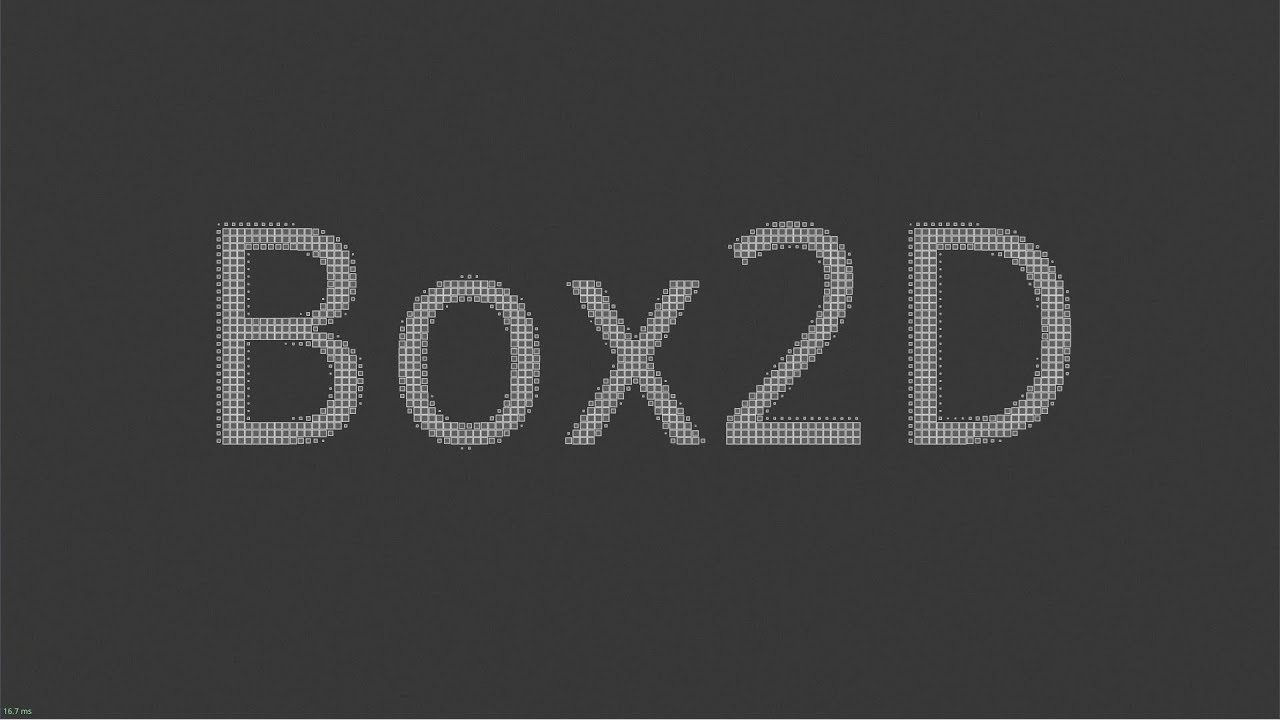
I made these demos to celebrate the launch of Box2D version 3.0. All demos run in real time using an 8 core Ryzen CPU and maintain 60fps or better. All moving objects are fully simulated rigid bodies.
You can get the Box2D version 3.0 code here: https://github.com/erincatto/box2d
Read more about the release here: https://box2d.org/posts/2024/0...
if you don't already know, Unity 2D Physics = Box2D v2
simple hearth
I have been trying to identify the problem, and it turns out that there were some "detectors" on each object that were in the same layer with their "hostile" owner. Since the detectors are being used to detect nearby "hostile"s, their collider were too big. Since it's too big.. you got the rest. It ended up with arrows constantly sending signals and causing trouble
oak trout
simple hearth
I have been trying to identify the problem, and it turns out that there were som...
yea that was what i thought, was gonna say your colliders were definitely overlapping
simple hearth
it's like this at the moment, looks completely healthy for 850 projectiles
 oak trout
https://youtu.be/dAoM-xjOWtA
oak trout
oak trout
https://youtu.be/dAoM-xjOWtA
this should take your game into the next level
simple hearth
the game is still 5 fps with 850 projectiles, which is far from my target, but still better than a couple hours ago :p
simple hearth
oak trout
this should take your game into the next level
I'm interested in it, is it available to public though?
oak trout
simple hearth
the game is still 5 fps with 850 projectiles, which is far from my target, but s...
lol?
start fresh in an empty project
you have some serious issues
oak trout
simple hearth
I'm interested in it, is it available to public though?
not yeat, they want to get it ready for unity 6 release, box2d is not developed by unity
simple hearth
oak trout
you have some serious issues
deep profile + unity editor and not well optimized code be like that.. lol
It'll get better by optimizations, I hope
oak trout
simple hearth
It'll get better by optimizations, I hope
what are you trying to do
just shoot projectiles around?
that should be pretty simple and basic
shouldn't be that slow
though i wonder
why are they rigidbodies
do they collide or they just explode when they hit something
simple hearth
they are just trigger objects with kinematic rigidbodies, isn't it the default way to get hit callbacks for projectiles?
oak trout
simple hearth
they are just trigger objects with kinematic rigidbodies, isn't it the default w...
that is the inefficient way, yes
simple hearth
I was thinking of converting it to simple raycasts on fixed update
oak trout
the efficient way is to integrate their motion yourself and use physics queries
simple hearth
hmm, do you think it's going to be better if I implement that?
like getting the velocity, delta time and checking if it hits
oak trout
simple hearth
hmm, do you think it's going to be better if I implement that?
of course, a rigidbody has a lot of overhead my boy
simple hearth
yeah, since it wasn't the only problem, it wasn't my priority by far
oak trout
simple hearth
yeah, since it wasn't the only problem, it wasn't my priority by far
but you don't know how to use physics though
learn that first
no way you are getting 5 fps for 800 bodies
is your pc from 2001?
simple hearth
hahaha, nope. They are not simple projectiles though, each of them may have custom behaviours. Thus, they have the system for it implemented
like some of them explodes on hit, some of them chains etc
and you add those effects through third party dlls
oak trout
how many were exploding each frame
simple hearth
yeah
oak trout
does not matter
check what is eating your framerate
is it the physics system
or you own code
simple hearth
yeah, I'm working on it. It was the physics system due to my stupidness, but now the profiler says that my code sucks. So I will work on it
thanks btw
especially about the raycast thing
because I wasn't sure
as you said, I don't understand physics..
oak trout
can be another physics query not only a raycast
oak trout
simple hearth
as you said, I don't understand physics..
you only get better
 fresh nimbus
hey... i need help with a model that keeps wiggin out
oak trout
fresh nimbus
hey... i need help with a model that keeps wiggin out
it's a rigidbody?
if not, wrong channel
fresh nimbus
is there a rig xhannel or am i just blind
simple hearth
it's definitely not here
hearty goblet
childTransform.position = parentTransform.TransformPoint(0,-22f,0);
When i'm setting value on y axis to -22f. i'm getting wierd result.. its not accurate..
when I'm printing childTransform.localPosition i'm getting (0.00, -0.22f, 0.00) but when I'm priting childTransform.localPosition.y I'm getting -0.2199993
anyone knows why its not setting accurate value.. but also why childTransform.localPosition and childTransform.localPosition.y is different
is there a way to set accurate value? when i'm setting it to zero.. then it works
narrow pier
hearty goblet
```cs
childTransform.position = parentTransform.TransformPoint(0,-22f,0);
```
Wh...
Unity logs vectors with floats rounded to the nearest hundredth
hearty goblet
narrow pier
Unity logs vectors with floats rounded to the nearest hundredth
okay then why (0.00, -0.22f, 0.00) setting this manually.. giving me incorrect values? like -0.2199993
hearty goblet
🥲
narrow pier
It's too close to zero to be an error. Something finicky
Maybe transform function is messing it up
hearty goblet
narrow pier
Maybe transform function is messing it up
hmm maybe. i'll need to see if anything else is modifying the transform in any way
narrow pier
hearty goblet
hmm maybe. i'll need to see if anything else is modifying the transform in any w...
Btw, why use TransformPoint anyways? Just set local position of a child
hearty goblet
like this? childTransform.localPosition.Set(0, -22f, 0);
narrow pier
Yup
hearty goblet
somehow child.localPosition = new Vector3(0, -22f, 0); worked XD
but this didn't childTransform.position = parentTransform.TransformPoint(0,-22f,0);
and this didn't childTransform.localPosition.Set(0, -22f, 0);
I wonder if there is any reason.. maybe some internal calculation approximation is happening which is not making the setting of the value accurate
Thanks man
narrow pier
hearty goblet
somehow `child.localPosition = new Vector3(0, -22f, 0);` worked XD
but this didn...
I shouldn't be helping people when I'm barely awake, lol😵💫
Just remember that getting a struct makes a copy of it. By using childT.localPosition.Set(whatever), you're taking a copy of a Vector3 and then modifying that copy without changing the original Vector3.
 wispy patrol
How do I reference who instantiate a Raycast hit? https://docs.unity3d.com/ScriptReference/Physics.Raycast.html
I think there's a way to do this with colliders, but I forget
unique cave
wispy patrol
How do I reference who instantiate a Raycast hit? https://docs.unity3d.com/Scrip...
what you mean by "instantiate a Raycast hit"?
wispy patrol
unique cave
what you mean by "instantiate a Raycast hit"?
The player that did the Raycasting
For example, if a player clicks on a tree, to then reference the player that hit the tree
unique cave
wispy patrol
The player that did the Raycasting
Sounds weird question, the script that calls the Raycast method is in that object so .gameObject should do in that script?
RaycastHit does not store any information about the caller in case you wondering
That's because it would be just a waste of space for the reason mentioned above, the caller should obviously know which object it is on using .gameObject
wispy patrol
unique cave
Sounds weird question, the script that calls the `Raycast` method is in that obj...
It's because I have another method that takes RaycastHit as an object.
Which gets called from a difference class
unique cave
wispy patrol
It's because I have another method that takes RaycastHit as an object.
If you need to know the object there, you would just pass it as secondary parameter as well right?
wispy patrol
unique cave
If you need to know the object there, you would just pass it as secondary parame...
It's just that I have so many paramaters already
You bring up a point that works though
unique cave
wispy patrol
It's just that I have so many paramaters already
that's what you gotta do though. If you have already so many parameters that the code starts to be hard to read, you may want to look into ways to refactor that part
You can for example create your own data types in a form of structures to be used to hold all or some of the parameters
wispy patrol
Incredible. And you're a student?
Man, a lot of these students should be giving top jobs already
unique cave
wispy patrol
Man, a lot of these students should be giving top jobs already
Wish that was the case 😁
wispy patrol
Good luck!
 jagged canopy
Does anyone know why my mesh collider is only generating a triangle-like shape for this box model? (I'm using a mesh collider because the box model isn't perfectly 90 degrees per corner, it's slightly sloped on top)

It's missing 3 corners
Can confirm it isn't a gizmo bug either. the expected code runs when i enter it in the corners that seem to have the wireframe but not in the corners that look like it doesn't have the wireframe
unique cave
jagged canopy
Does anyone know why my mesh collider is only generating a triangle-like shape f...
Assuming it’s not an issue with the mesh like some of the faces inverted, seems like a clear bug. In the latter case, you should maybe send a bug report with steps required to reproduce especially if it’s one of the more recent unity versions. That mesh looks like simple box collider would do better job anyways though
jagged canopy
unique cave
Assuming it’s not an issue with the mesh like some of the faces inverted, seems ...
Definitely seems like a bug. This is just one of dozens of little shapes that this is hapening to. some are too complex for a simple box collider. just used this one as an example because its easy to see what's happening
unique cave
jagged canopy
Definitely seems like a bug. This is just one of dozens of little shapes that th...
Are you using an LTS release or an beta version?
jagged canopy
LTS
unique cave
Does it happen for every shape you have? It would be impossible that nobody noticed it and it wouldn’t be fixed by now unless it happens only in some very rare circumstances
jagged canopy
just a series of shapes i imported from blender. I don't understand what it could be though, a lot of them are simple 8 vertice boxes. all vertices are welded together. no funny business that i can see. normals are all correct
unique cave
jagged canopy
just a series of shapes i imported from blender. I don't understand what it coul...
This seems very weird problem indeed assuming there’s nothing in the meshes that would confuse the physics engine. You could try to recreate the same issue in different scenarios (different unity version, new empty scene, entirely different mesh) to gain more insight as to under which circumastances does it happen.
 river flare
When the car hits a character, it suddenly stops. I suspect this is due to the colliders. How can I achieve smoother physics similar to GTA 5? it works better when done in slower
 light gate
river flare
When the car hits a character, it suddenly stops. I suspect this is due to the c...
light gate
river flare
When the car hits a character, it suddenly stops. I suspect this is due to the c...
What mass values did you set for the rigidbodies
river flare
light gate
What mass values did you set for the rigidbodies
car is around 2k and the person is less than 10kgs
unique cave
river flare
When the car hits a character, it suddenly stops. I suspect this is due to the c...
how are the players being moved?
river flare
navMesh
players has a trigger collider on the body to detects hits then if it gets hit by car or health is zero then its body colliders gets enabled hence the ragdoll concept
unique cave
river flare
players has a trigger collider on the body to detects hits then if it gets hit b...
so is all of the players colliders just triggers?
river flare
unique cave
so is all of the players colliders just triggers?
no just one trigger and body parts are colldiers
 quick mortar
river flare
no just one trigger and body parts are colldiers
quick mortar
river flare
no just one trigger and body parts are colldiers
so is it slowing down because its hitting the ragdolls?
unique cave
river flare
no just one trigger and body parts are colldiers
well, the body parts will obviously act as static objects then if they don't have a rigidbody in them/one that isn't active
river flare
quick mortar
so is it slowing down because its hitting the ragdolls?
yes is it, but just before that the player dies due to the collider being first hit by the car so then player dies and charecter becomes the ragdoll
river flare
unique cave
well, the body parts will obviously act as static objects then if they don't hav...
they do have RB
unique cave
river flare
they do have RB
non-kinematic (sorry for the typo) one at the time of the first impact?
river flare
unique cave
non-kinematic (sorry for the typo) one at the time of the first impact?
the RB becomes enalbe when the player dies
unique cave
river flare
the RB becomes enalbe when the player dies
but if the rigidbodies are kinematic when the car colliders with them, they will be considered static and hence the sudden stop
It's like running into fully rigid pole
river flare
unique cave
but if the rigidbodies are kinematic when the car colliders with them, they will...
yea i got u
ur right
well then what could be better approach
unique cave
river flare
well then what could be better approach
Do you need the body part colliders before the car hits them?
river flare
unique cave
Do you need the body part colliders before the car hits them?
idk man i just wanna effect like a gta when u hit npc
unique cave
river flare
idk man i just wanna effect like a gta when u hit npc
It is kinda relevant though. The thing is, you cannot have static colliders on the player if you don't want to bonk into it like that. Either disable the colliders and enable them when the collision happens or make sure the car doesn't interact with them until the hit happens, that you could achieve by using the collision matrix and layers to make sure they don't collide and change the layers of the ragdoll when the collision happens. I wouldn't be surprised if in GTA the player body parts were active bodies all along and moved using physics but I don't really know how they have implemented it. If you are interested in that, you may want to research active ragdolls but in your game you might get away with non-active ones and activate them when needed
river flare
unique cave
It is kinda relevant though. The thing is, you cannot have static colliders on t...
ok buddy thanks for having ur time here
i increased the trigger collider for the charecter and its working.
but i will find a better way since a large trigger on the charecter isnt a good design
unique cave
river flare
i increased the trigger collider for the charecter and its working.
Sounds very questionable solution. I bet you will still encounter the exact same problem if you drive at the player at high enough speed
river flare
unique cave
Sounds very questionable solution. I bet you will still encounter the exact same...
yea i did encountered
unique cave
@river flare Btw one very unfortunate limitation of triggers is that they don't care about continuous collision detection so you could always drive over the player without a notice if you drive fast enough. That's one reason to consider some sort of active collider solution for the player but depending on the speeds you are operating at that may or may not be a problem
 visual cove
I've made a system that when the player touches a trigger,some objects start to fall (they are fixed by normal) but when they reach other objects,they go thru them,Both the other objects and the falling objects have colliders and rigidbodies.Does anyone know how to fix?
 fast thistle
I'm working on a game with a combo system, and I'm thinking to use Linear Programming to evaluate if Attack attack0 can combo into Attack attack1. E.g. Suppose:
character0usesattack0and hitscharacter1character1moves fromposition0toposition1, and is in hitstun fromt0tot1- Suppose
character0then tries to castattack1:- Will
attack1become active beforet1? - Will
attack1be able to reachposition1?
Am I crazy, or is this feasible? I haven't made use of LP much yet, but given how I remember it, I think I'll need to model with some heuristics to make the method work.
- Will
timid dove
visual cove
I've made a system that when the *player touches a trigger*,some objects start t...
Presumably something is off about your setup. Can you show the inspectors of the two obejcts which should collide? (i.e. the falling object and the "other" object)?


 visual cove
timid dove
Presumably something is off about your setup. Can you show the inspectors of the...
visual cove
timid dove
Presumably something is off about your setup. Can you show the inspectors of the...
here
timid dove
visual cove
Falling Object:
your collider is a trigger
visual cove
yeah cuz I need it as a trigger too for a script
the falling objects are obstacles and I want so if I touch them to lose
cant I made them work even if it is a trigger?
visual cove
timid dove
your collider is a trigger
or is it even possible to make it work by still being a trigger?
timid dove
visual cove
or is it even possible to make it work by still being a trigger?
triggers do not physically interact with anything
If you want you can use two separate colliders
one trigger and one not
visual cove
timid dove
If you want you can use two separate colliders
Oh,didn't think about that,thank you so much
 normal wren
Vector2 inputVectorLook = inputActions.Player.Look.ReadValue<Vector2>();
hoverLook?.Turn(new Vector2(inputVectorLook.x, 0F));
public void Turn(Vector2 turnDirection)
{
turnDir = turnDirection;
}
private void FixedUpdate()
{
rb.AddTorque(Vector3.up * turnDir.x * horizontalTurnSpeed * rb.mass, ForceMode.Acceleration);
}
so I have the above code (I have no idea how to paste code in discord let me know), to turn a spaceship left and right
it mostly works, however if I give tiny taps or small joystick movements no turn happens at all, and just jumps to big movements if you hold the key or bigger joystick movements
can you see what I'm doing wrong to have gradual and controllable turning through physics here?
timid dove
normal wren
it mostly works, however if I give tiny taps or small joystick movements no turn...
not enough context here. It's unclear when and where and what triggers a call to the Turn function
which is crucially important
Also !code
 flint portalBOT

Posting code
📃 Large Code Blocks
Use links to services like:
https://gdl.space/, https://paste.ofcode.org/, https://hatebin.com/, https://paste.myst.rs/, https://hastebin.com/
📃 Inline Code
Surround code with three backquotes. Not quotation marks.
To format as C#, add cs to the first line:
```cs
// Your code here
```
Add a comment with a line number if there is an error message.
normal wren
thanks, I literally just solved it with:
        public void Turn(Vector2 turnDirection)
        {
            turnDir.x = Mathf.Lerp(turnDir.x, turnDirection.x, smoothingFactor);
}```sorry for inadequate context
 vale field
Hi, I've been attempting to make a trajectory calculator, but it's not accurate, probably because I have very little understanding of unity's physics system. Could anyone tell me the mistakes I am making in this script? https://hastebin.com/share/uwanegoxuz.csharp
Hastebin is a free web-based pastebin service for storing and sharing text and code snippets with anyone. Get started now.
Hastebin is a free web-based pastebin service for storing and sharing text and code snippets with anyone. Get started now.
timid dove
vale field
Hi, I've been attempting to make a trajectory calculator, but it's not accurate,...
You're not doing any accounting for time here...
Vector3 nextPosition = position + velocity;```
you need to involve Time.fixedDeltaTime because that's how much time elapses each physics frame.
```cs
Vector3 nextPosition = position + velocity * Time.fixedDeltaTime;```Likewise the new velocity calculation should be:
velocity += gravity * Time.fixedDeltaTime;```(that one assumes no drag)
I think you should get rid of drag for the moment to simplify things, then add it back later.
vale field
timid dove
You're not doing any accounting for time here...
Like I said, I've got no clue how this stuff works😭
Thank you though, I will try this
signal wyvern
I have a RB player movement set up, and my player need to be able to stand on various moving boats without sliding off, whats the best way of solving this issue?
timid dove
signal wyvern
I have a RB player movement set up, and my player need to be able to stand on va...
Are you strongly attached to Rigidbody?
I recommend the excellent https://assetstore.unity.com/packages/tools/physics/kinematic-character-controller-99131
the demo scene literally has a moving boat in it
which works wonderfully
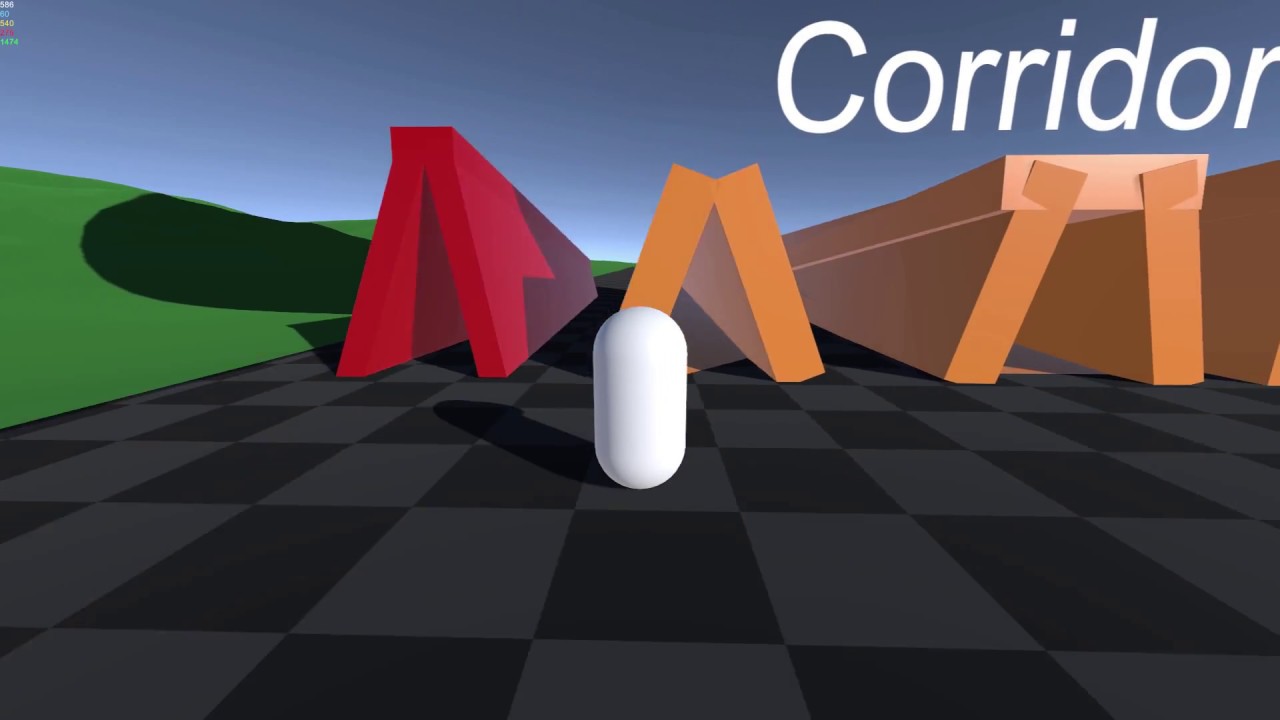
Showcase for the Kinematic Character Controller system
Available now on the Unity Asset Store: https://www.assetstore.unity3d.com/#!/content/99131
Forum thread: https://forum.unity.com/threads/released-kinematic-character-controller.497979/
Browser demo: https://phil-sa.itch.io/kinematiccharactercontroller?secret=rjRvT8GfZCAXEkevCF92TV07UQ
Musi...
signal wyvern
timid dove
Are you strongly attached to Rigidbody?
I recommend the excellent https://assets...
Unfortunately i kinda need to use an RB set up as im also using some selective Kinimatics, and that script can only work with RBs
but i will take a look anyway
timid dove
Tilemaps have an overall collider with TilemapCollider. It's not generally advisable to create individual GameObjects for each tile as it will be extremely inefficient
 stuck bay
What is the best way to learn quarternions
timid dove
stuck bay
What is the best way to learn quarternions
stop trying to learn how the underlying math works, and just learn how to use them
To wit:
- A quaternion is simply a value/variable that represents a particular rotation
- You can combine rotations with the
*operator to "compose them".A * Bmeans "apply rotation A first, then apply rotation B" - Get familiar with the various ways to create a rotation such as
Quaternion.EulerQuaternion.FromToRotationQuaternion.LookRotation
that's basically all you need to know
stuck bay
And what was the 4th parameter in quaternions
timid dove
I have essentially zero understanding of the underlying math (long forgotten) but use them daily.
timid dove
stuck bay
And what was the 4th parameter in quaternions
again, not important
if you're asking that question, you don't know what the first 3 parameters are either
and it doesn't matter at all, it's a distraction
ignore the internals and the math behind it
stuck bay
Are you speaking from experience of learning quaternions
timid dove
Yes
stuck bay
🤣
timid dove
I use them every single day without struggle
 dull jungle
If you are just working with x,y,z rotations you can end up in a gimbal lock, so unity internally uses quaternions which solve this but are not human readable anymore, its like trying to understand how the generated bytecode of your c# code works, you wont need it
I also remember it has some computational advantages but without reading into the topic again I am not able to list them
 inner thistle
The code uses that if the raycast hits nothing or if it hits a trigger, and it hit a trigger
timid dove
right so - again - it's a problem with your code, not a unity bug
signal wyvern
Anyone got any decent solutions to the problem of falling of moving objects both moving using RBs, I dont think velocity matching is a very reliable approach? Once letting go of the steering wheel my player slides off
 verbal mirage
Has anyone figured out how to make tank-like movement that correctly handles slopes? In my experiments with trying to make such movement, I've found that Unity's default physics likes to have moving objects jump off slopes rather than just crest over and down the slopes
oak trout
stuck bay
And what was the 4th parameter in quaternions
quaternions are the most complex thing in all of game development
no one understand them, but everyone use them
I lied, they are not really that complex, it's because they are not taught correctly
this is how they are taught correctly
 versed agate
Hello, I have a problem with physics. How can I synchronize the rotation of an object around its axis with its movement? I mean, when I rotate and move the object, it seems like the character slows down and there are frame glitches. How can I change this to make it work?
timid dove
versed agate
Hello, I have a problem with physics. How can I synchronize the rotation of an o...
How can I synchronize the rotation of an object around its axis with its movement
Unclear what you mean by this. Can you show a picture of what you want or something?
I mean, when I rotate and move the object, it seems like the character slows down and there are frame glitches. How can I change this to make it work?
How are you rotating and moving the object?
If you're moving the object outside the physics engine, it's going to cause havoc in the physics engine
versed agate
!code
flint portalBOT
Posting code
📃 Large Code Blocks
Use links to services like:
https://gdl.space/, https://paste.ofcode.org/, https://hatebin.com/, https://paste.myst.rs/, https://hastebin.com/
📃 Inline Code
Surround code with three backquotes. Not quotation marks.
To format as C#, add cs to the first line:
```cs
// Your code here
```
Add a comment with a line number if there is an error message.
versed agate
timid dove
> How can I synchronize the rotation of an object around its axis with its movem...
timid dove
versed agate
https://hatebin.com/uqlggphluk
transform.rotation = Quaternion.Slerp(transform.rotation, targetRotation, Time.fixedDeltaTime * rotationSpeed);
you're rotating the object directly via its Transform
that will break Rigidbody interpolation
causing it to jitter
versed agate
thx i solved, rigidbody.MoveRotation(Quaternion.Slerp(r...
 verbal geyser
Not sure whether to post this in physics or animation, but it's really about the joints system and setting up ragdolls so 🤷
Is there any good tool/wizard (apart from the Unity "Create Ragdoll" window) that speeds up the process of setting up ragdolls?
The reason I don't want to use Unity's solution is that it's too detailed and I wish it could better handle simpler rigs with fewer bones.
Half-tempted to write my own solution, but that's for a future project when I have more experience with the joints system.
 cold quest
Hi! I need a little bit of help. I want to make a stack tower game and when I press click the block drop on the other block. The problem is that the block is slippery by itself and bouncing at collision. How to fix this?

 round willow
I've got a "game" where a ton of balls are spawned in, they bounce off a plane and keep bouncing forever. It works fine when I run it in the editor, however when I run & build it, a few things go wrong:
- The balls don't seem to have random amounts of force applied to them
The code I use for this is:Vector3 direction = new Vector3(0f, Random.Range(1, 10), 0f);,GetComponent<Rigidbody>().AddForce(direction); - The balls don't appear to have gravity?
The balls get stuck at some random point in air, they don't go up any more and they then don't come back down.
 rotund pelican
why does the axis field on config joints behave like that? i have to type in extremely high or low numbers just to get it to point in a certain way
timid dove
rotund pelican
why does the axis field on config joints behave like that? i have to type in ext...
Which way did you want it to face and what did you type in?
rotund pelican
ive fixed it now. i wanted it to face downwards but every integer kinda increases it reverse exponentially if u get what im saying
like 1 rotates it 45, 2 rotates it 22.5, etc etc
i had to type in -9999999999999999999999999999 so it would face that way
 lucid peak
i'm making a 2d game and i have a problem, why when i jump and go in a wall (collider box 2d) my character stick to it as long as i keep pressing the button to go forward
 loud ridge
lucid peak
i'm making a 2d game and i have a problem, why when i jump and go in a wall (col...
loud ridge
lucid peak
i'm making a 2d game and i have a problem, why when i jump and go in a wall (col...
I had the same problem couldnt solve it
royal willow
lucid peak
i'm making a 2d game and i have a problem, why when i jump and go in a wall (col...
either use a physics material and calculate friction forces on your own or use a raycast when moving to a wall to disable input or disable forces moving your player
I do the former since im lazy 😁
lucid peak
which one is more practical in a serious project ?
royal willow
whatever you think fits best
both are great, if you already are calculating friction forces yourself to the former, if not you can do the latter
if you want to do the former either way, go for it. its really up to you
lucid peak
how to "calculate friction" ?
like just create a physicsmaterial2d and playing with friction parameter ?
friction = 0 works for me, hope it won't cause issues for later
royal willow
when on the ground add a force negative to the current velocity by so much to slow you down over time till you come to a stop and use a physics material 2D to not stick to walls
you could also make a another collider for walls specifically and add the physics material 2D to that to not stick to walls and not calculate friction forces
lucid peak
i justs put a material (friction = 0) on the collider (wall) and it works fine
easiest way ig
royal willow
as long as your player cannot stand ontop of the wall, you should be okay but if you have a bunch of walls it will be more time consuming to add another physics material for every wall
lucid peak
why it would be a problem ?
royal willow
lucid peak
why it would be a problem ?
your character will act like it has zero friction if ontop
lucid peak
it doesn't seems to cause any issues if i walk on a colider with 0 friction
royal willow
is your character raycast based and are you already making your own friction forces/speed limiting
lucid peak
another question which has no relation, how hard is it to make a counter system like in sekiro ?
in 2d
royal willow
I'm not sure how to make a parry attack in 2D, I would  it.
it.
lucid peak
you know how to in 3d ?
royal willow
Im not a 2D guy
lucid peak
Im a 2d guy only xdd
royal willow
I haven't done it before so probably no
I most likely can whip something scrappy up but it wont look good, or it may not be good at all
lucid peak
and some sorte of posture like in sekiro ?
royal willow
I dont know what sekiro is
so I cant really tell you, but best google it or look for a guide
lucid peak
it's a souls like based on parry
and if you succesfully parry attack the ennemy is gonna accumulate parry posture and if it reach max he will be killable
i don't know if it's well explained
royal willow
ah thats what you meant by posture, yeah sorry I dont know how to
lucid peak
it's ok it's not for now I just want to know what I'm getting into
but thanks a lot dude have a great day
 storm spruce
I'm going insane why does the player get stuck on this specific box...or how do I make the collision less garbage probably
 rich lynx
Has anyone ever had this happen in their game,

 tender gulch
rich lynx
Has anyone ever had this happen in their game,
tender gulch
rich lynx
Has anyone ever had this happen in their game,
Did you change the fixed time step setting maybe?
Though,it's weird that it's colored as "other" in the graph.
inner thistle
Not a physics question but make sure the pivot point is in the middle of the log
visual cove
inner thistle
Not a physics question but make sure the pivot point is in the middle of the log
oh really?im sorry ima try to change the pivot then,thanks!
versed agate
Hello, I have a 3D character with animation and movement through physics. Could you please tell me how to make it so that even if the character bumps into a wall, they can slide off it?
silver moss
versed agate
Hello, I have a 3D character with animation and movement through physics. Could ...
It's not clear to me what exactly you mean, maybe show a video?
Do you mean like this, where the character runs into a wall at an angle and you want it to slide along it instead of stopping?
 versed agate
silver moss
Do you mean like this, where the character runs into a wall at an angle and you ...
versed agate
silver moss
Do you mean like this, where the character runs into a wall at an angle and you ...
yes
royal willow
here's a good collide and slide algorithm
https://www.youtube.com/watch?v=YR6Q7dUz2uk&t=90s&ab_channel=PokeDev
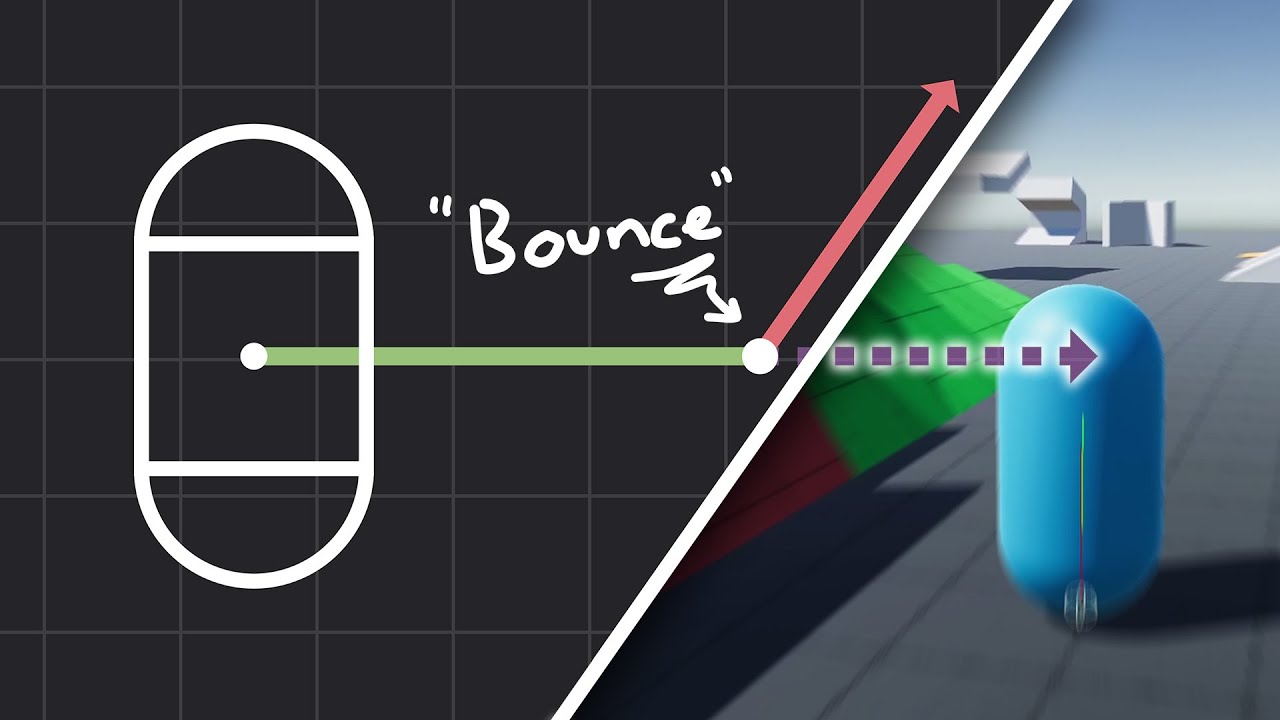
How to make actually decent collision for your custom character controller. Hopefully you find this helpful and people will finally stop saying "jUsT uSe DyNaMiC rIgIdBoDy!!!1!!11!!"
Chapters:
00:00 - Intro
01:09 - Algorithm
05:11 - Implementation
Improved Collision detection and Response (Fauerby Paper):
https://www.peroxide.dk/papers/collisi...
 normal leaf
Does the Two Bone IK not work with ragdolls?
versed agate
royal willow
here's a good collide and slide algorithm
https://www.youtube.com/watch?v=YR6Q7...
thx
 mossy swan
Quick question if anybody knows off-hand.... are trigger colliders swept using the continuous collision detection mode? I assume not, but can't find confirmation. thanks!
bleak umbra
mossy swan
Quick question if anybody knows off-hand.... are *trigger* colliders swept using...
depends on the exact settings, generally triggers are treated the same as solid colliders in the initial detection phase. to be sure for your settings, try it in all relevant cases. if performance and control are a concern, use a sphere/capsule/box-cast.
mossy swan
bleak umbra
depends on the exact settings, generally triggers are treated the same as solid ...
Yeah, that's what we're trying to figure out - if we need to swap to a cast, because triggers are not swept. The behavior we're seeing implies they aren't, but couldn't find any documentation to confirm either way.
bleak umbra
its not a sweep in the sense of a box cast, there are optimizations going on that may make it behave somewhat unexpectedly
for something like projectiles a -cast/overlap is always gonna be more reliable/debuggable
also mind that not all modes work with kinematic movement (i.e you can't speculate without a velocity)
unique cave
mossy swan
Quick question if anybody knows off-hand.... are *trigger* colliders swept using...
@bleak umbra I thought triggers never use continuous collision detection. Has it changed at some point or have I been wrong all along?
I don't see it being documented anywhere but I see comments about it all over the internet, I should maybe do my own test
unique cave
@bleak umbra @mossy swan Sure seems to be the case at least on 2022.3 that I tested on. If the object moves fast enough (using velocity) to get past the other object within one physics frame, it will go straight through without a notice to OnTriggerEnter regardless of the Collision Detection Mode used and regardless of which of the objects is set to trigger or which is trying to detect the collision. With OnCollisionEnter the hit is being detected correctly when neither of the objects is set to trigger. Although very poorly documented by Unity, this seems to be one clear disadvantage of using triggers that exists
bleak umbra
unique cave
<@544260011430248467> <@360520495025750036> Sure seems to be the case at least o...
Good to know. Maybe I’ve always used triggers only together with raycasts so the situation never came up.
unique cave
For me at least that makes triggers pretty much useless (except for casts) for most use cases because of tunneling issues. It's really silly by Unity to not make triggers support collision detection modes and not mention it anywhere, at least I haven't found it anywhere which clearly indicates it's not documented properly. There might be some technical reasons why it's not supported but mentioning it somewhere shouldn't be too much to expect. I found a lot of questions online of people asking about tunneling issues with triggers and most answers just suggest using continuous collision detection and links to videos about collisions, not triggers. It's really hard if not impossible for new users to somehow know that this feature does not exist even though it intuitively sounds like it should
Just made a ticket on the documentation page but doubt they will do anything given how long the information have been missing already
mossy swan
unique cave
<@544260011430248467> <@360520495025750036> Sure seems to be the case at least o...
Yeah as suspected then. Thanks for testing. Also wish this was documented somewhere.
unique cave
mossy swan
Yeah as suspected then. Thanks for testing. Also wish this was documented some...
Just give them decade or two and they will rework all their documentations
bleak umbra
unique cave
For me at least that makes triggers pretty much useless (except for casts) for m...
I’ve always looked at triggers as a spatial lookup feature, not something i would expect to be used in a highly dynamic context where tunneling would be an issue, for that i would always prefer to use raycasts. I also view physics simulation largely as a visual effect, not really concerned with precision/gameplay
i find the conflation of these two aspects (lookup and force simulation) in one system (rigidbody/collider) to be rather confusing for the casual observer
I see people frequently reinvent either aspect due to misunderstanding
versed agate
hello how to make staris climb? 3d person controller
royal willow
shoot a raycast pointing down at knee level if the raycast hits a step move your character controller or rigidbody up by a certain amount
but what I prefer instead is making your CC or RB raycast based so you don't have to do any of this, both work, both are good
silver moss
versed agate
hello how to make staris climb? 3d person controller
A lot of games fake this by having a smooth ramp collider for player collision instead of a stairs-shaped collider
You can use layer-based collision if you want to have a precise collider for other stuff hitting the stairs
royal willow
or use a raycast based player and dont worry about any of that
 modern hare
silver moss
A lot of games fake this by having a smooth ramp collider for player collision i...
modern hare
silver moss
A lot of games fake this by having a smooth ramp collider for player collision i...
The best way to do it is to actually have two colliders. The standard stair shape one that is exclusively for IK, enviromental collisions like bullets etc., and the standard ramp for movement.
silver moss
Yeah, thats what I meant when I mentioned the layer based collisions. One collider for each purpose
vivid plaza
Heya, I'm currently making a car game. The bot ai I'm making uses raycasts to look for obstacles. It works on not moving obstacles, like walls, etc. However, even though the raycast is supposed to, it somehow doesn't detect other enemy cars or the player.
Does anybody know what the reason for this is?
timid dove
vivid plaza
Heya, I'm currently making a car game. The bot ai I'm making uses raycasts to lo...
your raycast isn't in the right place to hit them, or they have the wrong layers, or you have the wrontg layer mask, or you think they are somewhere they aren't.
impossible to say without any details
silver moss
vivid plaza
Heya, I'm currently making a car game. The bot ai I'm making uses raycasts to lo...
Need more details. Do the other objects have colliders? Are they triggers, are you using a layermask
vivid plaza
silver moss
Need more details. Do the other objects have colliders? Are they triggers, are y...
Yes I am using a LayerMask. The Layer on the objects that should be hit by the raycast is included in the LayerMask though. Yes, the objects that should be hit do have colliders with that layermask. No, they are not triggers.
silver moss
How are you creating the layermask?
vivid plaza
A Serialized variable from the script that does the Raycasting
silver moss
Just making sure that you are using a layermask and not a layer
vivid plaza
It is a LayerMask, not a single Layer.
silver moss
Show your raycast code?
vivid plaza
silver moss
Show your raycast code?

Sorry that it's an image, I can't copy and paste the text because I don't have Discord Nitro and that limits the amount of letters I can type
The function is called in FixedUpdate()
silver moss
vivid plaza
Sorry that it's an image, I can't copy and paste the text because I don't have D...
Next time use !code but its fine
flint portalBOT
Posting code
📃 Large Code Blocks
Use links to services like:
https://gdl.space/, https://paste.ofcode.org/, https://hatebin.com/, https://paste.myst.rs/, https://hastebin.com/
📃 Inline Code
Surround code with three backquotes. Not quotation marks.
To format as C#, add cs to the first line:
```cs
// Your code here
```
Add a comment with a line number if there is an error message.
silver moss
I dont see anything wrong in the code
vivid plaza
Essentially, if one of the RayCasts hit something, it will show a Debug line in the SceneView and make the bot steer away from the obstacle.
When the car is approaching a wall, it works, which I can see due to the Debug line in the inspector and the car steering away.
vivid plaza
silver moss
I dont see anything wrong in the code
That makes us two. I'm gonna look if I find the problem.
Okay, I found the issue. I don't know how that makes sense though.
Before I fixed it, The collider of my car was made up of primitives (box colliders, capsule colliders etc.).
I changed it, so now the mesh of the car is the collider (using a mesh collider set to convex), and now it works.
Both the primitive and mesh collider used/use a Layer that's in the Layermask, which is why the solution is so senseless to me. However it works, so I won't complain.
 twin hill
Hey everyone,
I’ve been running some performance tests in Unity and found something unexpected. I was comparing the performance of moving objects with colliders, and it turns out that moving a static collider (without a Rigidbody) is faster than moving an object with a kinematic Rigidbody (with Is Kinematic enabled).
However, according to Unity’s documentation Collider Overvie, static colliders shouldn’t be moved at runtime. Static colliders are meant to remain stationary, and Unity’s physics system is optimized for that.
Here’s the part from the docs:
“Static colliders: The GameObject has a collider but no Rigidbody. Static colliders are meant to remain immobile.”
Despite this, in my tests, moving a static collider directly via transform.position performed better than using Rigidbody.MovePosition() on a kinematic Rigidbody.
Has anyone encountered this before? Could this be because moving a static collider bypasses certain physics calculations that Unity normally applies to Rigidbody objects? Or am I missing some optimization considerations here?
Any thoughts would be appreciated!
Thanks! 🙂
inner thistle
The page you linked doesn't say that they should remain immobile
Apparently it was very expensive to move them in old versions but not anymore
bleak umbra
twin hill
Hey everyone,
I’ve been running some performance tests in Unity and found somet...
when you move a rigidbody, it would probably have to actively search for collisions after a move, where a static collider would only respond to the queries a moving rigidbody would make, so moving them does not involve a search for collisions where a rigidbody move/update would? I'd expect a change to static colliders only flag its BVH branch dirty and to update all rigidbodies for collisions that are inside in the next tick.
normal wren
I think not REALLY a physics thing, but:
I made a bullet system in which a bullet updates it's position along it's direction and incurs a gravity drop as it goes. I did all this in Update() * Time.deltaTime. In terms of gameplay, this all seemed sweet, moves nicely and I didn't notice any discrepancy in terms of bullet arc (from gravity).
However, I then wanted a trajectory line, and iterating through on a certain timestep in a loop in a single frame (to draw the whole arc) resulted in different results. I was wondering then, is this because update() is not actually stable and deltatime can be incorrect.... So, I started migrating my bullets sytem to use fixedupdate() instead even though they aren't rigidbodies or anything and currently it just seems worse in every way (erratic collisions, juddery updating, visuals way off). Should I be trying to move this system to fixedupdate? or am I barking up the wrong tree?
(I tried just putting the movement update into fixedupdate and lerping between in update and it's mostly broken)
timid dove
normal wren
I think not REALLY a physics thing, but:
I made a bullet system in which a bull...
Yes this is why physics simulations use a fixed timestep
And what you are doing is a physics simulation
Make no mistake
There shouldn't be anything erratic though
That sounds like a bug in your code
Also yes you will get jittering unless you implement some kind of interpolation
(the physics engine does this with a setting on Rigidbody)
normal wren
yeah, i did somethig like transform.position = Vector3.Lerp(lastPosition, targetPosition, interpolationFactor); in update, with intention that visuals would happen there and updates in fixed... I'm wondering if I'm colliding with problems from pooling and stuff
timid dove
normal wren
yeah, i did somethig like transform.position = Vector3.Lerp(lastPosition, target...
This is a problem if transform.position is also what your FixedUpdate is modifying
normal wren
(I guess I wasn't sure if this channel was just for havok or not)
yep I've been through a couple of methods, working from a currentposition value instead etc
but yeah everything seemed broken badly enouh after I started migrating that I wanted to check I was on the right track
timid dove
Also as for collisions if you're still using Unity's Colliders, then modifying the transform position directly will wreak havok with collisions
Realistically if you're using Colliders and moving them you should be using Rigidbody
You either need to fully embrace the physics engine or completely not use it
normal wren
so I'm using colliders to recognise collisions, the collisions themselves are raycasting from last frame to this frame, ie not rigidbody
(colliders are only on the "to be shot" objects, not on the bullets)
( i couldn't find a lightweight projectile weapon system that would do what I wanted so I made my own but regretting it now 😅
Also thinking it'd be better in some kind of burst jobbified system but I haven't got there yet)
it was working "perfectly" in update, 🤦♀️
loud ridge
can kinematic rigidbody on my limbs affect gravity of my other limbs, rest of the body?
timid dove
What about this is "gravity"?
loud ridge
timid dove
What about this is "gravity"?
while all my limbs are dynamic, character falls down but when one of my limb is kinematic it doesnt fall down
I though it may be about limbs are not separate objects, I created them with sprite skin
 shrewd abyss
yo, so i want my player sprite to have physics like this in the tail how can i do that (minut 38)
https://www.youtube.com/watch?v=V69G1sN0g_w

Here is my time lapse of me making a room based on the prompt 'greenhouse' (but i stopped doing the prompt like thirty minutes in so)
I used (my own build of) rainED for this. (That build adding custom plants and also infinite camera angles)
My Links!
Portfolio: https://ludocrypt.crd.co/
Discord: https://discord.com/invite/bbhS2vy
Bandcamp: ht...
loud ridge
shrewd abyss
yo, so i want my player sprite to have physics like this in the tail how can i d...

Due to popular reddit request, I made a tutorial video on 2D cloth physics. This method requires no code, and looks really great!
Buy me a coffee: https://ko-fi.com/thatoneunitydev
Link to Kenny's platformer pack:https://opengameart.org/content/platformer-art-deluxe
Timestamps
0:00 Introduction
0:19 Project Setup
0:30 Sprites
0:55 Bones
2...
search about things like this

 shrewd abyss
tank you!
 round magnet
Hey everyone,
I’m working on a simple 2D game in Unity with a stickman character, where each part of his body (legs, arms, head, torso) has its own rigidbody, allowing for physics-based interaction. I currently have a script that lets me click and drag the stickman around, and he moves and interacts with the physics.
For a while, I was trying to create animations for the stickman to get up and walk, but since the game is heavily physics-based, I thought it would be cool to make the walking physics-driven too, kind of like in games like Totally Accurate Battle Simulator or Stick It To The Stickman.
The only problem is… I’m not the best at coding. So, I’m posting here to ask for advice or ideas on how to approach physics-based walking. If anyone has any tips, knows of any relevant tutorials, or even feels like helping out with the code, that would be awesome.
Thanks a lot!
royal willow
round magnet
Hey everyone,
I’m working on a simple 2D game in Unity with a stickman characte...
are you looking for an active ragdoll?
https://www.youtube.com/watch?v=HF-cp6yW3Iw&t=523s&ab_channel=SergioAbreuGarcía

This is all I learned while making active ragdolls in Unity. I hope you find it useful or, at least, interesting :D
The actual tutorial: https://bit.ly/3lKsfk2
Github repository: https://bit.ly/2VxnU98
----- Social -----
Twitter: https://twitter.com/sergioabreu_g
Ambient Generative Music by Alex Bainter [generative.fm]
-...
also I would suggest you !learn how to code with unity, and learn some C# as well https://dotnet.microsoft.com/en-us/learn/csharp
flint portalBOT
:teacher: Unity Learn ↗
Over 750 hours of free live and on-demand learning content for all levels of experience!
royal willow
udemy also has a good one as well so I heard
 viral field
Interesting. Free.
https://assetstore.unity.com/packages/tools/physics/betterphysics-selective-kinematics-244370

Get the BetterPhysics - Selective Kinematics package from Sadness Monday Productions and speed up your game development process. Find this & other Physics options on the Unity Asset Store.
royal willow
viral field
Interesting. Free.
https://assetstore.unity.com/packages/tools/physics/betterphy...
was this not like 30 bucks or something?
viral field
Maybe.. seems to have been around for a while. Free now though
round magnet
Hi,
I am trying to make an active ragdoll script, I was looking at YouTube tutorials but they all don't work on what I'm trying to do. see the ragdoll will be on the floor, in any state. I've made a ActiveRagdoll script (attached) but for some reason it does not work at all. (attached videos are with and without it). Anyone wanna help? 🙏 🙂
thanks
https://www.codebin.cc/code/cm2lcgr680001lj02zdx8bn67:A7zGuxs82FFi3YTaByZKfa16gGfUjmDw8MnNVAH66vGR
https://drive.google.com/drive/folders/19lbekOIBc34sMBDdHFGBPSPNBJRbRne4?usp=sharing
Codebin Paste:
Description: ActiveRagdoll Script for unity
Language: csharp
Last Edited: 10/23/2024, 3:58:21 AM
Expires: never
 jovial carbon
Noob question - first time doing physics ngl. I need to connect some non-kinematic rb to kinematic one using a joint. All of this feels really intuitive, I am just not sure about one thing:
Does it make any difference if I set joint component on kinematic/non-kinematic rb? I have some kinematic "grabber" controlled by mouse. It would be easier to just place it where raycast hits collider of non kinematic obj then do attachment instead of recalculating anchors
Ik there is "try out and see" thing, but having joint on grabber makes connected rb pivot snap to it, not sure if it's because of having joint on kinematic one or some other issue
jovial carbon
Ooooooohhhhh, that snapping would make sense ig
 ocean raft
I have a ball thats constantly bouncing on a bounciness of 1. now i want the bounciness to slowly decrease overtime using C# script and then the ball should stop bouncing. How can i do that with C# script?
inner thistle
If you set the bounciness to any number below 1 (and above 0) then that's what it'll do
 frigid pier
@stiff mulch Stop cross-posting. And add an actual question and proper description.
ocean raft
inner thistle
If you set the bounciness to any number below 1 (and above 0) then that's what i...
but i want the bounciness to decrease overtime
royal willow
then just reference it in a script and change it overtime
https://docs.unity3d.com/ScriptReference/Collider-material.html
fast thistle
Question: How might a game implement situations in which gameObjects that would normally collide suddenly behave differently? I'm particularly thinking of fighting games, where characters grab eachother, and the default interaction of their collision seems to go out the window, a la this.
I think, in the case of a 1v1 fighting game, you can probably just turn the colliders off and play some sort of animation, but I'm working on a game that will have more than two players, so I need to still account for collisions during these sorts of animations. My current thinking is to turn off the collider for the person getting grabbed, so that the grabbed person can move into the other's capsule collider space.
timid dove
fast thistle
Question: How might a game implement situations in which gameObjects that would ...
Move the colliders to different layers
Or update the exclusion lists on them
 quasi meadow
Good morning guys! i m some time testing hinge joint, i got them working but i want something and maybe im wrong on the way im trying to do it, i want like a wall where if i push from the left side rotate in this direction, but when i push in the right side do not the same rotation, well my english maybe isnt helping to much :L
timid dove
quasi meadow
Good morning guys! i m some time testing hinge joint, i got them working but i w...
a picture or video might help?
quasi meadow
im able to make this hinge joint, in the corner the column and then push

But when i try to set the column in the middle and then push, isnt working in any direction, do you understand what im trying?

this is a video, i just modify the anchor and i was able to push in one direction, but what i need is when i press in the other corner, get the logical push direction but take a look
so... what i have to do? to get two hinge joint connected together?
quasi meadow
i need this with only rotation but if i set kinematic i cannot rotate, should i add code to use update and do not move?
timid dove
quasi meadow
this is a video, i just modify the anchor and i was able to push in one directio...
A simple hinge joint placed in the correct place will get what you want automatically
quasi meadow
timid dove
A simple hinge joint placed in the correct place will get what you want automati...
im using a simple box, then i use scale to feel like a large block, with the pivot at the center, then if i use this setup and use connected anchor another body, it rotates only in one direction
timid dove
You'd have to show how you set up the joint.
Show the gizmos in scene view
Next to the colliders for everything etc
 dim fulcrum
I have objects that I temporarily parent to my characters and set to kinematic=true and then set kinematic back false and unparent. Sometimes when they clip into geometry while kinematic they will violently fly somewhere. Is there a common way to limit this? maybe set the physics to somehow move the object to the closest spot it doesn't collide with anything, but then zero out the velocities?
 coral mango
quasi meadow
im using a simple box, then i use scale to feel like a large block, with the piv...
coral mango
quasi meadow
im using a simple box, then i use scale to feel like a large block, with the piv...
You shouldn't be scaling an object with a rigidbody on it in general
quasi meadow
Thanks
 mortal crane
hello, i've started working on a new level for my game and i've been having this issue, why does the OnTriggerEnter(Collider other) event only seem to get triggered when in the scene view but not when controlling the character?
light gate
mortal crane
hello, i've started working on a new level for my game and i've been having this...
Show the collider config?
mortal crane
light gate
Show the collider config?
You mean the Inspector?
mortal crane
 light gate
What layer is this object on? It’s cropped out at the top
mortal crane
light gate
What layer is this object on? It’s cropped out at the top
Defualt Layer
light gate
So you have two colliders, one regular and one trigger. In game view, are you sure your player is actually able to enter the trigger collider? The mesh may be preventing your player from getting to the trigger collider
mortal crane
light gate
So you have two colliders, one regular and one trigger. In game view, are you su...
Yes, the collider is pushed to the front so the mesh is behind it to prevent situations in which the mesh would be blocking the collider
light gate
mortal crane
Yes, the collider is pushed to the front so the mesh is behind it to prevent sit...
Have you tried disabling the mesh collider to confirm
mortal crane
light gate
Have you tried disabling the mesh collider to confirm
There are no mesh colliders in the Player
light gate
No on the elevator
mortal crane
The CC is what prevents the Mesh from falling through the map
mortal crane
light gate
No on the elevator
Ye, it's not the elevators fault. Since even when i jump out of the elevator and just try to touch the object from the outside with the elevator mesh colliders disabled, it still does not work
The only way i get it to work is like on the video, using transform in scene view
light gate
That scene view says the trigger works, but is not being reached in game view
mortal crane
light gate
That scene view says the trigger works, but is not being reached in game view
When playing the Game in the Game tab when touching the other collider nothing happens, no response. When i go back to scene view while the test game is still running and use transform to put the player throught the other collider like on the video it works fine, The elevator animation plays and it Debugs that the Collider was Triggered
light gate
Yeah exactly. So when you can bend the rules and drag the player in scene view it works. Which is why I suggested there’s another collider getting in the way.
So you tried disabling the mesh collider on the elevator?
mortal crane
light gate
So you tried disabling the mesh collider on the elevator?
Yep
mortal crane
light gate
So you tried disabling the mesh collider on the elevator?
I also tested it by just spawning both the player and the collider i want to trigger outside the elevator without any other colliders nearby and doesnt work either
I tried OnColliderTriggerEnter, OnCollisionEnter, OnTriggerEnter and nothing seems to work
At this point i have no idea what can be causing the issue
Such a simple issue yet so hard to find an answer
Oh, i fixed it...
light gate
What was it
mortal crane
light gate
What was it
The Cube i wanted to trigger had both an Box Collider and a Mesh Collider, all it took was to remove the Mesh Collider
Welp
But thanks for trying to help anyways, appreciate the time :))
 brittle cargo
<@&502884371011731486>
 wide nebula
!ban 1136446860911972504 spam
flint portalBOT
 itsnotpres was banned.
quasi meadow
Good evening guys, i have a question, if i have a pose-t on my character, i want to use like a ragdoll but less expensive for my game, so what i mean is, can i add to each extremity like legs, arms, head, a simple box collider and then hinge joints to simulate like a ragdoll but basic one?
royal willow
you would need a rigidbody, a collider of your choice, then use joints to make it not bend in uncertain ways for each limb to simulate a ragdoll
just simple colliders wont do anything since they alone do not have physics
quasi meadow
royal willow
you would need a rigidbody, a collider of your choice, then use joints to make i...
but isnt working with hinge joint, should i use another more specific?
i was testing this, in the spine a rigidbody with one collider, and then in one arm a rigidbody with a capsule collider and one hinge joint connected with the spine, but when i test the arm still in same pose-t and the whole body falls to the floor
royal willow
quasi meadow
but isnt working with hinge joint, should i use another more specific?
here is the joints manual to check which joint will work for you but did you check if the arm rigidbody is kinematic? is it actually connected via joints?
https://docs.unity3d.com/Manual/Joints.html
also it looks like you either want a character joint or a configurable joint
quasi meadow
royal willow
here is the joints manual to check which joint will work for you but did you che...
ok! i think i will do that thanks so much
 urban forge
How do i make a grapple hook in unity
 eternal slate
Can someone help me figure out why when I add a rigidbody to a prefab, unity 6 when I click play the editor does not go to play mode, like the game crashed?
its made up of child meshes each with their own collider.... nothing obvious stick out to me and i've been stuck on this for like 2 days
timid dove
eternal slate
Can someone help me figure out why when I add a rigidbody to a prefab, unity 6 w...
Do you have your console window open?
 wary crater
https://gyazo.com/aa33749236acc3f618a5d1a4e4f5948b.gif anyone know why this is happening?
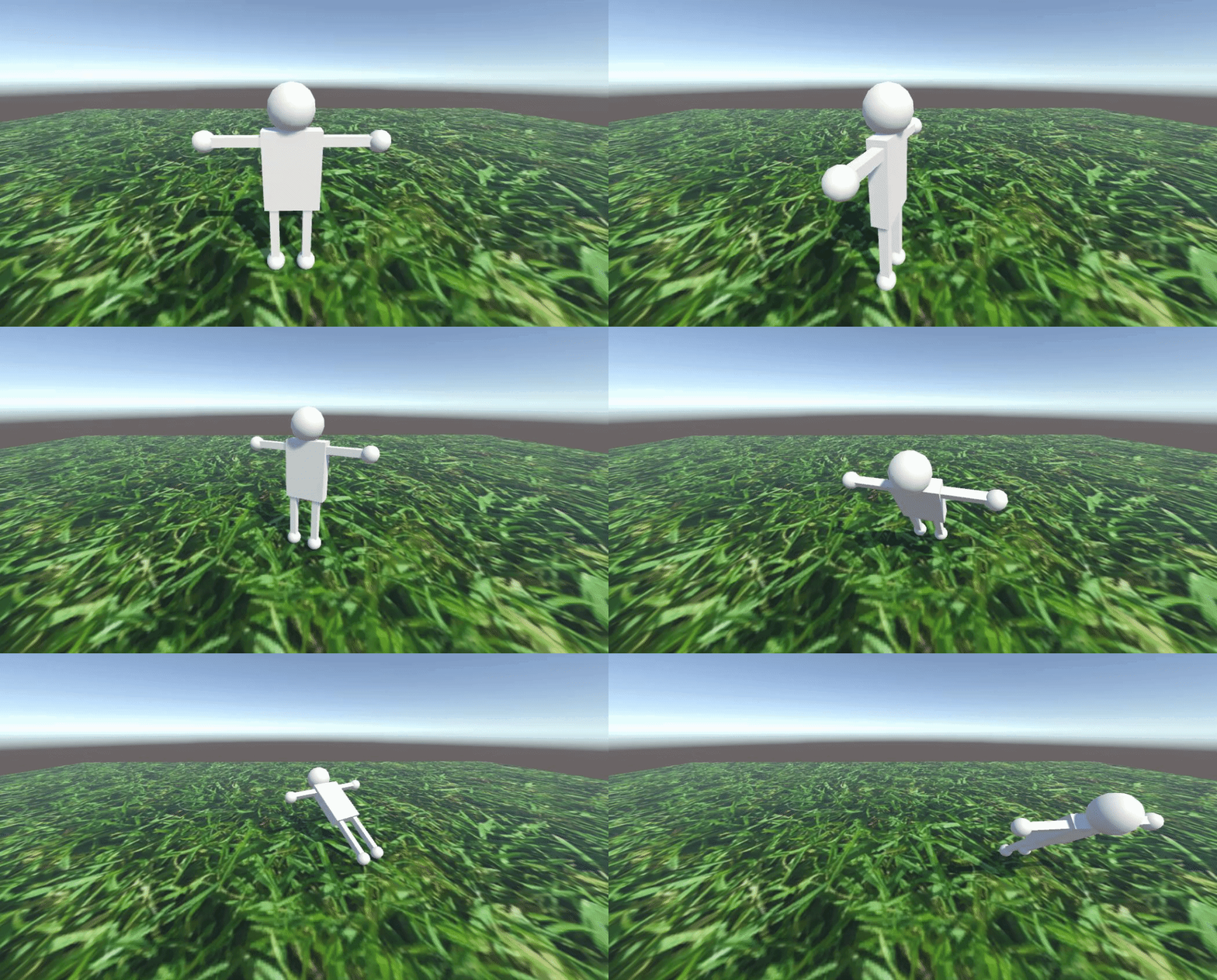
this is my hierachy

and this is my rigidbody on the player

and there are box colliders on each foot (the spheres)
coral mango
wary crater
https://gyazo.com/aa33749236acc3f618a5d1a4e4f5948b.gif anyone know why this is h...
What should be happening?
wary crater
so basically when I'm moving the player around a bunch it starts to just fall on the floor but what I want is for that to not happen
it's just spinning on the floor which is not what i want haha
timid dove
wary crater
so basically when I'm moving the player around a bunch it starts to just fall on...
Constrain the rotation if you don't want it to tilt over
Tilting over like that is x and z axis rotation
wary crater
I realised that the rigidbody is in the Player object and the thing that is being rotated is in the PlayerModel

So when I constrained the x and z axis for the Player it still means that PlayerModel can fall on the floor
But since my movement script relies on the Player object to have the children setup like that is there a way to still prevent it?
timid dove
wary crater
So when I constrained the x and z axis for the Player it still means that Player...
The only thing that is physically simulated is the Rigidbody
So no that description doesn't make sense
Unless you have more than one Rigidbody
Or if your script is the thing rotating it
In which case you just need to fix your code
 fleet owl
I'm stuck with a physics thing in unity, basically trying to have a bus that drives itself and a FirstPerson character that can sit in it. The bus driving physics/code works perfectly well but when the player sits inside the bus he gets dragged to the back whereas the behaviour I want is for the player to stick to their position and be able to move freely (just like how humans work inside buses)
So far I've tried:
Parenting the player transform to the bus transform using OnTriggerEnter, doesn't work
Using physic materials should work but for some reason isn't working at all
I am open to all ideas and trying them out also can share more details
timid dove
fleet owl
I'm stuck with a physics thing in unity, basically trying to have a bus that dri...
Your player movement code is very relevant to this question
fleet owl
timid dove
Your player movement code is very relevant to this question
haha i was pretty much reading your prev messages about this, let me share my player code pretty straight forward actually
Not the best code probably but the only place where the player handles movement is MovePlayer() and this part:
void MovePlayer()
    {
        // Cast a ray downward from the player's position to check if they are grounded
        isGrounded = Physics.Raycast(transform.position, Vector3.down, out RaycastHit hitInfo, groundDistance, groundMask);

        float moveX = Input.GetAxis("Horizontal");
        float moveZ = Input.GetAxis("Vertical");

        Vector3 move = transform.right * moveX + transform.forward * moveZ;
        Vector3 moveVelocity = move * moveSpeed;
        rb.linearVelocity = new Vector3(moveVelocity.x, rb.linearVelocity.y, moveVelocity.z);

        // Jump
        if (Input.GetKeyDown(KeyCode.Space) && isGrounded)
        {
            rb.linearVelocity = new Vector3(rb.linearVelocity.x, Mathf.Sqrt(jumpHeight * -2f * gravity), rb.linearVelocity.z);
        }
    }
I feel the bigger issue here is the bus moving and there being no "friction" between the player rb and the bus rb.
Pastebin
Pastebin.com is the number one paste tool since 2002. Pastebin is a website where you can store text online for a set period of time.
timid dove
fleet owl
https://pastebin.com/7b1TLG8V
Not the best code probably but the only place whe...
As I guessed, you're setting velocity directly here
What do you suppose will happen when this code sets velocity to 0 and the bus moves
fleet owl
oh!
tbvh i thought i was doing that but then i looked at the code and missed it my bad
switching to addForce
I am using other than that change I can just add a OnTriggerEnter to parent the player to the bus when it's inside?
IT WORKS THANKS @timid dove 😄
timid dove
fleet owl
I am using other than that change I can just add a OnTriggerEnter to parent the ...
Parenting won't do anything for dynamic Rigidbodies
fleet owl
timid dove
Parenting won't do anything for dynamic Rigidbodies
oh? also how should I use the addForce since it does a very "non-instant" movement slowly adding force. is there maybe a script somewhere i could learn from?
 low breach
fleet owl
oh? also how should I use the addForce since it does a very "non-instant" moveme...
low breach
fleet owl
oh? also how should I use the addForce since it does a very "non-instant" moveme...
using add force and experimenting with different force modes will help
 tribal badge
Hey everyone, I'm doing something wrong with my raycast and could use a bit of help.
I have two colliders attached to a gameobject.
Collider A uses include layer Projectile. Collider B uses include layer Entity.
When I cast a ray towards them I expect the collider A to be hit but the other collider is hit instead.
Physics.Raycast(ray, out var hit, 1000, ~(1 << LayerMask.NameToLayer("Projectile"))

Do collider layer overrides or raycast layermasks work differently than I expect?
timid dove
tribal badge
Hey everyone, I'm doing something wrong with my raycast and could use a bit of h...
Layer overrides are irrelevant for Raycasts
Also you should use GetMask to make your layer mask
The thing that matters for Raycasts is the layer the GameObject is on. Since they're both on the same GameObject, they both have the same layer
tribal badge
Okay I was afraid this would be the case. Thank you @timid dove!
 iron wing
Hey everyone! Im currently running into an issue with character joints.
I have a ragdoll character that's parented to another object that can move around
(More simply said, the player can carry ragdolls on his shoulder)
The problem now, the legs are very jittery. The rest of the body is as well, but the legs only matter because in FPS view you can't see the body & arms.
I saw that "enabling projection" works, yet, it doesn't seem to work for me. I tried to change the value as well but that doesn't seem to do anything.
I can send a video of the problem if needed
timid dove
iron wing
Hey everyone! Im currently running into an issue with **character joints**.
I h...
Moving a Rigidbody via parenting it bypasses the physics engine and is going to cause all sorts of anomalous motion
You'll want to move the object via setting it's velocity or attaching it with joints
Or with e.g. MovePosition in FixedUpdate if it's kinematic
iron wing
Oh thanks, which joint should I be using?
iron wing
Well, I want it to be fixed, behaving as if it was parented
timid dove
FixedJoint then?
 tiny relic
Is there any way to override the standard unity collision resolution function?
A lot of other engines handle let you dig into it by default. Having worked in unity a long time, I haven't seen any way to do it, nor any reason not to have it.
PhysicsMaterial is incredibly limited in what it can do and doesn't really solve the core problem
 hollow echo
tiny relic
Is there any way to override the standard unity collision resolution function?
...
hollow echo
tiny relic
Is there any way to override the standard unity collision resolution function?
...
 supple lantern
Hi guys I am using the wheel collider with default settings other than the radius (made it fit the model), have a rigibody with mass of 1500 when I start the game scene my car turns into a monster truck.
but when I reset my car to a respawn location it fixes its self to what I would expect. second image. anyone had this issue before ?
or any suggestions.

 fleet owl
supple lantern
Hi guys I am using the wheel collider with default settings other than the radi...
fleet owl
supple lantern
Hi guys I am using the wheel collider with default settings other than the radi...
I am new to this but I had a similar problem recently, is it possible that you have colliders on the wheel meshes of your car? (This might not be the solution but I went with something similar recently so just trying to help :D)
urban forge
Is there any good source to learn math and physics for game dev
supple lantern
fleet owl
I am new to this but I had a similar problem recently, is it possible that you h...
Hi mate nah no colliders on my wheel meshes just the car, not sure what caused the issue but I revered back to a version of the project and its not broken in there, so I must have changed something in my car control script, woo for version control just need to use it more so I dont lose couple hours work haha.
 crude kite
tiny relic
PhysicsMaterial is incredibly limited in what it can do and doesn't really solve...
crude kite
tiny relic
PhysicsMaterial is incredibly limited in what it can do and doesn't really solve...
Note that by default, the friction and collision resolution uses a fake model based on the number of contact points, producing unrealistic results. This is the only combo in the Physics settings that calculates friction in a physically realistic way:

More info and additional links in the replies:
https://x.com/VehiclePhysics/status/1668614413471956992
#unitytips THIS is the ONLY settings combo that provides physically realistic collisions and frictions in Unity: Patch Friction Type + Improved Patch Friction.
Friction worked realistically up to Unity 4. From Unity 5 to Unity 2020 it was essentially trial & error. This combo in

 Twitter
·
Twitter
·
With the above settings, you can configure the PhysicsMaterial using real-world data and expect mostly realistic results.
narrow pier
Hello! Are there any resources to learn what exactly happens on PxScene simulation (what are the steps and in what order they are executed)? I didn't find anything specific in PhysX documentation.
tribal badge
Hello everyone, how do I change the direction in which a flat meshcollider surface collides with objects?
I tried inverting the normals but the collisions are still happening in the same direction.
timid dove
tribal badge
Hello everyone, how do I change the direction in which a flat meshcollider surfa...
What do you mean by the direction in which it collides?
tribal badge
timid dove
What do you mean by the direction in which it collides?
When I ray cast on it for example, the ray only collides with it from one side
timid dove
tribal badge
When I ray cast on it for example, the ray only collides with it from one side
yes because a single triangle of geometry only has one side. You will need to make an actual 3D object with "thickness" if you want double sided raycasts.
but if it's flat, why use a MeshCollider at all? YOu can do Plane.Raycast
what's the use case/gameplay scenario here?
tribal badge
timid dove
yes because a single triangle of geometry only has one side. You will need to ma...
Ah so the normal of the trianges don't make any difference?
timid dove
tribal badge
Ah so the normal of the trianges don't make any difference?
sure they do, but a MeshCollider creates its own internal simplified mesh from your mesh.
it's only going to have a single valid side
what are you trying to achieve here
tribal badge
timid dove
what are you trying to achieve here
I want to detect whether I hit a chainlink fence with a ray cast bullet. The chainlink fence has no thickness.
fleet owl
supple lantern
Hi mate nah no colliders on my wheel meshes just the car, not sure what caused t...
haha yes, i spent around 2hours extra because i didnt have version control but not anymore
timid dove
tribal badge
I want to detect whether I hit a chainlink fence with a ray cast bullet. The cha...
simplest thing is to use a BoxCollider
tribal badge
timid dove
simplest thing is to use a BoxCollider
A box collider wouldn't fit because the fence has rounded corners. But I set the mesh collider to convex now and it seems to work fine.
Thanks again, I didn't know that Unity's physics engine has a seperate representation of its mesh colliders irrespective of MeshCollider.sharedMesh.normals.
 frosty eagle
Is there anything that needs changing in regards to physics when updating from 2022.3.44f1 to Unity 6?
We are seeing a huge CPU draw from the physics engine after updating
2022.3.44f1

Unity 6

It's the same scene on both
 quiet mauve
Hey guys
I'm working on a Unity project where I'm implementing a drag-and-drop system for placing furniture in a scene. I have a FurnitureDragHandler script that allows users to drag furniture from a UI menu into the scene, and it works fine for initial placement.
However, once the furniture is placed, I want to enable the ability to drag it again using a separate DraggableObject script. I added the DraggableObject component to the furniture after placement, but I cannot seem to drag the placed furniture afterward.
timid dove
quiet mauve
Hey guys
I'm working on a Unity project where I'm implementing a drag-and-drop ...
I cannot seem to drag the placed furniture afterward.
why not? How is it supposed to work? What debugging steps have you taken?
 uncut anvil
Do you guys know how to maintain velocity of a rigidbody on letting go of LMB when I'm using the below to move it around (on holding LMB)
void MoveObject()
{
Vector3 targetPosition = mesh.position + mesh.forward * detectionRange;
// Use Rigidbody to move the object
objectGrabbed.MovePosition(Vector3.Lerp(objectGrabbed.position, targetPosition, objectMoveSpeed * Time.deltaTime));
}
timid dove
uncut anvil
Do you guys know how to maintain velocity of a rigidbody on letting go of LMB wh...
how about just using velocity instead of MovePosition
MovePosition won't respect collisions anyway
or, when you release it, you can apply a velocity based on how much this code would have moved it.
uncut anvil
timid dove
how about just using velocity instead of MovePosition
Do you have a good example of this? Sounds like a good idea
timid dove
e.g.
Vector3 targetPosition = mesh.position + mesh.forward * detectionRange;
Vector3 expectedPosition = Vector3.Lerp(objectGrabbed.position, targetPosition, objectMoveSpeed * Time.deltaTime);
Vector3 velocity = (expectedPosition - objectGrabbed.position) / Time.fixedDeltaTime;```(when releasing)
uncut anvil
So which velocity would you apply this to then? Since rigidbody.velocity isn't a thing anymore?
timid dove
rigidbody.velocity is absolutely a thing
uncut anvil
No I'm in 3D
timid dove
then it should be velocity unless they renamed it there as well and I'm mistaken
I guiess maybe they renamed it everywhere
either way it's the same thing.
uncut anvil
Haha so does it matter which one I use?
unique cave
Seems to be renamed to linearVelocity (on unity 6), sounds kinda weird rename to me
uncut anvil
Yeah it does. Ok I'll try that 🙂
 wind quail
Can anyone suggests how to make a proper collider for my car? i currently just use a box collider but because of the lack of smoothness whenever i go over the tiniest of bumps the car colliders and loses a lot of speed which just looks and feels very horrible
 royal willow
wind quail
Can anyone suggests how to make a proper collider for my car? i currently just u...
royal willow
wind quail
Can anyone suggests how to make a proper collider for my car? i currently just u...
you can use a convex mesh collider for the body or use primitives to make a custom one
 cerulean creek
wow that Disable All button on the physics grid is pure evil design. took a chance thinking it must just disable al highlighted rows/columns, nope, disabled every checkmark. why would anyone want that? Of course Undo doesnt work and I even quit the project without saving and re-opened it, but somehow it's all still blank squares
timid dove
cerulean creek
wow that Disable All button on the physics grid is pure evil design. took a chan...
Easy to revert with version control
 brave rapids
wind quail
Can anyone suggests how to make a proper collider for my car? i currently just u...
brave rapids
wind quail
Can anyone suggests how to make a proper collider for my car? i currently just u...
You can add four separate wheel 🛞 colliders on car wheels, and a separate box collider on car body
ashen swift
hi i have a rigidbody2d that moves to the right on its own
i commented out the moveposition script
so theres no code affecting the movement/physics
ashen swift
ok so i found that "simulated" in rigidbody is making my dynamic character move by itself
why is this?
timid dove
ashen swift
why is this?
Gravity
Or something is pushing it
Or some code is moving it
There are sometimes some weird configurations with joints or just weird object shapes that can create a phantom force in one direction just due to inaccuracies in the physics simulation too
ashen swift
now it doesnt move
even with my moveposition code
is that because its not simulated anymore?
timid dove
ashen swift
is that because its not simulated anymore?
yes
If you want it to be an actively simulated physics object, simulated needs to be on
ashen swift
im just trying to make my guy move with the joystick
it used to work but i made it kinematic and not dynamic
which was a huge mistake
timid dove
"just make my guy move" is pretty vague.
there are many different ways things can move
You'd have to describe what kind of movement you are looking for
timid dove
probably not a great idea unless you don't care about collisions
setting velocity would be better usually.
but again
you have to explain the style of movement you want.
timid dove
wanting it to collide is important information
that's what I'm saying
you need to explain stuff like that
timid dove
Setting velocity will probably be the simplest.
ashen swift
whats the method
timid dove
but like... do you need gravity? etc. There are so many little details
timid dove
something like:
float horizontalInput = Input.GetAxisRaw("Horizontal");
myRb.linearVelocityX = horizontalInput * moveSpeed;```clamps?
wdym by clamps
ashen swift
so that it doesnt go out of bounds
timid dove
Use colliders
ashen swift
i rather use clamps
timid dove
why
ashen swift
is that not possible with linearvelocityx
timid dove
that's what colliders are made for
timid dove
ashen swift
is that not possible with linearvelocityx
You would be bypassing the physics engine which is a bad idea
it will cause issues
 hot edge
Sry miss click
ashen swift
Rigidbody2D' does not contain a definition for 'linearVelocityX' and no accessible extension method 'linearVelocityX' accepting a first argument of type 'Rigidbody2D' could be found (are you missing a using directive or an assembly reference?)
 twin nebula
Is there a method I should use to move rigidbodies that actually works well with interpolation? If I have any sort of interpolation (interpolate extrapolate) on my rigidbody and set the position somewhere in FixedUpdate it causes one frame of jitter
Tried MovePosition and just directly setting the rigidbody component's position along with the transform's position
This is an issue I've had with interpolation for a while and it's extremely annoying. It seems like trying to halt or teleport a rigidbody in any way causes jitter (for example interpolate made the rigidbody move ahead for a frame and then go to where it should've been because I set the velocity to zero)
unique cave
ashen swift
Rigidbody2D' does not contain a definition for 'linearVelocityX' and no accessib...
did you type .linearVelocity.x or linearVelocityX? LinearVelocity is a Vector2, there's no X and Y properties separately
ashen swift
in the properties list of rigidbody2d it lists linearVelocityX as a property
this is for 2d
unique cave
ashen swift
this is for 2d
That I figured but .velocity used to be the only way on 2D too. You are right though, they seem to have added that to Unity 6, are you using Unity 6 or older?
ashen swift
im looking at it right now
it's right after linearVelocity
unity 6
but not the most recent
guess i should update
ashen swift
oops
how do i close code tag
gameObject.GetComponent<Rigidbody2D>().linearVelocityX = Joystick.GetComponent<UltimateJoystick>().GetHorizontalAxis()
* Time.deltaTime * 3f;
I don't see a problem here, could potentially be a problem with your IDE not communicating properly with your unity version but I'd probably just try to good old .velocity way https://discussions.unity.com/t/how-to-set-velocity-of-only-one-axis/830584
 plush plinth
im using my rigidbody like this :
rb.MovePosition(rb.position + dir * movementSpeed * currentRunSpeed * Time.fixedDeltaTime);
The problem is, when it comes in contact with stationary box colliders, it starts spinning and drifting. Any way to disable any backwards force towards the rigidbody?
like for it to be not affected at all. The bouncines on physics material is set to 0
unique cave
plush plinth
im using my rigidbody like this :
```rb.MovePosition(rb.position + dir * moveme...
Why are you not using the velocity/angular velocity?
ashen swift
so i updated my unity version
it plays but it's still moving on its own
Y movement is not working
unique cave
ashen swift
Y movement is not working
what you mean by that?
ashen swift
it's not responding to y axis of joystick
and it's still flying off to the right by itself
plush plinth
unique cave
Why are you not using the velocity/angular velocity?
should I? movePosition does the job
I don't need velocity
unique cave
plush plinth
should I? movePosition does the job
What is it that you are doing? A character?
plush plinth
yeah, it's just a character moving in 2d space.
unique cave
do you use 2D or 3D physics engine
inner thistle
Well it's not doing the job if it doesn't behave the way you want
plush plinth
3d in 2d space
inner thistle
The problem with MovePosition is that it forces (no pun intended) the rigidbody to the new position so it's very hard to prevent it from bouncing back if it goes inside a collider
plush plinth
inner thistle
Well it's not doing the job if it doesn't behave the way you want
I don't think it's tied to the movePosition, all I really need is a way to disable backwards force towards the rigidbody, when colliding
ah
unique cave
MovePosition isn't really any better than transform.position for non-kinematic bodies and therefore other methods (namely velocity and forces) are usually preferred
ashen swift
whyyyy is my guy moving on its own
unique cave
ashen swift
whyyyy is my guy moving on its own
Make sure your joystick isn't giving non 0 input by default
If it does, add bit of dead zone to not care of little inputs
or try to recalibrate the device somehow. Other players might find the same issue though so dead zone setting might be useful for others too
 grave spindle
why are ragdoll physics that much unstable ?

i tried using projection or better rigibody collision detection but its still that bad
timid dove
grave spindle
why are ragdoll physics that much unstable ?
usually it means collisions between interconnected bones.
make sure collision is disabled on all the joints
and that none of the other bones are overlapping each other
grave spindle
joints collisions are disabled
grave spindle
timid dove
and that none of the other bones are overlapping each other
for this part you want that the bones ignore each other ?
(for the capsule colliders)
tried both are its still very unstable
bones doesnt collide each other & joints doesnt have collision & have projection enabled
looks like the biggest issue happens when the ragdoll hits the ground
timid dove
grave spindle
looks like the biggest issue happens when the ragdoll hits the ground
what collision detection mode are you using
grave spindle
yeah tried a lot of stuff still weird
reducing fixed timestep and increasing solver iteration mosty fixed the issues
 brittle crown
How can i increase the effort of the Physics Engine? my solver iterations are allready at the highest and theres still alot of bugs. These are my current Physics Settings:
 loud ridge
I watched some tutorials to make my ragdoll character with inverse kinematic arms to grab objects. This is my code https://paste.ofcode.org/8LiM3cwQthT8X3GmiLXffD. I used trigger enter because using my hands as a collider broke some things.
I made debug.break(); when it enters trigger and checked the fixed joint I create with script and anchor looked normal.
So I cant understand why joints break.
timid dove
brittle crown
How can i increase the effort of the Physics Engine? my solver iterations are al...
Reduce fixed timestep
brittle crown
Sure
brittle crown
timid dove
Reduce fixed timestep
What value would you recommend? its at 0.02 right now.
 lost current
hey fellas, I'm curious. I want to give the player the ability to walk on walls & the ceiling when they reach a certain velocity, I know that I need to check if the player is touching the wall at a certain point & flip them but I'm not sure how it'd be the best way to do it
uh, would love some help in that regard :D
royal willow
you could use raycasts to detect if you are near a wall, then just find out if the velocity is over a certain threshold, then flip if both are true
lost current
royal willow
you could use raycasts to detect if you are near a wall, then just find out if t...
true, but how would one handle the physics aspect?
As I am using a player controller script with a RigidBody2D component to handle the physics side (AKA, I'm not using custom physics or anything like that)
royal willow
lost current
As I am using a player controller script with a RigidBody2D component to handle ...
are you asking how you would flip the player?
just invert the gravity then flip the sprites
lost current
there seems to be a bit of a confusion here
royal willow
specify what you mean by to handle the physics side
lost current
I'm asking how to do this

& idk how one can have the player stick to the wall & move alongside it like it's a normal surface
cause flipping it to stick to the roof is as easy as multiplying the rigidbody gravity value with -1
to a wall tho? I'm unsure how to do that
royal willow
you would rotate the player with the rotation of the normals you are standing on and to stick the player to the wall you can disable gravity and make your own and just change the direction of it with the normals as well
this is all theory of course
lost current
fair
royal willow
but in theory it should work
to add on if you do rotate your player with the normals, to jump or move you would have to use the local vectors instead of global vectors
timid dove
brittle crown
What value would you recommend? its at 0.02 right now.
A smaller one
 sturdy zinc
Edit: Issue is resolved. Found this code buried and I don't even remember writing it 😄
// Cancel the angular velocity on the z-axis of the RigidBody to get rid of unwanted roll
if (!_oneWheelGrounded)
{
    var rbAngularVelocity = transform.InverseTransformVector(_rigidbody.angularVelocity);
    rbAngularVelocity.z = 0f;
    _rigidbody.angularVelocity = transform.TransformVector(rbAngularVelocity);
}
Hi there, hoping someone can help me out with adding torque to a RigidBody with inertia. Essentially, I am applying torque on all axes based on player input. Both yaw (y-axis) and pitch (x-axis) feel like they have some inertia behind them as when the input given is 0, the inertia slowly dissipates over a couple of seconds which is the behavior that I am looking for. However, the roll (z-axis) torque doesn't seem to have any inertia behind it and requires a lot more torque to get spinning at a similar rate as the others. Once input stops, the RigidBody stops spinning immediately.
I am not really sure what could be causing this as I have never had this issue before. I did have to manually set the inertia tensor to 200 on the x, y, and z axes because the automatic setting was causing my motorcycle to slide.
I am using the latest 2022 LTS - 2022.3.51f1
Here is a quick snippet of how I am applying the torque to the RigidBody:
private void ApplyTorque()
{
    // Return if no RigidBody
    if(!_rigidbody) return;
    // Return if grounded
    if(_oneWheelGrounded) return;

    // Apply axes torque in the air
    var yawTorque = _yawTorque * _steeringInput;
    var pitchTorque = _pitchTorque * _leanLongitudeInput;
    var rollTorque = _rollTorque * -_leanLatitudeInput;

    _rigidbody.AddRelativeTorque(new Vector3(pitchTorque, yawTorque, rollTorque), _torqueForceMode); // Force mode is set to "Acceleration", but the issue persists with all force modes
}
And here is a short video demonstrating the issue that I am having and how I have things set up: https://www.youtube.com/watch?v=V9ztjSJCQkI
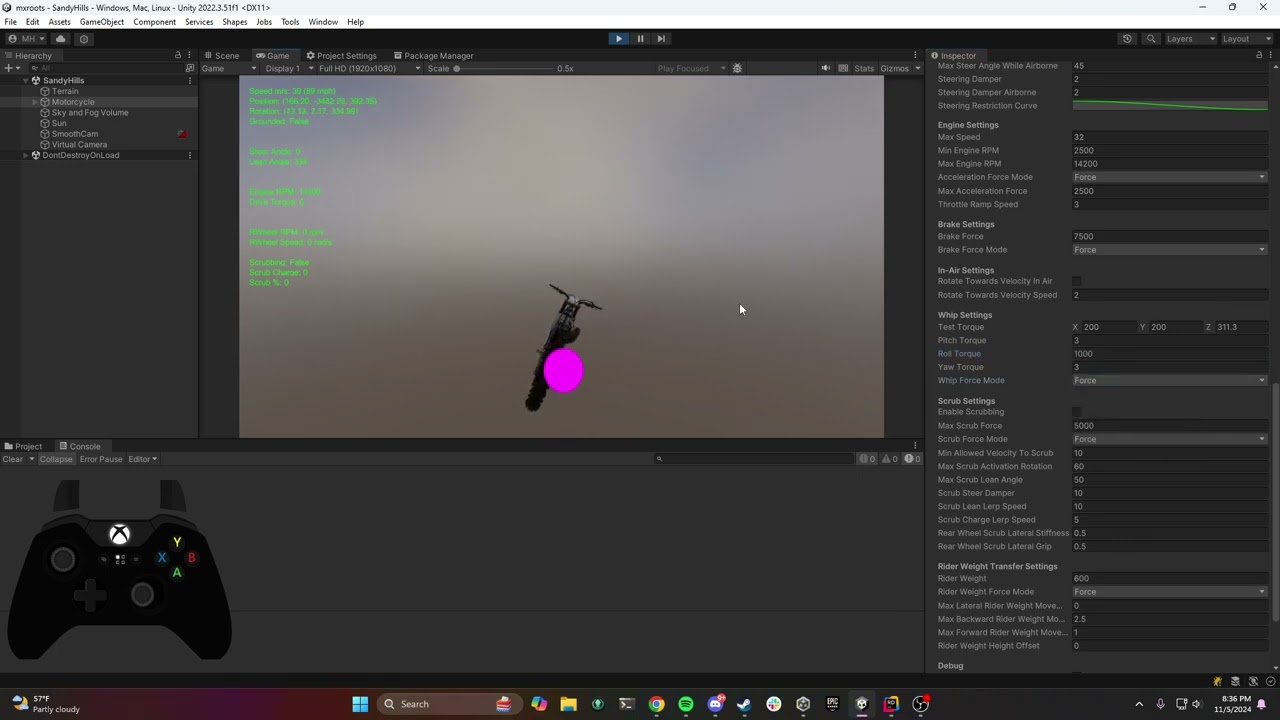
 twin nebula
Is there a method I should use to move rigidbodies that actually works well with...
twin nebula
twin nebula
Is there a method I should use to move rigidbodies that actually works well with...
Bumping this
narrow pier
twin nebula
Bumping this
There is no way of performing interpolation of rigidbody's visual transform without one frame delay
twin nebula
Aw dang
narrow pier
twin nebula
Aw dang
There are a couple of ways you can teleport RB immediately with it's visual Transform.
You can set new position of Transform(!) component and call Physics.SyncTransforms(), this will bypass interpolation for a frame.
Another way I'm not confident about is to disable interpolation before teleportation and reenable it later on at least after one frame (using some Await/Async or any other preferred way)
loud ridge
I watched some tutorials to make my ragdoll character with inverse kinematic arms to grab objects. This is my code https://paste.ofcode.org/8LiM3cwQthT8X3GmiLXffD. I used trigger enter because using my hands as a collider broke some things.
I made debug.break(); when it enters trigger and checked the fixed joint I create with script and anchor looked normal.
So I cant understand why joints break.
coral mango
Looks like you are likely creating a state the physics can't easily resolve somehow...
silver moss
loud ridge
I watched some tutorials to make my ragdoll character with inverse kinematic arm...
Are you making sure that it does not add the fixed joint multiple times?
It also looks like your bones/joints are parented to each other. In my experience it is best to keep them as siblings instead
Avoid parenting rigidbodies to each other
 sage palm
How can you eliminate the jitter/jiggling when many rigidbodies are touching eachother, like say a pile of coins. It takes a long time for the objects to settle and stop the jittering. Is there a way to have this fine physics movement stop at a certain threshold?
 median plover
I'm trying to make my vroid model and the hair has me frustrated. I think this is a physic issue? im not sure, im not really a big unity user unless it comes to my models. Does anyone know how to adjust the hair so it's not floating? I feel like its getting stuck on a collider but I'm not sure. I hope these pictures also help with what im trying to ask


 coral mango
median plover
I'm trying to make my vroid model and the hair has me frustrated. I think this i...
coral mango
median plover
I'm trying to make my vroid model and the hair has me frustrated. I think this i...
Vroid hair doesn't use the unity physics system, does it?
median plover
coral mango
Vroid hair doesn't use the unity physics system, does it?
im not sure but the hair that i am using is for made for vrchat but i ended up figuring it out in the end, took a really long time to get
 muted rivet
lost current
cause flipping it to stick to the roof is as easy as multiplying the rigidbody g...
muted rivet
lost current
cause flipping it to stick to the roof is as easy as multiplying the rigidbody g...
sorry for Necro reply
adding consistent acceleration to counteract gravity when on-wall and adding same force towards it should do the trick, it would be sorta modified gravity direction
muted rivet
median plover
im not sure but the hair that i am using is for made for vrchat but i ended up f...
there should be great addon for vrm in blender, it would allow for gltf export+colliders generation and everything, something with kittens in name, memory lost the exact phrasing sorry.
muted rivet
sage palm
How can you eliminate the jitter/jiggling when many rigidbodies are touching eac...
physics sleep threshold in projects physics setting. that and physics timesteps.
sleep threshold=at what point body will be stationary
timestep=how much frames physics have per game frame.
but beware that constant contacts are notoriously hard for physics enginies, its one of stress tests so i would suggest trying to minimize it as it can...explode
sage palm
muted rivet
physics sleep threshold in projects physics setting. that and physics timesteps....
I'm experimenting with the unity physics so I made a little coin pusher sort of thing and it's main feature is stacks of coins that then react when other coins are pushed into them.
How can I minimize the constant contacts in a case like this? Its core to the gameplay of something like a coin pusher.
muted rivet
sage palm
I'm experimenting with the unity physics so I made a little coin pusher sort of ...
hm, in this case increasing physics samples and sleep threshold(so bodies are considered static earlier) is a go
 tawny kernel
for some reason unity is lagging incredibly badly (skipping frames)

profiler looks like that
all im doing is rendering a few balls with a spinner


im also using a render texture for some custom post processing effects

rest also look like this

nvm i figured that it was the 8x antialiasing on the render texture
with that color format
muted rivet
@tawny kernel also try to minimise rigidbody overlap or make them ignore eachother with layer overrides. them being forced to overlap might just be one of major additions
tawny kernel
yeah no it actually just ended up being purely rendering
i guess it cant do antialiasing on 1024x1024
loud ridge
silver moss
It also looks like your bones/joints are parented to each other. In my experienc...
but inverse kinematics mess up when I dont make upper arm parent of my lower arm
silver moss
loud ridge
but inverse kinematics mess up when I dont make upper arm parent of my lower arm
What are you using for IK?
The IK should not directly rotate the rigidbodies, it should modify the joints motors/target rotations
Are you even using joints for the ragdoll?
 viral beacon
I am having an issue where my trail makes it appear as though the bullet is spawning in an unusual place when firing while moving. Is there a way to make the trail draw relative to the weapon? I am using a rigidbody projectile for bullets.
 timid dove
You'd have to show how and where you're spawning the trail as it is
 young gate
Anyone know any good writeups about articulations by someone who's made lots of use of them? I'm not after how to do X but rather want insight on the various pitfalls / sacrifices / work arounds someone might run into when making full use of Articulationbodies in Unity
There's plenty of demos and instructions for single uses of them but I'm after the sort of knowledge you'd pick up after trying to get articulations to play nice and interact with each other in actual gameplay, the weird quirks and things to avoid
Perfect example of this sort of knowledge is Edys tweet about how drag is related to FixedTime rather than independent of it, knowing those sorts of quirks instead of slowly discovering them after wasted hours would be great
young gate
I guess I'm asking "where are the ghosts hiding in unity physics"
young gate
crude kite
Note that by default, the friction and collision resolution uses a fake model ba...
Oh you're in here even, Thanks for all the information you've put out there I really appreciate it
If I find a detailed authoritative physics post when trying to debug something, there's an 80% chance it's under your name
 zealous pawn
Hello, I have a question that's half a blender question and half a Unity question, and maybe not at all a physics question but this seems like the best place to ask. I have a rigged landing gear system in Blender. I want this landing gear to work in Unity as well, but the armature isn't working in Unity like it is in Blender.
I don't want to make animations for the landing gear, instead I want it to be physics-based and react to the weight of the weight of the airplane.
I'm looking for any tips/help- do I need to do something in Blender to import the armature correctly? Or do I need to set up physics joints in Unity? Or both?
timid dove
zealous pawn
Hello, I have a question that's half a blender question and half a Unity questio...
You need inverse Kinematics
zealous pawn
I have inverse kinematics in Blender, is there a reason it didn't get imported to Unity? Or do I have to set up inverse kinematics independently in Unity?
timid dove
The latter
zealous pawn
Thank you.
 full peak
Heya! I'm looking for a dynamic cable solution that can retain the underlying shape of the cable.
I can find lots of packages that seem to do B, where a cable is simulated between two points.
But what I'm after is A: perhaps something based on a bezier spline that will aim to retain that shape while still having some give & bounce.
Does anyone know of something on the asset store that would do that?
(I can see lots of cable simulation packages, but I'm hoping I won't have to try each one to see if it does this!)

 indigo echo
Hi! I'm have a problem over here with my character. Basically what i'm trying to do it's a character that can run on walls, and to achieve that it rotates it's up direction to match the normal of the surface it's running on and if it's touching multiple surfaces then rotate it to the average normal of them. But i'm having a problem with the collision detection in situations like in the video, where it's the edge of a ramp. It detects multiple surfaces and using the average of their normals for it's up direction, even tho it's only touching one surface. This only happens when using a capsule collider, because i tried with a sphere collider and it worked like i expected.
It should be something like this (i'm using a sphere collider) (the blue line it's the normal it's using for it's up direction)
light gate
full peak
Heya! I'm looking for a dynamic cable solution that can retain the underlying sh...
unique cave
indigo echo
Hi! I'm have a problem over here with my character. Basically what i'm trying to...
How are you getting the normals and their averages? Physics? Raycasts?
indigo echo
unique cave
How are you getting the normals and their averages? Physics? Raycasts?
both collision enter and collision stay
then they both call a function that calculates the dot product between the collision's normal and the player's (to decide if it's too steep)
unique cave
indigo echo
both collision enter and collision stay
I would generally prefer raycasts (SphereCast in your case) in this kind of cases for best quality normals
indigo echo
unique cave
I would generally prefer raycasts (SphereCast in your case) in this kind of case...
i tried that, but doesn't work with non-convex surfaces and i want it to work with them just to skip a buch of work when making levels
unique cave
indigo echo
i tried that, but doesn't work with non-convex surfaces and i want it to work wi...
What you mean "doesn't work"? I'm pretty sure casts work with any type of colliders
indigo echo
unique cave
What you mean "doesn't work"? I'm pretty sure casts work with any type of collid...
i checked the documentation and you're right. I remember i used a method that doesn't work with non-convex colliders. Maybe i confused that with sphere cast
i'll give it a shot to see if it works, thanks for helping!
unique cave
indigo echo
i checked the documentation and you're right. I remember i used a method that d...
SphereCast should work too. The crucial difference between RayCast and SphereCast in this case would be that RayCast gives the actual surface normal at the hit point while SphereCast would give the normal along which a ball would bounce if it was thrown at the path of the cast. At mesh corners RayCast gives either faces normal while SphereCast doesn't which would allow for more smooth rotations which in your case might be desirable
indigo echo
Update: I used SphereCastNonAlloc and it worked, but now it will only detect one hit per element, making that if there's two hits with the same element then it can't use the average normal of them (first two examples). Only when it's two hits on two different elements (last two examples) it can use their average normal.
silver moss
indigo echo
Update: I used SphereCastNonAlloc and it worked, but now it will only detect one...
How are you doing it, show your code
SphereCastNonAlloc specifically lets you get multiple hits
You could just iterate all the hits and add their normals together and then normalize the total if needed
Check out !code
flint portalBOT
Posting code
📃 Large Code Blocks
Use links to services like:
https://gdl.space/, https://paste.ofcode.org/, https://hatebin.com/, https://paste.myst.rs/, https://hastebin.com/
📃 Inline Code
Surround code with three backquotes. Not quotation marks.
To format as C#, add cs to the first line:
```cs
// Your code here
```
Add a comment with a line number if there is an error message.
silver moss
Specifically the "Inline Code"
indigo echo
oh, thanks!
void DetectSurfaces(){
  Vector3 sphereOrigin = RB.transform.position + RB.transform.up * 0.5f;
  //RB it's on the lower part of the collider, this puts the origin at it's center

  RaycastHit[] hits = new RaycastHit[10];
  Physics.SphereCastNonAlloc(sphereOrigin, 0.505f, -RB.transform.up, hits, 0.5f, layerMask, QueryTriggerInteraction.Ignore);
  //Capsule collider height is 1 and radius is 0.5

  foreach (RaycastHit hit in hits){
    if (Vector3.Dot(hit.normal, RBNormal) >= minGroundDotProduct){
      groundContactCount += 1;
      avgNormal += hit.normal;
    }
    //Uses avgNormal.normalized for RB.trasform.up
  }
}
@silver moss here it is
silver moss
indigo echo
```cs
void DetectSurfaces(){
Vector3 sphereOrigin = RB.transform.position + RB...
SphereCastNonAlloc returns an int.
That int is the number of hits that were written to the hits array
So you should do ```cs
int hitCount = Physics.SphereCastNonAlloc...
for(int i = 0; i < hitCount; i++)
{
var hit = hits[i];
...```
Currently you are using foreach which loops over all the hits, even the empty/unused ones
indigo echo
alright, let me change it quick
silver moss
As an extra optimization, you can make hits a static array so it can be reused. Declare it in the class:cs static RaycastHit[] hits = new RaycastHit[10];
Otherwise using NonAlloc doesn't make sense - you are currently allocating a new array each time
Allocations = More work for the garbage collector = Worse performance
indigo echo
so that's how it works, i'm new to arrays an c# in general
thanks for the tip!
wait, i'm getting error CS0106 "The modifier is not valid for this item"
nvm, just put the declaration of the array outside the function
silver moss
Yeah that's what I mean with "declare it in the class"
indigo echo
btw, it's still happening
silver moss
Show updated code?
indigo echo
the spherecast it's picking only one hit
on it
static readonly RaycastHit[] hits = new RaycastHit[10];

void DetectSurfaces(){
  Vector3 sphereOrigin = RB.transform.position + RB.transform.up * 0.5f;

  int hitCount = Physics.SphereCastNonAlloc(sphereOrigin, 0.505f, -RB.transform.up, hits, 0.5f, layerMask, QueryTriggerInteraction.Ignore);

  for (int i = 0; i < hitCount; i++){
  if (Vector3.Dot(hits[i].normal, RBNormal) >= minGroundDotProduct){
    groundContactCount += 1;
    avgNormal += hits[i].normal;
  }
}
Start by logging the hit count with Debug.Log
Maybe the other object fails this check?cs if (Vector3.Dot(hits[i].normal, RBNormal) >= minGroundDotProduct)
indigo echo
silver moss
Start by logging the hit count with Debug.Log
was already doing that, it says only 1 hit
silver moss
Could be incorrect layers
And/or an invalid layermask.. How are you defining the layerMask? Where does it come from
indigo echo
silver moss
Maybe the other object fails this check?```cs
if (Vector3.Dot(hits[i].normal, ...
all default layers. The examples on the video are ramps flat enough to be true on that check
silver moss
Oh and make sure that the SphereCast doesn't start inside a collider. It won't detect colliders that it initially overlaps with
Make it a bit smaller than the capsule and/or move it up a bit
indigo echo
that's is why i started it on the middle of the character
silver moss
Looks like your radius is 0.5f, that means a sphere 1 unit wide
indigo echo
i mean the origin
silver moss
Is your character 1 unit wide?
indigo echo
yeah
i added a little bit of skin width in the radius of the spherecast to allow some wiggle room
silver moss
You made it a bit smaller right?
indigo echo
the other way around, i made the radius of the SC larger
silver moss
Nah make it smaller
silver moss
silver moss
Oh and make sure that the SphereCast doesn't _start_ inside a collider. It won't...
This is important^
If the sphere is larger than the character's collider, then it has a chance of already overlapping with a collider and will fail to hit it
indigo echo
i forgot to mention, the capsule collider of the character has it's layer set to ignore raycast
silver moss
Yeah that's good, but doesn't change what I said
indigo echo
made the SC smaller, now it doesn't detect anything
silver moss
Make sure to account for that in your max distance
Which was .505
You can use gizmos to visualize the sphere:cs void OnDrawGizmos() { // Calculate sphereOrigin here again Gizmos.color = Color.yellow; Gizmos.DrawWireSphere(sphereOrigin, radius); }
indigo echo
now it can detect flat surfaces but not ramps
indigo echo
silver moss
You can use gizmos to visualize the sphere:```cs
void OnDrawGizmos()
{
// Calc...
that's helpful, thanks
silver moss
indigo echo
that's helpful, thanks
Actually unity has physics query visualization too
That's more helpful
So you can see exactly how your spherecast is aligned
indigo echo
@silver moss whyyy

it's detecting two hits, but only using one and saying it's only detecting one
silver moss
indigo echo
<@136926228341850112> whyyy
What is your debug.log? Are you just logging groundContactCount?
indigo echo
ok, something strange it's happening. I tested using the case where there's two separate elements, and when the query says there's two hits, the SC says there's only one, but if i keep going towards the middle point between the two ramps then then the SC says there's two hits and uses the average of them
silver moss
I'm pretty sure that this:cs (Vector3.Dot(hits[i].normal, RBNormal) >= minGroundDotProduct) Should be:cs (Vector3.Dot(hits[i].normal, Vector3.up) >= minGroundDotProduct)
indigo echo
this is when the character it's not in the exact middle
 silver moss
Comparing with RBNormal doesn't make sense to me
indigo echo
this is when it is
 indigo echo
silver moss
Comparing with RBNormal doesn't make sense to me
indigo echo
silver moss
Comparing with RBNormal doesn't make sense to me
now that i think about it your'e right, not in comparing it to Vector3.up but in that it doesn't make sense to use RBnormal
i should be using RB.transform.up
silver moss
Well, i assumed that RBNormal was the transform up
What is your minGroundDotProduct set to?
indigo echo
RBNormal is what i use to set the transform.up, not the transform.up itself
indigo echo
silver moss
What is your ``minGroundDotProduct`` set to?
80 degrees, which is 0.17