#⚛️┃physics
1 messages · Page 14 of 1
 pulsar canopy
I'm just using controller simple move for movement and controller jump for jumping? You need anything specific?
 timid dove
pulsar canopy
I'm just using controller simple move for movement and controller jump for jumpi...
timid dove
pulsar canopy
I'm just using controller simple move for movement and controller jump for jumpi...
The movement code
Just share the whole player movement script
pulsar canopy
I'm using Playmaker for programming. Perhaps unreadable to you
timid dove
Long story short, the movement is all due to your code. If you don't want to share the code there's little anyone can do to help
pulsar canopy
timid dove
Long story short, the movement is all due to your code. If you don't want to sha...
I can share the code, it's not a problem
but can you read playmaker FSMs?
timid dove
Why not
 pearl ivy
 dreamy whale
the ragdoll itself is easy to make
dreamy whale
the ragdoll itself is easy to make
Just toggle between is kinematic and no kinematic on each joint. When animating set all to kinematic, when not set to false, that’s what works for me
dreamy whale
pearl ivy
Just toggle between is kinematic and no kinematic on each joint. When animating ...
nono, like, i did a ragdolls who respond to animation keeping the physical response to the ambient
 stuck bay
I want to make a physics vr sandbox game, but dont know how to start, i dont know how to code. any tips?
 wide nebula
If you don't know how to code, then you need to start your !learn
 flint portalBOT
:teacher: Unity Learn ↗
Over 750 hours of free live and on-demand learning content for all levels of experience!
 crystal shale
Hello! My question is about Slopes. : In my race game (in space) i have a road with climbs and slopes. I also created invisible walls along the road to avoid players to fall. My players are using the CharacterController component to run and i set Slope Limit to 60 , but in this case with this limit, players can also climb a wall according the road angle. QUESTION : can i set a different Slope Limit in this component for different object / layers ? Thanks for any help
 civic void
Hello there. I'm trying to make a game with slowmotion, but the character is not supposed to be affected by slowmo. But if I make timeScale = 0 everything, including character freezes. I feel like I'm beating my head to wall at this point.
I get that FixedUpdate works only if timeScale > 0, but switching to Update didn't help (even though the direction know contiones to be calculated)
Here's my movement code:
private void FlyManagement(float horizontal, float vertical)
{
    //Debug.Log("horizontal: " + horizontal);
    //Debug.Log("vertical: " + vertical);
    Vector3 direction = Rotating(horizontal, vertical);
    Debug.Log("direction: " + direction);
    rb.AddForce(direction * (flySpeed * 10 * (IsSprinting() ? sprintFactor : 1)), ForceMode.Acceleration);
    Debug.Log(direction * (flySpeed * 10 * (IsSprinting() ? sprintFactor : 1)));
    HandleSprint();
}

private Vector3 Rotating(float horizontal, float vertical)
{
    Vector3 forward = arrowCamera.TransformDirection(Vector3.forward);
    // Camera forward Y component is relevant when flying.
    forward = forward.normalized;

    Vector3 right = new Vector3(forward.z, 0, -forward.x);

    // Calculate target direction based on camera forward and direction key.
    Vector3 targetDirection = forward * vertical + right * horizontal;

    // Rotate the player to the correct fly position.
    if ((IsMoving() && targetDirection != Vector3.zero))
    {
        Quaternion targetRotation = Quaternion.LookRotation(targetDirection);

        Quaternion newRotation = Quaternion.Slerp(rb.rotation, targetRotation, turnSmoothing);

        rb.MoveRotation(newRotation);
        SetLastDirection(targetDirection);
    }

    // Return the current fly direction.
    return targetDirection;
}

 private void Update()
 {
     if (InputManager.playerInputActions.Arrow.enabled)
         FlyManagement(Input.GetAxisRaw("Yaw"), Input.GetAxisRaw("Pitch"));
 }
And here's my TimeController:
[SerializeField] Slider slider;
[SerializeField] TextMeshProUGUI speedText;
private float fixedTime = 0f;
private float maxfixedTime = 0f;
private void Start()
{
fixedTime = Time.fixedDeltaTime;
maxfixedTime = Time.fixedDeltaTime;
SetSlider();
}
private void Update()
{
ChangeTimeScale();
}
private void SetSlider()
{
slider.maxValue = 10f;
slider.minValue = 0.0f;
slider.value = 1f;
}
public void ChangeTimeScale()
{
speedText.text = slider.value.ToString("N2");
Time.timeScale = slider.value;
//Time.fixedDeltaTime = Mathf.Clamp(fixedTime * Time.timeScale, 0f, maxfixedTime);
Time.fixedDeltaTime *= Time.timeScale;
}``` lean skiff

Unity Forum
There's a bug I've been noticing for at least a year now.
I'm on Unity 2021.3.30f1
On Android (not in the Editor), raycasts will randomly stop hitting...
Unity please
Fix this bug
Been working on it for the past like 6 hours
Definitely is a bug with Unity
Been using unity since 2015
timid dove
lean skiff
https://forum.unity.com/threads/raycasts-randomly-stop-hitting-rigidbody-for-a-f...
Never heard of such a thing but if you want it fixed you should put together an example scene where it can be reproduced and submit a bug report
 limber narwhal
My bullets are going thru the target, because they are too fast anyone has a suggestion on how to fix it?
lean skiff
timid dove
Never heard of such a thing but if you want it fixed you should put together an ...
i have no idea how to reproduce it
it happens so randomly
 wispy hemlock
limber narwhal
My bullets are going thru the target, because they are too fast anyone has a sug...
wispy hemlock
limber narwhal
My bullets are going thru the target, because they are too fast anyone has a sug...
 limber narwhal
wispy hemlock
https://docs.unity3d.com/Manual/class-TimeManager.html
limber narwhal
wispy hemlock
https://docs.unity3d.com/Manual/class-TimeManager.html
ty :)
timid dove
lean skiff
i have no idea how to reproduce it
It's more likely a bug with your code than with raycast itself
lean skiff
timid dove
It's more likely a bug with your code than with raycast itself
i made a test and was able to reproduce it
 woeful pulsar
Using the 2D physics engine, can I achieve the following behaviour?
I want a rigidbody that responds to joints constraints (so not kinematic), and who's own position is also constrained on an arbitrary finite line.
The problem is that rb2D.MovePosition is performed on step following the call, rather than the same.
So during the last step before rendering, diverse forces are applied to the object in question. I then make an attempt to force the position back to its finite line constraint, with rb.MovePosition, but that will not be applied until the next frame. So the frame is rendered with the rb exceeding its constraint.
Any idea how I can solve this?
 solid spoke
hey!
i'm just wondering if i'm using the recorder in unity, does it effects physics? the answer i am getting online is no, but i am getting issues with physics on my end. any insight would be great (: thanks
timid dove
solid spoke
hey!
i'm just wondering if i'm using the recorder in unity, does it effects phys...
It doesn't but if your code is framerate dependent it might simply be affecting framerate
solid spoke
i'm using it in conjunction with mlagents, but the agents logic is framerate independent, nested in fixed update.
however, when training an agent it does suggest these two options

would there be anyway to figure out if some logic wasnt frame independent, and was causing this?
lean skiff
lean skiff
i made a test and was able to reproduce it
I FINALLY FIGURED IT OUT
after pulling 2 all nighters
and working for so many freaking hours
stuck bay
Hey all! Sorry if this doesn't belong here, I just wasn't sure where to put it. So I got a slight problem. When my cube collides with an edge, it goes slightly to the opposite direction of the collision and I just can't seem to fix it
anyone got any tips?
I tried a circle collider, I tried without the edge radius, I tried with default rb2d settings
and since the way the movement works, I need it to be as close as possible to the "walls" so I can do a raycast, and check which side of the square is 'touching' a wall
I could make the raycasts longer, but that just seems like a band-aid solution and there has to be a better one
solid spoke
timid dove
It doesn't but if your code is framerate dependent it might simply be affecting ...
i've narrowed it down to accumulation, the first video is accumulation enabled. the latter is it disbaled. the movement of the character is more stiff in the accumulated ver.
timid dove
solid spoke
i've narrowed it down to accumulation, the first video is accumulation enabled. ...
Not sure what accumulation is
solid spoke
timid dove
Not sure what accumulation is
its for recording samples of a frame. similar to how blender renders images

you can use it with hdrp and path tracing, something funky must happen with the physics
found this forum post about it, but not much detail on how to fix it

well they do go into it, but.. i cant make heads or tails or it lol
Unity Forum
Hi folks!
The Recorder team would like to get your take on how/if you use Accumulation with HDRP and the Recorder. Accumulation uses multiple...
 pastel sparrow
Hey everybody, I created a cave 3D in blender and imported it into Unity, I applied "generate colliders" and it works kinda but as soon as I enter the cave the floor is fall through for my character, does anyone know how I can make the floor and inside walls solid ?
 modern sedge
pastel sparrow
Hey everybody, I created a cave 3D in blender and imported it into Unity, I app...
modern sedge
pastel sparrow
Hey everybody, I created a cave 3D in blender and imported it into Unity, I app...
make sure your normals are the correct way round
 steel sorrel
how do I query the Physics engine to give me the FIRST element in a given internal voxel WITHOUT checkning all the other objects inside it? 🤔
that specific task I know how to do ... but if I implement it myself, I'd have to implement the resto of the physic system 😂 ... which is beyond me
 vague scroll
Has anyone tried to perform parabolic motion to 2d objects in a top down view?
I'm doing the transformation I think that are correct, shearing z towards y but still it doesn't yield correct results when throwing at a tilted angle
 dapper arch
Hi, I want to make a 2D Grappling System, which will let the player to grapple onto an object, and swing around it or pull themself to it. I want to make the swinging system for now. There are many 2D joints, and I'm looking for the one that will work like a rope, letting the player swing around the object. Which joint will work like that?
 rugged swan
hi, I have an enemy which has a Collider2D and an animation that controlls its up an down movement, in the scene view it looks like the collider just moves with the object as it's supposed to but when playing the game it acts like the collider is everywhere on the trajectory. Does anyone know why that happens and how I could fix it?
timid dove
dapper arch
Hi, I want to make a 2D Grappling System, which will let the player to grapple o...
The closest will be a hinge joint. If you want an actual rope you'd make it up of many small segments connected by hinge joints
dapper arch
timid dove
The closest will be a hinge joint. If you want an actual rope you'd make it up o...
oh hi praetor, thanks for the answer. i was trying the spring joint and it's the best result i've got yet, but i will also try the hinge joint. thanks for help!
 gaunt notch
Hey guys - pretty straight forward issue:
Collision detection not registering 100% of the time when projectile (and therefore collider) is < 2.5 size. (I'm using OnTriggerEnter)
Current fix is my projectiles are bigger than I'd like. They're just cubes with a box collider for now.
Potentially - Make 'game/environment' bigger so that projectiles look smaller?
Thanks.
Also - the projectile does NOT have a rigid body. Only the object that the projectile collides with has one. That objects rigid body has: Is Kinasthetic = true.
Collision detection modes did not help with detecting my small particles.
 unique cave
gaunt notch
Hey guys - pretty straight forward issue:
Collision detection not registering 1...
unique cave
gaunt notch
Hey guys - pretty straight forward issue:
Collision detection not registering 1...
First, dont use trigger functions for fast moving objects because it doenst care about the collision detection mode (use OnCollisionEnter etc. instead once the following steps are done). Second, the projectile should have rigidbody and should be moved via it (not the transform directly) and the collision detection mode should be picked correctly (continuous should work fine) if you want accurate and reliable collision detection. You could also use the Physics methods like linecast or spherecast to trace the projectiles path one step at a time so it leaves no gaps between frames, though i would heavily suggest using rigidbody for the projectile to avoid further complications
gaunt notch
unique cave
First, dont use trigger functions for fast moving objects because it doenst care...
Thanks @unique cave this is an awesome response.
I'd definitely like to move away from directly using transform movement for projectiles at some point. But super interesting to know about trigger and collision detection mode!
Okay I'll transition to OnCollisionEnter for sure.
It will eventually have to be networked so I'm not sure about those linecast and spherecast being possible, but rigidbodies definitely are possible with my networking solution.
Living legend mate thanks again!
 zinc dirge
Hello everyone.. I have a doubt with photon fusion v1 unity.
I have a Gameobject (attached with Rigibody2D, NetworkRigidbody2D, NetworkObject components) which is in the scene.
My player will have to interact with this gameobject and say addforce to it.
initially the rigibody type is kinematic and on the runtime i am trying to set it to dynamic
this change in rb type is working for host but not for the client
I have also manually tried changing the rb type to dynamic on the client side on the runtime
but surprisingly it's getting changed to kinematic immediately and the addforce does not work
But if i change the rb type to dynamic on the host end it is changing
Am i missing something?
 cold rapids
How can I make a Rigidbody bounce from hitting the wall?
 peak stirrup
cold rapids
How can I make a Rigidbody bounce from hitting the wall?
peak stirrup
cold rapids
How can I make a Rigidbody bounce from hitting the wall?
physics material has bounciness stat u can put to colliders
 oak topaz
Hi I just want to say that my asset on the unity asset store is on sale now (https://assetstore.unity.com/packages/tools/physics/prpc-parkour-rigidbody-player-controller-229619)
and for people that do get it, you can join a giveaway on my dc server for an awesome AI system. (link for dc server on the asset store page)
 silver moss
 alpine delta
WHY?
alpine delta
WHY?
Can try to step up your solver iterations in the physics settings and see if that helps with stability
Ragdolls can take some tweaking to get it right
Enable preprocessing in the joint and Enable adaptive force in physics settings might have an effect too
 glacial swallow
random shot in the dark question:
when using rigidbody interpolation and simply applying a force via setting velocity direction, if that object is sliding against a wall, interpolation seems to stop working. friction is 0 on the object. any idea what could be causing this behavior?
more info: outputting velocity via debug logs every FixedUpdate() returns the correct velocity. so i know the velocity is correct and friction is not being applied. why is interpolation wrong..?
 timid dove
glacial swallow
random shot in the dark question:
when using rigidbody interpolation and simpl...
timid dove
glacial swallow
random shot in the dark question:
when using rigidbody interpolation and simpl...
applying a force via setting velocity direction
This is a contradiction. Are you applying forces, or setting the velocity? Show your code perhaps (all of it)?
glacial swallow
its just setting a velocity every FixedUpdate
rigidbody.velocity = myDesiredMovement
timid dove
glacial swallow
rigidbody.velocity = myDesiredMovement
That will not generally break interpolation. Something else is going on.
alpine delta
silver moss
Can try to step up your solver iterations in the physics settings and see if tha...
Tried enabling preprocessing, increasing solver iterations even changing solver, changing tensor interia, changing interpolation, changing collision detection, chaning mass, nothing helps. One time is better and another is even worse. But ragdoll is still weirdly bouncing. Tried also with projection. Nothing helps. That's why I wrote "I ran out of Ideas..."
I even made IEnumerator which waits to all colliders, charactercontroller or animator components are disabled and then enable the ragdoll to be sure nothing is overlapping
silver moss
alpine delta
Tried enabling preprocessing, increasing solver iterations even changing solver,...
Are any of the rigidbodies children of each other?
alpine delta
silver moss
Are any of the rigidbodies children of each other?
yeah, that's mixamo rig
silver moss
alpine delta
yeah, that's mixamo rig
Well they definitely should not be
Put them all under the same parent which does not have a rigidbody

 silver moss
alpine delta
red dots are rigidbodies
silver moss
alpine delta
red dots are rigidbodies
Ok and it is wrong. Rigidbodies dont work correctly as children of other rb's.
alpine delta
I followed this tutorial and on the video is the same situation but she dosen't have same problem as me

so are you sure that is causing the jittering ?
what about joints?
silver moss
Make a script that changes their parent at runtime if you dont want to change it in the editor
alpine delta
I will check that in the moment
alpine delta
silver moss
Make a script that changes their parent at runtime if you dont want to change it...
it can't be not parented, I think you are wrong
 silver moss
Of course it can be not parented. The joint is what keeps the bodies together, not the parent-child relation
You are doing something else wrong
alpine delta
OK so tell me why EVERY player model have parented rigidbodies and it works for every other user
silver moss
Im telling the way I always did it, and everything on the internet says that rigidbodies dont work with parenting
Not sure how it's okay in the tutorial
You can also try adding a component on each bodypart and have that component Log what it collides with in OnCollisionEnter
To debug if theres some unwanted colliders/collisions
alpine delta
silver moss
Im telling the way I always did it, and everything on the internet says that rig...
so how to assign then this ragdoll to animator? It is not possible.
silver moss
You wont be animating the bones directly with an animator
If you want some sort of 'active ragdoll' then the usual way is to use two rigs
alpine delta
I need to respawn my player so it must be animated again, while I unparent all rigidbodies it is messed up
and I can't spawn player model again
silver moss
silver moss
If you want some sort of 'active ragdoll' then the usual way is to use two rigs
Where one is a normally animated rig with normal hierarchy and the other one is the ragdoll that tries to replicate the animated rig's rotations
alpine delta
what do you mean by active ragdoll?
alpine delta
silver moss
Where one is a normally animated rig with normal hierarchy and the other one is ...
anyway, while unparented this is still happening
silver moss
silver moss
You can also try adding a component on each bodypart and have that component Log...
Did you do this
You are disabling all other colliders on the player, right?
alpine delta
silver moss
You are disabling all other colliders on the player, right?
yes as I said I even made Enumrator which waits to disable all unecessary colliders
alpine delta
silver moss
Did you do this
I checked, it collides only with each other
problem is gone by tweaking tensorinteria values but I can't still get rid of this werid behaviour when it becomes ragdoll, why the hands are flying up. When I turn to ragdoll on other animation it behaves normally
(timescale 0.01 at start)
silver moss
Might be the joint limits in the arms causing them to rise up
alpine delta
silver moss
Might be the joint limits in the arms causing them to rise up
yes I checked it right now
 odd escarp
hello
how can i use mesh colliders in terrain details ?
i get the boring message "TerrainCollider: MeshCollider is not supported on terrain at the moment." which, according to forums, is a feature that Unity deny to implement since 2011...
is theres a workaround about that ?
 north linden
@alpine delta those soft shadows, are those the experimental hdrp capsule shadows or just pcss? i want it
what exactly is your problem? parenting rigid bodies is ok
alpine delta
north linden
<@474039411584008213> those soft shadows, are those the experimental hdrp capsul...
raytraced shadows
 gleaming gorge
odd escarp
hello
how can i use mesh colliders in terrain details ?
i get the boring message...
gleaming gorge
odd escarp
hello
how can i use mesh colliders in terrain details ?
i get the boring message...
2023 is almost end and mesh collider for terrain details are still not supported? That limitation is like more than 10 years old 😅
well, you can just make them prefab and create a prefab 'painter' to paint them on terrain using editor script, someone has created one iirc, it's on unity wiki or something
 glad musk
is it possible to create a custom mesh collider? becasue right now when i use the normal mesh collider with convex on my car body and the wheel colliders interact and my car body flys away
 odd escarp
gleaming gorge
2023 is almost end and mesh collider for terrain details are still not supported...
odd escarp
gleaming gorge
2023 is almost end and mesh collider for terrain details are still not supported...
i see, but i want to take advantage of the automatic GPU instancing used to display theses details :/
timid dove
glad musk
is it possible to create a custom mesh collider? becasue right now when i use th...
Multiple colliders under the same Rigidbody will never interact with each other
make sure your parent car object has a Rigidbody and there aren't any other Rigidbodies in the car hierarchy
glad musk
timid dove
make sure your parent car object has a Rigidbody and there aren't any other Rigi...

the main parent?
shoulkd have the rigidbokdy
timid dove
yes
 drowsy drift
Anyone know of a good alternative to RCC for a car controller?
 wraith junco
drowsy drift
Anyone know of a good alternative to RCC for a car controller?
wraith junco
drowsy drift
Anyone know of a good alternative to RCC for a car controller?
You can write your own custom wheel colliders with relative ease
if that's what you're asking.
 hallow igloo

 glad musk
Can anyone help me with my suspensions? i dont understand why my car kind of flys half in the air even without the suspensions raycast touching the floor


 topaz acorn
some website to simulate vectors and its additions/subtractions and others?
 bleak umbra
topaz acorn
some website to simulate vectors and its additions/subtractions and others?
bleak umbra
topaz acorn
some website to simulate vectors and its additions/subtractions and others?
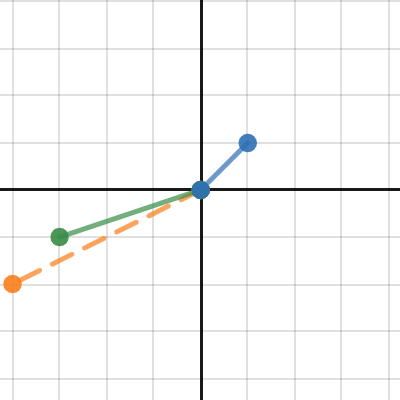
Desmos
 mossy bone
topaz acorn
some website to simulate vectors and its additions/subtractions and others?
mossy bone
topaz acorn
some website to simulate vectors and its additions/subtractions and others?
I think geogebra
topaz acorn
bleak umbra
https://www.desmos.com/calculator/u8wt5rnw9n
thanks
 carmine basin
I'm getting some very odd physics material stuff happening
Both my player and the ground have their own material, with the bounciness set to 0 and the bounce combine set to multiply (just to be doubly ultra sure they don't bounce)
NOW
as soon as I spawn in a grenade, which does bounce
Everything bounces
w h y
I'm not touching physical materials in code ANYWHERE
and I've now set the bounciess on grenades to zero, but the player still bounces
grenades fired --- do I bounce?
0                  no
2                  no
4                  no
6                  no
8                  yes??
Set it to minimum
carmine basin
It already was
I found out that the very existence of a third physic material, when there were 8 or more objects with that physic material, caused all other rigidbodies to be bouncy
 potent nova
im making a slingshot game which has different weapons and I am just wondering what calculation will have to be made to show the varying acceleration dependant on the length that the slingshot is stretched to?
the less it's stretched the less it will accelerate, and the more it's stretched the more it accelerates. Also the bullet needs to act under gravity to create an arch motion
Thanks 🙏
 solemn hedge
Hi!
I'm trying to get object-holding physics working in a VR game I'm currently developing, but I have some trouble.
I'm using a ConfigurableJoint that holds the object in the target location (where the hand is). Initially this created some problems with unsolvable constraints, such as moving the object into a wall. With high force settings, it causes absolutely horrible jittering, but with low force settings the object doesn't follow the movement of the hand adequately.
That was solved by setting a low default force, but compensating by setting TargetVelocity to the hand movement delta each physics frame - so basically applying the hand-movement as TargetVelocity. Then, when the hand is in a wall, there won't be a huge force acting upon the object and causing jittering.
However, this means that the anchor point for the joint must be very much in line with the transform for the hand, or applying the hand rotation will cause a large amount of drift (which will be slowly compensated for by the low default force - but it doesn't feel good).
Now, the object moves smoothly and doesn't react badly to collisions. But in the case of a gun, I want to apply recoil. Since the rotation axes of the joint must necessarily be in the center of the gun / center of the hand, direct application of rotation via TargetVelocity doesn't work - the gun tilts upwards, sure, but it doesn't look natural since recoil (if rotational) must be applied around the wrist.
I've tried simulating this by applying a small rotation around the x axis and simultaneously moving the gun backwards and upwards, but it's hard to get it to look good.
We need to use physics because recoil is part of the mechanics, not only visually. Check the video below for the previous physics implementation (that we can't use since it had other limitations). https://www.youtube.com/watch?v=Ih76pkc0W_4
Anyone have any suggestions on other methods to try or maybe a solution to this problem?

 old acorn
I have a weird bug, so my flashlight falls through the terrain at a certain height, or more specifically at a specific speed its falling, any other 3d objects with rigid bodies are fine though,
what could be causing this?
timid dove
old acorn
I have a weird bug, so my flashlight falls through the terrain at a certain heig...
Turn on continuous collision detection
Also if it's very small and very fast it may tunnel anyway
old acorn
timid dove
Also if it's very small and very fast it may tunnel anyway
Yeah this might have been the issue actually, thank you so much
carmine basin
solemn hedge
I've tried simulating this by applying a small rotation around the x axis and si...
I wish I coud help with the issue you're having but I wanna say this looks so fucking cool
solemn hedge
carmine basin
I wish I coud help with the issue you're having but I wanna say this looks so fu...
Thanks! Physics is a pain in VR though
 umbral aspen
Anyone have working car physics property values for Wheel Colliders?
bleak umbra
umbral aspen
Anyone have working car physics property values for Wheel Colliders?
The values in the example code in the docs work
 heady adder
Hey there, I have a question about raycasting:
So let's say I have this circle character which shoots a red raycast downwards which detects the blue layer. This will return a RaycastHit.distance of 0 as it hits it immediately at it origin point. But is it possible to ignore that and find the distance from the origin of the ray to the edge of the blue box or not, without having to add something else?
 timid dove
heady adder
Hey there, I have a question about raycasting:
So let's say I have this circle c...
timid dove
heady adder
Hey there, I have a question about raycasting:
So let's say I have this circle c...
the picture is unclear. Where are the colliders here and what kind of colliders are they? Is this 2D or 3D?
heady adder
The blue box is a box collider and it's 2D
timid dove
You would need to either use an edge collider instead, or fire a raycast from the outside pointing towards the player
heady adder
Hmm okay thanks!
 gray goblet
I have a problem with my AI movement system. I recently rewrote my movement system to physics based, because when I moved the characters with transform they bugged across obstacles. I solved this issue with physics but when I have a lot of characters instantiated the game instead of lagging, gives higher speed to all characters moving with physics. Does anyone knows how to fix this?
//Update
private void Update()
{
    //Get All Enemies
    List<GameObject> enemies = new List<GameObject>();
    enemies.Clear();
    Component[] humanoids = Humanoids.GetComponentsInChildren<Component>();

    foreach(Component hum in humanoids)
    {
        if (hum.gameObject.CompareTag("Enemy"))
        {
            enemies.Add(hum.gameObject);
        }
    }

    //Get The Closest Enemy
    if (enemies.Count != 0)
    {
        Target = enemies.OrderBy(enemy => Vector3.Distance(transform.position, enemy.transform.position)).FirstOrDefault();
        Vector3 TargetDirection = (Target.transform.position - transform.position).normalized;

        //NewPosition
        Vector3 newPosition = lastPosition;

        //Move Towards Target (Physics)
        newPosition = TargetDirection * Speed * Time.deltaTime * 100f;

        if (Vector3.Distance(transform.position, Target.transform.position) > 1f && Vector3.Distance(transform.position, Target.transform.position) < 30f)
        {
            rb.velocity = new Vector3(newPosition.x, rb.velocity.y, newPosition.z);
        }
        else if (Vector3.Distance(transform.position, Target.transform.position) >= 30f)
        {
            animator.SetBool("IsMoving", false);
            return;
        }

        //............

        //LastPosition
        lastPosition = newPosition;
    }
    else
    {
        animator.SetBool("IsMoving", false);
    }
}
 tulip goblet
equipable.rigidbody.isKinematic = true;
```Hey I've got this error when trying to do this line of code `[Physics.PhysX] RigidBody::setRigidBodyFlag: kinematic bodies with CCD enabled are not supported! CCD will be ignored.` What does CCD mean? graceful hazel
Can someone tell me why the wheel collider is so big and in the wrong rotation ?

@tulip goblet equipable.rigidbody.collisionDetectionMode = CollisionDetectionMode.Discrete;
equipable.rigidbody.isKinematic = true;
CCD stands for Continuous Collision Detection.
It is a feature in physics engines that helps detect collisions between fast-moving objects more accurately.
if u dont need CCD u can disable it
tulip goblet
graceful hazel
<@520675376910041098> equipable.rigidbody.collisionDetectionMode = CollisionDete...
Thanks, I've been caching interpolation state before equipping an item (setting it kinematic) but not collision detection mode. In older versions of Unity (like 2-3 months ago) this error didn't appear, today I've upgraded and it started being an issue. Thank you!
tulip goblet
graceful hazel
Can someone tell me why the wheel collider is so big and in the wrong rotation ?
I guess you've tried lowering its radius? And rotating BR game object?
 warm sky
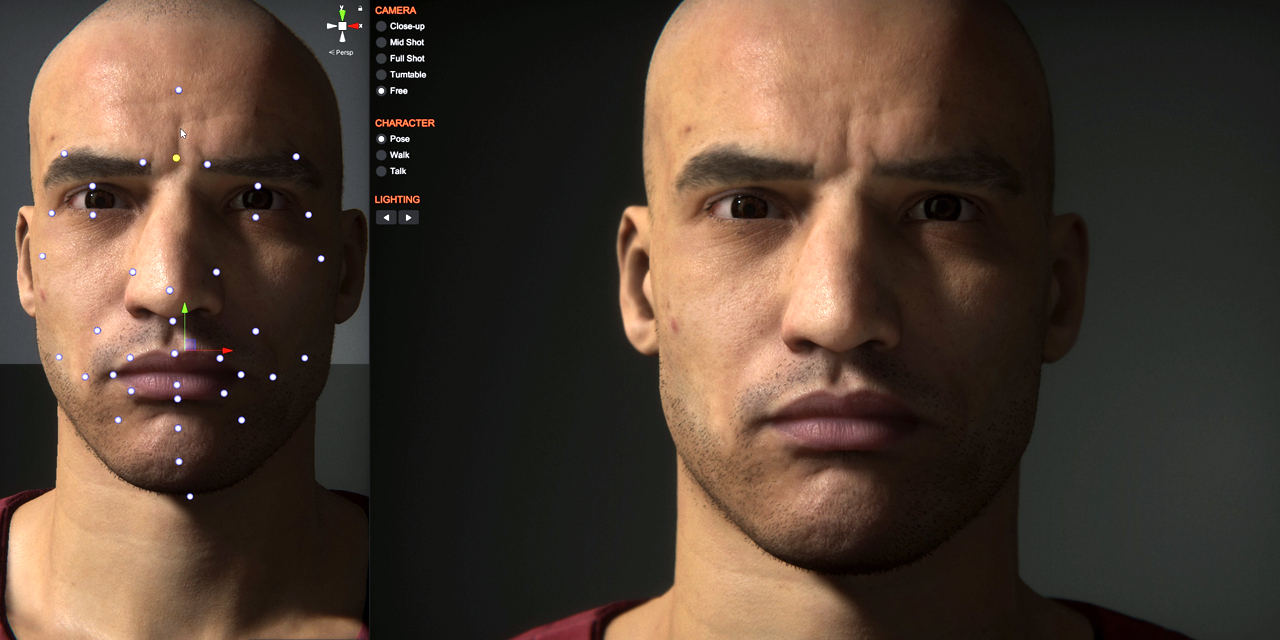
How would you guys render a person real-time?
To make it as realistic as possible?
Imagine rendering a person so I can touch their head and interact with it
timid dove
warm sky
How would you guys render a person real-time?
Isn't that pretty much the culmination of what a game engine is? Rendering things in real time?
If you want realism use HDRP. Here's some demo stuff:
https://github.com/Unity-Technologies/com.unity.demoteam.digital-human
GitHub
Library of tech features used to realize the digital human from 'The Heretic' and 'Enemies'. - GitHub - Unity-Technologies/com.unity.demoteam.digital-human: Library ...
warm sky
timid dove
Isn't that pretty much the culmination of what a game engine is? Rendering thing...
Thank you very much, I'm total newbie in unity so that's why I asked it in wrong way 
 devout token
warm sky
Imagine rendering a person so I can touch their head and interact with it
devout token
warm sky
Imagine rendering a person so I can touch their head and interact with it
Rendering and physics are not really related to each other
If you have more specific questions about rendering it's best to ask in one of the rendering related channels
 grave spindle
i have a "rope" composed of 5 cylinders (here selected)
when i attach a rigibody at the end (like a player), since the player mass is higher than the rope, the rope "strechs" down
all the cylinders have a rigidbody and is connected with mutliple hinge joint (5 in total)
the issue is that there are some "gaps" appearing between the connected rigidbodies
is there a fix ? maybe allowing the rigidbodies to overlap each other so it can have any angle without reacting ?


 agile bridge
Why are you using meshes like this for your rope anyway
Use a line renderer or something
Maybe a rigged rope mesh
grave spindle
agile bridge
Use a line renderer or something
is a line rendered not only for particules ?
agile bridge
No?
 cedar sleet
Hello, I've got some flak shells that I'm trying to make explode when within a sphere proximity of the player. Right now I'm using an oversized sphere collider set to IsTrigger, and that is working, but only when the sphere collides on its very front tip. No matter how large I make the diameter, the sphere will not trigger if its path is above or below the target. I tried using a box collider isntead hoping the sharp edges could help somehow, but no difference. Any ideas?
 weak ingot
Hello, please advise me on physics for an Android machine or can you give me some advice on how best to write it?
timid dove
weak ingot
Hello, please advise me on physics for an Android machine or can you give me som...
You don't need to write physics. Unity has a built in physics engine.
devout token
cedar sleet
Hello, I've got some flak shells that I'm trying to make explode when within a s...
Triggers use the lowest accuracy discreet collision detection, meaning it's likely to miss when moving fast
A better option would be to do OverlapSphere or SphereCast checks forward along the projectile's extrapolated position
Another option is potentially to use a rigidbody sphere collider with continuous collision detection, and ContactModifyEvent / ContactModifyEventCCD to get the collision information while ignoring physics forces from it
cedar sleet
Hmm interesting. I already have one rigidbody on the bullet (already set to continuous dynamic) and a smaller collider, with OnCollisionEnter logic in the script. This is to handle direct hits. Would I be able to leave that alone and do a second OnCollisionEnter that specifies a different collider?
agile bridge
cedar sleet
Hello, I've got some flak shells that I'm trying to make explode when within a s...
Why would you do all of this... just check if the distance between the gameobject and the player transform is less the x, then run the explode function or whatever you've got going on
cedar sleet
To do that I'd need a function for grabbing a reference to a flying unit within a radius yeah? Where would I start with that?
agile bridge
cedar sleet
To do that I'd need a function for grabbing a reference to a flying unit within ...
Is your player script a singleton?
cedar sleet
The flak targets ai vehicles as well
agile bridge
cedar sleet
The flak targets ai vehicles as well
Does the flak have a refrance to whatever it is targetting?
Like Any kind of reference?
Pass a refrance to the flak to whatever its target is, then on fixed update check if it is in the distance between the flak and its target is lees then any value you want
cedar sleet
The vehicle itself picks and rotates towards a target somewhere buried in asset store code I didn't write. I could have the shell itself find objects by type and use that reference though probably
agile bridge
cedar sleet
The vehicle itself picks and rotates towards a target somewhere buried in asset ...
Okay, so in the code that spawns the flak, go to where the flak is instantiated, get the flak component on the flak prefab that youve just spawn, and since you already know what the target is, pass the target to the flak component
cedar sleet
I now have a OverlapSphere working on the shell itself. It correctly explodes when within a certain radius. However it only does this for the first shot, after that it stops working. I think it may have something to do with how my timer to arm the proximity detection works, or else have something to do with the fact that I use a pool to spawn the bullets.
public float damageDealt;
public GameObject impactUnit;
public GameObject FlakBlast;

//public SphereCollider flakproximity;

public float flakProxArm;

private float timer;
public float timeRange1;
public float timeRange2;

public float flakRadius;
[SerializeField] private bool IsFlak;
private bool Armed;


private void Start()
{
    Armed = false;
    StartCoroutine("FlakTimer");
    timer = Random.Range(timeRange1, timeRange2);
}

IEnumerator FlakTimer()
{

    if (IsFlak == true)
    {


        yield return new WaitForSeconds(flakProxArm);

        Armed = true;
    }


}

private void CheckForTargets()
{
    if (Armed == true)
    {
        Collider[] colliders = Physics.OverlapSphere(transform.position, flakRadius);
        foreach (Collider c in colliders)
        {

            UnitHealth healthchild = c.gameObject.GetComponentInChildren<UnitHealth>();
            UnitHealth healthparent = c.gameObject.GetComponentInParent<UnitHealth>();

            timer -= Time.deltaTime;

            if (timer <= 0)
            {
                if (healthchild != null && FlakBlast != null)
                {
                    healthchild.AIDamaged(damageDealt);
                    GameObject go1 = Instantiate(FlakBlast, this.transform.position, this.transform.rotation);
                    go1.transform.parent = null;
                    Destroy(this.gameObject);
                }

                if (healthparent != null && FlakBlast != null)
                {
                    healthparent.AIDamaged(damageDealt);
                    GameObject go1 = Instantiate(FlakBlast, this.transform.position, this.transform.rotation);
                    go1.transform.parent = null;
                    Destroy(this.gameObject);
                }
            }
        }
private void FixedUpdate()
{
    if (Armed == true)
    {
        CheckForTargets();
    }


}
Ah, so part of it was something dumb. I was calling damage to the health script twice because the flakblast prefab also does damage. So the flak was destroying my health script, then after that the proximity logic wasnt triggering because its gated behind getting the health script component on its target. So now shells reliably explode when within a radius of a unit. Only thing left is to get the timer working so that shells dont explode at the same spot always in front of the unit, sometimes they will explode next to or behind it based on a timer to simulate how real flak explodes at varied points around a plane
 molten topaz
Suppose the camera frustum is nearby pointing at a rock which has a mesh collider with it , will the cpu calculate physics for it?
timid dove
molten topaz
Suppose the camera frustum is nearby pointing at a rock which has a mesh collide...
Physics has absolutely nothing to do with the camera
 tough brook
Hi everyone, I'm making a sport game and my ball is in one place at the start of the game. This happened randomly during development and for some reason it works when i click on it and set excluding layers on the rigidbody to everything, however it simply falls through the floor of my court. How can i fix this?
 timid dove
tough brook
Hi everyone, I'm making a sport game and my ball is in one place at the start of...
timid dove
tough brook
Hi everyone, I'm making a sport game and my ball is in one place at the start of...
Does the floor have a collider?
tough brook
nvm i fixed problem
 balmy thicket
anyone know why ading a rigidbody component to an enemy is making my bullet not detect a collision/
timid dove
balmy thicket
anyone know why ading a rigidbody component to an enemy is making my bullet not...
You need colliders for collision detection
show the inspectors of the two objects you expect to collide
balmy thicket
timid dove
show the inspectors of the two objects you expect to collide
it fixed when iturned the collision mode on the rigid body to dynamic speculative
thank you though
 lilac wedge
I use 2D physics. I have two objects, a box and a player. Box is a child of the player (so they move together).
The problem is that when a box moves inside a trigger, the Player object (box's parent) also receives a OnTriggerEnter2D callback. I would like to have separate callbacks for when the Player moves inside a trigger and when the box moves inside a trigger (even though they have child-parent relation)
Is there a way to achieve that?
timid dove
lilac wedge
I use 2D physics. I have two objects, a box and a player. Box is a child of the ...
You would need to give the child its own (kinematic) Rigidbody2D
Rigidbody2D is basically the boundary at which those callbacks are delineated.
lilac wedge
timid dove
You would need to give the child its own (kinematic) Rigidbody2D
ahh, it's yet another "you just have to know" automagical Unity thing, thank you!
It does solve this particular issue but adding rigidbody2D to the box creates some additional weird physics glitches
timid dove
lilac wedge
I use 2D physics. I have two objects, a box and a player. Box is a child of the ...
another option is to put the main player collider on a separate child object and detect those trigger interactions on a script on that separate child
e.g.
parent object (Rigidbody2D)
  main collider (script A)
secondary collider (script B)```or maybe it's going to be fine with two rigidbodies, we'll see!
lilac wedge
timid dove
another option is to put the main player collider on a separate child object and...
interesting idea, I'll investigate
 mint turret
Hi guys so sorry if i am at the wrong place is there a way to configure the cloth component i have on a sphere to make it act more like a dough? right now i am able to interact with the sphere and get like a flimsy sphere that wobbles .
 raw skiff
From the magical world of dumb questions, how can I prevent two layers from colliding with each other in 2D? I've unticked the interaction in the Project Settings > Physics > Layer Collision Matrix, but my character is still able to stand on top of platforms that should now be non-colliding... (Player / OneWayPlatforms)
 timid dove
Settings look correct, show the inspectors of the two objects?
raw skiff
Wilco.


My theory right now is that it's the Platform Effector 2D on the Tilemap that's causing the problem, but any other ideas would be welcome.

If I set the Collider Mask to 'nothing' or I deselect 'player' I get fairly close-to-expected behavior.
heady adder
Hey there, I had a question about the normal of a surface in 2D. I attached an image to explain it better. The black lines are the surfaces. My question is, will the normal of a surface always face up (like the blue lines) or can it also face downwards (like the red lines)?
 timid dove
heady adder
timid dove
heady adder
It depends what kind of surface we're talking about
Most colliders have an inside and an outside
The normal will face outside
For an edge collider it depends on which direction you're coming from
heady adder
Oh it's a box collider for me
timid dove
heady adder
Oh it's a box collider for me
Then you will only ever have a normal in the context of a Raycast or collision coming from outside the surface and that normal will always face outside
Up or down doesn't matter
heady adder
Thanks
 dim fulcrum
I had/have a sliding mechanic implemented and recently realized it's broken, I'm almost sure it has something to do with my object scale. my level is built out of scaled prefabs, before I try random things to fix it, can anyone point me to some explanation of what the problem of scale and unity physics is?
timid dove
dim fulcrum
I had/have a sliding mechanic implemented and recently realized it's broken, I'm...
unity physics (actually PhysX) is designed to work best at "everyday" scales. E.g. between 1cm and 10 meters kind of thing
all the things like contact offsets etc are tuned for that
dim fulcrum
I'm going to open my prefabs in blender and scale them in there so they're scale = 1 back in unity. But the annoying part is this used to work, and I'm not sure what changed (maybe I tweaked some charactercontroller settings, maybe it's just that I added more objects to the scene?
timid dove
Well what makes you think your issue is scale related?
It's unclear what issue you're even having
dim fulcrum
I'm using "mountain" prefabs as my level, I just rotated and scaled a couple of them together and they form my "island". I have some code to make my character slide down slopes depending on the normal of the surface below them, this works on test cubes, and used to work on my level geometry but I just realized that my character no longer slides down slopes.
What makes me think it's scale? I asked chat gpt it gave me a couple options most looked unaplicable but it mentioned scale might be an issue. I changed one of my prefabs scale from (0.5, 1.5, 0.5) to (0.5, 1.25, 0.5) and my character started sliding.
(my island is a prefab that's scaled 5x on all axis and it consists of other prefabs that are each scaled varying amounts on y and xz)
timid dove
dim fulcrum
I'm using "mountain" prefabs as my level, I just rotated and scaled a couple of ...
the scale in the inspector of the objects themselves isn't so much a problem as the actual world size of the objects
dim fulcrum
timid dove
the scale in the inspector of the objects themselves isn't so much a problem as ...
hmm... I think I need to do more debugging, because I can run around my terrain fine it's only the sliding mechanic that's failing so maybe this is a red herring, I mean maybe related to scale.
dim fulcrum
timid dove
the scale in the inspector of the objects themselves isn't so much a problem as ...
🤦♂️ yeah it wasn't the scale I fooled myself. Added new terrain layers to implement determining footstep sounds, but didn't add them to ground layers in my character controller...
 bold lava
I'm trying to make a "van" object where I can place boxes into. The walls and ceiling of the van need to have large box colliders so that if the box is placed into the wall, the shortest path to get out is back into the van. However, sometimes the box gets caught in the seams between 2 box colliders. How would I make it so that all the box colliders merge into one collider?

front view & side view

 timid dove
bold lava
I'm trying to make a "van" object where I can place boxes into. The walls and ce...
timid dove
bold lava
I'm trying to make a "van" object where I can place boxes into. The walls and ce...
sometimes the box gets caught in the seams between 2 box colliders
There shouldn't really be any seams. How are you moving the box?
if the box is placed into the wall,
What exactly do you mean by this
if you're teleporting objects inside colliders, weird stuff is going to happen
make sure you move your objects in physics friendly ways in the first place
 celest meadow
has anyone here used unity cloth component?
I'm having an issue where the edges of my cape get twisted around each other
bold lava
timid dove
> sometimes the box gets caught in the seams between 2 box colliders
There shoul...
I have an empty socket on my player which the box transform sticks to
When I release the box, I make it kinematic and unparent it from the socket
timid dove
sounds like by the time you release it, it's already inside the colliders, which means you weren't moving it in a physics friendly way in the first place
Also once it's kinematic it's not going to move btw
bold lava
timid dove
Also once it's kinematic it's not going to move btw
I set kinematic to false mb
timid dove
the fact that it's kinematic to start with then is why you're able to put it inside the walls in the first place
 eternal fulcrum
how to shorten the stretching distance when using the "Configurable Joint"?
lilac wedge
I'm thoroughly confused by a very basic thing in my 2D game. I have a mechanic where I sometimes teleport objects to the exact position where they entered a trigger collider. Importantly, when they get teleported to that position, they don't exit that trigger collider (they don't call the OnTriggerExit2D message), they stay in it.
But I discovered that one of the objects (called Platform) DOES trigger that message when it gets teleported back. The code is exactly the same, but somehow this one object triggers the OnTriggerExit2D message when teleporting when no other object does, and it's a big issue.
Does anyone have any idea where does the difference come from?
On the screenshot I printed that the enter trigger area gives the same position that exit trigger area does. If it's the same position, why does it call the OnTriggerExit2D?
 timid dove
lilac wedge
I'm thoroughly confused by a very basic thing in my 2D game. I have a mechanic w...
timid dove
lilac wedge
I'm thoroughly confused by a very basic thing in my 2D game. I have a mechanic w...
what exactly are you printing the position of?
lilac wedge
position of an object, first inside the OnTriggerEnter2D, then immediately after teleporting to the same position, inside OnTriggerExit2D.
If I do the same experiment with different objects, OnTriggerExit2D doesn't get called (because technically an object should still be inside the trigger collider)
timid dove
lilac wedge
position of an object, first inside the OnTriggerEnter2D, then immediately after...
i'm confused, where is the teleportation happening? What other motion is happening?
Maybe some pictures/screenshots would help?
 west thicket
Could someone please help me with why my objects that have a Rigidbody glitch? I made this small demo video of the problem:
 cold socket
west thicket
cold socket
west thicket
Try swapping the mesh collider on the chair for a box collider and see if the same thing happens.
 viral field
As a test, i am dropping a cube on its corner. changing the Mass in RigidBody does not affect the bounce, or to rest speed as it suggests it should. so far, not finding relevant information
Drag affects it, but not mass
THe Physics Material i added does allow me to change things like Bounciness and Drag also, but still, changing mass has no correlated effect
All physics settings has limited affect.
timid dove
viral field
Drag affects it, but not mass
Why would mass affect it?
viral field
Seems that Mass should at least affect Bounce, or stagnation of movement
timid dove
Why
timid dove
There's no reason it would. All objects fall at the same rate, regardless of mass
viral field
in a vacuum yes, but regardless, i would think a 5 pound weight hitting the lawn would react/bounce/stagnate slightly differently than the lid from a can doing the same
timid dove
Unity is a vacuum
Objects are not lawns in Unity, they are perfectly rigid bodies
Hence the name Rigidbody
viral field
i have loaded in the Unity Physics package, but i have not attempted to 'Use' it yet. also considering Havoc, but that probably costs a fortune. have not looked at pricing/contract yet
timid dove
I don't think you will find any different results in any of them
viral field
so it is all down to the physics material then?
cause that certainly affects the Bounce, and other things
timid dove
Yes
viral field
Ok, thanks. i will approach it from that angle
viral field
timid dove
I don't think you will find any different results in any of them
That saved me a load of time. much appreciated
viral field
In case it is in need of correction, this is what got me on the path to trying different Mass settings
https://learn.unity.com/tutorial/add-components-to-3d-gameobjects


Unity Learn
In this tutorial, you will see how components add functionality to GameObjects. The component you will see in action here, the Rigidbody component, lets a GameObject behave like a physical object instead of floating in space. In this tutorial, you will: Position the Main Camera in order to achieve the desired framing of the scene. Explore the re...
west thicket
cold socket
Try swapping the mesh collider on the chair for a box collider and see if the sa...
Same thing happens
west thicket

 split solar
If I have a Unity layer with a bunch of concave mesh colliders on it that are only used for raycasts/other queries, and don't allow that layer to collide with other layers, will this impact performance or will it be negligible?
timid dove
split solar
If I have a Unity layer with a bunch of concave mesh colliders on it that are on...
The only way to know really is to try it and see. There's way too many variables at play.
 autumn igloo
Hi there, I'm trying to build a simple 2d box stacking game. In my test, the boxes autospawn and just fall from the top at 0, y, 0. After stacking 10 or so boxes, the tower falls over because the boxes are somehow bouncy. Even when I attach a noBounce material to the ground and the box-prefab it happens. I also played around with mass, friction, interpolation but nothing seems to be working, is this some hidden Unity thing? Any pointers?
split solar
timid dove
The only way to know really is to try it and see. There's way too many variables...
Okay well let's say that it ends up being fine.
What happens if I make these colljders follow other game objects in the scene?
Like as the object moves and rotates so does the collider
timid dove
autumn igloo
Hi there, I'm trying to build a simple 2d box stacking game. In my test, the box...
Just the nature of the physics simulation. There's inherent instability
gray goblet
I have a problem with my physics movement system. My characters are very slow without multipling the movement by 100, and I dont know why. The current system is working in the editor and even in development build, but in build the characters are much slower and jittering. I think it is because the movement system. Does anyone know why the physics not works correctly in the build? Here is the code snippet for the movement>
//Get The Closest Enemy
if (enemies.Count != 0)
{
    Target = GameSystem.GetClosestEnemy(gameObject, enemies);
    Vector3 direction = (Target.transform.position - transform.position).normalized;

    //NewPosition
    Vector3 newPosition = lastPosition;

    //Move Towards Target (Physics)
    newPosition = direction * Speed * Time.deltaTime * 100f;

    if (Vector3.Distance(transform.position, Target.transform.position) > 1f && Vector3.Distance(transform.position, Target.transform.position) < 30f)
    {
        randomMovement = false;
        rb.velocity = new Vector3(newPosition.x, rb.velocity.y, newPosition.z);
    }
    else if (Vector3.Distance(transform.position, Target.transform.position) >= 30f)
    {
        randomMovement = true;
        animator.SetBool("IsMoving", false);
        return;
    }
you are not supposed to multiply deltaTime into your velocity
remove deltaTime and the 100
also newPosition is a really bad name for that variable since it's not a position at all. It's representing a velocity.
gray goblet
Thanks, I think i solved my issue. I didnt use fixedupdate, I removed the the 100 multiplication and I`m multiplying the directions with the speed:
rb.velocity = new Vector3(direction.x * Speed, rb.velocity.y, direction.z * Speed);
May this fix the issue in the build , too
 broken stratus
Hello, I'm currently in 11th grade and want to work in game development in the future, thing is, I didn't take physics as one of my high school subjects. Are there physics courses online that can help me learn about physics relating to game development?
 inner thistle
Sure, but I don't think it would be very useful to you unless the goal is to later work in making physics engines
broken stratus
I thought physics was a necessity for game development and unis??
inner thistle
Most gamedevs working in the industry never have to do anything physics-related. Of those who do, most of them only use the methods defined in the engine they're using. It's certainly not a requirement to get into a university
broken stratus
oh, that's really nice to know, thanks!
timid dove
broken stratus
I thought physics was a necessity for game development and unis??
I think learning newtonian physics is actually a really good idea and quite necessary for game dev
a lot of people get confused about how the physics engine works and it's ultimately due to not understanding how real life physics works
that being said I have no idea where you'd learn it
broken stratus
alright thanks
 lucid hollow
Hey guys 🙂 I currently have an issue which i don't know how to fix. Maybe someone of you can help me out? 🙂
Quick overview of the Situation:
I have a ball object which gets launched into a direction. I want to show a trajectory line as a preview so the player can aim accurately.
For this i copy my ball object, apply some force and then iterate though a number of points i want to display with my linerenderer. physicsScene.Simulate(Time.fixedDeltaTime).
ghostBall.ApplyKnockback(direction,  force);

for(int i = 0; i < MAX_ITERATIONS; i++)
{
    physicsScene.Simulate(Time.fixedDeltaTime);
    lineRenderer.SetPosition(i, ghostBall.transform.position);
}```

for simplicity lets pretend i do this in update();

also when the ball gets launched i start a coroutine which slowly increases the balls gravity up to a certain point.

```float elapsedTime = 0f;
float lastStep = 0f;

while (elapsedTime < increaseDuration)
{
    float step = Mathf.Lerp(0f, gravityIncrease, elapsedTime / increaseDuration);

    rigidbody.gravityScale += Mathf.Sign(rigidbody.gravityScale) * (step - lastStep);

    lastStep = step;
    elapsedTime += Time.fixedDeltaTime;
    yield return new WaitForFixedUpdate();
}

rigidbody.gravityScale += Mathf.Sign(rigidbody.gravityScale) * gravityIncrease - lastStep;```

My problem is that the simulation and the result when actually launching the ball is different and i don't understand why. Do you have any ideas?Well seems obvious - you're not doing the gravity increase thing for your simulation, but you are in the actual game.
it's also unclear how you set up the simulation scene for the trajectory calculation and copied the bodies over etc.
lucid hollow
the gravity increase coroutine is applied on the ghostBall when the force is applied.
Creating the scene works like this:
{
    if (SceneManager.GetSceneByName(SIMULATION_SCENE_NAME).IsValid()) return;

    Physics.simulationMode = SimulationMode.FixedUpdate;

    SimulationScene = SceneManager.CreateScene(SIMULATION_SCENE_NAME,  new CreateSceneParameters(LocalPhysicsMode.Physics2D));
    CopySceneAsSimulationScene(ballGame);
}```

for each object i need to copy i use this:
```private GameObject CloneObjectToScene(Transform trans)
{
    GameObject simulationObject = Instantiate(trans.gameObject, trans.position, trans.rotation);
    simulationObject.GetComponentsInChildren<Renderer>().ToList().ForEach(rendererComponent => rendererComponent.enabled = false);
    SceneManager.MoveGameObjectToScene(simulationObject, SimulationScene);
    return simulationObject;
}```I did some more testing, the Coroutine which increases the gravity is called on the ghostBall, but it doesnt take its steps into consideration. So basically nothing changes while simulating
timid dove
lucid hollow
the gravity increase coroutine is applied on the ghostBall when the force is app...
The coroutine isn't relevant because it's not going to be running during your while loop you shared above
lucid hollow
is there a way to take a coroutine into consideration or do i have to find another way?
timid dove
you need to do things like:
while (...) {
  physicsScene.gravity = whatever:
  physicsScene.Simulate(Time.fixeDeltaTime);
}```make the changes as you simulate
i don't see how a coroutine is relevant or useful here
coroutines are for running things over multiple frames
your goal is to do this whole simulation in a single frame so you can draw it immediately
You will want to modularize your "each frame" stuff into a function such that it can be reused for both the trajectory simulation and the real physics sim
Basically I'd make it a function that takes a PhysicsScene as a parameter and does what it needs to do for a particular frame and reuse that in both places (the coroutine and the trajectory sim loop)
lucid hollow
Yea i think thats the best solution. Ill try it out 😉 thank you for taking the time. If i succeed i will provide some info on how i did it
 gaunt glade
Hey do anyone know how to fix this green plus on my mesh collider
timid dove
gaunt glade
Hey do anyone know how to fix this green plus on my mesh collider
What do you mean by "green plus"?
gaunt glade
 timid dove
gaunt glade
timid dove
gaunt glade
that's because it's a prefab override
It means you added that component to this instance of your prefab in the scene, but the prefab itself (which is in the project folder) does not have that component
You can either Apply the override to the prefab, or revert it to get rid of that
gaunt glade
I tried to apply the override but it won't work and how do I revert it
Nvm both won't work
timid dove
gaunt glade
I tried to apply the override but it won't work and how do I revert it
wdym by "won't work"? What did you do and what happened? How did you try to apply it?
gaunt glade
 timid dove
gaunt glade
timid dove
gaunt glade

If everything is greyed out it sounds like the prefab you're trying to modify is an imported mesh from a file. If that's the case you need to be creating your own prefab by unpacking the imported one and then you can modify it freely.
balmy thicket
anyone know how to fix this weird collision bug im having with navmesh AI? Im walking into the ai and i just teleport on top of them. Im using a character controller if that helps
modern sedge
balmy thicket
anyone know how to fix this weird collision bug im having with navmesh AI? Im wa...
you could have a high step height or the agents colliders are small (so you can walk over them)
 fossil pilot
Hey if I have a question about the cloth component can i ask it here ?
wispy hemlock
Not sure if I'm in the correct place or not, but would anyone have any idea on how to do 'springy' landing gear for a spaceship? (as in, land, little bounciness and then settle?)
 native kraken
Hello everyone, we have a building game and I have a problem with creating realistic aerodynamics. I'm struggling a lot with creating realistic lift. My lift force is applied in the direction of airfoil normal. I'm using formula Lift force = 0.5 * air density * velocity ^ 2 * airfoil surface area * lift coefficient at attack angle. Air density is 1.225 and lift coefficient can be seen on the graph below. I'm applying calculated force using ForceMode.Force. However this setup does not give me enough lift to takeoff and turn unless I scale this force in a factor of 10. When I do this, my plane starts acting mostly realistic. I've checked units, surface area, attack angles and mass. So the problem is that I do want to use realistic coefficients without scaling them by mystical factor of 10.
 native kraken
I've figured it out. Lift coefficients depends heavily on shape of the wing and in my case are not 1.0 max.
 fair iron
native kraken
Hello everyone, we have a building game and I have a problem with creating reali...
fair iron
native kraken
Hello everyone, we have a building game and I have a problem with creating reali...
if you want i can send you mine
native kraken
Thank you but i dont need it, just had to make more realistic plane with cambered wings simulation
as well as increase lift factor by 1.5
fair iron
yes, i have that
fair iron
native kraken
as well as increase lift factor by 1.5
here is what i use for realistic wings
native kraken
Oh thank you!
fair iron
and here are wing curves i took from ethernet
fair iron
native kraken
Hello everyone, we have a building game and I have a problem with creating reali...
looks something like this
to use it, just dump it onto a object, set the wing scale, and it should work
make sure Z is up
no wait, Y is up, sorry, Z and X are allowed movements
 wraith swan
i have this raycast point value thats supposed to move the character's y position to that value but its not moving... i've been at this for hours and hours and it i cant seem to find the solution... im using rigibody Kinematic and moving it under fixedupdate also the raycast is under fixed update did i set this up wrong or something else im doing wrong entirely
 timid dove
wraith swan
i have this raycast point value thats supposed to move the character's y positio...
timid dove
wraith swan
i have this raycast point value thats supposed to move the character's y positio...
we;l; first off, having your console in "Collapse" mode isn't helping things
second, without seeing the code or understanding how and where you're trying to move to, it's very hard to help
raycasts don't move anything in and of themselves
wraith swan
timid dove
we;l; first off, having your console in "Collapse" mode isn't helping things
I use rigidbody.MovePosition, and collapse so i can differentiate the objects that raycast hits.. the one highlighted has the elevation of 1 unit but my rigidbody object just passes thru it
timid dove
wraith swan
I use rigidbody.MovePosition, and collapse so i can differentiate the objects th...
show the code
also if the object you're raycasting to has an elevation of 1 I wouldn't expect this body to end with an elevation of 1
since it has thickness, both objects have thickness
wraith swan
I think im gonna have to solve this on my own... I know raycast hit returns a point and all i need is y position which is the value showing on the debug console
timid dove
If you don't want to share your code, yes you will have to solve it on your own.
 inner breach
Hey all. I have a non-regidbody character controller that I haven't done myself. I have a problem that often it doesn't register when my character drops off a ledge and never detects landing either, meaning my fall damage and other effects doesn't initiate. Anyone has an idea about this. I've heard of this issue before, but haven't found a solution.
timid dove
inner breach
Hey all. I have a non-regidbody character controller that I haven't done myself....
without seeing code who knows
presumably your grounded check is not working
inner breach
timid dove
without seeing code who knows
I should've added that I'm not a coder. This is Game Creator 1 stuff, but support is dwindling. Any idea what scripts I should look it?
wide nebula
The one that controls the character, but without any experience on your part, this will require someone to physically get involved.
 sinful cobalt
Im working on a forklift with moving forks, I added rigid bodies to them and added a fixed joint to keep them together, but now I can't get it move on the Y axis no matter what as seen in the vid. What should I do?
hold on let me convert it so you can see it previewed
timid dove
sinful cobalt
Im working on a forklift with moving forks, I added rigid bodies to them and add...
 twin nebula
I figured this would be the best place to move to as its physics related so
root.AddTorque(Mathf.Clamp(Mathf.DeltaAngle(root.rotation, 90f), -uprightStrengthClamp, uprightStrengthClamp) * Mathf.DeltaAngle(root.rotation, 90f));
I was wondering if any of you may know why this works fine but then at around -45 it'll go really slow?
Sorry it goes to about 47 and then freezes
It increases the rotation by a ridiculous amount I just found out
By like thousands
And that'll be why
Squaring the deltaangle causes really absurd numbers
I've done a bit of a workaround it seems to work fine now
Not code related just angular drag
sinful cobalt
Is it possible to fix this from happening?
The goal is to make the fork box collider stop when touching the top box collider and not just go thru a bit and glitch
timid dove
sinful cobalt
Is it possible to fix this from happening?
Should probably be using ArticulationBody and a Prismatic Joint for this
sinful cobalt
Joint for the forks or the cube?
timid dove
the cube doesn't need to exist
sinful cobalt
its the collider
sinful cobalt
to stop the forks from going past
oh
so i got the artic. body setup on my forks, and I set it to Y drive. im not sure what do from here
it wont..
move
timid dove
how are you trying to move it
You should do it via the articulation drive https://docs.unity3d.com/ScriptReference/ArticulationDrive.html
Realistically by setting the y target https://docs.unity3d.com/ScriptReference/ArticulationDrive-target.html
sinful cobalt
So this white dashed line that comes when you click "Edit the joint angular limits", how do you edit that
Its just a white line
 frozen sluice
Can normal raycasts hit / detect DOTS entity?
Or do I have to use the Physics raycast from inside dots to hit other entities?
 hollow echo
frozen sluice
Can normal raycasts hit / detect DOTS entity?
hollow echo
frozen sluice
Can normal raycasts hit / detect DOTS entity?
The two physics systems are completely separate
frozen sluice
Ok so something like my old shooting designs, I would have to rewrite the player / weapon to utilize dots/ecs and then use physics raycast to do this now?
fair iron
sinful cobalt
Is it possible to fix this from happening?
before you put an cargo onto a forks, disable box collider, you can use BOOL to toggle box collider and disable/enable depending on situation
sinful cobalt
fair iron
before you put an cargo onto a forks, disable box collider, you can use BOOL to...
With OnCollisionEnter?
fair iron
Ye
Check if the cargo colides
Remove the cargobox collider before you put it on forks
And carry it where ever you need with forklift
If you want to let it go, fist move it away from forklift and reenable box collider or what ever collider you are using
timid dove
delete line 74
Well you didn't share your script
so I'm going to just make wild guesses
!code
flint portalBOT

Posting code
📃 Large Code Blocks
Use links to services like:
https://gdl.space/, https://paste.ofcode.org/, https://hatebin.com/, https://paste.myst.rs/, https://hastebin.com/
📃 Inline Code
Surround code with three backquotes. Not quotation marks.
To format as C#, add cs to the first line:
```cs
// Your code here
```
Add a comment with a line number if there is an error message.
stuck bay
nvm i fix it
gaunt glade
Can someone help me out with that green plus ion know what to do and I tried everything
 hollow echo
gaunt glade
Can someone help me out with that green plus ion know what to do and I tried eve...
gaunt glade
gaunt glade
Can someone help me out with that green plus ion know what to do and I tried eve...
hollow echo
gaunt glade
Can someone help me out with that green plus ion know what to do and I tried eve...
gaunt glade
gaunt glade
Can someone help me out with that green plus ion know what to do and I tried eve...
Yo I still need help
hollow echo
gaunt glade
Yo I still need help
Do you need help reading the documentation? It's a prefab instance override.
gaunt glade
hollow echo
Do you need help reading the documentation? It's a prefab instance override.
Then how do I fix cause ion understand at all
hollow echo
fix what? It is what it is, if you want to apply it to the prefab, right click and apply it. If you want to remove the component, remove the component
literally nothing is broken
gaunt glade
The apply button is gray and won’t work and ion know how to add scripts,mesh colliders and other bs
hollow echo
gaunt glade
The apply button is gray and won’t work and ion know how to add scripts,mesh col...
Not sure how it could be grey, can you screenshot it?
Also not sure what you're talking about with the rest of it; you've not provided any information except a vague screenshot photo
gaunt glade
hollow echo
Not sure how it could be grey, can you screenshot it?
Also not sure what you're ...
Bet hol on
gaunt glade
this is what im talking about

 modern sedge
gaunt glade
this is what im talking about
modern sedge
gaunt glade
this is what im talking about
Could you screenshot the entire inspector for the gameobject
 urban blade
I have multiple issues and if someone can dm me or call me that would nice. The main thing is that, when I hold down a and d it just kind of goes crazy and when I added and I am completely still the ground buzzes.
gaunt glade
modern sedge
Could you screenshot the entire inspector for the gameobject
Ye hol on
timid dove
Like what? Dragging and dropping images around?
 fresh furnace
yes, dragging, animating..basically want to build the whole thing in unity
timid dove
Anything is possible
 stable heath
Hi guys, have you any ideas for this physics simulation https://youtu.be/4Wl0ksysYKM?si=HdlXLa7Wh0lv2LTb i need a simulation of actual tearing sheet , a bit like ripping paper

SIGGRAPH 2014 -- Tobias Pfaff, Rahul Narain, Juan Miguel de Joya, and James F. O'Brien
Project page: http://graphics.berkeley.edu/papers/Pfaff-ATC-2014-07
Abstract:
This paper presents a method for adaptive fracture propagation in thin sheets. A high-quality triangle mesh is dynamically structured to adaptively maintain detail wherever it is r...
Or something like tearable cloth simulation
hollow echo
stable heath
Hi guys, have you any ideas for this physics simulation https://youtu.be/4Wl0ks...
Simulate it offline in a program like Blender and import it as an alembic.
If you need realtime simulation, it'll be nothing like this quality and will likely just require you buy an asset
stable heath
hollow echo
Simulate it offline in a program like Blender and import it as an alembic.
If yo...
yeah i need a realtime one, buy an asset,what asset?
hollow echo
I don't know, look for one on the asset store
stable heath
I've tried several plugins,all not satisfactory
I also found some on Github ,It's basically a lib for some other platform
 void grotto
Is there any significant performance hit using a Configurable Joint versus one of the built-in ones like Hinge/Fixed/Spring? If I had two Rigidbodies connected with a Configurable Joint that behaves almost identically to a Spring Joint, would one of them be more performant than the other?
 odd trail
soo rn im trying to get a perfect bounce using a 2d physic material but i cant get the object to go to the same place it dropped it seems to go higher
timid dove
odd trail
soo rn im trying to get a perfect bounce using a 2d physic material but i cant g...
The physics engine is not designed to be perfectly physically accurate. It's designed for approximate accuracy and fast performance
 pure karma
if you made 2d game that takes place in space how would you want the character to act when it jumps and hits a wall? like in this video. i know its not in unity just asking for opinions
its currently set to fall down once it hits the wall
ithought if it doesnt fall down it would be unplayable
timid dove
Depends on the game. Lots of different behaviors would be appropriate for lots of different games
There's definitely no one size fits all solution
stable heath
Have anyone any idea for this simulation
 robust fractal
Hello, can someone explain how to grapple my ragdoll? maybe it's because of mass, but the ragdoll mass is really low.

 unreal bobcat
So I want to make an ocean along with its physics in unity, but it’s complicated so I’m thinking on making the ocean in blender then using that in unity
But then would it be possible to apply water physics there
 turbid solstice
unreal bobcat
So I want to make an ocean along with its physics in unity, but it’s complicated...
turbid solstice
unreal bobcat
So I want to make an ocean along with its physics in unity, but it’s complicated...
this would be very easy in HDRP since it has a built in water system, in the water samples there should be a few scripts related to water physics you could make use of
unreal bobcat
turbid solstice
this would be very easy in HDRP since it has a built in water system, in the wat...
Which water samples?
Are you referring to other people scripts?
unreal bobcat
Oh ok I’ll check it out thanks a lot 🙂
 river cloud
Why does the cube goes inside the car? The car is moving at constant speed
 wide nebula
How are you applying that speed? Using forces?
 radiant hemlock
Is there a way to push another object with cloth?
When I look online everything is about cloth colliding with other things but haven't found anything about other things colliding with cloth
lilac wedge
I have a simple issue: my object was being blocked by a barrier (as it's supposed to). Now I added a Rigidbody2D to that object, and it no longer is being blocked by the barrier. The collision just doesn't happen. Why? What's wrong?
timid dove
radiant hemlock
When I look online everything is about cloth colliding with other things but hav...
Cloth cannot affect any other objects
timid dove
lilac wedge
I have a simple issue: my object was being blocked by a barrier (as it's suppose...
How was it moving in the first place if it had no Rigidbody? You should explain more about the situation and how this thing is moving.
lilac wedge
timid dove
How was it moving in the first place if it had no Rigidbody? You should explain ...
sure, this object is being moved because it's a child of the Player object. The Player moves and carries the object (as child) by using rigidbody.MovePosition().
If there is no rigidbody on the object, the box collider barrier correctly pushes away the object (with the player). If there is a rigidbody on the object(dynamic, kinematic or whatever), the box collider doesnt push away the object.
I want to both have a rigidbody on the object (for other reasons, like receiving OnTriggerEnter2D on the object) but also I dont want this to mess up other collisions. I'm confused why adding the rigidbody messes up other collisions.
timid dove
lilac wedge
sure, this object is being moved because it's a child of the Player object. The ...
The Rigidbody on the parent is enough
You don't need one on the child
Doing that will indeed mess things up
lilac wedge
timid dove
You don't need one on the child
That's why I hate Unity's automagical systems. Because if the rigidbody is only on the parent and not on the object (as you suggest), then the object stops receiving OnTriggerEnter2D which I need for other reasons. It's even worse than that, the Parent receives the calls that the object should receive (when it's the object that touches the trigger and not the parent). Having separate callbacks instead would be useful and sensible.
I understand that the way out of this mess is to always check inside parent which of the gameobjects touched the collider (was it the parent or the child) and work from there - make the parent essentially a manager of the object.
It would be so useful and natural to just subscribe to various calls like OnTriggerEnter2D with chosen objects if I want them. I understand there's no way to do it in Unity.
timid dove
lilac wedge
That's why I hate Unity's automagical systems. Because if the rigidbody is only ...
The child will also get OnTriggerEnter2D afaik
It works that way for 3D at least
lilac wedge
I will test this again
thank you for the suggestion, I will remove the rigidbody from the child and try again
 brisk garnet
Is there any way to disable PhysicsFixedUpdate?
nvm, turns out there was a single collider in the scene that made it run all the calculations lol
timid dove
brisk garnet
nvm, turns out there was a _single_ collider in the scene that made it run all t...
For future reference yes you can disable the physics simulation via setting https://docs.unity3d.com/ScriptReference/Physics-simulationMode.html to https://docs.unity3d.com/ScriptReference/SimulationMode.Script.html
brisk garnet
timid dove
For future reference yes you can disable the physics simulation via setting http...
oo, nice, ty
I should probably set that just in case
 fallen raft
how would I go about making this effect
 timid dove
fallen raft
how would I go about making this effect
timid dove
fallen raft
how would I go about making this effect
what effect?
gravity?
or drawing the deformed grid?
If it's about drawing the thing, that would be a #archived-shaders question
dim fulcrum
I want to use some physics, for decoration basically. I have some targets that can be hit with projectiles and on impact the projectile parents itself to the target and sets iskinematic so it's "stuck" in the target. I added a pair of extra rigid bodies and character joints above my target so it can swing a little bit. This works decently if I bump in to the target with something (or the projectile hits it with it's "blunt" end), but if it gets "stuck" the whole system becomes very unstable and starts to jerk around. My links and target now have mass: 0.4, drag 0.5 and angular drag 0.2 I also tried to limit their motion using the character joint handles but it doesn't seem to stop the jerkiness.
 wraith bison
hey, so I have a problem with the RigidBody2D physics system when I want to slide right when I hit the ground, the horizontal velocity that I am setting isn't very consistent depending on the angle of which I am hitting. Here I drew a picture to show you what I mean:

 vast abyss
anybody know how to make it so you can run through this loop like in sonic using a rigidbody movement script?
 timid dove
vast abyss
anybody know how to make it so you can run through this loop like in sonic using...
timid dove
vast abyss
anybody know how to make it so you can run through this loop like in sonic using...
The sonic games definitely don't use a "realistic" physics engine like Unity's Rigidbodies.
More likely some kind of custom coded thing with splines.
vast abyss
ok good to know
 zenith storm
i had a thought, if i made a complex model in blender, and want it to use physics to cycle like a bike chain, is that possible to achieve in unity?
 warped slate
I'm trying to simulate a projectile in my game so I can figure out where it will be in 1 second. I'm planning on doing this using PhysicsScene.Simulate(), but from what I've seen, that jumps the physics forward and keeps them there. Is that the case? If so, is there a way for me to simulate the physics, get the projectile's simulated position and velocity, and then rewind the physics back to where they were?
fair iron
you want to predict a target movement to hit it with projectile?
timid dove
warped slate
I'm trying to simulate a projectile in my game so I can figure out where it will...
You need to create a separate physics scene if you want to simulate it with Physics.simulate
Trajectory calculation is in fact the canonical example
https://docs.unity3d.com/Manual/physics-multi-scene.html
warped slate
timid dove
You need to create a separate physics scene if you want to simulate it with Phys...
The problem with that is there are walls that can spawn in or get destroyed at runtime, so the scene would need to be constantly updated. Is there any easy way to keep the objects in sync between 2 scenes?
 zealous badge
Is it possible to use PhysX 5 with Unity?
 elder horizon
Hello, how do I make one object rotate like the parent object?
dim fulcrum
(these are 3 screenshots) 1st: I'm trying to make a target object "dangle" beneath a fixed anchor. My anchor is a rigidbody with iskinetic=true. My target has a configurable joint, with locked position and limited rotation in 2 axis. I set the anchor point to match the kinetic rigidbody. I can edit the limits to something that looks right to me in the editor.
2nd: when I play my target get's offset around the x axis (main axis of the joint).
3rd: It only looks and works how I want if in play mode in the scene view I rotate my connected rigidbody transform to bring the target back to where it was in the editor.
Why is my object rotating it's position, am I missing something to make it start in the same position as in the scene view?

I tried "pre-rotating" my anchor object, and still my object with the join gets rotated and rests on it's x axis limit and I can only correct it by rotaging my anchor object further, I can pre-set my joints angular limits to be "off" visually, but that will make for annoying and error prone setup. I'm sure I'm missing something obvious?
dim fulcrum
elder horizon
Hello, how do I make one object rotate like the parent object?
Can you give more context? Simply by parenting an object it makes it rotate as it were part of the parent object in unity.
 dapper eagle
Hello, i am trying to look it up but i can't find much info.
Did the settings for a rigidbody to be frozen on certain axis move to a different window?
I wanted to freeze some axis to test some stuff but i can't find the option in the inspector is it only through code now?
dim fulcrum
dapper eagle
Hello, i am trying to look it up but i can't find much info.
Did the settings fo...
for the record I see them under "Constraints" maybe you just had that collapsed?
dapper eagle
dim fulcrum
for the record I see them under "Constraints" maybe you just had that collapsed?
Oh yeah no i think i know what happened, i had it in debug mode
odd trail
can i ask raycast related questions here?
 quartz vessel
Does anyone know why my active ragdoll might be imploding like this? I am using Puppetmaster, animation rigging for the legs, and a custom ragdoll

And as shown in the gif, when disabling the active ragdoll the model is represented properly
timid dove
warped slate
The problem with that is there are walls that can spawn in or get destroyed at r...
Just have your wall spawning/destroying code spawn and destroy the walls in both scenes always.
 compact kite
Can anyone help me with why only 4 pushable rigid bodys are causing this much lag during testing? Ive changed gravity, drag, mass and the colliders and its still wild.


410 > 18 fps :/
also its not every play, its like super irregular with whether it wants to work or not
timid dove
compact kite
Can anyone help me with why only 4 pushable rigid bodys are causing this much la...
To diagnose any framerate issue you should be using the profiler
my guess would be something editor related.
In fact the Rigidbody inspector window itself was known to cause performance issues in earlier versions of Unity.
 wooden token
Hello, does anyone know how ragdoll animation works? I've tried ragdoll using joints but the body parts can't be moved manually by transform component on the inspector because (maybe) the joints force/controls them.
devout token
wooden token
Hello, does anyone know how ragdoll animation works? I've tried ragdoll using jo...
They use rigidbodies with joints, so you'd move them using rigidbody class methods rather than transform class methods, just as with all rigidbodies
wooden token
devout token
They use rigidbodies with joints, so you'd move them using rigidbody class metho...
so technically ragdoll animation works by giving some forces to rigidbodies?
devout token
wooden token
so technically ragdoll animation works by giving some forces to rigidbodies?
Yes
If by ragdoll animation you mean ragdolls mixed with animation, or ragdolls that more or less conform to an animated character, you need some extra care
If you overwrite a rigidbody position from script (even when using the rb.Move method) you risk breaking the conservation of energy and may cause unpredictable momentum to be propagated through joints
Force methods are less likely to do that, but you still need to be mindful about how much force you're applying, especially if it has no "physical" source
wooden token
devout token
Yes
If by ragdoll animation you mean ragdolls mixed with animation, or ragdolls ...
what "mixed with animation" means? keyframe? can ragdoll mixed with keyframe animation?
devout token
wooden token
what "mixed with animation" means? keyframe? can ragdoll mixed with keyframe ani...
I'd rather ask you what you mean by "ragdoll animation"
Ragdolls by default are not "animated", they're purely physics
But sometimes the goal is to combine the two, such as how games like Gang Beasts do
wooden token
devout token
I'd rather ask you what you mean by "ragdoll animation"
I played Fall Guys and noticed that the characters use ragdoll and have animations, but when I tried it in Unity, the body parts couldn't be moved.
devout token
wooden token
I played Fall Guys and noticed that the characters use ragdoll and have animatio...
Yes, that's indeed what I was talking about
wooden token
devout token
But sometimes the goal is to combine the two, such as how games like Gang Beasts...
so its possible to combine keyframe animation and ragdoll physics?
devout token
wooden token
so its possible to combine keyframe animation and ragdoll physics?
Not directly
You'd want the ragdoll limbs to try to conform to an animated pose using forces
wooden token
devout token
Not directly
You'd want the ragdoll limbs to try to conform to an animated pose ...
thanks for the explanation 🙂 it really helped me a lot
devout token
wooden token
thanks for the explanation 🙂 it really helped me a lot
These games tend to mix using animations as a reference point for the physical limbs to move towards, but also often avoiding animations entirely when possible
For example so that when grabbing something the character only moves its arm parts towards a point determined by scripts
Animations can be somewhat rigid in this use case, and it'll be difficult for physical limbs to accurately conform to them anyway, at least without glitching
That's why the walking animations in Gang Beasts, Fall Guys and Human Fall Flat have characters with stubby limbs and very loose animations
 dim current
Hi, the enemy in game is not detecting collision with castle but detecting when a bullet hits it. I checked with physics in game settings tried changing properties on castle but still no detection :(


 timid dove
dim current
Hi, the enemy in game is not detecting collision with castle but detecting when ...
timid dove
dim current
Hi, the enemy in game is not detecting collision with castle but detecting when ...
What form of "detection" are you expecting
Also it would help if the circle collider inspector was not collapsed
dim current
timid dove
What form of "detection" are you expecting
just normal detection when two both collide, just not any physics like pushing happens
 timid dove
dim current
just normal detection when two both collide, just not any physics like pushing h...
timid dove
dim current
just normal detection when two both collide, just not any physics like pushing h...
Wdym by detection then exactly
You need to be specific
You mean there's no physical interaction?
Both of your Rigidbodies are kinematic so this would be quite expected
dim current
timid dove
Wdym by detection then exactly
just activating OnCollisionEnter2D function in script
timid dove
dim current
just activating OnCollisionEnter2D function in script
Not going to happen when they're both kinematic
There's no collision between two kinematic bodies
One of them needs to be dynamic
dim current
but i dont want any of them to pushed back if collision happens
timid dove
Then why are you trying to use OnCollisionEnter2D?
That implies an action physical collision
Use triggers if you're just looking to detect an overlap
dim current
ohhh okok, lemme try that
dim current
timid dove
Use triggers if you're just looking to detect an overlap
thankyouuuuu, this worked perfectly
stuck bay
anyone knows why this happens to any gameobject when player hold the gameobject and rotate the camera this happens

the gameobject like stretches for some reason
timid dove
stuck bay
anyone knows why this happens to any gameobject when player hold the gameobject ...
You have set your object as a child of an object which is not uniformly scaled
That will cause skewing
Make sure any object that has children is uniformly scaled
Preferably 1,1,1 in fact
 timid dove
stuck bay
it is 1 1 1
timid dove
stuck bay
it is 1 1 1
What object is this?
This is the cube. As I said above it's the PARENT of the cube that is the problem
stuck bay
timid dove
What object is this?
it's a cube
 late mica
I followed this tutorial
https://youtu.be/3avaX00MhYc?si=RYG080owpfooAwsh
and the result was like this...


Unity 2D soft body tutorial using rigged sprites, rigidbodies and spring joints. Here I demonstrate how you can create a 2d soft body shapes and use it for your awesome projects. Can be used for Jelly simulation, car tyres, liuid blobs, goo you name it!
Download project: https://drive.google.com/file/d/1RbXJUETBJGwlLFV9Rmnz2AiXLKl7wrgp/view?us...
Anyone who knows how to fix this??
wide nebula
Same answer as before, this would require someone doing this tutorial on their own. Perhaps you should try it again.
And don't crosspost in the future
dim fulcrum
Using character controller, and I think I picked it up from the starter assets example but on move I add a bit of downward velocity to be able to run down slopes, but even with that my character will occasionally hit a split second of "falltime" when it thinks it's not grounded. This makes jumping when facing downhill feel wonky, because you can do a perfect standing jump, but attempting a running jump will fail depending on the slope / speed. Is this normal? and I just need to tune some constants. (increase the FallTimeout and the amount of negative vertical velocity added?) Or am I doing something wrong?
 near wigeon
Made a grenade. When you throw it, it can go through the wall or the floor, and I don't need to be a physician to know that's not meant to happen. I don't know why. I'm busy so I'll check on this message later.
wooden token
Does anyone know how much angular limit on each body wrist to make better rotation as humanoid body? I see that free limit is horrible and i wanted to make it more "human"
Is this something be done with trial n error or maybe theres document tells the specific value for the angular limit?
I'm using configurable joint
devout token
near wigeon
Made a grenade. When you throw it, it can go through the wall or the floor, and ...
So, what components are responsible for the object's physics and movement?
near wigeon
devout token
So, what components are responsible for the object's physics and movement?
RigidBody and Capsule collider.
near wigeon
devout token
So, what components are responsible for the object's physics and movement?
 devout token
near wigeon
RigidBody and Capsule collider.
devout token
near wigeon
RigidBody and Capsule collider.
And what's moving it?
near wigeon
devout token
And what's moving it?
A script called "Grenade Thrower". Want me to send the code?
Could the wall perhaps be a problem?
devout token
near wigeon
A script called "Grenade Thrower". Want me to send the code?
We have to know how the script is moving the rigidbody to be able to diagnose the issue
near wigeon
devout token
We have to know how the script is moving the rigidbody to be able to diagnose th...
The entire script?
devout token
near wigeon
The entire script?
The relevant parts are the ones that move your grenade object but you can drop the whole thing if you're unsure
near wigeon
devout token
The relevant parts are the ones that move your grenade object but you can drop t...
Alright, I think I can tell what's important. Just a second.
near wigeon
devout token
The relevant parts are the ones that move your grenade object but you can drop t...
 IEnumerator ThrowGrenade()
    {

        animator.SetBool("Throw", true);

        CurrentGrenades--;

        yield return new WaitForSeconds(GrenadeThrowTime);

        animator.SetBool("Throw", false);

        if(CurrentGrenades == 0)
        {
            grenadeModel.SetActive(false);
        }

        GameObject grenade = Instantiate(Grenade, cam.transform.position, cam.transform.rotation);

        grenade.GetComponent<Rigidbody>().AddForce(cam.transform.forward * ThrowForce, ForceMode.VelocityChange);

    }
The top parts are just ammo and and animation before you throw the grenade. Then it waits for the animation to finish, then it instantiates a new grenade and Adds force to it.
The unseen part of the code contains set variables, input checking and a Method/Function to give ammo.
devout token
@near wigeon Nothing weird in the script
Try setting the rigidbody's collision detection mode to some type of continuous
near wigeon
devout token
<@628662454435446814> Nothing weird in the script
Try setting the rigidbody's co...
That's in the rigidBody component, right?
So I don't have to write it in a script.
Found it.
near wigeon
devout token
<@628662454435446814> Nothing weird in the script
Try setting the rigidbody's co...
So far it's not glitching through walls, I'll keep testing. Thanks though.
devout token
near wigeon
So far it's not glitching through walls, I'll keep testing. Thanks though.
https://docs.unity3d.com/Manual/ContinuousCollisionDetection.html
Here's what CCD does
Discrete detection easily misses small collider contacts, but it was also important to rule out any potential issues in the script
near wigeon
devout token
<https://docs.unity3d.com/Manual/ContinuousCollisionDetection.html>
Here's what ...
Did some testing, not a single time it went through walls. Thanks. I'll read it as-well.
 maiden belfry
I'm playing around with making destructible objects. Some objects are going to be made of several child pieces. The children should just be colliders that the parent rigidbody uses. When the parent decides it's destroyed, I want all of the children to start behaving like their own independent rigidbodies.
You can't disable a rigidbody component.
Is there a compelling reason to pick one of these two options?
- Make the children kinematic until the parent is destroyed
- Attach the Rigidbody component when the parent is destroyed
In many cases, the children are deactivated entirely until the parent is destroyed, so the question doesn't come up there
maiden belfry
It seems like the child rigidbodies wind up "stealing" the colliders
which makes sense
I guess I could just use fixed joints to glue everything together
timid dove
maiden belfry
I'm playing around with making destructible objects. Some objects are going to b...
Attaching the component is better
1 - it uses less memory overall (none until destruction happens)
2 - Rigidbodies act as graph boundaries for physics objects. When you have kinematic child bodies that means the physics engine sees each one as an independent physics object. This also uses more memory on the C++ side as well as making raycasts awkward and also acting kind of weird physically if they are part of a moving whole.
maiden belfry
I'm also a little worried about the overall cost, yeah
i will have to find out about that part!
 hearty plume
Any idea on how to go about this? Get this error if my prefab has a rigidbody
Invalid AABB aabb
UnityEngine.StackTraceUtility:ExtractStackTrace ()
Unity.Entities.WorldUnmanagedImpl/Unity.Entities.UnmanagedUpdate_00001629$BurstDirectCall:Invoke (void*)
Unity.Entities.WorldUnmanagedImpl:UnmanagedUpdate (void*) (at ./Library/PackageCache/com.unity.entities@1.2.0-pre.6/Unity.Entities/WorldUnmanaged.cs:825)
Unity.Entities.WorldUnmanagedImpl:UpdateSystem (Unity.Entities.SystemHandle) (at ./Library/PackageCache/com.unity.entities@1.2.0-pre.6/Unity.Entities/WorldUnmanaged.cs:891)
Unity.Entities.ComponentSystemGroup:UpdateAllSystems () (at ./Library/PackageCache/com.unity.entities@1.2.0-pre.6/Unity.Entities/ComponentSystemGroup.cs:717)
Unity.Entities.ComponentSystemGroup:OnUpdate () (at ./Library/PackageCache/com.unity.entities@1.2.0-pre.6/Unity.Entities/ComponentSystemGroup.cs:681)
Unity.Entities.SystemBase:Update () (at ./Library/PackageCache/com.unity.entities@1.2.0-pre.6/Unity.Entities/SystemBase.cs:418)
Unity.Entities.ComponentSystemGroup:UpdateAllSystems () (at ./Library/PackageCache/com.unity.entities@1.2.0-pre.6/Unity.Entities/ComponentSystemGroup.cs:723)
Unity.Entities.ComponentSystemGroup:OnUpdate () (at ./Library/PackageCache/com.unity.entities@1.2.0-pre.6/Unity.Entities/ComponentSystemGroup.cs:681)
Unity.Entities.SystemBase:Update () (at ./Library/PackageCache/com.unity.entities@1.2.0-pre.6/Unity.Entities/SystemBase.cs:418)
Unity.Entities.ComponentSystemGroup:UpdateAllSystems () (at ./Library/PackageCache/com.unity.entities@1.2.0-pre.6/Unity.Entities/ComponentSystemGroup.cs:723)
Unity.Entities.ComponentSystemGroup:OnUpdate () (at ./Library/PackageCache/com.unity.entities@1.2.0-pre.6/Unity.Entities/ComponentSystemGroup.cs:687)
Unity.Entities.SystemBase:Update () (at ./Library/PackageCache/com.unity.entities@1.2.0-pre.6/Unity.Entities/SystemBase.cs:418)
Unity.Entities.ComponentSystemGroup:UpdateAllSystems () (at ./Library/PackageCache/com.unity.entities@1.2.0-pre.6/Unity.Entities/ComponentSystemGroup.cs:723)
Unity.Entities.ComponentSystemGroup:OnUpdate () (at ./Library/PackageCache/com.unity.entities@1.2.0-pre.6/Unity.Entities/ComponentSystemGroup.cs:687)
Unity.NetCode.PredictedFixedStepSimulationSystemGroup:OnUpdate () (at ./Library/PackageCache/com.unity.netcode@1.2.0-pre.6/Runtime/Snapshot/GhostPredictionSystemGroup.cs:606)
Unity.Entities.SystemBase:Update () (at ./Library/PackageCache/com.unity.entities@1.2.0-pre.6/Unity.Entities/SystemBase.cs:418)
Unity.Entities.ComponentSystemGroup:UpdateAllSystems () (at ./Library/PackageCache/com.unity.entities@1.2.0-pre.6/Unity.Entities/ComponentSystemGroup.cs:723)
Unity.Entities.ComponentSystemGroup:OnUpdate () (at ./Library/PackageCache/com.unity.entities@1.2.0-pre.6/Unity.Entities/ComponentSystemGroup.cs:687)
Unity.Entities.SystemBase:Update () (at ./Library/PackageCache/com.unity.entities@1.2.0-pre.6/Unity.Entities/SystemBase.cs:418)
Unity.Entities.ComponentSystemGroup:UpdateAllSystems () (at ./Library/PackageCache/com.unity.entities@1.2.0-pre.6/Unity.Entities/ComponentSystemGroup.cs:723)
Unity.Entities.ComponentSystemGroup:OnUpdate () (at ./Library/PackageCache/com.unity.entities@1.2.0-pre.6/Unity.Entities/ComponentSystemGroup.cs:687)
Unity.Entities.SystemBase:Update () (at ./Library/PackageCache/com.unity.entities@1.2.0-pre.6/Unity.Entities/SystemBase.cs:418)
Unity.Entities.ScriptBehaviourUpdateOrder/DummyDelegateWrapper:TriggerUpdate () (at ./Library/PackageCache/com.unity.entities@1.2.0-pre.6/Unity.Entities/ScriptBehaviourUpdateOrder.cs:523)
Any idea on how to go about this? Get
 celest wadi
guys can someone help me?
Where is the rest of information on the Rigidbody? I want to debug it to see where i have problems, but its hidden somewhere, Im reffering to the information about acceleration, push forces, drag.... all the shananagan
 hollow echo
Window/Analysis/Physics Debugger and select the Rigidbody while the Info tab is open
celest wadi
hollow echo
Window/Analysis/Physics Debugger and select the Rigidbody while the Info tab is ...
Thanks mate!
dapper eagle
Hello, is it possible to perform substepping with forces added every substep?
Basically i would like to keep the timestep at 0.02 but for certain physics with forces i would like to peform substepping for stability. What i would like to do is apply the forces and then have them added and the new velocity of the rigidbody calculated for the next substep is that possible?
stuck bay
is there no RaycastHit equivalent to RaycastHit2D.centroid ?
hollow echo
stuck bay
is there no RaycastHit equivalent to RaycastHit2D.centroid ?
There is none, but it's ray.origin + ray.direction * hit.distance
stuck bay
caught lacking on my linear combinations
timid dove
dapper eagle
Hello, is it possible to perform substepping with forces added every substep?
Ba...
What i would like to do is apply the forces and then have them added and the new velocity of the rigidbody calculated for the next substep is that possible?
Not without decreasing the timestep.
You could manually call https://docs.unity3d.com/ScriptReference/Physics.Simulate.html with your substep timing and then switch back to autosimulation after
 fading creek
I'm having troubling figuring this out. So basically, I'm trying to get the ear and the earring to have their own dynamic bones in Unity 2021.3.34, but every time I put the ear name, it goes to the earring no matter what, can someone explain why and how to get it to work properly?

I can also understand if it's just not possible
fading creek
I tried to put the dynamic bone on the head bone and exclude what I needed, but I think I'm missing something because they don't wiggle, they just move if the head gets to far (not much, but way noticable)
fading creek
YES, I got it, les go
 regal hinge
This is way too fun
regal hinge
force is just impulse with deltaTime factored in
handy thing i found https://discussions.unity.com/t/difference-and-uses-of-rigidbody-force-modes/116629/3

Unity Discussions
Force - with mass and Time.fixedDeltaTime Force = Vector3.forward1.0f * Time.fixedDeltaTime / (rigidbody.mass); Impulse - with mass only Force = Vector3.forward1.0f / rigidbody.mass; Acceleration - with Time.fixedDeltaTime only Force = Vector3.forward*1.0f * Time.fixedDeltaTime; VelocityChange - not with mass nor with Time.fixedDelta...
timid dove
All forms of AddForce are applied in a single frame
 proud granite
Hey guys! I'm trying to create a drone by following a tutorial but I can't seem to get even the most basics of physics to work 😄
The Drone has rigid body applied to it, and I use this code to counteract the gravity
rb.AddForce(Vector3.up * (rb.mass * Physics.gravity.magnitude));
In theory it should hover, right? Or am I missing something?
Any help would be greatly appreciated 🙏 I'm completely lost
timid dove
proud granite
In theory it should hover, right? Or am I missing something?
This will counteract gravity:
void FixedUpdate () {
  rb.AddForce(-Physics.gravity, ForceMode.Acceletation);
}```Actually I just managed to fix it by calling FixedUpdate instead of Update
timid dove
Yes that's one mistake
But you should also switch to this simpler more semantically correct version
proud granite
timid dove
This will counteract gravity:
```cs
void FixedUpdate () {
rb.AddForce(-Physics...
Whats the difference between this and my line?
I mean I understand what mine does, how come we don't use a Vector3 here?
timid dove
- it's directly using the gravity vector itself rather than taking the magnitude and assuming the direction
- it's using the correct force mode instead of hacking it together by multiplying mass manually
proud granite
Oh I see!
timid dove
proud granite
I mean I understand what mine does, how come we don't use a Vector3 here?
Physics.gravity is a Vector3
We are using a Vector3
 knotty stone
Can you guys perhaps tell me how I prevent slipping of a wheel collider?
I have a bike with 2 wheels (bike is set to 120 mass and each wheel to 20)
Now even when playing with the numbers related to slip... my wheel keeps spinning "free" if I reach a certain "speed" and I cant get past said speed...
Any pointers at where to look for adjustments?

I'd be happy if the wheel would currently just roll and "push" the bike ahead no matter what so I can go from there
hearty plume
Quick question on raycast in Unity Physics, if I want to apply changes based on raycast resutls like updating a component, do I have to use
IJobParallelFor in SystemBase and pass nativearrays and component lookup to access the data? I see that IJobForParallel only passes index. I tried doing it on a regular IJobEntity but that didn't work.
Logic seems to work when I do foreach() jobs but was trying to do burstcompile jobs.
hearty plume
nvm, after refactoring the code a bit it seems to work. I probably had a bad call or something with string messing my stuff. Remove all strings and now seems to work fine
 gleaming glacier
So I Have A Game Where You Can Shrink And Grow
You Can Also Spawn Props
If You Are Small And Spawn It It Is Tiny Same For Big
The Issue Comes With Contact Offset
So I Have A Sound Playing When OnCollisionEnter Is Called In The Script
But With Tiny Props The Offset Is Way Too Big
To Fix This I Set The Colliders Contact Offset To The Default Collider Contact Offset Multiplied By It's Size
But That Didn't Fix It And Now I Am Stuck
I Feel Like It Might Have Fixed It A Tiny Bit But The Size Issue Is Still There
When It's Tiny It's Too Big
When It's Big It's Too Small
If Anyone Can Help Me Fix This Please Do It Would Be Greatly Appreciated
near wigeon
gleaming glacier
So I Have A Game Where You Can Shrink And Grow
You Can Also Spawn Props
If You A...
I don't know how to help but it would be useful for this who do to show your script.
timid dove
gleaming glacier
So I Have A Game Where You Can Shrink And Grow
You Can Also Spawn Props
If You A...
Is this a poem?
wraith junco
@knotty stoneYou'll need to roll custom wheel colliders. The physx ones are un-useable. It's not as difficult as it sounds and I'll give you pointers if you're truly interested.
 vocal steppe
Does a Rigidbody on a moving GameObject accurately track velocity, if the Rigidbody component is NOT what's moving the object?
timid dove
vocal steppe
Does a Rigidbody on a moving GameObject accurately track velocity, if the Rigidb...
Absolutely not, no
vocal steppe
timid dove
Absolutely not, no
I didn't think it did. Just double-checking something I saw on the forums.
timid dove
Rigidbody velocity isn't a calculation of any past motion. It is something that the physics engine will use the next time Physics is simulated.
 tidal isle
I need a predicted jump behaviour with Rigidbody2D, so I can specify jump height and duration (speed of a jump).
My idea of implementation:
User presses a jump key -> make a check if the player has reached dest position in the FixedUpdate method -> perform linear interpolation of rigibody's position where t (percentage from src dir to dest) depends on fixedDeltaTime.
In the FixedUpdate method:
if(!reachedDestPos) {//perform jump behaviour } else {perform gravity behaviour }
The reachedDestPos variable changes only when the user presses jump and when the transform reaches its destination. It could be related to the t value in Lerp method: bool reachedDestPos = t >= 1;
Do you think this is a good idea? Is it enough performant? Any alternatives?
timid dove
tidal isle
I need a predicted jump behaviour with **Rigidbody2D**, so I can specify jump he...
Calculate the gravity scale and force required to reach the desired jump height and jump duration before jumping, and simply set that scale and use AddForce once at the start of the jump.
tidal isle
You think so? Mass of an object is proportional to its jump force. Does not matter how we change the scale, it will always jump the same height.
Make a mass smaller or jump force bigger -> the object jumps faster and higher.
Maybe I should play with derivatives to achieve a goal.
Another approach is to use one of the easing functions. To simulate gravital jump EaseOutQuart is fine. Then when it reaches a destination -> activate mass;
And now whenever I change a single scale value, it will affect both jump and fall speed without touching a height.

 storm silo
Hello guys I'm trying to check ground with Physics2D.BoxCast function
I have a LayerMask that I'have already excluded the Player layer.
But appereantly it still colllides with player collider.
How to solve the issue? Here is my code:
private void CheckGround()
{

    RaycastHit2D hit = Physics2D.BoxCast(groundCheckOrigin.position, groundCheckOrigin.localScale, 0, Vector2.down, groundCheckLayerMask);
    if (hit.collider != null)
    {

        isOnGround = true;
        Debug.Log("On Ground!"  + " : " + hit.collider.name);

    }
    else
    {
        isOnGround = false;
        Debug.Log("Not On Ground!");

    }
}
 timid dove
tidal isle
You think so? Mass of an object is proportional to its jump force. Does not matt...
timid dove
tidal isle
You think so? Mass of an object is proportional to its jump force. Does not matt...
the gravity scale affects the duration of the jump.
There's no way to get a different jump duration with the same jump height without adjusting the gravity scale.
because you mentioned you wished to configure both duration and height.
 narrow galleon
okay people, I am new at unity I never use it, I need help with a wheel collider that doesnt move when I try
knotty stone
wraith junco
<@128110962313134080>You'll need to roll custom wheel colliders. The physx ones ...
Oh I am very much...
timid dove
narrow galleon
okay people, I am new at unity I never use it, I need help with a wheel collider...
you'd have to show how you tried to move it
also stick to one channel
 timid dove
narrow galleon
like this
timid dove
narrow galleon
like this
first thing's first make sure you're in Pivot mode not Center mode
you can toggle it by pressing Z
storm silo
storm silo
Hello guys I'm trying to check ground with Physics2D.BoxCast function
I have ...
weird , Physics2D.BoxCast does not work with layer masks , I just changed it into OverlapBox and it works now. But it is really weird I don't actually get the difference between two methods. Anyone has idea ?
narrow galleon
timid dove
first thing's first make sure you're in Pivot mode not Center mode
even in pivot

 bold knoll
I have ragdoll physics on my player. when the player spawns they will fall thru the floor but if i disable animator and re enable it the player works fine?
anyone know of a fix for that
 analog wasp
HI y'all, I'm working on a soccer game and could use a hand with the Cloth component. I've got a goal net model ready to go, but setting up the cloth constraints is giving me a tough time — the net just won't stay up. I'm either looking for a fix to my existing setup or someone to set this up from scratch in a fresh project. If anyone here is a skilled with cloth physics and constraints in Unity and is open to a freelance gig, please DM me. Willing to compensate for your time and expertise! Thank you!
wraith junco
knotty stone
Oh I am very much...
You'll be creating an imaginary spring with a raycast. If you shoot a raycast downwards 5 meters (the length of your spring), you can see the distance that it hit.
Hooke's law states that a spring's force is proportional to how much it's compressed. If it's compressed 0%, it's exerting 0 force. If it's compressed 100%, it's exerting 100% of it's force.
float springCompression = 1 - (distance.hit / spring.length). This gives you a value between 0 and 1. If the spring is fully compressed, the value is 1. You can then multiply that by a coefficient (arbitrary spring force number of your choice) to add force upwards at the wheel well of your car. Congratulations, you've made a spring.
The wheels are visuals only. There are no colliders on the wheels. Your car is basically just a hover craft.
This is also a perfect spring. The car will bounce up and down and never run out of energy. The last step would be adding a damper based on the spring speed, to slowly suck energy out of the spring. If you get the first step working, I'll show you how to do this.
knotty stone
wraith junco
You'll be creating an imaginary spring with a raycast. If you shoot a raycast do...
So essentially what you're saying is, don't try and make it "roll" per see... and instead make a "hovercraft" which I can accelerate / decelerate / rotate / ... via applians of force vectors and torque... more work than I wanted, but sure, I can get that set up
Visuals are then just "after effects" as always
And seeing that I try to build a bike, "suspending" the chassy from another "spring" as you say can help me simulate the pivoting of it when turning...
Smart... thank you already a bunch!
How do I stop my construct from "jumping" though? - even if I apply the exact amount of force upwards as is applied down, in unity... the "construct seems to woblle" - normal? Do I have to manually compensate or is there something that can help me make it not wobble 0.001 mm every update
 haughty berry
Is it normal practice to have individual collider for each tile? In my case player constantly gets slightly pushed away from wall/floor when moving along.

 timid dove
haughty berry
Is it normal practice to have individual collider for each tile? In my case pla...
timid dove
haughty berry
Is it normal practice to have individual collider for each tile? In my case pla...
No. When using Tilemaps it's normal practice to use a TilemapCollider2D.
However you seem to be using 3D physics. So likely you'll need to write a utility to generate a MeshCollider from your tiles.
haughty berry
timid dove
No. When using Tilemaps it's normal practice to use a TilemapCollider2D.
Howeve...
Ok. Thank you.
tidal isle
Sprite has a pivot at the bottom, it is used for scale property. How to rotate object not from the pivot but from the center like in the image?

Note that creating another GameObject is not allowed.
timid dove
tidal isle
Sprite has a pivot at the bottom, it is used for scale property. How to rotate o...
You can change the pivot of your sprite in the sprite editor
otherwise, you need to do both a rotation and a translation if you want that behavior
Or you add some empty parent object to achieve your desired effect
tidal isle
timid dove
You can change the pivot of your sprite in the sprite editor
Then the sprite will scale from the center.
timid dove
tidal isle
I've found RotateAround method
Just know that RotateAround is a shortcut to the second option I mentioned:
you need to do both a rotation and a translation if you want that behavior
 void rune
Bruh, I spent like 30 mins making a simple yet accurate mesh for my gun and it doesnt even work. Why did they remove this feature

 wraith junco
knotty stone
How do I stop my construct from "jumping" though? - even if I apply the exact am...
wraith junco
knotty stone
How do I stop my construct from "jumping" though? - even if I apply the exact am...
Wobbling sounds strange. Post a video and your code and I'll see whats happening
wraith junco
knotty stone
And seeing that I try to build a bike, "suspending" the chassy from another "spr...
The turning part will happen naturally when we create sideways tire friction. Basically you'll get the sideways velocity at the position of the "wheels" (empty gameobject where your raycast shoots out) (few ways to do this) and simply just multiply it by another coefficient (arbitrary value of your choice). So the more the car is sliding sideways, the more force we add to counter that sideways sliding. To turn the vehicle, all you'll need to do is literally just turn the front "wheels".
After you get the spring working, you'll be about 1/3 done with the whole project. It's really a simple project and a great thing to know how to do.
Also I've never made a bike before. I assume this bike only has 2 wheels. This might be a little more complicated than a 4 wheel car. Basically just getting it to balance properly.
timid dove
void rune
Bruh, I spent like 30 mins making a simple yet accurate mesh for my gun and it d...
Because the performance was terrible. Is there a reason you need a concave mesh collider?
Just use a convex collider or build the collider from a couple of primitives
void rune
timid dove
Because the performance was terrible. Is there a reason you need a concave mesh ...
not really I just thought Id use what I had made
void rune
timid dove
check the Convex box on the mesh collider
yea but then the collider becomes super innacurate
timid dove
void rune
yea but then the collider becomes super innacurate
Then, as I said before, build the collider out of a couple of primitive colliders
void rune
timid dove
Then, as I said before, build the collider out of a couple of primitive collider...
yup thats what I did 
 halcyon oracle
Hi, so I created a car model in Blender, then imported it to unity. This car has a raycast based suspension, and the boxcollider in the car makes the center of mass not perfectly centered, so the car is moving back a bit. Is it possible to find the „perfect” center of mass so the car won’t move?
void rune
I am using the xr interaction toolkit to grab and handle this weapon but sadly it happens to lag behind when I move, smoothing the position does not help and the rigidbody is already interpolating the movement. What causes this problem?
timid dove
void rune
I am using the xr interaction toolkit to grab and handle this weapon but sadly i...
How are you moving it?
If it's a Rigidbody with interpolation it needs to move in FixedUpdate with MovePosition
You probably also want to make it kinematic while it's being held
void rune
timid dove
You probably also want to make it kinematic while it's being held
nah cuz i want the collisions
but even with a fixed timestep of 0.001 it still stutters a little bit
its ridiculous
meaning that the physics refreshes 1000 times per second and it still stutters
something is wrong
how do games like h3vr, hl alyx and tavr handle collisions but keep their weapons stable
timid dove
void rune
nah cuz i want the collisions
Again how are you moving it
They move their physics objects properly i.e. with MovePosition in FixedUpdate
If you don't do that, interpolation isn't going to work
void rune
timid dove
Again how are you moving it
Im moving the rigidbody using velocity
near wigeon
I'm trying to make a ragdoll for my enemies and two problems came up. First is that the arms colliders are messed up and I don't know how to align them. Then, when the enemy is in ragdoll, he would become invisible when approached.
 timid dove
void rune
Im moving the rigidbody using velocity
timid dove
void rune
Im moving the rigidbody using velocity
Want to show your code?
 verbal geyser
Hello, I'm creating a 2D game and I have a problem with MovingPlatform.
When Player is entering/leaving the platform (setting/removing parent of player), it's pretty jittery for a part of a second.
Player moving on the platform is smooth. There is only problem with leaving and entering.
Platform has kinematic Rigidbody2D with Continuous collision detection and Interpolate option.
Player has dynamic rb, with interpolation too.
It jitters when I leave it when it's not moving, so I don't think it's a problem with its movement.
bleak umbra
verbal geyser
Hello, I'm creating a 2D game and I have a problem with MovingPlatform.
When Pla...
You can’t do platforms by parenting
verbal geyser
How, then? I tried to do it without parenting before for a very long time, and I couldn't make it work good.
bleak umbra
verbal geyser
How, then? I tried to do it without parenting before for a very long time, and I...
You can check out KCC (free) and see how they do it. It’s not a trivial thing to get right. https://assetstore.unity.com/packages/tools/physics/kinematic-character-controller-99131

Get the Kinematic Character Controller package from Philippe St-Amand and speed up your game development process. Find this & other Physics options on the Unity Asset Store.
verbal geyser
Isn't that 3D-only?
bleak umbra
basically you detect the platform/collision and add its movement to your character‘s
bleak umbra
verbal geyser
Isn't that 3D-only?
No
verbal geyser
Okay, thanks. I'll try to do it
bleak umbra
The idea is the same in 2D
 hazy atlas
Rigidbody. The player moves toward this slope, and slips through. I want it to stop moving and not slip through
 tidal isle
Oh my gosh LeanTween eats so much performance. Any alternatives?
void rune
timid dove
Want to show your code?
Thing is that its not mine, its the xr interaction toolkit
dim fulcrum
I havent tried to properly replicate it in a small example project but I wanted to add some decoration, and whenever I try to add a "cloth" component to a syntystudio's prop prefab unity crashes, is there some known issue, like "a cloth component can't work with a mesh collider" or something like that?
timid dove
void rune
Thing is that its not mine, its the xr interaction toolkit
Then why did you say you were moving it with velocity?
What you need to do is move an invisible empty object with the XR toolkit and have the real object follow it in FixedUpdate with Rigidbody.MovePosition
tidal isle
tidal isle
Oh my gosh LeanTween eats so much performance. Any alternatives?
So I've made my own MonoBehaviour script. It has serialized field of type AnimationCurve, so I can use any easing functions I want. With the Evaluate method of the AnimationCurve instance it returns float value of the easing function based on animation time. You can call the method in Update or use it as a Coroutine (make sure it returns IEnumerator).
I'm thinking about creating my package for more optimized tweening.
 jagged dust
So im using a configurable joint to make a wrist hold a sword and the sword move with colliders, the issue im having is that the wrist (the gameobject with the joint) is staying at 0,0,0 and not moving, im trying to move it


the sword is stuck with the wrist aswell
 orchid path
Hi. I have an issue with child colliders influencing the rigid body just by existing.
This object has many child objects with colliders
Im not sure if thats the rule but the more colliders eg at the front of the object, the heavier that part is (thus influencing rigidbody physics)
I had to disable all colliders to get a more stable behavior and im not sure what can I do because I need colliders too
Some questions:
- What is the rule? Is it based on amount of colliders or on volume of colliders?
- Would merging all colliders work?
- What can I do to balance/stabilize it? I have a rather finetuned script so id like to do it without additional AddForce/Torque's if possible
timid dove
orchid path
Hi. I have an issue with child colliders influencing the rigid body just by exis...
What is the rule? Is it based on amount of colliders or on volume of colliders?
Unity assumes all colliders are equally dense and calculates a center of mass from the total volume distribution of the object.
Would merging all colliders work?
It will still do the center of mass calculation
What can I do to balance/stabilize it? I have a rather finetuned script so id like to do it without additional AddForce/Torque's if possible
You can disable the automatic CoM calculation: https://docs.unity3d.com/ScriptReference/Rigidbody-automaticCenterOfMass.html
And you can manually set your own CoM: https://docs.unity3d.com/ScriptReference/Rigidbody-centerOfMass.html
pure karma
can man change the dynamic friction of a cube shapes as ground?
pure karma
timid dove
https://docs.unity3d.com/Manual/create-apply-physics-material.html
https://docs....
thank you very much. I read them and now realized you could give it to colliders. So even if it was invisible collider I could do some cool stuff with it. I played with dynamic friction of ball but (as far as I'Ve observerd) nothing changed. So I thought adding it to ground would give desired result
 stone gorge
So, i have a lot of sprites that must have the same custom physics shape. And must be VERY ACCURATE, almost pixel perfect.
The problem is that every sprite have a different pivot, so i should drag the physics shape manually even with the drag and drop feature... advices?
gleaming gorge
is unity cloth physics works best with one sided cloth mesh? using it with two sided (each side has their own vertices set) tends to 'crumple' the cloth
 indigo portal
I am trying to prevent the upper cylinder from falling over by limiting both the X and Z angles to 60 degrees, but this leads to it falling into these "corners" where both angles reach 60 degrees, which is further away than the intended 60 degrees that can be reached by only one angle. I tried unlocking the Y axis, setting a limit on either the X or Z axis, and locking it on the other, but this leads to it swinging around in weird ways. Is there a way to get this joint, or a different type of joint to rotate only a certain amount of degrees away from the upwards direction?


Apparently I did something weird, I tried again and my original attempt to fix it worked.
Hooray!
 marsh dirge
Can someone help me with this, I have box colliders on both GameObjects but when I try to walk trough car which shouldnt happen because of colliders, he just walks trough!? Here is picture of paused game where my player is walking and he first interacts with box collider but after second he can just pass trough. Any help?
 pure karma
whats taking so long for this 90 tons of spaceship to lose its momentum after it hits the barrrikat? I want it to happen instantly (tried many masses for barrikat its currently 90 thousand)
after it hits second one it seems like there is lag
like 150 ms
because it takes that long for its movement to change relative to collision
timid dove
pure karma
whats taking so long for this 90 tons of spaceship to lose its momentum after it...
is the ship just drifting on its own momentum? Or it's controlled by a script?
anyway the thing would have to be significantly heavier than the ship to cause that - it's oroibably better if the barricade is just kinematic.
pure karma
timid dove
is the ship just drifting on its own momentum? Or it's controlled by a script?
controlled by script
pure karma
timid dove
anyway the thing would have to be significantly heavier than the ship to cause t...
👍will try when i get home
pure karma
timid dove
anyway the thing would have to be significantly heavier than the ship to cause t...
didnt solve the issue
What I tried:
setting barriicade mass to various values ranging from 0 to 90000
setting barricade to kinematic
setting spaceship to kinematic
played around with every setting there is on the right sight of the screen (inspector)
this is the only script in the project

for movement control
It kinda works okayish with kinematic unchecked but there is a slight lag
maybe it is not an issue at all. im not very familiar with psyhics engine of unity
timid dove
pure karma
controlled by script
Well yeah then it's your script's fault
timid dove
pure karma
this is the only script in the project
You're not even moving it with the physics engine
This is teleporting the object
pure karma
timid dove
You're not even moving it with the physics engine
okay then Ill look into it. I thought inspector already held pshyhics components like in gamemaker
timid dove
pure karma
okay then Ill look into it. I thought inspector already held pshyhics components...
This has nothing to do with the inspector, it's your code
 fathom gale
hello everyone. i wanted to make landing gears for... em, lander. But spring joint looks a bit too... springy? it bends, bounces after lift-off, rotates and all kinds of things i don't want. I just want it to damper some impact on landing and make gears independent form ship so it looks cooler. Do i need to mess with configurable joint or there's easier way?
(cube is playing gear's role, project is 20 minutes old)
 fathom gale
i mean, configurable joint looks great on droptests, but flight physics feels really... wrong, especially on torque control
 low imp
guys, in my project when the cube falls from the platform it falls very slowly even if all rigidbody settings, why? (i'm beginner)
inner thistle
You'll have to give more details than that
low imp
I'm making some code for ML-Agent and I "PinoBody.velocity = transform.forward * Speed;
" this in the void OnActionRecive
and during the training my cube get out the platform but it doesn't fall
inner thistle
well yes, transform.forward doesn't point downwards
low imp
How can I modify the code to avoid this problem without changing how it works?
inner thistle
You have to keep the downwards velocity:
Vector3 velocity = transform.forward * Speed;
velocity.y = PinoBody.velocity.y;
PinoBody.velocity = velocity;
for example
low imp
Are there other methods to that? I would like physics to be applied to the object and not to be an "artificial method"
inner thistle
AddForce
low imp
Like that?
Vector3 moveDirection = transform.forward * Speed;
PinoBody.AddForce(moveDirection);
I'm still trying to figure out how the parameters work correctly
inner thistle
If OnActionReceive is called on every FixedUpdate step, yes
low imp
i don't have FixedUpdate or Update
inner thistle
How does the physics engine run then?
low imp
I did similar to what is in the GitHub examples and tutorials
inner thistle
That doesn't tell me anything but as long as you do the AddForce once per physics step then it should be ok
low imp
ok thx 🙌
timid dove
low imp
Are there other methods to that? I would like physics to be applied to the objec...
You don't want to add force here - it's not going to help
this is not right
what nitku shared before is correct
It's not "artificial"
It's allowing the physics engine to work normally on the y velocity, and letting your code determine the x/z velocities
Also if your object is tilted then it won't really work either. transform.forward is a little suspect here
low imp
timid dove
It's not "artificial"
By artificial I meant that I didn't want to say the speed with which the cube must fall, I want it to fall according to the force of gravity and its mass
timid dove
low imp
By artificial I meant that I didn't want to say the speed with which the cube mu...
yes, Nitku's solution does exactly that
also gravity causes all objects to fall equally, regardless of mass
low imp
timid dove
also gravity causes all objects to fall equally, regardless of mass
I realized that using transform.forward and/or .velocity overwrite the gravity
timid dove
low imp
I realized that using transform.forward and/or .velocity overwrite the gravity
they do not
if you do what Nitku said
 cedar anvil
Hi, so I am trying to implement an animation of something like this: https://www.youtube.com/watch?v=LXJUYumwh-k. I am working on the color part when the rotating object comes in contact with the stationary object. I basically implemented a collider for each tooth so to speak and I am not sure how to go about it after taht. Is there a way where you change the color of a gameobject based on the percentage of alignment between the two objects?

The changing magnetic field due to the rotation of the rotor in a switched reluctance motor (SRM). This animation was created using MagNet, the electromagnetic simulation software from Infolytica Corp. Read more at http://www.infolytica.com/en/applications/ex0147/.
timid dove
those things you mentioned are just values, they don't "overwrite" or actually do anything on their own
inner thistle
velocity.y = PinoBody.velocity.y;
This line specifically says "don't touch the Y velocity, use whatever the velocity already is"
low imp
oooh, okok i didn't undertand sorry
timid dove
cedar anvil
Hi, so I am trying to implement an animation of something like this: https://www...
I would not be using physics/colliders for any of this
it's all math
low imp
inner thistle
```cs
velocity.y = PinoBody.velocity.y;
```
This line specifically says "don't t...
Thx now it definitely works better except that now sometimes instead of falling it freezes in a strange way off the platform without falling for a few seconds (as if it were trying to get back on the platform anyway
 timid dove
low imp
Thx now it definitely works better except that now sometimes instead of falling ...
timid dove
low imp
Thx now it definitely works better except that now sometimes instead of falling ...
is it rotating as it falls off?
low imp
try to rotate and it moves
For example, It's been in that position for almost 3 minutes now
It unblocked for a few minutes and then returned to a similar position for as many minutes
timid dove
low imp
try to rotate and it moves
yeah because as I mentioned way above transform.forward is going to be problematic if it rotates
low imp
oh, ok there is a way to fix this?
cedar anvil
timid dove
I would not be using physics/colliders for any of this
how do you think i would go about doing it using onTriggerStay if I have a gameobject for the stationary tooth and another gameobject for the rotating tooth?
timid dove
I wouldn't use OnTriggerStay at all. I would do all of this with math and probably a shader.
OnTriggerStay doesn't seem to be useful in this situation
low imp
Is there any way to make a cube move like transform.translate does using physics?
I don't want to activate the Unity constrains because I want the cube to be able to rotate in all direction (for example by jumping and hitting the edge it would fall while rotating)
I managed to solve many problems with the old code and initially transform.translate was the best alternative I found
 unreal marten
any idea why hinge joint is bugging?
 timid dove
low imp
Is there any way to make a cube move like `transform.translate` does using physi...
timid dove
low imp
Is there any way to make a cube move like `transform.translate` does using physi...
give it a velocity in FixedUpdate
low imp
timid dove
give it a velocity in FixedUpdate
I tried it only that it rolls, I would like it to move without rolling
timid dove
low imp
I tried it only that it rolls, I would like it to move without rolling
I want the cube to be able to rotate in all direction
You said this
now you are saying the opposite
which is it?
low imp
rotate in Y axes
timid dove
then lock the other rotation axes
unreal marten
unreal marten
any idea why hinge joint is bugging?
i think it's because of my player controller, what's best solution for player controller with a little bit physics? I have now made it with capsule and MovePosition
I want player to interact with physics but not much, character controller I think can't interact with physics
only gravity
low imp
timid dove
then lock the other rotation axes
I would like something like this
timid dove
low imp
I would like something like this
that's rolling
maybe what you want is just to reduce friction?
but also this is definitely not using anything like "transform.Translate"
this is all physics
low imp
How can i reduce friction during the movementon the platform?
I want it to rotate using physics but the movement on the ground I want to happen without rotation
I know maybe these are noob topics but the physics part I'm still trying to understand how it works
timid dove
low imp
How can i reduce friction during the movementon the platform?
with a physic material of course
low imp
timid dove
https://docs.unity3d.com/Manual/collider-surfaces.html
Is it enough to create the physical material with friction at 0 and put it in the collision of the cube to make the cube slide even using AddForce?
 timid dove
low imp
Is it enough to create the physical material with friction at 0 and put it in th...
timid dove
low imp
Is it enough to create the physical material with friction at 0 and put it in th...
note the Friction Combine and Bounce Combine options as well
those will interact with the material of the ground/other surface it's touching
low imp
timid dove
those will interact with the material of the ground/other surface it's touching
Are they good for interactions with the floor and walls?
Or do I have to change the type?
I wanted to simulate a small bounce with the collision of the cube on the wall (especially in the air)
timid dove
there's no global definition for "good" here. It's up to you
low imp
I'm trying the new code with frictionless physical material but there are some problems, the cube seems almost anchored to the starting point without being able to move or if you want it moves a little like 0.001 but after a few seconds the movement resets.
Only jumping works correctly
 dense veldt
Anyone know why my object keeps being "not grounded" going up a slope? But when I stop in movement, it returns to "is grounded" on the slope itself. It only does this going up.
if (rb.velocity.y <= 0)
        {

            Collider[] hitList = Physics.OverlapSphere(feetCol.transform.position, feetCol.radius + 0.3f, collisionLayerMask);

            if (hitList.Length > 0)
            {
                isGrounded = true;
                custGravity.gravityIsOn = false;
                return;
            }
        }

        isGrounded = false;
        custGravity.gravityIsOn = true;
Your grounded check code only runs when y velocity is negative
Otherwise you're setting is grounded=false
dense veldt
Is negative or zero
So ...wait...
so is moving up the slope makes my y velocity...oh
Ah...
I see now lol. You're right. Thats very important
See my logic was that I dont want to always do this check unless Im falling. I assume this would work by default. But seeing as moving the rigidbody automatically creates an upper velocity motion, I need to account for that.
So I guess I just have to eat it happening regardless.
Yep. That worked now.
stuck bay
dense veldt
Ah...
What's funny is you basically just accidentally implemented rampsliding from source games
dense veldt
Now I need to find out why this counts as "grounded."
This logic should stop that:
if (feetCol.transform.position.y + feetCol.radius >= hit.transform.position.y)
                        {
                            isGrounded = true;
                            custGravity.gravityIsOn = false;
                        }

This is the character jumping "up" through the platform
Ignore the box collider. It doesnt interact with it
feetCol is the capsule collider around the feet
dense veldt
had the +feetcol.radius on the wrong side. I should be checking it on the right.
However, as you can see, this fixes that issue but causes another: now Im never grounding cause Im always less than that condition in any other situation. Going to have to go after that case myself.
 junior thicket
Im working on precedural animations and the charachter joint doesnt allow for a full 360 degrees rotation(it connects the top collider to the bottom one) and if the top rotates too far none of the two colliders point where they are supposed to point(made using spring joints and i marked the spring anchors in the images), how can i allow for a full 360+ rotation ?


 timid dove
elder horizon
timid dove
elder horizon
do they have colliders?
devout token
It's best not to needlessly crop screenshots
we can spot way more clues that way
elder horizon
Nvm
 atomic garnet
Does anybody know how to clamp the rotation of a rigidbody? I'm trying to make a car that can move up and down terrain which works but sometimes it flips and I didn't know if there was a good way to clamp that rotation so that the car doesn't flip over.
 haughty hornet
atomic garnet
Does anybody know how to clamp the rotation of a rigidbody? I'm trying to make a...
haughty hornet
atomic garnet
Does anybody know how to clamp the rotation of a rigidbody? I'm trying to make a...
You can check the checkbox "Freeze Rotation" on your rigid bodies through the editor.
 wicked phoenix
Hi, is there a way to make Box Colliders more accurate when they're being moved at high speeds? Say you have a box collider on a sword and an animation plays which swings the sword. If the animation is too fast, the box collider will sometimes skip distances and miss the target completely
junior thicket
I have two boxes connected using a configurable joint with all axis locked other than the y rotation but for some reason if i add a force to the top cube thats the one with the joint it sometimes moves and gets seperated eventho its positional axis are all locked in the joint


 untold agate
I was playing rocket league the other day. I started wondering how they calculate the speed of the ball and the direction it will go after hitting. Can smbody help
junior thicket
untold agate
I was playing rocket league the other day. I started wondering how they calculat...
probaply something like this https://en.wikipedia.org/wiki/Elastic_collision#Two-dimensional_collision_with_two_moving_objects

In physics, an elastic collision is an encounter (collision) between two bodies in which the total kinetic energy of the two bodies remains the same. In an ideal, perfectly elastic collision, there is no net conversion of kinetic energy into other forms such as heat, noise, or potential energy.
During the collision of small objects, kinetic ene...
untold agate
Thx
dense veldt
wicked phoenix
Hi, is there a way to make Box Colliders more accurate when they're being moved ...
I would say pause the game, then do a Step to Next Frame (the Next button in the Game window), to make sure you're correct about that. Also make sure your box collider is a child of a model object in the hierarchy. This way it moves with the animation in the scene itself. Though the way traditional development did it was by having different frames activate different colliders like in fighting games. You can have a keyframe set off a function event that can turn off one collider and turn on another.
Remember: if you want to turn off a collider the true way, you use .enabled on the collider NOT the gameobject.
But if it's just movement, with the same size, then just make sure it has a parent to attach to (the sword for instance). Usually does well enough.
atomic garnet
haughty hornet
You can check the checkbox "Freeze Rotation" on your rigid bodies through the ed...
I was already aware of that. I was asking if there was a way to clamp the rotation between certain values because I wanted it to still be able to rotate but not the full 360 degrees
 oblique hollow
i am having huge problems with my game's collision i just couldn't get it right, here the player collides with the walls for a bit and then skips past them, if i wanted them to collide completely i will have to turn down the speed massively which goes against the game's idea of dodging obstacles at a high speed of control,i tried using individual box colliders instead of a mesh collider, i tried making the box colliders thicker, i tried scaling down the objects because i heard unity can't handle collision of large objects properly, i tried moving with rb.MovePosition instead of transform.position, i tried raising the value 'Depenetration velocity' in the physics settings but still after all these changes even though some of them made the collision better, it still doesn't work as intended (to not skip past the walls no matter what) and something that i couldn't get on the recording is that even if it collides with the 4 walls, the corners of the square can still be penetrated if you had the ball going in same corner as well then the ball sort of pushes you out of the cube. any help or direction is greatly appreciated
 scenic thunder
When my character bumps into a collider, it sinks into the ground. I know it's because of the capsule collider curvature on top of it, but is there a workaround for that ?
 scenic thunder
oblique hollow
i am having huge problems with my game's collision i just couldn't get it right,...
scenic thunder
oblique hollow
i am having huge problems with my game's collision i just couldn't get it right,...
I'm really not sure but you could try to set your RigidBody Collision Detection to Continuous
 wispy patrol
Hey guys, how do I create a mesh collider based on child game objects?
 tired panther
Does anyone have any idea, why the black squares inside the green square decides to rotate like that?
 unreal marten
hey, I want to create hinge joint on runtime, I even printed all values to 100% recreate it
void Start() {
    // print all HingeJoint properties
    HingeJoint hinge = GetComponent<HingeJoint>();
    print("HingeJoint: " + hinge);
    print("HingeJoint.anchor: " + hinge.anchor);
    print("HingeJoint.axis: " + hinge.axis);
    print("HingeJoint.connectedBody: " + hinge.connectedBody);
    print("HingeJoint.connectedAnchor: " + hinge.connectedAnchor);
    print("HingeJoint.autoConfigureConnectedAnchor: " + hinge.autoConfigureConnectedAnchor);
    print("HingeJoint.useLimits: " + hinge.useLimits);
    print("HingeJoint.limits: " + hinge.limits);
    print("HingeJoint.useSpring: " + hinge.useSpring);
    print("HingeJoint.spring: " + hinge.spring);
    print("HingeJoint.useMotor: " + hinge.useMotor);
    print("HingeJoint.motor: " + hinge.motor);
}```

```cs
HingeJoint hinge = part.gameObject.AddComponent<HingeJoint>();
hinge.anchor = Vector3.zero;
hinge.axis = Vector3.up;
hinge.connectedBody = gameObject.GetComponent<Rigidbody>();
hinge.connectedAnchor = new Vector3(2.12f, -0.06f, -1.94f);
hinge.autoConfigureConnectedAnchor = true;
hinge.useLimits = true;
JointLimits limits = hinge.limits;
limits.min = part.hidgeJoint.min;
limits.max = part.hidgeJoint.max;
hinge.limits = limits;
hinge.useSpring = false;
hinge.useMotor = false;
https://cdn.discordapp.com/attachments/763495187787677697/1206950800216301578/2024-02-08_18-33-12.mp4?ex=65dddf86&is=65cb6a86&hm=4228f2e7ab2119b39c62fd5de4a8c04d4d04780bb7c1d5124f0eddaf807e3061&
but it doesnt work at all, when hinge joint is added from editor window it works, but from script its buggy a lot
does anyone have any idea why it behaves different when created from script?
or maybe have an idea how can I disable hinge joint and later enable it
cold socket
tired panther
Does anyone have any idea, why the black squares inside the green square decides...
Huh? There’s not nearly enough context…
potent nova
I know what the issue is in the code but I don't know how to fix it due to my lack of physics knowledge
the projection begins at the pulled back position, but I want it to return back to center (like a slingshot) and then project from there
 dapper lichen
I'm not sure I understand this last sentence, can you please clarify?
potent nova
i can draw it
woeful pulsar
As long as you can explain the target behaviour clearly
You want the velocity to be defined by the direction and the magnitude of the pull of the slingshot?
potent nova
 potent nova
woeful pulsar
You want the velocity to be defined by the direction and the magnitude of the pu...
potent nova
woeful pulsar
You want the velocity to be defined by the direction and the magnitude of the pu...
not exactly sure what that means but the projection is not like a regular slingshot
I coded it so it compares the starting position to the original position, and that vector gets multiplied by a variable to provide it's velocity
woeful pulsar
Okay, and how does that differ from the behaviour you are trying to achieve?
potent nova
it projects the arch from a pulled back state rather than firing through the center of the slingshot and then projecting and releasing it from that point
i sent a video which shows the irregular motion
When i find a way to attach rubber bands it will be more clear
unreal marten
you want it to go above the center?
woeful pulsar
What you can do is disable gravity until you cross the slingshots origin. Instead of adding force once at time of release, you add force continuously.
The force added should factor the current magnitude of the stretch
potent nova
unreal marten
you want it to go above the center?
i dont think so? rather through the center
unreal marten
you can disable gravity as foo mentioned or just do animation
in Update() every frame interpolate position
and when it's finished apply force
potent nova
woeful pulsar
What you can do is disable gravity until you cross the slingshots origin. Instea...
that wouldn't affect it's motion when the gravity turns on though?
it would travel in a straight line to center then project as usual?
potent nova
i mean i should try it obv but what could I use to show it's passed the centre
dapper lichen
is it correct to say.. the path of the ball should be a straight line between release point and slingshot center point- and AFTER that it should follow a curve?
woeful pulsar
@potent nova Well the motion would be altered by gravity as it should in such a game
potent nova
dapper lichen
is it correct to say.. the path of the ball should be a straight line between r...
pretty much, if that is what is the most realistic projection of a slingshot
potent nova
woeful pulsar
<@447045043270844416> Well the motion would be altered by gravity as it should i...
i mean the gravity bit before but borsuk said it wouldn't
dapper lichen
dapper lichen
is it correct to say.. the path of the ball should be a straight line between r...
it's not the most realistic at all, but it is perhaps more "playable"
potent nova
dapper lichen
it's not the most realistic at all, but it is perhaps more "playable"
what would be realistic
i just want it like angry birds pretty much
woeful pulsar
I don't think you will get a more accurate simulation than by just computing the force to add each frame. You'll need to animate the rope as well and that animation will be affected by the magnitude of the pull, so might as well kill 2 birds in 1 stone
potent nova
woeful pulsar
I don't think you will get a more accurate simulation than by just computing the...
you mean more accurate than the one suggested?
should i stick to a line renderer or use a stretched square sprite for the rubber bands
woeful pulsar
potent nova
you mean more accurate than the one suggested?
Which one was suggested? Your initial idea to compute velocity based on dir/magnitude once at release time?
If so, then yeah definitely
dapper lichen
^right. the sligshot pouch pushes the the ball until it reaches sligshot center. The distance from the center will be proportial to the force it applies (the band is stretched more or less)
potent nova
dapper lichen
^right. the sligshot pouch pushes the the ball until it reaches sligshot cent...
okay cool ill do that then
any pointers on how I can animate the rubber band sprites?
I haven't made any objects which rotate at a pivot point
I know how to make it follow the mouse though
woeful pulsar
with blood and sweat
dapper lichen
note! it will STILL not pass exactly through the center. You'll have the sligshot band force, AND gravity BOTH acting on the ball.
potent nova
dapper lichen
note! it will STILL not pass exactly through the center. You'll have the sligs...
i dont understand
if it has no gravity wouldn't it travel straight through the center
dapper lichen
yes it would. if you turn gravity on only at the center point, then my warning can be disregarded.
potent nova
okay cool but how else were you thinking it would travel for it to not go through the center?
dapper lichen
if you left gravity enabled the whole time.. then WHILE the sling is pulling it towards the center, gravity is ALSO pulling it down. so, the NET force (adding both force vectors) would be towards just below the center.
woeful pulsar
@potent nova It's kinda hard to tell but watching some angry birds gameplay, it looks like it's just a sprite rotated according to the perpendicular angle of the pull, and stretched according to the magnitude. The tips are hidden behind the slingshot itself and a little pad at the back as to prevent the artifacts near the edges
potent nova
woeful pulsar
<@447045043270844416> It's kinda hard to tell but watching some angry birds game...
how can I anchor one side to the point its being pulled from?
woeful pulsar
You don't, you put the spriterenderer object in the center
potent nova
dapper lichen
if you left gravity enabled the whole time.. then WHILE the sling is pulling it...
ohh okay#
potent nova
woeful pulsar
You don't, you put the spriterenderer object in the center
that causes the sprite to anchor around it?
Thanks for the tip
woeful pulsar
Anchor around what? You need the sprite to cover the distance from the max pull position to the slingshot
It just needs to be in the dead center, and scaled according to the length of the pull
potent nova
woeful pulsar
Anchor around what? You need the sprite to cover the distance from the max pull ...
the pivot point of rotation would be the sprite renderer?
woeful pulsar
sure, its relative up would be the vector perpendicular to the pull direction
and its relative right would be the (origin - pull position) vector
potent nova
what would I search up so i can learn this
woeful pulsar
What part is causing confusion? I can try to elaborate.
potent nova
woeful pulsar
Anchor around what? You need the sprite to cover the distance from the max pull ...
everything from this point on
cause i don't know how a sprite would scale from one side up, wouldn't stretching it cause it to stretch in both directions
and im not sure how to set the pivot point
woeful pulsar
Yes, it would cause it to stretch in both directions, this is why, by being centered, you would get the desired results
Ah, I see. The sprite importer can manually configure pivots.
potent nova
ohh okay
woeful pulsar
This is what is causing confusion I assume?
potent nova
so that's how unity knows where to pivot rotations?
woeful pulsar
I meant the transform of the gameobject when you are manipulating it within the scene
potent nova
woeful pulsar
I meant the transform of the gameobject when you are manipulating it within the ...
sorry what did you mean this for
woeful pulsar
Okay, so leaving aside the concept of pivots for the sprites. Each object has a transform. That transform can be used to translate, rotate and scale objects in space.
Say you design your rubber band with a spriterenderer. That sprite needs to cover the distance between the position of the tip of the slingshot and the pull position.
This can be achieved by positioning the transform of the spriterenderer in the center of the 2 positions above and scaling the transform so that the sprite fills the entire gap. The transform should also be rotated so that the stretch axis matches the direction of the pull.
Think of your spriterenderer as a billboard and imagine you can squeeze/stretch that billboard, and all that is done by modifying components of the transform component itself
potent nova
woeful pulsar
Okay, so leaving aside the concept of pivots for the sprites. Each object has a ...
i understand everything but what do you mean positioning between the gap?
I will have two slingshot bands
which originate behind each prong of the slingshot
woeful pulsar
Correct, since the render order matters, 2 are needed.
So for instance, for the one drawn on top, the positions are
- the top of the forward most prong
- the position of the finger/mouse or whatever
If you were to use a linerenderer as you suggested above, those would be the 2 points you'd use for the line drawn on top
potent nova
woeful pulsar
Correct, since the render order matters, 2 are needed.
So for instance, for th...
but i mean it would have two band connections to the mouse like a slingshot, so would that require 4? or has there been a misunderstanding
 potent nova
woeful pulsar
Correct, since the render order matters, 2 are needed.
So for instance, for th...
potent nova
woeful pulsar
Correct, since the render order matters, 2 are needed.
So for instance, for th...
and im sorry but two what? pivot points?
woeful pulsar
You want your slingshot to have the design above?
potent nova
it will have to bands
woeful pulsar
In the case of angry birds, there is 1 large band. That large band is designed with 2 sprites (from my assumption). One rendered above the bird, one rendered behind.
If you want the design above, you could still get away with having simply 2 sprites and have your actual sprite texture contain both bands, or you could also have 4 sprites. The concept is the same.