#⚛️┃physics
1 messages · Page 12 of 1
 coral mango
 timid dove
PhysicMaterials
 viral beacon
What? Physic materials dont have anything like that.
 devout token
Not by default, no
Speaking of, @subtle sequoia how did your quest for squishy colliders go?
 shut root
My player keeps falling through the floor! Here's what's on the Player gameobject (image1) and here's what's on the floor (image2)


 subtle sequoia
devout token
Not by default, no
Speaking of, <@281824515191865346> how did your quest for squ...
subtle sequoia
devout token
Not by default, no
Speaking of, <@281824515191865346> how did your quest for squ...
Miserably, the behaviour doesn't work well enough to look decent and the solution to it is too performance intensive for what I needed.
devout token
oof 
viral beacon
I wish there was just a way to take a fraction of collision forces.
subtle sequoia
to get it to work I had to basically reimplement the contact forces by hand in C# land and that brings in all the joys of mono performance being a nightmare.
devout token
I guess the only remaining option would be some very generalized repelling force based on distance to an arbitrary point
But obviously it can't practically be very accurate
subtle sequoia
I tried putting limiters on the contact force too but yeah we just don't have enough control in the callback
physx doesn't seem to support too much more than what unity does but there are a few misc settings that would help
devout token
Maybe sampling an SDF for the repelling point's location could be used to some interesting effect
viral beacon
if only there was a way to intercept the application of collision forces
subtle sequoia
I mean, there is always a way just a question of if it involves writing shellcode or not
devout token
Something that'd be easy working from the inside out but really not worth it for us
subtle sequoia
In my case I needed it to get halfway decent stair handling on a character controller
instead I no longer have stairs XD
devout token
subtle sequoia
In my case I needed it to get halfway decent stair handling on a character contr...
You mean the stairs would be soft or the character would be?
subtle sequoia
Controller does all surface handling and whatnot by hand through forces and relies on the physics engine purely for feeding in contact info and keeping things from clipping into eachother
the soft was just a way to make it so geometry of colliders wouldn't get caught on eachother
since I'm handling that seperately
 narrow harbor
Hi! Between 2 colliding objects, I want one to bounce, other to go through. How do I accomplish this?
For example, I have a wall, a red wall and a blue wall. I want the blue wall to bounce off the wall. But I want the red ball to go through the wall.
Both balls must act similarly with other objects, like normal bouncing balls.
So what do I have to add to the wall's colliders to let the red ball through and not the blue wall.
Assume that blue and red balls are separate prefabs.
i can't use layers, because the blue and red balls both have the same layer.
timid dove
narrow harbor
i can't use layers, because the blue and red balls both have the same layer.
The answer is to use layer based collisions
IDK why you are precluding that. It is by far the best/simplest approach
narrow harbor
timid dove
The answer is to use layer based collisions
By that, do you mean disabling collisions between Wall layers and Ball layers in the Physics settings?
Due to some restrictions, I cannot keep the layers of the balls different.
timid dove
narrow harbor
By that, do you mean disabling collisions between Wall layers and Ball layers in...
yes of course
timid dove
narrow harbor
Due to some restrictions, I cannot keep the layers of the balls different.
what restrictions? I'm sure they can be worked around
for example the colliders do not have to be on the same GameObject as whatever other thing you need to be on whatever other layer
the colliders can live on child objects
narrow harbor
The restriction is not from Unity. The restriction is that I can't make more layers. I can have a Ball layer. But I can't have a BlueBall Layer and a RedBall Layer
timid dove
If it's not a unity restriction I don't understand what you mean.
I guess it's a homework assignment or something?
narrow harbor
Not a home work. But a task from someone to get it done without making more layers.
Because we don't have space for more layers.
timid dove
so reuse some existing layers
narrow harbor
Hmm. I'll try to brainstorm how I can get that done, by using some old layers without affecting anything else. It's a big project, you can say with loads of other things happening in the same scene.
Thanks nonetheless
Just to be sure, is there any other way of using colliders or rigid bodies to get the work done?
timid dove
narrow harbor
Just to be sure, is there any other way of using colliders or rigid bodies to ge...
you'd basically have to write your own physics I guess, or use the contact modifications API. Either of which are massively overkill for this 🤔
narrow harbor
Yeah. I guess so xD
timid dove
narrow harbor
Yeah. I guess so xD
oh uh
one other option is https://docs.unity3d.com/ScriptReference/Physics.IgnoreCollision.html
but you have to call it for every specific collider pair that you want to ignore
if you only have a few walls and a few balls it might be not that terrible?
narrow harbor
The balls will be generated on run time. Can be 100+. The walls will be there already.
 carmine basin
I have a... somewhat complex problem.
I'm hoping to achieve movement similar to Titanfall; incorporating sliding and wall-running.
However, I also want the player to be able to be affected by things such as explosions and to naturally slide down slopes that are too steep. I've tried with a CharacterController but the results for anything fall-related were... Jittery at best
That's only context, not something that I want answering
The issue is this -
I want to modify the velocity to have an "additive" velocity that will be used to move the player laterally, while keeping the velocity along the y axis largely unchanged, except for when I need to change it.
I'm considering adding forces to provide the movement, and then changing the properties of the phsyic material on the player to facilitate things such as sliding and wall-running
timid dove
narrow harbor
The balls will be generated on run time. Can be 100+. The walls will be there a...
how many walls
narrow harbor
Only 3
timid dove
narrow harbor
Only 3
then whenever you spawn a ball you can call IgnoreCollision between it and each of the 3 wall colliders
narrow harbor
Btw, there's an Exclude and include layers option in Collider components
In the inspector
Do they perform the same thing?
timid dove
oh right
i forgot about those
they are new
There's something similar for the rigidbody too
you may be able to use those
I always forget about those since they're new since around 2022 I think
timid dove
narrow harbor
Do they perform the same thing?
they work like the layer collision matrix but only affect the one object
narrow harbor
I see. I'll test them out. I appreciate all the help!
 void grotto
I am looking for an incredibly comprehensive overview on physics components like Physics Materials and Constraints and how they affect forces and interactions. I want to try to un-black-box the underlying physics engine, but most of the stuff I can find is surface level information or "here's what this value is, fiddle with it till it looks right". I have at least a cursory knowledge of newtonian physics from college, so I'm not afraid of math. I just want to know what, exactly, is happening in different situations. I expect something like this would be a video just to show what happens, but text is fine. Anyone have any recommendations?
 zenith stratus
Hello, English is not my mother tongue, so I can make a lot of mistakes. I have a problem, my player can’t move and I don’t know why. I made an animation and I stop the movement of the player to change scene, and after that my player can no longer move. So I just put this change in comment, but it doesn’t change anything.
devout token
zenith stratus
Hello, English is not my mother tongue, so I can make a lot of mistakes. I have ...
An animator will always override any property of a gameobject that it has control of at any point
It could be that your animation overrides the character's position and so doesn't let anything else change it
But that's only a guess, we don't have a lot of information about how you are "stopping" the movement or what the animation does
zenith stratus
Oh ok, i don't know that, thank for your answer.
 acoustic oriole
So I am trying to replicate the spring system of a car and wrote this code. According the code, the car should keep bounce up and down where the highest point it will reach is exactly the same as the starting point. It does so for some time but then it start to go all weird. Is it because of the framerate inconsistency? What exactly is causing this?
private void FixedUpdate()
{
    foreach (Transform wheel in wheels)
    {
        RaycastHit wheelHit;

        if (Physics.Raycast(wheel.position, Vector2.down, out wheelHit, wheelSize, groundLayer))
        {
            float springCompression = wheelSize - wheelHit.distance;
            float springForce = springConstant * springCompression;

            _rb.AddForceAtPosition(wheel.up * springForce * Time.fixedDeltaTime, wheel.position);

            Debug.DrawLine(wheel.position, wheelHit.point, Color.green);
        }
    }
}
Also, the error in movement is always the same. The block always falls in the same manner. If it is because of frame rate inconsistency then how is the it always the same .
timid dove
acoustic oriole
Also, the error in movement is always the same. The block always falls in the sa...
I don't see anything in the code that should guarantee the highest point being exactly the starting point.
acoustic oriole
timid dove
I don't see anything in the code that should guarantee the highest point being e...
Its the physics involved that guarantee it. All the potential energy stored in the car ( because of some height h ) will be converted into kinetic energy while falling down. That kinetic energy will be converted into the potential energy of the spring ( due to compression ). As there is no loss of energy, the spring will bounce back and all of its stored potential energy will be converted into kinetic energy that will move the car upwards, and should reach the same height as all the kinetic energy is converted back to potential energy. We can see it in action for the first few bounces. The height remiains the same but suddenly it starts acting weird.
timid dove
acoustic oriole
Its the physics involved that guarantee it. All the potential energy stored in t...
That's great in real life
Unity is not real life
it uses a physics simulation which is a nice imitation of real life newtonian physics but is not going to be perfectly accurate
Unity uses PhysX which is a physics engine desiged for real time performance at the expense of physical accuracy
acoustic oriole
Yeah thats what I was asking. Is it because of the frame rate inconsistency or some other thing. Cz i was told that difference in frame rate might cause this.
timid dove
framerate is irrelevant
The physics system runs on a fixed timestep
it's just due to the inherent inaccuracies of the simulation
timid dove
in your case it seems it's hitting the ground and a torque is being applied somehow
acoustic oriole
Yeah, and its always the same
teh rotations and collisions
all exactly the same
I mean, floating point inaccuracy can be a thing. As spring constant is large number even small errors in determining the spring distance will lead to abnormal forces which can provide the torque
But it happens to the same wheel in that case, by the same amount
timid dove
yes because you're running the same simulation every time with the same inputs
on the same hardware
It's not that the simulation isn't deterministic, but things like floating point inaccuracy means it won't be perfectly accurate to what you'd expect in real life
also the fact that it's a fixed timestep sim is different from reality's "continuous" simulation of course
acoustic oriole
Makes sense
I am gonna add damping to it anyway so it would not be an issue. Just got confused a little what was causing it haha
 novel furnace
Is there a way to make a rigidbody behave as if it has high inertia but without making it super heavy so it still tumbles and reacts to gravity like a lighter object? As in, to other objects it seems abnormally heavy, but to gravity simulation it has the expected weight.
Trying to make a physically simulated object in VR that isn't heavy but also isn't easy to slap around.
devout token
novel furnace
Is there a way to make a rigidbody behave as if it has high inertia but without ...
Gravity simulation and how it reacts to other objects are one and the same
Maybe you want to give it drag instead of increasing mass
novel furnace
I've tried that already, but it's jointed to another object and the drag makes it act like it's falling through thick liquid
I could potentially try to fiddle with the spring/damper values as well as drag though, maybe that'll help
devout token
novel furnace
I've tried that already, but it's jointed to another object and the drag makes i...
That is exactly what makes lighter objects move and tumble different from heavy ones, air is thicker relative to them
novel furnace
So increasing drag is partially like decreasing mass?
 misty cairn
just think of drag as air resistance
anyway
how would i make a fixed joint 2d automatically align with the other object
it has an anchor
and place that anchor on the other object
not picked up


picked up
 wise portal
I'm experimenting with procedural generation techniques and came across this example where rectangles representing rooms are given physics colliders and randomly placed, then the physics engine is run until all the colliders go to 'sleep'.


the issue is it takes a while to resolve the collisions even when I adjust Time.fixedDeltaTime
I've got the 2D physics settings to "Fixed Update"
how would I go about getting that burst effect the first gif has?
devout token
wise portal
the issue is it takes a while to resolve the collisions even when I adjust Time....
I'd try adjusting Baumgarte Scale or whatever other settings may be responsible for solving collider overlaps
wise portal
okay, I'll give that a go. Thanks
wise portal

much better

adjusting "maxLinearCorrection" allowed the GameObjects to be moved much faster but unless I also adjusted the "baumgarteScale" the colliders would never go to sleep.
devout token
wise portal
How do you plan to turn these into connected rooms I wonder
Considering they're just loose physical parts at this point
wise portal

first I need to figure out what rooms should connect to each other
then draw some corridors
timid dove
wise portal
I'm experimenting with procedural generation techniques and came across this exa...
I would just perform the physics simulation off screen( in a loading screen) and replay it later
 steel sorrel
Anyone knows why Physic interpolation takes sooo much more processing power than just Lerping the transform? I ask cuz to my knowledge Unity uses a simple linear interpolation between 2 fixed updates, no? ... there is even some calculation done on colliders that are dynamic EVEN WHEN THE FIXED UPDATE ISN'T CALLED xD ... there is probably a reason, but i can't think of one atm
coral mango
wise portal
You generated Texas!
timid dove
steel sorrel
Anyone knows why Physic interpolation takes sooo much more processing power than...
Interpolation has to happen every frame, not just FixedUpdate
It would be pointless if it happened in FixedUpdate
steel sorrel
timid dove
Interpolation has to happen every frame, not just FixedUpdate
thanks 👍 , i understand that, but manually lerping yhe velocity in update seems a tad faster
 drifting shale

My NPC is submerging into the ground
I don't know what to do. Googled it and could not find a solution
steel sorrel
drifting shale
I don't know what to do. Googled it and could not find a solution
there are so many colliders for us to say i'm afraid 🤗 ...
tho, assuming your model comes from blender, this might be a case of your root/origon being at the center of your model, instead of at its feet
in addition, it happens even to me that i mistakenly set a collider as "Trigger" so it has no collisions
 hearty acorn
Anyone know why this is happening?
I can screenshot my components for anything if needed
hearty acorn
hearty acorn
Anyone know why this is happening?
My car is staying above the floor but my wheels go right through, everything has a rigidbody component and a box/wheel collider
 still sluice
ok, ive got a kinda complicated question as ive never used unity physics before. ive got a fence gate as seen in the image below. and i want to anchor the left sie to the fence postr but when the gate itself collides with the player it gets pushed open

does it need to be a script top anchor it to the post?
 timid dove
still sluice
ok, ive got a kinda complicated question as ive never used unity physics before....
timid dove
still sluice
ok, ive got a kinda complicated question as ive never used unity physics before....
you would use a hinge joint for this
viral beacon
I notice that articulation bodies seem to have a sort of elastic behaviour when it comes to acceleration. While a rigidbody accelerates rather smoothly, articulation bodies seem to accelerate in jumps. Does anyone know more about this or why it happens? I want to make sure it wont have too much of an impact on the physics equations I made while testing with rigidbodies.
 dark bloom
physics make me go Y E S
 stuck bay
Question that makes me feel dumb for asking again: what's the IsKinematic/IsTrigger combination between two pairs that causes a collision event?

 forest lance
stuck bay
Question that makes me feel dumb for asking again: what's the IsKinematic/IsTrig...
forest lance
stuck bay
Question that makes me feel dumb for asking again: what's the IsKinematic/IsTrig...
Scroll down to the bottom of the page. You will see the different combinations for trigger/collision events https://docs.unity3d.com/Manual/CollidersOverview.html
 timid dove
stuck bay
Question that makes me feel dumb for asking again: what's the IsKinematic/IsTrig...
timid dove
stuck bay
Question that makes me feel dumb for asking again: what's the IsKinematic/IsTrig...
neither collider can be a trigger
at least one of the RBs must not be kinematic.
 hollow echo
forest lance
Scroll down to the bottom of the page. You will see the different combinations f...
hollow echo
forest lance
Scroll down to the bottom of the page. You will see the different combinations f...
Just a note, that I made a better action matrix which is pinned to this channel
 fossil meadow
Hi, Configurable joints are a mystery to me. I'm trying to figure out the current position of such a joint inside its configured limits (ideally as a normalized float or an equivalent ranged value); articulation bodies have dedicated methods/properties for this, but the configurable joint does not. How do i calculate it properly?
I'm lost even figuring out the coordinate space each joint part (with connected body assigned) sits in or rather derives it's motion/limit calculations from
 tawny citrus
Guys My jumping feels weird ngl
using System.Collections.Generic;
using UnityEngine;

public class PlayerMovement : MonoBehaviour
{
    public CharacterController controller;

    public float speed = 24f;
    public float gravity = -9.81f;
    public float jumpHeight = 3f;

    public Transform groundCheck;
    public float groundDistance = 0.4f;
    public LayerMask groundMask;

    Vector3 velocity;
    bool isGrounded;

    // Update is called once per frame
    void Update()
    {
        isGrounded = Physics.CheckSphere(groundCheck.position, groundDistance, groundMask);

        if(isGrounded && velocity.y < 0)
        {
            velocity.y = -2f;
        }

        float x = Input.GetAxis("Horizontal");
        float z = Input.GetAxis("Vertical");

        Vector3 move = transform.right * x + transform.forward * z;

        controller.Move(move * speed * Time.deltaTime);

        if(Input.GetButtonDown("Jump") && isGrounded)
        {
            velocity.y = Mathf.Sqrt(jumpHeight * -2f * gravity);
        }

        velocity.y += gravity * Time.deltaTime;

        controller.Move(velocity * Time.deltaTime);
    }
}
This's the code that I used for my jumping
it feels really weird tho
It's from brackey's 3D movement tutorial
also, my falling is really floaty
like I can literally move side to side mid-fall
Help would be very much appreciated as I'm trying to move on to the shooting aspect of this passion project however shooting would be very funky with these trash physics (definetly something on my end)
If you have help send in my DM'S please
tawny citrus
UPDATE: GUYS I FIXED IT
so the code is fine (thank god...), I just forgot to go into the player movement component and bump up the gravity and jumpheight
 modest agate
Hi guys !
I'm trying to make objects flotable on a water area and it works perfectly with Unity base 3D objects like cube and sphere, but when i try to use custom objects whit mesh renderer, i have to passe the mesh into convex otherwise the object wont detect water. But with that my custom object bounce very hard on water and waves, any ideas on why ?
steel sorrel
modest agate
Hi guys !
I'm trying to make objects flotable on a water area and it works perf...
you are probably attempting to simulate it, and thus one of the colliders goes so deep in the water it gets shot upwards, the other collider going down having all the weight and repeat the cycle
a more professional approach would be to +) get position of vertices of mesh, can be transforms if u don't wanna use mesh.API, no shame in that +) predict where the floating shape SHOULD be +) lerp it to that position.
more predictable that way
but, if you are going for a funny/dynamic feel like gang beast or fall guys, then consider raising the Drag and Rotation Drag as a quick fix ... it's water after all
to make interactions responsive you can lower both drag values OnCollisionEnter and lerp it back to its original values over a short time
Try and look at other people that try and do that and see how different approaches feel ... choose the one you like the most
... I'm the gamer that goes into the options and disables such feature for that 2 percent FPS increase, so you can gess what road ai'd choose 😊
 rocky shore
I'm using a first-person camera but as I was building the lake I went to press play and now my character no clips through the terrain, any ideas on how to fix this or reset the camera properties

 upper tangle
Does anybody have a quick solution to the following?:
I have 2 clickable sprites, one on top of the other. Is there a way to make it so that one ALWAYS takes priority when that area of the screen is pressed?
timid dove
upper tangle
Does anybody have a quick solution to the following?:
I have 2 clickable sprite...
UI or world space objects?
upper tangle
timid dove
UI or world space objects?
World space
timid dove
How are you detecting the click?
upper tangle
timid dove
How are you detecting the click?
OnPointerClick
 quiet anchor
how do i change bounciness and how do i make it so i can drag it
 hollow echo
quiet anchor
how do i change bounciness and how do i make it so i can drag it
hollow echo
quiet anchor
how do i change bounciness and how do i make it so i can drag it
modify a Physics Material 2D that has been applied to your collider
quiet anchor
how???
quiet anchor
hollow echo
modify a Physics Material 2D that has been applied to your collider
how???
hollow echo
quiet anchor
how???
create one, and add it to the physics material slot on your collider or rigidbody

 quiet anchor
hollow echo
create one, and add it to the physics material slot on your collider or rigidbod...
quiet anchor
hollow echo
create one, and add it to the physics material slot on your collider or rigidbod...
where do i create it?
 hollow echo
Right click in the project view
or go Assets/Create
it's an asset so you can share it between components
quiet anchor
? sorry im new
 hollow echo
Right click in the project view
quiet anchor
im really sorry, where is that?
hollow echo
your screenshot
 hollow echo
The other screenshot, the one in the project view https://docs.unity3d.com/Manual/ProjectView.html
 hollow echo
quiet anchor
? sorry im new
hollow echo
quiet anchor
? sorry im new
No. Here. I even posted a link with screenshots of what it is and how to get there if you were confused
quiet anchor
quiet anchor
? sorry im new
so what do i do from here?
hollow echo
Go to this path, create a Physics Material 2D. I forget if it's at that path for all versions, you can check the Physics Material 2D docs if it's not there
 quiet anchor
ok tysm
quiet anchor
hollow echo
Go to this path, create a Physics Material 2D. I forget if it's at that path for...
how do i make it so i can drag it with physics and bounce
i did this bouce thingy
 hollow echo
Dragging is harder, there are physics 2d examples pinned to this channel that are a fantastic overview with examples of how to achieve most things, including dragging. If you get stuck looking at them you should find a tutorial on dragging 2D physics objects in Unity
 steep ridge
Hi people! Can anybody confirm that is not best practice to use functions like MovePosition, AddForce, etc in trigger callbacks?
By intuition I would say that triggers are processed by physics, but for callbacks like OnTriggerStay2D the description says that it is "Sent each frame where another object is..." so, that is a per frame check, hence not physics "friendly"?
timid dove
steep ridge
Hi people! Can anybody confirm that is not best practice to use functions like M...
All of the physics callbacks are done during the physics update part of the frame
They are physics friendly
On the contrary you shouldn't process input in those callbacks for exactly that reason
steep ridge
timid dove
https://docs.unity3d.com/Manual/ExecutionOrder.html
I was today years old when I first discovered that this page exists
Thank you!
 prisma fossil
i need someone to help me . I want my game character to move his head with the camera ... i cant find a good tutorial that would help.
 lilac wedge
hey guys simple question. in 2D it's very easy to have a trigger collider with arbitrary shape, just use edge colliders and you can achieve pretty much any shape.
But I moved my game to 3D and now I have no idea how to achieve a trigger collider with arbitrary 3D shape. Can you tell me what's the best way to have that? Box collider doesn't cover cases for an L-shaped corridor, etc.
I set up my trigger colliders so that they can fill any room / corridor so that I have a callback whenever the player enters or leaves a room.
timid dove
lilac wedge
hey guys simple question. in 2D it's very easy to have a trigger collider with a...
You can use MeshCollider
It's basically the 3d equivalent to PolygonCollider
 pure oak
Hey I have a little issue with a 2D platformer where when I make a moving platform the player does not always move smoothly with it. With a vertical one it send the player up a little above the platform when it reaches the top and starts going down. Also with horizontal ones the player moves with the platform but slides a little when it switches directions. I'm using rigidbody.velocity for player movement and platform movement. The way the platform moves is by setting a counter to count up and down depending on which way the block is moving and it'll flip and start moving the other way once the counter goes up or down. That part works fine but how do I get the player to stop sliding on the platform without using a crazy amount of friction because then the player struggles to move on the platform? Also with the vertical moving block how do I get it to not send the player into a little jump at the top?
 tranquil sonnet
Hello everybody! I hope I'm posting to the right channel 🙂
I have an issue with character controller + large terrain + UI. Up to this point my character was always near origin, but now that I expanded my terrain considerably (1 single terrain, 8192 x 8192 units, the center of the terrain is around [0, -150, 0]) I noticed that the UI starts jittering the farther you are from the center (it's visible 200 units from origin, around 2000 units it's jumping all over the place).
I tried changing all physics settings. I believe the issue is that even a tiny change in the parent's object position (I'm talking about 1e-5) makes all children get jittery, and because the UI is attached to the player deep down the hierarchy, this makes it noticeable.
My controller is a custom character controller with rigidbody and capsule collider (my next step will be to try with an actual CharacterController, but before refactoring a good chunk of my code I wanted to ask here first). I decided this way because my character has to push objects sometimes (most of the time is spent walking on terrain, entering buildings sometimes or inside a vehicle, driving it).
I attach an image that shows the hierarchy and how the UI looks in the game:

The solutions I have seen so far are:
- rendering with a secondary camera (like if this were an FPS weapon, setting masks and so on). I am not very keen on this idea - I have been avoiding it from the beginning.
- simplifying the hierarchy (it seems there are rounding errors in matrix multiplication which cause the jittering when you go down too far in the hierarchy).
- trying with unity's character controller and adjusting variables to avoid jittering (which I have no idea if would work on this setup).
- perhaps instead of just parenting the UI to the camera > head > player I could follow the position of the object and smooth out the average of the movements to add small organic movement and kill jittering (not sure if it would work)
Any ideas are welcome!
tranquil sonnet
I found a temporary solution: created a script that when the player gets away X units, it just moves everything back to zero. there is no jittering visible and works in all cases (inside vehicles, outside, etc). the only issue is that this is forcing me to keep all objects dynamic (which is something I was already doing - for other reasons). This solution broke the skybox shader (one I bought from the store) but that's outside the scope of physics 🙂
If anybody has another solution for this I would love to hear it anyways!
devout token
tranquil sonnet
I found a temporary solution: created a script that when the player gets away X ...
Offsetting the camera and world back to the zero coordinate is good as it fixes all kinds of floating point issues that may come up
It can be a bit difficult to do without making physics jump though
 floral fossil
For some reason two 2D objects won't collide. When I set one of the colliders for the "Hiding place" object to trigger, OnTrigger2D works, but the player object just goes straight through the other collider. I included the Inspector for both objects in case that helps

 tranquil sonnet
devout token
Offsetting the camera and world back to the zero coordinate is good as it fixes ...
tranquil sonnet
devout token
Offsetting the camera and world back to the zero coordinate is good as it fixes ...
Surprisingly, physics hold up (I was worried about doing this while driving a vehicle, but everything goes to origin without issue - rigid bodies and terrain included). And I found a workaround for the skybox, so it's all good 😁
timid dove
floral fossil
For some reason two 2D objects won't collide. When I set one of the colliders fo...
Working as expected
That's what trigger colliders do.
If you want a physical collision don't use a trigger
floral fossil
No, what I'm saying is there's a collider set to trigger and one not set to trigger on the same game object. Collisions seem to be registering on the one set to trigger but not the one not set to trigger
floral fossil
I'll see if I can screen record and show what I mean
floral fossil
timid dove
You're probably just misinterpreting the situation
I couldn't get my screen recording software working, but I drew a diagram of what I'm talking about

I've found the problem. For some reason, the colliders stop working when the Player object's rigidbody is set to kinematic
timid dove
floral fossil
I've found the problem. For some reason, the colliders stop working when the Pla...
Kinematic bodies don't react to collisions or forces of any kind
floral fossil
Ah, I wasn't aware of that. Thanks!
 summer flare
https://gyazo.com/2111ef234b7c7e3c3f5ae7164790460d
hey guys, im having a hard time getting the fire particles to go ontop of the enemy, but still trigger damage. Been trying for 2 days xd, but only way i get it to do damage is if it's actually colliding(but then it goes around the enemy/pushes it)

 idle sluice
Hey guys - I've got a 2D Physics issue. When Mario walks across this row of five blocks up here, he trips up and goes airborne for a brief moment - getting about two pixels of height. I have to wonder why this happens, since the blocks are all 1x1 colliders flush with each other, but I also understand that it could just be some weird Unity quirk I'll have to live with. My question is: is there a workaround? Could I use a CompositeCollider2D on these blocks and keep their scripts in tact? Question-Blocks reveal items, and Bricks get destroyed.
Mario's collider has an oblong octagonal shape. It must be the sloped edges at his feet that are colliding with the corners of the blocks, causing him to trip. I'd prefer not to change the collider itself, if possible, since it's (a) a composite of two polygon colliders which would be really annoying to change and (b) the optimal shape for terrain interaction.

 lilac kelp
idle sluice
Hey guys - I've got a 2D Physics issue. When Mario walks across this row of five...
lilac kelp
idle sluice
Hey guys - I've got a 2D Physics issue. When Mario walks across this row of five...
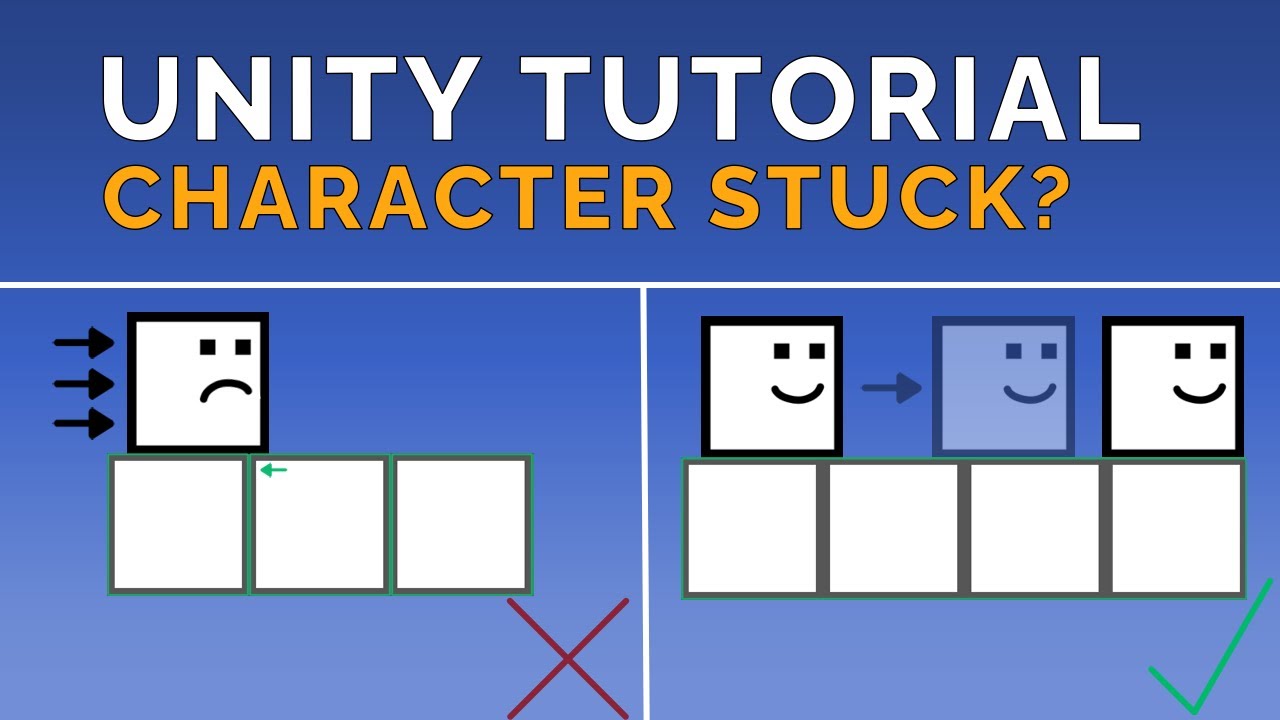
Sign-up to get the free demo at http://prettyfrenchgames.com
Wishlist my game if you liked the video: https://store.steampowered.com/app/1490870?utm_source=youtube&utm_content=char-stuck-tutorial
First tutorial video about a common issue with 2D collisions in Unity. Hopefully this gives a good solution when a box collider 2D get stuck in ground...
idle sluice
ok yeah but
will this work for blocks that are supposed to have different interactions
timid dove
idle sluice
will this work for blocks that are supposed to have different interactions
you can do it with a tilemap and composite collider. Rather than having a specific individual GameObject with a MoboBehaviour on it - you use the position of the collision to figure out which tile they hit (with Tilemap.WorldToCell for example), then determine the behavior based on that.
idle sluice
uhhhhhhhhhhhhhhhh
idle sluice
I have different things in the blocks
like coins and items and all that
Can I attach the gameobject without a collider to the tilemap somehow
 rose lion
Hi Guys

this water pipe is procedural, and whereever he goes dragging the pipe, it gets longer and follow the line, how is it possible to implement it in unity?

is there any tutorial on this?
timid dove
rose lion
is there any tutorial on this?
definitely not. It's too bespoke/complex for a tutorial. Unity has a Splines package you can use for this.
You'd basically make the spline following the character and then procedurally generate your mesh around the spline
 orchid path
If I need to enable my collider only in certain conditions, would it be faster to
Physics.IgnoreCollision(collider1, collider2);
or to (needs a second collider due to the nature of my system)
collider.enabled=enabled;
 rocky thistle
guys I am stuck. I'm trying to read the current X axis rotation of an object but its outputting wrong data. Im trying to read angles between -15 degrees to 15 degrees but it giving me 345 to 15. I've tried to make an if statement that says "if the angle is between 345 and 360, do currentAngle - 360" but now the angles range from -345 to -15.


what im trying to do for context: balancing this beam using physics engine. Everything works except this angle bs
also sometimes, ill change one part of the script, maybe remove a comment and then the script works slightly differently and that is just confusing
timid dove
rocky thistle
guys I am stuck. I'm trying to read the current X axis rotation of an object but...
Use Vector3.SignedAngle to calculate this rather than trying to read euler angles from the transform
Euler angles are not unique and are subject to gimbal lock
It's hard for me to say which parameters to put in exactly without understanding the orientation of this object in the world better.
rocky thistle
I got it working bro, thank you so much!
 wispy marten
Hello everybody! How you doing?
I am an automation engineer, trying to use the URDF IMPORTER package...
I am complete noob on unity...
Is anybody accostumed to It?
I seem to be having a null reference problem with One of my .STL meshes.
The URDF model works Just fine in other environments...
rocky thistle

Unity's Line Renderer Component doesn't work in the UI system... So, let's create one that does...
Interior Mapping Shader - https://www.youtube.com/watch?v=dUjNoIxQXAA
Photo Real Assets - https://www.youtube.com/watch?v=Y538_YYhC1A
Fixing Grid Layouts - https://www.youtube.com/watch?v=CGsEJToeXmA
-----------------------------------------------...
hey guys, so i was following this tutorial but the "graphic" class at 1:59 doesn't work in unity 2021.3.19f1
people said to add a canvasRenderer but it still doesnt work
can anyone suggest a solution? Thanks
timid dove
rocky thistle
hey guys, so i was following this tutorial but the "graphic" class at 1:59 doesn...
Wdym by "doesn't work"
Also what does this have to do with physics
rocky thistle
timid dove
Wdym by "doesn't work"
At the top of the script u usually see; script name : MonoBehaviour but replacing MonoBehaviour with Graphic like the video says doesn’t work.
rocky thistle
timid dove
Also what does this have to do with physics
Yeah sorry, but I didn’t know which chat to ask this in so I just put it here since I’m trying to plot a graph of values coming from a physics object
 inner thistle
Again, "doesn't work" means what? Do you get an error message?
rocky thistle
It doesn’t recognise Graphic as being a real thing
I get an error saying something like: this class doesn’t exist(are you missing an assembly reference?)
inner thistle
"...or a using directive"
Did you add this like in the video?
 rocky thistle
Yes I am, but UI also doesn’t exist
I believe it’s my unity version number but everyone seems to be fine in the comments of the video so it suggests that the code still runs well in newer versions of unity
inner thistle
Show your code and the full error message. Copy-paste, don't paraphrase
rocky thistle
 inner thistle
Do you get the same errors in the Unity console?
timid dove
rocky thistle
You probably just need to regenerate project files.
rocky thistle
how do i do that?
timid dove
Edit - external tools - regenerate project files
rocky thistle
ah got it
ill try it and let u know
nope, didnt work
I think it has something to do with my unity version number
inner thistle
inner thistle
Do you get the same errors in the Unity console?
So does it work in Unity or not?
timid dove
rocky thistle
I think it has something to do with my unity version number
It doesn't
Is the UI package installed?
Also nitkus question
rocky thistle
inner thistle
Do you get the same errors in the Unity console?
interesting.... no i dont
btw mb i didnt see ur message there Nitku
inner thistle
Then it's a VS issue
rocky thistle
timid dove
Is the UI package installed?
im not sure, i'm using unity without any addons or anything
rocky thistle
inner thistle
Then it's a VS issue
do you know a solution to this problem?
is it what PraetorBlue suggested about the UI package?
timid dove
Regenerate project files is the usual solution
timid dove
rocky thistle
im not sure, i'm using unity without any addons or anything
You can just look
inner thistle
If it doesn't throw errors in Unity then the UI package is installed
Close both VS and Unity, delete the project's library folder, reopen Unity and then VS
rocky thistle
timid dove
You can just look
 timid dove
rocky thistle
timid dove
rocky thistle
Upgrade the visual studio editor package
Actually upgrade all of your outdated packages
rocky thistle
inner thistle
Close both VS and Unity, delete the project's library folder, reopen Unity and t...
ill try updating it then ill try what u suggested
hopefully it works
thanks for bearing with me so far
rocky thistle
inner thistle
Close both VS and Unity, delete the project's library folder, reopen Unity and t...
just want to ask, wdym by library folder? Is it the folder which contains my project?
cuz how do i get my project back then...
inner thistle
The Library folder, not the entire project
lilac wedge
Hello, I'm making a 3D game with floor tiles as a primary mechanic. Those floor tiles may be in set up in an arbitrary shape, and I would like for every shape to have possibly a single 3D collider (used for triggers, not collision).
In 2D I would achieve that very easily with an edge collider - each tile shape would have a different set up of a single edge collider. How can I do that in 3D? Mesh collider was my first idea, but that would require me to create a mesh for each tile shape in the game - so I would have to do hundreds of additional meshes... that's a very clunky solution.
I could maybe give each tile a separate Box Collider, but then is there a way to compound/composite all those colliders into a single one? So that I don't generate thousands of box colliders in to the scene unnecessarily...
 split solar
I'm stuck on a severe physics bug in my game's level editor
In my game, the user can draw procedural meshes into the level that get Mesh Colliders attached to them
They can also attach decorative objects to these meshes, that are spawned in as child GameObjects but with no physics colliders on them
And what's happening is
The game sets things up like so:
Physical Group (rigidbody)
  LevelObject (drawn mesh, collider)
     Ornament (decorative mesh, no collider)
When the player initially places the drawn mesh, and quits brush mode, everything works fine and the platform falls to the level floor
If they then place the ornament onto the mesh, it still works fine
But once they grab ahold of the existing object, drag it around, and let go of it, gravity completely breaks
If I pause the physics simulation, disable the ornament GameObject, then resume the simulation, it's still broken
But if I then grab the object again with the ornament disabled, and release the object, gravity works again.
What i've found is, just having that child ornament attached to the object is enough to make the physics system freak out and I'm not sure why. A GameObject with just a Mesh Filter and Mesh Renderer shouldn't be contributing to the physics world, right?
When it breaks, I've seen only one side of the object fall to the ground. I've seen the object clip through the ground. I've seen it levitate toward the sky. I've seen it start rotating in place for no reason.
It's really unpredictable but either way I just wanna know why this is happening
split solar
nvm, after debugging, I've figured out what's causing it
It's another collider that's set up to follow the Ornament, but it's on a layer that collides with the LevelObject, even though the ornament collider is only there for selection raycasts
orchid path
Why so much difference in behavior ?
        if (Input.GetKeyDown(KeyCode.Z)) myOwnGravity = !myOwnGravity;

        if (myOwnGravity)
        {
            frame.rigidbody.useGravity = false;
            frame.rigidbody.AddForce(Physics.gravity);
        }
        else
        {
            frame.rigidbody.useGravity = true;
        }
is that in Update or FixedUpdate
orchid path
Fixed
inner thistle
and what's the difference?
orchid path
Nvm I needed to add Forcemode.acceleration
timid dove
orchid path
Fixed
Input handling in FixedUpdate is a no go
orchid path
i know
split solar
I'm getting really frustrated that OnTriggerExit is severely broken when working with mesh colliders
OnTriggerEnter is reliable but OnTriggerExit isn't
 acoustic pond
wsppp
timid dove
split solar
OnTriggerEnter is reliable but OnTriggerExit isn't
how so?
I've never had a problem with it.
the only time it doesn't work is when you disable or destroy the object instead of it moving out of range.
split solar
timid dove
I've never had a problem with it.
Having two MeshColliders interact with each other where one is a trigger
I have never had this work reliably
Unless it's specifically to do with concave mesh colliders, but
I can't just....rely on all colliders being convex
I don't have a way of splitting a concave mesh into multiple colliders at runtime
There doesn't seem to be a built-in way of doing it in the engine
And I'm tired of dealing with this
timid dove
split solar
I can't just....rely on all colliders being convex
concave triggers are not supported
split solar
I'm aware
I didn't say the trigger was concave
The colliders that I'm trying to watch enter and exit the trigger are
And they're the ones I can't reliably set as convex, because some of those meshes are created by the player and I don't know what they are until the player creates them
And it's not even like I'm dealing with rigidbodies yet
timid dove
if there's no rigidbodies then you won't get any trigger messages regardless
but yeah I'd probably look into writing or finding an algorithm to split the mesh into multiple convex meshes and.or primitives for the collider(s)
split solar
I'm only trying to figure out if a brush object is overlapping some other physical object, so I can block placement of a new object with the brush, or if it's a procedural brush blocked by a procedural object, allow the player to paint onto the existing procedural object
split solar
timid dove
but yeah I'd probably look into writing or finding an algorithm to split the mes...
I really think this should be built into the engine but it's not
timid dove
yeah would almost definitely try to use direct physics queries for that rather than waiting for trigger callbacks
split solar
Like this is a common-enough use case that I'd expect the engine to support it
split solar
I don't even know how I'd write an algorithm that can accurately but quickly check if two meshes of any shape have any intersecting triangles
 upbeat vessel
@scenic skiff if you disable the wall and let it hit the player capsule collider, what happens?
 scenic skiff
hang on the capsule is tiny so this might take a sec to test
same basic behavior, ball loses all velocity towards player and retains sideways drift
upbeat vessel
But the wall is the player, right?
So it doesn't gain velocity away from the player
scenic skiff
the wall is a 3D box attached to the player

the capsule is part of the first person controller prefab
Bumper is the box
upbeat vessel
What's the mass of ball and the mass of the bumper?
scenic skiff
ball mass is 1
box doesn't have a rigidbody to have a mass
the capsule has a mass of 1
the capsule is FirstPersonController, the root
scenic skiff
balls now phase through bumper entirely
upbeat vessel
Is there a collider on the bumper?
scenic skiff

okay did another test
phases through when going fast
slow impacts functon without the velocity killing bug
upbeat vessel
Uncheck is kinematic and increase mass to 5
 upbeat vessel
Lol
 scenic skiff
box locks to player again
new behavior
will collide with box when player is still, if player is moving no collision
upbeat vessel
Yeah, it needs to be kinematic
Your on the right track now, might wanna look up a tut on pool/billiards because this getting outside of wheelhouse
scenic skiff
set it back to kinematic, no collision when player is moving quickly
upbeat vessel
I think the speed of the ball is getting out of hand, you might need to use real-world mass to tame the velocity.
I gotta run some errands, I'll check back with you in a couple hours if you don't mind. In the mean time, If you find a solution, I'd like to know what it was.
scenic skiff
I'll work on it
scenic skiff
upbeat vessel
I gotta run some errands, I'll check back with you in a couple hours if you don'...
increased fixed timestep from 0.02 to 0.005 and it's working now. thanks so much for your help
scenic skiff
upbeat vessel
I gotta run some errands, I'll check back with you in a couple hours if you don'...
update update, still phases through more often than not when player is sprinting, regardless of relative speed of collision...
acoustic pond
heyy
upbeat vessel
Hi
scenic skiff
upbeat vessel
<@690598418179031101>
continuous on both
acoustic pond
uhmm i need help w my active ragdoll but idk if this is the like
place
do i go to #💻┃unity-talk or sumn
?
upbeat vessel
Is it code related? Go-to the respective code channel..
acoustic pond
the issue b back fr
 acoustic cipher
Guys, default gravity value in the editor is set to be close to earth, right?
Also, rigidbody is meant to simulate physics and while i set mass of an object to 100 kg and hit jump by applying force it falls donw like on moon. That Rigidbody mass value not even influence how fast object fall no matter if it is 100 kg or 100000 kg which is beyond me, known bug or i dont know what, confused.
inner thistle
Famously gravity affects all objects the same regardless of their mass
you have something that interferes with the velocity, show code
acoustic cipher
inner thistle
you have something that interferes with the velocity, show code
'using UnityEngine;
public class PlayerMovement : MonoBehaviour
{
public Camera mainCamera;
public float moveSpeed = 5f;
public float rotationSpeed = 200f;
public float jumpForce = 5f;
public LayerMask groundLayer;
public float groundCheckRadius = 0.1f;
private Collider playerCollider;
private bool isGrounded;
private Rigidbody rb;

void Start()
{
    playerCollider = GetComponent<Collider>();
    rb = GetComponent<Rigidbody>();
}

void Update()
{
    CheckGrounded();

    float moveHorizontal = Input.GetAxisRaw("Horizontal");
    float moveVertical = Input.GetAxisRaw("Vertical");

    Vector3 moveDirection = (mainCamera.transform.forward * moveVertical + mainCamera.transform.right * moveHorizontal).normalized;
    moveDirection.y = 0;

    if (moveDirection != Vector3.zero)
    {
        Quaternion targetRotation = Quaternion.LookRotation(moveDirection);
        transform.rotation = Quaternion.RotateTowards(transform.rotation, targetRotation, rotationSpeed * Time.deltaTime);
    }

    if (isGrounded && Input.GetKeyDown(KeyCode.Space))
    {
        rb.velocity = new Vector3(rb.velocity.x, jumpForce, rb.velocity.z);
    }

    Vector3 movement = (mainCamera.transform.forward * moveVertical + mainCamera.transform.right * moveHorizontal).normalized;
    movement.y = 0;

    transform.Translate(movement * moveSpeed * Time.deltaTime, Space.World);
}

void CheckGrounded()
{
    Vector3 groundCheckPosition = playerCollider.bounds.center - new Vector3(0, playerCollider.bounds.extents.y, 0);
    isGrounded = Physics.CheckSphere(groundCheckPosition, groundCheckRadius, groundLayer);
}
}'
inner thistle
You're mixing physics-based movement with manually setting the transform position. You can't do both, you'll have to choose which one to use and only use that
acoustic cipher
inner thistle
You're mixing physics-based movement with manually setting the transform positio...
If i change transform movement to physic based, it will jump as in earth like gravity with weigh of 100 kg?
inner thistle
If you do it correctly, yes
timid dove
acoustic cipher
If i change transform movement to physic based, it will jump as in earth like gr...
note that the mass of the body doesn't determine how quickly it falls / the shape of the parabola it creates when jumping
this is a fact of physics
timid dove
acoustic cipher
Also, rigidbody is meant to simulate physics and while i set mass of an object t...
I mention this because here you said:
That Rigidbody mass value not even influence how fast object fall no matter if it is 100 kg or 100000 kg which is beyond me, known bug or i dont know what, confused.
Which is perfectly expected and normal

During Apollo 15, astronaut David Scott dropped a feather (in his left hand) and a hammer (in his right) to show that objects, regardless of mass, fall at the same rate in a vacuum.
Read more about artifacts of the Apollo missions: https://www.sciencenews.org/article/apollo-astronauts-anniversary-trash-mementos-experiments-moon
Video: NASA
acoustic cipher
Yeah, air resistance
timid dove
there is no air resistance in Unity (or on the moon)
there is a rudimentary "drag" field on Rigidbody, but this doesn't take into account anything about the "air" or the size or shape or mass of the RIgidbody.
acoustic cipher
i mean when comparing a stone ball with feather where feather will fall slower cause it has greater air resistance
timid dove
sure but air resistance is not simulated in Unity
so in Unity, they will fall the same speed
acoustic cipher
But what i can set in unity to have object fall faster
timid dove
Or add your own additional gravity force to it each FixedUpdate
or use a ConstantForce component to do that for you
acoustic cipher
Yeah i know about that gravity scale per rigidbody2d but i'm about 3D which lack this option
 coarse falcon
hey, can someone help me with a little issue on the game im creating on unity?
i'm programming the bird and it looks weird when it falls... like you have to click more than one time to contrarrest the force of the falling, the same when it goes up... it duplies the force or something like that
this is the code
using System.Collections;
using System.Collections.Generic;
using UnityEngine;

public class Player : MonoBehaviour
{
    [Tooltip("The force that makes the bird ascend")]
    public float impulse;

    public Rigidbody2D rb;


    void Start()
    {

    }

    void Update()
    {
        if (Input.GetMouseButtonDown(0))
        {
            Vector2 fuerza = new Vector2(0f, impulse);
            rb.AddForce(fuerza, ForceMode2D.Impulse);
        }
    }

}
Concretely solved issue! This setting in project physics settings

default is 10, balls velocity is 20 and max player speed is also 20 for 40 total, turning it to 30 massively reduced the issue and 45 eliminated it completelyt
timid dove
coarse falcon
i'm programming the bird and it looks weird when it falls... like you have to cl...
It all comes down to whatever you set impulse to in the inspector
the higher the number, the stronger the impulse will be
 twin quarry
Hi, I've just noticed that there is an option to run Physics2D in multithreaded mode. In the docs it says it will "executes the simulation steps using the job system". So FixedUpdate will still run in the main thread, but the actual physics calculations that are run in a separate thread, right? But stuff like OnTriggerXXX depends on the result of the physics calculation so it needs to wait for the result of the calc. In that case something like
Update -> FixedUpdate -> Update -> Update -> Update -> OnTriggerXXX could now be possible, since the updates can continue to run while physics calculation is taking place. Are there any docs going into detail how the execution order is affected? And is there any reason NOT to do this? It's disabled by default, but this could be big for performance.
timid dove
twin quarry
Hi, I've just noticed that there is an option to run Physics2D in multithreaded ...
I very much doubt they changed anything about the execution order of the event loop. For example PhysX has always used its own multithreading under the hood for 3D physics. It would be very odd for OnTriggerXXX callbacks to be delayed for several frames.
Certainly worth testing though to be sure
 zinc terrace
is there a way to make a rigid body object have a rigid body child but attached to the parent?
this happens to me,its a funny bug
timid dove
zinc terrace
is there a way to make a rigid body object have a rigid body child but attached ...
the child would have to be kinematic
zinc terrace
timid dove
the child would have to be kinematic
this is what happens if i do that
timid dove
zinc terrace
this is what happens if i do that
can you explain what you're trying to do?
I have no idea what I'm looking at here
or what the issue is
zinc terrace
timid dove
can you explain what you're trying to do?
I am making it so that if you shoot that same child object the object will explode but if it does not have a rigid body it does not work, if you want I will give you the script
timid dove
zinc terrace
I am making it so that if you shoot that same child object the object will explo...
I don't see any reason you would need a rigidbody on the child for that to work
zinc terrace
timid dove
I don't see any reason you would need a rigidbody on the child for that to work
    {
        if (Physics.Raycast(transform.position, transform.forward, out hit, maxDistance, ~ignoreLayer))
        {
            if (hit.transform.gameObject.tag == "Toilet")
            {
                var destroy = hit.transform.gameObject.GetComponent<ToiletBehaviour>();
                destroy.hitsReceived++;
                Instantiate(decalHitWall, hit.point + hit.normal * floatInfrontOfWall, Quaternion.LookRotation(hit.normal)).transform.parent = hit.transform;
            }
            if (hit.transform.gameObject.CompareTag("WeakPoint"))
            {
                hit.transform.GetComponentInParent<ToiletBehaviour>().hitsReceived = hit.transform.GetComponentInParent<ToiletBehaviour>().maximalHitsToDestroy;
            }
}```nothing here requires a rigidbody
zinc terrace
timid dove
nothing here requires a rigidbody
yeah thats the weird thing
i added it a collider and nothing
but i added the rigidbody it works
timid dove
zinc terrace
i added it a collider and nothing
wdym "nothing"?
Did you use Debug.Log?
Did the code run?
zinc terrace
timid dove
wdym "nothing"?
i'm talking about WeakPoint not working
zinc terrace
oh ok
timid dove
zinc terrace
``` void Update()
{
if (Physics.Raycast(transform.position, trans...
acutally Isee the issue
it's because you used if (hit.transform.gameObject.CompareTag("WeakPoint"))
hit.transform will give you the Transform of the rigidbody
if there is one
on the parent for example
you should use if (hit.collider.CompareTag(
scenic skiff
I'd like to be able to predict and display the path of an object moving in a no-gravity environment as it bounces off stuff, is there a particular way I should get started in learning how to do that? Looking for a jumping off point
 fierce rapids
hey im making a vr game where i walk on my hands and im using the configurable joint and a sphere collider to get a sprinngy feel but i would like to have the rotation on the springs stiffer so i dont slide on the ground or slip off walls. anyone know how to fiks this? here is the video
 uneven shore
hey guys - where do you recommend to put collision detection?
I know FixedUpdate should be used for collision, but Update is used for actually moving (Transform.Translate), so I'm not sure.
timid dove
uneven shore
hey guys - where do you recommend to put collision detection?
I know FixedUpdat...
Collision detection usually uses the physics callbacks like OnCollisionEnter.
Also if you're doing physics you definitely shouldn't be moving with transform.Translate
uneven shore
@timid dove why not?
And I'm doing everything manually; I'm detecting the collision using rays
devout token
There is no "average case" and it also depends on the type of collision detection
uneven shore
@stuck bay it should be the same width of the wall.
If you see the player still goes through it, you can use Continuous collision detection, rather than the regular Discrete.
acoustic pond
wasssuhh
can any1 help me set up a active ragdoll? ive tried from following tutorials, to swapping models and stuff but i can't seem to get it to work.
i can even setup a normal ragdoll using gameobject > 3d > ragdoll, and it works completely fine, but then swapping the joints to smthing to configurable, and simply adding force and stuff and connecting everything, it breaks
 scenic kayak
Hey, quick question.
Planning on making a very complicated game that has only been simulated once before.
Q.: Who has ever/Has anyone ever made a very close to irl physic simulator for (e.g.) Bicycles, Motorcycles, etc.?
And if not, would it even be possible to make and run it on high fps to be able to compete in the eSports niche? thanks
 maiden burrow
Hey, does anybody know, why my objects doesn't collide with each other? I have this spaceshooter 3d where my spaceship goes through everything.. I don't know why. It has all colliders and also those asteroids have colliders. But it just keeps going through everything. Please help me
i have tried collision detection at all settings but it doesn'
t work
also the asteroids go through each other
 trim ore
maiden burrow
also the asteroids go through each other
trim ore
maiden burrow
also the asteroids go through each other
make sure you're using rigidbody to move with its methods, colliders alone won't give you collision moving using transform
maiden burrow
trim ore
make sure you're using rigidbody to move with its methods, colliders alone won't...
i have rigidbody on spaceship, i have tried it with isKinematic on and off
trim ore
 hollow gazelle
how to check if 2 square colliders are colliding
hollow gazelle
how to check if 2 square colliders are colliding
whats wrong with OnCollisionEnter
maiden burrow
method onCollisionEnter is never called
trim ore
maiden burrow
i have rigidbody on spaceship, i have tried it with isKinematic on and off
Ok but you're moving using transforms?
ie transform.position = etc..
in code
maiden burrow
void Thrust()
{
thisShip.position += thisShip.forward * boostSpeed * Time.deltaTime * Input.GetAxis("Throttle");
}
void Turn()
{
float yaw = turnSpeed * Time.deltaTime * Input.GetAxis("Horizontal");
float pitch = turnSpeed * Time.deltaTime * Input.GetAxis("Vertical");
float roll = turnSpeed * Time.deltaTime * Input.GetAxis("Rotate");
    transform.Rotate(pitch, yaw, roll);
}
right that wont give you collision
maiden burrow
ok
trim ore
change theShip to a rigidbody type
then use
thisShip.velocity
you might need to lock in the proper constraints on rigidbody component, like Z pos
maiden burrow
ok
trim ore
kinematc is also an option but use .MovePosition() method
maiden burrow
now it's not moving anywhere
trim ore
maiden burrow
now it's not moving anywhere
show current code
maiden burrow
public Rigidbody thisShip;
public GameObject ProjectileFab;
public Rigidbody r;
public Transform projectileSpawnPoint; // Lisätään spawn-piste ammuksille
public ParticleSystem engineFlames;
void Thrust()
{
thisShip.position += thisShip.velocity * boostSpeed * Time.deltaTime * Input.GetAxis("Throttle");
}
public Rigidbody thisShip;
maiden burrow
rigidbody is not kinematic
trim ore
and where are u calling thrust
maiden burrow
in fixed update
trim ore
maiden burrow
in fixed update
ok so try
thisShip.velocity += thisShip.transform.forward * boostSpeed * Input.GetAxis("Throttle");
maiden burrow
ok
thisShip.velocity += thisShip.transform * boostSpeed * Input.GetAxis("Throttle");
did you mean like this?
thisShip.velocity += thisShip.transform.forward * boostSpeed * Input.GetAxis("Throttle");
?
so my spaceship doesnt still move
trim ore
maiden burrow
so my spaceship doesnt still move
screenshot ship inspector , also the pivot selected
btw if you're gonna do += I think you need to add * Time.fixedDeltaTime
you should also not have input in fixedupdate
 rich tendon
Howdy folks. I've recently noticed the very basic physics in my game are consuming 90% of the CPU on mobile devices. The game is a top-down RTS, where units have rigidbodies to produce friction with the floor. If I have a single unit just standing around the physics usage is nothing. If it moves at all the physics computations go through the roof. Adding more NPCs doesn't seem to affect this much. On a fast PC I can do 1000s of units without any slowdown. Its just the first that makes a nice hit and only when it is moving.
I must have done something fundamentally wrong with the setup but I can't seem to figure it out.
trim ore
thisShip velocity thisShip transform
rich tendon
Note - this isn't making use of colliders during the movement.
maiden burrow
 rich tendon
I had read in one place that you shouldn't have a GameObject with a collider and no rigidbody assigned. In this case I have a GameObject NPC with several child Gameobjects, and some of those have circle colliders on them without an additional rigidbody. Could that be causing an issue?
orchid path
Does it not matter where parent pivot is for physics of children?
I think if i set RB.centerofmass manually then there should be no problem even if parent pivot is few meters further ??
 dense tartan
looking for help with some buoyancy physics. i found this (seemingly) great pipeline that has an outdated tutorial i'm trying to get to work. has anyone used this? :https://www.habrador.com/tutorials/unity-boat-tutorial/2-basic-scene/
This is a tutorial on how to make a realistic boat ship in Unity with boat physics like buoyancy and water physics. You will learn how to make and endless infinite ocean, add water foam and water wakes, add boat resistance forces, add propulsion, buoyancy so the boat ship can float, and much more. Everything is made with the programming language...
/ does anyone have a buoyancy phys tutorial or script they'd be willing to share?
here's a newer repository with a sample scene that doesn't work: https://github.com/Habrador/Unity-Boat-physics-Tutorial
i'd love to reverse engineer it but it's busted

GitHub
Learn how to implement boat physics in Unity. Contribute to Habrador/Unity-Boat-physics-Tutorial development by creating an account on GitHub.
rich tendon
It appears if I turn off several interaction layers the performance improves a little. It is only ever going to interact with the floor and maybe the walls, but I'm still not happy with the hit for floor interactions. I saw a good writeup and forum discussion that really seemed to indicate that child gameobjects don't/shouldn't get their own rigidbodies.
This isn't a physics minded game so I may turn down the sim step size a bit more.
Not even sure anything here is still accurate after 8 years ... https://forum.unity.com/threads/what-exactly-is-considered-moving-static-colliders.159434/

Unity Forum
I have read and heard ( from UNITE videos ) many times that moving static colliders is a big no-no, so if you're gonna move something that has a...
 junior thicket
My physics are behaving weird and difrent when i build the game compare to the editor, is that a common issue ?
devout token
junior thicket
My physics are behaving weird and difrent when i build the game compare to the e...
Not one I've seen
timid dove
junior thicket
My physics are behaving weird and difrent when i build the game compare to the e...
Usually it means your code is frame rate dependent which is a problem with the code you wrote
 dreamy fiber
Respected,
I want to move the gameobject forward and slightly upward too and rotate slightly in the local y-axis (with rigidbody add force)...
when user finger swipe up the screen.. please guide
scenic kayak
scenic kayak
Hey, quick question.
Planning on making a very complicated game that has only be...
Would be appreciated for any quick message
inner thistle
I don't understand what you're asking exactly
I mean yes, it's possible to replicate what someone else has done, that's only up to your skill
scenic kayak
It has not been done in Unity before.
scenic kayak
inner thistle
I don't understand what you're asking exactly
I basically wanna create BeamNG, but for racing and for Motorcycles.
I've been looking for the right engine, UE5 is already off the list.
inner thistle
There's nothing that could be done in other engines but not in Unity so again, up to how skilled you are
scenic kayak
I haven't seen any good Motorcycle Physics wip videos in Unity
 mortal apex
scenic kayak
I haven't seen any good Motorcycle Physics wip videos in Unity
mortal apex
scenic kayak
I haven't seen any good Motorcycle Physics wip videos in Unity
that's your calling to do so 😂
Also, does anybody know any reasons why my RBs are looking jittery? They look absolutely fine from a fixed angle but when tracked with a camera their movements are jittery? I can attach a vid if i've explained this awfully
scenic kayak
Aight, i'll continue to look for other engines that suit my needs better
Thanks tho
timid dove
scenic kayak
Aight, i'll continue to look for other engines that suit my needs better
Thanks ...
I think you're barking up the wrong tree if you're looking for an engine to implement soft body physics like BeamNG out of the box
that's a specialized thing that will naturally require third party libraries or a custom physics implementation, regardless of which game engine you use.
Note that the game engine used by BeamNG (Torque) ALSO only implements Rigidbody physics. In fact they use the same physics engine as Unity (NVidia PhysX).
devout token
mortal apex
Also, does anybody know any reasons why my RBs are looking jittery? They look ab...
It could be lack of interpolation, which is a rigidbody component property
Physics timestep is fixed and usually lower than the framerate, so interpolation is required to smooth it out
mortal apex
devout token
It could be lack of interpolation, which is a rigidbody component property
Physi...
Tried that and didn't notice a difference, however when running at higher framerate (no vsync) it seemed to be ok?
I think I'm just going to mess around with it for a few days, that always seems to work lmao
devout token
mortal apex
I think I'm just going to mess around with it for a few days, that always seems ...
If we can see how you're moving the camera and what's moving the object then maybe we can help as well
zinc terrace
guys, a question, how do I prevent my objects from crossing my map floor like in gmod? In gmod, if you force a lot, the collision of an object with the ground does not cross it
timid dove
zinc terrace
guys, a question, how do I prevent my objects from crossing my map floor like in...
Make sure you are only moving your objects in physics aware ways and that you turn on continuous collision detection for small/fast moving objectds
 hidden token
Simple question cause I forget how the different colliders work in Unity. My player is currently passing through mesh colliders, and for some reason jumping isn't working, but I suspect it has something to do with the mesh colliders. My player is also floating and doesn't seeem to have any actual gravity


Also, when I check "isGrounded" it unchecks as soon as I click play
 sage yoke
does someone have a clue on what's changed between each version of physx?
sage yoke
hidden token
Simple question cause I forget how the different colliders work in Unity. My pla...
set collision detection to continuos dynamic
it should fix passing through objects
and remove iskinematic for most of the use cases, if an object is kinematic default gravity will not affect it
sage yoke
timid dove
https://gameworksdocs.nvidia.com/PhysX/4.1/release_notes.html
i think Unity5 actually used PhysX 3.3, so i need to find what changed between PhysX 2.7 and PhysX 3.3
tbh i've read a lot of documentation but i never found the issue
 light anchor

What's more efficient? This video covers the theoretical and practical applications of using various convex and primitive colliders in Unity 3D.
I was looking for answers myself, and everything I found was either outdated or didn't contain the information I wanted. So I did it myself! This is my first longer format video, so cut me a little sla...
Is this video accurate?

what’s exactly the problem in the falling example?
idk just do some more scripting
add trigger colliders to do detect when you’re getting close to the ground or shoot ray/shere casts
light anchor
orchid path
Does it not matter where parent pivot is for physics of children?
I think if i ...
probably no
light anchor
rich tendon
I had read in one place that you shouldn't have a GameObject with a collider and...
if it works it works
rich tendon
light anchor
if it works it works
I'm not sure it is though! Understanding the proper optimization and usage of the game engine is critical to success...
light anchor
I don’t trust Unity that much, well I don’t trust Unity at all
I mean in regards to the engine part
rich tendon
Yeah, you've just described all technology created by man 😛 Still, we have to try our best haha..
I can see why the lack of a rigidbody may create additional computation. Just not in a position to setup my own benchmark at the moment, and why reinvent the wheel if someone has the knowledge already.
light anchor
I had to spend two days writing my own mesh scanner to detect whether point is inside non convex mesh collider or not because Unity removed all options to check it lol
rich tendon
The performance hit in the engine for a single dynamic rigidbody interacting with a tilemap is much higher than I'd have thought.
My past engine experience was Torque 2D, and I never had to consider physics as source of high computation for an RTS style game.
light anchor
I don’t use dynamic rigid bodies in my game at all but I’m surprised by how many rigidbodies Unity can handle honestly even on mobile
rich tendon
Well on iOS devices, yeah.
light anchor
around 1200 and it runs pretty smoothly on snap 778
rich tendon
I often feel like my iPad is as performant as my desktop
But my Android devices all feel lobotomized.
rich tendon
Nah, Adreno CPUs
Just a single point light likewise kills performance. Its just strange, and I'm not sure what it all means yet. Torque really didn't have such issues on the same devices, but its a dead engine at this point.
 gilded bay
hello
how can I make 2d sprite jelly physical soft body?
any 'official' and performance friendly solution?
sage yoke
light anchor
what’s exactly the problem in the falling example?
The problem Is the default unity collision impact, the outgoing Speed is way more compared to the older version, and since It's a pretty complex game i dont really know how to code a decent collision dumper considering the angle, the Speed, the surface etc
sage yoke
light anchor
what’s exactly the problem in the falling example?
Oh yea in the falling example Is fixxable, the main problem Is the Speed
sage yoke
also the relative velocity of the collision is the same, but the actual velocity after impact is different
 rough pivot
hey guys! haven't really worked with physics yet, but i'm trying to get a somewhat accurate simulation of bouncing/rolling ball going... the main issue so far is, that rotational drag is only a constant - but i need to somehow make it dependant on the second material (i.e. a ball rolling on 'grass' is slowed down more than a ball rolling on 'concrete')
first workaround idea was to freeze the rotation of the ball and just let it slide around the surfaces with different friction values in the different ground physics materials - is that a viable solution?
any ideas and pointers appreciated, or some links to resources that go a bit deeper than the basic tutorials...
timid dove
rough pivot
hey guys! haven't really worked with physics yet, but i'm trying to get a somewh...
another option is to manually apply rolling resistance via AddTorque. Apply different amounts of torque depending on:
- the current rolling speed
- the rolling resistance of the ground material
Note that the "lock rotation and let it slide" technique is used in games a lot. You can then add the rotation later as an after-the-fact visual effect that isn't really happening
steel sorrel
Is it good practice to separate the rigidbody from the actual mesh, to be interpolated in Update instead, while leaving the rigidbody with interpolation disabled? ... because, I see now that Interpolation causes Additional performance costs when updating the position of a character for instance, I assume it is syncing the transform, even if you disable said feature ( probably to average the interpolation with the desired new transform position) ... it will be quite a while to convert everything, and I litterally saw no one ever do this in manuals and tutorials
timid dove
steel sorrel
Is it good practice to separate the rigidbody from the actual mesh, to be interp...
Yes interpolation comes with an extra cost, but it's generally worth it.
Besides you interpolating it manually would also come with an extra cost
steel sorrel
timid dove
Besides you interpolating it manually would also come with an extra cost
yes ... and at least from my testing, QUITE the cost.
I can afford now to waste time on that, and most platform don't even care about this stuff,
but just "grabbing" two Vector3s rappresenting 2 transforms seem to cost as much as a raycast, of not MORE.
from my perspective, I would be smoothing something that the player mught not even notice it is stuttering, while making an AI agent "more blind and dumb" as he can read one thing less from the environment.
It'd love to just talk at lenght with someone at unity about it, but before I can do that I guess ai have to make 4k+ and become Pro user 😅
timid dove
steel sorrel
yes ... and at least from my testing, QUITE the cost.
I can afford now to waste...
Individual raycasts are cheap. It sounds like you're trying to microoptimize
Or prematurely optimize really. Rigidbody interpolation is generally cheap.
steel sorrel
timid dove
Or prematurely optimize really. Rigidbody interpolation is generally cheap.
maybe, but I do want to have that comversation at some point.
I feel that pretty much every asset uses both the physx and unity's libraries NOT in the way they were intended to be used, thus resulting in " necessary evils" that are totally avoidable.
One would think that with so many tutorials, everything MUST have been said ... but (professionally speaking) none of them are good, even the ones unity sponsors.
 copper gazelle
Hi guys, I'm trying to detect when a Vector3 point from a point cloud is inside of an object using raycast, whats the best way of doing this?
rough pivot
unity physics hard 😭
how do i get the ball not stuck or bounce when rolling from one surface/collider to another?
alternatively - is there a way to use some sort of texture in a surface material to have different parameters on different locations of the same collider?
steel sorrel
rough pivot
unity physics hard 😭
how do i get the ball not stuck or bounce when rolling fr...
if u did physics like rhe old days, you indeed could have a raycast check for the material and do custom footsteps and collision material in the same collider.
but i'd say don't overthink it ... in video's case, just lower the second collider a bit and make so the gameplay forces u to go from the first one to the other.
timid dove
steel sorrel
maybe, but I do want to have that comversation at some point.
I feel that pret...
Tutorials are antithetical to best practices because best practices are slightly complicated and tutorials are generally trying to be popular YouTube videos i.e. "BUILD A GAME IN 5 MINUTES" click bait nonsense.
steel sorrel
timid dove
Tutorials are antithetical to best practices because best practices are slightly...
those are good people and all but the professional videos you can count in one hand ... and all of them are free, the paid stuff is even more guilty of teaching bad practices ... or even teaching you to rely on the assets store ( cuz they probably get affiliate commission 😅 )
 plucky birch
is there away to have a special spherical collider attached to a ridgid body, that only colides with cloths?
timid dove
plucky birch
is there away to have a special spherical collider attached to a ridgid body, th...
layer based collision detection
plucky birch
can cloth also affect a rigidbody ?
or is the rigidbody only affecting the cloth ?
ah, only one way
 robust kestrel
Does anyone here notice how Time.fixedDeltaTime runs a lot faster in the Unity Engine than the compiled Built version? Is there a way to synchronize the hz or something?
steel sorrel
robust kestrel
Does anyone here notice how Time.fixedDeltaTime runs a lot faster in the Unity E...
the fixed update just runs as many times as it should have every update before update.
maybe you are mistaking it to be faster only because Update in built is faster by comparison?
at Unity engeneers, I just noticed ... is it the case that Convex mesh colliders are rebuilt every time they are moved, while non-convex mesh colliders aren't updated?
I'm doing some tests, and it appears to be the case?
robust kestrel
It might be faster visually but I had interlopation turned off on the rigidbody, but the collision detection in the editor is a lot less accurate than the built game
plucky birch
cause editor might run slower or even skips physics updates?
also don't select objects with alot of values changing in the inspector view, that tanks update times a lot
stuck bay
I’m not sure if this is the best channel to ask this in but right now i’m working on active randall made of multiple different meshes that are all separate rigid body’s attached by config joints.
i am trying to make them match the transform rotation of an animated character but it is not doing this and instead it’s acting like the transform values on the animated player are all staying the even the i can visually see them changing
is there any way to make said transform values actually change or should i use the automaticity made parts that do change(im using miximo for anims rn as i hate animating and it’s very early stage)
 lucid mortar
Hello, a quick question regarding collider. If I have a simple cube and use a Mesh Collider, would the performance be the same as with a box collider ?
timid dove
lucid mortar
Hello, a quick question regarding collider. If I have a simple cube and use a Me...
No
It will be slower. But realistically you probably won't notice either way unless you have a large number of such cubes
lucid mortar
Got it, thanks a lot
 solemn path
how do I stop two colliders from just pushing each other? I have two objects and I want their colliders to be able to overlap but they just push each other
dreamy fiber
Respected Seniors,
I am trying to move the gameobject down and forward and rotate in z-axis in world space (when user swipe up the screen)
and up & backward at which the face point (when user swipe down the screen)
with rigidbody addforce.
I have tried different approaches, but didn't find the accurate solution. The movement doesn't look like realistic.
Can someone please guide me via code or by ideas?
Note: I am already breakdown the task, but still doesn't know where I am doing wrong.
Thanks
steel sorrel
the fact that physics in unuty is not temporal is really a bummer 😞
at least my CPU is set up so that it overclocks when the load reaches a certain treshold.
well ... what that means? I means that I can use physX as G-d commanded and make the engeneers proud at my low CPU utlization ..
BUT ... all the physic in the game is calculated ALL AT ONCE!
Special "funny" case is that in a scene of a million objects, if even A SINGLE ONE has interpolation enabled, THE ENTIRE LEVELS GETS THE TRIGGER TO BE RESEIMULATED, EVEN IF YOU DON'T NEED IT.
No scene partition seems to be in place at the Simulate() stage 😞
in addition, enabling interpolation brakes the ability to do Raycasts in Update 😞
lucid mortar
Hello, I'm trying to add a simple rig to the player in the Third Person Starter Pack but I keep getting the following error
System.InvalidOperationException: The TransformStreamHandle cannot be resolved.
Here is my hierarchy

PlayerArmature

The aim contraint

I'm not sure what I'm doing wrong.
The process should be pretty simple from the documentation:
- Add a rigBuilder to the root which also contains the animator
- Add a child with a rig component
- Add a child to the rig with a constraint component
- Add a lookAt target for the contraint which the head will look at
I followed those step after loading the starter scene without touching anything else but this error keeps popping up
From Google, they say it's sometimes due to something in the Skeleton but I didn't touch it and there doesn't appear to be anything added in it

 lucid mortar
I'm not sure what I'm doing wrong.
lucid mortar
lucid mortar
I'm not sure what I'm doing wrong.
OK to answer myself, it appears disabling Burst compilation fixed the issue. Enabling it again after worked fine too.
 kindred dawn
Please how can i remove the shaking effect who appear when my player enter in collision with a wall ?
 tired panther
 tired dagger
I can't help you, but I have to ask
What are you trying to make?
tired dagger
tired panther
I can't help you, but I have to ask
What are you trying to make?
It's supposed to be a base for a level in a cuberunner game
tired dagger
Yeah, without Textures or details you could even say it's a wand
 prime ridge
tired dagger
prime ridge
tired dagger
Anyone have an idea? Im working together with @tired dagger and it's using a convex mesh collider. Is it an issue that needs to be fixed in blender or in unity?
 zinc urchin
Can anyone help me figure out why the lure isn't flopping around as it should when I move the fishing pole? As you can see, I have the rotation working, the issue is only with the motion.
EDIT: Nevermind, sort of obvious solution - the lure was a child of the pole so it was just sharing the same transforms
 tired dagger
prime ridge
Anyone have an idea? Im working together with <@910529712982483035> and it's us...
tired dagger
prime ridge
Anyone have an idea? Im working together with <@910529712982483035> and it's us...
as we can see, @prime ridge isn't good at skyboxes either

i apologize for sending it here, it was supposed to be in #archived-lighting
tired dagger
prime ridge
Anyone have an idea? Im working together with <@910529712982483035> and it's us...
guys, we really need help
the colliders are doing some weird things
zinc urchin
Is there anything in Project Settings that will smooth this spring? I know the Damper setting is the obvious solution but it doesn't seem to help for these little oscillations.
EDIT...
Increasing the sphere collider size/tensor scale solved this. Awesome article that expands on this
https://blog.oimo.io/2022/08/28/calm-joints-down-en/
Hi! This is the very first post in my blog in English.
I usually write articles only in Japanese, but this time I've decided to write the article in English as well, because I couldn't find any relevant post even in English. I hope this helps people who suffer from similar problems.
This is the Eng
uneven shore
I have 2 objects with rigid bodies:
(A) Kinematic, Discrete collision detection, Simulated, polygon collider 2d, gravity scale 1 or 3
(B) Dynamic, Discrete collision detection, Simulated, Box collider 2d, gravity scale 1.
In (A) I also have a script with OnCollisionEnter2D event.
When I set gravity scale of A to 1, it works.
When I set gravity scale of A to 3, it seems the trigger doesn't work - at least not the 1st time (it looks like a plate falling on the player).
Any idea how come and how to solve this?
steel sorrel
i'm doing things to perfection, but the physic engine being calculated all at once is something that I cannot change ... my "solution" to keep track of colliders and enable only the ones close still cost me performance ... in fact, the act of "checking" either per single collider or that collider self-chekcing the are it is in COST THE SAME as keeping physics enabled 😦

In addition, if I implement a custom physic solution, a temporal one, for each collider I would "wake up" the ones close to it ... well, that accomplishes the Physic load being constant and spread out, BUT now the load is increased and not as optimized
devout token
steel sorrel
i'm doing things to perfection, but the physic engine being calculated all at on...
The physics engine does this kind of octree optimization automatically
From what I know messing colliders causes the physics engine to have to re-figure out where everything is, costing performance
steel sorrel
devout token
The physics engine does this kind of octree optimization automatically
From what...
yes, i love it and it's really amazing how well it performs ... it's just that it was developed ( rightfully so! ) to expect that people woiuld go crazy and do all kinds of stuff with it in the most un-optimized way immaginable ...
if you want to do simple stuff, much of its design goes against you ... that is, it's still nothing, it's 1 millisecond, and no computer in the world will run the game that fast, expecially as I throttle it intentionally
it's just a bit depressing ... that areas of the same scene cannot exist on their own separate simulations ... people suggest multiscenes, but as far as I am aware you cannot call a Simulate() that only works on one scene ... yes?=
zinc urchin
uneven shore
I have 2 objects with rigid bodies:
(A) Kinematic, Discrete collision detection,...
Try changing your collision detection to Continuous
uneven shore
@zinc urchin the thing is, when I wrote "Discrete collision detection" - in my mind I thought about continous. It's also why I pointed it out 🤦♂️
Thanks, will do!
zinc urchin
uneven shore
<@773266108009939003> the thing is, when I wrote "Discrete collision detection" ...
Haha no worries! Hope it worked for you.
uneven shore
zinc urchin
Haha no worries! Hope it worked for you.
It did 😄 thanks!
 proper sluice
how come when i hold D to move to the right my player is pushing into the wall's collider shown in the top pic? when i release it gets pushed back to where it should be like the bottom picture
    private void FixedUpdate()
    {
        Vector3 movement = new Vector3(horizontalInput * moveSpeed, rb.velocity.y,0);
        rb.velocity = movement;
    }
this is how i was moving it
 steel sorrel
proper sluice
how come when i hold D to move to the right my player is pushing into the wall's...
steel sorrel
proper sluice
how come when i hold D to move to the right my player is pushing into the wall's...
use AddForce( -rb.velocity + movement )
that is why unity says to never override the velocity manually if you can avoid it
tired panther
Why -rb.velocity?
timid dove
proper sluice
how come when i hold D to move to the right my player is pushing into the wall's...
are you using continuous collision detection or discrete?
zinc terrace
Hey guys, how can I make sure that if my object has a child and both have mesh colliders, the colliders ignore each other? (I'm talking about not mixing or crossing each other)
like this


the neck is crossing the mesh collider
but i want to make that the object
make a hole in it to the big collider with the other collider so that it is not inside
idk if i was clear xd
solemn path
zinc terrace
Hey guys, how can I make sure that if my object has a child and both have mesh c...
try using layers

In this short and simple Unity C# tutorial, I teach you guys how to ignore layer collisions between objects.
Example script is in the pinned comment
#unity #unity3d #gamedev
For more Unity tutorials like this or more videos in general - be sure to like, comment, and subscribe for more! 👍
Wishlist Bodhi 'n' Friends on Steam now:
https://st...
zinc terrace
solemn path
try using layers
I love you 👉👌
Wait,but i want to change the collision form with the head
In my case they are sticked
I want to do that the head collider do an aperture on the toilet mesh collider so they are not sticking
for example, in a river, when the water passes and there is a wooden stick in the middle, the water does not go through it but rather passes through the sides, preventing them from pooling together
The stick is the head mesh collider and the river is the toilet mesh collider,i think that you understand it
 grizzled jacinth
@sage yoke
Unity4 Physx (2.7) to Unity2020
so you are looking to run an older version of physx in a new version of unity, instead of the more recent physx included with unity 2020?
while not impossible, implementing an old physx runtime would be a massive amount of work for apparently no benefit.
what are you looking to do here? preserve physics bugs from old version for speedrunners or something? there's an extremely small number of possible edge cases here.
sage yoke
grizzled jacinth
<@308579956475166721>
> Unity4 Physx (2.7) to Unity2020
so you are looking to r...
Yea, not only to preserve bug for speedrunner, but the whole new collision system just isn't right for my old unity4 game, when colliding with an object with the new system you preserve a lot more speed then usual
sadly it's not the only problem, but it's the more noticable
grizzled jacinth
@sage yoke i'm not sure if there is an example around using the older sdk (worth a search,) but you may be able to downgrade this to physx 2.7 sdk or possibly even just patch in only the code from 2.7 into 4.x that you care about: https://github.com/NVIDIAGameWorks/UnityPhysXPlugin

GitHub
Experimental Unity package to enable access to NVIDIA PhysX SDK 4 from within Unity. - GitHub - NVIDIAGameWorks/UnityPhysXPlugin: Experimental Unity package to enable access to NVIDIA PhysX SDK 4...
@sage yoke but before you dive into that, definitely confirm that the physx version is the cause of the difference and not something that changed because of doing physics in update instead of fixedupdate or otherwise affected by something changed / fixed with deltaTime for example: https://blog.unity.com/engine-platform/fixing-time-deltatime-in-unity-2020-2-for-smoother-gameplay
 sage yoke
grizzled jacinth
<@308579956475166721> but before you dive into that, definitely confirm that the...
sage yoke
grizzled jacinth
<@308579956475166721> but before you dive into that, definitely confirm that the...
ye i already tried to change everything else , i even remade the project movement system from scratch, it's definitly the physx version the problem
grizzled jacinth
to rule out this specific change in 2020.2, you can try an archive of unity 2020.1
grizzled jacinth
sage yoke
ye i already tried to change everything else , i even remade the project movemen...
ah, i see
sage yoke
the problem happens as soon as i switch to unity5 with physx3
i'm not sure about it but i guess that in unity4 there was a limit on the velocity after you collide with an object which is not present in later version of physx
sage yoke
grizzled jacinth
<@308579956475166721> i'm not sure if there is an example around using the older...
thanks for this i'm gonna take a dive to it xd
even tho pretty much will be a pain to understand anything in that lmao
also just for being sure i even check the relative velocity of the collision itself, and it's identical in both version, but for some reason i lose less speed
grizzled jacinth
physx is a pretty large codebase, i've dove into plugin dev once before with it though i don't remember much lol... you might be able to graciously ask the nvidia physx devs for some advice or look at the other devs that have forked this repo and have gotten familiar with it
sage yoke
i'm gonna try, thanks ❤️
 past phoenix
I have a problem with overlapping rigidobdies. I have a container full of boxes (3d) and each of these boxes experiences a force that pulls them towards the center. The problem is that the boxes in the closer you are to the center, the boxes overlap more (because they experience more force due to more outside boxes squeezing them i assume). Is there a good efficient way to avoid this overlap?
 zinc terrace
How can I make sure that if I have a parent object with mesh collider and another child object also with mesh collider, they stop wobbling? (I get that error)
Also is there a tutorial for make an entity that do different things when shoot in vital points? Eg: if i shoot to the head it leaves the body but if i shoot the body it explodes
I trying to do that with mesh colliders but has several bugs
 woven oxide
Hi is there any relatively easy way to make a multi-sprite character with some hanging cloth items have the cloth obey physics with regards to the body parts underneath?
for example, in the image i'd like that cloth on the leg to wrap around the leg on the left side when it bends
Image
would easiest way be to use the physics engine, give both objects colliders and give the leg an RB?
then use a FABRIK solver on the cloth?

I have IK Limb setup on the legs as well
woven oxide
I was able to "sorta" get it to work by faking physics using the FABRIK solver, and setting the pivot point on the knee bone for the fabric. It breaks at extreme angles of motion but its sufficient for my animations
no colliders or RBs used
proper sluice
when the red block player rides the purple platform that moves up and down, when he gets to the ceiling (light blue block) he gets pushed through it to the other side. i think id like the player to maybe die in this case, how should i check and handle for that? raycasting out the top of the player?
 woven oxide
you could use raycasting but probably colliders would be good?
you can use triggers on the colliders and hook up a rigidbody to the player
so when the player hits the other block, trigger a death and destroy the player object
 lime musk
Hello Good Day everyone!
i have Problem with my character.
i tried to humenoid it BUT.... im getting this error !
ichecked the bone mapping and everything was fine
and even created a new avatar.
also checked parenting in blender
but still dont know what to do
Please help!!!
 coral mango
grizzled jacinth
<@308579956475166721>
> Unity4 Physx (2.7) to Unity2020
so you are looking to r...
coral mango
grizzled jacinth
<@308579956475166721>
> Unity4 Physx (2.7) to Unity2020
so you are looking to r...
Non-convex, non kinematic rigidbodies? 
 sick wharf
okay so in ONE SCENE physics dont work at all
rigibodies aren't affected by gravity in this one scene and i have no clue why
theres nothing in there that sets the gravity or timescale to 0
the physics objects are not marked as static
the global gravity is a non-zero number
whats going on???
sick wharf
please i really need help
timid dove
sick wharf
whats going on???
without seeing details hard to say really. Gotta be one of:
- the rigidbodies are kinematic
- timescale is zero
- https://docs.unity3d.com/ScriptReference/Physics-simulationMode.html is set to https://docs.unity3d.com/ScriptReference/SimulationMode.Script.html
timid dove
yep
network frameworks almost always do that
because they need to control the physics sim and do rollbacks etc
 vague fjord
Hello! Bit a problem here! I'm trying to simulate balloon like bouncy physics for a character as a visual effect, I don't want this logic to affect the movement in any way
The thing is that, If I connect the RB and HingeJoint to the main RB, even with mass 0 it has some effect
timid dove
vague fjord
The thing is that, If I connect the RB and HingeJoint to the main RB, even with ...
attach the hingejoint to a kinematic RB child object of the main body
vague fjord
Uhh Ill try that! 👀 thanks for the help
vague fjord
timid dove
attach the hingejoint to a kinematic RB child object of the main body
OMG it worked! THANK YOU
 dense veldt
Is there a reason that AddForce will work fine on one "grounded" collider but go very slow on another collider of the same type? Both are the same objects with the same parameters.
Here's whats happening
Okay it now works when I move the platform up more by the Y axis. But why...
Thats so weird.
Okay, I moved it even lower and now it's working.
For some reason, at 1.9, it doesnt move hardly.
But I move it even a little bit up or down, it works.
I also tested at 2.9. AddForce works properly.
I moved the big platform you see to 1.9 y axis and turned off the smaller ground. And...AddForce is working properly.
Added a new platformer with 1.9 y axis. Stops working again. Here's hitbox for further details.

 vapid crane
anyone here have any experience with using articulation bodies? I am finding the spherical joint to be a bit wonky. For instance setting the target angle for two drives to be 90 completely breaks the body. Is there something I'm missing or am I going about this the wrong way?

this is the set up
decreasing the force limit doesn't fix it either, just forces the body to rotate forever
 tender gulch
dense veldt
Added a new platformer with 1.9 y axis. Stops working again. Here's hitbox for f...
tender gulch
dense veldt
Added a new platformer with 1.9 y axis. Stops working again. Here's hitbox for f...
Unless there's some issue with your code, it could be physics material friction setting or something.
dense veldt
tender gulch
Unless there's some issue with your code, it could be physics material friction ...
That was my first thought but it isnt even using a physic material
tender gulch
dense veldt
That was my first thought but it isnt even using a physic material
Okay. Might want to debug your code + look at the rb inspector at runtime.
 green ridge
hi everyone
dense veldt
tender gulch
Okay. Might want to debug your code + look at the rb inspector at runtime.
I did notice something. While standing on the platform, the speed and y of the velocity are constantly changing
 green ridge
do you guy use skeletal animation often? Skeletal animation just deforms the sprite, not actually change the transform component so when the skeletal moves, the correspondence collider won't move with them. And I can't not find any way to update the box collider. So I think you can't use skeletal with collider and rigid body. Is that right or are there any way to fix it?
dense veldt
Only does this at y axis 1.9
However, the character is still considered "grounded" so this is very odd.
tender gulch
dense veldt
However, the character is still considered "grounded" so this is very odd.
How is it considered grounded?
dense veldt
By OnCollisionEnter
Using tag

Feels like a bug cause it's entirely using the physics engine
Actually...I think it might be the custom gravity script Im using
steel sorrel
green ridge
do you guy use skeletal animation often? Skeletal animation just deforms the spr...
mmm ... i'm pretty sure the colliders move with the transform
the actual deformation process begins with the transforms in fact, the sprite itself might not actually be deformed at all in the CPU, only its visual rappresentatoon on the GPU
dense veldt
Happening in FixedUpdate
 steel sorrel
did you forget to enable auto-Physics by amy chance?
cuz THAT, paired with the option of disabled auto-sync transforms will indeed cause the problem you are describing
green ridge
steel sorrel
did you forget to enable auto-Physics by amy chance?
cuz THAT, paired with the ...
omg i dont even know about that option. Let me check.
green ridge
steel sorrel
did you forget to enable auto-Physics by amy chance?
cuz THAT, paired with the ...
where could i enable that option?
tender gulch
dense veldt
Happening in FixedUpdate
Indeed. That could be the cause. Afaik, physics would stop adding gravity to grounded objects.
steel sorrel
green ridge
where could i enable that option?
Proj. settings> physics> among the middle toggles
should be there since Uniry ver. 2019 i think
dense veldt
tender gulch
Indeed. That could be the cause. Afaik, physics would stop adding gravity to gro...
Yep. The fix I did was, while grounded, I turn off gravity. When ground is false, I turn it back on.
And yep bug is gone
green ridge
steel sorrel
Proj. settings> physics> among the middle toggles
should be there since Uniry v...
i can not find the auto-physics option in physics 2d so i checked auto sync transform. But it doesn't work.

 steel sorrel
green ridge
i can not find the auto-physics option in physics 2d so i checked auto sync tran...
steel sorrel
green ridge
i can not find the auto-physics option in physics 2d so i checked auto sync tran...
ah, I solved the issue by making everything 3d (which is what unity does under the hood) 😔, u'll have to wait for an expert on Box2D for that and the new tool u are using
all colliders static or dynamic follow the Gameonject they are conteined in ... static ones just get re-built at the physic step
green ridge
steel sorrel
ah, I solved the issue by making everything 3d (which is what unity does under t...
ok thank you 😭
 arctic plank
hello, im trying to build billiard game the first picture is refrence of the aim, but second which is mine seems like my sphere cast dosent work as i expected do any one have an idea how to fix this
or how to achive the first picture

 timid dove
arctic plank
hello, im trying to build billiard game the first picture is refrence of the aim...
timid dove
arctic plank
hello, im trying to build billiard game the first picture is refrence of the aim...
possibly:
- you are drawing it incorrectly
- your colliders aren't matching up with the table
arctic plank
timid dove
possibly:
- you are drawing it incorrectly
- your colliders aren't matching up w...
hey thanks for answering i believe my colliders looks fine, i might drawing it incorrectly right?


void UpdateGuidelines()
{
Vector3 dragDirection = (dragEnd - dragStart).normalized;
float dragDistance = Mathf.Clamp(Vector3.Distance(dragStart, dragEnd), 0, maxPower);
currentPower = dragDistance;
    Ray ray = new Ray(transform.position, dragDirection);
    RaycastHit hit;

    if (Physics.SphereCast(ray, sphereRadius, out hit, dragDistance))
    {
        Vector3 adjustedHitPoint = hit.point - dragDirection * sphereRadius;

        originalGuideline.SetPosition(0, new Vector3(transform.position.x, transform.position.y, 0));
        originalGuideline.SetPosition(1, adjustedHitPoint);
    }
    else if (Physics.Raycast(ray, out hit, dragDistance))
    {
        originalGuideline.SetPosition(0, new Vector3(transform.position.x, transform.position.y, 0));
        originalGuideline.SetPosition(1, new Vector3(hit.point.x, hit.point.y, 0) + dragDirection * originalOffset);
    }
    else
    {
        Vector3 targetPoint = transform.position + dragDirection * (dragDistance + originalOffset);

        originalGuideline.SetPosition(0, new Vector3(transform.position.x, transform.position.y, 0));
        originalGuideline.SetPosition(1, new Vector3(targetPoint.x, targetPoint.y, 0));
    }

    originalGuideline.enabled = true;


    if (endpointObject == null)
    {
        endpointObject = Instantiate(endpointPrefab);
    }


    endpointObject.transform.position = new Vector3(originalGuideline.GetPosition(1).x, originalGuideline.GetPosition(1).y, 0);
}
do you see any problem here
timid dove
arctic plank
void UpdateGuidelines()
{
Vector3 dragDirection = (dragEnd - dragSta...
!code
 flint portalBOT

Posting code
📃 Large Code Blocks
Large code blocks should be posted as links to services like:
https://gdl.space/, https://paste.ofcode.org/, https://hatebin.com/
https://paste.myst.rs/, https://hastebin.com/
📃 Inline Code
Surround code with three backquotes. Not quotation marks.
To get C# formatting the first line should only contain cs or csharp.
Add a comment with a line number if there is an error message.
```cs
// Your code here
```
Do not share screenshots of code unless requested.
timid dove
Anyway it'd come down to whatever endpointObject is I guess
also yes
you wouldn;t want to draw it at the raycast hit point
endpointObject.transform.position = new Vector3(originalGuideline.GetPosition(1).x, originalGuideline.GetPosition(1).y, 0);
that doesn't make sense really - I think you want:
Vector3 spherePosition = ray.GetPoint(hit.distance);``` stuck pewter
alright so i have a car made with wheelcolliders
but it wont work properly
it just bounces whenever it moves

this is a video of the issue
(when holding forwards)
currently losing my mind
timid dove
stuck pewter
currently losing my mind
Without code we can't really help
timid dove
the code that moves the car would be a good start
timid dove
stuck pewter
theres only one script controlling things
seems obvious what you should provide then
timid dove
code seems fine
stuck pewter
yeah i figured the code wouldnt be too bork
timid dove
something is wrong with the scene setup then
stuck pewter
if theres anything specific u wanna see to help lmk
timid dove
show how the scene is set up
i.e. - what does the car hierarchy look like? What components are on each object and with what settings
stuck pewter

this is the car currently
the wheels are contained as in the mesh they were rotated in blender so it fucked w the rotating of the wheels in unity
so i just centred a parent on them and rotated the wheel mesh itself
timid dove
What components are on each object
 stuck pewter
all the wheels are just mesh renderers
the FR/FL/BR/BL are just empty go's
nothing on those
timid dove
basically I'm trying to see if you didn't accidentally include rigidbodies/colliders anywhere they shouldn't be
stuck pewter
yeah that makes sense
the root object has a box collider for the car
without it the car just kinda falls apart

box collider isnt contacting the wheels

thats about it when it comes to the car
timid dove
if you reduce the acceleration does it still hapen?
timid dove
(btw I recommend turning on interpolation for the car)
timid dove
anything on the object called Car?
stuck pewter
just rendering
timid dove
Just a MeshRenderer?
stuck pewter
ya
basically i got a single box collider on the root object to give the car collision and to make sure it doesnt just start going crazy when it hits the ground
timid dove
not really sure - seems to check out to me
stuck pewter
yeah thats what im sayin too
weird issue
fucks sake i figured it out 😭
forward stiffness too high
sucks for me tho as i want tyres to actually stick rather than slide
timid dove
vehicle physics are tricky
stuck bay
can anyone help with simple player movement
steel sorrel
stuck bay
can anyone help with simple player movement
how simple is simple?
cuz if u're lucky enough to do something like binding of isaac, it's just about doing an addition to the transform position and clamping the max distance from the center of the world origin 👍
coral mango
Is there any way to pause cloth and then re-enable it without a massive frame spike?
Or enable it async somehow?
 plain pebble
Hi
I have a tennis court like this in unity

I want to capture coordinates of intersection points from the court like this

but unity just tells me the asset's position
timid dove
plain pebble
I want to capture coordinates of intersection points from the court like this
make empty GameObjects as children of the court at those positions
 cobalt magnet
Okay, I have a weird bug I don't know how to fix.
I just started making a map out of mesh colliders with ProBuilder, but for some reason my bullets now arent always sending collision callbacks upon hitting the wall. It works fine with a normal BoxCollider or convex shapes, but not with a concave MeshCollider.
Here's a video, if it helps. The BoxCollider is on the bottom, and the MeshCollider is the other one. I have some debugs in the bottom for when I'm getting callbacks, but I did forget to add the convex mesh test in the video (but it's the same as the BoxCollider).
Thanks in advance! (I also have some other problems with meshes, but I want to fix this first)
I can take pictures of the inspector if anyone wants me to
and just another observation, but it seems to not be hitting my player always. It does work perfectly on enemies, though, which have identical collision setups, so I don't think it's related.
 wicked phoenix
Is there a way to call OnCollisionEnter without actually applying a force to the collided object?
Say I have a rigidbody projectile. I want to call OnCollisionEnter so that I can get contact point data, but I don't want the hit object to be pushed. Is there a way to zero out that impact force?
cobalt magnet
wicked phoenix
Is there a way to call OnCollisionEnter without actually applying a force to the...
have you tried making the projectile kinematic? that way it will only move when you tell it to
or i guess then youd still need it to be triggered, tho
maybe you could set it to trigger but manually get the contact point by finding where they overlap?
im not sure what this is gonna be used for
wicked phoenix
cobalt magnet
im not sure what this is gonna be used for
It's for spawning impact effects on the surface of the collided object
timid dove
wicked phoenix
Is there a way to call OnCollisionEnter without actually applying a force to the...
do spherecast/boxcast/raycast in FixedUpdate instead
wicked phoenix
timid dove
do spherecast/boxcast/raycast in FixedUpdate instead
Any performance difference between the two methods?
timid dove
wicked phoenix
Any performance difference between the two methods?
what two methods?
cobalt magnet
Actually, yeah. You should be able to raycast the object, and to go to the point on the surface that you contacted it, just use Physics.ComputePenetration
(unless using thin objects/fast projectiles bc it'll bug out)
You'd just have to disable the rigidbody or make it a trigger
 cursive sparrow
Hi, I have some questions about the gradient of a point in a height map (or the slope of a point in relation to it's neighbors height).
This is the formula to calculate the slope:
float dx = heightmap[x + 1, y] - height[x, y];
float dy = heightmap[x, y + 1] - height[x, y];
Then to get the steepness you would use the pythagorean theorem.
The thing is: some formulas for the slope I've seen divide dx and dy by 2 and some even use Acos instead of the pythagorean theorem to get the steepness.
I'm confused to when to use what. Any help?
(there is also the x - 1 and y - 1 calculation for the slope)
timid dove
cursive sparrow
Hi, I have some questions about the gradient of a point in a height map (or the ...
I don't see why you would need any of those things. Isn't the slope just dy / dx?
although a different dy and dx than in your code
more like dy / gridunitsize and dx / gridunitsize
to get the slope on each axis
cursive sparrow
Nope. The slope of a function yes, but the gradient of each point uses "central differencing" on each point.
Need calculate the slope by differentiate the height of each point, then get the steepness
The slope in this case is the difference in height
Which some times I've seen people dividing it by 2
This is useful (in my case) to simulate rivers
So the river flows by choosing the steepiest neighbor
wicked phoenix
what two methods?
timid dove
Ok we're in over my math knowledge here then so I'll bow out 🙇♂️
cursive sparrow
Haha, it's ok
Btw, I got the answer. It's because I was using a different formular (finite difference), it doesn't need to divide by two.
The central differencing needs to calculate the distance between points and uses a slightly different way of getting the slope
I would want to show the formula and what is going on to you, but I don't know how to write it on discord
So I'll just say
"Trust me bro"
 reef lily
Hey guys is there some underlying magic with trigger and collider events?
I'm trying to scale a trigger area, and at some point it reaches a collider. But no trigger event is generated. Is that by design?
reef lily
ok that just doesn't work with static elements
coral mango
Is there a way to get all joints connected TO a specific rigidbody?
 wind meadow
question does having one instance of the platform effector completely override the collision matrix?
 hushed salmon
why do 2 spring joints when connected to an object sometimes make the object flip the wrong way

its supposed to hang like this

 daring ridge
I need help with some collider situation I have. In words: It seems like the layer of the collider is ignored/mixed up when inheritance is involved.
In the following image, I'm trying to explain my problem:
Top left: This is my structure. The Crate sprite is attached to "Crate (2)". "Main" has a Box Collider 2D, on the layer "Player Ignored Collider" (top right image). "Smaller" has another Box Collider 2D, but is on the layer "Default" (top middle image). The "Table" (bottom right image) has a Box Collider 2D and is on the "Player Collider" layer.
Based on the collision matrix, I would expect my "Crate (2)" to fall partly through the table, but as you can see on the left image (which is the state reached once the game plays), it gets stopped by the collider on "Main" even if the matrix says it shouldn't.
Anyone can enlighten me?
 timid dove
daring ridge
I need help with some collider situation I have. In words: It seems like the lay...
timid dove
daring ridge
I need help with some collider situation I have. In words: It seems like the lay...
Did you use the 3d physics or 2d physics page to set up the collision matrix?
robust kestrel
Hi everyone, I have a question regarding bcollider and raycasts for object detection and its performance. I plan to attach a box collider to an enemy and anything that touched it will be detected, similarly, I also want to try having a raycast shoot out every fixed frame, to detect collisions. I wonder which approach is more performant, especially if I could have 100s of enemies in a single scene?
timid dove
robust kestrel
Hi everyone, I have a question regarding bcollider and raycasts for object detec...
Which approach out of what options? You only listed one.
robust kestrel
timid dove
Which approach out of what options? You only listed one.
Sorry for not being specific. Option one is using a box collider attached to the enemy gameobject, and the enemy will move around while the box collider detects for collisions. Option two is no box collider, but instead the enemy has a raycast that ping pongs from a minimum and maximum angle at every fixed frame and detects collisions that way
daring ridge
timid dove
Did you use the 3d physics or 2d physics page to set up the collision matrix?
That was it. I searched for way too long...
Thanks a lot!
timid dove
robust kestrel
Sorry for not being specific. Option one is using a box collider attached to the...
What's wrong with just using normal rigidbodies and colliders?
Also if the enemy has no collider how will collisions with it be detected from other objects?
robust kestrel
timid dove
What's wrong with just using normal rigidbodies and colliders?
Well I want to have the enemy be able to detect a collision from really far away, but I don't think its intuitive or resource effective to create a massive box collider to that
robust kestrel
timid dove
Also if the enemy has no collider how will collisions with it be detected from o...
It has 2 colliders, one for detecting other collisions, and one, which detects collisions acting upon it
timid dove
robust kestrel
It has 2 colliders, one for detecting other collisions, and one, which detects c...
Are we talking about actual collisions or something else like say, line of sight?
robust kestrel
timid dove
Are we talking about actual collisions or something else like say, line of sight...
Just detecting a collider within the line of sight. Basically if I am in front of the enemy, would the enemy be able to detect me and move towards me because I triggered its box collider or because the racist from the enemy struck me? And my game world is large so performance impact matters
timid dove
robust kestrel
Just detecting a collider within the line of sight. Basically if I am in front o...
Trigger colliders for LOS (at least the first phase of it) are almost certainly more performant the question is if you'll be able to get the shape you want
robust kestrel
timid dove
Trigger colliders for LOS (at least the first phase of it) are almost certainly ...
True, you're not creating a raycast each frame, the collider is already loaded. However I have to solve the issue of scaling it so that it can detect objects far away, and detecting an object that is behind another object.. maybe a simple boolean check to see if the layer I collided with, let's say "Wall", was triggered before the "Player" layer, indicating that the player is behind the wall and the collider shouldn't do anything?
timid dove
robust kestrel
True, you're not creating a raycast each frame, the collider is already loaded. ...
You'd simply do a Raycast in OnTriggerStay to determine actual LOS for objects in the trigger
To make sure they're not behind obstacles
robust kestrel
timid dove
You'd simply do a Raycast in OnTriggerStay to determine actual LOS for objects i...
Ah yes I think I know what you're trying to say. Have a box collider but once it detects a player shoot a single raycast to see if there are no obstacles blocking it. Thanks!
daring ridge
What's the standard approach to have an object being controlled by the player that:
1- Is not subject to gravity (while most objects are)
2- Can't go through walls
3- Can push other objects, but not get them through walls
I'm thinking of a way with both a normal collider, and one a bit smaller that's a trigger collider that would stop the input motion in that direction, but that seems like a lot of trouble, and a bad solution.
timid dove
daring ridge
What's the standard approach to have an object being controlled by the player th...
A dynamic rigidbody with a collider
Nothing special
daring ridge
And you move it with a script that does what? Set position, and you let the engine kick you out of the walls? I though that was a bad idea.
timid dove
daring ridge
And you move it with a script that does what? Set position, and you let the engi...
No
Sets velocity
Or adds forces
Never set the position explicitly that's asking for trouble
daring ridge
I was thinking of set velocity, but I guess I set my weight to something very heavy too?
daring ridge
timid dove
Never set the position explicitly that's asking for trouble
That's my understanding
timid dove
Basically what you described is bog standard normal physics behavior
daring ridge
Well, if I set velocity, but I'm not super heavy, everything will stop me, no?
In my case it's moving a crane, so I don't want basic objects to stop it.
timid dove
daring ridge
Well, if I set velocity, but I'm not super heavy, everything will stop me, no?
I...
No
But if you want your object to be massive, make it massive
You can set the mass to whatever you wish
daring ridge
Alright. I'll try that! Thanks again 🙂
cobalt magnet
bumping my question lol. I have more info on discussions: https://discussions.unity.com/t/concave-meshcolliders-not-always-sending-collision-callbacks/306415, or I have a post a bit above this that has a bit less
ive been trying to fix it, but im completely stuck (and im not used to 3d and meshes)
timid dove
cobalt magnet
bumping my question lol. I have more info on discussions: https://discussions.un...
You'll want to turn on continuous collision detection for your bullet rigidbodies
Continuous detection mode for the wall won't help at all since the wall isn't moving
cobalt magnet
the bullets dont have rigidbodies, but even so, it works on the convex shpaes
timid dove
cobalt magnet
the bullets dont have rigidbodies, but even so, it works on the convex shpaes
They should
cobalt magnet
thats performance intensive and it works without them
timid dove
If you want the best collision detection the moving things need rigidbodies
The stationary things don't need them
If your bullets don't have rigidbodies how are they moving?
cobalt magnet
transform.position
timid dove
Your code is almost certainly more performance intensive than letting a rigidbody move them
timid dove
When you do that make sure they're moving via RB velocity and not via just setting the position in a script
BTW without a dynamic body involved you can't get OnCollisionEnter anyway
So I assume you're using a trigger?
timid dove
Triggers don't really benefit from continuous collision detection at all
They're pretty much always in discrete mode
At that rate you'll probably have to supplement this with SphereCasts
cobalt magnet
oh crap
ive been trying to make it work on the enemies bullets instead of the players lol
ill be a bit longer then
ok yeah its still bugging
so are you thinking i just do my own collision detection?
timid dove
I think the best approach is:
- Make the walls have only a non-trigger collider
- Give the bullets dynamic Rigidbodies with continous collision detection mode (not speculative, that's for rotating oblong objects). They should have gravity and drag disabled and just be given a velocity once at the moment they spawn.
- Bullets should not have Update, LateUpdate, or FixedUpdate functions
- Handle the collision with OnCollisionEnter
this will give you the most robust collisions and best performance
cobalt magnet
ok ill try this out
timid dove
If you have a performance issue with this you can try using the job system and do your own collision detection with IParallelTransformFor and IRaycastCommand
failing that, ECS.
cobalt magnet
okay, that does seem to work, but i think ill have to redo my collision systems since it pushes the player again
i had wanted to keep it so that all bullets used the same layer, but i think they'll have different layers but the same tag and it should be fine
then i can set it so they dont collide with their team
timid dove
cobalt magnet
okay, that does seem to work, but i think ill have to redo my collision systems ...
One quick fix there is giving the bullets zero mass