#archived-shaders
1 messages · Page 246 of 1
 verbal slate
 frosty linden
In shader graph, how do I use a branch to check if a texture property does have a texture ?
I'm trying to blend overwrite two textures (to apply the second texture over the first texture, kind of like a decal) but sometimes, there is no second texture

 shadow locust
frosty linden
In shader graph, how do I use a branch to check if a texture property does have ...
shadow locust
frosty linden
In shader graph, how do I use a branch to check if a texture property does have ...
better to use a placeholder "no-op" texture, which I believe unity will insert automatically.
frosty linden
no-op texture ? How do I do that ?
shadow locust
What I mean is
structure your graph in a way where if it's just a pure white texture, it won't affect the final color
frosty linden
oh, if the second texture is not filled, it's pure white ? I didn't know
shadow locust
you can insert a default texture for any exposed properties
you can make it pure white
or pure black
or whatever you want
frosty linden
I have to say, not a big fan of having to add a fully transparent png as placeholder in the shader graph. Seems kind of overkill.
I guess I'll keep my current solution which uses a "HasDetail" bool which is calculated at runtime then. Too bad I can't do it easily directly in the shader graph
Wait, while reading your reply, there's still one part I'm missing.
frosty linden
shadow locust
structure your graph in a way where if it's just a pure white texture, it won't ...
This, how am I supposed to check if it's pure white?
shadow locust
sounds like you don't want pure white
you don't need to check anything
you just set up your blending such that the placeholder texture is a no-op
if your blend is like c1 + c2 then a fully transparent image will be a no-op
if it's multiply then a fully white image will be a no-op
if it's darken then a fully black image will be a no-op
shadow locust
shadow locust
you just set up your blending such that the placeholder texture is a no-op
or rather you set up your placeholder texture such that the blend you are using is a no-op
frosty linden
ok, but with your solution, c2 has two possible values. Either the one filled manually, either the placeholder right ?
shadow locust
sure
frosty linden
So how can I tell shader graph to use the placeholder instead of the unfilled texture then ?
verbal slate
sry... i changed my bias settings as the doc suggested... but it doesn't help

 midnight lily
Is there such a thing as early out in shaders? Like if I have to iterate over 256 matrices and I can use a sphere range to early out of it
The code runs on the instanced setup phase, whenever that is
#pragma instancing_options procedural:setup
void setup() {
code
verbal slate
verbal slate
sry... i changed my bias settings as the doc suggested... but it doesn't help
and also... the shadow itself looks normal... if i return float4(shadow, shadow, shadow, 1)

(i probably should mention that earlier...
and the diffuse value and specular value look normal without the shadow, but the problem occurs when they are put together
 swift oak
Im so close to getting what I want , I am using the dissolve+forcefield brackeys tutorial so that when an object intercepts, it dissolves a portion but im getting the opposite, it only shows the model where they intercept

I feel so close, that i can taste it, but if i add a minus one node nothing shows at all
 tribal valley
i'm having a lot of trouble with canvas rendering
I'm trying to control the look of some UI elements with shader parameters
but for some reason I can't seem to figure out how to make separate material instances for each UI object

this feels like it should work but it says mat is null when I run it
in versions where it does work, it changes all objects with a given material rather than just an instance of the material
verbal slate
Bug fixed... I deleted the fallback and it has gone normal.... dont know y...
but thx 4 ur help, thx a lot
 meager pelican
midnight lily
Is there such a thing as early out in shaders? Like if I have to iterate over 25...
meager pelican
midnight lily
Is there such a thing as early out in shaders? Like if I have to iterate over 25...
There's a [branch] attribute, but frankly you MAY not get any benefit from it.
Let's say your "wave" has 64 GPU cores dedicated to it. And each of the 64 cores checks your condition to decide if it will take the true branch or the else branch. Well, if you get really lucky, ALL cores will take the same branch, and if that is your early out you've hit the jackpot and can bail out.
BUT...more likely, unless you're branching on a uniform value like a material setting or shader global value....some cores will take one branch and other cores another.
What isn't obvious with GPUs is that all these cores in the wave share the same program instruction counter so what really happens is that all cores step through all instructions, including the loops, and some are masked off if they're not in that branch, and others are active. So you end up incurring the cost of BOTH sides of the if/else.
And that's why everyone gets paranoid about if's in shaders.
midnight lily
well, there is no 'else', it's just an early out. Does it mean every core waits the worst case core?
meager pelican
If it's an out it's a return...or a jump around. But either way, chances are that yes...every core waits for the worst case, because they're all looking at the same instruction counter...that's all they can do, but they're masked off if the condition doesn't apply to them. So they wait.
midnight lily
well, it seems to work anyways
My shader have options for 1, 2, 4, 16, or 64 wind zones, where each blade of grass checks if it's inside them and then applies the wind if so
previously, before the early out, with 5 wind zones in the map, setting 4, 16 and 64 were very different, now either setting seems to be the same, GPU usage wise
meager pelican
I'm not surprised that they're the same.
But...the # of zones would change the speed linearly I'd think....I mean as a multiple of the # of zones.
Since you're doing up to 64 zones, you might be able to benefit from an acceleration structure of some kind, like a BVH tree. Might be worth googling.
midnight lily
yeah, that's the next level of optimization, but I won't be using more than 4 for a long while, and with 4 there is little impact
Talking about matrices... I want to try to simplify some stuff
I have a vert that is the world position
and a radian angle for the X? (quite sure it's the X) axis rotation
Explaining the same issue with other words:
Currently I create 3 matrices (two rotation matrices and a translation matrix) and then use finalmat = mul(mat1, mul(mat2, mat3));
I think that I can simply create the resulting matrix to avoid two matrix multiplications, but I am not sure where each value goes.
midnight lily
I've managed, but it's one hell of a mess
Just double checking, but as ugly as this is, this is better than 4 matrix multiplications, right?
const float cosangrad = cos(anglrad);
const float sinangrad = sin(anglrad);
const float cos15 = cos(1.5708);
const float sin15 = sin(1.5708);
unity_ObjectToWorld._11_12_13_14 = float4(FinalRot.x * sinangrad * cos15 + FinalRot.y * -sin15,FinalRot.x * sinangrad*sin15+ FinalRot.y*cos15,FinalRot.x * cosangrad,pos.x);
unity_ObjectToWorld._21_22_23_24 = float4(cosangrad * cos15,cosangrad * sin15,-sinangrad, pos.y);
unity_ObjectToWorld._31_32_33_34 = float4(-FinalRot.y * sinangrad*cos15+ FinalRot.x*-sin15,-FinalRot.y * sinangrad*sin15+ FinalRot.x*cos15,-FinalRot.y * cosangrad,pos.z);
unity_ObjectToWorld._41_42_43_44 = float4(0, 0, 0, 1);
meager pelican
midnight lily
Just double checking, but as ugly as this is, this is better than 4 matrix multi...
Depends on the # of times you have to do it. But in general, yeah. GPU's are built for matrix math though, so it might not be too bad.
In fact, Unity's UnityObjectToClipPos macro does two matrix multiplies. First object2world which requires the object's unique transform and then world2clip using the camera's "general" view/projection matrix. lol. But the two multiplies are hidden behind the one macro/function, so you don't notice it.
Anyway, attached is a cheat sheet for matrix info if you're interested at all (Looks like you already have it worked out). From here: https://answers.unity.com/questions/1359718/what-do-the-values-in-the-matrix4x4-for-cameraproj.html?childToView=1359877#answer-1359877

Unity is the ultimate game development platform. Use Unity to build high-quality 3D and 2D games, deploy them across mobile, desktop, VR/AR, consoles or the Web, and connect with loyal and enthusiastic players and customers.
 clever saddle
Hiii,A noob question:What's the w value of the screen position node?
meager pelican
A depth. I think it's the clip space W component and it might vary between D3D and OpenGL. I don't recall what Unity does. But you end up with the perspective divide value, IIRC.
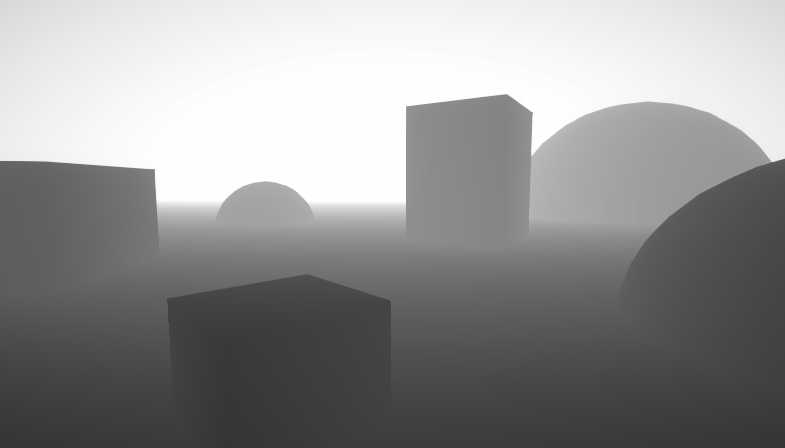
A big post explaining everything about Depth : Depth Buffer, Depth Texture / Scene Depth node, SV_Depth, Reconstructing World Position from Depth, etc.
 sterile wave
i have a problem with a plane. i deactivated backface culling for the plane , i can look trough it but the camera is never cleared for that plane. what can i do?
sterile wave
sterile wave
i have a problem with a plane. i deactivated backface culling for the plane , i ...
ok it has something todo with unichan and my renderfeatures. only happens with unichan frontface mode
maybe its because unichan uses lightning ... you should see trough the entire wall, but that happens only if you move to the corner and the camera doesnt clear for that plane. the blur come from pp (im trying to figure out how to get rid of that).
 sterile wave
maybe its because unichan uses lightning ... you should see trough the ent...
sterile wave
sterile wave
maybe its because unichan uses lightning ... you should see trough the ent...
screen space ambient occlusion is causing this 😐
 simple mica
do time nodes with tiling and offset work differently in HDRP? ive created this simple moving noise texture, it moves inside of the shader graph preview and the preview in the inspector, but it doesnt move in game or in the scene view

i follow a tutorial for it, but they used the URP
 grizzled bolt
simple mica
do time nodes with tiling and offset work differently in HDRP? ive created this ...
grizzled bolt
simple mica
do time nodes with tiling and offset work differently in HDRP? ive created this ...
One problem here is that in editor the Time variable keeps increasing as long as the editor is open, beyond floating point accuracy so using it as offset eventually stops giving any usable UV values to the noise node
You could test if that's the issue by placing a Fraction node between Multiply and Tiling and Offset
simple mica
it didnt have any effect on it moving in editor, although that issue may have come up at some point
im thinking it might be some setting on the Graph inspector considering different pipelines have different settings

although at this rate ive tried everything i can think of in terms of setting combinations
im going to make a new project and try to replicate this material to see if it is an issue with project settings
grizzled bolt
simple mica
im going to make a new project and try to replicate this material to see if it i...
Well, before that you could try offsetting a random texture (instead of noise) by a specific value (instead of Time) to confirm that you can infact display textures and offset them
 grizzled bolt
simple mica
grizzled bolt
simple mica
Not sure what I'm looking at
Also, when you test make sure to use a default cube or sphere for testing as well
The shader you're using requires valid UV maps on the mesh that it's being used on
simple mica
i dont really know how to show what a moving image would look like in a screenshot, but its just a random texture that i threw in instead of the noise
im just using a plane
grizzled bolt
Ah, now I understand
simple mica
doesnt offset on a normal cube either
grizzled bolt
Huh, strange
 regal stag
simple mica
regal stag
simple mica
Check the value of DissolveSpeed property on the material
 simple mica
ok ive remade the material, checked the project settings over, and even built my game, nothing has helped
im going to try having a script handle the actual texture moving instead
 stray rune
How do i turn off material's shade ?
 frigid stream
hey so I'm new to shaders in Unity, and so I was a bit confused when I made a standard surface shader and it was totally pink. Is there something else I need to do? (on version 2021.3.5f1 URP)
regal stag
frigid stream
hey so I'm new to shaders in Unity, and so I was a bit confused when I made a st...
URP does not support surface shaders (currently at least). There are some docs page that explain writing unlit shaders (https://docs.unity3d.com/Packages/com.unity.render-pipelines.universal@13.0/manual/writing-custom-shaders-urp.html) and I have an article (https://www.cyanilux.com/tutorials/urp-shader-code/)
But the recommended way to write shaders in URP is probably to use Shader Graph. The "Lit" graph template is similar to that of a surface shader (providing outputs for albedo/base color, alpha, smoothness, metallic, etc)
frigid stream
ah dang I was hoping to learn to write shaders
well thanks anyways
also are you Cyanilux from the BlitRenderFeature? its incredibly useful tysm
 cold locust
Does someone know how this game achieved this?
Basically, this game which uses I believe Some Unity 5.2 version, had a skybox that only used 1 texture as if it gets tiled in the sky, and they also applied a "Emission" texture to it
is this still possible?
shadow locust
cold locust
Does someone know how this game achieved this?
achieved what?
cold locust
cold locust
Basically, this game which uses I believe Some Unity 5.2 version, had a skybox ...
here
I can show a ingame screenshot of it
shadow locust
I thought you were going to
cold locust

Its hard to fully depict it, but the sky is more of a flat plane on the top, not a cube like normal skyboxes

It looks like the sky never ends, and im trying to achieve a similar effect
shadow locust
cold locust
It looks like the sky never ends, and im trying to achieve a similar effect
Can you just put a big plane up there with the material you want?
cold locust
That was what im trying to not do
Only thing I could find in the game using some tools was 1 material "standard" for the emission texture
and the sky itself? It seemed like it was a 6sided skybox but i have no idea how they made it look like that
Actually, it seems now to me
that it might be a procedural skybox
because of the horizon of the edges
meager pelican
frigid stream
ah dang I was hoping to learn to write shaders
You can still learn about GPU's and shaders by starting with the built-in pipeline, and once you get that covered (there's tons of info on the net because it is older) you can migrate to the newer pipelines like URP. Just 2 cents.
cold locust
But yeah, does someone have a idea how to achieve that?
sterile wave
how can i avoid the overlappings when using depth test with render feature
 sterile wave
how can i avoid the overlappings when using depth test with render feature
sterile wave
sterile wave
how can i avoid the overlappings when using depth test with render feature
make some shaders culling back and front maybe?
 queen vortex
Guys, I was making a shader with pixelated depth based foam, however, I realized that depending on the camera angle, the pixels cut in a triangular shape, is there any way I can remove this and make it pixel-perfect?
sterile wave
queen vortex
Guys, I was making a shader with pixelated depth based foam, however, I realized...
doesnt the triangles exactly match with the editors wireframe view?
frigid stream
queen vortex
Guys, I was making a shader with pixelated depth based foam, however, I realized...
maybe use the pixel world coordinate modulo some value in order to decide whether it should be cut off or not? i'm not sure how you are implementing it so im just guessing
queen vortex
sterile wave
doesnt the triangles exactly match with the editors wireframe view?
nope
sterile wave
queen vortex
Guys, I was making a shader with pixelated depth based foam, however, I realized...
we really dont know what "pixelated depth " means
are youre using view-direction node?
queen vortex
sterile wave
we really dont know what "pixelated depth " means
basically I want to do this only in pixel perfect, so I just pixelated the UV to make it square, I don't know if it's the right way to do it though

but as I showed, the pixels are being cropped depending on the camera angle
sterile wave
queen vortex
basically I want to do this only in pixel perfect, so I just pixelated the UV to...
how? posterize node?
doesnt look like it
-> scale down uv
queen vortex
sterile wave
how? posterize node?

but like I said, I don't know if it's the right way
sterile wave
looks good, as mentioned, you can use posterize-node for this
queen vortex
sterile wave
looks good, as mentioned, you can use posterize-node for this
I took a look now, I didn't know this node existed, I'll try with it to see if it solves
sterile wave
queen vortex
I took a look now, I didn't know this node existed, I'll try with it to see if i...
it does exactly the same here(no difference)
show the rest of your shader
 sterile wave
queen vortex
Sure
sterile wave
queen vortex
Sure
since you dont have any view direction node, or something like that , i dont think its due to the shader
queen vortex
sterile wave
since you dont have any view direction node, or something like that , i dont thi...
Yes, that's the problem, the problem is with the camera I think, but I have no idea why it's making this cut
sterile wave
sterile wave
since you dont have any view direction node, or something like that , i dont thi...
nut surewhat the node to right is
queen vortex
sterile wave
nut surewhat the node to right is
the Depth Fade ?
sterile wave
queen vortex
the Depth Fade ?
below
queen vortex
sterile wave
below
ah, it's just a node to move the texture over time, I'll show you
 sterile wave
queen vortex
ah, it's just a node to move the texture over time, I'll show you
sterile wave
queen vortex
ah, it's just a node to move the texture over time, I'll show you
yap. look at your settings...i guesss....
queen vortex
sterile wave
yap. look at your settings...i guesss....
do you think there is something wrong?
sterile wave
queen vortex
do you think there is something wrong?
maybe shadows..
maybe its lightning because of the faces (not enough vertices)
def. looks weird
grizzled bolt
cold locust
and the sky itself? It seemed like it was a 6sided skybox but i have no idea how...
You can render any kind of environment out into a skybox texture if it stays static
So it's possible they made a huge plane of clouds with a glowy horizon in 3D modeling software and just printed a skybox from that
though doing that in shaders isn't an impossible task either I don't think
queen vortex
sterile wave
maybe its lightning because of the faces (not enough vertices)
I'm putting this shader on a plane, do you think that's the problem? missing vertices?
sterile wave
queen vortex
I'm putting this shader on a plane, do you think that's the problem? missing ver...
in that case no
sterile wave
queen vortex
I'm putting this shader on a plane, do you think that's the problem? missing ver...
but its not your shader
queen vortex
sterile wave
but its not your shader
well I'll investigate what it may be for now, then if anyone else knows how to solve it, I'd appreciate it
cold locust
grizzled bolt
You can render any kind of environment out into a skybox texture if it stays sta...
So your telling me, they put a flat plane in the sky and made it have that texture?
I mean, i did look into the game files, it was a skybox for sure, i just dont know how they applied the sky like that
It looks like a "procedural" one because of its horizon kinda
grizzled bolt
cold locust
So your telling me, they put a flat plane in the sky and made it have that text...
That's one way to do it
grizzled bolt
cold locust
It looks like a "procedural" one because of its horizon kinda
It's not really possible to tell if it's procedural or not just by how it looks
Unless it moves in a way that's impossible for a texture skybox, or if the resolution is so low that you can see individual pixels
You could make a procedural skybox in blender and render that to a texture skybox, if you wanted to, and it'd look much the same
cold locust
grizzled bolt
Unless it moves in a way that's impossible for a texture skybox, or if the resol...
It doesnt move
it stays static
its gotta be a skybox then since I cannot visually see the thing moving, neither if I fly super far up using noclip to get it
grizzled bolt
That wouldn't give you a clue either
Both procedural and texture skyboxes are usually rendered at "infinite" distance away, so they never react to change in viewpoint
cold locust
No I meant the plane thing
it cant be some plane for sure, but its a skybox
not sure what type
grizzled bolt
It doesn't have to be a "physical" plane to be a plane
grizzled bolt
Indeed
And just because procedural skyboxes are capable of moving or changing in ways texture skyboxes are not, not moving is not proof that it isn't procedural
cold locust
Yeah i never said that
I just meant it isnt a "plane" or a physical mesh thats just scaled super high
It just confuses me how that skybox really works
I can look at it again and disable all the pfx effects to get a better look at it
grizzled bolt
Point being it could be either
cold locust
yeah
Ill check it rq
@grizzled bolt

it doesnt move at all with me moving around
The game was like Unity 5.2 i believe?
its basically just what i did with the skybox 6 sided
but the problem with mine is
That it isnt as "low" as their skybox
sterile wave
sterile wave
how can i avoid the overlappings when using depth test with render feature
^still wondering how to get rid of the spots(overlapping meshes of the same layer) ->stencil or depth??
sterile wave
sterile wave
^still wondering how to get rid of the spots(overlapping meshes of the same laye...
maybe mesh.combine?
queen vortex
is there any way to compare the depth between one object on another without using the camera?
basically what I want is to get this water depth but without depending on the camera, I want it to be a fixed value, regardless of where the camera is, is there any way?
 shadow locust
queen vortex
basically what I want is to get this water depth but without depending on the ca...
shadow locust
queen vortex
basically what I want is to get this water depth but without depending on the ca...
can you define what "scene depth" means in the absence of the camera?
and object depth
right now both seem defined by the camera
queen vortex
basically I want to get the information of what's under the mesh where my shader is and apply an effect, but without depending on the camera position
I put this earlier, I'm trying to make a pixel-perfect water foam, but as it's getting information from the camera, the pixels are distorting as the camera moves, I want it to be a fixed value
shadow locust
queen vortex
I put this earlier, I'm trying to make a pixel-perfect water foam, but as it's g...
maybe show your shader
queen vortex
shadow locust
maybe show your shader

 frozen sapphire
hello~
been working on convertin a spherical mask shader script from a utube tut to shader graph for a little project and was running into some weird behavior that my small brain cant explain
CONTEXT:
so the shader script is as follows
fixed4 c = tex2D(_MainTex,IN.uv_MainTex)*_Color;
half grayscale = (c.r+c.g+c.b)*0.333;
fixed c_g = fixed3(grayscale,grayscale,grayscale);

half d = distance(_Position,IN.worldPos);
half sum = saturate((d-_Radius)/-Softness);
fixed4 lerpColor = lerp(fixed(c_g,1),c,sum);
as i understand, the script makes a grayscale version of the main text
then it gets the distance of the current fragment from the center of our circle stored in _Position [not to sure if my understanding here is correct]
it divides that distance by our the negative of our softness factor(which is meant to soften the edges), this inverts our mask as well
the saturate function clamps the result of the last step between 0 and 1 and we use the result to interpolate a color between grayscale and actual color
ISSUE:
so i dont need the edges to be softened so i removed simply changed line 6 to something
half sum = saturate((d-_Radius);
in my head this means the mask is being inverted but the edges wont be smoftned
however this still gives me smooth edges while using the unmodified code but a Softness of 0 gives me hard edges. Shouldn't division by 0 break the code?
TLDR:
in the code block what exactly is the -Softness doing, how is it actually softening the edges
THE VIDEO IN QUESTION [TIME CODED TO DEMO OF FINAL RESULT]
https://www.youtube.com/watch?v=sJFu_sdLBy8&list=PL3POsQzaCw52iu1_P6CnM7oTctPuPu2MV&index=3&ab_channel=PeerPlay
Part 2 of the tutorial series on how to create a spherical mask shader in CG language, within the Unity Engine.
Created by Peter Olthof from Peer Play.
Support me in creating tutorials by becoming a patron on my Patreon and get access to the full source code of all tutorials.
http://www.patreon.com/peerplay
One time PayPal donations are also ...
stray rune
hi how can i turn off material shader?
 kind juniper
stray rune
hi how can i turn off material shader?
kind juniper
stray rune
hi how can i turn off material shader?
Wdym? There's no material without a shader. A material is just a set of data for the shader to use. If you "turn off" the shader, nothing will render.
stray rune
kind juniper
Wdym? There's no material without a shader. A material is just a set of data for...
Im baka
I mean gloss
Like wood object
kind juniper
stray rune
Like wood object
Depends on the shader in use. If it's the standard one, that would be the specular+metallic settings.
In urp the property is called Smoothness it seems.
 oblique dagger
hello, just wondering if custom shaders are affected by post processing, since my grass shader isn't really reacting to the bloom i'm adding. i'm using URP.
 crisp oracle
oblique dagger
hello, just wondering if custom shaders are affected by post processing, since m...
crisp oracle
oblique dagger
hello, just wondering if custom shaders are affected by post processing, since m...
AFAIK shaders and post processing have nothing to do with one another, shaders draw triangles on the screen, and post-processing does stuff with it afterwards. Your grass material should have a HDR color with an intensity higher then set in your PostProcessing->Bloom volume settings. My guess is that your grass does not have HDR color, so add that to your shader and increase the intensity and it should probably work.
 oblique dagger
alright thanks, i'll give it a try.
meager pelican
frozen sapphire
hello~
been working on convertin a spherical mask shader script from a utube tut...
_Radius along with _Position (center) defines the circle (mask).
_Radius is a constant/uniform value in the frame.
d is the distance of the pixel to the center, so it isn't constant it varies by pixel. I'm sure you already know all that, but it's background info.
Thus, anything inside the circle has a negative result in (d-_Radius). This will come into play later since the sign needs to be reversed due to the order of the subtraction operation. So PP divides by a negative value, making a positive result, essentially reversing the sign. IDK why they didn't just do the subtraction the other way around and use positive softness, but it doesn't matter, maybe there's a reason and I didn't go back and watch part 1.
The saturate clamps to 0-1 range, as you state. So any pixel with a distance outside the _Radius ends up being a positive in variable "sum". Think of the edge of the circle as a ZERO point and inside is negative and the outside is positive. So the result of "sum" is +/- around that zero boarder. And the division by the negative reverse the sign, as we've said. Saturating the values clamps things to below 0 and above 1 so wildly large absolute values are irrelevant.
But what does dividing by softness do? It shifts that boarder! If the circle's radius is a 1, and you set softness to .5, you've changed the result of "sum" to be double of what it was (dividing by .5 makes it 2x bigger). So distances from .5 to 1 will now be >1. But remember it's still camped between 0 and 1 in the next step. This has the effect of making the softness band change more quickly.
Grab some paper and use some sample values.
Dividing by 0 is bad, and it really shouldn't be done. So you should ensure that Softness isn't zero. I'm not really fond of the method being used, but meh.
 steady pike

why is my texture being shown so weirdly?
when I don't use the shader but rather a normal material it works fine
frozen sapphire
meager pelican
_Radius along with _Position (center) defines the circle (mask).
_Radius is a co...
ty so much! i have one last follow up question, I understand that division by zero is bad but to understand why i can get hard edges when smoothness is set to zero, is my assumption correct that unity instead of dividing by zero unity divides by a really small number so the sum becomes very large which in the enxt step is clamped to one. This means its basically acting as a step function. Would that be correct?
Based on the above I edited the last part of the graph to something like the following
(note: im using shader graph but sending pictures of that would be hard to read so ive done my best to translate it i apologize for syntax errors)

half sum = _Radius-d; //which gives us correct mask without need of negation

half mask= step(0,sum); //if value is greater then 0 it returns 1 otherwise it returns 0 which serves the same purpose as saturate
                        //without softening

fixed4 lerpColor = lerp(fixed(c_g,1),c,mask);
this seems to give the correct results in unity would this also solve the issues with the other approach that were bad practice?
 unreal portal
@regal stag I saw one of your webpages explaining alot about grass, was super informative very pog
 winged rune
How can I access a variable inside a shader?
I'm doing the setFloat on matieral
material.SetFloat("Multiplier", multiplier);
And then I ques inside the shader i declare multiplier inside properties and use it
The propertie is working inside the shader but the script is not overriding it
_Multiplier ("Multiplier", float) = 0.5
Got it working
Thanks 😄
winged rune
Another question:
Is it possible to use a circle sprite to cast a shader into the scene?
I now have a shader on my camera but I want a shader for my fire
 waxen creek
Hello everyone, I was wondering if anyone could help me with something I'm running into. I am new to working with the Unity HDRP and made a shader, though when I put the material in transparent mode it looks very off. It is supposed to look like crystal and in the shader graph it looks fine, but in the actual scene it looks like the first image. The second image is when it is set to opaque. I am on Unity 2020.3.16f1.
Does anyone have any idea what I might have done wrong?


Here is the shader graph as well, sorry
 meager pelican
frozen sapphire
ty so much! i have one last follow up question, I understand that division by ze...
meager pelican
frozen sapphire
ty so much! i have one last follow up question, I understand that division by ze...
The division by zero thing is probably implementation specific...don't count on all cards doing the same thing. Then again it may vary depending on Unity's shader compiler checks, IDK for sure.
As for making it not have any fuzzyness, if you just want a hard B&W edge vs color, all you have to do is use a ternary operator. Like
result = (d > _Radius) ? BW_Color : _theColor;
frozen sapphire
meager pelican
The division by zero thing is probably implementation specific...don't count on ...
regards to 0: ah that makes sense thankyou!
regards to fuzzy: hmm i dont think shader graph has a ternary op but ill check
meager pelican
There's a conditional operation.
frozen sapphire
tysm
 fallow pivot
Hello,
I made a water shader according to the instructions. Once I applied the shader to the plane, everything worked, but I need to have different shapes (wrapping the walls), I used a meshCombiner that connects me to x planes exactly as I need. When I applied the shader, what you see in the picture happened. Is it possible to fix it via a shader, or do I have to work in that meshcombiner to ignore the following meshes, but only the circuit?

 rich roost
Hey im having an absolutely awful time with such a seemingly small problem. If someone who is confident with unlit graphics shaders and compute shaders can help me figure out my issue, Ill pay pal you 20 bucks.
Or cash app
 echo flare
fallow pivot
Hello,
I made a water shader according to the instructions. Once I applied the s...
echo flare
fallow pivot
Hello,
I made a water shader according to the instructions. Once I applied the s...
You're using vertex offset to give the plane a wave effect right? The vertices of the four planes aren't welded together so the vertex offset causes an obvious seam. Idk what you mean by different shapes or how the mesh combiner works. One slower performing option is to generate the mesh procedurally via script
echo flare
rich roost
Hey im having an absolutely awful time with such a seemingly small problem. If s...
or post here for free
rich roost
I just feel like its the sort of problem that will require fiddling from someone. And I've fiddled about all I can fiddle
fallow pivot
echo flare
You're using vertex offset to give the plane a wave effect right? The vertices o...
Yes, I used vertex position to create waves.
The different shapes meant that if I have it as one plane, I can see the shader inside the object (so-called I want to create a wrap) and I used a meshCombiner to create a plane that has a gap in the middle of the object.
rich roost
@fallow pivot If I am understanding the problem correctly, you do not want any gaps between the waves?
fallow pivot
rich roost
<@484687290325663764> If I am understanding the problem correctly, you do not wa...
exactly
rich roost
fallow pivot
exactly
How are you getting the heights right now?
fallow pivot
rich roost
How are you getting the heights right now?
Via Vertex Position
rich roost
fallow pivot
Via Vertex Position
Is that from a script or shader?
fallow pivot
rich roost
Is that from a script or shader?
Shader
rich roost
fallow pivot
Shader
So basically are you getting the height (y position) from some calculation between the x and z position?
fallow pivot
rich roost
So basically are you getting the height (y position) from some calculation betwe...
 rich roost
Oh man I don't know anything about visual-code shaders. I only know written-code shaders. My tip was going to be to set the x and z values to world position first, assuming they are still in object position (they are if you haven't explicitly said otherwise--at least in code) and then calculate the y value.
rich roost
fallow pivot
Is it possible to translate that to code? I will better understand it
 woeful pond
so is an overlay a shader?
im trying to make black come in from the edges and cover the whole screen
sort of like when you die in super mario odyssey
rich roost
woeful pond
so is an overlay a shader?
Do you mean would you make an overlay with a shader? Or is there some tool in unity called an overlay?
fallow pivot
rich roost
Is it possible to translate that to code? I will better understand it
I dont know, I do only visual
rich roost
fallow pivot
I dont know, I do only visual
Ok no worries. That's all I can say though. Try and get those z and x values into world space
should remove any gaps
fallow pivot
rich roost
Ok no worries. That's all I can say though. Try and get those z and x values int...
I thought that "Position" from Object to AbsoluteWorld would solve it, but unfortunately
rich roost
"On the master node, you can right click and select 'Show Generated Code' and save the output to a regular shader file. The format will be different than usual shader lab shaders so I recommend checking the documentation for whichever render pipeline you're using." Saw this online
If you can do that, I might better be able to help you @fallow pivot
Otherwise, Vfx-and-particles might be able to help you
rich roost
fallow pivot
<@486079247547629569> Thanks I look on it
damn there is no way I can read that lol. Sorry I couldn't be more help. Good luck
rich roost
pretext: I am in URP.
I have this particle effect which works perfectly in the editor scene during runtime but not in the game scene during runtime as can be seen in the following photos:


Now the "missing" particles (which Ill get more into in a sec) only are "missing" when any other **unlit **shader is being rendered (ie not culled out, or not disabled).
Now the particles are not really missing, they are just misplaced. If you look closely at the following image, you will notice a little dot in the distance.

Here is that dot close up in both game view and scene view. As can be seen the particles are not simply disappearing in game view, but are being moved. What's weird is that the particles are being moved in both game view and editor view. However, like aforementioned, the bulk of the particles are not disappearing in editor view--only game view.


To reiterate, these particles are only in the distance when an **unlit **shader is being rendered in the same frame as the particles. When you disable or cull out all unlit shaders, the particles act as expected--they are bulked where I want, and the far-off particles do not exist (in neither the editor view or the game view).
An extra note is that the far-off particles position is different depending on what unlit object is being rendered. For example, when I disable half of the burning logs, the far-off particles are placed high above the logs instead of horizontally far away such as they are now. I can find no pattern.
Now onto how I generate the particles: Their position is calculated using a compute shader (except for their initial position, which is calculated using the following c# script). Their color and model (which is simply an HLSL point) is created using a simple unlit shader. A buffer is created and data is shared from the compute shader to the visual shader through a c# script.
Here is the code for all three
C# script
compute shader (made into ".CS" so you can see it in discord computer version; normally ".compute" file)
and particle shader (made into ".CS" so you can see it in discord computer version; normally ".shader" file)
rich roost
On a side note, discord's built in code coloring is very pretty. Never used that before
rich roost
Unless we have the same GPU (3070 mobile) I imagine its 1024 for all GPUs, at least in unity
rich roost
This is highly disappointing for me
OH FINALLY. It took two damn days but finally. So I will explain the issue for anyone curious
The issue was in the particle shader near the bottom. On the line that says
o.pos = UnityObjectToClipPos(float4(parti[id].pos, 1));
The issue here is that the function takes the position from object space all the way to clip space: so, object space through world space, view space, and finally into clip space.
This is an issue because my particles are already in world space and thus do not need to be converted into world space, and in fact should not be.
So the solution was to multiply my position by the view-projection matrix manually. So, that same line turns into
o.pos = mul(UNITY_MATRIX_VP, float4(parti[id].pos,1));
And now it works in both game view and editor view 🙂
Now what I can't answer is the behavior my particles were having. I guess multiplying by the model matrix (and thus into world space) twice would give unexpected results though.
steady pike
Hi I have a really easy question but I'll ask in other channels as well just in case
Basically, I've got this slider in my material and so it is really easy for me to modify the value of the slider through code but I don't know how to properly animate it so you press one button and it changes values in a smooth way from the max value to the min value for example
If you have a piece of code that works well let me know please because I struggle with timers in c# and I don't know much about animation
rich roost
@steady pike you can change values of materials with a function. For example let's consider a float from a material named mat: mat.setFloat("nameInsideShader", valueToSetFloat)
I'm happy to try and answer any other questions you have about it
steady pike
@rich roost correct and it's working

but I'm gonna try a lerping method I got from the programmers channel
to see if I can make it smooth ;)))))))))
nice cat btw
rich roost
@steady pike Try using delta time, and making resto a bigger number. So nivel-(resto*Time.deltaTime) in the setfloat function
steady pike
mmmhh okay, that sounds more understandable than the forum
rich roost
Resto will have to be pretty big probably
steady pike

I tried this but it's still not smooth, it just jumps to a small value and if resto is too big it will just jump from max value(1) to min value(0) (ignore the comments, it's another solution I tried but it did the same thing)
I will keep trying hehe
rich roost
steady pike
I tried this but it's still not smooth, it just jumps to a small value and if re...
What do you mean it jumps to a small value?
steady pike
smaller*
sorry
completely different meaning, I used the wrong word
I meant smaller
it will jump from 8,03 to 7,56 for example
without showing the values in between
or at least in a way that i can see it because maybe it's too fast idk,
rich roost
No worries. To me it sounds like you just need to keep fiddling with resto. Maybe there is another solution you will find though. Good luck 🤞
winged rune
I'm figuring out positions in shader and was fiddling around with unity_ObjectToWorld
I want gray scale over half the screen

But the worldspacePos or playerpos isn't set correctly. The Shader moves much faster then the player
If I move right the shader moves like 100pixels while the player only walked 10 pixels


 gloomy tendon
Hi is there a shader editor that will highlight issues as you type - like IDEs do for C#?
 quick vessel
Does anybody have a flip/invert normals shader for URP?
gloomy tendon
gloomy tendon
Hi is there a shader editor that will highlight issues as you type - like IDEs d...
Well seems there is paid ShaderlabVS Pro...
 gray elm
So, I've been messing around in HDRP by editing the shader generated from a lit shader graph. I've set the HDRP asset setting to Forward Only (also set it in the project settings), then tried to edit the color value in the shader in the Forward pass but nothing changed. I tried to edit the same in GBuffer pass and that did work. When I removed the GBuffer pass the material glitched out but removing the Forward pass changes nothing. It seems like it is still using the Deferred path, despite me setting it to Forward Only. Anyone know what am I doing wrong?
rich roost
@winged rune did you figure it out?
@gloomy tendon while the editor may not highlight errors, if you click on the shader inside of the folder hierarchy, it will tell you where it thinks there is a syntax error. As for debugging the shader semantically, you just have to do that in the engine by playing around with values, colors, of whatever.
Also, I've preferred using something like notepad++ for shaders because it helps automatically fill in variable names, unlike Visual studio
gray elm
I know VSCode has some plugins for writing HLSL shaders the provide things like code autocompletion and stuff

Extension for Visual Studio Code - Syntax highlighter for shader language (hlsl, glsl, cg)
rich roost
Oh sweet, I'll have to look at that
winged rune
@rich roost not yet
 grand jolt
I need a little help. There are no targets to select for shader graph
 grizzled bolt
grand jolt
I need a little help. There are no targets to select for shader graph
grizzled bolt
grand jolt
I need a little help. There are no targets to select for shader graph
To use shader graph you need to have URP or HDRP installed and configured, or be using an editor version that supports shader graph for built-in RP and then add a target for it
grand jolt
Thank you
 pale tusk
https://www.youtube.com/watch?v=xMPFtxfL5Dk&t=512s&ab_channel=RobertThomson I recently saw this video, and I thought the effect at this timestamp was really cool. I'm not one who messes around much with shaders, but how do you think it would be done?
I made a cryptic puzzle game in a week about a developer who gets sucked into their own code!
I was challenged by Logitech to make a game in 7 days and record the process in a Devlog. I LOVE GAME JAMS. I definitely want to do more short videos like this, maybe collaborate with some other indie game dev YouTubers, who knows! Really had fun on th...
 leaden quest

I doubt t anybody would know how to get the object bounds of a mesh in shader graph and use those values to set remap float values?
In UE4 you could use an "Object Bounds" node but as far as I know, no node exists for that in Unity.
Setting the values manually per asset is a bit shit, and not ideal.
 dim yoke
leaden quest
Setting the values manually per asset is a bit shit, and not ideal.
dim yoke
leaden quest
Setting the values manually per asset is a bit shit, and not ideal.
Still you have to do that, either manually or via script. Unity doesnt provide that information to you automatically
leaden quest
@dim yoke that's fine then. As long as I know that's the only way and I can't do it in shader graph then fine by me.
Many thanks for the confirmation and help.
 tacit parcel
pale tusk
https://www.youtube.com/watch?v=xMPFtxfL5Dk&t=512s&ab_channel=RobertThomson I re...
tacit parcel
pale tusk
https://www.youtube.com/watch?v=xMPFtxfL5Dk&t=512s&ab_channel=RobertThomson I re...
Stencils most likely
pale tusk
tacit parcel
Stencils most likely
ty, after reading up on them i made a similar effect
the hardest part about shaders for me is just learning features
frozen sapphire
hello~ ive been trying to recreate painting with a hard round brush in paint inside unity, so far im stuck on how to actually get data to write to a texture. As far as i understand shaders dont have a concept of persistence so event if i can draw a circle like below i cant connect multiple circles to form a line. Any ideas on how i could go about solving this issue?(note: using shader graph)

in retrospect would it be better to deal with this in csharp?
kind juniper
frozen sapphire
in retrospect would it be better to deal with this in csharp?
Typically, you'd set pixel in a texture in c# if you need to optimize, jobs system or compute shaders are the way to go.
A regular shader is used just for rendering something once on the screen. It's not meant to output or persist data.
Although you might be able to hack something with render textures, but I think it's overcomplicating.
frozen sapphire
kind juniper
Typically, you'd set pixel in a texture in c# if you need to optimize, jobs syst...
i see, hmm in that case i guess a follow up question would be how do i go about converting world space coords to texture space
kind juniper
You could cast a ray at the texture(assuming it has a mesh collider) and get the uv position from the hit data.
Or do some complicated math to calculate the position from world + object offset and whatnot. Don't even ask me how to do that. I'd rather choose the easy path.
frozen sapphire
oh snap ur right raycast can do that
thanks alot!
also one last question
this one is a bit of a silly one
but does urp affect the way compute shaders work? unity isnt really great about separating legacy items so i keep getting confused with we weird stuff
or are compute shaders independent of render pipeline since their just gpu computation commands
kind juniper
frozen sapphire
but does urp affect the way compute shaders work? unity isnt really great about ...
Not as far as I know. Compute shaders are written in hlsl regardless of the render pipeline. Might be wrong though.🤔
frozen sapphire
thankyou!
kind juniper
Now my turn to ask.
Does anybody know how sprite renderer-like sorting is implemented? Is it done shader side? Render pipeline side?
I want to implement a 2d terrain system with several meshes overlapping representing terrain layers. I want to avoid z fighting and have a specific order of them rendering. They need to be in the same position to avoid any potential "parallax effect" or any other issue related to z pos offset.
I'd use the sprite renderer, but it doesn't seem like I can use a custom mesh with it(terrain layers could be in irregular shapes,not just a quad)... Or can I?
 cosmic prairie
frozen sapphire
hello~ ive been trying to recreate painting with a hard round brush in paint ins...
cosmic prairie
frozen sapphire
hello~ ive been trying to recreate painting with a hard round brush in paint ins...
the best way to paint on a texture is with compute shaders, they're super fast, or rasterize them on top with just a camera, I would advise against editing textures with c#
dim yoke
Especially applying the changes in c# script can take a while. Compute shaders are grear at modifying (render)textures
 reef hinge
Hello, I am trying to use a simple shader on UI
I am new to shaders so idk if my problem is about UI or my shader code has errors
but the result I want works in editor
it does not work in play mode
here is my code: ```fixed4 frag(v2f IN) : SV_Target
{
//Round up the alpha color coming from the interpolator (to 1.0/256.0 steps)
//The incoming alpha could have numerical instability, which makes it very sensible to
//HDR color transparency blend, when it blends with the world's texture.
const half alphaPrecision = half(0xff);
const half invAlphaPrecision = half(1.0/alphaPrecision);
IN.color.a = round(IN.color.a * alphaPrecision)*invAlphaPrecision;
            half4 color = IN.color * (tex2D(_MainTex, IN.texcoord) + _TextureSampleAdd);

            half4 colorMap = IN.color * (tex2D(_ColorMap, IN.texcoord) + _TextureSampleAdd);

            color.r = color.r - colorMap.r;
            color.g = color.g - colorMap.g;
            color.b = color.b - colorMap.b;

            colorMap.r = colorMap.r * _Recolor.r;
            colorMap.g = colorMap.g * _Recolor.g;
            colorMap.b = colorMap.b * _Recolor.b;

            color.r = color.r + colorMap.r;
            color.g = color.g + colorMap.g;
            color.b = color.b + colorMap.b;

            #ifdef UNITY_UI_CLIP_RECT
            half2 m = saturate((_ClipRect.zw - _ClipRect.xy - abs(IN.mask.xy)) * IN.mask.zw);
            color.a *= m.x * m.y;
            #endif

            #ifdef UNITY_UI_ALPHACLIP
            clip (color.a - 0.001);
            #endif

            color.rgb *= color.a;

            return color;
        }```
I just copied default UI shader and added _ColorMap & _Recolor
Like I said it works in editor but doesnt work in play mode
can someone help me?
meager pelican
dim yoke
Especially applying the changes in c# script can take a while. Compute shaders a...
You can do a compute shader, or "just" use a "full screen" quad to draw to the texture. The texture itself IS persistent, if it were not we wouldn't ever see a GPU output anything, since it's all drawn to render textures (or directly to a hardware memory buffer).
So you'd make a full-screen (full-texture, basically) quad, and draw your ball with your normal shader and normal 2d qad mesh with the texture of the ball mapped onto it, outputting it all to a render texture. If you want to paint, you don't clear the texture between frames. Then you don't have to reinvent the wheel writing your own rasterizer in a compute shader just to figure out what pixels to draw on.
OTOH, sometimes you want to go after it in a compute shader, depending on what you're doing. Computations like blur or whatever might better be handled in a compute shader.
reef hinge
reef hinge
can someone help me?
also let me add these: editor: https://cdn.discordapp.com/attachments/439354663079247873/992327108665815050/unknown.png
playmode: https://cdn.discordapp.com/attachments/439354663079247873/992327196997865492/unknown.png
original texture and colormap: https://cdn.discordapp.com/attachments/438387938947235840/992355151274852432/banner_monster.png - https://cdn.discordapp.com/attachments/438387938947235840/992355151509737522/banner_monster_color.png


 reef hinge
Debugging: reduced to 1 line and replaced _MainTex with _ColorMap: half4 color = IN.color * (tex2D(_ColorMap, IN.texcoord) + _TextureSampleAdd);
https://cdn.discordapp.com/attachments/438387938947235840/992358701270839336/unknown.png https://cdn.discordapp.com/attachments/438387938947235840/992358701577027594/unknown.png


Somehow _ColorMap texture does not work in playmode, but I am sure it is selected?

Trying with another texture: editmode and playmode


So it zooms to bottom left somehow?
            {

                half4 color = tex2D(_ColorMap, IN.texcoord);

                return color;
            }```
removed all other code in frag method
still same resultTried same code with 2020 LTS version
it works
I was using latest LTS
Updated the test projec to lastest LTS, well it works in this version too
I dont know whats different in my project
facepalm
I forgot I added the icons to a Sprite Atlas
reef hinge
How can I make my shader work with sprite atlas?
regal stag
reef hinge
How can I make my shader work with sprite atlas?
Not too familiar with sprite atlas, but my guess would be using TRANSFORM_TEX macro on texcoord in vertex shader, if you are not already using it. (And add float4 _ColorMap_ST outside function)
reef hinge
thanks for the info
I am new to this so I will try to find some resources
if you have suggestion that would be nice
I am new to this and really having trouble finding documents/resources for this: how can I add second texcoord to this? ```v2f vert(appdata_t v)
{
v2f OUT;
UNITY_SETUP_INSTANCE_ID(v);
UNITY_INITIALIZE_VERTEX_OUTPUT_STEREO(OUT);
float4 vPosition = UnityObjectToClipPos(v.vertex);
OUT.worldPosition = v.vertex;
OUT.vertex = vPosition;
            float2 pixelSize = vPosition.w;
            pixelSize /= float2(1, 1) * abs(mul((float2x2)UNITY_MATRIX_P, _ScreenParams.xy));

            float4 clampedRect = clamp(_ClipRect, -2e10, 2e10);
            float2 maskUV = (v.vertex.xy - clampedRect.xy) / (clampedRect.zw - clampedRect.xy);
            OUT.texcoord = TRANSFORM_TEX(v.texcoord.xy, _MainTex);
            OUT.mask = float4(v.vertex.xy * 2 - clampedRect.xy - clampedRect.zw, 0.25 / (0.25 * half2(_UIMaskSoftnessX, _UIMaskSoftnessY) + abs(pixelSize.xy)));

            OUT.color = v.color * _Color;
            return OUT;
        }```
I mean I found this but I still dont understand: https://docs.unity3d.com/Manual/SL-VertexProgramInputs.html
 regal stag
reef hinge
How can I make my shader work with sprite atlas?
regal stag
reef hinge
How can I make my shader work with sprite atlas?
Have researched a bit into this. Since the _MainTex is being atlased it is altering the UV coordinates of the mesh. Quads are usually like (0,0) bottom left and (1,1) in top right which maps the whole texture to it. When atlased, those are changed so that you sample only a section of the _MainTex.
But when you try to sample your _ColorMap (which isn't an atlas) with those same uv coordinates, it's super zoomed in as it's trying to take that same section rather than the whole image. You'd have to convert the UV coords back to the regular 0-1 space. There's an answer here which should work : https://stackoverflow.com/a/53821362

Stack Overflow
I have an issue, and i need help to resolve it.
I am try to colorize some parts of sprite dynamically by custom shader and additional textures as masks. It is not a problem and i solve it easy.
S...
reef hinge
regal stag
Have researched a bit into this. Since the `_MainTex` is being atlased it is alt...
sorry I am new to shaders so I searhed but couldnt figure it out. The vert method I posted up is default unity shader code. Do I need to calculate same way and add new value to OUT? If so how do I get the base data for my custom texture? Do I need to add new fields to appdata_t ?
As you see I have lots of questions you can suggest me resource instead of answers lol
 pale python
Hey quick question
I have a nice shader with mask, but it's pretty expensive in terms of resources (I can barely process 100 of it in the same scene, theoretically).
Does the game/unity render objects that aren't in the field of view ?
let's say there are 100 of this shader object in the same scene but i'm only looking at 1 , the other 99 are behind the camera, would the device be rendering the entire 100 (clones) of it or just the ones in the field of view ?
 smoky cobalt
Hello 😁
I have some 3D objects in a scrolling menu. And I want to hide them. Any solutions? I'm using URP
 restive radish
pale python
Hey quick question
I have a nice shader with mask, but it's pretty expensive in...
restive radish
pale python
Hey quick question
I have a nice shader with mask, but it's pretty expensive in...
it does, but for camera cone
you need to set it up if you want to cut things behind objects
pale python
restive radish
you need to set it up if you want to cut things behind objects
could you tell me more about this part or is there is a tutorial i could follow ?
restive radish
just google for unity occlusion, it should show
restive radish
pale python
could you tell me more about this part or is there is a tutorial i could follow ...
mark this

then "windows>rendering>occlusion culling"
press bake and it should help a lot already
can fine tune with the project
pale python
thank you so much 🙂 @restive radish
midnight lily
Shader is working on editor but not on build. How do I even begin debugging why that might be?
frozen sapphire
hello~ this is a follow up to yesterday's question about painting in texture space during runtime. Based on suggestion by others I decided to use a render texture to output. Anyway Ill explain from the start:
CONTEXT:
Im trying to generate a texture that can be painted during runtime. The end result would be similar to how painting with a hard round brush is like in paint. To do this ive set up a camera that looks at a quad and outputs a render texture. That render texture is passed into a shader graph which samples and outputs to color.
ISSUE:
The shader works untill I enter play mode where all of a suddenly it sets the whole texture to black. Im assuming this is because the camera turns off or something when entering play mode for a split second which means the render output is black. Is there any way to get around this

this is all there is to the shader atm
 warped vigil
hey, two quick questions!
Why is my scene color node not picking up sprites?
when updating from default to UPR, one of my cameras i use for outputting to a texture stopped rendering stuff behind other sprites (it only sees whatever sprite is on top and hides all others behind it, like occlusion culling), what's going on?
using URP
 merry oak
Please help, I am bad at shaders and I'm using the built-in pipeline. I'm getting this error.

oh I might have found it
reef hinge
Okay I couldnt figure it out so I will ask one last time and use single sprites for now. Here is the code: https://pastebin.com/ekDa2LBU I built on top of default UI shader. The problem is unity handles sprite coords for main_text when sprite is in an atlas. (https://docs.unity3d.com/Manual/class-SpriteAtlas.html) I need to do the same for my custom texture(_ColorMap) I couldnt figure out how to do it, I will be glad if you can help.
merry oak
I tried to google it and I can't find what causes this error and would appreciate some help.

This is line 11:
slice("Slice", Integer) = 1
grand jolt
Hi, Im having a problem with compute shaders where it doesnt change all the content of the array and Im not finding out what Im doing wrong. I would really appreciate some help


the expected result in the kernel: noiseResult[id.x + id.y * _mapWidth] = 1;
rich roost
grand jolt
Hi, Im having a problem with compute shaders where it doesnt change all the cont...
Could you upload your code files (.cs file and .compute file)? When doing so, it would also be helpful if you could change that .compute file temporarily to a .cs file as you upload so I can view it without downloading
grand jolt
rich roost
Could you upload your code files (.cs file and .compute file)? When doing so, it...
rich roost
what are you setting your mapWidth and height to for the debug image above?
grand jolt
both 53
rich roost
grand jolt
both 53
So are you not wanting there to be any zeros?
grand jolt
rich roost
So are you not wanting there to be any zeros?
yes, I want the whole array to be modified
rich roost
grand jolt
yes, I want the whole array to be modified
Just to make sure im understanding, for this test case, you want every index to be one?
grand jolt
rich roost
Just to make sure im understanding, for this test case, you want every index to ...
yes, the value is arbitrary, just for testing
rich roost
grand jolt
yes, the value is arbitrary, just for testing
Yeah, it seems all correct math wise. Could be because you have mapwidth and mapheight as uints in the compute shader but you set them as float in the c# code. Just to be safe id even take them into the function as uints rather than just ints.
rich roost
grand jolt
yes, the value is arbitrary, just for testing
Another thing to note is that your threads go beyond the buffer size. The buffer size is 53 * 53 = 2809, whereas the threads go to 49 * 64 = 3136. Im struggling to think right now, but Im pretty sure that doesn't actually matter. Regardless, It's possible that trying to access those indexes of the array which don't exist is causing unexpected results. I know that it is good practice to keep your thread sizes the same size as the data you're working with. That being said, I would keep the map sizes some factor of 8 (since you have an 8 * 8 thread group) and remove the "+1" in int[] threadGroups = {Mathf.CeilToInt(mapWidth / kernelThreadGroupSizes[0]) + 1, Mathf.CeilToInt(mapHeight / kernelThreadGroupSizes[1]) + 1};. These two steps would keep your thread sizes and data sizes the same.
I will keep looking at the code for a little while and maybe experiment some. Hopefully I can give better answers
Also, Im not sure if you already have plans for this, but just in case, it would probably be helpful to match the data structure to the thread structure. In otherwords, your data is a one dimensional array, whereas your threads are set up as two dimensions. If you were to instead change your thread dimensions to be single dimensioned or your data to be two dimensioned, the math would be much easier to match. You wouldn't need to bother with the mapsize or the second dimension.
grand jolt
rich roost
Yeah, it seems all correct math wise. Could be because you have mapwidth and map...
Wow, it was the data type. The shader doesnt have SetUint but it worked with SetInt
rich roost
Well at least it works
grand jolt
rich roost
Another thing to note is that your threads go beyond the buffer size. The buffer...
yes, the ideal situation is thread nums = data num, but because of the geometry of other script its never gonna be a 8 factor size. Thats the reason of the last "if" of the kernel, to dont save the operations outside the array
rich roost
Oh gotcha. Good luck on the rest of your project
grand jolt
Thank you so much for your help
 spare vortex
Hello, is there an easy way to make the material stay in its original size and then duplicate itself to cover whole object instead of stretching?
I've tried doing terrain with 1x1x1 blocks but quickly figured it is dumb idea and will drag performance down a lot, then tried with probuilder to create 1 unit size faces so the texture will tile properly but it still doesn't seem optimal (not to mention I did create a lot of "inside" faces during that process 😐 less than with creating 1500 1x1x1 cubes tho so there is a little bit of progress), my other idea is just to do similar thing but instead of 3D objects just go with quads and make every wall a quad with 1x1 faces (meaning 7x3 wall would have 21 faces which seems still like a lot and feels really wrong). Creating a different material for each geometry piece, also popped into my head but then there is a problem that I've got 3 different textures of wallpaper (Middle, corner, side), or different tiles for the floor (a little bit roughed up, normal, minimal marks) so it doesn't feel as repetitive so it would still require me to add faces or new blocks to add those graphics. I tried some polybrush, but it also didn't seem like an answer to this problem, and well it seems pretty basic but I can't find a straight forward solution anywhere.
I've found https://docs.unity3d.com/Packages/com.unity.shadergraph@6.9/manual/Triplanar-Node.html and it seems like something that would help me, but I've never coded shaders so if there is a way that would allow me to skip it for now, I'd like to take it.
Or if there is a tutorial on how to do it properly (the texture work that is), or some kind of addon that helps with it, or maybe one of things mentioned before isn't as performance heavy as I think.
tl;dr
I want my texture to look like in picture attached without placing 100's of 1x1x1 blocks
(hope it's the right channel)
 merry oak
I tried to google it and I can't find what causes this error and would appreciate some help.
This is line 11:
slice("Slice", Integer) = 1

ok it's fine I just replaced the integer with a range, but I'd still appreciate if someone could tell me why that was happening
regal stag
merry oak
ok it's fine I just replaced the integer with a range, but I'd still appreciate ...
What Unity version are you in? Unity only has a proper "Integer" type in 2021+. There is an older "Int" type, but it's still a float behind the scenes.
regal stag
Then yeah, it doesn't have the Integer type. Use Float/Range/Int instead
merry oak
Ok thank you
 lavish plaza
Hey, I'm using a custom shader graph on urp and I have an overlay color field on my material that I'm using to make models flash. For some reason the alpha field of the overlay color doesn't do anything during play mode. In the scene view screenshot you can see the flashing gate is solid white, even though the alpha value is only 123. If I change the value outside of play mode the alpha blends with the texture just fine. Anyone know where the problem might be?


Immediately after sending this I learned more. If I change the value manually it works, even in play mode. Confusingly, the value of alpha appears to be the same as what I set in code, but it only works when I set it through the inspector.
For some reason using color32 in my code worked.
 hushed vigil
If you used Color before, that has a value range between 0 and 1
lavish plaza
That is the most confusing part cause I was using values 0-1 when I was using Color.
 pastel grail
hey, trying to display a texture with a parallax offset, but the parallax mapping node has a weird "rotation" effect depending on perspective, and the parallax occlusion mapping node straight up doesn't do anything
any idea how to fix it?
rich roost
pastel grail
hey, trying to display a texture with a parallax offset, but the parallax mappin...
Is this a custom shader?
pastel grail
yup

for the record this is more or less the end result I'm trying to achieve https://twitter.com/MaximeCatel/status/1424415272677564423


Yesterday I was working on a shader representing Source from Divinity Original Sin 2✨Gonna make some variations !
Likes
718
 Twitter
·
Twitter
·
at least the parallax part
rich roost
pastel grail
at least the parallax part
Sorry I can't help with visual nodes stuff. I still need to play with it. But next time you should probably add the code/visuals from the get go. There's just no way someone could really help without it. Good luck
pastel grail
fair enough
grand jolt
pastel grail
for the record this is more or less the end result I'm trying to achieve https:/...
I think this video will help you https://youtu.be/rlGNbq5p5CQ
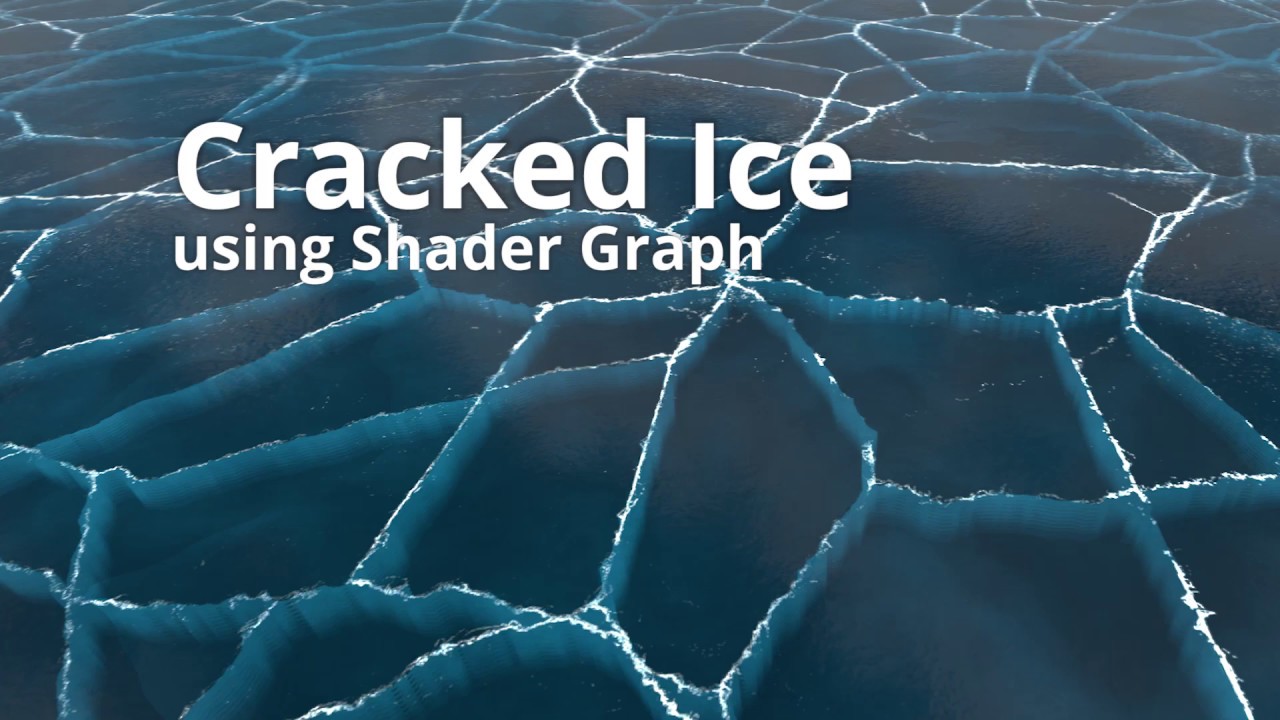
Cracked Ice Material in Unity 3D
It all started when we saw the article „How to Build Cracked Ice in Material Editor“ (https://80.lv/articles/how-to-build-cracked-ice-in-material-editor/) by Ali Youssef (https://www.artstation.com/ali_y) which describes his approach to the topic in the UnrealEngine 4. Our goal became to mirror his material on Un...
pastel grail
Thanks
queen vortex
Is there any way to have 2 colors with different opacities in 1 shader?
It might seem like a silly question but for some reason I'm having complications with it lmao
shadow locust
queen vortex
Is there any way to have 2 colors with different opacities in 1 shader?
It migh...
You can have as many color inputs as you want
queen vortex
shadow locust
You can have as many color inputs as you want
Yes I know, but I don't know if I'm doing something wrong, but if I change the alpha of the separate colors, nothing changes unless I have connected some alpha in the alpha node, but then it changes the alpha of all colors
shadow locust
queen vortex
Yes I know, but I don't know if I'm doing something wrong, but if I change the a...
It depends on what you're doing with the colors. ¯_(ツ)_/¯
queen vortex
shadow locust
It depends on what you're doing with the colors. ¯\_(ツ)_/¯
i'm just trying to fade from one color to another based on the uv position, but i want the blue part to be transparent and the white part to be with maximum transparency
shadow locust
queen vortex
i'm just trying to fade from one color to another based on the uv position, but ...
sounds fairly straightforward
what part are you struggling with
Seems like a simple Lerp
queen vortex
shadow locust
what part are you struggling with
on making the colors have different alphas
shadow locust
Shouldn't be an issue. Maybe show your shader
queen vortex
As I said, I don't know if it's a bug, but if I change their alpha in the inspector, it's not transparent
queen vortex
shadow locust
Shouldn't be an issue. Maybe show your shader
Sure

like i said i shouldn't be having a problem with this lmao
shadow locust
queen vortex
you're ignoring the alpha
you're piping the whole color into Base Color
which is a float3
ignoring the alpha output from your lerp
queen vortex
Yes, but as I said, if I connect the alpha, it changes the alpha of all colors, not just blue for example


Maybe it's a bug or something
Ah it was a bug, I closed and opened the scene and fixed it, lol
anyway thanks for the help Praetor
 vocal mist
so I'm pretty new to shadergraphs, shaders are magic to me and idk how any of them work and am trying to learn how to do stuff in shadergraphs - I'm trying to figure out how to add a 2d texture onto a skybox and have it move with the sun... I already have a circle for the sun moving but I just can't figure out how to put a texture there instead of a circle
I've kind of figured out how to add a texture along with the sun but it has this weird stretch effect the further up the skybox it goes along with being mirrored on the opposite end
http://grinboo.ru/data/screenies/2022-07/Unity_07-02-22_18.16.50.675.png
the further down the horizon it gets through the better it looks as it isn't stretched, still mirrored on the opposite end of the skybox though
http://grinboo.ru/data/screenies/2022-07/Unity_07-02-22_18.17.34.636.png
I'm thinking it might be uv related but I just can't figure out what I'm doing and google just ain't helping at least not with shader graphs lol


here's the upper portion for the texture to hook into the blend node: http://grinboo.ru/data/screenies/2022-07/Unity_07-02-22_18.13.46.109.png
and here's what I have for the sun shape: http://grinboo.ru/data/screenies/2022-07/Unity_07-02-22_18.13.28.383.png
the sun shape is just a circle without the texture part but I have it blending to show the texture in the same spot as the circle
if it helps at all, here's a pastebin for just the specific graph elements https://pastebin.com/h7Xz2j6A and here's the full shadergraph: https://drive.google.com/file/d/1Y6HQzHvISOASelYd9j9JHnZNDuNHg2XU/view?usp=sharing


sorry if that's confusing at all (or if this is the wrong channel rip), tbh I'm just kind of plugging stuff in/experimenting with it and hoping it eventually works how I want it to lol
 onyx heron
vocal mist
here's the upper portion for the texture to hook into the blend node: http://gri...
onyx heron
vocal mist
here's the upper portion for the texture to hook into the blend node: http://gri...
The default Unity sphere has the input texture doubled and UV-sphere mapped, hence the doubling and "stretching" near the poles.
What you might want is to create a sphere with UVs mapped so that it uses only one texture across the whole sphere.
This is a UV problem and unrelated to shaders for now.
vocal mist
Ah okay, since it's a material to be used as a skybox I'm using a cubemap and whatnot, if I were to make a sphere UV would it just be as simple as applying said UV to the texture sampler? Or like, is there any way to just cast the texture onto the cubemap/skybox sphere?
 uncut ferry

wasn't quite sure where to go, but I'm having trouble making textures appear on this free 3d model of a bed I downloaded
unreal portal
where is gpu instancing?
 uncut ferry
unreal portal
where is gpu instancing?
uncut ferry
unreal portal
where is gpu instancing?
Sorry, how do I get to that screen?
shadow locust
unreal portal
where is gpu instancing?
The shader needs to support it.
 spice harness
what kind of shaders should I build if I want do have a decent shader portfolio? I don't have a game that I could work on so is there some shaders that are good to have in your shader toolset?
 cobalt needle
is unity have shader node that same function like color ramp in blender
 lucid current
bakes indirect lighting from emission sources and annoying gap appeared. What setting is responsible for it?

the gap is on the edge between game objects
ok there is too much of minor parameters to take in consideration
hell this is awful

 fickle parcel
Any idea what is happening when I do graph like this + transparent surface

it get's very, very bright (around 2000-2500 color instead of 0-1)

that's unlit shader
 teal breach
are you using HDR?
fickle parcel
yes
merry oak
is there a way to figure out how big a pixel is to say, check the colour of the pixel at the uv coordinates beside it?
merry oak
For instance, in Gamemaker Studio 2, you can get the texel size, is there a way to do that in unity?
grizzled bolt
merry oak
is there a way to figure out how big a pixel is to say, check the colour of the ...
What kind of use case is it?
merry oak
I have a perlin noise function, and I want it to find what the value that it will return for the pixels surrounding it is.
oh hang on, is it this _MainTex_TexelSize
merry oak
grizzled bolt
What kind of use case is it?
Are you still there?
grizzled bolt
merry oak
Are you still there?
Sure, but I doubt I'll be of much use here
Still, the better detailed your plan is the easier it is for anyone to offer advice
regal stag
merry oak
oh hang on, is it this `_MainTex_TexelSize`
Yeah this should give you the texel size (.xy) and width and height (.zw) of the texture, iirc
merry oak
ok thank you, I'll see if I can get it to work
grizzled bolt
As far as I know shaders can't really react to surrounding pixels, except in screen space with ddy, ddxy and ddx
But if you're not working in screen space it could be different?
merry oak
grizzled bolt
As far as I know shaders can't really react to surrounding pixels, except in scr...
ok thank you, I'll try this and maybe let you know afterwards if it worked
regal stag
fickle parcel
Any idea what is happening when I do graph like this + transparent surface
If this is HDRP I think there is a HD Scene Color node which outputs differently. Or can use an Exposure node. (I dont use HDRP but this is based on docs and what I've seen others mention)
fickle parcel
can you link source? It will be easier for me to understand that
I mean where did you find it
regal stag
cobalt needle
is unity have shader node that same function like color ramp in blender
Can Lerp between two colours, or Sample Gradient. Or Sample Texture 2D may be better if you need to expose it to the material.
Use a Saturate on the input to clamp values outside 0-1 range.
merry oak
regal stag
Yeah this should give you the texel size (.xy) and width and height (.zw) of the...
Sorry I just have one more question, how do I actually access that variable? I tried adding this to appdata float4 texelSize : _MainTex_TexelSize; but it isn't working.
regal stag
merry oak
Sorry I just have one more question, how do I actually access that variable? I t...
It doesn't go in appdata. Define it as a global variable. So float4 _MainTex_TexelSize; outside the functions
 tender remnant
Anyone seen accumulative rendering done before (for like motion blur, temporal effects etc)?
I'm trying to wrap my head around what the easiest/best approach would be
I basically want to render my scene a couple of times and merge the result together into one texture
I'm reading up on custom render textures right now thinking that might be the way to go but it feels convoluted for something so simple.
meager pelican
As for "render my scene a couple of times"...you can do that with a couple cameras.
As to how to merge...well...depends on what you're doing. But...render textures are persistent.
As to "it feels convoluted for something so simple"...what you described isn't simple, nor is GPU programming generally simple, so...expectations don't seem to be realistic in that statement.
It might be reasonably simple with just two cameras. But you'd have to describe WHY you're rendering the scene a couple of times, and what it is you're trying to do, in detail, to get more help on the "hows" of it.
@tender remnant
tender remnant
I'd like to do some simple temporal depth of field and potentially other temporal effects
I think I'm on the right track with the custom render texture stuff. But I'm stumbling a bit right now when trying to use the doublebuffered feature
meager pelican
Normally, temporal effects are done across frames, rather than rendering the scene multiple times per frame.
I'd agree that stashing the results in some render texture between frames is the way to go.
So in "frame 0" it might not have much effect, but meh, if you're running at 30 or 60 or more FPS.
tender remnant
Should clarify that I want to use this to generate a "background" texture once that will be used for the remaining time inside this "level". I can do this since the camera will not be moving
so all the expensive stuff can be done in a huge chunk in the beginning and then it'll just be a simple texture 🙂
meager pelican
OK, but still, "frame 0" is the first frame, and would have 100% time remaining. Frame 1 would have (let's say) 1/30th of a second less remaining, etc.
I don't see where you'd need two cameras or anything, just some calcs, unless you need the before-image or vectors or whatever for your effect, and that's what you'd store between frames.
Also for "background texture" consider a skybox shader. It will render after opaques, and draw the background on the far plane for anything that isn't set in the depth buffer.
tender remnant
I'm not sure we're talking about the same thing anymore
"Background texture" = a render of my static objects in my level
So anything non-static will be dynamic. But this means everything static (my "background") can potentially have some more expensive calculations.., like the temporal effects I mentioned above
since I'd only need to do it once
(or potentially over the duration of a few frames at the start of the scene)
you know how a raytracing image in blender can start out grainy but become better over time? It's kinda like that
another way of seeing it is like how the backgrounds in the first resident evil game works. But instead of being loaded as a texture from a CD it would be generated on the fly
meager pelican
OK, fair enough. Static objects aren't background to me. So pardon the confusion. I thought you were talking about the far plane.
But regardless, yeah, stashing results between frames would be the way to go. IMHO. 🙂
That's what ray tracing does, per your example. Continually improves a render texture.
That is, assuming you need to stash anything at all, and cannot calc what the image would be at, say, 87.345% of the way through. 😉
tender remnant
Cool. Yeah I think we're aligned. Double buffering a custom render texture seems to be the best bet so far. I might get back here to try and explain where I get stuck unless I find a way around my current issue (texture ends up black after first update to it)
tender remnant
ok.., I'm still stuck so here goes:
- I'm using a custom render texture and a custom shader to manipulate the custom render texture
- The custom shader is returning the _SelfTexture2D texture immediately so nothing fancy there yet
- I have also attached a camera to render into the custom render texture.
- I've also enabled doublebuffering to the custom render texture so that _SelfTexture2D actually will work
- If I then (through script) render my camera once the texture will update as intended and I can see in the texture what the camera sees
- BUT immediately after I also do an update on the custom render texture triggering the shader to do its job (and also swap the doublebuffer) it only returns black
- I can manipulate the shader to return _SelfTexture2D + dark orange and then run the update function a couple of times and I can see that the orange color seeps into the black I first had
It's as if anything I render with the camera (into the custom render texture) will get discarded whenever I run the shader through the update function
kinda annoying.., If anybody knows how to do this (or have references to others using the custom render texture) I'd be very grateful!
tender remnant
ok figured it out!
instead of trying to render to the custom render texture with a camera I do it to a regular render texture and then reference that texture to my custom render texture and I can get it working 👏
 tranquil jackal
yo, maybe someone have this kind of bug, that I made a shader, it worked well, I was able to change colors and stuff. But now I cant change color anymore, if I change it, it stays like before, even if I unplug color connection on shader graph, it still does not change. Other options works as intended. And it is only in decal type of shader graph. other types works fine. Preview of shader also non visible.
EDIT: nwm. Fog was overwriting the docal. It seems it is known bug.
cobalt needle
regal stag
Can `Lerp` between two colours, or `Sample Gradient`. Or `Sample Texture 2D` may...
wow thanks
 rustic dagger
hey, i'm having trouble getting framebuffer fetch to work: https://docs.unity3d.com/Manual/SL-PlatformDifferences.html#using-shader-framebuffer-fetch
anyone here ever used it? i already posted in #archived-urp, but i see there's a bit more activity over here.
meager pelican
@rustic dagger
Did you use the pragma to check for compatibility?
rustic dagger
meager pelican
<@230478803061833729>
Did you use the pragma to check for compatibility?
#pragma only_renderers framebufferfetch
This? yes, I added that, too.
meager pelican
Per that example, it should "just work". So what's happening?
rustic dagger
I'm guessing the method doesn't work without that explicit return, from how the error reads:
Metal: Error creating pipeline state (Unlit/FramebufferFetchTest): Fragment input(s)
user(COLOR0)mismatching vertex shader output type(s) or not written by vertex shader
(null)
it's like it's still expecting frag() to return COLOR0
meager pelican
Did you load the extension into openGL?
rustic dagger
i'm on metal -- is that still necessary? if so, where can i find how?
meager pelican
IDK, sorry. I don't do metal.
But that article you listed has a link to kronos group that docs the extension.
rustic dagger
i think that's just if the driver supports that extension, that's the one the engine will be using for this feature
meager pelican
It's the semantic that links up the "return" value anyway, from what I understand. That's why they have that SV_Target semantic on it. And it's an inout variable.
rustic dagger
right, instead of the return type for the function
but it looks like something still hooks it to the return type
might be some other directive i'm missing. docs can be so spotty sometimes 😦
meager pelican
IDK man, sorry.
What is it you need it for?
rustic dagger
i came up with this effect that looked really nice with an opaque pass, giving me the right kind of blending I wanted (some values get multiplied, others get added), but opaque pass is obviously very limited, so I really use it.
I ended up making something that didn't use the opaque pass, just normal alpha blending, but then that meant i lost my custom blending, so parts that looked nice and dark, are now more "glowy". it's not too bad, and mostly fits in the aesthetic we got, but i don't like it.
this was supposed to give me just what i needed :\
the only other alternative is a multi-pass material, where i render a multiplicative pass first, and then my additive.
meager pelican
Ah.
What pipeline? If opaque pass, URP?
meager pelican
Yeah, getting beyond me. I haven't used "Native RenderPass" I guess. Googling, one moment please. Please stand by. We will return you to your regular programming, shortly.
rustic dagger
much appreciated 😄
i've spent some time googling before coming here; i certainly appreciate you giving it another go.
meager pelican
From the description, sounds like what you wanted...even says programmable blending.
IDK, sorry.
rustic dagger
yeah, that's what caught my attention after i've given up on opaque pass
i even tried a custom grabpass package, but that just crashed my editor
meager pelican
But that solution is specific to certain platforms. A more generic approach would be preferable.
rustic dagger
oh certainly, but it's specific to my target platforms
gles3, and metal. iOS and Android, basically.
meager pelican
Well I wish you luck, maybe others can be more helpful. 🙂
rustic dagger
thank you 🙂
grand jolt
I might as well try, but does anyone here by chance use Amplify?
I have a really problematic issue involving my UI shader in HDRP. I am currently using the Legacy > Default UI template because it has the stencil template needed to do UI masking. The masking works but the shader only updates on compile, which no other template has this problem. That means if I change any property it makes NO change unless I recompile the shader which is reaaaally bad
Upon further testing this has something to do with UI masks. The material will change for any UI object that isn't part of a mask.
rustic dagger
i think that UI masks are different in URP/HDRP, and aren't the same alpha-test-only kind of mask as in legacy. could be related?
grand jolt
UI masks are different in HDRP?
That could very well be related
I forwarded this question in the Amplify discord as well, it could literally be a bug
but if that's true then that's very unfortunate because it would prevent me from doing my shader
rustic dagger
i haven't looked too deep into it yet, but i noticed that there's a way to do alpha gradients now using RectMask2D
like, just the other day for the first time 😅
i'm still new to URP, myself
but i notice that, and i haven't had a chance to see what the implications are for regular Mask.
fickle parcel

how can I get color under this material? I'm using transparent surface and it's very white (2000-2500)

need something like this
 winter timber
not sure if this the right place to ask, but i have a lovely shader that has a colour field right, and i have 2 object each with a copy of this shader of a different colour, if i wanted to make an object 3 inbetween these 2 that is a blend between the other 2 in colour, would that be possible?
winter timber
winter timber
not sure if this the right place to ask, but i have a lovely shader that has a c...
i would also be fine with putting some kind of transparent mesh over that is just a gradient with a lot of alpha
actually ye, that would be the easiest way
now i just gotta figure out how to make a gradient that is one colour at the edges and changes to another colour in the middle
winter timber
ok i think i got it figured out, ish, but perhaps someone could tell me here, how on earth i get this to not be yellow at this point

radial gradients are a nightmare it turns out, wow
and how on earth you make things transparent is just beyond me
ok i got transparency working, trying to figure out what colour + yellow = blue
if only it was not yellow, and rather no colour, or only 1 colour of choice
sadly i dont know how sphere masks really work, nor tiling and off set nodes
ok i can deal with the yellow one step at a time, i need the outer edge to be entirely transparent, meaning im gonna need negative alpha
hmm it wont let me do negative alpha for some reason, perhaps there is a negative alpha node or something
i got it working, instead of negative alpha i just used the sphere mask as alpha!
problem is that everything is but a shade of yellow
how do you convert yellow into another colour?
a bit like colorize for anyone that has used gimp before
aha i figured it out, replace colour
now which is faster mathmatically multiplication of 0.something or division?
ok i used division, hope it was the right choice
although my shader is quite broken now
it only works randomly
half the time it just fails to render and is invisible
aha i know what is wrong, it cant work out how to cull properly
it stops rendering the object if you get within 5 metres of it
meaning ill have to somehow fix that
was gonna test it in play mode, but it appears that my shader is so complex that it takes it 3 minutes and counting to get into play mode
yup my shader is way to computationally intense
half the time it wont render
and when it does render i drop from 80 fps down to 5
does anyone know of a less computationally expensive method of doing this?
 winter timber
im going to be going to bed soon, if anyone has an answer i will have to read it in the morning, although i am hoping like anything that someone will have an answer, as i am stumped
 amber saffron
winter timber
does anyone know of a less computationally expensive method of doing this?
amber saffron
winter timber
does anyone know of a less computationally expensive method of doing this?
I have big doubts that this shader is "to computationally intense". It's pretty simple.
But depending on how you display this object, it can indeed drop performance because it might need to blend a lot of semi transparent pixels
But going from 80 to 5 fps is surprising tough
grand jolt
winter timber
not sure if this the right place to ask, but i have a lovely shader that has a c...
Extremely easy to do, it's just color multiplication
You can make a c# script for that that pulls the color property from both objects and multiplies it, then sets the color property of the other object to that
Lerp might work too
There should be almost 0 performance impact with this method
 thorn snow
how do i get scene color when using a 2d renderer urp
dim yoke
thorn snow
how do i get scene color when using a 2d renderer urp
I think the problem is that all 2d sprites are usually rendered as transparent geometry which means they will not be captured to the scene color texture (depth and color texture are both captured after all opaque objects are rendered and before transparent objects). I dont know how to fix that tho
thorn snow
:/
i want to make a vhs retro effect for my game
i thought its gonna be ease and i can just yoink one of asset store
but all of them dont work for my setup (urp, 2020, 2drenderer)
so now i tried making my own with a yt tutorial and it uses the scene color node
so i guess now i am out of luck.
 fervent tinsel
I dunno if recent 2022.2 URP versions PP graph would work with 2D renderer
it might be in 2022.1 already but not sure
thorn snow
whats PP graph
fervent tinsel
well.. it's probably named fullscreen pass actually.. or something like that
by PP I mean post processing
thorn snow
do you think i can find more documentation on this
i just followed a tutorial on how to implement your own post process effect and right now i am facing the same problem with not having access to my scenecolor/camera pixel color
i wonder how the default unity pp components do it...
fervent tinsel
URP doesn't have custom PP functionality at all atm
you can only do renderer features if you do it manually
thorn snow
it explains that i can like make my own renderpass
fervent tinsel
there you can sample camera texture
thorn snow
what does doing manually mean
 undone anvil
anyone know how to double side normal in shadergraph ?

the problem is here when i rotate object this side face won't calculate normals or something , all i can do is instead of rotate do negative scale instead
 winged rune
I created a shader with dithering

But I want the pixels to be as big as the sprite pixels. I'm using the pixel perfect camera for that
Any idee how I can achive this in the shader?
 inner harness
is there a way to transform the screen position back into a object space position in shader graph?
lucid current
is there difference between written shader (rainbow icon shit) and shader graph?
grizzled bolt
lucid current
is there difference between written shader (rainbow icon shit) and shader graph?
Shader graphs are basically instructions for Unity to generate rainbow icon shit shaders based on the node logic within
lucid current
Damn that is so cool
inner harness
inner harness
is there a way to transform the screen position back into a object space positio...
or convert screen position to any other type of position that i can transform for the vertex shader in shader graph
meager pelican
inner harness
or convert screen position to any other type of position that i can transform fo...
What you're asking is confusing to me.
You already have the original object position in the vertex shader or in the pixel shader stage. Just use a position node set to object space. It will either use the object space position in the vertex stage if that's where you have it plugged into, or it will pass the object pos to the fragment stage, IIRC.
No need to "untransform" anything.
 tidal cypress
winged rune
I created a shader with dithering
tidal cypress
winged rune
I created a shader with dithering
floor(position/div)*div
meager pelican
Yeah, but let's see what happens when he tries to calc pixel coverage to decide if an edge pixel block is lit or not.
Another option is to render at a lower resolution and let the GPU worry about partial pixels.
grand jolt
undone anvil
the problem is here when i rotate object this side face won't calculate normals ...
Did you solve this problem? I need the solution as well
winter timber
amber saffron
I have big doubts that this shader is "to computationally intense". It's pretty ...
im just dragging this onto a plane, and also it randomly culls and unculls for seemingly no reason, so there is definitely something weird with it
welp 1 problem at a time, how do i get this thing to render when you can see it?
it is like you can only render it when you are about 5 away, any closer it unrenders, any further it unrenders
here i was thinking that rendering a plane would be simple, turns out it is a nightmare
seems to be an issue with scale
you cannot render things with a scale over 100 by 100
kind juniper
winter timber
you cannot render things with a scale over 100 by 100
Yes, scaling is generally not great and big numbers can introduce the floating point error too. That being said, culling is handled by the camera and depends on the bounding box of the renderer.
inner harness
meager pelican
What you're asking is confusing to me.
You already have the original object posi...
i want vertexes to snap to the nearest integer in screen space
or make it even more obvious by doing something like floor(position*resolution)/resolution
what i have rn is
v2f vert(appdata IN)
{
  v2f o;

  o.position = UnityObjectToClipPos(IN.vertex);

  float2 screen_position = ComputeScreenPos(o.position) / 10.0;
  //ignore the weird math it'll probably change but it's floor(screen_position.xy*_Resolution)/_Resolution
  screen_position.xy *= _Resolution / 2.0;
  screen_position.xy = round(screen_position.xy);
  screen_position.xy /= _Resolution / 2.0;
  screen_position.xy -= (_Resolution % 2)/_Resolution;

  o.position = //turn back into clip pos????

  o.uv = IN.uv;

  return o;
}
weird then, ill try just creating a big plane in blender that is only a scale of 1 by 1 in unity
winter timber
winter timber
weird then, ill try just creating a big plane in blender that is only a scale of...
nope does not help
winter timber
kind juniper
Yes, scaling is generally not great and big numbers can introduce the floating p...
welp ill try the camera thingy next, how do i set the bounding box of the renderer to render stuff that the camera can see?
kind juniper
winter timber
nope does not help
How big is it?
winter timber
kind juniper
How big is it?
scale of 1 by 1 by 1, actual size of 200 by 1 by 200
kind juniper
You'll still have floating point error with big numbers
winter timber
floating point error doesn't really matter to me aslong as it renders and looks sort of decent
kind juniper
winter timber
scale of 1 by 1 by 1, actual size of 200 by 1 by 200
That should still be ok
winter timber
kind juniper
That should still be ok
randomly render and unrenders
for seemingly no reason
kind juniper
winter timber
randomly render and unrenders
Can you record that?
winter timber
kind juniper
Can you record that?
sure
merry oak
Is there a way for my shader to know if the given pixel has a direct line of sight between itself and the camera?
kind juniper
merry oak
Is there a way for my shader to know if the given pixel has a direct line of sig...
Depth texture? Or whatever it's called.🤔
merry oak
lol I'm not sure, I give that a quick google
winter timber
kind juniper
Can you record that?
 kind juniper
winter timber
https://youtu.be/SLFAGWKNHsY
kind juniper
winter timber
https://youtu.be/SLFAGWKNHsY
I don't see anything getting culled. Just the color changing.
winter timber
kind juniper
I don't see anything getting culled. Just the color changing.
yes that is the culling
the plane bellow, the blue one is a water shader
merry oak
kind juniper
Depth texture? Or whatever it's called.🤔
I'm not sure if that's what I want, basically I'm trying to get an effect that is in a lot of games where when parts of the object are behind something you can still see it just in a different colour.
winter timber
winter timber
the plane bellow, the blue one is a water shader
the plane above is my shader that has the gradient
so when it changes colour to not being green then that is my plane culling, or rather unrendering
merry oak
In valorant for example, you can see the teammate is behind a wall, but we can still see it.

Oh that picture's a lot worse than I thought it would be.
winter timber
kind juniper
I don't see anything getting culled. Just the color changing.
any ideas on how to stop it?
merry oak
I gotta go, but if anyone has any ideas or knows of a tutorial, pls just dm me.
kind juniper
winter timber
any ideas on how to stop it?
Can you disable everything else and record again? I want to see that the plane itself is culled. I don't see any plane in that video. Maybe even use a regular shader on it to make sure.
winter timber
kind juniper
Can you disable everything else and record again? I want to see that the plane i...
ooh i have not tried a regular shader, i shall do that!
winter timber
kind juniper
Can you disable everything else and record again? I want to see that the plane i...
nope even weirder, i went to disable the other stuff, and now suddenly it wont cull
it just works normally
meaning for some reason it just doesnt do well with rendering on top of my plane below for some reason
whyyyyy
kind juniper
winter timber
meaning for some reason it just doesnt do well with rendering on top of my plane...
What shader are you using for testing? And did you confirm that it doesn't unrender when it's not supposed to?
winter timber
kind juniper
What shader are you using for testing? And did you confirm that it doesn't unren...
not quite certain what that means, but this is what i did test:
when plane below is there, randomly unculls and culls
when plane is not there, it acts normal
kind juniper
What "acts normally"?
winter timber
kind juniper
What "acts normally"?
renders
winter timber
yes
kind juniper
When the plane is not there it's rendered normally? That doesn't make any sense...
winter timber
no when plane 2 is not there it renders plane 1 normally is what i meant sorry
2 is bottom
1 is top
i was a bit vague sorry lol
kind juniper
Okay. Now that's new. What's with the 2 planes now???
Why are there 2 planes and what do you expect to happen?
winter timber
there was always 2 planes, sorry i was vague with my explaining
winter timber
kind juniper
Why are there 2 planes and what do you expect to happen?
expecting cause plane 1 has a lot of alpha that you would see plane 2 beneath it, tinted the colour of plane 1
kind juniper
Okay, how far apart are the planes?
winter timber
1 apart
kind juniper
1 unit?
kind juniper
Okay. Try using the standard shader for both make one of them half transparent and see if it works.
winter timber
ok sure
winter timber
kind juniper
Okay. Try using the standard shader for both make one of them half transparent ...
works perfectly
 tacit parcel
merry oak
In valorant for example, you can see the teammate is behind a wall, but we can s...
tacit parcel
merry oak
In valorant for example, you can see the teammate is behind a wall, but we can s...
I've seen this done in the past using stencil
cant find the original post, but here's an alternative
https://forum.unity.com/threads/render-object-behind-others-with-ztest-greater-but-ignore-self.429493/

Unity Forum
I'm attempting to make a shader (that is an additional pass on the Standard Shader) that will render an unlit silhouette when the object is occluded by...
winter timber
kind juniper
Okay. Try using the standard shader for both make one of them half transparent ...
any ideas?
merry oak
tacit parcel
I've seen this done in the past using stencil
cant find the original post, but h...
Thank you I'll check this out
winter timber
kind juniper
Okay. Try using the standard shader for both make one of them half transparent ...
ive been messing around and stuff for a while now, i know what is wrong,
it just struggles with rendering on top of another plane
that has alpha
as such i just need a way to force my plane to render even if it thinks it shouldnt
kind juniper
winter timber
as such i just need a way to force my plane to render even if it thinks it shoul...
At this point I'm not sure I understand the issue anymore. If it works with a similar setup of standard shader materials, then it must be your shader that has the issue.
You did not share any video demonstrating the issue in isolation, i.e. with only 2 of the planes visible and nothing else, so I'm still struggling to understand it.
winter timber
kind juniper
At this point I'm not sure I understand the issue anymore. If it works with a si...
i dont understand it either, and the video i shared was the only example in isolation i can get
any other circumstance, and it works perfectly!
winter timber
kind juniper
At this point I'm not sure I understand the issue anymore. If it works with a si...
if you can't understand the issue from what i sent then i cannot send more, because i dont know how to isolate it, and any attempts ive tried i failed with, so unless you can tell me how to isolate the issue, i cant show you
kind juniper
winter timber
if you can't understand the issue from what i sent then i cannot send more, beca...
You said that the issue occured when you were only having 2 planes.
winter timber
kind juniper
You said that the issue occured when you were only having 2 planes.
yes, hence why i believe the issue is my shader thinking due to some weird bug with the alpha of the 2nd plane below it that it does not need to render, and as such does not
is there anyway i can force it to render?
kind juniper
winter timber
yes, hence why i believe the issue is my shader thinking due to some weird bug w...
Well, why wouldn't you share a video of that? Because in the one you shared I see water, terrain and whatnot.
But not 2 planes.
winter timber
kind juniper
Well, why wouldn't you share a video of that? Because in the one you shared I se...
aha, the water is a plane, sorry for the misunderstanding
the water specifically is plane 2
plane 1 is ontop of it, it has a lot of alpha and is green, hence making the water look green below it when it wants to render
kind juniper
Okay, then record a video with only those 2 planes visible. Ideally where you switch between selecting each of them individually(maybe even with wireframe view enabled), so that we can see the actual meshes.
Also, it feels like you're trying to apply color correction, but why do it with an overlapping mesh? Why not use a custom post processing effect.
It is also what you're trying to do that I don't completely understand I guess.
winter timber
kind juniper
Okay, then record a video with only those 2 planes visible. Ideally where you sw...
im not certain what colour correction is, so ill do some research on that first (if it cant help with what im doing ill then record the video), and what im trying to do basicallly is have different areas with different coloured water that smoothly blend together,
kind juniper
Why not modify your water shader instead of using 2 separate objects?
winter timber
kind juniper
Why not modify your water shader instead of using 2 separate objects?
im using a free water shader i found for download on github, and im not the best at shadergraph so modifying it is a little out of comfort zone, but i like that idea, so ill give it a go i guess and hope ill figure something out with the lerp node!
kind juniper
It's even simpler if the water shader is actually a shader graph
winter timber
luckilly it is a shader graph, although still it is quite complex so any wisdom you have would be useful lol
kind juniper
I donno in what areas you want to change the color, but you could use use a mask texture, sample it in the shader and apply color changes according to it's alpha or something. Or blend it's color with the main color. Really depends on what you wanna do with it.
winter timber
kind juniper
I donno in what areas you want to change the color, but you could use use a mask...
just wanna blend between 2 different shades of water, but i think i get what you mean, i just copy all the nodes that go into the base colour instead duplicate them and chuck them into a lerp node using the mask that then connects to the colour slot?
now i just gotta figure out how to copy huge branches!
kind juniper
You can't "blend between 2 shaders" that's not how it works.
kind juniper
winter timber
just wanna blend between 2 different shades of water, but i think i get what you...
Bit yes, that might work.
winter timber
kind juniper
Bit yes, that might work.
yay!
any easy ways to copy nodes before i manually select and copy and paste them all?
kind juniper
winter timber
now i just gotta figure out how to copy huge branches!
Could make a sub shader out of it.
winter timber
kind juniper
Could make a sub shader out of it.
dont think so, cause a bunch of stuff in the colour branch also branches off to become other things like alpha and reflections
how do i multi select nodes, i as i really dont wanna have to do each one individually?
winter timber
kind juniper
Bit yes, that might work.
ok think i almost got it working! Although i now have to manually duplicate a lot of stuff cause i still cant work out how to multiselect stuff
winter timber
winter timber
ok think i almost got it working! Although i now have to manually duplicate a lo...
aha, it is control click!
kind juniper
winter timber
how do i multi select nodes, i as i really dont wanna have to do each one indivi...
Can also drag a selection box to select anything inside.
winter timber
kind juniper
Can also drag a selection box to select anything inside.
oh thanks lol!
oh curses one small thing i forgot would be to lerp the alpha, but it doesnt matter too much i suppose as long as the alpha is the same for both
ok i managed to sort of do it, it does not look very good, infact it looks way worse than my attempt using a plane with alpha, but hey atleast it renders consistently
to be honest if there is just a way to force something to render i would be very happy to know it
amber saffron
@winter timber Maybe the rendering issue you have since the begining is caused by the rendering order.
Transparent objects are, by default, rendered from back to front, based on the pivot point distance to the camera.
When you move the camera I suspect that the distance to the pivot changes to a point where the lower plane is actually nearer the camera.
You can force the order by using the material queue property
winter timber
amber saffron
<@458937444625022976> Maybe the rendering issue you have since the begining is c...
ooh that sounds cool, where would i find the material queue property?
amber saffron
winter timber
ooh that sounds cool, where would i find the material queue property?
Depends on the render pipeline.
In URP, it's in the material Advances Options. Sets "Queue Control" to "User Override" and change the "Render Queue" value
The higher the later.
winter timber
amber saffron
Depends on the render pipeline.
In URP, it's in the material Advances Options. S...
ok ok thanks a ton!
winter timber
amber saffron
Depends on the render pipeline.
In URP, it's in the material Advances Options. S...
for render queue do i leave the default setting of from shader, or change that into one of the other drop down menu options?
amber saffron
Transparent is 3000 by default, so manually type someting a bit higher, like 3010
winter timber
amber saffron
Transparent is 3000 by default, so manually type someting a bit higher, like 301...
oh i just chose 9000 and it seems to work great!
it now renders properly!
amber saffron
9000 is a bit extreme 😅
It might get rendered after some other materials at this point
winter timber
oh well, ill mess around with it and see what works best!
amber saffron
Here are the values of the default render queues for reference :
Background (1000)
Geometry (2000)
Alpha test (2450)
Transparent (3000)
Overlay (4000)
winter timber
oh ok, thanks a bunch lol!!!
cosmic prairie
by the way, what's the max value for the queue?
that it can still handle
I'm just wondering this now, is it some 2^x number like 4096 or just something random
kind juniper
Assuming it's an int, it can take max int size: 4 bytes irc.
2 in the power of 32 in other words.
Divided by 2 since it's signed(I think the queue is signed, right?)
cosmic prairie
it is? 😮
amber saffron
I'm not sure that it's a signed int.
But if you need things with values bellow 0 or above 10k, question yourself 😄
undone anvil
if we want to use many shader effect in one character we use multi materials right ??
so how we do that in 2D sprite
as i can figure about this is write everything in 1 shader , that's not smart
maybe its only way ?
amber saffron
undone anvil
so how we do that in 2D sprite
On a mesh it is possible to assign materials per triangles.
You can't do this with sprites, but you can :
- Have a meta shader that does all the different effects that you want, and use masks to separate them for the character parts.
- Render the sprite multiple times with different shaders and masks to overlay them
undone anvil
thanks for guideline i would give it a try ❤️ , i search a lot of this in internet no cure maybe wrong keywords
 waxen agate
Hellu! So I decided to upgrade from 2020 to 2021 and one of my shaders stopped working. It is a transition effect using a sprite unlit material. The problem that's occurring is that the transparent parts become this wine red color. Any thoughts on whats going on?:)

 undone anvil
that wine red color suppose to be alpha right ??
waxen agate
undone anvil
that wine red color suppose to be alpha right ??
https://gyazo.com/eaff40db8294879d9ded6c1a85276773
yeah imagine the red was transparent:)

before it blended the scene better
undone anvil
oh i see , well now i try to follow your instruction becuz im now learning graph with unity 2021
tbh i just started shadergraph for 2 day 💀
waxen agate
aight:) good luck!


 undone anvil
its 2D platform ?
well i also try sprite render with shadergraph materials its work tho
 undone anvil
waxen agate
Hmm are you using a quad or a sprite?
undone anvil
waxen agate
Hmm are you using a quad or a sprite?
that was plane
undone anvil
waxen agate
My shader is a sprite unlit shader

change to sprite unlit also work for me
try split node and connect alpha to fragment alpha
waxen agate
undone anvil
try split node and connect alpha to fragment alpha
Great! Thank you:)
undone anvil
idk where to start writing shader with hand and try once complex as hell plus i am stupid at math  switch to shadergraph its better but still struggle
anyone use jetbrains rider IED for shaderlab ?? mine doesn't work for intellisense
 karmic ruin
how can i access this "H" value (white circle) from script?
 amber saffron
karmic ruin
how can i access this "H" value (white circle) from script?
amber saffron
karmic ruin
how can i access this "H" value (white circle) from script?
You need to convert the color to HSV colorspace.
karmic ruin
@amber saffron thanks 🙂
undone anvil
can someone explain me what is this for ??
 regal stag
undone anvil
can someone explain me what is this for ??
regal stag
undone anvil
can someone explain me what is this for ??
Mostly for normal mapping. Normal maps are typically defined in Tangent space but you can also get object space normal maps, so you'd need to change the space or the shading would be incorrect.
There may also be cases where you want the World space normal (with normal mapping applied) in the graph, so you might use a Transform node to convert between Tangent to World for that. I believe you could then use the World output space to avoid doing that transformation twice.
undone anvil
thanks for explanation
but one think that scare me what is tangents space ? its like local space ?
wait a minute oh i recognize you as well omg you here ❤️ 💕 i would try to study shader by hand with your website
you are shader wizard
regal stag
undone anvil
but one think that scare me what is tangents space ? its like local space ?
In short, it follows the surface of the mesh. It's constructed from the tangent and normal vectors stored in the mesh data (Z axis being the normal vector, X being the tangent vector, and Y being a cross product between those, commonly called bitangent or binormal). The tangent & bitangent also follow the direction of the UVs iirc.
undone anvil
like this picture ?
 regal stag
undone anvil
like this picture ?
regal stag
undone anvil
like this picture ?
Pretty much yeah, though it would be more helpful to show the axis. Like this one. (RGB = XYZ too)
 undone anvil
look like in shader world everyone must have solid math knowledge i regret for escape math lesson 😢
thanks you so much Cyan now i clearly understand what is tangents space is in basic term
grizzled bolt
undone anvil
look like in shader world everyone must have solid math knowledge i regret for e...
Or you could do it like me and just bash numbers and equations together until it looks right
And eventually it starts making sense bit by bit
dim yoke
undone anvil
look like in shader world everyone must have solid math knowledge i regret for e...
Thats pretty much correcr. Trigonometry and vectors etc. are quite important. More you know, easier it is to make shaders
undone anvil
grizzled bolt
Or you could do it like me and just bash numbers and equations together until it...
maybe that way more comfortable to me
before practice too much of shader stuff i have a plan for relearn mathematic anyone recommend any math book ?? cause any shader instruction resource didn't aim for math formula

 swift oriole
Hi
I made a water shader, but if i rotate the camera the texture disappears
winter timber
swift oriole
Hi
I made a water shader, but if i rotate the camera the texture disappears
what do you mean by "texture disappears" does the entire object go invisible?
swift oriole
winter timber
what do you mean by "texture disappears" does the entire object go invisible?
Yes
And if i rotate it back i can see it again

 winter timber
ok, so you on the material under advanced you will see a render queue thing?
swift oriole
yes
winter timber
set it to be manual, and make it 10 higher than whatever it is saying
this personally fixed it for me, hope it fixes it for you!

 swift oriole
Didn't work, but i just realized that the entire outline of the object disappears
Thanks for help 😄
winter timber
hope you find a solution!
winter timber
swift oriole
Didn't work, but i just realized that the entire outline of the object disappear...
also btw just wondering but is that the ignite coder water shader?
winter timber
i wish you luck! (btw you misspelled strength the same way as ignite coders, which is how i recognised)
winter timber
np lol, dont give up on the water shader as the ignite coder one when done right can be really cool, plus using a little bit of lerp nodes you can make multiple water colours merge together lol
winter timber
swift oriole
i wrote strenght twice
so did ignite coders lol
dim yoke
swift oriole
Hi
I made a water shader, but if i rotate the camera the texture disappears
Most certainly issue with bounds (if you scale vertices in shader bounds will not resize automatically)
pastel grail
hey, I have a pass in my shader where I want to set the stencil buffer value to either 0 or 1 depending on a toggle in the shader's params
How can I do that? I tried encompassing the whole stencil operation in an #ifdef but for some reason
 amber saffron
pastel grail
hey, I have a pass in my shader where I want to set the stencil buffer value to ...
amber saffron
pastel grail
hey, I have a pass in my shader where I want to set the stencil buffer value to ...
#ifdef is for the hlsl/cg code part, it won't work here.
But you can expose the stencil operations as shader properties
pastel grail
I can expose an int sure, but can I not expose a toggle that'll at least swap between 2 values or something?
without custom editor stuff that is
amber saffron
pastel grail
I can expose an int sure, but can I not expose a toggle that'll at least swap be...
You can expose all the stencil values and let them with defaults
Or indeed, hide the stencil toggle behind a custom editor
pastel grail
alright, thanks
amber saffron
You can expose the comparison and operations as enum properties easilly with built-in shaderlab code.
AFAIK, if you leave them by default, unity will simply ignore stencil
 swift loom
        renderingPropBlock = new MaterialPropertyBlock();

        layerRend.GetPropertyBlock(renderingPropBlock);

        screenStatusTexture = new Texture2D(mapSize.x, mapSize.y, TextureFormat.RGBA32, false);
        screenStatusTexture.filterMode = FilterMode.Point;
        screenStatusTexture.wrapMode = TextureWrapMode.Clamp;
        screenStatusTexture.Apply();

        InitScreenStatusTexture(); //Simply applies the colors and does Apply();

        renderingPropBlock.SetTexture("_ScreenStatusTexture", screenStatusTexture);
        layerRend.SetPropertyBlock(renderingPropBlock);
is there any really basic reason why this doesn't apply the texture to my shader
i'm using a custom renderer but it uses property blocks just fine to set everything and i have no problems there, but it's a separate property block, but i don't see how that should be an issue.
i'm also setting sharedMaterial stuff as well but that shouldn't make the textures not apply?
regal stag
swift loom
is there any really basic reason why this doesn't apply the texture to my shader
I can't see any problems. But I'd double check that the property name in the shader is definitely _ScreenStatusTexture, and throw in a Debug.Log to make sure the code is actually running.
swift loom
Yep the name is correct, I even copy pasted it over and tried setting [PerRendererData], and I have done a Debug.Log and it runs. If I simply change it to layerRend.sharedMaterial.SetTexture it works
regal stag
Also if you're using MPB elsewhere, maybe make sure that isn't overriding it?
swift loom
hmm it should only update if i change a value in the inspector
maybe this gets run first and then the renderer resets it after on runtime... that could be a possibility
yep that was it. added rend.GetPropertyBlock(mPropBlock); before everything in the renderer and it works. thanks @regal stag
kind juniper
Hey people. I'm trying to figure a way to interpret a texture pixel as a different data type. For example, take the first 8 bits of float4 and interpret them as a byte type(to further cast into an int). Is there a way to do it? And if so, how? Am I doing something stupid?
Is bit shifting on floats crazy?
That or does anybody have the source code of UnityTexture2D? 😄
regal stag
kind juniper
Hey people. I'm trying to figure a way to interpret a texture pixel as a differe...
I haven't really used it but I know hlsl has a asuint(x); function (in shader model 4+)
https://docs.microsoft.com/en-us/windows/win32/direct3dhlsl/dx-graphics-hlsl-asuint
swift loom
I've done that using 32 bit textures to send information to the shader and then i convert it to various values
kind juniper
Oh, you're a life saver Cyan! I was googling for an hour now and didn't get to that 😄
kind juniper
swift loom
I've done that using 32 bit textures to send information to the shader and then ...
How do you convert it on the shader side?
Also, how do you define the format outside(in C#?). Are you setting the texture format to something like RG32?
swift loom
i dont know if this screenshot makes any sense but i sample the pixel in the "data texture" i am sending to the shader (i am storing specific data in the first 2 bits as you see with the renderState shift) and then i use the values i extract to grab specific tile indices from an array of tilesheets

but you have to multiply the color value up by 255 to get the value you sent via a Color32
kind juniper
Hmm... I see. Does it not cause some weird behavior due to the floating point error?
swift loom
not so far but it's not impossible i'd imagine
but that's why i round it and only grab whole values
to point towards indices (1,2,3 etc)
kind juniper
Hmm... I don't like how it kinda casts math types instead of using the underlying bits of memory, but I guess that's an option if nothing else works...
swift loom
i dont know if there are better solutions for you. i am specifically sending tile information in 3D textures that I sample so it works for my case.
also i am self taught and i don't know that much programming otherwise so idk if it's a good approach 😂
kind juniper
Nice. I'm trying to create a 2d terrain shader that would be able to blend between different texture types. The byte thing is my plan to pass in terrain type data into the shader(although really it's just an index for a texture array).
I could encode up to 4 texture indices into 1 texture and 4 weight values into another texture, thus avoiding having numerous splatmaps and still being able to have countless terrain types(limited by the size of the texture array I guess).
kind juniper
Oh that's neat. I can use Texture2D.SetPixelData to set raw byte data.
swift loom
i dont know what the difference is but you can manually create Color32 arrays and just use SetPixel32 to set them, it's also in byte form (which is why I multiply up by 255).
kind juniper
Ah, true that. Didn't think about that.
that looks way neater than multiple splatmaps!
    uint4 indices = asuint(SAMPLE_TEXTURE2D(indicesTexture, indicesTexture.samplerstate, UVs));
    float4 weights = SAMPLE_TEXTURE2D(weightsTexture, weightsTexture.samplerstate, UVs);

    weights = normalize(weights);
    for (int i = 0; i < 4; i++)
    {
        _Color += weights[i] * SAMPLE_TEXTURE2D_ARRAY(textureArray, textureArray.samplerstate, UVs, indices[i]);
    }
is there an easy way to edit a texture in a pixel shader now? i've read a bunch of forum posts from 2014 saying no but
shadow locust
I don't think you can modify textures in normal shaders, only compute shaders. I could be wrong
regal stag
swift loom
is there an easy way to edit a texture in a pixel shader now? i've read a bunch ...
Not something I've tried, but maybe via explicit Graphics/CommandBuffer calls. e.g. https://forum.unity.com/threads/writing-to-rwtexture2d-in-pixel-shader.395007/#post-2579599
Or blit into the texture as a destination and use the regular SV_Target fragment output (like the other answer there)
swift loom
thanks ill read later
 mental thorn
Is there any equivalent to Blender's mapping node with an option to rotate?

In either Shader Graph, Amplify or code
regal stag
mental thorn
Is there any equivalent to Blender's mapping node with an option to rotate?
In Shader Graph the equivalents are probably Tiling And Offset and Rotate nodes (when dealing with 2D uvs).
https://docs.unity3d.com/Packages/com.unity.shadergraph@12.1/manual/Rotate-Node.html
For 3D coordinates can use Multiply (with float/vector3) for scaling, Rotate About Axis for rotation, and Add for offset/translation. Or it's common to Multiply with a matrix, to handle all at once.
https://docs.unity3d.com/Packages/com.unity.shadergraph@12.1/manual/Rotate-About-Axis-Node.html
I imagine Amplify has similar nodes. Can see code examples on those links too.
mental thorn
Thanks I'll look into that
kind juniper
ok, asuint doesn't seem to work. The values seem to be clamped to 1.🤔
swift loom
texture samples are 0-1
even if you use Color32 it becomes normalized when you send it to the shader, so idk if it's this esoteric int that i have never seen or just that
regal stag
Well, should depend on the texture format
 stark condor
Ik this is a pretty simple question but I'm having trouble finding the answer online, is there a way to make a shader that makes an object invisible except where it overlaps with a different object
kind juniper
swift loom
texture samples are 0-1
actually it seems to be a bigger number. It samples a texture at index 7(which is the maximum too).
swift loom
hm interesting
kind juniper
while setting the Color32 values to 0 uses texture at index 0🤔
I thought it was related to texture format, but trying different formats doesn't seem to have any effect.
I even tried indicesTexture.SetPixelData<byte> and still the same result.
It seems like the problem is with the sampling
Maybe I need to use a lower level hlsl sampling method🤔
 naive mural
Hello, i'm trying to update a Texture2DArray inside a compute shader and then use the texture inside shader graph. Unfortunately, writing to the texture gives a UAV flag error where it says that the texture is not set to writable and there doesn't seem to be a way to make a Texture2DArray writable.
I was thinking of using a RenderTexture since it works pretty much the same way and you can change the UAV flags. However, on the unity docs it says that "Keep in mind that render texture contents can become "lost" on certain events, like loading a new level, system going to a screensaver mode, in and out of fullscreen and so on. When that happens, your existing render textures will become "not yet created" again, you can check for that with IsCreated function.".
Does this mean that if you lets say alt-tab out of the applications, the RenderTextures have a possibility of being disposed of?
 twilit slate
Hi! do you know how i could achieve the swipe on the logo with shader graph? how did they achieved that?

The intro sequence and title screen from Kirby's Return to Dreamland. All footage was captured using dolphin emulator, and OBS.
I do not own this.
grizzled bolt
twilit slate
Hi! do you know how i could achieve the swipe on the logo with shader graph? how...
Three textures: the logo, mask for the shiny parts and shine line pattern
The shine line pattern is panned/offset over time and masked by the mask texture
twilit slate
grizzled bolt
Three textures: the logo, mask for the shiny parts and shine line pattern
The sh...
ohh ok thanks!
meager pelican
naive mural
Hello, i'm trying to update a Texture2DArray inside a compute shader and then us...
Yes that's what it means.
mental thorn
How can I do this without the gradient? I want to turn the Voronoi ID UV into a black and white value

It's the same nodes for shader graph btw
kind juniper
swift loom
i dont know if this screenshot makes any sense but i sample the pixel in the "da...
I hate to admit it, but it seems like your solution is the most common one. It seems like there's a loss of data when an integer type is converted to a floating point type. That's why when interpreting it an int again, it losses some of the bits making it a totally different number. And the most common solution that I found online is similar to what you're doing, so I guess I'll go with it.
It actually makes total sense. The fact that a float is represented differently in the memory, but I just didn't think of it for some reason.
kind juniper
mental thorn
How can I do this without the gradient? I want to turn the Voronoi ID UV into a ...
Not sure if there's a node for that(to grayscale or something),but if you write a custom function it would just be adding up the r g b color values and dividing by 3. Then setting the resulting value for each of the channels of the new color.
grand jolt
Not sure if this is the right place to ask but I want to make a shader for my UI image so that it has a simple scrolling texture on it with some additional parameters. The UI image is masked and it seems like custom materials on masked UI images don't work, does anyone know a work around?
regal stag
grand jolt
Not sure if this is the right place to ask but I want to make a shader for my UI...
Afaik the masking uses Stencil operations. e.g. See the UI-Default shader : https://github.com/TwoTailsGames/Unity-Built-in-Shaders/blob/master/DefaultResourcesExtra/UI/UI-Default.shader
Can try editing your code to add that Stencil block and the appropriate Properties. (If it's a shader graph can generate code from the graph first)
clever saddle
Shader error in 'Unlit/Unlit': cannot map expression to ps_4_0 instruction set at line 54 (on d3d11).A noob question,Why this error?
float a = noise(i.vertex);
regal stag
clever saddle
Shader error in 'Unlit/Unlit': cannot map expression to ps_4_0 instruction set a...
If noise is a function you have, you should rename it. HLSL includes an old intrinsic noise function but it's not available in pixel shaders (hence the error)
clever saddle
regal stag
If `noise` is a function you have, you should rename it. HLSL includes an old in...
Thanks for ur answering.does ppl write noise function themselves?or where ppl get the.build in noise func?
regal stag
clever saddle
Thanks for ur answering.does ppl write noise function themselves?or where ppl ge...
Yeah you need to write it (or find one online that has a suitable license)
Could borrow the code from the shadergraph docs : https://docs.unity3d.com/Packages/com.unity.shadergraph@12.1/manual/Gradient-Noise-Node.html
https://docs.unity3d.com/Packages/com.unity.shadergraph@12.1/manual/Simple-Noise-Node.html
After a quick google of "shader noise", May also find these useful
https://thebookofshaders.com/11/
https://www.shadertoy.com/view/Msf3WH
https://www.ronja-tutorials.com/noise.html
https://catlikecoding.com/unity/tutorials/noise/
grand jolt
regal stag
Afaik the masking uses Stencil operations. e.g. See the UI-Default shader : http...
The UI default shader itself still has this problem
Test it out yourself if you don't believe me.
Create an image, and parent another image beneath it. Offset the child image and change it's color so it's easy to recognize
Then add a mask component to the parent image
Now add a custom material using the default UI shaders to the child image
If you try adjusting any material properties it doesn't work
 violet urchin
Hello!
I'm wondering if its possible to take in an outside input for my shader graph?
I want to start the shader when the right arrow is pressed!
gloomy tendon
no shadergraph section?
amber saffron
gloomy tendon
no shadergraph section?
Nope, but you can freely ask shadergraph questions here
amber saffron
violet urchin
I want to start the shader when the right arrow is pressed!
Controll your shader/material with script
violet urchin
From within my C# Script or using HLSL magic?? Sorry kind of new to this
amber saffron
violet urchin
From within my C# Script or using HLSL magic?? Sorry kind of new to this
From c# script.
Controll a value using the Material API
amber saffron
yes


 grand jolt
Yea you can easily control this with a script
Looks like it has a time multiplier
You'd default that to 0 and then set it to 5 when you press the right arrow key
 unique oar
Hey there, my shader isn't compiling? It's really not giving any helpful details as far as I can tell. Here are the error log messages.
Shader Compiler IPC Exception: Terminating shader compiler process
Shader compiler: Compile MarchingCubes.compute - March: Internal error communicating with the shader compiler process. Please report a bug including this shader and the editor log.
Shader error in 'MarchingCubes': Compiling March: Internal error communicating with the shader compiler process. Please report a bug including this shader and the editor log.
I'm still kind of new to writing compute shaders, but I'm pretty darn sure it doesn't have any syntax errors or stuff like that.
 warped trail
Hey, I am wondering if it is possible to render a terrain over another terrain in HDRP?
unique oar
Tracked down my issue to an issue with trying to append something to my append buffer. Now I just need to figure out the correct way to do that...
Hmm, I seem to be doing it properly. What's wrong here?
I have an AppendStructuredBuffer<Triangle> called "tris", which I'm attempting to append a Triangle to (Triangle is a struct in my shader) using tris.Append(toAppend); where toAppend is a Triangle I've initialized and set the values of.
code might not make any sense but here it is
if (edgesToConnect[index] == -1)
            break;

uint2 edge1ID = blf + edgesToConnect[i];
uint2 edge2ID = blf + edgesToConnect[i + 1];
uint2 edge3ID = blf + edgesToConnect[i + 2];

toAppend.v1 = vertexInterp(blfPos, edge1ID.x, edge1ID.y);
toAppend.v2 = vertexInterp(blfPos, edge2ID.x, edge2ID.y);
toAppend.v3 = vertexInterp(blfPos, edge3ID.x, edge3ID.y);

toAppend.tri = int3(index, index + 1, index + 2);

tris.Append(toAppend);```