#archived-shaders
1 messages · Page 243 of 1
 weary dust
 full ravine
How can I make an object that's fade render on top of an object that's opaque when they're at the same position?
Oh wait
Nevermind, I thought I had an issue with rendering but it was just an issue with something unrelated
I've ran into the issue for a different reason now
full ravine
full ravine
How can I make an object that's fade render on top of an object that's opaque wh...
Does anybody know how to fix this?
weary dust
full ravine
Does anybody know how to fix this?
Theres a render queue in the meshe renderer component, or the material now im not sure, that might help
full ravine
Okay
 copper herald
hello, a very-very non-technical noob here  I'm trying to apply a liltoon fur shader on an accessory and I am getting this effect (at the bottom-centre left), I don't even know how to properly describe it to google it, it's like the original shape of the 3d model is coming through. The result I am trying to achieve is the fluffy look throughout as per the top of the picture. Could someone please explain my noob self where I turned south? ;w; would greatly appreciate it
 copper herald
O: NVM, found the solution! don't know if anyone will ever look for it, but it was the problem with liltoon version 1.2.12, it's fixed in 1.2.13. The version I downloaded on booth hasn't been updated yet by the creator c: new version is up on github tho 
 kind juniper
Alright. I think I need help of a shader guru. Or at least someone that understands them better than me. The specific question is about custom function node in shader graph and how to write it. I want to sample a texture 2d array in the custom function, while passing it in from the shader graph. I have it as an input port, but I've no clue how to declare it in the code itself. Here's how the custom function node looks like:

Here's how the function looking so far:
void SampleTextureArray_float(Texture2DArray TArray, float2 UVs, float4 TextureWeights0, float4 TextureWeights1, float4 TextureWeights2, float4 TextureWeights3, out float4 Color)
{
    int Index = 0;
    float4 _SampleTexture2DArray_RGBA = SAMPLE_TEXTURE2D_ARRAY(TArray, /*SamplerState?*/, UVs, Index);
}
 regal stag
kind juniper
Alright. I think I need help of a shader guru. Or at least someone that understa...
regal stag
kind juniper
Alright. I think I need help of a shader guru. Or at least someone that understa...
It should be UnityTexture2DArray (assuming v10.3+ at least)
kind juniper
Do I just declare it in the function parameters?
Also, do I have to have a sampler state? If so, can I pass it in as well?
regal stag
Yeah. It's a structure (struct) that contains both the actual Texture2DArray object as well as the SamplerState (via .samplerstate). So using SAMPLE_TEXTURE2D_ARRAY(TArray, TArray.samplerstate, UVs, Index); should work too.
regal stag
It's similar for other texture types too, UnityTexture2D, UnityTexture3D, UnityTextureCube.
https://github.com/Unity-Technologies/Graphics/blob/master/Packages/com.unity.render-pipelines.core/ShaderLibrary/Texture.hlsl
kind juniper
Is that the go-to page in place of docs? 😄
Wouldn't I need to add includes to my custom function file?
regal stag
There's also a mention of them at the bottom of this docs page, though quite brief : https://docs.unity3d.com/Packages/com.unity.shadergraph@13.1/manual/Custom-Function-Node.html
regal stag
kind juniper
Wouldn't I need to add includes to my custom function file?
It'll be included automatically with the rest of the ShaderLibrary afaik
kind juniper
regal stag
There's also a mention of them at the bottom of this docs page, though quite bri...
Yeah. I've seen that part. I was just not sure I understood it(I didn't).
kind juniper
regal stag
It'll be included automatically with the rest of the ShaderLibrary afaik
Aight. Thanks.
I really wish there was more docs on the subject.
I don't even know where to go if I want to learn more about it.
Looking at the microsoft hlsl docs, they seem to have a somewhat different api.
For example this:
struct UnityTexture2DArray
{
    TEXTURE2D_ARRAY(tex);
    UNITY_BARE_SAMPLER(samplerstate);
It seems like a declaration, but for me it looks like a function call with tex and samplerstate as parameters... Is that c++ thing? hlsl macros? How do I read that? xD
regal stag
kind juniper
For example this:
```
struct UnityTexture2DArray
{
TEXTURE2D_ARRAY(tex);
...
They are macros yes. Defined elsewhere in the shaderlibrary.
For these in particular, it's something along the lines of
// d3d11 example
#define TEXTURE2D_ARRAY(textureName)          Texture2DArray textureName
#define SAMPLER(samplerName)                  SamplerState samplerName

// also in Texture.hlsl linked earlier
#ifdef SHADER_API_GLES
    #define UNITY_BARE_SAMPLER(n) GLES2UnsupportedSamplerState n
#else
    #define UNITY_BARE_SAMPLER(n) SAMPLER(n)
#endif
(see files in https://github.com/Unity-Technologies/Graphics/tree/master/Packages/com.unity.render-pipelines.core/ShaderLibrary/API)
So the macros would be replaced with that. But the macros may also be defined slightly differently depending on the platform (such as GLES2), as some earlier ones won't support separate texture and samplers and would instead fall back to using the older sampler2D stuff, and samplerCUBE since gles2 also doesn't support actual texture arrays.
kind juniper
regal stag
They are macros yes. Defined elsewhere in the shaderlibrary.
For these in partic...
I see. That makes it a bit clearer. Thanks. How did you learn all that stuff, @regal stag?
regal stag
kind juniper
I see. That makes it a bit clearer. Thanks. How did you learn all that stuff, <@...
Hmm, I'm not too sure. I guess I first learnt about macros from shader code tutorials back in BiRP, like TRANSFORM_TEX. They're usually always in full caps so are easier to identify.
Then for URP specifically, probably from reading the URP/Lit shader code and searching the ShaderLibrary.
kind juniper
Oh, I mean not just about the macros, but writing shaders in general. I just don't know how to even approach learning them. I had several attempts over the last few years, but I never systematically learned them. It feels like learning the hlsl from microsoft docs is not gonna help with hlsl in unity. I think that's a wring assumption, but still...
regal stag
kind juniper
Oh, I mean not just about the macros, but writing shaders in general. I just don...
Yeah, I do sometimes refer to info in the microsoft hlsl docs but I haven't really read any of the pages or learnt from there.
It's probably harder to get into shader code for URP in particular as most tutorials probably are for the BiRP, or would use Shader Graph instead.
I have an article that goes through some basics though. https://www.cyanilux.com/tutorials/urp-shader-code/. NedMakesGames on youtube also does a bunch of URP tutorials, https://www.youtube.com/c/NedMakesGames.
 grand jolt
Does anyone here use Pre-Integrated SubSurface Scattering? I made an application that generates LUT in realtime. Just want to help someone.
It's free, it's not an ad. I'm just asking
kind juniper
regal stag
Yeah, I do sometimes refer to info in the microsoft hlsl docs but I haven't real...
Yeah, I wish there was more info on coding shaders in URP.
The shader graph is cool until you need something like sampling different textures in a texture array based on some interpolated custom data. At least I couldn't figure how to do it without a custom function.
I've read your article(although some time ago). It was very helpful. And I've seen some of Ned's tutorials as well. Speaking of which, maybe I should check what else he has on his channel.
kind juniper
@regal stag sorry to bother you, but can you give me some feedback on what I'm trying to achieve now. Maybe there a better way than how I'm doing it...
The idea is simple: a "2d terrain" shader that can blend between multiple texures based on the data that's passed into it.
The way I'm planning to implement it: Pass in a texture array with all the possible terrain textures, a structured array(compute buffer) with texture weights per vertex.
In the vertex shader I use 4 float4 custom interpolators for the texture weights per vertex.
In the fragment shader I use the interpolated values of the interpolators to sample the texture array. I check each of the interpolators xyzw values and if they're 0, I don't sample the texture, otherwise I sample a texture at an index corresponding to the interpolator + it's component(xyzw) that is not 0. Then I lerp between all the sampled textures based on the corresponding interpolator values finally getting a blended color.
Does that sound like I'm overthinking and there's an easier/better way to achieve that?
regal stag
kind juniper
<@357936113983291393> sorry to bother you, but can you give me some feedback on ...
Hmm, if you're passing 4 float4's for weights does that mean the texture array will have 16 textures? Rather than passing weights, could you not just pass the ID for the texture at each vertex? (that could maybe also be stored in vertex colours too, rather than compute buffer)
kind juniper
regal stag
Hmm, if you're passing 4 float4's for weights does that mean the texture array w...
But then how can I pass the weights for each texture in addition to it's index?
If I only pass the indices at the vertex, the blending will happen within 1 triangle, right? What if I want to blend over several triangles, and have blending at vertex positions as well?
I initially wanted to have 32 textures, but since I have to create nodes for each interpolator, I thought I'll start with 16 for now.
Here's how it looks atm btw. Vertex shader

fragment
 regal stag
kind juniper
But then how can I pass the weights for each texture in addition to it's index?
regal stag
kind juniper
But then how can I pass the weights for each texture in addition to it's index?
I'm kinda thinking of something similar to this but unsure if it works in your senario. https://catlikecoding.com/unity/tutorials/hex-map/part-14/
kind juniper
Hmmm... I'll have a read.
Like, do you see how all the blending happens within 1 triange. It goes from completely 1 texture at one vertex to completely another texture at the other vertex of the triangle.
 regal stag
Yeah, I get what you mean
kind juniper
My goal is to:
- have several textures blended at the vertex position.
- Interpolate the textures over several triangles.
Think something like unity terrain system.
kind juniper
regal stag
Hmm, if you're passing 4 float4's for weights does that mean the texture array w...
But you did mention something I was curious about for a long time. Can you pass different data in the color channel of the vertex? Can you pass an int index that would go above 1? Wouldn't it get normalized to 1 or something?
regal stag
kind juniper
But you did mention something I was curious about for a long time. Can you pass ...
I think vertex colours are indeed limited to 0-1 range due to the Color32 format. It's 8 bit per channel, so 0-255. But should be able to do something like int(r * 255) / 255.0f.
kind juniper
Wouldn't floating point error mess up the indexes?
oh wait. It's not a floating point?
on the C# side color is a floating point value. So does it not lose precision when uploaded to the shader?
regal stag
Color might be floating point, but I don't think Color32 is (which is how the vertex color data is actually stored). They seem to be bytes. https://docs.unity3d.com/ScriptReference/Color32.html
But idk if there's any precision loss. I haven't really used this before, I've just seen it be used by others.
kind juniper
Oh okay. I'll think about using that as well then.
kind juniper
Damn. The material preview was misleading me for a solid 30 min. lol

In the scene it seems to be working fine though

The fact that the wireframe mode was enabled didn't help as well. Thought my mesh was transparent. 😅
 fast tartan
Hello, can someone help me with a texturing problem I have in Unity. I have tried importing Maya models with textures but the textures does not show up.
 hollow latch
Hello, can someone help me to make a shader that makes the ground change color when a particle collides in HDRP

 ionic bramble
hi everyone, i have a ShaderGraph question i can't seem to find an answer to. i've made this nice water ripple, and now i'd like to animate it to go up and down like a wave. i know how to do that to a regular texture node, since it has a UV input i can just offset the UVs and plug in the result. but how can i do the same to this? hope the question makes sense. thanks!

 dim yoke
hollow latch
Hello, can someone help me to make a shader that makes the ground change color ...
dim yoke
hollow latch
Hello, can someone help me to make a shader that makes the ground change color ...
On 2021 hdrp theres this new vfx graph feature: https://docs.unity.cn/Packages/com.unity.visualeffectgraph@14.0/manual/Context-OutputParticleHDRPLitDecal.html
 knotty juniper
ionic bramble
hi everyone, i have a ShaderGraph question i can't seem to find an answer to. i'...
knotty juniper
ionic bramble
hi everyone, i have a ShaderGraph question i can't seem to find an answer to. i'...
you can use the time node multiply it by the speed you want it to go and then put that into a sine node
ionic bramble
knotty juniper
you can use the time node multiply it by the speed you want it to go and then pu...
right, i'm with you there, but how do i plug that into the UVs of my water ripple? there's no UV input slot 🤔
knotty juniper
can you show the full graph ?
ionic bramble
knotty juniper
can you show the full graph ?
here's the full graph
 knotty juniper
ionic bramble
here's the full graph
knotty juniper
ionic bramble
here's the full graph
why not sue a tile and offset node in front of the Split node ?
 ionic bramble
knotty juniper
why not sue a tile and offset node in front of the Split node ?
ionic bramble
knotty juniper
why not sue a tile and offset node in front of the Split node ?
oh i think i see what you mean! i'll try that
ionic bramble
knotty juniper
why not sue a tile and offset node in front of the Split node ?
managed to make it work, thanks dude! 👍

 lean lotus
why does this not work in shaders?
0b11111
 west fulcrum
I'm making a shader for a UI element. Why doesn't the alpha work? I've used these steps to create a circle from a UV node. It should use the white circle as alpha, and the preview in shader graph looks transparent, but in the game it's not. If I change it to use an image as an alpha, i get the expected results.


 tall cliff
hellooo i hav a bit of a problem here
i have here a sprite with 2 sides, left is front side, right is back side.
in the image you can see that the front is lighter than the back
im thinking how can i make the back be affected with lights, and not just depend on front

 regal stag
tall cliff
hellooo i hav a bit of a problem here
i have here a sprite with 2 sides, left i...
regal stag
tall cliff
hellooo i hav a bit of a problem here
i have here a sprite with 2 sides, left i...
Can flip the normals for back faces by using a Is Front Face node into a Branch. Use Normal Vector for true port and same through a Negate for the false. Can put this into the Fragment stage normal.
Be sure to use the same space. If you don't need a normal map, I'd change the Fragment normal port space to World (in Graph Settings) as that may avoid some unnecessary calculations.
(Also, if you do need a normal map you'd keep using tangent space and use the normal tex sample with the branch instead of the normal vector node)
regal stag
west fulcrum
I'm making a shader for a UI element. Why doesn't the alpha work? I've used thes...
Could try a Saturate. There may be values outside the 0-1 range.
But Shader Graph also doesn't have proper support for UI. It may be trying to render other passes that the graph type generates.
I think someone with a similar issue mentioned that it works better with a World or Camera space UI Canvas rather than Overlay too? 🤷
tall cliff
regal stag
Can flip the normals for back faces by using a `Is Front Face` node into a `Bran...
helloo cyan, thank you for replying to my msg, i tried to do the things you said, and so far the result is really great but there is just a problem

i cant connect is front face to predicate of branch
regal stag
tall cliff
i cant connect `is front face` to `predicate of branch`
That's why I mentioned to use the Fragment stage normal port, rather than the vertex one
The Is Front Face node can only be used in the fragment stage
tall cliff
im very sorry im new to shaders, where can i find the fragment stage normal port?
regal stag
tall cliff
im very sorry im new to shaders, where can i find the `fragment stage normal por...
"Normal (Tangent Space)" under the fragment heading on the left. But I would first change it to World space using that setting on the right.
 tall cliff
regal stag
"Normal (Tangent Space)" under the fragment heading on the left. But I would fir...
tall cliff
regal stag
"Normal (Tangent Space)" under the fragment heading on the left. But I would fir...
thank you so much <3
west fulcrum
regal stag
Could try a Saturate. There may be values outside the 0-1 range.
But Shader Gra...
Thanks, I removed DDXY node and used a Step node instead, and that worked, even if it looked the same.
 deft lotus
Hello.
I'm trying to make a smooth transition from a river to a lake. The variable w._FlowSpeed contains 0 for a lake and 1 for a river.
But it turns out that over time the effect stops working.
Can anyone please help?
o.uv = (o.worldPos.xz / 20.0) + float2(1.0, 0.0) * _Time.y * 20.0 * w._FlowSpeed ;


 winter timber
does shadergraph support compute buffers, or still not yet?
 scenic meadow
Is there a way for me to get the updated vertex positions from my script when using my Vertex displacement shader made in shadergraph? I tried using MeshFilter.sharedMesh.vertices , but that remains the same all the time (assuming since the mesh itself is never changing). So is there any other decent way going about it?
I tried using Material.GetVector("_VertPos") as some post on the forum suggested, but doesn't seem to be an attribute that URP's Lit shader has. Any suggestions?
Or do I basically have to re-simulate it in the script for those vertices the same way the shader does it for the graphics?
regal stag
scenic meadow
Or do I basically have to re-simulate it in the script for those vertices the sa...
Yeah, you would need to recreate it on the C# side
scenic meadow
regal stag
Yeah, you would need to recreate it on the C# side
Ah alright cool. thanks
Still new to the whole shader stuff, so I'm not quite sure where the limits are
But then I assumed correctly
regal stag
winter timber
does shadergraph support compute buffers, or still not yet?
The graph itself doesn't allow compute buffers but afaik you should be able to use a Custom Function node with a hlsl file.
 next lintel
does anyone know if all in 1 shader works on text objects?
 lucid current
why is it not working?

I mean why can't I create a value for my point with these blocks?
I have also tried this... does not seem working

 echo flare
lucid current
why is it not working?
echo flare
lucid current
why is it not working?
Are you trying to offset the vertices using the brick texture? That won't work very well unless you have a really dense mesh.
regal stag
You would also need to be using a Sample Texture 2D LOD node in order to connect it to the vertex stage, as the regular texture sample uses screenspace partial derivatives (ddx/ddy) which aren't available until the fragment stage.
With a brick texture like that you'd probably want to rely on parallax mapping / parallax occlusion mapping instead though.
lucid current
at this point I don't attempt to make it look detailed brick texture displacement but simply connect 2 nodes together that are considered to be V3
and I don't get why they don't like each other
echo flare
lucid current
at this point I don't attempt to make it look detailed brick texture displacemen...
I believe that has to do with the sample texture node that cyan mentioned
lucid current
yeah think so bcs if I unplug the texture it works as supposed to
regal stag
The Normal From Height node in your second example also uses ddx/ddy according to the code snippet in the docs (https://docs.unity3d.com/Packages/com.unity.shadergraph@13.1/manual/Normal-From-Height-Node.html), so that also can't be connected
lucid current
😦
regal stag
The first example should still allow you to connect if you swap the sample out for the LOD version.
But as Bugbeeb mentioned may not work well if the mesh isn't very tessellated. It can only displace where there are vertices.
lucid current
I have seen people making vertex displacements the same way I have done but theirs was performed in earlier version of unity with PBR master present
in todays unity their approach doesn't work any longer
regal stag
PBR and Lit are the same, it shouldn't matter. It's just displayed slightly differently
regal stag
Use the Sample Texture 2D LOD node, instead of Sample Texture 2D
 serene creek
Hello, anything here looks wrong or are these values common in current games?

I moved from Built-In to HDR and batching increased from ~500 to ~2800
Is this expected or there is something wrong with my HDRP configuration?

 thin crater
Hello, how can I find the distance from the border of a texture mask?
Like, get X value represented as the distance from the green squares in the border

(I need that to make texture transitions "smoother")
echo flare
 magic ravine
how can i flip this gradient?
magic ravine
how can i flip this gradient?
clamp 1 - value from 0 to 1
echo flare
you've taken the world object position of the fragment, extracted the y-value, and used that as an alpha. so for a point on the shader (x, 0, z) the alpha will be zero which is why the gradient becomes opaque towards the top of the object. if you subtract that value from 1, you get 1 - 0 = 1 now the alpha of the bottom fragment is 1. once you go past 1, the alpha will look strange so clamp the result so that it cannot exceed 1.
magic ravine
hmm
very compicated
*L
can you recommend any basic tutorials for this black magic machine
 echo flare
It's more important to learn how vert/frag shaders work in general. Shader graph is a visual representation of shader code
 spark pewter
Hey guys i just switched from unreal to unity and i'm kind of lost about shaders and materials
in unreal I was doing making my materials with nodes and I used to have 1 texture for roughness metallic and ao but in unity I dont find anything similar
 open quarry
magic ravine
its not something to pick up quickly thats for sure
open quarry
magic ravine
its not something to pick up quickly thats for sure
for me it had a weird learning curve. i went from having no clue what i was doing for weeks to understanding it intuitively in like a day long transition
spark pewter
Im super lost xD
open quarry
spark pewter
in unreal I was doing making my materials with nodes and I used to have 1 textur...
are you using the built in renderer, hdrp, or urp
basically when you start a project using the hub there will be templates
which did you pick
spark pewter
I dont even know what it is but I think i chose urp when creating aproject to hav shader graph I dont even know why I thought it was like unreal
open quarry
cause hdrp has a texture input called a "mask map" which stores metallic in red, AO in green, "detail" in blue, and smoothness (1 minus roughness) in alpha
magic ravine
open quarry
for me it had a weird learning curve. i went from having no clue what i was doin...
I hope i get there soon
open quarry
open quarry
cause hdrp has a texture input called a "mask map" which stores metallic in red,...
urp has a separate input for ao with the default shader, but still has metallic in red and smoothness in alpha
u can store the values however you wish if ur using shader graph
just create your texture inputs within the node editor
spark pewter
I didnt find like roughness or ao in the shader graph
open quarry
spark pewter
I didnt find like roughness or ao in the shader graph
could you take a screenshot of what your shader graph looks like?
i suspect you accidently created an "unlit" shader graph
spark pewter
the pb is that i dont know how to creat one i tried like lit unlit suib i dont even know what it is
dude im very lost XD why is unity so hard
open quarry
its just a learning curve, like learning any new tool
open quarry
so you have the ability to create a lit shader graph, correct?
open quarry
when you double click the shader you created, it opens the shadergraph node editor?
 open quarry
spark pewter
I didnt find like roughness or ao in the shader graph
open quarry
spark pewter
I didnt find like roughness or ao in the shader graph
ao = ambient occlusion
open quarry
spark pewter
is smoothness roughness?
smoothness is 1- roughness
so they are the same thing but inverted
if you want to input a roughness map, you can use a subtract node
in input a, input just the value "one"
spark pewter
why is it inverted
open quarry
its just how different engines handle things, unity has used smoothness forever
the same goes for normal maps
since you switched from ue, you are used to Direct X style normal maps
open quarry
unity uses OpenGL normal maps, you need to flip the Y
open quarry
spark pewter
ok so blue is still metallic rightn?
it doesnt matter how you pack the textures if ur using a shader graph shader
spark pewter
oh right
open quarry
but for the default urp/lit shader, AO is its own map, Metallic/smoothness is metallic -> red, smoothness -> alpha
open quarry
open quarry
if you want to input a roughness map, you can use a subtract node
you can also just plug roughness into a "one minus" node
spark pewter
so this is not right?
 open quarry
and the output of that would be smoothness
would you mind taking a higher res screenshot?
also, im assuming the textures you are using were exported for unreal engine?
 open quarry
aka your normal map is direct x format, and your PBR maps are occlusion roughness metallic in RGB respectively?
spark pewter
yeeess
open quarry
spark pewter
yes this is correct for your PBR inputs
however
as i was saying earlier
open quarry
unity (and blender, maya, houdini, etc) uses OpenGL normal maps, unreal engine (and godot, creyengine, etc) uses DirectX normal maps
the only difference between opengl and directx normal map formats is that the y channel is flipped
open quarry
spark pewter
from substance
im not familiar with substance but there is probably just a regular "unity" export option
make sure to use metallic workflow
spark pewter
there are 4 templates
spark pewter
unity HD render pipeline (metallic standard)
unity hd render pipeline (specular)
unity universal render piepline (metallic standard)
unity universal render pipeline ( speculalar)
open quarry
urp metallic standard
spark pewter
okkayy ill try that now
open quarry
that will allow you to use the regular lit shader

GitHub
Convert normal maps from DirectX (-y) to OpenGL (+y) - GitHub - Milk-Drinker01/UnityNormalMapInverter: Convert normal maps from DirectX (-y) to OpenGL (+y)
you can also use this to invert your normal maps in engine
its a lil tool i made
spark pewter
ok so i exported with the urp pipeline
should i put smt between my textures and the fragment?
open quarry
you should have a metallic smoothness map, an ao map, a normal map, and a base color map
spark pewter
i have ao, albdeo transparancy, metallic smoothness and normal
but the normal map is weird
 open quarry
spark pewter
open quarry
spark pewter
on ur sample texture 2d node
set type
from default to normal
or whatever
spark pewter
didnt understand
open quarry
so do you see the node called sample texture 2d?
the one that you have ur normal map plugged into
the second to last option is a "type" option
open quarry
default, and something to do with normal maps (i dont know what its caleld exactly)
but once u set it to normal it should be normal
oh, also click ur normal map in the file explorer
u need to set the type to normal map


for your AO and Metallic/smoothness maps
untick SRGB in the import options
spark pewter
maaan ill have to do this everytime for every materials?XD
open quarry
no, you do not need to use shader graph
you can be using the default lit shader
since u exported your textures as the standard format
spark pewter
so if I create a material not a shder it should be ok ?
open quarry
well, even if u used shadergraph u would need to create materials
the way it works is you create a material, and on that material you set the shader you want to use
the default for urp is urp/lit
 spark pewter
 open quarry
set smoothness "source" to metallic alpha
spark pewter
my normal map is not 'normal'
open quarry
how do you mean?
spark pewter
its diferent from the on i exported for unreal
open quarry
thats right
like i said, unity uses opengl normal maps, while unreal engine uses directx normal maps
 open quarry
 open quarry
open quarry
open quarry
@spark pewter
spark pewter
but it looks like it misses few stuff xD
open quarry
sometimes it can look like information is mission, but usually that happens for directx for me
spark pewter
hm
open quarry
GitHub
Convert normal maps from DirectX (-y) to OpenGL (+y) - GitHub - Milk-Drinker01/UnityNormalMapInverter: Convert normal maps from DirectX (-y) to OpenGL (+y)
try this
input your directx normal map into the tool
and you can convert it to opengl
im not sure how substance works with unity exports
something could be bugged
 coral yew
Hello how do I make an object reflect a neon style color
spark pewter
how do i use the program xD
coral yew
example:
 open quarry
coral yew
example:
open quarry
coral yew
example:
use an emmisive material and use bloom in the scene
open quarry
spark pewter
how do i use the program xD
theres a "how to use" on the github page
in the readme
coral yew
open quarry
use an emmisive material and use bloom in the scene
thx man ❤️
spark pewter
its a script that i should install in unity?
open quarry
spark pewter
its a script that i should install in unity?
yea just put the "editor" folder with the script inside it into ur projects "assets" folder
 sterile spire

Anyone have any idea why this is happening on my viewmodel shader?

Just so you see what I mean
The shadows seem to be bleeding through the gun

It's basically just the standard shader

But I use a custom projection matrix

Which I set like such
 white marsh
is it possible to sample the shadow tex in the shader graph?
spark pewter
@open quarry Ure the boss man its working
white marsh
white marsh
is it possible to sample the shadow tex in the shader graph?
and using multiple light sources?
spark pewter
how do I even use hdris in, unity
white marsh
i believe you need to write your own shader to apply it correctly. https://youtu.be/E4PHFnvMzFc?t=9230 i believe this is what you mean right?
In this final lecture we dive into normal maps, tangent space, height maps and image-based lighting
If you are enjoying this series, please consider supporting me on Patreon!
🧡 https://www.patreon.com/acegikmo
00:00:00 - Intro
00:01:17 - Recap
00:10:34 - Multi-light support (assignment 2)
00:14:48 - .cginc include files
00:21:18 - Multiple pas...
open quarry
spark pewter
<@191104658008309760> Ure the boss man its working
if it helped, it would be awesome if u starred the repo!
 velvet arch
anyone know how I could fix this?

I am using a sphere texture, but I want it to repeat itself over and over
white marsh
velvet arch
anyone know how I could fix this?
can you maybe show more? its hard to tell what is going on there
velvet arch
uh
velvet arch
white marsh
can you maybe show more? its hard to tell what is going on there
Like the shader graph?
So like I am feeindg a texture into this
 white marsh
yeah, and whatever object the shader is on, cant really tell what its supposed to look like vs what is happening
velvet arch
and ith as like a split in the middle
white marsh
oh isee
velvet arch

I want to get rid of the split basically, do u know how?
I am using URP , if that helps
white marsh
what texture are you using for this?
velvet arch
velvet arch
So like I am feeindg a texture into this
The texture in the above image^
that moon texture
white marsh
yeah ok so thats most likely the issue
white marsh
ill get you a better moon texture meant for as a sphere texture if you want
velvet arch
hmm sure, thanks
I really liked this texture, unfortunately it only came in sphere format
white marsh
you should be able to download a moon texture from here https://www.solarsystemscope.com/textures/

Solar System Scope
Online 3D simulation of the Solar System and night sky in real time - the Sun, planets, dwarf planets, comets, stars and constellations
velvet arch
thanks
 silk sky
Is it possible to create a shader for a LineRenderer that fades based on its lenght perchentage?
Lets make an example, I need the line to start fading at 75% of its state no matter what its lenght is.
echo flare
silk sky
Lets make an example, I need the line to start fading at 75% of its state no mat...
yea that seems straightforward, create a standard shader and sample a gradient with the uv coords, then pass that value to the alpha
also make sure to set texture mode to "stretch"
 grand rose
Can I convert world position to object position in Sphere Mask?
I'm making a bubble shield that has a collision effect. I pass the 'Center' value as world position (also set in the 'Coords'), but if I move the shield, the Sphere Mask will be in the same place, affecting this effect. Is there a way to convert the position type or something to "fix" this?
echo flare
grand rose
Can I convert world position to object position in Sphere Mask?
I'm making a bub...
if you have to hit point in world space and the center of the object in world space, then the object space vector is hitPoint - center
grand rose
echo flare
if you have to hit point in world space and the center of the object in world sp...
It worked. Thanks!
 uncut snow
Been trying to figure out an outline shader. My problem is that all of the outline shaders I found, whether it was from tutorials or somewhere else, only affected the outer edge of the model (Left) whereas I want it to affect all visible edges of the model (Right). Any help would be appreciated. (I'm currently using URP but if this is something that would need to be changed to HDRP then I would be willing to do that)

 meager pelican
uncut snow
Been trying to figure out an outline shader. My problem is that all of the outli...
meager pelican
uncut snow
Been trying to figure out an outline shader. My problem is that all of the outli...
Well, you could try checking the ddy/ddx of the depth and darkening a fragment if there's a drastic change in either direction. This approach tends to produce jaggies though. Just one thought. This could be combined with other approaches like drastic changes in surface normal.
echo flare
And you would have to assign the landscape shader to a lower render queue value so you can apply the post-process effect to the landscape only
echo flare
I'm trying to sample the depth buffer and compare it to the sampling position of a raymarch fragment. The raymarched shader is transparent so I want other meshes to appear like they are inside the volumetric shader and not behind it. I've tried various ways of converting the world space sample position to a depth buffer value but haven't found a solution yet. I was following along with this article https://forum.unity.com/threads/proper-way-to-calculate-world-position-depth-value.979572/#:~:text=float linearDepth %3D -UnityWorldToViewPos(worldPostion).z%3B
Shader graph allows you to sample depth buffer using different scales like Linear01 and EyeSpace, so I assumed it was easy enough to convert from world to EyeSpace
void Raymarch_float(float3 objWorldPos, float depth, float3 samplePosition, float3 viewDirection, UnityTexture3D tex, UnitySamplerState ss, float3 cameraWorldPos, out float4 color)
{
    const float STEP_SIZE = 0.01;
    const int STEPS = 120;
    const float THRESHOLD = 0.001;
    color = float4(1,0,0,0);

    // back up the starting point a smidge so it renders to front face of mesh
    samplePosition -= normalize(viewDirection) * distance(samplePosition, float3(0, 0, 0));

    for(int i = 0; i < STEPS; i++)
    {
        float3 centeredSamplePosition = samplePosition + float3(0.5, 0.5, 0.5);
        float3 sampleWorldPosition = objWorldPos + samplePosition;
        float sampleDepth = -mul(UNITY_MATRIX_V, float4(sampleWorldPosition.xyz, 1.0)).z;

        if (sampleDepth > depth)
        {
            break;
        }

        float4 sampledColor = tex.Sample(ss, centeredSamplePosition);
        // sdf uses red channel
        if (sampledColor.r < THRESHOLD)
        {
            color.a += STEP_SIZE * 1.5;
        }

        samplePosition += viewDirection * STEP_SIZE;
    }
}

Unity Forum
If I have access to the world position in a shader...what is the proper way to calculate its depth so that it can later be compared to the scene depth?...
meager pelican
echo flare
I'm trying to sample the depth buffer and compare it to the sampling position of...
. I've tried various ways of converting the world space sample position to a depth buffer value but haven't found a solution yet. I'm a bit confused...are you trying to convert depth buffer to world, or world to depth buffer?
The former is easier. You can get that value directly in SG.
In built-in there's a set of macros for all this stuff. You might want to look at the docs for that even if you're not using them.
But I'd think you'd want to compare world-space to world-space. So I'm confused as to what you're getting.
echo flare
meager pelican
```. I've tried various ways of converting the world space sample position to a ...
I have the world space position of my sample point and I need to convert that to a value I can compare again what is sampled from the depth buffer. Right now I'm sampling using EyeSpace scale and passing that as depth to my function. Or I could convert the depth value to worldSpace and compare, either would be fine.
Let me try depth to world
 hot island
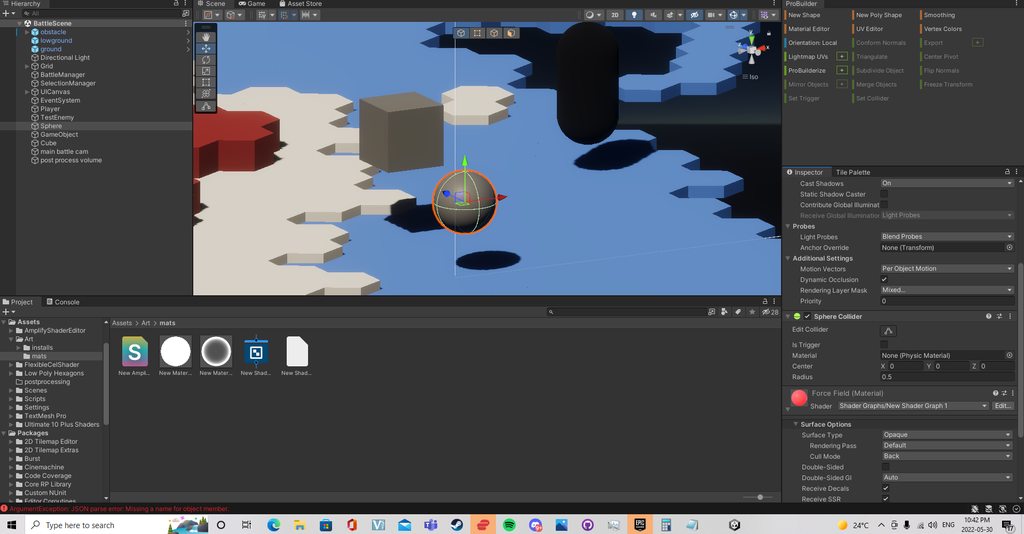
Hey so I am trying to apply a shader to this sphere but its not working no matter what I do I am using HDR pipeline in unity 2021.3.2.f1 anyone have any idea why it wont work? https://imgur.com/a/uJaRgRT
(see link above its an album)
I tested some shaders I downloaded and they worked so I dont know whats going on
 sterile spire
Does anyone have a viewmodel shader which uses custom projection matrixes which still works in the built in render pipeline
having a hell of a time trying to write my own
 amber saffron
hot island
Hey so I am trying to apply a shader to this sphere but its not working no matte...
amber saffron
hot island
Hey so I am trying to apply a shader to this sphere but its not working no matte...
The shader is probably working, but the emission value is not high enough to be visible with the usual very high light intensities of HDRP.
winter timber
regal stag
The graph itself doesn't allow compute buffers but afaik you should be able to u...
Oh my thank you so much!
 rough haven
is the TEXCOORD0 range i pass to the fragment shader between 0-1?
so when i output red only as the uv coords on X for instance
and it goes from black to red
thats 0-1 right
amber saffron
rough haven
is the TEXCOORD0 range i pass to the fragment shader between 0-1?
There is no range to this value appart from the float range
 stone tiger
Hey, really noob question but I have been trying for several hours now, I am trying to achieve a simple atmosphere around a cube like the image attached. It doesn't need to be volumetric, just a slow fade from the centre of the cube. Any pointers/tutorials?
 silk sky
echo flare
yea that seems straightforward, create a standard shader and sample a gradient w...
silk sky
echo flare
yea that seems straightforward, create a standard shader and sample a gradient w...
Sorry for late reply, could you please explain what noted should I use?
gradient and UV are not compatible
Nvm I solved with this, thanks for the suggestion!
 rough haven
is object space the same as screen space?
when i output POSITION as in the code screenshot, it gives me this


unless i use UnityObjectToClipPos, so im assuming object space and screenspace are the same thing?
white marsh
ok so im attempting to sample the shadows in a lit shader graph, but i cant figure out how to do it. i found this post but the custom node posted here gives me errors https://forum.unity.com/threads/urp-sampling-shadow-map-from-shader-graph.857581/
this is the node code:
 // returns 0.0 if position is in light's shadow
// returns 1.0 if position is in light
void Shadow_Attenuation_float(int lightIndex, float3 positionWS, float3 lightDirection, out float shadowAtten)
{
#if SHADERGRAPH_PREVIEW
    shadowAtten = 1.0;
    return;
#endif

    ShadowSamplingData shadowSamplingData = GetAdditionalLightShadowSamplingData();

    half4 shadowParams = GetAdditionalLightShadowParams(lightIndex);

    int shadowSliceIndex = shadowParams.w;

    UNITY_BRANCH
    if (shadowSliceIndex < 0)
    {
        shadowAtten = 1.0;
        return;
    }

    half isPointLight = shadowParams.z;

    UNITY_BRANCH
    if (isPointLight)
    {
        // This is a point light, we have to find out which shadow slice to sample from
        float cubemapFaceId = CubeMapFaceID(-lightDirection);
        shadowSliceIndex += cubemapFaceId;
    }

#if USE_STRUCTURED_BUFFER_FOR_LIGHT_DATA
    float4 shadowCoord = mul(_AdditionalLightsWorldToShadow_SSBO[shadowSliceIndex], float4(positionWS, 1.0));
#else
    float4 shadowCoord = mul(_AdditionalLightsWorldToShadow[shadowSliceIndex], float4(positionWS, 1.0));
#endif

    shadowAtten = SampleShadowmap(TEXTURE2D_ARGS(_AdditionalLightsShadowmapTexture, sampler_AdditionalLightsShadowmapTexture), shadowCoord, shadowSamplingData, shadowParams, true);
}
 echo flare
white marsh
ok so im attempting to sample the shadows in a lit shader graph, but i cant figu...
echo flare
white marsh
ok so im attempting to sample the shadows in a lit shader graph, but i cant figu...
you must name your function Shadow_Attenuation
white marsh
and where do i do that?
echo flare
graph inspector -> node settings -> name
its always the name of the function minus _precision
white marsh
ok now it just says this
 echo flare
is there more output in the console?
white marsh
only this
 echo flare
line 4 is #if SHADERGRAPH_PREVIEW should be #ifdef SHADERGRAPH_PREVIEW I believe
white marsh
that seems to have worked, and there are more errors in this code it seems

it doesnt like ShadowSamplingData shadowSamplingData = GetAdditionalLightShadowSamplingData();
echo flare
There's something hacky you need to do with keywords in node settings. Take a look at this video https://youtu.be/GQyCPaThQnA?t=622. otherwise the poster mentioned this keyword _ADDITIONAL_LIGHT_SHADOWS

✔️ Tested in 2020.3 & 2021.1
Do you have a material that doesn't look quite right in Unity's URP lit shader graph? Or would you like to experiment with stylized art styles with the convenience of the shader graph? In this tutorial, I show how to implement custom lighting, allowing you to solve both those problems. Afterwards, you could extend t...
white marsh
oki thanks, ill have a look
white marsh
ive tried the keywords and some stuff in the video nothing seems to work since its calculating custom lighting and im not getting it to work correctly. so i went back to the error which says it does not recognise the ShadowSamplingData struct which ive managed to locate in here https://github.com/Unity-Technologies/Graphics/blob/master/Packages/com.unity.render-pipelines.universal/ShaderLibrary/Shadows.hlsl#L132
so the only problem then is how do i give this node access to this? simply including it does not work. ive tried including include "Packages/com.unity.render-pipelines.core/ShaderLibrary/Shadows.hlsl" and "Packages/Universal RP/ShaderLibrary/Shadows.hlsl" since thats where its located in the files as far as i can tell.
i also found that the node was based on this: https://github.com/Unity-Technologies/Graphics/blob/master/Packages/com.unity.render-pipelines.universal/ShaderLibrary/Shadows.hlsl#L336
 echo badger
So I am trying to draw Texture2D textures using Graphics.DrawTexture(..), however they are small textures (16x16 and the like) and I want to draw them at like 100x100. Right now they show up as very blurry when doing this, and so I was wondering if there was a way to use a shader to make them more crisp?
amber saffron
echo badger
So I am trying to draw Texture2D textures using `Graphics.DrawTexture(..)`, howe...
Did you try first to change the filter mode of the texture ? https://docs.unity3d.com/ScriptReference/Texture-filterMode.html
 echo badger
amber saffron
Did you try first to change the filter mode of the texture ? https://docs.unity3...
echo badger
amber saffron
Did you try first to change the filter mode of the texture ? https://docs.unity3...
Yup
amber saffron
echo badger
Yup
And still blurry ? Ah, I was expecting this simple change to work :/
Then I guess that indeed trying out with a dedicated material is worth it.
Maybe the built-in unlit/texture shader would be enough
echo badger
amber saffron
Then I guess that indeed trying out with a dedicated material is worth it.
Maybe...
Yeah I thought it would work too.
It uses the built-in one by default. I don't quite know enough to know what I would need to do to prevent it from being blurry.
magic ravine
Any idea about how to make the truck infront of the objective marker
see how the green appears 'in front' of the truck
hot island
amber saffron
The shader is probably working, but the emission value is not high enough to be ...
Thank you so much! I will try to figure out how to do that now. Not seeing it as an option at all. ;_;
meager pelican
rough haven
is object space the same as screen space?
No.
And as a general rule, the vertex function must output a clip-space vertex with the variable that has the SV_POSITION semantic. So do that UnityObjectToClipPos thing for your variable "pos".
 wary horizon
can anyone help me here? Im pretty novice with shaders. im wanting to turn my gun Blue, but with a fresnel effect. What i currently have just turns my gun just green...


(its also just pitch black if im not standing directly in light. this didnt happen with standard lit shader)

basically i want my weapons to look "Frozen" if i enable that ApplyFrozenEffect bool
 grizzled bolt
wary horizon
can anyone help me here? Im pretty novice with shaders. im wanting to turn my gu...
grizzled bolt
wary horizon
can anyone help me here? Im pretty novice with shaders. im wanting to turn my gu...
Try to Add the fresnel color to MainTexture instead of Multiply?
wary horizon
there? or somewhere else? adding didnt change much, except i need a much higher intensity for the same effect
 grizzled bolt
wary horizon
there? or somewhere else? adding didnt change much, except i need a much higher ...
grizzled bolt
wary horizon
there? or somewhere else? adding didnt change much, except i need a much higher ...
No, that can remain as multiply but the right one might work better with add
wary horizon
is it normal for a lower intensity to yield a more blue colour?
Current look: (I reordered it to make it easier to read)

its just green-ish, and pure black if im not in a light still 😦 (and it looks horrible too)
 grizzled bolt
I assume your gun is reddish orange, so multiplying it by cyan or turquoise would make it something between black or green, and since it's the base color the color will be only visible in light
If you want a more glowy sheen that's certainly unaffected by base color, add the fresnel to emission instead
Also, I wouldn't use a negative Power for the fresnel effect
wary horizon
the gun by default is a grey-black
 grizzled bolt
It's not the intensity, but the exponent of the fresnel and probably gives you negative values
I'd try it with exponent of 1 or 2 and then see how it works when added to base color or emission
If you want to invert a fresnel or anyhing else, use the One Minus node
wary horizon
hey that is much better! Although its not really fresnel, if you feel me?

with the effect off, it is pitch black still, i've tried multipying the base texture with a color, but no change
wary horizon
I have fixed it all
meager pelican
wary horizon
I have fixed it all
If you want the effect to work "in the dark" you'll need emissive colors.
wary horizon
that makes it essentially unlit, which isnt what i want
i've fixed it anyway
actually, i havent fixed it. its still very dark without emissive colour, but emissive colour makes it unlit-esque, i dont want that. Does anyone know how to brighten the base map of a texture without using emissiong? multiplying it with white doesnt work.
this is my full graph
 meager pelican
wary horizon
actually, i havent fixed it. its still very dark without emissive colour, but em...
meager pelican
wary horizon
actually, i havent fixed it. its still very dark without emissive colour, but em...
Like @grizzled bolt said above, you could try ADDITIVE (adding it, not multiplying it). That would go into base color, not emission. But lighting will still impact it. One of your posts talked about not being lit by a light, so...then it won't be lit.
wary horizon
meager pelican
Like <@166982635950702592> said above, you could try ADDITIVE (adding it, not mu...
No change, here. here is a picture of the gun with my custom shader.

here is the same picture. but using Universal Render Pipeline - Lit

it should not be black, and i dont see whats causing it to be black
echo flare
idk what this game is, but why do you need an mp7 and a sword?
meager pelican
Multiplying a black (aka 0 color) by white won't do anything, because 0 times whatever is still 0. Or even a near-zero. Or whatever you have. And multiplying by white won't change it, because white is 1's.
What you CAN do is make it white or dark gray, not black. Then you multiply by whatever colors you want, but you add in some other value like an ambient amount for the light.
Should I assume you're in the built-in pipeline per your last post? If so, check lighting settings too, as they'll differ a bit from URP so you may be comparing different light setups. Or if you're in URP, the lit shader is taking into account additional things somehow, like environmental light that isn't being accounted for in your shader. Or you're getting zero's somehow somewhere in your calcs.
 drowsy linden
Okay I’m getting frustrated. I’m trying to make an intersection shader but it isn’t working quite right. Are there some examples for HDRP 2020+?
grand jolt

I'm trying to make this shader that lets me use the red/green/blue channels for different modifiers I can apply to a texture

the idea is to give lots of customization for basic textures like leaves

but its really really low resolution for some reason?

if I just hook up the blue input directly

it looks just fine, not low res at all
so whats going on?
is the "blend" node reducing the resolution???
if I swap it so that I am just using 1 blend instead of 3 in a row, then, it still comes out just as low resolution
drowsy linden
So I'm trying to get a simple shader that makes a gradient around whatever it touches. So far I've got this. It should be black around other objects, but it's not doing anything!

What's wrong
dim yoke
grand jolt
it looks just fine, not low res at all
so whats going on?
is the "blend" node re...
Blend is just very simple math under the hood, that doesnt seem like issue in shader graph at all (assuming your using single precision for all the math). Its most likely either texture format or compression thats causing the texture to have too low precision colors
grand jolt
dim yoke
Blend is just very simple math under the hood, that doesnt seem like issue in sh...
I wouldve thought so
Cause yeah blend should be pretty basic math
Its just weird that the texture appears great quality in one moment and bad quality the next, which tells me maybe it isnt the texture? I have no idea
dim yoke
grand jolt
I wouldve thought so
Cause yeah blend should be pretty basic math
Its just weir...
I dont quite understand how your shader works/what it does but still the issue doesnt seem shader related. Shaders can use single precision floats for all math which means they can use up to 7 significant digits which is quite massive amount considering your monitor can only display 256 different values per color channel. I dont think you can get that much of banding when doing math with single precision floats. Imo the texture has to be the problem (again assuming you use single precision nodes which you can check/set in the Graph Inspector)
grand jolt
dim yoke
I dont quite understand how your shader works/what it does but still the issue d...
ahhhh okay okay thats helpful information!! It might be the texture then. Thatll help me figure out what the problem is
meager pelican
Yeah, could be the texture. If that doesn't work, since you have 3 input channels, you can deal with the channels directly. In other words, use a split node. Then multiply the channels individually and combine them back. What I think you're after is basically:
result.rgb = float3(blendRed.r * baseColor.r, blendGreen * baseColor.g, blendBlue * baseColor.b);
which can be vectorized by putting all three blend values into one float3 and doing
result.rgb = baseColor * blendColor;```
right now you're blending 3 different float3's based on individual opacity settings with a multiply blend. But you have to realize that right now each blend is dealing with all three channels at the same time, and you're chaining the results together. I can't tell what your channel values are set to in the blackboard, but for example...for blending the blue channel, the input color should have 1's in the red and green parts otherwise it will alter those channels.
The math for the multiply blend per the docs is:
```void Unity_Blend_Multiply_float4(float4 Base, float4 Blend, float Opacity, out float4 Out)
{
Out = Base * Blend;
Out = lerp(Base, Out, Opacity);
}```
So you could use a lerp, but note that Opacity is a single float that gets applied to all channels. AKA it is the same blend for all of them.
Not quite sure what you're after. If your "channel" variables indicate how much of each color to have, what you really want is a "white/grey" input texture vectorized multiply for the 3 channels. I think. 2-cents. primal harness
I'm trying to recreate this simple shader in shader graph, but I'm confused as to why it's not working.
How do you do the equivalent of "discard" in shadergraph?
 kind juniper
I'm not sure you can discard pixels in shader graph.🤔
You could make a custom function node.🤷♂️
wary horizon
echo flare
idk what this game is, but why do you need an mp7 and a sword?
For slaying skeletons, of course
 neat hamlet
primal harness
I'm trying to recreate this simple shader in shader graph, but I'm confused as t...
neat hamlet
primal harness
I'm trying to recreate this simple shader in shader graph, but I'm confused as t...
alpha clipping
grizzled bolt
wary horizon
For slaying skeletons, of course
Did you have luck implementing our ideas for the freezing thing?
wary horizon
it all works fine, apart from its just pitch black
look at the last 2 messages i sent^ you can get to them by clicking the reply i did to bugbeeb
it looks fantastic with the "frozen" effect applied. just without it, its black (it gets brighter when i stand in light)
grizzled bolt
By my logic the base texture nor emission shouldn't get any darker than they already was if you Add fresnel to them
So was it like black or dark to start with?
wary horizon
no. i gave a comparison with unities standard Lit shader
it should look like that, without any custom effect
 grizzled bolt
What does the shader graph look like currently?
wary horizon
lemme boot up the project, gimmie 2 mins

(i have to step away for 30 mins, but i shall reply when im back)
grizzled bolt
wary horizon
As the very first thing I'd test how it looks with the emission input left empty and set to zero, so it basically has nothing but the texture in base color
Would it still be black?
 vernal island
Hello. I have a one problem. My friend told me I have different sharpness between "colors" on meshes created in Unity and XNA. What variable depends on? I was thinking normal and type of interpolation. Or can it be other problems?
 broken sinew
I am struggling and struggling with raymarching
I wanted to make a shader that works for both ortho and perspective cameras
So this is basically what I did:
broken sinew
in short - I modified standard ray origin and direction calculation like so:
- in vertex shader I calculate clip space of vertex (
o.vertex) - I create 2 points in clip space -
float4(o.vertex.xy, UNITY_NEAR_CLIP_PLANE, 1)andfloat4(o.vertex.xy, 1, 1)They should represent a ray that passes through a vertex. First one is on the near plane. Second -- on the far plane. - I project them back from clip space to object space by multiplying by the inverse
unity_MatrixMVP- those are respectivelyro(ray origin) andre(ray end)
then in fragment shader:
- I acquire ray origin simply from
ro.xyz(it should be a point on the near plane that the fragment lies on after perspective/ortho projection) - I calculate ray direction by doing
rd = normalize(re.xyz - ro.xyz)
and imo this should work when trying to get proper rays for both ortho and perspective
yet it only works for ortho

yet in perspective it behaves reaaaaally weirdly
it's both distorted and invisible from some angles
Does anyone have some idea why it would look like that or how to fix it?
also any tutorial in the web about raymarching focuses either on perspective (which doesn't work for ortho) by specifying ray origin as camera's position
or how to do it better
broken sinew

and the idea was that perspective frustum's corners in clip space are (-1,-1,UNITY_NEAR_CLIP_VALUE), (1,1,1), so:
go to clip space -> get ro and re in clip space -> go back to object space by inverse MVP matrix
and perspective works normally when I do
// in vert()
    o.vertex = UnityObjectToClipPos(v.vertex); // clip space
    o.cam_ro = mul(unity_WorldToObject, float4(_WorldSpaceCameraPos, 1));
    o.hitpos = v.vertex;

// in frag()
    ray.ro = i.cam_ro;
    ray.rd = normalize(i.hitpos - i.cam_ro);
i.e. use camera position as ray's origin
wary horizon
grizzled bolt
As the very first thing I'd test how it looks with the emission input left empty...
Hey! sorry i just got back to it. Completely disconnecting my emission nodes yields no change, so that plays no part in it
grizzled bolt
wary horizon
Hey! sorry i just got back to it. Completely disconnecting my emission nodes yie...
That's a very important clue that should prove that none of what we do in the emission calculations has anything to do with the problem itself
It suggests that MainTexture isn't assigned and is just defaulting to black
wary horizon
nono, you're not understanding
its not black it looks black because im standing where theres no light
wary horizon
wary horizon
But it should behave like the standard lit shader
i've made a video, one second
@grizzled bolt https://streamable.com/3jkguq could you watch this in its entirely please
 grand jolt
anyone know where to find an example of a shader using the parralax occulsion mapping node in urp?
like, there's this node, but I can't figure out where the outputs are suppoed to go
 grizzled bolt
wary horizon
But it should behave like the standard lit shader
grizzled bolt
wary horizon
But it should behave like the standard lit shader
It should if you give it the same properties
Your shader's occlusion and smoothness are 0 which are much lower than the lit shader defaults
Smoothness 0 removes all specular reflections, occlusion 0 removes all ambient light reflections
 nimble solstice
Hi, I've got a material that is hooked up via script to get a vector3 updated. Works fine except it seems like whenever the game runs the value gets saved. This probably wouldn't be a big deal but I'm using source control (git in this case, don't judge, its not up to me). So the material in question always gets marked as changed and git wants me to commit the new value. Is there a way to make this value not get saved when the game is run?
(The value in question is tied to player position)
I realize the easy answer is just to discard said file everytime I commit or add it to the ignore list but if eventually said shader/material actually needs to get changed, ignoring can cause issue
regal stag
nimble solstice
Hi, I've got a material that is hooked up via script to get a vector3 updated. W...
Maybe try resetting the value in OnDestroy method so it returns to the inital /default value when exiting play mode
nimble solstice
Well, another issue is its used as a post process feature, so its not directly attached to a gameobject
Is there a way to do something like OnDestroy but only for matierals?
Or would a materialparamblock be better to update the value (somehow)?
(so then I'm not directly futzing with the material values
Thank you as usual though @regal stag for your wisdom 😄
regal stag
nimble solstice
Well, another issue is its used as a post process feature, so its not directly a...
Is it a ScriptableRenderFeature? As that inherits from the ScriptableObject which also has an OnDestroy method according to the docs / scripting api. So may still be able to use that
nimble solstice
interesting! Thanks! I'll look into that more
 civic goblet
Hi, I've just started using code to adjust shader/material properties at runtime, so it's probably something silly - but I've got a problem where the code runs and I can see the material properties have changed in the inspector, but the appearance of the mesh doesn't update in the game or scene. Then, if I tweak any of those material properties directly in the inspector, suddenly all the changes get applied. Any suggestions gratefully received!
civic goblet
civic goblet
Hi, I've just started using code to adjust shader/material properties at runtime...
Wait, is that more of a scripting question than a shader question? 🤨
nimble solstice
Renderer.SetPropertyBlock() may be necessary
( @civic goblet )
Thought then again, maybe not. As you're modifying materials directly
civic goblet
nimble solstice
`Renderer.SetPropertyBlock()` may be necessary
Thanks, I've not seen that before so I'll take a look...
civic goblet
So Renderer.SetPropertyBlock() seemed promising, but unfortunately I still get the same problem: I can see in the inspector that the SetPropertyBlock code has successfully changed the property on each of the materials on the mesh (e.g. Receive Shadows becomes unticked), but the mesh carries on looking the same in game and editor (i.e. still receiving shadows). Could there be something else causing the game/inspector to not pick up the changes? (This is using URP, btw.)
regal stag
civic goblet
So ```Renderer.SetPropertyBlock()``` seemed promising, but unfortunately I still...
Some material properties might just be used by the ShaderGUI (and/or material property drawers) to set keywords. You'd need to enable/disable keywords manually if setting from code
civic goblet
regal stag
Some material properties might just be used by the ShaderGUI (and/or material pr...
Thanks! This seems to help - for example enabling/disabling the "_RECEIVE_SHADOWS_OFF" keyword successfully allowed me to alter the "_ReceiveShadows" property in the game. But I also want to change the "_Surface" property (to change between opaque and transparent). I thought the "_SURFACE_TYPE_TRANSPARENT" keyword would work, but it doesn't - nor does "_RENDER_PASS_ENABLED" or "_SCREEN_SPACE_OCCLUSION" (you can tell I'm just guessing now!). Am I missing something? (This is with the URP/Simple Lit shader.)
 bitter topaz
do you guys know how to enable two sided material ?
 regal stag
civic goblet
Thanks! This seems to help - for example enabling/disabling the "_RECEIVE_SHADO...
regal stag
civic goblet
Thanks! This seems to help - for example enabling/disabling the "_RECEIVE_SHADO...
The surface option likely changes a bunch of stuff. I'd look into the ShaderGUI files :
https://github.com/Unity-Technologies/Graphics/blob/master/Packages/com.unity.render-pipelines.universal/Editor/ShaderGUI/Shaders/SimpleLitShader.cs
https://github.com/Unity-Technologies/Graphics/blob/master/Packages/com.unity.render-pipelines.universal/Editor/ShaderGUI/BaseShaderGUI.cs
civic goblet
regal stag
The surface option likely changes a bunch of stuff. I'd look into the ShaderGUI ...
Thanks, @regal stag . That's a bit beyond my current level of shader experience, but it sounds like I'm going to need to understand it sooner or later, so I'll get back to the tutorials and try to get a better grasp of it...
meager pelican
nimble solstice
Hi, I've got a material that is hooked up via script to get a vector3 updated. W...
How do you update it?
Are you using renderer.material.set<something>()?
Or renderer.sharedMaterial.set<something>()?
or some other way?
One way to fix it all is to clone the material once, so you're not using the original asset database material, but rather using an internal-copy that you're changing.
meager pelican
https://docs.unity3d.com/ScriptReference/Renderer-sharedMaterial.html
It is not recommended to modify materials returned by sharedMaterial. If you want to modify the material of a renderer use material instead. But that would make unique instances of the material on each renderer (I think).
The thing is, that you may only want one single material that all renderers share access to. If this is the case, and you also want to modify the material, you have to do this yourself, by cloning the material to make that internal-copy that you use and set it on your renderers. So you'd set the renderer.shadredMaterial to be the internal temp copy, and modify the temp copy.
tall cliff
hellooo i ahve a bit of problem here,
i have here are sprites with shadow
back face left sprite
front face right sprite
the lighting seems to work perfectly with directional lights, but when i tried it with spot light and point light, the lighting gets messed up.
The back face doesnt behave the same way as front face.
i wonder how can i make the back face behave the same way with front face?

Shadergraph

 sage locust
I don't know what's messing up but my normal map seems to be looking... off... like almost exactly what it looks like when the wrong color space is used. which is funny, 'cause it looks great in blender with raw color...
 vocal lagoon
i've got a shadergraph question for yall
so i have an image with a custom material, but it becomes immune to UI mask components. i know how to do it in HLSL, but how could i add that functionality to shadergraph?
echo flare
vocal lagoon
i've got a shadergraph question for yall
so i have an image with a custom materi...
I don't understand the question, you want the material to be unaffected by the masking component? Then why apply the mask?
vocal lagoon
I want it TO be affected
so for example say i have a UI mask for a content window for a scroll view
because I'm using a material with a shadergraph shader it becomes unaffected by the mask. so i'm obviously needing to add something to in order for that to be recognized by the mask
i'm really dumb when it comes to shaders, i know just enough to be dangerous
echo flare
lol I think that's most people
vocal lagoon
tl;dr at work i was making a dynamic menu that auto populates buttons in a list, and we have a standardized button, but i noticed when i add these buttons to the list the parts with the shadergraph material ignore the UI mask. I made a default shader and tested it and the same thing happened. so if it's possible at all (and it should be cause it's just shaders) i should be able to modify the stencil or something like that
echo flare
are you using urp?
vocal lagoon
yes
echo flare
Idk if this is the right solution, but you can create a render object in the pipeline asset that tests the stencil buffer instead of a UI mask

Otherwise you might be stuck modifying the generated shader graph code
vocal lagoon
i can do this with shaders, that's not the problem
the thing is i can't just throw away the stuff that the actual shader programmer wrote 
echo flare
I don't believe there is a shader graph node for that
vocal lagoon

because i've done something similar in VFX graph. where i can output a mesh and use that mesh as a mask
i'm wondering if i can pass in like a shape or a UV and do the same
echo flare
What if you use a black and white texture that represents the mask and then multiply the color value with target texture
vocal lagoon
i would need it to come from rect transform values though
idk, i'll just give up for now lol
i appreciate the help
echo flare
I mean in theory you could procedurally generate the mask given a transform and then assign the value to a shader graph variable
 lapis lynx
hey guys! Quick question! I'm working on a color mapping shader that uses a mask with hard edges, since softening them would add more colors and throw unwanted results. The problem is that the output comes jagged as well. Is there any way to re-map the color mapped texture using bilinear sampling or to antialias it through shader graph efficiently?

in this photo we can see the jagged edges around the eyes and lips
 clever saddle
Hi,guys.I'm writting an outline shader.I searched for an tutorail on site.But I still didnt figure out why compare the "threshold" with the length of float4 of normal and depth.Here's the script

 unborn anchor
hey people. i've been digging into shaders lately, but am still new to everything, but there's a big question i am having.
what is the difference between a custom shader (e.g. created with shadergraph) and a custom pass?
(since a custom pass also requires a shader, and i've looked at multiple custom pass examples, i can't really tell what's the difference. i feel like anything in the custom pass examples i've looked at could be done equally well with just a shader attached to the objects ((except fullscreen passes of course)))
looking forward to some answers :D
echo flare
clever saddle
Hi,guys.I'm writting an outline shader.I searched for an tutorail on site.But I ...
I'm missing some context because the code above the fragment function is cut off, so I can't tell how the float4(normal, depth) is being used. Is it GetPixelValue? But you appear to be analyzing the surrounding pixel "values" of a target pixel, like a 3x3 grid with target pixel in the center. Based on the average "value" of those pixels you essentially write magnitude > threshold ? _EdgeColor : col . The function length returns the magnitude of a vector (a scalar) which is necessary because I'm guessing _Threshold is a scalar. Assuming GetPixelValue contains the return fixed4(normal, depth) that means you are looking for a significant difference between the normal direction of the pixel together with its depth. Normal is the direction it's facing and depth would be its view distance from the camera. Therefor you color the pixel with an edge color if the magnitude of this difference exceeds some threshold
 torpid void
I want to occlude everything behind my windows. So I tried to write a shader that would do that. I would place a window, then place a quad behind that window with the shader applied to it. Everything past that shader-quad should not be rendered. As you can see in the screenshot, it occludes the glass shader, and the glass pane behind that, but not the floor or wall.
I managed to get this to... somewhat work. But I need some help. It seems to occlude my other shader materials, but not my models..?

this is pretty much what I want to achieve: a quad with the masking shader applied to it behind my glass window, which occludes the 2nd glass window behind the first.

so it works, but it doesnt on the materials that it should work on.
nimble solstice
meager pelican
How do you update it?
Are you using renderer.material.set<something>()?
Or rende...
Yeah, atm I'm just doing a materialinquestion.SetVector("PlayerPosition", player.transform.position); essentially
What I'm doing now and seems to work so far is just put a OnDestroy that resets the vector in question back to Vector3.zero
I may just go with this for now though I appreciate the other information you gave me to think about @meager pelican
torpid void

Stack Overflow
I am trying to make some glass windows that are see-through but occlude everything behind them. The only thing that should be drawn behind these windows is a skybox.
My plan was to have a quad behind
 calm valley
If I have a shader with 2 feature variable
''' #pragma shader_feature FEATURE_1
#pragma shader_feature FEATURE_2
'''
if one of them is enable I need the world pos ( o.worldPos = mul(unity_ObjectToWorld, v.vertex); )
but if none of them is enable I don't require it.
is there anyway to do a or logic like this? #ifdef FEATURE_1 || FEATURE_2
is there any other way to do it
regal stag
calm valley
If I have a shader with 2 feature variable
''' #pragma shader_feature FEATU...
I think you can do #if defined(FEATURE_1) || defined(FEATURE_2)
But if the worldPos is unused it's possible that the compiler would ignore/strip that code out.
 glacial lantern
Hey, I want to make a grass shader. Should I scatter thousands of blades of grass onto my scene and then use a shader to make them wave in the wind or should I use a geometry shader to generate the blades on source geometry and then make them wave? The latter would be more cool and useable but is that computationally expensive?
meager pelican
glacial lantern
Hey, I want to make a grass shader. Should I scatter thousands of blades of gras...
Learn to write a grass shader for Unity engine. Generate grass from an input mesh using a geometry shader, and control the density using tessellation. The blades of grass use a random function for size and angle variation, and cast and receive shadows.
 tacit parcel
torpid void
so it works, but it doesnt on the materials that it should work on.
tacit parcel
torpid void
so it works, but it doesnt on the materials that it should work on.
Check your material queue, the occluder have to be rendered before anything you want to occlude
glacial lantern
meager pelican
https://roystan.net/articles/grass-shader.html
Thanks for the resource! So the geometry method is better?
 quick vessel
anybody know how to upgrade custom shaders to urp? The material converter doesnt a certain custom shader im using
(this one in particular)
 meager gust
I am trying to make a texture to go on a sphere to serve as a planet.
The planet from the front looks fine and what I want but from the sides & top, the texture is stretching. How do I fix this?


 grizzled bolt
meager gust
I am trying to make a texture to go on a sphere to serve as a planet.
The plane...
grizzled bolt
meager gust
I am trying to make a texture to go on a sphere to serve as a planet.
The plane...
The noises are 2D, using position as UV alone doesn't make them 3D
You would have to use Triplanar node to project them, or find the custom 3D noise nodes
meager gust
Can I use the noises as a texture for the triplanar node or do I need to recreate the nodes function myself?
 cosmic prairie
glacial lantern
Thanks for the resource! So the geometry method is better?
cosmic prairie
glacial lantern
Thanks for the resource! So the geometry method is better?
its better than sending all the blades of grass to the gpu
cosmic prairie
meager gust
Can I use the noises as a texture for the triplanar node or do I need to recreat...
you can use it

GitHub
Adds various noise generation nodes to Unity Shader Graph, including 3D noise nodes. - GitHub - JimmyCushnie/Noisy-Nodes: Adds various noise generation nodes to Unity Shader Graph, including 3D noi...
this would also work
meager pelican
glacial lantern
Thanks for the resource! So the geometry method is better?
Uh, meh. I mean, six of one, 1/2 dozen of the other.
The geometry-stage shaders are slower. Theoretically, you can generate it all with procedural geometry using just the vertex stage.
It's all too much to type in detail for a Discord post. But theoretically you can throw-verts at it using things like drawProcedural or drawProceduralIndirect... I seem to remember reading an article about how GPU manufacturers while defining the standards hated Geometry shader stages and claimed they weren't technically necessary. DrawProcedural "just" submits a draw call without any vertex or index buffers...you would compute them somehow in the vert() stage...but you CAN OPTIONALLY pass in an index buffer (compute buffer) if you want too.
Anyway geometry shaders slow things down too. The way for you to know for sure for your use-case is to benchmark both/multi options. Specifics matter. But if it works for ya, geometry shaders are pretty powerful because they emit geometry "the easy way".
Other methods have "clumps of grass" in mesh geometry and group them around, probably with GPU instancing. Somehow you have to generate lots of triangles with only a few draw calls, with a mesh full of triangles or with generated polygons.
 neat ibex
Anybody knows the best, or at least any way to have a shader both lit and unlit (depending on some arbitrary value like the texture's alpha channel)?
amber saffron
neat ibex
Anybody knows the best, or at least any way to have a shader both lit and unlit ...
- Make a lit shader
- For lit pixels, do as regularly
- For unlit pixels do this :
- Use emission as unlit color value
- Set albedo/base color to black
- Set smoothness, metallic and AO to 0
The other solution is to use two shaders with opposed alpha clip
neat ibex
thanks, i'll try it
i forgot to mention this is for URP
but i guess it doesn't matter
amber saffron
Yeah, similar, and even easier in URP 😄
neat ibex
works - thank you @amber saffron
rough haven
if by default shaders write to the depth-buffer, how come i can see through objects

when i make them transparent
regal stag
rough haven
if by default shaders write to the depth-buffer, how come i can see through obje...
You'll always see opaque objects through transparent ones because opaque is drawn first.
It may also be possible to see other transparent objects through it, as in the transparent queue, objects further away from the camera are rendered first, so blending is correct.
 young fog
Is there a way you can create a wireframe shader through shader graph? (Display the vertexes and the edges that connect them)
unborn anchor
afaik no. there's multiple possibilities to achieve it though.
1 - use a submesh with meshtopology.Lines
2 - pass a compute buffer with the vertices into shadergraph and use an SDF - line to draw the lines between the vertices
dim yoke
young fog
Is there a way you can create a wireframe shader through shader graph? (Display ...
I don't know about vertices, but you can take a look at this: https://catlikecoding.com/unity/tutorials/advanced-rendering/flat-and-wireframe-shading/Flat-and-Wireframe-Shading.pdf for one wireframe approach using barycentric coordinates
actually I just realized you wanted to do that in shader graph, I don't know if there's some things on that tutorial you can't do with sg
 fervent tinsel
@young fog I have to ask... what do you need that for?
I'm asking because that runtime debug tool probably already has wireframe renderer
young fog
I just wanted to make a cool little diorama thing where I showed the wireframe of the geometry
fervent tinsel
ah ok, so not for debug
young fog
it looks like I either have to go for shader coding or textures with shader graph
fervent tinsel
player wouldn't know about full topo in this case so it wouldn't actually need to be perfect wireframe
which would make the implementation easier too
young fog
I have a different idea that bypasses those weird stuff
just by using the wireframe modifier in Blender and figuring out an alpha shader thing to display that
meager pelican
young fog
I have a different idea that bypasses those weird stuff
It's not that hard to do with barycentrics. The thing is, for some reason I cannot fathom, modern GPU's all use barycentric coordinates but they don't expose them to the shaders. So getting barycentric data for the verts is often a PITA. One common (and easy) "cheat" is to stuff barycentric data into vertex colors and let it be interpolated across the polygon. So if you're not using vertex colors for anything else and not sharing verts or if you can use some other UV set to store the data, you can get easy access to barycentric info if you don't mind putting it into the model's data. You can do that in a c# script, or in a modeling program (I'd just do script if it was me). The article that @dim yoke gave above explains it. They use a different method (geometry shader) but the barycentric explanation is useful. And the other features are pretty cool, IMO, like variable line thicknesss, and dealing with aliasing.
young fog
think I'll be doing the texture approach
 violet badge

Does anyone know why the camera's depth texture has this strange white line going through the screen when getting close to objects?
it is not the closest point to the camera

even getting close to the terrain, there is still the white line
 astral isle
Is it possible to use a material as an input for another material?
glacial lantern
meager pelican
Uh, meh. I mean, six of one, 1/2 dozen of the other.
The geometry-stage shade...
Thanks, I am not sure really what you were saying since I sounded like you were comparing and contrasting Geometry Shaders with Geometry Shaders but besides that I see that the whole concept is complicated and I will look into it more!
 zinc tide
Hi, I have had a bug for a while regarding my URP shaders. My animated shaders do not update continuously in scene/game view unless I am holding right click in the scene view where it will work just fine. When I run the game, it works, and on occasions where I am dealing with reflections and such, in the scene view I get the current view of my camera flying around in scene view, but again, game view works fine when running. This might be pretty common, but I have found no answers.
 elder dust
Hi Guys, any suggestions on how to achieve similar "Depth" result (no need to be a wallpaper)

 patent yoke
i wanna change the format of my color from rgb to hsv, but the colorspace conversion node changes the color for some reason, what do i do?
 tacit parcel
elder dust
Hi Guys, any suggestions on how to achieve similar "Depth" result (no need to be...
tacit parcel
elder dust
Hi Guys, any suggestions on how to achieve similar "Depth" result (no need to be...
it's just gyro/accelerometer tracking, no need for particular shader I guess
 mental bone
zinc tide
Hi, I have had a bug for a while regarding my URP shaders. My animated shaders d...
mental bone
zinc tide
Hi, I have had a bug for a while regarding my URP shaders. My animated shaders d...
Its not a bug. From the scene view there is a button that opens a drop down. You want to select always refresh. Its off by default for performance reasons. https://docs.unity3d.com/Manual/ViewModes.html
rough haven
when we write shaders in unity, exactly at what point does the stuff we write come into play in the graphics pipeline

i assume vertex stuff is in geometry processing and the frag stuff is in pixel stage
thats why vertex code always comes first? 🤔
dim yoke
rough haven
i assume vertex stuff is in geometry processing and the frag stuff is in pixel s...
Exactly. Vertex shader decides where the triangles should be on screen and also defines the values that will be interpolated to the fragment shader and then rasterization happens automatically based on the vertex positions you define in the vertex shader. Fragment/pixel shader is then run for every fragment based on the rasterization
rough haven
dim yoke
Exactly. Vertex shader decides where the triangles should be on screen and also ...
is the graphics pipeline defined by the graphics api or game engine?
i know unity has a few
meager pelican
You've answered your own question. Game engine.
Although the GPU API has certain "stages" in it, some are programmable, like vertex and frag. Rasterization isn't programmable (although there's settings that impact it).
rough haven
i guess i did 😄
dim yoke
You can even make your own scriptable render pipeline in unity though i dont know how much control you have over certain steps and whats controlled by the graphics api
 woven patrol
elder dust
Hi Guys, any suggestions on how to achieve similar "Depth" result (no need to be...
woven patrol
elder dust
Hi Guys, any suggestions on how to achieve similar "Depth" result (no need to be...
Just check the phones rotation?
meager pelican
Parallax effect with "layers"...basically generating a 3D scene dynamically based on (like everyone said above) the gyroscope or maybe a fake-gyroscope (compass based).
Look into parallax effects for game scenes.
meager pelican
glacial lantern
Thanks, I am not sure really what you were saying since I sounded like you were ...
Contrasting geometry shaders with vertex shaders (no geometry stage).
meager pelican
violet badge
it is not the closest point to the camera
Huh.
I'm dubious about that assertion. But I suppose it depends on what view that is.
The depth info is encoded, so it isn't linear unless you output a linear result (decode it first).
meager gust
Is there a way to blend between 3 or more textures from 1 variable? For example, I have a float and when it is 0, it looks yellow and red. When the float value is 1 it is white and blue.
But when you go higher, say to 2 it becomes purple and green.

 wheat cliff
meager gust
Is there a way to blend between 3 or more textures from 1 variable? For example,...
wheat cliff
meager gust
Is there a way to blend between 3 or more textures from 1 variable? For example,...
you can use 2 lerp so that when the float is < than something you use 1 lerp otherwise the other one
 true current
 violet badge
meager pelican
Huh.
I'm dubious about that assertion. But I suppose it depends on what view th...
violet badge
meager pelican
Huh.
I'm dubious about that assertion. But I suppose it depends on what view th...
thanks for the reply. by decoding it do you mean using Linear01Depth?
sampler2D _CameraDepthTexture;
//float _ViewDistance, _Base, _Blend, _Invert;

fixed4 frag(v2f i) : SV_Target
{
  float depth = tex2D(_CameraDepthTexture, i.uv).r;
  fixed4 col = tex2D(_MainTex, i.uv);

  return depth;
}
ENDCG
(code right now)
 grand crown
How can I make a voronoi node end up looking like this?

 simple violet
Step node
meager pelican
violet badge
```
sampler2D _CameraDepthTexture;
//float _ViewDistance, _Base, _Blend, _Invert...
Yes, Linear01Depth() decodes it.
grand crown
simple violet
Step node
It doesn't come out as clean as I was hoping. Is there something I can do to clean it up, make it look more defined
simple violet
probably
 potent jetty
A question about shader graph. How can I ignore rotation of of an object? I mean changing the UV s to always be at world rotation not object
simple violet
insert world pos node into the texture node
grand crown
simple violet
probably
Real helpful stuff...
simple violet
k
 little widget
https://www.youtube.com/watch?v=dFDAwT5iozo
This is for the 3d shader. The 2d works real well but the conversion is demolished.
There are items not well documented. Too much talk and not enough verification.
And good luck searching for URP shockwave or ripple shaders that still work. I finally found gdb and this is all I could get to as an ending.
So I post what I have done to get some help. Not too much more has to be done but I am at a loss. And don't bother with the write up as it is incomplete, like as in no complete graph shown. And the other situation is Unity changes things and devs do not return to their previous work. Its been months since that last post. No answer on YT either. I get it. Life is consuming.

A shockwave shader graph (or shock wave shader graph) is a relatively simple effect, that can add a lot of pop to actions in your game.
Shockwave updated for 3D in my timeline video here: https://youtu.be/A5jl5RVEjqE
The reason I'm doing this tutorial at all is because someone commented on one of my YouTube videos requesting it. I bring this...
So please help and lets get a shock wave out there for the community to enjoy and please lets dismiss with the lectures, teachings, talkings and time vacuums.
There are very few who get to the point. At least this guy has no background music.
I have spent 6 days on this and I need help.
simple violet
what are you trying to acheive
little widget
A vector based shockwave. A shader material on an object.
This is so close but towards the end it is wonky.
Unity 2020.3.xxx
grizzled bolt
grand crown
How can I make a voronoi node end up looking like this?
You need a different type of voronoi function
The two things you need which the voronoi node doesn't do are to visualize distance to edge and to assign weight to the points before that so the edges become curved, then a step function can reveal edges as in your image
https://occupymath.wordpress.com/2018/04/12/voronoi-tilings-mathematics-serving-art/ This page explains why that works
I wouldn't be able to tell you how to implement that in SG though
 twin totem
How would i go about positioning a texture onto a sphere (my skybox) without stretching? Im using shader graph and im aiming to make a sun
that whole UV thing is weird when it comes to skyboxes i dont get it :<
echo flare
twin totem
How would i go about positioning a texture onto a sphere (my skybox) without str...
could use a cubemap, it's tricky to get the seams right though
twin totem
Well i have a gradient sky shader and i want to scroll a sun texture over it. When i try to its insanely stretched and it differs from position to position
 glossy palm
i want to make my game ***look ***as close as possible to the first monkey ball game
anybody got any ideas?


stuff like this
 lone bone
i have this texture (you can see it in the top left, its an arrow), but the preview shows it as just blank red?
 echo flare
glossy palm
i want to make my game ***look ***as close as possible to the first monkey ball ...
echo flare
glossy palm
i want to make my game ***look ***as close as possible to the first monkey ball ...
Is one of these images your game?
glossy palm
oh no, that's what I want it to look like, sorry i should havbe been more clear
echo flare
lone bone
i have this texture (you can see it in the top left, its an arrow), but the prev...
try Object space instead of tangent
lone bone
echo flare
try Object space instead of tangent
tried, did not fix it
echo flare
what do your texture import settings look like?
lone bone
 lone bone
echo flare
what do your texture import settings look like?
lone bone
echo flare
what do your texture import settings look like?
do i need to change the texture type?
echo flare
my guess is the preview does not support alpha values, so it grabs the pixel rgb color. ie float4(1, 0, 0, 0) ignore the 0 alpha and just displays (1, 0, 0).
echo flare
lone bone
do i need to change the texture type?


 lone bone
well, restarted unity and it fixed itself, so thats cool
lucid current
how can I have my outline material rendered on top of the terrain? so visible through the terrain.

 naive shuttle
Hey, I've found that Blender's shader graph is used for a lot of "procedural" materials, though I haven't found anything (or at least, not much) about these kind of materials in unity's shader graph. Is it possible, and does it look good? Or is the performance too bad when you use these "procedural" materials in Unity?
naive shuttle
Another question: why does the top of my material look so weird? I'm using a normal map and albedo. I've set the normal texture to Bump
 echo flare
because that's how the uvs are mapped. There are a couple ways to unpack the uvs for a sphere.
https://www.youtube.com/watch?v=Ecnw0AT5YUk.
https://blender.stackexchange.com/questions/84854/uv-sphere-unwrap-perfect-square
If you are interested in watching the full class
Get a Free Pass to all of our classes, where you can learn everything you need to know from scratch here. https://bit.ly/3q41qKd
Textures can be found here:
https://www.solarsystemscope.com/textures/

Blender Stack Exchange
Hello all i'm trying to do is get this sphere
to be unwrapped as a perfect square to fit into the image i've been playing around with the uv settings can't seem to figure it out if anyone here kn...
rough haven
when its interpolating between normals while data is passing through from the vertex to the fragment shader, what determines how many normals are there gonna be "inbetween"
echo flare
rough haven
when its interpolating between normals while data is passing through from the ve...
There's one for every pixel, are you looking for an equation?
rough haven
no just an explanation 😳
naive shuttle
echo flare
because that's how the uvs are mapped. There are a couple ways to unpack the uvs...
Oh well, the texture goes onto a cliff which... isn't a sphere, so it's fine... I think
echo flare
naive shuttle
Oh well, the texture goes onto a cliff which... isn't a sphere, so it's fine... ...
you can map the uvs however you'd like in blender using the uv editor
naive shuttle
Yeah well I've had terrible experiences with blender's uv's, and baking, so I'm not doing that @echo flare
echo flare
lucid current
how can I have my outline material rendered on top of the terrain? so visible th...
Assign a high enough render queue value, and it will be the last thing drawn to the screen https://docs.unity3d.com/ScriptReference/Rendering.RenderQueue.html
grizzled bolt
echo flare
Assign a high enough render queue value, and it will be the last thing drawn to ...
Does it work as an outline if it gets drawn after the object inside of it?
lucid current
what
is it me being not a native english speaker or may you alter layout of your sentence please?
regal stag
I doubt changing the render queue alone will change anything, since the outline is z-testing anyway
grizzled bolt
lucid current
is it me being not a native english speaker or may you alter layout of your sent...
It was not directed at you specifically, but rather I was doubting if drawing the outline material last would allow it to work as an outline
The inverted hull method relies on the inner mesh drawn after the outer mesh
I don't think there's any 'simple' way to make the effect work, you'd need stencil buffers or custom passes or something like that
lucid current
yes the backface culling works well but something works better. I've installed Quick Outline package and the creator has clear understanding of what to do and god bless him
lucid current
sorry for interruption, I know question was not for me
 next shadow
So I created a shader which has a dissolve effect on the material. Now in the preview when I alter the dissolve slider it works but in the scene view the material seems to disappear as soon as I alter the slider. Anyone can help me pls? thanks
 coarse blaze
Is it fine to have a shader with like.. almost 1k variants? From SG keywords, that is.
 kind basin
im making a mandelbrot shader but when i zoom in too much it gets pixelated
is there any fix for that?
hm ig thats just the float having reached its decimal place limit
im courious why are doubled not allowed in shaders?
dim yoke
kind basin
im courious why are doubled not allowed in shaders?
Thats obviously because most gpus doesnt support 64bit floats
 pale python
hey
I'm getting this error everytime i try to make an android buit ( quest 2 )
Error building Player: Shader error in 'FX/LightCone': undeclared identifier 'sampler_CameraDepthTexture' at line 72 (on gles3)

Compiling Vertex program with SOFTPARTICLES_ON STEREO_MULTIVIEW_ON
Platform defines: UNITY_NO_DXT5nm UNITY_NO_RGBM UNITY_ENABLE_REFLECTION_BUFFERS UNITY_FRAMEBUFFER_FETCH_AVAILABLE UNITY_NO_CUBEMAP_ARRAY UNITY_NO_SCREENSPACE_SHADOWS UNITY_PBS_USE_BRDF3 UNITY_NO_FULL_STANDARD_SHADER SHADER_API_MOBILE UNITY_HARDWARE_TIER1 UNITY_LIGHTMAP_DLDR_ENCODING
i have a simple test project i wanna buid for quest 2
is this room active ?
 wraith inlet
pale python
is this room active ?
wraith inlet
pale python
is this room active ?
you can just look at the timestamps of posts before yours to see how frequently people are posting here. Not as active as #💻┃code-beginner or #archived-code-general, but decent traffic

 simple violet
With invert colors
grand jolt
You need One Minus node
grand jolt
 violet sage
i need it to look like this
violet sage
i need it to look like this
try using a One Minus node
that flips whatever you feed into it
meager pelican
rough haven
when its interpolating between normals while data is passing through from the ve...
Did you get a sufficient answer, or do you want more info?
 shrewd coral
hello, If I wanted to start learning how to make shaders, where should I start? I know the basics of c# and that's about it, thank you.
tacit parcel
unity's shader manual would be good
wraith inlet
shrewd coral
hello, If I wanted to start learning how to make shaders, where should I start? ...
I really like this youtube channel: https://www.youtube.com/c/DanMoranGameDev
I also like Alan Zucconi's tutorials, though they're more like beginner++ or intermediate: https://www.alanzucconi.com/tutorials/
Cyan is a (super helpful and knowledgeable) regular here and has a great blog, plus a resources page with a bunch of different good recommendations on it: https://www.cyanilux.com/resources/
rough haven
meager pelican
Did you get a sufficient answer, or do you want more info?
yeah im still not sure
little widget
I am struggling with the data pipeline through the nodes in the vertex shader.
https://www.codinblack.com/vertex-manipulation-using-shader-graph-in-unity3d/
In this step where is the Y data coming from if the port is labeled G? Is Green the Y like in the scene window?

In this tutorial, we are going to see how we can manipulate the positions of the vertices of an object. Vertex manipulation allows us to modify the geometry of the rendered image.
I need to switch axis to Z.
mental bone
little widget
I need to switch axis to Z.
That node return the vertext position in object space. Meaning how far away it is from the objects pivot. R G B is X Y Z
little widget
Thats what I just came across. Kind of a ridiculus way to make up a new data naming scheme.

But your verification solidified my knowledge. Thanks.
RGB used to mean the color beams.
mental bone
little widget
RGB used to mean the color beams.
Gpus work with colors. Thats why
little widget
Correct but the UP data is Y not G. There really is not real correlation with the labeling. If I am working with Y then why call it green?
Its a strange labeling scheme.
It is what it is so I have to make the transition of thinking the colors for directions.
Vertexes are not colors though.
mental bone
little widget
Correct but the UP data is Y not G. There really is not real correlation with th...
The relation is the order. Accepted order is X Y Z, accepted order of color chanels is R G B. Hence red is x green is y and blue is z. Thats why the gizmos are such colors in every 3d software
 zenith shadow
Does anyone know the name of the shader used to render the Unity logo during the splashscreen?
I'm stripping it by mistake but I've no idea what its name is, so I can't put an exception for it.
meager pelican
rough haven
yeah im still not sure
Fairly short answer:
As you set values in the v2f structure for each vertex of a triangle, the GPU remembers them for that triangle. They're assigned to different interpolators...hardware that is used to smear their values...linear interpolation...across the triangle.
So the GPU really remembers all three vert's values for whatever is in the v2f, rasterizes the triangle, and computes for each textel what the value should be between those 3 saved v2f's for that particular textel. Conceptually. In reality it probably just knows about delta-change values and uses barycentrics. But however it does it, it "smears" the values across the triangle...whether they are colors or normals or world space coordinates or your shirt size.
If you check your GPU specs you'll see you have a certain number of interpolators. And there's a limit to the number of things you want to put into a v2f structure, and you want to try to pack the values into float4's.
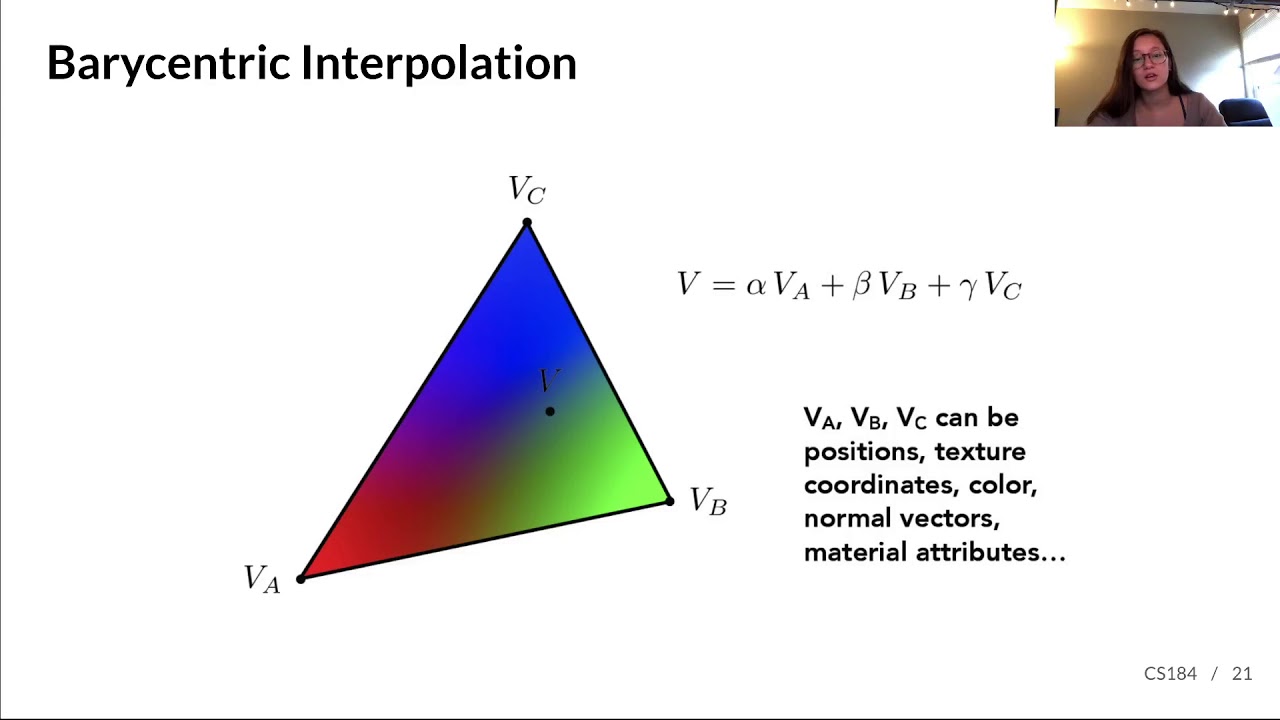
 lone marsh
 Properties {
     [PerRendererData] _MainTex ("Sprite Texture", 2D) = "white" {}
     _Color ("Left Color", Color) = (1,1,1,1)
     _Color2 ("Right Color", Color) = (1,1,1,1)
     _Scale ("Scale", Float) = 1

 _StencilComp ("Stencil Comparison", Float) = 8
 _Stencil ("Stencil ID", Float) = 0
 _StencilOp ("Stencil Operation", Float) = 0
 _StencilWriteMask ("Stencil Write Mask", Float) = 255
 _StencilReadMask ("Stencil Read Mask", Float) = 255
 _ColorMask ("Color Mask", Float) = 15
 }

 SubShader {
     Tags{ "RenderType" = "Transparent" "Queue" = "Transparent"}
     LOD 100

     ZWrite On

     Pass {
         CGPROGRAM
         #pragma vertex vert
         #pragma fragment frag
         #include "UnityCG.cginc"

         fixed4 _Color;
         fixed4 _Color2;
         fixed  _Scale;

         struct v2f {
             float4 pos : SV_POSITION;
             fixed4 col : COLOR;
         };

         v2f vert (appdata_full v)
         {
             v2f o;
             o.pos = UnityObjectToClipPos (v.vertex);
             o.col = lerp(_Color,_Color2, v.texcoord.y);
             return o;
         }


         float4 frag (v2f i) : COLOR {
             float4 c = i.col;
             c.a = 1;
             return c;
         }
             ENDCG
         }
     }
 }
How can I add transparency to this shader
kind basin
can i access an array thats in a C# script from a shader?
 normal bear
I'm writing/reading the stencil buffer to have the blue overlap sprite only outside the char sprite. However, it doesn't respect my alpha channel and takes a whole part outside my sprite too. How can I get it to do this?

Blend SrcAlpha OneMinusSrcAlpha
Stencil
{
   Ref 1
   Comp Always
   Pass Replace
}
 plush pendant
Anyone know why this is happening?
 kind basin
i have a 2d array (1920 * 1080) with colors in a c# script, how would i send them over to a shader to fill in the pixels? i tried using a normal array but it has a size limit of 1024
so what would be the best way to do this?
 stray orbit
I saw a demo of a unity project where the ground i think a plane or box had a texture that seemed to work like a quad tree.
It had detail when right below the player and the texture had less detail a few meters away from the player?
I was wondering if this is done with a shader or unity has some kind of LOD on it's own for this?
 hot isle
Hello everybody. I dont have access to shader graphs idk why. May be cuz my project doent include HDRP. Can u guys help me?


 hoary merlin
hot isle
Hello everybody. I dont have access to shader graphs idk why. May be cuz my proj...
hoary merlin
hot isle
Hello everybody. I dont have access to shader graphs idk why. May be cuz my proj...
Which version of Unity are you using?
hot isle
hoary merlin
Which version of Unity are you using?
I solve this problem. I installed Shader Graphs in Package manager. I cant find the "Install" button, cuz i got into stupid situation that package manager looks like its small window, but it shows only half of it

 pale python
hey
I'm getting this error everytime i try to make an android buit ( quest 2 )
...
pale python
pale python
hey
I'm getting this error everytime i try to make an android buit ( quest 2 )
...
could anyone help with that ??? I dont even know what to google
fervent tinsel
@hot isleif you have URP installed. you shouldn't manually install SG itself, it's installed automatically via dependency
hot isle
fervent tinsel
<@973267704742035496>if you have URP installed. you shouldn't manually install S...
tnx
 mighty depot
Hello guys, I tried bending a plane around the z axis. (picture 1)
But if I set BendAmount to 0, the plane vanishes. (picture 2)
I tried fixing it by multiplying the result but this gave me a water drop-shape. (picture 3)
Although BendAmount of 0 was looking how i want it to look like. (picture 4)
How do I get my circle shape back?
In picture 5 and 6 you can see my approaches in Shader Graph.
https://imgur.com/a/QWVuMVs <- press this link to see all pictures
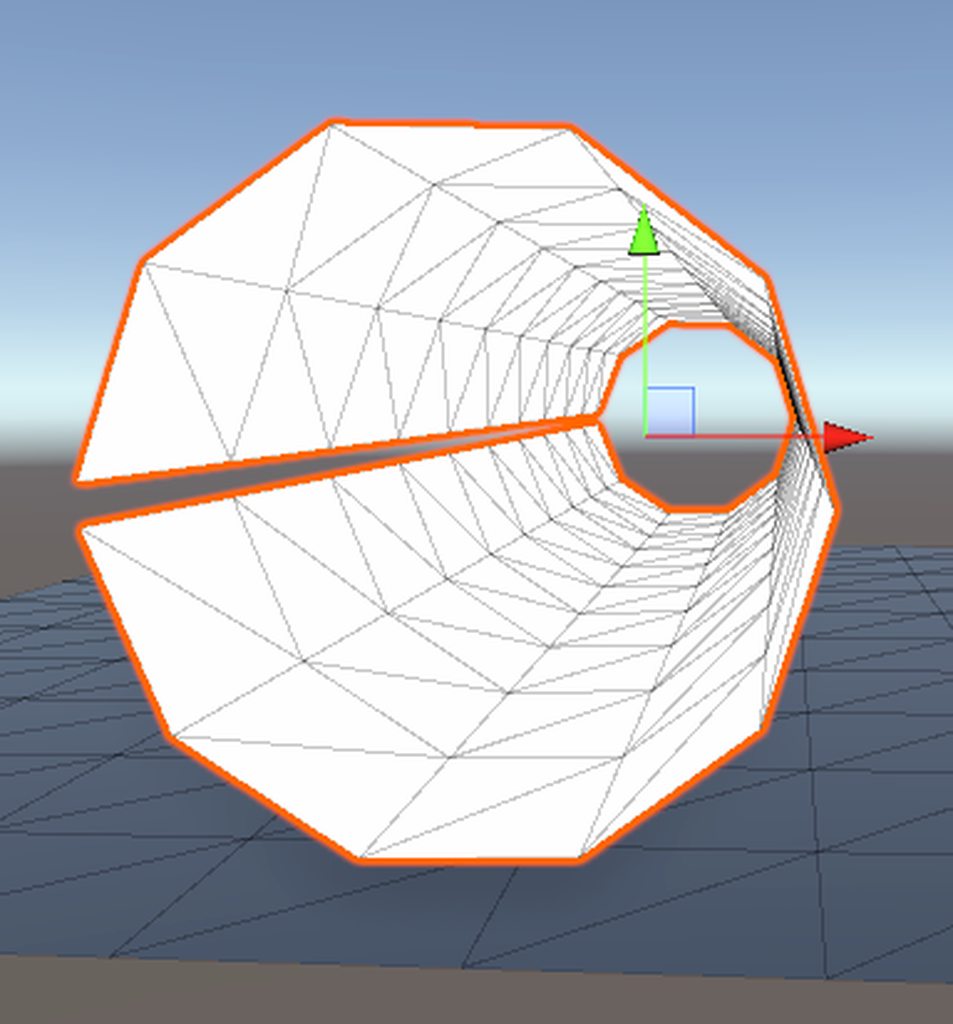 stray orbit
does shader graph have PI? somewhere
regal stag
stray orbit
does shader graph have PI? somewhere
Yeah, use a Constant node
stray orbit
ok, can i also somehow make a multiply node have more inputs than the standard 2?
mental bone
stray orbit
ok, can i also somehow make a multiply node have more inputs than the standard 2...
You dont. You hook the output into another multiply afik
stray orbit
ah ok, would be nice if we could because sometimes it becomes a bit big
broken sinew
oh god
OH GOD
I finally managed to get matrices right xD
after several days of painful trials and errors, I finally have a working, generic, shader code for raymarching in both perspective and ortho
broken sinew
broken sinew
I wanted to make a shader that works for both ortho and perspective cameras
this is now solved... but oh god what a trip it was -- both frustrating and educating!
 brave sable
Does anyone know if compute shaders clamp texture color values between 0 - 1? for instance if i set a pixel to 10 and i read it will it be 1?
broken sinew
broken sinew
this is now solved... but oh god what a trip it was -- both frustrating and educ...
in short:
// in vert do:
    o.vertex = UnityObjectToClipPos(v.vertex); // clip space

// in frag do:
// NDC from (-1, -1, -1) to (1, 1, 1)
    float2 NDC = 2. * i.vertex.xy / _ScreenParams.xy - 1.;

    float4 ro = mul(inv, float4(NDC.xy, UNITY_NEAR_CLIP_VALUE, 1)); // ray origin
    ro /= ro.w;

    float4 re = mul(inv, float4(NDC.xy, 1, 1));
    re /= re.w;
    float3 rd = normalize((re - ro).xyz); // ray direction

// and usual
    float d = castRay(ro, rd);
    //...
how to blend raymarched geometry with regular geometry in blender? should I write or rather read from depth buffer or what? I can;t find any help in the web :(
I have a mesh with raymarching shader, that basically tells me the world space point of the marched object
 unkempt mist
Does anyone know how I can make a shader to fill in a culled/open model? For example I want to set the camera cull distance really narrow so it only shows a thin slice of my model, then I want to make a shader that fills in between the object so it appears to not be hollow. I don't need this shader to be lit, it should be an unlit color only shader. Im not asking for someone to do it for me, but could someone point me in the right direction for how i would make it?
 rocky robin
guys i have a question, how can i get the dot product of the light direction with a vertex on a unlit shader?
trying to achieve something like this
 pale python
hey am I asking in thr wrong channel ? , I asked the same question yesterday but without any response from anyone.
I'm getting this error everytime i try to make an android buid in Unity 2019.4.36f1
Error building Player: Shader error in 'FX/LightCone': undeclared identifier 'sampler_CameraDepthTexture' at line 72 (on gles3)

Compiling Vertex program with SOFTPARTICLES_ON STEREO_MULTIVIEW_ON
Platform defines: UNITY_NO_DXT5nm UNITY_NO_RGBM UNITY_ENABLE_REFLECTION_BUFFERS UNITY_FRAMEBUFFER_FETCH_AVAILABLE UNITY_NO_CUBEMAP_ARRAY UNITY_NO_SCREENSPACE_SHADOWS UNITY_PBS_USE_BRDF3 UNITY_NO_FULL_STANDARD_SHADER SHADER_API_MOBILE UNITY_HARDWARE_TIER1 UNITY_LIGHTMAP_DLDR_ENCODING
I've opened the file and changed the mentioned line to to something I found over the internet ( cant recall now ) and that seems to have fixed the error.
but there was another one which I've tried to fix it, but I also read online that all those issues has been fixed in 2020+ unity versions , so i've upgraded to 2021.3.4f1 hopeing it would fix the error, but no
here is the other error.
 invalid subscript 'stereoTargetEyeIndex' at line 178 (on gles3)

Compiling Subshader: 0, Pass: Pass 0, Vertex program with STEREO_MULTIVIEW_ON
Platform defines: SHADER_API_GLES30 SHADER_API_MOBILE UNITY_ENABLE_REFLECTION_BUFFERS UNITY_FRAMEBUFFER_FETCH_AVAILABLE UNITY_HARDWARE_TIER3 UNITY_LIGHTMAP_DLDR_ENCODING UNITY_NO_CUBEMAP_ARRAY UNITY_NO_DXT5nm UNITY_NO_RGBM UNITY_NO_SCREENSPACE_SHADOWS UNITY_PBS_USE_BRDF2
Disabled keywords: INSTANCING_ON SOFTPARTICLES_ON UNITY_ASTC_NORMALMAP_ENCODING UNITY_COLORSPACE_GAMMA UNITY_ENABLE_DETAIL_NORMALMAP UNITY_ENABLE_NATIVE_SHADOW_LOOKU
I don't know much about shader coding, if know how to fix this please let me know, I appreciate it.
ty!
rocky robin
pale python
hey am I asking in thr wrong channel ? , I asked the same question yesterday bu...
with the first one you have sampler_CameraDepthTexture undeclared
possibly you didn't declare it other than in the properties field
pale python
rocky robin
with the first one you have sampler_CameraDepthTexture undeclared
Could you tell me more about how to declare it? ... i just got few tips online a long while ago, and I dont remember anything about shaders; I haven't worked on one for years!
rocky robin
pale python
Could you tell me more about how to declare it? ... i just got few tips online a...
really basic spaghetti code here but you see near my sampler2D? i suppose you're missing it there
 pale python
rocky robin
really basic spaghetti code here but you see near my sampler2D? i suppose you're...
pale python
rocky robin
really basic spaghetti code here but you see near my sampler2D? i suppose you're...
Thank you!!, I appreciate that!
rocky robin
let me know if it helped ^^
 night isle
rocky robin
guys i have a question, how can i get the dot product of the light direction wit...
night isle
rocky robin
guys i have a question, how can i get the dot product of the light direction wit...
what is it that you dont have? the light direction?
or maybe the vertex normal
rocky robin
well i can get the light direction by having the _WorldSpaceLightPos0, but after this i'm stuck
i've done this to try and split the texture, but i guess i'm being dumb somehow?
Shader "Unlit/Earth shader"
{
    Properties
    {
        _DayTex ("Day Texture", 2D) = "white" {}
        _NightTex ("Night Texture", 2D) = "white" {}
        _WaterTex ("Water Texture", 2D) = "white" {}
        _NoiseTex ("Noise Texture", 2D) = "white" {}
        _PickleRick ("Noise Texture", 2D) = "white" {}

        [Toggle]
        Noise ("Noise", Int) = 1
        [Toggle]
        Waves ("Waves", Int) = 0
    }
    SubShader
    {
        Tags { "RenderType"="Opaque"} Tags{"LightMode"="ForwardBase" }
        LOD 100

        Pass
        {
            CGPROGRAM
            #pragma vertex vert
            #pragma fragment frag

            #include "UnityCG.cginc"

            struct appdata
            {
                float4 pos : POSITION;
                float4 normal : NORMAL;
                float2 uv : TEXCOORD0;
                float4 col : COLOR;
            };

            struct v2f
            {
                float2 uv : TEXCOORD0;
                float4 color : COLOR;
                float4 pos : SV_POSITION;
            };

            sampler2D _DayTex;
            sampler2D _NightTex;
            float4 _NightTex_ST;
            float4 _DayTex_ST;

            v2f vert (appdata v)
            {
                v2f o;

                o.pos = UnityObjectToClipPos(v.pos);
                float3 worldNormal = UnityObjectToWorldNormal(v.normal);
                o.uv = TRANSFORM_TEX(v.uv, _DayTex);

                if( 1 - dot(_WorldSpaceLightPos0, v.normal) > 0.5)
                {
                o.uv = TRANSFORM_TEX(v.uv, _NightTex);
                }

                return o;
            }

            fixed4 frag (v2f i) : SV_Target
            {
            fixed4 col = tex2D(_NightTex, i.uv);
                if(tex2D(_DayTex, i.uv).b < 0.5 && tex2D(_DayTex, i.uv).r < 0.2 && tex2D(_DayTex, i.uv).g < 0.1)
                {
                    //col += tex2D(_DayTex, i.uv);
                }
                else{ fixed4 col = tex2D(_DayTex, i.uv);}
                // sample the texture
                //if (tex2D(_DayTex, i.uv).r)
                //{

                //}
                //else { col += (1,0,0,0);}
                //fixed4 col = tex2D(_DayTex, i.uv);
                return col;
            }
            ENDCG
        }
    }
}```am i doing it on the wrong spot? should i do it over the frag?
 lost garden
Hi is there anyone who can help me with a problem I have in unity
night isle
i think in vert
simple violet
rocky robin
am i doing it on the wrong spot? should i do it over the frag?
Look up the catlike coding tuts
night isle
maybe you wanna add a dotProduct property to your v2f struct?
assign it in vert and then use it in frag
rocky robin
simple violet
Look up the catlike coding tuts
thing is he is using surface shaders
i can't use surface shaders it really has to be an unlit one, since i need to do multiple passes on the same shader
meager pelican
rocky robin
well i can get the light direction by having the _WorldSpaceLightPos0, but after...
Those if's with texture read dependencies are going to kill your performance, I would estimate.
You already know how to do a dot product, it's in your vert function. So I don't understand your original question. Are you asking about the "best way to do a dot product" when you say "how do I do a dot product"? Because you're doing a dot product.
rocky robin
uhm it's not properly that
rocky robin
rocky robin
trying to achieve something like this
i'm trying to achieve this effect
i have a directional light source, and i'm trying to achieve the effect where the light hits the vertex it's day and where it isn't it's night (different texture)
meager pelican
OK. It's common to assign the surface normal in the vert. You may or may not get decent results on a sphere by doing the dot product in the vert. If it looks...uh...not per pixel...do it in the frag and pass the normal from the vert.
But...regardless....I think you're going to want to read BOTH textures for each pixel, then decide based on the dot product result if you want the day-result, or the night result. So something like
float3 resultColor = (dot(_WorldSpaceLightPos0, i.normal) < 0) ? nightColor.rgb : dayColor.rgb;
That's if it's in the frag().
Or substitute the passed value from the vert if that works.
You'd have done 2 texture reads before that.
rocky robin
i'll try the frag first, hm i have a question though the nightcolor is the texture right?
meager pelican
I'm not 100% sure what your textures look like, but I'm assuming that you'd do something like
fixed4 nightColor = tex2D(_NightTex, i.uv);```in the frag of course.
rocky robin
Shader "Unlit/Earth shader"
{
    Properties
    {
        _DayTex ("Day Texture", 2D) = "white" {}
        _NightTex ("Night Texture", 2D) = "white" {}
        _WaterTex ("Water Texture", 2D) = "white" {}
        _NoiseTex ("Noise Texture", 2D) = "white" {}
        _PickleRick ("Noise Texture", 2D) = "white" {}

        [Toggle]
        Noise ("Noise", Int) = 1
        [Toggle]
        Waves ("Waves", Int) = 0
    }
    SubShader
    {
        Tags { "RenderType"="Opaque"} Tags{"LightMode"="ForwardBase" }
        LOD 100

        Pass
        {
            CGPROGRAM
            #pragma vertex vert
            #pragma fragment frag

            #include "UnityCG.cginc"

            struct appdata
            {
                float4 pos : POSITION;
                float4 normal : NORMAL;
                float2 uv : TEXCOORD0;
                float4 col : COLOR;
            };

            struct v2f
            {
                float2 uv : TEXCOORD0;
                float4 color : COLOR;
                float4 pos : SV_POSITION;
                float4 normal : NORMAL;
            };

            sampler2D _DayTex;
            //sampler2D _WaterTex;
            sampler2D _NightTex;
            float4 _NightTex_ST;
            float4 _DayTex_ST;
            float4 result_ST;

            v2f vert (appdata v)
            {
                v2f o;

                o.pos = UnityObjectToClipPos(v.pos);
                float3 worldNormal = UnityObjectToWorldNormal(v.normal);
                sampler2D result = (dot(_WorldSpaceLightPos0, v.normal) < 0) ? _DayTex : _NightTex;
                o.uv = TRANSFORM_TEX(v.uv, result);


                return o;
            }

            fixed4 frag (v2f i) : SV_Target
            {
                //float3 resultColor = (dot(_WorldSpaceLightPos0, i.normal) < 0) ? _NightTex : _DayTex;
                fixed4 col = tex2D(_DayTex, i.uv);
                return col;
            }
            ENDCG
        }
    }
}```

ignore the dot product in the vert i was testing something outi was using sampler2d for the tex but lemme try your way
Shader "Unlit/Earth shader"
{
    Properties
    {
        _DayTex ("Day Texture", 2D) = "white" {}
        _NightTex ("Night Texture", 2D) = "white" {}
        _WaterTex ("Water Texture", 2D) = "white" {}
        _NoiseTex ("Noise Texture", 2D) = "white" {}
        _PickleRick ("Noise Texture", 2D) = "white" {}

        [Toggle]
        Noise ("Noise", Int) = 1
        [Toggle]
        Waves ("Waves", Int) = 0
    }
    SubShader
    {
        Tags { "RenderType"="Opaque"} Tags{"LightMode"="ForwardBase" }
        LOD 100

        Pass
        {
            CGPROGRAM
            #pragma vertex vert
            #pragma fragment frag

            #include "UnityCG.cginc"

            struct appdata
            {
                float4 pos : POSITION;
                float4 normal : NORMAL;
                float2 uv : TEXCOORD0;
                float4 col : COLOR;
            };

            struct v2f
            {
                float2 uv : TEXCOORD0;
                float4 color : COLOR;
                float4 pos : SV_POSITION;
                float4 normal : NORMAL;
            };

            sampler2D _DayTex;
            //sampler2D _WaterTex;
            sampler2D _NightTex;
            float4 _NightTex_ST;
            float4 _DayTex_ST;
            float4 result_ST;

            v2f vert (appdata v)
            {
                v2f o;

                o.pos = UnityObjectToClipPos(v.pos);
                float3 worldNormal = UnityObjectToWorldNormal(v.normal);
                //sampler2D result = (dot(_WorldSpaceLightPos0, v.normal) < 0) ? _DayTex : _NightTex;
                o.uv = TRANSFORM_TEX(v.uv, _DayTex);

                return o;
            }

            fixed4 frag (v2f i) : SV_Target
            {
                fixed4 dayColor = tex2D(_DayTex, i.uv);
                fixed4 nightColor = tex2D(_NightTex, i.uv);
                float3 resultColor = (dot(_WorldSpaceLightPos0, i.normal) < 0) ? dayColor.rgb : nightColor.rgb;
                fixed4 col;
                col.r = resultColor.r;
                col.b = resultColor.b;
                col.g = resultColor.g;
                return col;
            }
            ENDCG
        }
    }
}```For reasons that are complicated to explain, you don't normally want to have DTR's (Dependent Texture Reads...conditionals on what gets sampled) if you can avoid them. In this case we "just" read both of them.
rocky robin
rocky robin
```glsl
Shader "Unlit/Earth shader"
{
Properties
{
_DayTex ("Day...
only gives me the nightcolor
rocky robin
meager pelican
For reasons that are complicated to explain, you don't normally want to have DTR...
i suppose you're talking about the other code i sent with the vert dot product
meager pelican
IDK, I suppose, you had a bunch of if's...just do the two reads in the frag().
But also, in your vert you just posted....you need to assign the value to o.normal;
o.normal = UnityObjectToWorldNormal(v.normal);
rocky robin
meager pelican
IDK, I suppose, you had a bunch of if's...just do the two reads in the frag().
...
gives me this error

even though both are assigned as float 4
uhm wait
okie it worked
@meager pelican i can't thank you enough

meager pelican
Glad to help 🙂
rocky robin
ah i have 1 last question aside this one
meager pelican
k
rocky robin
let's imagine i want to make the ocean of the day part transparent, how could i achieve that? (that was the funky ifs i was doing before)

is the vertex color the same as the texture or do i need to go around it?
meager pelican
vert color is different than the texture read at the uv.
meager pelican
meager pelican
Fairly short answer:
As you set values in the v2f structure for each vertex of a...
See my post here ^^
Vert color is "just" another value smeared across the triangle, as defined by the 3 vert results and the barycentric cooordinate of the textel/pixel.
rocky robin
so if i want to make that part transparent i need to go for that exact UV position right?
meager pelican
What's the day texture look like? Does it have ocean bottom in it? Or blue?
 meager pelican
rocky robin
so if i want to make that part transparent i need to go for that exact UV positi...
meager pelican
rocky robin
so if i want to make that part transparent i need to go for that exact UV positi...
Yes to this...you can't do it in the vert as it is a per-pixel result. The vert only executes for the 3 "corners" of the triangle, the rest is interpolated in the v2f. So we read pixel values from the textures in the frag.
meager pelican
rocky robin
just blue i suppose, no bumps or anything
So if you take out (ignore) the blue, what will you put back in its place?
rocky robin
meager pelican
So if you take out (ignore) the blue, what will you put back in its place?
either another texture, or just empty
literally just rendering the continents / land mass
meager pelican
OK, let's talk about masking.
Those textures are opaque. So they don't need an alpha value.
BUT...we can use that to our advantage.
We can "stuff" a mask into the alpha of one of the textures.
So we can tell "ocean" from "not-ocean".
So we'd put a 1.0 anywhere that there is land/ice/not-ocean, and a 0 where it is ocean.
Then we only have to test the alpha value of the result we already have to see if it is ocean or not. But this requires you to use an image editing program and edit the alpha channel of the texture.
But it won't require additional texture reads on the GPU, so that's better.
rocky robin
uhm but let's say, i can't add one, i would need to check pixel by pixel to see if it's blue or not right?
but would i need a different pass to achieve it?
meager pelican
Yes. And you'll probably need a range of values.
No, same pass can tell.
rocky robin
so i would need to check the uv pos, how can we do it? I'm aware that uv doesn't have .pos so 
or is (if uv.b > 0.1) for example enough? i guess that would check all the blue areas
meager pelican
What? No...uv is a texture coordinate. You want the resulting color. AKA ...."Check dayColor for blue". That's if you don't use an alpha mask.
rocky robin
sorry i'm dumb, you're right 
meager pelican
So ...you'd check if (dayColor.b >0.5 && dayColor.r < 0.1 && dayColor.g < 0.1)...idk if that really works BTW, but it's an example. You'll have to check the color values of your texture.
rocky robin
yeah but that would strip all my blue maybe
uhm what if i check the uv coords? wasn't there a way to check the uv coords on the mesh?
meager pelican
Why can't you edit the alpha? Are you not allowed to change the texture for some reason (like you're doing a mod, and can't change it?)
rocky robin
yes, it's a school project per se, and i can't use other tools to edit the alpha channels or any of the other images
meager pelican
Here's an alpha mask for the texture you posted above:
(Deleted, he can't use it)
can you ADD that texture, or no?
rocky robin
an extra texture? sadly no
meager pelican
OK, then you want to calculate that texture as a result of the existing daytime texture. So we're back to an if statement test with a boolean result.
 dim kettle

Hi guys, I have this z fighting (I think?) problem, do you know any easy ways to solve this ? I use urp, thanks :))
 shadow locust
dim kettle
Hi guys, I have this z fighting (I think?) problem, do you know any easy ways to...
shadow locust
dim kettle
Hi guys, I have this z fighting (I think?) problem, do you know any easy ways to...
Can you show or explain what it's supposed to look like?
dim kettle
Sorry for not being clear, I want the boots to show over the pants
shadow locust
It seems like... they do?
dim kettle
Yeah but not at the top
shadow locust
Or at least I don't see any part of the pants showing over the boots
 meager pelican
@rocky robin I'm going to hit the hay, think about it all.
@dim kettleif you must have both textures/meshes displayed, you have to move one or the other slightly. You can do that in the vertex stage, I think you can do it with shader graph. But I don't SG much because I find myself asking irritating questions like "Can I do this in the vertex stage with Shader Graph?"
Or you can display only one of the two. Try drawing the clothes one first while setting a stencil, probably with alpha clipping, and then draw the skin one if there's no stencil. But shader graph doesn't support stencils yet.
shadow locust
dim kettle
Is there anyway I can say to the boots to alway show on top ?
Can you explain what we're looking at?
Is this a single MeshRenderer? Multiple MeshRenderers?
dim kettle
shadow locust
Can you explain what we're looking at?
Is this a single MeshRenderer? Multiple M...
Its multiples SkinnedMeshRenderer, one for the body, one for the hips (pants) and another for the feets
When I put the shader transparent it solve my problem but I dont want them transparent haha
rocky robin
meager pelican
<@183693693142827008> I'm going to hit the hay, think about it all.
<@4399249358...
talking about stencils, couldn't we use one to do what i was looking for?
and good night and once again ty! ^^
meager pelican
rocky robin
talking about stencils, couldn't we use one to do what i was looking for? <:Thon...
You don't need to, you can have the result inline....because you have to check the color, because you can't modify the textures, and they're opaque. So you can't use alpha clipping either. So you don't have a way to discard the pixels automatically, so you have to check the colors...and once you do that, you have the result and don't need a stencil.
tall cliff
anyone knew how can i build faster?
this part right here, will take me 30 mins to finsih the build, that was yesterday when i tried to build.

 plain urchin
Hi al
I'm getting Shader warning in 'Bakery/Example shader with Normal Meta Pass': Both vertex and fragment programs must be present in a shader snippet. Excluding it from compilation. at line 49 from a fresh import of Bakery to a fresh unity project
Only happens with unity 2021.3.x, and doesn't happen in 2020.3.30
Is this a known bug?
kind juniper
plain urchin
Hi al
I'm getting `Shader warning in 'Bakery/Example shader with Normal Meta Pas...
Might want to contact Bakery support. Perhaps their example shader is outdated/broken.
plain urchin
Actually the line is #include"Bakery/BakeryMetaPass.cginc"
I added Assets/ and error's gone
So i guess this is different in 2021.3?
kind juniper
Perhaps.🤔
plain urchin
Im looking at several unity version known issues/fixes and these "include file not detected/header/line endings" gets mentioned, and there were even bug report (but none from 2021.3.x) that says it's fixed (in 2020.3.x and 2021.x but not .3)
Idk what's the deal in the latest version regarding shaders, i'm not a shader guy at all (exactly bcoz of this reason, unity shader breaks every other version..)
plain urchin
#include "Assets/Magic Lightmap Switcher/Editor/Dependent Resources/Shader Sources/Standard/MLS_Standard_Common.cginc"
I don't get this tho, why is this necessary in 2021.3.x ?
Is there like an option to enable relative path that is somehow turned off in my project, or off by default in 2021.3?
 chilly ocean
Hey, does anyone know of a way to group properties using shader graph? For some reason it's totally eluding me.
(What I'm aiming for is something like the Surface Options menu here)

 little marlin
chilly ocean
(What I'm aiming for is something like the Surface Options menu here)
little marlin
chilly ocean
(What I'm aiming for is something like the Surface Options menu here)
try this

click on parameters, then follow the instruction as shown on screenshoot
chilly ocean
Oddly, the category option isn't showing for me even when I have multiple inputs selected. Could that be because I'm in vertex/fragment mode?
little marlin
whats your current unity version ?
chilly ocean
2021.1.15f1
little marlin
it should be there, i used 2021.3, maybe check the shader graph version ?
little marlin
i dont know if version 11 already include categorize feature, but i use 12.1 version
chilly ocean
According to the package manager, 11 is the latest version, even after refreshing. Maybe there's a version gate?
Ah, it appears there was. I'll try a new Unity installation and see if that fixes things.
little marlin
there you go, yeah try to update if you could
fervent tinsel
@chilly ocean you don't update SRP packages manually anymore via PM.. they ship with the engine now.. so basically to update to newer version means you update Unity to newer version
wouldn't recommend using 2021.1 at all today, it's unsupported by unity
meaning whatever bug you find there, Unity won't fix it
 sudden quartz
I am creating a shader that acts as a mask, preventing objects behind the object with this shader to appear (technically, im remixing an existing shader into my own). I succeeded, but it works way too well: it masks anything with a render queue bigger than the mask material, including even the skybox if you set the render queue to 2500 or less.
I wanna know how could i possibly make so the mask only affects specific objects. Otherwise, i would like to know if there's another way to make what i want
Shader code: https://paste.myst.rs/kyahp0ll
unkempt mist
unkempt mist
Does anyone know how I can make a shader to fill in a culled/open model? For exa...
Just an update to this; maybe I can use a mask of some kind to mask what geometry shouldn't be showing and then apply the mask as transparency?
rocky robin
Really straightforward question, is there a way to make multiple passes in a surface shader? i'm actually wondering if this would be possible to do
regal stag
rocky robin
Really straightforward question, is there a way to make multiple passes in a sur...
The surface shader documentation does mention it "must be in SubShader and not Pass" blocks, but there are also answers in this thread that suggest it still works. https://forum.unity.com/threads/achieving-a-multi-pass-effect-with-a-surface-shader.96393/ (though some quite old)
Could try it out and see
If not, an alternative may be to use multiple materials on the MeshRenderer
regal stag
sudden quartz
I am creating a shader that acts as a mask, preventing objects behind the object...
If you need to mask only specific objects, could look into Stencil. https://docs.unity3d.com/Manual/SL-Stencil.html
You'd need Stencil operations on both the mask shader, and any shaders that should be masked. And be sure to render the mask first.
e.g. https://www.ronja-tutorials.com/post/022-stencil-buffers/
sudden quartz
regal stag
If you need to mask only specific objects, could look into Stencil. https://docs...
i do remember hearing about stencil before, didnt know about the utility. thank you very much for shining a light on me 👍
cant wait to modify ten shaders to have them working the mask
little widget
Is it possible to move the vertex position along the normal? This would show bulging. What would be cool is have a larger mesh be bulged by a smaller mesh of image. Like moving a square around a sphere perimeter.
little widget
This is moving vertexes up on top and bottom. I need the bottom to move down.
 rocky robin
regal stag
If not, an alternative may be to use multiple materials on the MeshRenderer
rocky robin
regal stag
If not, an alternative may be to use multiple materials on the MeshRenderer
actually the point was only using 1 shader, I asked that since i was trying use Cull or another technique that would allow me to see inside

but if i use Cull Off or Cull Back, the front will disappear which is not the objective
lone bone
im trying to use a material as a skybox, but it just turns the sky black, how do i fix this

the material is one from unitys asset store
 little widget
I found the new node:
 next lintel
hi guys, anyone know if the asset "all in 1 sprite shader" supports trail renderers/mesh renderers materials as well?
knotty juniper
lone bone
the material is one from unitys asset store
what shader does the material use?
what renderpipeline are you using ?
lone bone
knotty juniper
what shader does the material use?
what renderpipeline are you using ?
Skybox/Cubemap
URP
knotty juniper
lone bone
Skybox/Cubemap
URP
the Skybox/Cubemap shader should work in URP
can you show the inspector of the material that is used ?
lone bone
knotty juniper
the Skybox/Cubemap shader should work in URP
can you show the inspector of the m...
you mean this?
 knotty juniper
lone bone
you mean this?
knotty juniper
lone bone
you mean this?
interesting that looks like it should
what background type is set on your camera?
lone bone
knotty juniper
interesting that looks like it should
what background type is set on your camera...
Skybox
knotty juniper
sorry not sure what is going on with that
it tryed to recreate your setup and it works fine for me so far
lone bone
knotty juniper
sorry not sure what is going on with that
it tryed to recreate your setup and i...
what unity version are you on? im on 2021.3.4f1
knotty juniper
lone bone
what unity version are you on? im on 2021.3.4f1
2021.3.1f1
knotty juniper
does it work with a different qubemap asset?
lone bone
no, it doesnt work with anyhting i put into it
lone bone
knotty juniper
so i just import this into my project?
knotty juniper
yes and open the SkyboxTest scene
lone bone
knotty juniper
yes and open the SkyboxTest scene
black
 lone bone
thats what im wondering
knotty juniper
if you have a default cube in the scene does it render propperly ?
lone bone
knotty juniper
if you have a default cube in the scene does it render propperly ?
but uhh
by render properly

the cube is fine, but it leaves an after image
im assuming cuz the background is broke
its like a solitair end screen
knotty juniper
can you check the the background type again on the camera?

the same result usually is when it set to uninitialized
are there multiple cameras?


 knotty juniper
can you search in the hierarchy for:
t:camera
lone bone
 knotty juniper
ok
that starts to look like a bug with your GPU / driver
have you tried restarting unity or / and your PC
knotty juniper
😧
meager pelican
rocky robin
but if i use Cull Off or Cull Back, the front will disappear which is not the ob...
Cull off shouldn't make anything disappear in and of itself, since culling is off. BUT...depth testing might still be on, and that could cause pixels to not render for some things if the front got rendered and wrote to depth, and the back tested depth.
broken sinew
Just an update to this maybe I can use a
lean lotus
Is there a way to get timing data for individual compute shader kernels or at least get their name? instead of just getting the profiler saying "Yeah this compute shader took X ms, which kernel did though out of the 8 kernels? idk"
tacit parcel
lone bone
try switching background type to solid color, if it fixed the problem, then the problem might be the sky texture it self
mighty depot
Hello guys, I tried bending a plane around the z axis.
But if I set BendAmount to 0, the plane vanishes.
I tried fixing it by multiplying the result but this gave me a water drop-shape.
Although BendAmount of 0 was looking how i want it to look like.
How do I get my circle shape back?
https://imgur.com/a/QWVuMVs <- pictures of what I've done
amber saffron
mighty depot
Hello guys, I tried bending a plane around the z axis.
But if I set BendAmount ...
I'm a bit busy to figure it how right now, but to have the "bending" effect that goes from a plane to the cylinder, you need to keep track of the original y position also.
Maybe approach it like if bendamout=0 is an infinite radius circle, and higher the amount, smaller the radius.
mighty depot
amber saffron
I'm a bit busy to figure it how right now, but to have the "bending" effect that...
I see what you mean, I'll give it a try
serene creek
Hello, anybody knows if there is a shader that can add thickness to a double sided object? Similar to how extrude shaders work but this will add some thickness to the edges. One use case would be clothes where you use a 2 sided layer but if you look at the edge it doesnt have any thickness. Im wonder if a shader would help me with this.
Thanks
amber saffron
serene creek
Hello, anybody knows if there is a shader that can add thickness to a double sid...
I don't think this is possible with shaders, as what is missing is the edge geometry.
It could be faked by using a shader that renders the back and front faces in separate passes ,also does a "push" on the vertices to add thickness and fills the inside with a flat color, but I think this is way to much hacky
serene creek
amber saffron
I don't think this is possible with shaders, as what is missing is the edge geom...
Thanks, I thought it would be easy and do something similar to extrusion and POM shaders
 nova kindle
Hey all, I was wondering if any one can help, I am trying to re use the Digital human eyes in my Character, So the eyes are the same Geometry and the same UVs but when I apply the material to my character which are the same as the digital human mesh the material goes red. any one got any idears

 tough timber
Hi all, I'm working on a HDRP project and I'm using shadergraph and vfx graph to make some simple FX.
We're looking at using HDRP volumetric fog, however I've found that when I'm using a shader on a vfx graph effect that has something plugged into the alpha channel, it renders black when the camera is far away in fog.
Its hard to tell it from the picture but on the right I've got the same particle but without anything going into the alpha channel in its shader and it reacts as expected to fog.
Is there any way I can get a vfx graph shader to react to fog as you'd expect: disappearing when the camera is far away and re-appearing when closer?

 near current
Hya. Im using ShaderGraph to make a billboard shader (URP) for trees. The billboarding itself is working nicely, its rotating the billboard towards the camera, always keeping the Y axis pointing in the orignal direction (up) etc.. Now I'm trying to rotate the Normal so the billboard has the correct lighting After rotating. How do I get a reference to the direction of the (only) directional light in the scene?
Rotating the UV itself is working, I just need to give it a float value. So cross product between camera and light pos?
regal stag
near current
Hya. Im using ShaderGraph to make a billboard shader (URP) for trees. The billbo...
You can use a Custom Function to obtain the light direction in URP. (specifically, Out = GetMainLight().direction)
I've also got some subgraphs here : https://github.com/Cyanilux/URP_ShaderGraphCustomLighting
 brazen mica
I'm using triplanar shaders and the light seems to react weirdly when touching.


Light works upon the walls.
grizzled bolt
brazen mica
I'm using triplanar shaders and the light seems to react weirdly when touching.
Sure your normal maps are actually normal maps?
brazen mica
but it doesn't like the ceiling or the floor
brazen mica
grizzled bolt
Sure your normal maps are actually normal maps?
they're not
I just copied the texture until I convert the textures into normal maps. Idk if that's the issue though since it seems to work with the walls
grizzled bolt
That does look to be the issue
brazen mica
I will test that
now can I just go to an online converter to get normal maps for certain textures?
grizzled bolt
If you don't want to use a normal map, don't assign any and set the texture property to default (or "mode" or something) to "normal" I think it was
You can convert them any way you wish
Either way using a map as a normal map that doesn't have valid normal data will mess up the lighting
brazen mica

how's this
well it def worked for texture
but the lighting is still wonky
I have a feeling it has to do with the shader mapping stuff

should I send the triplanar shader graph I'm using
grizzled bolt
The imported texture needs to be of type normal map and iirc it also needs to be marked as normal map when you sample it as normal map in SG
grizzled bolt
brazen mica
This is better than what you had before, but it looks like it's in directX standard and inverted
brazen mica
alright so
grizzled bolt
Meaning the red channel is inverted
Though I'm only judging by eye
brazen mica

the line issue is fixed but the texture is now brown for some reason?
I changed the image type to normal map like you suggested
grizzled bolt
Could be a lot of things happening there
brazen mica

well the preview looks ok
ah i fixed it
thank you so much for helping with the line issue
nvm

for some reason it just doesn't like point lights
nvm, it doesn't like it for all types of light
works fine on everything but ceiling
 rocky robin
Hey guys, I'm using a vert and frag shader on unity and i'm trying to add shadows to it, but for some reasons when I do it, it does cast the shadow but the texture gets fully black, does anyone know why?
i'm using 2 passes 1 for the texture (first one) and the 2nd one for the shadow casting
Nevermind i just found the error
 smoky wind
new here, don't know if this is the best channel, but how would i hook up unity based textures to a blender principled bsdf?
normal maps are red and no amount of separating and inverting things seems to correct things (+alpha channel)
specular has alpha too (and i think has a light amount of color values? but it might just be compression)
game specifically is rec room
i've kind of figured out those 'color coded texture = specific colors on model' but i still think i haven't gotten it nailed yet
 rancid lantern
Hello, I made a model in blender from a plane and then added it to the Unity, and because you can see mesh only from one side it looked kind of bad, so I looked in the internet
and found "Cull off", but i have not learned shaders yet, so when i pasted it to standart shader, my resently transparent meshes turned white instead of material color, so can you please say how to fix this, because I can't find the solution?
 sage acorn
I have a custom shader made in shader graph that I have set to double sided so it renders on both sides. I am having an issue where I am rendering a texture with the shader on a plane and the texture is mirrored (as expected). What I need is for the other side of the plane to have the same orientation of the texture rendered on the normal face.

