#archived-shaders
1 messages · Page 242 of 1
 low lichen
Do you get any error if you have a tex2D instruction inside the if block but outside the for loop?
 dark forge
Ah okay
So the reason was because the if statement relies on tex2d
changing it to another arbitrary float made the error disappear
the for loop doesn't seem to be the problem
 quaint coyote
Okay so about unrolling loops… how do you make a blur shader without a for loop?
 mental bone
I dont think thats possible
 fervent flare
Anyone know what operations make a shader SRP batcher incompatible??
I get UnityPerMaterial CBuffer inconsistent size inside a SubShader (ShadowCaster)
which of course tells me absolutely nothing

It#s weird because I am working on a copy of an existing shader which IS srp compatible
and fundamentally I have changed nothng
its 'PerMaterial CBuffer' seems to just randomly have become 'incontinent inside a SubShader'
or whatever
 meager pelican
quaint coyote
Okay so about unrolling loops… how do you make a blur shader without a for loop?
meager pelican
quaint coyote
Okay so about unrolling loops… how do you make a blur shader without a for loop?
The GPU is a massively parallel multiprocessor. You "just" process all the pixels on the screen...you DON'T loop through all the pixels...you're not programming a single-threaded CPU.
So in a post-processing shader, you make a big full-screen-quad, and let it go through all the pixels, and blur the results. Deciding on what gets blurred and what doesn't is the trick. But the GPU will allocate ?256? cpu cores and run through all the pixels in parallel, in groups of 256 (just example numbers).
As far as sampling goes, you can use a loop, or you can just use successive statements to sample adjacent pixels. Or sample MIP levels. Or whatever. You can manually unroll a loop, but the compiler will do it for you if you have a constant value for the iterations.
Check out a post-processing blur shader code...like bloom.
fervent flare
fervent flare
Okay so allmighty Unity engine will mark a shadergraph as SRP batcher incompatible once operations that read a texture assets texel size are introduced
undoing those operations will not make the shadergraph SRP batcher compatible again
so the whole shader has to be remade lmao
Okay no it's literally just random
quaint coyote
meager pelican
The GPU is a massively parallel multiprocessor. You "just" process all the pixe...
Exactly, then why some people just act strange when we use loops in shader saying that’s not the way it should be done in games 🥹
 karmic rock
Hi everyone ^^.
I've made a 3D counter with its 3D structure and placed an image as a "Picture" material in font of it, using a Quad.
Unfortunately, in game, the image is cut into a "T shape" form without explanation... Here are the pic and some screens of my render + the shader settings + the in game result.
Could this issue be related to shaders ? Thank you very much in advance.


 quaint coyote
Check the texture settings it taking alpha. If you don’t want alpha then uncheck or change alpha settings
karmic rock
quaint coyote
Check the texture settings it taking alpha. If you don’t want alpha then uncheck...
Ok , where can I change Alpha settings ?
 echo flare
click on the image asset and open the inspector
karmic rock
Ah, would you mean the Alpha Cutoff settings ?
 quaint coyote
Yeah don’t keep it to cutout if you want to see the whole image as is. Keep it to opaque
Also if you select that image itself in the project window and then check alpha settings in inspector you can change them too
karmic rock
quaint coyote
Yeah don’t keep it to cutout if you want to see the whole image as is. Keep it t...
The issue is, if the rendering mode is set to Opaque, not only the texture is still "T cut" but also, transparent fields are filled with black ^^'.
 quaint coyote
karmic rock
The issue is, if the rendering mode is set to Opaque, not only the texture is s...
quaint coyote
karmic rock
The issue is, if the rendering mode is set to Opaque, not only the texture is s...
What’s the expected output?
quaint coyote
karmic rock
Hi everyone ^^.
I've made a 3D counter with its 3D structure and placed an imag...
This?
Pls select the image in project window and send the snapshot of the inspector
karmic rock
Yup, the expected render would be this image, with the same grey background. But round-cornered.
And currently, this image is not located in my project files, but in another file called "Collections". My project and this collection are in the same directory . That's why I can't screenshot an inspector view of this precise picture ^^'

 amber saffron
karmic rock
Yup, the expected render would be this image, with the same grey background. But...
amber saffron
karmic rock
Yup, the expected render would be this image, with the same grey background. But...
Then how do you load the texture in unity ?
quaint coyote
karmic rock
Yup, the expected render would be this image, with the same grey background. But...
 karmic rock
amber saffron
Then how do you load the texture in unity ?
karmic rock
amber saffron
Then how do you load the texture in unity ?
If the problem would come from the code , then I've written a function called EntityCounter(MobileEntity entity, bool addNation, bool destroyed), to import the corresponding image with its counter, and fuse it with the background of the right color. I don't import the texture and color its background manually.
public static Texture2D EntityCounter(MobileEntity entity, bool addNation, bool destroyed)
        {
            if (AssetManager.Instance.TryGetCachedTexture(
                    entity.Picture + CounterKey + (destroyed ? "_destroyed" : string.Empty),
                    out Texture2D texture))
            {
                return texture;
            }

            Texture2D counterBackground = GM.DB.sprites["unit_background_token"];
            Texture2D picture = AssetManager.Instance.LoadTexture(
                DataBase.GetData<string>(GM.DB.Paths, GetSpritesPath(entity)),
                destroyed ? entity.DestroyedPicture : entity.Picture,
                TextureSource.Data);
            Texture2D blend;

            blend = counterBackground;
            if (addNation)
            {
                Texture2D nationTexture = entity.Nation.blazon_sprite;
                // Texture2D resizedNationTexture = AssetManager.ScaleTexture(nationTexture, 50, 50);
                blend = AssetManager.BlendTextures(nationTexture, blend, Color.white, -10, 160);
            }

            try
            {
                blend = AssetManager.BlendTextures(picture, blend,
                    destroyed ? Color.gray : entity.Nation.color);
            }
            catch (Exception)
            {
                // Debug.Log($"{e.Message} + {entity.Name}");
                return picture;
            }

            AssetManager.Instance.CacheTexture(entity.Picture + CounterKey, blend);
            return blend;
        }
    }
Ok, it doesn't really help to understand what's happening to the image data.
In play mode, you can display a preview of the texture by ctrl+clicking on the texture on your material, an separately display the RGBA channels. Do they show anything that is obviously wrong ?
karmic rock
amber saffron
Ok, it doesn't really help to understand what's happening to the image data.
In ...
Could you explain me how to select the texture please ? ^^' Because ctrl+left click on the Picture just displays the inspector and the view of the actual texture, nothing more .
 amber saffron
CTRL+Click this
 karmic rock
Ah, thanks ^^.
Yes, there is indeed an obvious issue with weird cuts in the image.
 amber saffron
Click on the alpha channel (top right bar) ?
karmic rock
Unfortunately , I can only drag the alpha bar from left to right ^^'. Is there anymore option I can access with it ?
 amber saffron
Click this button to display image alpha channel 🙂
 karmic rock
Oh, right ^^'. Here's the result
 amber saffron
Finally 🙂
Now, it gets really obvious why you are having this result, the "T shape" is almost fully opaque in the alpha channel
I suspect that something is doing it in your image processing code, but I have no idea what your AssetManagment class is doing.
And this is a bit out of subject for this channel 🙂
karmic rock
amber saffron
I suspect that something is doing it in your image processing code, but I have n...
Effectively, I shall continue solving this issue in the different "Code" channels. Huge thanks for your help ❤️ !
 torpid sapphire
What is lighter? A 512x512 texture of a text on a quad on a wall, or making a simple 3d mesh of the same Text ?
amber saffron
torpid sapphire
What is lighter? A 512x512 texture of a text on a quad on a wall, or making a si...
Depends if you're bound by polygons or pixels.
The texture is probably the easiest to edit tough.
Also consider textmesh
 sterile wave
what kind of of shader is that.? i mean the thing that makes the camera shake so smooth. 12:55 https://www.youtube.com/watch?v=4Y5eRiFOLi4&t=776s

The game that could have been.
The mythical 2001 Build of Duke Nukem Forever is in the hands of the world, and now we can all lament at the game that never-will-be.
Follow me on Twitter - https://twitter.com/JackWNicholls
Chapters
00:00 - Introduction
01:55 - The Studio
04:10 - Duke's Penthouse
06:44 - Rooftop
09:04 - Study
12:03 - Hotel
15...
amber saffron
sterile wave
what kind of of shader is that.? i mean the thing that makes the camera shake so...
Why do you think it's a shader, and not simply a camera movement ?
sterile wave
sterile wave
what kind of of shader is that.? i mean the thing that makes the camera shake so...
or do they dont clear the camera while the camera is shaking?
sterile wave
amber saffron
Why do you think it's a shader, and not simply a camera movement ?
because a simple camera shake wouldnt look so smooth. maybe its an pp fx
amber saffron
I'm looking at the sequence frame by frame now, and I don't see what you're talking about
sterile wave
amber saffron
I'm looking at the sequence frame by frame now, and I don't see what you're talk...
but then the direction of the camera movement must somehow stay the same, so the image sequence looks really smooth(like a joint get pulled back to the target after collision. (not some random xy-movement). i just thought about creating some pp-shaders that underline that effect, like not clearing the camera for some frame, or add a distortion shader on top
amber saffron
sterile wave
but then the direction of the camera movement must somehow stay the same, so the...
It really looks like a spring tween translation, nothing needing shaders.
 grizzled bolt
sterile wave
but then the direction of the camera movement must somehow stay the same, so the...
grizzled bolt
sterile wave
but then the direction of the camera movement must somehow stay the same, so the...
"Spring" aka "elastic" interpolation of the camera translation or rotation as mentioned
If it looks somehow smoothed out or blurred to you it could be that your monitor isn't keeping up with the motion as the camera is being completely displaced between frames
Hope you won't implement this exact effect because I got motion sickness just from watching the clip 💦
torpid sapphire
amber saffron
Depends if you're bound by polygons or pixels.
The texture is probably the easie...
I am GPU bound, so texture takes more memory but less GPU performance ?
And since TMPro is SDF, it takes GPU performance but less than a standard mesh for the same or better quality?
thank you !
sterile wave
grizzled bolt
"Spring" aka "elastic" interpolation of the camera translation or rotation as me...
hahah
sterile wave
amber saffron
It really looks like a spring tween translation, nothing needing shaders.
thats a really good tipp!!
amber saffron
torpid sapphire
I am GPU bound, so texture takes more memory but less GPU performance ?
And sin...
When you spoke of 3D text, it was "solid thick" meshes for each text gliph, right ?
Depending on the density of the mesh (to have nice curves) and the size of the text, the mesh can be lighter memory wise compared to the texture.
A simple mesh unlit without additional texture might be faster on the GPU than a quad with a text texture, as it doesn't need to sample the texture, and doesn't have to evaluate and discard transparent pixels.
TMP might be a good approach as the texture for the text is smaller compared to legacy text, but still need to discard pixels
 lusty oar
Hello,
I played a game where some strings were refracting the color of the scene. I tried to replicate this with shader graph, but I think the node "Scene Color" doesn't work for 2D URP yet.
Who can help me figure out how to do this with code? I'm a rookie in terms of shaders and I don't know how I can access the scene color via code in a cg shader (if that's how it works at all 😂)
Thanks for your help
 torpid sapphire
@amber saffron thank you, very enlightening! Yes it was a solid thick meshes for each glyph.
low lichen
quaint coyote
_Main_Tex_ST
Scale Translate
https://forum.unity.com/threads/how-to-get-the-textures-tiling-and-offset-variables.181849/#post-1243324
Unity Forum
I noticed that the tessellation shaders don't have tiling, and I would like to access the tiling and offset variables in the texture to change this....
quaint coyote
low lichen
Scale Translate
https://forum.unity.com/threads/how-to-get-the-textures-tiling-a...
Thank you
Well, yes. "ST" here stands for "scale translate", and at some point the material inspector did call them that. Then based upon the number of confused users the inspector part got renamed to "tiling offset" (I think?), but it was too late to change the shader name property without breaking all existing shaders.
Just accept that it's called "ST" and move on, mkay? 🙂
I kept wondering the full form till now 😂
 brazen mica
I don't understand shaders quite well.
Would a triplanar shader be best used to fix this?

or does unity have a better option to making textures a constant size, rather then the textures squashing and stretching after modifying the object size?
I haven't been able to find any recent tutorials or threads on this topic.
 fossil cloak
brazen mica
I haven't been able to find any recent tutorials or threads on this topic.
fossil cloak
brazen mica
I haven't been able to find any recent tutorials or threads on this topic.
Its squashed because you also squash the UV.
You could use Worldspace to avoid this or do a correct UV for your model

 bronze whale
how do i edit the texture of a quad using a compute shader? i want to display a conways game of life on it
i have the shader written i just dont know how to edit the texture
 umbral panther
Is there a way to set up a model in Unity so you can receive an extra non-unorm float3 for each vertex (I want to pass in a 2nd vertex position to do some magic)
- I don't think I can use SV_VertexID, as I'm not sure we'll be on GL_ES 3+
- I can't use a GS for the same reason
 dim yoke
bronze whale
i have the shader written i just dont know how to edit the texture
dim yoke
bronze whale
i have the shader written i just dont know how to edit the texture
Afaik you can only write to render textures on compute shaders (you can use regular textures to read only)
umbral panther
You can render to a render texture with a camera or certain drawing commands without using a CS
In particular, you can render a "full screen quad" with a material to run a custom shader over an entire render texture
You can also technically setup a PS to do RW access to a compute buffer. But I don't think most APIs will let you bind THE SAME texture for read access while also rendering to it, since what you'd read would be potentially ill defined
Though I think IOS in particular does let your read the current texel
oohhh I misread that. if you want to run a CS, just bind the texture as RWTexture2D - https://docs.microsoft.com/en-us/windows/win32/direct3dhlsl/sm5-object-rwtexture2d and then show it on a quad or something, you might have to copy it somewhere

A read/write resource. | RWTexture2D
or if you have a pair of textures that you want to ping-pong you can do something similar
bronze whale
dim yoke
Afaik you can only write to render textures on compute shaders (you can use regu...
well it worked for me
i just defined a custom material to edit
set that to the material of the quad and it works
umbral panther
Huzzah!
bronze whale
hmm
now that i sort of know compute shaders i want to try boid simulation
anyone know any good tutorials on how to set up 3d environs?
umbral panther
there are boid tutorials in unity, i think
usually they do stuff CPU side though, but if your just using it to position objects it would be fine
just read your StructuredBuffer<T> in the VS using SV_InstanceId
bronze whale
VS?
umbral panther
Vertex Shader
bronze whale
wait if im using compute shaders im not using vertex and fragment shaders right?
umbral panther
Are you planning to render the boids in the same compute shader?
bronze whale
one compute shader to render the positions of the boids and then figure out how to display them all
is that wrong?
umbral panther
yeah I'm saying use the normal pipeline to display the boids given a buffer with their positions (generating the positions in a compute shader makes perfect sense)
just translate your models by the position data from your boid CS simulation, you can read the buffer in the VS as a StructuredBuffer, and you can get the index of the current boid instance if you drawInstanced with SV_InstanceID
bronze whale
gotcha
umbral panther
just make sure your target plaforms support all the fancy features, quite a few (esp low end phones) dont
 onyx moon
Hi, I'm a complete beginner to Unity, so I apologise in advance for my ineptitude. How would I apply this shader to a FirstPersonCamera? https://roguenoodle.itch.io/gbcamera-for-unity

itch.io
A camera setup and custom shader to emulate GameBoy visuals in Unity
umbral panther
FirstPersonCamera is just a camera with some controls. put those controls on the camera this provides probably
fervent flare
Anyone know how to set a boolan of a shader per script?
Kinda like MyPooPooMaterial.SetBoolean("_peepoo", true)
it's easy enough for floats but intellisense isn't suggesting the equivalent logic for booleans
I mean booleans are an incredibly obscure and uncommon data type, it's understandable Unity forgot to implement that, right
dim yoke
fervent flare
I mean booleans are an incredibly obscure and uncommon data type, it's understan...
Trust me, they didnt "forget" that. Afaik you can set the boolean as an int (0 or 1). Youd have found that if you just googled and didnt come here to blame unity again 😮💨 . Anyways bools are bit weird in hlsl anyways. They are implicitly casted to numbers (to 0 or 1) so they can be used pretty much the same ways as floats/ints on many cases
umbral panther
pretty much just use SetInteger (or SetFloat), its basically still going to take up the size of an integer even if you just want to pass a bool. You can make it look like a bool in the material inspector with I think it was [Toggle]
[Toggle(ENABLE_EXAMPLE_FEATURE)] _ExampleFeatureEnabled ("Enable example feature", Float) = 0
You can also use this to turn on/off features, or you can not put a feature/multicompile pragma and just user the variable
In your shader, if you put it as an int you just be like
if (x) //if x non-zero
{ /* stuff */ }
I would usually write it like if (x == 1) or if (x!=0) though for my own sanity
umbral panther
Good point, now I feel dumb with all the stuff above
meager pelican
umbral panther
Is there a way to set up a model in Unity so you can receive an extra non-unorm ...
Have you tried using the UV's?
umbral panther
Are those not constrained to UNORM or SNORM? I recall having had weird issues in the past when I tried something like that
Oh wow this must be new since the last time I looked, this seems like exactly what i wanted... Mesh.SetVertexBufferParams
meager pelican
umbral panther
Are those not constrained to UNORM or SNORM? I recall having had weird issues in...
This Unity stores UVs in 0-1 space. [0,0] represents the bottom-left corner of the texture, and [1,1] represents the top-right. Values are not clamped; you can use values below 0 and above 1 if needed.
states that you are free to use them as you wish. From here:
https://docs.unity3d.com/ScriptReference/Mesh.SetUVs.html
That's interesting. I've often wanted just a "user defined float 4" attribute on a mesh. Or even just a uint. I mean, from there you could index into your own unique data buffer. But your link is probably the type of thing we see in the inspector for "custom vertex streams".
umbral panther
Ah thats really good to know, while the thing I found is certainly helpful, I feel like i'd need to do a bunch of tech tests before throwing it into a mobile app, whereas just setting an extra uv channel feels unlikely to break castastropically
meager pelican
Yeah, and UV4 is (shader is Texcoord3 I think) is highly backward compatible if you just need the one.
This was an interesting thread too, BTW:
https://forum.unity.com/threads/important-information-regarding-mesh-uv-channels.370746/
It is dated, and there's some "back and forth" in it, but the information is valuable to help sort all this out. It's interesting to note here for others reading this that unity now supports up to uv8 directly.

Unity Forum
The naming of UV sets in the official documentation is inconsistant, missleading, incorrect and incomplete. I would propose the following changes....
umbral panther
I have literally run into that exact uv chanel naming problem before, and wasted a depressing amount of time with it
meager pelican
Yeah. Any engine with enough "history" will have its quirks. I agree that that docs could use a bit of tweaking. Docs are hard, in reality.
And frankly, writing an engine has got to be some of the worst "middle ground" there is. Stuck between hardware abstraction and APIs on one "side", and an infinite set of user expectations on the other "side".
umbral panther
Engine programming is very interesting
 viscid pewter
People, I'm trying to use a displacement shader, but my mesh breaks at the UV seams. Any solution?

 knotty juniper
viscid pewter
People, I'm trying to use a displacement shader, but my mesh breaks at the UV se...
knotty juniper
viscid pewter
People, I'm trying to use a displacement shader, but my mesh breaks at the UV se...
are the eys the same mesh and material?
viscid pewter
Yes, merged too
I read online that you can't really fix it, uv seams are vulnerable when using vtx displacement
knotty juniper
viscid pewter
I read online that you can't really fix it, uv seams are vulnerable when using v...
if you us the UV to determin how to displace your object that is true
 stiff arch
trying to change a texture offset via property blocks, but have zero success. tried different property names like _BaseColorMap, _BaseMap_ST, _MainTex, _MainTex_ST. works fine when i change the color via _BaseColor. any ideas?
renderer.GetPropertyBlock(mpb);

mpb.SetVector("_MainTex",
new Vector4(0.2f, 1.0f, 1.0f / totalTilesInStrip * frameCounter, 1.0f));

renderer.SetPropertyBlock(mpb);
EDIT: well i'll be, missed a combination of _BaseColorMap_ST and all works now :]
 south granite
Hello, everyone. How is it possible to make non-euclidian game in unity? I mean how to convert 2D/3D game scene into hyperbolic space? I thought the best way would be to write an image shader and it would change the look how camera renders in game view. Please, can you give me any advice where to start? Or any learning materials? Thank you.
 somber snow
What is a "texture interpolator"?
Shader error in 'Custom/NewSurfaceShader': Too many texture interpolators would be used for ForwardBase pass (11 out of max 10) at line 136
And why does this have too many of them?
#pragma surface surf SimpleLambert vertex:vert
half _ShadowThreshold;
half _ShadowIntensity;
half4 _Color;
sampler2D _NormalTex;
half _Displacement;
half4 LightingSimpleLambert(SurfaceOutput s, half3 lightDir, half atten)
{
half NdotL = dot(s.Normal, lightDir) * atten;
half shadowAmount = round(NdotL + _ShadowThreshold);
shadowAmount = clamp(shadowAmount, _ShadowIntensity, 1);
half4 c;
c.rgb = s.Albedo * _LightColor0.rgb * (NdotL * atten);
c.a = s.Alpha;
c.rgb = s.Albedo * shadowAmount * _LightColor0.rgb * _Color.rgb;
c.a = s.Alpha;
return c;
}
struct Input
{
float2 uv_MainTex;
float4 pos : POSITION;
float4 grabPos : TEXCOORD0;
float4 grabPosDis : TEXCOORD1;
};
sampler2D _MainTex;
void vert(inout appdata_full v, out Input o)
{
o.pos = UnityObjectToClipPos(v.vertex);
o.grabPos = ComputeGrabScreenPos(o.pos - _Displacement);
//o.grabPosDis = ComputeGrabScreenPos(o.pos + _Displacement);
}
void surf(Input IN, inout SurfaceOutput o)
{
half4 bgcolor = tex2Dproj(_NormalTex, IN.grabPos);
//half4 bgcolorD = tex2Dproj(_NormalTex, IN.grabPosDis);
//half dist = distance(bgcolor.xyz, bgcolorD.xyz);
//dist = saturate(dist);
//dist = round(1 - dist);
o.Albedo = bgcolor;
//o.Albedo = tex2D(_MainTex, IN.uv_MainTex).rgb * bgcolor;
}``` open quarry
if my compute shader works on dx11 and dx12, is it expected that it should work on vulkan?
is it a bug if it doesnt?
i cant find any resources online about it and this issue is killing me
 neat hamlet
somber snow
What is a "texture interpolator"?
```Shader error in 'Custom/NewSurfaceShader': ...
neat hamlet
somber snow
What is a "texture interpolator"?
```Shader error in 'Custom/NewSurfaceShader': ...
it's how many things youre passing from the vertex to the fragment shader iirc, you can get more if you go up a shader model using #pragma target 3.0 or 4.0
brazen mica
How do I change the sample texture 2d without having to delete it?

 I imported a shader I used from another project but the textures didn't carry over in the shader. So I just want to assign the sample texture 2d a different texture.
nvm, I got it.
dim yoke
viscid pewter
People, I'm trying to use a displacement shader, but my mesh breaks at the UV se...
uv seams shouldn't have anything to do with vertex positions. as malz pointed out, it can be a problem if you use uvs for the displacement but it you use local space position instead, there should be no problem in uv seams (well, the sources online probably referred to splitting the vertices which I believe happens on uv seams but it should have no affect if you use local space position to make the displacement)
meager pelican
south granite
Hello, everyone. How is it possible to make non-euclidian game in unity? I mean ...
Here's a devlog of someone doing it, and some additional links. It will include explanations/tutorials of hyperbolic space, which you probably already know, but it will get into the development details later.
https://www.youtube.com/watch?v=zQo_S3yNa2w
https://www.youtube.com/watch?v=pXWRYpdYc7Q

I present the easiest way to understand curved spaces, in both hyperbolic and spherical geometries. This is the first in a series about the development of Hyperbolica.
Chapters:
0:00 Intro
0:24 Spherical Geometry
2:33 Hyperbolic Introduction
3:53 Projections
5:37 Non-Euclidean Weirdness
8:31 Non-Euclidean Formulas
10:20 Outro
Hyperbolica
Trai...
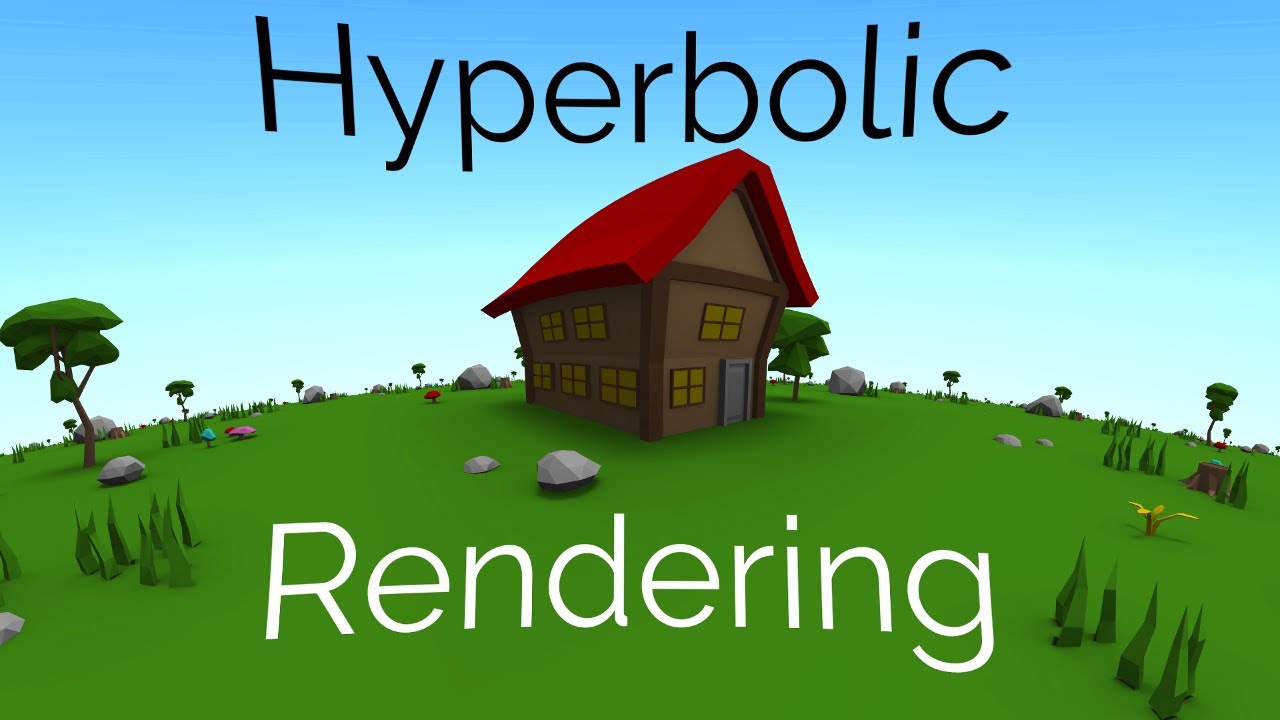
This is the 3rd devlog for Hyperbolica where I talk about how I build and render hyperbolic worlds. If you haven't seen the first 2 videos in the series, make sure you watch them first or else this may be confusing.
Devlog #1: https://www.youtube.com/watch?v=zQo_S3yNa2w
Devlog #2: https://www.youtube.com/watch?v=yY9GAyJtuJ0
Hyperbolica on Ste...
 unique oar
heya, is it possible to use HDR color with an unlit shader? i'm returning an HDR color in frag but it doesn't get brighter when i turn up the intensity
meager pelican
unique oar
heya, is it possible to use HDR color with an unlit shader? i'm returning an HDR...
lighting is irrelevant to color-space in the context of your question.
Getting HDR to actually work (HDR Output) on your system first, can be tricky. Can't tell anything from your question, but make sure you have HDR working on your computer and monitor first if you want "real" HDR. Otherwise, HDR is just an internal calc that gets mapped back to standard range.
Other possible meanings of your problem/question result in "Make sure your camera is set to render HDR color, and check graphics settings or render pipeline settings", depending on what you're actually talking about. And you'll need post processing. Read the entire page here, particularly that last section.
https://docs.unity3d.com/Manual/HDR.html
Also, see tut here: https://catlikecoding.com/unity/tutorials/custom-srp/hdr/
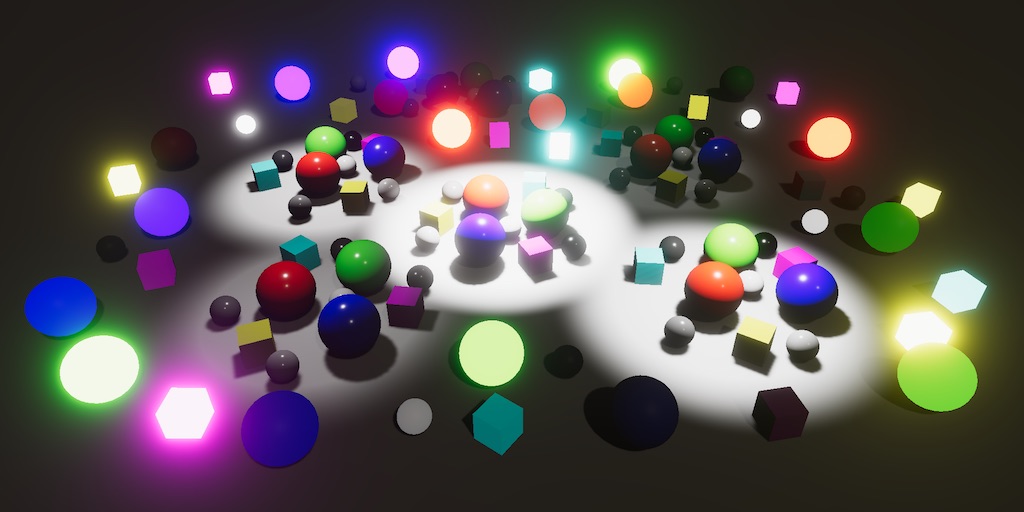
A Unity Custom SRP tutorial about supporting HDR, tone mapping, and more realistic bloom.
 grand jolt
is there a way to create shader that doesnt rotate as the object its clipped to rotates?
For example. a texture on a ball (circle2D) that stays upright despite the ball rotating
ping to LMK 👋 thanks
unique oar
meager pelican
lighting is irrelevant to color-space in the context of your question.
Getting...
all i'm really trying to do is get the brighter objects to have greater bloom. i can't enable HDR on my camera, though. i'm forced to use my graphics settings, which I can't change to use HDR
dim yoke
unique oar
all i'm really trying to do is get the brighter objects to have greater bloom. i...
Huh? How are you supposed to use hdr colors if your camera isnt able to use hdr colors? That doesnt make much sense
grand jolt
Is there any way to include transparent objects in the depth texture?
unique oar
dim yoke
Huh? How are you supposed to use hdr colors if your camera isnt able to use hdr...
well that's kinda it, i realized the issue is that my camera isn't using HDR colors. so that's what i'm trying to fix now
dim yoke
unique oar
well that's kinda it, i realized the issue is that my camera isn't using HDR col...
How may I ask?
unique oar
that's what i don't know, dude. i rarely work in the standard render pipeline so i don't know how to modify the graphics settings to use HDR colors
dim yoke
Oh wait so you dont know how to enable hdr or you dont want to enable it for some odd reason?
dim yoke
unique oar
all i'm really trying to do is get the brighter objects to have greater bloom. i...
So why cant you enable hdr on the camera?
unique oar
because i am forced to use my graphics settings
which i cant change to use HDR
let me get screenshots hold on
here is the camera inspector window

here are the graphics settings
 dim yoke
unique oar
here are the graphics settings
dim yoke
unique oar
here are the graphics settings
Just disable the Use Defaults option to access those
meager pelican
unique oar
all i'm really trying to do is get the brighter objects to have greater bloom. i...
Well, then you're not going to get HDR!!!
What's the question?
Is your REAL QUESTION something like "How do I do bloom without HDR"?
meager pelican
dim yoke
Just disable the Use Defaults option to access those
@unique oarIf you can't do this ^^, you'll have to make all your other colors a lower value, and then use the highest value for bloomed things. Which will suck. Or you could try multiple layers and/or cameras, and draw the bloomed stuff with another camera and maybe between cameras add some special pass to tone-down the results to make sure it doesn't go into bloom range, but that's hacky.
grand jolt
 upbeat topaz
tried moving a shader to a new version of unity, but now for some reason it is not transparent like in the gif, just becomes pure black instead
it was a move from 2020.3 to 2021.3


it also looks fine in the preview

but in the preview outside of shader graph it beomes ... this

only difference in the graph is that there is now a "sprite mask" node, but I can not find any documentation on it
sorry for such a wall of images and text, but I really have no idea what could be causing it
 regal stag
upbeat topaz
but in the preview outside of shader graph it beomes ... this
regal stag
upbeat topaz
but in the preview outside of shader graph it beomes ... this
The blending is like this because of negative alpha values. Try using a Saturate node before putting it into the Alpha.
upbeat topaz
oh, gonna try that
also, I'm honoured to get a response from you, I love reading your posts about shaders Cyan!
now the preview in-editor seems fine, but when applied to an object on the canvas it still is a black hole
only when I set the base image textures alpha to 0 the texture that is hidden behind it becomes visible
scene itself + the preview look like this now

also, the end of the graph itself looks like this

 tall cliff
does anybody know how can i cast shadow when 2d object is not facing the light?


this is my current shadergraph
 upbeat topaz
if there is a setting for "two-sided", see if that one is checked
 upbeat topaz
np, I totally forget about this one myself often lol
unique oar
dim yoke
Just disable the Use Defaults option to access those
oh gosh, i didn't even see that. thank you!
unique oar
meager pelican
Well, then you're not going to get HDR!!!
What's the question?
Is your REAL QUE...
chill? i thought it was an issue with my shader but i realized its something i have to change with the graphics settings
anyways, i tested it and it works now, thanks Aleksi!
meager pelican
unique oar
chill? i thought it was an issue with my shader but i realized its something i h...
I told ya to check camera and graphics settings....
unique oar
unique oar
all i'm really trying to do is get the brighter objects to have greater bloom. i...
@meager pelican i literally did, and that's when i wrote this message. you can see this is when i realized it was an issue with the settings
meager pelican
nm, communication is hard. That post read [to me] as if you were not ALLOWED to change the settings (you're forced to use them as default for some team project or something). Not that you didn't know how to change them.
echo flare
Have you tried including these built-ins? https://docs.unity3d.com/Manual/SL-BuiltinIncludes.html
It appears unity_CameraProjection is automatically included via UnityShaderVariables.cginc
 flint bloom
is there a way to set the required shader model target in compute shader?
i tried #pragma target 5.0, but it didn't seem to work and threw compile error
or is there a way to set the shader model of the entire project, i.e. globally?
grand jolt
for anyone wondering about the solution to my question earlier. use rotation matrix and pass the angle of the object ... im a dummy btw. 🥲
somber snow
neat hamlet
it's how many things youre passing from the vertex to the fragment shader iirc, ...
Better late than ever, but thank you very much kind person of the internet
somber snow
I got a depth texture by adding "sampler2D _CameraDepthTexture" but the furthest the camera is, the closer the values are to zero. How could I get an evenly distributed depth texture regarding of how far the camera is from the object?
 rotund tundra
i have this outline shader from the Ultimate 10+ Shaders
how can i make the center transparent/invisable
 upbeat topaz
rotund tundra
i have this outline shader from the Ultimate 10+ Shaders
how can i make the cent...
upbeat topaz
rotund tundra
i have this outline shader from the Ultimate 10+ Shaders
how can i make the cent...
is this shader made in shader graph, or in shader code?
upbeat topaz
with stock nope
rotund tundra
would it be makable with shader graph cos id gladly swap if i can get the effect
 prime timber
I am having an issue with a custom shader crashing unity constantly. I get no error messages however. How do I debug what I did wrong in the shader?
upbeat topaz
rotund tundra
would it be makable with shader graph cos id gladly swap if i can get the effect
it should be possible in either
meager pelican
somber snow
I got a depth texture by adding "sampler2D _CameraDepthTexture" but the furthest...
There's macros/function nodes for that. Look for linear depth 0 - 1 functionality. IDK what pipeline/tool you're using.
 hybrid copper
why isnt the metrial working?
 meager pelican
prime timber
I am having an issue with a custom shader crashing unity constantly. I get no er...
meager pelican
prime timber
I am having an issue with a custom shader crashing unity constantly. I get no er...
That can be a hard thing to do.
There are vendor supported/supplied debugging tools for GPUs. Getting them set up and working is a bit of a chore, but you can do it.
Generally, the easiest way is to comment out 1/2 the code (whatever makes sense) and see if it crashes. If it doesn't, then the problem is in whatever you commented out, or the inverse...if it still crashes it is in the non-commented part. Repeat, doing a binary search type of process of elimination.
Generally, it will be either invalid memory access (think array out of bounds) or infinite loops, NANs, etc.
Remember you can check variables by outputting colors, maybe after remapping. Just throw in a bunch of "return <expression>" stuff at various points.
There's always RenderDoc and PIX too. See unity docs on shader debugging.
meager pelican
hybrid copper
why isnt the metrial working?
Looks purple to me.
What's not working?
upbeat topaz
hybrid copper
why isnt the metrial working?
you are using a lit material, that's why the colour became darker in the shadow
meager pelican
flint bloom
is there a way to set the required shader model target in compute shader?
i trie...
You should check runtime support levels in C# side.
https://docs.unity3d.com/ScriptReference/SystemInfo-supportsComputeShaders.html
https://docs.unity3d.com/ScriptReference/ComputeShader.IsSupported.html
There's also a pragma require https://docs.unity3d.com/Manual/SL-ShaderCompileTargets.html that you might want to try.
hybrid copper
meager pelican
Looks purple to me.
What's not working?
its suppose to be light purple
in the pic u can also see that the metrial is light purple
yet its dark purple
this is how it should look
 meager pelican
I don't see the "lighter hat-band" on the screen shot you gave (the mesh I mean, regardless of color).
But, if it were me, I'd use a texture with two or more colors in it, and then in the modeling program map the UVs of each part of the model to the proper colors in the texture. Basically a modeling issue, not a shader issue per se. Unless you want to do something funky with a shader effect or lookup.
upbeat topaz
also, you might need to add an ambient light
prime timber
meager pelican
That can be a hard thing to do.
There are vendor supported/supplied debugging to...
Thnak you! I made it in shader graph and am now trying to unplug individual things to see what causes it.
 boreal berry
Why cant i select the material?
 meager pelican
boreal berry
Why cant i select the material?
meager pelican
boreal berry
Why cant i select the material?
As a guess, since you're using the sprite default material, you should make a new sprite material first, assign it, and then see what happens.
meager pelican
prime timber
Thnak you! I made it in shader graph and am now trying to unplug individual thin...
Yeah, same idea...unplugging = commenting, and outputting something (maybe through a remap node) to the albedo output to debug values. Good luck! 🙂
boreal berry
I created a material and this hapenned ;-;
 meager pelican
boreal berry
I created a material and this hapenned ;-;
meager pelican
boreal berry
I created a material and this hapenned ;-;
IDK, but not really a shader question...
Maybe you'll get more help/experience in a different area, like art assets or whatever?
boreal berry
i think im gonna give up on the lights since its my first game, ill learn it other time
can i ask a material related question here? or in the art assets just like you said?
meager pelican
Unless you're making a custom shader, you'd probably get more help in the art assets. But it depends on the question! If you want to know how shaders use materials, maybe here????
boreal berry
Idk ;-; my... material doesnt really looks white
 meager pelican
That's lighting. You should find a tutorial on materials, IMO.
boreal berry
Ok thank you
rotund tundra
bruh. why is transparency soo hard
i just want the black outline, the red sphere should be invisible
 hybrid copper
meager pelican
I don't see the "lighter hat-band" on the screen shot you gave (the mesh I mean,...
hybrid copper
meager pelican
I don't see the "lighter hat-band" on the screen shot you gave (the mesh I mean,...
ye its not a shader problem, but why is the cube looking like this?
 hybrid copper
rotund tundra
you can fix that in blender
hybrid copper
rotund tundra
you can fix that in blender
In blender its all fine
 rotund tundra
then mabye your shader is inverting the normals
hybrid copper
how do i stop it?
rotund tundra
is it just the standard unity shader?
hybrid copper
ye
rotund tundra
ok then the model has inverted normals
somber snow
meager pelican
There's macros/function nodes for that. Look for linear depth 0 - 1 functionali...
Built-in. I came across them but I just thought "linear" meant from 0 - 1 xD
I'll definetly give them a try now, thanks
rotund tundra
hybrid copper
how do i stop it?
in blender in edit mode with the mesh selected
 hybrid copper
rotund tundra
in blender in edit mode with the mesh selected
hybrid copper
rotund tundra
in blender in edit mode with the mesh selected
now it works thanks
rotund tundra
ur welcome
meager pelican
rotund tundra
i just want the black outline, the red sphere should be invisible
Don't draw it....(that's the best solution, fastest pixels are the ones you don't draw). But I'd need more info to tell.
Is it a multi-pass shader? What outline method are you using?
Are you in the opaque queue and trying to output a transparency? You'd need to be in the transparent queue for that.
Also see "Color Mask" option in shader docs, that might help you, if you're drawing a stencil but don't want to output color info.
rotund tundra
meager pelican
Don't draw it....(that's the best solution, fastest pixels are the ones you don'...
i can disable it in the shader then the entire thing goes black, as i understand the main part is rendering over the outline

without the center its all outline, so i want to render null over the outline effectively canceling it out
meager pelican
rotund tundra
i have this outline shader from the Ultimate 10+ Shaders
how can i make the cent...
OK, firstly, what are you trying to do? A force field? Just a big circle as an outline? Do you need the center to fade in and out?
Secondly, are you working in a transparent queue?
IDK if you're allowed to post the shader code of an asset from the store.....but you need to read it and figure out what it's doing in what queue.
rotund tundra
its a tower defence game, the outline shows everything in the turrets range
 meager pelican
what queue is it using?
rotund tundra
Transparent
its creative commons 3.0 so i can share and adapt
Shader "Airscrach/Range"
{
    Properties
    {
        _OutlineColor ("Outline Color", Color) = (1,1,1,1)
        _OutlineWidth ("Outline Width", Range(0, 4)) = 0.25

        [Enum(UnityEngine.Rendering.CullMode)] _Cull ("Cull", Float) = 2
    }
    SubShader
    {
        Tags { "RenderType"="Geometry" "Queue"="Transparent" }
        LOD 200
        Cull [_Cull]

        Pass{
            ZWrite Off
            CGPROGRAM
            #pragma vertex vert
            #pragma fragment frag
            struct appdata {
                float4 vertex : POSITION;
                float4 tangent : TANGENT;
                float3 normal : NORMAL;
                float4 texcoord : TEXCOORD0;
                fixed4 color : COLOR;
            };
            struct v2f{
                float4 pos : SV_POSITION;
                float3 normal : NORMAL;
            };
            fixed4 _OutlineColor;
            half _OutlineWidth;

            v2f vert(appdata input){
                input.vertex += float4(input.normal * _OutlineWidth, 1);
                v2f output;
                output.pos = UnityObjectToClipPos(input.vertex);
                output.normal = mul(unity_ObjectToWorld, input.normal);
                return output;
            }
            fixed4 frag(v2f input) : SV_Target
            { return _OutlineColor; }
            ENDCG
        }

        ZWrite Off
        CGPROGRAM
        // Physically based Standard lighting model, and enable shadows on all light types
        #pragma surface surf Standard fullforwardshadows

        struct Input
        { float2 uv_MainTex; };
        sampler2D _MainTex;

        void surf (Input IN, inout SurfaceOutputStandard o)
        {
            o.Albedo = float3(1,1,1);
            o.Alpha = 0;
        }
        ENDCG
    }
    FallBack "Diffuse"
}
the first CGPROGRAM does the outline, the second one is the red part
meager pelican
Add a line at the end
after the o.Albedo line
That says
o.alpha = pixel.a;
Alpha may need to be capitalized.
rotund tundra
o doesnt have an alpha value
meager pelican
Just a sec...
{
    fixed3 Albedo;      // base (diffuse or specular) color
    fixed3 Normal;      // tangent space normal, if written
    half3 Emission;
    half Metallic;      // 0=non-metal, 1=metal
    half Smoothness;    // 0=rough, 1=smooth
    half Occlusion;     // occlusion (default 1)
    fixed Alpha;        // alpha for transparencies
};```
capitalize the alpha.That's from here, BTW: https://docs.unity3d.com/Manual/SL-SurfaceShaders.html
meager pelican
Grrrrrr.
OK change it to
o.Alpha = 0.25;
rotund tundra
no change
meager pelican
Still solid?
rotund tundra
yup
 meager pelican
Prove to me that that pass is the one drawing it.
Change
o.Albedo = float3(0,1,0);
just temporarily. Comment out the original line
rotund tundra
yup, its green now
meager pelican
f---
It's not honoring the transparency, so maybe we're not in the right queue for some reason.
Let me dig around a bit.
You can put those two lines back to normal.
Thanks for trying it.
rotund tundra
they dont really matter as when it works they wont be visable
meager pelican
We can try to not do that pass at all.
rotund tundra
rotund tundra
i can disable it in the shader then the entire thing goes black, as i understand...
u get this
im thinking it shouldnt be a surface shader cos it really only needs to be unlit cos its transparent
meager pelican
That's true, and a good point. But I'm trying to work in your context. Although it would be faster to not bother with lighting calcs.
The thing is, you're right, it's drawing "black" over the whole image. My bad. Black is the outline color in your case.
Then it passes again and draws the real color.
It does not update the depth buffer on the outline pass.
It is extruding the object along the surface normals by an amount specified by the outline width. For the outline pass.
That method won't give you what you're looking for.
The hacky way to fix it is to do a grab pass and on the 2nd pass of this shader re-draw the background over top of the black. But that sucks.
Another hack would be to do additive blending. Black adding a "nothing". But you can't really do a black outline that way...could add in some other color.
But it would highlight the whole area. Like adding in a color of .1,.1,.1 to brighten it all up.
rotund tundra
meager pelican
But it would highlight the whole area. Like adding in a color of .1,.1,.1 to br...
i was basically doing that with my old range shader
meager pelican
There are other ways to accomplish this same thing, using different methods of course.
What shaders do you use to draw everything else?
Normal stock ones?
rotund tundra
95% yes
meager pelican
Wait.
What is outline color set to on the material?
Try changing the alpha of that.
It will darken the result due to blending, but you should get a darkened TRANSPARENT area.
rotund tundra
the outline doesnt use transparency so it does nothing
could i maybe chang the culling mode for each pass?
 meager pelican
The code you posted shows it in the transparent queue and outputting a float4.
rotund tundra
yea
meager pelican
rotund tundra
the outline doesnt use transparency so it does nothing
So this assumption is wrong. I think.
Where did that last pic come from?
rotund tundra
i set the cull to front
meager pelican
I see. But that will block out the stuff behind.
rotund tundra
yea
i got it working unlit
Shader "Airscrach/Range"
{
    Properties
    {
        _TransparentColor("Transparent Color", Color) = (1, 1, 1, 0)
        _OutlineColor ("Outline Color", Color) = (1,1,1,1)
        _OutlineWidth ("Outline Width", Range(0, 4)) = 0.25

        [Enum(UnityEngine.Rendering.CullMode)] _Cull ("Cull", Float) = 2
    }
    SubShader
    {
        Tags { "RenderType"="Geometry" "Queue"="Transparent" }
        LOD 200
        Cull [_Cull]

        Pass{
            ZWrite Off
            CGPROGRAM
            #pragma vertex vert
            #pragma fragment frag
            struct appdata {
                float4 vertex : POSITION;
                float4 tangent : TANGENT;
                float3 normal : NORMAL;
                float4 texcoord : TEXCOORD0;
                fixed4 color : COLOR;
            };
            struct v2f{
                float4 pos : SV_POSITION;
                float3 normal : NORMAL;
            };
            fixed4 _OutlineColor;
            half _OutlineWidth;

            v2f vert(appdata input){
                input.vertex += float4(input.normal * _OutlineWidth, 1);
                v2f output;
                output.pos = UnityObjectToClipPos(input.vertex);
                output.normal = mul(unity_ObjectToWorld, input.normal);
                return output;
            }
            fixed4 frag(v2f input) : SV_Target
            { return _OutlineColor; }
            ENDCG
        }
        Pass{
            ZWrite Off
            CGPROGRAM
            #pragma vertex vert2
            #pragma fragment frag2
            struct appdata2 {
                float4 vertex : POSITION;
                float4 tangent : TANGENT;
                float3 normal : NORMAL;
                float4 texcoord : TEXCOORD0;
                fixed4 color : COLOR;
            };
            struct v2f{
                float4 pos : SV_POSITION;
                float3 normal : NORMAL;
            };
            //render as transparent
            fixed4 _TransparentColor;
            v2f vert2(appdata2 input){
                v2f output;
                output.pos = UnityObjectToClipPos(input.vertex);
                output.normal = mul(unity_ObjectToWorld, input.normal);
                return output;
            }
            fixed4 frag2(v2f input) : SV_Target
            { return _TransparentColor; }
            ENDCG
        }

    }
    FallBack "Diffuse"
}
What's ticking me off is that the same thing should work with a lit shader and give you 3d lighting easily, so you'd get a "rounded" lighting effect.
Did you try to change the outline color's alpha? It was still 100% opaque?
rotund tundra
yup i cant get alpha to effect anything
meager pelican
But you can with vert/frag now? What's it look like now? Just out of curiosity.
rotund tundra
bassically the same but unlit
 meager pelican
nm, I thought you said you got it to work.
frack. Must be something I'm forgetting about surface shaders.
if it were me, I'd look for a "force field" shader that does both sides (front and back) in transparent. But that's not an outline, unless you find one that has that.
rotund tundra
thats what i originally looked for
meager pelican
@rotund tundra
Anyway, there's other ways.
One way is to draw a stencil with the original (not extruded) object. No output to the color buffer, just setting the stencil.
Then draw the outline extruded, honoring the stencil and not drawing where the stencil is set.
But you won't get a "full circle" on the bottom/terrain, you'll only get the front half.
Unless drawing both sides works (haven't tried that).
Also on your original surface shader, try changing the tags to
Tags {"Queue" = "Transparent" "RenderType"="Transparent" } , not "geometry" which is what I think might be f-ing it all up.
@rotund tundra
rotund tundra
nope unfortunately
meager pelican
And also try:
#pragma surface surf Standard fullforwardshadows alpha:fade
that's in the 2nd pass
rotund tundra
i got this but as you said its additive so it doesnt quite work


 meager pelican
Yeah. That's the next thing to look at...what you want to do with blending.
But, your outline will also be transparent, unless we bag all this and do the stencil thing.
that blending equation you posted is "standard transparency". So you should now be able to set colors as you wish. But the problem is that the full-object extruded outline pass will draw the transparent outline color on the whole thing, unless you use a stencil.
rotund tundra
what exactly is a stencil?
rotund tundra
ah
meager pelican
Basically, it's a stencil buffer, similar to a depth buffer concept.
It's there for each pixel, and there's 8 bits you can screw with.
The gpu has stencil test/set hardware.
So you draw something and set the stencil. You don't even have to write colors or depth.
Then you can draw something else (or the same thing again) and check the stencil values. The gpu is configured to do this IN HARDWARE
Such that it won't even call the pixel shader if it can skip the thing.
So there's setting and testing.
rotund tundra
so could we stencil the inside then ignore the stencil when drawing the outline?
meager pelican
YES! That's what I was saying above. 🙂
rotund tundra
ok cool
meager pelican
But you honor the stencil...you draw where there is no stencil from the original object (the "inside"). I know what you mean, you "ignore where it is stenciled".
meager pelican
So start by reading here:
https://docs.unity3d.com/Manual/SL-Stencil.html
Oh, ok.
Yes, it looks weird. It's not that bad.
It is this way because you're actually configuring stenciling "hardware" so it can be smart about all this stuff and quickly skip pixels that don't pass.
rotund tundra
that makes sense
meager pelican
Similar to how it can skip pixels that don't pass an early z-buffer test for depth.
But it's not a z-buffer, it's a stencil buffer.
😉
rotund tundra
Pass{

            CGPROGRAM
            #pragma vertex vert2
            #pragma fragment frag2
            #include "UnityCG.cginc"
            struct appdata2 {
                float4 vertex : POSITION; float4 tangent : TANGENT; float3 normal : NORMAL; float4 texcoord : TEXCOORD0; fixed4 color : COLOR;
            };
            struct v2f2{
                float4 pos : SV_POSITION; float3 normal : NORMAL;
            };
            //render as transparent
            fixed4 _TransparentColor;
            v2f2 vert2(appdata2 input){
                v2f2 output;
                output.pos = UnityObjectToClipPos(input.vertex);
                output.normal = mul(unity_ObjectToWorld, input.normal);
                return output;
            }
            fixed4 frag2(v2f2 input) : SV_Target
            { return _TransparentColor; }
            Stencil{
                //stencil the inside of the outline
                StencilEnable
                StencilReferenceValue 1
                StencilPass 0x1
                StencilFail 0x0
                StencilZFail 0x0
                StencilWriteMask 0x1
            }
this look kinda right?
i let copilot take the rains cos im a bit outta my depth here
hmm
im looking at the docs and this doesnt seem right
oh
it doesnt recognise stencil
 meager pelican
I'm going to let you google around rather than fill this chat up.
Stencil would go above, outside of the frag. in the pass part.
See the docs. Like draw the sphere using:
             {
                 Ref 2
                 writeMask 2
                 Comp Always
                 Pass Replace
             }            ```
Maybe with COLORMASK 0 before the stencil command.
https://docs.unity3d.com/Manual/SL-ColorMask.html
you could move your lower-pass to the top (first) pass and do a stencil.
Then in your outline pass you'd do something like:
```            Stencil
             {
                 Ref 2
                 readMask 2
                 Comp Less
} ```But I haven't tried that. I'd have to pull up Unity and screw with it. I'll leave that to your google-fu.
grand jolt
Hey guys! I'm following a tutorial to create a toon shader (https://www.youtube.com/watch?v=RC91uxRTId8&ab_channel=NedMakesGames) and at 11:05 he tells to add the keywords to the material. I'm using the latest version of unity instead of 2020 and it looks different but also works different. I can't seem to find out how to add the keywords to the material.
In the video there's a field to add the keywords. Version 2021 has a size option at Valid Keywords. When saying the size has to be 3, it defaults back to 0 and adds 3 to Invalid Keywords. How do I add the 3 keywords to the material?
 rotund tundra
meager pelican
I'm going to let you google around rather than fill this chat up.
Stencil would...
rotund tundra
meager pelican
I'm going to let you google around rather than fill this chat up.
Stencil would...
sorry for ping but i just wanted you to know that i got it working,
thank you soo much for your help!
 meager pelican
Nice!
BTW, if you do a lit surface shader, at the end/last pass or do lighting calcs in a vert/frag to self-shadow, you can use the now-working transparency to "tint" the inside as much as you wish. Lit would be shaded of course, and unlit would be a solid color of course.
But it doesn't look like you really want that. But you COULD do it. 😉 🙂
with cull off it might be a cool 2-sided effect.
 runic lichen
why does my shader give this error every time it compiles? it doesn't break anything but it's just really annoying to stare at an error while working on other things

 desert orbit
Pick another name for color property, this one already exists
runic lichen
doesnt change a thing
theres not even a single property with the reference or name _Color in the entire shader
i even looked through the compiled code
desert orbit
You can see hidden properties if you set inspector in debug mode
runic lichen
ok i managed to find the little bugger, thanks for the help
 slim steppe
Hi, my shader is "switching" between two completely different looking versions
 slim steppe
Hi, my shader is "switching" between two completely different looking versions
slim steppe
slim steppe
Hi, my shader is "switching" between two completely different looking versions
What I would expect
And then there's this one

Im using urp and these are the tags```cs
Tags {"Queue"="Transparent" "RenderType"="Transparent"}
Blend SrcAlpha OneMinusSrcAlpha
LOD 100
If you need anything else dont hesitate to ask
Thanks!
slim steppe
I did some more testing
slim steppe
slim steppe
Hi, my shader is "switching" between two completely different looking versions
this only happens sometimes when its infront of a non working skybox
upbeat topaz
Hello,
when upgrading to a newer version of unity this shader stopped working with transparency in-game, even though it's fine in preview, any idea what could be the cause of this?


I know I posted about this yesterday, but it just doesn't work in-game in the end
regal stag
upbeat topaz
Hello,
when upgrading to a newer version of unity this shader stopped working wi...
Does it work when applied to a quad mesh or sprite maybe? (Don't really like using Shader Graph with UI as it's not really supported properly. Would be good to confirm if that's the problem or not)
upbeat topaz
will try it now
it's just weird that it did work perfectly fine in the previous version
it seems fine on a quad
huh
 simple violet
Upgrading unity is always asking for disaster
upbeat topaz
then what could be causing it to not be fine on a raw image?
regal stag
At a guess it could be that the graph generates more passes (e.g. ShadowCaster/DepthOnly, though not sure if that is generated with the Sprite Unlit graph type, I don't do 2D stuff often). It's possible the UI is trying to draw all passes ontop of eachother, rather than just the main forward one.
upbeat topaz
I guess one of the updates messed that up, dang
and there is no way to fix it other than going to either an earlier version or hoping some future one fixed it?
regal stag
upbeat topaz
and there is no way to fix it other than going to either an earlier version or h...
If it is to do with extra passes, you could generate code from the graph and remove them.
Or just avoid using graph shaders on UI. Replace it with a quad?
upbeat topaz
ah, hoped this version would have less hacky solutions to stuff as I saw in release notes a lot of 2d features leaving the experimental phase
will try both of solutions ya said and see which one works best
this seems to be in the generated code

- the tags

nothing seems to be out of the ordinary, unless I'm overlooking something
oh, checking on the issue tracker it seems that this is "by design"??? https://issuetracker.unity3d.com/issues/shader-graph-shaders-from-shader-graph-dont-work-on-ui-with-canvas-render-mode-set-to-overlay
Reproduction steps: 1. Open "1193291" project 2. Notice that the Image has Perlin Noise 3. Select the "Canvas" Game Object -> "Ca...
upbeat topaz
regal stag
If it is to do with extra passes, you could generate code from the graph and rem...
after finding this thread the thing that fixed it was ... changing the camera mode from overlay to screen space - camera https://forum.unity.com/threads/shader-graph-ui-image-shader-does-not-work.1202461/#post-7683259

Unity Forum
Unity 2021.2.3f1
Shader Graph 12.1.1
This is a simple Shader Graph shader.
Screenshot1. Universal - Material - Sprite Unlit: Alpha is wrong.
[ATTACH]...
also, thank you so much for being patient with me!
grand jolt
Hey there! How do I create a simple outline shader in shadergraph? I followed a lot of tutorials but none of them gives me the same result. Right now i'm stuck with this one, what can I be doing wrong?


Are depth textures used only in post processing shaders?
dim yoke
grand jolt
Are depth textures used only in post processing shaders?
You mean depth buffer or depth texture? Depth texture can be used for lot of different things on regular surface shaders too (like water refraction etc.)
 drowsy linden
Is there a way I can not only pick a random point on a UV/surface, but have it be weighted? I get I could use the channels of colorful noise to get an x and y coordinate, but not how to weight it
grand jolt
drowsy linden
Is there a way I can not only pick a random point on a UV/surface, but have it b...
In what way to you want to weigh it?
drowsy linden
grand jolt
In what way to you want to weigh it?
Have a higher chance of placing the point in a certain area
Ideally I would be able to input a texture, with black being no chance of the area getting picked and white meaning 100%
grand jolt
That's a bit less obvious to do in a single pass but if your weighting can be captured as some function of uv space it's pretty straightforward (e.g. weightedUv = weigh(uv) where weigh can for example take into account the distance between your sample and the center of your noise texture).
What you want (a 2d texture with 0-1 indicating odds of that position being picked in your noise texture) is both hard and slow.
drowsy linden
Hmm. What about voronoi pattern. That’s a function, right?
grand jolt
Yes, although depending on how you want to use it also computationally expensive. Perhaps if you give some context as to your true need people can weigh in on possible alternatives to it being texture based (for example, there are ways to create random values that don't involve input textures in shaders, or precalc a LUT texture and use that)
For example, you could pregen a 2d texture that on the U axis is random noise and on the V axis is your weighing from 0 to 1 such that the texel value is U x V. That way you can sample a random U with your input weight V and get a weighted value.
drowsy linden
Actually. Maybe a different approach is necessary. Perhaps I could have some sort of math operation that could push the coordinates towards being a certain value. Like taking the color noise texture, and then overlaying my probability field over it in a way that would take the RG channels and modify them
grand jolt
Ah so the probability field is an input you already have and need?
drowsy linden
Yeah that’s the texture
My goal is to spread little textures on the surface of something in a random way, but be able to weight it to appear more often in certain areas
grand jolt
Hm, but isn't that as simple as multiplying your probability field with the noise texture? That should translate smoothly to fragments with higher probability being more likely to reach a certain treshold value.
drowsy linden
But wouldn’t that push the coordinates more towards the corner
Or 0,0 / 1,1 rather
grand jolt
how do I make an outline in shadergraph? I've followed some tutorials but none seems to be working
How so? If for each fragment your "need little texture here value" is a random noise sample times your 0-1 value of the probability texture you provide than it'll just be a new texture with 0-1 values skewed towards your probability field values. Then you determine some threshold value for where you want your little textures.
drowsy linden
Hmm. I’ll be home soon, I’ll have to try it. I feel like it can’t be that simple, haha
Wait, what do you mean threshold?
grand jolt
If I understand your need correctly I think it is. The only additional choice is static noise texture versus dynamic one (the former would result in the same probability field resulting in exactly the same spots where you want your other texture, a dynamic one would make that noisy).
Well if your inputs are P (probability field value, 0-1) and N (noise value, 0-1) for each fragment/texel than multiplying them gives you a 0-1 value. You probably want to go from that to a on/off type value. E.g. if your calculation results on values below, say, 0.5 then no little texture, and above that you start blending it in.
I only really create shaders in code so whatever the equivalent of some clamp or smoothstep function is in shadergraph.
 lean lotus
Whats the C# equvilant of
float3 A = mul(Matrix4x4, float4(B, 0));
Just Vector3 A = Matrix4x4.MultiplyVector(B); or the Unity.Mathematics equivalent I think or am I misunderstanding your question?
lean lotus
oh really?
wait is that different than matrix4x4 * B?
grand jolt
It is different but I think you actually want a straight matrix multiplication (which is Matrix4x4 * Vector4)
MultiplyVector does some extra lifting.
lean lotus
ok
but theres no efficient way to convert from Vector3 to Vector4 without breaking into components manually
lean lotus
No I mean the Vector3 to Vector4
grand jolt
Yes, that's implicitly converted
lean lotus
oh wait really? hang on
grand jolt
Vector4 a = new Vector4();
Vector3 b = m * a;
``` compiles just finew component is discarded obviously but I assume that's what you're looking to do here.
lean lotus
I need the w component to stay and be 0
grand jolt
well a vec3 doesn't have a w component and your A input is I assume one where you can set the w = 0 so it's 0 or undefined all the way through.
so, equiv to float4(float3, 0)
lean lotus
so Matrix4x4 * Vec3 is equvilant to mul(Matrix4x4, float4(float3, 0))?
grand jolt
Yes, Vec3 is implicitly converted to Vec4 with w = 0 iirc. But this is one of those "try to be sure things". I can't remember the last time I needed that.
hello there can anyone help me figure out what's wrong with my outline shader?
 lean lotus
ok thanks
dim yoke
grand jolt
hello there can anyone help me figure out what's wrong with my outline shader?
You tell whats wrong we try to find solution to it. Id set the alpha clip threshold to 0.5 but other than that i see nothing wrong. So whats wrong? What it looks if its not correct?
grand jolt
grand jolt
@dim yoke it looks like this
not exactly what I pretended
I've followed a lot of tutorials but none gives me the same result
Either it fills everything with the color or something like this, and it never looks like an outline as I wanted
 tepid robin
so, i want to do something super simple using HLSL but dont have the first clue how to do it
i essentially just want a circle thats on the surface of the object, that i can also change the "blur" or smoothness of
with configurable radius size and smoothness
im forced to use 5.6.3
dim yoke
grand jolt
<@689758471003963472> it looks like this
Moving along normals wont work for flat shaded meshes. Have you tried any existing outline effects from asset store for example?
grand jolt
dim yoke
Moving along normals wont work for flat shaded meshes. Have you tried any existi...
I've tried simply multiplying the positon, why doesn't that work either?
I'm trying not to use the outline from the asset store, it should be simple enough for me to be able to replicate :/
dim yoke
grand jolt
I've tried simply multiplying the positon, why doesn't that work either?
Well its not perfect but should work better atleast
grand jolt
dim yoke
Well its not perfect but should work better atleast
i'll show you the result just 1 sec


it now gives me this it's really weird
how can I just have the red outline but show the real texture in the middle?
dim yoke
grand jolt
how can I just have the red outline but show the real texture in the middle?
Did you try to set the alpha clip threshold to 0.5?
Front face culling should do that but if it doesnt happen, idk why
grand jolt
idk it's really weird

i changed the threshold to 0.5 but arranging the options the resulkty is never good


i mean shouldn't the outline depend on the camera?
tepid robin
how would i make a simple circle on the surface of an object with shaderforge?
configrable vignette radius and smoothness
grand jolt
hey uh guy so im tyring to create a retro effect for my game but the camera says display 1 no camera
[7:20 PM]
how do i fix that
[7:20 PM]
and make it work
i meant it says
camera display 1 no camera rendiring
 desert dagger
Does anyone know how to fix this weird rendering with a transparent fresnel shader?

I have it rendering on both sides since the player is meant to be able to see the effect while inside the sphere.
Another issue is that the effect becomes a lot brighter when inside the sphere.
tepid robin
so, UVs start in the bottom left corner right
at 0,0
which means if i want to scale something its like
scales from there
but how would i make it scale from 0.5,0.5? if that makes any sense
(the center of the UV)
ive tried shifting it over to 0,0 , then scaling it, then moving it back but that doesnt seem to change anything?
 meager pelican
tepid robin
so, UVs start in the bottom left corner right
meager pelican
tepid robin
so, UVs start in the bottom left corner right
Do it on paper first.
But note that UV's wrap around assuming wrapping is configured for the texture sample. That's how tiling and offset work. Tiling is multiplying, and offset is adding.
But I'm not sure exactly what you're asking. Do you want your logical-zero-zero sample to be the center of the texture? If so, you'd add (.5, .5) to your UV value. But your lower left corner would be (-.5, -.5) and your upper right corner would be (+0.5, +0.5). That's offset, not scale.
To scale, you'd do some multiply operation. For example to scale a texture to be 2 x 2 on a quad, you'd multiply the UV (which is the 0,0 at lower-left one) by 2.0 in both x and y.
And I have no idea what your pic is showing.
tepid robin
essentially what im trying to do
is like
a vignette for a scope right
its just a circle thats on the surface of a circle object
and based on the camera distance, it grows/shrinks
meager pelican
scope shaders are a bit more complicated than just tiling and offset. I suggest you google around for "scope shader" and see what you get. There's several methods depending on what you want exactly, but the involve a different perspective.
grand jolt
dim yoke
Did you try to set the alpha clip threshold to 0.5?
hey there, sorry to botehr you once again but I followed this tutorial 100% and i'm not getting the same result... am I missing something? Any unity update? https://www.youtube.com/watch?v=XPGpaA-JExA

Tutorial to how to make a very basic outline effect using shader graph.
meager pelican
tepid robin
i just want the vignette
OK, then do a distance calc from (0.5, 0.5) and use the result as a "degree of darkness" scaled by whatever math you want.
tepid robin
i managed to fuck around with the UVs and get the scaling working
i guess
like the center point of the circle is at 0,0
so it should work
im too tired for this my brain is explODING
i just want the camera distance
but i cant find that
desert dagger
I have no idea how to fix this rendering issue. (Picture below)
 meager pelican
I haven't messed with shader forge in a long time.
And by "camera distance" you mean what, exactly?
Pixel depth is probably a node. Maybe linear eye depth 0 to 1 type of thing.
Distance from camera to scope would be the camera pos in world space, and the scope position in world space, run through a distance calc.
meager pelican
hlsl has a built-in distance function. And IIRC also a squared distance function that avoids doing square roots (faster).
There's probably a node for distance calc between two points.
In code it looks like:
float dist = distance(point1, point2);
meager pelican
There ya go!
meager pelican
desert dagger
I have no idea how to fix this rendering issue. (Picture below)
Without more info on the shader, there's no way anyone can really answer that. I suspect lighting issues.
tepid robin
alright, so essentially the last thing is adding blur
i dont know how i would even start that
ill do that tomororw
desert dagger
meager pelican
Without more info on the shader, there's no way anyone can really answer that. ...
It's a transparent material with a Fresnel effect on it.
grand jolt
has someone here made a bloom shader to attach to objects? can i have it pls?
 tame topaz
That's called Post Processing
meager pelican
desert dagger
It's a transparent material with a Fresnel effect on it.
lit or unlit?
Is it doing environmental reflections?
grand jolt
no post processing blooms everything
desert dagger
meager pelican
lit or unlit?
Is it doing environmental reflections?
Reflections and Lit.
meager pelican
Well, that's likely part of the problem...
grand jolt
I want the shader script to give to my material
is there a library of unity shaders somewhere?
it appears id have to make my own
meager pelican
grand jolt
no post processing blooms everything
Not exactly. It blooms whatever is set to bloom (qualifies for blooming).
The thing is...you cannot easily draw outside of a mesh bounds on a shader for the object. That's why bloom is done in post-processing.
grand jolt
meager pelican
Not exactly. It blooms whatever is set to bloom (qualifies for blooming).
The...
So i have to download the Post Processing package?
ok thanks. wonderful. saves me a bunch of effort
yes im super happy now that you told me about this. 😃 thanks
grand jolt
First shader 😬

 white marsh
I have a question, im using a singular dot texture to create this effect here and im tiling it. But it would look a lot cleaner if i could have it tile hexagonal instead of qubic. Is there any easy way if achieving that kind of effect?


This is how i want it to look
desert dagger
meager pelican
Well, that's likely part of the problem...
Thanks for the help, I changed my material to Unlit and immediately the rendering looked a lot better.
dim yoke
white marsh
I have a question, im using a singular dot texture to create this effect here an...
Could you just make seamless texture like this and use it instead?
white marsh
i thought of that, but im pretty sure that will cause some of the dots to look choppy, but i suppose i can try
dim yoke
If you make the resolution high enough, you should have no problem with that
white marsh
yeah that seems to have worked

thanks, also i dont know why but for some reason i cant figure out how to apply the texture in screen space
anything ive tried the texture ends up being warped
looking along world x and world z.


 latent thistle
this is not exatly what i currently do ?
dim yoke
white marsh
looking along world x and world z.
Show the shader code/graph
white marsh
            fixed4 frag (v2f i) : SV_Target
            {
                float3 N = normalize(i.worldNormal);
                float3 V = normalize(_WorldSpaceCameraPos - i.wPos );
                float3 H = normalize(_WorldSpaceLightPos0.xyz + V);
                // Diffuse
                float shadow = SHADOW_ATTENUATION(i);
                float NdotL = max(0.0, dot(N, normalize(_WorldSpaceLightPos0.xyz)));

                // Cartoon Detail
                float4 _DetailTex = tex2D(_PatternTex, _PatternTex_ST.xy * V);
                float dots = step(_Size * NdotL, _DetailTex);
                float4 light = floor((NdotL * shadow)/_Detail * 1-dots) * _LightColor0;

                float4 DiffuseToon = (light + _AmbientColor) *_LightIntensity + _Brightness;

                // ... the rest of the shader
            }
this should be plenty to se the problem
 hollow latch
Hello guys I need help to make a sphere that while following the player throws particles that when touching the ground draw a mesh or a texture.
I want to use a CustomPassFullscreen for it, but I don't know how to do the shader part
First I'm trying to render the pixel redder the closer to the camera it is, but I can get it to work.
float4 FullScreenPass(Varyings varyings) : SV_Target    {
float depth = LoadCameraDepth(varyings.positionCS.xy);
float customDepth = LoadCustomDepth(varyings.positionCS.xy);
return float4(1.0, 0, 0, depth-customDepth);
}
I meant depth textures. Basically, I was trying to compute fog in a local volume, like a cube
And I thought about using the depth texture, color the white part and sample the main tex so the black part is invisible
I'm still a biginner about shaders though
 magic ravine
anyone got any idea why i can't see shadows in game view?
 fossil cloak
magic ravine
anyone got any idea why i can't see shadows in game view?
fossil cloak
magic ravine
anyone got any idea why i can't see shadows in game view?
Maybe "Render Shadows" is deactivated on your camera?
fossil cloak
good ^^
 viscid bronze
how do i remap an alpha like this but with 2 colors? cus gradient cant be make exposed and i want to edit it from outside

 weak condor
magic ravine
unity wont accept my shader file with a .txt extension
weak condor
magic ravine
unity wont accept my shader file with a .txt extension
rename the file in a text editor
weak condor
viscid bronze
how do i remap an alpha like this but with 2 colors? cus gradient cant be make e...
You could just sample an image instead.
 tender remnant
anyone know if it's possible to blur during mipmap generation instead of the usual sharpening filters?
knotty juniper
viscid bronze
how do i remap an alpha like this but with 2 colors? cus gradient cant be make e...
Use a Lerp node with a and b been your wanted colors (with can be exposed) and the alpha is the input form the texture
if you still need more curve / gradient controll make a Black and white gradient and use it in between the texture and the lerp alpha
fervent flare
Anyone think they could help me figure out how to get a cubemap reflection to work in shadergraph ?
I can tell that the cubemap is doing 'something' but it seems to be treated as if it were a single color
as if it's tiling were 0.00001 * 0.00001
My current implementation
 meager pelican
fervent flare
Anyone think they could help me figure out how to get a cubemap reflection to wo...
meager pelican
fervent flare
Anyone think they could help me figure out how to get a cubemap reflection to wo...
What's "World Space" coming in as?
fervent flare
I have no idea 👀
higher res version of screenshot: https://i.imgur.com/DaMpza1.jpg
 meager pelican
You want that to be the surface normal direction, in world-space.
https://docs.unity3d.com/Packages/com.unity.shadergraph@12.1/manual/Sample-Cubemap-Node.html
It might default to the world-space surface normal if you just delete the link to "World Space" variable. Not sure though.
You've already got a world space surface normal in the graph though, so you could try plugging that in to "Dir" for the sample cubemap. (You'd have two lines off it, one to the cube sample, the other to the normal input on the vertex stage). @fervent flare
fervent flare
hm it won't let me plug the world space surface normal into the normal slot of the vertex section
is that maybe because one is object space and the other world space ?
white marsh
how can i overlay a texture on an object in screen space? in hlsl? whatever i try the texture doesnt keep the view angle for the camera so its in world space and not screen space
dim yoke
white marsh
how can i overlay a texture on an object in screen space? in hlsl? whatever i tr...
you have to use screen coordinates as a uvs on the texture sampling
 hoary merlin
What resources would you guys recommend to get started with shaders as an artist? from general concepts and fundamentals to intermediate expert level (and engine-agnostic) preferably.
hoary merlin
hoary merlin
What resources would you guys recommend to get started with shaders as an artist...
I've found a few nice, such as Ben Cloward, Freya Holmer, TharleFX and a few others. I'd like to know if there are good sources of info on these eslewhere that explain things from an artist's POV, TIA
white marsh
dim yoke
you have to use screen coordinates as a uvs on the texture sampling
Do u get the screen coordinates from computeScreenPos(v.vertex)?
Or is it something else?
meager pelican
fervent flare
hm it won't let me plug the world space surface normal into the normal slot of t...
Your pic showed it as world space.
They should both be world space, if your original is correct. Otherwise, just use two normal nodes, one for world and the other for object.
But, the one going into the cubemap direction is world-space per the docs.
Pretty sure, but I'm kinda guessing going off the docs.
grand jolt
hoary merlin
What resources would you guys recommend to get started with shaders as an artist...
https://thebookofshaders.com/ is a good place to start, and fiddling in tools like www.shadertoy.com will help as well. I'd avoid using ShaderGraph or any similar shader composition tools personally as they tend to obfuscate important performance and correctness issues but that's obviously highly subjective.

The Book of Shaders
Gentle step-by-step guide through the abstract and complex universe of Fragment Shaders.
white marsh
white marsh
Do u get the screen coordinates from `computeScreenPos(v.vertex)`?
anyone knows how i get the screen cords in shaderlab? ive tried thiis ^ and _ScreenParams.xy
dim yoke
white marsh
Do u get the screen coordinates from `computeScreenPos(v.vertex)`?
I believe so. you do that in vertex or fragment shader?
white marsh
that should be vertex
dim yoke
white marsh
that should be vertex
in what space is v.vertex?
dim yoke
you have to make it a clip pos
white marsh
o, that would make sense
hoary merlin
grand jolt
https://thebookofshaders.com/ is a good place to start, and fiddling in tools li...
thank you! this seems like a wonderful resource. Regarding the shader graph thing, could you elaborate on 'performance and correctness issues'? What information is being obfuscated there?
 flat quail
hey i'm really new to unity (i'm literally only using this to import a model into VRC) does anyone know how to fix a problem regarding textures not going on certain parts of a model? i was told by a friend to "mess around with shaders" but i don't really know what that means. all the textures show up except for certain parts of the jacket. if you need pics i can send em
white marsh
dim yoke
you have to make it a clip pos
thankyu, that seems to be working, now i just need to tile it correctly
hoary merlin
flat quail
hey i'm really new to unity (i'm literally only using this to import a model int...
yeah, please share some screenshots of the asset and textures

 hoary merlin
Can you share a screenshot with the wireframe enabled? and where are you seeing issues exactly? The front jacket part?
flat quail
yes, the front jacket is not showing up in the regular mode, it is showing up in render paths though


@hoary merlin
 hoary merlin
it looks like the right jacket mesh is missing when imported to Unity
flat quail
how exactly do i fix that?
regal stag
The normals for those faces is probably inverted. Unity does back-face culling by default.
flat quail
is that a unity thing or a blender thing i have to do?
hoary merlin
i assumed the same thing, but the wireframe doesnt seem to show the jacket either
hoary merlin
flat quail
is that a unity thing or a blender thing i have to do?
if it's a normals issue, you'll need to invert the affected mesh's face normals in Blender
flat quail
i'm assuming that's a blender thing?
but my main confusion is that it shows up on render paths
so it knows the texture is supposed to go there
regal stag
You can view the face orientation in blender if you use this. Front faces are blue, back faces are red.
Can recalculate normals on faces using Shift+N (or Ctrl+Shift+N for inverted)
 meager pelican
fervent flare
hm it won't let me plug the world space surface normal into the normal slot of t...
meager pelican
fervent flare
hm it won't let me plug the world space surface normal into the normal slot of t...
yeah, I looked it up.. The one going into the vertex stage on the master stack is object space. Just use two of them, one for the master stack in object space, and the other for the cubemap direction in world space.
flat quail
regal stag
You can view the face orientation in blender if you use this. Front faces are bl...
 white marsh
i cant figure out why the texture is streching on the edges. this is how i get the screen space and apply it as the uv
o.pos = UnityObjectToClipPos(v.vertex);
o.scrPos = ComputeScreenPos(o.pos);
float4 _tex = tex2D(_PatternTex, _PatternTex_ST.xy * i.scrPos);
 regal stag
white marsh
i cant figure out why the texture is streching on the edges. this is how i get t...
regal stag
white marsh
i cant figure out why the texture is streching on the edges. this is how i get t...
When in the fragment, you need to do i.scrPos.xy / i.scrPos.w to handle the perspective divide and obtain the true 0-1 screen position.
white marsh
oh, true. i actually have read that but i keep forgetting, thanks
lean lotus
so unity says that by using dx12 and #pragma use_dxc, I can get access to shader model 6 stuff, so why do shader model 6 functions not work and are unknown
Also, how do I exclude compiling shaders for dx11, but DO compile them for dx12?
 warm marsh
What is the best way to modify the values of a material shader in shadergraph per instance that it is applied to?
 shadow locust
warm marsh
What is the best way to modify the values of a material shader in shadergraph pe...
shadow locust
warm marsh
What is the best way to modify the values of a material shader in shadergraph pe...
There's nothing special about shader graphs, they're regular shaders.
You use Material.SetXXX methods as usual.
and you use Renderer.material to access the material - that will create a unique instance of the material for that particular Renderer
 delicate wagon
I'm trying to make a Halftone shader by following this excellent guide: https://weber.itn.liu.se/~stegu/webglshadertutorial/shadertutorial.html. I ported this to Unity and expanded on this shader to support dot frequency on the x & y axis separately for non 1:1 aspect ratios. This works well for 0 degree rotated pattern (Y part of CMYK), but for other angles like 45 degree the dots deform. How could I fix this shader to produce perfectly round dots at any rotation angle? Here is my shadertoy summarizing the problem: https://www.shadertoy.com/view/7sccW8

 white sundial
does anyone know how to make a sphere render from inside out?
I could really use some help with that
amber saffron
white sundial
does anyone know how to make a sphere render from inside out?
Invert the normals ?
white sundial
amber saffron
Invert the normals ?
got any reference?
amber saffron
white sundial
got any reference?
The easiest would be to just create a sphere mesh in a 3D tool with inverted normals 🙂
white sundial
Any URP graph ideas tho? This sounds crude.
amber saffron
white sundial
Any URP graph ideas tho? This sounds crude.
iirc, urp doesn't have a front face culling option, so the only way to do it is to enable double side and the shader, and discard pixels of the front face.
This is sub-optimal and having a mesh with already inverted normals would really be better.
mental bone
white sundial
Any URP graph ideas tho? This sounds crude.
When it come to CG crude is always better 🤣 🤣
 little marlin
is it possible to create custom layered material in unity using shader graph ? seeking on internet and lots of people asking same question but still left unaswered.
amber saffron
white sundial
Yeah, I can't really do any 3d software
Why.
What you're asking is as easy as :
- open blender
- create new sphere
- flip normal
- export
amber saffron
little marlin
is it possible to create custom layered material in unity using shader graph ? s...
Layered by "layering multiple textures set like a terrain" : yes
Layered by "layering passes" : no
white sundial
amber saffron
Why.
What you're asking is as easy as :
- open blender
- create new sphere
- fl...
how do i flip normals?
amber saffron
white sundial
how do i flip normals?
In edit mode, select all faces, alt+n for normals menu, select "flip"
little marlin
amber saffron
Layered by "layering multiple textures set like a terrain" : yes
Layered by "lay...
yes, im looking layering multiple textures set like a terrain, but i'vent seen for shader graph tutorial/resources out there, do you know any for guide ? i expect some basic guide to create one, and put my needs after proper setup done. i wish it only needs shader graph and no custom node needed.
white sundial
amber saffron
In edit mode, select all faces, alt+n for normals menu, select "flip"
what faces? I've sincerely never used it
amber saffron
little marlin
yes, im looking layering multiple textures set like a terrain, but i'vent seen f...
No custom nodes is needed, you "just" need to stack the layers and blend them, probably using some lerps nodes.
lerp tex1 with tex2, lerp the result with tex3, lerp the result with tex4 ....
And this for each textures of each set
You'll also want to share samplers as you quickly might get to the sampler limit (16)
amber saffron
white sundial
what faces? I've sincerely never used it
Please, a very fast google search would have lead you to good online resources : https://www.katsbits.com/codex/flip-normals/
little marlin
amber saffron
No custom nodes is needed, you "just" need to stack the layers and blend them, p...
oh i tought it need some special setup like on UE, but if only blend using lerp then i think im good. yeah i understand with concept of Sampler State in unity.
amber saffron
I know you've said "no custom node", but just in case it might help : I've build up some helper nodes for stacking/blending surface data in my library here : https://github.com/RemyUnity/sg-node-library


GitHub
Node library for ShaderGraph. Contribute to RemyUnity/sg-node-library development by creating an account on GitHub.
white sundial
amber saffron
Please, a very fast google search would have lead you to good online resources :...
how can I see it even worked?
little marlin
btw, if you dont mind, few days ago, i had problem using vertex paint tool such as polybrush, the main problem is brush paint are not working,
after some deep dive on internet some people found that main issue is vertex paint using polybrush not working with FBX model, and only OBJ, is that true? if so, do you had recomendation for vertex paint tool ?
white sundial
To say blender it not anyhow responsive, nor intuitive would be quite an understatement.
The key shortcuts dont even work
little marlin
amber saffron
I know you've said "no custom node", but just in case it might help : I've build...
lovely, thank you for extra helps, appreciate this a lot
amber saffron
little marlin
oh i tought it need some special setup like on UE, but if only blend using lerp ...
Since you seem to know UE, it's kind of a workaround to mimic the way it handle a surface description on the materials
amber saffron
white sundial
how can I see it even worked?
Either export and see, or enable backface culling in the blender viewport
amber saffron
little marlin
btw, if you dont mind, few days ago, i had problem using vertex paint tool such ...
I've never heard of that, 99% of my models are FBX and I could paint on them.
But I think that the base polybrush shaders are not compatible with SRPs, that's maybe why ?
little marlin
amber saffron
I've never heard of that, 99% of my models are FBX and I could paint on them.
Bu...
i dont know if that was the main concern behind vertex paint are unusable using polybrush. but did you use any vertex paint tool before ? if yes, would you recommend one that working well with any RP ? tbf i use HDRP for now, and still looking vertex paint tool with scatter mesh feature inside.
amber saffron
little marlin
i dont know if that was the main concern behind vertex paint are unusable using ...
I've used polybrush with HDRP, it works.
Haven't done it in a while tough, so there might be the compatible shaders/materials now, but at the time I just had to build a quick shader that used the vertex color to display them and it was fine.
little marlin
amber saffron
I've used polybrush with HDRP, it works.
Haven't done it in a while tough, so th...
ah okay, seems i need to try it again. i may forget to add spesific setup as the vertex paint wont work with my shader graph material. alright thank you for the answer.
 soft harness
any ideas on how to do a volumetric/godrays Image effect?
my current idea is to create a grid of points, and then check which points are in shadow, and which are not, then i step through the volume per pixel, and lerp between the nearest points and affect the pixel color in a way that makes sense. this should give me a volumetric effect, or at least an approximation that would be passible, but currently i'm having issue knowing if any points are in shadow, as i can not access any shadow data, nor do i knwo how to make my own
amber saffron
soft harness
any ideas on how to do a volumetric/godrays Image effect?
my current idea is to ...
The "realistic" method is to pass the lights informations to your shader (type, transform, shadowmaps), raymarch the screen pixels and for each step accumulate scattered light depending on a fog density and the ligths data.
The less realisity way to fake sun godays is to do a bloom like effect with a radial blur centered on the light.
 topaz marsh
Hello, how could I make the effect that is warping the background as the portal opens? I tried doing some UV offsetting of the SceneColor node, but it was changing when you rotate the camera and come closer or away from the effect. I am like 90% sure thats because all the calculations are happening in screen space. Aside from what I have tried already I have no clue how to do this effect.
(Im using Unity 2020.3 with URP)
 topaz marsh
check if the shader type is lit and not unlit
if you had it on lit then changed the values and then switched to unlit the changed values will remain grayed out to preserve the data
 sinful cairn
@marble plover In the graph settings, under graph inspector, in shadergraph
sinful cairn
Hopefully this is a simple question:
I'm trying to make a shader in shadergraph that scales a sprite so that it stays at the same resolution no matter where it is in relation to the camera.
So if the sprite is 64x64, it always occupies 64x64 pixels on screen, regardless if it's close to the camera or far away.
Bonus points if it's billboarded as well (I have a shadergraph that does that, but not the scaling part of it).
grizzled bolt
sinful cairn
Hopefully this is a simple question:
I'm trying to make a shader in shadergraph ...
Are you sure it needs to be made in a shader? What kind of application is it
sinful cairn
It might not need to be a shader, I'll go with the best solution.
It's a tile-based dungeon crawler, with a 3D viewport. But the monsters will be sprites that are drawn in the viewport.
If I just place the sprite into the scene, it's scale is all messy and doesn't match the resolution of the sprite. I can fiddle with it and find some magic numbers, but that seems potentially problematic if something else changes.

@grizzled bolt
Here's a better pic, where I've got a UI image that shows what the sprite should look like

I'd use UI images, but there might cases where level geometry is in front of the monster sprite, and I'd want the bottom of the monster to be properly occluded when that happens
grizzled bolt
Hopefully this is a simple question
 ruby kernel
how do i do so you cant see thesse things where its look like the pixels are very low

 bleak tundra
im trying to blend tiles using alpha by oversizing them a little

but i have a tile palette
and it isnt taking UVs of just one tile
but of the palette
or does anyone have a better idea for tile blending
 strange sonnet
use splatmap 🤦♂️
grizzled bolt
strange sonnet
use splatmap 🤦♂️
How would you implement a splatmap into a tilemap system?
strange sonnet
how would you do it then
grizzled bolt
With terrains that makes sense as you know where each map starts and ends but tilemaps are usually more freeform than that
But a 2D tilemap splatmap would be interesting, don't get me wrong
grizzled bolt
strange sonnet
how would you do it then
Honestly I'd dodge the whole challenge and just make multiple overlayed ruletile-tilemaps with alpha at the edges
But if I had to tackle it I'd try to figure out some kind of vertex painting for the blending, but that can't be done with just shaders
bleak tundra
grizzled bolt
Honestly I'd dodge the whole challenge and just make multiple overlayed ruletile...
👍
would you happen to know how to blend between two textures
grizzled bolt
bleak tundra
would you happen to know how to blend between two textures
A whole lot of ways to do that
bleak tundra
grizzled bolt
A whole lot of ways to do that
i mean
like tile blending
i dont want to use two tilemaps because of performance
or are tilemaps optimized enough for that
grizzled bolt
bleak tundra
like tile blending
That's a complex feature if you want to make it all dynamic
You could have each "blend" drawn on the tilemap like how it was done in old games
grizzled bolt
bleak tundra
or are tilemaps optimized enough for that
That depends on your performance targets, I suppose
bleak tundra

theres no fps difference
negligible
i think im gonna rework my terrain generation
 hazy meteor
I have this quad and the material is a render texture from a camera. Can I flip the color that the material will be filled outside instead of inside
 soft harness
amber saffron
The "realistic" method is to pass the lights informations to your shader (type, ...
soft harness
amber saffron
The "realistic" method is to pass the lights informations to your shader (type, ...
is there no way to unitlize the already created shadow system?
meager pelican
soft harness
is there no way to unitlize the already created shadow system?
shadow mapping exists for solid objects already in the scene. IIUC, each shadow map is rendered based on a view of the scene from the light source's perspective. It actually redraws the entire scene as if the light is the camera, but the frag pass is really low cost in terms of processing. https://docs.unity3d.com/Manual/shadow-mapping.html
Anyway, what it DOESN'T do is tell you were the shadow is in the "air" between the light and any of the objects, but maybe you can calc that, IDK. You're back to what amounts to ray-casting again, most probably. But you'd have a ray from your pixel to the light, and decide if the length of that is "in shadow" based on the shadow map's "depth" info.
So you can do a low-res ray cast, which seems to be sort-of what you're already talking about (grid of points = low res render).
Researching volumetrics is a thing in and of itself. Like Remy said, accumulating density info as you go is another aspect of the effect.
 ocean bison
is there a function to "shift bits right" in shadergraph? trying to convert this guy ``` float DecodeSlopeScaleFromFloat(float encodedValue, int cornerID)
{
int encodedInt = (int)(encodedValue);
encodedInt >>= cornerID * 2; //SHIFT RIGHT
encodedInt &= 0x03;
float scale = 0.1;
            scale = 1 - pow(_UseSlopeMap, encodedInt);
            if (scale < 0.1f) scale = 0.1f;
            return  scale;
        }```
Is there a way to run one shader after the other using shadergraph? Meaning, combine two modular shaders together?
shadow locust
warm marsh
Is there a way to run one shader after the other using shadergraph? Meaning, com...
You can use subgraphs:
soft harness
trying to get a position from a depth texture, this is what i've got so far but it's off
                depth_ray = lerp(lerp(FourCorners[0], FourCorners[1], uv.x), lerp(FourCorners[2], FourCorners[3], uv.x), uv.y);
                float depth = Linear01Depth(SAMPLE_DEPTH_TEXTURE(_CameraDepthTexture, uv));
float3 wsPos = mul(unity_ObjectToWorld,_WorldSpaceCameraPos + depth* depth_ray);```it seems to change depending on the camera's rotation
this is what is getting the corners:
    {
        float camFar = camera.farClipPlane;
        float camFov = camera.fieldOfView;
        float camAspect = camera.aspect;

        float fovWHalf = camFov * 0.5f;

        Vector3 toRight = camera.transform.right * Mathf.Tan(fovWHalf * Mathf.Deg2Rad) * camAspect;
        Vector3 toTop = camera.transform.up * Mathf.Tan(fovWHalf * Mathf.Deg2Rad);

        Vector3 topLeft = (camera.transform.forward - toRight + toTop);
        float camScale = topLeft.magnitude * camFar;

        topLeft.Normalize();
        topLeft *= camScale;

        Vector3 topRight = (camera.transform.forward + toRight + toTop);
        topRight.Normalize();
        topRight *= camScale;

        Vector3 bottomRight = (camera.transform.forward + toRight - toTop);
        bottomRight.Normalize();
        bottomRight *= camScale;

        Vector3 bottomLeft = (camera.transform.forward - toRight - toTop);
        bottomLeft.Normalize();
        bottomLeft *= camScale;

        return new Vector4[]{ topLeft, topRight, bottomLeft, bottomRight};
}```Nvm I did it
I have been trying to do this for several hours
white marsh
how do i sample the depth texture without the shadergraph?
is it like this?
float2 _ScreenSpaceUV = i.scrPos.xy/i.scrPos.w;
float depth = tex2D(_CameraDepthTexture, _ScreenSpaceUV);
Writing Unity Shaders Using Depth Textures
Today I'll be doing this effect that uses the depth texture to create this inverse world like effect
This is the math and code to create the rotational effect
float2 textureCoordinate = i.screenPosition.xy / i.screenPosition.w;
float r = dot(i.viewDir, normalize(i.normal)) * 2 + _Time.y;
float g = (a...
white marsh
thanks, now that ive got it working i want to have the entire depth be a solid color and not a gradient across it since i want it to look flat. its hard to se but this black is not 100% black
This is the code im using to get the depth texture
float2 _ScreenSpaceUV = i.scrPos.xy/i.scrPos.w;
float depth = Linear01Depth(SAMPLE_DEPTH_TEXTURE(_CameraDepthTexture, _ScreenSpaceUV));

basically my goal is applying a texture through screen UV, and have it be a constant size on the object instead a constant size to the screen
regal stag
white marsh
basically my goal is applying a texture through screen UV, and have it be a cons...
Instead of using the depth texture then, you'd want to transform (0,0,0) in object space (the origin of the sphere) into view space.
-positionVS.z will give you the eye-depth to that point. (If you need 0-1 depth, can then divide by far plane distance, _ProjectionParams.z)
white marsh
regal stag
Instead of using the depth texture then, you'd want to transform (0,0,0) in obje...
ok thank you 
soft harness
meager pelican
shadow mapping exists for solid objects already in the scene. IIUC, each shadow...
I'm trying to do the raycast method now, but i can't for the life of me figure how to to know if a ray is colliding with something in my scene, any ideas?
amber saffron
What are you refering to as "the shader sections" ?
And what shader ?
Oh, but indeed, "albedo" is refered as "base color"
Maybe, I can't remember when/where :/
I don't have that.
But I don't think anything else has been renamed 🤔
 austere creek
why does the Sprite.uv array have 6 values? Why not 4?
same with vertices actually 🤨
shadow locust
austere creek
why does the `Sprite.uv` array have 6 values? Why not 4?
it has a value for every vertex in the sprite mesh

 regal stag
 hushed basin
what split does?
hushed basin
what split does?
If you connect the Out(4) directly to Alpha, it'll truncate the vector to the smaller size (1), which takes the red channel. Which is likely not what you want. Split allows you to obtain the separate components (labelled XYZW or RGBA) of the Vector4, so you can access the Alpha (A output). Alternatively can use the Swizzle node.
The Main Preview probably shows nothing because the Color property defaults to Alpha=0. Can adjust it under the Node Settings.
regal stag
austere creek
you'd think the sprite mesh would be a quad 🤔
It can depend on the sprite settings. If the Mesh Type is "Tight", Unity generates a different mesh per sprite to reduce overdraw in completely transparent areas. Could have many vertices then.
When set to "Full Rect" it would look like a quad, though it would still be two triangles. Not sure why it wouldn't share vertices though.
white marsh
regal stag
Instead of using the depth texture then, you'd want to transform (0,0,0) in obje...
i am for some reason not able to get this working, positionVS should be the camera in view space right? so it should be float depth = UnityObjectToViewPos(float3(0,0,0)) - UnityWorldToViewPos(_WorldSpaceCameraPos)?
regal stag
white marsh
i am for some reason not able to get this working, `positionVS` should be the ca...
Should just need float depth = -UnityObjectToViewPos(float3(0,0,0)).z. Also * _ProjectionParams.w if you want 0-1 range rather than eye/units.
white marsh
regal stag
Should just need `float depth = -UnityObjectToViewPos(float3(0,0,0)).z`. Also `*...
thanks, now that works, i guess im just stupid and didnt realise what you meant in the first reply but now i se 
 naive shuttle
Hey. I have 2 clay shaders, of which 1 is a wet clay shader, and the other is completely dried out "brickish" clay shader. Is there a way for me to overlap the two shaders? My goal is to make it look like the clay is drying, though the 2 shader graphs are too different that I'm not able to merge them together. Any help?
 vague ginkgo
naive shuttle
Hey. I have 2 clay shaders, of which 1 is a wet clay shader, and the other is co...
vague ginkgo
naive shuttle
Hey. I have 2 clay shaders, of which 1 is a wet clay shader, and the other is co...
use the blend node two blend the two RGBA outputs from each shader?
with the opacity of the blend being linked to time?
naive shuttle
Hmm I see. That could work, thanks! I'll try it out tomorrow.
vague ginkgo
you should be able to save each shader to a subgraph and then add each subgraph to a single shader
naive shuttle
These are the 2 shaders. I've made them in Blender thought it shouldn't be too hard to remake it in Unity right? The shader graphs are like 99% the same
 naive shuttle
vague ginkgo
you should be able to save each shader to a subgraph and then add each subgraph ...
naive shuttle
vague ginkgo
you should be able to save each shader to a subgraph and then add each subgraph ...
Can't I just stuff both shaders into 1 shader, and then apply the blend?
vague ginkgo
you can, but I think subgraph would be better for organization. It basically takes your shader and makes a single node
naive shuttle
naive shuttle
These are the 2 shaders. I've made them in Blender thought it shouldn't be too h...
My laptop is lagging so much from just rendering these 2... idk why lol
vague ginkgo
I have a shader I'm using to distort the air above the fire. I'm currently using a second camera with a cull mask that only renders a white sprite and I'm creating a mask to apply to a full-screen effect.


you can see the effect here
however, I want the intensity of the distortion to taper off at the top and become less pronounced, but I'm not really sure how to do that for each fire?
as you can see as I add more fire more holes appear

 native mulch
Can anyone advise how to get materials working properly after importing an FBX model?
I've exported materials but everything is still greyed out. I've googled a lot but nothing is working so far.
vague ginkgo
I thought making the mask fade into black would work but it seems to create a lot of artifacting
you can see what happens if I try to use gradients

I imagine it's most likely because I am subtracting the mask from the main texture that I'm blending it with(the unaffected areas) because when I wasn't subtracting them I was getting a bad double render of the unaffected tiles and the distorted tiles overlapping
 cunning geyser
Hii i have a terrain with a very somple texture layer on top of it(rock pattern) but it has this weird reflection even when the metallic settings on the layer is 0, how can i get rid of this?

 real venture
Hello, I've applied a shader to a tilemap, but why is the effect different for the tiles in the middle? I suspect it's because the tiles come from different sprite sheets of various sizes, but how would I apply the effect evenly over the tilemap?
 meager pelican
I m trying to do the raycast method now
naive shuttle
Hey, why is the colour I inputted much darker than it really is?

 burnt wigeon
Wondering, is there a way to make the Scene Color node in shadergraph be accurate to the scene?

Every combination of parameters end with a clear tone difference
here you can see the box outline
 visual stratus
burnt wigeon
visual stratus
burnt wigeon
Whoah! It's you!
burnt wigeon
That's me yes
 wanton grove
How do I make URP decals only affect certain objects?
meager pelican
burnt wigeon
Wondering, is there a way to make the Scene Color node in shadergraph be accurat...
When is it used?
Just guessing, but a lot can happen between the "snapshot" of the scene, and the use of the snapshot. The scene color node in URP happens after the opaque pass and before the transparent pass. But your USE of it...well....usually in the transparent pass but if you're using it later than that, it may throw off the results. 2-cents.
burnt wigeon
that one is just a simple Scene Color > Base Color connection directly, doing nothing to it so far
but yeah it might be when it is happening, sadly I tried using all of the possible order combinations without luck
I still ended with something usable, just not what I needed haha
I was trying to create a distortion effect for a forcefield barrier
ended with a pretty nice glass shader with distortion haha
grand jolt
Is it possible to make this ash plume in a shader graph?
 shadow locust
Looks more like a VFX graph thing
grand jolt
But that would require lots of particles i think
grand jolt
But i think i could achieve a similar effect adding the shader graph
shadow locust
you'd have to make a complicated mesh to apply the shader to
drowsy linden
this shader here is getting this odd... depth issue? I don't know what to make of this. Can someone help me out here. The branches are supposed to be inside the leaves


 cosmic prairie
real venture
Hello, I've applied a shader to a tilemap, but why is the effect different for t...
cosmic prairie
real venture
Hello, I've applied a shader to a tilemap, but why is the effect different for t...
use world position instead of uv for the effect
mental bone
drowsy linden
this shader here is getting this odd... depth issue? I don't know what to make o...
Im guessing your branches are on a different material. Change the render order if the leaves material to be higher than the branches
 modest basin
Is there anything I can do about these breaks I get in the outlines of most toon shaders?
 dim yoke
grand jolt
But i think i could achieve a similar effect adding the shader graph
dim yoke
grand jolt
But i think i could achieve a similar effect adding the shader graph
Youd need some complicated ray marching shader to do that. Using vfx graph would be easier and possibly faster too
real venture
cosmic prairie
use world position instead of uv for the effect
Thank you very much!
cosmic prairie
You are welcome! 🙂
meager pelican
grand jolt
But i think i could achieve a similar effect adding the shader graph
You'd need a "video" (flipbook type) of set of images, that is normal mapped. You could then apply lighting calcs to it. Or burn them into the result if you're using a fixed light position for all your scenes and your camera is always pointed in the same direction.
You can research "lit particles" to get the idea, it's just that texture's pixels are the individual particles. Or like PraetorBlue is saying, just use particles, preferably in VFX graph like he says. Those particles are GPU based and pretty fast.
 simple kite
how do i make a shader graph for procedural generation(im using perlin noise ) and make it so that water which is 0 height fr my case and assign only water the shader
dim yoke
simple kite
how do i make a shader graph for procedural generation(im using perlin noise ) a...
Make new plane for the 0 height and apply the water shader for that?
naive shuttle
From blender to Unity... wtf
 simple kite
dim yoke
Make new plane for the 0 height and apply the water shader for that?
simple kite
dim yoke
Make new plane for the 0 height and apply the water shader for that?
idk if tht will work , im following sebastian lauge's tut on procedural landmass gen but only till episode 14 since i dont need any of his vids after and some of is code is broken and i also dont knwo how to use shaders much
naive shuttle
naive shuttle
From blender to Unity... wtf
soft harness
how do you acess a light's shadowmap in the image texture
in an image effect*
sorry, my brain's frazzled
 fervent spire
i have a setup like this in my shaders, the halo thingy is a bigger capsule that has a custom shader, and the inner white blade is just a smaller one with an emissive white. I’m making a mod for a game with this, so i can’t use bloom, but how do i make the white part show up as a bright white? it always shows behind the blue, so it’s tinted a tiny bit blue
 low lichen
fervent spire
i have a setup like this in my shaders, the halo thingy is a bigger capsule that...
low lichen
fervent spire
i have a setup like this in my shaders, the halo thingy is a bigger capsule that...
Make sure you're using additive blending and that you have at least a little of red, green and blue in the color, even if it's just 1/255. If it's bright enough, it will clip to white.
fervent spire
low lichen
Make sure you're using additive blending and that you have at least a little of ...
how would i make additive blending in the shader graph? Sorry, i’m new to this
low lichen
fervent spire
how would i make additive blending in the shader graph? Sorry, i’m new to this
Where you changed the shader from Opaque to Transparent there should be something called Blend Mode or Blending Mode.
fervent spire
low lichen
Where you changed the shader from Opaque to Transparent there should be somethin...
well that’s the thing, it doesn’t change from opaque to transparent, the white part and blue part are different models and shaders
low lichen
fervent spire
well that’s the thing, it doesn’t change from opaque to transparent, the white p...
But if the blue halo thingy isn't transparent, how are you seeing the white emissive inner part tinted blue through it?
fervent spire
low lichen
But if the blue halo thingy isn't transparent, how are you seeing the white emis...
it is, i thought you meant the part where it goes from transparent (halo) to completely opaque (the white part)
low lichen
I meant make sure the blue transparent shader is using additive blending.
fervent spire
low lichen
I meant make sure the blue transparent shader is using additive blending.
so what blend mode do i change this to?
 low lichen
I'm not talking about the blend node. There's a specific place where you change the shader from Opaque to Transparent. I don't know where that is in the latest version and I can't find documentation about it.
fervent spire
low lichen
I'm not talking about the blend node. There's a specific place where you change ...
i found it, and it worked, thanks
 lime star
got some questions about compute shaders, first of all: is there a way to make methods in a compute shader apart from kernels? havent been able to find how yet, secondly: if i make an output texture that has a size that isnt a multiple of the amount of threads allocated (for example 10x10 texture in a 8x8 compute shader), how would i make it so it still runs the compute shader for the "excess" pixels (the last 2 rows and columns)
currently the above example returns this (8x8 bottom left gets processed, top and right 2 rows don't because they fall outside the "numthreads area" (8x8) )
 naive shuttle


Why does it looks so weird?!
It's supposed to look like this

I've been working on this for 24 hours already, and I just can't get the material working! Someone help pleasee
naive shuttle
<@&502884371011731486>
Not sure which role to ping
But this seems like a scam
Not sure how it's a scam though. It just seems suspicious
🧐
shadow locust
At best he's spamming every channel
visual stratus
burnt wigeon
That's me yes
Ahh I love listening to Underverse Soundtracks. ||(Shouldn't Talk About this in here)||
 young vale
Is there a shader graph keyword that serves the same function as the scripting symbol UNITY_EDITOR in C#?
I have a shader that disappears the further the pixel is from the camera and I'd like to stay fully visible when in the editor

 real plover
I'm trying to create a shader that has emission via the color? (I think this is the correct term but probably not?) so it produces a bloom effect.
I've noticed that using Blackbody for the color doesn't give me an HDR effect?
How would I go about enabling this?
dim yoke
young vale
Is there a shader graph keyword that serves the same function as the scripting s...
It seems such feature doesn't exist atleast yet: https://forum.unity.com/threads/using-if-platform-defines-in-shaders.127541/
simple kite
how do i make the shader on the ryt only cover the blue region (im using sebastian lauge's procedural gen up to ep 14)
 dim yoke
simple kite
how do i make the shader on the ryt only cover the blue region (im using sebasti...
dim yoke
simple kite
how do i make the shader on the ryt only cover the blue region (im using sebasti...
in theory you could make separate logic for the ground and the water and use branch node/ternary operator on shader code to switch between them using the height or whatever but that sounds quite wasteful
simple kite
dim yoke
in theory you could make separate logic for the ground and the water and use bra...
so wut do i do do i use noise node or smtg
dim yoke
simple kite
so wut do i do do i use noise node or smtg
Id just put the water plane on top of the ground plane. that way you could use partially transparent water shader and still see the ground under the water
simple kite
dim yoke
Id just put the water plane on top of the ground plane. that way you could use p...
oh tht cud wrk
i tried putting it on top of the ground but now i realized i cud make it
transparent
grand jolt
Why is my shader graph ignoring transparency on VFX Particles?

 analog crest
any idea on how i can get rid of the mesh disappearing at certain angle ?
 grand jolt
hello can anyone help me make a static shader? in unity standard
dim yoke
grand jolt
hello can anyone help me make a static shader? in unity standard
what you mean by that? like the old screen no signal stuff?
 dim yoke
so are you using shader graph or doing handwritten shader?
grand jolt
im using unity standard so i cant use graph
dim yoke
by standard I assume you mean built-in render pipeline. nowadays birp supports shader graph too but anyways, you could just yoink some pseudorandom hash function like this one: https://www.shadertoy.com/view/4djSRW. if you add something like sine of the time to the uv coordinates, youd get randomized static effect

 dim yoke
grand jolt
do i have to copy the code?
dim yoke
grand jolt
do i have to copy the code?
those are the "bad old" has functions (lol, unity uses the upper one for the shader graph random function). you can go to the Common page to get the better ones
@grand jolt because you want to give the x and y screen coordinates/uv coordinates in the random function and want to get single float to represent the grayscale color (0 being black and 1 white), you want to choose the 1 out, 2 in... option
@grand jolt note that shadertoy uses glsl and unity uses hlsl. only thing you need to change is to remove t from the fract function (so just type frac instead, the function is just named differently in hlsl) and replace vec by float
grand jolt
dim yoke
those are the "bad old" has functions (lol, unity uses the upper one for the sha...
idk what to do i never made a shader before
dim yoke
grand jolt
idk what to do i never made a shader before
then youd be better to learn very basics of shaders first 😄
@grand jolt btw how are you going to make the effect? do you want to apply it to certain mesh (like computer screen) or do you want to render it as full screen post processing effect?
real plover
real plover
https://gyazo.com/42fdfaecbc4f381d7ba90a9a3b19e57f
Replying to myself: I like how it looks more realistic, however, Im finding that the different types of stars aren't obvious? And I feel like they should be more obvious.
grand jolt
dim yoke
<@456226577798135808> btw how are you going to make the effect? do you want to a...
mesh
im gonna put it on a plane
grand jolt
dim yoke
then youd be better to learn very basics of shaders first 😄
😦 i thought you could help me
dim yoke
grand jolt
😦 i thought you could help me
I didn't mean to be rude. I can very well just give you the ready code but that's usually not something we do here. We could make new thread for this if you want me to teach how to do that step by step
grand jolt
dim yoke
I didn't mean to be rude. I can very well just give you the ready code but that'...
yes please
thank you!
dim yoke
😦 i thought you could help me
 karmic hatch
real plover
I'm trying to create a shader that has emission via the color? (I think this is ...
karmic hatch
real plover
I'm trying to create a shader that has emission via the color? (I think this is ...
just multiply by something >1
 jovial current
Hi! I'm new to Unity, and I'm looking to create a metaball-esque shader. Essentially, a shader to add to my rigid body sprites that detects other nearby sprites and sort of smushes them together to fill in gaps. In the screenshot below you can see the gaps in between the blue circles, with this material it'd look like a smooth surface or fluid. Please let me know if you have any ideas, thanks! 🙂
 jovial current
Hi! I'm new to Unity, and I'm looking to create a metaball-esque shader. Essenti...
jovial current
jovial current
Hi! I'm new to Unity, and I'm looking to create a metaball-esque shader. Essenti...
Btw just incase you've never seen a meta ball, here's a bit more detail! The picture below shows two spheres in step 1, and as they move closer throughout the steps, they slowly grow toward each other and eventually form into one smooth mass. 🙂
 cosmic prairie
jovial current
Hi! I'm new to Unity, and I'm looking to create a metaball-esque shader. Essenti...
cosmic prairie
jovial current
Hi! I'm new to Unity, and I'm looking to create a metaball-esque shader. Essenti...
I guess you could render them onto a different texture, slightly larger than they actually are so they overlap, and use a smooth particle for the texture. (Experiment with blend modes for transparency, I guess additive would work) Once you have that, you can increase the contrast on the whole thing (a pow() could work), tweak the color, and apply it back to the screen
 jovial current
That seems like it'd be perfect... are there any videos you know of that could walk me through most of the process? I'm a day one newbie so this is a bit new to me XD
cosmic prairie
Uhm lemme see...
✅ Get the Project files and Utilities at https://unitycodemonkey.com/video.php?v=_8v4DRhHu2g
🌍 Get my Complete Courses! ✅ https://unitycodemonkey.com/courses
👍 Learn to make awesome games step-by-step from start to finish.
🎮 Get my Steam Games https://unitycodemonkey.com/gamebundle
Let's make some Simple Fluid Simulation in Unity!
Patreon Spon...
this seems like it mostly covers it
but instead of making it low res, you could do the thing I said in the shader graph
jovial current
Oh I'd actually watched that video lol, I can't seem to get the smoothing part to work though for some reason... def user error
jovial current
cosmic prairie
but instead of making it low res, you could do the thing I said in the shader gr...
Yup I'd like to have it 100% in the shader graph, unfortunately Code Monkey's method uses a camera and render target :\
I know Metaballs use the Marching Squares algorithm, but that seems a bit advanced for me atm...
Tysm for all of your help so far though! I'll try looking into getting a result like the first one you showed me 🙂
cosmic prairie
jovial current
Yup I'd like to have it 100% in the shader graph, unfortunately Code Monkey's me...
You can't really do it in a shadergraph alone
since you need a separate texture to render the fluid to
jovial current
cosmic prairie
You can't really do it in a shadergraph alone
Hmm... is there possibly a method then that maybe uses a script instead of a camera and quad in the scene?
cosmic prairie
jovial current
I know Metaballs use the Marching Squares algorithm, but that seems a bit advanc...
this is basically 2d metaballs what I described
just done a bit differently 😛
jovial current
Lol yeah... I might try the Code Monkey one again and seeing if I can find out what I did wrong
cosmic prairie
Okay, if you get stuck feel free to write here, or dm (that's faster :D)
jovial current
Tysm! I will! 🙂
soft harness
Do the built in Light variables work in an image shader?
unique oar
is there a good way to program your own surface shader in URP?
i can't find anything online except like, 4000-lines-long shaders
i just want a lit surface shader
and I really don't want to have to make this in shader graph because it will be very messy
 clever lynx
Is there a way to blend reflection probes based on their distance from the mesh rather than the intersecting volume?
 weary dust
hello, i understand zero about shaders
and i want to paint a texture2D on a material
im using mobile so i'd like to be cheap
the deffault one that appears is UI/Unlit/Detail
is this a good choice?
im having some memory problems and im trying to discard all possible causes
maybe unlit/texture?
dim yoke
unique oar
is there a good way to program your own surface shader in URP?
Other than lit shader graph, no. Unity is currently working on surface shader support for urp and hdrp but atm theres no any easy way to do that (well, the shader graph approach is usually enough)
 stone tiger
Hey guys, really noobie question but does anyone have an idea to get a simple atmosphere shader working around a cube like: https://i.imgur.com/0MFdPoy.png.
cosmic prairie
Do you want it to be lit like in the picture? (Shadow on the darker side)
If yes, look into raymarching
if not, you can draw an invisible inside-out cube around it first that writes to the depth buffer, and a second cube that is not inside out, which reads from the depth buffer
like fog
or there may already be a volume like this in hdrp, check that aswell
I'm not too familiar with that
soft harness
I've gotten the shadowmaps to be passes into an image effect shader, what i'm not confused about is how to sample a world position into the corresponding shadowmap uv, similar to worldpos to screenpos, but there's not built in function this time. I was wondering if there was any matrix i can pass into the shader that i can use, or is there a more complicated bit of math i have to use here.
I'm not using a direction light, just points and spots, because they give me the atmosphere i'm looking for
vague ginkgo
is there any way to disable a blit(renderer feature) shader in scene view?
vague ginkgo
 fervent tinsel
you mean URP now,right?
fervent tinsel
you mean URP now,right?
yes in URP. I have a heat distortion shader I'm using but I really don't want to see it in my scene view
fervent tinsel
@vague ginkgo ^ if you put early out for anything but game view it'll omit scene view cameras
you can put other rules there too
vague ginkgo
awesome thank you!
grand jolt
Just wanted to ask, where i could get more information on 4 dimensional rendering? I'm working on a Unity Engine implementation of the 4D world, and i need some advice regarding the slicing procedure of the tetrahedra.
 violet urchin
Hello guys, new to HLSL and was wondering if anyoen has suggestions for plugins with visual studio?
fervent spire
how can i make it so the shader doesn't fade out when looking at it from above or below? i still want it to fade on the sides

it's setup with a dot product, absolute, and smoothstep type graph
and a blend to make it transparent
white marsh
is there any easy way to get object scale variables in hlsl? or is the best way to use a script and pass it into the shader with a property?
dim yoke
white marsh
is there any easy way to get object scale variables in hlsl? or is the best way ...
Theres ”somewhat” easy way but it requires 3 lengths (so 3 square roots + some more math). It would be better to just give it for the shader using c# script or in inspector using property
dim yoke
Yeah, id not
white marsh
another question, what would be the best way to smooth the edge from the outline and the rest of the object? im thinking fresnel could maybe do the trick

 atomic elm
How can I create a Triplanar shader that uses Object Space in Shader Graph? I'd like to be able to move the object or rotate it without the textures shifting around.
knotty juniper
atomic elm
How can I create a Triplanar shader that uses Object Space in Shader Graph? I'd ...
 atomic elm
knotty juniper
atomic elm
knotty juniper
Thanks, but I'm not sure it's working. To test, I created two 3D cubes and scaled one up. The textures just resize as if it were a regular shader
 knotty juniper
atomic elm
Thanks, but I'm not sure it's working. To test, I created two 3D cubes and scale...
knotty juniper
atomic elm
Thanks, but I'm not sure it's working. To test, I created two 3D cubes and scale...
if you do it in object space it relative to the object not the world
 dark bloom
Anyone have any tips for setting properties of instanced meshes with a graph shader? I'm using MaterialPropertyBlock.SetVectorArray, but it's applying the same value to all instances of my mesh, instead of one per instance according to the docs.
I have a feeling it's something to do with my shadergraph shader. I can see an "instanceId" node, but I don't know how to use it to pull out the right value from my vector array.
The docs seem to suggest it's possible (https://docs.unity3d.com/Packages/com.unity.shadergraph@12.1/manual/Instance-ID-Node.html) but there's no explanation of how, and google is coming up short.
 fervent garnet
Hey guys my water shaderis not rendering in game mode for some reason

I have cinemachine etc
meager pelican
dark bloom
The docs seem to suggest it's possible (https://docs.unity3d.com/Packages/com.un...
Last I knew, MPB's didn't work well with shader graph, other than for certain pre-set things like BaseColor. That one works. But your own user-defined stuff, didn't work. That's last I knew.
The usual method is to create separate material instances for each one (oy). IDK how you map unity's instance-id to your own custom buffer. And also last I knew, SG doesn't support custom buffers, at least not directly, although maybe a custom node works....
fervent garnet
been stuck for like 20 mins now
I bet my ass its like a button i misclicked but idk
not rendering shadows, or shaders
dark bloom
meager pelican
Last I knew, MPB's didn't work well with shader graph, other than for certain pr...
Ah, that would explain the lack of docs. Might be there’s something I can do with basecolor.. Thanks!
fervent garnet
Does anyone of you guys know?
Otherwise its fine ill just ctrl z and see if anything changes
dark bloom
your shaders are showing, it looks like there’s an issue with a depth pass maybe? I’m not sure, but one thing big difference is scene view isn’t the same camera as the game camera
fervent garnet
Hmm. probably.

It gives me the shadows in fullscreen
but the water is yet dead
meager pelican
white marsh
is there any easy way to get object scale variables in hlsl? or is the best way ...
                             length(float3(UNITY_MATRIX_M[0].y, UNITY_MATRIX_M[1].y, UNITY_MATRIX_M[2].y)),
                             length(float3(UNITY_MATRIX_M[0].z, UNITY_MATRIX_M[1].z, UNITY_MATRIX_M[2].z)));```
from here: https://docs.unity3d.com/Packages/com.unity.shadergraph@12.1/manual/Object-Node.html

Previously posted above (in SG object node pic form) by @knotty juniper for another question.  (They're pulling it out of the model matrix for the object).
...Synchronicity....hmm.. sorry I can't help more - I'm just starting out - but it does look like like it might be a depth buffer setting. The main camera could have the depth texture disabled? Or maybe try looking for depth buffer / texture in the pipeline settings?
meager pelican
@white marsh But like @dim yoke said, it's going to be faster to pass it in, since you don't have to do 3 length calcs (which may not be all that bad, but still).
fervent garnet
dark bloom
hmm.. sorry I can't help more - I'm just starting out - but it does look like li...
I found the issue, the Pipeline settings blew for some dumb reason, (its called a pipeline for a reason)
so I had to put the depth on (on) instead of (use pipeline settings)
 deep siren
Can someone provide me a shadergraph or any type of shader that works with gpu instancing and srp batcher? I'm trying to get this to work for 2 hours and it just wont
mental bone
deep siren
Can someone provide me a shadergraph or any type of shader that works with gpu i...
The two are inconpatible. Its either gpu instancing or srp batching
deep siren


I do know the default urp shaders are incompatible, but the docs state there is a way to make a shader incompatible, I just can pull it off
soft harness
is there a curve function that can take a linear 0-1 range and make it give it a curve
like this
 dark bloom
soft harness
is there a curve function that can take a linear 0-1 range and make it give it a...
dark bloom
soft harness
is there a curve function that can take a linear 0-1 range and make it give it a...
Each of these shows the math function when you click through https://easings.net. Looks like you want an ease-out-quad maybe

Easing functions specify the speed of animation to make the movement more natural. Real objects don’t just move at a constant speed, and do not start and stop in an instant. This page helps you choose the right easing function.
you could also play around with desmos to find the right curve; https://www.desmos.com/calculator/m1mf1ig7fi
Desmos
or maybe a circle curve?
 soft harness
dark bloom
Each of these shows the math function when you click through https://easings.net...
soft harness
dark bloom
Each of these shows the math function when you click through https://easings.net...
that was it! thanks a ton
grizzled bolt
dark bloom
Each of these shows the math function when you click through https://easings.net...
Great resources, thanks for the links ^^
weary dust
Anybody has worked on Shaders for Custom Render Textures?
i just want to know if the Shader would allow me to tell the Render Texture just to capture 1 fragment of the screen
now seems there's no way of doing that with a rergular Render Texture and reading the docs i came across this Custom Render Texture that accepts shaders
meager pelican
weary dust
now seems there's no way of doing that with a rergular Render Texture and readin...
Copy?
See https://docs.unity3d.com/2018.3/Documentation/ScriptReference/Graphics.Blit.html
and the offset and scale params
weary dust
Oh,thanks ill give a read tothat
weary dust
meager pelican
Copy?
See https://docs.unity3d.com/2018.3/Documentation/ScriptReference/Graphics...
sorrry but isnt this exactly the opposite of what I'm trying to achieve? I want to bring a portion of the renderview to a texture, but this seems to do the opposite? or am i missing something?
 tacit parcel
weary dust
i just want to know if the Shader would allow me to tell the Render Texture just...
tacit parcel
weary dust
i just want to know if the Shader would allow me to tell the Render Texture just...
You can play around with camera matrix
https://docs.unity3d.com/ScriptReference/Camera-projectionMatrix.html
weary dust
tacit parcel
You can play around with camera matrix
https://docs.unity3d.com/ScriptReference/...
Thank you ill take a look to that too. Okay this looks promising
🙏
 livid pond
when we define 2D Texture properties with any name like _MainTex
we need to define _MainText_ST for tiling information i guess
what does ST stand for ?
regal stag
livid pond
what does ST stand for ?
Scale & Translate, If I'm not mistaken
weary dust
tacit parcel
You can play around with camera matrix
https://docs.unity3d.com/ScriptReference/...
this was the result of playing with the camera matrix 🤣

it was a good attempt but seems the projection change distorsions the buildings
i dont understand why happen my camera is orthographic...
GREAT
changed the matrix to ortthographic