#archived-shaders
1 messages · Page 240 of 1
 knotty juniper
 sacred minnow
Ok
I dont understand the textures bit
My uv maps are seemingly fine
In blendr
Hm
knotty juniper
sacred minnow
My uv maps are seemingly fine
what do you mean by
The textures go haywire
exactly?
can you show how it looks?
sacred minnow
Look at the img i sent
In blender, nothing is white
And its all one object using the same material
Its just one side going white
knotty juniper
sacred minnow
Look at the img i sent
then the textures did not come with the model or you did not assign them
how did you import the asset
as a blender file or FBX ?
sacred minnow
.blend
I downloaded the textures and applied them. Again, fine in blender
But not unity
knotty juniper
if i remember correctly only texture that are packed in the blend file will be imported with he model
let me make a quick test
sacred minnow
I unpackeed,them
knotty juniper
sacred minnow
I unpackeed,them
seems like importing it via a blend file will not copy over the texture
i works if you export it as a FBX
here is a guide for that
https://gamedevtraum.com/en/blender-tutorials-and-curiosities/how-to-export-a-3d-model-in-fbx-format-with-textures-in-blender/

When exporting a model in FBX format in Blender, textures are often lost. Here we will see a method to include them in the FBX file.
sacred minnow
Thhx
 remote light
Hey folks, thanks for all this - I'm on Australian time, so have just seen your responses now. Yes I think you're right I can use the Polybrush approach to paint vertex colors, then setup a shader with two colors. Sounds like that will suit my needs perfectly. Thanks for your help!
 grand jolt
hello, what type of shaders do I need to create to work with URP? will unlit work fine for me?
 tame topaz
That question doesn't really make sense.
URP comes with it's own built in set of shaders, which includes an unlit, no need to create one yourself.
grand jolt
i dont see the option for the simple_lit
tame topaz
 grand jolt
how do i create the shader script instead of a graph?
its only giving me options for graps

 rocky plinth
hey, i recently downloaded a shader for waves but it only works as necessary with their "big plane" and not the one that i can put into unity, any help?
 simple violet
is it possible to make a shader that shows a 3D object with perspective inside of an orthographic camera
if i make a custom camera matrix
grand jolt
what i meant is that I want to create a .shader file type shader for lit surfaces
simple violet
grand jolt
what i meant is that I want to create a .shader file type shader for lit surface...

standard surface type shader
but you can still use an unlit shader for lighting
grand jolt
simple violet
im new to this, are you sure this will work?
simple violet
yea
grand jolt
i am using URP for the project
ok, ill try this out
no see, im trying to create a custom sprite-lit type. the unlit one isnt effected by lighting
simple violet
?
grand jolt
this is effected by lights

i want to create a custom shader just like this one. something from a simple template to change things around.
the only way to create a custom sprite-lit shader is thru a shader graph. I want to instead write out the shader myself
simple violet
u can't
grand jolt
so then the only way to make it work would be to copy the code from the .shader file and try to translate it to shader graph?
 grizzled bolt
You can make a sprite-lit shader graph and modify the generated code
Much easier than going the other way
Or make a shader graph that uses custom functions
 toxic fable
I'm trying to mask out objects from a custom post-process effect (URP render feature, blitting color texture with grayscale shader). I'm using stencil for the first time, so maybe I misunderstood the concept, but I already have setup a shader that renders objects I want to be masked out/excluded from the grayscale effect with this stencil block:
   Stencil
   {
     Ref 2
     Comp Always
     Pass Replace
   }```
And I added this block into the grayscale shader:
Stencil
{
Ref 2
Comp Less
}```
As far as I understand it, this should set 2 into the stencil buffer for each fragment of the object I want to be excluded from the grayscale effect, and then the grayscale shader should not execute for these fragments.
However, it doesn't seem to be working, the masked objects are also grayscaled. I'd like to know what should I look into, what could be the cause. Is the Stencil setup wrong or should I look into something else?
 sterile wave
can i get scene color for certain camera in shadergraph, or do i need to write a shader/ use custom render feature/rendertexture?
simple violet
render texture would be easiest
sterile wave
sterile wave
can i get scene color for certain camera in shadergraph, or do i need to write a...
i basically want to get the material color of objects above a certain height before rendering opaques. then make a part of the top layer mesh invisible so i can have different mesh shape but with the same texture (like a vertex displacement shader, but with another object. for example: hole in the ground) .
sterile wave
simple violet
render texture would be easiest
but this requires another camera -> slower performance
simple violet
sterile wave
but this requires another camera -> slower performance
not if you optimize it
sterile wave
simple violet
not if you optimize it
what do you mean? how to optimize?
sterile wave
simple violet
make the camera use a low resolution
via scripting?
simple violet
sure
sterile wave
simple violet
sure
but one problem could be: having the camera cover a large range could result in to low pixelcount. but i will try. thanks for youre help!
sterile wave
simple violet
render texture would be easiest
but how do i get the worldspace coordinates of the rendertexture so i only use the cutout of the rendertexture relating to the object position of which i want to put the rendertexture material? do i need raycast at the cameras border points? i cant define a camera in shadergraphs camera property-> its always the main camera
simple violet
what
it's just a texture
make a texture2d property and edit the rt in the shader
sterile wave
simple violet
what
maybe this helps to understand my issue. thats a rendertexture from a camera thats a clone from my main camera
 sterile wave
maybe this helps to understand my issue. thats a rendertexture from a camera tha...
sterile wave
sterile wave
maybe this helps to understand my issue. thats a rendertexture from a camera tha...
i want the mesh to look like a cutout from the rendertexture, i dont want to spread the complete texture over the object
 marble plover
Hey, is it possible to deform mesh with a shader ?
like, i made a shader on blender and i want to try recreating the same in unity but i don't see something to deform the mesh directly from the shader
this is my blender animation, the center is just a sphere and i add multiple shader to make it moove like this
i just wanted to know if it's possible or not
simple violet
marble plover
Hey, is it possible to deform mesh with a shader ?

Download the demo project here: https://ole.unity.com/sgvertex
To learn more about Unity, check out some of our available courses on our Learn website: https://ole.unity.com/unitycourses
To check out some other cool effects, feel free to also browse the Unity Asset Store: https://ole.unity.com/MeshEffects
If you prefer a written article versi...
marble plover
simple violet
https://youtu.be/vh85pzT959M
ty !
 full ravine
Is there a cross product equivalent for 4d vectors?
marble plover
Ok so i have change the mesh of my sphere using shader but now i doesnt look like a sphere at all ? and i don't really know how do i change this


 simple violet
might need more vertices
sacred minnow
Any clue on how to make the background of this texture transparent? The png is transparent but the ingame texture isnt

Nvm
The material has to be set to transparent
 meager pelican
toxic fable
I'm trying to mask out objects from a custom post-process effect (URP render fea...
meager pelican
toxic fable
I'm trying to mask out objects from a custom post-process effect (URP render fea...
Other processes (like lighting) may be using other bits, or even that same bit. So you should investigate the mask attribute (ReadMask WriteMask) to use a bit mask and figure out what bit to use in your stencil. Maybe also try comparison of Equal or NotEqual. I don't remember off the top of my head what bits are available for which pipelines.
sacred minnow
I cant figure out why the decal is not on the door on import. On blender it works fine...


 ionic smelt
sacred minnow
I cant figure out why the decal is not on the door on import. On blender it work...
ionic smelt
sacred minnow
I cant figure out why the decal is not on the door on import. On blender it work...
If it's a raw import, maybe it didn't import the materials properly. Have you tried making a new material and applying it to the object? If not, maybe show the settings from the Material. And the imported texture. Maybe the alpha isn't set up right.
sacred minnow
Everything else has imported properly except for this. The textures and material seem okay to me. If you want to see the blender materials, tell me

 ionic smelt
All good. But wait, what pipeline is this? I see you've set a Standard Shader there for the material. I've only messed with URP.
And the built-in pipeline a while ago. Lemme check.
ionic smelt
Nice. Dumb question: Did you actually drop the material onto the plane? lol
 ionic smelt
Nice, alright. Well, what's weird is that even in the material preview it's still gray. Should be transparent with only the decal on it.
ionic smelt
Oh, yeah, nevermind then. lol
sacred minnow
it works fine
its just the door decal
Oh
Its on the wrong side?
I set the top material to transparent
 ionic smelt
Aha, lmao.
ionic smelt

sacred minnow
Do i flip this in blender
ionic smelt
Well, I would've suggested to try out different shaders for the decal material but it's fine now. We know why it didn't work. lol
You could just flip the plane.
ionic smelt
You could either flip the UVs, or adjust the rotation of the mesh in Unity or you could invert the texture quickly.
ionic smelt
I think this might be the issue where blender has different axis than Unity. So sometimes stuff is flipped.
ionic smelt
Yeah, flipping normals ain't it. It's the UVS you could scale on X to -1 in blender. Or as I've said, just use the rotation tool in unity and rotate the plane by 180 on Y.
meager pelican
sterile wave
can i get scene color for certain camera in shadergraph, or do i need to write a...
Yes. In URP (assuming you're using that pipeline) you get the scene color with the scene color node. You have to activate the "grab texture" that happens between the opaque and transparent passes, and you'd use your shader in the TRANSPARENT queue, since it needs the opaque texture to have been grabbed, otherwise you'll just get grey.
Activate the grab for the camera in the camera's settings, or for all cameras in the render pipeline asset. If for some reason it doesn't work just activating it on the camera, you'd have to use the asset to activate it (IDK why that would be necessary, but...maybe you want that).
ionic smelt
I'd recommend next time you're in blender to make a new FBX exporter preset where the axis are set up properly so you don't need to deal with flipped meshes and stuff in Unity.
Alternate solution here: Put up your cube with the gray material and then add a plane with just the decal material on it.
ionic smelt
I personally I like to make decals just planes so I can swap them easily as well, plus rescaling works a lot easier.
sacred minnow
Cuz it works fine in blender
plus, if i wrap a decal next time, i cant use a plane
ill try
sterile wave
sacred minnow
There has to be a better solution
check your normals in blender and enable the normals direction view in edit mode
sterile wave
sterile wave
check your normals in blender and enable the normals direction view in edit mode
otherwise you can use probuilder in unity to flip normals
sacred minnow
How tf do you remove a material again 💀
 sacred minnow
 sacred minnow
sterile wave
check your normals in blender and enable the normals direction view in edit mode
sacred minnow
sterile wave
check your normals in blender and enable the normals direction view in edit mode
Where is it located
sterile wave
sacred minnow
Where is it located
sacred minnow
Oh
that setting
Yea but everything seems fine
God I hate unity's tomfoolery with normals
sterile wave
sacred minnow
God I hate unity's tomfoolery with normals
as i said: you can use probuilder to flip normals. unity has a normals view as well
sacred minnow
But flipping normals wouldn't work as I said
Because it would make the door look wierd
and inside out and stuff
I just want the material applied outside not in
sterile wave
sacred minnow
I just want the material applied outside not in
then assign 2 materials in blender
 sterile wave
then assign 2 materials in blender
sterile wave
sterile wave
then assign 2 materials in blender
add another plane for the inside/outside, or extrude. then create a new material, assign it to the side and export

 sterile wave
sacred minnow
I've applied it to the front and back of the mesh
sterile wave
sacred minnow
I've applied it to the front and back of the mesh

In this tutorial I will show you how to assign materials in Blender 2.8. If you are just starting out on learning Blender this is a really good software to learn on. I hope you found this video is useful, if you did give us a thumbs up! Thanks!! :) Here is a link to download Blender 2.8: https://www.blender.org/2-8/
sacred minnow
Ik how to assign
sterile wave
sacred minnow
Ik how to assign
i dont know what your problem is but it seems that you dont have created smart uv project for the other side of the mesh
sacred minnow
sterile wave
i dont know what your problem is but it seems that you dont have created smart ...
Hmm
I made a uv map for
it
I think that may actually be the solution
meager pelican
sacred minnow
but im planning to switch to HDRP once everything is set up
I think HDRP natively supports decals, you'd do well figuring that out in a test-project first, as you're spinning your wheels if you're not using HDRP's system from the start. 2-cents.
For URP, you can use something like this:
https://www.youtube.com/watch?v=f7iO9ernEmM
For HDRP see this:
https://learn.unity.com/tutorial/hdrp-decal-projector#
Again, just my 2 cents, and sorry for butting in, I may not have followed all this conversation.
Decals have been available natively in HDRP for a while now, but not URP. Luckily, there are ways to add our own. In this tutorial, learn how to use some neat tricks involving space transformations and the depth buffer to make decals of our own which project a texture onto flat or curved surfaces!
✨ Based on NiloCat's fantastic impl...

Unity Learn
One component of HDRP is the Decal Projector. This casts an image onto objects in a Scene. In this tutorial, you will learn how to use the decal projector to project an image onto objects in a Scene.
sacred minnow
meager pelican
I think HDRP natively supports decals, you'd do well figuring that out in a test...
thx
sacred minnow
sterile wave
i dont know what your problem is but it seems that you dont have created smart ...
This worked thx
 sterile wave
sacred minnow
This worked thx
sterile wave
sacred minnow
This worked thx
np
marble plover
hey, am i able to reduce the ammount of effect for this sphere ? my mesh is too deformed and idk what to do can i just reduce the noisescale ?

 quaint coyote
Hey guys, I just tried painting some displacement map in photoshop and imported it into unity to try it out in the standard and tessellation shader respectively. Here's a short clip on how it looks:
https://youtu.be/f3nkGMoEs3A

Here is a quick video showing how we can paint displacement maps in Photoshop and bring them in Unity. First part video shows the Unity's simple standard shader with Diffuse, Normal and Height map.
The second part of the video shows a tessellation based shader with the exact same maps.
This is the difference you can make with tessellation shader...
quaint coyote
quaint coyote
Hey guys, I just tried painting some displacement map in photoshop and imported ...
Howazattt?
toxic fable
meager pelican
Other processes (like lighting) may be using other bits, or even that same bit. ...
After some investigation, the stencil seems to be working fine. If I place an object with shader writing to the stencil buffer and then place another object before it with the grayscale material, the desired effect is there - overlapping object is not rendering fragments that were masked out. However, I cant get the same result when applying this to a fullscreen effect. So I reckon I'm doing something wrong with the final rendering, as the stencil itself seems to be working
I'd say it has something to do with the usage of Blit in the renderer feature I'm using
 jolly oak
i have a problem, i want to change the size of my outline but it isnt working at all. Like my outline isnt showing for some reason its in the model but cant get out
 simple violet
is it possible to make a shader that shows a 3D object with perspective inside of an orthographic camera
if i make a custom camera matrix
sacred minnow
Anyone know why the metal of the door has such even and strange lighting compared to the decal?

Like, the cornel of that room will be almost pitch black but the door will still be alight
corner
as long as some light interacts with it
Is it to do with this?

 static ravine
hello can someone tell me how to apply alpha masks on a shader? I am trying to apply it on my character model so the skin won't clip through the clothes.
knotty juniper
sacred minnow
Is it to do with this?
either prepare in the UV 1 propper uvs for lightmapping or enable the generate lightmap uv option in the models importer
meager pelican
static ravine
hello can someone tell me how to apply alpha masks on a shader? I am trying to a...
Alpha masking/alpha clipping is done in the opaque queue, by setting the alpha value in shader graph to whatever the mask or alpha-channel value is, and then setting the clip threshold such that any value under that threshold causes the pixel to be clipped.
IDK what pipeline you're in, so if in hand-written BiRP you'd use the clip() function as in
clip(threshold - myAlpha);
but in Shader Graph there's a built-in process for that in the fragment stack. See graph settings, you have to enable alpha clip.
 brazen jacinth
Hey, I just realized that the default Lit shader looks way better then my custom one from Shader Graph 😛 I have to use a custom one to implement some stuff for my game, but the "default" state should be the Default Lit URP Shader... is it normal that a custom one already looks different from that? And is there somewhere a Shader Graph Version of the default one to customize?
Example, Left one is the default lit shader, right one is mine (basicly just base color in this case with some specular)

Colors on both shaders are the same, so left (default) is doing definetly sth special.
 wraith inlet
brazen jacinth
Colors on both shaders are the same, so left (default) is doing definetly sth sp...
wraith inlet
brazen jacinth
Colors on both shaders are the same, so left (default) is doing definetly sth sp...
You can download the built in shaders from the download archive. I don't think they have shadergraph versions, but you can see the code. Maybe compare the generated code from your graph to their code to see what's different. https://unity3d.com/get-unity/download/archive

Unity
Unity is the ultimate game development platform. Use Unity to build high-quality 3D and 2D games, deploy them across mobile, desktop, VR/AR, consoles or the Web, and connect with loyal and enthusiastic players and customers.
brazen jacinth
Found those already, and hoped there is a simpler / shader graph based answer for it 😛 Thought this is a general problem, since it sounds strange that basicly any object I want to do some custom shading on, will look significantly different from everything using default lit shader :/
 white marsh
marble plover
hey, am i able to reduce the ammount of effect for this sphere ? my mesh is too ...
white marsh
marble plover
hey, am i able to reduce the ammount of effect for this sphere ? my mesh is too ...
i didnt se anyone answer this, but yes. have some kind of variable that changes the amplitude
 wanton grove
How do I use functions from one HLSL file (.hlsl) in another (.compute)? I've tried using #include but it doesn't seem to work.
meager pelican
wanton grove
How do I use functions from one HLSL file (.hlsl) in another (.compute)? I've tr...
How/where did you use it? Show code. What error message did you get?
wanton grove
meager pelican
How/where did you use it? Show code. What error message did you get?
Ok one sec
My Code:
WhiteNoise3D.hlsl
#include "NoiseUtils.hlsl"

void WhiteNoise3D_float(float3 input, out float Out)
{
    Out = rand3dTo1d(input);
}
TerrainGenerator.compute
#include "Subgraphs/Scripts/WhiteNoise3D.hlsl"
#pragma kernel Main

[numthreads(64,1,1)]
void Main(uint3 id : SV_DispatchThreadID)
{
  int i = 0;
  WhiteNoise3D_float(float3(1, 1, 1), out i);
}
My Error:

Could it be because I'm trying to use out?
I tried switching "i" to a float and it didn't fix it.
 shadow locust
wanton grove
**My Error:**
shadow locust
wanton grove
**My Error:**
I think when you call the funciton you don't use out
only when you declare it
wanton grove
shadow locust
I think when you call the funciton you don't use `out`
I'll try it
Wow it works lol, thanks
shadow locust
yeah that tripped me up the first time coming from C# to HLSL. since you need it in both places in C#
meager pelican
Well, the good news is that #include works.
He beat me to it! lol
wanton grove
I have another question aswell
This is from the Noise Utils file:
#ifndef _INCLUDE_NOISEUTILS_
#define _INCLUDE_NOISEUTILS_
I didn't make this code, I got it off github, what does ifndef and define mean? It seems to relate to include but I dont need that in any files I want to include right?
meager pelican
It stops it from being accidentally included twice, generating an error.
wanton grove
Oh ok, thanks
meager pelican
So if you accidentally include it twice, the 2nd (or 3rd...) time will be ignored.
 dawn lion
does anyone know a good way to make a lit shader for smoke particles where you see the light from both sides (the light passing through the smoke)? or is there another option that achieves this?
meager pelican
It can be accomplished with (A) blended transparency to a point and/or (B) volumetrics (which is more complicated). Research things like volumetric fog or smoke. Hint: it's a lot like ray tracing/marching, through a volume and computing density and various lights going through it.
dawn lion
yeah, I really didn't want to do volumetrics because I have no idea how to do that stuff
can you clarify what you mean by blended transparency to a point?
meager pelican
Have you tried it with just stacking transparent objects? You'll see the limitations.
Also, beware of overdraw, it is a killer with tons of particles.
I had a situation where a projectile had smoke trials and came AT the player from afar. Stacked a poo load of particles on top of each other. Almost needless to say, but that approach was not a good way to do it.
I ended up doing something with various dithering levels instead.
dawn lion
well even with stacking transparent objects, they don't receive lighting from the other side
meager pelican
OK, so you want an actual LIGHT to impact the particles? Yeah, you'll need to at least iterate through the lights and compute something, and you're getting into some kind of volumetric calcs if you want it to look more-dense and less-dense in various places.
dawn lion
dawn lion
does anyone know a good way to make a lit shader for smoke particles where you s...
that's what I wrote
meager pelican
Transparents would only get "light" from the background that "shows through". Like the color buffer contents, not a light ray.
 low lichen
dawn lion
does anyone know a good way to make a lit shader for smoke particles where you s...
low lichen
dawn lion
does anyone know a good way to make a lit shader for smoke particles where you s...
A super basic way to do this is to write custom lighting that doesn't include N dot L as part of the attenuation or reduces it significantly
dawn lion
ok hold on let me give you an example
meager pelican
dawn lion
that's what I wrote
Well, what was wrong with that?
dawn lion
meager pelican
Well, what was wrong with that?
you were asking if I wanted light to impact the particles, I was just reiterating
dawn lion
low lichen
A super basic way to do this is to write custom lighting that doesn't include N ...
doesn't include N dot L as part of the attenuation
now what in tarnation does that mean lol
low lichen
dawn lion
> doesn't include N dot L as part of the attenuation
now what in tarnation does ...
 low lichen
N dot L is what gives you the basic lambert/diffuse lighting. The faces that are facing the light source get more light.
But because particles always the camera, that doesn't really work, so you can instead just ignore this part of lighting calculation and just use the distance to the light if it's a point light
dawn lion
yeah that sounds good
low lichen
For directional lights, it would always contribute the same amount of lighting regardless of direction
meager pelican
N is the surface normal. L is the light direction.
But you're largely ignoring that, in MS's solution.
The problem is
That you cannot tell how many OTHER particles are blocking between the current one you're processing and the light.
So you cannot get attenuation.
meager pelican
And as a result you get a bunch of same-shaded tennis balls, for example all clumped up. And if that's what you are OK with, cool.
You can use a normal map on the particles to give them some degree of visual depth.
If they're large.
dawn lion
yeah, I don't want a realistic volumetric effect
 plush wind
How can i add these field to into this shader if I put anywjere it gives error ##pragma multi_compile_instancing ```Shader "Mobile/Particles/Alpha Blended"
{
Properties
{
    _MainTex ("Particle Texture", 2D) = "white" {}
}

Category
{
    Tags { "Queue"="Transparent" "IgnoreProjector"="True" "RenderType"="Transparent" "PreviewType"="Plane" }
    Blend SrcAlpha OneMinusSrcAlpha
    Cull Off Lighting Off ZWrite Off Fog { Color (0,0,0,0) }

    BindChannels {
        Bind "Color", color
        Bind "Vertex", vertex
        Bind "TexCoord", texcoord
    }

    SubShader {
        Pass {
            SetTexture [_MainTex] {
                combine texture * primary
            }
        }
    }
}
} ```
quaint coyote
First it has 2 hashtags which is wrong. Secondly you can add it in the sunshader
plush wind
it gives
 plush wind
i fixed it but there is no option to open Instancing

 quaint coyote
Guys, I was wondering if we can write a geometry shader node for the shadergraph in URP?
So that it directly works with the standard shader.
 analog karma
how to make vertex snapping + affine texture mapping?
analog karma
analog karma
how to make vertex snapping + affine texture mapping?
help?
quaint coyote
analog karma
help?
Sorry no idea, others can help fingers crossed 🤞
 mental bone
Anyone know how to fill a buffer or a texture with triangle id's and have a hdrp shader read that and compare its current triangle id with that buffer/texture. I dont want to read the data back to the cpu and use drawprocedural
meager pelican
mental bone
Anyone know how to fill a buffer or a texture with triangle id's and have a hdrp...
One way would be to create the buffer from the model(s), and then stuff an index into the vertex attributes of the mesh, so each polygon knows its index.
mental bone
Hmmm add a bake phase at editor time huh ?
Isnt there like a SV target triangle id something I can use on shader model 5.0
 tepid pagoda
Hello guys! So I made a simple shader that gives my sprite a green outline. But when I apply it to my sprite, all the transparent area of the sprite becomes black. What can I do to fix this?
 mental bone
Show the shader
tepid pagoda
don't know if you can see it since it's kinda big

it's happen in other shader too
 mental bone
You need to pass a alpha value
And set your shader to transperant or alpha cutoff
The A from your sample texture contains the original alpha
Add that to the outline before coloring it and pass that to the alpha chanel in the fragment stage
tepid pagoda
okay, i will try it
meager pelican
mental bone
Isnt there like a SV target triangle id something I can use on shader model 5.0

System-generated values are generated by the IA stage (based on user-supplied input semantics) to allow certain efficiencies in shader operations.
Good luck with that though, looks like several potential issues, in particular instancing, but IDK what you're up to.
mental bone
Im trying to make a renderer with drawinstanced indirect that also has per triangle gpu culling
I have most stagea down on a conceptual level but cant seem to figure out how to connect the triangle viz data to the shader so normal hdrp rendering can continue from there
tepid pagoda
mental bone
Add that to the outline before coloring it and pass that to the alpha chanel in ...
thank you it works wonderfully!
mental bone
No probs
 latent thistle
hey i havez a shader that is switched by an other version of it during runtime. On editor it work fine but on build it became magenta. Any idea
mental bone
Couple of things the shader requires things that are not supported on the target platform. Or a material using the shader is not present in any scene at build time causing the shader to not get build in. Check your logs of the build for details
latent thistle
mental bone
Couple of things the shader requires things that are not supported on the target...
there is no materials, i basically do
 Shader cShader = material.shader;
        material.shader = transparent;
        Color Tcolor = material.GetColor("Tint");
        Color color = material.GetColor("Tint");
        Tcolor.a = 0.1f;
        material.SetColor("Tint", Tcolor);
        yield return new WaitForEndOfFrame();
        material.shader = cShader;
        material.SetColor("Tint", color);
yield return null;```How are there no materials if you do material.shader ?🤣
latent thistle
mental bone
How are there no materials if you do material.shader ?🤣
i mean, it's the basic material of the basic shader; i do not understand why it work on editor and not on build
😢
mental bone
Because
Probably the transparent variant
Did not get build in
Because it is not present in any scene
mental bone
I have no idea what your transparent variable holds
latent thistle
how can i force to be on the build ?
latent thistle
mental bone
I have no idea what your transparent variable holds
 mental bone
You can be sneaky and place a disabled object with that shader in a scene
So it gets build in
But the proper way is a shader variant collection
 sturdy hawk
Guys I'm having a problem with enums in My shader
I Created an Enum _Fx

I've set it as uniform float

but it won't enter my if statment

what am I missing?
 cursive solar
Hey yall, Can somebody explain to me when I use the Parallax Occlusion mapping node and I change the UV in from UV0 to UV1 it breaks my shader?
 marble plover
hey is there a up to date tutorial for this style of shader ? https://www.youtube.com/watch?v=DpXPhGeCqus
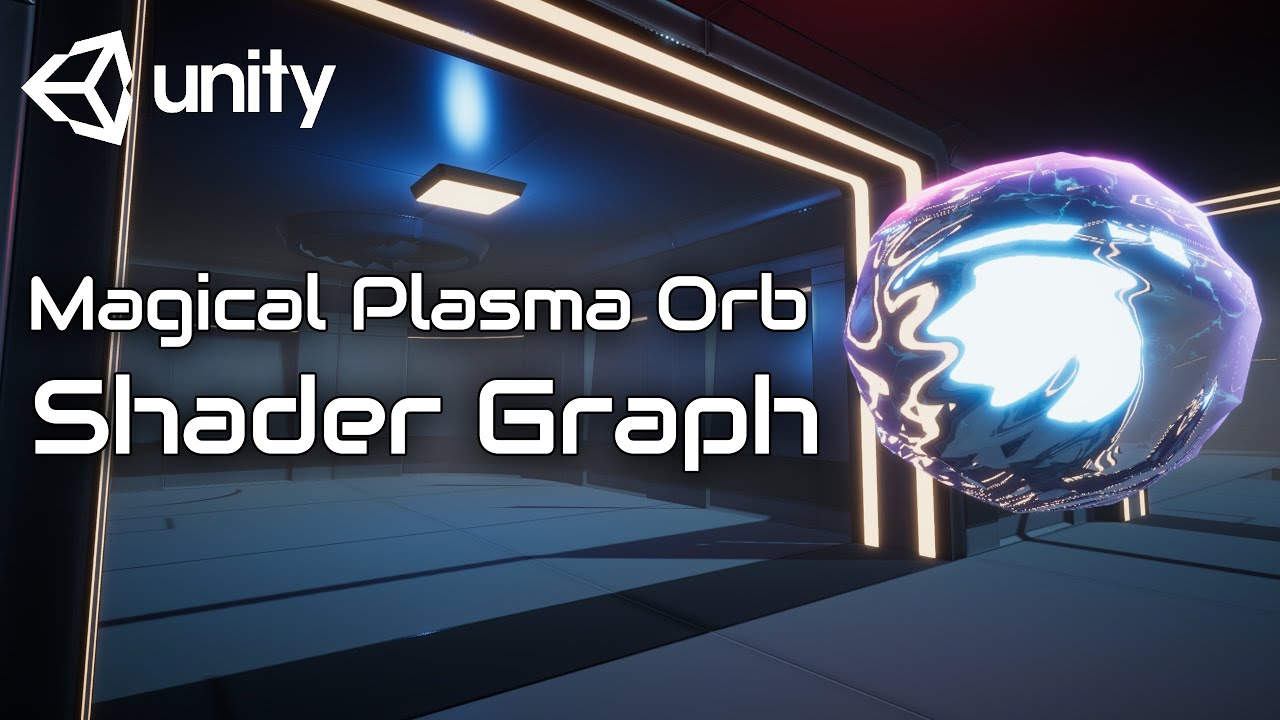
In this video we will show you how to create Magical Plasma Orb using Shader Graph in Unity engine.
Download project files (Patrons only): https://www.patreon.com/BinaryLunar
00:00 Intro.
01:00 Setting up the project and the scene.
02:50 Transparency Rendering in Shader Graph.
04:25 Creating scrolling texture nodes.
07:15 Creating surface move...
grizzled bolt
marble plover
hey is there a up to date tutorial for this style of shader ? https://www.youtub...
For that exact style? Probably not
Thought the shader graph UI has been reorganized, few tutorials have become incompatible as a result of changes
 bronze salmon
newbie shader question, Surface Shader, what is Metallic changing? I'd think metallic-ness would be glossiness, but- well it ain't so :P
Also, what language is the .shader file?
grizzled bolt
bronze salmon
newbie shader question, Surface Shader, what is Metallic changing? I'd think met...
Metallic workflow is a whole topic of its own but mainly it determines if base color should tint specular reflections
bronze salmon
What about my colors? It seems they're a bit bright- or faded? If I turn them to be darker, the look right however
grizzled bolt
bronze salmon
What about my colors? It seems they're a bit bright- or faded? If I turn them to...
That's entirely dependent on the lighting, color space and possible post processing
 ornate blade
Cant see what im doing wrong here, the top of the cylinder is supposed to be clear not gray.
Lit shader, surface set to transparent, alpha set correctly... turning on alpha clip just makes it all gray which is somewhat expected. Thoughts?

(reposted to remove client logo haha)
grizzled bolt
ornate blade
Cant see what im doing wrong here, the top of the cylinder is supposed to be cle...
I don't spot any obvious issues but it might be clearer to use the height gradient as alpha and use a solid color for emission and base color
Since the gradient works already, using it as alpha directly should make that work as well
And if you use the gradient as color as well you'll get greyish haze where it fades out
analog karma
im starting to think that texture warping or vertex snapping isn't possible in shader graph
ornate blade
object space gradient, fed directly to alpha. Solid color directly into Base Color, still seeing it. Havent had this issue before, very weird
 analog karma
so im gonna ask once again, how do i go about making ps1 style effects in shader graph? mainly texture warping and vertex snapping.
grizzled bolt
analog karma
im starting to think that texture warping or vertex snapping isn't possible in s...
I've seen pretty amazing feats performed with SG, but for what you're trying to do there's certainly no nodes ready to go
You'd have to know like, shader maths and stuff
grizzled bolt
ornate blade
object space gradient, fed directly to alpha. Solid color directly into Base Col...
I still don't see anything wrong but that rules out problems iwth the color inputs at least
Can you make it transparent at all if you drop the nodes entirely?
ornate blade
nope, just goes solid grey
its like its already got a mat and im just adding another one, but i checked that
tried changing the blend from alpha, all give the same result
alpha clip just makes it a hard cut from white to grey
ornate blade
right?
Gonna check what URP im running
10.4, last verified so that should be fine
grizzled bolt
Could try restarting the editor
If there's something broken, or some overlay stuck on
ornate blade
mm true, ill give it a go
Thanks for the rubberducking btw
still grey post restart
oh my god im an idiot
there were two cylinders there

fuuuuuuck thats the worst one ive done in a while
grizzled bolt
it happens 😂
ornate blade
Spent my day teaching juniors, they should not listen to a word I say haha
thanks for the help man
analog karma
i did find a texture warping tutorial but its shader writing, not shader graph, is there any way i can convert it to graph?

a picture from a video
 haughty moat
Hi, I've been dabbling in shader stuff on and off for a bit and I'm trying to practice more to add it to my resume. I mostly been training on single shader files and I was wondering how one would go around putting utility functions and the like in separate files for use in multiple shaders in a production environment.
 teal breach
found a cool bug on M1 macs - there are some cases when sampling a fixed-size array where an out of bounds error is not handled, but rather than erroring out (as it will most of the time) it actually just soft locks the editor
I'm still trying to produce a minimal example, but can't - any simple implementation unity seems able to detect the OOB and fail to compile the shader
however, this error has been giving me grief for weeks and I'm glad to finally catch it - literally just need to put index = clamp(index, 0, 15) before sampling my dither patterns and it doesnt crash on M1 macs anymore
wraith inlet
haughty moat
Hi, I've been dabbling in shader stuff on and off for a bit and I'm trying to pr...
You can download Unity's built in shaders from the download archive. They are a great example of how to split stuff out between files.
haughty moat
Shader error in 'raytracingShader': unrecognized identifier 'INVALID_UTF8_STRING' at kernel RTMain at raytracingShader.compute(1) (on d3d11)
Anyone knows what this could be caused by? it suddenly appeared and it seems that now the compiler is taking offense at the # character that I need to define a kernel
is this directive illegal in some conditions ? "#pragma kernel RTMain" (error is the same if use a bogus name for the kernel).
New compute shaders are also created with this error
Found the issue. I was using "²" in one of my comment and the compiler couldn't handle it
quaint coyote
Is there a specific reason why texture near camera seems pixelated ? But away from cam is quite nice n sharp
 undone anvil
In trying to figure out what to call the technique where a texture index is encoded into another smaller texture. The pixel would get looked up and depending on say the green color, it would map a specific texture to the model
dawn lion
quaint coyote
Is there a specific reason why texture near camera seems pixelated ? But away fr...
Can you send an example?
marble plover
grizzled bolt
For that exact style? Probably not
Thought the shader graph UI has been reorgani...
yeah i noticed that but how can i made a shader look like this old tutorial ?
grizzled bolt
marble plover
yeah i noticed that but how can i made a shader look like this old tutorial ?
I would start by trying to follow the old tutorial 🤔
marble plover
yeah that's what i was gonna do but i already follow 2 tutorial of 1hours and finally didnt working because of out of date version  and this tutorial is kinda long
grizzled bolt
marble plover
yeah that's what i was gonna do but i already follow 2 tutorial of 1hours and fi...
What specifically about it didn't work?
marble plover
https://www.youtube.com/watch?v=QsLkb1aOkb8&t=116s i was following this tutorial i did everything good in the tutorial and finally i got just a sphere scaling up and down the size @grizzled bolt
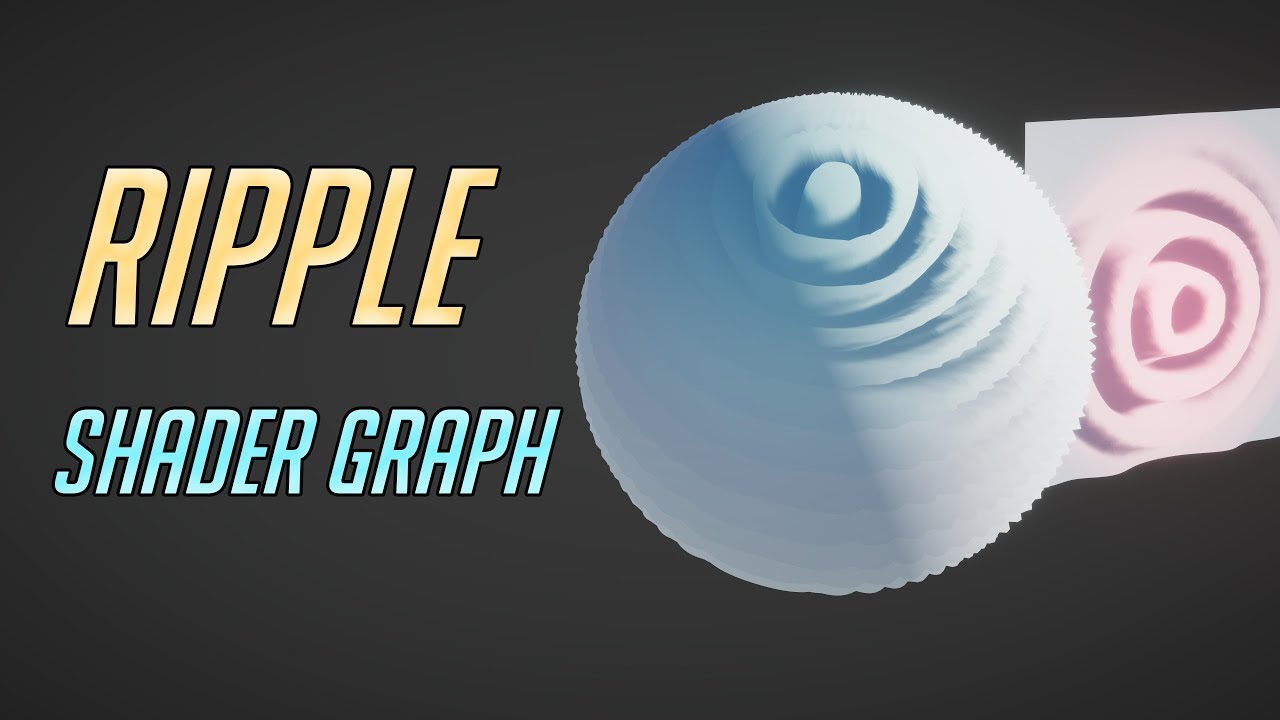
In this video, we will show you how to create a Ripple Wave Vertex Shader Graph using Unity 2021 URP.
Download project files (Patrons Only): https://www.patreon.com/BinaryLunar
00:00 Intro
00:55 Project overview
01:47 Ripple Wave Shader Graph overview
03:10 Creating ripple origin
03:44 Creating ripple density nodes
04:40 Creating ripple freque...
 lone cave
using HLSL how would I take all of the verticles, and say using any form of noise randomly displace their vertices to create a sort of glitching effect as if the model was broken? Can anyone help?
 jovial vine
does anyone know why my textures are acting all weird?
 low lichen
jovial vine
does anyone know why my textures are acting all weird?
low lichen
jovial vine
does anyone know why my textures are acting all weird?
Looks like weird normals on the mesh, making the light reflect inaccurately.
jovial vine
it ist
i fixed it
im stupid i was exporting the mesh with the light
and i dont want a shadow map for the mesh
 wide thicket
How do I make a Voronoi outline in the shader graph?
getting this result and i can't tighten it without it getting rounded off

while i'm trying to achieve something more like this

i know blender has a voronoi crackle that does this but i'm trying to create the effect in Unity
 jagged escarp
Anyone have a good textbook/course recommendation for learning shader programming?
tame topaz
jagged escarp
Anyone have a good textbook/course recommendation for learning shader programmin...
https://learn.jettelly.com/unity-shader-bible/
You could check this out

Introduction to the shader programming language.
simple violet
tame topaz
https://learn.jettelly.com/unity-shader-bible/
You could check this out
Does this cover matrices?
I need a resource that teaches matrices in an easy to understand way
The catlike coding tutorial is too hard for me
wide thicket
i plugged it into an if node with a paramater named "if_true_then_make_lines_sharp" but it's not doing anything
 simple violet
Try the step node
wide thicket
simple violet
Try the step node
that just makes a bunch of circles
simple violet
Then use one minus node
wide thicket
simple violet
Then use one minus node
now the circles are black instead of white
simple violet
After using step?
 simple violet
Mess with the voronol settings
wide thicket
simple violet
Mess with the voronol settings
they only change size and grid randomness
simple violet
If we could make polygons instead of circles that would fix it
Might require some math tho
wide thicket
simple violet
If we could make polygons instead of circles that would fix it
cells does that but, well take a look
wide thicket
simple violet
If we could make polygons instead of circles that would fix it


it creates the polygons but differntiates them by 0-1 values, instead of distance to edge
grizzled bolt
@wide thicket From what I understand you'd have to do math with the points originally used to generate the voronoi pattern, something we don't have access to with the node
wide thicket
i got it to work, had to run the cell through a sphere node, then layered it like 5 times with an offset to create a line
it's heavy but it works
 smoky cobalt
Hello. Can anyone help me with this? I don't know what's going on or maybe it's from the settings. It happens when I put a shader for Occlusion.
In .gif is a VR Shader> SpatialMapping> Occlusion.
- Android * URP*
 marble plover
grizzled bolt
<@925128525802008668> From what I understand you'd have to do math with the poin...
marble plover
grizzled bolt
<@925128525802008668> From what I understand you'd have to do math with the poin...
hey can i dm you i have some questions idk if you know a lot about shader
grizzled bolt
marble plover
hey can i dm you i have some questions idk if you know a lot about shader
It's better to ask questions here
marble plover
okok so i wanted to know how and if it was possible to recreate the same shader that i've made in blender but this time in unity ? Even if it's not exatly the same but something close ? I already whatch lot of tutorial but lot of them are out of date ... Ty for your time it will be appreciated
grizzled bolt
marble plover
okok so i wanted to know how and if it was possible to recreate the same shader ...
Sure it's possible but there are no shortcuts to learning the Unity side of shaders
marble plover
ty our school no formation for unity and had to make shader
it's why i watch a lot of tutorials but at the end the shader didn't work properly
marble plover
grizzled bolt
Sure it's possible but there are no shortcuts to learning the Unity side of shad...
do you have idk keywords i can search for this kind of shader
grizzled bolt
marble plover
do you have idk keywords i can search for this kind of shader
You've already been looking at the kind of vertex displacement shader tutorials you need for the effect so I'm not sure what else could help you 🤔
Besides more practice so the systems become familiar
If you suspect they don't work due to editor version mismatch, you can try following the tutorials on an old version, or try finding tutorials for a new version
In time any problems arising from that become solvable to you
marble plover
in my original shader in blender i used voronoi but in unity i don't think it's the same think
i can't work on another version i have a whole github project working on it with the last version
grizzled bolt
You can install a new editor and make a new project for testing, I do it a lot
marble plover
and the shader will still work when i export in the new version ?
grizzled bolt
Blender does multi-dimensional voronoi, shader graph's is 2D by default so they don't work exactly the same
grizzled bolt
marble plover
and the shader will still work when i export in the new version ?
I can't possibly promise that 😄
marble plover
grizzled bolt
I can't possibly promise that 😄
sad
i will try edit and redit the properties of the vertex shaders
it's only with the NoiseScale that i can edit the number of polygons etc ?

it's kinda of the movements
but too big
 fervent flare
Anyone know how to work around the issue of one side of a plane being in shadows, when using a double sided shader?
 dim mountain
Does anyone know why is my car texture stretching on the sides like this ? I'm following brackeys tutorial about dissolve shader
 grizzled bolt
dim mountain
Does anyone know why is my car texture stretching on the sides like this ? I'm f...
grizzled bolt
dim mountain
Does anyone know why is my car texture stretching on the sides like this ? I'm f...
The parts that are transparent in the alpha channel will be stretched to save file size and avoid color bleeding
You'll probably want to multiply the texture's alpha with the noise before plugging the result into Combine
Or plug the multiply result directly into alpha, that works as well
dim mountain
grizzled bolt
The parts that are transparent in the alpha channel will be stretched to save fi...
so how to fix this
um
Ok i fixed it
wide thicket
marble plover
sad
I ran into the same voronoi issue from blender, so if you want 3d noise in Unity install this package:
https://github.com/JimmyCushnie/Noisy-Nodes
GitHub
Adds various noise generation nodes to Unity Shader Graph, including 3D noise nodes. - GitHub - JimmyCushnie/Noisy-Nodes: Adds various noise generation nodes to Unity Shader Graph, including 3D noi...
 wild fiber
Does anyone know where this comes from. Got these errors out of the blue in my console.

 rough flare


 teal compass
Hi all , is there any pdf or similar to read up about shaders and understand them better ?
grizzled bolt
teal compass
Hi all , is there any pdf or similar to read up about shaders and understand the...
Surely many, tough it's an absolutely massive topic
If you want a beginner friendly thing that's relevant to game asset creation you could start with these
https://halisavakis.com/shaderquest-part-1-graphics-concepts/
https://www.cyanilux.com/tutorials/intro-to-shaders/
teal compass
grizzled bolt
Surely many, tough it's an absolutely massive topic
If you want a beginner frien...
definetely beginner friendly 😄 Thank you a lot for answer
marble plover
hey i made a new cube sphere in blender and import him in gltf for unity, i create a lot of polygons but i doesnt seems that unity detect them

it seems like for unity my polygons are gone
 knotty juniper
marble plover
it seems like for unity my polygons are gone
knotty juniper
marble plover
it seems like for unity my polygons are gone
do you do vertex offset via shader?
marble plover
nop
knotty juniper
why is the lower image so distorted?
 knotty juniper
the issue seem that you are doing it based on some noise that is using the UV map of the sphere
but there are UV seams that cause hard corners
you would either need to have a uv map without seams or use some other source for UV like object coordinates or world coordinates
marble plover
knotty juniper
you would either need to have a uv map without seams or use some other source fo...
i don't really understand sorry
knotty juniper
in the mesh is information that determines how the texture is mapped on it.
but not the whole sphere is in one nice piec so there is a seam where the texture is not so nicly cut of
imagine how you would wrap a present or package with some textured paper there will be places where the paper ends and another piec of the paer with some other texture does not meet exacty fitting
you can put the UV map output into the color output of the shader to see what i mean
marble plover
in my case, the UV map output is this ?

and how can i put my UV map outside the shader, ? in another shader ?
simple violet
I need a resource that teaches matrices in an easy to understand way
The catlike coding tutorial is too hard for me
knotty juniper
marble plover
in my case, the UV map output is this ?


 ivory rover
Is there a way to access an AppendStructuredBuffer<Type> from a kernel inside the same compute shader? Unity complains when I try to index to it like any other buffer and *surely you dont have to make a handover on the CPU side of things just to throw the same data back... right? that would be stupid  *
*
AppendStructuredBuffer<half3> Positions;

void SetupKernel(uint3 id : SV_DispatchThreadID) {
  append to Positions;
}

void Access(uint3 id : SV_DispatchThreadID) {
  Positions[id.x] <- this is what im trying to do
}
maybe its not possible with the nature of the type of buffer, all I hope is I dont have to move as much data as that buffer holds across twice per frame :/
 scarlet crater
Hey I have kind of a newb question, but is there a way I can toggle between color mask modes?
say I want to be able to switch between colormask rgb and colormask rgba without editing the shader file ?
of course as soon as I ask I find an answer to my question (i think)
yep, all good, nevermind
 crystal silo
Just started learning about Shader Graph today, and I see on a bunch of videos they're using the PBR master which has options like alpha, and Metallic which don't seem to be on the Vertex-Fragment one. Any idea where I can find these?
grizzled bolt
crystal silo
Just started learning about Shader Graph today, and I see on a bunch of videos t...
PBR master is now called Lit graph and should have metallicness input visible by default
Other things like alpha may need to be enabled from graph settings now
crystal silo
oh i found it tysm
 mighty fog
Big dumb idiot here. Trying to make a face that you can control the skintone of. Threw in eyes into my shader, but having trouble with 2 things:
How can I make the texture's UV's stay transparent? ("Alpha Is Transparent" seems to override the whole material and make everything that isn't the decal alpha.)
How can I layer the decal (is there a proper word for it?) over the skin shader without using multiply? The Photoshop vocabulary for this would be a "Normal Blending Mode" but obviously that means something completely different here
Edit: Okay I see that it's Blend, with the Overwrite mode selected, but is that makes it such that my materials using the same shader (without the texture) turn white. Is there a way to set a SerializedField (or whatever it's called) to ignore a certain node/fork if a material doesn't have a texture?
grizzled bolt
mighty fog
Big dumb idiot here. Trying to make a face that you can control the skintone of...
You could use a boolean with a branch to disable the blend node conditionally
Or maybe an easier solution is to make an exposed float property which controls the opacity of the blend node and defaults to 0 or 1, whichever makes the blending invisible
"Alpha is transparency" doesn't change the alpha (or transparency) of the texture at all, rather it dilates colors outwards to prevent fringing artifacts when the texture is used with alpha
mighty fog
Thanks! I think I understood about 95% of that! Appreciate it man
meager pelican
ivory rover
maybe its not possible with the nature of the type of buffer, all I hope is I do...
The append/consume buffers are intended to function like a stack. One kernel would append, and another would consume, maybe across frames.
If you want to index into a buffer, just use plain everyday RWStructuredBuffer and keep track of your index.
Remember you can stuff results into another small buffer, and read that small buffer back. That's really what append/consume buffers do...there's an associated small data structure keeping track of the current "stack pointer" for the buffer.
All the above is classified as "I think" and IIUC, and worth about 2-cents. 😉
ivory rover
meager pelican
The append/consume buffers are intended to function like a stack. One kernel wo...
Didnt think about the names as an actual usage medium I guess that makes sense (I couldnt figure out the difference between an append and consume buffer since it isnt well documented) The amount of data in that buffer varies greatly from having 100 half3's to up to millions, so allocating a compute buffer in runtime sounds like a pain in which I may be keeping the append system. So I would use both an append and consume buffer and bind the same buffer across both layouts? if so then I understand
grand jolt
does anybody know how can I make a depth test in shader graph?
I'm changing the Ztest value but nothing changes on my game. Thanks in advance

 timid hare
Hello, I have some (basic I suppose) troubles with compute shaders
I copied the TMP one to add a noise dissolve, but I can't seem to influence it directly.
_NoiseIntensity ("Noise Intensity", Float) = 0 added to the Properties
float alpha = input.color.a;
if (snoise(input.atlas) < _NoiseIntensity) alpha = 0;

return faceColor * alpha;
at the end
I also added uniform float _NoiseIntensity; before the functions
I edit the value in code using Shader.PropertyToID("Noise Intensity") and I use a noise library that I tested before, that works (noises are between 1 and 0)
timid hare
Update, it says that it's the default material and shaders, even tho TMP use custom shaders and that I copied one to replace it correctly
grand jolt
what's the best way to make an outline without having to instantiate a lot of materials for each different object?
 red wedge
Hello !
I have a problem, I want to basically shade my screen to black in vr using this shader, but it doesn't work : Only one eye become black.
Does someone could help me, please ?
    Properties
    {
       _worldDirection("World Direction", Vector) = (0,0,0,0)
       _power("Power",Float) = 1
    }

    Category {
    Tags { "Queue"="Transparent" "IgnoreProjector"="True" "RenderType"="Transparent" }
    Blend SrcAlpha OneMinusSrcAlpha
    Lighting Off ZWrite Off

    SubShader {
        Pass {

            CGPROGRAM
            #pragma vertex vert
            #pragma fragment frag

            #include "UnityCG.cginc"

            half3 _worldDirection;
            half _power;


            struct v2f {
                float4 vertex : SV_POSITION;
                float4 color : COLOR;
                float3 viewDir : TEXCOORD0;

                //vr single pass
                UNITY_VERTEX_INPUT_INSTANCE_ID
                    UNITY_VERTEX_OUTPUT_STEREO
            };

            v2f vert (appdata_full v)
            {
                v2f o;


                //vr single pass
                UNITY_SETUP_INSTANCE_ID(v);
                UNITY_INITIALIZE_OUTPUT(v2f, o);
                UNITY_INITIALIZE_VERTEX_OUTPUT_STEREO(o);

                o.vertex = UnityObjectToClipPos(v.vertex);
                o.color = v.color;
                half3 worldPos = mul(unity_ObjectToWorld, v.vertex);
                o.viewDir = normalize( mul((float3x3)unity_CameraToWorld, float3(0,0,1)) );
                return o;
            }

            fixed4 frag (v2f i) : SV_Target
            {
                //vr single pass
                UNITY_SETUP_STEREO_EYE_INDEX_POST_VERTEX(i);
                float dotView = clamp( dot( normalize(_worldDirection), i.viewDir ), 0.,1.);

                float4 color = lerp(i.color, float4(0.,0.,0.,0.), pow(dotView, _power) );

                return color;
            }
            ENDCG
        }
    }
}
}```There is the custom pass if <i remember correctly, try searching about that :)
 vague imp
how do i use this texture 2d as a normal map??
 latent thistle
is anyone is familiar with deferred rendering path under urp ? i do not understand why despite my shader (made using shader graph) is fully black i have a lighting
timid hare
I figured mine out, I had to use _tmp.materialForRendering instead of _tmp.material. If it can help anyone
knotty juniper
vague imp
how do i use this texture 2d as a normal map??
The Normal output in the Vertex Stage is for setting the normal of the vertex
If you wan to use a normal map it should be go into the Normal Output of the Fragment Stage
you still need to sample the texture first
 vague imp
ahhhh thank you
how can i turn the output of this slerp node blurry or into a blurry low res image?? i just want it to look blurry
 grizzled bolt
vague imp
how can i turn the output of this slerp node blurry or into a blurry low res ima...
grizzled bolt
vague imp
how can i turn the output of this slerp node blurry or into a blurry low res ima...
That's the step node, not "slerp", which creates very sharp transitions
There aren't many ways to blur things, so it's better to find another way
vague imp
Yea my bad,i meant step
 desert sundial
https://youtu.be/2I06F7g4b8Y?t=26
Anyone knows how this skybox effect is working? I am not familiar with this 2d things.

 lean lotus
Hey so I’m currently using a compute shader to pathtrace in real time and it’s working, but I wanna see the performance comparison to using rtx hardware, is it possible to use raytracing shaders that use RTX hardware in place of the traversal kernels I have in the compute shader for intersection data, while still using the other kernels in the compute shader(for materials and such)?
 drowsy linden
Ok so how do I get it where I can draw a boundary where an object touches something else. I have to compare depth textures somehow, right?
 sweet cosmos
Can anyone help me with outline shader I took from the Internet? The problem is that I get the outline but the object becomes dyed to the color listed in the shader as main color. I would like to have the natural color. https://pastebin.com/FpCa0Sew
Pastebin
Pastebin.com is the number one paste tool since 2002. Pastebin is a website where you can store text online for a set period of time.
 meager pelican
sweet cosmos
Can anyone help me with outline shader I took from the Internet? The problem is ...
meager pelican
sweet cosmos
Can anyone help me with outline shader I took from the Internet? The problem is ...
Assign the texture component to the object's texture (that's what gives the natural color around parts of the object). Unless it's a solid color object, if so , just assign a different color to Main Color. That's the tint. White would leave the texture colors unchanged.
It depends on how the model is set up. If it's using vertex colors, for example, you'd have to change the shader to use them.
sweet cosmos
💀
marble plover
hey, can someone explain me how to color this voronoi gradient ?

i tried adding a color but i doesnt seems to apply to the base color
meager pelican
Multiply it by the tint color
sweet cosmos
meager pelican
Assign the texture component to the object's texture (that's what gives the natu...
Can you do it in my stead please? I am complete noob with shaders
meager pelican
I don't have the texture.
What is is supposed to look like?
sweet cosmos
1min
marble plover
meager pelican
Multiply it by the tint color
like this ? i don't really know were to put it
 meager pelican
See where it says (base) and there's a blank texture box? Click on that and add the texture (assuming there is supposed to be one).
sweet cosmos
meager pelican
I don't have the texture.
What is is supposed to look like?
Outline shader is the second one. The character looks like this after the first material's processing
 meager pelican
marble plover
like this ? i don't really know were to put it
meager pelican
marble plover
like this ? i don't really know were to put it
I can barely read that, but, take the gray scale result of the voronoi and multiply it by some tint color you put on the blackboard or whatever color you want to use. Plug that into base color.
 muted ruin
Hi, does anyone know how to apply a subsurface scattering map to a material? I've got it on a (B) channel but I can't find a map here to slot it in.
 marble plover
meager pelican
I can barely read that, but, take the gray scale result of the voronoi and multi...
marble plover
meager pelican
I can barely read that, but, take the gray scale result of the voronoi and multi...
like that ? or i need to put the multiple after the voronoi gradient ?
 meager pelican
The latter.
Don't multiply a tiling and offset (that's a UV thing) by a color.
The voronoi is a grey scale value, 0 to 1. So if you want to tint that result (that was your question as I understand it)...you multiply the voronoi result (0 to 1) by a color, and you scale that color according to the voronoi pattern.
marble plover
okok i find out !
ty !
ok now i have another question
i made a sphere in blender with lot of polygons
and when i import in unity all my polygons are gone
idk why
meager pelican
Maybe it is importing quads instead of triangles.
Go back to blender and fix the model to be triangles, that's the best way. IIRC there's a triangulate function/process. Google it.
marble plover
like this, idk if you see my problem
i want it to have a more spheric shape while moving
it's my base sphere
 sweet cosmos
CarpeFunSoftware can you please answer the question I had? You asked how my object was supposed to look and I provided a screenshot
meager pelican
sweet cosmos
Outline shader is the second one. The character looks like this after the first ...
OK, and that comes from a texture or what?
marble plover
i will try
sweet cosmos
meager pelican
OK, and that comes from a texture or what?
Um... I guess the texture is provided to material as main color
Albedo map*
meager pelican
Right, it's called "Base" and there's the tiling/offset and the slot for the texture.
You showed me the outline material, but in that one (probably a 2nd material?) you didn't have a texture.
You may not need a 2nd material at all, BTW. Not sure.
sweet cosmos
The first is a so called "Standard" shader
meager pelican
Show me that one (material for the object).
sweet cosmos
 marble plover
hmm i doesnt seems to work either
 meager pelican
sweet cosmos
meager pelican
sweet cosmos
OK, see? There's a texture assigned to it in albedo. Try plugging that texture into "Base" on your outline material.
The texture slot.
sweet cosmos
meager pelican
OK, see? There's a texture assigned to it in albedo. Try plugging that textur...
Is there such?
 meager pelican
See that square under the white and red boxes? Where it says "none, texture".
Click "select" and pick the same texture as in the 1st material.
grizzled bolt
marble plover
hmm i doesnt seems to work either
The polygons are definitely all there as we can see here
Rather you're fundamentally misunderstanding a lot of what's happening with your shader

 meager pelican
Well, that's closer. lol. At least you have some greens and blues. 😉
BUT, this outline shader isn't the same as the "standard" shader.
In that material you have an emission setting, and maybe other things going on with lighting. And it's orange in the 1st one.
sweet cosmos
Yeah, there is a color which is also applied
I tried to move it to the new material but...
 meager pelican
The two shaders just don't work the same.
You could try clipping the pixels for anything that isn't an outline part. Maybe ONLY do the outline part, and leave the other part from the 1st material pass.
sweet cosmos
It would be nice
meager pelican
So try commenting out passes in your shader until it works or all fails.
sweet cosmos
It is going to be hard work...
meager pelican
The passes that do the outline are labeled "OUTLINE"...
sweet cosmos
meager pelican
The passes that do the outline are labeled "OUTLINE"...
There are only 2 passes
And I commented both of them
This way I deleted the outline
But the bones are still white
meager pelican
The OUTLINE ones are the ones you keep.
sweet cosmos
I know
But there are no more passes
But the bones are still white
So the shader still affects the texture passed by the first shader
meager pelican
IDK, I'd have to pull it up, get some model, make a test case with a standard material, your outline shader, and then figure it all out.
I got you as far as filling in the required field for the texture color.
But you have to realize that you can't just plug in one outline material shader over top of another and expect it to work unless it is designed to NOT modify the original object's 1st draw.
meager pelican
Have you seen the standard shader?
sweet cosmos
No
But I guess I can find its code
The bigger problem is how to add outline to it
meager pelican
Or alter your shader to be more standard-like.
Either way you're biting off a lot. Just FYI.
If you're new
But the outline shader is using a surface shader which really defaults to a standard-like shader if you set things like metallic, and emission and such.
meager pelican
I mostly do HLSL, but I write shaders. But I'm not open for a small contract right now. You can try unity connect/forum or whatever they call it these days.
sweet cosmos
I was just interested whether it takes a lot of time to learn how to make shaders like outline shader
meager pelican
There's at least 5 ways to make an outline, probably 5000 variants. And that's just one concept.
sweet cosmos
You look like a shader guy
 sweet cosmos
So usually you just google about the graphics effect you want?
meager pelican
Well, that's a good place to start, unless you're inventing something new. Outlines come up every other day here, but you're asking a specific question on a specific shader you pasted over a standard shader.
Both of those writers are contributors here, and/or the forums.
Also see the pinned notes in the title bar above.
sweet cosmos
meager pelican
Well, that's a good place to start, unless you're inventing something new. Outl...
Is there a big difference between writing on cg and on hlsl?
meager pelican
if by CG you mean OpenGL the general concepts apply, but you have to know the specific API differences.
Unity basically uses HLSL and translates to OpenGL where needed, at least in the new systems.
You might find that the new scriptable render pipelines like URP are more approachable with shader graph.
drowsy linden
How do I figure out where two objects intersect. I don’t know where to begin other than the vague notion of using the depth texture
meager pelican
drowsy linden
How do I figure out where two objects intersect. I don’t know where to begin oth...
Did you google "unity object intersection shader"?
sweet cosmos
meager pelican
Did you google "unity object intersection shader"?
I tried to copy Ben Golus' final FJA shader, pasted main texture and got a weird result, can you help me ?
 ionic smelt
Heyo there, does anybody perhaps know if there's some way to change the alpha mode from Fade Out to Cutout for RealToon in URP12? Thanks!
 fervent spire
does anyone know how i can make a shader like this? i’m using a capsule as that outside blue part, but i don’t know how to make it fade out like in the picture.
 shadow locust
fervent spire
does anyone know how i can make a shader like this? i’m using a capsule as that ...
shadow locust
fervent spire
does anyone know how i can make a shader like this? i’m using a capsule as that ...
Bloom postprocessing effect.
fervent spire
shadow locust
Bloom postprocessing effect.
i’m making a mod for a game, i don’t think i can do that
would this be possible with particles?
fervent spire
nvm i got it
wanton grove
Hi whats the decimal precision of a fixed number?
knotty juniper
wanton grove
Hi whats the decimal precision of a fixed number?
from the unity docs:
"Low precision: fixed
Lowest precision fixed point value. Generally 11 bits, with a range of –2.0 to +2.0 and 1/256th precision."
https://docs.unity3d.com/Manual/SL-DataTypesAndPrecision.html
 wanton grove
I've read that, but I'm not sure how many decimal places that allows me to use
I'm sure it has to do with the 1/256 though
 tardy glade
Hopefully this is the right channel to ask: I'm trying to import a .fbx model into Unity to use it for a animation. In Blender the alpha textures worked, but here I can't seem to make them transparent. Any ideas?

 knotty juniper
tardy glade
Hopefully this is the right channel to ask: I'm trying to import a .fbx model in...
knotty juniper
tardy glade
Hopefully this is the right channel to ask: I'm trying to import a .fbx model in...
What shader do you use in unity?
are all textures set correctly?
To what is the rendermode of the material set?
tardy glade
knotty juniper
What shader do you use in unity?
are all textures set correctly?
Using the default one in the "Universal Render Pipeline" preset when you create a new project. I kind of managed to make them transparent but they aren't behaving like when I had it in Blender. I also think I'm not setting the textures correctly.
At least it's transparent now.
 tardy glade
Using the default one in the "Universal Render Pipeline" preset when you create ...
tardy glade
tardy glade
Using the default one in the "Universal Render Pipeline" preset when you create ...
And I know "not behaving like in Blender" might be obvious that I need to change something, I'm just not sure where.
knotty juniper
tardy glade
At least it's transparent now.
the noraml transparency mode has issue with sorting
Better use the Surface type "Opaque" and the checkbox in "Alpha Clip"
tardy glade
knotty juniper
the noraml transparency mode has issue with sorting
Better use the Surface type ...
Thank you. I think it's better now.


drowsy linden
meager pelican
Did you google "unity object intersection shader"?
yeah, but all I have been able to get is a depth texture with some fresnel attached. It shifts around whenever I move the camera which is no good
drowsy linden
ok i finally found the brackeys tutorial lmao
wait, now its doing it again. It's moving around with the camera.
here's my shader graph
 latent thistle
is anyone is familiar with deferred rendering path under urp ? i do not understand why despite my shader (made using shader graph) is fully black i have a lighting
sweet cosmos
Is there a way to not modify the object's surface but to keep the one from the previous material on object?
grand jolt
meager pelican
if by CG you mean OpenGL the general concepts apply, but you have to know the sp...
Cg is a now defunct language by Nvidia that had a compiler that targeted both HLSL and GLSL as outputs. In Unity using the CGPROGRAM defines just means you'll have the headers for the builtin rendering pipeline automatically included.
ionic smelt
fervent spire
nvm i got it
Yo, how'd you get it to work? All I can think of is adding it in a texture and billboarding it if it's like a lower poly kinda kinda game.
grand jolt
@ionic smelt I suspect they combined smoothstep and a fresnel.
So basically calculating the dot product of the mesh normal and the view vector, getting its absolute value and then tightening up the fading with a smoothstep.
ionic smelt
Oh, right. Of course you could use the shadergraph, too. I was thinking we tried to keep it simple. lmao
grand jolt
ionic smelt
Oh, right. Of course you could use the shadergraph, too. I was thinking we tried...
They were talking about implementing it through a shader though 😄
ionic smelt
Oh? Didn't see. 
 static lava
hello i hope every one is having a good day, i have the following problem, would appriciaty any help, i have the following model unity, i disabled the normals in the mesh, in order to get the same amount of vertices, where i originally exported it, now it is important that i have the same vertices, since i am getting the verices color data from outside and its changing in real time, my question is there a way to make it look better (with edges and shadows) without touching the normals or maybe some how have normals but with the same amount of vertices ?
 latent thistle
there is a good way to add to different shader graph ?
 hardy socket
latent thistle
there is a good way to add to different shader graph ?
hardy socket
latent thistle
there is a good way to add to different shader graph ?
do u mean like blending colors ?
grizzled bolt
static lava
hello i hope every one is having a good day, i have the following problem, woul...
Normals don't change the amount of vertices unless they're split/hard
What is your goal exactly?
static lava
i managed to Recalculate the normals in the script and it some how mentained the amount of verices, if i were to check calculate/import, the amount of vertices some how goes up, my goal is the following: i am sending vertices color information from python to unity c# and these color information have the size of the mesh vertices (makes sense) but when i receive them in unity and try to apply the colors (since there were more vertices than the original exported mesh) it destroyed the color placemet, but now its working its just weird to me that the mesh has more vertices if i enabled normals..

what was happening before
 latent thistle
hardy socket
do u mean like blending colors ?
latent thistle
hardy socket
do u mean like blending colors ?
i mean for exemple i have a base shader, but cetain objects need a few more things (like vertex displacement etc) is the best way is to wrap the main sahder inside a subshader and then recrate a lot of shader ?
hardy socket
ohh... i cant help u with this srry
grizzled bolt
static lava
i managed to Recalculate the normals in the script and it some how mentained the...
There are easier ways to give color to a mesh 😄
Seems like you're trying to do something very specific
grizzled bolt
static lava
how would you do it ?
Ordinary texture maps? 🤔
latent thistle
    IEnumerator ScanFx(float _duration)
    {

        Renderer r = GetComponent<Renderer>();
        if (r != null)
        {
            //setting up effect
            Shader tShader = r.material.shader;
            r.material.shader = hologramShader;

            //setting up shader properties
            {
                r.material.SetColor("Tint", ScanFxColor);
                r.material.SetFloat("Speed", ScanFxSpeed);
                r.material.SetFloat("SpeedOverlap", ScanFxOverlapSpeed);
                r.material.SetFloat("Density", ScanFxDensity);
                r.material.SetFloat("rimLightIntensity", ScanFxRimLightIntensity);

                r.material.SetKeyword(r.material.shader.keywordSpace.FindKeyword("isRimLight"), ScanFxisRimLight);
                r.material.SetKeyword(r.material.shader.keywordSpace.FindKeyword("FollowCamera"), ScanFxisFollowCamera);
            }

            yield return new WaitForSeconds(_duration);

            //reset
            r.material.shader = tShader;
        }

        yield return null;
    }```

seze you any mistake ? my properties are not set 😦i originally had that in plan and i actually implemented it but its way less efficient, anyways this is a glance of the project i am working on:
so i have this 3D model of a head, essentially what i did is a brain heatmap ( just color values mapped on a specific colormap ), these color values can be applied on the vertces points or the cells( i did them on points), this heatmap is done in a pyhon library called VTK, from python i can get the vertex colors (scalars) and transform them into RGBA colors, i set up a python server socket, where i essentially send these color values as json to unity and change the mesh colors accordingly every frame. Before doing this i did the whole process in blender, where i first exported every 3d model with the heatmap applied as .ply file and then had to uv unwrap every model and extract every projected image, and this took an awful lot of time and its really a bad solution to the problem. I am open if you have ideas about how i can go around this 🙂 ty for your time
oh i forgot to mention this is AR (augemnted reality ) using the hololens, this is essentially what happens when i run the unity application 😄
grizzled bolt
static lava
i originally had that in plan and i actually implemented it but its way less eff...
Right, definitely a very specific use case ^^
I'm not great at a lot of the parts of your process but this is all good info for someone else who might be
meager pelican
latent thistle
```cs
IEnumerator ScanFx(float _duration)
{
Renderer r =...
use
m.SetColor(.......
m.SetColor(......```
When you make a reference to renderer.material you end up cloning a new material.  So in your code you've created a cloned material.  Use sharedMaterial if you want to modify the existing material, and it would also modify it for all objects using that material instance.
Don't forget to use an underscore if you need one.
And if using shader graph, pay attention to the internal reference name, not the "pretty display name" it shows you.
Also you should investigate using propertyID's when you get this draft working, much faster.i actually just downloaded a shader that was made in visual studio, but are you able to send a pic of how to do the one you just explained? i don't really know what you mean
grand jolt
fervent spire
i actually just downloaded a shader that was made in visual studio, but are you ...
Something like this maybe? I've been using URP for a long time so getting the view/normal into the same coordinate space is up to you.
float nDotV = abs(dot(viewDirWS.xyz, normalWS.xyz));
float value = 1.0 - smoothstep(0.7, 0.9, nDotV);
float3 color = value * _GlowColor.rgb;
return float4(color, 1.0);```I might have messed up the math but the principle is there somewhere.
fervent spire
grand jolt
Something like this maybe? I've been using URP for a long time so getting the vi...
is it possible to get it to fade out into the environment?

like this

 prime timber
I added the Blit / DrawFullscreen feature that unity has in their example assets on their github page to my urp project. What do I have to keep in mind when creating a shader for the blit material? I was thinking naming the texture reference to _SourceTexture is necessary so I did that but after adding the material to the renderer feature the screen is just blue :/
grand jolt
fervent spire
is it possible to get it to fade out into the environment?
You could use transparency and add the same code but blending towards zero alpha.
Or sample the camera color texture (grab pass in builtin render pipeline, camera color texture in URP) and blend to it in an opaque shader.
 fossil cloak
Hey Guys. After Updating Unity to 2021.3 my shadergraph shader is not working anymore.
Is there a a new and special Shadergraph for 2D Sprites in an UI?
My Sprites have now a red or blue Background, depending on the normal facing the camera i think.
But only in gameview. In Sceneview the alpha is working correctly
 regal stag
prime timber
I added the Blit / DrawFullscreen feature that unity has in their example assets...
regal stag
prime timber
I added the Blit / DrawFullscreen feature that unity has in their example assets...
It's likely that you need to set the pass index on the feature. It defaults to -1 iirc (which renders all passes) but you don't want it to blit with the Shadowcaster, DepthOnly, etc passes. Only the unlit/forward one (probably index 0)
prime timber
regal stag
It's likely that you need to set the pass index on the feature. It defaults to -...
Damn, that worked. You are an angel!
fervent spire
grand jolt
You could use transparency and add the same code but blending towards zero alpha...
thanks alot!
 barren abyss
fossil cloak
My Sprites have now a red or blue Background, depending on the normal facing the...
barren abyss
fossil cloak
My Sprites have now a red or blue Background, depending on the normal facing the...
I'm not sure but upgrading the project render pipeline might help
fossil cloak
barren abyss
I'm not sure but upgrading the project render pipeline might help
Do you know where i do this?
barren abyss
fossil cloak
Do you know where i do this?
Yup. Upgrading project render pipeline( google it)
fossil cloak
Didnt work ^^
fossil cloak
Scene View and Game View 😄


 calm rock
Hey guys,
I'm trying to reduce the number of shader variants I use but it seems I can only use 'Shader Variant Collections' on hlsl shaders and not on shadergraphs. Do I have any other options?
calm rock
moving from 2019 to 2021 has really, really slowed down shader compilation. Does anybody know why?
calm rock
And doing a build and then immediately doing another build still triggers a huge shader recalculation, so it's clearly not caching properly. Using 2021.3.1f1
 stiff delta
hello, been wondering how i could make only certain gameobjects have the bloom effect
ive watched a couple of tutorials where they make a material out of a shader graph that allows them to change the HDR intensity to control bloom but no matter how closely i follow them they never work for me
simple violet
stiff delta
ive watched a couple of tutorials where they make a material out of a shader gra...
there's no other option than that
 dim yoke
Do you mean shader graph or handwritten shaders?
 rancid silo
Graph
And generaly
Intro to shaders
@dim yoke where are u from
Cuz not from UK or USA
Or maybe
Are u from Poland
dim yoke
Nah
rancid silo
Ok
Just asked
Anyways do u have some tutorials about
Shaders
(I know that im wriring too much sry for that)
I just have
Too many questions
I guess
R i am frazy
Crazy
dim yoke
Don’t spam… check the pinned resources on this channel. Cyans site seems very promising
stiff delta
simple violet
there's no other option than that
well then can you tell me what might be wrong with my shader? its just an hdr color going into the color module
rancid silo
dim yoke
Don’t spam… check the pinned resources on this channel. Cyans site seems very pr...
Sry for that again
stiff delta
stiff delta
well then can you tell me what might be wrong with my shader? its just an hdr co...
but intensity only makes it brighter or darker in color, no bloom effect at all
stiff delta
rancid silo
Anyways do u have some tutorials about
brackeys has a couple good ones
just search for "brackeys shaders" and youll probably get a pretty ok introduction
rancid silo
Yeh i know but i have different version
2021.2.5f1
And he has like 2019/2020 version
simple violet
stiff delta
but intensity only makes it brighter or darker in color, no bloom effect at all
is post process turned on correctly??
simple violet
stiff delta
but intensity only makes it brighter or darker in color, no bloom effect at all
stiff delta
simple violet
is post process turned on correctly??
yeah, both in camera and project settings
well i hope it is at least
imma read through that article and check if ive missed a step
huh
i didnt change anything and it just works now
dim yoke
rancid silo
And he has like 2019/2020 version
doesn't seem like that. atleast it's updated very recently. nothing have changed since that
stiff delta
thats weird
it wasnt working a second ago. reloading the project might have just fixed it itself
jagged escarp
Anyone know where I can find the API documentation for:
Packages/com.unity.render-pipelines.universal/ShaderLibrary/Core.hlsl
simple violet

GitHub
Unity Graphics - Including Scriptable Render Pipeline - Graphics/Packages/com.unity.render-pipelines.universal/ShaderLibrary at master · Unity-Technologies/Graphics
jagged escarp
simple violet
https://github.com/Unity-Technologies/Graphics/tree/master/Packages/com.unity.re...
thank you for this! Is there really no official unity docs for the APIs tho?
rancid silo
If there would be he would probably send that
 thin crater
Hello! I've managed to get a procedural terrain generation with a randomly-built mesh as a terrain. The problem is that I can't find any tutorial, post or topic around the internet on how to apply textures and "fuse" them in my mesh (e.g. "melt" them in the borders between two biomes). I want to apply the textures not based on the height but based on a 2d array that is "linked" to the mesh, on which every element on the array corresponds to a square. Can someone help me? Any useful links or anything?
This problem is blocking me for months now 😦
 keen patio
[GenerateHLSL] how to generate member function?
simple violet
thin crater
Hello! I've managed to get a procedural terrain generation with a randomly-built...
i heard u need to use smoothstep for that
thin crater
So if I get to have a shader that correctly loads a texture in a mesh, I have to use that to "smooth" the biome's edges?
simple violet
yup
thin crater
Well I still don't know how to do that 🤔
 queen orchid
Hello! Is it possible to replace only vertex shader in camera? I've only found an unanswered question on this: https://answers.unity.com/questions/467172/replace-vertex-shader-for-all-shaders.html
Unity is the ultimate game development platform. Use Unity to build high-quality 3D and 2D games, deploy them across mobile, desktop, VR/AR, consoles or the Web, and connect with loyal and enthusiastic players and customers.
 lime star
is there a way to pass a texture2d to a compute shader? or do i have to do some magic first? currently its giving me the error that the uav flag wasnt set, however i dont know how to set it. (image 1 is in the compute shader, image 2 is me passing it to the compute shader)

 meager pelican
queen orchid
Hello! Is it possible to replace only vertex shader in camera? I've only found a...
meager pelican
queen orchid
Hello! Is it possible to replace only vertex shader in camera? I've only found a...
No. The shader includes all active stages in one shader.
You cannot replace just a piece of it. There's shader replacement, but not shader-stage replacement.
meager pelican
lime star
is there a way to pass a texture2d to a compute shader? or do i have to do some ...
IIRC there's some kind of writable-flag on the texture importer in the inspector.
lime star
tried that, didnt work
meager pelican
lime star
tried that, didnt work
Well, IDK then, but you might want to publish the exact error message.
lime star
 meager pelican
Is that in the editor or a build?
meager pelican
Maybe this will give you some help in the right direction: https://forum.unity.com/threads/read-and-write-rwtexture2d-in-compute-shader.515008/
they indicated a problem on android, but, they said it worked in PC.
Unity Forum
Is it possible to read and write to a RWTexture2D in compute shader?
On here it says "you can read from and write to a RWTexture2D object", so it...
lime star
ill take a look, thanks
meager pelican
That embedded link to post#19 in the shader-toy question writes to a RWT2D. Note that they create it as a render texture.
So from the looks of it, for all of us reading this, a Texture2D is a SRV and a Render Texture is a UAV. At least that's what I'm seeing.
lime star
ye, so far ive always used render textures, but i want to input a texture, like an image, and i dont know how to do that in render texture form
meager pelican
Also this, near the end, may help with multiple views: https://docs.microsoft.com/en-us/windows/win32/direct3dhlsl/sm5-object-rwtexture2d
So you could have a RWTexture2D for the compute shader, and bind that as a Texture2D in a regular shader.
A read/write resource. | RWTexture2D
meager pelican
lime star
ye, so far ive always used render textures, but i want to input a texture, like ...
You can't, it has to be a render texture to bind it as a UAV. (I think).
But you could blit a t2D to an RT that you created.
That is, from what I can tell. If the writable flag doesn't work, that is.
Then later, you can still bind the UAV as a SRV and use it like a T2D in a "regular" shader (see the example in the link above).
You could always ask a question in the Unity forums to find out if the texture importer has a way to bind a texture to a UAV directly. But that's not really a shader question.
grand jolt
I need a basic shader for a realistic horror games for backrooms
dim yoke
grand jolt
I need a basic shader for a realistic horror games for backrooms
Why wouldn’t the default shaders work?
dim yoke
When you create new material in unity, they obviously have a shader in them
dim yoke
Nah. You can ask here if you need help
 keen moth
Anyone knows how to open .shader file in shader graph? i accidently made it, so it opens in notepad, and idk how to turn it back
 lunar fiber
Hello all. Hoping someone can help me with an issue. trying to pass an array of structs to a computeshader. everything worked well until I added a fixed size float array to the struct. now I am getting a must be blittleable error. Any suggestions. Thanks
regal stag
keen moth
Anyone knows how to open .shader file in shader graph? i accidently made it, so ...
.shader files are for written code, you cannot open them as a graph. Shader graphs are different files (with the .shadergraph extension). They are different options under the Create -> Shaders menu, assuming Shader Graph is also installed as a package (or URP/HDRP which includes Shader Graph automatically)
keen moth
regal stag
`.shader` files are for written code, you cannot open them as a graph. Shader gr...
oh ok got it, i was lost for like 3 hours now, thanks!
white marsh
is there any way to write a shader that uses edge detection to make an outline on only the mesh with the shader on it? the ways ive seen so far is using post processing to add outlines to all objects. just wondering if its possible
wanton grove
Is it possible to set the texture variable of a compute shader using a different compute shader file? Betteryet, is there anyway I could use 2 kernel functions to share variables within the same file?
white marsh
actually, is there a way i can use stencils on different passes so that i can properly make an outline on more complex geometry without it intersecting with the rest of the mesh? like this

i figured it out

 spare wedge
Hi, I have created a shader that I use to make a slash fx, but here I'm having an artefact and I don't know why, I share with you the shader and the particle system setting that I use.
Seems like it grow if the camera go away from it. I thought that this was because the texture touch the border of the image but that's not it.
Cans someone help me ? Thank you.


 regal stag
spare wedge
Hi, I have created a shader that I use to make a slash fx, but here I'm having a...
regal stag
spare wedge
Hi, I have created a shader that I use to make a slash fx, but here I'm having a...
Might still be related to the texture clamping edges if mip maps are enabled on it. Can try disabling them in the texture's import settings, or I think there's a "border mip maps" option which might help.
spare wedge
regal stag
Might still be related to the texture clamping edges if mip maps are enabled on ...
that was it thanks, I disabled the mip map and it worked ! Thanks, you saved me.
grand jolt
hey can someone tell me why i can't activate these nodes.
 regal stag
grand jolt
hey can someone tell me why i can't activate these nodes.
regal stag
grand jolt
hey can someone tell me why i can't activate these nodes.
They get enabled if you change the Graph Settings, in the Graph Inspector window (toggled top right). Like graph type to Transparent, and/or enabling Alpha Clipping.
grand jolt
@regal stag thank tou so much!
white marsh
Is there a good tutorial or guide on how to use multiple light sources anywhere online?
thin crater
Hey, I managed to apply a terrain texture to my terrain mesh using a color mask and a colored texture as an array to filter the texture and place it only where it's needed:

However it has crisp edges and I'd like to smooth them

That's the current effect between grass and sand... Is there a way to do that?
 lethal steppe
Hi Guys! When I use material.SetTexture("_MainTex", tex); in multiple shaders with the same texture will it be uploaded to the gpu multiple times? If no, great! 🙂 If yes, can I somehow pass a 'reference' as a texture? Thx ^^
dim yoke
Btw you can use material.mainTexture = … instead of SetTexture(”_MainTex”, …)
 meager zinc
hey guys any help on helping me find what kind of camera filter is this game using?

A demo for White Lavender is out now!
Check it out on Itch.io: https://sokpop.itch.io/white-lavender
It is a challenging adventure game with RPG-elements. Journey through a colorful miniature world, collect cool items like pencils and party hats, grow strong, meet magic frogs and beetles, and battle mean critters on your journey to brew a spe...
meager pelican
lethal steppe
Hi Guys! When I use material.SetTexture("_MainTex", tex); in multiple shaders wi...
IIUC, the texture "tex" should only be uploaded once. So you're good. The engine will "reference" it, as you hope. It knows. IICU, it checks that "tex" resource is uploaded and available/bound in context for each draw, or maybe the API handles that somehow, and uploads it and sets it up if it is not there anymore.
meager pelican
meager zinc
hey guys any help on helping me find what kind of camera filter is this game usi...
IDK, but it looks like a full-screen distortion effect...?post processing? since it happens when the camera is still. some type of depth + local effect displacement maybe? Maybe some kind of refraction, under-water ish?
I suppose they could pass such data to all shaders as they draw too, rather than some post processing pass. It's sometimes harder to try to duplicate exactly what some other game did than it is to invent your own methods. 2-cents.
meager pelican
meager zinc
https://www.youtube.com/watch?v=Vl19y_ydbvo&t=5s
https://www.youtube.com/watch?v=XatLA5SGgAs
See #4 (2nd one he talks about)
he provides source, it is NOT a full screen process, it is time based vertex offset for each object, and to get a fine wobble like that IDK if they're using higher-poly meshes or what. Would be interesting to experiment with.

Project file: https://drive.google.com/file/d/1T68hs-7Nb1kS3Dwj3FuvR75P8S_aufB1/view?usp=sharing
Aran here with the top 5 Sokpop Unity Shaders!
 charred berry
I cant quite find anything referring to it based out of unity, but does anyone have a link to, or know a way to use Gourad Shading in unity as opposed to phong. I cant find anything about writing shaders for it or such. Thanks again, feel free to ping me.
 lyric copper
Anyone have any ideas for a reveal shader/clip? I have 2 environments that exist in the same space. Only one is visible at a time. I want to reveal one and hide the other one and vice versa. Thinking of using a plane that would move up or down revealing and hiding parts of each environment.
lean lotus
How the hell do you properly read from a 32 bit indexbuffer graphics buffer in a compute shader? this is driving me insane
 errant bay
Hey guys. I was playing with Shader Graph and force field Shader. I've created something like this and there is one problem. I want to add transparency on blue elements (upper Block), without changing transparency of Emission, Someone can tell me how to do this? I will be glad for help

 grizzled bolt
@meager zinc @meager pelican I'm quite sure it is a full screen effect, one of these

Otherwise you would require every mesh to have the exact same vertex density at every point to distort them together seamlessly
Simpler to render at lower resolution and upscale, though I don't know exactly how these effects are made
 normal rose
can i resize an image on a line renderer? like i have a shader and a image to scroll along a line renderer but the problem is ... image get shrinked along the line renderer

 meager pelican
grizzled bolt
<@190776040606400512> <@573586703202254878> I'm quite sure it is a full screen e...
meager pelican
grizzled bolt
<@190776040606400512> <@573586703202254878> I'm quite sure it is a full screen e...
That's what I thought at first too. But he published source for wobbly objects, it's a vertex thing. (see link I posted, you can download the source).
grizzled bolt
normal rose
can i resize an image on a line renderer? like i have a shader and a image to sc...
Tried modifying the "X tiling" of Tiling And Offset?
grizzled bolt
meager pelican
That's what I thought at first too. But he published source for wobbly objects,...
It has to be a different effect I'm sure
The shader doesn't have snapping/rounding when the camera turns, and the game doesn't have idle wobble when the camera is still
I can't say it doesn't use the shader, but it certainly uses a full screen upscaler
meager pelican
It DID idle-wobble, when I watched it. Seemed to to me. Hence my first post about a possibly-depth-based post processing effect. But then I found his source, and a video about it.
Maybe they use both, or they have two systems. IDK.
That goes back to my original point, sometimes it is easier to create your own effect than it is trying to figure out exactly what someone else did. 😉
normal rose
grizzled bolt
Tried modifying the "X tiling" of Tiling And Offset?
ok thx, i managed to do that and its looking this now but i want to squeeze it from the top and bottom but if i try to do it from y its looking weird (2nd picture) its making another arrow ontop

 grizzled bolt
normal rose
ok thx, i managed to do that and its looking this now but i want to squeeze it ...
grizzled bolt
normal rose
ok thx, i managed to do that and its looking this now but i want to squeeze it ...
If X doesn't work try Y next, logically
meager pelican
normal rose
ok thx, i managed to do that and its looking this now but i want to squeeze it ...
You might, instead, want to look into flow mapping. Then you can do curves and stuff. Weird shapes. You build the flow into the texture.
grizzled bolt
That won't help with trying to tile a texture on a line renderer
It'll have the same problem
normal rose
grizzled bolt
If X doesn't work try Y next, logically
x works perfectly it made the arrow shorter from front and back but i want to make it smaller from top and bottom
without making that weird thing from 2nd picture
meager pelican
Well, don't use a line renderer for the effect...
Meh, it was just a thought.
grizzled bolt
normal rose
x works perfectly it made the arrow shorter from front and back but i want to ma...
Ah, right
I can't think of a simple way to make the texture only tile horizontally but not vertically
Normally you set it to either tile or clamp on all axes
But you could make the arrow in the texture smaller and repeated horizontally
I'm sure there is a way to do it using only sampler states but I don't know it
normal rose
grizzled bolt
But you could make the arrow in the texture smaller and repeated horizontally
ye i managed to do that by making the arrow smaller from the texture thx for helping guys
meager pelican
Unless you can know the direction of flow, IDK how you'd scale it. Then there's the elbow turn. So maybe a geometry shader could look at the polygon and "decide" a flow direction from the vertex locations, but otherwise, one vertex or one textel doesn't know where the next one is going.
grizzled bolt
meager pelican
Unless you can know the direction of flow, IDK how you'd scale it. Then there's...
If we scale it down it repeats lengthwise which is good, but it also repeats sideways which we wouldn't want in this situation
Sampler state can define that a texture repeats in U direction but not V or vice versa, but the sampler state node in SG doesn't allow separate tilings for the axes as far as I know
meager pelican
It doesn't? I thought you pass it a float2 or 4 (2 for tile, 2 for offset)
sec...
(Oh, sampler state, not tiling and offset)
grizzled bolt
can't do much with it

I guess a custom function with options could be used to replace it
meager pelican
There's a node: https://learn.unity.com/tutorial/shader-graph-tiling-and-offset-2019-3#5f501399edbc2a0021022948

Unity Learn
There will be times when you want to manipulate the UVs, tiling or offset of your Textures, normals or results of a gradient. This is when the Tiling and Offset node becomes useful. In this tutorial you will learn how to use the Tiling and Offset node.
But yeah, just sampler state won't do it. You're right about that.
meager zinc
@grizzled bolt yep I have the same opinion, it is a full screen effect you can notice the density is the same in all spots off the screen
meager pelican
Then it's going to be more what I said in my first post, possibly with depth accounted for. You'd probably want to scale something up to deal with the edges of the screen, and sample inside the source a bit to have some border to wobble with.
He also had custom lighting in that shader. And flat colors.
Using surface shaders.
he had localized "explosion" effects too. Not uniform.
grizzled bolt
Shouldn't be more complex than:
Scale down with nearest neighbor interpolation (or render at lower resolution to begin with), scale up with the upscaler algorithm
The wobble is a side effect of the initial downscaling
Sure there's also toon shading and posterized colors to get the whole look
 tribal ice
I am very new to shaders, can Some one tell me simple way to make simple water surface waving for 2d platformer game. I dont need reflection stuff. Just need some surface, you know the water tension effect...like some thick look for the water surface. \
 outer hill
I'm using fresnel here to make an outline, but since it creates more like a gradient, I'm trying to make it more like a perfect and defined outline. As you can see, I tried adding a contrast node but it's not quite what I want, since it still leaves two different colors. I am looking for something more like curves, to make the midpoints reach the lights, and make the shadows darker, idk if it makes sense. I'm new to shader graph.
 grizzled bolt
outer hill
I'm using fresnel here to make an outline, but since it creates more like a grad...
grizzled bolt
outer hill
I'm using fresnel here to make an outline, but since it creates more like a grad...
Step or Smooth Step could be what you want
if I'm understanding correctly
marble plover
Is it possible to create a tinted chrome shader in unity ? Like this
 grizzled bolt
marble plover
Is it possible to create a tinted chrome shader in unity ? Like this
grizzled bolt
marble plover
Is it possible to create a tinted chrome shader in unity ? Like this
Of course it is
That chrome is not tinted though
marble plover
okok, how it is call if it's not tinted ?
grizzled bolt
marble plover
okok, how it is call if it's not tinted ?
It's just chrome or smooth metal
The color in the image comes from reflected colorful lights
If it was tinted the reflection couldn't be pure white
 grizzled bolt
dim mountain
Hi, why does my simple noise look like this ?
grizzled bolt
dim mountain
Hi, why does my simple noise look like this ?
Time has incremented to a too large value and causes floating point errors in the noise function
The solution would be to use a Fraction node before the offset, but since simple noise doesn't tile that doesn't work great
In addition to that you could use a repeating noise texture instead of the noise node for a definite fix
dim mountain
Okay, I changed it and now it isn't choppy but why I don't see anything in preview or in game, trail isn't visible ? I want to make that trail from tut vid "Unity Shader Graph - Stylized Trails Tutorial" (I'm using unity2d so tell me if it does not support 2d )

 grizzled bolt
dim mountain
Okay, I changed it and now it isn't choppy but why I don't see anything in previ...
grizzled bolt
dim mountain
Okay, I changed it and now it isn't choppy but why I don't see anything in previ...
I don't know what you changed that made it disappear
If by 2D you mean URP 2D renderer that does not support a bunch of features from what I hear, but I don't know which
dim mountain
it wasn't visible before change too
grizzled bolt
What "change"
grizzled bolt
Changing to what from what?
 grizzled bolt
dim mountain
grizzled bolt
dim mountain
If the preview is stuck to a solid grey even with no nodes attached and regardless of the mesh you use to preview, that could be just an editor bug
...though I can see that you have three different Alpha Clip Thresholds, that's definitely not normal
an alpha clip threshold of 0 would make any material invisible
dim mountain
it just glitched because I clicked few times alpha clipping and it glitched but I think it isn't there because when I tried to remove it, there was error that said I can't delete something that doesn't exist .
dim mountain
help ?
white marsh
im trying to add shadows to my toon shader im working on, and ive seen two ways of doing it but i seem to get an error whenever i add the code to enable receiving shadows. if i try and fix the errors i eventually get stuck with this one and if i leave the errors i get these. i dont know what pos its referring to but adding a texcoord to v2f named pos seems to remove the error 


im following the examples from here https://docs.unity3d.com/540/Documentation/Manual/SL-VertexFragmentShaderExamples.html
The Unity Manual helps you learn and use the Unity engine. With the Unity engine you can create 2D and 3D games, apps and experiences.
under receiving shadows
keen moth
anyone knows why is the preview pink?
 white marsh
there is an error somewhere
grizzled bolt
keen moth
anyone knows why is the preview pink?
Usually that happens when the shader isn't supported by the render pipeline
for example when trying to make an URP shader graph while built-in RP is still active
keen moth
grizzled bolt
Usually that happens when the shader isn't supported by the render pipeline
how do i disable/enable any of these
grizzled bolt
keen moth
how do i disable/enable any of these
Were you trying to install URP, per chance?
Kinda depends what you were doing
keen moth
grizzled bolt
Were you trying to install URP, per chance?
yea its should be installed
idk if its enabled but its definitely installed
grizzled bolt
keen moth
idk if its enabled but its definitely installed
You must install and enable it properly
keen moth
grizzled bolt
You must install and enable it properly
yes it works now, i had to watch 3 minutes from a tutorial...
meager pelican
white marsh
im trying to add shadows to my toon shader im working on, and ive seen two ways ...
Post the shader (pastebin or whatever)
white marsh
oki here it is, its probably also worth to mention ive been using this guide a little https://roystan.net/articles/toon-shader.html
Learn to write a toon shader for Unity engine with specular reflections, rim lighting and shadow casting.
lean lotus
Hey so I have a compute shader, where I need 8 things to add to one thing, and then add that one thing to a new list
Thing is, I only want that one thing added to the new global list once instead of 8 times, how could I go about doing this?
wanton grove
Can a compute shader share the same texture and account for changes between kernel functions?
meager pelican
white marsh
oki here it is, its probably also worth to mention ive been using this guide a l...
well, I haven't loaded it into Unity, but pos should be a float3 not a float. The macros may require specific variable names... You're using pos and also vertex at the same time. Maybe you need to, IDK, I'd have to dig in more.
 fallen stag
Reposting in the proper channel. Does anyone know why my procedural blender granite material looks like this in Unity?
 meager pelican
fallen stag
Reposting in the proper channel. Does anyone know why my procedural blender gran...
meager pelican
fallen stag
Reposting in the proper channel. Does anyone know why my procedural blender gran...
Because Unity isn't blender?
You need to recreate shaders in Unity.
fallen stag
Oh. I looked it up and it seemed like you could import those materials, sorry
white marsh
meager pelican
well, I haven't loaded it into Unity, but pos should be a float3 not a float. T...
apparently what im trying is very old way of doing it which seems to be out of date
meager pelican
Well, materials kind of import, but shaders won't. And IDK how a PROCEDURAL material works in blender, but probably has a shader part.
fallen stag
Alright, thank you
meager pelican
white marsh
apparently what im trying is very old way of doing it which seems to be out of d...
You're not that far off, trace down the macros and variable names. But pos is a float3 in 3D. And it might be used instead of your v.vertex (SV_POSITION semantic).
And yeah, check newer versions.
white marsh
it actually seems like its float4, it says cant convert float3 to float4 if i use float3
meager pelican
OK, float4, mb.
This says you need a variable named pos, not position or vertex:
https://catlikecoding.com/unity/tutorials/rendering/part-7/
So you'd want your pos to be your SV_POSITION variable.
A Unity Rendering tutorial about supporting shadows. Part 7 of 20.
He deliberately goes through syntax errors and names, and fixes them in that tut.
And yeah, brain cramp on the float3 vs float4, sorry.
I think .w is the perspective divide....
white marsh
it looks like it has to be its own pass maybe
fallen stag
I'm having a new issue where my material is pink but I'm not sure why. I tried looking it up but the results didn't help me.
 white marsh
there we go, i found some more updated documentation for it and that was all i needed to get it right
 meager pelican
white marsh
it looks like it has to be its own pass maybe
meager pelican
white marsh
it looks like it has to be its own pass maybe
Shadow casting? Yes, it is its own pass. Shadow receiving is built into the main pass IIRC, or it is spatted on afterwards. May vary in forward vs deferred.
Try walking through that catlike coding tut, might help ya. 🙂
 rocky pond
Hello, would anyone know why a shader in vr its good on the left eye but on the right eye its not where its supposed to be?
white marsh
rocky pond
Hello, would anyone know why a shader in vr its good on the left eye but on the...
you need to enable rendering on both eyes on the shader, i dont recall what its called rn but give me a moment and ill find it
rocky pond
Thanks, tho its getting rendered on both eyes its just not where it supposed to be on the right eye
white marsh
do you already have
UNITY_VERTEX_INPUT_INSTANCE_ID inside appdata, UNITY_VERTEX_OUTPUT_STEREO inside v2f and UNITY_SETUP_INSTANCE_ID(v); UNITY_INITIALIZE_VERTEX_OUTPUT_STEREO(o); inside the vert function?
if so then i imagine its something with vertex displacement that isnt matching with both renders
meager pelican
stereoscopic rendering. And there's two types...
Single pass MRT (multiple render targets) where it computes each eye in the same pass and writes to two output buffers, then there's the pass-it-twice method when MRT isn't supported.
rocky pond
white marsh
do you already have
`UNITY_VERTEX_INPUT_INSTANCE_ID` inside appdata, `UNITY_VE...
ima give it a try with this, I thought there was maybe a uv problem so I used ComputeGrabScreenPos to do it but that failed to
meager pelican
white marsh
there we go, i found some more updated documentation for it and that was all i n...
cool beans
rocky pond
hmm didn't really work I tryed multiple stuff
 wanton grove
Can a compute shader keep track of RWTexture3D data between kernel functions?
And if so why do I have to set it for each kernel versus just the shader
whereas I can set it per shader with things like ints and floats
meager pelican
It probably has something to do with resource binding and/or how the engine deals with such. But it can retain data.
It can even retain data between frames.
wanton grove
I'm having a lot of trouble with my chunk rendering code, I'm trying to make terraforming for the chunks but it seems to only apply in "arbitrary" cases such as when the full mesh hasn't finished generating or the chunk is far away enough from the player.
If I try to apply the terraforms as the chunk is generating for the first time it works but if I try 5 seconds after it won't.
wanton grove
I think I figured it out for anybody having a similar issue. Make sure you UPDATE your RWTextures using the ComputeShader.SetTexture() every time you dispatch the compute shader, for some reason this seemed to be the only way to account for changes to the texture.
 cosmic prairie
fallen stag
I'm having a new issue where my material is pink but I'm not sure why. I tried l...
cosmic prairie
fallen stag
I'm having a new issue where my material is pink but I'm not sure why. I tried l...
you are probably using a different render pipeline to what the shader supports
try a different shader
cosmic prairie
fallen stag
Reposting in the proper channel. Does anyone know why my procedural blender gran...
also, you can't import shaders from blender, but you should absolutely not use procedural materials in Unity or any game engine, try baking the texture you get from the material in blender
marble plover
hey did someone tell me where is the "alpha" section on the Fragement shader ? i see a tutorial and the guy link his shader to an alpha at the end and i have nothing like that ?
or maybe it is call something else
grizzled bolt
marble plover
hey did someone tell me where is the "alpha" section on the Fragement shader ? i...
It shows up only if you enable alpha clipping or make the shader type transparent in graph settings in the modern UI
marble plover
i see, where is the graph setting ?
grizzled bolt
marble plover
i see, where is the graph setting ?
Can you find the graph settings tab?
marble plover
this ?

 ornate skiff
is there a way to cut out / remove areas of a texture after you sample it in shader graph?
 ornate skiff
i can make the black transparent but that leaves the texture as big as the original
grizzled bolt
ornate skiff
i can make the black transparent but that leaves the texture as big as the origi...
You can also move and resize textures using Tiling And Offset
But usually it's better to add the cropping and transparency in an image editor so it doesn't have to be done at runtime
ornate skiff
yh but i'm generating the image in shadergraph.. so i guess i would need to use 2 shaders, one to generate the image and then another that can get that image and tile / offset the result of the first?
 delicate bison

guys I just import some assets
and due to the memory loads
I plan to remove supporting component for the shaders
I might only need the Albedo
now I remove all the supporting textures for a single shaders
but is there any chance to do such thing at a batch ?
since I have a lot of material on the scene (can I not do this one by one) ?
grizzled bolt
delicate bison
but is there any chance to do such thing at a batch ?
You can multi-edit all materials that use the same shader
delicate bison
yeah but each object using different shaders : )
grizzled bolt
Your next option is probably making an editor script that can loop through materials and set properties by reference, if there's a matching reference
Sounds like a lot of shaders to have 🤔
delicate bison
or stupid method, what if just delete all unncessary texture from the explorer ?
grizzled bolt
Sure, worth a try
white marsh
im working on this toon shader and i want to use antialiasing between the shades. i as you can se i have some on the specular and highlight. but i dont have it on the shading. this is the code im using.
float3 N = normalize(i.worldNormal);
float3 V = normalize(_WorldSpaceCameraPos - i.wPos );
float3 H = normalize(_WorldSpaceLightPos0.xyz + V);

// Toon Blinn-Phong
float shadow = SHADOW_ATTENUATION(i);
float NdotL = max(0.0, dot(normalize(i.worldNormal), normalize(_WorldSpaceLightPos0.xyz)));
float4 light = floor((NdotL * shadow)/_Detail) * _LightColor0;

float4 BlinnToon = (light + _AmbientColor) *_LightIntensity + _Brightness;
also extra question. idk if this is lambert, Blinn or Blinn-Phong lighting. i got a little unsure as i saw two things saying different things

it would also be great if i could increase the antialiasing between the outline and the rest of the model. which is made by rendering it again behind but bigger
grand jolt
Can someone Give me a link to the overview of how to make functioning materials (ie bump maps, emission maps, normal maps, ect)?
 grizzled bolt
 floral imp
why can i not see pbr shader graph here
floral imp
why can i not see pbr shader graph here
what unity version and render pipeline are you using?
grand jolt
Hey does anyone know how to change the standard rp shader to an spr shader graph? I have a shader that only works in the standard rp but in Hdrp is pink and I cant have it be just a lit shader because it is a shader for an ocean
@ me if you need my shader scripts or you can help
dim yoke
grand jolt
Hey does anyone know how to change the standard rp shader to an spr shader graph...
is it surface shader or vertex/fragment shader?
btw, automatic conversion doesn't exist, you have to recreate the shader in shader graph yourself (you can use custom function node to put some of the shader code there)
seeing the shader code could help
grand jolt
its a Fast Fourier transform ocean shader and i hav no idea how I would be able to recreate it in shader graph
dim yoke
grand jolt
its a Fast Fourier transform ocean shader and i hav no idea how I would be able ...
that sounds like loops and stuff (shader graph doesn't support loops). most likely most of the shader code can be put in custom function node
dim yoke
huh... that's quite complicated
@grand jolt how much experience do you have with (surface) shaders?
fun fact, unity is currently working on hdrp/urp surface shaders so in future that shader would work straight away or with very small changes in hdrp too
grand jolt
dim yoke
<@456226577798135808> how much experience do you have with (surface) shaders?
Not a lot, I have very basic knowledge of shaders this ocean shader was not made by me
dim yoke
grand jolt
Not a lot, I have very basic knowledge of shaders this ocean shader was not made...
ok so first you could create all of these properties with their initial values and stuff

 balmy thicket
Hey! I've made a shadergraph for a portal, the game it's in is a hand animated one with a relatively low framerate. Is there any way to reduce the update ferquency of the shader time to something like 1/10th of a second?
 dim yoke
balmy thicket
Hey! I've made a shadergraph for a portal, the game it's in is a hand animated o...
dim yoke
balmy thicket
Hey! I've made a shadergraph for a portal, the game it's in is a hand animated o...
no, it's not possible. everything is rendered once every frame, you can't render certain objects only once in a while
balmy thicket
Ah, you mean update the shader time value with script?
dim yoke
but they don't talk about effect. that won't make performance any better
balmy thicket
It is purely aesthetic reasons
cosmic prairie
balmy thicket
Ah, you mean update the shader time value with script?
all you have to do in the shader, is where you pass time in, multiply the time by 10, round it up, then divide it by 10
dim yoke
ah, then I misundestood. I thought you meant you want to save some computations because you talked about framerate and stuff
cosmic prairie
and then use that value you get for the time
dim yoke
you can do that in the shader too
balmy thicket
Ah clever
cosmic prairie
I guess both shader and script would work, whichever is easier for you to implement
balmy thicket
Shader seems more streamlined
cosmic prairie
yea.. script on the other hand would be better on the performance, but at this scale I doubt it would be a problem
balmy thicket
cosmic prairie
yea.. script on the other hand would be better on the performance, but at this s...
Ah, didn't know that actually
I just assumed that it had an overhead
dim yoke
 west lantern
Hello, does anyone know a tutorial to learn shaders in Unity
west lantern
Hello, does anyone know a tutorial to learn shaders in Unity
there are lot of learning resources pinned on this channel
west lantern
Thank you
dim yoke
most likely the overhead of doing that is very negligible compared to the rest of the shader but of course it still requires some extra calculations for each rendered pixel (doing that in C# script on the other hand would make it so the value needs to be calculated only once per frame and not for every pixel separately)
cosmic prairie
balmy thicket
I just assumed that it had an overhead
If performance becomes a problem, you should keep any pre-computation on the cpu if you can, and try to reduce the amount of operations you do on the gpu. It's also worth to look at which type of operations need a lot of execution time. For example "pow" is really expensive, but sometimes you have to use it
dim yoke
cosmic prairie
If performance becomes a problem, you should keep any pre-computation on the cpu...
I wouldn't say "really expensive". some even use procedural patterns like Simple Noise Node which uses something like 6 pows and 12 sines 😅. I'm really surprised if Simple Noise Node can be good choise for mobile platforms for example (on vertex stage that's not that bad tho assuming vertex count is relatively low)
cosmic prairie
I guess for small effects, like magic projectiles it would be fine (even tho most people probably use it for something stupid like water 😵💫 )
But yea, it's not that hard to get a seamless repeating noise texture
white marsh
west lantern
Hello, does anyone know a tutorial to learn shaders in Unity
Everything you possibly want to know about starting to learn how to do stuff is in here. https://docs.unity3d.com/Manual/SL-VertexFragmentShaderExamples.html
If you want something more entertaining to work on than just this i would recommend trying this video series on YouTube:
https://youtu.be/kfM-yu0iQBk

Welcome to my three part lecture on shader coding for game devs 💖 I hope you'll find this useful in your game dev journey!
If you are enjoying this series, please consider supporting me on Patreon!
🧡 https://www.patreon.com/acegikmo
00:00:00 - What are shaders?
00:03:00 - Case study/screenshots from FFXIV, Overwatch & more
00:37:42 - The Struc...
Freya holmer is great to get started but doesn't explain everything like in that unity documentation
dim yoke
cosmic prairie
I guess for small effects, like magic projectiles it would be fine (even tho mos...
And then they use multiple of them to get nice looking water 😯. There’s free seamless noise texture generators online so I don’t really see a reason to use those nodes (apart from vertex stage shaders)
grizzled bolt
dim yoke
And then they use multiple of them to get nice looking water 😯. There’s free se...
I think there are ways to sample textures in the vertex stage
Is there a reason not to?
balmy thicket
dim yoke
I wouldn't say "really expensive". some even use procedural patterns like `Simpl...
Ah, see that my preconceptions about performance were totally wrong. Thought textures took long and noise was fast 😅
balmy thicket
cosmic prairie
But yea, it's not that hard to get a seamless repeating noise texture
Why should it be particularly bad to use it for water?
cosmic prairie
Water is usually rendered on the whole screen = more noise pixels to render
Also, just simplex noise for water isn't even that realistic
dim yoke
balmy thicket
Ah, see that my preconceptions about performance were totally wrong. Thought tex...
Sampling texture just takes values from a table of colors (its similiar to getting value from color array). Noise functions needs to calculate the colors runtime
dim yoke
grizzled bolt
I think there are ways to sample textures in the vertex stage
Is there a reason ...
Only SampleTextureLOD works on vertex stage. There’s no problem sampling texture on vertex stage but I just meant using procedural noise functions in vertex stage is usually pretty fine in terms of performance because vertex count is usually relatively low compared to fragment count.
grizzled bolt
Right!
balmy thicket
cosmic prairie
Water is usually rendered on the whole screen = more noise pixels to render
Yeah makes sense that price is shadercomplexity X pixels
dim yoke
Gpus are weird sometimes but that’s roughly how it works. On vertex stage the overhead is complexity X amount of vertices on the mesh

 meager pelican
balmy thicket
Ah, see that my preconceptions about performance were totally wrong. Thought tex...
meager pelican
balmy thicket
Ah, see that my preconceptions about performance were totally wrong. Thought tex...
Generally, you're correct. A texture read is "more expensive" overall than some math (YMMV on the math part, depends on how complicated). But GPU is built to read textures and apply them, so samplers are allocated, texture reads are started, other stuff is done if possible (the optimizer will even move the texture reads up as high as it can in the processing order) and then there's latency hiding that allocates many of these processes and stacks them, and waits for memory to be read/sampled from the texture memory, and then comes back later when the data is ready.
So with all that going on, we're back to "how fast is fast enough?"
balmy thicket
meager pelican
Generally, you're correct. A texture read is "more expensive" overall than some...
Yeah, I try not to worry about performance before I need to, but it's still healthy to be aware of good practices
grand jolt
Does anyone use any plugins for unity shader files?
b/c intellisense doesnt work on .shader file
what do you guys use. please tell me.
lean lotus
Is there a way to send a structuredbuffer with an array in it to a GPU to a compute shader
grand jolt
there is only one. the HLSL tool plugin (not reply to pjbomb2)
 umbral panther
Is there a way to render a mesh renderer in the UGUI.Rendering.RenderOverlays render phase or to set up a camera to render after that? I want to render a 3d mesh atop a canvas without using another render texture and can't switch the canvas to Screen Space - Camera because the camera is in a different scene from the canvas. I'm sorry if this is the wrong channel, there didn't seem to be a more obvious location for general rendering questions
meager pelican
lean lotus
Is there a way to send a structuredbuffer with an array in it to a GPU to a comp...
"with an array in it"? Vague but OK. You can either
- send in a fixed-length array as part of the buffer's structure
- use a two-buffer approach, and put a starting index + length into your first buffer's structure and then add all the various # of array elements to the 2nd buffer.
IIRC the array has to be of a blittable type. See https://docs.microsoft.com/en-us/dotnet/framework/interop/blittable-and-non-blittable-types

Learn about blittable and non-blittable types. Blittable data types are commonly represented in managed and unmanaged memory and don't need special handling.
 wary jackal
Does anybody know why I might be getting these artifacts in my screen distortion shader? I'm really not sure why these are here.
{
    Properties
    {
        _MainTex ("Texture", 2D) = "white" {}
        _Amplitude ("Amplitude", Range(0, 1)) = .5
        _Frequency ("Frequency", Range(0, 100)) = .5
        _Speed ("Speed", Range(0, 100)) = 1
    }
    SubShader
    {
        // No culling or depth
        Cull Off ZWrite Off ZTest Always

        Pass
        {
            CGPROGRAM
            #pragma vertex vert_img
            #pragma fragment frag

            #include "UnityCG.cginc"

            sampler2D _MainTex;
            float _Amplitude;
            float _Frequency;
            float _Speed;

            fixed4 frag (v2f_img i) : SV_Target
            {
                int speed = round(_Speed);

                float xOffset = cos(i.uv.x * _Time[speed] * _Frequency) * _Amplitude;
                float yOffset = sin(i.uv.x * _Time[speed] * _Frequency) * _Amplitude;

                i.uv.x += xOffset;
                i.uv.y += yOffset;

                fixed4 c = tex2D(_MainTex, i.uv);
                return c;
            }
            ENDCG
        }
    }
}
 sweet cosmos
Not native speaker. Reading about graphics and often meeting word "fidelity". What does it mean in graphics context? Example: "If the GPU on the device running your Project does not support the rendering path that you have selected, Unity automatically uses a lower fidelity rendering path. For example, on a GPU that does not handle Deferred Shading, Unity uses Forward Rendering."
 royal crest
Hi guys, Iim tryting to figure out how to flip a result in the shader graph, does anyone know perhaps? I've tried the flip node but it turns the whole thing black, I also tried rotate to see if this could help but it just changes the colors and doesn't do anything else... I've tried to look it up on the internet but most people script their shaders 😅

 little marlin
royal crest
Hi guys, Iim tryting to figure out how to flip a result in the shader graph, doe...
little marlin
royal crest
Hi guys, Iim tryting to figure out how to flip a result in the shader graph, doe...
did you mean one minus node ? you want to turn white values into black and black into white ? if so, then one minus is the node you are looking for.
royal crest
little marlin
did you mean one minus node ? you want to turn white values into black and black...
No I meant like having it flipped, the white part should be mirrored if you want. I'm trying to create a seamless noise that I can animate for an effect i'm working on.
meager pelican
wary jackal
Does anybody know why I might be getting these artifacts in my screen distortion...
IDK, but "_Time[speed]" looks suspicious to me. _Time is a float4 and you've got the _Speed property ranging from 0 to 100. Still, whatever it is returning should be in the 0 to 1 range due to sin and cos. Did you want to scale _Time like "_Time.y * speed"?
Maybe check sampler state settings too.
 hushed basin


https://www.youtube.com/watch?v=a5PbtUoHyQo&list=PLgCzUN8NgXu2Gb23_wiHyBWesCRL3PkXg&index=45&t=450s&ab_channel=WuzzyWizard
i follow this to 7:30

Hope u like this tutorial and that is was helpful.
➤ Discord: https://discord.gg/x7K92pJ
➤ Twitter: https://twitter.com/wuzzywizard
➤ Twitch: https://www.twitch.tv/wuzzywizard
➤ Patreon: https://www.patreon.com/wuzzywizard
why my shader become a line like that?
grizzled bolt
@hushed basin make sure your texture is set to repeat, not clamp in import settings
hushed basin
grizzled bolt
<@533947716867457024> make sure your texture is set to repeat, not clamp in impo...
dam, that is the trouble, thank you so much ❤️
grizzled bolt
royal crest
Hi guys, Iim tryting to figure out how to flip a result in the shader graph, doe...
Try Tiling and Offset node with a tiling of -1
latent thistle
anyone can help me; i'm trying to do a gradient on 3d object from the base to the top any idea?
dim yoke
sweet cosmos
Not native speaker. Reading about graphics and often meeting word "fidelity". Wh...
I think it's pretty similiar to "accuracy" or "quality". In terms of rendering path fidelity goes Deferred > Forward > Vertex Lit. With rendering paths the fidelity means how big portion of lights are calculated per pixel and does the rendering path support realtime shadows etc. Instead of calculating lights for every pixel lights can be calculated on vertex shader and then interpolated to fragment stage (Vertex Lit uses only per vertex lights)
sweet cosmos
dim yoke
I think it's pretty similiar to "accuracy" or "quality". In terms of rendering p...
Thanks
dim yoke
sweet cosmos
Thanks
np. do you need more information about the rendering paths in general or did you only want to know what "fidelity" means?
sweet cosmos
dim yoke
np. do you need more information about the rendering paths in general or did you...
I'm trying to figure out how graphics work in unity and how to use command buffers. So yeah I need more info. I don't understand what you mean by how many of lights are calculated per pixel tho