#archived-shaders
1 messages · Page 234 of 1
 hazy sage
Here is the code used for the shader : https://pastebin.com/3tzF2sRf
Two questions :
- Why is the texture blurry? :0
- Why is an offset applied ?
Here is the material used on the left object

here is the one on the right

Here is the texture

 amber saffron
@hazy sage
- I'm still looking but :
- this shader is using world space coordinates to apply the textures, not the UVs of the object, and that could easilly explain the offset
Hum, no, for the blurr issue I definitively don't get it
 rose crest
Hello, just wanted to start learning something about shaders and for no reason theese things happen all the time, at least in lit and unlit shader graphs, those were the only I tried yet. What could cause the problem?


 wraith coral
rose crest
wraith coral
rose crest
Ah, so I figured it out, it was the same thing in my case
hazy sage
amber saffron
Hum, no, for the blurr issue I definitively don't get it
Ah, thanks anyways
 flint jay
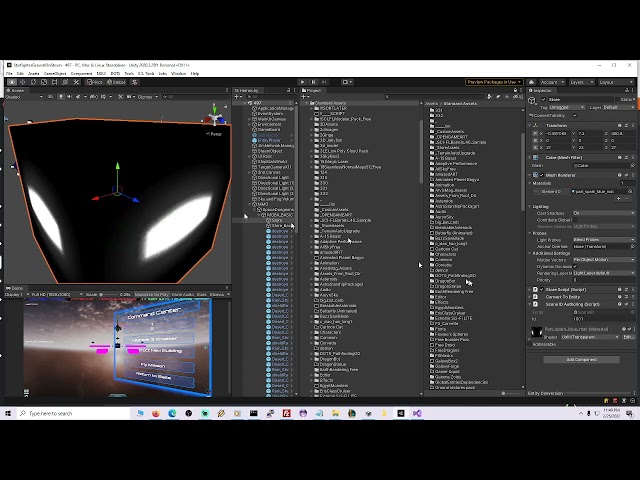
Can someone suggest an HDRP shader to use that mimics even a little of what this shader did: https://youtu.be/cRfUefUUGIg

Proof of Achievements no other gamer has: #1 world ladder Starcraft #1 World ladder Broodwar, #1 World ladder Warcraft3 at 200-0, first to 1500 wins Warcraft3, #1 World Diablo2 Hardcore experience ladder, #1 score Pittsburgh without Turtle Tip 1989 Nintendo World Championships, #1 world C&C3, #1 World SC2v2/l https://www.crystalfighter.com/achie...
amber saffron
flint jay
Can someone suggest an HDRP shader to use that mimics even a little of what this...
It looks like an unlit transparent shader with emission + a bloom post process
 steel notch
What exactly is a Surface Shader in comparison to a vertex/frag shader?
steel notch
Like what IS alpha clipping?
 fervent tinsel
it's not supposed to blend, it's just cutoff point for the mask
if you need to blend things, you have to use transparent shader instead of opaque one
@hidden lance
 lucid current
there are no shadows in play mode, left part is scene mode. I am using Toon Shader

nevermind, my camera was too far for shadows to be seen
 hidden lance
trying to use a shader asset downloaded from asset store, it already has alpha and alpha clipping. Found someone's notes online about adding blend channel but couldn't use it

 steel notch
When exactly is the Surf function called in Surface Shaders relative to the normal Vert/Frag methods?
hidden lance
@fervent tinsel
fervent tinsel
@hidden lanceif it's paid asset, you shouldn't post the source content here
also I'd go ask the asset publisher about that as it's their asset 🙂
 low lichen
steel notch
When exactly is the Surf function called in Surface Shaders relative to the norm...
low lichen
steel notch
When exactly is the Surf function called in Surface Shaders relative to the norm...
A surface shader is a simplified way to create lit shaders for the built-in render pipeline. The idea is you specify the input data you need and return PBR outputs in your surf function like Albedo, Emission, Smoothness, etc... The surface shader is converted into a regular vert/frag shader that calculates the inputs you need and combines your outputs.
steel notch
low lichen
A surface shader is a simplified way to create lit shaders for the built-in rend...
When exactly is this surf function called in the normal Vertex -> Generate Interpolators -> Frag pipeline?
Or is that not how I should be thinking about it?
low lichen
steel notch
When exactly is this surf function called in the normal Vertex -> Generate Inter...
The surf function is called in the generated fragment shader, after all the requested inputs have been calculated, some calculated in the generated vertex shader, some in the fragment shader.
steel notch
I've noticed that there are ways to define your own Vertex/Frag modifier methods in Surface shaders. So is the order of operations like...
Vertex
- VertexMod
Generate Interpolators
Frag
- Surf
- FinalColor
low lichen
steel notch
I've noticed that there are ways to define your own Vertex/Frag modifier methods...
If you're interested, you can view the generated vert/frag shader from a surface shader by selecting it and pressing this button

That will reveal all of its secrets
 grizzled bolt
steel notch
Is it bad to use if statements in shaders?
grizzled bolt
steel notch
Is it bad to use if statements in shaders?
It would be nice to have some recent perspectives on this, as most discussion is many years old by now
Though the answer seems to be "potentially yes, on old harware especially, but test it"
It seems to be a very complex question because compilers can optimize some if statements but not others, and some GPUs are decent at calculating them while others are not
 dim yoke
I think it also depends how frequently the outcome changes (like how large chunks on the screen are having same condition). The way I understand it if like every second pixel have different condition, all different cases are calculated and useless values are just disposed. I think that was the case on older gpus atleast
 meager pelican
steel notch
Is it bad to use if statements in shaders?
meager pelican
steel notch
Is it bad to use if statements in shaders?
@grizzled bolt@dim yoke
https://medium.com/@jasonbooth_86226/branching-on-a-gpu-18bfc83694f2

Medium
If you consult the internet about writing a branch of a GPU, you might think they open the gates of hell and let demons in. They will say…
 lean lotus
so I have a worldToLocalMatrix.inverse being sent to a compute shader transform a ray position
How do I use the inverse of this matrix in the compute shader without sending it in? Cant I like reorder the mul in shader? or how...
I need the inverse of the scale in the matrix
hidden lance
fervent tinsel
<@!507142863134523422>if it's paid asset, you shouldn't post the source content ...
used the old way instead, created 3D models of text/type and used this shader. Problem temp solved
lean lotus
also does anyone know a way for me to get access to any of the shader model 6 features in unity?
flint jay
amber saffron
It looks like an unlit transparent shader with emission + a bloom post process
This is what I got, the walls are black and not transparent, dots aren't blue: https://youtu.be/ViHh0PDhJII
Proof of Achievements no other gamer has: #1 world ladder Starcraft #1 World ladder Broodwar, #1 World ladder Warcraft3 at 200-0, first to 1500 wins Warcraft3, #1 World Diablo2 Hardcore experience ladder, #1 score Pittsburgh without Turtle Tip 1989 Nintendo World Championships, #1 world C&C3, #1 World SC2v2/l https://www.crystalfighter.com/achie...
 safe basin
anyone have tips on making a gradient? im trying to make it so that i can change the direction of it so it could be top to bottom or left to right nice and seamlessly. cant really find anything that works right
 knotty yarrow
no im using the built in pipeline since its support shader graph on unity 2021
amber saffron
flint jay
This is what I got, the walls are black and not transparent, dots aren't blue: h...
Not this one. HDRP/Unlit shader, set to transparent, with emission color
flint jay
amber saffron
Not this one. HDRP/Unlit shader, set to transparent, with emission color
I have many shaders like this. If you fix it up and I make a bazillion dollernos, find me and I'll pay you off. https://youtu.be/sfpkzZGKIn0

Proof of Achievements no other gamer has: #1 world ladder Starcraft #1 World ladder Broodwar, #1 World ladder Warcraft3 at 200-0, first to 1500 wins Warcraft3, #1 World Diablo2 Hardcore experience ladder, #1 score Pittsburgh without Turtle Tip 1989 Nintendo World Championships, #1 world C&C3, #1 World SC2v2/l https://www.crystalfighter.com/achie...
amber saffron
flint jay
I have many shaders like this. If you fix it up and I make a bazillion dollernos...
Also take time to read the doc on how to use the HDRP provided shaders.
In you case to have a somewhat similar look to what I saw in the first video I can see two solutions :
- Assign the texture to the surface color + set the color value to the desired tint. Optionally change blend mode to additive
- Aslo assign the texture to the surface color (I do hope that this texture has transparency information) but set the color to black. Now you should have the shape but full black. Add emission to the material. I recommand to check the "use emission intensity" toggle, set the color to your need, and tweak the exposure weight to have the glow effect (provided you have bloom in your scene)
The other last option is to make a custom tailored shader to your need using shadergraph
 maiden quarry
how do i get the number of elements in a structuredBuffer in hlsl ?
im trying to loop thru it in a custom function in shaderGraph but i cant seem to find a way to get the number of elements
 nimble solstice
Possible to loop until no data found or something?
On a meager Google search my self I see there's no .length so you go me wondering now. I'm assuming the array you're looping thru isn't a set length
maiden quarry
idk , this is my first time using compute buffers , when creating one a set amount of memory is explicitly allocated so im guessing it's treated as a whole chunk of data ?
nimble solstice
Hmm, & is there a way to do a if (data == null/garbage) stap
I'm not sure though obviously, sorry 😉
maiden quarry
i have no idea , and seeing how i couldnt find anyone talking abt this , im probably asking the wrong questions
nimble solstice
Ha, yeah. Sounds like you need to know loop size ahead of time 🤷
maiden quarry
i meaaaan , you have to set the item count the buffer can hold when creating it so maybe i have to overwrite the whole thing idk
 regal stag
maiden quarry
how do i get the number of elements in a structuredBuffer in hlsl ?
im trying to...
regal stag
maiden quarry
how do i get the number of elements in a structuredBuffer in hlsl ?
im trying to...
Haven't used it before but StructuredBuffer.GetDimensions may be what you want, returns numStructs and stride https://docs.microsoft.com/en-us/windows/win32/direct3dhlsl/sm5-object-structuredbuffer-getdimensions
Typically looping through something when you know the length can be better though, as the compiler can unroll the loop
maiden quarry
thanks ! that seems to be it , i passed by GetDimensions but i didnt think it would be a void with out params
meager pelican
maiden quarry
thanks ! that seems to be it , i passed by GetDimensions but i didnt think it wo...
That's the size, but MAY not be the number of elements you've actually filled, unless filled-size = buffer size.
It's easiest to just pass in an "actual count". Then you can over-allocate the buffer and fill, say, 78 out of 100 elements. Or whatever. You won't need to re-allocate it all the time if the size changes, as long as you have enough room in the buffer for the current data set.
maiden quarry
but the microsoft docs specify that numStructs is "The number of structures in the resource." that doesnt strike me as capacity
ugh if only we could print out stuff on the console
meager pelican
I think it's the total allocated size.
However, there is a "hidden counter" and methods to increment and decrement it, but it has to have the buffer created in such a way as to support it. IDK off the top of my head if Unity specifies the D3D11_BUFFER_UAV_FLAG_C0UNTER flag for a regular RWStructuredBuffer. I just pass in the size if it's something coming from C#.
Also note here (this is interesting): https://docs.unity3d.com/Manual/class-ComputeShader.html
Metal also does not support GetDimensions queries on buffers. Pass the buffer size info as constant to the shader if needed.
Of course, that's a reference to allocated SIZE, still not necessarily your used-item-count, depending on how you implement it all.

So you'd at least pass the total size, or maybe the used-count if smaller than that, but you want to be able to do some range checking so you don't read/write out of bounds.
@maiden quarry
maiden quarry
well this sure looks like something to research for the next few hours and possibly days
@meager pelican thanks for your input ! i really appreciate it
 sinful ermine
im editing my compute shader code in vscode, and each time i run it after editing, it breaks or behaves weirdly
but if i relaunch the unity editor, it suddenly fixes its act
has this happened to anyone or does anyone have some idea why this might be happening?
im talking about like, going into vscode, changing a line, saving, changing it back to the way it was when it worked, saving again, and suddenly its broken
flint jay
Remy! You did it, you mad genius! You helped someone far more mad! Now I'm less upset, so maybe you're more mad now. But you won't be mad when I make a bazillion dollars and you find me & ask me for green backs! I had to: Surface type: Transparent/Additive was necessary not optional/color and emission had to use that texture/emission https://youtu.be/zWdU7cXQFXY

Remy: Also take time to read the doc on how to use the HDRP provided shaders.
In you case to have a somewhat similar look to what I saw in the first video I can see two solutions :
- Assign the texture to the surface color + set the color value to the desired tint. Optionally change blend mode to additive
- Aslo assign the texture to the surfac...
steel notch
How would you create a shader that blurs everything behind it?
Doesnt a blur require you to know the surrounding pixels?
grizzled bolt
steel notch
How would you create a shader that blurs everything behind it?
The examples I see lerp Scene Color with itself multiple times, each with an offset
Other type is using a downscaled rendertarget texture for a very cheap type of blur
I suppose you could combine them for a good compromise if rendertargets are an option
https://answers.unity.com/questions/319137/convolution-shader-for-blur.html there are some that implement an actual convolution matrix but I'm not smart enough to understand this stuff yet
sinful ermine
how can i use AsyncGPUReadback?
do i need to add some "using" directive?
nevermind, i got it - it's just that vscode tooling im using doesnt support that functionality, i think
regal stag
sinful ermine
how can i use AsyncGPUReadback?
It's in UnityEngine.Rendering
 fresh moss
When i paste my shader visual studio does the tabs all wrong.
sinful ermine
regal stag
It's in `UnityEngine.Rendering`
aye, just vscode acting up, thanks
fresh moss
before paste

after paste

i have the same number of brackets of both types
it tabs after propertys for some reason
fixed it
the bracket at the end of the line was messing it up
it was supposed to be on its own line
 lyric oyster
I'm making a shader(gerstner waves) and when I apply the material to the plane the entire mesh including the vertices vanishes.
if you have any ideas feel free to dm or ping me i would really apprecieate it.
 regal stag
lyric oyster
I'm making a shader(gerstner waves) and when I apply the material to the plane t...
regal stag
lyric oyster
I'm making a shader(gerstner waves) and when I apply the material to the plane t...
Testing the plane at (0,0,0) might give some clues. Make sure you are outputting the vertex positions in the correct space. (Object space for the Shader Graph port)
 shadow locust
also try rotating all around it
lyric oyster
how it there woooaat
 shadow locust
yeah you must be geenrating points in world space instead of local
i.e. you're not incorporating the object's position/transformation in your shader
regal stag
Can use the Transform node to convert from World to Object, before connecting to the Position port
 regal stag
It's difficult to tell the setup but try using the output of the Transform node in the Position output


 lyric oyster
I got it to work somehow, I used probuilder and it suddenly showed up..
quick question, how do i get shadows to show

 drowsy prawn
@round linden I know this is extremely late, but you may want to try triangulating all of your faces in Blender and making sure that in Blender you recalculate your normals. You can find tutorials for how to do this, and neglecting to do either of these things can give the result you presented.
ping me if you have questions about that
fresh moss
Is get instance id slightly random? i tryed coloring all my hexagon objects that have x<-30 but it colored them quite randomly

im farly shore its happening in my shader
thats my shader
meager pelican
fresh moss
Is get instance id slightly random? i tryed coloring all my hexagon objects that...
- FYI you can just say "OUT2 = OUT;" but it's a waste since you can build that into the expression below.
- You're setting color based on a texture read multiplied by a lerp from white to the instanced color from the array, based on the green channel's T, not checking any "x" value so IDK what you're asking.
- You don't need the alpha value in the fixed4(1,1,1,1)...you should just need fixed3(1,1,1) since you're using .rgb.
- fixed type has a limited range. So a value of 30 if you're checking that (IDK what you're saying in that regard)...is outside that range. It ranges from -2 to 2 with 1/256th decimal precision. https://docs.unity3d.com/Manual/SL-DataTypesAndPrecision.html
fresh moss
ah sorry for not being more clear
this shader is a color tint shader for draw instanced and it tints an amount equal to the green value of the texture onto a grey value equal to the red value. but thats not really important. the x i was talking about is the x position of the hexagons, and when there below -30x they are supposed to be tinted red but for some reason its quite random and im wondering if thats somthing to do with the instance id
meager pelican
OK, with instancing, unity groups up a bunch of objects, allocates a CBUFFER for instanced data, and passes you an instance ID for each instance. IDK if there is any order to the grouping of the object instances, nor do I think you should be able to count on any order since they could change the way the engine groups them at any time.
But I don't see the line where you're checking the x value of the position, but maybe you do that on the C# side.
meager pelican
None that I know of. Although the type of object queue may play a role (like drawing opaque queue things front to back), IDK that you can count on that at all. At least, not that I know of.
meager pelican
There's no way for them to predict the order that everyone would want, that I can fathom.
I mean, you want one thing, next guy wants another.
fresh moss
yea
meager pelican
They draw them in a way that makes sense to them, in groups that have data that can fit, by material or by shader or whatever.
meager pelican
On any invocation, your shader doesn't know what order things are drawn in, since it is all parallel anyway. So it's more like 64 of them are all being drawn at once.
fresh moss
ok
so i cant tell my shader to draw a sertain one of the instances with a sertain color using a material property block
meager pelican
Sure you can, sort of.
But maybe not with the MPB. Maybe by checking the instance ID directly.
Why do you want certain instance ID's a given color?
What you said you wanted was certain x locations a different color.
But the MPB colors map to the instances.
meager pelican
So if you have 3 objects...
The first one is red, the next is blue, and the 3rd is green in their MPB's.
It doesn't matter what order unity groups them in, the mpb color will match for the instance index.
When you get the instanced data.
meager pelican
You need to be using UNITY_TRANSFER_INSTANCE_ID(v, o);
And UNITY_ACCESS_INSTANCED_PROP(color)
I think they're called.
Just a Second.
meager pelican
Have you seen this? https://docs.unity3d.com/2021.2/Documentation/Manual/gpu-instancing-shader.html
That will show you how to get the color out of the MPB for each instanced object.
How you set that color on the C# side...based on x position or whatever you want...is up to you.
🙂
 echo badger
I have more of a 'technical artist' question but this feels like the best place for it.
I am looking in to how to make plants look like they are growing over time (start as a seedling and grow into a full tree or flower, etc.) but haven't come up with much.
My current method is to have multiple meshes that I swap between for each 'stage' of growth, but looking for something more gradual.
There is blend shapes, but those are really a massive pain to create and heavier on the performance. There is of course generating the mesh at runtime, but again, very heavy.
So I was wondering if there was perhaps a good way to do this using shaders? Truth be told I am not sure what I am thinking of, but thought I may as well ask in case someone had any ideas or things to look in to.
meager pelican
I've seen it done a couple ways.
Let me try and find something. They vertex distort, kind of extruding

Did you know that you can grow anything with Unity Shader Graph? Like an animation. A shader that can procedurally grow geometry. It's a very practical effect, used to grow vines for example. Or other 3d objects.
Enjoy!
00:00 Intro
01:04 Grow Vines Shader
05:45 Creating Vines in Blender
09:24 Shader Adjustments
10:24 Grow Vines Script
15:39 E...
fresh moss
meager pelican
Have you seen this? https://docs.unity3d.com/2021.2/Documentation/Manual/gpu-ins...
thanks!!!
meager pelican
echo badger
I have more of a 'technical artist' question but this feels like the best place ...
Besides that above, any form of vertex lerp (and probably UV, and perhaps surface normal) lerping would be good. Kind of tweening.
But you'd have to stuff additional data into the mesh somehow, like with vertex colors and/or UV's.
And you'd probably still want to swap a few versions in at various points to massively change things from one endpoint to another start-point.
You might even create the mesh procedurally by lerping between two mesh stages.
echo badger
Thanks, the method used in the video seems like it would be to simple for my use.
Would be interesting to see the performance of generating the mesh procedurally via lerping vs something like blend groups.
 ashen plover
ello, how would I change the Shader of an object in code?
say I clone a brick that has the standard shader.
then I want to apply a different shader to that brick clone, but not change the shader on the other brick
is that doable?
echo badger
ashen plover
ello, how would I change the Shader of an object in code?
say I clone a brick th...
Change the material of the clone?
Generally you don't change the shader at runtime, you simply change the material
ashen plover
it's just that theres a bunch of materials as well as weapons with different materials so..
I really have to make 2 materials for absolutely everything? what I'm trynna do is make a clone of the player and have it always on top of any other 3d objects in the view
so if say theres a tree in the view you'd still see the player overtop
 broken bobcat
I'm trying to make a material from a shader and it should be a black to white gradient but instead its all grey anyone know why? also doesnt give me any of the normal options

shader editor
 broken bobcat
^fixed this
 royal vale
uint hash(uint state) { state ^= 2747636419u; state *= 2654435769u; state ^= state >> 16; state *= 2654435769u; state ^= state >> 16; state *= 2654435769u; return state; }
I guess this is a warning/question, but this random num generator I found explodes my computer when I put it in a loop and pass the counter to it. counting from 0 - 1920*1080
anyone have this happen to them/know why>
broken bobcat
why is the alpha of my graph not doing anything
 cosmic prairie
royal vale
`
uint hash(uint state)
{
state ^= 2747636419u;
state *= 2654435769u;
...
cosmic prairie
royal vale
`
uint hash(uint state)
{
state ^= 2747636419u;
state *= 2654435769u;
...
don't tell me you are calculating this on the processor
computation takes time
also, this isn't a shaders question then
dim yoke
broken bobcat
why is the alpha of my graph not doing anything
maybe your graph is set to Opaque instead of Transparent?
sinful ermine
for some reason my shader is doubling the distances and i dont know why
 dim yoke
sinful ermine
for some reason my shader is doubling the distances and i dont know why
dim yoke
sinful ermine
for some reason my shader is doubling the distances and i dont know why
Maybe the logic on the shader is just broken? I don't think anyone would be able to help without seeing the shader/shader graph
 pastel tapir
Hi

i moved a shader graph asset to other project and it looked pink
i want to understand how to just move the asset from project to other without having this problem
royal vale
cosmic prairie
don't tell me you are calculating this on the processor
No lol
sinful ermine
dim yoke
Maybe the logic on the shader is just broken? I don't think anyone would be able...
yeah, its kind of hard to explain, as i'd have to get into the code a bit... hm
ill try to go by snippets
so basically im dispatching my shaders after setting the "origin" point of each chunk, marked in green here

as a float3 variable
and then the compute shader, with a dispatch group size of 8x8x8, calculates each "cube"
vertex points set as such
        {chunkOrigin.x + (tid.x)     * distanceBetweenPoints, chunkOrigin.y + (tid.y)     * distanceBetweenPoints, chunkOrigin.z + (tid.z)     * distanceBetweenPoints},
        {chunkOrigin.x + (tid.x + 1) * distanceBetweenPoints, chunkOrigin.y + (tid.y)     * distanceBetweenPoints, chunkOrigin.z + (tid.z)     * distanceBetweenPoints},
        {chunkOrigin.x + (tid.x + 1) * distanceBetweenPoints, chunkOrigin.y + (tid.y)     * distanceBetweenPoints, chunkOrigin.z + (tid.z + 1) * distanceBetweenPoints},
        {chunkOrigin.x + (tid.x)     * distanceBetweenPoints, chunkOrigin.y + (tid.y)     * distanceBetweenPoints, chunkOrigin.z + (tid.z + 1) * distanceBetweenPoints},
        {chunkOrigin.x + (tid.x)     * distanceBetweenPoints, chunkOrigin.y + (tid.y + 1) * distanceBetweenPoints, chunkOrigin.z + (tid.z)     * distanceBetweenPoints},
        {chunkOrigin.x + (tid.x + 1) * distanceBetweenPoints, chunkOrigin.y + (tid.y + 1) * distanceBetweenPoints, chunkOrigin.z + (tid.z)     * distanceBetweenPoints},
        {chunkOrigin.x + (tid.x + 1) * distanceBetweenPoints, chunkOrigin.y + (tid.y + 1) * distanceBetweenPoints, chunkOrigin.z + (tid.z + 1) * distanceBetweenPoints},
        {chunkOrigin.x + (tid.x)     * distanceBetweenPoints, chunkOrigin.y + (tid.y + 1) * distanceBetweenPoints, chunkOrigin.z + (tid.z + 1) * distanceBetweenPoints}
    };
i know that the "chunkOrigin" points are correct, because the gizmos draw them correctly
tid is the SV_GroupThreadID semantic
thankful for any insight but i dont expect much since the code is kinda trash
 grand jolt
Does blenders shade smooth work on unity?
broken bobcat
dim yoke
maybe your graph is set to Opaque instead of Transparent?
Whenever I set it to transparent it makes the entire particle transparent
dim yoke
grand jolt
Does blenders shade smooth work on unity?
yes. shading data is baked to normals of vertices. it should work same in unity and blender
grand jolt
Great thanks!
sinful ermine
sinful ermine
``` float3 cubePositions[] = {
{chunkOrigin.x + (tid.x) * distanceBe...
could this be about conversion of units?
theres floats, ints, uints...
does a uint converted to an int give the value of the uint, times 2?
cause that would make sense
this is so utterly confusing
shadow locust
I think it's just your math
something about how and what you're multiplying distanceBetweenPoints into
meager pelican
sinful ermine
i know that the "chunkOrigin" points are correct, because the gizmos draw them c...
Can you prove that assertion? Just because the C# side gizmos are drawn correctly doesn't mean you're passing the data correctly for each "chunk" of 8x8x8 mini-boxes.
or...
Whatever you're using to actually draw this (like a DrawProcedural shader) is messing the origin locations up?
The offsets for each mini-box look good if I understand what you're doing, so it's the origins that are off.
 patent yoke
if i wanna make a shader graph shader for UI, what graph do i create, what settings do i change?
sinful ermine
meager pelican
Can you prove that assertion? Just because the C# side gizmos are drawn correct...
The origin points are where the green sphere gizmos are on unity's side,
I tried two methods of passing them to the shader - via SetFloat for each x,y,z component separately and SetFloats, as 3 floats and a float3 respectively and both gave the same result, so i assume they should be passed correctly
meager pelican
sinful ermine
The origin points are where the green sphere gizmos are on unity's side,
I tried...
Yeah, but in the code above, the 512 mini-blocks are relative to that origin point, and all the blocks are lined up correctly for each 512-block-cube. So the origin must be off somehow somewhere.
Either that, or you're messing with them in another stage somehow.
sinful ermine
Okay - i got it. Ridiculously simple. I feel like an idiot.
I think..
Hold up
Yes.
The chunks themselves are spaced out, and there is no need to displace the mesh respective to the chunk origin point
The chunk itself is in the correct space, but it's mesh is displaced. So if i scoot them to the origin of the entire volume of chunks, then...

it acts properly

you were right, i was messing about too much
big thanks
meager pelican
🙂
sinful ermine
however this is not the end of my troubles, haha
I have setup a custom editor for the entire volume of these chunks, and i use it to generate the meshes in edit mode.

If i were to now "reset chunks", which essentially just destroys the gameobjects, then recreate them, then the meshes, then

This happens!
And if i were to do it again, then every vertice of every mesh would generate at world space (0,0,0)
Could this be something in regard to how the threading behaves, or perhaps the buffers allocated to storing data to/from the shaders?
 north estuary
Would shaders be thing I'm looking for, if I want to adjust 2d sprites? I.e. if I wanted to slightly change the colours or randomly generate the stripes on something like this:
 north estuary
sinful ermine
i think youre looking for a fragment shader
north estuary
sinful ermine
i think youre looking for a fragment shader
Thank you for the starting point. On a googling journey I go 😄
sinful ermine
Bear in mind that if you wanted to make stripes like this it will all devolve to designing a good mathematical formula for it
Somewhat
north estuary
Yeah thats the bit I'm worried about :p
 abstract stirrup
Hello, what's the difference between Space Position(Default) and Space Position(Raw)?, i know one of them divide each Vector value by clip space W component, but what's that W clip space value?
abstract stirrup
is it like, a value that defines depth?
 vocal narwhal
it's what performs the perspective manipulation
abstract stirrup
is it related to the frustum of the camera?
vocal narwhal
It normalises clip space into -1 -> 1 space (called normalised device coordinates)
The entire space is related to the frustum somewhat, so... yes?
If it's set to raw I think that the z is the actual depth, and once divided by w it's converted to NDC
 lyric aspen
My shader only appears in the scene window and not in the game window, am I not loading it somewhere I need to or something?
 trail bloom


 mental bone
Go ask that in a Blender discord this is for unity only.
 tender remnant
I've talked about this before but I just want to show how stupid it is in action. Notice the redirect node converts the float to a float4 for no reason! (This happens if you redirect after a multiply node)
 dim yoke
tender remnant
I've talked about this before but I just want to show how stupid it is in action...
dim yoke
tender remnant
I've talked about this before but I just want to show how stupid it is in action...
pretty sure that's not intentional. you could report for a bug
tender remnant
oh I already told the team
hazy sage
How can I apply 6 textures for each face of a cube in a shader graph ?
amber saffron
hazy sage
How can I apply 6 textures for each face of a cube in a shader graph ?
Test the face normal value and use branches to select the proper texture to apply
But imho, it's easier to have a cube with one material per face
Or "build" a cube from quads :p
regal stag
Or combine textures into a bigger texture atlas and UV map each face of the cube to the different parts of the texture
hazy sage
amber saffron
Test the face normal value and use branches to select the proper texture to appl...
I can't put a texture in the "true / false" entries
hazy sage
regal stag
Or combine textures into a bigger texture atlas and UV map each face of the cube...
I can't do that because I use worldspace to tile the texture xd
amber saffron
hazy sage
I can't put a texture in the "true / false" entries
You can do it after sampling
hazy sage
Sampling? (Im very new to graphs xd)
amber saffron
The texture sample nodes 🙂
 brave glacier
Hi, I have a relatively simple shader that gives the illusion of a container being filled with a liquid. The fill amount is set with a slider with a min and max setting to the level i want it to be able to be filled to. However these min , max values need changing every time I scale the container object differently, I am struggling to figure out a way to make the fill relative to the objects scale. I am very new to shaders.
 hazy sage
amber saffron
Test the face normal value and use branches to select the proper texture to appl...
hazy sage
amber saffron
Test the face normal value and use branches to select the proper texture to appl...
And how do I do this? xd
amber saffron
hazy sage
And how do I do this? xd
Two samplers, one for each texture, and than branch by testing the normal value.
hazy sage
Sorry I mean how do I test the face normal?
amber saffron
brave glacier
Hi, I have a relatively simple shader that gives the illusion of a container bei...
Why do you need to subtract the object position ? If you use directly the value from the position node (without subtract) you will already have you levels scale with the object. Or maybe it's exactly what you don't want ?
 cloud orchid
I'm having trouble with my see trough shader. Can I tell my shader to only Z test on meshes that don't have the same shader? Or can I use layers to decide which material/meshes my shader can Z test against?
I've tried to adjust the render queue of my materials but it just switch the rendering order around even if use the same number.
For now I can only get the wanted result by batching my objects in a single mesh as you can see on the bottom right. Unfortunately this is not a valid solution for now.
 amber saffron
hazy sage
Sorry I mean how do I test the face normal?
amber saffron
hazy sage
Sorry I mean how do I test the face normal?
Take the "normal" node. Plug into two node : abs & sign . And split both of them
From abs you have to do multiple comparisons like : X > Y & Y > Z.
This will allow to know the axis of the face.
Then, once you know the axis, check the corresponding sign to know if it's front or back on the axis. And select one of the 6 samplers for your textures
hazy sage
amber saffron
Take the "normal" node. Plug into two node : *abs* & *sign* . And split both of ...
You're amazing, thanks for your time ^^
amber saffron
hazy sage
You're amazing, thanks for your time ^^
Basically, you're trying to do triplanar mapping with one texture per axis, right ?
hazy sage
Yes ^^ With one texture on each face
(so 6 different textures)
I didn't know the term "triplanar mapping"
amber saffron
hazy sage
Yes ^^ With one texture on each face
May I shamelessly direct you to my node library (that I need to work on to again) : https://github.com/RemyUnity/sg-node-library
There are some nodes that will fit your need :

 hazy sage
Wow, those nodes look exactly like what I need
I didn't test it out yet but is it normal that I can't assign default values there ?
 amber saffron
Hum, I don't remember if you can assign default values to subgraphs. Maybe not.
But you can in the input field of the node itself
hazy sage
never mind I had to do it in the graph inspector x)
Also, is it what Im supposed to do ?
 amber saffron
You're missing the "triplanar data build" node plugged in the triplanar data input (look at my first screenshot)
hazy sage
Oh okay thanks ^^
amber saffron
hazy sage
Also, is it what Im supposed to do ?
Itself need input for position and normal (from position and normal nodes obviously 🙂 )
hazy sage
What's the normal node I need to use ?
amber saffron
hazy sage
What's the normal node I need to use ?
IIRC it's "input/geometry/normal"
hazy sage
It seems to be working! Only little problem is that all the textures are blurry

The top should look like that
 amber saffron
Ah, yeah, because I could not do it in an other way and "retrieve" the sampler state of the textures, you have to provide you own sampler state in the last input of the node.
Create a sample state node, and you probably want to use wrap mode to repeat, and filter to point.

 amber saffron
Are you using the same texture on the top&sides ?
 vagrant jetty
amber saffron
May I shamelessly direct you to my node library (that I need to work on to again...
vagrant jetty
amber saffron
May I shamelessly direct you to my node library (that I need to work on to again...
Gonna be using this 👀
hazy sage
amber saffron
Are you using the same texture on the top&sides ?
No that's why Im confused xd
(Also for later (or now if it's quick and easy to fix) how could I make it so the texture is applied on the green area and not the red one? (The red one is 1x1 so it works as intended, but what should I do if I want to apply it on the green area? (which is 3x4))
 amber saffron
I'm confused myself, it should work 🤔
 amber saffron
IDK why this is happening, iirc it should work properly :/
And for the green/red rectangle, you will need to scale the UV/position for this.
If you're sure for the scale, an easy way to go would be to divide the position input by vector3 (3, 4, 3)
but it will also strech top & bottom
hazy sage
amber saffron
but it will also strech top & bottom
Can I do it only for the sides?
It seems to be applying the side texture on top & twice on the sides

Yup it's mixing both

Oh @amber saffron could the fact that Im on URP change anything ?
amber saffron
hazy sage
Oh <@!532477925250039820> could the fact that Im on URP change anything ?
Shouldn't.
Let me quickly fire up a project to check that
hazy sage
Thanks a lot for your help anyways :p
amber saffron
hazy sage
Thanks a lot for your help anyways :p
Found, raise the blend power (like, 1, anything else over 0 should work for a cube)
hazy sage
Wow! Thanks a lot :p
hazy sage
amber saffron
but it will also strech top & bottom
I don't want to bother you more but is there anyways you could help me with that too? xd
amber saffron
hazy sage
I don't want to bother you more but is there anyways you could help me with that...
Yeas, trying to figure out an "easy" setup
amber saffron
hazy sage
I don't want to bother you more but is there anyways you could help me with that...
So you can do this.
Each divide beeing the number of "tiles" where you want to spread your texture.
I've also set the initial size to 1

Looks like I'm missing some nodes to better controll the triplanar effect 🙂
hazy sage
Im gonna try that right away, you just solved a problem I had for 3 days x)
How did you get the matrix construction to only 3 entries though?
amber saffron
hazy sage
How did you get the matrix construction to only 3 entries though?
Hover a node and tick the top right arrow to hide the unconnected things 🙂
hazy sage
Oooh thanks
I works, I just don't know what to say it's perfect X)
Thanks a lot :p
Damn Im so grateful
brave glacier
amber saffron
Why do you need to subtract the object position ? If you use directly the value ...
I need the subtract otherwise the liquid will fill when it moves around the scene
 amber saffron
brave glacier
I need the subtract otherwise the liquid will fill when it moves around the scen...
amber saffron
brave glacier
I need the subtract otherwise the liquid will fill when it moves around the scen...
Hum, I don't get it then. Since the logic is based on the position in object space, if you don't subtract this should not happen. Unless you're already transforming the fill levels from world to object space from some scripts ?
brave glacier
hmmm, no script yet
for example, here is with object scale 1 on all axis

this is with scale 5, all the same fill level
 amber saffron
But like I said, if you remove the subtract, and be sure that the position node is using object space .... the fill level should be scale dependent.
brave glacier
ahhh true , however I was using world positioning so that the liquid was level to the world and not the object
 amber saffron
Okay, this makes sense 🙂
I think you could try scaling you levels value with the object scale in your original setup ?
But in the best manner, this would require an additional vector value like "size" to have a notion of volume of the object (in the future there will be a "bounds" node for this) and also us this to controll the filling levels
brave glacier
amber saffron
I think you could try scaling you levels value with the object scale in your ori...
mmm yea that waas my thought but struggled with implimenting
amber saffron
I'm a bit busy to try it out on my side, but something like taking a vector 3 holding the unscaled size of the object, transforming it from object to world space, and taking the absolute Y value of this should give you a scale factor to apply to your filling level.
brave glacier
Mmmm ill see if i can get that to work
I did get somewhat close earlier simply normalizing the values and remapping
like so

however, the way it filled changed, filling around a central point, but it was between 0 empty and 1 full , at all scales

but yea I will attempt making the fill factor the scale
 heavy stirrup
            #include "UnityCG.cginc"
            #pragma multi_compile_instancing
            struct appdata
            {
                UNITY_VERTEX_INPUT_INSTANCE_ID
                uint vertID : SV_VertexID;
            };
            struct v2g
            {
                float4 vertex : SV_POSITION;
            };

            v2g vert (appdata v)
            {
                UNITY_SETUP_INSTANCE_ID(v);
                UNITY_GET_INSTANCE_ID(v);
                uint instID = unity_InstanceID;
                //uint instID = 1;
                uint vertID = v.vertID;

            }
any idea why unity_InstanceID would be undeclared identifier?
 small knoll
Hey, can I somehow increase the size of points on a mesh?
I have a mesh being created and I have a MeshTopology.Lines for the first material, then I have a submesh of MeshTopology.Points for the vertices. The points though don't all show and honestly I can't figure out where I should go from here, cause I could create a GameObject tied to every vertex but that's quite the performance cost for it I think

 heavy stirrup
define PSize in your appdata struct
small knoll
okay so if I have no idea what the appdata struct is, should I just take a default shader and like throw that in?
I have a custom shader I think actually maybe I could use that
it's a vertex color one though maybe bad idea
heavy stirrup
oh ooops, define it in your v2f struct
then set it to whatever
struct v2f
{
  float size : PSIZE
  ...
}

o.size = someSize
this is the custom shader I have (did not write), I'll go read a tutorial brb
 small knoll
okay so I followed a tutorial and I think I understand
I wrote this
Shader "Custom/VertexShader"
{
    Properties
    {
        // Properties of the shaders
        _Color("Vertex Color", Color) = (1,1,1,1)
        _Size("Vertex Size", Float) = 2
    }
        SubShader
    {
        // Code of the shaders
        Tags{
            "RenderType" = "Opaque"
            "Queue" = "Geometry"
        }
        Pass {

            CGPROGRAM
            #include "unityCG.cginc"

            #pragma vertex vert
            #pragma fragment frag
            fixed4 _Color;
            float _Size;

            struct appdata {
                float4 vertex: POSITION;
            };

            struct v2f {
                float size : PSIZE;
                float4 position: SV_POSITION;
            };

            v2f vert(appdata v) {
                v2f o;
                o.position = UnityObjectToClipPos(v.vertex);
                o.size = _Size;
                return o;
            }

            fixed4 frag(v2f i) : SV_TARGET{
                return _Color;
            }

            ENDCG
        }
    }
}
I put it on a cube and none of the vertices are doing anything
small knoll

set the size of the vertices to 80 and still no change
it's definitely working on the vertices, like if I change the color it changes the color but
not changing the size
small knoll
yes
the submesh is the points mesh

where the lines connect there's a vertex and each vertex is a point in the submesh
small knoll
this is the first time I've heard of it
heavy stirrup
that might be a mistake?
i think the U should be capitalized
im doing something similar and psize works for me
small knoll
that didn't seem to fix it either
my code is legit just this

the color works
so if I change the color in the inspector the vertices change color, but the size does not work
 small knoll
?

you fixed the culling/LOD issue I had that I was unaware was that, but it won't change the point size, maybe it's not pulling the right var in but it works with my _Color
if I manually define _Size to be say 10 is the normal size 1?
either way it's not seeming to work, but curious as to how it should
hm it's also showing these points through my solid mesh
small knoll

if anyone has any solutions for this, I can't get my PSIZE attribute to matter on MeshTopology.Points and now my points are visible through solid mesh
heavy stirrup
small knoll
if anyone has any solutions for this, I can't get my PSIZE attribute to matter o...
they're visible because you set ztest to always and zwrite off lol
small knoll
you keep saying all these words like I'm magically supposed to know what they mean if I'm new to shaders
fresh moss
meager pelican
On any invocation, your shader doesn't know what order things are drawn in, sinc...
It actually seems to be in order but when it goes over 512 (which is double the precision of a fixed variable) it goes back to 0, and also im using draw mesh instanced so i cant use instanced properties because i only get 1 material property block
does anyone know how to make instanceID into somthing bigger than a fixed variable, there's more info about my project in the reply link.(i can repost if needed)
small knoll
What should ZTest be set to if I want it to just render normally? Like I don't want ZTest Less because it doesn't render all the points, or rather it does it horribly, but Always looks glitchy too when things render through
What is "existing geometry" anyways? Why is there not just a "don't draw if it's behind non-opaque geometry" feature
fresh moss
im fairly shore its this
uint instanceID: SV_InstanceID
but when i try changing the type it throws an error
hmm no it says that should be a number between 0 and 4294967295
i think i might have found it
 vagrant jetty
I tried to use this custom function node

It worked in the video I was watching, but in my project it caused an error where Direction isn't "completely initialized"
dim yoke
vagrant jetty
I tried to use this custom function node
I don’t know if that changes anything but i think you should have #endif at the end
It may be that compiler thinks that the if else chain doesn’t end there and therefore it may be that not always Direction is given a value
vagrant jetty
Oh right
I'm pretty sure I did use that
Just forgot to screenshot the video from that part
Could it be because I'm using SRP and not HD or URP?
dim yoke
I don’t know
fresh moss
fresh moss
i think i might have found it
nope gives me an error when i increase it
oh well ill just draw in groups of 512
vagrant jetty
dim yoke
I don’t know
Alright, here's the code I ended up using. Taken from another tutorial, but it still doesn't work

 small knoll
Anyone know why PSIZE wouldn't work to increase the size of vertices in a points mesh topology
regal stag
small knoll
Anyone know why PSIZE wouldn't work to increase the size of vertices in a points...
This answer from bgolus might explain it, but probably not what you want to hear https://forum.unity.com/threads/how-to-set-point-size-of-vertex-in-shader.1012795/#post-6566788
As they mention, rendering a bunch of instanced meshes/quads (e.g. with Graphics.DrawMeshInstancedIndirect) might be something to look into as a replacement
small knoll
hm, interesting
what do you mean, a bunch of instanced meshes?
currently it's lines + points as two separate meshes/materials
how do I know how "wide" a point is if I wanted to multi-layer the points submesh?
I could make a bajillion game objects but that seems slow
regal stag
vagrant jetty
Alright, here's the code I ended up using. Taken from another tutorial, but it s...
I think you should be using #ifdef SHADERGRAPH_PREVIEW not #if.
But the custom lighting code is intended for URP. If you're using the built-in RP (you mention SRP but that means scriptable not standard) it might still work though as GetMainLight does seem to be a part of the built-in shader graph files (e.g. https://github.com/Unity-Technologies/Graphics/blob/85680b4c3b49b1751d72db1a776368e056352aaf/com.unity.shadergraph/Editor/Generation/Targets/BuiltIn/ShaderLibrary/Lighting.hlsl#L129)
small knoll
it was before when I went for a larger than 50x50 size grid
vagrant jetty
regal stag
I think you should be using `#ifdef SHADERGRAPH_PREVIEW` not `#if`.
But the cust...
Sorry, I meant the "standard" (built-in) pipeline
But I see
Probably gonna use URP in the future anyway
regal stag
If you use URP I've got some functions/subgraphs here which may help https://github.com/Cyanilux/URP_ShaderGraphCustomLighting
vagrant jetty
Not sure why that isn’t set as standard at this point, since that and HDRP are where all the new features are at
vagrant jetty
regal stag
If you use URP I've got some functions/subgraphs here which may help https://git...
Ooh this looks nice
Thank you
regal stag
small knoll
what do you mean, a bunch of instanced meshes?
I mean rather than rendering a point mesh, render a quad at every point - with a shader that makes it face the camera (can search for "shader billboard effect" to achieve that). Can put a circle shape/texture on those quads with clip() function to make it round.
I find this page has some good examples of rendering lots of instanced quads (specifically you'd probably want the DrawMeshInstancedIndirect example in this case). This way it doesn't need many gameobjects. https://toqoz.fyi/thousands-of-meshes.html
I guess a simpler solution would be to use a Particle System as that would handle the rendering side for you. In a C# script could loop through your point mesh and call ParticleSystem.Emit with the emitParams and override the position. https://docs.unity3d.com/ScriptReference/ParticleSystem.Emit.html
 serene elk
How can I make a shader where an area of the object is a different colour if it collides with another object?
i want visual feedback that an object is colliding into something
serene elk
can i pass a dynamic list of vectors to a shader?
nimble solstice
Dynamic in what way? Like changing during runtime? If so, you'd need a script to pass the vectors I think
serene elk
i do but i'm finding like no docs on what data types shaders allow
e.g. Lists
ah nevermind, i'll just do another approach
serene elk
can you debug log shaders?
i want to get the distance between 2 vectors
_ContactPoint("ContactPoint", Vector) = (0,0,0,0)
...
if (Vector3.Distance(IN.worldPos, _ContactPoint)
 < 1)
    c = _Color2;
else
    c = tex2D(_MainTex, IN.uv_MainTex) * _Color * 0.1f;
nvm, got it working
heavy stirrup
anyone know why CommandBuffer.DrawProcedural would work
but CommandBuffer.DrawProceduralIndirect does not?
i checked renderdoc and the latter literally never gets called
 cosmic geode
Hey i wanted to know if anyone could help me make a world space shader in to a uv object shader
 thorn tapir
Hey what is the best way to do a flowing scarf or similar ribbon like thing in a 2D pixel art game?
I have a feeling it might involved shaders, but maybe not
I'm not trying to pixelate 3d objects, unless that is the best way to do it in a 2d game
meager pelican
fresh moss
It actually seems to be in order but when it goes over 512 (which is double the ...
It sounds to me like you're trying to use instance ID as some kind of unique identifier for all instances of these objects in your game, but that's not really what it is.
It's an instance-ID for a Unity-Engine constructed BATCH that happens during GPU instanced draw calls. So you can end up drawing 3 batches of these objects, each batch would have instance ID 0 in it. You seem to be trying to get to a point where you have a unique ID per MESH.
That's a perpetual problem. IDK if it is Unity specific, or just how GPUs work, but meshes don't have much per-mesh level data. I wish mesh-info had one unique per-mesh user-defined variable (uint) per C# instance that we could assign at the C# engine level, and then use that as an index into a user-defined per-mesh buffer where needed.
Maybe----> You could use MPB's and have a property for that unique ID, so you'd assign that ID in there. So each object on the C# side would have an MPB, and that MPB property would hold a uint or float (int value) that was an index into some other buffer you create, unless you can just put all the data into the MPB to begin with.
But I'd let Unity do its GPU instancing as GPU instancing and not try to convert that into something that it is not.
 vague sinew
Hey guys! Could you help me translating this code to shader graph? The code is used to apply a palette to the original sprite
varying vec2 vTextureCoord;

uniform sampler2D uDiffuse;
uniform sampler2D uPalette;
uniform bool uUsePal;

vec4 bilinearSample(vec2 uv, sampler2D indexT, sampler2D LUT) {
    vec2 TextInterval = 1.0 / uTextSize;

    float tlLUT = texture2D(indexT, uv ).x;
    float trLUT = texture2D(indexT, uv + vec2(TextInterval.x, 0.0)).x;
    float blLUT = texture2D(indexT, uv + vec2(0.0, TextInterval.y)).x;
    float brLUT = texture2D(indexT, uv + TextInterval).x;

    vec4 transparent = vec4( 0.5, 0.5, 0.5, 0.0);

    vec4 tl = tlLUT == 0.0 ? transparent : vec4( texture2D(LUT, vec2(tlLUT,1.0)).rgb, 1.0);
    vec4 tr = trLUT == 0.0 ? transparent : vec4( texture2D(LUT, vec2(trLUT,1.0)).rgb, 1.0);
    vec4 bl = blLUT == 0.0 ? transparent : vec4( texture2D(LUT, vec2(blLUT,1.0)).rgb, 1.0);
    vec4 br = brLUT == 0.0 ? transparent : vec4( texture2D(LUT, vec2(brLUT,1.0)).rgb, 1.0);

    vec2 f  = fract( uv.xy * uTextSize );
    vec4 tA = mix( tl, tr, f.x );
    vec4 tB = mix( bl, br, f.x );

    return mix( tA, tB, f.y );
}

if (uUsePal) {
    texture = bilinearSample( vTextureCoord, uDiffuse, uPalette );
}
How can we help ? Start by putting this bilinearSample function info a subgraph, and doodle with node to reproduce the behaviour 🤔
vague sinew
I mean, any guidance would be of great help! I know little to nothing about shaders 😹 let alone shader graph
I was thinking about putting the function into a function node and see if it would work out of the box 🤔 waiting for lunch time to try
 wet marlin
Hi Im very new to unity - im trying to put a texture on a .dae object - i made a material , put the pnd on it and applied the material to the desired object - now it is just black 😦
regal stag
vague sinew
I mean, any guidance would be of great help! I know little to nothing about shad...
Well if you want to turn it into nodes the texture2D is the Sample Texture 2D node. The uv is just the default input, the offsets can be done with the Tiling And Offset node into the UV port of the texture sample.
== checks can be done via the Comparison node into Branch to output the ? true : false results.
fract is the Fraction node.
mix is the Lerp node.
That might give you a start.
Or if you want to use it as a custom function you'd need to change some things as this is GLSL and not HLSL which is the expected language. Luckily I think it's mostly just some renaming. texture2D -> tex2D, vec2 -> float2, vec4 -> float4, fract -> frac, mix-> lerp
vague sinew
thank you!! I'll get back when I have some time to test this out
regal stag
wet marlin
Hi Im very new to unity - im trying to put a texture on a .dae object - i made a...
I'm not very familiar with the .dae format but make sure the model is UV mapped, otherwise it would likely map the whole model to use the pixel in the (top or bottom left) corner of the texture.
wet marlin
could you elaborate on how to uv map? - i simply took the model out of fusion 360 and made a .dae out of it
regal stag
wet marlin
could you elaborate on how to uv map? - i simply took the model out of fusion 36...
From a quick search I'm not sure fusion 360 does uv mapping so you'd likely need to import it into modelling software like Blender. Can search for "blender UV unwrapping tutorials" for more info.
amber saffron
Or look into some triplanar materials 🤔
wet marlin
is it really that complicated ? for better understanding i want to add the right png to the left model
 regal stag
wet marlin
is it really that complicated ? for better understanding i want to add the right...
regal stag
wet marlin
is it really that complicated ? for better understanding i want to add the right...
The easiest way would likely be to use one of the orthographic views (numpad, not sure which one is front), select all vertices/edges/faces (A) and unwrap (U) -> Project from View
wet marlin
i did the unwrap - now ?
regal stag
Well should use the UV mapping windows and apply the texture to the model to check it's mapped correctly.
But then export the model (I tend to use .fbx). Import into Unity and apply the material again.
wet marlin
i have this mapping now
 regal stag
That's not going to map the texture as you expect though
wet marlin
i really thought it is easier :/
regal stag
wet marlin
i really thought it is easier :/
UV mapping isn't usually an easy task. Since your texture looks like the ring shape I'd use the "Project from View" option in this case which makes unwrapping a lot simpler. But you might have better luck asking about it in #🔀┃art-asset-workflow or finding a blender discord server
brave glacier
amber saffron
I'm a bit busy to try it out on my side, but something like taking a vector 3 ho...
I certainly underestimated how difficult it would be to make this relative to scale, didnt have much luck attempting this method, but likely just my inexperience
vague sinew
When I see IN.texcoord does this mean I can just pick the output from Tiling and Offset and plug into that?
regal stag
vague sinew
When I see `IN.texcoord` does this mean I can just pick the output from `Tiling ...
If that's in the fragment shader it kinda depends exactly what the texcoord channel is being set to in the vertex shader. But typically yes, it would mean the UV node. Tiling And Offset also works (it defaults to the UV0 channel, just allows you to scale and offset it).
vague sinew
I mentioned Tiling and Offset node because we're using this to flip the texture
I found this on the script float2 texcoord : TEXCOORD0; does this mean anything?
regal stag
vague sinew
I found this on the script `float2 texcoord : TEXCOORD0;` does this mean anythi...
The TEXCOORDn semantic is used in the vertex shader input to obtain data from the mesh. TEXCOORD0 being equivalent to the UV0 channel from the UV node. Or Mesh.uv in C#.
But TEXCOORDn is also used as an output to pass any float4 data to the fragment shader. If it's doing something like OUT.texcoord = IN.texcoord in the vertex shader, then it is safe to assume it contains the mesh UVs in the fragment stage too.
vague sinew
Thanks for the explanation!!
It is doing that OUT.texcoord a few lines below that one, indeed
 fierce nexus
wet marlin
i have this mapping now
fierce nexus
wet marlin
i have this mapping now
Try just select the inner and the outside circle and unwrap again
I'm on work at the moment so I can't look how I made it on my last circle model.
If it don't work like I told I will look after work how I done that.
 next lance
Hey guys! I'm trying to perform a color palette swap in Unity, but without success yet. Is there any project that has already done this same idea? I've already found some, but unfortunately they don't work for this case. The palette for example is this one.
 thorn tapir
so I'm trying to achieve the cape effect seen here
I cant find anyone talking about how this is done, other than the person who posted this vid with a very vague and kinda bad explanation of how he did it
I also know this can be done with a plane + bones, or 3d model, along with a shader to pixelate it
but I dont know how to achieve that effect with a shader either
fresh moss
meager pelican
It sounds to me like you're trying to use instance ID as some kind of unique ide...
i actualy got it working
i just have to draw it in batches of 500 instead of 1000 and instanced id doesent mess up
it does actually seem to put the id's in order but when they go over a certain number it splits the batch which messes with my colors
also no thats not exactly what im doing
i just need them to have a specific id per draw call
so that i can assign the color to them
 olive bear
I put in a texture but it just comes out white.
does the texture have to be a certain texture type?
trying to make a triplanar shader.
 dim yoke
olive bear
I put in a texture but it just comes out white.
does the texture have to be a ce...
dim yoke
olive bear
I put in a texture but it just comes out white.
does the texture have to be a ce...
so where did you put the texture? I think the white means the texture is not assigned?
olive bear
I dragged the texture in. It is the "sample texture 2d"
it appears there fine but when I connect up all the lines, it turns white.
This is my first time really using this tool.
regal stag
Click on the "Wallpaper" property in the blackboard and check the Default value set under the Node Settings
dim yoke
olive bear
it appears there fine but when I connect up all the lines, it turns white.
why are you connecting pink node as uv? is there division by zero? maybe having some wrong default value
regal stag
Also the Tiling property, default should ideally be (1,1) and not (0,0)
olive bear

yes, the tiling property is 1, 1
I do not know why they're pink. Divide and multiply were pink when I added them in.
oh, that's not what you were asking.
The output is still white. Am I not connecting the texture correctly?

this is the entire shader.
regal stag
It's kinda hard to tell with all the windows covering the graph but in your previous screenshot it's connected to the Normal not the Base Color
regal stag
And yeah as AleksiH mentioned you're dividing the Y axis of the uvs by zero because of that Vector2 node with (2, 0)
olive bear
yes, I changed it to 2,2
 supple thistle
I'm trying to make a lightsaber trail, basically a white line like in the movies, I can't seem to figure it out, should I use a shader, particle, or trail?
small knoll
regal stag
I mean rather than rendering a point mesh, render a quad at every point - with a...
so if I don't want to do any of this and leave it how it is, can I fix the dots being visible through my other mesh? Like is it possible to have them in Always so they show up properly but still rendered underneath solid mesh?
otherwise I suppose I'll look into a particle system... should that be just for the points mentioned?
All I'm really trying to do is make an interconnected web of points (like I have) and highlight the vertices
regal stag
small knoll
so if I don't want to do any of this and leave it how it is, can I fix the dots ...
They probably aren't always visible through the other line mesh because they are at the same depth. Stick with the default z-testing (ZTest LEqual, or just don't include it) but use the shaderlab Offset command to shift the depth and force the points to appear on top (maybe Offset -1, -1 , I'm actually not too sure on the values as I haven't used it much) https://docs.unity3d.com/Manual/SL-Offset.html
olive bear


my side texture is acting a bit weird.
The texture on the top. It's stretching out the textures on the sides but is fine on the front and up/down.
put the position node on object mode

and now they're all streaking
only thing that works is the front I believe.
regal stag
olive bear
The previews in the graph look correct as far as I can tell so not really sure why it would be stretching like that. Would have to see the whole graph really. I did a triplanar setup a while ago (image below) which you could compare against.
Otherwise, if you only need the same texture on each face there is also a built-in Triplanar node.
If you need different textures for each face Remy also has a library containing some triplanar stuff, see #archived-shaders message
 olive bear
here, I'll get a screenshot.
olive bear
regal stag
The previews in the graph look correct as far as I can tell so not really sure w...

bottom right portion is for like the normal map stuff.
top right is for base color.
could it perhaps be something in the inspector that'd be the issue?
regal stag
olive bear
It's this part. The result is a Vector2 so you should be inputting into the R and G channels, not the G and B.
If it helps, there's also a Swizzle node that you can use on the Position node that does this same sort of thing but with a text field rather than split/combine. Would clean up the connections.
 grand jolt
How can you determine which pixels are iluminated by a light?
I was thinking of a shader which checks if a given pixel is hit by a light and if so, set that pixel's color to the color of the light
olive bear
ah let me check that rq
grand jolt
By color, I mean a solid color, not shading or iluminating
regal stag
grand jolt
How can you determine which pixels are iluminated by a light?
I was thinking of...
It would depend on the pipeline and whether it uses forward or deferred rendering paths
grand jolt
For instance, let's say I'm using urp and deferred rendering
I'm kind of a beginner with shaders
Also, I'd like this to work with point lights only
olive bear
regal stag
It's this part. The result is a Vector2 so you should be inputting into the R an...
is the front one ok? I'm still getting stretching on the front
hmm... nvm, I fixed it.
I changed it to world view. Is there any way to make the texture not move when I'm moving the camera around?

it all sorta moves whenever I move.
without putting it in object mode... because I'm making this map to keep textures the same size no matter if they're scaled or not. World mode does that, but the textures move when the camera moves. If I put it in object mode, the moving stops but the textures don't stay constant when scaled.
I fixed it.
I just had to turn it into absolute world instead of world.
regal stag
olive bear
without putting it in object mode... because I'm making this map to keep texture...
If you're in HDRP there should be an "Absolute World" space so it doesn't move with the camera due to camera-relative rendering
olive bear
thank you so much for the help
regal stag
grand jolt
For instance, let's say I'm using urp and deferred rendering
I'm not very familiar with deferred but I had a look at URP's files. I think you'd need to replace passes in the deferred shader as that's the final point where the lights are drawn to the screen. https://github.com/Unity-Technologies/Graphics/blob/master/com.unity.render-pipelines.universal/Shaders/Utils/StencilDeferred.shader
But the problem is that as far as I can tell, URP doesn't give you a way to override that shader like it does for the equivalent in the built-in RP 😢 (unless it just has to be named the same?). The "Deferred Punctual Light (Lit)" pass is the one that would correspond with point and spot lights (but can use #if defined(_POINT)). It may be a difficult thing to edit without good shader knowledge though.
Doing something like this in forward would be simpler as then you just handle the lighting calculations in the shader applied to the object directly (and it only affects that shader, not all lit shaders). Can even use an unlit shader graph with some custom functions to obtain lighting data. e.g. https://github.com/Cyanilux/URP_ShaderGraphCustomLighting - the "AdditionalLightsToon_float" function is already very similar to what you're asking for.
grand jolt
Then it't probably be better to use forward, thanks for advice btw 😄
It's very helpful and I'm interested in learning more about shaders
meager pelican
fresh moss
so that i can assign the color to them
But...but...but...why wouldn't you just put the color as a per-object property in the MPB?
That's what it's for. The example I posted/linked did just that.
fresh moss
because you need multiple material property blocks and i only get 1 because of draw mesh instanced
(i think)
well i know draw mesh instanced only gets one
but im not sertain you need multiple
regal stag
fresh moss
because you need multiple material property blocks and i only get 1 because of d...
I haven't been following the convo but even if the DrawMeshInstanced is only one property block, you can still pass a colour/vector array (or buffer I guess), with the same length as the number of instances that is. In the shader then get the element with the instanceID. This has an example : https://toqoz.fyi/thousands-of-meshes.html
meager pelican
OK, you're drawing them "manually". I didn't realize/remember that.
But like Cyan is saying YOU are batching them up (transforms and mpb data). So you could do them in groups of, say, 500. You're limited to a max size of 1023. But you can make your own groups, and set the arrays on the MPB at will, they'll match the transform order.
meager pelican
OK, cool.
lol.
That's what you were supposed to do.
fresh moss
lol
yea i was always doing that
the only problem was that the instance id was spliting for some reason
but i solved that by drawing less
meager pelican
🙂
 dim yoke
Define ”this”. You can’t just dump image here and expect people to understand
 brazen mica
take a look at the very obvious texture glitch.
brazen mica
olive bear
then see what it's supposed to look like here.
It's the same shader.
I don't know why it's being darker in another scene.
dim yoke
brazen mica
take a look at the very obvious texture glitch.
I wouldnt call that obvious for someone not familiar with what you’re trying to reach. how is anyone supposed to be able to help if we don’t know the shader you’re using. You have to either paste the shader code or show the shader graph
brazen mica
olive bear
It's right here.
brazen mica
Whoa, I'm just asking for help.
getting off topic here. I don't understand why the side away from where I place the shader, it's always dark.
vague sinew
regal stag
Well if you want to turn it into nodes the `texture2D` is the `Sample Texture 2D...
So yeah, I got some time to fiddle around this and got a graph that looks like this and the textures looks like the second image... However we'd expect the graph to change the hair color, instead I get the third image... Could it be because of my UV?
I'd guess it would be almost a guessing game of trying to find where the problem is but I'm completely out of ideas... I've been digging some OpenGL code that I know works well with the shader piece I sent earlier and it seems to me that at least the texture is what the shader expect (they create a texture with 256x1 and fill the colors)


And these are my custom function node settings
 regal stag
vague sinew
So yeah, I got some time to fiddle around this and got a graph that looks like t...
regal stag
vague sinew
So yeah, I got some time to fiddle around this and got a graph that looks like t...
Based on the code you posted earlier I would expect the first texture input to basically be greyscale / only red, since only the first channel is actually used. How red each pixel is should determine what part of the palette texture to use (0/black being the left side, 1/red being the right)
I feel like the code is a bit complicated because of the bilinear setup, but guess it might be important to avoid producing incorrect colours in-between two very different pixel values. The textures should probably be using Point filter mode and be set to Clamp too.
vague sinew
Don’t know if it helps but the shader I’ve copied is using that function as a fragment shader. Does it make any difference?
regal stag
Not really. You're also using it in the fragment stage of the graph
vague sinew
And there’s also this piece of code
gl.enableVertexAttribArray( attribute.aTextureCoord ); and they use that aTextureCoord to feed into the uv param of the function
gl.vertexAttribPointer( attribute.aTextureCoord, 2, gl.FLOAT, false, 4*4, 2*4 ); after enabling
regal stag
I'm not very familiar with OpenGL but I imagine Unity might already be handling those sort of things
vague sinew
regal stag
Based on the code you posted earlier I would expect the first texture input to b...
From some community docs around the file format I’m trying to read, they say a palette is just a color substitution table… I’ll see if I can find something regarding clamping
 neat quarry
Hey all, what is it called when a shader can detect where geometry is interacting with another object? For instance in a water shader, the edges get foam because the shader knows there is geometry creating an edge there. I'm trying to recreate a sort-of similar effect where geometry can inherit the color of surrounding objects based on where the geometry is touching. I've included an example where the rocks are touching the dirt and get a bit of orange color fade into them.

Also if anyone has tutorials or info about these sort of effects im all ears =)
 burnt wigeon
neat quarry
Also if anyone has tutorials or info about these sort of effects im all ears =)
burnt wigeon
neat quarry
Also if anyone has tutorials or info about these sort of effects im all ears =)
There is a node that can do exactly that in shadergraph
People often utilize it for making force fields/shields that adapt to geometry, look for a tutorial like that
regal stag
neat quarry
Hey all, what is it called when a shader can detect where geometry is interactin...
Water shaders typically compare values to the depth texture to detect those edges. It's sometimes called "depth intersection". Note most tutorials you'll find on that will likely only work with a transparent shader though.
You might be able to find info on what you want to achieve by searching for "terrain mesh blending shaders". There's one here for the built-in RP which I'm aware of, might help : https://inresin.wordpress.com/2020/04/03/terrain-and-mesh-blending-in-unity/
That method basically uses an additional orthographic camera looking down over the terrain/scene and uses replacement shaders to bake depth and unlit colour into render textures which are then used for the blending.
burnt wigeon
"Scene Depth" + screen position should help you
something around this lines should set you on the right path
 neat quarry
Thanks everyone for the tips. :)
Really wish the guy that made this shader would release how it was done haha
regal stag
neat quarry
Really wish the guy that made this shader would release how it was done haha
Hard to tell from a screenshot but it's very possible their effect also isn't that "automatic" and is more handpainted into textures or vertex colours.
If the scene is always flat could also use the Y axis of the worldspace Position to determine the colour.
neat quarry
regal stag
Hard to tell from a screenshot but it's very possible their effect also isn't th...
He mentioned in the thread that he didn't hand paint any textures on any of the geometry, he's using a normal map with a brushstroke type texture that blends with the colors he picks
let me link it

ArtStation
An experiment in Unity to create a painterly style in real-time without hand-painting or baking lighting into the textures. I'm using a toon shader with custom ramp textures that attempts to simulate the limited value structure and edge qualities of a traditional painting. The assets are a mix of ones that I made and photogrammetry models I foun...
If anyone knows how to replicate or more guidance would be super appreciate :D
burnt wigeon
I failed to do what you wanted to do @neat quarry but I ended with something cool haha
neat quarry
pretty cool :)
 analog karma
burnt wigeon
Okay this is useful lol
analog karma
burnt wigeon
Okay this is useful lol
why do i feel like i've seen that walking animation before
analog karma
kinda reminds me of dead space's walking animations
burnt wigeon
😉
 vernal island
hello. i have two questions. can 2 compute shaders comunicate with each other? and how long takes to set buffers with data (used in compute shader)? i need to set with big number of data (120k+ vertices).
shadow locust
vernal island
hello. i have two questions. can 2 compute shaders comunicate with each other? a...
- Yes multiple shader kernels can share data by using the same buffers
- Try it and see
 past wedge
question: the SpriteRenderer has a mask option. So I suppose it's using the stencil buffer. Does the sprite renderer clear the stencil buffer after rendering or is there any way to reuse the stencil buffer written by SpriteRenderer? (and so use the stencil buffer generated by SpriteRenderer with other shaders)
 graceful pecan
past wedge
question: the SpriteRenderer has a mask option. So I suppose it's using the sten...
graceful pecan
past wedge
question: the SpriteRenderer has a mask option. So I suppose it's using the sten...
This is very connected to my question too. i am actually using that stencil buffer in a "custom" shader for my 2D game, i got it to work but i can seem to get the sprites to work like a lit shader.
what i did was to Create a basic sprite lit shader with Shadergraph and then copy the generated code into a custom Shader. then i added that stencil buffer part to it so that works.
but for some reason it's reacting as if it was unlit...
past wedge
graceful pecan
This is very connected to my question too. i am actually using that stencil buff...
yeah I just wrote a shader based on Sprites-Default with a custom stencil pass. If you're in 2d and you can write shaders, maybe try to base it on unity's builtin sprites-default?
graceful pecan
past wedge
yeah I just wrote a shader based on Sprites-Default with a custom stencil pass. ...
yeah the issue is that i dont have a good Custom Shader knowlage. i just cipy and pastesd some stuff. But yeah the issu foe me is only the lit part so just uing sprites default would result in the same i have at the moment.
It looks good and all it just wont get affected by the 2D light system at the moment.
 tardy owl
Hey Guys i Was Wondering About Something in Shadow Caster 2D, is There anyway To use it as a Mask for a Specific Kind of Sprites, Like Sprite mask 2D? but instead of The Shape that We use in the sprites its the Shadow that Masks the Objects.
 swift loom
I want to store a small but variable amount of color values for each pass per pixel to use for the final calculation for that pixel, what's the best way to do this? i'm trying an array rn but i'm not sure if it's that simple when loops are involved.
Basically all I'm trying to do is store rgba color values in a static array currently, then at the end iterate through it with a for loop and add the values together into a final color. It's only static because the loop wouldn't work otherwise.
brave glacier
Hi, I have a shader for liquid in a container, I am using the same material with that shader on multiple objects each with their own fill level getting set upon game start.
I assume Unity is creating seperate material instances for each object? Would this be an issue for performance , can this potentially be improved in any way?

didn't see a channel for optimization so thought i would put it here
shadow locust
brave glacier
Hi, I have a shader for liquid in a container, I am using the same material wi...
maybe maybe not. Depends on your implementation
if you use .material in your code, then it creates a new material, yes
I wouldn't worry about it unless/until you can notice/diagnose it as being the cause of a performance issue
brave glacier
Mm yes I am using .material , I have heard about material property blocks but I wasnt sure if I am able to implement this with a shadergraph shader
regal stag
If you're in URP or HDRP it would already be optimising by SRP-batching the draw calls.
(Which requires material instances btw. Material property blocks aren't compatible with the SRP batcher)
brave glacier
Mmm yeah, I wont have many instances of this object anyway so probably no need, I am extra cautious of performance though as these assets will be used for Quest 2
brave glacier
regal stag
If you're in URP or HDRP it would already be optimising by SRP-batching the draw...
Oooh sweet
fresh moss
what is the difference between draw mesh instanced and draw mesh?
sry
draw mesh instanced and draw mesh instanced indirect*
and which has better preformance
regal stag
fresh moss
draw mesh instanced and draw mesh instanced indirect*
This is a pretty good page that explains them both : https://toqoz.fyi/thousands-of-meshes.html
Specifically the main difference is this part :
The primary benefit (of Indirect) is that you can offload the entirety of the work onto the GPU.
With DrawMeshInstanced(), Unity has to upload the array of mesh matrices to the GPU each frame, whereas DrawMeshInstancedIndirect() creates and stores data on the GPU indefinitely
fresh moss
ok
thanks
so i should switch to indirect
darn i finally complete draw instanced only to find that i wasn't doing the most efficient thing XD
 wary horizon
Water Shader with fog and outline help please!
lucid current
is URP so necessary for shader graphs?
shadow locust
lucid current
is URP so necessary for shader graphs?
Shader Graph is supported in all of Unity's render pipelines as of the most recent editor versions
lucid current
what if I use None of render pipelines?
bcs I am making a mobile game
I am afraid it will affect my performance
regal stag
lucid current
what if I use None of render pipelines?
Even the "built-in" pipeline is still technically a render pipeline.
Shader Graph 2021.2 supports the built-in RP too, though perhaps somewhat limited.
lucid current
I think you are wrong, bcs this is what happens when "built-in" (None) pipeline is set in the project

the shader graph is not meant to work
anyway I still don't know if shader graphs require URP
regal stag
Check the Graph Settings, you may need to add a target
lucid current
the target is not clickable in there
i mean this tiny "plus" does not respond to my clicks
omg noooooo

ok I can have no shader graphs without URP
regal stag
lucid current
omg noooooo
You can install the shader graph package separately too via the Package Manager. But given that says v11 I assume you're on 2021.1 and I think you need to be on 2021.2 for built-in shader graph support.
lucid current
well
that is overwhelming

thank you
@regal stag excuse me for disturbance but why not have 2022 instead?

I bet graphs work in there too
regal stag
lucid current
<@!357936113983291393> excuse me for disturbance but why not have 2022 instead?
That works too, but it's a beta version and I usually stick to releases
lucid current
hm yea
 south granite
in visual studio when I open brackets when writing shaders, this happens, idk why. how to fix?
{
}
 vague sinew
What is the node that would allow me to get the coordinates from the UV?
grand jolt
Hey. I want a repeating texture on a cylinder but i have no idea where to even start and was hoping someone here could point me in the right direction.
shadow locust
vague sinew
What is the node that would allow me to get the coordinates from the UV?
the UV node of course
burnt wigeon
I cant believe I never used shadergraphs before\
I am in love with this
who needs volumetrics 😄
jk but still i love this, fake volumetric god rays, procedural regarding position (moving the object around essentially makes a different looking one) and speed
vague sinew
shadow locust
the UV node of course
But isnt the output of the UV node a vector4?
shadow locust
vague sinew
But isnt the output of the UV node a vector4?
IDK, is it? Does it matter if it is?
you'd be interested in the first two components from it
vague sinew
I asked first! Don't know much about shaders 😊
vague sinew
shadow locust
you'd be interested in the first two components from it
Thank you
fresh moss
grand jolt
Hey. I want a repeating texture on a cylinder but i have no idea where to even s...
generally with any problem you should look it up first.
do you need somthing more complex then the default tiling on the default material?
vague sinew
So I've got this palette of 256x1 which contains the colors that should be replaced on my sprites of about 16x16.
My idea is to map the XY of the source texture to the X on the palette then get the color and replace on the source texture.
How could I do such mapping? Do I need to convert from 0/1 to 0/255 before? (im not that good at math 😫 )
 vague sinew
mapping UVs values from one texture to another
 quasi walrus
Does anyone know the best way to make range indicators like from the game LoL or anything similar?
grand jolt
fresh moss
generally with any problem you should look it up first.
I know. I have done this. That's why I'm here. Because I couldn't find anything.
 crisp stag
Hello. I'm using a custom Mat with simple shader (shader graph) with Line Renderer. How can I use the "Color" property set from Line Renderer in my shader?
I use a similar technique with "Custom Vertex Streams" and Particle System and I use TEXCOORD0.z to access my custom data for example.
Is there a similar way I can access Color data provided by Line Renderer?
serene elk
can you make shaders go outside the object? i want to draw a shadow below an object only when it's behind a wall
 patent lily
is there anyway to modify urp DrawObjectsPass.cs file ?
I want to add more custom "ShaderTag", but after i add it and compile, the file goes back to original file
 neat elbow
How do I set a KeywordEnum which exists in a shader via a script?
Looks like I just enable/disable the appropriate keywords
regal stag
crisp stag
Hello. I'm using a custom Mat with simple shader (shader graph) with Line Render...
Color data from the Line Renderer is sent into vertex colors iirc. There's a Vertex Color node to obtain that.
crisp stag
Thank you! I'll try ^^
regal stag
patent lily
is there anyway to modify urp DrawObjectsPass.cs file ?
I want to add more custo...
You could write a custom renderer feature to call the pass.
Or use the provided Render Objects feature if you only need to draw the custom tag pass to the camera targets.
patent lily
regal stag
You could write a custom renderer feature to call the pass.
Or use the provided ...
Thank you! I'll do more research
nimble solstice
Is it possible to set up a project wide palette? For example, make a list of enums that point to particular colors. Then in materials where ever those color enums are used the colors would be consistent?
And if the base color enum was pointing at got tweaked the color would propagate where used?
Just using a image of a palette and using an auxiliary uv for the moment but it'd be nice & kind of necessary to be able to modify chunks of a meshes colors without affecting other chunks if that makes any sense
regal stag
nimble solstice
Just using a image of a palette and using an auxiliary uv for the moment but it'...
Doesn't using a palette texture and uvs already do what you want? If you edit a pixel's colour on that texture it would update on any materials using that texture, and only affect the chunk that was uv mapped to that pixel.
wary horizon
Oh hey cyan! i have another question, Im using your BLIT URP asset effeect for like an underwater vision obstruction technique... But outside of playmode it also makes everything blue (colour of material i set it to) Do you know of a simple fix to make it not do that?
Like, every window is blue. scene, game, prefab backgrounds, ect ect
regal stag
wary horizon
Oh hey cyan! i have another question, Im using your BLIT URP asset effeect for l...
You can set up two different Forward/Universal Renderer assets (one with blit and one without) and assign them under the URP asset. The one marked as default is used for all views. Can change the renderer set on the main camera so it only affects the game view then.
Could also disable the blit but enable it at runtime only when underwater, that may also be good for performance
wary horizon
would i need a [ExecuteInEditMode] to disable it again when you exit playmode? since im sure it'll keep its state if i set i enable it during playmode
regal stag
Hmm possibly. Or maybe also disable it again in OnDisable/OnDestroy (as I think those would trigger when exiting play mode iirc)
wary horizon
Ooo smart. I like that thank you
 timber carbon
hey im trying to replicate a effect where it looks like the texture has depth, i think it has something to do with parallax occlusion mapping is there any tutorial on using it in the shader graph?
 nimble solstice
@regal stag Well, it works in the short run. The issue is I'd like to over come is that potentially indivual palette swatches would be moved per material/instance. So for instance the base model has a blue cloak with red trim but I'd like to move the red to a green in a model.
I realize I could probably do something similar to shader flipbook magic, isolate that swatches' contents and move them but I'm trying to come up with an artist friendly solution (as inputing indexes isn't necessarily intuitive 😛 ).
Essentially I'd like to have a way to remap sections to other swatches in engine.
And not make it a pain to use the system 😛
amber saffron
timber carbon
hey im trying to replicate a effect where it looks like the texture has depth, i...
amber saffron
timber carbon
hey im trying to replicate a effect where it looks like the texture has depth, i...
Not so easy to tell by the screenshot, but this could as well be simple normal maps
amber saffron
nimble solstice
<@!357936113983291393> Well, it works in the short run. The issue is I'd like to...
You could use a "big" common texture with pixels on X beeing the palette colors and on Y the different palettes, so you could swap the palette per material/instance simply by passing a palette ID ?
lean lotus
Anyone have a good simple shader I can use that is transparent but gets it color and transparency amount based off the fed in Color(float4)?
Currently all I can get to work is this
new Material(Shader.Find("Transparent/Diffuse"));
fresh moss
How do you put a texture into a compute buffer? I need per instance textures for draw instanced indirect. But when I try to add it to the compute shader I'm assigning it, it throws.
MeshProperties.tex is not blittable because it is not of value type (UnityEngine.Texture2D)```
I'm using copied code from https://toqoz.fyi/thousands-of-meshes.html. but im trying to get them each to have there own texture.If you have textures you use textures not compute buffers
shadow locust
virt shader?
shadow locust
fresh moss
same thing?
yes
fresh moss
ok
fresh moss
ah right i probably wouldn't draw every single one of my objects in 1 draw call XD, id have a separate draw call for each texture
lean lotus
wait draw mesh instanced has a limit of 1023?
fresh moss
lean lotus
oh... well dangit
            block.SetTexture("_MainTex", drawObject.texture);
            for (int i = 0; i < Mathf.Ceil(drawObject.matrices.Count / 500f); i++)
            {

                int Max = Mathf.Min(500, drawObject.matrices.Count - i * 500);
                block.SetVectorArray("_Colors", drawObject.colors.GetRange(i * 500, Max));
                block.SetFloatArray("_loopX", drawObject.textureLoopX.GetRange(i * 500, Max));
                block.SetFloatArray("_loopY", drawObject.textureLoopY.GetRange(i * 500, Max));
                Graphics.DrawMeshInstanced(mesh, 0, material, drawObject.matrices.GetRange(i * 500, Max).ToArray(), Max, block);
}``` this is my spliting code you could addapt it to your needsthx!
fresh moss
you probobaly wouldn't need all the material property blocks
lean lotus
i think im just gonna do a basic while while loop
fresh moss
ok
lean lotus
as I meant for this to be a quick/easy hack to avoid gizmos, but its now been like 2 hours
fresh moss
well a while loop will end up being the same stuff
unless your going to draw them 1 at a time
lean lotus
nah im gonna draw then 1023 at a time
fresh moss
yea
lean lotus
thing is I can have several milliion XD
lean lotus
could I just use my compute shader to just render the cost of this out itself as its already doing this? yes!
But I want this in editor mode, and unity is already almost yelling at me for the amount of textures and buffers I send it
indirect?
fresh moss
yea i cant realy explain it
fresh moss
yea several million meshes are going to be hard to draw
lean lotus
it was default unity cube D:
OH ok so this whole thing would have been useless anyways
litterally because i didnt think, it would have drawn all 10 million cubes
at the same spot
with the same transform
fresh moss
what are you trying to do?
lean lotus
so I have a raytracer
I wanted to render out its acceleration structure's nodes in editor
but instead im just gonna have to go with heatmap option
WAIT hell ok rendering heatmap wont be easy either
hell
welp time for my 18th rendertexture to send to it...
wait this aint gonna work
UGH
Curse complex data types and usages
fresh moss
lean lotus
so I have a raytracer
I wanted to render out its acceleration structure's nodes ...
if there's several million you could just render maybe every 100th cause you probably don't need That many
lean lotus
ehhhh I do mostly for density
fresh moss
ok
lean lotus
there we go through hacky means I got heatmap of my acceleration structure workig
 amber holly
is it possible to have the same shader graph on different objects, and change only one at a time? sofar for me they all seem to update
shadow locust
amber holly
is it possible to have the same shader graph on different objects, and change on...
Shader graphs are just like any other shader
If you want two different objects to use the same one with different parameters, you use two different materials, or material property blocks
 pastel rover
Hi, I've got these two models here with two different shader graph materials attatched to them, the only change between them being the remap values and for some reason one of the shaders is not animating when in play mode but it does during edit. Here's what it looks like https://imgur.com/a/glhjpEl
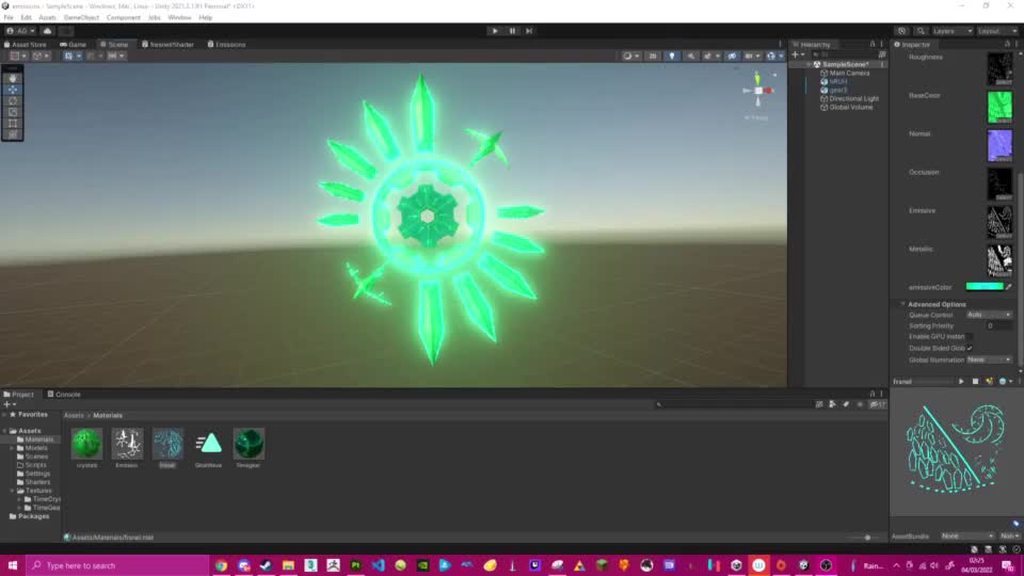
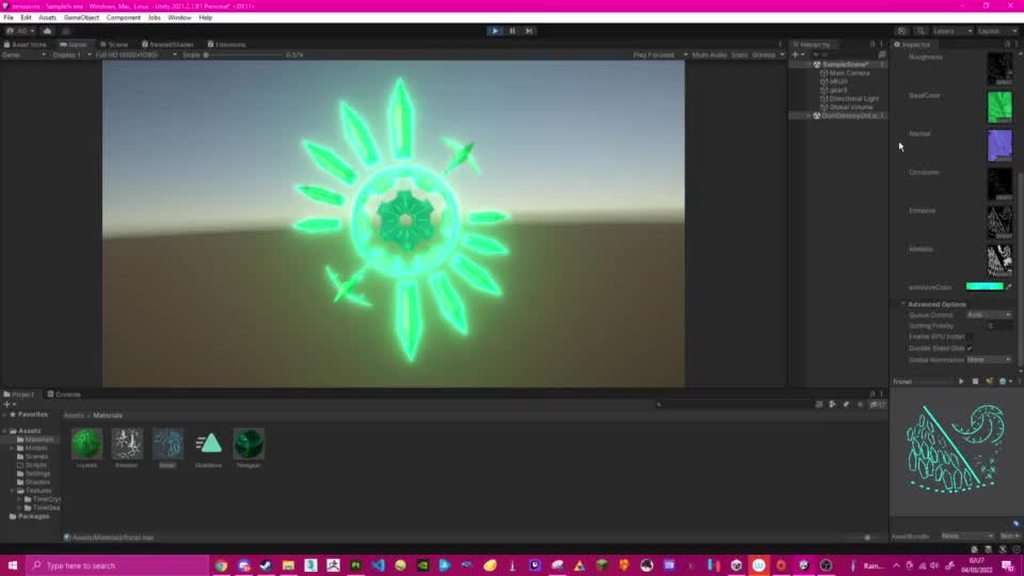
 vestal imp
Is it possible to make a shader that renders pixels differently depending on whether they're inside a specified mesh, or outside it?

 sonic hawk
I'm looking to apply the same effect as the pixel perfect camera component, but only to specified sprites - is this effect possible with a shader?
Use case is there are certain objects that I'd like to be rendered as crisp pixel art on the grid, even if they're rotated, but I dont want it applied to my entire scene.
Here's the desired effect, but using the pixel perfect camera

Thanks :)
 west eagle
@sonic hawk use scritable render pipeline or command buffer to just pixel one piece of image is the way
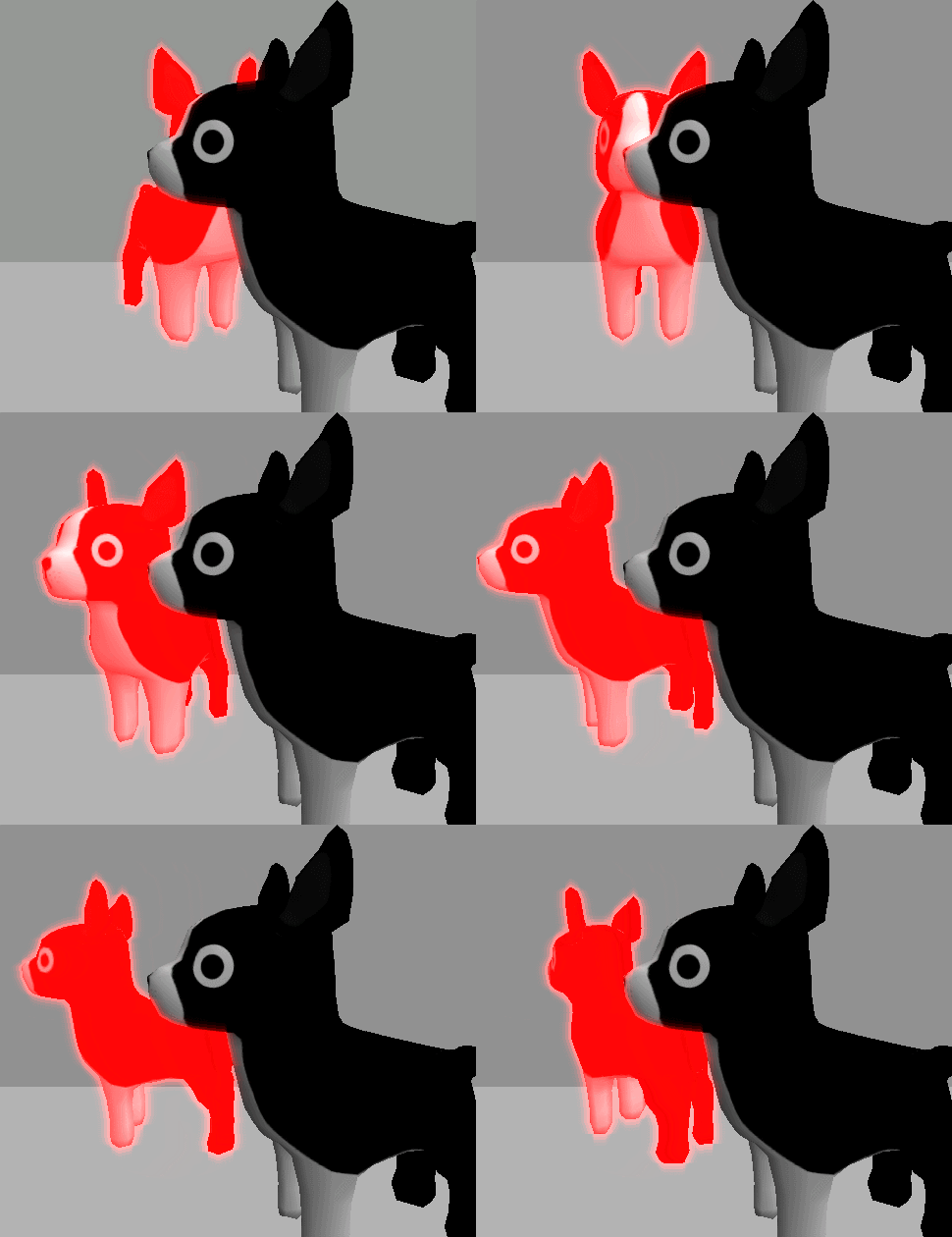
How to add steps to Unity’s graphics pipeline using a selective bloom effect as an example.
 blissful sigil
I want to change the colors of the car, what you see is a texture, how can I manipulate the texture colors? and if someone has a tip on where to start i'd be greatful

 brazen nimbus
blissful sigil
I want to change the colors of the car, what you see is a texture, how can I man...
brazen nimbus
blissful sigil
I want to change the colors of the car, what you see is a texture, how can I man...
2 options that are coming in my mind :
1 : You should give 2 different IDs and so create 2materials and modify one of two.
2 : Create a mask on your material and then modify the color thanks to your masks
 quiet silo
I want to create a shader in shadergraph that combines different textures but the amount of textures can change dynamically at runtime. Does anyone know where to start I have already looked at texture array a bit but dont know how to proceed from there. Is this possible with shadergraph or should I write the shader with code
 cinder chasm
Does anyone know why the output of the "Position" node when set to "world" is dependent on the viewer position?
Eg
Yknow what I figured it out, HDRP uses camera relative world space because HDRP needed to be even worse
regal stag
cinder chasm
Does anyone know why the output of the "Position" node when set to "world" is de...
With the Main Preview window it rotates the object itself, not the camera around it, which is why it looks like that.
But yes, HDRP also has camera-relative rendering (apparently helps avoid z-fighting due to precision issues when further from origin). Use "Absolute World" space on the node if you don't want it to move with the camera.
cinder chasm
regal stag
With the Main Preview window it rotates the object itself, not the camera around...
Could've sworn Absolute World was still camera relative 5 minutes ago but apparently it isn't. That makes it significantly less irritating of a feature. Thanks
Definitely wish they documented that more up front and centre
 noble bobcat
anyone knows any good book or online course on shaders that they can suggest me?
fresh moss
How do i get instance id into the frag side of a shader DrawInstancedIndirect,im fairly shore the regular way doesn't work because they don't use the normal id. I tried putting it as an extra parameter in the v2f struct but that gave me a error
https://paste.ofcode.org/mqH3KgCcsWNSbFnbxXFNYY my indirect shader
            fixed4 frag(v2f i) : SV_Target {

                fixed4 OUT = UNITY_SAMPLE_TEX2DARRAY(_MainTex,float3 (i.texcoord.x,i.texcoord.y,_Properties[this is where i need it>>>>>>>>instanceID<<<<<<<<].tex));
                fixed4 OUT2 = fixed4(OUT.r, OUT.r, OUT.r, OUT.a);
                OUT2.rgb *= lerp(fixed3(1,1,1), i.color.rgb, OUT.g);

                return OUT2;
}```nvm its still not working but i think i have this bit working
vague sinew
Is the Y value from the UV going bottom/top or am I not seeing something here?
meager pelican
vague sinew
Is the Y value from the UV going bottom/top or am I not seeing something here?
Depends, sometimes things are upside-down just for funzies.
See UNITY_UV_STARTS_AT_TOP here: https://docs.unity3d.com/Manual/SL-BuiltinMacros.html
vague sinew
Can I force it to start at top? With a shadergraph
meager pelican
Firstly, see the top section here: https://docs.unity3d.com/Manual/SL-PlatformDifferences.html
I'm thinking/suspecting that SG translates that stuff for you if you use the sample node, thus you can assume it starts at 0,0 being the lower left corner.
@vague sinew
vague sinew
Thanks! I'll take a look
meager pelican
vague sinew
Thanks! I'll take a look
One way to test it is to just output the UV values as a color. You'll get various red/green shades from black to yellow. You can always invert your Y value if you need to for your math.
What I'm unsure about is if you pass a render texture as a texture to SG, what you may need to do, since it will be inverted on some platforms, but you may want it inverted. 😉
P.S.
This is why I'd love it if either Open GL or D3D died, so we wouldn't have to worry about this wonky stuff. And I'd rather keep D3D, but I'm biased.
vague sinew
What's SG? shadergraph?
meager pelican
yes
vague sinew
sorry im a completely beginner to shaders
meager pelican
vague sinew
sorry im a completely beginner to shaders
A detailed introduction on how to use Unity Shader Graph (including v10+ changes). Graph setup, Data types, Understanding Previews, Properties, Keywords, Sub Graphs and more!
lean lotus
Hey anyone know a way for me to get access to compute shader shader model 6 stuff?
meager pelican
lean lotus
so I have a raytracer
I wanted to render out its acceleration structure's nodes ...
(IDK about model 6 issue)
But to the other, why render the Accel Struct at all? I assume it's an AABB tree... that can get complex to show.
P.S. if that's you in the GP discord, I liked your outdoor scene with the added cube-light.
lean lotus
yah thats me
Ive bee workin on this, trying to make it easy to use, and putting it up on github for others
and thank you! You talkin about the san miguel scene?(large tree?), I managed to get it to run at 30-40fps with its 5.6million tris, currently trying to pursue anything else for added performance(without much result tbh)
I wanted to render the AABB to try and see where its dense-ist to try and optimize the BVH building(no luck there tho turns out)
meager pelican
I was talking about #390264006402899979 message
The outdoor ?veranda? with tables.
lean lotus
yep thats San Miguel 2.0
 arctic flame
hello all
how do i make white in a shader?
this might be an odd question
i've got some color properties in my shader

but i'd rather this be a constant
colors appear to be represented in fixed4 so i've made a fixed4(1,1,1,1)
but that shows as black

so i'm not sure exactly what's different between the color property that works correctly and my fixed4 that renders black
vocal narwhal
does that even compile 🤔
arctic flame
it seems to, yeah
vocal narwhal
I thought it needed to be = fixed4(1, 1, 1, 1);
arctic flame
vocal narwhal
I thought it needed to be ` = fixed4(1, 1, 1, 1);`
this doesn't compile
so the 'white' color (that shows black) is being applied to the top-facing normals as intended and u can see that the shape of that is as expected
 vocal narwhal
try just straight up setting the output to that instead of using a variable
arctic flame
so o.Albedo = fixed4(1,1,1,1); does show white
 vocal narwhal
So the issue is with logic elsewhere
arctic flame
im going to try moving the assignment
vocal narwhal
does returning _White also output that?
arctic flame
returning _White seemed to show black
oh it seems to be working now
so the problem seems to be that i couldn't do fixed4 _White = (1,1,1,1);
instead i had to do
fixed4 _White;
_White = fixed4(1,1,1,1);
analog karma
how to make the water ONLY refract the surfaces below the water
 analog karma
nvm problem fixed
 untold crescent
Where is GlobalFog shader or script?
GlobalFog.cs?
analog karma
analog karma
nvm problem fixed
ok not fixed fully but....
the refraction looks better now but still affecting surfaces ABOVE the water

do i need to use a scene depth node?
mental bone
Maybe catlike coding can help https://catlikecoding.com/unity/tutorials/flow/looking-through-water/
A Unity Flow tutorial about underwater fog and fake refraction.
But yes you need to do a depth check
 junior iris
Does Shader Graph support storing a result in a variable so that I can reuse it elsewhere in the graph?
analog karma
which one should i actually use?
 regal stag
junior iris
Does Shader Graph support storing a result in a variable so that I can reuse it ...
regal stag
junior iris
Does Shader Graph support storing a result in a variable so that I can reuse it ...
No, but I created a tool that adds it. https://github.com/Cyanilux/ShaderGraphVariables
It's basically some subgraphs that automatically connect based on variable name string, and makes connections invisible. And hijacks the "synonyms" field saved in SG files for serialisation.
analog karma
for the refraction
junior iris
regal stag
No, but I created a tool that adds it. https://github.com/Cyanilux/ShaderGraphVa...
Oo this looks very interesting, thanks!
meager pelican
arctic flame
so the problem seems to be that i couldn't do fixed4 _White = (1,1,1,1);
To make sense of this, we have to realize that (1,1,1,1) is just a math expression, or several expressions separated by commas, like in the C language. Although I'm surprised that it didn't assign a result of 1 for some reason, I'll have to think about that one a bit. But the point is that is IS NOT a vector notation. Ever.
Whereas the fixed4(1,1,1,1) is a constructor call, for the fixed4 data type (a vector) passing arguments of all 1's. And notation for function calls also happens to use parentheses for parameters/arguments, but in that case it isn't math-grouping.
P.S.
fixed4 _White = fixed4(1,1,1,1);
would work all on one line. Technically,
fixed4 _White = 1.;
should also work, which is why I need to figure out why (1,1,1,1) didn't evaluate to a 1.
arctic flame
i see
regal stag
I think it's because it was defined outside a function, and that's treated as a global shader variable passed in from unity, which always default to 0 as it's non-serialised and has to be set from Shader.SetColor. If you don't want it to do that you need to mark it as static, or could use a macro, e.g. #define _White fixed4(1,1,1,1)
meager pelican
So you're saying fixed4 _White = 1. won't be 1's but would still end up being zero unless later initialized in code because it is not serialized?
regal stag
When outside any function scope, yes
regal stag
But I think static fixed4 _White = fixed4(1,1,1,1); would work.
(Though it's not something I'd really use - I'd just write fixed4(1,1,1,1) in the function wherever it's needed)
meager pelican
Yeah, right. That's probably why I never hit this.
Because the statements (1,1,1,1) evaluate, from left to right, one at a time, as a 1. So these two statements should be equivalent:
fixed4 foo = (1., 1., 1., 1.);```And for @arctic flame further discussion,
This (assume inside a function)
fixed4 foo = (1, 1, 1, .5);
evaluates to an expression equivalent to
fixed4 foo = .5;
and results in a fixed4 vector type having (.5, .5, .5, .5) and can really throw you for a loop due to the notation that the compiler cannot detect since comma separators and parentheses are valid in C.
arctic flame
that explains why it compiled
is there a practical utility in seperating some expressions with commas like that or is it just a quirk of the syntax that it happens to be allowed
meager pelican
Mostly the latter.
But in C, and in shaders, the comma notation is handy for things like loops.
For example
for (uint i=0, bool done=false; i<50 && !done; i++) {....}
so that first expression in the for loop has TWO initializers separated by a comma.
arctic flame
oh, i didn't know that existed
meager pelican
That's c notation btw, I'm not sure how/if that would work in HLSL, but you get the idea. Comma separators allow multiple expressions to be done in one "statement". Mostly, it's an invitation to buggy code, but it comes in handy and is often used for things like loop initialization.
And it's not really a quirk, it is unfortunately intentional. Although really, for any situation I can think of, it can be done at a different point without commas, and would be clearer. C is (in)famous for it's compressed notation, but sometimes it's a bad idea.
 thin bear
Does anyone have any idea how Valheim does its coloured lighting? It appears to be some kind of volumetric fog. You can look in one direction and it's a blue atmosphere, then you can look towards the sun and the trees are surrounded by an orange light. It's not necessarily realistic, but it creates some very picturesque scenes.


It's quite scary at night - it doesn't just get dark the way it does in other games. It gets black, like scary black, almost like you're being surrounded by a black fog. It fills in around the trees but doesn't seem to obscure the sky
thin bear
Valheim was made in Unity btw
drowsy prawn
@thin bear I believe a combination of post processing filters and literal colored lights could create a similar effect
But I'm not a god of light, so you might want to wait for the opinion of someone more legendary
 steady ledge
Hi guys!
i made this shader in unity 2020.3.24, and now i need to use in 2020.1.17, any way to convert it?

 meager pelican
thin bear
Valheim was made in Unity btw
meager pelican
thin bear
Valheim was made in Unity btw
Love that art style.
Skybox-aware volumetric fog, DOF, etc.
IDK if they did a custom lighting solution or not, but I wouldn't be surprised. URP isn't very volumetric out of the box, but HDRP is. URP could have custom shaders for that though. Or maybe it's built-in pipeline, with custom volumetric lighting. Whatever it is, it's a bit toon-ish, low poly, and begs for a water-color look (IMHO) but the lighting and atmospheres look FANTASTIC.
I wish I had a better answer for you, like an interview with the game developers discussing it, but I haven't found one that has programming details. Only reviews, or content/platform info (all which are uniformly positive).
According to this, they're using effects/options that are fairly standard in Unity/industry:
https://guides.gamepressure.com/valheim/guide.asp?ID=58006
Whatever it is, it's high quality artwork, and apparently deliberately lower-res textures and low-poly, as I'm sure you know. I think 75% of it is in the artistic work, not the shaders per se, with shaders contributing nice touches like skybox aware volumetrics, wind, floating streaks, etc. I've also read that many things are procedurally generated and it tends to be CPU heavy.
I think I'll order it on Steam, just to play it a bit and look at the visuals even if I don't finish it.

Game Guides
serene elk
can you make shaders paint outside objects? how can i make a shadow effect below an object?
dim yoke
serene elk
can you make shaders paint outside objects? how can i make a shadow effect below...
Can shaders draw outside of its mesh? No. For shadow you can either use actual shadows or google ”unity blob shadow”
serene elk
can I make a drop shadow for an object where it only appears when behind walls + objects?
i.e. it only renders if it's behind something
i recently found out you can just use 2 pass shaders where it draws a transparency always and when it's not behind an object it draws the full opacity of the object. I didn't see how you can only do it for when it's behind an object
vestal imp
Is there a way to use shaders to make meshes render as a solid color when viewed from inside?
serene elk
behind walls and objects? yes
but then they're always drawn over everything
vestal imp
@serene elk You know how when you move a camera inside a mesh, the mesh disappears? I want it to appear as a solid color on the inside... does that sound doable?
Sorry my knowledge of shaders is very limited
serene elk
you can but apparently it's a performance hit
https://answers.unity.com/questions/8224/transparency-and-backface-culling.html
Unity is the ultimate game development platform. Use Unity to build high-quality 3D and 2D games, deploy them across mobile, desktop, VR/AR, consoles or the Web, and connect with loyal and enthusiastic players and customers.
Unity is the ultimate game development platform. Use Unity to build high-quality 3D and 2D games, deploy them across mobile, desktop, VR/AR, consoles or the Web, and connect with loyal and enthusiastic players and customers.
 twin wadi
Hey smoll question, I am trying to put the purple image on top of the one with the squares. Any idea what I would need for it? I am a Shader noob and I can't figure it out


 regal stag
twin wadi
Hey smoll question, I am trying to put the purple image on top of the one with t...
regal stag
twin wadi
Hey smoll question, I am trying to put the purple image on top of the one with t...
You can use a Lerp node for this (or Blend node with Overwrite mode, ends up as the same thing). But you'd need to turn your texture result into a black/white mask for the T input. There's a number of ways to do that : If it has an alpha channel can use that (the A output). Alternatively could change the texture to have a black background and red shape rather than purple and use the R output. Or could use the Color Mask node (though that may be slightly more expensive).
For the A and B inputs of the lerp, you'd probably use the squares result and a purple Color node/property.
twin wadi
oh sick

perfect
2nd method wouldn't work as well because it is meant for a character that changes colors often and has some components that have to not be effected which makes it hard
regal stag
 analog crest
Shader Graph v10.3+ introduced some newer texture struct types which allow you to pass the sampler state attached to a texture through to the function. Can change Texture2D in your code to UnityTexture2D and remove the SamplerState input. Instead of samp, use tex.samplerstate.
Alternatively, you may be able to change the input type on the Custom Function to "Bare Texture2D" instead which means the code should work without those changes. (But can't quite remember if those bare options can be selected or whether you need to enable them in Unity's Preferences -> Shader Graph maybe?)
 regal stag
twin wadi
wait...
regal stag
twin wadi
wait...
That's why I suggested to not use the texture output for the A/B inputs.
Since it's a single colour you could just use a Color property then have control over it from the material inspector (rather than having to swap out textures just to change it)
twin wadi
oh, I missed that hold up
regal stag
Making the texture have an actual alpha channel instead of a white background would also stop it bleeding to white at the edges. But I feel it's a little unnecessary to have a full RGBA texture just for something that could be imported as a single channel texture to save memory.
twin wadi
Basically this texture will become an RGB Texture later down the line. the purple and yellow will be replaced with Red and Green. but there are a lot of other colors in there that have to be put on top of this which is why I kinda need all 3 channel colors

with both the gray being blue-ish, the mouth being red-ish and the other red parts there are to many colors to just add into 1 texture which is kinda the issue
unless I am miss understanding where you are coming from Cyan
regal stag
Your original question didn't mention this texture, but if you are using the other channels then it's fine. I guess what you were doing before was just for test purposes?
twin wadi
I know, which is why I brought it up now because I understood the confusion
my bad sorry 😅
but yea, it is for testing while my artist friend is working on it
also do not worry too much about it being super optimal, it is meant for 1 character in the entire game only
thin bear
meager pelican
Love that art style.
Skybox-aware **volumetric fog**, DOF, etc.
IDK if they did...
Thanks for the detailed reply, yes I feel like the answer is in some kind of volumetric light/fog, since the different lighting seems localised to areas physically around the player that change the colour atmosphere that you look through, not just the surfaces that it hits.
Wow I think I literally found what they did. If it's not this library exactly, it's got to be the same technique...
https://github.com/SiiMeR/unity-volumetric-fog
@meager pelican btw the game is just an awesome adventure on multiplayer, I highly recommend having someone else join in with you when you do play it, experiencing everything for the first time.
analog crest
regal stag
Shader Graph v10.3+ introduced some newer texture struct types which allow you t...
Ty for the answer, when I use tex.samplerstate, i get another error.

 regal stag
You don't need it in the function params, just in the SAMPLE_TEXTURE2D_GRAD parts
Unless you want to be able to override the SamplerState that is (then I think it's UnitySamplerState sampler in params, then use the sampler in the sample macro)
 regal stag
Since the sampler is combined with the texture you need to remove the Sampler input port from the Custom Function node too (in Node Settings).
analog crest
Thank you very much
serene elk
can I not put a Pass {} code block in this?
https://gist.github.com/Davidj361/e0439f7ec228c2769ef05d47bdc1e3e2
royal vale
If I'm passing an RWStructuredBuffer to my compute shader, and theres say 10000 elements in the buffer as an array, is it safe to use id.x to retrieve them?
royal vale
edit: no use id.y * WIDTH + id.x because it will only use index up to the length of your screen 🤦♂️
analog karma
i haven't really found a way to make a water depth
i mean i have to make my refraction to only refract surfaces below the water
and that can use scene depth but i don't really know how
trying to find a solution here!
serene elk
is there no proper extension for formatting .shader files in Visual Studio?
analog karma
im trying to lerp the refraction with the base colors, why is this happening?


 lucid current
is it possible to instantiate geometry in shader graphs? I mean I could have it for outline shader because outline is another geometry to which black color is applied hehe
though parent geometry remains visible so there are 2 geometries where 2nd is an instance
how do I do it?
analog karma
analog karma
switching angles mostly breaks things
can anybody tell why this is happening?
meager pelican
royal vale
edit: no use `id.y * WIDTH + id.x` because it will only use index up to the leng...
For a compute shader, you dispatch it with args, it's not about screen width. Make sure you check bounds on whatever your resulting index is.
 fallow pivot
Hello,
I have made a shader for seamless textures, but sometimes I switch it to static mode (instead of Absolute World position I set it to Object) and it does this to me. Is there any real chance to fix it? (Shadergraph)
Preview -> https://ctrlv.tv/Jrhw

Fastest screen record online
Fastest screen record online in browser only without addons.
meager pelican
fallow pivot
Hello,
I have made a shader for seamless textures, but sometimes I switch it to ...
Maybe try googling "Triplanar shader graph" and see what you get.
Not enough info to know how to fix it right off.
fallow pivot
meager pelican
Maybe try googling "Triplanar shader graph" and see what you get.
Not enough in...
perefct work for Absoluteworld but object make this shit :/
 meager pelican
lucid current
is it possible to instantiate geometry in shader graphs? I mean I could have it ...
meager pelican
lucid current
is it possible to instantiate geometry in shader graphs? I mean I could have it ...
Nope.
You can generate geometry with compute shaders in Unity (that SG doesn't support yet) and then use a draw instanced indirect type of call to draw it. Drawing it could use the SG shader though, I'd think. But instancing MIGHT be an issue.
meager pelican
fallow pivot
perefct work for Absoluteworld but object make this shit :/
Huh, what is "IsStaticObject", is that a normal node? Or a custom node?
fallow pivot
meager pelican
Huh, what is "IsStaticObject", is that a normal node? Or a custom node?
Boolean for switch between static object in world and movable object
meager pelican
Oh, I get that. 😉
I was looking for the code, like, are you sure it is returning what you think it is? That it is working OK?
fallow pivot
meager pelican
Oh, I get that. 😉
I was looking for the code, like, are you sure it is returnin...
What do you mean?
meager pelican
Maybe output the results of that to some colors (remapped if necessary) and see if it outputs the same thing when the object is located at 0,0,0 for static and non-static.
I mean is that a Unity node, or a custom node?
Maybe it's a unity node. Cyan will know.
He's typing.
lol
regal stag
fallow pivot
perefct work for Absoluteworld but object make this shit :/
The Triplanar nodes also have a Normal input which you've hidden. If you're changing the space you'll probably want to change it for both Position and Normal.
meager pelican
Ah
@regal stagJust for my own edification, is "IsStaticObject" a stock node? (Thanks in advance) I searched but didn't hit a result.
regal stag
meager pelican
<@!357936113983291393>Just for my own edification, is "IsStaticObject" a stock n...
I think it's just a Boolean Keyword (which is equivalent to multi_compile/shader_feature in shader code)
fallow pivot
regal stag
The Triplanar nodes also have a Normal input which you've hidden. If you're chan...
So how do I do that? I'm just getting started with the shadergraph, so I'm getting lost in it
meager pelican
Huh, I didn't know they used that keyword. Thanks 🙂
fallow pivot
The fact that I have hidden things there deliberately because it worked for me before I just added staticObject views there
regal stag
meager pelican
Huh, I didn't know they used that keyword. Thanks 🙂
It's likely a custom one that then gets exposed as a tickbox on the material
regal stag
fallow pivot
So how do I do that? I'm just getting started with the shadergraph, so I'm getti...
First step would be to show all the inputs (if you don't know how to do that, hover over the node there's an arrow in the top right iirc)
Then you'd basically do the same thing you're doing with the Position input, but with the Normal input and two Normal Vector nodes (set to Object and World space that is)
fallow pivot
regal stag
First step would be to show all the inputs (if you don't know how to do that, ho...
Okay I will try it. I'll call you what I did wrong, but I hope I understood correctly
grand jolt
How do i add a texture to my material
fallow pivot
regal stag
First step would be to show all the inputs (if you don't know how to do that, ho...
Normal Vector has only World
when I set it like this (see screenshot) it already works in the scene (the shit doesn't do it) but it seems that normal texture doesn't work (Screen n.2)

 regal stag
I'm not really sure what is causing that
fallow pivot
regal stag
I'm not really sure what is causing that
But I'm well done, how did you advise me, right?
 regal stag
fallow pivot
But I'm well done, how did you advise me, right?
regal stag
fallow pivot
But I'm well done, how did you advise me, right?
Yeah
fallow pivot
I see that there will be something else when I have the plane set to rot 0 0 0 so it looks good, but as soon as I shoot it, normal will disappear

 meager pelican
Rotation won't matter to object-space normals. But the light direction calc won't be the same as it is for world-space (which include the position, translation, and scale).
Maybe you want the object-space colors (texturing) but the world-space normals. And maybe that's what you already tired before. I'm confused as to what you're doing.
P.S.
Why do you want object space normals anyway?
You want object space textures, so you'd use that for triplanar mapping, then try a world-space normal so you match the scene. That would, internally, do some kind of objectToWorldNormal matrix multiplication upon the original object-space normal.
fallow pivot
meager pelican
Rotation won't matter to object-space normals. But the light direction calc won...
It is clear to me that this will not affect me. Rather, I try to make sure that some world objects do not have UVmapping and I use them flatly (static in the world and at the same time as moving (eg when stones fall)) so I wanted to make it easier with a shader by adding an objectPosition with the fact that it can be moving and not moving object texture on it
royal vale
For my dispatch args im doing screen width/corresponding thread count. Should I use buffersize/threads?
meager pelican
royal vale
For my dispatch args im doing screen width/corresponding thread count. Should I ...
Depends on your code, and what you need. But normally if I'm passing a buffer, and I wanted each core to deal with one item in the buffer, I'd pass buffer-related sizes. OTOH, if I'm processing a texture, I'd do it that way, with texture related info. If you're trying to do both at once, I cannot answer you because "it depends".
royal vale
Sure, I’m passing a buffer as well as a texture and the buffer size can get massive, so id.x wasn’t going into the buffer at all. Doing screen width * height works but only up to ~2 million indices of the buffer
Which is still probably fine I just didn’t know if there was a different indexing/threading method, I’ll experiment a bit though
 odd fiber
I'm trying to create a sun in the sky. using shader graph.

I can get this, but it sort of broken.
I'm following this https://medium.com/@jannik_boysen/procedural-skybox-shader-137f6b0cb77c and using this for the sun
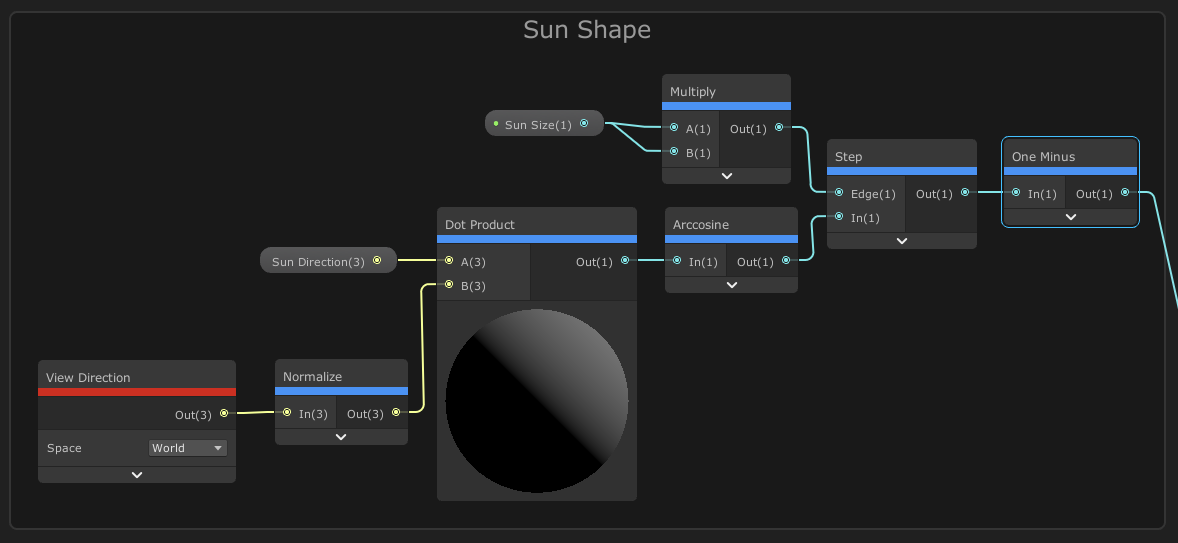
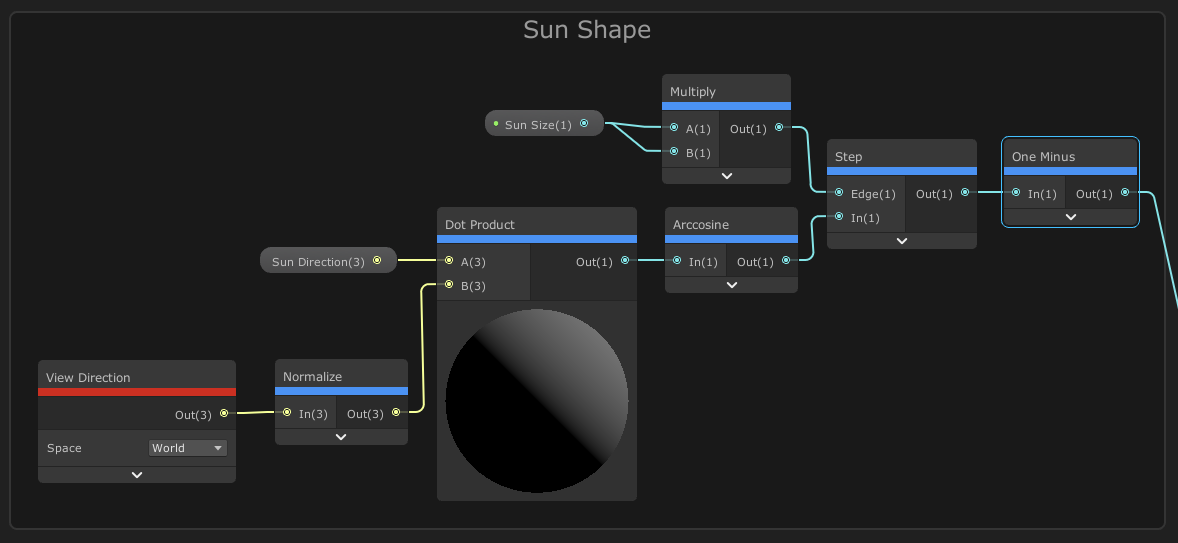
However, there is a weird bug where I can't control the size of the sun, and there is two suns.
I was wondering, is screen position node broken in shader graph or something?
abstract stirrup
Hello, is there a way to cast shadows on a Unlit Shader?
shadow locust
abstract stirrup
Hello, is there a way to cast shadows on a Unlit Shader?
Seems like an oxymoron
If the shader reacts to lighting conditions, it's not unlit
abstract stirrup
i mean, using Shader Graph and Custom Functions, im not talking about setting the material to cast the shadow
Is there a way to get shadow information?
regal stag
@abstract stirrup I have some custom lighting functions / Sub Graphs including one for Main Light Shadows here : https://github.com/Cyanilux/URP_ShaderGraphCustomLighting
Obtaining shadows also requires some keywords set up in the blackboard (if using a custom function that is. The subgraph should already handle it for you, though I know there's been some bugs with keywords in subgraphs in more recent versions iirc)
 warm swift
someone knows why cant find the Depth Fade Shader if i have URP?
abstract stirrup
tysm
warm swift
what package cointain deph fade
 fast skiff
hello, anyone knows how to write .hlsl code on a mac? Visual Studio does not seem to support the syntax
or .compute - found some open source using this stuff, it runs and compiles fine, but almost impossible to write code, as VS is not more helpful then any other text editor in that case
grand jolt
Hi everyone! I've been trying to code a shader which let's an object be illuminated by point lights and it seems to work very well, except that the shading doesn't update if I move the point light around

Here is the code: https://paste.myst.rs/wbfwc6oo
a powerful website for storing and sharing text and code snippets. completely free and open source.
I'm still figuring out how shaders work 😄
 exotic kraken
I'd think this problem was solved ages ago but I can't seem to find anything on Google. I am trying to render the player's gun in front of everything else in an fps game. But the most common solution I can find is to use 2 cameras, one that renders only the gun, and another to render the rest of the world, and overlay the gun on top. Unfortunately this prevents shadows from being cast on the gun by the world, so how can I fix that?
exotic kraken
Also, is there a way to either: clear the depth buffer during a shader pass, or write specific values to the depth buffer, ignoring the actual pixel's depth?
 safe summit
I have a problem that I think is simple, but I don't know how to solve it
I want a different alpha value for shadows than light
on a material
Basically, I want the material to be transparent except for the shadows
Could I do that using shader graphs?
 twilit slate
Hi do you know why when i always try to create a shader it never compiles? I have no errors in the console
