#archived-shaders
1 messages · Page 226 of 1
 regal stag
Each component is usually between 0 and 1. Values might be higher for HDR colours though.
 tacit stream
o.color.a = _Properties[instanceID]; _Properties in this case a float value that can be from 0 to 100000
            v2f vert(appdata_t i, uint instanceID: SV_InstanceID) {
                v2f o;
                if (_Properties[instanceID] == 0){
                    o.vertex = float4(0,0,0,0);
                    o.color = i.color;
                    o.uv = i.uv;
                    return o;
                }
                uint mInd = instanceID / _NumOfArrays;
                uint ind = instanceID - _SizeOfArray * mInd;

                float4 rotated = RotateAroundYInDegrees(i.vertex, _Angle);
                float4 pos = mul(_Matrices[ind], rotated);
                pos.yw += mInd * 0.001;

                o.vertex = UnityObjectToClipPos(pos);
                o.color = _Colors[mInd];
                o.color.a = _Properties[instanceID];
                o.uv = i.uv;
                return o;
            }
            struct v2f {
                float2 uv : TEXCOORD0;
                float4 vertex   : SV_POSITION;
                float4 color    : COLOR;
            };
struct is defined like this
so I guess I need to normalise
soooo, smth is wrong
            Color[] colors = new Color[grid.gasGrids.Count];
            for (int i = 0; i < grid.gasGrids.Count; i++)
            {
                colors[i] = new Color(grid.gasGrids[i].def.color.r, grid.gasGrids[i].def.color.r, grid.gasGrids[i].def.color.r, 255);
            }
            colorBuffer = new ComputeBuffer(colors.Length, sizeof(float) * 4);
            colorBuffer.SetData(colors);
            material.SetBuffer("_Colors", colorBuffer);
            v2f vert(appdata_t i, uint instanceID: SV_InstanceID) {
                v2f o;
                if (_Properties[instanceID] == 0){
                    o.vertex = float4(0,0,0,0);
                    o.color = i.color;
                    o.uv = i.uv;
                    return o;
                }
                uint mInd = instanceID / _NumOfArrays;
                uint ind = instanceID - _SizeOfArray * mInd;

                float4 rotated = RotateAroundYInDegrees(i.vertex, _Angle);
                float4 pos = mul(_Matrices[ind], rotated);
                pos.yw += mInd * 0.001;
                o.vertex = UnityObjectToClipPos(pos);

                float alpha;

         //       if (_Properties[instanceID] > 512){
           //         alpha = 512;
             //   }
               // alpha /= 512;
                o.color = _Colors[mInd];
            //    o.color.a = alpha;
                o.uv = i.uv;
                return o;
            }
if I think correctly, this is supposed to draw mesh with default color (from _Colors) wherever there's non-0 _Properties
but nothing is drawn
oh

actually, it is drawn
just in wrong position
uncommenting discarding part removed them as well
hmmmm
 timid minnow
In HDRP, is there a way to achieve this effect entirely through Shader Graph? https://www.reddit.com/r/Unity3D/comments/l6vj0x/moved_from_normal_transparency_to_dither/

I have a split screen multiplayer game, and need this to run entirely in the shader, ergo cannot raycast/spherecast to determine occlusion
tacit stream
                uint mInd = instanceID / 5625;
                uint ind = instanceID - 5625 * mInd;
so
I found why my meshes don't get drawn
instead of 5625 there should be _SizeOfArray
but when I leave like this
it just doesn't work
material.SetInt("_SizeOfArray", map.cellIndices.NumGridCells); in C#
int _SizeOfArray; in shader
SetInt is run before first Draw call
sooo? Is it dividing by 0?
 meager pelican
timid minnow
In HDRP, is there a way to achieve this effect entirely through Shader Graph? ht...
meager pelican
timid minnow
In HDRP, is there a way to achieve this effect entirely through Shader Graph? ht...
A shader is the only way that I know of!
Use the "alpha value" to look up a screen-space dither value for the object. How you calc that value is up to you. Looks like distance in world-space from the camera position.
Since you're in URP/HDRP, you can use the dither node in SG.
Otherwise, for others, see the code example for that node anyway, since you can use that code in the built-in pipeline too. https://docs.unity3d.com/Packages/com.unity.shadergraph@6.9/manual/Dither-Node.html
You would do an alpha clip based on the value returned from the dither function compared to the "alpha value" that you want to have/calced.
timid minnow
meager pelican
A shader is the only way that I know of!
Use the "alpha value" to look up a scre...
Ahh right, I should have clarified: I just would like to have dither and fade based on occlusion, which is tricky without access to things like raycasting
I did make a shader already using SG that achieves the effect, but having occlusion factor in seems to be an impossibility in a split screen multiplayer context
 tacit parcel
you could just make a screenspace distance to alpha based on certain object (in this case, player) screenspace position
timid minnow
tacit parcel
you could just make a screenspace distance to alpha based on certain object (in ...
what exactly do you mean? Is there any chance you can make an example graph?
If not, I might be able to follow along with a little bit more detailed of an explanation

Here's what I currently have
 soft jacinth
It's a dynamic scene so I'm creating the mesh/normals at runtime. modifying them might be reasonable, not entirely sure how well that would play out as this is a lit scene yes.
 shrewd tusk
Anyone know a really good tutorial for shaders?
 fervent tinsel
@shrewd tusk there are some pinned to this channel
shrewd tusk
ok
 long granite
Hey so whats the best shaders in unity for performance on older machines?
Im currently using built in legacy diffuse for everything (also because i like how it looks)
 coral parcel
How do I get this, which is in there, to actually do anything useful to this

Where is the actual output for this?

Because right now all I have is a useful sub-graph being held back by a useless basic graph
Because there's nowhere for me to actually put this output
Update, I found the output, it just does fucking nothing

Even as an unlit material, nothing
 coral parcel
Even when I just try to make a base color, nothing

Who's idea was it to remove PBR graphs?
 limber fossil
Hello. Which unity standard or URP shader is best for photogrammetry?
tacit parcel
timid minnow
what exactly do you mean? Is there any chance you can make an example graph?
I'm not too familiar with shadergraph, but here's what I have in mind
- get current texel screenposition
- get assigned position fetch via script, transform it to get it's screenposition (or maybe fetch it's screenspace position via script instead)
- get the distance between those screen position, assign to current color alpha (most likely need to be clamped and invertedby using, 1 - clamp01(alpha))
- also need to take account the z-distance between player position and texel position
meager pelican
timid minnow
Ahh right, I should have clarified: I just would like to have dither and fade ba...
You know? I realized what you were asking after I went to bed last night! lol. I thought "Maybe he's worried about the view vector/occlusion thing, not the dithering." Sorry for being dense.
Anyway, yeah, I thought about it. IDK what the real "pro" solutions are...and I assume there are several.
Like @tacit parcel is saying, you'll have to invent a method that works for your desired use-case. You could make a very simple one, or a more complex one.
You could try his example.
You could just decide to break the screen into "areas" and (mathematically) decide to fade things out based on the player's screen area and the object's area-nearness.
What I was thinking about was a "mini-frustum" inside the real view frustum. That would be constructed based on the player's character....some how. Maybe even on the C# side since you know the player pos and the camera pos at the start of the frame. And you'd have a bounding box for the player.
The trick with all that is that you'd need to know the OBJECT'S bounding box (AABB) and know if it intersects the mini-frustum AND is closer to the camera than the player is. That's when you fade.
That's conceptual. It seems expensive, since you'd have to know every object's AABB.
Maybe another way is with some kind of stencil test, you may need layers or 2nd cameras for that. The problem there is that's per-pixel, not per-mesh/object.
Yet another way is a GUESS. If the object is closer than the player AND it is within a certain distance to the view vector from camera to player, fade it out. That's cheap and easy, you could stuff the object specific width/distance into a vertex color or something, so it's a mesh-global.
IDK. Maybe I'll dig around and see if I can find a tut or demo of how it is normally done. I'm curious now.
tacit stream
Do Unity shaderLab support byte?
I want to send certain buffer struct with byte values
0 to 255
meager pelican
tacit stream
Do Unity shaderLab support byte?

Scalar Types
tacit stream
meager pelican
https://docs.microsoft.com/en-us/windows/win32/direct3dhlsl/dx-graphics-hlsl-sca...
so, the least I can get is half?
meager pelican
That's floating point, not int. But you could do that. Check the range.
The other way is to either
- use 4 byte uints.
- use math to stuff values into uints, so you get 4 per uint. And create functions to decompress it all. Like with modulus.
GPU's like to read things in 4-byte boundaries from memory. Reading byte by byte is probably slower than reading 4 bytes at once. But then there's the math overhead to decode it all.
The binary operators AND/OR/etc work on uints.
tacit stream
That's the point I need to use as smaller memory as possible
my biggest bottleneck is CPU side memory allocation
2 bytes less than 4
so half is fine, even with floating point
meager pelican
Well, I'm unsure what you mean by that...size or the fact that you have to do it...because it is managed memory pool with garbage collection. Make sure you only allocate the buffer once, hang onto it, and then reuse it.
BUT...you're saying size. So you have A LOT of (0-255) numbers to stuff into your buffer, yes?
tacit stream
yeah, I need to send struct array
        struct MeshProperties
        {
            int index;
            float alpha;
            byte color;
        }
best way would be this
but, since byte is not supported
will figure smth else
basically, GPU is least used part in game I mod, so
making it work extra and freeing CPU is always a win
meager pelican
Take the color (0-255) and break it out into another structured buffer. Use uint type. And math it out to get to the right 4 bytes and compute the mask and bit shift.
tacit stream
color is index
already
I send number from 0 to 10
basically
which points to buffer on GPU
meager pelican
Right, which is why it is < 256. Doesn't matter to my point.
You want byte-by-byte to reduce size.
You can do that.
But you need to break it out into uints and bit-shift/mask.
tacit stream
I kinda lose you in this one.
You mean I can use my 32 bit value as 4 values?
meager pelican
Yes, exactly that. 4 x 8 = 32
tacit stream
that seems overcomplicated tho
meager pelican
It is, because shaders/GPUs don't support byte. 😉
tacit stream
And it'll be easier to just send it as it is, rather then making CPU create that kind of data
sad life, but what can you do
easier for CPU I mean
meager pelican
Yeah, that was option 1. Byte (ha!) the bullet and send it as 4 bytes. Sucks. But maybe you can stuff something else into the unused 3 bytes and mask that off as another thing. Flags, whatever.
Like how big is "index"?
And alpha can be stuffed into a byte too.
So in 4 bytes, maybe you can have a 16-bit index, an 8 bit color, and an 8 bit alpha, all stuffed into 1 uint.
 patent plinth
@regal stag thankx for the tips yesterday! I did you told me, it works!
 patent plinth
still rough, but it works! wooo!
tacit stream
I better focus on some other stuff, rather then spending weeks optimising same thing
patent plinth
Still not sure what I did wrong, the color between sharp blended textures look messed up, but my terrain shader that mimics the look of wind waker is almost done... dayum, I never though I can do this

sometimes the sharp blend thing doesn't work on certain surfaces, which also weird... I think I got this
supposed to copy this ... yeah.. pretty close I guess
 regal stag
patent plinth
<@!357936113983291393> thankx for the tips yesterday! I did you told me, it work...
regal stag
patent plinth
<@!357936113983291393> thankx for the tips yesterday! I did you told me, it work...
Nice 👍
 heavy pebble
I'm trying out a basic stencil mask unlit shader in HDRP. It works, but scene lighting seems to affect it for some reason..? If I disable scene lighting toggle in the scene view I can see it behaving ideally. (if equal, render, otherwise disappear). I cannot see it in game view either way. The shader in question : https://hatebin.com/hookdirqke
 fossil cloak
Hey, Can someone explain me, why the Background is tiling and the icon not? 😄 the uv of the flags is done over 3 uv spaces


 grand jolt
heavy pebble
I'm trying out a basic stencil mask unlit shader in HDRP. It works, but scene li...
grand jolt
heavy pebble
I'm trying out a basic stencil mask unlit shader in HDRP. It works, but scene li...
Why are you using CGPROGRAM and UnityCG lib? That's legacy. You need to use HLSLPROGRAM and the correct include for your SRP.
From what I remember, HDRP uses most of the stencil bits for deferred rendering.
You get like 2-4 not taken ones I think?
I better look this up.
regal stag
fossil cloak
Hey, Can someone explain me, why the Background is tiling and the icon not? 😄 t...
The Icon texture is probably set to Clamp wrap mode in the texture import settings
grand jolt
0lento said on the Unity forum that we only get 2 stencil bits, wonder which ones.
fossil cloak
regal stag
The Icon texture is probably set to Clamp wrap mode in the texture import settin...
Oh yes, it is. Didnt know that this exists 😄 cool ty
heavy pebble
grand jolt
Why are you using CGPROGRAM and UnityCG lib? That's legacy. You need to use HLSL...
tbh, I have 0 experience with shaders. I compiled this code from a bunch of tuts.
And yeah I've read the forum post that we get 2 bits, and I've still not gotten to the part on how to use those particular bits
or which ones those are
grand jolt
Looks like the user bits are 64 and 128.
 heavy pebble
I found this a while ago though :
Bit #7 (value=128) indicates any non-background object.
Bit #6 (value=64) indicates non-lightmapped objects.
Bit #5 (value=32) is not used by Unity.
Bit #4 (value=16) is used for light shape culling during the lighting pass, so that the lighting shader is only executed on pixels that the light touches, and not on pixels where the surface geometry is actually behind the light volume.
Lowest four bits (values 1,2,4,8) are used for light layer culling masks
This although, was for deferred rendering
heavy pebble
grand jolt
Looks like the user bits are 64 and 128.
ok that helps
heavy pebble
I can't even fathom how to set these bits left open for me to use 🤦♂️
grand jolt
@heavy pebble well, it seems stencil ops support masking. So you can specify which bits you want to write to.

Here's the thread btw https://forum.unity.com/threads/hdrp-stencil-ref-and-stencil-buffer.923960/

Unity Forum
Is there any clean way of working with the stencil buffer in HDRP, or is such a thing coming soon? Would be fantastic if it was part of the shader...
heavy pebble
grand jolt
Why are you using CGPROGRAM and UnityCG lib? That's legacy. You need to use HLSL...
Do you know where I can find a sample unlit HDRP shader?
grand jolt
No 😅 I am Shader Graph only when it comes to HDRP. You could look at the Unlit shader in its package folder maybe.
heavy pebble
I have looked at that, and its 600 lines of code I'm not educated enough to understand :')
grand jolt
Well let's just say that's the HDRP experience 👀
heavy pebble
ok last question, in regards to my lighting problem, do you think its probably because of my wrong shader code or something else might be fucking things up too?
meager pelican
@heavy pebbleSounds like the lighting/etc systems are messing with your stencil bits, like Beat and others have said above.
You have to use the correct bits AND the correct mask, or you're screwed.
As to the rest of the lighting calcs, it's all code. But there's self-lighting, GI lighting, baked lighting, and shadow un-lighting...to coin a phrase.
heavy pebble
If it helps its just 2 directional realtime directional lights 😄
But thank you @grand jolt and @Carpefun. I'll play with the bits and masks and see if it solves my problem(s).
 sacred patio
Anybody has a tip on how to make the scrolling happen only through one axis instead of going in this diagonal line?
 regal stag
sacred patio
https://i.gyazo.com/fa2f602fdf62eca7864a5260b9aabc73.gif
regal stag
sacred patio
https://i.gyazo.com/fa2f602fdf62eca7864a5260b9aabc73.gif
Put the Multiply output into one axis of a Vector2 node first
sacred patio
regal stag
Put the Multiply output into one axis of a `Vector2` node first
I kept putting vector 2 for tiling oops. Thanks
sacred patio
And how could I get the texture coordinates in the unity graph? I need to split the UV node somehow or
 regal stag
sacred patio
And how could I get the texture coordinates in the unity graph? I need to split ...
regal stag
sacred patio
And how could I get the texture coordinates in the unity graph? I need to split ...
Exactly what you described, UV node into a Split node
 inland rose
I made a shader graph the other day to render concentric circles to make some type of aoe visualization, which I was attaching to a plane, rendering the plane to a render texture, and then using that texture as the main texture in a decal shader. But that all seemed to be bad performance so I just moved the circle drawing directly into the decal shader. Added dashed borders too

however I am using some if statements in the fragment shader which I keep reading are bad
#if _DashedSegmentEnable
                float angle = atan2(abs(0.5 - uv.y), abs(0.5 - uv.x)) * 180 / PI;
                float mod = 360 / _DashedSegmentCount;
                float gap = _DashedSegmentGap;
                float offset = gap + (mod - gap) / 2;

                if(fmod(angle + offset, mod) > gap) {
#endif

                    if(len > outer && len < radius)  {
                        return _OuterColor;
                    } else if(len > inner && len < outer)  {
                        return _InnerColor;
                    }

#if _DashedSegmentEnable
                }
#endif``` does branching like this cause major performance issues?how to access 4 fields of fixed4?
I have fixed4 col
I want to change alpha (3) value of it
col.???
or is it col[3]?
inland rose
I think you can do either col[3] or col.a?
inland rose
xyzw = rgba
tacit stream
col.w?
inland rose
i mean you can use them interchangeably
and you can also swizzle the values, e.g. col.ga will give you back fixed2 with green and alpha values
tacit stream
huh
I'm guessing by examples
shader language has nearly 0 built in functions
like random
noise
and etc
and I have to add them myself?
tacit stream
Is _Time built in?
 crude sun
Hi. I'm using URP and would like to use spheremasks to create see-through bullet holes in objects. Is this possible? How would I go about creating a variable amount of spheremasks?
something like this

 woeful geyser
Did shader graph in 2021 get bone index/weight vertex attribute nodes?
 lost scarab
In URP is there a way to add a metallic/smoothness output to a sprite lit material?
 meager pelican
inland rose
```
#if _DashedSegmentEnable
float angle = atan2(abs(0.5 - uv.y)...
meager pelican
inland rose
```
#if _DashedSegmentEnable
float angle = atan2(abs(0.5 - uv.y)...
if those properties are uniforms...eg you set them on the material, it won't cause major issues, since all cores in a workgroup will follow the same branch. The problem with "big bad if's" is that all cores share a program instruction counter and work in lockstep so if one core has to execute the condition, they all have to wait if they are executing it or if they are masked off, it still takes the time.
BUT
In your case, you can probably use shader variants instead (actually I think that's what you're doing). This makes different compiled versions of a shader depending on some material properties set. Basically conditional compilation. That's why you have if's as pragmas and not as inline code for the dash logic.
The other ifs that you have that are compiled in (like if's for length) are just small statements and won't cause too much execution time. In those cases, you can assume that the worst-case situation is the total time taken to evaluate and execute both sides of the ifs. Doesn't look like it is too bad in your case. Let the optimizer deal with it, IMO.
You can probably re-arrange the if's to be a bit more performant, and you should watch out for = conditions, like when len = outer.
inland rose
Right, I figured the pragma would get optimized, I was more wondering about the dynamic if checks
meager pelican
Yeah, worst case is that the total "cost' is for evaluating and executing BOTH sides of the if. Which isn't very much cost in your case, your colors are already calced, so it's mostly evaluation of some pre-known values.
inland rose
Okay. Honestly this is all a bit above my level of understanding, but I suppose if it ever becomes an issue I can try to profile it. Thank you for the in-depth answer
tacit parcel
crude sun
Hi. I'm using URP and would like to use spheremasks to create see-through bullet...
It should be possible using stencils, not sure if URP's shadergraph support it though...
 sly breach
is this a special hlsl syntex [ * + ] ? as seen here : return float2(sin(UV.y*+offset)*0.5+0.5, cos(UV.x*offset)*0.5+0.5);
the snippet is from unity docs : https://docs.unity3d.com/Packages/com.unity.shadergraph@11.0/manual/Voronoi-Node.html
 vocal narwhal
it's the same as c#
 mellow owl
Hi
I am a beginner in Unity btw
How can I outline a 3D GameObject no matter from what direction I look at it?
I think I am in the right channel
Ping me pls if you got the answer
fervent tinsel
@heavy pebbleyeah you should really mask those unless you want to overwrite the existing values... one thing to note though is that some of the HDRPs internal stencil usage is already done at the point when PP stage runs, you can get better understanding of the lifespan of specific stencil bits here https://github.com/Unity-Technologies/Graphics/blob/master/com.unity.render-pipelines.high-definition/Runtime/RenderPipeline/HDStencilUsage.cs
meaning, if you can be certain HDRP doesn't need the bit at the point you are using it, it's safe to use for your own things too and you will not be limited to just those two user bits
HDRP uses some of these bits multiple times for separate purposes as well
well... "safe to use" applying mainly to that version of HDRP, there's no guarantees Unity won't shuffle the non-user bits around in future releases
but like, if you are short on available bits, may want to look into those, otherwise just stick with the two user reserved ones
long granite
Just wondering but is a ps1/ps2 styled shaders? That doesn't reduce performance
since when I tried the tutorial for it (not with shaders, but using another camera), my game used much more resources than without
 unreal gale
Hi, I am using URP and am trying to make a rendered material override if the objects are too far from the character, but I am not able to get some valid results yet.
- I made a radial gradient texture that I fit onto a very short cylinder which is in a special layer.
- I then made a camera that would watch only this layer and output to a render texture
- I made a shader using shader graph which (in theory) will desaturate to a full black any object that is not inside the gradient and put it in a material
- I finally used that shader inside a forward renderer's "Object render" feature, and made my main camera use it.
- As a result right now, I am seeing only black, as the gradients don't seem to be taken into account
Here are the two shaders I tried out, one using only the gradient camera, and one using a secondary normal camera to output to a render texture
tacit parcel
long granite
Just wondering but is a ps1/ps2 styled shaders? That doesn't reduce performance
No, PS1 games look that way because of hardware limitation. and PS2 afaik, doesnt have programmable shader capability. It does have some 'preprogrammed shaders' (flat, bumpmapped, gouraud, cell shaded, etc)
The best way to simulate PS1 looks is to use flat shading, low texture with point filtering, and switch to low res screen resolution. And maybe disable perspective correction via shader
long granite
tacit parcel
The best way to simulate PS1 looks is to use flat shading, low texture with poin...
Ohh okay thats nice and how do i use flat shading? is it like a way to draw textures? and whats perspective correction and how do i disable it
heavy pebble
fervent tinsel
<@!244172630662316034>yeah you should really mask those unless you want to overw...
o_o. Thank you for that link, very helpful. I figured it out yesterday after heavy trial and error to mask the bits. Your answers on the forums are gradually helping me achieve my goal 😄.
Right now only planning to use the 2 bits, but unclear how many I actually need. I was aiming for reusing the 2 bits in multiple passes but more bits are better
 olive brook

Stack Overflow
I was learning to make a custom post processing in the HDRP. everything went good, except that I can't get ANY valid rthandle except for the source inside Render() override method.
This is what I h...
Any idea how ?
I spent 8 hours, but i gave up and asked ...
fervent tinsel
@olive brookhave you checked how this repo did it? https://github.com/alelievr/HDRP-Custom-Passes it's not for custom pp passes but same concept should work for custom pp too
could take a look at the blur example
 clever saddle
Hey,guys.I have a question is there any method for Texture class like the "GetPixels32" in texture 2D?
olive brook
fervent tinsel
<@!538083574352445461>have you checked how this repo did it? <https://github.com...
thanks! I was kinda looking for a newbie friendly way , but I didn't expected as such.
thanks again. I'll take a look and perhaps my lazy brain figured something :D
@fervent tinselany idea how to open the repository with intellisense ( with F12 goto reference and stuff like that ) enabled ?
sacred patio
Do I need to add something else to the shader for the gradient in the trail renderer to overlap successfully?
 regal stag
sacred patio
Do I need to add something else to the shader for the gradient in the trail rend...
regal stag
sacred patio
Do I need to add something else to the shader for the gradient in the trail rend...
If you're referring to the Color of the Trail Renderer, I believe it uses vertex colours to pass it in. There's a Vertex Color node.
sacred patio
regal stag
If you're referring to the Color of the Trail Renderer, I believe it uses vertex...
Oh, I see, and do I need to add anything else for the intensity to work?
Interesting, it seems like it's mixing with the original white
 regal stag
You should be using the A output from the Split for the Alpha port
I'd also Saturate the result of the first Multiply to make sure values stay between 0 and 1. If it's too intense, adjust the value in the middle Multiply.
I'd probably also change the graph type to Unlit in the Graph Settings
sacred patio
That's insightful, didn't know of the saturate node
I don't think it changed anything but I noticed that if I used a gradient preset that was with a pimped up intensity from another shader, it works just fine so could it be just the trail renderer being a little wonky not having the option for the intensity?
It also makes the texture a little wonky too
 regal stag
sacred patio
That's insightful, didn't know of the saturate node
I don't think it changed any...
regal stag
sacred patio
That's insightful, didn't know of the saturate node
I don't think it changed any...
It doesn't have an intensity option because vertex colours cannot support HDR colour afaik
sacred patio
regal stag
It doesn't have an intensity option because vertex colours cannot support HDR co...
That would make sense if it didn't work from other glowing gradients 🤔 Unless it's just an illusion that they are glowing from the multiplier which is probably highly likely
regal stag
Yeah, it's glowing more because of the Multiply by 10.7
patent plinth
long granite
Just wondering but is a ps1/ps2 styled shaders? That doesn't reduce performance
Speaking of psx1 graphics, I managed to make a shader similar to that some time ago for gamejams.. perhaps even much jankier than the original psx1 😃 .. If you're interested , let me know (see screenshot below)

as for the performance, only god knows 😃
Mine, used a custom lighting for no reason ...I can fix it without custom lighting, if you're interested
 zealous plank
Is it possible to for a shader to use the mouse's co-ordinates as an input?
 shadow locust
zealous plank
Is it possible to for a shader to use the mouse's co-ordinates as an input?
shadow locust
zealous plank
Is it possible to for a shader to use the mouse's co-ordinates as an input?
Yes you'd just have to pass those coordinates into the material from C#
 final hollow
shader graph doesn't support compute buffers yet by chance, does it?
shadow locust
final hollow
shader graph doesn't support compute buffers yet by chance, does it?
no 😦
You can pack your data into a Texture instead, but that's a bit janky. And Instance ID is not supported yet for Graphics.DrawMeshInstancedIndirect, so it's all kind of moot anyway
regal stag
You can use a StructuredBuffer in SG through a custom function node (file mode).
And for DrawMeshInstancedIndirect, you can hack it in a bit, I did it for a grass shader in v10. https://gist.github.com/Cyanilux/4046e7bf3725b8f64761bf6cf54a16eb
final hollow
huh, thats interesting, and also is that your github? Having a quick reference to your gists sounds like a goldmine
regal stag
Yeah, only have a few gists and repos though
final hollow
so... wait..

but...

so... damn it.
I mean I dont understand, there's a whole section on HDRP in 2021.2 https://docs.unity3d.com/Packages/com.unity.render-pipelines.high-definition@12.0/manual/whats-new-12.html
but there is no HDRP template option, and no template option for "3d with extras" which is what the HDRP guide uses to show how to add HDRP for a project not in the HDRP template
sorry, lol, to make this a shader question -- has anyone successfully used the new tesselation feature of the HDRP shader graph? is it a real thing yet?
fervent tinsel
I'm confused... you have issues with the functionality or just asking in general?
it's a real thing
 lapis lodge
is it possible to pass an array or list in a compute shader? (each thread has a different one)
shadow locust
lapis lodge
is it possible to pass an array or list in a compute shader? (each thread has a ...
you can use ComputeBuffers or GraphicBuffers.
lapis lodge
shadow locust
you can use ComputeBuffers or GraphicBuffers.
thanks
final hollow
fervent tinsel
I'm confused... you have issues with the functionality or just asking in general...
yeah my bad, I was just confused by the documentation seeming to suggest that tesselation was implemented for a version of unity not supported by HDRP
I realize now that I was wrong in several important ways. 1) it is supported, 2) the HDRP wizard takes care of compatibility issues for you and it doesn't matter what template you use, and 3) I realize now that tessellation is not the bottle neck on creating the BotW grass effect, geometry shader are. And that is probably never going to exist in shader graph
I suppose thats the point behind DrawMeshInstancedIndirect business
 solar sinew
final hollow
I suppose thats the point behind DrawMeshInstancedIndirect business
solar sinew
final hollow
I suppose thats the point behind DrawMeshInstancedIndirect business

GitHub
Example project to draw 1million grass instances on mobile - GitHub - ColinLeung-NiloCat/UnityURP-MobileDrawMeshInstancedIndirectExample: Example project to draw 1million grass instances on mobile
I still don't quite understand the details of his implementation here but it uses DrawMeshInstancedIndirect in clever ways iirc
coral parcel
Hey, anyone know how to write a depth mask shader? I'm trying to hide water in a hull. I've already got the mesh ready to put the shader on but all of the tutorials I've found have code that either didn't work or is a prefab for an entire water asset that is pre-downloaded that I'm not using
Shader "Mask/Masked"{

    SubShader{

        Tags {"Queue" = "Geometry+10"}

        ColorMask 0

        ZWrite on

        Pass{}

    }

}
This is the code I lifted, and it's not really doing much of anything to be honest. Just creates a clear material that doesn't mask the water in the hull
 low lichen
coral parcel
```cs
Shader "Mask/Masked"{
SubShader{
Tags {"Queue" ...
low lichen
coral parcel
```cs
Shader "Mask/Masked"{
SubShader{
Tags {"Queue" ...
You probably need to define a vertex and fragment shader for it to appear
This one should work:
https://github.com/doomlaser/DepthMask-Unity-Shader/blob/master/DepthMask.shader

GitHub
Simple but powerful Unity shader that enables geometry masking for cutouts, UI, AR, and multiple camera VFX tricks. - DepthMask-Unity-Shader/DepthMask.shader at master · doomlaser/DepthMask-Unity-S...
 fossil linden
Hey has anyone has found a way to use UDIM textures in Unity ?
unreal gale
Do procedural generated mesh need UV mapping or some other process to render ShaderGraph materials ?
 weary forge
@fossil linden You just have to assign different materials to each UDIM set. Then in the engine you apply your textures to those materials. It doesn't directly have a way to support UDIMS on one material
Does anyone know how to setup stencil for opaque HDRP materials?
Seems it works with transparent but I cant get anything to work with opaque. URP works fine though.
 hearty obsidian

I'm going nuts! I have this on a vertical cylinder with a radius of 0.5. If I don't saturate the output after the one minus, I get values outside of 0-1. How?
Position is the vert's local position
long granite
patent plinth
Speaking of psx1 graphics, I managed to make a shader similar to that some time ...
It looks so cool honestly, and ofc im interested! Please dm me/reply to me here with the details
and does it work the same in all fullscreen resolutions?
 cloud orchid
There's no such thing as a Ctrl+F in the shader graph view right?
To find a node by name
regal stag
unreal gale
Do procedural generated mesh need UV mapping or some other process to render Sha...
It should render regardless, but if the shader graph relies on the UVs the result may not be expected. If that's the case, will either need to generate UVs or use alternatives like planar and triplanar mapping.
regal stag
hearty obsidian
I'm going nuts! I have this on a vertical cylinder with a radius of 0.5. If I do...
Hard to say without knowing the exact Position values, but if the Length results in a value higher than 0.5, then the divide will be larger than 1, and one minus that will be result in a negative value. Perhaps the scale of the model isn't what you expect? Or using the wrong axis?
regal stag
cloud orchid
There's no such thing as a Ctrl+F in the shader graph view right?
Not built-in. You'll have to search the graph manually. I'd recommend creating groups and/or sticky notes to help make it easier to find things in the future.
hearty obsidian
regal stag
Hard to say without knowing the exact Position values, but if the Length results...
This is from a subgraph and Position is just the position node set to object. The scale/axis are OK as far as I can tell. The outcome is also OK as long as I clamp the value 0-1. It still bothers me not to understand where it's going wrong. Inspecting the model shows verts are at a radius of 0.5 as expected.
 south shoal
Greetings All. I am having some problems applying a material to a imported fbx file (Small Rectangle Shape on the Right) The same material can correctly applied to other primitive shapes when they are created from unity (Cube on the Left).

 patent ivy
I'm trying to fit textures into a 3D scene and having problems with the UV. View Position UV doesn't work cause of the Z position. Also tried to create a 3D UV but in that case it doesn't match correctly. Any solutions or this ? Can't even find how to search this problem. Thanks 🙂


 glacial berry
Is there a way to detect when objects of a certain tag are near an object using Shaders or some link of shaders and scripts? I am ideally making this in Shaderlab, but if need be I can make it in Shadergraph
final hollow
You could do raycasting, etc in your script, and you could change a property or something in your shader and make the logic respond to that, but it would be pretty clunky unless you really knew what you were doing and spent a lot of time thinking it out
 quartz horizon
how do i make a material pitch black?
hearty obsidian
power node with base -1 returns NaN?
ah nvm : from the docs :
Note: If the input A is negative, the output might be inconsistent or NaN.
Why though?
vocal narwhal
Because that's maths. Any non-integer power will involve complex numbers.
vocal narwhal
x ^ 0.5 is √x
-1 ^ 0.5 is √-1 is i, a complex number.
I'm not very good with maths around this area, but it's something to do with the logarithm of a number only being defined for positive numbers. I can only rationalise it in my head with the example I have written
It's not hard to search for results about it https://math.stackexchange.com/questions/317528/how-do-you-compute-negative-numbers-to-fractional-powers but I still don't find them particularly easy to digest
hearty obsidian
@vocal narwhal I assumed you just misread me. I stand corrected. Thanks for the explanation
olive brook
Just saying. What if the negative numbers were understood wrong? ...
What if negative*negative=negative , just like positives...
Then the complex numbers were real numbers
Then it would be hella easy to understand fractals ...
 dim yoke
then it would ruin all basic math... (compared to that, understanding fractals is useless)
 opal kettle
hello, im working on a mobile game using Splatoon's Ink System https://www.youtube.com/watch?v=FR618z5xEiM&t=71s thanks for Mix & Jam
in Unity it is working fine however after i build for Android and when i try
SceneManage.LoadScene()
or
Destroy()
then
Instantiate()
i get weird color on the shader

This project is a take on the Ink System from one of my favorite games: Splatoon! Let’s explore game dev techniques and try to achieve a similar effect!
Check out @TNTC 's complementary video: https://youtu.be/YUWfHX_ZNCw
PROJECT REPOSITORY
https://github.com/mixandjam/Splatoon-Ink
REFERENCES
------------...
im getting Blue color all arround the object
this is how it look before the reload
 glass sentinel
opal kettle
glass sentinel
opal kettle
sure let me upload the apk
 merry rose
Hi, I am trying to get Octahedral mapping working but I am getting this very weird result which does not seem very right, has anyone tried it or has any know how of what might be wrong here? thanks
 patent plinth
merry rose
Hi, I am trying to get Octahedral mapping working but I am getting this very wei...
patent plinth
merry rose
Hi, I am trying to get Octahedral mapping working but I am getting this very wei...
Unity shader master stack example has what you're looking for https://github.com/Unity-Technologies/ShaderGraph-MasterStack-Samples/blob/main/Assets/Shaders/Imposters/VectortoOctahedron.shadersubgraph
perhaps you can play around with it
merry rose
Thanks @patent plinth , I looked at it, bad thing it gives me same result so now I am even more lost...
 full salmon
Just a quick question, when I get the normal vector in tangent space in shader graph, I was expecting to get (0,1,0), but I get (0,0,1). Why is this?
regal stag
full salmon
Just a quick question, when I get the normal vector in tangent space in shader g...
Tangent space is defined based on the tangent (x axis), bi-tangent/normal (y axis) and normal vector (z axis). So the mesh normal vector in tangent space should always be (0,0,1)
full salmon
oh I see, so it's like there's a 2d plane on the x and y axes, so the z axis is perpendicular to that plane?
 neon solar
Why cant i see the edge of the water hitting the ground in game view, but it shows in scene view?

 willow pike
We're having some trouble getting these cloud shadows to behave naturally. They are showing up under these roof structures that we want to block them. This is using the new URP Decal Projector system. Any way to get this projector to only project onto the first surface it hits?
 regal stag
full salmon
oh I see, so it's like there's a 2d plane on the x and y axes, so the z axis is ...
regal stag
full salmon
oh I see, so it's like there's a 2d plane on the x and y axes, so the z axis is ...
It's a 3D space, but if that helps you visualise it, sure
regal stag
neon solar
Why cant i see the edge of the water hitting the ground in game view, but it sho...
Looks like the Depth Texture isn't enabled. If it's URP it's on the URP Asset
regal stag
willow pike
We're having some trouble getting these cloud shadows to behave naturally. They ...
Finding it a little hard to see which parts are wrong but perhaps you can mask/combine it with the main light shadows?
willow pike
regal stag
Finding it a little hard to see which parts are wrong but perhaps you can mask/c...
It's admittedly hard to see/show but basically we've been trying some different ways of creating cloud shadows, both with the new URP Decal Projector and with a blit feature (you helped me with that in your Discord 👍 ) But the problem is that the cloud shadows end up getting rendered onto interior surfaces with both methods. In this example they are showing up under the roofs which would be blocking those shadows. We want to be able to have the player go into buildings and houses and be able to see down into them almost like a diorama without the shadows appearing inside buildings or under roofs.
An idea I had that I haven't tested yet would be to create the cloud shadows as a scrolling noise texture that has the exact same parameters only on the outdoor grass and terrain materials. Not sure if that would work.
this kind of shows the issue better, you can see the shadows under the pagoda structures' roofs
 regal stag
willow pike
this kind of shows the issue better, you can see the shadows under the pagoda st...
regal stag
willow pike
this kind of shows the issue better, you can see the shadows under the pagoda st...
What I said about masking/combining it with the main light shadows makes sense then? Since those interior spaces are already in shadow, it doesn't make sense the cloud shadows cast there too. Like max() of them rather than overlaying like they are currently. Haven't looked into the new URP decal projectors so a little unsure how it works, and unsure if you can still sample the main light shadowmap in that (or inside a blit shader) but could be worth a try.
Rendering the clouds in the terrain/outdoor shaders would definitely still let you access the shadowmap, but may be difficult to add depending on how many outdoor shaders you have. I guess subgraphs make it a bit easier.
 arctic flame
hey everyone
how do I make built-in MSAA work?
i've tried many different things and seen no effect
i've been googling for days
i just really don't know what to do to make it -work-
yes it's turned on, yes the quality level is selected
 willow pike
regal stag
What I said about masking/combining it with the main light shadows makes sense t...
willow pike
regal stag
What I said about masking/combining it with the main light shadows makes sense t...
Definitely makes sense in theory. We may want to turn off the roof meshes when the player is inside a house which I think would then have the cloud shadows appear again, although we could just turn off the roof meshes and keep their shadow casters on. Would the way to mask those cloud shadows be to use the MainLightShadows function in your custom lighting package? I guess I could funnel the shader for the cloud shadows through that if it's in shadow just not render anything.
arctic flame
yes the camera uses forward rendering and allows MSAA

yes the UI canvas is in the correct render mode for unity 2019+

scene view

game.
 regal stag
willow pike
Definitely makes sense in theory. We may want to turn off the roof meshes when t...
regal stag
willow pike
Definitely makes sense in theory. We may want to turn off the roof meshes when t...
Yeah I was thinking something like that
arctic flame
how can this be anti-aliased in scene but not in game?
i don't really understand how that could happen.
ive been searching 'MSAA not working' and i don't really know how much broader i can make it but i'm getting like no results
neon solar
regal stag
Looks like the Depth Texture isn't enabled. If it's URP it's on the URP Asset
Thank you, that solved it 🙂
 wet flicker
hey I want to display text on a quad that has a material with a custom shader on it. I somehow need to display the text in the shader but I'm not entirely sure how. I was thinking of some kind of procedural text and I found a sample from someone on youtube where it calculates each letter from the uv. but I also heard about using a look up texture which sounds like something that would be more usable, more performant and hopefully more customizable? like perhaps changing the font. but I'm not entirely sure how to use a lookup texture to draw letters and words with my shader
regal stag
arctic flame
how can this be anti-aliased in scene but not in game?
Afaik MSAA only affects the edges of meshes, not transparent or alpha cutout (it might for alpha to coverage but I'm not that familiar with that), so I could be wrong, but I don't think the scene view is using MSAA for that UI element. It's just being drawn at full texture resolution, while the game view is scaling it down a lot. Assuming it's not an SDF.
If you want it to be less pixelated you probably need the texture to be lower res so it doesn't have to downscale it as much. Texture mipmaps might handle that automatically. Or if it is an SDF, then maybe look into using fwidth in the shader, something similar to this : https://www.ronja-tutorials.com/post/046-fwidth/.
Or could try post processing based anti-aliasing methods, like FXAA or SMAA.
arctic flame
in this case, it is an SVGImage, which internally is displayed as a mesh.
here it is, scaled by two

so yes, it's a mesh. it should be getting MSAA.
regal stag
Then no idea sorry
regal stag
wet flicker
hey I want to display text on a quad that has a material with a custom shader on...
If you need to display text I'd probably just use Text Mesh Pro package
wet flicker
regal stag
If you need to display text I'd probably just use Text Mesh Pro package
how do I display text in my shader using text mesh pro? doesn't that need a physical ui element?
regal stag
wet flicker
how do I display text in my shader using text mesh pro? doesn't that need a phys...
Doesn't have to be a UI element, there's a 3D mesh-based text too. But yeah, it's a separate GameObject. Is there a reason why you need it in the shader over that?
wet flicker
regal stag
Doesn't have to be a UI element, there's a 3D mesh-based text too. But yeah, it'...
I need it in a shader because it has to display the text on something like a quad and the text will be dynamic and changing so I can't just use a single texture
regal stag
TextMeshPro can be dynamic. It uses a similar technique as what you were describing before.
wet flicker
in short I'm trying to create a kind of HUD for a game called VRChat but custom UI elements aren't allowed to the next best thing is a screen space shader or a quad with a shader on it. unfortunately there doesn't seem to be much help to get on the official vrchat discord server
but alright it seems like there's more to this task than I first thought. I might have to gather some more information before I can continue
regal stag
wet flicker
in short I'm trying to create a kind of HUD for a game called VRChat but custom ...
Ah I see. It looks like VR Chat supports TextMeshPro though, https://docs.vrchat.com/docs/supported-assets
Assuming you're referring to creating worlds I guess.
wet flicker
I am actually talking about creating a HUD for an avatar. I have a few things I want to try to create and creating a small HUD with basic info is my first step
or, not so much step. but perhaps more task
arctic flame
unity seems totally broken
look at this

so things to note: my UI camera and my main camera are not in any kind of heirarchy of ownership
the UI camera will get MSAA when the Main Camera is using forward rendering (the ui camera already had forward rendering, this didn't work)
i do not know why the main camera is affecting the output of the UI camera
nor do i understand why MSAA turns on in forward mode when the main camera's MSAA flag clearly says OFF
here's the comparison

can someone from unity please explain what is going on
cos this is pretty nonsense at this point
i don't understand what's so unique about the UI camera that gives it this behaviour
except for the name, it's just another camera.
https://answers.unity.com/questions/135427/mixing-deferred-lighting-and-forward-rendering-pat.html this question seems to imply that my current setup should work. The main cam is Deferred, the UI cam is Forward, and the clear flags are Depth Only.
Unity is the ultimate game development platform. Use Unity to build high-quality 3D and 2D games, deploy them across mobile, desktop, VR/AR, consoles or the Web, and connect with loyal and enthusiastic players and customers.
regal stag
Probably a quirk of how the camera stacking works.
Maybe MSAA is enabled if any of the cameras enable it. But I guess if Deferred is used the render target is already set to not use MSAA (as it can't support it I think), even if another camera tries to use Forward & MSAA later.
arctic flame
this is such a ridiculous blind spot
i can't believe it's existed since 2018
i use FXAA for my game world but the quality of it just absolutely not acceptable for UI
 tight phoenix
What would be the most performant method to allow the the player to paint a 2D surface space?
There are no 3D meshes (well, just flat camera oriented ones), so I was thinking the easiest way to do this would be a render pass that is applied over-top of the final maincamera scene rendering, but I am not very experienced with Shader code to know how to achieve this.
 vestal imp
I need a way to make meshes render when the camera enters inside of them.
Is there an easy way to accomplish this with shaders?
Or should I look into making something like mesh slicer (https://assetstore.unity.com/packages/tools/modeling/mesh-slicer-59618) that will cut meshes in real time such that the camera never actually goes inside of them?
I am relatively new to Unity and just wanted to solicit input on what the best approach to this problem is before I invest a lot of time.

Get the Mesh Slicer package from Stas Bz and speed up your game development process. Find this & other Modeling options on the Unity Asset Store.
regal stag
willow pike
Definitely makes sense in theory. We may want to turn off the roof meshes when t...
Was trying the cloud masking in a blit and not sure if it's going to work. By masking it out the shadowed side of the cylinder appears lighter (though it's not, the rest is just in the "shadow" of the projected noise)
 willow pike
regal stag
Was trying the cloud masking in a blit and not sure if it's going to work. By ma...
willow pike
regal stag
Was trying the cloud masking in a blit and not sure if it's going to work. By ma...
Was just sitting down to try this, I actually couldn't even get this far. Wasn't sure where to feed in the main light shadows function to the blit since it's not in world space. That's odd that the cylinder would look unshadowed there.
Rather than creating a mask couldn't you clamp the darkness of the cloud shadow so it never "darkens" a shadowed area?
regal stag
willow pike
Rather than creating a mask couldn't you clamp the darkness of the cloud shadow ...
Well, that's what it's already doing. But the cloud shadows are darkening the cylinder, just not the part that was already in shadow, so it appears lighter
wet flicker
okay so I want to create a zoom shader that will show the world behind but zoomed in. so like if you're inside a sphere and look then the world should look zoomed in
tbh I'm already stuck on just sampling the original color behind the sphere so I'm not really sure how to do this
regal stag
willow pike
Was just sitting down to try this, I actually couldn't even get this far. Wasn't...
And yeah, I'm reconstructing the world pos from the depth buffer. Using that to sample the Main Light Shadows and transforming it with the light matrix to project the noise for the clouds.
regal stag
wet flicker
tbh I'm already stuck on just sampling the original color behind the sphere so I...
If it's the built-in pipeline, you'll want to look into GrabPass. Though zooming in on that might look low-res.
wet flicker
regal stag
If it's the built-in pipeline, you'll want to look into GrabPass. Though zooming...
I think the colors are inverted or something. I used this:
https://docs.unity3d.com/Manual/SL-GrabPass.html

wait what
nvm
regal stag
wet flicker
I think the colors are inverted or something. I used this:
https://docs.unity3d....
That's what the example on that page does
regal stag
To show it working. Otherwise you wouldn't be able to see any difference
willow pike
regal stag
And yeah, I'm reconstructing the world pos from the depth buffer. Using that to ...
Gotcha, hmm I wonder if there's another way to go about these cloud shadows that's simpler. They are such an important part of the look for our game but having them appear in shadows is definitely not right 🤔
Casting actual shadows isn't a good route unless there is a way to change their transparency. I'm guessing that's not easy to do? We want to be able to create an overcast feel without using the full intensity of the "true shadows" strength.
wet flicker
regal stag
If it's the built-in pipeline, you'll want to look into GrabPass. Though zooming...
but do you have any idea of how I would use it to create a zoom in effect?
regal stag
willow pike
Casting actual shadows isn't a good route unless there is a way to change their ...
Yeah, actual shadow casting doesn't support partial transparency. (Well, it can change the strength of the whole shadow but that's not the same thing)
regal stag
wet flicker
but do you have any idea of how I would use it to create a zoom in effect?
I know you'd need to alter the UVs used to sample the texture but not sure on the exact method atm. Note if you zoom in too much it's likely to look lower res though since the scene has already been rendered. But the only alternative would be using another camera.
hearty obsidian
I have this curve I use to build the icing around my cake. It just samples the curve at the y position and then determines the proper color. I was wondering if there is an existing technique I could use to make the icing pop out sort of like it had a well contoured normal map?

 wind helm
hi
maybe i have a wrong node in my shadergraph.. but im having this issue while trying to use a cylindrical cubemap

while the cubic one works fine

can anyone help me?
 tender herald
Hello, when I decrease the alpha of my semi-transparent plane, the alpha of the fog on this plane also decreased. How can I make the alpha of the fog don't decrease ?

 meager mulch
Newbie question - I have lots of very basic 2d textures on meshes (no transparency, no lighting etc). Is there a way to disable transparency on them? I use just the "sprites/default" shader, but even that causes some Render.TransparentGeometry usage. If I could make Unity use Render.OpaqueGeometry instead it would be faster. But I have no idea how to do that.
shadow locust
meager mulch
Newbie question - I have lots of very basic 2d textures on meshes (no transparen...
what kind of mesh are we talking about? Why use a sprite shader?
meager mulch
I want to draw a texture on them. What should I use instead? I tried using "unlit/texture" but the object just disappears completely if I use that one. Some shaders in the "UI" category worked but they also use transparency.
Oh and the mesh is just a simple random 2d shape, like a few points generated by script
shadow locust
meager mulch
Oh and the mesh is just a simple random 2d shape, like a few points generated by...
And you are using MeshRenderer, or something else?
meager mulch
shadow locust
And you are using MeshRenderer, or something else?
Yep! (I'm not aware of any other things I could use for procedurally created meshes)
shadow locust
meager mulch
Yep! (I'm not aware of any other things I could use for procedurally created mes...
then yeah, you'd use a normal unlit shader, appropriate to the render pipeline you're using
sprite shaders are intended to be used with SpriteRenderer
if you tried that and it's not rendering, you might have messed up something with your mesh. For example you might have formed the triangles backwards
meager mulch
Hmm, okay, that's something I can investigate. Thanks a lot for the tip!
Yeah the Unlit/Texture shader currently just displays nothing at all
shadow locust
meager mulch
Yeah the Unlit/Texture shader currently just displays nothing at all
Try looking at your mesh from behind
e.g. look behind it in scene view or rotate the object
if you can see it from behind, then you know it's an issue with your mesh/normals being inverted
meager mulch
Oh wow, haha. I moved the camera all around the object in 3d space and got nothing so I already kinda ruled that out – but when I changed the rotation value of the object, well there it is now!
Couldn't have figured this out on my own, thanks again
merry rose
ummm, empty lit shader graph, is there a way to lower variants count?
 hearty obsidian
I have this curve I use to build the icing around my cake. It just samples the curve at the y position and then determines the proper color. I was wondering if there is an existing technique I could use to make the icing pop out sort of like it had a well contoured normal map?
 shadow locust
hearty obsidian
shadow locust
hearty obsidian
Are you using shader graph?
hearty obsidian
@shadow locust yes sir
shadow locust
hearty obsidian
<@!179367739574583296> yes sir
You should be able to manipulate thee normal in the fragment stage
that's how bump mapping works
so something like - change the normal around the edge of where the frosting meets the cake
like have it point orthogonal to the edge around the edge, as it would if there was a blob of frosting there
hearty obsidian
@shadow locust Investigating... Thank you!
patent plinth
hearty obsidian
Hi, I did exactly this for my terrain shader to copy Zelda's Wind Waker terrain style via shader code, basically you can copy the top parts twice and make the color less opaque than the top/the original based on this guy's awesome tips @regal stag couple of days ago, not sure how you'd do it in shadergraph tho
but there's still issues on my part, on certain surfaces, that are not entirely flat, sometimes its a bit messy... If you found a solution to this, I'd like to know as well
opal kettle
opal kettle
im getting Blue color all arround the object
any idea why this happen on mobile ?
fervent tinsel
@merry rose are you still on 2021.2 beta? They improved the urp shader stripper little before the release
merry rose
@fervent tinsel I am on 2021.2.3f1, wanted to use lit shader as my base for raytracing shaders, but it literally never compiled/stripped, over hour of stripping and it just got stuck.
merry rose
never mind, copied the Lit from URP, that works better 😄
right side Raytraced, gotta add more to it
 merry rose
Any idea how to Trace new Ray in raytracing subShader Pass? I am going by the official DXR tutorial but this Crashed my editor. Also where should I put the other closehit and miss shaders? putting in same Pass breaks it and putting it in different pass throws Unsupported shader type...

 cinder chasm
Hey y'all, anyone know how to expose Surface Options (opaque/transparent etc.) in a graph like the default SRP Lit and Unlit shaders do?
wet flicker
so this shader shows the color of the stuff behind the object so a sphere with the shader will show stuff behind it. but I want it to zoom in on the stuff behind. how can I do that?
 low lichen
cinder chasm
Hey y'all, anyone know how to expose Surface Options (opaque/transparent etc.) i...
low lichen
cinder chasm
Hey y'all, anyone know how to expose Surface Options (opaque/transparent etc.) i...
You have to change a couple of things in the shader, like the blend mode and ztest and also the render queue on the material
cinder chasm
low lichen
You have to change a couple of things in the shader, like the blend mode and zte...
The included URP shaders do it from a single dropdown - is this behaviour that unity has written not available for custom shader graphs?
low lichen
cinder chasm
The included URP shaders do it from a single dropdown - is this behaviour that u...
You have to write a custom shader inspector/editor that does this.
 dry shadow
after 48 hours, finally managed to edit the curved shader code. finally can rest 
yay 😄
 regal stag
cinder chasm
Hey y'all, anyone know how to expose Surface Options (opaque/transparent etc.) i...
regal stag
cinder chasm
Hey y'all, anyone know how to expose Surface Options (opaque/transparent etc.) i...
There should be an option to do this now in 2021.2 for URP
cinder chasm
regal stag
There should be an option to do this now in 2021.2 for URP
Ah, sadly we're stuck on URP 8.0 in 2020.1.10f1 lol
Thanks for letting me know though
 keen edge
are shaders hard to learn?
fervent tinsel
@cinder chasmyeah what Cyan wrote is true, there is "Allow Material Override" option on SG 12+ (2021.2+), it adds these to your material:

I'm curious, what makes one stick with a TECH release for longer time period? would assume people would at least move to last release of the year to get the updates coming
@keen edgedepends on your experience with coding I suppose. There are learning materials pinned to this channel
cinder chasm
fervent tinsel
I'm curious, what makes one stick with a TECH release for longer time period? wo...
Haha this is mentioned literally every time I post in this discord, it's endlessly hilarious to me because every programmer on the team is bitching about this 24/7
fervent tinsel
shaders are basically math.. so if you like math, you'll do just fine
@cinder chasm yeah I can imagine, just wondering what drives people sticking with a release that even Unity doesn't support
cinder chasm
Basically our educational institution has 2020.1.10f1 on all their PCs for god knows what reason so we're required to use that version, despite it being incredibly irresponsible to develop on non-LTS versions nearly 2 years out of date
cinder chasm
Yeeeep. Also the fact that I've got almost 60GB worth of Unity on my PC from the two installs lol
We've encountered several severe bugs which have been fixed in either later versions or LTS versions
merry rose
fervent tinsel
I'm curious, what makes one stick with a TECH release for longer time period? wo...
no idea, for my work they are not even using final or LTS, version of 2019 and its pain, but they do not wanna move caus it could mean tons of errors, sheeez
fervent tinsel
there are some Unity versions where it does make sense... like many stuck with 2019.2 (?) or whatever was the version before they merged nested prefabs.. that change broke a ton of projects
but being stuck with 2020.1.10f1 sounds like a nightmare... that just at the point where Unity broke all working stuff but haven't gotten functional replacements done proper
merry rose
uff yeah, I try always update project upwards so I stay in stable/newest feature set
fervent tinsel
anyway to get back to the point, backporting the material override change in shader graph isn't feasible since Unity changed how SG works in SG 9
I'd just make extra SGs and live with it tbh
unreal gale
Hi, I have a radial gradient shader that I made with ShaderGraph, and I use it to render a field of view, which is a generated mesh.
Sometimes when edging with objects but continuing further, the shader will show the mesh with a cut, rather than the fade it shows at the edges of the FoV's circle. Is there a way to make the shader to show the same fade if we are on any edge of the mesh ?
 fervent tinsel
you can still embed most of the custom functionality inside a subgraph so the SG variants will not all be duplicated code
unreal gale
Here is the shader I made
cinder chasm
fervent tinsel
but being stuck with 2020.1.10f1 sounds like a nightmare... that just at the poi...
This version in particular is the twilight zone of broken unity versions. 2020.1 has no LTS and thus the entire quarter is thoroughly neglected. Hell, even today the UIBuilder package just straight up throws a compile error because 2020.1 doesn't support null-coalescing operators and the pragma #if only includes <2019.4 and >2020.2 (when ??= was supported in Unity)
 lusty badger
Does the DepthOffset in HDRP work with transparent materials?
 timber moon
Anyone here able to help with shaderforge?
dim yoke
I guess no one is going to commit to something they don't know what it is yet. you can just ask your guestion and someone helps if they can
timber moon
Well its an extension to make shaders, i want to make shaders for polybrush
So i can paint a mesh terrain
fervent tinsel
like mentioned by Aleksi, better just ask the question if you are having trouble with it
 dusk cobalt
Anyone got idea how to convert this old shader to URP? 🙂
 unreal gale
dusk cobalt
Anyone got idea how to convert this old shader to URP? 🙂
unreal gale
dusk cobalt
Anyone got idea how to convert this old shader to URP? 🙂
you already tried upgrading your project's materials in Edit-> render pipeline -> URP -> upgrade project material ?
don't know of any other way to convert if it fails unfortunately
regal stag
I don't think there's a direct equivalent, but you can swap the shader out for one under the "Universal Render Pipeline/Particles" heading
dusk cobalt
unreal gale
you already tried upgrading your project's materials in Edit-> render pipeline -...
yes
 steel notch
How exactly would you get this intersection data from something like shader graph?
 glacial berry
How can I pass an array into a shader in Shaderlab via a script?
 clear vector
Is there a way to check if shader's property is instanced or not through Material.shader?
glacial berry
Is there a place I can learn HLSL programming easily that is not scouring the Microsoft docs?
olive brook
glacial berry
Is there a place I can learn HLSL programming easily that is not scouring the Mi...
Look up in YouTube. If you're particularly interested in unity, you'll find a handful nice tutorials. I'd give you links, but my internet is so slow and it's 11:50pm here so I don't have the energy for that
olive brook
steel notch
How exactly would you get this intersection data from something like shader grap...
If you set colliders, you'll get exact contact points in an OnCollisionStay or other collision functions. Then simply pass the data to the shader
grand jolt
How would I recreate fog like this?

I can't tell if it's fog cards with a scrolling noise or a particle system.
 rich echo
steel notch
How exactly would you get this intersection data from something like shader grap...
rich echo
steel notch
How exactly would you get this intersection data from something like shader grap...
Well, if you are talking about simple primitive shapes like that, you could try using SDF's
complex shapes like animated characters would be require other hacky solutions
 unkempt anvil
I followed and adapted a bit this tutorial (www.youtube.com/watch?v=X4QczDYu2ao) to create the fire shader and I'm trying to pixelate it with this graph but I don't know what to do with that divide... Could someone help me with that ?
 unkempt anvil
Here's the full shader if it helps 🙂
 glacial berry
First place I would try is the Tiling and Offset for your simple noise
if that doesn't work, I am not entirely sure where to go next
unkempt anvil
Oh, didn't see that one... I tried the other Tiling and Offset in the middle group... Thanks !
shadow locust
It's probably getting clipped
Check your distance and the camera's near clipping plane settings
timber moon
Anyone here have any expereince with polybrush shaders?
some of my textures come out black
some of them show up as other textures
timber moon
fffff
 wraith dagger
Hello! Resurrecting this message from Feb 2020 to see if anyone has figured out how to pass markers that nsight sees?
fervent tinsel
just curious, what kind of markers are you after?
I mean nsight frame profiler can tell your own systems total cost and label them properly if you test your game with development build
@wraith dagger
you'd mainly need markers to be able to get more detailed cost inside the system
also do note that from 2021.2 onwards you can use this API inside Unity to profile gpu cost https://docs.unity3d.com/2021.2/Documentation/ScriptReference/Unity.Profiling.ProfilerRecorderOptions.GpuRecorder.html
wraith dagger
Ah, thank you for replying!
To be honest I don't really have any idea what I'm doing with nsight.
I have a ton of compute kernels that I'm dispatching and I want to be able to look at an individual dispatch and see, what kind of things I can improve.
Right now it seems like everything is lumped together, so I can't really tell what is from what dispatch.
 fervent tinsel
ah, I have no idea how one should analyze computer shaders :/
wraith dagger
Yeah I should probably be using CUDA haha. The tooling is much more advanced there. I can see timings in RenderDoc, but I want to see details like occupancy and memory access stats.
meager pelican
wraith dagger
Yeah I should probably be using CUDA haha. The tooling is much more advanced the...
If you want that, yeah, use the vendor tools. IMO
meager pelican
grand jolt
I can't tell if it's fog cards with a scrolling noise or a particle system.
Could/might be volumetric fog too.
grand jolt
No, this game came out on Xbox 360 bruv.
I managed to put my camera a certain way to expose that these are camera aligned flying billboards.
The questions is in what pattern are they flying now.
The game is Alan Wake btw.
meager pelican
<goes searching for video, wants to see in action>
Nice light ray fakes too.
meager pelican
lol.
Hmmm....
Looks like it might be a mix of techniques:
As you may have heard, the X360 version of Alan Wake ran with a mix of 960×544 and 1280×720, while some features like fog particles were rendered in half resolution. Moreover, the X360 version featured a “smart vsync” where Vsync was set to on if the frame rate was above 30, and off if it was below 30. PC will feature an option to either enable or disable VSync and will not feature that “smart vsync” and all features will be rendered in full resolution.
https://www.dsogaming.com/news/alan-wake-graphical-differences-between-the-pc-and-the-x360-settings/
And still more discussion:
http://imagequalitymatters.blogspot.com/2010/05/tech-analysis-alan-wake.html
IMO, I'd consider low-res volumetrics these days. If at all possible. I mean the original Windows version ran on XP with Win 7 recommended. lol. But these days we have more clout available.

Alan Wake PC is almost upon us, but have you ever wondered what has been changed or tweaked between the PC and the X360 version? Naturally, most of you think that the game’s resolution is the only thing changed. Well, you are wrong. There are some additional juicy differences between these two versions and Remedy’s … Continue reading Alan Wake –...

I will warn you now, that this tech analysis for Alan Wake is an incredibly long and in-depth affair. With Remedy’s latest there is so much ...
^^ And that last link implies that they did do low-res volumetrics.
grand jolt
@meager pelican but HDRP volumetrics on low look like shit and perform like shit too 🥲
meager pelican
¯_(ツ)_/¯
They're using their own engine. And their own custom lighting shaders. IDK if you can fake it in HDRP, but if you do, you'd basically be bypassing the stock stuff I'd guess. IDK much about HDRP.
grand jolt
I guess I could experiment with HDRP volumetrics and if it doesn't work try third party volumetrics on URP.
But like ehhh, I like HDRP shadows.
Btw, have you seen Farewell North?
Good thing someone is actually making a game about restoring colors to the world 😛
fervent tinsel
@grand jolt HDRP volumetrics got nice perf improvement few versions back so definitely at least try it on some newer version
can't remember the point specifically, HDRP 10 might already have those fixes
grand jolt
I get 100 FPS in build on my HDRP project with hundreds of lights, will see if volumetrics will make it commit die.
fervent tinsel

GitHub
TL;DR Done various optimizations to volumetric lighting pass, in the template scene this lead to 4x times faster volumetric lighting pass. 6ms win on the template scene on PS4.
Note Anis' ...
this got added year ago
ah, changelog indicated it made it to HDRP 10.2.0
"With this change, the area of the template that looked the worse perf wise went from 8.3 ms down to 2.3 ms so close to 4x speed. "
unreal gale
Hi, I have been looking around, without much success, for a way to make a fade effect shader at the edges of an irregular mesh using shadergraph, like a runtime rendered field of view.

for example here the interior edges are still hard, as I am only using a radial gradient shader.
I found this https://forum.unity.com/threads/is-it-possible-to-smooth-stencil-mask-edges-sight-of-view.523552/ which is exactly my use case, but they are coding their shaders directly rather than through shader graph, and am having trouble understanding it all

Unity Forum
Hello dear developers. This post is follow up to my previous follow up which you can find here :...
 alpine tusk
alpha isn't working it seems. material is set to transparent, blend to alpha.


 strong oriole
Can someone point me to resources on how to have my Terrain object use textures based on normals and height?
 dark hull
Some one has a Genshin Impact Style Shader?
 tame topaz
There are some popular anime style shaders on the store.
strong oriole
Is there a reason the example rim surface shader won't work in the URP pipeline? ```HLSL
Shader "Example/Rim" {
Properties {
_MainTex ("Texture", 2D) = "white" {}
_BumpMap ("Bumpmap", 2D) = "bump" {}
_RimColor ("Rim Color", Color) = (0.26,0.19,0.16,0.0)
_RimPower ("Rim Power", Range(0.5,8.0)) = 3.0
}
SubShader {
Tags { "RenderType" = "Opaque" }
CGPROGRAM
#pragma surface surf Lambert
struct Input {
float2 uv_MainTex;
float2 uv_BumpMap;
float3 viewDir;
};
sampler2D _MainTex;
sampler2D _BumpMap;
float4 _RimColor;
float _RimPower;
void surf (Input IN, inout SurfaceOutput o) {
o.Albedo = tex2D (_MainTex, IN.uv_MainTex).rgb;
o.Normal = UnpackNormal (tex2D (_BumpMap, IN.uv_BumpMap));
half rim = 1.0 - saturate(dot (normalize(IN.viewDir), o.Normal));
o.Emission = _RimColor.rgb * pow (rim, _RimPower);
}
ENDCG
}
Fallback "Diffuse"
}
use HLSLPROGRAM instead of CG, with that some of the values might change, for more info check URPs documentationhttps://docs.unity3d.com/Packages/com.unity.render-pipelines.universal@13.1/manual/writing-shaders-urp-basic-unlit-structure.html
strong oriole
@merry rose Thank you.
Is it impossible to write shaders for Terrains? I've been trying to get just basic shaders work, but as soon as I add a heightmap the render goes crazy.
merry rose
strong oriole
Is it impossible to write shaders for Terrains? I've been trying to get just bas...
Well using Instanced terrain shader needs special shader to actually position the vertices to correct world space positions, otherwise Unity does not have clear way or official tutorial on creating custom Shaders, Shader Graph support should be coming but its not even in experimental yet.
Probably copy the official terrain shader and try to modify it and see how it works and work from there.
strong oriole
@merry rose okay, thank you very much again. Copying the official one will likely teach me a lot too.
strong oriole
So the only way to create the image at the top fo this link is to hand paint it? The shader won't blend textures like that based on normals and heights? https://docs.unity3d.com/Packages/com.unity.render-pipelines.universal@13.1/manual/shader-terrain-lit.html?q=terrain shader
steel notch
When I turn off the current, front most mesh, this is what happens.
This is what I want, but I also want to be able to add further transparent objects inside this structure who also have this "blocking" behaviour.
So it's sorta like... transparent objects in a "group" are opaque against each other, but not anything outside the group.
If that makes sense.
hearty obsidian
I'm building a runner with depth fog on the Z axis. The fog is just a plane perpendicular to the camera where scene depth is sampled to determine how thick the fog should be.
I have semi transparent gates and they're wreaking havoc on my setup. If I use a render pass to write the semi transparent gates to the depth buffer, everything behind the gates ends up being visible/unaffected by the fog. If I don't and leave them as be, the fog ends up being too thick since it's unaware of the gates.
Is there a way to solve this?
grand jolt
steel notch
So it's sorta like... transparent objects in a "group" are opaque against each o...
You have 255 stencil values to set up any blocking behaviour you want if you are using a forward renderer.
steel notch
grand jolt
You have 255 stencil values to set up any blocking behaviour you want if you are...
Uuuh do you mind elaborating? A bit new to the shader/computer graphic space.
grand jolt
Stencils are basically a bitmask in screenspace you get for free.
And your shader can declare which bits it wants to write, what to write, which bits and what value should be in the stencil for pixels to not be rejected...
At least I think you can.
steel notch
alright I'll take a look
strong oriole
The roadmap has a lot more features for HDRP than URP. Is HDRP just better supported?
glacial berry
HDRP is meant to be their fancy advanced thing, so I think they are probably shoving more into it in order to get more people to use the high-tech stuff
 exotic kraken
Does "render target" mean the same thing as "render texture"?
 wraith inlet
exotic kraken
Does "render target" mean the same thing as "render texture"?
wraith inlet
exotic kraken
Does "render target" mean the same thing as "render texture"?
I think (not an expert here) that a render texture is one possible render target, but they are not the same thing. Render target is the place you are rendering to, while a render texture is a texture set up to act as a render target. Hopefully someone with more detailed knowledge will correct me.
 white bramble
I have no idea what Im doing with unity, and a lot of the tutorials Ive found seem to leave out something or just have you download it
anyone know a good tutorial for grass from scratch? trying to get something like breath of the wild
wraith inlet
white bramble
I have no idea what Im doing with unity, and a lot of the tutorials Ive found se...
I haven't used the grass tutorial specifically, but I like the tutorials on this blog: https://roystan.net/articles/grass-shader.html
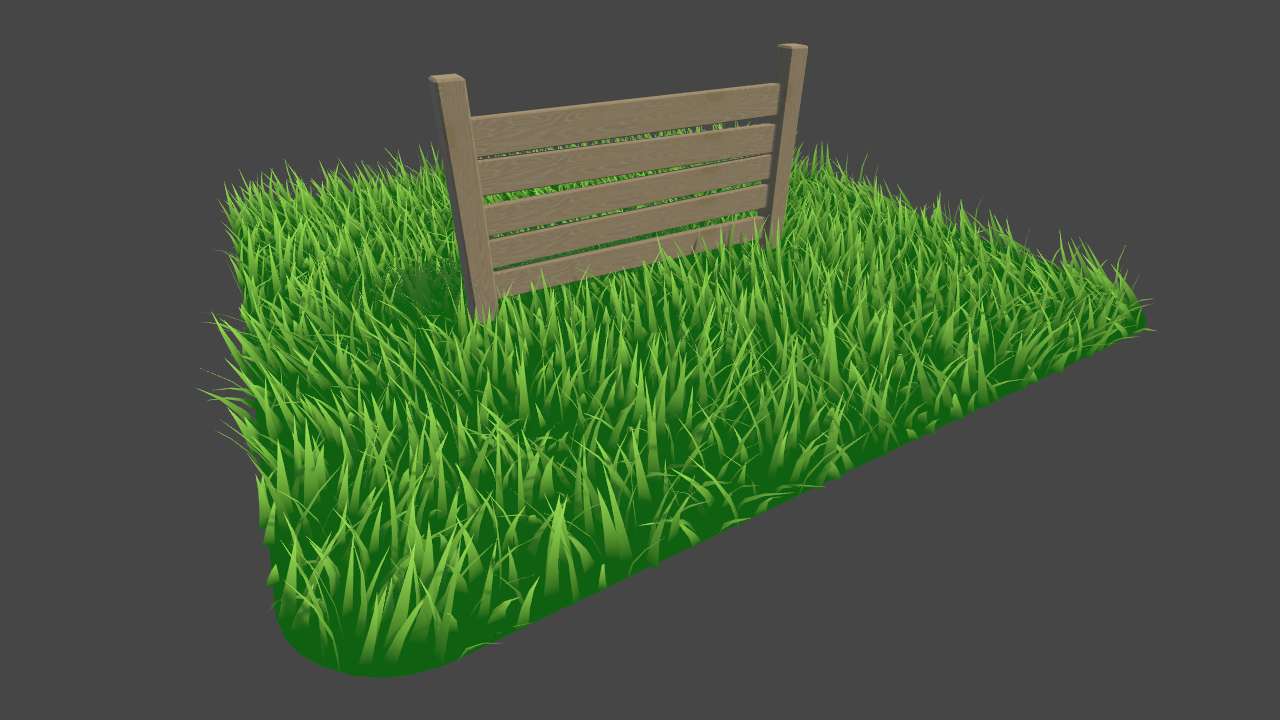
Learn to write a grass shader for Unity engine. Generate grass from an input mesh using a geometry shader, and control the density using tessellation. The blades of grass use a random function for size and angle variation, and cast and receive shadows.
white bramble
wraith inlet
I haven't used the grass tutorial specifically, but I like the tutorials on this...
ah yeah that
I had tried using this tutorial (https://www.youtube.com/watch?v=MeyW_aYE82s ) which builds off of it but I got confused right in the beginning with him opening the subshader as Im not sure where it is or if Im just meant to compile the unlit shader in visual studio or what

Breath of the Wild's grass is visually striking and helps to break up large areas of ground. In this tutorial, learn how to make stylised grass just like it in Unity URP using geometry and tessellation shaders!
👇 Download the project on GitHub: https://github.com/daniel-ilett/shaders-botw-grass
✨ Roystan Grass Shader: h...
I wasnt seeing the answer in the comments either
wraith inlet
when he says "we'll start off with an unlit shader file", he's right clicking in Assets and going Create > Shader > Unlit
then he deletes most of the contents of that file
white bramble
wraith inlet
when he says "we'll start off with an unlit shader file", he's right clicking in...
yeah I did that
white bramble
wraith inlet
then he deletes most of the contents of that file
so did he just open it in visual studio then? I wasnt sure because last time I did that it said something about it not being a proper shader file when I opened the code
wraith inlet
yeah, just open in your preferred text editor
white bramble
I dont know what it was but it looks normal now, thanks
wraith inlet
np
white bramble
the grass in this tutorial definitely seems more lush than in the other ones
white bramble
Im saving grass for a later time 🥲
 devout linden
when i turned surface type to "transparent" ...this... happened

any help?
also i hope this is the right channel
fervent tinsel
you are now asking people to first figure out what you think is wrong in the image
maybe post before image too
I can tell there's things missing but 90% of times people post something like "how do I fix this" and post just image without explaining what they think is off, ends up with person asking about totally different thing that others assume
devout linden
oh yep
sorry
one sec
this is it set to "opaque"

it does a weird backface-culling sort of thing
but the normals are correct, i checked
 next saffron
devout linden
this is it set to "opaque"
next saffron
devout linden
this is it set to "opaque"
try with double sided ?
 dim yoke
devout linden
when i turned surface type to "transparent" ...this... happened
dim yoke
devout linden
when i turned surface type to "transparent" ...this... happened
That is called transparency sorting issue which is almost impossible to prevent with decent amount of overhead. why you need to have transparent material?
devout linden
because i need to make some objects transparent-plasticy and fake-volumetricy
and im not adding 100 vertices to make the microwave glass look
dim yoke
that won't work either
next saffron
🤔
next saffron
dim yoke
that won't work either
oops
next saffron
next saffron
and that ?
dim yoke
transparent objects doesn't write to depth buffer
well you can sort them by hand but it's most likely not perfect either
next saffron
so what is the solution ?
dim yoke
there's no, there's few hacky approximations but they are not perfect
next saffron
i don't meet this problem earlier... that's weird :(
devout linden
next saffron
i also cant find those settings, maybe because im in urp
next saffron
i'm in too
devout linden
hmm
 dim yoke
@devout linden so could you tell very clearly why you need to have every object transparent? For example the table and wall absolutely doesn't need to be transparent
next saffron
a transparent material is needed when you can saw other game object trough them, but, is that the table is made of glass ? x)
devout linden
dim yoke
<@!467920696220057602> so could you tell very clearly why you need to have every...
all im making transparent is some stylized sun rays, the microwave window pattern, and some plastic containers
those are the only things that i set to have transparency in the alpha mask i used
but for some reason, EVERYTHING is transparent
next saffron
mmm
dim yoke
are you using same shader for both transparent and opaque materials?
next saffron
do you use the shader graph ?
devout linden
dim yoke
are you using same shader for both transparent and opaque materials?
yeah
because im new to unity and dont know how to add multiple materials to one mesh
next saffron
that's the problem i think
next saffron
devout linden
because im new to unity and dont know how to add multiple materials to one mesh
drag an drop on the mesh :)
devout linden
next saffron
do you use the shader graph ?
oh okay
devout linden
next saffron
do you use the shader graph ?
whats that
 next saffron
don't worry :)
next saffron
devout linden
because im new to unity and dont know how to add multiple materials to one mesh
.
devout linden
heh yeah
devout linden
next saffron
do you duplicate the material now ?
but what do i duplicate for
next saffron
the material
duplicate it and change one and set the transparency mode to opaque
and applicate it on the opaque object
(if you use an alpha mask)
devout linden
oh okay
its just that some of the transparent bits are on a different part of the same object
how do i do that
devout linden
yeah
next saffron
(sorry if i'm confusing you my english level is... bad xD)
next saffron
devout linden
yeah
i'm sorry but i don't know the solution :(
next saffron
look in unity forum ?
devout linden
ok
next saffron
i think that can help u
Unity is the ultimate game development platform. Use Unity to build high-quality 3D and 2D games, deploy them across mobile, desktop, VR/AR, consoles or the Web, and connect with loyal and enthusiastic players and customers.
dim yoke
next saffron
so what is the solution ?
if you're interested in those solutions, you could check this one out (there's also link to their github page) https://forum.unity.com/threads/approximated-order-independent-transparency.327299/?_ga=2.242510155.870529933.1638093077-75641178.1573666367 . easier solution would be to use dithering transparency but ig that's not as good looking effect (on some art styles it may look better actually) https://forum.unity.com/threads/dithering-transparency-of-opaque-object-dithering-received-shadow-and-rendering-shadows-behind-it.897848/
next saffron
dim yoke
if you're interested in those solutions, you could check this one out (there's a...
ok thx i'll check it ^^
 smoky spire
Hey I have these two functions in my shader right now
                hue = frac(hue); //only use fractional part of hue, making it loop

                float r = abs(hue * 6 - 3) - 1; //red
                float g = 2 - abs(hue * 6 - 2); //green
                float b = 2 - abs(hue * 6 - 4); //blue
                float3 rgb = float3(r, g, b); //combine components
                rgb = saturate(rgb); //clamp between 0 and 1
                return rgb;
            }


            float3 hsv_to_rgb(float3 HSV)
            {
                    float3 RGB = HSV.z;
                    float hue = frac(HSV.x);
                        float var_h = hue * 6;
                        float var_i = floor(var_h);   // Or ... var_i = floor( var_h )
                        float var_1 = HSV.z * (1.0 - HSV.y);
                        float var_2 = HSV.z * (1.0 - HSV.y * (var_h - var_i));
                        float var_3 = HSV.z * (1.0 - HSV.y * (1 - (var_h - var_i)));
                        if (var_i == 0) { RGB = float3(HSV.z, var_3, var_1); }
                        else if (var_i == 1) { RGB = float3(var_2, HSV.z, var_1); }
                        else if (var_i == 2) { RGB = float3(var_1, HSV.z, var_3); }
                        else if (var_i == 3) { RGB = float3(var_1, var_2, HSV.z); }
                        else if (var_i == 4) { RGB = float3(var_3, var_1, HSV.z); }
                        else { RGB = float3(HSV.z, var_1, var_2); }

                return (RGB);
            }

            struct Input {
                float2 uv_MainTex;
            };

            float _HueShift;

            void surf(Input IN, inout SurfaceOutput o)
            {
                float3 hsv = float3(_HueShift, IN.uv_MainTex.x, IN.uv_MainTex.y);
                if (hsv.x > 1.0) { hsv.x -= 1.0; }
                o.Albedo = half3(hue2rgb(IN.uv_MainTex.y));
}```they work fine, and produce a result like this

I need to change the first hue2rgb function to not loop
I want it to be red on the bottom and pink on the top, so the 0-1 values match the other hsv conversion

the first image is the hsv_to_rgb function with a hueshift of 0.0 and the second is with a shift of 1.0
actually I have them in different shaders, the one for the big square has this
{
float3 hsv = float3(_HueShift, IN.uv_MainTex.x, IN.uv_MainTex.y);
if (hsv.x > 1.0) { hsv.x -= 1.0; }
o.Albedo = half3(hsv_to_rgb(hsv));
}``` paper edge
guys https://www.youtube.com/watch?v=eSHM45ogT7g I'm trying tto follow this tutorial to create a neon outline for a prefab I have for a character, but when I try to go on create node>input>texture>texture 2D asset, I can't put a prefab there (and yes, the game and animations are in 2D), but I'd like to know if I could simply add a prefab instead of only one texture

Consider donating to help me keep this channel and website alive : https://paypal.me/supportTheGameGuy 💖
In this video, I'm gonna show you the easiest way to create 2D glow with outline in unity using Shader Graph and i know working with nodes can be a little frustrating cuz they are kind of hard to wrap your head around but playing around with...
its my first time using render pipeline
can someone plz help me? =< The other tutorials I find are to add glow, but I don't want to "just add glow" to a whole object, I just want the glowing outlines
tame topaz
You need to use a texture, as the node suggests. You can't put in a GameObject (prefab).
paper edge
this means I would have to add dall the textures the prefab is using for the animations? @tame topaz
tame topaz
You'd likely have to change the texture property of the material at runtime yes.
paper edge
last question, can I pick more than one of what I put in the default? or do I need to recreate it for each png with the animations?
 smoky spire
with the way it's setup you can only enter one in the default
you'd have to change it to an array, and then change the way the function is piccking the the default to make it have more than one option
paper edge
smoky spire
you'd have to change it to an array, and then change the way the function is pic...
idk how to do it, imma go have to check it out
 blissful atlas
does anyone know why a URP compatible shader might go completely invisible/not render in URP 2D?
there's no lighting involved, completely unlit shader, works fine in URP, but as soon as I add the 2D renderer asset, it disappears, not even rendering in the frame debugger
regal stag
blissful atlas
there's no lighting involved, completely unlit shader, works fine in URP, but as...
If the shader uses "LightMode"="Universal2D" does that change anything maybe? (I think no lightmode / SRPDefaultUnlit should still render too though)
 verbal jewel
hey, I want to put a simple radial blur on my game, anyone has an idea on how to do so?
on a static camera, could as well even be a image or something
dim yoke
smoky spire
```float3 hue2rgb(float hue) {
hue = frac(hue); //only use fract...
I don't know the asnwer but i'm just wondering why are you using surface shader for that? wouldn't simple vertex/fragment shader be better since they doesn't seems to be affected by lighting?
smoky spire
I'm just in the testing phase right now
I'm trying to create a custom color picker
right now I want to have a shader that makes the color selection based on saturation and value
and another picker for the hue
dim yoke
well, I did my own color picker few months ago so I'd be able to tell my approach
blissful atlas
regal stag
If the shader uses `"LightMode"="Universal2D"` does that change anything maybe? ...
hm, light mode is UniversalForward
smoky spire
the SV square will change based on what the H slider picks
I'd be interested to hear it
regal stag
blissful atlas
hm, light mode is `UniversalForward`
I think that one will only render in the Forward/Universal Renderer then. You'd need another with "Universal2D", or if they are both unlit could use no lightmode or SRPDefaultUnlit instead (which should render in both renderers).
blissful atlas
yeah they're all unlit
and yeah, SRPDefaultUnlit seems to make it work ;-; thank you so much. do you know if that light mode works all the way back to 2018.x or was it introduced later?
smoky spire
dim yoke
well, I did my own color picker few months ago so I'd be able to tell my approac...
absolutely that would be wonderful
dim yoke
smoky spire
absolutely that would be wonderful
I made it bit different way but let me open my unity so I can show it
regal stag
blissful atlas
and yeah, `SRPDefaultUnlit` seems to make it work ;-; thank you so much. do you ...
I think it's always existed so should work even in 2018.x
blissful atlas
gotcha, thanks a ton 
oh but URP 2D doesn't support renderer features?
oh no
seems like it was added as of 2021.2.0a16?
according to a forum post
regal stag
Ah yeah
dim yoke
smoky spire
absolutely that would be wonderful
Oh wow, the quality of the gif is horrible (quite interesting actually)... anyways this is what my picker looks
 blissful atlas
.gif struggles~ 256 color limitation hits hard
dim yoke
yeah, on the other file sizes are very small
smoky spire
and what was your approach?
regal stag
I did have a workaround for enqueuing render features for the 2D renderer, I just can't remember exactly how I did it now. I'll see if I can find it
dim yoke
smoky spire
and what was your approach?
so first of all, this circle (yes my hand is very stable) is made using simple texture because it never changes
 dim yoke
I actually made the texture in unity and then used Texture2D.EncodeToPNG to move it into image manipulation program
 blissful atlas
you might want to turn off compression if you're using it for picking tho!
I'd probably do the entire gradient in the shader itself, it would guarantee things to look crisp and clean without textures
smoky spire
yea, that's what I was trying to do
dim yoke
yeah, That's what I first thought but I wanna keep this as fast as possible since i'm currently working on potato laptop
blissful atlas
valid
smoky spire
I just couldn't figure out the math to change the gradient of hue to go from red at 0.0 to pink at 1.0 in the same way between my two functions that changes HSV to RG
RGB*
regal stag
blissful atlas
oh but URP 2D doesn't support renderer features?
Found it, A while ago I used this to Enqueue a Blit render pass, which worked even for the 2D renderer. I can't guarantee it'll always work but might be something to look into : #archived-shaders message
blissful atlas
regal stag
Found it, A while ago I used this to Enqueue a Blit render pass, which worked ev...
thanks! I'll probably just default to asking people to use the render feature compatible unity version tho. I have enough rendering edge cases to deal with ;-;
dim yoke
@smoky spire and this square is just two lerps. first lerp from white to fully saturated color using the x coordinate (on right up corner, the color is calculated in c# script and then send into shader in rgb format) and then lerp from black to the color calculated above using the y coordinate. that way I don't need any HSV/RGB conversions and it's pretty fast.

that's actually exactly how the saturation and value works
 coarse thicket
this is a model i made in blender (where the gun is pointing towards left), but when i import it in unity it becomes somehting like this. How do i correct this?

 dim yoke
<@!249464056140922880> and this square is just two lerps. first lerp from white...
dim yoke
dim yoke
<@!249464056140922880> and this square is just two lerps. first lerp from white...
this is simply the shader code for the square
 smoky spire
that's helpful
dim yoke
smoky spire
I just couldn't figure out the math to change the gradient of hue to go from red...
why should red be 0.0 and pink 1.0? how you then pick colors between red and pink?
smoky spire
it's just how one of the two functions I posted works, I found both of these in different threads
blissful atlas
this might be helpful! my code for a quick and easy way to get the fully saturated color, given a hue value between 0 and 1
float3 HueToRGB( float hue ){
  return saturate(3.0*abs(1.0-2.0*frac(hue+float3(0.0,-1.0/3.0,1.0/3.0)))-1);
}```I'll give you an example real fast
blissful atlas
and so then the center square is effectively:
return lerp(float3(1,1,1), HueToRGB(_Hue), uv.x)*uv.y;```yup, that's pretty clean. i'm afraid of using branching in shader code (especially on my potato laptop) even if it's not that bad nowadays
blissful atlas
there's no branching in this code! so it should be totally fine
dim yoke
yeah (I meant the code wystem showed above)
meager pelican
dim yoke
yup, that's pretty clean. i'm afraid of using branching in shader code (especial...
branching is still to be avoided if possible. 2cents.
But it's "more OK", particularly with uniforms, than Reddit would make you think. 😉
blissful atlas
it's very ok with uniforms!
it's mostly about how much your condition diverges across each cluster of threads (warps, I think? I forget the technical term), so if it's a uniform it's super cheap
but if you branch on a noise texture you have the worst case
smoky spire

that's how my main renders from 0.0-1.0
that's why I said red to pink
specifically the hsv_to_rgb() function with the hueshift going from 0 to 1
blissful atlas
if that's the output then that function is incorrect
try using mine and see how it works!
hearty obsidian
I'm building a runner with depth fog on the Z axis. The fog is just a plane perpendicular to the camera where scene depth is sampled to determine how thick the fog should be.
I have semi transparent gates and they're wreaking havoc on my setup. If I use a render pass to write the semi transparent gates to the depth buffer, everything behind the gates ends up being visible/unaffected by the fog. If I don't and leave them as be, the fog ends up being too thick since it's unaware of the gates.
Is there a way to solve this?
blissful atlas
the best way would be to implement the fog in the shaders themselves, rather than as a post processing-style plane
gives you a lot more control over how it looks, and then there's no issue dealing with transparent objects
or any other blend mode for that matter
smoky spire
blissful atlas
and so then the center square is effectively:
```c
return lerp(float3(1,1,1), Hu...
could you help me understand this part
blissful atlas
smoky spire
could you help me understand this part
what part of it?
smoky spire
the whole part of it
blissful atlas
it says "blend the color towards white on the left side, then, multiply it so that it darkens the closer to the bottom it is"
uv.x and uv.y here is the coordinates on a quad mesh, uv.x represents saturation, uv.y represents value
so if you just want a color from hsv to rgb, you can do this:
return lerp(float3(1,1,1), HueToRGB(_Hue), _Saturation)*_Value;``` tranquil fern
Is there a way to dissolve using shader graph? I don't mean dissolve like the bazillion tutorials out there. I mean like tiny triangles or splinters or... A different shape. Something that looks like it was made with a particle system. Like pistol whip does when you kill someone. I know I can move using vertex displacement, but I want to "cut it up" into tiny pieces that move outward (the direction of the normal I suppose) and scale down to 0 so they disappear. What am I looking for?
Sorry for the lengthy question.
hearty obsidian
@blissful atlas Yeah, I suppose you're right. I have a lot of shaders though and then comes the issues that shaders all need to be unlit so I need to reimplement the lighting for all of them
blissful atlas
tranquil fern
Is there a way to dissolve using shader graph? I don't mean dissolve like the ba...
kinda, but not in any easy way. your mesh has to support this type of fragmentation, which usually means you have to encode normals and/or triangle origin in the mesh data, or, you have to use geometry shaders, which iirc shader graph doesn't support
meager pelican
You recall correctly.
They'd be better off swapping out the mesh for a prefab of some effect, possibly having to run the new-fab through skinning of some sort, or generating a set of mesh particles.
IMO.
tranquil fern
blissful atlas
kinda, but not in any easy way. your mesh has to support this type of fragmentat...
Can't I just use a relative value? Like an offset. Origin is just object space position isn't it?
dim yoke
blissful atlas
this might be helpful! my code for a quick and easy way to get the fully saturat...
this is actually really smart way, first I thought this is some sort of approximation for better performance (because usually RGB/HSV conversations requires lots of branching)
 compact ginkgo
coarse thicket
this is a model i made in blender (where the gun is pointing towards left), but ...
compact ginkgo
coarse thicket
this is a model i made in blender (where the gun is pointing towards left), but ...
Fix the normals, reverse it
ctrl + i, and go to the mesh window
In edit mode
tranquil fern
meager pelican
You recall correctly.
They'd be better off swapping out the mesh for a prefab of...
I don't know what most of that means. But if you mean cut up the actual mess... I've tried that and it is too heavy. I'm building for standalone vr (quest) and it's too much
smoky spire
blissful atlas
this might be helpful! my code for a quick and easy way to get the fully saturat...
This actually worked out perfect, I replaced both of my other functions with it
meager pelican
tranquil fern
I don't know what most of that means. But if you mean cut up the actual mess... ...
cut it up before hand, in art/modeling. Swap it out.
Common use case for destructible environment stuff too.
So normally you're using a 500 poly mesh, but when it is "hit" you swap it out for a 5000 poly mesh or whatever.
Or you use particles, but that might be "too heavy" for your use case unless you can pre-calc it.
Often done in rag-doll stuff too...you swap in a rag-doll after positioning it somehow, I've seen tuts.
blissful atlas
dim yoke
this is actually really smart way, first I thought this is some sort of approxim...
oh, yeah no, this is a fully accurate hsv evaluation! it's from my old code in shader forge, where I worked out this branchless version. it was very much a fun lil math problem to solve!
tranquil fern
meager pelican
cut it up before hand, in art/modeling. Swap it out.
Common use case for destru...
I know how it works, but it's too heavy. I tried. That's why I thought (hoped) I could somehow use a shader. I'll figure something out. Thanks.
meager pelican
The only way to take a low poly mesh and change it to high-poly is some heavy tricks in a geometry shader or some kind of procedural shader that GENERATES mesh data...which is likely to also be "too heavy" for your use case. But I can't say for sure.
Basically, when you pass the mesh to the vertex stage, you get the 3 verts per poly and that's it. You can't tessellate it manually that I know of (but modern GPU's support hardware tessellation as a feature).
By the time you get to the frag, the rasterization is done, and you're dealing with ONE pixel/textel that you cannot move.
So IDK what magic you want from a shader, but you're not going to generate geometry without a geometry shader and/or procedural geometry.
@tranquil fern
tranquil fern
meager pelican
The only way to take a low poly mesh and change it to high-poly is some heavy tr...
I was thinking something like alpha. Shrinking triangles that are black or white and dictate opacity. I wasn't expecting magic. I was looking for tricks to get a cool effect that runs on what is basically mobile hardware.
 tranquil fern
Yes.
Or splinters or whatever shape.
I thought of just having several particle systems on the bones with whatever shape coming out, but it looks... Not nice.
Also I'd like to be able to reverse the effect which is why I thought of shaders. I have a dissolve but I want it to move away from from the mesh. Like particles but not particles. I'd need a lot of particles for that.
I don't know the terminology very well I'm sorry
smoky spire
I'd suggest asking over in vfx-and-particles it sounds like that's what you probably need
meager pelican
They've already rejected particles as "too heavy" so I'm at a loss.
smoky spire
the particle systems can be stopped slowed down and reversed as well
yea anything you would try and do with a shader instead would be way overkill
tranquil fern
You're probably right
Maybe I can't achieve what I am trying. Not on this hardware
Thanks for the help
meager pelican
tranquil fern
I was thinking something like alpha. Shrinking triangles that are black or white...
You could try a screen-space effect maybe with a distance field that changes over time.
But it isn't going to go outside of the original mesh boundaries.
And as I said, you cannot exactly move pixels in the frag(), but you can move an effect across them.
like a moving/shrinking screen-space dither.
tranquil fern

Download the demo project here: https://ole.unity.com/sgvertex
To learn more about Unity, check out some of our available courses on our Learn website: https://ole.unity.com/unitycourses
To check out some other cool effects, feel free to also browse the Unity Asset Store: https://ole.unity.com/MeshEffects
If you prefer a written article versi...
This is what gave me the idea it might be possible by the way
Just explaining the "magic" I was looking for
You seemed annoyed so I wanted to explain myself
meager pelican
I'm not. 🙂
Didn't mean to come off that way. Just being literal/factual.
That vertex offset example is using a high poly model, that you offset the verts in.
Which is what I was suggesting that you swap in with a different prefab during the effect.
The cost is really low on the CPU.
Since it's a prefab.
Then you mess around in the shader with the high-poly model.
tranquil fern
Yeah but I had like half a million verts per enemy. It dropped to 20fps
meager pelican
But how "heavy" that is, and how to deal with it....gets tricky.
tranquil fern
I'm trying to push it too much
meager pelican
That might be a bit much for VR. 😉
tranquil fern
Yeah
smoky spire
also you said you assigned multiple emitters to each bone?
tranquil fern
I want to cut through am enemy with a sword and they need to dissolve/explode. I want them to turn into smoke/dust
tranquil fern
smoky spire
also you said you assigned multiple emitters to each bone?
No just one per bone to approximate the shape
I tired emitters and I tried pre-cut mesh
Also tried a dissolve like this (looking up the link)

Add depth to your next project with Advanced Dissolve from Davit Naskidashvili. Find this & more VFX Shaders on the Unity Asset Store.
This looks awful because hdr and bloom can't be enabled. Also it's not what I wanted to achieve but haha
meager pelican
How about if they "shimmer out" like with a Star Trek transporter effect?
Maybe dust colored.
They key is that it is the same outline of the object.
Then it is a screen-space effect.
Or try it with VFX like @smoky spire said.
tranquil fern
I never watched star trek. Am I banned now?
tranquil fern
I'll try vfx 😄
meager pelican
I'll just say you could combine it with some kind of vert offsets expanding, and dither it and maybe clip it by descending height over time.
But it would be screen space.
tranquil fern
Ah
meager pelican
Not more mesh data.
tranquil fern
I'll play around with it. Maybe this restriction could be a feature
As in, optimized mesh for a specific effect. I'll try some stuff
smoky spire
Unity is the ultimate game development platform. Use Unity to build high-quality 3D and 2D games, deploy them across mobile, desktop, VR/AR, consoles or the Web, and connect with loyal and enthusiastic players and customers.
tranquil fern
smoky spire
https://answers.unity.com/questions/512031/geometry-explosion-effect.html
Heh that's what I asked 😄 just phrased better
But I understand now that it would depend on the triangles I make in the mesh
Also why pistol whip looks the way it looks
Blocky and made out of planes
meager pelican
That one's a geometry shader (generates meshes).
Per the blog here: http://technicalartistry.blogspot.com/2012/06/explosion-shader-v2.html

Blog about Technical Artist Student learning 3D, C++ and general game making things.
tranquil fern
Or quads. I never know the difference
I read part of the article and I'm already confused but I so have an idea. I can use opacity. Maybe I can make a texture pattern that's triangles or whatever, but it's a gradient. Then I can floor/clamp that over time to make the triangles smaller and smaller. Everything above some float is considered white, everything below black.
meager pelican
That's basically the idea behind a screen-space dithering effect I mentioned above. Or whatever effect. You're applying some effect to the 2D silhouette of the mesh, which you can also vertex displace/distort to some degree before applying the effect.
But it is screen-space in that it is being applied to the resulting pixels covering the mesh area in 2D.
tranquil fern
I think I found a good source to learn from
I have no idea how it works, but this: https://assetstore.unity.com/packages/tools/particles-effects/disperse-pixels-101494

Use the Disperse Pixels tool for your next project. Find this and more particle & effect tools on the Unity Asset Store.
 silver sparrow
right now i have a cube with one face having a pink vertex colour and the rest of the faces having no vertex colour at all. question is, how do i know colour my cube in shader graph where the face with the pink vertex colour have a colour of orange or something?
 hearty obsidian
@silver sparrow Use the vertex color node plugged into a split node, sample the r channel and use that as a multiplier for your color
silver sparrow
alright will try
yea it works
another question, does lerp only work for colours black and white?
value of 0 and 1
hearty obsidian
Lerp interpolates between A and B at value T.
A and B can be whatever colors you want, can be whatever values you want
T isn't clamped by default in shadergraph and can exceed 0-1
silver sparrow
i see i see
exotic kraken
Is it possible to have a variable whose value changes in between each iteration of the vertex shader in a single pass?
shadow locust
exotic kraken
Is it possible to have a variable whose value changes in between each iteration ...
wdym by "each iteration"? You mean for each vertex? Each mesh instance?
exotic kraken
Each vertex of the same mesh
shadow locust
exotic kraken
Each vertex of the same mesh
You can get the vertex ID
SV_VertexID is the semantic for it
Or the vertex id node in Shader Graph
System-generated values are generated by the IA stage (based on user-supplied input semantics) to allow certain efficiencies in shader operations.
exotic kraken
Thanks
exotic kraken
I was trying to create a shader that highlights vertices of a mesh. I mod the vertex ID by 2, and then multiply white by the result, and store the product into the vertex color. This colors each vertex by white or black. My plan was to then multiply each fragment by the vertex color's distance from 0.5 (which is the same for all components so I just use the red channel), so that colors where the vertex is pure white is the same as when it is pure black. And then I would color each fragment by that difference. This was the result:

The problem is that adjacent vertices (vertices whose id comes right after the other) are not guaranteed to be arranged in a way so that the vertex colors are always different
For instance, 2 adjacent vertices can be black, so that the interpolated fragments are all black as well, ruining the effect.
I need a way to measure the distance of a fragment from the vertices it is interpolated between
silver sparrow
hearty obsidian
<@!254938862088880129> Use the vertex color node plugged into a split node, samp...
if i were to sample the r channel, it would affect meshes with vertex colours with red in it right? is it even possible to just affect meshes with a pink vertex colour only?
dim yoke
@smoky spire btw if you're going to do the picker using UI elements, this is the whole shader https://paste.myst.rs/817q3ve8 I used. Ig ZWrite Off and ZTest[unity_GUIZTestMode] are the most important if you want the UI element sorting to work. There's no need for surface shaders (doubt surface shader would even work very well on UI elements). Pretty much yoinked the shader from there (I removed quite many things but it seems to work without them just fine): https://github.com/TwoTailsGames/Unity-Built-in-Shaders/blob/master/DefaultResourcesExtra/UI/UI-Default.shader
shadow locust
exotic kraken
I need a way to measure the distance of a fragment from the vertices it is inter...
 wise willow
I am confused what channel do you use for questions about built in renderer?
shadow locust
wise willow
I am confused what channel do you use for questions about built in renderer?
whichever cahnnel fits your question. Shaders, lighting, etc..
 radiant spindle
not sure if this is the right place to ask but I'm trying to limit player visibility to line of sight.
so basically i'd want most of the map in darkness besides a small cone in front of the player.
Anyone know good resources on how to go about that?
 radiant spindle
i love unity. Well the community. I was able to find a really good video that allowed me to do just what i wanted


Check out my game on steam!! https://store.steampowered.com/app/1502530/
Just a quick tutorial on how to use the 2D lighting in Unity. Be sure to leave a comment of what you want me to cover next! Let me know if you are having any problems and ill be sure to respond.
0:00 - Intro
0:35 - Change project to universal render pipeline
2:30 - Update ...
paper edge
guys, i feel like the material shouldn't be looking like it, right?
 exotic kraken
Is there anything a camera can render to other than a texture or the screen?
paper edge
exotic kraken
Is there anything a camera can render to other than a texture or the screen?
is this question directed to me?
exotic kraken
No
dim yoke
paper edge
guys, i feel like the material shouldn't be looking like it, right?
It seems you havent set up urp correctly (assuming you upgraded from default rp to urp. If thats the case you can make sure to follow every of these steps https://docs.unity3d.com/Packages/com.unity.render-pipelines.universal@7.1/manual/InstallURPIntoAProject.html)
 shrewd elm
grand jolt
where can i find the "Lit" shader with emissions?
shrewd elm
grand jolt
where can i find the "Lit" shader with emissions?
Any new material is lit, emission is under the material properties.
coarse thicket
compact ginkgo
Fix the normals, reverse it
no did not work 😦
clever saddle
But when I wanna scale the texture.It turns like this :<


But the normal map looks fine tho

 random meadow
Hallo! is it possible to override an internal built-in-pipeline shader?
I think i've found a bug and want to override the default ui shader to check withouth having to create a million materials and assign them to every ui object
dim yoke
clever saddle
But when I wanna scale the texture.It turns like this :<
it seems the texture wrap mode is set to Clamp. It should be set to Repeat if you want repeating texture (from Texture Import Settings)
clever saddle
dim yoke
it seems the texture wrap mode is set to `Clamp`. It should be set to `Repeat` i...
Thx!
dim yoke
clever saddle
Thx!
np

 dim yoke
 slim steppe
How can I prevent this?
slim steppe
How can I prevent this?
so what is "this"? this noise here ig?
 slim steppe
slim steppe
slim steppe
it supposed to be like the lines in this image but hogh distance makes them distorted
dim yoke
is that texture or dynamic shader?
dim yoke
ig there's no any easy way to prevent that from happening. that's just how it works... you could still try to make your own "mipmap" system inside the shader to scale the noise when you look at it from further distance or from more tilted angle.
slim steppe
so maybe hight - depth?
dim yoke
or maybe even better than scaling the noise, would be to smooth the noise somehow (so it blurs to somewhat constant greyish color)
slim steppe
thanks!
dim yoke
@slim steppe my educated guess it that the noise appears only when the thickness of the stripes gets thinner than one pixel on the screen. you could actually use partial derivatives (ddx and ddy or fwidth) somehow to blur it when the stripes gets too close to each other
slim steppe
dim yoke
<@!694606707086721134> my educated guess it that the noise appears only when the...
I just did this:
 dim yoke
atleast it's better now
 slim tulip
Greetings gentlemen, could anyone give me a direction regarding native shader?
I've got a shader which creates 2D water-like effect. It has ripple/displacement effect as a UV, and "plays" it with a certain frequency.
I'm a bit new to native shaders, I've only used Shader Graph, so if anyone could hint me, which part of the code corresponds to "running something that applies displacement over time/in cycle" I'd be grateful.
Here's the preview, here's part of the code with some magic numbers which makes it quite unreadable
https://gfycat.com/bigcleverbichonfrise
The problem is that these ripples/displacements are too "sharp", appearing too quickly.
fixed4 _Tint;
            sampler2D _Displacement;
            float4 _Displacement_ST;
            float PespectiveCorrection;

            float4 frag(v2f i) : SV_TARGET
            {
                float2 perspectiveCorrection = float2(2.0 * (0.5 - i.uv.x) * i.uv.y, 0.0);
                float4 displacement = normalize(tex2D(_Displacement,
                                                      TRANSFORM_TEX(i.uv + perspectiveCorrection, _Displacement)));
                //float2 adjusted = i.screenuv.xy + ((displacement.rg - 0.5) * 0.015);
                float2 adjusted = i.screenuv.xy + ((displacement.rg - 0.5) * 0.015);

                float distanceToEdge = abs(_TopEdgePosition - adjusted.y);
                float sampleY = _TopEdgePosition + distanceToEdge;

                float4 output = tex2D(_SSWaterReflectionsTex, float2(adjusted.x, sampleY)) * _Tint;
                return output;
            }

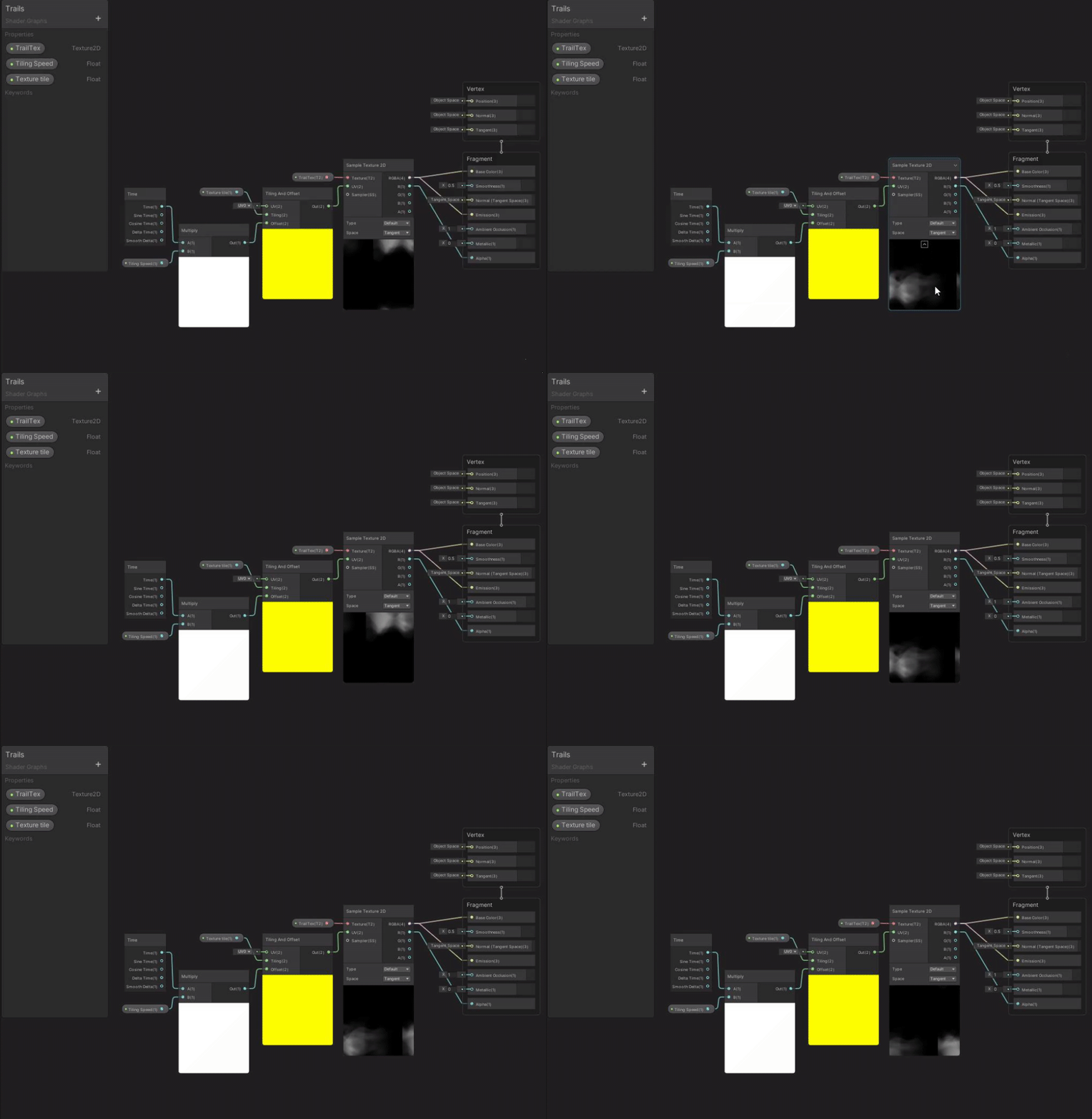
 past wedge
hello, I'm trying to make a basic shader that can receive and cast shadows, but receiving shadows does not work 😦
https://pastebin.com/JKSNBW9K
Pastebin
Pastebin.com is the number one paste tool since 2002. Pastebin is a website where you can store text online for a set period of time.
it's probably something totally obvious, but I can't find it 😦
 storm pollen
halp. why cginc's not working? it was working fine until now and i have no clue how to fix it. reimporting project not helping

 onyx jungle
Hey, does anyone know how I could lookup the colour of my procedural skybox in my fog shader so I can blend the fog with the procedural sky?

Currently my fog just drops off
and its ugly, I want to blend it with the procedural sky, so I need a way of looking up the sky box colour in the shader
smoky spire
dim yoke
<@!249464056140922880> btw if you're going to do the picker using UI elements, t...
Thanks this was helpful, I was more worried about the math than what kind of shader I was using at the moment, but your shader made things easier to swap over to what I needed
I've run into an issue where I am changing a float value with SetFloat() function in my script, if I stop the game in the editor after changing the value via script, it does not reset to it's inital value
hTesting.GetMaterial(0).SetFloat("_HueShift", mainSlider.value);
to get around this I am manually setting the float value in the Start() function to 0, but I was wondering if there's a setting in the shader to make it reset to 0
dim yoke
smoky spire
to get around this I am manually setting the float value in the Start() function...
Thats how I have figured it out too, idk if theres any better ways
smoky spire
also, fun fact, GetComponent<CanvasRenderer>().GetMaterial(0) will return null in start and awake functions
but if you GetComponent<UnityEngine.UI.Image>().material it's fine
blissful atlas
slim steppe
How can I prevent this?
might find some helpful info here on how to prevent it:
https://iquilezles.org/www/articles/bandlimiting/bandlimiting.htm
wise willow
Is there a way to get the camera depth texture with an orthographic camera in the built in renderer?
clear vector
Does MaterialPropertyBlock.SetBuffer(string propertyName, ComputeBuffer compBuffer) will work with only DrawMeshInstancedIndirect? (not with DrawMeshInstanced?)
shadow locust
clear vector
Does `MaterialPropertyBlock.SetBuffer(string propertyName, ComputeBuffer compBuf...
It should work with both 🤔
strong oriole
Since writing my own Terrain shader is proving too hard, what if I just generated a texture procedurally and then added it to my Terrain object at runtime?
It shouldn't be hard to take my base textures, use my heightmap to generate a uv map, then use both of them to blend my textures, maybe with some noise.
 toxic heath
When I do a Windows player build, all my URP/Lit materials with baked lighting appear flat shaded; base colour only, no normal/emissive/smoothness etc. There are no errors in the player log, and I've disabled all the shader-stripping options I could find to no effect. Any suggestions on how I could figure out what's causing this? (Play in editor works fine, even when I set it to use built assets rather than the assetdatabase.)
grand jolt
is there any way to set the current material on an object in script without having to attach another shader to it & not having to use sharedMaterial?
toxic heath
grand jolt
is there any way to set the current material on an object in script without havi...
Please don't delete and repost your question every few lines to make it appear later; it's very rude to other people who have questions.
unreal gale
Hi, I am having trouble finalizing a field of view effect through shader graph. The shader system is working but not showing smoothness in all situations.
I found a lead to a solution to my problem, but it is shader code only. On top of not being able to really understand it, I also don't know if it tackles the problem the exact same way that I try to. Would there be someone who could spare some time helping me decipher the shaders ?
Here is the solution attached, one of the answers has a zip containing the shaders and a sample scene.
https://forum.unity.com/threads/is-it-possible-to-smooth-stencil-mask-edges-sight-of-view.523552/
Unity Forum
Hello dear developers. This post is follow up to my previous follow up which you can find here :...
clear vector
I'm trying to use MaterialPropertyBlock.SetBuffer with ComputeBuffer with Vector4 values and all goes without any errors but it doesn't affect rendering, but MaterialPropertyBlock.SetVectorArray with same Vector4 list does.
I initialize ComputeBuffer, do SetData on it and pass it to MPB only once at start. Is it right?
 kind juniper
clear vector
I'm trying to use MaterialPropertyBlock.SetBuffer with ComputeBuffer with Vector...
kind juniper
clear vector
I'm trying to use MaterialPropertyBlock.SetBuffer with ComputeBuffer with Vector...
I've never tried passing ComputeBuffers in a property block, so not sure, but do you have a structured buffer set up properly on the shader side? The fact that it worked with an array, makes me think that you're nor using a structured buffer.
clear vector
kind juniper
I've never tried passing ComputeBuffers in a property block, so not sure, but do...
I use ShaderGraph->OverridePropertyDeclaration->HybridInstanced. How can it work with MPB.SetVectorArray without StructuredBuffer?
kind juniper
Never heard about it... Is that somehow related to the Hybrid renderer?
Either way, it seems like the property that you try to override is not a structured buffer. In fact, I'm not even sure a structured buffer can be a property.
kind juniper
clear vector
I use ShaderGraph->OverridePropertyDeclaration->HybridInstanced. How can it work...
How does it look in the shader graph?
clear vector
kind juniper
How does it look in the shader graph?
yes it is not StructuredBuffer. Is there no way to use make instanced property in shader graph?
 kind juniper
clear vector
yes it is not StructuredBuffer. Is there no way to use make instanced property i...
kind juniper
clear vector
yes it is not StructuredBuffer. Is there no way to use make instanced property i...
Yeah, so it's a regular Vector4, not a structured buffer.
Compute buffers are used to fill structured buffer on the shader side.
With material property block you're setting properties for 1 individual object(if I get it right), so it should just be SetVector or whatever method you use to set float4 property.
That being said, I've no clue about how to get gpu instancing working in a shader graph.
 fair sleet
I found out that you can use a GraphicsBuffer instead of a ComputeBuffer to procedurally draw meshes.
Is there a way to update a Mesh object's indices, triangles and uvs instead?
clear vector
kind juniper
Yeah, so it's a regular Vector4, not a structured buffer.
Compute buffers are us...
but with MPB.SetVectorArray it works 🙂
kind juniper
clear vector
but with MPB.SetVectorArray it works 🙂
Seems like that's the correct way according to the docs. Assuming you're using DrawMeshInstanced.
clear vector
kind juniper
Seems like that's the correct way according to the docs. Assuming you're using `...
can u pls refer me to this section of docs?
kind juniper
https://docs.unity3d.com/ScriptReference/Graphics.DrawMeshInstanced.html
Although you could just google it, and it'll be among the first results.
clear vector
kind juniper
https://docs.unity3d.com/ScriptReference/Graphics.DrawMeshInstanced.html
Althoug...
sorry, i thought you was talking about HybridInstanced
clear vector
i've asked a ref because AFAIK there is no details on HybridInstanced property declaration
kind juniper
Where did you hear about it then?
clear vector
kind juniper
Where did you hear about it then?
from looking inside shader graph in editor 🙂
all we have in docs
 kind juniper
There's some info in the Hybrid renderer docs:
https://docs.unity3d.com/Packages/com.unity.rendering.hybrid@0.8/manual/index.html#custom-shadergraph-material-property-overrides
clear vector
since MPB.Set[Type]Array can recieve NativeArray i can still use this hybrid per instanced approach and fill data from jobs.
kind juniper
Seems to be entirely ECS dependent:
[MaterialProperty("_Color", MaterialPropertyFormat.Float4)]
public struct MyOwnColor : IComponentData
{
    public float4 Value;
}
There are sample projects mentioned too. Maybe worth having a look at them.
clear vector
kind juniper
Seems to be entirely ECS dependent:
```cs
[MaterialProperty("_Color", MaterialPr...
yes, i know about it 🙂 But i'm writing custom SpriteRenderSystem, and want to do the same with having properties data in components
kind juniper
clear vector
yes, i know about it 🙂 But i'm writing custom SpriteRenderSystem, and want to d...
No clue then. Sounds too advanced for me.😅
clear vector
The problem with using HybridRendererV2 and sprites is that pure 2D requires extra sorting
clear vector
kind juniper
No clue then. Sounds too advanced for me.😅
Thank you though 🙂 My last hope is to look inside HybridRendererV2 and try to figure out what's going on there and then try to replicate
kind juniper
They probably use reflection or some compiler magic to turn that attribute into some code.
clear vector
yep, definitely, and DOTS can be very picky about generic ways
strong oriole
Since I'm too dumb to figure out how to write terrain shaders, is it viable for me to just blend textures in a compute shader to create a new texture and then apply that to my Terrain?
kind juniper
strong oriole
Since I'm too dumb to figure out how to write terrain shaders, is it viable for ...
You can try, but it would probably get exponentially slower with increase in the size of the terrain
Not to mention that there's a limitation of texture size to 16k I think..? That means that if you have a 1k*1k terrain, it's only 16 pixels per unit. Pretty low res.
strong oriole
I see, so most textures are tiled and much lower res. My texture couldn't be tiled since it need to cover the entire terrain.
 marble stump
Anyone know how vertices work with 2d sprites?
 steady lintel
Hey! I’m trying to add an emission pass to my custom shader— What’s the most simple way to add this?
toxic heath
Just add the emissive colour to your final colour (probably before fog)? Emission doesn't usually require its own pass.
Though I guess it does depend on what you mean by "custom shader"; if you're making a shadergraph or surface shader those will have their own places to plug in emissive colour.
unreal gale
can someone help me understand this shader ? I want to translate it to shader graph. I am unfamiliar with the shader code, as I only have been doing simple shaders through shader graph
lusty badger
unreal gale
can someone help me understand this shader ? I want to translate it to shader gr...
How should it look like?
Looks like they take the R channel from UV and use it as color
unreal gale
lusty badger
How should it look like?
Looks like they take the R channel from UV and use it ...
it's a shader that should renders the inside of a mesh white, and fade to black close to the edges, no matter the shape of the mesh
I took it from a thread, it was an answer to a similar problem I had, but I don't know it the mesh also needs a special complexity
 gray harness
fixed4 frag (v2f i) : SV_Target
            {
                float4 position = normalize(float4(i.worldPos, 0) - _LightPos)
                // normalize above value
                float d = (dot(i.normal, position) / 2) + 0.5;
                float4 color = float4(_Color[0] * d, _Color[1] * d, _Color[2] * d, 0);
                return color;
            }
float4 color = float4(_Color[0] * d, _Color[1] * d, _Color[2] * d, 0);
its crashing on this line with error of undeclared identifier any ideas?
im pretty new to shaders
pls help
oh yes
forgot ;
on the first line of shader
steady lintel
toxic heath
Just add the emissive colour to your final colour (probably before fog)? Emissio...
Is it possible to add emission to an unlit shader?
Because that’s what mine is, basically a toonshader
toxic heath
For a single shader emissive and unlit are basically the same thing; they're both added colour value that isn't affected by the surrounding lighting.
What do you want your potential emissive material to do that's different from what your current unlit material does?
shadow locust
steady lintel
Because that’s what mine is, basically a toonshader
toon shaders are inherently lit shaders. They just use a different lighting calculation than a normal PBR shader
steady lintel
shadow locust
toon shaders are inherently _lit_ shaders. They just use a different lighting ca...
Huh, interesting. I just thought that because my toonshader still resides in the unlit catagory on my shader list
shadow locust
steady lintel
Huh, interesting. I just thought that because my toonshader still resides in the...
Notice how they still respond to environmental light and shadow, they just quantize the brightness levels instead of smoothly blending between them.
 steady lintel
toxic heath
For a single shader emissive and unlit are basically the same thing; they're bot...
steady lintel
toxic heath
For a single shader emissive and unlit are basically the same thing; they're bot...
I guess an added emission value like in the standard surface shaders? So I can chose to overlay a color on top of my existing material if I wanted. Useful for making things look like they’re glowing, especially with bloom.
exotic kraken
I am confused about how OnRenderImage works. Is "source" the fully rendered frame from the camera? If so, what is "destination"?
 shadow locust
exotic kraken
I am confused about how OnRenderImage works. Is "source" the fully rendered fram...
shadow locust
exotic kraken
I am confused about how OnRenderImage works. Is "source" the fully rendered fram...
the one you can write to if you want to make changes
grand jolt
is there any way to set the current material on an object in script without having to attach another shader to it & not having to use sharedMaterial using material instead?
exotic kraken
shadow locust
the one you can write to if you want to make changes
Is this Blit here redundant? Doesn't this copy the screen texture to the screen or am I misunderstanding what these functions do?
 shadow locust
exotic kraken
Is this Blit here redundant? Doesn't this copy the screen texture to the screen ...
shadow locust
exotic kraken
Is this Blit here redundant? Doesn't this copy the screen texture to the screen ...
no idea, never used it
regal stag
exotic kraken
Is this Blit here redundant? Doesn't this copy the screen texture to the screen ...
Yeah, this looks like it doesn't do anything useful. You'd typically pass a material into the blit for custom image effects / post processing stuff.
exotic kraken
It's my understanding that OnRenderImage is called on cameras after they have rendered a frame fully. In that case src is that fully rendered frame as a texture, so what does dst refer to?
regal stag
If you have multiple components that use OnRenderImage, I believe dst is the src of the next one in the chain. Otherwise it's the camera's render target again.
Ah yeah, it says it here : https://docs.unity3d.com/ScriptReference/MonoBehaviour.OnRenderImage.html
If multiple scripts on the same Camera implement OnRenderImage, Unity calls them in the order that they appear in the Camera Inspector window, starting from the top. The destination of one operation is the source of the next one; internally, Unity creates one or more temporary RenderTextures to store these intermediate results.
regal stag
grand jolt
is there any way to set the current material on an object in script without havi...
Not sure what you're asking here. You don't necessarily need to "attach another shader to it", you just need a reference to a Material. If you're setting the material I'm not sure if there's a difference between using sharedMaterial vs material (I think it's only important if you need to get the material or clone it)
wraith inlet
regal stag
Not sure what you're asking here. You don't necessarily need to "attach another ...
I'm sure you know more about this than me, but isn't sharedMaterial the material on a prefab asset while material is the material on a prefab instance? If the object is not a prefab I assume they're the same, but seems like a significant difference if it is a prefab. Doesn't setting the sharedMaterial affect other objects? (ie all instances of the same prefab?)
regal stag
wraith inlet
I'm sure you know more about this than me, but isn't `sharedMaterial` the materi...
Afaik it has nothing to do with prefabs. sharedMaterial is the material asset that's been assigned, while material creates an instance/clone of that material and assigns it to the renderer. That way if you edit values on it (e.g. renderer.material.SetFloat(..)) it only affects that object and doesn't override what was on the material asset (which would affect all objects using that material).
But as for assignment (renderer.material = vs renderer.sharedMaterial =) I'm not sure if there's a difference there. I think in both cases it just overrides the material for that renderer only.
wraith inlet
regal stag
Afaik it has nothing to do with prefabs. `sharedMaterial` is the material asset ...
ah, that makes sense. Thanks!
grand jolt
@regal stag I just want to use ".material", instead of ".shaderMaterial" without my script complaining about the possibility of a "leaked shader"
regal stag
grand jolt
<@357936113983291393> I just want to use ".material", instead of ".shaderMateria...
If you use .material you're meant to destroy the cloned material instance at some point, e.g. Destroy(renderer.material); in OnDestroy() function. That's probably what the warning is referring to.
clear vector
I've seen some mentions about defining StructuredBuffers through CustomFunction node. Can someone provide an example of how to do this?
grand jolt
@regal stag
Instantiating material due to calling renderer.material during edit mode. This will leak materials into the scene. You most likely want to use renderer.sharedMaterial instead.
If you're accessing materials in edit-mode you should use .sharedMaterial, which is the actual material asset
if you want to make a new one, instance it manually
 weak stone
anyone know what causes this?
 grand jolt
@vocal narwhal : what do you mean? do i have to do :
#if UNITY_EDITOR
    .material
#else
    .sharedMaterial
#endif
?
vocal narwhal
I have no idea what the context is, but no
#if UNITY_EDITOR is not "edit mode"
and that would be back to front even if it was
grand jolt
@vocal narwhal
public void EntityMetallic ( Transform target, float metallic ) {
    // Get `Renderer` on `target`
    var renderer = target.GetComponent <Renderer> ( );
    // Use the Standard shader on the material
    renderer.material.shader = Shader.Find ( "Standard" );
    // Set `metallic` level{s}
    renderer.material.SetFloat ( "_Metallic", metallic );
}
is what i have. this only happens after i hit stop on the runtime.