#archived-shaders
1 messages · Page 219 of 1
 pliant pond
or SHADER_TARGET, or UNITY_VERSION, UNITY_UV_STARTS_AT_TOP, UNITY_CAN_COMPILE_TESSELLATION, etc.
basically any of these global defined unity keywords that give you information about (a) the current target platform that the project is being run on and (b) the current unity project
all i was looking for was if there was say, a, UNITY_POST, or something
that was defined when either (a) post processing package is imported into the project or (b) post processing scripts are enabled on the camera that is currently rendering
figuring out what post processing effects are being used and how they would work with your shaders is on you (or me), the game dev, i just wanted a simple check is all =)
 meager pelican
Then make your own keyword using your own example.
So SPECIAL_POST_PROCESSING_ENABLED. And use a C# script to set it as a global keyword, when you turn on/off effects on your camera. Why wait for Unity Tech to do it for you?
 dull lintel
Anyone have any idea how pixel-perfect lighting and shadows like this would work? https://twitter.com/TangerineIndie/status/1421496861790253056


Those glints tho :O Creating 3D pixel art is a heck of a lot of fun :))
#pixelart #lowpoly #unity3d #gamedev #screenshotsaturday https://t.co/qGupYcN5Jh
 Twitter
·
Twitter
·
Looks like they're somehow baking the fragment data to some sort of map in the pixel scale of the mesh, so that the light level of each pixel agrees somehow.
pliant pond
meager pelican
Then make your own keyword using your own example.
So SPECIAL_POST_PROCESSING_EN...
Working in environments where such freedom for scripts is not supported; ex mods for games
=)
And plus, by that logic, half of Unity's features should not exist? The goal of a lot of Unity features is to streamline development and make things as accessible as possible. Nothing wrong with asking or suggesting, no need for sarcastic replies 💜
Also, user defined global keywords are scarce on older versions and not every project can be upgraded to newer ones right away.
 tired bronze
dull lintel
Anyone have any idea how pixel-perfect lighting and shadows like this would work...
tired bronze
dull lintel
Anyone have any idea how pixel-perfect lighting and shadows like this would work...
Kinda looks like they just made sure to have bunch of square faces at regular interval. Nothing about this seems pixel perfect. You can see some thin "pixels" at the back of the axe head.
dull lintel
tired bronze
Kinda looks like they just made sure to have bunch of square faces at regular in...
I think that's just UV bleed. If you look at the surface below the hatchet the shadow lines up with the pixels/texels of the texture. I'm not sure it's done with pixel-sized faces since that seems quite expensive.
My guess is that they're writing shadow information to some sort of baked texture for the surface and then reconciling it at texel scale.
tired bronze
dull lintel
I think that's just UV bleed. If you look at the surface below the hatchet the s...
Lines up with flat shaded faces, yes 😛
Hmm.. I guess shadows wouldn't snap to them?
dull lintel
They mention using Aseprite in another tweet so these are textured, not a bunch of flat shaded squares.
And yeah even then I don't think you could get the fragments to all agree easily.
tired bronze
It could be textured with those squares
dull lintel
I think the polycount would be through the roof if every pixel in that scene was its own quad.
tired bronze
Hence this probably hasn't gotten further than 2 models? 😛
dull lintel
Also the workflow for modeling that would be super painful.
That's not their only tweet. They have other screenshots and videos.
The one I linked just shows the effect best.
tired bronze
Ah, yea
dull lintel
But yeah I'm 100% confident that they aren't doing a quad per pixel here. It's some sort of multiple-pass thing at the texel level.
Getting the fragments to agree for a particular texel on the surface.
tired bronze
Odds are they will confirm if you ping them
dull lintel
Just no idea how.
tired bronze
Yea looking at their other tweets it seems like they did some R&D on this, so you are probably right
dull lintel
Yeah it's really interesting. I've never seen this effect before. Every search I do for pixel shadows is people complaining about how their shadows aren't smooth enough. 😁
I was thinking maybe it could be done as a post process effect. Somehow get a render texture with all of the lighting information, and a render texture where every texel on the screen is a unique color, and merge them.

Unity Forum
Hello Unity community! I am writing a 3D, first person game that makes use of low res, low color, unfiltered textures and I looking for a way to light...
 hard mortar
hello, i wanted to make police siren with fresnel. i decided to not touch bloom and real-time lights for performance( fresnel might be heavy too idk actually 😄 ).
There are any better ways to do that effect? (mobile-friendly)

 low lichen
hard mortar
hello, i wanted to make police siren with fresnel. i decided to not touch bloom ...
low lichen
hard mortar
hello, i wanted to make police siren with fresnel. i decided to not touch bloom ...
Fresnel isn't really comparable to bloom in this scenario. You could put some transparent sprites on top of the lights as a fake glow. It's not inexpensive, but so long as the glow doesn't take up a lot of screen-space, it should be fine.
 charred meteor
Hey folks, I have a question about Arrays in Shaders.
In my shader, I have an array of float4s. Everything appears to work correctly regarding setting/accessing data in the array. However, when attempting to use the frame debugger tool, the editor freezes.
I have narrowed this down to being due to my array (As this is a recent addition to my shader), and it looks like it is probably down to the size of the array. If I define it as 512 elements (And allocate 512 in code) the frame debugger does not freeze. However if I go up to 1024, it will. (Ideallly, I actually want it to be larger than 1024, potentially 2048 or above).
I have tried to look online, but I couldn't really find any information about max array sizes or similar.
Additionally, when defined/allocated a larger number (like 2048), this does not cause any (visible) issues during execution, only with the frame debugger. That said, I will likely need to use the frame debugger quite a lot in my project so I can't just ignore it, and also I don't know if the frame debugger's issue is simply indicating an underlying issue that I need to solve.
(Note: I am using the array for direct element lookup, I do not iterate over it in the shader)
If anyone could give me some advice/info on this, I'd really appreciate it
low lichen
charred meteor
Hey folks, I have a question about Arrays in Shaders.
In my shader, I have an a...
This thread suggests Unity limits it to 1023
https://forum.unity.com/threads/material-setvectorarray-array-size-limit.512068/
charred meteor
Oooo, that could be it
So the array could be larger, but setarray won't let me pass something larger than that
I'll check with 1023 and compare to 1024
hard mortar
thank you @low lichen . last thing i didn't understand that what you meant at your first sentence? bloom is better than fresnel at that scenerio
low lichen
hard mortar
thank you <@!153952447516114944> . last thing i didn't understand that what you ...
Fresnel and bloom are like the opposite effect. Inner glow vs outer glow.
charred meteor
low lichen
This thread suggests Unity limits it to 1023
<https://forum.unity.com/threads/ma...
Yea, seems to freeze up at 1024. Bit annoying, but thats probably still workable for my purposes. I'm going to look at using the buffers as that thread suggested, thank you!
low lichen
charred meteor
Yea, seems to freeze up at 1024. Bit annoying, but thats probably still workable...
Buffers are nicer to use, in my opinion, but hardware support on lower end hardware isn't guaranteed.
low lichen
It's more about the GL API version supported by the hardware.
hard mortar
ah okay thank you
low lichen
Anywhere where compute shaders are supported, buffers are supported. But it doesn't work on WebGL and OpenGL ES 2.0
Should be this list:
DirectX 11 feature level 11+
OpenGL 4.3+
OpenGL ES 3.1
Vulkan
Metal
Ah I see, thank you, very much appreciated
In my case I probably don't want to use them (trying to make a game that runs on potatoes). That's OK though, I think 1023 will be workable for now.
low lichen
charred meteor
In my case I probably don't want to use them (trying to make a game that runs on...
It's not unheard of to use textures like buffers. You can make a texture that's 1x2048 and sample that like an array in the shader.
 kind juniper
Do you guys happen to know how to properly work with StructuredBuffer in URP without breaking the SRP batcher? Do I need to declare it both in properties and the cbuffer?
charred meteor
Thanks, I'll keep that in mind! I'm still a bit new to this, is it possible to pass that additional "array texture" to the shader in addition to the maintexture?
low lichen
charred meteor
Thanks, I'll keep that in mind! I'm still a bit new to this, is it possible to p...
Sure, shaders can sample multiple textures. There's a limit, but it's a lot higher than 2.
charred meteor
Haha, cool! Well thanks for that, very handy info to know
Oh, just whilst we're on it, how would I store data within the texture? Just as a colour (i.e 4 floats packed into the colour channel?)
low lichen
charred meteor
Oh, just whilst we're on it, how would I store data within the texture? Just as ...
Yeah basically. You can choose what format the data should be stored in with the texture format. There are a few dozen formats supported by most GPUs and boil down to where you want to encode it as a float or an int, 8/16/32 bit, if it can be negative or not, and if it should be normalized between the range 0-1 or not.
charred meteor
Nice, thanks very much for this info
low lichen
kind juniper
Do you guys happen to know how to properly work with `StructuredBuffer` in URP w...
StructuredBuffer is an object, like textures. And like textures, they can't be defined in the cbuffer.
So buffers break batching for the same reason textures break batching
kind juniper
Damn... That's a bummer... But I guess I can live with that.
low lichen
kind juniper
Damn... That's a bummer... But I guess I can live with that.
You could make a buffer "atlas", one big shared buffer where each material/object has their own range, which can be defined as two int properties in the cbuffer.
kind juniper
And then I feed it into the shader as a "global property"(or whatever you call them)?
low lichen
kind juniper
And then I feed it into the shader as a "global property"(or whatever you call t...
Sure, though I think if all the materials have the same buffer object assigned, the SRP Batcher should notice that and be able to batch them together, same as textures.
But I don't know that for sure
kind juniper
Okay. I'll try that a bit later. Let me get the structured buffer per material working first.
I keep on getting errors on shader compilation. Damn, I feel like I shot myself in the foot when I decided to switch to URP... There's barely any info at all on the internet.
low lichen
kind juniper
Okay. I'll try that a bit later. Let me get the structured buffer per material w...
Is it the HLSL requirement that's causing you trouble?
kind juniper
That too, but also because I'm using urp lit shader template that Seems to do a lot of stuff behind the scenes.
For example now I'm trying to figure out how to pass the vertex ID to the fragment shader to sample the right texture from a texture array...
low lichen
kind juniper
That too, but also because I'm using urp lit shader template that Seems to do a ...
Are you using this template?
https://gist.github.com/phi-lira/225cd7c5e8545be602dca4eb5ed111ba

Gist
Template shader to use as guide to create Universal Pipeline ready shaders. This shader works with Universal Render Pipeline 7.1.x and above. - UniversalPipelineTemplateShader.shader
kind juniper
No. The one I:m using is from some article. Let me try and find the link.
meager pelican
charred meteor
I'll check with 1023 and compare to 1024
Maybe try a structured buffer or a cbuffer instead?
kind juniper
low lichen
Are you using this template?
https://gist.github.com/phi-lira/225cd7c5e8545be602...
low lichen
meager pelican
Maybe try a structured buffer or a cbuffer instead?
Scroll down (or up I guess?), we discussed buffers
charred meteor
If I find that I need to go over 1024 Ill probably start using buffers or a texture, thanks 🙂
low lichen
meager pelican
Maybe try a structured buffer or a cbuffer instead?
I've never used SetConstantBuffer before. I'm curious what kinda scenario that becomes useful.
 wary horizon
I am using MinionsArt compute grass shader, but every time i add grass or change its colour. it doesnt save. Does anyone know how to solve this?
as in... it paints the grass and colours it fine... but if i leave the scene and come back, it reverts as if i never touched it. (Yes i am saving the scene before i change scenes)
kind juniper
wary horizon
I am using `MinionsArt` compute grass shader, but every time i add grass or chan...
Is it a tool? Perhaps it doesn't mark the changes as dirty, so the scene doesn't know that it needs to save them.
wary horizon
yea, tool and shader
its like it has episodes of not saving, it worked last night, but now it wont
 torpid sapphire
Is editing the Universal Renderer Data Filtering Opaque Layer Mask at runtime officially supported/recommended ? I've been changing this via scripts for a while for some effects but I am having issue with a 3rd party plugin (Vuforia). I was wondering if there was some issues with doing this or if I should contact Vuforia directly, thank you 🙂
 wary horizon
its like it has episodes of not saving, it worked last night, but now it wont
wary horizon
wary horizon
its like it has episodes of not saving, it worked last night, but now it wont
i hacked around it, i just change some attributes on the tool then save. then undo my changes and save again. Strange..
 full salmon
I've got a shader where I'm using the alpha channel from a texture to draw another color on top of the base, as well as for controlling smoothness and metallic... ness. But I'm seeing this weird halo around it, where the metallic value doesn't seem to be right. Is this an obvious thing that I just don't know about?

With smoothness up and metallic down, it looks fine:

But as soon as I bring metallic up, the halo is there again

The same thing happens with smoothness at zero:

metallic up:

the texture is just a white on black image, 2048x2048, nothing weird at all, looks perfectly sharp

 soft fern
full salmon
soft fern
full salmon
do you use a height map?
 merry rose
Any idea how to get rid of this issue?, basically when looking at the sun the material is darker, when looking in direction of the sun, the material gets lighter
E

 soft fern
full salmon
It's a very simple shader really
soft fern
full salmon
It's a very simple shader really
then i dont know, sorry.
full salmon
thanks anyway
ok, mucking around with it, it just seems to be image resizing due to the original image just not being big enough
full salmon
hmm, even making the image 10x bigger didn't get rid of it, just made it more "nicely" defined.
 teal breach
merry rose
Any idea how to get rid of this issue?, basically when looking at the sun the ma...
teal breach
merry rose
Any idea how to get rid of this issue?, basically when looking at the sun the ma...
do you have auto exposure on, or HDR?
merry rose
teal breach
do you have auto exposure on, or HDR?
No image effects, no HDR
teal breach
😦 I thought it might be something like simulated exposure time when looking at a bright source. Is it definitely to do with 'looking at the sun' versus 'the view direction of the camera'?
 still skiff
Hello there! I'm rendering a mesh with transparency and the mesh itself seems to have ordering issues as if the renderer ignores the z buffer. When I look at the generated shader code there is a line ZWrite Off. Is this correct? I know separate objects need to be sorted when they are transparent, but how do I force correct ordering on one mesh?
(universal shader pipeline, alpha blend)
merry rose
teal breach
😦 I thought it might be something like simulated exposure time when looking at ...
yes, when I disable lights in editor the effects disappears, also moving dir light moves the effect. Will try with different shaders etc. The shader is standard from amplify
meager pelican
low lichen
I've never used `SetConstantBuffer` before. I'm curious what kinda scenario that...
NVIDIA Developer
Continuing along from my previous two posts in the series, this post talks about how constant buffers offer a way to avoid pitfalls that you can encounter with structured buffers.
See the previous article too.
I'm assuming performance gain is why Unity uses CBuffers for their instancing data too.
low lichen
meager pelican
https://developer.nvidia.com/content/how-about-constant-buffers
Interesting, I always assumed you could only use one cbuffer per material. I actually have a setup exactly like the example, a structured buffer of light data. I might try changing that to a cbuffer.
Actually nevermind. Looks like I changed it into multiple array properties at some point for some reason.
half4 _LightsPos[MAX_LIGHTS];
half4 _LightsColor[MAX_LIGHTS];
half4 _LightsAttenuation[MAX_LIGHTS];
half4 _LightsSpotDirection[MAX_LIGHTS];
 unreal stream
So I have a compute shader with two kernels and some buffers.
When I call "SetBuffer" on the shader, it wants a kernel ID.
How are the buffers associated with the kernels?
Like, both of these kernels have access to these buffers...so can I use either of them for kernel ID?
meager pelican
unreal stream
Like, both of these kernels have access to these buffers...so can I use either o...
Nope. It's a 1 to 1. So you'd set the one buffer on BOTH kernel ID's.
Another way to think about it is that they don't "have access" unless you set it up for them.
This lets you define multiple buffers and multiple kernels in a shader, but only assign the ones the kernel needs to it...it's binding resources at dispatch-time. That way the GPU doesn't waste resources on what won't be used.
 inner mist
I'm trying to add a shader to a voxel marching cubes terrain generator that only has vertex colors and no UV's, so I made a shader to read from Vertex Color and Replace Color specific colors with textures, which works pretty good, but I don't know how to combine more than one back together.

Add node makes them too bright...
And Multiply node makes them too dark.

When added
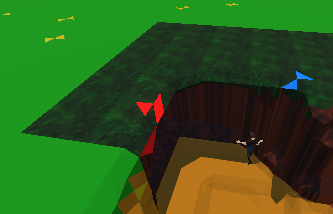
When multiplied
(Also need to figure out how to do tri-planar so the textures don't stretch vertically, but one issue at a time)
Any help for how to combine texture modified vertex colors would be appreciated.
It appears that the green/brown from the unmodified portions of vertex colors is being applied too
I'm not sure how to filter out the colors from the vertex color(before/after replacing it with a texture) to allow me to combine them.
kind juniper
inner mist
Add node makes them too bright...
Lerp the color perhaps?
I'm kinda doing the same now but with a custom shader.
Except that I'm saving a texture indices and a blend value in a structured buffer in the marching cubes algorithm. Then I'm sampling the textures in the fragment shader and lerp between them based on the blend value.
At least that's the plan. Something's going wrong at the moment.
Either the vertex IDs are wrong, or the structured buffer is not set properly, because only the first texture is drawn regardless of the indices...
kind juniper
Anyone has experience with Vertex id in urp shaders? No matter what I try they seem to be 0.
 shrewd coral
hay all. does anyone know if there's a way to make a scrolling shader on a round surface loop seamlessly? im new to shader graph so I might be missing something dumb... thanks.
kind juniper
shrewd coral
hay all. does anyone know if there's a way to make a scrolling shader on a round...
I assume sampling noise with the world position should work.
Or is that a static texture?
full salmon
inner mist
And Multiply node makes them too dark.
I use the Blend node a lot for this sort of thing. It has all the blending modes from Photoshop, plus the "overwrite" mode which is the equivalent of "Normal" in photoshop. That will surely get you what you want, and every mode is a really simple bit of math so there's no performance hit to worry about.
 grand jolt
Hello guys, can you tell me how to make a terrain shader for urp with shader graph? I just want to replace the base shader to alpha clip it using a spherical mask :(
teal breach
grand jolt
Hello guys, can you tell me how to make a terrain shader for urp with shader gra...
this video around the 6 minute mark is useful: https://www.youtube.com/watch?v=kmPj2GmoMWo
grand jolt
teal breach
this video around the 6 minute mark is useful: https://www.youtube.com/watch?v=...
Thanks 😊
grand jolt
Well holes are bugged, I need to reassign the shader on the material to not have pink holes (even just linking the texture to the base color)
 winged plover
Does anyone know how to make a leaf shader like this?

 paper sigil
Looks like its just made with cards with a slightly blurred transparent tex
winged plover
paper sigil
Looks like its just made with cards with a slightly blurred transparent tex
okay, do you have any tutorials on it? or how to make something like it>
paper sigil

Buy me a coffee if this video could give you a little bit help, your support will give me more power to make more good videos! Thanks!
https://paypal.me/lobeyjon
Also welcome to join my Patrons with some other benefits:
https://www.patreon.com/gamedevlobeyjon
Another video about improving smoothness of the leaf branch shadow: https://www.youtu...
this appears to be a similar effect
you could also add world offset to the shader if you want wind and stuff.
winged plover
okay thanks i'll check it out
winged plover
paper sigil
you could also add world offset to the shader if you want wind and stuff.
ok
thanks for your help

 inner mist
@full salmon Overwrite only shows the latest in the chain of blends, but pinlight was close except the earlier textures get muddled to nearly nothing, any suggestions?

 hard wasp
Does anyone where the "Edit > Rendering > Materials > Convert All Built-In Materials to URP" option went in the latest beta version? I upgraded the other day and now I can't find the option anymore.

 brittle owl
 spring night
Tiling and offset node (shader graph), feed it into the UV input of the voronoi noise and change the tiling
grand jolt
how do you put a material to take specific amount ... like if I had a 30130 cube, I want it like a box, like every unit repeats the material?
spring night
brittle owl
Tiling and offset node (shader graph), feed it into the UV input of the voronoi ...
but that tiles it and doesnt stretch it
 lapis lodge
https://www.reddit.com/r/Unity3D/comments/dgxk3w/a_simulation_of_gas_giants_rings_with_4_million/f3mn13v/
does anyone know any resources similar to this method of "drawing"

reddit
214 votes and 33 comments so far on Reddit
the code there is a bit rusty
 charred granite
Like this video if it was useful so that others can find it in the algorithm. Don't need any subscribers & I hope you enjoyed.
Other Video Time stamped issue : https://youtu.be/YH1zm-Xm-Do?t=2167
Forgot to mention that the stone tile texture if you look closely the height map is allowing the dirt to appear in the cracks! :)
Couldn't find any ...
brittle owl
spring night
but that tiles it and doesnt stretch it
Oops I think then it’s just as simple as taking the uv and multiplying it by a bigger number on one axis
So maybe multiply it by a vector 2 that has 1,2
spring night
ok ill try that then
full salmon
inner mist
<@!411921382293897216> Overwrite only shows the latest in the chain of blends, b...
I’d say if possible to try blending a bunch of layers in photoshop until it looks right, and then look at what you did there and replicate it in the shader.
inner mist
I don't have photoshop, and I tried all the blend options itself in the blend node and none of them quite came out right, Pin Light was the closest but caused previous textures to be warped slightly, amplified by each step.
 hollow talon
I am rotating my model using RotateAboutAxis node but I get weird shadows as I rotate (object casting shadow on itself). Is it possible to fix this?

thats how I rotate it
 inner mist
@kind juniper Lerping the color ended up being the answer. Thanks for the tip!
brittle owl
hollow talon
I am rotating my model using RotateAboutAxis node but I get weird shadows as I r...
Yeah it just kinda happens, not really a shader thing
At least I think so maybe I’m dumb
Does it do that when you rotate the object normally?
hollow talon
brittle owl
Does it do that when you rotate the object normally?
not as much, the one on the left uses URP lit shader (rotated with transform), the other uses my shader that is rotated in vertex shader

it is also more obvious without soft shadows

 thin crater
Hey guys is there a way to create a shader for a terrain that doesn't choose the texture to use by the height but uses an array pre-generated in a c# script?
ex. a 2d array of integers representing the ID of the textures that has to be shown in the tile of the terrain at position [x][y]
kind juniper
hollow talon
not as much, the one on the left uses URP lit shader (rotated with transform), t...
It has to do with shadow settings either in your light source or render pipeline asset.
kind juniper
thin crater
ex. a 2d array of integers representing the ID of the textures that has to be sh...
That's what I'm trying to do. So far it seems to be impossible via the shader graph. You have to write a custom shader that takes a structured buffer and uses vertex IDs.
 runic pendant
Need some help with some matrix algebra. I have a billboard shader that calculates the position with this math, but I also need a way to calculate the world position as well.

The world position is going to be used for UNITY_LIGHT_ATTENUATION
I currently calculate it with this but it is still incorrect...

 eager folio
@hollow talon https://gamedevbill.com/shader-graph-normal-calculation/

How to calculate normal vectors inside Unity Shader Graph. Examples include code and Shader Graph normal calculation.
lapis lodge
lapis lodge
https://www.reddit.com/r/Unity3D/comments/dgxk3w/a_simulation_of_gas_giants_ring...
any ideas?
kind juniper
lapis lodge
any ideas?
The asteroids seem to be just dots in space. Maybe you could draw them with a vfx graph or a shader that uses a similar technique. As for their movement and interaction, there's probably gravity simulation done with compute shader or jobs system.🤔
Oh there was code in the thread!
lapis lodge
kind juniper
The asteroids seem to be just dots in space. Maybe you could draw them with a vf...
well i got all the rest of movement figured out, the thing is i have no idea how to draw the points Graphics.DrawMeshInstanced has a limit of 1024, Instanced indirect is a pain to do, this solution seemed better but the code doesnt work
kind juniper
lapis lodge
well i got all the rest of movement figured out, the thing is i have no idea how...
What part of it doesn't work?
lapis lodge
kind juniper
What part of it doesn't work?
The last part mainly
Linear depth 01
Is never set
lapis lodge
kind juniper
So he basically renders them in a compute shader
And also uses graphics.blit
kind juniper
I'd assume that Linear01Depth is a custom function that he wrote..?🤔
lapis lodge
I assumed that also, deleting that if statement did nothing tho
lapis lodge
kind juniper
You need to use the UnityCG include file.
The built in shader?
kind juniper
yes
#include "UnityCG.cginc"
Although, might need to specify the whole path in compute shader..?🤔
kind juniper
Also, it's probably not gonna work with SRPs
lapis lodge
kind juniper
Although, might need to specify the whole path in compute shader..?🤔
Well if you don’t mind asking
How did you learn shaders?
lapis lodge
kind juniper
Also, it's probably not gonna work with SRPs
I use the normal one
Wait
S as scripted
Or S as standard
kind juniper
I'm still learning them.😅 Honestly, it was an incomprehensible topic for me for a long time. Recently I've started getting more into it, but there's still a lot of stuff I don't understand completely.
kind juniper
lapis lodge
S as scripted
Scripted
lapis lodge
That’s a relief
lapis lodge
kind juniper
I'm still learning them.😅 Honestly, it was an incomprehensible topic for me fo...
How do you find resources or blogs of it?
kind juniper
lapis lodge
How do you find resources or blogs of it?
Umm... Google, youtube. I know it can be hard, since with such topics you don't even know what to google sometimes, but maybe getting to understand the basics of how the shaders work first and gradually getting into deeper topics is the right way. And you can always ask here if there's something you don't understand.
lapis lodge
kind juniper
Umm... Google, youtube. I know it can be hard, since with such topics you don't ...
well what do you consider the basics, i used a youtube tutorial of the basics and sebastian league to understand them (dont get me wrong im very new), and most of my actual code in the shader was copied from a blog of a galaxy simulation and many changes cause incomplete
kind juniper
lapis lodge
well what do you consider the basics, i used a youtube tutorial of the basics an...
By basics I mean what vertex/fragment shaders do and how data is passed between them. Maybe try looking into some simple unlit shaders and play around with them, try including some features on your own.
lapis lodge
kind juniper
By basics I mean what vertex/fragment shaders do and how data is passed between ...
ok thanks, last question
in the reddit post he sent the positions and did the operations in update, in my current version i send them and get them because the operations are done there
is it more efficient to do them in the cpu or gpu?
kind juniper
lapis lodge
ok thanks, last question
in the reddit post he sent the positions and did the op...
You mean this?
In Update() I simulate attractors:
foreach (Attractor a1 in attractors){
foreach (Attractor a2 in attractors){
if (a1 != a2){
a2.velocity += (a1.position - a2.position).normalized * a1.mass / Mathf.Pow(Vector3.Distance(a1.position,a2.position),2)*timeStep;
}}
a1.position += a1.velocity*timeStep;
}
...and send an array with their positions and masses to compute shader every Update().
yes, i think theres a possible optimazation in this way
the other way is having a thread for each particle
kind juniper
This is not the particles, but the attractors( the moons that he adds in his video).
lapis lodge
kind juniper
This is not the particles, but the attractors( the moons that he adds in his vid...
oh well, the concept is still there
kind juniper
And yeah, I think you could do that with jobs or a compute shader too, but if the count is low enough, the overhead might be more than the processing speed.
So, you just gotta play around and see what's faster with your numbers.
lapis lodge
so
is nested loop
and thread for each particle
which is better at larger scales
?
for
for
or
thread
for
kind juniper
thread for each particle. That's what GPUs excel at. Because they have thousands(I think) of small processors in them, each processing some small piece of code quickly.
lapis lodge
kind juniper
thread for each particle. That's what GPUs excel at. Because they have thousands...
it is said doing set and then get repeatedly kills performance
kind juniper
Jobs would work too, but for something like this a compute buffer would be way faster imho
lapis lodge
kind juniper
Jobs would work too, but for something like this a compute buffer would be way f...
we already tried DOTS the limit is 10k, shaders is x10
kind juniper
lapis lodge
it is said doing set and then get repeatedly kills performance
Again, you'll have to test, because it depends on the number of things that you want to process.
kind juniper
lapis lodge
we already tried DOTS the limit is 10k, shaders is x10
What limit?
lapis lodge
kind juniper
What limit?
limit as the maximum that it is good
because the operation is O^2
kind juniper
amount of threads?
lapis lodge
kind juniper
amount of threads?
for each particle theres a for loop of the particles
so having 100
made 10,000
calculations
thats a way to put it
kind juniper
I still don't understand what you meant by a limit of 10k? Is it the amount of particles that you send to be processed in jobs?
lapis lodge
yes
kind juniper
I see. Well, I wouldn't rely on any hard numbers like this, because it will vary vastly based on the hardware and the current state of the system. But yeah, compute shaders are definitely faster than cpu threads for such tasks.
lapis lodge
massive thanks, i will now go to do homework
but a last question
final
do shaders simulate light, the same way you can use emmisive materials?
or can use emmisive materials? or i would have to do more coding for that?
kind juniper
lapis lodge
do shaders simulate light, the same way you can use emmisive materials?
You mean compute shader?
lapis lodge
kind juniper
You mean compute shader?
any shader that can be used to draw meshes/points in screen
kind juniper
I mean, shaders are what renders everything, the materials are just blocks of properties that are passed into the shader. So, the answer is: your shader renders things the way you tell it to render things, whether it's lighting or emission.
In case of the guy from reddit, he was using a compute shader, which is not exactly a regular shader(not used for rendering usually). He was basically creating a texture the same way that you could do on a CPU with texture.SetPixel/s.
So, no, if you follow his example, you won't have emission or any kind of lighting.
You could add another layer on top with image effects/ post processing to achieve a glow, but that's a different story.
lapis lodge
thanks you been very helpfull
 round nova
how do i adjust the blending and color mode so that my sprites stop becoming this ghostly white. I tried some combinations but with weird results
 kind juniper
round nova
how do i adjust the blending and color mode so that my sprites stop becoming thi...
kind juniper
round nova
how do i adjust the blending and color mode so that my sprites stop becoming thi...
Try setting the surface type to opaque🤔
round nova
kind juniper
Try setting the surface type to opaque🤔
okay
setting it to opaque turns it fully untransparent

i guess i just want the background to be transparent. but keep the sprite at full color
 dawn ginkgo
help, why is my normal map really pixelated?

i used the grid subshader and fed it into normal from height
kind juniper
round nova
setting it to opaque turns it fully untransparent
Use alpha clipping and set your texture to use alpha. Assuming your textures background is really transparent.
round nova
kind juniper
Use alpha clipping and set your texture to use alpha. Assuming your textures bac...
yay checking alpha clipping worked, thanks
 worn furnace
Woo! Made a stochastic blender in shader graph
 kind juniper
When I call material.SetBuffer(buffer) and then call buffer.Release(), does it actually mean that the buffer is not passed into the shader when it renders?
low lichen
kind juniper
When I call `material.SetBuffer(buffer)` and then call `buffer.Release()`, does ...
The buffer values aren't copied if that's what you mean. What should happen is the buffer is destroyed so there's no data to access, but maybe that doesn't happen immediately.
kind juniper
low lichen
The buffer values aren't copied if that's what you mean. What should happen is t...
So if I release the buffer immediately, the structured buffer in the shader remains empty? At what point in the rendering pipeline, does unity upload the buffer to the shader? When it renders that material?
low lichen
kind juniper
So if I release the buffer immediately, the structured buffer in the shader rema...
The data is never "uploaded" to the shader. The shader has a reference to the buffer, like textures. If you destroy the object, the reference isn't valid anymore.
kind juniper
Ah I see. Thanks for the clarification. I can't seem to get it working... Either the buffer is empty, or the indices are completely off...😫
 static cipher
Hello, I'm working on a vegetation system that works by generating a bunch of positions in a compute shader, culling them in another compute shader, and doing a DrawMeshInstancedIndirect to render them all.
has anyone encountered problems with specific graphics cards? A few users have reported that on some APUs the plants do not render.
I'm a bit lost on how to debug this since its a compute shader error only on some graphics cards.
I suspect it might be something with the instruction set (maybe) but I really don't know how to debug this kind of things 😭 😭 😭
https://sites.google.com/view/arnauaguilar/projects/vegetation-engine?authuser=0
Here is a bit more info on the vegetation system, but only the "Hidden areas" or plants work this way

Vegetation Engine
 polar granite
Guys, I'm gonna be honest here. I'm trying to make cum for my hentai game, but I can't find any good documentation.. I found this tutorial for blood and changed it white, but it looks awful. lol

Today we are going to see how to create a procedural Blood effect (no textures). We are going to use VFX Graph to spawn the blood and manipulate it's motion and then we use Shader Graph to create the Blood Shader.
✦ VFX GRAPH COURSE: https://www.udemy.com/course/unity-visual-effect-graph-beginner-to-intermediate/?couponCode=16.99_UNTIL_09-10
E...
Someone here that could lead me into the right direction?
It has to be sticky and have some basic physics
 teal maple
Has anyone ever seen this issue when building out to Windows?

 humble walrus
Hi. I'm new in Unity. I have question about blending two textures in two differen uv sets
how to achive in Unity something like this:

 mental bone
You have a uv node in shadergraph that you can select the uv channel, you have a sample texture node and a multiply node as well. So prety much the same thing @humble walrus
humble walrus
Ok thanks :)
dull lintel
Not sure how to phrase this question right, but is there any way to add a step after the regular PBR inputs of a URP Shader Graph surface shader? Like if I want it to set the colors of a fragment according to the albedo/normal/metallic/smoothness etc. but then override it at the very end sometimes with a plain unlit color?
Use case: I'm trying to get some areas on an otherwise PBR model to just be flat black with no light response whatsoever, but can't seem to do that with a regular lit URP shader (no matter the setting they still pick up or reflect light at least a little bit).
meager pelican
You can add a per-pixel map for metallic and smoothness, for example. Just like a texture, only it's a metallic map....
and the texture map could hold your "plain unlit color" more or less. You'll still get hit by shadows though. And lighting will impact things.
The only other thing I can think of is to mess with emission for your base color. But whatever you're doing I try to do it to the pixel ONCE, not in a separate pass if I could at all avoid it.
Or stuff some values in some "override" texture that you invent. And just substitute that.
dull lintel
Yeah, I've tried those things unfortunately. Emission only works for light colors, not dark. And even if I do like, full metallic, full roughness, or zero metallic etc. you still see some light reflections for point lights and the like on the surface. It's very dark, but not unlit total black dark, which is what I'm trying to achieve. And yeah, doing it all in one pass is the goal. I've done it in a hacky way by using an alpha cutout and having the object rendered twice -- total black and then again with everything that isn't cut out, but that's pretty wasteful.
 wanton stone
Is object space in shaders synonymous with local space for transforms? Or is it normalized?
 strong hedge
i have a huge computebuffer with voxels but its mostly empty space and i need a way to render them anyone got any idea?
meager pelican
dull lintel
Yeah, I've tried those things unfortunately. Emission only works for light color...
What about the "override" texture?
Is this static, or dynamic coloring?
IDK your use case. I mean, if you can "just" update a texture on the object according to its UV coordinates....
IDK if I'm making sense.
Some sort of static-color-splat. Like a decal.
Should be able to work that out in one pass.
But if you have to compute it dynamically, that's a tad harder...
And don't forget about stencils too, depending on your needs.
dull lintel
meager pelican
What about the "override" texture?
Is this static, or dynamic coloring?
IDK you...
The override texture would just be flat black. Think of like, an object with a vent on it -- I want the negative space in the vent to just be unlit black rather than having to model an actual gap. Thinking of it as a decal could work but I'm not sure how to achieve that in a single pass URP PBR shader.
There's no combination of roughness/metallic that makes the given pixel completely unlit, and black won't work for emissive.
meager pelican
Well it depends on if you mean a Shader Graph shader, or hand-edited one. 😉
But the other thing is lighting. Lighting is a large array of topics...but there's self lighting and then there's additional lighting passes.
Maybe, if you ONLY WANT FLAT-PURE-BLACK you could flag pixels on the screen as needing such, and then later in a post processing pass AFTER lighting, turn them black.
How to go about that gets complicated if it varies pixel by pixel.
Sounds like you want to avoid all lighting...any hint of it.
I'm surprised that pure-black cannot have roughness/metallic that results in pure-black results, but I admit I haven't tried it in recent memory.
Do your game requirements (target platforms) all support multiple render targets?
The other way is multi-pass, maybe a render feature or something.
Then you could use a stencil, and clip any pixels that won't be pure-black. So the stencil is just the pure-black pixels.
Now you're up to 3 passes.
The original draw all colors pass.
The stencil pass that just draws the black pixels, all others clipped.
<lighting happens>
a post processing pass that blacks out stenciled pixels.
This all seems like an "ouch".
dull lintel
Probably what I'm going to have to do is just take the source for the URP PBR shader and make my own edited version of it that lets me bypass certain pixels to unlit based on a map texture.
Was hoping to avoid that though.
Especially since that shader is quite complicated and changes a lot version to version.
 mystic dagger
I have an array of Color32s that I want to sample in a compute shader
do I need to convert it to a texture2d?
meager pelican
mystic dagger
do I need to convert it to a texture2d?
You can pass arrays directly. Note that shaders like floats.
There's size limitations, IDK off hand how large but several K I think.
mystic dagger
color32s aren't floats i thought?
meager pelican
Or use a structured buffer.
 arctic sierra
what's the syntax for initializing a struct in a compute shader?
i've tried a lot of ways and nothing seems to make the compiler happy
meager pelican
mystic dagger
color32s aren't floats i thought?
mystic dagger
right
meager pelican
They're bytes...8 bits each x 4 = 32 bit color value.
If you want 4 floats, use Color not Color32
mystic dagger
I need 4 floats eventually
meager pelican
I'd just use normal colors if that's the case. Sometimes color32 is faster and it's always more compact, but there's trade offs.
My 2 cents.
mystic dagger
this is how i'm doing it right now:
#pragma kernel Write

RWTexture2D<float4> PositionMap;
//RWTexture2D<float4> _NormalRT;
RWTexture2D<float4> ColorMap;

StructuredBuffer<float3> _PositionCBuffer;
//StructuredBuffer<float3> _NormalCBuffer;
StructuredBuffer<float3> _ColorCBuffer;

int _TextureSize;

int GetI(uint3 id)
{
    return id.y * _TextureSize + id.x;
}

[numthreads(8,8,1)]
void Write (uint3 id : SV_DispatchThreadID)
{
    int i = GetI(id);

    float3 pos = _PositionCBuffer[i];
    //float3 nor = _NormalCBuffer[i];
    float3 col = _ColorCBuffer[i];

    PositionMap[id.xy] = float4(pos.x, pos.y, pos.z, 0);
    //_NormalRT[id.xy]   = float4(nor.x, nor.y, nor.z, 0);
    ColorMap[id.xy]    = float4(col.x, col.y, col.z, 0);
}```You have them as floats in your buffer. You might be getting an auto-conversion from Color32 to color when you assign stuff in C# anyway.
In a shader, a color32 would be an INT (32 bit int). You'd mask off the appropriate 8 bits or something (I think).
So you're already using floats.
mystic dagger
I suppose ColorMap could be integers 0-255 and I could just divide in VFX graph
meager pelican
But there's nothing wrong with using a structuredBuffer of float3, really. GPU's like things float4 aligned though, if you can afford the space.
Also, CBuffers can be slightly faster (like 10% or so). But meh right now.
Or use an array.
But if you want it Writeable, stick with the StructuredBuffer, IMO.
meager pelican
mystic dagger
I suppose ColorMap could be integers 0-255 and I could just divide in VFX graph
But why?
You'd end up masking and bit shifting.
It's nice if you have very large arrays of colors, since color32 is 4x more compact.
So it all depends...
mystic dagger
meager pelican
But why?
because my data has changed and it's coming in as color32[] now
sticking with structuredbuffer like you say
I need to either convert from color32[] to color[] in C# (this has to be fast) or in the shader i guess?
#pragma kernel Write

RWTexture2D<float4> PositionMap;
RWTexture2D<float4> ColorMap;

StructuredBuffer<float3> _PositionCBuffer;
StructuredBuffer<uint> _ColorCBuffer;

int _TextureSize;

int GetI(uint3 id)
{
    return id.y * _TextureSize + id.x;
}

[numthreads(8,8,1)]
void Write (uint3 id : SV_DispatchThreadID)
{
    int i = GetI(id);
    float3 pos = _PositionCBuffer[i];
    float3 col = _ColorCBuffer[i];
    PositionMap[id.xy] = float4(pos.x, pos.y, pos.z, 0);
    ColorMap[id.xy]    = float4(col.x, col.y, col.z, 0);
}```

(should have been using int4 but this also did not work)this didn't throw any errors but it's all white
so I assume this is wrong
kind juniper
@mystic dagger how are you retreiving data and checking it?
mystic dagger
it's coming in as col32[]
kind juniper
Share the c# code
mystic dagger
one sec will give more detail
will pick out the relevant parts
    private static readonly int _TextureSizeID = Shader.PropertyToID("_TextureSize");
    private static readonly int _PositionRTID = Shader.PropertyToID("PositionMap");
    private static readonly int _PositionCBufferID = Shader.PropertyToID("_PositionCBuffer");
    private static readonly int _ColorRTID = Shader.PropertyToID("ColorMap");
    private static readonly int _ColorCBufferID = Shader.PropertyToID("_ColorCBuffer");
    private ComputeBuffer positionCBuffer = null;
    private ComputeBuffer colorCBuffer = null;
    const int length = 1280 * 600;
    private readonly float TextureSize = Mathf.Sqrt(length);
    NativeArray<float3> positions;

    RenderTexture CreateRT(int texSize)
    {
        return new RenderTexture(texSize, texSize, 0, RenderTextureFormat.ARGBHalf)
        {
            enableRandomWrite = true,
            filterMode = FilterMode.Point
        };
    }

…

    public void Start()
    {
        int size = Mathf.CeilToInt(Mathf.Sqrt(length));
        positionRT = CreateRT(size);
        positionRT.Create();
        colorRT = CreateRT(size);
        colorRT.Create();
        computeShader.SetInt(_TextureSizeID, size);
        computeShader.SetTexture(0, _PositionRTID, positionRT);
        computeShader.SetTexture(0, _ColorRTID, colorRT);
        vfx.SetTexture(_PositionRTID, positionRT);
        vfx.SetTexture(_ColorRTID, colorRT);
        positions = new NativeArray<float3>(length, Allocator.Persistent);
}```Then later
        Color32[] colors = GetColorArrayFromExternalSource();

        positionCBuffer?.Release();
        positionCBuffer = new ComputeBuffer(length, sizeof(float) * 3);
        positionCBuffer.SetData(m_meshModificationJob.positions);
        computeShader.SetBuffer(kernelHandle, _PositionCBufferID, positionCBuffer);
        colorCBuffer?.Release();
        colorCBuffer = new ComputeBuffer(length, sizeof(float) * 3);
        colorCBuffer.SetData(colors); //!
        computeShader.SetBuffer(kernelHandle, _ColorCBufferID, colorCBuffer);
        computeShader.Dispatch(kernelHandle, Mathf.CeilToInt(TextureSize / 8.0f), Mathf.CeilToInt(TextureSize / 8.0f), 1);
Yeah, I think you need to convert Color32 to Color before passing it in. Is there any reason it's Color32 originally?@mystic dagger
Also, in your computer shader you assign just one uint value to a float3, so I'm not sure how that is converted.
mystic dagger
kind juniper
Also, in your computer shader you assign just one uint value to a float3, so I'm...
Yeah that was a mistake. I tried uint4 to uint4 as well which gave me blackness
mystic dagger
kind juniper
Yeah, I think you need to convert Color32 to Color before passing it in. Is ther...
Is there a fast way to do this?
kind juniper
mystic dagger
Is there a fast way to do this?
Loop the array/list and cast to Color
mystic dagger
That sounds expensive
kind juniper
But why is it Color32? Maybe change the way you create the array?
kind juniper
mystic dagger
That sounds expensive
Shouldn't be too expensive.🤔
mystic dagger
I'll see if I can change it when its created
kind juniper
Could also run another compute shader that will convert it to regular color.
kind juniper
mystic dagger
I'll see if I can change it when its created
How are you creating it?
 vocal narwhal
Is there really a need to do this?
Use StructuredBuffer<uint> in your shader and that should accept a whole color32 just fine (uint is the size of 4 bytes or 32 bits)
kind juniper
Then it's just a problem with how he assigns it to float4?
vocal narwhal
uint colorIn = ...;
half4 color = half4(colorIn & 255, (colorIn >> 8) & 255, (colorIn >> 16) & 255, (colorIn >> 24) & 255) / 255.0;```Ah
vocal narwhal
They just randomly use = across two incompatible types
kind juniper
So 1 uint holds the whole color32 data?
vocal narwhal
Yes
mystic dagger
There are 3 color channels though
vocal narwhal
Four, one alpha
vocal narwhal
No
uint is the size of 4 bytes or 32 bits
Color32 is 32 bits long, each channel is 1 byte
mystic dagger
Got it
vocal narwhal
The compute buffer should be new ComputeBuffer(colors.Length, sizeof(uint));
mystic dagger
I'm walking back home will try in a few minutes
mystic dagger
vocal narwhal
The compute buffer should be `new ComputeBuffer(colors.Length, sizeof(uint));`
this part is giving me an error relating to threading :/
vocal narwhal
threading?
mystic dagger
oh wait no I had a typo
yep. I have some multithreaded stuff in here. Long story
eventually it will be on the shader
the colors are not mapped correctly
#pragma kernel Write

RWTexture2D<float4> PositionMap;
//RWTexture2D<float4> _NormalRT;
RWTexture2D<half4> ColorMap;

StructuredBuffer<float3> _PositionCBuffer;
//StructuredBuffer<float3> _NormalCBuffer;
StructuredBuffer<uint> _ColorCBuffer;

int _TextureSize;

int GetI(uint3 id)
{
    return id.y * _TextureSize + id.x;
}

[numthreads(8,8,1)]
void Write (uint3 id : SV_DispatchThreadID)
{
    int i = GetI(id);

    float3 pos = _PositionCBuffer[i];
    //float3 nor = _NormalCBuffer[i];
    uint col = _ColorCBuffer[i];

    half4 color = half4(col & 255, (col >> 8) & 255, (col >> 16) & 255, (col >> 24) & 255) / 255.0;
    PositionMap[id.xy] = float4(pos.x, pos.y, pos.z, 0);
    //_NormalRT[id.xy]   = float4(nor.x, nor.y, nor.z, 0);
    ColorMap[id.xy]    = half4(color.x, color.y, color.z, 0);
}```
did i miss something?looks correct as far as I can see
paper sigil
Hey, I want to make a sort of "Shader interactor" for my water shader. Ideally, id like artists to be able to add areas of froth/rapids to this river.

I though about getting an intersection between a mesh and the river, but the river doesn't write to the depth buffer.
vocal narwhal
paper sigil
I though about getting an intersection between a mesh and the river, but the riv...
If you just want to add depth-based foam around rocks and the rivers edge you do not need the river to write to depth. You have the depth of the surface behind it, and you have the position of the current fragment, you can use that distance. There's an implementation for depth-based fog like that in shadergraph pinned to this channel
paper sigil
Sure, and i'm already adding foam to the intersection between the river and ground, but id like to have an intersection between the river and an invisible mesh, used to paint in foam wherever i want.
vocal narwhal
You'd usually paint vertex colours onto the mesh to do that sort of thing
paper sigil
Maybe im just trying to be overly clever here, but id like something that i can also update a runtime too. Say if a boat is moving down the river it would have a froth trail behind it. The plane is super low poly also.
vocal narwhal
I'd make the boat's trail be entirely separate from whatever is authored onto the river
paper sigil

Got it working. Basically i have a camera setup with a render texture only rendering a certain layer, and i blur that, then sample it for the foam
runic pendant
I sort of asked this question before but it got swallowed up by other comments: How do I calculate the world position of verticies so that it reflects the billboarded verticies of positions?
grand jolt
Expected outcome,

Result

The actual texture is square, but it seems unity doesn't run my shader for completely transparent pixels
Any way to fix this?
 digital gust
grand jolt
Any way to fix this?
digital gust
grand jolt
Any way to fix this?
Can you show your scene view of this object?
 vestal hearth
hey, isn't URP particle shader supposed to be available? not visible for me on unity 2021.1.17
 digital gust
2012.2.0b12 here: @vestal hearth
 vestal hearth
strange.. could it be a setting that have turned it off somehow?
digital gust
URP version outdated?
Dunno if there is a change within my beta
URP 12 on my side
digital gust
vestal hearth
also got VFX plugin, dunno if theres a conflict with it
Well it could be URL 11-12 difference, using VFX too
vestal hearth
maybe not.. i did find a PFX asset in my project that contain URP particle shader. but even here, its not displaying in the menu
 digital gust
Erm you rdropdown is saying URP/Particles/Lit, so where is that coming from? @vestal hearth
 civic fern
sorry to interrupt but i have a question - im using a material on a canvas image renderer, and i figured that the "source image" of that component was nullified by the main text on the material i used, so i was like "whatever ill just manually make a greyscale material" but then i realised sprites-default does it just fine
so how do i make a material take the source image from its image component as its maintex?
digital gust
civic fern
so how do i make a material take the source image from its image component as it...
As you say, as soon as the material has a texture, it will overwrite it, so you might have to use either a script or just set the right image in your material. Did you try to not set the _MainTex in your material and see if it might work?
civic fern
interesing no i didnt actually
just setss it to a white square
what if i dont have a main tex at all? what happens?
nvm it works
lol
digital gust
😄
civic fern
no it doesnt actually it just makes it not work at all :0
actually maybe not?
idek
gimme a sec
it works fine i claled the shot too quickly
 wispy stump
if i had a built in pipeline shader how would i convert it to a HDRP shader?
kind juniper
wispy stump
if i had a built in pipeline shader how would i convert it to a HDRP shader?
Depends on the shader, but if you want it to use all the benefits of HDRP, you'll probably have to rewrite it from 0
wispy stump
kind juniper
Depends on the shader, but if you want it to use all the benefits of HDRP, you'l...
uhhh how would someone even go about doing that?
kind juniper
wispy stump
uhhh how would someone even go about doing that?
Research the difference between built-in and hdrp and rewrite it. What is your shader based off? Is it a lot shader? Surface shader?
wispy stump
kind juniper
Research the difference between built-in and hdrp and rewrite it. What is your s...
i dont know tbh
kind juniper
I've upgraded(kinda rewrote) a built-in shader to urp. It was very close to a regular shader, so I just used a urp lit shader template and it was a bit complicated. HDRP is probably several times more complicated.
wispy stump
its a character shader it gives them an anime style look
kind juniper
Ooh. Well, you'll need to research how it works and determine what and how needs to be converted for it to work on hdrp.
Atlre you sure you need hdrp for anime style though?
kind juniper
wispy stump
its a character shader it gives them an anime style look
Probably easier to look up a tutorial for a similar shader done with shader graph. There are plenty of those.
wispy stump
we're trying to prepe for the depreciation of the built in render pipeline
this shader is a bit specific. lol
kind juniper
wispy stump
we're trying to prepe for the depreciation of the built in render pipeline
Probably not gonna happen in the few coming lts's
wispy stump
i could send it to you via dm
it'll also allow more interesting things environement wise
kind juniper
Are you planning to use a version where built-in is deprecated? Could be a few years untill it's even in beta.
wispy stump
if we were usign hdrp
kind juniper
wispy stump
i could send it to you via dm
Nah. I'm going to sleep soon anyway. If you share it here, me or someone else might have a look when we have time.
kind juniper
wispy stump
it'll also allow more interesting things environement wise
Hdrp is mostly for ultra realistic graphics. I'm not sure you need something like that with anime style looks..?🤔
wispy stump
dont want to publicly post it tbh, oh well
kind juniper
And many similar things can be implemented in built-in pipeline with a bit of effort.
 pseudo narwhal
wispy stump
if i had a built in pipeline shader how would i convert it to a HDRP shader?
pseudo narwhal
wispy stump
if i had a built in pipeline shader how would i convert it to a HDRP shader?
if you are concerned about pipeline obsolesence you could look at https://assetstore.unity.com/packages/tools/visual-scripting/better-shaders-standard-urp-hdrp-187838 and/or https://assetstore.unity.com/packages/tools/visual-scripting/amplify-shader-editor-68570 both have been use for production ready, performant shaders in all pipelines. Both kinda abstract the pipeline away.

Get the Better Shaders - Standard/URP/HDRP package from Jason Booth and speed up your game development process. Find this & other Visual Scripting options on the Unity Asset Store.

Get the Amplify Shader Editor package from Amplify Creations and speed up your game development process. Find this & other Visual Scripting options on the Unity Asset Store.
 gleaming notch
If I create a 2d shader, and my sprite has a normal map assigned in secondary textures, so I need to do anything in the shader to have the material use the normal map? Do I just drop in _NormalMap as a property and plug it in to the normal in the sprite lit master node?
Or does it do that automatically?
 ocean wharf
hi, im very new to writing shaders. I'm trying to add emission into the default standard surface shader but I cant seem to make it use the dedicated emission map over the diffuse
ill throw the code into a hastebin and post a picture of whats happening

 opaque sorrel
Ayo, so I was looking around for how to do this effect to sprites, I found an asset on the assetstore, but I was wondering if there's a method to do it more close to my example
Watching the video, it basically seems like there's some circle object below the sprite that moves upward and deteriorates the sprite as it passes over it. I was to do this, but like from top down (something akin to Undertale). I just don't even know where to start on this tho or resources.
Like how would I chew away from a sprite at the top (especially if it's, let's say, animated) and deteriorate it and make pieces from it fly off and disappear like that?
 carmine ivy
Can I use shader buffers on a WebGL build? if not are there any other ways to send an array with vectors to a shader?
 twin totem
Soo umh i need some help.
Im trying to blend between two skyboxes that are made of panoramic pictures and I haven't found any posts about blending between two skyboxes.
Does anyone have a solution to this?
meager pelican
opaque sorrel
Ayo, so I was looking around for how to do this effect to sprites, I found an as...
Well, if I were to try that, I'd
- not confuse the sprite and the flying stuff...two different things (probably).
- mask off the sprite over time (pass in time intervals or something) modulating the edge with noise. And I'd overlay, by whatever means, some animated flying stuffs, possibly distorted by noise and some random offsets to make it appear unique.
meager pelican
twin totem
Soo umh i need some help.
Im trying to blend between two skyboxes that are made ...
Define "blend". What do you want to do? There's many ways to "blend".
But I'd get a basic skybox shader working first. Once that is done, I'd add the 2nd with a switch to make sure you can swap between them and they look good.
THEN, I'd blend the two, instead of switching between them.
As to blend, if you want to fade one to the other, use a Lerp() function and pass in the blend amount. That's one way.
opaque sorrel
meager pelican
Well, if I were to try that, I'd
1) not confuse the sprite and the flying stuff....
hmm. I just wish there was a way for one mask to reinterpret and like reflect onto the other mask the color being tossed up. but yeah, it's definitely two different like mask
twin totem
meager pelican
Define "blend". What do you want to do? There's many ways to "blend".
But I...
I want to fade them. But i will have to look some tutorials up because im really new to shader writing.
sry for the late reply i was busy
 dusk tapir
Im trying to pass through an array of Vector2's to my shader, and i noticed the only vector arrays there are functions to pass, is Vec4s(and Colors), more specifically i need float2's
should i just pass through the Vec4's? and if the variable it is sending to is a float2, will it delete the excess data, or overflow it to be the next element

 vocal narwhal
Because you are not using the alpha
 hollow dagger
Knew it had something to do with that, thank you
dusk tapir
should i ask questions about HLSL and scripted shaders here, or in #archived-code-advanced ?
vocal narwhal
Here
dusk tapir
dusk tapir
Im trying to pass through an array of Vector2's to my shader, and i noticed the ...
ok, what is the best way to pass through an array of Vector2s/ float2s from script to shader
i have to pass through an array of Vec2s, and a corresponding array of the same size of Vec3s
when i was making a compute shader i remember that structured buffers would have data carry over (if i passed a vec4 to a float2, each vec would be 2 entries), but idk if that will happen with .SetVectorArray
 spring river
I'm in the early planning stages of a new game and I'm wondering if anyone has any ideas on a 3D to 2D 'pixel' look. This is different than the mainstream render texture method - I don't want the game itself to be low resolution - I want the render of the world to look low resolution. It's hard to explain, but older style games like Roller Coaster Tycoon are exactly what I mean.
This factorio trailer is a good example: https://www.youtube.com/watch?v=DR01YdFtWFI You can zoom in and see the sprite sheets pixels; however the actual runtime resolution is higher. This is something that can't be achieved with the render texture method. Instead of rendering sprite sheets, I'd like to render the game down at runtime to achieve the same look.
If anyone has any ideas, I'd love to hear them. This will inform if the game is made using a 3D or 2D pipeline, so I'm trying to get as much info on it as possible.
 cinder chasm
Hey y'all, anyone having issues with editing subgraphs in the SRP shader editor?
I'm getting exceptions which are breaking the UI any time I edit one
worn furnace
I need help understanding a math concept for the shader I'm writing.
Normally, when I blend two textures together I square them, add them, then square root them (Pythagoras) because that gives me a smooth constant intensity blend between them. A big reason that this works is that colors can only range from (0,1) so you don't lose any information.
However, the problem I'm running into is when I blend the normal maps. I think the issue I'm having is that because the normal vectors can have negative components, when I square, add, square root, I'm basically taking the absolute value of the vector, so anything that was negative has lost that information. And my normals are looking super weird.
Is there a math way to smoothly blend normals together without accidentally getting the absolute value of them?
cinder chasm
worn furnace
I need help understanding a math concept for the shader I'm writing.
Normally, w...
Do you want the result of blending -0.2, 0.4 to be 0.1 or 0.3
If I'm understanding correctly, 0.1?
Or uh actually, you don't want an average do you
Is your mathematical operation based on any real principle, or is it just something that worked for you via fiddling? Because I don't think pythagoras has anything to do with smoothing values
cinder chasm
worn furnace
I need help understanding a math concept for the shader I'm writing.
Normally, w...
My personal suggestion would be to use the average of the two vectors and then normalise it, since this will give you the direction between the two, which is what I'd expect out of smoothing directions
worn furnace
so just do normalize((a+b)/2)?
cinder chasm
Yes, that's how you get the average direction of two vectors. It's what I'd do if someone asked me to smooth normals
mental bone
worn furnace
so just do normalize((a+b)/2)?
normalize(float3(A.rg + B.rg, A.b * B.b)); this is from the normal blend node in shadergraph
worn furnace
Thanks all for the help. What I ended up doing actually was removing the Z component, blending the X components, blending the Y components, then using the reconstructZ function to generate a valid Z from the X&Y
and it looks gorgeous 😄
thin crater
Hello! I've spent days trying to find a solution to do a custom terrain texture in a mesh (that's also my terrain). After a lot of time I managed to get that with a shader graph: I set one texture to the shader via c# that represent the mask, and has only two colors (e.g. green and red), and every chunk has a different mask, and the real biome texture is set in the shader settings, on the material. However this process takes literally ages to do, and I have to add 2 textures and one variable for each biome that I want to add, every time. Is there a way to create a "layer system" like with the normal terrain, where I can add an "array" of texture pairs/other variables relative to one biome?
worn furnace
Here's a strong sun angle shot showing off the working normals:
 thin crater
My solution is similar to this (https://www.youtube.com/watch?v=bA9BXvYfaB0), except that I have various chunks and I set the uv map relative to the mesh position, to do the flawless continuous effect on the mesh

Hello hello,
In this tutorial we're building our very own 5-Channel vertex painting shader with Unity's new Shader Graph node editor. We also take a look at a built-in (sort of) vertex painter tool to use with our brand new shader. It' all good and simple, I promise.
So whether you want to take a different approach to painting small-scale envi...
meager pelican
twin totem
I want to fade them. But i will have to look some tutorials up because im really...
Lerp.
It's a range from 100% of one and 0% of the other to the other way around. Using "t" value of 0 to 1.0.
meager pelican
dusk tapir
ok, what is the best way to pass through an array of Vector2s/ float2s from scri...
What is the size of the arrays?
If not too-huge, use vector4s for everything. Why? Because GPU's like things aligned on vector4 sized byte boundaries for speed of memory access. 😄
So if you can afford to burn the memory, burn it up.
That said, just my 2cents. I mean, you can pack 2 vector2's into 1 vector4 (they're called float2 and float4 in shaders, but meh). You'd compute the index and access either the xy or the zw depending on odd or even index.
For the float3, I'd use float4's. Again, my 2cents.
twin totem
meager pelican
Lerp.
It's a range from 100% of one and 0% of the other to the other way around....
Ok thx. But i still have to learn shader basics ( probably shader graph because im too dumb for the text thing ) and i already have seen the lerp block.
So do you know, how i can import in shader graph 2 Skybox textures ( the lerp part seems easy, just connecting them and feeding in a float value ) and output them as a new one?
I cant find the PBR Master block that everyone talks about in tutorials
meager pelican
Skybox shaders are "special" so IDK off the top of my head.
But google it. This is just the first ref I found, so YMMV.
https://medium.com/@jannik_boysen/procedural-skybox-shader-137f6b0cb77c
In your case, you'd pass in a "t" value to the shader as a uniform, that indicates how far along the blend between the two is for each frame.
Then you'd blend the two textures with a lerp node.
So you'd have TWO textures defined as input into SG, a t value, and a lerp for the result. Whatever you do from there...is you programming.
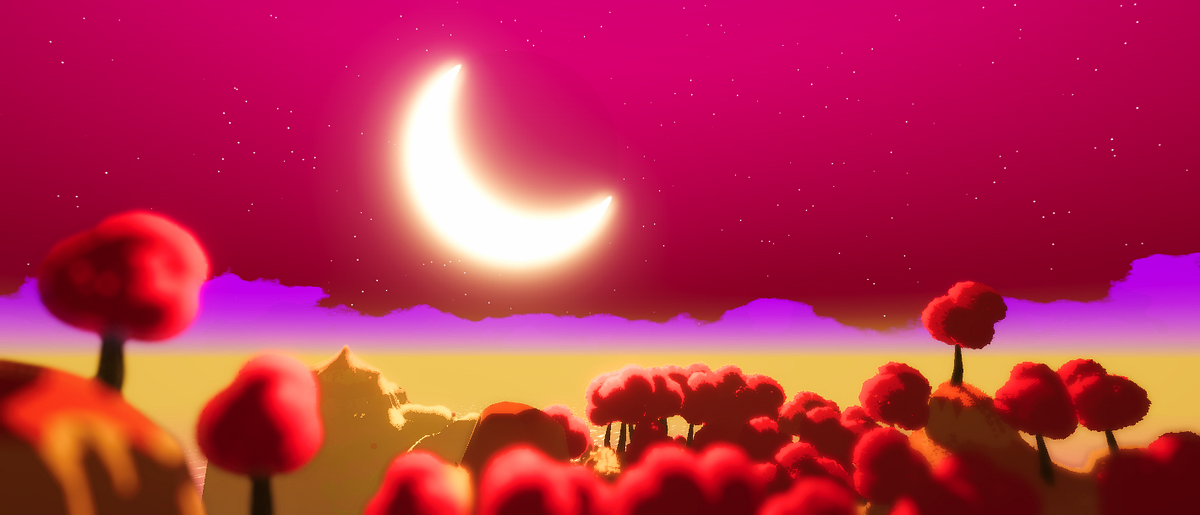
The "PBR master block" has been replaced with TWO parts...one vector part and one fragment part. Just pretend the two of them are the one big "master block".
Use a lit shader if you want PBR, but IDK why you want that for a skybox. I'd assume they'd use unlit for that.
twin totem
Thx im gonna try it out
vestal hearth
digital gust
Erm you rdropdown is saying URP/Particles/Lit, so where is that coming from? <@!...
im not sure, i think i previously had URP particles available, but at some point it disappeared from the shader list
dusk tapir
meager pelican
What is the size of the arrays?
If not too-huge, use vector4s for everything. W...
Alrighty, ill give it a go, the max size should be around 50, so, memory isnt an issue
 orchid zephyr
Hi I am having a problem that I have no idea how to solve. I have these two planes with a shader material on them. However, this makes them treated as two seperate planes with materials, but what I want is to have them treated as one large plane. So instead of it being 2 planes with the 10x10 grid on it, I wante each to have a 10x5 grid on it making the grid as a whole 10x10

 mighty fox
For what purposes i can use signed distance field in 2d?
low lichen
mighty fox
For what purposes i can use signed distance field in 2d?
It's often used for sharp font rendering with low resolution SDF textures, but of course can be used to draw any shape/symbol. You can get vector like quality and sharpness from like a 64x64 SDF texture.
 lucid current
is it possible to apply fresnel effect on a square sprite?
meager pelican
orchid zephyr
Hi I am having a problem that I have no idea how to solve. I have these two plan...
Cut the x (or y) direction of the UV's in half, and add a 50% offset for the 2nd one.
Tiling and offset.
hollow dagger
I am having an issue. I am using a custom lit shader for my trees, and my tree color is extremely dark. How do I get this tree color to look like this?

Here is what it looks like right now

The only difference between the two is one uses a sprite lit shader, and the other uses a regular lit
meager pelican
One way is to scale the colors up. So add a slider from 1.0 to 2.0 and multiply the color by that.
But black will still be black, because 0 multiplied by anything is still 0. Some of those colors are quite dark....
Or check your lighting to figure out why it is so dark. Maybe add ambient light.
Is the texture that dark?
Or post the shader.....see where you could add an ambient value.
twin totem
meager pelican
Skybox shaders are "special" so IDK off the top of my head.
But google it. Th...
Hey. Thank u really much, the webside helped me a lot and i now have a basic understanding of shader graph. It also look really pretty :D
orchid zephyr
is there anyway to stop wrapping on a shader
hollow dagger
meager pelican
One way is to scale the colors up. So add a slider from 1.0 to 2.0 and multiply...
The color is actually set to white here. Let me post the shader
 meager pelican
hollow dagger
The color is actually set to white here. Let me post the shader
meager pelican
hollow dagger
The color is actually set to white here. Let me post the shader
But it came out dark. So you must be setting the texture property on the material, even if you're multiplying it by 1 (1,1,1 is white as I'm sure you know).
So my questions remain.
What does the texture look like?
Are you using a lit shader?
You could also try messing with smoothness and metallic values.
hollow dagger
meager pelican
What does the texture look like?
Are you using a lit shader?
The texture looks exactly like how it looks in this image here:

And i'm using a lit shader
meager pelican
OK, well I don't see the green moss on the tree in your problem-image. And the problem-image looks to be a close-up of that ?center tree? or is it the one on the left?
Anyway, check lighting settings first. Since ambient light, shadows, light intensities and such will change the results.
And the other thing I mentioned before is that you can lighten it up by multiplying with values GREATER than 1.0.
And try checking the metallic and smoothness values.
meager pelican
orchid zephyr
is there anyway to stop wrapping on a shader
Sure. If "in the shader", clamp the UV values to between 0.0 and 1.0. Also check texture settings in the inspector for other options if you want to do it with a sampler state.
Or if using SG, set the sampler state using a sampler state node.
I'm 99% sure you can do that state setting in code in non-SG too in the shader.
orchid zephyr
ty. I ended up going in another direction, but I am sure this information will be useful anyways
gleaming notch
Hey guys, I'm having an issue in that sprite masks do not mask the normal map texture. The only thing I can think of is to write a new shader that takes the mask sprite renderer as an input and only displays normal maps where the sprite overlaps with it. Does anyone know how I can accomplish this? I am very new to shaders.
Here is the issue displayed

As you can see the feet are available outside the mask space
I basically want to check if the mask texture exists at a location, and if not, multiply the rgba value of the normal map by 0
round nova
Hi, is there any resource for how to correctly do glass in urp? This is what I'm getting

 fervent tinsel
@round nova that's what you are getting after doing what?
also better say what you expect to get, instead of just showing image that doesn't really tell anything 🙂
round nova
fervent tinsel
<@!458156833862057985> that's what you are getting after doing what?
sorry, after this
 round nova
fervent tinsel
also better say what you expect to get, instead of just showing image that doesn...
round nova
fervent tinsel
also better say what you expect to get, instead of just showing image that doesn...
expected glass

 lucid anvil
Hello!
Can anyone tell me what the equivalent of dFdx and dFdy using GLSL ES 2.0? (partial derivative)
Specifically, I want to use fwidth, but it doesn't exist in version 2.0.
I found out that fwidth is equivalent to:
abs(dFdx(uv)) + abs(dFdy(uv))
I can use glsl #extension GL_OES_standard_derivatives : require
But I have problems with HTML5
 brittle berry
Hey all, I want to use some Vector4 UV channels in my shaders. Are there file formats that support 4-challen UVs? FBX import/export in Unity seems to only support 2-component vectors.
 west eagle
@brittle berry why vector4 uv? if you wanna input extra data into vertices there is plenty other ways.
brittle berry
Mostly because I want to store it as a 3D file
In-memory only, I have no preference. But for saving baked data, UV seems to be the easiest placeholder
west eagle
did you try vertice color
brittle berry
The effect would be visible with my custom shaders, otherwise it would render as a normal 3D file
Vertex colors are 3-channel, and 8-bits for channel
I want to store like 12 floats
brittle berry
Hmm I guess that's one way, if data no longer fits in UV
Thanks for the suggestion
west eagle
no problem👍
 thorn nest
Parse error: syntax error, unexpected TVAL_ID, expecting TOK_SETTEXTURE or '}'
How can I fix this?
 spare wedge
Hi everyone, I have a little problem but don't know how to solve it, I've made a shadergraph for VFX Additive particles, although everything is working there is always this annoying bug where if my texture touches the bottom of the image it creates these artefacts at the top of the material like in the picture.
In the texture that I've made, there is no white at the top of the texture.
It creates a lot of problems because it shows some artefact on the particles that I've made.
Does anyone have an idea of why this happens?

Here's my shadergraph

and the texture that I used

And this is the artifact that it causes
 meager pelican
brittle berry
I want to store like 12 floats
meager pelican
brittle berry
I want to store like 12 floats
Unity supports 8 UV channels. Some are used for lighting though. (UV1 and UV2 IIRC). But that leaves you 6, x 2 = 12 floats. If you want.
 neat hamlet
spare wedge
Hi everyone, I have a little problem but don't know how to solve it, I've made a...
neat hamlet
spare wedge
Hi everyone, I have a little problem but don't know how to solve it, I've made a...
looks like the mipmaps are causing bleeding
clamp it
in the texture settings
 wicked niche
Hello everyone, I'm just starting to learn about shaders.
I want to make a transparent ball that can be used to show through other objects. This ball should also have a stroke.
I did 2 passes, but nothing comes out, I can't figure out why. Thank you if you can help)
twin totem
Im using ( in Shader Graph ) noise to make a material on some points transparent and on others not ( it works ) but it still casts the shadows of the old object. Does anyone have a solution to this?
wary horizon
I have a HLSL water shader i got from github, But it does not rotate if i rotate the object the material is applied to. I don't suppose anyone could help me to make it rotate with the object?
winged plover
Anyone??
 slim skiff
winged plover
How can i add Deforming to my Lit Shader?
slim skiff
winged plover
How can i add Deforming to my Lit Shader?

Okay so just a super quick one today as I've been getting requests for how the "Vertex Normal" is done in Shader Graph. As usual all source files are available (for free) on my patreon: https://www.patreon.com/polytoots
For the Amplify versions of the tutorials see here:
● Pipe bulge: https://www.youtube.com/watch?v=Ol456nXt8Lo
● Flower Grow: h...
 ocean agate
Is there any possibility of creating a shader of three (or more) different colors (in grayscale) and on runtime change those colors for whenever color I choose? I have seen someone doing this with pixel art, but I'm not sure if it would work and how it would be on non-pixel art.
 devout imp
howdy!
i just need quick help with something
i have a custom cel, and the materials TEECHNICALLY work

the previews show them working
hwoever, in the editor itself they're all just purpled out
what's the issue?
slim skiff
ocean agate
Is there any possibility of creating a shader of three (or more) different color...
like this? https://www.patreon.com/posts/39412122
ocean agate
slim skiff
like this? https://www.patreon.com/posts/39412122
wow, this looks exactly what I was looking for! I'll take a look right now, tysm!
devout imp
devout imp
i just need quick help with something
i wanna add
Shadergraph is giving me an error, "invalid subscript shadowcoord". im using unity's own CustomLighting hlsl
what do i do? can anyone please help
winged plover
slim skiff
https://www.youtube.com/watch?v=3T8cKTQrMxk ?
Nevermind i figured it out myself yesterday
 flint palm
Hi, I have realized that the UV offset is not based off of percentage and moves less with larger sprites. 0.01 offset on a sprite thats 16x16 is nice but a 0.01 offset on a spriteSHEET that is 192x192 for example, is not nice
is there a way I can scale that uv offset proportional to the _MainTex size?
 young current
Hello! Sorry this might be a dumb question but i was wondering if it was possible to grabpass the precedent pass of a same shader, reusing the result of its first pass or first subshader into the second pass or second subshader, does anyone know? thank you!!
spare wedge
neat hamlet
in the texture settings
thanks for the answer how can I clamp it ? (mb for being this late I had some internet problems yesterday)
neat hamlet
spare wedge
thanks for the answer how can I clamp it ? (mb for being this late I had some in...
wrap mode, set it to clamp
 spare wedge
ok thanks !
neat hamlet
#💻┃code-beginner ask there, its not a shader question
thin crater
Hey guys, how can I use a texture 2d array in the shader settings?
I have two texture 2d array and I'd like to lerp every texture at the same index (index 0 texture lerped with the second array, 1 of the first array lerped with the second etc.), but I'd like to not have a fixed index count, so I can't use an integer to manually lerp each texture of both arrays
is there a way to do that automatically? Like a foreach, but for shaders
 sturdy hawk
I got this pig from the assets store, I can't add shadows to it, apparently the color is not added with a texture but with a shader... To fix this I'll have to code it my self, but it's the first time doing something like this
Shader "VertexColorFarmAnimals/VertexColorUnlit" {
Properties {
    _MainTex ("Texture", 2D) = "white" {}
}

Category {
    Tags { "Queue"="Geometry" }
    Lighting Off
    BindChannels {
        Bind "Color", color
        Bind "Vertex", vertex

    }

    SubShader {
        Pass {
            SetTexture [_MainTex] {
                combine primary
            }
        }
    }
}
}
this is what it looks like now... Can someone help?
 kind juniper
thin crater
I have two texture 2d array and I'd like to lerp every texture at the same index...
kind juniper
thin crater
I have two texture 2d array and I'd like to lerp every texture at the same index...
You can pass the textures count as a parameter to your shader via script.🤔
kind juniper
sturdy hawk
I got this pig from the assets store, I can't add shadows to it, apparently the ...
Did you try using a default lit shader? They seem to be using vertex colors, so a default shader should work if you don't assign any textures.
kind juniper
grand jolt
if ill instantiate a material, do i need to destroy it when closing scene?
No. It's gonna be destroyed on scene unload as any other unity object.
sturdy hawk
kind juniper
Did you try using a default lit shader? They seem to be using vertex colors, so ...
Can I add 2 shaders at the same time?
kind juniper
sturdy hawk
Can I add 2 shaders at the same time?
You can with an additional material. It might be messed up if your mesh has several meshes though. Why do you need 2 shaders though?
sturdy hawk
sturdy hawk
```
Shader "VertexColorFarmAnimals/VertexColorUnlit" {
Properties {
_MainTex...
I'm just trying to understand how to modify that shader to have a basic lit shader that multiplies its base color with vertex color in it
but everything that I try makes my pig completely purple
kind juniper
sturdy hawk
but everything that I try makes my pig completely purple
That would happen if your shader is not compiled properly due to errors or is not compatible with the render pipeline.
But did you try what I suggested?
 summer shoal
Hi, Im working on URP and want to know the easiest way to pixelize a color node, can someone lead me to the right direction on how to do this?
 fathom kiln
I want to create a simple shader with stripes in shader graph. As a input I have the amount of stripes and the StripeWidth. A stripe should be at the beginning and at the end so its symmetrical.

 karmic hatch
fathom kiln
I want to create a simple shader with stripes in shader graph. As a input I have...
karmic hatch
fathom kiln
I want to create a simple shader with stripes in shader graph. As a input I have...
so you'd want it to go through (number of thick stripes * (width of thick stripes + width of thin stripes) + width of thin stripes) / (width of thick stripes + width of thin stripes) oscillations
rather than just (number of thick stripes) oscillations
so tiling -> (tiling + linewidth)?
still skiff
Hi! This is driving me insane: I have a shader property that I want to change during runtime. I do the exact same thing on a different object (player). Now when I do the same thing on an enemy mesh nothing happens. It is definitely the right shader. I pulled in the material via property like this:
    public class Health : MonoBehaviour
    {
        public int lifePoints;
        [SerializeField] private Material enemyMaterial; //<--
Then I pulled the same material into the Health component and into the actual enemy mesh. When I change the material's properties in the inspector the enemy material changes too, but when I do the same thing through code (in Health), then nothing happens. I already looked at some properties in Material and I'm positive I have the right one. The values also change, but the enemy still looks the same. Any clue where to look next?
still skiff
still skiff
Hi! This is driving me insane: I have a shader property that I want to change du...
Oooof. When you click on a property in the shader graph it shows Name and Reference. For the player variable the Name and Reference coincidentally matched, so I didn't give it a second thought, but on my enemy the property "Darken" had the reference "_Darken". So I tried to set "Darken" and nothing happened, but it should have been "_Darken". At least I know nothing is broken. This might have been a useful information in "Using materials with C# scripts". 😦
teal breach
ocean agate
Is there any possibility of creating a shader of three (or more) different color...
you can also do this via color grading - might be a useful term to search
meager pelican
thin crater
Hey guys, how can I use a texture 2d array in the shader settings?

Wondering how to implement a texture array in Unity? Want to know how they differ from Texture Atlases? Then this video is for you. A quick explanation of the differences with some hands on c# and shader code to get your own texture atlas up and running in Unity
lapis lodge
google doesn't seem to help that much

 white cypress
lapis lodge
google doesn't seem to help that much
white cypress
lapis lodge
google doesn't seem to help that much
are you using URP/HDRP?
lapis lodge
white cypress
are you using URP/HDRP?
no
white cypress
hmm, check these folders https://answers.unity.com/questions/289416/where-to-find-the-source-file-of-unitycgcginc.html
otherwise you can google the source and put it in your project
lapis lodge
white cypress
otherwise you can google the source and put it in your project
ok i've put it

now i have no idea
weird the error only appears in VS
wanton stone
Looks like an intellisense issue.
lapis lodge
wanton stone
Looks like an intellisense issue.
it is
only happened after putting the shader
kind juniper
lapis lodge
it is
Shouldn't prevent you from compiling the shader.
lapis lodge
kind juniper
What part of it doesn't work?
the last part of Graphics.Blit
because dest is never set
lapis lodge
kind juniper
Shouldn't prevent you from compiling the shader.
it doesnt its weird
kind juniper
Yeah. Intellisense and shader code don't really work together. It's a pain in the ass.
vocal narwhal
Unless you use Rider then you're 
lapis lodge
Rider users every second:
Hey have you heard of the best IDE rider?
vocal narwhal
VS's support looks like it's come aways though, it used to have nothing at all
lapis lodge
vocal narwhal
VS's support looks like it's come aways though, it used to have nothing at all
tell your rider to use textures
it cant
vocal narwhal
what does that mean lol
lapis lodge
vocal narwhal
what does that mean lol
nothing, i meant to use textures in a compute shader to represent a sphere mesh
but that was too long
 autumn tapir
I have Shade Graph 8.3 how do I get the Alpha Clip check button?

this is the video im watching but i dont see it on my shader graph
 merry rose
autumn tapir
this is the video im watching but i dont see it on my shader graph
merry rose
autumn tapir
this is the video im watching but i dont see it on my shader graph
He's version in the video is much higher, dunno exactly at which point they changed it but at URP 12 the nodes are same as in video.
merry rose
Check your Package Manager to see if there is an update for URP or Shader Graph, if there is none you will need to update to higher version of Unity
mighty fox
What is the difference between this line of code: o.uv = TRANSFORM_TEX(v.uv, _MainTex);
and this:
o.uv = v.uv;
neat hamlet
iirc the first will take into acount the tiling and offset you set in the inspector
 proper plover
anyone know how to prevent this weird mapping issue, I am using the hex lattice shader graph from unity's shader graph samples.
 teal breach
I assume the material isn't seamless when tiled across the x direction
SRPBatcher: does it currently support per material properties? It seems whenever I fix SRPBatching on my materials all objects are drawing using the CBuffer from one of the materials
proper plover
teal breach
I assume the material isn't seamless when tiled across the x direction
thanks i'll look into it
teal breach
teal breach
SRPBatcher: does it currently support per material properties? It seems whenever...
I found the issue. If you use the 'UsePass' hack to add extra passes to a shader graph shader, you must also make sure these passes have UnityPerMaterial buffers of exactly the same layout, otherwise carnage and hell
proper plover
proper plover
anyone know how to prevent this weird mapping issue, I am using the hex lattice ...
sorry im stumped. How do i tile it seamlessly, i tried using object position as a uv and got this
 kind juniper
proper plover
sorry im stumped. How do i tile it seamlessly, i tried using object position as ...
kind juniper
proper plover
sorry im stumped. How do i tile it seamlessly, i tried using object position as ...
Maybe triplanar mapping could work, otherwise it really depends on the uv of the sphere.🤔
proper plover
thanks i'll take a look! its the standard unity sphere 😦
kind juniper
proper plover
thanks i'll take a look! its the standard unity sphere 😦
Yeah, I think it's known to have bad uvs. It's not supposed to be used for anything more than a prototype.
proper plover
ah ok thanks
 blissful yew
Hey everyone. I tried to recreate the method from the famous "bleeding edge" video of using a sphere mask in world space -> converting it to UV space -> "baking" to a rendertexture that does not refresh in order to simulate "painting". However- I can't seem to get the render texture to not refresh itself? it keeps the projection un-smeared and its exactly the opposite of what i'm trying to do
this is how I write the RT. command is the commandbuffer. Maskmat is the material using the World to uv projection shader. I tried to use another RT(temp) to maybe see if itll fix the issue. It did not.
 runic pendant
Does anyone know of articles/pages that explain the use of ddx, ddy, and fwidth? The microsoft docs and nvidia docs breifly explain it but I don't understand the significance of the input and output
 violet imp
Hello everyone! I am having trouble with the following shader:
I tried converting an old shader to URP.. but I get the error that "fixed4" isn't recognized... Doesn't HLSL contain a type fixed4?

these are my includes
 twin totem
Is there any way to not render something that is alpha clipped by a shader? This would lower my Tris count insanely..

 fathom kiln
Hey, is it possible to get these photoshop layers into shader graph as individual textures?

 karmic rock
Hey everyone whats the difference between the URP shader and a BI RP shader? is it easy to port BI RP shader to URP shader? or no
kind juniper
karmic rock
Hey everyone whats the difference between the URP shader and a BI RP shader? is ...
Depends on the shader. If it's surface shader based, will need to basically discard most of it and use urp lit template instead.
 lean abyss
hey guys, apparently adding Stencil to my shader code blocks me from editing it's properties in runtime, does anyone know a way around this?

 ebon jetty
anyone know why there'd be a difference between return -DensityTexture[coord]; and return -DensityTexture.SampleLevel(samplerDensityTexture, coord, 0);?
first one works, second one... doesn't, and I don't know why...
DensityTexture is defined like Texture3D<float> DensityTexture; SamplerState samplerDensityTexture; and coord is either an int3 or float3, but with the same values
I don't think anything weird is happening with casting from int to float because the [] one works even if coord is defined as a float3
(this is in a compute shader, btw, if you couldn't tell from my usage of samplelevel)
oh hell, it's because the range is 0-1 isn't it
 regal stag
ebon jetty
anyone know why there'd be a difference between `return -DensityTexture[coord];`...
regal stag
ebon jetty
anyone know why there'd be a difference between `return -DensityTexture[coord];`...
At a guess I'd say the first might be accessing based on 0 to width/height/depth, while SampleLevel would be using a 0-1 based uvs.
ebon jetty
lol thanks, I'm an idiot
that did it
alas, it did not solve my normals problem anyway
oh well
meager pelican
twin totem
Is there any way to not render something that is alpha clipped by a shader? This...
Things that are alpha-clipped aren't rendered. However, alpha clipping is pretty much done at the pixel level. So you still render the polygon (tri) and you still end up calling the pixel shader.
If you want to cull triangles, you'll need a different method than alpha-clipping pixels.
meager pelican
Other way around, you set a float value on the material via C# for the shader to use.
If you need to read a float from a shader (like a compute buffer in a shader) see ComputeBuffer.GetData
What is the value of _Big_WindAmount?
So far, you're getting either (_Big_WindAmount + 1) or (_Big_WindAmount - 0.0000001)
Well, you can have a shader that does that, but why?
The easiest way, if you don't mind doing it, is to "just" pass in the value you want from C# into the shader each frame. So pass in a pre-set _Big_WindAmount that cycles from 0 to 3 and back again.
Then you can inpsect it in C#.
OK, someone else will have to comment on terrain shader stuff, not me. 😉 Good luck with it though.
It doesn't. Your ifs are screwed up.
Unless o.worldPos isn't set for some reason.
The distance function works well (and correctly) in shaders.
meager pelican
Alright. Address the cycling first.
It sounds like you want a sin() wave but you need to shift the wave and scale it, because sin() goes negative for a portion of the curve. Maybe use _Time.y or something.
Or if you want a triangle instead of a curved path for the cycle, you can use something like
abs(frac(_Time.y*speed)-0.5)*magnitude
 feral mist
hi all, I'm wondering if someone would know how to override the Default-UI shader. What I've done so far : recreated ui shader, named it UI-Default, name is UI/Default, I've put it in Resources, not seeing any results here.
Also swapped my new UI default shader and put it in always include ( but havent done a build to see if that would fix my issue.)
teal breach
feral mist
hi all, I'm wondering if someone would know how to override the Default-UI shade...
I believe there's a way you can create a local copy of a package inside the project folder to override package specific things. I think it may have to have a specific folder structure though. Sorry this is extremely vague, I have never used it myself!
 calm rock
Hey people, been a few years since I last tackled this problem in unity so I'm rusty and might not be aware of the current best practices:
transparency draw order issues in URP. I need to make sure this mesh gets drawn before that mesh within a single multi-mesh model and that multiple instances of that model are z-sorted correctly.
How can I best achieve this?
Also, I'm not seeing any way to control z-func stuff in URP (less/equal/greater etc). Is this an omission or something I'm missing?
 weak shadow
Hey there!
I'm having some issues when sampling the normal GBuffer and writing to it in a shader. When just sampling it and writing it back i expect to see no difference in the result but when moving the cam i get kind of a solitaire effect^^ (gif).
When writing the normals of the mesh(lower pic) with the shader i get the desired results (upper pic).
My goal is to blend the mesh normals with the ones from the buffer.


Shader is pretty straight forward. Would be amazing to get some help with this ❤️
 calm rock
At a guess I'd say your not clearing the z-buffer somehow? Looks like things are getting culled by a filled up z buffer to me.
feral mist
teal breach
I believe there's a way you can create a local copy of a package inside the proj...
yeah that's actually when I initially tried doing, but that shader is not anywhere inside the package directory. Its one of those obfuscated default assets :/
 odd lichen
How would one go about using an async compute buffer that needs it's output used by a normal shader as soon as available?
The output is a structured buffer of floats, and I don't want to readback to the cpu, but I don't know how else to tell the normal shader to start using new data when the compute is finished
meager pelican
Are you under the impression that variables in shaders keep their values between frames?
Not unless it is in a buffer of some kind.
You'll just keep getting the same value as set on the material each frame. You can add or subtract from that, but such is only in effect for that invocation in that frame.
Besides, it's massively parallel.
So each "core" (cpu) on the GPU is executing that code for all pixels. (or verts) being processed.
And each one would have its own local copy of that variable.
 molten violet
Can anyone help me figure out why my dhader works on one scene but not in the other?


May this be caused by cinemachine?
regal stag
Depth based effects work differently for Orthographic vs Perspective cameras
molten violet
Do you know any workarounds?
regal stag
Are you using Shader Graph?
molten violet
yes
regal stag
In orthographic, instead of using the A component of the Screen Position node, use the Position node set to View space, Split and Negate the Z axis.
And swap Scene Depth node (Eye mode) for this :
 molten violet
thanks!
 crude bolt
I just want my surface to be 1 color above a certain threshold of brightness and another color below that threshhold
but I don't know how I check for the brightness of a surface
very inexperienced with shader coding
meager pelican
What pipeline are you using? @crude bolt
crude bolt
default
meager pelican
OK, so now I need to clarify what you mean.
What is the surface without doing your color mod? What do you mean by "brightness" of the surface? I mean, is lighting included or not?
Are you after some kind of two-tone "toon" effect?
crude bolt
a toon like effect
crude bolt
meager pelican
OK, so now I need to clarify what you mean.
What is the surface without doing yo...
I just mean how exposed to light it is
I also don't want the light intensity or color to matter
just the direction
of 1 light
meager pelican
So you want a really simple toon shader.
meager pelican
OK are you using unity lighting? Like Surface shaders?
crude bolt
yes
meager pelican
It is often done with a gradient. If you want your gradient to "just" have two tones, fine. That will work.
That way, you can use Unity's gradient editor to edit the gradient in the inspector.
What happens is the shader computes the luminosity from 0 to 1, and then uses that as an index into the gradient.
crude bolt
gradient editor?
is it a shader graph thing?
oh u just mean the little thing u can edit in properties?
how would I get my shader to use that tho?
and how do I get info about how exposed to light it is
meager pelican
It's a unity inspector thing. See "gradient values" about 1/2 down this page:
https://docs.unity3d.com/Manual/EditingValueProperties.html
Alexander Ameye did a tutorial on a toon shader that might interest you:
https://alexanderameye.github.io/downloads/packages/shaders-done-quick/toon-shading.unitypackage
Basically, you can pass the gradient in as a small texture. Or there's ways to calc it.
Or if you just want to do what you said, and pass in two colors, you can do that too.
But I think you need to wrap your head around the luminosity calc first. IIRC, there's even a macro for it.
And you'll have to decide if you're using Surface Shaders and letting Unity calc lighting, or if you want to calc all that yourself.
There's some learning curve to shaders. But it's not that bad.
It just take some time. Because all things are new to you at once!
Luminosity is basically a math formula for how much red/green/blue value there is in the color. But the eye is more sensitive to green than it is to the others, so it is a weighted value.
Like I said, there's a macro for it somewhere. lol.
Let me see if I can find it.
fixed Luminance (fixed3 c)
https://docs.unity3d.com/Manual/SL-BuiltinFunctions.html
crude bolt
But then I will just get the brightness of the color of the object or texture pixel wont I?
Not with the lighting
meager pelican
Yeah, so you have to include lighting. See that example project. There's a couple of ways. You can calc it yourself, or you can generate a surface shader and go look at the code and see what it is doing for self lighting.
Then you'd take the color result for self-lighting, and use that and plug it into the luminance function call.
So you'd get a result between 0 and 1. Then you'd have a threshold, and decide on the color from there. Like:
half3 theColor = (lum >= threshold) ? color1 : color2;```When I just take a standard shader it doesnt do anything with lighting tho
It just sets the metallic, glossiness and uv and stuff
And albedo
meager pelican
Lighting is a whole sub-system, basically. And those values play into in on a per-material basis.
The Surface Shader is a code generator. You "just" set a color on the pixel, and Unity generates a vert/frag shader from the surface shader WITH lighing code inserted for you automagically.
crude bolt
Oooh I see
meager pelican
There's a button in the inspector that will let you view the generated code for the shader if you have it selected. Warning, it may look intimidating since there's like 100 variants generated. But don't let that mess you up, just look at ONE of them.
crude bolt
Oh okay I see
meager pelican
What I don't know without trying it is if you can get around the auto generated code and decide on the color you want that way, or if you're going to have to do your own lighting calcs (which isn't that bad, and may be easier).
There is a "final color" thing.
crude bolt
Hmm okay
meager pelican
IIRC
crude bolt
I'll learn some basic shader cosing first as well
meager pelican
I'd just do it with my own lighting, and skip the surface shader. If I wanted to keep it simple. But you'll have to deal with shadows.
I'm not an expert on toon shading. Google is your friend, and there's probably 10 different approaches.
meager pelican
See AA's project I linked above. I think he said something about using a simple Blinn-Phong lighting calc/model.
crude bolt
Will do
 steel notch
So I'm trying to make a shader that allows me to add a Fresnel effect to a mesh and control it's opacity. For some reason however I can't seem to actually control the Alpha with this set up.

It's always the same amount
unless I set it to 0
 drifting salmon
steel notch
So I'm trying to make a shader that allows me to add a Fresnel effect to a mesh ...
drifting salmon
steel notch
So I'm trying to make a shader that allows me to add a Fresnel effect to a mesh ...
Change your blend mode to alpha, or whatever the default transparent blend mode is called, and see if the value works then. If it does, it's because the additive blend mode is ignoring alpha and you should just multiply your emission and color by your alpha value for the same effect.
 torpid hull
steel notch
torpid hull
steel notch
You're missing an Add node between base colour and fresnal, also remove alpha node, unless youre using this for something else. Fresnal has alpha built in
 calm rock
I asked this yesterday but perhaps it didn't get seen by anybody who knew the answer, so I'll try again 🙂
transparency draw order issues in URP. I need to make sure this mesh gets drawn before that mesh within a single multi-mesh model and that multiple instances of that model are z-sorted correctly.
How can I best achieve this?
Also, I'm not seeing any way to control z-func stuff in URP (less/equal/greater etc). Is this an omission or something I'm missing?
steel notch
torpid hull
You're missing an Add node between base colour and fresnal, also remove alpha no...
Oh, hmm. Why exactly should the Fresnel be going into the Base Color, and not the Emission?
torpid hull
steel notch
Oh, hmm. Why exactly should the Fresnel be going into the Base Color, and not th...
If you set your fresnal colour to HDR mode it will be emissive if you set the colour intentisy to higher than 1
steel notch
Alright thanks. I'll give it a try.
 tiny gale
Are there any resources on creating shaders that work well with Augmented reality using ARFoundation / ARKit / ShaderLab
torpid hull
steel notch
Alright thanks. I'll give it a try.
Also why are you spliting the RGB values of your base colour and them combining them back together? You could just add your base colour to fresnal and leave all that out?
steel notch
ya I was trying to split out the Alpha, it was dumb.

 raw pollen
Hey guys, this is happening when building for WebGL, the models look fine in the windows version, do you know why this could be happening? Thanks!

 slender hinge
Does anyone know how to accomplish something similar to https://videohive.net/item/pure-logo-reveal/30595492 or https://videohive.net/item/minimal-logo-reveal/31275848

VideoHive
You May Also Like
FEATURES
You can change all colors easily
2 Backgrounds you can easily select
More background will be added free update
4K
Well designed
Video Tutorial Includ...

VideoHive
This is an artistic, elegant logo reveal that brings out your brand in modern, minimal and trendy style. It is well organized and easy to use. It can be used in many areas: openers, intros, lo...
torpid hull
slender hinge
Does anyone know how to accomplish something similar to https://videohive.net/it...
Yeah but it would take me a few days to write how to do it.
slender hinge
torpid hull
Yeah but it would take me a few days to write how to do it.
It's not a rush but thanks! I was contemplating whether to purchase these and just display a video for the company's logo and stuff but I think I'd rather do it using the shaders of Unity. Also, I'm new to this server, when you're done, where do I find your post?
torpid hull
slender hinge
It's not a rush but thanks! I was contemplating whether to purchase these and ju...
The shader stuff is pretty straight forward but theres a lot more thats happening to get to this effect, such as lighting, reflections, animation etc..
torpid hull
slender hinge
It's not a rush but thanks! I was contemplating whether to purchase these and ju...
Is there a particlur one you want to copy? maybe I can point you in the direction of a few tutorials that might get you on your way?
slender hinge
torpid hull
Is there a particlur one you want to copy? maybe I can point you in the directi...
Nothing in particular - I do like everything that is presented in the videos. You can pick one that you think would be the simplest and I can take it from there to recreate the other ones to try for myself. But the idea is to have the outline of the logo be the first to pop out, and then through the different animations and effects, the actual logo design gets revealed. Also, I'm not a fan on particles on logo reveals so you can leave that out. The simpler it is the better for me.
slender hinge
torpid hull
Is there a particlur one you want to copy? maybe I can point you in the directi...
If I had to pick one or two, it would be from the first video on 0:08 and 0:36
 young ice
Hi guys, any idea how to get the properties of a shader graph material and modify them?
It's applied to a UI Image and I'm using the following code to get the properties
string[] properties = image.material.GetTexturePropertyNames();
for (int i = 0; i < properties.Length; i++)
    Debug.Log(properties[i]);
As you can see in the image, the properties in shader graph are completely different from what it's finding.
The correct material is applied in the inspector.
 torpid hull
I'll focus on the shaders, the animation and lighting is super simple. What I see is a base white shader with no reflections, transitioning to the colour (with no reflections) using a similar effect to a this https://www.youtube.com/watch?v=taMp1g1pBeE&t=527s and then bumping up the reflection on the colour. Maybe they've animated the reflection probe and possibly some lights, but this should get you started.

Let’s learn how to create one of my favourite effects: Dissolve!
Check out Skillshare: http://skl.sh/brackeys6
● Download the project: https://github.com/Brackeys/Shader-Graph-Tutorials
♥ Support Brackeys on Patreon: http://patreon.com/brackeys/
····················································································
♥ Subscribe...
slender hinge
torpid hull
I'll focus on the shaders, the animation and lighting is super simple. What I s...
I've actually watched this before. And I've been watching a lot of Brackeys videos lately, a few of them about shaders. Thanks!
 toxic flume
Optimized tree (mobile devices)
https://www.reddit.com/r/Unity3D/comments/4x7uxu/creating_low_overdrawmobile_optimized_trees/
Does it change normal direction for each vertex and then blend between normals?

reddit
18 votes and 11 comments so far on Reddit

 stray trail
i have a shader A with a property X that I want to use in a pass that #includes another shader B file, where I actually want to use the property X. How do I get B to use the property X from A?
I tried defining the property float x in shader A, then #include the sahder B in a pass, then in the shader B file, declare the uniform with the same name as the property X, then use it in the frag function. Doesn't seem to work 😦 No errors though, its just not outputting the right value as I set a default value in the properties
wicked niche
Hello everyone, I want to make a wave round shader that will fade out. I wrote a vertex function, it creates a wave on a regular plane. Please tell me how I can generate circular waves with attenuation, using what I have already written. Thanks!

 molten violet
I wan't to make a small outline for 3d objects and with HDR, are there any videos on how to make these?
lapis lodge
how can check if a number its even or odd in glsl?
kind juniper
lapis lodge
how can check if a number its even or odd in glsl?
With modulus operation same as in c#: %
lapis lodge
kind juniper
With modulus operation same as in c#: `%`
ive never used that
kind juniper
lapis lodge
ive never used that
Then look it up. It basically returns the remainder of a division.
lapis lodge
kind juniper
Then look it up. It basically returns the remainder of a division.
ok thanks
now i have another question
how would i go about having 2 colors in a shader?
having each ball a color and not a mix

fixed4 frag(uint instance_id: SV_InstanceID) : SV_TARGET
      {
        //return the final color to be drawn on screen
        if(instance_id%2==0)
        {
            return _FirstColor;
        }
        else
        {
          return _SecoColor;
        }
      }
why?
kind juniper
wdym why?
lapis lodge
i think the problem is that im setting pixels and not the mesh
both colors are both set in inspector if that is what you are referring too
kind juniper
Doesn't matter. Assuming your instance_id is not messed up.
Could try passing the color from the vertex shader, but I don't think it makes any difference.
lapis lodge
kind juniper
Could try passing the color from the vertex shader, but I don't think it makes a...
here's what happens
kind juniper
Is that 1 object?
lapis lodge
kind juniper
Is that 1 object?
yes is a procedural mesh acting as different
lapis lodge
kind juniper
What if you have only one of these in the scene?
doesnt matter
i use graphics.drawprocedural
kind juniper
lapis lodge
i use graphics.drawprocedural
What if you only draw 1 with that shader?
lapis lodge
same result
kind juniper
Share the code
lapis lodge
kind juniper
Share the code
i will try to share the most important part, not sure if i should include the compute shader tho
lapis lodge
 particlePos = new ComputeBuffer(pointCount, sizeof(float) * 3);

        //Mesh
        int[] triangles = mesh.triangles;
        meshTriangles = new ComputeBuffer(triangles.Length, sizeof(int));
        meshTriangles.SetData(triangles);
        Vector3[] positions = mesh.vertices;
        meshPositions = new ComputeBuffer(positions.Length, sizeof(float) * 3);
        meshPositions.SetData(positions);


        Vector3[] positionsR = new Vector3[pointCount];
        //
        for (int i = 0; i < pointCount; i++)
        {
            int t = Random.Range(0, pos.Length);
            Vector3 o;
            o = Random.insideUnitSphere * radius + pos[t];

            positionsR[i] = o;
        }
        particlePos.SetData(positionsR);
        cos.SetBuffer(k, "positions", particlePos);

        //Material
        mat.SetBuffer("SphereLocations", particlePos);
        mat.SetBuffer("Triangles", meshTriangles);
        mat.SetBuffer("Positions", meshPositions);
Shader "Unlit/Spheres"
{
    //show values to edit in inspector
  Properties{
    [HDR] _FirstColor ("Tint", Color) = (0, 0, 0, 1)
    [HDR] _SecoColor ("Tint", Color) = (0, 0, 0, 1)
  }

  SubShader{
    //the material is completely non-transparent and is rendered at the same time as the other opaque geometry
    Tags{ "RenderType"="Opaque" "Queue"="Geometry" }

    Pass{
      CGPROGRAM

      //include useful shader functions
      #include "UnityCG.cginc"

      //define vertex and fragment shader functions
      #pragma vertex vert
      #pragma fragment frag

      //tint of the texture
      fixed4 _FirstColor, _SecoColor;

      //buffers
      StructuredBuffer<float3> SphereLocations;
      StructuredBuffer<int> Triangles;
      StructuredBuffer<float3> Positions;

      //the vertex shader function
      float4 vert(uint vertex_id: SV_VertexID, uint instance_id: SV_InstanceID) : SV_POSITION{
        //get vertex position
        int positionIndex = Triangles[vertex_id];
        float3 position = Positions[positionIndex];
        //add sphere position
        position += SphereLocations[instance_id];
        //convert the vertex position from world space to clip space
        return mul(UNITY_MATRIX_VP, float4(position, 1));
      }

      //the fragment shader function
      fixed4 frag(uint instance_id: SV_InstanceID) : SV_TARGET
      {
        //return the final color to be drawn on screen
        if(instance_id%2==0)
        {
            return _FirstColor;
        }
        else
        {
          return _SecoColor;
        }
      }

      ENDCG
    }
  }
  Fallback "VertexLit"
}
the inspector in this video shows the material
kind juniper
Not talking about the material, but the shader code.
kind juniper
That's what instance id is for. And it should be working as it is. My concern is that you don't have input structures in your shader. Donno if it's relevant though.
Since positions seems to work, I'd try passing the instance id from the vertex shader to the fragment shader.
lapis lodge
kind juniper
Since positions seems to work, I'd try passing the instance id from the vertex s...
ok i think i can do that, but how should i declare the colors?
using another buffer for colors?
kind juniper
either get it in vertex shader and pass to the fragment shader in a structure, or pass the id in a structure and use the same logic as you do now.
lapis lodge
i have a question
so instance id
is a number that ranges from the the number of spheres to 0?
kind juniper
Each draw call with the shader should increment the id by 1 starting from 0
lapis lodge
kind juniper
Each draw call with the shader should increment the id by 1 starting from 0
so a for loop?
basically
kind juniper
for loop?🙃
lapis lodge
kind juniper
for loop?🙃
ok it was a bad example but like unity does
for(int i =0; i < numberofDrawCalls; i++)
i just thought they looked similar
kind juniper
yeah, something like that I guess.
lapis lodge
damn bro, best formatter
 lapis lodge
kind juniper
yeah, something like that I guess.
lapis lodge
kind juniper
yeah, something like that I guess.
so i changed the instance from the parameters and instead used in the if statement a uint called reer (im out of ideas), and well it's zero always
 kind juniper
that's not what I meant.
Look at the examples on the docs page that I shared.
They use structs for input/output data:
struct appdata
            {
                float4 vertex : POSITION;
                UNITY_VERTEX_INPUT_INSTANCE_ID
            };

            struct v2f
            {
                float4 vertex : SV_POSITION;
                UNITY_VERTEX_INPUT_INSTANCE_ID // necessary only if you want to access instanced properties in fragment Shader.
            };
v2f vert(appdata v)
            {
                v2f o;

                UNITY_SETUP_INSTANCE_ID(v);
                UNITY_TRANSFER_INSTANCE_ID(v, o); // necessary only if you want to access instanced properties in the fragment Shader.

                o.vertex = UnityObjectToClipPos(v.vertex);
                return o;
            }

            fixed4 frag(v2f i) : SV_Target
            {
                UNITY_SETUP_INSTANCE_ID(i); // necessary only if any instanced properties are going to be accessed in the fragment Shader.
                return UNITY_ACCESS_INSTANCED_PROP(Props, _Color);
            }
instead of UNITY_VERTEX_INPUT_INSTANCE_ID you could define uint vertex_id: SV_VertexID in them and pass that to/from vertex to fragment shader.
torpid sapphire
Anyone knows why this is happening in my build ? A simple terrain shader is now taking 700mb at runtime. And all other shaders are taking a lot of memory. When i start the app the same shaders takes 1/10th of this size but it grows on my android build until it crashes. Im in urp and using addressables. Ever happened to anyone?
kind juniper
torpid sapphire
Anyone knows why this is happening in my build ? A simple terrain shader is now ...
700 mb of storage or ram memory?
 wraith forge
Anyone might know might be causing this problem on a custom shader? This doesn't have the same issue as the Standard shader

 vital smelt
How do I get a reference to a mesh in a shader graph?
I want to make my flat plane mesh fade out towards the edges
mental bone
The position node gives you the positionnof each vertex
grand jolt
hello, when i try to get a depth texture, it returns a texture thats really lower resolution, and when i multiply it with an imported texture, we have a clash and the result doesnt work. my question is: how can i get a higher resolution scene depthe texture? (am working with shader graph)
steel notch
torpid hull
So I changed the graph to this and unfortunately I
- can't control the transparency by messing with the base color's alpha
- there's some serious layering issues within the models and between mutiple models that have this shader
 torpid hull
steel notch
So I changed the graph to this and unfortunately I
1) can't control the transpa...
torpid hull
steel notch
So I changed the graph to this and unfortunately I
1) can't control the transpa...
Can you show me a picture of your model so I can see what is happening? Maybe I can see what it is your trying to do. Also will your model be effected by light
steel notch
sure give me a moment
so I have a model of a brain composed of multiple meshes
I want certain parts of the brain to glow when I hover over them with the mouse (the glow provided by the fresnel)
but I also want to be able to make certain parts transparent

here is the brain with the following shader
torpid hull
steel notch
and it looks like you have a light source yes?
 torpid hull
give me a sec, just try to create the shader for you.
steel notch
with the fresnel producing a nice glow of certain regions
I just want to be able to... control the amount of transparency >_>
vocal narwhal
What happens when you create a float value and feed it into Alpha
steel notch
vocal narwhal
What happens when you create a float value and feed it into Alpha
right so with this set up
 steel notch
with this setting
 vocal narwhal
Just multiply the colour you're using by the alpha value
vocal narwhal
No, I just didn't notice that's what you'd chosen. Additive things can be faded out by just multiply colour by a value as black (0,0,0) will not add up to anything.
The issue with your flickering is just due to general transparency issues
steel notch
and how do I solve these "general transparency issues"
vocal narwhal
steel notch
oh
alright thanks I'll take a look at this tomorrow morning
so I assume in the case of complicated meshes with lots of grooves and twists, that are also packed together with other meshes with similar grooves and twists, proper sorting with transparency can end up being a nightmare?
vocal narwhal
Definitely. Overlapping surfaces within a single mesh can be a pain to sort. Sorting between multiple transparent objects also has its pain.
steel notch
Oh so is that why additive looks so good?
It's just like "fuck it if there are overlapping surfaces just add them together"
no prioritizing anything
Oh anyone have resources for building an "intersection" shader? Like I move a mesh into some plane and "cut" into it, stopping it from displaying anything past the plane and leaving a nice cross-section
vocal narwhal
There's a bunch of ways to do it, I'd have to just google for resources.
I've done it with simple maths before, you can just use a dot product with directions made with the mesh position and a plane position against the plane normal to produce a +ve or -ve value you can use in alpha clip. If you don't understand that though I'd just find a tutorial 😄
 sterile sigil
https://media.discordapp.net/attachments/514215010562605076/893320548623462490/unknown.png
Been getting these errors trying to build, any insight appreciated
 kind juniper
sterile sigil
https://media.discordapp.net/attachments/514215010562605076/893320548623462490/u...
kind juniper
sterile sigil
https://media.discordapp.net/attachments/514215010562605076/893320548623462490/u...
What platform and what does your shader do?
sterile sigil
Unsure what platform means? But the error shows up for all shaders that have been made in Shader Graph
Up until recently everything worked and built. Not sure what I could have changed to break to
kind juniper
sterile sigil
Unsure what platform means? But the error shows up for all shaders that have bee...
Platform like in Windows PC, Android, IOS, Webgl.
sterile sigil
Ahh sorry, Windows build target
kind juniper
Hmm
sterile sigil
I need to build for Mac as well, and in the past both of those would work. I’m thinking I must have changed something that messed up the subshaders?
sterile sigil
It’s weird, it seems like the build finishes and immediately errors
I’m sending a screenshot because that DOS looking window scrolls very fast, I had to grab a screen quickly
But that black box is all that happens, no full screen build like previously
kind juniper
The build finishes successfully?
sterile sigil
It’s hard to tell but I think so
kind juniper
Then you could look it up in the editor log
nothing in the console, right?
@sterile sigil btw are you using a laptop? Do you have an integrated gpu?
@sterile sigiltry locating one of the shaders in the project and force compiling it.
sterile sigil
Stand-alone GPU. I will give that idea a shot, gonna have to look up how to do it
Thanks
kind juniper
sterile sigil
Stand-alone GPU. I will give that idea a shot, gonna have to look up how to do i...
in the shader inspector you can specify the target to compile the shaders for and then press compile and show code.

Do you want it to cast shadows or receive them?
Yes. These are 2 separate things afaik. To cast shadows you make another pass and render to the shadow mask/texture(or whatever you call it). Then you use that shadow texture in the regular pass(if I'm correct) to actually render the shadows cast on the current object.
you make it sound as if it's as simple as baking an egg. lol
might want to look into surface shaders as they simplify things a lot
Here seems to be a solution explaining how to do it with vertex + fragment shaders:
https://forum.unity.com/threads/adding-shadows-to-custom-shader-vert-frag.108612/
it's a struct passed from the vertex to the fragment shader
It's the same as
struct VertexOutput {
             float4 pos : SV_POSITION;
             float4 col : COLOR;
         };
In your shader
Just a different name
vert = vertex
it's a vertex shader
in your code vertex shader is:
VertexOutput vert(VertexInput v) {
             VertexOutput o;
             o.pos = UnityObjectToClipPos(v.v);
             o.col = v.color;

             return o;
         }
Ah, that was from your code. lol
Yeah.
yes
you can easily tell what shader is what by looking at the pragmas:
        #pragma vertex vert
        #pragma fragment frag
They actually tell the compiler what function is what shader.
Yes. In fact you need to multiply your color by that.
color * atten
and that should be your output
of the fragment shader
no, you don't have a variable called color
Do you understand what your fragment shader returns?
You don't need to make any variable. What does your fragment shader return?
Yes, you don't need. Answer my question first.
remove that line and the shader will compile
no
I'm asking if you understand what the fragment shader in your shader returns.
A function in programming can return a value.
I assume you know that?
sterile sigil
Ok, I got a better snippet of the errors. It's not confined to any one shader, which is making me think it might be a URP setup problem?
kind juniper
Okay. It seems like you need to do some programming basics before you get to shaders...😅
sterile sigil
@grand jolt shaders and HSL are almost an entirely separate branch of development
kind juniper
You are not prepared!🍗
sterile sigil
you could learn to make World of Warcraft in Unity, including all databases and networking code, without learning shaders
kind juniper
for a full game
It's the same as in C#. You know what's a return of a function in C#, right?
Wdym?
there's a simple term in programming: return value of a function. If you don't know what it is, then you should go over a beginner scripting tutorial. C# would do.
sterile sigil
once again Unity and HSL are very different. Unity can't debug a shader
Unity Forum
I noticed this page in the docs:
http://docs.unity3d.com/Manual/SL-DebuggingD3D11ShadersWithVS.html
This would be the first time ever that you can...
that's how you can setup VSCode to debug a shader
if your goal is to make a cool shader for your game, I would suggest Shader Graph over learning how to write HSL. or alternatively, find some good starting point materials on the Asset Store and build off of those
kind juniper
You can't do that in a shader.
kind juniper
sterile sigil
Ok, I got a better snippet of the errors. It's not confined to any one shader, w...
It kinda looks like your GPU does not support anything at all. xD
kind juniper
sterile sigil
yes it seems that way, I even made sure my GPU wasn't bugging out lol
Did you try restarting windows?
sterile sigil
yessir
is there something to the 'Fallback' notes it's providing? I don't know what that means but I didn't intentionally turn it off
kind juniper
sterile sigil
is there something to the 'Fallback' notes it's providing? I don't know what tha...
Can you take a screenshot like I did here?
#archived-shaders message
sterile sigil
100%

that's just for one shader
I should probably specify that we're using URP as well
kind juniper
sterile sigil
You did not open the compile dropdown


 kind juniper
Okay.
Do you actually have URP set up properly btw?
take a screenshot of project settings - graphics
sterile sigil
ok

URP has been working fine for over a year, so if something's messed up in the setup it's something I screwed up recently
kind juniper
Hmmm
sterile sigil
here's the URP asset, just in case that's relevant
 kind juniper
Perhaps that's relevant:https://forum.unity.com/threads/shader-graph-shader-is-not-supported-on-this-gpu.528852/
remember/make a backup/take a screenshot of your project settings and try deleting the file.
Or move it out somewhere.