#archived-shaders
1 messages · Page 200 of 1
 bitter obsidian
wym use comments from the struct?
 meager pelican
Comment out stuff in the struct. Sorry. Don't delete lines, use comments.
bitter obsidian
https://pastebin.com/HDnxLwY7 this is all I got right now
Pastebin
Pastebin.com is the number one paste tool since 2002. Pastebin is a website where you can store text online for a set period of time.
gotcha
meager pelican
Lines 51, and 53-56 comment out.
bitter obsidian
51 is the worldNormal one right?
I got an error when there was nothing defining a normal
meager pelican
Sorry, 50 not 51
bitter obsidian
okay
it gave me an error on line 99 for the v.color but I think that's just because of commenting out the color variable
I'll just take out the * v.color
meager pelican
OK, keep color (Sprites use vertex colors I guess)
bitter obsidian
got it
just gotta wait for unity to recompile this
it's just froze up right now
not entirely sure if I want to kill the process or not
meager pelican
huh
bitter obsidian
it's just taking an eternity to compile
I appreciate your help, but I'm gonna have to call it here, gonna go eat dinner and take care of some other things but I cannot thank you enough for your time and effort in helping me
meager pelican
We're actually getting closer. Fun to help. But I have to cut grass. lol. So we'll both call it.
It's hard to do remotely.
Maybe I can run across you tomorrow or something. Or just mess with it. I think you're close.
bitter obsidian
I can feel it haha 😆
meager pelican
That example posted from the youtube video was just a standard surface shader for sprites.
Anyway mess with it, reboot unity.
We made progress anyway, but now....
laterz

 knotty juniper
 neat quarry
Would anyone happen to know why my shader appears pink in unity? URP Project
neat quarry
Would anyone happen to know why my shader appears pink in unity? URP Project
What renderpipline do you use?
neat quarry
URP
im seeing that i need to use HLSL instead of CGPROGRAM
which i assume changes a bunch of other stuff..
:D
knotty juniper
this seem to be a shader for the "old" build in pipline
neat quarry
yeah, the tutorial i followed seems to be for that haha
knotty juniper
so the shader does not throw a error but just not work for your pipline
neat quarry
Got it, thank you. will start over with URP in mind
knotty juniper
should be doable 🙂
 peak pawn
Is there anyway to read the position in world space instead of object space in shadergraph?
or is there a way to convert world space to object space I'm missing?
knotty juniper
the tranform node should be able to do that.
https://docs.unity3d.com/Packages/com.unity.shadergraph@7.1/manual/Transform-Node.html
peak pawn
That's perfect thanks
 elfin prawn
On the position node I guess you have the option with a dropdown menu, to change between World and Object position

 runic frost
yo does anyone know how to make a low poly shader for unity 2020.3?
all the tutorials im seeing are outdated and im only beginning in shader graph
elfin prawn
runic frost
yo does anyone know how to make a low poly shader for unity 2020.3?
Hi, this one is old but the nodes it uses are common ones which haven't been changed.
https://www.youtube.com/watch?v=e3oYQL0oDEs
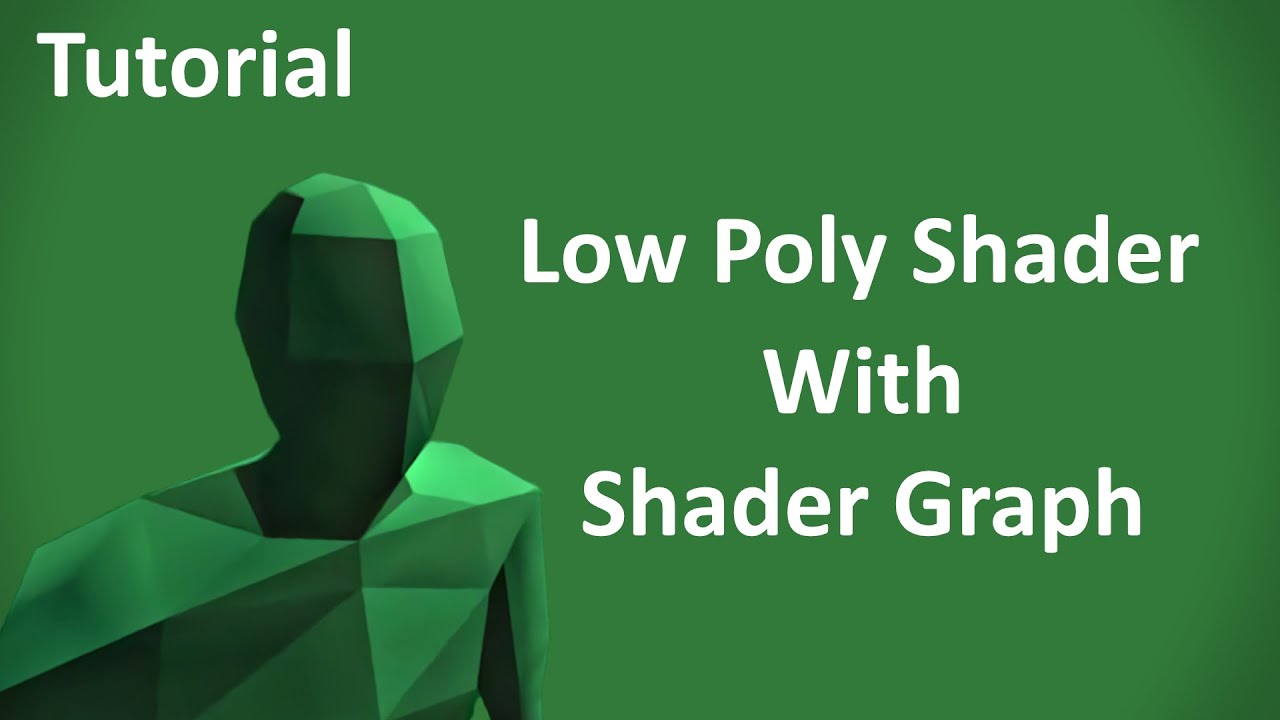
This is how to make a low poly looking shader for Unity3D. The following shader should work with most versions of the Lightweight render pipeline / Universal render pipeline. Sorry if voice is a bit monotone, I made this after just waking up.
Finished Shader: https://drive.google.com/open?id=1-U2xfpvrG_lXh98Whg87qHquD0PEz_tc
Extra video for ad...
Shader Graph is kind new btw.
runic frost
yea i saw that and followed it, i just realized im not properly setting up the shader tho so i think im going to try that first lol
had an issue with the texture appearing as pink, likely to be caused by that
elfin prawn
Did you created the project with the Universal Render Pipeline Template?
Or did you installed the Universal RP package on an existing project?
runic frost
I didn't use the template I just have a normal project and installed the package
So the latter
elfin prawn
You might need to assign a Universal Render Pipeline Render Asset on the Graphics Settings to really use URP
runic frost
I remember having to create a shader config or something and put that in an inspector
ohh yes thats what it was i think
ill try
elfin prawn
Yes, it is nothing too complex but to be honest I would like that it could be done automatically when installing the package. Huaha
https://docs.unity3d.com/Packages/com.unity.render-pipelines.universal@11.0/manual/InstallURPIntoAProject.html
runic frost
cant believe ive been scratching my head for like an hour for that to be the solution lol
well ill definitely remember that now thanks
 gritty zephyr
Is this the right section for fog/lighting?

any suggestions on masking the outter edges of my tiles, preferably fog?
 brittle owl
any good tutorials for shader coding in urp (or just in general)
im quite good at making shaders in shader graph but i'd like to get started with real code based shaders because im looking into some more complex effects
 tacit parcel
gritty zephyr
any suggestions on masking the outter edges of my tiles, preferably fog?
tacit parcel
gritty zephyr
any suggestions on masking the outter edges of my tiles, preferably fog?
curved world if possible, but fog will also work
 main coral
Hello 🤗 Does someone have an idea how to attempt something like anti-aliasing for shadows within a toon shader (or outside the shader, but I don't think there is a way outside the sader):

I'm kinda new to shader programming so i don't know where to start... Maybe with a softstep? 😇
I think anti-aliasing is the wrong word. I just want so soften the edges a tiny bit
tacit parcel
isnt there already an option for soft shadow inside light inspector?
main coral
yeah, but the thing is a draw that shadow inside the toon shader, so the soft shadow doesn't do anything. Or at least thats what I think, since soft shadows are on in the picture above and they don't look so smooth to me. It's not the end of the world but it would be nice to have smoother shadows 😅
tacit parcel
but afaik, unity's builtin toon shader already done that
it can use toon texture lookup (for real time directional light) or cubemap (works without light iirc)
 still ginkgo

 spare wedge
Hi everyone, I would like to do a water puddle shader but I don't know how to do it, can anyone help me to create one ?
 delicate badger
hi there, I try to optimize my VFX and when I run into the Frame Debugger I found that (cf picture).
This shader is made with shader graph, on 2019.4 (HDRP 7.x).
I don't find how to enable batching, could you help me?

 vestal aspen
does anyone one know how to layer 3 different rectangles on top of each other without any transparency?
theyre blending together which i want just on top of each othere
 meager pelican
@delicate badger It might be for instancing instead.
@vestal aspen Sure, use an opaque queue, not transparent. But you're probably going to get z-fighting issues if they're "on top of each other".
delicate badger
meager pelican
<@!327044876975996928> It might be for instancing instead.
Ok but I don't find how to do that with a shader made with the shadergraph
 lean lotus
If I put a pretty large structured buffer as a large texture instead of a large structured buffer, would that be faster to access for a compute shader?(It would have to access this many, many times for every thread)
Startin to grasp at straws for performance optimizations for my compute shader raytracer, got textures working, but it renders scenes like the sponza scene at 0.2 fps with 2 bounces... and idk what to try next to optimize it
meager pelican
@delicate badger Try enabling instancing on the materials that the shader is assigned to.
 ocean bison
I know in code-based shaders I needed to use tex2Dlod to sample a texture in the vertex part of the shader.. I assume thats why it wont let me make this green connection in shadergraph? anyway around it, in shadergraph?

dunno why I couldn't find that node original but it DOES exist in shader graph too
 atomic elm
Has anyone here worked on a water shader with foams? I'm trying to get water intersections working using a guide by Gabriel Aguiar Prod:https://youtu.be/jBmBb-je4Lg
But at the second part where he starts working on the foams, in my project, the foam doesn't appear WITH the water

Unity Shader Graph - Cartoon Stylized Water with Foam Shader Tutorial
In this Shader Graph tutorial we are going to see how to create a cool stylized water with foam! Foam is the hardest part but it gives a really nice touch to the water.
DOWNLOAD HERE: https://www.patre...
 wheat quail


what it should look like every 10 tiles

So i had this working with plain quads.
I set the UVs through script and everything was fine. I tried to make this work with a shader so I can have edge tiles that would just be a mask.
I look at the offset properties of each mat and it looks as expected, between 0-1 incrementing by 0.1. The tiling is set to 0.1.
theres no rotations on the interior tiles.
when i set up a few tiles and test (manually) if the offset works as intended it does. So there must be somethign wrong with my shader graph
meager pelican
@delicate badger Sorry, I think I gave you a bad answer, as there's probably no material.
Did you do this type of thing?
https://learn.unity.com/tutorial/integrate-shader-graph-into-visual-effect-graph#5f570b06edbc2a1ca2b48788
I guess that's still experimental, and I'd try the unity forums if you don't get an answer here.

Unity Learn
With Unity’s Visual Effect Graph, you can integrate Shaders from Shader Graph into your effects. Although currently an experimental feature, it provides new opportunities for enhancing the look and feel of your effects without doing any Shader coding. In this tutorial, you will learn how to create Shaders in Shader Graph that are compatible with...
I was just trying to help, but I didn't realize the VFX side wanted the shader, not the material.
@wheat quail I'm not exactly sure what you're passing and calcing, but I can tell you that each tile won't know about the others. So it would have to know its own cell location in the 10x10 "grid" that you're using, and then start there instead of at its own UV of 0,0 to 1,1. So each tile would have to know its offset from somewhere. Maybe that's the UV set you're passing in, but the math looks suspicious.
I'd start off by making blackboard variables and playing with them dynamically.
But somehow, on one of the UV sets, you'll have to tell each tile that it is (3, 7) or whatever of (10,10). Right? And then do offsets by multiplying by 0.1
Or you could do some kind of worldspace mapping to calc UV's maybe.
 devout sun
@atomic elm Hi mate, I have a channel where I explain this kind of content 🙂 it's in Spanish but has English subtitles https://www.youtube.com/watch?v=kbrNP4akMmg&ab_channel=Jettelly

Que tal JetGuys ! Somos Jettelly Team y en este capítulo crearemos un shader estilo toon para cascadas utilizando Unity URP y Shader Graph.
📁Descarga los archivos del proyecto: https://www.patreon.com/posts/42155988
·································
⭐Ayúdanos a conseguir 50K Suscriptores y liberaremos nuestro curso de Shaders completamente gr...
atomic elm
devout sun
<@!263479107432480768> Hi mate, I have a channel where I explain this kind of co...
Thanks! I'll check it out!
wheat quail
interesting. So it seems to work in the negatives. I think I have to offset my numbers differently in the positives
 meager pelican
Remember that a modulus operator "wraps" things...0123456789012345.... if you do a mod 10 on some calc'ed offsets.
 grand jolt
he, i made vertex displ. shader, but its only working for spheres. i read i should deactivate smooth edges, but its completely reshapes the mesh. what can i do?
 marsh venture
Hello guys do you know how to generate texture 2d array for my shader in unity?
grand jolt
Is it possible to achieve an outline shader for probuilder objects?
grand jolt
I should make myself more clear, I'm looking for a way to highlight the intersection of faces in an object
For example, a cube with flipped normals
delicate badger
meager pelican
<@!327044876975996928> Try enabling instancing on the materials that the shader ...
The option is not available :/ that my big problem ^^
delicate badger
meager pelican
<@!327044876975996928> Sorry, I think I gave you a bad answer, as there's probab...
We are on the old particle system, not the Visual Effect Graph, so there is a material, not only the shader :/
 noble temple

Why my scene is so over-exposed?
Example material settings

Color Space is set to Linear
grand jolt
to many lightsources
 bitter needle
can I make an opaque shader in URP that only render to the depth texture? I want it to be invisible in game, but I need the depth written for post process stuff
 low lichen
@bitter needle You can write a shader that only has a depth pass, but you might also be able to just set the renderer's shadow casting mode to ShadowsOnly. That will make it only be drawn during the depth pre-pass.
bitter needle
depth pass only should be cheaper though, shouldn't it?
I'll check out both solutions, thanks
low lichen
It should end up being the same thing
bitter needle
aight
low lichen
Anything that ends up in the depth pre-pass will cast shadows
marsh venture
@knotty juniper there is any direct code to creating texture array
Like this

Gist
Texture2D Array example, see https://docs.unity3d.com/ScriptReference/Texture2DArray.html - TextureArray.cs
But it show some error
 regal stag
marsh venture
Hello guys do you know how to generate texture 2d array for my shader in unity?
regal stag
marsh venture
Hello guys do you know how to generate texture 2d array for my shader in unity?
I recently made a EditorWindow for creating Texture2DArrays, https://gist.github.com/Cyanilux/e672f328c4cafb361b490a5943c1c211
marsh venture
Thk @regal stag and texture 2d array help in performance improvement?
And can I use texture 2d array in shader?
grand jolt
grand jolt
he, i made vertex displ. shader, but its only working for spheres. i read i shou...
do i just need more vertices?
a sphere and a cilynder

 rustic thistle
Hey guys, I try to rewrite this shader graph part as hlsl, but it seams that I am missing something. For some reason it looks like the Depth Value is returning wrong values, because of the graph is refracting only things behind. My written one is refracting everything? Have someone an idea what is happening there?
 rustic thistle
Hey guys, I try to rewrite this shader graph part as hlsl, but it seams that I a...
rustic thistle
rustic thistle
Hey guys, I try to rewrite this shader graph part as hlsl, but it seams that I a...
Found out I was missing the variable, but still no effect... :/
 meager pelican
delicate badger
We are on the old particle system, not the Visual Effect Graph, so there is a ma...
meager pelican
delicate badger
We are on the old particle system, not the Visual Effect Graph, so there is a ma...
Ohhhhhhh!
You said VFX and I thought you meant VFX GRAPH.
OK.
What pipleline are you in? URP?
URP batches by shader grouping, and it is weird what batches and what doesn't. As to why the shader doesn't allow batching, and doesn't have an option for instancing on the material, I'll have to help research.
Here's a good discussion, again by the immortal bgolus, talking about some details in shuriken and batching/instancing, with input from Unity engineers too.
https://forum.unity.com/threads/clarifying-how-particle-systems-use-instancing-and-dynamic-batching.678445/
And see post # 17 and post 21 in that article too, instancing may not be working for particles in URP for your version, depending on what ver you're using.
Also make sure you enable instancing in the particle system itself. On the Suriken side.
https://docs.unity3d.com/Manual/PartSysInstancing.html

Unity Forum
Hello!
I've been doing some experiments to try and understand better how to optimize draw call count with particle systems. This is particularly...
rustic thistle
Ok, i got it. simply had to use _ZBufferParams in the LinearEyeDepth fuction.
 delicate badger
meager pelican
What pipleline are you in? URP?
delicate badger
meager pelican
What pipleline are you in? URP?
no, we are in HDRP 7.4, Unity 2019.4
meager pelican
@delicate badger See posts 19 and 21 in that first link above. Apparently instancing isn't available in your version. As far as the shader disabling batching, IDK.
IDK how/if it applies to HDRP
It might be true for SRP's in general.
 odd wraith
how do I make a material tile
meager pelican
What pipeline, what shader?
There's tiling and offset on the material properties.
For standard shaders that you don't have to write (they support that out of the box)
lean lotus
is there somewhere by chance that lists reasons why a compute shader is slow?
I am absolutely struggling with my compute shader, its seems to run much MUCH slower than I might think, and idk why, and I dont know where to go/what to do next to try to optimize it
meager pelican
Wow
You'll probably want to check into dedicated GPU debugging software for that.
What GPU?
Nvidia has their tool chain, and AMD has theirs.
And you can get detailed stats on waves and timing and waits and stuff.
Otherwise, you'll have to do it the manual-way....like commenting various parts out and benchmarking in chunks.
The debugging software is a bit to set up, but it's interesting.
odd wraith
meager pelican
For standard shaders that you don't have to write (they support that out of the ...
not workinh
meager pelican
What shader?
odd wraith
meager pelican
What shader?
 meager pelican
Should work unless your C# code modifies the material somehow. I've not seen where the standard shader didn't tile/offset. That's a new one.
odd wraith
meager pelican
Should work unless your C# code modifies the material somehow. I've not seen w...
yes new
meager pelican
Check C# code. What unity version are you using?
meager pelican
Make sure you have the right material assigned to the object you're looking at. Maybe it got messed up.
odd wraith
here only 1 area has it
 odd wraith
meager pelican
Make sure you have the right material assigned to the object you're looking at. ...
odd wraith
meager pelican
Make sure you have the right material assigned to the object you're looking at. ...
here
meager pelican
The white square? Or the bed?
odd wraith
white square
meager pelican
And when you select that object, it's got a material on it called "Floor 1"?
odd wraith
meager pelican
And when you select that object, it's got a material on it called "Floor 1"?
yes
lean lotus
im on a macbook air
Its a ray tracing compute shader im making, but it seems to run so much slower than it should be and idk why... im wondering if im doing something in it really wrong thats resulting in huge slowdowns
meager pelican
Since when isn't ray-tracing slow? Particularly on lower end or mobile GPU's (no offense intended to macbook airs)
It's usually done off-line, not real-time.
That's what those new RTX cards are all about, and they're pricey and also high-end stuff. And mostly for things like reflections, maybe shadows and stuff, not sure. But if you're raytracing entire scenes, it's not going to be real-time.
@odd wraith Make sure the textue is set to wrap mode on the import settings, or play with settings. But other than that, IDK. I'd be surprised if there was a bug like that in standard shader. But not out of the realm of possibility.
odd wraith
meager pelican
<@!567644205757890560> Make sure the textue is set to wrap mode on the import se...
how do I set it to wrap mode
lean lotus
mhm im aware, but the kind of FPS im getting I dont think I should be
for like 3k triangles(with a BVH) and 2 bounces, im getting 10ish fps
meager pelican
@odd wraith Highlight the texture in the inspector's list of stuff/assets and check the import settings.
@lean lotus IDK man. But 10 doesn't sound that surprising to me, to be honest. You can try the detailed debugging tools. You can even trace through shaders with them. There's a learning curve....
It's possible you're doing something that is memory-access bound, or too many loops, but it sounds like you have sane limits.
You might look into loop optimization for shaders. And watch out for conditionals, as "both sides" can often execute depending on the condition.
odd wraith
meager pelican
<@!567644205757890560> Make sure the textue is set to wrap mode on the import se...
what type of wrap mode
meager pelican
Use Repeat
odd wraith
ok
meager pelican
That should be the default, but maybe it got changed. Otherwise, I'm out of ideas.
grand jolt
grand jolt
a sphere and a cilynder
damn
meager pelican
@grand jolt OK, you're displacing verts.
But what's the deal? Not tessellated enough? you have gaps showing up? What?
odd wraith
how can I make a material to be like spots on a ball I have the spots but the material is covering it all
meager pelican
Is tiling working now?
odd wraith
yes
meager pelican
Yay!
odd wraith
working on a ball
meager pelican
OK, so you want a checkerboard pattern with your squares or what?
I thought you were doing a floor
odd wraith
meager pelican
OK, so you want a checkerboard pattern with your squares or what?
I thought yo...
no I have a sprite for some spots and I want them the cover the ball but still show the white bit
meager pelican
Oy. Well, if you're using standard shaders, that's tougher. You may have to author your own texture, with white bits and colored spot bits.
And tiling a texture on a ball is harder due to the problems of mapping 2D rectangles to 3D spherical objects. Sometimes it takes a special 3D model to do that.
odd wraith
meager pelican
Oy. Well, if you're using standard shaders, that's tougher. You may have to au...
will change the material asking to what
meager pelican
This really isn't a shader question, unless you want to write a custom shader. Otherwise, there's sections for 3d in general and a few others on the channel panel.
odd wraith
ok
odd wraith
meager pelican
This really isn't a shader question, unless you want to write a custom shader. ...
how can I make a custom shader
grand jolt
meager pelican
<@456226577798135808> OK, you're displacing verts.
But what's the deal? Not te...
thats what im asking. my shader is breaking the mesh into parts. i dont know how i can prevent the mesh from breaking. i dont know what you mean by "tesselated" since im not using tesselation. i guess you mean "unified normals" are missing. like in this thread: https://forum.unity.com/threads/vertex-shader-breaking-the-mesh-apart.505057/
or do you mean beveled egdes(blender)?
"If the model has discontinuous normals over the surface, then breaks can appear anywhere that the normal stops being continuous. That is, the edges where there is a normal discontinuity may become disconnected."
that would mean that i cannot use vert shaders for cubes
but from the info i cannot calculate the right ammount of edges.
there must be a number from which i can calculate required number of unsmooth edges in order to prevent the mesh from breaking when applying a vert shader.
odd wraith
ok fixed mine
meager pelican
@grand jolt OK. There's a million ways to modify verts, but let's say you're extruding them along the surface normals. So you want to "blow up" or "shrink" a ball or cylinder or whatever. You're actually better off doing that with the transform scaling, but maybe you're doing it in a lopsided way. Bounding a ball and deforming it. Making it have spikes, or whatever.
So say...take Unity's default cube. It's got 8 corners, right? But there's 24 verts. That's because it's duplicating the verts to get the normals on each triangle correct. Probably what that link tells you...didn't read it.
SO...to "blow it up" and extrude it, you have to SHARE verts rather than duplicate them. BUT if you do that, the lighting will be off. Since the verts at the corner will actually be pointing at like a 45 rather than 90 degree angle from a surface. And you get a rounded-lit cube.
SO maybe you should be scaling instead of vertex displacing. OR...you'll need to think more about how verts and normals work. Because surface normals (and the associated lighting for them) are stored on each vert of each triangle in the mesh data.
Unless you use a normal map
grand jolt
first of all thnks for your message. i dont really need lights. the depth buffer would be enough for me, if the depth buffer is even working without a light source
meager pelican
Depth buffer isn't a function of having a light at all, really. So you're OK there.
grand jolt
but why are there even vert shaders if you can only use them for normal maps
meager pelican
Depth is for "Is the pixel I'm drawing occluded by one nearer already?"
No.
Um.
delicate badger
meager pelican
<@!327044876975996928> See posts 19 and 21 in that first link above. Apparentl...
Damned, thx, i will have a look
meager pelican
Vertex shaders set the 3 points on the triangle into worldspace. And then the vert shader outputs something called clip-space, which is similar to a "flat 2D" thing, but without being adjusted for depth yet (a 'perspective divide' happens between the vert() and the frag() stage).
So the vert() is about translating a model into the camera's view properly and smashing it all down into 2D. Perspective divide and Rasterization happens, where pixels are assigned to any triangles that are in-bounds, and then the pixel shader is run for each and every one of those pixels.
@grand jolt
So vert shaders (particularly with interpolating things) are really really handy.
But there's just this logical thing about modeling and sharing or not-sharing verts.
What is it you want to do to that capsule?
grand jolt
yes i understand that now, the verts a re needed for phong shading and stuff, thats why you cannot just displace them
meager pelican
Well, you CAN, depending on how the mesh is modeled.
grand jolt
i wanted to have a little turbulance on a mesh
and then converting it back to the source position
meager pelican
Like it "quivers" or is "jello" or something?
grand jolt
yes
exactly
so i can either change the way of aproaching this, o r i have to change the mesh? right?
but really: thank you, i totaly forgot about: the normals are needed to convert the mesh into world space
meager pelican
OK, what you probably want is to make a model, or find one to download, that has enough triangles to do what you want to do. There is a thing with tessellation of meshes by the GPU to bust it up into small triangles, but let's not worry about that right now.
But the normals will have to be recalculated or the lighting won't look right. And that's a bit harder to do.
What pipeline and shader types are you using?
grand jolt
i have used a lit shader in hdrp (unity v.2020).
grand jolt
meager pelican
OK, what you probably want is to make a model, or find one to download, that has...
yes i will make my model more detailed. thank you very much for your time and to help me understand this!
meager pelican
np.
But I'm looking for a jelly shader.
I can find them for the standard pipeline with tutorials. But although you can do it with graphs, I haven't hit a full tutorial for hdrp.
Cyan has one for a jellyfish. Probably URP.
grand jolt
wow this guy is great! thnks again 😄
meager pelican
This might give you some ideas and things to play with though.
https://www.cyanilux.com/tutorials/jellyfish-shader-breakdown/
Also, to see/read what was done in the old-shader language (Shaderlab) see:
https://heliosinteractive.com/jelly-shader/
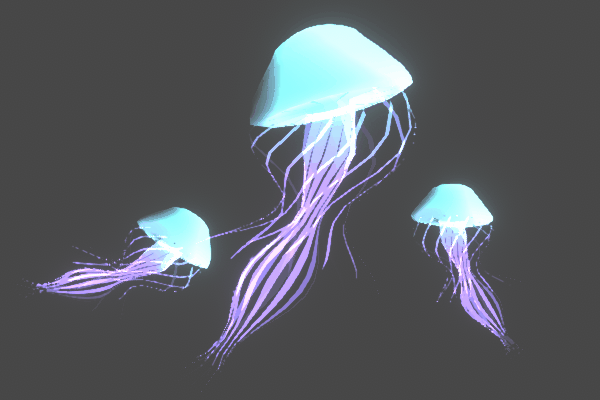
A shader that displaces vertices based on sine waves in order to animate a Jellyfish mesh

In part one of our multi-part series on developing a custom shader for Unity, you'll set up the basic project structure and play around with your new shader's color, smoothness, and metallic values.
grand jolt
thnks man!
ocean bison
I’m using a vertex displacement shadergraph (URP) to draw the water and ground for a terrain. When rendering them as opaque, everything looks fine. However, when I change the shader to be transparent, the color of the water is all messed up. It looks almost like it is showing the SKY behind the water, rather than the ground behind the water. I’m starting to suspect that even though it moved the vertex, it’s NOT updating the depth map properly so it doesn’t realize there is “ground” behind the water- but I’m not really sure about this. Looking for suggestions on what else the problem might be, and how to resolve it. In this image, the top is using opaque- the bottom transparent (the water has an alpha of about 0.7).

also: no idea why the pools look smaller when using transparent
meager pelican
OK, what are you outputting for a color? How do you calc it? What about alpha?
Are you using the scene color node, or are you blending?
The terrain looks OK from what I can tell now.
Transparents don't update the depth, and you don't want it to.,
Probably.
ocean bison
I'm using just static materials colors for the color. I only offset the vertex and compute the appropriate normal.
the alpha comes from that static color- looksing at the A chanel only
meager pelican
What did you set the alpha channel of the water to? Should be some fraction, because color 0 is black, and alpha looks like it's a 1.
But I can't be sure.
meager pelican
Huh. If you set it to .1 does it look "more red"?

 meager pelican
Did you set it to transparent too? (you can't do transparency in opaque queue).
Show graph properties
 ocean bison
thats what I wanted. would like to beable to see some of the ground through the water...
oh
but then I'd see that shadow when set to opaque also.. would I?
meager pelican
Yeah. IDK Maybe show graph.
ocean bison
I compute the normal by looking at my height map input- perhaps incorrectly? ok 1 sec
meager pelican
For the water, you want world-up vector (usually)
Unless you have waves. 😉
For the terrain, you can set it by sampling heights to compute the normal to get your new surface normal for a pixel. But for the water, it's "flat", so it's a normal vector that points up. However that's stored.
 meager pelican
That's not bad. But they're always ugly, because they're graphs. 😄
ocean bison
I wrote a thing to grab it into a png.. but couldn't find it now when I need it! lol
so for normal- i get the heghts of the neighbors from the hieghtmap and use the difference to define the normal in that direction
as a test- I could just omit that. leave em all as 0,1,0...?
meager pelican
lol.
Beautiful. For terain. And that looks like it is working.
But, for water I think you just want "up" but as a normal vector.
Because water is flat.
I'd have to figure out if that's the right value for the normal, but otherwise yeah.
ocean bison
not this water 😉 it "flows" down hils and stuff
has waves too
but lemme try a straight up normal as atest
meager pelican
Oy. OK, well IDK then. Try simplifying and just set the color to blue, and the transparency to .1 or .5 or .7 and see what happens. Then add pieces a bit at ta time. Water to me is a plane, not the hills. But you can certainly offset the plane to get waves and stuff. But I'd assume that's different offset than what you do for the terrain.
I want to know, right now, why it isn't transparent.
ocean bison
same- issue.. just no shading.
 meager pelican
Normals are stored weird.
Are you using the same shader for both? What happened to the terrain?
ocean bison
"I want to know, right now, why it isn't transparent." this is what made me suspect the depth map not detecting the ground might be the problem..perhaps that's the SKY we see through the water?
yes, same shader for both- different mats with different color
meager pelican
Separate out the shaders. I'd make the terrain opaque too.
ocean bison
ahh.. thats a good idea- will try that
oh.. when I turn off the ground- the black DOES go away. I see NOTHING but sky (with water alpha at 0)
meager pelican
GTG for now. Touch base with all of us, but mess around and see what you can find an google.
Alpha 0 won't tell you much.
But the ground should be opaque so it updates the depth buffer.
Water transparent.
ocean bison
you were right on the money about the shadows.. when I turned the shadow off on water (not sure why it was on- oversight) the black wentaway! testing higher alpha for water now!
ok, thanks for the help Carpe - good thoughts!
meager pelican
That means the normal calc is probably wrong for the (flat) water, like we've been saying.
Good luck, others will be along.
There's tons of water shaders and an infinite # of ways to do them.
It's almost as bad as all the outlining questions. 😉 :p
 uncut valve
Sorry if this is a dumb question - say I wanted to modify a float in a shader graph - how would I go about doing that in script?
is the float a property of the material?
meager pelican
Yes. You set the value onto the material for the object.
There's different ways depending, and with SG, IDK where they are with things like material property blocks.
See Material.SetFloat() and cousins.
ocean bison
@meager pelican FYI: shadows OFF on water.. and seperate shaders (ground opaque, water trasp) did the trick!

 restive charm
im probably missing something but... why cant i add any more nodes? not even dragging from an existing thing pops the menu. nothing in console
 sinful shuttle
I was experimenting with trying to get transparent objects that are indoors to receive shadows from my roof so they would not pick up my directional sun light, and in the process of doing that, I tried enabling alpha-test in Amplify, which set the shader order to 2450. When I did this, the transparent objects began to look normal indoors, being dark as they should be, and not picking up the directional light from outside. However, when I went outside the same objects were now showing dithered transparency wherever a shadow was behind them, and on the dark shadowy backside of the object where the light wasn't hitting it. Anyone know why this is happening?
ocean bison
restive charm
im probably missing something but... why cant i add any more nodes? not even dra...
never seen that afore.. I'd try: close & reopen shader, close &reopen unity, reboot, delete libraray folder
uncut valve
looks like I've run out of compilation errors with :
rend.material.SetFloat("fadeAmount", newFade);```so now its just a matter of setting up a lerp, putting it on my objects, and triggering it properly
ocean bison
@uncut valve you might want to use sharedMaterial rather than material if updating it every cycle.. the former does some odd stuff.... https://docs.unity3d.com/ScriptReference/Renderer-material.html
restive charm
ocean bison
never seen that afore.. I'd try: close & reopen shader, close &reopen unity, ...
reopening shader does nothing, making a new shader graph object entirely doesnt do anything either. tried restarting unity (2021.1.6f1), nothing. tried with another unity version (2021.1.5f1, only other version i have installed), still nothing. though, on 21.1.5, i can drag from the output node connector and it does pop up a create node menu - in the top left corner (of my monitor)....
just tried a brand new project, still nothing
ocean bison
that is so strange.. hmm I don't know what else to suggest. perhaps time for some OS checks? like chkdsk?
restive charm
hmm, ill try restarting & updating 🤷
uncut valve
ocean bison
<@!632694672191389767> you might want to use sharedMaterial rather than materia...
I've tried both now, in the hopes that as you suggest, getting the material through the renderer might act strange, but alas, the float won't set 😦
restive charm
restive charm
hmm, ill try restarting & updating 🤷
still nothing, currently installing 2020 lts version, 🤷
uncut valve
using System.Collections;
using System.Collections.Generic;
using UnityEngine;

public class dissolveController : MonoBehaviour {
    Material mat;
    public float fadeTimer = 0;
    public bool isDissolving = false;

    void Start () {
        mat = GetComponent<MeshRenderer> ().material;
    }
    void startDissolve () {
        fadeTimer = 0;
        isDissolving = true;
    }

    void Update () {
        fadeTimer += Time.deltaTime;
        if (fadeTimer >= 1) {
            fadeTimer = 1;
            isDissolving = false;
        }
        if (isDissolving) {
            mat.SetFloat ("fadeAmount", fadeTimer);
        }
    }
    void OnTriggerEnter (Collider col) {
        if (col.tag == "playermanipulator") {
            startDissolve ();
        }
    }
}```
I'm not sure if setfloat is working properly - that seems to be the stop gap herethis isnt the final implementation, just a test script on a test object to see if I can get it working 😛
ocean bison
@uncut valve well either should work, but one could might uneccessary materials.. just gtta be careful about that.. re it not changing the value from script.. first make sure the property is EXPOSED in your shader, AND that the REFRENCE name (not the "regular" name) of the property matches the string you use in code
uncut valve
ocean bison
<@!632694672191389767> well either should work, but one could might uneccessary ...
ahaaaa I will try the reference name
ty
Yep that works, you da man, man.
ocean bison
🍒
uncut valve
mat.SetFloat ("Vector1_f6718bbfab304664aed84889e25e9d67", fadeTimer);```ugly but it works 😄
ocean bison
hehe.. you CAN change that in the shader ya know.
uncut valve
thats a better idea in fact.
I'm still pretty new with shader graph, papa brackeys leaves a lot of his shader graph tutorials like "Okay now you're free to experiment!"
but like.. i need to know more lol
ocean bison
now that you have that working check out https://docs.unity3d.com/ScriptReference/Shader.FindPropertyIndex.html for faster proprety access by ID number.
uncut valve
neat
restive charm
lts version kind of works.. the create node popup apears in random places on my monitor, though it does consistently show up. except my project wont automatically convert to it. nice
ocean bison
@restive charm since it doesn't happen on a newly installed version, and it only happens with the new version on your computer (not ours).. this points toward a corrupted installation.
restive charm
yeah. ill try reinstalling 21.1.6
 worldly talon
Hi guys.
Do you know an efficient way for blur in mobile? I want my ui background become blur and the hard thing for me is that there is other ui element behind my background.
ocean bison
restive charm
yeah. ill try reinstalling 21.1.6
yuk! but not sure what else to suggest 😢
uncut valve
argh I think I'm going to have to use a list to use the effect on my prefabs, since there's.. five models with materials
Orrrrr I make a simplified model to swap out while animating.. then I don't have to swap materials around
 lethal fern
I'm using URP, would anyone know why this shader ```
Shader "Universal Render Pileline/Custom/EdgeGlow" {
Properties {
}

SubShader {

    Tags { "RenderType" = "Opaque" "RenderPipeline" = "UniversalRenderPipeline" }

    Pass {
        HLSLPROGRAM

        #pragma vertex EdgeGlowPassVertex
        #pragma fragment EdgeGlowPassFragment

        #include "Packages/com.unity.render-pipelines.universal/ShaderLibrary/Core.hlsl"

        struct VertexInput {
            float4 objectPos : POSITION;
        };

        struct VertexOutput {
            float4 hcsPos : SV_POSITION;
        };

        VertexOutput EdgeGlowPassVertex(VertexInput input) {
            VertexOutput output;
            output.hcsPos = TransformObjectToHClip(input.objectPos.xyz);
            return output;
        }

        float4 EdgeGlowPassFragment(VertexOutput input) {
            return 1;
        }

        ENDHLSL
    }
}
}``` Would give this error?

 shadow locust
I don't think you can just return a float4 - you need a struct type with semantics
lethal fern
but isnt that what this bit is? struct VertexOutput { float4 hcsPos : SV_POSITION; };
shadow locust
yes but the return type on your fragment shader is just float4
lethal fern
im pretty much just going from this
which uses half4
i replaced float with half and still same error
its got something to do with the vertex shader but idk what im doing wrong
theres no docs for urp from what I can tell
 shrewd crag
restive charm
im probably missing something but... why cant i add any more nodes? not even dra...
shrewd crag
restive charm
im probably missing something but... why cant i add any more nodes? not even dra...
try restarting the editor
shadow locust
You are meant to use Shader Graph
as the shader APIs are still in flux for URP and HDRP
shrewd crag
lethal fern
I'm using URP, would anyone know why this shader ```
Shader "Universal Render Pi...
you should probably be using shader graph
lethal fern
shadergraph is really hacky in my experience
getting lighting info and stuff
just feels hacky
shadow locust
It's the best bet right now ¯_(ツ)_/¯
restive charm
shrewd crag
try restarting the editor
have done, restarted editor,pc. tried new project. tried different versions. tried reinstalling the same version
shrewd crag
worldly talon
Hi guys.
Do you know an efficient way for blur in mobile? I want my ui backgroun...
there are assets for image and other effects in canvas
lethal fern
not to mention depth/stencil stuff
shadow locust
If you want a stable and documented shader api for hand-writing shaders you should stick with built-in for now
lethal fern
yeah I guess
uncut valve
a video of it working 😄
uncut valve
ocean bison
🍒
lethal fern
shadow locust
because URP is just not up to snuff yet
which i hate, shadergraph is great for simpler stuff
but I want to hand write other stuff
well thanks ig
shadow locust
tell me about it - I'm waiting eagerly for StructuredBuffer support
I tried handwriting URP shaders too because ShaderGraph doesn't have it
I failed
lethal fern
im looking at 2 seemingly identical shaders
like line for line identical
and one works the other doesnt
shrewd crag
is this the kind of edge glow you're talking about @lethal fern ? https://www.youtube.com/watch?v=UkqVNjw2IR8

Use the Shadergraph tool to create a custom shader that applies a glow to the edge of our object.
Asset Pack used in scene: https://assetstore.unity.com/packages/3d/environments/landscapes/lowpoly-environment-pack-99479
Created by Korveen
or like an exterior outline
vfx graph is also really nice
lethal fern
shrewd crag
is this the kind of edge glow you're talking about <@!186185272302501888> ? http...
the actual shader was just a test, im just trying to learn how to write urp shaders by hand
the shader is irrelevant, i just picked something that sounded interesting
but thank you ill look at that
@shadow locust : SV_Target
i missed that
on my fragment shader
that was all
im so dumb
wheat quail
What i want to do is rotate my masked image. right now im rotating it then masking it. What do i do? add, multiply, is there like an image node?
 atomic elm
What could be causing this sort of visual?

 minor pewter
 eager folio
@atomic elm transparent shaders don't write to the depth buffer so they don't sort very well.
You can try changing the queue manually
atomic elm
eager folio
You can try changing the queue manually
How would I do that?
Nevermind, I found it. Thanks.
The issue now is that it's having that depth issue with itself
 atomic elm
Unfortunately when I try to make this shader opaque, it just becomes white
meager pelican
Transparent things draw back-to-front.
And that waterfall is drawn first, and the "pool" is drawn 2nd. Overwriting the waterfall.
eager folio
Yup
I'm not sure why it needs to be transparent, if you can't see through it. Is there anything special about it?
meager pelican
You can draw opaque if you want opaque water... in normal shaders. IDK if you can set this to write to the depth buffer from the opaque queue.
I don't SG a ton, frankly. Drives me nuts.
But that's not a slam, it's me.
atomic elm
Yeah, I'm not too familiar with shaders at all really lol
atomic elm
eager folio
I'm not sure why it needs to be transparent, if you can't see through it. Is the...
Honestly, it could be opaque, but when I set the surface to Opaque, it just becomes white. I'm going to mess around with some of the blend mode settings to see what happens
meager pelican
Is it some big complicated water shader with reflections and refraction that ends up looking like spaghetti? Or can you post a pic of it?
atomic elm
Here's a view of the graph

This was the guide I was following https://youtu.be/kbrNP4akMmg
Que tal JetGuys ! Somos Jettelly Team y en este capítulo crearemos un shader estilo toon para cascadas utilizando Unity URP y Shader Graph.
📁Descarga los archivos del proyecto: https://www.patreon.com/posts/42155988
·································
⭐Ayúdanos a conseguir 50K Suscriptores y liberaremos nuestro curso de Shaders completamente gr...
meager pelican
Yeah, that's what I thought. I can't read it. lol. This is a pet-peeve.
OTOH, SG has some nice features too, and is more future-proof than any shader you write by hand, theoretically.
eager folio
That graph is way too tiny to read but I can see you don't use rhe alpha channel. So I'm guessing it is transparent to use the scene depth texture
And thats why itvturns white when you make it opaque
meager pelican
The video says he's doing depth of elements under the water. Probably adding white. So yeah, he wants that depth texture.
You could just do maybe some offset to the queue like opaque+10 or something. IDK if SG lets you do that like regular shaders. I should fire up unity but I'm being lazy. Will google.
@atomic elmand like @eager foliois saying, the opaque depth map is produced in opaque and it is drawn the other way...from front to back. So the water got drawn first.
And was missing the depth info.
eager folio
More that if you set it to opaque, it writes to the depth map so it reads its own depth. You could probably have it on a higher queue, yeah. I think Cyan did a post on that.
atomic elm
Thanks guys, I'll try out these tips
meager pelican
It doesn't write to the depth until it's done with the pixel. 😉
eager folio
Of course if the waterfall doesn't nead edge foam(it doesn't seem to be used in your screenshot) you can take that part out for the waterfall and have that be a separate opaque material from the flat water planes
meager pelican
It's a pretty cool looking toon water shader. I added that site to my "look at their videos" list. I get to practice listening to Spanish while reading the CC too.
grand jolt
meager pelican
Vertex shaders set the 3 points on the triangle into worldspace. And then the v...
i found out that i did not convert the position to worldspace in the end. so it actually works now. thnks for your support. so if I write a vert shader, its always required to convert the normals right? because overriding the properties that are required to make the object even visible also means that you have to recalculate them (in to worldspace) in the end
 meager pelican
Yeah, vertex outputs clipspace to the next stage.
So you're going to have to do that vert math in the vert shader to transform the local vertex from the model into clip space. Sometimes you can just do it all at once, or at other times you do it in stages. Magic 4x4 vector math. Unity supplies a float4x4 matrix (several really) and they have a macro you use.
But somehow you have to go from local through the objects Transform and end up basically rotating the world around the camera, and then spatting it into clip space by knowing the camera's view, thus getting ready to shove it flat onto the 2d screen. Conceptually. IIRC. There's a "perspective divide" and stuff that happens between the two stages. And interpolation happens with that structure you pass between them, so you can lerp stuff, like colors, UV's or coordinates. Then each pixel gets its own unique set of interpolated values.
And it all works together in hardware and programmable stages, and ends up massively paralleling all these pixels at once.
Pretty cool and fun black art.
grand jolt
ending up calculating matrices is the worst possible thing that could happen to me hahahah. i read this book about camera clipping once.........😭
marsh venture
@half remnant use noise map or any other mask map in lerp T
U can do with the help of nested lerp with different mask map for blending the different texture @half remnant

In this tutorial about Unity 5 and Amplify Shader Editor (ASE) I show how to create a shader with 2 textures (one is overlaying the other one) and a mask that defines, where the overlay texture is visible: https://www.assetstore.unity3d.com/#!/content/68570
See my social profiles here
G+: https://plus.google.com/+JayAnAm
Twitter: https://twitte...
@half remnant This video give the basic understanding of lerp
Wait a for 5 minute I give you some screen shot
Or more minutes lol
No problem u understand one by one when day pass+ keep on doing on your work
First mask map is the blue print which texture should place in which position of mesh @half remnant
Mask map whether be in black, white, gray or LIKE SPLAT MAP
mask map example

splat map example

@half remnant i will see u later
devout sun
Hi everyone, I made this shader using Cg language https://twitter.com/jettelly/status/1390878257503932418

You know what guys? we love what we do ! we're working on some techniques to achieve volumetric transparent surfaces in Unity. Do you want a Candy? 🍭
More videos --> https://t.co/AG3ETb2klS 👈
#madewithunity #indiedev #unity3d #gamedev #shaders #indiegaming https://t.co/YeAQsqnqPj
 Twitter
·
Twitter
·
I'm trying to reproduce a "candy" surface
 brave oxide

Hey anyone know why my skybox is totally green?
I tried change skybox texture but same :/
Im using URP
Fixed
bad shader type
 onyx jungle
Anyone know how to check the distance between a vertex and a game object?
I tried passing in an object's position to the shader and did a distance() between the obj and vertex, doesnt seem to work

This is my current thinking
meager pelican
IDK why that wouldn't work, but your description isn't specific enough.
distance() is an built-in function in HLSL.
But distance to what?
You probably need the worldspace positions, and you also need to understand that the object's origin may not be where you think it is.
Are you talking about a vertex on the same object, or a vertex to some-other object?
If on the same object, all you're getting is the object-space distance of the vertex to the object origin. Unscaled. You can get a distance in worldspace by transforming it and transforming (0,0,0) and doing a distance().
(note, you edited/added a code snippit after this)
onyx jungle
Thanks for your reply

here is me passing a transforms position to the shader every update

Stored as a vector
meager pelican
OK, but that's going to be a worldspace position. Is v.vertex in worldspace in the 1st code sample above? Did you transform it to worldspace or get worldpos passed in?
 onyx jungle
meager pelican
OK, but that's going to be a worldspace position. Is v.vertex in worldspace i...
onyx jungle
meager pelican
OK, but that's going to be a worldspace position. Is v.vertex in worldspace i...
nope I did not do any transformations
 meager pelican
Therein lies your problem.
It's like mixing metric and imperial measurements, you have to convert to similar things.
onyx jungle
I could try transforming the position in the script first like this
onyx jungle
meager pelican
Therein lies your problem.
It's like mixing metric and imperial measurements, y...
I see

Kinda like this?
A quick google search brought this up
although nvm
this was done in C#
I want to convert it in the shader
meager pelican
This is the standard pipleline, right?
 meager pelican
Lemme see if I can find you the macro, or if you can just have unity send it to you. I think if you use "worldpos" as a variable, the engine will plug it in for you! Something like that.
But yeah, you can do that conversion you're showing too.
This this a Surface shader or vert/frag?
onyx jungle
float3 worldPos = mul (_Object2World, v.vertex).xyz;
onyx jungle
meager pelican
Lemme see if I can find you the macro, or if you can just have unity send it to ...
vert
meager pelican
Yes, that works, but I'm trying to have a way to avoid it in the first place. Sec
onyx jungle
meager pelican
Yes, that works, but I'm trying to have a way to avoid it in the first place. S...
ok, cheers bud
ok @meager pelican I got that part working, distance checking is working nicely now
But I have one more question if possible
meager pelican
OK, shoot.
onyx jungle

As you can see
the gameobject further away
when it gets closer the mesh is deformed in that direction
however its fairly sharp
I would like to smooth the vertices out if possible. I can attach more screenshoits one sec
 meager pelican
It looks like you need to scale the deformation according to distance. That looks like some kind of hard-step you're doing.
onyx jungle
meager pelican
It looks like you need to scale the deformation according to distance. That look...
yea exactly
yea at the moment I am just checking if the distance is less than a certain threshold before multiplying that vertex by some scalar value
meager pelican
Like because you have displacement value. You need to scale that as a % of the distance, and maybe have a slider for "strength" that is a multiplier.
onyx jungle
I need to maybe lerp somehow
onyx jungle
meager pelican
Like because you have displacement value. You need to scale that as a % of the ...
yes yes yes, exactly
this is what I am wanting
hit the nail on the head
would I lerp between the distance and some strength value maybe?
meager pelican
Lerps are good. You may need to clamp the results.
Well, you know that dist is > influenceDistance so you can just use that as a % and multiply by your displacement. Maybe inverted. I don't have enough caffeine yet. But yeah, lerp or some maths. I'd add a slider to scale the whole operation, kind of like scalable gravity. So some black-balls may be more massive than others.
onyx jungle
meager pelican
Lerps are good. You may need to clamp the results.
Well, you know that dist is ...
how do you mean use it as a %?
meager pelican
Um, the T value of the lerp, or just some scalar.
onyx jungle
oh ok, I understand now what you mean
ok thanks for your help, ill give it a shot myself now and come back to you
meager pelican
🙂
 meager pelican
Just try (1-(dist/influenceDist)) but if that's right then your if is backwards in the code, because dist should be <= influence dist. But think about it.
So take that and multiply it by the offset amount that you multiply the normal vector by.
onyx jungle

I mean I tried adding some scalar values to control it
which helped but this is also weird
onyx jungle
meager pelican
Just try (1-(dist/influenceDist)) but if that's right then your if is backwards ...
ill try this
meager pelican
You want to offset the verts in the direction of the black ball, right?
onyx jungle
yea exactly
meager pelican
So you'd take the positions of each, subtract them, and normalize the vector to get a unit-vector that you can multiply by.
onyx jungle
meager pelican
So you'd take the positions of each, subtract them, and normalize the vector to ...
subtract them from what?

This was my current thinking
meager pelican
each other. Black ball - red ball. Or whatever. In worldspace. So that gives you a directional vector. You normalize it to get a unit vector, that gives you the right direction with a magnitude of 1. And thus, you can multiply that by the amount of "pull" you want and get the offest to add to the point.
onyx jungle
meager pelican
each other. Black ball - red ball. Or whatever. In worldspace. So that gives...
I mean, I still want the verticies to move along their own normals
wait let me draw something

Kinda like this
imagine both are perfect spheres
meager pelican
Yeah but you don't really want them to change according to their normals, I don't think. Otherwise points on the "bottom left" of that big circle would move left and down AWAY from the small circle.
onyx jungle
meager pelican
Yeah but you don't really want them to change according to their normals, I don'...
hmm, I sort of see what you mean
meager pelican
You can research metaballs too. That's interesting. They even merge with each other.
But they're all signed-distance fields.
onyx jungle
ok
so sorry, one more time, what would you reccoment
getting the normal vector
with reference to the black ball
meager pelican
I don't recommend the normal vector for displacement. And least I don't think I do with insufficient caffeine.
:p
So I'd offset according to "pull direction"
onyx jungle
thats currently what I am doing I believe
Calculating distance between the pull position vector and the vector
and then offsetting a vertex based on this distance
I dont necesseraly need the vertex to pull directly to the black ball
just create sort of a wave underneath the ball on the surface
meager pelican
newVert = oldVert + PullVector * distanceScale * StrengthSlider;```OK
Then you can split the diff with a slider.
meager pelican
NormalVectVert = oldVert + NormalVector * distanceScale * StrengthSlider;
And then lerp between the two with a slider or something.
onyx jungle
This is handled in the normalize?
meager pelican
You need the distance calc, and releative to the influenceDistance to know "how close" our "too far away" you are
onyx jungle
so I should keep the distance check if statement in
meager pelican
So if you're right up next to it, it's stronger than if you're near max distance, right?
onyx jungle
and then put your code within?
onyx jungle
meager pelican
So if you're right up next to it, it's stronger than if you're near max distance...
yea exactly
meager pelican
So you're scaling the offset by dist/influenceDist which is near 1 at the far-away point and near 0 up close, so you need to 1 minus that. So (1.0-value) and "invert" it, so closer is 100% and farther is approaching 0% Then just scale of amount of offset by that.
 meager pelican
As to what direction, you're going to have to find a solution you like. You can use the surface normal, but that won't look right IMO, or you can use the direction-to-object.
onyx jungle
meager pelican
As to what direction, you're going to have to find a solution you like. You can...
yea I can handle this part, cheers.
unsure of the properties of newVert and oldVert
meager pelican
Yeah, you just need to do that distanceScale with teh 1-dist.
meager pelican
Yes, or maybe the worldspace version of that.
meager pelican
yes
onyx jungle
and for dist/influenceDist
what should I put here
just the distance for dist?
from the earlier calculation
meager pelican
Yep
meager pelican
The "gravity direction" that you normalized * some strength.
 onyx jungle
meager pelican
The "gravity direction" that you normalized * some strength.
onyx jungle
meager pelican
The "gravity direction" that you normalized * some strength.
do this?
meager pelican
OK, so "PullVector" is what I just called gravity direction.
onyx jungle
yup
I have assigned variables for both the center of the red ball and the black ball
for _CenterPos and _PullPosition
 onyx jungle
meager pelican
But you want the vertexPos, not center Pos MAYBE. Or maybe not. Up to you.
onyx jungle
meager pelican
But you want the vertexPos, not center Pos MAYBE. Or maybe not. Up to you.
hmm, ill try both
onyx jungle
meager pelican
That's that 1-% stuff.
forgive me but I dont remember the 1-% stuff
meager pelican
Which you called out, but you need to do that earlier
onyx jungle
?
meager pelican
Change "Out" to DistanceScale.
Move it up 3 lines.
onyx jungle
oh, gotcha
and then I lerp between the newVert and the NormalVectVert?

Moved it up
meager pelican
Sure, if you want. Or do something else. That's you coding. 😄
meager pelican
I'd make that another slider with some named value.
onyx jungle
what, just another strenght property?
meager pelican
Or try distance scale, or the inverted version (without doing 1-)
There's no "rule" really, it's all "if it looks good, it is good" stuff.
There are more-standard ways, see your googles for metaballs.
 meager pelican
Lerp does work in shadres, yes! It's very powerful, but it's not clamped like in C# so be careful.
onyx jungle
no i didnt mean lerp
meager pelican
Abs works too.
onyx jungle
I meant ab
abs
ok good

fun stuff
I guess newVert shouldnt be a float3
although its utilizing vectors
meager pelican
But DistanceScale should be positive anyway. due to your if.
You're missing a ; on the end of the distanceScale calc.
onyx jungle
oh haha, thanks

just getting more of the same
ill try changing some things around
meager pelican
What do you have for strength and whatnot? The sliders?
onyx jungle

Inflluence distance is high I know
but its on a large scale
so it makes sense
like the red sphere is 1000 units wide
meager pelican
Use pastebin or hatebin, post your shader please.
onyx jungle
sure one sec
idk if this is how you are meant to upload it
Pastebin
Pastebin.com is the number one paste tool since 2002. Pastebin is a website where you can store text online for a set period of time.
there is a link
meager pelican
No, but I don't mind since the new format for discord
onyx jungle
ignore alot of the variables in there
meager pelican
starting unity. Please die waiting.... 😉 (Skeleton at keyboard)
onyx jungle
meager pelican
starting unity. Please die waiting.... 😉 (Skeleton at keyboard)
thanks haha :0
appreciate the help by the way
I am relatively new to shader work
I have sort of been building my way up
meager pelican
It's waiting on a cache server I don't have for some reason.
onyx jungle
haha
btw I have a script which updates the position of the second ball in edit mode
do you want me to attach that or are you ok
meager pelican
Gimme your two transforms for the balls, please.
I'm good right now.
onyx jungle
its just a simple setvector in update with runineditmode checked
meager pelican
I'll expose the variables and plug manually
onyx jungle
meager pelican
Gimme your two transforms for the balls, please.
I'm good right now.
they are just simple spheres one has a more dense mesh to make the effect smoother
you can place them anywhere
mine is on a large scale but really you can recreate this with just one sphere above another
meager pelican
I know, but I'm trying to recreate YOUR VALUES so we have same scale. 😉
I'll use unity spheres
onyx jungle
I can provide the mesh also
meager pelican
Nah
onyx jungle
meager pelican
I know, but I'm trying to recreate YOUR VALUES so we have same scale. 😉
I'll us...
ok sure
meager pelican
Just locations, scale

 meager pelican
Does the black hold deform, or just the red-planet
meager pelican
Second, almost set up
OK, converting the variables to properties, almost done.
No script needed.
Include file ignored, not used now.
onyx jungle
yh of course
meager pelican
OK, I have a red ball, black ball, camera with 20000 far plane, no include needed, no script.
Trying to get shader to work out.
onyx jungle
sounds like my setup
meager pelican
Please stand by. One moment please. Your regular programming will resume soon
onyx jungle
haha, cheers xD
meager pelican
What are you seeing? Are you getting distortion?
 meager pelican
OK, first off, IDK where your red-sphere color is coming from.
I get this (taking screen shot)
 onyx jungle
what do you mean you dont know where the colour is coming from?
I just gave the mat a colour
meager pelican
The calc is diff. See how mine is "flat red"? Maybe you have that noise function working or something.
onyx jungle
I have shaded wireframe turned on
meager pelican
Oh, lol
onyx jungle
lmao
meager pelican
OK, and highly tessellated ball.
onyx jungle
yup
meager pelican
lol

 meager pelican
Do those values look reasonable for what your script is setting?
onyx jungle
my script is only setting the position of the moon
meager pelican
Sec
onyx jungle
do you want me to send you the script also
meager pelican
You can pastebin it.
onyx jungle

Its literally this
just in update
set pullPosition to the black balls position value
and have execute in edit mode on
There you go
meager pelican
OK, but I plugged in the values in the editor (as you see above). And I have the balls at those positions.
onyx jungle
make sure always update is on
meager pelican
Hang on 🙂
 meager pelican
Yeah I posted them above, basically. Edited some to match yours
sec
Pasting script
onyx jungle
meager pelican
these are not the same as mine
onyx jungle
onyx jungle
these are mine
onyx jungle
meager pelican
these values wont produce anything
bump influence distance up to at least 1500
meager pelican
I did, but I'll mess with it again, getting your script to work.
For me
OK, I got it started. Had to go to 1800's for some reason.
sec
Well, I'm just fixing up my script because names didn't match up.
please be patient.
Also IDK where you set the ref to the pullObject but I've made it public.
onyx jungle
yea ok no worries
meager pelican
OK, I finally got to the shader code.
I see what is going on.
You are manipulating the vertex in LOCAL space. Then converting that to clip space.
onyx jungle
ah I see
meager pelican
But the normal won't match from local space to worldspace, among other things, if it's rotated.
It's not but it could be.
And the worldpos thing will be screwed up.
Sec
If you try rotating the red-ball in unity, you get to have even more fun. Still not matching the way we have it now.
We might need to pass in a diff matrix, or calc one to invert things.
 peak wyvern
My material is distorted (its on a quad) pls help this,, is how it should be:

Thats howw it is:
 meager pelican
@onyx jungleParticularly when we multiply by worldspace sizes in that huge scale, and then apply it to local space! That's why you get those huge distortions, since your scale is x1000
The UnityObjectToClipPos() applies the scale, and we do that LATER. So for a unity sphere, we're applying offsets that are x1000 times too high. lol
onyx jungle
meager pelican
The UnityObjectToClipPos() applies the scale, and we do that LATER. So for a un...
oh ok
so what should I do?
meager pelican
It won't work by itself, need other changes.
But I'm brain farting.
Sec
I put lighting on it to see the normals in a sane way.
Your frag can be as simple as:
o.color.rgb = _NoiseColor * Lighting;
But you'll have to set up a vector property for _LightingDir
meager pelican
I've almost got it.
The lerp isn't working between normal-type and directional-type.
@onyx jungle
onyx jungle
ok cheers @meager pelican
I am currently just out right now so I cannot respond for 30 or so minutes
REALLY appreciate this help however
meager pelican
OK
meager pelican
@onyx jungleIt was fun, I'm just rusty.
v2f vert(appdata v) {
    v2f o;

    o.normal = UnityObjectToWorldNormal(v.normal);
    float4 worldPos = mul(unity_ObjectToWorld, v.vertex);

    float wsDist = distance(_PullPosition, worldPos);

    if (wsDist <= _InfluenceDist) {
      float3 pullVector = _PullPosition - worldPos;
      float wsDistanceScale = (1 - (wsDist / _InfluenceDist)) * _StrengthSlider;
      float3 newVert = worldPos + pullVector * wsDistanceScale;
      float3 normalVectVert = worldPos + o.normal * length(pullVector) * wsDistanceScale;

      worldPos.xyz = lerp(normalVectVert, newVert, _DirectionLerp).xyz;
    }

  o.vertex = mul(UNITY_MATRIX_VP, worldPos);  // WorldPos to clip space  THIS IS THE TRICK TO MANIPULATING IN WS
      o.noise_uv = v.vertex.xyz;
      o.uv = 0; // <<== do something with this if you want, but always initilize all output variables.
      return o;
  }

  void frag(v2f i, out f2g o) {
      float Lighting = dot(i.normal, normalize(_LightDir));
      o.color.rgb = _NoiseColor * (Lighting +0.1);
  }
Test it out. May not scale/rotate properly, but it may. I added a slider for the lerp.
_DirectionLerp("Normal vs Pull Direction Lerp", Range(0, 1.)) = .5
And the define as a float _DirectionLerp;
Changed some stuff around.
I'm out of time too. 😉
As they say...."Cheers". 🙂
lean lotus
Well ive opened up my ray tracing compute shader in RenderDoc, but idk what im looking at, but almost all of the time taken is in that compute shader... looking for optimizations and debugging of compute shaders is so annoying... I see I have a few structured buffers that are around or greater than 1 million in length, would these be better stored as textures?(They get referenced/read a LOT of times per frame)
Is there anything with the memory or data layout or anything I can do to optimize this as well?
Im so lost for ways to try and optimize this any more...
 velvet raft
Does anyone know why it isnt letting me srt a reference
 regal stag
velvet raft
Does anyone know why it isnt letting me srt a reference
regal stag
velvet raft
Does anyone know why it isnt letting me srt a reference
In v10, the settings for each property is found in the Node Settings tab of the Graph Inspector window. Need to have the property highlighted in the blackboard or graph.
 velvet raft
ok thank you
onyx jungle
meager pelican
<@!230367595188977676>It was fun, I'm just rusty.
```CS
v2f vert(appdata v) {
...
wow ok cheers, ill give it a try now
sorry for not replying
I was out
velvet raft
i have this effect on my second camera

this is my second camera

but the bloom is not working
does any one know why this is
regal stag
@velvet raft The Post Processing package (PPv2) does not work with URP. It has it's own built-in volume system instead. There's a "Volume" script, see documentation here : https://docs.unity3d.com/Packages/com.unity.render-pipelines.universal@11.0/manual/integration-with-post-processing.html
velvet raft
regal stag
<@!705371169997455410> The Post Processing package (PPv2) does not work with URP...
is there anyway i can make the bloom only effect objects renderd on 1 of the cameras
regal stag
velvet raft
is there anyway i can make the bloom only effect objects renderd on 1 of the cam...
Can use the Post Processing tickbox if you want to disable it completely for a camera. Otherwise, there's the Volume Mask (under Environment on the camera) which acts similar to how the Post-process Layer worked in PPv2.
meager pelican
You can "chain" lerps together.
https://forum.unity.com/threads/blend-multiple-textures.958744/
Unity Forum
I'm new to shaders, in general, and new to Shader Graph especially, so I'm trying to figure out how best to blend an entire array of textures (around...
meager pelican
There's no way for us to tell, really. Too much info missing.
Maybe someone will have a good guess.
But we can't tell what you're doing, really.
At least I can't. I shouldn't speak for others.
 tawdry tulip
Does anyone know if there is a way to change albedo in autodesk interactive shader so i can lerp from solid color to texture color?
no shader graph
grand jolt
I'm using URP and recently these specific prefabs started snapping back and forth. Both are URP/Lit Shaders that came with the asset pack, untouched. Why is this happening ? https://screenrec.com/share/0tOISxYhXF

Recorded with ScreenRec
grand jolt
grand jolt
I'm using URP and recently these specific prefabs started snapping back and fort...
update : It was transparent as default. Making it opaque worked.
odd wraith
how do I access this menu

 noble bobcat
odd wraith
how do I access this menu
noble bobcat
odd wraith
how do I access this menu
try looking for shader graph in the package manager or if you are using urp ou something like that just right click into the assets area and go into shaders and create a shader from there
odd wraith
which
 odd wraith
noble bobcat
try looking for shader graph in the package manager or if you are using urp ou s...
odd wraith
noble bobcat
try looking for shader graph in the package manager or if you are using urp ou s...
which of these^^^^ or not from here cause from the tutorial double click opens script
 odd wraith
noble bobcat
try looking for shader graph in the package manager or if you are using urp ou s...
odd wraith
noble bobcat
try looking for shader graph in the package manager or if you are using urp ou s...
wait mine is a standard shader does it have to be one of the other (I have 2020 version)
 odd wraith
I can't open it and he is using it
noble bobcat
@odd wraith check that link
odd wraith
I don't have those choices
odd wraith
noble bobcat
<@!567644205757890560> check that link
How can I get those choices
regal stag
odd wraith
wait mine is a standard shader does it have to be one of the other (I have 2020 ...
Those options are for shader code. You are looking for Shader Graph, which is installed separately. It's only available in the Universal RP and High Definition RPs and automatically included alongside installing those packages. They require a bunch of changes to the project though, so be sure you want to upgrade. For URP see https://docs.unity3d.com/Packages/com.unity.render-pipelines.universal@11.0/manual/InstallingAndConfiguringURP.html
You can find more info here : https://www.cyanilux.com/tutorials/intro-to-shader-graph/#install
odd wraith
regal stag
Those options are for shader code. You are looking for Shader Graph, which is in...
^
regal stag
Updated versions would be better, but any would let you use Shader Graph. The version in the package manager also depends on the current Unity version being used.
odd wraith
regal stag
Updated versions would be better, but any would let you use Shader Graph. The ve...
where do I install it from cause I'm stuck in a maze
marsh venture

Hello guys , I have 4k texture Atlas in which I want to pick texture 3 only to fill my plan using shader , how can I do that?
regal stag
odd wraith
where do I install it from cause I'm stuck in a maze
From the Window > Package Manager. Look at the documentation I linked. It goes through how to set it up, either from a new project or installing into an existing one.
ocean bison
marsh venture
Hello guys , I have 4k texture Atlas in which I want to pick texture 3 only to ...
you can create three UV offsets as material parameters: the UV coordinates of the top left corner of the textures you want to use.
odd wraith
regal stag
From the Window > Package Manager. Look at the documentation I linked. It goes t...
ok know I'm installing it do I need to do the configuring
@regal stag ^
regal stag
Read the docs
grand jolt
Whats wrong with my first shader guys
        Properties
        {
           _MainTex("Texture", 2D) = "white" {}
           _MainColor("Main Color", Color) = (0, 1, 0)
           _CircleColor("Circle Color", Color) = (1, 0, 0)
           _Center("Center", Vector) = (0,0,0,0)
           _Radius("Radius", Range(0, 100)) = 10
           _Thickness("Thickness", Range(0, 100)) = 5
        }
            SubShader
           {
                CGPROGRAM
                #pragma surface surfaceFunc Lambert

                sampler2D _MainTex;
                fixed3 _MainColor;
                fixed3 _CircleColor;
                float3 _Center;
                float _Thickness;
                float _Radius;

                struct Input {
                    float2 uv_MainTex;
                    float3 worldPos;
                };

                void surfaceFunc(Input IN, inout SurfaceOutput o) {
                    half4 c = tex2D(_MainTex, IN.uv_MainTex);
                    float dist = distance(_Center, IN.worldPos);

                    if (dist > _Radius && dist < (_Radius + _Thickness))
                        o.Albedo = _CircleColor;
                    else
                        o.Albedo = c.rgb;

                    o.Alpha = c.a;
                }
                ENDCG
           }
    }```
its so simple and yet its pink
Im trying to draw a circle around the player so the player can see his attack range
so only the circle should have a color the rest should be transparent, and im putting it on a quad below the player, is that an ok way to do it?
probably not gonna keep it that way im gonna need to find a way to put it on teh terrain later but for now i jsut want my very first shader to do something so any help is appreciated
meager pelican
The hot pink is an error color
So it's either that you have the wrong pipleline set up for you surface shader. Or you have an error.
You should see an error message in the console. But if not, select the shader in the inspector and see what that says.
meager pelican
@marsh ventureAnother way to select quadrant 3 is to remap uv's of (0,0) thru (1,1) to (0,0) thru (.5,.5) . In other words divide it by 2 (but that's just for that quadrant) . For the first quadrant, you'd also divide by 2 but you'd have a .5 offset in the Y direction. For the 4th quadrant you'd divide by 2 and offset x by .5. And for quad 2 you'd divide by 2 and offset both by .5.
So the formula for selecting any of them becomes:
inline float2 RemapUVs(float2 uvIN, float quadrant) {
  float2 newUV = uvIN * .5;
  return float2(newUV.x + .5 * (mod(quadrant, 2) == 0.0), newUV.y + .5 * (quadrant < 3));
}```

But I didn't try that, so it might blow up. Off the top of my head.That's if you insist on numbering them that way instead of 0 based.
grand jolt
meager pelican
So it's either that you have the wrong pipleline set up for you surface shader. ...
forgot to mention, no errors in console or on the shader itself(in inspector) im using URP though
anyway this is my circle now, not using shaders but it works for my purpose for now
 meager pelican
Surface shaders don't work in URP. That's the other thing, the wrong pipleline for the tool. Or wrong tool for the pipeline. That shader is simple enough you can use Shader Graph. 🙂
Pass a player position? But why would the shader care?
brittle owl
hi! any ideas for recreating this in shader graph?

im making a horror game and i need a good goo shader
i was thinking voronoi noise and then use the ridges in between cells? but idk
meager pelican
The fastest is to probably pass the player position to your shader, and then when it's in rage of distance, say, 0.001 or whatever the hell, then set some shared variable to the biome type. Google "atomics" so you don't clobber it. Only set it if the player is visible, and default it each frame at the start of rendering to some value that is "not set". And you'd have to do custom code and maybe edit the shader file directly, bypassing SG.
Then, on the C# side you can read that data back. The problem is that last I knew, and maybe it has been fixed, Shader Graph doesn't allow you to bind structured buffers. If you only need, say, one float, maybe you can do it with a custom node and atomics but IDK how because the resrouces won't be bound to the shader.
So you're going to have to dig in hard. And what you're asking isn't simple AFAIK.
It might be easier to get the right data from the texture and compute the lerps yourself in C#.
I'm really grasping at straws here with SG and doing this at all. Maybe someone smart will know.
@half remnant
regal stag
If you need the C# side to know the biome, I'd look at generating the planet biomes on the C# side, and passing that data to the shader (e.g. in uvs / vertex colors) instead of using 3d noise in the shader.
regal stag
brittle owl
i was thinking voronoi noise and then use the ridges in between cells? but idk
I wouldn't say that looks like voronoi, but Voronoi -> One Minus can give a fleshy cells look. That type of noise looks more like the Gradient Noise -> Subtract 0.5 -> Absolute.
Could also just pass a texture in like that.
brittle owl
hi! is there any way to turn off main lighting for a lit shader graph, but still keep normals calculations?
ive found a shader that fakes a decal, by using a cube, but it still has lighting on some of the faces of the cube
i still want to keep normals because it sorta gives that goo effect, which is what i'm going for
low lichen
brittle owl
hi! is there any way to turn off main lighting for a lit shader graph, but still...
Maybe turn off shadow calculation
It should be set to transparent too, so it doesn't write that cube to the depth buffer
brittle owl
yep, its transparent
brittle owl
low lichen
Maybe turn off shadow calculation
how do i do that?
low lichen
On the renderer, change the Shadow Casting Mode
low lichen
I mean on this renderer, the cube

 warm pebble
Hey i need help with shaders. I am making a 2D game and i am trying to make a shader that inverts the colours of objects that are behind this material.
eager folio
@warm pebble in which renderer?
warm pebble
URP? @eager folio
uncut valve
Cool project! There's a trick I learned for shader graph from a brackeys tutorial, using noise to set up a transition line - of course the exact implementation wouldn't be right for your project, but it might work -https://www.youtube.com/watch?v=L_Bzcw9tqTc
Here's a crappy shader I made based off the ideas - the.. third node down the line, in the top row, that'd generate some nice transitions.
For yourrrrss.. not too sure - maybe duplicating and flipping the noise, and using first as alpha mask for texture a, second as mask for texture b, so they line up nice, and make sure alpha culling is on
uncut valve
going to need a way to identify biomes anyways, if you plan to procedurally put objects in em 🙂
no idea! just spitballin' 🙂
Oh wait, I misunderstood what you said there - yeah you're right, it would, I just used that video as an example, you wouldn't be plugging the noise into vertexes, but into alpha masks, as suggested right after
just using it for the textures
On a mostly unrelated note - would make a mighty interesting planet with animated vertices and working stitching 😄
 toxic flume
When I create shader variants, I can not see some shaders that I have added in the shader list (graphics setting) and then imported. why? For example Hidden/ShaderA but when I click on shaderVarient file, I do not find it
 unkempt kestrel
Hello, I am making a compute shader. Is there a way to pass in a struct that contains an array, because it seems to not be a blittable type.
tawdry tulip
Hey, how do i handle roughness and hdr emission in my shader code, so it works like autodesk interactive, or work at all ? 😄
 hushed urchin
Where can I find the World matrix? (I want to remove the rotation from it, so I don't wanna use the transform node)
regal stag
hushed urchin
Where can I find the World matrix? (I want to remove the rotation from it, so I ...
It's the Model matrix from the Transformation Matrix node. There's also a Position and Scale output from the Object node which might be helpful if you don't want the rotation part.
 wary horizon
Is it impossible to use shader materials on a canvas set to Overlay?
 prime pasture
Hey, I am trying to set an element in an array in my shader:
uniform float2 array[20]
and I tried doing this:
mat.SetFloat("array0", new Vector2(1,1));
and it doesn't seem to work, is there other way to set an element to an array?
Everything works for an int or float
regal stag
prime pasture
Hey, I am trying to set an element in an array in my shader:
`uniform float2 arr...
Afaik you can only set the entire array. mat.SetFloatArray("array", array);, so I guess set the element before that. https://docs.unity3d.com/ScriptReference/Material.SetFloatArray.html
prime pasture
@regal stag I thought so too, but I saw someone did it:
http://www.alanzucconi.com/2016/01/27/arrays-shaders-heatmaps-in-unity3d/
anyway, I guess I'll use SetFloatArray, thanks
The problem I am having with this is that I need to send Vector4 array instead of Vector2
regal stag
Oh interesting, I didn't know that. Then yeah, you'd need to use mat.SetVector instead. You might still be able to pass the Vector2 into it
prime pasture
I guess Unity just pass the buffer as is so I can do something like this maybe:
new Vector4(new Vector2(..), new Vector2(...); // This will pack 2 elements into one vector
That's the thing, no matter how I try to pass it, it doesn't seem to be working
(with SetVector)
I guess maybe something changed since that post
wary horizon
wary horizon
Is it impossible to use shader materials on a canvas set to Overlay?
Google says its impossible, But i don't see why unity would make it impossible
I just want to blur other UI elements behind an Image i enable 😦
regal stag
prime pasture
I guess maybe something changed since that post
Yeah, it's possible that method is only for versions prior to Unity 5.4 since there's an updated post that explains the SetFloatArray and SetVectorArray. https://www.alanzucconi.com/2016/10/24/arrays-shaders-unity-5-4/
prime pasture
Nice find, thanks!
wary horizon
At this point a yes or no would help 😅
prime pasture
If you are using Unity URP I think you could do that with the Camera Stack and post effects @wary horizon
tawdry tulip
How can i use autodesk interactive built in shader and modify it so i can blend textures in it ?
 brisk forge
hi guys, i need some help with creating my first stencil shader..
i have two objects (coins) and in case of collision i need to erase the overlaping part from the first coin.. i read that stencil should be easiest way to detect and remove given pixels
can anyone help me?
brisk forge
anyone?
 slim steppe
@regal stag Should I learn shader coding? And if I should, for which render pipeline ?
meager pelican
brisk forge
hi guys, i need some help with creating my first stencil shader..
i have two obj...
What does "erase the overlapping part from the first coin" mean? Depth clipping should allow two coin-type objects to intersect, no stencil needed. So IDK what you mean. Draw pic, or maybe someone else knows what you're talking about.
 solar sinew
Does unity have any built-in/included hashing functions? Getting scalar random values from a vector
low lichen
solar sinew
Does unity have any built-in/included hashing functions? Getting scalar random v...
The Unity.Mathematics package has hashing functions for all of its types. I don't know how random they are though.
Oh, I just realized this is in #archived-shaders
solar sinew
low lichen
The `Unity.Mathematics` package has hashing functions for all of its types. I do...
I think I have Mathematics installed. I haven’t looked at it yet. I know it uses shader-like syntax but can it be used with HLSL or is only for the burst compiler
low lichen
I don't know of any included hashing shader functions in Unity
Unity.Mathematics can't be used in shaders. But if you like its hashing, you can just copy it. Since its syntax is intentionally made similar to HLSL, it can probably be copied directly.
For example, the hash function for float2 is defined as:
public static uint hash(float2 v)
{
    return csum(asuint(v) * uint2(0xFA3A3285u, 0xAD55999Du)) + 0xDCDD5341u;
}
asuint exists in HLSL and csum is just defined as uint csum(uint2 n) { return n.x + n.y; }
solar sinew
Nice
I was looking for a built in equivalent of something like this
I’ll have to check out mathematics
 full eagle
Hi, what's happened to the 2D Renderer option in the shader menu? I'm in Unity 2020.3.1, URP 10.3.2
 runic pendant
Are if/else statements recommended against in shader code? I initially assumed that if/else statements slow the shader code down a lot but I see many examples online that use if/else statments like its nothing
 cosmic prairie
as I know they should not be used if they can be avoided, but there are some special cases where branches are not avoidable, also if they are just examples, they may be some quick jobs to show the thing and not worry about performance
but yeah, try to find different ways for problems
runic pendant
That makes sense, thank you
cosmic prairie
(also, there are some cases where the compiler knows what you are trying to do and kinda re-writes your bytecode)
sooouu If you want to use if-s you may try to, maybe profile it and see how much slower it is with the branch
but if you avoid them you don't need to worry about this I guess
and rarely it could be faster with a branch if the branchless is way more complex
shadow locust
BTW for and while loops have similar concerns right? Because every loop involves branching?
regal stag
Not necessarily. Shaders can unroll loops. See https://docs.microsoft.com/en-us/windows/win32/direct3dhlsl/dx-graphics-hlsl-for
Also just because an if is used, doesn't mean it produces a branch. You can even force them to flatten or branch afaik. https://docs.microsoft.com/en-us/windows/win32/direct3dhlsl/dx-graphics-hlsl-if
cosmic prairie
shadow locust
BTW `for` and `while` loops have similar concerns right? Because every loop invo...
I guess when the loop is not dependent on the loop's content they are unrolled?
 full ravine
Is a vector2 a built in variable with the HLSL?
If not how can I make an array of a struct?
regal stag
full ravine
Is a vector2 a built in variable with the HLSL?
Would be a float2 in hlsl
regal stag
With .x and .y (or .r and .g)
cosmic prairie
oh oh question, if I have an array of float2, and I only want to do additions, multiplication and other stuff on them, can I cast the float2 array to float4 array for the time being, and only later use it as float2 array when I need to calculate things like length?
full ravine
Is there a way I could make a Shader return an array of undetermined length?
meager pelican
@runic pendantIt depends a lot on the nature of the conditional.
All the cores in a group share the same instruction counter. So if even 1 core has to execute the else, and all the others execute the if, then they ALL step through it, and some are masked off if it's not applicable to them. Basically.
Same with that "rare exception" that happens one out of 20 times...well, if ANY core has to execute it, they all get slowed down.
And that's the "bad" thing about them, speed. Because cores often get hit with "both sides" and basically execution time is full for all.
BUT...if the conditional on the if() is a uniform value that's passed into the shader...well...they all execute the same section, and can all SKIP any other section if present.
So it all depends on the if().
And small if's in an otherwise simple shader aren't that bad, if it's just a simple calc like an multiply-add that "both" execute conditionally.
How fast is fast?
😉
runic pendant
Thank you, that answered my question perfectly. I probably don't have to worry about speed with the shaders I am writing now, but I just became curious from looking at other people's code
meager pelican
Many people think they avoid it with the ternary operator, but that's ultimately a conditional too. 😉
You may want to benchmark the [branch] attribute though, and see the caution in the article Cyan posted about resource consumption.
Rule of thumb is when in doubt, use ternary but watch out for side-effects.
I should mention shader compilers are hardware specific, so there's really few guarantees for how anything is precisely implemented with all the different platforms out there.
And they optimize some expressions to remove branching if they can.
uncut valve
I will assist in the research regarding this because I kinda wanna know too 😄 How are the transitions using the noise?
solar sinew
low lichen
For example, the hash function for `float2` is defined as:
```cs
public static u...
so apparently there is just a ton of things included in the render pipeline by default even without Unity.Mathematics. I was just looking at common.hlsl which includes Random.hlsl a min ago
update: Random.hlsl includes jenkins' one-at-a-time hashing algorithm but not lookup2 or lookup3 (Unity.Mathematics looks like the best solution)
uncut valve
@half remnant are your planets modified terrains, or trigs from code? can't remember if we went over this
if it's a terrain, this might work for you:

Learn how to use dynamic footsteps on terrain, how to detect a texture mix at position and use it to swap out footstep SFX.
but if it's not a terrain that method wont work.
(something similar might though)
uncut valve
I mean, how does it look! I remember seeing the sharp transitions yesterday - I assume using the noise makes it look nicer?
yeah, awesome - that solved that problem heh
ahyes lol
So the shape, is it generated through code, or is it a model?
so there's already references for all the vertices - the method I mentioned above could possibly still work, if you can figure out a way to generate the equivalent of an alpha map 🙂
for, biome identification that is
something I realized while researching solutions for the biome identification, there's parallels with people trying to make dynamic footprints based on the texture
all the methods ive seen so far use terrainData's alpha map though
which your thing does not have
if you aren't using the alpha channel for anything, and transparency is off, you could use that to make a mask
oo a better idea than setting it for the whole map, you can offset noise by a little bit and then mask based off the noise, if you wanted a thin line at the edges of biomes
so it flips it rather than sets it constantly
I mean, that method is no more hacky than the super deprecated terraindata alpha map trick heh
uh yeh, ill get an example, I use something similar in a dissolve shader to get the edges to glow
using that method would entirely eliminate the need for the shader 😛
but yeah, more controllable
I think astroneer does, but its just colour
oh I guess astroneer is only one planet anyways, derp
all space suited up and nowhere to go!
welp, tbh its been a long time since ive seen that game, I remember it from early, so it's probably quite a bit diff actually
im trying to duplicate astroneer's terrain this week 😛
I really want to be able to tunnel and dig in my game, so.. it's kind of a matter of, how long will it take, and how bad will it be
ty ty, I'll need it

 toxic canopy
Why are my Standard Unity Materials not updating when importing URP? Every other Material gets updated to the lit shader except default standard and default particles
 thick fulcrum
 keen patio
how to let visual studio knows .raytrace files are shader files ?
keen patio
how to let visual studio knows .raytrace files are shader files ?
I believe in VS it should be as simple as Tools -> Options -> TextEditor -> File Extensions and enter the extension.
thick fulcrum
toxic canopy
Why are my Standard Unity Materials not updating when importing URP? Every other...
I'm guessing it's because there is no exact match for particles so it's just being "safe" which means you need to manually change the shader to a suitable one. Not sure why default standard isn't but the upgrade process is not perfect by any means.
keen patio
thank you
toxic canopy
Thanks, ive already tried that. But i didnt find a way to change the default material's shader. Is it possible?
@thick fulcrum
thick fulcrum
toxic canopy
Thanks, ive already tried that. But i didnt find a way to change the default mat...
if it wont let you, just have to create a new material and try it that way. I migrated all my particles over a year or so ago and they work fine except for a bug to do with starting them when nested in prefabs in a certain way 😛
Sadly I don't remember the specifics of how I changed the shader but it is possible to work around. I'm progressively moving away from the old system to the new vfx graph when I have time to learn / experiment it seems a much better system so long as you only need basic world interaction and I recommend giving that a try when you have time 😉
main coral
Hi everyone. Question: How do you prefer to write HLSL code? I don't like the way it is setup in VS since there is no auto-completion nor can I look at definitions of some functions.
toxic canopy
@thick fulcrum Ok thx. I may just use the default pipeline or change the base material. it just sucks for the particles cause i have to make my own standard particles :P
keen patio
@main coral yes, I hate hlsl too
main coral
I'm just a bit confused, where do I find the definition of this function:

LightingSpecular()
I get a warning about an implicitly truncated vector and I would like to fix it, but I just can't find the return type of LightingSpecular() nor the argument list
regal stag
main coral
LightingSpecular()
It's in URP's ShaderLibrary, Lighting.hlsl
https://github.com/Unity-Technologies/Graphics/blob/44036031309915c73d201b2657dd9cdf705373b9/com.unity.render-pipelines.universal/ShaderLibrary/Lighting.hlsl#L30
main coral
Thank you very much 🤗
low lichen
main coral
Hi everyone. Question: How do you prefer to write HLSL code? I don't like the wa...
JetBrains Rider has good Unity shader support, auto-complete/intellisense and Go To Definition included.