
#archived-shaders
1 messages · Page 199 of 1
 dusky tusk
 eager folio
It is basically a polar coords node feeding into a gradient to make the segments, and then compared to the fill value multiplied by the number of segments
 regal stag
Hey Sphax, You shouldn't need the Transform node there as the View Projection matrix will convert from World to straight to Clip space. Inputting the Vector3 Position into the Multiply should also promote the vector to include 1 in the alpha channel automatically.
Once you've got the clip space position, Split and Divide it by it's A component (known as perspective divide). Then might need to remap from -1 to 1 to 0 to 1 depending on what coordinates you expect.
 noble steppe
eager folio
It is basically a polar coords node feeding into a gradient to make the segments...
noble steppe
eager folio
It is basically a polar coords node feeding into a gradient to make the segments...
I'm still beginning on the shader stuff on Unity, is there a way you send a screenshot of it? Otherwise it's okay, I will try to do as I can with the informations you gave! Thanks!!
eager folio
screenshoting node networks is so hard to make readable, will see what I can do
Do NOT directly copy this because it is shit. You can do better. But if it helps get you started then 😄

I honestly used like, twice as many nodes as needed because I just threw it together without thinking it through
noble steppe
I don't want to directly copy it, since I want the effect to be a little different :p . I have experience with Unreal but not so much with Unity so I was just wondering how it's working in Unity. Thanks a lot of the help 🙂
 shadow kraken
Most of the time it's pretty easy to translate UE4 materials into ShaderGraphs @noble steppe. So if you find a tutorial for UE4 it can still be valuable in unity
noble steppe
shadow kraken
Most of the time it's pretty easy to translate UE4 materials into ShaderGraphs <...
I see that now. Thanks!
 fast remnant
Hey, I'm sorry... might be losing my mind here. This should convert world space normals to camera/view space, right? mul((float3x3)UNITY_MATRIX_V, normalWS.rgb) ... so, if I give that the gbuffer normals in a fragment shader, something other than the exact same normals should come out, right?
gbuf2.rgb vs mul((float3x3)UNITY_MATRIX_V, gbuf2.rgb) -- am I just doing something silly here?

And UNITY_MATRIX_V isn't empty... like, it'll put out up and forward as green and blue respectively
 elder minnow
Hello, not sure if this is shaders, but I am trying to develop a 2D game, and a not much tutorial has popped up to how I can do lighting, Most of them are either outdated, or I wasn't able to replicate.
Could you guys maybe help me?
 low lichen
fast remnant
And `UNITY_MATRIX_V` isn't empty... like, it'll put out up and forward as green ...
low lichen
fast remnant
And `UNITY_MATRIX_V` isn't empty... like, it'll put out up and forward as green ...
But that sounds like it isn't doing anything. If it just outputs up and forward as green and blue, then it's not modifying the values.
Are you doing this in a deferred post process shader?
fast remnant
I meant when I probed with UNITY_MATRIX_V[1].xyz and UNITY_MATRIX_V[2].xyz. Yes. This is a blit render feature in URP, using a post shader. Deferred rendering.
low lichen
Could that blit not be rendered with a camera that has different matrices? I don't think a blit will use the same matrices of the last camera.
fast remnant
@low lichen I just verified with shader graph, and it looks like the transform just isn't working. If I put it on an object, works as expected, but for whatever reason in full screen shader, neither UNITY_MATRIX_V nor _NormalMatrix nor TransformWorldToView do anything.
low lichen
It's probably just an orthographic camera facing forward
fast remnant
I'd just kind of assumed that it defaulted the main camera, since I was able to get camera position and so on.
unity_CameraInvProjection, unity_CameraToWorld, _WorldSpaceCameraPos.xyz, etc
those all work
low lichen
How are you doing the blit? Graphics.Blit?
fast remnant
custom render feature
command buffers, and the kosher, SRP way of doing it, under the hood, I think
 pale tapir
regal stag
Hey Sphax, You shouldn't need the `Transform` node there as the **View Projectio...
pale tapir
regal stag
Hey Sphax, You shouldn't need the `Transform` node there as the **View Projectio...
Thank you so much for your answer!
Thanks to your awesome explanation, I've been able to setup exactly what I wanted!
I'm not sure to understand all the steps though... 😅
Here is the result for those who want to do that:
 low lichen
@fast remnant All I can think of is that UNITY_MATRIX_V isn't the same matrix as the camera that rendered the gbuffer
I think your blit renderer feature will have to pass in that matrix from the camera data. @regal stag does something similar in their Blit renderer feature for the inverse matrix
https://github.com/Cyanilux/URP_BlitRenderFeature/blob/master/Blit.cs

GitHub
Blit Render Feature for Universal RP's Forward Renderer. Set specific source/destination. Allows blit to happen after post processing with the After Rendering event. - Cyanilux/URP_BlitRend...
pale tapir
btw I had to invert Y... not sure why
(and I love your blog Cyan btw, as many here I'm pretty sure 😉 )
regal stag
pale tapir
Thank you so much for your answer!
Thanks to your awesome explanation, I've been...
Nice glad I could help. I also think rather than multiplying by -1 you can use the Z Buffer Sign output of the Camera node to help make sure it works properly on all platforms.
pale tapir
so I need to input zbuffer sign into Y instead of the -1 I manually set?
regal stag
Yeah, Z Buffer Sign into Y on Vector4 node (with other ports set to 1) then into Multiply.
Into Y not Z 🙂
 fast remnant
low lichen
<@!250818764621348864> All I can think of is that `UNITY_MATRIX_V` isn't the sam...
fast remnant
low lichen
<@!250818764621348864> All I can think of is that `UNITY_MATRIX_V` isn't the sam...
You were absolutely, 100% correct. Thanks a ton!
still got the perspective distortion to deal with, but we'll cross that bridge when we come to it

 grand jolt
Hey guys, I want to send a matrix of 0..1 to a shader. To swap texture based of the value of the matrix. I'm going to modify the texture in a C# script and send it back to the shader. I don't want a precise shape, that's why I'm thinking of some kind of matrix. The effect desired is to swap to a ground crack texture when the player will run over it. And of course on terrain with hills, and floating plateform.
I'm trying to get the texture3D doing what I want, but I'm struggling a lot. Maybe because I'm using the shader graph for now.
Do you have any advices, tutorials or whatever?
Thanks 🙂
low lichen
grand jolt
Hey guys, I want to send a matrix of 0..1 to a shader. To swap texture based of ...
When you say matrix, you are talking about a 2D grid of values?
I assume you're not talking about Matrix4x4/float4x4?
grand jolt
low lichen
When you say matrix, you are talking about a 2D grid of values?
Yes and No, a 3D grid but no need of float4 just float
And honestly it looks like i can't even apply the color of a procedural 3D texture on a simple unlit shader :/ thoses experiments are going to be a nightmare
To be fair I guess I want to do a simple decal system 🧐
low lichen
So you're thinking about making a 3D texture that encapsulates the whole scene and each voxel says how much decal to blend in at that world space point?
grand jolt
nono, I was going to apply it only around the player. So a limited area with the player as the center
but otherwise yeah
low lichen
Sounds like you would have to update every pixel in the texture every time the player moves so you can move each pixel in the opposite direction.
And most pixels won't be near surfaces I imagine, so that's a lot of wasted data.
grand jolt
yeap, doesn't really look that scary to apply a transform on them though
I probably would move only active pixels
and erase when they got out
low lichen
Is your scene lightmapped?
grand jolt
honestly I'm not even sure of what it means ^^
just experimented on a small tile right now
although it's gonna be cell shading, so light calculation would be in the shader, does that help?
low lichen
I mean baked lighting
grand jolt
not from unity at least, full procedural is the goal
but I could make a custom system later, if needed
grand jolt
xD I just forget to apply texture changes, that's working as expect so far now ^^ (which mean really far from the result I explained)
 marsh venture
hello guys, i want to till the lerp image , how can i do that?
 grand jolt
marsh venture
hello guys, i want to till the lerp image , how can i do that?
grand jolt
marsh venture
hello guys, i want to till the lerp image , how can i do that?
like creating a tilset from it? or tilling the result?
marsh venture
@grand jolt Tilling the result of lerp
grand jolt
marsh venture
<@456226577798135808> Tilling the result of lerp
https://docs.unity3d.com/Packages/com.unity.shadergraph@6.9/manual/Tiling-And-Offset-Node.html
Use it as the uv to sample the lerped texture?
Just a guess, never tried
 amber saffron
marsh venture
hello guys, i want to till the lerp image , how can i do that?
amber saffron
marsh venture
hello guys, i want to till the lerp image , how can i do that?
You don't tile the result of a node like this, you tile UVs for inputing into sample nodes only.
So : tile the two samples before
marsh venture
There is no any other way?
grand jolt
sampling the result with the tilled uv won't work so?
marsh venture
But I want to create the seamless terrain material so what i do now?
 onyx jungle
hey guys, say I have a cube, how could I make it so the interior of that cube is completely white (using a shader), kind of like a fog effect but only within the cube.
 shadow locust
onyx jungle
hey guys, say I have a cube, how could I make it so the interior of that cube is...
shadow locust
onyx jungle
hey guys, say I have a cube, how could I make it so the interior of that cube is...
volumetric fog perhaps?
onyx jungle
but I only want it to be restricted to the interior of the cube
volumetric fog could work yes
but how
onyx jungle
yea, how would I write volumetric fog
shadow locust
it's called "volumetric" because it occupies a particular volume of space

Unity Learn
Most implementations of fog, such as exponential or linear fog, are computed at an object’s surface by the Shader that the surface uses. At most, this is once per pixel. Volumetric fog, on the other hand, is computed at intervals in the empty space in front of the camera, independent of any surface. In this tutorial, you will learn to create and...
shadow locust
which pipeline are you using
shadow locust
try to find a tutorial for volumetric fog in builtin render pipeline then
 jaunty thorn
is there a node that can drop the opacity of a texture?
like lower it from full opacity to like 20% opacity
shadow locust
jaunty thorn
is there a node that can drop the opacity of a texture?
Just take the color and multiply the alpha component by .2
jaunty thorn
shadow locust
Just take the color and multiply the alpha component by .2
thank you
grand jolt

hey
whats the best shader in Universal Render Pipeline for base color , roughness , AO and normal maps?
onyx jungle
grand jolt
whats the best shader in Universal Render Pipeline for base color , roughness , ...
PBR graph my friend
 dapper pollen
can I put a StructuredBuffer<T> inside of CBUFFER_START?
 tame quest
Idk why this is happening but the lights aren't supposed to flicker (the light on the coloured balls flicker when ever i shoot)
can anyone help
grand jolt
Hey guys, do you know a way to check a point is inside a cube with the minimal amount of branches?
shadow locust
grand jolt
Hey guys, do you know a way to check a point is inside a cube with the minimal a...
can the cube be rotated?
Or is it always axis-aligned
grand jolt
shadow locust
can the cube be rotated?
yes it's a cube around the player which can do 360° rotation
shadow locust
I guess you'd do something like rotate the position vector to the cube's orientation and then I don't think you need any branches at all
it's just like x < min.x && x > max.x && y > min.y && y < max.y etc
grand jolt
yeah I'm stupid, I counted comparative as branches ^^" Thanks 🙂
 woven violet
Hi guys!
In Shader Graph, how does one make the ellipse from an Ellipse node, a gradiant? I'll take full answers and hints/directions
regal stag
woven violet
Hi guys!
In Shader Graph, how does one make the ellipse from an Ellipse node, a...
As in a radial gradient? You'd have to handle the calculations yourself instead of using the ellipse node. Use the UV node and Distance with a Vector2 set to (0.5,0.5). Maybe then One Minus to invert it, multiply to scale it and Saturate to then remove any negative values.
woven violet
Mmmh ok imma check this !
uh wait I'm guessing Distance with the center of the screen right? @regal stag
regal stag
Uh, idk. You didn't mention anything about the screen before
woven violet
Right yes sorry xD
You know what, I tried to go and just ask for pieces of my puzzle but I've been at this forever so let's just explain everything instead of just a piece
I'm trying to make a shader to allow the camera to see through a wall and keep LOS to the player.
I'm trying to achieve this by combining a noise circle to have a nice clear center but have some fuzziness around the edges.
I have my noise generated and tuned to my liking but I'm still struggling making a "Circle mask" that would allow me to have a big circle close to the camera, making it easy to have a general view of the scene. But a small circle near the player, allowing the rest of the environment to stay undissolved.
I currently have this graph (see picture) which gives me a nice circle that meets my requirement, if the object is close, it's big, if it's far, it's small. But the issue is the edge is 0 1 straight up and I'd need the edges to have a bit of a gradient to have my noise poke through and shape the transparency

If that helps, I'm trying to replicate the effect in this article: https://glowfishinteractive.com/dissolving-the-world-part-2/
Like many people I'm gonna guess x')
regal stag
Ah okay, you're using the Screen Position rather than model UVs, then yeah you'd use the Distance with that same node instead.
woven violet
Yes! Ok! I'm going to check if I can figure that out ! ^^
 fossil cloak
Hey Guys, does someone have a clue, how its possible to get the backside of a plane also get lit correctly?
In my case, its always weird lit or unlit
Front

Back
 woven violet
regal stag
Ah okay, you're using the Screen Position rather than model UVs, then yeah you'd...
woven violet
regal stag
Ah okay, you're using the Screen Position rather than model UVs, then yeah you'd...
Thank you very much! That was really easy and does what I need! My tiny beginner brain thanks you very much! Have a good day ! 😉
regal stag
fossil cloak
Hey Guys, does someone have a clue, how its possible to get the backside of a pl...
You need to flip the normals for the back faces. If you're coding the shader look into VFACE or SV_IsFrontFace. For Shader Graph there's an Is Front Face node. (Can only be used in fragment stage)
fossil cloak
Im doing it with shadergraph
regal stag
Then yea, Is Front Face node into Branch with Normal Vector and Negated version. Input into Fragment stage Normal port. Use the same spaces on the nodes as what the port is set to
fossil cloak
oh man..i think i have to do some tutorials before understanding your message xD
fossil cloak
regal stag
Then yea, Is Front Face node into Branch with Normal Vector and Negated version....
So i need a texture for Front and one for Backface?
 fossil cloak
The Normal Vector gets the Normal from my object?
regal stag
Yeah, from the mesh. It's used for lighting which is why the back faces is shaded wrong
fossil cloak
ill give it a try 🙂 one sec
fossil cloak
regal stag
Yeah, from the mesh. It's used for lighting which is why the back faces is shade...
i guess, thats not correct 😄

ffs. i put it into tanget space
regal stag
Yeah drag it into the other port. It defaults to tangent but unless you're applying a normal map it's not really needed here
fossil cloak
Cool thank you 🙂
grand jolt
another shader question: I'm trying to test a custom shader that uses indirect global illumination (GI) in a custom way. on the left sphere, blue represents the intensity of indirect specular (UnityIndirect.specular). There's no blue, meaning there's no specular reflections. How do I make a specular reflection? What can I put on the scene to generate a specular reflection? The sphere and material on the right is what I tried (legacy specular with specular set to 100%) but it doesn't make a difference https://cdn.discordapp.com/attachments/717572614167592992/836791429665128488/unknown.png

the sphere on the left is implemented using a custom lighting model; here's my full shader file:
 somber snow
Can you generate a 2d texture with a shader graph?
 brittle owl
are there any free methods for volumetric fog in urp?
grand jolt
How can I make only the fresnell effect show up and the rest to be fully transparent?
 amber saffron
grand jolt
How can I make only the fresnell effect show up and the rest to be fully transpa...
amber saffron
grand jolt
How can I make only the fresnell effect show up and the rest to be fully transpa...
Use the color for emission, and fresnel for alpha
fast remnant
So, uh, Unity's transform matrices are kind of a Kafkaesque nightmare. Need a world to view matrix? Well, there's UNITY_MATRIX_V, unity_WorldToCamera, TransformWorldToView(), _ViewMatrix, _NormalMatrix, camera.worldToCameraMatrix, as well as numerous deprecated macros, mostly undocumented and different in just subtle and nuanced enough ways to fuck you over.
eager folio
That's unity for you
fast remnant
I'd like to propose another naming convention, just to liven things up because there's not enough of them. All variables, functions or macros start with a random base-32 hash, three underscores, and then AlTeRnAtINgCaSe.
upercase, lowercase, repeat, except for one random repeating character.
Example: JQSLMD___WoRlDtOcAmErAMaYbE
 left stump
 royal gazelle
Hey, not even sure how to ask this question. I'm making a fake shadow that's just a semi-transparent gradient around stuff, and it works fine. I'd like to have the shadow's colour be a little more realistic. If I change it to the colour of the object it's on it kind of works, but not really..

Is there a way of making a shader multiply by whatever's underneath it, like you could in photoshop?

'Underneath' being whatever's rendered to screen then you'd do that at the end, I guess?
regal stag
royal gazelle
Is there a way of making a shader multiply by whatever's underneath it, like you...
I think what you want is a different blend mode for the transparency. See https://docs.unity3d.com/Manual/SL-Blend.html. Multiply should be Blend DstColor Zero according to that page.
royal gazelle
@regal stag oh yeah, this looks really promising, thanks!
 shadow locust
 vague yacht
Hey, how would I achieve this effect
vague yacht
Hey, how would I achieve this effect
gaussian blur or bokeh
vague yacht
first it blurs the screen, but also resizes the screen?
because at the end there is only one color
shadow locust
not seeing the screen resize
??
The coloration would just be a color grading effect
vague yacht
well, the blur I'm using does something like this

which is OK
but this still doesn't help me, because I can still see the fish
the effect above also (I think) scales down the screen, so that eventually it is one pixel?
not sure If I'm thinking correctly
shadow locust
I think it's just a blur
regal stag
I think at a certain point beyond the blur it just lerps to a solid colour
vague yacht
it picks the colour from the screen, in the video I point at the mouth so at the end it is pink, but if I point at the body it will lerp to red
shadow locust
certainly also doable
regal stag
Then sure, it samples the center of the screen (0.5, 0.5) and lerps to that
vague yacht
so I'd have to tint towards pixel colour from middle of the screen?
shadow locust
this is honestly all just postprocessing, not really shaders related
shadow locust
vague yacht
so I'd have to tint towards pixel colour from middle of the screen?
The user taps the screen, you sample that color, then start the blur effect, then start the color grading effect towards the sampled color
 topaz schooner
Hi! I'd like to re-use some shader code in the build-in renderer and in shader graph. Basically import some .hlsl file as a custom function in shader graph, and as a file in the built-in shader. However, shader graph takes in UnityTexture2D for accessing texture data, which is unknown to the built-in renderer. Any ideas which type I could use that works with both the built-in renderer and shader graph?
sampler2D works for built-in but I can't figure out how to transform my texture into sampler2D in shader graph.
 runic frost
is it just me or are there more tutorials for shader graph than shader lab
woven violet
Hey, I need a hand converting some code I have from a regular shader to a shader graph. I thought I had it figured out but turns out, I didn't. Could someone spare some time? I already have something done but it doesn't work like it should
brittle owl
hi! im the unity sobel filter for my game to get outlines. Problem is, the shader doesnt even have an outline color option! Any suggestions for modifying the code to make the outline white?
            {
                UNITY_SETUP_STEREO_EYE_INDEX_POST_VERTEX(input);

                float s = pow(1 - saturate(sobel(input.uv)), 50);
#ifdef RAW_OUTLINE
                return 1-half4(s.xxx, 1);
#else
                half4 col = SAMPLE_TEXTURE2D(_MainTex, sampler_MainTex, input.uv);```

this part seems to control the output color but i cant for the life of me figure out how to change just the outline to whiteor alternatively, could someone link me a urp compatible outline shader that can change color and only renders the outer border of an object
 tacit parcel
try to change this
return col * s;
to
return col + (1 - s);
brittle owl
tacit parcel
try to change this
`return col * s;`
to
`return col + (1 - s);`
that did give me a very faint white outline, but it made the whole screen black :(
tacit parcel
thats weird...
how about return col; ? is it giving the screen without outline?
 sly breach
I'm trying to edit keyword in runtime but there is not change once i hit play , what am i doing wrong here ?
/// [ Mono ]
public bool Geom1 = true;
void Update() {
  var mat = GetComponent<MeshRenderer>().material; //  *
  if ( Geom1 && ! mat.IsKeywordEnabled("GEOM1") ) mat.EnableKeyword("GEOM1");
  else if( mat.IsKeywordEnabled("GEOM1") ) mat.DisableKeyword("GEOM1");
}
/// [ SHADER ]
Pass {
    // ...
    CGPROGRAM
    #pragma multi_compile GEOM1
    #if defined(GEOM1)
    #pragma fragment frag
    struct v2f { float4 pos : SV_POSITION; };
    half4 frag(v2f i) : SV_Target { return half4(1,1,0,1); }
    #endif
    ENDCG
}
 meager pelican
You should use .sharedMaterial.
regal stag
sly breach
I'm trying to edit keyword in runtime but there is not change once i hit play , ...
Multi_compile usually has two keywords, the first specifying the "off" state. Try #pragma multi_compile _ GEOM1 instead
meager pelican
And that ^^ 😉
sly breach
i see , thanks will try this
sly breach
meager pelican
You should use .sharedMaterial.
i do have a script attached to each GO so they should be different
my guess shared material will have effect on the asset rather then the individual GO attached mat
sly breach
regal stag
Multi_compile usually has two keywords, the first specifying the "off" state. Tr...
adding _ seem to give me shader errors saying that shader kernel 'frag' is missing
is there a way to turn on / off a pass instead ?
regal stag
I don't think so, but you could include the pass in a separate shader/material and toggle that by adding/removing it from the MeshRenderer.
Or if you're in URP, use the RenderObjects feature to render the additional pass instead. That feature can then be toggled on/off.
meager pelican
If you need to clone the material for each one, do it once, IMO, like in start(). But I wouldn't do it in every update. Talk about overloading the garbage collector! You're creating a new material once per frame for each object every time!
sly breach
im just testing shader collisions
regal stag
Doesn't .material only generate an instance the first time it's used?
meager pelican
Not that I'm aware of. But that would be interesting new info.
 teal breach
Just out of interest, would this case be better for shader_feature_local? My understanding was that it should be from the intended use of shader_feature_local, but I think because you are setting in script Unity might not include all shader variants in the build (as there are no assets using all keywords at build time). I couldn't tell if that was a bug or me misunderstanding the difference between multi_compile or shader_feature
sly breach
shader_feature is very similar to multi_compile. The only difference is that Unity does not include unused variants of shader_feature shaders in the final build. For this reason, you should use shader_feature for keywords that are set from the Materials, while multi_compile is better for keywords that are set from code globally.
meager pelican
The old instance would be GC'd though, but you still end up doing the clone and GC.
regal stag
shader_feature would get stripped from the build. multi_compile is safer for editing at runtime
teal breach
Thanks both @regal stag and @sly breach
It was the global bit that confused me - because these are per material/object, rather than a global variable
sly breach
i'm thinking* to make 4 shaders and just add/remove them since its a build-in RP
regal stag
I'd look into toggling the objects or materials rather than trying to do it with shader passes
sly breach
something like this for each GEOM index

not sure if a pass "scope" even needed here ...
regal stag
meager pelican
The old instance would be GC'd though, but you still end up doing the clone and ...
I wasn't aware of this. I've always thought it only clones the material once, even the docs mention :
If the material is used by any other renderers, this will clone the shared material and start using it from now on.
(https://docs.unity3d.com/ScriptReference/Renderer-material.html)
Though it's a little unclear how it knows if the material is used by other objects or not, I guess if there's checks going on that might be expensive still. Caching the material is still definitely safer tho.
meager pelican
Huh, I don't remember reading that. And I looked back all the way to 2018, and it all reads the same. Meh.
Thanks, I'll remember that.
Probably keeps a ref-count.
So did he get his question answered? @sly breach
sly breach
meager pelican
So did he get his question answered? <@!226789193022570496>
this is what i ended up with

seems to do the trick
regal stag
Make sure you also destroy the material instances once you're done with them (e.g. in OnDestroy)
sly breach
true that
regal stag
Also I think OnValidate is editor only stuff, you might want it in Awake/Start instead if this needs to run during runtime
sly breach
it is - testing some stencil collisions
 drowsy wren
Hey,
Anyone got advice for someone who's a noob at shaders?
I'm looking to create a shader effect similar to the Star Craft hive growth effect.
If I place a object in the game world then it should slowly grow a hive/infected "texture" over the terrain and static elements nearby.
I can't seem to find anything similar online to base this on, and I have no idea where to ever start.
 sinful shuttle
I'm using Unity 2019 LTS with the built-in rendering pipeline, and Mudbun, an asset which renders metaballs via Graphics.DrawProceduralIndirect.
Mudbun normally doesn't support light probes, which is a problem when all your indoor lighting is baked, and the only reflection probe it seems to sample is the skybox regardless of where I position the transform, which also looks wrong indoors.
I was able to get light probes working with the following code:
https://forum.unity.com/threads/getinterpolatedlightprobe-interpreting-the-coefficients.461170/
But I've been scouring the Unity docs, and the include files for the shaders, and I can't seem to find any hint of how Unity sets up or uses the reflection probes. I would have thought if you can specify the light probes a mesh should use with MaterialPropertyBlock, that there would be a way to specify the reflection probes, or the transform to use for it to select the reflection probes to use as well, but if there is, I can't find it.

Unity Forum
I seem to have run into a bit of an Information black hole related to interpreting the light probe returned from the GetInterpolatedLightProbe()...
low lichen
sinful shuttle
I'm using Unity 2019 LTS with the built-in rendering pipeline, and Mudbun, an as...
Unity sets the unity_SpecCube0 property with the cubemap texture for each renderer, based on where the reflection probes are placed
If blending is enabled, unity_SpecCube1 is also used.
But I don't think there's an equivalent method for getting the nearest reflection probe given a position, like there is for light probes.
grand jolt
How do you set shader proeprty bools to true or false?
low lichen
@grand jolt Boolean shader properties are just floats that are 0 when false and 1 when true
 spiral bay
I'm trying to update an URP 7.0 shader to URP10
is there some resources that can help me?
I'm having errors likecannot implicitly convert from 'struct BRDFDataAdvanced' to 'struct BRDFData'
spiral bay
Right sorry guys but it seems this isn't a Unity problem it would take an actual genius to solve it
brittle owl
hi guys! is there an already existing free shader for volumetric fog that reacts to lighting (in urp), or a tutorial somewhere for urp?
i used the volumetric fog shader that cyan made, but while it does look great it doesnt really react to light which is the effect im going for
grand jolt
I created a pixel image effect shader and disabled antialiasing in my quality settings and camera, but the resulting image is still antialiased. why?
Shader "Custom/DownsamplerShader"
{
    Properties
    {
        _MainTex("Texture", 2D) = "white" {}
        _VH("Vertical resolution", Int) = 240
    }
    SubShader
    {
        Cull Off ZWrite Off ZTest Always

        Pass
        {
            // ...

            sampler2D _MainTex;
            int _VH;

            fixed4 frag(v2f i) : SV_Target
            {
                float pixelSize = _ScreenParams.y / _VH;
                half dx = pixelSize / _ScreenParams.x;
                half dy = pixelSize / _ScreenParams.y;
                half2 uv = half2(dx * floor(i.uv.x / dx), dy * floor(i.uv.y / dy));
                return tex2D(_MainTex, uv);
            }
            ENDCG
        }
    }
}
 sinful shuttle
low lichen
But I don't think there's an equivalent method for getting the nearest reflectio...
sinful shuttle
low lichen
But I don't think there's an equivalent method for getting the nearest reflectio...
Well, I was thinking if there isn't such a method for getting nearest reflection probes then what I could do is have a proxy mesh for which Unity will automatically pick the nearest reflection probes, and then I could grab the first two from the array, and then feed that into the shader for the procedural mesh.
grand jolt
Is it possible to send already existing vertex to a pbr graph ?
 modest zealot
Hey guys, I need a shader for footprints. Basically: I need it to have a normal map, but be otherwise transparent, AND also receive shadows. Like this, but without the specular:

This is the shader I used for the image above: https://pastebin.com/9Ywmq5c7
Pastebin
Pastebin.com is the number one paste tool since 2002. Pastebin is a website where you can store text online for a set period of time.
meager pelican
Do you care if it has actual depth, or just looks that way? (AKA, do you need vertex offsets or just shading/color tricks?)
modest zealot
Just looks that way.
meager pelican
And one of the things you can do is to remove the gloss setting on that shader.
modest zealot
Then the whole thing diappears
meager pelican
lol crap.
Sec
Well, IDK. Your problem is that you want it transparent, so there's no color, but you don't want gloss, so there's no shine.
You could try actually assigning a color, like some grey to dull it down in the shadows, and then clip anything that isn't a shadow, but that won't pick up the highlights on the edges then.
And make that grey like 75% transparent (25% alpha or something).
modest zealot
This is basically what I want:

but this is just an illusion, since the print and floor are the same color
meager pelican
You kind of want two mutually exclusive things.
Yeah, that's the darkening shader. but see the highlights?
You can try reading the background color, adding to it or subtracting from it, but no specular. IDK.
I'm just spitballing.
modest zealot
Not caring much about specular.
I just want the print to react to shadows in realtime, and be transparent so it shows the texturr/color underneath
meager pelican
Then you need to darken in shadow, and lighten in light-facing edges.
And do it dynamically, so that it reacts to changing light, right?
modest zealot
Yes
meager pelican
Can you give me your footprint and normal map and settings to play with? I'll use that shader and screw with it.
For fun, because you stumped me and I'm feeling stupid.

 meager pelican
You might not even need the footprint, just the normals. IDK.
I'll @ you.
modest zealot
That's the ideal
meager pelican
What settings for the numbers on the material are you liking?
New project in unity is so slow for me. IDK if it's the new versions or what.
What version are you in?
modest zealot
2020.1
meager pelican
Did you have any particular settings you want besides defaults?
low lichen
If you're using a deferred renderer, the decal could modify the normals buffer before the lighting pass
grand jolt
why not use the standard shader with albedo 0?
 modest zealot
OK, so I think I might have found a workaround
grand jolt
hmm you can always tone down metalness and smoothness but yeah it gets hard to see
eager folio
What render path are you using?
grand jolt
low lichen
If you're using a deferred renderer, the decal could modify the normals buffer b...
you can also modify the lighting info in forward rendering using a custom lighting model
eager folio
If you are using HDRP there's a built in deferred decal shader, I believe
low lichen
grand jolt
you can also modify the lighting info in forward rendering using a custom lighti...
But lighting in forward is calculated per-object. So the ground object will have to know about this footprint.
modest zealot
So I ended up making the albedo semitransparent and blurry, and then the normal map had something it could cast shadows on:

so the albedo itself is transparent in the middle
grand jolt
low lichen
But lighting in forward is calculated per-object. So the ground object will have...
oh true
meager pelican

Yeah, and playing with metallic and gloss got rid of the highlights. That's on a quad, and I clipped transparent pixels by alpha-0.001
I added this to the quad and I'm using it as a stencil type of thing with a floor y+0.001 offset to avoid z-fighting.
The code was modified to do a fairly early clip for fun.
    clip(c.a - 0.001);
float dist = distance(_WorldSpaceCameraPos, IN.worldPos);```Hi! currently making a custom lighting shader with shader graph that uses an unlit graph. how do i remake normal map functionality?
meager pelican
@modest zealot So is what you did good, or do you want ^^???
There's lots more possible stuff to do if you want to play with it. Reading the background texture, for example. Or doing additive or subtractive blending.
modest zealot
meager pelican
<@!156571021825015808> So is what you did good, or do you want ^^???
There's lot...
If there's a better solution I would love to know.
Can you tell me about reading the background texture?
brittle owl
brittle owl
Hi! currently making a custom lighting shader with shader graph that uses an unl...
^ (anyone?)
brittle owl
actually, this seems to have worked, but let me know if im doing something wrong

wait nvm this doesnt really work
tacit parcel
modest zealot
Can you tell me about reading the background texture?
I think he maybe means the Grab Pass
 primal nova
is there a way to scale uvs from the center and not from the bottom left corner?
regal stag
brittle owl
actually, this seems to have worked, but let me know if im doing something wrong
Can try setting the type on the Transfrom to Direction but that is the correct way to handle it afaik
regal stag
primal nova
is there a way to scale uvs from the center and not from the bottom left corner?
Subtract (0.5, 0.5), then scale (multiply by some value) and Add (0.5, 0.5) back. That should scale it from the center
 thick fulcrum
brittle owl
wait nvm this doesnt really work
thick fulcrum
brittle owl
wait nvm this doesnt really work
if that's not working, one thing which springs to mind is after the dot product are you clamping with a saturate node?
 feral kite
Someone experienced with command buffers and blit shaders? I'm looking to copy paste the colors of one camera to another, before the camera that gets pasted to renders anything
meager pelican
modest zealot
If there's a better solution I would love to know.
There are few "standard solutions" in shaders, only results and maths. 😉 If it looks good, it is good.
That said, you have 100 options, and it's all fun, and all up to you.
As far as the background color goes:
There's blending that you can use to blend with the background without having to know what it is, and then there's the grab pass that @tacit parcel mentioned, that "grabs" the background and captures it into a texture for another pass to use.
https://docs.unity3d.com/Manual/SL-GrabPass.html
 meager pelican
For example, two pass blending would allow you to increase or decrease the tone of the color by some value. There's an additive mode and a subtractive mode for blending, but I think you have to do that in two passes unless you can manage to get negative color values to work in additive passes, and even then that may not work on all platforms. Others would know more about than I do. Blending takes a bit of getting used to, but it's not bad once you get it "decoded". Google around for videos on it, and see Unity's blend doc above.

Welcome to my three part lecture on shader coding for game devs 💖 I hope you'll find this useful in your game dev journey!
If you are enjoying this series, please consider supporting me on Patreon!
🧡 https://www.patreon.com/acegikmo
00:00:00 - What are shaders?
00:03:00 - Case study/screenshots from FFXIV, Overwatch & more
00:37:42 - The Struc...
Multiplicative blending may work to lighten/darken in one pass too. I think. I'd have to mess with it.
So <1 would darken, >1 would lighten, 1 would keep it the same.
tacit parcel
Got a few free time to play around with shader, here's what I got

Shader code
Shader "Custom/TransparentNormalForShane"
{
    Properties{
        _BumpMap("BumpMap", 2D) = "bump" {}
    }
        SubShader{

            Pass{ ColorMask 0 ZWrite On }

            Tags { "RenderType" = "Transparent"  "Queue" = "Transparent"}
            LOD 200

            CGPROGRAM
            #pragma surface surf SimpleSpecular alpha

            half4 LightingSimpleSpecular (SurfaceOutput s, half3 lightDir, half3 viewDir, half atten) {
                half3 h = normalize (lightDir + viewDir);

                half diff = max (0, dot (s.Normal, lightDir));

                float nh = max (0, dot (s.Normal, h));
                float spec = pow (nh, 48.0);

                half4 c;
                c.rgb = (_LightColor0.rgb * diff + _LightColor0.rgb * spec) * atten;
                c.a = abs(s.Normal.r * s.Normal.g);
                return c;
            }

            struct Input {
                float2 uv_BumpMap;
            };

            sampler2D _BumpMap;

            void surf (Input IN, inout SurfaceOutput o) {
                o.Normal = UnpackNormal(tex2D(_BumpMap, IN.uv_BumpMap));
            }
            ENDCG
            }
            FallBack "Diffuse"
}
this part is a hack lol
c.a = abs(s.Normal.r * s.Normal.g);
meager pelican
Yeah, I was thinking before that (s)he wouldn't even need the albedo texture. Just normals to modify lighting.
Is that on a quad, or on the "floor"?
 hasty holly
how do i get this to do something
 shadow locust
hasty holly
how do i get this to do something
shadow locust
hasty holly
how do i get this to do something
make a material and choose your shader as the shader for the material
 coarse widget
Hi, I'm learning how to write shaders and I was wondering about one of the built in shader variables https://docs.unity3d.com/2019.3/Documentation/Manual/SL-UnityShaderVariables.html
What exactly is _WorldSpaceLightPos0? I see it says it's either the position of direction of a light, but how does it work if there are multiple light sources? (i.e. which light will it choose?)
sly breach
is there a way to have bitwise value evaluated inside a stencil scope or am i doing something wrong here ?
Pass
{
  Stencil
  {
    WriteMask 0xf~f
  }
}
 wide delta
Hey all, I'm working in URP shader graph, and I'm getting this error:
Compiling Vertex program with LIGHTMAP_ON _MAIN_LIGHT_SHADOWS
Platform defines: UNITY_ENABLE_REFLECTION_BUFFERS UNITY_USE_DITHER_MASK_FOR_ALPHABLENDED_SHADOWS UNITY_PBS_USE_BRDF1 UNITY_SPECCUBE_BOX_PROJECTION UNITY_SPECCUBE_BLENDING UNITY_ENABLE_DETAIL_NORMALMAP SHADER_API_DESKTOP UNITY_COLORSPACE_GAMMA UNITY_LIGHT_PROBE_PROXY_VOLUME UNITY_LIGHTMAP_FULL_HDR
Disabled keywords: DOTS_INSTANCING_ON _MAIN_LIGHT_SHADOWS_CASCADE _SHADOWS_SOFT _ADDITIONAL_LIGHT_SHADOWS INSTANCING_ON UNITY_NO_DXT5nm UNITY_ENABLE_NATIVE_SHADOW_LOOKUPS UNITY_METAL_SHADOWS_USE_POINT_FILTERING UNITY_NO_SCREENSPACE_SHADOWS UNITY_PBS_USE_BRDF2 UNITY_PBS_USE_BRDF3 UNITY_NO_FULL_STANDARD_SHADER UNITY_HARDWARE_TIER1 UNITY_HARDWARE_TIER2 UNITY_HARDWARE_TIER3 UNITY_HALF_PRECISION_FRAGMENT_SHADER_REGISTERS UNITY_LIGHTMAP_DLDR_ENCODING UNITY_LIGHTMAP_RGBM_ENCODING UNITY_VIRTUAL_TEXTURING UNITY_PRETRANSFORM_TO_DISPLAY_ORIENTATION UNITY_ASTC_NORMALMAP_ENCODING SHADER_API_GLES30```
I'm new to working with custom lighting functions, so I'm not really sure where I should start looking at to resolve this... if anyone has some info or any references surround this, it would be much appreciated uncut valve
Probably a simple question but I can't seem to figure it out - how can I make a shader graph shader not cast/receive shadows?
is it the hacky _RECEIVE_SHADOWS_OFF keyword thing?
sly breach
sly breach
is there a way to have bitwise value evaluated inside a stencil scope or am i do...
so apparently this is webGL syntax and resolves to the following : 0xffffffff but in unity the max value would be 255
tacit parcel
meager pelican
Yeah, I was thinking before that (s)he wouldn't even need the albedo texture. ...
on a quad, rendered on top of the cube floor
wide delta
I figured it out, I didn't have shadow cascades set up on my render pipeline asset 😓
uncut valve
I also figured out my problem, turns out I could disable receive lighting in the meshrenderer in the inspector, did the trick
 timid minnow
I've created this rather simple shader in shader graph...
Here's the graph itself:

Few questions... what would be the best way to have this effect, but be able to tweak the colors in the inspector?
Maybe sample a black and white texture, but how would I map one color to the shadows and another to the highlights?
Second question, you can see that from the top, it radiates outwards, but from the bottom it radiates inwards... what would be a good way for it to get it to radiate outwards on both sides?
(there's no requirement that this be mapped to a sphere... if I could get this effect on a quad or something I'd be just as happy)
tacit parcel
Maybe sample a black and white texture, but how would I map one color to the shadows and another to the highlights?
interpolate (lerp) from color1 to color2 using sampled color value
what would be a good way for it to get it to radiate outwards on both sides?
reverse the UV? the easiest way is to delete the lower half, duplicate the top, flip z (or y depends on the model orientation), and flip normal too if necessary
 sour crow
can someone help me with a shader

basically i want a transparent shader with a fresnel outline, but i cant seem to figure out how to make it actually transparent isntead of just black
ohh figured it out
its in the options for pbr
 silver cipher
heeey guyss
i'm curious as to how to learn to make smth like this with shaders or where to get started
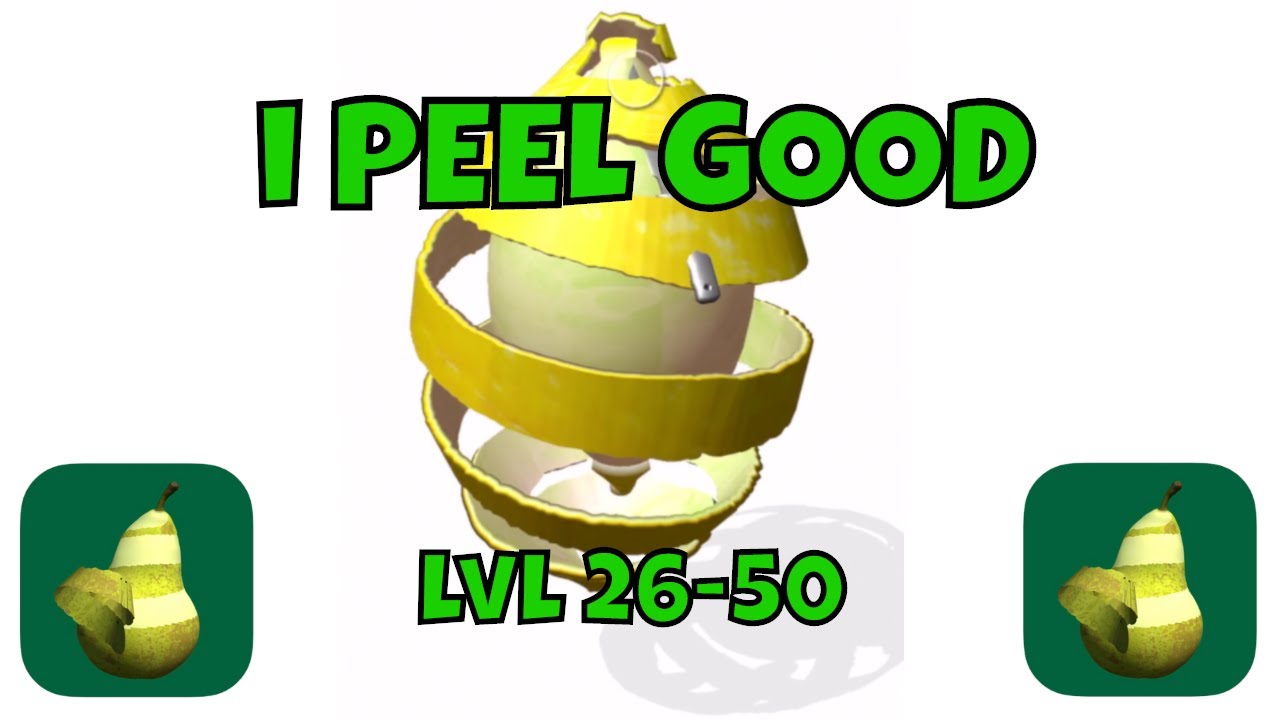
Subscribe👉 https://goo.gl/sn4bJs
i Peel Good PlayList👉http://bit.ly/iPeelGood
AppStore👉https://apps.apple.com/app/id1471374791
Playstore👉https://play.google.com/store/apps/details?id=com.portbliss.ipeelgood&hl=None
Music by ArtList👉 https://artlist.io/Albert-466775
I play games, make games and everything in between. I review mobile games (i...
 cosmic prairie
by the looks of it there are 3 different objects, the fruit/food itself, the peel that is still on the fruit and the peel that you are peeling off
the peel that is still on it probably has a texture that tells the shader which areas are peeled (clipped by the alpha clip threashold)
you will probably have to make a script/(compute shader?? I'm not sure about the support for it on mobile) for drawing on that texture
 grave sedge
Hello,
I need to create a freezed lake, here's the upper layer of ice on the lake.
My ship must broke the ice layer, so I created multiple gameobject of ice layer which have a hinge join.
My question: How can I have the texture for each object to have a continuous look like the sprite above?
Should it be done with shaders? If yes how?
 cosmic prairie
silver cipher
i'm curious as to how to learn to make smth like this with shaders or where to g...
cosmic prairie
silver cipher
i'm curious as to how to learn to make smth like this with shaders or where to g...
the peel that came off is probably a 3D mesh generated by a script
so if I were you, I would try to just paint on a texture and try to make the painted areas transparent first if you are a begginer
then, try to paint on a 3D object (a bit more difficult)
and when you have that, try to get into procedural mesh generation
cosmic prairie
grave sedge
Hello,
I need to create a freezed lake, here's the upper layer of ice on the lak...
is there like a UV offset setting in your material? if yes, try to wrap the textures correctly by tweaking that
or there is probably a setting on the sprite if not in the material
grave sedge
I use only spriteRenderer ans SpriteEditor at the moment. Ok, I need to create a material specific with UV, I 'll try to find for that, thank you
grave sedge
I can't see.... my first sprite above is just tiled. It is here just for the example of what I need to the gameobject below.
I don't know how to make each gameobject with texture have the same render as above, a continuous texture
sinful shuttle
I'm using MudBun, a metaball renderer which generates the meshes procedurally. It normally cannot support light probes and reflection probes, but I have found it's possible to copy light probe data to a material property block which is passed to drawProceduralIndirect, and the mesh will then take them into account.
However, reflection probes are proving more difficult.
            LightProbeUtility.SetSHCoefficients(transform.position, m_materialProps);

          // Get reflection probe indices.
            int[] specCube = {
              Shader.PropertyToID("unity_SpecCube0"),
              Shader.PropertyToID("unity_SpecCube1")
            };

          // Grab game object's reflection probes and pass them to the procedural object's shader.
            List<ReflectionProbeBlendInfo> m_blendInfos = new List<ReflectionProbeBlendInfo>();
            GetComponent<Renderer>().GetClosestReflectionProbes(m_blendInfos);

            for (int i = 0; i < m_blendInfos.Count; i++) {
              m_materialProps.SetTexture(specCube[i], m_blendInfos[i].probe.bakedTexture);
            } ```

This is what I tried to do. I'm very new to scripting in Unity and this is some complicated stuff that delves deep into Unity's undocumented code base, so I'm really lost, but the above seemed like it should work. I have no idea if is actually is working as intended though, or to what degree. All I do know is that the metaballs are still reflecting only the skybox no matter where I position the transform of the game object which this script is on.This is the mesh filter and renderer I added to the game object that this script is on to force Unity to update its reflection probes, but that data isn't automatically carried over when callling drawProceduralIndirect, and my efforts above to copy it over via the same material property block I'm using for the light proves, have thus far failed.
 thick fulcrum
grave sedge
I can't see.... my first sprite above is just tiled. It is here just for the exa...
thick fulcrum
grave sedge
I can't see.... my first sprite above is just tiled. It is here just for the exa...
the suggestion is to tweak the offset, usually seen like this in the material

if your shader does not have the offset parameter, you will either need to find another suitable one or create one 😉
grave sedge
thick fulcrum
the suggestion is to tweak the offset, usually seen like this in the material
Than you Draydak, I saw that on the material, the offset. Which shader I must use to have the minimum of CPU used?
thick fulcrum
if your using the default sprite shader, that will probably suffice. depending on if your using URP or built in renderer you will probably need different approach to handle instancing and batching.
grave sedge
When I use default sprite shader, I lose offset/tile sprites, I don't have fields to change them
thick fulcrum
ok then the basic unlit will probably be next best match
if your in built in you may need to look into material property blocks to allow same material with different offset. This is not something I've had to look into, as I'm in URP it handles all the batching for me.
grave sedge
ok I'll try that and I'll say to you, thank you Draydak
ok it works! BUT.... All of my gameobjets have their texture changed.... I can't dissociate them
I'm using URP
any idead how can I use same material with different offset?
thick fulcrum
🤔 instancing, but that's more runtime
material property blocks might be what you need to research
thick fulcrum
grave sedge
any idead how can I use same material with different offset?
if you don't have too many of these, multiple materials.. but not ideal solution
grave sedge
yes multiple material i though but not a good idea..
thick fulcrum
grave sedge
yes multiple material i though but not a good idea..
a better way might be to chop up your image and consider using a sprite / texture atlas. This I believe this would have better performance in long run and you should be able to use a sprite shader.
Something else to consider / look into
🤔 still means multiple materials, probably no getting away from it.
grand jolt
Is PS1 style vertex snapping/texture distortion possible in shader graph and URP?
meager pelican
Some discussion:
https://forum.unity.com/threads/closed-is-it-possible-to-create-ps1-vertex-snapping-shader-in-shader-graph.683860/
IDK about the texture distortion specifics of PS1, but there's probably discussion on whatever that is too, and there's some sample old-school shaders in that thread. As far as duplicating it all in SG, well, welcome to bleeding edge, SG and new pipelines.
Unity Forum
In the past I used this shader: https://github.com/dsoft20/psx_retroshader/blob/master/Assets/Shaders/psx-unlit.shader
Unfortunately, It is not working...
tacit parcel
grave sedge
Hello,
I need to create a freezed lake, here's the upper layer of ice on the lak...
The first thing I have in mind is using world space coordinate for uv mapping
meager pelican
@sinful shuttle IDK if this post helps or hurts, but....
Problem definition:
CommandBuffer.DrawMesh and Graphics.DrawMeshNow does not setup reflection data per object. Only Graphics.DrawMesh* schedules intermediate renderers and those get fully per object setup.
https://issuetracker.unity3d.com/issues/urp-object-rendered-using-drawprocedural-is-not-getting-reflection-from-reflection-probes
Probably true for standard built-in pipeline too, not URP specific, I'd guess.
Discussion:
So that's what you're facing. You've said you've gotten light probes working, but not reflection probes. You seem to be setting that in your code.
So I guess I have some questions.
How to reproduce: 1. Open attached "URPReflectionIssue.zip" project and SRPIssue/SRPIssueScene scene 2. Observe the Scene view Expec...
Have you used a debugger and/or renderdoc and looked into what data you're getting for the instanced calls? What's going on?
I feel your pain, but I cannot tell from your post what the data looks like. This is a case for debugging, on both the c# side and on the shader side. There are dedicated debuggers for the GPU side too, but hopefully you won't have to resort to that, RenderDoc should tell you something.
I'd start with finding out what data actually ends up being selected on the C# side, with a debugger or even some debug.log stuff.
Then I'd check what's passed through to the shader. And further, trace it through.
IDK what you're doing in your shader code either.
I know this isn't very helpful. Maybe someone will have an "I hit that before" epiphany.
meager pelican
I'd ask Long Bunny Labs in their support thread or discord too.
https://forum.unity.com/threads/mudbun-volumetric-vfx-mesh-tool-official-thread.1038529/

Unity Forum
[IMG]
MudBun version 1.0 has just been released!
This is the official thread for asking questions or giving feedback regarding MudBun.
You can also do...
sinful shuttle
meager pelican
<@!292387750152241160> IDK if this post helps or hurts, but....
Problem definiti...
I'm using the built in rendering pipeline in Unity 2019 LTS.
sinful shuttle
meager pelican
Have you used a debugger and/or renderdoc and looked into what data you're getti...
I don't know how to use a debugger in Unity to do that, I'm pretty new to scripting in Unity. I've been using DebugLog to debug so far. And yes, I've seen that post about objects not getting a full setup, which is why I'm trying to set that stuff up myself for the procedural call. It worked with the light probes which also were not set up.
sinful shuttle
meager pelican
I'd ask Long Bunny Labs in their support thread or discord too.
https://forum.un...
I have. They're not very experienced in this area themselves it seems.
 plush oasis
someone here that is good in shader graph and can help me out ?
meager pelican
@sinful shuttle Oy. Well it's their system/shader.
OK, so if you think the C# side is setting it up properly and it's filled with data, and set on the material. Try RenderDoc first to look at what comes in as set by Unity's engine and passed to the shader. You can see the draw calls, and look at textures.
You can get more info here: https://docs.unity3d.com/2019.4/Documentation/Manual/RenderDocIntegration.html
See the two notes at the bottom, one is that you have to modify the shader to have debug symbols and the other is that you have an option to also use Visual Studio debuggers.
I'll add a third thing that you can use dedicated graphics-card debugging tools too. But before you do that, check the other easier routes first.
*** And make sure that the shader you're using is even checking for reflections in the first place. ***
It sounds like it may NOT be, if LBL isn't experienced with reflections themselves. So you're into custom-mod territory here on the shader source side. That means that unless you've modified the shader, or LBL put it in already, no matter what you send it it won't work. Looks to be a custom material, not a standard unity shader.
Wishing you the best.

Tutorial on how to access reflection probe cubemap data in a shader written in Unity
 outer shuttle
Hi guys, i need to compute a heightmap of my scene geometry with a compute shader, any pointers on how to do that?
 topaz hemlock
The shading language used in Unity is Cg or HLSL or its own kind that's the mix of both?
What's the difference between using HLSLPROGRAM and CGPROGRAM declaration?
outer shuttle
Cg Toolkit Documentation
topaz hemlock
That doesn't really answer any of my question.
outer shuttle
https://docs.unity3d.com/Manual/SL-ShadingLanguage.html
I am not more educated on the subject than this answer
topaz hemlock
I found an answer on some other documentation page:
HLSL program snippets are written between CGPROGRAM and ENDCG keywords, or alternatively between HLSLPROGRAM and ENDHLSL. The latter form does not automatically include HLSLSupport and UnityShaderVariables built-in header files.
@outer shuttle I'd say you can reconstruct the worldspace position from the scene and use the Y value or whatever offset you need.
Maybe google "worldspace position of scene pixel Unity" or some such. There will be shader code.
It ends up being similar to a post processing pass or another camera. But you'd want to avoid having to render the scene twice to get it.
The other way is to have all your shaders in the scene construct that as they go, but then everything needs a custom shader to do it.
You'll have to render just the height to a texture, maybe with a stacked camera and render texture.
Spitballing.
Similar for a compute shader, you'd pass in the render texture (depth buffer in particular) and output to another texture of the same size.
But probably just a "red" texture (1 value vector for one float).
outer shuttle
@meager pelican Thank's 🙂 Will look into that. I was actually looking into the "Shader.GetGlobalTexture();" and pass it to the compute shader.
Basicly i have a simple Gerstner waves shader, and i want to modulate the wave speed and amplitude depending on the depth of the ocean at a certain point, so i thought i would just pre-compute the height into a texture.
sinful shuttle
meager pelican
<@!292387750152241160> Oy. Well it's their system/shader.
OK, so if you think...
Its definitely doing something with reflection probes because the material can be metallic and will reflect the skybox, though someone on their discord reported it reflecting a random reflection probe, which is not my experience in spite of having many in the world.
Also their shaders are made in Amplify, so I assume that is what's taking care of this for them.
sinful shuttle
meager pelican
<@!292387750152241160> Oy. Well it's their system/shader.
OK, so if you think...
I found the Frame Debugger and tried using that because I don't know if I can even edit the shader they're using in the way your tool describes, and while it didn't allow me to look at what was going on for the procedural mesh itself, its parent object which I have my script on and which is trying to grab its reflection probes is there and I could see a bunch of the parameters for reflection probes in the data, so that was somewhat useful in getting a better handle on what's going on. I may need to set the HDR parameter for example, eventually, if I can even get the texture to change. I also wondered if maybe my code specifying the parameter names was messed up. So I tried to pass the new parameter by name... And that's when I discovered part of the problem. The code that's supposed to be grabbing the nearest reflection probes doesn't seem to be getting any at all. The list is empty. So it would never even set the parameter on the shader...
And that code is here:
            List<ReflectionProbeBlendInfo> m_blendInfos = new List<ReflectionProbeBlendInfo>();
            GetComponent<Renderer>().GetClosestReflectionProbes(m_blendInfos);

            for (int i = 0; i < m_blendInfos.Count; i++) {
              m_materialProps.SetTexture(specCube[i], m_blendInfos[i].probe.bakedTexture);
            } ```
Hm, scratch that. I just noticed it wasn't actually showing any probes in the inspector. I must have fewer probes in that area than I thought and the skybox doesn't count as one...

Now it's showing one probe. So back to testing I guess...
Okay, so bypassing all the rest of that code above and just doing this still produces no results:
m_materialProps.SetTexture("unity_SpecCube0", m_blendInfos[0].probe.bakedTexture);
But it's not erroring and reporting that I'm trying to access an element of the array that doesn't exist any more. And it's not complaining about bakedTexture being null, which it did a while back when I tried swapping it out for customBakedTexture. But hm,I just noticed there is also a texture property... Surely that can't work since the other one didn't override the skybox probe...
Well no dice there. Still skybox.
 calm jolt
hi guys, i want to create an outline shader in shader graph for my toon shader. Does anyone know how to do that without duplicating the object?
calm jolt
I've already restarted unity... can someone help?
 hasty holly
How would I recreate this? https://www.youtube.com/watch?v=Vg0L9aCRWPE

Let's make some simple cartoon water!
82% OFF for Web Hosting and FREE Domain included!: https://www.hostinger.com/brackeys
Coupon Code is "BRACKEYS" for an additional 15% discount.
The shader is based on this amazing video: https://youtu.be/jBmBb-je4Lg
GduX: https://www.gdux.me/
Game Dev Unchained: https://www.gamedevunchained.com/
·········...

There's no PBR graph
Where would you find that?
the lit shader
?

oh
nvm
hasty holly
hasty holly
wait do i need this though
yeah no the brackeys tutorial isnt gonna work
hasty holly
hasty holly
How would I recreate this? https://www.youtube.com/watch?v=Vg0L9aCRWPE
this one
yeah
oh
brittle owl
how do i fake skybox rendering in a blit shadergraph?
I've got an outline shader that outlines the edges of objects, and ive created a fake fog shader thats rendered with blit, but the problem is, the fog renders over the skybox. if i make it so that the fog doesnt render where the real world skybox is, then the outline shows, which defeats the purpose of the fog
it makes sense, but i'd like the skybox to show over the fog
 lucid sluice
How do project a blob shadow on a surface without linear fall off that does not pass through the surface?
brittle owl
brittle owl
I've got an outline shader that outlines the edges of objects, and ive created a...
or instead of this, is there a way to make sure the outline shader doesnt render over the skybox?
im using the alexander ameye outline shader
meager pelican
brittle owl
or instead of this, is there a way to make sure the outline shader doesnt render...
Change it to a queue that's before the skybox? But you won't be able to outline transparents.
sly breach
is it possible to load a remote shader file during runtime or does the shader compiler only works in editor ?
 knotty juniper
sly breach
is it possible to load a remote shader file during runtime or does the shader co...
knotty juniper
sly breach
is it possible to load a remote shader file during runtime or does the shader co...
shader compiler is only in the editor.
you can use a assetbundle to deliver a compiled shader to the build
sly breach
knotty juniper
shader compiler is only in the editor.
you can use a assetbundle to deliver a co...
thanks
brittle owl
question, how do i access the cameradepthtexture without redefining it in shadergraph?
or is there another way to see whether some part on screen is the skybox
cause previously i was just using a branch with a comparison node that checked if the scene depth was past a threshold
brittle owl
anyone?
knotty juniper
sorry no idea 🙂
but accessing the allready existing depth textrure and and using that for deciding sounds like the fastest way to do that
knotty juniper
does the scene depth node work for you?
seems to do under the hood what you are trying to do
void Unity_SceneDepth_Raw_float(float4 UV, out float Out)
{
    Out = SHADERGRAPH_SAMPLE_SCENE_DEPTH(UV);
}
gives same error
something about redefining
knotty juniper
URP or HDRP?
brittle owl
urp
knotty juniper
mmm let me try it
brittle owl
basically its being used in the same graph as a custom node that accesses the _CameraDepthTexture
and i guess under the hood scene depth probably accesses the _CameraDepthTexture
knotty juniper
so shadergrap is probably defining the _CameraDepthTexture in 2 places
knotty juniper
mmm might be work a look in the generated shader code
brittle owl
for the custom node?
knotty juniper
the whole shader and see where its defineing the _CameraDepthTexture variable
brittle owl
knotty juniper
the whole shader and see where its defineing the _CameraDepthTexture variable
error goes away when i delete scene depth node so it’s definitely that
knotty juniper
or your custome node code
brittle owl
or wait, is there a way I can make the custom node pass the scene depth as an output :o
brittle owl
knotty juniper
or your custome node code
yeah it accesses the _CameraDepthTexture
knotty juniper
or can you use SHADERGRAPH_SAMPLE_SCENE_DEPTH(UV) in your custom node?
knotty juniper
if you use the depth node it will incude int eh shader a include file that contains the SHADERGRAPH_SAMPLE_SCENE_DEPTH function
if you use that function again it does not redefine the varibale
 brittle owl
oh sick
oh my custom function uses the depth as a texture
how would i adapt that to use the shader graph code
knotty juniper
in the end you sample the texture a at some coordinate and use one of the channels for some calculation
you just replace the one vector3 values with the float you get from SHADERGRAPH_SAMPLE_SCENE_DEPTH
meager pelican
I'd just fix it up the normal way, and feed the scene depth into the custom function as an input. No "redefining" required. There's different ways to encode depth value, so if you use the node, it is "situation aware' across platforms.
@brittle owl
 fervent thunder
Hey, do you know of any outside glow shader? Free? Is it hard to make one? Is it hard on performance?
Like a border glow shader, with the object visible with a glow ontop
 dusky cobalt
Outline Shader + Bloom post processing
fervent thunder
Is there a performant way to create an effect like this?
I want to show the user my item is collectable, and thought outline shader would be good, but any idea?
fervent thunder
dusky cobalt
Outline Shader + Bloom post processing
Im going to try 'Quick outline' asset
 humble inlet
does using multiple time nodes, for example, cause lag, or does unity cache it all as one? asking because I keep seeing people saying that multiple nodes doing the same thing has a higher overhead. I always assumed that it would only calculate it once, and paste all the values in...
grand jolt
What shader does the line renderer use in Unity 2020 LTS URP ?
shadow locust
grand jolt
What shader does the line renderer use in Unity 2020 LTS URP ?
Whatever shader you want. You can assign any material you want
sly breach
is there a way to auto-update the shader in editor via _Time ?
meager pelican
humble inlet
does using multiple time nodes, for example, cause lag, or does unity cache it a...
I'd assume that for most cases of using _Time (a built-in passed shader variable) it's going to be the same. That's not to say that the calcs you do with it don't add cycles. But unity passes a _Time variable into shaders, whatever it's called for SRP, it's still passed in for each frame as a global shader variable.
@sly breach Turn on animated materials, it should animate using _Time.
humble inlet
meager pelican
I'd assume that for most cases of using _Time (a built-in passed shader variable...
ahhh... i'm an idiot, i didn't state shadergraph! but yeah, i agree with you haha, it should be the same
meager pelican
You said nodes, so....that's going to be SG, or one of the others.
sly breach
meager pelican
<@!226789193022570496> Turn on animated materials, it should animate using _Time...
can't find it
meager pelican
https://answers.unity.com/questions/1177720/animated-shader-preview-in-scene.html
YMMV depending on version, but...yeah.
Unity is the ultimate game development platform. Use Unity to build high-quality 3D and 2D games, deploy them across mobile, desktop, VR/AR, consoles or the Web, and connect with loyal and enthusiastic players and customers.
sly breach
that's a new one for me, cheers
humble inlet
meager pelican
You said nodes, so....that's going to be SG, or one of the others.
ah, i'm an idiot times two, then!
coarse widget
https://docs.unity3d.com/2020.2/Documentation/Manual/SL-VertexFragmentShaderExamples.html I can't get the lit shader examples to work in my project (using Unity 2020.2). I copied the code exactly. When I download the project from this link it works fine. I'm comparing side by side with my project, but I can't see the difference. Any help?
I'm about to just use their project as a base lol
hmm it's working now after I swapped the shader back to standard and then back to my custom shader
no clue why
grand jolt
Hello everyone I was learning about unity shaders and encountered with some problem can anyone help me with it
Shader warning in "'Paint1G_WAnim_Shader" ': implicit truncation of vector type
Thankyou so much
grand jolt
Hello!
Some time ago i had a problem integrating an alpha mask into a shader to mask out some areas which should not be affected with textures and should remain transparent.
I could solve this with some work in a simple version.
Now I have the same problem with another Shader which is more complicated and I have no idea how to solve this problem.
Since I am no programmer and no shader programmer I do not understand what to do here.
Is here someone, who can solve this problem for me and integrate this alpha mask into my shader?
meager pelican
@grand jolt You're probably assigning a vector4 to a vector3, or 3 to 2, or any of them to a float. Whatever.
You should use the .xyzw or .rbga channels to specify what you want. Like:
float2 fl2;
float4 color;
...
fl2 = color.rg;```
then you won't get the warning.@grand jolt That's not quite clear to me, but
If you're using alpha clipping (like with a threshhold) then you'd use a clip() command to discard the pixel (or you could make sure the alpha is set to 0 if you're worried about discards on tile-based (mobile) gpus.
You should also explain what pipeline you're using, and maybe use pastebin to post the shader. Someone may feel like digging in.
If it's shader graph, there's an alpha-clip threshold you can use built into the master node/stack.
grand jolt
meager pelican
<@456226577798135808> You're probably assigning a vector4 to a vector3, or 3 to ...
it is already present in vector4
It showing this issue in every asset I import
meager pelican
No way for me to tell from here with just an error message. Either something is screwed up for your install, or your shaders have a problem.
hasty holly
I tried upgrading to urp and it seems like the custom shaders from some of the assets are broken
at first it was all purple
 spare wedge
Hello, I would like to highlight the borders of my object but every tutorial that I've seen was with the unlit shader is there a way to do it with the lit shader ?
grand jolt
meager pelican
No way for me to tell from here with just an error message. Either something is...
Can you join me on stream via discord and check whats going wrong I am not getting anything helpful on google.
 past nexus
Hello,
I am trying to use tex2D(s, t, dx, dy) in a custom function in shader graph. Reference here: https://docs.microsoft.com/en-us/windows/win32/direct3dhlsl/dx-graphics-hlsl-tex2d-s-t-ddx-ddy
In the discussion here https://forum.unity.com/threads/lwrp-custom-function-with-tex2dlod.674674/#post-4517542 they say that tex2D is a "Direct3D 9 thing" and shader graph is written with Direct3D 11 in mind. Therefore you need to use texture2D.Sample() instead (or even better a Unity Macro SAMPLE_TEXTURE2D). My issue is that I cannot pass dx and dy to either texture2D.Sample() or SAMPLE_TEXTURE2D. Does anyone know if there is a Direct3D 11 method that is equivalent to tex2D(s, t, dx, dy)

Samples a 2D texture using a gradient to select the mip level. | tex2D (HLSL reference)

Unity Forum
Hello! I made this custom function in the shader graph but I seem to keep getting the following error:
[ATTACH]
I've tried both float4(uv, 0, 0) and...
regal stag
past nexus
Hello,
I am trying to use tex2D(s, t, dx, dy) in a custom function in shader g...
SAMPLE_TEXTURE2D_GRAD(texture, sampler, uv, dx, dy) would be the equivalent.
past nexus
regal stag
`SAMPLE_TEXTURE2D_GRAD(texture, sampler, uv, dx, dy)` would be the equivalent.
Thank you so much!
 lean lotus
would it be more efficient to for a compute shader to loop through looking at lots of different data from a structured buffer many many times, or for it to look at the same data, but put on a large texture?
Looking for ways to speed up bounding volume hierarchy traversal
 noble tulip
How can I tell how PC intensive a shader is going to be when playing?
shadow locust
noble tulip
How can I tell how PC intensive a shader is going to be when playing?
try it out and see
noble tulip
shadow locust
try it out and see
I guess that's true. Does that mean that the minimum requirements for anything I put in Unity mean that anyone could handle most things I build in it? I'm trying to decide what the min requirements for a game would be if I used a shader vs take the time to build every single model with texture inversion.
Dumb question, I know. I'm tripping over the subject a bit lol
 tame topaz
It's 2021, use a bin site to share code.
What do you mean by real? It looks like shader code. Try it.
 echo solstice
But image is easy
echo solstice
tame topaz
What do you mean by real? It looks like shader code. Try it.
Yes
Shader
I mean is it a dump or real code?
tame topaz
It's code, what are you even asking.
echo solstice
tame topaz
It's code, what are you even asking.
I mean will it work?
I got it from devxunity
tame topaz
Have you tried it?
echo solstice
I try to extract shader code
tame topaz
Get typing. Nobody can compile code in their head. It looks like shader code, so there's your answer.
echo solstice
tame topaz
Get typing. Nobody can compile code in their head. It looks like shader code, so...
Yup
I should try
It's from unity 5.5.
But I extracted code with devxunity 2019
Is it a problem? Will I get any error?
 tired bronze
You can't use stuff you don't have rights to
echo solstice
tired bronze
You can't use stuff you don't have rights to
Nope
A project
I have made before
I have found a piece of it
tame topaz
So your own project, yet you have no idea if your own code works? Stop spamming this channel with your nonsense.
Type it out and give it a try, if you must know.
 deep salmon
sorry, this is a very beginner question, but even after googling i seem to still have trouble with this. does anyone know why the materials are greyed out?

some of my materials are greyed out, while others i seem to be able to edit
regal stag
deep salmon
sorry, this is a very beginner question, but even after googling i seem to still...
Materials embedded in models can't be edited. You need to extract them first, there should be a button in the model import settings (material tab) to do that.
deep salmon
hmmm, ok. I know i extracted textures. But do i have to do them both?
i will try this, thank you for your help
sly breach
is there a way to set Pass Render * Queue ?

it seems like it will let me write this without errors but it will use the main shader's render queue
 forest barn
How do I get selfshadowing on a surface that uses a shader with parallax occlusion mapping? The documentation wants me to connect the PixelDepthOffset to the master node, but there's no possible connection... URP Shader Graph, btw.
 real pilot
I've just split up a large single-kernel compute shader into a multi-kernel one, which performs great, but has the minor annoyance of now not being able to edit shader code during runtime and have it update straight away - changes to the shader invalidate the Append/Consume buffers that I'm using. Is there a way around this? It was a really handy feature to be able to change the shader code and see it update in realtime!
EDIT: Fixed, I was being a dum dum and not calling SetBuffer in the right place (which I had been before). All good now 🙂
 wary horizon
Could any shader guru's guide me on how to achieve this ghost-like shader? Thank youuu ❤️
 shadow kraken
That just looks like fresnel

 shadow kraken
Looks like you have a lowpoly character with hard edges, it's not gonna work as well for you in that case
 desert orbit
It works better on rounded shapes. Sharp geometric shapes won't have smooth falloff.
wary horizon
Theres not really any tutorials on this either
shadow kraken
Playing with the power should give you some better results though
wary horizon
i yoinked this one from google though, using a HLSL shader, Looks fine but its missing that outline glow
 shadow kraken
You can add a fresnel effect to that in addition to the faded look
desert orbit
Can only point you to a tutorial explaining how HLSL works. Time stamp is on Fresnel explanation and later there's a complete shader anatomy breakdown. https://youtu.be/kfM-yu0iQBk?t=1183
Welcome to my three part lecture on shader coding for game devs 💖 I hope you'll find this useful in your game dev journey!
If you are enjoying this series, please consider supporting me on Patreon!
🧡 https://www.patreon.com/acegikmo
00:00:00 - What are shaders?
00:03:00 - Case study/screenshots from FFXIV, Overwatch & more
00:37:42 - The Struc...
 slim steppe
How would go about displacing a water sphere/water on a planet?
Do you know how I could do that @regal stag?
(I'm using shader graph)
 robust ibex
hello
can you guys help me with this weird problem?

the weird thing on the right
some mesh with other materials don't have it
regal stag
slim steppe
How would go about displacing a water sphere/water on a planet?
Can displace along the normals (Position (object) + Normal Vector (object) * displacementStrength). The more difficult part would be getting it to be seamless but I'm not sure I can help much there right now.
Maybe Triplanar would be best, but you'll need a custom node as the regular one can't be used in the vertex stage. Can see the code it uses here, you'll need SAMPLE_TEXTURE2D_LOD instead for vertex stage : https://docs.unity3d.com/Packages/com.unity.shadergraph@11.0/manual/Triplanar-Node.html
slim steppe
Thanks
robust ibex
oh jesus
robust ibex
robust ibex
I think it's because of the normal map that I use
damn it
it's still the same
but alot better
 keen snow
Hi guys,
Where can I find a shader to make my low poly tree sway as moved by the wind? I looked at the Unity Asset store but couldn't find anything! 😥
robust ibex
guys, how to expand normal map LOD?
thick fulcrum
robust ibex
guys, how to expand normal map LOD?
have you set your imported texture to correct type i.e. "normal map" when importing?
robust ibex
thick fulcrum
have you set your imported texture to correct type i.e. "normal map" when import...
yes I have
Nvidia sucks I guess.
forest barn
Is Parallax Occlusion Mapping with shadows even possible in URP Shader Graph?
thick fulcrum
forest barn
Is Parallax Occlusion Mapping with shadows even possible in URP Shader Graph?
should be but you'd probably have to do your own lighting, as in I can't see it working with the LIT graph
 main coral
I'm trying to create my own toon shader and while it works on my character model, i have problems with this big planet object:

Where do those weird corners come from?
 spring frost
In URP ... how do I specify the shader targets Unity builds?
I'm interested in making a build only for #pragma target 4.5+, but with shadergraph, I can't seem to make that choice on a per-shader level. Isn't there a global setting? I've been digging for half an hour already...
spring frost
main coral
Perhaps the boundary of a shadow cascade; but this doesn't look shadow mapped.
(bester Username, übrigens)
Can you share the shader?
sly breach
How to extend p to negative infinity ?

that's what i got rn : p = (p+.5*c) % (c) - 0.5 * c;
where c = float3( 1,1,1 )
nvm i just shifted p +1000 units
main coral
spring frost
(bester Username, übrigens)
Hahah danke danke, Fritösenerlöse sind die besten Erlöse 😆 So I followed this tutorial mostly (https://www.youtube.com/watch?v=RC91uxRTId8&ab_channel=NedMakesGames). So the shader actually supports shadows
✔️ Works in 2020.1 ➕ 2020.2 ➕ 2020.3 🩹 For 2020.2 and .3:
► When you create a shader graph, set the material setting to "Unlit"
► The gear menu on Custom Function nodes is now in the graph inspector
► Editing properties must be done in the graph inspector instead of the blackboard
► In Lighting.hlsl, change the line "if SHADERGRAPH_PREVIEW" to "...
And from this piece of Code inside a custom function node I get "Shadow Attenuation" and "Distance Attenuation":

Gist
https://youtu.be/RC91uxRTId8. GitHub Gist: instantly share code, notes, and snippets.
spring frost
But then I'd guess it's a shadow cascade.
main coral
Which I multiply together like this
spring frost
Try: Reducing shadow distance, turning on soft shadows.
main coral
 main coral
Yeah, pretty glad I found it 🙂
regal stag
main coral
Where do those weird corners come from?
Is it a custom mesh? Maybe it has some weird mesh normals?
spring frost
will the jagged edge go away when you disconnect the shadow map?
main coral
regal stag
Is it a custom mesh? Maybe it has some weird mesh normals?
Yeah I made it in blender out of a quad sphere
Ill try that, thx
spring frost
To first rule out it's the shadow map or the normals / math. 🙂
Interesting how everyone uses saturate I think my shader math is off 😄
(I use smoothstep... to the point of abusing smoothstep)
Or remap, wow.
I'm a savage. I should unify my lighting models.
This is my sorry excuse for a toon ramp.

I'mma fix that now. 🙂
main coral
Haha, well I always saw saturate, but I don't know actually why other nodes wouldn't also do the job too, in the end you just have to map -1 to 1 to 0 to 1. But since I'm new to shaders I'm just a copy cat so far 😄

yeah so disconnecting the shadows didn't fix the corners, so I think checking the normals is goo idea
Posterize also is cool idea, hmm
spring frost
I actually dont know how posterize works internally.
probably with frac() and I have no idea how expensive that is.
main coral
I use a texture with a ramp on it
spring frost
you can try and smooth the normals on mesh import.
or see if you accidentally already do.
regal stag
Posterize is floor(In / (1 / Steps)) * (1 / Steps); according to docs
spring frost
Thank you Cyanilux!
regal stag
I'm a little unsure why it's written like that though and not just floor(In * Steps) / Steps. That's the same thing right?
spring frost
I think the 1/steps way preserves more precision.
main coral
I think it could actually be my model :/

It's kind of hard to see but there are weird anomalies exactly where the corners are in the end
 shadow locust
main coral
Haha, well I always saw saturate, but I don't know actually why other nodes woul...
shadow locust
main coral
Haha, well I always saw saturate, but I don't know actually why other nodes woul...
Are these corners not just triangle borders?
 spring frost
^^
main coral
I think I can fix it now 🥳
spring frost
I'm looking for a mapping from camera near plane to world space, basically a cylindrical projection of the inside of the world.
(it doesnt need to be accurate, it just needs to be reasonably uniform - meaning if I turn the camera, I want basically a 2D scrolling effect in that mapping)
My current guess is to use an angle delta, but that suffers from gimbal problems.
(angle delta because sin(x) = x, as every physicist will confirm
So basically an acceptable 2D projection of the delta expressed by dC = cameraDirection - oldCameraDirection
It doesn't even need to "wrap", it just needs to be continuous for every cameraDirection and oldCameraDirection, given the angle between them is small.
(the idea to offset something mapped in screen space by this, and thus moving it with the camera)
(I realize this wont work except for planes, wow.)
So I actually need to consider the object position.
🦆
So yeah I need objectPositon to viewPosition (x,y), this cant be too hard 😄
I suppose something... like... this.

Except, the screen position is divided by w, and view position has no W.
Darn, this is almost it.

It doesnt do much differently than just screen space, darn.
I want the stripes to move with the ship.
(they are not in tangent space, they are overlaid in screen space)
regal stag
spring frost
I want the stripes to move with the ship.
I've used this to do something similar to that, though it has some issues as it follows the camera rotation.

Also this, similar concept but in screen space. Doesn't have those issues but more complicated / probably more expensive
 spring frost
Oddly enough screen positions is mostly correct
Thank you I'll check these out.
I love the idea with subtracting the view positions.
So simple.
The 2nd one is pretty cool.
regal stag
spring frost
The 2nd one is pretty cool.
Was based on this tweet (and the ASE graph they shared) : https://twitter.com/Ed_dV/status/1047006623330373632
spring frost
yeahhh
this is what I want.
it's always bound to be a little weird when stuff rotates.
But much better than the moiré / perceived flicker from screendoor effect 😄
sometimes I actually want that, but for the player ship it's awkward.
I wonder how expensive that is, I should precompute this once.
And feed it into every stipple / hatching pattern subgraph
Though ironically I'd like to fake the perspective a LITTLE. 😄
regal stag
Yeah, if you have multiple of those subgraphs it's best to only compute it once
spring frost
Because an object in the distance isnt magically drawn with a finer pencil.
but I wanted to use some kind of mipmap compromise anyhow.
Do you know how I can perhaps specify my own mipmap, or mix shader branches based on which mipmap level I am on?
so when an object is farther away, shadows are eventually just grey, not hatched.
regal stag
The Sample Texture 2D LOD node would allow you to select which mipmap to use.
spring frost
I'll rebuild the screen space node.
spring frost
regal stag
The `Sample Texture 2D LOD` node would allow you to select which mipmap to use.
Interesting.
But I can't really create my own mipmaps, right?
so I basically just need to decide a cutoff distance and then use a uniform value instead.
spring frost
Thank you @regal stag , that projection trick provides a solution for at least my tangent space issues; but it doesn't work well (of course...) for rotations, especially about the Y axis. But much better for zooms now. 🙂 Maybe I just make turning harder and slower.
 distant karma
anybody know why
float primary = noise(float2(id.x * scale + offset1.x, id.y * scale + offset1.y));
in my compute shader would be throwing this error?

(at compile-time)
regal stag
distant karma
anybody know why
`float primary = noise(float2(id.x * scale + offset1.x, id.y * ...
Make sure you have a function named noise available
distant karma
its an intrinsic function for HLSL, like all the other math functions
at least according to the documentation
does it need to be included?
regal stag
It's only an intrinsic function for Shader Model 1 (tx_1_0). You'd need to handle it yourself or find a library that includes noise functions
meager pelican
@spring frost Well, for a second there, on your first post, you sounded like you were looking for some kind of polar coordinate system. Now, IDK.
lean lotus
Is there a good way to send many materials/textures to a compute shader? im using the compute shader for raytracing, so I need it to be able to access the textures/materials of every object its raytracing
distant karma
is your shader only handling one texture per thread?
or i guess handling one object per thread
lean lotus
I dont think so?
Each ray needs to be able to check the entire scene for intersections so...
shadow locust
Not sure if you'l be able to do what you're asking but you either give it textures via SetTexture, or you pass data to it via ComputeBuffer which can handle any kind of structured data you want
With SetBuffer
lean lotus
would I need a seperate sampler variable I need to set for every material/texture? i want to make it as easy as possible for me to have any number of meshes, and for it to just be able to read the textures
Oh... I forgot that submeshes are a thing with materials... time to figure out how that works...
spring frost
meager pelican
<@!135139600673800192> Well, for a second there, on your first post, you sounded...
Yeah it's not really polar coords.
It's more like a constant self-balancing mercator projection from hell.
 valid dawn
Hi, is shaderlab deprecated? It seems like half the documentation pages return "Not found"
brittle owl
is there a free solution to runtime decals in URP? Like bullet holes?
my game is gonna have this black goop that certain enemies leave behind, ive already made a shader graph, now i just need a way to make the enemies leave behind a trail
thick fulcrum
brittle owl
is there a free solution to runtime decals in URP? Like bullet holes?
I usually recommend https://github.com/ColinLeung-NiloCat/UnityURPUnlitScreenSpaceDecalShader for dynamic runtime decals (for use on non-deforming meshes)
there is also a shader graph node on github for decals in shadergraph if that is preferred. but you have some limitations currently in shader graph that really need code to work around. Although I made a lit decal with this and it works for my situation, it's pretty good and robust imo.
Having said all that, there is URP decals on the way in Unities roadmap I believe work has begun but how soon they land is anyone's guess 😉
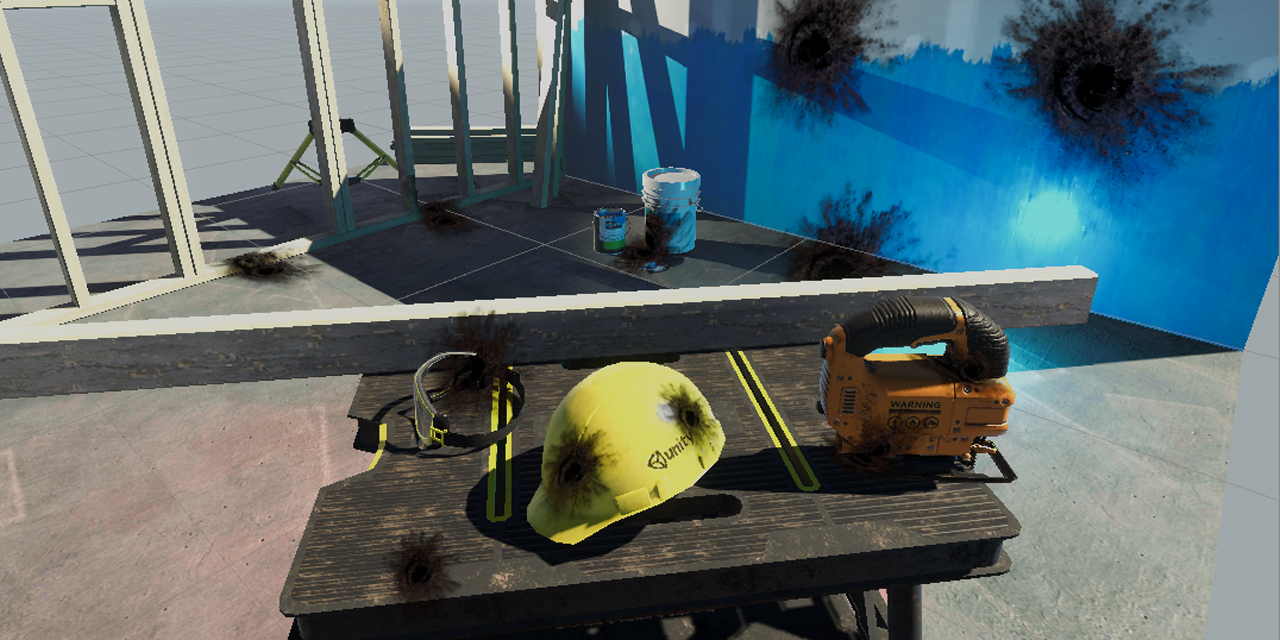
GitHub
Unity unlit screen space decal shader for URP. Just create a new material using this shader, then assign it to a new unity cube GameObject = DONE, now you have unlit decal working in URP - ColinLeu...
brittle owl
thick fulcrum
I usually recommend https://github.com/ColinLeung-NiloCat/UnityURPUnlitScreenSpa...
awesome! I’ll check this out in the morning, thank you!
 vocal narwhal
The "How to use this shader in my project?" section is most amusing
thick fulcrum
lol guess he gets a certain question a lot 😆
vocal narwhal
Relatable
brittle owl
does it just work fine with lit shaders? no need to modify?
also step 2 of installation makes sense but idk how to do step 3 and 4 :(
thick fulcrum
it applies over the top of objects, be them lit or unlit opaques (not transparent)
The shader itself is only Unlit, but for bullet holes and other things it's fine. there is emission too which is handy for some effects
onyx jungle
valid dawn
Hi, is shaderlab deprecated? It seems like half the documentation pages return "...
no, shader lab is still the primary shader editing language provided by unity next to shader graph.
valid dawn
Do you have the documentation url? This just returns that the page is missing https://docs.unity3d.com/Manual/SL-CullAndDepth.html
 peak pawn
Is there any way to get positions relative to a parent in shadergraph?
low lichen
valid dawn
Do you have the documentation url? This just returns that the page is missing h...
Looks like they are in the process of updating the ShaderLab documentation to mention the different render pipelines
low lichen
peak pawn
Is there any way to get positions relative to a parent in shadergraph?
No, you can get positions relative to the object itself, which will include parent transformations
If the object has all default values transform, then it will be the same as relative to parent
 fading dove
is there any up to date examples of a sprite sheet shader for shader graph?
All the ones I have seen are outdated
 tawdry tulip
Hey guys, do u know maybe if there is a way to edit unity's autodesk interactive shader so it doesnt multiply texture * color in albedo, but gives me only raw solid color? btw im very new to shaders
 past wedge
Hello, I'm trying to add a geometry shader to a standard shader but I can't find any solution..
 median carbon
Hi, has anyone here got a camera projection matrix in HDRP Shader Graph 10.4 working?
It just seems like the multiplication (projectionMatrix * Vector3 (or Vector4 with 4th number as "1")) does not work at all.
To explain it a bit more: I want to project a world position to the camera view plane (x,y,depth ; x & y from 0-1) to make a GPU Vision Cone

 hushed basin
sorry, im beginner and i having trouble with shader
the main preview look wrong
i dont know what is trouble here +_+
 median carbon
hushed basin
the main preview look wrong
i dont know what is trouble here +_+
median carbon
hushed basin
the main preview look wrong
i dont know what is trouble here +_+
How does it look on the object?
It looks fine to me, obviously the Preview has a different aspect ratio, but I don't see a problem here ..
hushed basin
median carbon
How does it look on the object?
It looks fine to me, obviously the Preview has ...
in the project it look very weird
median carbon
screenshot?
regal stag
You'll probably want to drag the A output into the Alpha port too
hushed basin
give me a sec,i just restart Unity
hushed basin
regal stag
You'll probably want to drag the A output into the Alpha port too
amen, thank you so much lol
hushed basin
regal stag
You'll probably want to drag the A output into the Alpha port too
it still blank ;-;
 median carbon
hushed basin
it still blank ;-;
median carbon
hushed basin
it still blank ;-;
Because there is no texture set in the material (inspector)
regal stag
The property reference might be case sensitive to use the one from the sprite renderer. Try "_MainTex"
hushed basin
regal stag
The property reference might be case sensitive to use the one from the sprite re...
i dont know how da hell it work lel, thank you again @_@
lean lotus
Is there a good way to send many textures(of differing sizes) to a compute shader without defining like 20 texture variables?
They all come from materials, if that allows for anything...
Its for a ray tracing shader, so every mesh/submesh needs to be able to be accessed in the shader(so I send it all as a massive structured buffer(is this a bad thing?)), so I also need each meshes texture able to be accessed
 lethal mango
Does anyone here know anything about amplify shader editor/shader graph and bent normal specular occlusion? Trying to imitate HDRP's bent normals specular occlusion in URP as a custom node or node setup but this is well outside my know-how.
lean lotus
What do I need to do to make a 2dtexturearray work in a compute shader? the only tutorials I keep finding are for non compute shaders. I keep getting the error "cannot map expression to cs_5_0 instruction set at kernel CSMain"
I have the Array texture first defined as UNITY_DECLARE_TEX2DARRAY(_ArrayTex); (This is the first time _ArrayTex is used), and in the function that samples it, I have UNITY_SAMPLE_TEX2DARRAY(_ArrayTex, float3(Uv, 0));
I cant find much on either the error or using these in compute shaders
sly breach
how can we view shader-graph's node source code to be specific im looking to find LitMaster shader code from HDRP ?
sinful shuttle
Why is this shader not rendering as double sided? I only see the front faces of the column. I thought Cull Off is all you need to make a shader double sided?
{
    Properties
    {
        _TintColor ("Tint Color", Color) = (0.5,0.5,0.5,0.5)
        _Thickness("Thickness", Range(0, 1)) = 0.5
        _FadeStart("Fade Start", Range(0, 1)) = 0.5
        _FadeEnd("Fade End", Range(-1, 1)) = 0.5
        _Intensity("Intensity", Range(0, 1)) = 0.5

    }
    SubShader
    {
        Tags { "RenderType"="Transparent" "IgnoreProjector"="True"  "Queue"="Transparent" }
        Blend SrcAlpha One
        Cull Off Lighting Off ZWrite On

LOD 0```Pass
{
CGPROGRAM
#pragma vertex vert
#pragma fragment frag
// make fog work
#include "UnityCG.cginc"
struct appdata
{
float4 vertex : POSITION;
float4 normal : NORMAL;
float2 uv : TEXCOORD0;
};
struct v2f
{
float2 uv : TEXCOORD0;
float4 vertex : SV_POSITION;
float3 normal : NORMAL;
float3 origPosition : POSITION1;
float3 eyeDir : DIRECTION;
};
fixed4 _TintColor;
float _Thickness;
float _FadeStart;
float _FadeEnd;
float _Intensity; ``` {
v2f o;
o.vertex = UnityObjectToClipPos(v.vertex);
o.normal = normalize(mul(UNITY_MATRIX_IT_MV,v.normal).xyz);
o.origPosition = v.vertex;
o.eyeDir = -normalize(mul(UNITY_MATRIX_MV, v.vertex).xyz);
//o.uv = TRANSFORM_TEX(v.uv, _MainTex);
return o;
}
fixed4 frag (v2f i) : SV_Target
{
float d = dot(i.normal,i.eyeDir);
float p = smoothstep (0,_Thickness,dot(i.normal,i.eyeDir)) * smoothstep(_FadeStart,_FadeEnd,i.origPosition.y);
return float4((p * _TintColor * _Intensity).xyz,p) ;
}
ENDCG
}
}
}``` night wren
Hi all, I've been trying to add a rotation to this screenspace UV shader I found here https://realtimevfx.com/t/camera-facing-uvs/384/36
and I'm attempting to use some of the code I found here http://www.shaderslab.com/demo-96---uv-rotation-with-matrix.html to achieve this..
Would the correct place to do rotating be within the GetScreenUV function? I'm finding my efforts so far are just scaling the UVs instead of rotating them.. Any pointers appreciated. The altered part of my code looks like this -
` float2 GetScreenUV(float2 clipPos, float UVscaleFactor)
{
     float4 SSobjectPosition = UnityObjectToClipPos(float4(0, 0, 0, 1.0));
     float2 screenUV = float2(clipPos.x, clipPos.y);
     float screenRatio = _ScreenParams.y / _ScreenParams.x;
//i figured this could be calculated here?
float2 pivot = float2(0.5, 0.5);
float cosAngle = cos(_Angle);
float sinAngle = cos(_Angle);
float2x2 rot = float2x2(cosAngle, -sinAngle, sinAngle, cosAngle);
     screenUV.x -= SSobjectPosition.x / (SSobjectPosition.w);
     screenUV.y -= SSobjectPosition.y / (SSobjectPosition.w);

     screenUV.y *= screenRatio;

     screenUV *= 1 / UVscaleFactor;
     screenUV *= SSobjectPosition.z;
//added these lines here
screenUV = mul(rot, screenUV);
screenUV += pivot;
     return screenUV;
 };
`

Real Time VFX
Ok so the problem was that when I cleaned up the shader I also forgot that you can’t just use the POSITION semantic from the vertex shader and expect to be able to use the clip position in the fragment shader. It mostly works in the “Scene” tab (which is what I tested before posting, also why it might appear to work sometimes and not others), bu...
brittle owl
any way to get believable fog for a horror game in urp?
i tried cyan's volumetric fog method but it still doesn't look like how i'd like
sly breach
brittle owl
i tried cyan's volumetric fog method but it still doesn't look like how i'd like
have u tried "Vertical Fog" from the asset store ?
brittle owl
not quite what im looking for, i'd like it to be able to react to lights
at least spotlights
 scenic bough
So I am going to eventually need to recreate this as a shader, and I have a teensy bit of experience and have some questions on my starting point

At first glance it looks like it could be done with a geometry shader using its polygons, but is there any other method that just generates a (or uses a generated) noise texture and fades in/out the amount of noise used until it’s just solid?
knotty juniper
scenic bough
At first glance it looks like it could be done with a geometry shader using its ...
with opaque objects that might be a problem
a interesting effect for using cutout with opaque objects is to use the dither function / node to transfer the transparency to per pixel cutting
works fine for a lot of processes
the color wipe should be doable you could use a exposed float value as the control how far the "animation" is
scenic bough
A bunch of words I don't understand, but that means I can google and figure it out, so thanks! :D I'll be tinkering with this in amplify eventually so I'll finally be able to start understanding this stuff
I wish I could do the shader graph but I'm stuck with the built-in rp
knotty juniper
scenic bough
I wish I could do the shader graph but I'm stuck with the built-in rp
that's why i don't do projects with the build in pipeline anymore 🙂
amplify should be able to do this just fine
i used shaderforge before the HDP / UPR stuff
scenic bough
Yeah, I'm on the VRChat SDK, and they're probably never going to use an SRP
The hard part beyond this is I'm not really sure if I'll end up using non-quest supported shader features until I load it in and ask a quest dude if they can see it or not. So once I get the shader I want, I may end up needing to completely rewrite it to be simpler for the quest folks 😛
But hey that means for every shader I need I might have to write 2, so twice the experience
 bitter obsidian
is it possible to have a sprite interact with lighting? I have a sprite billboard shader but I can't figure out how I should go about making it receive shadows and interact with lights in the game world
The reason why I use a sprite is that way I can animate it with the built in animator, I have 2D sprites in a 3D scene using the standard render pipeline
The billboards in the shadows of the trees are not affected and stay just as lit as the ones outside of shadows, I know I can fake the effect of lighting by tinting them but I want something more dynamic in the case that I add a day and night system
 shadow locust
bitter obsidian
is it possible to have a sprite interact with lighting? I have a sprite billboar...
shadow locust
bitter obsidian
is it possible to have a sprite interact with lighting? I have a sprite billboar...
Instead of using a SpriteRenderer use a Quad mesh with a MeshRenderer
But it will be harder to do spritesheet animation yeah
shadow locust
bitter obsidian
The billboards in the shadows of the trees are not affected and stay just as lit...
I think you can pull it off with SpriteRenderer and a custom shader

In this brief video tutorial, we'll take a look at how to get 2D sprites to display shadows and receive lighting in 3D similar to the Square Enix game Octopath Traveler.
Unity Default Sprite Shader: https://github.com/TwoTailsGames/Unity-Built-in-Shaders/blob/master/DefaultResourcesExtra/Sprites-Diffuse.shader
Complete Shader: https://pastebin....
bitter obsidian
ah yes the video that started my whole project haha, the only issue with this environment is that the camera is constantly rotating as it's from a first person perspective not quite octopath perspective where the camera is at a fixed rotation
but maybe I can manipulate the shader in this video to face the camera
is there a way to see if an object is in the shadow of another object? Like taking the world position of the sprite renderer and darkening it if it's in the shadow of another object such as the trees in the screenshot I posted?
https://docs.unity3d.com/Manual/SL-VertexFragmentShaderExamples.html I see on this page under Lit/Diffuse with Shadows there's a shadow attenuation value that's a float between 0 and 1, 1 being fully lit, 0 being fully shadowed does the value work update properly if it's a sprite renderer? If so then I could technically just multiply the color or alpha of the sprite by this value could I not?
meager pelican
https://forum.unity.com/threads/water-shader-graph-transparency-and-shadows-universal-render-pipeline-order.748142/#post-5518747
Bgolus to the rescue, see post #17

Unity Forum
Hi,
I could use some help with a shadow+transparency related problem.
I'm working on a water shader graph with the universal render pipeline in unity...
bitter obsidian
meager pelican
https://forum.unity.com/threads/water-shader-graph-transparency-and-shadows-univ...
is this referring to my issue?
bitter obsidian
gotcha, much appreciated, I'll take a look into this, only issue that may arise is that the post he was helping with was over a URP shader and my game still uses the built in render pipeline, but I may upgrade my project to URP if this helps
meager pelican
OH!
I thought you were URP.
OK, sorry. NO, the standard pipeline has more history/doco on it.
So IDK why I was thinking URP.
Is your sprite set to receive shadows?
You can switch to debug mode and set receive shadows, or you can see:
https://forum.unity.com/threads/sprite-receive-shadow.357705/#post-2319797

Unity Forum
Hi People!
After a lot of research I finally manage to make sprites cast shadows, but I can't make it receive.
Like you can see in the image, the box...
bitter obsidian
yeah I've done that already
meager pelican
You're probably better off using pastebin or hatebin and posting your shader code. So we can look it over.
One way to tell if it is changing, is just return that value as a color. It's a float, right?
bitter obsidian
my biggest issue is that I can't really tell what's going on under the hood with my shader, I can't tell if the value for shadow attenuation that I have is changing or not
meager pelican
Edited
The easiest way to "debug" shaders is visually by returning colors if you can. Sucks for negatives, sometimes you have to remap them.
bitter obsidian
I see, let me get a paste real quick
Pastebin
Pastebin.com is the number one paste tool since 2002. Pastebin is a website where you can store text online for a set period of time.
meager pelican
So if attn is the attenuation, you just
return float4(attn.xxx, 1);
from the shader.
bitter obsidian
oooh gotcha
now am I correct to return that in the frag part of the shader or would I do that in the surf method?
apparently according to a recent forum post Shadow_attenuation is outdated
meager pelican
Oy.
OK, as far as the first question goes, I think it calls the custom vert/frag function in each stage, then runs off and does its own thing as generated by the Suf() function. IIRC it is called first.
But anyway, it won't matter. Where you set albedo is probably good. That's a float3, so you can just set it with atten.xxx;
bitter obsidian
gotcha
whenever I did return float4(shadow.xxx, 1); shadow being "fixed shadow = SHADOW_ATTENUATION(IN); everything was white regardless if it was in the shadow of another object or not
meager pelican
Huh.
Also it looks like you're reading and setting "c" twice.
bitter obsidian
what do you mean?
like in the surf shader?
this is a shader I found online so I'm not the original author of it
even if I remove the surf shader part of it, it works fine still so maybe it was unecessary
meager pelican
I'd keep that part. IDK why you want a custom frag function though. But I'm still researching.
I'm not running Unity, so I'm guessing.
Comment out the custom frag function, I don't think you need it.
But put the contents into the Surf function at the top. Basically.
bitter obsidian
gotcha
meager pelican
There's a pragma you'll have to comment out too that defines the custom frag.
bitter obsidian
so good news, now my sprite grass receives shadows like they should, the only issue is that the billboard no longer works
so that's progress and not progress at the same tiime
 meager pelican
lol, I like your optimism as we mess up your code!
bitter obsidian
haha
meager pelican
So what does "no longer works" mean?
meager pelican
Did you keep the vertex function in there?
bitter obsidian
yeah
meager pelican
ANd the pragma?
bitter obsidian
yeah that's still there, I only took out the fragment pragma
meager pelican
dammit
IDK, it's hard to do remote if you don't "spot" it.
IDK what that "lighting" variable is doing either. You calc it but don't use it (Frag)
bitter obsidian
let me send an updated version of the shader
Pastebin
Pastebin.com is the number one paste tool since 2002. Pastebin is a website where you can store text online for a set period of time.
meager pelican
oh! lol
you have to copy the missing functionality from the frag() into the Surf()
still
bitter obsidian
I thought I did, am I just missing the return o?
well if I do return o it gives me an error
that's the only difference between the 2 is that in the surface shader I'm not returning anything
meager pelican
Before you had c.rgb *= shadow;
And you set the shadow variable with the macro.
bitter obsidian
it says that the function surf cannot return a value
lets ignore that for right now because it didn't do anything
without the fragment shader the shadows worked for once
without me adding anything else to the shader
the only issue that remains now is that the objects don't face the camera anymore, like the vertex function isn't doing anything
meager pelican
But that's how you get shadow!
yes, Surf() does lighting automatically. That's why I said IDK why you need that frag().
But, why is it not camera-facing billboard. We didn't touch the vert().
regal stag
Because surface shaders don't use a vertex shader afaik. They use a separate "vertex modification function". Basically, #pragma surface surf vertex:vert. That expects an object space vertex output though as it just lets you alter the v.vertex not handle the conversion to clip space.
There's some examples here : https://docs.unity3d.com/Manual/SL-SurfaceShaderExamples.html
meager pelican
Right, but he has a custom vert function to do what he wants. And it was working.
the only thing he removed is the custom frag.
regal stag
It's also a little weird as I don't see a #pragma surface surf even in their shader so I guess it's just assuming it's a surface shader atm with some unity magic?
meager pelican
Maybe he should try that syntax.
bitter obsidian
adding it now
meager pelican
Otherwise he maybe didn't have a surface shader!
bitter obsidian
so adding pragma surface surf and keeping pragma vertex vert nothing changed
regal stag
I haven't worked in built-in much but afaik you have either a vertex-frag, or surface shader (with optional vert modification). I'm not sure you can mix both
meager pelican
There's pragmas for calling "custom vert/frag" and that's what he's theoretically using.
But the surface shader should still compile all it's code gen stuff.
regal stag
I guess, but wouldn't the surface shader also generate it's own vertex shader which might be replacing it?
bitter obsidian
so when there was a fragment shader, the surface shader wasn't doing anything afaik, but once I took out the fragment shader now the vertex shader isn't doing anything
meager pelican
I didn't see the reason for a custom frag though. It could probably just compute it in SUrf if he did it at all , but it should generate the shadow reception and casting auto magically.
regal stag
Surface shaders do usually make lighting & shadows easier yeah
meager pelican
What happens is that the auto-generated vert() function calls the custom-vert function first thing, then proceeds on.
bitter obsidian
there's the custom struct for the data being passed into the vertex function as well so that's the reason why it's custom, if I made it into a regular void vert and attached vertex:vert to the surface pragma then I wouldn't have that custom struct afaik
meager pelican
Try renaming it to something other than vert. SWAG
bitter obsidian
trying
regal stag
This is related, https://forum.unity.com/threads/standard-surface-shader-billboard.513060/#post-3358030
Unity Forum
Hello, in shaders I do not really care. I wanted to transfer the Billboard code from the Unlit shader to the standard shader. But he stopped watching...
regal stag
You should either be using the #pragma vertex ... and #pragma fragment ... OR #pragma surface .... Since you have a surf function you'd want the latter. I honestly don't know how the shader even works without it, I guess maybe since you don't have a fragment or because there's a surf function Unity is just assuming it's a surface shader for you.
meager pelican
Yeah, maybe use that syntax.
#pragma surface surf Standard vertex:vert fullforwardshadows
With or without the fullforwardshadows
bitter obsidian
would I have to change how the vert method is written?
or as long as I have that pragma it should be fine?
yeah from the errors I'm getting I'm assuming I need to change how it's written
regal stag
I think so yeah, since surface shader's vert just lets you alter the object space position. The thread I linked above might help as they're also doing a billboard shader
bitter obsidian
saying that the parameters need modifiers, specifically the in needs to be inout
meager pelican
Yeah, it's a specific param.
bitter obsidian
do I need to include the Standard for the lighting model?
meager pelican
Sec. Want to go look at your code again.
That's the lighting model, yeah unless you write a different one, or use a different one.
Standard = PBR
regal stag
Yeah, there's also StandardSpecular, Lambert and BlinnPhong models according to the documentation. https://docs.unity3d.com/Manual/SL-SurfaceShaders.html
I guess "Standard" is the metallic workflow.


 regal stag
Yeah, the SurfaceOutput needs to be changed to the Standard type one
bitter obsidian
the inout under surf was just SurfaceOutput instead of Standard
yeah
waiting for it to refresh real fast to see the new errors

the main issue with that forum post is that it's not dealing with a sprite, the post is dealing with a quad as a billboard
oh
I see
it's in a pass when it shouldn't be
meager pelican
Try commenting out your vert, duplicating it and passing in
(inout appdata_full IN)
instead of the custom struct. IDK if you'll get errors if it isn't standard names but we'll hit that next. That passes all data to the vert().
bitter obsidian
okay trying that
meager pelican
And IDK if you want to make it a "v" instead of an "IN".
This code generator does stuff, but I'm guessing it won't matter.
bitter obsidian
yeah this didn't work, getting these 2 errors and let me send a screenshot of how the billboards look in game

 bitter obsidian
right
question
does it matter if my surface shaders input is the custom struct and the vert inout is something different?
meager pelican
OK, put the vert back. (Uncomment old)
bitter obsidian
okay
meager pelican
Yeah
probably
But we're still messing with it.
The vert just gets gets the input from Unity, but since it's a custom-vert function in a surface shader, it's inout because the surface shader calls it from its vert() function, basically. But what you do is up to you, you have to set v.stuff.
bitter obsidian
what if the surface method is by itself away from the vertex method like putting the vertex method in it's own pass
meager pelican
YEah, uh....sec
bitter obsidian
lol
meager pelican
custom vert function doesn't return a value.
you were using a real vert() and weren't using a surface shader before, you just thought you were.
lol
It modifies the inout variable's data.
So Surf() is a thing that "generates code" into vert and frag shaders. And it passes stuff in a certain way.
And we're not doing that right anymore, because before we were REALLY doing vert/frag not Surf.
Right?
bitter obsidian
before yes we were really doing a vert/frag
it wasn't until we removed the frag that the surf began working
so Unity's compilation of the shader likely because it no longer saw the frag compiled it differently all together
https://forum.unity.com/threads/achieving-a-multi-pass-effect-with-a-surface-shader.96393/ this post is interesting, because they have a vert/frag shader and then a surface shader on top of it outside of the vert/frag pass
Unity Forum
Heya! I've been scratching my head over this and was hoping someone might be able to point me in the right direction.
I'm trying to add a silhouette...
meager pelican
OK, but that's a 2nd pass.
Cool though.
OK, so where are we? Still error messages?
Or "just" no billboards?
meager pelican
If you don't need one, yeah. It's all overhead and you're drawing it twice.
So does it compile now or not?
No sprites showing?
bitter obsidian
hold on just a second
meager pelican
So anyway the custom vert should have a void return type. And modify the inout variable IN. Or whatever we set up.
bitter obsidian
so yes still getting errors

let me post an updated pastebin
Pastebin
Pastebin.com is the number one paste tool since 2002. Pastebin is a website where you can store text online for a set period of time.
meager pelican
comment out the later lines too, I think the Surface shader generates all that stuff already. All you want if I understand you is to make camera facing quads, and that's where you modify the vertex data. You probably don't have to worry about lighting at all (cross fingers).
So 100 - 106
bitter obsidian
to clarify 100-106 is the pixelsnap stuff right?
oh it's the return out
yeah that's already commented
bitter obsidian

Stack Overflow
I'd like to state right away I don't work with shaders that often, and the basic one I'm playing with - a force field shader from a thread in Unity's forums, is a much older version. However, the
this seems to answer the issue with the errors that are coming up
gonna try just renaming the struct to Input
 lyric pebble
Please Guys I'm trying to create a shader but I have a problem

Here is my shader graph
 meager pelican
You gut rid of the pragma vert vert right? it's now on the surface shader pragma
bitter obsidian
yeah
meager pelican
@lyric pebble You want to clip the black part?
lyric pebble
Yes please!
meager pelican
Try alpha cutout. Google it for shadergraph, and find the NEW documentation.
There's a threshold you set. Any alpha below that is clipped.
lyric pebble
alpha cut out is a node ?
meager pelican
No its a thing on the master stack I think
You can do it with a node, but there's no reason to.
bitter obsidian
looks like renaming the struct to Input actually got rid of 2 errors
meager pelican
That's nuts AppDataFull didn't work? Thats from an include.
bitter obsidian
I'm about to find out, there was another error that I had to fix real quick, waiting on it to recompile
meager pelican
Exuding optimism.
bitter obsidian
but yeah once I changed the name for the v2fbillboard struct to Input and passed that in instead of Appdata_full, then it compiled and the input errors that I had above were gone

interesting
meager pelican
I don't think that's what you want to pass to vert()
bitter obsidian
yeah it's not
meager pelican
You want vert to be some struct that's for vertex stuff with semantics on it.
So unity maps the mesh data to the semantics and fills in that data for the mesh, basically.
There's standard ones in the include files. Or you can roll your own.
Let me scroll back and find an earlier bin, I thought you had one maybe.
Wait!
So v2fBillboardFog is the input structure to a normal vert function with semantics.
That's what all that stuff on it is. Like :NORMAL and whatever.
bitter obsidian
ahhhh
meager pelican
Yours is this:
            {
                float4 vertex   : SV_POSITION;
                fixed4 color    : COLOR;
                float2 texcoord  : TEXCOORD0;
                fixed3 ambient : COLOR1;
                SHADOW_COORDS(1)
                UNITY_FOG_COORDS(1)
                UNITY_VERTEX_OUTPUT_STEREO
};```So there's no normal there.
But IDK off the top of my head how that shadowcoords and stuff deal. But that's for v2f not for the main input, because again the Surface shader code generator should generate all that.
And do you know if you store some ambient light or color in ambient?
bitter obsidian
I'm not entirely sure, I don't believe it's used
meager pelican
Anyway, let's pare it all down, OK?
The only thing you're really doing is modifying the verts, right?