#archived-shaders
1 messages · Page 188 of 1
 spring frost
 solar sinew
yeah I was just recreating someone else's approach, there has to be a better way. But yeah I think modulo and step
maybe you could use fraction as well
spring frost
My multiply method, apart from me not figuring out the blending, works for the most part. Probably need to remap a little.
Dark side is striped, highlighted side is dotted.
solar sinew
oh okay, I had forgotten this was in the context of tonemapping
solar sinew
yeah I get what you mean
spring frost
Getting kinda where I want to be but need to see what I do with the mids now...
I would like the highlights to be JUST the stuff that's over 1.0 ideally.
And I need to work my lighting equations into a format where I can also feed it some rim lights.
solar sinew
I'm thinking you will want to look at Ciro's botw/wild west toon shader
https://github.com/ciro-unity/BotW-ToonShader
GitHub
A recreation of Zelda: Breath of the Wild's toon shader in Unity, using Shader Graph - ciro-unity/BotW-ToonShader
I'm not sure how it will compare to your current setup, but the techniques used may be helpful. Especially use of a directional rim light, specular texture, and specular map
There's a lot going on in your shader and honestly I'd love to see your approach, it looks really promising and I hope it turns out well
spring frost
Yes I appreciate references a lot.
solar sinew
spring frost
Getting kinda where I want to be but need to see what I do with the mids now... ...
just thinking out loud, maybe the dot product of world UP normal (0, 1 , 0) and light direction could be used to limit the influence of the of highlights/shadows on the mids...
spring frost
I'm fairly happy where my look is going (this is just the most neutral texture I have, the lighting model goes into another shader)
solar sinew
it looks great
 wheat spire
How would I make a shader to where it makes a vertical line that goes around my room, and behind the line it changes the material of the wall?
spring frost
On the plus side, the dotted highlights make my very expensive hexagon UV remapper unnecessary. Which is great. It was really, really eating into the fill rate.
solar sinew
wheat spire
How would I make a shader to where it makes a vertical line that goes around my ...
"behind" meaning the blue area or "behind" meaning under the red line's intersection with the wall?
wheat spire
Like the line animate moves around the perimeter of the room, and behind it turns white
wheat spire
solar sinew
"behind" meaning the blue area or "behind" meaning under the red line's intersec...
.
basically just changing the material of the wall in a fancy way
solar sinew
do you mean like a trail?
solar sinew
like snake? but leaving a trail of where you've been
 wintry valley
Can someone help me with getting the color to display properly? I am running a gradient through a saturation / contrast node, but its always displaying in grayscale.
Doing either contrast or saturation has no difference
solar sinew
wheat spire
<@!347435811223896064> https://gyazo.com/c94b6e1ef5ad7917e99fd0e8f1bc8c9b
Hmmmmm
solar sinew
wintry valley
Doing either contrast or saturation has no difference
So the issue is the gray corner in the bottom right isn’t black?
Or...?
wintry valley
I want the gradient to make only part of the image grayscale
but it makes the whole thing grayscale
solar sinew
In that screengrab, I’m not seeing what you are describing
wintry valley
Putting the original RGBA to the color node makes it display in color, but when I run it through that saturation node, convert it back to RGBA and put it in its all gray
Do you need to see more of the shader graph?
wheat spire
solar sinew
Hmmmmm
Any idea?
solar sinew
wintry valley
Do you need to see more of the shader graph?
I’m just not seeing the output that you are describing. Can you show the material preview? That combine node’s preview seems to have both color and grayscale values
wintry valley
the Saturation matrix is in charge of adding the gradient via the red gradient as a progress texture, the rotation just rotates the gradient. Theres 16 of these all multiplying together to that initial photo I showed you at the start
I did this, and this part works now, so it's something with the multiply nodes that is giving an issue.
Ok I've isolated the issue
It is something with the matrix that I am using to hold the 16 values
I do a matrix split, into a split, and use those for each of the different 16 nodes, but when I do that instead of manually inserting numbers is when it starts to break
Is this not the correct way to access matrices in shader graphs?
 frank sigil
There is abolutely no way to compile / use an uncompiled shader at runtime right? The reason I'd need this is because I'm working in the context of a mod.
Alternatively, is there any way to programmatically list all shaders available?
 simple violet
I want to lerp a value in shader graph when time is equal to something
I made a comparisson node
but I don't know where to connect it to afterwards
Basically I want the texture to move up after 1 second
alright so I found out I have to use a branch node for the bool
but its still not working how I would want
basically if it's equal I want it to remain equal
but when I use modulo with the time node it keeps moving
I'm not sure what I should use
Can anyone help me?
how can I make a bool remain true in shader graph?
simple violet
nvm
I just used a sine and remap node
if I make 25 nodes of this sub graph would that effect performance?
 shadow locust
How can I read the length of an RWStructuredBuffer in a compute buffer?
simple violet
So what would be the most efficient way of making multiple versions of the same subgraph and combining them together?
 last robin
shadow locust
How can I read the length of an `RWStructuredBuffer` in a compute buffer?
last robin
shadow locust
How can I read the length of an `RWStructuredBuffer` in a compute buffer?

Gets the resource dimensions.
shadow locust
So how would I call that in compute shader language?
I have this buffer: RWStructuredBuffer<float4x4> _BPath;
So would it be like...
float numStructs = 0;
_BPath.GetDimensions(out stride, out numStructs);```?uint numStructs, stride;
_BPath.GetDimensions(numStructs, stride);
for some reason in hlsl there's no out at the calling site like C#
last robin
i think floats would work too but it'd just cast it from uint to float for you
but i would use uints
shadow locust
👍
simple violet
how can I add more than 2 nodes?
shadow locust
Anyone know of a good guide, forum thread, instruction page somewhere for debugging compute shaders?
In Visual Studio preferably
simple violet
would it be better to make a shader with multiple sprites like this in shader code?
Or should I create a custom node?
simple violet
hello?
simple violet
hello?
simple violet
help
 desert orbit
@simple violet Don't spam the channel. Your question is perfectly visible, if someone is familiar with it and have time to they will answer.
simple violet
everyone is ignoring me
 vocal narwhal
nobody knows how to answer your question
simple violet
why
vocal narwhal
Because "better" is meaningless, what does your question even mean?
simple violet
I just wanna know what's a good way of combining multiple nodes
the add node only has 2 points
vocal narwhal
just do another add?
simple violet
what if I want to combine like 25 nodes
vocal narwhal
do 25 adds
simple violet
but it would be more than 25
because if I do 25 then those 25 have to combine with the others
vocal narwhal
it would be 24 actually
vocal narwhal
each one is added to the next. you have an add that adds the previously combined one with another one
simple violet
there isn't a faster way?
vocal narwhal
unless you want to add a custom function node or something, no
 polar dragon
http://graphicsrunner.blogspot.com/2008/07/dual-paraboloid-reflections.html has anyone done this before

I recently had to investigate dual-paraboloid reflections at work for an unnamed console. What are these you ask? Great question! :) Lets s...
with shader graph ?
it seems so easy
 low lichen
@simple violet Are you following some guide that tells you to inherit that class?
simple violet
yes

Cracked Ice Unity Shadergraph Tutorial ► https://youtu.be/rlGNbq5p5CQ
Unity version for the tutorial has to be 2018.3. due to changes in the 2019.1. version.
To not leave the 2019.1 users hanging we created another short video that directly builds on this one (so watch it first 🙂): https://youtu.be/8rf0SlbJhcQ
Part three in the Series about ...
low lichen
What guide?
simple violet

Unity Technologies Blog
With the recent addition of Shader Graph, it’s now easier than ever to create custom shaders in Unity. However, regardless of how many different Nodes we offer by default, we can’t possibly cater for everything you might want to make. For this reason, we have developed a Custom Node API for you to use to […]
low lichen
@simple violet Looks like this has been deprecated in favor of using the Custom Function node in the graph.
simple violet
I tried using the new one but that one doesn't work either
low lichen
Doesn't work?
 regal stag
"out" is an modifier used in function parameters. You shouldn't use it as a variable name or it'll get confused. That's why the tutorial uses "Out", but it could be something else too.
simple violet
I see
 high nebula
Very simple shader - ```Shader "Custom/EnvelopeShader"
{
Properties
{
_Color ("Color", Color) = (1,1,1,1)
_MainTex ("Albedo (RGB)", 2D) = "white" {}
_Detail ("Albedo (RGB)", 2D) = "white" {}
_Glossiness ("Smoothness", Range(0,1)) = 0.5
_Metallic ("Metallic", Range(0,1)) = 0.0
}
SubShader
{
Tags { "RenderType"="Opaque" }
LOD 200
CGPROGRAM
// Physically based Standard lighting model, and enable shadows on all light types
#pragma surface surf Standard fullforwardshadows
// Use shader model 3.0 target, to get nicer looking lighting
#pragma target 3.0
sampler2D _MainTex;
sampler2D _Detail;
struct Input
{
float2 uv_MainTex;
float2 uv_Detail;
};
half _Glossiness;
half _Metallic;
fixed4 _Color;
// Add instancing support for this shader. You need to check 'Enable Instancing' on materials that use the shader.
// See https://docs.unity3d.com/Manual/GPUInstancing.html for more information about instancing.
// #pragma instancing_options assumeuniformscaling
UNITY_INSTANCING_BUFFER_START(Props)
// put more per-instance properties here
UNITY_INSTANCING_BUFFER_END(Props)
void surf (Input IN, inout SurfaceOutputStandard o)
{
// Albedo comes from a texture tinted by color
o.Albedo = tex2D (_MainTex, IN.uv_MainTex).rgb;
o.Albedo *= tex2D (_Detail, IN.uv_Detail).rgb * 2;
// Metallic and smoothness come from slider variables
o.Metallic = _Metallic;
o.Smoothness = _Glossiness;
}
ENDCG
}
FallBack "Diffuse"
}``` Any idea why the Detail texture is not being multipled over the MainTex?
 meager pelican
It should be . I didn't spot an error right off. You sure it's set on the instance of the material you're testing with? Did the maintex detail work? What are you getting?
You could try outputting uv_Detail as a color to see what it's doing in case something is weird about the UVs.
What you have is nearly right out of the examples. Try outputting the detail texture UV or seeing if it's set on the instance.
@high nebula
high nebula
@meager pelican thanks - i'll keep digging around
high nebula
So I've got the shader multiplying but the whites are no longer white in the texture that sits on top. ```Shader "Custom/EnvelopeShader"
{
Properties
{
[NoScaleOffset] _MainTex ("Texture", 2D) = "white" {}
[NoScaleOffset] _Detail ("Texture", 2D) = "white" {}
}
SubShader
{
Pass
{
Tags {"LightMode"="ForwardBase"}
CGPROGRAM
#pragma vertex vert
#pragma fragment frag
#include "UnityCG.cginc"
#include "UnityLightingCommon.cginc"
struct v2f
{
float2 uv : TEXCOORD0;
fixed4 diff : COLOR0;
float4 vertex : SV_POSITION;
};
v2f vert (appdata_base v)
{
v2f o;
o.vertex = UnityObjectToClipPos(v.vertex);
o.uv = v.texcoord;
half3 worldNormal = UnityObjectToWorldNormal(v.normal);
half nl = max(0, dot(worldNormal, _WorldSpaceLightPos0.xyz));
o.diff = nl * _LightColor0;
// the only difference from previous shader:
// in addition to the diffuse lighting from the main light,
// add illumination from ambient or light probes
// ShadeSH9 function from UnityCG.cginc evaluates it,
// using world space normal
o.diff.rgb += ShadeSH9(half4(worldNormal,1));
return o;
}
sampler2D _MainTex;
sampler2D _Detail;
fixed4 frag (v2f i) : SV_Target
{
fixed4 col = tex2D(_MainTex, i.uv);
col += tex2D(_Detail, i.uv);
col *= i.diff;
return col;
}
ENDCG
}
}
}``` I need to use the alpha from the _Detail texture to stop the _MainTex from merging with the _Detail one - Any ideas?
 woeful prism
So I was having issues with these two shaders.
https://hatebin.com/tcdwsudizw
https://hatebin.com/tdtgjhvikz
They work fine on editor, but when I build for WebGL they don't work and they kinda do the opposite of what they're supposed to when I put them on AR mode on webgl
If anyone has any insights on this, I'd greatly appreciate the help.
For info: I'm using Unity 2019.4.16f1. Already added the shaders in Resources and Always Include Shaders.
solar sinew
anyone know why I am not seeing ARGB32 as an option for Render Texture Color Format? Did the name change? Is there some sort of compatibility with URP I need to fix?
spring frost
halp.
Now to clean it up a bit.
(this graph already has several subgraphs... but the lighting calculation is a mess and I probably need to swap smooth normals into the mesh and put the hard normals into vertex color)
 jaunty furnace
While trying to learn shaders, I came across this shader https://roystan.net/articles/toon-shader.html. I followed all the steps but the shader only reflects light if its a directional light and doesn't work with any other type of light. any one know a solution?
 fervent flare
Anyone ever encountered this issue?
I have a shadergraph shader that blends the blood splatter onto the regular texture. Works great however the colors look slightly washed out compared to the URP standard lit shader.
When I set my shaders smoothness to max the colors pop nicely, but then I have to deal with the specular reflection of nearby light sources which I don't want.
What are my options here? 👀
shadow locust
last robin
```
uint numStructs, stride;
_BPath.GetDimensions(numStructs, stride);
```
Thanks for the help with this yesterday. I was able to get my stuff working on DirectX, but when I tested on my Mac it wasn't working. Turns out Metal does not support GetDimensions - so I needed to just pass the size of the buffer into the compute shader from C# directly as an int.
 grand jolt
Hey all, quick question.
I applied a texture 2D to my shader, and i'm using object space. I get some square looks on my model when I apply it like this. Somebody told me I should probably blend it. How would I go about doing that?
grand jolt
For a better look
vocal narwhal
use triplanar mapping or uv/texture the surface in a way that doesn't have seams
(could even be issues with normals)
 worthy kindle
Heyo, question about textures.
I'm making a hexagon tile grid that's mesh is generated in code.
I'm working on making the game modable, and want to allow multiple tile types, but I'm trying to figure the best way to combine all the tile textures into one material... would it be more effective to turn it into one huge bitmap, or to have a shader with slots for up to like 100 textures on the one material?
looks like dis
currently i'm using one small image with all the types in it, but that's not extensible and I don't want it to break if someone adds more tile types etc~
last robin
You can use a Texture2DArray
that's what i do in my minecraft project. Basically every block has 6 texture ids that i use to lookup in that array
grand jolt
vocal narwhal
use triplanar mapping or uv/texture the surface in a way that doesn't have seams
Hey, do you know a resource I can use to accomplish this? This is my shader graph so far
grand jolt
Thank you, that was pretty fast lol
vocal narwhal
Not sure why that video doesn't actually use the triplanar node. Either way it should be straight forward
grand jolt
vocal narwhal
Not sure why that video doesn't actually use the triplanar node. Either way it s...
There is a bit of a difference when the same material is on a sphere VS my rock
 rain bay
grand jolt
There is a bit of a difference when the same material is on a sphere VS my rock
rain bay
grand jolt
There is a bit of a difference when the same material is on a sphere VS my rock
what does your graph look like? I'm assuming youve made changes since the last image
grand jolt
rain bay
what does your graph look like? I'm assuming youve made changes since the last i...
Yea, I actually changed it to world space, and now it looks right
But my rocks will be static, so I dont think that will be an issue
rain bay
sweet
low lichen
fervent flare
Anyone ever encountered this issue?
Are you increasing the smoothness for where the blood is?
Because that should make it pop and also be more realistic because it will look more wet than the object it's on.
meager pelican
high nebula
So I've got the shader multiplying but the whites are no longer white in the tex...
I never know how much detail to include and am unsure of people's shader experience, so forgive me. At first glance, it looks like you're saying you need an alpha blend. So I'm assuming you got the detail working now. Now you're ?changing it to an add?, and you also want to use the alpha channel of the detail texture to blend...at least I think that's what you want. Or you can use alpha with a cut-off, IDK.
So to do that, you'll probably want to calc the alpha-blend directly. Let's say you want to alpha-blend the detail texture on top of the mainTex according to the detail texture's alpha setting. I see that you switched to float4 and that's good, but you'll need another variable to do the calc below: Note "detail" needs to be a foat4.
So traditional alpha blending is:
float3 result = source.rgb * source.a + dest.rgb * (1-source.a);
In your case "source" is the detail color with the alpha value, and "dest" is the mainTex rgb color. You could reuse the dest variable for the result instead of another variable. And you can assume the alpha of result is a 1.
Alpha blending is just weighting the values based on the detalTex.a setting and calcing a new value, as you can see. And it produces an opaque blended pixel, so your shader doesn't have to have an auto blend operation in it.
On the other hand, if you want to CLIP according to the alpha channel in the detail texture (thus basically discarding certain detail pixels), you can just do a ternary operation, and then either substitute the detail values or do the multiply calc you had in your first version, or or the add from the 2nd version, or whatever you want.
So you'd just do something like:
fixed4 mCol = tex2D(_MainTex, i.uv);
fixed4 dCol = tex2D(_Detail, i.uv);
float3 result = ? (dCol.a <= clipThreshold) dCol.rgb : <whatever you want for a calc using detail>;```
I think. 😉 Grain of salt, haven't tried it.
P.S. You might wish to use pastebin/hatebin for whole source, FYI. 🙂 wraith dune
What is Node Remap? i cant Understand this node.
 vivid valley
Hi,
im trying to use the shadergraph. All tutorials have an 'Unlit master' node when creating an Unlit shader graph, but I get 'Vertex' and 'Fragment' as master nodes. How do I change those nodes? I am using URP 10.2.2 and shader graph 10.2.2
 thick fulcrum
vivid valley
Hi,
im trying to use the shadergraph. All tutorials have an 'Unlit master' node ...
thick fulcrum
vivid valley
Hi,
im trying to use the shadergraph. All tutorials have an 'Unlit master' node ...
with the newer version we have slight change in UI layout and formatting of shader graph. The tutorials should still work you just need to understand which section refers to which. generally most tutorials won't touch on the vertex stage and are mainly interested in fragment to apply color and other fancy effects. This is a big assumption aimed at "basics" while more advanced tutorials will touch on the vertex stage.
The names are mostly the same, the confusing one will be normal output for most tutorials you will be aiming for the fragment normal.
regal stag
wraith dune
What is Node Remap? i cant Understand this node.
The Remap node does the same as an Inverse Lerp node into the T of a Lerp node if you're familiar with those. Its for converting some range of values (between the input minimum and maximum) into another range (the output minimum and maximum).
If you aren't familiar with Inverse Lerp and Lerp, this thread is a good explanation : https://twitter.com/FreyaHolmer/status/1184218791334612999
 hearty wasp
first time using Render Textures, we're rendering a mesh with a custom shader graph material and it doesn't show up on the Render Texture at all
left is the mesh with full shader graph mats, right has a purple mat that has the default Unlit shader
basically: why does the custom unlit shader not show up in the render texture?
oddly enough it does show up in the render texture itself but not in playmode
hearty wasp
nevermind, it's fixed! for some reason the alpha bugged
 kindred crane
Hey all, noob shader graph question
is there a way to hide or get rid of the seams that appear on my sphere?
the seam in question
im trying to make a star for a space themed game but I cannot make a seamless shader for my star. I made something convincing with VFX graph but hundreds of thousands of particles seems overkill for this
I tried the "sphereize" node but it results in some really odd distortions at the poles
thick fulcrum
kindred crane
is there a way to hide or get rid of the seams that appear on my sphere?
this is a common question lately, but the answer is not simple... depends on your situation
so there is triplanar mapping
or you could rotate the object to always show it's best side
depending on distance you could use a billboard in this instance?
many ways, depends on your needs
hearty wasp
kindred crane
the seam in question
what kind of mesh/model are you using?
unity sphere or something custom?
grand jolt
Hey all, how would I go about adding tiling and offset to my shader graph? I'm pretty confused on how I would implement this. (this is a triplanar shader that allows me to apply textures on any object without too much work, but the textures are pretty tiled)
 shrewd crag
kindred crane
im trying to make a star for a space themed game but I cannot make a seamless sh...
shrewd crag
kindred crane
im trying to make a star for a space themed game but I cannot make a seamless sh...
yes, use triplanar mapping like draydak suggests
 queen skiff
Hi, how do I share a single UV map among all the texture as in the Standard shader? At the moment Im getting a new tile/offset controller set for every texture I add
I'd be happier if I could just easily extend the Standard shader, but I couldn't figure out if this is possible, so I went with a surface shader and at this moment I'm trying to replicate the original and desired behavior to later on add what I wanted to it
 polar creek
how to get access to normal map's offset via shader or script
kindred crane
@hearty wasp Im using unity default sphere
@shrewd crag Im not using a texture, just noise nodes in the shader graph, I dont know how to make that into a texture file for the triplanar node
@thick fulcrum if I rotate the object/use a billboard I think players will notice immediately, my sun is going to be in the middle of a little solar system players fly around so they will spend a significant amount of time near it. is there a way to map white noise into the triplanar node?
shrewd crag
kindred crane
<@!247793168056057857> Im not using a texture, just noise nodes in the shader gr...
me neither tbh. but it shouldn't be THAT hard
there should be a noise 3d node of some kind
for the 3d workflow
kindred crane
the only input triplanar takes looks like a texture(T2)
also it says that the output is out(4) and im not sure how I can make that shift and change with noise? id like glowing blobs shifting around the surface, ala the sun
 fair flare
is it possible to access SSAO in shader graph for custom lighting? like how you access shadow attenuation through custom node
 woeful geyser
About buit-in Unity's sprite atlas. Is it just a self packing texture which I can assign to material? Will it work in 3d mesh material?
worthy kindle
last robin
that's what i do in my minecraft project. Basically every block has 6 texture id...
I have side and top textures... hmm not sure if that'd work
wheat spire
Anyone have a color breathing shader?
 eager folio
@wheat spire a what?
kindred crane
@shrewd crag I was able to figure out triplanar and make a decent sun. It did require a texture but one of the unity assets I downloaded came with a "noise" texture which worked perfectly
shrewd crag
A+
kindred crane
the result
shrewd crag
that looks good
 agile burrow
I am using the latest version of shadergraph. I'm trying to make a simple 2d sprite shader, but I keep getting these artifacts.
 brittle owl
did you make a sprite shader or a normal 3d shader?
shrewd crag
kindred crane
the result
i think this looks a lot better than the earlier seam version 🙂
it's very convincing
kindred crane
yeah I was able to use a vxf graph to the the plasma ejecta too
its only like 50 count of particles
so it should be a very performant sun
shrewd crag
you should use the NASA clips for reference

NASA
The sun emitted a significant, X8.2-class solar flare, peaking at 12:06 p.m. EDT on Sept. 10, 2017. NASA’s Solar Dynamics Observatory, which watches the sun constantly, captured an image of the event.
you can easily do this with vfx graph
you got any screenshots?
wraith dune
Value X , Y Vector 2 How does it combine?
simple violet
hello?
nvm fixed it
but I have a different issue
when two textures overlap there's some color distortion
any way to fix this?
A closer look
 tranquil bronze
How do you create a gradient in a urp written shader and set it in a script?
simple violet
can someone help me?
simple violet
hello?
desert orbit
!warn 364639375419506688 Don't spam the channel, you've been warned already for this.
 echo moatBOT
 hamboy#0394 has been warned.
 astral merlin
Has anyone here had issues with mac builds not showing certain materials/objects? For some reason my mac build doesn't show certain objects and I can't quite tell if it's because of the materials or because of the 3d models
 near stratus
Which shader should i use to make sphere that show turret range in tower defense 3d?
kindred crane
@shrewd crag yeah those solar flares would look really cool but I don't think the cost to make super detailed flares is worth the effect. If anything my sun needs a Corona to finish the effect, that combined with a highly emissive fresnel will hide all my circles poly edges
And you can see one of the solar arcs I made in the screenshot I posted earlier on the left side of the sun
 ancient nimbus
Anybody know how to access the SceneColor after post processings have been applied?
desert orbit
near stratus
Which shader should i use to make sphere that show turret range in tower defense...
You have two choices, Lit to have shadows or Unlit if you don't want shadows at all. Everything with Sprite in it is 2d.
 simple pagoda
Basically what is does is it creates bars based on numbesr
all the for loops with x and y just downscales it if neccesary
it all works fine and dandy
1: Why do colors 1 2 3 do nothing?
2: Why does it only turn gray (color 4 as 0.5) when one near the end is mean to be grey?
It should be grey if accessed at the number's location has a value greater than 0.5 (1)
so what I did is as it goes through it sets it to grey
and when it gets to the end the entire thing becomes grey
rather than slowly
It just at some point decides to be grey
The bubble sort script:
    {
        int a = 0;
        int swaps = 1;
        int k = numbers.Count;

        while (swaps > 0)
        {
            swaps = 0;
            k--;
            for (int i = 0; i < k; i++)
            {
                a++;
                if (numbers[i] > numbers[i + 1])
                {
                    swaps++;
                    accesedNumbers[numbers[i]] = 1;
                    accesedNumbers[numbers[i + 1]] = 1;
                    Swap(i, i + 1);
                }

                if (a >= updatesPerFrame)
                {
                    a = 0;
                    refresh = true;
                    yield return new WaitForSeconds(1f / FPS);
                }
            }
        }

        refresh = true;
}```oh
just thought of something
I am not sure it will fix it
but it is a flaw
ok same result
I just put the accessed numbers before the if statements
Helow?
OK
It turns out the error was caused by the world's smallest error
accessed[numbers[id.x] > 0.5]
should be
accessed[numbers[id.x]] > 0.5
Which means
accessed[numbers[id.x]] == 1
works
OK THEN
Last problem
Why do 1 to 3 not do anything and why does 4 only control value?
OOOOOH
Forgot float4
astral merlin
astral merlin
Has anyone here had issues with mac builds not showing certain materials/objects...
For those who have a similar problem to mine, it turns out that the mac was really getting caught up and erroring over me scaling objects down to zero (perhaps that combined with the text mesh pro somehow?) and that was causing errors in the text mesh pro rendering. I fixed it so it only scales from 1 to 0.0001 and now that works.
simple pagoda
Can anyone help me with optimization of this?
https://pastebin.com/BpzaiSuN
Pastebin
Pastebin.com is the number one paste tool since 2002. Pastebin is a website where you can store text online for a set period of time.
It is REALLY LAGGY
Looking for a faster version of this
queen skiff
I have a weird problem in my shader... I can't figure how to combine the main and detail or secondary normal maps. I am using addition as per some Blender forum post, but I have a strange behavior: It only looks right when the secondary normal map texture is present, but if it's not, it looks off. If I add 0.5 to the normals.x addition, then it looks right with the main normal map texture on and without the secondary one, but as soon as I put the second one, it looks off again. My reflections are off. This doesn't happen in the Standard shader. I tried to fix this by using if statements but I'm not really sure how to check if a texture exists. Checking for zero didn't do it, and for all I found in my Internet browsing it's not really possible in HLSL. So what can I do? How do I properly combine two normal maps? Here's the full shader so far: https://pastebin.com/7JgajZwQ
Visual cues. Thank you! https://drive.google.com/drive/folders/1mUGLjwWH2rW1s64qS6fGN1m57dCcxyI0?usp=sharing
Pastebin
Pastebin.com is the number one paste tool since 2002. Pastebin is a website where you can store text online for a set period of time.
 marsh merlin
Is there a way to have individualized properties for shader graphs? Here, I have a shader graph that makes sprites glow. I want to change the colour of the left one to blue while keeping the right one red, but if I change one of them, the other also changes. Do I have to make two identical shaders graphs, or is there some way to change properties without affecting the other?
I realize you might have to focus the image to see my sprites.
regal stag
@grand jolt @marsh merlin
Don't even need to use new Material(shader);. Just calling Renderer.material will automatically create a material instance (of the currently assigned material) and assign it. In both cases, you should always destroy the material instance when it's no longer needed too. (e.g. in OnDestroy)
Also be aware that material.color will only work for shaders which set the property as the "main color", which by default is the _Color reference. If you have a different reference, can use material.SetColor("_ExampleColor", color);. In shader graph, be sure to set the reference of the property in the blackboard (or graph inspector -> node settings tab if in v10+), not just the name.
(Also, creating two materials in editor really isn't any less elegant. If many objects are sharing the same colour it can actually be better to set them up in editor to avoid creating material instances for every object. If there's a lot of different colours needed, then yeah setting from C# can be easier though)
regal stag
queen skiff
I have a weird problem in my shader... I can't figure how to combine the main an...
The default texture name for your secondary normal map should be "bump", not "normal". That's what tells unity to use (0.5,0.5,1) when no normal/bump map is assigned.
[Normal] _SecondNormalMap("Normal Map", 2D) = "bump" {}
Also I believe there's a BlendNormals(n1, n2) function which you could try instead of adding them. I think it's what the Standard shader uses for it's detail normals. It's equal to : normalize(half3(n1.xy + n2.xy, n1.z*n2.z)); (it's in UnityStandardUtils.cginc)
 brisk egret
Hi all. Please see the following post for my question: https://forum.unity.com/threads/sprite-renderer-not-working-properly-with-materialpropertyblock-and-setpropertyblock.1048718/. If posting a link to a forum post is not allowed in this Discord channel, I'm sorry and won't do it again.
Unity Forum
Hi all! I'm trying to have the same scene rendered differently depending on which cameras are Camera.current. Each object in the scene has the...
low lichen
@brisk egret This is because SpriteRenderer uses a MaterialPropertyBlock to set the sprite texture, and your property block is overwriting it. What you have to do is first call GetPropertyBlock to copy the current properties into your block, then edit it with your properties and finally overwrite with SetPropertyBlock
 gritty rapids
What's the difference between compute, surface, and geometry shaders ?
not very clear to me
 feral inlet
I have property in my Shadergraph named "Color_Base". It is exposed, and using the API I tried to do this: csharp TestSMR.material.SetColor(Shader.PropertyToID("Color_Base"), Color.black);
It doesn't work. Do I need to go through and rename all of the references to the same name as the property, but with an underscore? I thought Shader.PropertyToID returned what I needed but it doesn't.
 willow pike
How would I go about getting the average color of additional lights hitting an object?
(Using Shadergraph)
Looking for a custom function I can plop in but no luck
kindred crane
hey, is there a way to use 1 material and have it render different colors? I dont want to create a new material for every object, since they are all just default spheres. Id like to just have 1 unlit material where I can set the albedo as a solid color per instance. I tried enabling gpu instancing but all my spheres change color together.
 weak hemlock
i am new to shaders but can somebody explain me how to change the objects colour thtough shader grapgh with an HDR colour?
wraith dune
Hi, Normally when I use node texture, the texture repeats as mode A, but I want the texture to repeat like mode B, what should I do?(im use shaderforge)
low lichen
@wraith dune What part of the texture is supposed to be shown on the top? Just the white top edge stretched out to fit the whole top face?
 wise finch
hei guys, how is it going?
I'm a bit stuck (and a bit new to shaders), is there any way I can use my sprite's secondary texture in a canvas UI image shader made with shadergraph?
referencing the secondary texture does not seem to work for UI images (works for the sprite renderer)
weak hemlock
how can i simply set the colour of an object in shader graph as HRD?
simple violet

how can I fix this
when two textures overlap there's some color distortion
I want one to be behind the other
simple violet
anyone know a good tutorial?
desert orbit
@simple violet Be descriptive when asking a question. This picture says very little and behaves as expected I suspect. If you want to explain some visual effect you are trying to achieve, start by mocking it up visually using 2D or 3D graphics program, if you need to.
And there are plenty of tutorials for the Shader Graph online as well.
wise finch
simple violet
https://cdn.discordapp.com/attachments/497874081329184799/805446636109037568/unk...
can you show the graph? I think it's because you are doing an "add" and the colors are added together
 wraith marlin
so im following a tutorial, and its been recommended to me I have Depth and Opaque textures turned on in URP
but when I go to look I just see this
its meant to look like that ^^
can anyone help
thanks
hes in 2019.3 there Im in .4 if that changed anything
regal stag
@wraith marlin I've never actually seen it like that, but you can also find the settings directly on the URP Asset, it'll be in your Assets somewhere in the Project window.
Same one that's assigned under your Project settings Graphics tab (and might be overriden per Quality tier)
wraith marlin
Ill give it a shot, thanks
 crimson slate
Hey Im super new to unity
I just imported a blenderfile
but why cant I edit these materials?
 warped pike
@crimson slate You need to export them from the file first
crimson slate
How do I do that?
warped pike
Press the original file, go to Materials tab, and you should see Extract Textures.. and Extract Materials..
crimson slate
okay thanks
 dusky tusk
Hello there,
I'm having issues sampling a texture color in compute shader, for some reason it always returns clear color. I use a RWTexture2D as main texture and a texture2D as a texture I read/sample from. The reader texture is a cloned main texture. I do that everytime I set a texture in compute shader.
How I sample color:
Texture2D<float4> Reader;
SamplerState samplerReader;
RWTexture2D<float4> Result;

float4 cl = Reader.SampleLevel(samplerReader, float2(id.x, id.y), 0);
Result[id.xy] = lerp(cl, color, a);
And in c#
RenderTexture dest; //Main

//In a function when I dispatch the shader
computeShader.SetTexture(kernel, "Result", dest);

var reader = new RenderTexture(dest.width, dest.height, 0, RenderTextureFormat.ARGB32);
reader.enableRandomWrite = true; reader.Create();
Graphics.CopyTexture(dest, reader);

computeShader.SetTexture(kernel, "Reader", reader);
How do you properly sample a texture color in compute shader?
wraith marlin
regal stag
<@!514349158157778944> I've never actually seen it like that, but you can also f...
it worked, tyvm!
simple violet
how do I avoid the image distortion when I add two colors?
I want one sprite behind the other
I'm using the add node
 stable flare
how can i make frensel effects to work on cubes and other things other than spheres
grand jolt
Is anyone here experienced with Amplify?
wraith marlin
does anyone have a good water texture I can use for free, preferably more realistic than low poly / cartoon
 regal stag
grand jolt
Does anyone have any idea how to create collapsible menus as seen in this video:
regal stag
grand jolt
Does anyone have any idea how to create collapsible menus as seen in this video:
It's a custom ShaderGUI : https://docs.unity3d.com/Manual/SL-CustomShaderGUI.html
regal stag
simple violet
how do I avoid the image distortion when I add two colors?
Maybe Maximum would be better than add? Not sure.
regal stag
stable flare
how can i make frensel effects to work on cubes and other things other than sphe...
Fresnel effect works based on the mesh normals. It returns 1 if the normal is 90 deg from the view direction, and 0 if aligned. If the cube has smooth normals (rather than flat) it'll look more like the sphere result (but it will also affect shading since normals are used there too). Fresnel effect is not used to produce perfect outlines if that's what you are trying to use it for.
 wary hatch
Hi, I am writing a shader and using Renderer Feature to achieve this effect where my player is rendered with a solid color when behind something. It is using stencil, but it use the sprite's mesh instead of the pixels. In my shader (made with shadergraph) I tried 2 different Master Node, the first one is sprite lit master and give me this result :
The second one is just unlit master, with the texture alpha connected and it give a correct result
with unlit master
It is possible to achieve the same with the Sprite Lit Node ?
as their is no alpha input
and combining my Color (3) and Alpha (1) (used with the unlit master) into one Color (4) don't work
stable flare
regal stag
Fresnel effect works based on the mesh normals. It returns 1 if the normal is 90...
im trying to have light up edges like in overwatch's shields
regal stag
stable flare
im trying to have light up edges like in overwatch's shields
I see, I'd probably use vertex colours for something like that. Paint the vertices on the edge white/red for example, all others black. Use the Vertex Color node to obtain it in shader graph.
They tend to also light up at intersections with 3D objects, that can be achieved through using the depth texture. (Scene Depth). e.g. https://www.cyanilux.com/tutorials/depth/#depth-difference
regal stag
wary hatch
Hi, I am writing a shader and using Renderer Feature to achieve this effect wher...
Is there a reason why you need to use the "Sprite Lit" node? I'm a little confused as you mentioned render features so you're working with the Forward Renderer not the 2D Renderer / 2D lighting system anyway so I don't really get the purpose the Sprite Lit one gives.
But if I'm understanding the issue correctly here, it's because the Unlit master has the option for Alpha Clipping (clip/discard pixels where Alpha is below AlphaClipThreshold). When clipped, those pixels won't change the stencil buffer value. (This is mainly when the tree is rendered, not the player though. I assume they might be using the same material?)
The Sprite Unlit/Lit only uses alpha blending if I recall correctly, so even fully invisible pixels still render to the stencil buffer. You might be able to handle alpha clipping yourself in a Custom Function node though : clip(Alpha - AlphaClipThreshold);. The custom function also needs to connect somewhere, so send the alpha in, then send it out again and connect it up to the master node. (AlphaIn = AlphaOut;)
regal stag
feral inlet
I have property in my Shadergraph named "Color_Base". It is exposed, and using t...
It has to be the property reference yeah. The property name in the blackboard is only for display purposes within shader graph and the material inspector.
Shader.PropertyToID just gets the unique integer assigned to each property reference string. It's a bit more efficient/performant to obtain the ID and cache it rather than sending the reference string into the function, especially if the SetColor is in Update.
regal stag
willow pike
How would I go about getting the average color of additional lights hitting an o...
You can obtain the additional lights in URP Using GetAdditionalLightsCount and GetAdditionalLight. https://github.com/Unity-Technologies/Graphics/blob/master/com.unity.render-pipelines.universal/ShaderLibrary/Lighting.hlsl
e.g. :
int pixelLightCount = GetAdditionalLightsCount();
for (int i = 0; i < pixelLightCount; ++i) {
    Light light = GetAdditionalLight(i, WorldPosition);
    float3 attenuatedLightColor = light.color * (light.distanceAttenuation * light.shadowAttenuation);
}
Not sure if you need the colour attenuated based on the distance or not, or whether shadows are needed (If you need shadows in URP v10+ : add a third shadowMask parameter, half4(1,1,1,1) will do if not using Shadowmask baked lighting, otherwise see SAMPLE_SHADOWMASK(uv) in https://github.com/Unity-Technologies/Graphics/blob/master/com.unity.render-pipelines.universal/ShaderLibrary/Shadows.hlsl).
WorldPosition could be based on the fragment, or the object's origin maybe if you want a constant value for the entire object.
To get the average I guess add the results up and divide by pixelLightCount?
wary hatch
regal stag
Is there a reason why you need to use the "Sprite Lit" node? I'm a little confus...
Hi, thanks for your answer (btw i am literally following your tutorial here : https://cyangamedev.wordpress.com/2020/02/24/sprite-stencil-overlay-breakdown/) I forgot to mention that I am working with 2D renderer, I use this workaround to use Renderer Features : https://github.com/InitialPrefabs/UGUIDots/issues/44
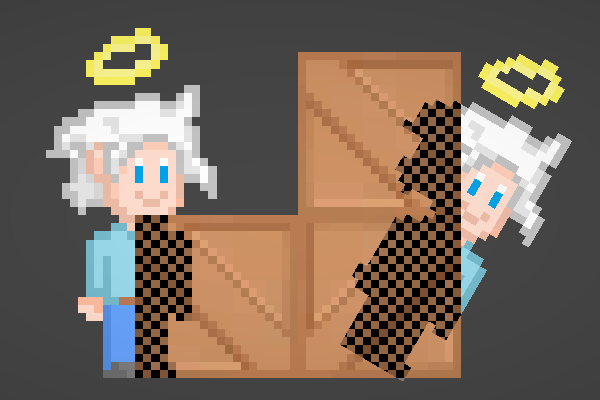
Intro Hey! I recently helped someone out with an effect they wanted to create, which involved creating an dithering-like overlay effect when the character is behind other sprites, (similar to the e…

GitHub
With Unity's 2D URP out in preview, I thought I'd highlight a way to inject scriptable render features into their 2DRenderer. Unity will support it down the line, but if anyone is i...
yes tree and player are using the same material and the same shader
regal stag
Oooh okay, didn't know there was a workaround for that.
The rest of my answer about alpha clipping + the custom function should help still
wary hatch
Yes I am going to test this, will do my best as I am very new to shaders
It work perfectly ! Thanks for the help
The last thing I have to fix is that, as I am in top down, I sort my sprite depending on the Y axis, when the player is "above" the tree; i want it to be rendered grey, but not when he is under. Can I achieve this with shader etc.. or should I just change the tree layer dynamically depending on its position ?
regal stag
Might have to change the layer depending on position yeah.
wary hatch
Fine 👍
And last question (I promise). I did an outline shader, it work well but not on the edge, as I don't have any padding on my sprite. Is there an easy way to "fix" this or I need to manually add 1 or 2 pixel of padding ?
regal stag
Is this because the outline is going outside of the sprite mesh?
Might be able to shrink the uvs when the texture is sampled a bit (something like UV subtract (0.5,0.5), multiply by scaling amount, add (0.5,0.5) into texture sample). I think that would only work if the texture is separate though, not on an atlas / sprite sheet. Might also mess with the per-pixel size if you're trying to keep it pixel perfect / same size pixels for everything in scene.
Extra padding on the texture itself might be the better method. Can't think of anything else atm.
wary hatch
Then I think I will justr add extra padding, seems the best solution, thanks for the answer 👍
willow pike
Is there a simple way to understand where these warnings are coming from in Shader Graph? Looks like it gives you the line in the shader code but I don't think I'll be able to interpret the compiled code 😝
regal stag
willow pike
Is there a simple way to understand where these warnings are coming from in Shad...
Hmm not sure. I doubt there's any easy way to figure out which nodes it corresponds to sadly. Without maybe trial and error of disconnecting nodes and seeing if they disappear. I'd also assume the lines are for the generated shader code rather than compiled code
queen skiff
regal stag
The default texture name for your secondary normal map should be "bump", not "no...
Wow, thank you so much for your detailed reply 👍
willow pike
regal stag
Hmm not sure. I doubt there's any easy way to figure out which nodes it correspo...
Ack that's too bad. Any usual suspects for "floating point division by zero"? I have a toon lit shader that uses custom HLSL functions so maybe that is the source? It's built from the Unity Open Projects Toon Shader. Might be over my head. Are the warnings cause for concern?
regal stag
willow pike
Ack that's too bad. Any usual suspects for "floating point division by zero"? I ...
The most obvious suspect would be a Divide node I guess. I think the result is just undefined so could produce different results depending on the platform. The shader should still work and compile though, it's not an error at least.
willow pike
regal stag
The most obvious suspect would be a Divide node I guess. I think the result is j...
That's what I'd expect! No divide nodes in here though hah
regal stag
The implicit truncation warning is about a float4 being converted to a float3 without specifiying .xyz for example. In graph those should be handled automatically afaik but custom function might have something like that.
willow pike
Hmm alright, I'll see if I can fix some of these with some mindless tinkering lol!
I was also wondering if there is any way to expose a gradient property to a material? I'm using some stepped gradients generated in shader graph to create the light banding in my toon shader. Really annoying that I have to switch into the graph, tinker and save each time to see the results.
regal stag
Nah, shader graph doesn't let you expose a gradient (currently at least). One alternative is using a Texture (e.g. 512x1 or whatever). Can sample it with the UV.x coord being the same "Time" used to sample the gradient.
In C#, could then take a unity Gradient and convert it to a texture. (e.g. something like this : https://github.com/Emerix/GradientToTexture/blob/master/Assets/Editor/GradientToTexture.cs)
Could also use : https://openupm.com/packages/com.needle.shadergraph-markdown/
It has the ability to automatically have a gradient in the inspector for a texture property, by using a custom ShaderGUI and some dummy properties. (see !DRAWER example)
willow pike
regal stag
Nah, shader graph doesn't let you expose a gradient (currently at least). One al...
Awesome, really appreciate it! I'll check those out
 loud silo
guys help me ?
I've successfully create a very simple arrow dash animation with PBR shader. it goes to a single direction straight forward.
but I still have a problem, on the scene
every time I tried to rotate the assigned object material to certain angle, the tiling going messed up.
is there any chance to lock the tiling as like as it looks on the Shader editor ?
so when I rotate it on the scene, the tiling doesn't change
willow pike
Hey @regal stag I was just checking this out - https://github.com/Cyanilux/URP_ShaderGraphCustomLighting awesome stuff! Have you tried it on Unity 2021.1? Having some issues setting it up in my project.

GitHub
Some custom lighting functions/sub-graphs for Shader Graph, Universal Render Pipeline - Cyanilux/URP_ShaderGraphCustomLighting
regal stag
willow pike
Hey <@!357936113983291393> I was just checking this out - https://github.com/Cya...
I haven't tried 2021 yet, what issues are you having? Any errors?
willow pike
regal stag
I haven't tried 2021 yet, what issues are you having? Any errors?
It looked to be something to do with the ambient node, deleting it and re-adding it seemed to fix it oddly.
However I'm noticing that additional lights need to be very very close to objects to get them to show up. Is there a trick to that?
regal stag
willow pike
However I'm noticing that additional lights need to be very very close to object...
Yeah. I struggled a bit with the calculations there, meant to look into a better method but haven't really had time. Changing the AdditionalLights_Toon function to use something like diffuseColor += light.color * step(0.0001, light.distanceAttenuation * light.shadowAttenuation); is a bit better. Single solid colour for most of the range.
willow pike
Let me give that a shot! Yeah these lights are set to really high intensity and range.
regal stag
I'm also aware that the custom functions won't support the shadowmask stuff added in v10+. There's an extra parameter needed in the GetAdditionalLight function to get it to calculate shadows properly too. Can see more info here : https://github.com/Cyanilux/URP_ShaderGraphCustomLighting/issues/1
willow pike
Okay I'll check that out too. Not using baked lighting atm but plan to eventually.
It looks like that code change fixed the range on the lights but the intensity of the light doesn't seem to do anything
Wait it does it just seems to not get any brighter above 1 or so
regal stag
It should get brighter if HDR is enabled on the URP Asset
willow pike
regal stag
It should get brighter if HDR is enabled on the URP Asset
This right?
Doesn't seem to be working
solar sinew
loud silo
I've successfully create a very simple arrow dash animation with PBR shader. it ...
not sure what the issue is (maybe the arrow direction?) but it looks like you are adding that offset to both U and V, if you want to only move the arrow vertically then you should split the UV and only add the offset for V
simple violet
can anyone tell me how to recalculate the text mesh pro gradient function?
            float2 pixelSize = vPosition.w;
            pixelSize /= float2(_ScaleX, _ScaleY) * abs(mul((float2x2)UNITY_MATRIX_P, _ScreenParams.xy));
            float scale = rsqrt(dot(pixelSize, pixelSize));
            scale *= abs(input.texcoord1.y) * _GradientScale * (_Sharpness + 1);
            if (UNITY_MATRIX_P[3][3] == 0) scale = lerp(abs(scale) * (1 - _PerspectiveFilter), scale, abs(dot(UnityObjectToWorldNormal(input.normal.xyz), normalize(WorldSpaceViewDir(vert)))));
is this it?
shadow locust
Simple question - but how do I add a utility function to a compute shader
I tried just dumping it in the file like this:
{
    float x = v.x, y = v.y, z = v.z;

    m[0][0] *= x; m[1][0] *= y; m[2][0] *= z;
    m[0][1] *= x; m[1][1] *= y; m[2][1] *= z;
    m[0][2] *= x; m[1][2] *= y; m[2][2] *= z;
    m[0][3] *= x; m[1][3] *= y; m[2][3] *= z;

    return m;
}
but when I try to use the function it says undeclared identifier m_scale:
lerped = m_scale(lerped, scale);
(side question is there a better way to apply a scale to a float4x4 matrix?)
 foggy falcon
I feel like there should already be a mul(...) variant that does this
shadow locust
Well I know if I built a "scale-only" matrix, I could do it easily with mul
but my matrix-foo and hlsl-foo are weak
foggy falcon
Multiplies x and y using matrix math. The inner dimension x-columns and y-rows must be equal.
shadow locust
mul doesn't seem to like either combination of my float4x4 and float3 as arguments
Maybe I should just make a scaling matrix
and mul that
foggy falcon
did you declare the function before or after it's point of use?
Is it in a utility shader file?
shadow locust
after
foggy falcon
ah, that won't work
foggy falcon
it's not like C++/C#, it's more like old C where it hates if you don't at least declare the function before you use it
so in general you put all the utilities first or in their own file
shadow locust
Wow yep of course that works, thanks haha
simple violet
can anyone tell me how to recalculate the text mesh pro gradient function in the text mesh shader??
is this what I should change to recalculate gradients?
        /// </summary>
        public override void UpdateVertexData(TMP_VertexDataUpdateFlags flags)
        {
            int materialCount = m_textInfo.materialCount;

            for (int i = 0; i < materialCount; i++)
            {
                Mesh mesh;

                if (i == 0)
                    mesh = m_mesh;
                else
                {
                    // Clear unused vertices
                    // TODO: Causes issues when sorting geometry as last vertex data attribute get wiped out.
                    //m_textInfo.meshInfo[i].ClearUnusedVertices();

                    mesh = m_subTextObjects[i].mesh;
                }

                if ((flags & TMP_VertexDataUpdateFlags.Vertices) == TMP_VertexDataUpdateFlags.Vertices)
                    mesh.vertices = m_textInfo.meshInfo[i].vertices;

                if ((flags & TMP_VertexDataUpdateFlags.Uv0) == TMP_VertexDataUpdateFlags.Uv0)
                    mesh.uv = m_textInfo.meshInfo[i].uvs0;

                if ((flags & TMP_VertexDataUpdateFlags.Uv2) == TMP_VertexDataUpdateFlags.Uv2)
                    mesh.uv2 = m_textInfo.meshInfo[i].uvs2;

                //if ((flags & TMP_VertexDataUpdateFlags.Uv4) == TMP_VertexDataUpdateFlags.Uv4)
                //    mesh.uv4 = m_textInfo.meshInfo[i].uvs4;

                if ((flags & TMP_VertexDataUpdateFlags.Colors32) == TMP_VertexDataUpdateFlags.Colors32)
                    mesh.colors32 = m_textInfo.meshInfo[i].colors32;

                mesh.RecalculateBounds();

                if (i == 0)
                    m_canvasRenderer.SetMesh(mesh);
                else
                    m_subTextObjects[i].canvasRenderer.SetMesh(mesh);
            }
}```Ok that previous function didn't really accomplish what I wanted so I just made a different one to just create a scaling matrix and muled my existing matrix by the scale matrix:
{
    float4x4 m = {
        v.x, 0, 0, 0,
        0, v.y, 0, 0,
        0, 0, v.z, 0,
        0, 0, 0, 1
    };

    return m;
}```https://answers.unity.com/questions/1010497/mesh-gradient-c.html
Vertex colors can be used to define the color of a triangle / mesh. Here the "color blending" is done in the shader on the GPU. Each vertex can only have a single color. The shader automatically renders your triangle as a gradient if two vertices have a differenc color.

Unity is the ultimate game development platform. Use Unity to build high-quality 3D and 2D games, deploy them across mobile, desktop, VR/AR, consoles or the Web, and connect with loyal and enthusiastic players and customers.
how do I access what is doing the color bending?
shadow locust
Sounds like it's part of the shader that TMPro uses
shadow locust
it would be in the fragment shader
and it would read the color from the vertices...
so let's see line 133 declares a color property for the vertex
Maybe this line?
faceColor = GetColor(sd, faceColor, outlineColor, outline, softness);
simple violet
is it in the pixel shader?
shadow locust
not really sure 😦
shadow locust
I'm assuming it's defined in a different file because I don't see it here
 cinder chasm
Hey y’all, question for ya: can you render a shader to a rendertexture using an object?
For example I need to make a texture of the positional data of unique UV maps for an object
Ending up with the UV map but with XYZ coordinates baked into the RGB
I know you can blit, but that doesn’t have access to object data afaik?
simple violet
{
    half faceAlpha = 1-saturate((d - outline * 0.5 + softness * 0.5) / (1.0 + softness));
    half outlineAlpha = saturate((d + outline * 0.5)) * sqrt(min(1.0, outline));

    faceColor.rgb *= faceColor.a;
    outlineColor.rgb *= outlineColor.a;

    faceColor = lerp(faceColor, outlineColor, outlineAlpha);

    faceColor *= faceAlpha;

    return faceColor;
}```this isn't a gradient function is it?
cinder chasm
Is that.. different to normal RenderTextures?
That just sounds like blitting? Or is it like an RWTexture?
Ie. Pass the CRT in as a shader var, write to it, it's updated
No worries, I really appreciate it
simple violet
does the canvas renderer apply vertex gradients?
because I don't think text mesh pro is doing it
 heavy pebble
Not sure what the correct terminology is, but :
Is there a way to get the nearby vertex positions in shadergraph (HDRP)? I'm trying to setup vertex displacement, but displacement of each vertex depends on surrounding vertex positions.
googling doesn't seem to give any related results
under the input node header, the only thing that seems helpful to me is the UV node, but I don't have a clue on how to get the nearby UV co-ordinates from it
cinder chasm
heavy pebble
under the input node header, the only thing that seems helpful to me is the UV n...
Nearby UV does not mean nearby topologically
What exactly are you trying to do with displacement, avenger?
AFAIK you can't get nearby points in a standard shader, but you could use a gradient noise?
Since gradient noise is by definition relative to its neighbour
heavy pebble
cinder chasm
What exactly are you trying to do with displacement, avenger?
an attempt at cloth simulation
cinder chasm
Ah...
I have never tried, but wouldn't that be more of a compute shader aligned feature?
heavy pebble
cinder chasm
AFAIK you can't get nearby points in a standard shader, but you could use a gra...
excuse my lack of knowledge here, but is there a "non-standard" shader where that is possible?
cinder chasm
Not out of the box. You could plausibly pass an array of vertex locations to a shader and iterate over them calling Distance() for each
But that's the best that immediately comes to mind for finding neighbours in a shader
heavy pebble
a compute shader? that's HLSL right?
cinder chasm
I assume so, I've never written one before but I know roughly what they do and why
heavy pebble
this is scary 🤣
cinder chasm
Ah that's not too bad. Kernel is the same as Vert/Frag functions
RWTexture2D is a Read-Write Texture
numthreads() is pretty self explanatory, but I don't know what its parameters mean (but I've heard t he default is fine)
SV_DispatchThreadID I've seen people use for indexing, which they do in the above too
Result[] is the two dimensional array of pixels on the RWTexture2D
You write to it in the same way
heavy pebble
cinder chasm
Not out of the box. You could plausibly pass an array of vertex locations to a s...
anyway to do this with shader graph itself?
I'm assuming the process is to do something like
something = mesh.vertices;
Dictionary<Vertex, Vertex[]> = NearestAll(something)```Shader graph? Intuition says "Good lord, no"
Shader Graph is a powerful tool, but it's very simple
Doesn't even let you store values
Unless you combine it with custom nodes
Besides, don't you need collision for cloth simulation?
heavy pebble
cinder chasm
Besides, don't you need collision for cloth simulation?
It occurred to me, but wanted to try it out anyway and have a look at the result with just manipulation on the rendering side
cinder chasm
Honestly I'd highly suggest faking it via:
- Collision on a low-res mesh
- perlin noise displacement on a higher res display mesh
heavy pebble
cinder chasm
Unless you combine it with custom nodes
any resource on how to do so (the storing data part) ? If I can store values, I'm pretty sure I can do something like the piece of code I posted above
cinder chasm
I don't think custom nodes themselves can store values? I had this particular issue a couple days ago with storing vertex position before displacing it, then feeding it into the vert colour
I ended up writing it in HLSL
heavy pebble
cinder chasm
- Collision on a low-res mesh
- perlin noise displacement on a higher res displa...
kind of lost you here, can you elaborate?
cinder chasm
Say you have a cape
heavy pebble
cinder chasm
I ended up writing it in HLSL
im honestly scared of HLSL because nothing makes sense in it. lol.
cinder chasm
It's a plane with a texture
You have two objects:
A 4 vert plane, and a... higher resolution cape model
You have a shader on the high res cape model that makes it "blow in the wind" via gradient noise displacement
The 4 vert plane is a soft body that does collision calcs with the world
You roughly adhere the high resolution cape to wherever the vert plane goes
Which means major sources of collision are accounted for, but the processing for it isn't ridiculous
I don't know if that works, but that's the solution that comes to mind
It's at least plausible 🙂
heavy pebble
ah got it. faking the collision on a normal plane, and doing the graphics on the high res mesh
for what I've in mind, don't really need the collision part (yet)
cinder chasm
Yeah then you're better off just finding some neat noise to fake it
3D Perlin should do you just fine for wind
heavy pebble
I'll give all noises a go and see how the results come out. otherwise time to take a crash course on HLSL
Thanks for your time and ideas!
cinder chasm
No worries, good luck!
grand jolt
Hey all
So i'm currently working on a shader that uses triplanar projection on an object, so I can apply textures without all of the extra work. I'm having an issue though, my textures for my objects seem to be tiling, and its extremely obvious
Before anyone asks, yes the texture is seamless
grand jolt
I've added tiling and offset, and a rotation setting to my shader, but it doesnt seem to make any big difference.
 viral knoll
You can blend between two textures based on some noise
heavy pebble
HLSL + Shadergraph question,
Goal : Store each vertexs position somewhere, so I can create a map, where I have information on nearest vertices of each vertex.
My theoretical Approach :
Shadergraph Position node, goes into a CustomFunctionNode, function called MyFunction().
The above MyFunction() function and the full script theoretically look something like this https://hatebin.com/yccqjgwuhv
Problems :
HLSL doesn't support any of those data types. (what do I use then?)
Plus even if I try and write my own types using arrays in this scenario, I can't Debug.Log it because I can't import UnityEngine (question here is : is there an alternative in HLSL for the same?)
Not even sure if an array implementation will work, as if I just write float3 test[]; in the global scope, it asks me to give it an initial value which I don't have. The documentation says "uniform" variables can be used outside the function scope, but I don't know what that means. re : https://docs.unity3d.com/Packages/com.unity.shadergraph@7.1/manual/Custom-Function-Node.html
Am I missing something or this is something that HLSL/CustomFunctionNodes aren't supposed to do?
 torpid plank
Hey one question, I created a shader that glows to much because i'm using post processing bloom intensity 2, how can I remove the glow from it without removing my post processnig?
woeful prism
So I'm having this weird effect when I move this plane. It's rendering a sphere behind it, kinda like a portal. https://i.imgur.com/XWFFDGb.gif
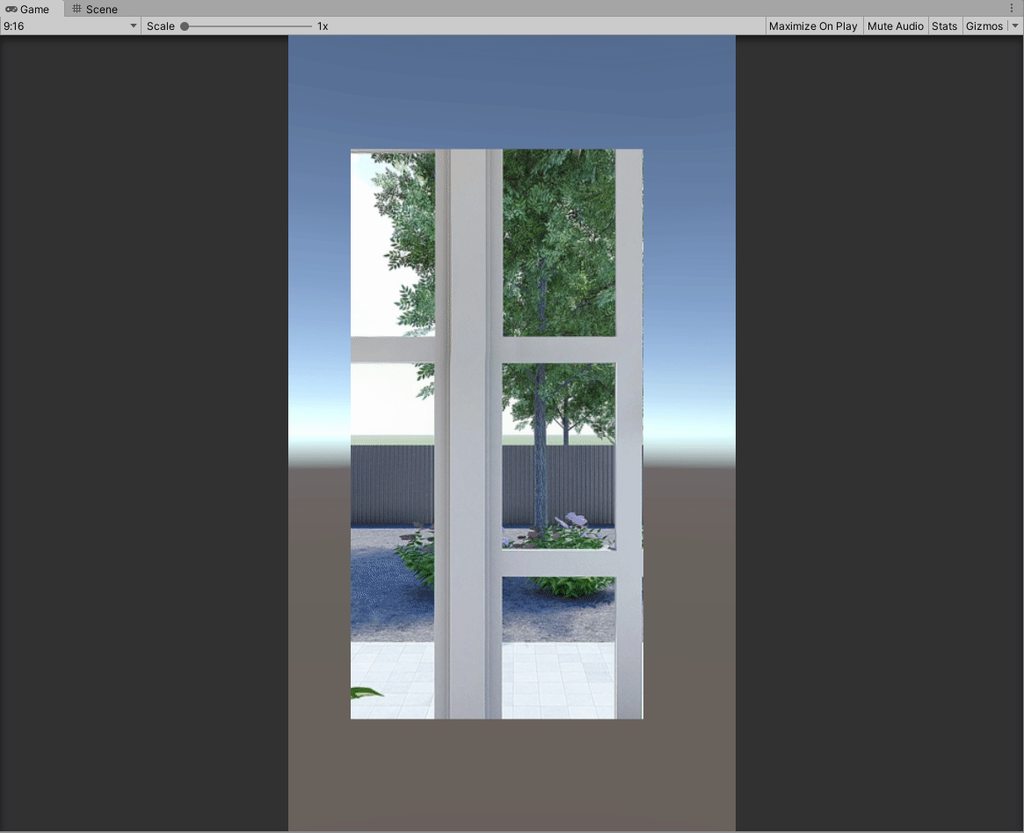
Any ideas as to why it might be doing so?
low lichen
@torpid plank Clamp the final color between 0 and 1. You can do that by putting a Saturate node in between the final node and the fragment stage port.
torpid plank
@low lichen thanks for the answere but i'm so noob in this world, its something like that?
low lichen
@torpid plank Saturate, not Saturation
torpid plank
@low lichen wow this is working, thanks
but i should use a clamp aswell like u said?
low lichen
Saturate is a clamp. It clamps between 0 and 1.
torpid plank
im going to read more about that, thank you
low lichen
heavy pebble
HLSL + Shadergraph question,
Goal : Store each vertexs position somewhere, so I ...
You have too high expectations of what HLSL can do. Think of it as C, but without the ability to allocate any memory. This is why you can't define an array with no predetermined length. You're not going to be able to allocate an array in the shader.
Have you worked with the C# Job system before? It's very similarly restricted as that, especially Burst compatible jobs
If you want data to come out of it, you have to give it something to write to. HLSL only has texture and buffer (array) objects that can be written to from shaders.
This is too complex a problem to try to solve while also learning a new language and programming paradigm.
cinder chasm
heavy pebble
HLSL + Shadergraph question,
Goal : Store each vertexs position somewhere, so I ...
MentallyStable is correct, though I’d add that you seem to have a misunderstanding of how the GPU works
In a nutshell it’s a black box. You put data in, you get data out, there’s no option for the middle ground
The gpu is a thousands hammers, and you’re trying to take out a single screw - that’s the cpu’s job
loud silo
solar sinew
not sure what the issue is (maybe the arrow direction?) but it looks like you ar...
will dig in about it later, I certainly did the procedural incorrect
but for emergency situation, I just create new mesh 3d object, and surprisingly it doesn't broke the tiling when it's rotated, brb.
heavy pebble
low lichen
If you want data to come out of it, you have to give it something to write to. H...
I see. That's disappointing to know :(
heavy pebble
cinder chasm
MentallyStable is correct, though I’d add that you seem to have a misunderstandi...
didn't even think that this was purely GPU before you mentioned it 
 crystal cairn
Where could I hire a shader developer?
I have a very specific shader I'd like to have made, and I'm unsure if it's worth it to have myself learn all of the shader coding art, or just hire someone more experienced than me for it
low lichen
@crystal cairn How complex do you think this shader will be to make?
crystal cairn
Medium, because I've seen it done before. I just want it in a certain setting for my game.
Basically I want this: https://twitter.com/taninao1988/status/1312576313983594496

 crystal cairn
I think it's a toon shader + downscaling the quality somehow to make it pixelated?
cinder chasm
Or just hand drawn? Are you sure it’s even a shader
crystal cairn
So it's impossible to do in a shader?
cinder chasm
No, but it’d probably be easier to do in 2D as a sprite
Shader requires you make a 3D model of it
low lichen
@crystal cairn This is more than just a single shader on a mesh. To get that kind of pixelated look, you need some scripting to set up low res textures and render to them.
crystal cairn
Ah, I see, thanks
 crystal cairn
Thanks!!
solar sinew
Max is a unity dev and has this aesthetic in his games, just to dispel any possible worries about exporting models with this fidelity to unity
 silk wharf
torpid plank
Hey one question, I created a shader that glows to much because i'm using post p...
silk wharf
torpid plank
Hey one question, I created a shader that glows to much because i'm using post p...
multiply the last multiply value By a float, lower values on the float means less glow
silk wharf
low lichen
`Saturate` is a clamp. It clamps between 0 and 1.
Ohh, thats some new info for me, thanks!
silk wharf
crystal cairn
So it's impossible to do in a shader?
ofc not, it is possible, but seems more likely an image effect than an object shader
 vast geode
(sorry for the xpost from the wrong channel)
^ why do my texture 2d arrays look this way? Source textures are rgba8 pngs with alpha. It doesn't seem to matter what pixel format I use, when alpha is present texture 2d array slices turn out this way.
if alpha is disabled on texture 2d import, it looks normal except alpha is just black
 cerulean breach
Does anyone know if it's possible to do a basic shader depth mask in HDRP without using custom pass stuff?
I tried like 4 different variants of shader depth masks and none worked
grand jolt
viral knoll
You can blend between two textures based on some noise
How would I go about that?
cerulean breach
^ On top of this I need the materials to be masked off to be opaque, not transparent
 wheat quail
So this was working before and I started making a new shader and this one started throwing errors. Heres the code that throwing the error. https://hatebin.com/cenhelkgvy
ok this specular needed to have half written in front of it
nevermind... i dunno how that got changed tho
i never went in to that script to change anything
viral knoll
grand jolt
How would I go about that?
In graph there is a lerp node. You plug the two textures in as the first values and a noise texture into the last one. I don’t know enough about HLSL to tell you how to do it there but the idea is the same
grand jolt
viral knoll
In graph there is a lerp node. You plug the two textures in as the first values ...
You use shader graph? If so, I use it too
Let me try setting this up really fast
Also, I have 3 textures
viral knoll
With three textures you can just repeat the process with two different gradient noise textures
To get a decent look the textures should be quite similar in color
wheat quail
why cant the code access this file?
low lichen
You typed .hlsls instead of .hlsl
cinder chasm
vast geode
(sorry for the xpost from the wrong channel)
^ why do my texture 2d arrays look...
Did you export this from photoshop by any chance?
vast geode
@cinder chasm from After Effects
cinder chasm
Not sure then. I've seen these issues with Photoshop consistently
vast geode
Any thoughts on the cause? There aren't many options on saving PNGs from adobe as I can see.
The textures import and display just fine as Texture2D, but look like the above image with Texture 2D Array
I think it might be a mipmap issue, maybe, as I get this error on Graphics.CopyTexture(sourceTexture, 0, textureArray, ...):
Graphics.CopyTexture called with mismatching mip counts (src 1 dst 12)
I have no idea how to specify mipmap level to be 1 on the dst (textureArray), which is created with: Texture2DArray(1024, 1024, 120, TextureFormat.RGBA32, true, true)
low lichen
@vast geode The second true after TextureFormat.RGBA32 is setting mipChain to true. If you set that to false instead, it shouldn't create the 12 mips.
wheat quail
@low lichen thanks, i missed that
vast geode
@low lichen @cinder chasm
mipmaps are all disabled now, no difference.
It actually looks like the alpha channel is the only one importing correctly:
cinder chasm
Have you tried export in any other image formats?
vast geode
i've tried tiffs, which works, but doesn't support alpha. What's lossless I can use besides PNG that supports transparency?
vast geode
oh yeah! it's not compressed, but I'll give it a try anyway thanks
 knotty juniper
or EXR
vast geode
BMP, EXR, GIF, HDR, IFF, JPG, PICT, PNG, PSD, TGA, TIFF
 rotund tundra
i have this rainbow shader that i got off the internet, but it only scrolls top to bottom, how would i make rotation settings?
knotty juniper
the rotate uv node could help
https://docs.unity3d.com/Packages/com.unity.shadergraph@6.9/manual/Rotate-Node.html
rotund tundra
how could i make a shader render on a texture
 junior widget
Anyone know to make sth like this? Not sure if this should be posted here or vfx :x
rotund tundra
id say thats more vfx
simple violet
I can't believe no one has ever told me about the scene color node
 winter meadow
Hello, I'm learning shaders atm and I'm finding an issue with a lightmap ramp I'm using as part of a shader walkthrough.(https://blogs.unity3d.com/2019/07/31/custom-lighting-in-shader-graph-expanding-your-graphs-in-2019/) I've gone a bit off script from this walkthrough, but it gives a genral idea of what nodes and such i am using.
My issue is when camera is up close to a model the lightmapping gets crunchy. Is this just an issue of low poly count, and if so what can i do to get around it?
ex:
rotund tundra
how do i make a shader use cutout?
rotund tundra
or transparency
thick fulcrum
winter meadow
Hello, I'm learning shaders atm and I'm finding an issue with a lightmap ramp I'...
While that article is a good start, I will suggest looking at Cyan's examples which show how to go a bit further and fix some of the issues you may experience. Such as what keywords to use and where etc.
https://github.com/Cyanilux/URP_ShaderGraphCustomLighting
GitHub
Some custom lighting functions/sub-graphs for Shader Graph, Universal Render Pipeline - Cyanilux/URP_ShaderGraphCustomLighting
solar sinew
@winter meadow yeah you should use Cyan's repo for reference, also hi 👋
heavy pebble
can anyone point what I'm doing wrong? Can't seem to link the output V3s into the Vertex Position input in PBR master after multiplying with the output of the Brightness Subgraph
the brightness subgraph
 amber saffron
heavy pebble
can anyone point what I'm doing wrong? Can't seem to link the output V3s into th...
amber saffron
heavy pebble
can anyone point what I'm doing wrong? Can't seem to link the output V3s into th...
You can't use the sample texture 2D node connected to the vertex position.
Replace it with "Sample Texture 2D LOD"
Also, if your noise texture is greyscale, your brightness node is a bis useless, you could just use one of the individual color channels.
heavy pebble
amber saffron
You can't use the sample texture 2D node connected to the vertex position.
Repla...
that fixed it thanks.
heavy pebble
amber saffron
Also, if your noise texture is greyscale, your brightness node is a bis useless,...
makes sense. Didn't think that could use the 0-1 value directly
amber saffron
simple violet
does the shading language matter?
Unity uses HLSL.
But imho, HLSL and GLSL are pretty close, so you can learn whatever.
simple violet
alright thanks
wise finch
wise finch
referencing the secondary texture does not seem to work for UI images (works for...
anybody got an idea? I'm completely stuck and can't find any related issues on the net of the web
 lusty badger
Hi. Does anybody know why Gradient properties in Shader Graph can't be exposed?
I am only using it for two color gradient that have the middle shifted a little bit so I could probably replace it with some lerps, clamps and remaps. But I'm curious why is it a thing.
solar sinew
They are baked into the shader as constants
I ran into the same frustration a few months ago
I asked the dev behind SG Markdown how the tool displays gradients and this is his answer
https://twitter.com/hybridherbst/status/1349871922402746375?s=21


@daneobyrd @NeedleTools @unity3d @marcel_wiessler SGs Gradient props are weird, they are baked into the shader as constants (thus you can't edit them on a material).
A common technique is to instead use a small texture as "gradient lookup".
SG Markdown can do "custom drawers" and one is used here to generate that lookup tex.
 Twitter
·
lusty badger
Twitter
·
lusty badger
Oh I see. Thanks!
Also thanks for showing me the SG Markdown this way. I didn't know tools like that even exist. 😄
 light jolt
I am trying to create a semi transparent shader that only render on top of other geometry (ZTest GEqual). However, I can't figure out the blending settings to prevent the sphere from blending with itself. I wish to create a uniform color:
Its an unlit shader that just draw a fixed color with the following parameters
Tags {  "RenderType" = "Transparent"
        "Queue" = "Transparent+1" }

ZTest GEqual
Cull off
ZWrite Off
Blend One SrcAlpha
does this help?
https://forum.unity.com/threads/render-object-behind-others-with-ztest-greater-but-ignore-self.429493/

Unity Forum
I'm attempting to make a shader (that is an additional pass on the Standard Shader) that will render an unlit silhouette when the object is occluded by...
I know it's not ZTest GEqual but they do discuss ignoring self and it is a similar/related effect to yours
light jolt
@solar sinew thank you! I bet I can pickup some valuable information from that link.
marsh merlin
I am making a 2d game but I am not sure which shader package to use. Should I use the Lightweight RP or the Universal RP?
regal stag
marsh merlin
I am making a 2d game but I am not sure which shader package to use. Should I us...
As far as I'm aware, they are the same thing. Lightweight was renamed to Universal. For some reason they still add versions to the package manager under both names. I'd still always use the Universal one though.
wheat quail
does anyone know why it says TransformBounds does not exist in the current context?
shadow locust
wheat quail
does anyone know why it says TransformBounds does not exist in the current conte...
Did you declare a method called TransformBounds anywhere?
vast geode
@low lichen @cinder chasm
I upgraded to 2020.2.2f1 and the preview pain for the Texture 2D Array started showing correctly.
Sample Texture 2D Array still shows garbled non-alpha channels when texture imported with "Alpha is Transparency". Same happens in 2021.1.0b4
Maybe the bottom right preview uses the built-in shader while URP/shader graph is still broken for alpha 2d arrays?
I'm thinking now to just go back to 2020.2.2f1 and try and see if the effect works with an opaque 2d array + screen blending
winter meadow
thick fulcrum
While that article is a good start, I will suggest looking at Cyan's examples wh...
thank you, this answers alot of questions i had and gives me ideas
knotty juniper
@grand jolt why not just use the blit command?
you can render one rendertexture with a custome material in another render texture and that repeated 11 times. (unless i missed the part why you are using the custom render texture)
https://docs.unity3d.com/ScriptReference/Graphics.Blit.html
vast geode
@low lichen @cinder chasm
Interesting discovery.. this issue is happening even with regular "Sample Texture 2D" nodes as well.
If "Alpha Is Transparency", then the outer pixels bleed.
So I'm guessing something to do with wrap mode?
vocal narwhal
that node will not display transparency in the preview
it's not an issue, it's just how it works
vast geode
lol, really!?
vocal narwhal
yes
vast geode
ok, thanks!
@vocal narwhal when i use that node with Blend and another image, all those artifact lines show up in the resulting blended image
am i supposed to manually handle alpha channel here?
vocal narwhal
yes
vast geode
er, how?
vocal narwhal
I don't know what blending you're expecting
sometimes you just max the alpha's together, sometimes you want a lerp, I have no idea
vast geode
well, i want to overlay one texture on another but preserve alpha
the destination texture alpha shouldn't be modified. pixels in the source texture with alpha > 0 should be blended with the destination texture
You've said that garbled image in my shader graph is normal for that node, yet what I see in that node (all the bleeding lines) are currently what renders to the texture in game
green bottom left is alpha channel, top right blue is blue channel
vocal narwhal
that's what is actually in the rgb channels, so it's showing you that
if that's what is rendering, then you're letting that data pass to the output without masking it out either via alpha or via some other method
vast geode
then i'm back to where i started. importing a transparent image with "Alpha is Transparency" puts all those lines in.
i have tried every combination, PNG,TGA,EXR
vocal narwhal
Any exporter is going to have to put something in the rgb channels
that is a good thing to have in there, because it's making it so there's no fringing
the rgb data still exists even if the a channel as a 0 in it
cinder chasm
vast geode
i have tried every combination, PNG,TGA,EXR
Vertx is far more knowledgeable than I am, but I’ve only ever experienced this issue with Adobe. Does it happen with other textures exported from other software?
vocal narwhal
What is filling the rgb channels looks good to me, and is an output I would want.
Used to have to use Flaming Pear's Solidify from their photoshop plugins to fill that data and manually specify the alpha channel when I last used PS to make textures with alphas. Otherwise you'd get this terrible white fringing because the rgb would be filled with white.
The problem is entirely with node composition at this point, and has nothing to do with the texture
shrewd crag
vast geode
then i'm back to where i started. importing a transparent image with "Alpha is ...
what's your objective?
how do you want this to look?
it's true that photoshop is horrible and premultiplies alpha with white
and you want to unmultiply alpha
 rustic escarp
Any Shader graph user here?
I am trying to get vertices position in shader graph but it gets all wrong on the game. Any workaround for this?
 thorn ore
Hi,
How can I draw a inverted rectangle overlay (mask) with an aspect ratio input using a screen shader? ( ratio is based on width )
Example
 trail geyser
Hi guys
So I tried to make a simple sway shader for grass and trees and noticed it works great in the editor when the game isn't running.
When I start playing I've noticed weird behavior on the grass.. it got glitched all over.. disconnected from the ground kinda levitating above it.
Not what I intended.. I also noticed that this behavior is only for static objects...
After googling a bit some folks said to disable\enable dynamic batching\SRP batching but after playing with these nothing really changes 🤔
BTW using Shader Graph
@thorn ore is this what you're after?
or this?
low lichen
trail geyser
Hi guys
So I tried to make a simple sway shader for grass and trees and noticed ...
This sounds like a static batching problem. When Unity batches static meshes together, it generates one big mesh that gets reused. That static mesh is going to have some origin point. You are likely using the origin point in your shader to control the sway.
But it can only have one origin point, so the original origin points of the original meshes are lost.
trail geyser
yes.. so where is the option to disable it? the options in the URP asset file doesn't work..
I guess if I really want my grass to sway it shouldn't be static..
I also understand we can disable it with a tag right?
in the shader
low lichen
You disable static batching on the game object.
If you click the arrow next to the Static checkbox, you can toggle just batching
trail geyser
oh man THANK YOU could't find it lol I thought it should be in the MeshRenderer component
thorn ore
trail geyser
<@!621148560058220545> is this what you're after?
Thanks but non, it should fit the screen
trail geyser
thorn ore
Thanks but non, it should fit the screen
Oh.. and the Screen node does't do that?
thorn ore
I think you didn't get what I want
trail geyser
what is you actual goal here?
marsh merlin
How can I make a sprite glow without affecting its texture? This is the best I could come up with, but it still changes the texture and creates a dark area around the sprite when playing.
amber saffron
I don't get what you are doing with this replace color node.
If you want to have and outline effect, you need to show the glow effect only around the "object" by masking it someway.
kindred crane
hey all, i made a shadergraph and attached to to a material. i have the material on a quad but its only rendering on 1 side. is there a way to make it render on both sides?
or do I need to make 2 quads?
@marsh merlin you could make some pixels emissive and use post processing bloom
marsh merlin
When I use Bloom, it makes the entire screen glow.
kindred crane
raise your threshold?
 foggy ember
Ok i just noticed that there is a post processing channel
brittle owl
kindred crane
hey all, i made a shadergraph and attached to to a material. i have the material...
there should be a setting in the shader graph that says double sided rendering or something
in the graph inspector
kindred crane
oh yeah i found it on the pbr node. ty
brittle owl
marsh merlin
When I use Bloom, it makes the entire screen glow.
is there perhaps something wrong with one of your meshes? that happened to me when i was looking at one of my meshes because something was wrong with one of the faces
foggy ember
i meant to delete, sorry if yall heared something
brittle owl
i believe there is a stop nan propagation setting on the camera, turn it on and see if that fixes it
wheat quail
whats this little icon under my compute script? is this normal ?
shadow locust
wheat quail
whats this little icon under my compute script? is this normal ?
Not sure. Mine looks just like this:
wheat quail
strange
 sick pawn
How do I take logic from a Compute Shader mesh instancing void and put it in a script to use on the cpu?
Here is the Mesh Instancing void in question
shadow locust
Just... copy it by hand and convert things to C#?
float4x4 = Matrix4x4 for example
BTW "void" is the return type. It's called a "function" or a "method".
sick pawn
The function is called with a #pragma instancing_options procedural:setup
Would I make a function just for that in the C# logic?
 tough flare
hi, so, anyone know which kind of shader that should be used on particles to make them inherit the particle systems color over time and so on?
regal stag
tough flare
hi, so, anyone know which kind of shader that should be used on particles to mak...
Particle colour (including Start colour, Colour over Lifetime, etc) is passed through vertex colours. If you're using shader graph, there's a Vertex Color node. For shader code (cg/hlsl), use the COLOR semantic in the vertex shader input.
tough flare
@regal stag thank you ill try and figure that out. It stopped working when i added LWRP.
😟
foggy falcon
LWRP? That's deprecated in favor of using URP. Are you on a more recent version of the editor?
also LWRP/URP have different names for common properties compared to built-in pipeline
tough flare
im sorry, its actually named URP, and i simply solved it by upgrading the shaders to URP
vast geode
how do you set a boolean blackboard property from script? there's no material.SetBool()
vast geode
(SetFloat it seems)
 deft crane
so uh how can i make a shader
i just want to make a post-processing effect
and i have literally no idea how
deft crane
cool
shadow locust
Anyone know why I'm getting this error?
Shader error in 'Custom/BetterSurfaceCompute': undeclared identifier '_MainTex' at line 97 (on d3d11)
https://hatebin.com/hdpcrqsirj
shadow locust
nvm I was missing sampler2D _MainTex; near the surface shader
Thought the property declaration was enough
 junior drift
yo quick question, i am having a undeclared identifier of i, I am converting a shader right now from shadertoy to unity and i don't know what I should change i to or define it as
thorn ore
trail geyser
what is you actual goal here?
to mask the screen using a rectangle by ratio
It's called safe frame
 waxen agate
Hellu. Does the screen position and scene color node work on a sprite unlit master node aswell? I cant get it to work
 wintry pike
Hey my dudes, can anyone help me get per-texel shadows working with a surface shader?
 calm hollow
I am trying to use a custom shader in urp but I was not able to do so. How do I make a custom written shader compatible with urp?
shadow locust
calm hollow
I am trying to use a custom shader in urp but I was not able to do so. How do I ...
Unfortunately the docs are really poor for this at the moment. You should either explore ShaderGraph - or... look at this template and start there? https://gist.github.com/phi-lira/225cd7c5e8545be602dca4eb5ed111ba
calm hollow
ah alright thanks
yeah, i wanted to use a tf2 shader someone wrote for unity, but I do not know much about writing shaders. So Ill take a look, and see what i can od
 weary dust
hi guys, I have a very short question... Is it easy to add the property 'Color' to a shader? we have this custom shader someone made for us specially but it doesnt have that property. Just want to know if adding this property can get tricky or should be an easy task.
Thanks in advance
shadow locust
It is easy to add a property to a shader
yopu just add it in the properties block at the top like this:
    {
        _Color("Color", Color) = (1,1,1,1)
        _MainTex("Albedo (RGB)", 2D) = "white" {}
        _Gloss("Gloss", Range(0,1)) = 0.5
}```and then create a corresponding variable (same name) in the shader program below
in the case of _Color here the corresponding variable would be fixed4 _Color;
then you can use it in your shader functions
vast geode
i don't know how you all manage without shader graph
i'd definitely be using shaderforge if i were using the legacy shader pipeline
low lichen
I tried switching over to Amplify for my main mobile custom shader, but I just couldn't get it as optimized as when I wrote it. It would generate unnecessary stuff.
amber saffron
No question here, I just wanted to share a funny shader I did during my livestream 😄 https://i.gyazo.com/dddbe37b63414d870ef06afbbdd2a205.gif
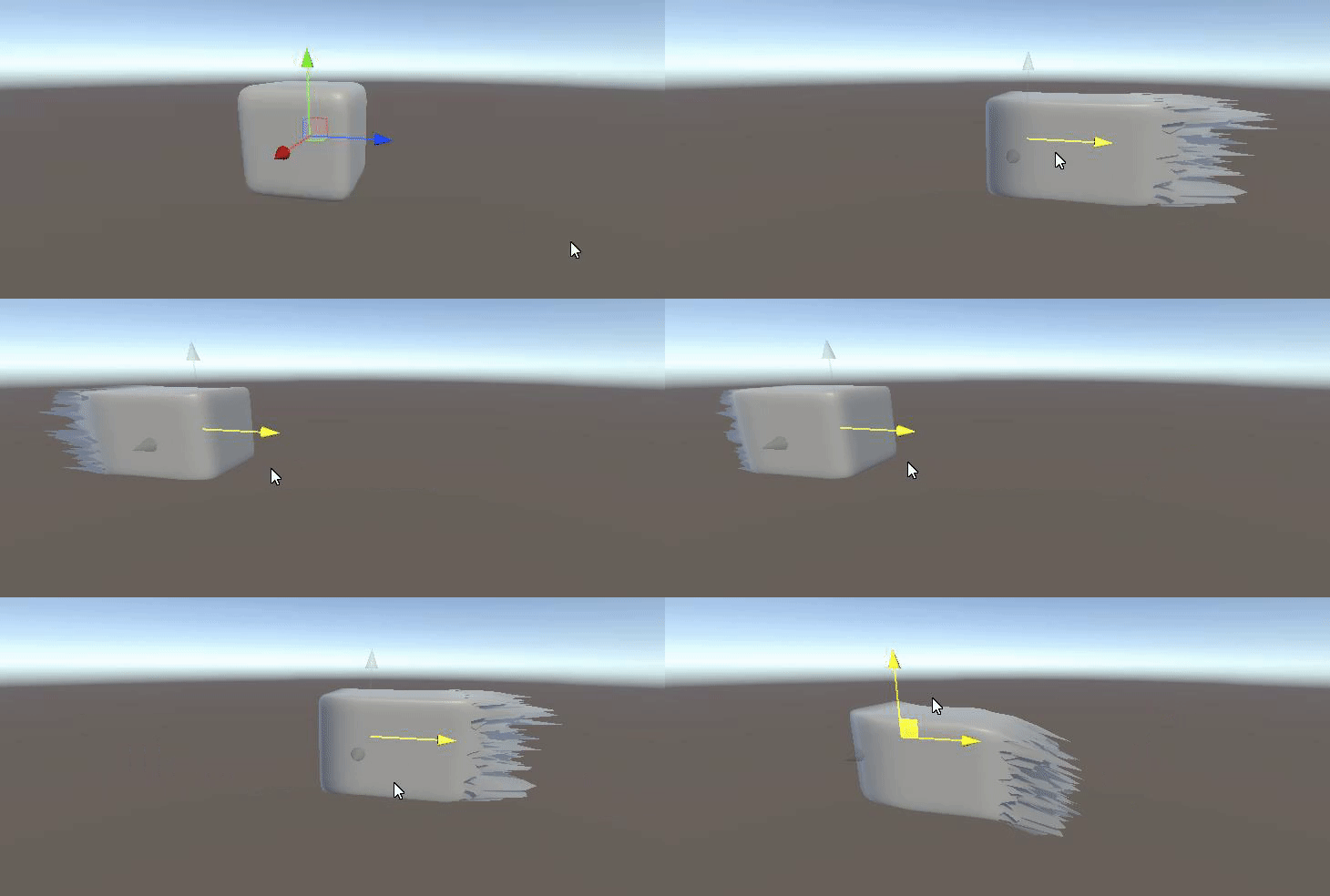
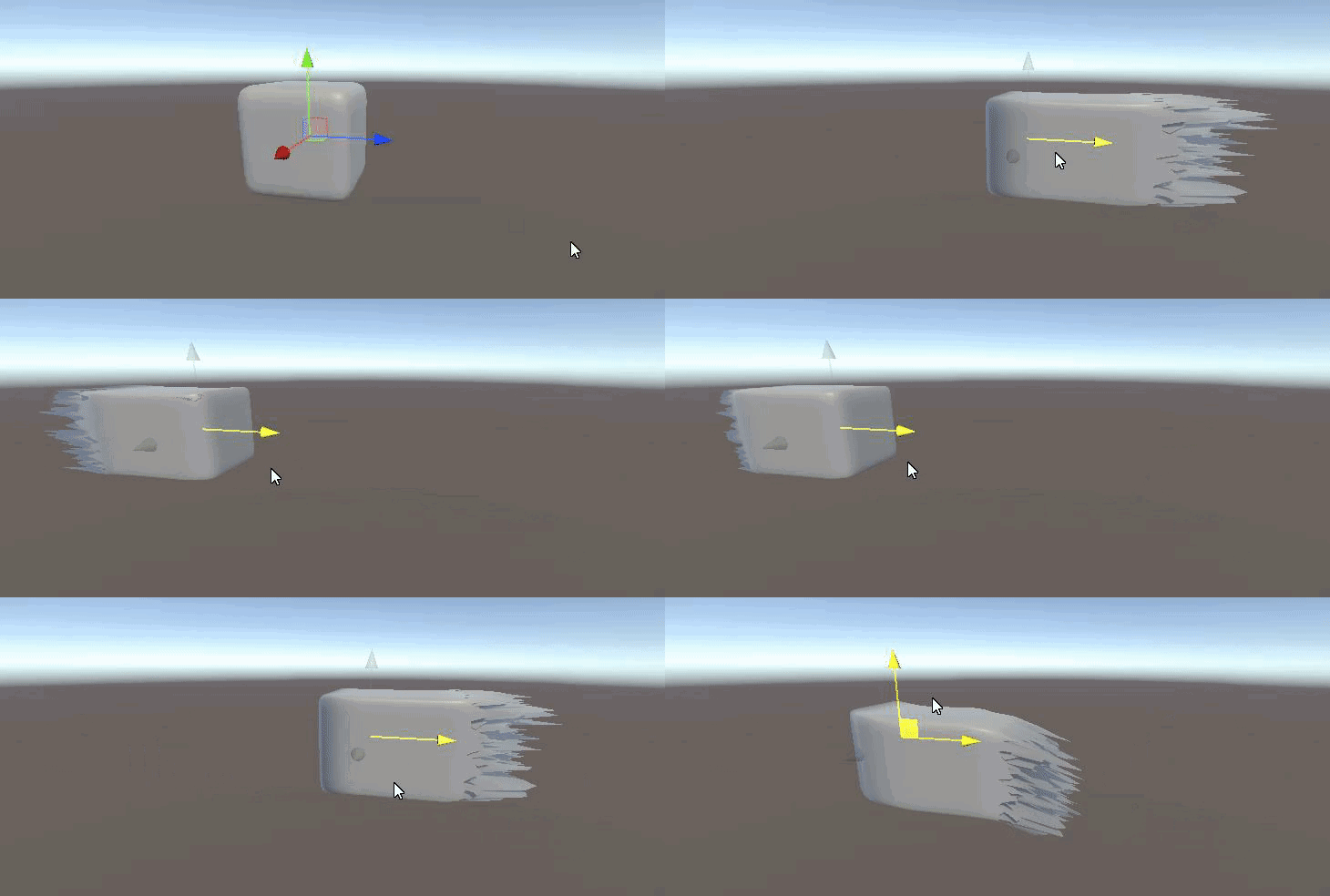 vast geode
awesome
weary dust
@shadow locust would you be interested in helping us adding it to a couple of shaders? we can pay you if you want
we know 0 about shaders and its taking us too long
can someone tell me how to add the Color property there ?
i tried adding those 2 blocks
the property appears but doesnt work
 finite stirrup
does anyone know how I could create color banding with Shader Graph?
my game is pixelated so I want there to be less colors in the gradients
knotty juniper
finite stirrup
does anyone know how I could _create_ color banding with Shader Graph?
check out the Posterize Node , that is what you need
https://docs.unity3d.com/Packages/com.unity.shadergraph@6.9/manual/Posterize-Node.html
shadow locust
Is there some fundamental difference in the way Surface shaders deal with vertex input/output compared with a regular vert/frag shader?
https://forum.unity.com/threads/why-does-this-vertex-frag-shader-work-but-surface-shader-does-not.1052678/
Unity Forum
I have a compute shader that produces a StructuredBuffer of float4x4 transformation matrices which I use to draw meshes following a set path in my...
low lichen
You're using SV_VertexID in the surface shader and SV_InstanceID in the vert/frag shader
@shadow locust
low lichen
weary dust
You've only defined a property called _Color. You have to use it in the shader, like multiplying some color with _Color to tint it.
shadow locust
low lichen
You're using `SV_VertexID` in the surface shader and `SV_InstanceID` in the vert...
Oooooo
how did I miss that
weary dust
Gosh, thanks a lot @low lichen
If someone is good with shaders and is interested on getting some occasional jobs (paid of course) please DM me.
 lean grove
Is shader language worth learning or is shader graph enough? Looking at it I'm seeing a steep learning curve and I would like to understand if the effort is worth it
willow pike
Is it possible to make the "two sided" option in shader graph expose-able as a property?
I want to use the same shader on most of my objects but want to have a slight variant material for cloth which is double sided without making it an entirely new shader
regal stag
willow pike
Is it possible to make the "two sided" option in shader graph expose-able as a p...
Don't think it's possible, without editing the generated code that is. e.g.
// in Properties
[Enum(UnityEngine.Rendering.CullMode)] _CullProperty ("Cull", Float) = 0
...
// in Subshader/Pass
Cull [_CullProperty]
For shadergraph-only, Would have to just duplicate the shader graph. Or could put it all into a subgraph that each graph uses, if you want to be able to edit both at the same time.
willow pike
Gotcha! Yeah figured it would be something like that
Was trying to see if I could use this somehow to bypass it with a boolean property but not sure how that would work
calm hollow
is there a good turtorial on how to write shaders for unity?
knotty juniper
@calm hollow unless you are using the OLD render pipeline take a look at the shader graph
makes it a lot easyer to create shader
calm hollow
oh
calm hollow
is there a good way to convert custom shaders to shader graph?
marsh merlin
I can't install Universal RP on my latest project. What should I do?
shadow locust
marsh merlin
I can't install Universal RP on my latest project. What should I do?
why not
shadow locust
calm hollow
is there a good way to convert custom shaders to shader graph?
I think Unity has a thing for converting builtin renderer shaders to URP or HDRP, but I don't think they have a tool for converting to shader graph
calm hollow
oh thanks
 sullen silo
Can anyone point me towards a good shader for leaves in URP? Soft occlusion leaves doesn't seem to work in urp
marsh merlin
shadow locust
why not
It doesn't let me. It says something is busy and won't install.
weary dust
How could i paint my object white if choosing the white color in the color property is what it shows the texture real color? 🤔
I know removing the texture would show it white but i was hoping to make fade effect
trail geyser
thorn ore
to mask the screen using a rectangle by ratio
sorry for the delay. I didn't read everything here so I don't know if you already got this to work
@thorn ore but, you can create this unlit shader and use it in a canvas (RawImage)
@thorn ore put a RawImage and set it like this (also make sure z is high enough for your purpose
@thorn ore then its simple as changing the ratio in the material 🙂
weary dust
@trail geyser could you help me on my little doubt?
trail geyser
@thorn ore this is for ratio 1 for example..
weary dust
oh sorry, you were not done
trail geyser
sorry for spamming tho 🤣
trail geyser
I think I'm done lol
weary dust
is just a short questio
How could i paint my object white if choosing the white color in the color property is what it shows the texture real color? 🤔
I know removing the texture would show it white but i was hoping to make fade effect
im using the Color property
of the shader
which we had to add because didnt have it
trail geyser
you can lerp the color
weary dust
but we want to paint objects white and when i choose white the realtexture of the gameobject shows
not white color
trail geyser
you are using shader graph?
weary dust
i know -10 of shaders, this was done by some upworker
i dont know if showing the code would help 😅
just want to know
the shader draws a texture, a texture of the object
if i change the color
the object keeps the texture but paints the color
but if i choose WHITE
then no color is painted
get it ?
like if white were the alpha color or something
one image better
see?
trail geyser
sorry I was afk 😅 yea that's just multiplication by white (1)
weary dust
i would like to behave like it does with the red somehow
trail geyser
you probably multiply the texture with the color
trail geyser
this is good for tinting but if you want to replace you can use a lerp or mix
weary dust
its the surf funnction?
i was going to apply this
to lerp from one color to the other
trail geyser
yes that's what I meant 🙂
weary dust
but my only doubt is how do i do it to lerp to white
this seems to be what you mentioned
- _Color
thats why white is not working
?
trail geyser
if your color2 is white then you need to pass t=1
trail geyser
weary dust
that's tinting
regal stag
While you might be lerping the colour being used to tint, it won't go white if you are just multiplying in the shader. You'd need to lerp there too, on a third parameter (maybe alpha of colour)
regal stag
e.g. fixed4 c = lerp(tex2D(_MainTex, IN.uv_MainTex), _Color, _Color.a); maybe
weary dust
oh but youre lerping inside the shader
regal stag
Sure, but if you aren't using the alpha channel for anything you can use it as the t input in the lerp
If you need the alpha channel as well, then use a Float property instead
weary dust
this property to tell i dont want to tint or... ?
okay, i see its possible to do want... for the moment is enough,
what i want*
thanks @regal stag thanks @trail geyser
trail geyser
sorry was afk again.. 😅 np
grand jolt
Quick question guys. Can you help me figure out what this error means, and how I can fix it?
regal stag
grand jolt
Quick question guys. Can you help me figure out what this error means, and how I...
It means your Custom Function node cannot find a function in the source file named "CalculateMainLight_float" which has 4 input/outputs. So check the name and input/outputs are correct.
grand jolt
Gotcha 👍
 wise spire
So i have a texture that draws what camera sees and a RawImage which should display it through a shader that also applies an effect, but when i add shader material to the RawImage it just renders black(and when i just put the texture, without shader material it renders normally)
simple violet
try the scene color node
wise spire
i don't understand how and i don't think it changes anything..
simple violet

In this video, we are creating a Distortion Shader using Shader Graph in Unity 2019!
Download the project here: https://ole.unity.com/DistortionShaderProject
Shader Graph in Unity 2019 lets you easily create shaders by building them visually and see the results in real time. You create and connect nodes in a network graph instead of having to...
regal stag
wise spire
So i have a texture that draws what camera sees and a RawImage which should disp...
Shader Graph doesn't really work great with UI. It might be drawing black because of the ShadowCaster pass. Changing the Surface type to Transparent might bypass that. (Setting on the small cog on the Master node)
Alternatively, if you're using the URP & Forward Renderer you can apply a screen based shader using a Blit Renderer Feature. e.g. https://github.com/Cyanilux/URP_BlitRenderFeature. In this case, the shader should use a "_MainTex" input to obtain the source target used in the feature settings.
regal stag
Since this is unrelated to the previous shader error you posted above, I'd assume you are posting in the wrong channel @grand jolt
sullen silo
Do I need to make my own shader to get leaves to look right in urp?
Soft Occlusion Leaves doesn't work, and the speed tree shaders look terrible. The simple lit shader in urp looks ok, but it renders the branches behind the leaves as well.
thick fulcrum
@sullen silo basically there is an underlying issue with Depth, hence most foliage is using a cutout approach as this handles depth for us.
If you want semi-transparent or softer edges using transparency you are going to run into z fighting issues or just plain wrong rendering order.
sullen silo
What would you recommend I do? Should I buckle down and try to make my own shader for the leaves?
regal stag
You should be able to use the Lit shader, with Opaque and Alpha Clipping enabled
sullen silo
Should I just place by hand instead of using the terrain placement tool if I use a lit shader? I think that it will not billboard properly? Or should I just make a custom LOD group to use with it
thick fulcrum
your only changing the shader it should not affect workflow
sullen silo
So do I ignore the warning thd terrain system gives whenever I used a tree without the soft occlusion shader? Not sure why it even gives it seeing as how that shader is seemingly deprecated in urp
thick fulcrum
it's only a warning, but run some test builds etc to check everything is ok on target build and nothing is adversely affected before going too far perhaps
sullen silo
Ok, thanks for the help
 waxen wind
Trying to learn shaders but they're kinda complicated. Would you guys recommend starting with code-based ones or doing Shader Graph
regal stag
waxen wind
Trying to learn shaders but they're kinda complicated. Would you guys recommend ...
Shader Graph is easier for beginners. Provides previews, easy menu to search through nodes/functions, don't have to worry about passing data between vertex and fragment shaders as it handles it for you. But it also requires switching to one of the Universal or High Definition render pipelines.
waxen wind
Ok sure I already have URP on this
It's kinda hard because the official Unity tutorials e.g. for water shader go super fast and don't really explain stuff
but I'll keep my head up and trudge onward
regal stag
waxen wind
It's kinda hard because the official Unity tutorials e.g. for water shader go su...
Haven't really looked into the official Unity ones that much. I have some Shader Graph related tutorials if you're interested : https://www.cyanilux.com/contents/. Doesn't necessarily go through the basics but I try to explain the process the best I can. Some are more advanced than others though.
I know there's some YouTube channels that do tutorials on shader graph too if you prefer videos. I'm also aware of https://danielilett.com/ and https://minionsart.github.io/tutorials/ (some shader graph articles)
 pure violet
my materials are not upgrading tu hdrp
waxen wind
thx @regal stag
 wind sigil
Does anyone know how to "save" pixel color in a frag shader? LIke, if I want to change all pixels to red, then blur them, as I understand from the pseudocode below, the i-th pixel turns red but gets blurred with non-reddened pixels nearby:
fixed4 frag(v2f i): SV_TARGET {
float4 origcol = tex2D(_MainTex, i.uv);
float4 redcol = float4(origcol.r, 0, 0, 1);
//then, blur based on redcol AFTER ALL PIXELS TURN RED?
}
wind sigil
Is the only solution a second pass? (actually trying to blur results from approximated indirect first light bounce)
 sage moss
I'm working on loading an MJPEG stream from http... Currently have it working using Texture2D.LoadImage(pixelByteArray)
But, that's taking a lot of time, and on iOS starts lagging after a few seconds
Does anyone know a better way to stream the frame bytes into the GPU, especially on mobile?
The web browser seems to handle the stream fine, so I know the mobile device can handle it
Also note, I determined it was LoadImage by profiling on my PC, which shows it's the slowest part of the process
vast geode
How would I handle offsetting UV based on an object's normal rotation from the camera?
dot product of normal and camera direction?
shadow locust
Create -> Shader -> one of the shadergraph options
 full ravine
How can I make a surface shader
regal stag
URP doesn't support surface shaders, they're for built-in RP only. (If you're referring to the Create -> Shader -> Surface Shader option that is)
The closest similarity in Shader Graph is the PBR Master (aka Lit in v10+).
regal stag
vast geode
How would I handle offsetting UV based on an object's normal rotation from the c...
I think you are referring to a parallax effect? The View Direction node in **Tangent **space should help with that.
waxen wind
I noticed not very many of the Shader Graph tutorials talk about camera effects .... is this the right tool to make those?
shadow locust
that's postprocessing
regal stag
waxen wind
I noticed not very many of the Shader Graph tutorials talk about camera effects ...
URP's post processing Volume system doesn't support custom effects (currently at least, it's on the roadmap), which is likely the main reason for the lack of tutorials on it. You can however achieve fullscreen "image effects" using a Blit in a Render Feature for the URP Forward Renderer. e.g. https://github.com/Cyanilux/URP_BlitRenderFeature
Can use shader graph for the shader/material. It should use a Texture2D input with the "_MainTex" reference (not just name) to obtain the source texture for the blit (which is usually the camera target)
waxen wind
That sounds pretty complicated for someone just starting out with this
I mean, shader / VFX land
Like this one for example seems to be done with a Shader https://assetstore.unity.com/packages/vfx/shaders/fullscreen-camera-effects/sinewave-effect-62679

Add depth to your project with SineWave Effect asset from JustinGarza. Find this & more VFX options on the Unity Asset Store.
So you can write camera shaders but not with Shader Graph?
regal stag
I mean, it's not really where most people start with shaders that's for sure. I might have made it sound more complicated than it actually is too. Perhaps this is better:
- Need to take the BlitRenderFeature script from my github and put it in your project.
- Then you can assign it to URPs Forward Renderer (which will be in your project files somewhere) and give it a shader/material.
- I have a similar example here (though using a slightly older blit feature), which inverts the screen colour : https://cyangamedev.wordpress.com/2020/06/22/urp-post-processing/#CustomEffects
waxen wind
Ok this seems legit. Good blog post
regal stag
waxen wind
Ok this seems legit. Good blog post
To add to the example further, something like that sine wave asset would be a case of offsetting the texture input, like so.
Where 20 is the frequency and 0.05 is the amplitude. These could be replaced with properties to control them from the material / C# script.
waxen wind
That's crazy so the camera image is just represented as a texture that you can mess with
regal stag
Yep
waxen wind
what does the Red channel on UV represent
regal stag
It represents the X axis of the UVs, it's just the Split node is always labelled as RGBA. It's the same as XYZW which is usually used when referring to positions rather than colours.
waxen wind
Dafuq is W
regal stag
In the case of a camera effect, X is the horizontal position across the screen. (0,0) in bottom left, (1,1,) in top right. You can ignore the Z and W axis here.
regal stag
W is the fourth component of the Vector4 type, just a naming convention for the 4th dimension. Positions are usually Vector3 though so wouldn't use it. There are cases where it's important, but explaining them would probably be too complicated. In terms of colours, it's the alpha (A) channel.
vast geode
is it possible to expose pixel coords from a surface to shader graph through a custom function?
regal stag
vast geode
is it possible to expose pixel coords from a surface to shader graph through a c...
Is that not the Screen Position node?
vast geode
hmm, that is relative to the entire screen right?
I'm looking to fade opacity based on pixel distance from object normal... maybe that could be derived from screen pos tho...
(or pixel distance from texture origin)
regal stag
Not sure I understand what you're trying to achieve
wise spire
So i have a shader graph that applies some effects to a render texture and renders it through an unlit material that i apply to a raw image, and for some reason, it stopped updating, it renders only on the first frame and then just stops and doesn't updates
regal stag
wise spire
So i have a shader graph that applies some effects to a render texture and rende...
You might be rendering the raw image to the render texture itself?
wise spire
well i have a camera that outputs what it sees into the render texture, which is used in the shader graph and than applied to the material that is applied to the raw image
So is there something i am doing wrong?
regal stag
wise spire
well i have a camera that outputs what it sees into the render texture, which is...
Not too sure. Double check the camera is still rendering, and make sure the UI isn't included in the render texture. Maybe the Frame Debugger window would help?
I'd personally avoid using UI. It might be slightly more complicated but you can blit directly to the screen with a render feature on the Forward Renderer. Can use this : https://github.com/Cyanilux/URP_BlitRenderFeature (as long as it's somewhere in the project assets it'll be available to add on the renderer asset. Just need to set the material on it)
Can either use camera source and send your render texture to the shader separately (like you are probably already doing), or set the source directly to your render texture and use "_MainTex" reference in the shader.
You'd also need to make sure there's two renderers assigned to the URP asset though and assign a blank one to your second camera to prevent it blitting the texture to itself. Only the main camera should be using the renderer with the feature.
thorn ore
trail geyser
<@!621148560058220545> this is for ratio 1 for example..
I managed to make it writing a shader from scratch I needed it to be pixel perfect and pixel based ( I don't use graphs )
thanks for your time
grand jolt
Hi, what's the best way to add vertex color support to my custom shader? I can't get the colors to show at ALL. I even copied the code over from an old shader I wrote where it works, but I cannot for the life of me get the colors to show...
vast geode
^Two shaders here. The background one has an animated Texture 2D array with alpha rendering an effect (the blue/teal cloud) (through a sub shader if that is relevant). The black rect has alpha.
Why is this blue effect bleeding through the black rect above it?
Render Queue settings seem to have no impact.
(Using URP)
vast geode
This bleeding only seems to happen if the background image is light colored. It's like it's being Multply'd
is it possible my effect overlay is "too bright"?
 viral prairie
Hi, I'm making a mobile fashion game with Unity Urp.
I make cloth's texture with Substance Painter. I want to ask that is Unity URP's Lit shader best for cloth material?
Or is there any better shader for cloth?
Thank you!
thick fulcrum
viral prairie
Hi, I'm making a mobile fashion game with Unity Urp.
I make cloth's texture with...
generally I'd say the Lit shader should be a good match as Substance Painter exports to PBR material workflow
 tranquil fern
@bright kettle The delay gets longer because it's a sine wave
So the up time and down time both take longer. It moves slower, but it also remains "clear" for longer.
 bright kettle
So how can i fix that ?
wise spire
For some reason any Blit code i try to use just doesn't works in unity 2020.1.3f1, i even tried it with a clear urp project, but it doesn't works even there
weak hemlock
hey i have a camera texture and a shader material in the shader i et that the sample texture should represent the camera view but when i apply my material to my normal cube it gets very pixelated.Any Help?
please help me
regal stag
weak hemlock
hey i have a camera texture and a shader material in the shader i et that the sa...
It sounds like the cube is rendering itself to the texture, so that's kinda expected.
weak hemlock
no ihave the cube under the camera that should be displayed on the cube
but the cube isnt visible on the camera
weak hemlock
regal stag
It sounds like the cube is rendering itself to the texture, so that's kinda expe...
?
weak hemlock
regal stag
It sounds like the cube is rendering itself to the texture, so that's kinda expe...
pls help
ok i know where the problemm is
look at my camera
regal stag
I don't really know enough about the setup or what you're trying to achieve. If you're using a secondary camera rendering to a render texture, make sure the cube is excluded from it.
regal stag
Maybe the resolution of the texture is too small?
weak hemlock
weak hemlock
regal stag
Maybe the resolution of the texture is too small?
?
?
first is camera sceond is tecture
regal stag
2000x600 is a bit of a weird resolution. You should try matching it to the screen resolution maybe
Also it might just look pixelated on the preview as it's smaller. Test what it looks like in game too
weak hemlock
yea in game its picel too but i followed a turtorial on a 2d water shader and texture and he said create a texture with 2000 and 600
weak hemlock
regal stag
2000x600 is a bit of a weird resolution. You should try matching it to the scree...
doesnt work it just then the material applied to the cube is just invisible
now the guy from the tutorial used pixel art so i coulsnt really see if he was the same
im now going to rework this thing
and see
weak hemlock
weak hemlock
?
what is wrong with this texture?
weak hemlock
weak hemlock
or with this camera
simple violet
I think I did this once and I needed to flip the texture
weak hemlock
simple violet
I think I did this once and I needed to flip the texture
where flip?
camera or texture or what?
simple violet
flip the texture around
weak hemlock
where there is no flip button
weak hemlock
simple violet
flip the texture around
?
simple violet
turn it around
weak hemlock
got it eorking
i was kinda dumb
it was in the tutorial they said urp create and just one pipeline asset and i first wondered dont i need a 2d pipeline asset too? so it turned out that that was the problem
thank you all for your help
or wait
PROBLEM NOT SOLVED
noooo why is this such a bad problem
grand jolt
I've got kind of an issue where shadowmaps change in play mode
this is how it looks in the editor window
this is how it looks in play mode
and I suspect it has to do with the shader I use to render shadows from sprites
it used to work just fine until I upgraded from 2020.1.0f1 to 2020.2.3f1
this is all URP btw
grand jolt
grand jolt
and I suspect it has to do with the shader I use to render shadows from sprites
this is because it gives the error "implicit truncation of vector type" twice