#archived-shaders
1 messages · Page 183 of 1
 low lichen
 coral otter
So I made this choice, If I have to move over a new pipeline and redo all my stuff, at least I'll go for the best graphics even If none can run it :p
Ahah yeah I understand that !
But I havn't found any VR portal for HDRP nor URP. I waited 1 full year, and there is still nothing. So i'm trying to make them for everyone
low lichen
As an asset?
coral otter
Yeah that or just a public repository of the project under MIT

That's the project so far, it's full bugged on VR though, it only work on desktop mode. I think i'll clean it and do a cool readme once i get it to work
low lichen
Alright, so what does it look like now in VR after adding the tiling and offset?
I assume it looks flat because you can only show one eye for both eyes
But it looks like HDRP lets you draw renderers and with custom stencil settings using the Custom Pass API
That'd be the best way to implement it, I think
coral otter
Well I noticed that I have a much worst problem... And it has nothing to do with the shader
In fact my portals camera instead of rendering their own view to their render textures like it does in desktop mode render the player view but flipped and distorder to their render texture, which make no sense, and must be a bug coming from the VR in render pipelines
low lichen
I can imagine that.
Are you rendering to a render texture you create manually as an asset?
Or are you creating it at runtime via script?
coral otter
I create it runtime with a script. I tried to remove all script and it seem like the camera render fine
But with the script it's fucked up, so i'm debuging atm
low lichen
Are you duplicating all the settings from the real VR render texture?
coral otter
I removed all the logic but this
        // Skip rendering the view from this portal if player is not looking at the linked portal
        if (!CameraUtility.VisibleFromCamera (linkedPortal.screen, playerCam)) {
            return;
        }

        if (viewTexture == null || viewTexture.width != Screen.width || viewTexture.height != Screen.height)
        {
            if (viewTexture != null)
            {
                viewTexture.Release();
            }

            viewTexture = new RenderTexture(Screen.width, Screen.height, 0);
            // Render the view from the portal camera to the view texture
            portalCam.targetTexture = viewTexture;
            // Display the view texture on the screen of the linked portal
            linkedPortal.screen.material.SetTexture("_MainTex", viewTexture);
        }
And the render texture is still flipped
https://forum.unity.com/threads/upside-down-camera-render-using-vr-pipeline-template.613312/ Lol seem like a very old issue

Unity Forum
Hi. I have just created a new project using the experimental VR render pipeline template. Testing using a Samsung Odyssey headset, running it directly...

Unity Forum
Hi!
I have an issue with using additional cameras that render to a render texture with Unity 2019.3.10 / HDRP 7.3.1 / VR Moch HMD (both Multi Pass and...
low lichen
I don't know if I'd trust Screen.width and Screen.height to match the VR render texture size
And if you're using single pass, you'd probably want it to be double width, because they are side by side.
 lament mulch
I'm making a kinda block-based game and have written the generator for the mesh itself, but I want to use a shader to color the mesh in a user-defined way (they'll be "painting" the blocks a solid color) I How can I pass that data to the shader?
 gloomy tendon
Hi I'm capturing a cubemap or 360 view of my HDRP scene at runtime but I want it to have the same exposure & color as the in-game, instead it is just over bright & lacking contrast - needs post processing I guess...
coral otter
You can try to play with the post processing volume and fix the exposure to a set number @gloomy tendon
@low lichen got some progress done, it was a bug from unity. Updating to 2019.4.16 fixed it https://gyazo.com/1bc7fb14259ed924fde49d8a28c7dc4c
Now it still render a bit off though, and my camera's render texture arn't on VR 😂
gloomy tendon
@coral otter well the cubemap does not receive volume as per scene or it does not come out with the exposure done - calling Camera.RenderToCubemap in code
it is to export a 360 of the scene which I have done in built in
 grand jolt
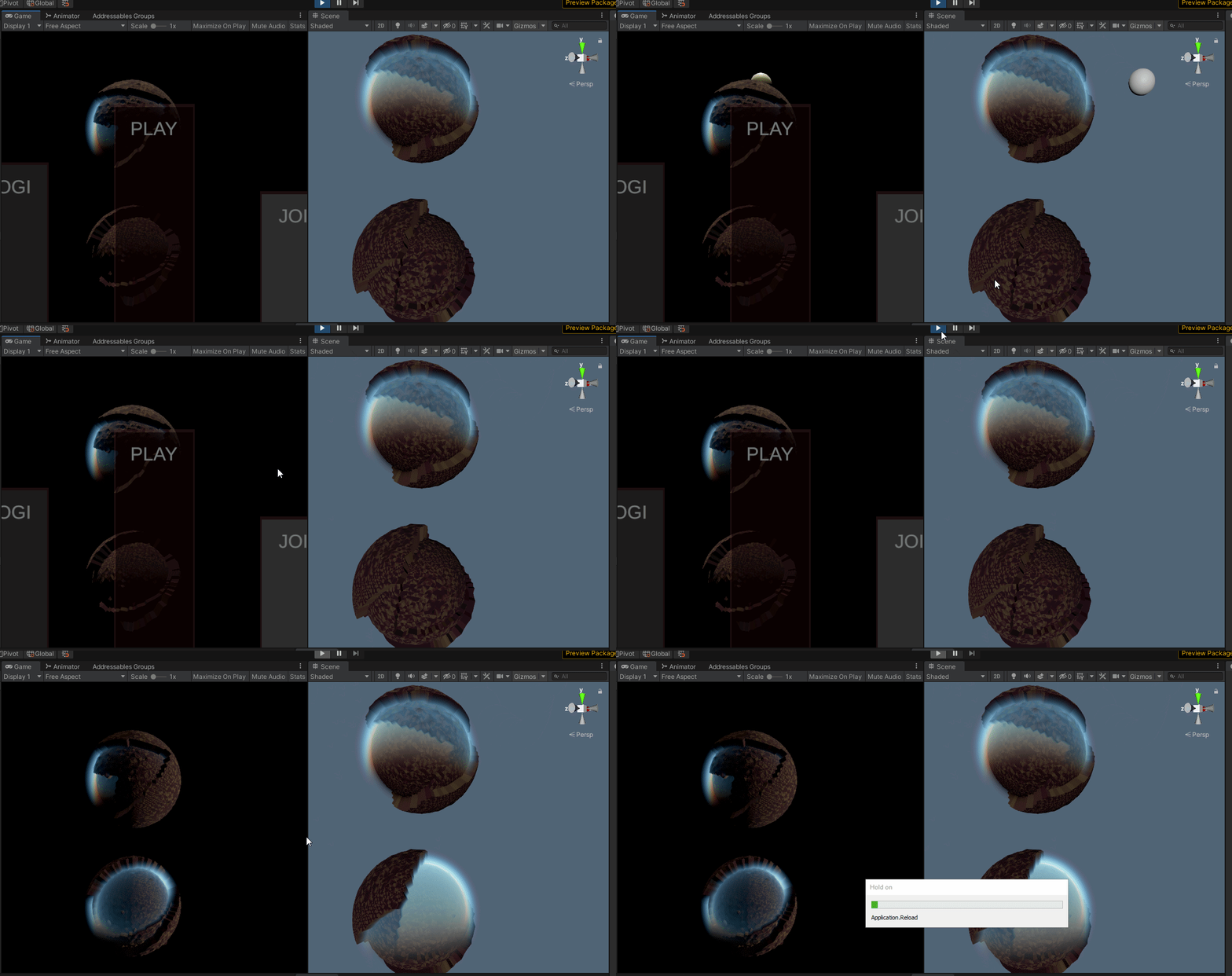
why is that
shaders work for me in edit mode
but in PLAYMODE only ONE of them works
 spark silo
What is a good way of creating a simple shader that is block colour/metallic, but I can use that same shader and input a normal map for each specified object?
Many of the other maps are generic, I just need to be able to input the relevant normal map per object, but I want to avoid having 20instances of that same material, just with a swapped out normal map
 amber saffron
spark silo
Many of the other maps are generic, I just need to be able to input the relevant...
amber saffron
spark silo
Many of the other maps are generic, I just need to be able to input the relevant...
Technically, you can make a shader that would take a texture array as input for the normal, but this has some caveats, and you'll still have to provide the index of the texture to use per object.
A solution would be to use a script with a material property block to set a value per object.
spark silo
@amber saffron Thank you for the reply! I can visualize something like this, but not a coder so I guess this would be out of my scope for this project?
amber saffron
That's on you to decide if you want to do it or not 🙂
spark silo
oh absolutely, what I mean is I am from a UE4 background where you can accomplish a lot without needing to C++, I guess what I mean specifically is this a C# job or can it be done through the Unity editor?
 real gorge
hey guys, how expensive is the Shader.Find function?
like is it bad practice to put that function in Update or something like that
also sorry if cross-posting
 carmine karma
Hey, What's the problem here ?
float3 Blend_float(float3 A, float3 B,float Index, out float3 Out){
    if (Index == 0){
        Out = A*B;
    }
}
@real gorge Is there a reason you can't save the result and reuse it?
@carmine karma You tell us. What is the problem with this?
real gorge
@carmine karma the function is supposed to return a float3
 regal stag
@carmine karma Assuming this is a custom function, it typically returns void instead of float3. Your "Out" is also only defined when Index is 0, what about when it's a different index?
carmine karma
Oooooh
I gonna test it
Also, I find the toon shader you posted online very inspiring
Still some errors..
real gorge
what do they say?
carmine karma
"Not All control path return a value..."
low lichen
Did you fix the problem with Out only being set when Index is 0?
carmine karma
float3 Blend_float(float3 A, float3 B,float Index, out float3 Out){
    if (Index == 0){
        Out = A*B;
    }else{
        Out = A;
    }

}
```csyes
low lichen
You didn't change float3 to void
The function shouldn't return anything, it just has the out parameter.
carmine karma
I changed it it now says again that it's not declared
grand jolt
omg guys
why my shader works edit mode only reee
in play mode only one instance of it
works
regal stag
Might be batching related @grand jolt
carmine karma
low lichen
The function shouldn't return anything, it just has the out parameter.
What do you mean ?
should I write "out Out ?
low lichen
Can you post what the function looks like now?
carmine karma
void Blend_float(float3 A, float3 B,float Index, out float3 Out){
    if (Index == 0){
        Out = A*B;
    }else{
        Out = A;
    }
    }
Looks okay to me, are you sure it's still erroring?
real gorge
Yeah theres no problem in the code
grand jolt
regal stag
Might be batching related <@456226577798135808>
what you mean
carmine karma
low lichen
@grand jolt The Frame Debugger is always helpful in situations like these.
carmine karma
Maybe I should find a way to reload the script ?
I reloaded it
doesn't do a thing
regal stag
Is "Blending" a .hlsl or .cginc file?
regal stag
Hmm, it should find it then. Definitely saved the file?
Was just making sure it's not a .txt or something
carmine karma
100% sure
low lichen
Does the order of the parameters not need to match the list in the custom function node?
regal stag
Ah yeah, that's it
regal stag
You have float3, float3, float in the code, but Vector1, Vector3, Vector3 in the graph
regal stag
Maybe try saving the graph and reopening it. Maybe the error isn't really there anymore
carmine karma
It says that it'snt declared
YES!
Thank you a lot guys!!
Now that it works..
Red*Green = Red darker
Red*Red = Red
I'm a bit confused.. It doesn't work like this in photoshop
low lichen
What are you expecting it to do?
regal stag
What are you trying to achieve?
low lichen
What should Red * Red result in?
low lichen
Which blending mode are you trying to match?
carmine karma
Oh sorry...
regal stag
Aren't most of these already on the Blend node?
carmine karma
It's the same
Sorry it's the same in photoshop
Anyway, I do that because I need to do a layers system like photoshop
where you can move layers around
and change the blending modes
low lichen
Does the built-in Blend node not achieve that? I guess you can't change the blend mode through a parameter?
carmine karma
It's possible ?
The thing is that I won't have the same amount of layers in runtime than in testing
so I can't create 20 sample textures
and hope it doesn't get bigger or something
low lichen
But is it necessary to draw all the layers in one shader?
Why not do it in multiple passes and use hardware blending?
carmine karma
low lichen
But is it necessary to draw all the layers in one shader?
Yes, because I want to save all the final result in Albedo, metalness or whatever
Or I didn't thought it well ?
low lichen
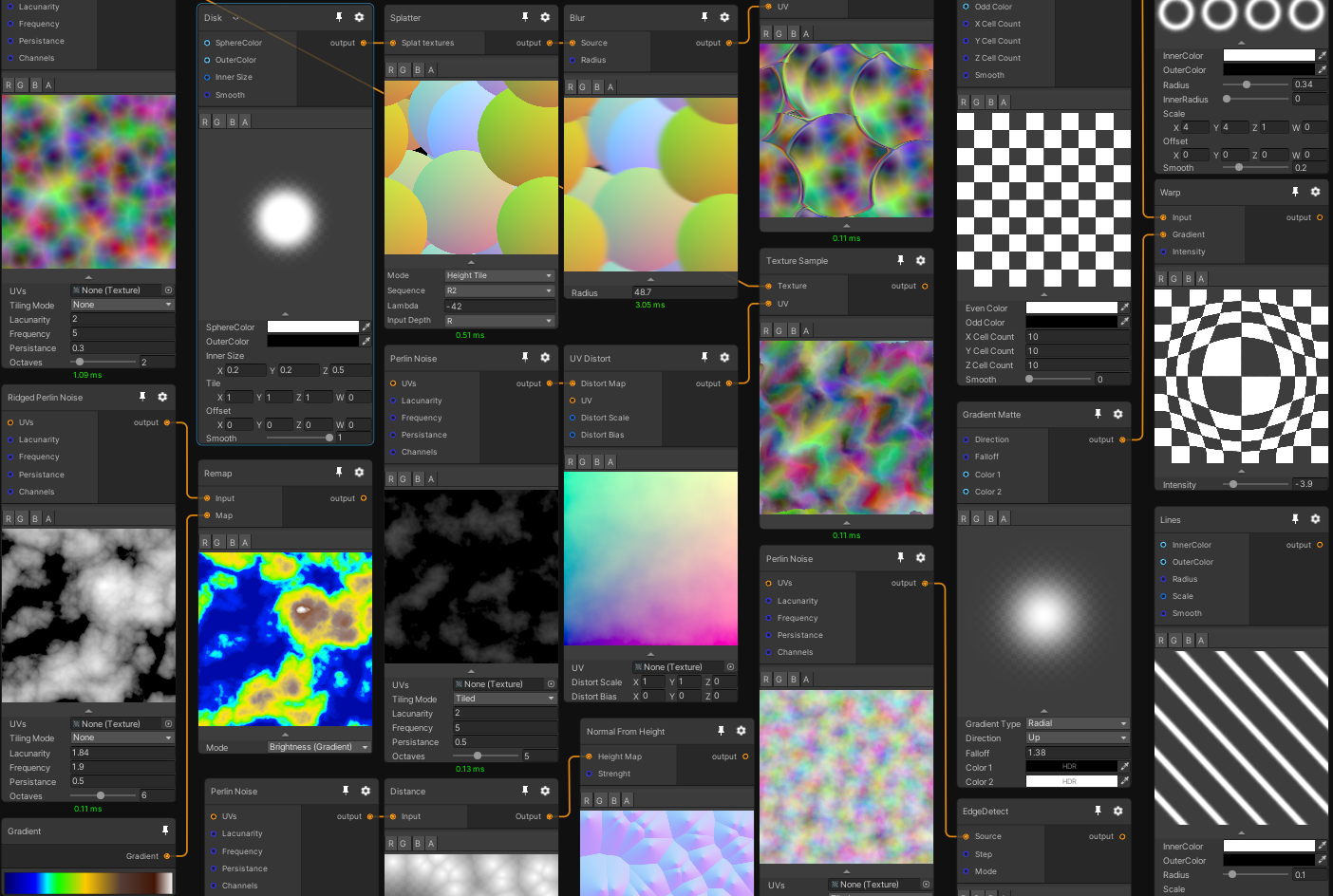
You might be interested in this asset
https://github.com/alelievr/Mixture
GitHub
Mixture is a powerful node-based tool crafted in unity to generate all kinds of textures in realtime - alelievr/Mixture
real gorge
guys, i'm making a god ray post process effect that requires a render texture that basically renders everything in the scene as black except for the light source but i dont know what the most efficient way to render that as
    {
        // Set Replacement shader and replacement skybox so all objects in scene except light source render as pitch black
        cam.SetReplacementShader(replacementShader, "RenderType");
        RenderSettings.skybox = replacementSkybox;

        // Set camera render target to the render texture and render
        cam.targetTexture = renderTarget;

        cam.Render();

        //set the replacement shader and skybox and release the render texture from the cameras target texture
        cam.ResetReplacementShader();
        RenderSettings.skybox = defaultSkybox;
        cam.targetTexture = null;
}```Wow!! that's awesome!!
real gorge
but i can't call this function in OnRenderImage because of the Cam.Render line
carmine karma
I need to see if I can re-Arange/Create new Layers in runtime
real gorge
is it instead okay for me to call it in LateUpdate?
low lichen
@real gorge You could do it in OnPreRender
real gorge
@low lichen no i still get the same error
low lichen
What is the error?
real gorge
Attempting to render from camera 'Main Camera' that is currently being used to render. Create a copy of the camera (Camera.CopyFrom) if you wish to do this.
is it a good idea to just have a second camera component be responsible for rendering the scene with the replacement shader?
low lichen
How about OnPreCull?
real gorge
The post process just doesn't work then
 thick fulcrum
@real gorge is this in standard or URP?
real gorge
standard
low lichen
As I understand it, you have an OnRenderImage method that's relying on a render texture of the scene being rendered with a replacement shader?
real gorge
yes
low lichen
And if you render that texture in OnPreCull, there's no error but the effect doesn't work?
real gorge
yes
low lichen
If you check the Frame Debugger and try to find your blit, you should be able to preview all the properties being passed to the blit, including any texture you might be passing to it
If you don't see it there, that's a good sign that the shader isn't receiving the texture for some reason
If you do see it and you preview it and it looks fine, it might be something else. Maybe something wrong in the shader.
carmine karma
For exemple, I have my shader that make a multiply operation between 2 images
I want to get the result, because I want to use it, to make another operation for exemple screen
low lichen
Have you checked out Mixture, because that's kinda what that's made for?
Otherwise, you can do it manually with Unity's CustomRenderTexture API
carmine karma
I checked but it ask the very last beta of unity
low lichen
Or do it manually manually and blit to a render texture using your shader
carmine karma
I want to use it when it will be more stable
What do you think is the easier, the custom render texture API or the blit option ?
low lichen
Custom Render Texture is supposed to be easier to use and manage, but it also doesn't support Shader Graph shaders
carmine karma
So then the blit option is the only solution
"Graphics.Blit(aTexture, rTex);"
this ?
low lichen
Yes
And to make it more clear, a Blit is simply a shortcut to quickly draw a quad with your material on it in front of a virtual camera that has a render texture output.
So the render texture output will be filled from corner to corner with this quad with your material on it.
carmine karma
Very smart!
low lichen
A blit expects the shader to have a _MainTex property which it passes the source texture to
You can add your own second texture parameter with whatever name and set it yourself, or even ignore the _MainTex property and create your own two texture properties.
carmine karma
Why not simply create a _MainTex in the shader graph to get the right output ?
low lichen
You can, and that's what most blit shaders do. It's just in your case you have two input textures, so it's a bit weird to think of one texture as the main texture
So you'd have to do something like
_MainTex
_SecondTex
Whereas I think it's prettier if it's something like
_FirstTex
_SecondTex
Just saying, you're not forced to use _MainTex if you don't want to
carmine karma
Okay I see
Wow you're helping me so much, I so much faster with your help!
Thank you
low lichen
The blit shader in Shader Graph should just be an Unlit shader where you sample the two textures at UV0 and return their blended output. I'm not 100% that this works, but looking at built-in blit shaders, it doesn't look like they're doing anything special that can't be done in Shader Graph.
This is a built-in one that just returns the _MainTex with a color overlay
https://github.com/TwoTailsGames/Unity-Built-in-Shaders/blob/master/DefaultResourcesExtra/Internal-BlitCopy.shader
The only thing special here is that it's using the UNITY_SAMPLE_SCREENSPACE_TEXTURE macro to sample the texture instead of a regular texture sample, but I think that's just for supporting VR
Which in your case is not necessary, because you're working with regular textures, not VR render outputs.
 pastel grail
is there anything like ASE's depth fade in shader graph? scene depth doesn't have a "maximum depth" setting or anything like that
nvm found something
 willow pike
Does anyone know how I can take a shape like this and blur out it's edges without UV mapping it to a texture each time?
I want to be able to mask out these cave walls with a soft edge like this using flat meshes that I can quickly put in over different room layouts
low lichen
That's difficult with no data in the vertices to indicate how close they are to the edge
Like UVs or vertex colors fading out near the edge
carmine karma
@low lichen So I'm trying to use the Graphic.Blit Solution
but it can't update at runtime ?
low lichen
You need to blit every frame if you want it to update every frame
carmine karma
That what I codded
public class LayerBlending : MonoBehaviour
{
    public List<Material> Layers;
    public Material Base;
    public GameObject FinalOutput;
    public RenderTexture RT1;
    public RenderTexture RT;
    public void Start()
    {
        Layers.Add(new Material(Base));
        RT = new RenderTexture(256, 256, 16, RenderTextureFormat.ARGB32);
        RT.Create();
        RT1 = new RenderTexture(256, 256, 16, RenderTextureFormat.ARGB32);
        RT1.Create();
    }
    public void LateUpdate()
    {

        OnRenderImage(RT1, RT);
    }
    public void CompileLayers(RenderTexture rT)
    {

        //Graphics.Blit(Layers[0].GetTexture("_First"), rT, Layers[0]);
        FinalOutput.GetComponent<Renderer>().material.SetTexture("_Albedo", rT);
    }
    void OnRenderImage(RenderTexture source, RenderTexture destination)
    {
        RenderTexture buffer = RenderTexture.GetTemporary(source.width, source.height, 24);
        Graphics.Blit(source, buffer, Layers[0]);
        Graphics.Blit(buffer, destination);
        RenderTexture.ReleaseTemporary(buffer);
        CompileLayers(buffer);
    }
}
Why use OnRenderImage?
You're releasing the buffer texture, but then trying to use it
carmine karma
Because the simple "Graphic.Blit" didn't work, I searched online for help, and came up with this
but this : cs Graphics.Blit(Layers[0].GetTexture("_First"), rT, Layers[0]); doesn't work too
low lichen
And what does the shader look like?
carmine karma
It's a shadergaph shader with blending modes
low lichen
Can I see it?
low lichen
I don't see you setting the _Second texture anywhere in the script. Is it already set in the material?
low lichen
Graphics.Blit(Layers[0].GetTexture("_First"), rT, Layers[0]);
This line will get the "_First" texture from the material and assign that to the _MainTex property.
low lichen
It doesn't assign it to the material asset
Just for the blit
Can you see the blit in the Frame Debugger?
low lichen
Get rid of the OnRenderImage if you're still using it
Just call Blit in LateUpdate or Update
low lichen
The material should only be used in the blit. The blit will use it to generate the blended texture which you then use in whatever material you want
carmine karma
Still the same thing
low lichen
Are you testing this in play mode in a scene with this script in it?
carmine karma
public class LayerBlending : MonoBehaviour
{
    public List<Material> Layers;
    public Material Base;
    public GameObject FinalOutput;
    public RenderTexture RT1;
    public RenderTexture RT;
    public void Start()
    {
        Layers.Add(new Material(Base));
        RT = new RenderTexture(256, 256, 16, RenderTextureFormat.ARGB32);
        RT.Create();
        RT1 = new RenderTexture(256, 256, 16, RenderTextureFormat.ARGB32);
        RT1.Create();
    }
    private void LateUpdate()
    {
        CompileLayers();
    }
    public void CompileLayers()
    {

        Graphics.Blit(Layers[0].GetTexture("_First"), RT, Layers[0]);
        FinalOutput.GetComponent<Renderer>().material.SetTexture("_Albedo", RT);
    }
}
Yes, of course, else the coffee paper material won't be even updated on start
low lichen
What is this FinalOutput assigned to?
carmine karma
to the coffee glass
carmine karma
Plane is for debug the current material, and coffee to take from it
Basic PBR material
Just putted the name to assign it easely
low lichen
Okay, can you screenshot the Frame Debugger during playmode?
carmine karma
I'll do a very quick video so you can see
Sorry my computer crashed, I gonna do it now-- sorry for the wait
Hope it's not too little
low lichen
So it works the first time, but not after making changes?
carmine karma
Excactly
low lichen
You're duplicating the layer material in Start. Are you modifying that duplicate or the original?
Not really sure why you need to duplicate it to begin with
carmine karma
It's interesting!
Well, it's because there will be different layer
everytime the user ask for it
low lichen
Don't really understand. But you think that might be the issue?
In the video when you are changing the texture, are you changing it on the material that is created by the script
Or on the original material?
carmine karma
That was the issue!
I was changing the original material, even through I though I was editing the new one!
Thank you alot
low lichen
Good to hear. Of course, it's only necessary to blit when changes have been made, no need to keep reblending the same textures with the same settings every frame.
carmine karma
Yeah, I know, I did it as a debug purpose to see if it was working
grand jolt
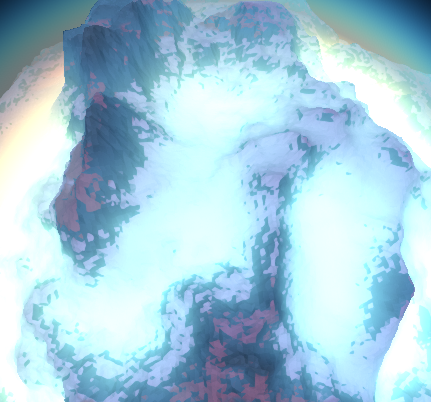
hmm i tried to generate a model procedurally, export it to another project, but the ocean wont display no matter what, and the result is also somewhat wacky
i think the ocean needs to 'compute'
basically the result doesnt look that bad i thing (perhaps the same as original) but once i enable to display oceans it breaks
thick fulcrum
all settings are same in new project, depth is enabled etc if required?
grand jolt
yeah it looks like this https://i.imgur.com/QVClUaq.png

with oceans disabled it comes back to look more normal https://i.imgur.com/vSfkDaO.png
 worldly steppe
Hey I found a code for the sprite fog material but it seems it's written in CG & as far as I know URP only allows HLSL shader code. Is there a way how to convert this? Sorry I'm not an expert in writing shader code https://answers.unity.com/questions/1244402/trying-to-have-sprites-affected-by-fog-without-hav.html
Unity is the ultimate game development platform. Use Unity to build high-quality 3D and 2D games, deploy them across mobile, desktop, VR/AR, consoles or the Web, and connect with loyal and enthusiastic players and customers.
grand jolt
i think i dont understand shaders
but the atmosphere.. seem to be working... after transporting it..
yet ocean.. feels like it requires constant computation?... thats why transporting it to other project doesnt work
not sure
pastel grail
hey I'm trying to make a shader that makes interactable objects have a yellow pulse to them
I tried putting the yellow pulse in emissions but it doesn't really interact well with lighting
is there any way to like, lerp between regular lighting and the pulse rather than whatever emission is doing?
pbr graph btw
 hearty wasp
pastel grail
hey I'm trying to make a shader that makes interactable objects have a yellow pu...
hearty wasp
pastel grail
hey I'm trying to make a shader that makes interactable objects have a yellow pu...
what kind of interaction with light are you looking for exactly?
pastel grail
using a fresnel helps but it's still not really what I want
basically switch between regular lighting and just yellow based on the pulse
that's the graph rn btw
but yeah emission seems to add to the existing lighting on the object, rather than replace it
hearty wasp
not sure if I can help, but the way you're describing it makes me think you want to override all your texture maps?
pastel grail
I want to override the lighting, kinda
basically, lerp between regular lighting and yellow based on a sine wave
I don't know if that's really possible without like, custom lighting
and afaik there's no blinn phong node or anything, I'd have to recreate all of the lighting calculations
hearty wasp
I think you'd be looking at a way more complicated graph if you want to genuinely override your lighting to look like it's entirely unlit, yeah
pastel grail
oof
 smoky knot
Guys, can anyone help with advice? I want to recreate one specific shader that was made in Amplify shader graph, but I don`t have that one. How could I recreate it in BPR shader or, is there any variant to make it work again after turning into pink?
because i switched render pipeline, i lost it
grand jolt
anyone has any idea why shader breaks
on AssetDatabase.refresh ?
i do not actually make the refresh myself
i just create a file unrealted to shader, during runtime
in application data path, it is in editor assets actually
and then it refreshes and shader breaks
 brittle owl
pastel grail
hey I'm trying to make a shader that makes interactable objects have a yellow pu...
brittle owl
pastel grail
hey I'm trying to make a shader that makes interactable objects have a yellow pu...
make it a render feature, give the material some transparency, and it will look fine, thats how i do it
 toxic flume
If a shader has several passes, all passes will run, right?
If I set pass using material.setpass, it only run this pass?
Is it better to have several passes and then switch between them or different materials and switch between materials according to specific situations?
For example I want to activate silhouette shader for some NPCs only in specific time.
 night flame
hey guys, i need some help, i have a shader (made in shadergraph) that gives me this when i make a material and put it on a plane, but i would like to get a texture 2d out of this shader insteaad of a material since i want to move my object based on the darkness of the texture
toxic flume
" texture 2d out of this shader insteaad of a material"
didn't get it, explain in detail @night flame
night flame
when i create a shader in shadergraph its output is a material, then i can use that material on an object
but i want to get a texture2d like when i place that material on a plane
basically the materials color value at a uv point
worldly steppe
Hi everyone, I'm placing a 2D sprite in a 3D environment rendered with URP & how can I make an unlit sprite material shader graph that is affected by the fog around it when it's seen from a distance? I found a code for the sprite fog material but it seems it's written in CG & as far as I know URP only allows HLSL shader code. Is there a way how to convert this? Sorry I'm not an expert in writing shader code https://answers.unity.com/questions/1244402/trying-to-have-sprites-affected-by-fog-without-hav.html
Unity is the ultimate game development platform. Use Unity to build high-quality 3D and 2D games, deploy them across mobile, desktop, VR/AR, consoles or the Web, and connect with loyal and enthusiastic players and customers.
 unique oar
@night flame Then what do you need the shader for if you don't want a material and just want a value at one point? Seems like you'd want to just use a voronoi function in C# at that point :/
Also y'all I'm having an issue with a shader atm. I'm trying to put some isolines on a texture based on a height map. I've got everything working, but the isolines are an inconsistent width due to some areas having different normal values. I tried multiplying the thickness of the line with the y-normal at that point, but that didn't entirely fix it. If this ain't clear, lmk so I can elaborate
I'm using shader graph btw
 midnight pecan
Hi, did anyone tried to input planar reflection probes in hdrp on shader like shadergraph or amplify ?
night flame
@unique oar kinda yes, i just need the modified value of the voronoid function at a point, im using this texture to generate the waves in my water shader, and i want to move some of the objects with the water
thick fulcrum
@worldly steppe if your using shader graph there is a fog node and I think cyan's lighting example has another method for fog too.
@night flameI'd recommend making a compute shader if you want to sample it at multiple places for buoyancy type of situation, when I used c# version I could never get the timing to match but you may have better luck / skill 😉
night flame
Im thinking about calculating the voronoid in a separate shader and passing it to my water shader
thick fulcrum
you still need to get that info back to the cpu though for physics if that is your intention
grand jolt
my shader not visible in build
anyone knows why
Uploading Crash Report
ArgumentNullException: Value cannot be null.
Parameter name: shader
  at (wrapper managed-to-native) UnityEngine.Material.CreateWithShader(UnityEngine.Material,UnityEngine.Shader)
  at UnityEngine.Material..ctor (UnityEngine.Shader shader) [0x00008] in <5679dd5174044870affa80082bf53b61>:0
  at BloomEffect.OnEnable () [0x00027] in <802c66a7fb2a4552bc7ebd1f61f70047>:0
@grand jolt could be a number of reasons, but you can force it to be included in the build in graphics settings I believe. I've known it to be skipped before now
there's an "always included shaders" list which you can increase the size of and add your shaders too, this might resolve it
grand jolt
where that setting is
thick fulcrum
project settings -> graphics
grand jolt
cant really
chooser anything here
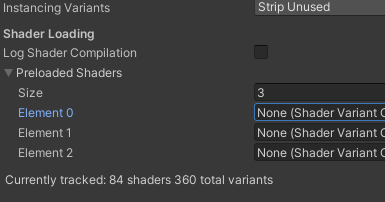
oh wait
nvm
okay i added it there, lets try
well nop that didnt help
nvm didnt help lol
have the same error
night flame
@thick fulcrum i calculate voriniod in compute shader and then pass it to physics and the water shader
amber saffron
night flame
Im thinking about calculating the voronoid in a separate shader and passing it t...
You should look at this https://github.com/alelievr/Mixture 😄
GitHub
Mixture is a powerful node-based tool crafted in unity to generate all kinds of textures in realtime - alelievr/Mixture
thick fulcrum
@night flame I found it better to not have my compute shader returning every frame, I delayed it for performance reasons. if it is just a simple veroni though Remy has a point, a pre-generated tillable texture will be much quicker imo
amber saffron
It could still be dynamic with mixture 😉
grand jolt
it says ONRENDERIMAGE method has error. it says the error parameter is shader but i dont see it here
Uploading Crash Report
ArgumentNullException: Value cannot be null.
Parameter name: shader
  at (wrapper managed-to-native) UnityEngine.Material.CreateWithShader(UnityEngine.Material,UnityEngine.Shader)
  at UnityEngine.Material..ctor (UnityEngine.Shader shader) [0x00008] in <5679dd5174044870affa80082bf53b61>:0
  at CustomPostProcessing.Init () [0x0001e] in <d37bbe4daaff45a49bc65e234b7f5348>:0
**  at CustomPostProcessing.OnRenderImage (UnityEngine.RenderTexture intialSource, UnityEngine.RenderTexture finalDestination) [0x00014] in <d37bbe4daaff45a49bc65e234b7f5348>:0 **
🤔 I should spend some time and look close at mixture 😄
low lichen
I've been testing it. It's a bit different than I expected. Each node that modifies the final texture has to be some kind of shader with texture inputs and texture outputs. It's not like Shader Graph where it generates a shader that does what you define in nodes.
I guess there are pros and cons with doing it that way.
grand jolt
so the value is null for BLoom shader removed itself after i added the bloom in settings
but
theres now error in OnRenderIMage however im failing to read what it means
by parameter name: shader - do they mean RenderTexture ?
amber saffron
Yes, each node itself outputs a rendertexture for the next ones, and it can either be computes from a pixel shader, or a compute shader/command buffer.
Because the whole point is texture processing, there is no need to generate a single giant shader from it.
Think of substance designer.
The cons are the gpu memory usage when you do a big graph, but the pros is that the nodes can achieve more complex stuff than pure pixel shaders (look at the distance or blur nodes)
I did some https://nodevember.io/ entries wih mixture. Here's an example :

The yearly event for everything procedural
thick fulcrum
debugging info always seems a bit vague to me at times, try removing it to check no other issues. There's no errors in editor relating to this?
grand jolt
no
thick fulcrum
@grand jolt it's saying a null value, which could be something has not been set / initialized before the script is run. it maybe a matter of either delaying execution or placing more checks in code for null values.
 still orbit
Hey all. Im seeing lots of NaN values in shader uniforms when rendering shadows.
Multiple shaders using UsePass Standard/SHADOWCASTER (although any valid generic shadowcaster pass repros the same).
I have three shaders with this setup. All 3 work individually. 2 work together and the third breaks all of them when used in the same scene. When it is present, it does not execute a shadow pass, then makes NaNs in the shadow pass for subsequent objects. They all have the same preprocessors, includes and struct layouts/semantics. Im stumped. Any ideas? :/
grand jolt
thick fulcrum
<@456226577798135808> it's saying a null value, which could be something has not...
but does this mean first parameter or second
carmine karma
Hey! Any of you know to how change the opacity of a texture ? in Shader graph?
 queen spoke
@carmine karma maybe this ?
carmine karma
Blending with nothing it's like blending with something with no pixel (so all transparent ?)
If so, it's awesome, it's exactly what I needed
grand jolt
i dont get it gentelman
queen spoke
give it a try, Shadergraph after all is a bit a "try and error" thing 😄
carmine karma
Thank you anyway, it looks very logical
queen spoke
I have also a little question if someone got a bit of time
Hi :-)
I'm having a bit of trouble on creating a Stereoscopic shader (in shader graph) within Unity URP.
A while ago a mate did one on Unreal, that I used and understood.
But some of the nodes are not available in Unity.
The one on Unreal was also for singlepass rendering (like URP).
Is there someone with obviously more skills then me on Shader graph that could help on that one ?
PS : I also have Amplify shader.
how it looks on Unreal Shader graph
As you can see on the left of the last image there is also "embeded functions" which I'm not sure how to achieve within Unity's shader graph.
If someone have a few minutes to help me on that shader it would be awesome.
regal stag
There's a Custom Function node which should allow you to do those sort of expressions. I think amplify also has a Custom Expression node that does something similar.
queen spoke
in theory it is, but then when I try to do this shader it end ups beeing kind of impossible ^^
Especially "LongLatToUV". There is no such a node in Unity, but for sure it is possible to "recreate it".
regal stag
I think that's a sort of sub-graph right? Your last image is what LongLatToUV is doing
queen spoke
yes it is a subgraph
I don't see any Custom function node where you can freely type math like that one.
regal stag
There's some info here on how to use the node further https://docs.unity3d.com/Packages/com.unity.shadergraph@8.2/manual/Custom-Function-Node.html
still orbit
lol beat me to it
queen spoke
drop down in the shadergraph ?
regal stag
still orbit
Change to string
queen spoke
Thanks a lot guys to take a bit of time to help.
I'm looking at the doc.
Ah I see !
Is there any constraint there ? or can I simply type :
float2((1 + atan2(InVector.x, - InVector.y) / 3.14159265) / 2, acos(InVector.z)/3.14159265
?
still orbit
You can just put that in
But you need to assign it to the output slot
So if the output slot is called Out then its Out = float2((1 + atan2(InVector.x, - InVector.y) / 3.14159265) / 2, acos(InVector.z)/3.14159265
grand jolt
im failing hard
i need to fix one error
 [ImageEffectOpaque]
    void OnRenderImage(RenderTexture intialSource, RenderTexture finalDestination)
    {
im not sure, the error is in this method
oh ok found the culprit ```cs
void Init() // so this method is error
{
if (defaultShader == null)
{
defaultShader = Shader.Find("Unlit/Texture");
}
defaultMat = new Material(defaultShader);
}
[ImageEffectOpaque]
void OnRenderImage(RenderTexture intialSource, RenderTexture finalDestination)
{
    Debug.Log("1");
    if (onPostProcessingBegin != null)
    {
        onPostProcessingBegin(finalDestination);
    }
    Debug.Log("2");

    Init(); // here error
    Debug.Log("3");
so basically 3 doesnt debug log so it calls the method INIT
and fails there
maybe Shader.Find ?
its probably it
queen spoke
that was fast
still orbit
post exact HLSL string plz
for a start youre upcasting float2 > float3 on the output
queen spoke
Out = float2((1 + atan2(InVector.x, - InVector.y) / 3.14159265) / 2, acos(InVector.z)/3.14159265
still orbit
youre not closing the float2
regal stag
I think you're missing a ) somewhere
still orbit
Out = float2((1 + atan2(InVector.x, - InVector.y) / 3.14159265) / 2, acos(InVector.z)/3.14159265);
queen spoke
yes I noticed when posting sorry
still orbit
then change the output port to vec2
queen spoke
still orbit
no float2
regal stag
You don't need float2 before Out, just use Out =
still orbit
Out is a defined output parameter
queen spoke
ah okay
Super nice
Now I'll try the other nodes ahah.
Thanks a lot you help a lot I understand this Custom function node way better now
regal stag
@queen spoke The rest of the graphs look fairly simple to replicate from what I can see, mostly just math (multiply, add, lerp, etc). Most nodes like that are named exactly the same in Shader Graph. A few differences that I can see that might help are :
• Object Position → Object node, Position output
• Camera Position → Camera node, Position output
• "Camera Vector" → Not super familiar but I think that's View Direction in shader graph. (Or at least it is in URP as it's not normalised like it is in HDRP. Could probably also use Camera node Position output, Subtract Position node (World space).
• For the ColorFromStereoEQ custom function, I would assume "unity_StereoEyeIndex" would work here.
queen spoke
@regal stag
Thanks a lot this helps a lot !
.
This one would be "unity_StereoEyeIndex" ?
regal stag
Yeah I think so
queen spoke
ResolvedView.StereoPassIndex
still orbit
"The CameraVector expression outputs a three-channel vector value representing the direction of the camera with respect to the surface, in other words, the direction from the pixel to the camera."
This is view direction in URP
Good to check those. "Camera Vector" seems ambiguous as to direction
grand jolt
guys i need help
my shadders in editor mode shut themselves off
when AssetDatabase.Refresh is executed
so whenever i create file
during playmode
but my textures save there! omg
during runtime
in /assets/
so its unavoidable
ok fixed
low lichen
I think the black box is that preview. So it's probably outputting 0.
But for unity_StereoEyeIndex, the preview is probably always going to be 0 because it's not rendering in stereo.
 tranquil bronze

Pastebin
Pastebin.com is the number one paste tool since 2002. Pastebin is a website where you can store text online for a set period of time.
this is my shader
I wrote it using URP
regal stag
@tranquil bronze I think you need the LitInput.hlsl include before the Shadows.hlsl one
tranquil bronze
i think that worked
im getting a new error when im trying to get the worldspace
@regal stag how would you get worldspace in urp?
            struct Varyings
            {
                float4 position : SV_POSITION;
                float3 worldPos : SV_POSITION;
                float3 worldNormal : NORMAL;
                float index : Output;
                float4 shadowCoord : TEXCOORD6;
            };

            TEXTURE2D_ARRAY(_TexArray);
            SAMPLER(sampler_TexArray);

            float _TexScale;
            float _Brightness;

            Varyings vert(Attributes input)
            {
                Varyings output;

                VertexPositionInputs vertexInput = GetVertexPositionInputs(input.position.xyz);
                VertexNormalInputs vertexNormalInput = GetVertexNormalInputs(input.normal, input.tangent);

                output.position = vertexInput.positionCS;
                output.worldPos = vertexInput.positionWS;
                output.worldNormal = vertexNormalInput.normalWS;
                output.index = input.uv.x;
                output.shadowCoord = GetShadowCoord(vertexInput);

                return output;
            }
this is what i have
regal stag
The vertex shader still needs to output the clip space position into the SV_POSITION, you can't just replace it with world space. You'd need to pass the world space position through using a TEXCOORDn.
GetShadowCoord also expects the name to be "positionWS" rather than "worldPos". Though you could alternatively use output.shadowCoord = TransformWorldToShadowCoord(vertexInput.positionWS);
regal stag
I'm also not sure about float index : Output;. I would change that to use a TEXCOORDn too.
And I think NORMAL can only be used for inputs. So again, pass it through a texcoord.
tranquil bronze
thankyou for the help :)
 rustic thistle
Hey guys, does anyone know a trick or a tutorial to achive a smoother transition between the two meshes via shader graph? Because of unity's z-buffer I am not able to make the black "waterfall" transparent. Any ideas?
queen spoke
Hello again :-)
Is there an easy way to share a shader graph like in Unreal ?
ctrl+c/ctrl+v of the text ?
I'm getting weird results for the Stereoscopic shader.
queen spoke
Related to question about Stereoscopic shader for URP VR : #archived-shaders message
@regal stag and @still orbit, Do you have maybe a minute ? Could be someone else if you feel like helping today ^^
I just exported a package, you can import it on the asset folder in a blank URP unity project.
I tried no to ask, but I'm a bit stuck, and it seems that the solution is maybe something I forgot.
in the "UnrealShader_Reference" folder there is the screenshots of Unreal Engine.
The shader graph seems good, but I guess there is something missing to achieve the same result.
Let me know if you have the time.
I'm still trying meanwhile 🙂
ps : I'm trying to name stuff well in my posts so if someone needs this it will bump to avoid the pain I'm having now to others ahah.
coral otter
Hello, so after 40+ hours I give up, I can't figure out of to make my code to work. I am willing to pay someone more knownledgable than me to make my portal. Is there a dedicaced place for this kind of thing in this discord server ? Otherwise if you want to discuss it and make some money you can DM me.
 vague jacinth
Hello, I have a small question about changing material properties on runtime. Unity 2019.4.15f HDRP 7.3.1. I want to change the amplitude of height map in a material. The material uses the HDRP/LitTessellation shader and I tried changing the value via mat.SetFloat("_HeightTessAmplitude", amplitude); But the changes won't apply unless I drag the amplitude in the material inspector. In the inspector, I even see that the value has been changed accordingly but it doesn't have any effect before I drag it manually. Do I need to apply it somehow in the code after changing it?
grand jolt
so
my mesh is kinda hidden
in scene view during playmode
author of script prob did it to save on performance
but how to enable?
in playmode its enabled basing on distance to player
and its appropriate LoD
but SceneView, during playmode, has no mesh
toxic flume
To implement silhouette shader, simple two pass shader is enough? or need stencil?
https://cdn.discordapp.com/attachments/497874081329184799/786211532383322132/unknown.png

 indigo pond
I followed this Tutorial by Unity: https://www.youtube.com/watch?v=F5l8vP90EvU but when I switch to the 2D Renderer my Scene doesnt turn black... any idea why? I have no lights in the Scene

We have a new 2D Renderer for 2D games, which includes the features 2D Lights and 2D Shadows! In this video, we're going to take a look at how we can use Unity 2019 and the Universal Render Pipeline (URP) to add 2D Lights and Shadows to our 2D games!
Download the Lost Crypt project here: https://ole.unity.com/LostCrypt
Watch my overview video ...
 fervent flare
Guys does anyone know how to expose these parameters in shadergraph ?
low lichen
If it's not there to begin with, I doubt there's any way to get it to appear unless you're doing your own lighting and specular highlights in the shader.
If there is a way, it would be somewhere in the main graph settings or something.
regal stag
They're usually based on keywords, so _SPECULARHIGHLIGHTS_OFF and _ENVIRONMENTREFLECTIONS_OFF. Might be able to define those in shader graph, though I think shader graphs wants the reference to end with "_ON" in order to expose them, so that might be a problem.
fervent flare
Hm I think that's way above my pay grade. Sounds like there's no straight forward way to enable these then?
 mental canopy
is there like a youtube channel dedicated to shader tutorials
i feel like i need to watch at least 100 tutorials
regal stag
fervent flare
Hm I think that's way above my pay grade. Sounds like there's no straight forwar...
You can technically still define the keywords in the graph and set them manually using the debug inspector (can right click the inspector tab to switch between debug and normal view). But it's a bit awkward.
Other alternatives would be setting it from C# using material.EnableKeyword and DisableKeyword, or write a custom Shader GUI and override it in the graph. (e.g. https://docs.unity3d.com/ScriptReference/ShaderGUI.html)
(That last method assumes you're on a shader graph version that has access to the Override GUI option on the master nodes)
fervent flare
Thanks!!
grand jolt
which shaders settings are heavy for performance?
on 36 shadered planets i get 30 fps
on 6 shadered planets i get 80fps
on 36 non-shadered planets i get 80fps
i will turn off shadows by distance, BUT im wondering if some of their settings i cann decrease basing on distance, that would help performance
low lichen
Settings?
grand jolt
hmm played with all settings but no difference
 sudden delta
Hi! I'm looking for some resources on terrain shaders in the Universal Render Pipeline. I know about the code archives of the built in shaders that can be downloaded from here (https://unity3d.com/get-unity/download/archive) but there doesn't seem to be any URP shaders... Is there a repo for the built-in shaders from the URP somewhere I missed?
regal stag
sudden delta
Hi! I'm looking for some resources on terrain shaders in the Universal Render Pi...

GitHub
Unity Graphics - Including Scriptable Render Pipeline - Unity-Technologies/Graphics
sudden delta
Thanks. Also, just the other day I read your blog post about the Depth Buffer, very informative 😊
 sly kernel
Hi, I am trying to write a compute shader that has as input a texture2d with a 32bit integer per pixel. I have already written data to it using SetPixels() with an uint[] array. The data shows up in the inspector.
But I cannot seem to properly read the data in the shader...
I am currently using RGBA32, but i tried R16 as well. In my compute shader I use Texture2D<uint> and .Load(uint3(x, y, mip))
toxic flume
What is the difference between unlit/texture and mobile/unlit support lightmap?
The former is lighter and does not support lightmap?
tranquil bronze
How would I implement shadows into my urp shader?
rn my object is not recieving any shadows
regal stag
@tranquil bronze You need to add keywords like :
#pragma multi_compile _ _MAIN_LIGHT_SHADOWS
#pragma multi_compile _ _MAIN_LIGHT_SHADOWS_CASCADE
#pragma multi_compile _ _SHADOWS_SOFT
If you then use Light mainLight = GetMainLight(shadowCoord);, you can get mainLight.shadowAttenuation. (shadowCoord = TransformWorldToShadowCoord(WorldPos); but probably in vertex shader and passed into fragment)
 summer edge
Question for any Material savvy developers here. Is it possible to modify the Emission Color of material through code? I tried the following code but it never worked.
material.SetColor("_EmissionColor", color);
but it still appears in the inspectors debug menu
amber saffron
summer edge
Question for any Material savvy developers here. Is it possible to modify the Em...
is this in HDRP ?
amber saffron
I'm not sure if it is the case for those materials, but in the case of HDRP, the material inspector will add an Emission keyword if the emission color is changed, maybe it's something similar ?
regal stag
Maybe try material.EnableKeyword("_EMISSION");, that's what it tends to be
summer edge
what do you mean? Adjusting the values through the inspector works. are you saying maybe start adjusting in inspector then try running code to see if it triggers it?
regal stag
Also are you setting the emission colour to black? Surely that won't make anything appear as the colour is additive.
regal stag
Hm okay, your debug inspector screenshot above shows black (could be that was the value before setting it on the instance though I guess, if you're using Renderer.material)
summer edge
right. thats cause it's not editing in code
Fixed. Turns out to be a stupid mistake. in the inspector modifying the **Emission **property does the same thing as the **Emissive **property in code. so had to use Emissive keyword instead. Thanks for advice guys
at least learned about Enablekeyword 🙂
carmine karma
Hey Shaders Pros! I wanted to know if there is a reason why a custom function (Texture A*Texture B) works perfectly on my editor, but not at all in my IPad ?
With the same exact situations
 fringe pagoda
my shader isn't appearing in my build. How can I fix this?
 steady schooner
Can someone help me tile my PBR shader based on the object's size? Also so that the X, Y, and Z tile based on their independent and respective scales
 digital gust
@steady schooner you should make the tiling depend on world space and not object space, if thats what you mean. So one tile is always 1 unit and your object just scales as it likes to
fringe pagoda
a shader with a render texture is not appearing in my build, does anyone know how to fix this?
steady schooner
digital gust
<@!360716531077742592> you should make the tiling depend on world space and not ...
How would I go about doing this in shader graph?
digital gust
You can google for shader graph tutorials and on UI shaders / sprite shaders. But yeah, sorry, didnt do it myself yet and got no time to test out, maybe someone else has the time to check.
steady schooner
Okay thx. I'll look into that
grand jolt
Anyone here has added nofog tag in shaders?
does modifying a property via script respect the min / max values for that property?
for example, if I have say an Intensity float for Emission, and i've set the minimum as 0.5 in the inspector, I then decrease it by deltatime, will it respect that 0.5 or go below?
regal stag
grand jolt
does modifying a property via script respect the min / max values for that prope...
If you're modifying a Range by SetFloat, it can go outside the min/max. If you need it to stay inside, you'll have to clamp the value manually.
grand jolt
@regal stag so just run property into clamp into wherever instead? ok thanks, might do this for emission colors too so theres no chance they can ever blind anyone XD
regal stag
It looks like you can get the min-max values in C# using
Shader shader = material.shader;
int propertyIndex = shader.FindPropertyIndex("_ExampleRange");
Vector2 minmax = shader.GetPropertyRangeLimits(propertyIndex);
So you could then use that to Mathf.Clamp the value before using SetFloat.
grand jolt
ooooh getpropertyrangelimits, never knew that existed, cheers
regal stag
Looks like it was added in 2019.3, unless it just didn't have a docs page before.
grand jolt
yeeeeah I really need to flick through the documents more often, tis a failing of mine XD
 slender scroll
I have the following code to take in a number of spritesheets and stack them on top of one another in order to create a composite spritesheet that can be used for a custom character, in line with my character customisation system.
https://hatebin.com/tatydpztbt
This is inevitably horribly poorly optimised and I'm wondering in which direction I can go in order to optimise it. I'm not noticing any performance problems currently (it only runs every time the character is updated thankfully) but I'm trying to head off future performance problems and make my code better.
I should point out that I'm not really all that familiar with shaders/compute shaders.
 primal obsidian
Sunucuma 2x Boost Basan Kişilere Sınırsız Netflix Kanıt Atılır dm
grand jolt
Hi guys, here I have some nodes that create a Square / Circle outline for a 3D object, but I need some way of changing the scale of it, currently the only way to make the white area "thinner" to create a thin outline is to ramp up the power (thats where the Scale properties are currently connected), but that sends the brightness CRAZY when it's increased, anyone know a way around this?
regal stag
grand jolt
Hi guys, here I have some nodes that create a Square / Circle outline for a 3D o...
It would probably make more sense to have the scale properties in the multiplies rather than a power node. Again it will affect the "brightness" but that's expected from a distance field, as the distances get larger the further out. You can always Saturate/Clamp the values if you want them to stay between 0-1.
grand jolt
so I can clamp the power values to multiply + power exactly at the number it is now, and hopefully then the scale will change in appearance, but the power should remain clamped? if i'm understanding that right
sorry still wrapping my brain around SG a bit 😛
regal stag
I'd remove the powers and just use multiply only for the scale
grand jolt
ill give it a shot, thanks!
regal stag
It would keep the scaling values linear, rather than exponential like it would with a power
(so like 0.5 is always half the scale of 1)
grand jolt
thatll be why the circle outline seems a little brighter than the square then, even at the same settings XD
thick fulcrum
grand jolt
Hi guys, here I have some nodes that create a Square / Circle outline for a 3D o...
to change scale of it, something like this maybe?
regal stag
Sure, smoothstep works. It'll also clamp the values between 0 and 1 for you. You can also switch the Step inputs around to invert the effect, so you don't need a One Minus node.
grand jolt
oooh cool, giving it a try now
regal stag
If you want a different approach, you can just subtract a value from the length node to create the radius of the circle.
thick fulcrum
think I have about 4 ways somewhere of doing circles, but yes I could miss that one minus was being lazy and not thinking XD
grand jolt
yeah, using a subtract node for scale, then using multiply for strength works a treat, thanks guys!
 dull frost
I posted in general but it might be more suited here:
Hi just wanted some general advice really. I want to make a ink type transition in full screen for a desktop build. Im from a flash background and would just use a video (in flash) but Unity is a different beast! here's a really good example of the type of effect Im wanting to make:
https://codyhouse.co/demo/ink-transition-effect/index.html
advice I could do with is whats my best way to create something like this? png seq, video object, shader?
grand jolt
hey
i copied sun object along with shaders from one project to another
but in my project the shaders dont work on Forward rendering mode (and these are same shaders)
the project i got it from has Forward mode working properly !
okay i located the script
 marsh turret
hey all
odd question but did anyone ever get a shader-graph implementation of the Unity terrain shaders working?
I know Cyan was playing with it but I don't think he finished it and I can't see anything on unity docs about it being done (tho mention is made of it coming eventually)
(Wanting to customise the lighting for terrain that's underwater, as well as add wet effects/snow effects for land etc)
 charred agate
I need some help with shaders. I'm completely new to them and so far it's giving me very weird results (a black screen). I made a universal render pipeline project, installed the post processing package, create a new image effect shader (changed nothing in the code inside), added a post processing volume to the camera, made it global, gave him a profile, added a post processing layer, selected "Everything" (temporary), created a small script to add the test shader to the list of available effects, added the effect corresponding to the test shader to the post processing volume profile and... black screen. Sometimes a white triangle which seems to leave a trail of iteself in the editor view. Sometimes not even a triangle. (The white triangle doesn't correspond to the objects on the scene btw, I got a cube)
My end goal is to create an "outline" shader to make my game look like this :
fervent flare
Does anyone know how I'd go about handling this type of arithmetic in shadergraph? I'm trying to convert an old shader of mine into shadergraph and have to admit to myself that I don't have the slightest clue how creating any sort of logic works, beyond super simple stuff.
tranquil bronze
How do I only render the front face of a mesh using URP written shaders?
 violet sage
is there any easy way to make a noise shader with pbr graph
i just want the block to look like a gradient noise
regal stag
@tranquil bronze Use Cull Back in the Pass (shaderlab section, not hlsl). It should be the default anyway, so unless you're specifying Cull Off only front faces should be shown. https://docs.unity3d.com/Manual/SL-CullAndDepth.html
@violet sage You should be able to use the Gradient Noise node with any graph/master node.
regal stag
Yea. If your models are appearing as solid colour, you should make sure they are UV mapped.
@fervent flare Would be like this, hopefully this helps show the logic? You could also basically just throw it into a Custom Function though. One of the problems with node based methods is they can take up a lot of space when in code it would only be a couple lines.
 solar sinew
charred agate
My end goal is to create an "outline" shader to make my game look like this :
solar sinew
charred agate
My end goal is to create an "outline" shader to make my game look like this :
not sure if you've seen this: https://youtu.be/kIUrWGYzQqs

Revisited the areas shown in the 2015 teaser trailer (https://youtu.be/BSP-e8tnXhw) and recorded footage with the updated post-processing pipeline. A lot of levels have changed so it's not an accurate reflection of all the work done since.
Here we're mostly highlighting the improvements to edge detection and anti-aliasing.
regal stag
charred agate
I need some help with shaders. I'm completely new to them and so far it's giving...
This tutorial should help with the effect you want to achieve if you're in URP : https://alexanderameye.github.io/outlineshader.html
But to clarify some things here :
• The "Image Effect Shader" template is more for the old Graphics.Blit style of applying effects, which in the Built-in render pipeline would likely be done through OnRenderImage (https://docs.unity3d.com/ScriptReference/MonoBehaviour.OnRenderImage.html).
• That template is not designed to work with the Post Processing (PPv2) package. Instead I believe the shader needs to use StdLib.hlsl from the package. There's an example here : https://docs.unity3d.com/Packages/com.unity.postprocessing@3.0/manual/Writing-Custom-Effects.html
• However, you also mentioned Universal RP which is no longer compatible with the Post Processing package. You should instead use the integrated "Volume" system for post processing effects. You can find some info about that here : https://docs.unity3d.com/Packages/com.unity.render-pipelines.universal@8.3/manual/integration-with-post-processing.html#post-proc-how-to
• Custom effects in URP aren't entirely supported with the volume system yet, however you can create custom Renderer Features for the Forward Renderer which allow you to Blit to the screen in order to apply shader effects. The tutorial I linked to begin with should help with that.
 slate abyss
Hey folks, I'm trying to make a height contour shader in shader graph, and so far I've got something kind of working but if there's a flatter area where the line is then the thickness spreads out. I tried messing around with hiding the lines based on the surface normal but that didn't quite work 😐 Any ideas?
 dusk ravine
@slate abyss yeah, that's gonna be tough to solve. It looks like what you're doing is essentially slicing up the terrain vertically and darkening the slices, which means that if you get a flat area in the slice it'll all be dark. The only way realistic I can think of to resolve this would be to turn it into a screenspace post-processing effect somehow, which is going to be a big challenge.
if you want to go that route, I'd look into screen-space outline effects -- that'll send you in the right direction
slate abyss
Great! That sounds like a good start then
dusk ravine
happy to help!
solar sinew
Is this trying to achieve something closer to a topographical contour map or a minigolf contour/depth map?
slate abyss
I'm not sure what a minigolf contour map is? It's for a topographical map
dusk ravine
I've got a wild issue of my own. not 100% sure it's a shader problem but here goes anyway: after the game/editor has been running a while (a couple hours maybe), particles will sometimes warp & stretch like crazy for just a frame or two at a time. it's very strange. Here's what it looks like:
the fact that the game has to be running for so long makes me think it could be a memory leak somehow, but I can't find anything that'd contribute to that. this is 2019.3.10f1 if that matters
this is the very next frame, for reference. those little purple particles are what are getting distorted (and some others outside of the frame), but it seems to happen to all kinds of particles
grand jolt
why does this HDRP unlit shader cause the components to glow like it's chernobyl
I've tried changing everything I can and applying it to the material. There shouldn't be any lighting effect at all.
solar sinew
slate abyss
I'm not sure what a minigolf contour map is? It's for a topographical map
Couple examples
slate abyss
Oh I see. Definitely the first one.
solar sinew
slate abyss
Oh I see. Definitely the first one.
I'm gonna guess you've run into this post: https://www.reddit.com/r/Unity3D/comments/4kfiks/topographical_map_shader/
https://i.imgur.com/kG2hgjP.png
 slate abyss
I saw that, although I'm not exactly sure how to convert that to shader graph, and I'm still learning so I'm also not sure exactly how that works in order to know what it's trying to do
I can't see why that doesn't have the same issue that I do
solar sinew
I can put something together
slate abyss
Really? That'd be great
 ocean bison
just want to confirm: still no stencils for HDRP shader graph? I'm trying to convert this old shader I wrote - and having zero luck: https://answers.unity.com/questions/1487473/geometry-intersection-shader.html
Unity is the ultimate game development platform. Use Unity to build high-quality 3D and 2D games, deploy them across mobile, desktop, VR/AR, consoles or the Web, and connect with loyal and enthusiastic players and customers.
toxic flume
What is the difference between unlit/texture and mobile/unlit support lightmap?
The former is lighter and does not support lightmap?
solar sinew
are modulo and fmod the same?
regal stag
The modulo node uses fmod yeah
grand jolt
@grand jolt I dont believe it's lighting, I think your just using a strong emission color so it seems like it's causing illumination, check your emission color strength, also if you have any Bloom post-processing you can try turning that down
solar sinew
slate abyss
Really? That'd be great
I made a few slight improvements and there is still plenty that can be done to improve this. Overall it is still just a recreation of the shader forge shader in that reddit post.
I made a subgraph in case you wanted to add the contour lines on top of an existing shader
I wasn't able to mimic the transparency scaling per section but if I took a look at it some other time I might be figure it out I don't know why but I was conflating the change in thickness with transparency  😕
😕
This is the example given on the post
solar sinew
I didn't actual test it out on a terrain but I did test it out on a rock 😅 it should work well
slate abyss
Oh wow, that's great, thanks!
toxic flume
What is the difference between unlit/texture and mobile/unlit support lightmap?
The former is lighter and does not support lightmap?
 median lava
Is there any way to add emission map on the secondary map? Using standard shader
violet sage
why cant i change my standard color in my shader?
 rugged verge
Is it possible to change the physics shape from within the shader code? In my shader, I animate a wobble jelly, and I'd like the physics shape to also be affected in a similar way.
rugged verge
Where does the shader's Time.time come from, is it possible to get the exact same value of Time.time from within C#? So I can update something in sync with the shader's animation (which relies in Time.time) Edit: OH I can use Shader.GetGlobalVector("_Time").
thick fulcrum
rugged verge
Is it possible to change the physics shape from within the shader code? In my sh...
simple answer NO. GPU deformations do not affect physics, a simple solution is to use a compute shader to deform the mesh and pass it back to cpu at regular intervals.
rugged verge
I see, thanks!
 charred crystal
Hi, i am curretly trying to make a toon shader taking code and inspiration from this blogpost: https://blogs.unity3d.com/2019/07/31/custom-lighting-in-shader-graph-expanding-your-graphs-in-2019/

Unity Technologies Blog
With the release of Unity Editor 2019.1, the Shader Graph package officially came out of preview! Now, in 2019.2, we’re bringing even more features and functionality to Shader Graph. What’s Changed in 2019? Custom Function and Sub Graph Upgrades To maintain custom code inside of your Shader Graph, you can now use our new Custom […]
Looks currently like this, got all lights and shadows working except the additional lighting part
Which is what i am struggling with right now and i am at my wits end her
This is the additional light setup as per the blogposts instructions
In my current shader i dont care about color
Only about light intensity
And if i add another light source it just does not react to it
The following graph is basically the same as in the blogpost just with different color lookup and the dither function
Am i missing something here or did i set up shader wrong?
The code for the custom node is taken straight from that blogpost
There are the saders, just too big to take screenshot of
Am i just misunderstanding how it's supposed to work?
thick fulcrum
@charred crystal imo Cyan has a faaar better example, which covers some things missed in the Unity Blog. See following https://github.com/Cyanilux/URP_ShaderGraphCustomLighting

GitHub
Some custom lighting functions/sub-graphs for Shader Graph, Universal Render Pipeline - Cyanilux/URP_ShaderGraphCustomLighting
rugged verge
float4 _Time : Time (t/20, t, t*2, t*3)
If I use float t = _Time in shader, does it get _Time.x or does it average them or get the first element? How does it compute the float value if I just do float t= _Time instead of t = _Time.y;
nvm it seems to get _Time.x
 wary horizon
How can i make my sun not be obstructed by Unity fog? Unlit master node does not solve this.
regal stag
Thanks for sharing @thick fulcrum, it is much more helpful when it comes to main light shadows in particular. I think the additional lights part in my github is basically identical to the blog one though. I would test the custom function without the rest of the graph and see if other lights have any effect, before trying to combine it with the rest of the graph. I don't have time to download all the files and look at them right now. May also want to check that additional lights is actually enabled on the URP Asset @charred crystal
charred crystal
How do i check that?
regal stag
The URP asset will be somewhere in your assets (probably in the Settings folder if you're using the URP template), it's the thing applied under Project Settings -> Graphics to tell Unity you're using URP. It has a Lighting section on it. Make sure Additional Lights is set to Per Vertex or Per Pixel, rather than Disabled.
As for testing the custom function, I mean just outputting the diffuse + specular results directly into the colour output on the master node, rather than combining it with other effects.
@wary horizon The unlit master shouldn't be affected by fog afaik
At least in URP, not sure about HDRP
wary horizon
I am in URP. but using the unlit node, it didnt change anything
i didnt create a whole new graph for it though. Just made a Unlit master and plugged everrything into that instead
regal stag
If you create another master node in the graph, make sure you right-click and set it as the active one or it won't have any effect
wary horizon
god dammit
@regal stag ok that worked!! Is there a way i can get Emission intensity wit hthis? Do i just times the end result by like 5, and plug it in to Color on the master?
regal stag
Yea, you can just multiply the output with a larger value. (Assuming you're using HDR colours on the URP asset at least)
solar sinew
For @slate abyss’s contour line shader, when two contour lines overlap, how could you use custom render passes to display the line with a lower Y value as dash?
Would you need to treat a terrain as a mask for itself? Viewing a part of the terrain (from above only) that is beneath another part of the terrain?
Contour lines can never cross one another. Each line represents a separate elevation, and you can’t have two different elevations at the same point. The only exception to this rule is if you have an overhanging cliff or cave where, if you drilled a hole straight down from the upper surface, you would intersect the earth’s surface at two elevations at the same X,Y coordinate. In this relatively rare case, the contour line representing the lower elevation is dashed. The only time two contour lines may merge is if there is a vertical cliff.
I’m thinking it must be a depth buffer situation.
 shadow matrix
Hello guys, i want to lerp some values from PBR shader. Its okay in editor, but it feels slow on mobile. Is there better way to do this?
solar sinew
Phone vs mobile?
wary horizon
Is there a simple way to not make a texture wrap the whole way around a sphere i have?
This skull i have on a sphere, i want it to just be on a portion of the sphere. Not wrapped around it
shadow matrix
@solar sinew I edited, its okay in editor, but slow on mobile
regal stag
wary horizon
This skull i have on a sphere, i want it to just be on a portion of the sphere. ...
Would either have to provide a custom sphere mesh with better uvs to have the texture applied how you want, or project the texture onto the sphere. e.g. based on the Position node (object space). It's a Vector3 but if you use it as a Vector2 UV, it'll take the X and Y axis only.
Put it into a Tiling And Offset node and adjust those to change it's scale. Also prevent it repeating with a SamplerState attached to the Sample Texture 2D node (or change the wrap mode on the texture itself). Might also need to pad the texture's edges with black, or mask it with the rectangle node to prevent the texture clamping from stretching the colours out.
wary horizon
Oooof
 cerulean mountain
Does anyone have tips on how to implement a performant Fog of War system?
My current approach uses a fog plane aswell as meshes that are created via raycasting the viewcone(circle) bounds around objects in the fog of war, to use it as a mask for the fog plane
which can get quite unperformant with lots of objects traversing an area with lots of obstacles
 dreamy kernel
I've been remaking so many things in Unity from ground-up, that I thought to myself
"Gosh, it would be easier to make a renderer of my own"
And so I did
So yeah, bye everyone
I'm now on GLSL camp, making light mapping on OpenGL
And sheesh, shader compilation is so quick now like I can't believe it
fringe pagoda
My shader doesn't appear in build. I'm using a render texture on it. Does anyone know a solution to this?
 urban dune
I set up the Urp, updated everything and I can't get the depth option to show up on my material. Does anyone know a solution for it.
grand jolt
Hello. How do I render an animated texture and export that from Unity as, say, a gif?
 austere dirge
I'm experimenting with 2d tilemaps in 3d but ran into a problem with shaders. I'm using tiles with transparent parts. If I use a 2d shader (default sprite) the transparent parts is cut as expected but no shadows since the light is 3d I guess (see grass in the screenshot). If I use a 3d shader the shadows is OK but the transparent parts is replaced with colors from within the tile making. Anyone has an idea on how to perserve the transparent pixels in the tiles with a 3d shader? Edit: I can make the surface recieve light from a 3d point light, but not shadows.
austere dirge
austere dirge
I'm experimenting with 2d tilemaps in 3d but ran into a problem with shaders. I'...
Nevermind: I changed the rendering mode to "cutout" on my 3d material.
 median gull
Is there any way to disable the snapping to grid for shadergraphs? I like to align my nodes by straight line connections, not by the rectangle node itself.
grand jolt
@fringe pagoda I've been starting to fiddle about with Render Textures myself recently, and I -think- it's because it wont immediately inherit the first frame's image by default, if you hit play it appears instantly but until then it remains invisible for some reason
but as for builds, i'm not sure, mine works as long as i trigger it to play via script
 desert orbit
@acoustic idol Not a place for ads.
 acoustic idol
Sorry fog, is there another place for it?
desert orbit
Not on this server.
 noble acorn
this is my 1st time using shader in unity and i was trying to follow a tutorial on making water but for some reason my color picker wont appear when i click on the black color on my color node
desert orbit
@noble acorn You have some kind of layout error, try resetting layouts/restarting editor.
noble acorn
thank u a lot. i literally have been trying to fix this for 2 hours and feeling stressed x__x made this btw
desert orbit
@noble acorn You still seems to be having layout warnings. Did you choose default layout? If so you may have to force regenerate them entirely. It's done by deleting layouts in AppData and in the current installation.
noble acorn
yea i did this about 4 times and even redownloaded unity entirely so im not sure how to fix it
desert orbit
Both locations can be found here https://forum.unity.com/threads/where-are-user-defined-editor-layouts-stored.197743/
Editor location mentioned lower
noble acorn
it fixed it. thank you again Fogsight
 worldly reef
Is there anything special to keep in mind when making mask maps for decal shaders? I cannot make my decal shader read metal or smoothness channels no matter what I do
Or rather
It can read this properly
But not this one, at all
Doesn't react to a full red channel mask map either
It's set up with the same channels and everything, but outright refuses to read the latter one
Does anyone know why this could be?
thick fulcrum
worldly reef
Is there anything special to keep in mind when making mask maps for decal shader...
is this a shader you have written?
 devout quarry
Is anyone on shadergraph 10 having issues with creating enums? I getconsole errors related to the "generator" and in the graph, the enum has disconnected lines, the lines just float in space, super annoying. It breaks my graph completely, makes it unusable and the only solution seems to start from scratch..
worldly reef
thick fulcrum
is this a shader you have written?
I've tested both creating it in the shader decal graph and just as a simple material with the base, mask and normal maps attached
If that's what you mean
I "fixed" it now. Just used a plugin instead, seems like it was a bug with unity
 hollow storm
Hi i just want to start work with shaders but idk what this want fromm me :|
 pine palm
did you set it in the project settings?
hollow storm
Set what i really don't khow what this want
pine palm
Edit - project settings - graphics - renderpipeline
you should make a renderpipeline object first tho
hollow storm
;-; welp idk that stuff
Would introduce me to it or send any good tutorial reference?
hollow storm
. . .
 keen summit
My model is weirdly yellow. I exported it from Blender as an FBX and I removed every material from it before exporting. I can't seem to find the answer online as no solutions help. Do I need to change the Material's Shader to something specific?
 quiet pawn
Have you tried regenerating light?
low lichen
@keen summit The directional light in your scene probably has a yellow tint to it
keen summit
quiet pawn
Have you tried regenerating light?
How do I do that
nvm, I did what Mentally said, I think that's ok for now
quiet pawn
ok :+1:
 hardy hare
any way to get world space position of fragment? like the response to this https://answers.unity.com/questions/1272511/getting-the-world-position-of-the-pixel-in-the-fra.html
Unity is the ultimate game development platform. Use Unity to build high-quality 3D and 2D games, deploy them across mobile, desktop, VR/AR, consoles or the Web, and connect with loyal and enthusiastic players and customers.
specifically in this fragment
fixed4 frag(v2f i) : SV_Target {
    fixed4 col = _HaloColor;
    col.a = 1 - distance(i.worldPos), _Position) ;
    return col;
}
 craggy pike
hollow storm
;-; welp idk that stuff
Would introduce me to it or send any good tutorial refer...
craggy pike
hollow storm
;-; welp idk that stuff
Would introduce me to it or send any good tutorial refer...
you have to be using URP to use shader graphs
hollow storm
I already set it, but whats it and what it does XD
craggy pike
is everything updated, i had this problem originally i just started a new project
solar sinew
I also had the color picker issue someone else had, the layout errors are getting annoying. I'll move any node in shader graph and an error will pop up about window width.
devout quarry
@hollow storm you need to download URP from package manager, create a render pipeline asset + fwd renderer -> assign it under edit>project settings>quality
if you want to know what URP is, you can look that up
 glossy abyss
Hi, someone knows why ole.unity url is broken? the interactiveshaders is there and cant download :c
hollow storm
devout quarry
<@!414879225007308800> you need to download URP from package manager, create a r...
#archived-shaders message
But thanks
worldly reef
Mentioning this in case anyone searches for the same problem with decal metallic/roughness issue. I found out why the blue mask worked but the green didn't. The Mask opacity was set to color map blue instead of alpha. I've been exceptionally stupid today.
acoustic idol
Is LOAD_TEXTURE2D_X roughly the same as tex2D?
acoustic idol
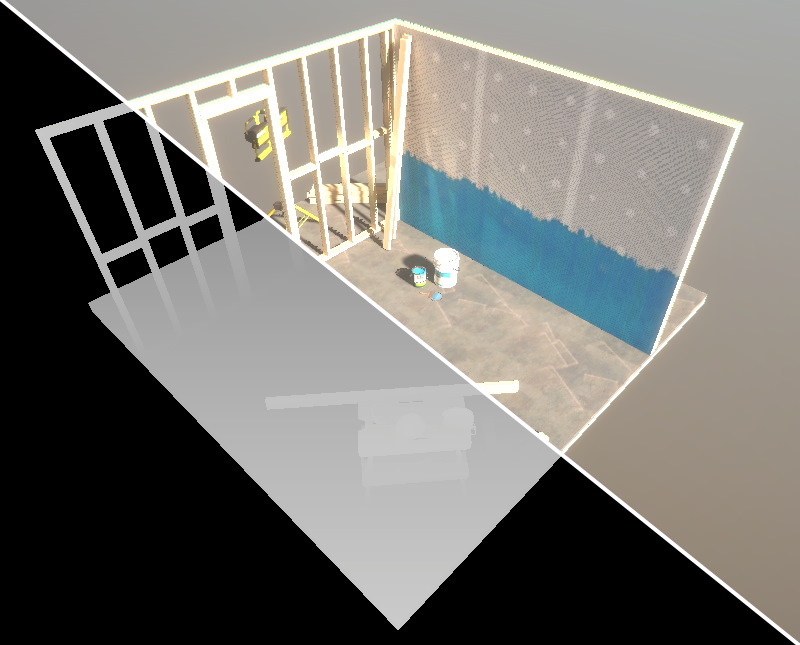
Small guide to setting up a post processing effect to use a depth texture in HDRP.
grand jolt
i'm familiar with how to scroll textures, but is there any way in Shader Graph to have a random chance that a texture will do one full scroll, then stop?
acoustic idol
For HDRP shaders what would you use instead of tex2D? is LOAD_TEXTURE2D_X correct?
 wide delta
Anyone know any good resources for GrabPasses in URP? Trying to get a distortion shader to include transparent surfaces
thick fulcrum
grand jolt
i'm familiar with how to scroll textures, but is there any way in Shader Graph t...
I think it's doable, with logic and branching.. but easiest way is probably a custom node.
have a random number picked between a range and then when time >= that value run branch and pick another random number in future.
thick fulcrum
wide delta
Anyone know any good resources for GrabPasses in URP? Trying to get a distortion...
the built in methods I believe only support opaque, you would have to do some custom method perhaps in a render feature to get transparencies too
perhaps it's easier to ask what your trying to achieve?
wide delta
I'm trying to get a distortion shader to work over transparent objects. I have a functional one, but when I put it over any other transparent shader, like water, it doesn't render on the plane (I kind of understand why, since the shader uses the scene color node)
thick fulcrum
yep, so hence you can probably grasp that this is not an easy fix for this situation 🤔
wide delta
Yea I figured 😦 I saw some people suggest writing a custom GrabPass to get a camera view after transparent objects have been rendered, but haven't had luck on getting any more details for it yet
thick fulcrum
we can easily do a grab "after transparencies" but this will undoubtedly include your effect, unless it can be made into a screen based one. Which will probably mean another pass to grab the location by masking.
there is a "render objects" render feature which can be used to get a mask I believe, but not something I've looked into
wide delta
I'll take a look, thanks!
unique oar
would it be possible to create a shader that creates a texture2D from a terrain? I've been trying to use normal from texture on the terrain's heightmap but it's inaccurate and I need a lot of precision for this
If I could like, somehow get a texture2D from a terrain, pass it into a script, and pass it to shader graph (or just pass it directly to shader graph), that would be fantastic
amber saffron
unique oar
If I could like, somehow get a texture2D from a terrain, pass it into a script, ...
GitHub
Mixture is a powerful node-based tool crafted in unity to generate all kinds of textures in realtime - alelievr/Mixture
charred crystal
Any idea how i would go about making a custom LUT to limit a color pallete in my game? Currently i am doing it via HLSL code but realized what i am doing is essentially just a LUT lookup
shadow matrix
Hello guys. I want to lerp between two values, but i also need to have control in script. So what i need is to lerp first number until his value is second number. Then i call function that says that first number is equal to second number and changes randomly second number which means that lerping is happening again. But something is wrong in PBR graph, its not smooth and lerp wont stop if firs value is equal to second
grand jolt
@thick fulcrum Thanks for the reply, i'll look into it
regal stag
shadow matrix
Hello guys. I want to lerp between two values, but i also need to have control i...
The lerp is not clamped and will continue to extrapolate past the value if the T input is larger than 1. (Time is also based on when the game starts, so reaches that after 1 second. You'd have to offset the start time)
It would likely be easier moving this lerp logic to C# and just passing the result in each frame / whenever it needs to update.
shadow matrix
@regal stag that is exacly what i tried, but its expensive for older mobiles for some reason so i wanted to try something like this
 alpine ibex
Hi, I need a little bit of help with grass on a terrain. I'm using HDRP with shader graph and apparently i can't use my shader on grass with HDRP... Does lightweight RP have an implementation of it or am i done ?
cerulean mountain
Does anyone know how Projectors work? I'm trying to use one for Fog-of-War, and it does this weird effect on default cubes, even tho they have the same layer as the terrain.
grand jolt
Notice my two colors are blending but not straight from dark red to dark brown. There's a greenish color in-between. I know it comes from multiplying the two colors together but I tried the Blend node and that didn't work, either. How do I fix this?
regal stag
grand jolt
Notice my two colors are blending but not straight from dark red to dark brown. ...
The Sine node returns a value between -1 and 1. To interpolate between the two colours the T input should be 0 to 1. (0 being fully brown, 1 being fully red). The negative values are causing the green colour, so to remove that you need to remap the Sine values before putting it into the T. Easiest way to handle that is with a Remap node, or Inverse Lerp. (or multiply by 0.5 then add 0.5).
grand jolt
regal stag
The Sine node returns a value between -1 and 1. To interpolate between the two c...
Thanks so much @regal stag ! I meddled around and it seems the Absolute node also works, though I like Remap for its higher functionality over Absolute.
 open cloud
why do I get this error when I try to use the Scene color node in shader graph and link it to the unlit master color ?
regal stag
grand jolt
Thanks so much <@!357936113983291393> ! I meddled around and it seems the Absolu...
Yeah, Absolute also works since it brings the negative values back into a positive range. The exact way it blends will be different though. The previews should help show the difference, but you might also be able to see it if you graph the functions. Green is remapped sine(2x), blue is abs(sine(2x)). The frequency of blue is now twice that of green, and the transition around 0 isn't as smooth.
Another alternative is using a Triangle Wave node, which will be pointy on both ends, as the name might suggest.
open cloud
or is there a way to set the camera opaque texture by code ?
regal stag
open cloud
why do I get this error when I try to use the Scene color node in shader graph a...
Are you perhaps defining a Texture2D in the graph with _CameraOpaqueTexture already?
regal stag
In order for the node to work in URP you need to enable the Opaque Texture option on the URP Asset
regal stag
Yeah, it won't work with the 2D Renderer, only Forward
open cloud
So there're no other way than creating a second camera with a renderer texture ?
 peak ridge
is there a way to set a texture in shader code without having it be a parameter? I assume there has to be something since the camera texture works that way
I found UNITY_DECLARE_DEPTH_TEXTURE but nowhere that the texture itself is defined. seems that doesn't happen in the cgincs
regal stag
peak ridge
is there a way to set a texture in shader code without having it be a parameter?...
You don't have to include a texture in the shaderlab Properties if that's what you are referring to by parameter. If you still have the texture included in the cg/hlsl code (e.g. sampler2D _Texture;), it can be set via Shader.SetGlobalTexture. https://docs.unity3d.com/ScriptReference/Shader.SetGlobalTexture.html
peak ridge
I've done setglobaltexture for some things before, but its been a while and never in a case where it would need to be applied at all times. What would be the best time to call it? Does it ever get unloaded?And if a new object spawns with a new material instance does it know what to look for?
 twin rose
For fragment shaders, are only the visible ones processed?
acoustic idol
twin rose
For fragment shaders, are only the visible ones processed?
Visible what?
 signal tide
Need a little help with applying a texture to a shader graph i followed a tutorial for biomes but i would like to apply material. to it now instead of the biomes biomes are nice to have but i like to give my scene a little more detail. instead gradient Colors. https://pastebin.com/DQCfv3n4
Pastebin
Pastebin.com is the number one paste tool since 2002. Pastebin is a website where you can store text online for a set period of time.
twin rose
@acoustic idol for a mesh renderer, are the fragments processed exclusive to those within the camera view?
 radiant fiber
I'm getting this error here and I can't seem to find the root of it. I'm not seeing any issues in my VFX graph or shader graph
It doesn't seem to cause any problems with the functions of the shader or vfx
tranquil bronze
Im trying to pass in an index for a texture array to a shader through the UV
as the UV is not being used for texturing
For each vertex, a script assigns the index of the texture array to the x channel of the vertex' uv input
in the vertex shader I store the input in a float
            struct Attributes
            {
                float2 uv : TEXCOORD0;
            };

            struct Varyings
            {
                float index : TEXCOORD2;
            };

            Varyings vert(Attributes input)
            {
                Varyings output;

                output.index = input.uv.x;

                return output;
            }
And in the fragment shader I store get the index as an integer to sample the array with
            half4 frag(Varyings input) : SV_Target
            {
                int texIndex = floor(input.index + 0.01);
            }
However I get this issue where the index is interpolated from per vertex to the fragments
It should just be two textures


like this
amber saffron
That's how rasterization works, it interpolates the vertices data.
You can't really make it jump from 0 to 4 without going through 1, 2 and 3 between.
tranquil bronze
Is there no way to do a 'jump' ?
amber saffron
None that I can think of
But depending on the number of textures you need, you might be able to use other type of datas ?
Like the 4 colors channel of the vertex color, if you have 4 textures ?
And interpret them like binaries ?
tranquil bronze
thats the issue though as my game is going to use a lot of textures
and i need other channels for other stuff
amber saffron
Maybe somebody else has better ideas, but I don't find any
like I said, the color could act as 4 bits, and maybe a UV channel as 4 other, leaving you with 8 bits, so you'll have 256 cobinations for the texture index ?
tranquil bronze
Ill try that, thankyou for the suggestions
amber saffron
Something like that :
bool a = color.r > 0.5;
bool b = color.g > 0.5;
bool c = color.b > 0.5;
bool d = color.a > 0.5;
bool e = uv.x > 0.5;
bool f = uv.y > 0.5;
bool g = uv.z > 0.5;
bool h = uv.w > 0.5;

int index = a || b<<1 || c<<2 || d<<3 || e<<4 || f<<5 || g<<6 || h<<7 ;
 last robin
it seems like you basically want to do what a terrrain shader does. It uses a splatmap which as far as i understand is 4 color channels which define how much of that texture to show. Basically 4 masks for 4 textures
So if you have textures A B C D, right now you can't get to D from A without going through B and C.
If you have a splatmap where one vertex has vertex colors 1,0,0,0 and the other has 0,0,0,1 you'll get a nice blend between A and D with no B or C at all
and going from vertex colors to the texture color is as simple as
col = texture1.rgb * vertexColor.r + texture2.rgb * vertexColor.b + texture3.rgb * vertexColor.b + texture4.rgb * vertexColor.a;
 hollow pike
hi all. can anyone here please help me with Unity over teamviewer ?
i am new and i dont know how i can use this shader i got
pastel grail
hey you can't make post processing shaders in shader graph yet right?
amber saffron
pastel grail
hey you can't make post processing shaders in shader graph yet right?
no
pastel grail
okay
tranquil bronze
@last robin Yeah but a splat map only has 4 possible textures right?
last robin
i mean you could pack more in the 4 channels or use more texture coordinates
i think the default terrain shader uses 8 somehow
looks like they use 4 for color and 4 for normals
if you impose some more constraints you can probably pack a lot more into each texture coordinate though
like for example if you only have 1 texture enabled on each vertex(like 1,0,0,0 instead of 1,0,1,0 or 0,1,1,0) you could theoretically pack it into a 32 bit int and have 32 textures
the only issue then is converting from the bit field to 3 texture samples and 3 masks per triangle which wouldn't be too hard if you use geometry shader cause then you control all 3 vertices at one stage, but geometry shaders are relatively slow
idk
 meager pelican
tranquil bronze
Is there no way to do a 'jump' ?
meager pelican
tranquil bronze
Is there no way to do a 'jump' ?
You can specify that value not be interpolated IIRC. There's an attribute for it ?nointerpolation? or something.
nointerpolation float foo;
for vert/frag (won't work in surface shaders).
That said, you'd want to have the same value for ALL verts, and remember you sometimes share verts on two triangles in a quad. IDK what happens if you have different values for that v2f value on the three verts in a poly and specify nointerpolation. And if they were all the same, you wouldn't be having the problem you're having, since values of 1, 1 and 1 interpolated would still be 1.
What do you expect to have for values at various places on the rasterized poly's frags?
What are the values at each vert?
median lava
ive tried adding cutout to a standard surface shader it,, worked but now im getting a invalid subscript error for the metallic and smoothness ,sorry im new to shaders
tranquil bronze
I did some testing and I have some more problems
the index needs to be interpolated so the transition seems plausible but not from 5 - 1 by 5, 4, 3, 2 ,1 but 5, 1
if that makes sense
amber saffron
Then I guess you have no other choice then storing a "weight per layer" in the vertex datas.
hollow pike
anyone here able to help me ?
i think its just my lack of unity knowledge since the shader i want to use is working for many others i just dont know how to install it
amber saffron
What shader are you talking about, and what to you mean "how to install it" ?
Usually, using a shader is importing it in a project, assigning it to a material, and assign the material to an object.
@hollow pike ^
hollow pike
GitHub
A scriptable render pipeline for emulating Playstation-1-style graphics on contemporary hardware. - pastasfuture/com.hauntedpsx.render-pipelines.psx
i did what the list says but now my game and scene views are just gray
amber saffron
So, this is not a shader, but a full render pipeline
hollow pike
yeah there are others that are shaders only i guess
amber saffron
I guess it requires you to change the materials in your projet to use one of the provided shaders, like "PSX/PSXLit"
hollow pike

GitHub
Shader that "emulates" the rendering style of ps1. Contribute to dsoft20/psx_retroshader development by creating an account on GitHub.
hollow pike
amber saffron
I guess it requires you to change the materials in your projet to use one of the...
wait
what is a Shader ?
a texture is a imagefile
a material is smth that can hold texture ?
a shader is a screen / camera filter ?
amber saffron
(they are here in the project : https://github.com/pastasfuture/com.hauntedpsx.render-pipelines.psx/tree/master/Runtime/Material/PSXLit )
A material in unity binds parameters (textures, colors, other values) to a shader (.shader file)
GitHub
A scriptable render pipeline for emulating Playstation-1-style graphics on contemporary hardware. - pastasfuture/com.hauntedpsx.render-pipelines.psx
hollow pike
to be honest i thought i would "install" smth to unity scene and my camera view would get a PSX style filter 😄
hollow pike
amber saffron
(they are here in the project : https://github.com/pastasfuture/com.hauntedpsx.r...
err okay
amber saffron
Purely speaking, a shader is a program your graphics card executes to display things on screen
hollow pike
hold on where can i find the files in my project view ?
amber saffron
They are in the Packages folders, not in Assets, in the project view
You don't need to access the files there anyway, you can change the shader used by a material in the material's inspector
hollow pike
found the files
can you hop to teamviewer?
i struggle on this step to change to the shader file
i cannot drag it anywhere
amber saffron
I can't
Don't drag the shader, select a material, and in the top part of it's inspector, you can change the shader in the dropdown
(basic material doc here : https://docs.unity3d.com/2019.3/Documentation/Manual/Materials.html )
amber saffron
Tried asking on the project discord linked on the github page ?
hollow pike
yes
devout quarry
Do enum keywords not work in shadergraph 8?
amber saffron
iirc they do work :/
devout quarry
I got them to work, but only when these names match
However, the graph was created in shadergraph 8 and when making the enum property, the references were initialized with A,B,C
amber saffron
I think this is intended
devout quarry
I think in URP 10, the references update with the display name so they match
alright yeah in URP 10 the reference isn't even editable, it just has the same name
but in 8.3 the reference suffix isn't updated to match, so you need to change it manually for it to work
 brittle cosmos
Hi Guys! First time posting here, and also fairly new to writing shaders on HLSL for unity's URP. Im giving a go at making my first water shader with PBR lighting. However every time I try to add a distortion to my uvs on the albedo the mesh turns black. I do this by replacing the input.uv for a new float2, this worked for me on an unlit shader, but now that Im doing it on PBR, it simply wont work. Any clue as to what is happening here? It would help me tremendously. Thanks guys!
tranquil bronze
I got it to work, thankyou @last robin
 wheat quail
I have different tiles that come together. Border tiles are bigger to create a nice overlap but everything is at the same height. Is changing the offset in shader properties the right way to layer my different tiles at the borders?
wheat quail
I figured out you can change shader type of the material to sprite and then set the render que.
meager pelican
tranquil bronze
the index needs to be interpolated so the transition seems plausible but not fro...
I see what you're saying. So you're at some random pixel in the tri, and you don't know how to reconstruct the 1 or the 5. Because it could be 1 & 6, or 2 & 7, but you have 3.7651 as a value and you don't know the bounds that you'll hit. Yes???
You could something else to store the max/min. Then you could calc the transition (weighted or not) based on the current interpolated UV.x, but you need to know that max/min per triangle, right? Instead of UV, you could use Vert colors. That gives you a vector 4. So you could use color.x to store an index, color.y to store the max-index-value, and color.z to store the min value. And store the index .x value in something interpolated (and .y and .z would be the same for all 3 verts). And then you'll know how far you are through it. This is similar to things like barycentrics too, so that's worth some research.
So based on "how close you are" in UV value to the min, max, you can make a boundary/blend decision.
And maybe a blend weight in .w. Or use actual barycentrics and stuff max*100 + min into .w
 stray socket
Can someone recommend a Shader Graph liquid shader that doesn't uses unlit?
solar sinew
anyone know any good references for creating sketch/stroke textures (in photoshop or whatever)?
radiant fiber
Getting a couple errors while working with shader graphs and VFX graphs. Any idea what could be the cause of these?
Another error showed up:
 tidal flume
Anyone got any idea why my (very basic) shader looks so crappy in game view while it looks perfect in scene view? the quality profile is set to ultra (in editor too). I don't get this behaviour if I use a standard shader. I've uploaded my shader here: https://pastebin.com/4T31Qjhz
Pastebin
Pastebin.com is the number one paste tool since 2002. Pastebin is a website where you can store text online for a set period of time.
I'm guessing it may be because of my render texture format
okay the greenish part seems to come from compression
huh, seems like tex2d actually returned negative values for my render texture 🤔 nevermind, that's not the case
 latent leaf
Does anyone have any guides on implementing a triplanar effect for unity terrain with shadergraph
amber saffron
No guide, but using the triplanar node is pretty straightforward.
tranquil bronze
Why am I not getting the vertex color info in the shader when i pass in data for vertex color?
            struct Attributes
            {
                float2 uv : TEXCOORD0;
                float4 color : COLOR;
            };

            struct Varyings
            {
                float3 index : TEXCOORD2;
            };

            Varyings vert(Attributes input)
            {
                Varyings output;

                output.index = float3(input.uv.x, input.uv.y, input.color.r);

                return output;
            }
input.color.r is always 0 when it should be 1 sometimes
here is where i calculate the final index
            half4 frag(Varyings input) : SV_Target
            {
                int texIndex = (int)round(input.index.x) | ((int)round(input.index.y) << 1) | ((int)round(input.index.z) << 2);
            }
I would try a simpler shader, just one that outputs the vertex colors directly.
meager pelican
Try calling Mesh.GetColors() later and see if it's set on the mesh, and also check that you've assigned that mesh to the mesh renderer properly.
https://docs.unity3d.com/ScriptReference/Mesh.GetColors.html
tranquil bronze
@meager pelican Yeah the mesh is rendering properly and everything is being set correctly
there is a 1 or 0 in the red color chanel depending on the id in binary
low lichen
Are you setting this color in a script or in some 3D modelling software?
tranquil bronze
script
low lichen
Can you share that script, or at least the part where you are modifying the mesh?
tranquil bronze
the mesh is being generated not modified all the vertex data is stored in a list and is converted into an array
                    UVs.Add(new Vector2((byte)vertMat & 1, ((byte)vertMat >> 1) & 1));

                    byte thirdBit = (byte)((((byte)vertMat >> 2) & 1));
                    Colors.Add(new Color32(thirdBit, 0, 0, 0));
Okay, so that rules out that you might not be uploading the changes to the GPU
low lichen
The fact you're generating the mesh rules out all the usual suspects, like Unity stripping or optimizing vertex data out
tranquil bronze
is it because the shader is written using URP instead of the old CG?
low lichen
And you've tried a much simpler example, both from the shader side and the script side? Like instead of setting the color to that above, just setting it to some solid color.
tranquil bronze
yes
low lichen
I don't think URP would change anything here, shaders are still shaders
meager pelican
Is it possible that the engine doesn't know it's dirty (been changed)?
Just a SWAG.
IDK if you're setting the array instance. So the instance may not change.
Like what if you make a new array, set the values in the array, and then set the .colors member to the NEW array reference.
Not to make work for you, but that's how the examples are shown.
So IDK from your code example if you're doing a Mesh.Colors = new-ref or not. (Maybe you are)
Or maybe Colors is a ref to the existing array and you're not changing it, so it never gets marked dirty.
Thus the new mesh might not be uploaded to the GPU.
spark silo
Hey all
I am trying to get Bloom to work on the specified layer.
My object glows even when it's set to default, instead of bloom. What is going wrong?
In my example picture, it should NOT be glowing, as it's set to the default layer...but it still does.
meager pelican
Bloom is usually a post-processing effect, for a render texture. At that point it doesn't know about layers. Maybe someone else has other ideas, but one is to use a different camera for the bloom and then the main and then later merge it with depth clipping and blending.
amber saffron
spark silo
Hey all
I am trying to get Bloom to work on the specified layer.
My object glows...
Are you using Unity's default post process bloom ? If yes, it's a whole screen space effect, and doesn't filter objects.
spark silo
thanks for the answers, so I am not missing something as such just a limitation of the current implementation
Looking into a dual camera setup for detecting non-HDR and HDR objects seperately, is there a way to have this not double rendering time?
meager pelican
Bloom has a threshold. So one way is to make sure everything that doesn't bloom is below that threshold. Then you only need 1 camera. IDK if you could do something like have a bloom stencil mask or some customization of the bloom post process, that's another (more advanced) option but you could google it.
meager pelican
spark silo
Looking into a dual camera setup for detecting non-HDR and HDR objects seperatel...
The rendering time is directly proportional to what is and isn't being rendered by each camera, plus some minor overhead, IIRC. So it's not like exactly double, because they "just" fall into different buckets by object.
Another camera is a lot like "just" another render pass for the specific objects in question. It's all basically rending into a render texture. A camera is "just" a logical thing, data.
spark silo
oo ok!
nice, that's awesome! I am trying your higher threshhold now to see if it works for the current usecase, I hope so because it's the simplest to setup
if not, I will plan B it with 2 cameras and render passes
 midnight dagger
is it possible to split this to vector 4?
regal stag
midnight dagger
is it possible to split this to vector 4?
It's already a Vector4. If you mean split it into each component, there's a Split node for that.
midnight dagger
thanks
 rapid zenith
How do I get vertex position on shader graph? I want to do something based on vertex distance to the camera
regal stag
rapid zenith
How do I get vertex position on shader graph? I want to do something based on ve...
The Position node gives you access to the vertex/fragment position
 plush oasis
can someone explain me how to make alpha cutout in shader graph?
solar sinew
use the T input of the Lerp node if you want an alpha cutout of something in the graph prior to the material output
regal stag
plush oasis
can someone explain me how to make alpha cutout in shader graph?
If the AlphaClipThreshold value is higher than the Alpha input, it discards the pixel
plush oasis
i never worked with shaders and shader graph. i have a shader that works for everything but it dont cutout alpha for leaves on trees
i wanna add it now
when i use urp/lit shader i can set surface type to trasparent. then it also works. so is there a way to add that to shader graph?
solar sinew
on the master node there is a gear cog for settings
if you are using newer shader graph that will be located in the graph settings inspector
anyone have any ideas for replicating the rough lineart look? I want colors to be drawn outside the edges of the mesh.
There are a handful of ways I can achieve the right motion but I'm stuck on how to have the base color be drawn outside the mesh as well
https://youtu.be/AWEm4tA2hMc

TVアニメ『呪術廻戦』
毎週金曜日深夜1時25分から、
MBS/TBS系全国28局ネット、“スーパーアニメイズム”枠にて放送中‼
EDテーマ:ALI「LOST IN PARADISE feat. AKLO」
Listen&DL:https://smr.lnk.to/LOST_IN_PARADISE_
【歌詞】
アーティスト:ALI
作詞:LEO, LUTHFI, ALEX, AKLO
作曲:ALI, AKLO
編曲:ALI
gotta get it homie gotta move it
if you gonna do it then 他二の次
everybody just talk nobody really do it
なんならやるまでしとけよ秘密に
誰かと確認なんて不要
自...
I imagine it has to be a screen-space effect or custom render texture placed on the camera 😕
Maybe I should displace UVs based on a texture 🤔
devout quarry
How do I get vertex colors in a shader? I want to pass the color to the fragment stage, but how do I get the vertex color as an input for the vertex stage?
I got this for my vertex input
{
  float4 positionOS   : POSITION;
  float2 uv           : TEXCOORD0;
  half4 color         : COLOR;
}; ```but then VertexInput.color just gives me pure white
regal stag
devout quarry
but then VertexInput.color just gives me pure white
Using the COLOR semantic should work afaik, then pass it through fragment using the same. Maybe the mesh hasn't got vertex colours assigned though?
devout quarry
I tried it with COLOR but no results :/ The mesh does have vertex colors assigned
ah okay wow nvm I'm not doing smart things
the shader is used for a material that I use to blit, but obviously that doesn't know about the vertex colors of the meshes in the scene
regal stag
Ah yea
devout quarry
then what vertex colors would it use actually? does a blit use a fullscreen quad/triangle mesh?
regal stag
Yeah, pretty sure it's a full screen quad
 hollow knot
Hey guys i wanna do sorta normal map over the camera canvas, but im sorta struggling at rn, any tips? (like what we do with the surface but over the final render image)
 normal shuttle
Hi, do Mesh normal vectors always have to be unit vectors?
If not, does it mean that the normal vector length simply plays no role in mesh shading etc. or does it influence something?
regal stag
normal shuttle
Hi, do Mesh normal vectors always have to be unit vectors?
If not, does it mean ...
Usually the shader will normalise the normal vectors (makes them unit length), so it shouldn't influence the shading in any way. Results might vary depending on the shader though.
normal shuttle
regal stag
Usually the shader will normalise the normal vectors (makes them unit length), s...
Ok, I will normalize them then, just to be sure. Thanks for intel 🙂
 eager folio
@normal shuttle non unit length normals can mess with interpolation between vertices. Though as Cyan said, depends on the shader.
grand jolt
I was wondering if anyone knew a way I can accomplish this, I have two emissive textures here added together, the top one is just a black and white texture, the bottom left one is a color one.
With this result, the two textures overlap nicely, however, when using certain textures with similar colors to whatever the black+white one is using, they blend together, causing the top texture to change color.
I need some way of filtering out the white parts of the top texture, from the bottom left color one, that way, i'm hoping the color of the top texture will stay intact...
as you can see here, despite me setting the error message to red, it tints orange as it's blending with the background
digital gust
Hey everyone, nto sure, if this is the right place in programming, but do you know a quick node to make like a black white separated graphic or do I have to use an actual 2D graphic there?
 silk sky
Is it possible to apply shader to camera?
digital gust
What you mean with camera? Like an effect on the whole image?
silk sky
I need to achieve this "color mask" effect to camera to get some sort of palette control
silk sky
digital gust
What you mean with camera? Like an effect on the whole image?
on whole image
silk sky
I mean, can't I generate a texture from camera and use that as texture component in shader?
Regarding Post Effects strangely I havent found anything that achieves this result
digital gust
I guess this is what post processing is doing, taking the image and processing it with an effect
meager pelican
@grand jolt Depending on your alpha settings in the various textures, you could just try a blend node. Is that what you're after? Alpha blending (assuming one or the other is opaque)?
grand jolt
both are opaque, theres no alpha involved @meager pelican , i'll give the blend node a try
gloomy tendon
regal stag
It's already a Vector4. If you mean split it into each component, there's a `Spl...
The split node is... hilarious. Like I have a Vector2 pos/uv split via the Split node into RGBA! then R and G passed on.. They at least need an XYZW label option
meager pelican
Yeah, DPK, you could use some other value (like r, g, or b) as if it was alpha, but somehow you need to identify [no pixel] from [has pixel]
@grand jolt
grand jolt
ah I gotcha, i'll try using the R channel
meager pelican
There's also an "any" keyword in shaders.
So if any (float3 rgb) are non-zero....
used with an if/conditional
regal stag
@silk sky There's no way to integrate custom post processing effects with URP's Volume system yet, but you can blit a shader effect to the whole screen through a renderer feature, if you're using the Forward Renderer (not 2D one). I've got an example here : https://cyangamedev.wordpress.com/2020/06/22/urp-post-processing/#CustomEffects
meager pelican
I'm sure you can just do it in script, manually, by drawing a quad and applying a material too (blit), if push comes to shove. It is nice to have a post processing structured framework though.
Unity Tech needs to get that worked out for URP et al.
digital gust
Anyone got a good tutorial or idea how to split an object with like 2 shader visuals? I would love to do it in one shader graph, just did not go into it for a long time and that deep on every node
digital gust
yeah, it is for AR, I want an object to be full rendered and like xray viewed
It does not really belong to AR, actually 😉 Just a shader that splits into two visuals
low lichen
You mean a shader that appears one way when obscured and another way when not obscured?
meager pelican
Oh, that's different. "2 visuals" meaning 2 ways to display. It would be a flag you'd pass to the shader if on/off or a depth test and return 1 color or the other depending. There's tutorials for similar things for "viewing behind objects" and "see through". Brackys had some, others.
 slow bear
cringe question: Scene Depth node in Shadergraph is not working as it should, I've enabled the depth texture in the pipeline settings but I still can't see any difference; are you guys aware of any regression in Unity 2020?
digital gust
Really? I did not find any that really work for my case. Just think of a vertical slice through that obejct, one side is full colored, the other one is whatever, grey just for sake of exmaple
meager pelican
lol. That's even different yet. Cyan has an example of that somewhere.
regal stag
You just need a black/white input to act as a "mask", into a T of a lerp. You can then colour both sides with the A and B inputs.
meager pelican
@slow bear Are you in the transparent or opaque queue?
silk sky
@regal stag excuse me how do I pass the Blit texture to the shader?
slow bear
meager pelican
<@!260000654045609984> Are you in the transparent or opaque queue?
opaque, but the same happens in transparent
I did the cookie-cutter example one
digital gust
regal stag
You just need a black/white input to act as a "mask", into a T of a lerp. You ca...
Okay, I guess the real question I should ask, how do I put this on the object. So if I just get a split texture and put it on alpha, it just splits every UV side obviously. I did not get into scene and camera position yet, but I want to like split it in Z axis.
slow bear
by cookie-cutter I mean this stuff, the basic intersection shader