#archived-shaders
1 messages · Page 159 of 1
 fickle jay
Which way is faster?
 low lichen
Faster to you or faster for the computer?
fickle jay
To me.
add vertex colors to the mesh
Does it mean that all planes around the vertex will be that color?
low lichen
Depends how much experience you have with vertex coloring vs UV unwrapping and texturing
fickle jay
Zero / zero)
low lichen
Did you make the model yourself?
fickle jay
Yes.
low lichen
Vertex color painting is pretty trivial in most 3D modelling software
And yeah, it's per vertex rather than per triangle
So for something like a cube, you'll need extra vertices in the corners to ensure color doesn't bleed between faces
fickle jay
Swapped materials but the initial problem remains.
low lichen
@fickle jay I was wrong the first time. I thought Custom/Transparent was the transparent material. It was depth only first, so it was correct
low lichen
@fickle jay What about making a separate model that is everything combined which you use just to draw the depth only pass
It could be the first submesh
fickle jay
I don't understand how it would work.
low lichen
So you'd copy all the submeshes in Blender or whatever you're using and combine them into one mesh
And make that the first submesh of the whole model, followed by all the original submeshes
It doesn't matter that you can't separate the colors, because you'll only be using that mesh to draw that depth only pass
Then the material setup would be
Depth Only
Material1
Material2
Material3
Material4
Material5
Material6
Material7
Material8
Material9
Oh, I got it.
fickle jay
Now it just ignores transparency changes.
To clarify: I copypasted the whole mesh and set a new empty material for the whole new thing. Then replaced that material with one that uses your shader.
And changed the script:
var obj = Instantiate(Resources.Load<GameObject>("capital"), new Vector3(0, 0, 0), Quaternion.Euler(-90, 0, 0));
for (var i = 0; i < 9; i++)
{
  var color = obj.GetComponent<Renderer>().materials[i].color;
  obj.GetComponent<Renderer>().materials[i].color = new Color(color.r, color.g, color.b, 0.1f);
}```Oh, new material should probably be at the top. Fixed.
 marsh turret
how do I get the Scene Depth to include transparent objects?
low lichen
Transparent objects don't write to depth
If they did, you wouldn't be able to see through them
marsh turret
aye but I need to use the scene depth to calculate a fog
and it's not "seeing" the surface of my water looking upwater from underwater...
so it only sees the sky and reners wrong
what can I do here
 regal stag
@civic mortar Like this?
 civic mortar
Yes! Thank you
marsh turret
so is there any way to get the distance from teh camera to an object in teh shader graph?
even if that object is transparent?
 meager pelican
Yes. But what is "the distance"? To the pixel or to the object's origin?
Anyway length [object pos] (or pixel pos) - [camera pos]. Use worldspace values.
 amber saffron
Or position[viewspace].z
 tardy spire
Not sure why I'm strugglin with this, but is it not possible to get clip space normals in a vertex shader?
I'm trying to offset vertices along the xy of their clipspace normals to create an outline effect, but I'm getting an error saying normalCS is invalid. So I guess VertexNormalInputs doesn't seem to store clip space normals?
struct Attributes {
  float4 positionOS  : POSITION;
  float4 normalOS    : NORMAL;
  float4 color       : COLOR;
};

struct Varyings {
  float4 positionCS  : SV_POSITION;
  float4 color       : COLOR;
};

Varyings vert(Attributes IN) {
  Varyings OUT;

  VertexNormalInputs normalInputs = GetVertexNormalInputs(IN.normalOS.xyz);
  VertexPositionInputs positionInputs = GetVertexPositionInputs(IN.positionOS.xyz);

  OUT.positionCS = positionInputs.positionCS;
  OUT.positionCS.xy += normalize(normalInputs.normalCS.xy) * _OutlineWidth;
  // invalid subscript 'normalCS' ^
  OUT.color = IN.color;

  return OUT;
}
@tardy spire VertexNormalInputs only contains normalWS, tangentWS and bitangentWS. Maybe the TransformWorldToHClipDir function in SpaceTransforms.hlsl would help convert that then to clip space? https://github.com/Unity-Technologies/Graphics/blob/master/com.unity.render-pipelines.core/ShaderLibrary/SpaceTransforms.hlsl

GitHub
Unity Graphics - Including Scriptable Render Pipeline - Unity-Technologies/Graphics
tardy spire
Ah that looks like exactly what I need, but the file doesn't seem to exist in my install of urp
regal stag
It's a pipeline core thing
tardy spire
ah that was it, thanks! I was trying to #include it from the urp package
regal stag
I think it's already automatically included by Core.hlsl
tardy spire
ha it totally is, thanks again heh
 fervent tinsel
what is... Shader LiveLink? 😄
https://issuetracker.unity3d.com/issues/shader-livelink-srp-batcher-and-shader-livelink-do-not-work-together
https://issuetracker.unity3d.com/issues/shader-livelink-number-pragma-editor-sync-compilation-has-no-effect-on-shaders-when-shader-livelink-is-enabled
Unity is the ultimate game development platform. Use Unity to build high-quality 3D and 2D games, deploy them across mobile, desktop, VR/AR, consoles or the Web, and connect with loyal and enthusiastic players and customers.
Unity is the ultimate game development platform. Use Unity to build high-quality 3D and 2D games, deploy them across mobile, desktop, VR/AR, consoles or the Web, and connect with loyal and enthusiastic players and customers.
wonder if that's for the dots hybrid
marsh turret
oh hey cyan
meager pelican
Or position[viewspace].z
@amber saffron
Good point. IDK if he wants depth or distance though. 😉
Would that give z-depth?
 vague urchin
Does anyone know if Tessellation shaders are supported for the Hybrid Renderer V2, or in the shadergraph?
 wheat vine
        float minHeight;
        float maxHeight;

        struct Input
        {
            float3 worldPos;
        };

        float inverseLerp(float min, float max, float value)
        {
            float val = (value - min) / (max - min);

            return saturate(val);
        }

        void surf(Input IN, inout SurfaceOutputStandard o)
        {
            float y = IN.worldPos.y;

            float heightPercent = inverseLerp(minHeight, maxHeight, y);
            o.Albedo = float3(heightPercent, heightPercent, heightPercent);
        }
I'm trying to follow a tutorial online for color shading on procedural terrain.
https://www.youtube.com/watch?v=XdahmaohYvI&list=PLFt_AvWsXl0eBW2EiBtl_sxmDtSgZBxB3&index=16
That code is supposed to set the color of the terrain to be lighter when worldPos.y is heighter and darker when it's lower. It isn't working and the bottom of the mesh I'm putting the texture on is fuzzy

Welcome to this series on procedural landmass generation. In this episode we'll begin work on a custom terrain shader.
The full source code for this episode can be found here:
https://github.com/SebLague/Procedural-Landmass-Generation
If you'd like to support these videos, y...
This is what it looks like on the terrain now.
wheat vine
Fixed it 🙂
 noble cave
hello everyone..i am not great at shader writing and thats why i am facing a problem with a character.
character's body has a semi transparent material and its hair has also a seperate semi transparent material. so when i move camera around , sometimes the hair vanishes..i have tried with ztest to less equal and zwrite to on. and my shaders are vertex/fragment shader..if anyone faced this kind of problems with multiple transparent mesh and knows how to fix it..please help me..
 thick fulcrum
are the hair cards set to double sided or is it something else?
 hidden lotus
not sure where to post SRP issues
but I upgraded from a non-SRP to Universal Render Pipeline and now my camera's are broken
I had camera's for rendering skybox elements, UI elements, and the world
now, several of them are only printing blue depth
do I need to setup camera modes for layers?
I notice base and overlay are the only options
 jade hinge
is there any way to get an unlit shader that supports vertex colors?
hidden lotus
you can make one with all the shader tools today
unlit just doesn't take in any world lighting
thick fulcrum
@hidden lotus they were trying to move away from camera layering. But for most part they did a U turn on that stance. You may need to set some cameras to overlay mode and look at alternative ways of doing some things as they maybe more performant.
I used to use a 2 camera method, but re-worked it to single for my needs and found it much better.
jade hinge
I should probably clarify that im looking for an unlit shader that supports the vertex coloring system which polybrush uses
perhaps i can manage to strip down the existing polybrush vertex shader into a one pass unlit
hidden lotus
can't use a single camera method, is there anyway to get layers back? or should I downgrade?
thick fulcrum
does overlay mode not work?
also is postprocessing enabled on those camera's and does it make a difference if it is?
There is an issue in back of my mind about how depth got cleared, only worked with PP on. I'm probably wrong though
hmm no that was render textures.. it should work, firing up a demo scene to check.
hidden lotus
the issue is I have a minimap that also doubles as the skybox - certain elements get rendered per camera
i'd have to scratch that and double my work load otherwise
marsh turret
anyone know how to make a resnel effect that will work from the TOP of an object but then on the y minus, a different fresenel
as i'm looking down at the object, i want to use a fresnel to go from a dark blue to a light blue dependent on viewing angle...but if I'm underneth it looking UP, I want to blend from a light blue to a white
thick fulcrum
@hidden lotus it is stacked / layered cameras and not a render texture?
hidden lotus
its stacked camera's that need to hide certain elements such as skybox vs ui elements
marsh turret
I want to achieve something that if you were looking at it face on would be like this.
thick fulcrum
@hidden lotus have you added the overlay camera's to the base cameras stack?
hidden lotus
sorta works! just need to remove the stars from the mini map
thick fulcrum
@marsh turret you should be able to create a mask based on object space height.
marsh turret
it's a double-sided plane (with some waves) for water..
so I want the "underside" to be white to blue so when you're looking up at the surface of the warer it looks right..
then the overside to be blue to dark blue so it looks like cartoony water
wouldn't that therefore have to be view direction, cos the vertexes are in the same place etc just facing different directions
thick fulcrum
yes using a plane it's going to be view direction or identify front / back face 🤔
I'm not sure tbh as my water was only concerned with one side... where's Cyan / Remy or Carpetfun when you need them 😛
marsh turret
hmm, is there a way to say "hey, shade the backface like this?"
thick fulcrum
there is Is Front Face node perhaps
amber saffron
I didn't follow the discussion, but it you're in shadergraph, you can use the "is front face" node and a branch to change how you shade front/back face
thick fulcrum
damn Remy is quicker than google 😄
marsh turret
done!
i just found that in the shader graph library at the same time as you said it (I havne't touched branhces before!)
welp, that didn't work
thick fulcrum
show nodes a moment
for branch
also have you got an output on if condition true or false or just one at moment?
marsh turret
the relevent bit...(sorry for the spaghetti, this is a very large shader graph lol)
thick fulcrum
well that is a strange result, as can't fault the graph at that point
marsh turret
and if I turn it off, it goes back to normal
thick fulcrum
perhaps just try simple branch, color red top blue bottom. then if not work, complain 😄
marsh turret
Grumble Grumble Grumble
I tried turning off transparent, no effect
I tried turning off two-sided, maybe this is ome weird "you can't have a two sided mesh" thing
nope
thick fulcrum
it's bizarre
jade hinge
this has got to be one of the most intriguing shaders i have ever seen

(from an in-dev game called Sable)
marsh turret
that's arty as hell
jade hinge
far as i can tell, they're basically flattening gradients into dichromatic dark and light versions, and applying some kind of edge detection right?
arty indeed; it's almost anime like

same game.
The devs say they were inspired by "Studio Ghibli", and spent like a year working out the art style
actually now that i look at this....
i think it's entirely post processing lol
marsh turret
toon shading with some outline shader too
jade hinge
I could almost write a filter that does this entirely
marsh turret
hmm, if I use a View Direciton and split it to get the Y component
looking up is 1, looking at the horizon will be 0 and down is -1, right?
and the same with a normal vector, right? Pointing y+ is 1, y- is -1, horizon is 0?
thick fulcrum
I've just tried the isfrontface node on a new graph myself, applied material to a plane and it works!
so I'm not sure what's going on with your setup 😦
marsh turret
hmmm, no idea but it aint having it
however, hack is found
since it's a plane (well, a wavy kinda plane)
if I take the camera position and subtract the world position
if the camera is below the water, we get a true
and above false
the branching works 🙂
thick fulcrum
awesome 👍
amber saffron
Could the error be because you're modifying the vertex position ? 🤔
thick fulcrum
I just added in a simple displacement to vertex position on my test and it works... maybe something else.
amber saffron
@marsh turret If it's possible for you to send me the shader to investigate, I'd be curious to see if I can identify why the "is front face" node doesn't work.
marsh turret
i'd be intersted too - it's probably cos of the vertex stuff I have going on to make waves etc
i've hacked around it so no worries on my part but happy to help satisfy your curiosity..
apologies in advance for what a sodding mess it's in
amber saffron
I'm not totally sure if what you are doing with the vertex position is correct (and had to debut it a bit to only have the shader displayed), but ok 😄
And the front face trick is working on my side
marsh turret
hmmm
might be a graphics card issue
it's probably not correct wht i'm doing with vertex lol
i've just ben expermienting (and I'm obviously not done yet)
tho the positions coming in are obviously tied to code so sorry that bit won't work
fervent tinsel
I ported Unity Labs Stochastic Texturing mod for Shader Graph to 6.9.1, 7.4.1 and 8.1.0 Shader Graphs, links here: https://forum.unity.com/threads/procedural-stochastic-texturing-prototype.628522/page-2#post-5967614

Unity Forum
This afternoon I found out they've removed the ability to write custom nodes in 2019.1..
5.8.0+ got Custom Function Nodes
I still feel there's a ton of improvements to be had on the actual workflow, like there's no SG properties exposed for this special asset type required for this + I feel that having to need a special asset is pretty bad design in the first place
I also have a port here locally for the bleeding edge SG stack setup for hdrp/staging but there's currently a bug on 2020.2 that prevents from creating the required custom asset so it's kinda pointless atm
I guess it would make more sense to get rid of that extra asset to get better workflow than wait for the bug fix to land on 2020.2 (this issue was recently fixed on 2020.1)
thick fulcrum
while it's a very cool technique, it seems very niche to me. With the exceptions of large expanse of textures like water or terrain I struggle to see use for it.
I used a simpler technique for my water to limit repetition and it's "good enough".
But perhaps it's just me 🤷♂️
fervent tinsel
there are countless ways to fight repetition for sure
I mainly want this for certain ground materials
also I feel like this could just be a custom function node in the end
I mainly ported this as is for now to just experiment with it
thick fulcrum
it's a shame it wasn't part of shadergraph from the start, since they introduced the shader a while back it would of been nice and help to set it apart from competition perhaps.
marsh turret
what's teh best way to use in shader graph to get the distance to a vertex?
(a transparent object so I don't think shader graph will work nicely with Scene Depth!)
fervent tinsel
I dunno if you can get actual vertex positions on SG since it works mainly on pixel shaders
thick fulcrum
well most of the information is in there, but as you are displacing the vertex position... you probably need to use that information to get it in the up to date position. if that makes sense.
fervent tinsel
like, normally you'd just get the position and camera position and get the distance between them
but I don't think you can just read the vertex position with default nodes out there (I could be mistaken)
marsh turret
would pos - camerapos do the job?
fervent tinsel
it will give you the distance between the rendered pixel and camera
not by vertex position
thick fulcrum

Unity Learn
Working on a Shader requires you to use different positional information than the default coordinates. The Position node allows you to select which coordinate system to use.
marsh turret
that's fine; but I keep getting this weird thing where i get a multicolored cross shape
thick fulcrum
but you will need to take the information from your vertex displacement and convert it to whichever space it's needed in.
regal stag
pos - camerapos is a vector from the camera to the position. If you want the distance, use the Distance node, or Length node on that vector
marsh turret
(pic is looking up)
aaaah gotchya
so instead of subtracting i should just use distance on world pos v camera pos
regal stag
Yes, or subtract and Length
fervent tinsel
I'm confused, is vertex displacement wanted here?
 arctic tapir
Hi friends it's possible to adapt this shader to URP?
I just moved to URP and I got some problems with a few shader 😦 I'm noob in this aspect can I convert my previos shader to URP? Thanks in advance!
regal stag
@arctic tapir Surface shaders aren't supported by URP. For making shaders in URP it's easiest to use shadergraph, but you'd have to use the PBR master (as there's no BlinnPhong style lighting master node unless you want to handle the lighting calculations yourself).
arctic tapir
Thanks @regal stag but for me shaders are an unknown territory 😦 I really don't know how to do or begin what you suggest, I thought it's a easier way to covert them somehow or migrate...but sounds very hard 😦
 gilded portal
Hi! What's the cheapest you can go about glass / transparent materials for VR ? I'm thinking Additive blending mode ?
amber saffron
The blending mode won't change perf i think
tardy spire
I'm learning how to to make an outline shader that supports gpu instancing in URP so I can use material property blocks. It seems to work, but I'm noticing there's one extra draw call for the object and its outline mesh. Is this normal, or could I be doing something wrong?
It's weird to me because the normal sphere is drawn with the SRP Batcher and the outlines are drawn with GPU instancing, but both "techniques" result in an initial unique draw call before a batched or instanced call for the rest of the meshes
fickle jay
@low lichen thanks for the help! Got it to work by drawing a one-material texture.
 acoustic dagger
on a game object, where can I find what part of the texture should the object look at?
 devout quarry
what do you mean?
ah like the UVs?
so like for a cube which faces uses which part of the texture
acoustic dagger
I'm new to unity, and I see a game object - a building prefab that sources its facade from a texture file. it has many textures in one tif file
i want to point to another "coordinate"
devout quarry
Right! I do my UV mapping in Blender
acoustic dagger
I assume you don't mean ultra violet
devout quarry
honestly not sure how else to do it, but I have my model in Blender, then do the UV mapping there
UV is just a coordinate space like XYZ
This explains it well
acoustic dagger
ugh. it's my day 2 in unity and I would have thought that's a very fundamental thing to do
devout quarry
imagine you have a 3d object on the right
and the left is the texture
you switch from a 3D representation (XYZ) on the right to a 2D representation (UV) on the left
acoustic dagger
it makes sense but I don't think that texture is used that way, the same tif file is used across many buildings
to get its facade
devout quarry
yeah
something like this right
so there is 1 texture with the 'content' for several objects on it
devout quarry
and each object has a set of UVs that points at a different location of the texture
I think what you can do is change the UV's in the shader
devout quarry
right, you can add an offset to the uvs
devout quarry
do you have access to the shader you're using?
is it just the default material you're using? You should be able to add some offsets
here in the material inspector
there is a texture slot
and then also an 'Offset' field where you can add an X and Y offset
devout quarry
what about changing the UV set?
if that doesn't work, I'm not sure
ah
it's the secondary map
change the first offset then I think
devout quarry
I saw Cyan typing, maybe he knows 🙂
regal stag
I was just going to bring up the first offset/tiling rather than the secondary map
I don't exactly understand which objects you want to switch uvs for
acoustic dagger
ok something is happenign on the Main Maps tiling
but all the buildings are getting affected
i'd expect only my selection would
acoustic dagger
how can I apply on just that one instance
or better yet that building category "sub group"
it's a modular building
devout quarry
then you need multiple materials
or single material + the use of material property blocks I think
regal stag
Yeah, I'm not too sure how to set the tiling/offset values for a property block, I assume the "_MainTex_ST" variable?
acoustic dagger
but won't the same principle of "everything gets changed" apply if I select another texture?
then all the buildings would source it from there...
regal stag
Why do you need to switch texture? Do you have multiple textures too?
acoustic dagger
well I want to diversify the buildings a bit
if you must know, i like red brick
and all the buildings are sandstone
🙂
regal stag
Okay, then maybe property blocks would be a better choice, rather than multiple materials, as they can provide different properties while still using the same material.
acoustic dagger
so what do I do?
regal stag
I haven't used material property blocks a whole lot, but you'd need a C# script on the object to set the properties. Maybe this tutorial will help a bit to do that https://www.ronja-tutorials.com/2020/02/11/material-property-blocks.html
Ronja's Shader Tutorials
Current State I’m going to go off a basic unlit shader in this tutorial. In all tutorials since that one we always set the properties at a “per mater...
(Setting Material Property Blocks part)
Rather than SetColor, you probably want a SetTexture("_MainTex", texture) (where you create a public Texture2D texture at the top of the script & set it in the inspector), and I assume the offset/tiling can be set via SetVector("_MainTex_ST", tilingOffset) and a public Vector4 tilingOffset.
acoustic dagger
ok, I'll give it a go later. It really seemed like a simple 1min change though
🙂
as in pretty fundamental stuff
anywho
regal stag
The alternative is modelling & uvmapping in blender instead, and switching out the mesh
acoustic dagger
another question, as I zoom out in the game mode, the shadows disappear, how can I retain them?
@regal stag installed blender, it just opens up the plain grey 3d model..
regal stag
I think there might be a shadow distance setting in the Lighting tab?
acoustic dagger
I oepned Lighting settings
regal stag
Ah apparently it's in Quality settings for the built-in pipeline https://docs.unity3d.com/Manual/shadow-distance.html
 regal stag
I don't think so
acoustic dagger
like in IDEs you can just type in "font" and font settings popup
ok, where can I find quality settings? 🙂
regal stag
Edit -> Project Settings -> Quality tab
acoustic dagger
Ok. Near Plane offset?
found it thank you
another question
one object is extremely bright, abnormally sticks out
how do I tone it down abit
without affecting overall scene lighting settings
devout quarry
check the emission settings of the material
acoustic dagger
it's not emitting light, no
 old vortex
Hi, is it possible to write shaders in shadergraph, which interact correctly with the mask component?
 void bobcat
I don't really know how to solve this issue:
The error message popped in when I added the Vertex Normal chain of nodes
 stone sandal
you can't use ddx/ddx instructions in the vertex shader, iirc
void bobcat
Originally I found this chain of nodes on a blogpost that said you could get a Lit Masternode in LWRP and HDRP
Well
LWRP doesn't exist anymore because it's URP and I cannot find any Lit Masternod for URP
And switching to HDRP would be quite a pain
stone sandal
PBR is the lit shading model master node for universal/lwrp
void bobcat
Well then I am extra confused because in the blogpost the Vertex Normal chain of nodes was valid
stone sandal
is the blog post using the high definition render pipeline?
void bobcat

Hextant Studios
I really like the flat-shaded, low-poly style especially when combined with nice lighting. Unfortunately, the simplest, most common approach to achieving this look is far from optimal. In this article
Given how this is described it would appear that you can do it in both LWRP and HDRP no?
stone sandal
that example is connected to the fragment portion of the shader, not the vertex ports
you need to connect it to the Normal slot, not the Vertex Normal slot
void bobcat
Ah
It stopped complaining at least
Is it possible to get a more "human readable" version of that error message though?
stone sandal
those errors are just reporting issues found from the compiler
void bobcat
I'm a programmer so it's not as intimidating to read, but it still leaves me clueless. I can only imagine what an artist would go through with that kind of error messaging.
stone sandal
we don't write those error messages, the compiler does, we just print them up. we have backlog items to try and find common graph scenarios and report better errors but right now we don't have a system to catch those before it hits the compiler
void bobcat
I was guessing as much. Though food for thought, I suppose.
Good to hear that it's on a list somewhere at least 😛
regal stag
Isn't there a way to make nodes just not connect to the vertex stage if they can't be used there? I'm sure the Sample Texture 2D node doesn't connect
void bobcat
But wait a minute @stone sandal
This is an unlit masternode, yet I can plug that chain of nodes into the Vertex Normal there, but I can't do that in the PBR version?
stone sandal
unlit master node doesn't calculate vertex normals, as it has no lighting information
void bobcat
So "Vertex Normal" does not mean the same in a PBR as it does in an Unlit?
stone sandal
it's not actually calculating that chain. in newer versions releasing for 2020 it's much clearer
void bobcat
What is it doing to the chain then? Because it does output the result I want.
Or rather, almost what I want
I don't have the lighting information which would be neat
stone sandal
it's not doing anything
void bobcat
I'm kind of confused, then.
As to why it works as intended, when the chain does nothing.
Or "does nothing".
Here is a picture without using that graph
Here is one where I use the unlit graph that supposedly "does nothing".
stone sandal
the unlit graph is an unlit shading model that does not perform any lighting calculations
void bobcat
Right.
You made it sound like the chain that was plugged in did nothing at all. I must have missed the lighting part.
Well thanks for helping out at least.
jade hinge
does anyone know much about polybrush's vertex color system and the compatibility requirements for shaders?
i deeply desire to use vertex coloring via polybrush, but with an unlit shader
I know very little about shaders, but I'm willing to learn if anyone can point me toward an appropriate resource
regal stag
I'm not too familiar with polybrush, but I assume you just need a shader that uses vertex colours by using float4 color : COLOR in the vertex shader inputs.
jade hinge
is "vertex shader" a specific class of shaders?
acoustic dagger
Is there a smart way to make the lighting appear more cozy, I tried playing with colors and intensity but to no avail (directional light). It feels too sterile now..
regal stag
This seems useful : https://www.patreon.com/posts/unity-polybrush-21033280
jade hinge
@acoustic dagger try point lights and spot lights
i have found they are more style-prone
acoustic dagger
sorry should've been more specific, I'm looking at a more general scale (modelling a city)
jade hinge
you could make the sun out of a very strong spot light and have it move around an arc
moon-lighting could be neat as well
(a more dim and white light i guess)
acoustic dagger
Interesting.
jade hinge
If you want to get realistic looking light i think you need to throw tons of stuff at it, like diffuse light to simulate the way the sky itself illuminates
I would start with a night and day skybox that has the constant low light
and then put the sun and moon on top
(i have only toyed a bit with lighting myself, but trying out the different light types and combining them yields tons of cool results)
acoustic dagger
sounds very interesting and probably what I'm after - are there any tutorial that cover what you mentioned
how to mix and match spot lights and point lights
jade hinge
there are a lot of videos that cover lighting basics

Since my speed level design videos using Unity, I got asked to do a tutorial on lighting, so here it is! We'll gonna learn how to add realistic lighting using HDRP in Unity 2019.3. Will you enjoy? YES you will.
► Check out revenapp: https://bit.ly/2revenapp
► Join us on Dis...

High quality lighting is not performant... Until now! Let's have a look at Light Probes in Unity.
► Get the free ebook! (sponsored) https://create.unity3d.com/nine-ways-to-optimize-game-development?utm_source=thirdparty&utm_medium=affiliate&utm_campaign=gaming_global_acquisit...
not sure what the possibilities are with lighting probes, but they might be a performant way to get what you want
acoustic dagger
I mean , this doesn't feel that cozy right?
jade hinge
shadows aren't dark enough
acoustic dagger
It feels sad if I make them too dark.
acoustic dagger
where
jade hinge
make shadows slightly darker and make everything else slightly lighter
more reflections in general might help too
acoustic dagger
where can I up the contrast
jade hinge
good question
it can be done with a post-processing filter i think, but im sure there are better ways
acoustic dagger
I mean it's quite close to what I want but it still feels bleak
I think contrast would help
jade hinge
try playing with the color and other settings on your monitor
that might give you some idea of what direction you should change given parameters
jade hinge
So i turned an unlit shader successfully into avertex color shader
{
    Properties
    {
        _MainTex ("Texture", 2D) = "white" {}
    }
    SubShader
    {
        Tags { "RenderType"="Opaque" }
        LOD 100

        Pass
        {
            CGPROGRAM
            #pragma vertex vert
            #pragma fragment frag
            // make fog work
            #pragma multi_compile_fog

            #include "UnityCG.cginc"

            struct appdata
            {
                float4 vertex : POSITION;
                float2 uv : TEXCOORD0;
                float4 col:COLOR;
            };

            struct v2f
            {
                float2 uv : TEXCOORD0;
                UNITY_FOG_COORDS(1)
                float4 vertex : SV_POSITION;
                float4 col:COLOR;
            };

            sampler2D _MainTex;
            float4 _MainTex_ST;

            v2f vert (appdata v)
            {
                v2f o;
                o.vertex = UnityObjectToClipPos(v.vertex);
                o.uv = TRANSFORM_TEX(v.uv, _MainTex);
                o.col = v.col;
                UNITY_TRANSFER_FOG(o,o.vertex);
                return o;
            }

            fixed4 frag (v2f i) : SV_Target
            {
                // sample the texture
                fixed4 col = i.col;
                // apply fog
                UNITY_APPLY_FOG(i.fogCoord, col);
                return col;
            }
            ENDCG
        }
    }
}```Are there any glaring performance issues that could arise with this?
Now i need to find a decent way to get the edge detection or an outline effect
Would it be cheaper to do edge detection as a post-processing buffer type operation, or to actually have some kind of outline system within the shader or renderer pipeline?
meager pelican
Are there any glaring performance issues that could arise with this?
@jade hinge Looks good to me. You set the color in the vert() like you should, you let it be interpolated in the v2f, informed the GPU that it's a color semantic.
You may want to try fixed4 rather than float4.
And if you want to honor that first comment in your frag() you could sample _MainTex, or remove that comment. It's also not uncommon to explicitly state if you're depth testing or backface culling, but it's optional.
🙂
jade hinge
wonderful, thanks!
 dark scaffold
there is no out of the box solution to add a texture and a separate alpha texture right? I am streaming a webcam to texture and wanted to make the borders transparent so that it blends in more nice with it's surroundings.
jade hinge
I'm gathering that I need to write this in the shader
I have seen some versions use normals, or depth, or both, and entirely different methods. I'm going to use raw color difference, and cleverly stagger the colors of my game objects with gradients (via vertex color) and pallete variants
 vapid marten
Anything I can help with?
jade hinge
I have a basic idea of how image processing works (like a filter), but the shader code is still entirely new to me
i need a fucntion to iterate over the final image and output something new in a buffer based on the results, right?
@vapid marten here is my existing unlit vertex color shader

if you could give me some hints or a starting place, i would be very greateful
my current plan is to find something similar and shamelessly cut paste and edit
ignore the //sample the texture comment
i made this specifically for unlit vertex coloring through polybrush
devout quarry
@jade hinge you need An Edge detection shader?
jade hinge
precisely
devout quarry
And you use urp?
jade hinge
i am willing to
devout quarry
And you want to check for differences in color? Or vertex color?
jade hinge
im open to anything that gets me interesting edge detection
I like the faulty edge detection look of the image I posted above
devout quarry
If you use default renderer try this
Learn to write an outline edge detection shader for Unity engine, integrated with the post-processing stack. This effect is especially popular as a compliment to toon shading, or in CAD and architectural rendering.
jade hinge
since i am using low-poly palette vertex color in general, i was thinking raw coloring differences would be simplest
devout quarry
For urp you can try this
I use raw color difference as well in my scenes, looks clean
jade hinge
it looks quite clean indeed
devout quarry
Basically you look at the camera color texture, and look at all the pixels for discontinuities
jade hinge
thank you very much!
I wonder if I should try out shader graph or try to make some frankencode 🤔
devout quarry
For edge detection shaders personally I prefer handwritten code because you write things like loops etc
 twin saffron
Hello! I don't know where to ask this but from what I guess it could be here... Question: How can I make "steppable" grass in unity? Like having grass that bends when the player is over it. Can it be achieved via shaders right? Right changing vertex based on player
's postiion?
 grand jolt
Anyone know if Geospecular Anti-Aliasing is worth using on materials? the docs explain it but I can never see any visual difference, and wonder if it has any impact on performance
meager pelican
Hello! I don't know where to ask this but from what I guess it could be here... Question: How can I make "steppable" grass in unity? Like having grass that bends when the player is over it. Can it be achieved via shaders right? Right changing vertex based on player
@twin saffron
Going to depend on the perspective. 3rd person, or 1st person?
Do you want it to 1) "spread away" near the camera, or 2) "bend under each foot" of the player object?
Or kind of both. Basically 2 is a bit more involved than 1
For 2 you'd have to pass multiple "points" where feet are (maybe a circle around it or elipse) calc any intersection, and then move the grass UV's very sharply away from the center point flattening down the grass accordingly. Think "sway" like they do with wind, only extreme and also from the angle of the grass blade to the center of the closest "foot".
If just falling away from the camera, you only have the one point, and it may not be as extreme. Maybe research grass sway and work it out with the angles. You'd have to itterate through multiple point checks for multiple feet in option 2.
 raw marten
Hey! Hopefully someone can help here, I'm having one of those days, and can't seem to get a basic multi pass shader to work. Is there something blatantly obvious I'm doing wrong here? I'd expect the output to be a completely green screen from the second pass, but instead it's completely red. Only the first pass is happening, the second one not. If it's relevant this is a shader for the post processing stack.
Shader "Hidden/Custom/Test"
{
    HLSLINCLUDE

    #include "Packages/com.unity.postprocessing/PostProcessing/Shaders/StdLib.hlsl"

    ENDHLSL

    SubShader
    {
        Cull Off
        ZWrite Off
        ZTest Always

        Pass
        {
            HLSLPROGRAM

            #pragma vertex VertDefault
            #pragma fragment Frag

            float4 Frag(VaryingsDefault i) : SV_Target
            {
                return float4(1,0,0,1);
            }

            ENDHLSL
        }

        Pass
        {
            HLSLPROGRAM

            #pragma vertex VertDefault
            #pragma fragment Frag2

            float4 Frag2(VaryingsDefault i) : SV_Target
            {
                return float4(0,1,0,1);
            }

            ENDHLSL
        }
    }
}
@raw marten Not too familiar with post processing shaders so could be wrong - but the C# side might be referencing only pass 0 in the BlitFullscreenTriangle (assuming it's like the example here : https://docs.unity3d.com/Packages/com.unity.postprocessing@2.0/manual/Writing-Custom-Effects.html). I think if that's -1, it should render all passes.
raw marten
Oh man that was exactly it! Thanks @regal stag 🙌 knew it was going to be some ridiculously simple I'd forgotten about
arctic tapir
Hi friends it's possible to adapt this shader to URP?
@arctic tapir can somebody guide me with this please?
thick fulcrum
@arctic tapir instead of adapting to work with URP, you could look up if there are any tutorials for shader graph which give the same / similar effect done in your shader.
arctic tapir
@thick fulcrum believe me I searched a lot nothing similar 😦
thick fulcrum
what does it do, can you describe / post screenshot of it in action?
 strong lotus
Any ideas why I'd be getting this ugly seam in my normal map (it's on the UVs seam)? I'm using the HDRP and a shader graph shader using the fabric node. The imported normal map's import is set as normal map. The baked normal has a margin on it, so it's not that.
If I set to diffuse, the normal map is indeed seamless
here's the actual graph
thick fulcrum
when you adjust your normal str value does it make it worse / better... it looks a bit inverted to me somehow
strong lotus
I mean, obviously the seam disappears as it moves towards 0, but both positive and negative have that appearance
yeah, it almost looks as if the normals are flipped behind the seam
grand jolt
Question, I think I screwed up my standard shader. How do I revert changes/make it default again?
Do I just have to reinstall unity?
 burnt siren
hey can someone help me with a shader ?
 cosmic prairie
Question, I think I screwed up my standard shader. How do I revert changes/make it default again?
@grand jolt HOW
aren't they like built-in?
strong lotus
Don't you have to import standard shaders into your project? (I haven't used them in a while, so maybe they changed?)
but you should be able to just remove them and reimport
burnt siren
is this the right place to ask for help ?
grand jolt
@cosmic prairie not sure how, if at all, I screwed them up. In any case I'm just reinstalling Unity in case lol
grand jolt
Anyone know if Geospecular Anti-Aliasing is worth using on materials? the docs explain it but I can never see any visual difference, and wonder if it has any impact on performance
 simple frost
the biggest thing its going to affect areas that receive harsh highlights at large angles
areas around the mouth, edges of some of the filigree
acoustic dagger
Question. A shader of a wall of a building is pointing to a tif. Many walls source for the same tif. many textures in one file.tif. How do I see the coordinates that this particular object is looking at?
marsh turret
anyone around...i'm trying to work out how to calculate the normal vector in an image-effect shader graph
(so I can't just use the Normal Vector node in shader graph)
meager pelican
You take multipe samples, perhaps by screen location offsets dealing with edge cases, and then use the three points to calc the surface normal. But I can't give you the formula off the top of my head. Sec, I'll see if I can dig one up that only uses 3 points.

Stack Overflow
Given three 3D points (A,B, & C) how do I calculate the normal vector? The three points define a plane and I want the vector perpendicular to this plane.
Can I get sample C# code that demonst...
So in this case you'd probably want to use some kind of screen-to-world calc for each, that uses the depth buffer. For each of the 3 points.
BUT.....
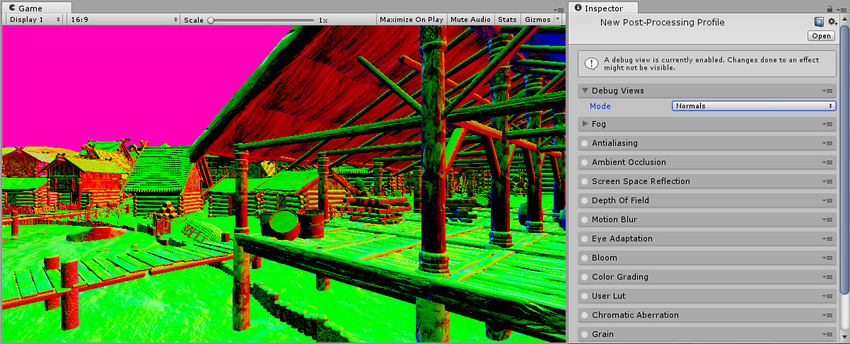
Unity is capable of having a depth-normals texture. So maybe you CAN use that node if you can figure out how to read it.
URP though doesn't use it yet IIRC.
but watch for updates as it would be faster
There's more discussion of normals here:
https://forum.unity.com/threads/urp-post-processing-ambient-occlusion-availability.740726/
and @devout quarry has a post there too.
@marsh turret
Unity Forum
Hello, its great that URP is now equipped with its own set of post/processing effects. However the AmbientOcclusion effect is still currently missing...
 robust thunder
Hi, sort of a newb-to-Unity question here. I'm not sure if this should be in #archived-shaders or another category, but I'm trying to achieve a sort of "voxel ambient occlusion" effect not unlike this one https://0fps.net/2013/07/03/ambient-occlusion-for-minecraft-like-worlds/. The project is currently using the URP Lit shader. Does anybody know how I might use this in URP? I had thought that if I set brightness values as grayscale colors to the Color vertex data using mesh.SetColors(colors.AsArray());, they would be blended the same as a texture. But even if I disable textures, I don't see the blended vertex colors.
 soft harness
Can you pass the normal into the surf
 hoary dagger
So far I've only found skidmark shaders that are emissive (self-lit in shadows) for some reason, is this an issue in standard renderer only or what's going on? 🤔
robust thunder
Normal... not sure. They aren't currently being used at the moment. I did find this https://docs.unity3d.com/ScriptReference/Mesh-colors.html which says "(Note that most built-in Shaders don't display vertex colors. Use one that does, such as a Particle Shader, to see vertex colors)", so maybe it's not possible
soft harness
nvm, I fixed it
 lunar roost
Anyone know how to make a shader that'll make models tilt like in the 3DS zelda games?

 scenic furnace
I don't think that's a shader thing, aren't they just gameobjects literally rotated 45 degrees?
 fossil ermine
Is it bad to use a 3D renderer on a 2D project in URP? Or what are the consequences when doing this.
I was wondering if this is possible because I want to use the scene color node in shadergraph. Which doenst seem to be supported in the 2D renderer as it just returns grey.
lunar roost
@scenic furnace The vertices are moved further back depending on the y height. It's not rotated.
scenic furnace
oh, neat so it actually is like that
lunar roost
But I don't know how to do that in a shader.
scenic furnace
well I'm not very experienced but could you offset vertices by a single axis in world position and a multiplier or something?
 hexed needle
New to shaders and materials here, can someone point me in the right direction with how I could use an outline shader on an object that already has multiple materials with their own shaders? The issue is that the existing materials apply only to specific parts of the character and when the outline shader material is applied to the character it only applies to a specific area of the object in the same way that its existing materials do. Is there a way of getting around this?
scenic furnace
post processing effect is the only sensible thing I can think of
hexed needle
forgot to mention that the outline needs to be able to be toggled on and off, can this still be done using post processing?
scenic furnace
uhhh.. no idea
I can just point you to this thing for URP, this is the only resource I have on hand atm xD https://alexanderameye.github.io/outlineshader.html
hexed needle
ah ok ty
scenic furnace
I think it's also possible to make a custom render pass in URP and HDRP where you make it render some objects with a different material but I don't really remember or know how that works
I found it on youtube I think?
devout quarry
@hexed needle yes should be doable with the link that anna shared
and you can toggle the lines on/off by changing the material parameters, just material.SetFloat will do the trick
the only 'downside' is that the outline is applied to all the objects in the scene
scenic furnace
how would I go about doing this exact same effect in URP, except with the addition that the outline color would be controlled by vertex color?
If I could do that I could have not only colored outlines but objects that have multiple different colors of outlines :o
devout quarry
not sure what the best way is
you can render the vertex colors to a texture and sample that
scenic furnace
hm.. I don't think URP will like that if I'm already rendering depthnormals to a texture
scenic furnace
I thought you can only do one custom pass in URP?
devout quarry
you can add more
meager pelican
If you're rendering normals, maybe you can use a float4 and stuff some color index into the alpha, and then set outline color by that.
devout quarry
that sounds like a good idea
scenic furnace
I don't even know what a color index is 😂
meager pelican
Avoids an additional pass
devout quarry
just a number that corresponds to a color
meager pelican
A number. Then you can use it to "decide" (maybe look up) a color to use.
Color 1, Color 2, ...
devout quarry
I do something similar where I have a number 1-256 that corresponds to an angle 0-360 that I then use for HSV color
scenic furnace
how can you store a RGB value into alpha though?
devout quarry
Yeah either you use a set amount of colors, and then use a look up table
or you can use HSV
but then you can just change like the hue for example
but it'll be the full hue range
scenic furnace
I would honestly be happy enough if I could take the original colors of each object, slightly darkened instead of them having a black outline. being able to use vertex color or a secondary texture or whatever would give me a lot more artistic control though >.<
devout quarry
Here's an example where I did this
but I just had control over the hue, which was not ideal
scenic furnace
oh wait why didn't I realize that was you?! Thank you for all your awesome stuff
I actually emailed you about edge detection since I couldn't find the updated tutorial xD
devout quarry
did I reply?
scenic furnace
you did, it was about a month ago
devout quarry
ah okay good haha
meager pelican
I would honestly be happy enough if I could take the original colors of each object, slightly darkened instead of them having a black outline. being able to use vertex color or a secondary texture or whatever would give me a lot more artistic control though >.<
@scenic furnace
Then just use your vert colors. If you want to "darken" it, you can do multiple things, like multiplying it by some fraction.
scenic furnace
so can I just like.. sample vertex colors somehow? I don't mind an extra pass, like I said I'm not very experienced
meager pelican
The thing with vert colors is that you have an entire color array, one for each vert, and it's kind of a waste when they're all the same.
scenic furnace
yeah I suppose, I wasn't planning on making them more than a flat color for each part of the mesh I want
meager pelican
Then there's material property blocks. But the new pipelines have some kind of brain fart regarding their experimental batching system right now.
scenic furnace
but for indexed color I have absolutely no idea how to assign each color in an index to the right place, I don't even know the concept of how that works
like how could I tell my post processing effect that this part of mesh A needs to be color 1, this part needs to be color 2, this other mesh needs to be color 3 entirely
meager pelican
You'd set an array of colors passed to the shader, or a global array.
Then your shader can just look up MyColor[index]
scenic furnace
I'll have to do some googling :o
meager pelican
IDK on the PP, thing, you'd stuff index values into the normals texture alpha. But if you can't differentiate it, IDK.
It would be like a "mask" stored in the normals texture that you're already generating. But how to outline?
scenic furnace
do you just mean like a hacky solution that anything within this transparency range is x color, and just map everything out like that?
meager pelican
Sec
https://docs.unity3d.com/ScriptReference/Material.SetColorArray.html
So lets say in the inspector you have an array of colors.
Color 1 is blue, color 2 is red, etc. These are full RGB (and alpha you'd ignore) colors in the array.
You pass the array to the shader (maybe global color array so it works for all objects if you want that). And then in the shader you have:
float4 myColors[256]
you have to have a fixed array size in the shader.
Then in the Vert or Frag or SG you look it up
uint myIndex = (uint) myNormals.a;
float4 myOutlineColor = myColors[myIndex];```But I have no idea if this works in post processing with your outline method. But then again, neither does vert colors.
scenic furnace
I'm very bad at code and pretty new to more complex shaders, how would I actually store the color information? you said something about the normal texture alpha data?
if you can clarify that part for me a bit, I might be able to figure something out
if it's too much of a hassle, thank you for all the help you already gave me
meager pelican
I just thought if you can pick off he xyz of the normal vector, you could also pick up the alpha as an index. But maybe that doesn't work for you, IDK. You're already doing normals, right?
How to set that index? I suppose you can pick it off from some value you set on the material, maybe with material property blocks. Or your vert color idea.
Again, I haven't dug into your post processing routine, so IDK if you can use that or not. Maybe @devout quarry can comment on how PP outline works and if you can pick off that value or not. I was just trying to find a way for you to pass that value over to a later PP pass.
scenic furnace
so I could just use the alpha value and map that to the index? like let's say I had 8 colors I was working with, alpha values 1-32 would be color 1, 33-64 would be color 2, 65-97 color 3 etc?
ugh this would be so much easier with per object outlines, but it would also be a lot more ugly
meager pelican
No reason for that complexity.
More direct.
color 1 is a 1 in alpha
color 2 is a 2 in alpha.
Then the colors array would have color 0 = ignore (maybe)
color 1 = (r, g, b, a)
color 2 = (r, g, b, a)
scenic furnace
true I guess, that would let me map effectively as many colors as I want.. although I can't imagine handling 60+ different colors in a single shader in separate parts of it would be very performant lol
although I could be wrong
meager pelican
It's a lookup. Into a table. Not too bad. If writing by hand, I'd do it in the vert function. IDK if you can get SG to do that or not.
scenic furnace
I'll use Alexander Ameye's tutorial, and I'll probably be using ASE for the parts I can
and see if I can figure something out.. I can't learn without trying stuff, right?
meager pelican
Well, if you can look it up in the vert, and pass it in the v2f data behind the scenes, that's best. Then you don't have to do a lookup per pixel processed
scenic furnace
ooh :o I'll try to make that work
I'm a lazy person though so don't expect me to solve this today xD
 dreamy sonnet
Anyone here?
 lilac pebble
Do you guys know why Camera Opaque Texture isn't working for me (I'm on LWRP)
meager pelican
The opaque texture is "grabbed" after the opaque pass. Before that it's gray.
so move the render queue up for whatever it is you're doing. You may have to resort to transparent, but I think you can do it earlier.
@lilac pebble
Also I didn't know you would expose it in the inspector.
There's a node to use it...I think it's called scene color.
marsh turret
I've got a good post-effect for fog working
but...
I kinda want to change the way lighting works (namely, add a falloff for underwater effects)
what would be my best option here? A custom pass?
or just a custom shader that's on anything that might go underwater?
lilac pebble
@meager pelican Thank you so much, I'll give that a try!
thick fulcrum
@marsh turret think custom shader is the route to go as the lighting is done there. So long as you can check when it's under water, should not be too much of a task. There's a good example on unity blog about custom lighting and how to interface with lights etc.
marsh turret
yah i've seen that - I already have a sub-graph for checking if it's underwater etc
it was just if it was better since i'm doing it to any object that is "underwater" to just have a custom render pass or soemthing
I'm a little hazy on some of those sorts of details etc
thick fulcrum
You could probably do it with some PP, but that's not really in shader graph remit as yet. There's ways around it, but I think you would probably have more control with the shader on the object.
Maybe personal preference, perhaps someone else can give a good argument for using PP
marsh turret
I used Cyan's kindly-provided example on how to get world-position in PP to make a locational fog
that's my main underwater effect
but right now I'm changing the light intensity/color based on the posiiton of teh camera which is a bit of a hack
when what I really want tot do is say "hey, what's the distance of this vertex from the water surface?" then make light falloff proeprly
direcitonal light will be assumed to just be the surface - distance *water-falloff-coefficeint
other lights will have to be judged based on "Is above water? intensity at teh water's surface then distance falloff etc" or if in thewater then a straight distancewaterfalloff
 wary horizon
Could someone help me with converting a custom shader to be able to be used in URP? thank you vm
scenic furnace
definitely possible
oh, just make a new material for the sprite :)
then you can assign a shader
that confused me a bit too at first ^^ it happens with 3D objects as well
no problem ^^
 dusky yarrow
Why are the corners being chopped off on this sprite?
regal stag
I think spriterenderers generate a mesh based on the Sprite input, usually you'd use the alpha from the _MainTex so it displays the sprite properly.
dusky yarrow
@regal stag I think you might be right, If I use the SpacialMappingWireframe material it looks like it has a weird mesh.
wary horizon
Does anyone know why unitys fog system makes a shader skybox i have turn pink?
 heady pewter
so, i have my modified texture in my script and i'm trying to copy that texture data and move it over to a new pass, how would i go about doing this?
the modified 2d texture just has some colors changed within it, that's all
 lament mulch
Do you have to double up vertecies to have totally different colored faces in a shader? It looks like you kinda do
regal stag
@lament mulch There's a VFACE / SV_IsFrontFace semantic that you could look into, that allows you to obtain -1 or 1 in the fragment shader depending on whether it's a back or front face (also using Cull Off so back faces aren't also culled).
lament mulch
That's not really what I'm looking for, I'm talking about ex. The faces of a cube being different colors. Outside of using submeshes (which I'm very concerned with preformance, this would be happening many times a second) I'm not seeing a great way
regal stag
Oh right, then yeah, doubling up vertices + using vertex colours. Or I guess UV mapping + texture lookup works too.
lament mulch
Essentially I'm trying to make a Splatoon-like mechanic in a blocky world. I've already got a mesh generation system in place that works pretty well, but I want to be able to shade a material based on the last team that painted it. There doesn't seem to be a great way to do so ngl
 knotty juniper
you could use vertex colors to set what color to use
knotty juniper
you like to have color blending or dont?
lament mulch
Don't. It would totally break having a single block being colored anyways
It's kinda in my original question.
knotty juniper
so you cant have split vetec for each face?
lament mulch
Do you have to double up vertecies to have totally different colored faces in a shader? It looks like you kinda do
My question was asking if you have to double up the vertecies. I would like for me to be able to share them, considering the size of the mesh being rendered.
meager pelican
The way the color interpolation would work if you're using vert colors, is that if you share a vert that color will "smear" across the shared triangle from that vertex to whatever verts.
But if you duplicate verts, then there's no sharing, and each triangle can have its own color if you were to set all the verts the same.
The other options get more complex.
lament mulch
I would like to know what the other options are, but insofar I've yet to see one
meager pelican
Well, this indicates you can use an SV_PrimitiveID but I haven't tried it and like they say it may not work on all platforms.
https://answers.unity.com/questions/1663070/getting-the-index-of-a-triangle-in-shader.html
You could then use that index as a lookup into a color table...
As someone mentioned you can manipulate UV mapping to a texture. If you can map each triangle to a different section of the texture and THEN use that texture data as an index, you could recolor the entire triangle with that. You might have to shift the UV a bit. Again, a color table lookup would happen with that ID.
Or you can dynamically modify the maintexture with a RWTexture2D of some kind. Or "just" generate some kind of splatmap like a decal and overlay it. Research decals.
Just spitballing.
Unity is the ultimate game development platform. Use Unity to build high-quality 3D and 2D games, deploy them across mobile, desktop, VR/AR, consoles or the Web, and connect with loyal and enthusiastic players and customers.
lament mulch
I've been considering the decal method. It might work ig.
Honestly the biggest issue is the fact that I want this to be efficent and fast. There are lots of "easy" ways to do it,
strong lotus
Is amplify shader editor worth it in the era of shader graph?
heady pewter
alright, i feel like the answer is something simple that my lack of knowledge is causing me to overlook this.
does anyone know how to combine colors or textures together from a pass and a cgprogram in unty's .shader lab?
i got my shader to handle changing colors within my texture using a fragment shader inside of a pass, but now i want to take that same shader and add in normal mapping to it. they both work fine, but either the normal map gets overwritten by the color changes or the color changes gets overwritten by the normal map. i'm not quite sure if it's because of either the texture or the color, but either way i want to combine or blend the 2 together. anyone has any ideas?
 rugged jackal
Hiho! Any1 know why this happening? Why doesn't the opacity work?
strong lotus
is the is the material node set to transparent?
Without knowing exactly which node you're using, usually it appears like this
you have to click the cog on the material node
and change surface to transparent
rugged jackal
@strong lotus i set it to UNLIT, those options dont apear to me. do i have to change to LIT?
strong lotus
which RP are you using?
rugged jackal
urp
strong lotus
You sure you don't have a surface type option on the node? I don't use URP, but it on the docs it looks like it's there: https://docs.unity3d.com/Packages/com.unity.render-pipelines.universal@7.1/manual/unlit-shader.html
that's about all I can offer, gotta wait until someone with more experience jumps in
rugged jackal
sorry, was answering a question
will look into it, thanks ^^
@strong lotus oh snap, i did have that surface type! it was hidden by the preview. its taking half the screen ^^'
still isn't transparent. imma change to lit and see
stupid me, i forgot to save, thats why x)
ok it worked, tank you, u da man!
strong lotus
🙂 no problem, glad it's working!
 jovial rapids
can someone tell me how i'd make a sprite shader respond to shadows cast by geometry? from what I can tell the shader currently just looks at the distance to the light source, meaning sprites can be lit up by light sources on the other side of a wall
if there's no way to do it in the shader i'm going to have to do something silly with bounding volumes and raycasts
jovial rapids
also if anyone knows whether this is trivially easy or way too hard to do that'd be useful too
 mossy junco
Having some problems compiling shaders for PlayStation 4.
Actually, nevermind. Looks like reversing the order of arguments in mul(matrix, vector) calls to mul(vector, matrix) did the trick 🤪
 soft hollow
Hi, I try to make a tilling between 2 plane for a lava shader but I don't find a tuto on internet. If a person know one or know how to do I'll take it.
jovial rapids
this is what my issue with the shaders and shadows, incidentally -
i want that box in shadow, dangnabbit!
regal stag
@soft hollow You can use the Position node -> Split -> R and B into Vector2, rather than UVs to achieve a world space tiling effect across multiple meshes. Any textures sampled will still need to tile seamlessly though. The first part of this post has more info : https://cyangamedev.wordpress.com/2020/01/28/worldspace-uvs-triplanar-mapping/
 honest bison
how do I access vertex coordinate in vertex program of surface shader?
regal stag
@honest bison There are some examples here : https://docs.unity3d.com/Manual/SL-SurfaceShaderExamples.html. Seems to just be v.vertex inside the vert function (void vert (inout appdata_full v), or the other version with an optional output struct).
honest bison
sorry, I'm after the texture coordinate
I've tried v.uv and v.uv_Maintex, but nothing working yet
regal stag
I believe it's v.texcoord for the appdata_full struct
amber saffron
@honest bison here : https://docs.unity3d.com/Manual/SL-VertexProgramInputs.html
 hoary sonnet
hi guys. is it possible to recompile all shaders made with shader graph? sometimes those shaders won't show up in picker until I open and re-save them in shader graph
 sullen grove
Hey, what's the best way to share whatever shader graph I have rn so I can ask questions? Esp considering I'm completely new.
 desert orbit
Using something like ShareX which can take a snapshot of the area screen.
sullen grove
Okie.
hoary sonnet
another question. shadergraph & cinemachine. Is it a way to access cinemachine driven camera position as it doesn't actually moves the main camera around? My shaders that rely on camera position are broken with cinemachine
sullen grove
https://puu.sh/FWGm7/f4bd371c39.png
https://puu.sh/FWGt4/f9b5feb5e1.png
https://puu.sh/FWGug/ecd31321ac.png
I'm using URP, I'm p sure. I copied over a 'how to do an outline' tutorial in hopes that I could modify it for my purposes. I want the actual outline to be very thick in order to mimic a standee cut out. Like this: https://rpgstandees.files.wordpress.com/2016/10/img_20161010_161008.jpg
Though no matter what I mess with numerically, it's not getting that much thicker. So I'm guessing there are more steps I need to take or I need to do it a different way.


 stone sandal
@gentle mica so, the function name needs to be appended with either half or float based on the precision set on your graph
it's not the output type but rather the level of precision that your graph is set to
 gentle mica
ah okay, I didn't know what I was doing there hahaha
stone sandal
by default it's float
fervent tinsel
gentle mica
good to know, thank you!
stone sandal
second, you're going to keep getting errors in the graph on that node
the preview shader can't handle non vector types
so you need a dummy output as the first output slot that's a vector type to workaround that for right now
your function will look like this instead:
void GetGlobalAmbientTexture_float(out float previewOutput, out texture2D output)
{
    previewOutput = 0;
    output = _GLOBAL_AmbientTexture;
}```just to force a value through the preview square on the node so the graph compiles
and then have a matching slot on the node itself
fervent tinsel
hacks!
fervent tinsel
(btw would be nice if this was documented so people wouldn't stumble on it)
stone sandal
but that's how to get around it until we fix it
gentle mica
ah yep, that fixes the errors!
stone sandal
yeah i know, i'm just loathe to document a workaround for something that's actually a bug and not a design choice
gentle mica
yeah you're totally right to feel that way. it feels like a bug, not an intentional workaround
fervent tinsel
well, it doesn't have to show the workaround, just tell what is not supported for the first out slot
stone sandal
fair point, especially since the only error you'll get is via the compiler
should just be a type conversion error, super opaque iirc
stone sandal
did you add a sample to the custom function itself or are you trying to sample it externally?
stone sandal
ah, there's two ways to get around that
one, create a sampler state node and connect it
to force it to use a differently defined SS
two, sample it in the custom function node directly
gentle mica
ah right! so it wasn't even an issue with the custom function node? good to know
okay cool, looks like it works now!
stone sandal
nah, the sample node by default tries to use the declared sampler state
assuming that the texture it's grabbing was declared as a property somewhere etc
but since yours wasn't, there was no matching sampler
so just give it one instead
gentle mica
ah okay, so it's just a case of the sample node not getting the correct defaults because the input isn't a regular property?
this is all helping a LOT with my understand of shader graph, thank you
stone sandal
correct
fervent tinsel
oh right
I've done this in past too 😄
(the sampler thing)
I guess it makes sense that people stumble on the same things, but would also wish the first attempt would be so logical it would work out of the box at the same time
in this case having more meaningful errors would go a long way
gentle mica
yeah, that seems to be my most common shader graph take-away. it's an amazing tool, but when things go wrong it's impossible to know why when you don't have much shader programming knowledge
anyways, thanks for the help @stone sandal and @fervent tinsel, it works great now. I'm going to stick with shadergraph for now 👍
fervent tinsel
it's not really about shader programming knowledge now, it's more about knowing how shader graph's framework works 🙂
gentle mica
yeah pretty much hahaha
 modest oyster
Hey i have this folder how would i use this on an cube?
modest oyster
nnvm figured it out
honest bison
What is the correct math using a height blend?
I have vertex color and height map information
cosmic prairie
@honest bison what do you want to blend?
grand jolt
is this the apropriated chat to ask for help about hdrp?
about matrials in hdrp
nvm I found the chat
 raw hemlock
Hi, I'm trying to learn the basics of HDRP and I've just created a material which is using the HDRP/Lit shader and has a base color of red, however it renders completely black when in the scene, and renders a mirky red when metaleness is above 0. Can anyone explain where I'm going wrong? Thanks
raw hemlock
I think I found it, am I right in thinking the default value for the emissive color should be white. All of mine after converting are black...
honest bison
@cosmic prairie Looking to make a height blend
knotty juniper
basicly using world position Y to blend some values?
honest bison
I have the height of each tiling texture packed into a texture channel
 bitter crest
Does anybody know how to achieve this shader vertex thingy in unity? https://www.youtube.com/watch?v=-YRs0PAz0ZI

A simple demo of the water physics in the game Spintires and how flowing water interacts with a vehicle.
grand jolt
I'm gonna have to spend some time learning shaders one day
wary horizon
How can i make this http://wiki.unity3d.com/index.php/Silhouette-Outlined_Diffuse?_ga=2.100701831.703426099.1591985460-65279128.1549564140 to be used with URP?
honest bison
@bitter crest -that is so cool. Thanks for sharing. It looks like a similar technique used to make footprints in snow. It might be worth looking at those shaders. I'd start off with mesh displacement.
bitter crest
@honest bison That water is on a game called spintires but idk how they made the water interact with the vehicle and I would like to know 🙂
meager pelican
Hi, I'm trying to learn the basics of HDRP and I've just created a material which is using the HDRP/Lit shader and has a base color of red, however it renders completely black when in the scene, and renders a mirky red when metaleness is above 0. Can anyone explain where I'm going wrong? Thanks
@raw hemlock
I think I found it, am I right in thinking the default value for the emissive color should be white. All of mine after converting are black...
@raw hemlock
I don't HDRP much, so grain of salt...but...
- Emission should be 0 unless you're emitting.
- The metallic slider changes how much of the object's color comes through, as compared to reflected color. You may have to bake your reflection probes or whatnot too. Smoothness is about how "blurry" the reflections are, more or less.
But at 0, you should have no reflections, full albedo.
Check your alpha on the base color too. And (just saying) make sure you applied the material to the object.
 vital nacelle
Im trying to modify the values given to a material on a UI Image but its not working, does anyone know why?
 woeful nymph
so I shader stuff can be uh, done here? Im currently trying to export an animated texture to unity but without sucess
This one that is moving
I have some concerns and questions
1: Is it possible to export to unity any animated texture like this?
2: if not, or even if yes but theres an easier way, how would I do it?
and @ me at any time
btw thats blender not unity
 misty spear
Hey guys, so im trying to make a enemy view cone for a 2D stealth game. Can anyone direct me a good resource to achieve that? Ive seen some tutorials, but nothing seems to work
thick fulcrum
@bitter crest they did a whole blog on terrain deformation and how they achieved it. Water was similar, Crest does dynamic water interactions or the Unity boat attack demo has some wake waves too. Just have to search on net 😉
grand jolt
IS there anyone currently active that is familiar with Alloy Shaders that can help me?
raw hemlock
@meager pelican Okay, I've attempted your suggestions but to no avail. It appears however that the materials render with their proper colors with lighting disabled, but enabling it immediately causes it to become gray. Any other suggestions?
 the sky wasn't set for some reason. Aaaaa
 odd coral
Hi Guys, I've a script that create a mesh/meshRenderer gameobject like a blob and i would like to apply to it a shader that fits the generated shape. All i have is a square around my shape with my shader and not the shape of the Gameobject itself (which is somewhat round normally). How can i achieve that (Im new to Unity btw) ?
 lean parcel
I'm totally new to shaders, how feasible is it to want only the parts of a mesh that are within a certain distance of a player to be rendered? I have a very large forcefield and want to show a "preview" when players get nearby.
 lime stream
Can't you use th efar plane of the camera for that?
 meager comet
Is there someway to get rid of this ? Sorting layer do some wierd cut
lime stream
What should we see? Describe please
meager comet
I like to remove that light under that plane. When i change sorting layer and set light to dont affect it it will do wierd light cut on ground is there someway to use shaders to change this ?
lime stream
Well, it's lit because you put light on it. So maybe you want the light to skip layers?
Culling Mask in the light component allows you to light specific layers only
If you put your ground on a specific layer, and remove it from the culling mask list of your light, it will not be lit
meager comet
Ok i will try it. Can i PM you if i will got stuck about this ?
meager comet
Ok 😄
odd coral
Hi Guys, I've created a Gameobject through script it's a mesh/meshrenderer made by script and i would like to apply yo it a shader that fits the generates shape. All i have is a box with my shader and not the shape of the Gameobject itself (which is somewhat round normally). How can i achieve that (Im new to Unity btw)
odd coral
how can i Make this shader constraint only in the mesh renderer?
amber saffron
Is your shader deforming the mesh ? If yes, aren't you by accident drawing a square with it ?
odd coral
no it's just applying a "texture " for the moment
amber saffron
An so, without the shader, it doesn't look like a square ?
odd coral
Nope it has the shape of a squished ball. Like all the circle inside the sprite which are colliders bt
fervent tinsel
saw this on git: https://user-images.githubusercontent.com/6877923/84785106-5ebf6b80-afeb-11ea-9c23-471b21d12ea9.png

I often specifically want to use these to make a shader that's compatible with stock shaders (_BaseColor and _BaseMap but could see use for _EmissionColor too)
if I don't use these keywords specifically on my SG that replaces the other shader, the input values don't map automatically when I swap the shader
so.... I do wonder, what will break now? 😄
these are mostly keywords used by HD Lit etc
vital nacelle
Im trying to apply a material to a UI but when i do it, I cant modify the values of the material! I try via script but nothing happens
fervent tinsel
@hollow quartz can I ask why that BaseColor and BaseMap are not recommended? I'm mainly wondering now what makes these special in a way that using them on your own SG's can lead into incorrect results?
for SSR etc I totally understand as those are dealt in certain way
I've used _BaseMap specifically in past and haven't seen any oddities
amber saffron
@odd coral So I can only deduce that the shader, either deforms the mesh, or doesn't display transparency ?
Can you share your shader here ?
 hollow quartz
@fervent tinsel Sure, these two names are used directly by our GI system as you can see here: https://github.com/Unity-Technologies/Graphics/blob/master/com.unity.render-pipelines.high-definition/Editor/Material/Lit/BaseLitGUI.cs#L91, so having those two properties exposed in your SG could affect how your material is baked (in particular for alphaclip). But it will also lead to errors in the console if you don't respect the expected types, as you can see in the https://github.com/Unity-Technologies/Graphics/blob/master/com.unity.render-pipelines.high-definition/Editor/Material/Unlit/BaseUnlitGUI.cs#L247 where we directly get the value of the properties and assigned them to the one that controls the GI system.
In other words, you can take the risk to use them if you're not afraid of undefined behaviors (errors, GI stuff, un-editable properties, etc...) 🙂
GitHub
Unity Graphics - Including Scriptable Render Pipeline - Unity-Technologies/Graphics
GitHub
Unity Graphics - Including Scriptable Render Pipeline - Unity-Technologies/Graphics
odd coral
@remy I'll try. But yes ther is not transparency.. .
fervent tinsel
@hollow quartz but for the time being, if one doesn't use GI / baked lighting, it shouldn't be affected, right?
anyway, I'll try to take this into account, it's just been so handy having the same keywords as it makes SG swap the shaders easily without reconfig on the input values
(so I can just mass select materials configured for default HD Lit and replace them with my own SG variant)
hollow quartz
Yeah, it shouldn't be a problem if you don't use GI, and the same thing is true for _EmissionColor
fervent tinsel
thanks for the clarification 🙂
hollow quartz
no problem, i'll try to clarify the doc on the usage of these properties 🙂
odd coral
@remy is a GitHub repo good ?
amber saffron
will do
amber saffron
@odd coral A screenshot of the relevant part of the graph could have been enough.
fervent tinsel
this looks so much better now 🙂 https://user-images.githubusercontent.com/6877923/84802266-a13f7300-b000-11ea-8127-555926fc19cf.png
I dig it
 wary horizon
how can i make it so the alpha slider on the colour affects my object? since i want to turn on / off this outline when the player is hovering / not hovering over it?
amber saffron
@odd coral I think you were using the PBR master, you just didn't set it to be transparent, and provide alpha :
 mental bone
I read on the forums about a build in HDRP water shader, but cant find any relevant info on it. Anyone know what's up? All I could find is people asking for a backport
amber saffron
And the same with the funny effect :
@wary horizon You need to connect the alpha value of the color in the alpha input of the master node.
regal stag
@wary horizon Use the Split node, then multiply it by the colour before putting it into the Emission.
wary horizon
first time shader user, can this be said slower please xD
mental bone
You want to control the aplha of the material with the alpha channel of the color you have exposed right ?
fervent tinsel
@mental bone pretty sure the built-in HDRP water is put on hold atm
at least I haven't seen any progress on it for months
wary horizon
i want to change the outline colour of the material @mental bone
to be visable / not visable when i want
fervent tinsel
pretty sure there was a PR for the water but only on the old SRP repo
last update for https://github.com/Unity-Technologies/Graphics/tree/HDRP/water-version1 was from March
wary horizon
@amber saffron like this?
mental bone
this will control the alpha for the entire material not just the outline part
wary horizon
yep, just seen that aha
mental bone
if you click on the cogwheel on the master node and change it to transparent then changing the color you are multiplying with the outline should work no ?
wary horizon
im not sure what i do with my color node
mental bone
or you can multiply your emission color by another exposed variable that goes from 0 to 1 and control that from script to "fade" the effect
regal stag
You don't need another exposed variable, you can just use the alpha from the colour.
wary horizon
like so? @mental bone
the alpha slider does nothing currently @regal stag. just testing what uri recommended now
regal stag
Instead of another property, you can use the Split node on the Color, and take the A output
wary horizon
that worked, but it leaves black instead of transparent xD
regal stag
That's probably because your texture has transparent edges? You need to take the A from the Sample Texture node and put it into the Alpha input on the master node
mental bone
Im not sure if we solved your problem lol 😄
@fervent tinsel thanks for the pr link I will check it out
 worthy ridge
anyone know how to make a stacked camera use alpha so that it can be faded in / out?
wary horizon
yoiu have @mental bone its no longer black, its transparent once the yellow outline is removed
bitter crest
@thick fulcrum You mean this blog? https://www.gamasutra.com/blogs/PavelZagrebelnyy/20171116/309626/Mud_and_Water_of_SpintiresMudRunner.php but I actually dont understand it very well

Here we present technical details behind rendering of Mud and Water in Spintires:MudRunner, a driving simulation game, developed by Saber Interactive and published by Focus Home Interactive on Xbox One, PlayStation 4 and PC (Steam).
fervent tinsel
@mental bone well, it's just branch link, the original PR was lost when Unity took old SRP repo offline
odd coral
@amber saffron Many many Thanks
 ocean bison
So I’m trying to adjust the Unity Standard (specular) shader to draw my planet using one texture for daytime, and a city-lights texture for nighttime.
I changed the default line (in the “FORWARD” pass) from:
#fragment fragBase
#include "UnityStandardCoreForward.cginc"
To the following:
            #pragma fragment fragNight
            #include "UnityStandardCoreForward.cginc"
            sampler2D _NightTex;
            float4 _NightTex_ST;

            half4 fragNight(VertexOutputForwardBase i) : SV_Target
            {
                float3 normal = i.tangentToWorldAndPackedData[2].xyz;
                if (dot(normal,_WorldSpaceLightPos0) < 0)
                {
                    //clip(-1);
                    _MainTex = _NightTex;
                    _MainTex_ST = _NightTex_ST;
                }
                return fragBase(i);
            }```
When I have EITHER the clip(-1) active, OR remove the if statement: it works – but obviously, not properly.
When I leave the if statement, and remove the clip(-1) command I get the following error:
```Shader error in 'Custom/NightStandard (Specular setup)': Sampler parameter must come from a literal expression. at Assets/Mats/UnityStandardInput.cginc(113) (on d3d11)

Compiling Fragment program with UNITY_PASS_FORWARDBASE DIRECTIONAL
Platform defines: UNITY_ENABLE_REFLECTION_BUFFERS UNITY_USE_DITHER_MASK_FOR_ALPHABLENDED_SHADOWS UNITY_PBS_USE_BRDF1 UNITY_SPECCUBE_BOX_PROJECTION UNITY_SPECCUBE_BLENDING UNITY_ENABLE_DETAIL_NORMALMAP SHADER_API_DESKTOP UNITY_COLORSPACE_GAMMA UNITY_LIGHT_PROBE_PROXY_VOLUME UNITY_LIGHTMAP_FULL_HDR```
I guess this means I cannot change the _MainTex while the shader is running? Any suggestions on how to get around this?(gotta close discord for few- pls ping me if you have any thoughts ^ )
meager pelican
IDK that you can reassign texture references. They aren't proper pointer types AFAIK. They were ignored after your uncommented clip(-1)
honest bison
If I have a large number of shaders in my project will it effect build time/build size even if they aren't being used in a scene?
rugged jackal
Hiho! How would you go about making decals in URP?
I'm new to this and miss the projector shader 😦
 bold turtle
Hey, I'm trying to make a seperate pass to only show specific objects and I can't figure out how to do this while showing clipping (I'm not sure what else to call it)
imma try to explain this better
I want to have a seperate pass that only includes this particle effect (which I can do using the culling mask) but I wanna hide the object where it isn't visible to the camera, like hide the bottom half of the explosion thats clipping into the floor.
 magic meteor
is there a shader for unity that is the standard specular but double sided instead? (meaning it has all the slots it usually has, but with double sided shading)
thick fulcrum
@rugged jackal not something we can use shader graph for in URP, they are built in for HDRP. Here are some implemented in URP which can be used:
https://github.com/ColinLeung-NiloCat/UnityURPUnlitScreenSpaceDecalShader
https://github.com/Kink3d/kDecals
https://github.com/Anatta336/driven-decals
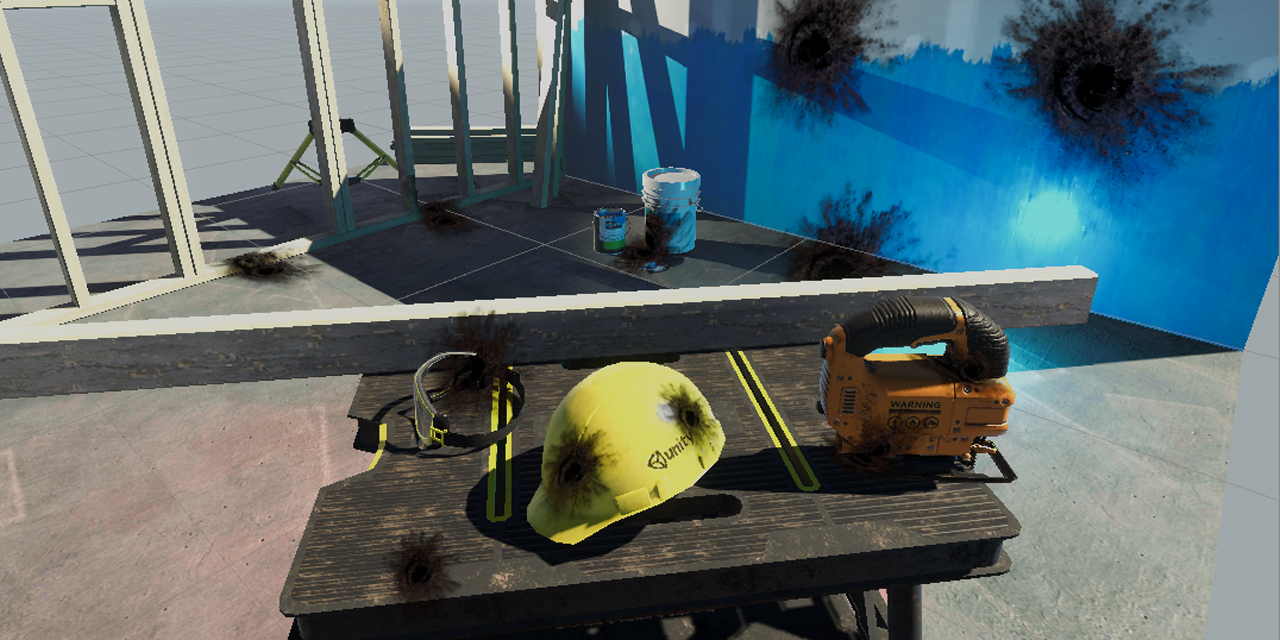
GitHub
Unity unlit screen space decal shader for URP. Just create a new material using this shader, then assign it to a new unity cube GameObject = DONE, now you have unlit decal working in URP - ColinLeu...
GitHub
A mesh-based PBR decal system for Unity's universal render pipeline. - Anatta336/driven-decals
 plain urchin
Halo, a silly question
Im trying the StandardAsset's projector multiply, but it turns the whole object that got hit, black
Should i assign the round texture in the cookie, or falloff?
I'm not sure how to use it, basically..
 wide dust
Hey, let's say I'm creating minecraft clone but I want all my terrain textures to be procedural with shader graph
My question is, how can I send my terrain data to shader so it generates right texture in right place on the mesh?
Or should I make each block type separate sub-mesh and apply different materials?
amber saffron
@wide dust You'll need to find a way to differentiate the triangles of you mesh, depending on the "texture" that will be displayed, and pass that data to the shader.
UV's or Vertex Colors are probably the bests options here.
rugged jackal
@rugged jackal not something we can use shader graph for in URP, they are built in for HDRP. Here are some implemented in URP which can be used:
https://github.com/ColinLeung-NiloCat/UnityURPUnlitScreenSpaceDecalShader
https://github.com/Kink3d/kDecals
https://github.com/Anatta336/driven-decals
@thick fulcrum Woah! This is an amazing find! 😮 Thank you for the share! 😊
GitHub
Unity unlit screen space decal shader for URP. Just create a new material using this shader, then assign it to a new unity cube GameObject = DONE, now you have unlit decal working in URP - ColinLeu...
GitHub
A mesh-based PBR decal system for Unity's universal render pipeline. - Anatta336/driven-decals
 long rune
 thorn mountain
Hi guys,
i would like to display an action range with a sphere centered on character
i tried using a shader displaying only on sphere intersection i found on the forum :
https://forum.unity.com/attachments/upload_2020-1-9_14-47-10-png.541119/
https://forum.unity.com/attachments/upload_2020-1-9_14-46-23-png.541116/
but it doesnt take care off obstacle, and shader disapear when the camera is inside the sphere (cull off didn't solve it)
anyone could give me an hint ?

 simple frost
@thorn mountain would probably be easier to write a custom post process, as this is a fairly common use case there are a number of tutorials online
thorn mountain
@simple frost thanks for your reply, i'll search about post processes 🙂
 tulip walrus
hi guys, is there a way to change the settings of a shader on just one object or are they all using the same instance of the shader?
i tested a simple dissolve shader but it dissolved every object using that shader, is that just how shaders work?
or maybe i have missed something that i should have done
regal stag
@tulip walrus If you get the material from a C# script using GetComponent<MeshRenderer>().material rather than .sharedMaterial or a public reference, it will create an instance of the material and assign it automatically. Any changes after that, e.g. material.SetFloat to adjust a property, will only affect that object.
You also need to destroy the material manually in the OnDestroy function though.
tulip walrus
ah awesome, thank you !
regal stag
Alternatively, there's material property blocks which can be set per Renderer, rather than having multiple material instances - however if you are using URP they don't play nicely with the SRP Batcher.
tulip walrus
will it still be able to batch the draw call if it has different property values?
regal stag
Different material instances breaks the dynamic batching
tulip walrus
i thought that might be the case, thx
regal stag
Is this in built-in render pipeline?
tulip walrus
im using the 2d renderer
regal stag
As in, URP's 2D renderer?
regal stag
I'm not super familiar with the 2D Renderer, but the URP asset has a SRP Batcher option, which can batch multiple material instances.
I assume it would work even in 2D but not super sure, you could enable it and look at the Frame Debugger to see if it batches the objects or not. If it's just a few objects it might not matter that much though.
tulip walrus
ah ok i'll give it a test run when i can
i've got different types of resources/ores in my game and was thinking of using a shader to set the appearance of each type
is there any reason that i shouldn't have one large shader for my entire game so all objects can dissolve, become different ore types etc?
 quaint coyote
Just tried my hands on creating an SSAO effect in unity... Pretty much a learning when it comes to depth reconstruction... Please do share your views 😊
heady pewter
so i have a surface shader method with some normal mapping applied to it that looks like this.
void surf(Input IN, inout SurfaceOutput o)
        {
            fixed4 c = tex2D(_MainTex, IN.uv_MainTex);
                o.Albedo = c.rgb;
                o.Alpha = c.a;
                o.Normal = UnpackNormal(tex2D(_BumpMap, IN.uv_BumpMap));
                o.Normal.z *= 1; //flips front and back
                o.Normal.x *= 1; //flips left and right
                o.Normal.y *= 1; //flips top and bottom

        }
but i can't use my texture edits directly in here because i require a return value and i cant use that at the end of a void in shaderlab.
so i wanted to make a new method, perhaps a fixed4 or float4, that contains the texture color edits and then call those changes into the surf method using the other method's return values.
can anyone give me an example of how this sort of method is done?
also how would i call the values that are inside of structures?
without placing it directly into the method's required parameters?
fervent tinsel
Happy to see this https://github.com/Unity-Technologies/Graphics/pull/959
:)
GitHub
Purpose of this PR
Why is this PR needed, what hard problem is it solving/fixing?
Adds a field to edit property names to the graph inspector.
Fixes an issue where renaming properties would not upd...
quaint coyote
Create a function which returns a fixed4 values and call it in the surface function
heady pewter
i ended up getting it after a lot of trying anything that "looks like it was what i wanted" 🙃
now i can sleep
quaint coyote
@heady pewter good good...
heady pewter
i've been trying to figure that out since februrary
fervent tinsel
I take it that the new SG stacks change still does not let us expose template specific options from blackboard or simply by passing them through some other way to the material? This has been one of the annoyances I've had with SG for years.. Need to make a new SG to use different setting from template/master node even if the graph would otherwise be reusable
heady pewter
so i know imma sleep good or not at all cause im ready to move on now
quaint coyote
@heady pewter what did you do???
heady pewter
was trying to learn shaderlab for starters so i could make some bump mapping on some modified texture palettes
i ended up making several ways that weren't exactly to what i wanted
i was about to give up and "cheat" my problem away by making it not happen
if all of my plans turned out to be no dice
quaint coyote
@heady pewter ohh ok ok, so as a solution, you made a new function right?
heady pewter
yeah
quaint coyote
Awesome 👍 keep it up
heady pewter
1st, i tried to make what i wanted using only fragment shaders, but i couldn't find information on lights at all like that
2nd, i tried to combine a fragment and a surface. which sorta worked, but the blend between the pass caused colors to be inaccurate to the lights
quaint coyote
@heady pewter ahh, I get that. How shaders work is a really interesting topic. You can write your own functions and there are ways to get the information from scripts too.
heady pewter
yeah
quaint coyote
Your project seems interesting... What are you working on?
heady pewter
the issue was, i was simply lacking in knowledge on what i could do with shaderlab
hand drawn 2d platformer. unfortunately i cant show it in this discord
anyway, i'm happy i managed to learn this
so i think i can finally sleep (and close my 120 chrome tabs)
quaint coyote
Cool cool. Good luck and good night 💤
heady pewter
thanks, you enjoy your day 🙂
grand jolt
how do you select a pixel from RenderTexture in ComputeShader? Like the Texture2D.GetPixel()?
 mystic geyser
by UV ?
grand jolt
how? i'm new to ComputeShader
mystic geyser
you can check anatomy and structure of a regular shader first maybe if you are not acquainted with concept of UV and such..
grand jolt
is this supposed to be UV? I just wrote it
fervent tinsel
@devout quarry there's a new setup with the SG stacks on 9.x and 10.x now
devout quarry
Some of that available in the package manager already?
grand jolt
you can check anatomy and structure of a regular shader first maybe if you are not acquainted with concept of UV and such..
well I did it but it doesn't work the way I wanted, it sets all pixel based on one pixel for some reason
 normal shuttle
Hi, sorry for the dumb question, maybe its just my english, but what is the difference between a mesh's indices vs triangles? To me, they seem like the same thing. Triangle array contains vertex indexes that make up each triangle. Same applies to indices. So both triangles and indices arrays should have a tris count * 3 amount of items. Right?
Is there any difference?
fervent tinsel
@devout quarry none
if I had to make an educated guess, it'll take like month+ to see any package based on 9.x or 10.x that has the SG change
there's been huge refactoring due to it and they are patching it up every day now
it happens always after major change
I'm just using this from github directly
@devout quarry but to the original question, you can see the graph inspector on the right side of this gif: https://user-https://user-images.githubusercontent.com/39529353/84947360-efa34f00-b09e-11ea-9d61-1593a7cc546a.gif
basically those settings have been moved there now
it's not shown on that gif but you can see another tab under it which is the graph settings, this is basically the old master node settings thing but it lets you pick which targets you want to support (URP/HDRP/VFX) and which material variant you want per target
grand jolt
https://www.shadertoy.com/view/Ms23DR
how can i add this to my post processing volume?
 vocal narwhal
@grand jolt please do not cross-post, one channel at a time ( #💥┃post-processing )
grand jolt
sorry, wasn't sure what channel was correct
devout quarry
Select the shader you want from the dropdown
if the shader is not there, there is a compilation error with the shader or the shader is not in your project
 swift fiber
Anyone know how i can animate my texture using a shader or something where it pulses outwards in a ring shape please?
amber saffron
Example of pulse in a ring shape : sinus or cosine of a distance to a point, in shader.
swift fiber
how would i go about doing this in shader graph?
vocal narwhal
Pretty much as described
swift fiber
xD alright imma try mess about with some of these nodes then
amber saffron
oh, and you will need a time node somewhere, but I'll let you doodle with these first :p
swift fiber
ok so far i ended up doing something else but i think ive made some kinda of start lol
amber saffron
Well this does ... nothing in a complex way 😄
swift fiber
LOL
amber saffron
static cosine of 0 is 1, so you are multiplying by 1
try to plug "distance" from "position" and "any vector3 you want" in the cosine input 😉
also : to change a normal intensity, use the "normal strengh" node, not simply multiply
swift fiber
alright ill try these, im new to using shader graph so yea xD
amber saffron
(or put the cosine output in the strengh of the normal from texture)
regal stag
Am I right in thinking the Normal From Texture is for converting a heightmap to a normal map? If it's a normal map texture, you should just use a Sample Texture 2D node set to Normal mode.
amber saffron
Good catch, I didn't notice that.
swift fiber
hm im kidnda confused where to go from here
technically i would only want the emission to pulse in a ring
regal stag
There's quite a bit wrong here
Firstly, set the normal map texture sample node Type to "Normal"
swift fiber
ah ok done
regal stag
I believe then the RGBA output from that sample node is where you'd have a Normal Strength to control the strength of that normal
As for the pulsing ring, you need a Position node in World space, and likely a Vector3 property that you can set from the inspector
Both of those should go into a Distance node, then into the Sine/Cosine
Or maybe Distance, add Time node first if you want it to move
amber saffron
The idea is basically :
- cosine function makes a wave pattern when you input a growing value
- To have this pattern centered around a point in space, you just input the distance to this point
- if you want to animate it, you add the time to the distance before input to cosine
regal stag
Yeah, it can be hard to visualise it in previews with world positions, you could play around with a similar effect on UVs first to help understand what each node is doing
swift fiber
now the cosine node i have is pulsing nicely
regal stag
You'll probably then want to Saturate (clamp the result between 0 and 1, mainly to remove negative parts of the cosine) and then Multiply it with the emission
Maybe also Smoothstep to better control the effect before multiplying
 copper obsidian


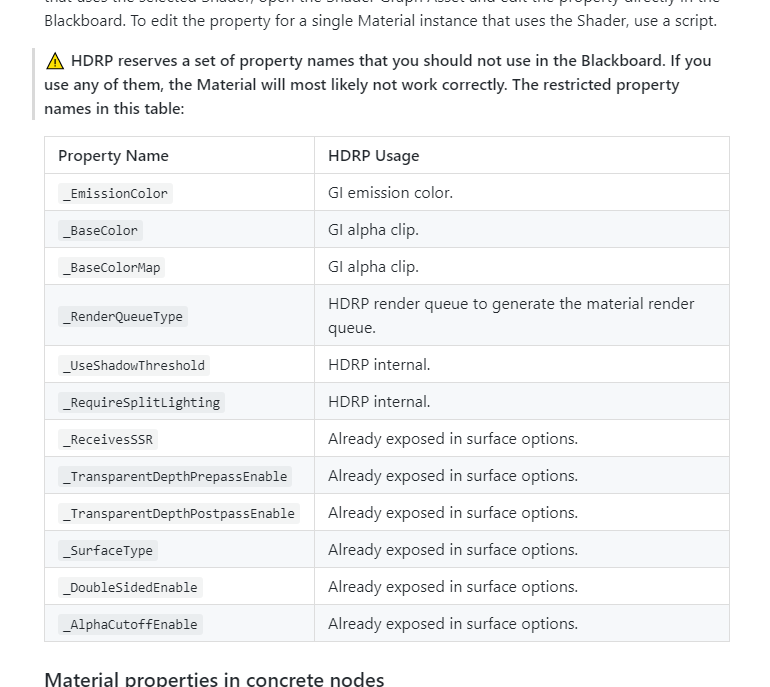 swift fiber
@copper obsidian did you try upgrading your materials?
swift fiber
ah nice
@amber saffron i got this but the pulse center follows the camera
ik this might be because of the world tag in the position node but when i change it to object the emmision just flashes instead
amber saffron
even with "absolute world" ?
swift fiber
yea
amber saffron
Shouldn't :/ You did click "save asset" to apply the changes, right ?
amber saffron
Maybe the origin point of the waves is too far from where you're looking at ?
swift fiber
yea
@amber saffron @regal stag it works
thanks ^^
you know how i could make the rings wider or narrower?
amber saffron
multiply the value just before cosine to change the waves length
multiply the time value before adding to the distance to change the speed
swift fiber
ah ok thanks ^^
@amber saffron last question xD how do i change the direction of the flow?
amber saffron
link, inwards/outwards ?
swift fiber
yea
amber saffron
Did you add a multiplier to time in order to change the speed ?
swift fiber
oh yea
amber saffron
Soo, if this changed the speed of the waves ... what would happen if you set it as a negative value ? :p
amber saffron
happy to help