#archived-shaders
1 messages · Page 134 of 1
 willow pike
Basically trying to get a simple little night time scene with a campfire that emits light on the ground and on my player when they are near.
 low lichen
@willow pike Additional lights have to be enabled in the render pipeline asset if I remember correctly.
willow pike
Yeah I think you’re right. But I have per pixel lighting enabled on additional lights already. Hmm
 vague urchin
If I am generating render textures at runtime to be used in my fragment shader / material, is there a neat of way integrating this into the editor or do I need a Monobehaviour that sets the render texture from code etc?
(Since I dont have the render textures anywhere else but in code)
low lichen
You can create a Render Texture asset and use that instead of the one you create at runtime
vague urchin
Like an empty one and just use it as a handle ?
low lichen
But that has some limitations, like they can't be marked enableRandomWrite
vague urchin
It has to be able to be written to in a compute shader :/
low lichen
Then I think it has to be created from script
vague urchin
That means Id have to set the texture on the material at runtime aswell I suppose
if I load the material and set a texture, is it persistent throughout all scripts during runtime or is it copied locally to the script in which the resource is loaded from?
low lichen
Changes made to a material will persist throughout all scripts, assuming it's the same instance
vague urchin
Yea ok that seems to work, thanks
 grand jolt
Hi! I've been looking into making an effect like those old windows xp error window drags https://www.youtube.com/watch?v=wX2mbCo3LGk but I dont know where to start exactly. Could anyone give me a few pointers?

 vale pivot
Anyone familiar with DepthNormalsTexture? I've enabled it, but it doesn't seem to ever contain anything.
The frame debugger shows a step for clearing it, but no step for rendering into it
Actually... I think the problem may be with my shader itself. I added another object with a basic material and that appears in the depthnormalmap as one would expect; however the object using my own shader does not.
Aaand sorted. It seems I needed to add "RenderType"="Opaque" to the pass tags
@grand jolt https://docs.unity3d.com/ScriptReference/CameraClearFlags.html would be the most direct way to emulate this.
 vague urchin
Hi guys, I think Im dealing with a race condition when executing compute shaders. I have a compute shader that runs a vertical and horizontal pass on a set of render textures, basically it takes 5 input images and 5 output images, after the first horizontal pass the vertical pass takes the 5 output images of the vertical pass as its input. This works most of the time but sometimes the input image is all black in Renderdoc so I think some synchronization stuff is preventing it from being passed to the shader.
Im just using ComputeShader.Dispatch() which I thought would finish before anything else runs, maybe this assumption is invalid?
 soft harness
how would you make a character made of a liquid, and have a dripping effect?
 ocean star
@soft harness If you need an accurate liquid simulation you could use NVIDIA Flex. Otherwise I'd probably make an animation in Blender and import that to Unity.
 sweet laurel
Hello! I’m new to the shader graph and had a Q...I’m using time to drive directly the seed of a random range node in the shader graph but I would like to make it so I can have a new seed every 1/2 second, 1/4 second etc rather than every frame. How would I take the time node and have it provide that? Hope this makes sense!
ocean star
@sweet laurel Time -> Multiply -> Modulo. In multiply use the value you want the time to be divided by. In modulo set the value 1.
so 1/4 second you set the multiply value to 4
low lichen
@vague urchin Yeah, ComputeShader.Dispatch is an async call
 regal stag
@sweet laurel @ocean star You'll want to use Time -> Multiply -> Floor/Round/Ceiling node rather than Modulo. Modulo will cause the value to loop but still returns fractional parts so will cause the seed to change.
vague urchin
@low lichen huh okay... Wish the docs said anything about that. ill try using the fences with my command buffer
grand jolt
@vale pivot Thanks!
 forest ridge
I'm trying to write a shader with a custom vertex stage, but would like all other aspects (texturing, fragment stage) to be those of Unity's standard shader. I don't want to have to re-implement specular, normal, detail maps etc. I have written the vertex program and so ideally would just be able to shoehorn this in along with a few editable properties. I've tried copying the shaders available from https://github.com/TwoTailsGames/Unity-Built-in-Shaders, but to no avail. I've not been able to swap the vertex stage for my own anywhere. Any guidance would be very much appreciated, thanks!
(give us a tag if you reply)
 amber saffron
Why not use a surface shader with it's vertex "stage" ? https://docs.unity3d.com/Manual/SL-SurfaceShaderExamples.html => Normal Extrusion with Vertex Modifier
forest ridge
Because I need access to the properties in the standard shader.
amber saffron
Rewriting the standard shader functionnality using a surface shader isn't a big deal.
Else, no, you can't use a custom vertex stage and simply call the fragment of the standard shader.
forest ridge
Rewriting the standard shader functionnality using a surface shader isn't a big deal.
Got any resources?
amber saffron
Quick google-fu gave me this : https://forum.unity.com/threads/how-to-customize-standard-shader-using-surface-shader.385767/
Unity Forum
I would start by getting the source code of full featured Standard shader implemented using surface shader.
But where is it? ... I couldn't find.
So,...
forest ridge
Had a quick look, that should do the trick. Thank you.
 tranquil bronze
@regal stag did you check if the shader from yesterday works in your version
vague urchin
Im confused, compute dispatch calls are async but Unity automatically handles resource dependencies, quote GPUFences do not need to be used to synchronise a GPU task writing to a resource that will be read as an input by another. These resource dependencies are automatically handled by Unity.. Shouldn't this mean that Im free to do a vertical pass over a texture and then immediately use the result as input to a horizontal pass?
regal stag
@tranquil bronze Hey, yeah I did. It seemed to work fine
tranquil bronze
what version are you using i want to test it
regal stag
Switched to 2020.1.0a19.2395
tranquil bronze
so it works in the latest version?
regal stag
Correct. Was your character using the URP Lit shader, or a custom one?
tranquil bronze
unlit shader graph
regal stag
I mean the cyan lit material, not the red one
tranquil bronze
its the default material
hold on
it seems to work fine now
i think i copied your settings wrong
thanks for all your help :)
regal stag
Ah okay. No problem 👍
 graceful lotus
Hey, got a question about keywords in Shader Graph.
I've got a graph with custom lighting, and I'm trying to add some of the features the default Lit shader has. For example, I want to be able to toggle between Specular/Metallic workflows.
Correct me if I'm wrong, but there's no way to expose this option directly in a graph - the master node simply has a workflow option in its settings, and the best you could do is maintain separate shaders for each workflow.
Well I'm hoping I can leave the master node on "Metallic" (so it doesn't add #define _SPECULAR_SETUP) and then just add my own keyword to the shader with the name _SPECULAR_SETUP.
Well, I'm still unsure how to expose that option, because apparent boolean keywords must end with _ON to show up in the inspector? Is there another way I could add a workflow toggle to a custom shader graph?
(I want to use the same keyword so I'm not taking up another global keyword slot, and my custom lighting is calling some Unity functions like InitializeBRDFData, which contain this keyword.)
graceful lotus
Ah dammit, I don't think this is possible. When you choose "Metallic" on the master node, it generates a SurfaceDescription struct with a float Metallic instead of float3 Specular, which causes an error in the PBR frag function, even though I'm not using it and just feeding my custom lighting result into Emission.
soft harness
@ocean star how would you get fluid simulation as a texture to use a displacment?
ocean star
What do you mean? Did I answer something related to that? Or was that just out of the blue? 😛
either way, you could probably use this as a reference to get what you want; https://www.youtube.com/watch?v=vh85pzT959M

Download the demo project here: https://ole.unity.com/sgvertex
To learn more about Unity, check out some of our available courses on our Learn website: https://ole.unity.com/unitycourses
To check out some other cool effects, feel free to also browse the Unity Asset Store: h...
@soft harness
soft harness
i know how to use vertex displacements, i just don't know how you would export a fluid simulation as a displacement texture
ocean star
me neither.
ocean star
It depends what you mean by dripping character. But there are some blender tutorials on converting vertex manipulation into shapekeys (for use in unity), so I'd look into that. If so you'd have to model / simulate the animation within blender and then export that.
soft harness
do you know the game "bendy and the ink machine?"
ocean star
no
ocean star
Seems like you would have to make your own simplified mesh modifier that adds a liquid effect and gravity to blobs on the character. I'm not sure. I'd look into voronoi texture generation and then using those points to generate some shape like a sphere, and then squash that down and let it be affected by gravity to the outermost part. That's my best suggestion.
And if you want that in real time you might run into performance issues depending on how detailed of a liquid you want, but I'm not sure.
soft harness
i found a tutorial that makes it so you can turn your blender scene to a displacment map, so i'm gonna experament with that
regal stag
@soft harness While vertex displacement might work well, I would also look into using a shader with a vertical ink scrolling texture, and particle systems to create a dripping effect. I think the game you reference actually uses those sort of things rather that doing any vertex offsetting, (I haven't played it though so I could be wrong, just checked a few videos).
soft harness
no it just uses displacement lmao
but i want to do something better
no offence to the devs tho
regal stag
It was hard to see from the few videos I watched, as I said, I could have been wrong. There's no reason why you can't use vertex displacement as well as the things I mentioned to add to the effect.
soft harness
yeah i could
 rapid escarp
This might be a shader question, I'm not sure... I can't get the PBR material validator to work with URP in 2019.3; either it isn't in the list of draw modes or it just shows a wireframe. Does anyone know if they plan to add support for this? It seems like a very useful tool.
regal stag
@rapid escarp Probably more of a #archived-hdrp question, but the URP feature comparison table lists "Scene view modes" as "In Research", and what you are describing might fall under that? https://docs.unity3d.com/Packages/com.unity.render-pipelines.universal@7.1/manual/universalrp-builtin-feature-comparison.html
rapid escarp
Yeah that seems likely. Alright, thank you
Edit: Oh wow, there is a specialized channel for this. I don't know how I missed it, thanks
 tame panther
Can someone point me a good book/youtube channel/article/course to learn shaders?
I code very well but I have -9000 experience in shaders..
💝
 unique talon
https://www.alanzucconi.com/2018/01/03/learning-shaders/ @tame panther

Making games is hard, but it doesn't have to. This post shows the best online resources you can access to learn shaders effectively and in no time.
tame panther
@unique talon thank you.. but isn't that book obsolete already?
unique talon
AFIAK they're still valid for the default render pipeline.
Surface shaders go away with URP.
URP will also change some macros and functions. I have a small, unofficial guide to changes here: https://github.com/johnsietsma/ExtendingLWRP/wiki/LWRPShaders

GitHub
Examples for extending the Unity LWRP. Contribute to johnsietsma/ExtendingLWRP development by creating an account on GitHub.
Or you can switch to using Shader Graph.
And lots of other resources on the page to find examples to work from.
tame panther
I see.. tks for the info..
What do you suggest? Is shader graph enough for most projects?
unique talon
Yes, it's a great place to start for SRP projects.
I've swtiched to using for my projects rather then writing from scratch. I think it's much more apporachable for a beginner. You can still translate shaders you like into a graph fairly easily.
Also wrap you head around custom render passes and you'll be good 🙂

Unity Learn
In this tutorial, you will learn how to use custom render passes to render a toon outline post processing effect on selected objects
tame panther
Nice.. I just bought this course https://www.udemy.com/course/unity-shaders and will then check shader graph...
unique talon
Shit, that's preium only. There are some good Unite talks and github projects that cover the same materials.

GitHub
This project contains a collection of Custom Renderer examples. This will be updated as we refine the feature and add more options. - Unity-Technologies/UniversalRenderingExamples
tame panther
That's ok.. I'm plus
unique talon
Good luck!
sweet laurel
Hello all! Shader graph question....I added a gradient to the blackboard but it does not show up on the material inspector. Booleans, vectors etc all do but not gradients. Am I missing something? Thanks again!
 vocal narwhal
@brazen comet Please do not post job advertisements here.
 brazen comet
Oh sorry I didn't knew. Is there a better place ?
vocal narwhal
Unity Connect 🙃
brazen comet
Ha ! ok 😄
vocal narwhal
There are other development discords that take them, but we don't have a space (not sure what the outlook on that changing is)
regal stag
@sweet laurel I don't think Gradients can be exposed. If you need an exposed gradient the easiest way would probably be to store the gradient as a texture instead.
 devout quarry
Exactly what I do!
gradient field in inspector, convert to texture, sample texture in SG
 timber minnow
hi, how can i make a hole like this on a ui image
https://cdn.discordapp.com/attachments/438387938947235840/669148912929734656/unknown.png
 devout quarry
Using shadergraph?
 uncut robin
Hello, I'm trying to make an animation and I can't think of a way to do it with the animation parameters on the sprite, so I'm guessing this should be possible with shaders. Basically, I would want my sprite gradually going from its default colors to a metallic aspect. Any hints on how to do that?
Working in 2d btw
regal stag
@uncut robin I'm not sure how you'd go about doing the metallic part, but for the gradual animation you'd want to use a Lerp(A,B,T) between the two different colour outputs, A being your default colour, B being the metallic, and T being a float/Vector1 property between 0 and 1. From a script you can then use material.SetFloat() with that property to control the animation.
uncut robin
@regal stag That's what I was thinking (using Lerp), but there's some thing I don't know how to do and that's what confusing me ^^. The main problem is, how to determine B
regal stag
Well, you could either lerp between two different textures, where you have a metallic version of the sprite pre-made. Or if you have a normal map for the sprite you might be able to use that to generate a metallic look.
amber saffron
lerp(a, b, t) :
- a : origin value
- b : target value
- t : "time" => weight from a to b
uncut robin
The reasoning I had was kinda the same, have a material that's the default one when some value is x, then a second one that would be the metallic one when the value is y, then change the value from x to y and back to y.
That wasn't very clear there's only one material
regal stag
You probably mean texture rather than material, but yes that would work. With the lerp, when t=0 it'll output A, and when t=1 it'll output B, and values inbetween 0 and 1 will interpolate/blend between them.
uncut robin
I'll try this, still got a lot a figure out, but that should be a good enough base for me to start thanks
uncut robin
@regal stag Hey again, about that part where you mention changing the value from script, how would I do that through my animation? Put a script on the object referencing the material its using?
regal stag
@uncut robin If you have the material reference, you can do "material.SetFloat("_Property", floatvalue);"
The easiest way to obtain that reference is using a "public Material material;" at the top of the script and drag the material into the inspector, or have it private, and obtain it via "material = GetComponent<SpriteRenderer>().sharedMaterial" in the Start function.
If you're using shadergraph, you'll also want to make sure to set the reference of the property under it's setting on the blackboard - it's not the same thing as the property name.
uncut robin
Ho right that's the one I'll have to change ok
My problem was more about integrating that with the animation system ^^
regal stag
Ah I see. I'm not too familiar with the animation system... That's the "Animation" window right?
uncut robin
Yes it is
Right now I got this script : https://hastebin.com/noperoxiyu.cpp
I'm trying to change the value of LerpValue throughout the animation but nothing happens =/
regal stag
Does it add keyframes to the animation window when changing the variable though?
uncut robin
It does, but I feel like the value doesn't actually change
regal stag
Then possibly the reference is wrong. What is it set to in the blackboard?
It might be "_LerpValue" rather than "LerpValue"
uncut robin
regal stag
Okay, so that Reference box, you need to put something in there
uncut robin
Am I supposed to reference Vector1_....
uncut robin
Ok mb that's what you meant earlier
regal stag
Yeah, that's what I was referring to earlier. The name of the property isn't the same as it's reference that you use from script, but you can change it.
uncut robin
Don't know why I would set the lerp value as an int that kinda defies the purpose xD
regal stag
Eh yeah, if you want blending don't set it as an int. Haha
uncut robin
Still nothing happens tho 😦
regal stag
Did you change the reference to "_LerpValue", and also set the script to use that, with the prefix
uncut robin
I think everything is ok on this end
Any way I would check the _LerpValue of the material while it's playing? I can't see it in debug mode
Or maybe everything is fine and the script won't actually run while in preview that would make sense as well
regal stag
@uncut robin Hmm, I think you might not need the script actually. It looks like you can set the properties directly in the Animator window, that might be easier.
uncut robin
WAIT A SECOND
I was wondering why wouldn't it be this way
But the "lerpvalue" that I was looking for was this "vector1.oazeae"
regal stag
Sorry, I'm not too familiar with the Animator window, I usually change properties from script. 😅
regal stag
Did you save the shadergraph after changing the reference, maybe that's why it's still listed as "vector1.oazeae"
uncut robin
Yeah I did, everything works as expected
regal stag
Hmm okay. It's just I've seen those references change between shadergraph versions, so it's always good to change it.
uncut robin
No I meant, I first looked in it, couldn't the reference I was looking for, and figured I had to go through a script ^^ Then you made me realize that I didn't change the reference thing, and now I realize the property was in animation all along ^^
regal stag
Ah okay
uncut robin
So the last thing that I would like is to have a line around which pixels would come out as brighter, and that line would go along the sprite, to kinda simulate reflection
If that makes sense
I'll work on that on my own tho I asked you too much 😄 Thanks a lot
 lone stream
anybody know how to sample scenedepth and scenedepthnormal on custom function for HDRP?
devout quarry
I do it like this in URP
SAMPLE_TEXTURE2D(_CameraDepthTexture, sampler_CameraDepthTexture, uvSamples[i]).r;
and this on top
You can check in the frame debugger what the actual name of the generated depth texture is
lone stream
yeah i cannot do that in HDRP
devout quarry
Is there no depth texture being generated?
lone stream
using this
SAMPLE_TEXTURE2D(_CameraDepthTexture, sampler_CameraDepthTexture, uvSamples[i]).r;
giving me an error _CameraDepthTexture
but
if i add those on top
TEXTURE2D(_CameraDepthTexture);
SAMPLER(sampler_CameraDepthTexture);
devout quarry
yeah the uvSamples[i] is specific to my shader
you can just pass in UVs into the custom function and use those
lone stream
somehow i cannot use SAMPLE_TEXTURE2D and SAMPLE_TEXTURE2D_LOD
it keep giving me undeclare depth texture
so yeah i'm totally lost 😄 right now
regal stag
It might be because it's undeclared in the shadergraph custom node, but is declared in the final shader. If so, you could use the #ifdef SHADERGRAPH_PREVIEW to separate the code, but then the previews won't be very useful.
I don't use HDRP, but if it's saying it's undefined, then you try and define it and it says redefinition, that's the first thing that comes to mind.
lone stream
@devout quarry yeah i use that
@regal stag let me try that
well using this not giving any error SHADERGRAPH_SAMPLE_SCENE_DEPTH(uv.xy);
devout quarry
lovely
then I guess you can use SHADERGRAPH_SAMPLE_SCENE_COLOR for the scene color
lone stream
i guess so
devout quarry
What are you working on?
lone stream
i tag you on twitter 😄
devout quarry
Lovely glow, looks great!
lone stream
yeah but it's not as good as your implementation on URP
i guess for HDRP CustomPass is the only way for this effect
since they have a sample project for outline selection
devout quarry
Ah right, I saw that on Remy's github
lone stream
yep that one
devout quarry
I'm going back to outlines in a few weeks. Several techniques I desperately want to try out, but for now it's not my top priority project :/
lone stream
i'm curious about implementing localOutline effect in unity though
devout quarry
what do you mean?
lone stream

Soft, variable-color outlines for pickups, using "mini-post-process" sprites for easy per-object coloring & fading (& avoid full-screen post instructions). WIP. Thanks to @t_looman for his soft outline experiment & @JKashaar for HLSL stencil sampling help! @UnrealEngine #g...
Likes
224

 Twitter

 devout quarry
Per-object?
lone stream
instead of applying the effect as full screen post process, apply it to bounding object or a billboard instead
devout quarry
Ah yeah that's a cool approach!
 fading wedge
im trying to make this panel into glass by setting the alpha of the material, but when i lower the alpha it goes from the standard white material to pink, any ideas how i can fix this?
low lichen
@fading wedge At what point does it turn to pink? After a certain alpha value is reached?
Are you sure you have the material applied on the object?
Pink usually means missing shader/material or error in shader
fading wedge
its the alpha slider, when i slide it towards transparent, the more pink it becomes
low lichen
There might be a plane behind it that has no material
fading wedge
could it be because its a cube?
low lichen
No. Are you sure there isn't another mesh in the same place which you're just revealing by lowering the alpha?
Try moving the window up
fading wedge
ive got two... >.> sorry to waste your time...hah
low lichen
No worries, it happens :P
devout quarry
that's funny haha
 dusky yarrow
What IDE do you use for writing shaders?
devout quarry
I use visual studio code
dusky yarrow
@devout quarry Does that have good support? I've been using Rider, it's OK at best but nothing like it's support for .NET.
I can't see a ShaderLab extension, do you use a different one?
devout quarry
I
i use this one I think
this plugin
it has syntax highlighting, code completion etc
but so far I haven't found an auto-formatter
dusky yarrow
It looks like the Unity Tools extension has quite a bit of support (well, it has syntax highlighting).
@devout quarry Looks like pretty colours is all it has, no hint of syntax completion.
vale pivot
I'm doing normal based outlines in a frag shader. This essentially just samples the normal texture a in a few surrounding locations, does some simple math to figure out if we're on an edge, and paints pixels accordingly. The problem with this approach is that I can't find any way to smoothly interpolate the internal edges. Does anyone have an idea how I might approach this (without brute forcing it via additional samples anyway).
devout quarry
What do you mean smoothly interpolate? You got a picture of what you're trying to fix?
vale pivot
Here's an example
note the outer edge gets an AA treatment when possible, but the inner edge of the outline is a hard step and looks jarring
devout quarry
How are you adding the outlines to the main color of the object?
Lerp?
You could do a smoothstep or something there
vale pivot
Right now nothing, because the outline value isn't something that can be lerped. There's no transition.
devout quarry
it's 0 or 1
vale pivot
Essentially yes. There technically are some transitory values but they need to be filtered as they don't react as you'd hope or expect.
This could be a limitation in my approach, but I've tried smoothstepping or lerping these values and it just produces noise.
It makes sense though, the normal boundaries are pixel edges, so once we step over the edge threshold the gaps are very wide
Essentially I need some kind of "distance to edge" value, but I'm not sure there even is a way to know this unless I sample multiple values in the normal texture.
dusky yarrow
@devout quarry Does that extension work with .shader files? I'm still only getting colouring in and basic code completion.
vale pivot
(And by this I mean multiple distances; I'm already sampling multiple positions, so this would minimally double the texture lookups per pixel; not a happy prospect)
devout quarry
I think just hlsl/glsl/cg
but it doesn't matter
you can change the file on the bottom
and I don't think I'm getting much more other than colouring and basic code completion
do you get information about the function when hovering over it?
yeah Spitko, I understand the issue but don't now any fix :/
dusky yarrow
@devout quarry No info, just colouring in. C'est le vive.
devout quarry
C'est la vie?
dusky yarrow
@devout quarry maybe…
 meager pelican
OK, someone rate me on the stupid-scale. 1->10 will do.
So I have standard pipeline (of course) surface shader that has a
float3 worldPos;
in the input structure.
        struct Input
        {
            float2 uv_MainTex;
            float3 worldPos;
        };

        half _Glossiness;
        half _Metallic;

UNITY_INSTANCING_BUFFER_START(Props)
   UNITY_DEFINE_INSTANCED_PROP(fixed4, _Color)    UNITY_INSTANCING_BUFFER_END(Props)

void surf (Input IN, inout SurfaceOutputStandard o)```

Using PIX, I'm seeing it come in as (1, 0, 0) into the user's worldPos (IN.worldPos).  Now the value in a local variable worldPos in the Surface shader's generated code is correct, but it is never assigned to the surfIN struct to pass it to the user function to receive it in the IN struct.

I do assign IN.worldPos to something, and later use it in a distance calc.

So I'm nuts, right?  Stupid-scale = 10?
I'm in 2019.2.18f1.

Can someone see if they can reproduce this or tell me why I'm stupid?  Thanks.

EDIT:
Not stupid, Unity's compiler/generator trying to be too smart.  It has to do with conditional compilation and dependencies (I think).  I've submitted a reproducible bug report.   Basically, Unity won't always generate a
```SurfIN.worldPos = worldPos;``` line, so the worldPos value fed to the user's generated fragment function has the wrong value.Disregard my deleted question 🙂
 glacial parrot
Having trouble with LinearEyeDepth, (maybe?), the output is extremely tiny on the screen (top left corner). It looks like a mip map, but there are no other mips. Just the super tiny one.
HDRP 6.9.0, Unity 2019.2
devout quarry
You have an image?
glacial parrot
I copied it from here, it's the same code: https://forum.unity.com/threads/hdrp-post-processing-shaders-accessing-gbuffers.726158/#post-4847138
Unity Forum
Hi,
It will probably be a long post so for starters here is some sort tl;dr:
I am trying to port my post processing effect that is working in HDRP 4.X...
Image incoming.
Outline works...really small-like
I have three boxes that I'm trying to apply an outline pass to, it works, if you look in the top left corner and squint
 fervent tinsel
@glacial parrot HDRP already supports custom PP passes, you don't need to hack it anymore like on that forum post
glacial parrot
In 6.9? I am unable to update to 7.x HDRP because it won't run on the target machine for some reason.
fervent tinsel
or well, custom passes too
ah, well that's a bummer
yeah it's 7.x feat
there would have been ready made example for outline and all here: https://docs.unity3d.com/Packages/com.unity.render-pipelines.high-definition@7.1/manual/Custom-Pass.html#scripting-example-outline-pass
glacial parrot
Exactly, I'm all upset because I completed the job...only to find out it doesn't work for them.
All custom passes.
fervent tinsel
curious of the 7.x issue tho
if it's supposed to be supported conf, Unity should fix it if they know about it
2019.2 support ends this or next week when they release 2019.3 so it's not a great version to be at
glacial parrot
I got that custom pass to work (really neato, too) but...gah. But this seems to be a different issue, the camera depth texture.
I didn't realize that the 2019.3f release was not, in fact, final.
I did a search in discord, and found your post, @fervent tinsel , copy and paste didn't work and I'm confused as heck. Why would it be so small?
fervent tinsel
2019.3f1-f5 are release candidates
no idea if f6 will be final and first release or yet another RC
glacial parrot
I always thought that 'f' stood for final.
fervent tinsel
also no idea on the size thing
well, it would but there's no letter for RCs, so they reused F 😄
it's also not as simple as just adding more letters there
a lot of things already broke with a and b letters with the new package management, also with hub
of course they'd get it right eventually but it's still yet another thing that could break
glacial parrot
I guess I have to hang my head and admit defeat to them. I could have used that money, heh.
Thanks.
meager pelican
@glacial parrot Why would it be so small?
linear eye depth has nothing to do with placing a small render texture, and I didn't dig into that site's code, so...
You may have to find a way to provide more information. Linear Eye Depth is a per-pixel depth-buffer calc. For the render pass's depth texture.
glacial parrot
I tried using: LOAD_TEXTURE2D_LOD(_CameraDepthTexture, input.positionCS.xy, 1).x; but I get the error: "Shader error in 'Custom/Online Outline': 'Load': no matching 1 parameter intrinsic method"
All the samples that I've found just...use LoadCameraDepth and I don't know why this isn't working. But now I'm just venting.
 jovial rapids
is this the right place to ask for some basic advice about setting mesh UVs?
lone stream
Anybody ever do a uv rotation on RenderTexture or CustomRenderTexture?
this is normal isn't, like the texture not tilling anymore when we rotate the RT uv
lone stream
okay nvm i guess that is normal
 plucky bone
That looks trippy
amber saffron
Yep, normal
 tidal rover
normal? yes. cool? also yes
 hearty wasp
I'm using screen space reflections post processing and on the right material (Standard HDRP lit material), it works fine
however, does anybody know how to get it to work on this custom water shader?
the one to the left
amber saffron
Is it a ShaderGraph shader ?
hearty wasp
it is not
amber saffron
Ugh ... Soo, it's possible, but not easy.
You'll have to modify the shader code to incorporate the reflection
hearty wasp
ouch, how would I have to modify it?
amber saffron
Ugh ... I don't have the answers out of the box here. My best recommendation would be to create a simple shadergraph shader that supports SSR, and inspect the generated shader code from there to see how it's done
hearty wasp
I'll be giving that a try, though I'm not much of a programmer and the water shader isn't one I wrote, but from an asset
so maybe diving into shader graph to create my own water entirely may be a better option haha
amber saffron
Yes 🙂
hearty wasp
thanks for the help!
meager pelican
Hey @grand jolt - How did you come out?
I had some free time to play with a proof of concept prototype dealing with the lights issue we were discussing a few days ago.
I ended up using material property blocks to hold a custom color + an index in the alpha into a structured buffer for "light impacts" per object. And another buffer for the light list.
I generated 2000 random objects, and 500 lights. In this pic, max 9 lights impacted an object, but I limited the impact list to the nearest 8 lights using 4 int32's (so packing two indexes per int). Generated all that statically once, and then had a way to turn each light on or off. Anyway, it worked, was still GPU instanced, and ran about 400 fps. AND I found a Unity bug in the Surface Shader generator that cost me HOURS. Grrr. But, in the end it was fun. Here's a pic.
The code for that in the surface shader looked somewhat like this:
float4 c = UNITY_ACCESS_INSTANCED_PROP(Props, Color); // float4 due to index stored in .w
uint offset = (uint) c.w;
c.w = 1.;
c *= tex2D(_MainTex, IN.uv_MainTex);

bool isLit = false;
float3 wp = IN.worldPos; // Bug: IN.worldPos not set by unity
float dist = 0;
#if defined(SHADER_API_D3D11) || defined(SHADER_API_D3D12)
float4 light;
uint packedIndex;
for (int i = 0; !isLit && i < 4; i++) {
  packedIndex = _LightIndices[offset + i];
// should probably create an IsLit function so as to not duplicate code.  Meh, proof of concept here.
  light = _LightList[ packedIndex & 0xFFFF];
  dist = distance(wp, light.xyz);
  isLit = ( dist <= light.w) ? true : isLit; // negative light.w (radius) = off, so it will fail test

  light = _LightList[(packedIndex >> 16) & 0xFFFF];
  dist = distance(wp, light.xyz);
  isLit = (dist <= light.w) ? true : isLit;
}
#endif
o.Albedo = (isLit) ? c.rgb:Luminance(c.rgb).xxx;
o.Metallic = _Metallic;
o.Smoothness = _Glossiness;
o.Alpha = 1.;
I felt like I had to dig in when I got some time, because I steered you wrongly on using mesh vertex attributes. Use material property blocks instead, preserves instancing/batching.
 uneven geyser
How does one smooth these edges?
Little backstory: Im using a noise map to dissolve a color into a texture
        void surf (Input IN, inout SurfaceOutput o)
        {
            fixed4 c = tex2D (_MainTex, IN.uv_MainTex);
            fixed clipValue = tex2D(_DissolveTex, IN.uv_DissolveTex).x;
            // clip(clipValue - _Clip);
            if (clipValue - _Clip >= 0)
            {
                if(clipValue - _Clip <= _EdgeGlow)
                {
                    o.Albedo = _EdgeColor.rgb;
                    o.Emission = _EdgeColor.rgb;
                }
                else
                {
                    o.Albedo = _Color.rgb;
                }
            }
            else
            {
                o.Albedo = c.rgb;
            }
            o.Specular = 1 - tex2D(_RoughnessMap, IN.uv_MainTex).x;
            o.Normal = UnpackNormal(tex2D(_NormalMap, IN.uv_MainTex));
        }
_Clip is a value going from 0 -> 1
_EdgeGlow is a value that defines how big the edge should be. Very small number (0.015)
Might be my model being scaled to much 😅
 sharp orbit
How do you get rid of the height gradient on terrain grass so that it is all one flat colour? I would love to know where exactly this effect can be edit in the unity shaders, so that I might be able to tweak it myself.
Any help is super appreciated! Tried tracking it down in the shaders myself but the built-in grass shader doesn't seem to have an obvious way to tweak this? Unless I'm being daft...
For clarification, here is an example of how the grass currently looks, and a mockup of how I would like it to look:
https://forum.unity.com/data/attachments/523/523797-08cdc42785a61f27657ba0f63ccb208c.jpg https://forum.unity.com/data/attachments/523/523803-d5e7eee9fe65370bd86a9af7739c5ea1.jpg


 uncut karma
@uneven geyser clip is always a hard edge, but if the texture is smoother the clipped edge won't be as jagged
You can also try smoothstep for the edge glow to smooth that out
uneven geyser
Thx xra. 🙂
grand jolt
@meager pelican oof, my brain does not compute all the index bit shifting at 2 am. Thanks, I'll make sense of it later.
meager pelican
I'm sure you will. It's just storing 2 16-bit indices in one 32-bit uint. Reduces buffer reads too. Limits to 65536 lights. And the extra & operation on the right-shifted one probably wasn't necessary.
uncut karma
@sharp orbit id you're using legacy get the default built-in shaders and look in those files, it's a zip unity provides in additional downloads on the site
To replace a built in shader u can copy it to your resources folder in assets , there may be other methods
soft harness
how could i generate a vorornio texture with the points going GLOBAL downwards?
jovial rapids
is it possible to write a shader which tells a submesh which part of a larger texture/atlas to display?
I was doing it with UVs on the main thread and it's very slow, and someone further up the chat told me to try shaders - i'm trying but I have no idea where to look for this kind of thing
jovial rapids
it was incredibly easy in a monobehaviour (myUVs[0] = new Vector2(x,y) etc etc.), is it going to be much more difficult in a shader?
amber saffron
You can't know out of the box which submesh you're drawing in a shader
jovial rapids
that is a stumbling block indeed
maybe I should take this back a few steps. What I'd like to achieve is a scrolling map I can load in chunks, like in Factorio. Originally I wanted to do it with quads showing 64x64 shaders, but Unity doesn't like lots of quads like that (after loading in a few chunks it starts to chug real bad). Then I tried it with the quads all submeshes of one mesh, which was great for loading in the mesh, but texturing is a stumbling block. Now I'm not sure what to try.
amber saffron
If you can deal with a bit of mesh pre processing, you can "store" the submesh index somewhere else. Vertex Colors, UVS ...
jovial rapids
Can you elaborate a bit more on that? At what stage would I be writing to the mesh, on the main thread or in a shader?
amber saffron
Main thread
jovial rapids
writing UVs for a 32x32 block of quads (4096 in total) takes 0.4ms. Way too slow
I'm not sure how to speed that up
 neon gull
Couldn't you simply use world coordinates instead of uv coords to sample your texture?
let's say you have a 32x32 terrain and want want to have a texture that covers it, simply map your world pos.xz to [0;1] and use that as uv coordinates for sampling your texture
amber saffron
Can you show the code on how you do this ?
@neon gull using world coord is not enough here as he basically wants to have a texture atlas
jovial rapids
it just deleted the code I posted in code tags
and the code i posted without code tags
neon gull
I see, in that case you could simply set a single int variable for your tatlas position and use this as an offset for your uv coordinates (the size of the atlas needs to be known by the shader)
so let's say you have a 4x4 texture atlas, then every terrain chunk should have uvs ranging from [0,0] in one corner to [0.25, 0.25] in the other one
if you want to select the texture from the atlas that is in the top left corner your offset would be zero, one texture to the left it would be one (add 0.25 to the x uv coordinate when sampling)
amber saffron
And how would you pass this int varaible ?
neon gull
if you want to use the one below the top left corner your offset would be the width of your atlas, in this examples case 4
amber saffron
for a big mesh with a lot of quads and only 1 material ?
@jovial rapids did I miss the code you posted earlier on ? Can you maybe post it again ?
jovial rapids

i just got muted for trying to post a code block
here it is on the main thread
in a simple for loop
neon gull
is there a reason for every mesh being a submesh instead of just a separate one?
jovial rapids
yes, because I'd like to make lots and lots of tiles
and a 32x32 mesh of submeshes performs way better than 1024 quads
amber saffron
I don't know if it would change a lot, but you can cache some calculations in there already
jovial rapids
i had that thought too but i doubt it would substantially speed things up
amber saffron
An other option would be to use quads, but drawn using GPU instancing :/
jovial rapids
I can test again how well the instancing performs but I doubt it'll be great
neon gull
How often do you have to update the uv coordinates? IS it just at the start or every frame?
jovial rapids
just at the start
amber saffron
then a 6ms only once is not a big deal ihmo
jovial rapids
it is if you want to load them quickly. say, if you drive a vehicle quickly in one direction
neon gull
ah okay so not just at game start but rather every time the camera moves across the map
neon gull
in this case one more idea would be to use a compute shader to update the uvs instead of c#
jovial rapids
i'm here for it. tell me about that haha
neon gull
Okay so basically what you would do is write a simple compute shader that writes into a structured buffer
the structured buffer stores two float values (kinda fake uv coords) per vertex
in the compute shader you can update those coordinates every frame for your mesh
have you written a compute shader before?
jovial rapids
i have not
i've only messed around with shaders
I'm sorta taking my baby steps here 🙂
neon gull
alrigth, it's pretty simple actually basically what it is is just a function that runs on the gpu and you can execute it with a c# command from your main thread, thus you can update this buffer at the start of the frame and render your terrain afterwards with the calculated information
Your compute shader would look something like this:
https://pastebin.com/tquKvaDw
(threadcount isn't ideal yet but I hope it's enough for you to get the idea)
neon gull
this sits in a compute shader if yo are creating a new one in unity you can choose unlit, surface, compute etc.
If you want to use this buffer data in your terrain shader it would look somewhat like this:
https://pastebin.com/r8sKPqza
The only thing missing is the c# setup, this one is a bit tricky though. Here is the setup for a particle simulation, I think it should help you understand how it works:
https://pastebin.com/aDsdWEwv
Actually you know what, here is the whole project: https://drive.google.com/open?id=1Zz3A6lth2HZ-HNbazjequAtcZcD9Ii0I
I created this one as a tutorial for a course a university (in this case it's for a particle simulation, basically updating particles using euler steps so each one follows the mouse on the screen individually)
jovial rapids
thank you! I'm just going over this compute shader 🙂
neon gull
You're welcome 🙂 If you don't have a lot of shader experience this might be a bit tough, if you need additional help feel free to write me. If you want to make sure that I actually see it you might want to write a dm though
meager pelican
@jovial rapids yes, because I'd like to make lots and lots of tiles and a 32x32 mesh of submeshes performs way better than 1024 quads
@amber saffron An other option would be to use quads, but drawn using GPU instancing :/
^ This.
Use material property blocks to "tell" each quad what to draw IF you can't otherwise compute it directly. Keep it small though (as in few bytes per) for best performance. There's limits to the size of batching that can happen with MPBs.
And that could just be an index (x, y) quad number into that compute-shader maintained lookup list. But I'm surprised you can't just do some form of calc/lookup directly based on worldpos.
jovial rapids
aren't quads batched automatically?
low lichen
You mean dynamic batching? They can be, but batching meshes dynamically isn't free and isn't necessarily faster than GPU instancing
meager pelican
You'd think so. But if you're assigning unique UVs per mesh, then probably not. That's where MPB's come in. Otherwise you break batching/instancing for various reasons (they all have their characteristics).
jovial rapids
so would this allow me to draw a shitload of tiles?
as-needed
because instantiating 4 grids of 32x32 quads at runtime has a huge cpu overhead
not so for 4 meshes with 32x32 submeshes
(for example; ideally I'd like to draw an arbitrary number of these chunks)
meager pelican
I suppose so! That's really what it's about...drawing the same thing in multiple locations with slight variation.
You're going to have to think like a cpu_batching-up_things_for_gpu computer. 😉 And put in some reasonable design constraints.
jovial rapids
Lex has actually been helping me write a compute shader to do what I was doing before but now on the GPU
and it's looking like it will basically eliminate the performance cost ... just as soon as he gets back to debug my mistakes 🙂
meager pelican
MPB's have the engine build up structured buffers with unique values per instance. The mesh is the same for all, but the transform and the unique MPB data.
jovial rapids
still seems like I'd run into the problem of trying to set a lot of random variations in the UVs, unless I precomputed them all or something
meager pelican
Yeah, and it sounds like Lex is on the right track. +1000 on GPU compute shaders to calc stuff if you need them
NO UV's. Why change the mesh's UV's?
jovial rapids
to select random bits of the texture?
meager pelican
Let's start at the beginning - what is unique about each quad??
A) Location
B) "random bit of texture"
C) ????
jovial rapids
if I think of anything else we can revise the list, so yeah I'd say that's it
meager pelican
Give each quad an index. You can have 5 quads, you can have 5000, or whatever.
use that to lookup into your GPU maintained list of "info".
But set the index in a MPB. Not in UVs. That will get you instancing.
jovial rapids
I want way more than 5000 though, which is where the problem comes in I think
meager pelican
Well, the engine will group MPB's according to batching requirements. The transform + extra data. You'll only get so many per draw call. But it figures all that out.
Define "way more".
jovial rapids
I'm basing this on opening the editor with a bunch of quads and just copy pasting them until the fps dives, right. (this is just fucking around with a prototype and if there's a better way to test it I'd be happy to hear it)
if I copy quads, it starts to tank around 5000, even with batching. if I use a mesh of 32x32 quads in submeshes, I got bored copypasting it, but the framerate was stable even with 250 of them, which adds up to 250,000 'fake' quads
which is, you know, cool, I'd be happy with that
previously I was setting the textures of the submesh by giving the 32x32 grid a 4096*512 material and setting the UVs (1024 x 4) to random 64x64 textures inside that
and that looked really good! for a quick prototype
however it took 4ms to set 4096 vector2s, so now I'm looking for a way to set that quicker
right now, it seems like the answer is to have a shader which takes the buffer from the compute shader and sets it without having to write back to the CPU
so that's my tale. thank you for listening!
sharp orbit
@uncut karma thanks for the reply! I'm on 2019.3.0f5. Been messing with the built-in shaders but I haven't been able to track down exactly what I needed to change to disable it. Someone on the unity forums said it's broken at the moment anyway?
meager pelican
Yeah, compute shader and buffer = coolness. Then you only need an "index" into the buffer for each quad that gets passed to the material shader in the MBP.
If you're setting unique UV's, you might be breaking batching. Did you pay attention to your batching counts? Did it batch when setting unique UV's? Did you use .sharedMaterial? Because if it's shared material, you wouldn't get unique UVs, and if it's unique UV's, you have unique material instances - so 1000's of materials.
jovial rapids
hm, let me check (with my old implementation, will take a sec to uncomment code 🙂 )
meager pelican
It sounds like @neon gull is steering you right. Just don't break batching in the process.
jovial rapids
okay yeah it seems to be breaking batching, on the one hand, but on the other hand, the batches are low
with 160 32*32 grids I've gone from 1000fps to 800fps and there's about 100ish batches
meager pelican
What does "saved by batching" say in the stats?
neon gull
The idea is to draw all tiles using drawinstanced so there's just one material instance used for rendering. The structured buffer can then be accessed using SV_InstanceID that should handle this issue.
meager pelican
OK, but Unity assigns that instance-id....not you. And it may change. So be careful. IDK how you bridge that gap, but I'm just spit-balling. So... fine. If it works it works.
The "0" (saved by batching) is probably a problem. Can you post a pic of your stats window?
here's one I posed for someone else recently, it has 2000 randomly placed objects, unique colors, and an index into a light array so it can do custom effects. Note the stats:
meager pelican
Point being there's only one material on all that. So it will get instanced. And the setpass and batches counts are low. And only a few meshes (like you'd have all the same quads" WITHOUT unique UV's on the meshes.
I started there once, using mesh UV's, and broke the hell out of batching. So bad. Use instancing if you need it, not unique UV's on the meshes...because that's a different mesh really. You can change/calc UV's on the shader side all day long, sure.
 still orbit
Crosspost from RP channel:
Does anyone know why Id get a redefinition of _Time error when including any URP hlsl? Happens on any shader regardless of other includes. Tried to set up asmdefs. Im stumped.

It seems all the default renderer params in UnityInput.hlsl are already declared, but with no includes?
@still orbit Have you set the pipeline asset under Project Settings/Graphics?
According to the Built-in shaders doc page, "UnityShaderVariables.cginc include file that is included automatically", I assume that's only for the built-in pipeline though. I just tested and it seems as long as the pipeline asset is set, the redefinition error doesn't occur (at least in 2019.3.0f1 / URP 7.1.6).
regal stag
Hmm.. actually now I do seem to be getting _Time redefinitions
I'm sure I wasn't getting them before though. Perhaps something to do with changing the pipeline
This is really strange..
still orbit
me thinks bug
regal stag
Yeah, it looks like changing the pipeline and saving a shader (code) causes it to always include the UnityShaderVariables.cginc, regardless of changing the pipeline after?
Actually, looks like it has nothing to do with changing the pipeline. It's just if you use _Time before including URP
still orbit
how do you mean use before including?
regal stag
Like having _Time, but no "#include "Packages/com.unity.render-pipelines.universal/ShaderLibrary/Core.hlsl"
Then saving the shader, then adding the include and it breaks
still orbit
lol i havent used _Time once...
I wonder if i can trick it by refreshing the package cache or something
regal stag
Have you used any of the other built-in variables?
Or maybe it's just because the shader was saved without the include to begin with..?
still orbit
yea i converted this shader from builtin RP
regal stag
Maybe try copying the shader into a new file
regal stag
Lol this bug is really weird
still orbit
(glad im not going crazy)
ill file a bug, after checking another editor version
this 100% used to work
whats weird is it doesnt happen to URPs shaders
even if i edit them
regal stag
By "URPs shaders" you mean shaders that already had the URP #include?
fervent tinsel
@still orbit btw, since you are around, did you notice we managed to make your PPv1 wheel movec hack on HDRP?
still orbit
yea, but i removed them and recompiled the shader "blank"
then added them back, still work
Oh you did?
Nice
regal stag
Super weird
fervent tinsel
it didn't really need more than few minor changes (and few fixes for things that would have been broken on built-in RP too)
still orbit
per object movec hacks ftw
i mean, its just a texture you write to ....nothing particularly hacky about it really ....just technically wrong 😛
fervent tinsel
for some reason zwrite on blocked every rendering behind the movec shader despite it was only for movec pass
this doesn't happen on built-in rp
still orbit
thats weird, but HDRP does a lot of weird stuff with its render state between passes ...so i can believe it
fervent tinsel
yeah, HDRP actually has some packing setup for these, I'm just happy I didn't need to port the movec pass to that setup yet
it might break in the future tho
still orbit
lol
standard
Ive been porting my decals to URP
going pretty swimmingly ....apart from having to redefine half the shader library to get round this bug...
and no projector this time, so it culls (local and camera frustum) and batches across objects properly now
fervent tinsel
there were few minor bugs on the movec shader, like it missed ABS on one part making the side always rotate to same direction regardless of the wheel direction.. and it also needed distance based scaling because the movec length was actually forced to same length regardless the object size on screen initially
but I think it's ok'ish to use now
it's still far from ideal but most of these wheel blur hacks have downsides
still orbit
yea, but short of properly calculating rotational movecs ...what are you gonna do
fervent tinsel
few screenshots / vid here https://discordapp.com/channels/489222168727519232/517108768933281843/664654632768765962
that was before Drakos added the distance scaling to it
UE4 actually has quite funky radial motion blur setup
they use cage too
but they have custom shaders that sample the screen color data and rotate that via shader with some sampling, when it all accumulates, it looks super clean
no movecs there
I tried replicating that setup on SG a long time ago, but had to give up as SG subshaders just broke in all directions back then
and doing that complex setup on one graph is just not going to happen
regal stag
@still orbit Ah! I think I've found the cause of the "bug". The CGPROGRAM tags seem to cause it, but URP shaders should use HLSLPROGRAM instead.
regal stag
Wasn't aware that the CGPROGRAM tag did anything special, learnt something new I guess
regal stag
Mystery solved! 🧐
still orbit
now i can do lit decals ^^
graceful lotus
Anyone worked with mesh curvature for approximate sub-surface scattering before?
I'm currently approximating curvature per-pixel like so:
return length(fwidth(normalWS)) / length(fwidth(positionWS * 100));
but this effectively gives each individual polygon a curvature value, making the geometry quite visible in the final lighting.
I'd like a curvature map instead, or even pre-generated per-vertex curvature values, but I'm unfamiliar with either of these options (and I'd rather not fall back on forcing artists to create curvature maps).
amber saffron
Just on top of my head : shouldn't curvature just be length(fwidth(normalWS)) ?
graceful lotus
It would then be dependant on the distance between pixels. Different resolutions and distances from the camera would yield different curvature values.
normal / position makes it independent of pixel size or view, so the curvature doesn't change as the camera moves around (or between screen resolutions).
You can see what I mean in this example though - while highly detailed, the curvature makes each poly clearly visible. My meshes aren't nearly so high poly, so the effect is magnified.
Suppose I wanted to write a tool that calculates the curvature for each vertex in a mesh - is it possible to store that data in the mesh (i.e. in the project) for use in the shader? Or would I have to run that tool at runtime to generate a new mesh with the curvature data?
low lichen
@graceful lotus I don't know if you can modify mesh assets in the project, but you can definitely store all kinds of data in the UV channels
graceful lotus
I'm hoping I can write a custom AssetPostprocessor that handles certain models, and applies this extra step to the mesh data before importing completes.
amber saffron
Yes you can
devout quarry
Kink3d, are you a unity employee?
fervent tinsel
@devout quarry you can see the staff color
fervent tinsel
Kink3d has worked on SG
devout quarry
yeah I was asking since I remember the name from Unity github
 dusk ravine
these should be functionally identical right?
cause the top one works, but the bottom doesn't
am I missing something?
low lichen
@dusk ravine The conditional would return a bool which can only be converted to 0 or 1 while ceil can return any integer depending on the input value.
dusk ravine
aha, good point
hmm, this doesn't work either... that ought to do it, right?
(oops, ignore the 0.1 part)
low lichen
What value range do you expect sceneEyeDepth and i.projPos.z to be in?
And why not use the conditional if it works?
dusk ravine
They both ought to be 0-1 anyway
I could! conditionals make me a bit nervous
is that going to be reliable on all hardware?
you know what -- I think clamping it did actually fix the problem. just couldn't tell at first!
thanks a bunch!
low lichen
No problem. I can't really answer the other question with any confidence, but here is some discussion on the topic
https://stackoverflow.com/questions/37827216/do-conditional-statements-slow-down-shaders

Stack Overflow
I want to know if "if-statements" inside shaders (vertex / fragment / pixel...) are really slowing down the shader performance. For example:
Is it better to use this:
vec3 output;
output = input*...
dusk ravine
Cool! that's a helpful resource, thank you
devout quarry
Has anyone gotten planar reflections in URP?
I know they do it in the boat attack demo but I was wondering if someone else has done this
fervent tinsel
wasn't there planar reflections on old LWRP samples repo?
I dunno if the URP one has still it
hmmm, this one doesn't seem to have it: https://github.com/Unity-Technologies/UniversalRenderingExamples
ah, it was on the evangelism team's repo: https://github.com/UnityTechnologies/LWRPScriptableRenderPass_ExampleLibrary
 devout quarry
oh, cool! Thank you very much, will analyze and try to port to URP 🙂
fervent tinsel
I wouldn't be surprised if its the exact same thing, considering both are made by same person 😄
but boat attack license is very restricting
oh wait
they've changed boat attack to Unity Companion license?
well, that makes things on that project more usable then
it used to be first GPL (which was conflicting with Unity's own licensing), then it was moved to CC-BY-NC so noncommercial
and now it's on Unity Companion License, which mainly says: you can use this as long as you use it with Unity
devout quarry
what do you mean 'use it with Unity'?
fervent tinsel
this is interesting as this means we are now free to port the boat attack water to HDRP
mean's you can't take things from the project, shaders, graphical assets, anything and use them in other game engine, like on UE4
devout quarry
makes sense
fervent tinsel
UE4 has similar clause for most of their own samples
they only allow them to be used with unreal engine
this does suck for one reason tho
I have "better" things to do now but now I'd want to start porting that water to HDRP
devout quarry
hahaha
devout quarry
I have a gerstner system as well on SG, I dislike it though
Find it hard to get specific kinds of waves, not much artistic control with my system
waves look good though 🙂
The more I use SG for large graphs, the more I find myself just handwriting it through custom function nodes. Some stuff like a panning texture or something, is a one liner in hlsl but takes several nodes (multiply by time, tiling and offset, sample tex etc) in SG
fervent tinsel
yeah, math starts to get pain on node graphs if you do lots of it
it's same when you use visual scripting for game logic
it just sucks on math
devout quarry
Performance on large graphs is also horrible for my so that's why I go back to writing custom function nodes. On large graphs working with nodes is almost impossible, very very slow for me.
fervent tinsel
also easier to make stupid mistakes with basic things
devout quarry
Yup you're right
graceful lotus
I've made some progress generating curvature vertex data for a mesh, but I'm not certain where I can store it.
For one, I'm finding conflicting data on which TEXCOORDs Unity uses (ex. mesh.uv2 is used for real-time GI?) At import at least, my mesh only uses uv, but does that mean it's safe to store my curvature values in uv2 or is there a chance that will be overwritten?
Second (and this is just curiosity, since I only need a single float) there's mesh.GetUVs(channel, List<Vector4>) implying you can store a float4 in a texcoord, and in the shader you can declare float4 someData : TEXCOORD1, and yet mesh.uv# are all Vector2[], so how can they store more than a float2?
 radiant rain
I'm trying my best to get pixel art rotation look good in my game.
Currently, I have made a shader in shader graph which makes pixel perfect outlines for my sprites, like so:
I also have my camera set up with pixel perfect. However, this is what those outlines look like when rotated:
Obviously not very good.
So is there any way to get the rotation done within shader graph, so that way the outlines don't get distorted?
Thanks in advance!
devout quarry
How are you generating the outlines?
lone stream
you guys really did Gerstner on SG? without loop node that would be painfull
or just put them on CustomFunction
 distant pawn
Is it possible to give shadows textures. I am assuming if it is possible, I am going to have to right my own shader
amber saffron
Possible ? yes
custom shader needed ? also yes
tranquil bronze
how do i make the water move up and down using a sine curve in shader graph
so far i got this but it doesnt do anything
https://gyazo.com/21b8101cca5d220e07e3332ff725d633.png

all this is hooked up to vertext pos
regal stag
@tranquil bronze The input on the Master node needs to be in Object space, so the Position node needs setting to Object rather than World.
As Sine Time is a Vector1, in order to make the offset happen only on the Y axis, it should be put into a Vector3 node, into the Y input (assuming the mesh uses Y as up). Also, to offset you should use an Add (or Subtract) node. (Multiply will scale the mesh, but if that coordinate is already at 0 (e.g. a plane's y value) it's not going to change).
Also that Multiply isn't going to control the speed of the sine, it will only change the amplitude / strength of the offset
regal stag
If you enable this it shouldn't be "laggy" in edit mode.
tranquil bronze
thanks
 patent lodge
hey guys, is it possible to get access to alpha/alphatest when rendering using a replacement shader? This is for a viewnormal buffer, in built in. I've added the correct tag, and it rendered with the texture, but I did not get any alpha. Also, can I decide when the replacementshader is rendering (according to the frame debugger, it appears to happen before the opaque pass)
graceful lotus
If your shader's vertex input uses float2 someData : TEXCOORD2, but the mesh doesn't contain any uv3 data, someData should be (0, 0) right?
Somewhere in the Unity docs I read that it should default to (0, 0) or (0, 0, 0, 1) for float4, but it looks like it's copying TEXCOORD0 instead, i.e. I'm getting real UV coords instead of the expected (0, 0).
devout quarry
I'm trying to create waves using a texture, and I'm trying to recalculate the normals but the result I'm getting does not seem 100% right :/
low lichen
@devout quarry You mean you have a heightmap which you are generating normals for?
devout quarry
I have a height map that I use to offset the Y Position of the vertices of a plane
But I want to make sure lighting looks good
So I'm trying to generate the normals for it
low lichen
Here's a function I use in my own water shader. I don't remember where I got it from, but I definitely didn't write it myself:
float3 normalFromTexture(sampler2D heightmap, float2 uv, float offset, float strength)
{
    offset = pow(offset, 3) * 0.1;
    float2 offsetU = float2(uv.x + offset, uv.y);
    float2 offsetV = float2(uv.x, uv.y + offset);
    float normalSample = tex2Dlod(heightmap, float4(uv.xy, 0, 0));
    float uSample = tex2Dlod(heightmap, float4(offsetU.xy, 0, 0));
    float vSample = tex2Dlod(heightmap, float4(offsetV.xy, 0, 0));
    float3 va = float3(1, 0, (uSample - normalSample) * strength);
    float3 vb = float3(0, 1, (vSample - normalSample) * strength);

    return normalize(cross(va, vb));
}
And I'm using 0.5 for offset and 16 for strength
devout quarry
I will test it out, thank you very much
devout quarry
The result seems pretty similar
so it's normal that I have these black spots?
I guess it really depends on the light angle because this looks pretty good
and with a bit of a lower strength it looks even better
thank you 🙂
neon gull
Are you using 0.5 as offset?
neon gull
okay, i think it should be somewhat fine but the reason I'm asking is that the offset value is only a slight approximation and not stable across different texture resolutions. Currently with an offset of 0.5 the actual offset after the first line is 0.0125f, which mean you are sampling the texture 0.0125f in x direction from your current point and in z direction. Let's say your texture is 512x512, than 0.0125f is 6.4 texels of your texture in either direction. That sounds kinda alright for this case cause you usually don't want to get the exact texel neighbour in order to avoid noise in your normals. But let's say you are using a 4096x4096 texture instead, your offset becomes the equivalent of 51.2 texels for that case which is quite a lot of detail that gets lost. If your texture is only 64x64 it's 0.8 texels which probably results in some noise in your normals etc.
What I'm trying to say is that you can use this offset if your texture size doesn't change and you are only using this shader on textures of the same size but you have to keep in mind that when you switch your texture size you have to change it
 mystic geyser
whats up with insanely long shader compile times for windows build. Unity compiles all damn SHADER VARIANTS , like GAZILLIONS
2018.4.14f1
neon gull
Okay so you want to avoid branching (if/else) in shaders as much as possible since gpus run in lock step and you don't really save performance by using it. So what's usually done when writing shaders is use compile time branch statements instead (#ifdef, #else, #endif, ...). However often you don't know if you need a specific thing at compile time and the features of a shader can be toggled at runtime. Therefore unity builds every possible combination of shader branches which can in the case of the standard shader be 2000+ variants. And that's just for a single shader... So Tl; DR; it's an optimisation technique for shaders which trades better runtime performance for worse compile times and more disk space
dusk ravine
Hello hello! Working on a post processing effect with the V2 stack. It seems like turning down the weight of a volume lerps all of the values down to their defaults. For example, I have an effect that puts a ring of fire around the border of the screen, and one parameter is the color -- the default is white, so when I turn the weight down it interpolates from the reddish color i've chosen down to white. I'd really like to just have the fire retreat from the edges of the screen without changing color. is there a way to pull that off?
do I just have to set the defaults to be the colors I've chosen in the inspector? that seems really silly
radiant rain
@devout quarry Drawing the sprite an extra 4 times in the outline color offset left/right/up/down the merging everything together
Ideally I would like to rotate the sprite before making the outlines to keep the outlines looking good
Would a better idea be using RotSprite through script? I did some research on it and couldn't find any information on how to implement RotSprite, unfortunately 😕
 warped sable
Hi. Is there anyone who has experience working with photogrammetry-and-or-volumetric-rendering online today? I'm a unity newcomer who is looking for a recommendation for a code/script that can handle real time, direct volume rendering, to achieve a particular visual style. I was inspired to create some VFX along this line in Unity with elements like videos and 2D prefab objects after I found some interesting examples of real-time photogrammetry and volumetric video capture such as these - https://www.youtube.com/watch?v=FFLzYKEjcGA , https://twitter.com/nobbis/status/972298968574013440?lang=en , https://www.youtube.com/watch?v=vU6PoarLEzs . Any help in this regard would be greatly appreciated.

Direct volume rendering on the GPU with translucency and shadows.
Tutorial and samples at: http://graphicsrunner.blogspot.com/search/label/Volume Rendering


Real-time photogrammetry with #ARKit https://t.co/4kqnI84ypa
Retweets
2757
Likes
7656
Twitter
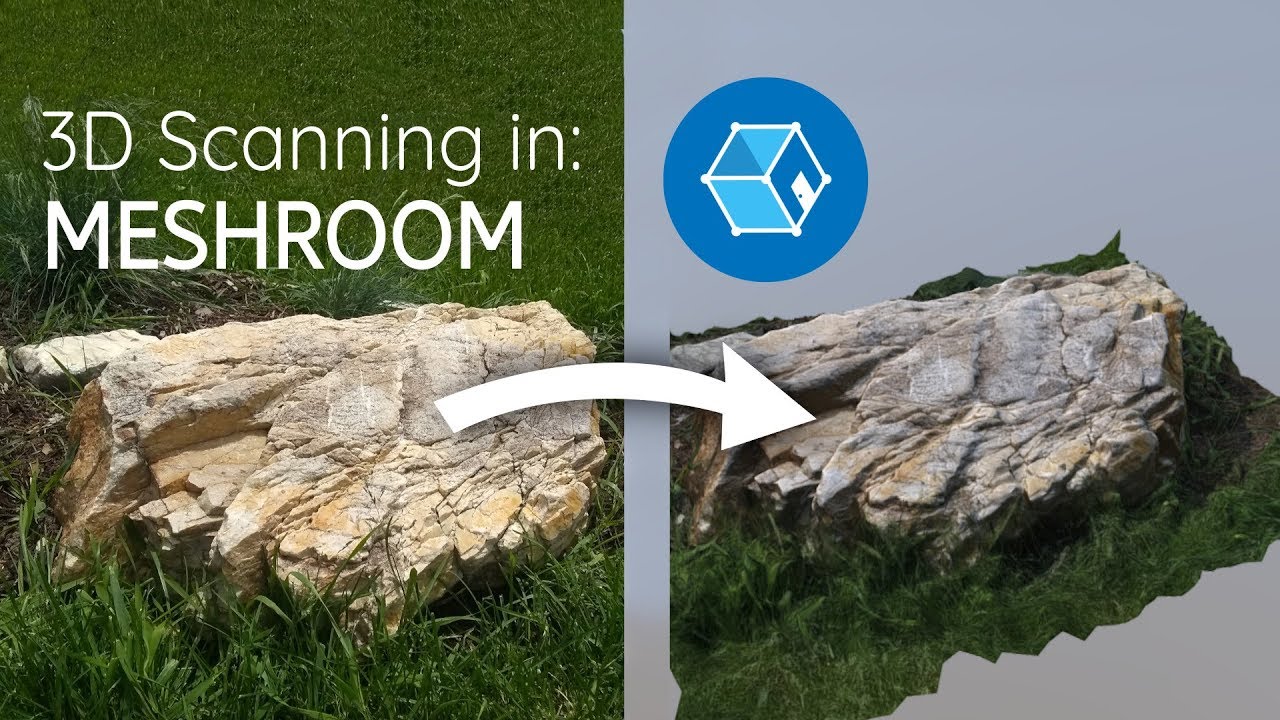
In this short video, we will cover the entire process of 3D scanning in the free and open source software, Meshroom.
Download Meshroom here: https://alicevision.github.io/
Download MeshLab here: http://www.meshlab.net/
Background Track: Broke For Free - XXV
Outro Track: Ta...
devout quarry
@neon gull thank you for the info earlier, So I could use the texelsize instead right?
neon gull
yes, texelsize would be the way to go in order to make it resolution independant
devout quarry
If I have 2 heightmaps that I add on top of each other
and they each have a normal map
Should I blend those normal maps to get the correct result?
so using this formula
neon gull
combine the heightmaps first and only calculate the normal once for the combined heightmap
or is it a normal map texture?
devout quarry
Let's say I have 2 heightmaps, different looking ones
I convert them both to normal textures as well, using Unit's 'normal from grayscale' option
So now I have 2 pairs of heightmap + normal map
Then I overlay the 2 heightmaps, so add the values
which operation should I apply on the normal maps, in order for them to match the blended heightmap result
neon gull
i think your formula should work in that case
devout quarry
Also, I did manage to get correct results in the end I think
These look pretty 'normal' to me 😉
distant pawn
Is there a way to make a shadergraph unlit shader, receive shadows?
meager pelican
@distant pawn
Is there a way to make a shadergraph unlit shader, receive shadows?
Other than telling you to check out the Dry Water examples, maybe your best bet is to roll you own lighting modes. There's a real tutorial for that:
https://blogs.unity3d.com/2019/07/31/custom-lighting-in-shader-graph-expanding-your-graphs-in-2019/
But IDK if it will help your use-case.

Unity Technologies Blog
With the release of Unity Editor 2019.1, the Shader Graph package officially came out of preview! Now, in 2019.2, we’re bringing even more features and fun...
distant pawn
k thx
distant pawn
I've got a problem now the Main node is giving me a "unrecognizable identifier" error.
This is the custom node
hearty wasp
does anyone have any cool ideas for water ripple patterns other than voronoi noise?
meager pelican

Let's dive into Super Mario Galaxy 2, and explore how a small team at Nintendo pushed simple developer techniques to their limits to make something that still looks good today.
◆ Twitter: https://twitter.com/JasperRLZ
◆ noclip.website: https://noclip.website/
◆ Visit S...
hearty wasp
actually yeah, I'd prefer to use an input texture rather than a generated noise
 lime viper
is there a good/easy way to get world position of the objects behind in the shader graph?
e.g. I want to use depth to reproject a world position for a texture tiling
distant pawn
Is there a way to detect if a vertex or a normal is in (or supposed to be in) shadow. In shader graph that is
lime viper
not with the provided nodes but you can write a custom node fairly easily
oh looks like you were already linked to the article on it, the shadow attenuation value there should give you that info
lime viper
if anyone else is curious this gets pretty close to getting world space, but I believe the view direction is not a per-pixel value so it doesn't quite work
regal stag
@lime viper Try this instead
devout quarry
@distant pawn shadows on an unlit shader, yes!
afaik the article on the unity blog does not work
try this
meager pelican
That isn't from a shadowmap though, but would work for one directional light only. So it all depends on needs.
If you want a real shadowmap and multi-lights/shadows, (say a moon, and then a fire-pit of a special emissive effect using a light) you basically would want a shadow pass, but ignore lighting on the main draw/g-buff pass.
I would think. Just 2-cents. It all depends on what they REALLY want to do.
devout quarry
You're right 🙂
meager pelican
Yeah, I'm just having a problem envisioning lights that cast shadows but don't impact other stuff. What is "shadow" then? Because the side of the object facing away from the light should be darker. Otherwise a sphere looks like a mono-color 2D circle.
So it depends on definition of "lit" and "unlit", because shadows. You could use normal "unlit" that still has specular 'n stuff.
That's where my "dry water" quip came from. Not a slam, I just can't really envision this duality so I suspect something else is yet to be specified.
According to this:
https://docs.unity3d.com/Packages/com.unity.render-pipelines.lightweight@6.5/manual/shading-model.html
the unlit shader doesn't even have a directional light. So IDK what he's doing with albedo.
devout quarry
@meager pelican In the code I sent, I am sampling the shadowmap right?
distant pawn
Is there a way to hide (cull?) mesh when it's inside another object. E.g. i want to make a boat and I have water which atm clips directly through the boats hull. I then make a mesh that is the exact same as the hull's mesh, but when the water mesh is inside it, it is culled
devout quarry
Try stencil shader maybe?
distant pawn
Is there a way to make those in shader graph. If not, i am going to have to code one or something
devout quarry


Made a water shader to go with the waterfall. Also got a little rowboat with a depth masking shader. 🚣♀️👀 #unity3D #madewithunity #shaders #shadergraph https://t.co/RAZcLP10Lg
Likes
331
Twitter
 untold fulcrum
is there currently a way that I can impliment this effect https://www.youtube.com/watch?v=auglNRLM944 onto a 2d text component? i cant seem to get shadergraph to work on text

✅ Get the Project files and Utilities at https://unitycodemonkey.com/video.php?v=auglNRLM944
Let's make an Awesome Sprite Dissolve Effect in Shader Graph!
Check out the entire Shader Graph Tutorials Playlist
https://www.youtube.com/playlist?list=PLzDRvYVwl53tpvp6CP6e-Mrl6d...
regal stag
Hahaha
devout quarry
Cyan has stuff for every occasion 😉
distant pawn
Thx. I'll check the links out
devout quarry
ah so disabling this gives me 'on demand' shader compilation only when I hit 'save'?
I prefer that
thank you
regal stag
Don't shaders only compile when you hit save anyway?
I think this is more to help with preventing the editor stalling when compiling many shader variants
devout quarry
Every time I change the output slots, this happens
So like if I change the albedo slot or something
it will recompile
I do not want this
regal stag
Oh wow
devout quarry
It's only on node changes that effect the final shader though, so not 'loose' nodes
distant pawn
Is shader graph's gradient noise the exact same as Mathf's perlin noise. I need it to be exact for a system
devout quarry
It's very annoying because it makes SG hang for a few seconds, and I don't know how to turn it of
@distant pawn you can see the implementation here https://github.com/Unity-Technologies/ScriptableRenderPipeline/blob/master/com.unity.shadergraph/Documentation~/Gradient-Noise-Node.md

GitHub
Scriptable Render Pipeline. Contribute to Unity-Technologies/ScriptableRenderPipeline development by creating an account on GitHub.
regal stag
@distant pawn I doubt it is exactly the same, if you need it to be exact maybe pass a texture in instead
distant pawn
That would mean me having to generate a texture realtime and update it constantly
I may need to just make a sub graph or custom noise that makes perlin noise with it's exact equation
Or is there a way to copy the noise from the shader graph?
That would work as well
regal stag
What @devout quarry linked above shows the generated code by the node. I guess you could convert that into a C# version?
distant pawn
Oh. Didn't see it
I could try, but i don't think it'll work
Though the description does just say it's perlin noise so
regal stag
I take it you are offsetting noise over time, hence why you would need to update a texture constantly?
Are you sure you can't just use a seamless noise texture instead?
meager pelican
@devout quarry n the code I sent, I am sampling the shadowmap right? Yeah, but if he doesn't have a shadowmap (and no lights...).
Or maybe he does, but not for this particular object for this particular shader/material. IDK.
I'm confused as to what he's doing. no lights, but shadows.... Or maybe lights and shadows, but this one object isn't impacted by lighting, but it IS impacted by shadows? I don't understand.
devout quarry
What do you mean he doesn't have a shadowmap?
I did nothing else to my project, just added the custom function and it works
regal stag
It assumes there is a main light in the scene, and main light shadows are enabled under the pipeline asset. But other than that, it should work
devout quarry
Yeah those 2 were definitely the case in my project
meager pelican
Well, he has to have lights to have a shadowmap generated. But he's using unlit coloring. Which is fine, I guess, but he wants to receive shadows. So that's why I said "use a custom light model" so he can pretend the coloring is "unlit" except for the shadows.
And yes, you're right, you did use a shadow map, not what I was originally thinking.
devout quarry
Ooh okay yeah now I understand, I didn't really know what he wanted specifically. I just read shadergraph, unlit and shadows haha
meager pelican
Or maybe I'm wrong, but I can't tell what he wants. Sounded like if he went with a custom-approach he could tailor it to his needs. It was a SWAG.
It's one of those things where we'll talk about it for 2 days and probably never see him again. 😉 But meh, it was interesting. :p
untold fulcrum
Hi all, Im currently in the midst of a game jam and am trying to implement some form of shadergraph onto a text component. does anyone know if this is even possible? thanks in advance
dusky yarrow
Apparently, to use the sample shader code below I need a model that has vert information (might have that bit wrong).
Shader "Dave/VertexShader"
{
    Properties
    {
        _MainTint ("Global Tiny Colour", Color) = (1, 1, 1, 1)
    }
    SubShader
    {
        Tags { "RenderType"="Opaque" }
        LOD 200

        CGPROGRAM
        #pragma surface surf Lambert vertex:vert
        #pragma target 3.0

        struct Input
        {
            float2 uv_MainTex;
            float4 vertColor;
        };

        fixed4 _MainTint;

        void vert(inout appdata_full v, out Input o)
        {
            UNITY_INITIALIZE_OUTPUT(Input, o);
            o.vertColor = v.color;
        }

        void surf (Input IN, inout SurfaceOutput o)
        {
            o.Albedo = IN.vertColor.rgb * _MainTint.rgb;
        }
        ENDCG
    }
    FallBack "Diffuse"
}
It seem true though, the model on the left is from the example model in the book's resources, one the right is just a sphere created in Unity.
What's special about the on eon the left?
How do I make a sphere/cube/other that responds to the shader?
regal stag
@dusky yarrow The model on the left is using vertex colours. A colour assigned to each vertex.
dusky yarrow
Thanks @regal stag.
What magic do I need to do to add that information?
regal stag
If you create a model in blender (or other modelling software), it should have an option to paint vertex colours onto the model. I think Unity also has a Polybrush plugin/package which can do that inside of unity? (I've never used it so not sure)
dusky yarrow
@regal stag It's a simple thing though, rather than me having to learn the intricacies Blender?
regal stag
Painting vertex colours onto a model should be fairly simple, but actually modelling something might not be if you aren't used to blender. If you have other modelling software preferences, they likely have vertex colour support too.
dusky yarrow
@regal stag I assume I could make a mesh in Fusion, open it in Blender and then export it from there?
regal stag
@dusky yarrow I'm not familiar with Fusion. If it allows you to export something as an .fbx you can import that into Blender though.
dusky yarrow
Awesome. Thanks @regal stag.
hearty wasp
I'm new to shaders and I've been following tutorials, figuring things out as I go
but could anyone tell me how to use a texture input for these water ripples instead of this voronoi generator?
regal stag
@hearty wasp You can use the Sample Texture 2D node to sample a texture. If it's a greyscale texture, you can take any of the R/G/B outputs. It won't have the same functionality as the Voronoi though, as the voronoi has that Angle Offset.
hearty wasp
ah yeah, I was just experimenting with that
regal stag
If the texture can tile seamlessly, you can offset the UVs though
regal stag
Yeah
hearty wasp
aha!
how would I slightly distort the 2D texture in order to get rid of the repetiton?
devout quarry
I have a nice function for you, one second
regal stag
Might be able to offset the UVs further, based on a noise texture (using a different scale/tiling)
devout quarry
This is without a noise texture but using some sine waves, I have tested it on a foam texture like yours and it looks wonderful
 wary horizon
can someone help me with a shader graph issue? I dont know whats going on
devout quarry
What's your issue Thomas 🙂
hearty wasp
I really appreciate that, but I actually wouldn't know how to use that code in a graph haha
I only really started a few days ago
wary horizon
i was following this tutorial: https://www.youtube.com/watch?v=6AKR4b4C5jo

✅ Get the Project files and Utilities at https://unitycodemonkey.com/video.php?v=6AKR4b4C5jo
Let's make an Awesome Shield Force Field effect in Shader Graph!
This is the same effect that I used in the FPS game I made recently, go play that game to see it in action!
I made ...
regal stag
There's a Custom Function node which allows you to use a .hlsl file @hearty wasp
(Using a texture might be simpler for now though)
wary horizon
(lemme get a video
meager pelican
@hearty wasp I posted a video last night (8:43 pm my time East Coast USA) that showed using TWO or more textures with varying offsets against each other. And you can dynamically play with the settings. It's a neat technique. I haven't watched it in a while or I'd describe more but that MIGHT help you.
devout quarry
yup, use UV (float2) and amount (float) as inputs and Out (float2) as an output on that custom function node
wary horizon
None of the effects work or anything.
if you go on the video i sent @devout quarry it should look exaxtly the same, but it just doesnt
hearty wasp
@devout quarry I really appreciate it but I think I'll stick to more basic stuff for now, even if I do get it to work I'll probably have barely understood it so I won't really learn much
but really thank you though!
hearty wasp
@meager pelican oh yeah, I did watch that video when you posted it but I'm too much of a beginner still to rework pure theory/examples into shader graph I guess
though I guess I do know a bit more now so I could try what you just suggested
tiling another texture, that is
devout quarry
Something you could do is use the gradient noise node, and use that to offset your UVs
regal stag
@wary horizon The Main Preview in your shadergraph looks the same as the in-game version. What "effects" do you expect that aren't working?
wary horizon
Everything in the video i posted, i dont really know a better way to explain it
warped sable
Is anyone around here familiar with 3D volumetric textures and shaders, the DOTS system, or generating geometry from point clouds?
devout quarry
Since the gradient noise outputs [0,1] value, you use a remap node to remap the [0,1] input to [-1,1], so you have distortion (both ways), then you multiply the value by a 'distortion amount' variable, then you add that as an offset in the tiling and offset node, and plug that into your UVS
meager pelican
I don't remember all the details...I should watch it again...but I think one was a distortion texture, and one was a scrolling tileable texture, and between the two (or more)...it varied a lot.
The idea is to use the distortion texture to distort what UV you read in the "main" texture. So instead of "just" plugging in a UV, add a distorting-offset to it before you read the main texture. And you'd have to read that distortion first. It too was scrolling.
devout quarry
@hearty wasp
regal stag
@wary horizon Perhaps go over the video again, making sure you have all the nodes and properties set to the correct values.
devout quarry
But @wary horizon what specifically is different?
hearty wasp
@devout quarry I'll try that!
wary horizon
theres no emission, no transparency. (i had to manually edit a texure to get rid of things i didnt want to make it transparent) and a scanning effect
maybe its best if i take a long video and go over what i did and see why it isnt working?
or if you have teamviewer i can send me deets and someone can look over something if ive completely missed something? but im positive i havent
devout quarry
But since the preview = the game view, the issue is probably with your graph right
as cyan mentioned
wary horizon
Ill have to scrap it then. because it doesnt work.
devout quarry
Some of your nodes have a blank (black) preview, is that all okay?
Because that does look different in the video
just making sure
wary horizon
all nodes are connected correctly, but show black previews, thats what i mean. Its scuffeed and i dont know why.,
and with correct values
regal stag
Have you got a texture assigned to the Gradient texture property? (In both shadergraph, and material inspector)
wary horizon
Yea, gives no effect
Its Supposed to look like this
My game is 2D and using 2D lightening. but i dont think that would matter.
regal stag
@wary horizon It's hard to see what's wrong really. If the gradient texture sample preview is black though, is the texture set to use Repeat wrap mode?
wary horizon
it is set to repeat
regal stag
Okay, there must be something wrong with the UV input then
If you remove the UV input does the gradient texture then appear properly?
warped sable
Hey, could someone help me with a question that I asked a little while ago?
regal stag
@wary horizon Sorry, I'm not sure what's wrong with it.
meager pelican
@warped sable Is anyone around here familiar with 3D volumetric textures and shaders, the DOTS system, or generating geometry from point clouds?
Huge huge topic(s). DOTS is one thing, volumetrics are another, and both are huge. Do you have a specific question?
And DOTS has its own forum
wary horizon
@regal stag could this be the issue?
regal stag
@wary horizon If it is, I'm not sure that's something you can fix. Possibly a bug with shadergraph. Maybe try a different version? Or maybe try the Unlit master instead of PBR.
wary horizon
this? Im using PBR graph currently
regal stag
I mean the "Unlit Graph" under the 2D renderer one. The 2D ones are for SpriteRenderers I believe.
warped sable
@meager pelican That depends. I'm looking to generate 3D geometry in real time from a moving asset, such as video and/or rigged 2D prefabs, but I'm not sure which of these features would enable me to do so. It's an odd request, I know, but its not a completely unheard of concept.
neon gull
just to be clear: you want to create a 3d asset using multiple frames of a video or from a single frame?
warped sable
Multiple frames preferably. Just to be on the safe side, though, is it alright if I showed you guys an example of the visual effect that I'm going for?
neon gull
If you have one yes please, I literally cannot image what you are trying to do here 😅
warped sable
@neon gull Roger that. This is a trailer for a piece of software that was discontinued back in 2018. It allowed users to generate 3D geometry using the original 2D design sketches, but the software was only used in a limited fashion because it could only generate a head for a character. So my goal is to generate a 2D styled character a similar way, but with the inclusion of the character's body. https://www.youtube.com/watch?v=Xg40RzBIqTY

Omni-directional 2D CG technology directly animates what's drawn by 2D artists.
Enjoy the dynamics of 3D with the detailed representation of true 2D graphics and 360° realtime expression.
Draw as you wish to draw. Animate it as you imagine.
neon gull
Okay not sure where to start there, this is really a complicated topic and no trivial task
warped sable
Indeed.
 leaden gyro
Are there useful Unity add-ons for Shader Graphs?
I'd love to do even more crazy stuff :p
I made this for a school assignment but as soon as my exam week is over, I'm gonna add more things into it
devout quarry
Yeah there are some fun addons hold on
fervent tinsel
@leaden gyro also worth using subgraphs to keep things easier to manage
devout quarry
https://github.com/teebarjunk/Unity-ShaderGraphNodes @leaden gyro

GitHub
Collection of shader graph nodes from around the net. - teebarjunk/Unity-ShaderGraphNodes
fervent tinsel
those are for the old system I suppose
devout quarry
there are some cool SDF nodes as well
yeah some of those use the old custom node system, but easy to convert 🙂
leaden gyro
@fervent tinsel True, but this was a work in progress, so I needed everything to be together for the time being.
I made a really useful little SubGraph, its (bsin(atime)+c) = out
neon gull
@warped sable It's definitely not done with a shader and there's definitely a reason for it only working for the heads of characters. My guess is that they are always using the same base mesh and a feature detection algorithm to map your 2d drawing onto it. But this is not the right chat for this topic and I have to warn you that you need quite an experienced programmer to create something like this if you want it to work reliably and stable
leaden gyro
I can plug that into any shader to have some more customizability
Thanks @devout quarry I will check that out
devout quarry
oh, and the SG team has an example package of patterns created with SG
leaden gyro
SDF is the old system, ShaderForge?
devout quarry
you can download it through package manager
warped sable
@neon gull I see. Here's the thing though. The company that made this software released an SDK so that it could be used with Unity. So If I were to use this code as a starting point, then this goal might not be totally out of each.
devout quarry
no SDF is signed distance field
leaden gyro
Im not familiar with that
devout quarry
Basically a function that describes a 3D volume or 2D surface
neon gull
The sdk will still most likely only work for character heads
leaden gyro
Hmm interesting. Looks complicated, but that's precisely what I like.
devout quarry
for example this is the function for a circle
And then you can combine those shapes to create more complex ones, and the nice thing is they are always 'crisp' even when zooming in
leaden gyro
sorry, code just makes my head hurt
I undersand logic, but the syntax of code always throws me off
devout quarry
yeah don't worry
https://www.alanzucconi.com/tag/signed-distance-field/ alan has some tutorials regarding the topic

Alan Zucconi
neon gull
@leaden gyro https://www.shadertoy.com/view/3lsSzf If you want to see where this can go checkout this shadertoy, there's no geometry here only sdf's


 leaden gyro
Ohhh I see, so SDF is used to build 2d, and then 3d shapes from within shaders?
devout quarry
prime example 🙂
leaden gyro
I saw a video come by once (cant find it anymore) of a snowman building himself with just a shader, pretty cool
devout quarry
here is another example
'clayxels'
you can use SDF for modeling
dreams on ps4 uses the same technique to allow users create models, all from SDF's
leaden gyro
So is that all done from within graphs?
devout quarry
well, shaders
maybe node-based i don't know
mostly not to be honest
I do all my SDF logic in custom function nodes, using nodes would take a lot of space
leaden gyro
I didint expect so, that kind of complexity requires code, would be my guess
Whats the advantage of doing SDF modeling, isn't it hard to work with, not to mention performance heavy?
devout quarry
It's just that maths and arithmetric in general are kind of annyoing in shadergraph
I'm sure there are several advantages that I don't know of, but I like that the resolution is independent of scaling
that's why they also use it to render text, instead of having a text texture, store the letter as an SDF, then sample it, and you'll have crisp text always, at all zoom levels
warped sable
@neon gull True. The creators for the software also struggled with matching the head with a body. Their solution was to create a regular 3D body and match it up with the head. But after giving it some thought, I realized that the old program and the concept behind point clouds are not too dissimilar. They both use images that shows the same subject from multiple angles, and then they generate the interpolation between the images to create the illusion that the subject is a regular 3D model. You could even toggle the effect on-and-off to see what the layer order looks like for the 2D images that created the head.
devout quarry
and also SDF based modeling is pretty intuitive I think, you're not modifying vertices but adding primitive shapes that blend together
It's like playing with clay, which is intuitive I think
leaden gyro
Interesting points, I'll see if my teacher can give me some pointers for SDF, though Im willing to guess thats a bit beyond his knowledge
neon gull
https://www.youtube.com/watch?v=q6flyIrvKCA
Pretty sure this game is also just sdf's

Coming soon to Playstation 4. Claybook is a unique physics based puzzle game in a world made entirely of clay. Shape your character and the world around you to overcome challenging obstacles.
Visit http://www.claybookgame.com for more info.
leaden gyro
Wow crazy hahaha, very very cool
Not the kind of thing I wanna design exactly, but the shaderwork hmmm Kappa
neon gull
One minor disadvantage with sdf's is that it's kinda hard to get sharp edges, that's why most of it looks smooth and kinda like clay
leaden gyro
I wanted to send a video but Discord wont let me
devout quarry
and yes good point
leaden gyro
bc of file size limit
@neon gull well you can create cubes, cant you? Or dodecahedrons maybe?
neon gull
@warped sable If you want to recreate a character from multiple angles you should take a look at photogrammetry, but that's also not a realtime solution as it takes a lot of computation to create a high quality mesh
neon gull
@leaden gyro Yes you can, but fine detail might get lost during rendering or create artifacts depending on how you render them. Here's a good overview of different functions: https://iquilezles.org/www/articles/distfunctions/distfunctions.htm
Tutorials and articles of Inigo Quilez on computer graphics, fractals, demoscene, shaders and more.
leaden gyro
Ah alright, I see. Well, nonetheless an awesome concept to toy around with.
But when it comes to modeling, I still get wet dreams over Zbrush
Model made and unwrapped in Blender, painted in Substance Painter, shadertextures made in Photoshop, and then shader made in Shader Graph
I followed a 'tutorial' on youtube but that video was 4 years old, had no sound, and no description. On top of that, I changed some aspects of the graph. Im still planning to change and add more.
For one, I want to make all vector1s into sinewaves so I can customize them all.
neon gull
the video is set to private, we can't watch it
warped sable
@neon gull Yeah, I've been looking into that photogrammetry program Meshroom by AliceVision and it looks really cool. I've also found a couple of examples of volumetric capture of moving subjects, but since that's mainly being used to capture performances in the RW I don't know if I could make that idea work even if I was using a virtual camera. The company behind Meshroom did release their code scripts on GitHub, though. With this in mind, do you know if is uncommon for programmers to blend scripts together to create something new?
leaden gyro
Damnit, it said it was unlisted, hold on
meager pelican
There's a difference between motion capture, which is more about mesh-animation, texturing, and generating the mesh itself. Either realtime or offline.
leaden gyro
Try again please 🙂
neon gull
@warped sable Nah merging stuff is pretty common but it's not just copying two blocks of code together and everything is fine, it will take an experienced programmer multiple months to create something like that and even if it won't be realtime. This isn't meant as an insult or anything so please don't get this wrong but I think this might be way out of your league
meager pelican
The photogrammetry thing is similar to your point-cloud idea, but that software you talked about dynamically produced the point cloud to begin with (I think)
neon gull
@leaden gyro looks pretty cool, it would be awesome if the shadows would be animated and the same color as the effect but I'm honestly not sure if that can be achieved with the shader graph, I haven't really used it much myself. Great work!
meager pelican
Figuring out what to stitch together in a point cloud...is tough. For example. If you can use photos and lighting clues to deduce surface information, and then generate points and sizes and then a mesh, that's one thing.
Did they close up and publish/release source code?
leaden gyro
I cant code well yet, sadly, I have even issues with trying to get a character to jump without him flying into the v o i d.
Im not sure I can do anything with shadows, that sounds a little bit too hard for me right now. But I think I should be able to do somehing with the point lights in the prefab. Maybe have them read their color and luminescence from the shader graph?
That would involve coding but probably not too much
I know how to call shader properties from code... im not sure how you would call a value that is changing constantly... but I think I can get a teacher to help with that
devout quarry
Are you studying game development or something related?
leaden gyro
Game Artist
We do a little of everything, a more accurate title for the study would be Technical Artist. Im a first year.
Me and a classmate tend to pus hthe boundaries, so we are more at the level of a 2nd or 3rd year student
devout quarry
Ah that's exciting
leaden gyro
btw, I made another awesome shader, I will post it here in a bit
We are doing a project, and we chose to do make the theme Underwater Sci Fi Atlantis
warped sable
@neon gull Yeah, that's probably true given my low experience level with Unity and programming. But like the old saying goes "stranger things have happened," and at the very least the experience that I would gain from shooting for this unlikely goal could be reapplied in the future to a new, more practical goal, should the opportunity present itself to me. So, on that note, if I want to continue this discussion elsewhere, where would you think would be a good place for me to look?
leaden gyro
so I made a sub graph shader that can but put into any shader to create an underwater caustics effect
its a little less complex than the lavalamp but it was entirely my design so im really proud of it
devout quarry
Would like to see it 🙂
devout quarry
looks neat
leaden gyro
So in any shader you can call the subgraph, input the Albedo, and output the Albedo and Emission with caustics
devout quarry
Hard to see from the graph, but you could do things like make the light fall out into several colors, like actual light would when it goes through the water
and also make the effect less apparent in spots where scene luminance is low, since those surfaces would not reflect the light coming from above the water
details for sure, but might help the effect
leaden gyro
That first effect has a technical name but I forgot it. My teacher brough it up as an idea, but I simply didnt have the time.
That second idea is nice! No idea how I would do that though. How could I make the shadergraph detect what the luminance is in its position?
devout quarry
Take scene color -> put it through luminance function that converts rgb to luminance
leaden gyro
Scne color is a node?
leaden gyro
Yes!!
thats it
Sounds easy enough. If by some miracle, I have spare time, I will add that
devout quarry
yup, the luminance mask very quick to implement
devout quarry
If in SG I put custom normals in the 'vertex normal' slot, and then I use the 'normal vector' node, it will use those updated normals right?
hearty wasp
pretty happy with the results so far https://cdn.discordapp.com/attachments/574858408331706369/670695769279561787/woterr.gif


@devout quarry I did try your distortion technique as well with the gradient noise, but I just couldn't get it to look right
devout quarry
is there any distortion right now?
devout quarry
I'm panning some noise, remapping it to [-1,1] range so it can distort in 2 directions, multiply by a 'distortion strength' variable, then use it to offset the texture UVs
And I like how the water looks 🙂 is this for a game you're making?
leaden gyro
@hearty wasp Nice! You can use that to displace vertexes in the Y axis. It create some nice waves.
hearty wasp
I'll definitely take a look at both of those!
leaden gyro
If you use the unsaturated noise ofcourse
I will get my lava shader, there are things in there that might be useful for you
hearty wasp
though first I feel like I should take a look at fixing tiling if I start messing around with distortion, is there a way to project from worldspace or anything?
hearty wasp
is that difficult?
devout quarry
X/Z components of world position as U/V if I remember correctly
leaden gyro
this is the whole caustics shader
but focus on this part:
Thats ow get the world positioning. Mind you, this is done so it is projected on top of a mesh as seen from above
so Its not exactly the same
Positioning into the UV of Tiling and Ofset, then into the UV of your noise
And then if you put the noise insomething else, in my case a Voronoi, put it in that UV aswell
and the part before (Multiply time, into sine, into multiply, then add) is really useful to create some customizable inputs. Liek the scale of your noise. Or the osset and scale of voronois, if you use those
You can also adjust the speed of the Tiling And Offset with that, to make the water slow down and speed up periodically
hearty wasp
alright! I'm going to take a quick break and then I'll get on this
I saw a bit about creating foam as well, and that looked pretty difficult
taking in account the camera position and changing the alpha of the foam from that and whatnot
but yes, first, UVs based off world space
leaden gyro
This might help
THe effect I use is different, its voronois, but the customizability of this is just exactly what I love
But this is not with UVs based on world space
wary horizon
Finally got it to a state im happy with
leaden gyro
Awesome!
Do you want to keep it minimalist, or would you like it to have more effects?
For instance:
- Make it pulsate in size
- Make it change in (emissive) colors
wary horizon
I would love both of those things, but ive been trying for 5 hours and this is what i could do 😛 nothing else worked
leaden gyro
I see, well i'll post my shield shader, use what you like 🙂
wary horizon
😄
leaden gyro
Mine was nearly identical, except in a different style and different animation
wary horizon
Yea man if you wanted to share your shader 😄
leaden gyro
There ya go!
Here is the tutorial it is based of:
https://www.youtube.com/watch?v=hTJqo1HeEOs

Unity Shader Graph - Shield Effect & Impact Detection Tutorial
In this Shader Graph tutorial we are going to see the steps I took to create an awesome Shield effect that detects hit collisions. The impact detection is done with a script that controls a property of a Sphere M...