#archived-shaders
1 messages · Page 111 of 1
 fervent tinsel
but they definitely have it on shader graph here
pretty sure it works on both forward and deferred on HDRP
fervent tinsel
18GB for the project itself + over double for that for git 😄
but it's nice they moved the gun trick out of hdrp, meaning people could probably use this on unmodified HDRP
I still haven't checked what mods they did for HDRP, they didn't have much in past, it was mainly for the gun fov + some small things
but I know they are trying to move to stock
fervent tinsel
@frigid zinc this is the fov projection subgraph:
fervent tinsel
the draw a tiny gun and then project it to appear bigger using this fov hack for it
fervent tinsel
I think it can have negative impact on the guns lighting though
 frigid zinc
yeah i would think it might, on HDRP
they say it's very sensitive to scale
lighting-wise
fervent tinsel
man these graphs are messy
I cleaned up that subgraph before posting, now did same for the actual shader graph that uses it
here's the actual main shader:
I marked the subgraph on the top
@frigid zinc @broken field
 fervent tinsel
basically you only need that top line that feeds into position
all the rest is just extra
(I mean, you only need that subgraph wired into position to get the fov effect)
frigid zinc
yes I see
frigid zinc
yeah i see that
fervent tinsel
it's just copy/paste from one to another and modify
frigid zinc
probably an oversight
fervent tinsel
the ones I linked earlier had bunch of unconnected graphs too
I removed them
probably just hasty
"whatever works"
would be still nice if they cleaned these up
frigid zinc
yeah i once got a Shader on the asset store that was made in Shaderforge, and they had a TON of unconnected stuff in the graph, I wasn't sure if they were just messy or trying to obfuscate it.
fervent tinsel
I had to organize these all to be able to even follow where the wires went
frigid zinc
wasn't hard to clean up, so if it was for Obfuscation, it failed
 loud yacht
Hey guys - we’re trying to figure out why our characters look so much worse in Unity than other 3D programs. Check out the difference. Any ideas?
https://i.gyazo.com/1874883db5ad29986743f203c022382e.png
https://i.gyazo.com/64de38a769400fd7d07967b338414acc.jpg


 thin whale
Got an issue pinned down but unsure what direction to go in order to fix it
I am using a world wrap shader to modify the vertex positions of objects. However on the transparent version, the shadows are cast based on the original position. I'm assuming this is due to shadows being calculated in the queue before the transparent object shaders are run. The non-transparent version works fine but cutout and alpha versions do this issue.
The base shader is at render queue position 2000, the other 2 are at position 3000. If that is causing the issue, is it safe to move them earlier in the queue?
I don't entirely understand how shaders work, I am quite new to this so sorry if my terminology is off anywhere.
frigid zinc
@loud yacht looks like, really bad lighting, no postprocessing, and poorly tuned materials
not to mention you could use with a nice hair shader
what program is the first one in, anyway?
thin whale
Other people online say that to fix the shadows not following the objects, you need to add "addshadow" but I've already done that and have it working on obaque objects.
My pragma includes: "#pragma surface surf Lambert vertex:vert addshadow alpha"
frigid zinc
that's not enough
you need to do the same vertex modification in the shadow pass so it too renders in the modified position
though I see you're using a surface shader
so it's not that easy.
thin whale
What do I have to do to overwrite the shadow pass in a surface shader
frigid zinc
if it was a standard vert/frag shader it's a bit simpler to handle
that's a very good question
I've never looked into how shadows are done in surface shaders
since the main reason to use one is all the lighting/shadows is handled for you 😛
the power of Vert/Frag is it's easier to implement your own custom lighting/shadows
that doesn't mean it can't be done though
thin whale
ah dang
well hm. I don't have much time to rewrite this 😬
thanks for pointing me in the right direction ill start picking at it
I don't get why it works on the obaque version though, since i'm just doing the same thing
frigid zinc
the thing is as i recall, doing vertex stuff in a surface shader is kind of a hack to begin with
thin whale
wew
frigid zinc
i remember it was keijiro who i saw first posted an example of doing that
geez, he has 492 repositories now lol
lot to look through

GitHub
An example of a geometry shader with Unity's standard lighting model support. - keijiro/StandardGeometryShader
did you write the shader you're using?
thin whale
yeah
frigid zinc
well you might look at his example, to see how he implemented geometry pass and custom shadow pass
though as he mentions it makes it hard to do the rest of the lighting
i guess i should have asked what pipeline you're on
but since you're modifying the code directly i assume standard pipeline
thin whale
yeah I tihnk
this is my first attempt at any of this so i'm doing my best heheh
I might just have to not use cutout objects in this. It isn't the end of the world to cut the things using them, and my team is running on very little time left so we might just leave it. Thank you for the help though, I appriciate it @frigid zinc !
frigid zinc
no problem
frigid zinc
I just want to confirm something, is the order of operations in shaders the same as most languages? Like if you do A + B * C , B and C will be multipled first, correct? or it it some kind of oddball language?
 still carbon
Pretty sure it follows common order of operations 
 dapper pollen
@loud yacht looks like hdri lighting in the first image, assuming its marmoset?
frigid zinc
just want to be sure, I don't like to get bit by surprises. I used a language once that evaluated IF statement logic right to left instead of left to right. after that I learned never to assume 😛
and yeah I suspect he may have Gamma in Unity, but I wanted to get more info
but no replies so far
dapper pollen
yeah looks like it could be gamma too
frigid zinc
first image also feels like it's a render, not an image
in which case, yeah it's going to look a lot better hehe
dapper pollen
nah i bet its marmoset, they have a really nice default enviro with great hdri's
marmoset toolbag that is
frigid zinc
it may be, i'm not familiar with Marmoset
dapper pollen
and a good hair shader, or at least better than stock unity
its just a model viewer for presentation/portfolio useage, kinda like how unreal looks nicer out of the box they have it finely tuned to make models look fantastic in it
i guess it has some baking and animation stuff in it now, so more than just a model viewer but its not a fully fledged game engine or anything
frigid zinc
yeah I mean I've seen it before, just never used it
i see people post their models on the web with Marmoset Viewer, similar to Sketchfab

trying to make a shader that replicates the look of silk but i feel like i'm only getting halfway there
looks more like cheap Halloween plastic lol
 strange onyx
Hello guys. I have been attempting a pretty niche but very rewarding concept a DICE dev outlined in this article:
https://80.lv/articles/001agt-dice-behind-the-art-of-battlefield-and-battlefront/
It is a bit difficult to outline in words, but I will try my best.
Dice doesn't use 4K textures in a lot of places due to a "texture budget". For a PC, this generally isn't a big deal if you are careful, but on mobile, this tactic would be super useful, so I took a crack at it.
The concept is straightforward. Rather than a 4K normal map, they use a low res base normal coupled by really small but tiled detail maps and generate a final normal from them.
The workflow is essentially: texture array -> tiling information (e.g. tile these 10x10) -> Generate result using slice map to add to the base normal -> Add the two together to generate a detailed normal -> input to shader main normal
The only problem I ran into so far is I can't seem to plug any UV info into the Texture 2D array node, so when I generate my detail normal to add to the base normal for my result, the detail potion becomes stretched and skewed.
Is this specifcally a unity thing, as I am unable to do this in Amplify either.
 uncut karma
It's possible, ive done similar with tex2darray in unity
strange onyx
Alrighty, how exactly? I know eff all about writing shaders, so using a graph was a godsend.
working on grabbing images to aid in the explination.
This is an example of the goal. Cloth has bumps, and when I have the leather shoulder guard, it applys a leather detail to it as well.
here was my WIP result:
https://cdn.discordapp.com/attachments/485079746158526467/548011733218885632/waJh6E.jpg
 frigid zinc
you're basically just doing detail maps which unity already supports by default.
strange onyx
and while the direct UV isn't correct, the thing to note here is the skewed detail maps:
https://media.discordapp.net/attachments/485079746158526467/548011752554627082/V7ytTn.jpg?width=1202&height=677
 frigid zinc
should be able to just use the std shader, or look at std lit shader graph to se how they do it
strange onyx
I would rather not unpack a bunch of textures. They have this setup in a specific way and it is indeed performance optimized.
frigid zinc
sure i get that, though i think they pack HDRP differently so there's no extra maps
strange onyx
I can always pack in my textures for unity standard, but I will still have the issue with slice masks.
uncut karma
It requires uv.xyz where z is the slice index, if the node is attempting to use thr unity texture scale offset ( _ST ) that might be throwing it off
If uv was plugged to .yz that would stretch it through slices too
strange onyx
Dunno brother. This is getting out of my element fast. loading up Unity right now for a more detailed pic.
I know it helps for me to see things, and this is niche enough that visuals might help.
uncut karma
On phone but can take a look in a bit
dapper pollen
@frigid zinc regarding silk it lacks like a micronormal texture to represent the fibers like https://thumbs.dreamstime.com/b/blue-silk-fabric-texture-close-up-34762733.jpg
 strange onyx
ooof. might have found it.
uncut karma
The array is the right approach for this if you want many detail maps mapped to the base albedo
frigid zinc
@dapper pollen Yeah i was actually just adding detail normal heh
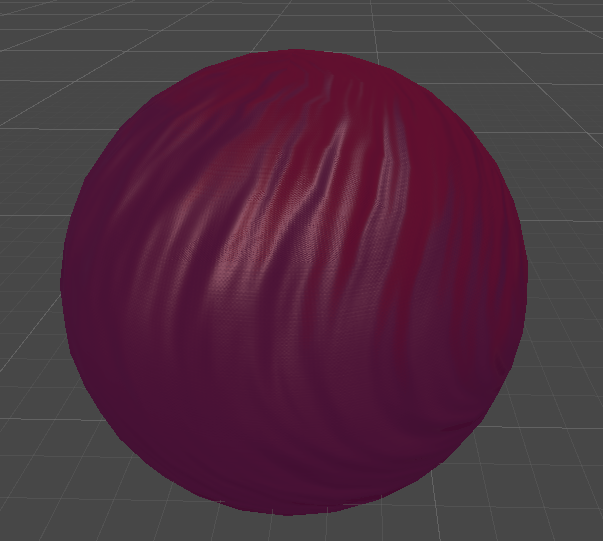
though I don't have the correct style yet.
strange onyx
holy crap...
frigid zinc
but that's really not the problem i have, the Fresnel is not right imho
strange onyx
it worked.
now if I can fix the UV issue on the final output, I am absolutely golden.
frigid zinc
must have been collapsed, every Sampler has a UV input
strange onyx
ye, it was indeed.
That said, the UV setup on this one is odd.
The force has abandoned me on this one.
fixed the order of the maps to be correct. I did indeed have the concept on point.
frigid zinc
looks good
strange onyx
^.^
I managed to do all of this on my own just based on that info from the article and a very criptyc and minimal chat from the dev who was interviewed.
frigid zinc
yeah sometimes articles like that can be very informative
like this silk i'm trying to do was inspired by this guy's post

ArtStation
A breakdown of how I made the silk material: a look inside the inner workings of the shader, and what kind of geometry & textures I used.
but i'm not exactly getting anything near what he did because i don't really know what I'm doing lol
strange onyx
"cryptic and minimal"
frigid zinc
but it's the effort that counts heh
strange onyx
heh, I'm proud of myself considering I know eff all about shaders. I sill lack the main UV coord issue.
it's visible as both dark spots and ||= on the helmet in the older pic before I fixed detail tiling.
frigid zinc
just realized one reason why mine looks funny. he called Y red and Z blue
clearly X is red
so i think i got Red green swapped
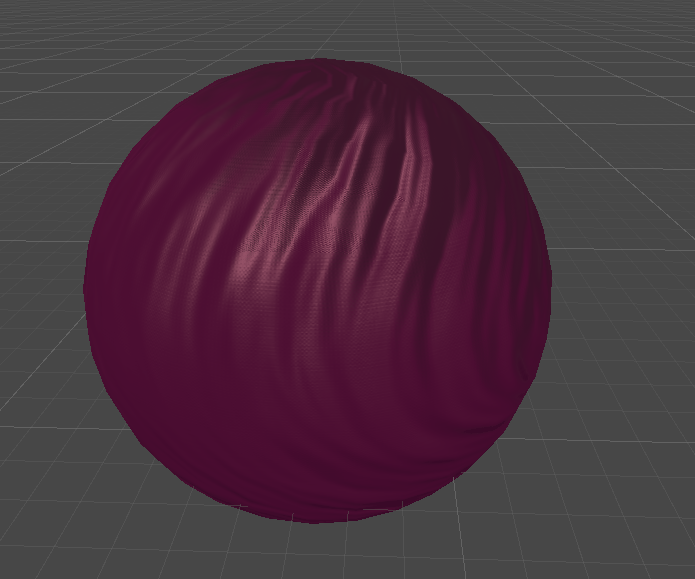
i think that does look a bit better heh
i couldn't figure out why the top was so red
also i think i need to separate the two Fresnel's settings instead of chaining them
controlling them independently will probably give me more control
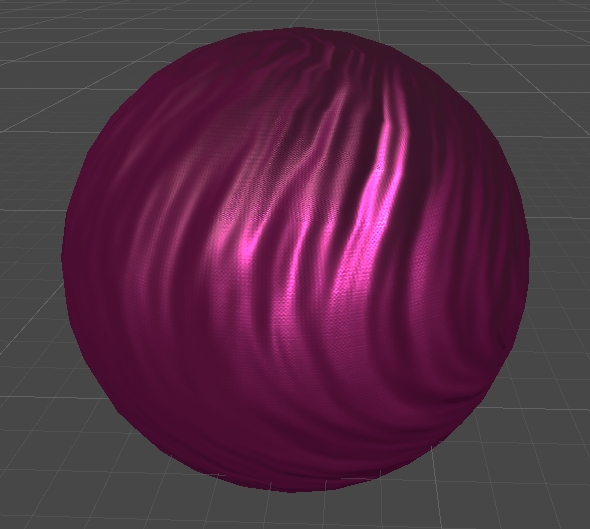
yeah that lets me really punch the reflectivity of the highlights
starting to look nice
still carbon
looking great, are you applying any anisotropy using the fiber bump detail?
frigid zinc
i'm not but that's probably something that is needed, i'll have to look into that tomorrow. I think i'll leave it for now
i know Kink3D has a nice anisotropy shader on his GitHub, i'll have to see how it's done 😉
i'm tired and need a break hehe
dapper pollen
is this a custom shader? silk is kinda similar to metal with its reflections, could just go with upping the metalness
frigid zinc
yeah it's custom. i think i have metalness around .5 or .6
already closed the project so i forget exactly
uncut karma
hey lookin good @strange onyx whats the issue with dark spots now? i dont see it on the latest image, unless its the black crevices/creases, it looks like a normalmap baking related artifact to me, but i might be focusing on the wrong thing
strange onyx
hmmm
something is breaking on import, or I am missing some UV logic.
storm trooper has that persistant normal issue, but SAME SHADER with the clone mesh and textures results in sucess.
<@&502880774467354641> I am going to pack up a sample project of this, but I have been chatting with the dev of the mod tool used to extract these. They work fine in UE, which means extraction is fine. The logic seems correct in the shader, which is why it works fine for the clone. This is not the first case I ran into where an imported model's normals broke.
I am also not the only person using these meshes across various rendering tools (e.g. blender and max).
I think we might have either found a bug with import or HDRP one.
strange onyx
or maybe not. altering the way the shader generates the final normal partially fixes it, but I am so stuck I am fed up working on it.
 ocean mural
Hi @strange onyx - sorry you're having issues, though, as we mentioned in #📖┃code-of-conduct, we don't run official support here. I'd recommend either using the forums or creating a support ticket
strange onyx
sorry about the ping Liam, I actually found out it was tangets.
once I set it to none:
strange onyx
final graph for those curious. DICE also has values to apply smoothness and normal influence to detail masks, but I couldn't be arsed. base concept is what matters.
this graph is specifically for battlefront 2 assets, but this is the logic behind it.
the odd multiply/add is because of how they pack it. if you are following slices, you will need this. you take the texture as a regular, non sRGB texture (do not make it a normal map because you are packing in metallic), and you multiply it by 2 and add -1, then reconstruct normal z. You then add the generated detail normal to the base normal, and normalize that result for your final output.
The article explains this, but basically: RG is normal, and B is metallic in base normal and Smoothness in detail maps. I didn't use smothness here because I haven't worked out that logic.
fervent tinsel
for the people wondering about it, Unity supports detail maps out of the box (which is the main thing to take away from what DICE did)
and I don't think graphs that let you run others ripped content will do here any good for other users here :p
still carbon
and in fact this is actually how unity packs their normals too in most cases and does this operation when using UnpackNormal() if so. But packing other maps into that texture can be handy to reduce sampling a bit, but it would have been a nightmare to support automatically merging metalness/smoothness map into it given all the different approaches and custom shaders unity supports
 odd pilot
Morning all! I'd like to ask for a little more help please. @amber saffron was helping me yesterday (and thanks again! :)), now after implementing that learning I have most of what I need. I have a world coordinate effect, transparent, and double sided. After checking it in scene the lighting gets strange. I checked my old shader and realized it was unlit which really helped. tl;dr, How can I add unlit to this shader? (Attached hopefully). Tvm!
 amber saffron
I you want an unlit shader, maybe the simpliest would be to create a new unlit shader, and copy paste the code you have in you surface function (that would fo in the fragment shader).
odd pilot
Ok. I tried that but I got errors. Maybe I just didn't do it correctly?
I'll have another go at it tonight. Thanks!
amber saffron
Oh, just noticed somthing :
Wouldn't this : fixed3 mask = fixed3( dot (IN.worldNormal, fixed3(0,0,1)), dot (IN.worldNormal, fixed3(0,1,0)), dot (IN.worldNormal, fixed3(1,0,0)));
Be better like this : fixed3 mask = abs(IN.worldNormal.zyx) , and not have to abs later on ?
odd pilot
Perhaps. I'm very new to shader coding. Decent in c# so I'm learning but very willing to do the work and learn. I'll try that, thanks!
odd pilot
I think my error was where I pasted the code. It's still a little confusing where the various sections begin and end
 south topaz
Anyone which could recommend me a course, YT series or something similar for starting to learn shaders?
 edgy star
Hello, i've got a little question, since I don't know much about post processing shader creation.
Custom post processing effects don't seem to work well with Unity's temporal anti-aliasing - they shake as expected, but they don't get anti-aliased. Would refactoring those effects to be Post Processing Stack compatible fix this? Or is it a different matter?
edgy star
I originally did, but I deleted my message and pasted it here. :D
This place seemed better, because it's in the programming category and the other one is in art.
But if you say so, I can ask there, thanks.
 dry island
Is there any way to fix the sorting of transparency in LWRP shaders? I am trying to fix a "hairy" problem 😃
I got hair planes that look right on one side of the character but wrong on the other. It's like they leave a hole in the middle and the only way the surface looks right is with an opaque setup using the "cutout" technique.
frigid zinc
this is common in any pipeline
someplace in this channel awhile back we discussed strategies for doing hair shaders
let me see if I can find it so I don't have to type it all again lol
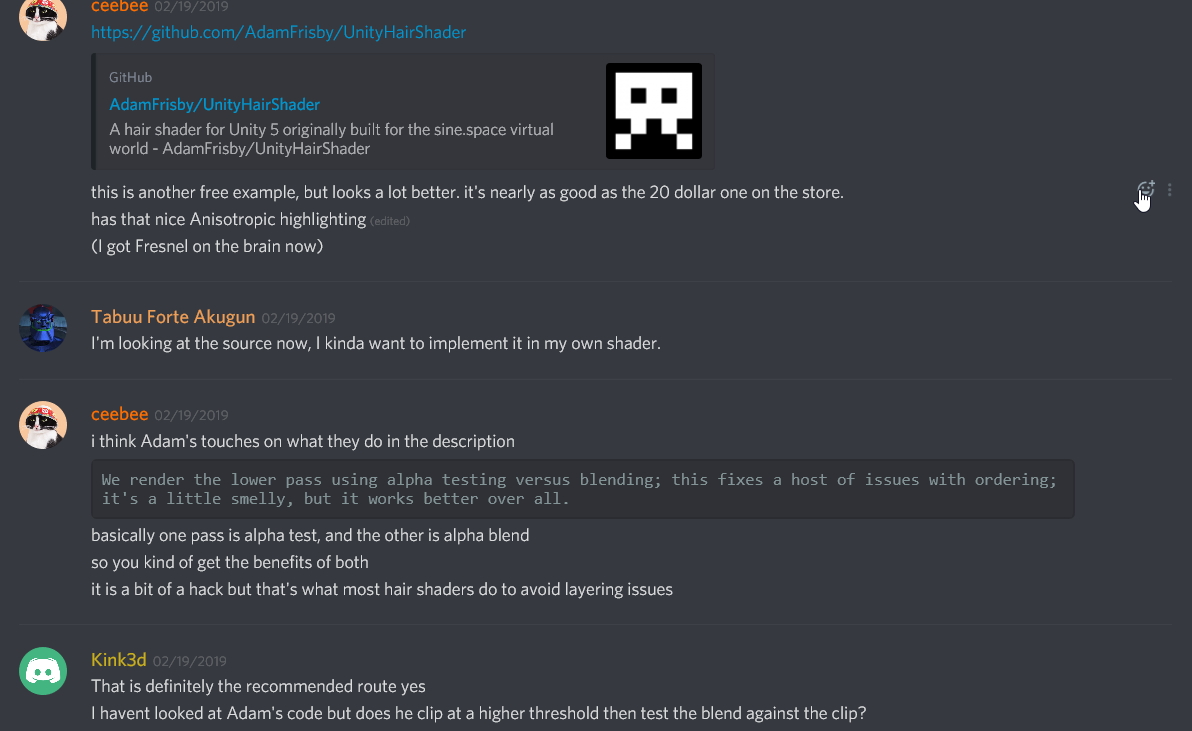

GitHub
A hair shader for Unity 5 originally built for the sine.space virtual world - AdamFrisby/UnityHairShader
the shader we were talking about
if you search up from what you see in the screenshot you can read it all
dry island
Cool. But does that work with LWRP?
frigid zinc
nope, but you might be able to adapt the formulas to LWRP via shadergraph
 minor light
Hello Peoples I'm new to this server as I just now discovered it's existence, does anyone have advice for working with generated code from the amplify shader plugin?
(Coming from strictly working in the Shaderlab language and not unity's node based visual scripter)
frigid zinc
i am not sure what advice you'd want, it outputs standard shader code like you'll find in any shader.
so you can tinker on it like any shader.
minor light
Yeah that part I got, just I have some weird values output from the amplify shader that I'm trying to understand like these
Particularly the variables within the struct just called data899; and so on
frigid zinc
well yeah they create intermediate variables to hold the values generated by strings of nodes
you have to kind of remember how your nodes are strung together and see what variables hold the results of various node strings
i can't recall if Amplify has a node to name the variables, i know ShaderForge does
best suggestion i could give is to make a very simple node setup and then view the source
so you can get the idea of how it's structured
then you can get a feel for how larger node setups will be structured.
minor light
Understood, thank you!
frigid zinc
as for stuff like worldRefl, they are going to be common values they generate from 'system' nodes
like getting worldPos etc
unity has specific functions for doing some of these things, or they may have custom functions, but since they could end up being used multiple times, they will often assign them to a var for efficiency.
odd pilot
I am attempting to combine my world coordinate shader code into a new unlit shader and I am getting errors and unsual behaviour. I think there is an issue that the ulit is a frag and a vert shader and my other is a surf effect. Is this correct?
frigid zinc
probably, they do have very different structure
odd pilot
So is there any way to take this shader and add unlit to it?
frigid zinc
well by definition surface shaders are never unlit
as they are designed to support the full PBR lighting system
i'm not sure if that's possible.

Unity
Unity is the ultimate game development platform. Use Unity to build high-quality 3D and 2D games, deploy them across mobile, desktop, VR/AR, consoles or the Web, and connect with loyal and enthusiastic players and customers.
odd pilot
😦
frigid zinc
maybe a tutorial like this might help
basically an unlit shader is a shader without any lighting model applied

Unity is the ultimate game development platform. Use Unity to build high-quality 3D and 2D games, deploy them across mobile, desktop, VR/AR, consoles or the Web, and connect with loyal and enthusiastic players and customers.
you might try the answer with 14 votest there, under the green one
basically he writes his own lighting function for the surface shader, that does absolutely nothing LOL
that's probably the best way
though read down on the comments on that answer, some have some good additional suggestions
 coarse hornet
Would changing the light from a directional light to a spot light affect what kind of shader I need to use? Edit: nvm I didn't see the intensity slider
 foggy falcon
not sure if this goes into here or render pipelines:
my shadergraph blackboard is a small unusable, non-interactive rectangle.
On 2019.1b4, using LWRP 5.2.3
any attempt to edit it out of this state with the elements debugger is futile
 dusk ravine
hey, how can I sample the shadowmask in a vert/frag shader?
I haven't been able to find anything about it online
frigid zinc
A Unity Rendering tutorial about supporing mixing baked and realtime lighting. Part 17 of 20.
scroll about 1/3 of the way down to section 2 "Using a shadowmask"
dusk ravine
aha, fantastic. thanks so much
frigid zinc
ok I've seen two ways of doing this and i'm not sure which is the right method
in the one hand they say to get the 'half direction', get the Dot product of Light Direction and View Direction
but now I see this shader which is doing this:
fixed3 halfVector = normalize(normalize(lightDir) + normalize(viewDir));
it's adding, not getting the dot
so which is the right way?
bah nevermind i realized they aren't the same thing.
frigid zinc
but what would the dot product of the LightDir and viewDir be used for? does it have a fancy name?
dusk ravine
i'm not sure about a name, but you could use it for stuff like rim lighting if you're looking right towards a light
frigid zinc
In Phong shading, one must continually recalculate the dot product between a viewer (V) and the beam from a light-source (L)
i guess it's Phong
good to know
and the Half vector is Blinn-Phong
dusk ravine
I think phong is a more complicated type of shading method, but it makes sense that you'd want that value
dusk ravine
cool cool
frigid zinc
yeah Blinn-phong is simpler because it's just a simple addition
instead of calculating dot product
but seems i was using phong by accident, and i actually like how it looks better 😛
oh i see though, they say the Blinn-Phong calculation can be used over and over, while Phong must be calculated for every pixel hmm
so yeah that's probably a huge savings
but then they say "In 3D scenes with perspective cameras, this optimization is not possible." so i guess it doesn't matter in the end
still carbon
now what about GGX 😄
frigid zinc
😛
not trying to reinvent the wheel, just trying to make a simplest implementation of Anisotropic

and i think i have what I need
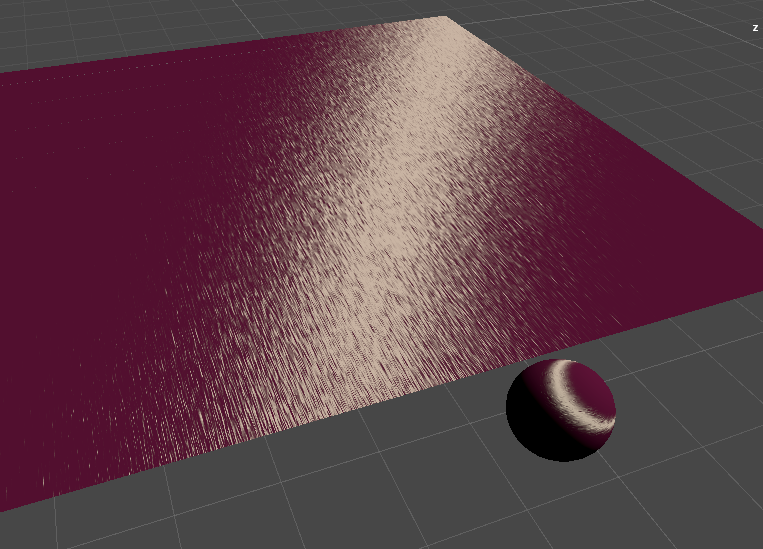
now i just have to combine that with my slik/satin shader
 random meadow
hey, her'es a real simple question. If i have a float3 and add a float4, what happens?
fixed4 c = tex2D(_MainTex, IN.texcoord); // lets say c = (0.5, 0.5, 0.5, 0.5) fixed4 b = (0.25, 0.25, 0.25, 0.25); c.rgb += b; c = ?
is the alpha channel of c still 0.5?
still carbon
yeah because you're only modifying the .rgb component, nothing else
 stone sandal
kind of late but @foggy falcon if your blackboard is having problems first try upgrading past 5.4.x or find Windows > Layout > Reset it Factory Settings and the blackboard usually returns. AFAIK we put a fix in after 5.2.x
foggy falcon
@stone sandal - I'll try that later today, thanks!
 slate patrol
Is it possible to get all the ShaderVariants inside the shader variant collection file?
From the editor-side code, of course
I'll explain why I want that: by calling warm-up on the shader variant collection Unity compiles ALL of the shader variants inside it. This is not ideal for me because I want to initiate that process on a loading screen and currently, with that behavior, it looks as if the game has frozen.
I want to write a tool that'll accept a shader variant collection, split it in multiple shader variants collections and then warm them up one by one to avoid the confusing behavior of the game seemingly freezing.
frigid zinc
you can add/remove/and check if one exsits
but no i don't see anything to read every value
frigid zinc
you could try loading the object as a resource
and reading it that way
totally untried but i know other editor settings can be modified that way
Unity is the ultimate game development platform. Use Unity to build high-quality 3D and 2D games, deploy them across mobile, desktop, VR/AR, consoles or the Web, and connect with loyal and enthusiastic players and customers.
people do it to automatically add tags and such
slate patrol
Interesting. Hmm...
frigid zinc
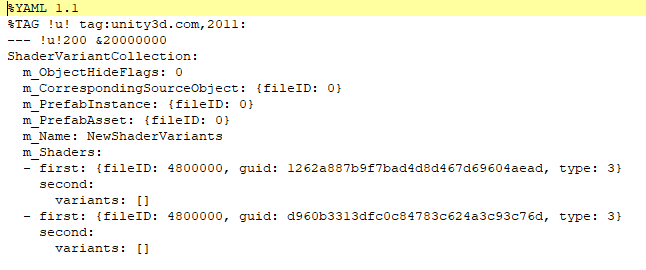
they are just YAML files
but this is probably why they don't allow a way to read the list
they only save them as GUIDs, not by name
slate patrol
I feel that it can be easier to just brute-force the entire material library and just check their configurations against the collection
frigid zinc
there has to be a way to convert a GUID to a name
since they do it on the ShaderVariantCollection interface
but i'm not that familiar
foggy falcon
@stone sandal - Issue persists even after factory layout reset. I'll go ahead and manually upgrade to the latest working package for the beta and revert to PM sources once that's available.
 light basin
 tardy hazel
Question about surface shaders and finalcolor:
finalcolor functions in Surface shaders appear to be applied before lightmapping is done, so I've got an issue with a shader that is tinting everything towards a flat color in finalcolor, but doesn't look correct if the scene has lightmaps
Is there a way to configure that so it's applied after the lightmaps? (or is there a finalcolorforrealthistime thing that can be used?)
I know that using a custom Lighting function works, but I need access to the Input struct, which the lighting function doesn't get
Hm, actually it gets weirder than that
The lightmaps aren't applied on top, the tint is just... wrong
frigid zinc
, Light Probes
and similar extra sources.```Like if I tint towards solid blue, when there's lightmaps the tint is slightly darker-but-still-solid blue
frigid zinc
finalcolor is supposed to modify lightmaps too
tardy hazel
Yeah that's why I'm a bit confused - the presence or absence of lightmaps should have no effect
This is my finalcolor function:
        void FinalColorHeightFog(Input IN, SurfaceOutput o, inout fixed4 color)
        {
            // Lerp to the height fog color based on world space height
            float fog = smoothstep(_FogHeightMax, _FogHeightMin, IN.worldPos.y);
            color.rgb = lerp(color.rgb, _FogColor.rgb, fog * _HeightFog);

            // Tint to _WorldFadeColor
            color.rgb = lerp(color.rgb, _WorldFadeColor.rgb, _WorldFade);
        }
are you sure you want to replace the color
instead of multiplying it?
color contains the colors as they already exist
color *= _ColorTint;
to apply a tint you multiply it by your tint for instance
otherwise you're throwing away all the existing lighting info
oh wait, I see where you lerp from color.rgb
nevermind
tardy hazel
Yes, in this case the goal is specifically to replace the color
Throwing away the lighting is what I want
frigid zinc
then that should do it hehe
tardy hazel
And it does, as long as there are no lightmaps
As soon as the object has lightmaps the final color comes out a bit darker
HA just found it I'm dumb
That world fade had a non-zero value
I had an related script with some bad values
frigid zinc
ahh
tardy hazel
I have a script that executes in edit mode and sets the global shader params
I'm not sure why but it had a bad value and didn't take effect until after I baked lightmaps on this scene, probably a bug in the script
frigid zinc
maybe, but good you figured it out 😃
 wild palm
I'm seeking a effect similar to the one on the demon in this picture. Anyone got any leads; or know of anything I could get off the asset store that would create a effect like this?
frigid zinc
what pipeline are you using?
frigid zinc

GitHub
A library of Shaders created using Unity's Shader Graph. - UnityTechnologies/ShaderGraph_ExampleLibrary
i'd probably look at this shadergraph example library, it has a lot of overlay style shaders like that
i'ts for LWRP
but i'm pretty sure adapting the graphs to HDRP wouldn't be hard
 still orbit
In 18.3+ they will just work on HDRP
But if you want all the extra features of HDRP (SSS, aniso, etc) youll need to switch out the master node to an HDRP specific one.
frigid zinc
oh they will? that's cool. I wasn't aware it was that clever hehe
still orbit
Yup 😃 PBR and Unlit master nodes can generate shaders for both render pipelines
If you have both pipelines in your project, it will generate a shader that works on both
frigid zinc
i see, good to know 😃
tardy hazel
I've come to another finalcolor conundrum
Everything was cool after earlier...
until a point light was added to the scene
Something like the bounding box of the light's volume is lighting up the tinted parts of the material
Hm, not just point lights
Any un-baked pixel light will light up even the tinted parts of the mesh
The lights brighten up the tinted parts even if the light's color is set to black. The amount they light it up is determined per-light, and doesn't change with the color or intensity
It happens only if there is more than one pixel light
So I assume it has something to do with additional lights adding more forward passes to the object
It seems them like the finalcolorfunction is actually run once per forward pass, and the results of subsequent passes are still added on top of the previous one
Which means I have to make sure to not do the fade-to-fog color on any passes after the first
Is there some way to determine, from inside the finalcolor whether or not I'm in the first lighting pass?
(apologies for the wall of text, I'm partially rubber-ducking here)
YES figured it out, there are some defines that get set when the pass is an additive light pass
            #ifdef UNITY_PASS_FORWARDADD
                half3 fogCol = half3(0,0,0);
            #else
                half3 fogCol = _FogColor.rgb;
            #endif

            // Lerp to the height fog color based on world space height
            float fog = smoothstep(_FogHeightMax, _FogHeightMin, IN.worldPos.y);
            color.rgb = lerp(color.rgb, fogCol, fog * _HeightFog);
That first bit did the trick
 ornate blade
Hey guys, Im trying a different approach to my scanline shader and would appreciate some advice.
So, my previous approach had me using checkerboard, but I can only have regular spacing with that (my lines equal to the spaces)
So, im trying with rectangles. But if you tile the rectangle, it just shrinks or grows it, it doesnt actually ... TILE IT
Any ideas on how i can get that cross there to be tiled across the object?
ornate blade
I did that, but it doesnt tile, it just shrinks it
still orbit
although i think you have to fraction node after the tiling node
yea we chose to retain that functionality as its hard to get it if you want it otherwise
fraction the UVs
still orbit
no no, i just made most of the nodes 😛
ornate blade
yeh that too haha. I'll be honest, you have made me look so good at work lately. I show my shader work to the project manager, he's just like 'damnnnn'.
still orbit
glad youre getting good results from it 😃
 whole citrus
https://forum.unity.com/threads/per-object-render-queue-in-instanced-rendering.639262/
Not shader related but graphics, does anyone know a way to modify the render queue in instanced rendering?
Unity Forum
We're drawing all our minimap items in a single instanced drawcall. They have transparency so we cannot easily do z-testing.
How would i go about...
 safe whale
Hey guys, does anyone know how can I reference the screen vertices so I can manipulate them? I'm trying to make an effect where I'll make the top two vertices come closer in order to create an illusion of perspective. 🤔
 sand perch
Hi there ! Do we know what's the status on 2019.1.0b having all ShaderGraph classes changed to internal (so it's not possible to create custom nodes anymore) ? I've posted more details on the forum (https://forum.unity.com/threads/feedback-wanted-shader-graph.511960/page-39#post-4277854) , initially didn't want to double-post here but this channel seems much more active 😃
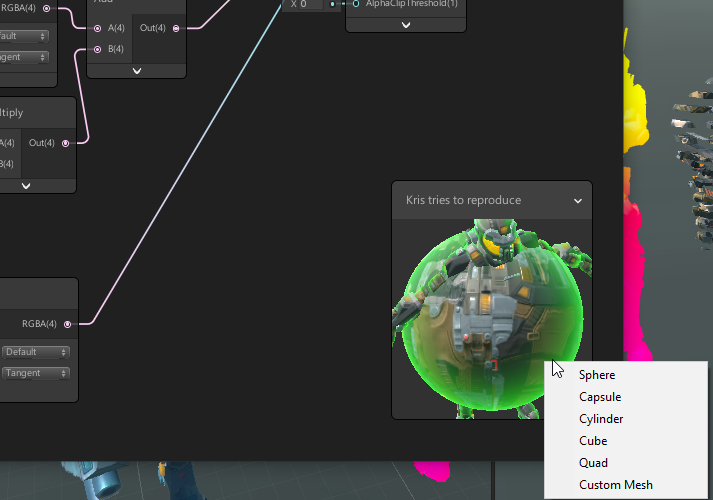
Unity Forum
Another question for Shader Graph team, if I don't care about future migration to 2019.x and SG 5.x/6.x, what can I do to workaround the limit on...
stone sandal

GitHub
NOTE: DO NOT MERGE BEFORE #3051
Purpose of this PR
Adds Custom Function Node
Refactors Subgraph Output Node to support all port types and renaming
Adds ReorderableSlotList View to handle the above...
sand perch
thanks ! Actually I've been through this PR already but it's unclear if it's adding the ability to create nodes from an HLSL file, or if it's as powerful as the previous API (which meant you could add custom UI like I did in the screenshot, and especially manage how this UI will end up generating code).
The ability to create a node from HLSL code directly would be neat indeed for most users who just want to find code online and copy paste it in their graph; but for more advanced usage it's not at all equivalent to what we could do with the old (now internal) API
stone sandal
there is an include file option
on the node there's a drop down that lets you specify an HLSL include and drop that code into the graph
the node also supports custom inputs and parameters like the drop down menus you have
maybe not actual drop downs yet...
sand perch
oh that's neat ! I'm not sure it's enough thought, to give another example: I did a node which get the resulting shader at this node and bake it into a 2D texture, a cubemap, or a flipbook (by animating time) based on parameter in this node. Do you think it will still be possible ?
stone sandal
I don't remember, don't quote me lol
 rotund tusk
only the built-in types atm
stone sandal
^^
rotund tusk
you'll need enum control support to do the noise node you posted above. then there would have to be some variant options exposed based on the enum value, like use this hlsl file instead or define this preprocessor macro instead
sand perch
Yes I agree with the custom-enum support, the noise node is totally doable
rotund tusk
for the texture bake, you won't be able to do that. there's no code that is run as the graph is evaluated other than the hlsl generation with the custom function node
sand perch
😦 it was so useful I guess I'll be stuck on the previous version for a while
I guess it's the same answer for custom master node like this ? This one is like the SimpleLit from LWRP, but I've got another one that's different.
rotund tusk
ya. we weren't happy with the API so made it internal. we are working on a solution to replace that API that we think will work well for everyone
sand perch
Is there no chance to have both the "new" API that's easier to use for users, as well as the "old" one that's more complicated but more powerful (e.g allow some C# code in between UI and shader generation) ?
I loved it so much, to be able to extend the functionalities instead of having to wait for something to be supported officially was so useful
rotund tusk
ideally the new API would be just as powerful. a big issue with allowing the old API to persist is that we'd then have to support two APIs
sand perch
But the old one is still there, it's just internal, isn't it ? And I feel like the new one can never be enough (e.g cover all use cases) if it can't run C#, don't you think ?
rotund tusk
that's a lot of extra work to maintain both sides of the codebase
ya still there but internal. it's undergoing changes. the overall shadergraph API is going to be internal until we think it is ready
sand perch
Well I guess I would have preferred that the old API become internal only when the new one is at least feature-equivalent; I don't mind having to work to port my custom nodes to the new system 😃 it's just that right now, there's nothing I can do to be able to update to 2019.1 ...
Anyway thanks for answering my questions @rotund tusk ! Now I can understand a bit better where it's headed. And I hope I've given you a few use cases to consider 😃
rotund tusk
no problem. the evaluation-time texture bake is a pretty good use case and i can think of a few others
sand perch
One thing I forgot to mention regarding the noise node I posted above: I don't support all combinations (like Simplex-3D), because I haven't coded all the possibilities (yet). What happens at the moment is that when you select Simplex, it removes the 3D value from the 2D/3D dropdown so the users can't end up in a non-supported state. If I've only the support for enum-control that rely directly on my C# enum, this might be impossible to do (in which case the UX will end up not as good as it is right now).
In the case of the noise node dropdown above, it doesn't use the EnumControl class but a custom one to support this.
It's so specific that it will never be do-able without some user-side C# code to manage this. Another use case about why I feel HLSL won't be as interesting. 😃
 broken field
Looking forward to the return of custom node here, so I can mess about with vegetation studio a bit
I'm on 5.6.1 HDRP, wondering if anyone knew when Kink's work will drop
fervent tinsel
it's passed all the reviews last week (also for the PR that it relies on)
but they must be busy now as GDC is almost here
have noticed PR's stacking up now
I'd really want the custom node + nested subgraph PRs to get merged 😃
they kinda go together as you can't make easily reusable nodes with custom function node, you'd need to wrap it inside subgraph so you can make reusable subgraph node out of it
right now if you do put custom function node into subgraph, you will rule out other subgraph usage out of that as right now you can only use subgraphs from main graph
but once you can nest subgraphs, this isn't going to be an issue anymore
broken field
I just want to block out some vegetation and get started making the world look rather nice
Would prefer unity's built in vegetation rendering but not reason why I can't swap later.
 somber bolt
Hi guys.
Shader noob here. How do you use #includes to reference shader files that don't exist in the same directory?
I've made a copy and renamed the LWRP Lit shader. However it references several other shaders using #include. So these includes are now broken...
The editor path would be
Packages>Lightweight RP>Shaders>
but is it possible to reference the package directory at compile time?
frigid zinc
#include "../Lux Core/Lux Config.cginc"
you can use relative paths
this goes back a folder, then into Lux Core
for instance
somber bolt
ok.... will try. Didn't think you could reference anything outside of Assets
frigid zinc
oh well you can't i don' think
i assume whatever you were after was an asset
but LWRP is in assets to isn't it?
just in the Pacakges folder
I've never tried to do that though
so not sure if it wil work
somber bolt
I see Packages at the same level as Assets in my Project
uncut karma
Package hlsl is referenced starting with package name
Similar to full path "Assets/" hlsl includes
frigid zinc
so would start with LWRP/.. ?
uncut karma
I think its com.unity something
uncut karma
On phone cant check
frigid zinc
i can fire up an LWRP project and see
uncut karma
It was a specific unity version where that started working
frigid zinc
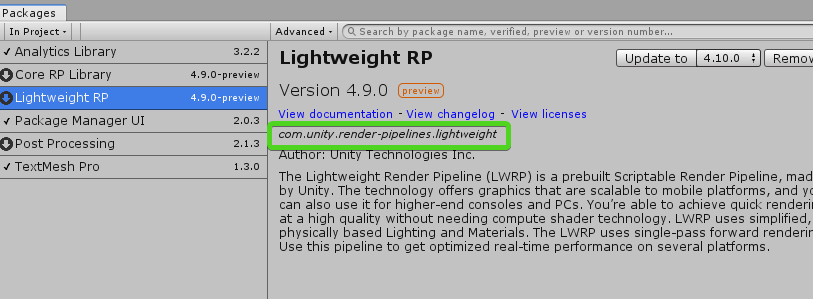
com.unity.render-pipelines.lightweight
uncut karma
It used to be actual hdd paths
frigid zinc
you can look in the Manifest.json in the "Pacakges" folder under the project to get those names
 somber bolt
Thanks... makes sense. The following definitely doesn' work :)
#include "Assets/Lightweight RP/foo.hlsl"
rotund tusk
it would be "Packages/com.unity.render-pipelines.lightweight/"
and then add the rest of the the path to whichever hlsl file you want to include
fervent tinsel
@somber bolt three options, 1) use relative paths 2) use Packages/packagename/path if you ref to shader that exists in package 3) use Assets/path if your shader exists in assets folder
ah, if you ref to LWRP shaders, what wyat wrote would work, you can't use relative paths to ref things on another package
 tranquil zephyr
Anyone knows how to use the built-in shaders package you can download from the Unity archive?
When I move it to my project I get a few errors about seemingly missing API
Looking at the Unity source code repository, both of those missing properties seem to be internal scoped, and given their assembly is the Editor assembly, shouldn't I be able to see them if these scripts are placed inside an editor folder?
broken field
Hi all
Rendering weapon small in shader graph looks bad with TAA, is this a known issue?
for FPS games etc
frigid zinc
that shader trick so it won't go through walls?
or do you mean small for like, UI icons
dusk ravine
hey, I'm using a snippet from this tutorial: https://catlikecoding.com/unity/tutorials/rendering/part-16/ to try to sample the directional lightmap (in a forward base pass)
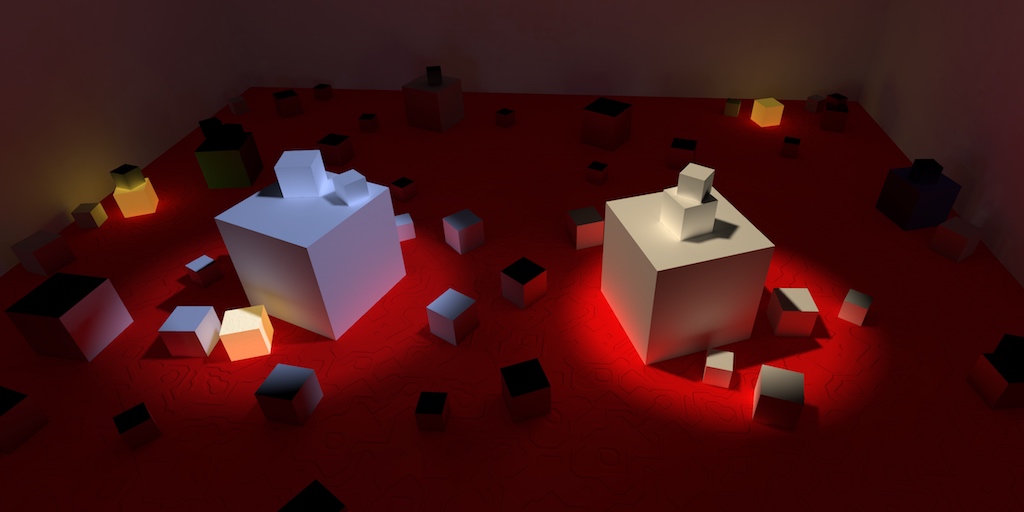
A Unity Rendering tutorial about supporting static lightmaps and light probes. Part 16 of 20.
everything I've found online makes me think this should work properly, but I get an error
here's the code:
    unity_LightmapInd, unity_Lightmap, i.lightmapUV
);```and the error:
(on d3d11)```the only info I can find about that error claims that a) it only happens when building and b) it was fixed in 2018.1 (i'm using 2018.3)
https://issuetracker.unity3d.com/issues/building-standalone-throws-dot-dot-dot-program-frag-surf-unrecognized-sampler-samplerunity-lightmap-error-with-specific-shaders
Steps to reproduce: 1. Download and open the attached project 2. Build for standalone 3. If no error is thrown, repeat step 2 Expect...
anyone have any ideas?
broken field
@frigid zinc anti wall clip stuff
frigid zinc
@dusk ravine The lightmap texture is define in UnityShaderVariables as unity_Lightmap.
I take it you imported that include?
also want to be sure you're not trying this on LWRP or HDRP. that tutorial is for standard pipeline
@broken field I haven't had a chance to try that shader myself, but as I understand it, it's just fooling the camera into rendering the tiny gun larger than it really is. I guess that could mess up screen effects depending on the order they occur. when I was running FPS Sample the other day, I was thinking about how 0lento said the scaling might affect lighting, so I took an extra hard look at the gun, and as I recall the gun looked fine. but I don't know if they have TAA turned on for that demo.
dusk ravine
yep! It's included (in fact, I can sample the actual lightmap no problem). yeah this is the standard pipeline
tranquil zephyr
Anyone knows if it's possible to apply a surface shader before the vertex shader passes?
frigid zinc
@dusk ravine you added a sampler for the lightmap? sampler2D unity_Lightmap;
here's someone's working example:

Gist
Example depicting applying Unity lightmapping data to a simple diffuse shader. - UnityDiffuseLightmap.shader
dusk ravine
huh, I'll take a look at that
frigid zinc
i should probably say 'supposedly' working because i didn't try it lol
dusk ravine
when I add sampler2D unity_Lightmap; it automatically comments it out when i compile lol
i think it's defined already 'cause i dont get an error when referencing it
frigid zinc
well you are getting an error saying it can't find it
it may very well be due to having no sampler
dusk ravine
true enough lmao
well, i've got fixed4 lightmap = saturate(fixed4(DecodeLightmap(UNITY_SAMPLE_TEX2D(unity_Lightmap, i.light_uv)),1)); in the same shader for sampling the lightmap itself, and that works no problem
frigid zinc
oh well is that before or after the point of error
shader compilers stop at first error and don't pick up further errors.
dusk ravine
after... but if I comment the part with the issue it's no problem.
frigid zinc
hm
dusk ravine
good point though
frigid zinc
then likely it's a completely different problem
like a missing ; or }
sometimes those manifest as completely stupid errors lol
dusk ravine
i guess it could be!
frigid zinc
if it was really about unity_Lightmap it would happen in all places
dusk ravine
yeah i think you're right
it's just these two lines, though, and if i comment them out i don't get any errors
so i don't think it's a syntax thing???
but who knows
i mean really it's just the first one lol
frigid zinc
and you know unity_LightmapInd is valid
what if you replace that with something else
frigid zinc
also it's a totally different macro it seems
TEX2D_SAMPLER instead of just TEX2D like the other
so theres several reasons it may fail and the other doesn't
dusk ravine
yeah, apparently it's a special sampling method because unity_LightmapInd doesn't have a sampler of its own? or something?
frigid zinc
yeah i don't know
dusk ravine
according to this tutorial:
"Because the intensity and the directionality maps are always sampled in the same way, Unity uses a single sampler state for them, when possible. That's why we had to use the UNITY_SAMPLE_TEX2D macro when sampling the intensity map. The directionality map has been defined without a sampler. To sample it, we have to use the UNITY_SAMPLE_TEX2D_SAMPLER macro to explicitly tell it which sampler to use."
frigid zinc
i'd try to find working examples of both MACROS
to ensure they are being used right and have the right inputs
dusk ravine
good idea
aha, from https://docs.unity3d.com/Manual/SL-BuiltinMacros.html:
UNITY_SAMPLE_TEX2D_SAMPLER( name,samplername,uv) Sample from Texture (name), using a Sampler from another Texture (samplername).
so i think that's being used correctly... unity_LightmapInd is the direction texture i want, and unity_Lightmap has the sampler i'm using
and i know my uvs are correct
frigid zinc
i'd still try to find a working example
dusk ravine
sure, fair enough
frigid zinc
either there's something you're missing in setting it up
or like i said before, it's some syntax error that is triggering a false error
dusk ravine
oh, here we go:
if I do float4 lightmapDirection = UNITY_SAMPLE_TEX2D_SAMPLER(unity_Lightmap, unity_Lightmap, i.light_uv);
that works fine
it's just an overengineered way of sampling the lightmap lol
frigid zinc
maybe unityLightmapInd needs a sampler too
dusk ravine
like this?
float4 lightmapDirection = UNITY_SAMPLE_TEX2D_SAMPLER(unity_LightmapInd, unity_LightmapInd, i.light_uv);
that gives me a new error: undeclared identifier 'samplerunity_LightmapInd'
dusk ravine
yup, no dice. it's declared already:
// Upgrade NOTE: commented out 'sampler2D unity_LightmapInd', a built-in variable
same with unity_Lightmap
frigid zinc
ok
dusk ravine
well, thanks for trying to help
frigid zinc
yeah sorry. i'd have to have the shader and play with it for hours to find the solution most likely
and unfortunately i'm tied up with something else today
dusk ravine
yeah no worries
 tardy spire
I'm kinda new to shader graph (and shaders in general). I'm trying to figure out why my 4 corner gradient shader is invisible in the game view
The material is on a ui image and the shader uses the uvs for the gradient
lemme know if i need to post the nodes somewhere Here's the nodes https://i.imgur.com/jJIBsd2.png
tardy spire
Hmm. I changed the canvas to "screen space - camera" and that seemed to solve it.
 proven sundial
If someone who has Amplify Shader Editor, and decent shader skills would make a LWRP Shadergraph fork of this git, they would likely drown in karma and friend-requests! 😉
https://github.com/AdultLink/RadialProgressBar

GitHub
Customizable radial progress bar shader for Unity3D. Allows you to set arc range, minimum and maximum colors, textures, radius, and a few more things. Create HP Bars, Speedometers, rank progress, e...
sand perch
@proven sundial noted 😃
proven sundial
@fervent tinsel Didn't mean to sound "do this for me".. 😃 I just came across it and thought it would be a good learning experience for someone before I closed the tab. On my own end I need to work up the guts and time to tackle the toon shader with HSL map that I need for my project.
 raw summit
hey, does anybody know if it is possible to have a single shader display differently on each gameobject it's attached to based on variables set on those game objects? In other words, are shaders automatically instanced to each game object or is there actually just a single shader at runtime?
frigid zinc
the same shader can have different settings by virtue of the material used.
but also you can create instanced materials to have more than one copy of the 'same' material
so should be very doable
raw summit
where is the standard shader located in the source code? I'm looking at /DefaultResourcesExtra/Standard.shader
but the properties don't seem to match what I see in unity
frigid zinc
the shaders have to be downloaded separately
Unity
Unity is the ultimate game development platform. Use Unity to build high-quality 3D and 2D games, deploy them across mobile, desktop, VR/AR, consoles or the Web, and connect with loyal and enthusiastic players and customers.
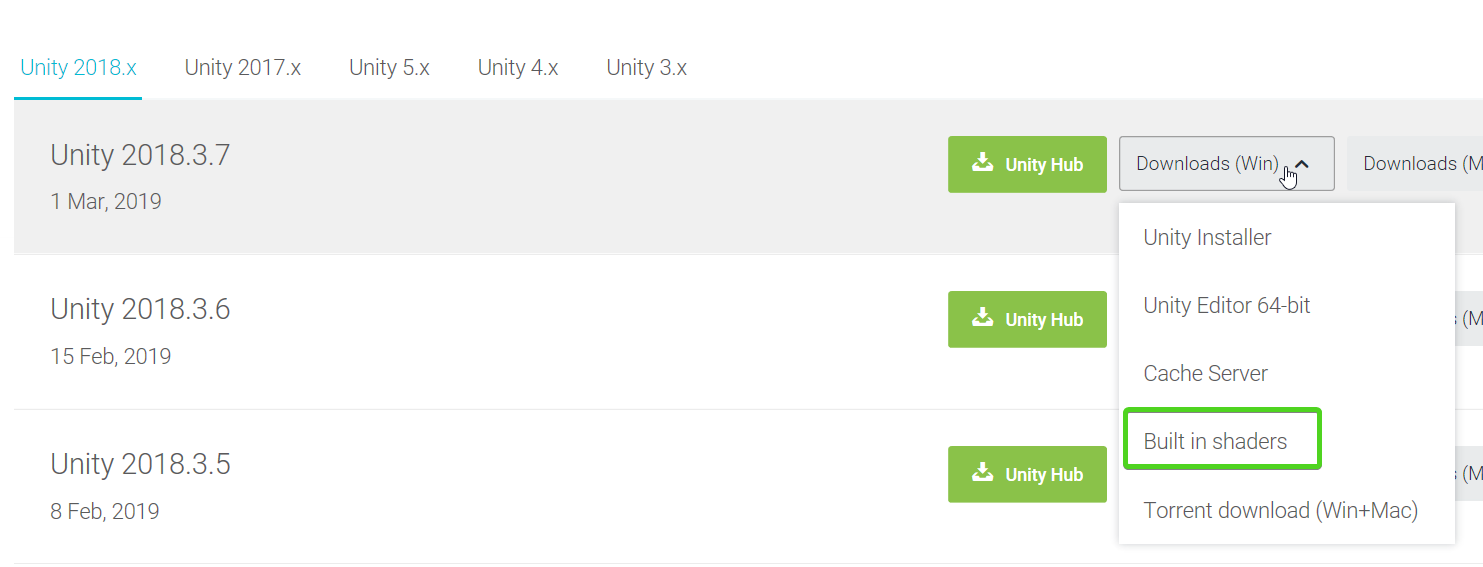
go there and pick your version of unity, and change the dropdown to "built in shaders"
this assume standard pipeline however
if you're using HDRP/LWRP those should be in the packages folder for the pipeline
so depends which 'standard' shader you're talking about
it's all very confusing now with 3 pipelines
raw summit
I did that, I'm using standard pipeline, I just don't know what files to look at in the source
frigid zinc
let me look, I once modified the standard shader to take a rotation parameter, so I could rotate textures arbitrary amounts
i think it's just called "Standard.shader"
but you never said what version of unity you have
frigid zinc
yeah it's in DefaultResourcesExtra\Standard.shader
raw summit
I guess if it is standard shader what I'll do is copy the code that is there then if anything I need is missing I'll try to ask a more specific question
frigid zinc
well i can tell you just to make the simple change of rotating, not only did i have to copy Standard.shader but two cginc files
raw summit
bump = normal; parallax = height map ?
frigid zinc
UnityStandardCore.cginc and UnityStandardInput.cginc
and I had to make custom versions of those too
making changes to the standard shader isnt' trivial
it's often better to just make your own custom shader
raw summit
I'm depressed that I have to learn shader syntax
frigid zinc
i found shaders incredibly overwhelming at first
but i wanted to learn them so bad because you can do so much with them. I pushed myself to wade through the bog to the other side of understanding. was totally worth it.
 carmine idol
@raw summit If you find yourself depressed to have to learn something, I'd question why you're learning it. Learning should never be depressing, it should be exciting. If you're not excited, I'd search for other things to learn. You don't have to learn everything; pick and choose, and then find people that can do the things that you don't want to do. Share the work load, just make sure everyone is passionate about their role.
And if you can't find someone to help with shaders, grab one of the visual shader tools such as Amplify Shader Editor.
raw summit
@carmine idol thanks dude. I feel really motivated now. I'd say it's like finding Toad instead of Princess Peach.
carmine idol
No problem man. 👍
raw summit
Does anyone know, definitively, if http://developer.download.nvidia.com/CgTutorial/cg_tutorial_frontmatter.html is relevant to unity's implementation of CG?
frigid zinc
unity mostly uses HLSL syntax, with a CG wrapper
(I think...)
In Unity, shader programs are written in a variant of HLSL language (also called Cg but for most practical uses the two are the same).
well i guess that's a useless distinction
i always just use HLSL references
raw summit
yeah I'm just looking for a language reference that is more complete than the limited examples offered on the unity website
frigid zinc
sure, i get that, book probably wouldn't hurt, i expect 99% of it will be the same/similar
raw summit
Did you notice the word "definitively" in my question?
frigid zinc
yes but i chose to ignore it because in Unity nothing is definitive 😛
NVIDIA Cg Toolkit Documentation for round
i tend to use the online reference for shader functions
it is CG 😃
but just to know what particular functions do
everything else i use HLSL references
but if you really want to learn how to write shaders, a tutorial series like Catlike-Coding is what I recommend. it's a from the ground up functional walk through writing shaders.
A collection of tutorials that cover how to write your own shaders in Unity.
raw summit
It's like, how does the shader know to use the Input struct you define? and how does it call the surf() function defined in the subshader?
Where does the data for the elements of the input struct get populated from? if I add a float2 uv_HeightMap field will it put something there?
 thorn horizon
Sorry to interrupt, but does someone here knows how I could write on the stencil buffer depending on a texel value?
frigid zinc
this might be helpful: https://www.ronja-tutorials.com/2018/08/18/stencil-buffers.html
Ronja's Shader Tutorials
Summary The depth buffer helps us compare depths of objects to ensure they occlude each other properly. But theres also a part of the stencil buffer ...
thorn horizon
That's what I've been using, but I miss the part where I'd like to use a texture and not write in the stencil buffer when a texel has it's alpha equals to zero
frigid zinc
hmm
thorn horizon
If it's doable
The goal here was to have a second sprite inversed mirroring the character at his feet. Then only display it when there's water pixel
frigid zinc
i'm not sure exactly what you're trying to do but you could try:
if (col.a == 0.0) discard;
Thanks, I knew you could skip fragments but I didn't remember the syntax
I'll try that
(Been a while since I did some shader stuff haha)
frigid zinc
yeah i had to look it up myself.
it's a lot to remember hah
unless it's the only thing you do all day, every day
thorn horizon
Looks like it works, thanks!
frigid zinc
no problem
raw summit
visiting pages like this makes me think Unity is not getting the hype it once was: http://wiki.unity3d.com/index.php/Shaders
nothing new since 5x
 vocal narwhal
nobody uses the unifi wiki, there's been like <15 changes in the last 30 days
almost all by the same person
raw summit
nobody uses any website associated with unity these days, as I can't find shader examples for a relief shader from later than 2012, when people used fragment instead of surface
vocal narwhal
nothing wrong with fragment imo 🤷
 echo badger
In HDRP and Shader Graph. 4.10 is it possible to make a cell shader?
frigid zinc
almost anything is possible.
GitHub
A library of Shaders created using Unity's Shader Graph. - UnityTechnologies/ShaderGraph_ExampleLibrary
echo badger
I mean just using Shader Graph as it is right now
frigid zinc
there's a few examples of different effects here
yes and that's what I mean
you can do just about anything with it
echo badger
btw i mean *cel shader
frigid zinc
cell shader/toon shader is a very simple kind of effect
echo badger
That is what I figured. But for the life of me I can't figure it out.
frigid zinc

Tips on how to recreate the iconic look in Unity's node-based shader editor
someone wrote an article about it, using SHadergraph
echo badger
That one requires custom nodes in LWRP which I am not quite sure how to port to HDRP
frigid zinc
what kind of custom nodes?
only thing about custom i see him say is that it has no custom nodes.
Note: the TangentToWorld node you see on the left is not a custom node, but rather a SubGraph. I made it because at the time there was a bug in the Transform node, so I had to reimplement the conversion (from tangent space to world space) with a SubGraph.
echo badger

Gist
A custom node for Unity's ShaderGraph to capture lighting and use it into the shader. Works as of July 2018, but the APIs might change! - MainLightNode.cs
In the picture of the graph you can see it in the "Lighting" area
frigid zinc
i see, missed that part.
custom nodes are just a convenience for the most part.
you can just build what the custom node is doing out of regular nodes
and anyway you don't have to do what he did verbatim, ti's mostly for learning
i'd probably do my own style of shading
frigid zinc
there's a node to get light direction
but anyway, i'm guessing this is a bit over your experience level.
HDRP currently doesn't support custom nodes, they had it for awhile, and removed it because they didn't like the implementation.
they plan to reintroduce a new system later. but it won't work with that style of custom node syntax, so either way you'll never be able to use that exact piece of code in HDRP
you'll either have to adapt it to the new syntax or write your own.
echo badger
Well that is why I was asking if it was possible with just the shader graph as it is 😛
frigid zinc
(or as i said, make it using regular nodes)
it is but you'll have to replicate what the custom node did with regular nodes
frigid zinc
there has to be a node for getting light direction already
that's a very simple basic thing that tons of shaders need.
and I would find it hard to believe it's not already implemented.
i wish they would put the documentation on their site with everything else
i can never find it
echo badger
I have check every node that seems like it could possibly have it with no luck :/
frigid zinc
@still orbit Does shadergraph really not have a node for light direction?
stone sandal
it might not do right now, the sad fact is that there's pretty much no time to actually make new nodes right now
got a lot of other larger scale things on our plates to do first :/
frigid zinc
ok, well i'm just really surprised. almost every shader I've ever made with Amplify needed the light direction node.
frigid zinc
Sorry @echo badger I had no idea it was that unfinished.
fervent tinsel
I'm probably thinking of something different
frigid zinc
it's for either. so you know what direction the light is coming from
echo badger
Well I found this that the same guy wrote https://connect.unity.com/p/getting-light-information-with-a-custom-node-in-shadergraph

Custom Nodes are a formidable addition to ShaderGraph to extend its functionality
frigid zinc
i couldn't find any nodes with light in the name on the documentation site
maybe the documentation is just out of date
echo badger
Though from that it looks like the shadow of the cel shader is only affected by a single light
frigid zinc
yeah that's normal, it's a bit more complicated to reference multiple lights in a shader
frigid zinc
also that's part of the cel-shaded aesthetic, just shadow and no-shaddow
not much in between
echo badger
My problem is that my game is entirely underground so there is no single light source
So, trying to find an aesthetic suits it.
frigid zinc
well in a shader, the 'main light' is always considered to be the brightest in the scene at any given moment.
so it should be fine.
echo badger
Oh really?
echo badger
Well, I shall give it a go and see what I can make of it and if it will work. 😃
Thanks for your help!
frigid zinc
A Unity Rendering tutorial series about supporting multiple lights. Part 5 of 20.
"Unity will use the intensity to automatically determine the main light."
echo badger
Oh, was hoping it would be closest
raw summit
there's a shader graph? I've spent all day trying to code this
carmine idol
I tried to tell you that earlier. Lol
Has anyone used Amplify Shader for mobile development? I'm thinking about picking it up myself for this mobile game. I'm just worried about the performance of slightly more complex shaders on a mobile device.
raw summit
ok, another random question. Why are vertices often stored with four coordinates? What's the fourth one for?
frigid zinc

Stack Overflow
void main(void)
{
vec4 clipCoord = glModelViewProjectionmatrix * gl_Vertex;
gl_Position = clipCoord;
gl_FrontColor = gl_Color;
vec3 ndc = clipCoord.xyz / clipCoord.w;
So the clipCoord is...
i'm not positive however, that unity uses w like that
it's best to check the unity shader docs for specifics of unity
the Shaderlab reference has everything about all the specifics of standard pipeline syntax
raw summit
Yeah, should have googled that one a bit more. It's usually 1, used in division operations apparently
frigid zinc
Unity Forum
In the vertex input data structure to vertex shaders, you specify a position as float4:
     struct vertexInput {
        float4 vertex :...
yeah it seems unity pretty much always keeps it 1
so there's really little reason to divide by it
Generic OpenGL mostly uses that kind of thing
broken field
you never talk about number 4
frigid zinc
it's the appendix of the shader world. kind of unnecessary at this point but still hanging around 😛
frigid zinc
i missed where you said what type of shader you were making.
still orbit
Late with answer but light data is complicated in SRPs
Basically unworkable in HDRP with it's tiled deferred/cluster forward renderer
Direct direction is possible in LWRP but with it's single pass renderer you need loops to offer full custom lighting
And then there's the issue that lighting can and will be implemented completely differently per SRP
frigid zinc
so if i wanted to do something with a highlight from the main light in HDRP, there's no real way to do that?
still orbit
I think it's possible to get main directional in HDRP
frigid zinc
he did find a node called Main Light
still orbit
But I can't say I've looked into how exactly
frigid zinc
(which wasn't in the docs)
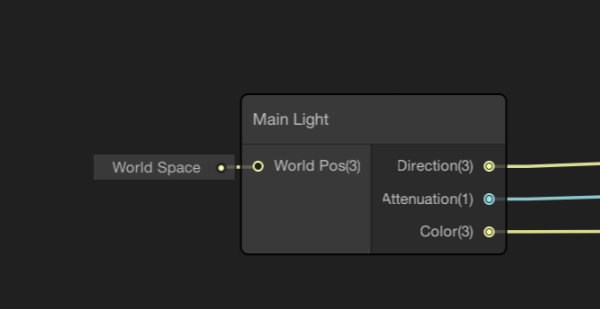 still orbit
I can appreciate that it's important
But it's very hard to solve properly
And we haven't had the time :P
frigid zinc
i see. cest la vie
sure i get that you guys are super busy, especially right now
just wanted to understand better so i can give better advice to people asking
(and for later when i move to shadergraph myself)
still orbit
Understood
frigid zinc
thanks for the info, much appreciated 😃
raw summit
do mathematical operations in .shader files follow order of operations?
raw summit
how many vertexes are there? same as the size of the texture?
frigid zinc
vertex are points on the model.
the vert portion of a shader deals with manipulating the vertex, allow you to modify the shape of the mesh (so to speak) in a pass.
the frag portion handles texturing the surface.
if you haven't gone through the Catlike Coding tutorials on making shaders for unity, I highly recommend it. it will make everything much clearer.
raw summit
I read through one
frigid zinc
oh yeah i already pimped that to you lol
raw summit
it's quite helpful actually
frigid zinc
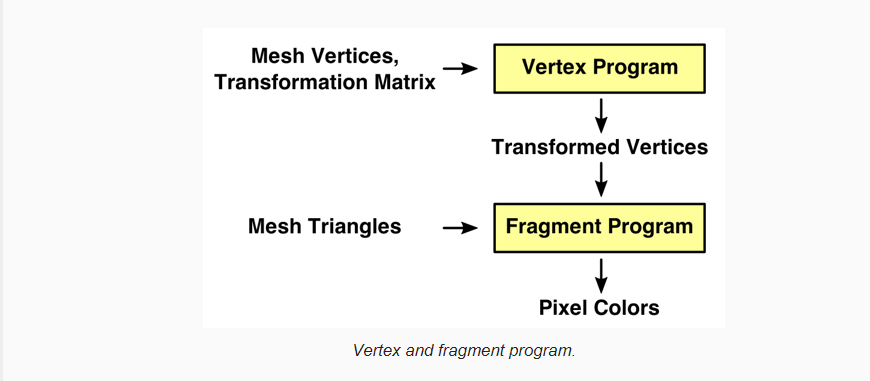
A Unity Rendering tutorial about shader fundamentals. Part 2 of 20.
this part talks about vert and frag
2nd tutorial in the series
raw summit
yeah, sorry, we were thinking the same thing but I said it wrong. I meant points in the UV space
as mapped onto the object when it's UV is created
frigid zinc
they are basically a factor of how big the triangle is on the screen
if a triangle covers the whole 0-1 UV space
and its close to the camera, it would be basically the texture resoulution yes
but if its far away, it might only use a few pixels
its really about coloring the pixels in the Fragment part
the camera, the mesh, and the UV coordinates all factor into determining what color goes on what pixel
frigid zinc
first shaders can be difficult 😃
raw summit
originally I was passing the vertex info to the surface shader to color, but I kept getting the 11 out of 10 error
honestly I don't know how one could program anything interesting with such a strict requirement
it makes me want to go back to unreal engine
frigid zinc
well if Unreal is the type of environment you're used to, you should probably look into getting ShaderForge or Amplify shader
they are both very nice node based shader systems
and ShaderForge is now free
might be a good place to start
raw summit
I don't understand how that would get around the error I was getting
frigid zinc
unfortunately Shaderforge doesn't work the best on newer unity, but I patched a version to function on 2018.3
well i have a feeling you're doing something wrong
because I've never heard of or seen that error
11 out of 10 what
raw summit
Shader error in 'Custom/TileTextureBlend': Too many texture interpolators would be used for ForwardBase pass (11 out of max 10) at line 26
frigid zinc
usually means you did something wrong or your shader level is too low
higher hardware levels have more interpolators
but really most shaders would never need that many unless they are insanely complex
which is why the node stuff is nice, it handles all those details for you automatically.
default level is 2.5 which is potato level
try 3.0
then 3.5
then 4.0
raw summit
I just have the standard: texture, ambient occlusion, heightmap and normal map
carmine idol
I went ahead and bought Amplify Shader earlier.. it's awesome, for sure. Writes the code and generates it for you, so you can even use it to learn how to make shaders.
frigid zinc
yeah that's why i think something is probably wrong. if if that simple, you shouldn't be hitting the interpolator limit
uncut karma
If it is based on a surface shader that can be sneaking extra texture interpolators in (unity_lightmap shadowmap etc)
raw summit
#pragma surface surf Standard fullforwardshadows
I wonder if I can fix this by just changing that to like secondpassshadows or something
ornate blade
Hey guys, I just had some questions about depth in Unity's shaders. I am trying to replicate a tutorial for a Ground Crack, but the tut is in shaderforge. I am seeing if I can make it in shadergraph. When he makes his hole though, he set it to "write to depth buffer". Now, I know the basic idea of what the depth buffer is (my understanding is that its essentially a 0-1 texture of all the depths of the things in front of the camera. As if i shot a bunch of lasers from it which stopped when they hit something). I did not know that you could actually write to the depth buffer though. Is this possible in shadergraph?
https://www.patreon.com/posts/groundcrack-25105036 <-- this is said tutorial

Patreon
Official Post from VaxKun: Hi there!Welcome to a new tutorial about how to make cracks on the ground!We will cover: ◉ Ground crack texture ◉ Ground crack mesh on 3dsmax ◉ Shaders needed on unity for the effect ◉ A quick set up So lets go ahead to photosho...
it looks amazing
still carbon
shader graph shaders will automatically write the depth of the fragment being drawn to the depth buffer if it's in an opaque or alpha-test mode.
I don't think you can manually output your own value to the buffer from shader graph yet though, but you can from regular shaders
which is what this effect would likely need
ornate blade
hmm I might have to get my manual shader hat back on
I think once the hole shader is done, the crack mesh shader can be done with SG, so thats cool. Thanks for the advice @still carbon 😃
still carbon
I think you could improve on this to not even need the insert mesh by using some parallax math magic
then you'd be able to just decal plop these wherever
ornate blade
I totally agree, thats what i thought it was doing before I read it
Unfortunately, I have no idea where to even begin on that, hence why I was reading it haha
still carbon
@ornate blade I don't think there's actual depth writing here if it's using an insert mesh, it's just alpha clipping the top plane, revealing the inward facing crack mesh below which itself is opaque and thus writing to depth, so you should be able to do this in shader graph. The glow part just being local height of the insert mesh
ornate blade
hmmm. Trying to wrap my head around it. Can shadergraph be used for decals? I am seeing a 'decal projector' for HDRP, but i am currently working in LWRP, so I might run into a wall there
still carbon
well I wasn't speaking in terms of doing a decal type thing, just what they're doing in that post
oh they are using it in a decal manner, nvm
ornate blade
all g 😃
raw summit
hah, not what I meant but indeed you are the correct one
I thought the vertex call in a custom shader would use the UV space to get a coord from the corresponding point on the mesh. I had no idea it would actually just use the mesh's vertices
still carbon
yeah, there is data tied to the vertices, such as UVs, Color and Normal. Most data you pass into a struct from the vertex program to the fragment program simply has the value interpolated to the fragment's position between the structs for the 3 vertices of the triangle that fragment lies in
 wary stump
quick question, is shader graph hdrp ready?
fervent tinsel
yes
wary stump
hmm..
fervent tinsel
all shader graph templates work for HDRP and it got it's own ones as well
wary stump
im probably doing something wrong then.. cause im not getting any output when using it
fervent tinsel
this is from latest HDRP
wary stump
ahh
fervent tinsel
can you show the graph?
wary stump
yea i now saw that
fervent tinsel
you can use PBR Graph on HDRP as well
fervent tinsel
if you've made it originally on LWRP, you just have to resave it and it recompiles it for HDRP
wary stump
native hdrp
fervent tinsel
anyway, point is that all current shader graph types should work on HDRP
there was a bug on Unlit with HDRP 4.6
but that's been fixed on newer versions
wary stump
ok i made a shader using that img you sent, so it works now tnx
fervent tinsel
np
 grave flare
anybody know how to get float values of less than .1 for colors in a frag shader?
col = UNITY_SAMPLE_TEX2DARRAY(_OnesSpriteArray, i.uv) * FOG;
I basically need FOG to be like .02 or something
frigid zinc
how is FOG being defined?
wary stump
uhm..using shader graph is there a way to generate a texture that are just lines of black or white pixels where the y value determines the length and it chooses a number to make it black or white
or is it easier to make a 2d texture and link it..
 knotty juniper
@wary stump should be doable 😃 sounds like a fun challenge i will try my luck on
dry island
I have to ask.
Why is everyone talking about HDRP when it makes no sense using it in your projects? 😄
foggy falcon
it looks real purdy
knotty juniper
currently running 2 Comercial projects with hrdp works fine
fervent tinsel
it's basically what people have been nagging unity at for past decade (that you need thing x and y as Unity doesn't provide them out of the box
now HDRP pretty much gives all the nice toys out of the box
wary stump
@knotty juniper think i figured it out
knotty juniper
nice
wary stump
is there a way, to modify the pixel output of the final result of the shader?
knotty juniper
you mean what comes after the master node? then i do not think so why would you like to do that?`
wary stump
im trying to make an object 'glitch' but its not quite giving me the desired effect, im not sure if i would have to do it in a post processing script or if it can be achieved in the shader graph
the thing is its not the entire screen but just that one obj
wary stump
yea the effect i have now, if i add the position uv it can orient to that
 woven narwhal
We don’t expose that because the shader could be used in a deferred setup, and then you wouldn’t be writing the final output color directly, but instead to a G-buffer. But yeah, should be possible to achieve that via screen space stuff :)
dry island
"now HDRP pretty much gives all the nice toys out of the box"
Thing is LWRP should also provide many of these, only in a less process intensive manner. i.e. there is no reason why LWRP doesn't have a skin shader but HDRP does. Why is there no Anisotropy option in LWRP? Why is there no better alpha sorting in LWRP? Why am I not allowed to choose having an 8K shadow map in LWRP?
It should be my choice based on the hardware I plan to use. They should be there for the RP that is supposedly about ready to come out of preview.
wary stump
wasnt LWRP made for with lower end devices as the target goal?
fervent tinsel
well, it's "lightweight" by definition
it doesn't mean it couldn't have those things
but since it's targeting mobiles and VR atm, it makes sense to focus what those platforms need first
raw summit
@frigid zinc I DID IT! Thanks for your help. Your tuts are super useful.
frigid zinc
well I can't take credit for the tutorals, just knowing where to find them ^.^ but thanks
raw summit
oh, you have cat, catlike tutorials, just seemed like ...
dry island
@wary stump Not really. That is a mistake many people make. In fact, it is HDRP that was meant only for next gen consoles and non gaming related purposes or applications where performance is not the primary concern. (i.e. animation production)
LWRP is/was meant to be what today the Default old pipeline is.
Meant for anything from Mobile to PC, Console and VR.
And with avatars and realism being the focus of VR I am not sure what they had in mind.
With modern VR applications you need to perform steadily at 90fps (high end aiming at 120fps) and 60fps is considered a base performance for old school VR and low end devices. How exactly is HDRP going to deliver rock solid 90FPS in VR (especially with resolution per eye going sky high) I am still not yet sure. I would love to see it.

GitHub
Scriptable Render Pipeline. Contribute to Unity-Technologies/ScriptableRenderPipeline development by creating an account on GitHub.
knotty juniper
as long its hdrp or lwrp im happy bceause without the shadergrpah live is not fun since shaderfoge died
fervent tinsel
HDRP is meant for games too :p
and not just console games 😄
@knotty juniper ASE is still solid
knotty juniper
mmm never tested it
its kind of a hard sale if i get the shadergrpah for free ( and finaly working)
would have to buy 4 licenses for the team
frigid zinc
yeah IMHO, if you're not going to be focusing on standard pipeline work, there's little reason to get ASE
they did just add LWRP/HDRP support but, with shadergraph as a free alternative...
fervent tinsel
ASE still has better workflows than SG if you'd ask me
but SG is getting better all the time
so maybe this year it'll be nearly as usable
it's been lacking on some very fundamental basic things so far
like nested subgraphs are only now happening
main pain factor for using ASE for LWRP and HDRP is that they only versions meant for released Unity editors (no support for versions that run on Unity betas) and that even still, they drag behind the releases a bit
frigid zinc
yeah all good points
fervent tinsel
I've manually updated ASE's HDRP template to run on 2019.2 and HDRP 6 but it breaks pretty often
so need to patch it up a lot
it's not a great experience like that but I doubt most would do this either 😄
I'm trying to move more to SG myself, mainly because it's easier to keep on bleeding edge with it + don't have to wait for half a year for Amplify to add new graph template
but if you target the built-in renderer, ASE is great, totally worth the price IMO
it's just so smooth to use
still carbon
I'll just be happy once all the backend shader stuff is stabilized enough to just start writing my own again without worries of big breaking changes
frigid zinc
yeah speaking of, i need to work on my satin shader again. i've not had a change to touch it all week
fervent tinsel
what kind of scares me is that Unity keeps talking that hybrid renderer approach with ECS is only temporary solution... which sounds like we are going to get full blown ECS renderer at some point
which makes me wonder where current SRPs would go at that point
frigid zinc
well that post today had a statement i thought was important.
It’s a very natural concept for programmers and non-programmers alike, and easy to build intuitive UIs for. I’m actually quite amazed at how well this concept has aged. So well that we want to keep it.
talking about the component system
knotty juniper
i move it over
wary stump
erm
shader graphs are still in development right
im getting some sort of render bug in the graph where its not displaying any sort of object mesh at all
broken field
damn that guy always taking credit for being humble
still carbon
I've encountered that bug quite a bit, it seems common still 🤷
wary stump
i have a horribly bad idea: is it possible to generate a normal map, within the shader graph using some sort of greyscale to rgb to normal map conversion
still carbon
yes
fervent tinsel
There is also a node for it but last time I tried, SG prevented me from wiring it to master nodes normal input :D
It is expensive operation regardless
dry island
I am an intermediate level shader creator in Unity, but I have been creating shaders in node based systems for quite a few years both in Unreal, as well as Renderman SLIM and other tools. ASE although overwhelming for someone of my level, offers some great nodes that I can't see in SG and it appears to offer a level of control that is not there in SG.
Having said that for me SG feels more friendly and easy to pick up.
vocal narwhal
it'll be good when SG has equal features to something like ASE or ShaderForge of the past
echo badger
I have yet to be able to get a toon shader working in the HDRP with SG. So I thought I would try ASE. But the Light Attenuation node has a warning saying
"This node will only produce proper attenuation if the template contains a shadow caster pass"
And I am not sure what to plug it all in to. Tried albedo, but not sure.
If someone knows how to fix this stuff, that would be cool!
wary stump
how does one create normals from a greyscale.. also is it possible to generate normals at runtime using the shader graph?
fervent tinsel
last time I checked, that didn't work properly though
hmmm, it works on some inputs
wary stump
you can invert the colours before you send it to the normal from height 🤔
wary stump
wait, is pbr shader supported by hdrp?
frigid zinc
of course
wary stump
i have a time based node in my shader that affects something, but it doesnt update in the scene
is that supposed to happen
still carbon
if you're not in play mode and you don't have Animated Materials enabled at the top of the scene view yes @wary stump
 tame topaz
Hey everyone,
Just wondering if someone can help point out what I'm doing incorrectly with my graph (ASE). I'm working on a shader for work, and am trying to replicate this noise effect. I know there's other ways to achieve this, but I hope to keep to this example as close as possible, for learning sake.
Here's the example:
Node Tree:
https://deepspacebanana.github.io/deepspacebanana.github.io/assets/img/blog/post10_img/Nodes_01.png
1D Noise Function:
https://deepspacebanana.github.io/deepspacebanana.github.io/assets/img/blog/post10_img/Noise1D.png
3D Noise Function:
https://deepspacebanana.github.io/deepspacebanana.github.io/assets/img/blog/post10_img/Noise3D.png
Output Results:
https://deepspacebanana.github.io/deepspacebanana.github.io/assets/img/blog/post10_img/output_01.gif
And here are my graphs:
Node Tree:
https://i.imgur.com/dhGsadS.jpg
1D Noise Function:
https://i.imgur.com/FkbvwQD.png
3D Noise Function:
https://i.imgur.com/VDyxDZd.jpg
Output Results:
https://i.imgur.com/srWmyhy.gif


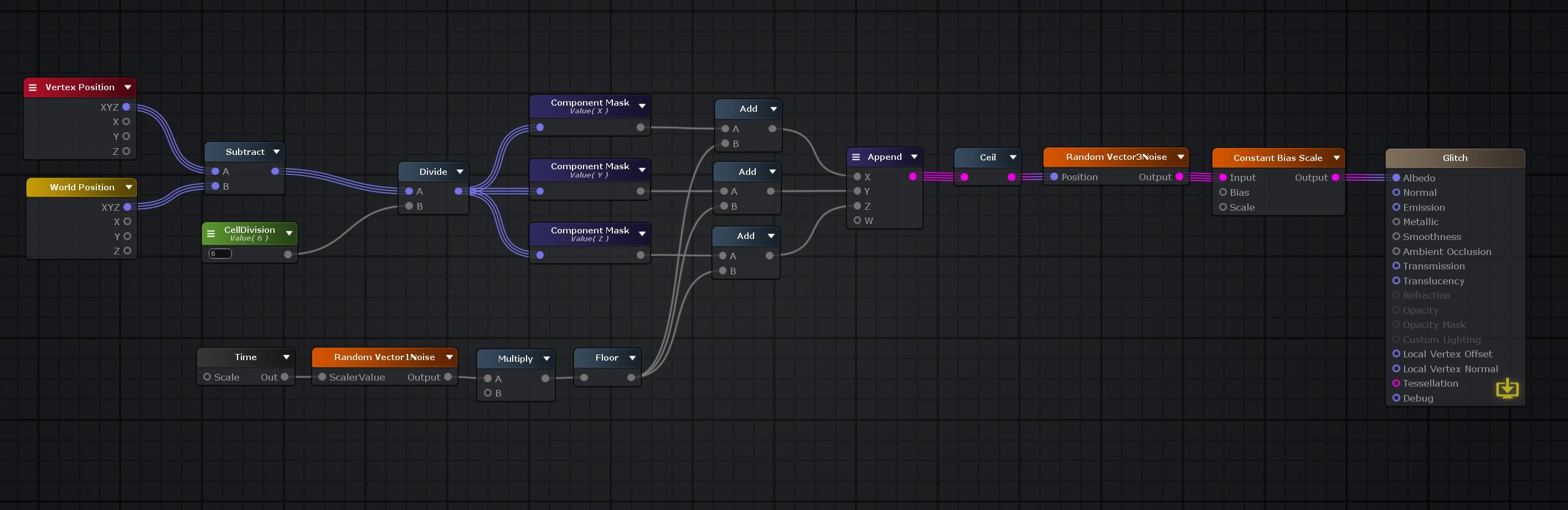 frigid zinc
you're using Vertex Position. but if you look at their graph again they are using "Object Position". you need the actual position of the mesh in worldspace. (and I don't see that ASE has a node for that)
tame topaz
Hm, ASE does have an World to Object space transform node. Ill give that a shot.
frigid zinc
yeah I tried that, didn't work
i know what they are doing, i'm just not sure how to recreate it with ASE
tame topaz
Yeah, it sort of makes sense in theory, but I always get stumped when it comes to the transform nodes >.>
frigid zinc
they are taking the world surface position, then subtracting the object's local surface position to generate the tiling
but I can't find anything that gives local surface position
still carbon
can't you just use the unity_ObjectToWorld on a vector4(0,0,0,1) to get the world object pos
oh
tame topaz
I'm using Amplify Shader, though.
frigid zinc
both of these are providing the same number, so the subtraction produces zero
that's why it's all one solid color
i'm starting to think it's an ASE bug
vertex position shouldn't be in world space
still carbon
yeah must be, cause even shader graph will give you the same preview for object and world space pos
i assume cause it's a normalized preview
frigid zinc
possibly, but if they weren't actually the same, then the subtract result would have some contents
and it doesn't
still carbon
also the fact that in the graph, the preview sphere is at 0,0,0 space with a scale of 1
so the values do match in preview
tame topaz
Well. If you use only Vertex Position, the grid remains with the cube, whereas World Position doesn't. So it must be doing something local.
frigid zinc
if the world position is at 100,100,100 and the local object space position is at 3,3,3 then the result of the subtract should be -97,-97, -97
not 0,0,0
hmm tho
maybe the two just need flipped
so it's a positive number
nah same difference
i should look at the generated code and see what is going on. but I need to go eat
tame topaz
No worries, it' pretty late for me anyway. I'll pick this up tomorrow. Thanks! 😄
frigid zinc
float3 ase_vertex3Pos = mul( unity_WorldToObject, float4( i.worldPos , 1 ) );
float3 ase_worldPos = i.worldPos;
o.Albedo = ( ase_vertex3Pos - ase_worldPos );
i guess that's supposed to be correct... hmm
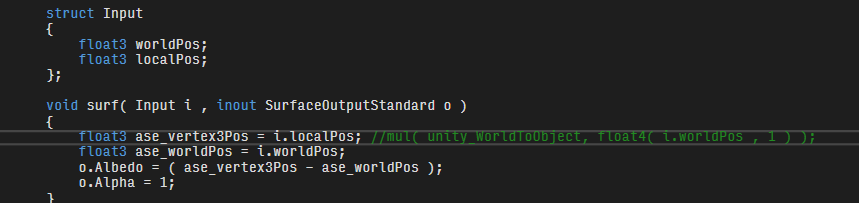
this gives me what I expect tho
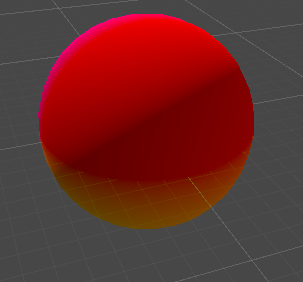
question is why doesn't ASE have accesss to localPos
i wonder if there's a way to make a node to get that, because i'm pretty sure that's what this needs
anyway, dinner hehe
wary stump
is there a way to get the number of verts in a mesh through shader graph?
rn im trying to debug some sort of shader thats supposed to visually glitch the object that affect whatever object the shader mat is attached to
frigid zinc
@tame topaz https://i.imgur.com/qp7tnIB.png
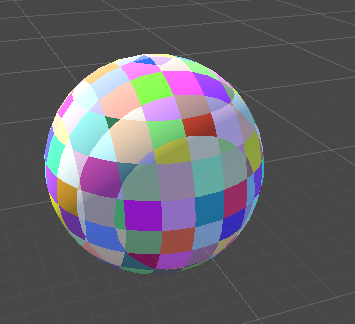
think i found what is really needed. but i'll have to see how to do it in a bit
it's confusing
tame topaz
I mean, aren't all shaders? lol
frigid zinc
😝
tame topaz
But that's awesome. I look forward to it!
frigid zinc
be back in about an hour or so
frigid zinc
hmm ok, so that forum post is right, you can use World to Object node
but instead of using Cell Division, you have to use it's Reciprocal
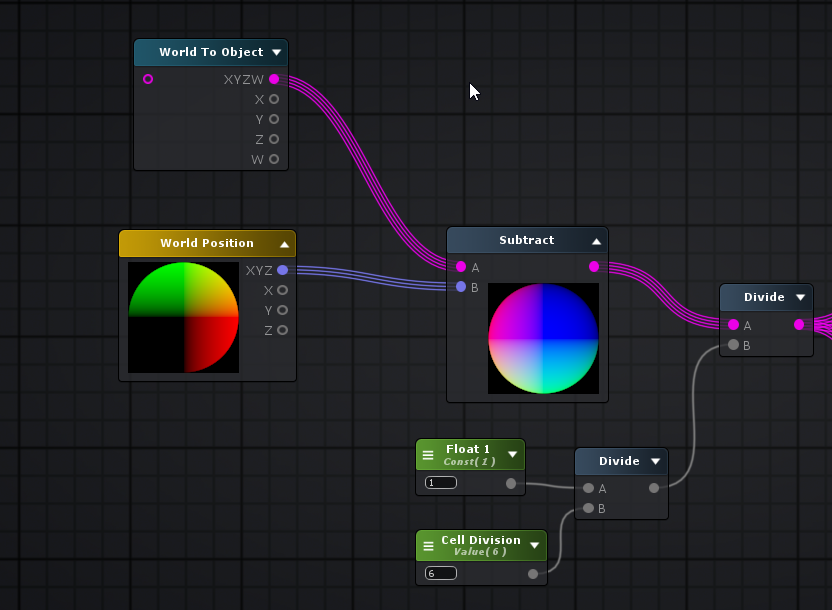
1 / cell division
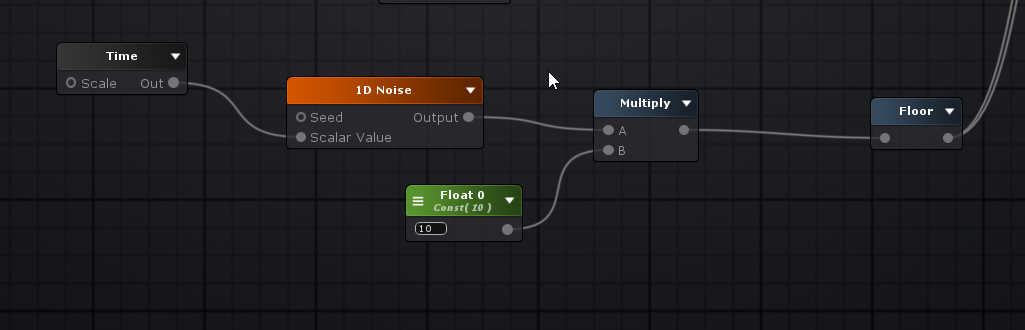

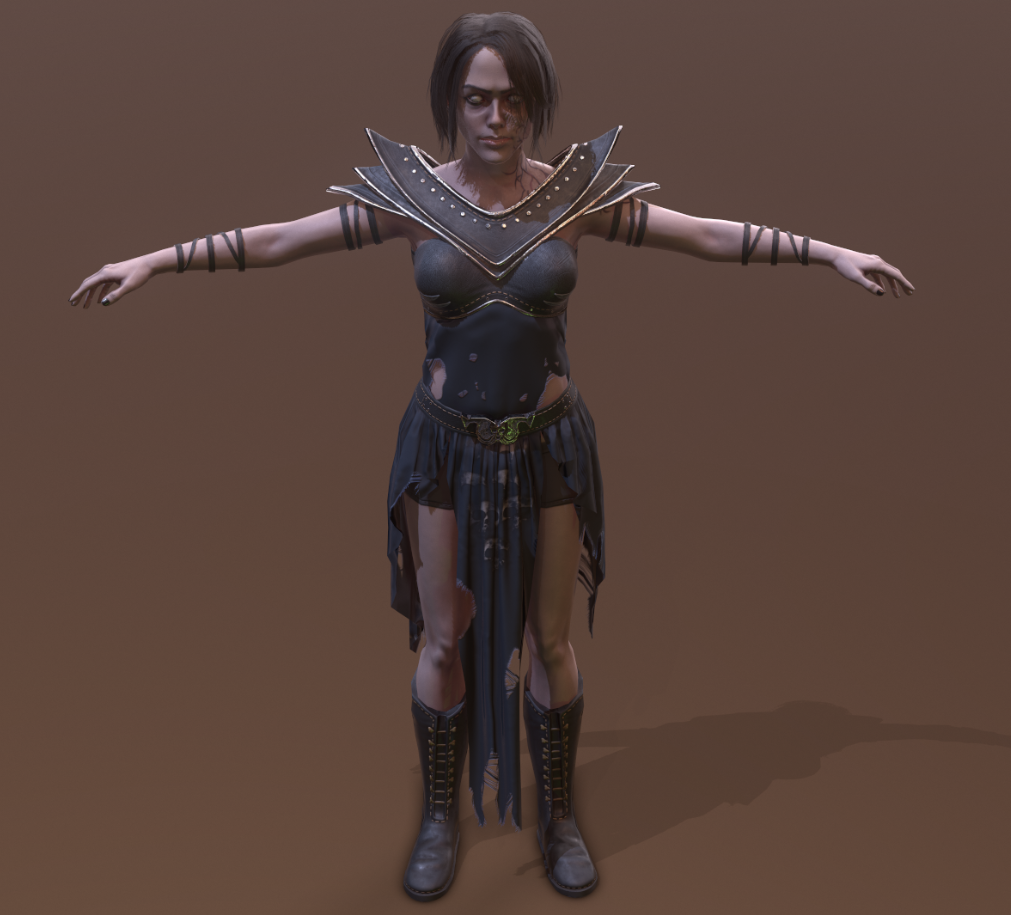
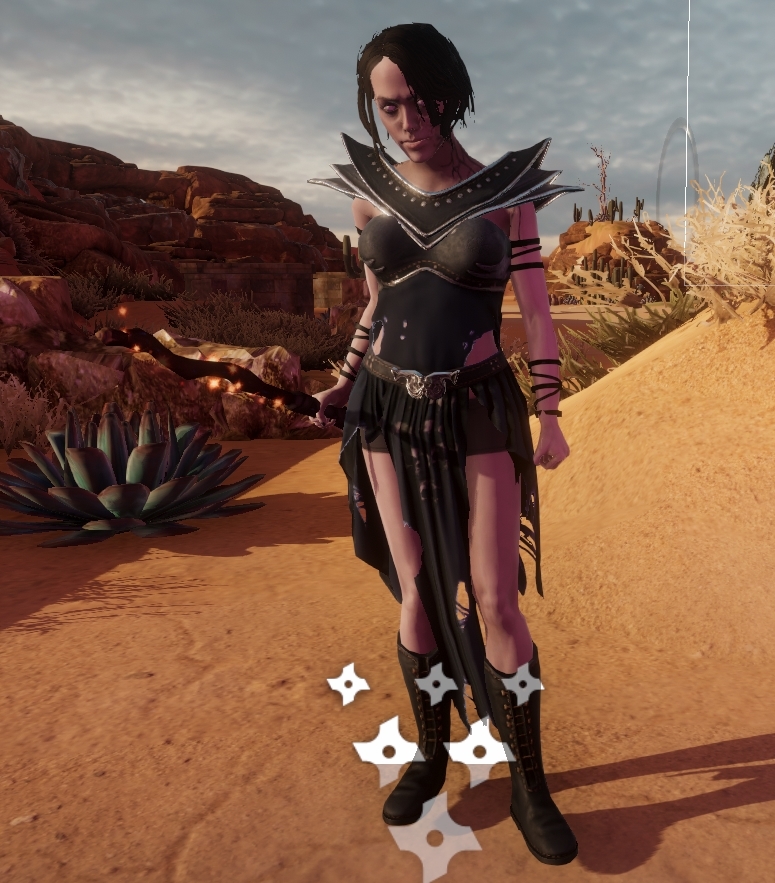


also you have to put in the multiply by 10 like he had originally, this seems to be pretty important
@tame topaz
tame topaz
Yeah, I was testing world to object. Good call about the 1/cell though, I noticed it was getting to pretty small values otherwise.