#archived-shaders
1 messages · Page 110 of 1
 quaint grotto
 north rampart
Similar to what is done in the VFX Graph Spaceship demo
Right, a replacement sort of, before we where doing a ZTest with a second pass, but now there's no way to do that within shadergraph
quaint grotto
isnt that done in the visual effects graph
that spaceship demo was all about that feature
north rampart
Not entirely sure, here, around second 20 you can see some pipes doing an Xray sort of effect
https://youtu.be/rqMcPZoEc3U?t=20

The Visual Effect Graph gives artists of all experience levels the power to create amazing visual effects. This node-based system is both easy to use and fle...
 frigid zinc
not everything, someone from unity verified the other day that that particular xray effect wasn't using vFX
quaint grotto
oh thats probably just ordinary shader stuff
transparent is drawn after opaque so put them into transparent shader
north rampart
My first guess was doing a transparent shader with a higher render queue but then of course that's still being clipped by opaque geo
quaint grotto
oh true, hm thinking
oh wait i know a video on this
In this video, we explore how a common effect from Stealth Games could be realized in Unity. Support me on Patreon: https://www.patreon.com/DanMoran Follow m...
this guy explains how to do it
north rampart
Yeah! Went through that one already, the thing is that all that wizardry doesn't really applies in HDRP
Or at least I couldn't manage to get it run =/
quaint grotto
ive not used hdrp yet, but cant you use ordinary unlit shaders with it ?
since its unlit i imagined it would be fine
north rampart
Unfortunately no =/ pink shaders everywhere
quaint grotto
oh wow
i dont know the technicals on that sadly - not sure why an unlit would be incompatible
frigid zinc
there's an upgrade thing on the menu
will automatically put the new shaders in place of the old
and the textures nearly use the same channel order, so the work to change over is minimal
quaint grotto
does hdrp provide any good debugging tools
because debugging shaders is a nightmare
frigid zinc
on par with legacy, which is to say not really heh
quaint grotto
damn
quaint grotto
i want to know how much time is spent on my algorithms vs rendering
so i can try to improve it
fourier takes a lot of processing
frigid zinc
yeah you'd just have to test like you do know
by rendering a lot of something using it and compare times
quaint grotto
the only way i can think of to improve it at the moment is reduce the grid detail by distance
but its not great either way
i'd need a circular grid aswell
like this 😛
my documentation is second to none
 still carbon
@quaint grotto to be fair, Compute Shaders aren't Unity's invention, don't blame them :v
quaint grotto
neither is c# or shaders in general 😛 but the docs are a bit woeful
still carbon
yeah it's gonna be until stuff starts to stabilize more, can't be spending lots of time on docs for stuff that could be changing frequently 🤷
quaint grotto
does hdrp change compute shaders?
i thought they were seperate from all that
i want to move my fft into compute rather than have it in my vertex shader
still carbon
they don't change the concept of them, but the helper functions and approach they take can still be in a bit of flux
quaint grotto
ah i see
https://i.imgur.com/7QjnUHB.gifv anything larger than this and its slow for me
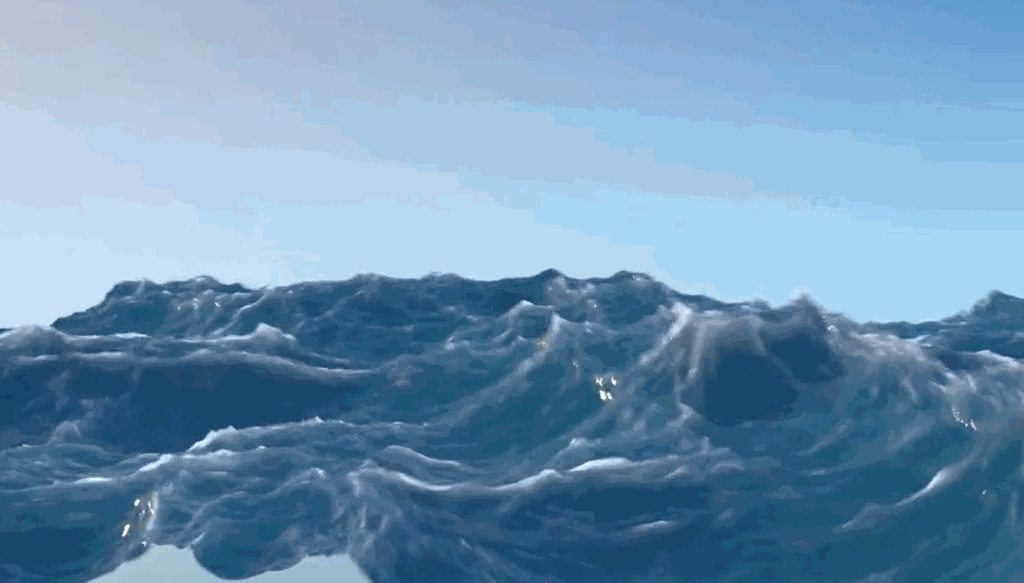
i was not expecting it to be so performant heavy
frigid zinc
there's a reason most oceans use Gerstner or something a little more performant. 😛
quaint grotto
yeahh but sea of thieves managed it
i don't know how
they must have found some ways to squeeze performance that they refused to share in their paper
i might email them and see if i can get a reply
v. unlikely how ever they will reply 😛
frigid zinc
Unity Forum
I'm looking for a full ocean shader, similar to what is available in Quest 3D and DX Studio. I can provide additional information and examples of what...
twofox released his FFT ocean here
i have a copy it's not bad
i think there's a newer version later in the thread

GitHub
Next gen iteration of the unity community ocean shader - eliasts/Ocean_Community_Next_Gen
yeah that's it
quaint grotto
ill take a gander see what he is doing in his
quaint grotto
oh that uses c# for FFT
🤢
that surely isn't faster than vertex shader =/
ah they used look up tables
that could be faster
kinda difficult to really know
frigid zinc
yeah it's been a long while since i ran it, i forget what kind of perf it had
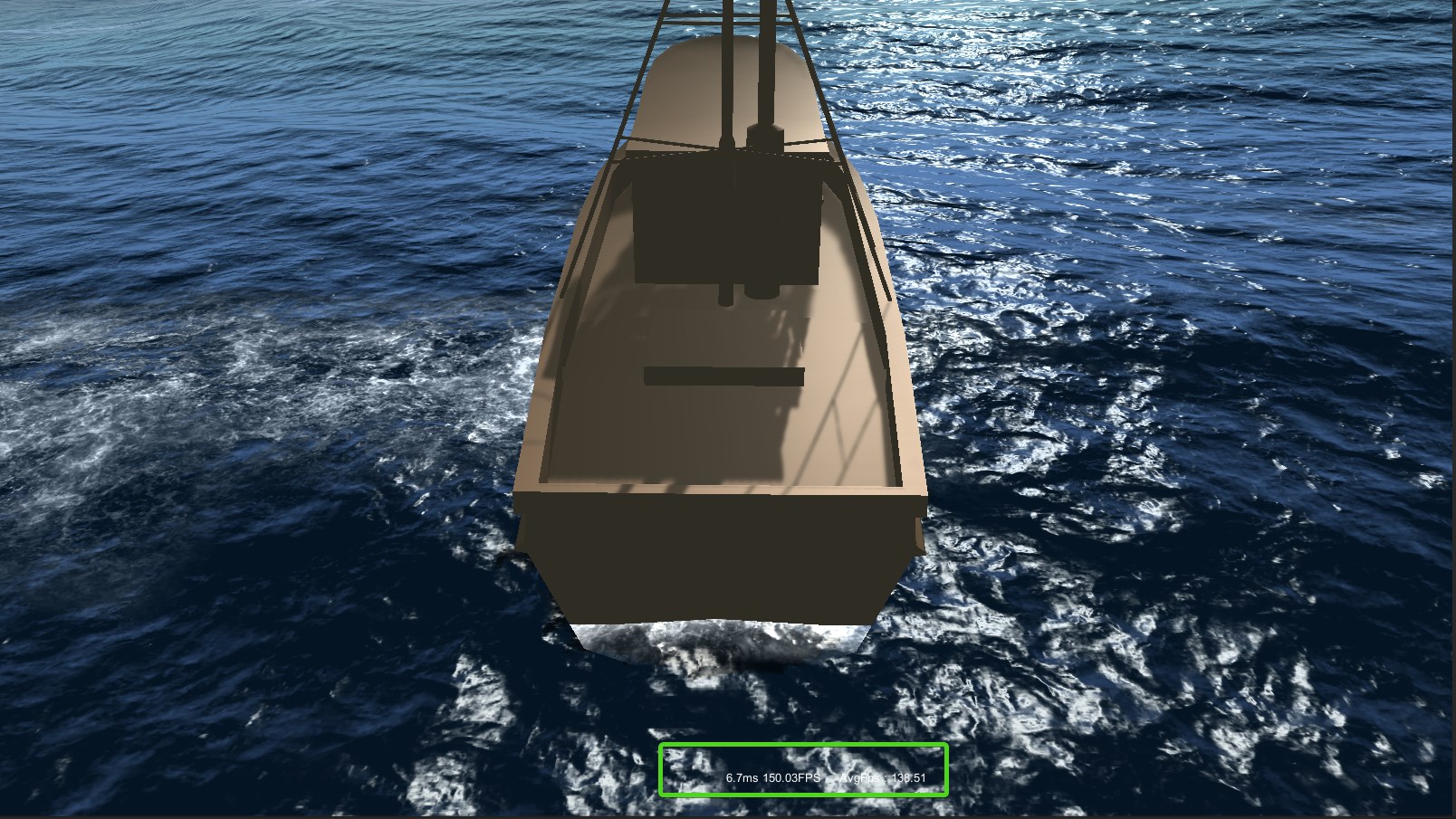
doesn't seem horrible but
it honestly doesn't look that great either
quaint grotto
yeh i mean most of their resulting pictures dont seem to suggest FFT is needed
the water is so calm in nearly all examples 😛
ive not delved into their code fully im wondering if they have not included choppiness and dispersion equations into it as that might explain it
frigid zinc
yeah
still carbon
what do you mean by you're using vertex program for it? as in you just have a giant super dense mesh? Or are you actually using tessellation?
quaint grotto
its less dense the further from the camera with tesselation @still carbon
still carbon
ok good just making sure lmao
quaint grotto
but even tesselation adds overhead so ill make one in blender at some point
as a fixed mesh and move it with camera
still carbon
you'd still want some tessellation, too dense of a base mesh is a performance hit as well, gotta find a balance
quaint grotto
how so ?
still carbon
well, if on a fermi or later nvidia gpu, it has some dedicated units for tessellation, so those are just going to waste if you're going to work with a super dense raw mesh. Plus tessellation can focus detail where it needs to be even if you're rotating your camera different ways, which you're not going to get with a high density mesh
you can also form better levels of detail/quality settings when doing the deformations through tessellation or compute
quaint grotto
ah i see
 broken field
honestly, oceans and bodies of water aren't that hard if you know your exact requirements and are willing to settle for compromises... assets for water will always be a bit more crap than they could be due to having to work with absolutely everything and possibly have a bunch of features to sell it rather than precisely what you wanted. So that's why I think it's worth doing your own water, and it's not that hard
Plus water seems to be the thing that scams people the most
quaint grotto
water is surprisingly made up only of a few simple concepts
the animation is definately the harder part - at least for making it look half decent
broken field
far harder is what happens when you have anything transparent going in and out
quaint grotto
what do you mean
quaint grotto
one thing ive not worked out yet is how you do above and below water at the same time
is that all done in one shader =/
broken field
when you use something like particle system it can get batched and will either mostly be on top ot behind the water
with separate rendered particles it's not much of an issue
quaint grotto
like this
is that just one shader doing both above and below or something else
i dont even know how you know when you're under the water if there are waves
broken field
dying light has good water division like that, but GTA V prefers to onyl render above or below, masking the transition
quaint grotto
ill have to find a paper on it at some point
quaint grotto
so its screen based?
broken field
I think so yes
quaint grotto
i see
broken field
the actual triangles of the water are near clipped, nothinghappens there
it's just a post effect
draws a little higher and further back than the near clip
 still orbit
https://youtu.be/RdN06E6Xn9E?t=2764
Watch this for water layers
In this 2016 GDC Europe session, PlayDead's Mikkel Gjoel and Mikkel Svendsen detail the techniques used to achieve high visual fidelity in the context of the...
Also generally just watch this
frigid zinc
Crest has meniscus control like that
you could see how they did it

GitHub
An advanced ocean system implemented in Unity3D. Contribute to huwb/crest-oceanrender development by creating an account on GitHub.
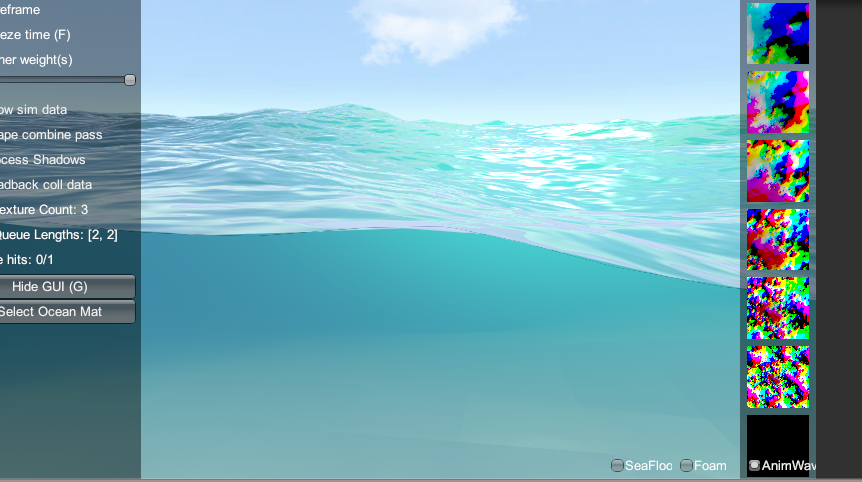
pic I took from crest a few days ago
they have a camera component called Meniscus controller, that's where to look
still orbit
i havent looked at how they do it, but for what its worth, its probably sub optimal
not their fault
frigid zinc
i'm sure, I'm guessing they render the scene twice, and use pieces of both
still orbit
its somewhat impossible in builtin renderer
frigid zinc
but I haven't looked at it yet either
still orbit
yea, im also guessing they render the entire scene twice and composite
when you should really write this functionality right into the renderer
a damn good use case for SRP...
frigid zinc
i will look to see what they do, since i'm thinking about it
(and eager to procrastinate 😛 )
yeah i see
Pass
{
// The ocean surface will render after the skirt, and overwrite the pixels
ZWrite Off
so they draw the underwater first
then the rest of the scene on top
frigid zinc
// Goal of this vert shader is to place a sheet of triangles in front of the camera. The geometry has
// two rows of verts, the top row and the bottom row (top and bottom are view relative). The bottom row
// is pushed down below the bottom of the screen. Every vert in the top row can take any vertical position
// on the near plane in order to find the meniscus of the water. Due to render states, the ocean surface
// will stomp over the results of this shader. The ocean surface has necessary code to render from underneath
// and correctly fog etc.
            // Potential optimisations (note that this shader runs over a few dozen vertices, not over screen pixels!):
            // - when looking down through the water surface, the code currently pushes the top verts of the skirt
            //   up to cover the whole screen, but it only needs to get pushed up to the horizon level to meet the water surface
hmm yea makes sense
pretty clever considering the constraints
but definitely suboptimal
frigid zinc
well floating between up and down probably isn't where someone would spend most of their time
hopefully it's better once you're fully up or fully down
quaint grotto
@frigid zinc you mean they have two camera for underwater?
frigid zinc
no
they have that controller on the camera and it pulls up a curtain like they describe there in the comments
pulls it up to the boundary, draws the underwater, then finishes drawing the rest of the scene overtop
i was wrong the curtain controller handles that
and the meniscus controller actually handles drawing the thin line between
it's a pretty light shader just gives it that 'water on glass' look at the border
quaint grotto
im trying to visually understand those comments
frigid zinc
yeah well best to just look at the code and shaders
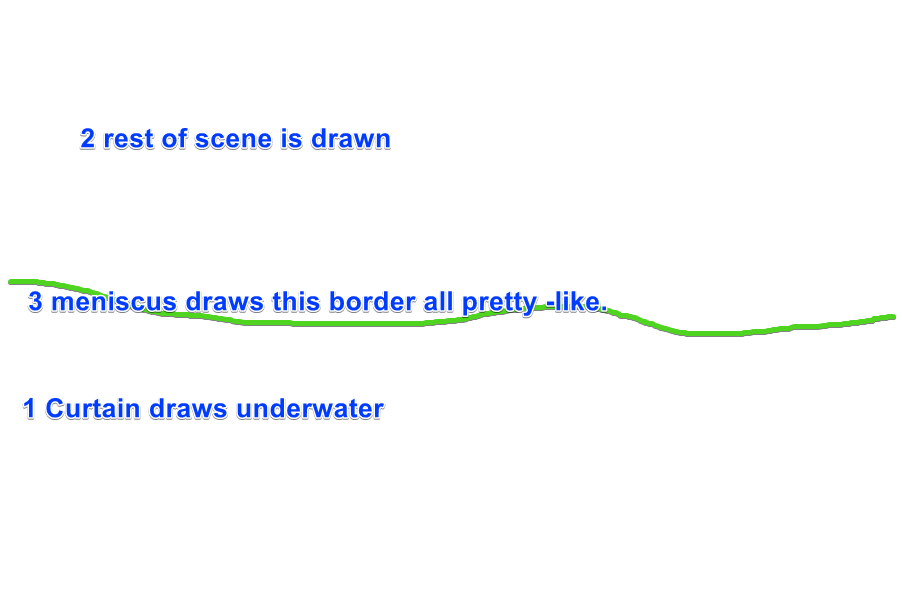
my lovely diagram ;p

a meniscus is a curve formed due to water's surface tension
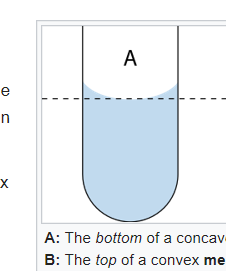
the little lip of the curve causes a distortion at that point
so they are replicating that so it looks more realistic
quaint grotto
ok i understand that part
so they apply the post process on to that mesh only ?
or are they doing something different
oh wait, is it basically like a vertical sheet or water?
then using depth textures and the like - similar to the actual surface of the water
 fervent tinsel
yay, this is finally happening https://github.com/Unity-Technologies/ScriptableRenderPipeline/pull/3060

GitHub
Purpose of this PR
Take advantage of async compilation for the preview shaders (no more "Compiling Shaders..." dialog!) and render previews only when necessary. Removes the ÜberShader so ...
those stalls after each change in SG has been pretty annoying
broken field
Cyan dreams
 foggy falcon
and marctem spaketh, and low, the pink was replaced by cyan, and the shaders did compileth asynchronously.
And there was much rejoicing
still orbit
Sorry to disappoint you but they don't turn cyan :P
Each node has its own preview shader so they're super small. The update is so fast that a flash of cyan was annoying. I think we just don't update the preview until the compile is done.
frigid zinc
sounds like a plan
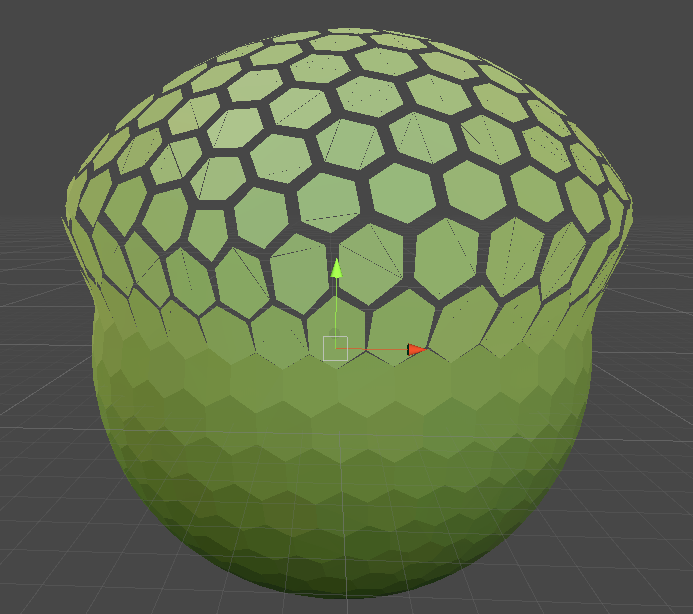
so i'm messing with a shader that uses vertex offset, but I find as I move these faces out, they break apart at the seams
is there something that can be done about that?
I mean, I want it to break apart between the hexagons
but the faces that make up the hexagon split apart
and I don't want that
would leaving each face an Ngon prevent that? I wasn't sure if unity could handle 6 sided faces
still orbit
Nope, all triangles
But it should work as its normals based
so your normals are slightly off?
frigid zinc
maybe i'm not sure
i'm using UV position
maybe UV precision isn't that great
vertex to vertex
still orbit
yea maybe its an FP error in the UV?
or your UVs arent welded
something is wrong lol
still orbit
out of interest why UVs for this? unless youre not pushing them outwards in the end
looks like you are right now 😛
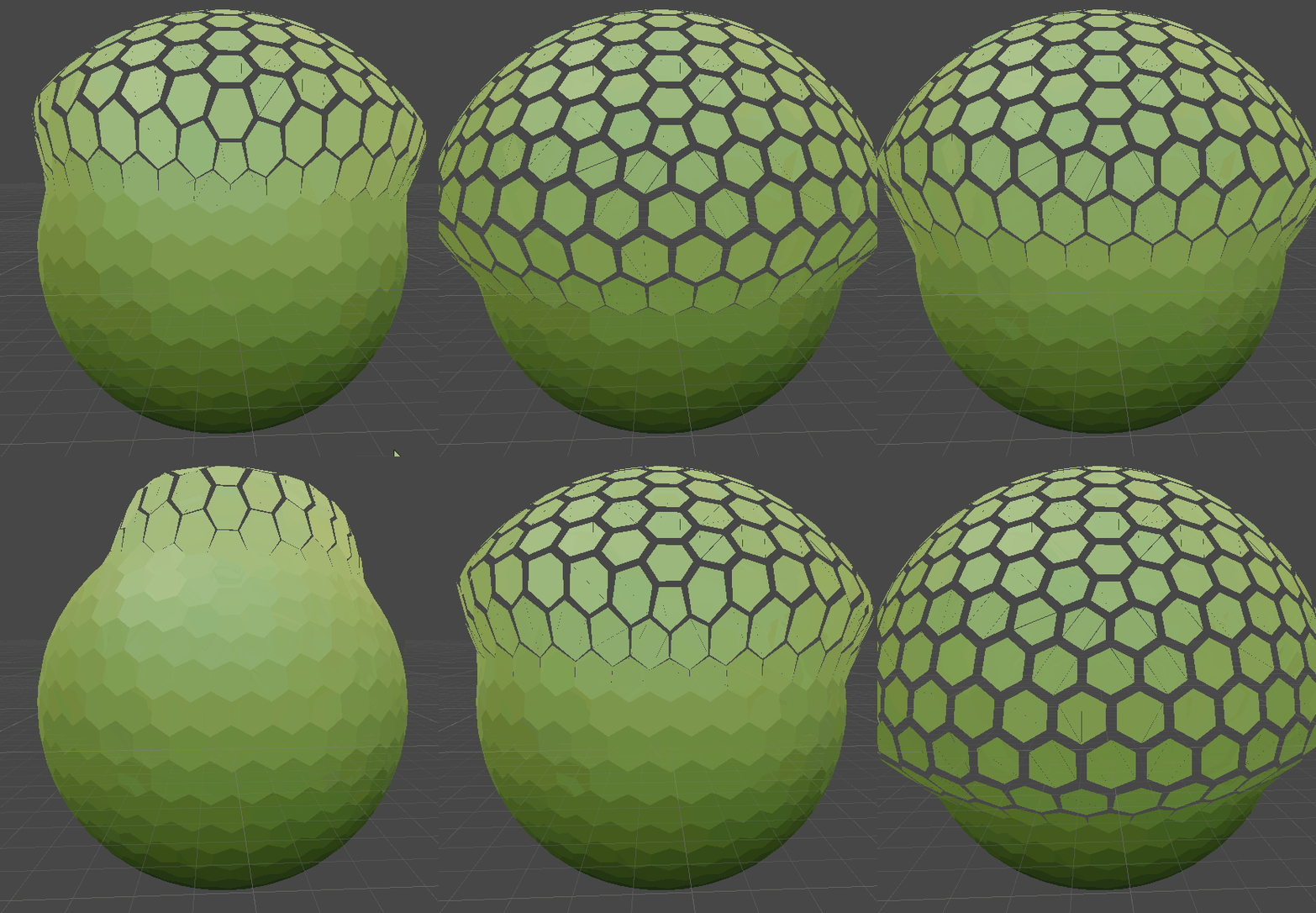 still orbit
yea but you could do that with normals and object position
fervent tinsel

Unity Technologies Blog
We created an example interactive vertex displacement effect with Shader Graph and the Lightweight Render Pipeline to help you use these features to design...
frigid zinc
yeah i'm on std pipeline so using Amplify 😛
still orbit
something like this
if youre on amplify dont add it to object position at the end (SG is absolute vertex position input)
fervent tinsel
you'd also think amplify would have example for this
they got tons of samples shipped with it
still orbit
lazy, learn to do it yourself 😛
frigid zinc
well I am :p
I was just curious about this split face thing, it does seems to be UV precision
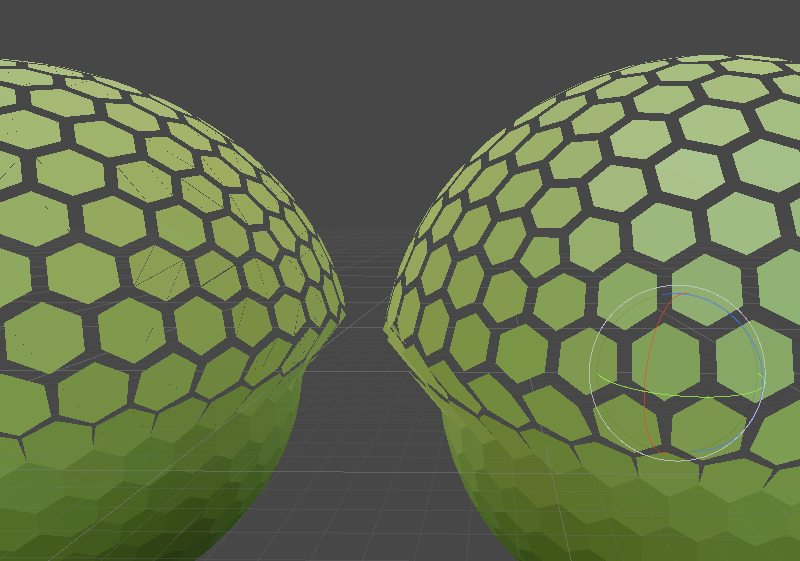 still orbit
wouldnt be suprised
frigid zinc
well I learned something new. I figured if they looks welded they are :p
still orbit
oh god no 😛
frigid zinc
but apparently not
still orbit
and you pay for those extra UV vertices
granted its just vertex attributes, but every little helps
frigid zinc
doesn't ever vertice have it's own set of UV coordinates anyway?
or are you saying if two vertices share the exact coordinates, they share those coordinates?
frigid zinc
i really had no idea, it's neve been factor that impacted anything I did
at least that I knew of 😛
still orbit
haha yea probably wouldnt have been
but this is a good example of why 3d art fundamentals exist 😛
frigid zinc
yeah, i'm 100% self-taught when it comes to 3d modeling
so i'm sure i'm missing a few fundamentals
 stone sandal
always good to spend the time on proper UV wrapping and welding and packing, if nothing else than to learn what’s good and what isn’t
then you can judge the quality of auto scripts that try to do it for you :p
frigid zinc
yeah i mean I'm strong with a lot of things, unwrapping included.
but this weld factoid escaped my notice hah
can't say I've ever seen it mentioned anywhere
still orbit
so many things like that, almost never mentioned
frigid zinc
maybe it's so fundamental people think it goes unsaid lol
still orbit
it often comes up when talking about baking normals
as you want split edges when baking hard edge normals
but you want as few shells as possible really for mesh optimisation
so its a trade off ya know
frigid zinc
yeah I mean i do often weld vertices when i'm playing with them by hand
but i just saw it as an expedient way to line them up
i figured if i didnt' touch them they were fine
but i'm guessing the 'relax' function must have undwelded them
it's something i don't use much but i wanted to get this hex UV map to fit nicely in the texture rectangle
still orbit
understood, im facing similar tasks
but im procedurally generating mine so its a bit simpler in this case
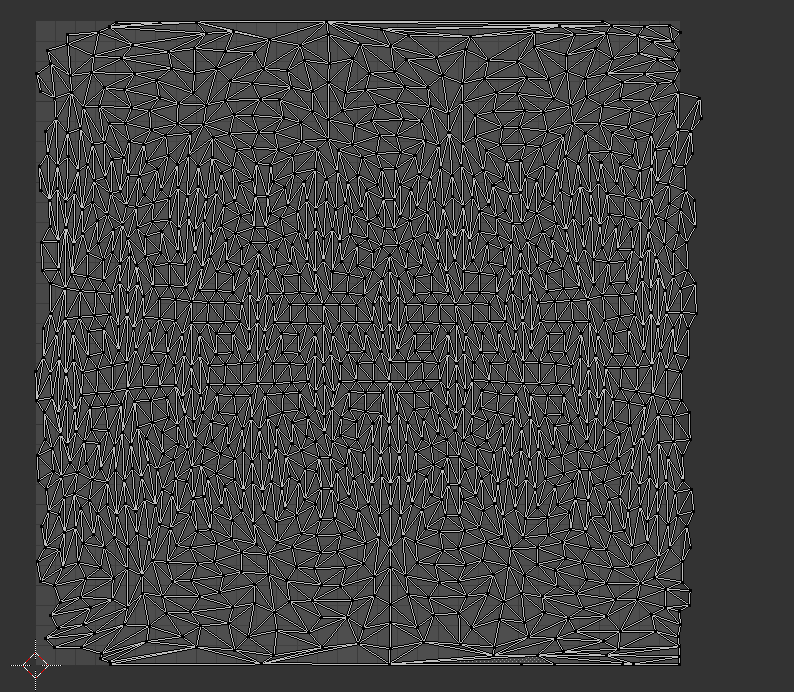 still orbit
JESUS
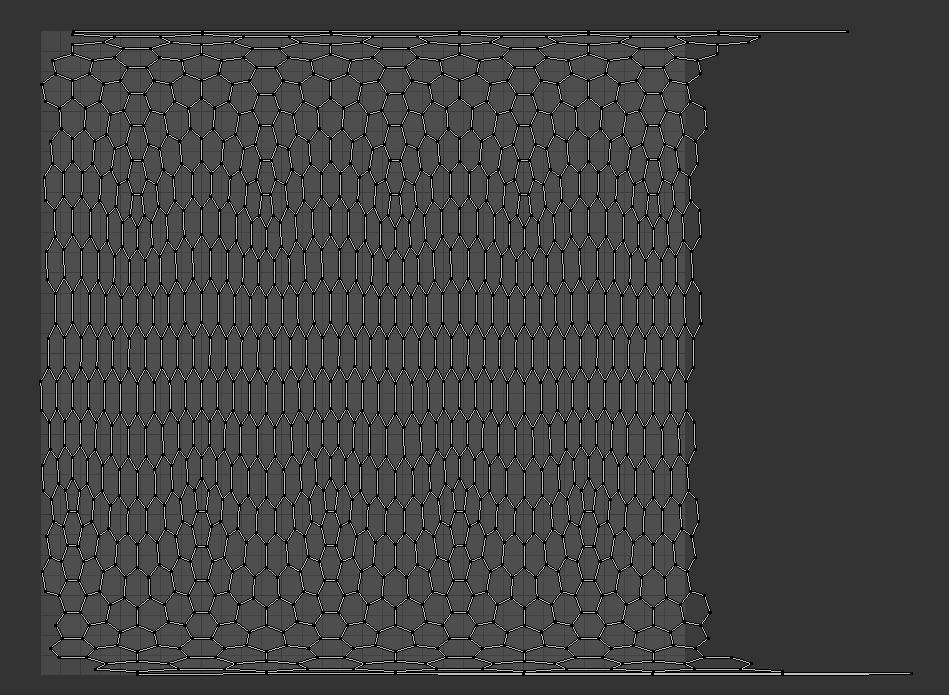 still orbit
imo you should still switch to normals
frigid zinc
i was using relax to get the cells the same size
still orbit
this is just a waste of texcoords 😛
frigid zinc
well it still needs to be uv mapped for other reasons
still orbit
yea ok, if youre going to texture it with these UVs anyway
frigid zinc
yep
frigid zinc
well it will have a gradient running up it as it does it's thing
so triplanar won't really do the trick
still orbit
ok but if its just a gradient then why not just sample that with the object position as well?
frigid zinc
that's a good point, probably could
i will try some stuff and see, now that I've fixed the faces splitting
but i guess i'll have to try implementing a non-UV way of doing it first hah
Vector1, really? 😛
frigid zinc
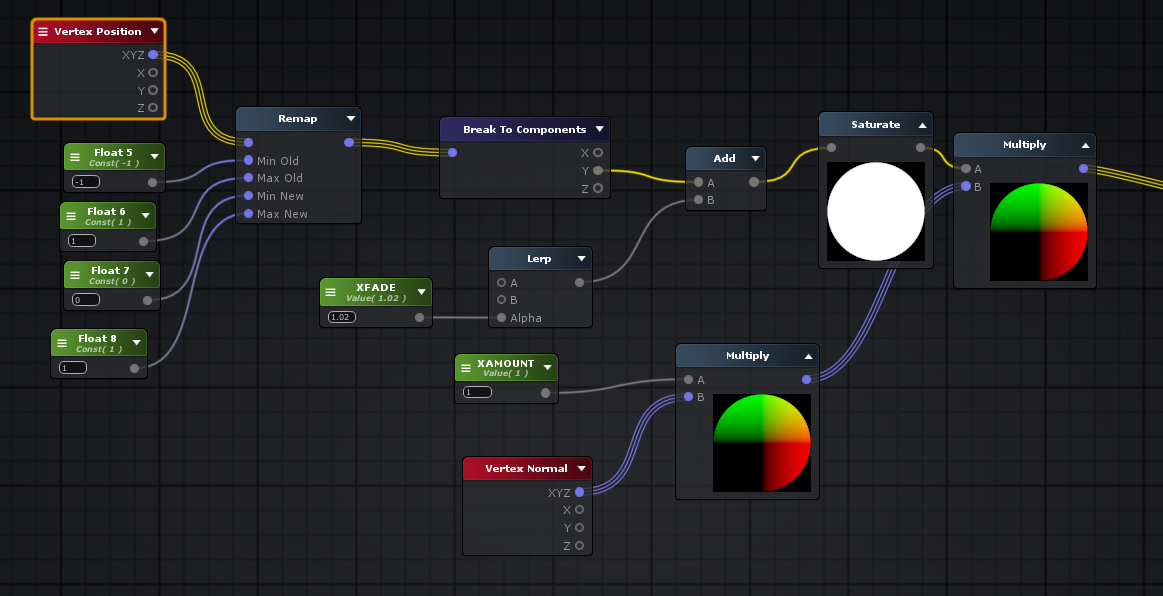
so your example works but
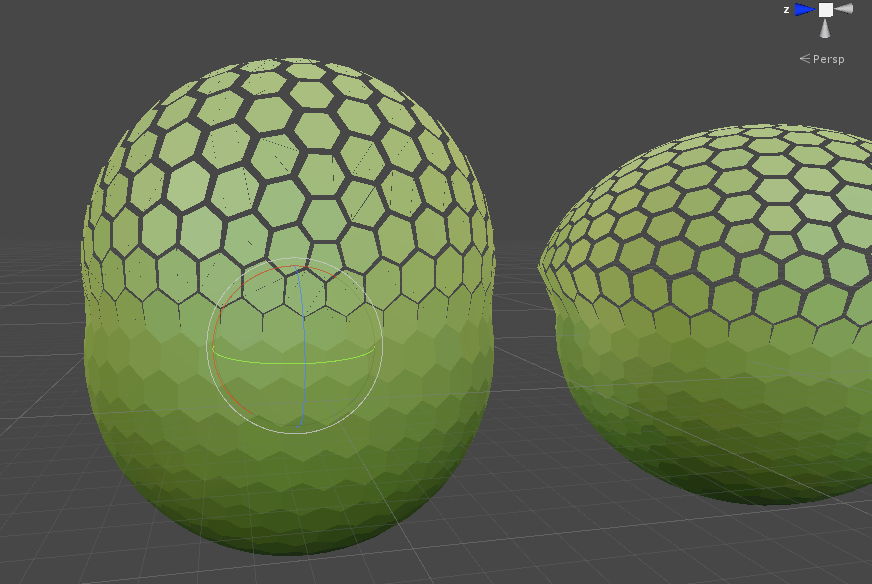
splitting still happens on the bad mesh with your setup
so i guess it wasn't the nodes after all, just something about the mesh
still orbit
:/
frigid zinc
there is one other difference between the meshes, i exported the bad one pre-triangulated, and the good one i left as Ngons, and let Unity handle it
so that may be a factor too
Unity still triangulated it, so i dunno, head scratcher
still orbit
yep, somethings up with that mesh...
frigid zinc
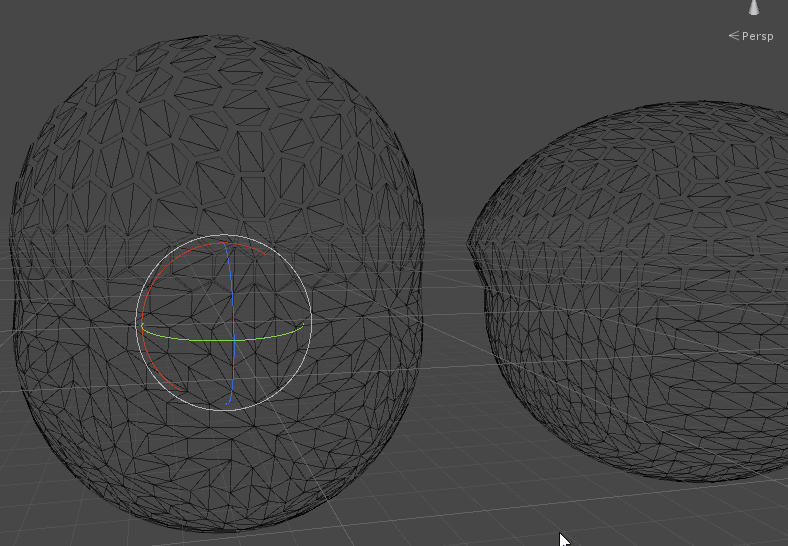
i appreciate the assist though, I learned quite a few important things 😃
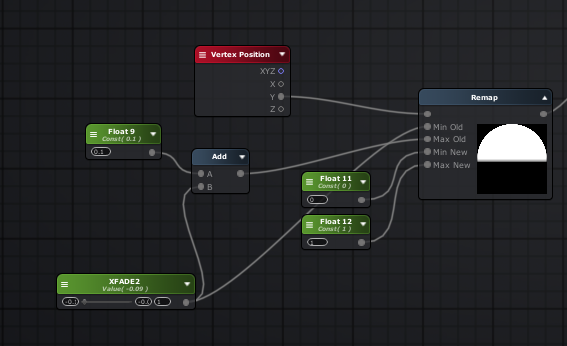
this is how I do the remap and fade though to get that mushroom look
yours wasn't much different than mine, only i was using UV instead of Vertex Position 😉
you can plug it's output directly into the saturate
still orbit
yep makes sense
still carbon
the normals on that mesh are flat so the verts are gonna be split
you'd either have to switch to averaged normals on your model and calculate flat shading in your shader, or bake softened vertex normal directionality into vertex color or a uv channel
though since it's a sphere... maybe you could get away with just calculating angle of vert from mesh center and offsetting based on that direction..
oh I didn't read back far enough.. your issue was just the minor splitting within the hexagons.... That could still be because the edges inside those hexagons aren't all soft-edged. I'm guessing you ran a harden edge/normals across the whole mesh instead of just the edge perimeter of the hexagons?
 steel notch
ok boyos
I return to the world of Shaders for another round o' mind fuck
I'm basically looking to make a shader where intersections end up taking on a fresnel effect
like ths
I have a graph currently made by I believe 0lento a bit back
which currently looks like this
but I'm having trouble with changing the color
still carbon
changing the color of just the intersection glow or the fresnel color too?
steel notch
Well I'd like them both to be the same
still carbon
ok well then all you'd need to do is change the color value on the master node in that graph to do that
steel notch
the intersection glow should really just look like an extension of the regular fresnel glow
the albedo or admission?
still carbon
albedo
steel notch
because I've tried to change both and no dice
still carbon
all your graph is doing is changing the transparency, and what happens to areas that aren't transparent? they show they albedo/emission, or if highly glossy a reflection (which wouldn't be the case here)
make sure you're changing it on the actual material and not in the master graph, master graph is just the default color it would start with
make a color property on the left and plug it into your albedo
and make one for emission too
steel notch
alright i'll give it a go >_>
oh uh actually just one more thing in the meantime
how would you go about making arrows like these?
from MTG Arena
something something line renderer?
does it matter if I set the color as HDR?
still carbon
the improved line renderer might get you something close to the blue one, but vfx graph might be better equipped
and set what to hdr?
still carbon
though could probably make a shader that simply draws the line on a plane, calculating line width in screen space instead of UV space
and can just scale the plane with its pivot on an edge
steel notch
so I've got this strange behavior at the moment
where albedo changes the main color
but emission seems to only change the back intersection?
still carbon
and if you make the albedo black?
still carbon
dunno, what pipeline are you using? maybe K3D will know
steel notch
lightweight
still carbon
also if all you're using this shader for is that effect i'd suggest changing your PBR master node to an Unlit one, as there's no reason for it to be dealing with PBR lighting, it's just using emission
steel notch
can I do that within the same graph or do I need to make a new one and copy/paste it all over?
 still carbon
yeah only issue is that it doesn't seem to be overlaying your sprites, unless that's how you want it
steel notch
hmm?
still carbon
notice the red color isn't on top of the characters? they appear on top of your bubble at all times
still carbon
uhh probably, dunno if you can increase the render queue on your bubble shader to get around that in lwrp, i havn't messed with lwrp too much
still carbon
@steel notch it's not an issue with the shader I made you pretty sure, it seems to just be due to the transparency sorting with the sprite renderer you use for the characters. If you lower the order in layer of the characters you'll see the sphere overlap them
steel notch
couldn't I just change the order of the sphere too 🤔
oh... wait
meeeeesh
can I do something to the spheres though?
the characters are ordered specifically relative to other things already
still carbon
if you click on the material for the glow shader you can change the render queue on that
increase it
still carbon
just like 10 or 20 more should be fine. 3000 is where transparency queue starts.
steel notch
I increased it by 1000 and they still appear in front unfortunately
its k though, its a low priority atm
still carbon
it worked fine for me :S did you make sure to click away from the render queue input box to initiate an update of the values?
also to truly sell the effect you'd want two different materials of it on the glow sphere, first one would only render back-faces at normal transparent queue, and then second material would render just front at a slightly increased queue, so the sprite would actually overlap the rear of the bubble but not the front
steel notch
bruh do you work professionally in gamedev? What are you? I feel like I've asked this before but I forget.
I know you modelled before (that Lizard)
still carbon
I do freelance work yeah modeling/programming/shaders
still carbon
it's no problem, helping others helps keep yourself sharp on topics and often learn little things here and there 😃
 dry island
How much do I need to pay for a realistic hair shader that works in LWRP? 😄
fervent tinsel
can't you port the HDRP's hair shader for it?
altho I do admit I haven't checked how complex it is
 echo badger
It doesn't seem like it is possible right now to make a a toon shader with HDRP and SG without making custom nodes. Does this sound correct? Am I missing something?
dry island
LWRP shaders are not toon shaders.
They just do not use compute shaders like HDRP does.
Sadly HDRP shaders do not convert to LWRP. (Or the other way around)
One would think they should, but the choice was made for whatever reason to create a split between the two.
Custom nodes are very much necessary. I am using some nice skin nodes for LWRP.
https://assetstore.unity.com/packages/vfx/shaders/nodes-for-shader-graph-124611
However not many bother to make any since they are still in Preview.
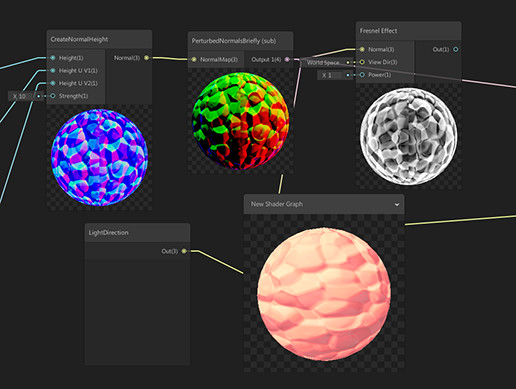
14 Nodes:
- SSS Color,
- SSS gradient,
- Parallax mapping,
- Parallax Mapping iterrations,
- Parallax Occlusion Mapping,
- PerturbedNormals (World normal with NormalMap),
- FixedViewDirectionTangent,
- CreateNormalChannel (for individual texture channels),
- Crea...
still carbon
yeah cause there's no curvature haha, i'd create a different shader that swaps out the view angle glow with a height based one
still carbon
just Position node, in object space mode
take the Y component from it, add +1 and divide by 2, then put it through a One Minus node and use it to adjust transparency by plugging it into the A slot of that final Maximum node
still carbon
yeah
frigid zinc
yep
steel notch
kk
errrr
it lost the intersections too
honestly instead of this transparent color I'd just like the edges to have the same look as when it was a circle
still carbon
well you'd probably want a power node after the one minus so you can increase the vertical gradient falloff, and you might want to instead of using Maximum use Multiply or Add
still carbon
yeah use add not multi, cause with the depth fade it's going to end up overriding the other one with its 0 trans
still carbon
ahh yeah the effect isn't going to work well if the cube is penetrating ground that much
if you had a script on the object feeding the world space Y value of the surface under the cube into a float parameter on the material it would make the effect fairly trivial though, nice consistent, non-screenspace-derived value to compare to
 umbral cargo
hey, I am trying to draw a billboard, orthographic sprite into a world that uses a perspective camera
is there a way for me to alter my shader so that the sprite gets drawn correctly as I pan the camera around without changing my camera to orthographic?
Here is what my billboard sprite currently looks like with a perspective camera
frigid zinc
well that's what a billboard does. It keeps the same rotation no matter camera angle
i.e. always facing toward caemra
if you want it to stay still when you rotate the camera, you shouldn't use a billboard
umbral cargo
right, but i'm not rotating the camera here, just panning
umbral cargo
it's the fact that the camera is perspective, it's a distortion
frigid zinc
i had this with a few attempts at billboards
umbral cargo
if i switch to orthographic, the billboard lines up no matter how I pan
but I don't want to use an orthographic camera if I can avoid it
frigid zinc
are these 2d sprites?
frigid zinc
are you using shadergraph to do your shader or something else?
umbral cargo
i just wrote the shader myself
frigid zinc
good because all the billboard shaders i have are written by hand LOL
let me pull up my project and look at them, i forget which works right
umbral cargo
in this case I probably followed an example, I'm not a from scratch shader wizard

i am sure this is the relevant part, but am not an expert in knowing what all of the shader macros do or are for
frigid zinc
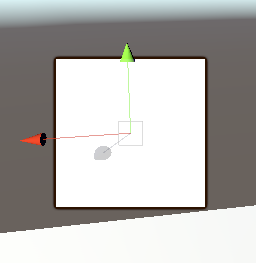 umbral cargo
frigid zinc
umbral cargo
frigid zinc
this is basically the problem, as i rotate to the left, it's like that
but as I rotate to the right:
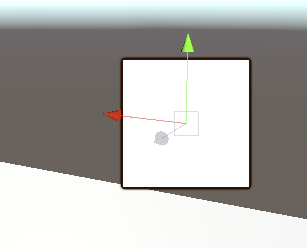
you want it to stay the same relative to the 'terrain' at the bottom
frigid zinc
i'm lost then
umbral cargo
it's at a fixed rotation
frigid zinc
straight panning shouldn't alter anything
umbral cargo
when I pan the camera to the left and right, and the sprite appraoches the edges of my screen, the perspective camera draws the terrain differently due to the distortion of the perspective camera
frigid zinc
yes perspective.
umbral cargo
yeah, I was to add perspective distortion to my billboard, basically
frigid zinc
i don't think you can have both
either it's going to be drawn in perspective, or as a billboard
umbral cargo
i wonder how the many JRPGs that exist do their games with 2D sprites on 3D backgrounds
frigid zinc
you can try my billboard shader and see if it's any different
but i don't think it will be
umbral cargo
sure, I'd like to see your code at least
frigid zinc
it's a standard surface shader but as a billboard
just diffuse, no normal or metallic map
but it does have sliders for smooth/metallic
umbral cargo
looks like we must have started with the same example shader
frigid zinc
dunno about that, i made this by trial and error lol
still has some of my attempts commented out
umbral cargo
your commented out attempts are the same code as my shader
i don't remember where or when I started with my shader, though. it's been awhile
frigid zinc
well it's not like there's a lot of ways to do it heh
the one i found by searching used a script on the camera
umbral cargo
same indentation too, I mean
frigid zinc
and that really wasn't acceptable to me
umbral cargo
and properties _ScaleX and _ScaleY
maybe I found an old shader you shared somewhere 😛
frigid zinc
yes those are common in a lot of examples
i taught myself via the internet, so i'm sure i saw a ton of examples like that hah
anyway, yes i don't think you're going to get what you want, because the two concepts are diametrically opposed.
billboard is meant to ignore perspective

Game Development Stack Exchange
I use the standard approach to billboarding within Unity that is OK, but not ideal:
transform.LookAt(camera)
The problem is that this introduces distortion toward the edges of the viewport, espe...
someone here is asking the same question you are.
it's unclear if any information there is helpful but worth reading
umbral cargo
i just found this too
it's possible I want viewpoint billboarding instead of viewplane
frigid zinc
that post is interesting. it sounds like what you want is the World Oriented Billboard
which is a new one on me really
umbral cargo
yeah, they also just call them imposters
frigid zinc
they don't explain how it's done though
but at least we know a name now
i'm guessing instead of orienting it to the view plane
it would be oriented to the camera position
umbral cargo
may have found something here
Whether you’re building a space-based game or something closer to home, assuming it’s in 3D, you may find yourself needing to render lots and lots of objects that don’t necessaril…
he's doing stuff with corners though that I probably don't need
yeah, he's doing scaling with UV2 and applying it in the shaders
unfortunately doesn't seem to be what I am looking for either. hm
still carbon
could you post a video clip of something you know performs the way you're trying to replicate?
frigid zinc
that shader doesn't quite seem to work
almost
it assumes the camera isn't rotated
as soon as you rotate the camera it breaks
umbral cargo
sure, one sec
yeah, I was going to look for the camera's relative Y-axis instead of the world y-axis
frigid zinc
but if your camera has no Y rotation you could try it
umbral cargo
this is where it uses the world-space Y axis
float3 A = cross(UNITY_MATRIX_V[1], N);
at least I think it is
here is the behavior I want
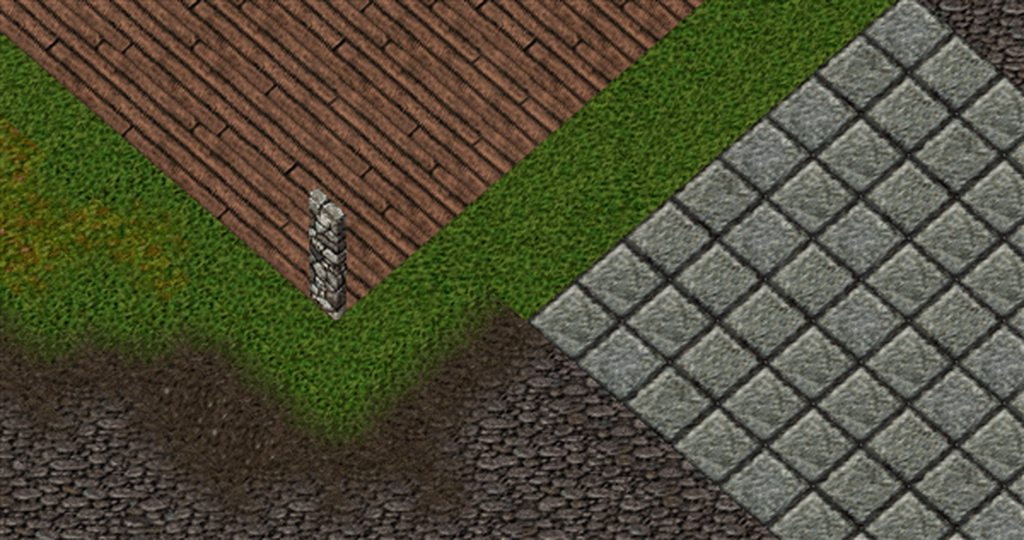 frigid zinc
it's a 2D billboard in a 3d scene
still carbon
it's still essentially an isometric view though
frigid zinc
and he wants the billboard to angle with perspective at the edges of the screen
umbral cargo
yes, it is
frigid zinc
just as the terrain does
umbral cargo
I want the camera to be a perspective camera, at an orthographic angle
still carbon
the surface doesn't appear to be wwarping to perspective either though?
it all appears to be flat
umbral cargo
it's not because it's an orthographic camera
frigid zinc
i wasn't sure it could be done, but there's a type of billboard call a world-oriented billboard that might do the trick
umbral cargo
you asked for how I wanted the sprite to look
frigid zinc
however finding an example is proven hard
still carbon
so you want the effect of the pillars, but with a perspective ground..
umbral cargo
i can record a perspective camera too
frigid zinc
about halfway down the page they discuss it
it's basically a billboard that faces camera location, not the screen plane
'viewpoint oriented' as they put it
umbral cargo
at least we think that might be the answer
Here's an example of it looks like with a viewplane billboard and a perspective camera
which is what I am trying to avoid
frigid zinc
i actually just remembered
the script based version i have does exactly what you want
it was why i didn't like it heh
frigid zinc
pretty much yes
umbral cargo
haven't looked at that in a long time, can't recall how it looks
frigid zinc
with "AlignNotLook" on it behaves like the shaders
but with it off, it rotates to face the camera
which sounds like what you're after
umbral cargo
nah, this thing is too extreme
frigid zinc
well that's going to be the problem, no solution is going to perfectly match the perspective of the 3d elements
the real solution is to pick a style
either go full 2.5 Orthbgraphic
or full 3d perspective
i.e. either make the terrain a perspective drawn texture
or make the wall a 3d cube with pixel art on it
trying to mix the two is only going to leave you unhappy i feel
umbral cargo
i feel like certain JRPGs have had 3D maps with 2D, isometric characters sprites on them for ages
with using a perspective camera
still carbon
if you don't mind being restricted to shader model 4 and up, you could perhaps rotate towards camera view and use noperspective interpolator semantic on the vertex value of your v2f struct in the shader
umbral cargo
i have been trying to keep it in shader model 3.5 for webGL
i think 3.5 is the webgl limit
but I'm not entirely married to it
what is the noperspective interpolator?
oh, i would do this on my map?
still carbon
on the billboarding sprites
unless you don't want perspective distortion happening to your map either
umbral cargo
perspective distortion is not happening on the billboard sprites though, right?
that's the problem
it needs to happen
it's happening on the map, but not the sprites
still carbon
I coulda sworn this conversation started off with you asking to not have that happen on those pillar sprites, alright
 frigid zinc
i understood it as he wants the perspective shift to match
umbral cargo
I asked if there was a way to draw the sprite "correctly", which was vague. But by correctly, I meant with perspective distortion.
frigid zinc
but not having it would probably be an equal solution
umbral cargo
well if I did not have it on the map...I don't know how that would look, heh. Can't visualize that.
frigid zinc
like orthographic lol
umbral cargo
feels like everything would be orthographic, yeah
frigid zinc
the shader would have to not only factor in the camera position, but the object's position too
i just can't get past the part that's basically drawing it with perspective, but you want a billboard
umbral cargo
here's an example of a game that uses 2D sprites on a 3D map with a perspective camera

Welcome one and all to another series that touches back to my memories. Final Fantasy Tactics is probably the second RPG I ever really played, so once again ...
still carbon
those sprites aren't being perspective distorted though, and the camera has no actual perspective I don't think
frigid zinc
well sure you can do that, but they aren't trying to match any perspective rotation
they are just changing the sprites based on view angle
so you see side, front, back etc
umbral cargo
of course, I know they are switching sprites depending on which way they are facing
what i'm saying is, their 2D sprites don't look like they are floating around when they get near the edges of the screen
but yes, whether or not they are using a perspective camera I can't prove, I can only postulate that it looks like the 3D map has parallax based on shots like this moment
frigid zinc
it's 2.5 D view. i think basically the camera is orthographic
let me see if i can replicate that
umbral cargo
one minute while I make a gif of the camera shot I am talking about
that does not appear orthographic to me
frigid zinc
it does to me
it's just rotating around the scene
orthographic doesn't mean it has no perspsective
it just means it has flat perspective
or maybe i use the wrong term
not orthographic
isometric
umbral cargo
i'm not sure of the difference myself. Unity uses the term isometric in the scene view, and orthographic in the camera inspector.
umbral cargo
but you're right, their camera could very well be ortho/iso
frigid zinc
chug chug, (big gif)
ok first half is perspective
then i flip it to isometric
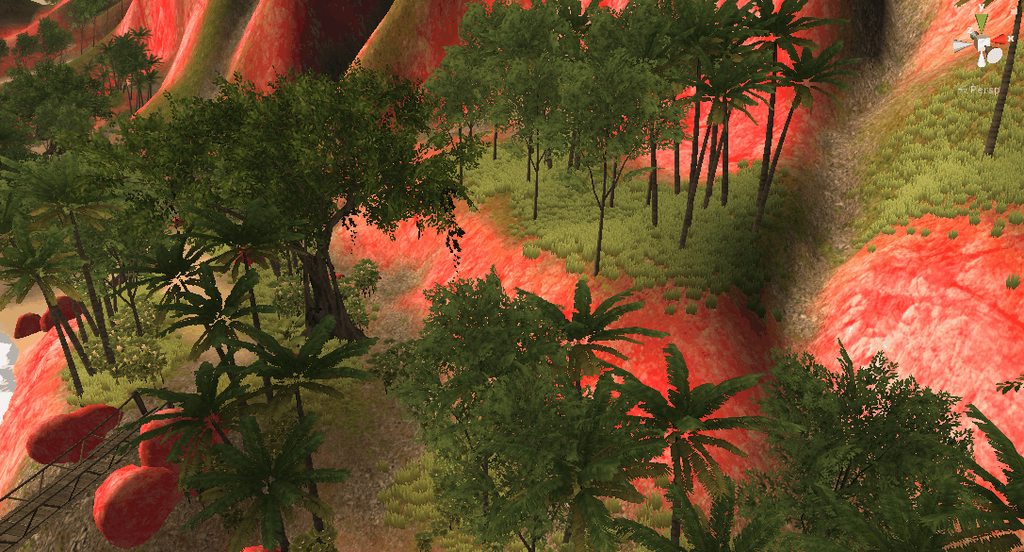
isometric basically has no perspective
but it's still 3d
frigid zinc
hehe
well the video you provided looks a lot like isometric to me

Unity is the ultimate game development platform. Use Unity to build high-quality 3D and 2D games, deploy them across mobile, desktop, VR/AR, consoles or the Web, and connect with loyal and enthusiastic players and customers.
there's some info here on how to make the game camera isometric
you can give it a try and see what you think
(brownie points if anyone knows what the pink island above is from 😛 )
umbral cargo
unity's old island demo?
frigid zinc
yes lol
came from like, unity 3
i figure most people haven't seen it
i made that iso camera like on the page, works pretty sweet
umbral cargo
i already did have a camera set up at an isometric angle
but I still haven't tried their method
umbral cargo
thanks for talking things through with me
 slate patrol
I wonder why in the world PPSV2 has initial and final passes?
Can't it operate on the main camera RT?
And on that note, final pass is not rendered if only the Uber shader is used
What's the deal with that?
It seems like an obvious performance waste regarding fillrate
slate patrol
Well, I get it, final pass has stuff like dithering and such, that's why dithering is injected into the uber shader in case if there are no effects afterwards.
Why is the initial pass required though?
 left stream
frigid zinc
left stream
frigid zinc
looks like you're trying to use a LWRP master node in HDRP, or a HDRP master node in LWRP
stone sandal
or you don’t have a render pipeline assigned at all
quaint grotto
or shadergraph is incomplete and has bugs
fervent tinsel
that would be most unlikely alternative here
(for that error I mean, but it does have bugs)
frigid zinc
or the earth left it's axis and we all gonna die (now that's the most unlikely scenario 😛 )
broken field
The Earth screamed, a sound all heard because it was the sound of a world being torn by gimble lock, a terrible and final end for mankind in it's pathetic little simulation.
frigid zinc
fatefully just moments before, the earth had escaped total annihilation when a large comet went right through it due to not having continuous collision detection on.
 noble pagoda
please don't summon the Kraken
 grave flare
this isn't totally shaders, but is there any way in c# to efficiently copy a smaller texture into a larger texture
quaint grotto
summons kraken
frigid zinc
i'm sure there is, i see enough texture atlas creators and sprite sheet packers around

GitHub
Texture atlas creator for Unity. Contribute to maxartz15/MA_TextureAtlasser development by creating an account on GitHub.
like that one
 rotund tusk
Graphics.CopyTexture if supported
quaint grotto
i had such a headache with texture atlas
used to have the edges of different textures bleeding across
annoyed the shyte out of me
grave flare
the issue is that i want to copy a 64x64 into a 515x512 and the program is hanging
which is weird, because looking at this repo this is basically what im doing
quaint grotto
well just think of it like a grid of textures
grave flare
repo:
           for (int x = 0; x < texture.width; x++)
            {
                for (int y = 0; y < texture.height; y++)
                {
                    Color pixel = texture.GetPixel(x, y);
                    int posX = Mathf.FloorToInt(x / ratioWidth);
                    int posY = Mathf.FloorToInt(y / ratioHeight);
                    texture2D.SetPixel(posX, posY, new Color(pixel.r, pixel.g, pixel.b, pixel.a));
                }
            }
            texture2D.Apply();
me:
for (int i = 0; i < Terrains.Length; i++)
            {
                Clog.L($"handing texture {i}");
                var t = Terrains[i];
                var tilemapdim = t.tilemap.texture.width;
                //blit the textures from the tilemap onto the max size texture
                var newTex = new Texture2D(512,512,TextureFormat.ARGB32,false);
                var newCol = new Color[512*512];
                var tilemapCol = t.tilemap.texture.GetPixels();
                Clog.L($"color length {tilemapCol.Length}");
                //populate with offset colors
                for (int tc = 0; tc < tilemapCol.Length; i++)
                {
                    //0,0 top left
                    var colorX = tc % tilemapdim;
                    var colorY = tc / tilemapdim;
                    newCol[(colorY * 512) + colorX] = tilemapCol[tc];
                }
                // Graphics.CopyTexture(Terrains[i].tilemap.texture,newTex);
                Clog.L($"setting pixels for texture {i}");
                newTex.SetPixels(newCol);
                newTex.Apply();
                // Texture2D terrainTexture = Terrains[i].tilemap.texture;
                textureArray.SetPixels(newTex.GetPixels(), i);
            }
are these textures procedurally generated before hand?
if not why not just make the atlas in photoshop
quaint grotto
ok well its simply applying colour data based on a grid. are your textures all 64by64?
grave flare
no - the issue is that the incoming textures can be 64x ,128x,256x,512x
quaint grotto
oh
grave flare
so im trying to build a 512x512 texture array
quaint grotto
i mean most texture atlas' are usually uniform
grave flare
and then "resize" the incoming textures to be 512x512 as well to conform to the array
quaint grotto
its more tricky when they are not uniform as you'll need to remember what you already added
grave flare
actually maybe i can jsut use this? https://docs.unity3d.com/ScriptReference/Texture2D.Resize.html
frigid zinc
GitHub
Texture atlas creator for Unity. Contribute to maxartz15/MA_TextureAtlasser development by creating an account on GitHub.
this is the core of their texture reading/writing
so yeah they use readpixel setpixel
grave flare
yeah thats where i pasted the above from
grave flare
well shit this seemed to at least maybe work??
frigid zinc

GitHub
Unity – generate SpriteSheets at runtime! Contribute to DaVikingCode/UnityRuntimeSpriteSheetsGenerator development by creating an account on GitHub.
another one
grave flare
        var newt = new Texture2D(tilemapdim,tilemapdim,TextureFormat.ARGB32,false);
                newt.SetPixels(t.tilemap.texture.GetPixels());
                newt.Resize(512,512);
                newt.Apply();
basically blit to a new texture of the same dimms, resize, then apply
it also skips needing to forloop over 512x512 indices X number of times
frigid zinc
seems mostly the same, setpixel32/readpixel32
just using the 32 bit variant
GitHub
Unity – generate SpriteSheets at runtime! Contribute to DaVikingCode/UnityRuntimeSpriteSheetsGenerator development by creating an account on GitHub.
grave flare
yeah seems to be the way
its not rendering "right" yet, but the program isn't hanging anymore and im not getting array size errors anymore
oh wait
After resizing, texture pixels will be undefined. damn
frigid zinc
hmm
so you have to resize first
and if you want to upscale a small texture i guess you have to do it yourself during the copy process.
like if source is 64x64 and destination is 512x512, you'd need to write every source pixel 8x8 times
looks like someone found this limitation and made a solution
thank god it has a C# version down the page
someone else made a GPU based version that's faster (and quite a bit simpler)
grave flare
oh i see what i was doing, my shit was hanging because i was incrementing the outer for loop, not the color one -_-
the issue is that i don't actually want to "scale"
i basically want to increase the texture "canvas" size but keep the pixels in the same place
frigid zinc
yeah then might be best to just make a new texture and copy the original into it
steel notch
is there a way to "shave off" certain sections of a mesh with shadergraph?
like if I have a sphere and want to turn it into a hemisphere
frigid zinc
this is a pretty cool package showing how to use a plane as a 'cross section' viewer for 3d models
obviously it doesn't use shadergraph, but the same technique could be created in shadergraph
grave flare
@frigid zinc as a follow up, i just ended up making multiple terrainarrays on my shader lol
frigid zinc
ah I see.
grave flare
its prob more efficient anyways - in the resize system you needed to have a single 64x64 sprite you had to store a 512x512 tex in memory
frigid zinc
well glad you found a solution 😃
grave flare
👍
rip
UNITY_DECLARE_TEX2DARRAY(_OnesSpriteArray);
            UNITY_DECLARE_TEX2DARRAY(_TwosSpriteArray);
            UNITY_DECLARE_TEX2DARRAY(_FoursSpriteArray);
            UNITY_DECLARE_TEX2DARRAY(_EightsSpriteArray);

            fixed4 frag (v2f i) : SV_Target
            {
                // float FOG = i.color.r;
                float FOG = i.fog.r;
                fixed4 col = fixed4(0,0,0,0);
                if(i.color.r == 0.2) //64 - ones
                {
                    col = UNITY_SAMPLE_TEX2DARRAY(_OnesSpriteArray, i.uv) * FOG;
                }
                if(i.color.r == 0.4) //128 - twos
                {
                    col = UNITY_SAMPLE_TEX2DARRAY(_TwosSpriteArray, i.uv) * FOG;
                }
                if(i.color.r == 0.6) //256 - fours
                {
                    col = UNITY_SAMPLE_TEX2DARRAY(_FoursSpriteArray, i.uv) * FOG;
                }
                if(i.color.r == 0.8) //512 - eights
                {
                    col = UNITY_SAMPLE_TEX2DARRAY(_EightsSpriteArray, i.uv) * FOG;
                }
                clip(col.a - _Cutoff);
                return col;
                // return i.color;
            }
@frigid zinc can you post your Shader "Custom/BillboardSurface" again? The pastebin expired, and I wanted to borrow something from it to see if it works with Sprites.
for some reason my shader doesn't work with 2 sprites from the same spritesheet, and it seems to possibly be the way I calculate the vertex position
as soon as I make a 2nd sprite from the same sprite sheet that uses the same material, they both disappear
unless I zoom in really close. it's bizarre.
actually nevermind, I had your shader open in an old tab
tab hoarding for the win
hm, I couldn't get your shader to actually do billboarding
oh, it's probably because I am in LWRP
fervent tinsel
@grizzled prairie doesn't ASE have something like this?
not sure if there's any node for getting the side but you could probably figure that out with some logic
frigid zinc
there is a node for which side is currently being rendered: http://wiki.amplify.pt/index.php?title=Unity_Products:Amplify_Shader_Editor/Switch_by_Face
 grizzled prairie
@fervent tinsel I actually tried that but this is my result - https://puu.sh/CRyIZ/035f7c31c6.png
 fervent tinsel
The fresnel doesnt work double sided for that effect. It was the reason why I omitted fresnel from the backside on that SG example
frigid zinc
yeah I've made something similar awhile back, it's very doable in ASE
grizzled prairie
Sorry for the slow replies! I just tried the Switch By Face and it's closer to the end result I'm looking for : https://puu.sh/CRBCa/5c3117a21d.png
 fervent tinsel
@grizzled prairie that looks like you have the wrong face for the fresnel still
unless you are going for effect like that 😃
grizzled prairie
yeah, it's a little bit backwards right now 😬
 jovial willow
Hello everyone! Quick question, I have a custom shader, and I'm trying to update one of its parameters (a color) when the GameObject is disabled, without success.
Does the game object need to be enabled for the change to work? Can't find this anywhere
still carbon
How are you checking if the color changed if it's disabled (and thus not rendered)?
How are you setting the color as well? It shouldn't matter if the GameObject is disabled, since what you're setting is a material/shader property which is a separate object from the GO.
jovial willow
I'm doing this:
m_image.material.SetColor(m_colorPropertyId, newColor);
And I know it doesn't work because when the GO is active again, the color hasn't changed to the newColor value
Something worth noting is that only that GO has that material, so when its disabled none other GO is using it
fervent tinsel
@grizzled prairie I did a quick test on ASE and got:
just swap the color property to vertex color on yours
you can of course add more things to the max before opacity if you want some surface effect to that
grizzled prairie
Okay, cool 😃
 tame topaz
Hi guys, we're having some weird artifacting using ASE. In this test image (zoomed in), you can see black specs on the model when giving it an absolute barebone fresnel effect.
It's just a color into Albedo and Fresnel Node straight into Emission.
fervent tinsel
you used to get those a lot on the old Unity 4 shaders with high specular values
no idea what is causing that on your image tho
tame topaz
Ugh. Yeah, it's pretty noticeable, and the client definitely will too.
fervent tinsel
can you put like min node on the emissive, just to make sure there's no negative values being fed to it?
tame topaz
Sure, be back in a moment with results.
fervent tinsel
or clamp but min with other input set to zero would do
tame topaz
Nah, same issue. We did saturate the original shader too.
fervent tinsel
maybe some issue on PP then
steel notch
so Ive got two sphere meshes here
the one on the left has a much higher polygon count (if thats what its called)
than the one on the right (the basic unity one)
when I apply the same material to it though
it doesnt look the same (the one on the right is correct)
what do I need to do
frigid zinc
need a bit more information. how are each of the spheres UV Mapped? what is the material exactly? can you show the Material inspector?
frigid zinc
so it does have a bumpy normal map
either there's a huge difference in the UV mapping of the two spheres, or there's a tiling difference (or both)
but you should be able to make a copy of the material for the small sphere, and turn up the tiling
if it's 1 x 1 try 5 x 5 or 10 x 10
steel notch
I think the sphere I have is like 100 by 100 in blender
for vertical/horizontal
is that too much
frigid zinc
ok well that would explain the difference also
steel notch
how do I do that
frigid zinc
is it an ICO sphere or UV sphere
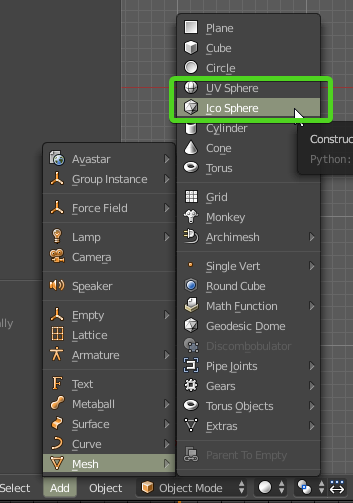
which option did you use in blender
if you can't remember can you show me a wireframe view of the sphere?
I can tell by sight hehe
each type would be uv mapped a bit differently
and we should probably go to the 3d channel since this isn't about shaders anymore
steel notch
kk i'll head over to 3d
 brave ore
Hi, can someone help me to add this colour lerp to the default unity HDRP terrain shader?
http://prntscr.com/mqk7ts
 quaint grotto
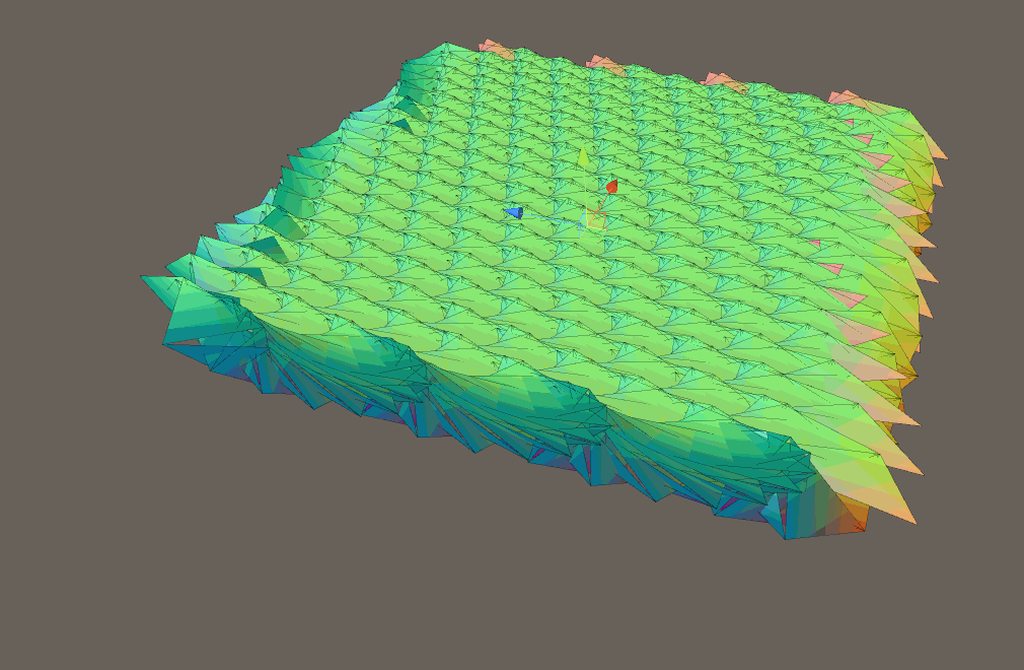
https://i.imgur.com/JSpabtJ.gifv unintentional bug but looks cool
 frigid zinc
fluffy conveyor belt
@brave ore as I understand all the HDRP shaders are available as shadergraphs, so it should just be a matter of cut and paste, I think?
i haven't actually looked for the graphs
brave ore
@frigid zinc the terrain shaders look very different from regular lit shaders.
frigid zinc
help me a bit, where do you find the shadergraph versions?
fervent tinsel
there's no terrain graphs for HDRP yet
frigid zinc
ahh
fervent tinsel
it does sound like that's coming eventually but it's not there today
frigid zinc
for future reference where do they keep the shadergraph versions, in the HDRP folder?
brave ore
I made the shadergraph shader my self. I need to convert it to hlsl code that the TerrainLit shader is using
frigid zinc
(in still installing hdrp)
fervent tinsel
these are the ones we get today on latest HDRP:
frigid zinc
ah ok
fervent tinsel
there's basically three main things missing right now from shader graph templates
- terrain graph
- ability to do tessellation on shader graphs
- layered lit graph
frigid zinc
as I recall you can view the HLSL by right clicking on the master node
brave ore
I am not looking for making a terrain shader in shadergraph.
fervent tinsel
altho technically the third one can be done on lit master node
brave ore
I need to find a way to modify the TerrainLit shader so that it could have the a vertical world space gradient
fervent tinsel
porting that graph to shader code isn't hard part here
 brave ore
I know, I can make it as a Surface shader in CG code. but Terrain shader looks structurally different from a regular surface shader.
brave ore
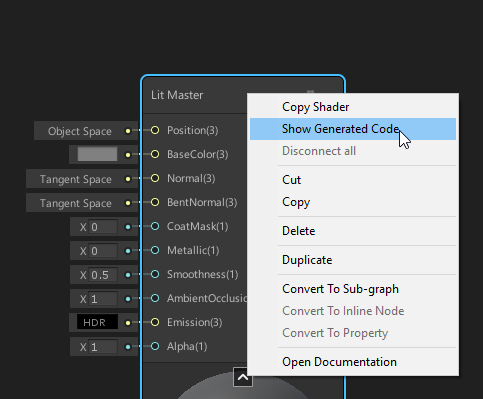
- the Show generated code is 3k lines
frigid zinc
but if you can't point me to the shader i can't help heheh
since it's not in shadergraph there must be a shader file you're looking at. where is it?
brave ore
while the desired behaviour can be written in less than 100 lines as a surface shader.
 frigid zinc
right you have to extract the part you need out of the rest
i'll have to reconstruct your node setup so i can see what is generated, give me a few min
brave ore
frigid zinc
(ugh, does it really compile every time you connect a node 😦 )
still orbit
GitHub
Purpose of this PR
Take advantage of async compilation for the preview shaders (no more "Compiling Shaders..." dialog!) and render previews only when necessary. Removes the ÜberShader so ...
fervent tinsel
I actually tried that but I think I broke something on the merge as it was still as painfully slow to do new operations on the SG 😄
frigid zinc
@brave ore, the actual code from your graph is between the comments:
//-------------------------------------------------------------------------------------
// Graph generated code
//-------------------------------------------------------------------------------------
and
//-------------------------------------------------------------------------------------
// End graph generated code
//-------------------------------------------------------------------------------------
you can mostly ignore the rest
the problem is going to be, they have each pass in an include file
so there's nothing in TerrainLit.shader to really modify
fervent tinsel
@still orbit noticed this too 😄 https://github.com/Unity-Technologies/ScriptableRenderPipeline/pull/3087

GitHub
Purpose of this PR
Why is this PR needed, what hard problem is it solving/fixing?
This PR adds the reamining Property types to the Blackboard (Matrix2, Matrix3, Matrix4, Gradient, Sampler State). T...
frigid zinc
@brave ore it looks like the actual pass code is in #include "Packages/com.unity.render-pipelines.high-definition/Runtime/Material/TerrainLit/TerrainLitSharePass.hlsl"
fervent tinsel
it's nice to have these all exposed finally
frigid zinc
so yeah it gets complicated to do this kind of modification
brave ore
@frigid zinc so do i just pass my shader as an include?
frigid zinc
no...
brave ore
: (
frigid zinc
it's not anywhere near that simple
the code would be somewhere in the includes
but i'm not sure where
still orbit
Yea, its actually a side effect @fervent tinsel . All I wanted to do was expose all the slot value types in subgraphs
but it was easier to add the remaining property types to all blackboard and keep the code that converts property > port, than to refactor the blackboard to work differently in subgraphs
500 LoC rather than ~4000
fervent tinsel
I don't really see why one would even want to limit those out by design
brave ore
@frigid zinc TerrainLitSharePass.hlsl"?
frigid zinc
@brave ore it looks like it may be in TerrainLitSplatCommon.hlsl
fervent tinsel
but yeah, I don't really complain about the current setup once these are merged (as far as the properties go, I still got my nag list on SG's other issues :/)
frigid zinc
but this is heavy stuff. you'd need to be a real shader exert to modify this
fervent tinsel
I'd really want subgraphs inside subgraphs really badly 😄
still orbit
Well it gets sort of dicey as you cant expose them to the property block. But its less that we werent going to have them on the blackboard, and more that we eventually need the blackboard contents to be contextual to the graph type.
But backporting that work to 19.1 was deemed too risky
And yes, nested subgraphs are coming 😛
fervent tinsel
could do a lot more custom nodes with them
still orbit
Yup, life should be a lot better when we land these changes weve got coming...
fervent tinsel
this is also what UE4 does for like half of their material nodes, they are just their own material functions (which is their equivalent to sub graphs here)
brave ore
Oh well, thank you for the help @frigid zinc
frigid zinc
TerrainSplatBlend(float2 uv, float3 tangentWS, float3 bitangentWS,
out float3 outAlbedo, out float3 outNormalTS, out float outSmoothness, out float outMetallic, out float outAO)
this function has a lot of 'out' variables, including albedo
you might could alter the outAlbedo inside there, but it would be a real experiment to see if it works 😃
that's the function that blends all the splats together
the properties you want to have would have to be in the top level shader
so would take some coordinating of edits to both files
brave ore
;-; That is way beyond my programming abilities .
frigid zinc
i'd pretty much be like a monkey beating on a rock with a bone myself, hoping something worked 😛
i have a good idea something would happen, i just don't know what LOL
brave ore
I am more like a fish in this analogy.
frigid zinc
😃
brave ore
XD
fervent tinsel
rotund tusk
@brave ore you could modify TerrainSplatBlend function and set outAlbedo to whatever the result is from your gradient calcs. You could also open TerrainLitData.hlsl and in GetSurfaceAndBuiltinData function, modify "surfaceData.baseColor" after the call to TerrainSplatBlend
you'd also probably want to do the same changes for the generation of the basemap shader (rendered as the lowest LOD for the Terrain). that code is in TerrainLit_Basemap_Gen.shader. The first pass there is what you would want to modify, again after the call to TerrainSplatBlend. You'd set "albedo.xyz" to your color
if you modified the TerrainSplatBlend function, you'd only have to add the changes once
 ornate blade
sorry for X post, but I thought this fit here (and no one answered in #archived-hdrp ). Does anyone know why the text has a weird delay? 2 Cameras. First is perspective, and renders everything but the UI layer (which text and panels are on). Second is orthographic and renders nothing but UI. HDRP, happens with multiple fonts
brave ore
@rotund tusk thank you for the advice, I will give it a try
 honest dirge
anyone know why there is banding artifact in the Game render when in the scene i have no problem ?
frigid zinc
@ornate blade I saw your previous post, but the fact is I have no earthly idea why that's like that, and I suspect nobody else does either.
if I had to hazard a guess, something to do with some camera effect you are using?
ornate blade
Hmm Bugger. Was hoping it was just me being dumb. Thanks anyway ceebee :)
fervent tinsel
merged this for testing 🤔
 rain scaffold
Hi there, i get an error when i use terrain tree pain to add some trees (treee must use the Nature/Soft Occlusion shader. Otherwise billboarding/lighting will not work correctl)
Im using a costume shader, why does it force me to use a other one??
still carbon
because it likely has certain shader properties it wants to set on the shader to give them the full possible effects and per instance differences. Though it is strange that it would restrict it instead of just test if the shader has those properties
 solar brook
Is there any documentation on how to create my own master node?
 mental helm
Hi guys, Is it feasible to pass a Texture2DArray to a shader and "collapse" the array into a composite image? (i.e. the topmost layer overwrites the one underneath and so on). The texture size im targeting is quite small (128x128), but I need 10 layers.
still carbon
If i'm understanding you correct yeah, you can loop through the array and keep adding the sampled colors of each together however you like until you've looped through
Is it that you want a returned copy of the combined texture though? or is this to be purely for rendering on an object
mental helm
Purely rendering. I am preparing the texture2DArray at runtime to combine sprites into a composite from layers of outfits/appearances. The 128x128 textures is a small atlas for a single animation so the array only has to be rebuilt when the "animation" changes.
I'm currently just prototyping this, but its working through shadergraph with 5 layers by using 5 seperate sample2DTextureArray nodes each sampling incremented indexes and using the artistic Overwrite node to combine the next layer using the previous' alpha channel combined with the current alpha channel. I assume this could be optimized by writing actual shader code though...
still carbon
if you wrote a compute shader for it sure, but that would greatly restrict platform support. The regular shader code SG would produce for those operations isn't any less performance than how you'd write it manually in a shader.
mental helm
Fantastic. So upwards of 10 different Sampling nodes isn't something to be afraid of? Thank you for the info.
I suppose the total number of pixels of 10 (128x128) textures that the shader is sampling is still less than a single 512x512 texture.
still carbon
the amount of pixels sampled is determined by the screen resolution and the area the object you're rendering is covering of it, not the size of the textures
so for each pixels your sprite is covering, each of those samplers are executing for each texture in the array
This might be a bit heavy on mobile platforms, but always best to just do a test and see how it performs
will your screen with a bunch of them
mental helm
This is literally ONLY going to be used on characters. So only characters that have the option to be customized (NPC's and player character). Enemies wont need to dynamically change appearance and can be handled regularly. So it shouldnt be many on the screen at once.
still carbon
yeah should likely be fine then
also keep in mind if targeting mobile, only opengl es 3.0 supporting phones can use texture arrays, not es 2.0
mental helm
Thank you so much! Testing is next on my list but I just wanted to ask someone with shader knowledge if this was a bad idea. The work flow is much better than using mecanim for me, only having to make a simple editor to manage lots of atlases and a single quad for the player rather than 10 seperate spriterenderers.
Great, thanks! but this will be windows only. 😃
still carbon
ahh ok no worries for sure then
mental helm
The only thing that I wish I could change is I cant have any variable number of "layers" being sampled, as I have to add a sample node for each index. I guess there would have to be some sort of looping node to accomplish this.
still carbon
yeah that's one way you'd be able to write it a little cleaner since you could just loop through it in shader code using the same sampler
still carbon
what do you mean specifically
quaint grotto
well im using a lot of trig functions because i use complex numbers in polar form, and im trying to optimize, so i thought about making a lut and lerping
if they already do this though then it would be a waste of my time
still carbon
that's not enough to go on, what's the context, are you doing this in vertex shader or frag? you could put your complex numbers into the vert struct and let it interpolate it for you between the verts for example
quaint grotto
well im currently using DFT and converting to FFT ideally in fragment shader
some one else told me they did it in pixel shader rather than vertex shader so i just planned to do the same
still carbon
yeah most of it would have to be, but some data can likely be computed in the vertex and let the interpolator feed you the adjusted value for your fragment. I'm confused about what the lookup table would do for you though, how many different numbers are we talking about here and what kind of data would you use to determine where to grab from in the table?
You can write constants in the shader if needed which is often done when people need magic numbers
quaint grotto
i would plan to have an array of angles every 0.5 degrees and then say i had 0.67 i'd lerp between .5 and 1 in the array. rather than actually have it compute the trig value
its the only major heavy lifting the algorithm does
besides iterating, but thats usually unrolled anyway
but i equally dont know if its warrented on modern gpus
still carbon
ahh yeah that could be a performance boost, only way to know is test. That's going to involve grabbing values from an array or sampling textures though versus extremely fast inlined instructions that don't need to grab data from elsewhere.
But I guess the answer to your question would be that no, the shader compiler isn't quite that smart to know to construct some sort of lookup table from your various equations, your table would still be a fairly user defined construct using rules that only you're aware of due to knowing your needs.
quaint grotto
ah okay thanks for letting me know, i'll look into it then 😃
 odd pilot
Would anyone be able to point me in the right direction to creating a world space coordinate shader; just like the one that comes with the prototyping asset pack, but double sided, and transparent?
 amber saffron
@odd pilot Couldn't you just copy that shader and change the culling and blend mode ?
odd pilot
That's what I am trying to figure out how to do. I got the cull Off command to make it double sided. Now working on the blend mode. How do I do that?
amber saffron
Check that : https://docs.unity3d.com/Manual/SL-Blend.html
In particular the "Alpha blending" part
odd pilot
@amber saffron Thanks very much! I'll look into that
amber saffron
Optionally, if the shader is a surface shader look here : https://docs.unity3d.com/Manual/SL-SurfaceShaders.html
At "Optional parameters", there's the "alpha" keyword, to auto-enable alpha blending
rain scaffold
Whats the problem with the terrain trer brush, i cant brush because my tree has a different shader, when i try to brush it comes this error : (treee must use the Nature/Soft Occlusion shader. Otherwise billboarding/lighting will not work correctl )
amber saffron
The error is self explanatory. Your tree should use the proper shaders.
rain scaffold
Why cant i use a costume one, i made
amber saffron
Maybe also check the terrain settings, and set the tree bilboard start to the maximum.
You can use a custom one, but you may encounter lighting issue, and will probably no have billboard working.
rain scaffold
Can't i just inlude the code in it.
The shader i made isn't well, but thr best i could finde for pixels
Someone know what's the best shader for this tree?
amber saffron
Unlit ?
amber saffron
Then make an unlit without face culling shader ?
I say unlit because the asset you're showing already has lighting painted
rain scaffold
You mean to edit the until shader?
amber saffron
Or create a new unlit shader and just change the cull mode
rain scaffold
I tried with the unlit shader that exists already, but i have the same issue i had before
It says use only nature/soft occlusion shader
If you like i could send you the tree and try it out
fervent tinsel
got SG POM working now on latest wip branch for it 😃
Amplify Shader Editor just got this btw:
I hope SG will follow up
too bad that will not work on HDRP anymore due to PPv3
build-in PP Graph would be fancy, kinda missing that after getting used to it being always there on Unreal
frigid zinc
yeah that's a neat addition
amber saffron
@rain scaffold Like I said, the nature/soft shadow is just a warning, it should still render. Not when the tree is displayed as billboard, and probably with broken lighting (but you don't care for that)
dry island
[Paid] Need someone adventurous and creative to help me with a shader compatible with LWRP in Unity 2018.3
The shader should have (if possible) an effect like microfibre for woolen cloth similar to this:
https://youtu.be/3tcVzlUbNDc?t=88
Please PM and provide a link to the best examples of your custom shader work.
Thank you.

Hey guys, it's been a while. I have been working on our upcoming animated short film called 'Windup'. And this is a test scene from it! The test scene is a c...
rain scaffold
@amber saffron ok, im using now the shader that its calling for, the normal tree soft occlusion leaves, but the problem is it doesn't receive lightning
fervent tinsel
@dry island is that effect on the video really done in shader? I looks like manually placed cards (ok bad wording on this, meant cards in general)
dry island
Perhaps.
I have a potential other solution in mind if possible, doing it with particles.
Placing cards manually... mmm we are talking about hundreds if not thousands. Sounds very inefficient. You will also notice there is some similar effect on her hair. Therefore I assume it is some shader effect.
fervent tinsel
you don't have to place them manually, still can do proc gen on tools, in houdini etc
dry island
Yeah could be. That is my plan C. doing it with some scattering tool in 3dsmax.
frigid zinc
yeah i'm pretty sure those are cards
if you watch the inspector closely there's 4 instances of the fabric shader on that sweater, Purls, KnitS, DetailS, and BorderS
likely one of those is for the fuzz, (Purl?)
ah seems purl is fancy stitching, so that must be the design part
stone sandal
those are knitting terms, knit stitches go forwards and purls go backwards
frigid zinc
maybe detail then
stone sandal
therefore would be two different types of lighting reactions
frigid zinc
yeah we're just trying to figure out the fine fuzz sticking out
stone sandal
who knew that my knitting obsession would be helpful in graphics? 🤔
frigid zinc
probably mesh cards, right?
stone sandal
i would guess mesh cards for those yeah, probably in that details instance
frigid zinc
nods
dry island
Possibly. It definitely is an experimental HDRP fabric shader. It says so. And there is an object called "fur_orig:Group2".
Now if this material is applied on planes, it is something we can't say from that video. I wish there was someone to let us know how this was done.
These are the kind of videos and tutorials many people need, instead or re-iterating the documentation combined with some marketing speech with nice images.
I was looking at the Unity Japan channel on youtube and the tutorials and workshops there are much more advanced compared to what we typically see in English. Too bad they are only in Japanese and there were no subs.
frigid zinc
well i can say with 98% certainty it's cards. that's pretty much the industry standard way to do it
fervent tinsel
HDRP Fabric Graph only does fuzzy like surface with wool option
but it doesn't change the geometry
frigid zinc
 fervent tinsel
by the time that demo was presented it was separate shader
now it's ported to SG template
frigid zinc
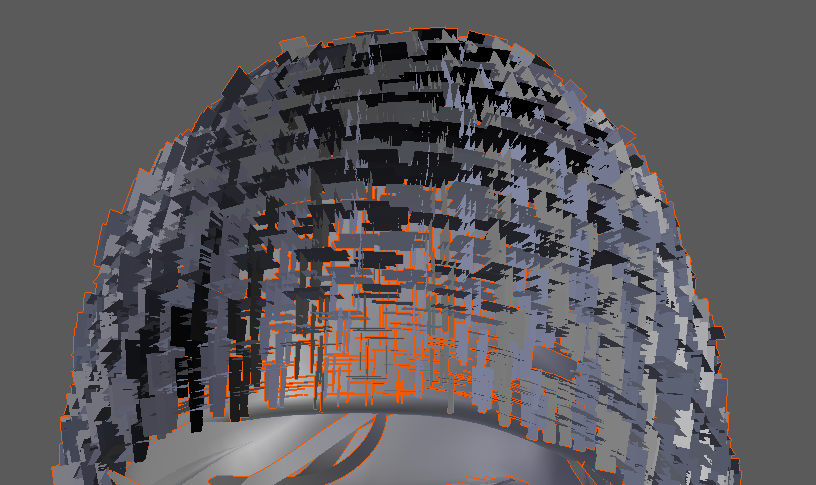
games with similar effects used hair cards, like this game, Until Dawn
all those cards were the 'fuzz' on the beanie
fervent tinsel
DICE uses that for moss on battlefront rocks 😃
frigid zinc
it's cheap and effective technique
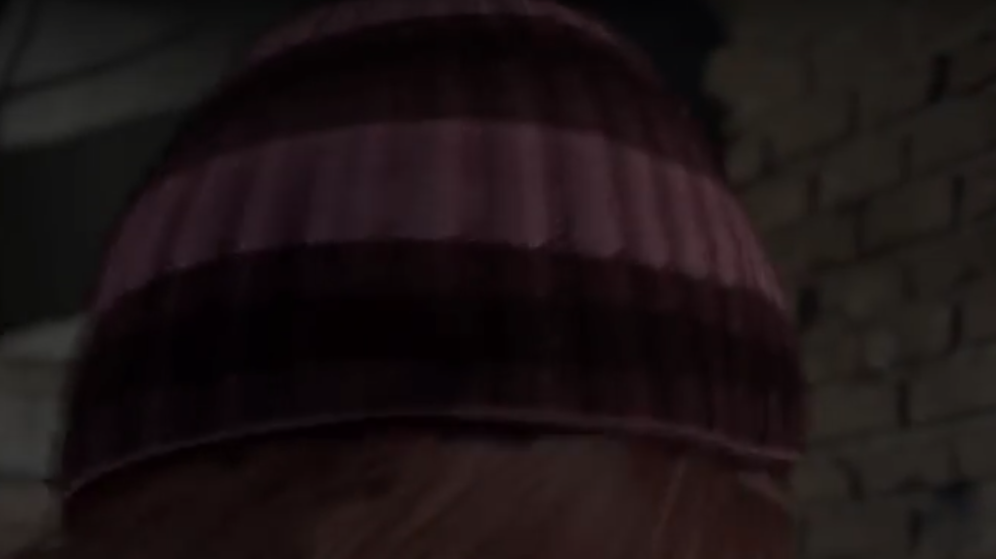


not easy to see in a badly compressed youtube video but you can kind of get the 'fuzzy' feel on the profile
dry island
Awesome. Then it is easier than I thought an won't cost me a dime! 😄
broken field
moss mapping
fervent tinsel
hmmmm, FPS Sample now has weapon FOV hack in shader graphs
also no hacked together shuriken particle shader for furnace, they've moved furnace effect to vfx graph (it was most demanding part of the level anyway due to expensive effect)
frigid zinc
fov hack?