#archived-shaders
1 messages · Page 108 of 1
 fervent tinsel
this is the minimal setup
yeah, it used to be some variant of it in past but I wasn't sure if it was kept around
they still use it on games like latest Uncharted etc afaik
 still orbit
@lost oracle if you want to make your own for builtin/LWRP look here

GitHub
Scriptable Render Pipeline. Contribute to Unity-Technologies/ScriptableRenderPipeline development by creating an account on GitHub.
Naughty Dog use lots of old shading tech though
They just have freaking incredible artists
fervent tinsel
makes sense 😃
still orbit
Epic for example do not use this for Paragon and their sample content
I saw a GDC presentation about their hair
fervent tinsel
I know, but Epics hair is totally unusable without TAA also
still orbit
its pretty cool, simulating the bounce through the fibre
but yea, cant say ive implemented their technique to see how it fares
fervent tinsel
a lot of feats in that engine rely heavily on TAA
but I guess that's pretty much stock option for HDRP AA too now
 obtuse lion
Pfft that just means you're not trying hard enough with your artefacting.
Semi-dumb question; is SEGI still the best on offer for the legacy pipeline in terms of realtime GI?
fervent tinsel
I don't think it even runs anymore correctly on recent Unity versions
unless someone has updated it recently
but there really isn't many choices
still orbit
I didnt know there was other options?
obtuse lion
There's been a bunch of people working on solutions which were never released, annoyingly.
Including some what looked to be fairly complete voxel cone traced ones
 vocal narwhal
https://twitter.com/hxLexie/status/1073686072771567616 is one of the unreleased ones
obtuse lion
There's been a bunch
e.g. this from 2013;
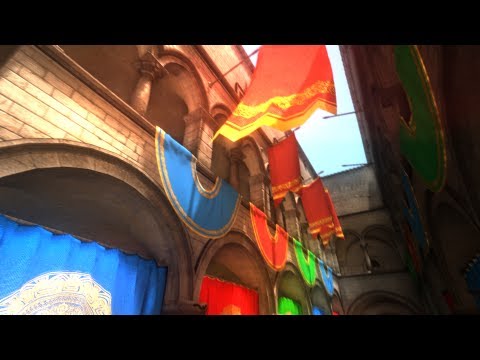
This is an implementation of voxel cone tracing to calculate radiosity in realtime in Unity. Its similar to the lighting implementation in Unreal Engine 4.
or this one... https://www.youtube.com/watch?v=ryEd8rQFX9E
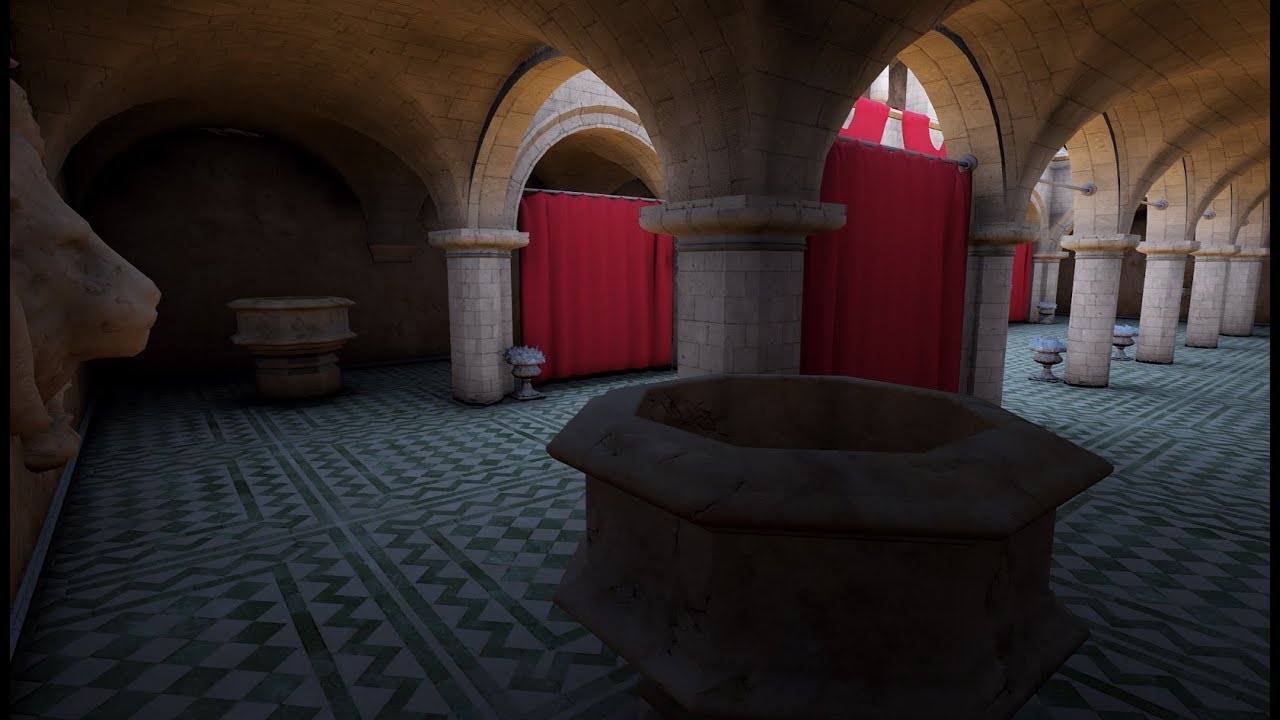
A small teaser of the revolutionary lighting engine being worked on for future titles for Brilliant Game Studios. Completely real time global illumination wi...
Personally I'd love to just hand someone a bundle of money for something like this (hint hint)
vocal narwhal
At least with Lexie's work he doesn't sugar coat it, and also it's clearly gone through a lot of iterations, I swear he's had some variation or another working for years
obtuse lion
Yes, the catch is I'm not sure it'll get released (and that's not knocking him)
vocal narwhal
yeah, we'll see though, it's closer than ever 😛
obtuse lion
Yeah, I'm hopeful it will 😃
 broken field
I guess its best for procedural levels
What I'd like to see with HDRP is some kind of default dither noise opaque transparency mode. It's quite common in modern games these days, for obvious reasons it doesn't crap all over your stuff. I have a real need for this across nearly all my dynamic stuff... currently it is hard to figure out how to make that work with jitter etc
I'd be using it for fading things in and out a lot (third person and so on)
still orbit
any reason you cant use shader graph?
i mean, i guess it would be good if it was built into Lit, but just wondering
broken field
Just so common
why wouldn't most games use it for transparency?
of the dynamic kind of course
I'm not even sure the right and proper way of doing it and if it will be high perf or not also 😃
 lost oracle
@still orbit Thank you very much ❤
 tame topaz
Hello! I have a mesh that I'm deforming in Amplify. Is there a way to get the real position of a vertex out from the shader since looking for it in code will only give the original position?
Or, alternatively, is there a way in Amplify that I could write to a texture that I could then read in code to get positions?
fervent tinsel
@tame topaz latter can work
Basically you need custom shader that only visualizes your position changes
Then use custom render texture thing to render the material (using that shader) into rt
And then you can read back that RT to cpu side (there is async callbacks for this too if you dont want to stall things)
There could be some really way more efficient ways to handle this but I know nothing about compute stuff (which you'd probably need for doing it more efficiently)
tame topaz
Right, okay ... yeah we were looking at the custom render texture. The problem is, I don't know if it's possible specifically with Amplify. We're not shader coders, so the node editor is what we use. Lol. Thanks for the resource links too!
fervent tinsel
you'd think you could use ASE for making the shader pass needed for that, but I haven't ever tried that myself
should be really quick to try if it does anything like that tho
like, just wire anything there and see what happens on the RT when you run that through the API
I've used similar API on UE4 and it didn't really require anything special, was pretty straight forward there
tame topaz
Ok, we'll have a look. Thanks. 😃
Looks like custom render textures were just added.
fervent tinsel
oh weird
I just tried it and got it working even without that package using regular ASE unlit template
but maybe that's some more automated thing?
tame topaz
You were able to write the vertex positions of the mesh to a texture, and read that back out in some script?
Looking through the example, it seems doable. I'm going to give it a shot.
 open scarab
would this be possible to compute the vertex positions with a RWStructuredBuffer inside a vertex shader ?
it's been a while since I've worked with RWStructuredBuffers but if i remember correctly you can read those on the CPU and GPU. SO you could calculate the new positions in the vertex shader and save the result to the buffer and read the buffer on the CPU
tame topaz
Yeah that was the hope. The only caveat was whether or not that was possible through ASE. But last month they added the ability to write to a custom rt.
Which is probably overkill for what I'm doing , but it's a good learning experience lol.
 charred hill
@tame topaz CustomRT in ASE will not allow you to do what you want for sure. But as @open scarab told, you can have a RWStructuredBuffer that can be accessed in read and/or write mode in the vertex buffer. You can afterward read back the values from the c# ... but, this is not accessible in ASE, you have to code it in hlsl. It can be either a surface shader or a plain HLSL shader ... so you can start from the code generated by ASE and modify it to add that access.
But, from what I understand, why don't you do all the deformations in c# code if you want to use it in c#? If you can compute the deformation in a shader, you can do it in c#, it will be slower, but it will be easier, you can read the positions of the vertices of a mesh and do your thing ... just my 2 cents
tame topaz
@charred hill Thanks for confirming. After doing some testing, we started suspecting we would just have to do deformation in C#. The reason we tried to avoid it was because the shader was already done and the functionality we're trying to do wasn't planned for it but just hoped we could make it work. But it looks like we'll have to do it outside of ASE afterall.
Thanks everyone for the help!
broken field
Hi everyone, I'm thinking about putting together a simple HDRP lit shader that will dither-clip anything with a sphere radius or fade amount. The idea is that when the camera is unable to see the character I'd be able to see though things in a nice way and also fade the character itself if it got too close. What I am wondering is if anyone's done this before and any tips? please thanks 😃
(via shader graph this is, which I'm not very good at)
 mental sentinel
send your character position on a global vector, get it on your shader, and dither based on distance to it. maybe first test if the distance to the camera is smaller than the one with the character. the dither is basically an alphaclip with some pattern.
 brittle gate
Someone was creating post processing shaders with amplify shader editor? I was trying for an hour to get depth post processing effect but wouthout success, for start I wanted something like https://catlikecoding.com/unity/tutorials/advanced-rendering/depth-of-field/circle-of-confusion/coc.png
 fervent tinsel
Wonder if there's ever going to be tessellation on HD Master Graph
I keep forgetting it's not there
but if any old signs mean anything, there's probably just going to be HD Tessellation Graph :p
I actually diffed these two (non-SG HD Lit and HD Lit Tessellation)
they are really similar, LitTessellation only has few extra hlsl files and few pragmas added etc
basically wondering if it would be feasible to just do a custom ASE template with similar mods to their HD Master Lit template variant
I guess one could try SG variant too, I just have no idea what all would need to be changed for that as I think SG files are more scattered around
in ASE, you pretty much just make single template and that's it, you can pick it up on ASE menu immediately
obtuse lion
Has anyone had any experience using native code to sideload shaders?
fervent tinsel
did Shader Graphs custom node API change?
trying to follow official tutorial but it doesn't seem to be compatible with what is in github atm
apparently the API is same (SG still uses this internally), but I can't access the needed class
tried to add relevant parts to asmdef too but no success so far
none of the guides mention asmdefs tho so the assumption is that it should just work without
oh well, this wouldn't work anyway as one can't input float4x4 into SG
or I guess I could restructure the occlusion probes script to use 4 individual float4's 😄
 frank elbow
Currently looking a a compute shader for Boids and it has this noise function.
float hash( float n )
{
    return frac(sin(n)*43758.5453);
}

// The noise function returns a value in the range -1.0f -> 1.0f
float noise1( float3 x )
{
    float3 p = floor(x);
    float3 f = frac(x);

    f       = f*f*(3.0-2.0*f);
    float n = p.x + p.y*57.0 + 113.0*p.z;

    return lerp(lerp(lerp( hash(n+0.0), hash(n+1.0),f.x),
                    lerp( hash(n+57.0), hash(n+58.0),f.x),f.y),
                lerp(lerp( hash(n+113.0), hash(n+114.0),f.x),
                    lerp( hash(n+170.0), hash(n+171.0),f.x),f.y),f.z);
}
is this really an efficient way to-do this?
just looks overkill to me o.O
vocal narwhal
GPU noise is a terrible terrible thing that I'm glad other people handle
have a look at some examples and cry https://gist.github.com/patriciogonzalezvivo/670c22f3966e662d2f83
vocal narwhal
Pretty much what I do haha
 woven narwhal
@fervent tinsel It's been internalised for now as we did not feel confident about its longevity, and it was locking us too much down in terms of doing internal improvements -- we're working on a replacement 🙂
 safe whale
Hey guys, can someone explain why do I have to write INTERNAL_DATA when declaring some variables inside the input struct in Surface Shaders? It's kinda of a mystery to me. I know it works but I have no idea of what's happening behind the curtains.
obtuse lion
Heh.
That's a question.
It's been a while since I had to touch that, but my memory was INTERNAL_DATA basically is the same as writing a bunch of other variable declarations
the reason for it, I think, was to give Unity at least a copy of the normal in a separate channel, so the pixel shader part can write to the output normal, without messing with the input which was still needed somewhere.
safe whale
Thanks @obtuse lion . 😃
obtuse lion
I have a somewhat weird, and possibly stupid idea for Unity here with shader support.
and I think this is easier under Shader Graph
but one of the big problems we have with Unity is that compiled shaders for one version of Unity break under another version.
so we recompile shaders every single time; however 99.9% of them are just simple Surface Shaders; and with Shader Graph that's even simpler.
given the nightmare of shader variants as well
What about a bytecode for shaders, which is compiled at runtime?
which could potentially I think be not even compiled - just straight assemblages translating the bytecode into concatenated shader blobs.
woven narwhal
@obtuse lion Your idea totally makes sense, but has some practical challenges. Unity is not able to compile shaders at run-time, as shaders are pre-compiled for the needed graphics APIs at build time. Therefore we wouldn't be able to do anything with the concatenated shader blobs at run-time.
obtuse lion
Right, the 'needed to be precompiled at runtime' bit is the bit I'm mostly fighting with!
woven narwhal
On some platforms it's in theory fine to do run-time shader compilation (desktop mostly), but on other platforms it's either impractical (mobile -- shipping shader compilation pipeline bloats app size too much) or impossible
 stark frost
Hello! Would it be possible to modify the position and normal of a pixel in the surface function of a shader?
I have been helping someone make a cutout shader, where he wants to render the inside part of the mesh along the cutting plane. One solution is to use a stencil mask over the backfacing pixels, then render a quad covering the hole, using the stencil mask.
It would be neat to offset the backfacing pixels to push them on the cutting plane and render them directly.
obtuse lion
@woven narwhal could the blobs you concatenate be actual compiled shaders?
I know that sounds horrifying, but ... could it work?
woven narwhal
@obtuse lion Nope, the format is specific to the API/platform and in a lot of cases not documented
obtuse lion
I feel like I had a really good reason for wanting this.
woven narwhal
Oh I totally understand why you would want this
obtuse lion
Heh
I do really wish there was a way around variants.
Many of our objects are carrying around 5-10mb of variants due to the fact we're supporting a wide range of lighting modes/fog/etc.
if you don't mind me asking, which platforms are the ones with tailor made difficult formats?
woven narwhal
Anything but Vulkan I think :) OpenGL as well I guess, although in that case it is literally shader strings. I don't think it would be possible to string together SPIR-V blobs though
obtuse lion
You say that now.
But with enough IF/THEN/ELSE spaghetti, you can do anything you want. ^_^
Trust me, I got Nested Prefabs sort of backported to 2017.2 this week.
(dont ask. Just ... dont.)
fervent tinsel
wonder how far off the Vulkan is
last time I tried to enable it with HDRP installed, it just crashed the editor 😃
but it's not even listed on supported options
frank elbow
Can someone explain this to me please, what does it mean by size?
public struct GPUCube_Draw
{
    public Vector3 position;
    public Vector3 scale;
    public Vector3 offset;
    public Vector3 padding;
}
public class CubeWave : MonoBehaviour {


    GPUCube_Draw CreatCubeData(Vector3 offset)
    {
        GPUCube_Draw cubeData = new GPUCube_Draw();
        Vector3 pos = transform.position + offset*cubeSize;
        Quaternion rot = Quaternion.Slerp(transform.rotation, Random.rotation, 0.3f);
        cubeData.position = pos;
        cubeData.scale = Vector3.one;
        cubeData.offset = offset*cubeSize;

        return cubeData;
    }

    void Start()
    {
        this.cubeData = new GPUCube_Draw[this.CubeCount];
        this.kernelHandle = ComputeCubes.FindKernel("CSMain");
        int id = 0;
        for (int x = 0; x < this.CubeRowCount; x++)
        {
            for (int y = 0; y < this.CubeColumnCount; y++)
            {
                this.cubeData[id] = this.CreatCubeData(new Vector3(x,0,y));
                id++;
            }
        }

        CubeBuffer = new ComputeBuffer(CubeCount, ????);
        CubeBuffer.SetData(this.cubeData); // Hits error because of stride
    }
 plucky bone
How many bytes one element is
 lusty pendant
basically you take your struct and add the amount of bytes of each members
 thin whale
I've got a surface shader that does world curving, but objects still cull themselves from the camera based on their original position. So it tries to hide objects whos original positions are off camera but their vertex modified position is in the camera. Does anyone know what I need to do to tell the camera to go off of their modified positions?
mental sentinel
it's related to the render bounds, which is not modified when doing vertex offset (displacement)
you can change the bounds, but you need to know the values
and I've searched for it, but it looks like you CAN'T disable the bounds culling on Unity, don't know why.
thin whale
well thats a pain.
mental sentinel
ikr
looks like vertex offset is only a good solution for small amount of variations
thin whale
I mean don't they use a vertex offset in their official "Trash Dash" sample project?
thats odd that they don't have good support for them
mental sentinel
maybe there is something I don't know about it, who knows.
thin whale
well thanks for the help
mental sentinel
I had the same issue when I was making a pintable using vertexoffset to move up or down my cubes, because initially the cube is 1 unit high and I was moving them up to like 20 units when the camera was looking at them they were disappearing while still on the frame.
I hacked it making the bounds very big, but that's kinda ugly
thin whale
I'd only need to expand it a tiny bit
its just like the roofs of buildings despawning
mental sentinel
maybe you can just make it a bit bigger than the original size
thin whale
since we are already despawning nearly every object out of frame, expanding the bounds probably won't have too much of a performance impact right? Or does making it bigger just take longer to gather the objects in range?
mental sentinel
yeah you shouldn't be able to see a performance issue here
thin whale
cool, that should be good then thank ya
mental sentinel
from what I know you can't change the renderer bounds (read only) but you can change the mesh bounds (local space) https://docs.unity3d.com/ScriptReference/Mesh-bounds.html

don't know if you share the same mesh on your scene, in order to avoid drawcall explosion
if you do, changing one should update all of them
 mystic geyser
anyway to use deferred rendering with orthographic camera?
 icy hazel
I am searching for a "crayon" effect as a shader
or I can get suggestions for "cutesy" shaders
vocal narwhal
@mystic geyser fake it with an extremely long lensed camera with a short near far plane
 foggy agate
Someone knows how can i make these not reflect lights weirdly? The meshes are created dynamically
frank elbow
What's the best intellisense for unity shaders ?
vocal narwhal
Rider's is constantly improving 🤷
frank elbow
will give it a look ty ^^
vocal narwhal
I really haven't found one that's actually any good. Rider's only helps with the basics
frank elbow
darn, trying to work out shaders + compute shader is doing my head in >~<
YUS getting somewhere xD created with compute+shaders
\o/
BWHAHAHA
almost no lag xD 4000000 cubes
Now to make them all wave ^^
frank elbow
So close z.z When i added the part to make it move i hit this error
Compute shader (CubeEffect): Property (cubeBuffer) at kernel index (0) is not set
UnityEngine.ComputeShader:Dispatch(Int32, Int32, Int32, Int32)
CubeWave:Update() (at Assets/TechMechanics/CubeEffect/CubeWave.cs:85)
struct Cube
{
    float3 position;
    float3 scale;
    float3 offset;
};

RWStructuredBuffer<Cube> cubeBuffer;

CBUFFER_START(Params)
float DeltaTime;
int CubeCount;
CBUFFER_END

[numthreads(GROUP_SIZE, 1, 1)]
void CSMain(uint3 id : SV_DispatchThreadID)
{
    Cube cube = cubeBuffer[id.x];

    float3 pos = cube.offset;
    float offsetLen = (length(pos));

    //cube.position.y += sin(offsetLen * DeltaTime); < when on breaks it
    cubeBuffer[id.x] = cube;
}
 private void Update()
    {
        ComputeCubes.SetFloat("DeltaTime", Time.deltaTime);
        ComputeCubes.SetBuffer(this.kernelHandle, "boidBuffer", CubeBuffer);
// Error lands on below
        ComputeCubes.Dispatch(this.kernelHandle, this.CubeCount / GROUP_SIZE + 1, 1, 1);
when looking up how it happens all i find is problems people have had with unity x,x
 hollow nymph
shouldn't you set "cubeBuffer" and not "boidBuffer" in your script file?
frank elbow
o balls that would do it, got rid of error ^^ but made new ones, going to try
^~^ ty @hollow nymph that was it
hollow nymph
np^^
frank elbow
Hit one last snag, can see it happening in that pic above, only every 3rd one moves o.O still experimenting to work out why
My first guess would be the Dispatcher
ComputeCubes.Dispatch(this.kernelHandle, this.CubeCount / GROUP_SIZE + 1, 1, 1);
with it's thread groups mainly because it's the only thing i an see split into 3s 😛
but it is looking purdy atm
 atomic prism
Wow, that's mesmerising! Excellent work!
frank elbow
^~^ almost excellent just need to work out why only every 3rd is moving
frank elbow
o.O it can't make odd numbers, if i have odd rows or columns the last row goes to 0,0,0 pos x....x
frank elbow
ima give it up for tonight x,x, if anyone knows why i would loved to know, will be going back at it when i wake up
broken field
Hi all, anyone got a nice HDRP example of dither-fading something opaque instead of using alpha? I do not know where to start and it would be a lovely effect for when the 3rd person player is too close to camera. Unfortunately transparent is out of the question as it pops with different lighting and has multiple meshes.
(graph of course)
 frail gorge
Does anyone know how i can replace the Standard shader with my own version of it?
To clarify: I do not want to create a custom shader and assign it manually/or by script to Materials, i want to modify/override the built-in Standard shader.
 slate patrol
I've been wondering... Is there a minimal Shader Model requirement for uv sets 5-8?
obtuse lion
@frail gorge it's packaged in C:\Path\To\Unity\Data\CGIncludes I believe (don't quote me) - and secondarily, I believe naming as long as the GUID is found in your project, Unity will use that version, over the built-in one.
Construct a artificial .meta file (or edit an existing one), and cause your asset to have that GUID, and it -should- let you override the built-in.
 whole citrus
How do you guys profile your shaders? I find it very difficult to get some accurate numbers for PC.
 dense harbor
You'll have a hard time getting accurate numbers on PC no matter what you do. Your best bet is to use "official" tools (Intel GPA for Intel gpus, Nsight for Nvidia's etc). Or, if you have access to a console devkit, use that instead as they are way more reliable due to the nature of the hardware and their thin driver (Razor on PS4, Pix on Xbox).
whole citrus
Righto, thanks! Weird that its so hard
broken field
Thumbs up for Razor here, it's always been good even on vita it worked nicely
we don't get that kind of profiling on desktop, and Unity's GPU profiler option has always been strangely flatlined for me :/
 ornate blade
hey guys, how would i make a shadergraph shader that renders an object in front? The equivalent of ztest always i think?
vocal narwhal
I don't think it has the capacity to do that yet, but I may be mistaken
frail gorge
@obtuse lion thatnks for the input, i'll look into that.
vocal narwhal
You can get the built-in shaders from the download archives https://unity3d.com/get-unity/download/archive
which I find nicer than rooting around my HD 😃
frail gorge
I have another question concerning shaders, this time the shader cache:
That cache is a project-wide cache, not a global cache, so it is kept in the Library folder of the project, correct?
If i keep that cache around even though i use version control(git) to do a complete fresh checkout of the project, would Unity use the 'old' shader cache or will that be useless/will the cache be rebuilt anyway?
@vocal narwhal thanks for the link, i already got that downloaded before though 😉
fervent tinsel
in general you'd avoid using version control for things you can regenerate easily, that will just trash/bloat the repository really fast
that's the main reason why everyone usually ignores library folder on version control
fervent tinsel
yeah I do the same too
but mainly when something goes sideways on the cache 😄
happened me a lot on code assemblies (which you can delete separately but I've found it good to refresh the whole thing every now and then)
frail gorge
Sorry, maybe i need to clarify a little bit:
I am not planning on putting the cache into the repository.
The library folder is and will stay ignored obviously.
I was just wondering, if i would be able to copy the shader cache (not the complete library) folder as a 'backup' and re-use it after a clean checkout and a clean regeneration of the Library folder by just pasting it back in.
Would Unity use the cache or would it recrate the cache because things are not usable anymore when the rest of the Library folder has been re-created in the meantime?
 ashen sand
So this is super specific, but... anyone here who has managed to bind a RenderTexture to a shaderresourceview in a native plugin? I'm basiaclly rendering to an RT and then using that as an SRV for another shader, but when binding it on the native side I'm getting a detached pointer for whatever reason
So Unity basically ends up with an old RT for the SRV and renders to a totally separate RT, even though they're sharing the same resource
fervent tinsel
I guess you could reuse it if you have all the relevant files there, but that would probably still mainly work on setup like you have on your OS now
(just guessing here)
vocal narwhal
what's the benefits of keeping the cache? Does rebuilding it take too long or something? What am I missing
fervent tinsel
in HDRP at least, the first time you build the standalone, it can take pretty darn long 😄
fervent tinsel
yeah, I wouldn't really worry about it, it's good to take a break sometimes ;D
vocal narwhal
I wonder if the cache server helps with any of that
frail gorge
@vocal narwhal yes, taking way too long for our builds thats why we are thinking of bypassing that step by re-using an existing shader cache if we haven't changed anything connected to shaders at all for a build
I mean i will most likely try it out anyway as it is just a few lines of copying and pasting on our buildserver.
I was just wondering if anyone has tried it before and could tell me if that works or not 😄
fervent tinsel
@frail gorge but... if you have build server, can't you just make your devs submit stuff for it to build and then just keep doing whatever they do until the build is ready to test? it should be way faster that way
I mean, your workstations wouldn't be reserved during the build at all
frail gorge
Thats how we already do it.
It's just that the buildserver takes ages sometimes to compile shaders and thats what we want to speed up.
fervent tinsel
but how would that speed things up, someone still needs to wait for the shader compilation?
unless, your buildserver is the only weak machine in the house
oh I think I got it, you want to share the cache within the build server?
for different setups
frail gorge
Basically i want the build server to compile the shaders once and then just keep that shader cache to re-use them without recompiling every single time.
We are doing clean checkouts for almost all of our builds which means that everything, including the Shadercache/Library folder is gone.
So the idea is to keep the ShaderCache around by backing it up before the clean checkout and putting it back into the Library folder before the next build starts.
fervent tinsel
sounds like something you should definitely try in practice. I'd test such thing first by manually just putting the files there before investing time on scripting the logic
vocal narwhal
Does the cache server help with builds or only editor importing? I'm not familiar enough with build processes to know
frail gorge
Thats basically what i don't know @vocal narwhal
vocal narwhal
well, perhaps (if possible) hooking up the cache server will at least speed up any importing you have going on with the clean checkouts happening all the time, the cache server is so indispensable if you don't have it set up already
frank elbow
How do i get the id correctly with a compute shader?
#pragma kernel CSMain
#define GROUP_SIZE 256

#include "UnityCG.cginc"

struct Cube
{
    float3 position;
    float3 rootPosition;
    float3 scale;
    float3 offset;
};

RWStructuredBuffer<Cube> cubeBuffer;

CBUFFER_START(Params)
float DeltaTime;
CBUFFER_END

[numthreads(GROUP_SIZE, 1, 1)]
void CSMain(uint3 id : SV_DispatchThreadID)
{
    Cube cube = cubeBuffer[id.x];
    cube.position.y = id.x ;

    cubeBuffer[id.x] = cube;
    //sin((length(cube.offset)) + DeltaTime)+
}
What im currently doing skips 3 everytime x.x opposite of what i had before and can't work out why
OMG
I GOT IT
WINNA \o/
1000000 cubes still no lag \o/
mental sentinel
I love compute shaders ❤
I have one in my project where I draw thousands ellipses to create a texture mask for a shader
fervent tinsel
@still orbit continuing here a bit, can you tell if there's any way to introduce custom inputs for shader graphs that use different types from the already listed ones?
for example if I want to use Occlusion Probes with Shader Graph, I get blocking issue for not being able to declare float4x4 for the _OcclusionProbesWorldToLocal
for comparison, ASE does let you do this, even on SRPs
float4x4 isn't any input type on SG afaik
still orbit
im literally working on that
float4x4 is a value type in SG, but not a property type because it ....well, isnt a property type 😛
but our blackboard is currently limited to property types. I am working to remove this restriction.
fervent tinsel
ah, that's good to hear
still orbit
this is, however, a side effect of the work im actually doing
so i cant say how quickly well ship that
depends how much change it is on top of what im actually doing
fervent tinsel
for the comment on the other channel, I'm really not expecting anything final when I try some random branches as they are usually clearly WIP stuff, just eager to try some things early on 😃
the float4x4 thing isn't really any kind of showstopper for me, I can always use ASE for things that SG doesn't do (or just manually edit the files), but obviously it would be nice if the built-in tool would have comparable feature set 😃
keeping ASE templates up-to-date with 2019.1 stuff now is another thing too. I've cherry picked most of the HD shader graph template changes for ASE and it runs on 5.3.1 for me but it's a bit of a hassle when you maintain things on betas :p
oh, the new custom node can include a file or string from textbox there, that's nice
still orbit
😃
fervent tinsel
so this basically replaces the old custom node approach (from c#)?
basically to get reusable custom node from this, you'd still need to put this custom function into sub graph but that's fine
still orbit
the idea is this, along with improvements to subgraphs, will replace the custom API (at least for now)
fervent tinsel
that sounds feasible to me, a lot less hassle too
also pretty much what UE4 does already (so it's a proven concept)
still orbit
yep, it means we have control over our API as we refactor underneath
public API is too risky right now, were going to work on our API internally and iterate on it, if we get to a point where we think "this is right" then well release it
fervent tinsel
the Custom Function name, it's probably just not implemented yet?
I don't see it doing anything atm
still orbit
thats the name of the function it generates
or the function it references
depending on mode
fervent tinsel
you mean in the shader code itself? the node itself doesn't show it unless you expand the settings, which would leave me to believe that the function name could be just any random name
but I probably don't quite grasp the concept yet
still orbit
yes, in the shader code itself
because if its in file mode, it references a function in an HLSL include
so you need to specify that function name
so i just use that same field to generate a function name i n the other mode
fervent tinsel
oh, I thought you'd just have the contents of the function itself on the file
I guess it makes sense to bundle tho
I dunno if it makes that much sense for the string mode
I'd expect people to only paste the relevant part there anyway
still orbit
in string mode you just paste the function contents
it generates the header
but you give it a name, otherwise theyd all be called "CustomFunction_A57638F1"
fervent tinsel
oh, so the expectation is that people actually examine the generated code too?
still orbit
well they might want to?
fervent tinsel
I guess it doesn't hurt, it just seems like a thing most users wouldn't need
still orbit
but you have a point
i guess i could generate it if you leave the field blank
i think either way the node requires docs 😛
fervent tinsel
it seems pretty straight forward if you've used similar node on other editors
still orbit
its gonna get more complicated 😛
fervent tinsel
ah 😄
- I only tried like the simplest possible thing 😄
anyway, thanks for the answers, as always 😃
still orbit
no worries, ive been working on this stuff non stop for a week now so im excited by it 😛
youll probably notice that branch has a 4k line refactor in it...
fervent tinsel
yeah, I noticed the custom function commit alone was like 1k changes alone
my contributions to your SRP repo on the other hand 😄
and even those 5 lines have been replaced by now :p
fervent tinsel
yeah, I wouldn't dare to even offer you guys anything but trivial fixes, I'm not a renderer guy 😃
still orbit
im an artist 😛
fervent tinsel
@still orbit I was thinking, it would make sense to see the function name even without expanding the custom node's settings. just having text "Custom Function" isn't very describing on it self
(I don't think other shader editors let you rename the node itself but they don't have input field for the function name either)
still orbit
Hmm, yea could do 😃
still orbit
@fervent tinsel 😉
fervent tinsel
that's nice but does custom node really need those? I could see it being confusing when things you tweak get all around the graph
probably nice when you build the node though
as you don't have to expose things at that stage
still orbit
depends, theres a load of use cases, but its the same abstraction to allow controls on subgraphs
fervent tinsel
I guess, tbh I'm too tired to think about this rationally atm, should get some sleep 😃
frank elbow
Alright Mini Project is done 😛 1mill cube wave
https://gfycat.com/RashVibrantCrossbill
 broken field
The secrets of the Universe laid bare
ornate blade
Does anyone know how to do multiple function inputs to a custom shadergraph node? I am attempting to make a custom node from Keijiro's 3D simplex noise, but he uses a lot of small functions that lead up to the final go, and I cannot find any good documentation or examples. I figured out how to add a single function, but how to add multiple? I did this to add a function: https://gist.github.com/RarCeth/832520c9c8a8694edc51bcd7647a25c4

this is my full custom node: https://gist.github.com/RarCeth/ec85d91f89945e3d5e83069e3df04a62
broken field
hmmm try autodesk shader, that should be standard-rough, right?
not sure though, been on HDRP forever at this point
mystic geyser
i have this material setup. it looks fine in preview but doesnt work in scene... works fine in 2017.4.1 standard-rough.. on 2018.3 its broken.
fervent tinsel
@steel notch you know how you'd make that otherwise?
like, on regular shader code
fervent tinsel
black magic = math 😄
 steel notch
also, and maybe this is unbelievably ignorant
it seems like a bad time to learn them within the context of unity
if you're planning on using the renderpiplines
that shit seems to change on the regular
and break things
fervent tinsel
you can still use custom shader code in SG
steel notch
ya I am aware you can make custom nodes
fervent tinsel
if you know how, it'll give you more flexibility when you need to do something the graph doesn't support out of the box
but yeah, it's even more pure math there
so that's easier
steel notch
I think I'll take some time next week to dig into them
they're probably not thaaaaat bad
right
fervent tinsel
well, the custom nodes are changing now
so if you don't need them yet, better wait a bit
steel notch
anyway though, is what I posted achievable with whatever comes with shader graph normally?
fervent tinsel
you could get the front intersection from depth data, I dunno about the thing on the back
unless, it always a flat plane and then that whole thing is trivial
ornate blade
sorry to bother. Im about 90% way through making a deforming ball shader. I use keijiro's calculation for 3D simplex noise, multiply it by the vector normal and then add it to the world position. All good there. However, the ball is offset from its object position, and moving away from world origin makes it worse. I know its something to do with my displacement. I will post relevant images
giving position and offset to noise
providing noise to position, and giving color/emission
any ideas?
fervent tinsel
@ornate blade remove the Add position from the final part
like, just wire it there without it
steel notch
so theres apparently a scene depth node
how do I use it to get that effect on the shield
where it cuts through terrain
fervent tinsel
hmmm, you can actually do that
ornate blade
skipping the add made it go pretty screwy (it would invert etc as it was moved), but I found that if I calculate the noise with worldspace and then add to a object space position, it does what i want 😃
fervent tinsel
@steel notch I didn't put the hexagon pattern but that would have been like the easiest thing to implement here
fervent tinsel
I basically did what this post did to get the intersection: https://forum.unity.com/threads/feedback-wanted-shader-graph.511960/page-30#post-3798496, then made the shader double sided and added regular fresnel effect on the front side only
there could be some nicer way to do this but it's 4AM here so can't even start to think about it 😄
vocal narwhal
It's really painful how you have to do that weird screen hack thing to get the correct uv
and it's also weird to me that screen position includes scene depth as alpha, that's very unclear
fervent tinsel
oh, I didn't have to use that part
it's just so you can offset the effect
one sec, I'll clean this up a bit
vocal narwhal
Maybe I was using it incorrectly, but when I last tried to use scene depth it was seemingly returning values from elsewhere on the screen that and I needed some multiplication to sort it out. Probably was doing it wrong ):
fervent tinsel
ok
@steel notch @vocal narwhal
I have no idea what I'm doing but it works
also you can probably omit that clamp there
it's not going to overflow with this range
that intersection pow is unintuitive to use like that, I'd put it as a slider or if use value, put some multiplier to it
vocal narwhal
the entire first section should be a node that's just called Scene Difference or something in my mind, but I suppose i can make that a thing for myself
fervent tinsel
also, you can omit the first node as it's set to default anyway 😄
@steel notch here's bit simplified with sliders
@vocal narwhal and yeah, you can make the relevant part a subgraph for reusability if you want (edit: actually you can't, it doesn't work in sub graph for some reason)
vocal narwhal
but can I use a subgraph in a subgraph yet?! Soon I shall be all powerful
fervent tinsel
I don't think they let you nest them
so yeah, that's kinda limiting
not sure if it's coming
vocal narwhal
I thought Kink said it was, but maybe I'm mistaking that for something on the VFX Graph
it should be coming, why wouldn't it be a thing, it's a powerful concept
fervent tinsel
visual effect graph itself is getting subgraphs soon
they don't have that at all there atm
vocal narwhal
ah, could be that
ornate blade
any ideas why i cant connect the remap output to the input of the blend? The blends output is connected to albedo
right, so it looks like my bottom nodes are in the vertex stage, while albedo is in the fragment stage, which makes sense: kinda. What I now need to find out is how to transfer that information
so, for anyone else that faces this. Apparently they havent figured out how to separate the stages with one set of nodes yet, so you just have to copy your nodes that input into the position node, and feed them where ever you want them to go (color, emission, etc). Apparently once you feed it into the position node, it specifies it as vertex stage
still orbit
@ornate blade I assume you figured out your vertex woes?
And yes its because its separate stages. When you plug something into position, everything upstream from there gets injected into the vertex shader, and therefore isnt available in the fragment shader
There are a number of solutions to fix this that we are looking at
but we dont really want to just magically duplicate that code without warning the user
ornate blade
I think so! Also got the custom node working, so its been an interesting night/morning. Trying to get post working with it now
vocal narwhal
Is there still no warning/tooltip for the user when they try to connect nodes across the stages?
ornate blade
Yeh, I have been trawling through the forums. On one hand, its kinda fascinating to see the process shadergraph has come through (i started ALL the way back :P), on the other, I feel like ive been reading messages from you for hours 😛
vocal narwhal
I seems like there's already the logic to disable them being connected there should be a perfect location to inform people why that's happening
vocal narwhal
even a debug.logwarning or something would be nice in the meantime 😛
still orbit
solutions coming 😛 We just dont want to add any temporary fixes around the graph if we can help it
Were undergoing some pretty major refactoring, and trying to remove a lot of old code
vocal narwhal
I get you, it's just that the temporary fix right now is to break the UX pattern of being capable of connecting nodes of the same type, with no user feedback at all. But yeah, if a fix is coming soon enough I suppose we can live
ornate blade
ive seen a lot of talk surrounding refactoring of the custom node solutions, has it become any clearer what the new system will look like?
 ornate blade
Oh I like that a lot better haha
still orbit
It also accepts links to HLSL include files
ornate blade
...and that answers my next question
still orbit
the idea is that with this and the subgraph improvements we are working on
people can live without a node API, at least for a while
when all the improvements land this is more powerful than our previous API anyway
vocal narwhal
I assume you put a node like this in a subgraph and then ship the subgraph around as a custom node in an asset?
still orbit
correct
then you can wire up variants in the subgraph if you want
it requires a few comparison/branch nodes, but if you do the predicate on a parameter and not a slot, its guaranteed to be a compile time constant, and all the branching will get stripped by the compiler
steel notch
@fervent tinsel Thanks man. Appreciate it.
ornate blade
Did you have an eta on this release?
ornate blade
i know that feeling haha. Good luck!
ornate blade
hell yes
shadergraph has me so addicted that my project manager had to tell me to leave the art to the artist 😛
but its so damn fun
still orbit
😄 Glad to hear youre enjoying it
I know it sounds corny, but it really does matter...
ornate blade
yeh, my company is making a training game to make some previously hard to reach skills more available to the public. I love it whenever any tells me it helps
ornate blade
Having difficulty googling this: I want to remove the black so only the white overlays. Replace color node doesnt have a transparent option 😛
ah, figured it out! Im a drongo, just had to change overlay to lighten!
broken field
Honestly shadergraph is such a lifesaver, I can't possibly imagine coding shaders these days, honestly too old for that shit
I don't see why with the new node stuff, it wouldn't be as performant as surface shaders would've been
fervent tinsel
@steel notch posted slightly more tweaked version now at https://forum.unity.com/threads/feedback-wanted-shader-graph.511960/page-38#post-4177540
steel notch
@fervent tinsel Thanks a bunch man
fervent tinsel
did you get it running btw?
I noticed that you can't really use the depth node right on some older SRPs (like 4.1), but 4.9.0 and 5.3.1 both work fine
fervent tinsel
LWRP?
same thing should still work if you can do double sided on PBR or Unlit
just to make sure, you are using LWRP? because shader graphs don't work on built-in renderer
steel notch
yes I am
is that a problem?
should I use HDRP?
what is that "Is Front Facing" node?
plucky bone
Whether the normal is facing the camera, probably
fervent tinsel
@steel notch if PBR has double sided option + they do depth prepass, that should still work
Front facing just lets you deal two sides of the mat in different way
Or technically that just indicates if you are drawing on front side and following switch does the swap itself per side
steel notch
I dont seem to have this node
fervent tinsel
You need double sided mat for the intersection to show on mesh backside but if you do fresnel (for the mesh edge gloe) on both sides, it ruins the effect, hence that side switch
I can check that in a bit. Not on dev computer atm
 fervent tinsel
@steel notch front side node shows up for me on 2018.3.4 and LWRP 4.9
also, can you show your current graph?
steel notch
I know predicate doesnt lead to front side
since it doesnt show up
let me see my versions
4.9 for pipeline and shadergraph
2018.3.0f2 for unity
wait wait
found front face
k seems to be working much better
but theres a bit of a black line whose size depends on the intersection strength
I turned emission to white and it disappeared
steel notch
fervent tinsel
oh wait, the bloom works now
steel notch
is that "breaking"?
steel notch
looks alright to me >_>
fervent tinsel
use whatever works best for your projects I'd say
for the bloom, you need to boost the emission
steel notch
I cant... seem to change the color?
is it possible when you're free you can just toss me that graph?
fervent tinsel
make the color a property if you want to change it from material
steel notch
I want to be able to change the fresnel color too
fervent tinsel
you'd have to do some masking then
the idea here is that fresnel + intersection feed the alpha and color gets out where there's intensity
steel notch
for some reason whenever I change the emission it just produces this black line on the far end 🤔
fervent tinsel
well, do you have color for it?
fervent tinsel
you need multiplier for the emission color if you want it to glow
also need to hit that save for it to apply, I dunno if you need to wire the color to the base color too if you want it to work for low intensities, I only put higher values there so I didn't really care for that
fervent tinsel
you need bloom enabled on PP as well
steel notch
ya fuck it I think I'm going to go with HDRP
its so easy to make stuff look good there
broken field
Hehe someone said some famous last words
The thing is with HDRP is your time spent will go up with it
where if you have LWRP it's really simple, very little goes wrong or needs to be maintained
So if you aren't really making use of say 80% of HDRP I think it's a waste
 frigid zinc
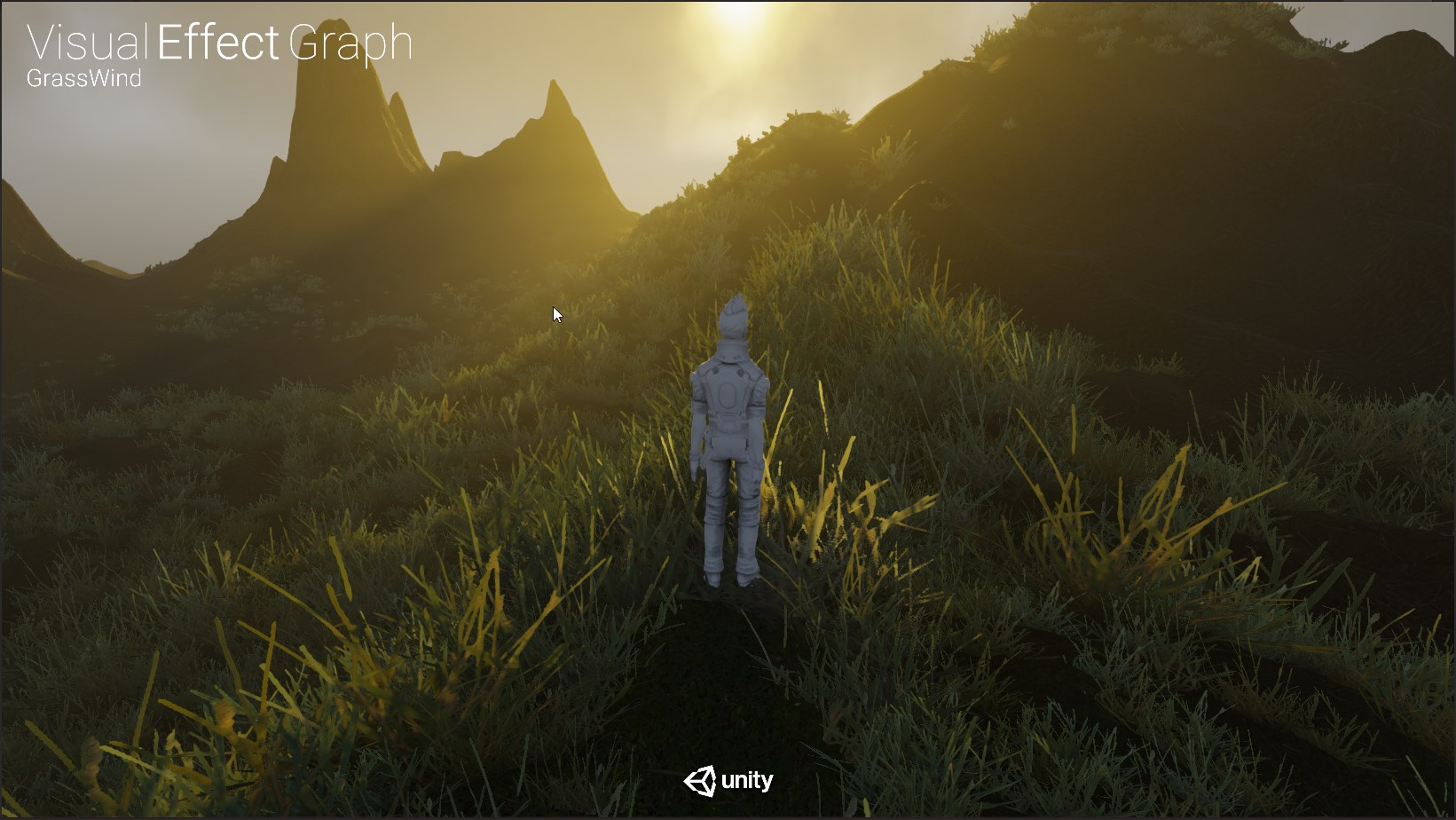
i would have never thought to make grass with the Visual Effects Graph
or that it was even possible
when i think particles i think things that are moving, not fixed to the terrain
this is the kind of perception altering thing i like to find hehe
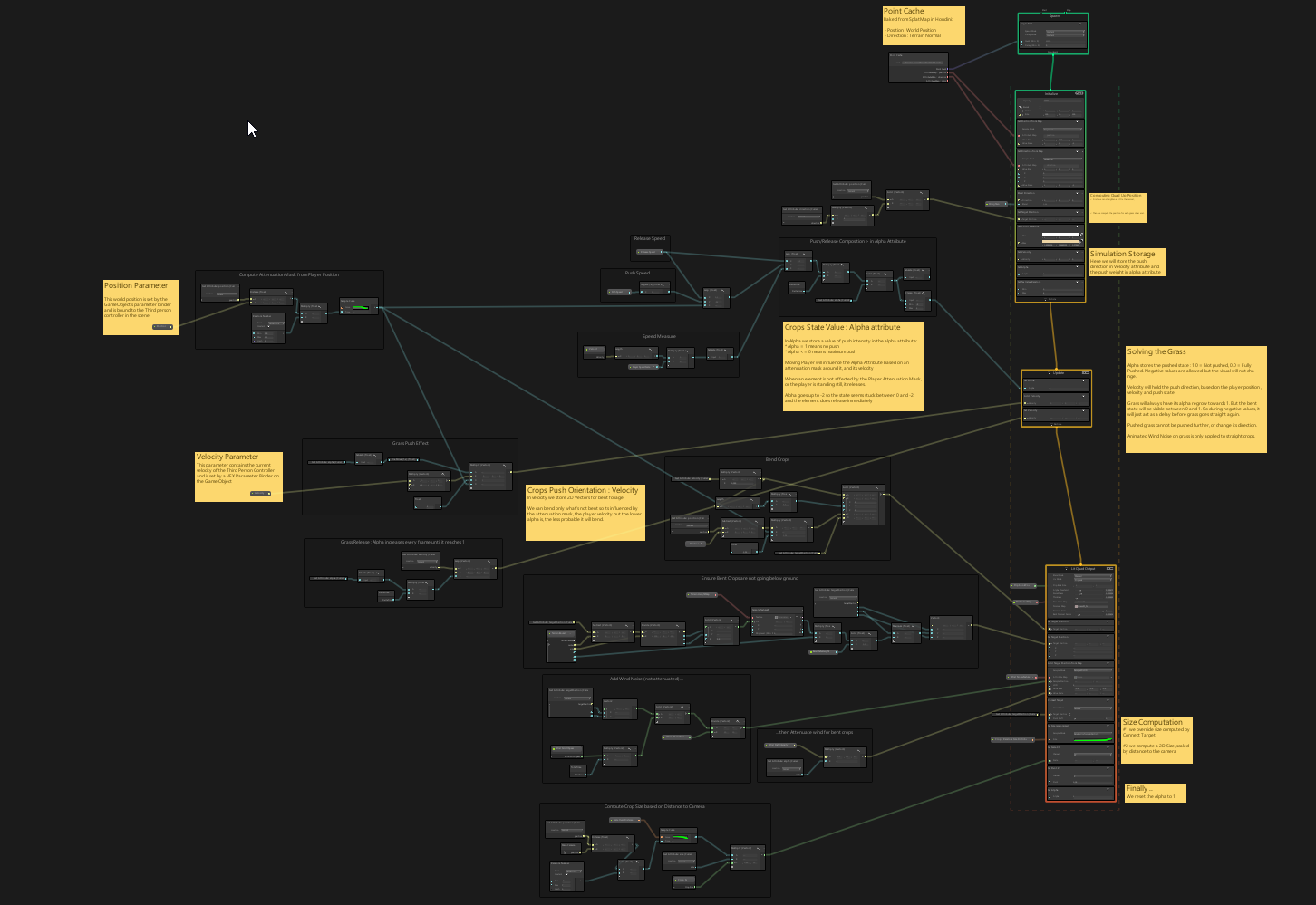
but man, that graph is hefty
fervent tinsel
btw that grass example is really funky on 2019.1 😄
there's something breaking the scale, those grass blades are like 10x the size
or that at least happened on alphas
haven't checked with beta and 5.3.1
broken field
is 5.3.1 up yet for 19.1?
fervent tinsel
I don't think so
I'm pretty sure it's waiting for that revised HD template
could be also waiting for a blog post too
the PPv3 change is kinda big so they may want to prepare for it
(so there's info and templates around when more people move to it)
 proven sundial
Added ShaderGraph to a LWRP project on 2018.3.3f1 (mac). Getting these two errors, and materials are broken..
fervent tinsel
@proven sundial make sure your LWRP and SG versions match
(better upgrade your LWRP)
also you shouldn't need to install SG manually in recent SRPs
just install 4.9 and it installs SG as dependency
proven sundial
Dang, didn't notice there seems to have been a 4.9 lwrp update recently. Just started this project a few days ago
Thanks. That sorted it out.
fervent tinsel
np
proven sundial
I want to give this a shot, but first time opening shadergraph, I'm a bit stumped at where to even begin.. https://connect.unity.com/p/zelda-inspired-toon-shading-in-shadergraph

Tips on how to recreate the iconic look in Unity's node-based shader editor
proven sundial
So I ended up choosing PBR Graph , and am working my way to the left from the PBR Master Node .. node by node. Running into an issue with the *Property" nodes though. Can't seem to make them. Tried rebuilding Library. Any other good tips?
 rotund tusk
@proven sundial how are you trying to make them?
you can right-click an inline node (ie Vector1, Vector2, Matrix2x2, etc) and convert to Property or you can click that "+" symbol in the Property Blackboard to create a new one and drag and drop it into the graph area
fervent tinsel
I'd still love the option to just drag a wire from input, right click and create the matching property type of that directly
(like UE4 lets you do it)
also, missing "straighten wire" kinda thing as I'm obsessed on not having small angle on the wires 😄
like, "align nodes/wires"
proven sundial
I can convert the inline graphs, but a lot of the properties in that "tutorial" are of differnt types than what I can choose:
fervent tinsel
@proven sundial "UseSpecularDabs(B)" is just the name for your custom property
there will not be such out of the box anywhere
you can call it ZTIFsFancyHat if you want
(not that it would make any sense but just to give an example)
proven sundial
Ah, ok..
I'm sorry for being a total noob. How do I rename the property? - Just trying to copy this guys nodes exactly like they're set up.
still orbit
Double click the label on the "pill" in the blackboard
fervent tinsel
and don't worry about it, everyone starts at somewhere
I'd suggest reading or watching some shader graph tutorials before doing that huge graph though
@proven sundial ^
like, at bare minimum, grasp how the properties and nodes work
and for the rename, there are two renaming concepts that work on most apps, you can right click on the thing you want to rename (and pick rename), or double click it
proven sundial
Yeah, I've bitten over more than I can chew here. Working on a prototype, and really wanted to see how it would look with a toony cel shaded art direction. Spent a day not getting anything done instead lol.
If anyone has a compiled version of that graph. feel free to link me a copy haha!
fervent tinsel
think @steel notch did or tried to do that graph in past
 pale lantern
I'm trying to port one vertex shader from LWRP to SRP
I have this:
An this doesn't work same way
still orbit
Should be the same :/
pale lantern
I repaired it
v2f vert(appdata_t IN)
{
    v2f OUT;

    float4 v = IN.vertex;

    float dist = length(v - _Direction);
    float remapedDist = map(dist, _MinMax.x, _MinMax.y, 0, 1);
    float4 targetPos = lerp(v, _Direction, remapedDist);

    v = lerp(v, targetPos, _Speed);

    OUT.vertex = UnityObjectToClipPos(v);
    OUT.texcoord = IN.texcoord;
    OUT.color = IN.color * _Color;

    #ifdef PIXELSNAP_ON
    OUT.vertex = UnityPixelSnap(OUT.vertex);
    #endif

    return OUT;
}
this works
I changed float to float4... that was all...
still orbit
ah lol, yea i didnt see that 😛
 granite shadow
Anyone know of a good tutorial for a terrain shader that paints different textures based on normal angles and height?
 quaint grotto
well you already know the logic - using normals and angles to multiply the frag by the texture look up
rotund tusk
@granite shadow do you want the shader for the terrain itself or for the painting API/tools?
granite shadow
My plan was to build a mesh in code then use a shader to handle painting, but I not looked into the terrain systems API
rotund tusk
ah so you werent going to be using terrain
we have a painting API for terrain available in 18.3 and beyond
granite shadow
Ah I might look into that and just give the heightmap straight into the terrain instead
rotund tusk
if you want to paint a terrain mesh that you generate instead and you are only painting color (not height), off the top of my head, it would be something like this:
- Generate Mesh vertices and uvs and hook that up to a GameObject with a MeshCollider
- Raycast against the mesh collider using meshCollider.Raycast and ray created from mouse position
- Get the point where the ray hits in tangent/uv space. this will be your brush position. pass that position to your shader
- In the fragment shader/function of your shader, use the uv for that fragment to compute the distance between that and the uv for the brush position ( incorporate brush size and rectangles here for determining the area of brush influence )
- If the fragment position is within the brush region, then modify the fragment. you would compare against mesh normal and height here as well
I don't know of any tutorials you can read/watch though. sorry
granite shadow
Cheers for the overview tho 😃
 elder briar
hi all!! I've got a question...should be possible create a shader that merge 2 different shader? using a mask or simply smooth between these 2?
 amber saffron
@elder briar no easilly.
The best is to merge the code of the two shaders into one and blend (lerp) in there.
If you want to keep two separate shaders, you will have to do multi-pass rendering and something like stencil mask to "merge" them.
elder briar
hi @amber saffron , thanks for your reply.. the code merge was my first idea.. but I wish a more 'standard' solution, but I think is not possible
 random meadow
Hey anyone use amplify shader editor? do you know if there is a way to disable a texture input? For example, I have a normal map input, in the standard unity shader if a normal map texture is not present then no mapping is applied, I'm trying to do this in an amplify graph
open scarab
to do that, you need to use shader features, and I think amplify shader editor does not support that
vocal narwhal
surely if the input is set to be a normal map the default colour used will be a blank normal
fervent tinsel
@random meadow I dunno if there's "clean" way to do that, but you can put the two options behind toggle switch there (like have toggle that lets you pick between color and texture input)
frigid zinc
"A preview of built-in shader support for AxF materials is now available with 2018.3 and an importer for AxF will soon be available."
where do you find that, in the Shadergraph?
frigid zinc
ah ok, thanks 😃
random meadow
thanks for the suggestions folks. i've just used a toggle that sets the normal map scale to 0 if it's disabled
 primal eagle
I’ve only looked at shader scripting once
It was just an extremely long script that made barely any sense to me
foggy agate
Hey, can someone help me? I just created a new Project with the LWRP (directly from the hub) for Unity 2018.3.0f2 and added Shader Graph and everything broke (pink)
and brings 2 errors
´´´Library\PackageCache\com.unity.render-pipelines.lightweight@4.1.0-preview\Editor\ShaderGraph\LightWeightUnlitSubShader.cs(85,30): error CS7036: There is no argument given that corresponds to the required formal parameter 'pipeline' of 'SurfaceMaterialTags.GetTags(ShaderStringBuilder, string)'´´´
rotund tusk
you dont need to add shadergraph if you create a LWRP project from Hub. ShaderGraph is listed as a dependency for LWRP so it gets added for you
so you probably have a version of ShaderGraph that is way ahead of 2018.3.0f2 in terms of updates and isn't compatible with the template version of LWRP
fervent tinsel
should have listed this as a reason (for showing the dependencies in the full list) when had a discussion about hidden dependencies on the forums :p
this same issue has come up a few times for visual effect graph already (mismatching version)
and it didn't really help that Brackeys did a video on vfx graph without addressing this (he used nonmatching version on the tutorial)
rotund tusk
"should have listed this as a reason (for showing the dependencies in the full list) when had a discussion about hidden dependencies on the forums :p"
on which forum? i can do that. i don't like that it hides it in package manager even if the package is installed. wasn't totally aware it did that
broken field
I have to remind people on forums often that with LWRP/HDRP, you only actually need one of those, not the post and srp packages too due to dependancies, but nearly everyone doesn't realise it (that I had to speak to)
obviously it's not those who know they need it for development, but general users
One poor guy was editing himself into a frenzy with no changes, slowly losing his sanity, and grip upon the world. He slumped across his keyboard, fingers idly tapping out what would be his last commit message when.... when then he saw, in 2019.1 the ability to view dependencies in package manager !
fervent tinsel

Unity Forum
When I install a package that has dependencies, the dependencies become available, but they don't show up in the Packages folder in the project pane....
@broken field 2019.1 PM is a clear improvement but it doesn't solve the core issue: you can't see what packages you've installed at once if you open Package Manager
in fact, it even lists packages that have been installed behind your back as not installed
I'd just want even different indicator for these
like "installed as dependency", this could be different font, different icon (instead of the tick mark) whatever makes it obvious to the user
as example I put there, if you install hybrid renderer, that alone only shows entities package as dependency.. if you don't install entities package itself, it still gets it and all that package's dependencies
so while you only see one dependency on the package manager, this is what you get instead:
also if you have lots of packages installed, manually going through each for the dependencies will be pain
rotund tusk
ah i get what you meant now
fervent tinsel
@broken field I'd guess those custom nodes would still work on newer SG's if you manually modified those to not be out of scope
that is , unless they removed some stuff for it
broken field
It'd probably break again... 😄
fervent tinsel
that could be used as temp workaround if you need that running in 2019.x
the SG custom node is coming but it seems it'll be pretty long time until it gets merged
broken field
Currently using World Creator to generate terrain but want to generate splats + vegetation on the Unity side, because of buildings and bits as you know
Could just use unity's built in grass + tree support but I'm guessing that's 100% unoptimised still, right?
fervent tinsel
current WIP branch Kink3d has for it isn't updated with main branches in a while so manually merging it would take a while
broken field
I guess everything is a bit of a mess right now
fervent tinsel
I think Unity is reworking the built-in terrain grass + tree thing
fervent tinsel
at least it was on terrain teams targets at some point if I don't remember wrong, no idea on ETA
broken field
ugh
fervent tinsel
it was on the forum thread about the terrain improvements
but that thread was like from last fall
broken field
Unity's new vegetation rendering, at a guess would be DOTS based, right?
broken field
bah
If I start work on mine now, I'll have something decent by the time 2019.3 rolls around. But if Unity will too, I really would prefer to wait.
Since I can spend time on something else.
It's clear to me any built in one will be sufficient enough (heck, even the old terrain vegetation was fine - just perf sucked)
 wild edge
I seem to be misunderstanding something simple about geometry shaders
let's say I want to generate an uncapped cylinder from a series of vertices
i understand that i would pass the position of vertex #0 through to the geometry stage which would then output a triangle strip in the shape of a very short cylinder, repeat for every vertex
but how would I get the position delta from each vertex to the next so I know the height and rotation each triangle strip should terminate?
frigid zinc
is it a requirement that you build your mesh in a shader? because that sounds like it would be a lot more difficult than just building the mesh in code.
wild edge
I think it kinda is from a performance standpoint
frigid zinc
unity has a whole library for procedurally constructing meshes at runtime
wild edge
I'm using job system to generate hundreds of splines which get combined into a big mesh and DrawMeshInstanced'd
then sent to a geometry shader to generate pipes from the splines
wild edge
it would be too much vertex data CPU -> GPU bandwidth if I were to assemble that many meshes on the CPU then just pass them all though
yeah
well
keijiro's swarm demo is the closest thing

GitHub
An example of use of compute shaders and procedural instancing. - keijiro/Swarm
but he's using a non-geometry shader approach
frigid zinc
i only have an intermediate knowledge of shaders, so your question is probably a bit out of my league.
hopefully someone else more knowledgeable can answer.
wild edge
all good, thanks for the direction
I know a workaround but it feels gross to me
I need 1 float value in vertex colors to store the radius of the resulting pipe geometry to be generated
but I still have YZW to pack data into
I can just store the position delta to the next vertex in that
frigid zinc
that's an interesting idea. pretty clever but yeah i can see why you wouldn't want to rely on it
wild edge
yeah it's duplication of data that's already there on the GPU
vocal narwhal
I'm pretty sure there are often cases when you think "oh it's all there" but due to parallelisation you just don't have access to it - storing in vertex colours is often the crutch we have 😛 (but I'm not sure in this case, just saying we've all been there :D)
wild edge
right that's what I was afraid of lol
getting too used to ECS [ReadOnly] NativeContainers supporting thread safe reads
 bright shore
Hi guys,
Supper happy about this Discord! Good move from Unity :)
Looking for a node in Shader Graph that let me display wireframe in quads, any idea? Im using the HDRP so have to make in in a Lit material base
Thanks in advance 😃
wild edge
haven't gotten shader graph working in a while but I think that would still be something you need to construct manually
bright shore
@wild edge
I see, the thing is Im using HDRP so I should make it in Shader Graph Lit base :/
 still carbon
To do wireframe in quads I'd imagine you'd need to be able to make a Geometry function that takes in quad vert struct, which shadergraph doesn't support yet
frigid zinc
for a sec there i thought i was in the wrong Discord 😛
wild edge
oh I missed the quads part yeah
still carbon
Oh... apparently lineadj and triangleadj still don't work in unity since unity isn't filling in the values... so you couldn't even do it with a geometry shader either 
still carbon
Made a neat looking quad outline shader using tessellation instead 😂
woven narwhal
@wild edge Would it be possible to feed your CPU data into compute shaders, and use them to generate data for DrawProcedural or DrawProceduralIndirect?
 pallid solstice
Hello everyone, I'm looking for shaders fireball and water style with a possible alpha parameter, do you know where I could find these kind of resources ? Everything I found was not what I expected, and I tried to make one of my own, and failed miserably for now ...
 urban urchin
I have a question: If I have a shader with a set of properties, but I want 3 different ways to render it (3 different "fragment"/"vertex" functions) - what would be the best way to implement that?
I could use a #pragma multi_compile for each way to render ("direct volume rendering", "maximum intensity projection", "surface rendering"), and in the main frag/vert function select a function to call based on which of the 3 keywords are enabled, but it feels a bit dirty..
Can I have 3 passes of the same type, and somehow set which of these 3 passes should be used when Unity renders the scene?
still carbon
That first way is fairly common and not dirty at all. Unity uses that extensively for changing up what features many of their shaders support for a given platform and material settings.
urban urchin
Yes I see them using it in cases where you want to enable/disable a feature (like fog). But in my case it's not enabling/disabling something , but setting a kind of mode (where there are 3 alternatives). And I would have to make sure that if one of them is enabled then the other two are disabled.
I was wondering if there is a better alternative for cases like that 😃
still carbon
That's something they do to as well, passing around a struct into a different compiled version of a method that does different stuff. It's not dirty, it's efficient really! It's simpler than having to deal with pass selecting.
still orbit
The first is the way we recommend
urban urchin
Ok, thanks! I guess it's the best alternative 😃
Oh.. actually, I was reading Unity's documentation now. Apparently "#pragma multi_compile MODE_A MODE_B MODE_C MODE_D" produces four shader variants (where only one can be enabled at a time), so that's exactly what I want!
Thanks for putting me in the right direction.
still orbit
If you are doing something really complex you could do something akin to HDRPs material flags
GitHub
Scriptable Render Pipeline. Contribute to Unity-Technologies/ScriptableRenderPipeline development by creating an account on GitHub.
but that is probably overkill for your use case
still orbit
any time 👍
woven narwhal
Keep in mind that multi_compile causes all the variants to always be compiled for a build. shader_feature culls variants not needed by the materials included in the build. It's mostly an issue when you have multiple multi_compiles, so if you only have 1 multi_compile with 3 variants in total it should be fine.
 zenith meteor
@obtuse lion do you think unity will implement this kind of real time global illumination
obtuse lion
I dunno, I know Unity's been talking about it for about two years now, but I don't think I've heard any concrete plans to implement any kind of real, realtime GI.
Right now the only one I'm aware of that's actually being maintained/developed is the unreleased HXGI one.
zenith meteor
man i hope so i have been studying about cone voxel gi and it seems that it would help performance wise too
broken field
Anyone know when custom nodes are coming back? Need to get vegetation rendering on the go and Vegetation Studio needs a node to work with HDRP. Alternatively any news for Unity's own vegetation rendering would be charmingly awesome!
Our world is a bit bare like pickard's bonce atm
fervent tinsel
@broken field Kink3d has been working on it but no idea on the schedule.. it does work but the wip branch is based on HDRP version between 5.2.3 and 5.3.0
broken field
Oh cool, no worries then. Secretly I'd prefer to not use nodes and just have some vegetation rendering from this century if I'm honest. I'm only using the node thing for that purpose anyway.
still orbit
There will be a solution in 2019.1
 stone sandal
we want it just as much as you guys do :p
broken field
A solution for veg or node? :D
stone sandal
yes
 umbral cargo
I've also asked this in the #archived-hdrp room, but I am unsure if its a pipeline issue or a shader issue
Does anyone here know why the LWRP would be batching a set of 2048 identical meshes with GPU Instanced materials up to a maximum of 373 at a time?
The default should be 500, and the default rendering pipeline does it in batches of 500 (same shader, same GPU Instanced materials, same meshes)
Also if I explicitly tell my shader to batch in groups of 10 maximum, the LWRP will listen to that. But if I try to explicitly tell it to batch anything higher than 373, it will not do it.
The Frame Debugger also doesn't give me any indication as to why it's creating a new batch after the 373 mesh batched draw call.
Typically you'd see something like "Exceeded max number of meshes in a single batch" or something like that, if I was reaching the default ceiling of 500.
rotund tusk
@broken field for the custom node
 dry island
Anyone can help me a bit with LWRP's normal mapping using triplanar UVs?
The result comes flat 😦
It should be straight forward but doesn't seem like it.
dry island
Also how should we go about creating a basic hair LWRP shader using Shader Graph?
 worthy hazel
I might be missing something as usual but I can't seem to find "enable wind" for vertex animation on the HD Lit shader, only says enable motion vectors for vertex animation
dry island
I am not sure if it uses wind at all. You probably just need to create an animated frequency that will simulate it.
worthy hazel
saw this on reddit https://i.imgur.com/FTVEkQx.png yet i'm not sure which version of HDRP or unity this is
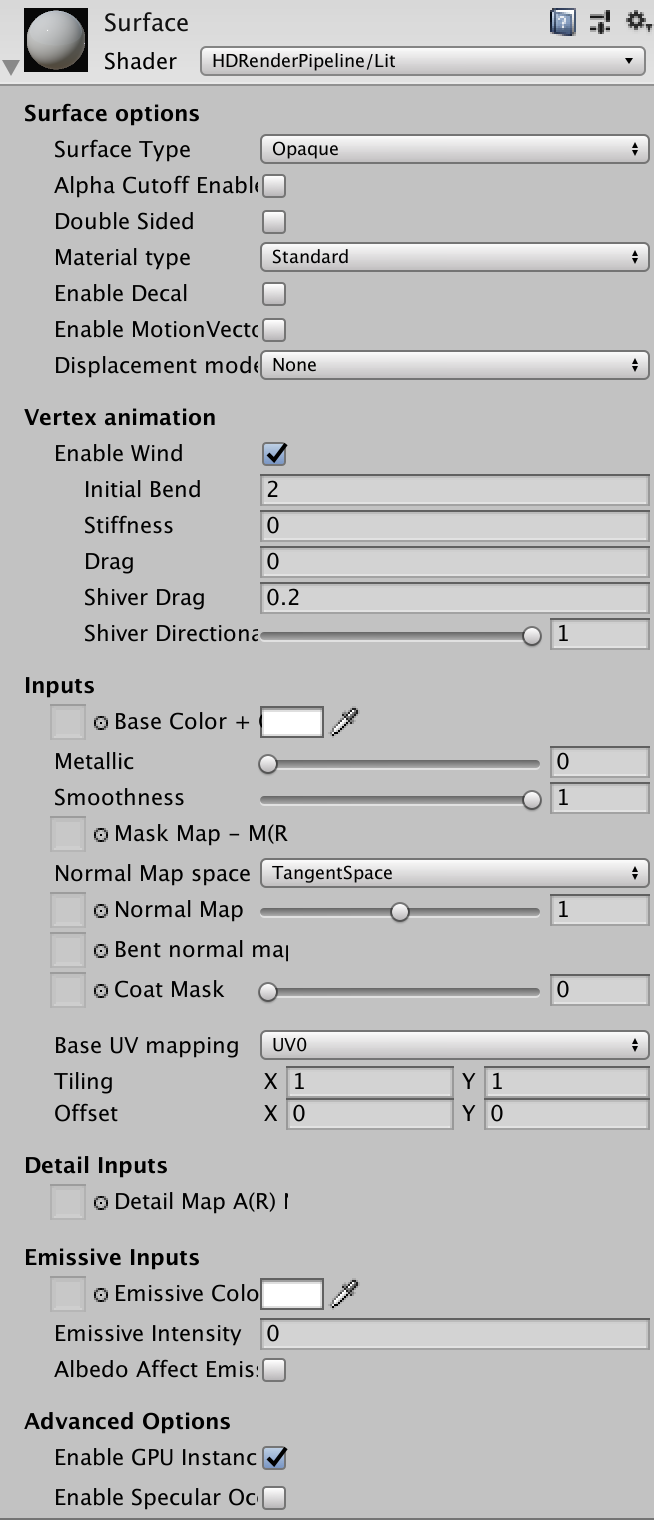 obtuse lion
An old one.
dry island
Hmm. Not sure HDRP can do this yet. What we see is that the shader has values that it calls "Wind" but does not necessarily mean it uses the actual wind system. I got such a nice shader myself, it is just a frequency modulated with other factors to provide control.
 tender sierra
Hello everyone, Is it possible to create an outline shader using shader graph ? Not the one with the Fresnel that we can find on YouTube, but something that looks like the editor outline (when we selecte an object on the scene) ? :D
 woven radish
Hi all, I'm trying to efficiently optimize our shader keywords, according to: https://blogs.unity3d.com/2018/05/14/stripping-scriptable-shader-variants/

Unity Technologies Blog
Massively reduce Player build time and data size by allowing developers to control which Shader variants are handled by the Unity Shader compiler and inclu...
Now, the obvious thing to do would be to use ShaderVariantCollections for that purpose (or at least that's what I was thinking). Unfortunately, it seems that they don't offer an API to check for the collected shader variants. I wrote a little more on this on the Unity forum but was wondering if maybe someone in here could shed a light on this:
https://forum.unity.com/threads/stripping-scriptable-shader-variants-using-shadervariantcollections.629059/
Unity Forum
I'm currently trying to implement shader variant stripping into our project - and the most obvious approach seemed to be using ShaderVariantCollections...
amber saffron
@worthy hazel The wind function was a remnant of a hardcoded wind of the book of the dead demo.
It has been removed for some time now, and will be back as a node for the shader graph.
frigid zinc
I didn't expect that shader Unity released to be for the standard pipeline. Some love after all hehe.
 north rampart
Hey everyone! Just jumped right into the discord discussion!
I have some questions (obviously) that maybe some Unity wizard may know how to solve. In th VFX Spaceship demo I can see an XRay-like shader and was wondering if that's something possible within HDRP and Shadergraph or if it may be a custom solution for demo purposes. The reason is that we are building a scan effect and we need some way to draw some geo with that effect on top of everything within HDRP. Here's the video for reference (around sec 20) https://youtu.be/rqMcPZoEc3U?t=19

The Visual Effect Graph gives artists of all experience levels the power to create amazing visual effects. This node-based system is both easy to use and fle...
 urban breach
@north rampart Welcome! I believe that everything in that demo is possible without custom solutions and in HDRP w/ VFX Graph. Let me see if I can get more info for yah!
 mental helm
Is it feasible to create a texture2Darray of spritesheets and sample multiple via index to combine "outfits" of a sprite into a composite image? I'm considering building an editor for this but the downside would be a potentially large texture2Darray. But all characters using this shader would be batched I believe if animated via UV
north rampart
Thanks a lot for the time @urban breach !!! Will definitely look forward on some info for how to achieve that 😄
umbral cargo
@tiltfox I use 4 max size texutre2darrays for a large map. Is there a performance bottleneck in doing that I am not aware of?
@mental helm rather
@mental helm As for combining outfits.. would you be sampling in C# or the GPU? In order to get batching I do my sampling in the GPU and pass an index that supports GPU Instancing
You could in theory pass in multiple indexes, one for each part of the outfit, that all support GPU Instancing
I won't pretend to know how to combine multiple texture samples into one final texture. I am a neophyte shader wizard with some knowledge of only specific things.
Anyway you can have up to 2048 textures in a 2d texture array. They all need to share the same dimensions and texture settings.
Each texture is treated like a single texture. So if you're planning on doing UV animation I guess that means your texture array will actually be filled with sprite sheets?
Oh you did say that in your first sentence
Nevermind
mental helm
@umbral cargo Forgive me I was on mobile when I asked. Yes I would be sampling on the GPU, as in the Texture2DArray would be a property in the shader. I would build this Texture2DArray through code and save it as an asset, and the shader would sample it. I was thinking I would use the property block to modify the indices as well as the UV I would use to display the final sprite, as each layer would be identical.
I made a proof of concept using two layers and Shader Graph. Visually it works, and I think the workflow would be nice. All characters using these outfits would share a single draw call and only require one mesh renderer rather than a seperate sprite renderer and draw call per outfit piece
However, If I only had 10 variants per body part, and 10 body parts, and only 32x64 animations per character, that would be a 512x512 texture2darray with upwards of 100 layers, which would be around 100mb of memory. This would be Vram, correct? If I need a larger sprite sheet for more animations, this could quickly become 500+mb of vram JUST for characters. is it correct that if I have a Texture2DArray, and a material is drawn using this array, ALL of that memory is used on the GPU?
random meadow
Hey there. I'm having trouble including the postprocessing StdLib.hlsl from the PP package. Every post I can find says I should be using #include "PostProcessing/Shaders/StdLib.hlsl" but this doesn't work
this works: #include "Packages/com.unity.postprocessing/PostProcessing/Shaders/StdLib.hlsl"
but then that breaks all the shaders in the actual package, they all throw an error on #include "../StdLib.hlsl"
any thoughts?
random meadow
ok, removed and reimported the post processing package, and now this seems to work ok #include "Packages/com.unity.postprocessing/PostProcessing/Shaders/StdLib.hlsl"
umbral cargo
@mental helm i wish I knew the answer to your VRAM question, but I do not off the top of my head. I would assume the answer is yes, but the profiler in Unity may be able to reveal more
umbral cargo
I suppose another thing you could do, depending on your game, is dynamically create the Texture2D arrays depending on what is on screen
as far as I know, creating Texture2D arrays at runtime is pretty fast
but I don't know if you're game is one where any number of arbitrary characters wearing any number of arbitrary outfit combinations is possible, like an MMO would be for example
mental helm
@Tylo thank you, that was my second thought, to dynamically modify what layers were present in the array. You said you have multiple max capacity texture2D arrays though?
umbral cargo
I can tell you that my Texture2D arrays add up to 201.3mb in my filesystem
but the profiler only says I am using 23.4MB to 121.9MB of my VRAM
I am not sure why it gives it in a range like that...
yes, I have a map with 4096 chunks that contains a shader that uses 3 texture arrays
2 of those texture arrays are at 2048 textures, the third is at like 800 something
mental helm
Great! Thanks! I really appreciate your info.
What pixel dimensions are your textures in that array if you don't mind?
umbral cargo
out of the two max size, one is 128x128, the other is 64x64
and the third, non-maxed is also 64x64
mental helm
Fantastic, thank you so much! That's exactly what I was going to test to find out.
umbral cargo
as you can see, my 4096 only take 12 draw calls to draw
but they are hefty drawcalls
and also the Lightweight Render Pipeline is being weird and only batching up to 373 of them at a time for me
instead of the default maximum, which is 500
mental helm
Indeed. But i think this will work. It simplifies my workload a ton though as i don't have to manage 10 objects per character.
umbral cargo
no one seems to know why that is, so I'll have to find it out for myself
yeah for sure
mental helm
Thank you so much. I couldn't find hardly any info online about texture2Darrays used for this online. But i think it's a good move
umbral cargo
yeah, there doesn't seem to be a ton of info about them in general
they were perfect for me, I like them a lot more than sprite atlases. The biggest weakness of course is the fact that every sprite needs to be the same size.
but for certain things it makes a lot of sense
mental helm
I think through shadergraph i can create the shader I need. If not i have a little experience with shaders and can piece it together. I was mainly worried about the memory usage but from your profiling it doesn't seem to use the full memory nod the array.
umbral cargo
cool. I have never used shadergraph myself. I am stubborn and have wanted to learn shader programming for years, so I am using this opportunity to try it.
well, I am unsure if the memory on disk should be the same as the memory in VRAM
rotund tusk
vram usage is less because i think textures are compressed until you request texel information then the gpu decompresses those blocks of pixels
mental helm
Yeah for my use case every atlas will be exactly the same. Then only way to optimize further would be to use something similar to the way the unity atlas packages sprites to condense them on an atlas
umbral cargo
in my case, my one maxxed out texture2Darray is a single channel (Red) format
and the other is a 16-bit RGB texture array
the non-maxxed out one is a normal DXT1 texture array, its the one containing actual map tile graphics
rotund tusk
there might also be added memory usage from mips
umbral cargo
the others are look-up textures I use to do heightmap and "splat map" *(for lack of a better comparison) things
mental helm
I'll likely be doing the same, as i use the red channel to determine how to map a sprite to a pallete. However i do require alpha, I'll have to profile and see what the memory usage is.
Thanks @wyatt
umbral cargo
oh yeah, also my two maxxed out arrays don't have mips
but the DXT1 array does have mips
mental helm
I def require no mips. But I'm not sure. I've been using png up to this point but I'll have to test with other image file types
umbral cargo
well Unity will turn your PNG files into something else anyway
and yeah, mips are only necessary I guess if your camera moves closer or further away from your graphics
mental helm
Cool. I'll profile myself but before i tried to tackle this i was hoping someone had tried before, thanks again for all the info it's a huge help. When material property block anger added to ecs this should be easy to port to ecs as well.
Gets added*
umbral cargo
oh ECS doesn't have material property block stuff yet?
I knew there was a good reason for me to avoid it
mental helm
To my knowledge no. Just a mesh renderer and each one has its own material.
Might be something from the community to add it but not native support. Which is necessary for this.
Honestly unity seems pretty lacking for frame based animations overall. I think the "unity way" of swapping sprites per animation is to literally swap sprites on the renderer via string name in late update which voids any instancing other than hoping the sprites are mapped to the same atlas, and requires setting up animations in mechanim for the base animation, as well as a system to name sprites the same from sheet to sheet.
umbral cargo
btw, Unity reports (inside of Unity) that my texture arrays total 98.4MB
so that's presumably what they would take in my memory, instead of what its reporting on my filesystem
mental helm
Awesome. I know there is a function of texture2Darrays to get the total memory. It must be compressing somehow as from what I looked at 2048 textures would take a good bit more memory than that. But i may be wrong. That's good news.
umbral cargo
let me see how much a single RGB 16-bit image takes
i actually delete all of my absurd numbers of texturs after making a texture array, so will take a minute
ok, it's 8kb per texture
so it does multiply out, meaning your texture2Darray will be (numOfSlices*singleTextureSize)
that was a big reason I tried to get RGB 16-bit working for this particular texture array, instead of the more common RGB 24-bit
mental helm
Yeah okay. Thanks again! I'll have to try to figure out a way to minimize the atlas size.
 modern sable
Could you just store differences in sprites?
mental helm
How would i go about that?
modern sable
Like the first is like a barn, then the second is a house, only store pixels that would be different on the house tile
I dunno
Just throwing that idea out there
mental helm
I'm sorry i wasn't trying to come across as rude, I'm inexperienced in this is all :)
modern sable
So the house, say if it was red like the barn, would be a mostly empty Sprite on the atlas, but the roof and sides would be on the Sprite because they are different from the first Sprite
Your fine
mental helm
That would be ideal, as a large number of sprites I'll use are only slightly different (frame to frame)
It's character animation so a lot repeats
modern sable
It's how some video compression and how git works
Maybe take a look at converting image files into hex files and using a difference checking thing to generate the images?
I don't know how to get unity to interpret those though
mental helm
I'll look around and see what I can find. The texture2Darray thing is super convenient but sprite sheets get really large.
modern sable
If you don't need color maybe use RGB channels
To layer multiple sprites on each other
Or if it's just one solid color, just tint the Sprite after separating the channels
mental helm
I can use just the R channel and a pallette, but does that really help? That adds an extra step to workflow while still ending up with a large texture for sprite sheet with alpha needed. If I avoid alpha, i still have a pretty hefty file size. Just tested with 1024x1024 textures, which would be plenty for animations to fit on a single sheet, but just 100 layers is 800 mb. That's way too huge.
Layering sprites via RGB channel is the best route buy only gives me 3 variants per texture.
I was really hoping I could fit all animations into a single texture2DArray but i didn't assume it would be such a massive amount of memory. I have to come up with a smarter way
worthy hazel
Hey all, I want to animate the offset of the normal map on a copy of the default HDRP Lit shader, however I'm very unfamiliar with hlsl. I'm assuming that normal calculations happen in one of the hlsl includes, could someone point me to which file i should be looking at?
amber saffron
Wouldn't it be more easier / less risky to make you own shader with shadergraph ?
@worthy hazel Using the HDRP/Lit master node.
worthy hazel
I don't think I can do that in the Book of the Dead sample project (I forgot to mention sorry)
HDRP / Shader Graph version is too old to support HD Lit master node
So if anyone knows to which hlsl (?) file I should be looking into I would be very grateful!
amber saffron
I can't be sure as I don't have this project right now, but l checked a bit in the current SRP repo :
You can look in LitData.hlsl, in the GetSurfaceAndBuiltinData function
In particular this line : GetNormalWS(input, normalTS, surfaceData.normalWS, doubleSidedConstants); Where input is the fragment input with the texcoords.
worthy hazel
Oh thank you so much @amber saffron !
fervent tinsel
@worthy hazel botd uses 2.0.5 HDRP so definitely no hd lit master node there
worthy hazel
You can update it via package manager up to 3.0.0 but that's about it, I find BotD work best with 2018.2 and this version doesn't seem to go above HDRP 3
fervent tinsel
@worthy hazel you cant do that
it will not work on that botd project (it has very customized hdrp)
worthy hazel
I see.. I haven't checked functionality changes after trying to update, it was silly of me to assume it would work
fervent tinsel
you can use botd assets on newer HDRPs though
you just miss botd specific feats like the pine bark thing, occlusion probes etc
worthy hazel
And wind 😦
 valid harness
Any of you found a way to hide shader properties in the material inspector with a toggle?
 grand jolt
fervent tinsel
grand jolt
fervent tinsel
hmmm, seems like SampleTexture3D will always crash the editor if placed on subgraph on 6.1.0 HDRP
thin whale
hey just a quick question. I have a custom cutout shader but it doesn't draw itself over the skybox. Whats the setting/tag/pass/whatever to fix that?
frigid zinc
i think you have to try changing the Queue
if the queue is geometry or Alphatest, it may do what you're seeing. If i recall correctly, changing the queue to transparent will fix that, however it will no longer receive shadows.
thin whale
I don't need it to recieve shadows,
however aren't you supposed to use alphatest for objects that are cutouts because transparency takes longer? Or does switching the queue not make it actually considered a transparency object?
frigid zinc
well this is just in reference to the skybox issue
what is considered proper is probably another discussion hehe
thin whale
fair :P
Unfortunatly this is not a personal project and my employer needs us to meet specific mobile runtime stuff so I need to be aware of it
frigid zinc
but it's not uncommon to tweak the render queue to achieve what you want
that's why shaders expose the queue number so you can add/subtract from it to ensure you get the order you want
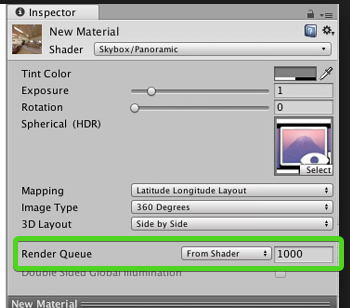 thin whale
upon double checking it looks like I was getting Queue and RenderType mixed up
Gotcha, in that case it is probably fine
frigid zinc
ah ok 😃
thin whale
thanks for the help
frigid zinc
no problem
quaint grotto
https://www.youtube.com/watch?v=5I1Hf0DioPs any one got the faintest idea how they did these crashing waves
its probably the best i've ever seen
stone sandal
i definitely see an erosion map on the alpha for the wave crest/foam
looks like a ripple wave for base movement and height, apply an erosion map to mask the alpha and determine the white foam, driveit by a distance field to the edge of the water geo/beginning of shore geo ?
frigid zinc

does look awesome. this shows it from the side, there's some particles along with the wave front
quaint grotto
not sure what erosion maps are
seems to be going through a foam texture as it rolls through
frigid zinc
Crest Ocean has a 'deformer' method that lets you make realtime deformations to the surface
it's probably something like that, which moves along toward the shore, along with some particles and foam generation
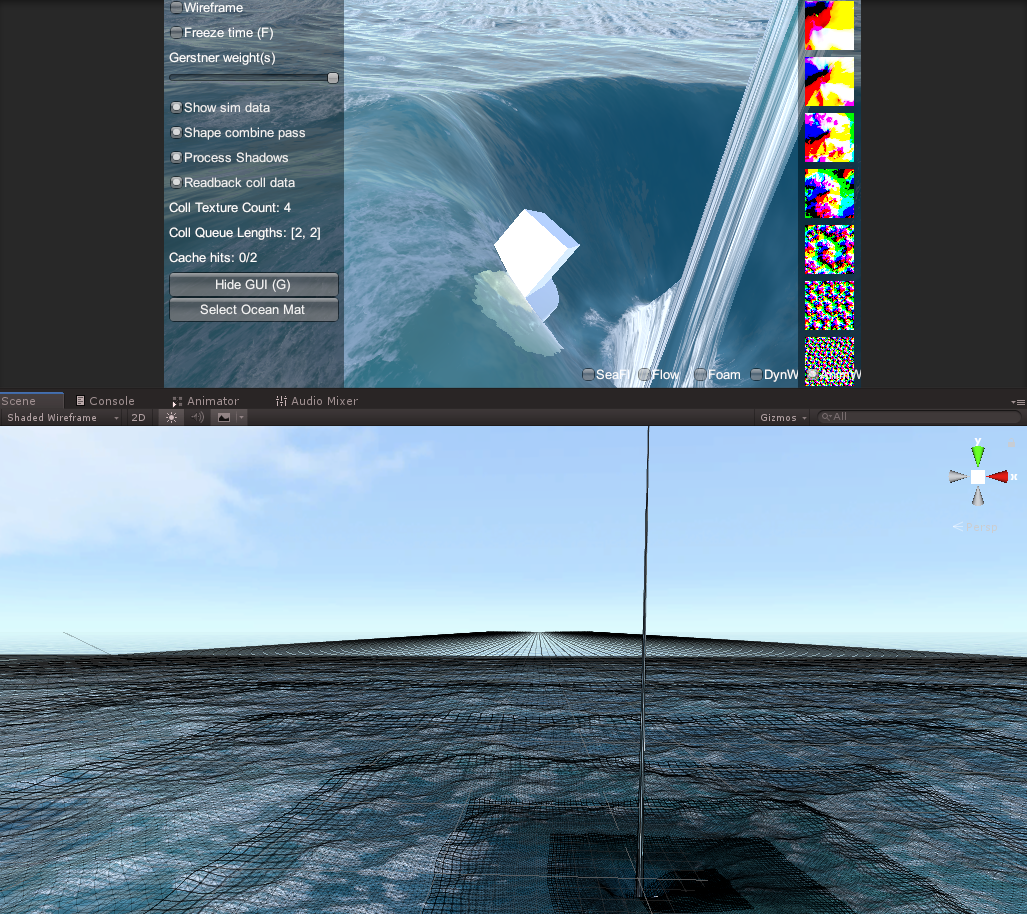
here's a really bad photo of Crest where the deformer was beign used to make whirlpool (the spike in the middle was a bug i reported)
but it can be used to raise the water, not just pull it down
stone sandal
alpha erosion is the proper name for the technique, rather just "erosion map" haha but i was lazy
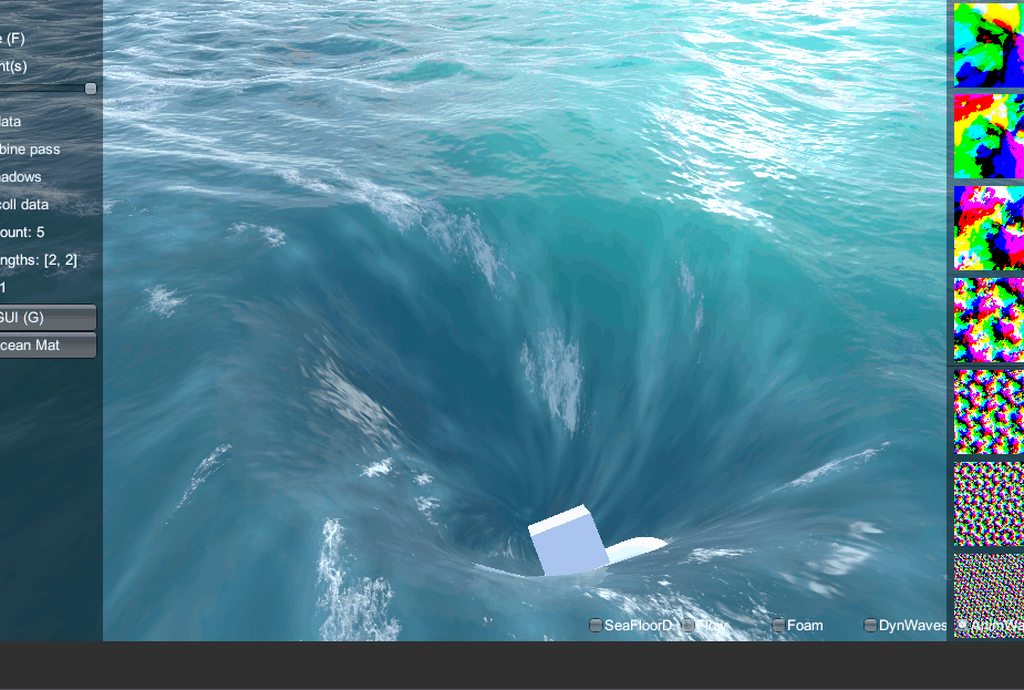



 umbral cargo
oh good, a shader for my worst nightmare
frigid zinc
lol
quaint grotto
what software is that
frigid zinc

GitHub
An advanced ocean system implemented in Unity3D. Contribute to huwb/crest-oceanrender development by creating an account on GitHub.
quaint grotto
oh nice maybe i can figure out some neat water visual tricks they use to replicate
broken field
Crest Ocean looks good. I wonder at the HDRP-ness of it all though.
frigid zinc
none, but he opened an issue for people to vote on that, and its received a lot of votes
he's confirmed LWRP at this point, and I'm pretty sure HDRP will follow

GitHub
I'm sure your well aware that this doesn't work on the lightweight render pipeline but do you have any plans to support it?
more votes!
broken field
of course I bought ceto and of course it was depreciated :)
frigid zinc
yeah ...
read all about that drama
so far I've only got burned on one item, the Decal system I got
though I use burned lightly, the guy may have depreciated it and left
but it still works even on 2018.3
just no chance of it being updated or adapted to HDRP
not that HDRP needs decals it seems
 noble tree
quick (maybe) question. is there any way to have an overlay shader made in shader graph affect a canvas as well as world objects? i've got world objects just fine using _CameraOpaqueTexture but im not sure where to look for UI elements
i'm trying to create an animated color invert shader
broken field
I would just make 2 shaders to be honest if it's graph.
noble tree
that would do it for me, but i should have specified, i'm not aware of how to get image/text mesh pro objects to appear correctly. right now they're just boxes with the color. i saw that the _MainTex property works for some UI elements, but i just get errors
broken field
TextMeshPro would require it's own node
Or you would have to reimplement SDF functionality
quaint grotto
@frigid zinc what exactly does HDRP bring to shaders that we can't already do ?
frigid zinc

Unity Technologies Blog
In a recent blog post, we introduced the concept of Scriptable Render Pipelines. In short, SRP allows developers to control how Unity renders a frame in C#...
fervent tinsel
it does give you a lot of functionality out of the box - a thing many have complained Unity about as long as I remember
frigid zinc
it adds a lot of features that were 3rd party in the past
clearcoat, translucency, Decals
fervent tinsel
also Shader Graph and Visual Effect Graph bring you node graph editing for shaders and gpu particles
quaint grotto
my worry is its going to be a freaking black box to learn just like it was for shaders.. its already difficult to learn shaders in unity if you are new to them
fervent tinsel
(which both work on HDRP but not on built-in
frigid zinc

Unity Technologies Blog
With the release of 2018.3, Shader Graph introduces a new Master Node for the High Definition Render Pipeline (HDRP). This new Master Node (called Lit Mast...
quaint grotto
if they dont have good docs all there effects is going to be wasted
frigid zinc
well shadergraph has nodes for them so
fervent tinsel
well, SRPs are way less black box as you actually get the c# side sources
quaint grotto
i dont like node editors i prefer code 😛
frigid zinc
it's more straightforward to implement than with standard pipeline
fervent tinsel
atm, most HDRP etc docs are on github wiki
frigid zinc
it also brings shadergraph 😃
fervent tinsel
I'm sure they'll move them to main site once it leaves preview
quaint grotto
when i need to do surface shaders i have to look at source code or example projects to figure stuff out. that really pisses me off
fervent tinsel
well, text based shaders are WAY more complicated on HDRP
frigid zinc
also under the hood, they fixed a lot of flaws in the PBR implementation of the standard pipeline
rotund tusk
it should be a bit easier with SRPs. we have moved away from surface shaders (literal blackbox where we did a lot of code gen on our end for shadow passes etc) and you can look at the source for the SRPs on github
fervent tinsel
the amount of boilerplate code is huge
rotund tusk
there is a lot going on with HDRP though
fervent tinsel
yeah, LWRP is way simpler
quaint grotto
are they at least designing it for artists and beginners to get into it properly though ?
frigid zinc
yeah it's a huge advance, the two articles i linked only scratch the surface

Unity Technologies Blog
In this post we will explore authoring a scene to be rendered using Unity’s High Definition Render Pipeline, also known as HDRP. We’ll walk through starti...
here's a guide for artists
quaint grotto
ive read that one
rotund tusk
ya. that's what shadergraph and vfx aim to solve along with a lot of other features that are out/in development
quaint grotto
shadergraph does not produce performant code
fervent tinsel
basically what HDRP does is that it brings Unity's rendering on par with the competition out of the box
(and beyond on some things IMO)
frigid zinc
Most of the main shaders for HDRP are written with shadergraph now
quaint grotto
i made basic water with it .. so much more code than when i wrote it myself
frigid zinc
so I don't know that's true
fervent tinsel
*HDRP shaders come with SG templates
it's not same as writing them in SG from scratch
it's still text based shader code on the templates itself
frigid zinc
oh i guess i misunderstood that statement when i read it. it sounded like they said they had converted them to use shadergraph
quaint grotto
its surprising how long they been working on these SRPs its been nearly 2 years now
fervent tinsel
but nodes don't really substantially make it slower, there are some extra operations but I doubt you could measure most if you did manually shader using shadergraph and did same operations on text based code
quaint grotto
and its still not really ready
fervent tinsel
yeah, that's a good thing
they could have just slapped 1.0 year ago
but they want it to be polished enough when they release it
quaint grotto
well its a good thing until they find themselves updating it again to keep up with any new advances 😛
fervent tinsel
LWRP is getting released this spring
frigid zinc
well yes it's still preview
fervent tinsel
well, updating any game engine is a constant process
quaint grotto
i downloaded the packages but im kinda clueless on wtf im doing
frigid zinc
if you don't like it, don't use it 😃
quaint grotto
or what im using it for
fervent tinsel
you can't avoid it if you want to stay relevant to what devs need
quaint grotto
i want the best visuals though 😛
frigid zinc
honestly standard and HDRP stand up pretty well side by side
quaint grotto
i just didnt know a good way to learn it as im new to learning the art side of development
frigid zinc
i did an apples to apples comparison not long ago