#archived-shaders
1 messages · Page 89 of 1
 final rampart
 grizzled bolt
Built-in render pipeline has a "mobile" category of simple shaders
Unlit is always the simplest
 long pulsar
Hello everyone, does someone know how to fix this error in Unlit Shader on UI Overlay Canvas in HDRP?

It doesnt apply the color
grizzled bolt
long pulsar
Hello everyone, does someone know how to fix this error in Unlit Shader on UI Ov...
Canvases must use the canvas shader graph type, or you'll have to make specific edits to the generated shader to allow it to support canvas
Canvas shader graph type was implemented in Unity 6 and its tech stream releases
long pulsar
grizzled bolt
Canvases must use the canvas shader graph type, or you'll have to make specific ...
Understood, thanks, but why did this shader work on URP? Before switching to HDRP, everything was fine with him
grizzled bolt
long pulsar
Understood, thanks, but why did this shader work on URP? Before switching to HDR...
More likely the limitations are different and you didn't happen to run into them
SG doesn't support Canvases in URP either
 neon hazel
Is there an easy(ish) way to get the SSAO map reference in Shader Graph?
 regal stag
neon hazel
Is there an easy(ish) way to get the SSAO map reference in Shader Graph?
regal stag
neon hazel
Is there an easy(ish) way to get the SSAO map reference in Shader Graph?
iirc the texture reference is _ScreenSpaceOcclusionTexture. Can try making a texture property in blackboard with that, untick Exposed.
If you get errors saying it's already defined, may need to sample it via a custom function node instead.
 pulsar pagoda
Anyone know how to not render an object that have a specific layer ?
Im creating a custom pass for an Xray shader, i dont want to show the object except behind other objects
neon hazel
regal stag
iirc the texture reference is `_ScreenSpaceOcclusionTexture`. Can try making a t...
Can't be that simple...
pulsar pagoda
I don't want to show the blue object when i see it directly

But i want to see it behind other object like this
 neon hazel
regal stag
iirc the texture reference is `_ScreenSpaceOcclusionTexture`. Can try making a t...
neon hazel
regal stag
iirc the texture reference is `_ScreenSpaceOcclusionTexture`. Can try making a t...
I tried by just unticking Exposed (it's actually Show in Inspector in Unity 6), but it resulted in the redefinition errors. Do you know how to get it from a HLSL custom function?
With this I get a redefinition error:
// Custom function to sample the SSAO texture based on UV coordinates
void SampleSSAOTexture_float(float2 uv, out float occlusion)
{
    // Sample the occlusion texture using the UV coordinates
    occlusion = SAMPLE_TEXTURE2D(_ScreenSpaceOcclusionTexture, sampler_ScreenSpaceOcclusionTexture, uv).r;
}```

And with this I get an undeclared error:
```void SampleSSAOTexture_float(float2 uv, out float occlusion)
{
    // Sample the occlusion texture using the UV coordinates
    occlusion = SAMPLE_TEXTURE2D(_ScreenSpaceOcclusionTexture, sampler_ScreenSpaceOcclusionTexture, uv).r;
}```Need to do this as the texture isn't defined for previews, only the final URP shader
void SampleSSAOTexture_float(float2 uv, out float occlusion)
{
    #ifdef SHADERGRAPH_PREVIEW
    occlusion = 1;
    #else
    // Sample the occlusion texture using the UV coordinates
    occlusion = SAMPLE_TEXTURE2D(_ScreenSpaceOcclusionTexture, sampler_ScreenSpaceOcclusionTexture, uv).r;
    #endif
}
Ah, I keep forgetting that. Thank you, I'll try it out!
regal stag
pulsar pagoda
But i want to see it behind other object like this
Should be able to do this with ZTest Greater. If you use URP, can use the RenderObjects feature to handle it automatically for objects on a specific layer.
Though might have issues with overlapping faces for any more complicated shapes.
neon hazel
regal stag
Need to do this as the texture isn't defined for previews, only the final URP sh...
Works like a charm, thank you!
Now off to make some funky stuff with it
 obtuse girder
For anyone interested in adding new surface properties / gbuffers, I made an example project for it: https://discussions.unity.com/t/adding-a-gbuffer-to-urp-example-project/1541024
 soft solstice
Afternoon all. I've been experimenting with full screen shaders and am finding them to be awesome. However, in VR I am noticing that I get an instance of the effect per eye despite being in single pass.
I assume i've misunderstood something. If anyone is able to spread some light on this I would be grateful. Currently looking into if a blit might be a better approach
 worn hemlock
I've upgraded to unity 6 five times now and I've always had the same problem. Im using HDRP and when I've upgraded the hdrp gets removed and not able to be downloaded so im just using the srp. How do I fix this. I've tried everything I could thionk of
 tranquil cave
"I’m a beginner shader creator. I made a wind/wiggle shader, but my sprite doesn't maintain the correct perspective. Could you please review my shader and explain what the default shader does to achieve a perspective look when using a perspective camera, and why my shader doesn’t?"

 pliant lodge
does anyone know where in URPs files I can find where the realtime light is being blended with other lighting or shader inputs?
neon hazel
Any ideas how I could get my global texture to be output from the custom function properly?


This doesn't work because it apparently doesn't exist
 regal stag
neon hazel
This doesn't work because it apparently doesn't exist
regal stag
neon hazel
This doesn't work because it apparently doesn't exist
Error checking in IDEs rarely works for shaders as it's probably not loading the srp ShaderLibrary includes.
I'd focus more on the warning in the graph itself. It's because the texture object is apparently a Texture2D type, not UnityTexture2D. Which would be the "Bare Texture2D" in the dropdown in the graph
neon hazel
regal stag
Error checking in IDEs rarely works for shaders as it's probably not loading the...
I still don't get it :/

 regal stag
If you just need to access global properties it would probably be easier to define these in the Blackboard rather than using custom function
neon hazel
I can't, it's a sub graph 😐
regal stag
neon hazel
I still don't get it :/
Hmm, I know I've come across this error before but can't remember why.
Might be dumb but does it work if you reorder so the first output isn't the texture?
neon hazel
Hehe I'm currently testing that
regal stag
(iirc the first output is used for preview, so might be breaking because of that)
neon hazel
Yeah, at least I got rid of all the errors now, let's see if I can re-produce the results I had without the sub graph
It works!
@regal stag you da man!
worn hemlock
anyone know how to fix these puorple leaves?

 rare wren
worn hemlock
anyone know how to fix these puorple leaves?
rare wren
worn hemlock
anyone know how to fix these puorple leaves?
Please only post in 1 channel. Answered in #archived-lighting
neon hazel
@regal stag Here's the result of bugging you 🙂
 mystic trench
neon hazel
<@357936113983291393> Here's the result of bugging you 🙂
mystic trench
neon hazel
<@357936113983291393> Here's the result of bugging you 🙂
That is extremely good-looking, I love that style.
 muted laurel
neon hazel
<@357936113983291393> Here's the result of bugging you 🙂
muted laurel
neon hazel
<@357936113983291393> Here's the result of bugging you 🙂
how did you do this?
can you replace shadows with a custom shader somehow?
 tacit parcel
muted laurel
can you replace shadows with a custom shader somehow?
tacit parcel
muted laurel
can you replace shadows with a custom shader somehow?
yes you can, shadow is basically another pass rendered into object, so as long as you can override that pass, you can modify how shadow is rendered
muted laurel
right, so it's cell-shaded, custom sketchy style shadows
hm, I also wonder how you can identify the outline of objects? is it to do with the normals of the mesh?
the effect is really pleasing i really like it
Is it cell shaded or am I wrong about that
neon hazel
mystic trench
That is extremely good-looking, I love that style.
Thank you!
neon hazel
muted laurel
how did you do this?
The outlines are based on depth and normal. The ”cross-hatching” happens through the shadow map (the larger areas) and through the SSAO map (the details). Then there is toon shading, and some procedural noises for both the color areas and the ”dots”
 steel notch
So I'm trying to add a bit of undulation to a sphere. I applied gradient noise to the sphere's vertices along their normal and, to no surprise, it ended up breaking up the mesh.
Here is the graph, this goes right into the vertex position. What should I be doing with the model/shader code to make it so it doesn't break apart like this?


Specifically trying to recreate this.
neon hazel
steel notch
So I'm trying to add a bit of undulation to a sphere. I applied gradient noise t...
Probably nothing wrong with the shader, at least based on the image. Are you using the default sphere or did you make it yourself? That would happen if the normals are wonky/there are custom smoothing groups
steel notch
neon hazel
Probably nothing wrong with the shader, at least based on the image. Are you usi...
Default sphere.
neon hazel
That’s odd
Hmm perhaps the way you add the normal vector to the position screws it up… dunno really
steel notch
Anyone know how to create these sorta wind-like textures on the sphere's surface?

Obviously offset them to create the swirl, get some noise distortion in there, but I'm not sure how best to create the base texture.
 hasty sparrow
i am a newbie into shaders but why do people here using code when they can use shader graphs,just a question so i can search more about this
neon hazel
Explosion!
neon hazel
hasty sparrow
i am a newbie into shaders but why do people here using code when they can use s...
If you really know your shit, it's better to do it all in code. It's more flexible and much faster to do. However you really need to know what you're doing, since you can't rely on many ready-made things.
With Shader Graph, you still want to use code though, for example making your custom HLSL classes to use as custom functions in Shader Graph etc.
neon hazel
hasty sparrow
i am a newbie into shaders but why do people here using code when they can use s...
I use Shader Graph mostly too, though, because it really requires a shader brain to know how to do it all in code.
neon hazel
steel notch
Obviously offset them to create the swirl, get some noise distortion in there, b...
You could get something like that with just noises in shader graph. Use Step to make them flat-colored, stretch on some axis to make more line-like, etc
steel notch
neon hazel
You could get something like that with just noises in shader graph. Use Step to ...
I'm not sure. Looks pretty hand drawn. Not sure though.
 compact bronze
How do I access, read and overwrite values (fields/variables) of a shader graph from a c# script?
neon hazel
steel notch
I'm not sure. Looks pretty hand drawn. Not sure though.
Noise > Step > Blur (no need for real blur though) > Scale adjustments > Stretch + distort


 steel notch

Came across this video that generates similar structures.
Seems to be voronoi.
Still noise, to be fair 😛
neon hazel
Yeah just a different noise
Voronoi will probably produce more "spikes" which you'd want in an effect like that
I would definitely also animate the voronoi, which they don't do in thevideo
steel notch
neon hazel
I would definitely also animate the voronoi, which they don't do in thevideo
steel notch
neon hazel
Looks a bit like water though 🙂
Well the reference is a water shield.
So good?
neon hazel
Oh, then perfect!
If you wanted to go even fancier, maybe you could make another voronoi layer that is a bit further from the surface, so the nice pattern would break the perfect sphere silhouette
Bad photoshop but you get the gist

 neon mason
steel notch
neon mason
steel notch
Valorant vibe
hasty sparrow
neon hazel
If you really know your shit, it's better to do it all in code. It's more flexib...
can you name a example function that you would probably make a custom class for in hlsl?
that is not in shader graph?
neon hazel
hasty sparrow
can you name a example function that you would probably make a custom class for ...
Well, I still do everything in Shader Graph. Are you familiar with custom functions in Shader Graph?
hasty sparrow
neon hazel
Well, I still do everything in Shader Graph. Are you familiar with custom functi...
i knew about hlsl and know the the renders work
but never used it
steel notch
neon hazel
Bad photoshop but you get the gist
neon hazel
steel notch
Muy bien!
neon hazel
steel notch
I actually now need to do something very similar. Wanna share the shader? 😄
 cyan maple
hey guys, I'm looking into using a vertex displacement shader to help me render a million gazillion trees, but I'm not sure if I need to consider anything from a culling perspective
for context, I'm trying to improve my floating point offset implementation where I have about 2.5M trees rendered on unity terrain atm, these all need to be moved when the origin shifts which causes microstutters. The suggested solution was to use a vertex displacement shader and move the trees via the shader, but I'm assuming the trees would be still be considered to be at their original position, which would lead to weird culling issues when the camera is trying to check whether they're inside the frustrum?
 amber saffron
cyan maple
for context, I'm trying to improve my floating point offset implementation where...
amber saffron
cyan maple
for context, I'm trying to improve my floating point offset implementation where...
Indeed, moving the trees via shader will lead to frustum culling issues.
I guess that you are using gpu instancing to draw all those trees ?
If you are able to, you could do the culling of the instances based on their position directly on the GPU, then render them with the offset, but instead of starting from a fixed point in world space, you could "place" the tree mesh always withing the camera frustum.
cyan maple
amber saffron
Indeed, moving the trees via shader will lead to frustum culling issues.
I guess...
yeah I'm using GPUInstancer to render the trees, right now it has no problem rendering the trees, it's just they're placed on Unity terrain so the renderer needs to go in and update each tree position on the terrain moving, I think
your suggestion on using the GPU to calculate culling seems quite complicated, is there any resources and stuff I should be looking at as a start? I haven't really touched any shader stuff at all
amber saffron
cyan maple
your suggestion on using the GPU to calculate culling seems quite complicated, i...
I don't have any resources handy, and I'm not even sur to understand how you are placing them based on you explanations right now, so my advices might not apply 😅
But generally speaking, it is possible to use compute shaders to populate a buffer of tree positions, cull them based on their AABB or BoundingSphere and the camera frustum (still in compute), and send that buffer to a gpu instance indirect call to draw the trees.
cyan maple
I was thinking that I would place all my trees in the editor, then get all of their positions from the terrain data and put them into an array - then i wipe the trees from the terrain and use the array position for gpu rendering on scene start
but it's quite high level at this stage lol
 hexed sorrel
Hey all, just wondering if anyone knows the best way using shader graph to get a black/white horizontal mask based on a normalized float? (0 being fully black, 0.5 being half black half white, 1 being full white etc. I'm trying to hide half of a texture based on a float and can't seem to find the best way of doing it sorry for the super basic question lol)
amber saffron
hexed sorrel
Hey all, just wondering if anyone knows the best way using shader graph to get a...
Step node, UV.V for "input", the float for "edge"
hexed sorrel
amber saffron
Step node, UV.V for "input", the float for "edge"
Alright, I'll try that thanks!
amber saffron
cyan maple
I was thinking that I would place all my trees in the editor, then get all of th...
If you can get the trees position, store them in an array or matrices, and possibly do frustum culling (maybe even on cpu at that point), this can easilly work with GPU instancing. And no need to offset the tree vertices in the vertex shader.
hexed sorrel
I just had another quick question about the Step node, I had tried this earlier but I couldn't seem to find a way to reverse the 0/1 to be black on the right side/mask the other direction based on the float, a "One-Minus" seems to just give a different UV coordinate rather than swapping the black and red as intended, any ideas?
 regal stag
hexed sorrel
I just had another quick question about the Step node, I had tried this earlier ...
regal stag
hexed sorrel
I just had another quick question about the Step node, I had tried this earlier ...
You need to Split first
cyan maple
amber saffron
If you can get the trees position, store them in an array or matrices, and possi...
from my profiler it seemed like the position update was the problem
hold on let me get a pic

so what you're saying is that if I can just move it outside of the tree renderer environment CPU should be okay to update positions, even for 2.5M instances?
hexed sorrel
regal stag
You need to Split first
Worked perfectly, thanks! I always assumed a UV node was just an "X/Y" vector 2, and was utilized as such, does the split transform that to being the case?
amber saffron
cyan maple
so what you're saying is that if I can just move it outside of the tree renderer...
It really depends on how you do it. IE, if you do it smartly by packing trees in clusters, maybe even some QuadTree hierarchy, it can be very fast.
And if you use burst + parallel loops, it's even faster.
cyan maple
I see
I guess it's time for me to do some more homework
I'll do some experiments just trying to extract trees from the terrain first and rendering them using GPU instancer directly
then if that's not enough I'll look into burst
and quadtrees
regal stag
hexed sorrel
Worked perfectly, thanks! I always assumed a UV node was just an "X/Y" vector 2,...
UV node returns a Vector4 as that's what the mesh channels can store, though usually only the first two channels RG/XY is used by other nodes.
If it helps clarify, if you do the Step on a Vector it does it separately to each component. Vectors show in previews as RGB for the first 3 channels, hence why it produces values of red (and green and yellow where they overlap, if you change the y of the Edge input)
Split lets you access the individual channels/components as floats, which display as white for previews - kinda related : floats get promoted to vectors by filling all channels. (i.e. float of some value f to Vector3 would be (f, f, f))
cyan maple
amber saffron
And if you use burst + parallel loops, it's even faster.
alright, I think I have a general direction to head in - thanks for going out of your way to chew on this!
hexed sorrel
regal stag
UV node returns a Vector4 as that's what the mesh channels can store, though usu...
Oh, I see, that's great to know! I really appreciate the detailed explanation, I've always been slightly confused by why UVs are sometimes tinted when used in correlation with other nodes (generally when used as a component to a base color output), thank you very very much as always haha!
cyan maple
amber saffron
And if you use burst + parallel loops, it's even faster.
just giving you an update, I set the tree instances in terrain to a zero size array and everything cleared up! GPU instancer is a champ, it did it all no problem. It was just the positions needing to go through tree renderer and setting their position (even when they weren't being rendered) that was causing the stutter
currently have 1.6M trees going at 90FPS in editor 😄
the only problem is that SetTreeInstances is permanent so I have to recreate my trees everytime
lol
worn hemlock
anyone know how to fix this?= the leaves shouldnt be purple.
 amber saffron
worn hemlock
anyone know how to fix this?= the leaves shouldnt be purple.
amber saffron
worn hemlock
anyone know how to fix this?= the leaves shouldnt be purple.
HDRP ? Check the current active diffusion profiles, you are probably missing the one of the leaves.
worn hemlock
amber saffron
HDRP ? Check the current active diffusion profiles, you are probably missing the...
yes and how do I do that?
worn hemlock
amber saffron
HDRP ? Check the current active diffusion profiles, you are probably missing the...
this?
 amber saffron
worn hemlock
yes and how do I do that?
amber saffron
worn hemlock
yes and how do I do that?
See Diffusion Profile doc.
- Find the profile for the leaves by looking at their material inspector.
- Assign that asset to the Diffusion Profiles List of the currently active volume.
 warm moss
@cyan maple is your Terrain.drawTreesAndFoliage set to false?
steel notch
neon hazel
I actually now need to do something very similar. Wanna share the shader? 😄
Oh shit dude I'm worry I went to bed.
neon hazel
steel notch
Oh shit dude I'm worry I went to bed.
No worries, I just created my own
steel notch
Can I see?
neon hazel
I don't have it right here, but it was basically for a divine shield effect, so just an overlay color + 2 layers of those voronoi thingies
Yours is cooler, I didn't put much effort in it 🙂
steel notch
So I have a pulsating hex shield here.
I want to offset the pulsing on a per segment basis. Any tips?
cyan maple
warm moss
<@195069073342726144> is your Terrain.drawTreesAndFoliage set to false?
yeah they are - I disable draw trees but the tree instances are still held in memory by the terrain data which was causing the slowdown
even if tree drawing is disabled, GPU instancer takes over rendering for them
regal stag
steel notch
I want to offset the pulsing on a per segment basis. Any tips?
I'd probably manually paint each face a different vertex colour
Another similar technique is "pivot baking" where you store the center of each part in vertex colors / another UV channel. That's more useful for distance-based effects than just an offset though.
e.g. https://www.cyanilux.com/tutorials/fractured-cube-breakdown/
steel notch
regal stag
I'd probably manually paint each face a different vertex colour
Was following this tutorial, and the guy showed some cool offset behaviour at the end but didn't say how to implement it, the bastard 😛
https://www.youtube.com/watch?v=IZAzckJaSO8
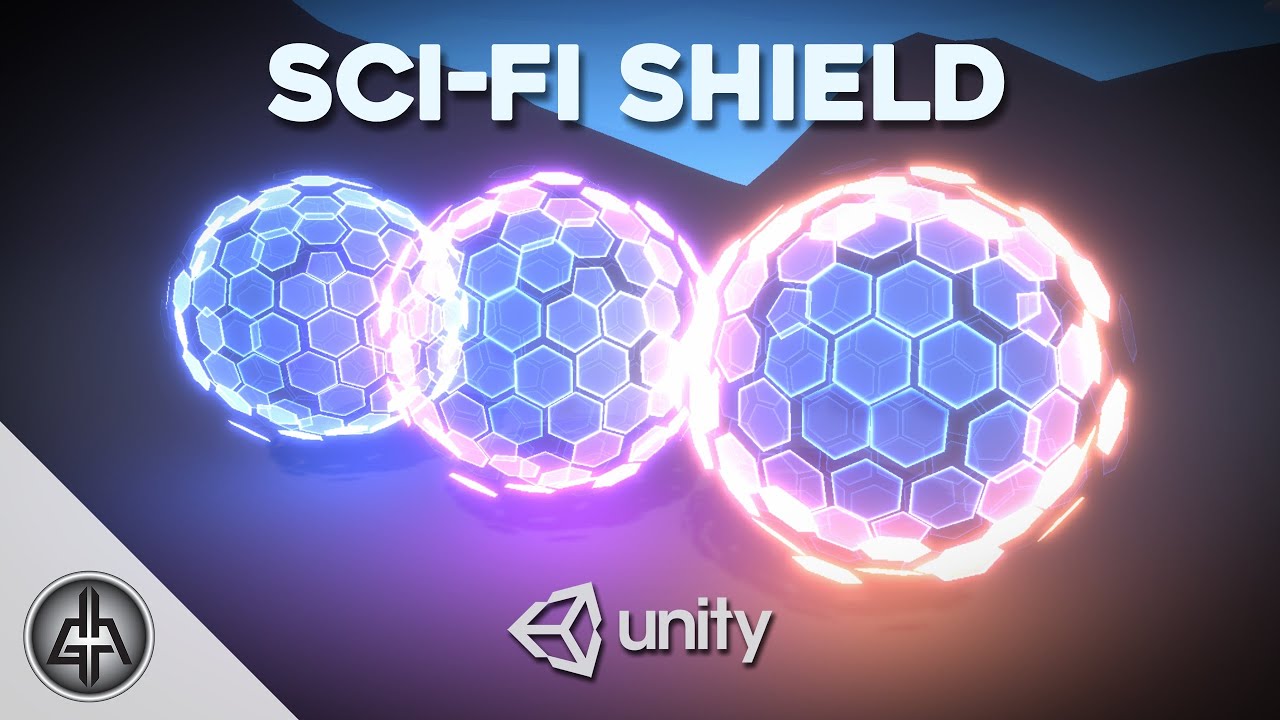
In this Unity tutorial we are going to create a Sci-Fi Shield with Shader Graph and see how to use it in VFX Graph. We are going to use Blender to create the Shield mesh and Krita for the texture. At the end we have an overview of how to detect collisions!
Enjoy!
Wishlist our game ;D https://store.steampowered.com/app/1763860/Rabbits_Tale
0...
steel notch
regal stag
I'd probably manually paint each face a different vertex colour
Some comments seem to be saying to use the normal of the face as an input to the noise, but how would that work? Noise takes in a vector2 UV and the normal is a vector3.
Actually, hmm. I guess it doesn't matter how I convert that. All that matters is that all points will share the same input on any given face.
regal stag
Pretty much yeah, as long as it's flat shaded all vertices per face should have the same normal. Could swizzle or let it truncate down or just combine the components with Add or something.
Using Random Range might also be cheaper than Simple/Gradient Noise node.
steel notch
regal stag
Pretty much yeah, as long as it's flat shaded all vertices per face should have ...
steel notch
So I'm looking at Sigma's shield from Overwatch. How would you get that glow border on the edge of the shield? Just a texture you think?
 neon hazel
steel notch
neon hazel
steel notch
Awesome
neon hazel
steel notch
So I'm looking at Sigma's shield from Overwatch. How would you get that glow bor...
Maybe a vertical gradient texture with manual uv mapping in the 3d software?
Or horizontal, doesn’t matter
hasty sparrow
neon hazel
Maybe a vertical gradient texture with manual uv mapping in the 3d software?
man i asked a question about shaders and now i tried making shaders and new to it,not created much but i see shaders listed on asset store for a lot of money
what shaders are hard to make according to you
also as a newbie in shaders what should be my first projects
neon hazel
hasty sparrow
what shaders are hard to make according to you
Tough question. Shaders come in all shapes and sizes. The more complex it is, the harder it is to create.
neon hazel
hasty sparrow
also as a newbie in shaders what should be my first projects
If you haven’t done anything yet, just make a shader graph and apply a color to your mesh
hasty sparrow
neon hazel
If you haven’t done anything yet, just make a shader graph and apply a color to ...
😅 yea like i have done that much
neon hazel
hasty sparrow
😅 yea like i have done that much
Well, make use of some noises next? If you've done that, modify the shadows of an object? Make a toon shade? Make something like @steel notch above?
hasty sparrow
neon hazel
Well, make use of some noises next? If you've done that, modify the shadows of a...
okay i will start working on that and show you guys
😄
steel notch
neon hazel
Well, make use of some noises next? If you've done that, modify the shadows of a...
For context, I'm just going through tutorials or trying to recreate cool VFX that I find, for the sake of learning.
Like here is my Mario Item Box
neon hazel
Very nice
hasty sparrow
steel notch
Like here is my Mario Item Box
woah i would love to work on this
so like i usually get over projects if they are too easy
do you have the tutorial
link for this
steel notch
hasty sparrow
do you have the tutorial

Jettelly
Discover how to create an impressive visual effect for the Item Box, giving it that authentic Mario Kart touch.
hasty sparrow
steel notch
https://www.jettelly.com/blog/creating-mario-kart-item-box-with-shader-graph-in-...
thank you so much lazy
steel notch
Anyone have tips/resources on how to make portals that appear to "break through" the ground?
 hasty sparrow
steel notch
Anyone have tips/resources on how to make portals that appear to "break through"...
hasty sparrow
steel notch
Anyone have tips/resources on how to make portals that appear to "break through"...
YEA ANYONE?
 kind juniper
steel notch
Anyone have tips/resources on how to make portals that appear to "break through"...
kind juniper
steel notch
Anyone have tips/resources on how to make portals that appear to "break through"...
One way would be to write to stencil buffer when drawing the portal and avoid rendering there when drawing the ground(by checking the stencil buffer).
grizzled bolt
steel notch
Anyone have tips/resources on how to make portals that appear to "break through"...
I think there's generally two ways to go about this effect
First one is some kind of parallax or parallax occlusion for the texture of the hole, so it's technically flat but projected in a way that it appears further away
Besides ordinary parallax techniques, "fake interior / interior cubemapping" techniques can also be used (also included in Production Ready Shaders
The second type is using stencils to render something inside the hole, such as a mesh of the hole itself, or entirely separate objects
steel notch
grizzled bolt
I think there's generally two ways to go about this effect
First one is some kin...
I've been informed by the effect's creator that it's camera view tomfoolery. Uses the cam view in tangent space.
grizzled bolt
That's a bit vague but sounds most like parallax mapping
There are multiple different methods that result in a parallax illusion
Ultimately you just offset the texture or some parts of it relative to camera
neon hazel
From Spazi's post this looks really good for it: https://www.youtube.com/watch?v=qiAiVa0HtyE&ab_channel=GabrielAguiarProd.
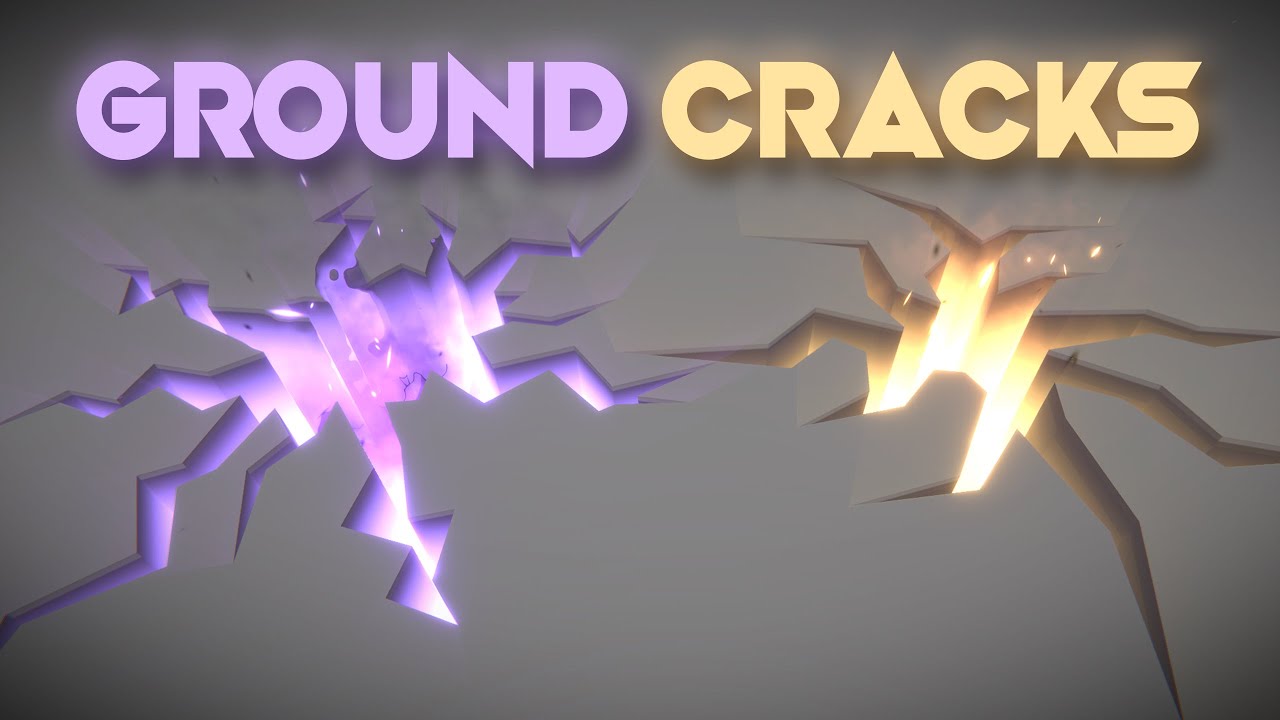
Let's open holes, cracks or fissures on the ground! This is an awesome technique that uses a custom configuration of the stencil buffer to render holes on top of other 3d objects. Love it!
RPG Builder: https://assetstore.unity.com/packages/templates/systems/rpg-builder-177657?aid=1100l3Jhu
RPG Builder YouTube: https://www.youtube.com/channel/UC...
neon hazel
grizzled bolt
I think there's generally two ways to go about this effect
First one is some kin...
This is some true effort put into a helping reply. Respect!
grizzled bolt
neon hazel
This is some true effort put into a helping reply. Respect!
^^ the right resources can be a lot of work to find, so I am glad to be able to ease the process
pulsar pagoda
Im creating a custom post process shader for HDRP, but i can add it to the Custom Post Process Order
Anyone know how to fix that ?

There is my current code:
    [Serializable, VolumeComponentMenu("Post-processing/Custom/GrayScale")]
    public sealed class GrayScale : CustomPostProcessVolumeComponent, IPostProcessComponent
    {
        // ...
    }
}
You could also do some cheap raycasting to fake a cylindrical hole in the mesh.
amber saffron
pulsar pagoda
There is my current code:
```csharp
[Serializable, VolumeComponentMenu("Post...
That's the example code from the doc, right ? Any compilation error ? Is the script file named "GrayScale.cs" ?
pulsar pagoda
amber saffron
That's the example code from the doc, right ? Any compilation error ? Is the scr...
Yeah its an example from the doc, i have created a shader graph called GrayScaleShader and a csharp file called GrayScale.cs
I have the following error when i add the post processing shader to the volume

But i can't add the shader in the Custom Post Process Order
amber saffron
pulsar pagoda
Yeah its an example from the doc, i have created a shader graph called GrayScale...
You did save the shadergraph with the save icon in the top left ?
pulsar pagoda
amber saffron
You did save the shadergraph with the save icon in the top left ?
Yep, but i always have the problem
Ohh my bad, i can only add it to the After Post Process
 amber saffron

 gritty berry
Hello, somebody had the problem with toon shader on Unity 6 ?
 pulsar pagoda
amber saffron
pulsar pagoda
amber saffron
I didnt understand that the first time i reading it 😅
Thanks for your help !
 limber pebble
I have a very specific question:
¿How I can get the size of a pixel in world units in a certain distance from a camera?
grizzled bolt
limber pebble
I have a very specific question:
¿How I can get the size of a pixel in world u...
I wonder if context or purpose for it could be helpful for the question
limber pebble
A outline shader
grizzled bolt
limber pebble
A outline shader
Those come in many varieties
You might get input more effectively if people here know what exact problem you're trying to solve by getting the size of a pixel
And to confirm that it'd be a correct solution
limber pebble
I wanna make the outline by pixel size
And if I know the "size" of the pixel at that distance from the camera, I know how much I should move the vertex.
grizzled bolt
limber pebble
I wanna make the outline by pixel size
And if I know the "size" of the pixel a...
As far as I understand you'd have to sample depth per vertex, so controlling the outline that way might be hard
Here's a thread related to just that: https://discussions.unity.com/t/reading-depth-buffer-in-vertex-shader/640210
I would imagine other methods would be more effective at ensuring that outlines stay the right size relative to object scale or camera distance: https://www.videopoetics.com/tutorials/pixel-perfect-outline-shaders-unity/
steel notch
I think I like the look but the shape isn't curvy enough.
 stray gorge
In shader with sample texture 2d, i dont understand what is output float4. Is it color of a pixel in a texture or a pixel on screen. When i multiply uv with a number, the texture really scale, the pixel also look like increased
limber pebble

 umbral spoke
anyone know what sort of shader magic was used to map this texture and model? I'm bad at graphics stuff, and found that texture and model that are supposed to go together, but it doesn't make sense to me. (just a ss of the model in blender, and a ss of the atlas)

 kind juniper
stray gorge
In shader with sample texture 2d, i dont understand what is output float4. Is it...
kind juniper
stray gorge
In shader with sample texture 2d, i dont understand what is output float4. Is it...
The output is the color that you sampled from the texture.
kind juniper
umbral spoke
anyone know what sort of shader magic was used to map this texture and model? I'...
No magic. Just uv mapping/unwrapping probably.
umbral spoke
has anyone seen anything like it before, or could point into a direction of a technique or method that was likely used, because i can't figure it out and seems like it'd be easier to create my own texture at this rate.
 lime fulcrum
how do i change the position of this "fake sun" that my ocean shader and everything else reflective is using?

 lime fulcrum
I ask for anybodys help in combining these 2 shaders i have, one reqires a ripple camera. i am at a COMPLETE stump, and have been for a few days
 quasi mortar
Anyone managed to create a decent water shader in Unity 6?
lime fulcrum
hdrp or urp
tacit parcel
I know that this is done in unreal, but if it's to be done in unity, how would we approach it?
Draw the wavy water like usual and kill texel using glass tunnel SDF?
Draw the underwater using 2nd camera and blend using water surface SDF?
I havent got time to play around with SDF, so its all just a wild guess
https://x.com/ImaginaryBlend/status/1822405238718169599
I'm wiped out after working all night, but it was worth it. Presenting the entrance to the underwater world :)

 Twitter
·
quasi mortar
lime fulcrum
hdrp or urp
Twitter
·
quasi mortar
lime fulcrum
hdrp or urp
Urp
final rampart

If you can help me with this
I wanted to put a 6 sided sky and it looks like this
 karmic hatch
lime fulcrum
I ask for anybodys help in combining these 2 shaders i have, one reqires a rippl...
karmic hatch
lime fulcrum
I ask for anybodys help in combining these 2 shaders i have, one reqires a rippl...
If they're both changing the normals, there's a combine normals (or similar) node
It's called Normal Blend
karmic hatch
tacit parcel
I know that this is done in unreal, but if it's to be done in unity, how would w...
Looks like they're using a mesh; could be drawing the inside of the tunnel to some depth texture and using that to cut the water?
steel notch
When it comes to shader texture creation, would you recommend Photoshop or Krita?
 slender ore
I am trying to use height map in shader graph to have some displacement on the material, but for some reason it doesn't allow me to connect out from Vector3 to the position, does someone know why that might be?

 jolly adder
Hey all,
My general question is, it is better to optimize on draw call or polycount ? Target platforms are PC, mobile and webgl.
For more details, I have an environment which uses single atlas (The atlas is made of so many colors and gradients like a palette). Also our buildings are using that atlas. So for example we have a floor for one the buildings which contains of 20 planks.
It is better to change the floor to single mesh with its own textures which contains wood and plank details or keep 20 meshes (planks) which uses atlas texture and same material like other modules in the environment ?
amber saffron
slender ore
I am trying to use height map in shader graph to have some displacement on the m...
To sample a texture in the vertex stage, you need to use the "Sample Texture 2D LOD" node
slender ore
amber saffron
To sample a texture in the vertex stage, you need to use the "Sample Texture 2D ...
thanks
steel notch
slender ore
I am trying to use height map in shader graph to have some displacement on the m...
Oh damn that's a really cool noise texture. Where did you get it?
amber saffron
jolly adder
Hey all,
My general question is, it is better to optimize on draw call or polyco...
Both optimisations are valid, and require more in depth profiling to understand which one suits best.
Generally speaking, the polycount on modern hardware is not so much an issue unless you go immensely high, if we speek purely of what is displayed. But the issue can be data transfer.
In you case, the "multiple" planks might be a better approach, because in both cases it would end up in a single draw call (thanks to batching), but the big merged floor mesh will have to upload more data to the GPU, in opposite to uploading a single plank mesh and instruction to draw 20 instances.
Now, I would ask : do you need 20 planks for a floor instead of a simple flat-ish mesh with proper texture ? 🙂
slender ore
steel notch
Oh damn that's a really cool noise texture. Where did you get it?
That is not a noise, it's a height map that made the part of my material in substance designer
jolly adder
amber saffron
Both optimisations are valid, and require more in depth profiling to understand ...
Thanks for the reply.
Yup, in both cases (20 meshes or 1 mesh) have single draw call because of batching. But if we consider entire environment (The view of the camera), 20 meshes is still 1 draw call but with that 1 mesh with different material is 2 draw calls. (Ignoring light, AO and so one)
But for instance, that 1 mesh have 50 tris but 20 planks have 20*50 tris = 1000 tris.
I explained that because I think you misunderstood (Probably I explained that in a bad way). I don't mean merging these 20 planks to 1 big mesh, by 1 mesh I mean simple flat-ish mesh with detailed texture (Not single color or gradient).
amber saffron
jolly adder
Thanks for the reply.
Yup, in both cases (20 meshes or 1 mesh) have single draw ...
Are you using URP or the Built-In renderer ?
In URP, if you enable the SRP batcher, object with the same shader variant can be groupped together for rendering, so even if you have two floor objects, with different texture but same shader, they can be batched together 🙂
Unless you are constrained by the vram size for storing textures, I would try the simple floor mesh approach.
Also, with the 20 planks approach, you might end up with a lot of overdraw on mobiles for drawing the overlapping smal triangles of the planks where they meet.
jolly adder
amber saffron
Are you using URP or the Built-In renderer ?
In URP, if you enable the SRP batch...
I use URP. So different materials but same shader are still batched together in URP ? That's a very good information. Thanks.
So based on your reply, I think we can use different textures besides the atlas if we can reduce polycount and still keep the draw call if we use the same shader.
 mental bone
jolly adder
I use URP. So different materials but same shader are still batched together in ...
mental bone
jolly adder
I use URP. So different materials but same shader are still batched together in ...
Im a bit confused by your use of a atlas. You can still have objects use different textures from a texture atlas just put their uv’s in the right place.
Combining the planks into a single mesh does not exclude the use of a atlas
amber saffron
jolly adder
I use URP. So different materials but same shader are still batched together in ...
You need to enable the SRP batcher. You can find this in the Rendering section of the URP asset.
jolly adder
mental bone
Im a bit confused by your use of a atlas. You can still have objects use differe...
Yup, that's right but our atlas contains multiple colors and gradients. I asked that question because we use gradient on those planks and because of better visual and variants between them we use multiple planks instead of one.
hexed sorrel
Hey all, just had a logic question when it comes to some of the nodes in shader graph! Currently I have two separate "SmoothStep" nodes one where the "Edge1" is equal to 0.7, and it's "Edge2" being 1, trying to lerp between just the 0.7-1 in theory giving me a 30% curve, and another where "Edge1" is equal to 0, and "Edge2" is equal to 0.3; again ideally giving me a 30% curve just on the other side, however it seems these two results are slightly different while it doesn't make a whole lot of sense as to why that would be happening considering the curve stays at a 30% ratio on both sides.
If anyone knows why that could be the case I would be greatly appreciative, they are both using the same floats for the lerp afterward!
Thanks all!
 hexed sorrel
hexed sorrel
hexed sorrel
As you can probably tell on the final "Add" node where the arrows are pointing the two added sides have a different amount of blank space.
 hexed sorrel
hexed sorrel
hexed sorrel
passing the result to a "Step" node makes the difference much more obvious.
 vocal narwhal
hexed sorrel
As you can probably tell on the final "Add" node where the arrows are pointing t...
vocal narwhal
hexed sorrel
As you can probably tell on the final "Add" node where the arrows are pointing t...
What's the input to this? UVs?
 vocal narwhal
The last lot of values are all 0.95, not 1
Because you floor, all the values are compressed left
hexed sorrel
Ah, strange. Is there a fix for that?
vocal narwhal
Is it strange? Just think about the values you're creating by flooring. Say you used 2 instead of 20
hexed sorrel
Could I just compensate by adding to my floats?
vocal narwhal
You may want to try dividing by your value - 1
vocal narwhal
vocal narwhal
Is it strange? Just think about the values you're creating by flooring. Say you ...
[0,0.5) would become 0, and [0.5,1) would be 1. Only 1 (which isn't visible) would be 2
hexed sorrel
I see, that is a good observation. So would the best way to fix it be compensating by an equal amount on my lerp floats?
Since I am flooring which compresses left?
vocal narwhal
vocal narwhal
You may want to try dividing by your value - 1
Did subtracting 1 from the input to the divide operation not work? (The divisor)
hexed sorrel
vocal narwhal
Did subtracting 1 from the input to the divide operation not work? (The divisor)
to be completely honest I am not sure what you mean, do you mean subtracting "1" from the 20/20 making it 19/19 or a literal subtract node and passing in the vector2?
 hexed sorrel
you're right haha.
That worked! Thank you very much, so I'm still a bit confused on what is actually going on when I subtract -1, -1 from a vector2, is that not inversing the values?
if 1 is a full value, would -1 not be flipping it or something to that degree if it's a UV?
I'm still not super clear on what or how a UV represents in shaders in 2D fully.
vocal narwhal
I'm not sure what you mean. --1 is +1
A UV is just a co-ordinate space, if you're familiar with a net in geometry, the UV coordinates are the position of something in that net
hexed sorrel
vocal narwhal
I'm not sure what you mean. --1 is +1
A UV is just a co-ordinate space, if you'r...
Yes, despite my previous catastrophic error in basic subtraction I was more-so talking about for example if I have a had a basic square, which is 100x100, would my UV be 100x100? equivalent to the size of the sprite it is affecting?
or is a UV normalized separately between 0-1, representing fragment coordinates closest to the coordinate of the UV (between 0-1)?
vocal narwhal
It could be if it was UV'd that way, but typically texture space is 0->1, so the UVs will be taking up a portion of that
A typical quad mesh will be 0-1. If you had a flip book then you would be shifting the UVs to the smaller window each frame takes up in that 0-1 area
hexed sorrel
vocal narwhal
It could be if it was UV'd that way, but typically texture space is 0->1, so the...
I mean specifically in 2D cases where there isn't a typical 3D mesh also
vocal narwhal
There is a mesh even in those cases
hexed sorrel
vocal narwhal
A typical quad mesh will be 0-1. If you had a flip book then you would be shifti...
Ah I see, so it's based on visible rendered mesh to the camera or renderer?
vocal narwhal
Yep, if you turn on wireframe mode I imagine you'll see that it's all quads
(Just note that Sprite UVs are likely going to be shifted if they're in an atlas, I can't remember if the sprite mesh or shader has multiple UVs to help with this, I haven't messed with 2D for a bit)
hexed sorrel
vocal narwhal
(Just note that Sprite UVs are likely going to be shifted if they're in an atlas...
I see, well I really appreciate the help and explanation! Apologies for any really obvious questions, I am still trying to get a full understanding of how materials as a whole are treated so your explanation is much appreciated!
vocal narwhal
No worries 
hexed sorrel
But yes, referring back to my initial question it is much more clear to me now what was going on!
stray gorge
in my shader i have this
Varyings vert(Attributes IN)
{
    Varyings OUT;
    OUT.positionHCS = TransformObjectToHClip(IN.positionOS);
    OUT.uv = IN.uv;
    return OUT;
}
Shader warning in 'Example/URPUnlitHQX': 'TransformObjectToHClip': implicit truncation of vector type at Assets/Shader/URP_Upscale_Unlit.shader(54) (on d3d11)

Compiling Subshader: 0, Pass: Pass1, Vertex program with <no keywords>
Platform defines: SHADER_API_MOBILE UNITY_ASTC_NORMALMAP_ENCODING UNITY_ENABLE_REFLECTION_BUFFERS UNITY_HARDWARE_TIER3 UNITY_LIGHTMAP_RGBM_ENCODING UNITY_NO_CUBEMAP_ARRAY UNITY_NO_RGBM UNITY_NO_SCREENSPACE_SHADOWS UNITY_PBS_USE_BRDF2
Disabled keywords: SHADER_API_GLES30 UNITY_COLORSPACE_GAMMA UNITY_ENABLE_DETAIL_NORMALMAP UNITY_FRAMEBUFFER_FETCH_AVAILABLE UNITY_HARDWARE_TIER1 UNITY_HARDWARE_TIER2 UNITY_LIGHTMAP_DLDR_ENCODING UNITY_LIGHTMAP_FULL_HDR UNITY_LIGHT_PROBE_PROXY_VOLUME UNITY_METAL_SHADOWS_USE_POINT_FILTERING UNITY_NO_DXT5nm UNITY_PBS_USE_BRDF1 UNITY_PBS_USE_BRDF3 UNITY_PRETRANSFORM_TO_DISPLAY_ORIENTATION UNITY_SPECCUBE_BLENDING UNITY_SPECCUBE_BOX_PROJECTION UNITY_UNIFIED_SHADER_PRECISION_MODEL UNITY_USE_DITHER_MASK_FOR_ALPHABLENDED_SHADOWS UNITY_VIRTUAL_TEXTURING
the shader run perfectly but this TransformObjectToHClip doesn't work on my modile build. how can i fix it or how can i delete it ?
mental bone
jolly adder
Yup, that's right but our atlas contains multiple colors and gradients. I asked ...
You can still place the uvs on different gradients in the atlas is what I am saying
regal stag
stray gorge
in my shader i have this
```
Varyings vert(Attributes IN)
{
Varyings OUT;
...
It's unlikely that TransformObjectToHClip is the problem here. That function is important for transforming the mesh coords to positions on the screen. Without it you can't display objects correctly.
The "implicit truncation" warning is just because IN.positionOS might be defined as a float4 while the function expects a float3 input. It's just a warning and could be ignored though. If the shader is actually broken, it's something else causing that
stray gorge
regal stag
It's unlikely that `TransformObjectToHClip` is the problem here. That function i...
can u take a look at this? , is there any thing that doesn't work on mobile ?
    {
        Tags { "RenderType" = "Opaque" "RenderPipeline" = "UniversalRenderPipeline" "Queue"="Geometry"}
        Pass
        {
Name"Pass1"                     Tags
{"LightMode" = "UniversalForward"
}
            HLSLPROGRAM
            #pragma prefer_hlslcc gles
            #pragma vertex vert
            #pragma fragment frag
#include "Packages/com.unity.render-pipelines.universal/ShaderLibrary/Core.hlsl"
Texture2D _MainTex;
            SAMPLER(sampler_MainTex);
float _Threshold;
float _LineThickness;
float _Upscale;
float _TexSize;
float4 _MainTex_ST;
half4 _MainTex_TexelSize;
struct Attributes
{
    float4 positionOS : POSITION;
    float2 uv : TEXCOORD0;
};
struct Varyings
{
    float4 positionHCS : SV_POSITION;
    float2 uv : TEXCOORD0;
};
Varyings vert(Attributes IN)
{
    Varyings OUT;
    OUT.positionHCS = TransformObjectToHClip(IN.positionOS);
    OUT.uv = IN.uv;
    return OUT;
}```
this is the base urp unlit shader i copy from documentwhen i build, unity doesn't notify any error or warning
just this
 regal stag
stray gorge
can u take a look at this? , is there any thing that doesn't work on mobile ?
``...
regal stag
stray gorge
can u take a look at this? , is there any thing that doesn't work on mobile ?
``...
RenderPipeline tag should be UniversalPipeline not UniversalRenderPipeline
 jagged canyon
Idk, just thought it looked cool, (yes this is from a tutorial)
 clear ruin
Would anyone know how to add a UI transparent gradient effect? I'm making a minimap that has icons for rooms/entities, no borders and no background. The set up I have right now makes it so that the rooms and icons are cut off at sharp edges due to the mask and using a square image as the mask. I was wondering, how would I make it so that the room icons and contents of the minimap becomes transparent as they reach the borders of the minimap? Should this be done through scripting or shaders or something else.
neon mason
How to get rid of the problem in SG, where without assigned texture normal map, the lighting is odd? Unity's lit shaders don't have this problem, I don't want to assign a texture on all such materials
 regal stag
neon mason
How to get rid of the problem in SG, where without assigned texture normal map, ...
regal stag
neon mason
How to get rid of the problem in SG, where without assigned texture normal map, ...
Can change the texture type to Bump/Normal under the Node Settings tab while property is selected
neon mason
regal stag
Can change the texture type to Bump/Normal under the Node Settings tab while pro...
thanks!
 ionic ivy
Anyone know why the lights are doing this weird thing on my sprite? I made a wind shader that displaces the vertices
grizzled bolt
ionic ivy
Anyone know why the lights are doing this weird thing on my sprite? I made a win...
Those are projected shadows
When you displace only the vertices, the normals do not change
Projected shadows do not care about normals, but the light attenuation from surface direction is entirely based on them
Normally the two match up, and the shading hides the projected shadow's edges
ionic ivy
grizzled bolt
Those are projected shadows
When you displace only the vertices, the normals do ...
Makes sense, i think. Do you know how i could fix it? Here is the shader graph for ref
 grizzled bolt
ionic ivy
Makes sense, i think. Do you know how i could fix it? Here is the shader graph f...
grizzled bolt
ionic ivy
Makes sense, i think. Do you know how i could fix it? Here is the shader graph f...
If you disable receiving shadows, the problem would disappear as well
Another option is to correctly modify the normals to match the modified vertices, or you may have to recalculate them entirely
grizzled bolt
ionic ivy
Either way you won't get valid results by using the vertex position for the normal, since normals are a direction, not a position
ionic ivy
grizzled bolt
Either way you won't get valid results by using the vertex position for the norm...
Thank you. You were right. Turning off receive shadows did fix it, but I'm gonna try to refactor it so the normals and shadow receiving still works
ionic ivy
grizzled bolt
Either way you won't get valid results by using the vertex position for the norm...
Actually do you know how i could make it so the offset is only affecting one local axis? My sprites are rotated 35 degrees on the x-axis to face the camera
grizzled bolt
ionic ivy
Actually do you know how i could make it so the offset is only affecting one loc...
You would offset the vertices by a vector that points to that axis, with its length multiplied by the noise or whatever needed
 tropic cape
why the main preview did not change the color as i set it?
 grizzled bolt
tropic cape
why the main preview did not change the color as i set it?
grizzled bolt
tropic cape
why the main preview did not change the color as i set it?
Pink in preview or otherwise most often means the graph target does not match your render pipeline in Graph Inspector > Graph Settings
tropic cape
how can i fix it?
grizzled bolt
Set a graph target that does match your render pipeline
From the window there you've squashed into a postage stamp size
ionic ivy
grizzled bolt
You would offset the vertices by a vector that points to that axis, with its len...
Thanks for the advice. Its working now
steel notch
So how do you specify these default... overridable inputs in a subgraph?

Like the UV input on the Tiling and Offset node.
It can specify the default UVs but you can override it with any Vector2.
This thing?
regal stag
steel notch
https://docs.unity3d.com/Packages/com.unity.shadergraph@13.1/manual/Branch-On-In...
Yes, also have an example here #archived-shaders message
 ebon moss
Anyone familiar with this kind of error when working with Compute Shaders?
 steel notch
regal stag
Yes, also have an example here https://discord.com/channels/489222168727519232/4...
steel notch
regal stag
Yes, also have an example here https://discord.com/channels/489222168727519232/4...
Hey so I'm trying to make a Pixelate shader, but for some reason I'm seeing gaps/lines.

This is the Pixelate Shader
And this is the main shader. Any idea what's going on?

This is the Pixelate Shader. Any idea what's going on?

Is it a float inaccuracy thing?
regal stag
steel notch
Hey so I'm trying to make a Pixelate shader, but for some reason I'm seeing gaps...
It's likely a similar issue to this : https://www.cyanilux.com/faq/#sg-pixellated-seams
Either disable mipmaps on the texture / use LOD sample, or use Gradient mip sampling node and regular UV node -> DDX and DDY nodes for those ports
 steel notch
regal stag
It's likely a similar issue to this : https://www.cyanilux.com/faq/#sg-pixellate...
steel notch
regal stag
It's likely a similar issue to this : https://www.cyanilux.com/faq/#sg-pixellate...
LOD sample seems to have worked.
Maybe I should create a PixelateSample subgraph then?
Since a proper Texture sampling is needed for good results.
What do you think? @regal stag
Disabling Mipmaps didnt seem to work by itself.
stray gorge
is there any way to create a tessellation shader in urp for android mobile ? with custom node
stray gorge
i have a hlsl tessellation shader that works on desktop but doesn't work on mobile, when i build it dont unity doesn't show any warning or error that related to it.
 simple spade

im getting some weird artifacts in my background here

i dont know whats up with my shader. my sprite settings is set to repeat so i dont know why its not seamless
i wanna make the noise distort the tiled sprite
amber saffron
simple spade
You shouldn't lerp the noise with the UV, but add the noise value to the UV (additionally, you might want to subtract 0.5 from the noise to have the overall average at 0)
steel notch
amber saffron
You shouldn't lerp the noise with the UV, but add the noise value to the UV (add...
Wait is a 0.5 subtraction standard with any noise based UV distortion?
amber saffron
steel notch
Wait is a 0.5 subtraction standard with any noise based UV distortion?
It depends on what you want to do, but since the noise output is in the 0-1 range, I usually prefer to subtract 0.5 to have 0 as the median value, so when adding it to uvs the deformed output is "centered".
If your don't do it, the median is 0.5, so when adding the noise you do an overall shift in one direction
 rough viper
I have this code, but the material dont work he is pink
maybe u now there my problem?
Shader "Graph/Point Surface" {
Properties {
    _Smoothness ("Smoothness", Range(0,1)) = 0.5
}

SubShader {
    CGPROGRAM
    #pragma surface ConfigureSurface Standard fullforwardshadows
    #pragma target 3.0

    struct Input {
        float3 worldPos;
    };
    float _Smoothness;
        void ConfigureSurface (Input input, inout SurfaceOutputStandard surface ) {
        surface.Albedo = input.worldPos;
        surface.Smoothness = _Smoothness;
    }
    ENDCG
}
Fallback "Diffuse"
}
 vocal narwhal
rough viper
I have this code, but the material dont work he is pink
maybe u now there my pr...
vocal narwhal
rough viper
I have this code, but the material dont work he is pink
maybe u now there my pr...
Are there errors in the shader's inspector?
rough viper
there, no
 vocal narwhal
That is not the shader's inspector
rough viper
this?
 vocal narwhal
That's the material, not the shader
 vocal narwhal
Are you using a render pipeline? Because URP and HDRP are not compatible with surface shaders
 vocal narwhal
If your project was made with Built-in then surface shaders should work. As there's no error in the inspector I can't see what could be wrong other than that. It could be that just the preview is broken, it's always a good idea to check if it's still pink in the scene
vocal narwhal
The shader looks pretty simple, I don't know why you wouldn't just make it in shadergraph instead of switching pipelines
rough viper
because I'm going to figure out some shaders to create thishttps://youtu.be/0xJqzUHJ2fI

Date of Recording: 2021-01-30
Bit more work on lighting this week, including a sneak peek at the in-engine components. A quick and dirty light volume shader uses the existing depthnormals pass I'm rendering to compute some pixel-art appropriate approximation of deferred lighting without having to re-render any geometry the way Unity's default f...
SRP is = buld in RP?
vocal narwhal
Built In is not a Scriptable Render Pipeline
rough viper
i aslo have a pink cube in built in
 grizzled bolt
rough viper
i aslo have a pink cube in built in
grizzled bolt
rough viper
i aslo have a pink cube in built in
Whatever render pipeline your project uses, if any, you must ensure your shaders all are compatible with it

 oak aspen
in a sprite unlit shader, is there no way of doing a proper alpha besides using an Alpha Threshold which makes the edges look horrible? This is all constructed in shadergraph btw... (ellipses) no sprites used here. (Unless this is needlessly expensive). The idea is to make a reticle that the player can modify the size, border size and colour

 simple spade
amber saffron
You shouldn't lerp the noise with the UV, but add the noise value to the UV (add...
simple spade
amber saffron
You shouldn't lerp the noise with the UV, but add the noise value to the UV (add...
ic ic, thank you! it didnt resolve the problem with the sprite repeat, but i did find out why it was looking strange -- I had repeat on for both the shader and my sprite which ended up conflicting. thanks for the tip about noise! i'll fix it :]
 hollow juniper
Hello people! please check out this video, I am having an issue with my car paint shader. I am trying to make a realistic "orange peel" effect but unity is being dumb! or am i?
 fleet jungle
hollow juniper
fleet jungle
hollow juniper
you're trying to connect normal map into the vertex normal, which overrides normal vectors in object space. connect your normal map to Normal (Tangent Space) in the Fragment block and it should be it
hollow juniper
fleet jungle
you're trying to connect normal map into the vertex normal, which overrides norm...
I've done this but it has no effect as if the node was not connected
fleet jungle
hollow juniper
I've done this but it has no effect as if the node was not connected
oh, probably because you don't actually make a normal from your noise. replace Normal Strength with Normal From Height node
hollow juniper
fleet jungle
oh, probably because you don't actually make a normal from your noise. replace N...
hmmm. this particular node cannot be set as a vertex node
we are probably missing some kind of neccesary conversion for normal input to work properly or something
fleet jungle
hollow juniper
hmmm. this particular node cannot be set as a vertex node
cause it uses partial derivative which cannot be used in vertex stage
 hollow juniper
fleet jungle
cause it uses partial derivative which cannot be used in vertex stage
hollow juniper
fleet jungle
cause it uses partial derivative which cannot be used in vertex stage
are you a "shader pro?"
i could probably use some more assistance down the line in my car paint development... i'd like to be able to directly ask for your input when i have a problem or something
fleet jungle
hollow juniper
are you a "shader pro?"
not really, it's just that i've also bumped into this kind of problem once
hollow juniper
ah okay, thanks for sharing. i would have been at it for a very long time
hollow juniper

does anyone know why my custom shader is not showing color in the reflections???
i have switched to object. and there will be color reflections but if i do that i loose any normal inputs meaning my normal maps do not work

so, trying to stick with tangent. pretty weird problem...
 desert temple
Will shader graph use be slower than cg
hollow juniper
desert temple
Will shader graph use be slower than cg
it really depends on the complexity of the shader. cg will give you finer control of your shader
if you want maximum performance, dont use shader graph
 vale swallow
hollow juniper
vale swallow
hollow juniper
Wouldn't it take up performance if there is a orange peel effect ?
hollow juniper
vale swallow
Wouldn't it take up performance if there is a orange peel effect ?
Yes it can. It really depends on the algorithm. I am trying to utilize the simplest algorithms possible. It only takes about 2-4 nodes for a proper range peel effect. Same for flakes, etc. Every addition can cause a performance impact but it also depends on the target platform hdrp, is pretty performance until you want to begin utilizing things like ray tracing. Especially ambient occlusion
I have a pretty powerful machine so performance is not a concern. I'm not really targeting a audience. For now it's a personal project.
I'm trying to push the limit with a robust and realistic car paint shader
 neat orchid
hollow juniper
neat orchid
hollow juniper
Very strange. I assume the wheels are using a different shader because the color in their reflections is visible
And I assume if you input the same textures with the same parameters on a standard shader, the colors are visible?
hollow juniper
neat orchid
Very strange. I assume the wheels are using a different shader because the color...
yep
hollow juniper
neat orchid
And I assume if you input the same textures with the same parameters on a standa...
there were no textures. they were generated procedurally using noise nodes

this was the culprit. combining tagent fragment normal space with the AOandBentNormal occlusion mode cause issues with rendering
which makes sense because its not the default setting. so i guess its best to keep careful track of the things we change
 honest bison
I am writing a custom shadow caster and it is not supporting shadows. float4 frag (v2f i) : SV_Target { fixed alpha = tex2D(_MainTex, i.uv.xy).a; clip(alpha-.5); return 0; }
any ideo how I can get this to work?
{
Tags { "RenderType" = "Opaque" "ShadowTag" = "ShadowCaster" }``` languid trench
After upgrading to unity 6 normal fragment seems to fade away when getting closer. How to fix that?

 languid trench
Problem was Height to Normal node, removed that
 hollow cargo
Question. Without getting into too much detail, what sort of direction do I need to go to make target/telegraph effects on my scene?
e.g. I have a sdene made up of many assets. When a player would use an ability that hits a cone in front of them, I want a conical area highlighted on the floor/rocks/grass/whatever in front of them
muted laurel
is it possible to pass in textures with data that is not necessarily 0.0 to 1.0?
basically I want a biome textures in an Texture2DArray, and a biomeMap Texture that has values like 1.0, 2.0, 5.0, 3.0, etc. that are the indices of the Texture2DArray
amber saffron
muted laurel
basically I want a biome textures in an Texture2DArray, and a biomeMap Texture t...
You can use HDR texture which can contain data in signed floating point format.
But this seems overkill for your use, if you want to store indices, you could as well use a regular 24 (RGB) or 32 (RGBA) bits texture, and "unpack" the value.
With only the red channel you already have 255 values, do you need more than that ? 🙂
muted laurel
yeah that makes perfect sense
amber saffron
Just be sure to disable compression in that texture, and in the shader you can convert the value to the index with : index = value * 255;
muted laurel
how do I make sure a texture is not compressed? from what I've seen so far textures that I generate from script aren't compressed at all
amber saffron
muted laurel
how do I make sure a texture is not compressed? from what I've seen so far textu...
I didn't have that information 🙂
Indeed, textures created by script are not compressed.
muted laurel
awesome, thanks
muted laurel
amber saffron
I didn't have that information 🙂
Indeed, textures created by script are not com...
just for a sanity check.. this IS the most reasonable way to try to render all the different biome textures?
I've thought of previously somehow making a bunch of different meshes, but I didn't see how I could blend them
with a shader I thought I could blend transitions a bit
and this is where I ended up lol
amber saffron
Well, with this method you'll end up having quite "straight" transitions, as it will follow the pixels grid of the control texture.
muted laurel
I was thinking that I could do some of my own bilinear sampling
amber saffron
Yes, that works. If you add up some noise for the blending to avoid straight lines, it can work well.
Now, to answer your question, if it is the "most reasonable way" ... I can't have a definitive answer without knowing precisely the need, how many biomes can be mixed etc ....
But it is a "reasonable" one 🙂
muted laurel

I won't get too deep in it but
my islands will have probably between 1-8 biomes on land
they'll be surrounded by sand, which is surrounded by shallow water area - everything else is deep sea
this is a piece of a biomeColor texture I made for the sake of debugging
the biome generation ends up with straightish lines in some parts due to my naive implementation
I was hoping to have a shader that handles drawing the "ground", and I also have a separate shader that draws water, with alpha culling above sea level
oh yeah, this made me think about another thing.. how do people prevent their textures from looking really flat in 2D? @amber saffron
I'm pretty sure it's by applying lighting somehow to the textures, but I've never done anything like that so I'm not sure how it works. (URP)
 lusty smelt
is there a setting i need to check to achieve an infinite tiling texture? I did a very simple shader for scrolling textures, but the texture "appears" only once and doesnt tile properly

 amber saffron
muted laurel
oh yeah, this made me think about another thing.. how do people prevent their te...
amber saffron
muted laurel
oh yeah, this made me think about another thing.. how do people prevent their te...
Either have already some sort of lighting in the texture itself, or use normal maps and 2D lights.
muted laurel
for a sprite lit shader, it would be the Normal output here?
 amber saffron
muted laurel
for a sprite lit shader, it would be the Normal output here?
amber saffron
muted laurel
for a sprite lit shader, it would be the Normal output here?
Yep
muted laurel
so if I had the correct normal map, would it justwork immediately from something like a directional light?
amber saffron
I was more thinking of those 2D lights : https://docs.unity3d.com/Packages/com.unity.render-pipelines.universal@14.0/manual/Lights-2D-intro.html
muted laurel
mm okay, looks like I got a lot to learn
haha! I nearly got rekt by linear vs gamma issues again but this time it only took me 30 minutes instead of 5 hours
hollow juniper


Hi guys, me again. Still trying to work on creating a robust car paint shader. now , diving into a full shader script is quite daunting. So, I wanted to take an easier approach to breaking the limitations of standard shader graphs by creating some custom nodes using hlsl coding. Well, its not going good
I am trying to create a simple hlsl node that outputs the color red but no matter what i try i keep getting undeclared identifiers or syntax errors...
Can anyone point out what I may be doing wrong here?
kind juniper
hollow juniper
Hi guys, me again. Still trying to work on creating a robust car paint shader. n...
You'll need to share the actual code that throws the error.
hollow juniper
ok so you mean the compiled shader code right?
kind juniper
No. The one you have in the file. The custom function code.
hollow juniper
i did look in the screenshot
float3 SimpleFunction() is the begining of the code
i tried string and file format. both have thrown different errors with this code
kind juniper
Ok I see. I think there's a specific way you need to declare your function for it to be correct. Did you check the docs?
hollow juniper
yes i have been following guides to no avail
can you please share a helpful resource?
kind juniper
The documentation page shows an example that is totally different to what you're using:
https://docs.unity3d.com/Packages/com.unity.shadergraph@17.0/manual/Custom-Function-Node.html
hollow juniper
ok maybe i am off to a wrong approach. i will take a deeper look into it. thanks for the resource 🙂
kind juniper
Always check the docs when in doubt.
 hollow swift
I want to create a shader that projects objects onto the background. I thought this would be a straight forward thing, but shader graph refused to draw the red line (or connect the result of the transformation to the vertex position). Any ideas how to solve this?
 kind juniper
hollow swift
I want to create a shader that projects objects onto the background. I thought t...
kind juniper
hollow swift
I want to create a shader that projects objects onto the background. I thought t...
You can't really use screen position(and probably depth too) in the vertex shader. It doesn't have access to that data. Or rather, that data is not even defined at that point.
hollow swift
Ah damn. So this is not as easy as I hoped it was?
hollow juniper
Of course not. this is basically black magic!
kind juniper
hollow swift
Ah damn. So this is not as easy as I hoped it was?
You can probably remake it such that most of the logic is in fragment shader.
hollow swift
I'm sure some people can, not sure if I'm some people though 😄
kind juniper
Though you'd be limited to the area of the mesh
regal stag
Rather than Scene Depth node, you'd need to use a Custom Function node to sample _CameraDepthTexture with SAMPLE_TEXTURE2D_LOD macro for it to work in the vertex stage
hollow swift
Maybe chatGPT can help me.
hollow juniper
ooooOOOOOoooo good idea\
hollow juniper
kind juniper
The documentation page shows an example that is totally different to what you're...
something must be wrong with unity because i copied the docs example and still get this same error

 hollow swift
kind juniper
You can probably remake it such that most of the logic is in fragment shader.
hollow swift
kind juniper
You can probably remake it such that most of the logic is in fragment shader.
This is not possible in shader graph right? Because I just realized I need to combine this functionality with another shader (that I have only in shader graph).
hollow juniper
ok nevermind... my mistake. i only need to include the Out = A + B + 1/2; in the body
regal stag
hollow juniper
ok nevermind... my mistake. i only need to include the ``Out = A + B + 1/2;`` in...
Yep, you only use the function name/params {} if using the File mode and a .hlsl file
hollow juniper
This is so confusing my brqain hurts!
regal stag
hollow swift
I want to create a shader that projects objects onto the background. I thought t...
in case you missed it, my earlier message above #archived-shaders message was in reply to your issue btw
hollow juniper
i can feel nerves i never knew existed in my head!
hollow swift
regal stag
in case you missed it, my earlier message above https://discord.com/channels/489...
Yes, thank you. I saw that but am not sure I'm able to do that as my shader knowledge is very surface level.
regal stag
hollow swift
I want to create a shader that projects objects onto the background. I thought t...
Also projecting onto background sounds a bit like a decal shader. URP has a decal feature and decal graph which could handle the projection for you
https://docs.unity3d.com/Packages/com.unity.render-pipelines.universal@16.0/manual/renderer-feature-decal.html
 worldly crater
I want to create outline shader but only on the outside of the character.
It is complex character so usual outlines look really weird.
Easiest to explain is, i would create another render of the character, place it completely behind it, scale it up by 20% and then draw it
Honestly no idea what would i search for. Closest i have found is backface hull outline and looks perfect on simple cube like objects
regal stag
hollow swift
Yes, thank you. I saw that but am not sure I'm able to do that as my shader know...
if decals aren't an option,
I double checked and if you don't use Scene Depth node, you can create a global property (untick exposed in older versions) to sample the depth texture instead of needing a custom function
R output here would be equivalent to Scene Depth (raw mode), but should function in vertex shader
 regal stag
worldly crater
Honestly no idea what would i search for. Closest i have found is backface hull ...
regal stag
worldly crater
Honestly no idea what would i search for. Closest i have found is backface hull ...
The usual hull outline pushes vertices out using the normals. You can make sure that doesn't show over other parts of the character if you also render the character to the stencil buffer and render the outline testing against it (with comparsion NotEqual)
If using URP, can use RenderObjects features to handle that
hollow swift
regal stag
if decals aren't an option,
I double checked and if you don't use Scene Depth no...
If I plug this in my color output I either get pure white (exposed = true) or pure black (exposed = false)
So I don't think this works. Would have been nice though 😄
regal stag
hollow swift
If I plug this in my color output I either get pure white (exposed = true) or pu...
It might only look pure black until the camera gets really close (to opaque objects overlapping the object if transparent), as raw depth is stored non-linearly (values closer to 0 have better precision)
Another way to test would be multiply the output by a large value like 100 and use Fraction node
hollow swift
It's doing something, but I'm not sure what. I added this to my shader linearDepth = (near * far) / (far - raw * (far - near)); to convert my raw depth to linear. But even then adding this does not seem to produce the desired result.
 tired verge
Hello guys,
Is there any way to disable
UnityShaderCache file under Android storage.
It caches the compiled shader binaries there, but I don't want this thing to happen.
 minor pewter
That is not what i told you to ask, i told you to actually explain what youre doing which ends up you needing to disable that, as you shouldnt disable it
Cuz youre cleary doing something in a wrong approach if you need to disalble the compiled shaders, as thats a really bad idea

hollow juniper

does anyone know if i am forgetting to pass the main light direction node with another node to make the lighting effect the entire material? like ambient light or something?
half the material is unshaded and shows no color where there is no light....
even with global illumination setup in the global volume does nothing
perhaps i screwed up some of the calculations in the custom node... ill take a look there first. but if anyone has any idea if there are other nodes is hould be using please let me know 🙂
this does not work as the other half is still dark haha 
 worldly crater
regal stag
The usual hull outline pushes vertices out using the normals. You can make sure ...
worldly crater
regal stag
The usual hull outline pushes vertices out using the normals. You can make sure ...
Iam using URP but not really sure what you mean. I saw unity render object example, already using it for shader, tried to draw character again, after opaques but cant figure it out
Iam overriding material in the render object for objects in the outline layer
 sinful cairn
I think this is a simple question, but my google searches aren't turning up what I need.
I have an unlit shadergraph that I'm doing some dithering on. I'd like to get a 0 to 1 value for how perpendicular a fragment is to the camera, so that I can amplify the dithering to darken surfaces that are at angles.
Kind of like this example
 regal stag
sinful cairn
I think this is a simple question, but my google searches aren't turning up what...
regal stag
sinful cairn
I think this is a simple question, but my google searches aren't turning up what...
Would be a dot product with normal and camera dir or vector to fragment pos (depends if you want it aligned to camera plane or just pointing towards camera pos)
The Fresnel Effect node also does that calculation so might work for you
hollow juniper
^ yes. i would set base color as fresnel effect > one minus > multiply a> multiply b - base color
fresnel is white which makes it look weird so one minus will invert the color making it darker at angles
the dot product is pretty much the same thing
sinful cairn
@hollow juniper @regal stag
So I'm just piping that dot product result into color to see what it's doing, and it seems to be giving me backfaces for some reason?

 hollow juniper
no
look at this screenshot
use the dot product here as a fresnel calculation
you need to use view direction + normal vector into dot product
that will be your fresnel calculation
ad a multiply node with a exposed float value for external control
you can then use another multiply node and plugin the final output of your fresnel algorithm with your base color output then input that multiply node as your base color in the master stack
sinful cairn
 regal stag
sinful cairn
<@315273856711393290> <@357936113983291393>
So I'm just piping that dot produc...
regal stag
sinful cairn
<@315273856711393290> <@357936113983291393>
So I'm just piping that dot produc...
What are the graph settings here? If the graph is double sided & transparent it likely wont be writing to depth so can't sort faces properly
sinful cairn
regal stag
What are the graph settings here? If the graph is double sided & transparent it ...
It's opaque only
regal stag
Why is there Alpha in the master stack then?
That usually only appears if using transparent (or alpha clipping but then I'd expect the threshold port to appear too)
hollow juniper
regal stag
Why is there Alpha in the master stack then?
i have alpha and im using subsurface material
 soft solstice
I have been using polar coordinates to create various effects such as speed lines. Emanating from a centre point and panning the axis to make the effect appear to go outwards. This is working great on a quad or a full screen texture.
I want to apply this to a hemisphere or a sphere but the polar coordinates go a bit wonky. Has anyone got any documentation or examples they could point me at for this?
sinful cairn
Now this is more like it! Thanks for the help @regal stag and @hollow juniper
 regal stag
hollow juniper
i have alpha and im using subsurface material
regal stag
hollow juniper
i have alpha and im using subsurface material
That's specific to HDRP and a different graph type. They are just trying to use unlit but used a sprite one instead
hollow juniper
oh
hollow juniper
soft solstice
I have been using polar coordinates to create various effects such as speed line...
out of my league, sorry
 pearl girder
Hey, how do i download shaders from github?
regal stag
soft solstice
I have been using polar coordinates to create various effects such as speed line...
For more 3D shapes I'd probably just unwrap the model in a particular way to get the scrolling you want instead of using polar coords in shader. e.g. using sphere or cylinder projection in blender
This tornado breakdown I have might act as an example : https://www.cyanilux.com/tutorials/tornado-shader-breakdown/
soft solstice
Oh that seems a lot simplier. I may have been over complicating this in hindsight haha. Appreciate the pointer and big thanks for the blog/tutorials. Have been a godsend in my shader journey 🙂
 mighty pivot
idk if this is the right channel
but do you guys know if this artstyle would work in unity?
I want to have an outline on everything because I really like the look of it
But I m not sure if its doable with Visual graph, since I m kind of a shader newbie
(I made the image in blender)

 hushed vigil
Yes, it's called an outline shader, toon shader or cel shader and it's very common. Unity even has an official package for it: https://docs.unity3d.com/Packages/com.unity.toonshader@0.10/manual/index.html
mighty pivot
hushed vigil
Yes, it's called an outline shader, toon shader or cel shader and it's very comm...
but will it work on hard edges and also soft?
cause I used some outlines that only worked on soft objects
And for example the tower bricks also all need outlines
hushed vigil
I don't know what you mean by those
mighty pivot
hushed vigil
I don't know what you mean by those
Its fine ty, I will try it out first and see if it works out!
regal stag
mighty pivot
idk if this is the right channel
but do you guys know if this artstyle would wo...
Also try looking into post-processing based outline techniques aka edge detection
mighty pivot
will do that too! ty
lime fulcrum
in GAME mode, the graphics settings seem vastly different, and there is an outline surrounding objects. any help?
grizzled bolt
lime fulcrum
in GAME mode, the graphics settings seem vastly different, and there is an outli...
The only differences I see is with post processing, namely tonemapping, and maybe HDR
"Outline" is likely a side effect of multi-sample antialiasing together with water's depth effect
kind juniper
lime fulcrum
Could somebody help explain how to obtain a double sided shader on a plane?
Well, depends on the shader. Most of the urp/hdrp shaders have a an option not cull back faces. If it's a custom shader, it might be a bit more difficult.
muted laurel

is it possible to increase the strength of my normal map?
it's pretty faint
also, I'm not sure if I'm supposed to do this but if I put a texture sampler in normal space it looks super blue


 tardy crypt
I don't have Shader Forge and seems like it is no longer available on the asset store. I found a shader that was made via Shader Forge that I wanted to study the effect and dissect it (It has a shader file). Is there an easy way to convert it to a Shader Graph or to get it back into the node based form of Shader Forge?
hollow juniper
Check me out!
Been working with unity shader graph and custom nodes to implement some cool lighting algorithms that make for some cool paint variants like metallic, candy and fluorescent effects
the custom algorithm goes by the name called cook bidirectional reflectance distribution function
so im feeling pretty geeking now
The "half lit" issue i had show earlier with main light direction node was overcome by making some tweaks to the lighting algorith in the custom node to spread the light a little bit more behind the unlit side of the shader. but i still had some issues. i overcame that particular issue by combining the lighting output with some color input and behold!

 acoustic flame
https://streamable.com/awymz7 been working on my own unlit shader graph lighting system, super happy with how it's working out so far

i was able to hijack a built-in HDRP hlsl function to sample the scene's light probes for my own purposes
kind juniper
acoustic flame
https://streamable.com/awymz7 been working on my own unlit shader graph lighting...
"unlit shader lighting system" sounds crazy to be honest
acoustic flame
kind juniper
"unlit shader lighting system" sounds crazy to be honest
i'm baking a light map like normal with APV for the static environment, but for dynamic objects i'm turning off unity's lit graph and doing my own light sampling
tacit parcel
acoustic flame
i'm baking a light map like normal with APV for the static environment, but for ...
I've done this in the past for mobile game, but instead of lightprobes, I directly sample the lightmap XD. The reason is I procedurally generate the levels from prefab, so lightprobes is out of question.
I'd like to bake and sample light direction from directional light map as well, but that bloats my apk size 😅
neon mason
Does anyone know how to replicate this effect? That is, the energy bar is as if divided into parts and, depending on the amount of this energy, the divisions change transparency. I have a source of the interface of this game and this bar, but there each division is a separate object with animation. I think it would be hard for me and for the CPU. Is there any way to do it with a shader?
grizzled bolt
neon mason
Does anyone know how to replicate this effect? That is, the energy bar is as if ...
A procedural progress bar can be done by taking the Step of one channel of the UV or other coordinate, probably plenty of tutorials for it
To have multiple you just blend more of them, each with their own float property to control the Step
Still, unless your game needs to run on the N-Gage you'll probably have no issues using the CPU method you already have
neon mason
grizzled bolt
A procedural progress bar can be done by taking the Step of one channel of the U...
I don't understand how to separate them. Now each segment changes its fill
 muted laurel

the unity docs says I'm allowed to do this
why is it unhappy 
it just says "Cannot open source file"
stray gorge
muted laurel
put the hlsl and the shader file in the same location then just include the name .hlsl
it is how my shader work
stray gorge
neon mason
I don't understand how to separate them. Now each segment changes its fill
or u can just scale the uv.x by uv/new float2(scale, 1)
{
    float2 fakeCoord = IN.uv * _MainTex_TexelSize.zw / _Upscale;

    //Add out line
    float4 baseColor = SmoothOut(fakeCoord);
    float4 sumColorRightOffset = SmoothOut(fakeCoord + float2(1, 0));
    float4 sumColorLeftOffset = SmoothOut(fakeCoord + float2(-1, 0));
    float4 sumColorTopOffset = SmoothOut(fakeCoord + float2(0, 1));
    float4 sumColorBottomOfffset = SmoothOut(fakeCoord + float2(0, -1));

    float4 border = (-4 * baseColor + sumColorRightOffset + sumColorLeftOffset + sumColorTopOffset + sumColorBottomOfffset) / 4;
    border = lerp(float4(0,0,0,0), float4(1,1,1,1), border);
   border = step(float4(0.0001, 0.0001, 0.0001, 0.0001), border);


    return border;

}```
I have no idea why this shader give a material with colors instead of only black and white. I used step at the endI got a better results, but I don't know how can I make it so that neighboring splits do not change transparency while the “front” one is changing it. That is, that one division fades out, and then the second one, etc.
stray gorge
neon mason
I got a better results, but I don't know how can I make it so that neighboring s...
split the color than combine againt with the alpha color u want, in alpha use step
neon mason
stray gorge
split the color than combine againt with the alpha color u want, in alpha use st...
wym split the color
after smoothstep?
stray gorge
neon mason
wym split the color
put it where do u want to fix the transparency
 hushed silo
I have a custom interpolator saving the steepness of geometry (for terrain) for blending between two maps etc. Is there a way to have a custom interpolator only run once upon activating and remember the values to save calculating every frame? or would even remembering it be slower than calculating it anyway...
 grizzled bolt
neon mason
Does anyone know how to replicate this effect? That is, the energy bar is as if ...
grizzled bolt
neon mason
Does anyone know how to replicate this effect? That is, the energy bar is as if ...
Clarify, do you mean the blocky bar up top, or the phantom bar effect on the one below it
regal stag
muted laurel
also, I'm not sure if I'm supposed to do this but if I put a texture sampler in ...
Yes it's meant to look like that, the texture has been remapped into a -1 to 1 range.
iirc you can adjust the strength by putting the output through the Normal Strength node
regal stag
muted laurel
it just says "Cannot open source file"
May just be an issue with the IDE, error checking for shaders rarely works. Save and check for errors in unity's console / in inspector while shader is selected
regal stag
hushed silo
I have a custom interpolator saving the steepness of geometry (for terrain) for ...
No, shaders don't store values between frames like that. You could probably calculate it on the C# side and pass into an unused uv channel of the mesh, but this doesn't seem that expensive of a calculation anyway.
The compiler might do this automatically, but you should be able to swap the Dot Product with (0, 1, 0) out for just a Split node using G output. Also the Lerp isn't doing anything so can be removed, and Saturate is better for clamping between 0 and 1.
hushed silo
regal stag
No, shaders don't store values between frames like that. You could probably calc...
this is super helpful thanks, I didn't know about the clamp vs saturate thing, I use that a lot so great to know, also the dot product for split in this instance 🙂
jolly adder
Hey,
For creating landing net, it is better to create it on the model (Topology and vertices) or by a texture with alpha ? (Also target platform is mobile)
grizzled bolt
jolly adder
Hey,
For creating landing net, it is better to create it on the model (Topology ...
Nets and webs require a huge amount of geometry, so a texture would likely be cheaper
hushed silo
I seem to be having some behavior where I am getting different results from my shadergraph shader in editor generally or when in playmode - specifically vertex displacement. Is there some kind of mechanism where an objects/verts space is different? It's like in playmode the shader is applying position word/object different in editor vs playmode... The object it's applied to does have nested transforms and that seems to have something to do with it
grizzled bolt
hushed silo
I seem to be having some behavior where I am getting different results from my s...
If your objects are Batching Static, they get combined into one object and a shared object space at runtime
hushed silo
ok yep that's definitely where the disparity was coming from thanks. Going from there, I really just want to be applying this displacement in world space only (same diection/scale regardless of object scale and rotation) - in the second picture it is applying although it's getting changed by objects transform, first one it disappears....


( this puts all of my objects on top of each other)
 regal stag
If you want to apply displacement in world space I'd use World space on the Position node, Add, then Transform from World to Object before connecting to the master stack
Though may be equivalent to that last screenshot
hollow juniper
Learning how to use my car paint shader 😅 - featuring angle based specular lighting
basically i mean camera angle based specular lighting
regal stag
hollow juniper
#1180170818983051344 is intended for showing off content, this channel is mostly just for questions/answers
 turbid heart
Not sure if this goes here but I've been trying to do a bit of shader work to try and cover up some of my art imperfections, so I settled on a generic posterisation/pixelation shader approach. I think inscryption does something very similar, but I had a few questions regarding pixelation in 3d space. There are a few ways of doing it from what I can gather (sorry for all the bad terminology about to come).
-
The first is to just take the entire render image and just downscale it. This doesn't work all too well for my use case since there's some things I want to not pixelate to not lose detail, and maybe hand-pixelate them myself with sprites/textures
-
Apply a world space pixelation. The problem with this as I understand is that "pixels" can shrink depending on the rotation, which can apparently look very jarring. I'm also using perspective mode (which might be wrong but it fit the image in my head when I did it) so different objects would need different pixelation rates depending on distance
-
Apply a screen space shader to individual objects that I want to pixelate, and not to the ones I don't. Not 100% sure whether this is sound or if there's problems with this just yet.
Here's a reference image to show what I have. Would it be best to switch to orthographic camera instead and try to emulate the same look? Anyone who has an eye for this kind of stuff by chance know which one inscryption does, out of curiosity

Sorry if the question isn't explicit enough, I'm more just seeking some reference or guidance on how to approach this kind of style
hushed silo
regal stag
If you want to apply displacement in world space I'd use World space on the Posi...
great that one works thanks again
 pearl echo
How do i increase the x and z some while i decrease the y?

supposed to basically pancake out
time just instantly stretches it to infinity also so I think thats part of what I dont understand
 hot wolf
pearl echo
How do i increase the x and z some while i decrease the y?
hot wolf
pearl echo
How do i increase the x and z some while i decrease the y?
Maybe you can use Divide and when you increase a float for x and z it same float can divide Y
and also a Clamp can be useful so you can set a minimum and maximum
steel notch
Man go fast.
Yes the animation doesn't suit the speed.
Doesn't matter.
Man go fast.
 dawn mauve
Heya, how do i stop backface culling?
also, is there an option to put a material strictly on the back/frount face?
rare wren
dawn mauve
also, is there an option to put a material strictly on the back/frount face?
Yes there is
T
In hlsl there should be a cull keyword.
In Shader graph it's in the graph settings
dawn mauve
rare wren
Yes there is
T
In hlsl there should be a cull keyword.
In Shader graph it's in ...
T? As in T to do what?
rare wren
dawn mauve
T? As in T to do what?
That's just a typo haha. Ignore that
dawn mauve
rare wren
That's just a typo haha. Ignore that
Is there a way to apply materials on only one side of a face? like have an interior and exterior material.
rare wren
Maybe if you have 2 materials and both cull another side?
It's best to have 1 material for performance reasons tho, but that would require some changes to the model and UVs
dawn mauve
rare wren
Maybe if you have 2 materials and both cull another side?
It's best to have 1 ma...
The reason is because i want to have it be opaue viewing in, and transluencent viewing out
its a polorized visor
tacit parcel
dawn mauve
The reason is because i want to have it be opaue viewing in, and transluencent v...
you can use shader with cull disabled(off) and calculate alpha from fresnel (normal (dot) viewDir)
dawn mauve
tacit parcel
you can use shader with cull disabled(off) and calculate alpha from fresnel (nor...
too many words lol, thank ytou ill figure it out 🙏
muted laurel
how do you guys debug shaders?
im trying to track down an index out of bounds error but I can't figure it out
muted laurel
the error points to a line that doesn't have an array access in my code
kind juniper
muted laurel
im trying to track down an index out of bounds error but I can't figure it out
You typically don't get out of bounds errors from shaders. It would just result in a GPU crash. Unless it's a compile error for some reason?🤔
kind juniper
muted laurel
the error points to a line that doesn't have an array access in my code
Share the error and it's details
muted laurel

this shader takes my biome id data and outputs the correct texture from it
I got a bit of really scuffed manual bilinear interp to get the "smooth edge" look
I can't really say why this error is happening..
kind juniper
muted laurel
Can you share the relevant code?
kind juniper
I mean properly:
!code
 echo moatBOT

Posting code
📃 Large Code Blocks
Use links to services like:
https://gdl.space/, https://paste.ofcode.org/, https://hatebin.com/, https://paste.myst.rs/, https://hastebin.com/
📃 Inline Code
Surround code with three backquotes. Not quotation marks.
To format as C#, add cs to the first line:
```cs
// Your code here
```
Add a comment with a line number if there is an error message.
muted laurel
ah, it's too long for discord, I'll use the pastebin
I apologize for how scrappy it is... I was just trying things to see what works
ah yeah, and the shader graph

although I don't think the shader graph is an issue
amber saffron
muted laurel
although I don't think the shader graph is an issue
Well, the error says you have an index out of range, so I guess the index calculation ends up beeing bigger thant the amount of textures in the array
muted laurel
I would like to figure out where exactly this index out of range error is happening
ive been manually stepping through my code without success
I guess it's probably my texture2darray at this point
but I also don't see a single texture error on the map
amber saffron
It's not an answer to your issue, but since you are working with the red channel for the index, you could use the Gather function to get the 4 texels red value :
https://learn.microsoft.com/en-us/windows/win32/direct3dhlsl/dx-graphics-hlsl-to-gather
And safeguard the indices value by getting the number or elements of the array : https://learn.microsoft.com/en-us/windows/win32/direct3dhlsl/sm5-object-texture2darray-getdimensions

Returns the dimensions of the resource. | Texture2DArray::GetDimensions function
grizzled bolt
So I've gathered
amber saffron
So, would end up to something like this :
uint elements = 0;
biomeTextures.GetDimensions(uint w, uint h, elements);

uint4 indices = min( biomeIdTexture.Gather(idSampler, float2(worldPos.x, worldPos.y) ) * 255, elements-1);
I'm a bit unsure about in which order the elements are in the output of the gather function though 😅
muted laurel
okay... I tried this

and the error is still there
there's also this new error
 amber saffron
muted laurel
and the error is still there
amber saffron
muted laurel
and the error is still there
Did you clear the console before it recompiled ?
Is the error also visible in the SG inspector ?
muted laurel
I did clear the console
but the error only shows up if I refresh the shader by typing like // and saving
okay. I restarted the editor too and the error disappeared
muted laurel
amber saffron
Did you clear the console before it recompiled ?
Is the error also visible in th...
you can see errors in the sg inspector?
amber saffron
Maybe there is a type mismatch ?
The custom function node input type "Texture 2D Array" is a UnityTexture2DArray, when the "Bare Texture 2D Array" is Texture2DArray
muted laurel
im passing it in as a bare texture 2d array
well I can't repro the error anymore 💀
I thought the error was causing this subtle bug in my shader

I've plugged in some gradient noise to cause the borders to become wavy like this
but for some reason the ones angled / are usually almost completely unaffected

on the other hand, the tiles with \ angles are behaving as expected
no idea whats the difference
muted laurel
whatever, it's good enough
regal stag
muted laurel
I've plugged in some gradient noise to cause the borders to become wavy like thi...
I'd guess you're adding the same noise to both axis of the uvs, that would always offset diagonally (from bottom left to top right). You may want a different set of noise for each axis, or something similar to a flow / normal map
muted laurel
you might be right
amber saffron
Or you can use a single 1D noise value to influence the blending weights.
 slate solstice
Anyone else experience ram issues when saving & dealing with large shader graphs?, Some of my larger shaders bring my PC to a halt when editing them, not sure if its an issue with the version of unity i use but after doing some editing i have to close down unity and start it back up to release all the ram
editing the shaders gives me lower performance than rendering the shaders lol
 queen vortex
Hey guys, I'm making a custom lighting shader, and for some reason everything works correctly, except for mainLight.distanceAttenuation, when I multiply it with the shadow attenuation, it starts flickering black and white, any idea what could be happening?
Without multiplying / With multiplying


Hastebin is a free web-based pastebin service for storing and sharing text and code snippets with anyone. Get started now.
I am using Unity 6, here my shader graph:

 violet urchin
With the canvas shader graph how can i remove the black background from the texture ? Like for unlit material you have blending mode "additive".
grizzled bolt
violet urchin
With the canvas shader graph how can i remove the black background from the text...
Once your texture has alpha, you get the sampled texture's alpha output into the fragment alpha input
violet urchin
grizzled bolt
Once your texture has alpha, you get the sampled texture's alpha output into the...
oh right, i tried that once and it didnt worked, but now it works 😅 Thanks.
 proud hemlock
Hello! I am trying to add a box-projected reflection probes support for URP decal shader, but I don't really understand, how to make box projection part work. Is there anyone who knows how to make it in shadergraph?
 spring fox
in a compute shader, im getting the error cannot map expression to cs_5_0 instruction set at kernel CSMain when i attempt to sample multiple texture3ds, how do i fix this?
kind juniper
spring fox
in a compute shader, im getting the error `cannot map expression to cs_5_0 instr...
Can you share the code and the whole error including the line number?
spring fox
kind juniper
Can you share the code and the whole error including the line number?
Shader error in 'WorldToFroxel': cannot map expression to cs_5_0 instruction set at kernel CSMain at WorldToFroxel.compute(51) (on vulkan)
(line 50) float4 tex0 = _Volume0.Sample(sampler_Volume0, lpUV, 0.0);
(line 51) float4 tex1 = _Volume1.Sample(sampler_Volume0, lpUV, 0.0);
on line 50 when volume0 is sampled, it works, theres no error, but once i try to sample volume1 it gives me that error
btw this is bakery's volume code that im moving to compute
kind juniper
In a compute shader you can just access the data with the indexers iirc. You don't need samplers.
spring fox
but wouldnt that result in just nearest-neighbor sampling?
actually wait that doesnt matter
kind juniper
It would result in exact sampling by pixel. Compute shaders can't do interpolation between pixels, like pixel shaders. At least I don't think they can.
 bright cave
Anyone know if this kind of blur is possible? Like a foggy window.

 royal crater
does anyone know how to make reflection probes work in realtime with videos that will light up the enviroment and reflect videos?
i've been searching the internet and nothing has shows up but it just reflects my world
 dim yoke
bright cave
Anyone know if this kind of blur is possible? Like a foggy window.
dim yoke
bright cave
Anyone know if this kind of blur is possible? Like a foggy window.
Maybe just a gaussian blur on the opaque texture?
 fringe karma
I'm getting these errors in a Shader Graph shader that's part of an imported package. The errors don't have an effect while in play mode, but prevent me from making builds. They also don't show up when I import the package into a totally new project in the same editor. Any idea what's going on here?
One thing I should mention is that I was able to make builds before, but then the errors popped up when I switched target platforms for testing purposes. Then the errors persisted when I switched back.
Also, the first two screenshots seem to be functionally the same code but at different parts of the generated script, so maybe they're generated from two uses of the same node?


 kind juniper
fringe karma
I'm getting these errors in a Shader Graph shader that's part of an imported pac...
kind juniper
fringe karma
I'm getting these errors in a Shader Graph shader that's part of an imported pac...
I can only assume that the asset shader is not supported on the platform that you switched to. If you can afford to not use that shader, that would solve the issue.
bright cave
dim yoke
Maybe just a gaussian blur on the opaque texture?
I don't know what that means as far as implementation
warm moss
fringe karma
I'm getting these errors in a Shader Graph shader that's part of an imported pac...
You're using Shader Graph with the builtin pipeline?
 storm topaz
Hey! anybody knows why my shader is not working with IMAGE for the UI? It works for sprites tho (I need it to work with image for the canvas)
I jus want to make it transparent with the alpha, but in game view looks like red instead of transparent
 dim yoke
bright cave
I don't know what that means as far as implementation
dim yoke
bright cave
I don't know what that means as far as implementation
It means calculating a weighted average of nearby pixels where the weights comes from Gaussian function. You can find Gaussian matrices like this one online (much smaller one would usually be enough for blur I assume) that you can use as weights in the shader code. In your case you would sample the pixel colors from the opaque texture which is a snapshot of the frame rendered after Opaque geometry is rendered
 regal stag
storm topaz
Hey! anybody knows why my shader is not working with IMAGE for the UI? It works ...
regal stag
storm topaz
Hey! anybody knows why my shader is not working with IMAGE for the UI? It works ...
If you're in (or can upgrade to) Unity 2023.2+ / 6000 there's a Canvas Graph type. Older versions don't really have proper UI support, but can work if you change the mode on the Cavnas component to Screenspace-Camera instead of overlay
More details here https://www.cyanilux.com/faq/#sg-ui
storm topaz
@regal stag The Screen space camera on canvas solution worked!!!!
Thanks, i've been struggling for hours on this
steel notch
Any tips for how to create distortions like these?
 muted laurel
dim yoke
It means calculating a weighted average of nearby pixels where the weights comes...
muted laurel
dim yoke
It means calculating a weighted average of nearby pixels where the weights comes...
piggybacking off this - there's this gaussian blur shader graph custom node that someone made that you can just use instead if needed @bright cave https://discussions.unity.com/t/urp-sprite-gaussian-blur-customer-subshadergraph/892367
fringe karma
warm moss
You're using Shader Graph with the builtin pipeline?
in the main project I'm using it with URP. In the test project I wasn't and it compiled fine, which confused me. So I installed the URP package and it started giving errors (although different to the ones I encountered in the main project)
and the errors persisted after I uninstalled again
fringe karma
kind juniper
I can only assume that the asset shader is not supported on the platform that yo...
I don't think so, it's related to the fabric physics that are an essential part of the app's gimmick
tacit parcel
fringe karma
I'm getting these errors in a Shader Graph shader that's part of an imported pac...
will this help?
source:
https://docs.unity3d.com/2021.3/Documentation/Manual/vulkan-swapchain-pre-rotation.html

 tacit parcel
steel notch
Any tips for how to create distortions like these?
tacit parcel
steel notch
Any tips for how to create distortions like these?
I think I saw some distortion shader in this channel
fringe karma
kind juniper
I can only assume that the asset shader is not supported on the platform that yo...
not sure but thanks though, I'll need to look at it better
steel notch
Hey so I have a heat distortion shader here on a transparent quad. It's unable to render transparents unfortunately. Any tips?

Distortion uses scene color.

I'm assuming it's just grabbing the scene color before transparents are fully rendered, so it's obscurring the fire.
How do I get it to render after transparents?
Oh, hmm. Seems that SceneColor will only ever provide the OpaqueTexture.
https://docs.unity3d.com/Packages/com.unity.shadergraph@14.0/manual/Scene-Color-Node.html
dim yoke
muted laurel
piggybacking off this - there's this gaussian blur shader graph custom node that...
@bright cave That is cool and all except that's not even Gaussian blur, that's box blur 🤔. Literally a blur without the Gaussian part which would make the blur much more natural looking. That is also horribly inefficient for large blur amounts (O(n^2) relative to blur size in pixels), usually relatively small fixed amount of samples is used and the samples are just taken with a larger offset to increase the amount of blur. Additionally that doesn't use the Opaque Texture as a texture so that wouldn't work in this case out of box either
muted laurel
dim yoke
<@247567689566912512> That is cool and all except that's not even Gaussian blur,...
wait, do you mean the shader in that post is not a gaussian blur lol
i didn't actually look at the code
dim yoke
muted laurel
wait, do you mean the shader in that post is not a gaussian blur lol
It indeed isn't
muted laurel
my mistake
huh. that's concerning because it's like the first result if you search for gaussian blur shader graph
dim yoke
muted laurel
huh. that's concerning because it's like the first result if you search for gaus...
Someone also pointed that out on the forum but it's like the 10th message after all the "thanks, works well" messages
muted laurel
I remember trying to look previously myself for some gaussian blur in unity but found nothing really
do you know of any resources that describe gaussian blur approaches that are not O(n^2) naive implementations
dim yoke
muted laurel
do you know of any resources that describe gaussian blur approaches that are not...
I don't on top of my head but I'll take a look if I find something. One problem too is that the most efficient way to do Gaussian blur is usually to do it in two passes (e.g. blur vertically first, then horizontally) but that doesn't really work for pixel shaders which needs to do everything at once.
muted laurel
yeah actually that was a problem I encountered but didn't pursue further
I did a script-side gaussian blur thing with the horizontal and vertical passes
but nothing for shaders*
 hexed matrix
queen vortex
Hey guys, I'm making a custom lighting shader, and for some reason everything wo...
hexed matrix
queen vortex
Hey guys, I'm making a custom lighting shader, and for some reason everything wo...
I am also doing custom lighting in Unity 6 and my code is identical to yours (SampleShadowmap). My issue is that I only get hard shadows. Do you have soft shadows or any clue about what might be the issue?
I only need the directional light so I haven't dealt with the distance attenuation issues that you are explaining.
 jaunty reef
Hey,
Just a quick question. How can i set the Default Render Pipeline to the UniversalRenderPipeline from the settings? Like in the universal 3D Sample from Unity.
Feel free to ping me :)

 frigid swallow
Hey boyz
Looking to convert shader code into shader graph
Is there any special things I need to understand that goes behind the scenes when Unity is applying the shader code? I'm using shader code from 2018 and it's obviously broken in Unity 6
I'm trying to replicate the shaders used in the 3D model kit with Ellen, to be precise
Mostly for a youtube tutorial I plan on doing later on, since I find the source material to be really good and it's a shame Unity kinda gave up on this "starter pack"
If anyone's interesting on the project, I'll post my progress and what I understand from this here
steel notch
So when I'm making fields in a shader graph shader I end up with groupings like this.

Is there any way to remove the word "Wobble" from these fields while also keeping them unique?
bright cave
@muted laurel @dim yoke Thank for the input. Crazy to me there isn't a preset shader or something for this type of material. I'm looking for a foggy window effect(if anyone hops into this conversation) I'll add the canvas demo image of what we're going for. I did try this https://discussions.unity.com/t/urp-sprite-gaussian-blur-customer-subshadergraph/892367 before posting, but I'm getting errors. I'd love to snag this if I can get it working. I don't have much experience working with shaders in Unity. Here's the error;
Sub Graph at Assets/RenderingProfiles/CustomShaders/GaussianBlurSubShader/8392812--1107639--GaussianBlurSubShader/GaussianBlurSubShader.shadersubgraph has 1 error(s), the first is: Validation: Source file does not exist. A valid .hlsl, .cginc, or .cg file must be referenced
UnityEngine.GUIUtility:ProcessEvent (int,intptr,bool&)
 fringe karma
So I want to have some camera shader effects (e.g. the kind that applies a unique effect over the existing scene), how would I set it up to only apply to specific objects (not based on their layer)? E.g. adding the renderers to an array or something?
muted laurel
bright cave
<@308777914240073731> <@689758471003963472> Thank for the input. Crazy to me the...
can you click on the custom function node?
and show what the shader graph inspector on the right looks like
 muted laurel
I can't see the whole inspector
bright cave
muted laurel
I can't see the whole inspector
I see now what you're asking i think haha

 bright cave
muted laurel
you need to add the file in the Source option
bright cave
muted laurel
you need to add the file in the Source option
Gotcha. guess now I just need to try applying it to something? I have gotten this far but ran into issues last time if that should be all I need to do
 muted laurel
yeah, in your own shader graph you can add the subshader
dont forget that's it not actually gaussian, and performance will tank extremely quickly for larger radius blurs
bright cave
So i need to make a new shader graph that uses this graph?
muted laurel
yeah
bright cave
muted laurel
yeah
you da man or woman thanks for the help
I do get this right away if that means something
UnityEditor.EditorApplication:Internal_CallGlobalEventHandler () muted laurel
I'm not sure because the error is not very descriptive, but you should try setting the inputs
put in a texture and UV and bluramount
bright cave
hrm might circle back to this tomorrow
 muted laurel
instead of passing in that vector2, try just passing in a UV node
bright cave
 muted laurel
okay, can you open the gaussian hlsl file? you can double click Source in the subshader inspector
just need to see the parameters of the function
bright cave
this?
 bright cave
void GaussianBlur_float(UnityTexture2D Texture, float2 UV, float Blur, UnitySamplerState Sampler, out float3 Out_RGB, out float Out_Alpha)
{
    float4 col = float4(0.0, 0.0, 0.0, 0.0);
    float kernelSum = 0.0;

    int upper = ((Blur - 1) / 2);
    int lower = -upper;

    for (int x = lower; x <= upper; ++x)
    {
        for (int y = lower; y <= upper; ++y)
        {
            kernelSum ++;

            float2 offset = float2(_MainTex_TexelSize.x * x, _MainTex_TexelSize.y * y);
            col += Texture.Sample(Sampler, UV + offset);
        }
    }

    col /= kernelSum;
    Out_RGB = float3(col.r, col.g, col.b);
    Out_Alpha = col.a;
}are there any squiggly lines in the code body
bright cave
 muted laurel
okay, I see the problem, although somehow your code editor and unity can't
_MainTex_TexelSize is not declared
you need to add float2 _MainTex_TexelSize after the Sampler variable in the parameter list
bright cave
void GaussianBlur_float(UnityTexture2D Texture, float2 UV, float Blur, UnitySamplerState Sampler, float2 _MainTex_TexelSize, out float3 Out_RGB, out float Out_Alpha) like so?
muted laurel
yeah
then in the subshader graph, add a new entry (you can name it texelSize or something) to Inputs in the inspector, make the type Vector 2
you can get the texel size with MainTex -> Texture Size -> Combine -> GaussianBlur texelSize
bright cave
😮 I appreciate you. progress
 muted laurel
from Texture Size to Combine grab the texel width/height outputs, put it into the R and G inputs of combine, and then pass RG to texelSize
bright cave
in the sub graph?
muted laurel
yes
if you do this, it should get the correct texel size of your texture
wait I can't believe how broken this is, it's barely worth the trouble. Maybe I should report the post and get it taken down or something 💀
bright cave
huh. yeah Idk how anyone who used it gave a pass dont know

 bright cave
I guess now I play with the opacity and see if something happens
 muted laurel
oh yeah pass in a sampler too

after that it's just passing in your actual texture and seeing what happens
bright cave
Yeah not really seeing anything with different blur amounts. But I have a hunch this might not get the result I'd be looking for anyway since I want what's behind the mat to be blurry..?
muted laurel
oh, in that case, then this was a waste of time
quick search gives me this video: https://www.youtube.com/watch?v=AlCuc58z7E8&ab_channel=DanielIlett

Gaussian Blur is a useful effect to have at your disposal when making games, and URP's Scriptable Renderer Features will help you create an efficient two-pass blur post process effect. In this tutorial, learn how Gaussian Blur works and incorporate it into Unity's post process volume system using a code-based Renderer Feature!
📰 Read the Unity ...
you're gonna want post-processing
bright cave
haha well I appreciate your efforts, i learned stuff.
muted laurel
something like this would probably better fit your use case
fringe karma
So with URP, the default lit shader is kind of a black box in terms of how it obtains and processes the lighting data. Is there a way to obtain that data (i.e. how bright is a certain point on an object) while working with an unlit shader?
kind juniper
fringe karma
So with URP, the default lit shader is kind of a black box in terms of how it ob...
For an unlit object, that data is simply not generated.
As for it being a black box, that's true to a degree. Unity creates and updates some buffers and lighting related maps/textures behind the scenes. If you know these buffer names, you can access them yourself.
Most of it you can see in a frame debugger or by looking in the lit shader code.
fringe karma
kind juniper
For an unlit object, that data is simply not generated.
As for it being a black ...
So does that mean that if I want to access that more complex lighting data, I can't use Shader Graph and I'll have to figure out the actual programming language for shaders?
I've been messing around with Shadergraph's 3 lighting-related input nodes, but I haven't figured out a solution yet that actually somewhat matches what the scene lights are doing
 kind juniper
fringe karma
So does that mean that if I want to access that more complex lighting data, I ca...
kind juniper
fringe karma
So does that mean that if I want to access that more complex lighting data, I ca...
Yes. Though you can combine the two. shader graph custom function nodes basically allow you to add any arbitrary shader code to your graph.
fringe karma
kind juniper
Yes. Though you can combine the two. shader graph custom function nodes basicall...
ah neat, I was also interested in creating custom shadergraph nodes
e.g. so I can make certain rendering effects occur based on data in my C# scripts
so how would I go about programming one of those? E.g. actually making the script in a way that it can actually show up in the graph. I found the option to add a custom node, but it's blank and I'm fiddling around figuring out how to actually work with it
oh I think I found the documentation
fringe karma
I got this error after trying to include the lighting-related shader library in my HLSL file, and I'm not sure what's causing it since there's no variable with that name in my script. I presume there's another library with that reference by default, and including the Lighting.hlsl reference is causing a conflict of definitions?
#include "Packages/com.unity.render-pipelines.universal/ShaderLibrary/Lighting.hlsl"
 kind juniper
fringe karma
I got this error after trying to include the lighting-related shader library in ...
kind juniper
fringe karma
I got this error after trying to include the lighting-related shader library in ...
Try adding #pragma once before the include.
Not sure if it's gonna work in a shader though.
kind juniper
fringe karma
I got this error after trying to include the lighting-related shader library in ...
Or just don't include it. The fact that you get a redefinition, means that it's already included when the shader is compiled.
fringe karma
kind juniper
Or just don't include it. The fact that you get a redefinition, means that it's ...
what the fuck
I commented out that bit and it worked fine
so I guess you were right
wacky
not sure what caused it to be automatically recognised
although I still have to put all my lighting related code inside #if !defined(SHADERGRAPH_PREVIEW) blocks, with else sections that return default values for when I'm looking at it in Shader Graph
damn I'm picking up this shader stuff real quick though
kind juniper
Assuming it's a custom function node, the code is being injected in the final shader. And there's a hella lot in the final shader. Usually including many unity libraries as well.
fringe karma
my stuff still has a heap of bugs, but I know where to go to fix said bugs so it's just a matter of time and reading comprehension
steel notch
Trying to replicate this sparkle/flare particle from Zenless Zone Zero. I've slowed it down quite a bit. How do they make the particle go black? Seems like they're animating the emission, since the particle seems to be glowing across the rest of the effect.
fringe karma
cheers thanks for the info @kind juniper
kind juniper
steel notch
Trying to replicate this sparkle/flare particle from Zenless Zone Zero. I've slo...
Emission color or could just be the base color. Could be many ways to implement that.
steel notch
kind juniper
Emission color or could just be the base color. Could be many ways to implement ...
For some reason I'm struggling to get a particle that looks white-ish in the center and glows a specific color.
kind juniper
steel notch
For some reason I'm struggling to get a particle that looks white-ish in the cen...
Some kind of gradient should work.
steel notch
kind juniper
Some kind of gradient should work.
Across the particle texture you mean?
kind juniper
steel notch
Across the particle texture you mean?
I'm not sure what kind of setup you have. If you also want to use a texture it might be more complicated.
steel notch
kind juniper
I'm not sure what kind of setup you have. If you also want to use a texture it m...
It honestly seems to be that the particle is white through most of its life, and the glow is handled completely by emission. When the particle goes black the color IS actualy changing, and the emission goes black with it?
kind juniper
steel notch
It honestly seems to be that the particle is white through most of its life, and...
Emission is just a flat value added to the final color, unaffected by lighting and shadows. There's nothing special about it aside from that.
mental bone
I'm trying to get a system for having hits on a shiled shader work. Problem is my shield can move so setting world positions in the global vector array does not do the job. I need to somehow "pin" a world position raycast hit to object space for the shield sho that when it moves the hit area moves with it. I think I need to do this transformation in the shader itself. I tried float3 pos = TransformWorldToObject(GetCameraRelativePositionWS(_HitPositionArray[i])); but the result does not move with the shield
regal stag
mental bone
I'm trying to get a system for having hits on a shiled shader work. Problem is m...
If there's only one shield the easiest way would be transforming in C# to store the hit position relative to the object. I guess hit.transform.InverseTransformPoint(hit.point)
mental bone
That would require doing it every frame
Not that doing it in tue shader wont do it every frame
But the system will support multiple shields so this I prefer to calc it in the shader if possible
I thought I needed a Absolute world-> Object transformation but that did not work.
regal stag
mental bone
That would require doing it every frame
Not sure what you mean by this. You do the transform once when the raycast hits. If you do it every frame, it'll be the same as the shader method which just makes the position relative to object space, but not "pinned"
mental bone
Hmm looks like I explained it poorly. I want the hit position once registered to move with the shield object.
steel notch
Is there a way to define new gradients/curves in a particle system?
regal stag
mental bone
Hmm looks like I explained it poorly. I want the hit position once registered to...
Yes that's why you'd transform the hit position into the shield's local space
For multiple shields it's definitely more complicated though. That indeed might need to be set each frame. Something like storing local positions per shield object, converting that to an array/list of world space positions and pass to shader each frame
mental bone
regal stag
Yes that's why you'd transform the hit position into the shield's local space
But I already tried converting it once before sending it into the shader like so for (int i = 0; i < k_MaxHits; i++) { hits[i] = new Vector4(0, i, 78 + 9, 1); hits[i] = shieldTransform.InverseTransformPoint(hits[i]); }
and the result is that the hit points disapear. The values are just debug values simulating a hit btw.
maybe I'm messing up the coords that I'm passing to the sphere mask
regal stag
Idk, I might be thinking about it wrong with a single shield (getting confused now). Maybe you can't pass them to the shader in local space, but I think you do need to store them in local. Then could convert that to world every frame and pass to shader, (same as what I said should work above for multiple shields)
mental bone
actually transofming the points does work but wit a sphere radius > 1
or should I say a radius of exactly 1 more than one covers the entire shield object
regal stag
Would probably need to divide the radius by the shield scale
mental bone
hmm that seems to work with the sphere mask node but not my custom fuction
steel notch
Hey kinda confused with feeding custom data into particle systems.

I've selected Custom and I'm trying to put in a color.
It says it's in TexCoord0, but the UVs already take up the XY channels.
What does the notation zw|xy mean in this case?
regal stag
TEXCOORD0.zw|xy means Custom1 takes up zw of UV0 and xy of UV1
steel notch
Ooooh
regal stag
It might be easier if you put another vector2 value before that (even if it's unused - though I don't know how that'll affect memory/perf). As that would fill zw and push the Custom1 to be UV1 xyzw
steel notch
So freaking this?
 regal stag
steel notch
So freaking this?
regal stag
steel notch
So freaking this?
Yeah

 lone crow
Does this look uneven?
float4 frag (VertexToFragment i) : SV_Target
{
    float4 val = lerp(float4(1.0, 1.0, 1.0, 1.0), _HueColor, i.uv.x);
    return val;
}

_HueColor is pure red
regal stag
lone crow
Does this look uneven?
```cs
float4 frag (VertexToFragment i) : SV_Target
{
...
It's not necessarily wrong but might not match what our eyes perceive. Interpolating colours can be tricky like that, especially when more than one hues are involved. But you may be able to interpolate in other colour spaces then convert back.
Some related articles :
https://bottosson.github.io/posts/colorwrong/
https://bottosson.github.io/posts/oklab/
https://www.alanzucconi.com/2016/01/06/colour-interpolation/
https://docs.unity3d.com/6000.0/Documentation/Manual/color-spaces-landing.html
lone crow
regal stag
It's not necessarily *wrong* but might not match what our eyes perceive. Interpo...
holy moly
 low lichen
In this case though, the screenshot you posted definitely is not a linear ramp. The middle should be around 128, but is 188.

So it's probably gamma correction
lone crow
Perfect, thanks a lot guys.

 vapid spade
im working at shader and i added the noise and i dont rally have idea how to make it pixel perfect its wroten in HLSL does anyone have idea how to fix that? i dont really have idea what im doing rn

 regal stag
vapid spade
im working at shader and i added the noise and i dont rally have idea how to mak...
regal stag
vapid spade
im working at shader and i added the noise and i dont rally have idea how to mak...
The function itself should be fine, but where are you using it?
e.g. if you're offsetting uvs I think you'd want to offset by floor(noiseValue.xx * texelSize.zw) * texelSize.xy
 charred radish
Hello! I'm watching a tutorial and in the video the guys created a unlit shader graph and go this screen with the unlit master node. But when I made it I get vertex and fragment node. What am I missing ?

 regal stag
charred radish
Hello! I'm watching a tutorial and in the video the guys created a unlit shader ...
regal stag
charred radish
Hello! I'm watching a tutorial and in the video the guys created a unlit shader ...
Just means you're on a newer version. May be some minor differences but it's functionally the same
If the tutorial uses the Alpha port, you'd likely need to change the graph to Transparent under the Graph Settings
charred radish
he crated a scene color node and assigned to base color and got a transparent material. I do the same with transparent but its not transparent
 regal stag
charred radish
he crated a scene color node and assigned to base color and got a transparent ma...
regal stag
charred radish
he crated a scene color node and assigned to base color and got a transparent ma...
Scene Color doesn't work in Built-in RP by default. But this script can be used to generate the texture it uses : https://gist.github.com/Cyanilux/181893cd061e97eb12d5bfdec9fecaab
steel notch
Hey so I just want some clarity as to how HDR works. What exactly are the values here?
Like if I am fully red, the values are 1, 0, 0 obviously. Does intensity just offset all channels by that value?
So if I have an intensity of 2, does the final value become 3, 2, 2?
grizzled bolt
steel notch
Like if I am fully red, the values are 1, 0, 0 obviously. Does intensity just of...
No, intensity multiplies each channel
Using something like
Color color = new Color(red*factor,green*factor,blue*factor);```
<https://discussions.unity.com/t/how-to-get-set-hdr-color-intensity/226028>Oh I see
Why is it when I move around the color wheel, the intensity changes?
grizzled bolt
steel notch
Why is it when I move around the color wheel, the intensity changes?
I don't recall that ever happening personally
steel notch
grizzled bolt
I don't recall that ever happening personally
Oh. It happens to me all the time.
 sly idol
hi! is it possible to animate the properties of a material used on a Full Screen Render Feature on URP?
I've been trying to with a script and also through an animator + mesh renderer (even though its not used) but to no success
kind juniper
sly idol
hi! is it possible to animate the properties of a material used on a Full Screen...
Should be possible. How are you modifying it via script?
sly idol
Okay just found out the problem! I added an underscore before the propertyName string variable used in element.material.SetFloat(element.propertyName, currentValue) and it works now :)
so if I had a "Quantity" public variable, "_Quantity" would now work
sly idol
kind juniper
Should be possible. How are you modifying it via script?
thank you anyways for your interest ^^
 gloomy gust
i want to make a shader that can make a sphere's vertices move in an out from the center to make it look like a spiky ball like this (terrible diagram included) how can i do that?
 grizzled bolt
gloomy gust
i want to make a shader that can make a sphere's vertices move in an out from th...
grizzled bolt
gloomy gust
i want to make a shader that can make a sphere's vertices move in an out from th...
One simple way to do so is to scale up or move some of the vertices away from the mesh center
A texture or a procedural noise can be used to scale the offset to only some of the vertices
mental bone
gloomy gust
i want to make a shader that can make a sphere's vertices move in an out from th...
GitHub
Unity sample project: Direct mesh data access from compute shaders - keijiro/NoiseBall6
gloomy gust
grizzled bolt
One simple way to do so is to scale up or move some of the vertices away from th...
how do i decide which vertices to move? is that decided by the noise?
grizzled bolt
gloomy gust
how do i decide which vertices to move? is that decided by the noise?
Yes, if you sample the noise at every vertex, the result will be different for each depending on the scale and texture space of the noise
The offset can then be scaled by that factor
grizzled bolt
mental bone
https://github.com/keijiro/NoiseBall6
A compute shader might be overkill
tacit parcel
gloomy gust
how do i decide which vertices to move? is that decided by the noise?
you dont, vertex shader can only modify one vertex only, which is the current one, you decide what to do with that current vertex, like where it will move
gloomy gust
tacit parcel
you dont, vertex shader can only modify one vertex only, which is the current on...
still kind of new to shader graph. i assume this is the simple logic for it?
 tacit parcel
gloomy gust
still kind of new to shader graph. i assume this is the simple logic for it?
tacit parcel
gloomy gust
still kind of new to shader graph. i assume this is the simple logic for it?
I dont really familiar with sg, but I think you should add that noise to current vertex position
gloomy gust
tacit parcel
https://unity.com/blog/engine-platform/creating-an-interactive-vertex-effect-usi...
oh perfect i can follow this, thank you!
mental bone
grizzled bolt
A compute shader might be overkill
It might or it might not be anyway it is a good example. He can replicate the compute in a vertex shader if so desired

 grizzled bolt
gloomy gust
why is my shader invisible?
grizzled bolt
gloomy gust
why is my shader invisible?
Since you're multiplying world position by noise, and the object's world position is quite far from the world origin, the shader is displacing the geometry far from the object origin
To confirm this, resetting the object's transform or otherwise moving it to the world origin should make it visible again
The tutorial you were following seems to use object space offset instead
hushed silo
I have a base shader which everything in my game is, and I want it to be as efficient as possible, however I'm probably doing some silly stuff so would love a sanity check:
Essentially vertices have a value 0-1 of which 'reality' they are and they are visually handled differently depending on which they are, with the space between 0-1 being transitionary. It all works fine but I'm wondering performance wise how bad it is, particularly using steps to kind of branch the logic of the shader and blending them back together (targetting mobile)
 gloomy gust
grizzled bolt
Since you're multiplying world position by noise, and the object's world positio...
gloomy gust
grizzled bolt
Since you're multiplying world position by noise, and the object's world positio...
ah yeah, there we go. thank you!
is it possible to combine written shaders with graph shaders?
hushed silo
yes, custom hlsl functions in shadergraph, for using written shaders in a graph anyway
gloomy gust
hushed silo
yes, custom hlsl functions in shadergraph, for using written shaders in a graph ...
how would i use this whole shader into it?
 hushed silo
it doesn't really work like that:
https://docs.unity3d.com/Packages/com.unity.shadergraph@6.7/manual/Custom-Function-Node.html

 steep creek
I'm facing an issue with transparent meshes drawing weirdly with depth
I have a semi transparent fog of war mesh and I want it to only be rendered "over" already present geometry
I've achieved this by making a second camera that draws the FoW mesh as an overlay
But for some reason after enabling the depth texture on the camera the results are not what i expected.
Only the mesh "on the left" seems to be culled by the depth filter.
The first screenshot is looking straight on, the second is looking left, while the last one is looking right
How would i go about fixing this?


 hollow swift
Is is possible for a PNG to have a pixel with (1,1,1,0), a fully white but transparent pixel?
regal stag
hollow swift
Is is possible for a PNG to have a pixel with (1,1,1,0), a fully white but trans...
yes, e.g. when exporting a png in GIMP there's a checkbox. Might be similar for other programs

Would also import with Alpha Is Transparency unticked or that may alter colours
hollow swift
@regal stag thanks! I was sure of it but did not manage to export something like this in Affinity Photo (which was driving me mad!). Thanks, I will look for a way to work around that.
 fathom mantle
i am trying to setup a pbr shader for rendering a vinyl album cover where I want a dynamic front and back cover artwork to be loaded at runtime while keeping roughness, normal etc across the entire uv space.
I see three options maybe someone could help me choose:
- use a single uv channel, setup a comparison node to select which uv island is front vs back and update the texture 2d at runtime.
- use a single uv channel, setup a uv mask texture which i can choose a color value from to selet front vs back
- use 3 uv channels, setup the uvs in blender and have 1 uv channel for the roughness, normals, etc, and then 1 uv channel for the front, and one uv channel for the back.
the last option seems like it the best, but maybe theres a performance issue?
 queen apex
I'm looking for a simple solution to make a highlighted object (a simple monocolured sphere) have a little glow effect or something like that. Is this something best achieved with a shader?
 flint yew
yup.
fathom mantle
i am trying to setup a pbr shader for
steel notch
Can I only animate material properties in a particle system through vertex streams?
steel notch
When it comes to exporting textures for use in shaders, should they be .png or .tga?
tacit parcel
I dont think it matters as unity, iirc, convert them to suitable format internally. But png is compressed and tga is uncompressed (cmiiw), so tga filesize might be bigger
kind juniper
steel notch
When it comes to exporting textures for use in shaders, should they be .png or ....
PNG is the standard usually.
But yeah, the asset format doesn't really affect much aside from the asset size.
lime fulcrum
how do i get my "underwater shader" to not appear in my scene camera
 rare wren
lime fulcrum
how do i get my "underwater shader" to not appear in my scene camera
rare wren
lime fulcrum
how do i get my "underwater shader" to not appear in my scene camera
I think you can change the culling mask in the top right of that window
 silk seal
does anyone know why it gives me this when I trying to create a material from a shader graph?
 kind juniper
lime fulcrum
how do i get my "underwater shader" to not appear in my scene camera
kind juniper
lime fulcrum
how do i get my "underwater shader" to not appear in my scene camera
Disable the effect when not under water🤷♂️
kind juniper
silk seal
does anyone know why it gives me this when I trying to create a material from a ...
Are there any other errors at the very top of the console perhaps?
If not, share the whole details of this error.
silk seal
kind juniper
Are there any other errors at the very top of the console perhaps?
If not, share...
I just found out it's a bug
https://discussions.unity.com/t/unity6-2d-sprite-renderer-in-3d-lights-bug/1539738
kind juniper
silk seal
I just found out it's a bug
https://discussions.unity.com/t/unity6-2d-sprite-ren...
Does this happen with a non lit material(a setting in the shader graph)?
silk seal
kind juniper
Does this happen with a non lit material(a setting in the shader graph)?
idk, I using light so non lit not using
I'm reverting everything to 2022 for now
kind juniper
silk seal
idk, I using light so non lit not using
Because in the forum post you shared, they mentioned that this happens when they assign the material to a sprite renderer. Sprite renderer aren't supposed to be using lit materials by default.
And the error specifies that lit related keywords are not expected.
silk seal
what? So in Unity 6 we can't use Lit for Sprite Renderer in 3D URP project?
grizzled bolt
silk seal
what? So in Unity 6 we can't use Lit for Sprite Renderer in 3D URP project?
Works fine on my end in .18f1 and .25f1
If you've upgraded from 2022 or an even earlier version, that's the kind of stuff that might break
To test I would make a new project with the newest Unity 6 with a simple material setup from scratch
silk seal
wait, It was fine before ( yes Unity 6 brand new) and then one day it just came from nowhere... Now I'm trying to create a new project to double-check
silk seal
grizzled bolt
Works fine on my end in .18f1 and .25f1
nah, still
 grizzled bolt
silk seal
nah, still
grizzled bolt
silk seal
nah, still
Unbothered by it, even without utilizing the texture property correctly

 silk seal
grizzled bolt
Unbothered by it, even without utilizing the texture property correctly
silk seal
grizzled bolt
Unbothered by it, even without utilizing the texture property correctly
what is this? does it look the same to me?
 olive brook
hey, anyone knows how to quickly write a shadow matte? the built-in ShadowsOnly in MeshRendered doesn't work in URP

 open bough
 native jacinth
my hlsl not being detected or something
native jacinth
my hlsl not being detected or something
Visual Studio does have ShaderLab support
what extension is the file?
 open bough
maybe it would be easier to use visual shaders
no the file extension
it should be .shader
 cursive spade
Hey everyone, how do I enable instancing for shader graph materials in Birp?

 native jacinth
oh is that file extension @open bough ?
like assembly c# right, yeah i got none
it is .shader
silk seal
guys, is there a way to get the light direction that shines behind the sprite 2D edge in 3D? I have the edge right now from the shader. The edge would only show up like rim light effect. The intensity is based on how far the light is to the edge. Example:
 charred radish
Hey! Any idea how can I scale this in Y axis so it look like a eye little bit
 regal stag
charred radish
Hey! Any idea how can I scale this in Y axis so it look like a eye little bit
regal stag
charred radish
Hey! Any idea how can I scale this in Y axis so it look like a eye little bit
Can probably use the Normal Vector node and multiply to scale (connected to Normal port)
queen apex
I've created a shader for a glow effect and used a Global Volume to add a Bloom effect; works nicely as seen in the screenshot, but when I assign the material to a different object at runtime via code it doesnt quite work the same

this is the shader

MyRenderer.material.SetColor("_Color", myColour);```and that's the code
any ideas what's going wrong here?
the GlowMaterial is just a reference that I dragged the material with the shader on it into
amber saffron
queen apex
any ideas what's going wrong here?
Is maybe the color value not high enough ?
grizzled bolt
queen apex
I've created a shader for a glow effect and used a Global Volume to add a Bloom ...
Bloom has no knowledge of materials or shaders, it only is concerned with how bright the pixel is
queen apex
will look into it
so I guess it is impossible for this method to make the glow + bloom without washing the colour out too much in the process?
 dusky arrow
Hey Im trying to use a consume buffer with rendergraph/commandbuffer, specifically trying to copy an appendbuffer into it, preferably on the GPU. Ive tried setting the compute buffer parameter on the shader to be the appendbuffer, thinking it would convert the append buffer to a consume buffer. But that didnt work. And Im not really sure how to copy one buffer into a consume buffer.


 supple kayak
So I have a low poly landscape shader that colors the vertices based on the height position of the current vertex and using a simple color gradient. This does not really have that low poly effect as I want a single triangle/face to have a single color.
I am using shader graph and I kind of managed to get a color per face by normalizing the cross product from DDY and DDX and then passing it to a dot product with (0,1,0) and then setting that as a time variable in the sample gradient. However this completely ruins the color gotten from the sample gradient so I am not sure if this is the way to go. If anyone knows anything about this pls let me know :)


 regal stag
supple kayak
So I have a low poly landscape shader that colors the vertices based on the heig...
regal stag
supple kayak
So I have a low poly landscape shader that colors the vertices based on the heig...
That setup would make the gradient based on how sloped the face is, not it's height / y pos, that's why the colours are messed up.
There's a nointerpolation modifier you can put on interpolators between vert/frag stages (which could use the height from only one vertex), but iirc you can only do that in shader code not graphs.
One way I can think of would be storing the height of each face in a channel of the UV, though that would mean faces can't share vertices - (and defeat the purpose of using the DDX/DDY setup for normals, might as well use a flat shaded mesh then). That would likely only work for custom mesh terrain, not terrain component stuff.
 sand rivet
does anyone know how I can add a normal texture to this
 regal stag
sand rivet
does anyone know how I can add a normal texture to this
regal stag
sand rivet
does anyone know how I can add a normal texture to this
What type of graph is it? (see graph settings)
supple kayak
regal stag
That setup would make the gradient based on how sloped the face is, not it's hei...
Hmmm so is there really no way of getting the effect I want with shader graph?
 regal stag
sand rivet
unlit graph URP
regal stag
sand rivet
unlit graph URP
Unlit doesn't have shading so doesn't really need a normal map. Unless you're doing custom shading?
sand rivet
I'm trying to make a toon shader, can I make it using a lit shader or should I try the custom shader? I'm a little new to this
grizzled bolt
sand rivet
I'm trying to make a toon shader, can I make it using a lit shader or should I t...
Toon shading is custom shading
Lit shaders wouldn't allow you to change how light is calculated
If you use a pre-made toon shader it may have an input for normal maps
But if not, you'd have to introduce the normal map to modify the fragment normals for that part of the toon shader's light calculation
regal stag
Yeah most tutorials you'll find should use the Normal Vector node to obtain the normals for calculating shading. To use a normal map instead you'd use Sample Texture 2D (normal mode) then Transform node from Tangent to World space
sand rivet
sand rivet
does anyone know how I can add a normal texture to this
I am making it from scratch but I can't seem to get the normal map texture to connect with the output here. All I need to do is connect a normal map which I already have from substance designer to this and make it tilable
sand rivet
regal stag
Yeah most tutorials you'll find should use the Normal Vector node to obtain the ...
Alright I'll give this a shot
 glass apex
been working on a thing
should be a fairly straightforward process

just adding this wierd breakage along the edges of an image
everything is good and it works
but for some reason, when I duplicate the object, it breaks the rendering on both, and neither render until one of the them is killed
the problem goes away when I change the base image, but I cant put a new image for this since I want to have duplicates of the same thing
more news:

the duplicates seem to want to exist or not depending on where/how you look at them
they just pop in/out of existence